JP6983932B2 - A mobile terminal having a touch screen and a method for providing a user interface thereof - Google Patents
A mobile terminal having a touch screen and a method for providing a user interface thereof Download PDFInfo
- Publication number
- JP6983932B2 JP6983932B2 JP2020038253A JP2020038253A JP6983932B2 JP 6983932 B2 JP6983932 B2 JP 6983932B2 JP 2020038253 A JP2020038253 A JP 2020038253A JP 2020038253 A JP2020038253 A JP 2020038253A JP 6983932 B2 JP6983932 B2 JP 6983932B2
- Authority
- JP
- Japan
- Prior art keywords
- touch input
- touch
- palm
- control unit
- screen
- Prior art date
- Legal status (The legal status is an assumption and is not a legal conclusion. Google has not performed a legal analysis and makes no representation as to the accuracy of the status listed.)
- Active
Links
Images


Classifications
-
- G—PHYSICS
- G06—COMPUTING OR CALCULATING; COUNTING
- G06F—ELECTRIC DIGITAL DATA PROCESSING
- G06F3/00—Input arrangements for transferring data to be processed into a form capable of being handled by the computer; Output arrangements for transferring data from processing unit to output unit, e.g. interface arrangements
- G06F3/01—Input arrangements or combined input and output arrangements for interaction between user and computer
- G06F3/048—Interaction techniques based on graphical user interfaces [GUI]
- G06F3/0487—Interaction techniques based on graphical user interfaces [GUI] using specific features provided by the input device, e.g. functions controlled by the rotation of a mouse with dual sensing arrangements, or of the nature of the input device, e.g. tap gestures based on pressure sensed by a digitiser
- G06F3/0488—Interaction techniques based on graphical user interfaces [GUI] using specific features provided by the input device, e.g. functions controlled by the rotation of a mouse with dual sensing arrangements, or of the nature of the input device, e.g. tap gestures based on pressure sensed by a digitiser using a touch-screen or digitiser, e.g. input of commands through traced gestures
- G06F3/04883—Interaction techniques based on graphical user interfaces [GUI] using specific features provided by the input device, e.g. functions controlled by the rotation of a mouse with dual sensing arrangements, or of the nature of the input device, e.g. tap gestures based on pressure sensed by a digitiser using a touch-screen or digitiser, e.g. input of commands through traced gestures for inputting data by handwriting, e.g. gesture or text
-
- G—PHYSICS
- G06—COMPUTING OR CALCULATING; COUNTING
- G06F—ELECTRIC DIGITAL DATA PROCESSING
- G06F3/00—Input arrangements for transferring data to be processed into a form capable of being handled by the computer; Output arrangements for transferring data from processing unit to output unit, e.g. interface arrangements
- G06F3/01—Input arrangements or combined input and output arrangements for interaction between user and computer
- G06F3/03—Arrangements for converting the position or the displacement of a member into a coded form
- G06F3/041—Digitisers, e.g. for touch screens or touch pads, characterised by the transducing means
- G06F3/0416—Control or interface arrangements specially adapted for digitisers
-
- G—PHYSICS
- G06—COMPUTING OR CALCULATING; COUNTING
- G06F—ELECTRIC DIGITAL DATA PROCESSING
- G06F3/00—Input arrangements for transferring data to be processed into a form capable of being handled by the computer; Output arrangements for transferring data from processing unit to output unit, e.g. interface arrangements
- G06F3/16—Sound input; Sound output
-
- H—ELECTRICITY
- H04—ELECTRIC COMMUNICATION TECHNIQUE
- H04M—TELEPHONIC COMMUNICATION
- H04M1/00—Substation equipment, e.g. for use by subscribers
- H04M1/02—Constructional features of telephone sets
- H04M1/0202—Portable telephone sets, e.g. cordless phones, mobile phones or bar type handsets
- H04M1/026—Details of the structure or mounting of specific components
- H04M1/0266—Details of the structure or mounting of specific components for a display module assembly
-
- H—ELECTRICITY
- H04—ELECTRIC COMMUNICATION TECHNIQUE
- H04M—TELEPHONIC COMMUNICATION
- H04M1/00—Substation equipment, e.g. for use by subscribers
- H04M1/72—Mobile telephones; Cordless telephones, i.e. devices for establishing wireless links to base stations without route selection
- H04M1/724—User interfaces specially adapted for cordless or mobile telephones
-
- H—ELECTRICITY
- H04—ELECTRIC COMMUNICATION TECHNIQUE
- H04M—TELEPHONIC COMMUNICATION
- H04M2250/00—Details of telephonic subscriber devices
- H04M2250/22—Details of telephonic subscriber devices including a touch pad, a touch sensor or a touch detector
Landscapes
- Engineering & Computer Science (AREA)
- Theoretical Computer Science (AREA)
- General Engineering & Computer Science (AREA)
- Human Computer Interaction (AREA)
- Physics & Mathematics (AREA)
- General Physics & Mathematics (AREA)
- Signal Processing (AREA)
- Computer Networks & Wireless Communication (AREA)
- General Health & Medical Sciences (AREA)
- Health & Medical Sciences (AREA)
- Audiology, Speech & Language Pathology (AREA)
- User Interface Of Digital Computer (AREA)
- Telephone Function (AREA)
- Position Input By Displaying (AREA)
Description
本発明は、携帯端末機及びその動作方法に関し、より詳しくは、タッチスクリーンを有する携帯端末機及びそのユーザインターフェース提供方法に関する。 The present invention relates to a mobile terminal and its operation method, and more particularly to a mobile terminal having a touch screen and a method for providing a user interface thereof.
一般的に、携帯端末機は、多様な機能が付加されて複合的な機能を実行する。この際、携帯端末機は、各種機能を実行するためのキーボードやマウスなどの入力部を備える必要があるが、携帯が容易ではないという問題点がある。この問題点を克服するために、現在の携帯端末機は、キーボードやマウスの代わりにタッチパネルを備えている。ここで、タッチパネルは多数個のタッチセンサーよりなる。即ち、携帯端末機は、タッチセンサーで感知されるタッチ入力のためのユーザインターフェース(User Interface:UI)を提供し、当該タッチ入力に対応して特定機能を実行する。 In general, a mobile terminal is added with various functions to execute a complex function. At this time, the mobile terminal needs to be provided with an input unit such as a keyboard and a mouse for executing various functions, but there is a problem that it is not easy to carry. To overcome this problem, current mobile terminals are equipped with a touch panel instead of a keyboard or mouse. Here, the touch panel consists of a large number of touch sensors. That is, the portable terminal provides a user interface (User Interface: UI) for touch input sensed by the touch sensor, and executes a specific function in response to the touch input.
ところが、上述のような携帯端末機において多様なタッチ入力に対応するユーザインターフェースを提供するのに限界がある。 However, there is a limit in providing a user interface corresponding to various touch inputs in the above-mentioned mobile terminal.
本発明は、上記従来の問題点に鑑みてなされたものであって、本発明の目的は、多様なタッチ入力に対応する携帯端末機、及びそのユーザインターフェースを提供することにある。 The present invention has been made in view of the above-mentioned conventional problems, and an object of the present invention is to provide a portable terminal corresponding to various touch inputs and a user interface thereof.
上記目的を達成するためになされた本発明による携帯端末機は、携帯端末機において、タッチ入力を受信するタッチスクリーンと、スピーカーと、アプリケーションの活性化に対応して前記タッチスクリーン上に映像を再生し、前記スピーカーを介して音声を再生し、前記映像及び音声が再生されている間、前記タッチスクリーンを介してタッチ入力を検出し、前記タッチ入力がパームタッチ入力であるか否かを判断し、前記タッチ入力がパームタッチ入力である場合、前記パームタッチ入力に対応するタッチ入力が予め設定された時間の間維持されることに対応して、前記音声の再生を停止する制御部と、を有することを特徴とする。The portable terminal according to the present invention made to achieve the above object reproduces a touch screen for receiving touch input, a speaker, and an image on the touch screen in response to activation of an application. Then, the audio is reproduced via the speaker, the touch input is detected via the touch screen while the video and audio are being reproduced, and it is determined whether or not the touch input is a palm touch input. When the touch input is a palm touch input, a control unit that stops the reproduction of the voice corresponding to the fact that the touch input corresponding to the palm touch input is maintained for a preset time. It is characterized by having.
前記制御部は、前記タッチ入力の間、前記タッチ入力に対応する複数の座標によって前記タッチスクリーンのタッチされた面積を検出し、前記検出された面積に基づき、前記タッチ入力が前記パームタッチ入力に対応するか否かを判断することが好ましい。The control unit detects the touched area of the touch screen by a plurality of coordinates corresponding to the touch input during the touch input, and the touch input becomes the palm touch input based on the detected area. It is preferable to judge whether or not it corresponds.
前記制御部は、前記タッチ入力が前記パームタッチ入力であることに対応して、前記映像の再生を中断又は終了することが好ましい。 It is preferable that the control unit interrupts or terminates the reproduction of the video in response to the touch input being the palm touch input.
上記目的を達成するためになされた本発明によるユーザインターフェース提供方法は、タッチスクリーンを有する携帯端末機のユーザインターフェースを提供する方法において、アプリケーションの活性化に対応して前記タッチスクリーン上に映像を再生し、スピーカーを介して音声を再生する段階と、前記映像及び音声が再生されている間、前記タッチスクリーンを介してタッチ入力を検出する段階と、前記タッチ入力がパームタッチ入力であるか否かを判断する段階と、前記タッチ入力がパームタッチ入力である場合、前前記パームタッチ入力に対応するタッチ入力が予め設定された時間の間維持されることに対応して、前記音声の再生を停止する段階と、を有することを特徴とする。 The user interface providing method according to the present invention made to achieve the above object is a method of providing a user interface of a portable terminal having a touch screen, and reproduces an image on the touch screen in response to activation of an application. Then, the stage of reproducing the sound via the speaker, the stage of detecting the touch input via the touch screen while the video and audio are being played, and whether or not the touch input is a palm touch input. And when the touch input is a palm touch input, the playback of the voice is stopped corresponding to the fact that the touch input corresponding to the previous palm touch input is maintained for a preset time. It is characterized by having a stage and.
前記タッチ入力の間、前記タッチ入力に対応する複数の座標によって前記タッチスクリーンのタッチされた面積を検出する段階と、前記検出された面積に基づき、前記タッチ入力が前記パームタッチ入力に対応するか否かを判断する段階と、をさらに有することが好ましい。 During the touch input, the step of detecting the touched area of the touch screen by a plurality of coordinates corresponding to the touch input, and whether the touch input corresponds to the palm touch input based on the detected area. It is preferable to further have a stage for determining whether or not.
前記タッチ入力が前記パームタッチ入力であることに対応して、前記映像の再生を中断又は終了する段階をさらに有することが好ましい。 Corresponding to the fact that the touch input is the palm touch input, it is preferable to further have a step of interrupting or terminating the reproduction of the video.
上記目的を達成するためになされた本発明による記録媒体は、インストラクションを格納した記録媒体において、前記インストラクションは、1つ以上のプロセッサーによって実行される際、前記1つ以上のプロセッサーが、アプリケーションの活性化に対応してタッチスクリーン上に映像を再生し、スピーカーを介して音声を再生する動作と、前記映像及び音声が再生されている間、前記タッチスクリーンを介してタッチ入力を検出する動作と、前記タッチ入力がパームタッチ入力であるか否かを判断する動作と、前記タッチ入力がパームタッチ入力である場合、前記パームタッチ入力に対応するタッチ入力が予め設定された時間の間維持されることに対応して、前記音声の再生を停止する動作と、を行うようにすることを特徴とする。 The recording medium according to the present invention made to achieve the above object is a recording medium containing an instruction, and when the instruction is executed by one or more processors, the one or more processors activate the application. The operation of playing the video on the touch screen and playing the audio through the speaker, and the operation of detecting the touch input via the touch screen while the video and audio are being played, and the operation of detecting the touch input via the touch screen. The operation of determining whether or not the touch input is a palm touch input, and when the touch input is a palm touch input, the touch input corresponding to the palm touch input is maintained for a preset time. It is characterized in that the operation of stopping the reproduction of the voice and the operation of stopping the reproduction of the voice are performed in response to the above.
前記インストラクションは、1つ以上のプロセッサーによって実行される際、前記1つ以上のプロセッサーが、前記タッチ入力の間、前記タッチ入力に対応する複数の座標によって前記タッチスクリーンのタッチされた面積を検出する動作と、前記検出された面積に基づき、前記タッチ入力が前記パームタッチ入力に対応するか否かを判断する動作をさらに行うようにすることが好ましい。 When the instruction is performed by one or more processors, the one or more processors detect the touched area of the touch screen by a plurality of coordinates corresponding to the touch input during the touch input. It is preferable to further perform an operation of determining whether or not the touch input corresponds to the palm touch input based on the operation and the detected area.
前記インストラクションは、1つ以上のプロセッサーによって実行される際、前記1つ以上のプロセッサーが、前記タッチ入力が前記パームタッチ入力であることに対応して、前記映像の再生を中断又は終了する動作をさらに行うようにすることが好ましい。 When the instruction is executed by one or more processors, the one or more processors perform an operation of interrupting or terminating the reproduction of the video in response to the touch input being the palm touch input. It is preferable to do more.
本発明のタッチスクリーンを有する携帯端末機及びそのユーザインターフェース提供方法によれば、携帯端末機においてタッチスクリーンを介して感知する多様なタッチ入力を提案し、それぞれのタッチ入力に対応するユーザインターフェースを提供する。即ち、携帯端末機は、タッチスクリーンを介して感知されるタッチのタッチ面積、移動の有無、移動距離、移動方向、又は保持時間のうちの少なくともいずれか1つによりタッチ入力を決定する。また、携帯端末機は、それぞれのタッチ入力に対応して機能を実行するためのユーザインターフェースを提供する。これにより、携帯端末機を使用するに際して利便性を向上させることができる。 According to the mobile terminal having a touch screen and the method for providing a user interface thereof of the present invention, various touch inputs sensed via the touch screen in the mobile terminal are proposed, and a user interface corresponding to each touch input is provided. do. That is, the mobile terminal determines the touch input based on at least one of the touch area of the touch sensed via the touch screen, the presence / absence of movement, the movement distance, the movement direction, or the holding time. In addition, the mobile terminal provides a user interface for executing a function corresponding to each touch input. This makes it possible to improve convenience when using a mobile terminal.
以下、本発明を実施するための形態の具体例を、図面を参照しながら詳細に説明する。ここで、図面において、同一の構成要素は、できるだけ同一の符号で示していることに留意しなければならない。また、本発明の要旨を不明瞭にする可能性がある公知機能及び構成に対する詳細な説明は省略する。 Hereinafter, specific examples of embodiments for carrying out the present invention will be described in detail with reference to the drawings. It should be noted here that in the drawings, the same components are indicated by the same reference numerals as much as possible. In addition, detailed description of known functions and configurations that may obscure the gist of the present invention will be omitted.
下記説明で、「タッチ」という用語は、携帯端末機においてタッチスクリーンに接触するか、又は接近する行為を示す。ここで、タッチは、携帯端末機のユーザの手又はスタイラス(stylus)によって発生する。このようなタッチは、タッチスクリーンでタッチ面積、移動の有無、移動距離、移動方向、又は保持時間(holding time)のうちの少なくともいずれか1つによって多様なタッチ入力を提供する。 In the description below, the term "touch" refers to the act of touching or approaching a touch screen in a mobile terminal. Here, the touch is generated by the user's hand of the mobile terminal or a stylus. Such touches provide a variety of touch inputs on the touch screen depending on at least one of touch area, presence / absence of movement, distance traveled, direction of travel, or holding time.
「パームタッチ(palm touch)」という用語は、タッチ面積が予め設定された臨界値以上の面積の場合に該当するタッチを示す。例えば、パームタッチは、タッチスクリーンに携帯端末機のユーザの手のひら又は手の側面(hand blade)が接触するか、又は接近することを示す。「フィンガータッチ(finger touch)」という用語は、タッチ面積が臨界値未満の面積の場合に該当するタッチを示す。例えば、フィンガータッチは、タッチスクリーンに携帯端末機のユーザの指が接触するか、又は接近することを示す。 The term "palm touch" refers to a touch that is applicable when the touch area is greater than or equal to a preset critical value. For example, palm touch indicates that the touch screen is in contact with or close to the palm or hand blade of the user of the mobile terminal. The term "finger touch" refers to a touch that is applicable when the touch area is less than a critical value. For example, finger touch indicates that the finger of the user of the mobile terminal touches or approaches the touch screen.
「既定の臨界値(preset threshold)」という用語は、事前に予め設定された臨界値に基づいて、制御部が、タッチ入力がこの既定の臨界値と同一であるか、それ以上であるかを確認し、それに相当する機能を実行する基準になる。既定の臨界値は、タッチ入力に関連してタッチされた面積(touched area)、スクリーン上にタッチ入力が行われる保持範囲(holding range)、タッチ入力の保持時間(holding time)などを含む。既定の臨界値は、ミリメートル、センチメートルなどの特定数値に設定することが可能である。 The term "preset critical" is based on a preset critical value that allows the control unit to determine whether the touch input is equal to or greater than this default critical value. It becomes a standard to confirm and perform the corresponding function. The default critical value includes the touched area associated with the touch input, the holding range in which the touch input is performed on the screen, the holding time of the touch input, and the like. The default critical value can be set to a specific number such as millimeters or centimeters.
図1は、本発明の一実施形態による携帯端末機の内部構成を示すブロック図である。本実施形態において、携帯端末機が携帯電話機の場合を仮定して説明する。 FIG. 1 is a block diagram showing an internal configuration of a mobile terminal according to an embodiment of the present invention. In the present embodiment, the case where the mobile terminal is a mobile phone will be described.
図1を参照すると、本実施形態の携帯端末機100は、無線通信部110、タッチスクリーン120、制御部130、メモリ140、オーディオ処理部150、及びキー入力部160を含む。
Referring to FIG. 1, the
無線通信部110は、携帯端末機100の無線通信機能を実行する。このような無線通信部110は、送信する信号の周波数を上昇変換して増幅するRF送信機と、受信した信号を増幅して周波数を下降変換するRF受信機などを含む。
The
タッチスクリーン120は、表示部121とタッチパネル123を含む。表示部121は、携帯端末機100の状態を表示する。この際、表示部121は、LCDで具現され、LCD制御部、表示データを格納することができるメモリ、及びLCD表示素子などを備える。タッチパネル123は、表示部121に装着され、表示部121上でタッチ入力を感知する。このようなタッチパネル123は、タッチ感知部125と信号変換部127とからなる。タッチ感知部125は、物理量、例えば、抵抗、静電容量などの変化を検出してタッチ入力を感知する。信号変換部127は、物理量の変化をタッチ信号に変換する。
The
制御部130は、携帯端末機100の全般的な動作を制御する機能を実行する。このような制御部130は、送信する信号を符号化及び変調する送信機と、受信した信号を復調及び復号化する受信機などを備えるデータ処理部を含む。データ処理部は、モデムMODEM及びコーデックCODECで構成される。コーデックは、パケットデータなどを処理するデータコーデックと音声などのオーディオ信号を処理するオーディオコーデックを備える。また、制御部130は、本発明の実施形態によって多様なタッチ入力に対応するユーザインターフェースを提供する。即ち、制御部130は、タッチ入力別に異なる機能を実行する。制御部130は、タッチに対応するタッチ面積、移動の有無、移動距離、移動方向、又は保持時間のうちの少なくともいずれか1つによってタッチ入力を識別し、それに対応する機能を実行する。このために、制御部130は、面積検出部131、移動追跡部133、及び時間検出部135を含む。面積検出部131は、タッチに対応するタッチ位置及びタッチ面積を検出する。移動追跡部133は、タッチの移動の有無を判断する。また、移動追跡部133は、タッチに対応する移動方向を追跡し、移動距離を検出する。時間検出部135は、タッチに対応してタッチ位置から予め設定された保持範囲内でタッチの保持時間を検出する。
The
メモリ140は、プログラムメモリ及びデータメモリで構成される。プログラムメモリは、携帯端末機100の一般的な動作を制御するためのプログラムを格納する。また、プログラムメモリは、本発明の実施形態によって多様なタッチ入力に対応するユーザインターフェースを提供するためのプログラムを格納する。データメモリは、プログラムの実行中に発生するデータを格納する機能を遂行する。メモリ140は、本発明の実施形態によってそれぞれのタッチ入力に対応してそれぞれの機能を連関させて格納している。また、メモリ140は、タッチに対応するタッチ面積、移動の有無、移動距離、移動方向、又は保持時間と個別的に比較するための臨界値を格納している。
The
オーディオ処理部150は、データ処理部のオーディオコーデックから出力される受信オーディオ信号を、スピーカーSPKを介して再生するか、又はマイクMICから発生する送信オーディオ信号をデータ処理部のオーディオコーデックに伝送する機能を実行する。
The
キー入力部160は、各種機能などを設定して実行するための機能キーを備える。
The
図2は、本発明の一実施形態による携帯端末機のユーザインターフェース提供方法を示す流れ図である。 FIG. 2 is a flow chart showing a method of providing a user interface of a mobile terminal according to an embodiment of the present invention.
図2を参照すると、本実施形態のユーザインターフェース提供方法は、制御部130が、211段階で動作画面を表示することから始まる。即ち、制御部130は、タッチスクリーン120を活性化し、タッチスクリーン120を介して動作画面を表示する。この際、制御部130は、現在実行されているメニュー又はアプリケーションに対応して動作画面を表示する。
Referring to FIG. 2, the user interface providing method of the present embodiment begins with the
タッチスクリーン120でタッチが発生すると、制御部130が、213段階でこれを感知し、215段階でタッチに対応するタッチ面積を検出する。この際、制御部130は、タッチ位置を更に検出する。例えば、制御部130は、タッチスクリーン120でタッチが感知される領域のサイズをタッチ面積として検出し、当該領域の多数個の座標のうちのいずれか1つをタッチ位置として検出する。次に、制御部130は、217段階でタッチ面積を予め設定された臨界値の面積と比較する。ここで、臨界値の面積は、単一数値であり、一定範囲に該当する数値よりなる。この際、制御部130は、タッチ面積において全体的なサイズを臨界値の面積と比較し、タッチ面積において特定方向に該当する長さの範囲を臨界値の面積と比較することもできる。即ち、制御部130は、タッチ面積が臨界値以上の面積であるか否かを判断する。
When a touch is generated on the
217段階でタッチ面積が臨界値以上の面積と判断された場合、制御部130は、219段階でタッチをパームタッチとして把握し、パームタッチに対応する機能を実行するためのパームタッチモードを行う。この際、タッチ面積が臨界値の面積に該当する数値のうちの上限値以上の場合に、制御部130は、パームタッチモードを行う。ここで、制御部130は、パームタッチの移動の有無、移動距離、移動方向、又は保持時間のうちの少なくともいずれか1つによってタッチ入力を更に区分し、それに対応する機能を実行する。このような制御部130のパームタッチモード実行方法をより詳細に説明すると、次の通りである。
When the touch area is determined to be an area equal to or larger than the critical value in 217 steps, the
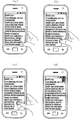
図3は、図2のパームタッチモード実行方法の一例を示す流れ図である。また、図4〜図7は、図2のパームタッチモード実行方法の一例を説明するための例示図である。 FIG. 3 is a flow chart showing an example of the palm touch mode execution method of FIG. 4 to 7 are illustrations for explaining an example of the palm touch mode execution method of FIG. 2.
図3を参照すると、制御部130は、311段階でパームタッチに移動があるか否かを判断する。この際、制御部130は、パームタッチがタッチ位置から予め設定された保持範囲内の該当する領域から離脱するか否かを確認してパームタッチの移動の有無を判断する。
Referring to FIG. 3, the
311段階でパームタッチに移動があると判断された場合、制御部130は、313段階で、パームタッチの移動方向を追跡し、移動距離を検出する。パームタッチの移動は、パームタッチのドラッグ(drag)、スイープ(sweep)、及びツイスト(twist)などを含む。次に、制御部130は、315段階で移動距離を予め設定された臨界値の距離と比較する。ここで、臨界値の距離は、単一数値であり、一定間隔で区分される多数個の数値よりなる。また、臨界値の距離は、特定方向に対応して設定される。この際、制御部130は、移動距離を臨界値の距離と比較し、移動距離を移動方向と関連させて臨界値の距離と比較する。即ち、制御部130は、移動距離が臨界値以上の距離であるか否かを判断する。
When it is determined that there is movement in the palm touch in the 311 step, the
315段階で移動距離が臨界値以上の距離と判断された場合、制御部130は、321段階でパームタッチのタッチ入力を決定してそれに対応する機能を実行する。この際、移動距離が臨界値の距離に該当する数値のうちの下限値以上の場合に、制御部130は、移動距離を臨界値の距離に該当するそれぞれの数値と比較する。また、制御部130は、移動距離に対応する数値を検出してパームタッチのタッチ入力を決定し、それに対応する機能を実行する。この際、制御部130は、タッチスクリーン120でパームタッチの解除に対応してタッチ入力を決定し、それに対応する機能を実行する。その後、制御部130は、図2にリターンする。一方、315段階で移動距離が臨界値未満の距離と判断された場合、制御部130は、そのまま図2にリターンする。
When it is determined that the moving distance is equal to or greater than the critical value in the 315 steps, the
例えば、図4(a)に示したように、動作画面表示中にタッチスクリーン120の左から右に携帯端末機100のユーザの手の側面が通過すると、制御部130は、パームタッチの移動を感知する。この際、制御部130は、パームタッチの移動方向を追跡し、移動距離を検出する。また、移動距離が臨界値以上の距離の場合に、制御部130は、図4(b)に示したように、動作画面をイメージとして獲得(capture)する。
For example, as shown in FIG. 4A, when the side surface of the user's hand of the mobile terminal 100 passes from the left to the right of the
また、図5(a)に示したように、動作画面表示中にタッチスクリーン120の上部から下部に携帯端末機100のユーザの手の側面が通過すると、制御部130は、パームタッチの移動を感知する。この際、制御部130は、パームタッチの移動方向を追跡し、移動距離を検出する。また、移動距離が臨界値以上の距離の場合に、制御部130は、図5(b)に示したように、動作画面から他の画面に切り替えて表示する。この際、他の画面は、制御部130で予め設定され、例えば、ホーム画面である。ここで、制御部130は、現在実行されているメニュー又はアプリケーションを終了する。或いは、制御部130は、現在実行されているメニュー又はアプリケーションを終了せずに、ホーム画面を表示することもできる。
Further, as shown in FIG. 5A, when the side surface of the user's hand of the mobile terminal 100 passes from the upper part to the lower part of the
また、図6(a)に示したように、動作画面表示中にタッチスクリーン120で携帯端末機100のユーザの手のひらがツイストされると、制御部130は、パームタッチの移動を感知する。この際、制御部130は、パームタッチのタッチ位置の変化を感知してパームタッチの移動を感知する。ここで、制御部130は、パームタッチの該当する領域の境界部に配置される座標の変化を感知してパームタッチの移動を感知する。或いは、制御部130は、パームタッチの該当する領域の境界部に配置される座標を、連結する軸のうちの長軸の方向変化により感知してパームタッチの移動を感知することができる。また、制御部130は、パームタッチの移動方向を追跡し、移動距離を検出する。また、移動距離が臨界値以上の距離の場合に、制御部130は、図6(b)に示したように、タッチスクリーン120にロックを設定する。この際、制御部130は、オーディオ処理部150を介してタッチスクリーン120のロックを通知するためのオーディオ信号を出力する。
Further, as shown in FIG. 6A, when the palm of the user of the
一方、311段階でパームタッチに移動がないと判断された場合、制御部130は、317段階でパームタッチの保持時間を検出する。即ち、パームタッチが保持範囲内の該当する領域から離脱しない場合、制御部130は、パームタッチが移動なしに保持されていると判断する。また、制御部130は、319段階で保持時間を予め設定された臨界値の時間と比較する。ここで、臨界値の時間は、単一数値であり、一定間隔で区分される多数個の数値よりなる。即ち、制御部130は、保持時間が臨界値以上の時間であるか否かを判断する。
On the other hand, when it is determined that the palm touch does not move in the 311 steps, the
次に、319段階で保持時間が臨界値以上の時間と判断された場合、制御部130は、321段階でパームタッチのタッチ入力を決定してそれに対応する機能を実行する。この際、保持時間が臨界値の時間に該当する数値のうちの下限値以上の場合に、制御部130は、保持時間を臨界値の時間に該当するそれぞれの数値と比較する。また、制御部130は、保持時間に対応する数値を検出してパームタッチのタッチ入力を決定し、それに対応する機能を実行する。この際、制御部130は、タッチスクリーン120でパームタッチの解除に対応してタッチ入力を決定し、それに対応する機能を実行する。その後、制御部130は、図2にリターンする。一方、319段階で保持時間が臨界値未満の時間と判断された場合、制御部130は、そのまま図2にリターンする。
Next, when it is determined that the holding time is equal to or longer than the critical value in the 319 steps, the
例えば、制御部130は、図7(a)に示したような動作画面を表示する。この際、制御部130は、画像通話又はデジタル放送受信などを実行し、映像又は音声のうちの少なくともいずれか1つを再生する。また、図7(b)に示したように、動作画面表示中にタッチスクリーン120で携帯端末機100のユーザの手のひらが接触すると、制御部130は、パームタッチの保持を感知する。この際、制御部130は、パームタッチの保持時間を検出する。また、保持時間が臨界値以上の時間の場合に、制御部130は、動作画面に対応して映像又は音声の再生を停止させる。また、図7(b)に示したように、映像又は音声の再生が停止された状態でタッチスクリーン120から携帯端末機100のユーザの手のひらの接触が解除されると、制御部130は、図7(a)に示したような映像又は音声の再生を継続する。
For example, the
また、制御部130は、図7(a)に示したような動作画面を表示する。この際、制御部130は、映像又は音声のうちの少なくともいずれか1つの再生を停止させる。ここで、動作画面は、映像の停止画面である。また、図7(b)に示したように、動作画面表示中にタッチスクリーン120で携帯端末機100のユーザの手のひらが接触すると、制御部130は、パームタッチの保持を感知する。この際、制御部130は、パームタッチの保持時間を検出する。そして、保持時間が臨界値以上の時間の場合に、制御部130は、動作画面に対応して映像又は音声の再生を継続する。
Further, the
一方、217段階でタッチ面積が臨界値未満の面積と判断された場合、制御部130は、221段階で、タッチをフィンガータッチとして把握し、フィンガータッチに対応する機能を実行するためのフィンガータッチモードを行う。この際、タッチ面積が臨界値の面積に該当する数値のうちの下限値未満の場合に、制御部130は、フィンガータッチモードを行う。ここで、制御部130は、フィンガータッチの移動の有無、移動距離、移動方向、又は保持時間のうちの少なくともいずれか1つによってタッチ入力を更に区分し、それに対応する機能を実行する。このようなフィンガータッチモード実行方法をより詳細に説明すると、次の通りである。
On the other hand, when the touch area is determined to be less than the critical value in 217 steps, the
図8は、図2のフィンガータッチモード実行方法の一例を示す流れ図である。また、図9及び図10は、図2のフィンガータッチモード実行方法の一例を説明するための例示図である。 FIG. 8 is a flow chart showing an example of the finger touch mode execution method of FIG. 9 and 10 are illustrations for explaining an example of the finger touch mode execution method of FIG.
図8を参照すると、制御部130は、811段階でフィンガータッチに移動があるか否かを判断する。この際、制御部130は、フィンガータッチがタッチ位置から予め設定された保持範囲内の該当する領域から離脱するか否かを確認してフィンガータッチの移動の有無を判断する。
Referring to FIG. 8, the
811段階でフィンガータッチに移動があると判断された場合、制御部130は、813段階で、フィンガータッチの移動方向を追跡し、移動距離を検出する。フィンガータッチの移動は、フィンガータッチのドラッグ、スイープ、及びツイストなどを含む。次に、制御部130は、815段階で移動距離を予め設定された臨界値の距離と比較する。ここで、臨界値の距離は、単一数値であり、一定間隔で区分される多数個の数値よりなる。また、臨界値の距離は、特定の方向に対応して設定される。この際、制御部130は、移動距離を臨界値の距離と比較し、移動距離を移動方向と関連させて臨界値の距離と比較する。即ち、制御部130は、移動距離が臨界値以上の距離であるか否かを判断する。
When it is determined that there is movement in the finger touch in the 811 step, the
815段階で移動距離が臨界値以上の距離と判断された場合、制御部130は、817段階でフィンガータッチのタッチ面積が変更されたか否かを判断する。次に、制御部130は、823段階で、フィンガータッチのタッチ面積が変更されたか否かによってタッチ入力を決定し、それに対応する機能を実行する。この際、移動距離が臨界値の距離に該当する数値のうちの下限値以上の場合に、制御部130は、移動距離を臨界値の距離に該当するそれぞれの数値と比較する。また、制御部130は、移動距離に対応する数値を検出してフィンガータッチのタッチ入力を決定し、それに対応する機能を実行する。この際、制御部130は、タッチスクリーン120でフィンガータッチの解除に対応してタッチ入力を決定し、それに対応する機能を実行する。その後、制御部130は、図2にリターンする。一方、815段階で移動距離が臨界値未満の距離と判断された場合、制御部130は、そのまま図2にリターンする。
When it is determined in the 815 steps that the moving distance is a distance equal to or greater than the critical value, the
例えば、図9(a)に示したように、動作画面表示中にタッチスクリーン120で携帯端末機100のユーザの指がツイストされると、制御部130は、フィンガータッチの移動を感知する。この際、制御部130は、フィンガータッチのタッチ位置の変化を感知してパームタッチの移動を感知する。ここで、制御部130は、フィンガータッチに該当する領域の境界部に配置される座標の変化を感知してフィンガータッチの移動を感知する。或いは、制御部130は、フィンガータッチの該当する領域の境界部に配置される座標を、連結する軸のうちの長軸の方向変化により感知してフィンガータッチの移動を感知することができる。また、制御部130は、フィンガータッチの移動方向を追跡し、移動距離を検出する。また、移動距離が臨界値以上の距離の場合に、制御部130は、図9(b)に示したように、動作画面を回転させる。
For example, as shown in FIG. 9A, when the finger of the user of the
また、図10(a)に示したように、動作画面表示中にタッチスクリーン120の1つの角部(corner)の縁から内部に携帯端末機100のユーザの指が移動(drag)すると、制御部130は、フィンガータッチの移動を感知する。この際、制御部130は、フィンガータッチの移動方向を追跡し、移動距離を検出する。また、移動距離が臨界値以上の距離の場合に、制御部130は、図10(b)に示したように、動作画面で対応する角部を畳む効果を表現する。その後、図10(c)に示したように、タッチスクリーン120で携帯端末機100のユーザの指が保持されると、制御部130は、フィンガータッチに対応するタッチ面積が変更されたか否かを判断する。タッチ面積が変更されたと判断された場合、制御部130は、図10(d)に示したように、動作画面でブックマーク(bookmark)処理する。即ち、制御部130は、動作画面の位置をお気に入りリストに追加して記録する。
Further, as shown in FIG. 10A, when the user's finger of the
一方、811段階でフィンガータッチに移動がないと判断された場合、制御部130は、819段階でフィンガータッチの保持時間を検出する。即ち、フィンガータッチが保持範囲内の該当する領域から離脱しない場合、制御部130は、フィンガータッチが移動なしに保持されていると判断する。次に、制御部130は、821段階で保持時間を予め設定された臨界値の時間と比較する。ここで、臨界値の時間は、単一数値であり、一定間隔で区分される多数個の数値よりなる。即ち、制御部130は、保持時間が臨界値以上の時間であるか否かを判断する。
On the other hand, when it is determined that there is no movement in the finger touch in the 811 step, the
821段階で保持時間が臨界値以上の時間と判断された場合、制御部130は、823段階でフィンガータッチのタッチ入力を決定してそれに対応する機能を実行する。この際、保持時間が臨界値の時間に該当する数値のうちの下限値以上の場合に、制御部130は、保持時間を臨界値の時間に該当するそれぞれの数値と比較する。また、制御部130は、保持時間に対応する数値を検出してフィンガータッチのタッチ入力を決定し、それに対応する機能を実行する。この際、制御部130は、タッチスクリーン120でフィンガータッチの解除に対応してタッチ入力を決定し、それに対応する機能を実行する。その後、制御部130は、図2にリターンする。一方、821段階で保持時間が臨界値未満の時間と判断された場合、制御部130は、そのまま図2にリターンする。
When the holding time is determined to be longer than the critical value in the 821 steps, the
上述した実施形態で、携帯端末機においてタッチ面積によってパームタッチとフィンガータッチに区分されるものとして記載したが、これに限定されるものではない。即ち、携帯端末機に多数個の臨界値の面積が設定されることによって、携帯端末機は、臨界値の面積を利用してタッチ面積を多様な基準範囲によって区分することができる。また、携帯端末機は、タッチ面積をタッチの移動の有無、移動距離、移動方向、又は保持時間のうちの少なくともいずれか1つと組み合わせてタッチ入力を決定し、それに対応する機能を実行することができる。 In the above-described embodiment, the mobile terminal is described as being classified into palm touch and finger touch according to the touch area, but the present invention is not limited to this. That is, by setting a large number of critical value areas in the mobile terminal, the mobile terminal can classify the touch area according to various reference ranges by using the critical value area. Further, the mobile terminal may determine the touch input by combining the touch area with at least one of the presence / absence of movement of the touch, the movement distance, the movement direction, or the holding time, and execute the corresponding function. can.
以上、図面を参照しながら本発明の実施形態を説明したが、本発明は、上述の実施形態に限定されるものではなく、本発明の技術的範囲から逸脱しない範囲内で多様に変更実施することが可能である。 Although the embodiments of the present invention have been described above with reference to the drawings, the present invention is not limited to the above-described embodiments, and various modifications are made within a range that does not deviate from the technical scope of the present invention. It is possible.
100 携帯端末機
110 無線通信部
120 タッチスクリーン
121 表示部
123 タッチパネル
125 タッチ感知部
127 信号変換部
130 制御部
131 面積検出部
133 移動追跡部
135 時間検出部
140 メモリ
150 オーディオ処理部
160 キー入力部
100
Claims (9)
タッチ入力を受信するタッチスクリーンと、 A touch screen that receives touch input and
スピーカーと、 With speakers
アプリケーションの活性化に対応して前記タッチスクリーン上に映像を再生し、前記スピーカーを介して音声を再生し、前記映像及び音声が再生されている間、前記タッチスクリーンを介してタッチ入力を検出し、前記タッチ入力がパームタッチ入力であるか否かを判断し、前記タッチ入力がパームタッチ入力である場合、前記パームタッチ入力に対応するタッチ入力が予め設定された時間の間維持されることに対応して、前記音声の再生を停止する制御部と、を有することを特徴とする携帯端末機。 Play video on the touch screen in response to application activation, play audio through the speaker, and detect touch input via the touch screen while the video and audio are playing. , It is determined whether or not the touch input is a palm touch input, and if the touch input is a palm touch input, the touch input corresponding to the palm touch input is maintained for a preset time. Correspondingly, a portable terminal having a control unit for stopping the reproduction of the voice.
前記検出された面積に基づき、前記タッチ入力が前記パームタッチ入力に対応するか否かを判断することを特徴とする請求項1に記載の携帯端末機。 The portable terminal according to claim 1, wherein it is determined whether or not the touch input corresponds to the palm touch input based on the detected area.
アプリケーションの活性化に対応して前記タッチスクリーン上に映像を再生し、スピーカーを介して音声を再生する段階と、 At the stage of playing the video on the touch screen and playing the audio through the speaker in response to the activation of the application,
前記映像及び音声が再生されている間、前記タッチスクリーンを介してタッチ入力を検出する段階と、 A step of detecting a touch input via the touch screen while the video and audio are being played, and
前記タッチ入力がパームタッチ入力であるか否かを判断する段階と、 At the stage of determining whether or not the touch input is a palm touch input,
前記タッチ入力がパームタッチ入力である場合、前前記パームタッチ入力に対応するタッチ入力が予め設定された時間の間維持されることに対応して、前記音声の再生を停止する段階と、を有することを特徴とするユーザインターフェース提供方法。 When the touch input is a palm touch input, it has a step of stopping the reproduction of the voice corresponding to the fact that the touch input corresponding to the previous palm touch input is maintained for a preset time. A method of providing a user interface, which is characterized by the fact that.
前記検出された面積に基づき、前記タッチ入力が前記パームタッチ入力に対応するか否かを判断する段階と、をさらに有することを特徴とする請求項4に記載のユーザインターフェース提供方法。 The user interface providing method according to claim 4, further comprising a step of determining whether or not the touch input corresponds to the palm touch input based on the detected area.
前記インストラクションは、1つ以上のプロセッサーによって実行される際、前記1つ以上のプロセッサーが、 When the instruction is executed by one or more processors, the one or more processors
アプリケーションの活性化に対応してタッチスクリーン上に映像を再生し、スピーカーを介して音声を再生する動作と、 The operation of playing the video on the touch screen in response to the activation of the application and playing the audio through the speaker,
前記映像及び音声が再生されている間、前記タッチスクリーンを介してタッチ入力を検出する動作と、 The operation of detecting the touch input via the touch screen while the video and audio are being played, and the operation of detecting the touch input.
前記タッチ入力がパームタッチ入力であるか否かを判断する動作と、 The operation of determining whether or not the touch input is a palm touch input, and
前記タッチ入力がパームタッチ入力である場合、前記パームタッチ入力に対応するタッチ入力が予め設定された時間の間維持されることに対応して、前記音声の再生を停止する動作と、を行うようにすることを特徴とする記録媒体。 When the touch input is a palm touch input, the operation of stopping the reproduction of the voice is performed corresponding to the fact that the touch input corresponding to the palm touch input is maintained for a preset time. A recording medium characterized by being
前記タッチ入力の間、前記タッチ入力に対応する複数の座標によって前記タッチスクリーンのタッチされた面積を検出する動作と、 During the touch input, an operation of detecting the touched area of the touch screen by a plurality of coordinates corresponding to the touch input, and an operation of detecting the touched area of the touch screen.
前記検出された面積に基づき、前記タッチ入力が前記パームタッチ入力に対応するか否かを判断する動作をさらに行うようにすることを特徴とする請求項7に記載の記録媒体。 The recording medium according to claim 7, wherein the operation of determining whether or not the touch input corresponds to the palm touch input is further performed based on the detected area.
前記タッチ入力が前記パームタッチ入力であることに対応して、前記映像の再生を中断又は終了する動作をさらに行うようにすることを特徴とする請求項7に記載の記録媒体。 The recording medium according to claim 7, wherein the operation of interrupting or terminating the reproduction of the video is further performed in response to the touch input being the palm touch input.
Applications Claiming Priority (3)
| Application Number | Priority Date | Filing Date | Title |
|---|---|---|---|
| KR10-2011-0087060 | 2011-08-30 | ||
| KR1020110087060A KR101962445B1 (en) | 2011-08-30 | 2011-08-30 | Mobile terminal having touch screen and method for providing user interface |
| JP2018085165A JP6921781B2 (en) | 2011-08-30 | 2018-04-26 | A mobile terminal having a touch screen and a method for providing a user interface thereof |
Related Parent Applications (1)
| Application Number | Title | Priority Date | Filing Date |
|---|---|---|---|
| JP2018085165A Division JP6921781B2 (en) | 2011-08-30 | 2018-04-26 | A mobile terminal having a touch screen and a method for providing a user interface thereof |
Publications (2)
| Publication Number | Publication Date |
|---|---|
| JP2020091912A JP2020091912A (en) | 2020-06-11 |
| JP6983932B2 true JP6983932B2 (en) | 2021-12-17 |
Family
ID=46888293
Family Applications (3)
| Application Number | Title | Priority Date | Filing Date |
|---|---|---|---|
| JP2012188765A Pending JP2013050952A (en) | 2011-08-30 | 2012-08-29 | Mobile terminal having touch screen and user interface providing method thereof |
| JP2018085165A Active JP6921781B2 (en) | 2011-08-30 | 2018-04-26 | A mobile terminal having a touch screen and a method for providing a user interface thereof |
| JP2020038253A Active JP6983932B2 (en) | 2011-08-30 | 2020-03-05 | A mobile terminal having a touch screen and a method for providing a user interface thereof |
Family Applications Before (2)
| Application Number | Title | Priority Date | Filing Date |
|---|---|---|---|
| JP2012188765A Pending JP2013050952A (en) | 2011-08-30 | 2012-08-29 | Mobile terminal having touch screen and user interface providing method thereof |
| JP2018085165A Active JP6921781B2 (en) | 2011-08-30 | 2018-04-26 | A mobile terminal having a touch screen and a method for providing a user interface thereof |
Country Status (5)
| Country | Link |
|---|---|
| US (4) | US9134902B2 (en) |
| EP (2) | EP2565768B1 (en) |
| JP (3) | JP2013050952A (en) |
| KR (1) | KR101962445B1 (en) |
| CN (2) | CN102968267B (en) |
Families Citing this family (81)
| Publication number | Priority date | Publication date | Assignee | Title |
|---|---|---|---|---|
| US10705701B2 (en) | 2009-03-16 | 2020-07-07 | Apple Inc. | Device, method, and graphical user interface for moving a current position in content at a variable scrubbing rate |
| US10706096B2 (en) | 2011-08-18 | 2020-07-07 | Apple Inc. | Management of local and remote media items |
| KR101962445B1 (en) | 2011-08-30 | 2019-03-26 | 삼성전자 주식회사 | Mobile terminal having touch screen and method for providing user interface |
| WO2013032187A1 (en) * | 2011-09-01 | 2013-03-07 | Samsung Electronics Co., Ltd. | Mobile terminal for performing screen unlock based on motion and method thereof |
| US9002322B2 (en) | 2011-09-29 | 2015-04-07 | Apple Inc. | Authentication with secondary approver |
| US9846799B2 (en) | 2012-05-18 | 2017-12-19 | Apple Inc. | Efficient texture comparison |
| US9135496B2 (en) | 2012-05-18 | 2015-09-15 | Apple Inc. | Efficient texture comparison |
| US9202099B2 (en) | 2012-06-29 | 2015-12-01 | Apple Inc. | Fingerprint sensing and enrollment |
| US9715616B2 (en) | 2012-06-29 | 2017-07-25 | Apple Inc. | Fingerprint sensing and enrollment |
| US20140003683A1 (en) * | 2012-06-29 | 2014-01-02 | Apple Inc. | Far-Field Sensing for Rotation of Finger |
| US8707454B1 (en) | 2012-07-16 | 2014-04-22 | Wickr Inc. | Multi party messaging |
| JP5842062B2 (en) * | 2012-08-24 | 2016-01-13 | 株式会社Nttドコモ | Apparatus and program for controlling display direction of image |
| CN103106035B (en) * | 2013-02-05 | 2016-05-18 | 惠州Tcl移动通信有限公司 | A kind of mobile terminal and application controls method thereof |
| US9111125B2 (en) | 2013-02-08 | 2015-08-18 | Apple Inc. | Fingerprint imaging and quality characterization |
| US10068120B2 (en) | 2013-03-15 | 2018-09-04 | Apple Inc. | High dynamic range fingerprint sensing |
| WO2014143776A2 (en) | 2013-03-15 | 2014-09-18 | Bodhi Technology Ventures Llc | Providing remote interactions with host device using a wireless device |
| KR101496212B1 (en) * | 2013-03-28 | 2015-02-27 | 주식회사 투게더 | The data transmiting apparatus for recording visiting data of a wireless communication device |
| CN103389876A (en) * | 2013-07-04 | 2013-11-13 | 深圳市创凯电子有限公司 | Function switching method based on touch display equipment and touch display equipment |
| TWI505135B (en) * | 2013-08-20 | 2015-10-21 | Utechzone Co Ltd | Control system for display screen, control apparatus and control method |
| KR102197912B1 (en) * | 2013-08-23 | 2021-01-04 | 삼성전자주식회사 | Method, apparatus and recovering medium for executing a funtion according to a gesture recognition |
| US10463914B2 (en) | 2013-09-10 | 2019-11-05 | Lg Electronics Inc. | Electronic device |
| KR102138516B1 (en) * | 2013-10-11 | 2020-07-28 | 엘지전자 주식회사 | Mobile terminal and method for controlling thereof |
| JP2015090648A (en) * | 2013-11-07 | 2015-05-11 | シャープ株式会社 | Electronic apparatus |
| CN103593140A (en) * | 2013-11-29 | 2014-02-19 | 深圳市金立通信设备有限公司 | Method and terminal for touch screen terminal screen locking |
| US9544649B2 (en) * | 2013-12-03 | 2017-01-10 | Aniya's Production Company | Device and method for capturing video |
| CN104714675B (en) * | 2013-12-13 | 2017-12-05 | 华为终端(东莞)有限公司 | A kind of gesture identification method and device |
| KR102223277B1 (en) * | 2014-01-06 | 2021-03-05 | 엘지전자 주식회사 | Mobile terminal and control method for the mobile terminal |
| US20150205350A1 (en) * | 2014-01-23 | 2015-07-23 | Lenovo (Singapore) Pte. Ltd. | Skin mounted input device |
| EP3101995A4 (en) * | 2014-01-28 | 2017-05-31 | Huawei Device Co., Ltd. | Terminal equipment processing method and terminal equipment |
| CN104915088B (en) * | 2014-03-10 | 2018-10-12 | 联想(北京)有限公司 | A kind of information processing method and electronic equipment |
| JP6328797B2 (en) | 2014-05-30 | 2018-05-23 | アップル インコーポレイテッド | Transition from using one device to using another device |
| KR20160022583A (en) | 2014-08-20 | 2016-03-02 | 삼성전기주식회사 | Touchscreen apparatus and method for sensing touch input |
| KR20160025802A (en) | 2014-08-28 | 2016-03-09 | 삼성전기주식회사 | Touchscreen apparatus and method for sensing touch input |
| CN113824998B (en) | 2014-09-02 | 2024-07-12 | 苹果公司 | Method and apparatus for a music user interface |
| CN105373327B (en) * | 2014-09-02 | 2019-06-25 | 联想(北京)有限公司 | A kind of information processing method and electronic equipment |
| KR20160045233A (en) | 2014-10-16 | 2016-04-27 | 삼성디스플레이 주식회사 | Display apparatus and display apparatus controlling method |
| KR102250780B1 (en) * | 2014-10-20 | 2021-05-11 | 삼성전자주식회사 | Method for controlling security and electronic device thereof |
| CN104461366A (en) * | 2014-12-16 | 2015-03-25 | 小米科技有限责任公司 | Method and device for activating operation state of mobile terminal |
| JP6415344B2 (en) | 2015-02-04 | 2018-10-31 | キヤノン株式会社 | Electronic device and control method thereof |
| CN104991458B (en) * | 2015-06-30 | 2018-10-12 | 联想(北京)有限公司 | Control method and electronic equipment |
| KR20170036424A (en) * | 2015-09-24 | 2017-04-03 | 삼성전자주식회사 | Method for providing event corresponding to touch attribute and electronic device thereof |
| WO2017113357A1 (en) * | 2015-12-31 | 2017-07-06 | 华为技术有限公司 | Floating touch control apparatus and method |
| CN105681553B (en) * | 2016-01-06 | 2020-07-10 | 惠州Tcl移动通信有限公司 | Handheld terminal and misoperation preventing method thereof |
| JP2017183799A (en) * | 2016-03-28 | 2017-10-05 | 京セラ株式会社 | Portable apparatus, control method of portable apparatus, controller of portable apparatus and control program |
| DK179186B1 (en) | 2016-05-19 | 2018-01-15 | Apple Inc | REMOTE AUTHORIZATION TO CONTINUE WITH AN ACTION |
| DK201670622A1 (en) | 2016-06-12 | 2018-02-12 | Apple Inc | User interfaces for transactions |
| CN105867829B (en) * | 2016-06-15 | 2019-05-17 | 维沃移动通信有限公司 | Method and terminal for controlling switching of terminal display interface |
| US11287951B2 (en) * | 2016-09-16 | 2022-03-29 | Google Llc | Systems and methods for a touchscreen user interface for a collaborative editing tool |
| US11431836B2 (en) | 2017-05-02 | 2022-08-30 | Apple Inc. | Methods and interfaces for initiating media playback |
| US10992795B2 (en) | 2017-05-16 | 2021-04-27 | Apple Inc. | Methods and interfaces for home media control |
| US10928980B2 (en) | 2017-05-12 | 2021-02-23 | Apple Inc. | User interfaces for playing and managing audio items |
| CN111343060B (en) | 2017-05-16 | 2022-02-11 | 苹果公司 | Method and interface for home media control |
| US12526361B2 (en) | 2017-05-16 | 2026-01-13 | Apple Inc. | Methods for outputting an audio output in accordance with a user being within a range of a device |
| JP2019028692A (en) * | 2017-07-28 | 2019-02-21 | アルプス電気株式会社 | Input control device, electronic device, input control method, and input control program |
| CN107957812B (en) * | 2017-11-15 | 2021-06-08 | 苏州佳世达电通有限公司 | Touch device and touch device identification method |
| CN108536386A (en) * | 2018-03-30 | 2018-09-14 | 联想(北京)有限公司 | Data processing method, equipment and system |
| CN108664190B (en) | 2018-04-18 | 2019-07-12 | Oppo广东移动通信有限公司 | Page display method, device, mobile terminal and storage medium |
| CN108595078A (en) * | 2018-05-07 | 2018-09-28 | 深圳市万普拉斯科技有限公司 | Touch operation method, device, mobile terminal and computer readable storage medium |
| US11030813B2 (en) * | 2018-08-30 | 2021-06-08 | Snap Inc. | Video clip object tracking |
| KR102667978B1 (en) * | 2019-02-26 | 2024-05-23 | 삼성전자주식회사 | Electronic apparatus and controlling method thereof |
| CA3131489A1 (en) | 2019-02-27 | 2020-09-03 | Louisiana-Pacific Corporation | Fire-resistant manufactured-wood based siding |
| KR102133272B1 (en) * | 2019-03-20 | 2020-07-13 | 삼성전자 주식회사 | Mobile terminal having touch screen and method for providing user interface |
| DK201970533A1 (en) | 2019-05-31 | 2021-02-15 | Apple Inc | Methods and user interfaces for sharing audio |
| EP4525423A3 (en) | 2019-05-31 | 2025-05-28 | Apple Inc. | User interfaces for audio media control |
| US10904029B2 (en) | 2019-05-31 | 2021-01-26 | Apple Inc. | User interfaces for managing controllable external devices |
| US10996917B2 (en) | 2019-05-31 | 2021-05-04 | Apple Inc. | User interfaces for audio media control |
| CN110221767A (en) * | 2019-06-13 | 2019-09-10 | 广州视源电子科技股份有限公司 | Control method and device of intelligent interaction equipment |
| CN112417928B (en) * | 2019-08-22 | 2024-03-29 | 深圳富泰宏精密工业有限公司 | Under-screen fingerprint identification method and electronic device |
| US10607432B1 (en) * | 2019-09-04 | 2020-03-31 | Motorola Mobility Llc | Locking a touch screen of a mobile device |
| US11232646B2 (en) | 2019-09-06 | 2022-01-25 | Snap Inc. | Context-based virtual object rendering |
| US10769682B1 (en) * | 2019-09-11 | 2020-09-08 | James Trevor McDonald | Touch and hold system and method to activate and control mobile content |
| EP3846014A1 (en) * | 2019-12-30 | 2021-07-07 | Dassault Systèmes | Unlock of a 3d view |
| CN112306360A (en) * | 2020-02-13 | 2021-02-02 | 北京字节跳动网络技术有限公司 | Man-machine interaction method and device for learning machine |
| US10955988B1 (en) | 2020-02-14 | 2021-03-23 | Lenovo (Singapore) Pte. Ltd. | Execution of function based on user looking at one area of display while touching another area of display |
| US11079913B1 (en) | 2020-05-11 | 2021-08-03 | Apple Inc. | User interface for status indicators |
| KR20210151605A (en) | 2020-06-05 | 2021-12-14 | 삼성전자주식회사 | Method for capturing image and elecronic device therefor |
| US11392291B2 (en) * | 2020-09-25 | 2022-07-19 | Apple Inc. | Methods and interfaces for media control with dynamic feedback |
| WO2022260876A1 (en) | 2021-06-06 | 2022-12-15 | Apple Inc. | User interfaces for audio routing |
| US11847378B2 (en) | 2021-06-06 | 2023-12-19 | Apple Inc. | User interfaces for audio routing |
| CN113849084B (en) * | 2021-09-27 | 2025-07-22 | 联想(北京)有限公司 | Information processing method and electronic equipment |
| KR102512943B1 (en) * | 2022-11-25 | 2023-03-22 | (주) 아하 | Method for identifying user processing touch input on in-cell type touch screen and interactive flat panel display thereof |
Family Cites Families (78)
| Publication number | Priority date | Publication date | Assignee | Title |
|---|---|---|---|---|
| US5463725A (en) * | 1992-12-31 | 1995-10-31 | International Business Machines Corp. | Data processing system graphical user interface which emulates printed material |
| JP2002373057A (en) | 2001-06-15 | 2002-12-26 | Oki Electric Ind Co Ltd | Method and device for input operation, and program |
| JP3842617B2 (en) * | 2001-10-31 | 2006-11-08 | 株式会社ケンウッド | Touch panel input device, audio device and input method |
| US8698751B2 (en) * | 2010-10-01 | 2014-04-15 | Z124 | Gravity drop rules and keyboard display on a multiple screen device |
| EP1639439A2 (en) | 2003-06-13 | 2006-03-29 | The University Of Lancaster | User interface |
| US7231231B2 (en) * | 2003-10-14 | 2007-06-12 | Nokia Corporation | Method and apparatus for locking a mobile telephone touch screen |
| JP4070745B2 (en) * | 2004-05-21 | 2008-04-02 | 三洋電機株式会社 | Broadcast receiving mobile terminal |
| WO2006006173A2 (en) * | 2004-07-15 | 2006-01-19 | N-Trig Ltd. | Automatic switching for a dual mode digitizer |
| US20060075250A1 (en) * | 2004-09-24 | 2006-04-06 | Chung-Wen Liao | Touch panel lock and unlock function and hand-held device |
| US20060206815A1 (en) * | 2005-03-08 | 2006-09-14 | Pathiyal Krishna K | Handheld electronic device having improved word correction, and associated method |
| US20060227115A1 (en) * | 2005-03-31 | 2006-10-12 | Tyco Electronic Corporation | Method and apparatus for touch sensor with interference rejection |
| US7577925B2 (en) * | 2005-04-08 | 2009-08-18 | Microsoft Corporation | Processing for distinguishing pen gestures and dynamic self-calibration of pen-based computing systems |
| US7813774B2 (en) * | 2006-08-18 | 2010-10-12 | Microsoft Corporation | Contact, motion and position sensing circuitry providing data entry associated with keypad and touchpad |
| US20080055263A1 (en) * | 2006-09-06 | 2008-03-06 | Lemay Stephen O | Incoming Telephone Call Management for a Portable Multifunction Device |
| US20080084400A1 (en) * | 2006-10-10 | 2008-04-10 | Outland Research, Llc | Touch-gesture control of video media play on handheld media players |
| US7770136B2 (en) * | 2007-01-24 | 2010-08-03 | Microsoft Corporation | Gesture recognition interactive feedback |
| KR20080079007A (en) * | 2007-02-26 | 2008-08-29 | 삼성전자주식회사 | Electronic device capable of entering user commands |
| US7884805B2 (en) * | 2007-04-17 | 2011-02-08 | Sony Ericsson Mobile Communications Ab | Using touches to transfer information between devices |
| JP2008305087A (en) * | 2007-06-06 | 2008-12-18 | Toshiba Matsushita Display Technology Co Ltd | Display device |
| US8302033B2 (en) * | 2007-06-22 | 2012-10-30 | Apple Inc. | Touch screen device, method, and graphical user interface for providing maps, directions, and location-based information |
| JP4956292B2 (en) * | 2007-06-25 | 2012-06-20 | パナソニック株式会社 | Information security apparatus and counter control method |
| JP5430572B2 (en) * | 2007-09-14 | 2014-03-05 | インテレクチュアル ベンチャーズ ホールディング 67 エルエルシー | Gesture-based user interaction processing |
| US8004498B1 (en) * | 2007-10-22 | 2011-08-23 | Adobe Systems Incorporated | Systems and methods for multipoint temporary anchoring |
| JP4697551B2 (en) * | 2007-12-21 | 2011-06-08 | ソニー株式会社 | COMMUNICATION DEVICE, INPUT CONTROL METHOD, AND INPUT CONTROL PROGRAM |
| US8099526B2 (en) * | 2008-01-22 | 2012-01-17 | Research In Motion Limited | Method and apparatus for enabling and disabling a lock mode by squeezing or pinching the sides of a portable electronic device towards one another |
| KR20090085470A (en) | 2008-02-04 | 2009-08-07 | 삼성전자주식회사 | Method of providing touch WI for detecting a plurality of touch methods on an item or a desktop and a multimedia device using the same |
| FR2928257B1 (en) * | 2008-03-04 | 2011-01-14 | Super Sonic Imagine | ELECTRONIC SYSTEM FOR DOUBLE SCREEN DISPLAY. |
| US8723811B2 (en) | 2008-03-21 | 2014-05-13 | Lg Electronics Inc. | Mobile terminal and screen displaying method thereof |
| US8421483B2 (en) * | 2008-06-13 | 2013-04-16 | Sony Ericsson Mobile Communications Ab | Touch and force sensing for input devices |
| KR101517967B1 (en) * | 2008-07-07 | 2015-05-06 | 엘지전자 주식회사 | Controlling a Mobile Terminal |
| US8169414B2 (en) * | 2008-07-12 | 2012-05-01 | Lim Seung E | Control of electronic games via finger angle using a high dimensional touchpad (HDTP) touch user interface |
| US9459784B2 (en) * | 2008-07-25 | 2016-10-04 | Microsoft Technology Licensing, Llc | Touch interaction with a curved display |
| JP5161690B2 (en) * | 2008-07-31 | 2013-03-13 | キヤノン株式会社 | Information processing apparatus and control method thereof |
| US20100031202A1 (en) * | 2008-08-04 | 2010-02-04 | Microsoft Corporation | User-defined gesture set for surface computing |
| US8604364B2 (en) * | 2008-08-15 | 2013-12-10 | Lester F. Ludwig | Sensors, algorithms and applications for a high dimensional touchpad |
| JP4605279B2 (en) * | 2008-09-12 | 2011-01-05 | ソニー株式会社 | Information processing apparatus, information processing method, and program |
| KR101503835B1 (en) * | 2008-10-13 | 2015-03-18 | 삼성전자주식회사 | Method and apparatus for object management using multi-touch |
| KR101019335B1 (en) * | 2008-11-11 | 2011-03-07 | 주식회사 팬택 | Application control method and system of mobile terminal using gesture |
| KR101556147B1 (en) | 2008-11-12 | 2015-09-30 | 엘지전자 주식회사 | A mobile terminal and a power input method therefor |
| US20100149099A1 (en) * | 2008-12-12 | 2010-06-17 | John Greer Elias | Motion sensitive mechanical keyboard |
| US9134798B2 (en) * | 2008-12-15 | 2015-09-15 | Microsoft Technology Licensing, Llc | Gestures, interactions, and common ground in a surface computing environment |
| JP5261217B2 (en) | 2009-01-30 | 2013-08-14 | キヤノン株式会社 | Display device and display method |
| US8584050B2 (en) * | 2009-03-16 | 2013-11-12 | Apple Inc. | Methods and graphical user interfaces for editing on a multifunction device with a touch screen display |
| US20100238123A1 (en) * | 2009-03-17 | 2010-09-23 | Ozias Orin M | Input Device Gesture To Generate Full Screen Change |
| JP5428436B2 (en) * | 2009-03-25 | 2014-02-26 | ソニー株式会社 | Electronic device, display control method and program |
| JP2010244132A (en) | 2009-04-01 | 2010-10-28 | Mitsubishi Electric Corp | User interface device with touch panel, user interface control method, and user interface control program |
| US20100265185A1 (en) | 2009-04-17 | 2010-10-21 | Nokia Corporation | Method and Apparatus for Performing Operations Based on Touch Inputs |
| JP5206587B2 (en) | 2009-05-26 | 2013-06-12 | ソニー株式会社 | Editing device, editing method and editing program |
| JP5282661B2 (en) * | 2009-05-26 | 2013-09-04 | ソニー株式会社 | Information processing apparatus, information processing method, and program |
| JP2011014044A (en) | 2009-07-03 | 2011-01-20 | Sony Corp | Apparatus and method for controlling operation and computer program |
| US8347232B1 (en) * | 2009-07-10 | 2013-01-01 | Lexcycle, Inc | Interactive user interface |
| CN101615409B (en) * | 2009-07-31 | 2013-03-27 | 华为终端有限公司 | Media playing controlling method, system, media player and earphone wire device |
| CA2771918C (en) * | 2009-08-25 | 2015-06-09 | Google Inc. | Direct manipulation gestures |
| JP5310389B2 (en) | 2009-08-27 | 2013-10-09 | ソニー株式会社 | Information processing apparatus, information processing method, and program |
| US20110057886A1 (en) * | 2009-09-10 | 2011-03-10 | Oliver Ng | Dynamic sizing of identifier on a touch-sensitive display |
| CA2775007A1 (en) * | 2009-09-23 | 2011-03-31 | Dingnan Han | Method and interface for man-machine interaction |
| US9079498B2 (en) * | 2009-10-05 | 2015-07-14 | Tesla Motors, Inc. | Morphing vehicle user interface |
| JP5424475B2 (en) * | 2009-10-13 | 2014-02-26 | 株式会社ジャパンディスプレイ | Information input device, information input method, information input / output device, information input program, and electronic device |
| JP2011101184A (en) | 2009-11-05 | 2011-05-19 | Sony Corp | Photographing device, and method and program for controlling photographing |
| US8487888B2 (en) * | 2009-12-04 | 2013-07-16 | Microsoft Corporation | Multi-modal interaction on multi-touch display |
| KR101657963B1 (en) | 2009-12-08 | 2016-10-04 | 삼성전자 주식회사 | Operation Method of Device based on a alteration ratio of touch area And Apparatus using the same |
| JP2011134271A (en) * | 2009-12-25 | 2011-07-07 | Sony Corp | Information processor, information processing method, and program |
| US10007393B2 (en) * | 2010-01-19 | 2018-06-26 | Apple Inc. | 3D view of file structure |
| CN101866259A (en) * | 2010-01-28 | 2010-10-20 | 宇龙计算机通信科技(深圳)有限公司 | Touch screen unlocking method, system and touch screen device |
| EP2524490A4 (en) * | 2010-02-04 | 2016-03-02 | Nokia Technologies Oy | User input |
| KR101642725B1 (en) * | 2010-04-14 | 2016-08-11 | 삼성전자 주식회사 | Method and apparatus for managing lock function in mobile terminal |
| CA2792987C (en) * | 2010-04-21 | 2014-09-09 | Research In Motion Limited | Method of interacting with a scrollable area on a portable electronic device |
| US8797280B2 (en) * | 2010-05-26 | 2014-08-05 | Atmel Corporation | Systems and methods for improved touch screen response |
| US9110589B1 (en) * | 2010-07-21 | 2015-08-18 | Google Inc. | Tab bar control for mobile devices |
| US20120084728A1 (en) * | 2010-10-05 | 2012-04-05 | Wen-Liang Huang | Button control system for medical touch screen and method thereof |
| JP2011048848A (en) * | 2010-10-27 | 2011-03-10 | Kyocera Corp | Input device and method for controlling the same |
| EP2469389B1 (en) * | 2010-12-24 | 2018-10-10 | Lg Electronics Inc. | Mobile terminal and method for changing page thereof |
| US9235340B2 (en) * | 2011-02-18 | 2016-01-12 | Microsoft Technology Licensing, Llc | Modal touch input |
| US8787984B2 (en) * | 2011-08-03 | 2014-07-22 | Kyocera Corporation | Mobile electronic device and control method for changing setting of locked state on touch screen display |
| KR101962445B1 (en) | 2011-08-30 | 2019-03-26 | 삼성전자 주식회사 | Mobile terminal having touch screen and method for providing user interface |
| US10031586B2 (en) * | 2013-06-12 | 2018-07-24 | Amazon Technologies, Inc. | Motion-based gestures for a computing device |
| WO2015071800A1 (en) | 2013-11-15 | 2015-05-21 | Semiconductor Energy Laboratory Co., Ltd. | Data processor |
| KR102133272B1 (en) | 2019-03-20 | 2020-07-13 | 삼성전자 주식회사 | Mobile terminal having touch screen and method for providing user interface |
-
2011
- 2011-08-30 KR KR1020110087060A patent/KR101962445B1/en active Active
-
2012
- 2012-07-11 US US13/546,643 patent/US9134902B2/en active Active
- 2012-08-22 CN CN201210300818.6A patent/CN102968267B/en active Active
- 2012-08-22 CN CN201710929097.8A patent/CN107608558B/en active Active
- 2012-08-28 EP EP12182042.7A patent/EP2565768B1/en active Active
- 2012-08-28 EP EP20216687.2A patent/EP3859505B1/en active Active
- 2012-08-29 JP JP2012188765A patent/JP2013050952A/en active Pending
-
2015
- 2015-08-24 US US14/833,830 patent/US20150373170A1/en not_active Abandoned
-
2017
- 2017-02-28 US US15/444,488 patent/US10809844B2/en active Active
-
2018
- 2018-04-26 JP JP2018085165A patent/JP6921781B2/en active Active
-
2020
- 2020-03-05 JP JP2020038253A patent/JP6983932B2/en active Active
- 2020-10-19 US US17/073,499 patent/US11275466B2/en active Active
Also Published As
| Publication number | Publication date |
|---|---|
| EP3859505B1 (en) | 2024-03-27 |
| US11275466B2 (en) | 2022-03-15 |
| US20210034190A1 (en) | 2021-02-04 |
| US10809844B2 (en) | 2020-10-20 |
| EP2565768A2 (en) | 2013-03-06 |
| CN102968267B (en) | 2017-11-03 |
| JP2020091912A (en) | 2020-06-11 |
| US20130053107A1 (en) | 2013-02-28 |
| KR20130023943A (en) | 2013-03-08 |
| JP2013050952A (en) | 2013-03-14 |
| CN102968267A (en) | 2013-03-13 |
| US9134902B2 (en) | 2015-09-15 |
| EP2565768B1 (en) | 2020-12-23 |
| JP6921781B2 (en) | 2021-08-18 |
| JP2018120636A (en) | 2018-08-02 |
| US20150373170A1 (en) | 2015-12-24 |
| KR101962445B1 (en) | 2019-03-26 |
| CN107608558B (en) | 2022-01-14 |
| EP2565768A3 (en) | 2017-03-01 |
| CN107608558A (en) | 2018-01-19 |
| EP3859505C0 (en) | 2024-03-27 |
| US20170168645A1 (en) | 2017-06-15 |
| EP3859505A1 (en) | 2021-08-04 |
Similar Documents
| Publication | Publication Date | Title |
|---|---|---|
| JP6983932B2 (en) | A mobile terminal having a touch screen and a method for providing a user interface thereof | |
| JP5823400B2 (en) | UI providing method using a plurality of touch sensors and portable terminal using the same | |
| JP7261294B2 (en) | Multimedia file playback control method and terminal device | |
| KR101640464B1 (en) | Method for providing user interface based on touch screen and mobile terminal using the same | |
| AU2012281308B2 (en) | Method and apparatus for controlling content using graphical object | |
| US20110087983A1 (en) | Mobile communication terminal having touch interface and touch interface method | |
| CN102693001B (en) | The method and system of mobile device is controlled by following the tracks of finger | |
| CN104685898A (en) | Method of broadcasting media and terminal | |
| CN108055408B (en) | Application program control method and mobile terminal | |
| US20130254714A1 (en) | Method and apparatus for providing floating user interface | |
| CN107526494A (en) | Keyboard display method, device, terminal and storage medium | |
| US20080297485A1 (en) | Device and method for executing a menu in a mobile terminal | |
| KR20090057557A (en) | How to move play time and set play period using multi-touch | |
| CN104218963A (en) | Method for executing control operations, wearable device and terminal | |
| KR102133272B1 (en) | Mobile terminal having touch screen and method for providing user interface | |
| KR102249182B1 (en) | Mobile terminal having touch screen and method for providing user interface | |
| KR102197912B1 (en) | Method, apparatus and recovering medium for executing a funtion according to a gesture recognition | |
| KR20150081496A (en) | Method for controlling audio device using touch sensors | |
| CN111158706A (en) | Application uninstallation method, device and electronic device |
Legal Events
| Date | Code | Title | Description |
|---|---|---|---|
| A621 | Written request for application examination |
Free format text: JAPANESE INTERMEDIATE CODE: A621 Effective date: 20200305 |
|
| A977 | Report on retrieval |
Free format text: JAPANESE INTERMEDIATE CODE: A971007 Effective date: 20210121 |
|
| A131 | Notification of reasons for refusal |
Free format text: JAPANESE INTERMEDIATE CODE: A131 Effective date: 20210302 |
|
| A521 | Request for written amendment filed |
Free format text: JAPANESE INTERMEDIATE CODE: A523 Effective date: 20210601 |
|
| TRDD | Decision of grant or rejection written | ||
| A01 | Written decision to grant a patent or to grant a registration (utility model) |
Free format text: JAPANESE INTERMEDIATE CODE: A01 Effective date: 20211026 |
|
| A61 | First payment of annual fees (during grant procedure) |
Free format text: JAPANESE INTERMEDIATE CODE: A61 Effective date: 20211124 |
|
| R150 | Certificate of patent or registration of utility model |
Ref document number: 6983932 Country of ref document: JP Free format text: JAPANESE INTERMEDIATE CODE: R150 |
|
| R250 | Receipt of annual fees |
Free format text: JAPANESE INTERMEDIATE CODE: R250 |
|
| R250 | Receipt of annual fees |
Free format text: JAPANESE INTERMEDIATE CODE: R250 |