JP2021512353A - Occultation cursor for virtual content in mixed reality displays - Google Patents
Occultation cursor for virtual content in mixed reality displays Download PDFInfo
- Publication number
- JP2021512353A JP2021512353A JP2020539257A JP2020539257A JP2021512353A JP 2021512353 A JP2021512353 A JP 2021512353A JP 2020539257 A JP2020539257 A JP 2020539257A JP 2020539257 A JP2020539257 A JP 2020539257A JP 2021512353 A JP2021512353 A JP 2021512353A
- Authority
- JP
- Japan
- Prior art keywords
- cursor
- user
- virtual
- display
- focus indicator
- Prior art date
- Legal status (The legal status is an assumption and is not a legal conclusion. Google has not performed a legal analysis and makes no representation as to the accuracy of the status listed.)
- Granted
Links
Images








Classifications
-
- G—PHYSICS
- G06—COMPUTING OR CALCULATING; COUNTING
- G06F—ELECTRIC DIGITAL DATA PROCESSING
- G06F3/00—Input arrangements for transferring data to be processed into a form capable of being handled by the computer; Output arrangements for transferring data from processing unit to output unit, e.g. interface arrangements
- G06F3/01—Input arrangements or combined input and output arrangements for interaction between user and computer
- G06F3/048—Interaction techniques based on graphical user interfaces [GUI]
- G06F3/0481—Interaction techniques based on graphical user interfaces [GUI] based on specific properties of the displayed interaction object or a metaphor-based environment, e.g. interaction with desktop elements like windows or icons, or assisted by a cursor's changing behaviour or appearance
- G06F3/04812—Interaction techniques based on cursor appearance or behaviour, e.g. being affected by the presence of displayed objects
-
- G—PHYSICS
- G06—COMPUTING OR CALCULATING; COUNTING
- G06F—ELECTRIC DIGITAL DATA PROCESSING
- G06F3/00—Input arrangements for transferring data to be processed into a form capable of being handled by the computer; Output arrangements for transferring data from processing unit to output unit, e.g. interface arrangements
- G06F3/01—Input arrangements or combined input and output arrangements for interaction between user and computer
- G06F3/011—Arrangements for interaction with the human body, e.g. for user immersion in virtual reality
-
- G—PHYSICS
- G06—COMPUTING OR CALCULATING; COUNTING
- G06F—ELECTRIC DIGITAL DATA PROCESSING
- G06F3/00—Input arrangements for transferring data to be processed into a form capable of being handled by the computer; Output arrangements for transferring data from processing unit to output unit, e.g. interface arrangements
- G06F3/01—Input arrangements or combined input and output arrangements for interaction between user and computer
- G06F3/011—Arrangements for interaction with the human body, e.g. for user immersion in virtual reality
- G06F3/012—Head tracking input arrangements
-
- G—PHYSICS
- G06—COMPUTING OR CALCULATING; COUNTING
- G06F—ELECTRIC DIGITAL DATA PROCESSING
- G06F3/00—Input arrangements for transferring data to be processed into a form capable of being handled by the computer; Output arrangements for transferring data from processing unit to output unit, e.g. interface arrangements
- G06F3/01—Input arrangements or combined input and output arrangements for interaction between user and computer
- G06F3/048—Interaction techniques based on graphical user interfaces [GUI]
- G06F3/0481—Interaction techniques based on graphical user interfaces [GUI] based on specific properties of the displayed interaction object or a metaphor-based environment, e.g. interaction with desktop elements like windows or icons, or assisted by a cursor's changing behaviour or appearance
- G06F3/04815—Interaction with a metaphor-based environment or interaction object displayed as three-dimensional, e.g. changing the user viewpoint with respect to the environment or object
-
- G—PHYSICS
- G06—COMPUTING OR CALCULATING; COUNTING
- G06F—ELECTRIC DIGITAL DATA PROCESSING
- G06F3/00—Input arrangements for transferring data to be processed into a form capable of being handled by the computer; Output arrangements for transferring data from processing unit to output unit, e.g. interface arrangements
- G06F3/01—Input arrangements or combined input and output arrangements for interaction between user and computer
- G06F3/048—Interaction techniques based on graphical user interfaces [GUI]
- G06F3/0481—Interaction techniques based on graphical user interfaces [GUI] based on specific properties of the displayed interaction object or a metaphor-based environment, e.g. interaction with desktop elements like windows or icons, or assisted by a cursor's changing behaviour or appearance
- G06F3/04817—Interaction techniques based on graphical user interfaces [GUI] based on specific properties of the displayed interaction object or a metaphor-based environment, e.g. interaction with desktop elements like windows or icons, or assisted by a cursor's changing behaviour or appearance using icons
-
- G—PHYSICS
- G06—COMPUTING OR CALCULATING; COUNTING
- G06F—ELECTRIC DIGITAL DATA PROCESSING
- G06F3/00—Input arrangements for transferring data to be processed into a form capable of being handled by the computer; Output arrangements for transferring data from processing unit to output unit, e.g. interface arrangements
- G06F3/01—Input arrangements or combined input and output arrangements for interaction between user and computer
- G06F3/048—Interaction techniques based on graphical user interfaces [GUI]
- G06F3/0484—Interaction techniques based on graphical user interfaces [GUI] for the control of specific functions or operations, e.g. selecting or manipulating an object, an image or a displayed text element, setting a parameter value or selecting a range
- G06F3/0485—Scrolling or panning
-
- G—PHYSICS
- G09—EDUCATION; CRYPTOGRAPHY; DISPLAY; ADVERTISING; SEALS
- G09G—ARRANGEMENTS OR CIRCUITS FOR CONTROL OF INDICATING DEVICES USING STATIC MEANS TO PRESENT VARIABLE INFORMATION
- G09G5/00—Control arrangements or circuits for visual indicators common to cathode-ray tube indicators and other visual indicators
- G09G5/08—Cursor circuits
-
- G—PHYSICS
- G09—EDUCATION; CRYPTOGRAPHY; DISPLAY; ADVERTISING; SEALS
- G09G—ARRANGEMENTS OR CIRCUITS FOR CONTROL OF INDICATING DEVICES USING STATIC MEANS TO PRESENT VARIABLE INFORMATION
- G09G5/00—Control arrangements or circuits for visual indicators common to cathode-ray tube indicators and other visual indicators
- G09G5/14—Display of multiple viewports
-
- G—PHYSICS
- G06—COMPUTING OR CALCULATING; COUNTING
- G06F—ELECTRIC DIGITAL DATA PROCESSING
- G06F2203/00—Indexing scheme relating to G06F3/00 - G06F3/048
- G06F2203/048—Indexing scheme relating to G06F3/048
- G06F2203/04804—Transparency, e.g. transparent or translucent windows
-
- G—PHYSICS
- G09—EDUCATION; CRYPTOGRAPHY; DISPLAY; ADVERTISING; SEALS
- G09G—ARRANGEMENTS OR CIRCUITS FOR CONTROL OF INDICATING DEVICES USING STATIC MEANS TO PRESENT VARIABLE INFORMATION
- G09G2340/00—Aspects of display data processing
- G09G2340/12—Overlay of images, i.e. displayed pixel being the result of switching between the corresponding input pixels
-
- G—PHYSICS
- G09—EDUCATION; CRYPTOGRAPHY; DISPLAY; ADVERTISING; SEALS
- G09G—ARRANGEMENTS OR CIRCUITS FOR CONTROL OF INDICATING DEVICES USING STATIC MEANS TO PRESENT VARIABLE INFORMATION
- G09G2354/00—Aspects of interface with display user
Landscapes
- Engineering & Computer Science (AREA)
- Theoretical Computer Science (AREA)
- General Engineering & Computer Science (AREA)
- Physics & Mathematics (AREA)
- General Physics & Mathematics (AREA)
- Human Computer Interaction (AREA)
- Computer Hardware Design (AREA)
- User Interface Of Digital Computer (AREA)
- Processing Or Creating Images (AREA)
- Controls And Circuits For Display Device (AREA)
- Position Input By Displaying (AREA)
- Testing, Inspecting, Measuring Of Stereoscopic Televisions And Televisions (AREA)
- Digital Computer Display Output (AREA)
- Eye Examination Apparatus (AREA)
Abstract
ウェアラブルデバイスによって、仮想、拡張、または複合現実環境内の実または仮想オブジェクトに関連付けられたカーソルおよび焦点インジケータを表示するためのシステムおよび方法が、開示される。システムは、ユーザによって移動可能なカーソルと環境内の標的オブジェクトとの間の空間関係を決定することができる。システムは、焦点インジケータ(例えば、後光、陰影、またはハイライト)をカーソルの近くのオブジェクトの周囲にまたはそれに隣接してレンダリングし得る。カーソルが、標的オブジェクトと重複するとき、システムは、オブジェクトをカーソルの前にレンダリングすることができ(またはカーソルを全くレンダリングしない)、したがって、オブジェクトは、カーソルによって塞がれない。オブジェクトは、カーソルよりユーザに近接してレンダリングされることができる。Wearable devices disclose systems and methods for displaying cursors and focus indicators associated with real or virtual objects in virtual, extended, or mixed reality environments. The system can determine the spatial relationship between a cursor that can be moved by the user and a target object in the environment. The system may render a focus indicator (eg, afterglow, shadow, or highlight) around or adjacent to an object near the cursor. When the cursor overlaps the target object, the system can render the object in front of the cursor (or not render the cursor at all), so the object is not blocked by the cursor. Objects can be rendered closer to the user than the cursor.
Description
(著作権表示)
本特許文書の開示の一部分は、著作権保護を受けるべき資料を含む。本著作権所有者は、本特許文書または本特許開示を誰が複写しても、それが特許商標局の特許ファイルまたは記録に現れる通りである限りでは異議はないが、その他の場合、いかなる著作権も全て保有する。
(関連出願の相互参照)
(Copyright notice)
Part of the disclosure of this patent document includes material subject to copyright protection. The copyright owner has no objection to anyone copying this patent document or disclosure of this patent as long as it appears in the patent file or record of the Patent and Trademark Office, but in all other cases any copyright. I also own all of them.
(Cross-reference of related applications)
本願は、2018年3月14日に出願され、「ECLIPSE CURSOR FOR VIRTUAL CONTENT IN MIXED REALITY DISPLAYS」と題された米国特許出願第15/920830号の継続出願であり、2018年1月30日に出願され、「ECLIPSE CURSOR FOR MIXED REALITY DISPLAYS」と題された米国特許出願第15/884,117号の部分継続出願であり、それらの各々は、その全体が参照により本明細書に組み込まれる。
(分野)
This application is a continuation of U.S. Patent Application No. 15/920830 entitled "ECLIPSE Cursor FOR VIRTUAL CONTENT IN MIXED REALITY DISPLAYS" filed on March 14, 2018 and filed on January 30, 2018. And are partial continuations of US Patent Application No. 15 / 884,117 entitled "ECLIPSE Cursor FOR MIXED REALITY DISPLAYS", each of which is incorporated herein by reference in its entirety.
(Field)
本開示は、仮想、拡張、または複合現実結像および可視化システムに関し、より具体的に、焦点インジケータをユーザの視野内の1つ以上の実オブジェクトまたは仮想オブジェクトに割り当てることに関する。 The present disclosure relates to virtual, extended, or mixed reality imaging and visualization systems, and more specifically to assigning focus indicators to one or more real or virtual objects in the user's field of view.
現代のコンピューティングおよびディスプレイ技術は、いわゆる「仮想現実」、「拡張現実」、または「複合現実」体験のためのシステムの開発を促進しており、デジタル的に再現された画像またはその一部が、現実であるように見える様式、またはそのように知覚され得る様式でユーザに提示される。仮想現実または「VR」シナリオは、典型的に、他の実際の実世界の視覚的入力に対する透過性を伴わずにデジタルまたは仮想画像情報の提示を伴う。拡張現実または「AR」シナリオは、典型的に、ユーザの周囲の実際の世界の可視化に対する拡張としてのデジタルまたは仮想画像情報の提示を伴う。複合現実または「MR」は、物理的および仮想オブジェクトが、共存し、リアルタイムで相互作用する新しい環境を生成するための実世界と仮想世界の融合に関連する。結論から述べると、ヒトの視知覚系は、非常に複雑であり、他の仮想または実世界画像要素間における仮想画像要素の快適で、自然のような感覚で、かつ豊かな提示を促進する、VR、AR、またはMR技術の生成は、困難である。本明細書に開示されるシステムおよび方法は、VR、AR、およびMR技術に関連する種々の課題に対処する。 Modern computing and display technologies are driving the development of systems for so-called "virtual reality", "augmented reality", or "mixed reality" experiences, with digitally reproduced images or parts thereof. Is presented to the user in a manner that appears to be real, or in a manner that can be perceived as such. Virtual reality or "VR" scenarios typically involve the presentation of digital or virtual image information without transparency to other real-world visual inputs. Augmented reality or "AR" scenarios typically involve the presentation of digital or virtual image information as an extension to the visualization of the real world around the user. Mixed reality or "MR" relates to the fusion of the real and virtual worlds to create a new environment in which physical and virtual objects coexist and interact in real time. In conclusion, the human visual perception system is very complex and promotes the comfortable, natural-feeling and rich presentation of virtual image elements among other virtual or real-world image elements. Generating VR, AR, or MR techniques is difficult. The systems and methods disclosed herein address a variety of challenges associated with VR, AR, and MR technologies.
ウェアラブルディスプレイデバイスによって、仮想、拡張、または複合現実環境内の実または仮想オブジェクトに関連付けられたカーソルおよび焦点インジケータを表示するための技法が、説明される。例えば、カーソルを環境内のオブジェクトの前にレンダリングすることは、オブジェクトを塞ぎ、視覚的階層において、相互作用されている標的オブジェクトではなく、カーソル自体により強調を置く傾向にある。故に、ウェアラブルシステムの実施形態は、標的オブジェクトの背後で移動させる(例えば、カーソルが標的オブジェクトによって「掩蔽」されるように)、掩蔽カーソルを利用することができ、それは、ユーザの視覚的階層において、カーソルではなく、標的オブジェクトに強調を保存する傾向にある。ユーザがカーソルを環境内のオブジェクト間でナビゲートすることを補助するために、システムは、焦点インジケータをカーソルの近くのオブジェクトの周囲にレンダリングすることができる。焦点インジケータは、後光、陰影、またはハイライトをカーソルの近くのオブジェクトの少なくとも一部の周囲に含み得る。焦点インジケータは、カーソルに近いほど(例えば、より明るく、異なる色または陰影で、またはより大きいサイズで)強調され得(かつカーソルから離れるほど強調解除される)、それは、カーソルを環境内のオブジェクト間でナビゲートし、標的オブジェクトを選択することにおいて視覚的キューをユーザに提供する。掩蔽カーソルおよび焦点インジケータは、ユーザに、より自然かつ没入型のユーザ体験を提供することができる。 Wearable display devices describe techniques for displaying cursors and focus indicators associated with real or virtual objects in virtual, extended, or mixed reality environments. For example, rendering a cursor in front of an object in the environment tends to block the object and place more emphasis on the object itself in the visual hierarchy than on the interacting target object. Therefore, embodiments of the wearable system can utilize an occultation cursor that is moved behind the target object (eg, such that the cursor is "obstructed" by the target object), which is in the user's visual hierarchy. , Tends to store emphasis on the target object, not the cursor. To help the user navigate the cursor between objects in the environment, the system can render a focus indicator around the objects near the cursor. The focus indicator can include afterglow, shading, or highlights around at least some of the objects near the cursor. The focus indicator can be highlighted closer to the cursor (for example, brighter, with different colors or shades, or with a larger size) (and less highlighted as it moves away from the cursor), which causes the cursor to move between objects in the environment. Provides the user with a visual queue in navigating with and selecting the target object. Occultation cursors and focus indicators can provide the user with a more natural and immersive user experience.
種々の実施形態において、ウェアラブルディスプレイシステムは、ユーザによって移動可能なカーソルと環境内の1つ以上の標的オブジェクトとの間の空間関係を決定することができる。例えば、ユーザは、ハンドヘルドユーザ入力デバイス(例えば、トーテム)を作動させることによって、カーソルを移動させ得る。ウェアラブルシステムは、カーソルの近くのオブジェクトの周囲にまたはそれに隣接して、焦点インジケータ(例えば、後光、陰影、またはハイライト)をレンダリングし得る。焦点インジケータは、カーソルにより近い方向に強調され、カーソルからより遠い方向に強調解除され得る。カーソルが、標的オブジェクトと重複すると、システムは、カーソルをオブジェクトの背後にレンダリングすることができ(またはカーソルを全くレンダリングしない)、したがって、オブジェクトは、カーソルによって塞がれない(例えば、オブジェクトがカーソルを掩蔽する)。カーソルおよび焦点インジケータは、ユーザに、位置フィードバックを提供し、ユーザが環境内のオブジェクト間でナビゲートすることに役立つことができる。 In various embodiments, the wearable display system can determine the spatial relationship between a cursor that can be moved by the user and one or more target objects in the environment. For example, the user may move the cursor by activating a handheld user input device (eg, a totem). The wearable system may render a focus indicator (eg, afterglow, shadow, or highlight) around or adjacent to an object near the cursor. The focus indicator can be highlighted closer to the cursor and unenhanced further away from the cursor. When the cursor overlaps the target object, the system can render the cursor behind the object (or do not render the cursor at all), so the object is not blocked by the cursor (for example, the object does not block the cursor). Cover). Cursors and focus indicators can provide position feedback to the user and help the user navigate between objects in the environment.
種々の側面において、ウェアラブルディスプレイシステムは、1つ以上の深度に配置されるサムネイルの(規則的または不規則的)グリッドにおいて配列される複数の相互作用可能仮想アイテムをユーザに提示するユーザインターフェースを含むことができる。サムネイルは、そのコンテンツによって仮想アイテムを識別するために使用され得る仮想アイテムの小型表現(例えば、ドキュメントページまたは画像)を備えていることができる。いくつかの実装において、サムネイルを選択(例えば、クリックまたはダブルクリック)することは、仮想アイテムのコンテンツを開く(例えば、仮想コンテンツを起動、再生、閲覧、または編集するように構成されるアプリケーションを実行することによって)。サムネイルは、1つの深度(例えば、2Dサムネイルとして)または複数の深度で現れるように(例えば、3Dで現れるように)、レンダリングされることができる。カーソルがグリッド内のサムネイルのうちの1つの背後で移動することに応答して、そのアイテムのためのサムネイルは、以下の効果のうちの1つ以上のものとともにレンダリングされ得る:サイズにおいて拡張すること、焦点インジケータ(例えば、サムネイルの少なくとも一部を包囲する後光)を含むこと、異なる深度(例えば、ユーザのより近くに現れる深度)に移動すること、または、異なる仮想コンテンツ(例えば、より高い分解能画像、キャプション、音、グラフィックのビデオまたは動画の再生等)を有すること。サムネイルは、1つ以上のグループ化基準(例えば、アイテム名別にアルファベット順に、コンテンツタイプ、日付等)に従って、順序付けられ得る。サムネイルのグリッドは、ユーザによってスクロール可能であり得る(例えば、頭部、眼、または身体ジェスチャ、またはトーテムからのユーザ入力を使用して)。グリッドの縁を(例えば、スクロールの方向に)スクロールすることは、スクロール中、次に表示されるべき仮想コンテンツ(例えば、次に来るコンテンツ)の指示を動的に(例えば、随意に、グリッドの縁と異なる深度において、半透明サムネイルとして)表示し得る。 In various aspects, the wearable display system includes a user interface that presents the user with multiple interactable virtual items arranged in a (regular or irregular) grid of thumbnails placed at one or more depths. be able to. Thumbnails can include a small representation (eg, a document page or image) of a virtual item that can be used to identify the virtual item by its content. In some implementations, selecting a thumbnail (eg, clicking or double-clicking) opens the content of a virtual item (eg, runs an application that is configured to launch, play, view, or edit the virtual content. By). Thumbnails can be rendered to appear at one depth (eg, as a 2D thumbnail) or at multiple depths (eg, as they appear in 3D). In response to the cursor moving behind one of the thumbnails in the grid, the thumbnail for that item can be rendered with one or more of the following effects: Expanding in size , Include a focus indicator (eg, a backlight that surrounds at least a portion of the thumbnail), move to a different depth (eg, a depth that appears closer to the user), or different virtual content (eg, higher resolution) Have images, captions, sounds, graphic video or video playback, etc.). Thumbnails can be ordered according to one or more grouping criteria (eg, alphabetically by item name, content type, date, etc.). The thumbnail grid can be scrollable by the user (eg, using user input from a head, eye, or body gesture, or totem). Scrolling the edges of the grid (eg, in the direction of scrolling) dynamically (eg, optionally, optionally) directs the next virtual content to be displayed (eg, the next content) while scrolling. It can be displayed (as a translucent thumbnail) at a depth different from the edge.
種々の側面において、本開示は、アイコンまたは遷移(例えば、動画化された)グラフィカルユーザインターフェースを伴うディスプレイ画面またはその一部のための装飾的設計を提供する。拡張、複合、または仮想現実ディスプレイデバイスは、ディスプレイ画面またはその一部を構成することができる。 In various aspects, the present disclosure provides a decorative design for a display screen or portion thereof with an icon or transition (eg, animated) graphical user interface. An extended, composite, or virtual reality display device can constitute a display screen or a portion thereof.
本明細書に説明される主題の1つ以上の実装の詳細が、付随の図面および以下の説明に記載される。他の特徴、側面、および利点は、説明、図面、および請求項から明白となるであろう。本概要または以下の発明を実施するための形態のいずれも、本発明の主題の範囲を定義または限定することを主張するものではない。 Details of one or more implementations of the subject matter described herein are described in the accompanying drawings and in the following description. Other features, aspects, and advantages will be apparent from the description, drawings, and claims. Neither this outline nor any of the following embodiments for carrying out the invention claims to define or limit the scope of the subject matter of the invention.
図面全体を通して、参照番号は、参照される要素間の対応を示すために再使用され得る。図面は、本明細書に説明される例示的実施形態を図示するために提供され、本開示の範囲を限定することを意図されない。加えて、本開示内の図は、例証目的のためのものであり、正確な縮尺で描かれていない。
(概要)
Throughout the drawing, reference numbers can be reused to indicate the correspondence between referenced elements. The drawings are provided to illustrate the exemplary embodiments described herein and are not intended to limit the scope of this disclosure. In addition, the figures in this disclosure are for illustration purposes only and are not drawn to exact scale.
(Overview)
ウェアラブルデバイスは、双方向VR/AR/MR環境を提示するためのディスプレイを含むことができる。VR/AR/MR環境は、例えば、頭部姿勢、眼視線、または身体姿勢等の種々の姿勢、またはユーザ入力デバイスを通したユーザ入力を通して、ユーザによって相互作用され得るデータ要素を含むことができる。ユーザに、VR/AR/MR環境内の実または仮想オブジェクトとのユーザの相互作用の正確な感覚を提供するために、システムは、画面上視覚補助をレンダリングし、ユーザが、環境内のオブジェクト間でナビゲートし、それを選択すること、またはそれと相互作用することを補助し得る。 The wearable device can include a display for presenting a bidirectional VR / AR / MR environment. The VR / AR / MR environment can include data elements that can be interacted with by the user, for example, through various postures such as head posture, eye gaze, or body posture, or user input through a user input device. .. To provide the user with an accurate sense of the user's interaction with real or virtual objects in the VR / AR / MR environment, the system renders on-screen visual aids so that the user can interact between the objects in the environment. Can help you navigate with and select it, or interact with it.
ある場合、画面上視覚補助は、仮想カーソル(時として、本明細書において、レチクルとも称される)を含むことができ、仮想カーソルは、ユーザ相互作用(例えば、ハンドヘルドトーテムを介したユーザ入力)に応答し、VR/AR/MR環境内のオブジェクトを選択するために、またはそれと相互作用するために使用され得る(ユーザに対する)移動可能なインジケータの位置を識別する。例えば、ユーザは、その親指をトーテムのタッチセンサ式部分上に移動させ、カーソルを3D VR/AR/MR環境内で移動させ得る。カーソルが、オブジェクトに十分に近い、またはその上をホバリングすると、ユーザは、オブジェクトを選択すること、またはそれと相互作用することが可能であり得(例えば、トーテムのタッチセンサ式部分を押すことによって)、それは、ウェアラブルデバイスによるさらなるコンテキスト依存機能性を開始し得る。例えば、ユーザは、映画を示している仮想ビデオディスプレイの近くにカーソルを移動させ、そのディスプレイを選択し、他の映画選択肢のメニュー、音量制御等を呼び出し得る。ある場合、カーソルは、ユーザが環境内のカーソルを容易に見つけ得るように、ユーザに表示される。これは、比較的に少ないオブジェクトが存在する比較的にまばらな環境において生じ得る。他の場合において、カーソルは、ユーザに表示されず、本明細書に説明される焦点インジケータ(例えば、オブジェクトの周囲の光彩)が、カーソルの場所に関する視覚的キューをユーザに提供するために使用される(例えば、カーソルは、最も明るい光彩を伴って、オブジェクトの近くに位置付けられる)。これは、比較的に多くのオブジェクトが存在し、カーソル自体の表示が、必要とされないこともあるか、または、それが注意を逸らし得る比較的に密な環境において生じ得る。 In some cases, the on-screen visual aid can include a virtual cursor (sometimes also referred to herein as a reticle), which is a user interaction (eg, user input via a handheld totem). In response to, identify the location of a movable indicator (to the user) that can be used to select or interact with an object in the VR / AR / MR environment. For example, the user may move his thumb over the touch-sensitive portion of the totem and move the cursor within a 3D VR / AR / MR environment. When the cursor is close enough to or hovering over an object, the user may be able to select or interact with the object (eg, by pressing the touch-sensitive part of the totem). , It may initiate further context-dependent functionality with wearable devices. For example, the user may move the cursor near a virtual video display showing a movie, select that display, and call menus for other movie choices, volume control, and so on. In some cases, the cursor is displayed to the user so that the user can easily find the cursor in the environment. This can occur in a relatively sparse environment with a relatively small number of objects. In other cases, the cursor is not visible to the user and the focus indicator described herein (eg, the glow around the object) is used to provide the user with a visual cue about the location of the cursor. (For example, the cursor is positioned near the object with the brightest glow). This can occur in a relatively dense environment where there are a relatively large number of objects and the display of the cursor itself may not be required or it may be distracting.
しかしながら、従来のカーソルは、場面コンテンツを考慮せずにレンダリングされる。言い換えると、カーソルが、VR/AR/MR環境において移動させられると、カーソルは、環境内のオブジェクトの上に移動する(例えば、その前にレンダリングされる)。上記の例を継続すると、従来のカーソルは、仮想ビデオディスプレイの前に現れ得、それは、仮想ディスプレイを塞ぐのみならず、示されているコンテンツからユーザの注意を逸らす(例えば、ユーザは、映画よりカーソル自体により焦点を合わせる傾向があり、それは、注意を逸らし得る)。 However, traditional cursors are rendered without considering the scene content. In other words, when the cursor is moved in a VR / AR / MR environment, the cursor moves over (eg, renders before) an object in the environment. Continuing with the above example, a traditional cursor can appear in front of the virtual video display, which not only blocks the virtual display, but also distracts the user from the content shown (eg, the user is more than a movie). It tends to focus more on the cursor itself, which can distract attention).
その結果、カーソルが、オブジェクトの上をホバリングするとき、またはオブジェクトを選択するために使用されるとき、カーソルは、事実上、オブジェクトの少なくとも一部を塞ぎ、または覆う。オブジェクトのこの遮られたビューは、環境内のユーザの体験に著しく影響を及ぼし得る。例えば、オブジェクトは、テキスト、画像等のコンテンツを含むことができ、ユーザは、オブジェクトのコンテンツも視認しながら、オブジェクトを選択することにおける困難を見出し得る。 As a result, when the cursor is used to hover over or select an object, the cursor effectively blocks or covers at least part of the object. This blocked view of the object can significantly affect the user's experience in the environment. For example, an object can include content such as text, images, etc., and the user may find difficulty in selecting an object while also visually recognizing the content of the object.
これらの問題は、2D環境内に存在するが、それらは、3D環境において悪化させられ得る。例えば、2D環境において、オブジェクトおよびカーソルは、深度を有していない。したがって、カーソルをオブジェクトの前にレンダリングすることは、カーソルおよびオブジェクトを同じ平面上にレンダリングすることから成る。対照的に、3D環境において、カーソルおよびオブジェクトは、ユーザに対して深度を有する。故に、所与の時間において、3D環境内のカーソルは、必ずしも、その環境内のオブジェクトと同じ深度にあるわけではない。例えば、カーソルは、オブジェクトに対してユーザのより近くまたはより遠くにあり得る。深度のこの差異に起因して、ユーザが、オブジェクトまたはカーソルのうちの一方に焦点を合わせる場合、他方は、相対的深度間の遠近調節不均衡に起因して、ユーザにぼけて見え得る。さらに、カーソルおよびオブジェクトが、ユーザに対して3D環境内で同じまたは類似した深度を有するインスタンスにおいてさえ、3D空間内のオブジェクトに「重なり合う」カーソルのために、システムは、カーソルの深度を変化させ、オブジェクトを通して移動するカーソルの出現を回避しなければならない。例えば、図12Aおよび12Bに図示されるように、システムは、カーソルがオブジェクトとユーザとの間に位置するかのように表示されるように、カーソルをユーザのより近くに移動させ得る。カーソルをユーザのより近くにレンダリングすることによって、システムは、事実上(かつ可能性として望ましくなく)、オブジェクトに対してカーソルを強調する。何故なら、人物の眼が、典型的に、視認者により近いオブジェクトに引き付けられ、カーソルがオブジェクトよりユーザの近くに現れるので、ユーザがカーソルに焦点を合わせる可能性がより高いからである。 These problems exist in a 2D environment, but they can be exacerbated in a 3D environment. For example, in a 2D environment, objects and cursors have no depth. Therefore, rendering the cursor in front of the object consists of rendering the cursor and the object on the same plane. In contrast, in a 3D environment, cursors and objects have a depth to the user. Therefore, at a given time, the cursor in the 3D environment is not necessarily at the same depth as the objects in that environment. For example, the cursor can be closer to or farther from the user with respect to the object. Due to this difference in depth, if the user focuses on one of the objects or the cursor, the other can appear blurred to the user due to the accommodation imbalance between relative depths. In addition, the system changes the depth of the cursor because of the cursor "overlapping" the object in 3D space, even in instances where the cursor and object have the same or similar depth in the 3D environment to the user. You must avoid the appearance of cursors moving through the object. For example, as illustrated in FIGS. 12A and 12B, the system may move the cursor closer to the user so that it appears as if it were located between the object and the user. By rendering the cursor closer to the user, the system effectively (and potentially undesirable) emphasizes the cursor on the object. This is because the human eye is typically attracted to an object closer to the viewer and the cursor appears closer to the user than the object, making it more likely that the user will focus on the cursor.
これらおよび他の問題に対処すために、システムの実施形態は、コンテンツを意識した画面上視覚補助をレンダリングすることができる。例えば、カーソルおよびオブジェクトが、重複するとき、システムは、カーソルをオブジェクトの背後に(その前ではなく)レンダリングすること、または、カーソルを全くレンダリングしないことができる(カーソルが、オブジェクトの背後にあり、ユーザに見えないので)。したがって、カーソルは、オブジェクトをユーザの視覚から遮断せず、システムは、カーソルをユーザのより近くにレンダリングすることによってカーソルを不注意に強調することはない。そのようなカーソル(またはレチクル)の実施形態は、時として、標的オブジェクトがカーソルを「掩蔽」するので、掩蔽カーソルまたは掩蔽レチクルとも称される。 To address these and other issues, embodiments of the system can render content-aware on-screen visual aids. For example, when a cursor and an object overlap, the system can render the cursor behind (not in front of) the object, or not at all (the cursor is behind the object, Because it is invisible to the user). Therefore, the cursor does not block the object from the user's vision, and the system does not inadvertently emphasize the cursor by rendering it closer to the user. Such a cursor (or reticle) embodiment is also sometimes referred to as an occultation cursor or occultation reticle because the target object "covers" the cursor.
カーソルが、オブジェクトによって掩蔽されると、ユーザは、ユーザが場面内で向いている方向の正確な感覚またはカーソルが現在位置している場所の正確な感覚を得ることが困難であり得る。それは、カーソルが、少なくとも部分的にオブジェクトによって遮断されているからである。故に、環境内のカーソルの位置の正確な感覚をユーザに与え続けるために、システムは、カーソルがそのオブジェクトの背後に(またはその距離閾値内に)移動すると、別の(または代替)画面上視覚補助(例えば、焦点インジケータ)をレンダリングし、オブジェクトを強調することができる。 When the cursor is obscured by an object, it can be difficult for the user to get an accurate sense of the direction the user is facing in the scene or where the cursor is currently located. That's because the cursor is at least partially blocked by the object. Therefore, in order to continue to give the user an accurate sense of the cursor's position in the environment, the system will see another (or alternative) on-screen as the cursor moves behind (or within its distance threshold) of that object. Auxiliary (eg, focus indicator) can be rendered to emphasize the object.
焦点インジケータは、後光、色、知覚されるサイズまたは深度の変化(例えば、選択されると、オブジェクトをより近くにまたはより大きく現れさせる)、陰影、仮想光線、または、オブジェクトから発出する、またはそれに関連付けられたユーザの注意を引き付けやすい他のグラフィカルハイライトを含むことができる。例えば、焦点インジケータは、光輝く光源がオブジェクトの背後に据え付けられているかのように(オブジェクトが光源を「掩蔽」するように)、オブジェクトから外向きに照射するように見える光彩を含むことができる。光彩の強度は、オブジェクトの外側縁に近いほどより強く、オブジェクトの外側縁からより離れた距離にあるほどあまり強くないこともある。焦点インジケータは、オブジェクトを塞がないので(焦点インジケータは、典型的に、少なくとも部分的にオブジェクトを包囲するようにレンダリングされるので)、焦点インジケータは、代わりに、オブジェクトを強調し、有利に、カーソルのユーザフレンドリーな注意を逸らさない代替を提供し、現在相互作用されているオブジェクトをユーザに示す。 Focus indicators emit afterglow, color, perceived size or depth changes (eg, make an object appear closer or larger when selected), shadows, virtual rays, or emit from or from an object. It can include other graphical highlights that tend to attract the user's attention associated with it. For example, a focus indicator can include a glow that appears to illuminate outward from the object, as if a glowing light source were installed behind the object (as the object "occults" the light source). .. The intensity of the glow is stronger as it is closer to the outer edge of the object and may not be as strong as it is further away from the outer edge of the object. Since the focus indicator does not block the object (because the focus indicator is typically rendered to surround the object at least partially), the focus indicator instead emphasizes the object and favorably, It provides a user-friendly, non-distracting alternative to the cursor and shows the user which objects are currently interacting with it.
ある場合、カーソルは、オブジェクトとのカーソルの近さが、焦点インジケータまたはカーソルの強度または位置付けに影響を及ぼすように、オブジェクトに対する誘引効果を有するように見えることができる。誘引効果は、カーソルおよびオブジェクト(または焦点インジケータ)が互いに磁気的または重力的に誘引されているかのように作用する傾向にあり得る。例えば、ある場合、各オブジェクトが、焦点インジケータ(例えば、外側光彩)を有し得、焦点インジケータの強度、サイズ、または場所は、オブジェクト(または焦点インジケータ)に対するカーソルの場所に基づいて、変動し得る。例えば、カーソルが、オブジェクトのより近くに移動するにつれて、そのオブジェクトの焦点インジケータは、より明るくなること、より強くなること、またはカーソルの方向に移動すること(例えば、それに向かって引き寄せられるかのように)ができる。カーソルが、オブジェクトのより近くに移動させられるにつれて、システムは、オブジェクトの背後に引き寄せられるかのように、カーソルをレンダリングする一方、同時に、焦点インジケータの強度を増加させ得る。この挙動は、カーソルが所望の標的オブジェクトに近づくにつれて、ユーザがカーソルを標的オブジェクト上に位置付けるために微調節を行う必要なく、カーソルが最も近いオブジェクトに向かって引き寄せられる(またはその上にスナップされる)ので、ユーザがオブジェクトをより自然かつ容易に選択することを可能にし得る。カーソルは、したがって、それが質量または慣性を有し(カーソルが最初に適用された方向に移動し続ける傾向にあるように)、誘引効果によって、すぐ近くのオブジェクトに向かって引き寄せられるかのように挙動し得る。環境内のカーソルの場所が、変化するにつれて、カーソルのすぐ近くのオブジェクトに関連付けられた焦点インジケータの強度も変化し得る。 In some cases, the cursor can appear to have an attractive effect on the object so that the proximity of the cursor to the object affects the focus indicator or the strength or positioning of the cursor. The attraction effect can tend to act as if the cursor and object (or focus indicator) are magnetically or gravitationally attracted to each other. For example, in some cases, each object may have a focus indicator (eg, outer glow), and the intensity, size, or location of the focus indicator may vary based on the location of the cursor with respect to the object (or focus indicator). .. For example, as the cursor moves closer to an object, the object's focus indicator becomes brighter, stronger, or moves in the direction of the cursor (for example, as if it were drawn towards it). Can be done. As the cursor is moved closer to the object, the system can render the cursor as if it were pulled behind the object, while at the same time increasing the intensity of the focus indicator. This behavior causes the cursor to be pulled towards (or snapped over) the closest object as the cursor approaches the desired target object without the user having to make fine adjustments to position the cursor over the target object. ), So it may allow the user to select objects more naturally and easily. The cursor, therefore, has mass or inertia (as the cursor tends to keep moving in the direction it was originally applied) and is attracted by the attraction effect towards the nearest object. Can behave. As the location of the cursor in the environment changes, so does the intensity of the focus indicator associated with the object in the immediate vicinity of the cursor.
ある場合、システムは、焦点インジケータを2つ以上のオブジェクトに割り当てることができるか、または、焦点インジケータは、変動する強度または光彩を有することができ、例えば、環境内のカーソルの場所とのオブジェクトの近さに基づいて、フェーディングインまたはアウトし得る。故に、1つ以上の焦点インジケータは、例えば、変動する強度において、1つ以上のオブジェクトを強調することによって、位置フィードバックをユーザに与えることができる。変動する強度または光彩は、ユーザ入力がシフトするにつれて、位置をシフトさせ、持続的入力フィードバックおよびカーソル位置の正確な感覚を提供することができる。 In some cases, the system can assign focus indicators to more than one object, or focus indicators can have varying intensities or glows, eg, of an object with a cursor location in the environment. It can be faded in or out based on proximity. Thus, one or more focus indicators can provide position feedback to the user, for example, by emphasizing one or more objects at varying intensities. The fluctuating intensity or glow can shift the position as the user input shifts, providing continuous input feedback and an accurate sense of cursor position.
種々の側面において、システムは1つ以上の深度に配置され、サムネイルの(規則的または不規則的)グリッドにおいて配列された複数の相互作用可能仮想アイテムをユーザに提示するユーザインターフェースを含むことができる。カーソルがグリッド内のサムネイルのうちの1つの背後で移動することに応答して、そのアイテムのためのサムネイルは、以下の効果のうちの1つ以上によってレンダリングされ得る:サイズが拡張すること、焦点インジケータ(例えば、サムネイルの少なくとも一部を包囲する後光)を含むもと、異なる深度(例えば、ユーザのより近くに現れる深度)に移動すること、または、異なる仮想コンテンツ(例えば、より高い分解能画像、キャプション、音、グラフィックのビデオまたは動画の再生等)を有すること。サムネイルは、1つ以上のグループ化基準(例えば、アイテム名別にアルファベット順に、コンテンツタイプ、日付等)に従って、順序付けられ得る。サムネイルのグリッドは、ユーザによってスクロール可能であり得る(例えば、頭部、眼、または身体ジェスチャ、またはトーテムからのユーザ入力を使用して)。グリッドの縁を(例えば、スクロールの方向に)スクロールすることは、スクロール中、次に表示されるべき仮想コンテンツ(例えば、次に来るコンテンツ)の指示を動的に(例えば、半透明サムネイルとして、随意にグリッドの縁と異なる深度において)表示し得る。
(ウェアラブルシステムの3Dディスプレイの例)
In various aspects, the system can include a user interface that is placed at one or more depths and presents the user with multiple interactable virtual items arranged in a (regular or irregular) grid of thumbnails. .. In response to the cursor moving behind one of the thumbnails in the grid, the thumbnail for that item can be rendered by one or more of the following effects: expanding size, focus Moving to different depths (eg, depths that appear closer to the user), or different virtual content (eg, higher resolution images), including indicators (eg, afterglow that surrounds at least part of the thumbnail). , Captions, sounds, graphic video or video playback, etc.). Thumbnails can be ordered according to one or more grouping criteria (eg, alphabetically by item name, content type, date, etc.). The thumbnail grid can be scrollable by the user (eg, using user input from a head, eye, or body gesture, or totem). Scrolling the edges of the grid (eg, in the direction of scrolling) dynamically (eg, as a translucent thumbnail) indicates which virtual content should be displayed next (eg, next content) while scrolling. It can optionally be displayed (at a different depth than the edge of the grid).
(Example of 3D display of wearable system)
ウェアラブルシステム(本明細書において、拡張現実(AR)システムとも称される)は、2次元(2D)または3次元(3D)仮想画像をユーザに提示するために構成されることができる。画像は、組み合わせにおいて等、静止画像、ビデオのフレーム、またはビデオであり得る。ウェアラブルシステムは、ユーザ相互作用のために、単独で、または組み合わせて、VR、AR、またはMR環境を提示し得るウェアラブルデバイスを含むことができる。ウェアラブルデバイスは、頭部搭載型デバイス(HMD)であることができ、それは、ARデバイス(ARD)と同義的に使用される。 A wearable system (also referred to herein as an augmented reality (AR) system) can be configured to present a two-dimensional (2D) or three-dimensional (3D) virtual image to the user. The image can be a still image, a frame of video, or a video, etc. in combination. Wearable systems can include wearable devices that can present a VR, AR, or MR environment alone or in combination for user interaction. The wearable device can be a head-mounted device (HMD), which is used synonymously with an AR device (ARD).
図1は、人物によって視認される、ある仮想現実オブジェクトおよびある物理的オブジェクトを伴う複合現実シナリオの例証を描写する。図1において、MR場面100が、描写され、MR技術のユーザは、人々、木々、背景における建物、およびコンクリートプラットフォーム120を特徴とする実世界公園状設定110を見ている。これらのアイテムに加え、MR技術のユーザは、実世界プラットフォーム120上に立っているロボット像130と、マルハナバチの擬人化のように見える飛んでいる漫画のようなアバタキャラクタ140とを「見ている」と知覚するが、これらの要素は、実世界には存在しない。
FIG. 1 illustrates an illustration of a mixed reality scenario involving a virtual reality object and a physical object that are visible to a person. In FIG. 1, an
3Dディスプレイが、真の深度感覚、より具体的に、表面深度のシミュレートされた感覚を生成するために、ディスプレイの視野内の各点のために、その仮想深度に対応する遠近調節応答を生成することが望ましくあり得る。ディスプレイ点に対する遠近調節応答が、収束および立体視の両眼深度キューによって決定されるようなその点の仮想深度に対応しない場合、ヒトの眼は、遠近調節衝突を体験し、不安定な結像、有害な眼精疲労、頭痛、および、遠近調節情報がない場合、表面深度のほぼ完全な不足をもたらし得る。 The 3D display generates an accommodation response for each point in the field of view of the display in order to generate a true depth sensation, more specifically a simulated sensation of surface depth. It may be desirable to do so. If the accommodation response to a display point does not correspond to the virtual depth of that point as determined by the convergence and stereoscopic binocular depth cues, the human eye experiences an accommodation collision and unstable imaging. In the absence of adverse eye strain, headache, and accommodation information, it can result in an almost complete lack of surface depth.
VR、AR、およびMR体験は、複数の深度平面に対応する画像が視認者に提供されるディスプレイを有するディスプレイシステムによって提供されることができる。画像は、各深度平面のために異なり得(例えば、場面またはオブジェクトの若干異なる提示を提供する)、視認者の眼によって別個に焦点を合わせられ、それによって、異なる深度平面上に位置する場面に関する異なる画像特徴に焦点を合わせるために要求される眼の遠近調節に基づいて、または焦点からずれている異なる深度平面上の異なる画像特徴を観察することに基づいて、ユーザに深度キューを提供することに役立ち得る。本明細書のいずれかに議論されるように、そのような深度キューは、信用できる深度の知覚を提供する。 The VR, AR, and MR experiences can be provided by a display system with a display that provides the viewer with images corresponding to multiple depth planes. The images may be different for each depth plane (eg, provide a slightly different presentation of the scene or object) and are focused separately by the eyes of the viewer, thereby relating to scenes located on different depth planes. To provide a depth queue to the user based on the accommodation required to focus on different image features, or based on observing different image features on different depth planes that are out of focus. Can help. As discussed in any of the specification, such depth cues provide a credible perception of depth.
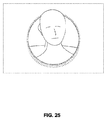
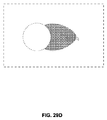
図2は、ウェアラブルシステム200の例を図示する。ウェアラブルシステム200は、ディスプレイ220と、ディスプレイ220の機能をサポートするための種々の機械的および電子的モジュールおよびシステムとを含む。ディスプレイ220は、ユーザ、装着者、または視認者210によって装着可能であるフレーム230に結合され得る。ディスプレイ220は、ユーザ210の眼の前に位置付けられることができる。ディスプレイ220は、AR/VR/MRコンテンツをユーザに提示することができる。例えば、ディスプレイ220は、下で説明される掩蔽カーソルアイコンおよび焦点インジケータを具現化する(例えば、ユーザにレンダリングおよび提示する)ことができる。掩蔽カーソルアイコンおよび焦点インジケータのための装飾的設計の例は、図24−29Fに示される。ディスプレイ220は、ユーザの頭部に装着される頭部搭載型ディスプレイ(HMD)を含むことができる。いくつかの実施形態において、スピーカ240が、フレーム230に結合され、ユーザの外耳道に隣接して位置付けられる(いくつかの実施形態において、示されない別のスピーカが、ユーザの他方の外耳道に隣接して位置付けられ、ステレオ/成形可能音響制御を提供する)。
FIG. 2 illustrates an example of a
ウェアラブルシステム200は、ユーザの周囲の環境内の世界を観察する外向きに面した結像システム464(図4に示される)を含むことができる。ウェアラブルシステム200は、ユーザの眼移動を追跡することができる内向きに面した結像システム462(図4に示される)も含むことができる。内向きに面した結像システムは、一方の眼の移動または両方の眼の移動のいずれかを追跡することができる。内向きに面した結像システム462は、フレーム230に取り付けられ得、内向きに面した結像システムによって入手された画像情報を処理し、例えば、ユーザ210の眼の瞳孔直径または向き、眼の移動、または眼姿勢を決定し得る処理モジュール260または270と電気通信し得る。
The
例として、ウェアラブルシステム200は、外向きに面した結像システム464または内向きに面した結像システム462を使用して、ユーザの姿勢の画像を入手することができる。画像は、静止画像、ビデオのフレームまたはビデオ、その組み合わせ等であり得る。
As an example, the
ディスプレイ220は、有線導線または無線接続等によって、フレーム230に固定して取り付けられる構成、ユーザによって装着されるヘルメットまたは帽子に固定して取り付けられる構成、ヘッドホンに内蔵される構成、または別様にユーザ210に除去可能に取り付けられる構成(例えば、リュック式構成において、ベルト結合式構成において)等、種々の構成において搭載され得るローカルデータ処理モジュール260に動作可能に結合されることができる(250)。
The
ローカル処理およびデータモジュール260は、ハードウェアプロセッサおよび不揮発性メモリ(例えば、フラッシュメモリ)等のデジタルメモリを備え得、それらの両方は、データの処理、キャッシュ、および記憶を補助するために利用され得る。データは、(a)画像捕捉デバイス(例えば、内向きに面した結像システムおよび/または外向きに面した結像システム内のカメラ)、マイクロホン、慣性測定ユニット(IMU)(例えば、加速度計、重力計、磁力計等)、コンパス、全地球測位システム(GPS)ユニット、無線デバイス、またはジャイロスコープ等の(例えば、フレーム230に動作可能に結合される、または別様にユーザ210に取り付けられ得る)センサから捕捉されるデータ、または、(b)おそらくそのような処理または読み出し後にディスプレイ220への通過のために、遠隔処理モジュール270および/または遠隔データリポジトリ280を使用して入手または処理されるデータを含み得る。ローカル処理およびデータモジュール260は、これらの遠隔モジュールがローカル処理およびデータモジュール260へのリソースとして利用可能であるように、有線または無線通信リンク等を介して、通信リンク262または264を遠隔処理モジュール270または遠隔データリポジトリ280に動作可能に結合され得る。加えて、遠隔処理モジュール280および遠隔データリポジトリ280は、互いに動作可能に結合され得る。
The local processing and
いくつかの実施形態において、遠隔処理モジュール270は、データまたは画像情報を分析および処理するように構成される1つ以上のプロセッサを備え得る。いくつかの実施形態において、遠隔データリポジトリ280は、デジタルデータ記憶設備を備え得、それは、インターネットまたは「クラウド」リソース構成における他のネットワーキング構成を通して利用可能であり得る。いくつかの実施形態において、ローカル処理およびデータモジュールにおいて、全てのデータが記憶され、全ての算出が実施され、遠隔モジュールからの完全に自律的な使用を可能にする。
In some embodiments, the
ヒト視覚系は、複雑であり、深度の現実的知覚を提供することは、困難である。理論によって限定されるわけではないが、オブジェクトの視認者は、両眼離反運動移動と遠近調節の組み合わせに起因して、オブジェクトを3次元として知覚できると考えられる。互いに対する2つの眼の両眼離反運動移動(すなわち、眼の視線を収束させ、オブジェクトを固視するための互いに向かって、またはそれから離れるような瞳孔の回転運動)は、眼の水晶体の集束(または「遠近調節」)と密接に関連付けられる。通常条件下、焦点を1つのオブジェクトから異なる距離における別のオブジェクトに変化させるための眼のレンズの焦点の変化または眼の遠近調節は、「遠近調節−両眼離反運動反射」として知られる関係下、両眼離反運動の整合変化を自動的に同じ距離に生じさせるであろう。同様に、両眼離反運動の変化は、通常条件下、遠近調節の整合変化を誘起するであろう。遠近調節と両眼離反運動との間のより良好な整合を提供するディスプレイシステムは、3次元画像のより現実的かつ快適なシミュレーションを形成し得る。 The human visual system is complex and it is difficult to provide a realistic perception of depth. Although not limited by theory, it is believed that the viewer of the object can perceive the object as three-dimensional due to the combination of binocular locomotion and accommodation. The binocular divergence movement of the two eyes with respect to each other (ie, the rotational movement of the pupils toward or away from each other to converge the line of sight of the eye and fix the object) is the focusing of the crystalline lens of the eye (ie). Or it is closely related to "accommodation"). Under normal conditions, the change in focus of the lens of the eye or the accommodation of the eye to change the focus from one object to another at different distances is under the context known as "accommodation-accommodation of the eye." , Will automatically cause an accommodative change in binocular reflex movement at the same distance. Similarly, changes in binocular detachment will induce a matching change in accommodation under normal conditions. A display system that provides better alignment between accommodation and binocular detachment can form a more realistic and comfortable simulation of a 3D image.
図3は、複数の深度平面を使用して3次元画像をシミュレートするためのアプローチの側面を図示する。図3を参照すると、z−軸上の眼302および304からの種々の距離におけるオブジェクトは、それらのオブジェクトが焦点が合うように、眼302および304によって遠近調節される。眼302および304は、特定の遠近調節された状態をとり、z−軸に沿った異なる距離におけるオブジェクトに焦点を合わせる。その結果、特定の遠近調節された状態は、関連付けられた焦点距離を有する深度平面306のうちの特定の1つに関連付けられていると言え得、特定の深度平面におけるオブジェクトまたはオブジェクトの一部は、眼がその深度平面に対して遠近調節された状態にあるとき、焦点が合う。いくつかの実施形態において、3次元画像は、眼302および304の各々のために、画像の異なる提示を提供することによってシミュレートされ得、深度平面の各々に対応する画像の異なる提示を提供することによってもシミュレートされ得る。例証を明確にするために、別個であるように示されるが、眼302および304の視野は、例えば、z−軸に沿った距離が増加するにつれて、重複し得ることを理解されたい。加えて、例証を容易にするために、平坦であるように示されるが、深度平面の等高線は、深度平面内の全ての特徴が特定の遠近調節された状態における眼によって焦点が合うように、物理的空間内で湾曲させられ得ることを理解されたい。深度平面306は、ディスプレイ(またはユーザの眼302、304)から固定距離に設定される必要はなく、動的に更新されることができる。例えば、ユーザが、ユーザの近距離における(例えば、約1〜2m以内)仮想コンテンツを見る場合、図3に示される深度平面のアレイは、ユーザにより近いように調節され得、それは、近距離における深度分解能を増加させる。同様に、ユーザが、中距離(例えば、2m〜5m)または遠距離(例えば、5m〜無限遠)における仮想コンテンツを見る場合、深度平面は、主にそれらの距離内にあるように調節されることができる。深度平面は、例えば、図4−6を参照して説明される導波管スタックを調節することによって、調節されることができる。理論によって限定されるわけではないが、人間の眼は、典型的に、深度知覚を提供するために、有限数深度面を解釈し得ると考えられる。その結果、知覚される深度の高度に真実味のあるシミュレーションが、これらの限定された数の深度面の各々に対応する画像の異なる表現を眼に提供することによって達成され得る。
(導波管スタックアセンブリ)
FIG. 3 illustrates aspects of an approach for simulating a 3D image using multiple depth planes. Referring to FIG. 3, objects at various distances from the
(Waveguide stack assembly)
図4は、画像情報をユーザに出力するための導波管スタックの例を図示する。ウェアラブルシステム400は、複数の導波管432b、434b、436b、438b、4400bを使用して、3次元知覚を眼/脳に提供するために利用され得る導波管のスタックまたはスタックされた導波管アセンブリ480を含む。いくつかの実施形態において、ウェアラブルシステム400は、図2のウェアラブルシステム200に対応し得、図4は、そのウェアラブルシステム200のいくつかの部分をより詳細に図式的に示す。例えば、いくつかの実施形態において、導波管アセンブリ480は、図2のディスプレイ220の中に統合され得る。
FIG. 4 illustrates an example of a waveguide stack for outputting image information to the user. The wearable system 400 uses
図4を継続して参照すると、導波管アセンブリ480は、複数の特徴458、456、454、452も導波管間に含み得る。いくつかの実施形態において、特徴458、456、454、452は、レンズであり得る。他の実施形態において、特徴458、456、454、452は、レンズではないこともある。むしろ、それらは、単に、スペーサであり得る(例えば、空気間隙を形成するためのクラッディング層または構造)。 With reference to FIG. 4, the waveguide assembly 480 may also include a plurality of features 458, 456, 454, 452 between the waveguides. In some embodiments, features 458, 456, 454, 452 can be lenses. In other embodiments, features 458, 456, 454, 452 may not be lenses. Rather, they can simply be spacers (eg, cladding layers or structures for forming air gaps).
導波管432b、434b、436b、438b、440bまたは複数のレンズ458、456、454、452は、種々のレベルの波面曲率または光線発散を用いて、画像情報を眼に送信するように構成され得る。各導波管レベルは、特定の深度平面に関連付けられ得、その深度平面に対応する画像情報を出力するように構成され得る。画像投入デバイス420、422、424、426、428は、導波管440b、438b、436b、434b、432bの中に画像情報を投入するために利用され得、それらの各々は、眼410に向かって出力するために、各それぞれの導波管にわたって入射光を分配するように構成され得る。光は、画像投入デバイス420、422、424、426、428の出力表面から出射し、導波管440b、438b、436b、434b、432bの対応する入力縁の中に投入される。いくつかの実施形態において、光の単一ビーム(例えば、コリメートされたビーム)が、特定の導波管に関連付けられた深度平面に対応する特定の角度(および発散量)において眼410に向けられるクローン化されたコリメートビームの場全体を出力するために、各導波管の中に投入され得る。
いくつかの実施形態において、画像投入デバイス420、422、424、426、428は、各々が、それぞれ、対応する導波管440b、438b、436b、434b、432bの中への投入のための画像情報を生成する別々のディスプレイである。いくつかの他の実施形態において、画像投入デバイス420、422、424、426、428は、例えば、画像情報を1つ以上の光学導管(光ファイバケーブル等)を介して、画像投入デバイス420、422、424、426、428の各々に送り得る単一の多重化されたディスプレイの出力端である。
In some embodiments, the
コントローラ460が、スタックされた導波管アセンブリ480および画像投入デバイス420、422、424、426、428の動作を制御する。コントローラ460は、導波管440b、438b、436b、434b、432bへの画像情報のタイミングおよび提供を調整するプログラミング(例えば、非一過性コンピュータ読み取り可能な媒体内の命令)を含む。いくつかの実施形態において、コントローラ460は、単一の一体型デバイス、または、有線または無線通信チャネルによって接続される分散型システムであり得る。コントローラ460は、いくつかの実施形態において、処理モジュール260または270(図2に図示される)の一部であり得る。
Controller 460 controls the operation of the stacked waveguide assembly 480 and
導波管440b、438b、436b、434b、432bは、全内部反射(TIR)によって各それぞれの導波管内で光を伝搬するように構成され得る。導波管440b、438b、436b、434b、432bの各々は、主要な上部および底部表面と、それらの主要上部表面と底部表面との間に延びている縁とを伴う平面であるか、または、別の形状(例えば、湾曲)を有し得る。図示される構成において、導波管440b、438b、436b、434b、432bの各々は、光抽出光学要素440a、438a、436a、434a、432aを含み得、それらは、光を向け直し、各それぞれの導波管内で伝搬し、導波管から画像情報を眼410に出力することによって、光を導波管から抽出するように構成される。抽出された光は、外部結合光とも称され得、光抽出光学要素は、外部結合光学要素とも称され得る。抽出された光のビームは、導波管によって、導波管内を伝搬する光が光再指向要素に衝打する場所において出力される。光抽出光学要素(440a、438a、436a、434a、432a)は、例えば、反射または回折光学特徴であり得る。説明を容易にし、図面を明確にするために、導波管440b、438b、436b、434b、432bの底部主要表面に配置されて図示されるが、いくつかの実施形態において、光抽出光学要素440a、438a、436a、434a、432aは、上部または底部主要表面に配置され得、または、導波管440b、438b、436b、434b、432bの容積内に直接配置され得る。いくつかの実施形態において、光抽出光学要素440a、438a、436a、434a、432aは、透明基板に取り付けられ、導波管440b、438b、436b、434b、432bを形成する材料の層内に形成され得る。いくつかの他の実施形態において、導波管440b、438b、436b、434b、432bは、モノリシック材料部品であり得、光抽出光学要素440a、438a、436a、434a、432aは、その材料部品の表面上および/または内部に形成され得る。
The
図4を継続して参照すると、本明細書に議論されるように、各導波管440b、438b、436b、434b、432bは、光を出力し、特定の深度平面に対応する画像を形成するように構成される。例えば、眼に最も近い導波管432bは、そのような導波管432bの中に投入されると、コリメートされた光を眼410に送達するように構成され得る。コリメートされた光は、光学無限遠焦点面を表し得る。次の上方の導波管434bは、コリメートされた光を送出するように構成され得、コリメートされた光は、眼410に到達し得る前、第1のレンズ452(例えば、負のレンズ)を通過する。第1のレンズ452は、眼/脳が、その次の導波管434bから生じる光を光学無限遠から眼410に向かって内側により近い第1の焦点面から生じるように解釈するように、若干の凸面波面曲率を生成するように構成され得る。同様に、第3の上方の導波管436bは、眼410に到達する前、その出力光を第1のレンズ452および第2のレンズ454の両方に通す。第1および第2のレンズ452、454の組み合わせられた屈折力は、眼/脳が、第3の導波管436bから生じる光が次の上方の導波管434bからの光より光学無限遠から人物に向かって内側にさらに近い第2の焦点面から生じるように解釈するように、別の漸増量の波面曲率を生成するように構成され得る。
With reference to FIG. 4 continuously, as discussed herein, each
他の導波管層(例えば、導波管438b、440b)およびレンズ(例えば、レンズ456、458)も同様に構成され、スタック内の最も高い導波管440bの場合、人物に最も近い焦点面を表す集約焦点力のために、その出力をそれと眼との間のレンズの全てを通して送出する。スタックされた導波管アセンブリ480の他の側の世界470から生じる光を視認/解釈するとき、レンズ458、456、454、452のスタックを補償するために、補償レンズ層430が、スタックの上部に配置され、下方のレンズスタック458、456、454、452の集約力を補償し得る。そのような構成は、利用可能な導波管/レンズ対と同じ数の知覚される焦点面を提供する。導波管の光抽出光学要素およびレンズの集束側面の両方は、静的であり得る(例えば、動的または電気活性ではない)。いくつかの代替実施形態において、一方または両方は、電気活性特徴を使用して動的であり得る。
Other waveguide layers (eg, waveguides 438b, 440b) and lenses (eg, lenses 456, 458) are similarly configured, with the tallest waveguide 440b in the stack being the focal plane closest to the person. Due to the intensive focal force that represents, its output is delivered through all of the lens between it and the eye. When viewing / interpreting light emanating from the
図4を継続して参照すると、光抽出光学要素440a、438a、436a、434a、432aは、導波管に関連付けられた特定の深度平面のために、光をそれらのそれぞれの導波管から外に向け直すことと、この光を適切な量の発散またはコリメーションを伴って出力することとの両方を行うように構成され得る。その結果、異なる関連付けられた深度平面を有する導波管は、関連付けられた深度平面に応じて、異なる量の発散を伴う光を出力する異なる構成の光抽出光学要素を有し得る。いくつかの実施形態において、本明細書に議論されるように、光抽出光学要素440a、438a、436a、434a、432aは、光を特定の角度で出力するように構成され得る立体または表面特徴であり得る。例えば、光抽出光学要素440a、438a、436a、434a、432aは、体積ホログラム、表面ホログラム、または回折格子であり得る。回折格子等の光抽出光学要素は、2015年6月25日に公開された米国特許公開第2015/0178939号(参照することによってその全体として本明細書に組み込まれる)に説明される。
Continuing with reference to FIG. 4, the optical
いくつかの実施形態において、光抽出光学要素440a、438a、436a、434a、432aは、回折パターンを形成する回折特徴または「回折光学要素」(本明細書において、「DOE」とも称される)である。好ましくは、DOEは、ビームの光の一部のみがDOEの各交差するごとに眼410に向かって偏向される一方、残りが、全内部反射を介して、導波管を通して移動し続けるように、比較的に低回折効率を有する。画像情報を搬送する光は、したがって、複数の場所において導波管から出射するいくつかの関連出射ビームに分割され、その結果は、導波管内で跳ね返るこの特定のコリメートされたビームに関して、眼304に向かう非常に均一なパターンの出射放出である。
In some embodiments, the
いくつかの実施形態において、1つ以上のDOEは、それらが能動的に回折する「オン」状態とそれらがあまり回折しない「オフ」状態との間で切り替え可能であり得る。例えば、切り替え可能なDOEは、ポリマー分散液晶の層を備え得、その中で微小液滴は、ホスト媒体中の回折パターンを備え、微小液滴の屈折率は、ホスト材料の屈折率に実質的に整合するように切り替えられることができるか(その場合、パターンは、入射光を著しく回折しない)、または、微小液滴は、ホスト媒体のそれに整合しない屈折率に切り替えられることができる(その場合、パターンは、入射光を能動的に回折させる)。 In some embodiments, the one or more DOEs may be switchable between an "on" state in which they actively diffract and an "off" state in which they diffract less. For example, a switchable DOE may comprise a layer of polymer dispersed liquid crystal, in which the microdroplets have a diffraction pattern in the host medium, the index of refraction of the microdroplets substantially relative to the index of refraction of the host material. Can be switched to match (in which case the pattern does not significantly diffract the incident light), or microdroplets can be switched to a refractive index that does not match that of the host medium (in which case). , The pattern actively diffracts the incident light).
いくつかの実施形態において、深度平面または被写界深度の数および分布は、視認者の眼の瞳孔サイズまたは向きに基づいて、動的に変動させられ得る。被写界深度は、視認者の瞳孔サイズと反対に変化し得る。その結果、視認者の眼の瞳孔のサイズが減少するにつれて、被写界深度は、その平面の場所が眼の焦点深度を越えるため判別不能である1つの平面が、判別可能となり、瞳孔サイズの低減および被写界深度の相当する増加に伴って、より焦点が合って見え得るように増加する。同様に、異なる画像を視認者に提示するために使用される間隔を置かれた深度平面の数は、減少させられた瞳孔サイズに伴って減少させられ得る。例えば、視認者は、一方の深度平面から他方の深度平面への眼の遠近調節を調節せずに、第1の深度平面および第2の深度平面の両方の詳細を1つの瞳孔サイズにおいて明確に知覚することが可能ではないこともある。しかしながら、これらの2つの深度平面は、遠近調節を変化させずに別の瞳孔サイズで、同時にユーザに十分に焦点が合い得る。 In some embodiments, the number and distribution of depth planes or depths of field can be dynamically varied based on the pupil size or orientation of the viewer's eye. Depth of field can vary as opposed to the size of the viewer's pupil. As a result, as the size of the pupil of the viewer's eye decreases, the depth of field becomes discriminable for one plane that is indistinguishable because the location of that plane exceeds the depth of focus of the eye. With the reduction and the corresponding increase in depth of field, it increases so that it can be seen more in focus. Similarly, the number of spaced depth planes used to present different images to the viewer can be reduced with reduced pupil size. For example, the viewer can clearly see the details of both the first and second depth planes in one pupil size without adjusting the accommodation of the eye from one depth plane to the other. It may not be possible to perceive. However, these two depth planes can be fully focused on the user at the same time with different pupil sizes without changing the accommodation.
いくつかの実施形態において、ディスプレイシステムは、瞳孔サイズおよび/または向きの決定に基づいて、または特定の瞳孔サイズ/または向きを示す電気信号の受信に応じて、画像情報を受信する導波管の数を変動させ得る。例えば、ユーザの眼が、2つの導波管に関連付けられた2つの深度平面間を区別不能である場合、コントローラ460は、これらの導波管のうちの1つへの画像情報の提供を停止するように構成またはプログラムされ得る。有利に、それは、システムへの処理負担を低減させ、それによって、システムの応答性を増加させ得る。導波管のためのDOEがオンおよびオフ状態間で切り替え可能である実施形態において、DOEは、導波管が画像情報を受信しているとき、オフ状態に切り替えられ得る。 In some embodiments, the display system is a waveguide that receives image information based on the determination of pupil size and / or orientation, or in response to the reception of an electrical signal indicating a particular pupil size / or orientation. The number can vary. For example, if the user's eye is indistinguishable between the two depth planes associated with the two waveguides, the controller 460 will stop providing image information to one of these waveguides. Can be configured or programmed to do so. Advantageously, it can reduce the processing load on the system and thereby increase the responsiveness of the system. In embodiments where the DOE for the waveguide can be switched between on and off states, the DOE can be switched off when the waveguide is receiving image information.
いくつかの実施形態において、視認者の眼の直径未満の直径を有するという条件を出射ビームに満足させることが望ましくあり得る。しかしながら、この条件を満たすことは、視認者の瞳孔のサイズの変動性に照らして、困難であり得る。いくつかの実施形態において、この条件は、視認者の瞳孔のサイズの決定に応答して出射ビームのサイズを変動させることによって、広範囲の瞳孔サイズにわたって満たされる。例えば、瞳孔サイズが減少するにつれて、出射ビームのサイズも、減少し得る。いくつかの実施形態において、出射ビームサイズは、可変開口を使用して変動させられ得る。 In some embodiments, it may be desirable to satisfy the outgoing beam with the condition that it has a diameter less than the diameter of the viewer's eye. However, satisfying this condition can be difficult in light of the variability in the size of the pupil of the viewer. In some embodiments, this condition is met over a wide range of pupil sizes by varying the size of the exit beam in response to the determination of the viewer's pupil size. For example, as the pupil size decreases, so does the size of the outgoing beam. In some embodiments, the exit beam size can be varied using a variable aperture.
ウェアラブルシステム400は、世界470の一部を結像する、外向きに面した結像システム464(例えば、デジタルカメラ)を含むことができる。世界470のこの部分は、世界カメラの視野(FOV)と称され得、結像システム464は、時として、FOVカメラとも称される。視認者による視認または結像のために利用可能な領域全体は、動眼視野(FOR)と称され得る。FORは、装着者が、その身体、頭部、または眼を移動させ、空間内の実質的に任意の方向を知覚するので、ウェアラブルシステム400を包囲する4πステラジアンの立体角を含み得る。他の状況において、装着者の移動は、より抑制され得、それに応じて、装着者のFORは、より小さい立体角に対し得る。外向きに面した結像システム464から得られた画像は、ユーザによって行われるジェスチャ(例えば、手または指のジェスチャ)を追跡し、ユーザの前における世界470内のオブジェクトを検出する等のために、使用されることができる。
The wearable system 400 can include an outward facing imaging system 464 (eg, a digital camera) that forms a portion of the
ウェアラブルシステム400は、眼移動および顔移動等のユーザの移動を観察する内向きに面した結像システム466(例えば、デジタルカメラ)も含むことができる。内向きに面した結像システム466は、眼410の画像を捕捉し、眼304の瞳孔のサイズまたは向きを決定するために使用され得る。内向きに面した結像システム466は、ユーザが見ている方向(例えば、眼姿勢)を決定することにおいて使用するために、または、ユーザのバイオメトリック識別のために(例えば、虹彩識別を介して)画像を得るために使用されることができる。いくつかの実施形態において、少なくとも1つのカメラが、各眼のために、独立して、各眼の瞳孔サイズまたは眼姿勢を別個に決定し、それによって、各眼への画像情報の提示がその眼に対して動的に調整されることを可能にするために利用され得る。いくつかの他の実施形態において、単一の眼410のみの瞳孔直径または向き(例えば、対の眼あたり単一カメラのみを使用して)が、決定され、ユーザの両眼に関して類似すると仮定される。内向きに面した結像システム466によって得られる画像は、ユーザに提示されるべきオーディオまたは視覚的コンテンツを決定するためにウェアラブルシステム400によって使用され得るユーザの眼姿勢または気分を決定するために分析され得る。ウェアラブルシステム400は、IMU、加速度計、ジャイロスコープ等のセンサを使用して、頭部姿勢(例えば、頭部位置または頭部向き)も決定し得る。
The wearable system 400 can also include an inwardly facing imaging system 466 (eg, a digital camera) that observes user movements such as eye movements and face movements. An inwardly facing imaging system 466 can be used to capture an image of the
ウェアラブルシステム400は、ユーザが、コマンドをコントローラ460に入力し、ウェアラブルシステム400と相互作用し得るユーザ入力デバイス466を含むことができる。例えば、ユーザ入力デバイス466は、トラックパッド、タッチスクリーン、ジョイスティック、マルチ自由度(DOF)コントローラ、容量感知デバイス、ゲームコントローラ、キーボード、マウス、指向性パッド(Dパッド)、ワンド、触知デバイス、トーテム(例えば、仮想ユーザ入力デバイスとして機能する)等を含むことができる。マルチDOFコントローラは、コントローラの一部または全部の可能な平行移動(例えば、左/右、前方/後方、または上/下)または回転(例えば、ヨー、ピッチ、またはロール)におけるユーザ入力を感知することができる。平行移動をサポートするマルチDOFコントローラは、3DOFと称され得る一方、平行移動および回転をサポートするマルチDOFコントローラは、6DOFと称され得る。ある場合、ユーザは、指(例えば、親指)を使用して、タッチセンサ式入力デバイスを押し、またはその上でスワイプし、入力をウェアラブルシステム400に提供し得る(例えば、ユーザ入力をウェアラブルシステム400によって提供されるユーザインターフェースに提供するために)。ユーザ入力デバイス466は、ウェアラブルシステム400の使用中、ユーザの手によって保持され得る。ユーザ入力デバイス466は、ウェアラブルシステム400と有線または無線通信することができる。 The wearable system 400 can include a user input device 466 in which the user can enter commands into the controller 460 and interact with the wearable system 400. For example, the user input device 466 may include a trackpad, touch screen, joystick, multi-degree of freedom (DOF) controller, capacity sensing device, game controller, keyboard, mouse, directional pad (D pad), wand, tactile device, totem. (For example, it functions as a virtual user input device) and the like can be included. The multi-DOF controller senses user input in any or all possible translations of the controller (eg left / right, forward / backward, or up / down) or rotation (eg yaw, pitch, or roll). be able to. A multi-DOF controller that supports translation can be referred to as 3DOF, while a multi-DOF controller that supports translation and rotation can be referred to as 6DOF. In some cases, the user may use a finger (eg, thumb) to press or swipe over the touch sensor input device to provide input to the wearable system 400 (eg, user input to wearable system 400). To provide to the user interface provided by). The user input device 466 may be held by the user during use of the wearable system 400. The user input device 466 can communicate wiredly or wirelessly with the wearable system 400.
図5は、導波管によって出力された出射ビームの例を示す。1つの導波管が、図示されるが、導波管アセンブリ480内の他の導波管も、同様に機能し得、導波管アセンブリ480は、複数の導波管を含むことを理解されたい。光520が、導波管432bの入力縁432cにおいて導波管432bの中に投入され、TIRによって導波管432b内を伝搬する。光520がDOE432aに衝突する点において、光の一部が、出射ビーム510として導波管から出射する。出射ビーム510は、実質的に平行として図示されるが、それらは、導波管432bに関連付けられた深度平面に応じたある角度で眼410に伝搬するように向け直され得る(例えば、発散出射ビームを形成する)。実質的に平行出射ビームは、光を外部結合し、眼410から長距離(例えば、光学無限遠)において深度平面上に設定されるように見える画像を形成する光抽出光学要素を伴う導波管を示し得ることを理解されたい。他の導波管または他の光抽出光学要素の組は、より発散する出射ビームパターンを出力し得、それは、眼410がより近い距離に遠近調節し、それを網膜に集中させることを要求し、光学無限遠より眼410に近い距離からの光として脳によって解釈されるであろう。
FIG. 5 shows an example of an emitted beam output by a waveguide. Although one waveguide is shown, other waveguides within the waveguide assembly 480 can function as well, and it is understood that the waveguide assembly 480 includes multiple waveguides. I want to.
図6は、導波管装置と、光を導波管装置へまたはそれから光学的に結合するための光学結合器サブシステムと、多焦点立体ディスプレイ、画像、または明視野の生成において使用される制御サブシステムとを含む光学システムを示す概略図である。光学システムは、導波管装置と、光を導波管装置にまたはそれから光学的に結合するための光学結合器サブシステムと、制御サブシステムとを含むことができる。光学システムは、多焦点立体画像、または明視野を生成するために使用されることができる。光学システムは、1つ以上の一次平面導波管632a(1つのみが図6に示される)と、一次導波管632aの少なくともいくつかの各々に関連付けられた1つ以上のDOE632bとを含むことができる。平面導波管632bは、図4を参照して議論される導波管432b、434b、436b、438b、440bに類似することができる。光学システムは、分配導波管装置を採用し、光を第1の軸(図6の図において、垂直またはY−軸)に沿って中継し、第1の軸(例えば、Y−軸)に沿って光の有効射出瞳を拡張させ得る。分配導波管装置は、例えば、分配平面導波管622bと、分配平面導波管622bに関連付けられた少なくとも1つのDOE622a(二重破線によって図示される)とを含み得る。分配平面導波管622bは、少なくともいくつかの点において、それと異なる向きを有する一次平面導波管632bと類似または同じであり得る。同様に、少なくとも1つのDOE622aは、少なくともいくつかの点において、DOE632aと類似または同じであり得る。例えば、分配平面導波管622bまたはDOE622aは、それぞれ、一次平面導波管632bまたはDOE632aと同じ材料から成り得る。図6に示される光学ディスプレイシステム600の実施形態は、図2に示されるウェアラブルシステム200の中に統合されることができる。
FIG. 6 shows a waveguide device, an optical coupler subsystem for optically coupling light to or from a waveguide device, and controls used in the generation of a multifocal stereoscopic display, image, or bright field. It is the schematic which shows the optical system including a subsystem. The optical system can include a waveguide device, an optical coupler subsystem for optically coupling light to or from the waveguide device, and a control subsystem. Optical systems can be used to generate multifocal stereoscopic images, or bright visual fields. The optical system includes one or more primary planar waveguides 632a (only one is shown in FIG. 6) and one or more DOE632b associated with at least some of each of the primary waveguide 632a. be able to. The planar waveguide 632b can be similar to the
中継され、射出瞳が拡張させられた光は、分配導波管装置から1つ以上の一次平面導波管632bの中に光学的に結合され得る。一次平面導波管632bは、好ましくは、第1の軸に直交する第2の軸(例えば、図6の図において、水平またはX−軸)に沿って、光を中継することができる。着目すべきこととして、第2の軸は、第1の軸に対して非直交軸であることができる。一次平面導波管632bは、その第2の軸(例えば、X−軸)に沿って、光の有効射出瞳を拡張させる。例えば、分配平面導波管622bは、光を垂直またはY−軸に沿って中継および拡張させ、光を水平またはX−軸に沿って中継および拡張させ得る一次平面導波管632bにその光を通すことができる。 Light that is relayed and whose exit pupils are expanded can be optically coupled from the distributed waveguide device into one or more primary planar waveguides 632b. The primary planar waveguide 632b is preferably capable of relaying light along a second axis (eg, horizontal or X-axis in the figure of FIG. 6) orthogonal to the first axis. Of note, the second axis can be a non-orthogonal axis with respect to the first axis. The primary planar waveguide 632b extends the effective exit pupil of light along its second axis (eg, the X-axis). For example, a distributed planar waveguide 622b relays light to a primary planar waveguide 632b that can relay and extend light along the vertical or Y-axis and relay and extend light along the horizontal or X-axis. Can be passed through.
光学システムは、1つ以上の着色光源(例えば、赤色、緑色、および青色レーザ光)610を含み得、着色光は、単一モード光ファイバ640の近位端の中に光学的に結合され得る。光ファイバ640の遠位端は、圧電材料の中空管642に通され、または、それを通して受け取られ得る。遠位端は、固定されない可撓性カンチレバー644として、管642から突出する。圧電管642は、4つの象限電極(図示せず)に関連付けられることができる。電極は、例えば、管642の外側、外側表面または外周、または直径にメッキされ得る。コア電極(図示せず)も、管642のコア、中心、内周、または内径に位置し得る。 The optical system may include one or more colored light sources (eg, red, green, and blue laser light) 610, and the colored light may be optically coupled into the proximal end of the single mode optical fiber 640. .. The distal end of the optical fiber 640 can be passed through or received through a hollow tube 642 of piezoelectric material. The distal end projects from the tube 642 as an unfixed flexible cantilever 644. Piezoelectric tubes 642 can be associated with four quadrant electrodes (not shown). The electrodes can be plated, for example, on the outer, outer surface or outer circumference of the tube 642, or on the diameter. Core electrodes (not shown) can also be located at the core, center, inner circumference, or inner diameter of tube 642.
例えば、ワイヤ660を介して電気的に結合される駆動電子機器650は、対向する対の電極を駆動し、圧電管642を独立して2つの軸において曲げる。光ファイバ644の突出する遠位先端は、機械的共鳴モードを有する。共鳴の周波数は、光ファイバ644の直径、長さ、および材料性質に依存し得る。圧電管642をファイバカンチレバー644の第1の機械的共鳴モードの近くで振動させることによって、ファイバカンチレバー644は、振動させられ、大きい振れを通して掃引し得る。
For example, a drive
2つの軸において共振振動を刺激することによって、ファイバカンチレバー644の先端は、2次元(2D)走査を充填するエリアにおいて2軸方向に走査される。光源610の強度をファイバカンチレバー644の走査と同期して変調することによって、ファイバカンチレバー644から発せられる光は、画像を形成することができる。そのような設定の説明は、米国特許公開第2014/0003762号(参照することによってその全体として本明細書に組み込まれる)に提供されている。 By stimulating resonant vibrations in the two axes, the tip of the fiber cantilever 644 is scanned biaxially in an area that fills a two-dimensional (2D) scan. By modulating the intensity of the light source 610 in synchronization with scanning of the fiber cantilever 644, the light emitted from the fiber cantilever 644 can form an image. A description of such a setting is provided in US Patent Publication No. 2014/0003762, which is incorporated herein by reference in its entirety.
光学結合器サブシステムのコンポーネントは、走査ファイバカンチレバー644から発せられる光をコリメートすることができる。コリメートされた光は、鏡付き表面648によって、少なくとも1つの回折光学要素(DOE)622aを含む狭い分配平面導波管622bの中に反射されることができる。コリメートされた光は、TIRによって分配平面導波管622bに沿って(図6の図に対して)垂直に伝搬し、そうすることによって、DOE622aと繰り返し交差することができる。DOE622aは、好ましくは、低回折効率を有する。これは、光の一部(例えば、10%)をDOE622aとの交差の各点においてより大きい一次平面導波管632bの縁に向かって回折させ、光の一部をTIRを介して分配平面導波管622bの長さを辿ってその元々の軌道上で継続させることができる。 The components of the optical coupler subsystem can collimate the light emitted from the scanning fiber cantilever 644. The collimated light can be reflected by the mirrored surface 648 into a narrow distribution plane waveguide 622b containing at least one diffractive optical element (DOE) 622a. The collimated light propagates vertically along the distribution plane waveguide 622b (relative to the figure in FIG. 6) by TIR so that it can repeatedly intersect the DOE622a. DOE622a preferably has low diffraction efficiency. This diffracts a portion of the light (eg, 10%) towards the edge of the larger primary planar waveguide 632b at each point of intersection with the DOE 622a and distributes the portion of the light through the TIR in a distributed plane guide. The length of the waveguide 622b can be traced and continued in its original orbit.
DOE622aとの交差の各点において、追加の光が、一次導波管632bの入口に向かって回折されることができる。入射光を複数の外部結合組に分割することによって、光の射出瞳は、分配平面導波管622b内のDOE4によって垂直に拡張させられることができる。分配平面導波管622bから外部結合されたこの垂直に拡張させられた光は、一次平面導波管632bの縁に進入することができる。 At each point of intersection with DOE622a, additional light can be diffracted towards the inlet of the primary waveguide 632b. By dividing the incident light into a plurality of outer coupling sets, the exit pupil of the light can be vertically extended by DOE4 in the distribution plane waveguide 622b. This vertically extended light externally coupled from the distributed planar waveguide 622b can enter the edge of the primary planar waveguide 632b.
一次導波管632bに進入する光は、TIRを介して、一次導波管632bに沿って(図6の図に対して)水平に伝搬することができる。光は、TIRを介して、それが一次導波管632bの長さの少なくとも一部に沿って水平に伝搬するにつれて、複数の点においてDOE632aと交差する。DOE632aは、有利に、線形回折パターンおよび放射対称回折パターンの総和である位相プロファイルを有し、光の偏向および集束の両方を生成するように設計または構成され得る。DOE632aは、有利に、ビームの光の一部のみが、DOE632aの各交差において視認者の眼に向かって偏向される一方、光の残りが、TIRを介して、一次導波管632bを通して伝搬し続けるように、低回折効率(例えば、10%)を有し得る。 Light entering the primary waveguide 632b can propagate horizontally (relative to the figure in FIG. 6) along the primary waveguide 632b via the TIR. Light intersects DOE632a at multiple points as it propagates horizontally through the TIR along at least a portion of the length of the primary waveguide 632b. The DOE632a advantageously has a phase profile that is the sum of the linear and symmetric diffraction patterns and can be designed or configured to produce both deflection and focusing of light. The DOE632a advantageously deflects only part of the light of the beam towards the viewer's eye at each intersection of the DOE632a, while the rest of the light propagates through the primary waveguide 632b via the TIR. To continue, it may have low diffraction efficiency (eg, 10%).
伝搬する光とDOE632aとの間の交差の各点において、光の一部は、一次導波管632bの隣接面に向かって回折され、光がTIRを逃れ、一次導波管632bの面から発せられることを可能にする。いくつかの実施形態において、DOE632aの放射対称回折パターンは、加えて、ある焦点レベルを回折された光に授け、個々のビームの光波面を成形することと(例えば、曲率を与える)、ビームを設計される焦点レベルに合致する角度に操向することとの両方を行う。 At each point of intersection between the propagating light and DOE632a, a portion of the light is diffracted towards the adjacent surface of the primary waveguide 632b, allowing the light to escape the TIR and emanate from the surface of the primary waveguide 632b. Allows you to be In some embodiments, the radiosymmetric diffraction pattern of DOE632a additionally imparts a focal level to the diffracted light to form the light wave plane of the individual beams (eg, to give curvature) and to give the beam. Both steer to an angle that matches the designed focus level.
故に、これらの異なる経路は、複数のDOE632aによって、異なる角度、焦点レベルで、光が一次平面導波管632bの外部で結合されるようにすること、または、射出瞳において異なる充填パターンをもたらすことができる。射出瞳における異なる充填パターンは、有利に、複数の深度平面を伴う明視野ディスプレイを生成するために使用されることができる。導波管アセンブリ内の各層またはスタック内の層の組(例えば、3層)が、それぞれの色(例えば、赤色、青色、緑色)を生成するために採用され得る。したがって、例えば、第1の3つの隣接する層の組が、それぞれ、赤色、青色、および緑色光を第1の焦点深度において生成するために採用され得る。第2の3つの隣接する層の組が、それぞれ、赤色、青色、および緑色光を第2の焦点深度において生成するために採用され得る。複数の組が、種々の焦点深度を伴うフル3Dまたは4Dカラー画像明視野を生成するために採用され得る。 Thus, these different paths allow multiple DOE632a to couple light outside the primary plane waveguide 632b at different angles, focal levels, or result in different filling patterns in the exit pupil. Can be done. Different filling patterns in the exit pupil can advantageously be used to produce a brightfield display with multiple depth planes. Each layer in the waveguide assembly or a set of layers in the stack (eg, 3 layers) can be employed to produce the respective colors (eg, red, blue, green). Thus, for example, a first set of three adjacent layers can be employed to produce red, blue, and green light at the first depth of focus, respectively. A second set of three adjacent layers can be employed to produce red, blue, and green light at the second depth of focus, respectively. Multiple sets can be employed to generate full 3D or 4D color image brightfields with different depths of focus.
ウェアラブルシステムのある実施形態は、仮想オブジェクトを異なる深度平面上にレンダリングし得る(例えば、図3を参照して説明されるように)が、これは、例証であり、限定することを意図するものではない。他の光学技法も、それらがユーザから異なる深度に見えるように仮想オブジェクトをレンダリングするために使用されることができる。例えば、可変焦点要素(VFE)が、例えば、米国特許公開第2015/0346495号(参照することによってその全体として本明細書に組み込まれる)に説明されるように使用されることができる。ウェアラブルシステムの他の実施形態において、異なる仮想オブジェクトが、同じ深度平面上にレンダリングされるが、それにもかかわらず、異なる深度にあるかのようにユーザに見え得る。例えば、深度平面上にレンダリングされた仮想コンテンツの見掛け深度が、仮想コンテンツが異なる両眼離反運動場所(および異なる知覚される深度)を有するように、仮想コンテンツに関連付けられたピクセルのレンダリング場所を変化させることによって、変化させられることができる。したがって、2つの仮想オブジェクトは、同じ深度平面上にレンダリングされることができるが、(第1の仮想オブジェクトに対して)第2の仮想オブジェクトは、ピクセルレンダリング位置を修正し、(第1の仮想オブジェクトに対する)第2の仮想オブジェクトのための異なる両眼離反運動場所を作成することによって、ユーザのより近くに、ユーザから同じ深度、またはユーザからより遠くにあるように知覚されることができる。故に、異なる仮想コンテンツの知覚される深度は、異なる仮想コンテンツを同じ深度平面上にレンダリングするが、両眼離反運動を調節することによって達成されることができる。
(ウェアラブルシステムの他のコンポーネント)
One embodiment of a wearable system may render virtual objects on different depth planes (eg, as described with reference to FIG. 3), but this is exemplary and intended to be limited. is not it. Other optical techniques can also be used to render virtual objects so that they appear to the user at different depths. For example, a varifocal element (VFE) can be used, for example, as described in US Patent Publication No. 2015/03646495, which is incorporated herein by reference in its entirety. In other embodiments of the wearable system, different virtual objects are rendered on the same depth plane, but can nevertheless appear to the user as if they were at different depths. For example, the apparent depth of the virtual content rendered on the depth plane changes the rendering location of the pixels associated with the virtual content so that the virtual content has different binocular divergence locations (and different perceived depths). It can be changed by letting it. Thus, the two virtual objects can be rendered on the same depth plane, but the second virtual object (relative to the first virtual object) modifies the pixel rendering position and (first virtual). By creating different binocular detachment motion locations for the second virtual object (relative to the object), it can be perceived as closer to the user, at the same depth to the user, or farther from the user. Thus, the perceived depth of different virtual content can be achieved by rendering different virtual content on the same depth plane, but by adjusting the binocular detachment movement.
(Other components of the wearable system)
多くの実装において、ウェアラブルシステムは、上で説明されるウェアラブルシステムのコンポーネントに加えて、またはその代替として、他のコンポーネントを含み得る。ウェアラブルシステムは、例えば、1つ以上の触知デバイスまたはコンポーネントを含み得る。触知デバイスまたはコンポーネントは、触覚をユーザに提供するように動作可能であり得る。例えば、触知デバイスまたはコンポーネントは、仮想コンテンツ(例えば、仮想オブジェクト、仮想ツール、他の仮想構造)に触れると、圧力および/またはテクスチャの触覚を提供し得る。触覚は、仮想オブジェクトが表す物理的オブジェクトの感覚を再現し得るか、または、仮想コンテンツが表す想像上のオブジェクトまたはキャラクタ(例えば、ドラゴン)の感覚を再現し得る。いくつかの実装において、触知デバイスまたはコンポーネントは、ユーザによって装着され得る(例えば、ユーザウェアラブルグローブ)。いくつかの実装において、触知デバイスまたはコンポーネントは、ユーザによって保持され得る。 In many implementations, the wearable system may include other components in addition to or as an alternative to the components of the wearable system described above. The wearable system may include, for example, one or more tactile devices or components. The tactile device or component may be capable of acting to provide a tactile sensation to the user. For example, a tactile device or component may provide tactile sensation of pressure and / or texture when touching virtual content (eg, virtual objects, virtual tools, other virtual structures). The tactile sensation can reproduce the sensation of a physical object represented by a virtual object, or the sensation of an imaginary object or character (eg, a dragon) represented by virtual content. In some implementations, the tactile device or component may be worn by the user (eg, a user wearable glove). In some implementations, the tactile device or component may be retained by the user.
ウェアラブルシステムは、例えば、ユーザによって操作可能であり、ウェアラブルシステムへの入力またはそれとの相互作用を可能にする1つ以上の物理的オブジェクトを含み得る。これらの物理的オブジェクトは、本明細書において、トーテムと称され得る。いくつかのトーテムは、例えば、金属またはプラスチック片、壁、テーブルの表面等、無生物オブジェクトの形態をとり得る。ある実装において、トーテムは、実際に、任意の物理的入力構造(例えば、キー、トリガ、ジョイスティック、トラックボール、ロッカスイッチ)を有していないこともある。代わりに、トーテムは、単に、物理的表面を提供し得、ウェアラブルシステムは、ユーザにトーテムの1つ以上の表面上にあるように見えるように、ユーザインターフェースをレンダリングし得る。例えば、ウェアラブルシステムは、トーテムの1つ以上の表面上に常駐するように見えるように、コンピュータキーボードおよびトラックパッドの画像をレンダリングし得る。例えば、ウェアラブルシステムは、トーテムとしての役割を果たすアルミニウムの薄い長方形プレートの表面上に見えるように、仮想コンピュータキーボードおよび仮想トラックパッドをレンダリングし得る。長方形プレート自体は、任意の物理的キーまたはトラックパッドまたはセンサを有していない。しかしながら、ウェアラブルシステムは、仮想キーボードまたは仮想トラックパッドを介して行われた選択または入力として、長方形プレートを用いたユーザ操作または相互作用またはタッチを検出し得る。ユーザ入力デバイス466(図4に示される)は、トラックパッド、タッチパッド、トリガ、ジョイスティック、トラックボール、ロッカまたは仮想スイッチ、マウス、キーボード、多自由度コントローラ、または別の物理的入力デバイスを含み得るトーテムの実施形態であり得る。ユーザは、単独で、または姿勢と組み合わせて、トーテムを使用し、ウェアラブルシステムおよび/または他のユーザと相互作用し得る。 A wearable system can include, for example, one or more physical objects that can be manipulated by the user and allow input to or interact with the wearable system. These physical objects may be referred to herein as totems. Some totems can take the form of inanimate objects, such as metal or plastic pieces, walls, table surfaces, and so on. In some implementations, the totem may not actually have any physical input structure (eg, keys, triggers, joysticks, trackballs, rocker switches). Alternatively, the totem may simply provide a physical surface, and the wearable system may render the user interface so that it appears to the user on one or more surfaces of the totem. For example, a wearable system may render images of a computer keyboard and trackpad to appear resident on one or more surfaces of a totem. For example, a wearable system may render a virtual computer keyboard and virtual trackpad so that it appears on the surface of a thin rectangular plate of aluminum that acts as a totem. The rectangular plate itself does not have any physical keys or trackpads or sensors. However, the wearable system may detect user interaction or interaction or touch with the rectangular plate as a selection or input made via a virtual keyboard or virtual trackpad. The user input device 466 (shown in FIG. 4) may include a trackpad, touchpad, trigger, joystick, trackball, rocker or virtual switch, mouse, keyboard, multi-degree-of-freedom controller, or another physical input device. It can be an embodiment of a totem. The user may use the totem alone or in combination with the posture to interact with the wearable system and / or other users.
本開示のウェアラブルデバイス、HMD、およびディスプレイシステムと使用可能な触知デバイスおよびトーテムの例は、米国特許公開第2015/0016777号(参照することによってその全体として本明細書に組み込まれる)に説明される。
(例示的ウェアラブルシステム、環境、およびインターフェース)
Examples of wearable devices, HMDs, and display systems and usable tactile devices and totems of the present disclosure are described in US Patent Publication No. 2015/0016777, which is incorporated herein by reference in its entirety. Totem.
(Exemplary wearable system, environment, and interface)
ウェアラブルシステムは、高被写界深度をレンダリングされた明視野内で達成するために、種々のマッピング関連技法を採用し得る。仮想世界をマッピングすることにおいて、実世界内の全ての特徴および点を把握し、仮想オブジェクトを実世界に関連して正確に描くことが有利である。この目的を達成するために、ウェアラブルシステムのユーザから捕捉されたFOV画像が、実世界の種々の点および特徴についての情報を伝達する新しい写真を含むことによって、世界モデルに追加されることができる。例えば、ウェアラブルシステムは、マップ点(2D点または3D点等)の組を収集し、新しいマップ点を見出し、世界モデルのより正確なバージョンをレンダリングすることができる。第1のユーザの世界モデルは、第2のユーザが第1のユーザを包囲する世界を体験し得るように、(例えば、クラウドネットワーク等のネットワークを経由して)第2のユーザに通信されることができる。 Wearable systems may employ a variety of mapping-related techniques to achieve high depth of field within the rendered bright field of view. In mapping the virtual world, it is advantageous to understand all the features and points in the real world and draw the virtual object accurately in relation to the real world. To this end, FOV images captured from users of wearable systems can be added to the world model by including new photographs that convey information about various points and features in the real world. .. For example, a wearable system can collect a set of map points (such as 2D or 3D points), find new map points, and render a more accurate version of the world model. The world model of the first user is communicated to the second user (eg, via a network such as a cloud network) so that the second user can experience the world surrounding the first user. be able to.
図7は、MR環境700の例のブロック図である。MR環境700は、入力(例えば、ユーザのウェアラブルシステムからの視覚的入力702、室内カメラ等の静止入力704、種々のセンサからの感覚入力706、ユーザ入力デバイス466からのジェスチャ、トーテム、眼追跡、ユーザ入力等)を1つ以上のユーザウェアラブルシステム(例えば、ウェアラブルシステム200またはディスプレイシステム220)または静止室内システム(例えば、室内カメラ等)から受信するように構成され得る。ウェアラブルシステムは、種々のセンサ(例えば、加速度計、ジャイロスコープ、温度センサ、移動センサ、深度センサ、GPSセンサ、内向きに面した結像システム、外向きに面した結像システム等)を使用して、ユーザの環境の場所および種々の他の属性を決定することができる。この情報は、異なる視点からの画像または種々のキューを提供し得る部屋内の静止カメラからの情報でさらに補完され得る。カメラ(室内カメラまたは外向きに面した結像システムのカメラ等)によって取得された画像データは、マッピング点の組にまとめられ得る。
FIG. 7 is a block diagram of an example of MR environment 700. The MR environment 700 includes inputs (eg, visual input 702 from the user's wearable system, static input 704 such as an indoor camera, sensory input 706 from various sensors, gestures from the user input device 466, totems, eye tracking, etc. User inputs, etc.) may be configured to be received from one or more user wearable systems (eg,
1つ以上のオブジェクト認識装置708が、受信されたデータ(例えば、点の集合)を通してクローリングし、点を認識またはマッピングし、画像をタグ付けし、マップデータベース710を用いて、意味情報をオブジェクトに添えることができる。マップデータベース710は、経時的に収集された種々の点およびその対応するオブジェクトを備え得る。種々のデバイスおよびマップデータベースは、ネットワーク(例えば、LAN、WAN等)を通して互いに接続され、クラウドにアクセスすることができる。 One or more object recognition devices 708 crawl through received data (eg, a set of points), recognize or map points, tag images, and use the map database 710 to turn semantic information into objects. Can be attached. The map database 710 may include various points collected over time and their corresponding objects. Various devices and map databases are connected to each other through a network (eg, LAN, WAN, etc.) and can access the cloud.
この情報およびマップデータベース内の点の集合に基づいて、オブジェクト認識装置708a−708nは、環境内のオブジェクトを認識し得る。例えば、オブジェクト認識装置は、顔、人物、窓、壁、ユーザ入力デバイス、テレビ、ユーザの環境内の他のオブジェクト等を認識することができる。1つ以上のオブジェクト認識装置が、ある特性を伴うオブジェクトのために専門化され得る。例えば、オブジェクト認識装置708aは、顔を認識するために使用され得る一方、別のオブジェクト認識装置は、トーテムを認識するために使用され得る。 Based on this information and the set of points in the map database, the object recognition device 708a-708n can recognize objects in the environment. For example, the object recognition device can recognize faces, people, windows, walls, user input devices, televisions, other objects in the user's environment, and the like. One or more object recognizers can be specialized for objects with certain characteristics. For example, an object recognition device 708a can be used to recognize a face, while another object recognition device can be used to recognize a totem.
オブジェクト認識は、種々のコンピュータビジョン技法を使用して実施され得る。例えば、ウェアラブルシステムは、外向きに面した結像システム464(図4に示される)によって入手された画像を分析し、場面再構成、イベント検出、ビデオ追跡、オブジェクト認識、オブジェクト姿勢推定、学習、インデックス化、運動推定、または画像復元等を実施することができる。1つ以上のコンピュータビジョンアルゴリズムが、これらのタスクを実施するために使用され得る。コンピュータビジョンアルゴリズムの非限定的例は、スケール不変特徴変換(SIFT)、スピードアップロバスト特徴(SURF)、向きFASTおよび回転BRIEF(ORB)、バイナリロバスト不変スケーラブルキーポイント(BRISK)、高速網膜キーポイント(FREAK)、Viola−Jonesアルゴリズム、Eigenfacesアプローチ、Lucas−Kanadeアルゴリズム、Horn−Schunkアルゴリズム、Mean−shiftアルゴリズム、視覚的同時位置推定およびマッピング(vSLAM)技法、シーケンシャルベイズ推定器(例えば、カルマンフィルタ、拡張カルマンフィルタ等)、バンドル調節、適応閾値化(および他の閾値化技法)、反復最近傍点(ICP)、セミグローバルマッチング(SGM)、セミグローバルブロックマッチング(SGBM)、特徴点ヒストグラム、種々の機械学習アルゴリズム(例えば、サポートベクトルマシン、k最近傍アルゴリズム、単純ベイズ、ニューラルネットワーク(畳み込みまたは深層ニューラルネットワークを含む)、または他の教師あり/教師なしモデル等)等を含む。 Object recognition can be performed using a variety of computer vision techniques. For example, a wearable system analyzes images obtained by an outward facing imaging system 464 (shown in FIG. 4) for scene reconstruction, event detection, video tracking, object recognition, object orientation estimation, learning, Indexing, motion estimation, image restoration, etc. can be performed. One or more computer vision algorithms can be used to perform these tasks. Non-limiting examples of computer vision algorithms include scale-invariant feature transformation (SIFT), speed-up robust features (SURF), orientation FAST and rotation BRIEF (ORB), binary robust invariant scalable keypoints (BRISK), and fast retinal keypoints (BRISK). FREAK), Viola-Jones algorithm, Eignfaces approach, Lucas-Kande algorithm, Horn-Schunk algorithm, Mean-shift algorithm, visual simultaneous position estimation and mapping (vSLAM) technique, sequential Bayesian estimator (eg, Kalman filter, extended Kalman filter, etc.) ), Bundle adjustment, adaptive thresholding (and other thresholding techniques), iterative nearest neighbor points (ICP), semi-global matching (SGM), semi-global block matching (SGBM), feature point histograms, various machine learning algorithms (eg). , Support vector machines, k-nearest algorithms, simple Bayes, neural networks (including convolutional or deep neural networks), or other supervised / unsupervised models, etc.).
オブジェクト認識は、加えて、または代替として、種々の機械学習アルゴリズムによって実施されることができる。訓練されると、機械学習アルゴリズムは、HMDによって記憶されることができる。機械学習アルゴリズムのいくつかの例は、教師ありまたは教師なし機械学習アルゴリズムを含むことができ、回帰アルゴリズム(例えば、通常の最小2乗回帰等)、インスタンスベースのアルゴリズム(例えば、学習ベクトル量子化等)、決定ツリーアルゴリズム(例えば、分類および回帰ツリー等)、ベイズアルゴリズム(例えば、単純ベイズ等)、クラスタリングアルゴリズム(例えば、k−平均クラスタリング等)、関連付けルール学習アルゴリズム(例えば、アプリオリアルゴリズム等)、人工ニューラルネットワークアルゴリズム(例えば、Perceptron等)、深層学習アルゴリズム(例えば、Deep Boltzmann Machine、すなわち、深層ニューラルネットワーク等)、次元削減アルゴリズム(例えば、主成分分析等)、アンサンブルアルゴリズム(例えば、Stacked Generalization等)、または他の機械学習アルゴリズムを含む。いくつかの実施形態において、個々のモデルは、個々のデータセットのためにカスタマイズされることができる。例えば、ウェアラブルデバイスは、ベースモデルを生成または記憶することができる。ベースモデルは、開始点として使用され、データタイプ(例えば、テレプレゼンスセッション内の特定のユーザ)、データセット(例えば、テレプレゼンスセッション内のユーザの取得される追加の画像の組)、条件付き状況、または他の変形例に特有の追加のモデルを生成し得る。いくつかの実施形態において、ウェアラブルHMDは、複数の技法を利用して、集約されたデータの分析のためのモデルを生成するように構成されることができる。他の技法は、事前に定義された閾値またはデータ値を使用することを含み得る。 Object recognition can be performed by various machine learning algorithms, in addition or as an alternative. Once trained, the machine learning algorithm can be stored by the HMD. Some examples of machine learning algorithms can include supervised or unsupervised machine learning algorithms, such as regression algorithms (eg, normal least-squared regression), instance-based algorithms (eg, learning vector quantization, etc.). ), Decision tree algorithm (eg, classification and regression tree, etc.), Bayes algorithm (eg, simple Bayes, etc.), Clustering algorithm (eg, k-average clustering, etc.), Association rule learning algorithm (eg, apriori algorithm, etc.), Artificial Neural network algorithms (eg, Perceptron, etc.), deep learning algorithms (eg, Deep Boltzmann Machine, i.e., deep neural networks, etc.), dimension reduction algorithms (eg, principal component analysis, etc.), ensemble algorithms (eg, Stacked Generation, etc.), Or include other machine learning algorithms. In some embodiments, individual models can be customized for individual datasets. For example, a wearable device can generate or store a base model. The base model is used as a starting point, data type (eg, a particular user in a telepresence session), dataset (eg, a set of additional images captured by a user in a telepresence session), conditional status. , Or additional models specific to other variants may be generated. In some embodiments, the wearable HMD can be configured to utilize multiple techniques to generate a model for the analysis of aggregated data. Other techniques may include using predefined thresholds or data values.
マップデータベース内のこの情報および点の集合に基づいて、オブジェクト認識装置708a−708nは、オブジェクトを認識し、オブジェクトを意味情報で補完し、命をオブジェクトに与え得る。例えば、オブジェクト認識装置が、点の組がドアであることを認識する場合、システムは、いくつかの意味情報を添え得る(例えば、ドアは、ヒンジを有し、ヒンジを中心として90度移動を有する)。オブジェクト認識装置が、点の組が鏡であることを認識する場合、システムは、鏡が、部屋内のオブジェクトの画像を反射し得る反射表面を有するという意味情報を添え得る。経時的に、マップデータベースは、システム(ローカルに常駐し得るか、または、無線ネットワークを通してアクセス可能であり得る)がより多くのデータを世界から蓄積するにつれて拡大する。オブジェクトが認識されると、情報は、1つ以上のウェアラブルシステムに伝送され得る。例えば、MR環境700は、Californiaで生成している場面についての情報を含み得る。環境700は、New Yorkにおける1人以上のユーザに伝送され得る。FOVカメラおよび他の入力から受信されたデータに基づいて、オブジェクト認識装置および他のソフトウェアコンポーネントは、場面が世界の異なる部分に存在し得る第2のユーザに正確に「パス」され得るように、種々の画像から収集された点をマッピングし、オブジェクトを認識すること等ができる。環境700は、場所特定目的のために、トポロジマップも使用し得る。 Based on this set of information and points in the map database, the object recognition device 708a-708n may recognize the object, complement the object with semantic information, and give life to the object. For example, if the object recognizer recognizes that the set of points is a door, the system can add some semantic information (eg, the door has a hinge and moves 90 degrees around the hinge). Have). If the object recognizer recognizes that the set of points is a mirror, the system can add semantic information that the mirror has a reflective surface that can reflect the image of the object in the room. Over time, map databases grow as the system (which can be locally resident or accessible through a wireless network) accumulates more data from the world. Once the object is recognized, the information can be transmitted to one or more wearable systems. For example, the MR environment 700 may include information about the scene being generated in California. Environment 700 may be transmitted to one or more users in New York. Based on the data received from the FOV camera and other inputs, the object recognizer and other software components can be accurately "passed" to a second user where the scene can be in different parts of the world. It is possible to map points collected from various images and recognize objects. Environment 700 may also use a topology map for location-specific purposes.
オブジェクト認識装置は、3D環境内のオブジェクトを識別し得、オブジェクトを選択するために、または、それと相互作用するために使用されるカーソルの現在の位置のシステムの知識から、この情報は、本明細書に説明される掩蔽カーソル技法を実装するために使用され得る。例えば、カーソル場所が、オブジェクト認識装置によって識別された標的オブジェクトに近い場合、焦点インジケータが、標的オブジェクトの周囲に提供または強調され得る。オブジェクト認識装置は、オブジェクトの場所(例えば、中心)またはオブジェクトの縁または境界を決定し得、オブジェクトの中心または縁または境界に対するカーソルの場所(例えば、ユーザからカーソル位置に向かう光線)が、焦点インジケータをレンダリングすべきか否か、およびその方法、カーソルをオブジェクトに向かって加速させるべきか否か(例えば、本明細書に説明される誘引効果)等を決定するために使用され得る。 From the knowledge of the system of the current position of the cursor used to identify objects in a 3D environment and to select or interact with them, this information is described herein. It can be used to implement the obscuring cursor technique described in the book. For example, if the cursor location is close to the target object identified by the object recognizer, a focus indicator may be provided or highlighted around the target object. The object recognizer can determine the location of an object (eg, the center) or the edge or boundary of the object, and the location of the cursor relative to the center or edge or boundary of the object (eg, the ray from the user to the cursor position) is the focus indicator. Can be used to determine whether or not to render, how to do it, whether or not to accelerate the cursor towards the object (eg, the attracting effect described herein), and the like.
図8は、認識されたオブジェクトに関連して仮想コンテンツをレンダリングする方法800の例のプロセスフロー図である。方法800は、仮想場面がウェアラブルシステムのユーザに表され得る方法を説明する。ユーザは、その場面から地理的に遠隔に存在し得る。例えば、ユーザは、New Yorkに存在し得るが、Californiaで現在起こっている場面を視認することを所望し得るか、または、Californiaに存在する友人と散歩に行くことを所望し得る。
FIG. 8 is a process flow diagram of an example of
ブロック810において、ウェアラブルシステムは、ユーザの環境に関する入力をユーザおよび他のユーザから受信し得る。これは、種々の入力デバイスおよびマップデータベース内にすでに保有されている知識を通して達成され得る。ユーザのFOVカメラ、センサ、GPS、眼追跡等が、ブロック810において、情報をシステムに伝達する。システムは、ブロック820において、この情報に基づいて、まばらな点を決定し得る。まばらな点は、ユーザの周囲における種々のオブジェクトの向きおよび位置を表示および理解することにおいて使用され得る姿勢データ(例えば、頭部姿勢、眼姿勢、身体姿勢、または手のジェスチャ)を決定することにおいて使用され得る。オブジェクト認識装置708a、708nは、ブロック830において、これらの収集された点を通してクローリングし、マップデータベースを使用して、1つ以上のオブジェクトを認識し得る。この情報は、次いで、ブロック840において、ユーザの個々のウェアラブルシステムに伝達され得、所望の仮想場面が、ブロック850において、適宜、ユーザに表示され得る。例えば、所望の仮想場面(例えば、CAにおけるユーザ)が、New Yorkにおけるユーザの種々のオブジェクトおよび他の周囲に関連して、適切な向き、位置等において表示され得る。 At block 810, the wearable system may receive input about the user's environment from the user and other users. This can be achieved through the knowledge already possessed in various input devices and map databases. The user's FOV camera, sensor, GPS, eye tracking, etc. transmit information to the system at block 810. The system may determine sparse points at block 820 based on this information. The sparse point is to determine posture data (eg, head posture, eye posture, body posture, or hand gesture) that can be used in displaying and understanding the orientation and position of various objects around the user. Can be used in. The object recognition devices 708a, 708n may crawl through these collected points in block 830 and recognize one or more objects using the map database. This information can then be transmitted to the user's individual wearable system in block 840, and the desired virtual scene can be displayed to the user as appropriate in block 850. For example, a desired virtual scene (eg, a user in CA) may be displayed in an appropriate orientation, position, etc. in relation to various objects and other surroundings of the user in New York.
図9は、ウェアラブルシステムの別の例のブロック図である。この例において、ウェアラブルシステム900は、世界に関するマップデータを含み得るマップを備えている。マップは、ウェアラブルシステム上にローカルに部分的に常駐し得、有線または無線ネットワークによってアクセス可能なネットワーク化された記憶場所(例えば、クラウドシステム内)に部分的に常駐し得る。姿勢プロセス910が、ウェアラブルコンピューティングアーキテクチャ(例えば、処理モジュール260またはコントローラ460)上で実行され、ウェアラブルコンピューティングハードウェアまたはユーザの位置および向きを決定するために、マップからのデータを利用し得る。姿勢データは、ユーザがシステムを体験し、世界内で動作しているとき、リアルタイムで収集されたデータから計算され得る。データは、実または仮想環境内のオブジェクトに関する画像、センサ(加速度計、ジャイロスコープ、磁力計、またはそのようなコンポーネントの組み合わせを備え得る慣性測定ユニット(IMU)等)からのデータ、および表面情報を備え得る。
FIG. 9 is a block diagram of another example of a wearable system. In this example, the wearable system 900 comprises a map that may include map data about the world. Maps can be partially resident locally on a wearable system or partially resident in a networked storage location (eg, in a cloud system) accessible by a wired or wireless network. Attitude process 910 runs on a wearable computing architecture (eg,
まばらな点表現は、同時場所特定およびマッピング(SLAMまたはV−SLAM:入力が画像/視覚のみである構成を指す)プロセスの出力であり得る。システムは、世界内の種々のコンポーネントの場所のみならず、世界が構成されているものを見出すように構成されることができる。姿勢は、マップにデータを投入することおよびマップからのデータを使用することを含む多くの目標を達成する構築ブロックであり得る。 The sparse point representation can be the output of a simultaneous location and mapping (SLAM or V-SLAM: configuration where the input is image / visual only) process. The system can be configured to find out what the world is made up of, as well as the locations of the various components within the world. A posture can be a building block that achieves many goals, including populating the map and using data from the map.
一実施形態において、まばらな点位置は、それ自体では完全に適正でないこともあり、さらなる情報が、多焦点AR、VR、またはMR体験を生成するために必要とされ得る。概して、深度マップ情報を指す、密な表現が、少なくとも部分的にこの間隙を充填するために利用され得る。そのような情報は、立体視940と称されるプロセスから計算され得、深度情報は、三角測量または飛行時間感知等の技法を使用して決定される。画像情報およびアクティブパターン(アクティブプロジェクタを使用して生成される赤外線パターン等)が、立体視プロセス940への入力としての役割を果たし得る。かなりの量の深度マップ情報が一緒に融合され得、このうちのいくつかが、表面表現を用いて要約され得る。例えば、数学的に定義可能な表面は、ゲームエンジンのような他の処理デバイスへの効率的(例えば、大規模点群と比較して)かつ摘要可能な入力であり得る。したがって、立体視プロセス(例えば、深度マップ)940の出力は、融合プロセス930において組み合わせられ得る。姿勢は、この融合プロセス930への入力でもあり得、融合930の出力は、マッププロセス920にデータを投入するための入力となる。サブ表面が、トポグラフィマッピング等において互いに接続し、より大きい表面を形成し得、マップは、点および表面の大規模ハイブリッドとなる。
In one embodiment, sparse point locations may not be perfectly correct on their own and additional information may be needed to generate a multifocal AR, VR, or MR experience. In general, a dense representation that refers to depth map information can be used to fill this gap, at least in part. Such information can be calculated from a process called stereoscopic 940, and depth information is determined using techniques such as triangulation or flight time sensing. Image information and active patterns (such as infrared patterns generated using an active projector) can serve as inputs to the stereoscopic process 940. A significant amount of depth map information can be fused together, some of which can be summarized using surface representations. For example, a mathematically definable surface can be an efficient (eg, compared to a large point cloud) and abstractable input to other processing devices such as game engines. Therefore, the outputs of the stereoscopic process (eg, depth map) 940 can be combined in the
複合現実プロセス960における種々の側面を解決するために、種々の入力が、利用され得る。例えば、図9に描写される実施形態において、ゲームパラメータは、システムのユーザが1匹以上のモンスタと種々の場所においてモンスタバトルゲームをプレーしていること、モンスタが死んでいること、種々の条件下で逃げていること(ユーザがモンスタを撃つ場合等)、種々の場所における壁または他のオブジェクト等を決定するための入力であり得る。世界マップは、複合現実に対する別の有用な入力となるそのようなオブジェクトが互いに対して存在する場所に関する情報を含み得る。世界に対する姿勢は、入力にもなり、ほぼあらゆる双方向システムに対して重要な役割を果たす。これら等のパラメータおよび入力は、複合現実プロセス960内の掩蔽カーソル機能性を提供するために使用されることができる。 Various inputs can be utilized to solve various aspects of the mixed reality process 960. For example, in the embodiment depicted in FIG. 9, the game parameters include that the user of the system is playing a monster battle game with one or more monsters in various places, that the monsters are dead, and various conditions. It can be an input to determine that you are escaping below (such as when the user shoots a monster), a wall or other object in various places, and so on. World maps may contain information about where such objects exist relative to each other as another useful input to mixed reality. Attitude toward the world is also an input and plays an important role in almost any two-way system. These parameters and inputs can be used to provide occultation cursor functionality within the mixed reality process 960.
ユーザからの制御または入力は、ウェアラブルシステム900への別の入力である。本明細書に説明されるように、ユーザ入力は、視覚的入力、ジェスチャ、トーテム、オーディオ入力、感覚入力等を含むことができる。動き回るために、またはゲームをプレーするために、例えば、ユーザは、ウェアラブルシステム900に何をしたいかに関して命令する必要があり得る。空間内で自ら移動するのみならず、利用され得る種々の形態のユーザ制御が、存在する。一実施形態において、トーテム(例えば、ユーザ入力デバイス)、または玩具銃等のオブジェクトが、ユーザによって保持され、システムによって追跡され得る。システムは、好ましくは、ユーザがアイテムを保持していることを把握し、ユーザがアイテムと行っている相互作用の種類を理解するように構成されるであろう(例えば、トーテムまたはオブジェクトが銃である場合、システムは、場所および向きのみならず、ユーザが、IMU等のセンサと共に装備され得るトリガまたは他の感知ボタンまたは要素をクリックしているかどうかも理解するように構成され得、それは、そのようなアクティビティがカメラのいずれかの視野内にないときでも、何が起こっているかの決定を補助し得る。) The control or input from the user is another input to the wearable system 900. As described herein, user input can include visual input, gestures, totems, audio input, sensory input, and the like. To move around or play a game, for example, the user may need to instruct the wearable system 900 about what he wants to do. There are various forms of user control that can be used as well as move by themselves in space. In one embodiment, an object such as a totem (eg, a user input device), or a toy gun, can be held by the user and tracked by the system. The system will preferably be configured to know that the user is holding the item and to understand the type of interaction the user is having with the item (eg, the totem or object with a gun). In some cases, the system may be configured to understand not only the location and orientation, but also whether the user is clicking on a trigger or other sensing button or element that may be equipped with a sensor such as an IMU. It can help determine what is happening even when such activities are not in the field of view of any of the cameras.)
手のジェスチャ追跡または認識も、入力情報を提供し得る。ウェアラブルシステム900は、ボタンの押し下げに関して、左または右、停止、握持、保持等をジェスチャすることに関して、手のジェスチャを追跡および解釈するように構成され得る。例えば、1つの構成において、ユーザは、非ゲーム環境において電子メールまたはカレンダを通してフリップすること、または別の人物またはプレーヤと「フィストバンプ」を行うことを欲し得る。ウェアラブルシステム900は、動的であることも、動的ではないこともある最小量の手のジェスチャを活用するように構成され得る。例えば、ジェスチャは、停止を示すために手を広げること、OKを示すために親指を上げること、OKではないことを示すために親指を下げること、または指向性コマンドを示すために左右または上下に手をフリップすること等、単純な静的ジェスチャであり得る。 Hand gesture tracking or recognition can also provide input information. The wearable system 900 may be configured to track and interpret hand gestures with respect to left or right, stop, hold, hold, etc. with respect to button presses. For example, in one configuration, a user may want to flip through an email or calendar in a non-gaming environment, or "fist bump" with another person or player. The wearable system 900 may be configured to take advantage of a minimal amount of hand gestures that may or may not be dynamic. For example, a gesture is to open your hand to indicate a stop, raise your thumb to indicate OK, lower your thumb to indicate that it is not OK, or left or right or up and down to indicate a directional command. It can be a simple static gesture, such as flipping a hand.
眼追跡は、別の入力である(例えば、ユーザが見ている場所を追跡し、ディスプレイ技術を制御し、特定の深度または範囲においてレンダリングする)。一実施形態において、眼の両眼離反運動が、三角測量を使用して決定され得、次いで、その特定の人物のために開発された両眼離反運動/遠近調節モデルを使用して、遠近調節が、決定され得る。 Eye tracking is another input (eg, tracking where the user is looking, controlling display technology, and rendering at a particular depth or range). In one embodiment, binocular divergence of the eye can be determined using triangulation and then accommodation using a binocular divergence / accommodation model developed for that particular person. Can be determined.
カメラシステムに関して、図9に示される例示的ウェアラブルシステム900は、3つの対のカメラを含むことができる:ユーザの顔の両側に配列される相対的広FOVまたは受動SLAM対のカメラ、ユーザの前に向けられ、立体視結像プロセス940をハンドリングすること、ユーザの顔の前の手のジェスチャおよびトーテム/オブジェクトの軌道を捕捉することを行うための異なる対のカメラ。ステレオプロセス940のためのFOVカメラおよび対のカメラは、外向きに面した結像システム464(図4に示される)の一部であり得る。ウェアラブルシステム900は、眼ベクトルおよび他の情報を三角測量するために、ユーザの眼に向けられる眼追跡カメラ(図4に示される内向きに面した結像システム462の一部であり得る)を含むことができる。ウェアラブルシステム900は、1つ以上のテクスチャ化光プロジェクタ(赤外線(IR)プロジェクタ等)も備え、テクスチャを場面の中に投入し得る。 With respect to the camera system, the exemplary wearable system 900 shown in FIG. 9 can include three pairs of cameras: relative wide FOV or passive SLAM paired cameras arranged on either side of the user's face, in front of the user. Different pairs of cameras aimed at, handling the stereoscopic imaging process 940, capturing the orbit of the hand gesture and totem / object in front of the user's face. The FOV camera and pair of cameras for the stereo process 940 can be part of an outward facing imaging system 464 (shown in FIG. 4). The wearable system 900 provides an eye tracking camera (which may be part of the inwardly facing imaging system 462 shown in FIG. 4) aimed at the user's eye for triangulation of eye vectors and other information. Can include. The wearable system 900 also includes one or more textured optical projectors (such as an infrared (IR) projector), which can bring textures into the scene.
図10は、ウェアラブルシステムへのユーザ入力を決定する方法1000の例のプロセスフロー図である。この例において、ユーザは、トーテムと相互作用し得る。ユーザは、複数のトーテムを有し得る。例えば、ユーザは、ソーシャルメディアアプリケーションのための指定される1つのトーテム、ゲームをプレーするための別のトーテム等を有し得る。ブロック1010において、ウェアラブルシステムは、トーテムの運動を検出し得る。トーテムの移動は、外向きに面したシステムを通して認識され得るか、または、センサ(例えば、触知グローブ、画像センサ、手追跡デバイス、眼追跡カメラ、頭部姿勢センサ等)を通して検出され得る。 FIG. 10 is a process flow diagram of an example of Method 1000 for determining user input to a wearable system. In this example, the user can interact with the totem. The user may have multiple totems. For example, a user may have one designated totem for a social media application, another totem for playing a game, and the like. At block 1010, the wearable system can detect the movement of the totem. The movement of the totem can be recognized through an outward facing system or through a sensor (eg, tactile glove, image sensor, hand tracking device, eye tracking camera, head posture sensor, etc.).
少なくとも部分的に検出されたジェスチャ、眼姿勢、頭部姿勢、またはトーテムを通した入力に基づいて、ウェアラブルシステムは、ブロック1020において、基準フレームに対するトーテム(またはユーザの眼または頭部またはジェスチャ)の位置、向き、または移動を検出する。基準フレームは、マップ点の組であり得、ウェアラブルシステムは、それに基づいてトーテム(またはユーザ)の移動をアクションまたはコマンドに変換する。ブロック1030において、トーテムとのユーザの相互作用が、マッピングされる。基準フレーム1020に対するユーザ相互作用のマッピングに基づいて、システムは、ブロック1040において、ユーザ入力を決定する。 Based on at least partially detected gestures, eye postures, head postures, or inputs through the totem, the wearable system at block 1020 of the totem (or the user's eye or head or gesture) with respect to the reference frame. Detects position, orientation, or movement. The reference frame can be a set of map points, on which the wearable system translates the movement of the totem (or user) into an action or command. At block 1030, the user's interaction with the totem is mapped. Based on the mapping of user interactions to reference frame 1020, the system determines user input at block 1040.
例えば、ユーザは、トーテムまたは物理的オブジェクトを前後に移動させ、仮想ページを捲ること、次のページに移動すること、または、1つのユーザインターフェース(UI)ディスプレイ画面から別のUI画面に移動することを示し得る。別の例として、ユーザは、ユーザのFOR内の異なる実または仮想オブジェクトを見るために、その頭部または眼を移動させ得る。特定の実または仮想オブジェクトにおけるユーザの注視が、閾値時間より長い場合、その実または仮想オブジェクトは、ユーザ入力として選択され得る。いくつかの実装において、ユーザの眼の両眼離反運動が、追跡されることができ、遠近調節/両眼離反運動モデルが、ユーザの眼の遠近調節状態を決定するために使用されることができ、それは、ユーザが焦点を合わせている深度平面に関する情報を提供する。いくつかの実装において、ウェアラブルシステムは、レイキャスティング技法を使用して、ユーザの頭部姿勢または眼姿勢の方向に沿っている実または仮想オブジェクトを決定することができる。種々の実装において、レイキャスティング技法は、実質的に殆ど横幅を伴わない細い光線束をキャスティングすること、または実質的横幅を伴う光線(例えば、円錐または円錐台)をキャスティングすることを含むことができる。 For example, a user can move a totem or physical object back and forth to turn a virtual page, move to the next page, or move from one user interface (UI) display screen to another. Can be shown. As another example, the user may move his head or eyes to see different real or virtual objects in the user's FOR. If the user's gaze on a particular real or virtual object is longer than the threshold time, the real or virtual object may be selected as user input. In some implementations, binocular eccentricity of the user's eye can be tracked and an accommodation / binocular accommodation model can be used to determine the accommodation state of the user's eye. It can provide information about the depth plane in which the user is focusing. In some implementations, the wearable system can use raycasting techniques to determine real or virtual objects along the direction of the user's head or eye posture. In various implementations, raycasting techniques can include casting thin ray bundles with substantially no width, or casting rays with substantial width (eg, cones or truncated cones). ..
ユーザインターフェースは、本明細書に説明されるようなディスプレイシステム(図2におけるディスプレイ220等)によって投影され得る。それは、1つ以上のプロジェクタ等の種々の他の技法を使用して表示されることもある。プロジェクタは、画像をキャンバスまたは球体等の物理的オブジェクト上に投影し得る。ユーザインターフェースとの相互作用は、システムの外部またはシステムの一部の1つ以上のカメラを使用して(例えば、内向きに面した結像システム462または外向きに面した結像システム464を使用して)追跡され得る。
The user interface can be projected by a display system (such as the
図11は、仮想ユーザインターフェースと相互作用する方法1100の例のプロセスフロー図である。方法1100は、本明細書に説明されるウェアラブルシステムによって行われ得る。 FIG. 11 is a process flow diagram of an example of Method 1100 interacting with a virtual user interface. Method 1100 can be performed by the wearable system described herein.
ブロック1110において、ウェアラブルシステムは、特定のUIを識別し得る。UIのタイプは、ユーザによって事前決定され得る。ウェアラブルシステムは、特定のUIがユーザ入力(例えば、ジェスチャ、視覚的データ、オーディオデータ、感覚データ、直接コマンド等)に基づいてデータを投入される必要があることを識別し得る。ブロック1120において、ウェアラブルシステムは、仮想UIのためのデータを生成し得る。例えば、UIの境界、一般的構造、形状等に関連付けられたデータが、生成され得る。加えて、ウェアラブルシステムは、ウェアラブルシステムがユーザの物理的場所に関連してUIを表示し得るように、ユーザの物理的場所のマップ座標を決定し得る。例えば、UIが、身体中心である場合、ウェアラブルシステムは、リングUIがユーザの周囲に表示され得るか、または、平面UIが壁上またはユーザの前に表示され得るように、ユーザの物理的立ち位置、頭部姿勢、または眼姿勢の座標を決定し得る。UIが、手中心の場合、ユーザの手のマップ座標が、決定され得る。これらのマップ点は、FOVカメラ、感覚入力を通して受信されたデータ、または任意の他のタイプの収集されたデータを通して導出され得る。 At block 1110, the wearable system may identify a particular UI. The type of UI can be pre-determined by the user. The wearable system may identify that a particular UI needs to be populated based on user input (eg gestures, visual data, audio data, sensory data, direct commands, etc.). At block 1120, the wearable system may generate data for the virtual UI. For example, data associated with UI boundaries, general structure, shape, etc. can be generated. In addition, the wearable system may determine the map coordinates of the user's physical location so that the wearable system can display the UI in relation to the user's physical location. For example, if the UI is body-centric, the wearable system will allow the user's physical standing so that the ring UI can be displayed around the user or the flat UI can be displayed on the wall or in front of the user. The coordinates of position, head posture, or eye posture can be determined. If the UI is hand-centric, the map coordinates of the user's hand can be determined. These map points can be derived through a FOV camera, data received through sensory inputs, or any other type of collected data.
ブロック1130において、ウェアラブルシステムは、データをクラウドからディスプレイに送信し得るか、または、データは、ローカルデータベースからディスプレイコンポーネントに送信され得る。ブロック1140において、UIは、送信されたデータに基づいて、ユーザに表示される。例えば、明視野ディスプレイは、仮想UIをユーザの眼の一方または両方の中に投影することができる。仮想UIが生成されると、ウェアラブルシステムは、ブロック1150において、より多くの仮想コンテンツを仮想UI上に生成するためのユーザからのコマンドを単に待ち得る。例えば、UIは、ユーザの身体の周囲の身体中心リングであり得る。ウェアラブルシステムは、次いで、コマンド(ジェスチャ、頭部または眼移動、ユーザ入力デバイスからの入力等)を待ち得、認識される場合(ブロック1160)、コマンドに関連付けられた仮想コンテンツが、ユーザに表示され得る(ブロック1170)。例として、仮想コンテンツは、環境内のオブジェクトに関連付けられた仮想カーソル(またはレチクル)および焦点インジケータを含み得る。仮想カーソルおよび焦点インジケータは、図12A−24を参照して説明される掩蔽カーソル技術の側面を備え得る。
At
ウェアラブルシステム、UI、およびユーザ体験(UX)の追加の例は、米国特許公開第2015/0016777号(参照することによってその全体として本明細書に組み込まれる)に説明される。
(視野(FOV)内の例示的オブジェクト)
Additional examples of wearable systems, UIs, and user experiences (UX) are described in US Patent Publication No. 2015/0016777, which is incorporated herein by reference in its entirety.
(Example object in the field of view (FOV))
図12A−12Cは、ウェアラブルシステムを介してユーザによって知覚され得るオブジェクト1204およびカーソル1202の種々の例を図示する。図12Aは、2D環境の例を示し、図12B−12Cは、3D環境の例を示す。種々の実施形態において、ユーザの視野(FOV)内のオブジェクトは、仮想または物理的オブジェクトであり得る。例えば、1つ以上のオブジェクトは、椅子、木、ソファ、壁等の物理的オブジェクトを含み得る一方、仮想オブジェクトは、例えば、削除されたファイルのためのゴミ箱、コマンドを入力するための端末、ファイルまたはディレクトリにアクセスするためのファイルマネージャ、アイコン、メニュー、オーディオまたはビデオストリーミングのためのアプリケーション、オペレーティングシステムからの通知等のオペレーティングシステムオブジェクトを含み得る。仮想オブジェクトは、例えば、アバタ、ゲーム内の仮想オブジェクト、グラフィックまたは画像等、アプリケーション内のオブジェクトも含み得る。いくつかの仮想オブジェクトは、オペレーティングシステムオブジェクトおよびアプリケーション内のオブジェクトの両方であることができる。いくつかの実施形態において、ウェアラブルシステムは、仮想要素を既存の物理的オブジェクトに追加することができる。例えば、ウェアラブルシステムは、部屋内のテレビに関連付けられた仮想メニューを追加し得、仮想メニューは、ウェアラブルシステムを使用して、テレビをオンにすること、またはそのチャンネルを変更することを行うためのオプションをユーザに与え得る。
12A-12C illustrate various examples of
仮想オブジェクトは、3次元(3D)、2次元(2D)、または1次元(1D)オブジェクトであり得る。例えば、仮想オブジェクトは、3Dコーヒーマグカップであり得る(物理的コーヒーメーカーのための仮想制御を表し得る)。仮想オブジェクトは、時計の2Dグラフィカル表現でもあり得る(現在の時間をユーザに表示する)。いくつかの実装において、1つ以上の仮想オブジェクトは、別の仮想オブジェクト内に表示され得る(またはそれに関連付けられる)。仮想コーヒーマグカップは、ユーザインターフェース平面の内側に示され得るが、仮想コーヒーマグカップは、この2D平面仮想空間内に3Dであるように見える。
(カーソルの利用)
The virtual object can be a three-dimensional (3D), two-dimensional (2D), or one-dimensional (1D) object. For example, the virtual object can be a 3D coffee mug (which can represent a virtual control for a physical coffee maker). The virtual object can also be a 2D graphical representation of the clock (displaying the current time to the user). In some implementations, one or more virtual objects may appear (or be associated with) within another virtual object. The virtual coffee mug can be shown inside the user interface plane, but the virtual coffee mug appears to be 3D within this 2D plane virtual space.
(Use of cursor)
図12A−12Cを継続して参照すると、ウェアラブルシステムは、ユーザが環境内のオブジェクトを選択またはそれと相互作用するために利用し得る移動可能なインジケータであり得るカーソル1202を表示する。カーソルは、環境の限られた領域(例えば、FOV内の場所)内に表示されることができる。ある場合、カーソルは、実または仮想オブジェクトとのユーザ相互作用が生じ得る場所を表す。例えば、ユーザは、カーソル1202を利用して、オブジェクト1204等のオブジェクトを選択、視認、または指示することができる。カーソル1202の場所を変化させることによって、ユーザは、選択またはビューを改変すること、またはカーソル1202が指している場所を変化させることができる。種々の実装において、ユーザは、例えば、ハンドヘルドトーテムを平行移動または回転させること、指(例えば、親指)をトーテムまたは他のユーザ入力デバイスのタッチセンサ式部分を横断して移動させること、身体部分(例えば、指、手、または腕)を平行移動または回転させること、または、その頭部または眼を移動させることによって、カーソルの場所を変化させることができる。
Continuing with reference to FIGS. 12A-12C, the wearable system displays
カーソル1202の外観は、種々の異なる色、輪郭、形状、シンボル、サイズ、画像、グラフィック、組み合わせ等のいずれかをとることができる。例えば、カーソル1202は、カーソル、幾何学的円錐、光のビーム、矢印、卵形、円形、多角形、または他の1D、2D、または3D形状等の種々の形状をとり得る。
The appearance of the
カーソル1202は、それが標的オブジェクト1204上をホバリングすること、その背後にホバリングすること、または別様に指示することを行うようにカーソル1202を移動させることによって、オブジェクト1204等のオブジェクトを選択、視認、または指示するために使用され得る。カーソル1202および標的オブジェクト1204が、十分に整列させられると、ユーザは、例えば、手のジェスチャを行うこと、トーテムのタッチセンサ式部分を作動させること等によって、カーソル1204がホバリングまたは指している標的オブジェクト1204を選択し、またはそれと相互作用し得る。
The
ユーザは、その身体、頭部、または眼を移動させ、カーソル1202を移動させることができる。例えば、ユーザの姿勢(例えば、頭部姿勢、身体姿勢、または眼視線)の変化は、FOV内のカーソル1202の場所を改変し得る。同様に、カーソル1202は、図4のユーザ入力デバイス466等のユーザ入力デバイスを通して制御され得る。例えば、ユーザ入力デバイスは、トラックパッド、タッチスクリーン、ジョイスティック、マルチ自由度(DOF)コントローラ、容量感知デバイス、ゲームコントローラ、キーボード、マウス、指向性パッド(Dパッド)、ワンド、触覚デバイス、トーテム(例えば、仮想ユーザ入力デバイスとして機能する)等を含むことができる。例えば、ユーザが、その手をユーザ入力デバイス上に移動させるにつれて、カーソル1202は、第1の位置から第2の位置に移動し得る。
(コンテンツの不明瞭化)
The user can move the body, head, or eyes to move the
(Content obscuration)
いくつかのシステムは、場面コンテンツを考慮せずにカーソルをレンダリングする。言い換えると、ユーザが、カーソルを場面の周囲で移動させるにつれて、カーソルが、場面内のオブジェクトの前にレンダリングされる。カーソルが、オブジェクトを標的化または選択するために使用されるとき、カーソルがオブジェクト上をホバリングするにつれて、カーソルが、オブジェクトを塞ぎまたは不明瞭にし得るということになる。これは、環境内のユーザの体験に影響を及ぼし得る。例えば、ユーザは、オブジェクトを見ることを所望し得るが、カーソルが、オブジェクトの前にレンダリングされ、それによって、オブジェクトのユーザのビューを遮断する。これらの問題は、オブジェクトが、テキスト、画像、またはユーザが視認することを望む他のコンテンツを含むとき、さらに悪化させられ得る。さらに、カーソルが、標的オブジェクトの前にレンダリングされると、カーソルは、ユーザの視覚的階層において標的オブジェクトより高く、それは、注意を逸らし得る。何故なら、ユーザは、カーソルではなく環境内の実または仮想オブジェクトと相互作用しようとしており、カーソルが、好ましくは、視覚的階層において最高またはより高いオブジェクトではなくツールとして機能すべきであるからである。 Some systems render the cursor without considering the scene content. In other words, as the user moves the cursor around the scene, the cursor is rendered in front of the objects in the scene. When a cursor is used to target or select an object, it means that the cursor can block or obscure the object as it hover over the object. This can affect the user experience in the environment. For example, the user may want to see the object, but the cursor is rendered in front of the object, thereby blocking the user's view of the object. These problems can be exacerbated when the object contains text, images, or other content that the user wants to see. Moreover, when the cursor is rendered in front of the target object, the cursor is higher than the target object in the user's visual hierarchy, which can distract attention. This is because the user is trying to interact with real or virtual objects in the environment rather than the cursor, and the cursor should preferably act as a tool rather than the highest or higher object in the visual hierarchy. ..
図12Aは、2D環境内のカーソルに関連付けられた問題のうちのいくつかの例を図示する。示されるように、図12Aは、2D環境を動き回るにつれたカーソル1202の種々の場所を図示し、具体的に、カーソル1202が、位置1212(例えば、カーソル1202がオブジェクト1204の上方にある)から、位置1214(例えば、カーソル1202がオブジェクト1204の前にある)、位置1216(例えば、カーソル1202がオブジェクト1204の下方にある)に移動するにつれたカーソル1202の種々の場所を図示する。
FIG. 12A illustrates some examples of problems associated with cursors in a 2D environment. As shown, FIG. 12A illustrates different locations of
図12Aの2D環境において、カーソル1202およびオブジェクト1204は、深度を有していない。言い換えると、カーソル1202は、オブジェクト1204と同じ深度にレンダリングされ、カーソル1202およびオブジェクト1204が重複すると、カーソル1202が、オブジェクト1204の代わりに示される。例えば、カーソル1202が、位置1212から位置1214に移動するにつれて、カーソル1202は、カーソル1202が示され、カーソルの背後のオブジェクト1204の一部がユーザのビューから遮断されるように、オブジェクト1204の「上を転がっている」ように見える。
In the 2D environment of FIG. 12A,
図12Bは、カーソルによる塞ぎが3D環境内で悪化させられ得る様子の例を図示する。示されるように、図12Bは、3D環境で動き回るにつれたカーソル1202の種々の場所を図示し、具体的に、カーソル1202が、位置1222(例えば、カーソル1202が、オブジェクト1204の上方にあり、オブジェクト1204の中心に置かれている)から、経路1250aに沿った位置1224(例えば、カーソル1202がオブジェクト1204の前にある)、位置1226(例えば、カーソル1202が、オブジェクト1204の中心に置かれ、その下方にある)に移動するにつれたカーソル1202の種々の場所を図示する。
FIG. 12B illustrates an example of how cursor blockage can be exacerbated in a 3D environment. As shown, FIG. 12B illustrates various locations of the
図12Bの3D環境において、カーソル1202およびオブジェクト1204は、深度を有する。言い換えると、カーソル1202が、3D空間においてオブジェクトの「上を転がる」または「それの回りを転がる」ために、カーソル1202は、カーソル1202とオブジェクト1204とが重複しないように、ユーザからより近く、またはより遠くに移動しなければならない。例えば、「転がり」中、カーソル1202とオブジェクトとが、同じ深度に保たれる場合、カーソル1202は、オブジェクト1204を通過するように見え得、それは、現実性を破壊し、カーソル1202の一部またはオブジェクト1204の一部を不明瞭にし得るので、望ましくないこともある。図12Bにおいて、経路1250aに沿って移動させられる場合、カーソルは、オブジェクト1204の前にあり、かつオブジェクト1204とユーザとの間にあるように、ユーザのより近くに移動させられる(例えば、位置1224参照)。例えば、図12Bにおけるオブジェクト1204は、腕をその身体の前に伸ばしている人物である。最初、位置1222において、カーソル1202は、ユーザから人物1204とほぼ同じ距離にある。しかしながら、カーソル1202が経路1250aに沿って位置1222から位置1224に移動するとき、システムは、カーソル1202が人物1204の伸ばされた腕の前にあるために、カーソル1202をユーザのより近くに持って来なければならない。カーソル1202をユーザのより近くに持って来ることによって、システムは、ユーザが自身のより近くに見えるオブジェクトに焦点を合わせる可能性がより高いので、カーソル1202を人物1204に対して効果的に強調する。カーソルへの強調を低減させるために、システムは、カーソルのサイズを動的に調節し、カーソルの一貫した外観を維持し得る。しかしながら、カーソルの知覚される寸法は、ユーザからの距離に基づいて変化するであろうから、このタイプの知覚変化は、ユーザを混乱させるか、または、最低でもユーザに紛らわしい情報を提供し得る。故に、ユーザが、人物の前を通るカーソル1202を利用することによって、相互作用するように試みている人物1204を強調することが望ましいであろうが、システムは、望ましくないことに、カーソル1202を人物より強調する。
In the 3D environment of FIG. 12B, the
カーソル1202とオブジェクト1204とが重複するとき、カーソル1202を強調する可能性を低減させるために、カーソルは、事実上、オブジェクト1204の背後に通る経路1250bに沿って、移動することができる(オブジェクト1204が、カーソルを「掩蔽」するように)。カーソル1202は、それによって、前景オブジェクト1204に対して強調解除される。カーソル1202が、オブジェクト1204(図12Bにおける人物等)の背後にあるとき、ウェアラブルシステムは、カーソルが、ユーザに見えない(例えば、オブジェクトが、不透明であり、カーソルを「掩蔽」する)ので、カーソルのレンダリングを停止し得る。いくつかの実施形態において、オブジェクト1204の背後にあるとき、カーソル1202は、ウェアラブルシステムによってレンダリングされ続けるが、オブジェクトに対して強調解除されたままであるか、または、オブジェクト1204がカーソル1202の前にレンダリングされる(例えば、オブジェクトがカーソルを掩蔽する)ように、低減させられた明度レベルにおいてレンダリングされ、それは、事実上、オブジェクトに対してカーソルの知覚能力を低減させ得る。下でさらに説明されるように、加えて、または代替として、カーソルが、オブジェクトの背後にあるとき、システムは、焦点インジケータ(例えば、光彩または後光)をオブジェクト1204の周囲にレンダリングし、カーソルの場所に関する視覚的指示をユーザに提供し得る。
To reduce the possibility of emphasizing the
図12Cは、カーソルが3D環境内でオブジェクトの背後に移動すると、オブジェクトがサイズまたは形状または知覚される深度において変化し得る様子の例を図示する。示されるように、図12Cは、3D環境で動き回るときのカーソル1202の種々の場所を図示し、具体的に、カーソル1202が、位置1222(例えば、カーソル1202が、オブジェクト1204の上方にあり、オブジェクト1204の中心に置かれている)から位置1226(例えば、カーソル1202が、オブジェクト1204の中心に置かれ、その下方にある)に移動するにつれたカーソル1202の種々の場所を図示する。
FIG. 12C illustrates an example of how an object can change in size or shape or perceived depth as the cursor moves behind the object in a 3D environment. As shown, FIG. 12C illustrates various locations of the
図12Cにおいて、カーソル1202をユーザのより近くに移動させる(例えば、図12Bの経路1250a)、またはカーソル1202をユーザからさらに離れて移動させる(例えば、図12Bの経路1250b)のではなく、システムは、カーソル1202を経路1250cに沿って移動させることができる。応答して、オブジェクト1204が、より大きくなることができるか、または、オブジェクト1204が、ユーザのより近くに移動し得るか、または、オブジェクトの前景が、拡張することができ(または任意のこれらの組み合わせ)、それによって、アイコン1204は、より近くにシフトするか、または、より大きくまたはユーザのより近くに見える。言い換えると、ユーザまたはオブジェクト1204に対してカーソル1202の深度を改変するのではなく、システムは、オブジェクト1204がカーソルよりユーザの近くに現れるように、カーソルを同じ深度に保ち、オブジェクト1204の相対的深度を調節することができる。いくつかの実施形態において、オブジェクト1204は、新しい深度(例えば、ユーザのより近い深度)にシフトし得る。いくつかの実施形態において、オブジェクト1204は、カーソルと同じ深度のままであり得るが、ユーザのより近くに見えるように、より近い両眼離反運動ディスプレイ入力を伴ってレンダリングされ得る。オブジェクト1204をユーザのより近くに持って来ることによって、システムは、有利に、ユーザが自身のより近くに見えるオブジェクトに焦点を合わせる可能性がより高いので、オブジェクト1204を強調する。さらに、図12bの経路1250bと同様に、オブジェクトがユーザに向かってシフトされるので、カーソル1202は、事実上、オブジェクト1204の背後に通る経路1250cに沿って移動することができる(オブジェクト1204がカーソルを「掩蔽」するように)。カーソル1202は、オブジェクト1204の背後にある間、レンダリングされないこともあるか、または、低減させられた明度または増加させられた透明度を伴ってレンダリングされ得る。カーソル1202は、それによって、前景オブジェクト1204に対して強調解除される。カーソル1202が、もはやオブジェクト1204の背後ではないと、ウェアラブルシステムは、オブジェクト1204をその元々の位置に戻るようにシフトさせ、オブジェクトをその元々のサイズに調節し、それによって、オブジェクト1204を強調解除し、再び、ユーザがカーソルおよびオブジェクトを視認し得るように、カーソル1202をレンダリングし得る(もはや掩蔽されない)。上で説明されるように、カーソル1202は、オブジェクト1204によって掩蔽されるが、システムは、焦点インジケータをオブジェクト1204の少なくとも一部の周囲にまたはそれに隣接してレンダリングすることができ、それは、カーソルに対して前景オブジェクトをさらに強調する。
In FIG. 12C, the system does not move the
掩蔽カーソルの挙動の追加の例は、図18A−18Cおよび30A−30Fを参照して下で説明される。
(焦点インジケータの利用)
Additional examples of occultation cursor behavior are described below with reference to FIGS. 18A-18C and 30A-30F.
(Use of focus indicator)
ある場合、カーソル1202が、オブジェクト1204の背後に位置付けられていると、ユーザは、場面内のカーソルの場所の正確な感覚を得ることが困難であり得る。例えば、カーソル1202は、オブジェクト1204によって(少なくとも部分的に)遮断され、ユーザが将来においてカーソルを視覚的に再入手すること、または、選択されていたオブジェクトを思い出すことが困難であり得る。故に、環境内のカーソルの場所の正確な感覚をユーザに与えるために、ある場合、システムは、カーソル1202がそのオブジェクト1204の背後に移動するとき、オブジェクト1204を強調することができる。例えば、システムは、焦点インジケータ(例えば、ある形態の視覚的ハイライト)をオブジェクト1204に割り当てることができる。したがって、カーソル1202がオブジェクト1204の近く、または背後に移動すると、焦点インジケータがアクティブにされ、オブジェクト1204が強調される一方、ユーザは、依然として、場面内のカーソルの場所および選択されていたオブジェクトの正確な感覚を得る。
In some cases, if the
図13Aおよび13Bは、焦点インジケータ1302およびカーソル1202の非限定的実施形態を図示する。焦点インジケータ1302の外観は、種々の異なる色、輪郭、形状、シンボル、サイズ、画像、グラフィック、その組み合わせ等のいずれかをとることができる。例えば、カーソル1202は、カーソル、幾何学的錐体、光のビーム、矢印、十字線、卵形、円形、多角形、または他の1D、2D、または3D形状等の種々の形状をとり得る。焦点インジケータ1302は、限定ではないが、後光、色、知覚されるサイズまたは深度変化(例えば、オブジェクトを選択されると、より近くにまたはより大きく現れさせる)、仮想光線、線、または弧、または、ユーザの注意をオブジェクトに引き付けるための他のグラフィカルハイライト(オブジェクトまたはその周辺の少なくとも一部から発出し、それを包囲し、またはそれに関連付けられた)を含むことができる。焦点インジケータ1302は、オブジェクトの背後から照射する光彩を含むことができ、光彩の強度は、カーソルの場所とオブジェクトの場所との間の空間関係に対応することができる。例えば、光彩の強度は、オブジェクトの縁の近くで最大であり、オブジェクトから離れる距離に伴って減少することができる。光彩の強度は、カーソルに最も近いオブジェクトの側で(例えば、オブジェクトとカーソルとの間の線に沿って)最大であることができ、強度は、カーソルから離れたオブジェクトの側でより低くある(またはゼロである)ことができる。図13Bに図示されるように、カーソルまたは焦点インジケータは、虹色の外観を有し得る。焦点インジケータ1302(またはカーソル1202)は、振動、リングトーン、ビープ音等の可聴または触知的効果も含むことができる。
13A and 13B illustrate non-limiting embodiments of
カーソル1202が、オブジェクトの背後に位置付けられているとき、カーソル1202が十分に大きくあり得るか、または、オブジェクトが十分に小さくあり得、それによって、カーソルの外側部分が、オブジェクトを包囲する焦点インジケータの外観を与える。ある場合、図13Aおよび13Bに図示されるように、焦点インジケータ1302は、カーソル1202のより大きいバージョンとして現れることができる。例えば、システムは、カーソル1202をレンダリングすることができ、カーソルがそれとオブジェクトとの間の閾値距離を下回っていることに応答して、カーソル1202は、オブジェクトの周囲に現れる焦点インジケータ1302のために、掩蔽されることができる(例えば、レンダリングされない)。さらに、カーソルがそれとオブジェクトとの間の閾値距離を上回っていることに応答して、カーソルは、再び、システムによってレンダリングされ、焦点インジケータは、強調解除されることができる。
(カーソルおよび焦点インジケータの例)
When the
(Example of cursor and focus indicator)
図14Aおよび14Bは、カーソル1202およびオブジェクト1204を含む環境の例を図示する。この例において、オブジェクト1204は、テーブル上に置かれている立方体である。カーソル1202が、図14Aにおける位置1412から図14Bにおける位置1414に遷移すると、カーソル1202は、オブジェクト1204の上に(またはその前に)移動する。故に、カーソル1202が、位置1414に来ると、カーソル1202は、ユーザのビューからオブジェクト1204の一部を遮断し、それは、上で議論されるように、ユーザへの迷惑であり得る。
14A and 14B illustrate examples of environments that include
図14Cは、掩蔽カーソル機能性の特徴を図式的に図示する環境の例を図示する。図14Bと対照的に、カーソル1414は、オブジェクト1204の背後に移動し、ユーザにレンダリングされない(図14Cにおいて、破線によって示される)。カーソル1414が、オブジェクト1204に接近し、その背後を通っているとき、焦点インジケータ1302が、ユーザにレンダリングされる。この例において、焦点インジケータ1302は、立方体を包囲する円形光彩であり、光彩の強度は、立方体の縁の近くで最高であり、立方体からの距離の増加に伴って規模において減少する。
(焦点インジケータ閾値)
FIG. 14C illustrates an example of an environment that graphically illustrates the features of occultation cursor functionality. In contrast to FIG. 14B, the
(Focus indicator threshold)
本明細書に説明されるように、焦点インジケータ1302は、有利に、カーソルがオブジェクトによって掩蔽されると、環境内のカーソルの場所の正確な感覚をユーザに提供することができる。例えば、図14Cから分かるように、カーソル1414は、ユーザに見えないが、オブジェクト1204を包囲する焦点インジケータ1302は、ユーザに対して、オブジェクトが選択されている(またはそれと相互作用されている)ことを識別し、さらに、カーソルがオブジェクト1204の背後にあることを示す。
As described herein, the
システムは、少なくとも部分的に環境内のカーソルの場所がオブジェクトに対する距離閾値を超えたことの決定に基づいて、焦点インジケータ1302をオブジェクトに割り当てることができる。言い換えると、焦点インジケータ1302は、環境内のカーソルの場所とオブジェクトの場所、サイズ、形状、向き等との間に決定された空間関係に基づいて、オブジェクトに割り当てられることができる。カーソルの場所は、レイキャスティングまたは円錐キャスティングを介して、決定されることができ、オブジェクトまでの距離が、光線(または円錐)とオブジェクトとの間の垂直距離として決定されることができる。
The system can assign the
焦点インジケータ1302は、環境内のカーソルの場所の正確な感覚をユーザに与えることができる。例えば、ユーザが環境内のカーソルの場所を変化させるにつれて、システムは、1つ以上の環境内のオブジェクトに関連付けられた焦点インジケータを割り当てること、割り当てないこと、または修正することができる。システムは、焦点インジケータ1302の強度、サイズ、形状、色、または他の特性を調節し、カーソルとオブジェクトとの間の相対的距離を示すことができる。例えば、環境内のカーソルの場所が、オブジェクトのより近くに移動するにつれて、そのオブジェクトに割り当てられる焦点インジケータは、より強く、またはより大きく示され得る(少なくともカーソルに向かう方向に)。環境内のカーソルの場所が、オブジェクトから離れるように移動するにつれて、オブジェクトに割り当てられる焦点インジケータは、あまり強くなくなり得るか、またはより小さくなり得るか、または、システムは、焦点インジケータのレンダリングを停止し得る。
The
図14Aは、焦点インジケータをレンダリングする方法(またはレンダリングするかどうか)を決定するときのシステムの種々の距離閾値考慮点の例を図示する。システムは、カーソル1202の場所1412を監視することができ、少なくとも部分的にその場所に基づいて、システムは、焦点インジケータ1302を割り当てるべきかどうかと、焦点インジケータの特性とを決定することができる。例えば、システムは、カーソル1202の場所1412がオブジェクト1204に対応する距離閾値を下回る場合、焦点インジケータ1302をオブジェクト1204に割り当てること、またはそれを修正することができる。システムは、少なくとも部分的にカーソル1202の場所1412がオブジェクト1204に対応する距離閾値を上回ることの決定に基づいて、焦点インジケータ1302を割り当てないこと、またはそれを修正することができる。
FIG. 14A illustrates examples of various distance threshold considerations for the system when deciding how (or whether to render) the focus indicator. The system can monitor the
距離閾値は、実施形態にわたって変動することができ、限定ではないが、オブジェクトのサイズ、環境内のオブジェクトの数または密度、別のオブジェクトに対するオブジェクトの近さ等を含む種々の要因に基づくことができる。例えば、混み合った環境において、焦点インジケータがアクティブに(またはアクティブ解除)される距離閾値は、重複する焦点インジケータによって、または焦点インジケータをカーソルの近くのほぼ全てのオブジェクト上に有することによって引き起こされる視覚的混乱を回避するために、混み合っていない環境より小さくあり得る。種々の実施形態において、距離閾値は、ユーザの視野内のオブジェクト間のオブジェクトのサイズの割合または平均距離の割合(例えば、10%、20%、50%、100%等)であり得る。距離閾値は、動的であることができる。例えば、(第1の距離閾値に関連付けられた)オブジェクトが、環境のより混み合った領域の中に移動する場合、オブジェクトの距離閾値は、より近くのオブジェクトの存在に起因して、減少し得る。逆に言えば、オブジェクトが、あまり混み合っていない環境の中に移動する場合、オブジェクトの距離閾値は、増加し得る。 Distance thresholds can vary across embodiments and can be based on a variety of factors, including, but not limited to, the size of objects, the number or density of objects in an environment, the proximity of objects to another object, and the like. .. For example, in a crowded environment, the distance threshold at which the focus indicator is activated (or deactivated) is caused by overlapping focus indicators or by having the focus indicator on almost any object near the cursor. It can be smaller than an uncrowded environment to avoid confusion. In various embodiments, the distance threshold can be a percentage of the size of objects or a percentage of the average distance between objects in the user's field of view (eg, 10%, 20%, 50%, 100%, etc.). The distance threshold can be dynamic. For example, if an object (associated with a first distance threshold) moves into a more crowded area of the environment, the object's distance threshold can be reduced due to the presence of closer objects. .. Conversely, if the object moves into a less crowded environment, the object's distance threshold can increase.
図14Aを参照すると、ある場合、距離閾値は、環境内のカーソルの場所(例えば、場所1412)とオブジェクト1204の一部との間の距離に対応することができる。例えば、距離閾値は、カーソル1412の場所とオブジェクト1420の中心との間の距離1424に対応することができる。同様に、距離閾値は、カーソル1412の場所とオブジェクト1204の最も近い部分1422(例えば、オブジェクトの縁または境界)との間の距離1426に対応することができる。
Referring to FIG. 14A, in some cases the distance threshold can correspond to the distance between a cursor location (eg, location 1412) in the environment and a portion of
非限定的例として、図14Aは、カーソル1202を図示している。しかし、カーソル1202とオブジェクト1204との間の距離が距離閾値を下回っていないので、焦点インジケータは、オブジェクトのためにレンダリングされていない。例えば、システムは、カーソルの場所1412がオブジェクト1204の中心1420に十分に近接していないこと、または、カーソルの場所1412がオブジェクト1204の最も近い部分1422に十分に近接していないことを決定している。故に、システムは、カーソル1202をレンダリングしているが、焦点インジケータ1302をレンダリングしていない。
As a non-limiting example, FIG. 14A illustrates
対照的に、別の非限定的例として、図14Cは、カーソル場所が距離閾値を下回っている(かつこの例証において、オブジェクトの背後にある)、状況の例を図示する。カーソル1414は、もはやレンダリングされず、焦点インジケータ1302が、レンダリングされる。ユーザが、オブジェクトに対するその距離が、再び、距離閾値を超えるように、カーソルを移動させることになる場合、ユーザのビューは、図14Aにおける例証に戻り得、カーソル1202は、表示されるが、焦点インジケータは、表示されない。
(カーソルとオブジェクトとの間の誘引効果)
In contrast, as another non-limiting example, FIG. 14C illustrates an example of a situation where the cursor location is below the distance threshold (and behind the object in this example). The
(Attractive effect between cursor and object)
ある場合、オブジェクトは、(例えば、カーソルがオブジェクトに十分に近いと)カーソルがオブジェクトに「スナップする」ように見えるように、オブジェクトが、粘着性、重力、または磁化効果をカーソル上に有するかのように作用することができる。例えば、システムは、ユーザの視野内のカーソルの場所を決定することができ、同様に、ユーザの動眼視野内の1つ以上のオブジェクトの場所を決定することができる。カーソルの場所と1つ以上のオブジェクトとの間の空間関係に基づいて、システムは、焦点インジケータを割り当てるべきオブジェクトまたは複数のオブジェクトを決定することができる(例えば、焦点インジケータは、カーソルにより近いオブジェクト上に表示され得る(またはより目立って表示される))。システムは、少なくとも1つの焦点インジケータをユーザの動眼視野内の少なくとも1つのオブジェクトに持続的に割り当てることができる。例えば、システムは、焦点インジケータをカーソルの場所の最も近くにあると決定されたオブジェクトに割り当てることができる。カーソルの場所が変化するにつれて、それに対して焦点インジケータが割り当てられるオブジェクトも、変化することができる。 In some cases, the object has a sticky, gravitational, or magnetizing effect on the cursor so that the cursor appears to "snap" to the object (for example, when the cursor is close enough to the object). Can act like this. For example, the system can determine the location of the cursor within the user's field of view, as well as the location of one or more objects within the user's oculomotor field of view. Based on the spatial relationship between the location of the cursor and one or more objects, the system can determine which object or objects to assign the focus indicator to (for example, the focus indicator is on an object closer to the cursor). Can be displayed (or more prominently). The system can persistently assign at least one focus indicator to at least one object in the user's oculomotor visual field. For example, the system can assign a focus indicator to the object determined to be closest to the cursor location. As the cursor location changes, so does the object to which the focus indicator is assigned.
ユーザがカーソルを所望のオブジェクト上に移動させる(例えば、さらなる相互作用のために、そのオブジェクトを選択するため)ことを補助するために、システムは、オブジェクトとカーソルとの間の誘引力の効果をシミュレートし得る。誘引力は、重力、磁気、ばね状、またはオブジェクト間の他の誘引力を模倣し得る。例えば、誘引力は、オブジェクトとカーソルとの間の距離が増加するにつれて、減少し得る。したがって、ユーザが、カーソルを所望のオブジェクトのより近くに移動させるにつれて、誘引力は、増加し、カーソルを所望のオブジェクトに向かって引き寄せる傾向にあり得る。誘引効果は、ユーザが、カーソルを所望のオブジェクトの十分に近くに移動させることのみ必要であり、システムが、カーソルを所望のオブジェクト上に引き寄せる、またはスナップするであろうから、ユーザがオブジェクトを選択することをより容易にし得る。 To assist the user in moving the cursor over the desired object (eg, to select that object for further interaction), the system creates an attractive effect between the object and the cursor. Can be simulated. The attractive force can mimic gravity, magnetism, springiness, or other attractive force between objects. For example, the attractive force can decrease as the distance between the object and the cursor increases. Therefore, as the user moves the cursor closer to the desired object, the attractive force may increase and tend to pull the cursor towards the desired object. The attraction effect only requires the user to move the cursor close enough to the desired object, and the system will pull or snap the cursor over the desired object, so the user selects the object. It can be easier to do.
システム(またはユーザ)が、誤って、カーソルをオブジェクト上に移動させる(またはユーザがその考えを変える)場合、ユーザは、カーソルをオブジェクトから引き離すための十分なユーザ入力を適用することによって、カーソルをオブジェクトから取り外し得る。 If the system (or user) accidentally moves the cursor over an object (or the user changes its mind), the user moves the cursor by applying sufficient user input to pull the cursor away from the object. Can be removed from the object.
誘引力の量または誘引力の範囲は、異なるオブジェクトまたはオブジェクトのタイプに関して異なることができる。例えば、ユーザが相互作用することを所望し得るオブジェクト(例えば、仮想ディスプレイのための制御、仮想ゲーム内のオブジェクトまたはキャラクタ)は、ユーザの環境内でより受動的役割を果たすオブジェクト(例えば、机、壁上のグラフィック)より誘引力が強くあり得る。誘引力は、カーソルとオブジェクトとの間の距離の逆関数(例えば、重力に類似する逆二乗則または磁気双極子に類似する逆三乗則)としてモデル化され得る強度を有することができる。強度または範囲は、一部のユーザが、システムがカーソルをオブジェクト上により積極的に引き寄せる非常に強力な誘引効果を好み得る一方、他のユーザが、殆ど(または全く)誘引効果を好まないこともあるので、ユーザ選択可能であり得る。 The amount or range of attraction can be different for different objects or types of objects. For example, an object that the user may wish to interact with (eg, a control for a virtual display, an object or character in a virtual game) is an object that plays a more passive role in the user's environment (eg, a desk, etc.). It can be more attractive than the graphic on the wall). The attractive force can have an intensity that can be modeled as an inverse function of the distance between the cursor and the object (eg, the inverse square law similar to gravity or the inverse square law similar to a magnetic dipole). The intensity or range may be that some users may prefer a very strong attraction effect where the system pulls the cursor more aggressively on the object, while others may prefer little (or no) attraction effect. Since there is, it may be user selectable.
したがって、ウェアラブルシステムの実施形態は、カーソルが最も近いオブジェクトに誘引される(かつ「スナップする」)であろうから、カーソルとオブジェクトとの間の誘引の効果をシミュレートすることができる。この「誘引」は、持続的入力フィードバックをもたらし、ある場合、システムがカーソルを表示することを要求せずに(焦点インジケータがユーザにカーソルが引き寄せられた場所を知らせるため)、位置の正確な感覚をユーザに与えることができる。これは、特に、動眼視野が多くのオブジェクト(例えば、密なグリッドレイアウトにおけるオブジェクト)を含むとき、またはオブジェクトが互いに比較的に近いとき、有利であり得る。 Thus, embodiments of the wearable system can simulate the effect of attraction between the cursor and the object, since the cursor will be attracted (and "snapped") to the closest object. This "attraction" provides continuous input feedback, and in some cases, without requiring the system to display the cursor (because the focus indicator tells the user where the cursor was pulled), an accurate sense of position. Can be given to the user. This can be particularly advantageous when the oculomotor visual field contains many objects (eg, objects in a dense grid layout), or when the objects are relatively close to each other.
誘引力の例として、ユーザが、ユーザ入力デバイスのタッチパッドを解放する場合、カーソルは、最も近いオブジェクト(例えば、ボタン、アイコン等)またはその中の位置にスライドすることができる(例えば、重力によって引き寄せられるかのように)。種々の実施形態において、カーソルのこのスライドは、常時、発生すること、決して発生しないこと、または最も近いオブジェクトがカーソルに対するある距離許容差内にある場合、発生することができる。システムは、カーソルが、最も近いオブジェクト上の最も近い位置またはオブジェクトのXおよびY軸のいずれか/両方と整列する位置に移動するであろうかどうかを含む設定を提供することができる(例えば、長い隣接するオブジェクトの列が存在する場合、オブジェクトの垂直スタックの中心Yまたは中心Xにスナップされることが望ましくあり得る)。設定は、誘引力の使用が、ユーザ環境全体内に所望されるかどうか、または誘引力が、選択可能ボタン、アイコン等のリストまたはグリッドを含むディスプレイパネル内に適用されるかどうかも含むことができる。 As an example of attraction, when the user releases the touchpad of a user input device, the cursor can slide to the nearest object (eg, button, icon, etc.) or a position within it (eg, by gravity). As if drawn). In various embodiments, this slide of the cursor can occur at all times, never, or if the closest object is within a certain distance tolerance to the cursor. The system can provide settings that include whether the cursor will move to the closest position on the closest object or to align with either / both of the object's X and Y axes (eg, long). If there are columns of adjacent objects, it may be desirable to snap to the center Y or center X of the object's vertical stack). The setting may also include whether the use of attraction is desired within the entire user environment, or whether attraction is applied within a display panel containing a list or grid of selectable buttons, icons, etc. it can.
ある場合、オブジェクトに「取り付けられた」カーソルは、ユーザが、カーソルを以前に選択されたオブジェクトから取り外すことをシステムに示すために十分に入力デバイスを移動させない限り、直ちに、オブジェクトから「取り外された」状態にならないこともある。これは、システムが、ユーザがカーソルをオブジェクトから十分に引き離すまで、選択されたオブジェクトをカーソル上に保持しているかのように作用するように、カーソルとオブジェクトとの間の粘着力、重力、または磁力の効果も模倣する。 In some cases, a cursor "attached" to an object is immediately "removed" from the object unless the user moves the input device sufficiently to indicate to the system that the cursor will be removed from the previously selected object. It may not be in the state. This causes the system to act as if the selected object is held on the cursor until the user pulls the cursor sufficiently away from the object, such as the adhesive force, gravity, or gravity between the cursor and the object. It also mimics the effect of magnetic force.
さらに、ユーザ精度を補助するために、掩蔽オブジェクトを標的化するとき、システムは、アクティブユーザ入力が中止後、カーソルを最も近いオブジェクトに向かって引き付ける傾向となるであろう誘引効果を実装することができる。したがって、カーソルは、慣性を有するかのように作用し得、ユーザがトーテムまたは他の入力デバイスの作動を停止させる場合でも、オブジェクトに向かって移動し続け得る。誘引力の引き寄せは、比較的に最小限のユーザアクションを用いて、カーソルを自然な方法で所望のオブジェクト上に移動させる。これは、有利に、ユーザがオブジェクトを選択することをより容易にし、ユーザ疲労を低減または最小化することができる。 In addition, to aid user accuracy, when targeting an occultation object, the system may implement an attraction effect that will tend to attract the cursor towards the nearest object after active user input has stopped. it can. Thus, the cursor may act as if it had inertia and may continue to move towards the object even if the user deactivates the totem or other input device. Attractive attraction moves the cursor over the desired object in a natural way, with relatively minimal user action. This can advantageously make it easier for the user to select an object and reduce or minimize user fatigue.
カーソル慣性の例として、ユーザが、タッチパッド入力を提供しており、カーソル運動が、決定またはレンダリングされている場合、システムは、慣性の程度を模倣し得るカーソルの移動を関連付けることもできる。例えば、この移動は、アクティブユーザ入力がタッチパッド上で中止した(例えば、ユーザが、その指を持ち上げ、移動を停止させた)瞬間から適用されることができる。これは、減衰力が慣性をゼロに戻るまで低減させるまで、その運動経路に沿って、カーソルを継続させることができる。制御は、慣性が蓄積され得る量を限定し、かつ高速スワイプアクションの終了時にユーザがタッチパッドを解放する場合、(例えば、構成可能閾値に対応する)慣性増大が適用されることを可能にすることができる。慣性増大は、長い項目化されたリストを通した高速スワイプをサポートすることができる(例えば、1回の大きいスワイプが、ユーザが選定する場合、カーソルを上から下まで運ぶことを可能にする)。 As an example of cursor inertia, if the user provides touchpad input and the cursor movement is determined or rendered, the system can also associate a cursor movement that can mimic the degree of inertia. For example, this movement can be applied from the moment the active user input ceases on the touchpad (eg, the user lifts his finger and stops the movement). This allows the cursor to continue along its motion path until the damping force reduces the inertia back to zero. Controls limit the amount of inertia that can accumulate and allow inertial increases (eg, corresponding to configurable thresholds) to be applied if the user releases the touchpad at the end of a fast swipe action. be able to. Increased inertia can support fast swipes through long itemized lists (eg, one large swipe allows the cursor to be carried from top to bottom if the user chooses). ..
カーソルは、カーソルの近さが焦点インジケータの強度または位置付けに影響を及ぼすように、オブジェクトに関連付けられた焦点インジケータへの磁化効果を有することができる。例えば、ある場合、各オブジェクトが、焦点インジケータ(例えば、外側光彩)を有し得、焦点インジケータの強度、サイズ、および場所が、カーソルの場所に基づいて、変動し得る。例えば、カーソルが、オブジェクトのより近くに移動するにつれて、そのオブジェクトの焦点インジケータは、より明るくなる、より強くなる、またはカーソルの方向に移動する(例えば、それに向かって誘引される)ことができる。カーソルが、オブジェクトを選択すると、システムは、カーソルをオブジェクトの背後に移動させる一方、同時に、焦点インジケータの強度を増加させる。例えば、オブジェクトが、選択されると、焦点インジケータは、後光または光環の外観をオブジェクトの周囲に与えることができる。
(焦点インジケータの変動強度)
The cursor can have a magnetization effect on the focus indicator associated with the object so that the proximity of the cursor affects the strength or positioning of the focus indicator. For example, in some cases, each object may have a focus indicator (eg, outer glow), and the intensity, size, and location of the focus indicator may vary based on the location of the cursor. For example, as the cursor moves closer to an object, the object's focus indicator can become brighter, stronger, or move in the direction of the cursor (eg, attracted towards it). When the cursor selects an object, the system moves the cursor behind the object, while at the same time increasing the intensity of the focus indicator. For example, when an object is selected, the focus indicator can give the appearance of a back light or corona around the object.
(Focus intensity of focus indicator)
ある場合、システムは、例えば、環境内のカーソルの場所との複数のオブジェクトの近さに基づいて、焦点インジケータを2つ以上のオブジェクトに割り当てることができる。各オブジェクトは、1つ以上の対応する距離閾値(例えば、近距離閾値、中距離閾値等)、または少なくとも部分的に環境要因(例えば、ユーザの視野FOV内のオブジェクトの密度)に基づく動的距離閾値を有することができる。環境内のカーソルの場所が、距離閾値を超える場合、システムは、対応するオブジェクトのための焦点インジケータをレンダリングすることができる。カーソルが環境内に位置する場所に関する追加の位置フィードバックをユーザに与えるために、種々のオブジェクトに割り当てられる焦点インジケータは、異なる属性(例えば、強度、色、サイズ等)を有することができる。例えば、カーソル近くのオブジェクトのための焦点インジケータは、カーソルからより遠く離れたオブジェクトのための焦点インジケータより明るくレンダリングされることができる。カーソルにより近いオブジェクトの側の焦点インジケータは、カーソルからより遠いオブジェクトの側の焦点インジケータより強調され得る。したがって、カーソルが、上側オブジェクトと下側オブジェクトとの間に位置付けられる場合、上側オブジェクトの底部部分および下側オブジェクトの上部部分のための焦点インジケータは、より離れた上側オブジェクトの上部部分および下側オブジェクトの底部部分のための焦点インジケータより目立ってレンダリングされ得る(焦点インジケータが、これらの部分のために少しでも使用される場合)。したがって、これらの焦点インジケータは、カーソルが上側オブジェクトと下側オブジェクトとの間に位置することの強力な視覚的キューをユーザに提供する。ユーザは、FOVを視覚的に掃引することにより、FOV内のオブジェクトに関連付けられた焦点インジケータのパターンを観察することによって、カーソルが位置する場所を容易に識別することができる。 In some cases, the system can assign focus indicators to two or more objects, for example, based on the proximity of the objects to the location of the cursor in the environment. Each object is a dynamic distance based on one or more corresponding distance thresholds (eg, short-range thresholds, medium-range thresholds, etc.), or at least partially environmental factors (eg, density of objects in the user's visual field FOV). Can have a threshold. If the cursor location in the environment exceeds the distance threshold, the system can render a focus indicator for the corresponding object. Focus indicators assigned to various objects can have different attributes (eg, intensity, color, size, etc.) to give the user additional position feedback about where the cursor is located in the environment. For example, a focus indicator for objects near the cursor can be rendered brighter than a focus indicator for objects farther away from the cursor. The focus indicator on the side of the object closer to the cursor can be highlighted more than the focus indicator on the side of the object farther from the cursor. Therefore, when the cursor is positioned between the upper and lower objects, the focus indicators for the bottom part of the upper object and the upper part of the lower object are the upper and lower objects of the upper object farther away. Can be rendered more prominently than the focus indicator for the bottom part of the object (if the focus indicator is used even a little for these parts). Therefore, these focus indicators provide the user with a powerful visual cue for the cursor to be located between the upper and lower objects. By visually sweeping the FOV, the user can easily identify where the cursor is located by observing the pattern of focus indicators associated with the objects in the FOV.
故に、焦点インジケータの強度または光彩(またはサイズまたは形状)は、環境内のカーソルの場所と近くのオブジェクトの場所、サイズ、または形状との間の空間関係(例えば、距離)に応じて、フェーディングインまたはアウトすることができる。 Therefore, the intensity or glow (or size or shape) of the focus indicator fades depending on the spatial relationship (eg, distance) between the location of the cursor in the environment and the location, size, or shape of nearby objects. Can be in or out.
図15Aおよび15Bは、視野内のカーソル1516の場所とのオブジェクトの近さに基づいて、種々の強度を有する複数の焦点インジケータの例示的実装を図示する。図示されるように、ユーザの視野1520は、複数のオブジェクト、すなわち、カップ1502、掛時計1504、電話1506、バスケットボール1508、およびカメラ1510を含む。さらに、図15Aおよび15Bは、掛時計1504(閾値1526、1528)およびバスケットボール(閾値1522、1524)に関する2つの距離閾値を示す。システムは、異なる距離閾値が超えられると、異なる機能性を提供することができる。例えば、カーソルが、大距離閾値(1524、1528)内に来ると、関連付けられたオブジェクトのための焦点インジケータが、ユーザに表示され得る。カーソルが、より小さい距離閾値(1522、1526)内に来ると、システムは、異なる機能性を実施し得、例えば、焦点インジケータの外観をさらに強調すること、またはその中にカーソルが関連付けられたオブジェクトに向かって引き寄せられ、それによって掩蔽される誘引効果(下で説明される)をアクティブにすることを実施し得る。距離閾値1522、1524、1526、1528は、図15Aおよび15Bにおいて、例証的目的のためだけに示され、システムによってレンダリングされる必要はない。加えて、図15Aおよび15Bは、オブジェクトに関する2つのみの閾値を図示するが、任意の数の閾値が、検討される(例えば、1、2、3、4、またはそれを上回る)。
15A and 15B illustrate exemplary implementations of multiple focus indicators with varying intensities based on the proximity of the object to the location of the cursor 1516 in the field of view. As illustrated, the user's field of
本明細書に説明されるように、ウェアラブルシステム400は、視野1520内のカーソル1516の場所を追跡、監視、または別様に決定することができる。ここにおいて、システムは、環境内のカーソルの場所が、掛時計1504とバスケットボール1508との間にある(かつバスケットボール1508より掛時計1504に近い)ことを決定している。さらに、システムは、環境内のカーソルの場所が、掛時計1504に対応するより小さい距離閾値1526を超えており、環境内のカーソルの場所が、バスケットボール1508に対応するより大きい距離閾値1524を超えている(但し、バスケットボールのより小さい閾値1522を超えていない)ことを決定している。故に、環境内のカーソルの場所が、掛時計1504およびバスケットボール1508の両方の閾値を超えるので、システムは、焦点インジケータを掛時計1504およびバスケットボール1508の各々にレンダリングする。しかしながら、環境内のカーソルの場所がバスケットボール1508より掛時計1504に近いことの理解をユーザに提供するために、システムは、掛時計1504に割り当てられる焦点インジケータ1512をシステムがバスケットボール1508に割り当てられる焦点インジケータ1514をレンダリングする場合と異なるようにレンダリングすることができる。例えば、システムは、より大きいまたはより明るい焦点インジケータ1512を掛時計1504(またはカーソル1516に最も近い掛時計の部分)に割り当てることができ、より小さい、またはあまり強くない焦点インジケータ1514をバスケットボール1508に割り当てることができる。
As described herein, the wearable system 400 can track, monitor, or otherwise determine the location of cursor 1516 within the field of
カーソル1516は、カップ1502、電話1506、およびカメラ1510からそれらのそれぞれの距離閾値より遠く、したがって、システムは、この例において、焦点インジケータをこれらのオブジェクトの周囲にレンダリングしない(または、他の例において、掛時計およびバスケットボールのものよりあまり顕著ではない、焦点インジケータをレンダリングし得る)。
The cursor 1516 is farther than their respective distance thresholds from the
ある場合、1つ以上の距離閾値が、事前に決定される一方、他の場合において、1つ以上の距離閾値は、動的であり、環境要因に応じて、システムによって調節される。例えば、システムは、少なくとも部分的にユーザの視野1520内のオブジェクトが互いに比較的に遠く離れていることの決定に基づいて、比較的に大きい距離閾値を決定することができる。対照的に、システムは、少なくとも部分的にユーザの視野1520内のオブジェクトが互いに比較的に近いか、または、視野1520内に比較的に大量のオブジェクトが存在することの決定に基づいて、比較的に小さい距離閾値を決定することができる。これは、有利に、多くのオブジェクトがグループ化され、または近接して一緒に位置付けられているにもかかわらず、ユーザがオブジェクトを自信を持って選択することを可能にし得る。
In some cases, one or more distance thresholds are pre-determined, while in other cases, one or more distance thresholds are dynamic and are adjusted by the system depending on environmental factors. For example, the system can determine a relatively large distance threshold based on the determination that objects in the user's field of
焦点インジケータの強度(または明度)は、オブジェクトの周囲、またはそれに隣接する特定の領域内の光彩の存在も含むことができる。例えば、カーソルが、オブジェクトのより近くに移動するにつれて、そのオブジェクトの焦点インジケータは、オブジェクトの周囲のより大きい領域を充填し始める(またはその中に存在した状態になる)ことができる。例えば、図15Aに関して、カーソル1516が、距離閾値1526内にある場合、焦点インジケータ1512は、オブジェクト1504を包囲することができ、焦点インジケータ1512は、他のオブジェクト1504に対応する焦点インジケータより大きく、より明るく、またはより強くあることができる。 The intensity (or lightness) of the focus indicator can also include the presence of glow in a particular area around or adjacent to the object. For example, as the cursor moves closer to an object, the object's focus indicator can begin to fill (or become present in) a larger area around the object. For example, with respect to FIG. 15A, when the cursor 1516 is within the distance threshold 1526, the focus indicator 1512 can surround the object 1504, and the focus indicator 1512 is larger and more than the focus indicator corresponding to the other object 1504. Can be brighter or stronger.
さらに、図16A−16D、18A−18C、および29A−29Fをさらに参照して説明されるように、焦点インジケータは、カーソルにより近いまたは最も近いオブジェクトの側において、より視覚的に知覚可能であることができ、オブジェクトの反対側において、あまり知覚可能ではなく、それは、カーソルがオブジェクトのその特定の側により近い(かつオブジェクトの反対側からより遠い)ことの明確な知覚をユーザに提供する。例えば、図15Bに図示されるように、カーソル1516が、オブジェクト1504に接近するにつれて、焦点インジケータ1512は、オブジェクト1504の背後から外に移動し始め、カーソル1516に出合うことができる(また、図29A−29F参照)。これは、焦点インジケータ1512が、カーソル1516に向かって誘引される、またはカーソルによってオブジェクトから外に引き寄せられる外観を与える。オブジェクト1508は、オブジェクト1504よりカーソル1516から遠く(例えば、閾値1522、1524に対して)、図15Bにおいて、バスケットボールの周囲の焦点インジケータ1514は、掛時計の周囲の焦点インジケータ1512ほどカーソル1516に向かって外方に移動していない。故に、焦点インジケータの相対的明度、位置、空間範囲(例えば、オブジェクトの周りの円周方向範囲)、色、グラフィカル装飾物等の一部または全部は、カーソルの近くのオブジェクト(およびその近さまたは遠さ)、ユーザによって選択されたオブジェクト等、カーソルが位置する場所に関する強力な視覚的指示をユーザに提供することができる。
(掩蔽カーソルおよび焦点インジケータの実装)
In addition, the focus indicator is more visually perceptible on the side of the object closer or closest to the cursor, as further referenced in FIGS. 16A-16D, 18A-18C, and 29A-29F. And less perceptible on the other side of the object, it provides the user with a clear perception that the cursor is closer to (and farther from the other side of the object) that particular side of the object. For example, as illustrated in FIG. 15B, as the cursor 1516 approaches the object 1504, the focus indicator 1512 begins to move out from behind the object 1504 and can meet the cursor 1516 (also FIG. 29A). See -29F). This gives the appearance that the focus indicator 1512 is attracted towards or pulled out of the object by the cursor.
(Implementation of occultation cursor and focus indicator)
焦点インジケータは、本明細書に説明されるウェアラブルシステムに関連付けられたAR、MR、またはVR環境内のユーザ選択をハイライトまたは強調する方法を表す。相互作用可能コンテンツの上に移動させ、少なくとも部分的にそれを塞ぐようにカーソルを示す従来のアプローチではなく、システムは、実または仮想オブジェクトの背後に移動し、それによって掩蔽されるように、カーソルをレンダリングすることができる。焦点インジケータの使用は、例えば、環境内のオブジェクトの背後から外に照射する光彩または後光の相対的外観を介して、位置フィードバックをユーザに提供する。さらに、焦点インジケータをオブジェクトに割り当てた後にさえ、ユーザ入力(例えば、頭部姿勢、眼姿勢、身体姿勢、ユーザ入力デバイスからの入力等)を追跡または決定し続けることによって、システムは、環境オブジェクトの焦点インジケータを修正し、それによって、持続的入力フィードバック、没入型のユーザ体験、およびカーソル位置の正確な感覚をユーザに提供することができる。 The focus indicator represents a method of highlighting or highlighting user selection within the AR, MR, or VR environment associated with the wearable system described herein. Rather than the traditional approach of moving over interactable content and pointing the cursor to at least partially block it, the system moves behind a real or virtual object, thereby obscuring it. Can be rendered. The use of focus indicators provides the user with position feedback, for example, through the relative appearance of glow or backlight shining out from behind an object in the environment. In addition, by continuing to track or determine user input (eg, head orientation, eye orientation, body orientation, input from user input devices, etc.) even after assigning a focus indicator to the object, the system allows the environment object to The focus indicator can be modified to provide the user with continuous input feedback, an immersive user experience, and an accurate sense of cursor position.
図16A−16Dは、焦点インジケータをレンダリングするプロセスの例を図示する。焦点インジケータおよび掩蔽カーソルの実装は、種々の方法において実施され得る。例えば、焦点インジケータの実装は、グラフィックプロセッサ(GPU)または少なくとも中程度のCPUパワーを有するコンピューティングデバイスの利用を含み得る。ある場合、GPUは、(i)フラグメントシェーダプログラムを起動すること、(ii)画面外レンダリングバッファをレンダリングすること、または、(iii)フル画面処理作業の数回の工程を実施することを行うように構成される。 16A-16D illustrate an example of the process of rendering a focus indicator. Implementation of focus indicators and occultation cursors can be implemented in a variety of ways. For example, the implementation of a focus indicator may include the use of a graphics processor (GPU) or a computing device with at least moderate CPU power. In some cases, the GPU may (i) launch a fragment shader program, (ii) render an off-screen rendering buffer, or (iii) perform several steps of full-screen processing operations. It is composed of.
ユーザのFOV内のオブジェクトの近さを決定するために、システムは、環境内のカーソルの場所に対するオブジェクトの各々の場所を決定することができる。例えば、環境内のオブジェクトの多くは、3D世界選択平面上に置かれた2D形状によって表されることができる。システムは、光線をその3D世界選択平面に対してキャスティングし、任意の所与のオブジェクトに対する環境内のカーソルの場所の近さを決定することができる。システムはまた、オブジェクトの形状または向き等のオブジェクトの1つ以上の特徴を決定することもできる。ある場合、少なくとも部分的にオブジェクト形状、シルエット、向き、または環境内のカーソルの場所との近さに基づいて、システムは、環境内のカーソルの場所とオブジェクトの一部との間の空間関係を決定することができる。例えば、システムは、環境内のカーソルの場所が、オブジェクトと重複すること、または、オブジェクトの一部(例えば、オブジェクトの最も近い部分、オブジェクトの中心等)までの閾値距離を超えるときを決定することができる。ある場合、例えば、環境が複数のオブジェクトを含むとき、システムは、環境内のカーソルの場所に最も近いオブジェクトを決定することができる。ある場合、焦点インジケータの表示される特性は、少なくとも部分的に環境内のカーソルの場所に対するオブジェクトの近さに基づくことができる。 To determine the proximity of objects in the user's FOV, the system can determine the location of each object relative to the location of the cursor in the environment. For example, many of the objects in the environment can be represented by 2D shapes placed on a 3D world selection plane. The system can cast a ray to its 3D world selection plane to determine the proximity of the cursor location in the environment to any given object. The system can also determine one or more features of an object, such as the shape or orientation of the object. In some cases, the system determines the spatial relationship between the cursor location in the environment and some of the objects, at least in part, based on the object shape, silhouette, orientation, or proximity to the cursor location in the environment. Can be decided. For example, the system determines when the cursor location in the environment overlaps an object or exceeds a threshold distance to a portion of the object (eg, the closest part of the object, the center of the object, etc.). Can be done. In some cases, for example, when an environment contains multiple objects, the system can determine which object is closest to the cursor location in the environment. In some cases, the displayed characteristics of the focus indicator can be based, at least in part, on the proximity of the object to the location of the cursor in the environment.
図16A−16Dは、プロセスの例を図式的に図示し、それによって、ウェアラブルシステムは、掩蔽カーソルおよび焦点インジケータをレンダリングし得る。このプロセスは、図2を参照して説明されるウェアラブルディスプレイシステム200のローカル処理およびデータモジュール260によって実施されることができる。図16A−16Dを参照して説明される例示的レンダリングプロセスは、立体視的にレンダリングされたAR/MR/VR環境内の各眼を表すために、2回実施されることができる。
16A-16D graphically illustrate an example of the process, which allows the wearable system to render the occultation cursor and focus indicator. This process can be performed by the local processing and
図16Aは、焦点インジケータをレンダリングするための第1の画面外レンダリング工程を図示する。少なくとも部分的に環境内の決定されたカーソル場所に基づいて、システムは、カーソル光彩1610を画面外バッファ1600Aに(時として、「カーソルソースバッファ」とも称される)レンダリングする。カーソル光彩1610は、従来のカーソルであるかのように環境内に位置することができる。例えば、カーソル光彩1610の中心1630は、環境内のカーソルの場所に対応し得る。カーソル光彩1610は、最終的に、その中に焦点インジケータが見えるであろう最大の表示空間エリアを定義するマスクとしての機能を果たすであろう。カーソル光彩1610のサイズまたは形状は、所望の焦点インジケータサイズ、他のオブジェクトに対するオブジェクトの近さ、オブジェクトのサイズまたは形状、オブジェクトの数または密度等の種々の基準に基づくことができる。
FIG. 16A illustrates a first off-screen rendering step for rendering the focus indicator. Based on a determined cursor location in the environment, at least in part, the system renders the
図16Bは、焦点インジケータをレンダリングするための第2の画面外レンダリング工程を図示する。第2の画面外レンダリング工程は、別の画面外バッファ1600B(時として、「形状マスクバッファ」とも称される)にレンダリングされることができ、オブジェクト1204のうちの1つ以上のもののマスク表現を含むことができる。マスク表現は、少なくとも部分的に3D空間内のオブジェクトの場所、向き、またはサイズに基づくことができる。例えば、図16Bに図示されるように、システムは、図16Aからのカーソル光彩1610の外側境界またはシルエット1620内にあるオブジェクトのためのマスクのみを作成し得る。ある場合、システムは、焦点インジケータを割り当てられるであろうオブジェクトのためのマスクのみを作成し得る。したがって、この例において、システムは、マスク1602、1604、および1606をレンダリングするが、カーソル光彩の外側境界1620を越えたオブジェクト1608のためのマスクをレンダリングしない。
FIG. 16B illustrates a second off-screen rendering step for rendering the focus indicator. The second off-screen rendering process can be rendered into another off-screen buffer 1600B (sometimes also referred to as the "shape mask buffer"), which masks the mask representation of one or more of the
システムは、種々の方法において、オブジェクト1204の形状表現(例えば、マスク)を決定することができる。例えば、システムは、それらの形状の3Dカメラ変換を反映して、マスクをレンダリングすることができる。ある場合、オブジェクト1204は、オブジェクトの実際の形状に対応する2D球体、長方形、またはカプセル形形状によって表されることができる。同様に、オブジェクト(実世界オブジェクト等)は、オブジェクトのシルエットによって表されることができる。ある場合、各形状マスクを描くために、システムは、所与の形状を数式からアルゴリズム的にレンダリングするシェーダプログラムを利用する。ある場合、3Dオブジェクトに関して等、システムは、オブジェクトの平坦なカラー投影をレンダリングすることができる。ある場合、システムは、オブジェクトの形状のカメラ空間近似を使用する。
The system can determine the shape representation (eg, mask) of
図16Cは、焦点インジケータをレンダリングするための第3の画面外レンダリング工程を図示する。第3の画面外レンダリング工程は、別の画面外バッファ1600C(時として、「光彩マスクバッファ」とも称される)にレンダリングされることができ、形状マスクバッファ1600Bからのオブジェクトのマスク(例えば、マスク1602、1604、1606)を含むことができるが、オブジェクトのうちの1つ以上のもののための光彩マスク(例えば、下で説明される光彩マスク1622、1624、1626)も含むことができる。例えば、図16Bのマスクと同様、システムは、図16Aからのカーソル光彩1630の外側境界またはシルエット1620内にあるオブジェクトのための光彩マスクをレンダリングし得る。
FIG. 16C illustrates a third off-screen rendering step for rendering the focus indicator. The third off-screen rendering step can be rendered into another off-
システムは、少なくとも部分的にマスク1602、1604、1606の周囲を照射する光彩マスク(例えば、縁光彩、後光、陰影、または他の視覚的インジケータ)をレンダリングし得る。例えば、図16Bのマスクと同様に、システムは、調整可能縁厚量によって、オブジェクト形状の縁の境界をぼかすように、オブジェクトの形状を描き得るシェーダプログラム(またはオブジェクトマスクのマルチタップぼかし)を利用することができる。シェーダプログラムは、カーソルの場所1630を使用することができ、カーソルの場所との近さを反映するように、光彩マスクの縁厚、光彩明度、色、または強度を変動させることができる。例えば、より強いまたはより明るい光彩マスクは、より近いオブジェクトに関連付けられ得る一方、あまり強くない、またはより暗い光彩マスクは、より遠く離れたオブジェクトに関連付けられ得る。例えば、図16Cに示される例において、光彩マスク1622は、光彩マスク1622に関連付けられたオブジェクト1632が、オブジェクト1636、1624よりカーソルの場所1630に近いので、光彩マスク1624または1626より明るい。この例において、光彩マスクは、カーソル光彩1610の中心1630からのその距離がカーソル光彩のサイズを超えているので、オブジェクト1608のために生成されない。光彩マスクの強度を変動させることは、有利に、システムが、カーソルの位置を示すために、画面上視覚補助(例えば、カーソル)をレンダリングしないときでも、精密な位置フィードバックを提供することができる。
The system may render a glow mask (eg, marginal glow, afterglow, shading, or other visual indicator) that illuminates the perimeter of masks 1602, 1604, 1606 at least in part. For example, similar to the mask in FIG. 16B, the system utilizes a shader program (or multi-tap blur of the object mask) that can delineate the shape of the object so that the adjustable edge thickness blurs the edges of the object shape. can do. The shader program can use the
光彩マスクの縁厚、光彩明度、色、強度、または他の性質を修正するために、シェーダプログラムは、各レンダリングされたピクセルからカーソルまでのxおよびy表示空間距離を考慮することができ、適宜、境界ぼかしパラメータ(光彩マスクの縁厚または光彩強度等)を拡張または収縮させることができる。 To modify the edge thickness, brightness, color, intensity, or other properties of the glow mask, the shader program can take into account the x and y display spatial distances from each rendered pixel to the cursor, as appropriate. , Boundary blur parameters (such as the edge thickness or glow intensity of the glow mask) can be expanded or contracted.
図16Dは、焦点インジケータをレンダリングするための第4のレンダリング工程を図示する。第4のレンダリング工程は、画面上にレンダリングされることができ、場面全体のためのレンダリング作業の後の(または最終)段階1600Dを表すことができる。このレンダリング工程に関して、システムは、カーソルソースバッファ1600A、形状マスクバッファ1600B、および光彩マスク1600Cバッファ、および(随意に)レンダリングアプリケーションによってレンダリングされた3D場面コンテンツを備えている、1つ以上の画面上または画面外バッファ(時として、「場面バッファ」とも称される)へのアクセスを有する。
FIG. 16D illustrates a fourth rendering step for rendering the focus indicator. The fourth rendering step can be rendered on the screen and can represent a post- (or final) stage 1600D of rendering work for the entire scene. For this rendering process, the system comprises one or more screens or with 3D scene content rendered by a
システムは、種々の技法を使用して、カーソルソースバッファ1600A、形状マスクバッファ1600B、および光彩マスク1600Cバッファ、および場面バッファを組み合わせることができる。例えば、シェーダプログラムは、種々のバッファを一緒に組み合わせ、場面1600Dを生成することができる。例えば、シェーダプログラムは、各非ゼロ形状マスク1600Bピクセルを場面バッファ色から減算することができる。加えて、シェーダプログラムは、場面バッファ色に、光彩マスク1600Cバッファから形状マスクバッファ1600Bを差し引き、カーソルソースバッファによって乗算されたものの組み合わせを加算することができる。
The system can combine a
図16Dの場面1600Dに図示されるように、オブジェクト1632、1634、および1636は、それぞれ、焦点インジケータ1202a、1202b、1202cを割り当てられている。焦点インジケータ1202a−1202cは、少なくとも部分的にそれぞれのオブジェクト1632、1634、1636の各々の周囲を照射する。この例において、焦点インジケータ1202が照射する部分は、カーソル光彩の外側境界またはシルエット1620内にあるオブジェクトの部分に対応する。境界1620の外側のオブジェクトの部分は、この例において、焦点インジケータでレンダリングされない。しかしながら、ある場合、オブジェクトの少なくとも一部が、カーソル光彩のシルエット1620内にある場合、オブジェクト全体が、オブジェクトの一部のみならず、焦点インジケータを割り当てられる。示されるように、オブジェクト1638のどの部分も、カーソル光彩1610のシルエット1620内にないので(カーソルの図示される場所1630に関して)、オブジェクト1638は、焦点インジケータを割り当てられない。
As illustrated in scene 1600D of FIG. 16D, objects 1632, 1634, and 1636 are assigned focus indicators 1202a, 1202b, 1202c, respectively. The focus indicator 1202a-1202c at least partially illuminates the perimeter of each of the
故に、図16Dにおけるレンダリングされた場面を視認するユーザは、より強い焦点インジケータ1202a(インジケータ1202bおよび1202cと比較して)に起因して、かつ、焦点インジケータ1202b、1202cが、その関連付けられたオブジェクト1636、1634の周囲に部分的にのみ延びている一方、焦点インジケータ1202aが、オブジェクト1632の周囲のほぼ全体的に延びているという事実に起因して、カーソルがオブジェクト1632の背後にあることの強力な視覚的キューを提供されるであろう。
Therefore, the user viewing the rendered scene in FIG. 16D is due to the stronger focus indicator 1202a (compared to indicators 1202b and 1202c), and the focus indicators 1202b and 1202c are associated with the
十分なオブジェクトが存在する、または、それらが、比較的に密に充塞されている領域において、掩蔽カーソルおよび焦点インジケータは、カーソルの場所を示すことにおいて効果的であり得る。しかしながら、殆どまたは全くオブジェクトが存在しない領域において、システムは、グラフィカル要素(例えば、小光彩スプライト)をレンダリングし、カーソル位置をユーザに示すことができる。 Occultation cursors and focus indicators can be effective in indicating the location of cursors in areas where there are sufficient objects or they are relatively tightly packed. However, in areas where there are few or no objects, the system can render graphical elements (eg, small glow sprites) to indicate the cursor position to the user.
システムは、各選択可能オブジェクトのための調整可能パラメータを提供し得、調整可能パラメータは、選択されたとき、またはそれと相互作用されたとき、オブジェクトの縁が光り輝き得る強度を制御すること、または、それにカーソルが接近するにつれてオブジェクトが光り輝き得る範囲を増加または減少させることを可能にする。ある場合、形状マスクまたは光彩マスクをレンダリングするとき、システムは、数学的形状表現を使用して、アンチエイリアシングをソースレンダリングプロセスの中に組み込むことができる。
(実世界オブジェクト)
The system may provide adjustable parameters for each selectable object, which controls the intensity with which the edges of an object can shine when selected or interacted with, or It allows you to increase or decrease the range in which the object can shine as the cursor approaches it. In some cases, when rendering a shape or glow mask, the system can use mathematical shape representation to incorporate antialiasing into the source rendering process.
(Real world object)
図16A−16Dに図示される焦点インジケータ1202の実装は、仮想コンテンツに関連付けられた焦点インジケータを示すが、類似技法は、拡張または複合現実環境内の実世界オブジェクトに焦点インジケータハイライトを割り当てることにおいても適用可能である。例えば、システムは、オブジェクトの形状のカメラ空間近似を焦点インジケータを生成するために使用されるマルチタップぼかしと共に使用することができる。
(平面レイアウトにおける掩蔽カーソル)
The implementation of
(Occultation cursor in flat layout)
多くの選択可能オブジェクト、例えば、編成されたグリッドまたはリストを伴う環境に関して、システムは、むしろ焦点インジケータのように挙動するカーソルを表示し得る。図17は、グリッド1700およびトーテム1702(タッチセンサ式表面1704を伴う)上のユーザ入力の例を示す。タッチセンサ式表面1704上の軌道1706上のユーザのタッチは、カーソルを選択可能オブジェクトのグリッドレイアウト1700を横断して、実質的に同じ軌道1710に沿って移動させる。オブジェクトは、本明細書に説明される誘引効果を有し得、したがって、カーソルは、それが最も近いオブジェクトに誘引されるので、オブジェクト間で表示される必要がない。例えば、グリッド1700内のオブジェクトのうちの1つは、常時、焦点を有し得る(例えば、焦点インジケータによって強調される)。視覚的焦点インジケータおよび(随意に)トーテム1702上の触覚的イベントは、オブジェクト上をホバリングすること(またはその選択)を伴い得る。
For environments with many selectable objects, such as organized grids or lists, the system may display a cursor that rather behaves like a focus indicator. FIG. 17 shows an example of user input on a
多くの選択可能なテキストを伴うブラウザまたはドキュメント等の粒度の細かい選択を伴う領域を含むより複雑なレイアウトの柔軟なナビゲーションのために、カーソルは、レイアウトがカーソルを塞ぐであろう掩蔽オブジェクトでいっぱいではないので、常時、可視化され得る。視覚的焦点インジケータおよび随意の触覚的イベントは、依然として、選択可能オブジェクト上をホバリングすることを伴うことができる。
(掩蔽カーソルおよび焦点インジケータの追加の例)
For flexible navigation of more complex layouts, including areas with fine-grained selection such as browsers or documents with a lot of selectable text, the cursor is not full of occult objects where the layout will block the cursor. Since there is no such thing, it can be visualized at all times. Visual focus indicators and voluntary tactile events can still involve hovering over selectable objects.
(Additional example of occultation cursor and focus indicator)
図18A−18Cは、カーソル1202を焦点インジケータ1302を有するオブジェクト1204に向かって移動させる例を図示する。オブジェクト1204は、アプリケーションの実行を開始するために選択され得るアイコン等の選択可能オブジェクトであり得る。この例において、例証的目的のために、アイコンは、星をちりばめた背景内の地球および月として図示され、実行可能アプリケーションは、Space Explorerとして標識される。アイコン1202、焦点インジケータ1302、およびオブジェクト1204の周囲の破線は、これらのグラフィカル要素の各々が、異なるバッファにおいてディスプレイシステムによってレンダリングされ得、これらが、図16A−16Dを参照して説明されるように組み合わせられ得ることを示す。
18A-18C illustrates an example of moving
図18Aは、カーソルがオブジェクト1204から遠隔にあるときの例を図示する。この場合、カーソル1202は、比較的に明るく、ユーザに対する可視性を補助し、焦点インジケータ1302は、比較的に小さく、あまり強くない。システムは、焦点インジケータ1302をオブジェクト1202と概ね同じサイズでレンダリングし得(図18Aにおける破線によって示されるように)、オブジェクト1202を焦点インジケータ1302の上部にレンダリングするか、または、オブジェクト1202を焦点インジケータ1302の後にレンダリングし得る。したがって、カーソル1202が、オブジェクト1204から遠隔にあるとき、焦点インジケータ1302は、オブジェクト1204の背後に「隠された」ままであると言え、ユーザに視覚的に知覚不能またはほぼ知覚不能であり得る。
FIG. 18A illustrates an example when the cursor is remote from
図18Bは、カーソルがオブジェクトに接近するにつれた、カーソル、オブジェクト、および焦点インジケータ間の相互作用の例を図示する。図示されるように、図13Bにおける焦点インジケータ1302は、図18Aの焦点インジケータより大きいか、より明るいか、または、より強い。さらに、カーソル1202が、オブジェクト1204に接近するにつれて、焦点インジケータ1302は、オブジェクトの背後から外に移動し始め、カーソル1202に出合う。これは、焦点インジケータがカーソル1202に向かって誘引される外観を与える。加えて、図18Aおよび18Bは、カーソルとのオブジェクトの近さおよびカーソルに対する位置に応じて、焦点インジケータの強度がフェーディングインまたはアウトし得る様子を図示する。例えば、図18Bにおいて、焦点インジケータ1302は、カーソル1202に最も近いオブジェクト1204の側でより視覚的に知覚可能であり、オブジェクトの反対側ではあまり知覚可能ではなく、それは、カーソル1202がオブジェクト1204のその特定の側に近接していることの明確な知覚をユーザに提供する。
FIG. 18B illustrates an example of the interaction between the cursor, the object, and the focus indicator as the cursor approaches the object. As shown, the
図18Cは、カーソルがオブジェクトの背後に移動する(またはホバリングする)につれた、カーソル、オブジェクト、および焦点インジケータ間の相互作用の例を図示する。カーソル1202が、オブジェクト1204の背後に移動すると、オブジェクト1204がユーザのより近くまたはより大きく見えるように、オブジェクト1204は、(この例では)より大きくなり、オブジェクトの前景は、拡張する。加えて、焦点インジケータ1302は、より明るくなり、オブジェクトを実質的に包囲し、オブジェクト1204が選択されていることを示し得る。この例において、アイコン(図18Aおよび18Bにおいて、2Dで表されている)は、地球(および月)が星をちりばめた背景の前に(例えば、星をちりばめた背景の深度よりユーザに近い深度に)表示されるように、外へ拡張させられている。
(例示的焦点インジケータ)
FIG. 18C illustrates an example of the interaction between the cursor, the object, and the focus indicator as the cursor moves (or hoveres) behind the object. When the
(Exemplary focus indicator)
図19−22は、システムによってレンダリングされ得る焦点インジケータの種々の例を図示する。焦点インジケータ1302は、円形(例えば、図18、19、および21に示されるように)、長方形(例えば、図20に示されるように)、または他の形状であることができる。ある場合、焦点インジケータは、オブジェクト1302に隣接して(例えば、その上方、下方、または側方に)配置されたラベルを含むことができる。例えば、図19は、ラベル「検索」をオブジェクト1302の側方に示し、図20は、ラベル「ページを集める」をオブジェクト1302の上方に示す。ラベルは、オブジェクトが選択されると強調され(例えば、より明るくされ)、オブジェクトに関する視覚的キューをユーザに提供することができる。これらの例は、テキストラベルを示すが、ラベルは、任意のグラフィカル要素であることができる。図22は、ユーザが、ブラウザ、ソーシャルネットワーク等のアプリケーション間で選択することを可能にするアプリケーション選択アイコンがユーザによって選択されている例を示す。図22において、ユーザが、ブラウザアプリケーションを選択しており、システムは、焦点インジケータ1302をブラウザアイコンの周囲の後光としてレンダリングする。
(掩蔽カーソルの実装の例示的プロセス)
FIG. 19-22 illustrates various examples of focus indicators that can be rendered by the system. The
(Example process of implementing an occultation cursor)
図23は、3D場面内に焦点インジケータをレンダリングするための例示的方法のためのフローチャートを図示する。プロセス2300は、単独で、または組み合わせて、例えば、遠隔処理モジュール270、ローカル処理およびデータモジュール260、グラフィックプロセッサ(GPU)、または別のプロセッサ等のウェアラブルシステム200の1つ以上のコンポーネントによって実施され得る。ウェアラブルシステム200のディスプレイ220は、場面をユーザに提示することができ、システムは、内向きに面した結像システム462からの眼姿勢データ、または、IMU、加速度計、またはジャイロスコープからの頭部姿勢データ、または、ハンドヘルドトーテム1702等のユーザ入力デバイス466からのカーソルを移動させる、またはオブジェクトを選択するためのユーザ入力データ等、ユーザ入力データを取得することができる。
FIG. 23 illustrates a flowchart for an exemplary method for rendering a focus indicator in a 3D scene.
ブロック2302において、ウェアラブルシステムは、ユーザの環境内のカーソルの場所を決定することができる。システムは、内向きに面した結像システム462からの眼姿勢データ、IMU、加速度計、またはジャイロスコープからの頭部姿勢データ、または図4のユーザ入力デバイス466または図17のトーテム1702等のユーザ入力デバイスからのデータ等のユーザ入力データを取得することができる。少なくとも部分的にユーザ入力データに基づいて、システムは、環境内のカーソルの場所を決定することができる。ある場合、環境内のカーソルの場所を決定することに加え、システムは、カーソル1202または環境内のカーソルの場所に対応する他の画面上視覚補助もレンダリングすることができる。
At
ブロック2304において、システムは、環境内のカーソルの場所とユーザの視野(または動眼視野)内の1つ以上のオブジェクトとの間の空間関係を決定することができる。ある場合、システムは、1つ以上のオブジェクトの場所、形状、向き、またはサイズ等のオブジェクトの1つ以上の特徴を決定することができる。少なくとも部分的に1つ以上のオブジェクト特徴およびブロック2302において決定された環境内のカーソルの場所に基づいて、システムは、環境内のカーソルの場所とオブジェクトの任意の部分との間の空間関係を決定することができる。空間関係は、相対的場所情報、例えば、環境内のカーソルの場所からのオブジェクトの一部の距離、またはカーソルとオブジェクトの一部との間の相対的な向き(例えば、カーソルが、オブジェクトの上方、下方、左、右にあるかどうか)を含むことができる。システムは、環境内のカーソルの場所が、オブジェクトと重複するかどうか、またはオブジェクトの背後にあるかどうかを決定することができるか、または、環境内のカーソルの場所とオブジェクトの一部(例えば、オブジェクトの最も近い部分、オブジェクトの中心等)との間の距離を決定することができる。ある場合、システムは、環境内のカーソルの場所の最も近くにあるオブジェクトを決定することができる。
At
いくつかの実装において、環境内の仮想オブジェクトは、3D世界選択平面上に置かれた2D形状によって表されることができる。システムは、光線をその3D世界選択平面に対してキャスティングし、任意の所与のオブジェクトに対する環境内のカーソルの場所の近さを決定することができる。空間関係は、カーソルとオブジェクト(またはオブジェクトの一部)との間の距離、およびカーソルとオブジェクトとの相対的な向きを含むことができる。 In some implementations, virtual objects in the environment can be represented by 2D shapes placed on a 3D world selection plane. The system can cast a ray to its 3D world selection plane to determine the proximity of the cursor location in the environment to any given object. Spatial relationships can include the distance between the cursor and the object (or part of the object), and the relative orientation of the cursor and the object.
ブロック2306において、システムは、少なくとも部分的に決定された空間関係に基づいて、焦点インジケータを1つ以上のオブジェクトの少なくとも一部に割り当てることができる。例えば、システムは、図16A−16Dを参照して説明される技法を使用して、焦点インジケータをレンダリングすることができる。図12Bおよび図18A−18Cを参照して説明されるように、決定された空間関係が、カーソルが、重複すること、または、オブジェクトの背後にあることを提供する場合、システムは、カーソルがオブジェクトを塞がないように、オブジェクトをカーソルの前にレンダリングすることもできる。 At block 2306, the system can assign focus indicators to at least a portion of one or more objects, at least based on a partially determined spatial relationship. For example, the system can render the focus indicator using the techniques described with reference to FIGS. 16A-16D. As explained with reference to FIGS. 12B and 18A-18C, if the determined spatial relationship provides that the cursor overlaps or is behind an object, the system will make the cursor an object. You can also render the object in front of the cursor so that it doesn't block.
プロセス2300は、例証的であり、限定することを意図するものではない。本明細書に説明される種々のブロックは、種々の順序で実装されることができ、ウェアラブルシステムは、並行して、ブロックのうちの1つ以上のものを実装すること、または、所望に応じて、順序を変更することができる。より少ない、より多い、または異なるブロックが、プロセス2300の一部として使用されることができる。例えば、プロセス2300は、カーソルを表示するためのブロック、または他のユーザインターフェースアクションを実施するためのブロックを含むことができる。
(アイコンまたはグラフィカルユーザインターフェースを伴うディスプレイの一部の例)
(Some examples of displays with icons or graphical user interfaces)
図24−28は、アイコンを伴うディスプレイ画面の一部の例の正面図である。これらの例において、アイコンは、主に円形内にある頭部の様式化された表現を構成する。図24−28は、少なくとも部分的にアイコンを包囲する焦点インジケータの例を示す。焦点インジケータは、アイコンから外向きに照射するように見える短線として表される。アイコンに関するこれらの例において、焦点インジケータは、概して、下方(図24)にある実質的に包囲する(図25において、アイコンの下方により大きい範囲を伴う)、右側にある(図26)、左側にある(図27)、および上下にある(図28)。 FIG. 24-28 is a front view of some examples of display screens with icons. In these examples, the icons constitute a stylized representation of the head, primarily within a circle. FIG. 24-28 shows an example of a focus indicator that at least partially surrounds the icon. The focus indicator is represented as a short line that appears to illuminate outward from the icon. In these examples of icons, the focus indicator is generally on the right side (FIG. 26), on the left side, substantially surrounding (with a larger range below the icon in FIG. 25) at the bottom (FIG. 24). There is (Fig. 27), and above and below (Fig. 28).
図29A−29Fは、ディスプレイ画面またはその一部のためのグラフィカルユーザインターフェースの実施形態の正面図である。グラフィカルユーザインターフェースの外観は、順次、図29A−29Fに示される画像間を遷移する。装飾的側面は、その中で1つの画像が別の画像に遷移するプロセスまたは周期に関連付けられていない。これらの例示的図において、仮想オブジェクト(例えば、アイコン)は、破線円形によって表され、他の実施形態において、長方形、多角形、または他の形状であり得る。図29Aにおいて、焦点インジケータは、アイコンを包囲する円形環として、グレースケールで示される。カーソルは、破線で示される。図29B−29Fにおいて継続する、遷移画像シーケンスにおいて、カーソルがアイコンから離れるように移動するにつれて、焦点インジケータは、外向きに、アイコンから離れるようにかつ図29Eにおいてアイコからン分離するまで、カーソルに向かって引き寄せられ、次いで、図29Fにおける円形形状に遷移する。図29Fにおいて、焦点インジケータは、グレースケール円形として表され、カーソルは、ディスプレイによってレンダリングされない。 29A-29F are front views of embodiments of a graphical user interface for display screens or parts thereof. The appearance of the graphical user interface sequentially transitions between the images shown in FIGS. 29A-29F. The decorative aspect is not associated with the process or period in which one image transitions to another. In these exemplary diagrams, the virtual object (eg, an icon) is represented by a dashed circle and, in other embodiments, can be rectangular, polygonal, or other shape. In FIG. 29A, the focus indicator is shown in grayscale as a circular ring surrounding the icon. The cursor is indicated by a broken line. In the transition image sequence that continues in FIGS. 29B-29F, as the cursor moves away from the icon, the focus indicator moves outward, away from the icon and until it separates from the icon in FIG. 29E. It is attracted toward and then transitions to the circular shape shown in FIG. 29F. In FIG. 29F, the focus indicator is represented as a grayscale circle and the cursor is not rendered by the display.
図24−29Fに示される設計は、頭部搭載型ディスプレイ等の拡張現実または複合現実ディスプレイによって具現化されることができる。例えば、ディスプレイは、図2を参照して説明されるウェアラブルシステム200のディスプレイ220、または図4を参照して説明されるウェアラブルシステム400のディスプレイ、または図6を参照して説明される光学ディスプレイシステム600のディスプレイを構成することができる。ディスプレイまたはその一部は、図24−29Fにおいて、外側長方形破線によって表される。ディスプレイまたはアイコン(または動画化されたグラフィカルユーザインターフェースの他のグラフィカル要素)のいずれも、図24−29Fに示されるスケールに限定されない。ディスプレイを示す鎖線は、設計の一部を形成しない。
The design shown in FIGS. 24-29F can be embodied by an augmented reality or mixed reality display such as a head-mounted display. For example, the display may be the
故に、種々の側面において、本開示は、図示および説明されるように、アイコンまたは遷移(または動画化された)グラフィカルユーザインターフェースを伴うディスプレイ画面またはその一部のための装飾的設計を提供する。
(アイコンまたはグラフィカルユーザインターフェースを伴うディスプレイの一部の例)
Therefore, in various aspects, the present disclosure provides a decorative design for a display screen or portion thereof with an icon or transition (or animated) graphical user interface, as illustrated and described.
(Some examples of displays with icons or graphical user interfaces)
図30A−30Fは、ディスプレイ画面またはその一部上のGUIのための遷移の一続きの実施形態を図示する。GUIは、例えば、図2、4、および6を参照して説明されるウェアラブルディスプレイシステム200、400、600等、本明細書に説明されるウェアラブルディスプレイのいずれかによってレンダリングされることができる。図30A−30Fは、破線によって示される例証的経路3001に沿って、点Aから点Fに連続的に遷移するカーソル1202を有するGUIを示す。図示されるように、GUIは、グリッドレイアウトで提示される複数のアイコン3002を含む。GUIは、本明細書に説明されるように、カーソル1202または焦点インジケータ1302を使用して、カーソルがアイコンの背後に移動する(またはホバリングする)ときのカーソル、アイコン、または焦点インジケータ間の相互作用を示す。グリッドレイアウト、アイコン形状(例えば、これらの図内の長方形)、およびカーソル経路は、例証的であり、限定することを意図するものではない。グリッドレイアウトにおけるアイコンは、単一の深度(例えば、2Dとして現れるため)または複数の深度(例えば、3Dとして現れるため)にレンダリングされることができる。アイコン3002は、サムネイルであることができる。グリッドレイアウトは、平面である必要はなく、湾曲面としてレンダリングされることもできる(例えば、レイアウトの一部が他の部分より近い深度にある)。
30A-30F illustrate a series of embodiments of transitions for a GUI on or in part of a display screen. The GUI can be rendered by any of the wearable displays described herein, such as the
図30Aは、カーソル1202が点Aに位置付けられたときのアイコン3002とカーソル1202との間の相互作用の例を図示する。アイコン3002は、ウェアラブルシステムのユーザの仮想環境内の任意のタイプの相互作用可能オブジェクトに対応し得る。相互作用可能オブジェクトは、限定ではないが、アプリケーション(例えば、アプリ)、コンテンツフォルダ、限定ではないが、静止画像、ビデオ、オーディオ、音楽、アルバム、ドキュメント等のデジタルメディアを含む。図示されるように、点Aにおいて、カーソル1202は、グリッドレイアウトにおけるアイコン3010、3012(B3およびD3)間にある。言い換えると、点Aにおいて、カーソル1202は、アイコン3002のいずれも選択していない。
FIG. 30A illustrates an example of the interaction between the
図30Bは、カーソル1202が点Bにおいてアイコン3010の背後に移動する(またはホバリングしている)ときのアイコン3010(B3)と焦点インジケータ1302との間の相互作用の例を図示する。この例に示されるように、カーソル1202が、アイコン3010の背後に移動すると、GUIは、アイコン3010を包囲する焦点インジケータ1302を割り当て、アイコン3010が、その下でカーソルによってホバリングされていることを示す。焦点インジケータ1302は、この例において、アイコンを実質的に包囲する湾曲形状として、グレースケールで示される。カーソル1202は、図30Bにおいて、アイコン3010によって掩蔽されている。カーソル1202は、破線で示されているが、破線は、レンダリングされたならばカーソル1202が存在するであろう位置を単に示す。
FIG. 30B illustrates an example of the interaction between the icon 3010 (B3) and the
ある場合、選択されたアイコン3010の視覚的外観は、変化し、アイコンがユーザによって選択されたことを示すことができる。例えば、ユーザは、ある期間にわたって(例えば、数秒以上)、カーソル1202をアイコン3010下にホバリングさせること、トーテムからのユーザ入力(例えば、クリックまたはダブルクリック等、タッチセンサ式表面を作動させる)、眼、頭部、または身体のジェスチャ等によって、アイコン3010を選択し得る。例えば、ウェアラブルシステムは、少なくとも部分的に眼視線に基づいて、アイコンのユーザ選択を検出し得、例えば、眼追跡カメラが、閾値時間より長い時間(例えば、1秒以上)にわたってユーザがアイコン3010を固視していることを検出する。
In some cases, the visual appearance of the selected
レイアウトにおける他のアイコン(例えば、カーソルを掩蔽しないアイコン)の視覚的外観が、変化し、アイコン3010がその下でホバリングされていること、またはそれが選択されたことを示すことができる。アイコン3010または他のアイコンは、カーソル1202がアイコン3010の背後に移動すると、サイズまたは形状を変化させることができる。例えば、アイコン3010がユーザのより近くにまたはより大きく(例えば、背景の深度よりユーザに近い深度に)見えるように、アイコン3010が、より大きくなることができるか、または、アイコンの前景が、拡張することができる。同様に、アイコンがユーザのより遠くにまたはより小さく見えるように、選択されていないアイコンが、より小さくなることができるか、または、選択されていないアイコンの前景が、縮小することができる。アイコンのサイズ、形状、または視覚的外観の追加のまたは代替変化も、使用されることができる。例えば、アイコン3010の下にホバリングされているとき、または、それが選択されたとき、選択されたアイコン3010が、より小さくなることができるか、または、他のアイコン3002が、より大きくなることができる。
The visual appearance of other icons in the layout (eg, icons that do not obscure the cursor) can change to indicate that the
選択されたアイコン3010または他のアイコンは、カーソル1202がアイコン3010の背後に移動すると、明確性(透明度を含む)、分解能等を変化させることができる。例えば、アイコンが、選択されていないとき(例えば、図30Aに図示されるように)、アイコン3002の各々は、第1の明確性または第1の分解能で提示され得る。カーソル1202が、アイコン3010の背後に移動すると、下でホバリングされている、または選択されたアイコンの明確性または分解能は、例えば、第2の明確性または第2の分解能に変化することができる。ある場合、第2の明確性は、第1の明確性より明確であり、ある場合、第2の分解能は、第1の分解能より高い分解能である。故に、アイコン3010が選択されると、アイコン3010は、事前に選択されていたアイコンより焦点が合い、より高い分解能、またはより高い品質となることができる。
The selected
加えて、または代替として、カーソル1202が、アイコン3010の背後に移動すると、他のアイコン(例えば、選択されていないアイコン)の明確性または分解能は、例えば、第3の明確性または第3の分解能に変化することができる。ある場合、第3の明確性は、第1の明確性より明確でないことができるか、または、第3の分解能は、第1の分解能より低い分解能であることができる。故に、アイコン3010が、選択されると、他のアイコンは、ぼかされて、焦点がずれて、低分解能、または低品質で見えることができる。
In addition, or as an alternative, when the
しかしながら、ある場合、選択されたアイコンの明確性または分解能は、選択されると、減少することができる。同様に、選択されていないアイコンの明確性または分解能は、アイコンが選択されると、増加することができる。明確性、分解能等の追加のまたは代替変化も、実装されることができる。 However, in some cases, the clarity or resolution of the selected icon can be reduced once selected. Similarly, the clarity or resolution of an unselected icon can be increased once the icon is selected. Additional or alternative changes such as clarity, resolution, etc. can also be implemented.
ある場合、カーソル1202が、アイコン3010の背後に移動すると、追加の詳細が、選択されたアイコン3010のために示されることができる。例えば、追加詳細は、キャプション3014を含むことができ、それは、アプリまたはメディアに関するタイトルを含むことができる。同様に、追加の詳細は、サイズ(例えば、バイト単位)、作成された日付、修正された日付、場所、ファイルタイプ、分解能、ビデオ詳細(例えば、ビデオの長さ、製作者、俳優等)、または選択されたアイコン3010に対応する他の特性を含むことができる。
In some cases, when the
ある場合、カーソル1202が、アイコン3010の背後に移動すると、選択されたアイコン3010の1つ以上の特徴が、アクティブになることができる。例えば、アイコン3010が、ビデオに対応する場合、アイコン3010の選択は、ビデオに再生することを始めさせることができる。同様に、アイコン3010の選択は、画像を繰り返し表示すること、アルバムを再生すること、GIFを再生すること等をGUIに行わせることができる。
In some cases, when the
図30Cは、カーソル1202がアイコン3010の背後においてアイコン3010の中心の近くの点Cに遷移すると、アイコン3010と焦点インジケータ1302との間の相互作用の例を図示する。図示される実施形態において、カーソル1202が、アイコン3010の中心に向かって移動すると、アイコン3010は、アイコン3010がユーザのさらにより近くにまたはより大きく(例えば、より近い深度に)見えるように、より大きくなり続ける(例えば、図30Bと比較して)。例えば、アイコン3010は、アイコン3010の少なくとも一部が1つ以上の他のアイコンと重複するようにサイズにおいて拡大することができる。これら等の例において、重複されたアイコンは、より透明またはぼけた状態になることができるか、またはそれらは、選択されたアイコン3010によって部分的に覆われることができる。
FIG. 30C illustrates an example of the interaction between the
加えて、または代替として、カーソル1202が、アイコン3010の背後のより中心場所に遷移すると、焦点インジケータ1302の強度は、変化することができる。例えば、焦点インジケータ1302は、より明るく、またはより大きくなることができる。さらに、選択されたアイコン3010または他のアイコンの明確性、分解能等は、増加または減少し続けることができる。カーソルを追跡し続け(焦点インジケータを割り当てた後でさえ)、焦点インジケータの強度またはアイコンの特性を修正することによって、システムは、持続的入力フィードバックおよびカーソル位置の正確な感覚をユーザに提供することができる。
In addition, or as an alternative, the intensity of the
図30Dは、カーソル1202が、経路に沿って、点C(アイコン3010下)から点D(アイコン3010と3012との間)に移動するときのアイコン3010および3012とカーソル1202との間の相互作用の例を図示する。図示されるように、アイコン3010が、もはや選択されなくなる(または下にホバリングされなくなる)と、アイコンは、図30Aに図示されるように、その元々のサイズ、形状、分解能、焦点、明確性等に戻ることができる。
FIG. 30D shows the interaction between the
図30Eは、カーソル1202がアイコン3012の背後で点Eに移動する(またはホバリングする)ときのアイコン3012と焦点インジケータ1302との間の相互作用の例を図示する。図30Bに関して本明細書に説明されるように、カーソル1202が、アイコン3012の背後に移動すると、GUIは、アイコン3012を包囲する焦点インジケータ1302を割り当て、アイコン3010が選択されていることを示すことができる。焦点インジケータは、キャプション3016を含むことができる。
FIG. 30E illustrates an example of the interaction between the
図30Fは、カーソル1202が、アイコン3012の背後で点Fに遷移するときのアイコン3010と焦点インジケータ1302との間の相互作用の例を図示する。図30Cに関して本明細書に説明されるように、カーソル1202が、アイコン3012の中心に向かって移動すると、アイコン3012は、アイコン3012がユーザのさらにより近くまたはより大きく見えるように、より大きく(例えば、図30Eと比較して)なり続ける。例えば、アイコン3010は、アイコン3012の少なくとも一部が1つ以上の他のアイコンと重複するように、サイズにおいて拡大することができる。
FIG. 30F illustrates an example of the interaction between the
同様に、図30A−30Fを参照して説明されるように、GUIは、カーソルが、経路3001の延長に沿って、またはグリッドレイアウトにおけるアイコン間の異なる経路に沿って、移動し続けると、アイコン、カーソル、または焦点インジケータを動的に更新し続けることができる。
(グラフィカルユーザインターフェース内のデータのスクロールの例)
Similarly, as described with reference to FIGS. 30A-30F, the GUI will display as the cursor continues to move along the extension of
(Example of scrolling data in the graphical user interface)
図31A−31Cは、ディスプレイ画面またはその一部上のGUIのスクロールシーケンスの実施形態を図示する。GUIは、例えば、図2、4、および6を参照して説明されるウェアラブルディスプレイシステム200、400、600等、本明細書に説明されるウェアラブルディスプレイのいずれかによってレンダリングされることができる。GUIにおけるテキスト、グラフィック、または他のコンテンツのスクロールは、有利に、ユーザが、大きい距離を移動し、コンテンツをナビゲートすることを可能にする。図示される例において、GUIは、グリッドレイアウトに配列された複数のアイコン3102を含み、グリッドのアイコン3102のスクロールをさらに図示する。グリッドレイアウトおよびアイコン形状(例えば、これらの図において、概して、長方形または三角形)は、例証的であり、限定することを意図するものではない。グリッドレイアウトにおけるアイコンは、単一の深度または複数の深度にレンダリングされることができる。図31A−31Cに描写されるスクロールシーケンスおよび図30A−30Fに描写される掩蔽カーソル特徴は、別個に、または一緒に使用されることができる。例えば、スクロールが停止すると、ユーザは、カーソルをグリッドレイアウトにおけるアイコンのうちの1つに移動させることができ、GUIは、図30A−30Fを参照して説明されるように、このカーソル移動、およびアイコンをホバリングすること、またはそれを選択することを図示することができる。
31A-31C illustrate an embodiment of a GUI scrolling sequence on a display screen or a portion thereof. The GUI can be rendered by any of the wearable displays described herein, such as the
図31Aは、GUIにおける複数の配列されたアイコン3012を図示する。図30A−30Fに関して説明されるように、アイコン3102は、例えば、アプリまたはデジタルメディア等の仮想コンテンツに対応し得る。アイコン3102は、グリッドにおいて配列されるが、アイコン3012は、種々の方法において、GUI上に提示されることができる。例えば、アイコン3012の位置付けは、ユーザによって選択または制御されることができるか、または、アイコン3012は、1つ以上のグループ化基準(例えば、アイテム名別にアルファベット順に、コンテンツタイプ別、日付別、使用頻度別等)に従って、自動的に配列されることができる。グリッドレイアウトにおけるアイコンは、単一の深度(例えば、2Dとして見えるため)または複数の深度(例えば、3Dとして見えるため)にレンダリングされることができる。アイコン3002は、サムネイルであることができる。グリッドレイアウトは、平面である必要はなく、湾曲面としてレンダリングされることもできる(例えば、レイアウトの一部が他の部分より近い深度にある)。
FIG. 31A illustrates a plurality of arranged
図31Bは、スクロールシーケンスがユーザによって開始された(例えば、トーテムを作動させること、レイアウトを横断してスワイプすること、カーソルをグリッドまたはディスプレイの縁の近くにホバリングさせること等によって)後のGUIの例を図示する。ユーザ開始は、スクロール方向またはスクロール速度を提供することができる。スクロールシーケンスは、スクロールの間、スクロールコンテンツが、ぼかされる、読み取り不能になる等であるように、スクロール速度を増加させる(静止から)スクロールコンテンツの推進力を模倣することができる。スクロールシーケンスは、スクロール速度が減速し、停止に至るように、抗力をシミュレートすることができる。ウェアラブルシステムは、スクロールを休止させるための追加のユーザ入力(例えば、トーテムのさらなる作動またはユーザの手による停止ジェスチャ)を受け取ることができる。 FIG. 31B shows the GUI after the scroll sequence has been initiated by the user (eg, by activating the totem, swiping across the layout, hovering the cursor near the grid or the edge of the display, etc.). An example is illustrated. User initiation can provide scrolling direction or scrolling speed. The scroll sequence can mimic the driving force of scrolling content (from static) that increases the scrolling speed, such that the scrolling content is blurred, unreadable, etc. during scrolling. The scroll sequence can simulate drag so that the scroll speed slows down to a stop. The wearable system can receive additional user input to pause scrolling (eg, further activation of the totem or stop gesture by the user).
スクロール中、アイコン3102は、より離れた深度に移動すること、そのサイズを変化させること(例えば、より小さくなる)、またはあまり明確ではなく(例えば、より透明度を伴って)またはより低い分解能を伴って表示されることができる。例えば、図3Bは、あまり鮮明ではないようなアイコン3102を図式的に描写する(図3Aまたは3Cと比較して)。アイコン3102がスクロールすると、次に来るアイコンが見えることにおいてユーザを補助するために、GUIは、スクロールアイコンに対応するコンテンツパネル3104を表示することができる。この例において、アイコン3102は、右に水平にスクロールし(破線矢印3200によって示されるように(これは、ユーザに表示され得るが、その必要はない))、それによって、新しいアイコンが、左から現れる(かつ右に見えなくなる)。したがって、コンテンツパネル3104は、新しいアイコンが現れる一般的な場所(例えば、この例において、ディスプレイの左側)に表示される。他の例において、アイコン3102は、任意の方向に(例えば、左から右、右から左、下から上、上から下、斜めに等)スクロールすることができる。ウェアラブルシステムは、コンテンツを複数の深度に表示することができるので、コンテンツは、前景(例えば、より近い深度)から背景(例えば、より離れた深度)、または背景から前景にスクロールすることができる。これらのスクロール技法の任意の組み合わせが、使用されることができる。
While scrolling, the
コンテンツパネル3104は、スクロールコンテンツに関する情報を含むことができる。例えば、アイコン3102は、ライブラリの一部であることができ、コンテンツパネル3104は、お気に入りアイコン、最近使用されたアイコン、または最も使用されるアイコンをライブラリに含むことができる。ある場合、ライブラリは、作成された日付、修正される日付、名前、アイコンタイプ(例えば、画像、ビデオ、GIF、アルバム、アプリ、ドキュメント等)、サイズ等によって、グループ化基準によってグループ化またはソートされることができる。コンテンツがスクロールしているとき、コンテンツパネル3104は、コンテンツパネル3104の背後でスクロールしているコンテンツに対応する特定のグループまたはクラスに対応し得る。アイコン3102がスクロールし続けると、コンテンツパネル3104は、通過しつつあるコンテンツを表す新しい情報で周期的に更新されることができる。図31Bは、コンテンツパネル3104がアイコンB1−B4を備えている瞬間を示す。
The content panel 3104 can include information about scrolling content. For example, the
非限定的例として、アイコン3102は、日付別にソートされることができる。コンテンツがスクロールするにつれて、コンテンツパネル3104は、通過している日付を周期的に表す、新しい情報で更新される。例えば、スクロールアイコン3102が、10月の日付を含む場合、コンテンツパネルは、10月に関する情報を含むことができる。例えば、メッセージ3114は、略語「OCT」を含むことができ、コンテンツパネル3104は、10月からのお気に入りアイコン、10月からの最近使用されたアイコン、10月からの最も使用されたアイコン等を含むことができる。コンテンツが次の月(例えば、11月)にスクロールし続けるにつれて、コンテンツパネル3104は、11月を表す情報を含むように更新されることができる(例えば、略語は、「NOV」に変化することができ、パネルは、11月からのお気に入りアイコン、11月からの最近使用されたアイコン、11月からの最も使用されたアイコン等を示すことができる)。コンテンツパネル3104は、追加の日付が通過するにつれて、更新され続けることができる。
As a non-limiting example, the
コンテンツパネル3104は、コンテンツが画面外でスクロールする間、GUI上の場所に定着させられることができる(および同じコンテンツは、ユーザが逆にスクロールするときに戻ることができる)。図示される実施形態において、コンテンツパネル3104は、GUIの左側に定着させられる。しかしながら、コンテンツパネル3104は、中心、底部、上部、または右側等のGUIにおける任意の場所に位置することができる。ある場合、コンテンツパネル3104の場所は、ユーザによって構成可能である。 The content panel 3104 can be anchored in place on the GUI while the content scrolls off-screen (and the same content can be returned when the user scrolls backwards). In the illustrated embodiment, the content panel 3104 is anchored to the left side of the GUI. However, the content panel 3104 can be located anywhere in the GUI, such as the center, bottom, top, or right side. If so, the location of the content panel 3104 is user configurable.
コンテンツパネル3104は、種々の方法で提示されることができる。例えば、コンテンツバーのサイズは、例えば、少なくとも部分的にスクロール速度に基づいて変動することができる。より高速のスクロール速度は、コンテンツバーに第1のサイズで表示させることができる一方、より低速のスクロール速度は、コンテンツバーに第2のサイズ(例えば、第1のサイズより小さい)で表示させることができる。さらに、コンテンツパネル3104の形状も、変動することができる。図示される実施形態において、コンテンツパネル3104は、垂直リストを含む。しかしながら、リストは、垂直、水平、斜め、正方形等であることができる。加えて、または代替として、コンテンツパネル3104は、リストを含まないこともあり、代わりに、単一オブジェクト、アイコン、画像、テキスト等を含むことができる。コンテンツパネル3104は、グリッドレイアウトと異なる深度または複数の深度に表示されることができる。例えば、グリッドレイアウトの前(例えば、図31Bに示されるように)、レイアウトの背後等に表示され得る。ある場合、コンテンツパネル3104の特性は、ユーザによって構成可能である。 The content panel 3104 can be presented in various ways. For example, the size of the content bar can vary, for example, at least in part, based on scrolling speed. Faster scrolling speeds can be displayed in the content bar in the first size, while slower scrolling speeds can be displayed in the content bar in the second size (eg, smaller than the first size). Can be done. Further, the shape of the content panel 3104 can also be changed. In the illustrated embodiment, the content panel 3104 includes a vertical list. However, the list can be vertical, horizontal, diagonal, square, etc. In addition, or as an alternative, the content panel 3104 may not include a list and may instead include a single object, icon, image, text, and the like. The content panel 3104 can be displayed at a different depth or at multiple depths than the grid layout. For example, it may appear before the grid layout (eg, as shown in FIG. 31B), behind the layout, and so on. In some cases, the characteristics of the content panel 3104 can be configured by the user.
コンテンツパネル3104は、コンテンツパネルに提示されるコンテンツに対応し得る詳細(例えば、メッセージ3114)を含むことができる。例えば、詳細は、スクロールコンテンツに対応するキャプション、タイトル、または他の特性を含むことができる。例えば、アイコンが日付別にソートされた例に戻って参照すると、メッセージ3114は、日付略語(例えば、「OCT」)を含み得る。
The content panel 3104 can include details (eg, message 3114) that may correspond to the content presented to the content panel. For example, details can include captions, titles, or other characteristics that correspond to scrolling content. For example, referring back to the example where the icons are sorted by date,
スクロールシーケンスが終了すると、アイコン3102は、停止状態になることができ、コンテンツパネル3104は、なくなることができる。例えば、図31Cは、スクロールシーケンスが終了した後のアイコン3102の例を図示する。図31Bと対照的に、アイコン3102は、焦点が合っており、図31Aと比較して、若干シフトしているように図示される。類似技法も、垂直または斜めスクロール等の他のタイプのスクロールのために使用されることができる。
At the end of the scroll sequence, the
いくつかの実装において、GUIは、ユーザがカーソルをグリッド(またはディスプレイ)の縁の近くにホバリングさせると、スクロールが開始する縁スクロールを利用することができる。GUIは、ユーザ挙動履歴データを維持することができ、それによって、ユーザが、次回、グリッドレイアウトを開くか、またはそれにアクセスすると、GUIは、レイアウトに追加された直近のアイコン(例えば、ユーザが追加した直近の音楽アルバムまたはビデオ)、または直近にアクセスされたアイコン上にカーソルを表示する。
(例示的ソフトウェアコード)
In some implementations, the GUI can take advantage of edge scrolling, where scrolling begins when the user hovers the cursor near the edge of the grid (or display). The GUI can maintain user behavior history data so that the next time the user opens or accesses the grid layout, the GUI will add the most recent icon added to the layout (eg, the user added). Display the cursor on the most recently accessed music album or video) or the most recently accessed icon.
(Example software code)
付属Aは、本明細書に説明される掩蔽カーソル技術の実施形態を実施するために使用され得るC#プログラミング言語におけるコードの例を含む。プロセス2300の実施形態が、少なくとも部分的に付属A内の例示的コードによって実装されることができる。付属Aは、ソフトウェアコードの記述も含む。付属Aの開示は、掩蔽カーソル技術の種々の特徴の例示的実装を例証することを意図し、本技術の範囲を限定することを意図するものではない。付属Aは、本明細書の一部を形成するように、参照することによってその全体として本明細書に組み込まれる。
(追加の側面)
Annex A includes examples of code in the C # programming language that can be used to implement embodiments of the occultation cursor technique described herein. An embodiment of
(Additional aspect)
第1の側面において、ウェアラブルディスプレイシステムは、ユーザの眼の前に位置付けられるように構成されたディスプレイであって、ディスプレイは、仮想コンテンツをユーザの眼に向かって投影するように構成されたディスプレイと、仮想カーソルの移動に関連付けられたユーザ入力データを受信するように構成されたユーザ入力デバイスと、ディスプレイおよびユーザ入力デバイスと通信しているハードウェアプロセッサとを備え、ハードウェアプロセッサは、ユーザの環境内の仮想カーソルの場所を識別することと、仮想カーソルとユーザの環境内のオブジェクトとの間の空間関係を決定することと、少なくとも部分的に空間関係に基づいて、オブジェクトに関連付けられた焦点インジケータをレンダリングするようにディスプレイに指示することとを行うようにプログラムされている。 In a first aspect, a wearable display system is a display configured to be positioned in front of the user's eye, and the display is a display configured to project virtual content towards the user's eye. The hardware processor comprises a user input device configured to receive the user input data associated with the movement of the virtual cursor and a hardware processor communicating with the display and the user input device. A focus indicator associated with an object based on identifying the location of the virtual cursor within, determining the spatial relationship between the virtual cursor and the object in the user's environment, and at least partially based on the spatial relationship. Is programmed to instruct the display to render.
第2の側面において、ユーザ入力デバイスは、タッチセンサ式表面を備えているハンドヘルドトーテム、ユーザジェスチャを検出するように構成された外向きに面した結像システム、ユーザの眼姿勢を検出するように構成された内向きに面した結像システム、またはユーザの頭部姿勢を検出するように構成された慣性測定ユニットのうちの1つ以上を備えている、側面1に記載のウェアラブルディスプレイシステム。
In the second aspect, the user input device is a handheld totem with a touch-sensitive surface, an outward facing imaging system configured to detect user gestures, to detect the user's eye posture. The wearable display system according to
第3の側面において、仮想カーソルとオブジェクトとの間の空間関係を決定するために、ハードウェアプロセッサは、仮想カーソルの場所とオブジェクトの一部との間の距離を決定すること、または仮想カーソルとオブジェクトとの間の相対的な向きを決定することと、少なくとも部分的に決定された距離または決定された向きに基づいて、焦点インジケータをレンダリングするようにディスプレイに指示することとを行うようにプログラムされている、側面1または側面2に記載のウェアラブルディスプレイシステム。
In the third aspect, in order to determine the spatial relationship between the virtual cursor and the object, the hardware processor determines the distance between the location of the virtual cursor and a part of the object, or with the virtual cursor. Program to determine the relative orientation to the object and to instruct the display to render the focus indicator, at least based on a partially determined distance or determined orientation. The wearable display system according to
第4の側面において、焦点インジケータは、少なくとも部分的にオブジェクトを包囲する光彩または後光、オブジェクトのサイズまたは深度変化、またはグラフィカルハイライトのうちの1つ以上を備えている、側面1−3のいずれか1項に記載のウェアラブルディスプレイシステム。 In a fourth aspect, the focus indicator comprises one or more of a glow or backlight that partially surrounds the object, a change in the size or depth of the object, or a graphical highlight of side 1-3. The wearable display system according to any one of the items.
第5の側面において、焦点インジケータをレンダリングするようにディスプレイに指示するために、ハードウェアプロセッサは、第1のレンダリング工程を実施し、カーソル光彩を第1のバッファにレンダリングすることであって、カーソル光彩の場所は、少なくとも部分的に仮想カーソルの場所に基づく、ことと、第2のレンダリング工程を実施し、オブジェクトの形状マスク表現を第2のバッファにレンダリングすることと、第3のレンダリング工程を実施し、オブジェクトに関連付けられた光彩マスクを第3のバッファにレンダリングすることと、ユーザへの提示のために、少なくとも第1のバッファ、第2のバッファ、および第3のバッファを組み合わせるように構成された第4のレンダリング工程を実施することとを行うようにプログラムされている、側面1−4のいずれか1項に記載のウェアラブルディスプレイシステム。 In a fifth aspect, in order to instruct the display to render the focus indicator, the hardware processor performs a first rendering step, rendering the cursor glow into the first buffer, which is the cursor. The location of the glow is at least partially based on the location of the virtual cursor, the second rendering step is performed, the shape mask representation of the object is rendered in the second buffer, and the third rendering step. Implemented to render the glow mask associated with the object into a third buffer and configure it to combine at least a first buffer, a second buffer, and a third buffer for presentation to the user. The wearable display system according to any one of aspects 1-4, which is programmed to perform and perform a fourth rendering step.
第6の側面において、第4のレンダリング工程を実施するために、ハードウェアプロセッサは、少なくとも第1のバッファ、第2のバッファ、および第3のバッファを仮想場面コンテンツを備えている第4のバッファと組み合わせるようにプログラムされている、側面5に記載のウェアラブルディスプレイシステム。
In the sixth aspect, in order to carry out the fourth rendering process, the hardware processor includes at least a first buffer, a second buffer, and a third buffer as a fourth buffer containing virtual scene content. The wearable display system according to
第7の側面において、ハードウェアプロセッサは、仮想カーソルの場所とオブジェクトとの間の距離を決定し、距離が閾値距離より小さい場合、仮想カーソルの場所をオブジェクトを表す場所であるように更新するようにさらにプログラムされている、側面1−6のいずれか1項に記載のウェアラブルディスプレイシステム。 In the seventh aspect, the hardware processor determines the distance between the virtual cursor location and the object and updates the virtual cursor location to be the location representing the object if the distance is less than the threshold distance. The wearable display system according to any one of aspects 1-6, further programmed in.
第8の側面において、ハードウェアプロセッサは、仮想カーソルの場所とオブジェクトとの間の向きを決定し、焦点インジケータを仮想カーソルの向きに向かって優先的にレンダリングするようにディスプレイに指示するようにプログラムされている、側面1−7のいずれか1項に記載のウェアラブルディスプレイシステム。 In the eighth aspect, the hardware processor is programmed to determine the orientation between the virtual cursor location and the object and instruct the display to preferentially render the focus indicator towards the virtual cursor orientation. The wearable display system according to any one of the side surfaces 1-7.
第9の側面において、ハードウェアプロセッサは、少なくとも部分的に仮想カーソルのそれ以前の運動経路に基づいて、仮想カーソルの場所を更新するようにプログラムされている、側面1−8のいずれか1項に記載のウェアラブルディスプレイシステム。 In a ninth aspect, any one of aspects 1-8, the hardware processor is programmed to update the location of the virtual cursor, at least in part, based on the earlier motion path of the virtual cursor. Wearable display system described in.
第10の側面において、ハードウェアプロセッサは、ユーザ入力デバイスからのユーザ入力の中止に応答して、少なくとも部分的にそれ以前の運動経路に基づいて、仮想カーソルの場所を更新するようにプログラムされている、側面9に記載のウェアラブルディスプレイシステム。 In a tenth aspect, the hardware processor is programmed to update the location of the virtual cursor in response to abandonment of user input from the user input device, at least in part, based on the previous motion path. The wearable display system according to side 9.
第11の側面において、ハードウェアプロセッサは、仮想カーソルの場所とオブジェクトの一部との間の距離を決定し、距離が閾値より小さいことの決定に応答して、オブジェクトを仮想カーソルの前にレンダリングすること、または仮想カーソルのレンダリングを中止することを行うようにプログラムされている、側面1−10のいずれか1項に記載のウェアラブルディスプレイシステム。 In the eleventh aspect, the hardware processor determines the distance between the location of the virtual cursor and a portion of the object and renders the object in front of the virtual cursor in response to the determination that the distance is less than the threshold. The wearable display system according to any one of aspects 1-10, which is programmed to do or stop rendering the virtual cursor.
第12の側面において、カーソルを複合現実環境におけるオブジェクトに対してレンダリングする方法であって、方法は、ディスプレイおよびハードウェアプロセッサを備えている複合現実ディスプレイデバイスの制御下で、複合現実環境内のカーソルの場所を決定することと、オブジェクトに関連付けられた場所を決定することと、重複がオブジェクトとカーソルとの間に生じるかどうかを決定することと、重複が生じないことの決定に応答して、カーソルをレンダリングすることと、重複が生じることの決定に応答して、オブジェクトをカーソルの前にレンダリングすること、またはカーソルのレンダリングを中止することとを含む、方法。 In a twelfth aspect, a method of rendering a cursor against an object in a composite real environment, the method being a cursor in the composite real environment under the control of a composite reality display device equipped with a display and a hardware processor. In response to determining the location of the object, determining the location associated with the object, determining whether duplication occurs between the object and the cursor, and determining no duplication. A method that involves rendering a cursor and rendering an object in front of the cursor or stopping the cursor rendering in response to a decision that duplication will occur.
第13の側面において、重複がオブジェクトとカーソルとの間に生じるかどうかを決定することは、カーソルの場所とオブジェクトの場所との間の距離が距離閾値より小さいかどうかを決定することを含む、側面12に記載の方法。 In the thirteenth aspect, determining whether overlap occurs between the object and the cursor involves determining whether the distance between the cursor location and the object location is less than the distance threshold. The method according to side surface 12.
第14の側面において、重複が生じることの決定に応答して、方法は、オブジェクトに関連付けられた焦点インジケータをレンダリングすることをさらに含む、側面12または側面13に記載の方法。 14. The method of side 12 or side 13, wherein in response to a determination that duplication occurs, the method further comprises rendering a focus indicator associated with the object.
第15の側面において、焦点インジケータは、少なくとも部分的にオブジェクトを包囲する光彩または後光、オブジェクトのサイズまたは深度変化、またはグラフィカルハイライトのうちの1つ以上を備えている、側面14に記載の方法。 On side 14, the focus indicator comprises one or more of a glow or backlight that partially surrounds the object, a change in the size or depth of the object, or a graphical highlight. Method.
第16の側面において、カーソルとオブジェクトとの間の空間関係を決定することと、少なくとも部分的に空間関係に基づいて、オブジェクトに関連付けられた焦点インジケータをレンダリングすることとをさらに含む、側面12−15のいずれか1項に記載の方法。 In the sixteenth aspect, aspect 12-which further includes determining the spatial relationship between the cursor and the object and rendering the focus indicator associated with the object, at least in part, based on the spatial relationship. The method according to any one of 15.
第17の側面において、拡張現実ディスプレイシステムであって、システムは、ユーザの環境におけるカーソルの位置に関連するユーザ入力を受信するように構成されたユーザ入力デバイスと、それを通してユーザがユーザの環境における仮想オブジェクトを知覚できるディスプレイと、ユーザ入力デバイスおよびディスプレイと通信しているハードウェアプロセッサとを備え、ハードウェアプロセッサは、ディスプレイを介して仮想オブジェクトがレンダリングされるようにすることと、少なくとも部分的にユーザ入力に基づいて、環境内のカーソルの位置を追跡することと、仮想オブジェクトの位置を識別することと、仮想オブジェクトとカーソルの位置との間の第1の距離が距離閾値を満たすかどうかを決定することと、第1の距離が距離閾値を満たすことの決定に応答して、ディスプレイを介して焦点インジケータがオブジェクトに近接してレンダリングされるようにすることとを行うようにプログラムされている、拡張現実ディスプレイシステム。 In a seventeenth aspect, an augmented reality display system, the system is a user input device configured to receive user input related to the position of the cursor in the user's environment, through which the user is in the user's environment. It has a display that can perceive virtual objects, a user input device, and a hardware processor that communicates with the display, which allows the virtual objects to be rendered through the display, and at least in part. Tracking the position of the cursor in the environment based on user input, identifying the position of the virtual object, and whether the first distance between the virtual object and the position of the cursor meets the distance threshold. It is programmed to make a decision and to ensure that the focus indicator is rendered close to the object through the display in response to the decision that the first distance meets the distance threshold. , Augmented reality display system.
第18の側面において、第1の距離が距離閾値を満たさないことの決定に応答して、ハードウェアプロセッサは、ディスプレイを介してカーソルの位置を示すレチクルがレンダリングされるようにするようにさらにプログラムされている、側面17に記載のシステム。 In the eighteenth aspect, in response to the determination that the first distance does not meet the distance threshold, the hardware processor is further programmed to render a reticle indicating the position of the cursor through the display. The system according to side surface 17.
第19の側面において、仮想オブジェクトは、選択可能オブジェクトを備え、それによって、オブジェクトを選択するユーザ入力に応答して、ハードウェアプロセッサは、選択可能オブジェクトに関連付けられたアクションを実施する、側面17または側面18に記載のシステム。 In the nineteenth aspect, the virtual object comprises a selectable object, whereby in response to user input selecting an object, the hardware processor performs an action associated with the selectable object, aspect 17 or. The system according to side surface 18.
第20の側面において、第1の距離は、カーソルの位置が仮想オブジェクトの少なくとも一部と重複する場合、距離閾値を満たす、側面17−19のいずれか1項に記載のシステム。 20. A system according to any one of sides 17-19, wherein the first distance satisfies a distance threshold if the cursor position overlaps at least a portion of the virtual object.
第21の側面において、第1の距離は、カーソルの位置および仮想オブジェクトの少なくとも一部がディスプレイ上の同じピクセルにマッピングされるであろう場合、距離閾値を満たす、側面17−20のいずれか1項に記載のシステム。 In the 21st aspect, the first distance satisfies any one of sides 17-20, satisfying the distance threshold if the cursor position and at least a portion of the virtual object will be mapped to the same pixel on the display. The system described in the section.
第22の側面において、第1の距離は、ディスプレイ上にレンダリングされたとき、カーソルの位置および仮想オブジェクトの少なくとも一部が共同設置されるであろう場合、距離閾値を満たす、側面17−21のいずれか1項に記載のシステム。 On the 22nd aspect, the first distance meets the distance threshold when rendered on the display, where at least a portion of the cursor position and virtual objects will be co-located, on side 17-21. The system according to any one item.
第23の側面において、仮想オブジェクトは、第1のオブジェクトであり、焦点インジケータは、第1の焦点インジケータであり、ハードウェアプロセッサは、ディスプレイを介して第2の仮想オブジェクトがレンダリングされるようにすることと、第2のオブジェクトの位置を識別することと、第2のオブジェクトとカーソルの位置との間の距離が第2の距離閾値を満たすかどうかを決定することと、第2のオブジェクトとカーソルの位置との間の距離が第2の距離閾値を満たすことの決定に応答して、ディスプレイを介して第2の仮想オブジェクトに近接して第2の焦点インジケータがレンダリングされるようにすることとを行うようにさらにプログラムされている、側面17−22のいずれか1項に記載のシステム。 In the 23rd aspect, the virtual object is the first object, the focus indicator is the first focus indicator, and the hardware processor allows the second virtual object to be rendered through the display. That, identifying the position of the second object, determining whether the distance between the second object and the position of the cursor meets the second distance threshold, and the second object and the cursor. To ensure that the second focus indicator is rendered in close proximity to the second virtual object through the display in response to the determination that the distance to and from the position meets the second distance threshold. A system according to any one of aspects 17-22, further programmed to do so.
第24の側面において、ハードウェアプロセッサは、第1の仮想オブジェクトとカーソルとの間の距離が第2の仮想オブジェクトとカーソルとの間の距離未より小さいことの決定に応答して、第1の焦点インジケータが第2の焦点インジケータより目立ってレンダリングされるようにするようにプログラムされている、側面23に記載のシステム。
In the 24th aspect, the hardware processor responds to the determination that the distance between the first virtual object and the cursor is less than the distance between the second virtual object and the cursor. The system of
第25の側面において、第1の焦点インジケータが第2の焦点インジケータより目立ってレンダリングされるようにするために、ハードウェアプロセッサは、第1の焦点インジケータが第2の焦点インジケータより明るくレンダリングされるようにすること、第1の焦点インジケータが第2の焦点インジケータより大きくレンダリングされるようにすること、または、第1の焦点インジケータがカーソルから離れる方向よりカーソルに向かう方向に目立ってレンダリングされるようにすることのうちの1つ以上を実施するようにプログラムされている、側面24に記載のシステム。 In the 25th aspect, the hardware processor renders the first focus indicator brighter than the second focus indicator so that the first focus indicator is rendered more prominently than the second focus indicator. The first focus indicator is rendered larger than the second focus indicator, or the first focus indicator is rendered prominently towards the cursor rather than away from it. 24. The system according to side 24, which is programmed to perform one or more of the following.
第26の側面において、ハードウェアプロセッサは、仮想オブジェクトの形状を識別することと、仮想オブジェクトに対するカーソルの向きを決定することと、少なくとも部分的に仮想オブジェクトの形状および仮想オブジェクトに対するカーソルの向きに基づいて、焦点インジケータがレンダリングされるようにすることとを行うようにプログラムされている、側面17−25のいずれか1項に記載のシステム。 In the 26th aspect, the hardware processor is based on identifying the shape of the virtual object, determining the orientation of the cursor with respect to the virtual object, and at least partially based on the shape of the virtual object and the orientation of the cursor with respect to the virtual object. The system according to any one of aspects 17-25, which is programmed to allow the focus indicator to be rendered.
第27の側面において、ハードウェアプロセッサは、焦点インジケータがカーソルと仮想オブジェクトとの間の線に沿ってより目立ってレンダリングされるようにするようにプログラムされている、側面26に記載のシステム。 A system according to side 26, wherein in the 27th aspect, the hardware processor is programmed so that the focus indicator is rendered more prominently along the line between the cursor and the virtual object.
第28の側面において、拡張現実ディスプレイシステムであって、ディスプレイシステムは、ユーザの環境におけるカーソルの位置に関連するユーザ入力を受信するように構成されたユーザ入力デバイスと、それを通してユーザがユーザの環境における仮想オブジェクトを知覚できるディスプレイと、ユーザ入力デバイスおよびディスプレイと通信しているハードウェアプロセッサとを備え、ハードウェアプロセッサは、ディスプレイを介して複数の仮想オブジェクトがレンダリングされるようにすることと、ディスプレイの視野内のカーソルの位置を追跡することと、複数の仮想オブジェクトの位置を識別することと、カーソルの位置と複数の仮想オブジェクトの位置を比較し、カーソルの位置に最も近いオブジェクトを決定することと、ディスプレイを介して焦点インジケータが最も近いオブジェクトに近接してレンダリングされるようにすることとを行うようにプログラムされている、拡張現実ディスプレイシステム。 In aspect 28, an augmented reality display system, a display system is a user input device configured to receive user input related to a cursor position in the user's environment, through which the user is in the user's environment. It has a display that can perceive virtual objects in, a user input device, and a hardware processor that communicates with the display, which allows multiple virtual objects to be rendered through the display and the display. Tracking the position of the cursor in the field of view, identifying the positions of multiple virtual objects, comparing the position of the cursor with the positions of multiple virtual objects, and determining the object closest to the position of the cursor. An augmented reality display system that is programmed to do so that the focus indicator is rendered close to the closest object through the display.
第29の側面において、ハードウェアプロセッサは、第2の焦点インジケータが最も近いオブジェクトではない少なくとも1つの他の仮想オブジェクトに近接してレンダリングされるようにするようにプログラムされ、第1の焦点インジケータは、第2の焦点インジケータより目立ってレンダリングされる、側面28に記載のシステム。 In the 29th aspect, the hardware processor is programmed so that the second focus indicator is rendered close to at least one other virtual object that is not the closest object, and the first focus indicator is , The system according to side 28, which is rendered more prominently than the second focus indicator.
第30の側面において、ハードウェアプロセッサは、カーソルの位置が最も近いオブジェクトと重複するかどうかを決定し、重複が生じないことの決定に応答して、カーソルをレンダリングし、重複が生じることの決定に応答して、最も近いオブジェクトをカーソルの前にレンダリングすること、またはカーソルのレンダリングを中止することを行うようにプログラムされている、側面28または側面29に記載のシステム。 In the thirtieth aspect, the hardware processor determines whether the cursor position overlaps with the closest object, renders the cursor in response to the determination that no overlap occurs, and determines that the overlap will occur. 28 or 29, wherein the system according to side 28 or side 29 is programmed to render the closest object in front of the cursor or to stop rendering the cursor in response to.
第31の側面において、ハードウェアプロセッサは、カーソルの位置を最も近いオブジェクトの位置に加速させるようにプログラムされている、側面28−30のいずれか1項に記載のシステム。 31. A system according to any one of side 28-30, wherein the hardware processor is programmed to accelerate the position of the cursor to the position of the closest object.
第32の側面において、複合現実ディスプレイデバイスのためのグラフィカルユーザインターフェースをレンダリングする方法であって、方法は、ディスプレイおよびハードウェアプロセッサを備えている複合現実ディスプレイデバイスの制御下で、ディスプレイの視野内のカーソルの場所を決定することと、ディスプレイの視野内のオブジェクトに関連付けられた焦点インジケータをレンダリングすることと、オブジェクトに対するカーソルの移動を追跡することと、少なくとも部分的にオブジェクトに対するカーソルの移動に基づいて、焦点インジケータのレンダリングを調節することとを含む、方法。 In the 32nd aspect, a method of rendering a graphical user interface for a composite reality display device, the method being in the field of view of the display under the control of the composite reality display device comprising the display and a hardware processor. Based on determining the location of the cursor, rendering the focus indicator associated with the object in the field of view of the display, tracking the movement of the cursor with respect to the object, and at least partially based on the movement of the cursor with respect to the object. Methods, including adjusting the rendering of the focus indicator.
第33の側面において、焦点インジケータは、少なくとも部分的にオブジェクトを包囲する光彩または後光、オブジェクトのサイズまたは深度変化、またはグラフィカルハイライトのうちの1つ以上を備えている、側面32に記載の方法。 33. Aspect 32, wherein the focus indicator comprises one or more of a glow or backlight that partially surrounds the object, a change in the size or depth of the object, or a graphical highlight. Method.
第34の側面において、カーソルをレンダリングすることをさらに含む、側面32または側面33に記載の方法。 34. The method of side 32 or 33, further comprising rendering a cursor on the side.
第35の側面において、カーソルがオブジェクトの背後に位置する場合、カーソルをあまり目立ってレンダリングしないこと、または全くレンダリングしないことをさらに含む、側面34に記載の方法。 35. The method of side 34, further comprising not rendering the cursor less prominently or at all when the cursor is located behind the object in the 35th side.
第36の側面において、焦点インジケータをレンダリングすることは、焦点インジケータの少なくとも一部をカーソルから離れる方向によりカーソルに向かう方向に目立ってレンダリングすることを含む、側面32−35のいずれか1項に記載の方法。 Aspects 32-35, wherein rendering the focus indicator comprises rendering at least a portion of the focus indicator prominently in a direction away from the cursor and toward the cursor. the method of.
第37の側面において、焦点インジケータの少なくとも一部をより目立ってレンダリングすることは、一部をより明るくレンダリングすること、一部をより大きくレンダリングすること、一部を異なる色でレンダリングすること、または、一部を異なるグラフィカルスタイルでレンダリングすることのうちの1つ以上を含む、側面36に記載の方法。 In aspect 37, rendering at least part of the focus indicator more prominently means rendering some brighter, some larger, some different colors, or 36, the method of aspect 36, comprising one or more of rendering some in different graphical styles.
第38の側面において、焦点インジケータのレンダリングを調節することは、焦点インジケータとカーソルとの間の誘引の視覚的外観をシミュレートすることを含む、側面32−37のいずれか1項に記載の方法。 38. The method of any one of aspects 32-37, wherein adjusting the rendering of the focus indicator comprises simulating the visual appearance of the attraction between the focus indicator and the cursor. ..
第39の側面において、焦点インジケータのレンダリングを調節することは、カーソルからより遠い焦点インジケータの第2の部分の視覚的外観と比較して、カーソルにより近い焦点インジケータの第1の部分の視覚的外観を強調することを含む、側面32−38のいずれか1項に記載の方法。 In the 39th aspect, adjusting the rendering of the focus indicator is a visual appearance of the first part of the focus indicator that is closer to the cursor than the visual appearance of the second part of the focus indicator that is farther from the cursor. 32. The method of any one of aspects 32-38, comprising emphasizing.
第40の側面において、焦点インジケータのレンダリングを調節することは、焦点インジケータの一部をオブジェクトからカーソルに向かって引き寄せるカーソルの視覚的外観をシミュレートすることを含む、側面32−39のいずれか1項に記載の方法。 In the 40th aspect, adjusting the rendering of the focus indicator involves simulating the visual appearance of a cursor that pulls a portion of the focus indicator from an object towards the cursor, any one of aspects 32-39. The method described in the section.
第41の側面において、ウェアラブルディスプレイシステムであって、システムは、ユーザの眼の前に位置付けられるように構成されたディスプレイであって、ディスプレイは、仮想コンテンツをユーザの眼に向かって投影するように構成されている、ディスプレイと、仮想環境における仮想カーソルの移動に関連付けられたユーザ入力データを受信するように構成されたユーザ入力デバイスと、ディスプレイおよびユーザ入力デバイスと通信しているハードウェアプロセッサとを備え、ハードウェアプロセッサは、仮想環境における第1の深度において仮想アイコンをレンダリングするようにディスプレイに指示し、仮想環境内の第2の深度において仮想カーソルをレンダリングするようにディスプレイに指示し、仮想環境における仮想カーソルの移動を追跡し、重複が仮想カーソルと仮想アイコンとの間に生じるかどうかを決定し、重複の決定に応答して、仮想アイコンを第1の深度または第2の深度よりユーザに近い第3の深度においてレンダリングするようにディスプレイに指示するようにプログラムされている、ウェアラブルディスプレイシステム。 In the 41st aspect, a wearable display system, the system is a display configured to be positioned in front of the user's eyes, such that the display projects virtual content towards the user's eyes. A configured display, a user input device configured to receive user input data associated with the movement of a virtual cursor in a virtual environment, and a display and a hardware processor communicating with the user input device. The hardware processor instructs the display to render the virtual icon at the first depth in the virtual environment and tells the display to render the virtual cursor at the second depth in the virtual environment. Tracks the movement of the virtual cursor in, determines if duplication occurs between the virtual cursor and the virtual icon, and in response to the duplication decision, makes the virtual icon to the user from the first or second depth. A wearable display system that is programmed to instruct the display to render at a close third depth.
第42の側面において、ユーザ入力デバイスは、タッチセンサ式表面を備えているハンドヘルドトーテム、ユーザジェスチャを検出するように構成された外向きに面した結像システム、ユーザの眼姿勢を検出するように構成された内向きに面した結像システム、またはユーザの頭部姿勢を検出するように構成された慣性測定ユニットのうちの1つ以上を備えている、側面41に記載のウェアラブルディスプレイシステム。 In the 42nd aspect, the user input device is a handheld totem with a touch-sensitive surface, an outward facing imaging system configured to detect user gestures, to detect the user's eye posture. The wearable display system according to side 41, comprising one or more of an inward facing imaging system configured or an inertial measurement unit configured to detect a user's head posture.
第43の側面において、第1の深度は、第2の深度と同じである、側面41または側面42に記載のウェアラブルディスプレイシステム。 The wearable display system according to side 41 or side 42, wherein in the 43rd aspect, the first depth is the same as the second depth.
第44の側面において、重複の決定にさらに応答して、ハードウェアプロセッサは、仮想カーソルの視覚的外観と比較して、仮想アイコンの視覚的外観を強調するようにプログラムされている、側面41−43のいずれか1項に記載のウェアラブルディスプレイシステム。 In the 44th aspect, in response to the duplication decision further, the hardware processor is programmed to enhance the visual appearance of the virtual icon as compared to the visual appearance of the virtual cursor, side 41-. The wearable display system according to any one of 43.
第45の側面において、仮想アイコンの視覚的外観を強調するために、ハードウェアプロセッサは、仮想アイコンを第1の深度においてレンダリングされるときより大きくレンダリングすること、または焦点インジケータを仮想アイコンの少なくとも一部の周囲にレンダリングすること、または仮想アイコンに関連付けられたキャプションをレンダリングすること、または仮想アイコンを第1の深度においてレンダリングされるときより追加の仮想コンテンツを伴ってレンダリングすること、または仮想アイコンを第1の深度においてレンダリングされるときより高い分解能またはより高い明度でレンダリングすること、または仮想カーソルのレンダリングを中止すること、または仮想カーソルを低減させられた明度または増加させられた透明度でレンダリングすることを行うようにディスプレイに指示するようにプログラムされている、側面44に記載のウェアラブルディスプレイシステム。 In the 45th aspect, to enhance the visual appearance of the virtual icon, the hardware processor renders the virtual icon larger than when rendered at the first depth, or a focus indicator at least one of the virtual icons. Rendering around the part, or rendering the caption associated with the virtual icon, or rendering the virtual icon with more virtual content than when it was rendered at the first depth, or rendering the virtual icon. Rendering with higher resolution or higher brightness when rendered at the first depth, or stopping the rendering of the virtual icon, or rendering the virtual icon with reduced lightness or increased transparency. 44. The wearable display system according to side 44, which is programmed to instruct the display to do so.
第46の側面において、ハードウェアプロセッサは、仮想アイコンを選択するためのユーザ入力を受け取るようにさらにプログラムされている、側面41−45のいずれか1項に記載のウェアラブルディスプレイシステム。 46. A wearable display system according to any one of aspects 41-45, wherein the hardware processor is further programmed to receive user input for selecting a virtual icon.
第47の側面において、ハードウェアプロセッサは、仮想環境内の仮想カーソルのさらなる移動を追跡し、仮想カーソルと仮想アイコンとの間の重複が生じなくなるかどうかを決定し、重複が生じなくなることの決定に応答して、ディスプレイに、仮想アイコンを第1の深度にレンダリングするように指示するようにさらにプログラムされている、側面41−46のいずれか1項に記載のウェアラブルディスプレイシステム。 In the 47th aspect, the hardware processor tracks the further movement of the virtual cursor in the virtual environment, determines whether there is no overlap between the virtual cursor and the virtual icon, and determines that there is no overlap. The wearable display system according to any one of aspects 41-46, further programmed to instruct the display to render the virtual icon to a first depth in response to.
第48の側面において、ハードウェアプロセッサは、仮想アイコンを重複前の仮想アイコンの視覚的外観と同じである視覚的外観でレンダリングすること、または仮想カーソルを重複前の仮想アイコンの視覚的外観と同じである視覚的外観でレンダリングすることを行うようにプログラムされている、側面47に記載のウェアラブルディスプレイシステム。 In the 48th aspect, the hardware processor renders the virtual icon with a visual appearance that is the same as the visual appearance of the virtual icon before duplication, or the virtual cursor is the same as the visual appearance of the virtual icon before duplication. 47. The wearable display system according to side 47, which is programmed to render with a visual appearance.
第49の側面において、ハードウェアプロセッサは、複数の仮想アイコンを備えている仮想レイアウトをレンダリングするようにプログラムされ、複数の仮想アイコンは、仮想アイコンを含む、側面41−48のいずれか1項に記載のウェアラブルディスプレイシステム。 In aspect 49, the hardware processor is programmed to render a virtual layout with a plurality of virtual icons, the plurality of virtual icons according to any one of aspects 41-48, including the virtual icons. The wearable display system described.
第50の側面において、ハードウェアプロセッサは、仮想レイアウトをスクロールするためのユーザ指示を受信するようにプログラムされている、側面49に記載のウェアラブルディスプレイシステム。 A wearable display system according to aspect 49, wherein in aspect 50, the hardware processor is programmed to receive user instructions for scrolling the virtual layout.
第51の側面において、ユーザ指示は、スクロール方向またはスクロール速度を含む、側面50に記載のウェアラブルディスプレイシステム。 Fifteenth aspect, the wearable display system according to aspect 50, wherein the user instruction includes scrolling direction or scrolling speed.
第52の側面において、ユーザ指示は、仮想レイアウトの縁における仮想カーソルのホバリングを含む、側面50または側面51に記載のウェアラブルディスプレイシステム。 In a 52nd aspect, the wearable display system according to side 50 or side 51, wherein the user instruction comprises hovering a virtual cursor at the edge of the virtual layout.
第53の側面において、ハードウェアプロセッサは、仮想レイアウトをスクロールし、スクロールより前にレンダリングされていなかった仮想アイコンの表現を備えている仮想コンテンツパネルをレンダリングするようにディスプレイに指示するようにプログラムされている、側面50−52のいずれか1項に記載のウェアラブルディスプレイシステム。 In the 53rd aspect, the hardware processor is programmed to scroll the virtual layout and instruct the display to render a virtual content panel with a representation of virtual icons that were not rendered prior to scrolling. The wearable display system according to any one of the side surfaces 50-52.
第54の側面において、仮想コンテンツパネルは、仮想レイアウトの少なくとも一部がレンダリングされた深度と異なる深度にレンダリングされる、側面53に記載のウェアラブルディスプレイシステム。
In
第55の側面において、仮想レイアウトは、規則的グリッドまたは不規則的グリッドを備えている、側面49−54のいずれか1項に記載のウェアラブルディスプレイシステム。 A wearable display system according to any one of sides 49-54, wherein in the 55th aspect, the virtual layout comprises a regular grid or an irregular grid.
第56の側面において、仮想アイコンは、アプリケーションまたはメディアファイルのサムネイルを含む、側面41−55のいずれか1項に記載のウェアラブルディスプレイシステム。 56. A wearable display system according to any one of aspects 41-55, wherein the virtual icon comprises thumbnails of applications or media files.
第57の側面において、メディアファイルは、ビデオファイル、オーディオファイル、またはドキュメントファイルを含む、側面56に記載のウェアラブルディスプレイシステム。
In aspect 57, the wearable display system according to
第58の側面において、ウェアラブルディスプレイシステムであって、システムは、ユーザの眼の前に位置付けられるように構成されたディスプレイであって、ディスプレイは、仮想コンテンツをユーザの眼に向かって投影するように構成されている、ディスプレイと、仮想環境における仮想カーソルの移動に関連付けられたユーザ入力データを受信するように構成されたユーザ入力デバイスと、ディスプレイおよびユーザ入力デバイスと通信しているハードウェアプロセッサとを備え、ハードウェアプロセッサは、複数の仮想アイコンの仮想レイアウトをレンダリングするようにディスプレイに指示することであって、仮想レイアウトにおける複数の仮想アイコンのうちの少なくともいくつかは、仮想環境における第1の深度においてレンダリングされる、ことと、仮想レイアウトをスクロールするためのユーザ指示を受信することと、仮想レイアウトをスクロールするためのユーザ指示の受信に応答して、ディスプレイに、スクロールより前にレンダリングされていなかった仮想アイコンの表現を含む仮想コンテンツパネルをレンダリングすることをディスプレイに指示することとを行うようにプログラムされ、仮想コンテンツパネルは、仮想環境における第2の深度においてレンダリングされる、ウェアラブルディスプレイシステム。 In aspect 58, a wearable display system, the system is a display configured to be positioned in front of the user's eye, such that the display projects virtual content towards the user's eye. A configured display, a user input device configured to receive user input data associated with the movement of a virtual cursor in a virtual environment, and a hardware processor communicating with the display and user input device. The hardware processor is to instruct the display to render a virtual layout of multiple virtual icons, at least some of the multiple virtual icons in the virtual layout being the first depth in the virtual environment. Not rendered on the display prior to scrolling in response to receiving user instructions to scroll the virtual layout and receiving user instructions to scroll the virtual layout. A wearable display system that is programmed to instruct a display to render a virtual content panel that contains a representation of a virtual icon, which is rendered at a second depth in a virtual environment.
第59の側面において、第1の深度は、第2の深度と異なる、側面58に記載のウェアラブルディスプレイシステム。 58. The wearable display system according to side 58, wherein in the 59th aspect, the first depth is different from the second depth.
第60の側面において、ユーザ指示は、スクロール方向またはスクロール速度を含む、側面58または側面59に記載のウェアラブルディスプレイシステム。 In a 60th aspect, the wearable display system according to side 58 or side 59, wherein the user instructions include scroll direction or scroll speed.
第61の側面において、ユーザ指示は、仮想レイアウトの縁における仮想カーソルのホバリングを含む、側面58−60のいずれか1項に記載のウェアラブルディスプレイシステム。 A wearable display system according to any one of sides 58-60, wherein in the 61st aspect, the user instruction comprises hovering a virtual cursor at the edge of the virtual layout.
第62の側面において、仮想コンテンツパネルは、スクロールされている複数のアイコンのコンテンツを示すメッセージを含む、側面58−61のいずれか1項に記載のウェアラブルディスプレイシステム。 62. The wearable display system according to any one of sides 58-61, wherein the virtual content panel comprises a message indicating the content of a plurality of scrolling icons.
第63の側面において、仮想アイコンの表現は、サムネイルを含む、側面58−62のいずれか1項に記載のウェアラブルディスプレイシステム。 A wearable display system according to any one of aspects 58-62, wherein in the 63rd aspect, the representation of the virtual icon includes thumbnails.
第64の側面において、仮想レイアウトのスクロールは、推進力または抗力で実施される、側面58−63のいずれか1項に記載のウェアラブルディスプレイシステム。 64. A wearable display system according to any one of aspects 58-63, wherein scrolling of the virtual layout is performed by propulsion or drag.
第65の側面において、ハードウェアプロセッサは、仮想レイアウトのスクロールを休止するためのユーザ指示を受信することと、仮想レイアウトのスクロールを休止するためのユーザ指示の受信に応答して、仮想レイアウトのスクロールを中止することと、仮想コンテンツパネルのレンダリングを中止することとを行うようにディスプレイに指示することとを行うようにさらにプログラムされている、側面58−64のいずれか1項に記載のウェアラブルディスプレイシステム。
(追加の考慮点)
In the 65th aspect, the hardware processor scrolls the virtual layout in response to receiving a user instruction to pause scrolling of the virtual layout and receiving a user instruction to pause scrolling of the virtual layout. The wearable display according to any one of aspects 58-64, which is further programmed to discontinue and instruct the display to discontinue rendering of the virtual content panel. system.
(Additional considerations)
本明細書に説明される、または添付される図に描写されるプロセス、方法、およびアルゴリズムの各々は、具体的かつ特定のコンピュータ命令を実行するように構成された、1つ以上の物理的コンピューティングシステム、ハードウェアコンピュータプロセッサ、特定用途向け回路、または電子ハードウェアによって実行されるコードモジュールにおいて具現化され、それによって完全または部分的に自動化され得る。例えば、コンピューティングシステムは、具体的コンピュータ命令でプログラムされた汎用コンピュータ(例えば、サーバ)または専用コンピュータ、専用回路等を含むことができる。コードモジュールは、実行可能プログラムにコンパイルおよびリンクされる動的リンクライブラリにインストールされ得るか、または、解釈されるプログラミング言語において書き込まれ得る。いくつかの実装において、特定の動作および方法が、所与の機能に特定の回路によって実施され得る。 Each of the processes, methods, and algorithms described or illustrated herein is configured to perform specific and specific computer instructions. It can be embodied in a code module executed by an instruction system, hardware computer processor, application circuit, or electronic hardware, thereby being fully or partially automated. For example, a computing system can include a general purpose computer (eg, a server) or a dedicated computer, a dedicated circuit, etc. programmed with specific computer instructions. Code modules can be installed in a dynamically linked library that is compiled and linked into an executable program, or can be written in a programming language that is interpreted. In some implementations, certain actions and methods may be performed by a particular circuit for a given function.
さらに、本開示の機能性のある実装は、十分に数学的、コンピュータ的、または技術的に複雑であるので、(適切な専門化された実行可能命令を利用する)特定用途向けハードウェアまたは1つ以上の物理的コンピューティングデバイスは、例えば、関与する計算の量または複雑性に起因して、または、結果を実質的にリアルタイムで提供するために、機能性を実施する必要があり得る。例えば、ビデオは、多くのフレームを含み、各フレームは、数百万のピクセルを有し得、具体的にプログラムされたコンピュータハードウェアは、商業的に妥当な時間量において所望の画像処理タスクまたは用途を提供するようにビデオデータを処理する必要がある。 In addition, the functional implementations of the present disclosure are sufficiently mathematical, computer, or technically complex that they utilize specific application hardware (using appropriate specialized executable instructions) or 1. One or more physical computing devices may need to perform functionality, for example, due to the amount or complexity of the computation involved, or to provide results in substantially real time. For example, a video may contain many frames, each frame may have millions of pixels, and specifically programmed computer hardware may be a desired image processing task or in a commercially reasonable amount of time. The video data needs to be processed to provide a use.
コードモジュールまたは任意のタイプのデータは、ハードドライブ、ソリッドステートメモリ、ランダムアクセスメモリ(RAM)、読み取り専用メモリ(ROM)、光学ディスク、揮発性または不揮発性記憶装置、それらの組み合わせ等を含む物理的コンピュータ記憶装置等の任意のタイプの非一過性コンピュータ読み取り可能な媒体上に記憶され得る。方法およびモジュール(またはデータ)は、無線ベースおよび有線/ケーブルベースの媒体を含む種々のコンピュータ読み取り可能な伝送媒体上で生成されたデータ信号として(例えば、搬送波または他のアナログまたはデジタル伝搬信号の一部として)伝送され得、種々の形態(例えば、単一または多重化アナログ信号の一部として、または複数の別々のデジタルパケットまたはフレームとして)もとり得る。開示されるプロセスまたはプロセスステップの結果は、任意のタイプの非一過性有形コンピュータ記憶装置内に持続的または別様に記憶され得るか、または、コンピュータ読み取り可能な伝送媒体を介して通信され得る。 The code module or any type of data is physical, including hard drives, solid state memory, random access memory (RAM), read-only memory (ROM), optical disks, volatile or non-volatile storage devices, combinations thereof, etc. It can be stored on any type of non-transient computer readable medium, such as computer storage. Methods and modules (or data) are as data signals generated on a variety of computer-readable transmission media, including wireless-based and wired / cable-based media (eg, carrier waves or other analog or digital propagating signals). It can be transmitted (as part) and can take various forms (eg, as part of a single or multiplexed analog signal, or as multiple separate digital packets or frames). The results of the disclosed process or process step may be persistently or otherwise stored in any type of non-transient tangible computer storage device, or may be communicated via a computer-readable transmission medium. ..
本明細書に説明される、または添付される図に描写されるフロー図における任意のプロセス、ブロック、状態、ステップ、または機能性は、プロセスにおいて具体的機能(例えば、論理または算術)またはステップを実装するための1つ以上の実行可能命令を含むコードモジュール、セグメント、またはコードの一部を潜在的に表すものとして理解されたい。種々のプロセス、ブロック、状態、ステップ、または機能性は、組み合わせられる、再配列される、追加される、削除される、修正される、または別様に本明細書に提供される例証的例から変更されることができる。いくつかの実施形態において、追加のまたは異なるコンピューティングシステムまたはコードモジュールが、本明細書に説明される機能性のいくつかまたは全てを実施し得る。本明細書に説明される方法およびプロセスはまた、任意の特定のシーケンスに限定されず、それに関連するブロック、ステップ、または状態は、適切な他のシーケンスで、例えば、連続して、並行して、またはある他の様式で実施されることができる。タスクまたはイベントが、開示される例示的実施形態に追加され、またはそれから除去され得る。さらに、本明細書に説明される実装における種々のシステムコンポーネントの分離は、例証を目的とし、全ての実装においてそのような分離を要求するものとして理解されるべきではない。説明されるプログラムコンポーネント、方法、およびシステムは、概して、単一のコンピュータ製品において一緒に統合され、または複数のコンピュータ製品にパッケージ化され得ることを理解されたい。多くの実装変形例が、可能である。 Any process, block, state, step, or functionality in the flow diagram described or depicted herein is a specific function (eg, logic or arithmetic) or step in the process. It should be understood as a potential representation of a code module, segment, or piece of code that contains one or more executable instructions to implement. The various processes, blocks, states, steps, or functionality are combined, rearranged, added, deleted, modified, or otherwise from the exemplary examples provided herein. Can be changed. In some embodiments, additional or different computing systems or code modules may implement some or all of the functionality described herein. The methods and processes described herein are also not limited to any particular sequence, and the blocks, steps, or states associated therewith may be in other suitable sequences, eg, contiguously and in parallel. , Or in some other form. Tasks or events may be added to or removed from the disclosed exemplary embodiments. Moreover, the separation of the various system components in the implementations described herein is for illustration purposes and should not be understood as requiring such separation in all implementations. It should be understood that the program components, methods, and systems described can generally be integrated together in a single computer product or packaged in multiple computer products. Many implementation variants are possible.
プロセス、方法、およびシステムは、ネットワーク(または分散)コンピューティング環境において実装され得る。ネットワーク環境は、企業全体コンピュータネットワーク、イントラネット、ローカルエリアネットワーク(LAN)、広域ネットワーク(WAN)、パーソナルエリアネットワーク(PAN)、クラウドコンピューティングネットワーク、クラウドソースコンピューティングネットワーク、インターネット、およびワールドワイドウェブを含む。ネットワークは、有線または無線ネットワークまたは任意の他のタイプの通信ネットワークであり得る。 Processes, methods, and systems can be implemented in a network (or distributed) computing environment. Network environments include enterprise-wide computer networks, intranets, local area networks (LANs), wide area networks (WANs), personal area networks (PANs), cloud computing networks, cloud source computing networks, the Internet, and the Worldwide Web. .. The network can be a wired or wireless network or any other type of communication network.
本開示のシステムおよび方法の各々は、いくつかの革新的側面を有し、そのうちのいかなるものも、本明細書に開示される望ましい属性に単独で関与せず、またはそのために要求されない。上で説明される種々の特徴およびプロセスは、互いに独立して使用され得るか、または、種々の方法で組み合わせられ得る。全ての可能な組み合わせおよび副次的組み合わせが、本開示の範囲内に該当することが意図される。本開示に説明される実装の種々の修正が、当業者に容易に明白であり得、本明細書に定義される一般原理は、本開示の精神または範囲から逸脱することなく、他の実装に適用され得る。したがって、請求項は、本明細書に示される実装に限定されることを意図されず、本明細書に開示される本開示、原理、および新規の特徴と一貫する最も広い範囲を与えられるべきである。 Each of the systems and methods of the present disclosure has several innovative aspects, none of which is solely involved in, or required for, the desired attributes disclosed herein. The various features and processes described above can be used independently of each other or combined in various ways. All possible and secondary combinations are intended to fall within the scope of this disclosure. Various modifications of the implementation described in this disclosure may be readily apparent to those of skill in the art, and the general principles defined herein can be applied to other implementations without departing from the spirit or scope of this disclosure. Can be applied. Therefore, the claims are not intended to be limited to the implementations presented herein and should be given the broadest scope consistent with the disclosures, principles, and novel features disclosed herein. is there.
別個の実装の文脈において本明細書に説明されるある特徴は、単一の実装における組み合わせにおいても実装されることができる。逆に、単一の実装の文脈において説明される種々の特徴も、複数の実装において別個に、または任意の好適な副次的組み合わせにおいて実装されることができる。さらに、特徴がある組み合わせにおいて機能するものとして上で説明され、さらに、そのようなものとして最初に請求され得るが、請求される組み合わせからの1つ以上の特徴は、いくつかの場合において、組み合わせから削除されることができ、請求される組み合わせは、副次的組み合わせまたは副次的組み合わせの変形例を対象とし得る。いかなる単一の特徴または特徴のグループも、あらゆる実施形態に必要または必須ではない。 Certain features described herein in the context of separate implementations can also be implemented in combination in a single implementation. Conversely, various features described in the context of a single implementation can also be implemented separately in multiple implementations or in any suitable secondary combination. Further, one or more features from the claimed combination, which are described above as functioning in a characteristic combination and may be initially claimed as such, are, in some cases, combinations. The combination that can be removed from and claimed can be a secondary combination or a variant of the secondary combination. No single feature or group of features is required or required for any embodiment.
とりわけ、「〜できる(can)」、「〜し得る(could)」、「〜し得る(might)」、「〜し得る(may)」、「例えば(e.g.,)」等、本明細書で使用される条件文は、別様に具体的に記載されない限り、または使用されるような文脈内で別様に理解されない限り、概して、ある実施形態がある特徴、要素、またはステップを含む一方、他の実施形態がそれらを含まないことを伝えることが意図される。したがって、そのような条件文は、概して、特徴、要素、またはステップが、1つ以上の実施形態に対していかようにも要求されること、または1つ以上の実施形態が、著者の入力または促しの有無を問わず、これらの特徴、要素、またはステップが任意の特定の実施形態において含まれる、または実施されるべきかどうかを決定するための論理を必然的に含むことを示唆することを意図されない。用語「〜を備えている」、「〜を含む」、「〜を有する」等は、同義語であり、非限定的方式で包括的に使用され、追加の要素、特徴、行為、動作等を除外しない。用語「または」は、その包括的意味においても使用され(およびその排他的意味において使用されず)、したがって、例えば、要素のリストを接続するために使用されると、用語「または」は、リスト内の要素のうちの1つ、いくつか、または全てを意味する。加えて、本願および添付される請求項で使用されるような冠詞「a」、「an」、および「the」は、別様に規定されない限り、「1つ以上の」または「少なくとも1つ」を意味するように解釈されるべきである。 In particular, books such as "can", "could", "might", "may", "eg (eg,)", etc. Conditional statements used herein generally contain features, elements, or steps in certain embodiments, unless otherwise specifically stated or otherwise understood within the context in which they are used. While including, it is intended to convey that other embodiments do not include them. Thus, such conditional statements are generally such that features, elements, or steps are required for one or more embodiments, or that one or more embodiments are entered by the author or Suggest that these features, elements, or steps, with or without prompting, necessarily include logic to determine whether or not they should be included or implemented in any particular embodiment. Not intended. The terms "having", "including", "having", etc. are synonyms and are used comprehensively in a non-limiting manner to include additional elements, features, actions, actions, etc. Do not exclude. The term "or" is also used in its inclusive sense (and not in its exclusive sense), so, for example, when used to connect a list of elements, the term "or" is a list. Means one, some, or all of the elements within. In addition, the articles "a," "an," and "the," as used in this application and the accompanying claims, may be "one or more" or "at least one," unless otherwise specified. Should be interpreted to mean.
本明細書で使用されるように、項目のリスト「のうちの少なくとも1つ」を指す語句は、単一の要素を含むそれらの項目の任意の組み合わせを指す。ある例として、「A、B、またはCのうちの少なくとも1つ」は、A、B、C、AおよびB、AおよびC、BおよびC、およびA、B、およびCを対象とすることが意図される。語句「X、Y、およびZのうちの少なくとも1つ」等の接続文は、別様に具体的に記載されない限り、概して、項目、用語等がX、Y、またはZのうちの少なくとも1つであり得ることを伝えるために使用されるような文脈で別様に理解される。したがって、そのような接続文は、概して、ある実施形態が、Xのうちの少なくとも1つ、Yのうちの少なくとも1つ、およびZのうちの少なくとも1つがそれぞれ存在するように要求することを示唆することを意図されない。 As used herein, the phrase referring to "at least one" of a list of items refers to any combination of those items, including a single element. As an example, "at least one of A, B, or C" is intended for A, B, C, A and B, A and C, B and C, and A, B, and C. Is intended. Concatenations such as the phrase "at least one of X, Y, and Z" generally have at least one of X, Y, or Z, unless otherwise specifically stated. It is understood differently in the context used to convey what can be. Therefore, such a concatenation generally suggests that an embodiment requires that at least one of X, at least one of Y, and at least one of Z be present, respectively. Not intended to be.
同様に、動作は、特定の順序で図面に描写され得るが、それは、望ましい結果を達成するために、そのような動作が示される特定の順序で、または連続的順序で実施され、または全ての図示される動作が実施される必要はないと認識されるべきである。さらに、図面は、フローチャートの形態で1つ以上の例示的プロセスを図式的に描写し得る。しかしながら、描写されない他の動作も、図式的に図示される例示的方法およびプロセス内に組み込まれることができる。例えば、1つ以上の追加の動作が、図示される動作のいずれかの前、その後に、それと同時に、またはその間に実施されることができる。加えて、動作は、他の実装において再配列され、または再順序付けられ得る。ある状況において、マルチタスクおよび並列処理が、有利であり得る。さらに、上で説明される実装における種々のシステムコンポーネントの分離は、全ての実装におけるそのような分離を要求するものとして理解されるべきではなく、説明されるプログラムコンポーネントおよびシステムは、概して、単一のソフトウェア製品において一緒に統合される、または複数のソフトウェア製品にパッケージ化され得ることを理解されたい。加えて、他の実装も、以下の請求項の範囲内である。いくつかの場合において、請求項に列挙されるアクションは、異なる順序で実施され、依然として、望ましい結果を達成することができる。
(付属A)
本付属の開示の一部は、著作権保護を受けるべき資料を含む。本著作権所有者は、本特許文書または本特許開示(本付属Aを含む)を誰が複写しても、それが特許商標局の特許ファイルまたは記録に現れる通りである限りでは異議はないが、その他の場合、いかなる著作権も全て保有する。
以下のコンピュータコードおよび説明は、掩蔽カーソル技術の種々の実施形態を例証するように意図されるが、掩蔽カーソル技術の範囲を限定することを意図するものではない。
I.掩蔽カーソル概要
掩蔽カーソルは、ポインティングデバイスを使用するときのユーザ選択をハイライトする方法を表す。選択可能コンテンツにわたって、またはその表面に移動する小ポインタ「スプライト」を示すための従来のアプローチではなく、掩蔽カーソルは、そのコンテンツの背後に移動し、選択されたアイテムの背後から外に照射する光彩の運動を介して、位置フィードバックをユーザに与える。選択されたアイテムをハイライトしている間も、ユーザ入力を正確に追跡し続けることによって、掩蔽光彩は、位置がシフトし、持続的入力フィードバックおよびカーソル位置の正確な感覚をユーザに与えるであろう。本付属に説明される例において、ユーザは、掩蔽カーソルを使用して、タッチ制御式カーソルまたは焦点インジケータを移動させることによって、平面ユーザインターフェース(UI)要素を標的化する。相対的カーソルの論理およびデータは、タッチパッド情報に基づき、それは、GripTotemスクリプトによって提供される。本書は、相対的掩蔽カーソル入力アルゴリズムの例を示す。
II.掩蔽カーソル特徴
カーソルは、慣性を有することができる。カーソル位置は、パネルにクリップされることができる。パネルは、入力エリアが、ある程度の角丸めを伴う丸形、カプセル形、または長方形であり得るように、丸め設定を有することができる。カーソルは、ユーザの指がタッチパッドから解放されると、要素上にスナップされる機能性を有することができる。
III.相対的力学
クラスCursorRelativeInputは、相対的カーソルを実装することができる。それは、ユーザ入力(例えば、トーテムタッチパッドフィードバック)に応答して、3D平面の限られた領域内に置かれたカーソルの位置を更新することができる。用語「相対的」は、カーソルのコア入力/運動応答を説明するために使用されることができる。すなわち、ユーザが、トーテムのタッチパッドを押すと、システムは、制御プレーン内の同等運動進行方向に沿って進むように見えるように、カーソルを更新するであろう。各運動ステップは、前の位置に対することができる。
(A. カーソルおよびパネル相互作用)
CursorRelativeInputのインスタンスは、EclipsePanelによってスポーンされる(いくつかのカーソル制御選択肢のうちの1つとして)。パネルは、activityscopeの概念をカーソルに提供することができる。すなわち、パネルが、Focusを有するとき、カーソルインスタンスは、更新されることができる。カーソル運動のboundsおよびそれを用いてカーソルが相互作用し得る要素の一次セット(例えば、その同じパネルインスタンスの子であるボタン)を定義することもできる。
EclipsePanelの例は、図22に示される。「Soccial」、「Application」、および「Store」の下の領域は、EclipsePanelである。
カーソル境界は、EclipsePanelのために規定された寸法に正確にマッピングされる、長方形領域として定義されることができるか、またはパネルによって提供されるカスタム境界の二次セットであり得る(例えば、制御領域が、単に、パネルによって占有される空間のサブセットを表す場合)。
パネルは、他の掩蔽要素と一致する「丸め」属性を保有することができる。これは、パネル(したがって、カーソル境界)が、真円またはカプセル形、鋭角正方形または長方形、またはそれらの間の任意の丸められた角形状であり得ることを意味し得る。相対的カーソルは、境界が適用され得るにつれて、パネルの丸め状態を重視し得る。
ある場合、アクティブな恣意的数のパネルが存在し得る。したがって、複数の相対的カーソルインスタンスが存在することができる。ある場合、1つのみのパネルが、InputFocusを有することができる。これは、そのカーソルを能動的に更新するであろう唯一のパネルであり得る。これは、中央EclipseUIクラスからのコールを介して、達成されることができ、この更新の結果は、ユーザ中心位置(例えば、頭部姿勢またはトーテム位置)からパネルの制御プレーン上の位置を通して投影するであろうカーソル光線であることができる。
そのホストパネルに属するボタンの検出に加えて、またはその代替として、カーソルは、焦点をアクティブ入力パネルと共有することを許可される他のパネルに属するボタンを検出し得る。
(B. カーソル衝突)
入力パネルのカーソル更新によって提供されるカーソル光線を使用して、EclipseUIは、アクティブ相互作用可能要素(例えば、現在Focusを有するパネルに属するボタン)に対してレイキャスティングを実施することができる。ここで実施される試験は、数学ベースのレイキャスティングを使用することができ、それは、衝突器の使用に優るいくつかの利点をもたらす。例えば、利点は、限定ではないが、以下を含むことができる。
・ 試験は、ボタンの丸形形状を反映することができる(例えば、最適一貫性のために、ボタンをレンダリングするために使用される同じ数学を使用して)。
・ システムは、ボタンがホバリングされているかどうかと、ボタンがカーソルに対して近接し得る程度との両方を決定することができる。これは、少なくとも2つの重要な機能を果たすことができる。第1に、システムは、カーソルに近いボタンを決定することができ、この決定に基づいて、システムは、それらのボタンに接近するにつれて、掩蔽光彩を示し始めることができる。第2に、ある場合、現在のカーソル位置の最も近いボタンを見出すことが望ましい(例えば、重力井戸サポートのため)。
・ 衝突器の必要性を回避するために、場面は、より鮮明に現れ得、システムは、衝突の正しいフィルタリングに固有の複雑性を避ける、または他のボタンまたは他の場面ベースの衝突器のいずれかによるボタンの偶発的塞ぎを回避することができる。
少なくとも部分的にレイキャスティングに基づいて、システムは、特定のボタンが「衝合」されていることを決定することができる。ある場合、この決定に応答して、システムは、二次衝突器ベースの試験を採用することができる。この試験は、ボタン位置と同じカーソル光線を投じることができる。しかしながら、ここにおいて、システムは、「UI」衝突層を保有する衝突器を試験する。ある場合、それは、所与のEclipsePanelが中実「バックプレーン」で構成されることを可能にする機構をもたらす。言い換えると、カーソル−レイキャスティングが、パネル内の間隙を通過し、その背後にあり得る相互作用可能物に衝合することを防止することができる。一例は、アクティブ検索結果の前に置かれたキーボードである。それらの結果がキーボードを通して双方向となることは、望ましくないこともある。代わりに、結果がキーボードに隣接するときのみ双方向であることが、望ましくあり得る。
(衝突実装:)
衝突は、フレーム(例えば、衝合されるべき第1のフレーム)あたり1つの相互作用可能物に対して位置合わせされることができる。しかしながら、システムは、その近接度光彩状態を更新するために、その他に対して試験し続けることができる。
いくつかの相互作用可能物が、優先順位試験を与えられることができる。例えば、前の更新からホバリングされた相互作用可能物を含んでいた各フレームは、そのフレームをその同じ相互作用可能物に対して試験することにおいて優先順位を与えられることができる。これは、安定衝突応答を確実にすることに役立ち得る。
ある場合、フレームが、衝合しない場合、システムは、再び、ホバリングされていなかった場合に占有していたであろう位置において試験するであろう。これは、そうでなければ、ホバリングされていることに応答して、ボタンが前進する場合に生じ得るヒステリシスの場合に対処するための手段である。その場合、カーソル位置は、不変のままであり、次のカーソル光線が、ボタンを逸失することにつながり、再び、後退し、ループさせ得る。
ユーザは、能動的にホバリングされたボタンのための衝突サイズスカラーを修正することが可能であり得る。これは、例えば、小ボタンが、ボタンをクリックするために、トラックパッド押下を使用するように試みる間、それらを偶発的に行過ぎる、またはそれらから離れるように移動させることをより困難にするために有用であり得る。例えば、ボタンのサイズは、ホバリングされている間、若干増加させられることができ、ホバリング解除されると、1対1スケールに戻ることができる。双方向要素が、カーソルによってホバリングされると、さらな相互作用(例えば、ボタン押下)は、特定のクラスによってハンドリングされることができる。これは、OnHover/DeHover、OnClick、OnClickStart/Endスタイルイベントを介した、標準的Eclipse Event機構を介して生じ得る。
(C. カーソルレンダリング)
カーソルハンドリングの別の側面は、カーソルレンダリングであることができる。大部分の場合、1つのみのカーソルが、可視(例えば、Input Focusパネルから1つ)。このカーソルは、掩蔽レンダリング工程を介して示されることができる。
カーソルの位置が、掩蔽「後方光彩」の形態、より従来の位置ドット等で示されるかどうかは、少なくとも部分的に種々の要因に基づく。例えば、要因は、掩蔽要素が現在ホバリングされているかどうか、該当しない場合、「ドット」カーソルがアクティブパネルのために可視となることを可能にされるかどうかを含むことができる。ある場合、カーソルは、全体的に隠蔽されることができる。
IV.相対的カーソル更新実装
任意のカーソルモードに関して、システムは、ユーザまたはシステムが挙動をカスタマイズすることを可能にする設定構造(ある場合、パネルあたり構成可能である)を有する。例えば、相対的カーソルに関して、設定構造は、限定ではないが、以下を含むことができる。
・ 運動スカラー
o これは、カーソルの速度の制御を可能にする。例えば、タッチパッド入力に基づく、移動ステップのサイズの制御を可能にすることができる。
・ XまたはY入力の選定/スワイプの直交化
o これらのオプションは、別の軸より1つの軸に有利に働く、または基本運動方向を優先するように、入力ハンドリングをバイアスすることを可能にすることができる。例えば、オプションは、現在のタッチ入力のXまたはY成分のより大きいもの間の選択肢を可能にすることができる。バイアス要因は、追加の制御を追加することができる。
o スワイプの直交化は、ある軸における入力が閾値を超えると、運動が他の軸においてゼロになり得ることを意味し得る。これは、有用であり得、例えば、グリッドにおいて位置付けられる多くのボタンが存在するキーボードに関して、システムは、ユーザの意図が、多くの場合、カーソルを隣接する文字の列に沿って滑らかに移動させることであろうことを把握する。
・ 重力井戸サポート
o ユーザが、タッチパッドを解放すると、これらのオプションは、カーソルが最も近いボタン内の位置にスライドする(例えば、重力によって引き寄せられるかのように)ことを可能にする。ある場合、カーソルのこのスライドは、常時、発生する、決して発生しない、または最も近いボタンがある距離許容差内にある場合のみ発生することができる。設定は、カーソルが、最も近いボタン上の最も近い位置に、またはボタンのXおよびY軸の一方/両方と整列する位置に移動するであろうかどうかを含むことができる(例えば、長い隣接するボタンの列が存在する場合、より小さい円形ボタンの垂直スタックのために、中心Yに、またはおそらく、中心Xにスナップされることが望ましくあり得る)。設定はまた、重力井戸の使用がホストパネル内にのみ所望されるかどうか、または他の「焦点があっている」パネル上に存在する要素も検討され得るかどうかを含むことができる。
・ 縁プッシュ
o タッチパッド制御を使用して、ユーザは、入力焦点を1つのパネルから別のパネルに切り替えることができる。カーソルが、パネルの縁境界に出合うと、システムは、イベントをユーザに送信することができ、ユーザは、プッシュ方向に従ってパネル遷移を開始するためにこれを使用することができる。ある場合、システムは、ばね荷重縁を選定し得、それは、視覚的フィードバック(例えば、ホストパネルの運動)を生じさせ、縁プッシュが生じていることを伝達することに役立ち得る。この場合、あるプッシュ範囲を超えない場合、パネルは、縁プッシュイベントが送信されなかったその元々の位置に反跳することができる。ある場合、設定は、計時オプション(例えば、ある時間にわたる縁に対するプッシュ)およびダブルタップオプション(例えば、縁に対する衝突、入力を解放し、次いで、再び、同じ縁に対してスワイプする)を含む。
・ 慣性制御
o ユーザが、タッチパッド入力を提供し、カーソル運動が、決定またはレンダリングされる度、システムは、カーソルの移動も関連付けることができ、それは、「慣性」の程度を模倣することができる。例えば、この移動は、アクティブ入力が中止した瞬間から適用されることができる。それは、減衰力が「慣性」をゼロまで低減させるまで、カーソルをその運動経路に沿って継続させることができる。制御は、慣性が蓄積される量を限定し、かつ慣性増大が高速「スワイプ」アクションの終了時にタッチパッドを解放するユーザのイベント(例えば、構成可能閾値に対応する)に適用されることを可能にし得る。慣性増大は、長い項目化されたリストを通して高速スワイプをサポートするように意図される(例えば、ユーザが選定する場合、1回の大スワイプがカーソルを上から下に運ぶことを可能にするため)。
・ スクロールサポート
o パネルが、その利用可能な画面占有エリアを超えるコンテンツを有する場合、スクロールされ得る。相対的カーソルは、内蔵プッシュ−スクロールサポートを有することができる。構成可能パラメータは、プッシュ−スクロール運動ステップが適用されるであろうパネル縁からの距離を制御することができる。
相対的カーソルが構成される方法(例えば、構成可能設定を介して)に基づいて、相対的カーソル更新は、以下のステップのうちの1つ以上のものを含むことができる。
・ タッチパッドスワイプをチェックする
o 例えば、タッチパッドを横断した高速指運動が終了したばかりであるかどうかをチェックする。
o 潜在的に、慣性増大を適用する。
・ 規則的タッチ入力をチェックする
o 運動をカーソル位置に適用する
o 指向性慣性を蓄積する。
・ タッチパッド入力が存在しない場合
o 慣性ベースの運動をカーソル位置に適用する
o タッチパッド入力が終了したばかりである場合、最も近い重力井戸を探す
o 潜在的重力井戸処理を実施し、カーソル運動に適用する。
・ 注記:これは、その2つが一緒に動作し得るように、慣性の上位に層化されることができる。例えば、重力スナップは、慣性が十分に静まると開始することができる。
・ スクロールパネルタイプのためのプッシュ−スクロールをハンドリングする
o カーソル位置をプッシュ−スクロール境界に対してクリップし、「オーバーフロー」をスクロールオフセットに適用する
・ カーソル位置をパネルの境界にクリップする
o これは、カーソルが任意の湾曲角の周囲を滑らかにスライドし得ることを確実にするように実装されることができる。
・ 縁プッシュをチェックする
o 時間ベースの/ダブルタップ/ばね荷重縁プッシュを追跡する、またはイベントをユーザに送信する。
・ 慣性を減衰させる
V.入力言語
・ EclipseUI
Eclipse UIは、ボタンおよびカーソルのレンダリングをサポートするためのUnityクラスの組である。
(EclipsePanel)
EclipsePanelは、EclipseUI内のクラスである。パネルは、パネル毎カーソルレンダリングおよび設定をサポートする。CursorRelativeInput(および他の随意のカーソルタイプクラス)は、EclipsePanelインスタンスによって配分および更新される。パネルは、「Focus」(そのボタンは、クリックされることができる)および「Input Focus」(そのカーソルは、リフレッシュされ、アクティブシステムカーソルとしてレンダリングされるであろう)の概念を有する。「Focus」を有するパネルは、頭部姿勢がそれを標的化すると、設定されることができる。複数の「Focus」パネルが存在し得るが、1つのみが、「Input Focus」を伴う。
(CursorRelativeInput)
CursorRelativeInputクラスは、ICursorインターフェースによって実装される。このカーソルは、慣性、ボタンスナップ、および縁プッシュ特徴を有する。
・ Totem
(TouchPad)
Touch Padは、トーテム上でポインティングする(入力位置を制御する)ための円形表面(デバイス)である。
(A. GripTotem)
GripTotemは、シリアルポートからの未加工データを読み取る、クラスである。
VI.ECLIPSEPANEL
(A. [パラメータ])

(A. [直列化可能クラス])
(Attachment A)
Some of the disclosures in this attachment include materials that are subject to copyright protection. The copyright holder has no objection to anyone copying this patent document or this patent disclosure (including Appendix A), as long as it appears in the patent file or record of the Patent and Trademark Office. In all other cases, it retains all copyright.
The following computer code and description are intended to illustrate various embodiments of the occultation cursor technique, but are not intended to limit the scope of the occultation cursor technique.
I. Occultation Cursor Overview Occultation cursors represent how to highlight user selections when using a pointing device. Rather than the traditional approach of pointing to a small pointer "sprite" that moves over or to the surface of selectable content, the occultation cursor moves behind the content and illuminates the outside from behind the selected item. Gives position feedback to the user through the movement of. By keeping track of user input accurately while highlighting the selected item, the occultation glow will shift the position, giving the user continuous input feedback and an accurate sense of cursor position. Let's go. In the examples described herein, the user targets a planar user interface (UI) element by moving a touch-controlled cursor or focus indicator using an occultation cursor. Relative cursor logic and data are based on touchpad information, which is provided by the GripTotem script. This document provides an example of a relative occultation cursor input algorithm.
II. Occultation Cursor Features Cursors can have inertia. The cursor position can be clipped to the panel. The panel can have a rounding setting such that the input area can be round, capsule, or rectangular with some rounding. The cursor can have the functionality of snapping onto an element when the user's finger is released from the touchpad.
III. The relative mechanics class CursorRelativeInput can implement relative cursors. It can update the position of the cursor placed within a limited area of the 3D plane in response to user input (eg, totem touchpad feedback). The term "relative" can be used to describe the cursor's core input / motor response. That is, when the user presses the totem's touchpad, the system will update the cursor so that it appears to travel in the same direction of motion travel within the control plane. Each exercise step can be relative to the previous position.
(A. Cursor and panel interaction)
An instance of CursorReactiveInput is spawned by EclipsePanel (as one of several cursor control options). The panel can provide the cursor with the concept of activity copy. That is, when the panel has Focus, the cursor instance can be updated. You can also define the bounds of cursor movement and the primary set of elements with which the cursor can interact (eg, buttons that are children of that same panel instance).
An example of Eclipse Panel is shown in FIG. The area under "Soccial", "Application", and "Store" is the Eclipse Panel.
The cursor boundaries can be defined as rectangular areas that are accurately mapped to the dimensions specified for the Eclipse Panel, or can be a quadratic set of custom boundaries provided by the panel (eg, control area). However, if it simply represents a subset of the space occupied by the panel).
The panel can have a "rounding" attribute that matches other occultation elements. This can mean that the panel (and thus the cursor boundaries) can be a perfect circle or capsule, a sharp square or rectangle, or any rounded corner shape between them. Relative cursors may emphasize the rounded state of the panel as boundaries can be applied.
In some cases, there may be an arbitrary number of active panels. Therefore, there can be multiple relative cursor instances. In some cases, only one panel can have an InputFocus. This can be the only panel that will actively update its cursor. This can be achieved via a call from the central EclipseUI class, and the result of this update is projected from a user-centric position (eg, head position or totem position) through a position on the panel's control plane. Can be a cursor ray that will be.
In addition to, or as an alternative to, detecting buttons belonging to that host panel, the cursor may detect buttons belonging to other panels that are allowed to share focus with the active input panel.
(B. Cursor collision)
Using the cursor rays provided by the cursor update on the input panel, the Eclipse UI can perform raycasting on active interactable elements (eg, buttons belonging to the panel that currently has Focus). The tests performed here can use math-based raycasting, which offers several advantages over the use of colliders. For example, the advantages can include, but are not limited to:
The test can reflect the round shape of the button (eg, using the same math used to render the button for optimal consistency).
The system can determine both whether the button is hovering and how close the button can be to the cursor. It can perform at least two important functions. First, the system can determine which buttons are closer to the cursor, and based on this determination, the system can begin to exhibit an occultation glow as it approaches those buttons. Second, in some cases it is desirable to find the button closest to the current cursor position (eg, for gravity well support).
• To avoid the need for collisions, scenes can appear more clearly, the system avoids the complexity inherent in the correct filtering of collisions, or either other buttons or other scene-based collisions. It is possible to avoid accidental blockage of the button by the button.
Based on raycasting, at least in part, the system can determine that a particular button is "matched". In some cases, in response to this decision, the system may employ a secondary impactor-based test. This test can cast the same cursor beam as the button position. However, here the system tests a collision device that has a "UI" collision layer. In some cases, it provides a mechanism that allows a given Eclipse Panel to be composed of a solid "backplane". In other words, cursor-ray casting can be prevented from passing through gaps within the panel and abutting possible interactable objects behind them. One example is a keyboard placed in front of active search results. It may not be desirable for those results to be bidirectional through the keyboard. Instead, it may be desirable to be bidirectional only when the result is adjacent to the keyboard.
(Collision implementation :)
Collisions can be aligned with respect to one interactable object per frame (eg, the first frame to be abutted). However, the system can continue to be tested against others to update its proximity glow state.
Several interactable substances can be given priority testing. For example, each frame that contained an interactable material hovered from a previous update can be prioritized in testing that frame against that same interactable material. This can help ensure a stable collision response.
In some cases, if the frames do not abut, the system will again test in the position it would have occupied if it had not been hovered. This is a means to deal with the case of hysteresis that can occur if the button moves forward in response to being hovered otherwise. In that case, the cursor position remains invariant, and the next cursor ray can lead to the loss of the button, retreating and looping again.
The user may be able to modify the collision size scalar for actively hovered buttons. This is because, for example, small buttons make it more difficult to accidentally go too far or move away from them while attempting to use trackpad presses to click the buttons. Can be useful for. For example, the size of the button can be increased slightly while hovering and can return to a one-to-one scale when hovering is released. Further interactions (eg, button presses) can be handled by a particular class when the bidirectional element is hovered by the cursor. This can occur via the standard Eclipse Event mechanism via OnHover / DeHover, OnClick, OnClickStart / End style events.
(C. Cursor rendering)
Another aspect of cursor handling can be cursor rendering. In most cases, only one cursor is visible (eg, one from the Input Focus panel). This cursor can be shown through the occultation rendering process.
Whether or not the position of the cursor is indicated by the form of occultation "back glow", more conventional position dots, etc. is at least partially based on various factors. For example, factors can include whether the occultation element is currently hovering, and if not, whether the "dot" cursor is allowed to be visible for the active panel. In some cases, the cursor can be totally hidden.
IV. Relative Cursor Update Implementation For any cursor mode, the system has a configuration structure (which, if any, configurable per panel) that allows the user or system to customize its behavior. For example, with respect to relative cursors, the configuration structure can include, but is not limited to:
-Motion scalar o This allows control of the cursor speed. For example, it is possible to control the size of the moving step based on the touchpad input.
X or Y input selection / swipe orthogonalization o These options allow the input handling to be biased to favor one axis over another, or to prioritize the basic direction of motion. be able to. For example, options can allow choices between larger X or Y components of the current touch input. Bias factors can add additional control.
o Swipe orthogonalization can mean that if the input in one axis exceeds the threshold, the motion can be zero in the other axis. This can be useful, for example, with respect to keyboards where there are many buttons located in the grid, the system will often have the user's intent to move the cursor smoothly along a string of adjacent characters. Understand that it will be.
Gravity well support o When the user releases the touchpad, these options allow the cursor to slide to the position within the closest button (eg, as if it were pulled by gravity). In some cases, this slide of the cursor can only occur if it always occurs, never occurs, or the closest button is within a distance tolerance. The settings can include whether the cursor will move to the closest position on the closest button, or to align with one / both of the buttons' X and Y axes (eg, long adjacent buttons). If there is a column of, it may be desirable to snap to center Y, or perhaps center X, due to the vertical stack of smaller circular buttons). The setting can also include whether the use of gravity wells is desired only within the host panel, or whether factors present on other "focused" panels can also be considered.
• Using the edge push o touchpad control, the user can switch the input focus from one panel to another. When the cursor hits the border of the panel, the system can send an event to the user, which can be used by the user to initiate the panel transition according to the push direction. In some cases, the system may select a spring-loaded edge, which can provide visual feedback (eg, host panel motion) and help convey that an edge push is occurring. In this case, if the push range is not exceeded, the panel can recoil to its original position where the edge push event was not transmitted. In some cases, the setting includes a timekeeping option (eg, a push against an edge over a period of time) and a double tap option (eg, a collision against an edge, releasing an input, and then swiping again against the same edge).
Inertia control o Whenever the user provides touchpad input and the cursor movement is determined or rendered, the system can also associate cursor movement, which can mimic the degree of "inertia". .. For example, this move can be applied from the moment the active input ceases. It allows the cursor to continue along its path of motion until the damping force reduces the "inertia" to zero. Controls can be applied to user events (eg, corresponding to configurable thresholds) that limit the amount of inertia buildup and release the touchpad at the end of a fast "swipe" action. Can be. Inertia increase is intended to support fast swipes through long itemized lists (eg, to allow a single large swipe to move the cursor from top to bottom when selected by the user). ..
• If the scroll support o panel has content that exceeds its available screen occupancy, it can be scrolled. Relative cursors can have built-in push-scroll support. The configurable parameter can control the distance from the panel edge to which the push-scroll motion step will be applied.
Based on how relative cursors are configured (eg, via configurable settings), relative cursor updates can include one or more of the following steps:
-Check the touchpad swipe o For example, check whether the high-speed finger movement across the touchpad has just finished.
o Potentially apply inertial increase.
-Check regular touch input o Apply motion to the cursor position o Accumulate directional inertia.
-If there is no touchpad input o Apply inertial-based motion to the cursor position o If the touchpad input has just finished, find the closest gravity well o Perform potential gravity well processing for cursor motion Apply.
Note: This can be layered above the inertia so that the two can work together. For example, a gravity snap can start when the inertia has subsided sufficiently.
-Push for scroll panel type-Handle scroll o Clip cursor position to push-scroll boundary and apply "overflow" to scroll offset-Clip cursor position to panel boundary o This is It can be implemented to ensure that the cursor can slide smoothly around any angle of curvature.
· Check edge pushes o Time-based / double tap / spring load Track edge pushes or send events to users.
・ Attenuating inertia V. Input language / EclipseUI
The Eclipse UI is a set of Unity classes to support the rendering of buttons and cursors.
(EclipsePanel)
EclipsePanel is a class in EclipseUI. Panels support per-panel cursor rendering and configuration. The CursorRelativeInput (and other optional cursor type classes) are allocated and updated by the EclipsePanel instance. The panel has the concept of "Focus" (the button can be clicked) and "Input Focus" (the cursor will be refreshed and rendered as an active system cursor). A panel with "Focus" can be set when the head posture targets it. There can be multiple "Focus" panels, but only one is accompanied by "Input Focus".
(CursorReactiveInput)
The CurserRelativeInput class is implemented by the ICursor interface. This cursor has inertia, button snaps, and edge push features.
・ Totem
(TouchPad)
The Touch Pad is a circular surface (device) for pointing (controlling the input position) on the totem.
(A. GripTotem)
GripTotem is a class that reads raw data from a serial port.
VI. ECLIPSEPANEL
(A. [Parameter])
Claims (21)
ユーザの眼の前に位置付けられるように構成されたディスプレイであって、前記ディスプレイは、仮想コンテンツを前記ユーザの眼に向かってを投影するように構成されている、ディスプレイと、
仮想カーソルの移動に関連付けられたユーザ入力データを受信するように構成されたユーザ入力デバイスと、
前記ディスプレイおよび前記ユーザ入力デバイスと通信しているハードウェアプロセッサと
を備え、
前記ハードウェアプロセッサは、
前記ユーザの環境における前記仮想カーソルの場所を識別することと、
前記仮想カーソルと前記ユーザの環境におけるオブジェクトとの間の空間関係を決定することと、
少なくとも部分的に前記空間関係に基づいて、前記オブジェクトに関連付けられた焦点インジケータをレンダリングするように前記ディスプレイに指示することと
を行うようにプログラムされている、ウェアラブルディスプレイシステム。 A wearable display system, wherein the wearable display system is
A display configured to be positioned in front of the user's eye, said display being configured to project virtual content towards the user's eye.
With user input devices configured to receive user input data associated with moving the virtual cursor,
A hardware processor communicating with the display and the user input device.
The hardware processor
Identifying the location of the virtual cursor in the user's environment
Determining the spatial relationship between the virtual cursor and the object in the user's environment
A wearable display system that is programmed to instruct the display to render a focus indicator associated with the object, at least in part based on the spatial relationship.
前記仮想カーソルの場所と前記オブジェクトの一部との間の距離を決定すること、または前記仮想カーソルと前記オブジェクトとの間の相対的な向きを決定することと、
少なくとも部分的に前記決定された距離または前記決定された向きに基づいて、前記焦点インジケータをレンダリングするように前記ディスプレイに指示することと
を行うようにプログラムされている、請求項1に記載のウェアラブルディスプレイシステム。 To determine the spatial relationship between the virtual cursor and the object, the hardware processor
Determining the distance between the location of the virtual cursor and a portion of the object, or determining the relative orientation between the virtual cursor and the object.
The wearable according to claim 1, which is programmed to instruct the display to render the focus indicator, at least in part, based on the determined distance or the determined orientation. Display system.
第1のレンダリング工程を実施し、カーソル光彩を第1のバッファにレンダリングすることであって、前記カーソル光彩の場所は、少なくとも部分的に前記仮想カーソルの場所に基づく、ことと、
第2のレンダリング工程を実施し、前記オブジェクトの形状マスク表現を第2のバッファにレンダリングすることと、
第3のレンダリング工程を実施し、前記オブジェクトに関連付けられた光彩マスクを第3のバッファにレンダリングすることと、
第4のレンダリング工程を実施することと
を行うようにプログラムされ、
前記第4のレンダリング工程は、ユーザへの提示のために、少なくとも前記第1のバッファと、前記第2のバッファと、前記第3のバッファとを組み合わせるように構成されている、請求項1に記載のウェアラブルディスプレイシステム。 To instruct the display to render the focus indicator, the hardware processor
Performing the first rendering step and rendering the cursor glow into the first buffer, the location of the cursor glow is at least partially based on the location of the virtual cursor.
Performing a second rendering step to render the shape mask representation of the object into a second buffer.
Performing a third rendering step to render the glow mask associated with the object into a third buffer.
Programmed to perform and perform a fourth rendering process
The fourth rendering step is configured to combine at least the first buffer, the second buffer, and the third buffer for presentation to the user, claim 1. The wearable display system described.
前記仮想カーソルの場所と前記オブジェクトとの間の距離を決定することと、
前記距離が閾値距離より小さい場合、前記仮想カーソルの場所を前記オブジェクトを表す場所であるように更新することと
を行うようにさらにプログラムされている、請求項1に記載のウェアラブルディスプレイシステム。 The hardware processor
Determining the distance between the location of the virtual cursor and the object,
The wearable display system of claim 1, further programmed to update the location of the virtual cursor to be a location representing the object if the distance is less than a threshold distance.
前記仮想カーソルの場所と前記オブジェクトとの間の向きを決定することと、
前記焦点インジケータを前記仮想カーソルの前記向きに向かって優先的にレンダリングするように前記ディスプレイに指示することと
を行うようにプログラムされている、請求項1に記載のウェアラブルディスプレイシステム。 The hardware processor
Determining the orientation between the location of the virtual cursor and the object,
The wearable display system of claim 1, wherein the focus indicator is programmed to instruct the display to render preferentially towards the orientation of the virtual cursor.
少なくとも部分的に前記仮想カーソルのそれ以前の運動経路に基づいて、前記仮想カーソルの場所を更新するようにプログラムされている、請求項1に記載のウェアラブルディスプレイシステム。 The hardware processor
The wearable display system of claim 1, wherein the wearable display system is programmed to update the location of the virtual cursor, at least in part, based on the earlier motion path of the virtual cursor.
前記仮想カーソルの場所と前記オブジェクトの一部との間の距離を決定することと、
前記距離が閾値より小さいことの決定に応答して、前記オブジェクトを前記仮想カーソルの前にレンダリングすること、または前記仮想カーソルのレンダリングを中止することと
を行うようにプログラムされている、請求項1に記載のウェアラブルディスプレイシステム。 The hardware processor
Determining the distance between the location of the virtual cursor and a portion of the object,
1. The object is programmed to render in front of the virtual cursor or to stop rendering the virtual cursor in response to the determination that the distance is less than the threshold. Wearable display system described in.
ディスプレイおよびハードウェアプロセッサを備えている複合現実ディスプレイデバイスの制御下で、
前記複合現実環境における前記カーソルの場所を決定することと、
前記オブジェクトに関連付けられた場所を決定することと、
前記オブジェクトと前記カーソルとの間で重複が生じるかどうかを決定することと、
前記重複が生じないことの決定に応答して、前記カーソルをレンダリングすることと、
前記重複が生じることの決定に応答して、前記オブジェクトを前記カーソルの前にレンダリングすること、または前記カーソルのレンダリングを中止することと
を含む、方法。 A method of rendering a cursor against an object in a mixed reality environment.
Under the control of a mixed reality display device with a display and hardware processor
Determining the location of the cursor in the mixed reality environment
Determining the location associated with the object
Determining if there is any overlap between the object and the cursor,
In response to the determination that no duplication occurs, rendering the cursor and
A method comprising rendering the object in front of the cursor or aborting the rendering of the cursor in response to the determination that the duplication will occur.
少なくとも部分的に前記空間関係に基づいて、前記オブジェクトに関連付けられた焦点インジケータをレンダリングすることと
をさらに含む、請求項12に記載の方法。 Determining the spatial relationship between the cursor and the object,
12. The method of claim 12, further comprising rendering a focus indicator associated with the object, at least in part, based on the spatial relationship.
ユーザの環境におけるカーソルの位置に関連するユーザ入力を受信するように構成されたユーザ入力デバイスと、
ディスプレイであって、ユーザは、前記ディスプレイを通して前記ユーザの前記環境における仮想オブジェクトを知覚できる、ディスプレイと、
前記ユーザ入力デバイスおよび前記ディスプレイと通信しているハードウェアプロセッサと
を備え、
前記ハードウェアプロセッサは、
前記ディスプレイを介して仮想オブジェクトがレンダリングされるようにすることと、
少なくとも部分的に前記ユーザ入力に基づいて、前記環境における前記カーソルの位置を追跡することと、
前記仮想オブジェクトの位置を識別することと、
前記仮想オブジェクトと前記カーソルの位置との間の第1の距離が距離閾値を満たすかどうかを決定することと、
前記第1の距離が前記距離閾値を満たすことの決定に応答して、前記ディスプレイを介して前記オブジェクトに近接した焦点インジケータがレンダリングされるようにすることと
を行うようにプログラムされている、拡張現実ディスプレイシステム。 It is an augmented reality display system, and the augmented reality display system is
A user input device configured to receive user input related to the cursor position in the user's environment, and
A display, wherein the user can perceive a virtual object in the environment of the user through the display.
It comprises the user input device and a hardware processor communicating with the display.
The hardware processor
To allow virtual objects to be rendered through the display,
Tracking the position of the cursor in the environment, at least in part, based on the user input.
Identifying the location of the virtual object and
Determining whether the first distance between the virtual object and the cursor position meets the distance threshold.
An extension that is programmed to render a focus indicator in close proximity to the object through the display in response to a decision that the first distance meets the distance threshold. Reality display system.
ユーザの環境におけるカーソルの位置に関連するユーザ入力を受信するように構成されたユーザ入力デバイスと、
ディスプレイであって、ユーザは、前記ディスプレイを介して前記ユーザの環境における仮想オブジェクトを知覚できる、ことと、
前記ユーザ入力デバイスおよび前記ディスプレイと通信しているハードウェアプロセッサと
を備え、
前記ハードウェアプロセッサは、
前記ディスプレイを介して複数の仮想オブジェクトがレンダリングされるようにすることと、
前記ディスプレイの視野内の前記カーソルの位置を追跡することと、
前記複数の仮想オブジェクトの位置を識別することと、
前記カーソルの位置と前記複数の仮想オブジェクトの位置とを比較し、前記カーソルの位置に最も近いオブジェクトを決定することと、
前記ディスプレイを介して焦点インジケータが前記最も近いオブジェクトに近接してレンダリングされるようにすることと
を行うようにプログラムされている、拡張現実ディスプレイシステム。 It is an augmented reality display system, and the augmented reality display system is
A user input device configured to receive user input related to the cursor position in the user's environment, and
It is a display, and the user can perceive a virtual object in the user's environment through the display.
It comprises the user input device and a hardware processor communicating with the display.
The hardware processor
To allow multiple virtual objects to be rendered through the display,
Tracking the position of the cursor within the field of view of the display and
Identifying the locations of the multiple virtual objects and
Comparing the position of the cursor with the positions of the plurality of virtual objects to determine the object closest to the position of the cursor,
An augmented reality display system that is programmed to ensure that the focus indicator is rendered close to the closest object through the display.
ディスプレイおよびハードウェアプロセッサを備えている複合現実ディスプレイデバイスの制御下で、
前記ディスプレイの視野内のカーソルの場所を決定することと、
前記ディスプレイの視野内のオブジェクトに関連付けられた焦点インジケータをレンダリングすることと、
前記オブジェクトに対する前記カーソルの移動を追跡することと、
少なくとも部分的に前記オブジェクトに対する前記カーソルの移動に基づいて、前記焦点インジケータのレンダリングを調節することと
を含む、方法。 A method of rendering a graphical user interface for a mixed reality display device, said method.
Under the control of a mixed reality display device with a display and hardware processor
Determining the location of the cursor in the field of view of the display
Rendering the focus indicator associated with an object in the field of view of the display,
Tracking the movement of the cursor with respect to the object
A method comprising adjusting the rendering of the focus indicator, at least in part, based on the movement of the cursor with respect to the object.
ユーザの眼の前に位置付けられるように構成されたディスプレイであって、前記ディスプレイは、仮想コンテンツを前記ユーザの眼に向かって投影するように構成されている、ディスプレイと、
仮想環境における仮想カーソルの移動に関連付けられたユーザ入力データを受信するように構成されたユーザ入力デバイスと、
前記ディスプレイおよび前記ユーザ入力デバイスと通信しているハードウェアプロセッサと
を備え、
前記ハードウェアプロセッサは、
仮想環境における第1の深度において仮想アイコンをレンダリングするように前記ディスプレイに指示することと、
前記仮想環境内の第2の深度において仮想カーソルをレンダリングするように前記ディスプレイに指示することと、
前記仮想環境における前記仮想カーソルの移動を追跡することと、
前記仮想カーソルと前記仮想アイコンとの間で重複が生じるかどうかを決定することと、
前記重複の決定に応答して、前記第1の深度または前記第2の深度より前記ユーザに近い第3の深度において前記仮想アイコンをレンダリングするように前記ディスプレイに指示することと
を行うようにプログラムされている、ウェアラブルディスプレイシステム。 A wearable display system, wherein the wearable display system is
A display configured to be positioned in front of the user's eye, said display being configured to project virtual content towards the user's eye.
User input devices configured to receive user input data associated with virtual cursor movement in a virtual environment, and
A hardware processor communicating with the display and the user input device.
The hardware processor
Instructing the display to render the virtual icon at the first depth in the virtual environment,
Instructing the display to render the virtual cursor at a second depth in the virtual environment, and
Tracking the movement of the virtual cursor in the virtual environment and
Determining if there is a duplicate between the virtual cursor and the virtual icon,
A program to instruct the display to render the virtual icon at a third depth that is closer to the user than the first depth or the second depth in response to the duplication decision. A wearable display system that has been used.
ユーザの眼の前に位置付けられるように構成されたディスプレイであって、前記ディスプレイは、仮想コンテンツを前記ユーザの眼に向かって投影するように構成されている、ディスプレイと、
仮想環境における仮想カーソルの移動に関連付けられたユーザ入力データを受信するように構成されたユーザ入力デバイスと、
前記ディスプレイおよび前記ユーザ入力デバイスと通信しているハードウェアプロセッサと
を備え、
前記ハードウェアプロセッサは、
複数の仮想アイコンの仮想レイアウトをレンダリングするように前記ディスプレイに指示することであって、前記仮想レイアウトにおける前記複数の仮想アイコンのうちの少なくともいくつかは、前記仮想環境における第1の深度においてレンダリングされる、ことと、
前記仮想レイアウトをスクロールするためのユーザ指示を受信することと、
前記仮想レイアウトをスクロールするための前記ユーザ指示の受信に応答して、仮想コンテンツパネルをレンダリングするように前記ディスプレイに指示することと
を行うようにプログラムされ、
前記仮想コンテンツパネルは、前記スクロールより前にレンダリングされていなかった仮想アイコンの表現を含み、前記仮想コンテンツパネルは、前記仮想環境における第2の深度においてレンダリングされる、ウェアラブルディスプレイシステム。 A wearable display system, wherein the wearable display system is
A display configured to be positioned in front of the user's eye, said display being configured to project virtual content towards the user's eye.
User input devices configured to receive user input data associated with virtual cursor movement in a virtual environment, and
A hardware processor communicating with the display and the user input device.
The hardware processor
Instructing the display to render a virtual layout of a plurality of virtual icons, at least some of the plurality of virtual icons in the virtual layout are rendered at a first depth in the virtual environment. Rendering
Receiving user instructions for scrolling the virtual layout and
It is programmed to instruct the display to render the virtual content panel in response to receiving the user instruction to scroll the virtual layout.
A wearable display system in which the virtual content panel comprises a representation of a virtual icon that was not rendered prior to the scroll, the virtual content panel being rendered at a second depth in the virtual environment.
Priority Applications (3)
| Application Number | Priority Date | Filing Date | Title |
|---|---|---|---|
| JP2022090166A JP7526226B2 (en) | 2018-01-30 | 2022-06-02 | Occluded Cursor for Virtual Content in Mixed Reality Displays |
| JP2024072400A JP7791931B2 (en) | 2018-01-30 | 2024-04-26 | Occlusion cursor for virtual content in mixed reality displays |
| JP2025093282A JP2025157211A (en) | 2018-01-30 | 2025-06-04 | Occlusion cursor for virtual content in mixed reality displays |
Applications Claiming Priority (5)
| Application Number | Priority Date | Filing Date | Title |
|---|---|---|---|
| US15/884,117 | 2018-01-30 | ||
| US15/884,117 US10540941B2 (en) | 2018-01-30 | 2018-01-30 | Eclipse cursor for mixed reality displays |
| US15/920,830 | 2018-03-14 | ||
| US15/920,830 US11567627B2 (en) | 2018-01-30 | 2018-03-14 | Eclipse cursor for virtual content in mixed reality displays |
| PCT/US2019/015274 WO2019152286A2 (en) | 2018-01-30 | 2019-01-25 | Eclipse cursor for virtual content in mixed reality displays |
Related Child Applications (1)
| Application Number | Title | Priority Date | Filing Date |
|---|---|---|---|
| JP2022090166A Division JP7526226B2 (en) | 2018-01-30 | 2022-06-02 | Occluded Cursor for Virtual Content in Mixed Reality Displays |
Publications (3)
| Publication Number | Publication Date |
|---|---|
| JP2021512353A true JP2021512353A (en) | 2021-05-13 |
| JPWO2019152286A5 JPWO2019152286A5 (en) | 2022-01-31 |
| JP7123148B2 JP7123148B2 (en) | 2022-08-22 |
Family
ID=67393385
Family Applications (4)
| Application Number | Title | Priority Date | Filing Date |
|---|---|---|---|
| JP2020539257A Active JP7123148B2 (en) | 2018-01-30 | 2019-01-25 | Occult Cursor for Virtual Content in Mixed Reality Displays |
| JP2022090166A Active JP7526226B2 (en) | 2018-01-30 | 2022-06-02 | Occluded Cursor for Virtual Content in Mixed Reality Displays |
| JP2024072400A Active JP7791931B2 (en) | 2018-01-30 | 2024-04-26 | Occlusion cursor for virtual content in mixed reality displays |
| JP2025093282A Pending JP2025157211A (en) | 2018-01-30 | 2025-06-04 | Occlusion cursor for virtual content in mixed reality displays |
Family Applications After (3)
| Application Number | Title | Priority Date | Filing Date |
|---|---|---|---|
| JP2022090166A Active JP7526226B2 (en) | 2018-01-30 | 2022-06-02 | Occluded Cursor for Virtual Content in Mixed Reality Displays |
| JP2024072400A Active JP7791931B2 (en) | 2018-01-30 | 2024-04-26 | Occlusion cursor for virtual content in mixed reality displays |
| JP2025093282A Pending JP2025157211A (en) | 2018-01-30 | 2025-06-04 | Occlusion cursor for virtual content in mixed reality displays |
Country Status (9)
| Country | Link |
|---|---|
| US (3) | US11567627B2 (en) |
| EP (2) | EP4333427A3 (en) |
| JP (4) | JP7123148B2 (en) |
| KR (1) | KR102810829B1 (en) |
| CN (1) | CN111819522A (en) |
| AU (1) | AU2019215346A1 (en) |
| CA (1) | CA3087775A1 (en) |
| IL (3) | IL312455A (en) |
| WO (1) | WO2019152286A2 (en) |
Families Citing this family (91)
| Publication number | Priority date | Publication date | Assignee | Title |
|---|---|---|---|---|
| USD762693S1 (en) | 2014-09-03 | 2016-08-02 | Apple Inc. | Display screen or portion thereof with graphical user interface |
| US11095869B2 (en) | 2015-09-22 | 2021-08-17 | Fyusion, Inc. | System and method for generating combined embedded multi-view interactive digital media representations |
| US10147211B2 (en) | 2015-07-15 | 2018-12-04 | Fyusion, Inc. | Artificially rendering images using viewpoint interpolation and extrapolation |
| US12261990B2 (en) | 2015-07-15 | 2025-03-25 | Fyusion, Inc. | System and method for generating combined embedded multi-view interactive digital media representations |
| US10242474B2 (en) | 2015-07-15 | 2019-03-26 | Fyusion, Inc. | Artificially rendering images using viewpoint interpolation and extrapolation |
| US12495134B2 (en) | 2015-07-15 | 2025-12-09 | Fyusion, Inc. | Drone based capture of multi-view interactive digital media |
| US10222932B2 (en) | 2015-07-15 | 2019-03-05 | Fyusion, Inc. | Virtual reality environment based manipulation of multilayered multi-view interactive digital media representations |
| US11006095B2 (en) | 2015-07-15 | 2021-05-11 | Fyusion, Inc. | Drone based capture of a multi-view interactive digital media |
| US11783864B2 (en) | 2015-09-22 | 2023-10-10 | Fyusion, Inc. | Integration of audio into a multi-view interactive digital media representation |
| US10437879B2 (en) | 2017-01-18 | 2019-10-08 | Fyusion, Inc. | Visual search using multi-view interactive digital media representations |
| US20180227482A1 (en) | 2017-02-07 | 2018-08-09 | Fyusion, Inc. | Scene-aware selection of filters and effects for visual digital media content |
| US10313651B2 (en) | 2017-05-22 | 2019-06-04 | Fyusion, Inc. | Snapshots at predefined intervals or angles |
| US11069147B2 (en) | 2017-06-26 | 2021-07-20 | Fyusion, Inc. | Modification of multi-view interactive digital media representation |
| USD847841S1 (en) | 2017-11-01 | 2019-05-07 | Apple Inc. | Display screen or portion thereof with graphical user interface |
| USD865778S1 (en) * | 2018-01-08 | 2019-11-05 | Samsung Electronics Co., Ltd. | Display screen or portion thereof with graphical user interface |
| USD877160S1 (en) | 2018-01-30 | 2020-03-03 | Magic Leap, Inc. | Display panel or portion thereof with a transitional mixed reality graphical user interface |
| US11567627B2 (en) | 2018-01-30 | 2023-01-31 | Magic Leap, Inc. | Eclipse cursor for virtual content in mixed reality displays |
| US10540941B2 (en) | 2018-01-30 | 2020-01-21 | Magic Leap, Inc. | Eclipse cursor for mixed reality displays |
| EP3776543B1 (en) * | 2018-04-11 | 2022-08-31 | Dolby International AB | 6dof audio rendering |
| US10592747B2 (en) | 2018-04-26 | 2020-03-17 | Fyusion, Inc. | Method and apparatus for 3-D auto tagging |
| US10916065B2 (en) * | 2018-05-04 | 2021-02-09 | Facebook Technologies, Llc | Prevention of user interface occlusion in a virtual reality environment |
| US11301050B2 (en) | 2018-06-03 | 2022-04-12 | Apple Inc. | Method and device for presenting a synthesized reality user interface |
| US11157159B2 (en) | 2018-06-07 | 2021-10-26 | Magic Leap, Inc. | Augmented reality scrollbar |
| US20220114807A1 (en) * | 2018-07-30 | 2022-04-14 | Optimum Semiconductor Technologies Inc. | Object detection using multiple neural networks trained for different image fields |
| GB2576213A (en) * | 2018-08-10 | 2020-02-12 | Sony Corp | A method for mapping an object to a location in virtual space |
| USD904422S1 (en) * | 2018-08-28 | 2020-12-08 | Intuit, Inc. | Display screen or portion thereof with transitional graphical user interface |
| WO2020050497A1 (en) * | 2018-09-04 | 2020-03-12 | 주식회사 엠투에스 | Visual field examination method and system based on virtual reality |
| US11004270B2 (en) * | 2018-09-11 | 2021-05-11 | Houzz, Inc. | Virtual item placement system |
| US10893250B2 (en) * | 2019-01-14 | 2021-01-12 | Fyusion, Inc. | Free-viewpoint photorealistic view synthesis from casually captured video |
| US11644940B1 (en) * | 2019-01-31 | 2023-05-09 | Splunk Inc. | Data visualization in an extended reality environment |
| US11009698B2 (en) * | 2019-03-13 | 2021-05-18 | Nick Cherukuri | Gaze-based user interface for augmented and mixed reality device |
| USD914722S1 (en) * | 2019-04-25 | 2021-03-30 | Samsung Electronics Co., Ltd. | Display screen or portion thereof with graphical user interface |
| USD962981S1 (en) | 2019-05-29 | 2022-09-06 | Magic Leap, Inc. | Display screen or portion thereof with animated scrollbar graphical user interface |
| US11307647B2 (en) | 2019-09-11 | 2022-04-19 | Facebook Technologies, Llc | Artificial reality triggered by physical object |
| US12175010B2 (en) * | 2019-09-28 | 2024-12-24 | Apple Inc. | Devices, methods, and graphical user interfaces for interacting with three-dimensional environments |
| JP2021068000A (en) * | 2019-10-18 | 2021-04-30 | 株式会社東海理化電機製作所 | Control device, program, and system |
| US11488365B2 (en) | 2019-10-25 | 2022-11-01 | Magic Leap, Inc. | Non-uniform stereo rendering |
| US11308698B2 (en) * | 2019-12-05 | 2022-04-19 | Facebook Technologies, Llc. | Using deep learning to determine gaze |
| US11687778B2 (en) | 2020-01-06 | 2023-06-27 | The Research Foundation For The State University Of New York | Fakecatcher: detection of synthetic portrait videos using biological signals |
| USD956065S1 (en) * | 2020-03-31 | 2022-06-28 | Google Llc | Display screen with animated graphical user interface |
| USD956064S1 (en) * | 2020-03-31 | 2022-06-28 | Google Llc | Display screen with animated graphical user interface |
| GB202009876D0 (en) * | 2020-06-29 | 2020-08-12 | Microsoft Technology Licensing Llc | Visual interface for a computer system |
| GB202009874D0 (en) * | 2020-06-29 | 2020-08-12 | Microsoft Technology Licensing Llc | Visual interface for a computer system |
| US11954268B2 (en) * | 2020-06-30 | 2024-04-09 | Snap Inc. | Augmented reality eyewear 3D painting |
| US11227445B1 (en) | 2020-08-31 | 2022-01-18 | Facebook Technologies, Llc | Artificial reality augments and surfaces |
| US11176755B1 (en) | 2020-08-31 | 2021-11-16 | Facebook Technologies, Llc | Artificial reality augments and surfaces |
| WO2022060586A1 (en) * | 2020-09-16 | 2022-03-24 | Sterling Labs Llc | Changing a dimensional representation of a content item |
| JP7784422B2 (en) * | 2020-09-25 | 2025-12-11 | アップル インコーポレイテッド | How to navigate the user interface |
| CN114327028A (en) * | 2020-09-30 | 2022-04-12 | 伊姆西Ip控股有限责任公司 | Method, apparatus and computer program product for managing virtual visual content |
| US11113893B1 (en) * | 2020-11-17 | 2021-09-07 | Facebook Technologies, Llc | Artificial reality environment with glints displayed by an extra reality device |
| US11409405B1 (en) | 2020-12-22 | 2022-08-09 | Facebook Technologies, Llc | Augment orchestration in an artificial reality environment |
| US20240248532A1 (en) * | 2021-01-14 | 2024-07-25 | Apple Inc. | Method and device for visualizing multi-modal inputs |
| USD1036475S1 (en) | 2021-02-01 | 2024-07-23 | Huawei Technologies Co., Ltd. | Display screen or portion thereof with graphical user interface |
| US11995230B2 (en) | 2021-02-11 | 2024-05-28 | Apple Inc. | Methods for presenting and sharing content in an environment |
| USD1035674S1 (en) * | 2021-05-11 | 2024-07-16 | Spotify Ab | Display screen with graphical user interface |
| US11676348B2 (en) | 2021-06-02 | 2023-06-13 | Meta Platforms Technologies, Llc | Dynamic mixed reality content in virtual reality |
| US11762952B2 (en) | 2021-06-28 | 2023-09-19 | Meta Platforms Technologies, Llc | Artificial reality application lifecycle |
| US11521361B1 (en) | 2021-07-01 | 2022-12-06 | Meta Platforms Technologies, Llc | Environment model with surfaces and per-surface volumes |
| US12056268B2 (en) | 2021-08-17 | 2024-08-06 | Meta Platforms Technologies, Llc | Platformization of mixed reality objects in virtual reality environments |
| US12236540B2 (en) | 2021-09-24 | 2025-02-25 | Apple Inc. | Devices, methods, and graphical user interfaces for interacting with three-dimensional environments |
| USD1042490S1 (en) * | 2021-10-22 | 2024-09-17 | Beijing Zitiao Network Technology Co., Ltd. | Display screen or portion thereof with a graphical user interface |
| US11748944B2 (en) | 2021-10-27 | 2023-09-05 | Meta Platforms Technologies, Llc | Virtual object structures and interrelationships |
| US11798247B2 (en) | 2021-10-27 | 2023-10-24 | Meta Platforms Technologies, Llc | Virtual object structures and interrelationships |
| TW202324172A (en) | 2021-11-10 | 2023-06-16 | 美商元平台技術有限公司 | Automatic artificial reality world creation |
| US12456271B1 (en) | 2021-11-19 | 2025-10-28 | Apple Inc. | System and method of three-dimensional object cleanup and text annotation |
| USD1056924S1 (en) * | 2021-12-22 | 2025-01-07 | Mcmaster-Carr Supply Company | Display screen or portion thereof with animated graphical user interface |
| WO2023137402A1 (en) | 2022-01-12 | 2023-07-20 | Apple Inc. | Methods for displaying, selecting and moving objects and containers in an environment |
| US12093447B2 (en) | 2022-01-13 | 2024-09-17 | Meta Platforms Technologies, Llc | Ephemeral artificial reality experiences |
| WO2023141535A1 (en) | 2022-01-19 | 2023-07-27 | Apple Inc. | Methods for displaying and repositioning objects in an environment |
| US20230260239A1 (en) * | 2022-02-14 | 2023-08-17 | Meta Platforms, Inc. | Turning a Two-Dimensional Image into a Skybox |
| US12541280B2 (en) | 2022-02-28 | 2026-02-03 | Apple Inc. | System and method of three-dimensional placement and refinement in multi-user communication sessions |
| KR102464232B1 (en) * | 2022-03-22 | 2022-11-09 | 주식회사 위피엠 | Exhibition design and management method of virtual reality content management system providing virtual exhibition based on online |
| US12026527B2 (en) | 2022-05-10 | 2024-07-02 | Meta Platforms Technologies, Llc | World-controlled and application-controlled augments in an artificial-reality environment |
| US20230377301A1 (en) * | 2022-05-20 | 2023-11-23 | Michael W. Olia | System and method for providing information in extended reality environment |
| WO2024025126A1 (en) * | 2022-07-26 | 2024-02-01 | 삼성전자 주식회사 | Wearable electronic device and operation method thereof |
| US12112011B2 (en) | 2022-09-16 | 2024-10-08 | Apple Inc. | System and method of application-based three-dimensional refinement in multi-user communication sessions |
| US12461640B2 (en) * | 2022-09-21 | 2025-11-04 | Apple Inc. | Devices, methods, and graphical user interfaces for displaying shadow and light effects in three-dimensional environments |
| CN120266077A (en) | 2022-09-24 | 2025-07-04 | 苹果公司 | Methods for controlling and interacting with a three-dimensional environment |
| US12524956B2 (en) | 2022-09-24 | 2026-01-13 | Apple Inc. | Methods for time of day adjustments for environments and environment presentation during communication sessions |
| US11768581B1 (en) * | 2022-12-13 | 2023-09-26 | Illuscio, Inc. | Systems and methods for multi-modality interactions in a spatial computing environment |
| CN120092281A (en) * | 2022-12-23 | 2025-06-03 | 三星电子株式会社 | Display device and control method thereof |
| CN118244934A (en) * | 2022-12-23 | 2024-06-25 | 北京小米移动软件有限公司 | Information interaction method and device, electronic equipment and storage medium |
| CN120813918A (en) | 2023-01-30 | 2025-10-17 | 苹果公司 | Devices, methods, and graphical user interfaces for displaying multiple sets of controls in response to gaze and/or gesture input |
| WO2024172607A1 (en) * | 2023-02-17 | 2024-08-22 | 삼성전자 주식회사 | Electronic device for displaying icon, method of operation thereof, and non-transitory computer-readable storage medium |
| KR20240151533A (en) * | 2023-04-11 | 2024-10-18 | 현대모비스 주식회사 | Mouse control method and apparatus using gaze recognition |
| JP2024166505A (en) * | 2023-05-19 | 2024-11-29 | シャープ株式会社 | USER INTERFACE PROVIDING APPARATUS, USER INTERFACE PROVIDING METHOD, AND USER INTERFACE PROVIDING PROGRAM |
| CN121187445A (en) | 2023-06-04 | 2025-12-23 | 苹果公司 | Method for managing overlapping windows and applying visual effects |
| WO2025023480A1 (en) * | 2023-07-25 | 2025-01-30 | 삼성전자주식회사 | Electronic device, method, and computer-readable storage medium for changing screen on basis of switching of virtual space |
| TWI876742B (en) * | 2023-12-07 | 2025-03-11 | 技嘉科技股份有限公司 | Brightness control device, electronic device and brightness control method |
| CN117891352B (en) * | 2024-03-14 | 2024-05-31 | 南京市文化投资控股集团有限责任公司 | Meta universe-based travel content recommendation system and method |
| JP2025141153A (en) * | 2024-03-15 | 2025-09-29 | キヤノン株式会社 | Video display device |
Citations (6)
| Publication number | Priority date | Publication date | Assignee | Title |
|---|---|---|---|---|
| JP2006179006A (en) * | 2004-12-22 | 2006-07-06 | Microsoft Corp | Input control method for controlling input using a cursor |
| JP2009080345A (en) * | 2007-09-26 | 2009-04-16 | Seiko Epson Corp | Image display apparatus, control method therefor, and program |
| US20140047392A1 (en) * | 2012-08-09 | 2014-02-13 | Samsung Electronics Co., Ltd. | Method and apparatus for controlling a display |
| JP2014191235A (en) * | 2013-03-27 | 2014-10-06 | Sharp Corp | External device, display device, display system, television receiver and control method |
| JP2015222891A (en) * | 2014-05-23 | 2015-12-10 | セイコーエプソン株式会社 | Head-mounted display device, head-mounted display device control method, computer program, image display system, and information processing device |
| US9619105B1 (en) * | 2014-01-30 | 2017-04-11 | Aquifi, Inc. | Systems and methods for gesture based interaction with viewpoint dependent user interfaces |
Family Cites Families (149)
| Publication number | Priority date | Publication date | Assignee | Title |
|---|---|---|---|---|
| US6222525B1 (en) | 1992-03-05 | 2001-04-24 | Brad A. Armstrong | Image controllers with sheet connected sensors |
| US5745713A (en) * | 1995-08-03 | 1998-04-28 | Silicon Graphics, Inc. | Movie-based facility for launching application programs or services |
| US5670988A (en) | 1995-09-05 | 1997-09-23 | Interlink Electronics, Inc. | Trigger operated electronic device |
| JP3148133B2 (en) * | 1996-10-30 | 2001-03-19 | 三菱電機株式会社 | Information retrieval device |
| US6091415A (en) | 1997-05-02 | 2000-07-18 | Inventec Corporation | System and method for displaying multiple dialog boxes in a window display |
| US6882354B1 (en) | 1997-09-17 | 2005-04-19 | Sun Microsystems, Inc. | Scroll bars with user feedback |
| US6918087B1 (en) | 1999-12-16 | 2005-07-12 | Autodesk, Inc. | Visual clues to navigate three-dimensional space in a computer-implemented graphics system |
| US6636239B1 (en) | 2000-02-24 | 2003-10-21 | Sanavigator, Inc. | Method of operating a graphical user interface to selectively enable and disable a datapath in a network |
| US6981229B1 (en) | 2000-04-28 | 2005-12-27 | Alias Systems Corp. | System for dynamically mapping input device movement as a user's viewpoint changes |
| USD462076S1 (en) | 2001-01-08 | 2002-08-27 | Apple Computer, Inc. | User interface for computer display |
| US7439975B2 (en) | 2001-09-27 | 2008-10-21 | International Business Machines Corporation | Method and system for producing dynamically determined drop shadows in a three-dimensional graphical user interface |
| US20030079224A1 (en) | 2001-10-22 | 2003-04-24 | Anton Komar | System and method to provide additional information associated with selectable display areas |
| US7202867B1 (en) | 2003-01-31 | 2007-04-10 | Microsoft Corporation | Generation of glow effect |
| US20070182730A1 (en) * | 2003-05-28 | 2007-08-09 | Ken Mashitani | Stereoscopic image display apparatus and program |
| US20070186191A1 (en) | 2003-11-27 | 2007-08-09 | Koninklijke Philips Electronics N.V. | Method of visualizing a pointer during interaction |
| US7365738B2 (en) | 2003-12-02 | 2008-04-29 | International Business Machines Corporation | Guides and indicators for eye movement monitoring systems |
| US8302020B2 (en) | 2004-06-25 | 2012-10-30 | Apple Inc. | Widget authoring and editing environment |
| US7546543B2 (en) | 2004-06-25 | 2009-06-09 | Apple Inc. | Widget authoring and editing environment |
| US20060248447A1 (en) * | 2005-05-02 | 2006-11-02 | Nokia Corporation | Indicating loading status of information from a computer network |
| US20070081123A1 (en) | 2005-10-07 | 2007-04-12 | Lewis Scott W | Digital eyewear |
| US11428937B2 (en) | 2005-10-07 | 2022-08-30 | Percept Technologies | Enhanced optical and perceptual digital eyewear |
| US8696113B2 (en) | 2005-10-07 | 2014-04-15 | Percept Technologies Inc. | Enhanced optical and perceptual digital eyewear |
| US7765491B1 (en) | 2005-11-16 | 2010-07-27 | Apple Inc. | User interface widget for selecting a point or range |
| US7644373B2 (en) * | 2006-01-23 | 2010-01-05 | Microsoft Corporation | User interface for viewing clusters of images |
| US8014760B2 (en) | 2006-09-06 | 2011-09-06 | Apple Inc. | Missed telephone call management for a portable multifunction device |
| KR20090093124A (en) | 2008-02-28 | 2009-09-02 | 주식회사 밸럽스 | Method for searching items |
| US8612888B2 (en) * | 2008-04-01 | 2013-12-17 | Litl, Llc | Method and apparatus for managing digital media content |
| US8291341B2 (en) | 2008-05-28 | 2012-10-16 | Google Inc. | Accelerated panning user interface interactions |
| US20100180186A1 (en) * | 2008-09-16 | 2010-07-15 | James Skinner | System and Method for Storage and Distribution of Electronic Publications by Content Creators and Online Publishers with Referral-Based Commissions |
| US8490026B2 (en) | 2008-10-27 | 2013-07-16 | Microsoft Corporation | Painting user controls |
| US20100131886A1 (en) | 2008-11-26 | 2010-05-27 | Honeywell International Inc. | Display system and method for generating enhanced scrollbar |
| TWI397840B (en) | 2009-07-23 | 2013-06-01 | Ind Tech Res Inst | A trajectory-based control method and apparatus thereof |
| US8970669B2 (en) | 2009-09-30 | 2015-03-03 | Rovi Guides, Inc. | Systems and methods for generating a three-dimensional media guidance application |
| USD660313S1 (en) | 2009-10-26 | 2012-05-22 | Amazon Technologies, Inc. | Display screen portion with user interface |
| WO2011106797A1 (en) * | 2010-02-28 | 2011-09-01 | Osterhout Group, Inc. | Projection triggering through an external marker in an augmented reality eyepiece |
| US20130278631A1 (en) | 2010-02-28 | 2013-10-24 | Osterhout Group, Inc. | 3d positioning of augmented reality information |
| JP2011210138A (en) * | 2010-03-30 | 2011-10-20 | Sony Corp | Electronic apparatus, image output method and program |
| JP5574849B2 (en) | 2010-06-28 | 2014-08-20 | キヤノン株式会社 | Information processing apparatus, control method therefor, and program |
| GB201015720D0 (en) | 2010-09-20 | 2010-10-27 | Gammons Richard | Findability of data elements |
| US9304319B2 (en) | 2010-11-18 | 2016-04-05 | Microsoft Technology Licensing, Llc | Automatic focus improvement for augmented reality displays |
| US8823732B2 (en) | 2010-12-17 | 2014-09-02 | Pictometry International Corp. | Systems and methods for processing images with edge detection and snap-to feature |
| US10156722B2 (en) | 2010-12-24 | 2018-12-18 | Magic Leap, Inc. | Methods and systems for displaying stereoscopy with a freeform optical system with addressable focus for virtual and augmented reality |
| CA2822978C (en) | 2010-12-24 | 2019-02-19 | Hong Hua | An ergonomic head mounted display device and optical system |
| US8497838B2 (en) * | 2011-02-16 | 2013-07-30 | Microsoft Corporation | Push actuation of interface controls |
| US20120218395A1 (en) | 2011-02-25 | 2012-08-30 | Microsoft Corporation | User interface presentation and interactions |
| EP2705435B8 (en) | 2011-05-06 | 2017-08-23 | Magic Leap, Inc. | Massive simultaneous remote digital presence world |
| US8676937B2 (en) | 2011-05-12 | 2014-03-18 | Jeffrey Alan Rapaport | Social-topical adaptive networking (STAN) system allowing for group based contextual transaction offers and acceptances and hot topic watchdogging |
| CN103946732B (en) * | 2011-09-26 | 2019-06-14 | 微软技术许可有限责任公司 | Video display modification based on sensor input to see-through, near-eye displays |
| US10795448B2 (en) | 2011-09-29 | 2020-10-06 | Magic Leap, Inc. | Tactile glove for human-computer interaction |
| US9047688B2 (en) * | 2011-10-21 | 2015-06-02 | Here Global B.V. | Depth cursor and depth measurement in images |
| CN104011788B (en) | 2011-10-28 | 2016-11-16 | 奇跃公司 | Systems and methods for augmented and virtual reality |
| CN104067316B (en) | 2011-11-23 | 2017-10-27 | 奇跃公司 | 3D virtual and augmented reality display system |
| US9324183B2 (en) | 2011-11-29 | 2016-04-26 | Apple Inc. | Dynamic graphical interface shadows |
| CN102662569B (en) | 2012-03-26 | 2015-11-25 | 华为技术有限公司 | Select cursor operating method, object displaying method and terminal device |
| US20130263044A1 (en) * | 2012-03-30 | 2013-10-03 | Ebay Inc. | Method and system to provide a scroll map |
| CA3111134A1 (en) | 2012-04-05 | 2013-10-10 | Magic Leap, Inc. | Wide-field of view (fov) imaging devices with active foveation capability |
| US9477303B2 (en) | 2012-04-09 | 2016-10-25 | Intel Corporation | System and method for combining three-dimensional tracking with a three-dimensional display for a user interface |
| KR20130134195A (en) | 2012-05-30 | 2013-12-10 | 삼성전자주식회사 | Apparatas and method fof high speed visualization of audio stream in a electronic device |
| US9671566B2 (en) | 2012-06-11 | 2017-06-06 | Magic Leap, Inc. | Planar waveguide apparatus with diffraction element(s) and system employing same |
| EP2859403B1 (en) | 2012-06-11 | 2022-10-19 | Magic Leap, Inc. | Multiple depth plane three-dimensional display using a wave guide reflector array projector |
| US9285973B1 (en) | 2012-08-08 | 2016-03-15 | John S Gable | Systems and methods for detecting and displaying bias |
| EP2895910A4 (en) | 2012-09-11 | 2016-04-20 | Magic Leap Inc | ERGONOMIC DISPLAY DEVICE MOUNTED ON THE HEAD (HMD) AND OPTICAL SYSTEM |
| USD712920S1 (en) | 2012-09-28 | 2014-09-09 | Nest Labs, Inc. | Display screen or portion thereof with an animated graphical user interface |
| KR101755625B1 (en) | 2013-01-07 | 2017-07-07 | 삼성전자주식회사 | Display apparatus, method for ui display thereof and computer-readable recording medium |
| US10151875B2 (en) | 2013-01-15 | 2018-12-11 | Magic Leap, Inc. | Ultra-high resolution scanning fiber display |
| CL2013001374S1 (en) | 2013-02-22 | 2013-12-06 | Samsung Electronics Co Ltd | Industrial drawing of ornamental image settings applied to a screen display |
| IL313175A (en) | 2013-03-11 | 2024-07-01 | Magic Leap Inc | System and method for augmentation and virtual reality |
| CL2013001365S1 (en) | 2013-03-13 | 2013-11-15 | Samsung Electronics Co Ltd | Industrial drawing of ornamental image settings applied to a screen display |
| US10220303B1 (en) * | 2013-03-15 | 2019-03-05 | Harmonix Music Systems, Inc. | Gesture-based music game |
| NZ751593A (en) | 2013-03-15 | 2020-01-31 | Magic Leap Inc | Display system and method |
| US9245387B2 (en) | 2013-04-12 | 2016-01-26 | Microsoft Technology Licensing, Llc | Holographic snap grid |
| US10262462B2 (en) | 2014-04-18 | 2019-04-16 | Magic Leap, Inc. | Systems and methods for augmented and virtual reality |
| US9874749B2 (en) | 2013-11-27 | 2018-01-23 | Magic Leap, Inc. | Virtual and augmented reality systems and methods |
| US9360672B2 (en) | 2013-07-11 | 2016-06-07 | Seiko Epson Corporation | Head mounted display device and control method for head mounted display device |
| US10295338B2 (en) * | 2013-07-12 | 2019-05-21 | Magic Leap, Inc. | Method and system for generating map data from an image |
| US9529513B2 (en) | 2013-08-05 | 2016-12-27 | Microsoft Technology Licensing, Llc | Two-hand interaction with natural user interface |
| USD750661S1 (en) | 2013-08-27 | 2016-03-01 | Bsh Home Appliances Corporation | Kitchen appliance with computer-generated graphical user interface |
| US20150062164A1 (en) | 2013-09-05 | 2015-03-05 | Seiko Epson Corporation | Head mounted display, method of controlling head mounted display, computer program, image display system, and information processing apparatus |
| KR102462848B1 (en) | 2013-10-16 | 2022-11-03 | 매직 립, 인코포레이티드 | Virtual or augmented reality headsets having adjustable interpupillary distance |
| CN107329260B (en) | 2013-11-27 | 2021-07-16 | 奇跃公司 | Virtual and Augmented Reality Systems and Methods |
| US10175478B2 (en) | 2014-05-30 | 2019-01-08 | Magic Leap, Inc. | Methods and systems for generating virtual content display with a virtual or augmented reality apparatus |
| US9857591B2 (en) | 2014-05-30 | 2018-01-02 | Magic Leap, Inc. | Methods and system for creating focal planes in virtual and augmented reality |
| JP6393986B2 (en) | 2013-12-26 | 2018-09-26 | セイコーエプソン株式会社 | Head-mounted display device, image display system, and method for controlling head-mounted display device |
| US20150205358A1 (en) | 2014-01-20 | 2015-07-23 | Philip Scott Lyren | Electronic Device with Touchless User Interface |
| US9311718B2 (en) | 2014-01-23 | 2016-04-12 | Microsoft Technology Licensing, Llc | Automated content scrolling |
| US9588343B2 (en) | 2014-01-25 | 2017-03-07 | Sony Interactive Entertainment America Llc | Menu navigation in a head-mounted display |
| WO2015117039A1 (en) | 2014-01-31 | 2015-08-06 | Magic Leap, Inc. | Multi-focal display system and method |
| KR102177133B1 (en) | 2014-01-31 | 2020-11-10 | 매직 립, 인코포레이티드 | Multi-focal display system and method |
| US10203762B2 (en) | 2014-03-11 | 2019-02-12 | Magic Leap, Inc. | Methods and systems for creating virtual and augmented reality |
| US9940006B2 (en) | 2014-03-26 | 2018-04-10 | Unanimous A. I., Inc. | Intuitive interfaces for real-time collaborative intelligence |
| US10620700B2 (en) | 2014-05-09 | 2020-04-14 | Google Llc | Systems and methods for biomechanically-based eye signals for interacting with real and virtual objects |
| TWD175825S (en) | 2014-06-13 | 2016-05-21 | 樂視致新電子科技(天津)有限公司; | Display screen graphical user interface |
| KR102217561B1 (en) | 2014-06-23 | 2021-02-19 | 엘지전자 주식회사 | Head mounted display and method for controlling the same |
| US9904055B2 (en) | 2014-07-25 | 2018-02-27 | Microsoft Technology Licensing, Llc | Smart placement of virtual objects to stay in the field of view of a head mounted display |
| US10416760B2 (en) | 2014-07-25 | 2019-09-17 | Microsoft Technology Licensing, Llc | Gaze-based object placement within a virtual reality environment |
| US9880631B2 (en) | 2014-09-02 | 2018-01-30 | Stmicroelectronics International N.V. | Instrument interface for reducing effects of erratic motion |
| US20160132139A1 (en) | 2014-11-11 | 2016-05-12 | Qualcomm Incorporated | System and Methods for Controlling a Cursor Based on Finger Pressure and Direction |
| KR102329124B1 (en) * | 2015-01-05 | 2021-11-19 | 삼성전자주식회사 | Image display apparatus and method for displaying image |
| USD758367S1 (en) | 2015-05-14 | 2016-06-07 | Magic Leap, Inc. | Virtual reality headset |
| US9658736B2 (en) | 2015-06-04 | 2017-05-23 | Microsoft Technology Licensing, Llc | Contrast-oriented cursor presentation |
| JP5876607B1 (en) | 2015-06-12 | 2016-03-02 | 株式会社コロプラ | Floating graphical user interface |
| US10409443B2 (en) * | 2015-06-24 | 2019-09-10 | Microsoft Technology Licensing, Llc | Contextual cursor display based on hand tracking |
| US10102579B2 (en) * | 2015-07-16 | 2018-10-16 | Chicago Mercantile Exchange Inc. | Facilitation of deterministic interaction with a dynamically changing transaction processing environment |
| USD771653S1 (en) | 2015-07-29 | 2016-11-15 | Apple Inc. | Display screen or portion thereof with animated graphical user interface |
| CN109409251B (en) | 2015-08-18 | 2023-05-16 | 奇跃公司 | Virtual and augmented reality systems and methods |
| US9928029B2 (en) * | 2015-09-08 | 2018-03-27 | Apple Inc. | Device, method, and graphical user interface for providing audiovisual feedback |
| AU2016341196B2 (en) | 2015-10-20 | 2021-09-16 | Magic Leap, Inc. | Selecting virtual objects in a three-dimensional space |
| KR102450416B1 (en) * | 2015-11-04 | 2022-10-05 | 삼성전자주식회사 | Electronic device, wearable device and method for controlling an object displayed in electronic device |
| JP6518582B2 (en) * | 2015-12-21 | 2019-05-22 | 株式会社ソニー・インタラクティブエンタテインメント | Information processing apparatus and operation reception method |
| KR20170096420A (en) | 2016-02-16 | 2017-08-24 | 삼성전자주식회사 | Apparatus and method for interactive 3D display |
| KR102551198B1 (en) | 2016-03-31 | 2023-07-03 | 매직 립, 인코포레이티드 | Interactions with 3d virtual objects using poses and multiple-dof controllers |
| USD797138S1 (en) | 2016-04-28 | 2017-09-12 | Wells Fargo Bank, N.A. | Electronic display with animated graphical user interface |
| US10146334B2 (en) | 2016-06-09 | 2018-12-04 | Microsoft Technology Licensing, Llc | Passive optical and inertial tracking in slim form-factor |
| US20180046352A1 (en) * | 2016-08-09 | 2018-02-15 | Matthew Johnson | Virtual cursor movement |
| US10627625B2 (en) | 2016-08-11 | 2020-04-21 | Magic Leap, Inc. | Automatic placement of a virtual object in a three-dimensional space |
| USD797735S1 (en) | 2016-08-22 | 2017-09-19 | Magic Leap, Inc. | Mixed reality head mounted display |
| USD806107S1 (en) | 2016-09-16 | 2017-12-26 | Salesforce.Com, Inc. | Display screen or portion thereof with animated graphical user interface |
| USD820307S1 (en) | 2016-11-16 | 2018-06-12 | Airbnb, Inc. | Display screen with graphical user interface for a video pagination indicator |
| USD862464S1 (en) | 2016-11-16 | 2019-10-08 | Magic Leap, Inc. | Head mounted audio-visual display system |
| JP2018124651A (en) * | 2017-01-30 | 2018-08-09 | セイコーエプソン株式会社 | Display system |
| US11269580B2 (en) * | 2017-02-13 | 2022-03-08 | Comcast Cable Communications, Llc | Guided collaborative viewing of navigable image content |
| JP2018160735A (en) | 2017-03-22 | 2018-10-11 | セイコーエプソン株式会社 | Transmission type display apparatus, display control method, and computer program |
| USD797767S1 (en) | 2017-03-31 | 2017-09-19 | Microsoft Corporation | Display system with a virtual three-dimensional graphical user interface |
| US10768775B2 (en) | 2017-04-06 | 2020-09-08 | Microsoft Technology Licensing, Llc | Text direction indicator |
| JP7141410B2 (en) | 2017-05-01 | 2022-09-22 | マジック リープ, インコーポレイテッド | Matching Content to Spatial 3D Environments |
| US20180350145A1 (en) | 2017-05-30 | 2018-12-06 | Reston Restoration | Augmented Reality Devices and Methods Thereof for Rendering Virtual Objects |
| USD908728S1 (en) | 2017-08-22 | 2021-01-26 | Samsung Electronics Co., Ltd. | Display screen or portion thereof with transitional graphical user interface |
| US20190066529A1 (en) * | 2017-08-23 | 2019-02-28 | Steven E. Grubbs | Virtual Reality Learning Management System for Classroom Instructors |
| USD850464S1 (en) | 2017-08-31 | 2019-06-04 | Aristocrat Technologies Australia Pty Limited | Display screen or portion thereof with transitional graphical user interface |
| US10930075B2 (en) | 2017-10-16 | 2021-02-23 | Microsoft Technology Licensing, Llc | User interface discovery and interaction for three-dimensional virtual environments |
| USD858549S1 (en) | 2017-10-27 | 2019-09-03 | Waymo Llc | Display screen portion with graphical user interface |
| USD858550S1 (en) | 2017-10-27 | 2019-09-03 | Waymo Llc | Display screen portion with graphical user interface |
| USD897353S1 (en) | 2017-10-27 | 2020-09-29 | Waymo Llc | Display screen portion with graphical user interface |
| USD829239S1 (en) | 2017-12-08 | 2018-09-25 | Technonet Co., Ltd. | Video player display screen or portion thereof with graphical user interface |
| USD851113S1 (en) | 2017-12-19 | 2019-06-11 | HumanCode, Inc. | Display screen with graphical user interface |
| US20190215503A1 (en) * | 2018-01-05 | 2019-07-11 | Microsoft Technology Licensing, Llc | 360-degree video post-roll |
| US10540941B2 (en) | 2018-01-30 | 2020-01-21 | Magic Leap, Inc. | Eclipse cursor for mixed reality displays |
| US11567627B2 (en) | 2018-01-30 | 2023-01-31 | Magic Leap, Inc. | Eclipse cursor for virtual content in mixed reality displays |
| US11157159B2 (en) | 2018-06-07 | 2021-10-26 | Magic Leap, Inc. | Augmented reality scrollbar |
| USD879821S1 (en) | 2018-08-02 | 2020-03-31 | Palantir Technologies, Inc. | Display screen or portion thereof with graphical user interface |
| USD934873S1 (en) | 2018-09-18 | 2021-11-02 | Magic Leap, Inc. | Mobile computing support system having an illumination region |
| USD934872S1 (en) | 2018-09-18 | 2021-11-02 | Magic Leap, Inc. | Mobile computing support system having an illumination region |
| USD923028S1 (en) | 2018-09-28 | 2021-06-22 | Exfo, Inc. | Display screen or portion thereof with graphical user interface |
| USD905730S1 (en) | 2018-10-03 | 2020-12-22 | Allstate Insurance Company | Display screen with graphical user interface |
| USD962981S1 (en) | 2019-05-29 | 2022-09-06 | Magic Leap, Inc. | Display screen or portion thereof with animated scrollbar graphical user interface |
| USD934885S1 (en) | 2019-07-31 | 2021-11-02 | Samsung Electronics Co., Ltd. | Display screen or portion thereof with graphical user interface |
| USD915424S1 (en) | 2019-08-16 | 2021-04-06 | Butterfly Network, Inc. | Display panel or portion thereof with graphical user interface |
| USD936093S1 (en) | 2019-10-10 | 2021-11-16 | Samsung Electronics Co., Ltd. | Display screen or portion thereof with transitional graphical user interface |
| USD938978S1 (en) | 2019-11-12 | 2021-12-21 | X Development Llc | Display panel portion with an animated icon |
-
2018
- 2018-03-14 US US15/920,830 patent/US11567627B2/en active Active
-
2019
- 2019-01-25 WO PCT/US2019/015274 patent/WO2019152286A2/en not_active Ceased
- 2019-01-25 EP EP23210869.6A patent/EP4333427A3/en active Pending
- 2019-01-25 CN CN201980017747.9A patent/CN111819522A/en active Pending
- 2019-01-25 IL IL312455A patent/IL312455A/en unknown
- 2019-01-25 AU AU2019215346A patent/AU2019215346A1/en not_active Abandoned
- 2019-01-25 CA CA3087775A patent/CA3087775A1/en active Pending
- 2019-01-25 IL IL305114A patent/IL305114B2/en unknown
- 2019-01-25 JP JP2020539257A patent/JP7123148B2/en active Active
- 2019-01-25 EP EP19747906.6A patent/EP3746870B1/en active Active
- 2019-01-25 KR KR1020207023220A patent/KR102810829B1/en active Active
- 2019-01-25 IL IL276047A patent/IL276047B2/en unknown
-
2022
- 2022-06-02 JP JP2022090166A patent/JP7526226B2/en active Active
- 2022-12-21 US US18/069,806 patent/US12449950B2/en active Active
-
2024
- 2024-04-26 JP JP2024072400A patent/JP7791931B2/en active Active
-
2025
- 2025-06-04 JP JP2025093282A patent/JP2025157211A/en active Pending
- 2025-09-25 US US19/340,734 patent/US20260029893A1/en active Pending
Patent Citations (6)
| Publication number | Priority date | Publication date | Assignee | Title |
|---|---|---|---|---|
| JP2006179006A (en) * | 2004-12-22 | 2006-07-06 | Microsoft Corp | Input control method for controlling input using a cursor |
| JP2009080345A (en) * | 2007-09-26 | 2009-04-16 | Seiko Epson Corp | Image display apparatus, control method therefor, and program |
| US20140047392A1 (en) * | 2012-08-09 | 2014-02-13 | Samsung Electronics Co., Ltd. | Method and apparatus for controlling a display |
| JP2014191235A (en) * | 2013-03-27 | 2014-10-06 | Sharp Corp | External device, display device, display system, television receiver and control method |
| US9619105B1 (en) * | 2014-01-30 | 2017-04-11 | Aquifi, Inc. | Systems and methods for gesture based interaction with viewpoint dependent user interfaces |
| JP2015222891A (en) * | 2014-05-23 | 2015-12-10 | セイコーエプソン株式会社 | Head-mounted display device, head-mounted display device control method, computer program, image display system, and information processing device |
Also Published As
| Publication number | Publication date |
|---|---|
| WO2019152286A2 (en) | 2019-08-08 |
| US20260029893A1 (en) | 2026-01-29 |
| JP7791931B2 (en) | 2025-12-24 |
| US11567627B2 (en) | 2023-01-31 |
| AU2019215346A1 (en) | 2020-07-23 |
| US20190235729A1 (en) | 2019-08-01 |
| EP3746870B1 (en) | 2023-11-22 |
| CN111819522A (en) | 2020-10-23 |
| IL305114B1 (en) | 2024-05-01 |
| CA3087775A1 (en) | 2019-08-08 |
| JP7123148B2 (en) | 2022-08-22 |
| US20230266859A1 (en) | 2023-08-24 |
| EP3746870A2 (en) | 2020-12-09 |
| EP3746870A4 (en) | 2022-02-09 |
| JP2024105363A (en) | 2024-08-06 |
| IL276047A (en) | 2020-08-31 |
| IL312455A (en) | 2024-06-01 |
| JP2022119960A (en) | 2022-08-17 |
| US12449950B2 (en) | 2025-10-21 |
| KR102810829B1 (en) | 2025-05-20 |
| JP2025157211A (en) | 2025-10-15 |
| IL276047B1 (en) | 2023-09-01 |
| EP4333427A3 (en) | 2024-05-15 |
| EP4333427A2 (en) | 2024-03-06 |
| JP7526226B2 (en) | 2024-07-31 |
| KR20200115531A (en) | 2020-10-07 |
| IL276047B2 (en) | 2024-01-01 |
| WO2019152286A3 (en) | 2019-09-19 |
| IL305114A (en) | 2023-10-01 |
| IL305114B2 (en) | 2024-09-01 |
Similar Documents
| Publication | Publication Date | Title |
|---|---|---|
| JP7526226B2 (en) | Occluded Cursor for Virtual Content in Mixed Reality Displays | |
| US11520477B2 (en) | Augmented reality scrollbar | |
| US11741917B2 (en) | Eclipse cursor for mixed reality displays | |
| JP7186913B2 (en) | Interacting with 3D Virtual Objects Using Pose and Multiple DOF Controllers | |
| JP7492558B2 (en) | Visual halo around the periphery of the visual field | |
| IL310337A (en) | Automatic positioning of a virtual object in 3D space | |
| KR20240134054A (en) | Selecting virtual objects in a three-dimensional space |
Legal Events
| Date | Code | Title | Description |
|---|---|---|---|
| A521 | Request for written amendment filed |
Free format text: JAPANESE INTERMEDIATE CODE: A523 Effective date: 20220121 |
|
| A621 | Written request for application examination |
Free format text: JAPANESE INTERMEDIATE CODE: A621 Effective date: 20220121 |
|
| A871 | Explanation of circumstances concerning accelerated examination |
Free format text: JAPANESE INTERMEDIATE CODE: A871 Effective date: 20220121 |
|
| A131 | Notification of reasons for refusal |
Free format text: JAPANESE INTERMEDIATE CODE: A131 Effective date: 20220304 |
|
| A521 | Request for written amendment filed |
Free format text: JAPANESE INTERMEDIATE CODE: A523 Effective date: 20220602 |
|
| TRDD | Decision of grant or rejection written | ||
| A01 | Written decision to grant a patent or to grant a registration (utility model) |
Free format text: JAPANESE INTERMEDIATE CODE: A01 Effective date: 20220721 |
|
| A61 | First payment of annual fees (during grant procedure) |
Free format text: JAPANESE INTERMEDIATE CODE: A61 Effective date: 20220809 |
|
| R150 | Certificate of patent or registration of utility model |
Ref document number: 7123148 Country of ref document: JP Free format text: JAPANESE INTERMEDIATE CODE: R150 |
|
| R250 | Receipt of annual fees |
Free format text: JAPANESE INTERMEDIATE CODE: R250 |