KR20160053462A - Terminal apparatus and method for controlling thereof - Google Patents
Terminal apparatus and method for controlling thereof Download PDFInfo
- Publication number
- KR20160053462A KR20160053462A KR1020140152369A KR20140152369A KR20160053462A KR 20160053462 A KR20160053462 A KR 20160053462A KR 1020140152369 A KR1020140152369 A KR 1020140152369A KR 20140152369 A KR20140152369 A KR 20140152369A KR 20160053462 A KR20160053462 A KR 20160053462A
- Authority
- KR
- South Korea
- Prior art keywords
- application
- metadata
- applications
- terminal device
- displaying
- Prior art date
- Legal status (The legal status is an assumption and is not a legal conclusion. Google has not performed a legal analysis and makes no representation as to the accuracy of the status listed.)
- Ceased
Links
Images




Classifications
-
- G—PHYSICS
- G06—COMPUTING OR CALCULATING; COUNTING
- G06F—ELECTRIC DIGITAL DATA PROCESSING
- G06F3/00—Input arrangements for transferring data to be processed into a form capable of being handled by the computer; Output arrangements for transferring data from processing unit to output unit, e.g. interface arrangements
- G06F3/01—Input arrangements or combined input and output arrangements for interaction between user and computer
- G06F3/048—Interaction techniques based on graphical user interfaces [GUI]
- G06F3/0481—Interaction techniques based on graphical user interfaces [GUI] based on specific properties of the displayed interaction object or a metaphor-based environment, e.g. interaction with desktop elements like windows or icons, or assisted by a cursor's changing behaviour or appearance
-
- G—PHYSICS
- G06—COMPUTING OR CALCULATING; COUNTING
- G06F—ELECTRIC DIGITAL DATA PROCESSING
- G06F3/00—Input arrangements for transferring data to be processed into a form capable of being handled by the computer; Output arrangements for transferring data from processing unit to output unit, e.g. interface arrangements
- G06F3/01—Input arrangements or combined input and output arrangements for interaction between user and computer
- G06F3/048—Interaction techniques based on graphical user interfaces [GUI]
- G06F3/0481—Interaction techniques based on graphical user interfaces [GUI] based on specific properties of the displayed interaction object or a metaphor-based environment, e.g. interaction with desktop elements like windows or icons, or assisted by a cursor's changing behaviour or appearance
- G06F3/04817—Interaction techniques based on graphical user interfaces [GUI] based on specific properties of the displayed interaction object or a metaphor-based environment, e.g. interaction with desktop elements like windows or icons, or assisted by a cursor's changing behaviour or appearance using icons
-
- G—PHYSICS
- G06—COMPUTING OR CALCULATING; COUNTING
- G06F—ELECTRIC DIGITAL DATA PROCESSING
- G06F3/00—Input arrangements for transferring data to be processed into a form capable of being handled by the computer; Output arrangements for transferring data from processing unit to output unit, e.g. interface arrangements
- G06F3/01—Input arrangements or combined input and output arrangements for interaction between user and computer
- G06F3/048—Interaction techniques based on graphical user interfaces [GUI]
- G06F3/0481—Interaction techniques based on graphical user interfaces [GUI] based on specific properties of the displayed interaction object or a metaphor-based environment, e.g. interaction with desktop elements like windows or icons, or assisted by a cursor's changing behaviour or appearance
- G06F3/0482—Interaction with lists of selectable items, e.g. menus
-
- G—PHYSICS
- G06—COMPUTING OR CALCULATING; COUNTING
- G06F—ELECTRIC DIGITAL DATA PROCESSING
- G06F3/00—Input arrangements for transferring data to be processed into a form capable of being handled by the computer; Output arrangements for transferring data from processing unit to output unit, e.g. interface arrangements
- G06F3/01—Input arrangements or combined input and output arrangements for interaction between user and computer
- G06F3/048—Interaction techniques based on graphical user interfaces [GUI]
- G06F3/0484—Interaction techniques based on graphical user interfaces [GUI] for the control of specific functions or operations, e.g. selecting or manipulating an object, an image or a displayed text element, setting a parameter value or selecting a range
- G06F3/04842—Selection of displayed objects or displayed text elements
-
- G—PHYSICS
- G06—COMPUTING OR CALCULATING; COUNTING
- G06F—ELECTRIC DIGITAL DATA PROCESSING
- G06F3/00—Input arrangements for transferring data to be processed into a form capable of being handled by the computer; Output arrangements for transferring data from processing unit to output unit, e.g. interface arrangements
- G06F3/01—Input arrangements or combined input and output arrangements for interaction between user and computer
- G06F3/048—Interaction techniques based on graphical user interfaces [GUI]
- G06F3/0484—Interaction techniques based on graphical user interfaces [GUI] for the control of specific functions or operations, e.g. selecting or manipulating an object, an image or a displayed text element, setting a parameter value or selecting a range
- G06F3/0486—Drag-and-drop
-
- G—PHYSICS
- G06—COMPUTING OR CALCULATING; COUNTING
- G06F—ELECTRIC DIGITAL DATA PROCESSING
- G06F9/00—Arrangements for program control, e.g. control units
- G06F9/06—Arrangements for program control, e.g. control units using stored programs, i.e. using an internal store of processing equipment to receive or retain programs
- G06F9/44—Arrangements for executing specific programs
- G06F9/451—Execution arrangements for user interfaces
-
- H—ELECTRICITY
- H04—ELECTRIC COMMUNICATION TECHNIQUE
- H04N—PICTORIAL COMMUNICATION, e.g. TELEVISION
- H04N21/00—Selective content distribution, e.g. interactive television or video on demand [VOD]
- H04N21/40—Client devices specifically adapted for the reception of or interaction with content, e.g. set-top-box [STB]; Operations thereof
- H04N21/47—End-user applications
- H04N21/472—End-user interface for requesting content, additional data or services; End-user interface for interacting with content, e.g. for content reservation or setting reminders, for requesting event notification, for manipulating displayed content
- H04N21/4722—End-user interface for requesting content, additional data or services; End-user interface for interacting with content, e.g. for content reservation or setting reminders, for requesting event notification, for manipulating displayed content for requesting additional data associated with the content
-
- H—ELECTRICITY
- H04—ELECTRIC COMMUNICATION TECHNIQUE
- H04N—PICTORIAL COMMUNICATION, e.g. TELEVISION
- H04N21/00—Selective content distribution, e.g. interactive television or video on demand [VOD]
- H04N21/40—Client devices specifically adapted for the reception of or interaction with content, e.g. set-top-box [STB]; Operations thereof
- H04N21/47—End-user applications
- H04N21/478—Supplemental services, e.g. displaying phone caller identification, shopping application
- H04N21/4788—Supplemental services, e.g. displaying phone caller identification, shopping application communicating with other users, e.g. chatting
-
- H—ELECTRICITY
- H04—ELECTRIC COMMUNICATION TECHNIQUE
- H04N—PICTORIAL COMMUNICATION, e.g. TELEVISION
- H04N21/00—Selective content distribution, e.g. interactive television or video on demand [VOD]
- H04N21/80—Generation or processing of content or additional data by content creator independently of the distribution process; Content per se
- H04N21/85—Assembly of content; Generation of multimedia applications
- H04N21/858—Linking data to content, e.g. by linking an URL to a video object, by creating a hotspot
-
- G—PHYSICS
- G06—COMPUTING OR CALCULATING; COUNTING
- G06F—ELECTRIC DIGITAL DATA PROCESSING
- G06F2203/00—Indexing scheme relating to G06F3/00 - G06F3/048
- G06F2203/048—Indexing scheme relating to G06F3/048
- G06F2203/04803—Split screen, i.e. subdividing the display area or the window area into separate subareas
-
- G—PHYSICS
- G06—COMPUTING OR CALCULATING; COUNTING
- G06F—ELECTRIC DIGITAL DATA PROCESSING
- G06F9/00—Arrangements for program control, e.g. control units
- G06F9/06—Arrangements for program control, e.g. control units using stored programs, i.e. using an internal store of processing equipment to receive or retain programs
- G06F9/44—Arrangements for executing specific programs
- G06F9/445—Program loading or initiating
Landscapes
- Engineering & Computer Science (AREA)
- Theoretical Computer Science (AREA)
- General Engineering & Computer Science (AREA)
- Human Computer Interaction (AREA)
- Physics & Mathematics (AREA)
- General Physics & Mathematics (AREA)
- Software Systems (AREA)
- Multimedia (AREA)
- Signal Processing (AREA)
- Databases & Information Systems (AREA)
- User Interface Of Digital Computer (AREA)
- Computer Hardware Design (AREA)
Abstract
단말장치가 개시된다. 본 단말장치는, 복수의 애플리케이션을 저장하는 저장부, 복수의 애플리케이션 중 제1 애플리케이션에 대한 UI 화면을 표시하는 디스플레이부, 및, 제1 애플리케이션에 입력되는 메타 데이터를 제1 애플리케이션과 미리 링크된 제2 애플리케이션에 제공하는 제어부를 포함한다. The terminal apparatus is started. The terminal apparatus includes a storage unit for storing a plurality of applications, a display unit for displaying a UI screen for the first application among the plurality of applications, and a display unit for displaying the metadata input to the first application, 2 application.
Description
본 발명은 단말장치 및 그 제어 방법에 관한 것으로, 단말장치에 설치된 복수의 애플리케이션이 상호 연동하여 동작할 수 있는 단말장치 및 그 제어 방법에 관한 것이다. BACKGROUND OF THE
단말장치는 통신망을 이용하여 인터넷망에 연결가능하며, 이를 이용하여 다양한 컨텐츠 등을 사용자에게 제공하는 장치이다. 최근에 스마트폰과 같은 단말장치는 다양한 애플리케이션의 설치가 가능하여, 사용자는 자신이 필요한 다양한 애플리케이션을 설치하여 사용하고 있다. A terminal device is a device that can connect to an Internet network using a communication network, and provides various contents to a user by using the communication device. Recently, a terminal device such as a smart phone is capable of installing various applications, and a user installs and uses various applications that he / she needs.
그러나 종래의 단말장치는 설치된 애플리케이션이 개별적으로 동작하였을 뿐, 연동되어 동작하지 않았다. 그에 따라, 제1 애플리케이션에서 재생 또는 실행 중인 컨텐츠와 관련된 정보를 타 애플리케이션에서 이용하기 어려운 점이 있었다. However, in the conventional terminal device, the installed applications have been operated separately and not operated together. Accordingly, it is difficult to use information related to the content that is being played or executed by the first application in another application.
예를 들어, 사용자가 음악 재생 애플리케이션을 이용하여 음악을 청취하다가, 해당 음악에 대한 뮤직비디오가 보고 싶은 경우, 종래에는 현재 재생 중인 음악에 대한 정보(예를 들어, 음악 제목, 가수 등)를 확인하고, 뮤직 비디오를 볼 수 있는 애플리케이션을 구동하고, 음악 재생 애플리케이션에서 확인한 음악 정보를 기초로 뮤직 비디오를 검색하여야 하였다. 이와 같이 종래에는 사용자가 요구하는 정보를 취득하는데 많은 절차가 요구되었다. For example, when a user is listening to music using a music playback application and wants to view a music video for the music, conventionally, information (e.g., music title, artist number, etc.) To run an application capable of viewing music videos, and to search for music videos based on music information identified in the music playback application. In this way, conventionally, a lot of procedures have been required to acquire the information requested by the user.
특히, 사용자가 현재 구도중인 애플리케이션에서의 표시되는 컨텐츠의 정보를 모르거나, 확인할 수 없는 경우에 상술한 검색은 더욱 어려웠다. In particular, when the user does not know or can not confirm the information of the displayed content in the application currently composing, the above-described search is more difficult.
따라서, 본 발명의 목적은 단말장치에 설치된 복수의 애플리케이션이 상호 연동하여 동작할 수 있는 단말장치 및 그 제어 방법을 제공하는 데 있다. Accordingly, it is an object of the present invention to provide a terminal apparatus and a control method thereof, in which a plurality of applications installed in a terminal apparatus can operate interlockingly.
이상과 같은 목적을 달성하기 위한 본 발명에 따른 단말장치는, 복수의 애플리케이션을 저장하는 저장부, 상기 복수의 애플리케이션 중 제1 애플리케이션에 대한 UI 화면을 표시하는 디스플레이부, 및, 상기 제1 애플리케이션에 입력되는 메타 데이터를 상기 제1 애플리케이션과 미리 링크된 제2 애플리케이션에 제공하는 제어부를 포함한다. According to another aspect of the present invention, there is provided a terminal apparatus including a storage unit for storing a plurality of applications, a display unit for displaying a UI screen for a first application among the plurality of applications, And a control unit for providing input metadata to a second application linked in advance with the first application.
이 경우, 상기 디스플레이부는, 상기 메타 데이터에 대한 상기 제1 애플리케이션의 실행 결과를 표시하는 제1 화면과 상기 메타 데이터에 대한 상기 제2 애플리케이션의 실행 결과를 표시하는 제2 화면을 함께 표시할 수 있다. In this case, the display unit may display a first screen for displaying the execution result of the first application for the metadata and a second screen for displaying the execution result of the second application for the metadata .
한편, 상기 디스플레이부는, 상기 제1 애플리케이션의 제1 UI 오브젝트를 표시할 때, 상기 미리 링크된 제2 애플리케이션의 제2 UI 오브젝트도 함께 표시할 수 있다. Meanwhile, when displaying the first UI object of the first application, the display unit may display the second UI object of the second linked application.
한편, 상기 디스플레이부는, 상기 UI 오브젝트와 상기 제2 오브젝트가 상호 연동되어 있음을 알리는 표식을 더 표시할 수 있다. Meanwhile, the display unit may further display a marker indicating that the UI object and the second object are interlinked.
한편, 상기 UI 오브젝트는, 애플리케이션에 대한 아이콘, 위젯, 실행 창 중 적어도 하나일 수 있다. Meanwhile, the UI object may be at least one of an icon for the application, a widget, and an execution window.
한편, 상기 제어부는, 상기 제1 애플리케이션에 표시되는 컨텐츠도 상기 제2 애플리케이션에 제공할 수 있다. Meanwhile, the control unit may provide the content displayed in the first application to the second application.
한편, 상기 제2 애플리케이션은 상기 단말장치와 연결된 타 단말장치와 연동된 애플리케이션이며, 상기 단말장치는, 상기 제1 애플리케이션에서 제공되는 메타 데이터 및 컨텐츠 중 적어도 하나를 상기 타 단말장치에 제공하는 통신 인터페이스부를 더 포함할 수 있다. Meanwhile, the second application is an application interlocked with the other terminal device connected to the terminal device, and the terminal device includes a communication interface for providing at least one of metadata and contents provided by the first application to the other terminal device And the like.
한편, 상기 제1 애플리케이션은 상기 단말장치와 연결된 타 단말장치와 연동된 애플리케이션이며, 상기 단말장치는, 상기 타 단말장치로부터 메타 데이터 및 컨텐츠 중 적어도 하나를 입력받은 통신 인터페이스부를 더 포함할 수 있다. The first application may be an application interworking with a terminal device connected to the terminal device, and the terminal device may further include a communication interface part receiving at least one of metadata and contents from the other terminal device.
한편, 본 단말장치는, 사용자로부터 제1 애플리케이션에 대한 제어 명령을 입력받는 조작 입력부를 더 포함하고, 상기 제어부는, 상기 제어 명령에 따라 상기 메타 데이터를 갱신하고, 상기 갱신된 메타 데이터를 상기 제2 애플리케이션에 제공할 수 있다. Meanwhile, the terminal apparatus may further include an operation input unit for receiving a control command for the first application from the user, wherein the control unit updates the metadata in accordance with the control command, 2 applications.
한편, 본 단말장치는, 사용자로부터 제2 애플리케이션에 대한 제어 명령을 입력받는 조작 입력부를 더 포함하고, 상기 제어부는, 상기 제어 명령에 따라 메타 데이터를 생성하고, 상기 생성된 메타 데이터를 상기 제1 애플리케이션에 제공할 수 있다. The terminal device may further include an operation input unit for receiving a control command for the second application from the user, wherein the control unit generates metadata according to the control command, and transmits the generated metadata to the first Application.
한편, 상기 메타 데이터는, 컨텐츠 속성, 계정 정보, 위치 정보, URL 정보, 제어 명령 중 적어도 하나를 포함할 수 있다. The metadata may include at least one of a content attribute, account information, location information, URL information, and a control command.
한편, 상기 제어부는, 상기 제1 애플리케이션에 입력되는 메타 데이터를 이용할 수 있는 애플리케이션을 검색하고, 상기 검색된 애플리케이션을 상기 제1 애플리케이션에 링크할 수 있다. Meanwhile, the control unit may search for an application that can use the metadata input to the first application, and link the retrieved application to the first application.
이 경우, 상기 디스플레이부는, 상기 검색된 애플리케이션들을 표시하고, 상기 단말장치는, 상기 표시된 애플리케이션 중 적어도 하나를 선택받는 조작 입력부를 더 포함하고, 상기 제어부는, 상기 선택된 애플리케이션을 상기 제1 애플리케이션에 링크할 수 있다. In this case, the display unit may display the searched applications, and the terminal apparatus may further include an operation input unit for selecting at least one of the displayed applications, and the control unit may link the selected application to the first application .
한편, 상기 제어부는, 상기 제1 애플리케이션의 UI 오브젝트의 일측에 표시되는 아이콘이 선택되는 경우, 상기 제1 애플리케이션에 입력되는 메타 데이터를 이용할 수 있는 애플리케이션을 검색할 수 있다. Meanwhile, when the icon displayed on one side of the UI object of the first application is selected, the control unit may search for an application that can use the metadata input to the first application.
한편, 상기 디스플레이부는, 상기 복수의 애플리케이션 각각에 대응되는 UI 오브젝트를 표시하고, 상기 제어부는, 적어도 하나의 제1 UI 오브젝트가 다른 제2 UI 오브젝트에 놓이면, 상기 제1 UI 오브젝트와 상기 제2 UI 오브젝트에 대응되는 두 애플리케이션을 상호 링크할 수 있다. Meanwhile, the display unit may display a UI object corresponding to each of the plurality of applications, and if the at least one first UI object is placed in another second UI object, the control unit may display the first UI object and the second UI The two applications corresponding to the object can be linked to each other.
한편, 상기 디스플레이부는, 상기 복수의 애플리케이션 각각에 대응되는 UI 오브젝트를 표시하고, 상기 UI 오브젝트 중 적어도 하나의 제1 UI 오브젝트가 다른 제2 UI 오브젝트와 겹쳐지면, 상기 제1 UI 오브젝트 및 상기 UI 오브젝트 각각에 대응되는 두 애플리케이션이 상호 연동된 경우에 표시될 수 있는 화면을 상기 제1 UI 오브젝트 및 제2 UI 오브젝트 중 적어도 하나가 표시할 수 있다. Meanwhile, the display unit displays a UI object corresponding to each of the plurality of applications, and if at least one first UI object of the UI objects overlaps with another second UI object, the first UI object and the UI object At least one of the first UI object and the second UI object may display a screen that can be displayed when two applications corresponding to each other are interlinked.
한편, 본 발명의 다른 실시 예에 따른 단말장치의 제어 방법은, 복수의 애플리케이션을 저장하는 저장부, 상기 복수의 애플리케이션 각각에 대응되는 UI 오브젝트를 표시하는 디스플레이부, 및, 적어도 하나의 제1 UI 오브젝트가 다른 제2 UI 오브젝트에 놓이면, 상기 제1 UI 오브젝트와 상기 제2 UI 오브젝트에 대응되는 두 애플리케이션을 상호 링크하는 제어부를 포함한다. According to another aspect of the present invention, there is provided a method of controlling a terminal device, the method comprising: storing a plurality of applications; displaying a UI object corresponding to each of the plurality of applications; And a controller for linking the first UI object and the second application corresponding to the second UI object when the object is placed in another second UI object.
이 경우, 상기 제어부는, 상기 상호 링크된 상기 제1 UI 오브젝트와 상기 제2 UI 오브젝트가 상호 연동되어 있음을 알리는 표식이 표시되도록 상기 디스플레이부를 제어할 수 있다. In this case, the control unit may control the display unit to display a mark indicating that the mutually-linked first UI object and the second UI object interact with each other.
한편, 본 단말장치는, 상기 제1 UI 오브젝트 상에서 제어 명령을 입력받는 조작 입력부를 더 포함하고, 상기 제어부는, 상기 입력된 제어 명령에 대응되는 제1 애플리케이션의 실행 결과가 상기 제1 UI 오브젝트 상에서 표시되고, 상기 입력된 제어 명령에 대응되는 메타 데이터에 대한 제2 애플리케이션의 실행 결과가 상기 제2 UI 오브젝트 상에 표시되도록 상기 디스플레이부를 제어할 수 있다. The terminal device may further include an operation input unit for receiving a control command on the first UI object, and the control unit may be configured to execute the first application corresponding to the input control command on the first UI object And control the display unit to display an execution result of the second application on the metadata corresponding to the input control command on the second UI object.
한편, 본 단말장치는, 상기 제1 애플리케이션에 대한 구동 명령을 입력받는 조작 입력부를 더 포함하는, 상기 제어부는, 상기 제1 애플리케이션과 상기 제1 애플리케이션에 상호 연동된 제2 애플리케이션을 함께 실행시킬 수 있다. Meanwhile, the terminal device may further include an operation input unit for receiving a drive command for the first application, wherein the control unit may execute the first application and the second application interlinked with the first application together have.
한편, 본 발명의 일 실시 예에 따른 단말장치의 제어 방법은, 기저장된 복수의 애플리케이션 중 제1 애플리케이션에 대한 UI 화면을 표시하는 단계, 및, 상기 제1 애플리케이션에 입력되는 메타 데이터를 상기 제1 애플리케이션과 미리 링크된 제2 애플리케이션에 제공하는 단계를 포함한다. According to another aspect of the present invention, there is provided a method of controlling a terminal device, the method comprising: displaying a UI screen for a first application among a plurality of previously stored applications; To a second application previously linked with the application.
이 경우, 본 제어 방법은, 상기 메타 데이터에 대한 상기 제1 애플리케이션의 실행 결과를 표시하는 제1 화면과 상기 메타 데이터에 대한 상기 제2 애플리케이션의 실행 결과를 표시하는 제2 화면을 함께 표시하는 단계를 더 포함할 수 있다. In this case, the control method may include the step of displaying together a first screen for displaying the execution result of the first application for the metadata and a second screen for displaying the execution result of the second application for the meta data As shown in FIG.
한편, 상기 제2 애플리케이션은 상기 단말장치와 연결된 타 단말장치와 링크된 애플리케이션이며, 상기 제어 방법은, 상기 제1 애플리케이션에 제공되는 메타 데이터 및 컨텐츠 중 적어도 하나를 상기 타 단말장치에 제공하는 단계를 더 포함할 수 있다. Meanwhile, the second application may be an application linked to a terminal device connected to the terminal device, and the control method may include providing at least one of metadata and content provided to the first application to the other terminal device .
한편, 본 제어 방법은, 사용자로부터 제1 애플리케이션에 대한 제어 명령을 입력받는 단계, 및, 상기 제어 명령에 따라 상기 메타 데이터를 갱신하고, 상기 갱신된 메타 데이터를 상기 제2 애플리케이션에 제공하는 단계를 더 포함할 수 있다. The control method includes receiving a control command for a first application from a user, updating the metadata according to the control command, and providing the updated metadata to the second application .
한편, 본 제어 방법은, 상기 기저장된 복수의 애플리케이션 각각에 대응되는 UI 오브젝트를 표시하는 단계, 및, 적어도 하나의 제1 UI 오브젝트가 다른 제2 UI 오브젝트에 놓이면, 상기 제1 UI 오브젝트와 상기 제2 UI 오브젝트에 대응되는 두 애플리케이션을 상호 링크하는 단계를 더 포함할 수 있다. On the other hand, the control method may further include: displaying a UI object corresponding to each of the previously stored plurality of applications; and if at least one first UI object is placed in another second UI object, Lt; RTI ID = 0.0 > UI < / RTI > object.
한편, 본 발명의 다른 실시 예에 따른 단말장치의 제어 방법은, 기저장된 복수의 애플리케이션 각각에 대응되는 UI 오브젝트를 표시하는 단계, 적어도 하나의 제1 UI 오브젝트가 다른 제2 UI 오브젝트에 놓이는 제어 명령을 입력받는 단계, 및 상기 제1 UI 오브젝트와 상기 제2 UI 오브젝트에 대응되는 두 애플리케이션을 상호 링크하는 단계를 포함한다. Meanwhile, a method of controlling a terminal device according to another embodiment of the present invention includes displaying a UI object corresponding to each of a plurality of previously stored applications, receiving at least one first UI object in a second UI object, And mutually linking the two applications corresponding to the first UI object and the second UI object.
한편, 본 발명의 일 실시 예에 따른 단말장치의 제어 방법을 실행하기 위한 프로그램을 포함하는 컴퓨터 판독가능 기록매체에 있어서, 상기 제어 방법은, 기저장된 복수의 애플리케이션 중 제1 애플리케이션에 대한 UI 화면을 표시하는 단계, 및, 상기 제1 애플리케이션에 입력되는 메타 데이터를 상기 제1 애플리케이션과 미리 링크된 제2 애플리케이션에 제공하는 단계를 포함한다. Meanwhile, in a computer-readable recording medium including a program for executing a control method of a terminal device according to an embodiment of the present invention, the control method includes: displaying a UI screen for a first application among a plurality of previously stored applications And providing metadata to be input to the first application to a second application linked in advance with the first application.
한편, 본 발명의 다른 실시 예에 따른 단말장치의 제어 방법을 실행하기 위한 프로그램을 포함하는 컴퓨터 판독가능 기록매체에 있어서, 상기 제어 방법은, 기저장된 복수의 애플리케이션 각각에 대응되는 UI 오브젝트를 표시하는 단계, 적어도 하나의 제1 UI 오브젝트가 다른 제2 UI 오브젝트에 놓이는 제어 명령을 입력받는 단계, 및, 상기 제1 UI 오브젝트와 상기 제2 UI 오브젝트에 대응되는 두 애플리케이션을 상호 링크하는 단계를 포함한다.On the other hand, in a computer-readable recording medium including a program for executing a control method for a terminal apparatus according to another embodiment of the present invention, the control method includes displaying UI objects corresponding to a plurality of previously stored applications Receiving a control command in which at least one first UI object is placed on another second UI object, and linking the two applications corresponding to the first UI object and the second UI object .
도 1은 본 발명의 일 실시 예에 따른 단말장치의 구성을 도시한 블록도,
도 2는 본 발명의 실시 예에 따른 소프트웨어의 구성을 나타내는 블록도,
도 3a 및 도 3b는 본 실시 예에 따른 복수의 애플리케이션 간의 연동 동작을 설명하기 위한 도면,
도 4는 본 발명의 일 실시 예에 따른 두 애플리케이션에서의 연동 동작을 설명하기 위한 도면,
도 5 내지 도 10은 다양한 연동 예를 설명하기 위한 도면,
도 11 내지 도 13은 제1 실시 예에 따른 연동 설정 방법을 설명하기 위한 도면,
도 14는 도 13의 제2 애플리케이션에 연동된 TV 장치의 사용자 인터페이스 창의 일 예를 도시한 도면,
도 15 내지 도 18은 제2 실시 예에 따른 연동 설정 방법을 설명하기 위한 도면,
도 19 내지 도 22는 제3 실시 예에 따른 연동 설정 방법을 설명하기 위한 도면,
도 23 내지 도 24는 제4 실시 예에 따른 연동 설정 방법을 설명하기 위한 도면,
도 25 내지 도 26은 제5 실시 예에 따른 연동 설정 방법을 설명하기 위한 도면,
도 27은 프리뷰 동작을 설명하기 위한 도면, 그리고,
도 28은 본 발명의 일 실시 예에 따른 단말장치의 제어 방법을 설명하기 위한 도면이다. 1 is a block diagram showing the configuration of a terminal device according to an embodiment of the present invention;
2 is a block diagram showing a configuration of software according to an embodiment of the present invention;
3A and 3B are diagrams for explaining an interlocking operation between a plurality of applications according to the present embodiment,
4 is a diagram for explaining an interlocking operation in two applications according to an embodiment of the present invention;
5 to 10 are views for explaining various interlocking examples,
11 to 13 are diagrams for explaining the interworking setting method according to the first embodiment,
FIG. 14 is a view showing an example of a user interface window of a TV apparatus interlocked with the second application of FIG. 13;
FIGS. 15 to 18 are diagrams for explaining the interworking setting method according to the second embodiment;
19 to 22 are diagrams for explaining a method for setting an interlock according to the third embodiment,
23 to 24 are diagrams for explaining the interworking setting method according to the fourth embodiment,
25 to 26 are diagrams for explaining the interworking setting method according to the fifth embodiment,
27 is a diagram for explaining a preview operation,
28 is a view for explaining a control method of a terminal device according to an embodiment of the present invention.
이하 첨부된 도면들을 참조하여 본 발명의 일시 예를 더욱 상세하게 설명한다. Hereinafter, a temporal example of the present invention will be described in detail with reference to the accompanying drawings.
도 1은 본 발명의 일 실시 예에 따른 단말장치의 구성을 도시한 블록도이다. 1 is a block diagram showing the configuration of a terminal device according to an embodiment of the present invention.
도 1을 참조하면, 본 실시 예에 따른 단말장치(100)는 통신 인터페이스부(110), 디스플레이부(120), 조작 입력부(130), 저장부(140) 및 제어부(150)로 구성된다. 이와 같은 단말장치(100)는 스마트 폰, 노트북, PMP, MP3 player, 스마트 TV, 웨어러블 장치(예를 들어, 스마트 워치) 등일 수 있다. Referring to FIG. 1, a
통신 인터페이스부(110)는 단말장치(100)를 외부 장치(구체적으로, 타 단말장치와 인터넷 망)에 연결하기 위해 형성되고, 근거리 통신망(LAN: Local Area Network) 및 인터넷망을 통해 외부 장치에 접속되는 형태뿐만 아니라, 무선 통신(예를 들어, Z-wave, 4LoWPAN, RFID, LTE D2D, BLE, GPRS, Weightless, Edge Zigbee, ANT+, NFC, IrDA, DECT, WLAN, 블루투스, 와이파이, Wi-Fi Direct, GSM, UMTS, LTE, WiBRO 등의 무선 통신) 방식에 의해서 접속될 수 있다. The
그리고 통신 인터페이스부(110)는 연결된 타 단말장치와 각종 데이터를 송수신할 수 있다. 구체적으로, 통신 인터페이스부(110)는 타 단말장치로부터 메타 데이터 및/또는 컨텐츠를 수신할 수 있다. 예를 들어, 현재 구동중인 애플리케이션이 타 단말장치와 연동되어 동작하는 애플리케이션인 경우, 통신 인터페이스부(110)는 해당 애플리케이션의 동작에 사용되는 메타 데이터, 컨텐츠 등을 타 단말장치로부터 수행할 수 있다. The
여기서, 타 단말장치는 본 실시 예에 따른 단말장치(100)와 동일한 기능을 수행할 수 있는 장치이거나 다른 장치(예를 들어, 스마트폰, 노트북, 데스크톱 PC, PDA, 전자책 단말기, 디지털방송용 단말기, 키오스크, 전자 액자, 내비게이션, 디지털 TV, 손목 시계(Wrist watch) 또는 HMD(Head-Mounted Display)와 같은 웨어러블 디바이스(Wearable device) 및 기타 모바일 또는 비모바일 컴퓨팅 장치)일 수 있다.Here, the other terminal device may be a device capable of performing the same function as the
그리고 메타 데이터는, 컨텐츠와 연관된 컨텐츠 속성(예를 들어, 음악 컨텐츠인 경우, 노래 제목, 가수 등, 사진 컨텐츠의 경우, 촬상 시간 정보, 촬상 장소 정보 등)이거나, 사용자의 계정 정보, 위치 정보, URL 주소, 또는 타 단말장치에 대한 제어 명령 등일 수 있다. 이러한 메타 데이터는 상술한 정보들을 복수개 포함할 수 있으며, 어느 하나만을 포함할 수도 있다. The meta data may include content attributes (e.g., music contents, song titles, artists, etc. in the case of photo contents, imaging time information, imaging location information, etc.) associated with the contents, A URL address, or a control command for another terminal device. The metadata may include a plurality of the above-described pieces of information, and may include only one of the pieces of information.
그리고 통신 인터페이스부(110)는 타 단말장치로 제어 명령 및/또는 컨텐츠를 전송할 수 있다. 예를 들어, 현재 구동중이 애플리케이션이 타 단말장치와 연동되어 동작하는 애플리케이션인 경우, 통신 인터페이스부(110)는 해당 애플리케이션에서 생성된 제어 명령 및/또는 컨텐츠를 타 단말장치에 전송할 수 있다. The
디스플레이부(120)는 단말장치(100)에 지원하는 각종 정보를 디스플레이할 수 있다. 이러한 디스플레이부(120)는 LCD, CRT 등과 같은 모니터일 수 있으며, 후술할 조작 입력부(130)의 기능을 동시에 수행할 수 있는 터치 스크린으로 구현될 수도 있다. The
디스플레이부(120)는 단말장치(100)에 설치된 애플리케이션의 리스트를 표시할 수 있다. 이때, 디스플레이부(120)는 애플리케이션 각각에 대한 아이콘으로 애플리케이션을 표시하거나, 일부 정보 내용만을 포함하는 위젯, 타일로 애플리케이션을 표시하거나, 실재 애플리케이션의 구동 화면인 실행 창으로 표시할 수 있다. 이하에서는 상술한 아이콘, 위젯, 타일, 실행 창 등 애플리케이션과 관련된 일련의 그래픽 오브젝트를 UI 오브젝트라고 지칭한다. The
그리고 디스플레이부(120)는 상호 연동된 애플리케이션에 대해서는 상호 연동되어 있음을 사용자가 손쉽게 확인할 수 있는 표식을 함께 표시할 수 있다. 이와 같은 표식은 두 애플리케이션의 아이콘 상에 표시되거나, 위젯과 아이콘 상에 표시되거나, 위젯 창과 위젯 창, 실행 창과 아이콘, 실행 창과 실행 창, 위젯 창과 실행 창 등의 다양한 연결 상태에서 표시될 수 있다. 이와 같은 표식은 특정의 아이콘일 수 있을 수 있으며, 두 위젯, 실행 창을 하나로 묶어 표현하는 테두리 레이아웃 등일 수 있다. In addition, the
그리고 디스플레이부(120)는 타 애플리케이션과 연동된 제1 애플리케이션이 구동되면, 제1 애플리케이션의 실행 창과 함께 제1 애플리케이션과 연동된 제2 애플리케이션의 실행 창을 표시할 수 있다. 예를 들어, 상술한 표식이 있는 아이콘(또는 위젯)을 사용자가 선택한 경우, 디스플레이부(120)는 두 아이콘 각각에 대한 실행 창을 함께 표시할 수 있다. 이 경우에도, 디스플레이부(120)는 두 실행 창이 상호 연동되어 있음을 하나의 테두리로 표시하는 또 다른 표식을 통하여 표시할 수 있다. When the first application linked to the other application is activated, the
그리고 디스플레이부(120)는 현재 선택된 애플리케이션과 연동될 수 있는 타 애플리케이션을 표시할 수 있다. 구체적으로, 사용자로부터 특정 애플리케이션을 선택받거나, 특정에 이벤트에 의하여 특정 애플리케이션이 구동된 경우에(예를 들어, 타 단말장치와 무선 연결되어, 해당 타 단말장치와 관련된 애플리케이션이 자동 구동된 경우), 디스플레이부(120)는 해당 애플리케이션과 연동될 수 있는 다른 애플리케이션을 표시할 수 있다. 이에 따라, 사용자는 현재 표시된 애플리케이션과 연동될 다른 애플리케이션을 손쉽게 설정할 수 있다. 한편, 이상에서는 사용자의 최종 선택에 의하여 애플리케이션들이 연동되는 것으로 설명하였지만, 구현시에는 사용자의 최종 선택이 없더라도 연동 가능한 애플리케이션이 바로 연동되는 형태로도 구현될 수 있다. The
또한, 구현시에는 연동될 애플리케이션을 사용자가 수동으로 설정할 수 있다. 구체적으로, 디스플레이부(120)는 단말장치에 기설치된 애플리케이션 각각에 대한 UI 오브젝트를 표시할 수 있다. 이와 같은 화면상에서 어느 하나의 UI 오브젝트가 다른 UI 오브젝트와 겹쳐 놓이는 터치 제스처 또는 제어 명령을 조작 입력부(130)를 통하여 입력받으면, 겹쳐진 두 UI 오브젝트에 대응되는 두 애플리케이션이 상호 연동되는 것으로 설정받을 수 있다. In addition, at the time of implementation, a user can manually set an application to be interlocked. Specifically, the
이때, 디스플레이부(120)는 두 UI 오브젝트가 겹쳐진 경우(놓이는 터치 전), 두 UI 오브젝트에 대응되는 두 애플리케이션이 상호 연동된 경우에 표시될 수 있는 UI 오브젝트를 프리뷰 형태로 표시할 수 있다. UI 오브젝트의 프리뷰 표시 동작에 대해서는 도 27을 참조하여 후술한다. At this time, the
한편, 두 UI 오브젝트에 대한 애플리케이션이 상호 연동될 수 없는 경우, 디스플레이부(120)는 프리뷰 화면 대신에 연동될 수 없음을 알리는 정보를 표시할 수 있다. On the other hand, when the applications for the two UI objects can not be interlinked, the
그리고 제1 애플리케이션과 연동된 제2 애플리케이션이 특정 컨텐츠 제공이 가능한 애플리케이션인 경우, 디스플레이부(120)는 제1 애플리케이션의 실행 결과를 제1 화면으로 표시하고, 제1 애플리케이션과 연동된 제2 애플리케이션에 대한 실행 결과(즉, 제1 애플리케이션에 입력된 메타 데이터에 대한 제2 애플리케이션에 대한 실행 결과)인 제2 화면을 함께 표시할 수 있다. If the second application linked with the first application is an application capable of providing a specific content, the
한편, 제1 애플리케이션과 연동된 제2 애플리케이션이 서브 UI 화면을 갖는 경우, 디스플레이부(120)는 제1 애플리케이션의 제1 화면을 표시하면서, 제2 애플리케이션의 서브 UI 화면을 표시할 수 있다. 여기서 서브 UI 화면은 제2 애플리케이션이 단독으로 수행되는 경우에 표시되는 화면(즉, 메인 UI 화면)과 다른 화면으로, 제2 애플리케이션이 제1 애플리케이션에 종속되어 동작하는 경우에만 표시되는 화면이다. On the other hand, when the second application linked with the first application has the sub UI screen, the
예를 들어, 타 단말장치에서 표시되는 화면을 스트리밍 받아 표시하는 TV 재생 애플리케이션은 단독 구동시에 스트리밍 받는 화면을 표시할 수 있다. 그리고 동영상을 재생할 수 있는 동영상 재생 애플리케이션과 연동되는 경우, TV 재생 애플리케이션은 동영상 재생 애플리케이션에서 재생되는 컨텐츠를 TV에 스트리밍 제공할 수 있다. 이와 같은 경우, TV 재생 애플리케이션이 동영상 재생 애플리케이션과 연동되는 경우, 디스플레이부(120)는 기존의 외부에서 제공되는 스트리밍 화면을 표시하는 UI 오브젝트(즉, 메인 UI 화면) 대신에, 동영상 재생 애플리케이션에서 재생되는 동영상의 재생 제어 명령을 입력받기 위한 UI 오브젝트(즉, 서브 UI 화면)를 표시할 수 있다. For example, a TV playback application that streams and displays a screen displayed on another terminal device can display a screen that is streamed at the time of a single execution. And in conjunction with a video playback application capable of playing a video, the TV playback application can provide streaming content to be played back in the video playback application to the TV. In this case, when the TV playback application is interlocked with the moving image playback application, the
또는 스마트 와치의 카메라의 동작을 제어할 수 있는 원격 제어 애플리케이션은 단독 구동시에는 해당 스마트 와치에서의 카메라 동작을 제어하기 위한 조작 UI(즉, 메인 UI 화면)가 표시될 수 있다. 그리고 원격 제어 애플리케이션은 클라우드 서버에 데이터를 저장하는 서버 저장 애플리케이션과 연동되는 경우, 원격 제어 애플리케이션은 스마트 와치에 저장된 사진 컨텐츠를 클라우드 서버로 전송하는 기능을 수행할 수 있다. 이와 같은 경우, 원격 제어 애플리케이션이 서버 저장 애플리케이션과 연동되는 경우, 디스플레이부(120)는 기존의 카메라 제어를 위한 UI 오브젝트 대신에, 스마트 와치에 저장된 사진을 선택받기 위한 UI 오브젝트를 표시할 수 있다. Alternatively, the remote control application that can control the operation of the camera of the SmartWatch may display an operation UI (i.e., the main UI screen) for controlling the camera operation in the smartwatch at the time of the single operation. And, when the remote control application is interfaced with the server storage application storing the data on the cloud server, the remote control application can perform the function of transmitting the photo contents stored on the smart watch to the cloud server. In this case, when the remote control application is interlocked with the server storage application, the
이상에서는 하나의 애플리케이션이 다른 애플리케이션과 연동되어 하나의 UI 화면 또는 하나의 기능만을 수행하는 것으로 설명하였지만, 구현시엔 하나의 애플리케이션에 연동되는 다른 애플리케이션은 복수의 기능을 수행할 수 있으며, 이 경우, 다른 애플리케이션은 복수의 서브 UI를 가질 수 있다. 따라서, 디스플레이부(120)는 복수의 서브 UI를 갖는 애플리케이션이 연동되는 경우, 어느 기능으로 연동될 것인지를 사용자로부터 선택받기 위한 화면을 표시할 수 있다. In the above description, it is described that one application interacts with another application to perform only one UI screen or one function. However, in implementation, another application linked to one application can perform a plurality of functions. In this case, An application may have multiple sub-UIs. Accordingly, when an application having a plurality of sub-UIs is interlocked, the
예를 들어, TV 애플리케이션은 TV에서 재생중인 컨텐츠를 스트리밍 받아 표시하는 스트리밍 재생 기능, 단말장치에 저장된 컨텐츠를 전송하여 TV에서 스트리밍 재생하도록 하는 스트리밍 제공 기능, 외부로부터 컨텐츠를 수신하여 저장하는 서버 기능, TV의 기본 기능을 제어하기 위한 리모컨 기능 등이 있을 수 있다. For example, the TV application includes a streaming playback function for streaming and displaying content being played back on a TV, a streaming providing function for transmitting the content stored in the terminal device to stream the content on a TV, a server function for receiving and storing content from the outside, And a remote control function for controlling the basic functions of the TV.
그리고 TV 애플리케이션이 원격 제어 애플리케이션과 연동되는 경우, TV 애플리케이션은 상술한 기능 중 스트리밍 제공 기능, 서버 기능 모두 가능하다. 이러한 경우, 디스플레이부(120)는 두 기능 중 어느 기능으로 연동될 것인지를 선택받고, 선택된 기능에 대응되는 서브 UI를 표시할 수 있다. 한편, 구현시에 디스플레이부(120)는 두 기능에 대응되는 서브 UI를 모두 표시할 수도 있다. And, when the TV application is interlocked with the remote control application, the TV application is capable of providing the streaming function and the server function among the above functions. In this case, the
조작 입력부(130)는 단말장치(100)에서 지원하는 각종 기능을 사용자가 설정 또는 선택할 수 있는 다수의 기능키를 구비한다. 이러한 조작 입력부(130)는 마우스, 키보드 등과 같은 장치로 구현될 수 있으며, 상술한 디스플레이부(120)의 기능을 동시에 수행할 수 있는 터치 스크린으로 구현될 수도 있다. The
조작 입력부(130)는 기설치된 애플리케이션 중 어느 하나에 대한 구동 명령을 입력받을 수 있다. 이와 같은 구동 명령은 하나의 애플리케이션에 대한 구동 명령뿐만 아니라, 복수의 애플리케이션에 대한 구동 명령일 수 있다. 예를 들어, 사용자가 상호 연동된 애플리케이션에 대한 아이콘을 선택한 경우, 연동된 두 애플리케이션이 동시에 구동될 수 있다. The
그리고 조작 입력부(130)는 사용자로부터 애플리케이션에 대한 제어 명령을 입력받을 수 있다. 이와 같은 제어 명령에 의하여 메타 데이터가 변경된 경우, 변경된 메타 데이터는 연동된 타 애플리케이션에 제공될 수 있다. The
그리고 조작 입력부(130)는 기설치된 애플리케이션 간의 연동 명령을 입력받을 수 있다. 예를 들어, 조작 입력부(130)는 제1 애플리케이션에 대한 제1 UI 오브젝트가 제2 애플리케이션에 대한 제2 UI 오브젝트에 놓이는 터치 제스처를 입력받을 수 있다. 또는, 조작 입력부(130)는 제1 애플리케이션에 대한 제1 UI 오브젝트의 일측에 위치한 아이콘을 통하여 연동 명령을 입력받을 수 있다. The
저장부(140)는 단말장치(100)의 동작에 필요한 각종 프로그램 및 데이터를 저장할 수 있다. 저장부(150)는 비휘발성 메모리, 휘발성 메모리, 플래시메모리(flash-memory), 하드디스크 드라이브(HDD) 또는 솔리드 스테이트 드라이브(SSD) 등으로 구현될 수 있다. 저장부(140)는 제어부(150)에 의해 액세스되며, 제어부(140)에 의한 데이터의 독취/기록/수정/삭제/갱신 등이 수행될 수 있다. 본 발명에서 저장부라는 용어는 저장부(150), 제어부(150) 내 롬(미도시), 램(미도시) 또는 단말장치(100)에 장착되는 메모리 카드(미도시)(예를 들어, micro SD 카드, 메모리 스틱)를 포함할 수 있다.The
구체적으로는, 저장부(140)에는 디스플레이 영역에 표시될 각종 화면을 구성하기 위한 프로그램 및 데이터 등이 저장될 수 있다. 구체적으로, 저장부(140)는 단말장치(100)의 구동시 필요한 각종 명령어의 집합인 프로그램을 저장할 수 있다. 여기서 프로그램은 특정의 서비스를 제공하기 위한 애플리케이션(또는, 응용 프로그램)뿐만 아니라 애플리케이션을 구동시키기 위한 운영 프로그램을 포함한다. 저장부(140)에 저장된 프로그램의 구조에 대해서는 도 2를 참조하여 후술한다. Specifically, the
그리고 저장부(140)는 통신 인터페이스부(110)를 통하여 수신된 컨텐츠, 메타 데이터 등을 저장할 수 있다. The
제어부(150)는 단말장치(100) 내의 각 구성에 대한 제어를 수행한다. 구체적으로, 제어부(150)는 저장부(140)에 저장된 각종 프로그램을 이용하여 단말장치(100)의 전반적인 동작을 제어한다. 예를 들어, 제어부(150)는 CPU, 램(RAM), 롬(ROM), 시스템 버스를 포함할 수 있다. 여기서, 롬은 시스템 부팅을 위한 명령어 세트가 저장되는 구성이고, CPU는 롬에 저장된 명령어에 따라 저장부(140)에 저장된 운영체제를 램에 복사하고, O/S를 실행시켜 시스템을 부팅시킨다. 부팅이 완료되면, CPU는 저장부(140)에 저장된 각종 애플리케이션을 램에 복사하고, 실행시켜 각종 동작을 수행할 수 있다. 이상에서는 제어부(150)가 하나의 CPU만을 포함하는 것으로 설명하였지만, 구현시에는 복수의 CPU(또는 DSP, SoC 등)으로 구현될 수 있다. The
그리고 제어부(150)는 단말장치(100)가 부팅되면, 단말장치(100)에 설치된 각종 애플리케이션에 대한 UI 오브젝트가 표시되도록 디스플레이부(120)를 제어할 수 있다. 예를 들어, 제어부(150)는 특정의 애플리케이션의 구동 명령을 입력받기 위한 각 애플리케이션에 대응되는 아이콘들이 표시되도록 디스플레이부(120)를 제어할 수 있다. 이때, 제어부(150)는 일부 애플리케이션에 대해서는 위젯, 또는 타일로 표시되도록 디스플레이부(120)를 제어할 수 있다. 그리고 제어부(150)는 사용자의 기설정 등에 의하여 상호 연동된 애플리케이션에 대해서는 상호 연동되어 있음을 나타내는 표식이 나타나도록 디스플레이부(120)를 제어할 수 있다. The
그리고 제어부(150)는 선택된 애플리케이션을 구동한다. 구체적으로, 사용자가 선택한 애플리케이션이 타 애플리케이션과 연동되지 않은 애플리케이션인 경우, 제어부(150)는 해당 애플리케이션을 구동하고, 해당 애플리케이션에 대한 실행 창이 표시되도록 디스플레이부(120)를 제어할 수 있다. 한편, 해당 애플리케이션이 타 단말장치와 연동되어 동작하는 애플리케이션인 경우, 제어부(150)는 해당 기능에 따라 컨텐츠 송/수신, 제어 명령 송수신이 수행되도록 통신 인터페이스부(110)를 제어할 수 있다. Then, the
그리고 제어부(150)는 실행 중인 애플리케이션에 대한 연동 명령을 입력받으면, 현재 실행 중인 애플리케이션과 연동 가능한 타 애플리케이션을 검색할 수 있다. 구체적으로, 제어부(150)는 현재 실행 중인 애플리케이션에서 이용하는 메타 데이터를 이용할 수 있는 타 애플리케이션을 검색할 수 있다. 예를 들어, 현재 실행 중인 애플리케이션이 GPS 주소와 같은 위치 정보를 메타 데이터를 출력할 수 있는 경우, 이러한 위치 정보를 이용할 수 있는 주소 애플리케이션, 지도 애플리케이션 등이 연동될 수 있는 애플리케이션으로 검색할 수 있다. When the
그리고 제어부(150)는 검색된 애플리케이션을 현재 실행 중인 애플리케이션에 링크할 수 있다. 한편, 이상에서는 검색 결과에 따라 바로, 애플리케이션이 링크되는 것으로 설명하였지만, 구현시에는 사용자로부터 확인을 받고난 이후에 연동이 수행될 수 있다. The
그리고 이상에서는 하나의 애플리케이션의 선택 이후에 연동 명령을 사용자로부터 입력받는 것으로 설명하였지만, 구현시에는 애플리케이션의 선택 명령과 연동 명령은 함께 입력될 수 있다. 예를 들어, 제어부(150)는 적어도 하나의 제1 UI 오브젝트가 다른 제2 UI 오브젝트에 놓이면, 제1 UI 오브젝트와 제2 UI 오브젝트에 대응되는 두 애플리케이션을 상호 링크할 수 있다. 이때, 제1 UI 오브젝트가 제2 UI 오브젝트와 겹쳐지고, 제2 UI 오브젝트에 놓이기 전까지, 제어부(150)는 두 UI 오브젝트에 대응되는 애플리케이션이 상호 연동된 경우의 프리뷰 화면을 제1 오브젝트 및/또는 제2 오브젝트에 표시할 수 있다. In the above description, the interworking command is inputted from the user after the selection of one application. However, in the implementation, the application selection command and the interlocking command can be inputted together. For example, when at least one first UI object is placed on another second UI object, the
그리고 제어부(150)는 상호 연동된 애플리케이션 중 어느 하나에 메타 데이터가 입력되면, 입력된 메타 데이터를 연동된 다른 애플리케이션에 제공할 수 있다. 예를 들어, 제어부(150)는 제1 애플리케이션에 입력되는 메타 데이터를 제1 애플리케이션과 미리 링크된 제2 애플리케이션에 제공할 수 있다. 그리고 제1 애플리케이션에 대한 사용자 제어 명령으로, 제1 애플리케이션의 메타 데이터가 변경된 경우, 제어부(150)는 변경된 메타 데이터도 다른 애플리케이션에 제공할 수 있다.When the metadata is input to any one of the interlinked applications, the
이때, 제어부(150)는 제1 애플리케이션에 입력되는 메타 데이터 그대로를 제2 애플리케이션에 입력하거나, 제1 애플리케이션에 입력되는 메타 데이터 중 제2 애플리케이션에서 이용할 수 있는 메타 데이터만을 추출하여 제2 애플리케이션에 제공할 수도 있다. 또한, 제어부(150)는 제1 애플리케이션에 입력되는 메타 데이터도 외부에서 제공되는 메타 데이터 중 제1 애플리케이션에서 이용할 수 있는 것만을 제공할 수 있다. 구체적인 메타 데이터의 전달 방식에 대해서는 도 3a 및 도3b를 참조하여 후술한다. At this time, the
그리고 상호 연동된 애플리케이션이 메타 데이터뿐만 아니라, 컨텐츠에 대해서도 공유가 가능하면, 제어부(150)는 제1 애플리케이션을 통하여 입력된 컨텐츠를 타 애플리케이션에 전달할 수 있다. If the interoperable application can share not only the metadata but also the content, the
이상과 같이 본 실시 예에 다른 단말장치(100)는 별도의 사용자 조작 없이도, 하나의 애플리케이션에 입력된 메타 데이터를 다른 애플리케이션에도 제공하여, 다양한 정보를 사용자에게 제공할 수 있다. 또한, 본 실시 예에 따른 단말장치(100)는 간단한 터치 조작만으로 복수의 애플리케이션을 손쉽게 직관적으로 연동할 수 있으며, 외부 단말장치와 연동된 애플리케이션을 이용하여, 타 단말장치와도 손쉽게 연동될 수 있다. As described above, the
도 1을 설명함에 있어서, 본 발명과 관련된 기본적인 구성만을 도시하고 설명하였지만, 단말장치가 상술한 기능 이외에 기능을 수행할 수 있는 경우에 그 기능에 대응되는 구성을 더 포함할 수 있다. 예를 들어, 이미지 촬상이 가능한 경우, 단말장치는 촬상 소자 등이 더 구비될 수 있으며, 음악 재생이 가능한 경우, 오디오 처리부 등의 구성이 더 구비될 수 있다. 1, only the basic configuration related to the present invention has been shown and described. However, when the terminal device can perform a function in addition to the above-described functions, the terminal device may further include a configuration corresponding to the function. For example, when image capturing is possible, the terminal apparatus may further include an image pickup element, and in the case where music reproduction is possible, an audio processing unit and the like may be further provided.
한편, 이상에서는 두 애플리케이션만이 연동되는 것으로 설명하였지만, 구현시에는 연동될 수 있는 애플리케이션의 개수는 이에 한정되지 않는다. 예를 들어, 도 24와 같이 4개의 애플리케이션이 상호 연동될 수 있다. In the above description, only two applications are interlocked. However, the number of applications that can be interlocked is not limited to this. For example, as shown in FIG. 24, four applications can be interworked.
또한, 이상에서는 단말장치 내의 애플리케이션 간에만 상호 연동되는 것으로 설명하였지만, 단말장치에 설치된 애플리케이션이 타 단말장치와 상호 연동될 수 있다. 이 경우, 단말장치와 타 단말장치는 상호 연동되었다고 표현할 수 있다. In the above description, interworking is performed only between applications in the terminal apparatus, but an application installed in the terminal apparatus can be interworked with other terminal apparatuses. In this case, the terminal apparatus and the other terminal apparatus can be expressed as interworking.
그리고 이상에서는 두 애플리케이션의 연결을 연동되었다고 표현하였으나, 연동이라는 표현은 '링크', '매쉬업' 등의 다른 용어로 표현될 수도 있다. 또한, 이상에서는 두 애플리케이션이 상호 연동되어도 동작한다고만 표현하였지만, 상기 상호 연동하여 동작한다는 표현은 두 애플리케이션이 하나의 애플리케이션으로 병합되었다고 표현할 수 있다. In the above, the connection between the two applications is described as being linked, but the expression of linkage may be expressed by other terms such as 'link' and 'mashup'. In the above description, the two applications are operated in cooperation with each other. However, the expression that the two applications operate together is expressed as merging the two applications into one application.
한편, 이상에서는 두 애플리케이션이 서로 대응한 입장에서 상호 연동되는 것으로 설명하였지만, 애플리케이션의 속성 또는 사용자의 선택에 의하여 두 애플리케이션은 동등하지 않은 입장으로 연동될 수도 있다. 예를 들어, 하나의 애플리케이션은 메타 데이터를 제공하는 기능만 하고, 다른 애플리케이션은 메타 데이터를 입력받는 기능만을 수행할 수 있다. In the meantime, although the two applications have been described as mutually interlocked in terms of mutual correspondence, depending on the attributes of the application or the user's choice, the two applications may be interlocked in an unequal position. For example, one application can perform only the function of providing metadata, and the other application can perform only the function of receiving the metadata.
그리고 상술한 설명에서, “터치 입력”이란 사용자가 장치를 제어하기 위해 디스플레이 및 커버에 행하는 터치 제스처 등을 의미한다. 또한, “터치 입력”은 디스플레이 상에 접촉되지 않고, 일정 거리 이상 이격되어 있는 상태의 터치(예컨대, 플로팅(floating) 또는 호버링(hovering))를 포함할 수 있다. 터치 입력에는 터치&홀드 제스처, 터치 후 해제하는 탭 제스처, 더블 탭 제스처, 패닝 제스처, 플릭 제스처, 터치 후의 일 방향으로 이동하는 터치 드래그 제스처, 핀치 제스처 등이 있을 수 있으나, 이에 제한되지 않는다.
In the above description, the term " touch input " means a touch gesture or the like that a user performs on a display and a cover to control the apparatus. In addition, the " touch input " may include a touch (e.g., floating or hovering) that is not touched on the display and is spaced apart by a certain distance. The touch input may include, but is not limited to, a touch & hold gesture, a tap gesture to release after touch, a double tap gesture, a panning gesture, a flick gesture, a touch drag gesture to move in one direction after touch, and a pinch gesture.
도 2는 본 발명의 실시 예에 따른 소프트웨어의 구성을 나타내는 블록도이다. 2 is a block diagram showing a configuration of software according to an embodiment of the present invention.
도 2에 따르면, 저장부(150)에는 OS(240), 커널(230), 미들웨어(220), 애플리케이션(210) 등을 포함하는 소프트웨어가 저장될 수 있다.2, software including the
운영체제(Operating System: OS, 240)는 하드웨어의 전반적인 동작을 제어하고 관리하는 기능을 수행한다. 즉, OS(240)는 하드웨어 관리와 메모리, 보안 등의 기본적인 기능을 담당하는 계층이다.An operating system (OS) 240 functions to control and manage the overall operation of the hardware. That is, the
커널(230)은 조작 입력부(130)에서 감지되는 터치 신호 등을 비롯한 각종 신호들을 미들웨어(220)로 전달하는 통로 역할을 한다.The
미들웨어(220)는 단말장치(100)의 동작을 제어하는 각종 소프트웨어 모듈을 포함한다. 도 2에 따르면, 미들웨어(220)는 X11 모듈(220-1), APP 매니저(220-2), 연결 매니저(220-3), 보안 모듈(220-4), 시스템 매니저(220-5), 멀티미디어 프레임워크(220-6), 메인 UI 프레임워크(220-7), 윈도우 매니저(220-8), 서브 UI 프레임워크(220-9)를 포함할 수 있다. The
X11 모듈(220-1)은 단말장치(100)에 구비된 각종 하드웨어들로부터 각종 이벤트 신호를 수신하는 모듈이다. 여기서 이벤트란, 사용자 제스처가 감지되는 이벤트, 시스템 알람(alarm)이 발생하는 이벤트, 특정 프로그램이 실행 또는 종료되는 이벤트 등과 같이 다양하게 설정될 수 있다.The X11 module 220-1 is a module for receiving various event signals from various hardware provided in the
APP 매니저(220-2)는 저장부(140)에 설치(install)된 각종 애플리케이션(210)의 실행 상태를 관리하는 모듈이다. APP 매니저(220-2)는 X11 모듈(220-1)로부터 애플리케이션 실행 이벤트가 감지되면, 해당 이벤트에 대응되는 애플리케이션을 호출하여 실행시킨다.The APP manager 220-2 is a module for managing the execution status of
연결 매니저(220-3)는 유선 또는 무선 네트워크 연결을 지원하기 위한 모듈이다. 연결 매니저(220-3)는 DNET 모듈, UPnP 모듈 등과 같은 다양한 세부 모듈들을 포함할 수 있다.The connection manager 220-3 is a module for supporting a wired or wireless network connection. The connection manager 220-3 may include various detailed modules such as a DNET module, a UPnP module, and the like.
보안 모듈(220-4)은 하드웨어에 대한 인증(Certification), 요청허용(Permission), 보안 저장(Secure Storage) 등을 지원하는 모듈이다.The security module 220-4 is a module that supports certification for hardware, permission permission, and secure storage.
시스템 매니저(220-5)는 단말장치(100) 내의 각 구성요소들의 상태를 모니터링하고, 그 모니터링 결과를 타 모듈들에게 제공한다. 가령, 배터리 잔량이 부족하거나, 에러가 발생하는 경우, 통신 연결 상태가 끊어지는 경우 등이 발생하면 시스템 매니저(220-5)는 그 모니터링 결과를 메인 UI 프레임워크(220-7)나 서브 UI 프레임워크(220-9)로 제공하여 알림 메시지나 알림 음을 출력할 수 있다.The system manager 220-5 monitors the status of each component in the
멀티미디어 프레임워크(220-6)는 단말장치(100)에 저장되어 있거나, 외부 소스로부터 제공되는 멀티미디어 컨텐츠를 재생하기 위한 모듈이다. 멀티미디어 프레임워크(220-6)는 플레이어 모듈, 캠코더 모듈, 사운드 처리모듈 등을 포함할 수 있다. 이에 따라, 각종 멀티미디어 컨텐츠를 재생하여 화면 및 음향을 생성하여 재생하는 동작을 수행할 수 있다.The multimedia framework 220-6 is a module for reproducing the multimedia contents stored in the
메인 UI 프레임워크(220-7)는 디스플레이부(120)의 메인 영역에 표시할 각종 UI를 제공하기 위한 모듈이고, 서브 UI 프레임워크(220-9)는 서브 영역에 표시할 각종 UI를 제공하기 위한 모듈이다. 메인 UI 프레임워크(220-7) 및 서브 UI 프레임워크(220-9)는 각종 UI 오브젝트(또는 UI 엘리먼트)를 구성하는 이미지 합성기(Image Compositor module), UI 오브젝트가 표시될 좌표를 산출하는 좌표 합성기, 구성된 UI 엘리먼트를 산출된 좌표에 렌더링하는 렌더링 모듈, 2D 또는 3D 형태의 UI를 구성하기 위한 툴(tool)을 제공하는 2D/3D UI 툴킷 등을 포함할 수 있다.The main UI framework 220-7 is a module for providing various UIs to be displayed in the main area of the
윈도우 매니저(220-8)는 사용자의 신체나 펜을 이용한 터치 이벤트나 기타 입력 이벤트를 감지할 수 있다. 윈도우 매니저(220-8)는 이러한 이벤트가 감지되면 메인 UI 프레임워크(220-7) 또는 서브 UI 프레임워크(220-9)로 이벤트 신호를 전달하여, 이벤트에 대응되는 동작을 수행하도록 한다.The window manager 220-8 can detect touch events or other input events using the user's body or pen. When this event is detected, the window manager 220-8 transmits an event signal to the main UI framework 220-7 or the sub UI framework 220-9 to perform an operation corresponding to the event.
그 밖에도, 사용자가 화면을 터치 및 드래그하는 경우, 드래그 궤적에 따라 라인을 드로잉하기 위한 필기 모듈이나, 감지 센서(미도시)에서 감지된 센서 값에 기초하여 피치각, 롤각, 요우각 등을 산출하기 위한 각도 산출 모듈 등과 같은 다양한 프로그램 모듈이 저장될 수도 있다.In addition, when the user touches and drags the screen, the pitch angle, the roll angle, and the yaw angle are calculated based on a sensor module (not shown) or a handwriting module for drawing a line according to the drag trajectory Various program modules such as an angle calculation module for controlling the angle of view and the like may be stored.
애플리케이션 모듈(210)은 다양한 기능을 지원하기 위한 애플리케이션들(210-1 ~ 210-n)을 포함한다. 예를 들어, 내비게이션 프로그램 모듈, 게임 모듈, 전자 책 모듈, 달력 모듈, 알람 관리 모듈 등과 같은 다양한 서비스를 제공하기 위한 프로그램 모듈을 포함할 수 있다. 이러한 애플리케이션들은 디폴트로 설치되어 있을 수도 있고, 사용자가 사용 과정에서 임의로 설치하여 사용할 수도 있다. 메인 CPU(194)는 UI 오브젝트가 선택되면, 애플리케이션 모듈(210)을 이용하여 선택된 UI 오브젝트에 대응되는 애플리케이션을 실행시킬 수 있다.The
도 2에 표시된 소프트웨어 구조는 일 예에 불과하므로, 반드시 이에 한정되어야 하는 것은 아니다. 따라서, 단말장치(100)의 종류 또는 단말장치(100)의 목적에 따라 일부가 생략 또는 변형되거나, 추가될 수도 있음은 물론이다.
The software structure shown in Fig. 2 is merely an example, and is not necessarily limited to this. Accordingly, it is needless to say that some of them may be omitted, modified or added depending on the kind of the
도 3a 및 도 3b는 본 실시 예에 따른 복수의 애플리케이션 간의 연동 동작을 설명하기 위한 도면이다. 3A and 3B are diagrams for explaining an interlocking operation between a plurality of applications according to the present embodiment.
도 3a를 참조하면, 제1 애플리케이션(210-1)에 메타 데이터(10)가 입력되면, 제어부(150)는 연동된 다른 제2 애플리케이션(210-2) 및 제3 애플리케이션(210-3)에 메타 데이터(10)를 제공할 수 있다. 한편, 이러한 메타 데이터는 제1 애플리케이션(210-1)의 구동 중에 사용자로부터 직접 입력받은 제어 명령에 기인한 것일 수 있으며, 타 단말장치에서 제공된 것일 수 있다. 3A, when the
예를 들어, 제1 애플리케이션(210-1)이 음악 재생 애플리케이션, 제2 애플리케이션(210-2)이 SNS 애플리케이션, 제3 애플리케이션(210-3)이 동영상 스트리밍 재생 애플리케이션이고, 사용자가 음악 재생 애플리케이션에서 특정 음원에 대한 재생 명령을 입력한 경우, 재생 명령에 대응되는 음원 내의 태그들(예를 들어, 노래 제목, 가수, 앨범 이름 등) 정보가 메타 데이터로 이용될 수 있다. 이 경우, 메타 데이터를 전달받은 SNS 애플리케이션은 해당 가수에 해당하는 SNS 정보를 검색하여 표시할 수 있다. 그리고 동영상 스트리밍 재생 애플리케이션은 해당 제목에 해당하는 뮤직비디오를 검색하여 표시할 수 있다. For example, if the first application 210-1 is a music playback application, the second application 210-2 is an SNS application, the third application 210-3 is a video streaming playback application, When a reproduction command for a specific sound source is input, information in tags (e.g., song title, artist, album name, etc.) in the sound source corresponding to the reproduction command can be used as the metadata. In this case, the SNS application that has received the metadata can search and display the SNS information corresponding to the corresponding singer. The video streaming playback application can search and display the music video corresponding to the title.
그리고 이와 같이 연동 동작은 실시간으로 수행될 수 있다. 예를 들어, 상술한 제1 음원의 재생 이후에, 자동으로 제2 음원이 재생되면, 제2 음원에 대한 메타 데이터가 다른 제2 애플리케이션 및 제3 애플리케이션으로 제공될 수 있다. 그리고 제2 애플리케이션 및 제3 애플리케이션은 갱신된 메타 데이터에 대응되는 결과 화면을 갱신할 수 있다. Thus, the interlocking operation can be performed in real time. For example, after the reproduction of the first sound source described above, if the second sound source is automatically reproduced, the metadata for the second sound source may be provided to the other second application and the third application. The second application and the third application can update the result screen corresponding to the updated metadata.
한편, 도시된 예에서는 제1 애플리케이션(210-1)이 메타 데이터를 제2 애플리케이션(210-2)으로 전달하고, 제2 애플리케이션(210-3)이 전달받은 메타 데이터를 다시 제3 애플리케이션(210-3)으로 전달하는 것으로 도시하였지만, 구현시에는 제1 애플리케이션(210-1)이 다른 두 애플리케이션(210-2, 210-3)에 메타 데이터를 전송할 수 있다. 한편, 이상에서는 애플리케이션 간에 메타 데이터를 직접 전달하는 것으로 설명하였지만, 구현시에는 중간 매개체(예를 들어, 미들 웨어) 등이 이용될 수 있다. 그리고 본 실시 예에 따른 상술한 바와 같은 중계 동작은 운영체제(또는 플랫폼(예를 들어, 안드로이드, iOS, 윈도우 운영체제, 타이젠) 또는 각 운영체제에서 동작하는 특정 애플리케이션이 수행할 수도 있다. 이에 대해서는 도 4를 참조하여 더욱 자세히 후술한다. Meanwhile, in the illustrated example, the first application 210-1 transmits the metadata to the second application 210-2, and the metadata received by the second application 210-3 is transmitted again to the third application 210 -3). However, in the implementation, the first application 210-1 may transmit metadata to the other two applications 210-2 and 210-3. In the above description, metadata is directly transferred between applications, but an intermediate medium (for example, middleware) may be used in the implementation. The relaying operation as described above according to the present embodiment may be performed by an operating system (or a platform (e.g., Android, iOS, Windows operating system, or other operating system) or a specific application running on each operating system. Will be described later in more detail.
이상에서는 메타 데이터가 단말장치(100)의 제1 애플리케이션에서 생성되는 것으로 설명하였지만, 이러한 메타 데이터는 타 단말장치로부터 입력될 수 있다. 이와 같은 예에 대해서는 도 3b를 참조하여 설명한다. In the above description, the metadata is generated in the first application of the
도 3b를 참조하면, 단말장치(100)는 타 단말장치(21)로부터 영상 컨텐츠(11) 및 해당 영상 컨텐츠(11)와 관련된 메타 데이터(10)를 입력받는다, 여기서 컨텐츠(11)는 방송 영상일 수 있으며, 메타 데이터(10)는 방송 영상과 관련된 제목(12), 감독(13), 등장인물(14), 장소(15), 협찬 소품(16) 등과 같은 정보일 수 있다. 3B, the
한편, 제1 애플리케이션(210-1)은 TV 와 연동하여 동작하는 TV 재생 애플리케이션이다. 이에 따라, 제1 애플리케이션(210-1)은 전달받은 방송 영상을 표시하는 동작을 수행한다. 그리고 제1 애플리케이션(210-1)은 연동된 타 애플리케이션(210-2, 210-3, 210-4, 210-5, 210-6, 210-7)에 메타 데이터(10)를 제공할 수 있다. On the other hand, the first application 210-1 is a TV playback application operating in conjunction with the TV. Accordingly, the first application 210-1 performs an operation of displaying the delivered broadcast image. The first application 210-1 may provide the
메타 데이터를 제공받은 타 애플리케이션(210-2, 210-3, 210-4, 210-5, 210-6, 210-7) 각각은 이용할 수 있는 메타 데이터를 이용하여 특유의 기능을 수행하고, 기능 결과를 화면을 표시할 수 있다. Each of the other applications 210-2, 210-3, 210-4, 210-5, 210-6, and 210-7 that have received the meta data performs a unique function using the available metadata, The result can be displayed on the screen.
예를 들어, 제2 애플리케이션(210-2)은 전달받은 메타 데이터에서 제목, 감독, 등장 인물과 관련된 정보를 검색하여 표시할 수 있다. 그리고 제3 애플리케이션(210-3)은 전달받은 메타 데이터 중 장소를 이용할 수 있는바, 해당 장소에 대한 관련 정보를 제공할 수 있다. 그리고 제4 애플리케이션(210-4)은 전달된 제목, 등장인물 정보에 기초하여 재생중인 컨텐츠와 관련된 다른 영상을 추천하거나, 등장인물과 관련된 다른 작품 또는 영상을 추천할 수 있다. For example, the second application 210-2 may retrieve and display information related to the title, supervision, and characters from the received metadata. The third application 210-3 can use the location of the received metadata and can provide relevant information about the location. The fourth application 210-4 may recommend another image related to the content being reproduced or recommend another work or image related to the character based on the transferred title and character information.
그리고 제5 애플리케이션(210-5)은 현재 재생중인 컨텐츠와 관련된 SNS 상의 반응을 표시할 수 있다. 그리고 제6 애플리케이션(210-6)은 협찬 소품에 대한 구매 정보를 표시할 수 있다. 그리고 제7 애플리케이션(210-7)은 현재 출력중인 컨텐츠와 관련된 장소와 관련된 컨텐츠를 제공할 수 있다. And the fifth application 210-5 may display the response on the SNS associated with the currently playing content. And the sixth application 210-6 may display purchase information on the sponsored props. And the seventh application 210-7 may provide content related to the place associated with the content currently being output.
한편, 이상에서는 7개의 애플리케이션이 동시에 메타 데이터를 제공받아 동작하는 것으로 설명하였지만, 구현시에는 8개 이상의 애플리케이션에 동시에 동작할 수 있으며, 2~6개의 애플리케이션만이 동시에 동작할 수도 있다. In the above description, seven applications are simultaneously operated by receiving metadata. However, at the time of implementation, at least eight applications may be operated simultaneously, and only two or six applications may be operated at the same time.
한편, 이상에서는 하나의 메타 데이터가 5개의 정보를 포함하는 것으로 설명하였지만, 구현시에 메타 데이터는 하나의 정보만을 포함할 수 있으며, 5와 다른 개수의 정보를 포함할 수도 있다. Although one metadata has been described as including 5 pieces of information in the above description, the metadata may include only one piece of information at the time of implementation, and may include information other than 5 pieces.
그리고 이상에서는 메타 데이터의 정보가 컨텐츠와 관련된 정보만을 포함하는 것으로 도시하였지만, 메타 데이터는 사용자 계정 정보, 제어 명령 등도 포함할 수 있다. 예를 들어, 장치를 전원 온하거나, 특정 채널을 채널 변경하는 등의 제어 명령이거나, URL 주소, 사용자의 프로파일, 사용자의 ID/PW, 사용자 주소 정보 등일 수 있다.
In the above description, the metadata information includes only information related to the content, but the metadata may also include user account information and control commands. For example, it may be a control command such as powering on a device or changing a channel to a specific channel, a URL address, a user profile, a user's ID / PW, user address information, and the like.
도 4는 본 발명의 일 실시 예에 따른 두 애플리케이션에서의 연동 동작을 설명하기 위한 도면이다. 4 is a diagram for explaining an interlocking operation in two applications according to an embodiment of the present invention.
도 4를 참조하면, 제1 애플리케이션(210-1)과 제2 애플리케이션(210-2)은 중계 서비스(220, 또는 매쉬업 서비스, 미들웨어)에 수신 가능한 메타 데이터 종류, 송신 가능한 메타 데이터 종류를 각각 등록할 수 있다(401, 403). 여기서 중계 서비스(220)는 두 개의 애플리케이션이 어떠한 형태로 연동할 수 있는지 판단하고, 제어해 주는 서비스 모듈로, 도 2와 같은 미들웨어의 구성일 수 있다. 그리고 메타 데이터의 종류는 전달되는 데이터 형식의 포맷으로, 예를 들어, 파일(media file, document file, ...) /Hash Tags /Stream data /Action Link(commander) 또는 MIME type 등)일 수 있다. Referring to FIG. 4, the first application 210-1 and the second application 210-2 register the types of the received and transmittable meta data in the relay service 220 (or mashup service, middleware) (401, 403). Here, the
이후에 사용자가 제1 애플리케이션(210-1)을 제2 애플리케이션(210-2)에 링크하도록 하는 터치 제스처를 입력하면(405), 제1 애플리케이션(210-1)은 중계 서비스(220)에 링크를 요청할 수 있다(407). Thereafter, when the user inputs (405) a touch gesture to link the first application 210-1 to the second application 210-2, the first application 210-1 transmits a link to the relay service 220 (407).
이러한 요청을 수신한 중계 서비스(220)는 기 등록된 정보에 기초하여 제1 애플리케이션(210-1)과 제2 애플리케이션(210-2)이 서로 연동될 수 있는지 판단하고, 연동 가능 결과를 제1 애플리케이션(210-1)에 제공할 수 있다. 두 애플리케이션이 상호 이용할 수 있는 메타 데이터가 없는 경우, 중계 서비스(220)는 연동될 수 없음을 제1 애플리케이션(210-1)에 통지할 수 있다(409)Upon receiving the request, the
연동될 수 있음을 통지받은 제1 애플리케이션(210-1)은 제2 애플리케이션(210-2)에 상호 연동되었음을 통지하고, 통지받은 제2 애플리케이션(220-1)은 그에 따른 응답을 제1 애플리케이션(210-1)에 발송할 수 있다(411, 413)The first application 210-1 notified that it can be interworked notifies the second application 210-2 that the second application 210-2 is interworked and the second application 220-1 that has been notified transmits a response to the first application 210-1 210-1 (411, 413)
이후에 사용자로부터 또는 외부 장치로부터 메타 데이터가 입력되면, 제1 애플리케이션은 입력받은 메타 데이터를 제2 애플리케이션에 제공할 수 있다(415). 이때, 제1 애플리케이션(210-1)은 제2 애플리케이션(210-2)에서 이용할 수 있는 메타 데이터 종류만을 전달하거나, 가지고 있는 모든 종류의 메타 데이터를 전달할 수도 있다. Thereafter, when metadata is input from the user or from an external device, the first application may provide the input metadata to the second application (415). At this time, the first application 210-1 may transmit only the metadata type available in the second application 210-2, or may transmit all kinds of metadata that it has.
메타 데이터를 입력받은 제2 애플리케이션(210-2)은 입력받은 메타 데이터에 대한 검색 결과 등을 표시할 수 있다(417).The second application 210-2 receiving the metadata may display the search results and the like of the input metadata (417).
한편, 애플리케이션이 본 실시 예와 같은 동작을 수행할 수 없는 경우, 즉 타 애플리케이션으로 메타 데이터를 전송할 수 있는 기능이 탑재되어 있지 않은 경우, 도 4에 도시된 바와 같이 타 단말장치로부터 메타 데이터의 전송 및 전달된 메타 데이터의 수신은 플러그인을 통하여 수행할 수 있다. 여기서, 플러그인은 하나의 애플리케이션(또는 밴드)이 다른 애플리케이션과 통신하기 위해, 송신자, 수신자, 데이터 종류, 액션 등의 정의된 규약을 구현한 브리지 모듈이다.
On the other hand, when the application can not perform the same operation as the present embodiment, that is, when the function capable of transmitting the metadata to another application is not installed, as shown in FIG. 4, And reception of the transferred metadata can be performed through the plug-in. Here, a plug-in is a bridge module that implements a defined protocol such as a sender, a recipient, a data type, an action, etc., so that one application (or band) can communicate with another application.
도 5 내지 도 10은 다양한 연동 예를 설명하기 위한 도면이다. 5 to 10 are views for explaining various interlocking examples.
도 5를 참조하면, 본 실시 예에 따른 상호 연동은 4가지 형태로 가능하다. 구체적으로, 하나는 애플리케이션과의 연동이고, 다른 하나는 애플리케이션과 타 단말장치 간의 연동이고, 다른 하나는 타 단말장치와 타 단말장치 간의 연동이다. 그리고 상술한 애플리케이션과 타 단말장치 간의 연동은 연동 순서에 따라 애플리케이션과 타 단말장치 또는 타 단말장치와 애플리케이션으로 구분될 수 있다. Referring to FIG. 5, the interworking according to the present embodiment is possible in four forms. Specifically, one is interworking with an application, the other is interworking between an application and another terminal device, and the other is interworking between the other terminal device and the other terminal device. The above-described interworking between the application and the other terminal apparatuses can be divided into an application, another terminal apparatus or another terminal apparatus and an application according to an interlocking sequence.
먼저, 첫번째 예인 애플리케이션 간의 연동에 대해서 도 6을 참조하여 이하에서 설명한다.
First, interworking between applications, which is the first example, will be described below with reference to FIG.
도 6은 애플리케이션 간의 연동을 설명하기 위한 도면이다. 6 is a diagram for explaining interworking between applications.
도 6을 참조하면, 제1 애플리케이션(610)은 음악 재생 애플리케이션이고, 제2 애플리케이션(620)은 스트리밍 동영상 재생 애플리케이션이다. Referring to FIG. 6, the
제1 애플리케이션(610)과 제2 애플리케이션(620)이 연동된 경우, 제1 애플리케이션(610)은 기저장된 음원을 순차적으로 재생한다. 그리고 제2 애플리케이션(620)은 재생되는 음원 각각의 노래 제목에 대응되는 뮤직 비디오를 검색하여 표시할 수 있다. When the
한편, 사용자가 제2 애플리케이션(620)에 검색된 뮤직 비디오의 재생 명령을 입력하면, 제2 애플리케이션(620)은 제1 애플리케이션(610)에 음악 재생 중지 명령을 메타 데이터로 전달할 수 있다. 이에 따라 제1 애플리케이션(610)은 음악 재생이 중지될 수 있다. On the other hand, if the user inputs a playback command of the music video searched in the
그리고 제2 애플리케이션(620)에서 제1 뮤직비디오 재생 이후에 다른 제2 뮤직 비디오가 재생되면, 반대로 제2 애플리케이션(620)이 제2 뮤직비디오와 관련된 메타 데이터를 제1 애플리케이션(610)에 제공할 수 있다. And the second music video is played back after the first music video playback in the
한편, 최근의 단말장치는 다양한 주변기기와 연동이 가능하다. 예를 들어, 스마트 폰을 이용하여 TV를 제어할 수 있으며, 스마트 와치를 통하여 스마트 폰에 전화 또는 메시지 전송 여부의 정보를 제공할 수 있다. On the other hand, recent terminal devices can interwork with various peripherals. For example, a TV can be controlled using a smart phone, and information on whether a telephone or a message is transmitted to the smart phone can be provided through the smart watch.
이에 따라, 상술한 바와 같은 연동 동작은 타 단말장치와도 수행될 수 있다. 다만, 이하에서는 단말장치(100)의 제1 애플리케이션이 타 단말장치와 연동되는 것으로 도시하였지만, 여기서 타 단말장치는 타 단말장치와 연동 가능한 제2 애플리케이션이다. 따라서, 제1 애플리케이션과 타 단말장치의 연동은 단말장치 자체에서는 도 6과 같이 제1 애플리케이션과 제2 애플리케이션의 연동 동작과 동일하다. 더욱 자세한 동작에 대해서는 도 7을 참조하여 후술한다.
Accordingly, the interlocking operation as described above can be performed also with other terminal devices. In the following description, the first application of the
도 7은 애플리케이션과 타 단말장치와의 연동을 설명하기 위한 도면이다. 7 is a diagram for explaining interlocking between an application and another terminal device.
도 7을 참조하면, 제1 애플리케이션(710)은 동영상 애플리케이션이며, 제2 애플리케이션(720)은 미러링 애플리케이션이다. 여기서, 제2 애플리케이션(720)은 타 단말장치인 TV의 동작을 제어하거나, 단말장치(100)에 저장된 컨텐츠를 미러링 방식으로 타 단말장치에 제공하여 타 단말장치에서 해당 컨텐츠가 표시되도록 하는 애플리케이션이다. Referring to FIG. 7, a
제1 애플리케이션(710)과 제2 애플리케이션(720)이 연동된 경우, 제1 애플리케이션(710)은 제2 애플리케이션(720)에 컨텐츠와 해당 컨텐츠에 대한 가능한 재생 명령 메타 데이터를 전달할 수 있다. 이러한 메타 데이터 및 컨텐츠를 제공받은 제2 애플리케이션(720)은 전달받은 컨텐츠를 스트리밍 방식으로 타 단말장치인 TV에 전송할 수 있다. 그리고 제2 애플리케이션(720)은 전달받은 메타 데이터에 기초하여, 해당 컨텐츠의 재생 제어를 입력받기 위한 UI를 표시할 수 있다. When the
이에 따라, 제2 애플리케이션(720)을 통하여 재생 중지 명령을 입력받으면, 제2 애플리케이션(720)은 입력받은 제어 명령에 따라 TV로의 스트리밍 화면을 중지하고(더욱 정확하게는 스트리밍 동작은 유지하되 새로운 화면으로 변경은 중지), 제1 애플리케이션(710)에 입력받은 재생 중지 명령을 메타 데이터로 전달할 수 있다. Accordingly, when receiving the stop command via the
이상에서는 단말장치 내의 애플리케이션이 메타 데이터를 타 단말장치에 제공하는 것으로 설명하였지만, 메타 데이터는 타 단말장치로부터 제공받을 수 있다. 이와 같은 예에 대해서는 도 8 및 도 9를 참조하여 후술한다.
In the above description, the application in the terminal device provides the metadata to the other terminal device, but the metadata can be provided from the other terminal device. Such an example will be described later with reference to Figs. 8 and 9. Fig.
도 8 및 도 9는 타 단말장치와 애플리케이션과의 연동을 설명하기 위한 도면이다. FIGS. 8 and 9 are diagrams for explaining interworking between the other terminal device and the application.
도 8을 참조하면, 제1 애플리케이션(810)과 제2 애플리케이션(820)이 상호 동되어 동작한다. 여기서, 제1 애플리케이션(810)은 타 단말장치인 카메라와 연동하여 동작하는 카메라 애플리케이션으로, 타 단말장치인 카메라의 촬상 동작을 제어하거나, 카메라에 저장된 컨텐츠를 재생할 수 있는 애플리케이션이다. 그리고 제2 애플리케이션(820)은 사용자 계정에 대응되는 클라우드 서버에 컨텐츠를 저장하거나 읽어 올 수 있는 애플리케이션이다. Referring to FIG. 8, the
이와 같은 경우, 카메라가 단말장치(100)와 연결된 경우, 단말장치(100)는 카메라와 관련된 제1 애플리케이션(810)을 자동으로 구동할 수 있다. 그리고 제1 애플리케이션(810)과 연동된 제2 애플리케이션(820)도 함께 구동될 수 있다. 이 경우, 제1 애플리케이션(810)은 카메라의 사용자 정보를 메타 데이터로 읽어 오고, 사용자 정보에 대응되는 계정 정보를 제2 애플리케이션(820)에 제공할 수 있다. In this case, when the camera is connected to the
이와 같은 계정 정보를 입력받은 제2 애플리케이션(820)은 제공된 계정에 따른 클라우드 서버와 접속을 수행하고, 해당 계정에 저장된 정보를 표시할 수 있다. The
그리고 이와 같은 상태에서 카메라에서 촬상 동작이 수행되어, 사진 데이터가 생성되면, 제1 애플리케이션(810)은 카메라로부터 생성된 사진 데이터를 취득하고, 취득된 사진 데이터를 제2 애플리케이션(820)으로 전달할 수 있다. When the photographing operation is performed in the camera and the photo data is generated in this state, the
그리고 제2 애플리케이션(820)은 해당 계정에 전달된 사진 데이터를 업로드할 수 있다. 또는 별도의 촬영 동작이 없더라도 카메라에 저장된 사진 컨텐츠 중 사용자 계정에 업로드 되지 않은 사진 컨텐츠가 자동으로 제1 애플리케이션(810) 및 제2 애플리케이션(820)을 통하여 클라우드 서버에 저장될 수 있다. And the
예를 들어, 제2 애플리케이션(820)에 클라우드 서버의 사진 업데이트 정보를 취득하고, 취득된 정보를 제1 애플리케이션(810)에 제공할 수 있다. 이러한 정보를 취득한 제1 애플리케이션(810)은 기설정된 시점 이후에 촬상된 사진 데이터를 제2 애플리케이션(820)으로 전송할 수 있다. 그리고 제2 애플리케이션(820)은 전달받은 사진 데이터를 클라우드 서버에 업로드하여 카메라와 클라우드 서버 간의 동기화를 수행할 수 있다.
For example, it is possible to acquire the photo update information of the cloud server in the
도 9를 참조하면, 제1 애플리케이션(910)과 제2 애플리케이션(920)이 상호 동되어 동작한다. 여기서, 제1 애플리케이션(910)은 TV 방송 애플리케이션으로, 타 단말장치인 TV로부터 영상 데이터 및 해당 영상 데이터에 대한 메타 데이터를 취득한다. 제2 애플리케이션(920)은 SNS 애플리케이션이다. Referring to FIG. 9, the
제1 애플리케이션(910)은 타 단말장치(미도시)로부터 영상 데이터가 수신되면, 수신된 영상 데이터를 표시한다. 그리고 제1 애플리케이션(910)은 영상 데이터와 관련된 메타 데이터를 제2 애플리케이션(920)에 제공할 수 있다. 메타 데이터를 제공받은 제2 애플리케이션(920)은 현재 영상 데이터가 방송 프로인 경우, 해당 방송 프로에 대한 SNS 글을 표시할 수 있다. The
한편, 이상에서는 하나의 애플리케이션만이 타 단말장치와 연결되는 것으로 설명하였지만, 두 애플리케이션 모두 타 단말장치에 연결될 수도 있다. 이에 대해서는 도 10을 참조하여 이하에서 설명한다.
In the above description, only one application is described as being connected to the other terminal device, but both applications may be connected to the other terminal device. This will be described below with reference to FIG.
도 10은 타 단말장치와 타 단말장치와의 연동을 설명하기 위한 도면이다. 10 is a diagram for explaining interlocking between the other terminal apparatuses and the other terminal apparatuses.
도 10을 참조하면, 제1 애플리케이션(1010)과 제2 애플리케이션(1020)은 상호 연동되어 있다. 여기서, 제1 애플리케이션(1010)은 타 단말장치인 카메라와 연동하여 동작하는 카메라 애플리케이션으로, 타 단말장치인 카메라의 촬상 동작을 제어하거나, 카메라에 저장된 컨텐츠를 재생할 수 있는 애플리케이션이다. 그리고 제2 애플리케이션(1020)은 타 단말장치인 TV의 동작을 제어하거나, 단말장치(100)에 저장된 컨텐츠를 미러링 방식으로 타 단말장치에 제공하여 타 단말장치에서 해당 컨텐츠가 표시되도록 하는 애플리케이션이다. Referring to FIG. 10, the
이와 같은 경우, 카메라에서 촬상 동작이 수행되어, 사진 데이터가 생성되면, 제1 애플리케이션(1010)은 카메라로부터 생성된 사진 데이터를 취득하고, 취득된 사진 데이터를 제2 애플리케이션(1020)으로 전달할 수 있다. In such a case, when the photographing operation is performed in the camera and the photo data is generated, the
사진 데이터를 취득한 제2 애플리케이션(1020)은 취득된 사진 데이터가 외부 단말장치에 표시되도록 스트리밍 전송할 수 있다.
The
도 11 내지 도 13은 제1 실시 예에 따른 연동 설정 방법을 설명하기 위한 도면이다. 11 to 13 are diagrams for explaining the interworking setting method according to the first embodiment.
도 11 를 참조하면, 사용자 인터페이스 창(1100)은 복수의 실행 창(1110, 1120), 애플리케이션 표시 영역(1130) 및 고정 애플리케이션 표시 영역(1140)을 포함한다. 11, the
복수의 실행 창(1110, 1120)은 현재 사용자가 선택한 애플리케이션에 대한 실행 화면을 표시하는 영역이다. 이와 같은 실행 창은 위젯 창일 수 있다. The plurality of
애플리케이션 표시 영역(1130)은 단말장치(100)에 기설치된 애플리케이션 중 일부의 아이콘을 표시하는 영역이다. 구체적으로, 단말장치(100)는 한정된 크기의 화면을 갖기 때문에 단말장치(100)에 설치된 모든 애플리케이션에 대한 아이콘을 동시에 표시하지 못할 수 있다. 따라서, 애플리케이션 표시 영역(1130)은 일부 애플리케이션에 대한 아이콘을 표시한다. 한편, 사용자가 애플리케이션 표시 영역(1130)을 좌측 또는 우측으로 스크롤하는 경우, 애플리케이션 표시 영역(1130)은 다른 화면상에 위치하는 다른 애플리케이션에 대한 아이콘들이 표시할 수 있다. The
고정 애플리케이션 표시 영역(1140)은 단말장치(100)에 기설치된 애플리케이션 중 일부의 아이콘을 표시하는 영역으로, 애플리케이션 표시 영역(1130)과 다른 점은 화면의 스크롤에 의하여 애플리케이션 표시 영역(1130)에 표시되는 아이콘이 변경되는 경우에도, 고정 애플리케이션 표시 영역(1140) 내의 아이콘은 변경되지 않는다. The fixed
다만, 사용자가 고정 애플리케이션 표시 영역(1140) 내에서 화면 스크롤 동작을 수행하는 경우, 반대로 애플리케이션 표시 영역(1130) 내의 화면은 고정된 상태에서 고정 애플리케이션 표시 영역(1140) 내의 아이콘만이 변경될 수도 있다. However, when the user performs a screen scroll operation within the fixed
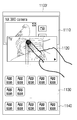
이와 같은 사용자 인터페이스 창(1100)에서 사용자가 제1 애플리케이션(1110)과 제2 애플리케이션(1120)을 상호 연동하고 싶을 수 있다. 이때, 사용자는 도 11과 같이 제2 애플리케이션의 실행 창(1120)을 선택하고, 이를 제1 애플리케이션의 실행 창(1110) 측으로 드래그 앤 드롭 방식으로 놓을 수 있다. In such a
이에 따라, 사용자 인터페이스 창(1100")은 연동된 두 애플리케이션 화면(1310), 애플리케이션 표시 영역(1130) 및 고정 애플리케이션 표시 영역(1140)을 포함한다. Accordingly, the
연동된 두 애플리케이션 화면(1310)은 제1 애플리케이션의 실행 창(1311), 제2 애플리케이션의 실행 창(1312) 및 연동 표식(1313)을 포함한다. The two application screens 1310 interlocked include an
제1 애플리케이션의 실행 창(1311)은 도 11의 실행 창(1110)과 동일한바 중복 설명은 생략한다. The
제2 애플리케이션의 실행 창(1312)은 제2 애플리케이션의 서브 UI을 표시한다. 구체적으로, 제2 애플리케이션의 실행 창(1312)은 타 단말장치인 카메라에 저장된 사진 컨텐츠를 선택받기 위한 복수의 아이콘을 표시할 수 있다. 그리고 제2 애플리케이션의 실행 창(1312)에 대응되는 화면은 도 14에 도시된 바와 같이 제2 애플리케이션에 연동된 TV에 스트리밍 방식으로 표시될 수 있다. 이와 같은 스트리밍 화면에 대해서는 도 14를 참조하여 이하에서 설명한다.
And the
도 14는 도 13의 제2 애플리케이션에 연동된 TV 장치의 사용자 인터페이스 창의 일 예를 도시한 도면이다. 14 is a diagram showing an example of a user interface window of a TV apparatus interlocked with the second application of FIG.
도 14를 참조하면, 사용자 인터페이스 창(1400)은 단말장치(100)에서 제공되는 화면을 표시한다. 구체적으로, 사용자 인터페이스 창(1400)은 타 단말장치인 카메라에 저장된 컨텐츠 중 하나를 표시한다. 그리고 사용자 인터페이스 창(1400)은 표시된 컨텐츠 이외의 컨텐츠에 대한 썸네일을 일 측(1410)에 표시할 수 있다. Referring to FIG. 14, a
한편, 도시된 예에서는 도 13의 1312 영역과 제14의 화면(1400)이 동일한 화면을 갖지 않는 것으로 도시하였지만, 구현시에는 동일한 화면이 표시될 수 있다.
In the illustrated example, the
도 15 내지 도 18은 제2 실시 예에 따른 연동 설정 방법을 설명하기 위한 도면이다. 15 to 18 are views for explaining the interworking setting method according to the second embodiment.
도 15 를 참조하면, 사용자 인터페이스 창(1500)은 복수의 애플리케이션 표시 영역(1510) 및 고정 애플리케이션 표시 영역(1520)을 포함한다. Referring to FIG. 15, the
애플리케이션 표시 영역(1510)은 단말장치(100)에 기설치된 애플리케이션 중 일부의 애플리케이션의 아이콘을 표시하는 영역이다. 구체적으로, 단말장치(100)는 한정된 크기의 화면을 갖기 때문에 단말장치(100)에 설치된 모든 애플리케이션에 대한 아이콘을 동시에 표시하지 못할 수 있다. 따라서, 애플리케이션 표시 영역(1510)은 일부 애플리케이션에 대한 아이콘을 표시한다. 사용자가 애플리케이션 표시 영역(1510)을 좌측 또는 우측으로 스크롤하는 경우, 애플리케이션 표시 영역(1510)은 다른 화면상에 위치하는 다른 애플리케이션에 대한 아이콘들이 표시될 수 있다. The
고정 애플리케이션 표시 영역(1520)은 단말장치(100)에 기설치된 애플리케이션 중 일부의 아이콘을 표시하는 영역으로, 애플리케이션 표시 영역(1510)과 다른 점은 화면의 스크롤에 의하여 애플리케이션 표시 영역(1520)에 표시되는 아이콘이 변경되는 경우에도, 고정 애플리케이션 표시 영역(1520) 내의 아이콘은 변경되지 않는다. The fixed
다만, 사용자가 고정 애플리케이션 표시 영역(1520) 내에서 화면 스크롤 동작을 수행하는 경우, 반대로 애플리케이션 표시 영역(1510) 내의 화면은 고정된 상태에서 고정 애플리케이션 표시 영역(1520) 내의 아이콘만이 변경될 수도 있다. However, when the user performs the screen scroll operation within the fixed
이러한 사용자 인터페이스 창(1500) 상에서 사용자가 제1 애플리케이션과 제2 애플리케이션을 상호 연동하고 싶을 수 있다. 이때, 사용자는 제1 애플리케이션의 아이콘(1511)을 기설정된 시간 동안 선택할 수 있다. 일정 이상 제1 애플리케이션의 아이콘(1511)이 선택되면, 타 애플리케이션과 연동 설정을 받을 수 있는 환경이 된다. 이와 같은 환경이 됨에 따라 제1 애플리케이션의 아이콘(1511)은 사용자의 터치 조작에 의하여 이동될 수 있다. 이와 같은 터치 조작이 도 16과 같이 타 애플리케이션의 아이콘(1512) 위이면, 도 17과 같이 제1 애플리케이션과 제2 애플리케이션은 하나의 아이콘으로 표시될 수 있다(1513).In this
이와 같은 사용자 인터페이스 창(1500") 상에서 상기 아이콘(1513)이 선택되면, 도 18과 같은 사용자 인터페이스 창이 표시될 수 있다.
When the
도 18은 도 17의 아이콘(1513)이 선택된 경우, 표시되는 사용자 인터페이스창의 예이다. 18 is an example of a displayed user interface window when the
도 18을 참조하면, 사용자 인터페이스 창(1800)은 제1 애플리케이션의 실행 창(1810) 및 제2 애플리케이션의 실행 창(1820)을 포함한다. 18, the
여기서 제1 애플리케이션은 단말장치(100)에 저장된 음원을 재생하는 애플리케이션이고, 제2 애플리케이션은 서버에 저장된 음원을 재생하는 애플리케이션, 즉 스트리밍 음악 재생 애플리케이션이다. Here, the first application is an application for reproducing a sound source stored in the
제1 애플리케이션의 실행 창(1810)은 현재 재생중인 음원의 정보와 음악 재생 제어 명령을 입력받기 위한 화면을 표시한다. The
제2 애플리케이션의 실행 창(1820)은 제1 애플리케이션에서 재생되는 음원에 대한 제목을 메타 데이터로 제공받고, 해당 제목과 관련된 정보를 표시한다. 예를 들어, 도시된 예에서는 해당 음원의 재생 순위를 표시하고 있지만, 구현시에는 현재 재생중인 음원에 속한 음반의 정보, 현재 재생중인 음원의 가수 정보 등 다양한 정보가 표시될 수 있다.
The
도 19 내지 도 22는 제3 실시 예에 따른 연동 설정 방법을 설명하기 위한 도면이다. 19 to 22 are diagrams for explaining the interworking setting method according to the third embodiment.
도 19 를 참조하면, 사용자 인터페이스 창(1900)은 제1 애플리케이션의 실행 창(1910), 애플리케이션 표시 영역(1920) 및 고정 애플리케이션 표시 영역(1930)을 포함한다. 19, the
제1 애플리케이션의 실행 창(1910)은 제1 애플리케이션의 위젯 창 또는 실행 창이다. The
애플리케이션 표시 영역(1920) 및 고정 애플리케이션 표시 영역(1930)은 도 9의 애플리케이션 표시 영역(1130) 및 고정 애플리케이션 표시 영역(1150)과 동일한바 중복 설명은 생략한다. The
사용자 인터페이스 창(1900) 상에서 사용자는 제1 실행 창(1910)과 제2 아이콘(1921)을 상호 연동하고 싶을 수 있다. 이 경우, 사용자는 도 20과 같이 제2 아이콘(1921)을 선택하고, 해당 제2 아이콘(1921)을 제1 애플리케이션의 제1 실행 창(1910) 상으로 드래그 앤 드롭 방식으로 놓을 수 있다. On the
이에 따라, 사용자 인터페이스 창(1900")은 연동된 두 애플리케이션 화면(1940), 애플리케이션 표시 영역(1920') 및 고정 애플리케이션 표시 영역(1930)을 포함한다. Accordingly, the
연동된 두 애플리케이션 화면(1940)은 제1 애플리케이션의 실행 창(1910), 제2 애플리케이션의 아이콘을 표시하는 영역(1921) 및 연동 표식(1911)을 포함한다. The two
제1 애플리케이션의 실행 창(1910)은 도 19의 실행 창(1910)과 동일한바 중복 설명은 생략한다. The
제2 애플리케이션의 아이콘을 표시하는 영역(1921)은 애플리케이션 표시 영역(1920)에서 제1 애플리케이션의 실행 창(1910)과 인접한 영역으로 이동되었다. 그리고 연동 표식(1911)을 통하여 상호 연동되어 있음이 표시된다. The
한편, 이상에서는 두 애플리케이션이 연동되어 있음에도 제2 애플리케이션에 대한 실행 창은 함께 표시되지 않는 것으로 도시하였지만, 구현시에는 도 22와 같이 연동과 동시에 제2 애플리케이션의 UI 오브젝트가 아이콘에서 실행 창(또는 위젯 창)으로 변경될 수 있다. 구체적으로, 메타 데이터의 출력 결과가 제2 애플리케이션의 UI 화면에 변화를 유발하지 않는 경우(예를 들어, 제2 애플리케이션이 제1 애플리케이션의 메타 데이터를 저장하면 되는 경우) 도 21과 같은 화면이 표시될 수 있다. 반대로, 메타 데이터에 출력 결과가 제2 애플리케이션의 UI 화면상으로 표시되어야 하는 경우, 도 22와 같은 화면이 표시될 수 있다.
Although the execution window for the second application is not displayed together with the two applications linked together, the UI object of the second application may be linked to the execution window (or widget Window). Specifically, when the output result of the metadata does not cause a change in the UI screen of the second application (for example, when the second application needs to store the metadata of the first application), a screen as shown in FIG. 21 is displayed . On the contrary, when the output result in the metadata is to be displayed on the UI screen of the second application, a screen as shown in FIG. 22 can be displayed.
도 23 내지 도 24는 제4 실시 예에 따른 연동 설정 방법을 설명하기 위한 도면이다. 23 to 24 are diagrams for explaining the interworking setting method according to the fourth embodiment.
도 23을 참조하면, 사용자 인터페이스 창(2300)은 UI 오브젝트 영역(2310) 및 연동 영역(2320)을 포함한다. Referring to FIG. 23, the
UI 오브젝트 영역(2310)은 기선택된 애플리케이션의 실행 창 또는 기표시되는 애플리케이션의 위젯 창을 표시하는 영역이다. 도시된 예에서는 TV와 연동되어 동작하는 애플리케이션의 위젯(또는 타일)을 표시한다. The
연동 영역(2320)은 사용자로부터 UI 오브젝트 영역(2310)에 표시된 애플리케이션에 대한 상호 연동을 수행하는 명령을 입력받은 영역이다. 해당 연동 영역(2320)을 선택받으면, 사용자 인터페이스 창(2300)은 도 24와 같이 가변될 수 있다. The
도 24를 참조하면, 사용자 인터페이스 창(2300)은 복수의 애플리케이션의 오브젝트가 표시되는 영역을 포함한다. Referring to FIG. 24, the
여기서, 제1 영역(2300)은 도 23과 동일한 화면이 표시된 영역이며, 제2 영역 내지 제4 영역(2430)은 제1 영역에 표시된 애플리케이션과 연동하여 동작할 수 있는 타 애플리케이션의 UI 오브젝트들이다. 구체적으로, 제어부(150)는 상술한 연동 영역(2320)으로부터 입력받은 연동 명령에 따라 제1 영역(2300)에 대응되는 애플리케이션과 연동될 수 있는 타 애플리케이션을 검색하고, 검색된 타 애플리케이션을 도 24와 같이 표시할 수 있다. 23, and the second to
도시된 예에서는 TV 단말장치와 연동하여 동작하는 제1 애플리케이션에 대해서 연결 가능한 타 애플리케이션으로, 인터넷 검색 애플리케이션, SNS 애플리케이션, 스트리밍 영상 재생 애플리케이션 등이 검색되어 표시되었다. 그러나 구현시에는 다른 애플리케이션인 더 검색되어 표시될 수 있음은 자명하다. In the illustrated example, an Internet search application, an SNS application, a streaming image playback application, and the like are searched and displayed as another application that can be linked to the first application operating in cooperation with the TV terminal. However, it is obvious that another application, such as an application, can be retrieved and displayed at the time of implementation.
한편, 도시된 상태에서 연동하지 원하지 않은 애플리케이션에 대해서는 연결 취소 명령을 입력하며, 연동할 애플리케이션을 관리할 수 있다. 그리고, 연동 가능한 앱의 일부를 보여주고, 마지막에 더 보기 메뉴를 제공할 수 있다. 또한, 연동 가능한 앱이 존재하지 않을 경우에 연동 가능한 앱의 추천 리스트를 보여 줄 수도 있다.
On the other hand, in the illustrated state, a connection cancellation command is input for an application which is not desired to be interlocked, and the application to be interlocked can be managed. You can also show some of the apps that can be linked, and provide a more menu at the end. In addition, if there is no app that can be linked, it may show a list of apps that can be linked.
도 25 내지 도 26은 제5 실시 예에 따른 연동 설정 방법을 설명하기 위한 도면이다. 구체적으로, 제5 실시 예에 따른 연동 설정 방법은 도 25의 사용한 제1 애플리케이션의 종류만 상이할 뿐 표시되는 UI 형태는 동일한바, 애플리케이션의 동작에 대해서만 간략히 설명한다. 25 to 26 are diagrams for explaining the interworking setting method according to the fifth embodiment. Concretely, the interworking setting method according to the fifth embodiment differs only in the type of the first application used in Fig. 25, but the UI form displayed is the same, and only the operation of the application will be briefly described.
도 25를 참조하면, 사용자 인터페이스 창(2500)은 단말장치에 기저장된 사진 컨텐츠를 표시하는 애플리케이션의 실행 창을 표시한다. 이와 같은 실행 창 상에서 연동 명령이 입력되면, 사진 실행 애플리케이션에 대해서는 도 26과 같이 TV와 같은 타 단말장치에 사진 컨텐츠를 표시할 수 있는 TV 애플리케이션, 사진의 GPS 정보를 기초로 위치 정보를 표시할 수 있는 지도 애플리케이션, 특정 사용자가 통화를 수행할 수 있는 통화 애플리케이션 등과 연동이 가능하다. Referring to FIG. 25, the
구체적으로, 사진 컨텐츠는 누구에 대한 사진 데이터인지에 대한 정보(예를 들어, 촬상자 정보, 피사체 정보)를 저장할 수 있다. 이 경우, 사진 실행 애플리케이션은 해당 사람 정보를 메타 데이터로 통화 애플리케이션으로 제공할 수 있으며, 이러한 메타 데이터를 전달받은 통화 애플리케이션은 각 사용자와 통화를 연결할 수 있는 아이콘을 표시할 수 있다. Specifically, the photographic content can store information (for example, photographed person information, photographed information) about who the photographic data is. In this case, the photo execution application can provide the person information as metadata to the call application, and the call application receiving the meta data can display an icon for connecting the call with each user.
이상에서는 복수의 애플리케이션에 대한 연동 설정 방법을 설명하였지만, 연동된 복수의 애플리케이션은 사용자의 설정에 의하여 다시 원상태로 복귀될 수 있다. 예를 들어, 도 13, 도 21, 도 22과 같은 화면에서, 상호 연동되었음을 나타내는 표식(1313, 1911)을 터치하는 등의 제스처를 이용하여 연동된 두 애플리케이션의 연동을 취소할 수도 있다. 그리고 도 17과 같은 화면에서, 상호 연동된 아이콘(1513)을 기설정된 시간 동안 누르고, 두 아이콘을 분리하는 제스처를 입력하여 두 애플리케이션의 연동을 취소할 수 있다.
Although the interworking setting method for a plurality of applications has been described above, a plurality of interworking applications can be restored to their original state by the setting of the user. For example, in the screens as shown in Figs. 13, 21, and 22, it is possible to cancel the interlocking of two applications linked by using gestures such as touching the
도 27은 프리뷰 동작을 설명하기 위한 도면이다. 27 is a diagram for explaining a preview operation.
도 27a를 참조하면, 사용자는 제2 UI 오브젝트(2720)를 선택하고, 이를 터치 앤 드래그 방식으로 제1 UI 오브젝트(2710)로 놓아 링크할 수 있다. 이때, 디스플레이부(120)는 두 UI 오브젝트가 상호 겹쳐지기 시작한 순간부터 상호 떨어지거나 사용자 터치가 떨어져 하나의 오브젝트가 타 오브젝트에 놓일 때까지, 제2 UI 오브젝트의 프리뷰 화면을 표시할 수 있다. 예를 들어, 상호 연동에 의하여 제1 UI 오브젝트는 변화되지 않으나, 제2 UI 오브젝트가 변화되는 경우, 디스플레이부(120)는제2 UI 오브젝트를 프리뷰 화면으로 변경하여 표시할 수 있다.Referring to FIG. 27A, a user can select a
도 27b를 참조하면, 사용자는 제4 UI 오브젝트(2740)를 선택하고, 이를 터치 앤 드래그 방식으로 제2 오브젝트(2730)로 놓아 링크할 수 있다. 이때, 디스플레이부(120)는 두 UI 오브젝트가 상호 겹쳐지기 시작한 순간부터 상호 떨어지거나 사용자 터치가 떨어져 하나의 오브젝트가 타 오브젝트에 놓일 때까지, 제3 UI 오브젝트의 프리뷰 화면을 표시할 수 있다. 예를 들어, 상호 연동에 의하여 제4 UI 오브젝트는 변화되지 않으나, 제3 UI 오브젝트가 변화되는 경우, 디스플레이부(120)는 제3 UI 오브젝트를 프리뷰 화면으로 변경하여 표시할 수 있다. Referring to FIG. 27B, the user can select a
도 28은 본 발명의 일 실시 예에 따른 단말장치의 제어 방법을 설명하기 위한 도면이다. 28 is a view for explaining a control method of a terminal device according to an embodiment of the present invention.
기저장된 복수의 애플리케이션 각각의 UI 오브젝트를 표시할 수 있다(S2810). 여기서, UI 오브젝트는 애플리케이션의 아이콘, 위젯, 실행 창일 수 있다. UI objects of each of a plurality of previously stored applications can be displayed (S2810). Here, the UI object may be an icon, widget, or execution window of the application.
그리고 표시된 복수의 애플리케이션 중 상호 연동될 애플리케이션을 선택받고, 선택된 애플리케이션을 상호 링크할 수 있다(S2820). 구체적으로, 사용자로부터 상호 연동될 애플리케이션을 선택받고, 선택된 두 애플리케이션을 상호 연동할 수 있다. 한편, 구현시에는 어느 하나의 애플리케이션을 선택받으면, 자동으로 해당 애플리케이션에 연동될 수 있는 타 애플리케이션을 검색하여 연동할 수도 있다. Then, an application to be interlinked among the plurality of displayed applications is selected, and the selected applications can be linked with each other (S2820). Specifically, an application to be interworked with a user is selected, and the two selected applications can interwork with each other. On the other hand, when an application is selected at the time of implementation, another application that can be automatically linked to the application can be searched and linked.
이와 같은 링크가 설정되면, 상호 링크된 두 애플리케이션의 UI 오브젝트는 상호 연동되어 있음을 알리는 표식이 함께 표시될 수 있다(S2830). If such a link is established, the UI objects of the two mutually linked applications may be displayed together with a mark indicating that they are interworked (S2830).
그리고 하나의 애플리케이션에 대한 메타 데이터가 입력되면, 해당 애플리케이션에 연동된 타 애플리케이션에 메타 데이터가 제공된다(S2840). When the metadata for one application is input, metadata is provided to another application linked to the application (S2840).
이상과 같은 본 실시 예에 따른 제어 방법은, 별도의 사용자 조작 없이도, 하나의 애플리케이션에 입력된 메타 데이터가 다른 애플리케이션에도 제공되는바, 사용자는 다양한 정보를 손쉽게 확인할 수 있게 된다. 또한, 본 실시 예에 따른 단말장치(100)는 간단한 터치 조작만으로 복수의 애플리케이션을 손쉽게 직관적으로 연동할 수 있으며, 외부 단말장치와 연동된 애플리케이션을 이용하여, 타 단말장치와도 손쉽게 연동될 수 있다. 도 28과 같은 제어 방법은, 도 1의 구성을 가지는 단말장치상에서 실행될 수 있으며, 그 밖의 구성을 가지는 단말장치상에서도 실행될 수 있다. In the control method according to the present embodiment as described above, since the metadata input to one application is provided to other applications without any user operation, the user can easily check various information. In addition, the
또한, 상술한 바와 같은 제어 방법은 컴퓨터에서 실행될 수 있는 실행가능한 알고리즘을 포함하는 프로그램으로 구현될 수 있고, 상기 프로그램은 비일시적 판독 가능 매체(non-transitory computer readable medium)에 저장되어 제공될 수 있다. Further, the control method as described above can be implemented as a program including an executable algorithm that can be executed in a computer, and the program can be stored in a non-transitory computer readable medium .
비일시적 판독 가능 매체란 레지스터, 캐쉬, 메모리 등과 같이 짧은 순간 동안 데이터를 저장하는 매체가 아니라 반영구적으로 데이터를 저장하며, 기기에 의해 판독(reading)이 가능한 매체를 의미한다. 구체적으로는, 상술한 다양한 애플리케이션 또는 프로그램들은 CD, DVD, 하드 디스크, 블루레이 디스크, USB, 메모리카드, ROM 등과 같은 비일시적 판독 가능 매체에 저장되어 제공될 수 있다.A non-transitory readable medium is a medium that stores data for a short period of time, such as a register, cache, memory, etc., but semi-permanently stores data and is readable by the apparatus. In particular, the various applications or programs described above may be stored and provided on non-volatile readable media such as CD, DVD, hard disk, Blu-ray disk, USB, memory card, ROM,
이상에서는 본 발명의 바람직한 실시 예에 대하여 도시하고 설명하였지만, 본 발명은 상술한 특정의 실시 예에 한정되지 아니하며, 청구범위에서 청구하는 본 발명의 요지를 벗어남이 없이 당해 발명이 속하는 기술분야에서 통상의 지식을 가진자에 의해 다양한 변형실시가 가능한 것은 물론이고, 이러한 변형실시들은 본 발명의 기술적 사상이나 전망으로부터 개별적으로 이해되어 져서는 안 될 것이다.While the present invention has been particularly shown and described with reference to exemplary embodiments thereof, it is clearly understood that the same is by way of illustration and example only and is not to be construed as limiting the scope of the invention as defined by the appended claims. It will be understood by those skilled in the art that various changes in form and details may be made therein without departing from the spirit and scope of the present invention.
100: 단말장치
110: 통신 인터페이스부
120: 디스플레이부
130: 조작 입력부
140: 저장부
150: 제어부100: terminal device 110: communication interface unit
120: display unit 130: operation input unit
140: storage unit 150: control unit
Claims (28)
복수의 애플리케이션을 저장하는 저장부;
상기 복수의 애플리케이션 중 제1 애플리케이션에 대한 UI 화면을 표시하는 디스플레이부; 및
상기 제1 애플리케이션에 입력되는 메타 데이터를 상기 제1 애플리케이션과 미리 링크된 제2 애플리케이션에 제공하는 제어부;를 포함하는 단말장치. In the terminal device,
A storage unit for storing a plurality of applications;
A display unit for displaying a UI screen for the first application among the plurality of applications; And
And a control unit for providing metadata input to the first application to a second application linked in advance with the first application.
상기 디스플레이부는,
상기 메타 데이터에 대한 상기 제1 애플리케이션의 실행 결과를 표시하는 제1 화면과 상기 메타 데이터에 대한 상기 제2 애플리케이션의 실행 결과를 표시하는 제2 화면을 함께 표시하는 것을 특징으로 하는 단말장치. The method according to claim 1,
The display unit includes:
And displays a first screen for displaying the execution result of the first application for the metadata and a second screen for displaying the execution result of the second application for the meta data.
상기 디스플레이부는,
상기 제1 애플리케이션의 제1 UI 오브젝트를 표시할 때, 상기 미리 링크된 제2 애플리케이션의 제2 UI 오브젝트도 함께 표시하는 것을 특징으로 하는 단말장치. The method according to claim 1,
The display unit includes:
And displays the second UI object of the second linked application when displaying the first UI object of the first application.
상기 디스플레이부는,
상기 제1 UI 오브젝트와 상기 제2 UI 오브젝트가 상호 연동되어 있음을 알리는 표식을 더 표시하는 것을 특징으로 하는 단말장치. 3. The method of claim 2,
The display unit includes:
Further displays a mark indicating that the first UI object and the second UI object are interlocked with each other.
상기 UI 오브젝트는,
애플리케이션에 대한 아이콘, 위젯, 실행 창 중 적어도 하나인 것을 특징으로 하는 단말장치. 3. The method of claim 2,
The UI object includes:
An icon for the application, a widget, and an execution window.
상기 제어부는,
상기 제1 애플리케이션에 표시되는 컨텐츠도 상기 제2 애플리케이션에 제공하는 것을 특징으로 하는 단말장치. The method according to claim 1,
Wherein,
And provides the content displayed in the first application to the second application.
상기 제2 애플리케이션은 상기 단말장치와 연결된 타 단말장치와 연동된 애플리케이션이며,
상기 단말장치는,
상기 제1 애플리케이션에서 제공되는 메타 데이터 및 컨텐츠 중 적어도 하나를 상기 타 단말장치에 제공하는 통신 인터페이스부;를 더 포함하는 것을 특징으로 하는 단말장치. The method according to claim 1,
The second application is an application interlocked with a terminal device connected to the terminal device,
The terminal apparatus comprises:
And a communication interface unit for providing at least one of metadata and contents provided by the first application to the other terminal apparatuses.
상기 제1 애플리케이션은 상기 단말장치와 연결된 타 단말장치와 연동된 애플리케이션이며,
상기 단말장치는,
상기 타 단말장치로부터 메타 데이터 및 컨텐츠 중 적어도 하나를 입력받은 통신 인터페이스부;를 더 포함하는 것을 특징으로 하는 단말장치. The method according to claim 1,
Wherein the first application is an application interlocked with a terminal device connected to the terminal device,
The terminal apparatus comprises:
Further comprising: a communication interface unit receiving at least one of metadata and contents from the other terminal apparatus.
사용자로부터 제1 애플리케이션에 대한 제어 명령을 입력받는 조작 입력부;를 더 포함하고,
상기 제어부는,
상기 제어 명령에 따라 상기 메타 데이터를 갱신하고, 상기 갱신된 메타 데이터를 상기 제2 애플리케이션에 제공하는 것을 특징으로 하는 단말장치. The method according to claim 1,
And an operation input unit for receiving a control command for the first application from the user,
Wherein,
Updates the metadata according to the control command, and provides the updated metadata to the second application.
사용자로부터 제2 애플리케이션에 대한 제어 명령을 입력받는 조작 입력부;를 더 포함하고,
상기 제어부는,
상기 제어 명령에 따라 메타 데이터를 생성하고, 상기 생성된 메타 데이터를 상기 제1 애플리케이션에 제공하는 것을 특징으로 하는 단말장치. The method according to claim 1,
And an operation input unit for receiving a control command for the second application from the user,
Wherein,
Generates metadata according to the control command, and provides the generated metadata to the first application.
상기 메타 데이터는,
컨텐츠 속성, 계정 정보, 위치 정보, URL 정보, 제어 명령 중 적어도 하나를 포함하는 것을 특징으로 하는 단말장치. The method according to claim 1,
The metadata includes:
A content attribute, account information, location information, URL information, and a control command.
상기 제어부는,
상기 제1 애플리케이션에 입력되는 메타 데이터를 이용할 수 있는 애플리케이션을 검색하고, 상기 검색된 애플리케이션을 상기 제1 애플리케이션에 링크하는 것을 특징으로 하는 단말장치. The method according to claim 1,
Wherein,
Searches for an application that can use the metadata input to the first application, and links the retrieved application to the first application.
상기 디스플레이부는,
상기 검색된 애플리케이션들을 표시하고,
상기 단말장치는,
상기 표시된 애플리케이션 중 적어도 하나를 선택받는 조작 입력부;를 더 포함하고,
상기 제어부는, 상기 선택된 애플리케이션을 상기 제1 애플리케이션에 링크하는 것을 특징으로 하는 단말장치. 13. The method of claim 12,
The display unit includes:
Displaying the retrieved applications,
The terminal apparatus comprises:
And an operation input unit for selecting at least one of the displayed applications,
And the control unit links the selected application to the first application.
상기 제어부는,
상기 제1 애플리케이션의 UI 오브젝트의 일측에 표시되는 아이콘이 선택되는 경우, 상기 제1 애플리케이션에 입력되는 메타 데이터를 이용할 수 있는 애플리케이션을 검색하는 것을 특징으로 하는 단말장치. 13. The method of claim 12,
Wherein,
And searching for an application that can use the metadata input to the first application when an icon displayed on one side of the UI object of the first application is selected.
상기 디스플레이부는,
상기 복수의 애플리케이션 각각에 대응되는 UI 오브젝트를 표시하고,
상기 제어부는,
적어도 하나의 제1 UI 오브젝트가 다른 제2 UI 오브젝트에 놓이면, 상기 제1 UI 오브젝트와 상기 제2 UI 오브젝트에 대응되는 두 애플리케이션을 상호 링크하는 것을 특징으로 하는 단말장치. The method according to claim 1,
The display unit includes:
Displaying a UI object corresponding to each of the plurality of applications,
Wherein,
And links at least two applications corresponding to the first UI object and the second UI object when at least one first UI object is placed in another second UI object.
상기 디스플레이부는,
상기 복수의 애플리케이션 각각에 대응되는 UI 오브젝트를 표시하고, 상기 UI 오브젝트 중 적어도 하나의 제1 UI 오브젝트가 다른 제2 UI 오브젝트와 겹쳐지면, 상기 제1 UI 오브젝트 및 상기 UI 오브젝트 각각에 대응되는 두 애플리케이션이 상호 연동된 경우에 표시될 수 있는 화면을 상기 제1 UI 오브젝트 및 제2 UI 오브젝트 중 적어도 하나가 표시하는 것을 특징으로 하는 단말장치. The method according to claim 1,
The display unit includes:
Wherein when the first UI object of at least one of the UI objects overlaps with the second UI object, the first UI object and the second UI object corresponding to each of the UI objects are displayed, Wherein at least one of the first UI object and the second UI object displays a screen that can be displayed when the first UI object and the second UI object interact with each other.
복수의 애플리케이션을 저장하는 저장부;
상기 복수의 애플리케이션 각각에 대응되는 UI 오브젝트를 표시하는 디스플레이부; 및
적어도 하나의 제1 UI 오브젝트가 다른 제2 UI 오브젝트에 놓이면, 상기 제1 UI 오브젝트와 상기 제2 UI 오브젝트에 대응되는 두 애플리케이션을 상호 링크하는 제어부;를 포함하는 단말장치. In the terminal device,
A storage unit for storing a plurality of applications;
A display unit displaying a UI object corresponding to each of the plurality of applications; And
And a controller for mutually linking the first UI object and the second application corresponding to the second UI object if at least one first UI object is placed in another second UI object.
상기 제어부는,
상기 상호 링크된 상기 제1 UI 오브젝트와 상기 제2 UI 오브젝트가 상호 연동되어 있음을 알리는 표식이 표시되도록 상기 디스플레이부를 제어하는 것을 특징으로 하는 단말장치. 18. The method of claim 17,
Wherein,
And controls the display unit to display a mark indicating that the mutually linked first UI object and the second UI object are interlocked with each other.
상기 제1 UI 오브젝트 상에서 제어 명령을 입력받는 조작 입력부;를 더 포함하고,
상기 제어부는,
상기 입력된 제어 명령에 대응되는 제1 애플리케이션의 실행 결과가 상기 제1 UI 오브젝트 상에서 표시되고, 상기 입력된 제어 명령에 대응되는 메타 데이터에 대한 제2 애플리케이션의 실행 결과가 상기 제2 UI 오브젝트 상에 표시되도록 상기 디스플레이부를 제어하는 것을 특징으로 하는 단말장치. 18. The method of claim 17,
And an operation input unit for receiving a control command on the first UI object,
Wherein,
Wherein the execution result of the first application corresponding to the input control command is displayed on the first UI object and the execution result of the second application on the metadata corresponding to the input control command is displayed on the second UI object And controls the display unit to display the image.
상기 제1 애플리케이션에 대한 구동 명령을 입력받는 조작 입력부;를 더 포함하는,
상기 제어부는,
상기 제1 애플리케이션과 상기 제1 애플리케이션에 상호 연동된 제2 애플리케이션을 함께 실행시키는 것을 특징으로 하는 단말장치.18. The method of claim 17,
And an operation input unit for receiving a drive command for the first application,
Wherein,
And executes the first application and the second application interlinked with the first application together.
기저장된 복수의 애플리케이션 중 제1 애플리케이션에 대한 UI 화면을 표시하는 단계; 및
상기 제1 애플리케이션에 입력되는 메타 데이터를 상기 제1 애플리케이션과 미리 링크된 제2 애플리케이션에 제공하는 단계;를 포함하는 제어 방법. A method of controlling a terminal apparatus,
Displaying a UI screen for a first application among a plurality of previously stored applications; And
And providing metadata input to the first application to a second application linked in advance with the first application.
상기 메타 데이터에 대한 상기 제1 애플리케이션의 실행 결과를 표시하는 제1 화면과 상기 메타 데이터에 대한 상기 제2 애플리케이션의 실행 결과를 표시하는 제2 화면을 함께 표시하는 단계;를 더 포함하는 것을 특징으로 하는 제어 방법. 22. The method of claim 21,
And displaying a first screen for displaying the execution result of the first application on the metadata and a second screen for displaying the execution result of the second application on the meta data, Lt; / RTI >
상기 제2 애플리케이션은 상기 단말장치와 연결된 타 단말장치와 링크된 애플리케이션이며,
상기 제어 방법은,
상기 제1 애플리케이션에 제공되는 메타 데이터 및 컨텐츠 중 적어도 하나를 상기 타 단말장치에 제공하는 단계;를 더 포함하는 것을 특징으로 하는 제어 방법. 22. The method of claim 21,
The second application is an application linked to a terminal device connected to the terminal device,
In the control method,
And providing at least one of metadata and content provided to the first application to the other terminal device.
사용자로부터 제1 애플리케이션에 대한 제어 명령을 입력받는 단계; 및
상기 제어 명령에 따라 상기 메타 데이터를 갱신하고, 상기 갱신된 메타 데이터를 상기 제2 애플리케이션에 제공하는 단계;를 더 포함하는 것을 특징으로 하는 제어 방법. 22. The method of claim 21,
Receiving a control command for a first application from a user; And
Updating the metadata according to the control command, and providing the updated metadata to the second application.
상기 기저장된 복수의 애플리케이션 각각에 대응되는 UI 오브젝트를 표시하는 단계; 및
적어도 하나의 제1 UI 오브젝트가 다른 제2 UI 오브젝트에 놓이면, 상기 제1 UI 오브젝트와 상기 제2 UI 오브젝트에 대응되는 두 애플리케이션을 상호 링크하는 단계;를 더 포함하는 것을 특징으로 하는 제어 방법. 22. The method of claim 21,
Displaying a UI object corresponding to each of the plurality of applications previously stored; And
Linking two applications corresponding to the first UI object and the second UI object when at least one first UI object is placed in another second UI object.
기저장된 복수의 애플리케이션 각각에 대응되는 UI 오브젝트를 표시하는 단계;
적어도 하나의 제1 UI 오브젝트가 다른 제2 UI 오브젝트에 놓이는 제어 명령을 입력받는 단계; 및
상기 제1 UI 오브젝트와 상기 제2 UI 오브젝트에 대응되는 두 애플리케이션을 상호 링크하는 단계;를 포함하는 제어 방법. A method of controlling a terminal apparatus,
Displaying a UI object corresponding to each of a plurality of previously stored applications;
Receiving a control command in which at least one first UI object is placed in another second UI object; And
Linking two applications corresponding to the first UI object and the second UI object.
상기 제어 방법은,
기저장된 복수의 애플리케이션 중 제1 애플리케이션에 대한 UI 화면을 표시하는 단계; 및
상기 제1 애플리케이션에 입력되는 메타 데이터를 상기 제1 애플리케이션과 미리 링크된 제2 애플리케이션에 제공하는 단계;를 포함하는 컴퓨터 판독가능 기록매체.A computer-readable recording medium including a program for executing a control method of a terminal apparatus,
In the control method,
Displaying a UI screen for a first application among a plurality of previously stored applications; And
And providing metadata input to the first application to a second application linked in advance with the first application.
상기 제어 방법은,
기저장된 복수의 애플리케이션 각각에 대응되는 UI 오브젝트를 표시하는 단계;
적어도 하나의 제1 UI 오브젝트가 다른 제2 UI 오브젝트에 놓이는 제어 명령을 입력받는 단계; 및
상기 제1 UI 오브젝트와 상기 제2 UI 오브젝트에 대응되는 두 애플리케이션을 상호 링크하는 단계;를 포함하는 컴퓨터 판독가능 기록매체. A computer-readable recording medium including a program for executing a control method of a terminal apparatus,
In the control method,
Displaying a UI object corresponding to each of a plurality of previously stored applications;
Receiving a control command in which at least one first UI object is placed in another second UI object; And
Linking two applications corresponding to the first UI object and the second UI object.
Priority Applications (5)
| Application Number | Priority Date | Filing Date | Title |
|---|---|---|---|
| KR1020140152369A KR20160053462A (en) | 2014-11-04 | 2014-11-04 | Terminal apparatus and method for controlling thereof |
| PCT/KR2015/011775 WO2016072735A1 (en) | 2014-11-04 | 2015-11-04 | Terminal apparatus and method for controlling the same |
| CN201580060028.7A CN107077353A (en) | 2014-11-04 | 2015-11-04 | Terminal device and its control method |
| EP15857174.5A EP3215923A4 (en) | 2014-11-04 | 2015-11-04 | Terminal apparatus and method for controlling the same |
| US14/932,608 US20160124582A1 (en) | 2014-11-04 | 2015-11-04 | Terminal apparatus and method for controlling the same |
Applications Claiming Priority (1)
| Application Number | Priority Date | Filing Date | Title |
|---|---|---|---|
| KR1020140152369A KR20160053462A (en) | 2014-11-04 | 2014-11-04 | Terminal apparatus and method for controlling thereof |
Publications (1)
| Publication Number | Publication Date |
|---|---|
| KR20160053462A true KR20160053462A (en) | 2016-05-13 |
Family
ID=55852646
Family Applications (1)
| Application Number | Title | Priority Date | Filing Date |
|---|---|---|---|
| KR1020140152369A Ceased KR20160053462A (en) | 2014-11-04 | 2014-11-04 | Terminal apparatus and method for controlling thereof |
Country Status (5)
| Country | Link |
|---|---|
| US (1) | US20160124582A1 (en) |
| EP (1) | EP3215923A4 (en) |
| KR (1) | KR20160053462A (en) |
| CN (1) | CN107077353A (en) |
| WO (1) | WO2016072735A1 (en) |
Cited By (2)
| Publication number | Priority date | Publication date | Assignee | Title |
|---|---|---|---|---|
| WO2023106512A1 (en) * | 2021-12-06 | 2023-06-15 | 엘지전자 주식회사 | Artificial intelligence device for sharing content between plurality of display devices, and content sharing method |
| WO2024106733A1 (en) * | 2022-11-18 | 2024-05-23 | 삼성전자주식회사 | Electronic device for controlling external device on multi-view screen, and control method therefor |
Families Citing this family (6)
| Publication number | Priority date | Publication date | Assignee | Title |
|---|---|---|---|---|
| KR20150103723A (en) | 2013-01-03 | 2015-09-11 | 메타 컴퍼니 | Extramissive spatial imaging digital eye glass for virtual or augmediated vision |
| US20160132205A1 (en) * | 2014-11-07 | 2016-05-12 | Ebay Inc. | System and method for linking applications |
| CN108089859B (en) * | 2017-12-27 | 2020-11-20 | 复旦大学 | A mashup method between Android applications based on recording and playback |
| US10901577B2 (en) * | 2018-07-17 | 2021-01-26 | Google Llc | Methods and systems for input suggestion |
| CN110896424B (en) * | 2018-09-13 | 2022-03-29 | 中兴通讯股份有限公司 | Interaction method and device for terminal application and terminal |
| CN114125546B (en) | 2020-08-27 | 2023-02-28 | 荣耀终端有限公司 | Method, device, terminal device and storage medium for information sharing |
Family Cites Families (10)
| Publication number | Priority date | Publication date | Assignee | Title |
|---|---|---|---|---|
| US9104294B2 (en) * | 2005-10-27 | 2015-08-11 | Apple Inc. | Linked widgets |
| US7620901B2 (en) * | 2006-03-21 | 2009-11-17 | Microsoft Corporation | Simultaneous input across multiple applications |
| KR101611601B1 (en) * | 2008-09-12 | 2016-04-12 | 코닌클리케 필립스 엔.브이. | Navigating in graphical user interface on handheld devices |
| US9641884B2 (en) * | 2008-11-15 | 2017-05-02 | Adobe Systems Incorporated | Method and device for establishing a content mirroring session |
| KR101862351B1 (en) * | 2009-01-21 | 2018-05-29 | 삼성전자주식회사 | Method and apparatus for providing and reproducing content information |
| US20120005577A1 (en) * | 2010-06-30 | 2012-01-05 | International Business Machines Corporation | Building Mashups on Touch Screen Mobile Devices |
| KR101919788B1 (en) * | 2012-05-31 | 2018-11-19 | 엘지전자 주식회사 | Mobile terminal and method for controlling thereof |
| US20130347018A1 (en) * | 2012-06-21 | 2013-12-26 | Amazon Technologies, Inc. | Providing supplemental content with active media |
| KR102071576B1 (en) * | 2012-12-21 | 2020-03-02 | 삼성전자주식회사 | Method and terminal for reproducing content |
| US20150074735A1 (en) * | 2013-09-06 | 2015-03-12 | Seespace Ltd. | Method and Apparatus for Rendering Video Content Including Secondary Digital Content |
-
2014
- 2014-11-04 KR KR1020140152369A patent/KR20160053462A/en not_active Ceased
-
2015
- 2015-11-04 WO PCT/KR2015/011775 patent/WO2016072735A1/en not_active Ceased
- 2015-11-04 US US14/932,608 patent/US20160124582A1/en not_active Abandoned
- 2015-11-04 EP EP15857174.5A patent/EP3215923A4/en not_active Withdrawn
- 2015-11-04 CN CN201580060028.7A patent/CN107077353A/en not_active Withdrawn
Cited By (2)
| Publication number | Priority date | Publication date | Assignee | Title |
|---|---|---|---|---|
| WO2023106512A1 (en) * | 2021-12-06 | 2023-06-15 | 엘지전자 주식회사 | Artificial intelligence device for sharing content between plurality of display devices, and content sharing method |
| WO2024106733A1 (en) * | 2022-11-18 | 2024-05-23 | 삼성전자주식회사 | Electronic device for controlling external device on multi-view screen, and control method therefor |
Also Published As
| Publication number | Publication date |
|---|---|
| EP3215923A4 (en) | 2017-11-22 |
| CN107077353A (en) | 2017-08-18 |
| US20160124582A1 (en) | 2016-05-05 |
| EP3215923A1 (en) | 2017-09-13 |
| WO2016072735A1 (en) | 2016-05-12 |
Similar Documents
| Publication | Publication Date | Title |
|---|---|---|
| US10635379B2 (en) | Method for sharing screen between devices and device using the same | |
| CN102754352B (en) | Method and apparatus for providing information of multiple applications | |
| KR20160053462A (en) | Terminal apparatus and method for controlling thereof | |
| CN110362246B (en) | Method of controlling electronic device, and storage medium | |
| US8683336B2 (en) | Inter-device operation interface, device control terminal, and program | |
| CN103853427A (en) | Display device running multiple applications and control method thereof | |
| KR20150032066A (en) | Method for screen mirroring, and source device thereof | |
| US10353988B2 (en) | Electronic device and method for displaying webpage using the same | |
| US9826026B2 (en) | Content transmission method and system, device and computer-readable recording medium that uses the same | |
| KR20140014551A (en) | Memo function providing method and system based on a cloud service, and portable terminal supporting the same | |
| US20150180998A1 (en) | User terminal apparatus and control method thereof | |
| US20170139554A1 (en) | Electronic apparatus and display control method | |
| KR20160140932A (en) | Expandable application representation and sending content | |
| KR20120082777A (en) | Content management method and apparatus for applying the same | |
| US10939171B2 (en) | Method, apparatus, and computer readable recording medium for automatic grouping and management of content in real-time | |
| KR101638963B1 (en) | User terminal apparatus and control method thereof | |
| US20160359932A1 (en) | Display device and method of controlling the same | |
| WO2013069205A1 (en) | Transmitting device, display control device, content transmitting method, recording medium, and program | |
| US20160077795A1 (en) | Display apparatus and method of controlling thereof | |
| US10976895B2 (en) | Electronic apparatus and controlling method thereof | |
| US10497079B2 (en) | Electronic device and method for managing image | |
| KR102330475B1 (en) | Terminal and operating method thereof | |
| KR102303286B1 (en) | Terminal device and operating method thereof | |
| KR102126514B1 (en) | Method for management content, apparatus and computer readable recording medium thereof | |
| KR20150102507A (en) | Contents package creatiing method using thouchscreen |
Legal Events
| Date | Code | Title | Description |
|---|---|---|---|
| PA0109 | Patent application |
Patent event code: PA01091R01D Comment text: Patent Application Patent event date: 20141104 |
|
| PG1501 | Laying open of application | ||
| A201 | Request for examination | ||
| PA0201 | Request for examination |
Patent event code: PA02012R01D Patent event date: 20191104 Comment text: Request for Examination of Application Patent event code: PA02011R01I Patent event date: 20141104 Comment text: Patent Application |
|
| E902 | Notification of reason for refusal | ||
| PE0902 | Notice of grounds for rejection |
Comment text: Notification of reason for refusal Patent event date: 20210324 Patent event code: PE09021S01D |
|
| E601 | Decision to refuse application | ||
| PE0601 | Decision on rejection of patent |
Patent event date: 20210531 Comment text: Decision to Refuse Application Patent event code: PE06012S01D Patent event date: 20210324 Comment text: Notification of reason for refusal Patent event code: PE06011S01I |