KR20140120196A - Method and apparatus for transmitting message in an electronic device - Google Patents
Method and apparatus for transmitting message in an electronic device Download PDFInfo
- Publication number
- KR20140120196A KR20140120196A KR1020130036002A KR20130036002A KR20140120196A KR 20140120196 A KR20140120196 A KR 20140120196A KR 1020130036002 A KR1020130036002 A KR 1020130036002A KR 20130036002 A KR20130036002 A KR 20130036002A KR 20140120196 A KR20140120196 A KR 20140120196A
- Authority
- KR
- South Korea
- Prior art keywords
- hidden
- message
- electronic device
- frame
- hidden frame
- Prior art date
- Legal status (The legal status is an assumption and is not a legal conclusion. Google has not performed a legal analysis and makes no representation as to the accuracy of the status listed.)
- Granted
Links
Images


Classifications
-
- H—ELECTRICITY
- H04—ELECTRIC COMMUNICATION TECHNIQUE
- H04W—WIRELESS COMMUNICATION NETWORKS
- H04W4/00—Services specially adapted for wireless communication networks; Facilities therefor
- H04W4/12—Messaging; Mailboxes; Announcements
-
- G—PHYSICS
- G06—COMPUTING OR CALCULATING; COUNTING
- G06F—ELECTRIC DIGITAL DATA PROCESSING
- G06F21/00—Security arrangements for protecting computers, components thereof, programs or data against unauthorised activity
- G06F21/70—Protecting specific internal or peripheral components, in which the protection of a component leads to protection of the entire computer
- G06F21/82—Protecting input, output or interconnection devices
- G06F21/84—Protecting input, output or interconnection devices output devices, e.g. displays or monitors
-
- H—ELECTRICITY
- H04—ELECTRIC COMMUNICATION TECHNIQUE
- H04B—TRANSMISSION
- H04B1/00—Details of transmission systems, not covered by a single one of groups H04B3/00 - H04B13/00; Details of transmission systems not characterised by the medium used for transmission
- H04B1/38—Transceivers, i.e. devices in which transmitter and receiver form a structural unit and in which at least one part is used for functions of transmitting and receiving
- H04B1/40—Circuits
-
- H—ELECTRICITY
- H04—ELECTRIC COMMUNICATION TECHNIQUE
- H04L—TRANSMISSION OF DIGITAL INFORMATION, e.g. TELEGRAPHIC COMMUNICATION
- H04L51/00—User-to-user messaging in packet-switching networks, transmitted according to store-and-forward or real-time protocols, e.g. e-mail
-
- H—ELECTRICITY
- H04—ELECTRIC COMMUNICATION TECHNIQUE
- H04L—TRANSMISSION OF DIGITAL INFORMATION, e.g. TELEGRAPHIC COMMUNICATION
- H04L51/00—User-to-user messaging in packet-switching networks, transmitted according to store-and-forward or real-time protocols, e.g. e-mail
- H04L51/07—User-to-user messaging in packet-switching networks, transmitted according to store-and-forward or real-time protocols, e.g. e-mail characterised by the inclusion of specific contents
- H04L51/18—Commands or executable codes
-
- H—ELECTRICITY
- H04—ELECTRIC COMMUNICATION TECHNIQUE
- H04M—TELEPHONIC COMMUNICATION
- H04M1/00—Substation equipment, e.g. for use by subscribers
- H04M1/72—Mobile telephones; Cordless telephones, i.e. devices for establishing wireless links to base stations without route selection
- H04M1/724—User interfaces specially adapted for cordless or mobile telephones
- H04M1/72403—User interfaces specially adapted for cordless or mobile telephones with means for local support of applications that increase the functionality
- H04M1/7243—User interfaces specially adapted for cordless or mobile telephones with means for local support of applications that increase the functionality with interactive means for internal management of messages
- H04M1/72436—User interfaces specially adapted for cordless or mobile telephones with means for local support of applications that increase the functionality with interactive means for internal management of messages for text messaging, e.g. short messaging services [SMS] or e-mails
-
- G—PHYSICS
- G06—COMPUTING OR CALCULATING; COUNTING
- G06F—ELECTRIC DIGITAL DATA PROCESSING
- G06F2221/00—Indexing scheme relating to security arrangements for protecting computers, components thereof, programs or data against unauthorised activity
- G06F2221/03—Indexing scheme relating to G06F21/50, monitoring users, programs or devices to maintain the integrity of platforms
- G06F2221/032—Protect output to user by software means
-
- H—ELECTRICITY
- H04—ELECTRIC COMMUNICATION TECHNIQUE
- H04M—TELEPHONIC COMMUNICATION
- H04M1/00—Substation equipment, e.g. for use by subscribers
- H04M1/66—Substation equipment, e.g. for use by subscribers with means for preventing unauthorised or fraudulent calling
- H04M1/667—Preventing unauthorised calls from a telephone set
- H04M1/67—Preventing unauthorised calls from a telephone set by electronic means
- H04M1/673—Preventing unauthorised calls from a telephone set by electronic means the user being required to key in a code
-
- H—ELECTRICITY
- H04—ELECTRIC COMMUNICATION TECHNIQUE
- H04M—TELEPHONIC COMMUNICATION
- H04M2250/00—Details of telephonic subscriber devices
- H04M2250/22—Details of telephonic subscriber devices including a touch pad, a touch sensor or a touch detector
Landscapes
- Engineering & Computer Science (AREA)
- Computer Networks & Wireless Communication (AREA)
- Signal Processing (AREA)
- Computer Hardware Design (AREA)
- Theoretical Computer Science (AREA)
- General Physics & Mathematics (AREA)
- Physics & Mathematics (AREA)
- General Engineering & Computer Science (AREA)
- Software Systems (AREA)
- Computer Security & Cryptography (AREA)
- Business, Economics & Management (AREA)
- General Business, Economics & Management (AREA)
- Human Computer Interaction (AREA)
- User Interface Of Digital Computer (AREA)
- Telephone Function (AREA)
- Communication Control (AREA)
- Burglar Alarm Systems (AREA)
Abstract
Description
본 발명은 전자 장치에 관한 것으로서, 특히, 전자 장치에서 메시지를 전송하기 위한 장치 및 방법에 관한 것이다.
The present invention relates to an electronic device, and more particularly, to an apparatus and method for transmitting a message in an electronic device.
전자 장치는 정보통신 기술 및 반도체 기술의 발전으로 다양한 멀티미디어 서비스를 제공하는 멀티미디어 장치로 발전하고 있다. 예를 들어, 전자 장치는 메시지 서비스, 방송 서비스, 무선 인터넷 서비스, 카메라 서비스 및 음악 재생 서비스 등의 다양한 멀티미디어 서비스를 제공할 수 있다. Electronic devices are evolving into multimedia devices that provide various multimedia services with development of information communication technology and semiconductor technology. For example, the electronic device can provide various multimedia services such as a message service, a broadcast service, a wireless Internet service, a camera service, and a music playback service.
메시지 서비스는 간단한 내용의 메시지를 전송하는 단문 메시지 서비스(SMS: Short Message Service)에서 장문의 메시지를 전송할 수 있는 장문 메시지 서비스(Long Message Service : LMS), 이미지나 동영상 등 멀티미디어 파일을 포함하는 메시지를 전송할 수 있는 멀티미디어 메시지 서비스(Multimedia Message Service : MMS)로 발전하면서, 사용자에게 다양한 메신저 서비스를 제공할 수 있게 되었다. The message service includes a long message service (LMS) capable of transmitting a long message in a short message service (SMS) for transmitting a simple content message, a message including a multimedia file such as an image or a video It is possible to provide a variety of messenger services to a user while developing as a multimedia message service (MMS) capable of transmitting multimedia messages.
전자장치는 수신 메시지를 확인하는 경우, 수신 메시지의 전체 내용을 표시부에 표시한다. 이에 따라, 전자 장치에서 메시지를 이용하여 송수신한 중요 정보가 외부에 쉽게 노출될 수 있다.When the electronic device confirms the received message, the electronic device displays the entire contents of the received message on the display unit. Accordingly, important information transmitted and received by using the message in the electronic device can be easily exposed to the outside.
따라서, 본 발명은 전자 장치에서 메시지를 전송하기 위한 장치 및 방법을 제공할 수 있다.Accordingly, the present invention can provide an apparatus and method for transmitting a message in an electronic device.
본 발명은 전자 장치에서 적어도 일부 내용이 숨겨진 메시지를 생성 및 전송하기 위한 장치 및 방법을 제공할 수 있다.The present invention can provide an apparatus and method for generating and transmitting at least some content-hidden messages in an electronic device.
본 발명은 전자 장치에서 터치 펜을 이용하여 적어도 일부 내용이 숨겨진 메시지를 생성 및 전송하기 위한 장치 및 방법을 제공할 수 있다.The present invention can provide an apparatus and a method for generating and transmitting a message in which at least some contents are hidden using a touch pen in an electronic device.
본 발명은 전자 장치에서 적어도 일부 내용이 숨겨진 메시지를 확인하기 위한 장치 및 방법을 제공함에 있다.SUMMARY OF THE INVENTION The present invention provides an apparatus and method for identifying a message at least partially hidden in an electronic device.
본 발명은 전자 장치에서 터치 펜을 이용하여 적어도 일부 내용이 숨겨진 메시지를 확인하기 위한 장치 및 방법을 제공할 수 있다.The present invention can provide an apparatus and a method for identifying a message at least partially hidden by using a touch pen in an electronic device.
본 발명은 전자 장치에서 사용자 인증을 통해 적어도 일부 내용이 숨겨진 메시지를 확인하기 위한 장치 및 방법을 제공할 수 있다.The present invention can provide an apparatus and method for identifying a message at least partially hidden through user authentication in an electronic device.
본 발명은 전자 장치에서 적어도 일부 내용이 숨겨진 메시지에 대한 확인 횟수를 제한하기 위한 장치 및 방법을 제공할 수 있다.
The present invention can provide an apparatus and a method for limiting the number of times of confirmation of at least some contents of a hidden message in an electronic device.
본 발명의 목적들을 달성하기 위한 본 발명의 제 1 견지에 따르면, 전자 장치에서 메시지를 전송하기 위한 방법은, 표시부의 입력 메시지 표시 영역에 하나 이상의 숨김 틀 표시하는 과정과, 상기 숨김 틀 정보를 포함하는 메시지를 전송하는 과정을 포함한다.According to a first aspect of the present invention, there is provided a method for transmitting a message in an electronic device, the method comprising: displaying at least one hidden frame in an input message display area of a display unit; And transmitting the message.
본 발명의 제 2 견지에 따르면, 전자 장치에서 메시지를 확인하기 위한 방법은, 표시부에 표시하기 위한 메시지가 하나 이상의 숨김 영역을 포함하는지 확인하는 과정과, 상기 메시지가 하나 이상의 숨김 영역을 포함하는 경우, 상기 하나 이상의 숨김 영역에 포함되는 메시지 내용을 제외한 메시지를 상기 표시부에 표시하는 과정을 포함한다.According to a second aspect of the present invention, a method for confirming a message in an electronic device includes the steps of: confirming whether a message to be displayed on a display unit includes one or more hidden areas; and if the message includes one or more hidden areas And displaying a message on the display unit excluding a message content included in the at least one hidden area.
본 발명의 제 3 견지에 따르면, 전자 장치는, 표시부와, 적어도 하나의 프로세서와, 메모리 및, 상기 메모리에 저장되며, 상기 하나 이상의 프로세서에 의해 구동되는 적어도 하나의 프로그램을 포함하며, 상기 프로그램은, 상기 표시부의 입력 메시지 표시 영역에 하나 이상의 숨김 틀 표시하고, 상기 숨김 틀 정보를 포함하는 메시지를 전송하도록 제어한다.According to a third aspect of the present invention, there is provided an electronic device comprising: a display; at least one processor; a memory; and at least one program stored in the memory and being driven by the one or more processors, Displays at least one hidden frame in the input message display area of the display unit, and controls to transmit a message including the hidden frame information.
본 발명의 제 4 견지에 따르면, 전자 장치는, 표시부와, 적어도 하나의 프로세서와, 메모리 및, 상기 메모리에 저장되며, 상기 하나 이상의 프로세서에 의해 구동되는 적어도 하나의 프로그램을 포함하며, 상기 프로그램은, 상기 표시부에 표시하기 위한 메시지가 하나 이상의 숨김 영역을 포함하고, 상기 메시지가 하나 이상의 숨김 영역을 포함하는 경우, 상기 하나 이상의 숨김 영역에 포함되는 메시지 내용을 제외한 메시지를 상기 표시부에 표시하도록 제어한다.
According to a fourth aspect of the present invention, there is provided an electronic device comprising: a display; at least one processor; a memory; and at least one program stored in the memory and being driven by the one or more processors, A message to be displayed on the display unit includes one or more hidden areas, and when the message includes one or more hidden areas, a message excluding content of the messages included in the one or more hidden areas is displayed on the display unit .
상술한 바와 같이 전자 장치에서 적어도 일부 내용이 숨겨진 메시지를 상대 전자 장치로 전송함으로써, 중요한 메시지가 외부에 쉽게 노출되지 않도록 하고, 숨겨진 내용에 대한 상대방의 관심을 집중시킬 수 있다. As described above, by transmitting a message with at least some content hidden in the electronic device to the counterpart electronic device, it is possible to prevent an important message from being easily exposed to the outside, and concentrate the attention of the counterpart to the hidden content.
또한, 전자 장치에서 사용자 인증을 통해 적어도 일부 내용이 숨겨진 메시지를 확인할 수 있도록 설정하거나, 적어도 일부 내용이 숨겨진 메시지의 확인 가능 획수를 제한함으로써, 메시지에 포함된 중요 정보에 대한 보안을 강화할 수 있다.
Further, it is possible to strengthen the security of the important information included in the message by setting at least a part of the contents hidden in the electronic device through the user authentication, or limiting the number of times the message can be confirmed at least partially hidden.
도 1은 본 발명의 실시 예에 따른 전자 장치의 블록 구성을 도시하는 도면,
도 2는 본 발명의 실시 예에 따른 프로세서의 상세 블록 구성을 도시하는 도면,
도 3은 본 발명의 실시 예에 따른 전자 장치에서 숨김 메시지를 전송하기 위한 절차를 도시하는 도면,
도 4는 본 발명의 제 1 실시 예에 따른 전자 장치에서 숨김 메시지를 생성하기 위한 절차를 도시하는 도면,
도 5a 내지 도 5d는 본 발명의 제 1 실시 예에 따른 전자 장치에서 숨김 메시지를 생성하기 위한 화면 구성을 도시하는 도면,
도 6a 내지 도 6d는 본 발명의 제 2 실시 예에 따른 전자 장치에서 숨김 메시지를 생성하기 위한 화면 구성을 도시하는 도면,
도 7은 본 발명의 제 2 실시 예에 따른 전자 장치에서 숨김 메시지를 생성하기 위한 절차를 도시하는 도면,
도 8a 내지 도 8c는 본 발명의 제 3 실시 예에 따른 전자 장치에서 숨김 메시지를 생성하기 위한 화면 구성을 도시하는 도면,
도 9는 본 발명의 실시 예에 따른 전자 장치에서 숨김 메시지에서 숨김 정보를 확인하기 위한 절차를 도시하는 도면,
도 10은 본 발명의 제 1 실시 예에 따른 전자 장치에서 숨김 메시지를 확인하기 위한 절차를 도시하는 도면,
도 11은 본 발명의 제 2 실시 예에 따른 전자 장치에서 숨김 메시지를 확인하기 위한 절차를 도시하는 도면,
도 12는 본 발명의 제 3 실시 예에 따른 전자 장치에서 숨김 메시지를 확인하기 위한 절차를 도시하는 도면,
도 13은 본 발명의 제 4 실시 예에 따른 전자 장치에서 숨김 메시지를 확인하기 위한 절차를 도시하는 도면, 및
도 14a 내지 도 14f는 본 발명의 실시 예에 따른 전자 장치에서 숨김 메시지를 확인하기 위한 화면 구성을 도시하는 도면.1 is a block diagram showing the configuration of an electronic device according to an embodiment of the present invention;
2 is a block diagram showing a detailed block configuration of a processor according to an embodiment of the present invention;
3 is a diagram illustrating a procedure for transmitting a hidden message in an electronic device according to an embodiment of the present invention;
4 is a diagram illustrating a procedure for generating a hidden message in an electronic device according to the first embodiment of the present invention;
5A to 5D are diagrams showing a screen configuration for generating a hidden message in an electronic device according to the first embodiment of the present invention;
6A to 6D are diagrams showing a screen configuration for generating a hidden message in an electronic device according to a second embodiment of the present invention;
7 is a flowchart illustrating a procedure for generating a hidden message in an electronic device according to a second embodiment of the present invention;
8A to 8C are diagrams showing a screen configuration for generating a hidden message in an electronic device according to the third embodiment of the present invention;
9 is a flowchart illustrating a procedure for identifying hidden information in a hidden message in an electronic device according to an embodiment of the present invention;
10 is a flowchart illustrating a procedure for confirming a hidden message in an electronic device according to the first embodiment of the present invention.
11 is a diagram showing a procedure for confirming a hidden message in an electronic device according to a second embodiment of the present invention;
12 is a flowchart illustrating a procedure for confirming a hidden message in an electronic device according to a third embodiment of the present invention;
13 is a diagram showing a procedure for confirming a hidden message in an electronic device according to a fourth embodiment of the present invention, and Fig.
14A to 14F are diagrams showing a screen configuration for confirming a hidden message in an electronic device according to an embodiment of the present invention.
이하 본 발명의 바람직한 실시 예를 첨부된 도면을 참조하여 상세히 설명한다. 그리고, 본 발명을 설명함에 있어서, 관련된 공지기능 혹은 구성에 대한 구체적인 설명이 본 발명의 요지를 불필요하게 흐릴 수 있다고 판단된 경우 그 상세한 설명은 생략한다. 그리고 후술되는 용어들은 본 발명에서의 기능을 고려하여 정의된 용어들로서 이는 사용자, 운용자의 의도 또는 관례 등에 따라 달라질 수 있다. 그러므로 그 정의는 본 명세서 전반에 걸친 내용을 토대로 내려져야 할 것이다.Hereinafter, preferred embodiments of the present invention will be described in detail with reference to the accompanying drawings. In the following description, a detailed description of known functions and configurations incorporated herein will be omitted when it may make the subject matter of the present invention rather unclear. The following terms are defined in consideration of the functions of the present invention, and these may be changed according to the intention of the user, the operator, or the like. Therefore, the definition should be based on the contents throughout this specification.
이하 본 발명은 전자 장치에서 적어도 일부 내용이 숨겨진 메시지를 전송하기 위한 기술에 대해 설명한다. DETAILED DESCRIPTION OF THE PREFERRED EMBODIMENTS The present invention is described below with reference to the accompanying drawings.
이하 설명에서 전자 장치는 메시지를 전송할 수 있는 휴대용 전자 장치(portable electronic device), 휴대용 단말기(portable terminal), 이동 단말기(mobile terminal), 이동 패드(mobile pad), 미디어 플레이어(media player), PDA(Personal Digital Assistant), 데스크탑 컴퓨터(desktop computer), 랩탑 컴퓨터(Laptop computer), 스마트폰(Smart Phone), 넷북(Netbook), 텔레비전(Television), 휴대 인터넷 장치(MID: Mobile Internet Device), 울트라 모바일 PC(UMPC: Ultra Mobile PC), 태블릿 PC(Tablet Personal Computer), 네비게이션, 스마트 TV, 손목시계, 디지털 카메라 및 MP3 등과 같은 장치일 수 있다. 또한, 전자 장치는 상술한 장치들 중 두 가지 이상의 장치들의 기능을 결합한 임의의 전자 장치일 수도 있다.In the following description, an electronic device includes a portable electronic device capable of transmitting a message, a portable terminal, a mobile terminal, a mobile pad, a media player, a PDA A personal computer, a personal digital assistant (PC), a desktop computer, a laptop computer, a smart phone, a netbook, a television, a mobile Internet device (MID) (UMPC: Ultra Mobile PC), Tablet PC, navigation, smart TV, wrist watch, digital camera and MP3. The electronic device may also be any electronic device that combines the functions of two or more of the devices described above.
이하 설명에서 메시지는 단문 메시지 서비스(SMS: Short Message Service), 장문 메시지 서비스(Long Message Service : LMS), 멀티미디어 메시지 서비스(Multimedia Message Service : MMS) 및 메신저 서비스를 통해 전송하는 메시지 중 하나 이상을 포함할 수 있다.In the following description, the message includes at least one of a short message service (SMS), a long message service (LMS), a multimedia message service (MMS), and a message transmitted through a messenger service can do.
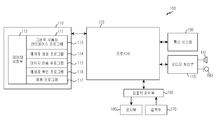
도 1은 본 발명의 실시 예에 따른 전자 장치의 블록 구성을 도시하고 있다.Fig. 1 shows a block configuration of an electronic device according to an embodiment of the present invention.
도 1에 도시된 바와 같이 전자 장치(100)는 메모리(110), 프로세서(120), 통신 시스템(130), 오디오 처리부(140), 입출력 제어부(150), 표시부(160) 및 입력 장치(170)를 포함할 수 있다. 여기서, 메모리(110)는 다수 개 존재할 수도 있다. 1, the
각 구성요소에 대해 살펴보면 다음과 같다.The components are as follows.
메모리(110)는 전자장치(100)의 동작을 제어하기 위한 프로그램을 저장하는 프로그램 저장부(111) 및 프로그램 수행 중에 발생되는 데이터를 저장하는 데이터 저장부(112)를 포함할 수 있다. 메모리(110)는 휘발성 메모리 (예를 들어, RAM) 또는 비휘발성 메모리 (예를 들어, 플래시 메모리) 또는 그 조합일 수 있다.The
데이터 저장부(112)는 숨김 틀 설정 정보를 저장할 수 있다. 여기서, 숨김 틀 설정 정보는 메시지에 추가하기 위한 숨김 틀의 형태 정보 및 숨김 틀의 크기 정보 중 하나 이상을 포함할 수 있다. 숨김 틀의 형태는 다각형, 원형, 타원형, 말풍선 및 하트 등을 포함할 수 있다. 숨김 틀은 메시지에서 적어도 일부 내용이 숨겨진 영역을 숨김 틀의 형태로 시각화하여 표시하는 정보를 나타낼 수 있다. The
프로그램 저장부(111)는 그래픽 사용자 인터페이스(GUI: Graphic User Interface) 프로그램(113), 메시지 생성 프로그램(114), 메시지 전송 프로그램(115), 메시지 확인 프로그램(116) 및 하나 이상의 응용프로그램(117)을 포함할 수 있다. 여기서, 프로그램 저장부(111)에 포함되는 프로그램은 명령어들의 집합으로 명령어 세트(instruction set)로 표현할 수도 있다. The
GUI 프로그램(113)은 표시부(160) 상에 그래픽으로 사용자 인터페이스를 제공하기 위한 하나 이상의 소프트웨어 구성요소를 포함한다. 즉, GUI 프로그램(113)은 프로세서(120)에 의해 구동되는 응용프로그램 정보를 표시부(160)에 표시하도록 제어할 수 있다. The GUI
예를 들어, GUI 프로그램(113)은 메시지 생성 프로그램(114)을 통해 작성되는 메시지를 도 5a에 도시된 바와 같이 표시부(160)에 표시하도록 제어할 수 있다. 이때, GUI 프로그램(113)은 터치 펜을 이용하여 메시지를 입력하기 위한 터치 입력 창을 표시부(160)에 표시하도록 제어할 수 있다. 만일, 메시지 생성 프로그램(114)에서 숨김 메시지를 생성하는 경우, GUI 프로그램(113)은 메시지 생성 프로그램(114)에 의해 결정된 하나 이상의 숨김 영역에 숨김 틀을 표시하도록 표시부(160)를 제어할 수 있다. 구체적으로, GUI 프로그램(113)은 도 5b 내지 도 5d 및 도 6a 내지 도 6d에 도시된 바와 같이 표시부(160)에 표시된 메시지에 하나 이상의 숨김 틀을 표시하도록 제어할 수 있다. 한편, GUI 프로그램(113)은 도 8a 내지 도 8c에 도시된 바와 같이 메시지를 표시하기 위한 메시지 표시 영역에 하나 이상의 숨김 틀을 표시하도록 제어할 수 있다. 이때, GUI 프로그램(113)은 데이터 저장부(112)에 저장된 숨김 틀 설정 정보에 따른 형태 및 크기의 숨김 틀을 표시하거나, 숨김 영역 설정을 위한 터치 정보에 따른 형태 및 크기의 숨김 틀을 표시부(160)에 표시하도록 제어할 수 있다. For example, the
다른 예를 들어, GUI 프로그램(113)은 메시지 확인 프로그램(116)에 의해 확인되는 메시지를 표시부(160)에 표시하도록 제어할 수 있다. 만일, 메시지 확인 프로그램(116)에서 메시지에 대한 숨김 영역 정보를 확인한 경우, GUI 프로그램(113)은 도 14a에 도시된 바와 같이 수신 메시지에서 숨김 영역의 내용이 표시되지 않도록 표시부(160)에 표시하도록 제어할 수 있다. 숨김 영역 확인 이벤트가 발생한 경우, GUI 프로그램(113)은 도 14b에 도시된 바와 같이 숨김 틀(1431)을 표시부(160)에 표시하도록 제어할 수 있다. 메시지 확인 프로그램(116)에서 숨김 틀의 숨김 확인 옵션에 대응되는 입력을 확인한 경우, GUI 프로그램(113)은 도 14c 및 도 14f에 도시된 바와 같이 숨김 틀에 의해 숨겨진 메시지 내용을 표시부(160)에 표시하도록 제어할 수 있다.For example, the
메시지 생성 프로그램(114)은 메시지를 생성하기 위한 하나 이상의 소프트웨어 구성요소를 포함한다. 예를 들어, 메시지 생성 프로그램(114)은 입력부(170)로부터 제공받은 키패드의 터치 정보 또는 터치 펜에 의한 입력 정보에 따라 메시지를 작성할 수 있다.The
숨김 메시지를 생성하는 경우, 메시지 생성 프로그램(114)은 메시지에서 적어도 일부 내용을 숨기기 위한 하나 이상의 숨김 영역을 결정할 수도 있다. 이때, 메시지 생성 프로그램(114)은 메시지 작성 전, 메시지 작성 중 및 메시지 작성 후 중 하나 이상의 시점에 하나 이상의 숨김 영역을 결정할 수 있다. 예를 들어, 메시지 생성 프로그램(114)은 터치 펜 또는 손가락에 의해 메시지 표시 영역에 대한 터치가 감지된 경우, 숨김 설정 이벤트가 발생한 것으로 인식할 수 있다. 이에 따라, 메시지 생성 프로그램(114)은 메시지 표시 영역에서 터치가 감지된 하나 이상의 영역을 숨김 영역으로 설정할 수 있다. 다른 예를 들어, 메시지 생성 프로그램(114)은 숨김 설정 이벤트가 발생한 후, 메시지 표시 영역에 대한 터치 정보를 고려하여 하나 이상의 숨김 영역을 설정할 수도 있다. 이때, 메시지 생성 프로그램(114)은 숨김 설정 아이콘의 선택, 숨김 설정 메뉴의 선택 및 숨김 설정 이벤트가 매핑된 제스쳐의 감지 중 어느 하나를 고려하여 숨김 설정 이벤트가 발생하는지 확인할 수 있다. 여기서, 숨김 영역은 메시지의 적어도 일부 내용을 숨기기 위한 숨김 틀을 표시하기 위한 영역을 나타낸다. When generating a hidden message, the
메시지 생성 프로그램(114)은 숨김 영역에 대한 숨김 확인 옵션을 설정할 수도 있다. 예를 들어, 메시지 생성 프로그램(114)은 숨김 틀에 대한 터치 펜의 스크래치 동작만으로 숨김 정보를 확인할 수 있도록 설정할 수 있다. 다른 예를 들어, 메시지 생성 프로그램(114)은 숨김 틀에 인증키를 설정할 수도 있다. 또 다른 예를 들어, 메시지 생성 프로그램(114)은 숨김 틀에 대한 확인 가능 횟수를 제한할 수도 있다. 또 다른 예를 들어, 메시지 생성 프로그램(114)은 터치 펜을 이용한 스크래치 동작, 인증키 설정 방법 및 확인 가능 횟수 설정 방법 중 두 가지 이상을 숨김 확인 옵션으로 설정할 수도 있다. 여기서, 터치 펜의 스크래치 동작은 터치 펜에 의해 숨김 틀을 긁는 듯한 일련의 동작을 나타낼 수 있다.The
만일, 하나의 메시지에 다수 개의 숨김 정보들이 포함되는 경우, 메시지 생성 프로그램(114)은 다수 개의 숨김 정보들에 동일한 숨김 확인 옵션을 설정할 수도 있고, 각각의 숨김 정보에 서로 다른 숨김 확인 옵션을 설정할 수도 있다. If a plurality of pieces of hidden information are included in one message, the
메시지 전송 프로그램(115)은 메시지 생성 프로그램(114)에 의해 생성된 메시지를 상대 전자 장치로 전송하기 위한 하나 이상의 소프트웨어 구성요소를 포함한다. 예를 들어, 메시지 전송 프로그램(115)은 메시지 생성 프로그램(115)을 통해 생성된 숨김 영역 정보를 숨김 메시지를 통신 시스템(130)을 통해 상대 전자 장치로 전송하도록 제어할 수 있다. 이때, 메시지 전송 프로그램(115)은 메시지 생성 프로그램(115)을 통해 생성된 메시지와 메시지에 대한 숨김 영역 정보를 구분하여 상대 전자 장치로 전송하도록 제어할 수도 있다. 여기서, 숨김 영역 정보는 메시지에 포함된 숨김 틀의 위치, 크기 및 형태 정보 중 하나 이상을 포함할 수 있다.The
메시지 확인 프로그램(116)은 상대 전자 장치로부터 수신한 메시지를 확인하기 위한 하나 이상의 소프트웨어 구성요소를 포함한다. 예를 들어, 메시지 확인 프로그램(116)은 통신시스템(130)을 통해 수신한 메시지의 내용을 확인할 수 있다. 만일, 메시지에 대한 숨김 영역 정보를 포함하는 경우, 메시지 확인 프로그램(116)은 메시지에서 숨겨진 적어도 일부 내용을 표시하지 않도록 제어할 수 있다. 이후, 메시지 확인 프로그램(116)은 숨김 영역 확인 이벤트가 발생하는 경우, 메시지의 적어도 일부 내용이 숨겨진 숨김 틀을 표시하도록 제어할 수 있다. 또한, 메시지 확인 프로그램(116)은 입력부(170)로부터 숨김 틀의 숨김 확인 옵션에 대응하는 입력을 제공받은 경우, 숨김 틀의 표시를 제거하도록 제어할 수 있다.The
응용프로그램(117)은 전자장치(100)에 설치된 적어도 하나의 응용 프로그램에 대한 소프트웨어 구성 요소를 포함한다. The
프로세서(120)는 적어도 하나의 소프트웨어 프로그램을 사용하여 전자장치(100)가 다양한 멀티미디어 서비스를 제공하도록 제어한다. 이때, 프로세서(120)는 메모리(110)에 저장되어 있는 적어도 하나의 프로그램을 실행하여 해당 프로그램에 대응하는 서비스를 제공한다. The
통신시스템(130)은 상대 전자 장치와 메시지를 송수신하는 통신 기능을 수행할 수 있다. 이때, 통신 시스템은 서로 다른 통신 네트워크를 지원하는 다수 개의 통신 서브 모듈들로 구분될 수 있다. 예를 들어, 통신 네트워크는 이들에 한정하지는 않지만, GSM(Global System for Mobile Communication) 네트워크, EDGE(Enhanced Data GSM Environment) 네트워크, CDMA(Code Division Multiple Access) 네트워크, W-CDMA(W-Code Division Multiple Access) 네트워크, LTE(Long Term Evolution) 네트워크, OFDMA(Orthogonal Frequency Division Multiple Access) 네트워크, 무선랜, Bluetooth 네트워크 및 NFC(Near Field Communication) 등을 포함한다.The
오디오 처리부(140)는 스피커(141) 및 마이크로폰(142)을 통해 사용자와 전자 장치(100) 사이의 오디오 인터페이스를 제공한다. The
입출력 제어부(150)는 표시부(160) 및 입력 장치(170) 등의 입출력 장치와 프로세서(120) 사이에 인터페이스를 제공한다. The input /
표시부(160)는 전자장치(100)의 상태 정보, 사용자가 입력하는 문자, 동화상(moving picture) 또는 정화상(still picture) 등을 표시한다. 즉, 표시부(160)는 프로세서(122)에 의해 구동되는 응용프로그램 정보를 표시할 수 있다. The
예를 들어, 표시부(160)는 메시지 생성 프로그램(114)을 통해 작성되는 메시지를 도 5a에 도시된 바와 같이 표시할 수 있다. 이때, 표시부(160)는 메시지 생성 프로그램(114)에 의해 결정된 하나 이상의 숨김 영역에 숨김 틀을 표시할 수 있다. 구체적으로, 표시부(160)는 도 5b 내지 도 5d 및 도 6a 내지 도 6d에 도시된 바와 같이 메시지가 표시된 영역에 하나 이상의 숨김 틀을 표시할 수 있다. 이때, 표시부(160)는 메시지를 표시한 계층의 상단에 숨김 틀이 표시된 별도의 다른 계층을 중첩하여 표시할 수 있다. 이에 따라, 표시부(160)는 숨김 틀이 표시된 위치의 메시지 내용을 숨길 수 있다. 한편, 표시부(160)는 도 8a 내지 도 8c에 도시된 바와 같이 메시지 표시 영역에 하나 이상의 숨김 틀을 표시할 수 있다. 이때, 표시부(160)는 메시지를 표시하기 위한 계층의 상단에 숨김 틀이 표시된 별도의 다른 계층을 중첩하여 표시할 수 있다. 이에 따라, 표시부(160)는 숨김 틀이 표시된 위치의 작성되는 메시지의 내용을 숨길 수 있다. For example, the
다른 예를 들어, 표시부(160)는 메시지 확인 프로그램(116)에 의해 확인되는 메시지를 표시할 수 있다. 만일, 메시지 확인 프로그램(116)에서 숨김 메시지를 확인하는 수신한 경우, 표시부(160)는 도 14a에 도시된 바와 같이 숨김 영역이 표시되지 않도록 수신 메시지를 표시할 수 있다. 숨김 영역 확인 이벤트가 발생한 경우, 표시부(160)는 도 14b에 도시된 바와 같이 숨김 틀(1431)을 메시지의 숨김 영역에 표시할 수 있다. 메시지 확인 프로그램(116)에서 숨김 틀의 숨김 확인 옵션에 대한 입력을 확인한 경우, 표시부(160)는 도 14c 및 도 14f에 도시된 바와 같이 숨김 틀에 의해 숨겨진 메시지 내용을 표시할 수도 있다.For example, the
입력 장치(170)는 사용자의 선택에 의해 발생하는 입력 데이터를 입출력 제어부(150)를 통해 프로세서(120)로 제공한다. 이때, 입력 장치(170)는 적어도 하나의 하드웨어 버튼을 포함하는 키패드 및 터치를 감지하는 터치 패드 등을 포함한다. 예를 들어, 입력 장치(170)는 터치 패드를 통해 감지한 터치 정보를 입출력 제어부(150)를 통해 프로세서(120)로 제공한다.The
도 2는 본 발명의 실시 예에 따른 프로세서의 상세 블록 구성을 도시하고 있다.2 shows a detailed block configuration of a processor according to an embodiment of the present invention.
도 2에 도시된 바와 같이 프로세서(120)는 메시지 생성부(200), 메시지 전송부(210), 메시지 확인부(220) 및 표시 제어부(230)를 포함할 수 있다. 2, the
메시지 생성부(200)는 프로그램 저장부(111)에 저장된 메시지 생성 프로그램(114)을 실행하여 메시지를 생성할 수 있다. 예를 들어, 메시지 생성부(200)는 입력부(170)로부터 제공받은 키패드의 터치 정보 또는 터치 펜에 의한 입력 정보에 따라 메시지를 작성할 수 있다.The
숨김 메시지를 생성하는 경우, 메시지 생성부(200)는 메시지에서 적어도 일부 내용을 숨기기 위한 하나 이상의 숨김 영역을 결정할 수도 있다. 이때, 메시지 생성부(200)는 메시지 작성 전, 메시지 작성 중 및 메시지 작성 후 중 하나 이상의 시점에 하나 이상의 숨김 영역을 결정할 수 있다. 예를 들어, 메시지 생성부(200)는 터치 펜 또는 손가락에 의해 메시지 표시 영역에 대한 터치가 감지된 경우, 숨김 설정 이벤트가 발생한 것으로 인식할 수 있다. 이에 따라, 메시지 생성부(200)는 메시지 표시 영역에서 터치가 감지된 하나 이상의 영역을 숨김 영역으로 설정할 수 있다. 다른 예를 들어, 메시지 생성부(200)는 숨김 설정 이벤트가 발생한 후, 메시지 표시 영역에 대한 터치 정보를 고려하여 하나 이상의 숨김 영역을 설정할 수도 있다. 이때, 메시지 생성부(200)는 숨김 설정 아이콘의 선택, 숨김 설정 메뉴의 선택 및 숨김 설정 이벤트가 매핑된 제스쳐의 감지 중 어느 하나를 고려하여 숨김 설정 이벤트가 발생하는지 확인할 수 있다. 여기서, 숨김 영역은 메시지의 적어도 일부 내용을 숨기기 위한 숨김 틀을 표시하기 위한 영역을 나타낸다. When generating a hidden message, the
메시지 생성부(200)는 숨김 영역에 대한 숨김 확인 옵션을 설정할 수도 있다. 예를 들어, 메시지 생성부(200)는 숨김 틀에 대한 터치 펜의 스크래치 동작만으로 숨김 정보를 확인할 수 있도록 설정할 수 있다. 다른 예를 들어, 메시지 생성부(200)는 숨김 틀에 인증키를 설정할 수도 있다. 또 다른 예를 들어, 메시지 생성부(200)는 숨김 틀에 대한 확인 가능 횟수를 제한할 수도 있다. 또 다른 예를 들어, 메시지 생성부(200)는 터치 펜을 이용한 스크래치 동작, 인증키 설정 방법 및 확인 가능 횟수 설정 방법 중 두 가지 이상을 숨김 확인 옵션으로 설정할 수도 있다. 여기서, 터치 펜의 스크래치 동작은 터치 펜에 의해 숨김 틀을 긁는 듯한 일련의 동작을 나타낼 수 있다.The
만일, 하나의 메시지에 다수 개의 숨김 정보들이 포함되는 경우, 메시지 생성부(200)는 다수 개의 숨김 정보들에 동일한 숨김 확인 옵션을 설정할 수도 있고, 각각의 숨김 정보에 서로 다른 숨김 확인 옵션을 설정할 수도 있다. If a plurality of pieces of hidden information are included in one message, the
메시지 전송부(210)는 프로그램 저장부(111)에 저장된 메시지 전송 프로그램(115)을 실행하여 메시지 생성부(200)에 의해 생성된 메시지를 상대 전자 장치로 전송하도록 제어할 수 있다. 예를 들어, 메시지 전송부(210)는 메시지 생성부(200)에서 생성한 숨김 메시지를 통신 시스템(130)을 통해 상대 전자 장치로 전송하도록 제어할 수 있다. 이때, 메시지 전송부(210)는 메시지 생성부(200)에서 생성한 메시지와 해당 메시지에 대한 숨김 영역 정보를 구분하여 상대 전자 장치로 전송하도록 제어할 수도 있다. 여기서, 숨김 영역 정보는 메시지에 포함된 숨김 영역의 위치, 숨김 틀의 크기 및 형태 정보 중 하나 이상을 포함할 수 있다.The
메시지 확인부(220)는 프로그램 저장부(111)에 저장된 메시지 확인 프로그램(116)을 실행하여 상대 전자 장치로부터 수신한 메시지를 확인할 수 있다. 예를 들어, 메시지 확인부(220)는 통신시스템(130)을 통해 수신한 메시지의 내용을 확인할 수 있다. 만일, 메시지에 대한 숨김 영역 정보를 포함하는 경우, 메시지 확인부(220)는 메시지에서 숨겨진 적어도 일부 내용을 표시하지 않도록 제어할 수 있다. 이후, 메시지 확인부(220)는 숨김 영역 확인 이벤트가 발생하는 경우, 메시지의 적어도 일부 내용이 숨겨진 숨김 틀을 표시하도록 제어할 수 있다. 또한, 메시지 확인부(220)는 입력부(170)로부터 숨김 틀의 숨김 확인 옵션에 대응하는 입력을 제공받은 경우, 숨김 틀의 표시를 제거하도록 제어할 수 있다.The
표시 제어부(230)는 프로그램 저장부(111)에 저장된 GUI 프로그램(113)을 실행하여 표시부(160) 상에 그래픽으로 사용자 인터페이스를 제공할 수 있다. 즉, 표시 제어부(230)는 프로세서(120)에 의해 구동되는 응용프로그램 정보를 표시부(160)에 표시하도록 제어할 수 있다. The
예를 들어, 표시 제어부(230)는 메시지 생성부(200)에서 작성하는 메시지를 도 5a에 도시된 바와 같이 표시부(160)에 표시하도록 제어할 수 있다. 이때, 표시 제어부(230)는 메시지 생성부(200)에 의해 결정된 하나 이상의 숨김 영역에 숨김 틀을 표시하도록 표시부(160)를 제어할 수 있다. 구체적으로, 표시 제어부(230)는 도 5b 내지 도 5d 및 도 6a 내지 도 6d에 도시된 바와 같이 표시부(160)에 표시된 메시지에 하나 이상의 숨김 틀을 표시하도록 제어할 수 있다. 한편, 표시 제어부(230)는 도 8a 내지 도 8c에 도시된 바와 같이 메시지를 표시하기 위한 메시지 표시 영역에 하나 이상의 숨김 틀을 표시하도록 제어할 수 있다. 이때, 표시 제어부(230)는 데이터 저장부(112)에 저장된 숨김 틀 설정 정보에 따른 형태 및 크기의 숨김 틀을 표시하거나, 숨김 영역 설정을 위한 터치 정보에 따른 형태 및 크기의 숨김 틀을 표시부(160)에 표시하도록 제어할 수 있다. For example, the
다른 예를 들어, 표시 제어부(230)는 메시지 확인부(220)에 의해 확인된 메시지를 표시부(160)에 표시하도록 제어할 수 있다. 만일, 메시지 확인부(220)에서 메시지에 대한 숨김 영역 정보를 확인한 경우, 표시 제어부(230)는 도 14a에 도시된 바와 같이 수신 메시지에서 숨김 영역의 내용이 표시되지 않도록 표시부(160)에 표시하도록 제어할 수 있다. 숨김 영역 확인 이벤트가 발생한 경우, 표시 제어부(230)는 도 14b에 도시된 바와 같이 숨김 틀(1431)을 표시부(160)에 표시하도록 제어할 수 있다. 메시지 확인부(220)에서 숨김 틀의 숨김 확인 옵션에 대응되는 입력을 확인한 경우, 표시 제어부(230)는 도 14c 및 도 14f에 도시된 바와 같이 숨김 틀에 의해 숨겨진 메시지 내용을 표시부(160)에 표시하도록 제어할 수 있다.For example, the
상술한 실시 예에서 프로세서(120)의 구성 요소들(200, 210, 220, 230)은 별개의 모듈들을 형성될 수 있다. In the above-described embodiment, the
다른 실시 예에서 프로세서(120)는 하나의 모듈 내에서 소프트웨어의 구성요소들로서 포함하도록 구성될 수도 있다.In another embodiment, the
도 3은 본 발명의 실시 예에 따른 전자 장치에서 숨김 메시지를 전송하기 위한 절차를 도시하고 있다. FIG. 3 illustrates a procedure for transmitting a hidden message in an electronic device according to an embodiment of the present invention.
도 3을 참조하면 전자 장치는 301단계에서 메시지를 생성한다. 예를 들어, 전자 장치는 입력부(170)로부터 제공받은 키패드의 터치 정보 또는 터치 펜에 의한 입력 정보에 따라 메시지를 작성할 수 있다. 이때, 전자 장치는 도 5a에 도시된 바와 같이 작성되는 메시지를 표시부(160)에 표시할 수 있다.Referring to FIG. 3, the electronic device generates a message in step 301. For example, the electronic device can generate a message according to the touch information of the keypad or the input information of the touch pen provided from the
이후, 전자 장치는 303단계로 진행하여 메시지의 적어도 일부 내용에 숨김 틀을 추가하여 숨김 메시지를 생성한다. 이때, 전자 장치는 메시지 작성 중 및 메시지 작성 후 중 하나 이상의 시점에 하나 이상의 숨김 틀을 메시지 표시 영역에 추가할 수 있다. 예를 들어, 전자 장치는 터치 펜 또는 손가락에 의해 메시지 표시 영역에 대한 터치가 감지된 경우, 숨김 설정 이벤트가 발생한 것으로 인식할 수 있다. 이에 따라, 전자 장치는 메시지 표시 영역에서 터치가 감지된 하나 이상의 영역을 숨김 영역으로 설정하여 숨김 틀을 추가할 수 있다. 다른 예를 들어, 전자 장치는 숨김 설정 이벤트가 발생한 후, 메시지 표시 영역에 대한 터치 정보를 고려하여 하나 이상의 숨김 영역을 설정하여 숨김 틀을 추가할 수도 있다. 이때, 전자 장치는 숨김 설정 아이콘의 선택, 숨김 설정 메뉴의 선택 및 숨김 설정 이벤트가 매핑된 제스쳐의 감지 중 어느 하나를 고려하여 숨김 설정 이벤트가 발생하는지 확인할 수 있다. 여기서, 숨김 영역은 메시지의 적어도 일부 내용을 숨기기 위한 숨김 틀을 표시하기 위한 영역을 나타낸다. Then, the electronic device proceeds to step 303 to add a hidden frame to at least some contents of the message to generate a hidden message. At this time, the electronic device can add one or more hidden frames to the message display area at one or more of the time during message creation and the time after message creation. For example, when a touch on the message display area is detected by the touch pen or the finger, the electronic device can recognize that the hidden setting event has occurred. Accordingly, the electronic device can add a hidden frame by setting one or more areas in which a touch is detected in the message display area as a hidden area. For example, the electronic device may add a hidden frame by setting one or more hidden areas in consideration of the touch information on the message display area after the hidden setting event occurs. At this time, the electronic device can check whether a hidden setting event occurs by considering the selection of the hidden setting icon, the selection of the hidden setting menu, and the detection of the gesture to which the hidden setting event is mapped. Here, the hidden area represents an area for displaying a hidden frame for hiding at least some contents of the message.
숨김 메시지를 생성한 후, 전자 장치는 305단계로 진행하여 숨김 메시지를 상대 전자 장치로 전송한다. 예를 들어, 전자 장치는 하나 이상의 숨김 틀을 포함하는 숨김 메시지를 상대 전자 장치로 전송할 수 있다. 다른 예를 들어, 전자 장치는 메시지와 해당 메시지에 대한 숨김 영역 정보를 상대 전자 장치로 전송할 수도 있다. 여기서, 숨김 영역 정보는 메시지에 포함된 숨김 틀의 위치, 크기 및 형태 정보 중 하나 이상을 포함할 수 있다.After generating the hidden message, the electronic device proceeds to step 305 to transmit the hidden message to the counterpart electronic device. For example, the electronic device may send a hidden message containing one or more hidden frames to the counterpart electronic device. In another example, the electronic device may send a message and hidden area information for the message to the partner electronic device. Here, the hidden area information may include at least one of the location, size, and type information of the hidden frame included in the message.
상술한 실시 예에서 전자 장치는 메시지 작성 중 또는 메시지 작성 후 메시지 표시 영역에 하나 이상의 숨김 틀을 추가하여 숨김 메시지를 생성할 수 있다.In the above-described embodiment, the electronic device can generate a hidden message by adding one or more hidden frames to the message display area during message creation or after message creation.
다른 실시 예에서 전자 장치는 메시지 작성 전에 하나 이상의 숨김 틀을 메시지 표시 영역에 미리 추가하여 숨김 메시지를 생성할 수도 있다. 예를 들어, 전자 장치는 메시지 표시 영역에 하나 이상의 숨김 틀을 표시한다(303단계). 이후, 전자 장치는 숨김 틀이 표시된 메시지 표시 영역에 입력부(170)로부터 제공받은 키패드의 터치 정보 또는 터치 펜에 의한 입력 정보에 따른 메시지를 표시하여 숨김 메시지를 생성할 수 있다(301단계). 숨김 메시지를 생성한 후, 전자 장치는 숨김 메시지를 상대 전자 장치로 전송할 수 있다(305단계).In another embodiment, the electronic device may pre-add one or more hidden frames to the message display area before message creation to generate a hidden message. For example, the electronic device displays one or more hidden frames in the message display area (step 303). Thereafter, the electronic device may generate a hidden message by displaying a message according to the touch information of the keypad or the input information of the touch pen provided from the
도 4는 본 발명의 제 1 실시 예에 따른 전자 장치에서 숨김 메시지를 생성하기 위한 절차를 도시하고 있다. 이하 설명은 도 5a 내지 도 5d 및 도 6a 내지 도 6d에 도시된 화면 구성을 참조하여 숨김 메시지를 생성 및 전송하는 절차에 대해 설명한다.4 shows a procedure for generating a hidden message in an electronic device according to the first embodiment of the present invention. Hereinafter, a procedure for generating and transmitting a hidden message will be described with reference to the screen configurations shown in Figs. 5A to 5D and Figs. 6A to 6D.
도 4를 참조하면 전자 장치는 401단계에서 메시지를 작성한다. 예를 들어, 전자 장치는 메시지를 작성하는 경우, 도 5a에 도시된 바와 같이 메시지 작성 화면(500)을 표시부(160)에 표시할 수 있다. 이후, 전자 장치는 입력부(170)로부터 제공받은 키패드의 터치 정보 또는 터치 펜에 의한 입력 정보에 따라 작성되는 메시지를 메시지 표시 영역(510)에 표시할 수 있다. 추가적으로, 메시지 작성 화면(500)은 메시지를 전송할 상대 전자 장치 정보(502), 상대 전자 장치 정보를 추가하는데 사용할 수 있는 주소록의 아이콘(504) 및 메시지 작성, 편집 및 전송을 위한 제어 메뉴들(522, 524 및 526) 중 하나 이상의 메시지 서비스를 위한 추가 정보를 더 포함할 수 있다.Referring to FIG. 4, the electronic device creates a message in
이후, 전자 장치는 403단계로 진행하여 숨김 메시지 작성 이벤트가 발생하는지 확인한다. 예를 들어, 전자 장치는 도 5a에 도시된 메시지 표시 영역(510)에 대한 터치가 감지되는지 확인할 수 있다. 다른 예를 들어, 전자 장치는 숨김 설정 아이콘의 선택이 감지되는지 확인할 수도 있다. 또 다른 예를 들어, 전자 장치는 도 5a에 도시된 숨김 설정 메뉴(524)가 선택되는지 확인할 수도 있다. 또 다른 예를 들어, 전자 장치는 숨김 메시지 작성 이벤트가 매칭된 제스쳐가 감지되는지 확인할 수도 있다. Thereafter, the electronic device proceeds to step 403 to check if a hidden message creation event occurs. For example, the electronic device can confirm whether a touch to the
숨김 메시지 작성 이벤트가 발생하지 않은 경우, 전자 장치는 본 알고리즘을 종료한다. 이때, 전자 장치는 401단계에서 작성한 메시지를 상대 전자 장치로 전송할 수 있다.If no hidden message creation event has occurred, the electronic device terminates the algorithm. At this time, the electronic device can transmit the message created in
한편, 숨김 메시지 작성 이벤트가 발생한 경우, 전자 장치는 405단계로 진행하여 하나 이상의 숨김 틀을 메시지 표시 영역에 추가한다. 이때, 전자 장치는 데이터 저장부(112)에 저장된 숨김 틀 설정 정보에 따른 형태 및 크기의 숨김 틀을 추가하거나, 숨김 영역 설정을 위한 터치 정보에 따른 형태 및 크기의 숨김 틀을 추가할 수도 있다. 예를 들어, 메시지 표시 영역(510)에 대한 사각 형태의 터치 이동 정보를 고려하여 숨김 메시지 작성 이벤트 발생을 확인한 경우, 전자 장치는 도 5b에 도시된 바와 같이 터치 정보에 따라 사각 형태의 숨김 틀(531)을 터치가 감지된 영역에 추가할 수 있다. 다른 예를 들어, 숨김 메시지 작성 이벤트 발생 후, 메시지 표시 영역(510)에 대한 사각 형태의 터치 이동을 감지한 경우, 전자 장치는 도 5b에 도시된 바와 같이 터치 정보에 따라 사각 형태의 숨김 틀(531)을 터치가 감지된 영역에 추가할 수 있다. 또 다른 예를 들어, 숨김 메시지 작성 이벤트 발생 후, 메시지 표시 영역(510)에 대한 터치를 감지한 경우, 전자 장치는 데이터 저장부(112)에 저장된 숨김 틀 설정 정보에 따른 형태 및 크기에 따라 도 5b에 도시된 바와 같이 터치 지점에 사각 형태의 숨김 틀(531)을 추가할 수 있다. On the other hand, if a hidden message creation event occurs, the electronic device proceeds to step 405 and adds one or more hidden frames to the message display area. At this time, the electronic device may add a hidden frame of the form and size according to the hidden frame setting information stored in the
추가적으로, 전자 장치는 입력부(170)로부터 제공받은 입력 정보에 따라 숨김 틀(531)의 위치 및 크기를 변경할 수도 있다. 예를 들어, 도 6a에 도시된 바와 같이 숨김 틀(531)에 대한 터치 이동(601 -> 603)을 감지한 경우, 전자 장치는 도 6b에 도시된 바와 같이 터치 이동 정보에 따라 숨김 틀(531)의 위치를 변경(611)할 수 있다. 다른 예를 들어, 전자 장치는 숨김 틀(531)의 외각에 대한 터치 이동 정보에 따라 숨김 틀(531)의 크기를 조절할 수도 있다.In addition, the electronic device may change the position and size of the hidden
숨김 틀을 추가한 후, 전자 장치는 407단계로 진행하여 숨김 틀에 의해 숨겨진 메시지의 적어도 일부 내용을 확인할 수 있는 숨김 확인 옵션을 설정한다. 예를 들어, 전자 장치는 숨김 틀에 대한 터치 펜의 스크래치 동작만으로 숨김 정보를 확인할 수 있도록 설정할 수 있다. 다른 예를 들어, 전자 장치는 숨김 정보에 인증키를 설정할 수도 있다. 또 다른 예를 들어, 전자 장치는 숨김 정보에 대한 확인 가능 횟수를 제한할 수도 있다. 또 다른 예를 들어, 전자 장치는 터치 펜을 이용한 스크래치 동작, 인증키 설정 방법 및 확인 가능 횟수 설정 방법 중 두 가지 이상을 숨김 확인 옵션으로 설정할 수도 있다. 여기서, 터치 펜에 의한 스크래치 동작은 터치 펜에 의해 숨김 틀을 긁는 듯한 일련의 동작을 나타낼 수 있다.After adding the hidden frame, the electronic device proceeds to step 407 to set a hidden check option that allows at least some contents of the hidden message to be checked by the hidden frame. For example, the electronic device can be set so that the hidden information can be confirmed only by the scratch operation of the touch pen with respect to the hidden frame. As another example, the electronic device may set an authentication key in the hidden information. As another example, the electronic device may limit the number of times that it can check for hidden information. As another example, the electronic device may set two or more of the scratch operation using the touch pen, the authentication key setting method, and the checkable number of times setting method as the hidden check option. Here, the scratch operation by the touch pen may represent a series of operations such as scratching the hidden frame by the touch pen.
이후, 전자 장치는 409단계로 진행하여 숨김 틀 추가 설정 이벤트가 발생하는지 확인한다. 예를 들어, 전자 장치는 메시지 표시 영역(510)에 대한 터치가 감지되는지 확인할 수 있다. 다른 예를 들어, 전자 장치는 숨김 설정 아이콘의 선택이 감지되는지 확인할 수도 있다. 또 다른 예를 들어, 전자 장치는 도 5a에 도시된 숨김 영역 추가 메뉴(526)가 선택되는지 확인할 수도 있다. 또 다른 예를 들어, 전자 장치는 숨김 메시지 작성 이벤트가 매칭된 제스쳐가 감지되는지 확인할 수도 있다. Thereafter, the electronic device proceeds to step 409 to check if a hidden frame addition setting event occurs. For example, the electronic device can confirm that a touch to the
숨김 틀 추가 설정 이벤트가 발생한 경우, 전자 장치는 405단계로 진행하여 하나 이상의 숨김 틀을 메시지 표시 영역에 추가한다. 이때, 전자 장치는 데이터 저장부(112)에 저장된 숨김 틀 설정 정보에 따른 형태 및 크기의 숨김 틀을 추가하거나, 숨김 영역 설정을 위한 터치 정보에 따른 형태 및 크기의 숨김 틀을 추가할 수도 있다. 예를 들어, 메시지 표시 영역에 대한 사각 형태의 터치 이동 정보를 고려하여 숨김 틀 추가 설정 이벤트 발생을 확인한 경우, 전자 장치는 도 6c에 도시된 바와 같이 터치 정보에 따라 사각 형태의 숨김 틀(623)을 터치가 감지된 영역에 추가할 수 있다. 다른 예를 들어, 숨김 틀 추가 설정 이벤트 발생 후, 메시지 표시 영역에 대한 사각 형태의 터치 이동을 감지한 경우, 전자 장치는 도 6c에 도시된 바와 같이 터치 정보에 따라 사각 형태의 숨김 틀(623)을 터치가 감지된 영역에 추가할 수 있다. 또 다른 예를 들어, 숨김 틀 추가 설정 발생 후, 메시지 표시 영역에 대한 터치를 감지한 경우, 전자 장치는 데이터 저장부(112)에 저장된 숨김 틀 설정 정보에 따른 형태 및 크기에 따라 도 6c에 도시된 바와 같이 터치 지점에 사각 형태의 숨김 틀(623)을 추가할 수 있다. If the hidden frame addition setting event occurs, the electronic device proceeds to step 405 and adds one or more hidden frames to the message display area. At this time, the electronic device may add a hidden frame of the form and size according to the hidden frame setting information stored in the
한편, 숨김 틀 추가 설정 이벤트가 발생하지 않은 경우, 전자 장치는 411단계로 진행하여 메시지 전송 이벤트가 발생하는지 확인한다. 예를 들어, 전자 장치는 도 5a에 도시된 전송 메뉴(522)의 선택이 감지되는지 확인할 수 있다.On the other hand, if the hidden frame addition setting event has not occurred, the electronic device proceeds to step 411 to check if a message transmission event occurs. For example, the electronic device can verify that the selection of the
메시지 전송 이벤트가 발생하지 않은 경우, 전자 장치는 409단계로 진행하여 숨김 틀 추가 설정 이벤트가 발생하는지 확인한다. 다른 예를 들어, 메시지 전송 이벤트가 발생하지 않은 경우, 전자 장치는 메시지를 수정하거나 메시지를 추가할 수도 있다. If the message transmission event has not occurred, the electronic device proceeds to step 409 to check if a hidden frame addition setting event occurs. As another example, if no message transfer event has occurred, the electronic device may modify the message or add a message.
한편, 메시지 전송 이벤트가 발생한 경우, 전자 장치는 413단계로 진행하여 숨김 메시지를 상대 전자 장치로 전송한다. 예를 들어, 전자 장치는 하나 이상의 숨김 틀을 포함하는 숨김 메시지를 상대 전자 장치로 전송할 수 있다. 다른 예를 들어, 전자 장치는 메시지와 해당 메시지에 대한 숨김 영역 정보를 상대 전자 장치로 전송할 수도 있다. 이때, 전자 장치는 도 5d에 도시된 바와 같이 숨김 확인 옵션 정보(551)를 표시부에 다시 보여주면서 전송 여부를 다시 확인할 수도 있다. 여기서, 숨김 영역 정보는 메시지에 포함된 숨김 틀의 위치, 크기 및 형태 정보 중 하나 이상을 포함할 수 있다.If the message transmission event occurs, the electronic device proceeds to step 413 and transmits a hidden message to the counterpart electronic device. For example, the electronic device may send a hidden message containing one or more hidden frames to the counterpart electronic device. In another example, the electronic device may send a message and hidden area information for the message to the partner electronic device. At this time, the electronic device may again check the transmission status while showing the hidden
상술한 실시 예에서 전자 장치는 숨김 틀을 추가할 때마다 해당 숨김 틀에 대한 숨김 확인 옵션을 설정할 수 있다. 이에 따라, 전자 장치는 메시지에 포함되는 각각의 숨김 틀에 서로 다른 숨김 확인 옵션을 설정할 수도 있다.In the above-described embodiment, the electronic device can set a hidden check option for the hidden frame every time the hidden frame is added. Accordingly, the electronic device may set different hiding confirmation options for each hidden frame included in the message.
다른 실시 예에서 전자 장치는 메시지에 하나 이상의 숨김 틀을 추가한 후, 메시지에 추가된 하나 이상의 숨김 틀에 공통적으로 적용하기 위한 숨김 확인 옵션을 설정할 수도 있다. 예를 들어, 전자 장치는 메시지 전송 이벤트가 발생한 경우, 숨김 확인 옵션을 설정하기 위한 입력 창을 표시하여 메시지에 추가된 하나 이상의 숨김 틀에 공통적으로 적용하기 위한 숨김 확인 옵션을 설정할 수도 있다.In another embodiment, the electronic device may add one or more hidden frames to the message, and then set a hidden check option to commonly apply the one or more hidden frames added to the message. For example, the electronic device may display an input window for setting a hidden confirmation option when a message transmission event occurs, and may set a hidden verification option to be commonly applied to one or more hidden frames added to the message.
또 다른 실시 예에서 전자 장치는 메시지에 추가된 하나 이상의 숨김 틀에 기 설정된 숨김 확인 옵션을 적용할 수도 있다. 이 경우, 전자 장치는 숨김 메시지 생성 중 숨김 확인 옵션을 설정하기 위한 절차(407단계)를 생략할 수 있다.In yet another embodiment, the electronic device may apply a preconfigured hiding confirmation option to one or more hidden frames added to the message. In this case, the electronic device may omit the procedure for setting the hidden confirmation option during the creation of the hidden message (step 407).
상술한 바와 같이 전자 장치는 메시지 표시 영역에 하나 이상의 숨김 틀을 추가하여 숨김 메시지를 생성할 수 있다. 이때, 전자 장치는 메시지 표시 영역에 표시된 하나 이상의 숨김 틀의 투명도를 조절하여 숨김 틀 설정 완료 여부 또는 메시지 작성 완료 여부를 나타낼 수 있다. 예를 들어, 도 4의 405단계에서 도 5b에 도시된 바와 같이 메시지 표시 영역에 숨김 틀(531)을 추가한 경우, 전자 장치는 숨김 틀(531)에 대한 숨김 확인 옵션을 설정하기 전까지 사용자가 숨김 틀(531)에 의해 숨겨진 적어도 일부 내용을 확인할 수 있도록 숨김 틀(531)의 투명도를 조절할 수 있다. 만일, 도 4의 407단계에서 숨김 틀(531)에 대한 숨김 확인 옵션이 설정된 경우, 전자 장치는 도 5c에 도시된 바와 같이 숨김 틀(541)에 의해 메시지의 적어도 일부 내용이 숨겨지도록 숨김 틀(541)의 투명도를 조절할 수 있다. 다른 예를 들어, 도 4의 405단계에서 도 6c에 도시된 바와 같이 메시지 표시 영역에 숨김 틀(623)을 추가한 경우, 전자 장치는 숨김 틀(623)에 대한 숨김 확인 옵션을 설정하기 전까지 사용자가 숨김 틀(623)에 의해 숨겨진 적어도 일부 내용을 확인할 수 있도록 숨김 틀(623)의 투명도를 조절할 수 있다. 이때, 전자 장치는 숨김 확인 옵션이 설정된 제 1 숨김 틀(621)에 의해 메시지의 내용이 숨겨지도록 제 1 숨김 틀(621)의 투명도를 조절할 수도 있다. 만일, 도 4의 407단계에서 숨김 틀(623)에 대한 숨김 확인 옵션이 설정된 경우, 전자 장치는 도 6d에 도시된 바와 같이 숨김 틀(631)에 의해 메시지의 적어도 일부 내용이 숨겨지도록 숨김 틀(631)의 투명도를 조절할 수 있다.As described above, the electronic device may add one or more hidden frames to the message display area to generate a hidden message. At this time, the electronic device can display transparency of one or more hidden frames displayed in the message display area to indicate completion of the hidden frame setting or completion of message creation. For example, if the hidden
도 7은 본 발명의 제 2 실시 예에 따른 전자 장치에서 숨김 메시지를 생성하기 위한 절차를 도시하고 있다. 이하 설명은 도 8a 내지 도 8c에 도시된 화면 구성을 참조하여 숨김 메시지를 생성하는 절차에 대해 설명한다.7 shows a procedure for generating a hidden message in an electronic device according to a second embodiment of the present invention. Hereinafter, a procedure for generating a hidden message will be described with reference to the screen configuration shown in FIGS. 8A to 8C.
도 7을 참조하면 전자 장치는 701단계에서 숨김 메시지를 작성할 것인지 확인한다. 예를 들어, 전자 장치는 입력부(170)로부터 제공받은 입력 정보에 따라 숨김 메시지 작성 프로그램이 실행되는지 확인할 수 있다. 다른 예를 들어, 전자 장치는 숨김 메시지 작성 이벤트가 발생하는지 확인할 수도 있다. 이때, 전자 장치는 숨김 메시지 작성 아이콘의 선택, 숨김 메시지 작성 메뉴의 선택 및 숨김 메시지 작성 이벤트가 매핑된 제스쳐의 감지 중 어느 하나를 고려하여 숨김 메시지 작성 이벤트가 발생하는지 확인할 수 있다. 또 다른 예를 들어, 전자 장치는 메시지를 작성하는 경우, 메시지 작성 화면(800)을 표시부(160)에 표시한다. 만일, 메시지 작성 화면(800)의 메시지 표시 영역(810)에 대한 터치 이동을 감지한 경우, 전자 장치는 숨김 메시지 작성 이벤트가 발생한 것으로 인식할 수도 있다. 추가적으로, 메시지 작성 화면(800)은 메시지를 전송할 상대 전자 장치 정보(802), 상대 전자 장치 정보를 추가하는데 사용할 수 있는 주소록의 아이콘(804) 및 메시지 작성, 편집 및 전송을 위한 제어 메뉴들(814, 816 및 818) 중 하나 이상의 메시지 서비스를 위한 추가 정보를 더 포함할 수 있다.Referring to FIG. 7, the electronic device checks in
숨김 메시지를 작성하는 경우, 전자 장치는 703단계로 진행하여 메시지 표시 영역에 하나 이상의 숨김 틀을 추가한다. 이때, 전자 장치는 데이터 저장부(112)에 저장된 숨김 틀 설정 정보에 따른 형태 및 크기의 숨김 틀을 추가하거나, 숨김 영역 설정을 위한 터치 정보에 따른 형태 및 크기의 숨김 틀을 추가할 수도 있다. 예를 들어, 메시지 표시 영역(810)에 대한 사각 형태의 터치 이동 정보를 고려하여 숨김 메시지 작성 이벤트 발생을 확인한 경우, 전자 장치는 도 8a에 도시된 바와 같이 터치 정보에 따라 사각 형태의 숨김 틀(812)을 터치가 감지된 영역에 추가할 수 있다. 다른 예를 들어, 숨김 메시지 작성 이벤트 발생 후, 메시지 표시 영역(810)에 대한 사각 형태의 터치 이동을 감지한 경우, 전자 장치는 도 8a에 도시된 바와 같이 터치 정보에 따라 사각 형태의 숨김 틀(812)을 터치가 감지된 영역에 추가할 수 있다. 또 다른 예를 들어, 숨김 메시지 작성 이벤트 발생 후, 메시지 표시 영역(810)에 대한 터치를 감지한 경우, 전자 장치는 데이터 저장부(112)에 저장된 숨김 틀 설정 정보에 따른 형태 및 크기에 따라 도 8a에 도시된 바와 같이 터치 지점에 사각 형태의 숨김 틀(812)을 추가할 수eh 있다. When creating a hidden message, the electronic device proceeds to step 703 and adds one or more hidden frames to the message display area. At this time, the electronic device may add a hidden frame of the form and size according to the hidden frame setting information stored in the
추가적으로, 전자 장치는 입력부(170)로부터 제공받은 입력 정보에 따라 숨김 틀(812)의 위치 및 크기를 변경할 수도 있다. 예를 들어, 도 8b에 도시된 바와 같이 숨김 틀(812)에 대한 터치 이동(821 -> 823)을 감지한 경우, 전자 장치는 도 8c에 도시된 바와 같이 터치 이동 정보에 따라 숨김 틀(812)의 위치를 변경(831)할 수 있다. 다른 예를 들어, 전자 장치는 숨김 틀(812)의 외각에 대한 터치 이동 정보에 따라 숨김 틀(812)의 크기를 조절할 수도 있다.In addition, the electronic device may change the location and size of the hidden
숨김 틀을 추가한 후, 전자 장치는 705단계로 진행하여 숨김 틀에 의해 숨겨진 메시지의 적어도 일부 내용을 확인할 수 있는 숨김 확인 옵션을 설정한다. 예를 들어, 전자 장치는 숨김 틀에 대한 터치 펜의 스크래치 동작만으로 숨김 정보를 확인할 수 있도록 설정할 수 있다. 다른 예를 들어, 전자 장치는 숨김 정보에 인증키를 설정할 수도 있다. 또 다른 예를 들어, 전자 장치는 숨김 정보에 대한 확인 가능 횟수를 제한할 수도 있다. 또 다른 예를 들어, 전자 장치는 터치 펜을 이용한 스크래치 동작, 인증키 설정 방법 및 확인 가능 횟수 설정 방법 중 두 가지 이상을 숨김 확인 옵션으로 설정할 수도 있다. 여기서, 터치 펜에 의한 스크래치 동작은 터치 펜에 의해 숨김 틀을 긁는 듯한 일련의 동작을 나타낼 수 있다.After adding the hidden frame, the electronic device proceeds to step 705 to set a hidden check option that allows at least some contents of the hidden message to be checked by the hidden frame. For example, the electronic device can be set so that the hidden information can be confirmed only by the scratch operation of the touch pen with respect to the hidden frame. As another example, the electronic device may set an authentication key in the hidden information. As another example, the electronic device may limit the number of times that it can check for hidden information. As another example, the electronic device may set two or more of the scratch operation using the touch pen, the authentication key setting method, and the checkable number of times setting method as the hidden check option. Here, the scratch operation by the touch pen may represent a series of operations such as scratching the hidden frame by the touch pen.
숨김 틀에 대한 숨김 확인 옵션을 설정한 후, 전자 장치는 707단계로 진행하여 메시지를 작성한다. 예를 들어, 전자 장치는 입력부(170)로부터 제공받은 키패드의 터치 정보 또는 터치 펜에 의한 입력 정보에 따라 메시지를 작성할 수 있다. 이때, 전자 장치는 작성되는 메시지를 도 8a에 도시된 바와 같이 숨김 틀이 추가된 메시지 표시 영역(810)에 표시할 수 있다.After setting the hidden check option for the hidden frame, the electronic device proceeds to step 707 to create a message. For example, the electronic device can generate a message according to the touch information of the keypad or the input information of the touch pen provided from the
이후, 전자 장치는 709단계로 진행하여 메시지 전송 이벤트가 발생하는지 확인한다. 예를 들어, 전자 장치는 도 8a에 도시된 전송 메뉴(814)의 선택이 감지되는지 확인할 수 있다.Thereafter, the electronic device proceeds to step 709 to check if a message transmission event occurs. For example, the electronic device can confirm that the selection of the
메시지 전송 이벤트가 발생하지 않은 경우, 전자 장치는 713단계로 진행하여 숨김 틀 추가 설정 이벤트가 발생하는지 확인한다. 예를 들어, 전자 장치는 메시지 표시 영역(810)에 대한 터치가 감지되는지 확인할 수 있다. 다른 예를 들어, 전자 장치는 숨김 설정 아이콘의 선택이 감지되는지 확인할 수도 있다. 또 다른 예를 들어, 전자 장치는 도 8a에 도시된 숨김 영역 추가 메뉴(818)가 선택되는지 확인할 수도 있다. 또 다른 예를 들어, 전자 장치는 숨김 메시지 작성 이벤트가 매칭된 제스쳐가 감지되는지 확인할 수도 있다. If the message transmission event has not occurred, the electronic device proceeds to step 713 to check if a hidden frame addition setting event occurs. For example, the electronic device can confirm that a touch to the
숨김 영역 추가 설정 이벤트가 발생한 경우, 전자 장치는 703단계로 진행하여 하나 이상의 숨김 틀을 메시지 표시 영역에 추가한다. 이때, 전자 장치는 데이터 저장부(112)에 저장된 숨김 틀 설정 정보에 따른 형태 및 크기의 숨김 틀을 추가하거나, 숨김 영역 설정을 위한 터치 정보에 따른 형태 및 크기의 숨김 틀을 추가할 수도 있다. 예를 들어, 메시지 표시 영역에 대한 사각 형태의 터치 이동 정보를 고려하여 숨김 틀 추가 설정 이벤트 발생을 확인한 경우, 전자 장치는 도 6c에 도시된 바와 같이 터치 정보에 따라 사각 형태의 숨김 틀(623)을 터치가 감지된 영역에 추가할 수 있다. 다른 예를 들어, 숨김 틀 추가 설정 이벤트 발생 후, 메시지 표시 영역에 대한 사각 형태의 터치 이동을 감지한 경우, 전자 장치는 도 6c에 도시된 바와 같이 터치 정보에 따라 사각 형태의 숨김 틀(623)을 터치가 감지된 영역에 추가할 수 있다. 또 다른 예를 들어, 숨김 틀 추가 설정 발생 후, 메시지 표시 영역에 대한 터치를 감지한 경우, 전자 장치는 데이터 저장부(112)에 저장된 숨김 틀 설정 정보에 따른 형태 및 크기에 따라 도 6c에 도시된 바와 같이 터치 지점에 사각 형태의 숨김 틀(623)을 추가할 수 있다. When the hidden area addition setting event occurs, the electronic device proceeds to step 703 and adds one or more hidden frames to the message display area. At this time, the electronic device may add a hidden frame of the form and size according to the hidden frame setting information stored in the
한편, 숨김 영역 추가 설정 이벤트가 발생하지 않은 경우, 전자 장치는 707단계로 진행하여 메시지를 수정 및 추가할 수 있다.On the other hand, if the hidden area addition setting event has not occurred, the electronic device proceeds to step 707 to modify and add the message.
709단계에서 메시지 전송 이벤트가 발생한 경우, 전자 장치는 711단계로 진행하여 숨김 메시지를 상대 전자 장치로 전송한다. 예를 들어, 전자 장치는 하나 이상의 숨김 틀을 포함하는 숨김 메시지를 상대 전자 장치로 전송할 수 있다. 다른 예를 들어, 전자 장치는 메시지와 해당 메시지에 대한 숨김 영역 정보를 상대 전자 장치로 전송할 수도 있다. 이때, 전자 장치는 도 5d에 도시된 바와 같이 숨김 확인 옵션 정보(551)를 표시부에 다시 보여주면서 전송 여부를 다시 확인할 수도 있다. 여기서, 숨김 영역 정보는 메시지에 포함된 숨김 틀의 위치, 크기 및 형태 정보 중 하나 이상을 포함할 수 있다.If the message transmission event occurs in
상술한 바와 같이 전자 장치는 메시지 표시 영역에 하나 이상의 숨김 틀을 추가하여 숨김 메시지를 생성할 수 있다. 이때, 전자 장치는 메시지 표시 영역에 표시된 하나 이상의 숨김 틀의 투명도를 조절하여 숨김 틀 설정 완료 여부 또는 메시지 작성 완료 여부를 나타낼 수 있다. 예를 들어, 전자 장치는 메시지 작성 시 숨김 틀 영역에 작성되는 메시지의 내용을 사용자가 확인할 수 있도록 메시지 전송 이벤트가 발생하기 이전까지 숨김 틀이 표시된 영역의 메시지 내용이 표시되도록 숨김 틀의 투명도를 조절할 수 있다. As described above, the electronic device may add one or more hidden frames to the message display area to generate a hidden message. At this time, the electronic device can display transparency of one or more hidden frames displayed in the message display area to indicate completion of the hidden frame setting or completion of message creation. For example, the electronic device may adjust the transparency of the hidden frame so that the message content of the hidden area is displayed until the message transmission event occurs so that the user can confirm the contents of the message written in the hidden frame area at the time of message creation .
이하 설명은 숨김 메시지를 확인하기 위한 방법에 대해 설명한다.The following description describes a method for identifying hidden messages.
도 9는 본 발명의 실시 예에 따른 전자 장치에서 숨김 메시지에서 숨김 정보를 확인하기 위한 절차를 도시하고 있다. 이하 설명은 도 14a 내지 도 14f에 도시된 화면 구성을 참조하여 숨김 메시지를 확인하는 절차에 대해 설명한다.9 shows a procedure for checking hidden information in a hidden message in an electronic device according to an embodiment of the present invention. Hereinafter, a procedure for confirming a hidden message will be described with reference to the screen configuration shown in FIGS. 14A to 14F.
도 9를 참조하면 전자 장치는 901단계에서 숨김 메시지를 표시부(160)에 표시한다. 예를 들어, 숨김 메시지를 확인하는 경우, 전자 장치는 도 14a에 도시된 바와 같이 메시지 확인 화면(1400)의 메시지 표시 영역(1412)에 숨김 메시지의 내용을 표시할 수 있다. 이때, 전자 장치는 도 14a에 도시된 바와 같이 숨김 메시지에서 숨김 틀에 의해 숨겨진 숨김 영역의 메시지 내용을 표시부(160)에 표시하지 않을 수도 있다. 또한, 숨김 메시지가 숨김 영역을 포함하는 경우, 전자 장치는 메시지 확인 화면(1400)의 일정 영역에 숨김 아이콘(1414)을 표시할 수도 있다. 추가적으로, 메시지 확인 화면(1400)은 메시지를 전송한 상대 전자 장치 정보(1402)와 메시지 확인 및 전달을 위한 제어 메뉴들(1422, 1424) 중 하나 이상의 메시지 서비스를 위한 추가 정보를 더 포함할 수 있다.Referring to FIG. 9, the electronic device displays a hidden message on the
이후, 전자 장치는 903단계로 진행하여 숨김 메시지에 하나 이상의 숨김 틀을 표시한다. 예를 들어, 숨김 영역 확인 이벤트가 발생한 경우, 전자 장치는 숨김 메시지의 숨김 영역 정보를 통해 숨김 메시지에 포함되는 숨김 틀의 위치, 형태 및 크기를 확인한다. 이후, 전자 장치는 도 14b에 도시된 바와 같이 숨김 메시지에 포함되는 숨김 틀의 위치, 형태 및 크기를 고려하여 메시지 표시 영역(1412)에 하나 이상의 숨김 틀(1431)을 표시할 수 있다. 이때, 전자 장치는 숨김 아이콘(1414)의 선택, 숨김 영역 표시 메뉴의 선택 및 숨김 영역 확인 이벤트가 매핑된 제스쳐의 감지 중 어느 하나를 고려하여 숨김 영역 확인 이벤트가 발생하는지 확인할 수 있다. The electronic device then proceeds to step 903 and displays one or more hidden frames in the hidden message. For example, when a hidden area confirmation event occurs, the electronic device confirms the location, shape, and size of the hidden frame included in the hidden message through the hidden area information of the hidden message. Then, the electronic device may display one or
숨김 메시지에 하나 이상의 숨김 틀을 표시한 후, 전자 장치는 905단계로 진행하여 입력부(170)로부터 숨김 틀의 숨김 확인 옵션에 대응되는 입력 정보를 제공받아 숨김 틀을 제공받은 숨김 틀에 의해 가려진 메시지 내용을 표시할 수 있다. 예를 들어, 도 14c에 도시된 바와 같이 터치 펜 또는 손가락에 의해 숨김 틀(1431)에 대한 스크래치(1441)를 감지한 경우, 전자 장치는 도 14c에 도시된 바와 같이 스크래치된 영역의 숨김 틀을 제거하여 숨김 틀에 의해 가려진 메시지 내용의 일부분을 표시부(160)에 표시할 수 있다. 만일, 숨김 틀에 대한 스크래치에 의해 숨김 틀의 크기가 기준 크기보다 작아지는 경우, 전자 장치는 도 14f에 도시된 바와 같이 숨김 틀에 의해 가려진 전체 메시지 내용을 표시부(160)에 표시할 수 있다. 다른 예를 들어, 숨김 틀에 인증 키가 설정된 경우, 전자 장치는 도 14d에 도시된 바와 같이 인증 키 입력 창(1451)을 표시부(160)에 표시할 수도 있다. 만일, 인증 키 입력 창(1451)을 통해 제공받은 인증키에 의해 해당 숨김 틀을 인증한 경우, 전자 장치는 숨김 틀을 제거하거나, 숨김 틀에 대한 스크래치 동작에 의해 숨김 틀을 제거할 수 있다. 한편, 인증 키 입력 창(1451)을 통해 제공받은 인증키에 의해 해당 숨김 틀을 인증한 경우, 전자 장치는 인증 실패 메시지를 표시부(160)에 표시할 수도 있다. 또 다른 예를 들어, 숨김 틀에 확인 가능 횟수가 설정된 경우, 전자 장치는 숨김 틀에 대한 터치가 감지되면 숨김 틀의 확인 횟수를 고려하여 숨김 틀을 제거할 수 있는지 확인할 수도 있다. 만일, 숨김 틀의 확인 가능 횟수를 초과하여 숨김 틀을 제거할 수 없는 경우, 전자 장치는 도 14e에 도시된 바와 같이 숨김 영역에 대한 확인 불가 메시지를 표시부(160)에 표시할 수 있다. 한편, 숨김 틀을 확인할 수 있는 경우, 전자 장치는 숨김 틀에 대한 스크래치 동작에 의해 숨김 틀을 제거할 수 있다. After displaying one or more hidden frames in the hidden message, the electronic device proceeds to step 905 and receives input information corresponding to the hide confirmation option of the hidden frame from the
상술한 바와 같이 전자 장치는 숨김 틀에 대한 입력부(170)로부터 숨김 틀의 숨김 확인 옵션에 대응되는 입력 정보를 제공받아 숨김 틀을 제공받은 숨김 틀에 의해 가려진 메시지 내용을 표시할 수 있다. 만일, 숨김 메시지에 다수 개의 숨김 틀들이 존재하는 경우, 전자 장치는 각각의 숨김 틀에 대한 입력 정보를 고려하여 해당 숨김 틀을 제거할 수 있다. As described above, the electronic device can receive the input information corresponding to the hidden confirmation option of the hidden frame from the
도 10은 본 발명의 제 1 실시 예에 따른 전자 장치에서 숨김 메시지를 확인하기 위한 절차를 도시하고 있다. 이하 설명은 도 14a 내지 도 14f에 도시된 화면 구성을 참조하여 숨김 메시지를 확인하는 절차에 대해 설명한다.FIG. 10 shows a procedure for confirming a hidden message in an electronic device according to the first embodiment of the present invention. Hereinafter, a procedure for confirming a hidden message will be described with reference to the screen configuration shown in FIGS. 14A to 14F.
도 10을 참조하면 전자 장치는 1001단계에서 숨김 메시지를 표시부(160)에 표시한다. 예를 들어, 상대 전자 장치로부터 숨김 메시지를 수신한 경우, 전자 장치는 도 14a에 도시된 바와 같이 메시지 확인 화면(1400)의 메시지 표시 영역(1412)에 숨김 메시지의 내용을 표시할 수 있다. 다른 예를 들어, 입력부(170)로부터 제공받은 입력 신호에 따라 숨김 메시지를 확인하는 경우, 전자 장치는 도 14a에 도시된 바와 같이 메시지 확인 화면(1400)의 메시지 표시 영역(1412)에 숨김 메시지의 내용을 표시할 수도 있다. 이때, 전자 장치는 도 14a에 도시된 바와 같이 숨김 메시지에서 숨김 틀에 의해 숨겨진 숨김 영역의 메시지 내용을 표시부(160)에 표시하지 않을 수도 있다. 또한, 숨김 메시지가 숨김 영역을 포함하는 경우, 전자 장치는 메시지 확인 화면(1400)의 일정 영역에 숨김 아이콘(1414)을 표시할 수도 있다. Referring to FIG. 10, the electronic device displays a hidden message on the
이후, 전자 장치는 1003단계로 진행하여 숨김 영역 확인 이벤트가 발생하는지 확인한다. 예를 들어, 전자 장치는 도 14a에 도시된 숨김 아이콘(1414)이 선택되는지 확인할 수 있다. 다른 예를 들어, 전자 장치는 숨김 영역 표시 메뉴가 선택되는지 확인할 수 있다. 또 다른 예를 들어, 전자 장치는 숨김 영역 확인 이벤트가 매핑된 제스쳐가 감지되는지 확인할 수도 있다. Thereafter, the electronic device proceeds to step 1003 and checks if a hidden area confirmation event occurs. For example, the electronic device can verify that the hidden icon 1414 shown in FIG. 14A is selected. As another example, the electronic device can confirm that the hidden area display menu is selected. As another example, the electronic device may also check to see if a hidden region check event detects a mapped gesture.
숨김 영역 확인 이벤트가 발생하지 않은 경우, 전자 장치는 1001단계로 진행하여 메시지 표시를 유지할 수 있다. If the hidden area check event has not occurred, the electronic device can proceed to step 1001 to maintain the message display.
한편, 숨김 영역 확인 이벤트가 발생한 경우, 전자 장치는 1005단계로 진행하여 숨김 메시지에 하나 이상의 숨김 틀을 표시한다. 예를 들어, 전자 장치는 숨김 메시지의 숨김 영역 정보를 통해 숨김 메시지에 포함되는 숨김 틀의 위치, 형태 및 크기를 확인한다. 이후, 전자 장치는 도 14b에 도시된 바와 같이 숨김 메시지에 포함되는 숨김 틀의 위치, 형태 및 크기를 고려하여 메시지 표시 영역(1412)에 하나 이상의 숨김 틀(1431)을 표시할 수 있다. On the other hand, if the hidden area check event occurs, the electronic device proceeds to step 1005 and displays one or more hidden frames in the hidden message. For example, the electronic device checks the location, type, and size of the hidden frame included in the hidden message through the hidden area information of the hidden message. Then, the electronic device may display one or
숨김 메시지에 하나 이상의 숨김 틀을 표시한 후, 전자 장치는 1007단계로 진행하여 숨김 메시지에 포함된 하나 이상의 숨김 틀에 대한 스크래치가 감지되는지 확인한다. 예를 들어, 전자 장치는 도 14c에 도시된 바와 같이 터치 펜 또는 손가락에 의해 숨김 틀(1431)에 대한 스크래치(1441)가 감지되는지 확인할 수 있다.After displaying one or more hidden frames in the hidden message, the electronic device proceeds to step 1007 to check if a scratch is detected for one or more hidden frames included in the hidden message. For example, the electronic device can check whether a
숨김 틀에 대한 스크래치가 감지된 경우, 전자 장치는 1009단계로 진행하여 숨김 틀에서 스크래치가 감지된 영역을 제거하여 숨김 틀에 의해 가려진 메시지의 일부 내용을 표시부(160)에 표시할 수 있다. 예를 들어, 터치 펜 또는 손가락에 의해 숨김 틀(1431)에 대한 스크래치(1441)가 감지된 경우, 전자 장치는 도 14c에 도시된 바와 같이 숨김 틀에서 스크래치가 감지된 영역의 숨김 틀 표시를 제거하여 숨김 틀에 의해 가려진 메시지 내용의 일부분을 표시부(160)에 표시할 수 있다. If a scratch on the hidden frame is detected, the electronic device proceeds to step 1009 and removes the area where the scratch is detected in the hidden frame, thereby displaying a part of the message obscured by the hidden frame on the
이후, 전자 장치는 1011단계로 진행하여 숨김 틀에서 스크래치되지 않은 영역이 존재하거나, 스크래치되지 않은 숨김 틀이 존재하는지 확인한다. Thereafter, the electronic device proceeds to step 1011 and checks whether there is a non-scratch area in the hidden frame or whether there is a non-scratch hidden frame.
숨김 틀에서 스크래치되지 않은 영역이 존재하거나, 스크래치되지 않은 숨김 틀이 존재하는 경우, 전자 장치는 1007단계로 진행하여 숨김 메시지에 포함된 하나 이상의 숨김 틀에 대한 스크래치가 감지되는지 확인한다. 추가적으로, 저장 이벤트가 발생하는 경우, 전자 장치는 숨김 틀의 일부 영역만 제거된 형태로 숨김 메시지를 저장할 수도 있다. If there is a non-scratch area in the hidden frame, or if there is a non-scratch hidden frame, the electronic device proceeds to step 1007 to check if a scratch is detected for one or more hidden frames included in the hidden message. Additionally, when a storage event occurs, the electronic device may store the hidden message in a form in which only a part of the hidden frame is removed.
한편, 숨김 틀에서 스크래치되지 않은 영역 및 스크래치되지 않은 숨김 틀이 존재하지 않는 경우, 전자 장치는 본 알고리즘을 종료한다. 즉, 전자 장치는 도 14f에 도시된 바와 같이 숨김 메시지의 모든 내용을 표시부(160)에 표시할 수 있다.On the other hand, if there is no scratch area and no scratch hidden frame in the hidden frame, the electronic device ends the algorithm. That is, the electronic device can display all contents of the hidden message on the
도 11은 본 발명의 제 2 실시 예에 따른 전자 장치에서 숨김 메시지를 확인하기 위한 절차를 도시하고 있다. 이하 설명은 도 14a 내지 도 14f에 도시된 화면 구성을 참조하여 숨김 메시지를 확인하는 절차에 대해 설명한다. 11 shows a procedure for confirming a hidden message in the electronic device according to the second embodiment of the present invention. Hereinafter, a procedure for confirming a hidden message will be described with reference to the screen configuration shown in FIGS. 14A to 14F.
도 11을 참조하면 전자 장치는 1101단계에서 숨김 메시지를 표시부(160)에 표시한다. 예를 들어, 상대 전자 장치로부터 숨김 메시지를 수신한 경우, 전자 장치는 도 14a에 도시된 바와 같이 메시지 확인 화면(1400)의 메시지 표시 영역(1412)에 숨김 메시지의 내용을 표시할 수 있다. 다른 예를 들어, 입력부(170)로부터 제공받은 입력 신호에 따라 숨김 메시지를 확인하는 경우, 전자 장치는 도 14a에 도시된 바와 같이 메시지 확인 화면(1400)의 메시지 표시 영역(1412)에 숨김 메시지의 내용을 표시할 수도 있다. 이때, 전자 장치는 도 14a에 도시된 바와 같이 숨김 메시지에서 숨김 틀에 의해 숨겨진 숨김 영역의 메시지 내용을 표시부(160)에 표시하지 않을 수도 있다. 또한, 숨김 메시지가 숨김 영역을 포함하는 경우, 전자 장치는 메시지 확인 화면(1400)의 일정 영역에 숨김 아이콘(1414)을 표시할 수도 있다. Referring to FIG. 11, the electronic device displays a hidden message on the
이후, 전자 장치는 1103단계로 진행하여 숨김 영역 확인 이벤트가 발생하는지 확인한다. 예를 들어, 전자 장치는 도 14a에 도시된 숨김 아이콘(1414)이 선택되는지 확인할 수 있다. 다른 예를 들어, 전자 장치는 숨김 영역 표시 메뉴가 선택되는지 확인할 수 있다. 또 다른 예를 들어, 전자 장치는 숨김 영역 확인 이벤트가 매핑된 제스쳐가 감지되는지 확인할 수도 있다. Thereafter, the electronic device proceeds to step 1103 to check if a hidden area check event occurs. For example, the electronic device can verify that the hidden icon 1414 shown in FIG. 14A is selected. As another example, the electronic device can confirm that the hidden area display menu is selected. As another example, the electronic device may also check to see if a hidden region check event detects a mapped gesture.
숨김 영역 확인 이벤트가 발생하지 않은 경우, 전자 장치는 1101단계로 진행하여 메시지 표시를 유지할 수 있다. If the hidden area confirmation event has not occurred, the electronic device can proceed to step 1101 to maintain the message display.
한편, 숨김 영역 확인 이벤트가 발생한 경우, 전자 장치는 1105단계로 진행하여 숨김 메시지에 하나 이상의 숨김 틀을 표시한다. 예를 들어, 전자 장치는 숨김 메시지의 숨김 영역 정보를 통해 숨김 메시지에 포함되는 숨김 틀의 위치, 형태 및 크기를 확인한다. 이후, 전자 장치는 도 14b에 도시된 바와 같이 숨김 메시지에 포함되는 숨김 틀의 위치, 형태 및 크기를 고려하여 메시지 표시 영역(1412)에 하나 이상의 숨김 틀(1431)을 표시할 수 있다. On the other hand, when the hidden area confirmation event occurs, the electronic device proceeds to step 1105 and displays one or more hidden frames in the hidden message. For example, the electronic device checks the location, type, and size of the hidden frame included in the hidden message through the hidden area information of the hidden message. Then, the electronic device may display one or
숨김 메시지에 하나 이상의 숨김 틀을 표시한 후, 전자 장치는 1107단계로 진행하여 숨김 메시지에 포함된 하나 이상의 숨김 틀에 대한 스크래치가 감지되는지 확인한다. 예를 들어, 전자 장치는 도 14c에 도시된 바와 같이 터치 펜 또는 손가락에 의해 숨김 틀(1431)에 대한 스크래치(1441)가 감지되는지 확인할 수 있다.After displaying one or more hidden frames in the hidden message, the electronic device proceeds to step 1107 to determine if a scratch is detected for one or more hidden frames included in the hidden message. For example, the electronic device can check whether a
숨김 틀에 대한 스크래치가 감지된 경우, 전자 장치는 1109단계로 진행하여 숨김 틀에서 스크래치가 감지된 영역을 제거하여 숨김 틀에 의해 가려진 메시지의 일부 내용을 표시부(160)에 표시할 수 있다. 예를 들어, 터치 펜 또는 손가락에 의해 숨김 틀(1431)에 대한 스크래치(1441)가 감지된 경우, 전자 장치는 도 14c에 도시된 바와 같이 숨김 틀에서 스크래치가 감지된 영역의 숨김 틀 표시를 제거하여 숨김 틀에 의해 가려진 메시지 내용의 일부분을 표시부(160)에 표시할 수 있다. If a scratch on the hidden frame is detected, the electronic device proceeds to step 1109 and removes the area where the scratch is detected in the hidden frame, thereby displaying a part of the message obscured by the hidden frame on the
이때, 전자 장치는 1111단계로 진행하여 숨김 틀에서 스크래치되지 않은 영역의 크기가 기준 크기보다 작은지 확인한다. 예를 들어, 전자 장치는 도 14c에 도시된 숨김 틀(1431)에 대한 스크래치(1441)에 의해 숨김 틀(1431)에서 스크래치되지 않은 영역의 크기가 기준 크기보다 작은지 확인할 수 있다.At this time, the electronic device proceeds to step 1111 and checks whether the size of the non-scratch area in the hidden frame is smaller than the reference size. For example, the electronic device can check whether the size of the unscratched area in the hidden
숨김 틀에서 스크래치되지 않은 영역의 크기가 기준 크기보다 크거나 같은 경우, 전자 장치는 1107단계로 진행하여 숨김 메시지에 포함된 하나 이상의 숨김 틀에 대한 스크래치가 감지되는지 확인한다. 추가적으로, 저장 이벤트가 발생하는 경우, 전자 장치는 숨김 틀의 일부 영역만 제거된 형태로 숨김 메시지를 저장할 수도 있다. If the size of the non-scratch area in the hidden frame is greater than or equal to the reference size, the electronic device proceeds to step 1107 to determine whether a scratch is detected for one or more hidden frames included in the hidden message. Additionally, when a storage event occurs, the electronic device may store the hidden message in a form in which only a part of the hidden frame is removed.
한편, 숨김 틀에서 스크래치되지 않은 영역의 크기가 기준 크기보다 작은 경우, 전자 장치는 1109단계로 진행하여 해당 숨김 틀을 제거하여 숨김 메시지의 모든 내용을 표시부(160)에 표시할 수 있다. 예를 들어, 도 14c에 도시된 숨김 틀(1431)에 대한 스크래치(1441)에 의해 스크래치되지 않은 영역이 기준 크기보다 작은 경우, 전자 장치는 숨김 틀(1431)의 전체 영역에 대한 스크래치가 발생한 것으로 인식한다. 이에 따라, 전자 장치는 도 14f에 도시된 바와 같이 숨김 메시지에서 숨김 틀(1431)을 제거하여 숨김 메시지의 모든 내용을 표시부(160)에 표시할 수 있다.On the other hand, if the size of the non-scratch area in the hidden frame is smaller than the reference size, the electronic device proceeds to step 1109 to remove the hidden frame and display the entire contents of the hidden message on the
도 12는 본 발명의 제 3 실시 예에 따른 전자 장치에서 숨김 메시지를 확인하기 위한 절차를 도시하고 있다. 이하 설명은 도 14a 내지 도 14f에 도시된 화면 구성을 참조하여 숨김 메시지를 확인하는 절차에 대해 설명한다.FIG. 12 shows a procedure for confirming a hidden message in an electronic device according to the third embodiment of the present invention. Hereinafter, a procedure for confirming a hidden message will be described with reference to the screen configuration shown in FIGS. 14A to 14F.
도 12를 참조하면 전자 장치는 1201단계에서 숨김 메시지를 표시부(160)에 표시한다. 예를 들어, 상대 전자 장치로부터 숨김 메시지를 수신한 경우, 전자 장치는 도 14a에 도시된 바와 같이 메시지 확인 화면(1400)의 메시지 표시 영역(1412)에 숨김 메시지의 내용을 표시할 수 있다. 다른 예를 들어, 입력부(170)로부터 제공받은 입력 신호에 따라 숨김 메시지를 확인하는 경우, 전자 장치는 도 14a에 도시된 바와 같이 메시지 확인 화면(1400)의 메시지 표시 영역(1412)에 숨김 메시지의 내용을 표시할 수도 있다. 이때, 전자 장치는 도 14a에 도시된 바와 같이 숨김 메시지에서 숨김 틀에 의해 숨겨진 숨김 영역의 메시지 내용을 표시부(160)에 표시하지 않을 수도 있다. 또한, 숨김 메시지가 숨김 영역을 포함하는 경우, 전자 장치는 메시지 확인 화면(1400)의 일정 영역에 숨김 아이콘(1414)을 표시할 수도 있다. Referring to FIG. 12, the electronic device displays a hidden message on the
이후, 전자 장치는 1203단계로 진행하여 숨김 영역 확인 이벤트가 발생하는지 확인한다. 예를 들어, 전자 장치는 도 14a에 도시된 숨김 아이콘(1414)이 선택되는지 확인할 수 있다. 다른 예를 들어, 전자 장치는 숨김 영역 표시 메뉴가 선택되는지 확인할 수 있다. 또 다른 예를 들어, 전자 장치는 숨김 영역 확인 이벤트가 매핑된 제스쳐가 감지되는지 확인할 수도 있다. Thereafter, the electronic device proceeds to step 1203 to check if a hidden area confirmation event occurs. For example, the electronic device can verify that the hidden icon 1414 shown in FIG. 14A is selected. As another example, the electronic device can confirm that the hidden area display menu is selected. As another example, the electronic device may also check to see if a hidden region check event detects a mapped gesture.
숨김 영역 확인 이벤트가 발생하지 않은 경우, 전자 장치는 1201단계로 진행하여 메시지 표시를 유지할 수 있다. If the hidden area check event has not occurred, the electronic device can proceed to step 1201 to maintain the message display.
한편, 숨김 영역 확인 이벤트가 발생한 경우, 전자 장치는 1205단계로 진행하여 숨김 메시지에 대한 숨김 영역의 확인 횟수가 기준 횟수보다 작은지 확인한다. 만일, 숨김 메시지에 다수 개의 숨김 틀들이 포함된 경우, 전자 장치는 숨김 영역의 확인 횟수가 기준 횟수보다 작은 하나 이상의 숨김 틀이 존재하는지 확인한다. 여기서, 기준 횟수는 숨김 메시지에 포함되는 하나 이상의 숨김 틀에 대한 숨김 확인 옵션으로 상대 전자 장치에 의해 설정될 수 있다. On the other hand, if the hidden area confirmation event occurs, the electronic device proceeds to step 1205 and checks whether the number of times the hidden area is checked for the hidden message is smaller than the reference number. If the hidden message contains a plurality of hidden frames, the electronic device checks whether there is one or more hidden frames whose number of times the hidden area is confirmed is smaller than the reference number. Here, the reference count may be set by the counterpart electronic device as a hidden check option for one or more hidden frames included in the hidden message.
숨김 메시지에 대한 숨김 영역의 확인 횟수가 기준 횟수보다 크거나 같은 경우, 전자 장치는 숨김 메시지의 숨김 영역을 확인할 수 없는 것으로 인식한다. 이에 따라, 전자 장치는 1215단계로 진행하여 확인 불가 메시지를 표시부(160)에 표시할 수 있다. 예를 들어, 전자 장치는 도 14e에 도시된 바와 같이 숨김 메시지에 대한 숨김 정보를 확인할 수 없다는 확인 불가 메시지를 표시부(160)에 표시할 수 있다.If the number of times of confirmation of the hidden area for the hidden message is greater than or equal to the reference number, the electronic device recognizes that the hidden area of the hidden message can not be identified. Accordingly, the electronic device can proceed to step 1215 and display an unconfirmable message on the
한편, 숨김 메시지에 대한 숨김 영역의 확인 횟수가 기준 횟수보다 작은 경우, 전자 장치는 1207단계로 진행하여 숨김 메시지에 하나 이상의 숨김 틀을 표시한다. 예를 들어, 전자 장치는 숨김 메시지의 숨김 영역 정보를 통해 숨김 메시지에 포함되는 숨김 틀의 위치, 형태 및 크기를 확인한다. 이후, 전자 장치는 도 14b에 도시된 바와 같이 숨김 메시지에 포함되는 숨김 틀의 위치, 형태 및 크기를 고려하여 메시지 표시 영역(1412)에 하나 이상의 숨김 틀(1431)을 표시할 수 있다. On the other hand, if the number of times of confirmation of the hidden area with respect to the hidden message is smaller than the reference number, the electronic device proceeds to step 1207 and displays one or more hidden frames in the hidden message. For example, the electronic device checks the location, type, and size of the hidden frame included in the hidden message through the hidden area information of the hidden message. Then, the electronic device may display one or
숨김 메시지에 하나 이상의 숨김 틀을 표시한 후, 전자 장치는 1209단계로 진행하여 숨김 메시지에 포함된 하나 이상의 숨김 틀에 대한 스크래치가 감지되는지 확인한다. 예를 들어, 전자 장치는 도 14c에 도시된 바와 같이 터치 펜 또는 손가락에 의해 숨김 틀(1431)에 대한 스크래치(1441)가 감지되는지 확인할 수 있다.After displaying one or more hidden frames on the hidden message, the electronic device proceeds to step 1209 to determine if a scratch is detected for one or more hidden frames included in the hidden message. For example, the electronic device can check whether a
숨김 틀에 대한 스크래치가 감지된 경우, 전자 장치는 1211단계로 진행하여 숨김 틀에서 스크래치가 감지된 영역을 제거하여 숨김 틀에 의해 가려진 메시지의 일부 내용을 표시부(160)에 표시할 수 있다. 예를 들어, 터치 펜 또는 손가락에 의해 숨김 틀(1431)에 대한 스크래치(1441)가 감지된 경우, 전자 장치는 도 14c에 도시된 바와 같이 숨김 틀에서 스크래치가 감지된 영역의 숨김 틀 표시를 제거하여 숨김 틀에 의해 가려진 메시지 내용의 일부분을 표시부(160)에 표시할 수 있다. If a scratch on the hidden frame is detected, the electronic device proceeds to step 1211 and removes the area where the scratch is detected in the hidden frame, thereby displaying a part of the message obscured by the hidden frame on the
이후, 전자 장치는 1213단계로 진행하여 숨김 틀에서 스크래치되지 않은 영역이 존재하거나, 스크래치되지 않은 숨김 틀이 존재하는지 확인한다. Thereafter, the electronic device proceeds to step 1213 and checks whether there is a non-scratch area in the hidden frame or whether there is a non-scratch hidden frame.
숨김 틀에서 스크래치되지 않은 영역이 존재하거나, 스크래치되지 않은 숨김 틀이 존재하는 경우, 전자 장치는 1209단계로 진행하여 숨김 메시지에 포함된 하나 이상의 숨김 틀에 대한 스크래치가 감지되는지 확인한다. 추가적으로, 저장 이벤트가 발생하는 경우, 전자 장치는 숨김 틀의 일부 영역만 제거된 형태로 숨김 메시지를 저장할 수도 있다. If there is an unscratched area in the hidden frame, or if there is a non-scratch hidden frame, the electronic device proceeds to step 1209 to check if a scratch is detected for one or more hidden frames included in the hidden message. Additionally, when a storage event occurs, the electronic device may store the hidden message in a form in which only a part of the hidden frame is removed.
한편, 숨김 틀에서 스크래치되지 않은 영역 및 스크래치되지 않은 숨김 틀이 존재하지 않는 경우, 전자 장치는 본 알고리즘을 종료한다. 즉, 전자 장치는 도 14f에 도시된 바와 같이 숨김 메시지의 모든 내용을 표시부(160)에 표시할 수 있다.On the other hand, if there is no scratch area and no scratch hidden frame in the hidden frame, the electronic device ends the algorithm. That is, the electronic device can display all contents of the hidden message on the
도 13은 본 발명의 제 4 실시 예에 따른 전자 장치에서 숨김 메시지를 확인하기 위한 절차를 도시하고 있다. 이하 설명은 도 14a 내지 도 14f에 도시된 화면 구성을 참조하여 숨김 메시지를 확인하는 절차에 대해 설명한다.FIG. 13 shows a procedure for confirming a hidden message in an electronic device according to the fourth embodiment of the present invention. Hereinafter, a procedure for confirming a hidden message will be described with reference to the screen configuration shown in FIGS. 14A to 14F.
도 13을 참조하면 전자 장치는 1301단계에서 숨김 메시지를 표시부(160)에 표시한다. 예를 들어, 상대 전자 장치로부터 숨김 메시지를 수신한 경우, 전자 장치는 도 14a에 도시된 바와 같이 메시지 확인 화면(1400)의 메시지 표시 영역(1412)에 숨김 메시지의 내용을 표시할 수 있다. 다른 예를 들어, 입력부(170)로부터 제공받은 입력 신호에 따라 숨김 메시지를 확인하는 경우, 전자 장치는 도 14a에 도시된 바와 같이 메시지 확인 화면(1400)의 메시지 표시 영역(1412)에 숨김 메시지의 내용을 표시할 수도 있다. 이때, 전자 장치는 도 14a에 도시된 바와 같이 숨김 메시지에서 숨김 틀에 의해 숨겨진 숨김 영역의 메시지 내용을 표시부(160)에 표시하지 않을 수도 있다. 또한, 숨김 메시지가 숨김 영역을 포함하는 경우, 전자 장치는 메시지 확인 화면(1400)의 일정 영역에 숨김 아이콘(1414)을 표시할 수도 있다. Referring to FIG. 13, the electronic device displays a hidden message on the
이후, 전자 장치는 1303단계로 진행하여 숨김 영역 확인 이벤트가 발생하는지 확인한다. 예를 들어, 전자 장치는 도 14a에 도시된 숨김 아이콘(1414)이 선택되는지 확인할 수 있다. 다른 예를 들어, 전자 장치는 숨김 영역 표시 메뉴가 선택되는지 확인할 수 있다. 또 다른 예를 들어, 전자 장치는 숨김 영역 확인 이벤트가 매핑된 제스쳐가 감지되는지 확인할 수도 있다. Thereafter, the electronic device proceeds to step 1303 to check if a hidden area check event occurs. For example, the electronic device can verify that the hidden icon 1414 shown in FIG. 14A is selected. As another example, the electronic device can confirm that the hidden area display menu is selected. As another example, the electronic device may also check to see if a hidden region check event detects a mapped gesture.
숨김 영역 확인 이벤트가 발생하지 않은 경우, 전자 장치는 1301단계로 진행하여 메시지 표시를 유지할 수 있다. If the hidden area check event has not occurred, the electronic device can proceed to step 1301 to maintain the message display.
한편, 숨김 영역 확인 이벤트가 발생한 경우, 전자 장치는 1305단계로 진행하여 사용자 인증 창을 표시부(160)에 표시한다. 예를 들어, 전자 장치는 도 14d에 도시된 바와 같이 사용자로부터 인증키를 입력받기 위한 사용자 인증 창(1451)을 표시부(160)에 표시할 수 있다. On the other hand, if the hidden area confirmation event occurs, the electronic device proceeds to step 1305 and displays the user authentication window on the
이후, 전자 장치는 1307단계로 진행하여 사용자 인증 창을 통해 수신한 인증 정보를 통해 사용자를 인증할 수 있는지 확인한다. 예를 들어, 전자 장치는 숨김 메시지의 숨김 영역 정보에서 숨김 틀에 설정된 인증 키를 확인한다. 이후, 전자 장치는 입력부(170)로부터 제공받은 입증 키와 숨김 틀에 설정된 인증 키를 비교하여 사용자를 인증할 수 있는지 확인할 수 있다. 다른 예를 들어, 숨김 메시지의 숨김 영역 정보에 숨김 틀에 설정된 인증 키가 포함되지 않은 경우, 전자 장치는 숨김 메시지를 전송한 상대 전자장치로 인증키를 요청한다. 이후, 전자 장치는 입력부(170)로부터 제공받은 입증 키와 상대 전자 장치로부터 제공받은 인증키를 비교하여 사용자를 인증할 수 있는지 확인할 수 있다.Then, the electronic device proceeds to step 1307 and checks whether the user can be authenticated through the authentication information received through the user authentication window. For example, the electronic device confirms the authentication key set in the hidden frame in the hidden area information of the hidden message. Thereafter, the electronic device can confirm whether the user can be authenticated by comparing the authentication key provided from the
사용자를 인증할 수 없는 경우, 전자 장치는 숨김 메시지의 숨김 영역을 확인할 수 없는 것으로 인식한다. 이에 따라, 전자 장치는 1317단계로 진행하여 확인 불가 메시지를 표시부(160)에 표시할 수 있다. If the user can not be authenticated, the electronic device recognizes that the hidden area of the hidden message can not be identified. Accordingly, the electronic device can proceed to step 1317 and display an unconfirmable message on the
한편, 사용자를 인증할 수 있는 경우, 전자 장치는 1309단계로 진행하여 숨김 메시지에 하나 이상의 숨김 틀을 표시한다. 예를 들어, 전자 장치는 숨김 메시지의 숨김 영역 정보를 통해 숨김 메시지에 포함되는 숨김 틀의 위치, 형태 및 크기를 확인한다. 이후, 전자 장치는 도 14b에 도시된 바와 같이 숨김 메시지에 포함되는 숨김 틀의 위치, 형태 및 크기를 고려하여 메시지 표시 영역(1412)에 하나 이상의 숨김 틀(1431)을 표시할 수 있다. On the other hand, if the user can be authenticated, the electronic device proceeds to step 1309 and displays one or more hidden frames in the hidden message. For example, the electronic device checks the location, type, and size of the hidden frame included in the hidden message through the hidden area information of the hidden message. Then, the electronic device may display one or
숨김 메시지에 하나 이상의 숨김 틀을 표시한 후, 전자 장치는 1311단계로 진행하여 숨김 메시지에 포함된 하나 이상의 숨김 틀에 대한 스크래치가 감지되는지 확인한다. 예를 들어, 전자 장치는 도 14c에 도시된 바와 같이 터치 펜 또는 손가락에 의해 숨김 틀(1431)에 대한 스크래치(1441)가 감지되는지 확인할 수 있다.After displaying one or more hidden frames in the hidden message, the electronic device proceeds to step 1311 and checks whether a scratch is detected for one or more hidden frames included in the hidden message. For example, the electronic device can check whether a
숨김 틀에 대한 스크래치가 감지된 경우, 전자 장치는 1313단계로 진행하여 숨김 틀에서 스크래치가 감지된 영역을 제거하여 숨김 틀에 의해 가려진 메시지의 일부 내용을 표시부(160)에 표시할 수 있다. 예를 들어, 터치 펜 또는 손가락에 의해 숨김 틀(1431)에 대한 스크래치(1441)가 감지된 경우, 전자 장치는 도 14c에 도시된 바와 같이 숨김 틀에서 스크래치가 감지된 영역의 숨김 틀 표시를 제거하여 숨김 틀에 의해 가려진 메시지 내용의 일부분을 표시부(160)에 표시할 수 있다. If a scratch on the hidden frame is detected, the electronic device proceeds to step 1313 and removes the area where the scratch is detected in the hidden frame, thereby displaying a part of the message obscured by the hidden frame on the
이후, 전자 장치는 1315단계로 진행하여 숨김 틀에서 스크래치되지 않은 영역이 존재하거나, 스크래치되지 않은 숨김 틀이 존재하는지 확인한다. Thereafter, the electronic device proceeds to step 1315 to check whether there is an unscratched area in the hidden frame or whether there is a non-scratch hidden frame.
숨김 틀에서 스크래치되지 않은 영역이 존재하거나, 스크래치되지 않은 숨김 틀이 존재하는 경우, 전자 장치는 1309단계로 진행하여 숨김 메시지에 포함된 하나 이상의 숨김 틀에 대한 스크래치가 감지되는지 확인한다. 추가적으로, 저장 이벤트가 발생하는 경우, 전자 장치는 숨김 틀의 일부 영역만 제거된 형태로 숨김 메시지를 저장할 수도 있다. If there is an unscratched area in the hidden frame, or if there is a non-scratch hidden frame, the electronic device proceeds to step 1309 to check if a scratch is detected for one or more hidden frames included in the hidden message. Additionally, when a storage event occurs, the electronic device may store the hidden message in a form in which only a part of the hidden frame is removed.
한편, 숨김 틀에서 스크래치되지 않은 영역 및 스크래치되지 않은 숨김 틀이 존재하지 않는 경우, 전자 장치는 본 알고리즘을 종료한다. 즉, 전자 장치는 도 14f에 도시된 바와 같이 숨김 메시지의 모든 내용을 표시부(160)에 표시할 수 있다.On the other hand, if there is no scratch area and no scratch hidden frame in the hidden frame, the electronic device ends the algorithm. That is, the electronic device can display all contents of the hidden message on the
한편 본 발명의 상세한 설명에서는 구체적인 실시 예에 관해 설명하였으나, 본 발명의 범위에서 벗어나지 않는 한도 내에서 여러 가지 변형이 가능하다. 그러므로 본 발명의 범위는 설명된 실시 예에 국한되어 정해져서는 아니 되며 후술하는 특허청구의 범위뿐만 아니라 이 특허청구의 범위와 균등한 것들에 의해 정해져야 한다.While the present invention has been described in connection with what is presently considered to be the most practical and preferred embodiment, it is to be understood that the invention is not limited to the disclosed embodiments. Therefore, the scope of the present invention should not be limited by the illustrated embodiments, but should be determined by the scope of the appended claims and equivalents thereof.
Claims (26)
표시부의 입력 메시지 표시 영역에 하나 이상의 숨김 틀 표시하는 과정과,
상기 숨김 틀 정보를 포함하는 메시지를 전송하는 과정을 포함하는 방법.
A method for transmitting a message in an electronic device,
Displaying at least one hidden frame in an input message display area of the display unit;
And transmitting a message including the hidden frame information.
상기 숨김 틀을 표시하는 과정은,
상기 입력 메시지 표시 영역에 대한 터치가 감지된 경우, 상기 터치가 감지된 하나 이상의 영역에 하나 이상의 숨김 틀을 표시하는 과정을 포함하는 방법.
The method according to claim 1,
The step of displaying the hidden frame includes:
And displaying one or more hidden frames in one or more areas where the touch is detected when a touch to the input message display area is detected.
상기 숨김 틀을 표시하는 과정은,
상기 입력 메시지 표시 영역에 대한 터치가 감지된 경우, 상기 터치가 감지된 하나 이상의 지점에 기 설정된 형태 및 크기의 하나 이상의 숨김 틀을 표시하는 과정을 포함하는 방법.
The method according to claim 1,
The step of displaying the hidden frame includes:
And displaying one or more hidden frames of a predetermined type and size at one or more points where the touch is sensed when a touch to the input message display area is detected.
상기 숨김 틀을 표시하는 과정 이전에 상기 입력 메시지 표시 영역에 메시지를 표시하는 과정을 더 포함하는 방법.
The method according to claim 1,
And displaying a message in the input message display area before displaying the hidden frame.
상기 숨김 틀을 표시한 후, 상기 하나 상의 숨김 틀이 표시된 입력 메시지 표시 영역에 메시지를 표시하는 과정을 더 포함하는 방법.
The method according to claim 1,
And displaying a message in an input message display area in which the hidden frame is displayed after displaying the hidden frame.
상기 메시지를 전송하는 과정은,
상기 메시지와 상기 메시지에 포함된 하나 이상의 숨김 틀에 대한 숨김 틀 정보를 상대 전자 장치로 전송하는 과정을 포함하며,
상기 숨김 틀 정보는, 상기 메시지에 포함된 숨김 틀의 위치, 형태 및 크기 중 하나 이상을 포함하는 방법.
The method according to claim 1,
The process of transmitting the message includes:
And transmitting the message and hidden frame information about one or more hidden frames included in the message to the counterpart electronic device,
Wherein the hidden frame information includes at least one of a location, a shape, and a size of a hidden frame included in the message.
상기 숨김 틀을 표시한 후, 상기 숨김 틀에 대한 숨김 확인 옵션을 설정하는 과정을 더 포함하는 방법.
The method according to claim 1,
And displaying the hidden frame, and then setting a hidden confirmation option for the hidden frame.
상기 숨김 틀을 표시한 후, 상기 숨김 틀에 대한 터치 정보를 고려하여 상기 숨김 틀의 형태, 크기 및 위치 중 하나 이상을 변경하는 과정을 더 포함하는 방법.
The method according to claim 1,
And changing at least one of a type, a size and a position of the hidden frame in consideration of the touch information of the hidden frame after displaying the hidden frame.
상기 숨김 틀을 표시하는 과정은,
상기 입력 메시지 표시 영역에 메시지를 표시하는 제 1 표시 계층의 상위에 존재하는 제 2 표시 계층에 하나 이상의 숨김 틀을 표시하는 과정을 포함하는 방법.
The method according to claim 1,
The step of displaying the hidden frame includes:
And displaying one or more hidden frames in a second display layer existing in a first display layer for displaying a message in the input message display region.
표시부에 표시하기 위한 메시지가 하나 이상의 숨김 영역을 포함하는지 확인하는 과정과,
상기 메시지가 하나 이상의 숨김 영역을 포함하는 경우, 상기 하나 이상의 숨김 영역에 포함되는 메시지 내용을 제외한 메시지를 상기 표시부에 표시하는 과정을 포함하는 방법.
A method for verifying a message in an electronic device,
Confirming whether a message to be displayed on the display unit includes one or more hidden areas,
And displaying a message on the display unit excluding a content of a message included in the one or more hidden areas if the message includes one or more hidden areas.
상기 숨김 영역을 포함하는지 확인하는 과정은,
상기 메시지에 대한 숨김 틀 정보를 이용하여 상기 메시지가 하나 이상의 숨김 영역을 포함하는지 확인하는 과정을 포함하는 방법.
11. The method of claim 10,
The step of checking whether the hidden area is included includes:
And checking whether the message includes one or more hidden areas using hidden frame information for the message.
상기 표시 이벤트가 발생한 경우, 상기 하나 이상의 숨김 영역 각각에 숨김 틀을 표시하는 과정과,
각각의 숨김 틀에 대한 숨김 확인 옵션을 확인하는 과정과,
각각의 숨김 틀의 숨김 확인 옵션에 대응되는 입력 신호가 제공받는 경우, 해당 숨김 틀 영역의 메시지 내용을 표시하는 과정을 더 포함하는 방법.
11. The method of claim 10,
Displaying a hidden frame in each of the one or more hidden areas when the display event occurs;
Confirming a hidden confirmation option for each hidden frame,
And displaying the message content of the hidden frame area when the input signal corresponding to the hidden verification option of each hidden frame is provided.
상기 숨김 확인 옵션은, 숨김 틀에 대한 터치 이동 방식, 숨김 틀에 대한 사용자 인증 및 숨김 틀 제거 가능 횟수 중 하나 이상을 포함하는 방법.
13. The method of claim 12,
Wherein the hidden checking option includes at least one of a touch movement method for the hidden frame, a user authentication for the hidden frame, and a number of times the hidden frame can be removed.
표시부와,
적어도 하나의 프로세서와,
메모리 및,
상기 메모리에 저장되며, 상기 하나 이상의 프로세서에 의해 구동되는 적어도 하나의 프로그램을 포함하며,
상기 프로그램은,
상기 표시부의 입력 메시지 표시 영역에 하나 이상의 숨김 틀 표시하고,
상기 숨김 틀 정보를 포함하는 메시지를 전송하도록 제어하는 장치.
In an electronic device,
A display section,
At least one processor,
Memory,
At least one program stored in the memory and being driven by the one or more processors,
The program includes:
Displaying at least one hidden frame in an input message display area of the display unit,
And to transmit a message including the hidden frame information.
상기 프로그램은, 상기 입력 메시지 표시 영역에 대한 터치가 감지된 경우, 상기 터치가 감지된 하나 이상의 영역에 하나 이상의 숨김 틀을 표시하도록 제어하는 장치.
15. The method of claim 14,
Wherein the program controls one or more hidden frames to be displayed in one or more areas where the touch is detected when a touch to the input message display area is detected.
상기 프로그램은, 상기 입력 메시지 표시 영역에 대한 터치가 감지된 경우, 상기 터치가 감지된 하나 이상의 지점에 기 설정된 형태 및 크기의 하나 이상의 숨김 틀을 표시하도록 제어하는 장치.
15. The method of claim 14,
Wherein the program controls one or more hidden frames of a predetermined type and size at one or more points where the touch is sensed when a touch to the input message display area is detected.
상기 프로그램은, 상기 숨김 틀을 표시하기 이전에 상기 입력 메시지 표시 영역에 입력 메시지를 표시하도록 제어하는 장치.
15. The method of claim 14,
And the program controls to display an input message in the input message display area before displaying the hidden frame.
상기 프로그램은, 상기 숨김 틀을 표시한 후, 상기 하나 상의 숨김 틀이 표시된 입력 메시지 표시 영역에 입력 메시지를 표시하도록 제어하는 장치.
15. The method of claim 14,
Wherein the program displays the input message in an input message display area in which the hidden frame is displayed after displaying the hidden frame.
상기 프로그램은, 상기 메시지와 상기 메시지에 포함된 하나 이상의 숨김 틀에 대한 숨김 틀 정보를 상대 전자 장치로 전송하도록 제어하고,
상기 숨김 틀 정보는, 상기 메시지에 포함된 숨김 틀의 위치, 형태 및 크기 중 하나 이상을 포함하는 장치.
15. The method of claim 14,
Wherein the program controls to transmit the message and hidden frame information for one or more hidden frames included in the message to a counterpart electronic device,
Wherein the hidden frame information includes at least one of a position, a shape, and a size of a hidden frame included in the message.
상기 프로그램은, 상기 숨김 틀에 대한 숨김 확인 옵션을 설정하는 장치.
15. The method of claim 14,
And the program sets a hidden confirmation option for the hidden frame.
상기 프로그램은, 상기 숨김 틀에 대한 터치 정보를 고려하여 상기 입력 메시지 표시 영역에 표시된 숨김 틀의 형태, 크기 및 위치 중 하나 이상을 변경하는 장치.
15. The method of claim 14,
Wherein the program changes at least one of a shape, size, and position of a hidden frame displayed in the input message display area in consideration of touch information on the hidden frame.
상기 표시부는, 상기 입력 메시지 표시 영역에 메시지를 표시하는 제 1 표시 계층과 상기 제 1 표시 계층의 상위에 존재하는 제 2 표시 계층에 하나 이상의 숨김 틀을 표시하는 장치.
15. The method of claim 14,
Wherein the display unit displays at least one hidden frame in a first display layer for displaying a message in the input message display area and a second display layer in an upper portion of the first display layer.
표시부와,
적어도 하나의 프로세서와,
메모리 및,
상기 메모리에 저장되며, 상기 하나 이상의 프로세서에 의해 구동되는 적어도 하나의 프로그램을 포함하며,
상기 프로그램은,
상기 표시부에 표시하기 위한 메시지가 하나 이상의 숨김 영역을 포함하고,
상기 메시지가 하나 이상의 숨김 영역을 포함하는 경우, 상기 하나 이상의 숨김 영역에 포함되는 메시지 내용을 제외한 메시지를 상기 표시부에 표시하도록 제어하는 장치.
In an electronic device,
A display section,
At least one processor,
Memory,
At least one program stored in the memory and being driven by the one or more processors,
The program includes:
Wherein the message for display on the display includes one or more hidden areas,
And if the message includes one or more hidden areas, displays a message excluding the contents of the messages included in the one or more hidden areas on the display unit.
상기 프로그램은, 상기 메시지에 대한 숨김 틀 정보를 이용하여 상기 메시지가 하나 이상의 숨김 영역을 포함하는지 확인하는 장치.
24. The method of claim 23,
Wherein the program uses the hidden frame information for the message to confirm whether the message includes one or more hidden areas.
상기 프로그램은, 상기 표시 이벤트가 발생한 경우, 상기 하나 이상의 숨김 영역 각각에 숨김 틀을 표시하고,
각각의 숨김 틀에 대한 숨김 확인 옵션을 확인하고,
각각의 숨김 틀의 숨김 확인 옵션에 대응되는 입력 신호가 제공받는 경우, 해당 숨김 틀 영역의 메시지 내용을 표시하도록 제어하는 장치.
24. The method of claim 23,
Wherein the program displays a hidden frame in each of the one or more hidden areas when the display event occurs,
Check the hidden check options for each hidden frame,
And when the input signal corresponding to the hidden confirmation option of each hidden frame is provided, displays the content of the message in the hidden frame area.
상기 숨김 확인 옵션은, 숨김 틀에 대한 터치 이동 방식, 숨김 틀에 대한 사용자 인증 및 숨김 틀 제거 가능 횟수 중 하나 이상을 포함하는 장치.26. The method of claim 25,
Wherein the hidden confirmation option includes at least one of a touch movement method for the hidden frame, a user authentication for the hidden frame, and a number of times the hidden frame can be removed.
Priority Applications (14)
| Application Number | Priority Date | Filing Date | Title |
|---|---|---|---|
| KR1020130036002A KR102094013B1 (en) | 2013-04-02 | 2013-04-02 | Method and apparatus for transmitting message in an electronic device |
| US14/219,401 US20140298197A1 (en) | 2013-04-02 | 2014-03-19 | Method for transmitting message and electronic device thereof |
| EP23150934.0A EP4181006B1 (en) | 2013-04-02 | 2014-03-24 | Method for transmitting message and electronic device thereof |
| ES14161258T ES2939279T3 (en) | 2013-04-02 | 2014-03-24 | Hidden message transmission procedure and electronic device thereof |
| PL14161258.0T PL2787465T3 (en) | 2013-04-02 | 2014-03-24 | A method of transmitting hidden messages and an electronic device for transmitting them |
| HUE14161258A HUE061468T2 (en) | 2013-04-02 | 2014-03-24 | Method for transmitting hidden messages and electronic equipment therefor |
| FIEP14161258.0T FI2787465T3 (en) | 2013-04-02 | 2014-03-24 | Method for transmitting hidden messages and electronic device thereof |
| EP14161258.0A EP2787465B1 (en) | 2013-04-02 | 2014-03-24 | Method for transmitting hidden messages and electronic device thereof |
| CN201910861686.6A CN110597440A (en) | 2013-04-02 | 2014-04-02 | Method for transmitting message and electronic device thereof |
| CN201410131853.9A CN104102425A (en) | 2013-04-02 | 2014-04-02 | Method for sending messages and electronic device thereof |
| US17/000,719 US11316805B2 (en) | 2013-04-02 | 2020-08-24 | Method for transmitting message and electronic device thereof |
| US17/727,176 US11973723B2 (en) | 2013-04-02 | 2022-04-22 | Method for transmitting message and electronic device thereof |
| US18/590,258 US12380254B2 (en) | 2013-04-02 | 2024-02-28 | Method for transmitting message and electronic device thereof |
| US19/252,631 US20250328694A1 (en) | 2013-04-02 | 2025-06-27 | Method for transmitting message and electronic device thereof |
Applications Claiming Priority (1)
| Application Number | Priority Date | Filing Date | Title |
|---|---|---|---|
| KR1020130036002A KR102094013B1 (en) | 2013-04-02 | 2013-04-02 | Method and apparatus for transmitting message in an electronic device |
Publications (2)
| Publication Number | Publication Date |
|---|---|
| KR20140120196A true KR20140120196A (en) | 2014-10-13 |
| KR102094013B1 KR102094013B1 (en) | 2020-03-26 |
Family
ID=50630570
Family Applications (1)
| Application Number | Title | Priority Date | Filing Date |
|---|---|---|---|
| KR1020130036002A Active KR102094013B1 (en) | 2013-04-02 | 2013-04-02 | Method and apparatus for transmitting message in an electronic device |
Country Status (8)
| Country | Link |
|---|---|
| US (5) | US20140298197A1 (en) |
| EP (2) | EP2787465B1 (en) |
| KR (1) | KR102094013B1 (en) |
| CN (2) | CN110597440A (en) |
| ES (1) | ES2939279T3 (en) |
| FI (1) | FI2787465T3 (en) |
| HU (1) | HUE061468T2 (en) |
| PL (1) | PL2787465T3 (en) |
Cited By (2)
| Publication number | Priority date | Publication date | Assignee | Title |
|---|---|---|---|---|
| KR20160128145A (en) * | 2015-04-28 | 2016-11-07 | 삼성전자주식회사 | Message processing method and electronic device supporting the same |
| US10812428B2 (en) | 2018-02-22 | 2020-10-20 | Samsung Electronics Co., Ltd. | Electronic device for transmitting and receiving message having interaction for outputting hidden message and method for controlling the electronic device |
Families Citing this family (12)
| Publication number | Priority date | Publication date | Assignee | Title |
|---|---|---|---|---|
| DK179360B1 (en) * | 2015-06-07 | 2018-05-22 | Apple Inc | Devices, methods and graphical user interfaces for providing and interacting with notifications |
| KR102359271B1 (en) * | 2015-06-30 | 2022-02-07 | 삼성전자주식회사 | Method for controlling a plurality of batteries and electronic device for supporting the same |
| US20170214651A1 (en) | 2016-01-05 | 2017-07-27 | William McMichael | Systems and methods of transmitting and displaying private message data via a text input application |
| CN105930489A (en) * | 2016-04-29 | 2016-09-07 | 广东小天才科技有限公司 | Test question searching method and device applied to electronic terminal |
| CN106293085A (en) * | 2016-08-08 | 2017-01-04 | 广东小天才科技有限公司 | Test question searching method and device applied to electronic terminal |
| CN106326415A (en) * | 2016-08-24 | 2017-01-11 | 广东小天才科技有限公司 | Method and device for searching questions by photographing |
| CN106527884A (en) * | 2016-09-29 | 2017-03-22 | 维沃移动通信有限公司 | Target object processing method and mobile terminal |
| CN107743086B (en) * | 2016-10-18 | 2020-03-17 | 腾讯科技(深圳)有限公司 | Message processing method and system, and message sending and receiving device |
| KR101913616B1 (en) * | 2016-12-27 | 2018-10-31 | 주식회사 카카오 | Instant message service method and user device for performing instant messaging service method for secret message |
| DK201870364A1 (en) | 2018-05-07 | 2019-12-03 | Apple Inc. | MULTI-PARTICIPANT LIVE COMMUNICATION USER INTERFACE |
| US12449961B2 (en) | 2021-05-18 | 2025-10-21 | Apple Inc. | Adaptive video conference user interfaces |
| US11869126B2 (en) | 2021-12-13 | 2024-01-09 | Rovi Guides, Inc. | Systems and methods for obscuring restricted text and/or images in a video conferencing session |
Citations (3)
| Publication number | Priority date | Publication date | Assignee | Title |
|---|---|---|---|---|
| KR20110024632A (en) * | 2009-09-02 | 2011-03-09 | (주)디지탈토닉 | Message service system and method |
| US20120028659A1 (en) * | 2010-07-28 | 2012-02-02 | Sprint Communications Company L.P. | Covert message redaction and recovery in a wireless communication device |
| JP5021856B1 (en) * | 2011-10-04 | 2012-09-12 | パナソニック株式会社 | Content display device, content display method, program, and recording medium |
Family Cites Families (33)
| Publication number | Priority date | Publication date | Assignee | Title |
|---|---|---|---|---|
| US7325077B1 (en) * | 1997-08-21 | 2008-01-29 | Beryl Technical Assays Llc | Miniclient for internet appliance |
| US6542923B2 (en) * | 1997-08-21 | 2003-04-01 | Planet Web, Inc. | Active electronic mail |
| KR20010096391A (en) | 2000-04-19 | 2001-11-07 | 김자륭 | Internet advertising method using lottery type banner |
| KR20000050085A (en) | 2000-05-15 | 2000-08-05 | 노성호 | Internet advertisement method using lottery card of e-mail |
| KR20030073182A (en) | 2002-03-08 | 2003-09-19 | (주)씨큐텍 | Prepayment card with a lottery ticket function and payment system and method for election commerce using the card |
| US7437765B2 (en) * | 2002-06-04 | 2008-10-14 | Sap Aktiengesellschaft | Sensitive display system |
| US7185285B2 (en) * | 2003-02-19 | 2007-02-27 | Microsoft Corporation | User interface and content enhancements for real-time communication |
| US7597619B2 (en) | 2004-07-21 | 2009-10-06 | Igt | Gaming method and system with a hidden image game piece |
| US8456654B2 (en) * | 2004-10-14 | 2013-06-04 | Onstream Systems Limited | Process for electronic document redaction |
| KR100677426B1 (en) * | 2005-01-14 | 2007-02-02 | 엘지전자 주식회사 | How to Display Text Messages on Mobile Terminals |
| KR100605456B1 (en) | 2005-05-24 | 2006-07-28 | 주식회사 케이티프리텔 | System and method for providing a multi-mail service in which a message is displayed according to the change of the tilt of the mobile communication terminal |
| US7876335B1 (en) * | 2006-06-02 | 2011-01-25 | Adobe Systems Incorporated | Methods and apparatus for redacting content in a document |
| US7864163B2 (en) * | 2006-09-06 | 2011-01-04 | Apple Inc. | Portable electronic device, method, and graphical user interface for displaying structured electronic documents |
| CN101000674A (en) * | 2006-12-30 | 2007-07-18 | 上海序参量科技发展有限公司 | Method for setting lottery in network |
| KR100892966B1 (en) * | 2007-01-20 | 2009-04-10 | 엘지전자 주식회사 | Electronic device having a touch screen and information display method using the same |
| US8407805B2 (en) * | 2009-03-04 | 2013-03-26 | Titus Inc. | Method and system for classifying and redacting segments of electronic documents |
| CN101763270B (en) | 2010-01-28 | 2011-06-15 | 华为终端有限公司 | Components display processing methods and user devices |
| US8904554B2 (en) * | 2010-03-30 | 2014-12-02 | Private Access, Inc. | System and method for selectively redacting information in electronic documents |
| US20120054001A1 (en) | 2010-08-25 | 2012-03-01 | Poynt Corporation | Geo-fenced Virtual Scratchcard |
| CN102025815B (en) * | 2010-11-03 | 2013-06-12 | 东莞宇龙通信科技有限公司 | Screen display method and system of mobile terminal and mobile terminal |
| EP2500814B1 (en) * | 2011-03-13 | 2019-05-08 | LG Electronics Inc. | Transparent display apparatus and method for operating the same |
| US8698771B2 (en) * | 2011-03-13 | 2014-04-15 | Lg Electronics Inc. | Transparent display apparatus and method for operating the same |
| US8776249B1 (en) * | 2011-04-11 | 2014-07-08 | Google Inc. | Privacy-protective data transfer |
| DE112012005270T5 (en) * | 2011-12-14 | 2014-10-30 | International Business Machines Corporation | Message exchange system, information processing unit and message exchange method and program |
| US9257098B2 (en) * | 2011-12-23 | 2016-02-09 | Nokia Technologies Oy | Apparatus and methods for displaying second content in response to user inputs |
| US20130194301A1 (en) * | 2012-01-30 | 2013-08-01 | Burn Note, Inc. | System and method for securely transmiting sensitive information |
| KR101332811B1 (en) * | 2012-02-24 | 2013-11-27 | 주식회사 팬택 | Device with message hidden function and method for hiding and restoring message thereof |
| US9634977B2 (en) * | 2012-10-01 | 2017-04-25 | Salesforce.Com, Inc. | Systems and methods of redactive messaging |
| US20140201527A1 (en) * | 2013-01-17 | 2014-07-17 | Zohar KRIVOROT | Systems and methods for secure and private delivery of content |
| US20140268244A1 (en) * | 2013-03-15 | 2014-09-18 | Hewlett-Packard Development Company, L.P. | Redacting and processing a document |
| US9721107B2 (en) * | 2013-06-08 | 2017-08-01 | Apple Inc. | Using biometric verification to grant access to redacted content |
| US20140380231A1 (en) * | 2013-06-25 | 2014-12-25 | Appsense, Limited | Systems and methods for protecting a user interface component from accidental operation |
| US9203791B1 (en) * | 2014-12-24 | 2015-12-01 | Morven Management Limited | Secret chat mode for hidden dialogue |
-
2013
- 2013-04-02 KR KR1020130036002A patent/KR102094013B1/en active Active
-
2014
- 2014-03-19 US US14/219,401 patent/US20140298197A1/en not_active Abandoned
- 2014-03-24 ES ES14161258T patent/ES2939279T3/en active Active
- 2014-03-24 HU HUE14161258A patent/HUE061468T2/en unknown
- 2014-03-24 PL PL14161258.0T patent/PL2787465T3/en unknown
- 2014-03-24 EP EP14161258.0A patent/EP2787465B1/en active Active
- 2014-03-24 EP EP23150934.0A patent/EP4181006B1/en active Active
- 2014-03-24 FI FIEP14161258.0T patent/FI2787465T3/en active
- 2014-04-02 CN CN201910861686.6A patent/CN110597440A/en active Pending
- 2014-04-02 CN CN201410131853.9A patent/CN104102425A/en active Pending
-
2020
- 2020-08-24 US US17/000,719 patent/US11316805B2/en active Active
-
2022
- 2022-04-22 US US17/727,176 patent/US11973723B2/en active Active
-
2024
- 2024-02-28 US US18/590,258 patent/US12380254B2/en active Active
-
2025
- 2025-06-27 US US19/252,631 patent/US20250328694A1/en active Pending
Patent Citations (3)
| Publication number | Priority date | Publication date | Assignee | Title |
|---|---|---|---|---|
| KR20110024632A (en) * | 2009-09-02 | 2011-03-09 | (주)디지탈토닉 | Message service system and method |
| US20120028659A1 (en) * | 2010-07-28 | 2012-02-02 | Sprint Communications Company L.P. | Covert message redaction and recovery in a wireless communication device |
| JP5021856B1 (en) * | 2011-10-04 | 2012-09-12 | パナソニック株式会社 | Content display device, content display method, program, and recording medium |
Cited By (2)
| Publication number | Priority date | Publication date | Assignee | Title |
|---|---|---|---|---|
| KR20160128145A (en) * | 2015-04-28 | 2016-11-07 | 삼성전자주식회사 | Message processing method and electronic device supporting the same |
| US10812428B2 (en) | 2018-02-22 | 2020-10-20 | Samsung Electronics Co., Ltd. | Electronic device for transmitting and receiving message having interaction for outputting hidden message and method for controlling the electronic device |
Also Published As
| Publication number | Publication date |
|---|---|
| US20250328694A1 (en) | 2025-10-23 |
| EP2787465A1 (en) | 2014-10-08 |
| EP2787465B1 (en) | 2023-01-11 |
| CN104102425A (en) | 2014-10-15 |
| US20200389418A1 (en) | 2020-12-10 |
| CN110597440A (en) | 2019-12-20 |
| PL2787465T3 (en) | 2023-05-08 |
| ES2939279T3 (en) | 2023-04-20 |
| US20140298197A1 (en) | 2014-10-02 |
| US11316805B2 (en) | 2022-04-26 |
| US20220247698A1 (en) | 2022-08-04 |
| HUE061468T2 (en) | 2023-07-28 |
| EP4181006B1 (en) | 2026-01-28 |
| EP4181006A1 (en) | 2023-05-17 |
| US11973723B2 (en) | 2024-04-30 |
| US12380254B2 (en) | 2025-08-05 |
| US20240205173A1 (en) | 2024-06-20 |
| KR102094013B1 (en) | 2020-03-26 |
| FI2787465T3 (en) | 2023-03-30 |
Similar Documents
| Publication | Publication Date | Title |
|---|---|---|
| KR102094013B1 (en) | Method and apparatus for transmitting message in an electronic device | |
| US11366490B2 (en) | User terminal device and displaying method thereof | |
| US11347372B2 (en) | User terminal device and displaying method thereof | |
| US11256381B2 (en) | Method for providing message function and electronic device thereof | |
| EP3105657B1 (en) | User terminal device and displaying method thereof | |
| US20150227249A1 (en) | User terminal device and displaying method thereof | |
| US10243906B2 (en) | Method for providing notification information selectively and electronic device thereof | |
| KR20140107909A (en) | Method for controlling a virtual keypad and an electronic device thereof | |
| US9886743B2 (en) | Method for inputting data and an electronic device thereof | |
| KR20130121370A (en) | Method for improving touch response and an electronic device thereof | |
| CN106407818B (en) | Network data packet encryption method and device | |
| KR20140104744A (en) | Apparatus and method for editing display information in an electronic device |
Legal Events
| Date | Code | Title | Description |
|---|---|---|---|
| PA0109 | Patent application |
Patent event code: PA01091R01D Comment text: Patent Application Patent event date: 20130402 |
|
| PG1501 | Laying open of application | ||
| A201 | Request for examination | ||
| PA0201 | Request for examination |
Patent event code: PA02012R01D Patent event date: 20180402 Comment text: Request for Examination of Application Patent event code: PA02011R01I Patent event date: 20130402 Comment text: Patent Application |
|
| E902 | Notification of reason for refusal | ||
| PE0902 | Notice of grounds for rejection |
Comment text: Notification of reason for refusal Patent event date: 20190618 Patent event code: PE09021S01D |
|
| E701 | Decision to grant or registration of patent right | ||
| PE0701 | Decision of registration |
Patent event code: PE07011S01D Comment text: Decision to Grant Registration Patent event date: 20191223 |
|
| PR0701 | Registration of establishment |
Comment text: Registration of Establishment Patent event date: 20200320 Patent event code: PR07011E01D |
|
| PR1002 | Payment of registration fee |
Payment date: 20200323 End annual number: 3 Start annual number: 1 |
|
| PG1601 | Publication of registration | ||
| PR1001 | Payment of annual fee |
Payment date: 20240228 Start annual number: 5 End annual number: 5 |