KR20100069509A - Inputting method of character - Google Patents
Inputting method of character Download PDFInfo
- Publication number
- KR20100069509A KR20100069509A KR1020080128205A KR20080128205A KR20100069509A KR 20100069509 A KR20100069509 A KR 20100069509A KR 1020080128205 A KR1020080128205 A KR 1020080128205A KR 20080128205 A KR20080128205 A KR 20080128205A KR 20100069509 A KR20100069509 A KR 20100069509A
- Authority
- KR
- South Korea
- Prior art keywords
- button
- letter
- character
- buttons
- combination induction
- Prior art date
- Legal status (The legal status is an assumption and is not a legal conclusion. Google has not performed a legal analysis and makes no representation as to the accuracy of the status listed.)
- Withdrawn
Links
Classifications
-
- G—PHYSICS
- G06—COMPUTING OR CALCULATING; COUNTING
- G06F—ELECTRIC DIGITAL DATA PROCESSING
- G06F1/00—Details not covered by groups G06F3/00 - G06F13/00 and G06F21/00
- G06F1/16—Constructional details or arrangements
- G06F1/1613—Constructional details or arrangements for portable computers
- G06F1/1633—Constructional details or arrangements of portable computers not specific to the type of enclosures covered by groups G06F1/1615 - G06F1/1626
- G06F1/1662—Details related to the integrated keyboard
- G06F1/1664—Arrangements for ergonomically adjusting the disposition of keys of the integrated keyboard
-
- G—PHYSICS
- G06—COMPUTING OR CALCULATING; COUNTING
- G06F—ELECTRIC DIGITAL DATA PROCESSING
- G06F3/00—Input arrangements for transferring data to be processed into a form capable of being handled by the computer; Output arrangements for transferring data from processing unit to output unit, e.g. interface arrangements
- G06F3/01—Input arrangements or combined input and output arrangements for interaction between user and computer
- G06F3/018—Input/output arrangements for oriental characters
-
- G—PHYSICS
- G06—COMPUTING OR CALCULATING; COUNTING
- G06F—ELECTRIC DIGITAL DATA PROCESSING
- G06F3/00—Input arrangements for transferring data to be processed into a form capable of being handled by the computer; Output arrangements for transferring data from processing unit to output unit, e.g. interface arrangements
- G06F3/01—Input arrangements or combined input and output arrangements for interaction between user and computer
- G06F3/02—Input arrangements using manually operated switches, e.g. using keyboards or dials
- G06F3/023—Arrangements for converting discrete items of information into a coded form, e.g. arrangements for interpreting keyboard generated codes as alphanumeric codes, operand codes or instruction codes
- G06F3/0233—Character input methods
- G06F3/0235—Character input methods using chord techniques
-
- H—ELECTRICITY
- H04—ELECTRIC COMMUNICATION TECHNIQUE
- H04M—TELEPHONIC COMMUNICATION
- H04M1/00—Substation equipment, e.g. for use by subscribers
- H04M1/02—Constructional features of telephone sets
- H04M1/23—Construction or mounting of dials or of equivalent devices; Means for facilitating the use thereof
Landscapes
- Engineering & Computer Science (AREA)
- Theoretical Computer Science (AREA)
- General Engineering & Computer Science (AREA)
- Human Computer Interaction (AREA)
- Physics & Mathematics (AREA)
- General Physics & Mathematics (AREA)
- Computer Hardware Design (AREA)
- Signal Processing (AREA)
- Input From Keyboards Or The Like (AREA)
Abstract
쌍둥이 입력방식이라는 것은 키패드에서The twin input method means that the keypad
동일기능을 하는 조합유도버튼을 2개씩 두는 것인데,There are two combination induction buttons that do the same function.
1개버튼에 다수의 글자가 배정되어 있을 때, When multiple letters are assigned to one button,
다수의 글자들을 소정의 개수씩 묶어서 그룹으로 만들어서 나누고, Group a number of letters by a predetermined number and divide them into groups,
각 그룹의 각 순서의 글자를 쉽게 입력하는 방법이다...It is an easy way to enter the letters of each order in each group.
Description
휴대폰을 포함한 소형키패드에서 문자입력방식Character input method on small keypad including mobile phone
소형키패드를 이용한 문자입력 기술Character input technology using small keypad
소형키패드에서 글자를 빨리 입력하고자 한다.You want to enter letters quickly on the small keypad.
쌍둥이 버튼 방식을 이용한다.The twin button method is used.
발명의 실시를 위한 구체적인 내용의 2번째 문단인,The second paragraph of the specific content for the practice of the invention,
`쌍둥이 여러 장점`단원에 나와 있다.See section Twin advantages.
제1장 쌍둥이문자입력방식(문자액셀레이터)Chapter 1 Twin Character Input Method (Character Accelerator)
이하에서는 `쌍둥이문자입력방식`을 줄여서 `쌍둥이`라고 표현한다.In the following, the abbreviation for 'twin character input method' is referred to as 'twin'.
++++++++++++++++++++++++++++++++++++++++++++++++++++++++++++++++++++++++++++++++++++++++++++++++++++++++++++++++++++++++ ++++++++++++++++++++
본 해설서 뒷편에 아래의 쌍둥이 장점 설명에 등장하는 Later in this commentary,
멀티탭방식, T9방식 , `* & #`방식 , 2-TOUCH방식, 인접키입력방식에 관한 설명과 장단점 및 쌍둥이와 병행할 때의 방법 등에 관한 상세한 사항이 언급되어 있으므로,Since the description of the multi-tap method, T9 method, `* &#` method, 2-TOUCH method, adjacent key input method, and the advantages and disadvantages and the method in parallel with twins are mentioned,
CONTROL+F 로 검색창을 띄운후에Open the search box with CONTROL + F
멀티탭방식은 검색어로 `멀티탭상세설명`을 입력해서 찾아 보시고, For the multi-tap method, type 'multi-detailed description' as a search term.
T9방식은 검색어로 `T9상세설명`을 입력해서 찾아 보시고, For the T9 method, search for 'T9 detailed description' by typing.
`* & #방식`은 검색어로 `*&#상세설명`을 입력해서 찾아 보시고, Search for `* &# method` by entering` * &# details` as the search term.
`2-TOUCH 방식`은 검색어로 `2-TOUCH상세설명`을 입력해서 찾아 보시고,For '2-TOUCH Method', enter '2-TOUCH Detailed Description' as a search term.
`인접키입력방식`은 검색어로 `인접키상세설명`을 입력해서 찾아 보시면 됩니다.For 'Neighboring key input method', enter 'detailed key detail description' as a search term.
`쌍둥이`는 `쌍둥이상세설명` 또는 그림01, 그림06~08과 그에 대한 설명에 개략적으로 나와 있다.'Twins' are outlined in 'Twin Deranged Descriptions' or Figure 01, Figures 06-08, and their descriptions.
(해당 단원의 일부만 보셔도 그 방식이 무슨 방식인지는 알 수 있습니다.)(If you look at only part of the lesson, you can see how that works.)
그리고, And,
쌍둥이를 병음화로 중국어를 입력하는 방식에 적용하는 방법은 `중국어입력상세설명` 을 입력해서 찾아 보시고,For how to apply twins to Pinyin Chinese input method, enter 'Chinese Input Details'.
`오토커서 타임 세팅`의 의미설명은 검색어로 `AUTO`를 입력해서 찾아 보시 고,For the meaning of `auto cursor time setting`, enter` AUTO` as a search term and search.
`조합유도버튼`의 의미 설명은 검색어로 `조합유도버튼상세설명`을 입력해서 찾아 보시면 됩니다For the meaning of `combination induction button`, you can search for the term 'combination induction button' in detail.
종래의 한글 입력방법들인 The traditional Hangul input methods
삼성의 `천지인방식`에 관한 설명은 그림21 에 대한 설명부분에 있고,Samsung's explanation of 'Cheonjiin' is in the explanation of Figure 21.
팬택의 `스카이` 또는 `큐리텔`방식에 관한 설명은 그림24 에 대한 설명부분에 있고,Pantech's 'sky' or 'curitel' method is described in the description of Figure 24.
엘지의 `EZ`방식에 관한 설명은 그림28 에 대한 설명부분에 있고,LG's 'EZ' method is explained in the explanation of Figure 28.
모토롤라방식에 관한 설명은 그림34 에 대한 설명부분에 있다.A description of the Motorola approach is given in the description of Figure 34.
++++++++++++++++++++++++++++++++++++++++++++++++++++++++++++++++++++++++++++++++++++++++++++++++++++++++++++++++++++++ ++++++++++++++++++
++++++++++++++++++++++++++++++++++++++++++++++++++++++++++++++++++++++++++++++++++++++++++++++++++++++++++++++++++++++ ++++++++++++++++++
++++++++++++++++++++++++++++++++++++++++++++++++++++++++++++++++++++++++++++++++++++++++++++++++++++++++++++++++++++++ ++++++++++++++++++
쌍둥이 여러 장점Twins multiple advantages
쌍둥이를 Twins
휴대폰, 유선전화기와 같은 Such as mobile phones and landlines
보통 0~9,*,#버튼을 포함한 소형키패드를 갖는 장치에 적용할 때의 장점들 중Among the advantages of applying to devices with small keypads, usually including 0-9, *, # buttons
중요한 몇 가지는 아래와 같다.Some of the important ones are:
(쌍둥이를 쿼티자판 휴대폰을 포함한 쿼티자판을 갖는 장치에 적용해도 아래와 같은 장점들 중 일부가 발생하기도 한다.)(Applying twins to devices with QWERTY keyboards, including QWERTY phones, also brings some of the benefits below.)
1. 종래의 문자입력방식들 모드에서, 모드변경 없이, 쌍둥이를 병행 하는 것이 가능하다.1. In conventional character input modes, it is possible to carry out twins without changing modes.
그래서 쌍둥이를 적용하는데 있어서, 제조사 또는 통신사에 위험부담이 전혀 없다.So in applying twins, there is no risk to manufacturers or carriers.
동일모델에는 모두 적용할 수도 있고, 필요한 사용자만 다운로드하여 사용할 수도 있다.You can apply them all to the same model, or you can download and use only the users you need.
(쌍둥이를 독자적으로 사용할 수 있으면서도, 쌍둥이는 다른 문자입력방식에 대하여 배타적이지 않고, 다른 문자입력 모드에서 문자입력모드 변경없이, 다른 문자입력방식과 병행, 화합하면서 다른 문자입력방식을 도와주어 문자입력속도를 빠르게 해준다. 그래서 `문자 액셀레이터` 라고도 한다. (Although twins can be used independently, twins are not exclusive to other character input methods, and in combination with other character input methods in combination with other character input methods without changing the character input mode in other character input modes, the character input is supported. This speeds it up, so it's sometimes called a `character accelerator '.
위에서 다른 문자입력방식 이라는 것은 The other character input method above
멀티탭방식, T9방식 , `* & #`방식 , 2-TOUCH방식, 한글 입력방식에서의 삼성전자의 천지인방식, LG전자의 EZ방식, 팬택계열의 스카이, 큐리텔방식, 모토롤라방식, 한돌코드방식 등을 말한다. Multi-tap method, T9 method, `* &#` method, 2-TOUCH method, Samsung's Cheonjiin method in Korean input method, LG's EZ method, Pantech affiliated Sky, Curitel method, Motorola method, Handol code method, etc. Say
그래서 쌍둥이는 소형키패드상에서는 세계에서 제일 빠르다는 한글입력도 종래의 방식을 도와주는 형식으로 더욱 빠르고 편리하게 해주는 것이다.) Therefore, twins make the Korean input, which is the fastest in the world on the small keypad, faster and more convenient in a format that helps the conventional method.)
외국에서는 멀티탭방식과 T9을 포함한 DB를 이용하는 방식 2개는 거의 모든 휴대폰에 적용되는데 그러한 입력방식을 도와서 획기적으로 개선하므로 활용성이 높다. In foreign countries, two methods using a multi-tap method and a DB including T9 are applied to almost all mobile phones, and are useful because they greatly improve the input method.
그리고 다른 입력방식을 도와주기도 하지만 다른입력방식(특히 T9방식)이 없어도 되겠다는 생각을 하게 해주기도 한다. 종래의 한글입력은 T9방식 없이 멀티탭방식과 한글만의 독특한 글자변형,조합으로 세계 1등의 속도와 편리성이 있었는데, 쌍둥이를 외국어에 적용하면 외국어를 한글보다 빠르게 입력할 수도 있기 때문이다.) It also helps other input methods, but it also makes me think that there is no need for other input methods (especially T9). Conventional Hangul input has the world's No.1 speed and convenience with the multi-tap method and Hangul's unique character transformation and combination without the T9 method, because if twins are applied to foreign languages, foreign languages can be entered faster than Korean.)
-영문을 빠르게 입력할수 있으므로 영문 알파벳으로 한자의 음을 표현하는 것, 즉 병음화를 한후에 병음으로 그냥 사용하거나 병음화 된 것을 다시 한자로 변환하는 방법을 주로 사용하는 중국어 또는 -Chinese letters can be entered quickly, so the Chinese alphabet can be used to express Chinese characters, ie, Pinyin and then Pinyin or Pinyin to Chinese.
-자기나라 글자가 없어서 영문 알파벳으로 병음화 하거나, 영문을 약간 변형한 문자를 사용하는 국가들에서도 -Even in countries where there are no letters of their own country, pinyin to the English alphabet, or using a slightly modified letter
문자를 빠르게 입력할 수 있다We can input letter quickly
2. 종래의 자판 배정 그대로 두고, 종래 방식 그대로 유지한 채로, 종래 방식모드에서 쌍둥이를 적용하여 종래 방식의 속도를 증가 시킬수도 있고, 모드 변경없이 새로운 스타일인 쌍둥이로 입력할 수 있다.2. It is possible to increase the speed of the conventional method by applying the twins in the conventional mode, leaving the conventional keyboard assignment as it is and keeping the conventional method, or input the new style twins without changing the mode.
3. 거의 모든 언어의 문자에 쓰이는 모든 음소 각각을 3. Each phoneme used for letters in almost all languages
각 버튼의 1번째 음소는 1타로, 나머지 모든 음소는 2타로 입력할 수 있게 하여, 문자를 쉽게 입력할 수 있게 한다.The first phone of each button can be typed as 1, and all other phonemes can be typed as 2, making it easy to enter characters.
(2타도 양손을 이용한 2타이므로, 한 손을 이용하여 (스타일러스)펜으로 터치패드를 터치하는 속도 또는 한 손으로 전화번호 누르는 속도로 모든 음소를 입력할 수 있다. 또는 손으로 노트에 필기하는 속도보다 조금 빠르게 입력할 수 있다고도 할 수 있다.(2 strokes are 2 strokes with both hands, so you can use one hand to enter all phonemes at the speed of touching the touchpad with the (stylus) pen, or by pressing the phone number with one hand.) You can also type a little faster than speed.
그래서, 소형키패드를 갖는 휴대폰으로 소설을 쓰는데에도 별로 불편함이 없다.Thus, there is no inconvenience in writing a novel with a mobile phone having a small keypad.
그리고 2타도, 조합유도버튼과 글자버튼의 조합에 의한 2타이므로 1박자라고 느껴지므로, 더블클릭 또는 서로 다른 음소를 입력하기 위한 서로 다른 버튼을 2개 누르는 것 보다 심리적으로도 편하게 느껴진다. 조합유도버튼과 글자버튼의 조합에 의한 2타는 2타의 피로도를 갖는 것이 아니라 1~1.3타의 심리적 피로도만 갖는다.)Since the second stroke is two strokes based on the combination of the induction button and the letter button, it feels like a beat, so it is more psychologically comfortable than double-clicking or pressing two different buttons for inputting different phonemes. Combination induction button and letter button combination of the two strokes do not have a fatigue of two strokes, but only a psychological fatigue of 1 ~ 1.3 strokes.)
4. 자주 사용하는 100개 정도의 특수문자(문장부호, 기호, 도형, 그림이모티콘 등)도 일반문자모드에서 문자모드 변경없이 2~3타로 쉽게 입력할 수 있게 한다. 4. About 100 special characters (text, symbols, figures, picture emoticons, etc.) that are used frequently can be easily input in 2-3 letters without changing the text mode in general text mode.
5. 12개 버튼에 쌍둥이 조합유도 버튼을 6개 만들 수 있으므로, 버튼당 6개 글자 까지는 2타 이내로 입력할 수 있다.5. Since you can make 6 twin combination induction buttons on 12 buttons, up to 6 letters per button can be entered within 2 strokes.
6. 컴퓨터 키보드 버튼에는 있으나 주로 전화기류에 쓰이는 자판(쿼티자판을 포함, 특히 소형키패드)에는 없는 기능버튼들의 기능을 쉽게 발휘할 수 있게 한다. 6. To facilitate the functioning of the function buttons on the computer keyboard buttons, but not on keyboards (including QWERTY keyboards, especially small keypads) used mainly in telephones.
7. 뒤에서 설명하는 FOLLOW 나 CIRCLE 을 입력할 경우처럼, 각 버튼의 동일 순서의 글자의 연속이 있을 때는, 앞에서 누르고 있는 조합유도버튼을 뒤에서도 그대로 사용할 수 있으므로, 타수가 엄청나게 줄어 든다. 결국 동선도 줄어들게 된다.7. When entering the same sequence of letters on each button, as in the case of entering FOLLOW or CIRCLE described later, the number of strokes is greatly reduced since the combination-inducing button pressed in the front can be used as it is. Eventually, the copper line will be reduced.
8. 글자버튼을 조합유도버튼화 하므로8. Since the letter button is a combination induction button
그림42 `WING`을 입력할 때와 같이Fig. 42 As when entering 'WING`
동선이 0 인 상태로, 이전 글자의 글자버튼이, 나중 글자를 입력하기 위한 조합유도버튼이 되거나.With the copper line at 0, the letter button of the previous letter becomes the combination induction button for entering the next letter.
동선이 0인 상태로, 이전 글자를 입력하기 위한 조합유도버튼이, 나중 글자의 글자버튼이 되는 , In the state that the copper line is 0, the combination induction button for inputting the previous character becomes the character button of the latter character,
동선을 극소화 하는 현상이 발생한다.Minimization of copper wire occurs.
동선이 0이면 타수가 1타가 줄어드는 정도의 속도 증가 효과가 있다.If the movement is 0, there is an effect of increasing the speed by which 1 stroke is reduced.
마치 릴레이 게임 하듯이 글자 입력을 할 수 있습니다.You can type letters just like a relay game.
그래서 각 버튼의 2번째 글자를 입력때 더블클릭보다는 쌍둥이로 입력하는 것을 적극 권장한다.(5번의 장점 영향도 있다)Therefore, it is highly recommended that you enter the second letter of each button as twins rather than double-clicks.
9. 동일 기능의 조합유도버튼이 2개 이상 있으므로, 9. Since there are two or more combination induction buttons of the same function,
1열은 왼손, 3열은 오른손이 커버하고, 2열은 상황에 따라 오른손 또는 왼손이 커버하면 되므로, Column 1 covers the left hand, column 3 covers the right hand, and column 2 covers the right or left hand depending on the situation.
조합유도버튼을 누르기위한 가로로의 동선을 파격적으로 줄일 수 있고, 양손 부하 균등화가 더 잘 되게 되고, 양손이 1열 또는 3열로 편중되는 상황이 발생되지 않으므로 양손의 간섭이 없고, 버튼을 누를 때 기기를 잡고 있는 안정성도 향상 된다.It is possible to dramatically reduce the horizontal line to press the combination induction button, to better balance the two-handed load, and to avoid the situation where both hands are biased in one or three rows. The stability holding the device is also improved.
또 1~3행에 있는 글자버튼을 조합유도버튼화 할 수 있으므로, 조합유도버튼을 누르기위한 세로 로의 동선을 파격적으로 줄일 수 있다.In addition, since the letter buttons in the 1 to 3 lines can be combined induction button, the vertical copper line for pressing the combination induction button can be significantly reduced.
그래서 소형키패드 휴대폰의 입력속도가 소형 쿼티자판 휴대폰에서의 입력속 도보다 속도가 그렇게 뒤지지 않다.Thus, the input speed of a small keypad mobile phone is not much slower than the input speed of a small Qwerty keyboard mobile phone.
10. 조합유도버튼이 아닌 기능버튼 또는 글자버튼 이더라도 본래의 기능을 하는 것 외에 조합유도버튼이 될 수 있다. 즉 어떤 버튼이라도 조합유도버튼화 할수 있으므로 조합유도버튼과 기능버튼, 글자버튼의 구분이 없어진다.10. Function buttons or letter buttons that are not combination induction buttons may be combination induction buttons in addition to their original functions. In other words, any button can be combined induction buttons, so there is no distinction between combination induction buttons, function buttons, and character buttons.
(기능버튼을 글자버튼화, 조합유도버튼화 할수도 있기 때문이기도 하다.)(This is because the function buttons can be converted into letter buttons and combination induction buttons.)
11. 한국, 일본 외의 국가에서는 대부분 적용되는 T9방식 모드를 없앨수도 있으므로, T9방식에 소요되는 DB메모리, 좋은 프로세서 칩이 불필요 하므로, 11. In countries other than Korea and Japan, it is possible to eliminate the T9 mode that is mostly applied, so DB memory and good processor chip required for T9 method are unnecessary.
저가형 휴대폰을 제조하려고 할 때 휴대폰 제조 비용을 더 줄일 수 있고, 그러한 휴대폰을 통하여 쉽게 문자를 입력할 수 있으므로, 편리해진 문자메시지로 어느 정도의 의사소통을 할 수 있으므로, 한국외의 국가에서도 휴대폰 고객 증가와 함께 엄지족의 폭발적인 증가를 가져 올 수 있다.When you want to manufacture a low-cost mobile phone, you can further reduce the cost of manufacturing the mobile phone, and you can easily enter text through such a mobile phone, allowing you to communicate with a convenient text message to increase the number of mobile phone customers outside of Korea. This can result in an explosion of Thumbs.
(빈곤국, 개발국가에서 수요가 많은 중저가형 휴대폰 또는 가정용, 사무용 유선 전화기, 인터넷 전화기, 문자입력이 가능한 리모콘 등에는 쌍둥이가 필수적으로 적용되어야 할 것이다.) (Twins should be applied to low- and medium-priced cell phones, which are in demand in poor and developing countries, or to home, office and landline phones, Internet phones, and remote control capable of text input.)
12. 원하는 글자가 배정된 버튼과 입력하려는 글자 순서(2번째 이상)에 적합한 조합유도버튼이 조합되어야 원하는 글자를 입력할 수 있으므로 오타가 적다. 12. There are few typos because you can enter the desired letters only when the button with the desired letter is assigned and the combination induction button suitable for the letter order (second or more) to be entered.
(멀티탭 방식은 원하는 글자를 지나치는 수가 있어서 오타가 나기도 한다.)(The multi-tap method can miss typos.)
13. 기타 장점은 출원서 및 본 해설서에 잘 나와 있다.13. Other advantages are well documented in the application and in this commentary.
(그리고 본 해설서를 통하여 서술된 장점외에 아직 발견하지 못한 장점들도 있을 것 같으므로, 여러분도 여러분의 휴대폰에 쌍둥이가 적용되어 있다고 가정하여, 쌍둥이로 단어, 문장, 특수문자 등을 직접(상상으로) 입력해 보면서 쌍둥이의 편리성을 느껴보면서, 새로운 장점을 찾아보고 쌍둥이의 응용분야도 더 넓혀 보기 바랍니다.)(And besides the advantages described in this booklet, there are likely advantages that you haven't found yet, so you can assume that you have twins in your cell phone, so that you can use words, sentences, special characters, etc. As you type, feel the convenience of the twins, explore new benefits and expand the applications of the twins.)
향후 쌍둥이를 외국의 문자를 입력하는데에 적용하면 In the future, if twins are applied to input foreign characters,
-영문, 러시아문자를 포함한 그리스 문자계열의 문자, Greek letters, including English, Russian,
-아랍문자, Arabic Language,
-동남아시아문자를 포함한 인도계열의 문자들을 -Indian characters, including Southeast Asian characters
종래의 한글입력보다 빠르게 할 수도 있다. It can also be faster than the conventional Hangul input.
물론 sure
-영문을 빠르게 입력할수 있으므로 영문 알파벳으로 한자의 음을 표현하는 것, 즉 병음화를 한후에 병음으로 그냥 사용하거나 병음화 된 것을 다시 한자로 변환하는 방법을 주로 사용하는 중국어 또는 -Chinese letters can be entered quickly, so the Chinese alphabet can be used to express Chinese characters, ie, Pinyin and then Pinyin or Pinyin to Chinese.
-자기나라 글자가 없어서 영문 알파벳으로 병음화 하거나, 영문을 약간 변형한 문자를 사용하는 국가들에서도 -Even in countries where there are no letters of their own country, pinyin to the English alphabet, or using a slightly modified letter
문자를 빠르게 입력할 수 있다.You can enter text quickly.
50개 음의 글자를 주로 사용하는 일본어도 빠르게 입력할 수 있다. Japanese, which uses 50 phonetic characters, can be entered quickly.
결국 거의 모든 언어의 문자를 빠르게 입력할 수 있게 되는 것이다.As a result, you can quickly type characters from almost any language.
(이하에서는 영문, 일본어, 한글, 중국어만 쌍둥이를 적용한 것을 예를 들어 설명한다.)(Hereinafter, only twins are applied to English, Japanese, Korean, and Chinese.)
종래 까지는 소형 키패드에서 언어를 표현하는 문자 중에서 한글을 가장 빨리 입력할 수 있어서, 휴대폰에서 한글 입력을 어느 정도 원활히 하고자 할 경우 일지라도 쿼티자판을 갖는 휴대폰 까지는 필요없다고들 말하였고, 실제로 한국에서 쿼티자판을 갖는 휴대폰의 판매비율은 1%도 안된다. 99%이상이 소형키패드를 갖는 휴대폰이 판매되고 있다. 한국인 이라면 주위를 둘러 보면 알 수 있을 것이다.Traditionally, Korean characters can be input most quickly among characters expressing language on a small keypad, so even if a user wants to smoothly input Korean characters on a mobile phone, they said that they do not need a mobile phone with a QWERTY keyboard. The sales rate of mobile phones owned is less than 1%. More than 99% of mobile phones with small keypads are sold. If you're Korean, you can look around.
요즘 외국 일부 지역에서는 휴대폰으로 인터넷 및 업무를 하는 사람이 증가하여 소형키패드에서 종래의 방식(주로 멀티탭방식과 T9방식)으로 문자를 입력하기에는 너무나 불편하므로 쿼티자판을 갖는 휴대폰 판매비율이 10~20% 정도까지 증가 하였다고 한다. (한국외의 지역에서는 거의 모든 휴대폰에 멀티탭방식과 T9방식 2가지 문자 입력모드 중 원하는 문자입력방법 모드를 선택할 수 있게 되어 있다. Nowadays, in some foreign countries, the number of people who work on the Internet and work on mobile phones is so inconvenient that it is too inconvenient to input text from the small keypad to the conventional method (mainly multi-tap method and T9 method). It is said to have increased to a degree. (Outside of Korea, almost all mobile phones can select the desired text input mode from the multi-tap and T9 text input modes.
미국의 휴대폰 소비자도 한국의 소비자와 마찬가지로 문자입력의 편리성이 휴대폰 선정의 주요 요인중의 하나이다.)As with Korean consumers, the convenience of text input is one of the main factors in selecting a mobile phone.)
그러나, 쌍둥이를 적용하는 휴대폰이 생산되면 그러한 지역에서도 소형키패드로도 쉽고 빠르게 문자를 입력할 수 있게 되므로, 쿼티자판 휴대폰 판매비율이 한국에서의 비율 정도로 줄어들 것으로 예상된다.However, if a cell phone using twins is produced, it is possible to enter text quickly and easily even in a small keypad in such a region, and the sales ratio of QWT phones is expected to decrease as much as in Korea.
나중에 설명하겠지만 소형키패드에서 쌍둥이로 입력하면 쿼티자판 휴대폰에서 입력하는 것과 속도차이가 아주 적기 때문이다.As I'll explain later, typing in twins on a small keypad has a minimal speed difference from typing on a Qwerty keyboard.
+++++++++++++++++++++++++++++++++++++++++++++++++++++++++++++++++++++++++++++++++++++++++++++++++++++++++++++++++++++++ +++++++++++++++++++
++++++++++++++++++++++++++++++++++++++++++++++++++++++++++++++++++++++++++++++++++++++++
++++++++++++++++++++++++++++++++++++++++++++++++++++++++++++++++++++++++++++++++++++++++
++++++++++++++++++++++++++++++++++++++++++++++++++++++++++++++++++++++++++++++++++++++++
++++++++++++++++++++++++++++++++++++++++++++++++++++++++++++++++++++++++++++++++++++++++
소형키패드에서 쌍둥이로 입력하는 방법이 가장 빠른이유 증명: Proof of the fastest way to type in twins on a small keypad:
소형키패드는 보통 0~9,*, # , 즉 12개의 버튼으로 이루어진 , 전화기류에서 많이 사용하는 키패드를 말하는 것인데,A small keypad is a keypad commonly used in telephones, consisting of 0-9, *, #, or 12 buttons.
단타로는 어차피 12개 글자 밖에 입력하지 못하므로 각 버튼의 첫 번째 글자 는 단타로 입력하는데, Danta can only input 12 characters anyway, so the first letter of each button is entered as danta.
나머지 글자들을, 즉 각 버튼의 2번째 이상 순서의 들자들을 The rest of the letters, that is, the second or more sequence of
장타를 포함한 누름시간을 달리하는 것으로 입력하는 방법은 시간이 너무 지체되고, 누름시간의 종류가 많아지면 입력오류가 많이 나올 수 밖에 없고,The method of inputting different pressing times including long hits takes too much time, and if there are many kinds of pressing times, input errors are inevitably high.
멀티탭 방법으로 입력하자니 타수가 너무 많아지고,Typing in the multi-tap method gets too many strokes,
T9방법도 역시나 불편하고,T9 is also inconvenient,
어차피 2개 버튼의 조합으로 입력해야 하는데,Anyway, you have to enter a combination of two buttons.
`* & # 방법`처럼 Like `* &# how`
주로 글자가 배정된 1~3행에서 벗어난 4행에 있는 버튼* 또는 버튼#을 조합유도버튼(=쉬프트버튼)으로 사용하면, If you use the button * or button # on the 4th line away from the 1 ~ 3 line where the letters are assigned as the combination induction button (= shift button),
세로로의 동선이 커지고, The vertical copper wire becomes big,
동일한 기능을 하는 조합유도버튼이 그 자신 딱 1개씩만 지정하므로 가로로의 동선도 커지게 되고, 양손 엄지가 1열 또는 3열에 편중되는 상황이 발생하기도 하므로, 손가락끼리 간섭이 생기고, 기기를 잡는 안정성이 떨어지는데Since only one combination induction button is assigned to the same function, the horizontal line is also increased, and the thumb of both hands may be biased in one or three rows. It's not stable
쌍둥이로 입력하면If you type in twins
각 버튼의 1번째 문자는 단타로 입력하고, 2번째 이상의 모든 문자를 2타로 입력할 수 있으면서도,While the first character of each button can be entered in single strokes, all the second or more characters can be entered in two strokes,
거의 모든 문자(영문은 전체 문자)가 배정된 1~3행에 있는 버튼을 조합유도버튼화 해서 조합유도버튼(=쉬프트버튼)으로 사용하므로, 1~3행내의 동선으로 거의 모든 문자(영문은 전체문자)를 입력할 수 있으므로, 세로로의 동선이 줄어들고, Since almost all letters (English characters are all letters) are assigned to the combination-induced buttons by using the buttons in rows 1 to 3, almost all characters (in English) Entire characters) can be entered, vertical copper lines are reduced,
동일한 기능을 하는 조합유도버튼(=쉬프트버튼)을 2개 이상씩 지정(주로 1,3열에 지정)할 수 있으므로 상황에 맞추어 가까운 조합유도버튼을 선택해서 사용할 수 있으므로 가로로의 동선도 줄어들고, Since two or more combination induction buttons (= shift buttons) can be specified (usually in columns 1 and 3) that have the same function, you can select and use a combination induction button that is close to the situation, thus reducing horizontal lines.
양손 엄지가 1열 또는 3열에 편중되는 상황이 발생되지 않으므로, 손가락끼리 간섭이 안 생기고, 기기를 잡는 안정성이 증대되고, 양손의 부하가 최대한 균등하게 되고,Since the two-handed thumb is not biased in one or three rows, there is no interference between the fingers, the stability of holding the device is increased, and the load of both hands is as even as possible.
맨 처음에 언급한 `쌍둥이 여러 장점`단원의 사항까지 발휘되므로, 소형키패드에서 글자 입력 속도가 가장 빠르다.As the first mentioned 'Twins Advantages' section, the text input speed is the fastest on the small keypad.
++++++++++++++++++++++++++++++++++++++++++++++++++++++++++++++++++++++++++++++++++++++++
++++++++++++++++++++++++++++++++++++++++++++++++++++++++++++++++++++++++++++++++++++++++
++++++++++++++++++++++++++++++++++++++++++++++++++++++++++++++++++++++++++++++++++++++++
++++++++++++++++++++++++++++++++++++++++++++++++++++++++++++++++++++++++++++++++++++++++
++++++++++++++++++++++++++++++++++++++++++++++++++++++++++++++++++++++++++++++++++++++++
소형키패드에서도 글자 입력방법을 개선해야 하는 이유Why you should improve your character input method on the small keypad
(=한국외의 국가에서 쿼티자판을 갖는 휴대폰이 앞으로도 점유율이 낮아 질수도 있는 이유)(= Why mobile phones with Qwerty keyboards in countries other than Korea may have a low market share in the future)
소비자의 심리 상태를 이해해야 한다.Understand the psychological state of the consumer.
세계적으로 80~90%(한국은 99.9%)의 대다수의 소비자는 휴대폰을 구입할 때는 80% to 90% of consumers worldwide (99.9% in Korea)
쿼티자판을 갖는 휴대폰을 선택하지 않는다. 소형키패드를 갖는 휴대폰을 선택한다.Do not choose a mobile phone with a QWERTY keyboard. Choose a mobile phone with a small keypad.
그 이유는 아래와 같다.The reason is as follows.
현재의 기술로도 모든 휴대폰을 쿼티자판을 갖게 할 수는 있으나,Even with current technology, every cell phone can have a QWERTY keyboard,
쿼티자판 휴대폰은 Qwerty keyboard phones
휴대폰 자체의 크기가 커서 휴대하기 불편하거나, The phone itself is large and inconvenient to carry,
쿼티자판 휴대폰은 주로 가로 폴더 또는 가로 슬라이드가 되는데, 한손으로 전화번호를 누르거나 통화할 때 불편할 것 같은 느낌이 들고, QWERTY mobile phones are usually horizontal folders or horizontal slides, which makes you feel uncomfortable when dialing or making phone calls with one hand.
세로 폴더 또는 세로 슬라이드 되는 쿼티휴대폰은 버튼의 크기가 손가락에 비해서 작아서 옳바른 버튼을 제대로 누르기가 힘들 것 같은 느낌이 들고,Qwerty phones that are vertical folders or vertical slides have a smaller button size than fingers, which makes it difficult to press the right button properly.
소형키패드와 쿼티자판을 동시에 탑재한 형태의 휴대폰도 있으나 두께가 두꺼워 진다.Some phones are equipped with a small keypad and QWERTY keyboard, but they are thicker.
어쨌든, 한국외의 국가에서도 쿼티자판 휴대폰은 문자작성을 아주 많이 하지 않는 대부분의 사용자에게는 비호감이다.Anyway, in countries other than Korea, Qwerty keyboard phones are unfavorable to most users who don't write very much.
그리고 실생활에서는 대부분의 고객은 쿼티 휴대폰을 구입할 만큼 그다지 문자를 많이 입력하지도 않는다. And in real life, most customers don't type too much text to buy QWERTY phones.
(보통의 소형키패드 휴대폰은 세로 폴더 또는 세로 슬라이드 형태이다.) (A typical small keypad phone is a vertical folder or a vertical slide.)
폴더 또는 슬라이드 도 아닌 바형 쿼티 휴대폰은 디자인도 세련되지 않다.Bar-shaped Qwerty phones that aren't folders or slides aren't sophisticated in design.
그리고 쿼티자판을 탑재한 휴대폰은 대부분 비싸다.And most QWERTY phones are expensive.
위와 같은 이유로 소형키패드를 탑재한 휴대폰을 구입하였는데, 구입하고 난 후에는 전화번호 검색시에 검색어를 입력한다든지, 문자를 보낼일이 있을 때는 문자입력에 불편함을 느낀다. 그렇다고 해서 다음에 휴대폰을 구입할 때는 반드시 쿼티자판을 갖는 휴대폰을 구입해야 겠다고 생각하게 할 만큼 불편한 것도 아닌 애매한 상황이다.For the above reasons, I purchased a mobile phone equipped with a small keypad, but after purchasing it, I feel uncomfortable for entering a search word or typing text when searching for a phone number. However, the next time you buy a cell phone, it's not always inconvenient enough to make you think you should buy a cell phone with a QWERTY keyboard.
그런데,By the way,
소형키패드에서 문자를 세계에서 가장 빨리 입력할 수 있다는 한글입력 관점에서만 보아도,Even from the Korean input point of view, the small keypad can be used to enter characters in the world fastest.
구매 당시에는 쿼티자판을 갖는 휴대폰을 선택하지 않은 고객들이, At the time of purchase, customers who did not choose mobile phones with QWERTY keyboards,
구매 후에는 문자입력에 있어서, After purchase, in the text input,
-삼성의 천지인 방법이 제일 좋네, -The best way is Samsung's heaven and earth,
-엘지 EZ 방법이 제일 좋네, -LG EZ is the best way,
-모토롤라 방법이 제일 좋네 , The best way is Motorola.
-휴대폰 제조사를 바꿔 봤더니, 바뀐 자판배열 및 문자입력 방법이 내 스타일이 아니어서 문자 입력하기가 너무 힘들어졌네, 다음에는 예전 제조사의 것으로 구매해야 겠네 등의-I changed my phone manufacturer, and the changed keyboard layout and text input method is not my style, so it's too hard to enter text.
뒷말을 많이 한다. 특히 엘지 EZ 방법으로 문자를 입력하던 사람이 삼성전자의 천지인 방법이나 팬택계열인 스카이 나 큐리텔 방법으로 사용하게 되었을 때 다음에는 다시 엘지전자의 휴대폰을 구매해야겠다고 하는 사람이 많다.I talk a lot. In particular, when a person who enters text using the LG EZ method is used as a method of Samsung Electronics 'heaven and earth or the Pantech affiliated Sky or Curitel method, many people want to purchase LG Electronics' mobile phones again.
이러한 상황에서 고객 만족을 실현하려면 소형키패드에서의 문자 입력 방법을 개선하는 수 밖에 없다.In this situation, in order to realize customer satisfaction, there is no choice but to improve the character input method on the small keypad.
이제 한글 입력은 Now Hangul input is
삼성전자의 천지인, 엘지전자의 EZ, 팬택계열인 스카이 또는 큐리텔, 모토롤라 방법을 포함한 종래의 방법들과 쌍둥이를 결합하여,By combining twins with conventional methods including Samsung Electronics 'EZ, LG Electronics' EZ, Pantech's Sky or Curitel, and Motorola's method,
종래의 방법을 혁신적으로 개선하여,Innovative improvements to conventional methods
종래의 문자모드에서,In the conventional text mode,
종래대로 입력이 가능하면서도(종래의 방법을 선호하는 사람도 만족함),While it is possible to input as conventional (and the person who prefers the conventional method is satisfied ),
문자 입력 모드변경없이Without changing the text input mode
쌍둥이를 병행하여 In parallel
한글 음소 40개를 모두 2타 이내로 입력할 수 있게 하는 등의 앞에서 언급한 쌍둥이의 여러장점이 발휘되게 입력할 수 있다. (문자를 빨리 입력하고자 하는 사용자도 만족함)It is possible to input several advantages of the aforementioned twins, such that 40 Korean phonemes can be entered within 2 strokes. ( Satisfied users who want to enter text quickly )
그래서, 쌍둥이를 적용하는데 있어서, 제조사 또는 통신사에 위험부담이 전혀 없다.Thus, there is no risk to manufacturers or carriers in applying twins.
그래서 이제는 So now
-삼성의 천지인 방법이 제일 좋네, -The best way is Samsung's heaven and earth,
-엘지 EZ 방법이 제일 좋네, -LG EZ is the best way,
-모토롤라 방법이 제일 좋네 등의 말은 아무 의미가 없게 되고,Motorola's method is the best.
-삼성의 천지인과 쌍둥이가 결합한 방법이 제일 좋네, -The best way that Samsung Cheonjiin and twins combined is,
-엘지 EZ 방법과 쌍둥이가 결합한 방법이 제일 좋네, The best way is to combine the EZ method with the twins.
-팬택계열의 스카이 와 큐리텔 의 방법과 쌍둥이가 결합한 방법이 제일 좋네, -The best way to combine Pantech Sky and Curitel with twins
-모토롤라 방법과 쌍둥이가 결합한 방법이 제일 좋네 등의 말만 나오게 될 것 이다.-Motorola's way and twins is the best way to say that will come out.
어쨌든, 소형키패드에서 문자 보내기 대회를 하면 쌍둥이를 적용한 방법이 무조건 1등이다.Anyway, if you do a texting contest on a small keypad, the method of applying twins is always number one.
(현재는 (Is currently
각종 모바일 동호회 게시판이나 포털 사이트 댓글을 보면, If you look at various mobile community boards and portal site comments,
`삼성의 천지인은 빠르게 배울 수 있지만 쓰다보면 타수가 많고, 동일버튼 문제도 많이 발생하므로 불편해 진다` 와 `엘지 EZ 방식은 숨어 있는(=파생되는) 음소가 많아 배우기는 어렵지만 일단 배우면 천지인 보다 타수도 적고, 동일버튼 문제도 발생하지 않으므로 쉽고 빨리 입력할 수 있다`는 것이 중론이다.'Samsung Cheonjiin can learn quickly, but when you write, you get a lot of strokes, and the same button problem occurs a lot, which makes you uncomfortable' and 'LG EZ method is difficult to learn because there are many hidden (= derived) phonemes. The number of strokes and the same button problem does not occur, so you can enter easily and quickly`.
실제로 엘지 EZ 방식의 경우, 각종 문자입력 대회에서 1위를 차지하며 그 속도면에서는 그 우수성을 인정받고 있다고 한다. In fact, LG EZ system is ranked first in various character input competitions and is recognized for its excellence in speed.
(사실 엘지 EZ 방식은 입력하는데 3타이상이 필요한 음소가 15개나 되며, 4행에 있는 버튼*(획추가기능), 버튼#(쌍자음기능)을 누르기 위한 동선이 크다는 문제가 있는데, (In fact, the LG EZ method has 15 phonemes that require 3 or more strokes to input, and there is a problem that there is a large moving line to press the button * (stroke add function) and button # (double consonant function) on the 4th row.
쌍둥이는 모든 음소를 2타이내로 입력할 수 있게하며, 동선도 1~3행내로 아주 작게 할수 있다.)Twins allow all phonemes to be entered within two ties, and the movement can be made very small within one to three lines.)
앞으로, Forward,
천지인 방식도 쌍둥이와 결합하면 종래의 엘지 EZ 방식 보다는 훨씬 더 빠르게 입력할 수 있다. 하지만, 종래의 엘지 EZ방식과 쌍둥이가 결합한 방식보다 더 빠를지 어떨지는 모르겠다.)When combined with twins, the heavens and the earth can input much faster than the conventional LG EZ method. However, I don't know if it will be faster than the conventional LG EZ and twins combined.)
종래에는,Conventionally,
문자입력속도 중 가장 빠른 문자인 한글을 가진 한국을 Korea with the fastest Korean alphabet
제외한 국가에서는 소형키패드에서는 멀티탭방법, T9 방법을 포함한 어떤 여러가지 입력방법을 동원하여도 문자입력하는 것이 너무 불편해서, 문자를 많이 입력해야 하는 경우는 쿼티자판을 갖는 휴대폰을 구입할 수 밖에 없었으나, In countries other than the small keypads, it was too inconvenient to input characters using any of the various input methods including the multi-tap method and the T9 method.
이제는 쌍둥이가 있으니 소형키패드에서 한글외의 다른 언어를 표현하는 문자도 한글입력 속도 이상으로 빨리 입력할 수 있으므로, Now that there are twins, characters that represent languages other than Korean on the small keypad can be entered faster than Korean input speed.
한국외의 일부 지역지역에서의 쿼티 휴대폰 판매 비율이 10~20% 까지 올라간 지역도 소형키패드로 문자를 한글이상의 속도로 입력할 수 있게되어, 쿼티휴대폰 판매 비율이 한국처럼 감소하게 될것이다.Qwerty cell phone sales in some regions outside Korea will increase by 10 ~ 20%, and the QWERTY mobile phone sales will be reduced as much as Hangul.
(전 세계의 2008년 쿼티 휴대폰 판매 비율 목표가 10~15% 정도 되는 것으로 알고 있다.(We know that the global Qwerty mobile phone sales target for 2008 is around 10-15%.
삼성전자의 2008년 쿼티 휴대폰 판매 비율 목표가 15%정도 되는 것으로 알고 있다.)We know that Samsung Electronics' Qwerty mobile phone sales target is 15% in 2008.)
또 이제는 휴대폰으로 인터넷도 되는 등, 휴대폰을 통한 정보교류가 늘어나서 쿼티휴대폰 비율이 한국도 증가할 수도 있다고, 반대로 이야기 할 수는 있으나, 소형키패드에 의한 소형화의 장점 때문에 아무리 소형키패드 판매비율이 아무리 떨 어져도 50%이상, 즉 세계적으로 보았을 때, 세계적으로 1년에 5억대 이상은 수요가 있을 것이다.( 현재 휴대폰 세계시장은 1년에 10억대를 조금 넘는다. 동일한 소형키패드를 갖는 유선전화기 시장도 현재 세계적으로 1년에 1~2억대 이상은 된다.)In addition, the QWERTY mobile phone ratio may increase in Korea due to the increase in information exchange through mobile phones, such as the Internet via mobile phones.However, the small keypad sales ratio is no matter how small the keypad sales ratio is. At least 50% of the world, or globally, will be in demand more than 500 million units a year. (The current mobile phone world market is just over 1 billion units a year. Currently, there are over 100 million to 200 million a year worldwide.)
그리고, 세로형 소형키패드에서도 인터넷검색을 위해서 가로화면이 필요하면 종래의 몇몇 모델처럼 액정을 90도 회전시키면 되는 것이다.Also, even if the vertical small keypad requires a horizontal screen for Internet search, the liquid crystal can be rotated 90 degrees like some conventional models.
소형키패드 휴대폰에서의 정보교류가 원활히 이루어지려면 쌍둥이가 꼭 필요하겠다.Twins are essential for the smooth exchange of information on small keypad phones.
(그리고, 꼭 정보교류 측면이 아니라, 전화번호부 검색, 간단한 문장입력, 휴대폰에 내장된 영어사전의 영어단어 입력정도에만 쌍둥이를 적용해도 종래보다 훨씬 편하다고 느낄수 있다.) (And, not just the information exchange aspect, phone book search, simple sentence input, even if you apply the twin only to the English word input of the English dictionary built in the mobile phone can feel more comfortable than before.)
영문알파벳을 입력할 경우만 검토해 보아도,Even if you only review alphabet letters,
쿼티 자판 휴대폰에서는 모든 음소를 단타로 입력할 수 있으므로 음소당 평균타수는 1타이고, In QWERTY mobile phones, you can enter all phonemes in single strokes, so the average number of strokes per phone is 1,
소형키패드에서는 단순계산으로는 1번째 음소인 8개 음소는 단타, 나머지 18개 음소는 2타가 필요하므로, 평균타수는 1.7타[(1x8+2x18)/26=1.69]이지만, In the small keypad, the eight phonemes, the first phone, are required to be single and the other 18 phonemes are two, so the average number of strokes is 1.7 strokes ((1x8 + 2x18) /26=1.69].
소형키패드는 일단 동선이 쿼티자판보다 훨씬 적고, 앞의 `쌍둥이 여러 장점` 단원에서 언급한 쌍둥이의 다른 장점들(특히 5,6,7번 장점)까지 발현되면 1.1~1.2배 정도의 시간만 소요될 것 같다. 즉, 쿼티자판과 거의 속도가 같을 것 같다.Small keypads have a much smaller copper wire than Qwerty keyboards and take 1.1 to 1.2 times as long as the other advantages of twins (especially 5, 6, 7) are mentioned. It seems. In other words, it seems to be almost the same speed as QWERTY keyboard.
참고로 Note that
터치패드를 갖는 휴대폰은 자판을 터치패드에 전자적으로 표현할 수 있으므로, 소형키패드와 쿼티자판 2가지를 표현하기에 용이하다.Since a mobile phone having a touch pad can express the keyboard electronically on the touch pad, it is easy to express a small keypad and a QWERTY keyboard.
하지만 세로로 쿼티자판을 표현하면 버튼크기가 아주 작아져서, 손가락으로 터치하면 입력오류가 너무 많이 나고, (스타일러스)펜으로 터치 해야 하는 불편함이 있고, 가로형태로 쿼티자판을 표현하면 휴대폰을 돌려서 사용해야 하는 불편함도 있다.However, when the QWERTY keyboard is expressed vertically, the button size becomes very small, so there is too much input error when you touch it with your finger, and you need to touch it with the (stylus) pen. There is also some inconvenience.
그리고 현재 기술로는 터치패드에 소형키패드를 표현하여 버튼 크기를 크게 표현할 때에도 입력오류가 많이 나고, 터치감도 좋지 않다. 한가지 예로, 삼성전자의 풀터치 휴대폰도 대부분 소형키패드만 제공하고 있지만, 여전히 문자입력시에는 물리적인 버튼방식보다 불편함이 있다. (물론, 터치패드이면서 소형키패드인 휴대폰에도 쌍둥이를 적용하여 종래의 터치 소형키패드에서 보다 더 빠르고, 쉽게 글자를 입력할 수는 있다.) In addition, the current technology, when expressing a small keypad on the touch pad to express a large button size, a lot of input error, and the touch feeling is not good. For example, Samsung's full-touch mobile phones mostly provide only a small keypad, but there are still more inconveniences than physical buttons when entering text. (Of course, by applying twins to mobile phones, which are both touchpads and small keypads, characters can be entered more quickly and easily than in conventional touchpads.)
요즘은 전화번호를 입력할 때나 문자를 입력할 때는 아래판에 있는 종래의 소형키패드 그대로인 실제 물리적인 버튼을 사용하고, Nowadays, when you enter a phone number or enter a letter, you use the actual physical buttons of the conventional small keypad on the bottom plate,
게임, 사진앨범, 프로그램등 터치패드로 작동하는 것이 유리한 기능은 윗판의 터치패드를 이용하는 형식의 휴대폰이 새롭게 출시되어 큰 호응을 얻고 있다. 삼성전자의 소울폰 또는 엘지전자의 시크릿폰이 좋은 예이다.Game, photo albums, programs, etc. The function that works with the touch pad is advantageous, a new type of mobile phone using the touch pad of the top plate has received a great response. Samsung's soul phone or LG's secret phone is a good example.
(터치패드에서 물리적버튼으로 되돌아 왔다는 것이 중요한 것이 아니고, 어쨌든 소형키패드가 계속 사용된다는 것이 중요하다.)(It's not important that you get back to the physical buttons on the touchpad; it's important to keep using the small keypad anyway.)
최저가격의 휴대폰은 어차피 소형키패드를 갖는 휴대폰일 수 밖에 없는데,The lowest priced mobile phone is a mobile phone with a small keypad anyway.
(소형키패드 휴대폰은 저가형에서 고가형까지 다양하지만, 쿼티자판 휴대폰은 대부분 고가이다. 일단 버튼수부터 많고, 디스플레이화면도 크고, 전력소비가 많아서 밧데리도 고가형이다.) (Small keypad phones range from low price to high price, but most QWERTY phones are expensive. First of all, the number of buttons, large display screen, and high power consumption make the battery expensive.)
쌍둥이가 적용되 있어야, 사용자가 편리하게 문자를 입력할 수 있다. If twins are applied, the user can enter the characters conveniently.
빈곤국, 개발국가에서 수요가 많은 중저가형 휴대폰 또는 가정용, 사무용 유선 전화기에는 쌍둥이가 필수적으로 적용되어야 할 것이다.Twins should be essential for low- and medium-priced cell phones or domestic and office landline phones, which are in demand in poor and developing countries.
신흥국가를 중심으로 경쟁이 치열해지고 있는 휴대폰 시장에서 원가 절감이 요즘 휴대폰 업계의 지상과제가 되었다.In the mobile phone market, which is fiercely competitive in emerging countries, cost reduction has become a major challenge for the mobile phone industry.
(특히 최근 몇 년간 기술이 평준화되면서 가장 큰 차별화 요소로 가격이 부상했다. 동남아·중남미·아프리카 등 신흥 시장이 성장 엔진으로 등장한 것도 한 원인이다. 또 노키아를 비롯한 삼성전자·모토로라·LG전자·소니에릭슨의 `빅5` 업체가 전체 시장의 80%를 독점해 얼마나 효율적으로 `규모의 경제`를 구축해 가격을 낮출 수 있는지도 더욱 중요해졌다. 삼성전자는 작년부터 하이엔드 제품에 주력 하던 기존 사업 포트폴리오를 조정, 신흥 시장 공략에 적극 나섰다. 물량 기준으로 모토로라를 제치고 2위 자리를 굳건히 한 것도 이 같은 전략이 성공한 덕분이다.)(In particular, as technology has leveled out in recent years, prices have emerged as the biggest differentiator. Emerging markets such as Southeast Asia, Latin America, and Africa have emerged as growth engines. Nokia, Samsung, Motorola, LG Electronics, Sony, etc.) It is also more important how Ericsson's Big 5 monopolizes 80% of the entire market and how efficiently it can build its economies of scale and lower its prices. The strategy was successful in coordinating with emerging markets and securing second place over Motorola in terms of volume.)
한국, 일본 외의 국가에서는 대부분 적용되는 T9방식 모드를 없앨수도 있으므로, T9방식에 소요되는 DB메모리, 좋은 프로세서 칩이 불필요 하므로, 저가형 휴대폰을 제조하려고 할 때 휴대폰 제조 비용을 줄일 수 있다.In countries other than Korea and Japan, T9 mode can be eliminated. Most of the time, DB memory and good processor chip are not required. Therefore, the cost of cell phone manufacturing can be reduced.
(이제는 소형 키패드를 갖는 휴대폰에서 문자를 가장 빠르게 입력할수있게 하여 빈곤한 이들이 사용하는 최저가형의 휴대폰에서도 문자만로도 의사소통을 어느정도 자유롭게 할 수 있게하여 통신비를 절약할 수 있다.(Now, it is possible to enter texts on a mobile phone with a small keypad so that communication costs can be saved even with the lowest priced mobile phone used by the poor.
빈곤한 국가에서는 시설이 까다로운 유선전화기 단계를 건너뛰고, 통신선 필요없이 개통이 가능한 휴대폰 단계로 바로 넘어가는 형국인데, 어쨌든 빈곤한 국가에서 큰 맘먹고 휴대폰을 구매할만한 능력은 되나, 통화료가 무서워서 구입하지 못하는 사람들도 있다. 이제는 소형 키패드를 갖는 휴대폰에서도 문자메시지로 대부분의 의사소통이 가능하게되므로, 그러한 사람들까지도 휴대폰을 구입하여 통신생활을 하게하여 문명의 혜택을 더많이 받을 수 있게한다. 그리고 빈곤한 상태는 아니나 서민층도 통신비를 대폭 절감할 수있다.)In poor countries, they skip the demanding landline and move directly to the open cell phone without the need for a telecommunication line.However, in poor countries, it is possible to buy a mobile phone with a big heart, but it is scary to buy it. Some people do not. Now, even a mobile phone with a small keypad can communicate with most text messages, so even those people can buy a mobile phone and live in a communication life to receive more benefits of civilization. And while not in a poverty, the common people can greatly reduce communication costs.)
아직까지는, 소형키패드를 갖는 물리적인 버튼식 휴대폰으로만 키패드를 안보고 입력할 수 있기도하다.So far, only physical button-type phones with small keypads can see and enter the keypad.
(소형키패드이더라도 터치패드이면, 터치패드를 안보고 누르면, 원하는 버튼을 정확히 눌렀는지 알수가 없어서 자판배정을 외운 상태에서도 안보고는 문자입력 을 하지 못한다. 물리적 버튼은 버튼을 누를 때 버튼이 들어가는 감촉, 버튼이 기울어지는 감촉, 버튼과 버튼사이가 닿았을 때의 감촉 등으로 현재 어떤 버튼을 눌렀는지 알 수가 있기 때문이다.물론, 터치패드이면서 소형키패드인 휴대폰에도 쌍둥이 적용하여 종래의 터치 소형키패드에서 보다 더 빠르고, 쉽게 글자를 입력할 수는 있다.)(Even if it is a small keypad, if you do not see the touchpad and press it, you cannot know whether you have pressed the desired button correctly, but you cannot enter text even if you do not memorize the keyboard assignment.) Because of this inclined texture, the touch between the button and the button, you can see which button is currently pressed.Of course, it is applied to the mobile phone, which is both a touchpad and a small keypad, more than the conventional touch small keypad. You can type letters quickly and easily.)
참고로, Note that,
키패드의 터치감에 대하여 이야기 하자면,Talking about the touch of the keypad,
컴퓨터 키보드의 종류를 크게 2가지로 나누면, If you divide the type of computer keyboard into two
멤브레인식과 기계식으로 나눈다.It is divided into membrane type and mechanical type.
멤브레인식과 기계식, 둘다 터치패드가 아나고, 물리적인 버튼임에도, Membrane and mechanical, both of which don't have a touchpad and are physical buttons,
터치감이 아래와 같이 차이가 나고, The touch is different as follows,
가격 또한, 멤브레인식 중 가장 저렴한 것이 3000원, 기계식 중 가장 저렴한 것이 25000원 정도로 8배정도 차이가 난다. 일반적으로, 대부분의 사용자가(99% ?) 멤브레인식을 사용합니다.In addition, the lowest price among membrane types is 3000 won, and the lowest price among mechanical types is 25,000 won, which is about 8 times different. In general, most users (99%?) Use membranes.
휴대폰에서 터치패드와 물리적 버튼간의 터치감의 차이는 말할 것도 없다. Not to mention the difference between the touchpad and the physical buttons on the phone.
(멤브레인식은 (Membrane expression
키를 눌렀을때 반발력이 좀 적고, 약간 퍽퍽한 느낌인데, When I press the key, there's a little bit of repulsion
멤브레인 접점 기판 위에 실리콘 패드가 있는데, 이 실리콘 패드는 키 전체 를 커버합니다. 멤브레인 키보드의 키를 누를 때 느낌은 실리콘 패드가 수축했다가 나오는 탄력을 느끼는 것이다. There is a silicon pad on the membrane contact substrate, which covers the entire key. When you press a key on the membrane keyboard, you feel the elasticity of the silicone pad as it contracts.
마치, 리모콘 버튼을 누르는 것과 같은 느낌을 받는 방식이다.It's like pressing a remote control button.
기계식은 Mechanical
키의 반발력이 더 좋아서 경괘한 느낌이며, 타자를 오래칠 때 손가락의 피로도가 줄게 된다. 오타률도 멤브레인방식보다 적다. 그 이유는 딸칵하는 소리때문이다. The repulsive force of the key is better, which makes it lighter and reduces finger fatigue as you type longer. The error rate is also less than that of the membrane method. The reason for this is a click.
기계식 키보드의 키 아래에는 개별적으로 금속으로 만들어진 접점과 스프링이 있다. 그래서 기계식 키보드의 키를 치면 경쾌한 키감을 느낄 수 있다. 기계식 키보드의 장점은 키를 누르는 키감이 좋고(개인적인 편차는 있을 수 있다.) 키가 확실히 눌렸는지를 감지할 수 있다. 또한 수명이 길다. 대신 키마다 접점을 만들어야 하기 때문에 가격이 비쌉니다.Under the keys of the mechanical keyboard are individually metal contacts and springs. So when you hit the keys on the mechanical keyboard, you can feel a light key. The advantage of a mechanical keyboard is that it feels good to press the key (there may be a personal variation) and can detect if the key is pressed. It also has a long lifespan. Instead, it is expensive because you have to make contacts for each key.
마치, 마우스 버튼을 누르는 것과 같은 느낌을 받는 방식이다.)It feels like you're pressing a mouse button.)
))
++++++++++++++++++++++++++++++++++++++++++++++++++++++++++++++++++++++++++++++++++++++++++++++++++++++++++++++++++++ ++++++++++++++++
++++++++++++++++++++++++++++++++++++++++++++++++++++++++++++++++++++++++++++++++++++++++
++++++++++++++++++++++++++++++++++++++++++++++++++++++++++++++++++++++++++++++++++++++++
++++++++++++++++++++++++++++++++++++++++++++++++++++++++++++++++++++++++++++++++++++++++
++++++++++++++++++++++++++++++++++++++++++++++++++++++++++++++++++++++++++++++++++++++++
용어의 정의Definition of Terms
이하에서 `글자`라고 함은 아래의 3가지를 포함한 것이다.In the following, the word "letter" includes the following three types.
1. 언어를 표현하는 문자1. a letter that represents a language
2. 특수문자2. Special Characters
예) Yes)
- 문장부호 Punctuation
- 일반적인 특수문자(주로 워드 프로세서의 특수문자표에 있는 특수문자 - 주로 흑백) -General special characters (usually special characters in word processor special character tables-mostly black and white)
- 글자이모티콘(주로 문자, 문장부호, 일반적인 특수문자로 이루어진 고전적인 이모티콘) -Letter emoticons (classic emoticons, usually composed of letters, punctuation, and general special characters)
- 그림이모티콘, 애니메이션 이모티콘 또는 플래쉬 이모티콘 - 주로 컬러 -Emoji, animated emoji or flash emoji-Mostly colored
3. 기능 : 주로 컴퓨터 키보드에는 있는 버튼인데 휴대폰키패드에는 없는 버튼의 기능과 한글음소 변환버튼 기능 또는 문자모드변경기능 또는 선택기능 등이 있다. 쿼티자판을 가진 휴대폰도 아래의 버튼 중 없는 버튼이 많으므로 쿼티자판 휴대폰에도 응용하면 좋을 것 같다.3. Functions: There are buttons on the computer keyboard, but not on the phone keypad, Hangul phone conversion button function, text mode change function or selection function. Mobile phones with QWERTY keyboards also have many of the buttons below, so it would be good to apply them to QWERTY phones.
( 예: ( Yes:
- 컴퓨터 키보드의 `DEL`버튼기능(통상적으로, 휴대폰의 `취소`버튼은 BACK-SPACE기능만을 하고 DEL버튼 기능은 안한다), -'DEL' button on the computer keyboard (usually, the 'cancel' button on the phone only has the BACK-SPACE function, not the DEL button function),
-`INSETRT`버튼기능, -'INSETRT' button function,
-`INSETRT`버튼 반대기능(컴퓨터 키보드에서는 `INSETRT`버튼이 토글키이지만 토글키는 항상 실수가 잦으므로 이렇게 해본 것이다. 아니면 위의 `INSETRT버튼기능`만 가지고 보통의 경우처럼 토글형태로 운영도 가능하다. ) -Inverse function of 'INSETRT' button (On the computer keyboard, the 'INSETRT' button is a toggle key, but the toggle key is always a mistake. It is possible. )
- `SPACE`버튼기능(한글입력방식에서는 스페이스 전용 버튼이 없고 주로 오른방향키 만으로 한칸 띄움을 한다, 영문버튼에는 4행에 이미 스페이스 전용 버 튼이 있지만, 쌍둥이를 적용할 경우에는 동선을 줄일려고 1~3행에 그 기능을 추가 할 수도 있다), -'SPACE' button function (in Korean input method, there is no space dedicated button and mainly spaces only by right key. English button already has space dedicated button in 4 rows, but if twins are applied to reduce the number of lines 1 You can add that to line ~ 3),
- `ENTER` 기능: 글자를 입력하는 상황에서는 줄바꿈기능, 인터넷검색어를 입력한 후에는 확인기능을 하는 등 컴퓨터 키보드의 ENTER기능과 똑 같은 기능을 한다. -`ENTER` function: This function is the same as the ENTER function of the computer keyboard such as a line break function and a confirmation function after inputting an Internet search word.
- `HOME`,`END`, `PAGE DOWN`, `PAGE UP`, `ESC` `TAB`, `CAPS LOCK`,`NUM LOCK`버튼 등의 기능 -Functions such as `HOME`,` END`, `PAGE DOWN`,` PAGE UP`, `ESC`` TAB`, `CAPS LOCK` and` NUM LOCK` buttons
- 한글입력에서 1음절이 아닌 1음소 지움기능(천지인 방식에서 복모음을 잘 못 입력한 상태에서 커서가 다음 칸으로 넘어간 경우 취소버튼을 누르면 앞 글자 전체가 지워져 버리는데, 앞 글자의 잘못된 획만 지우고 싶을 때 사용할 수 있다. -One phoneme erase function instead of one syllable in Hangul input (when the cursor is moved to the next space while inputting wrong vowel in Cheonjiin method, if you press the cancel button, the whole character is erased, but you want to erase only the wrong stroke of the previous character. Can be used.
그리고 다른 입력방식 및 컴퓨터 키보드에서라도 앞 글자의 어느 음소를 잘못 입력한 상태에서 커서가 다음 칸으로 넘어간 경우 취소버튼(컴퓨터에서는 BACK SPACE)을 누르면 앞 글자 전체가 지워져 버리는데, 앞 글자의 잘못된 획만 지우고 싶을 때 사용할 수 있다)And even in other input methods and computer keyboards, if the cursor moves to the next space with the wrong phoneme of the previous letter, pressing the Cancel button (BACK SPACE on the computer) will erase the entire previous letter. Can be used)
-한글입력방식 중 -Korean input method
LG EZ 방식에서의 쌍자음버튼, 획추가버튼, Double consonant button, stroke add button,
모토롤라 방식에서의 `#`버튼(=사실상 획추가 기능을 하는 버튼이다), '#' Button in Motorola (= actually adds a stroke)
VK 한돌코드방식에서의 문자마침버튼, 쉬프트버튼을 포함한 Including VK Handol code, finish button and shift button
한글음소 변환버튼 기능==> 이럴수도 있다는 것이지 이러한 경우는 글자버튼 을 이러한 기능을 하는 조합유도버튼(=쉬프트버튼)화 하는 것으로 처리하는 것을 권장한다. Hangul Phonetic Conversion Button Function ==> This may be the case. In this case, it is recommended to treat the character button as a combination induction button (= shift button).
이하에서 `동일버튼문제`라고 하는 것은,In the following, the same button problem is
멀티탭 방법으로 입력할 때 발생하는 현상으로서,This phenomenon occurs when inputting using the multi-tap method.
동일한 버튼에 배정된 글자들을 연속으로 입력하고자 할 때 발생한다.Occurs when trying to enter characters assigned to the same button consecutively.
영문처럼 받침이 없는 문자체계에서는 단어의 모든 스펠링에서 발생할 수 있고,In letterless systems like English, this can happen in all spellings of words,
한글처럼 종성(=받침)이 있는 문자에서는 앞글자의 종성과 뒷글자의 초성이 동일한 버튼에 배정된 글자 일 때 발생한다. 그래서 자음충돌현상 이라고도 한다. 모음 음소 배열을 바보같이만 하지 않는다면 모음에서는 발생하지 않는다.In characters with a trailing (= backing) character, such as Hangul, it occurs when the trailing letter of the first letter and the trailing letter of the back letter are assigned to the same button. It is also called consonant collision. It doesn't happen with vowels unless you're just stupid.
예를 들어 E.g
버튼2에 `ABC` 가 배정되어 있을 때,When 'ABC' is assigned to Button 2,
만약 `AA`를 입력하고자 버튼2을 연속으로 2번 누르면, 기기는 2번째 문자인 `B`를 입력하고자 하는 것으로 인식하기 때문에, 버튼2을 1번 누르고, 스페이스 버튼을 눌러서 커서를 다음 칸으로 옮긴 다음에(또는 2초 정도 기다리고 나서야 커서가 저절로 다음칸으로 커서가 옮겨진 다음에) 버튼2를 다시 1번 눌러야 `AA`가 오류없이 입력되는 현상이다. If you press button 2 two times in succession to enter 'AA', the device recognizes that you want to enter the second character `B`, so press button 2 once and press the space button to move the cursor to the next space. After moving (or waiting for 2 seconds, the cursor will move to the next space), and then press button 2 again to enter 'AA' without error.
영문자판에서 대부분 알파벳이 배정된 1~3행을 벗어난 4행에 있는 버튼* 또는 버튼0 또는 버튼#을 스페이스 버튼으로 사용하므로, 동선이 큰 1타가 증가하게 되는 것이다.In the English keyboard, since the button * or button 0 or button # in the fourth row beyond the one to three lines in which the alphabet is assigned is used as the space button, the number of large strokes is increased.
한글에 있어서도 만약 버튼1에 `ㄱㅋㄲ`이 배정되어 있을 때,In Korean, if button 1 is assigned to ㄱㅋ ㄲ,
`국가`를 입력하려면 `ㄱ ㅜ ㄱ ㄱ ㅏ ` 순으로 음소를 입력해야 할 때,When you need to enter phonemes in order of `ㄱ ㅜ ㄱ ㄱ ㅏ` to enter `country`,
3번째 문자인 종성 `ㄱ` 과 4번째 문자인 초성 `ㄱ`을 입력할 때,When you enter the third letter, the last word `ㄱ` and the fourth letter, the first letter `ㄱ`,
버튼1을 연속으로 2번 누르면, 기기는 `ㅋ`를 입력하고자 하는 것으로 인식하여 `구카`라고 표시해버리므로, 버튼1을 1번 누르고, 오른방향 버튼을 눌러서 커서를 다 음 칸으로 옮긴 다음에(또는 2초 정도 기다리고 나서야 커서가 저절로 다음칸으로 커서가 옮겨진 다음에) 버튼1를 다시 1번 눌러야 `ㄱ ㄱ` 입력되는 현상이다. If you press Button 1 two times in succession, the unit will recognize that you want to enter ㅋ, and it will display `` Kuka, '' so press Button 1 once and press the Right button to move the cursor to the next space. (Or wait two seconds before the cursor moves to the next space by itself). Press Button 1 again to enter 'ㄱ ㄱ'.
`식칼`을 입력하려면 `ㅅ ㅣ ㄱ ㅋ ㅏ ㄹ ` 순으로 음소를 입력해야 할 때,If you need to enter phonemes in order of `ㅅ ㅣ ㄱ ㅋ ㅏ ㄹ`,
3번째 문자인 종성 `ㄱ` 과 4번째 문자인 초성 `ㅋ`을 입력할 때,When you enter the third letter, the last word `ㄱ` and the fourth letter, the first letter `ㅋ`,
버튼1을 1번 누르고, 다시 버튼1을 2번 누르면, 기기는 `ㄲ`를 입력하고자 하는 것으로 인식하여 `시깔`이라고 표시해버리기 때문에, If you press Button 1 once and then press Button 1 twice, the device will recognize that you want to type `ㄲ` and will display 'Simple'.
버튼1을 1번 누르고, 오른방향 버튼을 눌러서 커서를 옮긴 다음에 버튼1를 다시 2번 눌러야 `ㄱ ㅋ` 이 제대로 인식되어 `식칼`을 오류없이 입력할 수 있는 현상이다. 한글의 경우에는 스페이스버튼이 따로 없어서 오른방향버튼을 눌러서 커서를 옮겨야 하는데, 엄지손가락이 오른방향버튼까지 갔다가 다시 4행3열의 소형키패드로 복귀하기 까지의 동선이 매우 커지게 된다.Press button 1 once, move the cursor by pressing the right button, and then press button 1 twice. `ㄱ ㅋ` is recognized properly so that the `knife` can be input without error. In the case of Hangul, there is no space button, so you need to press the right button to move the cursor. The movement of the thumb from the right button to the right button again returns to the small keypad of 4 rows and 3 columns.
위와 같이 동일버튼문제가 발생하면 주로 오른방향버튼이나 스페이스전용버튼을 사용하여 해결하는데, 오른방향버튼보다 스페이스버튼의 동선이 더 적기는 하지만, 스페이스버튼도 문자가 주로 배정된 1~3행을 벗어난 4행에 있으므로 동선이 크다고 할 수 있다. When the same button problem occurs as above, it is mainly solved by using the right button or the space-only button. Although the space button is smaller than the right button, the space button is also outside the 1 ~ 3 line where the letter is mainly assigned. Since it is in line 4, it can be said that the copper line is large.
하여튼 모든 언어의 문자입력시에 , At any rate, when entering characters in any language,
동일버튼 문제가 발생하게 되면 동선이 큰 1타가 증가하게 되는데, 사용자로 하여금 심리적으로 불필요한 일을 하는 것으로 인식되기도 하고, 동선도 커서, 스트레스를 많이 주게되고, 굉장히 짜증나게 하고, 오타도 많이 유발한다. When the same button problem occurs, the number of strokes is increased by one stroke, which is perceived by the user as psychologically unnecessary, and the movement is also large, stressing, very annoying, and causing a lot of typos.
그래서 문자를 많이 입력하는 사람은, 특히 입력방법이 다양한 한글 입력에서, 동일버튼 문제가 적은 입력방식을 선호하게 된다.Therefore, a person who inputs a lot of characters prefers an input method with less problem of the same button, especially in Korean input having various input methods.
삼성의 천지인 과 팬택계열의 스카이 나 큐리텔 방법은 자음을 순전히 멀티탭 방법에만 의존하여 입력하므로, 동일버튼문제가 자주 발생하고, 엘지 EZ 방법은 동일버튼문제가 전혀 발생하지 않는다.Samsung's Cheonjiin and Pantech's Sky or Curitel methods input consonants based solely on the multi-tap method.
그래서 모음까지 고려 했을 때, So when you consider the vowels,
각 음소당 소요타수가 더 적은 팬택계열의 입력방식보다 엘지 EZ 방법을 더 선호하는 이유중의 하나가 동일버튼 문제 발생유무에 따른 차이 이기도 한다.One of the reasons why LG EZ is preferred over Pantech's input method, which requires fewer phonemes, is the difference with the same button.
각 음소로 이루어진 단어를 입력하는 경우에는, If you enter a word consisting of each phoneme,
동일버튼문제가 발생하지 않아서 추가타수가 필요없는 엘지 EZ의 총타수가 더 적을 때도 있고, 엘지 EZ방식의 총타수가 더 많을 경우라도 심리적으로 스트레스나 짜증도 덜 발생하기 때문이다.This is because there are fewer LG EZ shots that do not require additional bats because the same button problem does not occur, and less stress or irritability occurs even when the LG EZ shots have more total hits.
쌍둥이가 할 수 있는 여러 가지 일 중에 Among the things that twins can do
멀티탭 방법과 병행할 때도 동일버튼문제를 거의 발생시키지 않고, In parallel with the multi-tap method, it almost never causes the same button problem,
쌍둥이 전용모드에서는 동일버튼문제를 전혀 발생시키지 않는 것도 있음을 나중의 설명에서 확인하기 바란다. Please note later that some twin-only modes do not cause the same button problem at all.
한글에서 동일버튼 문제가 발생하는 사례를 조금더 나열해 보자면Let's list some more cases where the same button problem occurs in Korean.
1 ㄱ ㄱ(앞글자의 종성과 뒷글자의 초성이 모두 ㄱ 일때의 경우의 단어들) 1 a a (words in the case where both the last letter and the first letter are a)
: 각고, 각각, 각광, 각기, 국가, 각가지, 각개, 각계, 각고, 각골, 각궁, 각근, 각기, 독감, 먹기, 먹거리, 먹고, 목각, 삭감, 식기, 악기, 작가, 직각, 착각, 촉각, 촉감, 턱걸이, 폭군, 학계, 학과, 학교, 학군, 학기 등 수도 없이 많다. : Height, each, footlight, each, country, each, each, each, angle, angle, angle, angle, angle, flu, eating, eating, eating, wood carving, cut, tableware, musical instrument, writer, right angle, illusion, touch There are many ways to feel, touch, chin, tyrant, academia, department, school, school district, semester.
2 ㄱ ㅋ : 먹칼, 식칼, 핵클럽, 매직코미디, 매직컬러 등2 ㅋ: eat knife, kitchen knife, hack club, magic nose , mid color, etc.
(앞글자의 종성과 뒷글자의 초성이 ㄱ 또는 ㅋ 일때의 경우)(When the initial letter and the initial letter are a or l)
이제 부터는 주로 1가씩만 생각나는 대로 예를 들겠다.From now on, I'll give you an example as I usually think of only one family.
3 ㄴ ㄴ : 건너, 난놈3 ㄴ ㄴ: come across, bastard
4 ㄴ ㄹ : 간략, ~할놈(앞글자의 종성과 뒷글자의 초성이 ㄴ 또는 ㄹ 일때의 경우 단어들)4 b d: brief, ~ grandmother (words when the initial letter of the first letter and the initial letter of the latter letter are b or d)
5 ㄷ ㄷ : 쏟다 5c c: pour out
6 ㄷ ㅌ : 같다6 d: equal
7 ㅌ ㅌ : 팥통7 ㅌ: red beans
8 ㅂ ㅂ : 갑부8 ㅂ 갑: rich
9 ㅂ ㅍ : 밥풀9 ㅂ ッ: Bob Full
10 ㅍ ㅍ : 짚풀10 ㅁ: Straw Grass
11 ㅅ ㅎ : ~듯하다11 ㅅ ㅎ: It looks like
12 ㅅ ㅅ : 헛소리12 ㅅ ㅅ: bullshit
13 ㅈ ㅈ : 찢지마13: don't tear
14 ㅈ ㅊ : 쫓지마14 j: don't chase
15 ㅊ ㅊ : 옻칠15 ec: lacquer
16 ㅇ ㅇ : 강요, 충성을, 행성이, 주영아~16 o o: this force, the charging property, property lines, primary infantile ~
17 ㅇ ㅁ : 항명17 ㅇ ㅁ: Protest
18 ㅁ ㅁ : 감면18 ㅁ ㅁ: Reduction
19 ㅁ ㅅ : 감사19 M: thank
20 ㅇ ㅎ : 사랑해, 조용히, 강한 20 ㅇ ㅎ: I love you , quietly , strong
21 ㄱ ㄲ : 꼭꼭21 a ㄲ: be sure
22 ㄷ ㄸ : ?(생각안남)22 ㄷ ㄸ:? (Not thought)
23 ㅂ ㅃ : 잡뼈23 ㅂ 잡: bone
24. ㅅ ㅆ : 숫쐐기24. ㅆ ㅆ: Wedge
25 ㅈ ㅉ : ?(생각안남)25 ㅉ:? (Not thought)
1~18는 삼성 천지인 에서 주로 발생하고,1 ~ 18 occur mainly in Samsung Cheonjiin,
1~10, 12~16, 19,20 은 팬택계열의 스카이, 큐리텔 방식에서 발생하고1 ~ 10, 12 ~ 16, 19,20 are generated by Pantech's Sky, Curitel,
21~25 는 모토롤라에서 발생한다.21-25 occurs in Motorola.
앞으로 합성어, 축약어, 외래어 등의 신조어가 많아지면 동일버튼 문제도 더 생길 것 같기도 하다.In the future, if there are more new words such as compound words, abbreviations, and foreign words, the same button problem may appear more.
조합유도버튼상세설명Combination Induction Button Details
이하에서 `조합유도버튼` 의 뜻을 쉽게 이해하려면 그냥 컴퓨터 키보드의 `쉬프트버튼` 이라고 생각하면 된다.To understand the meaning of `combination induction button 'below, think of it as' shift button' on a computer keyboard.
숙달을 위해서 아래에서 몇 번만 더 `조합유도버튼(=쉬프트버튼)`이라고 표현하고, 그 이후에는 `조합유도버튼`이라고만 표현하겠다.For the sake of proficiency, I will express it as 'combination induction button' (= shift button) only a few more times below, and only 'combination induction button' thereafter.
++++++++++++++++++++++++++++++++++++++++++++++++++++++++++++++++++++++++++++++++++++++++++++++++++++++++++++++++++++++++++++ ++++++++++++++++++++++++
++++++++++++++++++++++++++++++++++++++++++++++++++++++++++++++++++++++++++++++++++++++++
++++++++++++++++++++++++++++++++++++++++++++++++++++++++++++++++++++++++++++++++++++++++
++++++++++++++++++++++++++++++++++++++++++++++++++++++++++++++++++++++++++++++++++++++++
++++++++++++++++++++++++++++++++++++++++++++++++++++++++++++++++++++++++++++++++++++++++
쌍둥이상세설명Twin details
본 쌍둥이 해설은 특허출원서에서 언급한 사항들을 다양하게 응용한 예에 대한 설명이 많다.(특허출원서에서의 쌍둥이 입력방식의 장점과 응용에 대한 설명을 보충한다.)This twin commentary has many examples of various applications of the points mentioned in the patent application (supplement the explanation of the advantages and applications of the twin input method in the patent application).
이제부터 서서히 쌍둥이에 대하여 설명하겠다.I will now slowly describe twins.
쌍둥이를 쿼티자판에도 유용하게 적용할 사항도 있지만(어떤 때는 별 효과가 없기도 하다), 소형키패드에 적용할 때 그 효과가 훨씬 크므로, 이하에서는 소형키패드에 적용하는 경우에 대하여 주로 설명하고, 쿼티자판에도 효용이 있을 것 같은 것에 대해서는 그때 그때 언급하겠다.Although twins can be usefully applied to QWERTY keyboards (sometimes they have little effect), the effects are much larger when applied to small keypads. At that time, I would like to mention that keyboards will be useful.
쌍둥이 입력방식이라는 것은 키패드에서The twin input method means that the keypad
동일기능을 하는 조합유도버튼을 2개씩 두는 것인데,There are two combination induction buttons that do the same function.
1개버튼에 다수의 글자가 배정되어 있을 때, When multiple letters are assigned to one button,
다수의 글자들을 소정의 개수씩 묶어서 그룹으로 만들어서 나누고, Group a number of letters by a predetermined number and divide them into groups,
각 그룹의 각 순서의 글자를 쉽게 입력하는 방법이다.This is an easy way to enter the letters of each group in each group.
예를 들어 0~9,*,# 이라는 12개 버튼(이하에서는 그냥 글자버튼이라고도 한다)이 있는 통상의 소형키패드에서,For example, on a typical small keypad with 12 buttons (hereafter referred to simply as letter buttons): 0-9, *, #,
각각의 버튼마다 30개의 글자가 배정되어 있을때, 6개씩 묶어서 5개의 그룹으로 만들어서 나누고, 5개 각 그룹의 1~6번째 각 순서의 글자까지도 쉽게 입력하 고자 하는 방법이다. When 30 letters are assigned to each button, 6 groups are divided into 5 groups, and the first to 6th letters of each group are easily entered.
이때 필요한 것이What is needed at this time
몇 번째 그룹을 입력하라고 하는 신호 와A signal to enter the second group and
그 `몇 번째` 라는 특정 그룹에서 몇 번째 순서의 글자를 입력하라고 하는 신호 이다.It is a signal to input the letter of the order in the particular group called the 'second'.
컴퓨터 키보드에서 2번째 글자(주로 특수문자)를 입력하려면 쉬프트버튼을 누고 있는 상태에서 목표 특수문자가 배정된 글자버튼을 누르듯이 To input the second letter (usually a special character) on the computer keyboard, hold down the shift button as if you were pressing the letter button to which the target special character was assigned.
쌍둥이 버튼 방식은 Twin button method
몇 번째 순서의 글자를 입력하라고 하는 신호는, 소형키패드 상에서도, 1~6번째 순서의 글자를 입력하게 하는 6종류의 조합유도버튼(=쉬프트버튼) 중에서 적합한 조합유도버튼(=쉬프트버튼)을 누르고 있는 상태에서 목표 글자가 배정된 글자버튼을 누르면 되고,The signal for inputting the letters in the order of the order is, on the small keypad, by pressing the appropriate combination induction button (= shift button) from the six types of combination induction buttons (= shift button) for inputting the letters in the 1st to 6th order. If you press the letter button that the target letter is assigned to
몇 번째 그룹을 입력하라고 하는 신호는 조합유도버튼(=쉬프트버튼)과 글자버튼의 누름방식을 변화시키면서 그 신호를 주는 방식이다.The signal for inputting the second group is a method of giving the signal while changing the combination method of the combination induction button (= shift button) and the letter button.
이때 6종류의 조합유도버튼(=쉬프트버튼)을 실제로 신규로 물리적으로 만든다는 것은 공간적 제약 때문에 힘들며, 설령 만든다고 하여도 12개 글자버튼 내부에서도 동선이 크면 피곤한데, 그 12개 버튼을 벗어난 공간에 6개의 조합유도버튼(=쉬프트버튼)이 있다면 동선이 너무 커진다.In this case, it is difficult to make six kinds of combination induction buttons (= shift buttons) physically in a new way because of space constraints, and even if they are made, even if the copper wire is too big even inside the 12 letter buttons, 6 If there are two combination induction buttons (= shift buttons), the moving line becomes too large.
그래서 12개 버튼의 본래 기능에 조합유도버튼(=쉬프트버튼)기능을 추가하여 글자버튼을 잠시 조합유도버튼(=쉬프트버튼)화 하는 방법을 쓰는데, So I added a combination induction button (= shift button) function to the original function of the 12 buttons to make a character button a combination induction button (= shift button) for a while,
그것을 어떻게 하느냐 하면은 How do you do it?
12개 버튼 각각이 단독으로 온(ON)된후 오프(OFF)되면 종래의 글자버튼기능 또는 기능버튼기능(예 : 문자모드변경기능, T9에서 후보단어들 중 목표단어를 선택하는 기능, 한글에서는 획추가 버튼기능, 쌍자음 버튼기능)을 발휘하는 것이고, When each of the 12 buttons is ON alone and then OFF, a conventional letter button function or function button function (e.g., a character mode change function, a function of selecting a target word among candidate words in T9, and strokes in Korean) Additional button function, double consonant button function),
12개버튼 중 어느 1개의 버튼을 누르고 있는 상태(=온 상태를 유지하고 있는 상태)에서 다른 버튼을 누르는(=온 시키는) 버튼 조합이 있을 때는 2개의 버튼 중 어느 하나가 조합유도버튼(=쉬프트버튼) 기능을 하고, 다른 버튼은 글자버튼이 되는 것이다. When there is a button combination in which one of the 12 buttons is pressed (= holding state) and another button is pressed (= turning on), one of the two buttons is a combination induction button (= shift Button), and the other button becomes a letter button.
컴퓨터 쉬프트버튼 처럼, 주로, 조합유도버튼(=쉬프트버튼)을 글자버튼 보다 먼저 온 시키는 것을 권장하지만 나중에 온 시킬 수도 있다.As with computer shift buttons, it is usually recommended to turn on the combination induction button (= shift button) before the letter button, but you can turn it on later.
이때 동일한 조합유도버튼(=쉬프트버튼) 기능을 2개 글자버튼씩에 추가하는 형식을 취하는 것이 쌍둥이 입력방식이다. In this case, the twin input method takes the form of adding the same combination induction button (= shift button) to each of the two letter buttons.
12개 버튼이 있으니까 6종류의 조합유도버튼(=쉬프트버튼) 기능을 추가할 수 있는 것이다. Since there are 12 buttons, six kinds of combination induction buttons (= shift button) can be added.
(반드시 동일한 조합유도버튼(=쉬프트버튼) 기능을 2개씩의 버튼에만 추가하는 것은 아니며, (Not necessarily adding the same combination induction button (= shift button) to only two buttons,
3개씩의 버튼에 추가하면 4종류의 조합유도버튼(=쉬프트버튼)기능이 추가되고,When added to each of the three buttons, four types of combination induction buttons (= shift button) function is added,
4개씩의 버튼에 추가하면 3종류의 조합유도버튼(=쉬프트버튼)기능이 추가된다, 하지만 이하에서는 특별한 경우를 제외하고는 위처럼 2개씩의 버튼에 동일한 종류의 조합유도버튼(=쉬프트버튼) 기능을 추가한다.) When added to each of the four buttons, three kinds of combination induction buttons (= shift buttons) are added.However, except for special cases, the same type of combination induction buttons (= shift buttons) are applied to each of the two buttons as above. Add a feature.)
만약 이러한 방식을 컴퓨터 키보드에 적용한다면(별로 이득은 없지만) If you apply this to a computer keyboard (although not too much)
Q와 P 버튼에 쉬프트버튼 기능을 추가하고,Add the shift button function to the Q and P buttons,
A와 L 버튼에 컨트롤버튼 기능을 추가하고,Add control buttons to the A and L buttons,
Z와 M 버튼에 알트버튼 기능을 추가하는 것이나 똑같은 것이며,It's the same as adding the Alt button function to the Z and M buttons,
쿼티 휴대폰 처럼 공간효율을 극대화 하려는 소형기기에서는 쉬프트버튼, 컨트롤버튼, 알트버튼을 없앨 수도 있는 것이다. In small devices like Qwerty phones that want to maximize space efficiency, shift buttons, control buttons and alt buttons can be eliminated.
(물론 컴퓨터 키보에서도 없앨 수는 있지만 실효성은 별로 없을 것 같다.)(Of course, you can get rid of it in computer keyboards, but it seems unlikely.)
컴퓨터 키보드에서도 컨트롤버튼이나 알트버튼은 문자쓰는기능이 없기 때문에도 그렇고, 공간적제약 문제도 있어서 그런지, 쿼티휴대폰 중에서는 컨트롤버튼이나 알트버튼이 없는 것이 대부분 이므로, 그러한 버튼들의 기능도 발휘할 수 없는 것 같다.)In computer keyboards, control buttons and alt buttons do not have the ability to write text, and there is a problem of space limitation, and most of the QWERTY phones do not have control buttons or alt buttons. .)
이제는 휴대폰에서도 그러한 버튼이 없이도 컨트롤버튼이나 알트버튼 기능을 쉽게 구현할 수 있게 된다.Now, mobile phones can easily implement control or alt button functions without such a button.
앞에서in front
몇 번째 그룹을 입력하라고 하는 신호는 조합유도버튼(=쉬프트버튼)과 글자 버튼의 누름방식을 변화시키면서 그 신호를 준다고 하였는데 The signal for inputting the second group is said to give the signal while changing the combination of the induction button (= shift button) and the letter button.
구체적으로 표현하자면 뒤의 표와 같다.Specifically, it is shown in the following table.
(뒤의 표를 처음 보면 이해가 잘 안될 수도 있는데, 지금 당장 이해할 필요는 없으므로 대충 훑어 보기만 하고, 나중에 구체적인 예를 들면서 군데 군데 몇 개 설명하는 것을 보면 전체를 쉽게 이해 할 수 있다.)(You may not understand it right the first time you see the table below, but you don't need to understand it right now, so you can just skim through it and see a few examples later with specific examples to understand the whole thing.)
뒤의 <그림01> 표에서와 같이 As shown in the following <Figure 01> table
조합유도버튼이 글자버튼에 선행 하는 방법을 거의 대부분의 경우에 사용하는 것을 권장하며(후행하는 방법보다 장점이 더 많기 때문이다. 나중에 설명하겠다.), We recommend that the combination induction button precedes the letter button in most cases (because it has more advantages than the latter method, which will be explained later).
`조합유도버튼이 글자버튼 보다 선행하는 방법` 이라는 것은 컴퓨터 키보드에서 어떤 버튼의 2번째 글자를 입력할 때 쉬프트 키를 누고 있는 상태에서 글자버튼을 누르듯이, 조합유도버튼을 누르고 있는 상태에서 글자버튼을 누른다는 뜻이며,'Combination induction button precedes the character button' means that the character button is pressed while the combination induction button is pressed. Means to press,
`조합유도버튼이 글자버튼 보다 후행하는 방법` 이라는 것은 위와는 반대의 방법으로써 , 글자버튼을 누르고 있는 상태에서 조합유도버튼을 누른다는 뜻이다, 마치 컴퓨터 키보드에서 어떤 버튼의 2번째 글자를 입력할 때 이제는 글자버튼을 누고 있는 상태에서 쉬프트버튼을 누른다는 뜻이다. 'Combination induction button trails the character button' is the opposite of the above, means that you hold down the character button and press the combination induction button, you can enter the second letter of a button on the computer keyboard. Now it means that you press the shift button while pressing the letter button.
조합유도버튼이 글자버튼에 후행 하는 방법은 거의 권장 안 한다. 하지만It is rarely recommended that a combination-induced button follows a letter button. However
. 2-TOUCH 방식과 쌍둥이를 병행할 경우나 . In parallel with 2-TOUCH and twins
. 종래의 한글입력 방식과 쌍둥이를 병행하는 경우 중 한글의 종래 입력 방식(예 : 엘지 EZ 방식) 자체가 원래부터 글자변환 버튼(예: 획추가버튼,쌍자음버튼)을 글자버튼에 후행해서 누르는 방식인 경우에는 쌍둥이를 병행하려고 글자변환 버튼(예: 획추가버튼,쌍자음버튼)기능을 조합유도버튼으로 다른 글자 버튼에 추가적으로 배정하였을 경우에 조합유도버튼이 글자버튼에 선행하는 방식으로 해서 쌍둥이를 적용하면 종래 방식과 혼동되므로, 쌍둥이를 적용할 때에도 조합유도버튼이 글자버튼에 후행하는 방법 정도에나 사용하는 것을 권장한다. . When the traditional Hangul input method is combined with the twins, the traditional Hangul input method (eg, LG EZ method) itself is a method of pressing a character conversion button (eg, stroke addition button, consonant button) after the character button. In case of assigning the twins in parallel to the letter conversion button (e.g. stroke add button, consonant button) function in combination with another letter button as a combination induction button, the combination induction button is preceded by the character button in the twin When applied, it is confused with the conventional method, so even when applying twins, it is recommended that the combination induction button is used only after the letter button.
이때도 혼동하지 않을 자신 있으면 선행하는 것을 더 권장하기는 하다.If you are confident that you will not be confused at this time, it is better to do it first.
또 실제 제품에 적용시에는 1~2그룹 또는 1~3그룹 정도의 입력방식 정도만 적용해도 문장부호, 이모티콘 까지를 포함하는 많은 글자를 빠르고 쉽게 입력하려는 소기의 목적 달성은 충분하므로, 4~5그룹 입력방식도 거의 불필요 할 것 같으므로, 누름방식을 더 변화시켜서 그 이상의 추가 확장도 아직은 당연히 불필요 할 것 같다.In addition, when applied to actual products, even if only one or two groups or one to three groups of input methods are applied, many purposes, including punctuation and emoticons, can be quickly and easily achieved. The input method also seems to be almost unnecessary, so changing the push method further and further expansion is still of course unnecessary.
(사실상 제2~5그룹글자 입력방식은 제1그룹글자 입력방식의 응용이라고도 할 수 있다.)(In fact, the second to fifth group letter input method may be referred to as an application of the first group letter input method.)
뒤의 <그림01>, <그림02> 표의 맨 윗칸에서 In the top row of <Figure 01> and <Figure 02>,
`1개버튼 내 누적글자순번`이 30 까지 있는데 이는 1개 버튼에 30개 글자씩 배정된다는 뜻이며,There is a cumulative alphabetic order number up to 30 in one button, which means that 30 characters are assigned to one button.
`그룹`이 제5그룹 글자 까지 있는데 이는 30개 글자를 5개 그룹으로 나눈다는 뜻이며,'Group' is the fifth group of letters, which means that 30 letters are divided into five groups.
`그룹내글자순서`가 6 까지 있는데 이는 30글자를 5개 그룹으로 나누어서 1그룹당 6글자씩으로 묶는다는 뜻이며,The order of grouping letters is up to 6, which means that 30 letters are divided into 5 groups and grouped into 6 letters per group.
그리고 아래 <그림01>, <그림02> 표의 내용은 `A버튼+B버튼`형식으로 되어 있는데, 이것은 A버튼을 누르고 있는 상태에서 B버튼을 누른다는 뜻이다. (`A버튼+B버튼`형식은 2타 이지만, 심리적으로는 1타로 느끼기도 한다.)And the contents of <Figure 01> and <Figure 02> below are in the form of 'A button + B button', which means pressing B button while pressing A button. (A button + B button type is two strokes, but psychologically feels one stroke.)
조합유도버튼이 제3조합유도버튼인 경우를 예를 들어 설명하자면,For example, the combination induction button is a third combination induction button,
`조합유도버튼이 글자버튼 보다 선행하는 방법`에 있어서, In the `combination induction button precedes the letter button`,
`제3조합유도버튼+글자버튼 단타`는 3번째 글자를 입력하게 하는 조합유도버튼을 누르고 있는 상태에서, 입력하고자 원하는 글자가 배정된 버튼을 짧게 누른다는 뜻이며,`Third Combination Induction Button + Letter Button Danta` means that you hold down the Combination Induction button that allows you to enter the third letter, and press the button assigned to the letter you want to enter shortly.
`제3조합유도버튼+글자버튼 장타`는 3번째 글자를 입력하게 하는 조합유도버튼을 누르고 있는 상태에서, 입력하고자 원하는 글자가 배정된 버튼을 길게(예:0.5초이상)누른다는 뜻이며(컴퓨터 키보드 단축키 프로그램인 `KEYZET` 에서는 0.5초 길게 누르기로 단축키 명령을 시행하고 있다.),`Third Combination Induction Button + Letter Button Long 'means that you hold down the combination induction button that allows you to enter the third letter, and press and hold the button to which you want to enter (for example, 0.5 seconds or longer). `KEYZET`, a computer keyboard shortcut program, performs a shortcut command by pressing and holding for 0.5 seconds.),
`제3조합유도버튼 더블클릭+글자버튼 단타`는 3번째 글자를 입력하게 하는 조합유도버튼을 더블클릭하고 난 후, 손가락을 버튼에서 떼지 말고, 누르고 있는 상태에서, 입력하고자 원하는 글자가 배정된 버튼을 짧게 누른다는 뜻이며The third combination induction button double-click + letter button danta` is the letter that you want to enter while holding the finger, do not release the button after double-clicking the combination induction button to enter the third character Short button press
`제3조합유도버튼 더블클릭+글자버튼 장타`는 3번째 글자를 입력하게 하는 조합유도버튼을 더블클릭하고 난 후, 손가락을 버튼에서 떼지 말고, 누르고 있는 상태에서, 입력하고자 원하는 글자가 배정된 버튼을 길게(예:0.5초이상) 누른다는 뜻이며,The third combination induction button double-click + letter button long hit is to double-click the combination induction button to enter the third letter, do not release your finger from the button, and while holding, Long press (e.g., 0.5 seconds or more),
`제3조합유도버튼 더블클릭+글자버튼 더블클릭`은 3번째 글자를 입력하게 하는 조합유도버튼을 더블클릭하고 난 후, 손가락을 버튼에서 떼지 말고, 누르고 있는 상태에서, 입력하고자 원하는 글자가 배정된 버튼을 더블클릭 한다는 뜻이다,`Double-click 3rd Combination Button + Double-Click 'button sets up the letter you want to input while double-clicking the combination induction button that allows you to enter the third letter. Is to double click on the button,
그리고And
`조합유도버튼이 글자버튼 보다 후행하는 방법`에 있어서In the way that the combination induction button follows the character button
`글자버튼+ 제3조합유도버튼 단타`는 입력하고자 원하는 글자가 배정된 버튼을 누르고 있는 상태에서, 3번째 글자를 입력하게 하는 조합유도버튼을 짧게 누른 다는 뜻이며,`Character button + third combination induction button danta` means to press the combination induction button to enter the third letter while pressing the button to which the desired letter is assigned.
`글자버튼+ 제3조합유도버튼 장타`는 입력하고자 원하는 글자가 배정된 버튼을 누르고 있는 상태에서, 3번째 글자를 입력하게 하는 조합유도버튼을 길게(예:0.5초이상) 누른다는 뜻이며,'Character button + 3rd combination induction button long stroke' means that you press and hold the combination induction button that allows you to enter the third letter while holding the button assigned to the letter you want to enter (for example, 0.5 seconds or more).
`글자버튼 더블클릭+ 제3조합유도버튼 단타`는 입력하고자 원하는 글자가 배정된 버튼을 더블클릭하고 난 후, 손가락을 버튼에서 떼지 말고, 누르고 있는 상태에서, 3번째 글자를 입력하게 하는 조합유도버튼을 짧게 누른다는 뜻이며'Double-clicking button + 3rd combination induction button' is a combination induction that allows you to enter the third letter without holding your finger off the button after double-clicking the button to which you want to enter. Short button press
`글자버튼 더블클릭+ 제3조합유도버튼 장타`는 입력하고자 원하는 글자가 배정된 버튼을 더블클릭하고 난 후, 손가락을 버튼에서 떼지 말고, 누르고 있는 상태에서, 3번째 글자를 입력하게 하는 조합유도버튼을 길게(예:0.5초이상) 누른다는 뜻이며,'Double-clicking the letter button + third combination induction button long stroke' is a combination induction that allows you to enter the third letter without holding your finger off the button after double-clicking the button to which you want to enter the letter. Long press (e.g., 0.5 seconds or more),
`글자버튼 더블클릭+ 제3조합유도버튼 더블클릭`은 입력하고자 원하는 글자가 배정된 버튼을 더블클릭하고 난 후, 손가락을 버튼에서 떼지 말고, 누르고 있는 상태에서, 3번째 글자를 입력하게 하는 조합유도버튼을 더블클릭 한다는 뜻이다.'Double-clicking the letter button + double-clicking the third combination induction button' is a combination that allows you to enter the third letter while holding down your finger from the button after double-clicking the button to which the letter you want to enter is assigned. This means double-clicking the induction button.
아래 <그림01>, <그림02> 표에서 In the following <Figure 01> and <Figure 02> table,
제1그룹 글자들 중 그룹내 글자순서가 1번째 글자를 입력하는 방법에 있어서 In the method of inputting the first letter among the first group of letters in the group
조합유도버튼이 글자버튼에 선행하는 경우에 `제1조합유도버튼+글자버튼 단타`When the combination induction button precedes the character button, 'first combination induction button + character button'
조합유도버튼이 글자버튼에 후행하는 경우에 `글자버튼+제1조합유도버튼 단타`로 If the combination induction button follows the character button, press the button + the first combination induction button.
2타로도 입력 할수 있으나You can also enter 2 tarot
제1그룹 글자들 중 1번째 글자를 입력하는 방법에 있어서 만큼은 멀티탭 방식과 병행할 경우 또는 쌍둥이 전용모드에서는 `글자버튼 단타`, 즉 1타씩으로 입력할 수도 있음을 알기 바란다. In the method of inputting the first letter of the first group of characters, it is possible to input as much as in the multi-tap method or in the twin-only mode, 'one button single stroke', that is, one by one.
쌍둥이에서 조합유도버튼과 글자버튼의 누름 방식 조합의 기본형은 아래 그림01, 그림02와 같다.(변화된 형태는 나중에 설명하겠다.)The basic form of the combination method of the combination induction button and the letter button in twins is shown in Figure 01 and Figure 02 below (the changed form will be explained later).
<그림01>:조합유도버튼이 글자버튼에 선행하는 방법(대부분의 경우에 사용 권장)<Figure 01>: Combination Induction Buttons Leading to Character Buttons (Recommended for Most Uses)
버튼내
누적글자
순번One
Within the button
Cumulative letters
turn
내
글자
순서group
of mine
letter
order
글자1st group
letter
제1조합유도버튼+글자버튼 단타Letter button danta <Available in multi-tap mode or twin only mode> or
First Combination Induction Button + Character Button
제2조합유도버튼+글자버튼 단타Press the character button twice in quick succession (= double click) <Only available with Multi-tap method> or
Second Combination Induction Button + Character Button
제3조합유도버튼+글자버튼 단타Press the character button 3 times in quick succession (= triple click) <Only available with the multi-tap method> or
Third Combination Induction Button + Character Button
제4조합유도버튼+글자버튼 단타Press the button four times in quick succession <only possible with the multi-tap method> or
4th Combination Induction Button + Character Button
제5조합유도버튼+글자버튼 단타Press the button five times in quick succession <only possible with multi-tap method> or
Fifth Combination Induction Button + Character Button
제6조합유도버튼+글자버튼 단타Press the button six times in quick succession <only possible with multi-tap method> or
6th Combination Induction Button + Character Button
글자2nd group
letter
제1조합유도버튼+글자버튼 장타Letter Button Long or
First Combination Induction Button + Character Button Long Hit
글자3rd group
letter
글자4th group
letter
글자5th group
letter
(조합유도버튼이 글자버튼에 선행하게 한다면, (If the combination induction button precedes the letter button,
어떤 버튼이 온 되면, 일단 그 버튼이 조합유도 버튼으로 작용한다고 가정하 여, 어떤 버튼이 조합유도버튼으로 작용할 때 입력할 수 있는 각 버튼들의 글자들을 버튼 번호와 함께 디스플레이 화면에 표시되게 할 수도 있다. 배정 해야할 글자가 너무 많아서 버튼에 모두 표기할 수 없을 때 더 권장한다. )Once a button is on, it can be assumed that the button acts as a combination induction button, so that the letters of each button that can be entered when a button acts as a combination induction button are displayed on the display screen along with the button number. . It is better to use when there are too many characters to assign to the button. )
<그림02>:조합유도버튼이 글자버튼에 후행 하는 방법(거의 안 권장)<Figure 02>: Combination Induction Button Trailing to Character Button (Almost Not Recommended)
버튼내
누적글자
순번One
Within the button
Cumulative letters
turn
내
글자
순서group
of mine
letter
order
Push method
글자1st group
letter
글자버튼+제1조합유도버튼 단타Letter button danta <Available in multi-tap mode or twin only mode> or
Letter Button + First Combination Induction Button
글자버튼+제2조합유도버튼 단타Press the character button twice in quick succession (= double click) <Only available with Multi-tap method> or
Letter Button + Second Combination Induction Button
글자버튼+제3조합유도버튼 단타Press the character button 3 times in quick succession (= triple click) <Only available with the multi-tap method> or
Letter Button + Third Combination Induction Button
글자버튼+제4조합유도버튼 단타Press the button four times in quick succession <only possible with the multi-tap method> or
Letter Button + 4th Combination Induction Button
글자버튼+제5조합유도버튼 단타Press the button five times in quick succession <only possible with multi-tap method> or
Letter Button + Fifth Combination Induction Button
글자버튼+제6조합유도버튼 단타Press the button six times in quick succession <only possible with multi-tap method> or
Letter Button + 6th Combination Induction Button
글자2nd group
letter
글자버튼+제1조합유도버튼 장타Letter Button Long or
Letter Button + First Combination Induction Button
글자3rd group
letter
글자4th group
letter
글자5th group
letter
(조합유도버튼이 글자버튼에 후행하는 경우에, (If the combination induction button follows the letter button,
배정 해야할 글자가 너무 많아서 버튼에 모두 표기할 수 없을 때, When there are too many characters to assign to the button,
어떤 버튼이 온 되면, 일단, 그 버튼이 조합유도버튼과 조합될 글자버튼이라고 가정하여, 어떤 버튼에 배정된 글자들을 디스플레이 화면에 표시되게 할 수도 있다.)Once a button is turned on, it can be assumed that the button is a letter button to be combined with a combination induction button so that the letters assigned to the button are displayed on the display screen.)
위의 <그림01,02> 2개의 표의 누름방식에 `A버튼+B버튼더블클릭`이라는 형식도 추가로 적용가능하나, `A버튼+B버튼 단타`의 응용인 `A버튼+B버튼 두번 누름(A버튼을 누르고 있는 상태에서 B버튼을 다른 손으로 2번 연속 누름)`과 신호상의 혼선이 있을 수도 있어서 소개하지 않은 것이나 규칙을 잘 정해서 적용하면 그것도 가능하기는 하다.In addition to the pressing method of the two tables shown in the above <Figure 01,02>, the form of 'A button + B button double click' can be additionally applied, but 'A button + B button twice' application of 'A button + B button' Pressing (pressing B button two times in a row with the other hand while holding A button) and the signal may be mixed, so it is possible to introduce it without proper introduction or rule.
위의 제1그룹 글자들을 입력하는 방식에 의해서만 해도 Just by entering the above first group of characters
종래의 자판, 특히 소형키패드에서의 영문, 한글, 일본어를 포함한, 거의 모든, 언어를 표현하는 문자의, 종래의 여러 가지 입력방식과 쌍둥이를 모드변경없이 병행하면서 종래의 입력방식을 도와주면서 종래의 입력방식을 혁신적으로 개선하고, 언어에 따라서 10~40개 정도(영문은 40개 정도, 한글은 30개 정도, 일본어는 20개정도)의 특수문자를 ,일반문자 모드에서 문자모드 변경없이, 2타이내로 입력하는 등의 입력방식에 대한 혁신적인 개선이 이루어지고, 중국에서 한자를 영문으로 병음화하여 중국어를 입력하는 것을 포함하여 영문알파벳을 이용하여 자기 나라 말을 입력하는 국가에서도 당연히 실용적이며 Conventional keyboards, including English, Korean, and Japanese, in particular on small keypads, support the conventional input method while simultaneously combining various conventional input methods and twins without changing the mode. Innovatively improve the input method, and depending on the language, about 10 to 40 special characters (about 40 for English, about 30 for Korean, and about 20 for Japanese) can be changed without changing the text mode. Innovative improvements have been made to the input method, such as typing in Thai, and are practical in countries that use English alphabets to input their own language, including pinyin to Chinese characters in Chinese and Chinese.
제2그룹이상의 글자들을 입력하는 방식에 의해서는 주로 특수문자 입력방식에 대한 개선이 이루어지기는 하지만, Although the method of inputting characters of the second group or more mainly improves the special character input method,
영문과 같이 똑같은 발음임에도 대문자와 소문자가 있고, 일본어와 같이 똑같은 발음임에도 히라가나 와 가타가나 가 있는 것 같이, Even though it is the same pronunciation as in English, there are uppercase and lowercase letters, and as is the same pronunciation as in Japanese, there are hiragana and katakana,
동일한 발음을 나타내는 글자임에도 2가지로 구분하여 사용하는 형태의 언어에서Even though the letters represent the same pronunciation, they are divided into two types of languages.
제1문자모드에서 문자모드 변경없이 제2문자를 빨리 입력하게 하거나( 예 : 영문 소문자 모드에서 문자모드 변경없이 대문자를 빨리 입력하게 한다 또는 일본어 히라가나 모드에서 문자모드 변경없이 가타가나 를 빨리 입력하게 한다)Quickly enter the second character without changing the character mode in the first character mode (e.g., enter uppercase letters without changing the character mode in the lowercase alphabetic mode or enter katakana quickly without changing the character mode in the Japanese hiragana mode)
제2문자모드에서 문자모드 변경없이 제1문자를 빨리 입력할 수 있도록 할 수 있게 활용할 수도 있다. ( 예 : 영문 대문자 모드에서 문자모드 변경없이 소문자를 빨리 입력하게 한다 또는 일본어 가타가나 모드에서 문자모드 변경없이 히라가나 를 빨리 입력하게 한다 )In the second text mode, the first text may be quickly input without changing the text mode. (E.g., enter lowercase letters quickly without changing the character mode in English uppercase mode or enter hiragana quickly without changing the character mode in Japanese Katakana mode)
더 나아가서 일본어 입력방식 중, T9과 비슷한, Furthermore, in Japanese input method, similar to T9,
DB를 이용한 입력방식이면서, 검색어를 확정글자로만 입력하는 방식(주로 PREDICTION 방식 이라고 칭한다)을 많이 사용하는데, 그때에 후보단어로 제시되는 단어가 In addition to the input method using a DB, a method of inputting a search word only as a definite letter (commonly called a PREDICTION method) is used.
한자 또는 히라가나 또는 가타가나 만으로 구성된것만 제시되게 하고 싶을 때의 신호로 제2~5그룹 입력방식 중 어느 하나를 적용할 수도 있겠다.One of the second to fifth group input methods may be applied as a signal when only a kanji or hiragana or katakana is present.
예를 들어 `히라가나/한자`모드에서는For example, in the hiragana / kanji mode,
종래에는 히라가나 또는 한자로 구성된 후보단어가 모두 제시되나, 이제는Conventionally, all candidate words composed of hiragana or kanji are presented.
제1그룹 입력방식을 사용하면 종래와 같이 히라가나 또는 한자로 구성된 후보단어가 모두 제시되고,When the first group input method is used, all candidate words composed of hiragana or kanji are presented as before.
제2그룹 입력방식을 사용하면 가타가나 로만 구성된 후보단어가 제시되게 할 수도 있고,By using the second group input method, candidate words composed only of Katakana can be presented.
제3그룹 입력방식을 사용하면 히라가나 로만 구성된 후보단어가 제시되게 할 수도 있고,By using the third group input method, candidate words composed only of hiragana may be suggested.
제4그룹 입력방식을 사용하면 한자로만 구성된 후보단어가 제시되게 할 수도 있게 활용할 수도 있는 것이다.(그런데 나는 일본어 50음도 조차도 읽을 수 없는 사람이라서 아래 영문설명에서 처럼 효용이 큰 지는 모르겠다.)If you use the 4th group input method, you can use it to make candidate words composed only of Chinese characters. (But I can't read even 50 Japanese words, so I don't know if they are useful as explained in English below.)
영문 모드에 있어서 보통 버튼*(
1.문장의 첫 글자만 대문자 모드 1.capital mode for the first letter of a sentence
2.대문자 모드 2.capital letter mode
3.소문자 모드 3.lowercase mode
이러한 방식은 틀림없이 모드변경을 정확히 하지 못하는 실수를 하여 대문자, 소문자를 자기 의도와는 다르게 입력하는 실수를 많이 할 것 같고(컴퓨터 키보드에서도 영문 대문자/소문자 글자모드 변경 버튼<`CAPS LOCK` 버튼>이 토글키로 되어 있어서 실수가 많고, 영어권 국가가 아닌 국가, 예를 들어 한국에서 한글/영문 글자모드 변경 버튼이 토글키로 되어 있어서 실수가 많다), This method must make a mistake in not changing the mode correctly, and it is likely to make a lot of mistakes in entering uppercase and lowercase letters differently from their intentions. This toggle key makes a lot of mistakes, and in countries other than English-speaking countries, such as Korea, the Hangul / English Letter Mode Change button is a toggle key.
모드변경을 정확히 한다고 하여도, Even if you change the mode correctly,
소문자로 입력하다가 대문자로 입력하려면, 버튼* 을 1번 눌러서 `문장의 첫 글자만 대문자 모드`로 변경하여 대문자로 입력하고, To type in lowercase letters and capital letters, press the button * once to change the first letter of a sentence to uppercase mode and type in uppercase letters.
다시 버튼* 을 2번 눌러서 다시 소문자 모드로 변경해야 하는 과정이 타수도 많고 굉장히 번거로울 것 같다. Pressing the button * twice again will change the mode to lowercase, which can be very difficult and cumbersome.
그래서 본 발명에서는 소문자 모드에서 대문자를 입력할 경우, 모드 변경 필요없이, 조합유도버튼과 글자버튼장타의 버튼조합인 제2그룹글자 입력방식으로 대문자를 1자씩 입력하는 방법을 위의 버튼* 을 대문자,소문자 변환버튼으로 이용하는 종래 방법에 추가적으로 병행하여 구사하는 것을 제안한다. (그러나 연속적으로 대문자로 이루어진 장문을 입력하려면, `대문자 모드`로 변경하여 대문자를 입력할 수도 있다.)Thus, in the present invention, when inputting a capital letter in a lowercase mode, a method of inputting a capital letter one by one in a second group letter input method that is a combination of a combination-inducing button and a letter button long button without a mode change is required. In addition, it is proposed to speak in parallel to the conventional method used as a lowercase conversion button. (However, if you want to enter a series of long capital letters, you can change to uppercase mode and type a capital letter.)
참고로 Note that
영문에 있어서 대문자를 문장 중간에 입력해야 하는 경우 중 몇가지만 알아보자.Let's look at just a few of the cases where you need to type capital letters in the middle of a sentence.
사소한 것 같은데 이 규정을 안지키면 상당히 문장이 허술하게 보인다.It seems trivial, but if you don't obey this rule, the sentence looks pretty poor.
1`나` 를 뜻하는 `I`1 `I` for me
2 사람의 이름엔 꼭 대문자2 uppercase letters in the names of people
ex) Last night Mrs. Harvey visited Gil-dong Hong.ex) Last night Mrs. Harvey visited Gil-dong Hong.
(1과 2는 채팅 중에 특히 많이 출현한다)(1 and 2 appear especially much during chat)
3 모든 문장의 첫 문자는 반드시 대문자3 The first letter of every sentence must be capitalized
ex) The more John read of the book, the more he enjoyed it.ex) The more John read of the book, the more he enjoyed it.
4 달력에 쓰여지는 단어들은 대문자로4 The words written on the calendar are capitalized.
요일, 월, 국경일 Day of week, month and national holiday
ex) Thursday, Saturday, January, April, Valentine`s Day, Easter.ex) Thursday, Saturday, January, April, Valentine`s Day, Easter.
5 잘 알려진 장소들은 대문자로5 Well-known places are capitalized
지도의 일부(국가,대륙 등등)를 말할 때, 주정부나 지방을 말할 때, 도시나 마을을 말할 때, 길거리, 섬, 산, 바다, 유명한 장소(the Blue House) When speaking part of the map (country, continent, etc.), when speaking of states or provinces, when speaking of cities or towns, streets, islands, mountains, seas, famous places (the Blue House)
ex) Europe, Korea, Newyork, Jeju Island ex) Europe, Korea, Newyork, Jeju Island
이처럼 문장 중간에 대문자를 어느 정도 빈번히 사용하므로, 쌍둥이로 빠르고 정확하게 소문자 모드에서 대문자를 입력할 수 있어야 한다.Because capital letters are used more or less frequently in the middle of a sentence, you should be able to enter uppercase letters in lowercase mode quickly and accurately as twins.
뒤에서 `Hi, I am Susy` 라는 문장을 대,소문자를 구분하여 입력하는 과정을 설명할 것이다. 곧 나오는 <그림08>표 설명까지만 보아도 알 수 있을 것이다.Later, we will explain the process of entering the words `Hi, I am Susy` in a case-sensitive manner. Just look at the description of the upcoming <Table 08> table.
참고로Note that
히라가나와 가타가나의 사용처를 알아보자Let's find out how to use hiragana and katakana
1.히라가나: 한자와 함께 일상 언어를 표현하는 가장 기본이 되는 문자이다.1.Hiragana: It is the most basic character to express everyday language with Chinese characters.
2.가타카나:발음은 히라가나와 동일하고 주로 외래어 표기나 의성어, 의태어, 전보문, 동.식물 이름, 광고 또는 특별히 강조하고자 할 때 제한적으로 사용한다.2. Katakana: Pronunciation is the same as hiragana and is mainly used in foreign language notation, onomatopoeia, phrasal verbs, telegrams, animal and plant names, advertisements or special emphasis.
(가타가나는 히라가나에 비하여 10% 정도의 빈도로 밖에 사용하지 않는다고 한다.)(It is said that Katakana uses only about 10% of frequencies compared to Hiragana.)
참고로,Note that,
거의 모든 휴대폰이 Almost all mobile phones
통화대기 모드에서는 전화번호를 누른다든지, 통화버튼을 누른다든지 할 경우에는 버튼이 ON되자마자 휴대폰이 반응하는데, In call waiting mode, the phone responds as soon as the button is turned on if you press a phone number or press the call button.
문자입력모드에서는 버튼이 ON되자마자 휴대폰이 반응하는 것이 아니고, ON된 버튼이 OFF 될 때까지의 시간을 체크해서 그에 따라서 반응한다. 시간이 짧으면 보통 일반문자 또는 특수 문자가 입력되고, 시간이 길면(보통 1초이상) 그 버튼에 배정된 숫자가 입력된다.In text input mode, the phone does not respond as soon as the button is turned on, but it checks the time until the button is turned off and reacts accordingly. If the time is short, normal or special characters are entered. If the time is long (usually more than 1 second), the number assigned to the button is entered.
이러한 상태에서 컴퓨터 쉬프트 버튼처럼 쉬프트 버튼이 ON 되어 있는 상태에서 다른 튼이 ON되면 조합키(단축키)로 명령을 수행하는 것이 융합되면 쌍둥이가 필요로 하는 버튼누름 방식을 실현할 수 있는 것이다.In such a state, if the other button is turned on while the shift button is turned on like the computer shift button, it is possible to realize the button press method required by the twins when the command is executed by combining with a combination key (shortcut key).
이제부터 구체적인 예를 들어 설명하겠다.I will now give a concrete example.
뒤의 그림03~06, 그림17~36.66 까지를 포함한 영문, 일본문자, 한글 배정표에서 문자 색깔이 여러 종류가 있다.There are several types of characters in English, Japanese, and Korean assignment tables, including Figures 03-06 and Figures 17-36.66.
검정색은 종래의 자판에 원래부터 표기된 것이고,Black is originally written on a conventional keyboard,
녹색은 종래의 자판에 표기되어 있지는 않았지만 멀티탭 방식으로 여러 번 눌러서 입력할 수 있었던 문자이고,Green is a character that was not written on a conventional keyboard but could be entered by tapping multiple times in a multi-tap method.
파랑색은 종래의 자판에 표기되어 있지는 않았지만 그 글자버튼과 문자변형버튼(예: 획추가버튼이나 쌍자음버튼)을 연속 조작해서 입력할 수 있었던 문자이고,Blue is a character that was not marked on a conventional keyboard but could be entered by continuously operating the character button and the character transformation button (e.g., a stroke addition button or a consonant button).
빨강색은 발명자가 임의로 추가해 놓은 글자(예:문장부호,기호, 한글음소)들이다.Red is the letters added randomly by the inventor (eg sentence code, symbols, Korean phonemes).
(그림이모티콘도 당연히 발명자가 임의로 추가해 놓은 것이다.)(The picture emoji is naturally added by the inventor.)
녹색과 파랑색은 본 해설서 에는 한글음소에만 있다.Green and blue are only Korean phonemes in this manual.
검정색이 아닌 문자들은 검정색보다 작게 표기하거나, 암기하거나, 디스플레이화면의 일부를 할애하여 표시하여, 종래방식을 아주 많이 선호하는 사람이 첫 인상에서 거부감을 덜 느끼게 할 수도 있다.Characters that are not black may be written smaller than black, memorized, or dedicated to a portion of the display screen, so that a person who prefers the conventional method may feel less rejected at the first impression.
쌍둥이를 적용하려고 실제로 휴대폰 표기를 추가할 때에도 사용자가 그 글자 의 근원을 쉽게 알아볼 수 있도록, 글자 색깔을 달리해주는 것을 권장한다. 특히 한글 음소의 경우에 그렇다.When you actually add a cell phone notation to apply twins, it is recommended to change the color of the text so that the user can easily identify the origin of the text. Especially in the case of Hangul phonemes.
1. 영문의 경우1. For English
<그림03> : 종래 A타입 영문자판(=표준자판 이라고 할 수 있다)<Figure 03>: Conventional Type A English Keyboard (= Standard Keyboard)
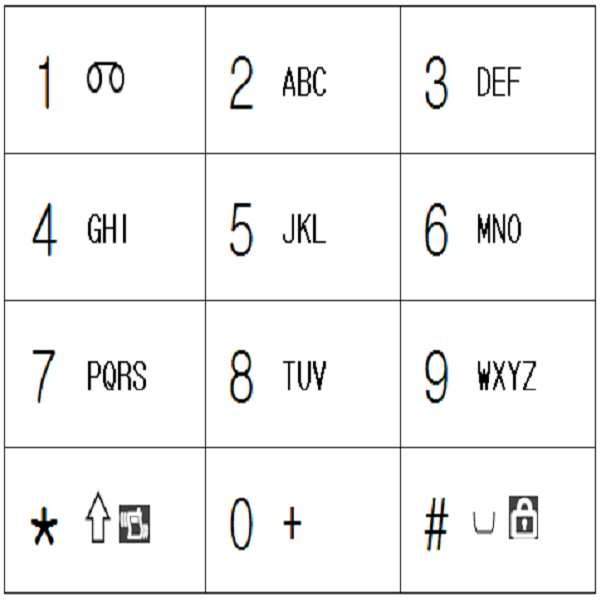
: 앞으로의 영문 설명은 <그림03> 타입으로만 한다.: English description in the future shall be of type <Figure 03> only.
(버튼1에는 알파벳이 배정되어 있지 않고,(Button 1 is not assigned an alphabet,
버튼7에는 `PQRS` 가 배정되어 있고 Button 7 is assigned 'PQRS'
버튼9에는 `WXYZ` 가 배정되어 있다.)Button 9 is assigned WXYZ.)
버튼1,*,0,# 에 / : . , @ ? ! 중 제조사에 따라 0~7개 정도의 특수문자가 배정되어 있다. 2~3개의 특수문자가 배정되어 있는 타입이 많다.Button 1, *, 0, # to /:. , @? ! There are about 0 ~ 7 special characters depending on the manufacturer. Many types have two or three special characters.
<그림03> 타입은 전세계 거의 모든 휴대폰에 적용된 자판 배열이다. 거의 `표준`이라고 말할수 있다.<Figure 03> is a keyboard layout applied to almost all mobile phones around the world. It's almost a standard.
엘지전자, 모토롤라는 한국판매용이건 한국외의 판매용이건 <그림03> 타입으로 되어 있다.LG Electronics and Motorola are of <Figure 03> type for both Korean and non-Korean sales.
샤프전자, 노키아 등도 <그림03> 타입으로만 제작한다.Sharp Electronics, Nokia, etc. are also produced only in <Figure 03>.
삼성전자나 팬택계열인 SKY나 큐리텔은 한국에 판매하는 것은 <그림04> 타입으로 되어 있으나 수출용은 <그림03> 타입으로 되어 있다.Samsung Electronics and Pantech affiliates SKY and Curitel are sold to Korea in the form of <Figure 04> but for export to <Figure 03>.
(출원서에는 <그림04>타입이 세계표준인 줄로 잘 못 알고 <그림04>타입으로만 설명하였으니, <그림03>타입으로 바꾸어 생각하면 된다.)(In the application, it is not known that <Picture 04> is the world standard, so it is explained only as <Picture 04>. You can change it to <Picture 03>.)
<그림03>에서In <Figure 03>


위의 자판에 표시되어 있는 기호들 중 아래의 것들은 문자입력모드에서는 아무 기능도 없는 것이므로, 신경쓰지 않아도 된다.Of the symbols displayed on the keyboard above, the following ones do not have any function in the text input mode.


+(버튼0)는 대기모드에서 국제전화번호 입력할 때 국가번호 뒤에 첨가하는 기호이다.+ (Button 0) is a symbol added after the country code when entering an international phone number in standby mode.
종래의 버튼표기를 그대로 유지한 채로, While keeping the conventional button notation as it is,
신규로 문장부호 또는 기타 특수문자 또는 그림이모티콘을 추가로 배정하여 Newly assign punctuation marks or other special characters or picture emoticons
암기하여 사용할 수 도 있고, 디스플레이화면을 일부 할애하거나 , 배정표를 가지고 다니면서도 사용할 수도 있다.(뒤에서도 자세히 설명한다. 당연히 신규로 배정한 글자는 글자그룹을 달리할 수도 있다.)You can use it by memorizing it, dedicate some display screens, or use it while you carry your assignments (more on that later.
<그림04> : 종래 B타입 영문자판(표준자판이 아니라고 할 수 있다.)<Figure 04>: Conventional Type B English Keyboard (Not a standard keyboard)
(버튼1에는 `QZ`가 배정되어 있고, (Button 1 is assigned 'QZ',
버튼7에는 `PRS` 가 배정되어 있고 Button 7 is assigned 'PRS'
버튼9에는 `WXY` 가 배정되어 있다.)Button 9 is assigned a `WXY`.)
<그림05> : 영문 자판 :개선-버튼당 2줄<Picture 05>: English keyboard: Improvement-2 lines per button
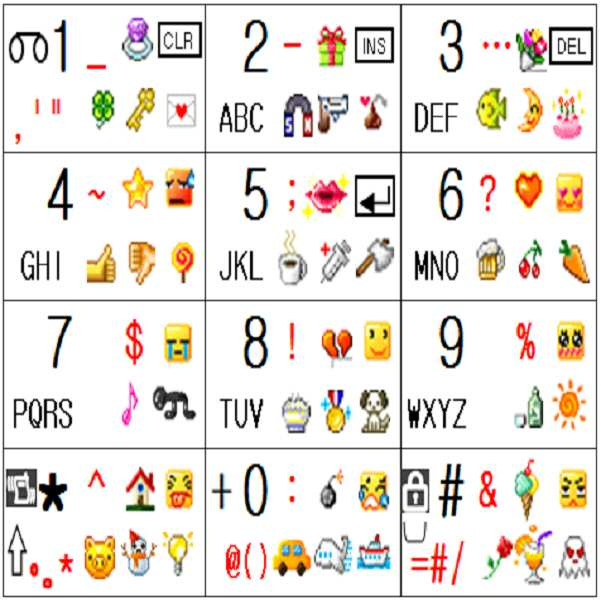
위의 <그림05> 자판 설명은 <그림06>설명에서 함께 하겠다.The above <Figure 05> keyboard description will be explained in <Figure 06>.
그리고 이러한 자판 그림을 처음 봐서 너무 복잡하다고 생각이 들면, <그림16.5 또는 16.6>의 버튼0~9까지의 글자배정부터 눈에 익히기 바란다.And when you see this keyboard picture for the first time and think it is too complicated, you should be familiar with the letter assignments from buttons 0 to 9 in <Figure 16.5 or 16.6>.
다른 모든 언어에 있어서도 <그림16.5 또는 16.6>정도로 소수의 글자만 추가 배정 할 수도 있다.In all other languages, only a few letters can be assigned, as in Figure 16.5 or 16.6.
<그림06> : 영문 자판: 개선 : 버튼당 3줄<Figure 06>: English Keyboard: Improvement: 3 Lines per Button
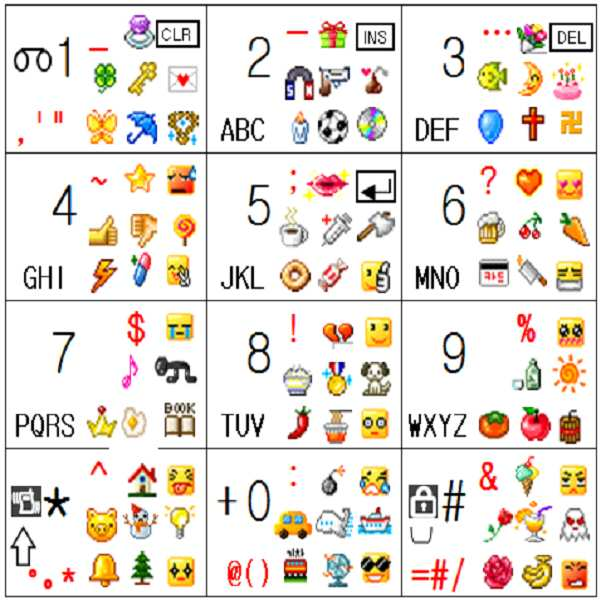
<그림06>을 잘 이해하면 한글자판 및 일본어 자판을 개선한 것에 대해서도 99% 이해한 것이다.If you understand <Figure 06>, you understand 99% of the improvement of Korean keyboard and Japanese keyboard.
위 <그림06>자판은 종래의 자판인 <그림03>에다가 주로 문장부호인 빨강색의 특수문자가 추가로 배정되어 있고, 그림이모티콘도 배정되어 있다.The keyboard <Figure 06> is assigned to the conventional keyboard <Figure 03> in addition to the red special characters, which are mainly punctuation marks, and the figure emoticons.
종래의 자판인 <그림03>에는 버튼1,*,# 에는 글자가 배정되어 있지 않는데, <그림06>에는 다른 버튼에 종래부터 알파벳이 3글자씩 배정되어 있듯이, 버튼1,*,# 에도 3글자씩 추가로배정하였다.Conventional keyboard <Figure 03> has no letters assigned to buttons 1, *, #. Additional letters were assigned.
(버튼#에는 


그리고 각 버튼에는 3줄의 글자(특수문자 또는 그림이모티콘)가 추가로 배정 되어 있다.Each button has an additional three lines of text (special characters or picture emoticons).
위의 <그림06>의 각 버튼들의 글자들을 2개의 그룹으로 나눌 수도 있고 3개의 그룹으로 나눌수도 있는데 The letters of each button in <Figure 06> can be divided into 2 groups or into 3 groups.
먼저 3개의 그룹으로 나눠보자.Let's divide it into three groups first.
소문자 모드에서 버튼6을 기준으로 설명하자면In lower case mode,
1번째 그룹은 m n o ? 

2번째 그룹은 M N O 


(소문자 모드에서 대문자를 모드변경 없이 입력하기 위하여 이러한 배정규칙을 마련하였다)(In order to enter uppercase letters in lowercase mode without changing the mode, we have made this assignment rule.)
3 번째 그룹은 공란 공란 공란 


3개의 그룹으로 나눈다.Divide into three groups.
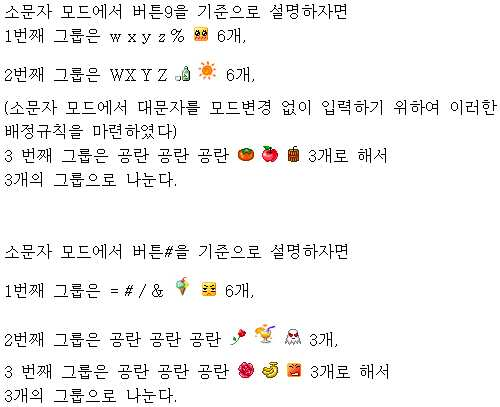
그룹을 나누어 보았으니 이제는 아래 <그림07>처럼 글자버튼을 조합유도버튼화하는 예를 들어보자Now that we have divided the groups, let's take an example of combining the letter buttons into the combination induction buttons as shown in <Figure 07>.
<그림07> : 조합유도버튼 배정표<Figure 07>: Combination Induction Button Assignment Table
위 <그림07>의 조합유도버튼 배정표를 설명하겠다.The combination induction button assignment table in <Figure 07> will be explained.
조합유도버튼이 글자버튼에 선행하는 경우로 일단은 설명하겠다.The case where the combination induction button precedes the letter button will be explained.
몇 번째 글자를 입력하게 하는 조합유도버튼인지를 의미하는 괄호안의 숫자인 1~6이라는 숫자의 배치는 <그림07.1~07.8>류 처럼 다양하게 변화 가능하지만, 일단은 위의 <그림07> 표대로 설명하겠다.The arrangement of the numbers 1 ~ 6, which is the number in parentheses to indicate the number of combination induction buttons, can be changed as shown in <Fig.07.1 ~ 07.8>, but as shown in the <Fig.07> table above I'll explain.
위 <그림06>의 0~9, *,# 12개 버튼이 In the above <Figure 06>, 0 ~ 9, *, # 12 buttons are
단독으로 ON 된 후 OFF 되면 When it is ON alone and then OFF
종래와 같이 각 버튼에 배정된 1번째 글자를 입력하는 기능을 하거나 글자모드변경 또는 획추가기능, 쌍자음기능을 포함한 글자입력하는 기능을 포함한 어떠한 기능을 실행하지만,As in the prior art, it functions to input the first letter assigned to each button, or executes any function including a function of changing a character mode, adding a stroke, and inputting a character including a double consonant function.
12개 버튼 각각이 ON되어 있는 상태에서 다른 버튼이 ON되면, If each of the 12 buttons is ON and the other buttons are ON,
조합유도버튼으로 작용하는데, 위 <그림07>표대로 설명하자면It acts as a combination induction button.
버튼1,3은 임의 그룹의 1번째 글자를 입력하게 하는 조합유도버튼으로 작용하고,Buttons 1 and 3 act as combination induction buttons that allow you to enter the first letter of any group.
버튼4,6은 임의 그룹의 2번째 글자를 입력하게 하는 조합유도버튼으로 작용하고Buttons 4 and 6 act as combination induction buttons that let you enter the second letter of an arbitrary group.
버튼7,9은 임의 그룹의 3번째 글자를 입력하게 하는 조합유도버튼으로 작용하고Buttons 7 and 9 act as combination induction buttons that allow you to enter the third letter of an arbitrary group.
버튼2,8은 임의 그룹의 4번째 글자를 입력하게 하는 조합유도버튼으로 작용하고Buttons 2 and 8 act as combination induction buttons that let you enter the fourth letter of any group.
버튼5,0은 임의 그룹의 5번째 글자를 입력하게 하는 조합유도버튼으로 작용하고Button 5,0 acts as a combination induction button that allows you to enter the fifth letter of an arbitrary group.
버튼*,#은 임의 그룹의 6번째 글자를 입력하게 하는 조합유도버튼으로 작용한다는 뜻이다.The buttons * and # mean that they act as combination induction buttons that let you enter the sixth letter of an arbitrary group.
조합유도버튼 배정은 <그림07>외에 아래 표들 처럼 변화가 가능하며, 또 다른 변화도 가능하다. 그러나 이하의 설명에서는 <그림07>을 기본으로 한다.The combination induction button assignments can be changed as shown in the table below in addition to <Figure 07>, and other changes are possible. However, in the following description, it is based on <Figure 07>.
<그림07.1> : 조합유도버튼 배정표2<Figure 07.1>: Combination Induction Button Assignment Table 2
<그림07.2> : 조합유도버튼 배정표3<Figure 07.2>: Combination Induction Button Assignment Table 3
<그림07.3> : 조합유도버튼 배정표4<Figure 07.3>: Combination guide button assignment table 4
<그림07.4> : 조합유도버튼 배정표5<Figure 07.4>: Combination guide button assignment table 5
<그림07.5> : 조합유도버튼 배정표6<Figure 07.5>: Combination Guidance Button Assignment Table 6
<그림07.51> : 조합유도버튼 배정표<Figure 07.51>: Combination Induction Button Assignment Table
<그림07.6> : 조합유도버튼 배정표<Figure 07.6>: Combination Induction Button Assignment Table
<그림07.65> : 조합유도버튼 배정표<Figure 07.65>: Combination Induction Button Assignment Table
<그림07.66> : 조합유도버튼 배정표<Figure 07.66>: Combination Induction Button Assignment Table
<그림07.7> : 조합유도버튼 배정표<Figure 07.7>: Combination Induction Button Assignment Table
<그림07.75> : 조합유도버튼 배정표<Figure 07.75>: Combination Induction Button Assignment Table
<그림07.76> : 조합유도버튼 배정표<Figure 07.76>: Combination Induction Button Assignment Table
<그림07.8> : 그림07~07.76 까지의 배정표의 괄호속의 숫자에 1 을 포함한 임의 숫자를 더한 것들 : <Figure 07.8>: Figures 7 through 07.76 plus numbers in parentheses plus any number including 1:
예)그림07 기준에 1을 더한 것 Ex) Add 1 to Fig.07
<그림06> 각 버튼의 글자를 3그룹으로 나누었으므로 <그림01>의 표 내용 중 에서 현재 필요한 것은 제1~3그룹 글자입력 방법 뿐이므로, 필요한 부분만 발췌한 후 아래와 같이 버튼6,9,# 의 글자들을 입력하는 방법을 알아보자<Figure06> Since each button's letters are divided into 3 groups, only the first ~ 3 group letter input method is needed in the table of <Figure 01>. After extracting the necessary parts, press buttons 6, 9, Learn how to enter the letters of #
먼저 멀티탭방식 모드에서 모드변경없이 쌍둥이를 병행하여 버튼6에 배정된 글자들을 입력하는 방법에 대하여 아래 <그림08>로 알아보자.First, let's take a look at <Figure 08> how to input letters assigned to button 6 in parallel in twin tap mode without changing mode.
<그림08> : 멀티탭방식 모드에서 쌍둥이를 병행하는 경우의 소문자 모드에서 버튼6에 배정된 글자들을 3그룹으로 나누어서 조합유도버튼(그림07 참조)이 글자버튼에 선행하여 입력하는 방법<Figure 08>: Combination induction button (see Figure 07) is entered before the character button by dividing the letters assigned to button 6 into 3 groups in lower case mode when twins are used in multi-tap mode.
버튼내
누적글자
순번One
Within the button
Cumulative letters
turn
내
글자
순서group
of mine
letter
order
글자1st group
letter
제1조합유도버튼+글자버튼 단타
1. 6 OR
2. 1+6 OR 3+6으로 입력가능
즉
1.버튼6을 단타로 하거나,
2.버튼1 과 버튼3 이 1번째 글자를 입력하게 하는 조합유도 버튼 이므로(이하 그림07 참조)
A. 버튼1을 누르고 있는 상태에서 버튼6을 누르거나,
B. 버튼3을 누르고 있는 상태에서 버튼6을 누르면 되는 것이다.
(이때 B방법은 양손 엄지가 3열에 편중되어 양손엄지끼리 간섭이 생기고, 휴대폰이 한쪽으로 기울어지므로 잡고 있는 자세의 안정성이 떨어지므로 A방법을 추천한다.)
(1번 방법을 99% 사용하나 2번 방법을 사용때도 있다. 나중에 설명하겠다)Letter button danta or
First Combination Induction Button + Character Button
1.6 OR
2. Can be entered as 1 + 6 OR 3 + 6
In other words
1. Make button 6 single, or
2. Button 1 and Button 3 are combination induction buttons that allow you to enter the first letter (see Figure 07 below).
A. Hold down button 1 and press button 6, or
B. Press and hold button 3 and press button 6.
(In this case, method B is recommended because the two-handed thumb is biased in three rows, causing two-handed thumb to interfere, and the mobile phone is inclined to one side.
(99% use method 1, but sometimes use method 2. I will explain later)
(소문자)m
(small letter)
제2조합유도버튼+글자버튼 단타
1. 66 OR
2. 4+6
즉
1. 버튼6을 더블클릭 하거나
2. 버튼4 과 버튼6 이 2번째 글자를 입력하게 하는 조합유도 버튼 이므로
버튼4을 누르고 있는 상태에서 버튼6을 누른다. (버튼6을 누르고 있는 상태에서 버튼6을 누르는 방법은, 그렇게 할수 가 없으므로 안된다.)
Press the button twice in quick succession (= double click) or
Second Combination Induction Button + Character Button
1. 66 OR
2. 4 + 6
In other words
1.Double click button 6
2. Button 4 and Button 6 are combination induction buttons that allow you to enter a second letter.
Hold down button 4 and press button 6. (Pressing button 6 while holding button 6 cannot be done.)
(소문자)n
(small letter)
제3조합유도버튼+글자버튼 단타
1. 666 OR
2. 7+6 OR 9+6
즉
1. 버튼6을 빠르게 3번 연속 클릭 하거나,
2. 버튼7 과 버튼9 가 3번째 글자를 입력하게 하는 조합유도 버튼 이므로
A. 버튼7을 누르고 있는 상태에서 버튼6을 누르거나,
B. 버튼9을 누르고 있는 상태에서 버튼6을 누르면 되는 것이다.
(이때 B방법은 양손 엄지가 3열에 편중되어 양손엄지끼리 간섭이 생기고, 휴대폰이 한쪽으로 기울어지므로 잡고 있는 자세의 안정성이 떨어지므로 A방법을 추천한다)Press the button three times in quick succession (= triple click) or
Third Combination Induction Button + Character Button
1.666 OR
2. 7 + 6 OR 9 + 6
In other words
1. Click button 6 three times in quick succession, or
2. Button 7 and Button 9 are combination induction buttons that allow you to enter a third letter.
A. Hold down button 7 and press button 6, or
B. Press button 6 while pressing button 9.
(In this case, the method B is recommended because the thumb of both hands is biased in three rows, so the two-handed thumb is interfering and the mobile phone is inclined to one side.
(소문자)o
(small letter)
제4조합유도버튼+글자버튼 단타
1. 6666 OR
2. 2+6 OR 8+6
즉
1. 버튼6을 빠르게 4번 연속 클릭 하거나,
(하지만 종래 멀티탭 방식을 선호하는 사람이 알파벳 입력할 때 순환하는 글자수가 많으면 불편해 할 수도 있으므로 2번 방법으로만 입력가능하게 제한 할 수도 있다)
2. 버튼2 과 버튼8 가 4번째 글자를 입력하게 하는 조합유도 버튼 이므로
A. 버튼2을 누르고 있는 상태에서 버튼6을 누르거나,
B. 버튼8을 누르고 있는 상태에서 버튼6을 누르면 되는 것이다. Press the button four times quickly or
4th Combination Induction Button + Character Button
1.6666 OR
2. 2 + 6 OR 8 + 6
In other words
1.Click button 6 quickly 4 times or
(However, if a person who prefers the conventional multi-tap method enters alphabets, it may be inconvenient if the number of characters circulating is limited, so it may be limited to the second method only.)
2. Button 2 and Button 8 are combination induction buttons that let you enter the fourth letter.
A. Hold down button 2 and press button 6, or
B. Hold down button 8 and press button 6.
제5조합유도버튼+글자버튼 단타
1. 66666 OR
2. 5+6 OR 0+6
즉,
1. 버튼6을 빠르게 5번 연속 클릭 하거나,
(하지만 종래 멀티탭 방식을 선호하는 사람이 알파벳 입력할 때 순환하는 글자수가 많으면 불편해 할 수도 있으므로 2번 방법으로만 입력가능하게 제한 할 수도 있다)
2. 버튼5 과 버튼0 가 5번째 글자를 입력하게 하는 조합유도 버튼 이므로
A. 버튼5을 누르고 있는 상태에서 버튼6을 누르거나,
B. 버튼0을 누르고 있는 상태에서 버튼6을 누르면 되는 것이다.Press the button five times quickly or
Fifth Combination Induction Button + Character Button
1.66666 OR
2. 5 + 6 OR 0 + 6
In other words,
1.Click button 6 quickly five times or
(However, if a person who prefers the conventional multi-tap method enters alphabets, it may be inconvenient if the number of characters circulating is limited, so it may be limited to the second method only.)
2. Button 5 and Button 0 are combination induction buttons that allow you to enter the fifth letter.
A. Hold down button 5 and press button 6, or
B. Press button 6 while pressing button 0.

제6조합유도버튼+글자버튼 단타
1. 666666 OR
2. *+6 OR #+6
즉
1. 버튼6을 빠르게 6번 연속 클릭 하거나,
(하지만 종래 멀티탭 방식을 선호하는 사람이 알파벳 입력할 때 순환하는 글자수가 많으면 불편해 할 수도 있으므로 2번 방법으로만 입력가능하게 제한 할 수도 있다)
2. 버튼* 과 버튼# 가 6번째 글자를 입력하게 하는 조합유도 버튼 이므로
A. 버튼*을 누르고 있는 상태에서 버튼6을 누르거나,
B. 버튼#을 누르고 있는 상태에서 버튼6을 누르면 되는 것이다.
(이때 B방법은 양손 엄지가 3열에 편중되어 양손엄지끼리 간섭이 생기고, 휴대폰이 한쪽으로 기울어지므로 잡고 있는 자세의 안정성이 떨어지므로 A방법을 추천한다)Press the button six times quickly or
6th Combination Induction Button + Character Button
1.666666 OR
2. * + 6 OR # + 6
In other words
1.Click button 6 quickly six times or
(However, if a person who prefers the conventional multi-tap method enters alphabets, it may be inconvenient if the number of characters circulating is limited, so it may be limited to the second method only.)
2. Button * and Button # are combination induction buttons that allow you to enter the sixth letter.
A. Hold down button * and press button6, or
B. Press Button 6 while pressing Button #.
(In this case, the method B is recommended because the thumb of both hands is biased in three rows, so the two-handed thumb is interfering and the mobile phone is inclined to one side.

글자2nd group
letter
제1조합유도버튼+글자버튼 장타(예:0.5초이상)
1. 6~
2. 1+6~ OR 3+6~
즉
1. 버튼6을 길게(예:0.5초 이상) 누르거나
(종래에 일반문자 모드에서 1초이상 버튼을 누르면 그 버튼에 배정된 숫자가 입력되는 기능이 되는 휴대폰이 많아서 혼동하거나 조작실수가 많을 것 같으면 2번 방법에 의해서만 가능하도록 제한 할 수도 있다.)
2. 버튼1 과 버튼3 이 1번째 글자를 입력하게 하는 조합유도 버튼 이므로
A. 버튼1을 누르고 있는 상태에서 버튼6을 길게(예:0.5초 이상) 누르거나,
B. 버튼3을 누르고 있는 상태에서 버튼6을 길게(예:0.5초 이상) 누르면 되는 것이다.
(이때 B방법은 양손 엄지가 3열에 편중되어 양손엄지끼리 간섭이 생기고, 휴대폰이 한쪽으로 기울어지므로 잡고 있는 자세의 안정성이 떨어지므로 A방법을 추천한다.)
장타를 사용하였으나 종래 방법처럼 대문자모드로 모드변경을 한후에 대문자로 입력하고 다시 소문자로 여러 타수를 들여서 변경하는 것 보다는 훨씬 간편하다.
종래 방법은 타수도 많고 모드변경 실수도 많기 때문이다. 이하에서도 마찬가지이다.
(이하 이 표에서 0.5초이상 누름은 길게 누름을 예를 들어 표현한 것이다.)Letter Button Long or
First Combination Induction Button + Character Button Long (for example: 0.5 seconds or longer)
1. 6 ~
2. 1 + 6 ~ OR 3 + 6 ~
In other words
1.Press and hold button 6 (e.g. 0.5 seconds or more) or
(In the conventional text mode, if you press a button for more than 1 second, the number assigned to the button is a function of entering many mobile phones.
2. Button 1 and Button 3 are combination induction buttons that allow you to enter the first letter.
A. Press and hold Button 6 (for example, 0.5 seconds or more) while holding Button 1,
B. Press and hold button 6 (for example, 0.5 seconds or more) while pressing button 3.
(In this case, method B is recommended because the two-handed thumb is biased in three rows, causing two-handed thumb to interfere, and the mobile phone is inclined to one side.
It is much easier to change the mode to the uppercase mode, but to change the mode to uppercase after entering the uppercase letter and then change the number of strokes to lowercase.
This is because the conventional method has many strokes and many mode change mistakes. The same applies to the following.
(Hereinafter, pressing for more than 0.5 seconds is an example of long pressing.)
(대문자)M
(capital letter)
4+6~
즉
버튼4 과 버튼6 이 2번째 글자를 입력하게 하는 조합유도 버튼 이므로
버튼4을 누르고 있는 상태에서 버튼6을 0.5초이상 누른다,(버튼6을 누르고 있는 상태에서 버튼6을 0.5초이상 누르는 방법은 그렇게 할수 가 없으므로 안된다.) Second Combination Induction Button + Character Button Long Hit
4 + 6 ~
In other words
Since Button 4 and Button 6 are combination induction buttons that allow you to enter the second letter,
Press and hold button 6 for more than 0.5 seconds while button 4 is pressed. (Pressing button 6 for more than 0.5 seconds while holding button 6 cannot be done.)
(대문자)N
(capital letter)
7+6~ OR 9+6~
즉
버튼7 과 버튼9 가 3번째 글자를 입력하게 하는 조합유도 버튼 이므로
A. 버튼7을 누르고 있는 상태에서 버튼6을 0.5초이상 누르거나,
B. 버튼9을 누르고 있는 상태에서 버튼6을 0.5초이상 누르면 되는 것이다.
(이때 B방법은 양손 엄지가 3열에 편중되어 양손엄지끼리 간섭이 생기고, 휴대폰이 한쪽으로 기울어지므로 잡고 있는 자세의 안정성이 떨어지므로 A방법을 추천한다)
Third Combination Induction Button + Character Button Long Hit
7 + 6 ~ OR 9 + 6 ~
In other words
Since Button 7 and Button 9 are combination induction buttons that allow you to enter the third letter.
A. Press and hold button 6 for more than 0.5 seconds
B. Press and hold button 9 for more than 0.5 seconds.
(In this case, the method B is recommended because the thumb of both hands is biased in three rows, so the two-handed thumb is interfering and the mobile phone is inclined to one side.
(대문자)O
(capital letter)
2+6~ OR 8+6~
즉
버튼2 과 버튼8 가 4번째 글자를 입력하게 하는 조합유도 버튼 이므로
A. 버튼2을 누르고 있는 상태에서 버튼6을 0.5초이상 누르거나,
B. 버튼8을 누르고 있는 상태에서 버튼6을 0.5초이상 누르면 되는 것이다.4th Combination Induction Button + Character Button Long Hit
2 + 6 ~ OR 8 + 6 ~
In other words
Since Button 2 and Button 8 are combination induction buttons that allow the fourth character to be entered,
A. Hold down Button 2 and press Button 6 for at least 0.5 seconds,
B. Press and hold button 8 for more than 0.5 seconds.

5+6~ OR 0+6~
즉,
버튼5 과 버튼0 가 5번째 글자를 입력하게 하는 조합유도 버튼 이므로
A. 버튼5을 누르고 있는 상태에서 버튼6을 0.5초이상 누르거나,
B. 버튼0을 누르고 있는 상태에서 버튼6을 0.5초이상 누르면 되는 것이다.Fifth Combination Induction Button + Character Button Long Hit
5 + 6 ~ OR 0 + 6 ~
In other words,
Since Button 5 and Button 0 are combination induction buttons that allow you to enter the fifth letter,
A. Press and hold button 5 for more than 0.5 seconds
B. Hold down button 0 and press button 6 for more than 0.5 seconds.

*+6~ OR #+6~
즉
버튼* 과 버튼# 가 6번째 글자를 입력하게 하는 조합유도 버튼 이므로
A. 버튼*을 누르고 있는 상태에서 버튼6을 0.5초이상 누르거나,
B. 버튼#을 누르고 있는 상태에서 버튼6을 0.5초이상 누르면 되는 것이다.
(이때 B방법은 양손 엄지가 3열에 편중되어 양손엄지끼리 간섭이 생기고, 휴대폰이 한쪽으로 기울어지므로 잡고 있는 자세의 안정성이 떨어지므로 A방법을 추천한다)6th Combination Induction Button + Character Button Long Hit
* + 6 ~ OR # + 6 ~
In other words
Since Button * and Button # are combination induction buttons that allow you to enter the sixth letter,
A. Press and hold button 6 for more than 0.5 seconds
B. Hold down button # and press button 6 for more than 0.5 seconds.
(In this case, the method B is recommended because the thumb of both hands is biased in three rows, so the two-handed thumb is interfering and the mobile phone is inclined to one side.

글자3rd group
letter
2더블+6 OR 8더블+6
즉
버튼2 과 버튼8 가 4번째 글자를 입력하게 하는 조합유도 버튼 이므로
A. 버튼2을 더블클릭 후에 손가락을 버튼2에서 떼지 말고 누르고 있는 상태에서 버튼6을 누르거나,
B. 버튼8을 더블클릭 후에 손가락을 버튼8에서 떼지 말고 누르고 있는 상태에서 버튼6을 누르면 되는 것이다.4th Combination Induction Button Double Click + Character Button
2 double + 6 OR 8 double + 6
In other words
Since Button 2 and Button 8 are combination induction buttons that allow the fourth character to be entered,
A. After double-clicking button 2, do not release your finger from button 2, and then press button 6 while holding it.
B. After double-clicking button 8, do not release your finger from button 8 and press button 6 while pressing.

5더블+6 OR 0더블+6
즉,
버튼5 과 버튼0 가 5번째 글자를 입력하게 하는 조합유도 버튼 이므로
A. 버튼5을 더블클릭 후에 손가락을 버튼5에서 떼지 말고 누르고 있는 상태에서 버튼6을 누르거나,
B. 버튼0을 더블클릭 후에 손가락을 버튼0에서 떼지 말고 누르고 있는 상태에서 버튼6을 누르면 되는 것이다.Fifth Combination Induction Button Double Click + Character Button
5 double + 6 OR 0 double + 6
In other words,
Since Button 5 and Button 0 are combination induction buttons that allow you to enter the fifth letter,
A. After double-clicking button 5, press and hold button 6 without releasing
B. After double-clicking button 0, press button 6 while pressing your finger.

*더블+6 OR #더블+6
즉
버튼* 과 버튼# 가 6번째 글자를 입력하게 하는 조합유도 버튼 이므로
A. 버튼*을 더블클릭 후에 손가락을 버튼*에서 떼지 말고 누르고 있는 상태에서 버튼6을 누르거나,
B. 버튼#을 더블클릭 후에 손가락을 버튼#에서 떼지 말고 누르고 있는 상태에서 버튼6을 누르면 되는 것이다.
(이때 B방법은 양손 엄지가 3열에 편중되어 양손엄지끼리 간섭이 생기고, 휴대폰이 한쪽으로 기울어지므로 잡고 있는 자세의 안정성이 떨어지므로 A방법을 추천한다)6th Combination Induction Button Double Click + Character Button
* Double +6 OR #Double +6
In other words
Since Button * and Button # are combination induction buttons that allow you to enter the sixth letter,
A. After double-clicking button *, do not release your finger * from the button * and press button6, or
B. After double-clicking button #, do not release your finger from button #.
(In this case, the method B is recommended because the thumb of both hands is biased in three rows, so the two-handed thumb is interfering and the mobile phone is inclined to one side.

(아직 쌍둥이에 숙달되지 않은 상태에서는, 입력하고자 하는 글자가 버튼에 몇번째 순서로 배정되어 있는지를 생각하면서 조합유도버튼을 선택하지만, 숙달된 상태에서는 어떤 글자를 생각하면 조합유도버튼까지 생각없이 무의식적으로 선택하게 된다.)(If you are not yet trained in twins, choose the combination induction button while thinking about the order in which the letters you want to enter are assigned to the buttons. Will be selected.)
멀티탭방식 모드에서 쌍둥이를 병행하는 경우의, 소문자 모드에서 버튼9에 배정된 글자들을 3그룹으로 나누어서 조합유도버튼이 글자버튼에 선행하여 입력하 는 방법은 위의 <그림08>의 표와 같다.In the case of twins in multi-tap mode, the letters assigned to button 9 in lowercase mode are divided into three groups and the combination induction button is entered in advance of the letter button as shown in the above <Figure 08>.
그리고 And
멀티탭방식 모드에서 쌍둥이를 병행하는 경우의, 소문자 모드에서 버튼#에 배정된 글자들을 3그룹으로 나누어서 조합유도버튼이 글자버튼에 선행하여 입력하는 방법도 위의 <그림08>의 표와 거의 같다. 1그룹의 1번째 글자인 ` = `를 입력하는 방법만 다르다.In the case of twins in multi-tap mode, the letters assigned to button # in lowercase mode are divided into 3 groups, and the combination-induced button is preceded by the letter button. The only way to enter `=`, which is the first character of group 1, is to change it.
즉 아래의 1,2번 방법 모두 가능한 것이 아니고 1번 방법은 안되고, 2번 방법만 가능하다. In other words, method 1 and 2 below are not available, method 1 is not possible, and method 2 is only possible.
1. # (불가능)OR1. # (not possible) OR
2. 1+# OR 3+#으로 입력가능2. Can be entered as 1 + # OR 3 + #
즉 In other words
1.버튼#을 단타로 하거나(불가능),1. Make button # single (impossible),
2.버튼1 과 버튼3 이 1번째 글자를 입력하게 하는 조합유도 버튼 이므로2. Button 1 and Button 3 are combination induction buttons that allow you to enter the first letter.
A. 버튼1을 누르고 있는 상태에서 버튼#을 누르거나, A. While holding button 1, press button #, or
B. 버튼3을 누르고 있는 상태에서 버튼#을 누르면 되는 것이다. B. Hold down Button 3 and press Button #.
(이때 B방법은 양손 엄지가 3열에 편중되어 양손엄지끼리 간섭이 생기고, 휴대폰이 한쪽으로 기울어지고, 잡고 있는 자세의 안정성이 떨어지므로 A방법을 추천한다.)(In this case, method B is recommended because the two-handed thumb is biased in three rows, causing interference between two-handed thumb, mobile phone inclining to one side, and poor stability of holding posture.)
왜냐하면 버튼# 에는 이미 
그래서, <그림08>에서 버튼6의 1그룹의 1번째 글자인 ` m ` 를 입력하는 방식을 설명하는 마지막 문구에 `(1번 방법을 99% 사용하나 2번 방법을 사용때도 있다. 나중에 설명하겠다)` 라고 하였다. So, in <Figure 08>, `(1 method 99% is used but method 2 is used in the last phrase that explains how to input` m `which is the first letter of group 1 of button 6. I will.
또 이와 똑 같은 방식으로 버튼* 에는 이미 
그리고 나중에 설명하겠지만 미리 언급하자면 동일버튼문제를 종래에는 오른방향버튼이나 스페이스버튼으로 해결하였지만, 위와 같은 조합방식으로 해결할 수도 있다. T9방식 또는 2-TOUCH방식 과 쌍둥이를 병행할 때도 각 버튼의 1번째 글자도 단타로 입력하지 않고 조합방식으로 입력한다는 것만 멀티탭 방식과 쌍둥이가 병행할 때의 입력방법이 다르다. 이것도 나중에 설명하겠다.And, as will be explained later, the same button problem was conventionally solved by a right button or a space button, but it can also be solved by the above combination method. Even when the T9 method or the 2-TOUCH method is combined with the twins, the first method of each button is input by a combination method instead of a single stroke. The input method is different when the multi-tap method and the twins are used in parallel. This will be explained later.
이제는now
위의 <그림06>의 각 버튼들의 글자들을 이제는 2개의 그룹을 나눠보자Let's divide the letters of the buttons in Figure 6 above into two groups.
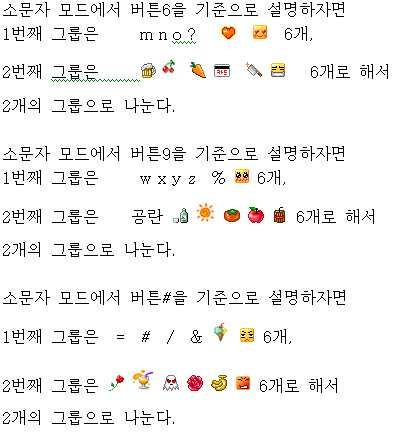
각 글자들을 입력하는 방법은 How to enter each letter
<그림08>의 방법 중 제1~2그룹 글자 입력 방법과 똑 같은 방식이다. 따로 설명은 않겠다.<Fig.08> is the same method as the 1st ~ 2nd group character input method. I will not explain separately.
그리고 <그림06>의And in <Picture 06>
버튼1의 1그룹 글자들 중 6번째 글자에 
버튼2의 1그룹 글자들 중 6번째 글자에 
버튼3의 1그룹 글자들 중 6번째 글자에 
버튼5의 1그룹 글자들 중 6번째 글자에 
이는 컴퓨터 키보드 버튼에는 존재하나 휴대폰 키패드에는 없어서 불편했던 것을 해소하기 위하여 추가한 기능들이다. 휴대폰으로 인터넷도 되는 시대에는 꼭 필요한 기능들인 것 같다.This is a feature that was added to the computer keyboard buttons to eliminate the inconvenience of not present in the phone keypad. In the age of mobile phone Internet seems to be a necessary function.
원한다면 HOME, END, PAGE UP, PAGE DOWN, ESC 등의 기능버튼도 그러한 식으로 추가 할 수도 있다. If you wish, you can also add function buttons such as HOME, END, PAGE UP, PAGE DOWN and ESC.
CLR, INS, DEL, ENTER 등의 기능을 연속으로 발휘하고 싶으면 6번째 글자를 입력하게 하는 조합유도버튼을 누르고 있는 상태에서 버튼1 또는 버튼2 또는 버튼3 또는 버튼5 등을 연속으로 계속 누르면 되는 것이다.If you want to continuously perform functions such as CLR, INS, DEL, ENTER, etc., press and hold button 1 or button 2 or button 3 or button 5 continuously while pressing the combination induction button for inputting the 6th character. .
만약 DEL 의 기능을 발휘하여 여러 개의 글자를 지우고 싶을 때에는, DEL 기능이 버튼3의 6번째 글자이므로, 6번째 글자를 입력하게 하는 조합유도버튼인 버튼*(또는 버튼#)을 왼손으로 누르고 있는 상태에서 DEL 이 배정되어 있는 버튼3을 오른손으로 원하는 횟수만큼 연속으로 누르면 되는 것이다If you want to delete multiple letters by using the DEL function, press and hold the left button * (or button #), which is a combination-inducing button that allows you to enter the sixth letter, because the DEL function is the sixth letter of button 3. Button 3 with DEL assigned to

이렇게 하는 것이 영문에서는 큰 이득이 없겠지만, This won't be very beneficial in English,
한글에서는 한글자 전체를 지우지 않고, 실수로 잘 못 입력한 음소까지만 지우고 싶을 때 When you want to erase only the phonemes that you have entered by mistake
한 음소씩 지우거나 Erase phonemes one by one
획추가기능 또는 쌍자음 기능을 포함한 직전에 실현한 기능을 취소하는 Cancels the function just realized, including stroke addition or double consonant.
기능으로 사용한다면 이득이 크다고 할 수 있다.(마치 PC에서 CONTROL+Z 단축키처럼 사용할 수도 있다. 아니면 CONTROL+Z 기능을 새로운 글자로 간주하여 추가 할 수도 있다.)If you use it as a function, the gain is huge (you can use it like a CONTROL + Z shortcut on a PC, or you can add the CONTROL + Z function as a new letter).
예를 들어 천지인 입력방식에서 For example, in the input method
ㅙ 를 입력하려고 천지인 버튼을 조작할 때When operating the celestial button to enter ㅙ
. ㅡ ㅣ . ㅣ 순으로 조작해야 하는데. ㅡ ㅣ. ㅣ In order
. ㅡ ㅣ ㅣ라고 입력하였을 때 . When you type ㅡ ㅣ ㅣ


특정그룹(예: 제3그룹)에는 감정을 나타내는 `그림이모티콘`만을 배정하였다면, 다른 그룹(예: 제4그룹)에는 특정그룹(예: 3그룹)의 `그림이모티콘`을 `글자이모티콘`으로 변경한 것을 배정 할 수도 있다.If a group (eg group 3) is assigned only a 'picture emoji' that shows emotion, another group (eg group 4) assigns a 'picture emoji' of a specific group (eg group 3) to 'letter emoji' You can also assign changes.
(이런 상태에서는 다른 그룹(예 :제4그룹)의 글자들을 일일히 표기할 필요없이, 이런 상태임을 대표적으로 표시해 주기만 하면 된다는 뜻이다.)(In this state, it is not necessary to write the letters of other groups (for example, the fourth group) one by one.
그런데 여기에서, But here,
`<그림05> 또는 <그림06>처럼 휴대폰 버튼에 그렇게 많은 글자를 배정할 수 있을까?` `Can we assign so many letters to a button on the phone, as shown in Figure 05 or Figure 06?
라는 의문이 생길 수도 있는데, 그것이 가능하다는 것을 알아보자. 그리고 가능하다고 할지라도 버튼의 여백을 더 많이 확보하기 위한 방법도 그림15~16.3 관련 설명에서 소개하겠다.You might be wondering if this is possible. And even if it's possible, we'll also show you how to make more room for the buttons in Figure 15-16.3.
먼저, 휴대폰 버튼에 많은 글자를 배정할 수 있다는 것을 <그림 09~14 > 보면서 느껴보자. `<그림14> : 엘지전자 706ie (와인폰) 일본 수출용` 그림과 설명을 보면 가장 확실한 느낌을 받을 수 있다. First, let's see and feel that we can assign a lot of letters to the buttons on the phone. <Figure 14>: LG Electronics 706ie (Wine Phone) For Export to Japan
<그림09> : 삼성전자 SPH-V9150 4행(1,4,7,*)슬라이드형 <Figure 09>: Samsung Electronics SPH-V9150 4 Row (1,4,7, *) Slide Type
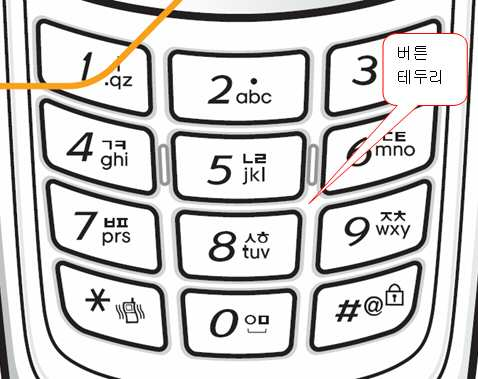
버튼에 테두리가 있는 타입으로써 버튼공간이 적다. The button has a border, so there is less button space.
그래도 버튼당 글자 배정이 세로 로는 3줄은 충분하며 4줄도 가능하며, 가로 로도 4줄 정도는 충분하며, 크게 표기되어 있는 숫자를 약간 작게 표기하거나 왼쪽으로 조금 옮기면 1~2줄 정도의 가로 로 표기할 공간이 더 나오므로 가로 로 총 5~6줄 정도는 표기할 수 있다. However, the number of characters per button is 3 lines long enough and 4 lines long, and 4 lines long enough horizontally. If you write a small number or move it slightly to the left, you can see 1 ~ 2 lines horizontally. Since there is more space to mark, you can mark a total of 5 ~ 6 lines horizontally.
버튼#의 `@` 문양을 보면 더 확실히 알 수 있다. 그러므로 간단한 문양이나 그림이모티콘 정도는 충분히 표기 할 수 있다.You can see this more clearly by looking at the `@` pattern on Button #. Therefore, simple patterns or picture emoticons can be marked enough.
그래도 버튼에 그림10~14처럼 버튼에 테두리가 없게 하여 버튼공간을 조금이라도 더 크게 하는 것을 추천한다.Nevertheless, it is recommended to make the button space bigger by making the button without border as shown in Figure 10 ~ 14.
<그림10> : 삼성전자 SCH-B820 4행(1,4,7,*)슬라이드형 <Figure 10>: Samsung SCH-B820 4 row (1,4,7, *) slide type
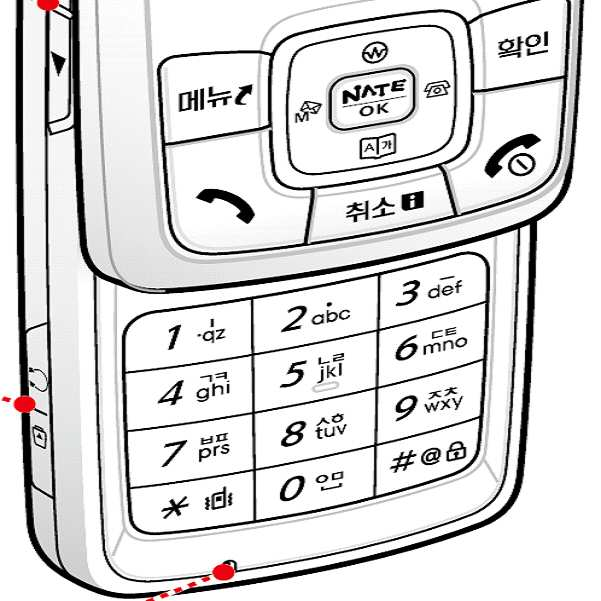
(버튼에 테두리도 없어서 버튼공간이 크다)(The button has no border, so the button space is large)
그런데 버튼공간이 커서 글자까지 크게 표기하니까 버튼당 배정가능한 글자 수가 그림09 와 별차이 없게 보이기는 하다. However, since the button space is large and the letters are displayed, the number of characters that can be allocated per button does not seem to be different from Figure 09.
<그림11> : 엘지전자 sh-650 5행(통화버튼,1,4,7,*)슬라이드형 <Figure 11>: LG Electronics sh-650 5 row (call button, 1,4,7, *) slide type
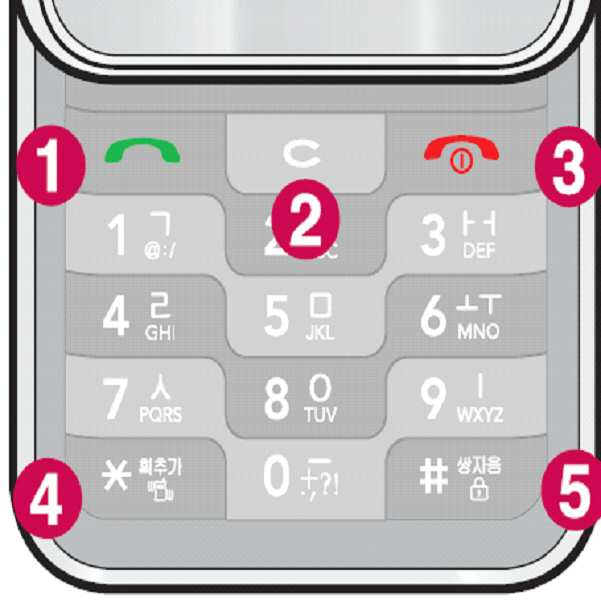
슬라이드형은 Slide type
보통, <그림09~10> 처럼 4행이 슬라이드 되는데,Usually, 4 rows slide as shown in <Figure 09 ~ 10>.
<그림11> 은 5행이나 슬라이드 되어 버튼간격이 4행 슬라이드폰 보다 좁아도 버튼당 배정가능한 글자가 세로로 3줄은 충분하며 4줄도 가능하다. 더 많이 슬라이드 되게 하면 버튼의 세로 길이도 더 크게 할 수 있으므로 더 많은 글자를 추가로 표기 하거나 더 크게 표기 할 수 있을 것이다.<Figure 11> is five rows, so even if the button interval is narrower than the four-row slide phone, the number of characters that can be assigned per button is three vertically and four lines are possible. The more you slide, the larger the height of the button will be, so you will be able to add more letters or make them larger.
버튼*의 `획추가`라는 문구와 버튼#의 `쌍자음`이라는 문구가 있는데 실제 상품에서는 더 또렷이 글자가 잘 보이며, 그러한 글자를 옆으로도 3글자는 더 쓸수 있으므로, 옆으로도 총 6글자를 표기할 수 있다.There is a phrase called `` Add stroke '' of button * and `` double consonant '' of button #, and the letters are more clearly visible in the actual product. Can be written.
크게 표기되어 있는 숫자를 약간 작게 표기하거나 왼쪽으로 조금 옮기면 1~2줄 정도의 가로 로 표기할 공간이 더 나오므로 가로 로 총 7~8줄 정도는 표기할 수 있다. If you write a small number slightly smaller or move it to the left a little more, there will be more space for one or two lines. Therefore, you can mark a total of seven to eight lines horizontally.
그림10의 4행 슬라이드 폰에는 더 여유있게 표기할 수 있음은 자명하다.Obviously, the four-row slide phone in Figure 10 can be more relaxed.
그림11,12,13 과 같이 LG전자의 한글 음소는 영문 알파벳에 비하여 상당히 크게 자판에 프린트 되어 있는데, 삼성을 포함한 다른 제조사 처럼 한글 음소 크기를 영문 알파벳 크기 정도로 줄이면 공간은 더 커진다.As shown in Figures 11, 12, and 13, the Korean phonemes of LG Electronics are printed on the keyboard considerably larger than the English alphabet. If you reduce the size of Korean phonemes to the size of the English alphabet like other manufacturers including Samsung, the space becomes larger.
<그림12> : 엘지전자 SV-300(와인폰) 폴더형<Figure 12>: LG Electronics SV-300 (Wine Phone)
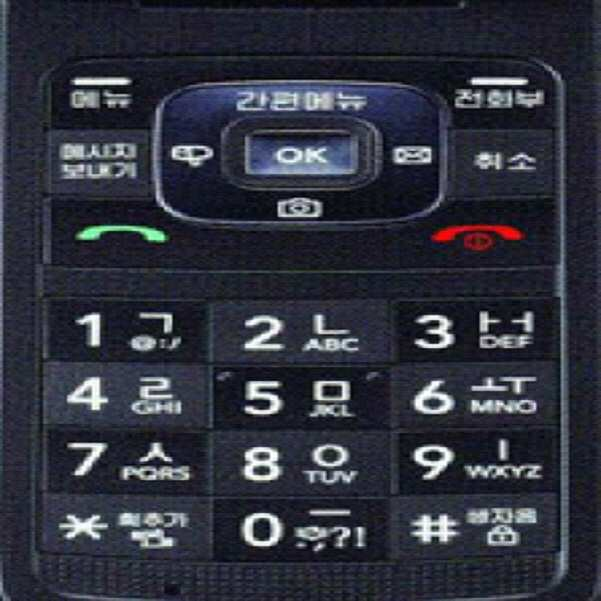
설명은 그림14 ,그림13, 그림11 참조See Figure 14, Figure 13, and Figure 11 for description.
<그림13> : `엘지전자 SV-300(와인폰) 폴더형`의 키패드 확대사진<Figure 13>: Enlarged Keypad of 'LG Electronics SV-300 (Wine Phone) Folder Type'

위 그림12 의 키패드 확대 사진이다.This is an enlarged picture of the keypad of Figure 12.
설명은 그림11, 그림14 참조바람.See Figure 11 and Figure 14 for description.
<그림14 > : 엘지전자 706ie (와인폰) 일본 수출용 폴더형<Figure 14>: LG Electronics 706ie (Wine Phone)

그림14는 그림12의 엘지전자 SV-300(와인폰) 폴더형의 일본 수출용으로서 한국 판매용과 디자인은 똑같고 자판 글자만 일본어 이다.Figure 14 is for export to Japan of LG Electronics SV-300 (wine phone) clamshell in Figure 12. The design is the same as for sale in Korea, and only the keyboard letters are Japanese.
버튼0 에 일본어와 한자가 2줄이나 표기되어 있으면서 또렷이 알아볼 수 있으며, 세로 로 2줄 정도는 더 입력할 수 있는 공간이 있으며, 옆으로도 1줄은 더 표기할 수 있은 공간이 있다.There are two lines of Japanese and Chinese characters on button 0, and you can clearly see them. There are spaces for inputting two more lines vertically, and one space for more one side.
그래서 총 세로4줄 가로4줄 정도는 글자를 표기할 수 있다.Thus, a total of four vertical lines and four horizontal lines can be written.
크게 표기되어 있는 숫자를 약간 작게 표기하거나 왼쪽으로 조금 옮기면 1~2줄 정도의 옆으로 표기할 공간이 더 나오므로 가로 로 총 5~6줄 정도는 표기할 수 있다.If you write a small number slightly smaller or move it a little to the left side, there will be more space for one or two lines on the side, so you can mark a total of 5 to 6 lines horizontally.
한자도 알아볼 수 있도록 표기할 수 있는데 간단한 문양이나 그림이모티콘 정도는 충분히 표기 할 수 있음은 자명하다.It is possible to write Chinese characters so that they can be recognized. It is obvious that a simple pattern or a picture emoticon can be marked enough.
한국에서든 일본에서든 와인폰은 버튼크기도 크고, 그래서 글자도 크게 프린트 되어 있으며, 한국에서는 와인폰을 노인들이 자판 및 액정의 글씨가 커서 글씨를 잘 볼수 있으므로 효도폰이라고도 하여 히트되었었는데,Whether it is in Korea or Japan, the wine phone has a large button size, so the letters are printed largely. In Korea, the wine phone was hit as a filial piety phone because old people can see the letters well because the letters on the keyboard and LCD are large.
이제는 큰 버튼에 많은 글자들을 배정하여 문자를 빨리 입력할 수 있고, 버튼 크기가 적당하여 버튼을 빠른 속도로 조작하기가 더 쉬우므로 초고속문자폰으로 거듭나야 할 것 같다. Now, you can assign a lot of letters to a large button to enter letters quickly, and because the size of the button is appropriate, it is easier to operate the button at high speed .
이런 점에서 슬라이드형 보다는 폴더형이 쌍둥이를 실현하여 사용자에게 편리성을 제공하는 데 더 유리할 것 같다.In this respect, the folding type rather than the slide type may be more advantageous to provide convenience to users by realizing twins.
휴대폰 버튼에 많은 글자를 배정할 수 있다는 것을 <그림 09~14 > 보면서 알아보았으나, While looking at <Figure 09 ~ 14>, we can see that a lot of letters can be assigned to mobile phone buttons.
키패드에는 적은 수의 특수문자를 배정하여 버튼에 여백을 많이 존재하게 하고 싶거나, 더 많은 글자를 추가로 배정하고 싶은 사람들을 위하여 한 가지 방법을 소개 하겠다.For those who want to assign a small number of special characters to the keypad so that there is a lot of white space on the button, or to add more characters, here is one way.
뒤의 <그림15> 는 삼성전자가 일본에 수출하는 휴대폰 디스플레이화면 사진이다. (키패드의 표기상태는 <그림14> 와 거의 비슷하다.)The following <Figure 15> is a picture of Samsung's mobile phone display screen exported to Japan. (The display state of the keypad is almost similar to <Figure 14>.)
일본에 재일교포가 많아서 인지 한글도 입력할 수 있도록 되어 있는 것 같은데, I think there are so many Koreans in Japan that you can input Korean or Korean.
키패드에 한글을 표기하면, 한글을 사용하지 않는 일본 사람에게 판매하는데 지장이 생기므로, If you write Korean on the keypad, you may have trouble selling it to Japanese people who do not use Korean.
키패드에는 한글을 표기하지 않고, Hangul is not written on the keypad.
한글입력모드에서는 디스플레이화면의 일부분을 할애하여 디스플레이화면 에 있는 한글음소를 보면서 실제 입력은 키패드의 버튼을 눌러서 하는 형식이다.In the Hangul input mode, the part of the display screen is devoted to see the Hangul phonemes on the display screen and the actual input is done by pressing the buttons on the keypad.
(디스플레이화면을 터치하여 입력하는 것이 아니다.)(You do not touch the display screen to enter it.)
<그림15>의 버튼* 과 버튼#에 복잡한 한자가 있어도 충분히 알아볼 수 있으므로 디스플레이화면에 있는 전자적인 버튼당 4개 정도씩의 그림이모티콘도 배정할 수 있음을 알 수 있다.Even if there are complicated Chinese characters in Button * and Button # in Figure 15, it can be recognized enough, so we can assign about 4 picture emoticons per electronic button on the display screen.
사실 종래에도 어떤 국가에서건 특수문자는 거의 이러한 방식으로 입력한다. In fact, in any country, special characters are almost always entered this way.
단지 just
특수문자모드에서 디스플레이 화면에 이제까지 입력하였던 문구가 보여 지면서, 특수문자를 입력하는 타입(예: 삼성전자 일부 모델)도 있고, In the special character mode, the phrase that has been entered so far is displayed on the display screen, and there are types of special characters (for example, some models of Samsung Electronics).
현재 어떠한 특수문자를 입력할 것인지만 디스플레이화면 아래 공간을 할애하여 그것만 표시해주는 타입(예 :엘지전자 일부 모델)도 있었을 뿐이다. There were only types (e.g., some models of LG Electronics) that only dedicate a certain character to the current space and display it.
<그림16>은 위에서 언급한 사항인 디스플레이화면의 일부분을 할애하여 그림이모티콘을 배정하고, 디스플레이화면 그림이모티콘의 입력은 키패드의 버튼을 눌러서 하는 형식을 구체적으로 예를 들어 그려 본 것이다. 특수문자를 1자라도 더 배정해 보려고 버튼 번호는 표기 하지 않았으나 특수문자에 목마른 사람 정도의 정신을 가진 사람은 버튼 번호가 없어도 공간지각력을 조금만 발휘해도 충분히 사용할 수 있을 것이며, 그래도 불편하다면 그림16.1~16.3 처럼 번호를 표기할 수도 있다.<Figure 16> allocates a picture emoticon by allocating a part of the display screen mentioned above, and inputs the picture emoticon of the display screen as an example by pressing a button on the keypad. In order to assign one more special character, the number of the button is not indicated, but a person who is thirsty for the special character can use it with a little spatial awareness even without the button number. You can also number them, as in 16.3.
(2008년 하반기에 출시된 삼성전자의 햅틱2(SCH-W550모델)은 전면 풀터치 스크린 휴대폰이며, 물리적인 버튼은 없고, 터치패드인 전자적인 가상버튼만 있는데, 아래 <그림14.5> 또는 <그림14.6>처럼 한글모드에서건, 특수문자모드에서 이건, 키패드에 버튼 번호는 없다. 물론, 터치패드이면서 소형키패드인 휴대폰에도 쌍둥이 적용하여 종래의 터치 소형키패드에서 보다 더 빠르고, 쉽게 글자를 입력할 수는 있다.)Samsung's Haptic 2 (SCH-W550 model), launched in the second half of 2008, is a full-touch screen mobile phone with no front panel, no physical buttons, and only an electronic virtual button, a touchpad. 14.6> In the Hangul mode or in the special character mode, there is no button number on the keypad, and of course, twins are applied to mobile phones, which are both touchpads and small keypads, so that letters can be entered more quickly and easily than conventional touch small keypads. Is.)
<그림14.5> : 햅틱2(SCH-W550모델) 한글모드에서의 터치 스크린 키패드<Figure 14.5>: Haptic 2 (SCH-W550 Model) Touch Screen Keypad in Korean Mode
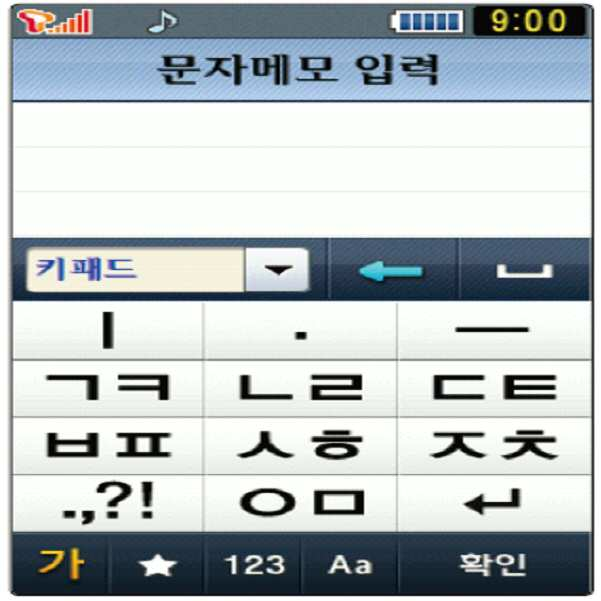
<그림14.6> : 햅틱2(SCH-W550모델) 특수문자모드에서의 터치 스크린 키패드<Figure 14.6>: Touch Screen Keypad in Haptic 2 (SCH-W550 Model) Special Character Mode
그리고 그림16.1~16.3 과 같은 디스플레이 화면의 일부를 할애한 특수문자를 입력하기 위한 글자배정표를 보이게 하는 것을 And to show the character assignment table for inputting special characters that dedicate part of the display screen as shown in Figures 16.1 ~ 16.3.
그때 그때마다 보이게 할 수 있게도 할 수 있고, 안 보이게 할 수 있게도 할 수 있게 하는 것을 사용자가 선택 할 수 있게 하면 더 좋을 것이다.It would be better if the user could choose to be able to make it visible at that time, or to make it invisible.
(특수문자를 많이 사용하는 사용자는 보이게 하는 것을 기본으로 설정하고,(If you use a lot of special characters, make it visible by default.
특수문자를 적게 사용하는 사용자는 안 보이게 하는 것을 기본으로 설정할 수 있게 하면 더 좋을 것 같다.)If you use less special characters, you may want to make it invisible by default.)
디스플레이화면의 일부를 특수문자를 입력하기 위한 글자배정표를 보이게 하는 것이 싫은 사람도 있기 때문이다.This is because some people dislike having a part of the display screen show character assignments for entering special characters.
그 한가지 방법을 제시하자면,To suggest one way,
종래에 문자입력모드에서는 아무 반응이 없는 통화버튼을, In the text input mode, there is no call button
보이게 하고, 안보이게 하는 토글키로 운영하면 어떨까 한다. How about running it with a toggle key that makes it visible and invisible?
(종래의 문자입력모드에서는 아무 반응이 없는 버튼에는 통화버튼 외에 볼륨조절버튼2개, 인터넷 연결버튼, 카메라버튼 등도 있으므로 그러한 버튼을 토글키로 사용할 수도 있다.(In the conventional text input mode, there are two volume control buttons, an internet connection button, and a camera button in addition to the call button, so those buttons can be used as a toggle key.
토글키 라는 것은 현재의 상태가 확연히 보여지지 않아서 항상 사용자에게 입력오류를 많이 가져오게 하지만, 이 경우에는 화면에 배정표가 보여지고, 안 보여지는 것으로 바로 현재 상태가 확연히 보여지므로 혼동의 염려는 없다.)Toggle keys do not worry about confusion because the current status is not clearly displayed, which always brings a lot of typing errors to the user, but in this case, the assignment is shown on the screen and the current status is clearly displayed. )
(또는 앞서서 언급한 예와 같이, (Or, as in the previous example,
CLR, INS, DEL, ENTER 기능을 서로 다른 버튼들의 6번째 글자로 배정한 것과 같이,As you assign the CLR, INS, DEL, and ENTER functions to the sixth letter of the different buttons,
보이게 할 것인지 말것인지의 기능을 글자로 배정할 수도 있다.You can also assign the function of making it visible or not.
또는 조합유도버튼으로 배정할 수도 있다.)Alternatively, it can be assigned with a combination induction button.)
그리고, And,
디스플레이화면의 일부를 특수문자를 입력하기 위한 글자배정표를 보이게 하는 상태에서,With part of the display screen showing the letter assignment table for entering special characters,
글자배정표 그룹 페이지를 여러 개 만들 수도 있다.You can also create multiple page layout group pages.
(물론, 종래처럼, 가장 사용 빈도가 높은 특수문자일 수록 첫 페이지에 가깝게 배치하는 것을 권장한다. 그리고 꼭 특수문자 페이지만 여러 개 만드는 것이 아니라 <그림15처럼>처럼 프랑스어, 러시아어, 베트남어 등의 여러 개의 언어를 표현하는 문자일수도 있다.)(Of course, it is recommended to place the most frequently used special characters closer to the first page, and not to create several pages of special characters, as in <Figure 15>. It may be a letter representing a dog language.)
마치 종래의 특수문자 모드에서도 여러 개의 특수문자 그룹 페이지가 있는 것과 같이 하는 것이다.It is as if there are several special character group pages in the conventional special character mode.
그렇게 하면, 사실상, 특수문자 모드 라는 것이 거의 불필요 하게 된다.In doing so, virtually no special character mode is necessary.
한글모드, 영문대문자모드, 영문소문자모드, 히라가나모드, 가타가나모드를 포함한 일반문자모드에서도 모든 특수문자 그룹 페이지가 표시되어, 글자모드 변경 없이 입력이 가능하게 된다.All special character group pages are displayed in normal character mode, including Korean mode, English uppercase letter mode, English lowercase mode, hiragana mode, and katakana mode, allowing input without changing the character mode.
이러한 상황에서 각 특수문자 그룹 페이지 변경을 어떻게 할 것인가?How would you change each special character group page in this situation?
이 때도 역시, At this time, too,
종래에 문자입력모드에서는 아무 반응이 없는 볼륨조절버튼을 페이지 변경버튼으로 운영하면 어떨까 한다. In the conventional text input mode, why not operate the volume control button that does not respond as a page change button.
(종래의 문자입력모드에서는 아무 반응이 없는 버튼에는 볼륨조절버튼 외에 통화버튼, 인터넷 연결버튼, 카메라버튼 등도 있으므로 그러한 버튼을 페이지 변경 버튼으로 사용할 수도 있다.)(In the conventional text input mode, the buttons that do not respond have a call button, internet connection button, camera button, etc. in addition to the volume control button, so they can be used as page change buttons.)
볼륨 업 버튼을 누르면 윗쪽 페이지로, 볼륨 다운 버튼을 누르면 아래쪽 페이지로 페이지가 변경되게 하는 것이다.Pressing the volume up button changes the page to the top page, and pressing the volume down button changes the page to the bottom page.
또는 방향버튼을 누르고 있는 상태에서 아무버튼이나 누르면 페이지가 변경될 수 있도록 할 수도 있다.Alternatively, you can change the page by pressing any button while holding the direction button.
예를 들어 E.g
윗쪽방향 버튼을 누르고 있는 상태에서 버튼1을 누르면 윗쪽 페이지로,Hold down the up button and press button 1 to go to the top page.
아래쪽방향 버튼을 누르고 있는 상태에서 버튼1을 누르면 아래쪽 페이지로 페이지가 변경 되는 것이다.If you press button 1 while holding down button, page changes to lower page.
(또는 앞서서 언급한 예와 같이, (Or, as in the previous example,
CLR, INS, DEL, ENTER 기능을 서로 다른 버튼들의 6번째 글자로 배정한 것과 같이,As you assign the CLR, INS, DEL, and ENTER functions to the sixth letter of the different buttons,
보이게 할 것인지 말것인지의 기능을 글자로 배정할 수도 있다.You can also assign the function of making it visible or not.
또는 조합유도버튼으로 배정할 수도 있다.Alternatively, it can be assigned with a combination induction button.
그리고 터치패드가 있으면 터치패드에 페이지 변경버튼을 만들어서 사용할 수도 있다.)And if you have a touchpad, you can create and use a page change button on the touchpad.)
그리고 각 페이지 마다. 입력하는 방식이 같을 수도 있고 다를 수도 있다.And every page. The input method may be the same or different.
예를 들어 현재 표시된 페이지가 무엇이건 간에, 디스플레이 화면에 표시된 특수문자는 모두 제3그룹 글자입력방법으로 입력할 수도 있고,For example, whatever special page is currently displayed, all the special characters displayed on the display screen can be entered using the third group character input method.
1페이지는 제3그룹 글자입력방법으로 입력하고,1 page is input by the 3rd group character input method,
2페이지는 제4그룹 글자입력방법으로 입력하고,Page 2 is input by the fourth group character input method.
3페이지는 제5그룹 글자입력방법으로 입력할 수도 있다.The third page may be input by the fifth group character input method.
(각 페이지 마다 입력하는 방법이 같게 하는 것이 왠지 더 좋을 것 같다.(I think it's better to make the input method the same on each page.
그리고, 한글모드, 영문대문자모드, 영문소문자모드, 히라가나모드, 가타가나모드를 포함한 일반문자모드에서 `방향버튼 단타`는 커서를 옮기는 기능을 하므로, `방향버튼 단타`로는 페이지 변경을 할 수는 없다.)And, in general text mode including Korean mode, English uppercase letter mode, lowercase English letter mode, hiragana mode, and katakana mode, 'direction button danta' moves the cursor. .)
하여튼 디스플레이 화면 일부를 할애하여 특수문자를 배정하여, 일반문자 모드에서 특수문자 모드로 문자모드 변경없이, 일반문자 모드에서 특수문자를 바로 입력할 수 있다.In any case, by assigning a special character to a part of the display screen, the special character can be directly input in the normal character mode without changing the character mode from the normal character mode to the special character mode.
종래에는 Conventionally
일반문자 모드에서 특수문자 모드로 변경할 때에도 문자모드 변경 버튼을 여러 번 눌러야 했고, When changing from normal text mode to special text mode, you had to press the text mode change button several times.
특수문자 모드에서 일반문자 모드로 또 다시 돌아오는 때에도 문자모드 변경 버튼을 여러 번 눌러야 하는 번거로움이 있어서, 특수 문자를 입력하려다가도, 그 과정이 번거로워서, 그냥 내버려두는 사례가 많이 있었다.Even when returning from the special character mode to the normal character mode, it is cumbersome to press the character mode change button several times, and there are many cases in which the process is cumbersome even when the special character is entered, and the process is left alone.
그리고 종래에는And conventionally
버튼당 1개의 특수문자만 대응되어 있어서 아주 많은 페이지의 특수문자 배정표를 이용하여 특수문자를 입력하였으므로, 원하는 특수문자를 디스플레이화면상에 띄우기 위해 많은 횟수의 페이지변경을 하여야 하는 번거로움이 있었지만, Since only one special character is supported per button, special characters are entered using a special character assignment table on a large number of pages. Therefore, it was troublesome to change a large number of pages in order to display the desired special characters on the display screen.
이제는, <그림16>처럼 버튼당 여러 개의 특수문자가 대응해도 되므로, 적은 수의 특수문자 페이지로, 많은 수의 특수문자를 표시할 수 있고, 원하는 특수문자를 디스플레이화면상에 띄우기 위해 적은 횟수의 페이지변경을 해도 된다.Now, as there are several special characters per button as shown in <Figure 16>, you can display a large number of special characters with a small number of special character pages, and use a small number of times to display the desired special characters on the display screen. You may change the page.
(그런 후에 여러 종류의 조합유도버튼이 있으므로, 원하는 특수문자를 쉽게 입력할 수 있다.)(After that, there are several kinds of combination induction buttons, so you can easily enter the special characters you want.)
그런데 디스플레이 화면의 일부를 특수문자를 입력하기 위한 글자배정표를 보이게 하는 것으로도 특수문자 개수가 부족하다고 느끼면(그럴리는 거의 없겠지만), 이제는 휴대폰 케이스나 휴대폰 내부에서 외부로 끄집어 낼 수 있는 얇은 줄자 같은 판, 또는 별도의 용지에 특수문자 배정표를 그려서 가지고 다니는 수 밖에 없다. 또는 홀로그램을 이용할 수도 있겠다.However, if you feel that the number of special characters is not enough to show part of the display screen to display the letter assignment table for inputting special characters (although it will be rare), now you have a thin tape-like board that can be pulled out from the phone case or inside the phone. The only option is to carry a special character assignment table on a separate sheet of paper. Or you could use a hologram.
어떤 문자체계에서든지 현재 설명하고 있는 영문에서처럼, 디스플레이화면과 기타부분까지 글자를 더 추가적으로 배정하여 그룹을 더 늘릴 수도 있다. In any letter system, you can expand the group by assigning additional letters to the display screen and other parts, as in the current English description.
비영어권 국가에서는,In non-English speaking countries,
종래에는 기본적으로 영문 알파벳이 버튼에 표기되어 있었는데, In the past, the English alphabet was basically written on the button.
이제는 버튼에 특수문자를 많이 배정하기 위한 공간 마련을 위하여, <그림15>처럼 디스플레이화면에 영문 알파벳을 배정할 수도 있겠지만 많이 권장하지는 않는다.Now, in order to make room for assigning a lot of special characters to buttons, you can assign English alphabet to the display screen as shown in <Figure 15>, but it is not recommended much.
하여튼 종래에는 각 버튼당 3~4개의 적은 수의 문자를 배정해 놓고도 입력하기가 굉장히 까다로웠는데, 쌍둥이로는 쉽게 입력할 수 있는 글자 수가 너무 많아서, 그 글자들을 어떻게 표현하여 사용자가 인식하게 할 수 있을 것인지에 대한 새로운 고민을 하게 만든다.Anyway, it was very difficult to input even if there are 3-4 fewer characters assigned to each button, but there are too many characters that can be easily input by twins, so how to express the characters so that the user can recognize them. It makes me think about whether I can.
그리고 버튼을 개별적인 유기발광다이오드 를 포함한 페인트가 아닌 전자적으로 버튼표기를 표시할 수 있게 하여, 만약 사용자가 버튼의 특수문자배정을 바꾸 면 바뀐사항이 버튼에 반영될 수 있어서 좋을 것이라고 생각한다. 그리고 비영어권 국가에서 그 국가 언어의 글자모드에서는 영문 알파벳이 거의 필요없으므로, 영문알파벳이 나타나지 않게 할 수 있다. 그리하여 그 자리에 특수문자를 더 추가적으로 배정할 수도 있다. 그리고 영어권 국가를 포함한 모든 국가에서 일반문자 모드에서는 숫자는 거의 필요없으므로, 숫자는 표시지 않고, 종래의 숫자가 표시 자리에도 특수문자를 추가적으로 배정할 수도 있다. 가끔 길게 눌러서 숫자를 입력할 경우라도 대부분의 사용자는 이미 암기하고 있으므로, 반드시 표시할 필요까지는 없겠다. 또는 숫자를 작게 표시하여 새로 생긴 여유 공간에 특수문자를 추가적으로 배정할 수도 있다. (그리고 버튼을 개별적인 유기발광다이오드를 포함한 페인트가 아닌 전자적으로 버튼표기를 하면, 동일한 언어를 입력하는 경우에도 버튼에 기본 문자 표기가 다른 여러 종류의 문자입력방식을 내장할 수도 있다. 특히 문자입력방식이 다양한 한글이 그러하다. 그런 상태에서, 각 문자입력방식마다 한글 완성형문자만 추가로 배정한 형태, 문장부호까지 추가로 배정한 형태, 그림이모티콘까지 추가로 배정한 형태 등 다양하게 표현할 수도 있다. 그림22~36.65 참조바란다.In addition, it allows the button to display the button notation electronically, rather than paint containing individual organic light emitting diodes. In the non-English-speaking countries, the English alphabet is rarely needed in the letter mode of the national language, so that the alphabet is not displayed. Thus, you can assign additional special characters in place. And in all countries, including English-speaking countries, the number is rarely needed in the normal character mode, so that the number is not displayed, and the special number may be additionally assigned to the place where the conventional number is displayed. Even if you sometimes press and hold a number, most users are already memorizing, so you don't have to display it. You can also assign special characters to the newly created free space by displaying small numbers. (If you mark the buttons electronically, rather than painting them with individual organic light-emitting diodes, you can embed several types of text input methods with different default character markings, even if you enter the same language. In this state, various types of Hangul can be expressed in various forms, such as a form additionally assigned to the Hangul complete type characters, a form additionally assigned to a punctuation mark, and an additional form to a picture emoticon. See 36.65.
또는 유기발광다이오드가 아닌 그림16.3 과 그의 해설을 한 형태인 디스플레이 화면을 이용할 수도 있다.) Or, instead of an organic light-emitting diode, you can use the display screen in the form of Figure 16.3 and its explanation.)
유기발광다이오드 버튼을 포함한 전자적으로 버튼에의 표기를 하는 것이 아닌, I do not write it to a button electronically including an organic light-emitting diode button,
버튼에 페인트로 프린트하는 일반적인 버튼에서라도,Even with a normal button that prints on the button with paint,
비영어권 국가에서는 In non-English speaking countries
종래에도 영문 알파벳은 표준열거순으로 배정, 프린트 되어 있었으므로, As the English alphabet was assigned and printed in standard order in the past,
이제는 영문 알파벳을 버튼당 1~2개만 프린트하여도 표기안된 음소의 순서를 인지하는데에는 지장이 없으므로, 영문 알파벳을 버튼당 1~2개만 프린트하여 자국어 문자나 특수문자를 표기하려는 공간을 최대화 할 수도 있다. Now, printing only one or two English alphabets per button does not interfere with recognizing the order of unphoned phonemes, so you can print only one or two English alphabets per button to maximize the space you want to display your native characters or special characters. have.
그리고, 만약 버튼에 표기된 것만 해서 제3그룹입력 방식까지 사용했다면 디스플레이화면에 있는 것은 제4그룹 글자입력방식으로 입력하고, 별도로 쪽지 등에 표기한 것은 제5그룹 글자입력방식으로 입력하면 되는 것이다.Then, if the third group input method is used only as indicated on the button, the one on the display screen may be input by the fourth group letter input method, and the other items may be input by the fifth group letter input method.
이때 `디스플레이화면에 있는 것은 터치패드로 입력하면 되는 것 아니냐?` 라고 말할 수 있는데, <그림14.6>처럼 디스플레이화면 버튼당 1개 정도만 특수문자가 배정되어 있으면 가능할 지도 모르나, <그림16>처럼 여러 개가 배정되어 있으므로 엄지손가락은 굵기 때문에 여러 개의 특수문자 중 1개만 정확히 터치하여 입력하기가 힘들 것이다. At this time, it is possible to say, 'What is on the display screen can be input using the touch pad?', As shown in <Figure 14.6>, it may be possible if only one special character is assigned per button on the display screen. Since the thumb is thick because it is assigned to a dog, it will be difficult to input exactly one of several special characters.
키패드자체를 터치패드로하는 The keypad itself is touch pad
<그림14.5> 또는 <그림14.6>의 2008년 하반기에 출시된 삼성전자의 햅틱2처럼 쿼티자판형식도 아닌 It is not in the form of a QWERTY keyboard like Samsung's Haptic 2 released in the second half of 2008.
버튼크기가 큰 소형키패드형식의 Small keypad type with large button size
터치패드이어도, Even if it is touchpad,
버튼 자체를 오류없이 터치하여 입력하기가 아직 까지는 굉장히 힘들고, 괜한 인식오류도 많고, 터치감도 실제 물리적인 버튼보다 안 좋아서,It is very hard to input by touching the button itself without any errors yet, there are many false recognition errors, and the touch is not as good as the actual physical buttons.
한국에서도, 외국에서도 터치패드 형식에 대한 불편함을 사용자들이 엄청나게 토로하면서(인터넷상의 햅틱2 사용후기에 보면, 손가락이 젓가락 같은 사람은 없으므로, 햅틱1에 비하여 햅틱2가 많이 발전하기는 했지만, 여전히 햅택2의 터치패드 자판을 보면서도 손가락으로 문자 입력하기는 아직은 힘들다는 내용도 있다. 그리고, 터치감이 물리적인 버튼에 비하여 좋지 않아서, 키패드를 보지 않고 문자 입력하면 오타가 잘 나므로, 반드시 키패드를 보고 문자를 입력해야 하는 불편함도 있다고 한다. 물론, 터치패드이면서 소형키패드인 휴대폰에도 쌍둥이 적용하여 종래의 터치 소형키패드에서 보다 더 빠르고, 쉽게 글자를 입력할 수는 있다.), In Korea and abroad, users have been complaining about the discomfort of the touchpad type (in the haptic 2 testimonials on the Internet, there are no people like chopsticks, so the haptic 2 has developed a lot compared to the haptic 1, but still It is also difficult to input text with your finger while watching the touchpad keyboard of the Hap-Tek 2. And because the touch is not good compared to the physical buttons, typing letters without looking at the keypad will make typos. Of course, it is also inconvenient to enter a character, but of course, it is also applicable to mobile phones, which are touch pads and small keypads, so that characters can be entered more quickly and easily than conventional touch small keypads.),
풀 터치 스크린 형식의 휴대폰이 한참 등장 하다가 윗판은 터치스크린 이어도 글자입력만은 종래의 물리적인 버튼형식을 취하는 것이 출시되고 있기 때문이다. 삼성전자의 소울폰(SCH-W590 사진없음)이나 엘지전자의 디스코폰(위 그림 11의 SH-650)이 그러하다.The mobile phone of full touch screen type appeared for a long time, but the top panel is a touch screen, but it is being released to take the conventional physical button type only for text input. This is the case with Samsung's Soul Phone (No SCH-W590) or LG's Disco Phone (SH-650 in Figure 11 above).
또 디스플레이화면 버튼당 1개 정도만 특수문자가 배정되어 있다고 하더라도 종래에 버튼크기가 크면서도 문제가 있었던 풀터치 스크린의 소형키패드 형식의 터치버튼보다 적으므로 당연히 문제가 될 것이다.In addition, even if only one special character is assigned to each display screen button, there will be a problem because it is smaller than the small keypad type touch button of the full touch screen, which has a problem of large buttons in the past.
<그림15> : 삼성 일본향 920SC : 한글입력시 디스플레이 화면에 천지인자판이 표시된 사진<Figure 15>: Samsung 920SC for Japan: Picture showing Cheonji Factor on the display screen
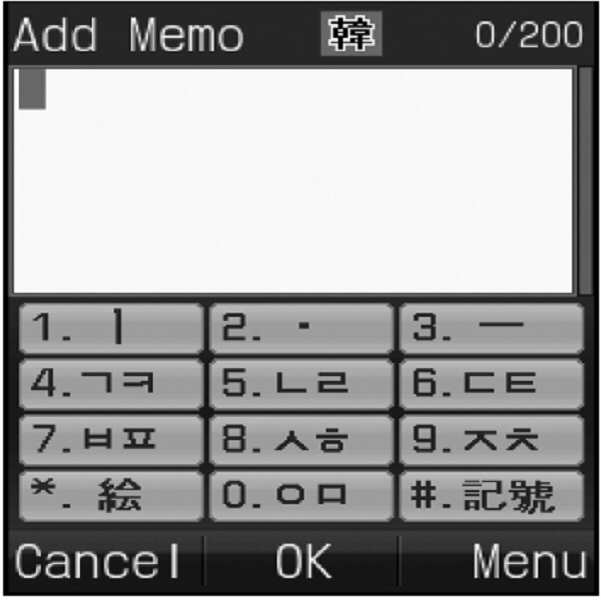
<그림16> : 디스플레이화면에 특수문자 표시 예<Figure 16>: Example of special character display on display screen

종래의 버튼표기를 그대로 유지한 채로도, Even while maintaining the conventional button notation,
디스플레이 화면의 일부를 할애하여 신규로 문장부호 또는 기타 특수문자 또는 그림이모티콘, 추가된 한글 완성형 음소을 추가로 배정하할 수도 있다. A portion of the display screen may be devoted to assign additional punctuation marks, other special characters or picture emoticons, and additional Hangul complete phonemes.
아마도 이런 형태를 종래의 사용자들이 가장 무리없이 받아들일 수 있는 형태가 될 것 같기도 하다.Perhaps this would be the form most conventional users would be willing to accept.
(종래의 버튼에는 문장부호가 거의 표기되어 있지 않으므로, <그림16.1>처럼 각 디스플레이화면 버튼당 문장부호부터 1개 정도씩부터 배정하는 것을 권장한다. (In conventional buttons, few punctuation marks are indicated. Therefore, it is recommended to assign at least one punctuation mark for each display screen button, as shown in <Figure 16.1>.
또 종래의 한글입력방식의 표기를 그대로 유치한 것에 적용하는 경우에는 <그림16.2>처럼 추가된 한글 완성형 음소부터 배정하는 것을 더 권장한다. In addition, if the conventional Korean input method is applied to the childish language as it is, it is better to allocate the Hangul complete phonemes added as shown in <Figure 16.2>.
또 <그림16.3>은 한글입력방식표준화에 있어서 버튼에 표기가 통일되지 못했을 경우 디스플레이화면에라도 표준화할수 있는 방안의 예이다.)<Figure 16.3> is an example of how to standardize Korean input method even if it is not uniformly displayed on the button.)
앞에서도 설명하였지만, 그림16~16.2처럼 하면, 특수문자 모드라는 것이 사실상 필요가 없으며, 일반문자 모드에서 특수문자 모드로 문자모드 변경없이, 일반문자 모드에서 특수문자를 입력할 수 있다. 디스플레이 화면에 있는 것은 아마도 버튼에 표기된 글자를 입력하는 방식과 다른 그룹글자입력(예 : 제2그룹 글자입력방식)방식으로 입력하게될 것이다. (즉, 제1~5그룹 글자입력방식을 포함한 여러 쌍둥이 입력방식 중 어느 하나를 선택하여 입력하면 된다.)As described above, as shown in Figures 16 to 16.2, the special character mode is practically unnecessary, and special characters can be input in the normal character mode without changing the character mode from the normal character mode to the special character mode. What is on the display screen will probably be typed in a different way of entering the letters on the button (eg, the second group of letters). (In other words, any one of several twin input methods including the first to fifth group character input methods may be selected and input.)
<그림16>에 보여지는 것은 특수문자 그룹(페이지)중 1번째 그룹(페이지)만 보여지고 있는 것이고, 다른 그룹(페이지)이 보여지게 하려면 볼륨 조절 버튼 등을 조작하면 되는 형식이다. 1페이지만 보아도 벌써 36개의 특수문자를 모드 변경없이 입력가능한 것이다. In <Figure 16>, only the first group (page) of the special character group (page) is shown. To display another group (page), use the volume control button or the like. If you look at only one page, you can already enter 36 special characters without changing the mode.
이것도 거부감이 느껴진다면, 특수문자 배정들을 암기하거나, 특수문자 배정표를 가지고 다니면서도 사용할 수밖에 없다. (당연히 신규로 배정한 글자는 글자그룹을 달리할 수도 있다.)If you feel rejected, you have to memorize special character assignments or carry them with you. (Of course, newly assigned letters may be different letter groups.)
<그림16.1>디스플레이 화면에 문장부호부터 배정 <Figure 16.1> Assigning Punctuation Marks to Display Screens

<그림16.1>을 디스플레이화면의 1번째 페이지로 하고,Set <Figure 16.1> as the first page of the display screen.
<그림16>을 디스플레이화면의 2번째 페이지로 할수도 있다.You can also use Figure 16 as the second page of the display screen.
(그림16~16.1의 그림이모티콘이 중복되게 표시되어 있지만, 그렇지 않다고 가정한 말이다.)(The figures in Figures 16-16.1 are duplicated, but assuming they are not.)
<그림16.2>디스플레이 화면에 한글 완성형 음소부터 배정 <Figure 16.2> Allocating Hangul Complete Phonemes to the Display Screen
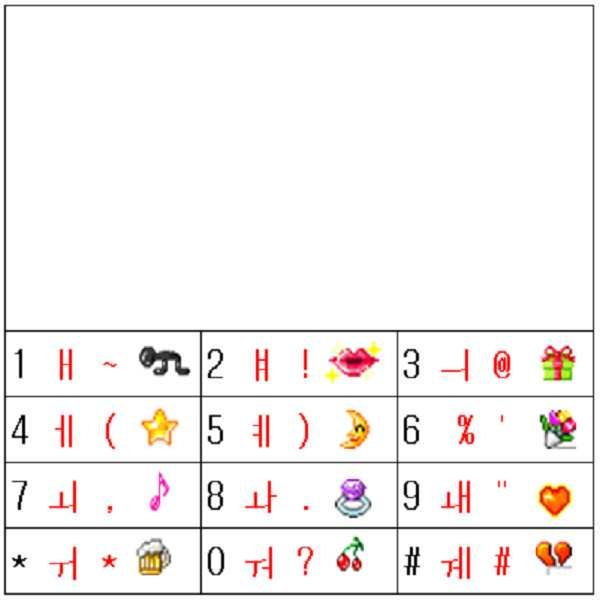
<그림16.2>의 배정은 종래 한글입력방식에서 완성형으로 배정되지 않은 한글음소를 임의로 표시한 것이므로, 표시된 한글음소는 종래 한글입력방식의 종류에 따라 달리 표시된다.Since the assignment of <Figure 16.2> is a random display of Korean phonemes that are not assigned to completion in the conventional Korean input method, the displayed Korean phonemes are displayed differently according to the type of the conventional Korean input method.
(종래 문자입력방식과 쌍둥이가 병행하는 경우, (When conventional character input system and twins are parallel,
실제 버튼에 배정된 글자를 입력하는 방식과 <그림16.2>의 디스플레이화면상의 각 버튼의 글자 중 일부 또는 전체를 입력하는 방법이 동일할 수도 있다. The method of inputting the letter assigned to the actual button and the method of inputting some or all of the letters of each button on the display screen of <Figure 16.2> may be the same.
예를 들어, 실제 버튼에 표기된 글자와 디스플레이 화면상의 버튼에 표시된 글자 중 한글음소와 문장부호는 제1그룹 글자입력방식으로 입력할 수 있다는 뜻이다.).For example, Korean phonemes and punctuation marks of letters displayed on actual buttons and letters displayed on buttons on a display screen can be input by the first group of text input methods.).
<그림16.2>을 디스플레이화면의 1번째 페이지로 하고,Set <Figure 16.2> as the first page of the display screen.
<그림16.1>을 디스플레이화면의 2번째 페이지로 하고,Set <Figure 16.1> as the second page of the display screen.
<그림16>을 디스플레이화면의 3번째 페이지로 할수도 있다.You can also use Figure 16 as the third page of the display screen.
(그림16~16.2의 그림이모티콘이 중복되게 표시되어 있지만, 그렇지 않다고 가정한 말이다.)(The figures in Figures 16 and 16.2 show duplicates of the motifs, but they are not.)
<그림16.3>디스플레이 화면에 표준 한글완성형음소부터 배정 <Figure 16.3> Assigning Standard Hangul Phonemes to Display Screens
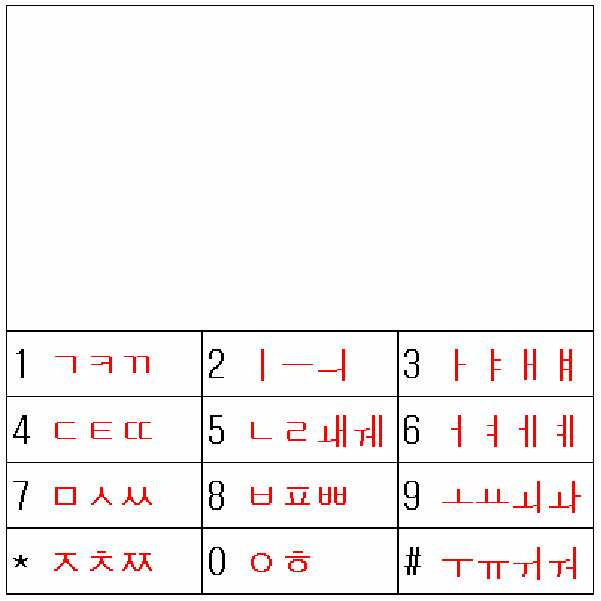
휴대폰제조사 및 통신사와의 의견 불일치로 한글입력방식에 대한 표준화가 이루어지지 않아서,Due to disagreement with mobile phone manufacturers and telecommunication companies, the standardization of Hangul input method was not made.
버튼에 표기되는 사항은 종래와 같이 제조사 별로 각각 다르게 표기하여도,The information displayed on the button is expressed differently for each manufacturer as before,
표준한글입력방식 모드를 신설하여New Korean input method mode
디스플레이화면에라도 표준글자배정을 표시할 수 있도록 할 수 있다.Standard character assignments can be displayed on the display screen.
이런 정도의 표준화는 협의가 필요 없으므로 언제라도 가능하다.This level of standardization is possible at any time because no consultation is required.
물론 입력방법은 멀티탭과 쌍둥이를 병행하든지, 쌍둥이 전용모드방법으로 하는 것을 권장한다.Of course, the input method is recommended to use the multi-tap and twin, or twin only mode.
이때는 물리적인 버튼에 표기된 종래의 방식의 음소배정과 디스플레이화면의 전자적인 버튼에 표기된 표준화한 음소배정이 다르므로, In this case, since the phoneme assignment of the conventional method indicated on the physical button is different from the standardized phoneme assignment indicated on the electronic button of the display screen,
단타로 입력되는 음소가 서로 다르게 되므로, The phonemes input by the single shot will be different,
원칙적으로 물리적인 버튼에 표기된 것을 입력하는 종래의 한글입력방식과는 문자입력모드 변경없이 디스플레이화면의 음소배정대로 입력하는 방법은 병행하지 못합니다.In principle, the method of inputting the phoneme assignment on the display screen without changing the character input mode cannot be combined with the conventional Hangul input method that inputs what is displayed on the physical button.
(병행한다면 디스플레이화면의 표준음소배정의 각 전자적인 버튼의 1번째 글자도 쌍둥이로 입력해야 하며, 그것도 물리적인 버튼에 표기된 종래의 한글입력방식에는 쌍둥이(제1그룹글자입력방식)이 병행하지 않았을 때만, 디스플레이화면의 표준음소배정도 쌍둥이(제1그룹글자입력방식)으로 입력할 수 있다.)(In parallel, the first letter of each electronic button of the standard phoneme assignment on the display screen should also be entered as twins, and the twin letters (first group character input method) would not be parallel to the conventional Korean input method indicated on the physical button. Only when the standard phonemes on the display screen can be entered in twins (first group character input method).)
(위 <그림16.3>의 배정은 팬택계열의 한글 배정(<그림23~26.7> 참조)과 기본음소 배열이 같으므로 이 경우에는 팬택계열의 입력방식과 병행할 수 있습니다.) (The assignment in <Figure 16.3> is the same as the Korean phonetic assignment (see <Figure 23 ~ 26.7>) of the Pantech series.
<그림16.3>을 디스플레이화면의 1번째 페이지로 하고,Set <Figure 16.3> as the first page of the display screen.
<그림16.2>을 디스플레이화면의 2번째 페이지로 하고,Set <Figure 16.2> as the second page of the display screen.
<그림16.1>을 디스플레이화면의 3번째 페이지로 하고,Set <Figure 16.1> to the third page of the display screen.
<그림16>을 디스플레이화면의 4번째 페이지로 할수도 있다.You can also use Figure 16 as the fourth page of the display screen.
(그림16~16.3의 그림이모티콘이 중복되게 표시되어 있지만, 그렇지 않다고 가정한 말이다.)(The figures in Figures 16-16.3 show duplicates of the motifs, but they are not.)
또는or
위처럼 표준글자 배정뿐만 아니라,In addition to the standard letter assignments as above,
표준화가 안된 상태에서도, Even in the absence of standardization,
여러 개의 한글 입력방식을 휴대폰에 내장하여, Built-in several Hangul input methods in the phone,
여러 개의 한글 입력방식 모드를 설정하여,By setting several Hangul input method modes,
특정의 한글 입력방식 모드를 선택하면,If you select a specific Hangul input method mode,
선택한 한글 입력방식을 개선한 형태로 디스플레이화면에 음소배정표가 뜨도록하여, Improved selected Hangul input method , so that the phoneme assignment table appears on the display screen,
선택한 한글 입력방식의 종래의 방법과 쌍둥이를 병행한 방법(또는 쌍둥이 전용모드)로 입력할 수 있게도 할 수 있다.It is also possible to input in the conventional method of the selected Hangul input method and the twin (or twin only mode) in parallel.
`선택한 한글 입력방식을 개선한 형태`라는 것은 'Improvement of the selected Hangul input method' means
천지인 방식을 개선한 경우의 형태는 <그림22.8>과 같이 표시하는 것을 말하고,The form in the case of improving the celestial way means to display as shown in <Figure 22.8>.
팬택계열 스카이 또는 큐리텔 방식을 개선한 경우의 형태는 <그림26.8>과 같이 표시하는 것을 말하고,In the case of improving the Pantech Sky or Curitel method, the form is as shown in <Figure 26.8>.
엘지 EZ 방식을 개선한 경우의 형태는 <그림32.8>과 같이 표시하는 것을 말하고,When the LG EZ system is improved, the form is represented as shown in <Figure 32.8>.
모토롤라 방식을 개선한 경우의 형태는 <그림36.66>과 같이 표시하는 것을 말한다.The improved form of the Motorola approach is shown in Figure 36.66.
이렇게 하면 제조사가 다른 휴대폰을 구매 하더라도, 자기가 선호하는 문자입력방식을 사용할 수 있으면서도, 쌍둥이를 이용하여 더욱 빠르게 입력할 수도 있게 되는 것이다.This way, even if a manufacturer buys another mobile phone, he can use his favorite text input method, but he can use the twins to input more quickly.
물론 입력방법은, 선택한 종래의 방법과 쌍둥이를 병행하든지, 쌍둥이 전용모드방법으로 하는 것을 권장한다.Of course, it is recommended that the input method be parallel to the selected conventional method or the twin exclusive mode method.
(문자모드 변경없이 여러 페이지에 걸쳐 표시된 여러 개의 한글 입력방식을 개선한 형태 중 원하는 입력방식으로 페이지만 변경하여 입력할 수도 있지만, (You can change the input page only to the desired input method among the improved forms of Korean input method displayed on multiple pages without changing the character mode.
역시나, 이때도, 위에서 언급한 표준글자 배정을 입력하는 때처럼, Again, just as with the standard letter assignments mentioned above,
물리적인 버튼에 표기된 종래의 방식의 음소배정과 디스플레이화면의 전자적인 버튼에 표기된 음소배정이 다르므로, Since the phoneme assignment of the conventional method written on the physical button is different from that of the electronic button on the display screen,
단타로 입력되는 음소가 서로 다르게 되므로, The phonemes input by the single shot will be different,
원칙적으로 물리적인 버튼에 표기된 것을 입력하는 종래의 한글입력방식과는 문자입력모드 변경없이 디스플레이화면의 음소배정대로 입력하는 방법은 병행하지 못합니다.In principle, the method of inputting the phoneme assignment on the display screen without changing the character input mode cannot be combined with the conventional Hangul input method that inputs what is displayed on the physical button.
(병행한다면 디스플레이화면의 음소배정의 각 전자적인 버튼의 1번째 글자도 쌍둥이로 입력해야 하며, 그것도 물리적인 버튼에 표기된 종래의 한글입력방식에는 쌍둥이(제1그룹글자입력방식)이 병행하지 않았을 때만, 디스플레이화면의 음소배정도 쌍둥이(제1그룹글자입력방식)으로 입력할 수 있다.)(In parallel, the first letter of each electronic button of phoneme assignment on the display screen should also be entered as twins, and it is only when the twin (first group character input method) is not parallel to the conventional Korean input method indicated on the physical button. , Can be input by the phoneme twin of the display screen (first group character input method).)
<그림16.5> : 영문 : 개선 : 2줄 여백<Figure 16.5>: English: Improvement: Two-line Margin
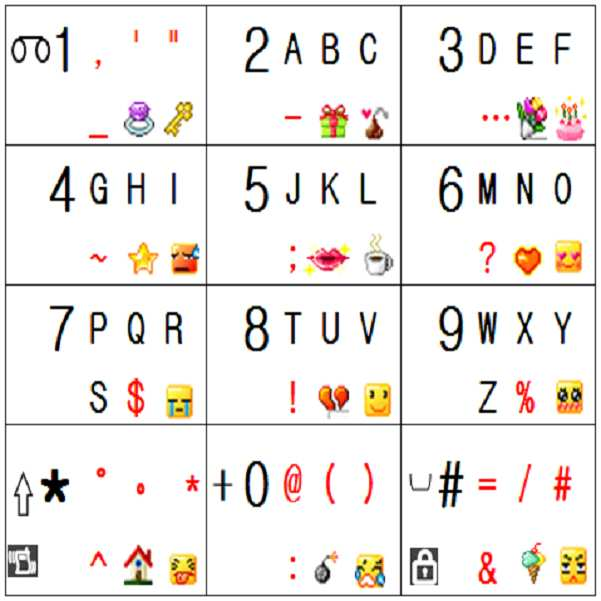
버튼에는 <그림05> 또는 <그림06> 에 비하여 적은 수의 특순문자 또는 그림이모티콘을 표기한 형태The button has fewer special characters or picture emoticons than <Figure05> or <Figure06>.
(그 이상의 것은 디스플레이화면을 일부 할애 하여 표시할 수도 있다.)(More than that may be displayed by dedicating part of the display screen.)
설명은 필요없을 줄 안다.I don't need explanation.
<그림16.6> : 영문 : 개선 : 2줄 이모티콘없음<Picture 16.6>: English: Improvement: No 2-line emoticon
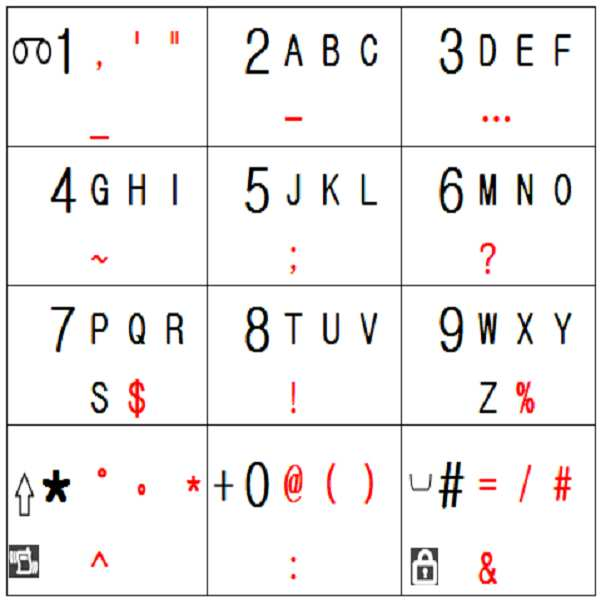
버튼에는 <그림03> 에 비하여 특수문자만 추가로 배정하고 그림이모티콘을 표기 안한 형태The buttons are assigned only special characters as compared to <Figure 03> and do not have a picture emoticon.
(그 이상의 것은 디스플레이화면을 일부 할애 하여 표시할 수도 있다.)(More than that may be displayed by dedicating part of the display screen.)
설명은 필요없을 줄 안다.I don't need explanation.
++++++++++++++++++++++++++++++++++++++++++++++++++++++++++++++++++++++++++++++++++++++++++
영어 알파벳만으로 이루어진 일반적인 영어 단어만을 입력하는 경우에도 대단히 빠르고 편리하게 입력할 수 있게 되었다는 것을 확인하고 싶으면 `단어 쓰기 연습`단원의 영어단어를 입력하는 예를 살펴보면 된다.If you want to make sure that you can enter only English words that consist only of the English alphabet, you can see how to enter English words in the 'Word Writing Practice' section.
++++++++++++++++++++++++++++++++++++++++++++++++++++++++++++++++++++++++++
이제 일본어 입력방식에 대하여 알아보자Now let's learn about Japanese input method.
<그림17> : 일본어자판 : 종래<Figure 17>: Japanese Keyboard: Conventional
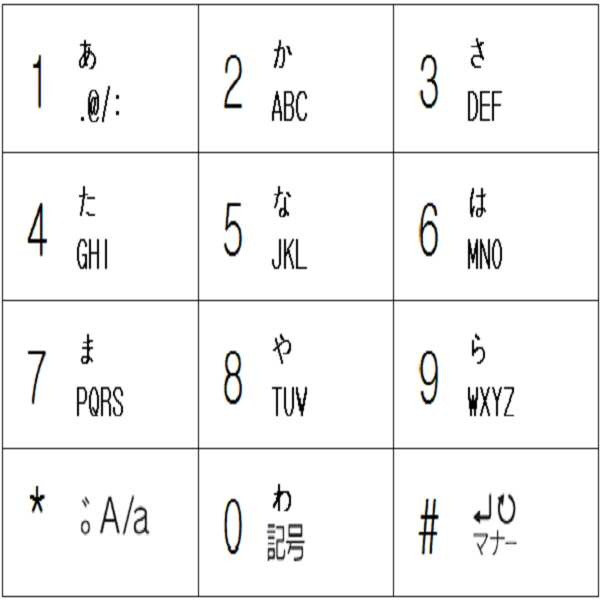
이하에서의 일본어 입력방식에 대하여 설명을 이해하려면 일본어 문자체계에 대하여 약간 알고 있어야 한다.To understand the Japanese input method below, you need to know a little about the Japanese writing system.
일본어는 한자 와 히라가나 와 가타가나 를 사용하여 표현한다.Japanese is expressed using Kanji, Hiragana, and Katakana.
히라가나 와 가타가나 는 영문의 대문자와 소문자처럼 발음은 같으나 글자모양이 다르며, 영문과는 달리 사용처가 다르며 가타가나는 한자와 히라가나 를 합한 것의 10퍼센트정도나 밖에 사용하지 않는다고 한다.Hiragana and Katakana have the same pronunciation as the upper and lower case letters of English, but the letters are different. Unlike English, they are used differently, and Katakana is said to use only about 10 percent of the combined kanji and hiragana.
히라가나 와 가타가나 각각의 사용처는 앞에서 설명하였다.The use of Hiragana and Katakana is described above.
히라가나 와 가타가나 는 각각 50개 정도의 글자를(=50음도) 갖는다.Hiragana and Katakana have about 50 letters each.
<그림17>처럼 소형키패드에는 아래의 전체 히라가나 를 나열한 것의 1열의 글자들인 As shown in Figure 17, the small keypad contains the letters in column 1 of the entire hiragana list below.
1(あ a), 2(か ka), 3(さ sa), 4(た ta), 5(な na), 6(は ha), 7(ま ma), 8(や ya), 9(ら ra), 0(わ wa) 이 대표글자로 표기되어 있다.1 (あ a), 2 (か ka), 3 (さ sa), 4 (た ta), 5 (な na), 6 (は ha), 7 (ま ma), 8 (や ya), 9 (ら ra) and 0 (わ wa) are written as representative letters.
대표글자 외의 숨어있는 글자까지의 종래의 배정 상황을 보자면 아래와 같다.The conventional assignment situation up to hidden characters other than the representative characters is as follows.
먼저 히라가나 모드에서의 히라가나 종래의 배정상황은 아래와 같다.First, the hiragana conventional assignment in hiragana mode is as follows.
버튼1에는 あ(a) い(i) う(u) え(e) お(o) Button 1 has あ (a) い (i) う (u) え (e) お (o)
버튼2에는 か(ka) き(ki) く(ku) け(ke) こ(ko) Button 2 has か (ka) き (ki) く (ku) け (ke) こ (ko)
버튼3에는 さ(sa) し(si) す(su) せ(se) そ(so) Button 3 has さ (sa) し (si) す (su) せ (se) そ (so)
버튼4에는 た(ta) ち(ti) つ(tu) て(te) と(to) Button 4 has た (ta) ち (ti) つ (tu) て (te) と (to)
버튼5에는 な(na) に(ni) ぬ(nu) ね(ne) の(no) Button 5 has な (na) に (ni) ぬ (nu) ね (ne) の (no)
버튼6에는 は(ha) ひ(hi) ふ(hu) へ(he) ほ(ho) In button 6, は (ha) ひ (hi) ふ (hu) へ (he) ほ (ho)
버튼7에는 ま(ma) み(mi) む(mu) め(me) も(mo) Button 7 has ま (ma) み (mi) む (mu) め (me) も (mo)
버튼8에는 や(ya) ゆ(yu) よ(yo) Button 8 has や (ya) ゆ (yu) よ (yo)
버튼9에는 ら(ra) り(ri) る(ru) れ(re) ろ(ro) Button 9 has ら (ra) り (ri) る (ru) れ (re) ろ (ro)
버튼0에는 わ(wa) を(wo) ん(ng) In button 0, わ (wa) を (wo) ん (ng)
그리고 가타가나 모드에서의 가타가나 종래의 배정상황은 아래와 같다.(발음은 위의 히라가나와 같다) In addition, the conventional assignment of Katakana in Katakana mode is as follows (pronounced sound is the same as above).
버튼1에는 ア イ ウ エ オButton 1 has a イ ウ エ オ
버튼2에는 カ キ ク ケ コ On the button 2, キ キ キ ケ コ
버튼3에는 サ シ ス セ ソ Button 3 is サ シ ス セ セ ソ
버튼4에는 タ チ ツ テ ト Button 4 on the タ チ ツ テ ト
버튼5에는 ナ ニ ヌ ネ ノ Button 5 is ナ ニ ニ ヌ ネ ノ
버튼6에는 ハ ヒ フ ヘ ホ Button 6 has ハ ヒ フ ヘ ホ
버튼7에는 マ ミ ム メ モThe button 7 is マ ミ ム メ モ
버튼8에는 ヤ ユ ヨ Button 8 contains the ヤ ユ ヨ
버튼9에는 ラ リ ル レ ロButton 9 on the ラ リ ル レ ロ
버튼0에는 ワ ヲ ンIn button 0, ワ ヲ ン
결국 버튼1개당 5개정도 씩의 일본문자가 배정되어 있다. 이것만 알면 된다.After all, about 5 Japanese characters are assigned to each button. You only need to know this.
그래서, 종래에는 So conventionally
멀티탭 방식으로 입력하는 경우에, 버튼을 누를 때 마다 5개의 문자를 순환 시키면서 문자를 입력하였다.In the case of multi-tap input, each time the button is pressed, 5 characters are cycled through the characters.
그러한 가운데 PREDICTION(예측) 모드를 활성화 시키는 것을 선택하면, 현재 까지 입력된 글자들이 포함되는 일본문자단어 또는 한자어가 후보단어로 제시되고, 사용자는 후보단어들 중 원하는 단어를 선택하는 형식을 취할 수도 있다.If the user chooses to activate the PREDICTION mode, a Japanese word or a Chinese character containing the characters entered so far is presented as a candidate word, and the user may take the form of selecting a desired word among the candidate words. .
한국의 단어를 가지고 예를 든다면 If you take an example with Korean words
`학`을 입력하면 후보 단어로서Typing `haking` is a candidate word
학생, 학사모, 학군단, 학과, 학식, 학기, 학도, 학대, 학년, 학벌, 학문, 학습, 학연, 학파 , 학군, 학당, 학덕, 학력, 학수, 학부모, 학부형, 학춤, 학예, 학점, 학질, 학창 등의 후보단어가 히라가나 및 한자로 제시되고, 사용자는 원하는 단어를 선택하는 형식인데, 실제로 일본어를 입력하기에는 원하는 단어까지 커서를 여러 번 옮겨야 하므로 많은 타수가 필요하기도 하고, 요즘 빠르게 생기는 신조어, 외래어, 조사까지는 DB에 없는 경우가 많으므로 어차피 멀티탭으로 많은 타수로 입력해야 하기도 하고, 따로 한자로 변환해야 하는 경우도 있는 등 굉장히 까다롭고 불편하여 일본 휴대폰에는 `안녕하십니까?` ,`어디세요?` 등의 상용문구를 활용해 보려고 하는데, 여전히 불편하다.Student, bachelor cap, school corps, department, academic, semester, academic, abuse, grade, academic, academic, learning, academic, school, school district, school, academic, academic, academic, parent, parent, academic, academic, academic Candidates such as school windows are presented in hiragana and kanji, and the user selects a desired word.However, in order to input Japanese, a large number of strokes are required because the cursor needs to be moved several times. It is very tricky and inconvenient, because there are many cases that do not exist in the DB until many surveys can be input by multi-tap, and it may need to be converted to kanji separately. I'm trying to use commercial phrases, but still uncomfortable.
한글입력에서는 이러한 PREDICTION(예측)기능이 거의 필요없는 것처럼, In Korean input, such PREDICTION function is rarely needed.
일본문자(히라가나, 가타가나)입력에도 쌍둥이를 적용하면, 그러한 기능 없이도, 영문이 쌍둥이에 의해 개선되는 것처럼, 종래의 한글보다 더 빨리 입력할 수 있고, 특수문자도 자유롭게 입력할 수 있게 된다. (추가로 배정되는 글자에 한자변환을 위한 영역선택을 빠르게 할 수 있는 기능을 포함한 일본문자를 한자로의 변환을 도와주는 기능을 추가하여 한자 변환속도 도 개선할 수 있을 것 같기도 하다.) If twins are also applied to Japanese characters (Hiragana, Katakana) input, without such a function, English can be input faster than conventional Korean characters, and special characters can also be freely inputted, as English is improved by twins. (In addition, it may be possible to improve the Chinese character conversion speed by adding a function to help convert Japanese characters to Chinese characters, including the ability to speed up the area selection for Chinese character conversion to the assigned letters.)
그리고 버튼1에 . @ / : 이라는 특수문자가 배정되어 있으나 일본어 모드에서는 입력하지 못하고, 영문 모드로 변경해야만 입력 가능한 불편함이 있었다.And on button 1 . @ /: Special characters are assigned, but in Japanese mode, you cannot input them.
종래의 버튼표기를 그대로 유지한 채로, While keeping the conventional button notation as it is,
신규로 문장부호 또는 기타 특수문자 또는 그림이모티콘을 추가로 배정하여 Newly assign punctuation marks or other special characters or picture emoticons
암기하여 사용할 수 도 있고, 디스플레이화면을 일부 할애하거나 , 배정표를 가지고 다니면서도 사용할 수도 있다.(당연히 신규로 배정한 글자는 글자그룹을 달리할 수도 있다.)You can use it by memorizing it, dedicate some display screens, or use it with your assignments. (Of course, newly assigned letters can be different letter groups.)
<그림18> : 일본어자판 : 개선 : 버튼당 2줄<Figure 18>: Japanese Keyboard: Improvement: 2 lines per button
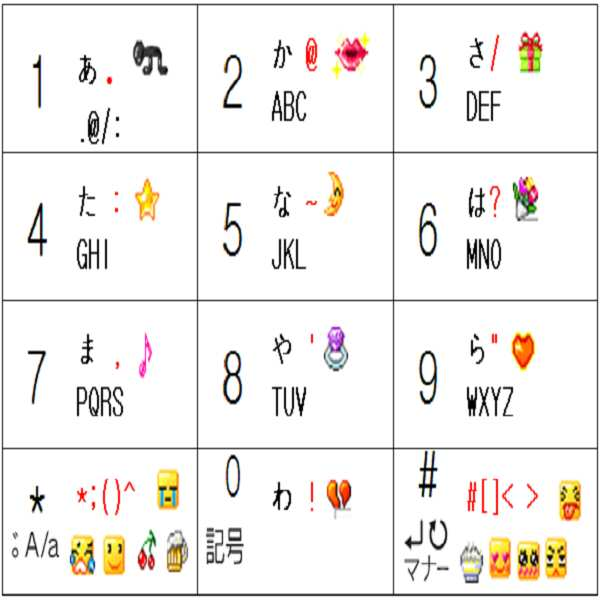
위 그림18의 버튼0~9 까지만 가지고 일단 설명하겠다.I will explain only the buttons 0 ~ 9 of Figure 18 above.
앞에서도 언급하였지만.As mentioned earlier.
문자나 문장부호를 포함한 특수문자 색깔 중Among the special characters' colors, including letters and punctuation
검정색은 종래의 자판에 원래부터 표기된 것이고,Black is originally written on a conventional keyboard,
빨강색은 발명자가 임의로 추가해 놓은 글자(예:문장부호,기호)들이다.Red is the letters (eg sentence and symbols) added by the inventor.
(그림이모티콘도 발명자가 임의로 추가해 놓은 것이다.)(Graphic emoticons are also added by the inventor.)
현재의 글자 모드가 히라가나 모드 라고 가정한다.Assume that the current text mode is Hiragana mode.
<그림18>의 각 버튼에는 2줄로 일본문자, 문장부호, 그림이모티콘, 영문알파벳을 표기하였는데,Each button in <Figure 18> has two lines of Japanese characters, punctuation marks, picture emoticons, and English alphabets.
1번째 줄(=윗줄)에 히라가나 1개와 문장부호 1개와 그림이모티콘 1개가 배정되어 있다.In the first line (= top line), there is one hiragana, one punctuation mark, and one picture emoji.
왜 그렇게 배정하였냐면,Why are you so assigned?
각 버튼에는 이미 히라가나 표기된 히라가나 1개와 숨어있는 히라가나 4개를 합해서 히라가나 5개가 배정되어 있다.Each button has 5 hiragana assigned to it, with one Hiragana already marked and 4 Hiragana hidden.
히라가나 5개와 문장부호 1개를 합해서 총 6개를 제1그룹글자 입력방식으로 입력하고,Enter 5 hiragana letters and 1 punctuation mark and input a total of 6 letters in the first group letter input method.
가타가나 5개와 그림이모티콘 1개를 합해서 총 6개를 제2그룹글자 입력방식으로 입력하고자 함이다.It is intended to input a total of six Katakana and one picture emoji as the second group character input method.
그래서 히라가나 모드에서 모드변경 없이 가타가나 를 입력할 수 있는 것이다. So you can enter Katakana without changing the mode in Hiragana mode.
이런 식으로 가타가나 모드에서도 모드변경 없이 히라가나 를 입력할 수 있는 것이다.In this way, hiragana can be entered in Katakana mode without changing the mode.
버튼* 과 버튼#에는 Button * and Button #
1번째 줄에는 문장부호 5개와 그림이모티콘1개 가 있는데 그것들은 제1그룹글자 입력방식으로 입력하고,In the first line, there are 5 punctuation marks and 1 picture emoji. They are input by the first group letter input method.
2번째 줄에는 그림이모티콘 4개 가 있는데 그것들은 제2그룹글자 입력방식으로 입력할 수 있다.The second line contains four picture emoticons, which can be entered using the second group of characters.
종래에는 히라가나 모드에서 히라가나 만을 입력하기도 불편했는데, 쌍둥이를 적용하면, 모드변경없이, 가타가나, 특수문자, 이모티콘까지도 쉽게 입력할 수 있다. 너무나도 큰 선물이다.Conventionally, it is inconvenient to input only hiragana in hiragana mode, but if twins are applied, it is possible to easily input katakana, special characters, and emoticons without changing the mode. Too great a gift.
조합유도버튼표를 아래와 같은 <그림07.65> 를 적용하는 것을 선호하는 사람도 있을 것 같다. 1~5번째 글자를 입력하게 하는 조합유도버튼이 1열과 3열에 쭉 직선으로 나열되어 있으니까 암기하기가 쉽기 때문이다.Some people prefer to apply the combination induction table as shown in <Figure 07.65>. This is because it is easy to memorize because the combination induction buttons that let you enter the first to fifth letters are arranged in straight lines in the first and third columns.
(하지만 아주 세밀한 관점에서는 문자를 많이 입력하는 사람이 사용하기에는 동선이 큰 단점은 있다.)(However, in very fine view, copper lines are a big disadvantage for people who type a lot of text.)
<그림07.65> : 조합유도버튼 배정표<Figure 07.65>: Combination Induction Button Assignment Table
통화버튼과 종료버튼을 1번째 글자를 입력하게하는 조합유도버튼으로 사용한다는 개념인데, The concept of using the call button and the end button as a combination induction button for entering the first letter.
사실상 1번째 글자를 입력하게하는 조합유도버튼은 거의 사용하지도 않을뿐더러,In fact, the combination induction button that lets you enter the first letter is rarely used,
문자입력모드에서 통화버튼을 눌러 봤자 휴대폰은 아무반응이 없고, When I press the call button in the text input mode, the phone does not respond,
문자입력화면에 1글자라도 있는 상태에서는 종료버튼을 누르면, 문자입력을 그만할 것이냐고 물어보는 화면이 뜨므로, 이때는 취소버튼만 누르면 원상복구 되므로 오타의 염려도 없다. If there is even one letter on the character input screen, pressing the end button, a screen appears asking if you want to stop entering the character, so if you press the cancel button at this time to restore the original, there is no fear of typos.
위와 같은 식으로, 물어보는 화면이 뜨는 것마저도 싫다면, Like above, if you don't want to see the screen you ask,
문자모드에서 종래의 종료버튼 단타로 행해지던 기능을, 이제는 통화버튼과 종료버튼을 동시에 누르는 조합으로 종래의 종료버튼의 기능을 발휘하게 하는 것을 포함해서 종래와는 다른 방법으로 종료버튼의 기능을 발휘하게 하면 싫은 상황을 회피 할 수 있다. (그리고 종래에 문자입력모드에서도 종료버튼을 길게 누르면 전원이 꺼져 버리는데 그러한 사고도 막을 수 있겠다.)The function of the end button in the text mode is different from the conventional method, including the function of the conventional end button by combining the call button and the end button at the same time. Doing so can help you avoid unpleasant situations. (And in the text input mode, if you press the end button for a long time, the power will be turned off, but such an accident can be prevented.)
특히 `<그림11> : 엘지전자 sh-650 5행(통화버튼,1,4,7,*)슬라이드형` 과 아래 `그림18.5 엘지전자 L705ix 슬라이드형` 휴대폰처럼 5개 행이 슬라이드 되는 슬라이드형 휴대폰이나 대부분의 폴더형 휴대폰에 적용하기 쉬울 것 것 같다. 폴더형은 아래 `<그림18.6> 샤프전자 : W61SH 폴더형`처럼 대부분 버튼1이 있는 행과 통화버튼이 있는 행이 <그림07.65>처럼 붙어 있기 때문이다.In particular, <Figure 11>: LG Electronics sh-650 5 rows (call button, 1,4,7, *) slide type and below Figure 18.5 LG Electronics L705ix slide type slide type that slides 5 rows like a mobile phone It seems to be easy to apply to mobile phones or most clamshell phones. This is because most of the folder types are shown in <Figure 18.6> Sharp Electronics: W61SH Folder Type, and the rows with Button 1 and the lines with Call buttons are attached as shown in <Figure 18.6>.
<그림18.5> : 엘지 L705ix 5행 슬라이드 휴대폰<Figure 18.5>: LG L705ix 5-Line Slide Cell Phone
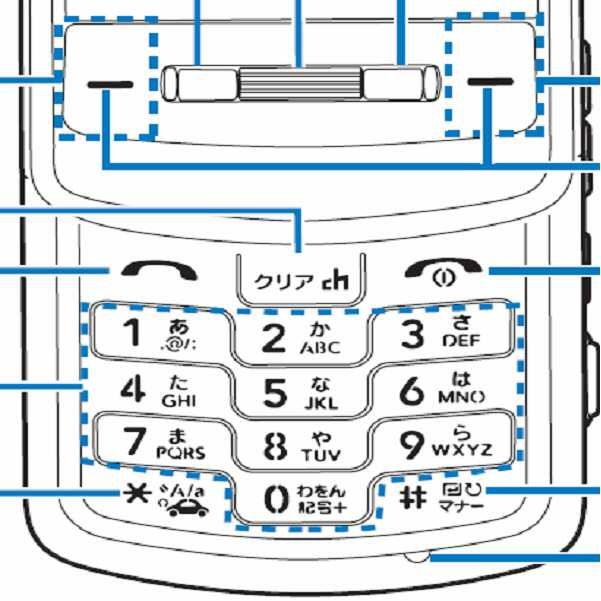
<그림18.6> : 샤프전자 : W61SH 폴더형<Figure 18.6>: Sharp Electronics: W61SH Clamshell
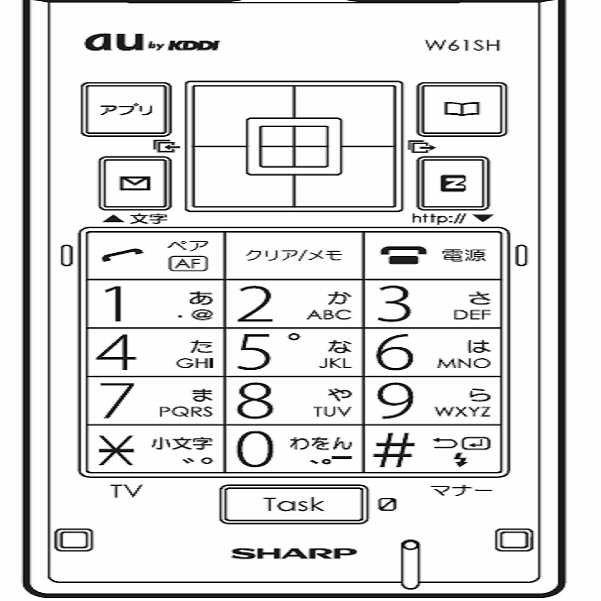
<그림19> : 일본어자판 : 개선 : 버튼당 3줄<Figure 19>: Japanese keyboard: Improvement: 3 lines per button
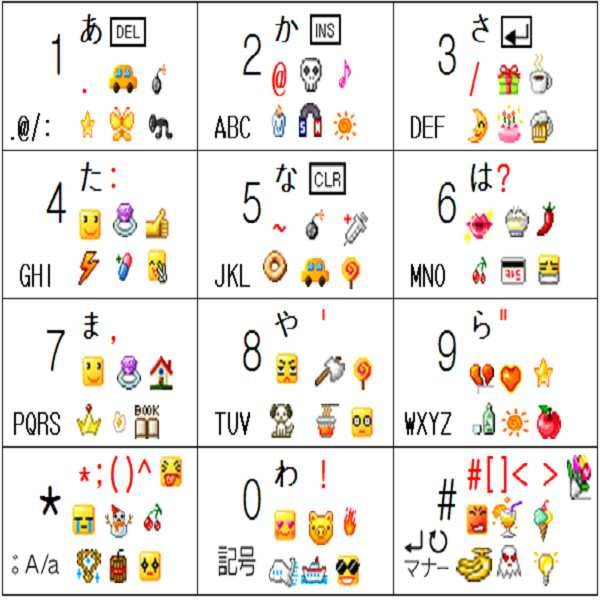
위의 <그림19>의 각 버튼에는,In each button of <Figure 19>,
1번째 줄에는 히라가나 5개와 기타(문장부호 또는 


이 경우에는,In this case,
1번째 줄에 있는 글자 6개(히라가나 5개, 기타1개)는 제1그룹글자 입력방식으로 입력하고,Enter 6 letters (5 hiragana, 1 other) on the first line by the first group character input method,
2번째 줄과 3번째 줄에 있는 3개씩의 글자, 총 6개의 글자(=그림이모티콘)은 제2그룹글자 입력방식으로 입력할 수도 있다.A total of six letters (= picture emoji) in the 2nd and 3rd lines may be input by the second group character input method.
또는or
1번째 줄에 있는 글자 6개는 제1그룹글자 입력방식으로 입력하고,Enter the six characters in the first line by the first group character input method.
2번째 줄에 있는 3개의 글자(=그림이모티콘)은 제2그룹글자 입력방식으로 입력하고,The three letters (= picture emoji) in the second line are input by the second group letter input method.
3번째 줄에 있는 3개의 글자(=그림이모티콘)은 제3그룹글자 입력방식으로 입력할 수도 있다.The three letters in the third line (= picture emoji) can also be entered using the third group letter input method.
또는or
1번째 줄에 있는 글자 6개는 제1그룹글자 입력방식으로 입력하고,Enter the six characters in the first line by the first group character input method.
2번째 줄에 있는 이모티콘 3개 중 2개를 없애고 1개만 남겨두고 히라가나 모드에서 모드 변경없이 가나타가나 5개와 글자(=그림이모티콘) 1개를 제2그룹글자 입력방식으로 입력하고,Remove 2 of the 3 emoticons in the second line and leave only 1, but in Hiragana mode enter 5 katanagawa characters and 1 character (= picture emoji) as the second group character input method without changing the mode.
3번째 줄에 있는 3개의 글자(=그림이모티콘)은 제3그룹글자 입력방식으로 입력할 수도 있다. (이때 버튼*과 버튼#의 2,3번째 줄에 있는 그림이모티콘은 제2그룹과 제3그룹으로 나눌수도 있고 제2그룹 또는 제3그룹 중 어느 하나로 그룹화 할 수도 있다.)The three letters in the third line (= picture emoji) can also be entered using the third group letter input method. (The picture emoticons in the second and third lines of button * and button # can be divided into a second group and a third group, and can be grouped into either a second group or a third group.)
물론, 종래의 방법과 쌍둥이가 문자모드 변경없이 병행 가능하다.Of course, the conventional method and twins can be performed in parallel without changing the character mode.
1그룹의 글자 입력방법으로 히라가나를 입력하는데,Hiragana is entered as a group input method.
멀티탭과 쌍둥이를 병행하는 경우에 있어서,In the case of parallel tap with twin,
종래의 멀티탭 방법을 선호하는 사람을 위해서, 멀티탭 방법으로는 히라가나 만을 순환하면서 입력 가능하도록 제한 할 수도 있다. 그러면 주로 문장부호와 DEL, INS, ENTER, CLR 라는 6번째 글자는 쌍둥이로만 입력될 수 있는 것이다.For those who prefer the conventional multi-tap method, the multi-tap method may be limited to allow input while circulating Hiragana Bay. Then, the punctuation marks and the sixth letters DEL, INS, ENTER, and CLR can only be entered as twins.
어쩌다가 1번씩 영문 알파벳 입력이 필요한 경우에는 영문알파벳을 제3그룹 또는 제4그룹 글자 입력방식으로 입력할 수도 있다. 이것은 모든 비영어권 국가에 적용할 수 있다.If it is necessary to input the English alphabet once, the English alphabet may be input in the third group or fourth group character input method. This is applicable to all non-English speaking countries.
또 그림07.65 와 그림07.66 과 같이 2~5번째 글자를 입력하게 하는 조합유도 버튼이 직선으로 쭉 나열되어 있는 형태도 쌍둥이 초보자에게는 권장할 만하다.Also, it is recommended for twin beginners to have the combination induction buttons arranged in straight lines as shown in Fig. 07.65 and Fig. 07.66.
<그림19.5> : 일본어자판 : 개선 : 이모티콘 없음<Figure 19.5>: Japanese Keyboard: Improvement: No Emoticons
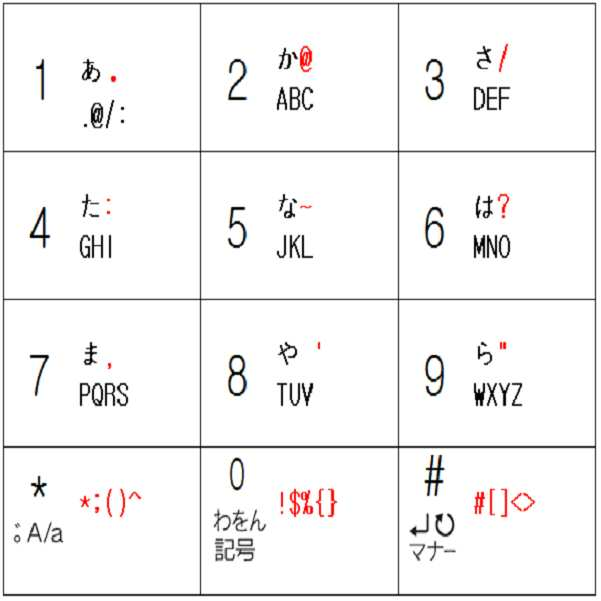
버튼에는 특수문자만 추가로 배정하고 그림이모티콘을 표기 안한 형태Only special characters are added to the buttons, and the picture emoticons are not marked.
(그 이상의 것은 디스플레이화면을 일부 할애 하여 표시할 수도 있다.)(More than that may be displayed by dedicating part of the display screen.)
설명은 필요없을 줄 안다.I don't need explanation.
++++++++++++++++++++++++++++++++++++++++++++++++++++++++++++++++++++++++++++++++++++++++
이제 한글 입력방식에 대한 개선에 대하여 알아보자.Now let's look at the improvement of Hangul input method.
<그림20> : 천지인 : 종래<Figure 20>: Cheonjiin: Conventional
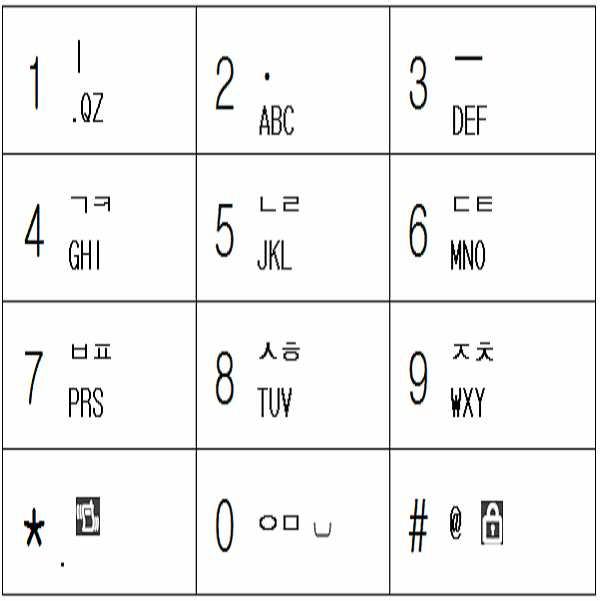
종래의 버튼표기를 그대로 유지한 채로, While keeping the conventional button notation as it is,
신규로 완성형 음소, 문장부호 또는 기타 특수문자 또는 그림이모티콘을 추가로 배정하여 Newly assigned complete phonemes, punctuation or other special characters or picture emoticons
암기하여 사용할 수 도 있고, 디스플레이화면을 일부 할애하거나 , 배정표를 가지고 다니면서도 사용할 수도 있다. (당연히 신규로 배정한 글자는 글자그룹을 달리할 수도 있다.)You can use it by memorizing it, dedicate some of the display screen, or even carry it with you. (Of course, newly assigned letters may be different letter groups.)
<그림21> : 천지인 : 종래+숨은것<Figure 21>: Cheonjiin: Conventional + Hidden

앞에서도 언급하였지만,As mentioned earlier,
문자나 문장부호를 포함한 특수문자 색깔 중Among the special characters' colors, including letters and punctuation
검정색은 종래의 자판에 원래부터 표기된 것이고,Black is originally written on a conventional keyboard,
녹색은 종래의 자판에 표기되어 있지는 않았지만, 멀티탭 방식으로 여러 번 눌러서 입력할 수 있었던 문자이다.Green is not written on a conventional keyboard, but is a character that can be input by pressing multiple times in a multi-tap method.
종래의 천지인 입력방식을 소개하자면To introduce the conventional heaven and earth input method
모음은 천지인(ㅣ . ㅡ) 을 조합하여 입력하고,The vowel is entered by combining Cheonjiin (ㅣ. ㅡ),
자음은 멀티탭으로 입력한다.Consonants are entered on a multi-tap.
한글음소 40개 입력방법을 구체적으로 나타내면 아래<그림21.5>와 같다.The input method of 40 Korean phonemes is shown in <Figure 21.5>.
(입력순서에서 숫자는 숫자가 배정된 버튼을 누르는 것을 의미한다.)(In the input sequence, the number means to press the button to which the number is assigned.)
<그림21.5><Figure 21.5>
2타: 12개
3타: 13개
4타: 4개
5타: 2개
(총40개)1 stroke: 9
2 strokes: 12
3 strokes: 13
Four strokes: four
5 strokes: 2
(Total 40)
타수Average per phone
steersman
<그림22> : 천지인 : 개선 : 버튼당 2줄<Figure 22>: Cheonjiin: Improvement: 2 lines per button
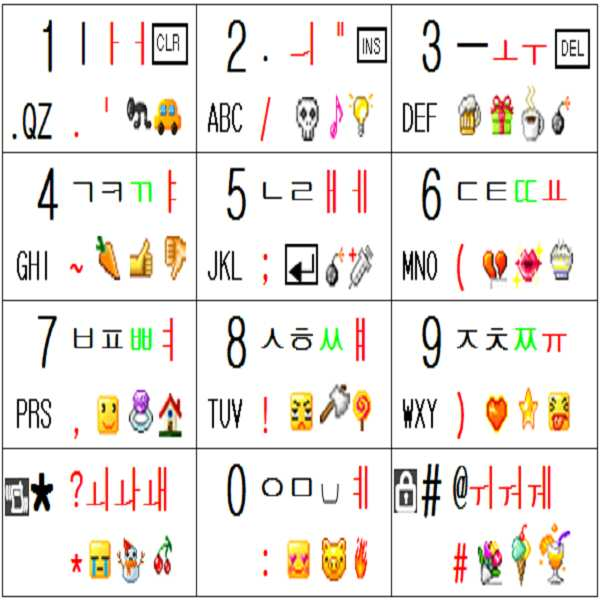
앞에서도 언급하였지만.As mentioned earlier.
문자나 문장부호를 포함한 특수문자 색깔 중Among the special characters' colors, including letters and punctuation
검정색은 종래의 자판에 원래부터 표기된 것이고,Black is originally written on a conventional keyboard,
녹색은 종래의 자판에 표기되어 있지는 않았지만 멀티탭 방식으로 여러 번 눌러서 입력할 수 있었던 문자이고,Green is a character that was not written on a conventional keyboard but could be entered by tapping multiple times in a multi-tap method.
빨강색은 발명자가 임의로 추가해 놓은 글자(예:문장부호,기호, 한글음소)들이다.Red is the letters added randomly by the inventor (eg sentence code, symbols, Korean phonemes).
(그림이모티콘도 발명자가 임의로 추가해 놓은 것이다.)(Graphic emoticons are also added by the inventor.)
영문은 영문모드에서나 필요하므로 한글입력 방법에서 설명할 때 굳이 표기하지 않아도 되나, 유기발광다이오드 같은 버튼을 채택하지 않는 종래의 대부분의 기기에서는 어차피 버튼에 표기되어야 하므로 한글과 함께 표현하였다.English is needed only in English mode, so it is not necessary to write it when describing in Korean input method. However, in most conventional devices which do not adopt a button such as an organic light emitting diode, it should be displayed on a button anyway.
그러나, 어쩌다가 1번씩 영문 알파벳 입력이 필요한 경우에는 영문알파벳을 제3그룹 또는 제4그룹을 포함한 여분의 그룹이라고 정의하여 그 그룹 글자 입력방식으로 입력할 수도 있다. However, if it is necessary to input the English alphabet once, the English alphabet may be defined as an extra group including the third group or the fourth group, and may be input by the group letter input method.
위 <그림22> 의 각 버튼에는 2줄의 글자들이 표기되어 있는데Each button in <Figure 22> has two lines of text.
1번째 줄은 주로 한글음소 4개정도가 배정되어 있고,The first line is mainly assigned 4 Hangul phonemes,
2번째 줄은 주로 문장부호 및 그림이모티콘 4개정도가 배정되어 있다.The second line is usually assigned four punctuation marks and four emoticons.
총 8개 라서 6개를 초과하여 1개 그룹으로는 묶을 수 없으니Since there are 8 in total, more than 6 cannot be grouped into 1 group.
1번째 줄 글자는 제1그룹 글자입력 방식으로 입력하고,The first line letter is input by the first group letter input method.
2번째 줄 글자는 제2그룹 글자입력 방식으로 입력하면 좋을 것 같다.The second line character may be input by the second group character input method.
또는 or
1번째 줄 글자 4개와 2번째 줄 글자 중 2개를 합해서 6개를 제1그룹 글자입력 방식으로 입력하고,Enter 4 of the first line letter and 2 of the 2nd line letters, and enter 6 as the first group letter input method.
2번째 줄 글자 중 제1그룹으로 묶여지지 않은 것은 제2그룹 글자입력 방식으로 입력할 수도 있다.The second group of letters that are not tied to the first group may be input by the second group of text input methods.
어떤 방법이든 한글 음소는 제1그룹 글자입력 방식으로 입력하는데,Either way, Hangul phonemes are entered in the first group of text input methods.
종래의 천지인 방식을 선호하는 사람을 위하여 아래와 같은 제한 사항을 추가 할 수도 있다. The following restrictions may be added for those who prefer the conventional method.
모음 입력에 있어서 천지인 (ㅣ . ㅡ ) 외의 글자는 멀티탭으로는 입력하지 못하게 하고 쌍둥이로만 입력할 수 있게 하고(예 : <그림22>의 버튼2를 2번 누르면 ` . `만 2개 입력되어야 하고, `ㅢ` 는 입력되어서는 안된다. <그림07> 의 조합유도버튼표를 기준으로 하면 버튼2의 2번째 글자인 `ㅢ`는 2번째 글자를 입력하게 하는 조합유도번튼인 버튼4 또는 버튼6을 사용하여 4+2 또는 6+2 로만 입력되어야 한다.)In vowel input, characters other than Cheonjiin (ㅣ. ㅡ) should not be input by multi-tap and only twins can be entered (ex: when pressing button 2 twice in <Figure 22>, only two `.` Should be entered. Based on the combination induction button table in <Figure 07>, the second letter of button 2, `조합`, is the combination induction button that causes the second letter to be entered. It should only be entered as 4 + 2 or 6 + 2 using.)
자음 입력에 있어서는 빨간색 글자는 멀티탭으로는 입력하지 못하게 하고 쌍둥이로만 입력할 수 있게 할 수도 있다.( 예 : <그림22>의 버튼4를 여러 번 누를 때 `ㄱ ㅋ ㄲ` 만 순환해야지 `ㅑ`는 나타나면 안된다. `ㅑ`는 4번째 글자를 입력하게 하는 조합유도번튼인 버튼8 또는 버튼2을 사용하여 8+4 또는 2+4 로만 입력되어야 한다)In consonant input, red letters may not be input by multi-tap, but may be input by twins only. (For example, if you press button 4 in <Figure 22> several times, you should only cycle `ㄱ ㅋ ㄲ`. `ㅑ` should only be entered as 8 + 4 or 2 + 4 using button 8 or button 2, which is a combination-inducing button that causes the fourth character to be entered)
이렇게 하면 종래의 천지인 방식 그대로 입력할 수도 있고, 글자 모드 변경없이 쌍둥이로도 입력할 수 있게 하여, 아래의 한글 40개 음소 모두를 1타 또는 2타로 입력할 수도 있게 된다. (또는 쌍둥이 전용모드로도 입력가능하다.)In this way, the conventional method may be input as it is, or twins may be input without changing the character mode, so that all 40 phonemes below may be input as one or two strokes. (Or can also be entered in twin only mode.)
한글 음소 40개40 phonemes in Korean
1.기본자음 14개: ㄱ,ㄴ,ㄷ,ㄹ,ㅁ,ㅂ,ㅅ,ㅇ,ㅈ,ㅊ,ㅋ,ㅌ,ㅍ,ㅎ1. 14 basic consonants: a, b, c, d, l, w, m, o, h, h, h, h, h, h
2.쌍자음 5개: ㄲ,ㄸ,ㅃ,ㅆ,ㅉ2.5 consonants: ㄲ, ㄸ, ㅃ, ㅆ, ㅉ
3.기본모음 10개: ㅏ,ㅑ,ㅓ,ㅕ,ㅗ,ㅛ,ㅜ,ㅠ,ㅡ,ㅣ3. 10 basic collections: ㅏ, ㅏ, ㅓ, ㅕ, ㅗ, ㅛ, TT, ㅠ, ㅡ, ㅣ
4.복모음 11개: ㅐ,ㅒ,ㅔ,ㅖ,ㅚ,ㅘ,ㅙ,ㅟ,ㅝ,ㅞ,ㅢ4.11 vowels: ㅐ, ㅒ, ㅔ, ㅖ, ㅚ, ㅘ, ㅙ, ㅟ, ㅝ, ㅞ, ㅢ
(컴퓨터 키보드에서도 ㅚ,ㅘ,ㅙ,ㅟ,ㅝ,ㅞ,ㅢ 는 완성형으로 배정되어 있지 않다.(에서도, 키보드, ㅙ, ㅟ, ㅝ, 완성, ㅢ is not assigned to completion on the computer keyboard.
쌍둥이를 적용하면 소형키패드에서도 2타이면서도 1박자 개념으로 입력할수 있게 되는 것이다. 그리고 더 빠른 속도를 원한다면 종성으로만 쓰이는 ㄳ ㄵ ㄶ ㄺ ㄻ ㄼ ㄽ ㄾ ㄿ ㅀ 과 같은 이중자음도 완성형으로 배정하여 쌍둥이로 입력할 수도 있다. 천지인 방식을 제외한 다른 한글 입력방식에도 적용되는 사항이다.)If twins are applied, it is possible to input two beats and one beat concept on the small keypad. And if you want faster speeds, you can also assign double consonants, such as ㄵ ㄵ ㄶ ㄺ ㄼ ㄽ ㄾ ㄿ ㄿ, which are used only as finality, and enter them as twins. This also applies to other Hangul input methods except Cheonjiin.)
그리고 문장부호, 그림이모티콘을 포함한 특수 문자도 글자모드 변경없이 쉽게 입력할 수 있다는 것이다.Also, special characters including punctuation marks and picture emoticons can be easily entered without changing the text mode.
그리고 문장부호나 그림이모티콘 등을 추가로 배정하는 것이 눈에 거슬리는 사람도, 녹색 글자의 배정은 이미 암기 하고 있었으므로 빨간색 글자 배정만 더 암기하여 쌍둥이를 이용하여 한글 40개 음소 모두를 1타 또는 2타로 입력할 수 있게 된다.In addition, even those who are uncomfortable assigning additional punctuation marks or emojis are already memorizing green letter assignments, so they only memorize only the red letter assignments. You can enter.
그렇게 하면, 종래의 글자 배정표인 <그림20>과 똑같이 표기된 휴대폰으로도 추가된 음소만 암기하고 있으면 쌍둥이와 병행하여 쉽게 입력할 수 있는 것이다. 뒤에서 설명할 엘지 EZ 방식, 팬택계열인 SKY 나 큐리텔 방식, 모토롤라 방식에도 모두 적용되는 사항이다.That way, if you memorize only the phonemes that were added to the phone, which is exactly the same as the conventional letter assignment <Figure 20>, you can easily enter them in parallel with the twins. The same applies to LG EZ, Pantech SKY, Curitel, and Motorola.
빨강색 글자 배정도 어느 정도 규칙성이 있기 때문에 한국 사람이면 <그림22>의 각 버튼의 1번째 줄의 한글배정 만큼은 2분이면 암기 할 수 있다.Korean characters can memorize as much as 2 minutes in the first line of each button in <Figure 22>.
버튼1에는 ㅏ ㅓ 가 추가로 배정되었기 때문에, 같은 1열의 버튼4에는 ㅑ, 버튼7에는 ㅕ 가 추가로 배정되었고,Since button 1 has an additional ㅏ,, button 4 in the same row 1 has ㅑ and button 7 with ㅕ,
버튼3에는 ㅗ ㅜ 가 추가로 배정되었기 때문에, 같은 3열의 버튼6에는 ㅛ, 버튼9에는 ㅠ 가 추가로 배정되었고,Since 3 TT was additionally assigned to button 3, 6 was assigned to button 6 and ㅠ was added to button 9 in the same row.
버튼1에는 ㅣ , 버튼 3에는 ㅡ 가 종래부터 배정되었기 때문에, 2개를 합한 ㅢ 를 버튼2에 추가로 배정하였고,Since button ㅣ and button 3 were previously assigned to ㅡ, 합 was added to Button 2,
버튼* 에는 ㅚ 와 그의 획추가 글자들인 ㅘ ㅙ 가 추가로 배정되었고,The button * is assigned an additional ㅚ and its stroke letters ㅘ ,,
버튼# 에는 ㅟ 와 그의 획추가 글자들인 ㅝ ㅞ 가 추가로 배정되었고,Button # has been assigned an additional ㅟ and its stroke letters ㅝ ,,
버튼5 에는 발음이 똑 같은 ㅐ ㅔ 가 추가로 배정되었고,Button 5 has an additional ㅐ 같은 with the same pronunciation.
버튼8 에는 ㅐ 의 획추가 글자인 ㅒ 가 추가로 배정되었고,Button 8 is additionally assigned, the stroke letter of ,,
버튼0 에는 ㅔ 의 획추가 글자인 ㅖ 가 추가로 배정되었다고 생각하면 암기 하기 쉽다.Button 0 is easy to memorize if you think there is an additional letter 추가 of.
또 혹시라도, 천지인 (ㅣ . ㅡ )이 배정된 버튼1,2,3 에 다른 모음을 배정하는 것이 눈에 거슬린다면 , 아래 <그림22.3>처럼 다른 버튼(버튼4,5,6)의 그림 이모티콘 과 자리 바꿈을 하거나 , 자리 바꿈한 그림이모티콘을 삭제하면 될 것이다. Also, if it is annoying to assign another vowel to buttons 1, 2, and 3 assigned to Cheonjiin (ㅣ. You can either swap emoticons, or delete the emoticon.
(또 천지인 입력방식에만 익숙한 사람은 버튼* 과 버튼#에 음소가 배정되어 굉장히 거북스러울 수도 있지만, (Also, if you're only used to the input method, it can be very frustrating because phonemes are assigned to Button * and Button #.
엘지 EZ방식, 팬택계열 스카이 또는 큐리텔 방식, 모토롤라 방식등은 종래에도 버튼* 또는 버튼#에 음소를 배정하거나 , 쌍자음버튼, 획추가버튼 등의 한글음소 버튼으로 종래부터 사용하여 왔음을 상기하자. 아니면 버튼* 또는 버튼#의 추가된 한글음소를 버튼4~0 으로 옮기면 된다.)Recall that LG EZ method, Pantech series Sky or Curitel method, Motorola method and the like have been conventionally assigned to a phone * or button #, or used as a Korean phoneme button such as a double consonant button or a stroke add button. Otherwise, move the added phoneme of button * or button # to button 4 ~ 0.)
<그림22.3><Figure 22.3>
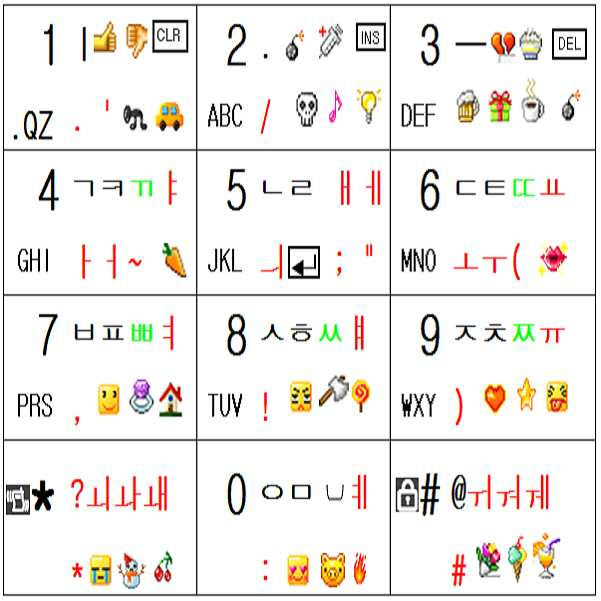
한글 입력 방법들에 있어서,In the Hangul input methods,
종래에는 Conventionally
버튼당 4개 이상의 글자를 배정하여 멀티탭으로 입력하기나, Enter 4 or more letters per button to enter multi-tap,
버튼당 3개 정도의 글자를 배정하여 기본음소를 조합 또는 변형하여 배정안된 나머지 음소를 입력하기나 Allocate three letters per button to combine or modify the default phonemes to enter the remaining unassigned phonemes.
타수가 많은 것은 거의 마찬가지이어서, It's almost the same with many strokes,
특히 모음의 경우에는 모음 21개 음소 모두를 완성형으로 배정하는 것이 큰 의미가 없었으나, In particular, in the case of vowels, it was not significant to assign all 21 phonemes to vowels.
쌍둥이가 개발된 후로는 모음 21개 모두를 완성형으로 배정하면 그것들을 2타 이내로 입력할 수 있게 된다.After the twins have been developed, all 21 vowels can be assigned complete, allowing them to be entered within two strokes.
<그림22.4> : 천지인 : 개선 : 버튼당 3줄<Figure 22.4>: Cheonjiin: Improvement: 3 lines per button
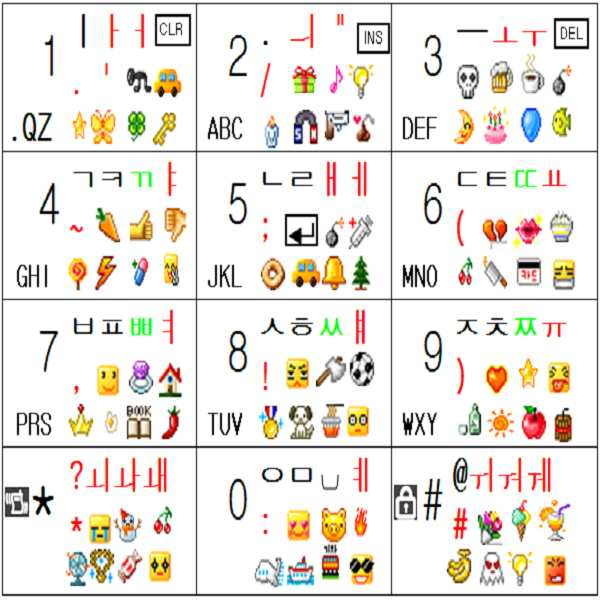
위의 표에 대하여 설명하겠다.The above table will be explained.
각 버튼당 12개의 글자가 배정되어 있으므로12 buttons are assigned to each button
6개씩 묶어서 제1그룹과 제2그룹으로 나누어 입력할 수도 있고You can group them in groups of six and enter them into the first and second groups.
1번째 줄은 제1그룹글자 입력방식으로 입력하고,Enter the first line by the first group letter input method.
2번째 줄은 제2그룹글자 입력방식으로 입력하고,Enter the second line by the second group letter input method.
3번째 줄은 제3그룹글자 입력방식으로 입력할 수도 있다.The third line can also be entered using a third group character input method.
기타 다른 사항은 <그림21> 설명을 참조하기 바란다. For other details, please refer to <Figure 21>.
<그림22.5> : 천지인 : 개선 : 버튼당 2줄 여백<Figure 22.5>: Cheonjiin: Improvement: 2 lines of space per button
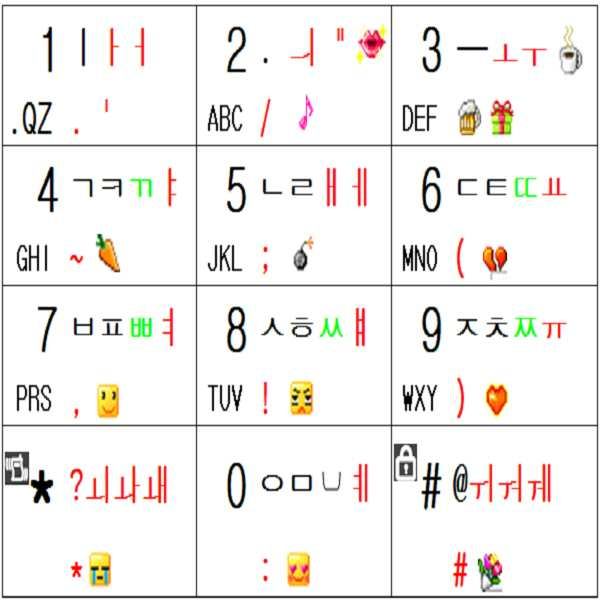
버튼에는 적은 수의 완성형 음소, 특순문자 또는 그림이모티콘을 추가로 표기한 형태Buttons have a small number of additional phonemes, special characters, or picture emoticons.
(그 이상의 것은 디스플레이화면을 일부 할애 하여 표시할 수도 있다.)(More than that may be displayed by dedicating part of the display screen.)
설명은 필요없을 줄 안다.I don't need explanation.
<그림22.6> : 천지인 : 개선 : 버튼당 2줄 이모티콘 없음<Figure 22.6>: Cheonjiin: Improvement: No two emoticons per button
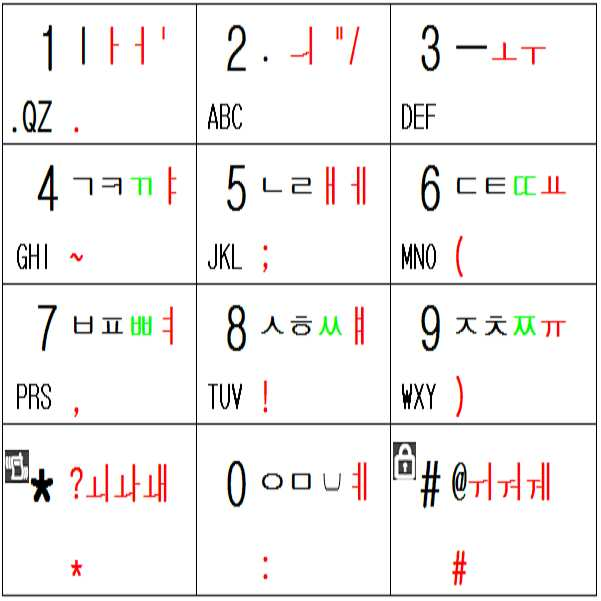
버튼에는 완성형 음소, 특수문자만 추가로 배정하고 그림이모티콘을 표기 안 한 형태Buttons are assigned complete phonemes and special characters only and do not have a picture emoticon.
(그 이상의 것은 디스플레이화면을 일부 할애 하여 표시할 수도 있다.)(More than that may be displayed by dedicating part of the display screen.)
설명은 필요없을 줄 안다.I don't need explanation.
<그림22.7> : 천지인 : 개선 : 한글 완성형 음소만 추가 배정<Figure 22.7>: Cheonjiin: Improvement: Allocate only Korean complete phonemes
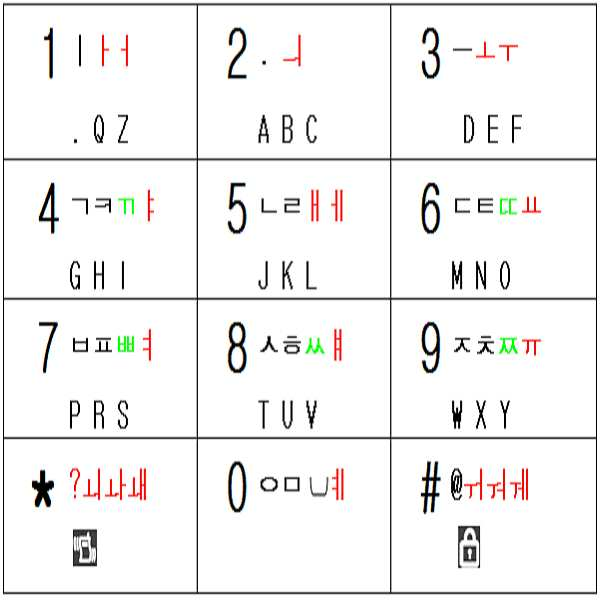
한글음소 40개 중 종래의 방식에서 완성형으로 배정되지 않은 것들만 완성형으로 추가 배정한 형태(쌍둥이를 병행하면서도 종래의 방식과도 똑같은 방법으로 입력하고 싶으면, 추가 배정된 빨간색 음소는 멀티탭 방식으로는 입력할 수 없고, 쌍둥이로만 입력할 수 있게 제한 할 수 있다.)Of the 40 Korean phonemes, only the ones that are not assigned to completion in the conventional way are added to the completion type. No, only twins can be entered.)
설명은 필요없을 줄 안다I don't need explanation
<그림22.8>디스플레이 화면에 천지인 방식 기반 모든 한글음소 완성형으로 배정<Figure 22.8> All Korean Phoneme Completion Based on Cheonjiin Method on Display Screen
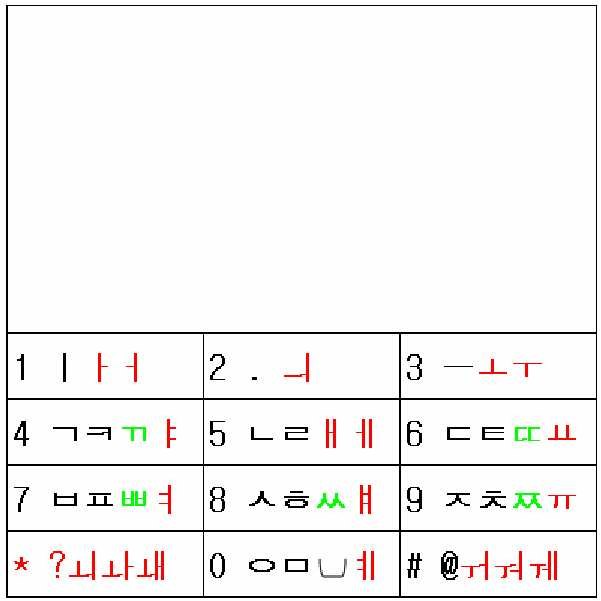
버튼에 <그림22.7>정도의 한글 음소 배정 형태도 거부감이 있다면,If there is a sense of rejection in the phoneme assignment form of <Figure 22.7>,
종래의 버튼에의 표기는 그대로 둔채로, While leaving the notation to the conventional button as it is,
<그림16.2>정도나, <그림22.8>처럼 디스플레이화면에 모든 한글음소를 완성형으로 추가로 배정하여, As shown in <Figure 16.2> or <Figure 22.8>, all Hangul phonemes are additionally assigned to the display screen.
종래의 문자입력모드에서 종래의 방식과 쌍둥이를 병행하여 입력할 수도 있고, 쌍둥이 전용모드방식으로 입력할 수도 있다. In the conventional character input mode, the conventional method and the twin may be input in parallel, or the twin-only mode may be input.
(그림16.2의 배정은 종래문자입력 방식에서 완성형으로 배정되지 않은 음소를 임의로 표시한 것이므로 종래문자입력방식의 종류에 따라 달리 표시된다.)(As shown in Figure 16.2, the phoneme which is not assigned to completion type in the conventional character input method is displayed randomly according to the type of conventional character input method.)
<그림23> : 팬택계열 : 스카이 큐리텔 : 종래<Figure 23>: Pantech Series: Sky Curitel: Conventional
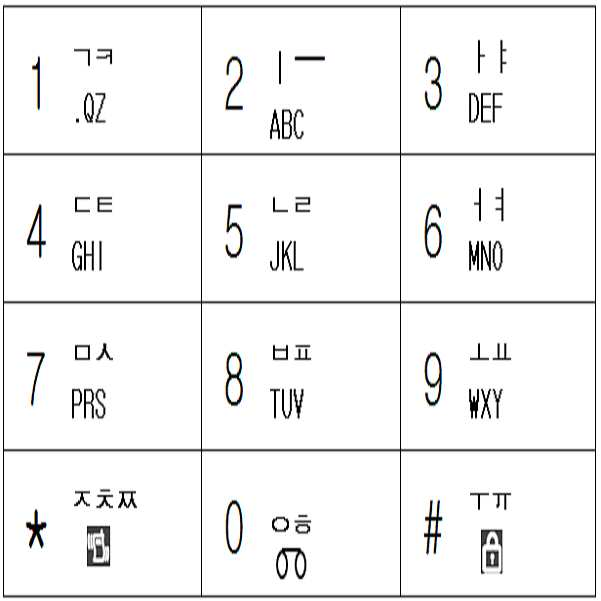
종래의 버튼표기를 그대로 유지한 채로, While keeping the conventional button notation as it is,
신규로 완성형 음소, 문장부호 또는 기타 특수문자 또는 그림이모티콘을 추가로 배정하여 Newly assigned complete phonemes, punctuation or other special characters or picture emoticons
암기하여 사용할 수 도 있고, 디스플레이화면을 일부 할애하거나 , 배정표를 가지고 다니면서도 사용할 수도 있다.(당연히 신규로 배정한 글자는 글자그룹을 달리할 수도 있다.)You can use it by memorizing it, dedicate some display screens, or use it with your assignments. (Of course, newly assigned letters can be different letter groups.)
<그림24> : 팬택계열 : 스카이 큐리텔 : 종래+숨은것<Figure 24>: Pantech Series: Sky Curitel: Conventional + Hidden
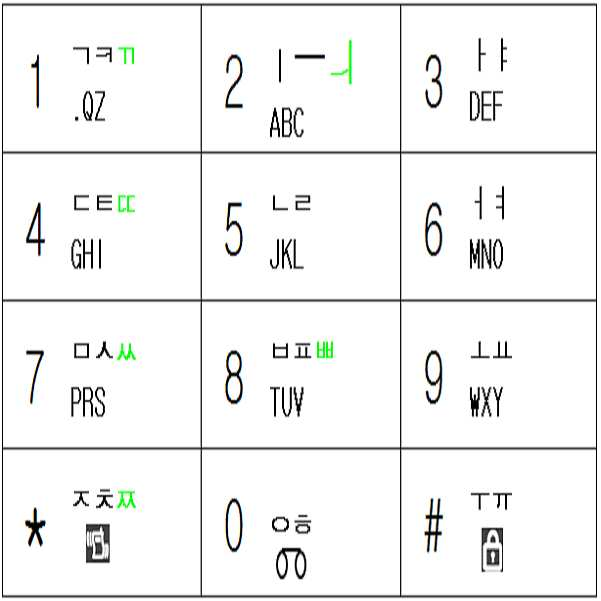
종래의 입력방식을 소개하자면To introduce the conventional input method
모음입력에 있어서,In vowel input,
ㅏㅑㅓㅕㅗㅛㅜㅠㅡㅣ라는 단모음은 단모음이 배정된 버튼을 멀티탭 방법으로 입력하고, 단 ㅜㅠ ㅡ ㅣ short vowels are entered in a multi-tap method button assigned a short vowel,
복모음은 단모음의 조합으로 입력한다.Double vowels are entered as a combination of short vowels.
자음은 멀티탭방법으로 입력한다.Consonants are entered in the multi-tap method.
한글음소 40개 입력방법을 구체적으로 나타내면 아래<그림24.5> 와 같다.The input method of 40 Hangul phonemes is shown in <Figure 24.5>.
<그림24.5><Figure 24.5>
스카이,큐리텔
방법Pantech:
Sky, curitel
Way
2타: 18개
3타: 10개
4타: 0개
5타: 0개
(총40개)1 stroke: 12
2 strokes: 18
3 strokes: 10
4 strokes: 0
5 strokes: 0
(Total 40)
타수Average per phone
steersman
<그림25> : 팬택계열: 스카이 큐리텔 : 개선 : 버튼당 2줄<Figure 25>: Pantech Series: Sky Curitel: Improvement: 2 lines per button
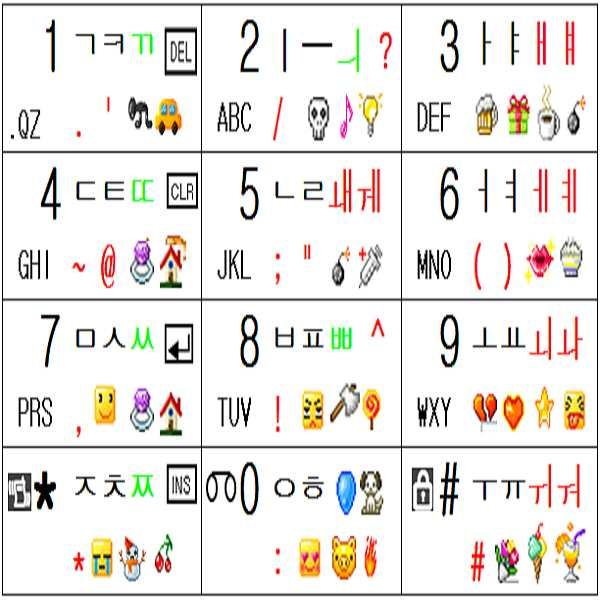
천지인 보다 쌍둥이를 적용하기 더 쉽다.It is easier to apply twins than heaven and earth.
위의 표에 대한 설명은 천지인 입력방식의 설명을 참조하기 바란다.For the explanation of the above table, please refer to the explanation of Cheonjiin input method.
어쨌든 기본 개념은 천지인 방식의 개선과 마찬가지로 종래의 스카이,큐리텔 방식을 그대로 구사하면서도 모드 변경 없이 쌍둥이를 병행하면서, Anyway, the basic concept is the same as the improvement of the celestial method, while using the conventional Sky and Curitel methods as they are, without the mode change.
한글음소 40자를 1타 또는 2타로 입력하고 문장부호, 그림이모티콘을 포함한 특수 문자도 글자모드 변경없이 쉽게 입력할 수 있다는 것이다.It is possible to enter 40 Korean phonemes as 1 or 2 strokes and to easily input special characters including punctuation marks and picture emoticons without changing the text mode.
(또는 쌍둥이 전용모드로도 입력가능하다.)(Or can also be entered in twin only mode.)
<그림26> : 팬택계열: 스카이 큐리텔 :개선 : 버튼당 3줄<Figure 26>: Pantech Series: Sky Curitel: Improvement: 3 lines per button
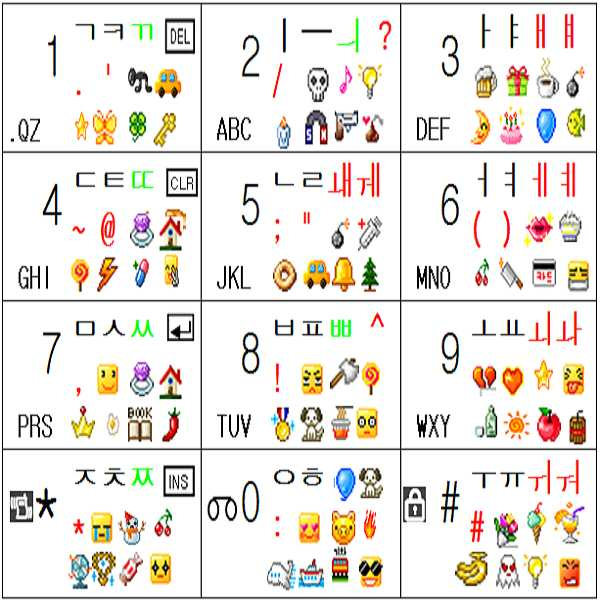
천지인 입력방식의 설명을 참조하기 바란다.See the description of the input method.
<그림26.5> : 팬택계열: 스카이 큐리텔 :개선 : 버튼당 2줄 여백<Figure 26.5>: Pantech Series: Sky Curitel: Improvement: 2 lines of space per button
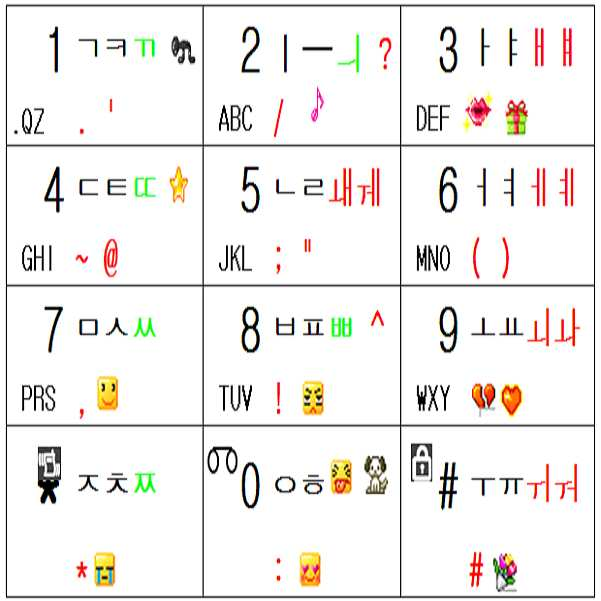
버튼에는 적은 수의 완성형 음소, 특순문자 또는 그림이모티콘을 추가로 표기한 형태Buttons have a small number of additional phonemes, special characters, or picture emoticons.
(그 이상의 것은 디스플레이화면을 일부 할애 하여 표시할 수도 있다.)(More than that may be displayed by dedicating part of the display screen.)
설명은 필요없을 줄 안다.I don't need explanation.
<그림26.6> : 팬택계열: 스카이 큐리텔 :개선 : 버튼당 2줄 이모티콘없음<Figure 26.6>: Pantech Series: Sky Curitel: Improvement: 2 lines of emoticons per button
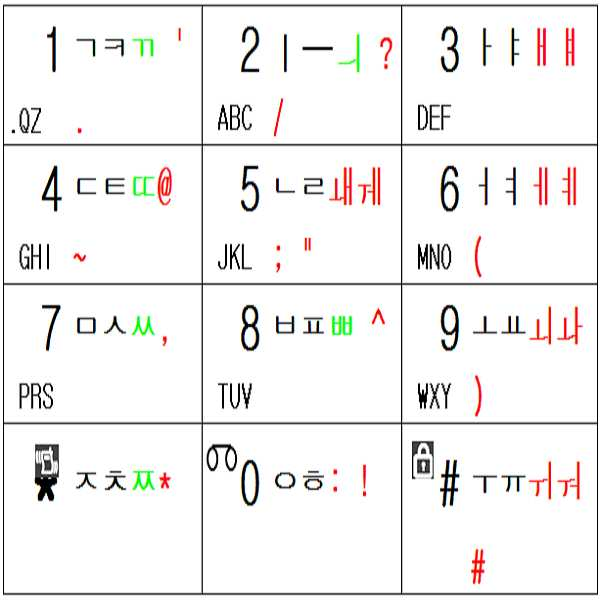
버튼에는 완성형 음소, 특수문자만 추가로 배정하고 그림이모티콘을 표기 안한 형태Buttons are assigned complete phonemes and special characters only and do not include picture emoticons.
(그 이상의 것은 디스플레이화면을 일부 할애 하여 표시할 수도 있다.)(More than that may be displayed by dedicating part of the display screen.)
설명은 필요없을 줄 안다.I don't need explanation.
<그림26.7> : 팬택계열: 스카이 큐리텔 :개선 : 한글 완성형 음소만 추가 배정<Figure 26.7>: Pantech Series: Sky Curitel: Improvement: Additional Hangul Complete Phonemes
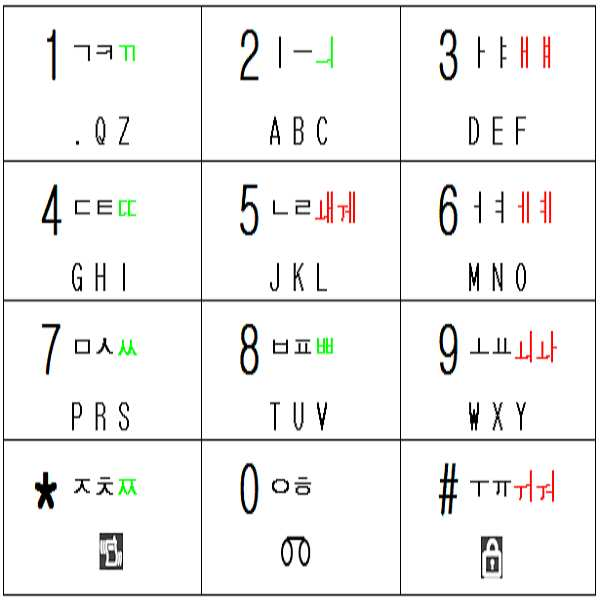
한글음소 40개 중 종래의 방식에서 완성형으로 배정되지 않은 것들만 완성형으로 추가 배정한 형태(쌍둥이를 병행하면서도 종래의 방식과도 똑같은 방법으로 입력하고 싶으면, 추가 배정된 빨간색 음소는 멀티탭 방식으로는 입력할 수 없고, 쌍둥이로만 입력할 수 있게 제한 할 수 있다.)Of the 40 Korean phonemes, only the ones that are not assigned to completion in the conventional way are added to the completion type. No, only twins can be entered.)
설명은 필요없을 줄 안다.I don't need explanation.
<그림26.8>디스플레이 화면에 팬택계열 방식 기반 모든 한글음소 완성형으로 배정<Figure 26.8> All Hangul Phoneme based on Pantech Series Assigned to Display Screen
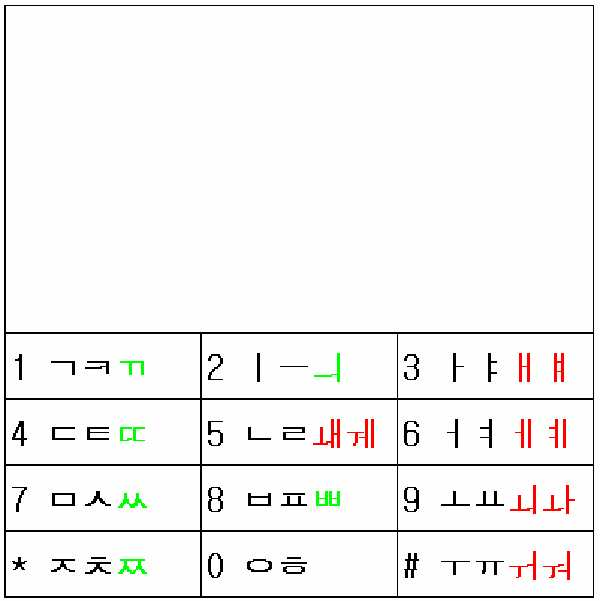
버튼에 <그림26.7>정도의 한글 음소 배정 형태도 거부감이 있다면,If there is a sense of rejection in the phoneme assignment form of <Figure 26.7>,
종래의 버튼에의 표기는 그대로 둔채로, While leaving the notation to the conventional button as it is,
<그림16.2>정도나, <그림26.8>처럼 디스플레이화면에 모든 한글음소를 완성형으로 추가로 배정하여, As shown in <Figure 16.2> or <Figure 26.8>, all Hangul phonemes are additionally assigned to the display screen.
종래의 문자입력모드에서 종래의 방식과 쌍둥이를 병행하여 입력할 수도 있고, 쌍둥이 전용모드방식으로 입력할 수도 있다.In the conventional character input mode, the conventional method and the twin may be input in parallel, or the twin-only mode may be input.
(그림16.2의 배정은 종래문자 입력방식에서 완성형으로 배정되지 않은 음소를 임의로 표시한 것이므로 종래문자입력방식의 종류에 따라 달리 표시된다.)(As shown in Figure 16.2, the phoneme which is not assigned to completion type in the conventional character input method is displayed randomly according to the type of conventional character input method.)
<그림27> : 엘지 EZ : 종래<Figure 27>: LG EZ: Conventional
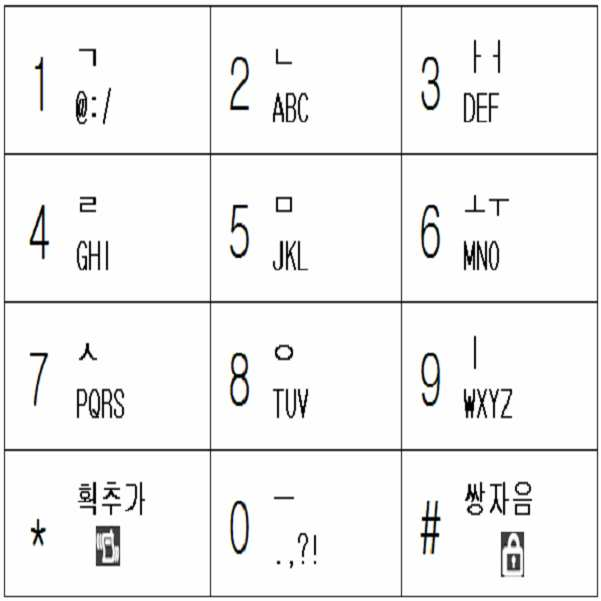
종래의 버튼표기를 그대로 유지한 채로, While keeping the conventional button notation as it is,
신규로 완성형 음소, 문장부호 또는 기타 특수문자 또는 그림이모티콘을 추가로 배정하여 Newly assigned complete phonemes, punctuation or other special characters or picture emoticons
암기하여 사용할 수 도 있고, 디스플레이화면을 일부 할애하거나 , 배정표를 가지고 다니면서도 사용할 수도 있다.(당연히 신규로 배정한 글자는 글자그룹을 달 리할 수도 있다.)You can use it by memorizing it, dedicate some display screens, or use it with your assignments.
<그림28> : 엘지 EZ :종래+숨은것<Figure 28>: LG EZ: Conventional + Hidden
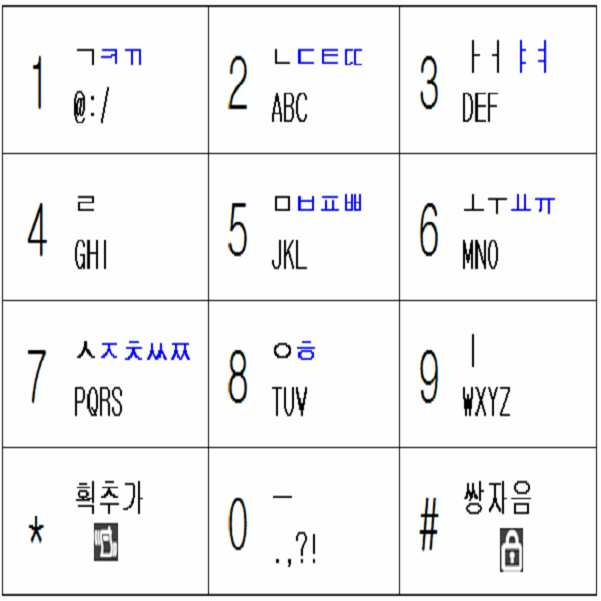
종래의 입력방식을 소개하자면To introduce the conventional input method
획추가 기능을 하는 버튼은 버튼* 이고,The button to add strokes is a button *,
쌍자음화 하는 기능을 하는 버튼은 버튼# 이다,The button to double-consonant is Button #.
모음입력에 있어서,In vowel input,
ㅏㅓㅗㅜㅡㅣ는 단타 또는 2번 누름을 이용한 멀티탭 방법으로 입력한다. Enter the multi-tap method using single tap or double tap.
예를 들어 E.g
ㅏ 는 버튼3을 단타하여 입력하고,입력 inputs by pressing button 3,
ㅓ 는 버튼3을 2번 눌러서 입력한다.Enter by pressing button 3 twice.
ㅑㅕㅛㅠ 입력은, 입력 ㅠ input,
ㅑ 는 ㅏ 를 띄운후에 획추가(버튼*)을 눌러서 입력하고 Enter ㅑ after pressing ㅏ and then press Add Stroke (button *).
ㅕ 는 ㅓ 를 띄운후에 획추가(버튼*)을 눌러서 입력하고 Enter ㅕ after pressing ㅓ and then press Add Stroke (button *).
ㅛ 는 ㅗ 를 띄운후에 획추가(버튼*)을 눌러서 입력하고 Enter ㅛ after pressing ㅗ and then press Add Stroke (button *).
ㅠ 는 ㅜ 를 띄운후에 획추가(버튼*)을 눌러서 입력하고 Enter ㅠ by pressing the Add Stroke button after popping up TT.
기타 복모음은 ㅏㅑㅓㅕㅗㅛㅜㅠㅡㅣ의 조합으로 입력한다.Guitar vowels are entered as a combination of ㅏㅑㅓㅕ ㅗㅛ ㅜㅠ ㅡ ㅣ.
자음입력 방법은Consonant input method
ㄱ ㄴ ㄹ ㅁ ㅅ ㅇ 라는 기본 자음은 단타로 입력하고,The basic consonant of a a b b d
나머지 자음은 기본 자음을 획추가하거나 쌍자음화하여 입력한다.The rest of the consonants are inputted by adding a basic consonant or by double consonant.
획추가 기능을 하는 버튼은 버튼* 이고,The button to add strokes is a button *,
쌍자음화 하는 기능을 하는 버튼은 버튼# 이다,The button to double-consonant is Button #.
예를 들어 E.g
ㅆ 을 입력하고 싶으면 If you want to enter ㅆ
버튼7을 눌러서 ㅅ 을 띄운 후에 쌍자음(버튼#)을 누르고,Press button7 to display ㅅ, press double consonant (button #),
ㅈ 을 입력하고 싶으면 If you want to enter
버튼7을 눌러서 ㅅ 을 띄운 후에 획추가(버튼*)을 누르고,Press button 7 to display ㅅ, press Add Stroke (button *),
ㅉ 을 입력하고 싶으면 If you want to enter ㅉ
버튼7을 눌러서 ㅅ 을 띄운 후에 획추가(버튼*)을 눌러서 ㅈ을 띄우고,Press button 7 to display ㅅ, then press Stroke (button *) to display ㅈ,
이렇게 ㅈ 을 띄운 상태에서 쌍자음(버튼#)을 누르면 된다.In this state, press the consonant (button #).
한글음소 40개 입력방법을 구체적으로 나타내면 아래<그림28.5> 와 같다.The input method of 40 Korean phonemes is shown in <Figure 28.5>.
<그림28.5><Figure 28.5>
EZ
방법LG
EZ
Way
2타: 15개
3타: 13개
4타: 2개
5타: 0개
(총40개)1 stroke: 10
2 strokes: 15
3 strokes: 13
4 strokes: 2
5 strokes: 0
(Total 40)
타수Average per phone
steersman
<그림29> : 엘지 EZ :개선 : 버튼당 2줄<Figure 29>: LG EZ: Improvement: 2 lines per button

위의 표에 대한 설명은 천지인 입력방식의 설명을 참조하기 바란다.For the explanation of the above table, please refer to the explanation of Cheonjiin input method.
어쨌든 기본 개념은 천지인 방식의 개선과 마찬가지로 종래의 엘지 EZ 방식을 그대로 구사하면서도 모드 변경 없이 쌍둥이를 병행하면서, Anyway, the basic concept is the same as the improvement of the celestial way, while using the existing LG EZ method as it is, with the twins without changing modes,
한글음소 40자를 1타 또는 2타로 입력하고 문장부호, 그림이모티콘을 포함한 특수 문자도 글자모드 변경없이 쉽게 입력할 수 있다는 것이다.It is possible to enter 40 Korean phonemes as 1 or 2 strokes and to easily input special characters including punctuation marks and picture emoticons without changing the text mode.
(또는 쌍둥이 전용모드로도 입력가능하다.)(Or can also be entered in twin only mode.)
문자나 문장부호를 포함한 특수문자 색깔 중Among the special characters' colors, including letters and punctuation
검정색은 종래의 자판에 원래부터 표기된 것이고,Black is originally written on a conventional keyboard,
파랑색은 종래의 자판에 표기되어 있지는 않았지만 그 글자버튼과 문자변형버튼(예: 획추가버튼이나 쌍자음버튼)을 조작해서 입력할 수 있었던 문자이고,Blue is a character that can be entered by operating the character button and the character transformation button (e.g. stroke addition button or double consonant button), although it is not written on the conventional keyboard.
빨강색은 발명자가 임의로 추가해 놓은 글자(예:문장부호,기호, 한글음소)들이다.Red is the letters added randomly by the inventor (eg sentence code, symbols, Korean phonemes).
(그림이모티콘은 발명자가 임의로 추가해 놓은 것이다.)(Grim emoticons have been added by the inventor.)
종래의 EZ 방법을 그대로 구사하는 것을 선호하는 사람을 위한 특별조건을 제안 하자면Suggest special conditions for people who prefer to use the traditional EZ method
종래부터 자음은 멀티탭으로는 입력하지 않았으므로, 개선한 방법에서도 자음은 멀티탭으로 입력할 수 없게 하며,Conventionally, consonants have not been input with a multi-tap, so even in the improved method, consonants cannot be input with a multi-tap.
모음 중 버튼3에 배정된 ㅏ ㅓ 와 버튼6 에 배정된 ㅗ ㅜ 는 는 종래부터 멀티탭으로 입력할 수 있었으므로, ㅏ ㅓ ㅗ ㅜ 는 멀티탭 방식으로도 입력할 수 있게 하며, Since ㅏ 된 assigned to button 3 and 6 TT assigned to button 6 of the vowel can be input by multi-tap conventionally, ㅏ ㅓ ㅗ TT can also be input by multi-tap method.
나머지 모음들은 멀티탭으로는 입력하지 않았으므로, 개선한 방법에서도 멀 티탭으로 입력할 수 없게 할 수도 있다.The rest of the vowels aren't multi-tap, so you might not be able to enter them in the improved way.
엘지 EZ 방식에 쌍둥이를 적용할 때When applying twins to LG EZ
영문 또는 천지인 또는 스카이 또는 큐리텔 처럼 모든 그룹의 글자들을 <그림07~그림07.8>류 의 조합유도버튼 배정표를 이용하여 모든 그룹의 글자들을 입력할 수 있다.Letters of all groups, such as English or Cheonjiin, Sky or Curitel, can be entered using the combination induction button assignment table of <Figure 07 ~ Figure 07.8>.
그렇게 했을 때의 장점은 아래와 같다.The advantages of doing so are:
모든 음소를 2타 이내로 입력할 수도 있으며,You can also enter all phonemes within two strokes.
종래의 엘지 EZ 방식의 가장 고질적인 문제인 쌍자음버튼이나 획추가버튼을 누를 때 동선이 너무 커서 불편하였던 점을 개선할 수 있다.When the user presses the consonant button or the stroke adding button, which is the most chronic problem of the conventional LG EZ method, the copper wire is too large to improve the inconvenience.
종래에는 Conventionally
양손이 1~4행을 커버해야 하는 상황이면서도, Even though both hands should cover 1 to 4 rows,
획추가버튼(버튼*)이나 쌍자음버튼(버튼#)을 누르려면, To press the Add Stroke button (button *) or the Consonant button (button #),
버튼0의 `ㅡ` 를 제외한 다른 문자는 1~3행에 있으므로, 문자버튼의 세로 평균위치의 근사값인 2행에서 획추가버튼(버튼*)이나 쌍자음버튼(버튼#)이 있는 4행까지, 즉 2개 행을 이동하였어야 하므로,Since the other characters except for `ㅡ` of button 0 are in lines 1 to 3, from line 2, which is an approximation of the vertical average position of the letter button, to line 4 with a stroke addition button (button *) or a double consonant button (button #) , That is, two rows must have moved,
평균 세로 동선은 상당히 큰 2개 행이되고 The average longitudinal copper line is a fairly large two rows
<그림07>과 같은 조합유도버튼표를 이용하고, <그림29>와 같은 글자 배정표를 이용하는 쌍둥이를 적용하면, If you use the combination induction button table as shown in <Figure 07> and the twins using the letter assignment table as shown in <Figure 29> ,
버튼0에 배정된 ㅡ ㅢ(버튼*에 배정된 ㅚ ㅘ ㅙ, 버튼#에 배정된 ㅟ ㅝ ㅞ 는 단모음을 조합하여 입력할 수도 있으므로 선택적임)를 입력할 때만 제외하고는 1~3행(평균위치는 2행)내에서 모두 입력이 가능하므로, 문자가 배정된 버튼의 평균위치 근사값인 2행에서, 조합유도버튼이 배정된 평균위치인 2행까지의 평균 세로 동선은 0개 행이된다.1 to 3 rows (average) except when inputting ㅡ ㅢ assigned to button 0 (된 된 에 assigned to button *, ㅟ ㅞ ㅞ assigned to button # may be entered in combination of short vowels). Since the position can be input within 2 rows), the average vertical copper line from line 2, which is an approximation of the average position of the button to which the character is assigned, becomes 0, from line 2 to the average position to which the combination induction button is assigned.
또 종래에는 In the past
양손을 교대로 이용하려면 양손이 1~3열 모두 담당해야 하는 상황에서, 즉 평균적인 양손 가로 위치가 각각 2열인 상황에서,In order to use both hands alternately, both hands must be in charge of one or three rows, i.e. the average two-handed horizontal position is two rows each.
획추가버튼(버튼*)을 누르려면 버튼*이 1열에 있으므로, 양손 엄지중 어느 하나는 항상 1열로 이동하여야 하고, To press the Stroke button (button *), button * is in row 1, so either thumb of both hands must always move to row 1,
쌍자음버튼(버튼#)을 누르려면 버튼*이 3열에 있으므로, 양손 엄지중 어느 하나는 항상 3열로 이동하여야 하였으므로, In order to press the double consonant button (button #), button * is in the third row, so one of the thumb of both hands had to always move to the third row.
한손의 평균적인 가로 동선은 1개열이 되어The average horizontal copper line of one hand becomes one row
가로 로의 동선이 컸는데,I had a big horizontal line,
쌍둥이를 적용하면 Applying twins
1열은 왼손이 담당하고,The left hand is in charge of the first row,
3열은 오른손이 담당하고,Right hand is in charge of row three,
2열은 상황에 맞추어 왼손 또는 오른손이 담당하는 상황에서,In the situation that the second column is left hand or right hand in conformity with the situation,
즉 평균적인 양손 가로 위치가 왼손은 1.33열, 오른손은 2.67열인 상황에서,In other words, the average horizontal position of both hands is 1.33 in the left hand and 2.67 in the right hand.
획추가 조합유도버튼이나 쌍자음 조합유도버튼이나 모두 1열 과 3열에 2개씩 있으므로, 아무거나 가까운 것을 선택해서 누르면 되므로 가로 로의 동선도 작게 된다.(양손 엄지의 가로 평균위치는 왼손은 1.33열, 오른손은 2.67열이므로, 평균적인 가로 동선은 왼손은 1.33열에서 1열로, 오른손은 2.67열에서 3열로만 움직이면 되므로 한손의 가로 로의 평균적인 가로 동선은 0.33개의 열이 되는 것이다. 가로로의 동선이 종래에 비해서 33% 에 불과하다. 양손을 사용하여 입력할 경우의 양손엄지의 가로 평균위치가 왼손은 1.5열, 오른손은 2.5열이 아닌 이유는, 1열은 왼손이 담당하고, 3열은 오른손이 담당하고, 2열은 왼손과 오른손 중 편한 손이 번갈아 가며 담당하므로, 왼손 가로 평균 위치가 이 1열과 2열의 중간인 1.5열이 아니라 1열에 조금 더 가까운 1.33열 이고, 오른손 가로 평균 위치가 2열과 3열의 중간이 아니라 3열에 조금 더 가까운 2.67열 이다. ) The stroke addition combination induction button or the double consonant combination induction button, both in the first row and the third row, are two, so you can select anything close to you so that the horizontal line is also smaller. Is 2.67 rows, so the average horizontal copper line needs to move from 1.33 to 1 column with the left hand and 3.67 to 3 rows with the right hand, so the average horizontal copper line with one hand is 0.33 . It's only 33% of the total, and the two-handed thumb's horizontal average position is 1.5 rows for the left hand and 2.5 columns for the right hand, so the left hand is in charge and the right hand is in the third row. The second hand is in the left hand and right hand alternately, so the left hand's horizontal average position is 1.33, which is a little closer to the first column, not the 1.5 column that is halfway between the first and second columns. , Right hand horizontal average position is 2.67, which is a little closer to 3rd column, not the middle of 2nd and 3rd column.)
하지만However
제2그룹 이상의 글자들은 <그림07~그림07.8>류의 조합유도버튼 배정표를 이용하고, 제1그룹 글자들을 입력할 때에는 아래의 그림30과 같은 조합유도버튼 배정표를 이용하는 방법도 있다. 이처럼 하는 이유는 종래의 방식과 비슷한 방식을 취하면서도 동선을 줄이고, 엄지손가락 간섭을 줄이고, 기기를 잡는 안정성을 증진시키기 위함이다. Characters of the second group or more use a combination induction button assignment table as shown in <Fig. 07 ~ 07.8>, and a combination induction button assignment table as shown in Figure 30 below can be used to enter the first group letters. The reason for doing this is to reduce the traffic, reduce the thumb interference, and improve the stability of holding the device while taking a similar method as the conventional method.
그러나 <그림07~그림07.8>류의 조합유도버튼 배정표를 이용하여 모든 그룹의 글자들을 입력하는 것 보다는 타수가 많아지므로 별로 권장하지 않는다. 그리고 <그림07~그림07.8>류의 조합유도버튼 배정표를 이용하여 모든 그룹의 글자들을 입력하여도 동선을 줄이고, 엄지손가락 간섭을 줄이고, 기기를 잡는 안정성을 증진시킬수 있기 때문이다. However, it is not recommended to use the combination induction button assignment table of <Figure 07 ~ Figure 07.8>, since it will increase the number of strokes rather than inputting letters of all groups. And by using the combination induction button assignment table of <Fig.07 ~ Fig.07.8>, it is possible to reduce the moving line, reduce the interference of thumb, and improve the stability of holding the device even when entering the letters of all groups.
그러나 종래의 EZ 방식을 선호하는 사람을 위하여 소개한다.However, for those who prefer the conventional EZ method.
<그림30> : 조합유도버튼 배정표<Figure 30>: Combination Induction Button Assignment Table
(현재 단계에서는 괄호 안의 숫자는 신경쓰지 말자)(Don't mind the numbers in parentheses at this stage)
종래에 획추가 버튼이나 쌍자음 버튼은 글자 버튼에 후행하여 조작하였으므 로, 개선된 방법에서도 획추가 조합유도버튼이나 쌍자음 조합유도버튼을 글자 버튼에 후행하게 한다, In the conventional method, since the stroke addition button or the double consonant button was operated after the letter button, the stroke addition combination induction button or the double consonant combination induction button is followed by the character button even in the improved method.
몇가지 예를 들어 보자.(아래의 예에서 조합유도버튼을 이용하여 입력하는 규칙은 달리할 수 있다.)Let's give some examples (in the example below, the rules for entering using a combination induction button can vary).
종래에는 `ㅆ` 을 입력하려면 7,# (`ㅅ` 이 배정되어 있는 버튼7을 온/오프 시킨 후 쌍자음 기능을 하는 버튼#을 온 시킴)으로만 입력하였으나, Conventionally, to input `ㅆ`, only input with 7, # (Turn on button 7 that has `ㅅ` assigned on and off and then turn on button # which functions as a double consonant).
개선된 방법에서는 종래의 방법을 그대로 구현할 수 있으면서도While the improved method can be implemented as it is,
<그림30>의 조합유도버튼표을 이용하면 7+1 또는 7+3(`ㅅ` 이 배정되어 있는 버튼7을 누르고 있는 상태에서 쌍자음 조합유도버튼인 버튼1을 누르거나 또는 버튼7을 누르고 있는 상태에서 쌍자음 조합유도버튼인 버튼3을 누름)으로 입력하면 된다. 7+1 보다는 7+3을 추천한다. 왜냐하면 7+1을 양손으로 하자면 양손 모두 1열에 존재하게 되므로 손가락 끼리의 간섭이 생기고 기기를 잡고 있는 안정성이 떨어지기 때문이다. Using the combination induction button table shown in <Figure 30>, press and hold the button 7 or the two consonant combination induction button, while pressing the button 7 with 7 + 1 or 7 + 3 (`ㅅ` assigned. In this state, press button 3, the combination conduction button. We recommend 7 + 3 rather than 7 + 1. If you use 7 + 1 with both hands, both hands will be in the first row, causing interference between fingers and less stable holding the device.
종래와 타수는 같으나 세로 로의 동선이 줄어든다. Conventional strokes are the same, but vertical copper lines are reduced.
세로 동선이 줄어 드는 이유는, The reason for the vertical copper line is reduced,
쌍자음화를 행하려면 To do a double consonant
종래에는 항상 4행의 버튼# 까지 이동했어야 했는데, In the past, you should always have moved to button # 4 in row,
이제는 쌍둥이를 이런식으로 적용하면 평균위치인 2행에서 쌍자음 조합유도버튼인 버튼1 또는 버튼3이 있는 1행까지만 이동하면 되므로 세로 로의 평균이동거리가 1개의 행밖에 되지 않는다.(위에서 `평균위치인 2행`인 이유는 쌍둥이를 이런식으로 적용하면 `ㅡ ㅢ `를 입력할 경우에만 4행까지 이동하고, 나머지 글자들은 모두 1~3행내에서 입력이 가능하기 때문이다.)Now, when twins are applied in this way, the average moving distance in the vertical direction is only one row since the two rows, which are the average positions, need to be moved only to the first row with the button 1 or the button 3, which are the consonant combination induction buttons. The reason for the position is 2 lines, because if you apply the twins in this way, you can move up to 4 lines only if you type `ㅡ ㅢ`, and all the remaining characters can be entered within 1 ~ 3 lines.)
획추가를 행하려면 To add strokes
종래에는 항상 4행의 버튼* 까지 이동했어야 했는데, In the past, I should always have moved up to four rows of buttons *
이제는 쌍둥이를 이런식으로 적용하면 평균위치인 2행에서 획추가 조합유도버튼인 버튼4 또는 버튼6이 있는 2행까지만 이동하면 되므로, 세로 로의 평균이동거리가 0개 행밖에 되지 않는다.(쌍둥이를 이런식으로 적용하면 `ㅡ ㅢ `를 입력할 경우에만 4행까지 이동하고, 나머지 글자들은 모두 1~3행내에서 입력이 가능하므로 세로의 평균위치가 거의 2행이 되는 것이다.)Now, if you apply the twins this way, you only need to move from the average row of two rows to the second row of button 4 or button 6, which is the combination combination induction button, so that the average distance traveled vertically is only 0 rows. If you apply it like this, you can move up to 4 lines only if you type `ㅡ ㅢ`, and the rest of the characters can be entered within 1 ~ 3 lines, so the average position of the vertical becomes almost 2 lines.)
또 종래에는 In the past
획추가버튼(버튼*)을 누르려면 버튼*이 1열에 있으므로, 양손 엄지중 어느 하나는 항상 1열로 이동하여야 하고, To press the Stroke button (button *), button * is in row 1, so either thumb of both hands must always move to row 1,
쌍자음버튼(버튼#)을 누르려면 버튼*이 3열에 있으므로, 양손 엄지중 어느 하나는 항상 3열로 이동하여야 하였으므로, In order to press the double consonant button (button #), button * is in the third row, so one of the thumb of both hands had to always move to the third row.
양손의 평균적인 동선이 2개열이고, 한손의 평균적인 동선은 1개열이 되는데The average copper line of both hands is two lines, and the average copper line of one hand is one line.
동선이 컸는데,The line was big,
쌍둥이를 적용하면 Applying twins
획추가 조합유도버튼이나 쌍자음 조합유도버튼이나 모두 1열 과 3열에 2개씩 있으므로, 아무거나 가까운 것을 선택해서 누르면 되므로 가로 로의 동선도 작게 된다.(양손 엄지의 가로 평균위치는 왼손은 1.33열, 오른손은 2.67열이므로, 평균적인 동선은 왼손은 1.33열에서 1열로, 오른손은 2.67열에서 3열로만 움직이면 되므로 한손의 평균적인 동선은 0.33개의 열이 되는 것이다.) The stroke addition combination induction button or the double consonant combination induction button, both in the first row and the third row, are two, so you can select anything close to you so that the horizontal line is also reduced. (The horizontal average position of the two-hand thumb is 1.33 in the left hand and the right hand in the Is 2.67 rows, so the average copper line needs to move from 1.33 to 1 row for the left hand and 2.67 to 3 rows for the right hand, so the average copper for one hand is 0.33 rows.)
종래에는 `ㅉ` 을 입력하려면 7,*,# (`ㅅ` 이 배정되어 있는 버튼7을 온/오프 시킨 후 획추가 기능을 하는 버튼*을 온 시켜서 `ㅈ`을 만든 다음에 쌍자음 기능을 하는 버튼#을 온 시킴)으로만 입력하였으나, Conventionally, in order to input `ㅉ` 7, *, # (Turn on button 7 assigned `` `, turn on button * which adds stroke function to make` ㅈ `, and then use the double consonant function. ON button #), but
개선된 방법에서는 종래의 방법을 그대로 구현할 수 있으면서도,While the improved method can be implemented as it is,
<그림30>의 조합유도버튼표을 이용하면 버튼7의 2번째 쌍자음이 `ㅉ` 이라는 것을 이미 알고 있으므로 7+1+1 또는 7+3+3(`ㅅ` 이 배정되어 있는 버튼7을 누르고 있는 상태에서 쌍자음 조합유도버튼인 버튼1을 2번 누르거나 또는 버튼7을 누르고 있는 상태에서 쌍자음 조합유도버튼인 버튼3을 2번 누름)으로 입력하면 된다. 왜냐하면 규칙을 그냥 이렇게 정한 것 뿐이다. 종래 방법에서도 7,*,#으로 ㅉ 을 입력 할 것이 아니라 7,#,#으로 입력하는 것으로 규칙을 변경할 수도 있다는 뜻이 된다. Using the combination induction button table in Figure 30, we already know that the second double consonant of button 7 is `ㅉ`, so press 7 + 1 + 1 or 7 + 3 + 3 ( If you press the button 1, the double consonant combination induction button two times, or press the button 3, the double consonant combination induction button two times while pressing the button 7). Because the rules are just defined like this. In the conventional method, it is possible to change the rule by inputting 7, #, # instead of 7, as 7, *, #.
종래와 타수는 같으나 동선이 줄어들며 기기를 잡고 있는 안정성이 향상된다.The stroke is the same as the conventional one, but the copper wire is reduced and the stability of holding the device is improved.
왜냐하면 동선이 줄어든다는 것은 Because the reduced line
종래에는 *과 #을 조작해야 하므로, 버튼* 또는 버튼#이 있는 1열에서 3열로 이동해야 하거나 , Traditionally, you have to manipulate * and #, so you have to move from column 1 with button * or button # to column 3,
7과 *을 조작해야 하므로 3행에서 4행으로 움직여야 했으나 개선된 방법에서는 그러한 동선이 없고, 종래에는 획추가 버튼을 누를 려면 항상 4행까지 이동했어야 했는데 이제는 2행까지만 이동하면 되는 것이고, Since we had to manipulate 7 and *, we had to move from row 3 to row 4, but in the improved way there was no such movement, and conventionally we had to move to row 4 all the time to press the add button.
기기를 잡고 있는 안정성이 향상된다는 것은 무슨 뜻이가 하면, 종래에 양손을 사용하여 7,* 을 조작하게 되면 양손 모두 1열에 존재하게 되므로 손가락 끼리의 간섭이 생기고 기기를 잡고 있는 안정성이 떨어지는데, 이제는 7+3+3 으로도 입력이 가능하므로, 왼손은 1열의 버튼7, 오른손은 3열의 버튼3을 누르면 되므로 안정적이다는 것이다.What does it mean to improve the stability of holding the device? If you operate 7, * using both hands in the past, both hands will be in the first row, so the interference between fingers will occur and the stability of holding the device will be reduced. 7 + 3 + 3 can also be used, so it is stable because the left hand presses the button 7 in the first row and the right hand presses the button 3 in the third row.
종래에는 `ㅑ` 을 입력하려면 3,* (`ㅏ` 이 배정되어 있는 버튼3을 온/오프 시킨 후 획추가 기능을 하는 버튼* 을 누름)으로만 입력하였으나, Conventionally, to input `ㅑ`, only 3, * (press the button * to add strokes after turning button 3 assigned `ㅏ` on and off),
개선된 방법에서는 종래의 방법을 그대로 구현할 수 있으면서도While the improved method can be implemented as it is,
<그림30>의 조합유도버튼표을 이용하면 3+4 또는 3+6(`ㅏ` 이 배정되어 있는 버튼3을 누르고 있는 상태에서 획추가 조합유도버튼인 버튼4을 누르거나 또는 버튼3을 누르고 있는 상태에서 획추가 조합유도버튼인 버튼6을 누름)으로 입력하면 된다. 3+6 보다는 3+4을 추천한다. 왜냐하면 3+6을 양손으로 하자면 양손 모두 3열에 존재하게 되므로 손가락 끼리의 간섭이 생기고 기기를 잡고 있는 안정성이 떨어지기 때문이다. 종래와 타수는 같으나 동선이 줄어든다. Using the Combination Induction Button Table in <Figure 30>, press and hold the 3 + 4 or 3 + 6 (button 3 button with `ㅏ` assigned) In the state, press Stroke addition button (6). 3 + 4 is recommended rather than 3 + 6. If you use 3 + 6 with both hands, both hands will be in the third row, so the interference between fingers will occur and the stability of holding the device will be reduced. The stroke is the same as before, but the copper line is reduced.
종래에는 `ㅕ` 을 입력하려면 3,3,* (`ㅏ` 이 배정되어 있는 버튼3을 2번 눌러서 `ㅓ`를 만든 다음에 획추가 기능을 하는 버튼*을 누름)으로만 입력하였으나, Conventionally, to input `ㅕ`, you only input 3,3, * (press the button 3 to which `ㅏ` is assigned twice to make `ㅓ` and then press the button * that adds strokes).
개선된 방법에서는 종래의 방법을 그대로 구현할 수 있으면서도While the improved method can be implemented as it is,
<그림30>의 조합유도버튼표을 이용하면 버튼3의 2번째 획추가음이 `ㅕ` 이라는 것을 이미 알고 있으므로 3+4+4 또는 3+6+6(`ㅏ` 이 배정되어 있는 버튼3을 누르고 있는 상태에서 획추가 조합유도버튼인 버튼4를 2번 누르거나 또는 버튼3을 누르고 있는 상태에서 획추가 조합유도버튼인 버튼6을 2번 누름)으로 입력하면 된다. 종래와 타수는 같으나 동선이 줄어들며 기기를 잡고 있는 안정성이 향상된다.Using the Combination Induction Button Table in Figure 30, we know that the second stroke addition of Button 3 is `ㅕ`, so we can use 3 + 4 + 4 or 3 + 6 + 6 ( Press and hold button 4 twice, the stroke addition combination induction button, or press button 6, the stroke addition combination induction button twice, while pressing the button 3). The stroke is the same as the conventional one, but the copper wire is reduced and the stability of holding the device is improved.
그리고 조금더 발전된 형태로서, 아래 그림31 처럼And a more advanced form, as shown in Figure 31 below.
쌍자음 조합유도 버튼을 1쌍자음 과 2쌍자음 조합유도버튼으로 나누고,Divide the consonant combination induction button into one consonant and two consonant combination induction buttons,
획추가 조합유도 버튼을 1획추가 과 2획추가 조합유도버튼으로 나눌 수도 있다.The stroke addition combination induction button can also be divided into 1 stroke addition and 2 stroke addition combination induction buttons.
<그림31> : 조합유도버튼 배정표<Figure 31>: Combination Guidance Button Assignment Table
(현재 단계에서는 괄호 안의 숫자는 신경 쓰지 말자)(Don't worry about the numbers in parentheses at this stage)
만약 <그림31> 의 조합유도버튼 배정표를 이용한다면 If you use the combination induction button assignment table in Figure 31
`ㅉ`을 입력하려면 To enter `ㅉ`
종래에는 `ㅉ` 을 입력하려면 7,*,# (`ㅅ` 이 배정되어 있는 버튼7을 온/오프 시킨 후 획추가 기능을 하는 버튼*을 온 시켜서 `ㅈ`을 만든 다음에 쌍자음 기능을 하는 버튼#을 온 시킴)으로만 입력하였으나, Conventionally, in order to input `ㅉ` 7, *, # (Turn on button 7 assigned `` `, turn on button * which adds stroke function to make` ㅈ `, and then use the double consonant function. ON button #), but
종래의 방법을 그대로 구현할 수 있으면서도,While the conventional method can be implemented as it is,
<그림31>의 조합유도버튼표을 이용하면 버튼7의 2번째 쌍자음이 `ㅉ` 이라는 것을 이미 알고 있으므로 7+* 또는 7+#(`ㅅ` 이 배정되어 있는 버튼7을 누르고 있 는 상태에서 제2쌍자음 조합유도버튼인 버튼*을 누르거나 또는 버튼7을 누르고 있는 상태에서 제2쌍자음 조합유도버튼인 버튼#을 누름)으로 입력하면 된다. 종래보다 1타가 적게 되며, 동선이 줄어들며 기기를 잡고 있는 안정성이 향상된다.Using the combination induction button table in Figure 31, we already know that the second consonant of button 7 is `ㅉ`, so hold down the button 7 with 7 + * or 7 + # (`ㅅ` assigned. The second pair of consonant combination induction button * or press button 7 while the button 7 is pressed and the second pair of consonant combination induction button #). One stroke less than before, the copper wire is reduced and the stability of holding the device is improved.
`ㅕ` 을 입력하려면, To enter `ㅕ`
종래에는 `ㅕ` 을 입력하려면 3,3,* (`ㅏ` 이 배정되어 있는 버튼3을 2번 눌러서 `ㅓ`를 만든 다음에 획추가 기능을 하는 버튼*을 누름)으로만 입력하였으나, Conventionally, to input `ㅕ`, you only input 3,3, * (press the button 3 to which `ㅏ` is assigned twice to make `ㅓ` and then press the button * that adds strokes).
종래의 방법을 그대로 구현할 수 있으면서도While the traditional method can be implemented as it is
<그림31>의 조합유도버튼표을 이용하면 버튼3의 2번째 획추가 음소가 `ㅕ` 이라는 것을 이미 알고 있으므로 3+7 또는 3+9(`ㅏ` 이 배정되어 있는 버튼3을 누르고 있는 상태에서 제2획추가 조합유도버튼인 버튼7을 누르거나 또는 버튼3을 누르고 있는 상태에서 제2획추가 조합유도버튼인 버튼9을 누름)으로 입력하면 된다. 종래보다 1타가 적게 되며, 동선이 줄어들며 기기를 잡고 있는 안정성이 향상된다.Using the Combination Induction Button Table in Figure 31, we know that the second phoneme for the third stroke of button 3 is `ㅕ`, so press and hold 3 + 7 or 3 + 9 ( Press the button 7 which is the second stroke addition combination induction button or press the button 9 which is the second stroke addition combination induction button while pressing the button 3). One stroke less than before, the copper wire is reduced and the stability of holding the device is improved.
이때 제1획추가, 제1쌍자음 조합유도버튼이 그림30 의 획추가, 쌍자음 조합유도버튼 기능도 할수 있도록 할수도 있다. At this time, the first stroke addition, the first consonant combination induction button may also function as the stroke addition and double consonant combination induction button shown in Figure 30.
어쨌든 그림30 또는 그림31 처럼 글자버튼을 조합유도버튼화 한 것에 획추가, 쌍자음 버튼의 기능을 추가하면Anyway, as shown in Fig. 30 or Fig. 31, adding a stroke to the combination induction button, adding the function of the double consonant button
동선이 줄어든다. 종래에는 획추가버튼(버튼*) 또는 쌍자음버튼(버튼#)을 누를 려면 항상 4행까지 이동했어야 했는데 이제는 그림30 의 조합유도버튼표를 이용하는 방법에서는 2행까지만 이동하면 되는 것이고, 그림31 의 조합유도버튼표를 이용하는 방법에서는 주로 3행까지만(ㅊ, ㅉ, ㅕ, ㅠ 를 입력할 때만 4행까지) 이동하면 되는 것이기 때문이다.The copper line is reduced. Previously, to press the Add Stroke button (button *) or the Double Consonant button (button #), you should always have moved up to four rows. This is because the method of using the combination derivation button table is mainly to move up to three lines (up to four lines only when typing ㅊ, ㅉ, ㅕ, ㅠ).
만약 4행까지의 동선을 전혀 없게 하려면 조합유도버튼 배정을 아래 <그림31.5>처럼 하면 된다.If you do not want to move up to 4 rows at all, you can assign the combination induction button as shown in <Figure 31.5>.
<그림31.5> : 조합유도버튼 배정표<Figure 31.5>: Combination Induction Button Assignment Table
(현재 단계에서는 괄호 안의 숫자는 신경 쓰지 말자)(Don't worry about the numbers in parentheses at this stage)
그리고 손가락끼리의 간섭이 줄어들고, 기기를 잡는 안정성이 증대된다. 양손이 1열 또는 3열에 편중되는 상황을 피할 수 있기 때문이다. 앞에서 자세히 설명하였다.In addition, the interference between fingers is reduced, and the stability of holding the device is increased. This is because you can avoid the situation where both hands are in one or three rows. This is described in detail above.
<그림31> 또는 <그림31.5> 의 조합유도버튼표를 이용하면 Using the combination induction button table in <Figure 31> or <Figure 31.5>,
종래에는 3타로만 입력이 가능하였던 ㅌ,ㄸ,ㅍ,ㅃ,ㅊ,ㅉ,ㅕ,ㅠ 를 2타로 입력할 수 있게 되고, In the past, only three inputs were possible, but two inputs ㅌ, ㄸ, ㅃ, ㅃ, ㅉ, ㅉ, ㅕ, ㅠ can be entered.
종래에는 4타로만 입력이 가능하였던 ㅖ 를 3타로 입력할 수 있게 된다. It is possible to input ㅖ to three, which was conventionally possible to input only four.
결국 아래의 한글 음소 40개 중 ㅒ,ㅔ,ㅖ,ㅙ,ㅟ,ㅝ,ㅞ 만 제외하고 모두 1~2타로 입력할 수 있게 된다. 그러면서 앞서 언급했던 동선,간섭, 안정성 등의 관점에서도 상당한 편리성을 준다.Eventually, among the 40 Korean phonemes listed below, you can enter 1 ~ 2 strokes except for ㅒ, ㅔ, ㅖ, ㅙ, ㅟ, ㅝ, ㅞ. At the same time, it also provides considerable convenience in terms of copper wire, interference, and stability.
한글 음소 40개40 phonemes in Korean
1.기본자음 14개: ㄱ,ㄴ,ㄷ,ㄹ,ㅁ,ㅂ,ㅅ,ㅇ,ㅈ,ㅊ,ㅋ,ㅌ,ㅍ,ㅎ1. 14 basic consonants: a, b, c, d, l, w, m, o, h, h, h, h, h, h
2.쌍자음 5개: ㄲ,ㄸ,ㅃ,ㅆ,ㅉ2.5 consonants: ㄲ, ㄸ, ㅃ, ㅆ, ㅉ
3.기본모음 10개: ㅏ,ㅑ,ㅓ,ㅕ,ㅗ,ㅛ,ㅜ,ㅠ,ㅡ,ㅣ3. 10 basic collections: ㅏ, ㅏ, ㅓ, ㅕ, ㅗ, ㅛ, TT, ㅠ, ㅡ, ㅣ
4.복모음 11개: ㅐ,ㅒ,ㅔ,ㅖ,ㅚ,ㅘ,ㅙ,ㅟ,ㅝ,ㅞ,ㅢ4.11 vowels: ㅐ, ㅒ, ㅔ, ㅖ, ㅚ, ㅘ, ㅙ, ㅟ, ㅝ, ㅞ, ㅢ
그러나 모든 음소를 1~2타로 입력할 수 있는 <그림07~그림07.8>류의 조합유도버튼 배정표를 이용하는 것을 더 추천한다.However, it is better to use the combination induction button assignment table of <Fig.07 ~ Fig.07.8>, which can input all the phonemes as 1 ~ 2 strokes.
그리고 그림30 또는 그림31 의 조합유도 버튼표을 이용하는방법에 있어서,And in the method using the combination induction button table of Fig. 30 or Fig. 31,
종래의 방법이 획추가버튼이나 쌍자음버튼이 글자버튼에 후행하는 방식이어서, 개선된 방법에서도 획추가 조합유도버튼이나 쌍자음 조합유도버튼이 글자버튼에 후행하는 것으로 설명하였는데, 종래 방법으로 사용해오던 사람이 처음에 혼선이 생길 수는 있으나, 선행하는 방법이 더 장점이 많기 때문에 선행하는 방법을 더 추천한다. The conventional method is that the stroke addition button or the consonant button is followed by the letter button, and thus the improved method is described as the stroke addition combination induction button or the twin consonant combination induction button is followed by the letter button. Although a person may have confusion at first, the preceding method is better because the preceding method has more advantages.
<그림07~그림07.8>류의 조합유도버튼 배정표를 이용하는 방법에 있어서도 선행하는 방법을 더 추천한다. The preceding method is also recommended when using the combination induction button assignment table of <Fig. 07 ~ Fig.07.8>.
왜냐하면 만약 `효`를 입력려면Because if you want to type `hyo`
그림30 또는 그림31을 이용하면서 `후행` 방법에서는 8+6,6+4(`ㅇ`이 배정된 버튼8를 누르고 있는 상태에서 획추가 조합유도버튼인 버튼6을 눌러서 `ㅎ`을 만들고, `ㅗ`가 배정된 버튼6을 누르고 있는 상태에서 획추가 조합유도버튼인 버튼4을 눌러서 `ㅛ`을 만든다)으로, 즉 4타로만 입력할 수 있으나Using Figure 30 or Figure 31, in the following method, create a 'ㅎ `by pressing the button 6, which is the combination addition button, while pressing the button 8 assigned with 8 + 6,6 + 4 ( While holding down the button 6 to which `ㅗ` is assigned, press the button 4, which is a combination induction button, to create `ㅛ`).
그림30 또는 그림31을 이용하면서 `선행` 방법에서는 4+8+6(획추가 조합유도버튼인 버튼4를 왼손으로 누르고 있는 상태에서 오른손으로 `ㅎ`이 획추가 글자로 배정된 버튼8 와 `ㅛ`이 획추가 글자로 배정된 버튼6을 순차적으로 누름)으로, 즉 3타로도 입력할 수 있기 때문이다.Using Figure 30 or Figure 31, in the 'Leading' method, press the buttons 4 and 8 (with the left hand pressed while holding down the button 4, which is the combination adding button for adding strokes, with the right hand. This is because it is possible to input button 3, which is assigned as a stroke additional letter, sequentially, or 3 strokes.
<그림07~그림07.8>류의 조합유도버튼 배정표를 이용하는 방법에 있어서도 선행하는 방법에서는 바로 언급한 형태의 장점이 훨씬 많이 발생하기 때문이다.Even in the method of using the combination induction button assignment table of <Fig. 07 ~ Fig.07.8>, the advantages mentioned in the preceding method are much more generated.
만약 `부`를 입력하려면If you want to type `part`
그림30 또는 그림31을 이용하면서 `선행` 방법에서도 4+5,6,6(획추가 조합유도버튼인 버튼4를 왼손으로 누르고 있는 상태에서 오른손으로 `ㅂ`이 획추가 글자로 배정된 버튼5을 누른후에 `ㅗ` 이 배정되어 있는 버튼6을 두번 눌러서 `ㅜ`를 만듬) 4타로만 으로만 입력 가능하나,Using Figure 30 or Figure 31, in the `Leading 'method, press the button 4, 5, 6, or 6 (with the left hand pressed the button 4, which is the combination addition button, with the left hand). After pressing, press the button 6 to which `ㅗ` is assigned twice to make `TT`).
<그림07>의 조합유도버튼 배정표를 이용하면서 `선행`하는 방법에서는 4+5+6(2번째 글자를 입력하게 하는 조합유도버튼인 버튼4를 왼손으로 누르고 있는 상태에서 오른손으로 버튼5와 버튼6을 순차적으로 누름, 버튼5의 2번째 글자가 `ㅂ`이고, 버튼6의 2번째 글자가 `ㅜ` 이기때문) 3타로도 입력가능하기 때문이다.In the method of 'leading' while using the combination induction button assignment table of <Figure 07>, press button 4 and button with your right hand while pressing button 4, which is the combination induction button that allows you to enter the second letter. Press 6 sequentially, because the second letter of button 5 is `ㅂ` and the second letter of button 6 is `TT`).
그리고 그림30 과 그림31 의 조합유도버튼표에서 획추가 나 쌍자음 기능을 조합유도버튼화 하는 것처럼 모토롤라의 획추가 기능(버튼#)이나, 한돌코드의 문자마침버튼, 쉬프트버튼 기능을 조합유도버튼화 하여 엘지 EZ에서의 개선사항과 거 의 동일한 효과가 발휘되게 할 수 있다. And in the combination induction button table shown in Fig. 30 and Fig. 31, the induction button of Motorola's stroke addition function (button #), Handol code's character finish button, and shift button function are combined. The same effect can be achieved with improvements in LG EZ.
엘지 EZ방식의 단점은 `* & #방식`의 단점과 중복되는 부분이 많으므로, 기타 엘지 EZ방식의 단점 및 쌍둥이가 그 단점을 해결하는 사항은 `*&#상세설명` 단원을 보고 느껴보기 바란다.The disadvantages of LG EZ method are many overlaps with the disadvantages of `* &# method`. For other LG EZ method and the problem that twins solve the disadvantages, please see the '* &# details' section. I hope.
<그림32> : 엘지 EZ : 개선 : 버튼당 3줄<Figure 32>: LG EZ: Improvement: 3 Lines per Button

별다른 설명이 필요 없다. 그림29 설명 참조 바람No explanation is needed. See Figure 29
<그림32.5> : 엘지 EZ : 개선 : 버튼당 2줄 여백<Figure 32.5>: LG EZ: Improvement: 2 lines of space per button
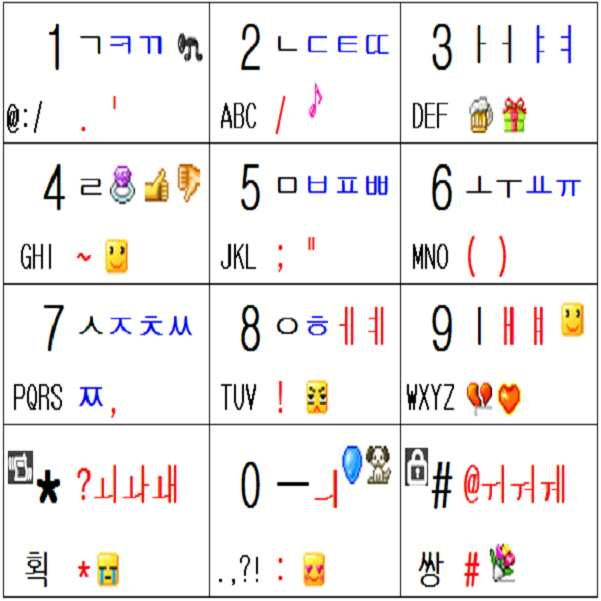
버튼에는 적은 수의 완성형 음소, 특순문자 또는 그림이모티콘을 추가로 표기한 형태Buttons have a small number of additional phonemes, special characters, or picture emoticons.
(그 이상의 것은 디스플레이화면을 일부 할애 하여 표시할 수도 있다.)(More than that may be displayed by dedicating part of the display screen.)
설명은 필요없을 줄 안다.I don't need explanation.
<그림32.6> : 엘지 EZ : 개선 : 버튼당 2줄 이모티콘 없음<Figure 32.6>: LG EZ: Improvement: 2 lines of emoticons per button
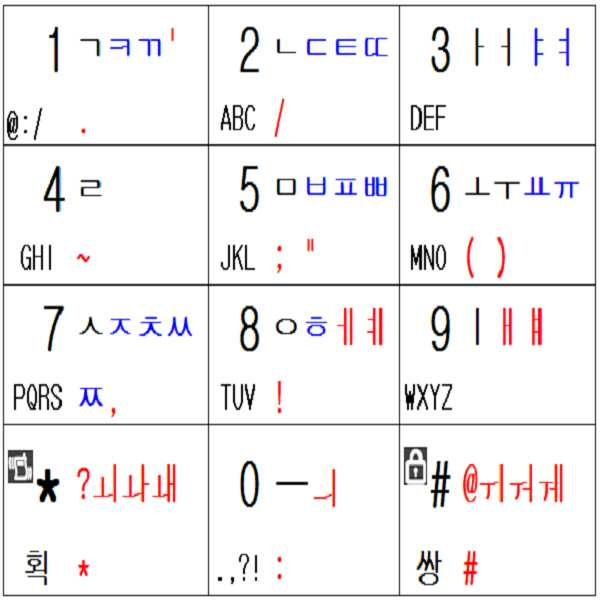
버튼에는 완성형 음소, 특수문자만 추가로 배정하고 그림이모티콘을 표기 안한 형태Buttons are assigned complete phonemes and special characters only and do not include picture emoticons.
(그 이상의 것은 디스플레이화면을 일부 할애 하여 표시할 수도 있다.)(More than that may be displayed by dedicating part of the display screen.)
설명은 필요없을 줄 안다.I don't need explanation.
<그림32.7> : 엘지 EZ : 개선 : 한글 완성형 음소만 추가 배정<Figure 32.7>: LG EZ: Improvement: Allocated Hangul complete phoneme
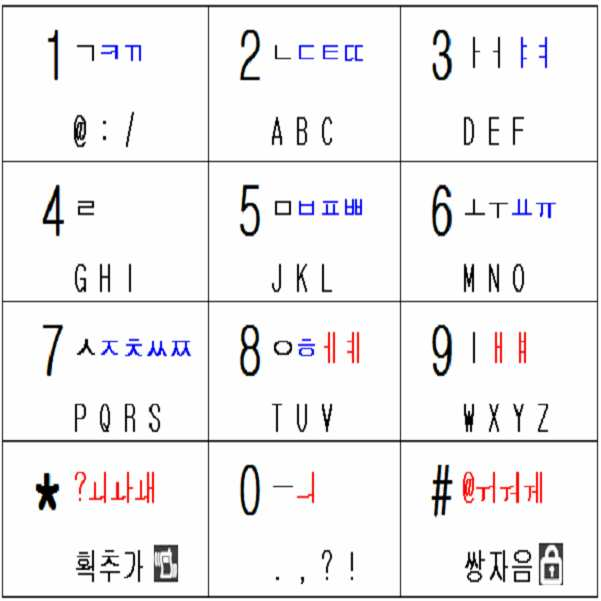
한글음소 40개 중 종래의 방식에서 완성형으로 배정되지 않은 것들만 완성형으로 추가 배정한 형태.Of the 40 Korean phonemes, only those that are not assigned to completion in the conventional way are additionally assigned to completion.
설명은 필요없을 줄 안다.I don't need explanation.
<그림32.8>디스플레이 화면에 엘지 EZ 방식 기반 모든 한글음소 완성형으로 배정<Figure 32.8> All Hangul Phoneme based on LG EZ Type Assigned to Display Screen

버튼에 <그림32.7>정도의 한글 음소 배정 형태도 거부감이 있다면,If there is a sense of rejection in Korean phoneme assignment form as shown in <Figure 32.7>,
종래의 버튼에의 표기는 그대로 둔채로, While leaving the notation to the conventional button as it is,
<그림16.2>정도나, <그림32.8>처럼 디스플레이화면에 모든 한글음소를 완성형으로 추가로 배정하여, As shown in <Figure 16.2> or <Figure 32.8>, all Hangul phonemes are additionally assigned to the display screen.
종래의 문자입력모드에서 종래의 방식과 쌍둥이를 병행하여 입력할 수도 있고, 쌍둥이 전용모드방식으로도 입력할 수도 있다. In the conventional character input mode, the conventional method and the twin may be input in parallel, or the twin exclusive mode may be input.
(그림16.2의 배정은 종래문자 입력방식에서 완성형으로 배정되지 않은 음소를 임의로 표시한 것이므로 종래문자입력방식의 종류에 따라 달리 표시된다.)(As shown in Figure 16.2, the phoneme which is not assigned to completion type in the conventional character input method is displayed randomly according to the type of conventional character input method.)
<그림33> : 모토롤라 : 종래<Figure 33>: Motorola: Conventional

종래의 버튼표기를 그대로 유지한 채로, While keeping the conventional button notation as it is,
신규로 완성형 음소, 문장부호 또는 기타 특수문자 또는 그림이모티콘을 추가로 배정하여 Newly assigned complete phonemes, punctuation or other special characters or picture emoticons
암기하여 사용할 수 도 있고, 디스플레이화면을 일부 할애하거나 , 배정표를 가지고 다니면서도 사용할 수도 있다.(당연히 신규로 배정한 글자는 글자그룹을 달리할 수도 있다.)You can use it by memorizing it, dedicate some display screens, or use it with your assignments. (Of course, newly assigned letters can be different letter groups.)
<그림34> : 모토롤라 : 종래+숨은것<Figure 34>: Motorola: Conventional + Hidden

종래의 입력방식을 소개하자면To introduce the conventional input method
버튼# 이 엘지 EZ 방법의 획추가 버튼의 기능과 거의 유사한 작용을 하는데Button # works much like the function of the Stroke button in the LG EZ method.
모음입력에 있어서,In vowel input,
ㅏㅓㅗㅜㅡㅣ는 단타 또는 2번 누름을 이용한 멀티탭 방법으로 입력하고 Enter ㅏㅓ ㅗㅜ ㅡ ㅣ by multi-tap method using single tap or 2 pushes
예를 들어 E.g
ㅏ 는 버튼3을 단타하여 입력하고,입력 inputs by pressing button 3,
ㅓ 는 버튼3을 2번 눌러서 입력한다.Enter by pressing button 3 twice.
ㅑㅕㅛㅠ 입력은, 입력 ㅠ input,
ㅑ 는 ㅏ 를 띄운후에 획추가(버튼#)을 눌러서 입력하고 Enter ㅑ after adding 추가 by pressing Add Stroke (Button #).
ㅕ 는 ㅓ 를 띄운후에 획추가(버튼#)을 눌러서 입력하고 Enter ㅕ after adding 추가 by pressing Add Stroke (Button #).
ㅛ 는 ㅗ 를 띄운후에 획추가(버튼#)을 눌러서 입력하고 Enter ㅛ after adding 추가 by pressing Add Stroke (Button #).
ㅠ 는 ㅜ 를 띄운후에 획추가(버튼#)을 눌러서 입력하고 ㅠ will be entered by pressing the Add Stroke (Button #) after TT.
기타 복모음은 ㅏㅑㅓㅕㅗㅛㅜㅠㅡㅣ의 조합으로 입력한다.Guitar vowels are entered as a combination of ㅏㅑㅓㅕ ㅗㅛ ㅜㅠ ㅡ ㅣ.
자음입력에 있어서는 In consonant input
ㄱㄴㄷㄹㅂㅅㅈㅇ 라는 기본 자음은 각 문자가 배정된 버튼을 단타하여 입력하고, The basic consonant of ㄱㄴㄷ ㄹㅂ ㅅㅈㅇ is inputted by pressing the button to which each letter is assigned.
쌍자음은 기본자음이 배정된 버튼을 2번 눌러서 입력하고,Double consonants are entered by pressing the button that has been assigned two basic consonants,
각 자음버튼의 2번째 글자는 각 기본자음음 띄운후에 획추가(버튼#)을 눌러서 입력한다.Enter the second letter of each consonant button by pressing Add Stroke (Button #) after each basic consonant.
예를 들어 E.g
ㄲ 을 입력하고 싶으면 버튼1을 2번 눌러 입력하고.If you want to enter ㄲ, press button 1 twice.
ㅋ 을 입력하고 싶으면 버튼1을 눌러 ㄱ을 띄운후에 버튼 획추가(버튼#)을 눌러서 입력한다.If you want to enter ㅋ, press button 1 to display a, and then press add button stroke (button #) to enter.
한글음소 40개 입력방법을 구체적으로 나타내면 아래 <그림34.5>와 같다.The input method of 40 Korean phonemes is shown in <Figure 34.5>.
<그림34.5><Figure 34.5>
방법Motorola
Way
2타: 19개
3타: 7개
4타: 2개
5타: 0개
(총40개)1 stroke: 12
2 strokes: 19
3 strokes: 7
4 strokes: 2
5 strokes: 0
(Total 40)
타수Average per phone
steersman
<그림35> : 모토롤라 : 개선 : 2줄<Figure 35>: Motorola: Improvement: 2 Lines
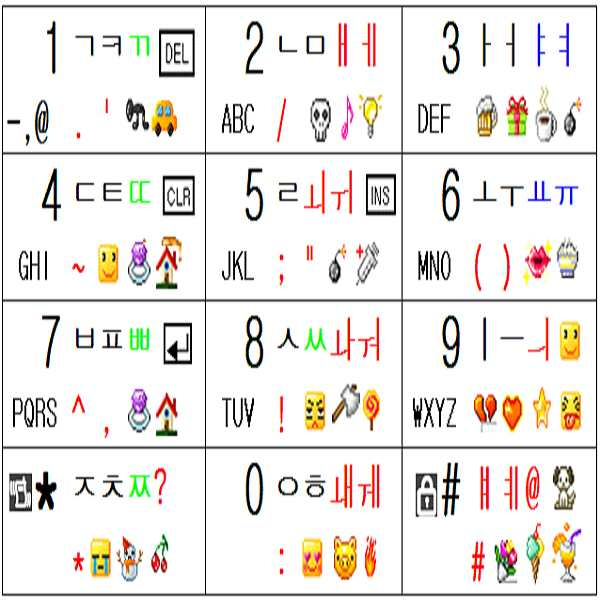
어쨌든 기본 개념은 천지인 방식의 개선과 마찬가지로 종래의 모토롤라 방식을 그대로 구사하면서도 모드 변경 없이 쌍둥이를 병행하면서, Anyway, the basic concept is the same as the improvement of the celestial way, while using the existing Motorola way as it is, without the mode change in parallel twins,
한글음소 40자를 1타 또는 2타로 입력하고, 문장부호, 그림이모티콘을 포함한 특수 문자도 글자모드 변경없이 쉽게 입력할 수 있다는 것이다.It is possible to enter 40 Korean phonemes as 1 or 2 strokes, and to input special characters including punctuation marks and picture emoticons without changing the text mode.
(또는 쌍둥이 전용모드로도 입력가능하다.) (Or can also be entered in twin only mode.)
모토롤라의 설명은 따로 하지 않겠다. 엘지 EZ의 설명을 보면 응용할 수 있기 때문이다.I will not explain Motorola. This is because the description of LG EZ is applicable.
단 엘지 EZ의 <그림30> 과 <그림31> 을 이용하는 대목을 모토롤라에 적용할 때,However, when applying the tree using LG EZ's <Figure 30> and <Figure 31> to Motorola,
종래의 모토롤라의 방법에서 버튼#은 엘지 EZ의 획추가버튼 기능을 한다고 생각하고 적용하면 된다.In the conventional method of Motorola, button # is considered to function as a stroke add button of LG EZ, and can be applied.
모토롤라 방법에서 버튼#의 사용법을 보면If you look at how to use Button # in the Motorola method
자음버튼에 있어서는 자음버튼을 온/오프 시킨후 버튼#을 누르면 검정색글자인 2번째 글자가 입력되고,For the consonant button, turn on / off the consonant button and press the button # to enter the second letter, which is black.
모음버튼에 있어서는 엘지 EZ 의 획추가 버튼과 똑같다.The bar button is the same as the Stroke button in LG EZ.
<그림36> : 모토롤라 : 개선 : 버튼당 3줄Figure 36: Motorola: Improvements: 3 lines per button
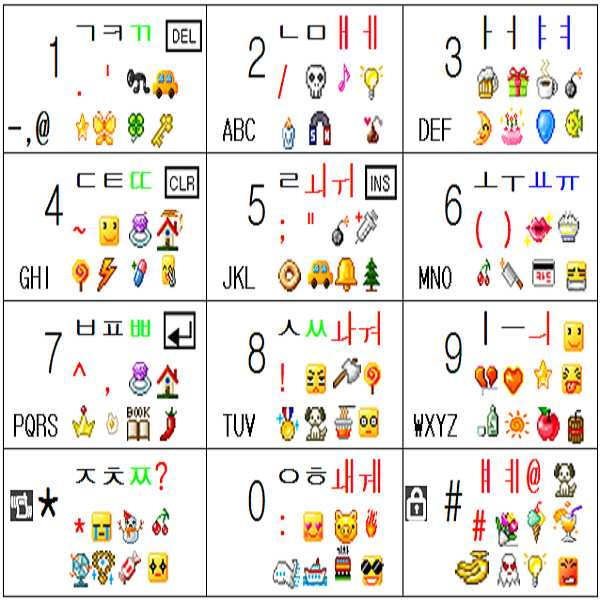
별다른 설명이 필요 없다. 그림35 설명 참조 바랍니다.No explanation is needed. Please refer to Figure 35.
<그림36.5> : 모토롤라 : 개선 : 버튼당 2줄 여백<Figure 36.5>: Motorola: Improvement: 2 lines of space per button
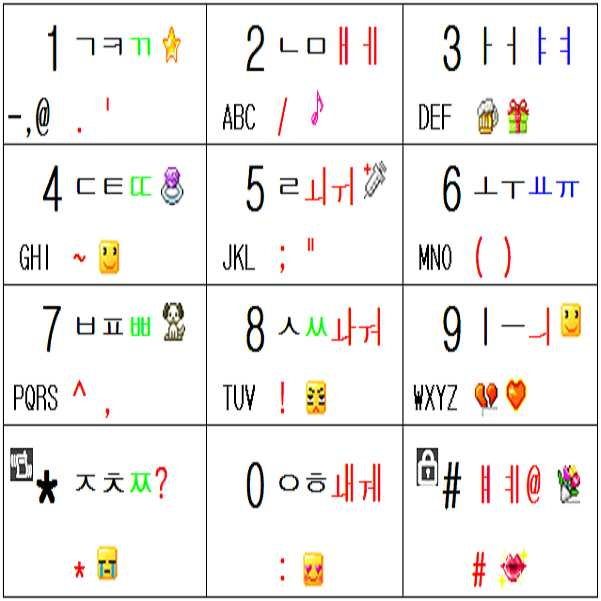
버튼에는 적은 수의 완성형 음소, 특순문자 또는 그림이모티콘을 추가로 표기한 형태Buttons have a small number of additional phonemes, special characters, or picture emoticons.
(그 이상의 것은 디스플레이화면을 일부 할애 하여 표시할 수도 있다.)(More than that may be displayed by dedicating part of the display screen.)
설명은 필요없을 줄 안다.I don't need explanation.
<그림36.6> : 모토롤라 : 개선 : 버튼당 2줄 여백<Figure 36.6>: Motorola: Improvement: 2 lines of space per button
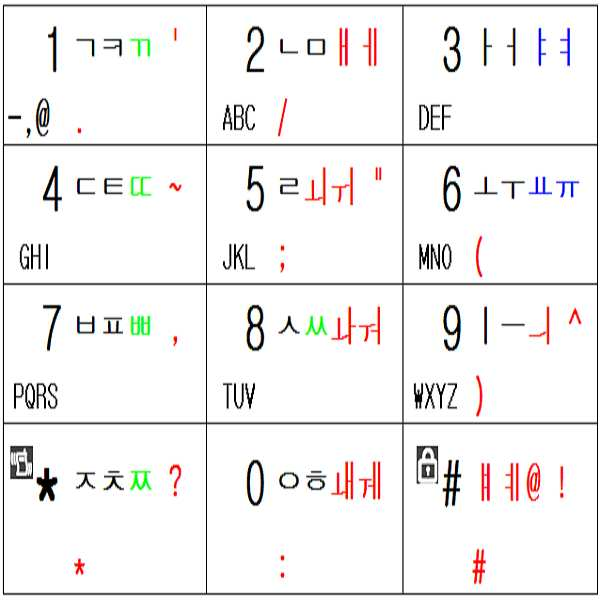
버튼에는 완성형음소, 특수문자만 추가로 배정하고 그림이모티콘을 표기 안한 형태Buttons are assigned complete phonemes and special characters only and do not have a picture emoticon.
(그 이상의 것은 디스플레이화면을 일부 할애 하여 표시할 수도 있다.)(More than that may be displayed by dedicating part of the display screen.)
설명은 필요없을 줄 안다.I don't need explanation.
<그림36.65> : 모토롤라 : 개선 : 한글 완성형 음소만 추가 배정<Figure 36.65>: Motorola: Improvements: Additional Hangul Complete Phonemes

한글음소 40개 중 종래의 방식에서 완성형으로 배정되지 않은 것들만 완성형으로 추가 배정한 형태(쌍둥이를 병행하면서도 종래의 방식과도 똑같은 방법으로 입력하고 싶으면, 추가 배정된 빨간색 음소는 멀티탭 방식으로는 입력할 수 없고, 쌍둥이로만 입력할 수 있게 제한 할 수 있다.)Of the 40 Korean phonemes, only the ones that are not assigned to completion in the conventional way are added to the completion type. No, only twins can be entered.)
설명은 필요없을 줄 안다.I don't need explanation.
<그림36.66>디스플레이 화면에 모토롤라 방식 기반 모든 한글음소 완성형으로 배정<Picture 36.66> All Hangul Phoneme based on Motorola Method is Assigned to Display Screen

버튼에 <그림36.65>정도의 한글 음소 배정 형태도 거부감이 있다면,If there is a sense of rejection in Korean phoneme assignment form of <Figure 36.65>,
종래의 버튼에의 표기는 그대로 둔채로, While leaving the notation to the conventional button as it is,
<그림16.2>정도나, <그림36.66>처럼 디스플레이화면에 모든 한글음소를 완성형으로 추가로 배정하여, As shown in <Figure 16.2> or <Figure 36.66>, all Korean phonemes are additionally assigned to the display screen.
종래의 문자입력모드에서 종래의 방식과 쌍둥이를 병행하여 입력할 수도 있고, 쌍둥이 전용모드방식으로 입력할 수도 있다. In the conventional character input mode, the conventional method and the twin may be input in parallel, or the twin-only mode may be input.
(그림16.2의 배정은 종래문자 입력방식에서 완성형으로 배정되지 않은 음소를 임의로 표시한 것이므로 종래문자 입력방식의 종류에 따라 달리 표시된다.)(As shown in Figure 16.2, the phoneme which is not assigned to completion type in the conventional character input method is displayed randomly according to the type of conventional character input method.)
++++++++++++++++++++++++++++++++++++++++++++++++++++++++++++++++++++++++++++++++++++++++++++++
한글 입력 방법을 개선하려고, 한글음소 40개를 모두 완성형으로 배정하다 보니, 4개 의 음소가 배정되는 버튼도 생기게 되는데 처음에는 굉장히 낯설 것이다.In order to improve the Hangul input method, all 40 Korean phonemes are assigned as complete, so there will be four buttons assigned to the phone, which will be very strange at first.
영문은 그리스 문자 계열에서 음소수가 가장 적은 문자 체계이면서도 버튼7,9에 4글자가 배정되어 있다. English is the lowest phonetic alphabet in the Greek family, but four letters are assigned to buttons 7,9.
그리고, 대부분의 그리스, 로마문자계열은 30개 이상의 음소수를 갖는다. 러시아어는 33개, 힌디어는 46개, 미얀마어는 44개, 일본어는 50개, 태국어는 76개의 음소를 갖고 있는 문자체계라서, 종래에도 버튼당 4~6개 정도의 음소가 배정되어 있다.Most Greek and Roman alphabets have more than 30 phonemes. There are 33 phonemes in Russian, 46 in Hindi, 44 in Myanmar, 50 in Japanese, and 76 in Thai, so there are four to six phonemes per button.
한글에 있어서 4개음소가 한 개 버튼에 배정된다고 해서 놀랠일은 아니다. It is not surprising that four phonemes are assigned to one button in Korean.
그래도 한글 음소의 새로운 배정에 거부감이 느껴지면, 종래의 버튼표기를 그대로 유지한 채로 문자매니아만 새롭게 배정된 몇 개의 완성형 음소의 배정만 암기해도 된다. 문자매니아에게 아무 일도 아니다.If you still feel rejected by the new assignment of Hangul phonemes, you can memorize only the assignments of several completed phonemes newly assigned to the character mania while keeping the conventional button notation. It's nothing to textmaniacs.
(또는 그림16.2 또는 그림16.3처럼 디스플레이 화면을 할애하여 표현할 수도 있다.)(Or you can dedicate the display screen as shown in Figure 16.2 or Figure 16.3.)
++++++++++++++++++++++++++++++++++++++++++++++++++++++++++++++++++++++++++++++++++++++++
특수문자까지는 고려하지 않고, Without considering special characters,
한글 음소만으로 이루어진 일반적인 한글 단어만을 여러 종류의 한글 입력방식을 기반으로해서 쌍둥이로 입력하는 경우에도 대단히 빠르게 편리하게 입력할 수 있다는 것을 확인하고 싶으면 `단어 쓰기 연습`단원의 영어단어를 입력하는 예의 뒤쪽의 한글단어 입력하는 예를 살펴보면 된다.If you want to confirm that you can input only general Hangul words consisting of Hangul phonemes only by using various types of Hangul input methods very quickly and conveniently, you can enter English words in the 'Word Writing Practice' section. Let's look at an example of inputting a Korean word of.
++++++++++++++++++++++++++++++++++++++++++++++++++++++++++++++++++++++++++++++++++
++++++++++++++++++++++++++++++++++++++++++++++++++++++++++++++++++++++++++++++++++++++++
++++++++++++++++++++++++++++++++++++++++++++++++++++++++++++++++++++++++++++++++++++++++
++++++++++++++++++++++++++++++++++++++++++++++++++++++++++++++++++++++++++++++++++++++++
++++++++++++++++++++++++++++++++++++++++++++++++++++++++++++++++++++++++++++++++++++++++
종래의 휴대폰으로 쌍둥이를 실행하고 싶을 때When you want to run twins with a conventional mobile phone
종래의 휴대폰도 쌍둥이를 적용하려고, 종래 대비 추가로 표기된, 글자가 많은 버튼으로 버튼을 교체하고, 쌍둥이 작동 프로그램을 다운로드하여 쌍둥이를 구동할 수 있도록 하는 것을 권장한다.In order to apply twins to conventional mobile phones, it is recommended to replace the buttons with more lettered buttons, and to download the twin operation program so that the twins can be driven.
++++++++++++++++++++++++++++++++++++++++++++++++++++++++++++++++++++++++++++++++++
++++++++++++++++++++++++++++++++++++++++++++++++++++++++++++++++++++++++++++++++++++++++
++++++++++++++++++++++++++++++++++++++++++++++++++++++++++++++++++++++++++++++++++++++++
++++++++++++++++++++++++++++++++++++++++++++++++++++++++++++++++++++++++++++++++++++++++
++++++++++++++++++++++++++++++++++++++++++++++++++++++++++++++++++++++++++++++++++++++++
이제 까지는, Until now,
전체 한글 음소 40개 중 Showing 40 of 40 Korean phonemes
종래의 한글입력 방식들에서, In the conventional Hangul input methods,
완성형으로 배정되지 않은 음소들 전체를 추가로 배정하는 형태만 살펴 보았었는데,I only looked at the form of allocating additional phonemes that are not assigned to completion.
일부만 추가로 배정할 수도 있다.Only some of them may be allocated.
3타 이상이 소요되는 음소만 추가로 배정할 수도 있고,You can only assign additional phonemes that take at least three strokes.
4타 이상이 소요되는 음소만 추가로 배정할 수도 있고,You can only assign additional phonemes that take at least four strokes.
5타 이상이 소요되는 음소만 추가로 배정할 수도 있다.Only additional phonemes that require more than five strokes may be allocated.
<그림36.9>를 보면서,Looking at <Figure 36.9>,
3타 이상이 소요되는 음소들 중, Of the phonemes that take three or more strokes,
종래의 방식에서 완성형으로 배정되지 않은 음소만 추가로 배정하는 것을 검토하여 보면(3타 이상이 소요되더라도 종래에 이미 완성형으로 배정되어 멀티탭 방식으로 3타로 입력 가능하였던 음소는 추가하지 않는다.),In the case of reviewing the allocation of only phonemes that are not assigned to completion in the conventional method (even if more than three strokes are required, the phoneme that has already been assigned to the completion type and can be input in three taps in the multi-tap method is not added).
삼성의 천지인 방식에서는 In Samsung's natural world,
3타 이상이 소요되는 음소 19개 중 종래의 버튼에 표기는 안되어 있으나 이미 완성형으로 배정되어 멀티탭방식으로는 입력이 가능한 쌍자음 5개(ㄲ ㄸ ㅃ ㅆ ㅉ)을 제외한,Of the 19 phonemes that take more than three strokes, the conventional buttons are not marked, but they are already assigned to completion, except for five consonants (가능한 ㄸ ㅃ ㅆ ㅉ) that can be input by the multi-tap method.
ㅑ ㅕ ㅛ ㅠ ㅐ ㅔ ㅒ ㅖ ㅚ ㅘ ㅙ ㅟ ㅝ ㅞ 14개 음소를, ㅞ ㅕ ㅛ ㅠ ㅐ ㅒ ㅖ ㅚ ㅘ ㅙ ㅙ ㅟ ㅝ ㅞ 14
추가로 배정하면 된다.Additional assignments are possible.
팬택계열의 스카이 나 큐리텔 방식에서는In the Pantech series of Sky and Curitel
3타 이상이 소요되는 음소 10개 중 종래의 버튼에 표기는 안되어 있으나 이미 완성형으로 배정되어 멀티탭방식으로는 입력이 가능한 쌍자음 5개(ㄲ ㄸ ㅃ ㅆ ㅉ)을 제외한,Of the 10 phonemes that take more than three strokes, they are not marked on the conventional button, except for the five consonants (ㄲ ㄸ ㅃ ㅆ ㅉ) that are already assigned to the completed type and can be input by the multi-tap method.
ㅢ ㅒ ㅖ ㅙ ㅞ 5개 음소를, ㅞ ㅒ ㅖ ㅙ ㅞ 5 phonemes,
추가로 배정하면 된다.Additional assignments are possible.
엘지 EZ 방식에서는 In LG EZ
3타 이상이 소요되는 음소 15개 전체인 15 phonemes that take at least three strokes
ㅊ ㅌ ㅍ ㄸ ㅃ ㅉ ㅕ ㅠ ㅔ ㅒ ㅖ ㅙ ㅟ ㅝ ㅞ 15개 음소를,ㅞ ㅞ, ㅞ ㅞ ㅞ ㅞ ㅞ ㅞ ㅞ ㅞ ㅞ ㅞ 15 phonemes,
추가로 배정하면 된다.Additional assignments are possible.
모토롤라 방식에서는 In the Motorola way
3타 이상이 소요되는 음소 9개 전체인 9 phonemes that take at least 3 strokes
ㅕ ㅠ ㅔ ㅒ ㅖ ㅙ ㅟ ㅝ ㅞ 9개 음소를,음 ㅠ ㅔ ㅒ ㅖ ㅙ ㅟ ㅝ ㅞ ㅞ 9 phonemes,
추가로 배정하면 된다.Additional assignments are possible.
또,In addition,
4타 이상이 소요되는 음소들 중, Of the phonemes that take four or more strokes,
종래의 방식에서 완성형으로 배정되지 않은 음소만 추가로 배정하는 것을 검토하여 보았을 때In consideration of assigning additional phonemes that are not assigned to completion in the conventional way
삼성의 천지인 방식에서는 In Samsung's natural world,
4타 이상이 소요되는 음소 6개 전체인 6 phonemes that take at least 4 strokes
ㅒ ㅖ ㅘ ㅙ ㅝ ㅞ 를, ㅖ ㅘ ㅙ ㅝ ㅞ,
추가로 배정하면 된다.Additional assignments are possible.
팬택계열의 스카이 나 큐리텔 방식에서는In the Pantech series of Sky and Curitel
4타 이상이 소요되는 음소가 없으므로 추가 배정 할것이 없고.There are no phonemes that take more than four strokes, so there is no additional allocation.
엘지 EZ 방식에서는 In LG EZ
4타 이상이 소요되는 음소 2개 전체인 2 phonemes that require at least 4 strokes
ㅖ ㅞ 를,ㅖ ㅞ,
추가로 배정하면 된다.Additional assignments are possible.
모토롤라 방식에서는 In the Motorola way
4타 이상이 소요되는 음소 2개 전체인 2 phonemes that require at least 4 strokes
ㅖ ㅞ 를,ㅖ ㅞ,
추가로 배정하면 된다.Additional assignments are possible.
하지만 종래의 방식에서 서로 다른 버튼의 음소를 조합하여 2타로 입력로 입력할 수 있는 음소도 완성형으로 배정하여 쌍둥이로 2타로 입력할 때의 장점은 아래와 같다.However, in the conventional method, a phoneme which can be input as two inputs by combining phonemes of different buttons is also assigned to the completed type, and the advantages of inputting two inputs as twins are as follows.
엘지 EZ 방식에서 ㅘ를 ㅗ버튼과 와 ㅏ버튼을 조합하여 2타로 입력할 수 있음에도 ㅘ를 완성형으로 배정하여 쌍둥이에 의한 2타로 입력할 때의 예를 주로 해서 설명하겠다,In the LG EZ method, ㅘ can be input as 2 strokes by combining ㅗ button and ㅏ button.
1. 일단 ㅝ의 자판상의 위치가 암기가 된 상태에서는, 쌍둥이 방식인 조합유도버튼과 ㅘ 가 완성형으로 배정된 버튼을 누르는 것이 심리적으로는 1박자로 편하게 느껴진다.1. Once the position on the keyboard is memorized, it is psychologically comfortable to press the combination induction button, which is the twin method, and the button that is assigned to the completion type.
2. 3번째 이상의 글자를 쌍둥이로 입력하는 습관이 들면, 2번째의 글자도 쌍둥이로 입력하는 것이 편하게 느껴진다. (그리고 어떤 언어의 문자를 입력하든, 더블클릭으로 입력할 수 있는 것도 쌍둥이로 입력하면 더 편하게 느껴진다. 쌍둥이의 여러 장점이 발현되기도 하지만, 단순히 양손을 사용하여 한손에 한타씩 여유롭게 2타를 입력할수 있다는 것에 의해서도만도 쌍둥이로 입력하는 것이 편하게 느껴진다. )2. If you have a habit of entering three or more letters as twins, you may feel comfortable typing the second letter as twins. (And no matter what language you type in, double-clicking on it will make you feel more comfortable if you type it with twins. While there are many advantages of twins, you can easily use two hands to type two strokes with one hand. I feel comfortable typing in twins just by being there.)
3. 더블클릭으로 입력할 수 있는 음소도 쌍둥이로 입력하면 맨 앞에서 언급한 `쌍둥이 여러 장점` 단원의 사항 중 5번과 6번의 장점인 아래의 사항을 포함하여 쌍둥이의 여러가지 장점이 추가로 발휘 될 수가 있다.3. If you input the phonemes that can be entered by double-clicking them as twins, you can add various advantages of the twins, including the following points 5 and 6, which are mentioned in the previous section. There is a number.
-뒤에서 설명되는 FOLLOW 나 CIRCLE 을 입력할 경우처럼, 각 버튼의 동일 순서의 글자의 연속이 있을 때는, 앞에서 누르고 있는 조합유도버튼을 뒤에서도 그대로 사용할 수 있으므로, 타수가 엄청나게 줄어 든다. 결국 동선도 줄어들게 된다.-When entering FOLLOW or CIRCLE as described later, if there is a sequence of letters in the same sequence for each button, the combination-inducing button pressed in the front can be used as it is, so the number of strokes is greatly reduced. Eventually, the copper line will be reduced.
-글자버튼을 조합유도버튼화 하므로-Because the letter button is combined induction button
그림42 `WING`을 입력할 때와 같이Fig. 42 As when entering 'WING`
동선이 0 인 상태로, 이전 글자의 글자버튼이, 나중 글자를 입력하기 위한 조합유도버튼이 되거나.With the copper line at 0, the letter button of the previous letter becomes the combination induction button for entering the next letter.
동선이 0인 상태로, 이전 글자를 입력하기 위한 조합유도버튼이, 나중 글자의 글자버튼이 되는 , In the state that the copper line is 0, the combination induction button for inputting the previous character becomes the character button of the latter character,
동선을 극소화 하는 현상이 발생한다.Minimization of copper wire occurs.
동선이 0이면 타수가 1타가 줄어드는 정도의 속도 증가 효과가 있다.If the movement is 0, there is an effect of increasing the speed by which 1 stroke is reduced.
마치 릴레이 게임 하듯이 글자 입력을 할 수 있습니다.You can type letters just like a relay game.
++++++++++++++++++++++++++++++++++++++++++++++++++++++++++++++++++++++++++++++++++
++++++++++++++++++++++++++++++++++++++++++++++++++++++++++++++++++++++++++++++++++++++++
++++++++++++++++++++++++++++++++++++++++++++++++++++++++++++++++++++++++++++++++++++++++
++++++++++++++++++++++++++++++++++++++++++++++++++++++++++++++++++++++++++++++++++++++++
++++++++++++++++++++++++++++++++++++++++++++++++++++++++++++++++++++++++++++++++++++++++
종래의 한글 입력 방식들과 With the traditional Hangul input methods
한글음소 40개 모두를 완성형으로 배정하고도 쌍둥이를 적용하지 않은 방법과 (쌍둥이를 적용하는 방법)의 비교Comparison of the method of applying twins to the method without all twins assigned to all 40 Korean phonemes
(종래의 방식들은 자판에 적은 수의 기본 음소만 표기하고, 쌍자음 또는 복모음 등을 표기하지 않아도 (In conventional methods, only a few basic phonemes are written on the keyboard, and there are no double consonants or double consonants.
쌍자음 또는 복모음 등이 배정된 버튼을 쉽게 암기하기 위해 음소 배정이 표준열거순이 아닌 경우에도, Even if phoneme assignments are not in standard order to easily memorize buttons with double consonants or double vowels,
자판을 몇번 접하지 않은 초보자도 금방 익숙해질 수는 있었으나, 타수를 줄이지는 못하여, 타수를 줄여서 글자를 빨리 입력하고자 하는 숙련자까지 만족시키는 것에 있어서는 성공하지 못했음을 알아보기 위함이지 새로운 것을 제시하는 단원은 아니다.)Even beginners who haven't been touched a few times can quickly get used to it, but they can't reduce the number of strokes. no.)
한글 입력방법에 있어서,In the Hangul input method,
종래에는 Conventionally
버튼당 4개 이상의 글자를 배정하여 멀티탭으로 입력하기나, Enter 4 or more letters per button to enter multi-tap,
버튼당 3글자 정도만 배정하여 기본음소를 조합 또는 변형하여 입력하기나 Allocate only three letters per button to enter or combine basic phonemes.
타수가 많은 것은 거의 마찬가지이어서, It's almost the same with many strokes,
특히 모음의 경우에는 모음 21개 모두를 완성형으로 배정하는 것이 큰 의미가 없었으나, In particular, in the case of vowels, it was not meaningful to assign all 21 vowels to completion.
쌍둥이가 개발된 후로는 모음 21개 모두를 완성형으로 배정하면 그것들을 2타 이내로 입력할 수 있게 된다.After the twins have been developed, all 21 vowels can be assigned complete, allowing them to be entered within two strokes.
조금 더 정확하게 이야기 하자면 <그림36.7>처럼 한글 음소 40개 모두를 완 성형으로 배정하여To be more accurate, as shown in <Figure 36.7>, all 40 Korean phonemes are assigned
멀티탭과 기본음소의 조합으로 입력하는 것이 Typing in a combination of multi-tap and basic phone
천지인, 엘지 EZ 를 포함한 종래의 방식으로 입력하는 것보다 Rather than typing in the traditional way, including LG EZ
타수가 적게 드는 것을 아래와 같이 알 수 있다.It can be seen that the strokes are low.
(그러나 종래의 방식과 병행하면서 완성형으로 입력하는 것을 추천하지, <그림36.7>처럼 종래의 방식과 병행하지 못하는 것은 추천하지 않는다. 다만 그럴 수도 있다는 것 뿐이다.)(However, it is recommended to enter the completed form in parallel with the conventional method, but not in parallel with the conventional method as shown in <Figure 36.7>, but it may be so.)
즉, 종래의 방식들은 자판에 적은 수의 기본 음소만 표기하고, 쌍자음 또는 복모음 등을 표기하지 않아도 쌍자음 또는 복모음 등이 배정된 버튼을 쉽게 암기하기 위해 음소 배정이 표준열거순이 아닌 경우에도, 자판을 몇번 접하지 않은 초보자도 금방 익숙해질 수는 있었으나, 타수를 줄이지는 못하여, 타수를 줄여서 글자를 빨리 입력하고자 하는 숙련자까지 만족시키는 것에 있어서는 성공하지 못했다.That is, in the conventional methods, only a small number of basic phonemes are written on the keyboard, and even when the phoneme assignment is not a standard sequence to easily memorize a button to which a double consonant or a double vowel is assigned, even if a double consonant or a double vowel is not indicated, Even beginners who haven't been touched a few times can quickly get used to it, but they haven't been able to reduce the number of strokes, and haven't succeeded in satisfying even those who want to enter letters quickly by reducing the number of strokes.
[(또 종래의 방식들은 암기를 쉽게 하기 위해서 계통이 같은 음소끼리 동일한 버튼에 배정하려고 노력하기는 하였으나 엘지 EZ를 제외하고는 자음 모두를 계통이 같은 음소끼리 동일한 버튼에 배정하려고 하는 것에 있어서는 100% 완수 하지는 못했다.[(Although conventional methods tried to assign the same buttons to the same phonemes for easy memorization, except for LG EZ, it was 100% to try to assign all the consonants to the same buttons between the same phones. I could not complete it.
하지만, 아래 <그림36.7>처럼 모두 완성형으로 배정하면서도 종래정도의 관련있는 음소끼리 배정할 수도 있으므로, 개연성이 떨어지는 것도 아니어서, 자음19개와 기본모음 10개 정도의 암기 난이도는 종래와 거의 똑같다. 자음을 표준열거순 으로 배정하면 암기하기는 더 쉬워진다.However, as shown in <Figure 36.7>, all of them can be assigned to the final type, but they can also be assigned to related phonemes of the conventional degree, so the probability is not inferior, and the memorization difficulty of 19 consonants and 10 basic vowels is almost the same. Assigning consonants in standard order makes it easier to memorize.
그림20 천지인 방식은Figure 20 The Way
버튼2에 ㄴㄹ 이 배정되어 있고, 버튼0 에 ㅇㅁ 이 배정되어 있고,Button 2 has been assigned to b 2, button 0 has been assigned to o
그림23 팬택계열인 스카이 와 큐리텔 방식은Figure 23 The Pantech family of Sky and Curitel
버튼5에 ㄴㄹ 이 배정되어 있고, 버튼7 에 ㅁㅅ 이 배정되어 있고, Button 5 has been assigned to button 5, button 7 has been assigned to
그림33 모토롤라 방식은Figure 33 The Motorola approach
버튼2에 ㄴㅁ 이 배정되어 있다.Button 2 is assigned.
계통이 다른 음소가 동일 버튼에 배정되어 있어서, 초보자가 암기하는 것에 장애가 된다.Phonemes with different systems are assigned to the same button, which makes it difficult for beginners to memorize.
참고로, 한글 자음의 계통도는 아래와 같다.(엘지 EZ 배정표와 같다.)For reference, the Hangul consonants are as follows (as in LG EZ Assignment Table).
ㄱ-ㅋ- ㄲㄱ-ㅋ-ㄲ
ㄴ-ㄷ-ㅌ-ㄸ B- ㄷ-ㅌ-ㄸ
ㅁ-ㅂ-ㅍ-ㅃ ㅁ-ㅂ-ㄷ-ㅃ
ㄹD
ㅅ-ㅈ-ㅊ-ㅆ-ㅉㅅ-ㅈ-ㅊ-ㅆ-ㅉ
ㅇ-ㅎ )] ㅇ-ㅎ)]
위의 사항을 알아보기 위하여 먼저 아래 <그림36.7>처럼 한글 음소 40개를 모두 완성형으로 배정하여, 멀티탭과 기본음소의 조합으로 입력하는 경우의 타수에 대하여 알아보자First, let's look at the number of strokes when inputting a combination of multi-tap and basic phone by assigning all 40 Korean phonemes to the completed form as shown in <Figure 36.7> below.
아래의 ㅢ ㅐ ㅔ ㅚ ㅟ ㅘ ㅝ 를 멀티탭방식으로도 입력할 수 있지만,You can also enter the following 방식 ㅢ ㅔ ㅚ ㅘ ㅝ in the multi-tap method.
ㅢ 는 ㅡ 와 ㅣ 의 2타로,ㅢ is the two tales of ㅡ and ㅣ
ㅐ 는 ㅏ 와 ㅣ 의 2타로,ㅐ is the two tarot of ㅏ and ㅣ,
ㅔ 는 ㅓ 와 ㅣ 의 2타로,ㅔ is the two tarot of ㅓ and ㅣ,
ㅚ 는 ㅗ 와 ㅣ 의 2타로,ㅚ is the two tarot of ㅗ and ㅣ,
ㅟ 는 ㅜ 와 ㅣ 의 2타로로 is two tales of ㅜ and ㅣ
ㅘ 는 ㅗ 와 ㅏ 의 2타로ㅘ is two tales of ㅗ and ㅏ
ㅝ 는 ㅗ 와 ㅏ 의 2타로ㅝ is two tales of ㅗ and ㅏ
타수를 줄여서 입력할 수 있으므로 주로 기본음소의 조합으로 입력하며, 멀티탭 방식을 특별히 선호하는 경우에는 멀티탭 방식으로 입력할 수도 있다.It can be input by reducing the number of strokes, so it is usually inputted by a combination of basic phonemes.
<그림36.7><Figure 36.7>
<그림36.7>과 같이 자판이 배정되어 있을 때 멀티탭과 기본음소의 조합으로 한글음소 40개 모두를 입력하여 보면 아래와 같습니다.(동일한 음소를 2가지 이상의 방법으로도 입력할 수 있더라도, 일단은 , 1가지씩만 소개합니다. 복모음은 대부분 단모음의 조합으로 하였으나, ㅙ 는 버튼5 의 2번째 글자로 배정되어 있으므로, ㅙ 처럼 멀티탭 방법으로 버튼5를 2번 눌러서 입력한 경우도 있다.)As shown in <Figure 36.7>, if you enter all 40 Korean phonemes by using a combination of multi-tap and basic phone numbers when the keyboard is assigned, you can see the following (even though you can enter the same phone in two or more ways, Most of the double vowels are a combination of short vowels, but ㅙ is assigned as the second letter of button 5, so it may be entered by pressing button 5 twice using the multi-tap method like ㅙ.
<그림36.8><Figure 36.8>
완성형
배정all
Completed
Assignment
(천지인과 팬택계열의 스카이와 큐리텔은 자음은 이미 모두 완성형으로 배정하여 입력하고 있습니다. (Cheongjiin and Pantech's Sky and Curitel have all consonants already assigned as inputs.
엘지EZ나 모토롤라도 완성형으로 배정되어 있지 않은 자음을 완성하는데 필요한 1번째 음소는 이미 특정 버튼에 배정되어 있는데, 그것을 암기하지 못하면 원 하는 음소를 입력할 수 없으니까 , 어찌 보면 그러한 방법도 완성형으로 이미 배정되어 있는 것이나 같다고 할 수 있습니다.The first phone required to complete consonants that are not assigned to LG EZ or Motorola is already assigned to a specific button. If you don't memorize it, you can't enter the phone you want. It can be said to be the same thing.
예를 들어 엘지 EZ 방법에서 ㅉ을 입력하고 싶은데 첫 기본음소를 버튼1의 ㄱ 을 선택하면 절대로 ㅉ을 입력할 수 없습니다. 버튼7의 ㅅ부터 시작하여 획추가하고 쌍자음화 해야 합니다.For example, if you want to enter 에서 in the LG EZ method and select of button 1, you can never enter 절대. Starting with button 7, you should add strokes and double consonants.
그래서 천지인 등의 종래의 자판에 모든 음소를 완성형으로 추가로 배정한다고 하여도, 종래에 비해 복모음 10개 정도만 더 추가로 배정하는 정도일 뿐이므로 자판 암기가 어렵지만은 않다.)Therefore, even if all the phonemes are additionally allocated to the conventional keyboard such as Cheonjiin, it is only difficult to memorize the keyboard because it only allocates about 10 more vowels.
위와 같이 한글 음소 40개를 모두 완성형으로 배정하여, 멀티탭과 기본음소의 조합으로 입력하는 경우와 종래의 한글 입력방법들과의 타수를 비교해 봅시다.All 40 Korean phonemes are assigned to the completed form as shown above, and let's compare the number of strokes with the conventional Hangul input method when inputting a combination of multi-tap and basic phone.
(쌍둥이를 적용하지 않은 상태에서도, 40개를 모두 완성형으로 배정한 경우가, 종래의 방법보다 타수가 더 적음을 알수 있다.)(Even if the twins are not applied, all 40 are assigned to completion type, which shows that the number of strokes is smaller than the conventional method.)
<그림36.9><Figure 36.9>
완성형
배정후 입력All phonemes
Completed
Enter after assignment
천지인
방법Samsung
Heaven and earth
Way
스카이,큐리텔
방법Pantech:
Sky, curitel
Way
EZ
방법LG
EZ
Way
방법Motorola
Way
2타: 19개
3타: 9개
4타: 0개
5타: 0개
(총40개)1 stroke: 12
2 strokes: 19
3 strokes: 9
4 strokes: 0
5 strokes: 0
(Total 40)
2타: 12개
3타: 13개
4타: 4개
5타: 2개
(총40개)1 stroke: 9
2 strokes: 12
3 strokes: 13
Four strokes: four
5 strokes: 2
(Total 40)
2타: 18개
3타: 10개
4타: 0개
5타: 0개
(총40개)1 stroke: 12
2 strokes: 18
3 strokes: 10
4 strokes: 0
5 strokes: 0
(Total 40)
2타: 15개
3타: 13개
4타: 2개
5타: 0개
(총40개)1 stroke: 10
2 strokes: 15
3 strokes: 13
4 strokes: 2
5 strokes: 0
(Total 40)
2타: 19개
3타: 7개
4타: 2개
5타: 0개
(총40개)1 stroke: 12
2 strokes: 19
3 strokes: 7
4 strokes: 2
5 strokes: 0
(Total 40)
타수Average per phone
steersman
(위의 <그림36.9>표에서 제시한 방법들 중 팬택계열 방식처럼 각 음소당 평균타수는 적더라도, 멀티탭 방법으로 단어를 입력하는 방법에서는 동일버튼 문제가 발생하는데, 쌍둥이 전용모드<뒤에서 설명함>로 입력하면 동일버튼 문제가 전혀 발생하지 않고, 멀티탭과 쌍둥이를 병행하면 1번째 글자를 연속으로 입력할 때만 동일버튼 문제가 발생한다.) (Even if the average number per phone is small, like the Pantech system, the same button problem occurs in the multi-tap method. If you enter>, the same button problem does not occur at all, and if you use multi-tap and twins together, the same button problem occurs only when you enter the first letter continuously.)
위 표의 1번째 방법인 `모든음소 완성형 배정후 입력`이 음소당 평균타수가 가장 적더라도, 초보자가 자판을 외우기가 조금 어려우므로(어려울것도 없지만),Even if the first method in the above table, `` Enter after all phoneme completion assignments '' has the lowest average number per phone, it is a little difficult for beginners to memorize the keyboard (although it is not difficult),
그림22~36.5에서 설명한 것처럼, 종래의 방식에다가 완성형으로 추가적으로 배정하여, 종래의 방식으로도 입력하면서, 쌍둥이도 적용하면, 모든 음소를 2타 이내로 빨리 입력할 수 있고, 쌍둥이의 다른 장점도 발현되게 입력하는 것이 초보자와 숙련자 모두 만족시킬 수 있다. 완전한 숙련자라면 쌍둥이 전용모드에서 입력하는 것이 가장 빠르다. As explained in Figures 22 to 36.5, additional assignments to the conventional method are completed and inputted in the conventional method, and the twins are also applied, so that all phonemes can be quickly inputted within 2 strokes, and other advantages of the twins can be expressed. Typing can satisfy both beginners and experienced users. If you are a seasoned master, typing in twin-only mode is the fastest.
멀티탭 방식과 쌍둥이가 병행한다면 If the twin-tap method and twins
1번째 글자는 단타The first letter is danta
2번째 글자는 더블클릭 또는 쌍둥이The second letter is double click or twin
3번째 글자는 트리플클릭 또는 쌍둥이The third letter is triple click or twin
4번째 글자는 빠르게 4번연속누름 또는 쌍둥이4th letter is 4 consecutive presses or twins
5번째 글자는 빠르게 5번연속누름 또는 쌍둥이로 입력할 수 있다.The fifth letter can be entered five times in quick succession or as a twin.
(2번째 이상의 글자는 멀티탭 방식을 특별히 선호하는 사람 외에는 주로 쌍 둥이로 입력한다는 것을 권장한다.) (It is recommended to enter the second letter or more as a twin except for those who prefer the multi-tap method.)
쌍둥이 전용모드란 아래의 방법을 말한다.Twin-only mode means the following.
1번째 글자는 단타로만The first letter is only dantaro
2번째 글자는 쌍둥이로만,The second letter is only twins,
3번째 글자는 쌍둥이로만,The third letter is only twins,
4번째 글자는 쌍둥이로만.The fourth letter is only twins.
5번째 글자는 쌍둥이로만 입력한다.)Enter the fifth letter only with twins.)
모두 완성형 배정후 멀티탭방식 및 기본음소 조합으로 입력하는 방법이나 After all of the assignments are completed, you can enter them using the combination of multi-tap method and basic phoneme.
팬택계열의 스카이,큐리텔 방법이나 결과가 비슷한 이유는 The reason why the Pantech series of Sky and Curitel methods are similar
팬택계열도 한글음소 40개 중 30개가 완성형으로 배정되어 있고, 복모음만 단모음을 조합해서 입력하는 형식이기 때문이다.This is because 30 of 40 Hangul phonemes are assigned to the Pantech series, and only the double vowels are combined and input.
그러면 <그림22~36.65>의 중 개선된 방법에서도 ㅢ ㅐ ㅔ ㅚ ㅟ ㅘ ㅝ 를 완성형으로 배정하지 말고 기본모음의 조합으로 입력하지, 왜 완성형으로 배정하였을까요?Then, in the improved method of <Figure 22 ~ 36.65>, do not assign ㅢ ㅐ ㅔ ㅚ ㅟ ㅘ 완성 as the completed form, but enter it as a combination of basic vowels.
멀티탭을 선호하는 사람은 멀티탭으로도 입력할 수 있게 하기 위함도 있고,If you prefer to use multi-tap, you can also enter it with multi-tap.
쌍둥이를 한글입력에 적용는 예인 <그림22~36.65>은, 종래의 글자배정 그대로 두고 적용하는 것이었는데, 종래의 한글 음소 배정은 <그림36.7>와 같지 않아서 ㅢ ㅐ ㅔ ㅚ ㅟ ㅘ ㅝ 모두를 <그림36.7>바로 위의 설명처럼 기본음소끼리 조합하여 2타로 입력할 수도 없고,<Figure 22 ~ 36.65>, which is an example of applying twins to Korean input, was applied to the conventional letter assignment. However, the conventional Korean phoneme assignment is not the same as <Figure 36.7>, so all of the ㅢ ㅐ ㅔ ㅚ ㅟ ㅘ ㅝ > As described above, you can't input two phonemes by combining basic phonemes.
기본음소끼리 조합하여 2타로 입력할 수 있다고 하더라도Even if you can input two phonemes by combining basic phonemes
특히 ㅘ ㅝ를 입력하려고 할 때와 같이 조합되는 2개의 기본모음이 같은 열에 배정되어 있는 것이면, 양손 엄지로 그것들을 누르려고 하면, 양손 엄지끼리의 간섭이 생기고, 양손이 같은 열을 누르면 기기가 한 쪽으로 쏠려서 기기를 잡는 안정성이 떨어지나, 완성형으로 배정하여 쌍둥이로 입력하면, 그러한 단점을 해결하는 것을 포함한 다른 장점도 발휘되기 때문이다. In particular, if two basic vowels are combined in the same row, such as when you try to enter ㅘ ,, attempting to press them with both hands will cause interference between the thumbs of both hands. It's less stable to grab the device by pointing to it, but when you assign it as a complete type and enter it as a twin, you get other benefits, including addressing that shortcoming.
또, 미세한 관점에서, ㅡ ㅏ ㅓ ㅗ ㅜ 에 ㅣ를 추가하려고 할 때, 팬택계열처럼 `ㅣ`가 2열에 배정되어 있어서 2열의 버튼을 조작해야 하는 경우는, 쌍둥이 방식에서 조합유도버튼으로 자주 사용되는 1열과 3열의 버튼을 조작하는 경우보다 불편하기 때문입니다. 엄지의 동선이 더 증가하기 때문이다. 그렇다고 `ㅣ`을 1열에 배정하는 등의 일부 모음을 모음이 주로 배정된 3열에서 뚝 떨어지게 배치하면 모양새도 안 좋고, 암기하기도 어려워 지는 것을 포함하여 다른 단점도 발생한다. In addition, when you want to add ㅣ to 하려고 ㅓ ㅓ ㅗ TT, when you need to operate the buttons in the second row because `ㅣ` is assigned to the second row like the Pantech series, it is often used as a combination induction button in the twin method. This is because it is inconvenient to operate the buttons in the first and third row. This is because the movement of the thumb increases. However, some vowels, such as assigning `ㅣ` to the first column, are placed in the third column, where the vowels are mainly assigned, resulting in poor appearance and difficulty in memorizing.
그리고 완성형으로 배정하여 쌍둥이로 입력하면 앞 또는 뒤에서 설명한 장점이 더 있기 때문입니다.And because it's assigned to completion and entered as twins, there's more to it.
++++++++++++++++++++++++++++++++++++++++++++++++++++++++++++++++++
++++++++++++++++++++++++++++++++++++++++++++++++++++++++++++++++++++++++++++++++++++++++
++++++++++++++++++++++++++++++++++++++++++++++++++++++++++++++++++++++++++++++++++++++++
++++++++++++++++++++++++++++++++++++++++++++++++++++++++++++++++++++++++++++++++++++++++
++++++++++++++++++++++++++++++++++++++++++++++++++++++++++++++++++++++++++++++++++++++++
이제까지 여러 가지 화려한 칼라그림이모티콘을 추가로 배정하여 입력하는 방법에 대하여 알아 보았는데,So far, we've learned how to assign and enter various colorful color emoticons.
현재로서는 종래의 휴대폰에 내장된 칼라그림이모티콘도 같은 제조사의 휴대폰 끼리가 아니면 80바이트 짜리 단문메시지로는 호환이 제대로 되지 않는 경향이 있다. 휴대폰 인터넷과 연동하는 서비스에서나 잘 호환된다.At present, the color picture emoticons embedded in conventional mobile phones tend not to be compatible with 80-byte short messages unless they are mobile phones of the same manufacturer. It works well with any service that works with the Internet.
인터넷을 통해서 전달되는 형태는 문자메시지 요금이 몇 배로 비싸다.Forms delivered over the Internet are several times more expensive than text messages.
통신사에서 수익을 높이려고 인터넷과 연동하는 서비스에서만 잘 호환되는 현상을 방치하는 것 같기도 하다.It seems that the carriers are ignoring the compatibility with only services that work with the Internet to increase profits.
앞으로 단문메시지에서도 잘 호환 되도록 개발 및 표준화하여 저렴한 가격에 컬러그림이모티콘이 많이 포함된 감성이 풍부한 문자메시지를 주고 받았으면 한다.I hope to develop and standardize it so that it can be compatible with short messages in the future and to exchange sensitive text messages containing a lot of color picture emoticons at a low price.
아직은 아래의 흑백의 문장부호, 기호, 도형, 이모티콘 정도나 호환이 잘 되므로, 단문메시지용 이모티콘에 있어서는, 당분간은 앞에서 제시된 컬러그림이모티콘을 아래의 흑백이모티콘으로 대체하여 버튼에 배정할 수도 있다.The black and white punctuation marks, symbols, shapes, and emoticons below are still well compatible, so for short message emoticons, you can substitute the black and white emoticons shown below and assign them to buttons for the time being.
흑백 특수문자 및 이모티콘(찾아보면 아래의 것 외에 더 있다) Black and White Special Characters and Emoticons (More Than Below)
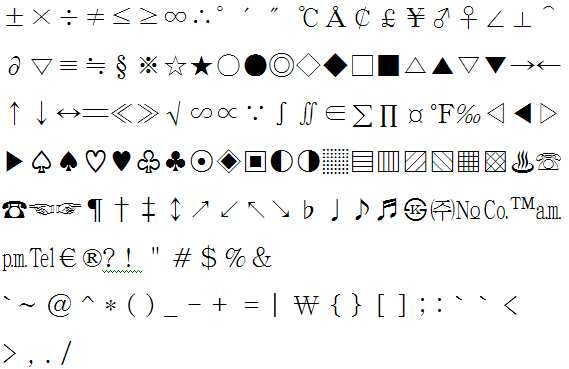
++++++++++++++++++++++++++++++++++++++++++++++++++++++++++++++++++++++++++++++++++
++++++++++++++++++++++++++++++++++++++++++++++++++++++++++++++++++++++++++++++++++++++++
++++++++++++++++++++++++++++++++++++++++++++++++++++++++++++++++++++++++++++++++++++++++
++++++++++++++++++++++++++++++++++++++++++++++++++++++++++++++++++++++++++++++++++++++++
++++++++++++++++++++++++++++++++++++++++++++++++++++++++++++++++++++++++++++++++++++++++
특수문자를 휴대폰에서 빨리 입력할 수 있어야 하는 이유Why you should be able to enter special characters on your phone quickly
휴대폰 특수문자 모드에는 문장부호, 문양, 그림이모티콘을 포함한 특수문자가 200여개 정도는 내장되어 있고, 그것들을 문장에 입력하고 싶은 마음은 있으나, 입력하기 번거로워서 그냥 내버려두는 경우가 많다.There are about 200 special characters including punctuation marks, patterns, and picture emoticons in the mobile phone special character mode, and I want to enter them in a sentence, but it is often cumbersome to type, so I leave it alone.
종래의 휴대폰에서는 특수문자는 특수문자 모드에만 입력이 가능하다.In the conventional mobile phone, the special characters can be input only in the special character mode.
그래서 일반문자모드에서 문장 중간 또는 끝에 문장부호, 그림이모티콘 등의 특수문자를 입려하려면 So, in normal text mode, if you want to apply special characters such as punctuation marks, picture emoticons, etc.
특수문자 모드로 문자모드를 변경하는데 여러 번의 문자모드 변경 버튼을 눌러야 하고, To change the text mode to special text mode, you have to press the text mode change button several times.
원하는 특수문자모드를 찾는데 많은 타수의 방향키 조작이 필요하고, To find the special character mode you need, you need to use many strokes.
특수문자를 입력하고 난 다음, 다시 일반문자모드로 돌아올 때도 또 여러 번 의 문자 모드 변경 버튼을 눌러 다른 문자모드들을 거쳐야 하는 등 그 과정이 번거롭기 때문이다.This is because the process is cumbersome when entering special characters and then returning to the normal character mode, and pressing another character mode change button to go through other character modes.
사용하라고 내장된 것을 사용하고 싶어도 사용하기에 번거로워 사용하는 것을 포기하는 사례가 많다. 내용 전달에 반드시 필요한 것은 아니라 포기는 했지만 왠지 아쉽다.Even if you want to use the built-in to use, there are many cases where you give up using it because it is cumbersome to use. It is not necessary to deliver the content, but gave up, but it is a shame.
얼굴을 마주보고 하는 실제 대화시의 얼굴표정이나 억양과 같은 역할을 문장부호나 이모티콘 같은 특수 문자가 해준다.Special characters, such as punctuation and emoticons, play the role of facial expressions and intonation in real conversations that face each other.
그래서 문자로만 대화하는 휴대폰 문자메시지 대화에서는 그러한 특수문자를 많이 사용하면, 의미전달이 더 정확해지고, 더욱 감성이 풍부하고 재미있는 대화가 진행될 수 있다.Therefore, in the mobile phone text message conversation using only a lot of such special characters, meaning transmission is more accurate, more emotional and interesting conversation can proceed.
다음의 휴대폰 문자메시지 대화의 예를 를 통하여 느껴보자.Here's an example of a text message conversation on a cell phone.
특수문자나 그림이모티콘이 없이 하는 경우 If you do not have special characters or pictures
(남녀의 감정상태 및 의도를 정확히 알 수도 없고, 대화가 무미건조 하다.)(I do not know exactly the emotional state and intention of the man and woman, and the conversation is dry.)
남자 : 자기야 지금 뭐해 Man: Baby, what are you doing now?
여자 : 집에 그냥 있어Woman: Just stay home
남자 : 목욕하지Man: not taking a bath
여자 : 응큼하기는 미쳤어Woman: You're crazy
남자 : 오늘 생일 이다면서 축하해 Man: Congratulations on your birthday.
여자 : 고마워. 그래도 너 밖에 없다Woman: Thank you. But you are the only one
남자 : 생일선물 줄께 나와라. 같이 영화도 보고Man: Give me a birthday present. Watch a movie together
여자 : 그래, 영화보고 밥도 먹고, 칵테일도 하고 맥주도 한잔 하자Woman: Yeah, let's watch a movie, eat rice, have a cocktail, and have a beer.
남자 : 좋았어, 노래방까지도Man: Great, even karaoke
여자 : 있다가 보자Woman: See you later
남자 : 알았어Man: OK
특수문자나 그림이모티콘이 있게 하는 경우 If you have special characters or pictures
이렇게, 요즘은 이모티콘의 중요도가 놓아짐에 따라 Like this, as the importance of emoticons is released these days
휴대폰 제조사마다 특수문자모드에 다양하고도 깜찍한 그림이모티콘이 많이 내장되어 있으며, 통신사에서도 이모티콘 전용 서비스를 출시하고 있다(예 : KTF 의 메시지콘 서비스).Various handset emoticons are built into special character modes for each mobile phone manufacturer, and telcos are also offering emoticons exclusively (eg, KTF's message cone service).
이모티콘은 EMOTION(감정)과 ICON(아이콘)의 합성어로서 신세대의 새로운 의사소통 수단으로 인기를 끌고 있다.Emoticons are a combination of EMOTION and ICON, which are gaining popularity as a new means of communication for the new generation.
그리고, 특수문자입력에 있어서는 종래의 컴퓨터 키보드에서 보다 쌍둥이가 적용된 소형키패드에서 더 빠르고 편리하게 입력할 수 있게 되었다.In addition, in the special character input, it is possible to input more quickly and conveniently in a small keypad applied with twins than in a conventional computer keyboard.
당연히 쿼티자판 휴대폰보다도 월등하다.Of course, it is superior to QWERTY phones.
참고로, Note that,
특수문자가 아닌 언어를 표현하는 일반문자를 입력하는데 있어서만 해도, Just by entering the non-special characters that represent the language,
KTF에서 130여종의 자신만의 글씨체를 다운로드해 쓸 수 있는 `폰트문자` 기능 내장폰이 인기를 모으고 있다. LG전자 `KH6500`과 `KH6400`을 비롯한 6종의 폰트문자 폰은 2008년10월 휴대폰 판매가 감소한 가운데서도 총 10만명 이상의 가입자를 모으면서 효자 노릇을 톡톡히 했다는데 일반 문자입력에 대한 것에만 해도 그 중요성은 나날이 높아지고 있고, 본 해설서 뒤쪽까지 읽어보면, 특수문자가 아닌 일반문자 입력에 있어서도 쌍둥이는 절실히 필요하다는 것을 느낄 수 있을 것이다.KTF's built-in phone, which can download and use more than 130 kinds of fonts, is gaining popularity. Six kinds of font text phones, including LG Electronics' KH6500 and KH6400, were able to play a role in attracting more than 100,000 subscribers despite the decline in mobile phone sales in October 2008. The importance is increasing day by day, you can read up to the back of this manual, you will feel that the twins are desperately needed to input non-special characters.
++++++++++++++++++++++++++++++++++++++++++++++++++++++++++++++++++++++++++++++++
++++++++++++++++++++++++++++++++++++++++++++++++++++++++++++++++++++++++++++++++++++++++
++++++++++++++++++++++++++++++++++++++++++++++++++++++++++++++++++++++++++++++++++++++++
++++++++++++++++++++++++++++++++++++++++++++++++++++++++++++++++++++++++++++++++++++++++
++++++++++++++++++++++++++++++++++++++++++++++++++++++++++++++++++++++++++++++++++++++++
청소년의 문자 생활 및 문자메시지 전반에 관하여About text life of youth and text messages in general
통계청 발표 한국 청소년의 문자메시지 발송량 통계를 보면, Statistics Korea released text message shipment statistics for Korean youth,
2007년 청소년(15~19세)의 하루 문자메시지 발송량은 60.1건, 20~24세는 30.9건이다. In 2007, 60.1 text messages were sent to adolescents (15 to 19 years old) and 30.9 to 20 to 24 years old.
아침에 눈을 뜨면 문자부터 확인한다. 지하철과 버스에서도 거침없이 문자질은 계속된다. 학교에선 선생님의 눈을 피해 옆분단 친구에게 문자를 쏜다. 문자가 오지 않을 땐 괜시리 우울하다. 문자가 씹히는 것은 최악이다. 종일 문자가 울리는 듯한 환청이 들린다.If you open your eyes in the morning, check the letters first. Texting continues on the subway and bus. At school, she shoots texts from friends who are next to her. When texts don't come, I'm depressed. It's the worst that characters get chewed. I hear hallucinations that seem to ring all day.
휴대폰 자판 안보고 문자 보낼수 있는 청소년은 거의 100% 이다.Nearly 100% of teens can text messages without looking at the keyboard.
(수업중에 눈은 선생님을 보면서 책상속에 손 넣고 문자 보낸다)(During class, eyes put text on the desk while watching teacher)
단순한 음성통화에 비해 친구들과 랠리게임 하듯 주고 받는 문자 메시지는 중독성이 강하다. Compared to a simple voice call, text messages are more addictive than a rally game.
날랜 엄지는 휴대폰 키패드 위를 질주 하고 있다 A sharp thumb is racing on a cell phone keypad
그렇다면, 왜 이렇지 문자메시지를 많이 하는지 알아보기 위해서,If so, to see why there are so many text messages,
문자메시지의 장점을 살펴보자. Let's look at the advantages of text messages.
1) 직접 대면이나 음성 통화를 통해 하기에는 부담스러운 대화를 가능케 해준다(좋아해, 사랑해, 미안해 등)1) Enables conversations that are burdensome to talk in person or through voice calls (like, love, sorry, etc.)
예를 들어, 사귀어 보자는 말을 할 때 직접 만나 말했는데 상대방이 거절하는 경우의 무안함을 회피할 수 있다. For example, you can avoid anxiety if you meet face-to-face when you ask them to get acquainted with each other.
2) 감정을 숨겨서 전달하거나, 혹은 감정을 더 정확히 표현할 수 있게 해준다.2) hide and convey emotions, or to express emotions more accurately.
3) 이모티콘등을 통해 친밀감을 나타낼 수 있다. (^^;; 표시 등, 이는 상대적으로 굉장히 중요한 정보를 제공해 주는데, 음성통화가 제공할 수 없는 표정 or 시각적 효과를 주는 동시에 요즘 등장한 영상통화가 제공할 수 없는 객관적 표정을 제공할 수 있다는 것이다. 객관적 표정이란 내가 웃는 것보다 ^^라는 표시가 내가 남에게 느끼게 하고 싶은 감정을 더 잘 전달할 수 있을 것이라는 무의식의 작용이라 정의하겠다.)3) Intimacy can be expressed through emoticons. (^^ ;; indicators, etc., it provides relatively important information, which can provide an expression or visual effect that voice calls cannot provide, and at the same time provide an objective expression that video calls cannot provide. Objective expressions are defined as the unconscious that a sign of ^^ will convey the feelings that I want others to feel better than I smile.)
4) 저렴한 가격4) low price
5) 사적 이용가능(음성통화나 다른 통신의 경우, 혼자만의 공간에 있지 않는 한, 다른 사람에게 자신의 행동이 노출될 수밖에 없다. 하지만 문자의 경우 이용자 의 통신행위를 다른 사람이 보더라도 어떤 의미를 담고 있는지는 알수 없다. 즉 자신의 행동을 암호화할 수 있다는 장점이 있다)5) Privately available (In case of voice call or other communication, your actions are exposed to others unless you are in your own space. I don't know if it's there, which means that I can encrypt my actions)
6) 불특정 다수에게 전달 가능(단체 메세지, 모임 연락 등, 공지사항의 전달 통로)6) Possible to deliver to an unspecified number of people (group message, meeting contact, etc.)
휴대폰 문자 메시지의 시초는 아주 엄밀히 말하면 무선호출기(일명 삐삐) 문자 서비스이다. 휴대폰이 등장하기 전 지배적인 이동통신 수단은 무선 호출기였고, 무선 호출기의 기능을 극대화시킨 서비스가 바로 문자 서비스이다. The very beginning of cell phone text messaging is, strictly speaking, a pager texting service. Before mobile phones appeared, the dominant means of communication was wireless pagers, and text messaging services maximized the functions of pagers.
휴대폰으로 기술중심이 이동하면서 음성통화가 가능하다는 것 때문에 문자서비스는 사양되는 듯싶었으나, 휴대폰이 처음 등장했을 당시의 열악했던 통신품질을 보안하기 위해 전 단계의 통신매체였던 무선호출기의 장점과 통신사 자신들의 기술의 특성을 살린 문자 메시지 서비스를 시작하게 되었다. The text service seemed to be rejected due to the shift of technology center to mobile phones, but the advantages of wireless pagers and communication carriers in the previous stages were secured to secure poor communication quality when mobile phones first appeared. They started a text messaging service that takes advantage of their technology.
이렇게 문자 서비스는, 음성통화가 불편했던 열악한 상황에서 탄생하였고, 처음 서비스를 시작했을 때는, 어느 누구도 문자 서비스가 이렇게 오랫동안 성공하는 장수 서비스가 되면서 황금알을 낳는 상품이 될 줄은 예측하지 못했다.The text service was born in a poor situation where voice calls were inconvenient, and when the service was first started, no one predicted that the text service would be a product that would produce golden eggs as it became a long-lived service that succeeded for such a long time.
문자서비스는 예상치 못한 성공을 통해 하나의 문화가 되었으며, 음성통화 서비스와 함께 휴대폰 기능의 양대산맥으로 자리 잡았다.The text service became a culture through unexpected success, and it became a big mountain range of mobile phone functions with the voice call service.
그리고 최근의 이동통신 단말기는 단순한 전화에서 여러 가지 부가기능을 더하여 휴대 가능한 정보기기로 점차 발전되어, 현재는 단말기를 이용 웹서핑까지도 가능한 상황이다. 따라서 단말기 제조업체에서는 통화품질을 좋게 하는 것 외에도, 사용자의 편의성을 높이기 위해 문자입력을 쉽게 할 수 있도록 하는 인터페이스도 중요한 연구과제가 되고 있다.In recent years, the mobile communication terminal has been gradually developed into a portable information device by adding various additional functions from a simple telephone, and is now able to surf the web using the terminal. Therefore, in addition to improving the call quality, the terminal manufacturer has also become an important research subject to make it easy to input characters in order to increase user convenience.
쌍둥이는 터치패드이건 물리적인 버튼이건 버튼의 형상과는 관계없이 적용가능하여, 터치패드이면서 소형키패드인 휴대폰에도 쌍둥이 적용하여 종래의 터치 소형키패드에서 보다 더 빠르고, 쉽게 글자를 입력할 수는 있지만,The twins can be applied regardless of the shape of the buttons, whether they are touch pads or physical buttons, so they can be applied to mobile phones that are both touch pads and small keypads.
참고로, 터치패드는 터치감이 좋지 않을 뿐 더러, 원하는 버튼이 터치가 되었는지 알기 힘들다. 특히 수업중에 문자를 보내는 경우를 포함한 키패드를 보지 않고 문자를 작성하기는 아주 곤란합니다. 터치패드식은 터치패드를 보면서 해도 아직은 오타가 많이 난다.For reference, the touchpad has a poor touch feeling, and it is difficult to know whether a desired button has been touched. In particular, it is very difficult to write a text without looking at the keypad, including sending texts during class. Touch pad type is still a typo even when looking at the touch pad.
문자를 빨리 입력하고자 하는 사용자를 위해서는 아직까지는 물리적인 버튼이 더 좋다.For users who want to enter text quickly, physical buttons are still better.
소형키패드를 갖는 버튼식 휴대폰이 키패드를 안보고 입력하기 가장 편하다.A button-type mobile phone with a small keypad is the most comfortable to type without looking at the keypad.
(소형키패드이더라도 터치패드이면, 터치패드를 안보고 누르면, 원하는 버튼을 정확히 눌렀는지 알수가 없어서 자판배정을 외운 상태에서도 안보고는 문자입력 을 하지 못한다. 물리적 버튼은 버튼을 누를 때 버튼이 들어가는 감촉, 버튼이 기울어지는 감촉, 버튼과 버튼사이가 닿았을 때의 감촉 등으로 현재 어떤 버튼을 눌렀는지 알 수가 있기 때문이다.)(Even if it is a small keypad, if you do not see the touchpad and press it, you cannot know whether you have pressed the desired button correctly, but you cannot enter text even if you do not memorize the keyboard assignment.) This is because the tilted texture, the touch when the button touches the button, and so on, indicate which button is currently pressed.)
그래서 키패드자체를 터치패드로하는 So the keypad itself is touch pad
쿼티자판도 아닌 버튼크기가 큰 소형키패드형식의 터치패드이어도, Even if it is not a QWERTY keyboard but a small keypad type touchpad,
버튼 자체를 오류없이 터치하여 입력하기가 아직 까지는 굉장히 힘들어서,It's still very hard to type without touching the button itself,
한국에서도, 외국에서도 터치패드 형식에 대한 불편함을 사용자들이 엄청나게 토로하면서(물론, 터치패드이면서 소형키패드인 휴대폰에도 쌍둥이 적용하여 종래의 터치 소형키패드에서 보다 더 빠르고, 쉽게 글자를 입력할 수는 있다.), In Korea and abroad, users can express enormous inconveniences in the touch pad format (of course, twins can be applied to mobile phones, which are touch pads and small keypads, so that letters can be entered more quickly and easily than conventional touch small keypads). .),
풀 터치 스크린 형식의 휴대폰이 한참 등장 하다가, Full touch screen mobile phones appeared for a long time,
윗판은 터치스크린 이어도 글자입력만은 종래의 버튼형식을 취하는 것도 출시되고 있다. 삼성전자의 소울폰(SCH-W590 사진없음)이나 엘지전자의 디스코폰(그림 11의 SH-650)이 그러하다.Even though the top panel is a touch screen, only a text input takes a conventional button type. This is the case with Samsung's Soul Phone (no SCH-W590 photo) or LG's Disco Phone (SH-650 in Figure 11).
+++++++++++++++++++++++++++++++++++++++++ +++++++++++++++++++++++++++++++++++++++++
++++++++++++++++++++++++++++++++++++++++++++++++++++++++++++++++++++++++++++++++++++++++
++++++++++++++++++++++++++++++++++++++++++++++++++++++++++++++++++++++++++++++++++++++++
++++++++++++++++++++++++++++++++++++++++++++++++++++++++++++++++++++++++++++++++++++++++
++++++++++++++++++++++++++++++++++++++++++++++++++++++++++++++++++++++++++++++++++++++++
스페이스 입력에 관하여About space input
(쿼티자판을 갖는 휴대폰에도 적용하는 것도 조금 권장) (Also recommended for mobile phones with QWT)
스페이스 버튼 기능도 조합유도버튼화 하면 큰 장점이 있다.The space button function also has a big advantage when combined induction button is used.
컴퓨터 키보드에서 스페이스 버튼은 문장 입력시 가장 많이 사용하는 버튼이므로 버튼 크기가 가장 크다.On a computer keyboard, the space button is the most used button when entering a sentence, so the button size is the largest.
(어떤 언어를 표현하는 문자든 소형키패드에서 멀티탭 방식으로 문자입력시 발생하는 동일버튼문제를 해결하기 위해 스페이스 기능으로 커서를 옮겨주어야 하는데, 그때도 스페이스 기능은 필요하다.)(In order to solve the same button problem that occurs when entering characters in multi-tap method on the small keypad, characters representing any language need to move the cursor to the space function, but the space function is necessary.)
하지만 영문 소형 키패드에서는 버튼* 또는 버튼0 또는 버튼#을 스페이스 전용 버튼으로 사용하고 있으나, 음소 개수가 많은 한글이나 비영어권 국가에서는 버튼*,0,# 까지 문자버튼으로 사용하는 경우가 많으므로, 스페이스 전용버튼을 두지 못하고 오른 방향 버튼으로 스페이스 버튼 기능을 하는 경우가 많다. However, the English small keypad uses button * or button 0 or button # as a space-only button, but in Korean or non-English countries with a large number of phonemes, the buttons *, 0, # are often used as character buttons. In many cases, the left button does not have a button and functions as a space button.
오른 방향버튼으로 스페이스 기능을 하게 되면 동선이 너무 크다. 또 멀티탭 방식에서는 동일버튼 문제가 항상 생길 수 밖에 없는데 그때 마다 오른방향버튼을 눌러서 커서를 옮기려면 그 때도 너무 동선이 커서 스트레스 받게 된다.If you use the right arrow to space, the line is too large. In addition, in the multi-tap method, the same button problem will always occur, but if you press the right button every time to move the cursor, the movement of the copper wire will be too large at that time.
한글에 있어서도 팬택계열의 스카이나 큐리텔 방식이 엘지 EZ 방식보다 음소 각각을 따로따로 입력하는 데의 평균 타수는 적게 필요하나 단어를 입력할 때에는 팬택계열은 멀티탭 방식이어서 동일버튼문제가 당연히 많이 발생하므로 그 문제가 발생하지 않는 엘지 EZ 방식을 선호하는 사람도 많다.In Hangul, the average number of strokes for entering the phonemes separately is smaller than that of LG EZ. Many people prefer the EZ method, which doesn't cause any problems.
(또 삼성 천지인 방식은 모음을 초보자가 쉽게 입력할 수 있다는 장점도 있으나 자음은 멀티탭방식으로 입력하므로, 동일버튼문제가 많이 발생하는 데다가 음소당 평균타수도 많아서 삼성 천지인 방식보다 엘지 EZ 방식을 선호하는 사람도 많다.)(The Samsung Cheonjiin method also has the advantage that beginners can easily enter vowels, but the consonants are entered in the multi-tap method, which causes the same button problems and the average number of phonemes per phone. There are many people.)
영문 자판 배정에 있어서, 버튼* 또는 버튼0 또는 버튼#에 스페이스 전용버튼이 있더라도, 문자는 주로 1~3행에 배정되어 있는데 스페이스 버튼을 누르려고 4 행 까지 움직여야 하므로 이 또한 동선이 크다. In the English keyboard assignment, even if a button * or a button 0 or a button # has a space dedicated button, the characters are mainly assigned to lines 1 to 3, but the movement is also large because the space button must be moved up to 4 lines to press the space button.
컴퓨터의 키보드의 스페이스 버튼은 손을 움직이지 않고도 항상 엄지 손가락에 걸리기 쉬운 위치에 있지만, 휴대폰의 경우에는 엄지손가락을 의식적으로 스페이스 전용버튼으로 이동시켜 주어야 하므로 번거롭다. 쿼티자판을 갖는 휴대폰도 모든 버튼을 엄지손가락으로만 누르므로, 어차피 엄지손가락을 스페이스 전용버튼으로 의식적으로 이동시켜 주어야 하므로 번거롭기는 마찬가지다.The space button on the computer's keyboard is always in a position where the thumb is easily caught without moving the hand, but in the case of a mobile phone, the thumb must be consciously moved to the space dedicated button. Mobile phones with QWERTY keyboards all press the thumb only, so you have to consciously move your thumb to the space-only button anyway.
어쨌든 종래의 휴대폰은 스페이스가 가장 빈도 높은 글자(?)임에도 그에 대한 배려가 미흡하다.In any case, the conventional mobile phone is insufficient in consideration of the space (?) Is the most frequent letters (?).
그래서 전화기류에서 스페이스를 쉽게 처리 하기 위한 방법 몇 가지를 소개한다.So here are some ways to make space easier on your phone.
1.제1그룹의 특정 순번의 글자를 스페이스 로 정한다.1. Set the specific sequence letter of the first group as space.
<그림06>처럼Like <Figure 06>
버튼1의 1그룹의 6번째 글자에 
버튼2의 1그룹의 6번째 글자에 
버튼3의 1그룹의 6번째 글자에 
버튼5의 1그룹의 6번째 글자에 
많은 수의 특정 순번의, 많은 수의 스페이스 글자를 배정할수록 스페이스 를 입력하기 쉽다.The more spaces you assign, the more specific sequence numbers, the easier it is to enter spaces.
종래의 한글입력방식처럼 스페이스 전용버튼이 없이, 오른 방향버튼을 스페이스 기능버튼으로 사용하는 형태에서는, 1번 방법으로 스페이스를 입력하면, 타수는 1타가 증가하지만 평균 동선이 확 줄어버리므로 속도가 조금 더 빨라지고, 더 편리함을 느낄수도 있다. 버튼4와 버튼6의 6번째 글자로 2개만 스페이스를 배정하고, 버튼5와 버튼0을 6번째 글자를 입력하게 하는 조합유도버튼으로 지정하여, In the form of using the right button as a space function button without the space dedicated button as in the conventional Korean input method, when the space is input by the first method, the number of strokes increases by one stroke, but the average copper line decreases, so the speed is slightly reduced. You'll get faster and feel more convenient. By assigning only two spaces as the sixth letters of Button 4 and Button 6, and assigning Button 5 and Button 0 as the combination induction button that allows you to enter the sixth letter,
5+4 또는 5+6 중 현재 양손 엄지 위치에서 편리한 방식으로 스페이스를 입력하는 것만 해도 상당히 편리함을 느낄수가 있을 것이다. 2행이 양손의 평균 세로 위치이기 때문에, 모두 2행에 있는 버튼4,5,6을 조합하여 5+4 또는 5+6으로 입력하면, 동선도 아주 적고, 다음 글자로의 동선도 스페이스 전용버튼인 버튼#을 누르는 것보다도 더 작고, 쌍둥이의 여러 장점까지 발현되면 더 큰 이득이 있기 때문이다.Just entering the space in the convenient two-hand thumb position, either 5 + 4 or 5 + 6, will be quite convenient. Because row 2 is the average vertical position of both hands, if you combine buttons 4, 5, and 6 on both rows and enter 5 + 4 or 5 + 6, there will be very few lines, and the next line will have a space only button. It is smaller than pressing the in button #, and there are greater benefits if the twin's many benefits are manifested.
왜냐하면, 영문의 경우에도 버튼#이 스페이스 전용버튼으로 지정되어 있다고 해도, 버튼#을 누르려면 세로 및 가로의 평균 동선이 5+4 또는 5+6보다 더 크고Because in English, even if button # is designated as a space-only button, the vertical and horizontal average copper lines for pressing button # are larger than 5 + 4 or 5 + 6.
(양손 엄지의 평균 위치는 왼손은 2행1.33열, 오른손은 2행2.67열인데(The average position of the two-handed thumb is 2 rows 1.33 in the left hand and 2 rows 2.67 in the right hand.
버튼#으로의 평균 동선은 Average copper to button #
왼손의 동선인 2행1.33열에서 버튼#의 위치인 4행3열까지의 동선에다가 From the left hand row 2 row 1.33 column to the button # position 4 row 3 column
오른손의 동선인 2행2.67열에서 버튼#의 위치인 4행3열까지의 동선을 더한 것을 2로 나눈 것이고, 즉 [루트((4-2)^2+(3-1.33)^2)+루트((4-2)^2+(3-2.67)^2)]=2.31 인데The right hand movement of 2 lines 2.67 columns plus the 4 lines 3 columns, the location of the button #, divided by 2, that is, [root ((4-2) ^ 2 + (3-1.33) ^ 2) + Root ((4-2) ^ 2 + (3-2.67) ^ 2)] = 2.31
5+4 또는 5+6 으로의 평균 동선은 The average copper to 5 + 4 or 5 + 6 is
5+4로의 동선은The movement to 5 + 4
왼손이 2행1.33열에서 버튼4의 위치인 2행1열로, 오른손은 2행2.67열에서 버튼5의 위치인 2행2열로, 즉 [루트((2-2)^2+(1-1.33)^2)+루트((2-2)^2+(2-2.67)^2)]=1Left hand from 2 rows 1.33 to 2 rows 1 column, button 4 position, right hand from 2 rows 2.67 to 2 rows 2 column, button 5 position, i.e. [root ((2-2) ^ 2 + (1-1.33) ) ^ 2) + root ((2-2) ^ 2 + (2-2.67) ^ 2)] = 1
5+6로의 동선은The movement to 5 + 6
왼손이 2행1.33열에서 버튼5의 위치인 2행2열로, 오른손은 2행2.67열에서 버튼6의 위치인 2행3열로, 즉 [루트((2-2)^2+(2-1.33)^2)+루트((2-2)^2+(3-2.67)^2)]=1Left hand from 2 rows 1.33 to 2 rows 2 columns of button 5, right hand 2 rows from 2.67 to 2 rows 3 columns of button 6, ie [root ((2-2) ^ 2 + (2-1.33 ) ^ 2) + root ((2-2) ^ 2 + (3-2.67) ^ 2)] = 1
이 되어 This
동선차이가 2.31 : 1 이 되어, 쌍둥이로 했을 때가 동선이 2.31배 적다. 동선이 적으면 1타 이상의 속도 차이를 감축할 수 있다(뒤에서 설명함). ), The difference in copper is 2.31: 1, and twins are 2.31 times less. Less copper wire can reduce the speed difference by more than one stroke (described later). ),
5+4 또는 5+6으로 입력하다 보면, 다음 글자로의 동선도 당연히 버튼#을 누르는 것보다 더 작고, 쌍둥이의 여러 가지 장점도 발현될 수 있으므로, If you type in 5 + 4 or 5 + 6, the movement to the next letter is of course smaller than pressing the button #, and there are many advantages of the twins.
5+4 또는 5+6으로 입력하는 것이 입력속도나 편리성에서 더 유리하다고 할 수도 있다. (버튼* 또는 버튼0 을 스페이스 버튼으로 사용하는 경우도 위와 마찬가지이다. 그리고, 버튼*이 스페이스 버튼이면 왼손으로만 누를려고 하고, 버튼#이 스페이스 버튼이면 오른손으로만 누를려고 하는 경향이 강해지므로, 가장 빈도가 높은 글자인 스페이스를 입력하려고 할 때 양손부하를 균등화가 잘 이루어지 지지 않는다.)Entering 5 + 4 or 5 + 6 may be advantageous in terms of input speed or convenience. (The same applies to the use of button * or button0 as the space button. Also, if the button * is the space button, the user tends to press it with his left hand only. When trying to enter the most frequently used space, the two-handed load is not equalized well.)
그리고, 버튼#이 4행에 있어서 버튼#을 누를 때는 엄지 마지막 마디의 구부림 각도도 커져서 불편하다.In addition, when the button # is pressed in the fourth row of the button #, the bending angle of the last segment of the thumb also increases, which is inconvenient.
그리고, 스페이스라는 글자를 다른 버튼에 더 추가하여 5+4 또는 5+6 뿐만 아니라 2+1, 2+3 을 포함한 다른 조합으로도 스페이스를 입력하게하면 더 편리해질 것이다.It would be more convenient to add the space to the other buttons so that you can enter the space not only in 5 + 4 or 5 + 6, but also in other combinations, including 2 + 1 and 2 + 3.
1번 방법 보다 더 편리한 아래 2번 방법은, 거의 당연히, 종래의 오른방향버튼이나 버튼#으로 스페이스를 입력하는 것보다 편리할 것이다. 3~4번 방법은 더 편할 것이다.Method 2 below, which is more convenient than method 1, is, of course, more convenient than entering space with a conventional right button or button #. Method 3 or 4 will be more convenient.
2. 스페이스 조합유도 버튼을 만들어서 그 버튼을 누르고 있는 상태에서 임의의 아무 버튼이나 누르면 스페이스가 입력되게 한다.2. Create a space combination induction button and press any button while holding the button to enter a space.
(스페이스 조합유도버튼이 많을수록 스페이스를 입력하기 편할 것이다.)(The more space combination induction buttons, the easier it is to enter a space.)
예를 들어, 아래 표처럼 조합유도버튼기능을 배정하면 된다.For example, you can assign a combination induction button function as shown in the table below.
<그림37><Figure 37>
<그림38><Figure 38>
<그림38.5><Figure 38.5>
<그림38.6><Figure 38.6>
<그림38.6>은 버튼당 배정된 글자수가 4개를 초과하지 않는 경우에 유용하다.Figure 38.6 is useful when the number of characters assigned per button does not exceed four.
3. 어떠한 글자입력 방식이 두 버튼이 동시에 눌려져 있는 상태의 버튼조합으로는 아무 기능도 하지 않는 방식일 경우에는, 3. If a character input method is a method that does not function by the button combination in which both buttons are pressed simultaneously,
아무 버튼이나 2개 이상이 동시에 눌려져 있는 상태가 존재하게 되면 스페이스가 입력되게 한다. 눈 꼭감고 아무거나 2개 이상만 누르면 된다.- 종래의 거의 모든 문자입력 방법에 적용 가능하다.When two or more buttons are pressed simultaneously, a space is entered. Just close your eyes and press 2 or more of them.- It can be applied to almost all conventional character input methods.
4. 현재 글자입력 방식에서 쌍둥이 나 `인접키 입력 방식` 처럼 두 버튼이 동시에 눌려져 있는 상태의 버튼조합으로 어떠한 기능을 하게 되는 경우가 있을 경우( 또는 많을 경우)에는 4. In the current letter input method, if there are some functions (or many) that use a combination of buttons in which two buttons are pressed at the same time, such as twin or 'adjacent key input method'.
임의의 3~4개 버튼이 동시에 눌려져 있는 상태가 존재하게 되면 스페이스가 입력되게 한다. 양손 엄지가 1개 또는 2개의 버튼을 누르면 되는 것이다. 버튼과 버튼 사이가 엄지의 누름 부위의 중앙에 오도록 하게 하여 누르면 되는 것인데, 직접 해 보면 쉽다는 것을 알 수 있습니다. 누르는 부위를 엄지의 지문 중심 쪽으로 조금만 옮기면 쉽게 할 수 있습니다.If any 3 ~ 4 buttons are pressed at the same time, space is inputted. Two-hand thumb presses one or two buttons. You can press the button between the button and the center of the thumb, but you can see it is easy if you do it yourself. This can be done easily by moving the pressing area slightly toward the center of the thumb's fingerprint.
3~4개 버튼을 0.2~0.5초 정도 지긋이 누른다고 생각하면 된다. You can think of it as pressing 0.2 to 0.5 seconds between 3 and 4 buttons.
(<그림09>와 같은 버튼 테두리가 있는 휴대폰도 3~4개 버튼이 동시에 눌려져 있는 상태가 존재하게 하는 것이 되기는 하지만, 되도록이면 버튼 테두리가 없게 하면 더 쉽게 할 수 있다. 버튼테두리가 있어도 버튼이 눌려질 때 눌려지는 길이가 크도록, 가정용 무선 전화기 버튼정도 만큼인 0.5~1mm정도만 버튼이 많이 튀어 나와 있게하면 3~4개 버튼 동시에 누르기는 아무 지장 없다.)(Note that mobile phones with button borders like <Figure 09> have three to four buttons pressed at the same time, but if you do not have a button border, you can do so more easily. If the button is pushed out so that only about 0.5 ~ 1mm, which is about the size of a home cordless phone, is pressed, the length of the press is large.
3번과 4번은 3 and 4
현재 엄지 손가락이 있는 위치가 어디 이건 그냥 그 자리에서 누르거나, 다음 글자입력에 필요한 버튼 위치로 이동하여 누르기만 하면 되므로, 스페이스만을 입력하기 위한 동선이 0(ZERO) 이므로, 타수가 1타가 줄어드는 정도의 속도 증가 효과가 있다. Wherever you are with your thumb, just press it on the spot or move to the button position you need to enter the next letter, so you only need to press the space. Has a speed increasing effect.
비록 2개 이상의 버튼을 눌러야 하지만 종래의 오른방향버튼을 누르는 것 보다는 훨씬 빠르며, 4행의 스페이스 전용버튼을 누르는 것 보다도 평균적으로 빠르고 편하다. 그래서 3번과 4번을 가장 추천한다.Although pressing two or more buttons is much faster than pressing a conventional right button, it is on average faster and more comfortable than pressing a four-space-only button. So 3 and 4 are the best.
물론 종래의 오른방향버튼을 누르는 것 또는 4행의 스페이스 전용버튼을 누르는 것과 병행 할 수 있다.Of course, it can be parallel to pressing a conventional right button or pressing a space dedicated button of four rows.
그리고 1,2,3,4번 방법을 병행 할수도 있다.You can also use the 1,2,3,4 method.
참고로,Note that,
본 해설서 전체적으로 Throughout this commentary
컴퓨터 키보드의 INS, DEL, CLR, ENTER 버튼을 포함한 어떠한 기능버튼의 기능을 특정 그룹(보통 1번째 그룹)의 특정 순서의 글자 형식으로 추가하여 사용하였으나, 한글의 획추가 또는 쌍자음 버튼을 포함한 문자변환 기능 버튼을 조합유도버튼화 하는 것처럼 INS, DEL, CLR, ENTER 버튼을 포함한 어떠한 기능버튼의 기능도 조합유도 버튼화 할 수도 있다.Some function buttons, including the INS, DEL, CLR, and ENTER buttons on the computer keyboard, have been added in the form of letters in a specific order (usually the first group). Just as you can convert a transform function button into a combination induction button, any function button, including the INS, DEL, CLR, and ENTER buttons, can be combined into a combination induction button.
(그리고 스페이스 버튼 기능을 새롭게 구현하는 방법 1~4번 까지의 방법으로도 가능하기는 하다. (Although you can use the new Space Button feature from step 1 to step 4).
하지만, INS, DEL, CLR, ENTER 버튼을 포함한 어떠한 기능버튼의 기능 보다도 스페이스 버튼기능이 더 우선이라서 크게 권장하지는 않는다. 획추가 또는 쌍자음 버튼을 포함한 휴대폰 고유의 버튼만의 기능들도 글자형식이 아닌 조합유도버튼화 할 수도 있다. )However, the space button function takes precedence over any other function buttons, including the INS, DEL, CLR, and ENTER buttons. Phone-specific buttons, including stroke addition or double consonant buttons, can also be combined-induced buttons rather than letters. )
++++++++++++++++++++++++++++++++++++++++++++++++++++++++++++++++++++
++++++++++++++++++++++++++++++++++++++++++++++++++++++++++++++++++++++++++++++++++++++++
++++++++++++++++++++++++++++++++++++++++++++++++++++++++++++++++++++++++++++++++++++++++
++++++++++++++++++++++++++++++++++++++++++++++++++++++++++++++++++++++++++++++++++++++++
++++++++++++++++++++++++++++++++++++++++++++++++++++++++++++++++++++++++++++++++++++++++
한글 입력방식의 딜레마와 쌍둥이를 통한 해결 방안Hangul Input Method Dilemma and Solution through Twins
한글외의 외국어 문자의 경우는 For foreign language characters other than Korean
소형키패드에서의 음소배정은 표준화 되어 있다.Phoneme assignment on small keypads is standardized.
입력방법만 여러 종류이다. 멀티탭방법, T9방법, `* & # 방법`, `인접키 입력 방식`, 2-TOUCH 방법을 포함한 여러가지 방법들이 있다.There are only several types of input methods. There are several methods including multi-tap method, T9 method, `* &# method`,` adjacent key input method`, and 2-TOUCH method.
소형키패드 휴대폰에서 소형키패드 휴대폰으로 바꾸면, 문자입력 방식이 무엇인지 고민할 필요가 없다. (99% 거의 대부분, 멀티탭 방법과 T9방법이 기본적으 로 내장되어 있고, 다른 방법들은 내장 되어 있지 않기 때문이다.)If you switch from a small keypad phone to a small keypad phone, you don't have to worry about what text input is. (99% of the time, the multi-tap method and the T9 method are built in by default, the other methods are not built in.)
그런데, 한글의 경우는 By the way, in the case of Hangul
문자입력 방식에 따라 음소 배정이 제각각 이다.Phoneme assignments vary depending on the text input method.
한글은 기본 음소를 변형해서 다른 음소를 만들어 갈 수 있으므로 기본음소를 어떻게 정하느냐에 따라 음소 배정이 달라지기 때문이다. 버튼에 표기도 당연히 달라진다.Hangul can change the basic phonemes to make different phonemes, so the phoneme assignment depends on how you choose the default phonemes. The notation on the button also changes.
그래서, 소형키패드 휴대폰에서 소형키패드 휴대폰으로 바꾸면, 문자입력 방식이 자신이 선호하는 타입인지 생각 해보아야 한다.So, if you switch from a small keypad mobile phone to a small keypad mobile phone, you should think about whether the text input method is your preferred type.
삼성전자의 천지인 방식의 경우 In the case of Samsung Electronics
모음의 기본 음소(?)는 천지인(ㅣ . ㅡ) 이고The basic phoneme (?) Of the vowel is Cheonjiin (ㅣ. ㅡ)
자음은 모든 자음을 완성형으로 배정해 놓고 멀티탭 방식으로 입력한다.Consonants are multitaped with all consonants assigned to completion.
엘지전자의 EZ 방법의 경우LG Electronics' EZ Method
모음의 기본 음소는 ㅏ ㅓ ㅗ ㅜ ㅡ ㅣ 이고The basic phoneme of the vowel is ㅏ ㅓ ㅗ ㅜ ㅡ ㅣ
자음의 기본 음소는 ㄱ ㄴ ㄹ ㅁ ㅅ ㅇ 이다.The basic phoneme of the consonant is a b b d.
팬택 계열의 스카이 와 큐리텔 방법의 경우In the case of the Pantech Sky and Curitel method
모음의 기본 음소는 ㅏ ㅑ ㅗ ㅕ ㅗ ㅛ ㅜ ㅠ ㅡ ㅣ 이고The basic phoneme of the vowel is ㅏ ㅑ ㅗ ㅕ ㅗ ㅛ ㅠ ㅡ ㅣ
자음은 모든 자음을 완성형으로 배정해 놓고 멀티탭 방식으로 입력한다.Consonants are multitaped with all consonants assigned to completion.
모토롤라의 경우 For Motorola
모음의 기본 음소는 ㅏ ㅓ ㅗ ㅜ ㅡ ㅣ이고 ( 엘지 전자와 같다.)The basic phoneme of the vowel is ㅏ ㅓ ㅗ ㅜ ㅡ ㅣ (same as LG Electronics).
자음의 기본음소는 천지인 처럼 자음은 모든 자음을 완성형으로 배정해 놓고 멀티탭 방식과 획추가로 입력한다.As the basic phoneme of the consonant is Cheonjiin, the consonant is assigned to the consonant as a complete type and input by the multi-tap method and stroke addition.
기타 여러가지 방법이 있고 앞으로도 계속 탄생할 것이다.There are many other ways and will continue to be born.
한국사람이면 조금만 생각하면 새로운 문자입력방법을 고안해 낼 수 있다.If you think Korean a little bit, you can come up with a new character input method.
그런데 한글 입력 방식에 딜레마가 있다.However, there is a dilemma in the Hangul input method.
기본 음소가 적으면(=완성형으로 배정된 음소가 적으면) 자판 배정을 암기하기가 쉬워서 초보자는 편하다고 느끼는데 , If you have fewer basic phonemes (= less complete phonemes), it's easier to memorize keyboard assignments, which makes it easier for beginners.
쌍자음, 모음(특히 복모음) 입력시에 타수가 많아져서 엄지족은 매우 불편해 한다.When entering double consonants and vowels (especially double vowels), the number of strokes increases and the thumb becomes very uncomfortable.
예를 들어 천지인 모음 입력 방식이 특히 그렇다.This is especially the case with the vowel input method, for example.
천지인 방식은 문자 입력을 적게 하는 30대 이상이 선호하는 방식이다. The Cheonjiin method is the preferred method for those in their 30s and over who type fewer characters.
기본 음소가 많으면(=완성형으로 배정된 음소가 많으면) 자판 배정을 암기하기가 어려워서 초보자는 불편해 하는데, If you have a lot of basic phonemes (= a lot of finished phonemes), it's difficult to memorize keyboard assignments, which makes it difficult for beginners.
쌍자음, 모음(특히 복모음) 입력시에 타수가 적어서 엄지족이 만족한다.Thumb type is satisfied because there are few strokes when inputting double consonants and vowels (especially double vowels).
예를 들자면 엘지 EZ 방법의 자음,모음 입력 방식이 그렇다.For example, the consonant and vowel input method of LG EZ method.
모토롤라 방법도 그러한 편이다.Motorola's method is the same.
문자 입력이 많은 10대, 20대가 선호하는 방식이다.This is the preferred method for teenagers and teenagers with a lot of text input.
그리고 각 문자 입력 방법마다 특유의 장점이 있으면서 동시에 특유의 단점이 있다. 즉 장점만 있는 방법도 없고, 단점만 있는 방법도 없다.And each character input method has its own advantages and at the same time has its own disadvantages. That is, there is no method with only advantages and no method with only disadvantages.
2001~2007년까지 한국전자통신연구원(ETRI), 정보통신기술위원회(TTA)를 포함한 통신 관련 정부 기관에서 자판배정을 통일해 보려고 여러 번 휴대폰 제조사 들과 협의를 하였으나, 제조사 각각 자신의 방식을 표준으로 내세우는 바람에 항상 무산되었다. 그러나, 꼭 제조사가 이기적이었다기 보다는 각 방식을 선호하는 사람들이 각각 많이 있기 때문이기도 하다.From 2001 to 2007, various government agencies, including the Korea Electronics and Telecommunications Research Institute (ETRI) and the Information and Communication Technology Committee (TTA), consulted with cell phone manufacturers several times to unify their keyboard assignments. The wind was always ruined. But it's also because there are many people who prefer each approach rather than being selfish.
하지만 앞서 말한 것처럼, 각 문자 입력마다 장단점이 다 있고, 사용자가 선호하는 방법도 제 각각이고, 앞서 본 발명을 설명한 것처럼 종래의 방법에다가, 종래의 방법에서 완성형으로 배정되지 않은 음소를 추가로 완성형으로 배정하여, 쌍 둥이를 병행하면, 종래의 입력방법이 어떤 입력방식이건 한글 음소 40개를 1타 또는 2타 로 입력할 수 있으므로,However, as mentioned above, there are advantages and disadvantages for each character input, and each method is preferred by the user. As described above, in addition to the conventional method, the phoneme that is not assigned to the completed form in the conventional method is further completed. By assigning the twins, 40 Korean phonemes can be input by one or two strokes, regardless of the conventional input method.
종래의 입력방법을 선호하는 초보자도 만족시킬 수 있고, 더욱더 빠른 입력을 갈구 하는 엄지족도 쌍둥이로 대만족 시킬 수 있다.Even beginners who prefer the conventional input method can be satisfied, and the thumb craving for faster input can also be satisfied with twins.
쌍둥이는 종래 어떤 방식이건, 그 입력방식을 그대로 유지한 채로, 문자모드 변경없이 편리하게 입력할 수 있기 때문이다.This is because the twins can conveniently input the input mode without changing the text mode, regardless of the conventional method.
2008년 들어서 대만 HTC사등의 외국산 단말기들의 국내진입확대와 함께 해외 단말기 업체마다 다른 한글 입력방식이 채용되므로, 소비자 불편은 가중되므로, 휴대폰 한글 입력 표준화 문제가 다시 수면위로 부상하고 있는 시점에서,In 2008, with the expansion of the domestic entry of foreign terminals such as Taiwan's HTC company and the adoption of different Hangul input methods for each overseas terminal companies, the inconvenience of consumers increased, and at the time when the problem of standardization of mobile phone Hangul input again emerged above the water level,
앞으로 혹시라도 통일해야만 하는 경우에는 쌍둥이가 포함된 방법으로 통일해야 할것이다.In the future, if there is a need for unification, it will be necessary to unify it in a way that includes twins.
완전한 통일은 아니더라도 <그림16.3>정도의 통일은 휴대폰제조사와 통신사를 포함한 관련업체의 협의없이 언제든지 가능하므로, 통신 관련 정부기관에서 제조사에 <그림16.3>정도의 통일을 권고하면, 제조사에서 거부하지 못할 것 같다. Even if it is not complete unification, the unification of <Figure 16.3> can be done at any time without the agreement of mobile phone manufacturers and related companies including telecommunication companies. Therefore, if the government agency recommends unification of <Figure 16.3> to the manufacturer, the manufacturer cannot refuse It seems.
그리고, 사실상 쌍둥이는 멀티탭방식, T9방식에 이은 새로운 세계표준방식으로 삼아도 손색이 없다. (새로운 입력방식으로서가 아니더라도, 다른 방식을 돕는 문자액셀레이터로서 라도 말이다.) And, in fact, the twins can be used as a new world standard after the multi-tap method and the T9 method. (Not as a new input method, but as a text accelerator to help with other methods.)
한글음소 중 복잡한 음소는 기본음소의 변형, 조합을 통해서만 입력하려고 하는 고정관념을 깨고, 되도록이면 많은 음소를 완성형 배정하는 방법도 병행하여 종래 보다 빠르게 입력할수도 있음을 상기하자.Recall that complex phonemes among Korean phonemes break the stereotype that they try to input only through transformation and combination of basic phonemes, and may enter the phone faster than before, as well as a method of assigning many phonemes to completion.
음소 배정을 통일하려고 해도 기업체간의 합의도 어렵거니와, 음소배정을 통일하려는 노력은 이제는 오히려 한글이 다양하게 변화 발전하는 것을 저해한다고 볼 수도 있으므로, 앞으로는 자판배정 및 입력방법을 통일하려는 노력을 할 필요없다.Even if you try to unify the phoneme assignment, it is difficult to agree between the companies. However, the efforts to unify the phoneme assignment can be seen as a hindering the development and change of Hangul. .
쌍둥이가 있으니까!Because there are twins!
(또는 앞에서 언급한 대로, 유기발광다이오드 또는 그림16.3 과 그의 해설을 한 형태인 디스플레이 화면을 이용하여 표준화에 준하는 행위를 할 수도 있다.)(Or as mentioned above, an organic light emitting diode or a display screen in the form of Fig. 16.3 and its explanation may be used for standardization.)
쌍둥이를 적용할 때, 종래 입력방식 그대로도 입력할 수 있으므로 쌍둥이를 제품에 적용하는 데 있어서 위험성이 전혀 없다.When applying twins, there is no risk in applying twins to a product because the input method can be input as it is.
또 종래 추가적으로 배정한 음소는 표기하지 않고, 그것들을 사용자(특히 엄지족)가 암기하게 하여 쌍둥이를 적용할 수 있도록 하여 빠른 입력을 꾀할 수도 있다. In addition, the phonemes that have been additionally assigned in the past are not written, and the user may be able to apply the twins by memorizing them (especially the thumb group) so that a quick input can be made.
엄지족이 아니 더라도 한국인 이면 1분 이면 암기 가능하고, 몇번만 입력해 보면 오래 기억할 수 있다.Even if you are not a Korean, you can memorize one minute if you are Korean.
또 동일한 휴대폰인데 버튼에 표기를 종래대로 한 것과 추가로 배정한 것까지 표기한 형태 2가지로 판매 할 수도 있다.In addition, the same handset can be sold in two forms, one marked with a button and the other assigned.
위에서 From above
`기타 여러가지 방법이 있고 앞으로도 계속 탄생할 것이다.`There are many other ways and will continue to be born.
한국사람이면 조금만 생각하면 새로운 문자입력방법을 고안해 낼 수 있다.`에 대해 좀더 자세히 설명하자면 If you think Korean a little bit, you can come up with a new character input method.
한글은 무엇을 기본 글자로 두고 , 기본 글자를 변형 또는 조합할 것인지에 따라서만도 수많은 입력 방식이 생겨나게 된다.Hangul is based on what you want to put as a base letter, and transform or combine the default letters will generate a number of input methods.
예를 들어 E.g
모음에 있어서 기본 글자를 선정하는 단계는 아래 정도 되겠다.The basic steps for selecting vowels are as follows:
1 천지인(ㅣ . ㅡ) : 예)삼성천지인방식1 Cheonjiin (ㅣ. ㅡ): ex)
2 ㅏ ㅓ ㅗ ㅜ ㅡ ㅣ 획추가: 예) 엘지EZ방식, 모토롤라 방식2 ㅏ ㅓ ㅗ ㅜ ㅡ ㅣ Add stroke: ex) LGEZ, Motorola
3 ㅏ ㅑ ㅓ ㅕ ㅗ ㅛ ㅜ ㅠ ㅡ ㅣ : 예) 팬택계열(스카이,큐리텔), 모토롤라방식3 ㅏ ㅑ ㅓ ㅕ ㅗ ㅠ ㅠ ㅡ ㅣ: Ex) Pantech (Sky, Curitel), Motorola
4 ㅏ ㅑ ㅓ ㅕ ㅗ ㅛ ㅜ ㅠ ㅡ ㅣ ㅐ ㅔ ㅒ ㅖ : 예)컴퓨터 키보드4 ㅏ ㅑ ㅓ ㅕ ㅠ ㅠ ㅡ ㅣ ㅣ ㅔ ㅖ 예: ex) Computer keyboard
5 모음21개 모두 완성형으로 배정 : 예) 본 해설서에서 제시하는 일부 형태5 All 21 collections will be assigned as complete forms.
6 기타6 others
자음에 있어서 기본 글자를 선정하는 단계는 아래 정도 되겠다.The basic steps for selecting basic letters in consonants are as follows.
(1~4 는 그냥 혼자 생각해 본 것이다.)(1 ~ 4 is just thinking alone.)
1. One.
ㅇ ㅡ ㅣ / \ (음소마침버튼, 쌍자음버튼을 추가로 두어도 된다.)ㅇ ㅡ ㅣ / \ (the phoneme finish button, double consonant button may be added)
위의 동그라미, 가로직선, 세로직선, 2개의 사선을 조합해서 자음을 입력하는 방법 입니다. 그냥 손으로 글씨 쓰는 획순으로 누르면 되는 것이지요. How to input consonants by combining the above circle, horizontal line, vertical line and two diagonal lines. Just press the handwriting stroke order.
구체적인 입력획순 규칙은 정하기 나름입니다.(2~4번 방법도 마찬가지이다.)The specific input order rules are up to you. (The same is true for methods 2 and 4.)
예를 들어E.g
ㄱ 을 입력하려면 ㅡ 와 ㅣ 을 눌러서 입력하고To enter a, press ㅡ and ㅣ to enter
ㄹ 을 입력하려면 ㅡ 와 ㅣ 와 ㅡ 와 Ⅰ와 ㅡ 을 눌러서 입력하고To input ㄹ, press ㅡ and ㅣ and ㅡ and Ⅰ and ㅡ to enter
ㅅ 을 입력하려면 / 와 \ 을 눌러서 입력하고To enter ㅅ, press / and \ to enter
ㅈ 을 입력하려면 ㅡ 와 / 와 \ 을 눌러서 입력하고To enter, press ㅡ and / and \ to enter
ㅊ 을 입력하려면 ㅡ 와 ㅡ 와 / 와 \ 을 눌러서 입력하고To enter down, press ㅡ and ㅡ and / and \ to enter
ㅎ 을 입력하려면 ㅡ 와 ㅡ 와 ㅇ 을 눌러서 입력하는 식이다.To input ㅎ, press ㅡ and ㅡ and ㅇ to enter.
ㅇ ㅡ ㅣ / \ 외의 다른 글자는 더 이상 배정되지 않으므로 암기할 것이 없다.ㅇ ㅡ ㅣ / 글자 No other letters are assigned, so there is nothing to memorize.
하지만, 특히, 앞글자의 종성과 뒷글자의 초성을 입력하는 경우인, 2개의 자음을 연속으로 입력할 때는 여러 개의 선분으로만 이루어져 있는 경우가 되므로, 어디서 어디까지가 1개의 자음을 나타내는 것인지 제대로 기기가 인식하기 어려울 것 같아서 음소마침버튼이 필요할 수도 있습니다. However, when entering two consonants consecutively, which is the case of entering the final letter of the first letter and the first letter of the back letter, in particular, it may consist of only several line segments. You may need a phoneme finish button because the device may be difficult to recognize.
아래 <그림38.7>의 엘지전자의 중국수출 KF600모델 자판 그림과 사용설명서를 보면 중국의 한자 입력 방법에도 획을 입력하여 한자를 입력하는 방법도 있는 것 같기는 하다.(버튼1,2,3,4,5 의 알파벳 위에 한자의 획이 표기되어 있습니다.)The figure below and the user manual of LG Electronics' KF600 model keyboard exported to <Figure 38.7> also suggest that there is a way to input Chinese characters by entering strokes in Chinese Chinese characters input method (buttons 1, 2, 3, Kanji strokes are written above the letters 4 and 5.)
이러한 방식으로는, 한자보다는 한글 자음 입력하는 것이 훨신 쉬울 것 같으므로 한글을 입력할 때 1번 방법도 가능한 방법인 것 같습니다. 한자를 이러한 방법만으로 완전하게 쉽게 입력할 수 있다면 중국인에게는 너무나도 좋은 일 일 것 같으나, 그러지는 않는 것 같다.In this way, it is much easier to input Korean consonants rather than Hanja. If you can type Chinese characters completely and easily this way, it would be great for the Chinese, but it doesn't.
그래도 1번 방법을 한글입력에 적용하는 것에 있어서서는 타수가 많아서 추천하지는 않습니다. 아래 2,3,4번 방법도 추천하지는 않는다.Nevertheless, it is not recommended to apply method 1 to Hangul input because it has many strokes. The following methods 2, 3 and 4 are also not recommended.
하지만 모음 입력을 천지인으로 하는 것을 선호하는 사람은 한번쯤 사용해볼만도 하겠습니다. (4번 정도는 충분히 사용해 볼 만 한 것 같습니다.) However, if you prefer to use vowel input, you should give it a try. (About 4 times seems to be enough to try.)
<그림38.7><Figure 38.7>

2. 2.
ㄱ ㄴ ㅇ ㅡ ㅣ / \(음소마침버튼, 쌍자음버튼을 추가로 두어도 된다.)ㄱ ㄴ ㅇ ㅡ ㅣ / \ (You may have additional phoneme finishing buttons and double consonant buttons.)
(ㄹ 을 입력하려면 ㄱ 과 ㅡ 와 ㄴ 을 눌러서 1번 방법보다 빠르게 입력하고,(To enter ㄹ, press a, ㅡ, and b to enter faster than method 1,
ㅁ 을 입력하려면 ㄴ 과 ㄱ 을 눌러서 1번 방법보다 빠르게 입력하고, To enter ㅁ, press b and a to enter faster than method 1,
ㄷ 을 입력하려면 ㅡ 과 ㄴ 을 눌러서 1번 방법보다 빠르게 입력하고, To enter ㄷ, press ㅡ and b to enter faster than step 1,
ㅌ 을 입력하려면 ㅡ 2개와 ㄴ 을 눌러서 1번 방법보다 빠르게 입력하는 형식이다.) To input ㅌ, press ㅡ 2 and b to enter faster than method 1.)
3. 3.
ㅅ ㅇ ㅡ ㅣ / \(음소마침버튼, 쌍자음버튼을 추가로 두어도 된다.)ㅅ ㅇ ㅡ ㅣ / \ (You may have additional phoneme finishing button and double consonant button.)
(4번 설명 참조)(See explanation 4)
4. 4.
ㄱ ㄴ ㅅ ㅇ ㅡ ㅣ (음소마침버튼, 쌍자음버튼을 추가로 두어도 된다.) ㄱ ㄴ ㅅ ㅇ ㅡ ㅣ (You may have additional phoneme finishing buttons and double consonant buttons.)
(ㅈ 을 입력하려면 ㅡ 과 ㅅ 을 눌러서 2번 방법보다 빠르게 입력하고,(To enter, press ㅡ and ㅅ to enter faster than method 2,
ㅊ 을 입력하려면 ㅡ 2개와 ㅅ 을 눌러서 2번 방법보다 빠르게 입력하는 형식이다.) If you want to type ㅡ, press 2 and ㅅ to enter faster than method 2.)
5. 5.
ㄱ ㄴ ㄹ ㅁ ㅅ ㅇ 쌍자음버튼, 획추가버튼 : 예)엘지EZ방식ㄱ ㄴ ㄹ ㅁ ㅅ ㅇ Double consonant button, stroke add button: ex) LG EZ type
6. 6.
자음19개 중 ㅋ ㅁ ㅌ ㅍ ㅊ 를 제외한 14개 자음을 완성형으로 배정, 획추가버튼 : 예) 모토롤라 방식 14 consonants excluding the consonants ㅋ ㅁ ㅌ ㅁ
7. 7.
자음19개 모두 완성형으로 배정 : 예)삼성천지인 방식, 팬택계열-스카이All 19 consonants are assigned to be completed: ex) Samsung Cheonjiin, Pantech-Sky
8. 8.
기타 : 어떠한 방식은 ㅊ 이나 ㅎ 의 머리 부분을 빨리 입력하기 위해서 ㅗ 라는 기호가 있는 방식도 있다. 또 ㅋ 이나 ㅌ 의 윗 부부능 빨리 입력하기 위하여 = 라는 기호가 있는 방식도 있다.Miscellaneous: Some methods have a symbol ㅗ to quickly enter the head of the letter or. There is also a way that the = sign to enter the upper couple of ㅋ or 능 faster.
암기력이 많이 떨어지는 노인들에게는 모음은 천지인, 자음은 ㅇ ㅡ ㅣ / \ 정도(또는 자음 2~4번 방법)로 입력하는 방법이 가장 쉬울수도 있겠다.For the elderly who have a lot of memorization, it may be easiest to input vowels and consonants ㅇ ㅡ ㅣ / \ (or 2-4 consonants).
다음번 노인들을 위한 효도폰은 이러한 문자입력방식 모드도 존재하게 만들면 어떨까요?How about the next generation of filial piety phones for the elderly?
(이 방법도 한글음소 완성형 배정처럼 아직은 익숙치 않아서 몹시 어색할 수도 있으나, 습관들이면 괜찮은 방법으로 인식 될 수도 있다.(This method can be very awkward because it's not familiar yet, like Hangul Phoneme Completion.)
종래에도 천지인방식이나 팬택계열 방식에서 자음은 이미 모두 완성형으로 배정되어 있는 것으로 습관화 되어 있었으므로, 앞으로는 모음만 모두 완성형으로 배정되는 것만 습관화 하면 된다.)Conventionally, in the Cheonjiin method and the Pantech system, consonants have already been habitually assigned to be completed, so in the future, only vowels should be assigned to complete.)
모음은 천지인, 자음은 ㅇ ㅡ ㅣ / \ 정도(또는 자음 2~4번 방법)로 입력하는 방법에, 모든 음소를 완성형으로 추가적으로 배정하여 쌍둥이를 병행하는 방 법도 괜찮을 것 같기도 합니다. 모음을 천지인으로 입력한다면, 자음은 종래의 19개 자음 모두 완성형으로 배정보다는 ㅇ ㅡ ㅣ / \ 정도(또는 자음 2~4번 방법)가 더 잘 어울리는 것 같습니다.Vowels are cheonjiin, consonants ㅇ ㅡ ㅣ / \ (or 2 ~ 4 consonants) input method, all the phonemes in addition to the final arrangement to put the twins together seems to be fine. If you enter vowels as cheonjiin, the consonants are consonants that are more than 19 conventional consonants and seem to be better suited to ㅇ ㅡ ㅣ / \ (or consonants 2-4).
하지만 이러한 방법을 적극 추천하지는 않으며, 한국인 이라면 위 방법들과 비슷한 방법들을 누구나 생각해 낼 수 있으므로 한글입력 방법은 앞으로도 수도 없이 탄생할 수 있다, 그러나 그러한 방법들도 어차피 초보자와 수련자를 동시에 만족시킬 가능성이 거의 없으므로, 그러한 방법에 완성형으로 배정되지 않은 음소들을 완성형으로 추가적으로 배정하여 쌍둥이와 병행하여 초보자와 숙련자 모두를 만족시키자 뜻입니다.However, this method is not highly recommended, and any Korean can think of methods similar to the above methods, so Hangul input methods can be born in the future, but they are unlikely to satisfy both beginners and practitioners at the same time. There are few, so we can add additional phonemes that are not assigned to such a method to complete, to satisfy both the novice and the experienced in parallel with the twins.
영문 알파벳도, 사실은,In English alphabet, in fact,
ㅡ ㅣ / \ ⊂ ⊃ J O U S 정도의 조합으로 모든 알파벳을 완성할 수 있는데,ㅡ ㅣ / \ ⊂ ⊃ J O U S You can complete all the letters in the combination,
타수를 줄이기 위해 모두 완성형으로만 배정하여 입력하고 있다.In order to reduce the number of strokes, all of them are assigned to completion type.
어쨌든, anyway,
종래의 방법도 구사할 수 있으면서 초보자도 만족하고, Even beginner is satisfied while being able to use conventional method,
한글음소 모두를 완성형으로 배정하여 빠르게 입력하여 숙련자도 만족할 수 있어야 한다는 것이다. (천지인과 팬택계열의 스카이와 큐리텔은 자음은 이미 모두 완성형으로 배정하여 입력하고 있습니다. All of the Korean phonemes will be assigned to the complete form, so they can be entered quickly to satisfy even the expert. (Cheongjiin and Pantech's Sky and Curitel have all consonants already assigned as inputs.
엘지EZ나 모토롤라도 완성형으로 배정되지 않은 음소을 완성하는데 필요한 1번째 음소는 이미 특정 버튼에 배정되어 있는데, The first phone required to complete a phone that is not assigned to LG EZ or Motorola is already assigned to a specific button.
그것을 암기하지 못하면 원하는 음소를 입력할 수 없으니까 , 어찌 보면 그러한 방법도 완성형으로 이미 배정되어 있는 것이나 같다고 할 수 있습니다.If you don't memorize it, you won't be able to enter the phone you want, so it can be said that the method is already assigned to completion.
예를 들어 엘지 EZ 방법에서 ㅉ을 입력하고 싶은데 첫 기본음소를 버튼1의 ㄱ 을 선택하면 절대로 ㅉ을 입력할 수 없습니다. 버튼7의 ㅅ부터 시작하여 획추가하고 쌍자음화 해야 합니다.For example, if you want to enter 에서 in the LG EZ method and select of button 1, you can never enter 절대. Starting with button 7, you should add strokes and double consonants.
그래서 천지인 등의 종래의 자판에 모든 음소를 완성형으로 추가로 배정한다고 하여도, 종래에 비해 복모음 10개 정도만 더 추가로 배정하는 정도일 뿐이므로 자판 암기가 어렵지만은 않다.)Therefore, even if all the phonemes are additionally allocated to the conventional keyboard such as Cheonjiin, it is only difficult to memorize the keyboard because it only allocates about 10 more vowels.
++++++++++++++++++++++++++++++++++++++++++++++++++++++++++++++++++++++++++++++++++++++
++++++++++++++++++++++++++++++++++++++++++++++++++++++++++++++++++++++++++++++++++++++++
++++++++++++++++++++++++++++++++++++++++++++++++++++++++++++++++++++++++++++++++++++++++
++++++++++++++++++++++++++++++++++++++++++++++++++++++++++++++++++++++++++++++++++++++++
++++++++++++++++++++++++++++++++++++++++++++++++++++++++++++++++++++++++++++++++++++++++
다음으로to the next
종래의 여러 가지 한글 문자 입력 방식 중요 단점을 알아보고, 그 단점을 쌍둥이가 해결할 수 있음을 알아보자.Let's look at the major disadvantages of the various Hangul character input methods in the related art, and the twins can solve the disadvantages.
<그림39> <Figure 39>
입력방식Conventional
Input method
++++++++++++++++++++++++++++++++++++++++++++++++++++++++++++++++++++++++++++++++++++++
++++++++++++++++++++++++++++++++++++++++++++++++++++++++++++++++++++++++++++++++++++++++
++++++++++++++++++++++++++++++++++++++++++++++++++++++++++++++++++++++++++++++++++++++++
++++++++++++++++++++++++++++++++++++++++++++++++++++++++++++++++++++++++++++++++++++++++
++++++++++++++++++++++++++++++++++++++++++++++++++++++++++++++++++++++++++++++++++++++++
단어 쓰기 연습Word writing practice
지금까지 설명한 것으로는 특수문자 또는 이모티콘 까지 편리하게 입력할 수 있다는 것은 확실히 느낄 수 있었으나, 언어를 표현하는 문자를 입력하는 데에도 그 편리성이 크다는 것을 확실히 느낄 수 없었을 수도 있기 때문에 실제 단어를 쌍둥이로 입력해 보고자 한다.As far as I explained, I could certainly feel that I could easily enter special characters or emoticons, but I could not be sure that the convenience of inputting characters expressing languages was not so great. I want to type in.
일단 영어 단어를 입력해 보면서 그 편리성을 느껴보자.Let's type in English words and feel the convenience.
영어의 경우에서의 편리성이 영어 외의 다른 언어 문자를 입력하는 데에도 그대로 나타난다. 쌍둥이의 장점은 모든 언어에 거의 똑같이 발휘 되기 때문이다.Convenience in the case of English also appears in the input of non-English characters. The advantages of twins are almost the same for all languages.
문장부호나 이모티콘 등을 편리하게 입력하려고 그러한 것들을 추가로 배정하는 것은 염두에 두지 않고, 종래의 자판 그대로 두고 언어를 표현하는 문자만이라도를 쉽고, 빠르고, 편리하게 입력할 수 있음을 느낄 수 있을 것이다.It is not minded to assign such additional characters to conveniently enter punctuation marks or emoticons, and it may be felt that characters can be easily, quickly and conveniently inputted even in the form of a conventional keyboard.
멀티탭 방식과 쌍둥이가 병행한다면 If the twin-tap method and twins
1번째 글자는 단타The first letter is danta
2번째 글자는 더블클릭 또는 쌍둥이The second letter is double click or twin
3번째 글자는 트리플클릭 또는 쌍둥이The third letter is triple click or twin
4번째 글자는 빠르게 4번 연속누름 또는 쌍둥이 로 입력할 수 있다.,The fourth letter can be entered four times in quick succession or as a twin.
(2번째 이상의 글자는 주로 쌍둥이로 입력하는 것을 권장 한다. 그리고 동일버튼에 있는 1번째 글자를 연속으로 입력하는 경우에만 동일버튼문제가 발생하는데 오토커서타임세팅을 짧게 하여 거의 자동으로 해결되게 할 수도 있다.)(It is recommended to input the second or more letters mainly as twins. And the same button problem occurs only when the first letter of the same button is entered continuously. The auto cursor time setting can be shortened so that it can be solved automatically. have.)
멀티탭 방식과 쌍둥이가 병행하지 않는다면(=쌍둥이 전용모드 상태)If the multi-tap method and twins are not parallel (= twin mode)
1번째 글자는 단타The first letter is danta
2번째 글자는 쌍둥이The second letter is twins
3번째 글자는 쌍둥이The third letter is twin
4번째 글자는 쌍둥이 로 입력한다.The fourth letter is entered as twin.
(영문 외의 다른 언어의 문자에 있어서도 쌍둥이 전용모드에서는 2번째 이상의 순번의 글자는 쌍둥이로 입력한다.)(In twin-only mode, letters in languages other than English should be entered as twins.)
이러한 경우에는 자음충돌과 같은 동일 버튼 문제가 발생하지 않는다.In this case, the same button problem such as consonant collision does not occur.
그리고 쌍둥이의 장점이 더 많이 발휘된다.And more of the twin's advantages.
멀티탭 방식과 쌍둥이가 병행하는 모드에서도Even in multi-tap mode and twin mode
사용자는 각 버튼의 글자를 아래와 같이 마치 쌍둥이 전용모드방식으로 입력하려고 했다고 가정하자 Suppose a user tries to input the letters of each button in the twin exclusive mode as shown below.
1번째 글자는 단타The first letter is danta
2번째 글자는 쌍둥이The second letter is twins
3번째 글자는 쌍둥이The third letter is twin
4번째 글자는 쌍둥이 로 입력4th letter is entered as twin
이러한 상황에서 동일한 버튼의 1번째 글자를 여러 개 연속으로 입력하려고, 어떤 글자버튼을 여러 번 연속으로 누르면, 기기는 각 버튼의 1번째 글자를 여러 번 입력하는 것으로 인식하지 않고, 2~4번째 글자를 포함한 1번째 글자가 아닌 글자를 입력하는 것으로 인식하여 버리므로, 1번째 글자를 여러 번 입력하려고 할 때에는 동일 버튼 문제가 발생한다.In this situation, if you try to enter the first letter of the same button several times in succession, and you press a letter button several times in succession, the device does not recognize you as entering the first letter of each button multiple times, and the second to fourth letters. Since it is recognized as entering a letter other than the first letter, including the same button problem occurs when you try to enter the first letter multiple times.
(2번째 이상의 글자는 쌍둥이로 확정적으로 입력하므로 동일버튼 문제가 발생하지 않는다.)(The second or more letters are definitely entered as twins, so the same button problem does not occur.)
예를 들어 `AA`를 입력하려고 버튼2를 연속2번 눌렀는데, 기기는 버튼2의 2번째 글자를 입력하려는 것으로 인식하여 `B`만을 입력해 버리고 만다.For example, if you pressed Button 2 two times in a row to enter 'AA', the device recognizes that you want to enter the second letter of Button 2, and only enters `B`.
하지만 2번째 이상의 글자를 입력하는 경우에는 쌍둥이로 입력하므로 종래 멀티탭방식처럼 동일버튼 문제는 발생하지 않는다. However, when the second or more letters are inputted as twins, the same button problem does not occur as in the conventional multi-tap method.
예를 들어 `AABBCC`를 입력하려고 할 때 BB 와 CC를 입력할 때에는 멀티탭 으로 입력하지 않고 쌍둥이로 입력하므로 동일버튼 문제가 발생하지 않는다.For example, when you try to input 'AABBCC', when you enter BB and CC, you do not enter the multi-tap, but instead of the same button does not occur.
종래 멀티탭방식으로는 A,B,C 가 동일 버튼에 배정되어 있으므로 각 스펠링마다 동일버튼 문제가 발생하므로 , 각 스펠링 마다 커서를 수동으로 옮겨 주어야 하는데, In the conventional multi-tap method, since A, B, and C are assigned to the same button, the same button problem occurs for each spelling. Therefore, the cursor must be moved manually for each spelling.
위와 같은 형태로 멀티탭 방식과 쌍둥이가 병행하면, 처음 A 다음에만 종래방식대로 커서를 옮겨 주든지, 2번째 A를 입력할 때만, A가 1번째 문자 임에도 1번째 글자를 입력하게하는 조합유도버튼(버튼1 또는 버튼3)을 이용하여 쌍둥이로 확정적으로 입력하면 동일버튼 문제가 발생하지 않는다. 또는 오토커서타임세팅을 짧게 하여 거의 자동으로 해결되게 할 수도 있다.If the multi-tap method and the twins in the same form as above, move the cursor in the conventional manner only after the first A, or only when the second A is entered, the combination induction button for entering the first letter even though A is the first character ( Definite input into twins using button 1 or button 3) does not cause the same button problem. Alternatively, you can shorten the autocursor time setting to make it nearly automatic.
동일버튼 문제만 발생하지 않았다면 단타로 입력할 수 있었던 것을 쌍둥이 조합으로 입력하는 경우에도, 즉 2타로 입력되는 경우에도, 종래처럼 인위적으로 커서를 옮기는 것처럼 불필요한 1타가 증가하기는 하나, 종래의 오른방향버튼을 사용하여 인위적으로 커서를 옮기는 것 보다 월등히 동선이 감소하며, 주로 4행에 있는 버튼* 또는 버튼0 또는 버튼#이라는 스페이스 전용버튼으로 커서를 옮겨주는 것 보다도 자세히 보면 동선이 감소한다. 왜냐하면 1번째 글자를 입력하게 하는 조합유도 버튼이 1행에 존재하므로 글자버튼의 평균위치인 2행에서 1개 행만 세로로 이동하면 되고 , 1번째 글자를 입력하게 하는 조합유도버튼이 1열과 3열 양쪽에 있으므로 상황에 맞추어 1열과 3열 중 더 동선이 적고, 편한 조합유도버튼을 골라서 선택할 수 있기 때문에 가로 로의 동선도 적다.Even if the same button problem does not occur, even if a single combination of inputs that can be input by a single stroke, that is, even when input by two inputs, an unnecessary one stroke increases as if the cursor is artificially moved as in the prior art, but the conventional right direction The copper line is significantly reduced than using the button to move the cursor artificially, and the copper line is reduced when viewed more closely than moving the cursor to a button * or a space-only button called Button 0 or Button # in the fourth row. Because the combination induction button for entering the first letter exists in one row, only one row is moved vertically from row 2, which is the average position of the letter button, and the combination induction button for entering the first letter is in columns 1 and 3. It is located on both sides, so there are fewer copper lines in the first and third rows according to the situation, and there are fewer horizontal lines because you can choose the comfortable combination guide button.
스페이스 전용버튼은 조작하려면 글자버튼의 평균위치인 2행에서 항상 4행의 특정열 까지 움직여야 하기 때문에 세로로는 2개행을 이동하여야 하고. 쌍둥이처럼 1열 또는 3열 중 가까운 것을 선택할 수 있는 상황이 아니라서 가로로의 동선도 크다.In order to operate the space-only button, two rows must be moved vertically since the average position of the letter button must always move from a row to four specific columns. Like the twins, you can't choose the first or the third row as close as you can.
그리고 오토커서의 타임 세팅을 조절하여 1번째 글자를 연속으로 입력할 때 동일버튼문제가 발생하였을 때 위와 같이 인위적인 방법을 구사하지 않고 편리하게 자동으로 해결되게 할 수도 있다.In addition, by adjusting the time setting of the auto cursor, when the same button problem occurs when the first letter is continuously input, it may be automatically solved without using the artificial method as described above.
엘지 전자의 일본 수출모델이 L705ix 모델은 오토커서(auto cursor)의 타임을 세팅할 수 있게 되어 있는데LG Electronics' Japanese export model allows the L705ix to set the time of the auto cursor.
오토커서 타임 세팅이라고 하는 것은 멀티탭 방법으로 문자를 입력할 경우에,Auto-cursor time setting is when the character is input by the multi-tap method,
동일버튼에 있는 문자들을 연속으로 입력할 때, 세팅된 시간이 경과하면, 커서가 자동으로 다음 칸으로 이동해 버리도록 해서, 동일버튼문제가 발생하지 않도록 하는 방법이다. When the characters in the same button are continuously input, when the set time elapses, the cursor automatically moves to the next space so that the same button problem does not occur.
일본문자가 배정된 휴대폰은 버튼당 배정된 문자가 5글자나 되어서, 동일버튼문제가 한글이나 영문보다 더 자주 발생하여 오토커서타임세팅 이라는 것이 필요한 것 같다.Mobile phones assigned Japanese characters have five letters assigned per button, so the same button problem occurs more frequently than Korean or English, so it seems that auto cursor time setting is necessary.
종래 멀티탭 방법에서는 커서를 인위적으로 옮겨주지 않으면, 보통 2초가 지나면 현재커서에 표시된 문자로 문자가 확정되고 다음 칸으로 커서가 이동하는데, 2초가 너무 길게 느껴지므로 보통 스페이스버튼이나 오른 방향 버튼을 눌러서 커서 룰 인위적으로 이동시켰었다.In the conventional multi-tap method, if the cursor is not artificially moved, the character is determined by the character displayed in the current cursor after 2 seconds, and the cursor moves to the next space. Since 2 seconds is felt too long, the cursor is usually pressed by pressing the space button or the right button. Rule was artificially moved.
오토커서 타임 세팅할 때에 문자입력속도가 빠른 사람은 시간 세팅을 최대한 짧게 할 수 있다.When setting the auto-cursor time, a person who has a fast text entry speed can make the time setting as short as possible.
문자입력속도가 늦은 사람이 짧은 시간을 세팅해 놓으면 원하는 글자가 표시될 때까지 동일한 버튼을 여러 번 눌러야 하는데, 그 누르는 속도가 세팅된 시간보다 늦으면 커서가 다음 칸으로 이동해 버린뒤 앞글자와 뒷글자가 원치않는 글자가 입력되버린다. If you set a short time for the slow character input speed, you have to press the same button several times until the desired character is displayed.If the speed is slower than the set time, the cursor moves to the next space. Unwanted characters are entered.
그래서, 아래와 같은 4가지의 세팅시간이 있읍니다.So, there are 4 setting times as below.
1. OFF : 오른방향버튼을 사용하여 인위적으로 커서를 옮겨 주어야 한다. 1. OFF: The cursor should be moved artificially using the right arrow button.
2. SLOW : 2초 후면 현재커서의 글자가 확정되고 다음 칸으로 커서가 이동한다.(한국에 출시되는 휴대폰은 대부분 2초로만 맞추어져 있고 변경할 수가 없다.)2. SLOW: After 2 seconds, the character of the current cursor is confirmed and the cursor moves to the next space. (Most mobile phones in Korea are set to 2 seconds and cannot be changed.)
3. NORMAL : 1.5초 후면 현재커서의 글자가 확정되고 다음 칸으로 커서가 이동한다3. NORMAL: After 1.5 seconds, the letter of the current cursor is confirmed and the cursor moves to the next column.
4. FAST : 1초 후면 현재커서의 글자가 확정되고 다음 칸으로 커서가 이동한다4. FAST: After 1 second, the current cursor character is confirmed and the cursor moves to the next column.
제 생각에는 멀티탭방식에서는 동일버튼을 누를 때는 보통 1초에 5번 정도 누를 수 있으므로 0.2~0.5초의 세팅시간도 신설하여 이용하면 더 좋을 것 같습니다.In my opinion, in the multi-tap method, when you press the same button, you can usually press about 5 times a second, so it is better to use a new setting time of 0.2 to 0.5 seconds.
(세팅시간이 더 짧을수록 좋기는 하나 너무 짧아서 연속누름속도의 인터벌 보다 짧으면 멀티탭방식으로는 입력할 수 없는 문제가 생긴다. 그리고 사용자가 자기 능력에 마추어 임의의 시간(예0.3초)으로도 설정할 수 있도록 하는 것을 더 권장한다.) (The shorter the setting time is, the better, but it is too short and shorter than the interval of continuous pressing speed.Therefore, there is a problem that the user cannot input by the multi-tap method. More recommended.)
그렇게 되면 각 버튼의 1번째 글자를 연속으로 입력하는 경우에도 커서를 수동으로 옮겨주는 행위가 필요없이 0.2~0.5초만 인터벌을 주어 버튼을 누르면 되므로, 거의 쌍둥이 전용모드에서 입력하는 것처럼 동일버튼문제가 발생하지 않는 것처럼 느낄 수 있습니다. Then, even if you enter the first letter of each button consecutively, you do not need to move the cursor manually, but you only need to press the buttons for 0.2 ~ 0.5 seconds intervals. You may feel like you don't.
만약 `AA`를 입력하고 싶으면 버튼2를 누른 다음, 커서를 수동으로 옮겨주는 행위가 필요없이, 0.2~0.5초 경과 후에 버튼2를 다시 누르기만 하면 됩니다. If you want to type 'AA', just press button 2 and then press button 2 again after 0.2 ~ 0.5 seconds without needing to move the cursor manually.
이렇게 하면 종래의 멀티탭 방법과 쌍둥이를 병행할 때,This way, when you combine the conventional multi-tap method with twins,
1번째 글자의 연속도 거의 불편함을 느끼지 않고 입력할 수 있으며,You can enter the first letter of the character with little discomfort.
3번째 순번 이상의 글자는 쌍둥이로 입력하면 타수가 줄어들고,If you type more than the third number of twins, the number of strokes is reduced,
2번째 글자도 쌍둥이로 입력하면 쌍둥이의 여러가지 장점이 발휘될 수 있으므로 더블클릭으로 입력하지 말고, 쌍둥이로 입력하는 것을 권장한다. 타수는 같더라도 동선이 줄어드는 효과 및 다른 장점이 발휘되기 때문이다.If you enter the second letter as twins as well, you can show various advantages of the twins. Even if the number of strokes is the same, the effect of reducing the copper wire and other advantages are exhibited.
위처럼 As above
각 버튼의 1번째 글자를 연속으로 입력하려고 할때만 동일버튼 문제가 발생 하고,The same button problem only occurs when you try to enter the first letter of each button consecutively.
발생한다고 하더라도 멀티탭 방식에서 쌍둥이로 입력하여 해결하거나 오토커서 타임 세팅으로 해결하면 스페이스버튼이나 오른방향버튼을 추가적으로 눌러서 해결하는 종래 방법으로 해결하는 것 보다도 편리함이 있다고 하여도, Even if it occurs, even if it is solved by inputting with twins in the multi-tap method or by auto cursor time setting, even if it is more convenient than the conventional method of solving by pressing the space button or the right button additionally,
동일버튼문제가 전혀 발생하지 않기를 원한다면, 쌍둥이 전용모드에서 입력하면 된다.If you do not want the same button problem to occur at all, you can enter it in twin-only mode.
아래 구체적인 단어를 입력하는 설명에서는 1번째 글자가 연속으로 포함된 단어가 거의 없기 때문에, 쌍둥이가 멀티탭 방식과 병행하는 방법이건 병행하지 않는 쌍둥이 전용모드방식이건, 동일버튼 문제가 거의 발생하지 않으므로 입력과정은 차이가 거의 없다.In the explanation for entering a specific word below, since there are very few words that include the first letter consecutively, whether the twins are in parallel with the multi-tap method or the twin-only mode that is not in parallel, the same button problem rarely occurs. Has little difference.
++++++++++++++++++++++++++++++++++++++++++++++++++++++++++++++++++++++++++++++++++
영어단어입력English word input
이제 구체적인 영어 단어를 입력하는 것을 알아보자.Now let's learn how to type specific English words.
자판배정은 앞에서 언급한 그림03 기준으로 하고 Keyboard assignments are based on Figure 03 mentioned above.
조합유도버튼 배정표는 앞에서도 언급했던 아래와 같은 그림07 의 것을 일단은 이용한다.(하지만 그림07.3~그림07.5의 조합유도버튼 배정표처럼 1~4번째 글자를 입력하게 하는 조합유도버튼이 버튼1,4,7* 버튼3,6,9,# 에 일렬로 배정되어 있는 선호하면 그렇게도 할 수도 있다. 특히 한글입력방법에 있어서 그렇다)The combination induction button assignment table uses the one shown in Figure 07 as mentioned above (but the combination induction button that allows the user to enter the first to fourth letters as shown in the combination induction button assignment diagram in Figures 07.3 through 07.5). 7 * Buttons 3, 6, 9, and # are all lined up, so if you prefer, you can do so, especially for Hangul input methods.)
<그림03> : 종래 A타입 영문자판(=표준자판 이라고 할 수 있다)<Figure 03>: Conventional Type A English Keyboard (= Standard Keyboard)

<그림07> : 조합유도버튼 배정표<Figure 07>: Combination Induction Button Assignment Table
아래 쌍둥이로 단어를 입력하는 것을 설명하는 것에서 멀티탭 방식과 비교할 경우에는 타수만 비교하였으나, In the following explanation of entering words with twins, when comparing with the multi-tap method, only the number of strokes was compared.
멀티탭 방법은 한 글자를 입력할 때 마다 한 손을 사용하므로, 한 손은 아주 바쁘고, 다른 손은 하는 일이 없는 등 글자입력 매 순간마다 양손 부하가 균등하지 못하고The multi-tap method uses one hand every time a character is entered, so one hand is very busy and the other hand is not working.
<예: F 를 입력하려면 버튼3을 오른손이든 왼손이든 한 손으로만 연속해서 3번 누르지, 버튼3을 오른손 왼손 번갈아 누르지는 않는다>, <Example: To enter F, press button 3 three times with only one hand in a row, either right hand or left hand; do not press button 3 alternately between right hand and left hand>,
쌍둥이는 글자 입력 순간마다 거의 양손을 사용하므로, 양손 부하 균등화 경향이 강하므로 동일한 타수라도 멀티탭 방법에 비하여 거의 2배 속도가 나온다.<예: F 를 입력하려면 F 가 버튼3의 3번째 글자이므로, 3번째 글자를 입력하게 하는 조합유도 버튼을 누르고 있는 상태에서 버튼3을 누른다. 즉 거의 매 2타 단위로 양손을 사용함에 따른 양손 부하균등화로 인한 속도 증가가 있다. >Since twins use both hands almost every time they enter a letter, the two-handed load equalization tends to be strong, resulting in nearly twice the speed of the same strokes as the multi-tap method.For example, to enter F, F is the third letter on button 3. Press and hold button 3 while pressing the combination induction button allowing the third letter to be entered. That is, there is an increase in speed due to the equalization of the two-handed loads by using two hands almost every two strokes. >
(멀티탭 방식은 2~3발 외발뛰기 연속으로 하고 발을 바꾸기의 연속으로 목표 점까지 가는 형국이고, 쌍둥이는 두발로 정상적으로 걸어서(또는 뛰어서) 목표점까지 가는 형국이다.) (The multi-tap method is a two-to-three-foot unilateral run, where you change your foot to the target point, and the twins walk normally (or jump) to the target point with two feet.)
그래서 더블클릭으로 가능한 것도 쌍둥이로 입력하는 것을 권장한다. Therefore, it is recommended to enter the twins that can be double clicked.
그리고 쌍둥이와 멀티탭 방식이 병행할 경우, 3번째 이상의 글자를 쌍둥이로 입력하는 습관이 들면, 더블클릭으로도 입력할 수 있는 2번째의 글자도 쌍둥이로 입력하는 것이 편하게 느껴진다. (그리고 어떤 언어의 문자를 입력하든, 더블클릭으로 입력할 수 있는 것도 쌍둥이로 입력하면 더 편하게 느껴진다. 2타라도 심리적으로는 1타의 느낌이 드는 것을 포함한 쌍둥이의 여러 장점이 발현되기도 하고, 단순히 양손을 사용하여 한손에 한타씩 여유롭게 2타를 입력할수 있다는 것에 의해서도만도 쌍둥이로 입력하는 것이 편하게 느껴진다. )When the twin and multi-tap methods are combined, the habit of inputting the third or more letters as twins makes it easier to input the second letters that can be input by double-clicking as twins. (And no matter what language you type in, double-click input makes you feel more comfortable if you type it with twins. You can feel free to type in twins just by using 2 strokes in one hand.
그래서, 아래의 FOLLOW 와 CIRCLE 같은 경우는 멀티탭방식과 쌍둥이의 입력속도 차이가 거의 타수 차이에만 기인하지만, 그 외의 경우의 입력속도 차이는 타수 차이에다가 거의 매 2타 단위로 양손 부하 균등화에 차이에 의한 것 까지도 기인함을 염두에 두어야 한다. Therefore, in the case of FOLLOW and CIRCLE below, the difference in the input speed of the multi-tap method and the twin is almost caused by the difference in strokes, but the difference in the input speed in other cases is due to the difference in strokes and the equalization of the two-handed loads in every two strokes. It should be borne in mind that even.
그리고 쌍둥이의 여러가지 다른 장점에 의한 속도차이도 있음을 염두에 두어야 한다.And keep in mind that there are speed differences due to the different advantages of twins.
++++++++++++++++++++++++++++++++++++++++++++++++++++++++++++++++++++++++++++++++++
FOLLOW 를 입력해 보자Try typing FOLLOW
종래의 멀티탭 방식으로 입력하면 아래와 같다.(총 17타가 필요하다)If you input using the conventional multi-tap method, you will need the following (total 17 strokes).
3 , 3 , 3 , 6 , 6 , 6 , 5 , 5 , 5 , # , 5 , 5 , 5, 6 , 6 , 6, 93, 3, 3, 6, 6, 6, 5, 5, 5, #, 5, 5, 5, 6, 6, 6, 9
F O L L O W F O L L O W
(`#`은 동일버튼문제가 발생하여 , 오른방향버튼 이나 스페이스전용버튼 으로 커서를 인위적으로 옮겨주는 행위를 의미한다.)(`#` Means the same button problem occurs, and the cursor is moved artificially to the right button or the space-only button.)
쌍둥이 방식을 적용하면 아래와 같다. .(총 7타가 필요하다)Applying the twin method is as follows. (7 shots in total)
7 + 3 + 6 + 5 + 5 + 6 , 9 7 + 3 + 6 + 5 + 5 + 6, 9
F O L L O W F O L L O W
오른손과 왼손을 구분하여 나타내면 아래의 표와 같다.The right hand and left hand are shown in the table below.
<그림40> : FOLLOW<Figure 40>: FOLLOW
엄지(L)Left hand
Thumb (L)
번호button
number
확정text
Confirmation
엄지(R)right hand
Thumb (R)
번호button
number
확정text
Confirmation
위 표에서 과정은 타수를 말하기도 한다.In the table above, the process also refers to the number of strokes.
버튼 번호 밑에 알파벳이 없는 것은 그 버튼이 조합유도 버튼으로 작용한다는 뜻이 된다.The absence of an alphabet below the button number means that the button acts as a combination induction button.
(아래에서 설명하겠다.)(I'll explain below.)
버튼7이 3번째 글자를 입력하게 하는 조합유도 버튼이므로 Since the button 7 is a combination induction button to enter the third letter
버튼7을 왼손으로 누르고 있는 상태에서 오른손으로 버튼3,6,5,5,6 를 순차적으로 눌러 F O L L O 를 입력한다. While pressing button 7 with your left hand, press buttons 3,6,5,5,6 sequentially to enter F O L L O.
버튼9를 오른손으로 단타하여 W 를 입력한다Enter button W by pressing button 9 with your right hand.
버튼번호가 `+`로 계속 이어진 것은 모든 버튼을 계속 누르고 있다는 뜻이 아니라 처음의 버튼을 누르고 있는 상태에서 나머지 버튼들을 다른 손으로 순차적으로 온/오프 시킨다는 것을 의미한다.The continued numbering of the buttons with `+` does not mean that all the buttons are kept pressed, but rather means that the other buttons are turned on and off sequentially with the other hand while the first button is pressed.
컴퓨터 키보드에서 !@#$%^&*() 을 입력하고 싶으면If you want to type! @ # $% ^ & * () On your computer keyboard
쉬프트 버튼을 왼손으로 누르고 있는 상태에서 오른손으로 버튼1,2,3,4,5,6,7,8,9 를 순차적으로 누르는 것과 같다.It is the same as pressing the buttons 1, 2, 3, 4, 5, 6, 7, 8, and 9 sequentially with the right hand while pressing the shift button with the left hand.
버튼9도 3번째 글자를 입력하게 하는 조합유도 버튼이므로 버튼7대신 사용할 수는 있지만 버튼9를 누르고 있는 상태에서 버튼3 또는 버튼6 을 누르면, 양손 모두 3열에 편중되게 되어 양손 엄지끼리 간섭이 발생하고, 기기를 잡는 안정성이 떨어지므로 버튼7을 사용하는 것을 권장한다.Since button 9 is a combination-induced button that allows you to enter a third letter, you can use it instead of button 7, but if you press button 3 or button 6 while pressing button 9, both hands will be biased in the third row, and both hands will cause interference. In addition, it is recommended to use button 7 because the stability of holding the device is not good.
쌍둥이는 동일 기능의 조합유도버튼을 2개 이상 배정하는 방식이므로, 상황에 맞추어 최적의 조합유도버튼을 선택할 수 있는 장점이 있는 것이다.Twins are assigned a combination of two or more combination induction button of the same function, there is an advantage that can choose the optimal combination induction button according to the situation.
그래서 FOLLOW 처럼, 각 버튼의 동일 순서의 글자의 연속이 있을 때는, 앞에서 누르고 있는 조합유도버튼을 뒤의 글자를 입력할 경우에도 그대로 사용할 수 있다는 것을 알수 있었다.So, as with FOLLOW, when there is a sequence of letters in the same order for each button, it can be seen that the combination induction button pressed in the front can be used as it is when entering the next letter.
하지만 반드시 각 버튼의 동일 순서의 글자의 연속일 경우에만 이러한 장점이 발휘되는 것이 아니라 중간에 다른 버튼에 배정된 단타로 입력 가능한 스펠링이 있어도 그러한 장점이 나타난다. (물론 한글, 일본문자를 포함한 어떠한 문자든 쌍둥이를 적용하여 글자를 입력하면 이러한 현상이 모두 나타난다)However, this advantage is not only achieved when the sequence of letters of each button is the same sequence, but even when there are spelling inputs that are assigned to other buttons in the middle. (Of course, all of these phenomena appear when you input letters with twins, including Korean and Japanese characters.)
예를 들어E.g
NAKED 의 Of NAKED
NAKE 를 입력할 때 N,K, E 는 각각 버튼6,5,3 의 2번째 글자 이다.When you enter NAKE, N, K, and E are the second letters of buttons 6, 5, and 3 respectively.
중간에 버튼2 의 1번째 글자인 A가 끼어 있어도(아래의 버튼번호 밑의 L은 왼손으로, R은 오른손으로 누르는 것을 뜻한다.) Even if the first letter A of button 2 is inserted in the middle ( L below the button number means left hand and R means right hand press).
4 + 6 , 2 , 4 + 5 + 3 처럼Like 4 + 6, 2, 4 + 5 + 3
L R R L R R L R R L R R
N A K E N A K E
K 와 E를 입력할 때 사용하는 조합유도버튼인 버튼4은 N 을 입력할 때 사용 하던 조합유도버튼인 버튼4을 동선이 0인 상태로 그대로 사용할 수 있다.Button 4, which is the combination induction button used when entering K and E, can be used as it is, with the copper wire being 0, button 4, which is the combination induction button used when entering N.
동선이 0이면 타수가 1타가 줄어드는 정도의 속도 증가 효과가 있다.If the movement is 0, there is an effect of increasing the speed by which 1 stroke is reduced.
REMEMBER 의 Of REMEMBER
EMEMBE 를 입력할 때 E, E,B,E 는 각각 버튼3,3,2,3의 2번째 글자 이다.When entering EMEMBE, E, E, B, and E are the second letters of buttons 3, 3, 2, and 3, respectively.
중간에 버튼6 의 1번째 글자인 M 가 끼어 있어도Even if the first letter M of button 6 is stuck in the middle
4 + 3 , 6 , 4 + 3 , 6 , 4 + 2 + 3 처럼Like 4 + 3, 6, 4 + 3, 6, 4 + 2 + 3
L R R L R R L R R L R R L R R L R R
E M E M B E E M E M B E
뒤쪽의 E 와 B 와 E 를 입력할 때 사용하는 조합유도버튼인 버튼4는 맨 앞의 E 을 입력할 때 사용하던 조합유도버튼인 버튼4을 동선이 0인 상태로 그대로 사용할 수 있는 것이다.Button 4, which is the combination induction button used to input E and B, and E at the rear, can use the button 4, which is the combination induction button used when the E at the front, is used as it is with the copper line 0.
LADY 를 입력할 때 L, Y 는 각각 버튼5, 9의 3번째 글자 이다.When entering LADY, L and Y are the 3rd letters of buttons 5 and 9 respectively.
중간에 버튼2,3 의 1번째 글자인 A, D 가 끼어 있어도Even if the first letters A and D of buttons 2 and 3 are stuck in the middle
7 + 5 , 2 , 3, 7 + 9 처럼Like 7 + 5, 2, 3, 7 + 9
L R R R L R L R R R L R
L A D Y L A D Y
Y 를 입력할 때 사용하는 조합유도버튼인 버튼7는 L 을 입력할 때 사용하던 조합유도버튼인 버튼7을, 동선이 0인 상태로 그대로 사용할 수 있는 것이다.The button 7 which is a combination induction button used when inputting Y can use the button 7 which is a combination induction button used when inputting L, as it is with the copper line being 0.
COTTON 의 Of COTTON
COTTO 를 입력할 때 C, O, O 는 각각 버튼2, 6, 6의 3번째 글자 이다.When entering COTTO, C, O and O are the third letters of buttons 2, 6 and 6.
중간에 버튼8 의 1번째 글자인 T, T 가 끼어 있어도Even if the first letter of button 8 is inserted T, T
7 + 2 + 6 , 8 , 8 , 7 + 6 처럼Like 7 + 2 + 6, 8, 8, 7 + 6
L R R R R L R L R R R R L R
C O T T O C O T T O
맨 뒤의 O 를 입력할 때 사용하는 조합유도버튼인 버튼7는 앞의 CO를입력할 때 사용하던 조합유도버튼인 버튼7을, 동선이 0인 상태로 그대로 사용할 수 있는 것이다.The button 7, which is the combination induction button used to input the last O, can be used as the button 7, which is the combination induction button used when the previous CO is input, with the copper line being 0.
기타 더 많은 예는 첨부한 가장빈도가 높은 영어 1000단어를 입력하면서 체크해 놓은 것을 보고 따라 입력해보면서 느껴보면 된다.For more examples, see what you have checked as you type the 1000 most frequently used words in English, and feel as you type.
C I R C L E 를 입력해 보자 Type C I R C L E
종래의 멀티탭 방식으로 입력하면 아래와 같다.(총 17타가 필요하다)If you input using the conventional multi-tap method, you will need the following (total 17 strokes).
2 , 2 , 2, 4 , 4 , 4, 7 , 7 , 7, 2 , 2 , 2, 5 , 5 , 5, 3 , 32, 2, 2, 4, 4, 4, 7, 7, 7, 2, 2, 2, 5, 5, 5, 3, 3
C I R C L E C I R C L E
쌍둥이 방식을 적용하면 아래와 같다. (총 8타가 필요하다)Applying the twin method is as follows. (8 shots in total)
9 + 2 + 4 + 7 + 2 + 5 , 4 + 39 + 2 + 4 + 7 + 2 + 5, 4 + 3
C I R C L E C I R C L E
<그림41> : CIRCLE<Figure 41>: CIRCLE
엄지(L)Left hand
Thumb (L)
번호button
number
확정text
Confirmation
엄지(R)right hand
Thumb (R)
번호button
number
확정text
Confirmation
버튼9가 3번째 글자를 입력하게 하는 조합유도 버튼이므로 Since the button 9 is a combination induction button to enter the third letter
버튼9를 오른 손으로 누르고 있는 상태에서 왼손으로 버튼2,4,7,2,5를 순차적으로 눌러 C I R C L 을 입력한다..While pressing button 9 with your right hand, press buttons 2,4,7,2,5 sequentially with your left hand to enter C I R C L.
버튼4가 2번째 글자를 입력하게 하는 조합유도 버튼이므로 Since the button 4 is a combination induction button to enter the second letter
버튼4를 왼손으로 누르고 있는 상태에서 오른손으로 버튼3을 눌러 E 를 입력한다. While pressing button 4 with your left hand, press button 3 with your right hand to enter E.
과정1 에서 버튼7도 3번째 글자를 입력하게 하는 조합유도 버튼이므로 버튼9 대신 사용할 수는 있지만, 버튼7를 누르고 있는 상태에서 버튼4 누르면, 양손 모두 1열에 편중되게 되어 양손 엄지끼리 간섭이 발생하고, 기기를 잡는 안정성이 떨어지므로 버튼9을 사용하는 것을 권장한다. 또 버튼7를 누르고 있는 상태에서 또 다시 버튼7을 누를 수는 없으므로, 그 때는 버튼9로 바꾸어야 하므로 타수가 증가하게 된다.In step 1, button 7 is a combination-induced button that allows you to enter a third letter, but you can use it instead of button 9.However, if button 4 is pressed while button 7 is pressed, both hands will be biased in the first row. In addition, it is recommended to use button 9 because it is less stable to hold the device. In addition, you can't press Button 7 again while holding Button 7, so you'll have to switch to Button 9, which will increase your number of strokes.
그래서 버튼9를 3번째 글자를 입력하게 하는 조합유도 버튼이므로 사용하는 것을 권장한다.Therefore, it is recommended to use button 9 because it is a combination induction button that allows the third character to be entered.
이런 것을 염두에 두고 조합유도버튼을 선택하는 것도, 몇 개만 입력해 보면 금방 숙달되고, 잘 못 선택하여 타수가 최적의 상태보다 증가했다고 하더라도, 종래의 멀티탭 방법보다는 타수가 월등히 적다.With this in mind, selecting a combination induction button is a mastery of a few inputs, and even if the wrong number is increased by more than the optimal state, the number of strokes is much smaller than the conventional multi-tap method.
조합유도버튼 선택의 기본은 The basics of choosing a combination induction button
1열의 글자를 입력할 때는 3열의 조합유도버튼을 선택하고,When entering characters in one column, select the combination induction button in three columns.
3열의 글자를 입력할 때는 1열의 조합유도버튼을 선택하고,When entering three columns of characters, select the combination induction button in the first column.
2열의 글자를 입력할 때는 1열 또는 3열의 조합유도 버튼을 선택하면 되는 것이다.When entering the second column of characters, you can select the combination induction column of the first or third column.
FOLLOW 처럼 다른 버튼일지라도 2열과 3열 버튼들의 동일순서의 글자가 연속일 때 1열의 조합유도버튼을 선택하고,Even if the other buttons like FOLLOW, when the letters of the 2nd and 3rd row buttons are in the same order, select the 1st row combination induction button,
CIRCLE 처럼 다른 버튼일지라도 1열과 2열 버튼들의 동일순서의 글자가 연속일 때 3열의 조합유도버튼을 선택하는 것이 최소의 타수로 입력할 수 있게 된다.Even with other buttons, such as CIRCLE, selecting the combination-induced button in the third column when entering the same sequence of characters in the first and second row buttons can be entered with the minimum number of strokes.
앞으로 왜 어떠한 버튼을 조합유도 버튼으로 선택했는지에 대해서는 언급하지 않겠다.In the future, I will not mention why any button is selected as a combination induction button.
생각해 보면 알 수도 있고 개인적인 취향도 있다.If you think about it, there are some personal preferences.
특히, 2열 버튼에 배정된 글자를 입력할 때 1열의 조합유도버튼을 선택하는 것이 편한 사람도 있고, 3열의 조합유도버튼을 선택하는 것이 편한 사람도 있기 때문이다.In particular, when a character assigned to the second row of buttons is entered, it is convenient for some people to select a combination induction button in one row, and some people may be comfortable in selecting a combination induction button in three rows.
그리고, 쌍둥이로 입력하는 것이 반복되다 보면, 특정단어를 입력할 때 어느 스펠링을 입력할 때는 2개의 동일한 기능을 하는 조합유도버튼 중 어느 것을 사용해야 더 유리한 지도 기억이 된다.In addition, when inputting with twins is repeated, when a certain word is inputted, when a certain spelling is input, two of the combination-inducing buttons having the same function may be more advantageous.
예를 들어 LOVE 의 LOV는 버튼5,6,8 의 3번째 글자인데,For example, the LOV of LOVE is the third letter of buttons 5, 6, and 8.
3번째 글자를 입력하게 하는 조합유도버튼에는 버튼7과 버튼9가 있는데,The combination induction button for entering the third letter includes button 7 and button 9.
버튼9 보다는 버튼7을 사용하는 것이 더 편하다는 것도 기억이 된다는 뜻이다.Remember that it's easier to use Button 7 than Button 9.
버튼9를 사용하면 버튼9를 오른손으로 누르고 있는 상태에서 버튼6을 왼손으로 누르면, 3열에 양손이 편중되고, 버튼9와 버튼6이 붙어 있어서 양쪽 손가락끼리 간섭이 발생한다는 단점이 있다. (하지만 그림12~14의 `와인폰`처럼 버튼이 보통의 휴대폰보다 훨씬 큰 형태로 제작한다면 손가락 간섭만 놓고 본다면 경미하다.)When using button 9, pressing button 6 with the left hand while pressing button 9 with the right hand, both hands are biased in the third row, and buttons 9 and 6 are attached so that both fingers cause interference. (However, if you make the button much larger than a normal phone like 'Wine phone' in Figure 12 ~ 14, it is slight if you only see the finger interference.)
++++++++++++++++++++++++++++++++++++++++ ++++++++++++++++++++++++++++++++++++++++
W I N G 를 입력해 보자Let's type W I N G
종래의 멀티탭 방식으로 입력하면 아래와 같다. (총 7타가 필요하다)When input by the conventional multi-tap method is as follows. (7 shots in total)
9 , 4 , 4 , 4 , 6 , 6 , 49, 4, 4, 4, 6, 6, 4
W I N GW I N G
쌍둥이 방식을 적용하면 아래와 같다. . (총 6타가 필요하다,)Applying the twin method is as follows. . (6 shots in total)
9 , 9 + 4 , 4 + 6 , 49, 9 + 4, 4 + 6, 4
W I N GW I N G
<그림42> : WING<Figure 42>: WING
엄지(L)Left hand
Thumb (L)
번호button
number
확정text
Confirmation
엄지(R)right hand
Thumb (R)
번호button
number
확정text
Confirmation
버튼9 를 오른손으로 단타하여 W 를 입력하고 Type W with the right hand
이미 버튼9에 오른손이 있는 상태에서,With the right hand already on button 9,
버튼9가 3번째 글자를 입력하게 하는 조합유도 버튼이므로 Since the button 9 is a combination induction button to enter the third letter
버튼9를 오른손으로 누르고 있는 상태에서 왼손으로 버튼4 를 눌러 I 를 입력하고,While pressing button 9 with your right hand, press button 4 with your left hand to enter I,
(이미 버튼9에 오른손이 있는 상태였으므로 조합유도버튼을 누르기 위한 동선이 0 이다)(Since there was already a right hand on button 9, the copper wire to press the combination induction button is 0)
이미 버튼4에 왼손이 있는 상태에서,With the left hand already on button 4,
버튼4가 2번째 글자를 입력하게 하는 조합유도 버튼이므로Since the button 4 is a combination induction button to enter the second letter
버튼4를 왼손으로 누르고 있는 상태에서 오른손으로 버튼6 를 눌러 N 를 입력하고,While holding down Button 4 with your left hand, press Button 6 with your right hand to enter N,
(이미 버튼4에 왼손이 있는 상태였으므로 조합유도버튼을 누르기 위한 동선이 0 이다)(Since there was already a left hand on button 4, the copper wire to press the combination induction button is 0)
또, 이미 버튼4에 왼손이 있는 상태에서Also, with the left hand already on button 4
버튼4를 왼손으로 단타하여 G 를 입력한다.Enter G by pressing button 4 with your left hand.
(이미 버튼4에 왼손이 있는 상태였으므로 글자버튼을 누르기 위한 동선이 0 이다)(Because the left hand was already on the button 4, the copper wire to press the letter button is 0)
위와 같이 쌍둥이는 글자버튼을 조합유도버튼화 하기 때문에, As above twins make letter button combination induction button,
과정1~2 또는 3~4 처럼, 동선이 0 인 상태로, 이전의 글자버튼이, 나중 글자를 입력하기 위한 조합유도버튼이 되었고.As in the process 1 ~ 2 or 3 ~ 4, with the copper line being 0, the previous letter button became the combination induction button for entering the next letter.
과정4와6 처럼, 동선이 0 인 상태로, 이전 글자를 입력하기 위한 조합유도버튼이, 나중 글자의 글자버튼이 되는 , 아주 좋은 현상이 발생한다.As in steps 4 and 6, a very good phenomenon occurs, with the copper wire being 0, the combination induction button for inputting the previous letter becomes the letter button for the later letter.
동선이 0이면 타수가 1타가 줄어드는 정도의 속도 증가 효과가 있다.If the movement is 0, there is an effect of increasing the speed by which 1 stroke is reduced.
위와 같은 현상 때문에 쌍둥이의 장점 중 하나인 아주 적은 동선 이루어 진다.Due to the above phenomenon, one of the advantages of twins is very little copper.
그래서 각 버튼의 2번째 글자를 입력때 더블클릭보다는 쌍둥이로 입력하는 것을 적극 권장한다.(이하에서도 그러하다.)Therefore, we strongly recommend that you enter the second letter of each button as twins rather than double-clicking (even below).
쌍둥이에서 From twins
글자버튼이 조합유도버튼이 되고, 조합유도버튼이 글자버튼이 되는 현상이 없더라도,Even if the letter button becomes a combination induction button and the combination induction button does not become a character button,
조합유도버튼이 항상 1~3행 내에 있고, 글자버튼도 1~3행에 있으므로, Combination induction button is always in 1 to 3 lines, letter buttons are also in 1 to 3 lines,
글자버튼의 평균 세로 위치인 2행 에서 In the second row, the average vertical position of the character buttons
평균위치가 2행인 조합유도버튼을 누르기 위한 세로로의 동선이 0개 행으로서, 세로로의 동선이 아주 적게 되고, 동일기능을 하는 조합유도 버튼이 1열과 3열에 각각 1개씩 총 2개씩 있으니까,There are 0 rows of vertical copper wires for pressing the combination induction button with the average position of 2 rows, and there are very few vertical copper wires, and there are 2 combination induction buttons that perform the same function, 1 each in 1 column and 3 columns.
상황에 맞추어 동선이 적은 조합유도버튼을 선택할 수 있으므로, You can choose a combination induction button with fewer copper wires according to the situation,
글자버튼의 평균 가로 위치인 1.33열 또는 2.67열에서 조합유도버튼이 있는 1열 또는 3열 중 가까운 것을 선택하여 이동할 수 있으므로 결과적으로 1.33열에서 1열로, 2.67열에서 3열로의 조합유도버튼을 누르기 위한 가로로의 동선이 0.33개 열로서, 발생하므로 그 동선이 아주 적게 된다. In column 1.33 or 2.67, which is the average horizontal position of the letter buttons, you can move to the nearest one or column with combination induction buttons, so press the combination induction button from column 1.33 to column 1 or column 2.67 to column 3. As there are 0.33 rows of horizontally moving copper wires, the copper wires are very small.
하지만 However
버튼*을 2번째 글자를 입력하게 하는 조합유도 버튼으로,Combination induction button that allows the button * to enter the second letter,
버튼#을 3번째 글자를 입력하게 하는 조합유도 버튼으로 사용하는 Button # is used as a combination induction button that allows you to enter a third letter.
`* & # 방법`은 `* &# How`
조합유도 버튼인 버튼*,# 이 항상 4행에 있는 반면The combination induction button *, # is always on line 4,
글자버튼은 1~3행에 있으므로,The letter buttons are in lines 1 to 3,
글자버튼의 평균 세로 위치인 2행 에서 In the second row, the average vertical position of the character buttons
4행에 있는 버튼*,# 이라는 조합유도버튼을 누르기 위한 세로로의 동선이 2개 행으로서 크게 되고 다시 평균위치로 복귀하는데도 동선이 커지고, Vertically moving copper wires to press the combination induction buttons, * and # in the fourth row, become larger as two rows, and the larger copper wires return to the average position.
글자버튼의 평균 가로 위치인 1.33열 또는 2.67열에서In the average horizontal position of character buttons, in column 1.33 or column 2.67
2번째 글자를 입력하려면, 항상 버튼*을 조합유도버튼으로만 사용하여야 하므로 항상 1열로만 동선이 이루어지고, In order to enter the second letter, the button * should always be used as a combination induction button, so the copper wire is always made in one column.
3번째 글자를 입력하려면, 항상 버튼#을 조합유도버튼으로만 사용하여야 하므로 항상 3열로만 동선이 이루어지므로 To enter the third letter, you should always use button # as a combination induction button.
가로로의 동선도 크며. 다시 평균위치로 복귀하는데도 동선이 커진다, The roadway to the street is also big. The copper line also gets bigger to return to the average position.
그리고 WING 의 WI 의 I를 입력할 경우 처럼, 동선이 0 인 상태로, 이전 글자를 입력하기 위한 글자버튼이, 나중 글자를 입력하기 위한 조합유도버튼이 되는 경우는,And, as in the case of inputting the I of the WI of WING, if the character button for inputting the previous character becomes the combination induction button for inputting the later character with the copper line being 0,
그러한 경우를 유발하는 2개의 스펠링이 연속할 경우에만 이러한 장점이 발 휘되는 것이 아니라 중간에 다른 버튼에 배정된 단타로 입력 가능한 스펠링이 있어도 그러한 장점이 나타난다. (물론 한글, 일본문자를 포함한 어떠한 문자든 쌍둥이를 적용하여 글자를 입력하면 이러한 현상이 모두 나타난다)This advantage is not only achieved when two spells that cause such a sequence are present, but even when there is a single input that is assigned to another button in the middle. (Of course, all of these phenomena appear when you input letters with twins, including Korean and Japanese characters.)
예를들어,E.g,
SMALL 을 입력할 때(아래의 버튼번호 밑의 L은 왼손으로, R은 오른손으로 누르는 것을 뜻한다.) When entering SMALL ( L below the button number means left hand, R means right hand press)
8 + 7 , 6 , 2 , 7 + 5 + 5 처럼Like 8 + 7, 6, 2, 7 + 5 + 5
R L R R L R R R L R R L R R
S M A L L S M A L L
중간에 버튼6, 2 의 1번째 글자인 M, A 가 끼어 있어도Even if the first letters M and A of buttons 6 and 2 are stuck in the middle,
맨 뒤의 LL 를 입력할 때 사용하는 조합유도버튼인 버튼7는 앞의 S를 입력할 때의 글자버튼인 버튼7을, 동선이 0인 상태로 그대로 사용할 수 있는 것이다Button 7, which is a combination induction button used to input the last LL, can use the button 7, which is the letter button used when entering the previous S, with the same line as 0.
GAME 을 입력할 때When entering GAME
4 , 2 , 6 , 4 + 3 처럼Like 4, 2, 6, 4 + 3
L R R L R L R R L R
G A M EG A M E
중간에 버튼2, 6 의 1번째 글자인 A, M 가 끼어 있어도Even if the first letters A and M of buttons 2 and 6 are stuck in the middle
맨 뒤의 E 를 입력할 때 사용하는 조합유도버튼인 버튼4는 앞의 G를 입력할 때의 글자버튼인 버튼4을, 동선이 0인 상태로 그대로 사용할 수 있는 것이다Button 4, which is the combination induction button used to input the last E, can be used as the button 4, which is the letter button when the previous G is entered, with the copper line being 0.
STORE 의Of STORE
STO를 입력할 때When entering STO
8 + 7 , 8 , 7 + 6 처럼Like 8 + 7, 8, 7 + 6
R L R L R R L R L R
S T O S T O
중간에 버튼8 의 1번째 글자인 T 가 끼어 있어도Even if the first letter of button 8 is inserted in the middle
O 를 입력할 때 사용하는 조합유도버튼인 버튼7는 앞의 S를 입력할 때의 글자버튼인 버튼7을, 동선이 0인 상태로 그대로 사용할 수 있는 것이다Button 7, which is a combination induction button used to input O, can be used as the button 7, which is the letter button when the previous S is input, with the copper line being 0.
CONSIDER 의Of CONSIDER
IDE 를 입력할 때When entering the IDE
9 + 4 , 3 , 4 + 3 처럼Like 9 + 4, 3, 4 + 3
R L R L R R L R L R
I D E I D E
중간에 버튼3 의 1번째 글자인 D 가 끼어 있어도Even if the first letter of button 3 is inserted in the middle,
E 를 입력할 때 사용하는 조합유도버튼인 버튼4는 앞의 I 를 입력할 때의 글자버튼인 버튼4을, 동선이 0인 상태로 그대로 사용할 수 있는 것이다Button 4, which is a combination induction button used to input E, can be used as the button 4, which is the letter button when the previous I is input, with the copper line being 0.
기타 더 많은 예는 첨부한 가장빈도가 높은 영어 1000단어를 입력하면서 체크해 놓은 것을 보고 따라 입력해보면서 느껴보면 된다.For more examples, see what you have checked as you type the 1000 most frequently used words in English, and feel as you type.
그리고And
그리고 WING 의 NG의 G를 입력할 경우 처럼, 동선이 0 인 상태로, 이전 글자를 입력하기 위한 조합유도버튼이, 나중 글자를 입력하기 위한 글자버튼이 되는 경우는, 그러한 경우를 유발하는 2개의 스펠링이 연속할 경우에만 이러한 장점이 발휘되는 것이 아니라 중간에 다른 버튼에 배정된 단타로 입력 가능한 스펠링이 있어도 그러한 장점이 나타난다. (물론 한글, 일본문자를 포함한 어떠한 문자든 쌍둥이를 적용하여 글자를 입력하면 이러한 현상이 모두 나타난다)If the combined induction button for inputting the previous character becomes the character button for inputting the later character, as in the case of inputting the G of the NG of the WING, the two buttons causing such a case This advantage is not only achieved when the spells are continuous, but even when there is a spell that can be input with a single stroke assigned to another button. (Of course, all of these phenomena appear when you input letters with twins, including Korean and Japanese characters.)
예를들어,E.g,
CAMP 을 입력할 때When entering CAMP
7 + 2 , 2 , 6 , 7 처럼Like 7 + 2, 2, 6, 7
L R R R L L R R R L
C A M P C A M P
중간에 버튼2, 6 의 1번째 글자인 A, M 가 끼어 있어도Even if the first letters A and M of buttons 2 and 6 are stuck in the middle
P 를 입력할 때 사용하는 글자버튼인 버튼7는 앞의 C를 입력하기 위한 조합유도버튼인 버튼7을, 동선이 0인 상태로 그대로 사용할 수 있는 것이다Button 7, which is a letter button used to input P, can be used as the button 7, which is a combination induction button for inputting C, as it is, with a copper line of 0.
FAR 을 입력할 때When entering FAR
7 + 3 , 2 , 9 + 7 처럼Like 7 + 3, 2, 9 + 7
L R R R L L R R R L
F A R F A R
중간에 버튼2 의 1번째 글자인 A가 끼어 있어도Even if the first letter of button 2 is inserted in the middle,
R 를 입력할 때 사용하는 글자버튼인 버튼7는 앞의 F를 입력하기 위한 조합유도버튼인 버튼7을, 동선이 0인 상태로 그대로 사용할 수 있는 것이다The button 7, which is a letter button used to input R, can be used as the button 7, which is a combination induction button for inputting the previous F, with a copper line of 0.
기타 더 많은 예는 첨부한 가장빈도가 높은 영어 1000단어를 입력하면서 체크해 놓은 것을 보고 따라 입력해보면서 느껴보면 된다.For more examples, see what you have checked as you type the 1000 most frequently used words in English, and feel as you type.
++++++++++++++++++++++++++++++++++++++++++++++++++++++++++++++++++++++++++++++
C O P Y 를 입력해 보자Enter C O P Y
종래의 멀티탭 방식으로 입력하면 아래와 같다. (총 10타가 필요하다)When input by the conventional multi-tap method is as follows. (10 shots in total)
2 , 2 , 2 , 6 , 6 , 6 , 7 , 9 , 9 , 92, 2, 2, 6, 6, 6, 7, 9, 9, 9
C O P Y C O P Y
쌍둥이 방식을 적용하면 아래와 같다. (총 6타가 필요하다)Applying the twin method is as follows. (6 shots in total)
7 + 2 + 6 , 7 , 7 + 97 + 2 + 6, 7, 7 + 9
C O P Y C O P Y
<그림43> : COPY<Figure 43>: COPY
엄지(L)Left hand
Thumb (L)
번호button
number
확정text
Confirmation
엄지(R)right hand
Thumb (R)
번호button
number
확정text
Confirmation
버튼7이 3번째 글자를 입력하게 하는 조합유도 버튼이므로 Since the button 7 is a combination induction button to enter the third letter
버튼7을 왼손으로 누르고 있는 상태에서 오른손으로 버튼2,6을 순차적으로 눌러 CO 를 입력하고 While pressing button 7 with your left hand, press buttons 2 and 6 in sequence with your right hand to input CO.
이미 버튼7에 왼손이 있는 상태에서With the left hand already on button 7.
버튼7를 왼손으로 단타하여 P 를 입력한다.Enter P by pressing button 7 with your left hand.
또 이미 버튼7에 왼손이 있는 상태에서, 동선이 0인 상태로,In addition, with the left hand already on the button 7,
버튼7이 3번째 글자를 입력하게 하는 조합유도 버튼이므로 Since the button 7 is a combination induction button to enter the third letter
버튼7을 왼손으로 누르고 있는 상태에서 오른손으로 버튼9을 눌러 Y 를 입력한다. Press and hold button 7 with your left hand and press button 9 with your right hand to enter Y.
과정1과4 에서, 동선이 0 인 상태로, 이전 글자를 입력하기 위한 조합유도버튼이 나중 글자의 글자버튼이 되고,In steps 1 and 4, with the copper line being 0, the combination induction button for inputting the previous letter becomes the letter button for the later letter,
과정4~5 에서, 동선이 0 인 상태로, 이전의 글자버튼이 나중 글자를 입력하기 위한 조합유도버튼이 되었다.In steps 4 to 5, with the copper line being 0, the previous letter button became a combination induction button for inputting later letters.
++++++++++++++++++++++++++++++++++++++++++++++++++++++++++++++++++++++++++++++++
T A X I 를 입력해 보자Enter T A X I
종래의 멀티탭 방식으로 입력하면 아래와 같다. (총 7타가 필요하다)When input by the conventional multi-tap method is as follows. (7 shots in total)
8 , 2 , 9 , 9 , 4 , 4 , 48, 2, 9, 9, 4, 4, 4
T A X I T A X I
쌍둥이 방식을 적용하면 아래와 같다. (총 6타가 필요하다)Applying the twin method is as follows. (6 shots in total)
8 , 2 , 4 + 9 , 9 + 48, 2, 4 + 9, 9 + 4
T A X IT A X I
<그림44> : TAXI<Figure 44>: TAXI
엄지(L)Left hand
Thumb (L)
번호button
number
확정text
Confirmation
엄지(R)right hand
Thumb (R)
번호button
number
확정text
Confirmation
버튼8를 왼손 으로 단타하여 T 를 입력한다.Enter T by pressing button 8 with your left hand.
버튼2를 오른손 으로 단타하여 A 를 입력한다Enter button A by pressing button 2 with your right hand.
버튼4가 2번째 글자를 입력하게 하는 조합유도 버튼이므로 Since the button 4 is a combination induction button to enter the second letter
버튼4를 왼손으로 누르고 있는 상태에서 오른손으로 버튼9을 눌러 X 를 입력하고,While holding down Button 4 with your left hand, press Button 9 with your right hand to enter X,
이미 버튼9에 오른손이 있는 상태에서, 동선이 0인 상태로,With the right hand already on button 9, with the copper wire at 0,
버튼9가 3번째 글자를 입력하게 하는 조합유도 버튼이므로 Since the button 9 is a combination induction button to enter the third letter
버튼9를 오른손으로 누르고 있는 상태에서 이미 왼손이 존재하고 있는 버튼4 를 눌러 I 를 입력한다.While pressing button 9 with your right hand, press button 4, which already has a left hand, to enter I.
`X I` 입력하는데에는 To enter `X I`
과정3과6 에서, 동선이 0 인 상태로, 이전 글자를 입력하기 위한 조합유도버튼이 나중 글자의 글자버튼이 되고,In steps 3 and 6, with the copper line being 0, the combination induction button for inputting the previous letter becomes the letter button for the later letter,
과정4~5 에서, 동선이 0 인 상태로, 이전의 글자버튼이 나중 글자를 입력하기 위한 조합유도버튼이 되는, 이중으로 동선이 줄어 드는 현상이 발생한다.In processes 4 to 5, the copper wire is reduced in a double state, in which the copper wire is 0, and the previous letter button becomes a combination induction button for inputting later letters.
4+9, 9+4 로 누르면 X 를 입력하기 위한 동선만 있고 I 를 입력하기 위한 동선은 없는 형식이 된는 것이다. If you press 4 + 9 or 9 + 4, you only have a copper wire for X and no copper wire for I.
++++++++++++++++++++++++++++++++++++++++++++++++++++++++++++++++++++++++++++
이번에는 4번째 글자(S) 가 있는 것도 한번 입력봅시다.This time, let's enter the fourth letter (S).
S T Y L E 를 입력해 보자Try typing S T Y L E
종래의 멀티탭 방식으로 입력하면 아래와 같다. (총 13타가 필요하다)When input by the conventional multi-tap method is as follows. (13 shots in total)
7 , 7 , 7 , 7 , 8 , 9 , 9 , 9 , 5 , 5 , 5 , 3 , 37, 7, 7, 7, 8, 9, 9, 9, 5, 5, 5, 3, 3
S T Y L E S T Y L E
쌍둥이 방식을 적용하면 아래와 같다. (총 8타가 필요하다)Applying the twin method is as follows. (8 shots in total)
8 + 7, 8 , 7 + 9 + 5 , 4 + 38 + 7, 8, 7 + 9 + 5, 4 + 3
S T Y L E S T Y L E
<그림45> : STYLE<Figure 45>: STYLE
엄지(L)Left hand
Thumb (L)
번호button
number
확정text
Confirmation
엄지(R)right hand
Thumb (R)
번호button
number
확정text
Confirmation
버튼8이 4번째 글자를 입력하게 하는 조합유도 버튼이므로 Since the button 8 is a combination induction button to enter the fourth letter
버튼8을 오른손으로 누르고 있는 상태에서 왼손으로 버튼7 눌러 S 를 입력하고 While holding button 8 with your right hand, press button 7 with your left hand to enter S
이미 버튼8에 오른손이 있는 상태에서With the right hand already on button 8
버튼8을 오른손으로 단타하여 T 를 입력하고,Press button 8 with your right hand to enter T,
이미 버튼7에 왼손이 있는 상태에서, 동선이 0인 상태로,With the left hand already on button 7, with the copper wire at 0,
버튼7이 3번째 글자를 입력하게 하는 조합유도 버튼이므로 Since the button 7 is a combination induction button to enter the third letter
버튼7을 왼손으로 누르고 있는 상태에서 오른손으로 버튼9,5 를 눌러 Y L 를입력한다. While holding button 7 with your left hand, press buttons 9 and 5 with your right hand to enter Y L.
버튼4가 2번째 글자를 입력하게 하는 조합유도 버튼이므로 Since the button 4 is a combination induction button to enter the second letter
버튼4를 왼손으로 누르고 있는 상태에서 오른손으로 버튼3을 눌러 E를 입력한다. While pressing button 4 with your left hand, press button 3 with your right hand to enter E.
과정1과3 에서, 동선이 0 인 상태로, 이전 글자를 입력하기 위한 조합유도버튼이 나중 글자의 글자버튼이 되고,In steps 1 and 3, with the copper line being 0, the combination induction button for inputting the previous letter becomes the letter button for the later letter,
(영문에서는 ST 가 포함된 단어가 많습니다.)(In English, many words contain ST.)
과정2와4 에서 동선이 0 인 상태로, 이전의 글자버튼이 나중 글자를 입력하기 위한 조합유도버튼이 되었다.In the process 2 and 4, with the copper line being 0, the previous letter button became a combination induction button for inputting later letters.
++++++++++++++++++++++++++++++++++++++++++++++++++++++++++++++++++++++++++++++++++++++++
S U S P E N D 를 입력해 보자Try typing S U S P E N D
종래의 멀티탭 방식으로 입력하면 아래와 같다. (총 17타가 필요하다)When input by the conventional multi-tap method is as follows. (17 shots in total)
7 , 7 , 7 , 7, 8 , 8 , 7, 7 , 7 , 7, # , 7 , 3 , 3 , 6 , 6, 37, 7, 7, 7, 8, 8, 7, 7, 7, 7, #, 7, 3, 3, 6, 6, 3
S U S P E N D S U S P E N D
쌍둥이 방식을 적용하면 아래와 같다.Applying the twin method is as follows.
8 + 7 , 4 + 8 , 8 + 7 , 7 , 4 + 3 + 6, 3. (총 11타가 필요하다) 8 + 7, 4 + 8, 8 + 7, 7, 4 + 3 + 6, 3. (11 shots are required)
S U S P E N D S U S P E N D
<그림46> : SUSPEND<Figure 46>: SUSPEND
엄지(L)Left hand
Thumb (L)
번호button
number
확정text
Confirmation
엄지(R)right hand
Thumb (R)
번호button
number
확정text
Confirmation
버튼8이 4번째 글자를 입력하게 하는 조합유도 버튼이므로 Since the button 8 is a combination induction button to enter the fourth letter
버튼8을 오른손으로 누르고 있는 상태에서 왼손으로 버튼7 눌러 S 를 입력하고 While holding button 8 with your right hand, press button 7 with your left hand to enter S
이미 버튼8에 오른손이 있는 상태에서, 동선이 0인 상태로,With the right hand already on button 8, with the copper wire at 0,
버튼4가 2번째 글자를 입력하게 하는 조합유도 버튼이므로 Since the button 4 is a combination induction button to enter the second letter
버튼4를 왼손으로 누르고 있는 상태에서 오른손으로 버튼8을 눌러 U를 입력한다. Hold down button 4 with your left hand and press button 8 with your right hand to enter U.
또 이미 버튼8에 오른손이 있는 상태에서, 동선이 0인 상태로,With the right hand already on button 8, with the copper wire being 0,
버튼8이 4번째 글자를 입력하게 하는 조합유도 버튼이므로 Since the button 8 is a combination induction button to enter the fourth letter
버튼8을 오른손으로 누르고 있는 상태에서 왼손으로 버튼7 눌러 S 를 입력하고 While holding button 8 with your right hand, press button 7 with your left hand to enter S
버튼7를 왼손으로 단타하여 P 를 입력한다.Enter P by pressing button 7 with your left hand.
버튼4가 2번째 글자를 입력하게 하는 조합유도 버튼이므로 Since the button 4 is a combination induction button to enter the second letter
버튼4를 왼손으로 누르고 있는 상태에서 오른손으로 버튼3,6 을 순차적으로 눌러 E N 를 입력한다. While pressing button 4 with your left hand, press buttons 3 and 6 sequentially with your right hand to enter E N.
버튼3를 오른손으로 단타하여 D 를 입력한다Enter button D by pressing button 3 with your right hand.
++++++++++++++++++++++++++++++++++++++++++++++++++++++++++++++++++++++++++++++++++++++++
F E E D 를 입력해 보자Try typing F E E D
종래의 멀티탭 방식으로 입력하면 아래와 같다. (총 11타가 필요하다)When input by the conventional multi-tap method is as follows. (11 shots in total)
3, 3 , 3 , # , 3 , 3 , # , 3 , 3 , # , 33, 3, 3, #, 3, 3, #, 3, 3, #, 3
F E E D F E E D
쌍둥이 방식을 적용하면 아래와 같다. . (총 6타가 필요하다)Applying the twin method is as follows. . (6 shots in total)
7 + 3 , 4 + 3 + 3 , 37 + 3, 4 + 3 + 3, 3
F E E D F E E D
<그림47> : FEED<Figure 47>: FEED
엄지(L)Left hand
Thumb (L)
번호button
number
확정text
Confirmation
엄지(R)right hand
Thumb (R)
번호button
number
확정text
Confirmation
버튼7가 3번째 글자를 입력하게 하는 조합유도 버튼이므로 Since the button 7 is a combination induction button to enter the third letter
버튼7를 왼손으로 누르고 있는 상태에서 오른손으로 버튼3 를 눌러 F 를 입력하고,While holding button 7 with your left hand, press button 3 with your right hand to enter F,
버튼4가 2번째 글자를 입력하게 하는 조합유도 버튼이므로 Since the button 4 is a combination induction button to enter the second letter
버튼4를 왼손으로 누르고 있는 상태에서 오른손으로 버튼3을 연속으로 2번 눌러서 E E 를 입력하고,While holding down Button 4 with your left hand, press Button 3 twice in succession with your right hand to enter E E,
버튼3를 왼손으로 단타하여 D 를 입력한다.Enter button 3 by pressing button 3 with your left hand.
++++++++++++++++++++++++++++++++++++++++++++++++++++++++++++++++++++++++++++++++++++++++++
M O N O 를 입력해 보자Let's type M O N O
종래의 멀티탭 방식으로 입력하면 아래와 같다. (총 12타가 필요하다)When input by the conventional multi-tap method is as follows. (12 shots in total)
6 , # , 6 , 6 , 6 , # , 6 , 6 , # , 6 , 6 , 66, #, 6, 6, 6, #, 6, 6, #, 6, 6, 6
M O N OM O N O
(`#`은 동일버튼문제가 발생하여 , 오른방향버튼 이나 스페이스전용버튼 으로 커서를 인위적으로 옮겨주는 행위를 의미한다.)(`#` Means the same button problem occurs, and the cursor is moved artificially to the right button or the space-only button.)
쌍둥이 방식을 적용하면 아래와 같다. (총 7타가 필요하다)Applying the twin method is as follows. (7 shots in total)
6 , 7 + 6 , 4 + 6 , 7 + 66, 7 + 6, 4 + 6, 7 + 6
M O N OM O N O
<그림48> : MONO<Figure 48>: MONO
엄지(L)Left hand
Thumb (L)
번호button
number
확정text
Confirmation
엄지(R)right hand
Thumb (R)
번호button
number
확정text
Confirmation
버튼6를 오른손으로 단타하여 M 를 입력한다.Enter M by pressing button 6 with your right hand.
버튼7가 3번째 글자를 입력하게 하는 조합유도 버튼이므로 Since the button 7 is a combination induction button to enter the third letter
버튼7를 왼손으로 누르고 있는 상태에서 오른손으로 버튼6 를 눌러 O 를 입력하고,Hold down button 7 with your left hand and press button 6 with your right hand to enter O,
버튼4가 2번째 글자를 입력하게 하는 조합유도 버튼이므로 Since the button 4 is a combination induction button to enter the second letter
버튼4를 왼손으로 누르고 있는 상태에서 오른손으로 버튼6을 눌러 N 를 입력하고,While holding down Button 4 with your left hand, press Button 6 with your right hand to enter N,
버튼7가 3번째 글자를 입력하게 하는 조합유도 버튼이므로 Since the button 7 is a combination induction button to enter the third letter
버튼7를 왼손으로 누르고 있는 상태에서 오른손으로 버튼6 를 눌러 O 를 입력한다..Hold down button 7 with your left hand and press button 6 with your right hand to enter O.
++++++++++++++++++++++++++++++++++++++++++++++++++++++++++++++++++++++++++++++++
단어 몇 개만 더 간단히 연습해 봅시다.Let's practice a few more words.
SIXSIX
8 + 7 , 9 + 4 , 4 + 98 + 7, 9 + 4, 4 + 9
R L R L L R R L R L L R
S I X S I X
HAPPYHAPPY
6 + 4 , 2 , 7 , 3 + 7 , 7 + 9 6 + 4, 2, 7, 3 + 7, 7 + 9
R L R L R L L R R L R L R L L R
H A P P Y H A P P Y
2번째 P 를 입력할 때 3 + 7 로 입력한 이유는 The reason why I entered 3 + 7 when I entered the second P
버튼7의 1번째 글자인 P가 연속으로 입력하게 되어서, 쌍둥이가 멀티탭 방식과 병행할 때는 동일 버튼문제가 발생하기 때문에, 동일버튼 문제를 해결하기 위하여, 1번째 글자를 입력하게 하는 조합유도 버튼인 버튼3을 사용하였다. Since the first letter P of the button 7 is continuously input, the same button problem occurs when the twins are in parallel with the multi-tap method, and in order to solve the same button problem, Button 3 was used.
그리고 위와 같이 1번째 글자의 연속인 경우에는 첫번째의 P부터 1번째 글자를 입력하게 하는 조합유도버튼인 버튼3을 사용하여 3+7+7 으로 PP를 입력하는 형식이 심리적으로는 더 편리할 수도 있다. (결국 동일글자의 연속이 있을 때, 그 동일글자가 어떤 버튼의 몇번째 글자인지는 상관없이, 동일글자의 연속이면 무조건 조합유도버튼을 사용하면 된다고 생각하면 더 쉽다.)In the case of the first letter continuous as described above, it may be more psychologically convenient to enter PP as 3 + 7 + 7 using button 3, which is a combination-inducing button that allows the first letter from the first P to be entered. have. (After all, when there is a sequence of identical characters, it is easier to think that you can use a combination-induced button unconditionally if the same character is a sequence of the same letter.)
그리고 오토 커서 타임 세팅을 짧게 해두면, PP를 입력할 때, 조합유도버튼이 필요없이, 버튼7을 2번 누르기만 하면 되기도 한다.And if you shorten the auto cursor time setting, you don't need the combination induction button when entering PP, but just press button 7 twice.
(쌍둥이 전용모드에서는 동일버튼문제가 발생하지 않으므로 PP를 입력할 때 1번째 글자를 입력하게 하는 조합유도 버튼인 버튼3을 사용할 필요 없이, 버튼7을 2번 누르기만 하면 된다.)(In twin-only mode, the same button problem does not occur, so you do not need to use button 3, which is a combination-inducing button that prompts you to enter the first letter when you enter PP. Just press button 7 twice.)
ADDADD
2 , 3 , 1 + 3 2, 3, 1 + 3
L R L R L R L R
A D DA D D
2번째 D 를 입력할 때 1 + 3 로 입력한 이유는 When I typed the second D, I entered 1 + 3 because
버튼3의 1번째 글자인 D가 연속으로 입력하게 되어서, 쌍둥이가 멀티탭 방식과 병행할 때는 동일 버튼문제가 발생하기 때문에, 동일버튼 문제를 해결하기 위하여, 1번째 글자를 입력하게 하는 조합유도 버튼인 버튼1을 사용하였다. Since the first letter of button 3, D, is entered continuously, the same button problem occurs when the twins are in parallel with the multi-tap method. Therefore, in order to solve the same button problem, Button 1 was used.
그리고 위와 같이 1번째 글자의 연속인 경우에는 첫번째의 D부터 1번째 글자를 입력하게 하는 조합유도버튼인 버튼1을 사용하여 1+3+3 으로 DD를 입력하는 형식이 심리적으로는 더 편리할 수도 있다. And if the first letter is continuous as described above, it is more psychologically convenient to enter DD as 1 + 3 + 3 using button 1, which is a combination-inducing button that allows you to enter the first letter from the first D. have.
그리고 오토커서타임세팅을 짧게 해두면, DD를 입력할 때 버튼3을 2번 누르기만 하면 되기도 한다.And if you shorten the auto cursor time setting, you only need to press button 3 twice to enter DD.
(쌍둥이 전용모드에서는 동일버튼문제가 발생하지 않으므로 DD를 입력할 때 1번째 글자를 입력하게 하는 조합유도 버튼인 버튼1을 사용할 필요 없이, 버튼3을 2번 누르기만 하면 된다.)(In twin-only mode, the same button problem does not occur, so you do not need to use button 1, which is a combination-induced button that allows you to enter the first letter when entering DD. Just press button 3 twice.)
EGGEGG
4 + 3 , 3 + 4 + 4 4 + 3, 3 + 4 + 4
L R R L LL R R L L
E G G E G G
버튼4의 1번째 글자인 G의 연속인 GG를 입력할 경우에는, 쌍둥이가 멀티탭 방식과 병행할 때는 동일 버튼문제가 발생하기 때문에, 동일버튼 문제를 해결하기 위하여, 첫번째의 G부터 1번째 글자를 입력하게 하는 조합유도버튼인 버튼3을 사용하여 3+4+4로 GG를 입력하여 보았다.When inputting GG which is the first letter of button 4, G, the same button problem occurs when twins are connected to the multi-tap method. Therefore, to solve the same button problem, the first letter from the first G is selected. By using the button 3, which is a combination induction button, to enter, I tried to input GG as 3 + 4 + 4.
그리고 오토커서타임세팅을 짧게 해두면, GG를 입력할 때 버튼4을 2번 누르기만 하면 되기도 한다.And if you shorten the auto cursor time setting, you only need to press button 4 twice to enter GG.
(쌍둥이 전용모드에서는 동일버튼문제가 발생하지 않으므로 GG를 입력할 때 1번째 글자를 입력하게 하는 조합유도 버튼인 버튼3을 사용할 필요 없이, 버튼4을 2번 누르기만 하면 된다.)(In twin-only mode, the same button problem does not occur, so you do not need to use button 3, which is a combination-inducing button that allows you to enter the first letter when entering GG.
MOONMOON
6 , 7 + 6 + 6 , 4 + 66, 7 + 6 + 6, 4 + 6
R L R R L RR L R R L R
M O O N M O O N
HIGHHIGH
6 + 4 , 9 + 4 , 4 , 6 + 4 6 + 4, 9 + 4, 4, 6 + 4
R L R L L R L R L R L L R L
H I G H H I G H
POKEPOKE
7 , 7 + 6 , 4 + 5 + 37, 7 + 6, 4 + 5 + 3
L L R L R R L L R L R R
P O K E P O K E
YIELDYIELD
7 + 9 , 9 + 4 , 4 + 3 , 9 + 5 , 3 7 + 9, 9 + 4, 4 + 3, 9 + 5, 3
L R R L L R R L R L R R L L R R L R
Y I E L D Y I E L D
SEXYSEXY
8 + 7 , 4 + 3 + 9 , 7 + 9 8 + 7, 4 + 3 + 9, 7 + 9
R L L R R L RR L L R R L R
S E X Y S E X Y
STRIKESTRIKE
8 + 7 , 8 , 9 + 7 + 4 , 4 + 5 + 38 + 7, 8, 9 + 7 + 4, 4 + 5 + 3
R L R R L L L R R R L R R L L L R R
S T R I K E S T R I K E
POSTPOST
7 , 7 + 6 , 8 + 7 , 87, 7 + 6, 8 + 7, 8
L L R R L R L L R R L R
P O S T P O S T
POPCORNPOPCORN
7 , 7 + 6 , 7 , 7 + 2 + 6 , 9 + 7 , 4 + 6 7, 7 + 6, 7, 7 + 2 + 6, 9 + 7, 4 + 6
L L R L L R R R L L R P O P C O R N L L R L L R R R L L R P O P C O R N
POPOFFPOPOFF
7 , 7 + 6 , 7 , 7 + 6 + 3 + 37, 7 + 6, 7, 7 + 6 + 3 + 3
L L R L L R R R L L R L L R R R
P O P O F F P O P O F F
ING(현재진행형)ING (currently progressive)
9 + 4 , 4 + 6 , 49 + 4, 4 + 6, 4
R L L R L R L L R L
I N G I N G
ININ
9 + 4 , 4 + 6 9 + 4, 4 + 6
R L L R R L L R
I N I N
ISIS
9 + 4 , 8 + 7 9 + 4, 8 + 7
R L R L R L R L
I S I S
ED(과거형)ED (Past)
4 + 3 , 34 + 3, 3
L R R L R R
E D E D
OFOF
7 + 6 + 37 + 6 + 3
L R R L R R
O F O F
OFFOFF
7 + 6 + 3 + 37 + 6 + 3 + 3
L R R RL R R R
O F F O F F
BEBE
4 + 2 + 34 + 2 + 3
L R RL R R
B E B E
ONON
7 + 6 , 4 + 67 + 6, 4 + 6
L R L RL R L R
O N O N
YOUYOU
7 + 9 + 6 , 4 + 8 7 + 9 + 6, 4 + 8
L R R L R L R R L R
Y O U Y O U
II
9 + 4 9 + 4
R L R L
I I
단어속의 SSSS in words
8 + 7 + 78 + 7 + 7
R L L R L L
S S S S
ZZZZZZ
8 + 9 + 9 + 98 + 9 + 9 + 9
L R R RL R R R
Z Z Z Z Z Z
LOVELOVE
7 + 5 + 6 + 8 , 4 + 37 + 5 + 6 + 8, 4 + 3
L R R R L RL R R R L R
L O V E L O V E
++++++++++++++++++++++++++++++++++++++++++++++++++++++++++++++++++++++++++++++++
소문자 모드에서 In lowercase mode
Hi, I am Susy 를 대문자, 소문자를 구분하여 입력하고자 하는 경우에,If you want to enter Hi, I am Susy in uppercase and lowercase,
H, I, S 를 대문자로 입력하려면To enter H, I, S in uppercase
종래의 멀티탭 방식에서는 In the conventional multi-tap method
대문자 모드로 문자모드를 변경해서 입력하여야 했지만,I had to change the text mode to uppercase mode,
쌍둥이로 입력하자면,If you type in twins,
문자모드 변경없이, 소문자 모드 상태에서In lowercase mode, without changing the character mode
제2그룹 글자입력 방법으로As the second group letter input method
아래와 같이 대문자를 입력할 수 있다.You can type capital letters as shown below.
6 + 4~, 9 + 4~, 8 + 7~6 + 4 ~, 9 + 4 ~, 8 + 7 ~
H I S H I S
버튼6을 오른손으로 누르고 있는 상태에서 버튼4을 왼손으로 0.5초이상 눌러 대문자 H 를 입력하고,While holding down Button 6 with your right hand, press Button 4 with your left hand for at least 0.5 seconds to enter the capital letter H,
버튼9을 오른손으로 누르고 있는 상태에서 버튼4을 왼손으로 0.5초이상 눌러 대문자 I 를 입력하고,While holding down Button 9 with your right hand, press Button 4 with your left hand for at least 0.5 seconds to enter an uppercase I,
버튼8을 오른손으로 누르고 있는 상태에서 버튼7을 왼손으로 0.5초이상 눌러 대문자 S 를 입력하면 된다.Hold down Button 8 with your right hand and press Button 7 with your left hand for at least 0.5 seconds to enter an uppercase S.
++++++++++++++++++++++++++++++++++++++++++++++++++++++++++++++++++++++++++++
A~Z 를 입력해 보자Let's type A ~ Z
종래의 멀티탭 방식으로 입력하면 아래와 같다.( 총 74타가 필요하다)Entering the conventional multi-tap method is as follows. (Total 74 strokes required)
2 ,# ,2 , 2 , # , 2 , 2 , 2 , 3 , # , 3 , 3 , # , 3 , 3 , 3, 2, #, 2, 2, #, 2, 2, 2, 3, #, 3, 3, #, 3, 3, 3,
A B C D E FA B C D E F
4 , # , 4 , 4 , # , 4 , 4 , 4 , 5 , # , 5 , 5 , # , 5 , 5 , 5 , 4, #, 4, 4, #, 4, 4, 4, 5, #, 5, 5, #, 5, 5, 5,
G H I J K LG H I J K L
6 , # , 6 , 6 , # , 6 , 6 , 6 , 6, #, 6, 6, #, 6, 6, 6,
M N OM N O
7 , # , 7 , 7 , # , 7 , 7 , 7 , # , 7 , 7 , 7 , 7 , 7, #, 7, 7, #, 7, 7, 7, #, 7, 7, 7, 7,
P Q R S P Q R S
8 , # , 8 , 8 , # , 8 , 8 , 8 , 8, #, 8, 8, #, 8, 8, 8,
T U V T U V
9 , # , 9 , 9 , # , 9 , 9 , 9 , # , 9 , 9 , 9 , 9,9, #, 9, 9, #, 9, 9, 9, #, 9, 9, 9, 9,
W X Y Z W X Y Z
쌍둥이 방식을 적용하면 아래와 같다. (총 44 타가 필요하다)Applying the twin method is as follows. (44 shots required)
아래에서 버튼번호 바로 아래의 L은 왼손, R은 오른손을 뜻한다.(쌍둥이를 운용하는 개인 취향에 따라 달라질수 있다.)L below the button number just below the left hand, R means the right hand (depending on the personal taste of the twins).
2 , 4 + 2 , 7 + 2 , 3 , 4 + 3 , 7 + 3 , 4 , 6 + 4 , 9 + 4 , 2, 4 + 2, 7 + 2, 3, 4 + 3, 7 + 3, 4, 6 + 4, 9 + 4,
R L R L R R L R L R L R L R L R L R L R R L R L R L R L R L
A B C D E F G H I A B C D E F G H I
5, 4 + 5, 7 + 5 , 6 , 4 + 6 , 7 + 6, 7 , 6 + 7 , 9 + 7 , 8 + 7 ,5, 4 + 5, 7 + 5, 6, 4 + 6, 7 + 6, 7, 6 + 7, 9 + 7, 8 + 7,
R L R L R R L R L R L R L R L R L R L R L R R L R L R L R L R L R L
J K L M N O P Q R S J K L M N O P Q R S
8 , 4 + 8 , 7 + 8 , 9 , 4 + 9 , 7 + 9 , 8 + 9 8, 4 + 8, 7 + 8, 9, 4 + 9, 7 + 9, 8 + 9
R L R L R R L R L R L R R L R L R R L R L R L R
T U V W X Y Z T U V W X Y Z
쌍둥이로 입력하면 멀티탭방법으로 입력하는 것보다 타수도 적고, 본 해설서 맨 처음에 있는 쌍둥이의 여러가지 장점으로 말미암아 소형키패드에서 A~Z 도 가장 빠르고 편리하게 입력할 수 있다.Typing in twins takes fewer strokes than typing in the multi-tap method, and with the many advantages of twins at the beginning of this manual, A-Z is the quickest and most convenient way to type.
(2번째 글자와 3번째 순번의 글자를 계속 연이어 입력할 경우에는 각각의 조합유도버튼을 누르기 위해서 2행과 3행사이 1개행만 이동하면된다. 이 때는 1개행의 이동은 실제로 이동한다기 보다는 엄지를 돌려서(굴려서?)도 가능하므로, 그런식으로 타법을 구사하면 거의 동선이 없이 쉽게 입력할 수도 있다.) (When you enter the second letter and the third letter consecutively, you only need to move one line between 2 and 3 lines to press each combination induction button. It can also be rotated (rolled?), So if you use other methods like that, you can easily enter it with almost no copper wire.)
나는 소문자 a~z를 I use lowercase letters a ~ z
손으로 필기 하는데 13초 걸리는데,It takes 13 seconds to write by hand,
쌍둥이로 입력해 보니 11초 걸린다.Entering twins takes 11 seconds.
그리고 단어를 입력할 경우에는 FOLLOW 와 WING를 입력할 때를 포함한 쌍둥이의 여러가지 장점(주로 5~7번)이 더 발휘되기 때문에 더 빠를 수도 있다.And when you enter a word, it can be faster because it brings more advantages of the twins (usually 5 ~ 7), including when entering FOLLOW and WING.
그래서 휴대폰으로 소설을 쓰는데에도 별로 불편함이 없다.So there is no inconvenience to write a novel on a mobile phone.
`* & # 방법`으로도 한번 입력해 봅시다.Let's enter it with the `* &# method`.
버튼*이 각 버튼의 2번째 글자를 입력하게 하는 쉬프트버트으로 작용하고,The button * acts as a shift button that lets you enter the second letter of each button,
버튼#이 각 버튼의 3번째 글자를 입력하게 하는 쉬프트버트으로 작용하는 것으로 간주하고 입력하여 보자.Let's assume that Button # acts as a shift button that lets you enter the third letter of each button.
2 , * + 2 , # + 2 , 3 , * + 3 , # + 3 , 4 , * + 4 , # + 4 , 2, * + 2, # + 2, 3, * + 3, # + 3, 4, * + 4, # + 4,
A B C D E F G H I A B C D E F G H I
5 , * + 5 , #+ 5 , 6 , * + 6 , # + 6, 5, * + 5, # + 5, 6, * + 6, # + 6,
J K L M N OJ K L M N O
7 , * + 7 , # + 7 , 7 , 7 , 7, 7, 7, * + 7, # + 7, 7, 7, 7, 7,
P Q R S P Q R S
8 , * + 8 , # + 8 , 9 , * + 9 , # + 9 , 9 , 9 , 9 , 9 8, * + 8, # + 8, 9, * + 9, # + 9, 9, 9, 9, 9
T U V W X Y ZT U V W X Y Z
쌍둥이와 타수는 거의 비슷하지만Twins and at bats are almost the same
쌍둥이에 비하여 동선이 매우 크고, Compared to twins, the movement is much bigger
H, Q을 입력할 때는 양손이 1열에 편중되고,When you enter H and Q, your hands are biased in one column.
F, O, Y을 입력할 때는 양손이 3열에 편중되어,When you type F, O, or Y, both hands are in three rows,
양쪽 손가락끼리 간섭이 발생하고, 기기를 잡는 안정성도 떨어지는 것을 알수 있습니다.You can see that both fingers interfere and the stability of holding the device is also inferior.
특히 Especially
버튼7과 버튼*을 거의 동시에 누르거나,Press button 7 and button * almost simultaneously,
버튼9와 버튼#을 거의 동시에 누르거를 때 더 심화 된다.It gets worse when you press Button 9 and Button # almost simultaneously.
그리고 4 번째 글자를 입력하게 하는 쉬프트버트이 없으므로And since there is no shift butt to enter the fourth letter
S 를 입력할 때는 멀티탭방식으로 버튼7을 4번 눌러서 입력하고,To input S, press button 7 four times in multi-tap method.
Z 를 입력할 때는 멀티탭방식으로 버튼9을 4번 눌러서 입력해야 한다.To enter Z, press the button 9 four times using the multi-tap method.
그리고 AaBbCcDeFfGgHhIiJjKkLlMmNnOoPpQqRrSsTtUuVvWwXxYyZz처럼 대문자 소문자를 번갈아 쓰는 것에 있어서는, And for alternating uppercase and lowercase letters like AaBbCcDeFfGgHhIiJjKkLlMmNnOoPpQqRrSsTtUuVvWwXxYyZz,
쌍둥이로는,In twins,
소문자 모드에서,In lowercase mode,
소문자는 쌍둥이 제1그룹글자 입력 방식으로 입력하고, Lowercase letters are entered by the twin first group letters input method,
대문자는, 문자모드 변경없이, 쌍둥이 제2그룹글자 입력 방식으로 입력하면 쉽게 입력할 수 있으나,Capital letters can be easily entered by entering the second group letters input method without changing the character mode.
다른 방법으로는 상당히 번거롭다.The other way is quite cumbersome.
그리고 첨부한 가장빈도가 높은 영어 1000단어를 입력하면서 체크해 놓은 것을 보고 따라 입력해볼수록 쌍둥이가 편리함을 느끼게 될것이다.And the more frequently typed English words that are attached to the 1000 words that are attached, the more you will see the twins will feel more convenient.
일본어는 버튼당 5개 문자가 배정되어 있으므로, Japanese has five characters per button,
FOLLOW 나 CIRCLE 등을 입력할 경우처럼, Like when you enter FOLLOW or CIRCLE,
각 버튼의 동일 순서의 글자의 연속이 있을 때는, 앞에서 누르고 있는 조합유도버튼을 뒤에서는 그대로 사용할 수 있는 경우의 수가 When there is a sequence of letters of the same order of each button, the number of cases that the combination induction button which is pressed in the front can be used as it is from the back
버튼당3~4개의 문자가 배정된 영문보다 훨씬 적을 것 같다고 생각될 수가 있으나, 일본어는 띄어쓰기가 없기 때문에 적을 것 같은 상황의 수를 감소 시켜주므로, 영문과 거의 비슷하게 그러한 쌍둥이의 장점이 영문과 비슷한 빈도로 발현될 수 있다. 이와 같은 원리로,It may be thought that 3-4 characters per button would be much less than the assigned English, but Japanese reduces the number of situations that would be less because there is no spacing, so the advantages of such twins are almost the same as English. Can be expressed. On this principle,
글자버튼을 조합유도버튼화 하므로Since the letter button is a combination induction button
그림42 `WING`을 입력할 때와 같이Fig. 42 As when entering 'WING`
동선이 0 인 상태로, 이전 글자의 글자버튼이, 나중 글자를 입력하기 위한 조합유도버튼이 되거나.With the copper line at 0, the letter button of the previous letter becomes the combination induction button for entering the next letter.
동선이 0인 상태로, 이전 글자를 입력하기 위한 조합유도버튼이, 나중 글자의 글자버튼이 되는 , In the state that the copper line is 0, the combination induction button for inputting the previous character becomes the character button of the latter character,
동선을 극소화 하는 현상을 포함한 다른 쌍둥이의 장점들도 영문과 비슷한 빈도로 발현될 수 있다.Other twins' merits, including minimizing copper wire, can be expressed at a frequency similar to that of English.
++++++++++++++++++++++++++++++++++++++++++++++++++++++++++++++++++++++
++++++++++++++++++++++++++++++++++++++++++++++++++++++++++++++++++++++++++++++++++++++++
++++++++++++++++++++++++++++++++++++++++++++++++++++++++++++++++++++++++++++++++++++++++
++++++++++++++++++++++++++++++++++++++++++++++++++++++++++++++++++++++++++++++++++++++++
++++++++++++++++++++++++++++++++++++++++++++++++++++++++++++++++++++++++++++++++++++++++
쌍둥이를 적용하여 한글 단어도 입력해 보면서 영문에서의 쌍둥이 적용의 장점이 한글 을 포함한 모든 언어의 문자에 그대로 구현된다는 것을 확인해 봅시다..Let's also try typing the Hangul words by applying the twins and see that the advantages of applying the twins in English are implemented in the letters of all languages, including Hangul.
++++++++++++++++++++++++++++++++++++++++++++++++++++++++++++++++++++++++++++++
`<그림22>: 천지인 : 개선 : 버튼당 2줄`의 삼성 천지인 방법에 쌍둥이를 적용한 것의 예를 들어 봅시다.<Figure 22>: Cheonjiin: Improvement: 2 lines per button Let's take an example of applying twins to Samsung Cheonjiin method.
FOLLOW 나 CIRCLE 을 입력할 경우처럼, 각 버튼의 동일 순서의 글자의 연속이 있을 때는, 앞에서 누르고 있는 조합유도버튼을 뒤에서는 그대로 사용할 수 있으므로, 타수가 엄청나게 줄어 들고 결국 동선도 줄어들게 되는 사례.When there is a sequence of letters in the same order, such as when entering FOLLOW or CIRCLE, the combination-inducing button pressed in the front can be used as it is in the back, so the number of strokes is drastically reduced and the movement line is reduced in the end.
(또 동일음절의 초성 과 중성 과 종성 사이에서만 발생하는 것이 아니라, 앞음절의 초,중,종성과 뒷음절의 초,중,종성 에 걸친 범위의 일부 또는 전체 범위 에서도 발생한다. 천지인 방법을 개선한 방법외의 다른 한글 입력방식을 개선한 방법에서도 당연히 그러하다. 한글을 영문처럼 받침이 없이 연속으로 옆으로만 음소를 입력한다고 가정하면 쉽게 이해가 갈것이다.(It does not only occur between the first syllables, the neutral syllables of the same syllables, but also some or all of the ranges of the first, middle, and last syllables of the syllables and the first, middle, and last syllables. Of course, this is also true of other ways of improving the Korean input method, which can be easily understood by assuming that the phoneme is only input sideways in a row without any support like English.
뒤에서는 그러한 현상이 발생하는 예를 곧 나오는 `할말`를 입력하는 예를 들었다.Later in the example, you can type in the upcoming `speaking` example.
`톨` 을 입력해 봅시다.Let's type `tol`.
종래의 천지인 방식으로 입력하면 아래와 같다.( 총 6타가 필요하다 If you input in the conventional way, you can see the following.
6 , 6 , 2 , 3 , 5 , 5,6, 6, 2, 3, 5, 5,
ㅌ . ㅡ ㄹ ㅌ. ㅡ ㄹ
쌍둥이 방식을 적용하면 아래와 같다. (총 4 타가 필요하다)Applying the twin method is as follows. (4 shots required)
4 + 6 + 3 + 54 + 6 + 3 + 5
ㅌ ㅗ ㄹ ㅌ ㅗ ㄹ
ㅌ 이 버튼6의 2번째 글자이고, ㅗ 가 버튼3의 2번째 글자이고, ㄹ 이 버튼5의 2번째 글자이므로 ㅌ is the second letter of button 6, ㅗ is the second letter of button 3, and ㄹ is the second letter of button 5.
2번째 글자를 입력하게 하는 조합유도버튼인 버튼4를 왼손으로 누르고 있는 상태에서 버튼6,3,5 를 오른손으로 차례로 누르면 `톨`이 입력된다.Press button 6,3,5 with your right hand in turn while pressing button 4, the combination induction button that allows you to enter the second letter.
`뺐` 을 입력해 봅시다.Let's type `뺐`.
종래의 천지인 방식으로 입력하면 아래와 같다.( 총 9타가 필요하다 )If you input in the conventional way, you'll see the following: (Total 9 strokes required)
7, 7, 7, 1, 2, 1 , 8 , 8 , 8 7, 7, 7, 1, 2, 1, 8, 8, 8
ㅃ ㅣ . ㅣ ㅆ ㅃ ㅣ. ㅣ ㅆ
쌍둥이 방식을 적용하면 아래와 같다. (총 4 타가 필요하다)Applying the twin method is as follows. (4 shots required)
9 + 7 + 5 + 8 9 + 7 + 5 + 8
ㅃ ㅐ ㅆ ㅃ ㅐ ㅆ
ㅃ 이 버튼7의 3번째 글자이고, ㅐ가 버튼5의 3번째 글자이고, ㅆ 이 버튼8의 3번째 글자이므로 ㅃ is the third letter of button 7, ㅐ is the third letter of button 5, and ㅆ is the third letter of button 8.
3번째 글자를 입력하게 하는 조합유도버튼인 버튼9를 오른손으로 누르고 있는 상태에서 버튼7,5,8 를 오른손으로 차례로 눌러 입력된다.While pressing the button 9, the combination induction button for entering the third letter, with the right hand, press the buttons 7, 5, 8 with the right hand in order.
`할말` 을 입력해 봅시다.Let's type `say`.
종래의 천지인 방식으로 입력하면 아래와 같다.( 총 12타가 필요하다 )If you input in the conventional way, you'll see: (12 shots in total)
8, 8, 1, 2, 5, 5, 0, 0, 1, 2, 5, 5 8, 8, 1, 2, 5, 5, 0, 0, 1, 2, 5, 5
ㅎ ㅣ . ㄹ ㅁ ㅣ . ㄹ ㅎ ㅣ. ㄹ ㅁ ㅣ. D
쌍둥이 방식을 적용하면 아래와 같다. (총 7 타가 필요하다)Applying the twin method is as follows. (7 shots required)
6 + 8 + 1 + 5 + 0 + 1 + 5 6 + 8 + 1 + 5 + 0 + 1 + 5
ㅎ ㅏ ㄹ ㅁ ㅏ ㄹ ㅎ ㅏ ㄹ ㅁ ㅏ ㄹ
`ㅎ,ㅏ,ㄹ, ㅁ, ㅏ, ㄹ`가 버튼8,1,5,0,1,5의 2번째 글자이므로,`ㅎ, ㅏ, ㄹ, ㅁ, ㅏ, ㄹ` is the second letter of buttons 8,1,5,0,1,5,
2번째 글자를 입력하게 하는 조합유도버튼인 버튼6를 오른손으로 누르고 있는 상태에서, 왼손으로 버튼8,1,5,0,1,5 을 순차적으로 눌러서 `ㅎ,ㅏ,ㄹ, ㅁ, ㅏ, ㄹ`를 입력한다,While holding down the button 6, the combination induction button that allows you to enter the second letter, press the buttons 8, 1, 5, 0, 1, 5 sequentially with your left hand, and press the buttons ㅎ, ㅏ, ㄹ, ㅁ, ㅏ, Type r
(음절이 다름에도 동일한 조합유도버튼을 사용할 수 있다.) (The same combination induction button can be used even if the syllable is different.)
글자버튼을 조합유도버튼화 하므로Since the letter button is a combination induction button
그림42 `WING`을 입력할 때와 같이Fig. 42 As when entering 'WING`
동선이 0 인 상태로, 이전의 글자버튼이, 나중 글자를 입력하기 위한 조합유도버튼이 되는 , 동선을 극소화 하는 현상이 발생하는 사례The case of minimizing copper wires in which the previous character button becomes a combination induction button for inputting later characters while the copper wire is 0.
(또 동일음절의 초성 과 중성 과 종성 사이에서만 발생하는 것이 아니라, 앞음절의 초,중,종성과 뒷음절의 초,중,종성 사이에서도 발생한다. 천지인 방법을 개선한 방법외의 다른 한글 입력방식을 개선한 방법에서도 당연히 그러하다. 한글을 영문처럼 받침이 없이 연속으로 옆으로만 음소를 입력한다고 가정하면 쉽게 이해가 갈것이다.)(It does not only occur between the first syllables, the neutral syllables and the final syllables of the same syllable, but also occurs between the first, middle, and last syllables of the first syllable, and the first, middle, and last syllables of the syllables. Of course, this is also true for the improved method.
`쐐` 을 입력해 봅시다.Let's type in a wedge.
종래의 천지인 방식으로 입력하면 아래와 같다.( 총 8타가 필요하다 )If you input in the conventional way, you'll see: (Total 8 strokes required)
8 , 8 , 8 , 2 , 3 , 1 , 2 , 1 8, 8, 8, 2, 3, 1, 2, 1
ㅆ . ㅡ ㅣ . ㅣ ㅆ. ㅡ ㅣ. ㅣ
쌍둥이 방식을 적용하면 아래와 같다. (총 4 타가 필요하다)Applying the twin method is as follows. (4 shots required)
7 + 8 , 8 + *7 + 8, 8 + *
ㅆ ㅙ ㅆ ㅙ
(타수 차이도 많이 나고 동선도 적으므로 훨씬 빠르다)(It's much faster because there's a lot of difference in stroke and fewer lines)
ㅆ 이 버튼8의 3번째 글자이므로ㅆ Since this is the 3rd letter of button 8
3번째 글자를 입력하게 하는 조합유도버튼인 버튼7를 왼손으로 누르고 있는 상태에서 오른손으로 버튼8을 눌러서 ㅆ 을 입력하고,While holding down the button 7, the combination induction button that allows you to enter the third letter, press the button 8 with your right hand to enter 손,
ㅙ 가 버튼* 의 4번째 글자이므로ㅙ is the fourth letter of the button *
이미 오른손이 버튼8에 있는 상태에서 , 동선이 0인 상태로With the right hand already at button 8, with the copper wire at 0
4번째 글자를 입력하게 하는 조합유도버튼인 버튼8를 오른손으로 누르고 있는 상태에서 버튼*을 왼손으로 눌러서 ㅙ 을 입력한다.While holding down button 8, the combination induction button that allows you to enter the fourth letter, press the button * with your left hand and type ㅙ.
[(만약 ㅙ 를 버튼*의 3번째 글자로 배정하였다면 [(If ㅙ is the third letter of a button *,
9 + 8 + * 로 3타로도 입력가능하다 You can also enter 3 strokes with 9 + 8 + *
ㅆ ㅙ ㅆ ㅙ
(뒤에서도 예를 들어 설명하는데, 팬택계열에서는 ㅆ 과 ㅙ 를 서로 다른 버튼의 동일 순서의 자리에 배정해 보았으므로 `쐐`를 3타로 입력할 수 있다)(I'll explain later as an example. In the Pantech series, we've assigned ㅆ and 에 to the same sequence of buttons, so we can enter three wedges.)
이때는,In this case,
ㅆ 이 버튼8의 3번째 글자이고, ㅙ 도 버튼*의 3번째 글자이므로 ㅆ is the third letter of button 8, and ㅙ is the third letter of button *.
3번째 글자를 입력하게 하는 조합유도버튼인 버튼9를 오른손으로 누르고 있는 상태에서 버튼8,* 을 왼손으로 차례로 눌러 입력하면 된다.)]Hold down button 9, the combination induction button that allows you to enter the third letter, with your left hand and press buttons 8 and * in order.)]
컴퓨터 키보드로 입력한다고 하여도 총 4타가 필요하다.Even typing on a computer keyboard requires a total of four strokes.
ㅆ 을 입력하려면 쉬프트버튼을 누른 상태로 ㅆ이 2번째 글자로 배정된 ㅅ 버튼을 눌러야 하고,To enter ㅆ, hold down the shift button and press the s button, which is assigned the second letter ㅆ.
ㅙ 를 입력하려면 ㅗ 와 ㅐ 를 조합하여 입력하여야 한다.To enter ㅙ, you must enter ㅗ and ㅐ in combination.
컴퓨터 키보드에서 On computer keyboard
한글 쌍자음을 입력하려며 모두 쉬프트키를 누른 상태에서 쌍자음이 배정된 버튼을 눌러서 입력해야 하므로, 쌍자음 입력은 항상 2타가 필요하다.In order to input Hangul twin consonants, you need to press the button assigned with the double consonants while holding down the shift key.
ㅐ ㅔ 를 제외한 나머지 복모음 모두인 ㅖ ㅒ ㅚ ㅘ ㅙ ㅟ ㅝ ㅞ ㅢ 을 입력하려면 항상2타가 필요하다.If you enter 복 ㅒ ㅚ ㅙ ㅟ ㅝ ㅞ 인 모두 for all the vowels except 항상 항상, you always need 2 strokes.
왜냐하면, because,
ㅖ ㅒ 는 쉬프트키를 누른 상태에서 ㅖ ㅒ 가 배정된 버튼을 눌러서 입력해야 하고,ㅖ ㅒ should be entered by holding down the shift key and pressing the button assigned ㅖ,.
ㅚ ㅘ ㅙ ㅟ ㅝ ㅞ ㅢ 는 구성요소 단모음의 조합으로 입력해야 하기 때문이다.This is because ㅚ ㅘ ㅙ ㅟ ㅝ ㅞ 입력 should be entered as a combination of component short vowels.
그래서 컴퓨터 키보드에서도 So even on a computer keyboard
쌍자음과 Two consonants
ㅐ ㅔ ㅒ ㅖ를 제외한 모든 복모음이 All compound vowels except ㅐ ㅔ ㅒ ㅖ
결합된 글자를 입력할 때에는 항상 4타가 필요하다.When typing a combined letter, you always need four strokes.
그런데 소형키패드에서도 모든 음소를 완성형으로 배정하여 쌍둥이로 입력하면,However, even if you assign all phonemes to the miniature keypad and input them as twins,
모든 쌍자음도 2타 이내로 입력할 수 있고,All double consonants can be entered within 2 strokes,
모든 복모음도 2타 이내로 입력할 수 있다.All double vowels can be entered within 2 strokes.
만약 입력하고자 하는 쌍자음과 복모음이 다른 버튼의 동일 순서에 배정되어 있다면 3타로 입력할 수도 있게 된다.If the double consonants and the double consonants to be input are assigned in the same order of the other buttons, the three consonants can be entered.
즉, 이러한 글자를 입력할 때에는 컴퓨터 키보드 이상의 속도를 가진게 된다.In other words, typing these characters is faster than a computer keyboard.
글자버튼을 조합유도버튼화 하므로Since the letter button is a combination induction button
그림42 `WING`을 입력할 때와 같이Fig. 42 As when entering 'WING`
동선이 0 인 상태로, 이전의 글자버튼이, 나중 글자를 입력하기 위한 조합유도버튼이 되거나.With the copper line at 0, the previous letter button becomes a combination induction button for entering the next letter.
동선이 0인 상태로,이전 글자를 입력하기 위한 조합유도버튼이, 나중 글자의 글자버튼이 되는 , With the copper wire being 0, the combination induction button for entering the previous letter becomes the letter button for the last letter,
2가지 경우가 모두 발생하여 동선을 극소화 하는 현상이 발생하는 사례Both cases occur to minimize copper wire
(2가지중 1가지만 발생하는 사례는 더 많이 있다.)(Only one out of two cases occurs.)
`꼭` 을 입력해 봅시다.Let's type `must '.
종래의 천지인 방식으로 입력하면 아래와 같다.( 총 6타가 필요하다 )If you input in the conventional way, you can see the following (6 shots are required).
4 , 4 , 4 , 2 , 3 , 4 4, 4, 4, 2, 3, 4
ㄲ . ㅡ ㄱ ㄲ. ㅡ ㄱ
쌍둥이 방식을 적용하면 아래와 같다. (총 5 타가 필요하다)Applying the twin method is as follows. (5 shots in total)
9 + 4 , 4 + 3 , 49 + 4, 4 + 3, 4
ㄲ ㅗ ㄱ ㄲ ㅗ ㄱ
(타수 차이는 별로 안 나지만 양손부하를 균등히 사용하고 동선이 아주 적으므로 훨씬 빠르다.)(The difference in strokes is not much, but it's much faster because it uses both hands evenly and there are very few wires.)
ㄲ 이 버튼4의 3번째 글자이므로ㄲ Since this is the third letter of button 4
3번째 글자를 입력하게 하는 조합유도버튼인 버튼9를 오른손으로 누르고 있는 상태에서 왼손으로 버튼4을 눌러서 ㄲ 을 입력하고,While holding down the button 9, the combination induction button that allows you to enter the third letter, press the button 4 with your left hand to enter ㄲ,
이미 왼손이 버튼4에 있는 상태에서 , 동선이 0인 상태로With the left hand already at button 4, with the copper wire at 0
ㅗ 가 버튼3 의 2번째 글자이므로Is the second letter of button 3
2번째 글자를 입력하게 하는 조합유도버튼인 버튼4를 왼손으로 누르고 있는 상태에서 버튼3을 오른손으로 눌러서 ㅗ 을 입력한다.While holding down the button 4, the combination induction button that allows you to enter the second letter, press the button 3 with your right hand and enter ㅗ.
이미 왼손이 버튼4에 있는 상태에서 , 동선이 0인 상태로With the left hand already at button 4, with the copper wire at 0
ㄱ 가 버튼4 의 1번째 글자이므로Since a is the first letter of button 4
버튼4를 왼손으로 단타로 눌러서 ㄱ 을 입력한다.,Enter button a by pressing button 4 with your left hand.
천지인을 외의 팬택계열, 엘지 EZ, 모토롤라 방법도,As for the Pantech family, LG EZ, the Motorola method other than celestial person,
천지인 처럼 쌍둥이와 병행하거나, 쌍둥이 전용모드로 입력하면 If you are in parallel with the twins or enter the twin exclusive mode
모든 음소를 2타 이내로 입력할 수 있으면서,While you can enter all phonemes within 2 strokes,
더블클릭할 음소도 쌍둥이로 입력하면,If you double-click a phoneme as a twin,
영문의 FOLLOW 나 CIRCLE 을 입력할 경우처럼, 각 버튼의 동일 순서의 글자의 연속이 있을 때는, 앞에서 누르고 있는 조합유도버튼을 뒤에서는 그대로 사용할 수 있으므로, 타수가 엄청나게 줄어 든다든지,If there is a sequence of letters in the same sequence, such as when entering English FOLLOW or CIRCLE, you can use the combination induction button pressed in the back as it is, so that the number of strokes will be greatly reduced,
글자버튼을 조합유도버튼화 하므로Since the letter button is a combination induction button
그림42 `WING`을 입력할 때와 같이Fig. 42 As when entering 'WING`
동선이 0 인 상태로, 이전의 글자버튼이, 나중 글자를 입력하기 위한 조합유도버튼이 되거나.With the copper line at 0, the previous letter button becomes a combination induction button for entering the next letter.
동선이 0인 상태로, 이전 글자를 입력하기 위한 조합유도버튼이, 나중 글자의 글자버튼이 되는 , In the state that the copper line is 0, the combination induction button for inputting the previous character becomes the character button of the latter character,
동선을 극소화 하는 현상이 발생하여 단어를 아주 빠르게 입력할 수 있다.Minimization of copper wires occurs, so words can be entered very quickly.
직접 해보시기 바랍니다.Please try it yourself.
그래도 천지인 방식 외의 방식에 쌍둥이를 적용하여 단어를 입력하는 것을 몇 개만 더 해볼까요?Still, how many more words do you apply to twins in ways other than heaven and earth?
++++++++++++++++++++++++++++++++++++++++++++++++++++++++++++++++++++++++++++++++++++++
`<그림25> : 팬택계열 : 스카이 큐리텔 : 개선 : 버튼당 2줄`에서<Figure 25>: Pantech Series: Sky Curitel: Improvement: 2 lines per button
`쐐` 을 입력해 봅시다.Let's type in a wedge.
종래의 스카이 방식으로 입력하면 아래와 같다.( 총 6타가 필요하다 )Entering the conventional sky method is as follows. (Total 6 strokes are required.)
7, 7, 7, 9, 3, 2 7, 7, 7, 9, 3, 2
ㅆ ㅗ ㅏ ㅣ ㅆ ㅗ ㅏ ㅣ
쌍둥이 방식을 적용하면 아래와 같다. (총 3 타가 필요하다)Applying the twin method is as follows. (3 shots are required)
9 + 7 + 5 9 + 7 + 5
ㅆ ㅙ ㅆ ㅙ
ㅆ 이 버튼7의 3번째 글자이고, ㅙ가 버튼5의 3번째 글자이므로 ㅆ is the third letter of button 7, and ㅙ is the third letter of button 5.
3번째 글자를 입력하게 하는 조합유도버튼인 버튼9를 오른손으로 누르고 있는 상태에서 버튼7,5 를 왼손으로 차례로 눌러 입력한다.While holding down the button 9, the combination induction button that allows you to enter the third letter, press the buttons 7, 5 with your left hand in order.
`셋` 을 입력해 봅시다.Let's type `set`.
종래의 스카이 방식으로 입력하면 아래와 같다.( 총 6타가 필요하다 )Entering the conventional sky method is as follows. (Total 6 strokes are required.)
7 , 7 , 6 , 2 , 7 , 7 7, 7, 6, 2, 7, 7
ㅅ ㅓ ㅣ ㅅ ㅅ ㅓ ㅣ ㅅ
쌍둥이 방식을 적용하면 아래와 같다. (총 6 타가 필요하다)Applying the twin method is as follows. (6 shots required)
6 + 7 , 7 + 6 , 6 + 76 + 7, 7 + 6, 6 + 7
ㅅ ㅔ ㅅ ㅅ ㅔ ㅅ
(타수 차이는 별로 안 나지만 양손부하를 균등히 사용하고 동선이 아주 적으므로 훨씬 빠르다.)(The difference in strokes is not much, but it's much faster because it uses both hands evenly and there are very few wires.)
ㅅ 이 버튼7의 2번째 글자이므로ㅅ This is the second letter of button7.
2번째 글자를 입력하게 하는 조합유도버튼인 버튼6를 오른손으로 누르고 있는 상태에서 왼손으로 버튼7을 눌러서 ㅅ 을 입력하고,While holding down the button 6, the combination induction button that allows you to enter the second letter, press the button 7 with your left hand to enter ㅅ,
이미 왼손이 버튼7에 있는 상태에서 , 동선이 0인 상태로With the left hand already at button 7, with the copper wire at 0
ㅔ 가 버튼6 의 3번째 글자이므로Is the third letter of button6
3번째 글자를 입력하게 하는 조합유도버튼인 버튼7를 왼손으로 누르고 있는 상태에서 버튼6을 오른손으로 눌러서 ㅔ 을 입력하고,While holding down the button 7, the combination induction button that allows you to enter the third letter, press the button 6 with your right hand to enter ㅔ,
이미 왼손이 버튼7에 있는 상태에서 , 동선이 0인 상태로With the left hand already at button 7, with the copper wire at 0
ㅅ 이 버튼7의 2번째 글자이므로ㅅ This is the second letter of button7.
2번째 글자를 입력하게 하는 조합유도버튼인 버튼6를 오른손으로 누르고 있는 상태에서 왼손으로 버튼7을 눌러서 ㅅ 을 입력한다.,While holding down the button 6, the combination induction button that allows you to enter the second letter, press the button 7 with your left hand and enter ㅅ.
++++++++++++++++++++++++++++++++++++++++++++++++++++++++++++++++++++++++++++++++++++++
`<그림29> : 엘지 EZ : 개선 : 버튼당 2줄` 에서<Figure 29>: LG EZ: Improvement: 2 lines per button
`쐐` 을 입력해 봅시다.Let's type in a wedge.
종래의 엘지 EZ 방식으로 입력하면 아래와 같다.( 총 5타가 필요하다 )If you enter the conventional LG EZ method, it is as follows. (Total 5 strokes are required.)
7, #, 6, 3, 9 7, #, 6, 3, 9
ㅆ ㅗ ㅏ ㅣ ㅆ ㅗ ㅏ ㅣ
(ㅆ을 입력하려면 버튼7을 단타하여 ㅅ 을 띄우고 버튼#을 눌러 쌍자음화 해야 한다)(To input ㅆ, press button 7 to bring up ㅅ and press button # to double consonant)
쌍둥이 방식을 적용하면 아래와 같다. (총 3 타가 필요하다)Applying the twin method is as follows. (3 shots are required)
8 + 7 + * 8 + 7 + *
ㅆ ㅙ ㅆ ㅙ
ㅆ 이 버튼7의 4번째 글자이고, ㅙ가 버튼*의 4번째 글자이므로 ㅆ is the fourth letter of button 7, and ㅙ is the fourth letter of button *.
4번째 글자를 입력하게 하는 조합유도버튼인 버튼8를 오른손으로 누르고 있는 상태에서 버튼7,* 를 왼손으로 차례로 눌러 입력된다.While pressing the button 8, which is the combination induction button for inputting the fourth letter, with the right hand, press buttons 7, * with the left hand in order.
`배철수`의 `배철`만 를 입력하여 보자,Let's enter just Baechul's
종래의 엘지 EZ 방식으로 입력하면 아래와 같다.( 총 10타가 필요하다 )If you enter the conventional LG EZ method, it is as follows. (Total 10 strokes are required.)
5, *, 3 , 9 , 7, *, * , 3, 3, 4 5, *, 3, 9, 7, *, *, 3, 3, 4
ㅂ ㅏ ㅣ ㅊ ㅓ ㄹ ㅏ ㅣ ㅓ ㄹ
(버튼*을 누르려고 4행까지의 큰 동선이 필요하고, (Big copper line up to four lines is necessary to push button *,
양손을 사용하여 ㅊ을 입력하려고 하면, 버튼7과 버튼*이 1열에 존재하므로, 양손이 1열에 편중되면 손가락의 간섭이 발생하고, 기기가 한쪽으로 기울수 있으므로, 기기를 잡는 안정성이 떨어진다.)If you try to enter the letter with both hands, button 7 and button * are in row 1, so if both hands are in the row, finger interference will occur, and the device may tilt to one side, resulting in less stability.
쌍둥이 방식을 적용하면 아래와 같다. (총 8 타가 필요하다)Applying the twin method is as follows. (8 shots in total)
4 + 5 + 9 , 9 + 7 , 4 + 3 , 44 + 5 + 9, 9 + 7, 4 + 3, 4
ㅂ ㅐ ㅊ ㅓ ㄹ ㅂ ㅐ ㅓ ㅓ ㄹ
(타수 차이도 나지만 양손부하를 균등히 사용하고, 4행까지의 동선도 없고, 아래와 같은 동선 축소 효과 등이 있어 동선이 아주 적으므로 훨씬 빠르다.)(There is a difference in strokes, but it uses both hands equally, and there is no copper line up to four lines, and there are the following copper line reduction effects.
ㅂ 이 버튼5의 2번째 글자이고, ㅐ 가 버튼9의 2번째 글자이므로 ㅂ is the second letter of button 5, and ㅐ is the second letter of button 9.
2번째 글자를 입력하게 하는 조합유도버튼인 버튼4를 왼손으로 누르고 있는 상태에서 버튼5,9 를 오른손으로 차례로 눌러 `배`를 입력한다.While holding down the button 4, the combination induction button that allows you to enter the second letter, press the buttons 5, 9 with your right hand in order to enter `fold`.
이미 오른손이 버튼9에 있는 상태에서 , 동선이 0인 상태로With the right hand already at button 9, with the copper wire at zero
ㅊ 이 버튼7 의 3번째 글자이므로Since this is the third letter of button 7,
3번째 글자를 입력하게 하는 조합유도버튼인 버튼9를 오른손으로 누르고 있는 상태에서 버튼7을 왼손으로 눌러서 ㅊ 을 입력하고,Hold down button 9, the combination induction button that allows you to enter the third letter, with your left hand
(동일한 음절이 아니라 앞음절의 종성과 뒷글자의 초성 사이에서도 동선이 0인 상태로 입력할 수도 있다. 영문, 천지인외의 다른 입력 방법에서도 마찬가지인 것이다.)(Not the same syllable, but the final syllable and the initial letter of the first letter can also be entered with zero copper. The same applies to other input methods other than English and Cheonjiin.)
ㅓ 가 버튼3의 2번째 글자이므로ㅓ is the second letter of button 3
2번째 글자를 입력하게 하는 조합유도버튼인 버튼4를 왼손으로 누르고 있는 상태에서 버튼3을 오른손 눌러서 ㅓ 을 입력하고.While holding down the button 4, the combination induction button that allows you to enter the second letter, press the button 3 with your right hand to enter ㅓ.
이미 왼손이 버튼4에 있는 상태에서 , 동선이 0인 상태로With the left hand already at button 4, with the copper wire at 0
ㄹ 이 버튼4의 1번째 글자이므로This is the first letter of button 4
버튼4을 왼손으로 단타로 눌러서 ㄹ 을 입력한다.Press button 4 with your left hand to enter r.
++++++++++++++++++++++++++++++++++++++++++++++++++++++++++++++++++++++++++++++++++++
`<그림35> : 모토롤라 : 개선 : 버튼당 2줄` 에서Figure 35: Motorola: Improvements: 2 lines per button
`꽤` 을 입력해 봅시다.Let's type pretty.
종래의 모토롤라방식으로 입력하면 아래와 같다.( 총 5타가 필요하다 )Entering the conventional Motorola method, the following is required (total of 5 strokes required)
7, 7, 6, 3, 9 7, 7, 6, 3, 9
ㄲ ㅗ ㅏ ㅣ ㄲ ㅗ ㅏ ㅣ
쌍둥이 방식을 적용하면 아래와 같다. (총 3 타가 필요하다)Applying the twin method is as follows. (3 shots are required)
9 + 1 + 0 9 + 1 + 0
ㄲ ㅙ ㄲ ㅙ
ㄲ 이 버튼1의 3번째 글자이고, ㅙ가 버튼0의 3번째 글자이므로 ㄲ is the third letter of button 1, and ㅙ is the third letter of button 0.
3번째 글자를 입력하게 하는 조합유도버튼인 버튼9를 오른손으로 누르고 있는 상태에서 버튼1,0 를 왼손으로 차례로 눌러 입력한다..While holding down button 9, the combination induction button that allows you to enter the third letter, press buttons 1,0 with your left hand in order.
`표` 을 입력해 봅시다.Let's type `table`.
종래의 모토롤라방식으로 입력하면 아래와 같다.( 총 4타가 필요하다 )Entering the conventional Motorola method, the following is required (total 4 strokes required).
7 , # , 6, # 7, #, 6, #
ㅍ ㅛ ㅛ ㅛ
(버튼# 을 누를 때 4행으로의 큰 동선이 필요하고,(When button # is pressed, a large copper line in four rows is required,
양손을 사용할 경우, 버튼# 과 버튼6가 3열이라는 동일한 열에 배정되어 있으므로 양손이 3열에 편중되어 손가락 간섭이 생기고, 기기가 한쪽으로 기울어질 수 있으므로, 기기를 잡는 안정성이 떨어진다.)If both hands are used, Button # and Button6 are assigned to the same row of three rows, so both hands are biased in the third row, resulting in finger interference, and the device may tilt to one side.
쌍둥이 방식을 적용하면 아래와 같다. (총 4 타가 필요하다)Applying the twin method is as follows. (4 shots required)
6 + 7 , 7 + 6 6 + 7, 7 + 6
ㅍ ㅛ ㅛ ㅛ
(타수는 종래와 같지만, 위에서 언급한 종래의 문제점이 해결되고, 동선도 아주 적고, 양손부하도 균등하게 배분되므로, 더 빠르고 편하게 입력할 수 있다. 천지인을 포함한 다른 입력 방식에서도 종래와 타수는 같아도 이러한 효과가 나타나는 경우는 발생하는 것이다.(The strokes are the same as before, but the above-mentioned problems are solved, the wires are very small, and the two-handed load is evenly distributed, so it is possible to input more quickly and comfortably. This effect occurs when it occurs.
버튼6과 버튼7 만 가지고 입력할 수 있다.)Only button 6 and button 7 can be input.)
ㅍ 가 버튼7 의 2번째 글자이므로ッ is the second letter of button7
2번째 글자를 입력하게 하는 조합유도버튼인 버튼6를 오른손으로 누르고 있는 상태에서 버튼7을 왼손으로 눌러서 ㅍ 을 입력하고While holding down the button 6, the combination induction button that allows you to enter the second letter, press the button 7 with your left hand
이미 왼손이 버튼7에 있는 상태에서 , 동선이 0인 상태로With the left hand already at button 7, with the copper wire at 0
ㅛ 가 버튼6 의 3번째 글자이므로Is the third letter of button6
3번째 글자를 입력하게 하는 조합유도버튼인 버튼7를 왼손으로 누르고 있는 상태에서 버튼6을 오른손으로 눌러서 ㅛ 을 입력한다.Press and hold button 6, the left button for the combination induction button that allows you to enter the third letter, and press 6 with the right hand to enter ㅛ.
`두피` 을 입력해 봅시다.Let's type `scalp`.
종래의 모토롤라방식으로 입력하면 아래와 같다.( 총 6타가 필요하다 )Entering the conventional Motorola method, the following is required (total of six strokes required).
4, 6, 6, 7, # , 9 4, 6, 6, 7, #, 9
ㄷ ㅜ ㅍ ㅣ ㄷ ㅜ ㅣ ㅣ
(버튼# 을 누를 때 4행으로의 큰 동선이 필요하고,(When button # is pressed, a large copper line in four rows is required,
양손을 사용할 경우, 버튼# 과 버튼9가 3열이라는 동일한 열에 배정되어 있으므로 양손이 3열에 편중되어 손가락 간섭이 생기고, 기기가 한쪽으로 기울어질 수 있으므로, 기기를 잡는 안정성이 떨어진다.)When using both hands, Button # and Button9 are assigned to the same row of three rows, so both hands are biased in the third row, resulting in finger interference, and the device can tilt to one side, resulting in poor stability of holding the device.)
쌍둥이 방식을 적용하면 아래와 같다. (총 6 타가 필요하다)Applying the twin method is as follows. (6 shots required)
4 , 4 + 6 , 6 + 7 , 9 4, 4 + 6, 6 + 7, 9
ㄷ ㅜ ㅍ ㅣㄷ ㅜ ㅣ ㅣ
(타수는 종래와 같지만, 위에서 언급한 종래의 문제점이 해결되고, 동선도 아주 적고, 양손부하도 균등하게 배분되므로, 더 빠르고 편하게 입력할 수 있다. 물론 천지인을 포함한 다른 입력 방식에서도 종래와 타수는 같아도 이러한 효과가 나타나는 경우는 발생한다.)(The stroke is the same as the conventional one, but the above-mentioned problems are solved, the copper wire is very small, and the two-handed load is evenly distributed, so it is possible to input more quickly and conveniently. The same thing happens when this effect occurs.)
ㄷ 이 버튼4의 1번째 글자이므로 Since this is the first letter of button 4
버튼4 를 왼손으로 단타로 눌러 `ㄷ`를 입력된다.Press button 4 with your left hand to enter 'ㄷ'.
이미 왼손이 버튼4에 있는 상태에서 , 동선이 0인 상태로With the left hand already at button 4, with the copper wire at 0
ㅜ 가 버튼6 의 2번째 글자이므로Since TT is the second letter of button 6
2번째 글자를 입력하게 하는 조합유도버튼인 버튼4를 왼손으로 누르고 있는 상태에서 버튼6을 오른손으로 눌러서 ㅜ 을 입력하고,Hold down button 4, the combination induction button that allows you to enter the second letter, with the left hand and press button 6 with your right hand to enter TT,
이미 오른손이 버튼6에 있는 상태에서 , 동선이 0인 상태로With the right hand already at button 6, with the copper wire at 0
ㅍ 이 버튼7 의 2번째 글자이므로Since this is the second letter of button 7,
2번째 글자를 입력하게 하는 조합유도버튼인 버튼6를 오른손으로 누르고 있는 상태에서 버튼7을 왼손으로 눌러서 ㅍ 을 입력하고While holding down the button 6, the combination induction button that allows you to enter the second letter, press the button 7 with your left hand
ㅣ 가 버튼9의 1번째 글자이므로 ㅣ is the first letter of button 9
버튼9 를 오른손으로 단타로 눌러 `ㅣ`를 입력한다.Press button 9 once with your right hand to enter `ㅣ`.
++++++++++++++++++++++++++++++++++++++++++++++++++++++++++++++++++++++++++++++
++++++++++++++++++++++++++++++++++++++++++++++++++++++++++++++++++++++++++++++++++++++++
++++++++++++++++++++++++++++++++++++++++++++++++++++++++++++++++++++++++++++++++++++++++
++++++++++++++++++++++++++++++++++++++++++++++++++++++++++++++++++++++++++++++++++++++++
++++++++++++++++++++++++++++++++++++++++++++++++++++++++++++++++++++++++++++++++++++++++
4~8개 버튼으로 이루어진 초소형 키패드에서 영문, 한글 입력하기Entering English and Korean characters on a compact keypad consisting of 4 to 8 buttons
(다른 문자체계에도 응용가능하다.(Applicable to other writing systems.
아래의 사항이 실용성이 좋다고 주장한다기 보다는, 쌍둥이를 이용하면 아래 사항도 가능하다는 것을 제시한 것 뿐이다. <그림55>는 상당히 재미있다.)Rather than claiming that the following is good for practicality, the following suggests that using twins is also possible. Figure 55 is quite fun.)
쌍둥이를 이용하여 초소형 키패드에서도 문자를 쉽게 입력할 수 있습니다.Twins make it easy to enter characters on a compact keypad.
혹시라도 MP3 또는 손목시계 에서 문자를 입력하는 경우가 발생한다든지, 소형화 추세에 맞추어 적은 수의 버튼을 갖는 휴대폰을 생산한다면, If you ever type text on your MP3 or watch, or if you're producing a mobile phone with fewer buttons to keep up with the trend of miniaturization,
제1그룹 글자입력방법만을 적용해서도Even if only the first group character input method is applied
적은 수의 버튼으로도 문자를 입력할 수도 있겠습니다.You can also type characters with fewer buttons.
물론 sure
제2~5그룹 글자입력방법 까지 동원한다면, 버튼 수를 더 줄일 수도 있습니다. If you use the second to fifth group letters input method, you can reduce the number of buttons further.
대부분의 경우에 멀티탭방법과 쌍둥이를 병행하여 입력 할 수도 있고, 쌍둥이로만 입력할 수도 있습니다In most cases, you can enter the multi-tap method and twins in parallel, or you can enter only twins.
그리고 각 버튼에로의 글자 배정은 얼마든지 변경할 수 있습니다.And you can change the assignment of letters to each button as much as you like.
이해를 돕기 위하여 버튼을 직사각형으로 길게 그리겠습니다To make it easier, I'll draw a long button
먼저,first,
영문에 있어서In English
아래 <그림49>와 같이As shown in Figure 49 below.
8개의 버튼에 영문을 배정하여 모든 영문 음소를 2타 이내로 입력할 수도 있다.All eight phonemes can be entered within two strokes by assigning English to the eight buttons.
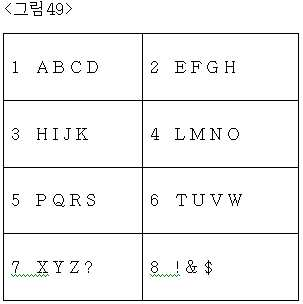
버튼당 4글자가 배정되어 있습니다.Four letters are assigned per button.
버튼3 또는 버튼4를 2번째 글자를 입력하게 하는 조합유도 버튼으로 활용하고,Use button 3 or button 4 as a combination induction button that allows you to enter a second letter,
버튼5 또는 버튼6를 3번째 글자를 입력하게 하는 조합유도 버튼으로 활용하고,Use button 5 or button 6 as a combination induction button to enter the third letter,
버튼7 또는 버튼8를 4번째 글자를 입력하게 하는 조합유도 버튼으로 활용하여Use button 7 or button 8 as a combination induction button that allows you to enter the fourth letter.
(버튼1 또는 버튼2까지 조합유도 버튼화할 필요는 없다.(It is not necessary to make a combination induction button to button 1 or button 2.
아니면 if not
버튼1 또는 버튼2를 1번째 글자를 입력하게 하는 조합유도 버튼으로 활용할 수도 있다)You can also use Button 1 or Button 2 as a combination induction button that allows you to enter the first letter.)
각 버튼의Of each button
1번째 글자는 단타로 하여 입력하거나 , 버튼1 또는 버튼2을 누르고 있는 상태에서 목표 글자가 배정된 글자버튼을 눌러 입력하고, Enter the first letter as a single stroke, or press and hold the button 1 or button 2 and press the letter button to which the target letter is assigned.
2번째 글자는 버튼3 또는 버튼4을 누르고 있는 상태에서 목표 글자가 배정된 글자버튼을 눌러 입력하고,The second letter is entered by pressing the letter button to which the target letter is assigned while pressing button 3 or button 4.
3번째 글자는 버튼5 또는 버튼6을 누르고 있는 상태에서 목표 글자가 배정된 글자버튼을 눌러 입력하고.,Enter the third letter by pressing the letter button to which the target letter is assigned while pressing button 5 or button 6.
4번째 글자는 버튼7 또는 버튼8을 누르고 있는 상태에서 목표 글자가 배정된 글자버튼을 눌러 입력하면 된다.The fourth letter can be entered by pressing the letter button to which the target letter is assigned while pressing button 7 or button 8.
위처럼 쌍둥이로만 입력할 수도 있고, 멀티탭방법과 쌍둥이를 병행하여 입력 할 수도 있습니다,As above, you can only input by twins, or you can type in parallel with multi-tap method.
일반문자 모드에서 숫자까지 입력하고 싶으면, 버튼당 1~2개의 숫자를 배정하여, 다른 그룹글자 입력방식(예 : 제2~3그룹 글자입력 방식)으로 입력하면 된다. 이하의 설명들에서도 그러하다.If you want to input up to the number in normal character mode, assign one or two numbers per button and input them in other group character input method (eg, second or third group character input method). The same is true in the following descriptions.
그리고 혹시나 아래의 예 까지 포함하여, 버튼 공간은 적은데, 배정될 음소가 많으면, And if you have a lot of button space, including the example below,
모든 음소를 다 프린트 할 필요없이 각 버튼당 1번째 음소만 표기해도 된다. 특히 영문은 표준 열거순으로 배정되어 있으므로, 프린트 안된 음소의 순서를 암산하는데 별로 어려움이 없기 때문이다.You don't have to print all the phonemes, just the first phone for each button. In particular, since English is assigned in standard enumeration order, there is no difficulty in calculating the order of unprinted phonemes.
또는 아래 <그림50>, <그림51>의 2개의 표와 같이 Or as shown in the two tables in <Figure 50> and <Figure 51> below.
6개의 버튼에 글자를 배정하는데,We assign letters to the six buttons
각 버튼당 글자들을 2개의 그룹으로 나누어서, 제1~2그룹 글자 입력 방식으로 입력할 수도 있다.(빈자리에는 특수문자나 그림이모티콘등을 더 추가할 수도 있다.)Characters per button can be divided into two groups and typed in the first or second group of characters. (You can also add special characters or picture emoticons to empty spaces.)
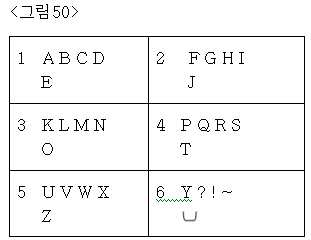

각 글자버튼의 1번째 줄에 있는 글자를 제1그룹 글자로 규정하고,The character in the first line of each character button is defined as the first group character,
각 글자버튼의 2번째 줄에 있는 글자를 제2그룹 글자로 규정하고,The letter in the second line of each letter button is defined as the second group letter,
버튼3 또는 버튼4를 2번째 글자를 입력하게 하는 조합유도 버튼으로 활용하고,Use button 3 or button 4 as a combination induction button that allows you to enter a second letter,
버튼5 또는 버튼6를 3번째 글자를 입력하게 하는 조합유도 버튼으로 활용하여,By using Button 5 or Button 6 as a combination induction button that allows you to enter a third letter,
(버튼1 또는 버튼2까지 조합유도 버튼화할 필요는 없다.(It is not necessary to make a combination induction button to button 1 or button 2.
아니면 if not
버튼1 또는 버튼2를 1번째 글자를 입력하게 하는 조합유도 버튼으로 활용할 수도 있다)You can also use Button 1 or Button 2 as a combination induction button that allows you to enter the first letter.)
각 버튼의 제1그룹 글자들 중 Of the first group of letters of each button
1번째 글자는 단타로 하여 입력하거나 , 버튼1 또는 버튼2을 누르고 있는 상태에서 목표 글자가 배정된 글자버튼을 단타로 눌러 입력하고, Enter the first letter as a single stroke, or press and hold the button 1 or button 2 while pressing the letter button to which the target letter is assigned.
2번째 글자는 버튼3 또는 버튼4을 누르고 있는 상태에서 목표 글자가 배정된 글자버튼을 단타로 눌러 입력하고,The second letter is entered by pressing the letter button to which the target letter is assigned while pressing button 3 or button 4.
3번째 글자는 버튼5 또는 버튼6을 누르고 있는 상태에서 목표 글자가 배정된 글자버튼을 단타로 눌러 입력하고.,Enter the third letter by pressing the letter button to which the target letter is assigned while pressing button 5 or button 6.
각 버튼의 제2그룹 글자들 중 Of the second group of letters on each button
1번째 글자는 장타로 하여 입력하거나 , 버튼1 또는 버튼2을 누르고 있는 상태에서 목표 글자가 배정된 글자버튼을 장타로 눌러 입력하고, Enter the first letter as a long hit, or press and hold the button 1 or button 2 while pressing the letter button to which the target letter is assigned.
2번째 글자는 버튼3 또는 버튼4을 누르고 있는 상태에서 목표 글자가 배정된 글자버튼을 장타로 눌러 입력하고,The second letter is entered by pressing the letter button to which the target letter is assigned while pressing button 3 or button 4.
3번째 글자는 버튼5 또는 버튼6을 누르고 있는 상태에서 목표 글자가 배정된 글자버튼을 장타로 눌러 입력한다.,The third letter is entered by pressing the letter button to which the target letter is assigned while pressing button 5 or button 6.
또는 아래 <그림52>의 표와 같이 Or as shown in the table below.
4개의 버튼에 글자를 배정하는데,We assign letters to the four buttons,
각 버튼당 글자들을 3개의 그룹으로 나누어서, 제1~3그룹 글자 입력 방식으로 입력할 수도 있다.Characters per button may be divided into three groups and may be input by the first to third group character input methods.
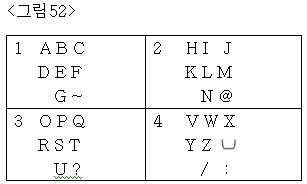
각 글자버튼의 1번째 줄에 있는 글자를 제1그룹 글자로 규정하고,The character in the first line of each character button is defined as the first group character,
각 글자버튼의 2번째 줄에 있는 글자를 제2그룹 글자로 규정하고,The letter in the second line of each letter button is defined as the second group letter,
각 글자버튼의 3번째 줄에 있는 글자를 제3그룹 글자로 규정하고,The letter in the third line of each letter button is defined as the third group letter,
버튼1 또는 버튼2를 2번째 글자를 입력하게 하는 조합유도 버튼으로 활용하고,Use Button 1 or Button 2 as a combination induction button that allows you to enter a second letter,
버튼3 또는 버튼4를 3번째 글자를 입력하게 하는 조합유도 버튼으로 활용하여,By using Button 3 or Button 4 as a combination induction button that allows you to enter the third letter,
각 버튼의 제1그룹 글자들 중 Of the first group of letters of each button
1번째 글자는 단타로 하여 입력하고 , Enter the first letter as a single stroke,
2번째 글자는 버튼1 또는 버튼2을 누르고 있는 상태에서 목표 글자가 배정된 글자버튼을 단타로 눌러 입력하고,The second letter is entered by pressing the letter button to which the target letter is assigned while pressing the button 1 or the button 2.
3번째 글자는 버튼3 또는 버튼4을 누르고 있는 상태에서 목표 글자가 배정된 글자버튼을 단타로 눌러 입력하고,Enter the third letter by pressing the letter button to which the target letter is assigned while pressing button 3 or button 4,
각 버튼의 제2그룹 글자들 중 Of the second group of letters on each button
1번째 글자는 장타로 입력하고, Enter the first letter long,
2번째 글자는 버튼1 또는 버튼2을 누르고 있는 상태에서 목표 글자가 배정된 글자버튼을 장타로 눌러 입력하고,The second letter is entered by pressing the letter button to which the target letter is assigned while pressing button 1 or button 2.
3번째 글자는 버튼3 또는 버튼4을 누르고 있는 상태에서 목표 글자가 배정된 글자버튼을 장타로 눌러 입력하고,Enter the third letter by pressing the letter button to which the target letter is assigned while pressing button 3 or button 4.
각 버튼의 제3그룹 글자들 중 Of the third group of letters on each button
1번째 글자는 글자판에 공백상태이니까 입력할 것도 없고, The first letter is blank on the dial, so no input
2번째 글자는 버튼1 또는 버튼2을 더블클릭 후에 손가락을 버튼1 또는 버튼2에서 떼지 말고 누르고 있는 상태에서 목표 글자가 배정된 글자버튼을 단타로 눌러 입력하고Enter the second letter by double-clicking button 1 or button 2, and keep pressing your finger on button 1 or button 2 without pressing the button 1 or button 2.
3번째 글자는 버튼3 또는 버4을 더블클릭 후에 손가락을 버튼3 또는 버튼4에서 떼지 말고 누르고 있는 상태에서 목표 글자가 배정된 글자버튼을 단타로 눌러 입력한다.The third letter is entered by double-clicking button 3 or button 4 and pressing the letter button to which the target letter is assigned while pressing the finger without releasing it from button 3 or button 4.
다른 언어의 문자나 아래에서 언급되는 한글에 있어서도 In the case of letters of other languages or Korean
위에서 언급한 영문을 입력하는 방법처럼 제2~5그룹글자 입력방식을 포함한 제1그룹글자 입력방법외의 방법까지 이용하면 If you use a method other than the first group character input method including the second to fifth group character input method as the method of inputting the English mentioned above
위의 영문처럼 더 적은 수의 버튼으로도 쉽게 입력할 수 있게 된다.You can easily type with fewer buttons, as shown above.
++++++++++++++++++++++++++++++++++++++++++++++++++++++++++++++++++++++++++++++++++++++++
이제 초소형 키패드에서 한글 음소 입력하는 것에 대하여 알아보자Now let's talk about typing Korean phonemes on a compact keypad.
아래 표와 같이As shown in the table below
버튼 8개에 한글음소 40개를 모두 완성형으로 배정하여, All 40 Korean phonemes are assigned to the eight buttons.
모든 음소를 2타 이내로 입력할 수도 있다.You can also enter all phonemes within two strokes.
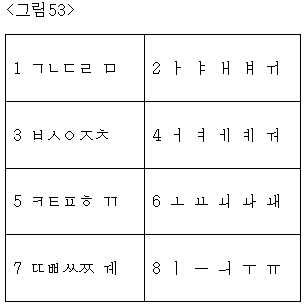
버튼당 5글자가 배정되어 있습니다.5 characters are assigned per button.
버튼1 또는 버튼2를 2번째 글자를 입력하게 하는 조합유도 버튼으로 활용하 고,Use Button 1 or Button 2 as a combination induction button that allows you to enter a second letter.
버튼3 또는 버튼4를 3번째 글자를 입력하게 하는 조합유도 버튼으로 활용하고,Use button 3 or button 4 as a combination induction button that allows you to enter a third letter,
버튼5 또는 버튼6를 4번째 글자를 입력하게 하는 조합유도 버튼으로 활용하고Use Button 5 or Button 6 as a combination induction button that allows you to enter the fourth letter.
버튼7 또는 버튼8를 5번째 글자를 입력하게 하는 조합유도 버튼으로 활용하여,By using button 7 or button 8 as a combination induction button for entering the fifth letter,
각 버튼의Of each button
1번째 글자는 단타로 하여 입력하고,Enter the first letter as a single stroke,
2번째 글자는 버튼1 또는 버튼2을 누르고 있는 상태에서 목표 글자가 배정된 글자버튼을 눌러 입력하고,The second letter is entered by pressing the letter button to which the target letter is assigned while pressing button 1 or button 2.
3번째 글자는 버튼3 또는 버튼4을 누르고 있는 상태에서 목표 글자가 배정된 글자버튼을 눌러 입력하고,Enter the third letter by pressing the letter button to which the target letter is assigned while pressing button 3 or button 4.
4번째 글자는 버튼5 또는 버튼6을 누르고 있는 상태에서 목표 글자가 배정된 글자버튼을 눌러 입력하고,The fourth letter is entered by pressing the letter button to which the target letter is assigned while pressing button 5 or button 6.
5번째 글자는 버튼7 또는 버튼8을 누르고 있는 상태에서 목표 글자가 배정된 글자버튼을 눌러 입력하면 된다.The fifth letter can be entered by pressing the letter button to which the target letter is assigned while pressing button 7 or button 8.
위처럼 쌍둥이로만 입력할 수도 있고, 멀티탭방법과 쌍둥이를 병행하여 입력 할 수도 있습니다,As above, you can only input by twins, or you can type in parallel with multi-tap method.
또 아래 표와 같이And as shown in the table below
버튼6개에 6 buttons
모음은 천지인 방식처럼 천지인(ㅣ . ㅡ)을 배정하고,A vowel assigns Cheonjiin (ㅣ. ㅡ) like Cheonjiin,
자음은 자음 전체 19개를 배정하여,Consonants are all 19 consonants,
모음은 종래의 천지인(ㅣ . ㅡ)을 방법대로 입력하고, The vowel is input according to the conventional Cheonjiin (ㅣ. ㅡ),
자음은 쌍둥이를 이용하여 모두 2타 이내로 입력할 수도 있습니다.Consonants can also be entered within two strokes using twins.
(종래의 천지인에서도 쌍자음 입력은 3타가 필요하였습니다.)(In conventional Cheonjiin, the double consonant input required three strokes.)
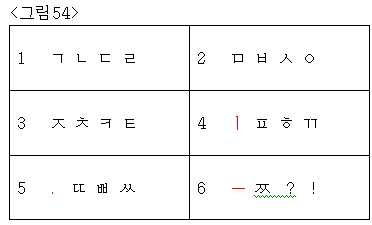
버튼1의 1번째 글자는 ㄱThe first letter of button 1 is a
버튼1의 2번째 글자는 ㄴThe second letter of button 1 is b
버튼1의 3번째 글자는 ㄷThe third letter of button 1 is
버튼1의 4번째 글자는 ㄹ 이고,The fourth letter of button 1 is ㄹ,
버튼2의 1번째 글자는 ㅁThe first letter of button 2 is ㅁ
버튼2의 2번째 글자는 ㅂThe second letter of button 2 is ㅂ
버튼2의 3번째 글자는 ㅅ The third letter of button 2 is ㅅ
버튼2의 4번째 글자는 ㅇ 이고,The fourth letter of button 2 is ㅇ,
버튼3의 1번째 글자는 ㅈThe first letter of button 3 is
버튼3의 2번째 글자는 ㅊThe second letter of button 3 is
버튼3의 3번째 글자는 ㅋ The third letter of button 3 is ㅋ
버튼3의 4번째 글자는 ㅌ 이고,The fourth letter of button 3 is ㅌ,
버튼4의 1번째 글자는 천(ㅣ)The first letter of button 4 is cloth (ㅣ)
버튼4의 2번째 글자는 ㅍThe second letter of button 4 is
버튼4의 3번째 글자는 ㅎ The third letter of button 4 is ㅎ
버튼4의 4번째 글자는 ㄲ 이고,The fourth letter of button 4 is ㄲ,
버튼5의 1번째 글자는 지(.)The first letter of button 5 is paper (.)
버튼5의 2번째 글자는 ㄸThe second letter of button 5 is ㄸ
버튼5의 3번째 글자는 ㅃ The third letter of button 5 is ㅃ
버튼5의 4번째 글자는 ㅆ 이고,The fourth letter of button 5 is ㅆ,
버튼6의 1번째 글자는 인(ㅡ)The first letter of button 6 is in (ㅡ)
버튼6의 2번째 글자는 ㅉThe second letter of button 6 is ㅉ
버튼6의 3번째 글자는 ? The third letter of button 6 is?
버튼6의 4번째 글자는 ! 이다.The fourth letter of button 6 is! to be.
버튼1 또는 버튼2를 2번째 글자를 입력하게 하는 조합유도 버튼으로 활용하고,Use Button 1 or Button 2 as a combination induction button that allows you to enter a second letter,
버튼3 또는 버튼4를 3번째 글자를 입력하게 하는 조합유도 버튼으로 활용하고,Use button 3 or button 4 as a combination induction button that allows you to enter a third letter,
버튼5 또는 버튼6를 4번째 글자를 입력하게 하는 조합유도 버튼으로 활용하여,By using Button 5 or Button 6 as a combination induction button for entering the fourth letter,
각 버튼의Of each button
1번째 글자는 단타로 하여 입력하고,Enter the first letter as a single stroke,
2번째 글자는 버튼1 또는 버튼2을 누르고 있는 상태에서 목표 글자가 배정된 글자버튼을 눌러 입력하고,The second letter is entered by pressing the letter button to which the target letter is assigned while pressing button 1 or button 2.
3번째 글자는 버튼3 또는 버튼4을 누르고 있는 상태에서 목표 글자가 배정된 글자버튼을 눌러 입력하고,Enter the third letter by pressing the letter button to which the target letter is assigned while pressing button 3 or button 4.
4번째 글자는 버튼5 또는 버튼6을 누르고 있는 상태에서 목표 글자가 배정된 글자버튼을 눌러 입력하면 된다.The fourth letter can be entered by pressing the letter button to which the target letter is assigned while pressing button 5 or button 6.
위처럼 쌍둥이로만 입력할 수도 있고, 멀티탭방법과 쌍둥이를 병행하여 입력 할 수도 있습니다, As above, you can only input by twins, or you can type in parallel with multi-tap method.
그런데 멀티탭방법과 쌍둥이를 병행하여 입력할 때에도, However, even when entering the multi-tap method and twins in parallel,
천지인(ㅣ . ㅡ)이 배정되어 있는 버튼4,5,6 에서는 2번째 순번 이상의 글자는 쌍둥이로만 입력할 수 있게 하는 것을 권장합니다.In the buttons 4, 5, and 6 assigned to Cheonjiin (ㅣ. ㅡ), it is recommended that only letters with the second sequence number be entered as twin.
모음을 종래의 천지인 방식대로 그대로 입력할 수 있게 하기 위함입니다.This is to allow the vowels to be entered as they are.
또In addition
아래 <그림55>의 표와 같이 As shown in the table below, <Figure 55>.
버튼4개에 4 buttons
모음은 천지인(ㅣ . ㅡ)을 배정하고,The vowel assigns Cheonjiin (ㅣ. ㅡ),
자음은 엘지 EZ 처럼 ㄱ ㄴ ㄹ ㅁ ㅅ ㅇ 획추가 쌍자음 을 The consonant is like LG EZ.
아래 표처럼 배정하여 입력할 수도 있습니다.You can also enter the assignment as shown in the table below.
모음 입력 속도는 종래의 천지인과 같고,Vowel input speed is the same as the conventional Cheonjiin,
자음 입력 속도는 종래의 엘지 EZ 방법의 1.5배 정도 걸립니다.Consonant input speed is about 1.5 times that of conventional LG EZ method.
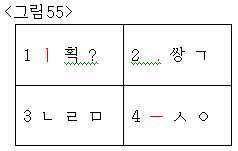
버튼1의 1번째 글자는 천(ㅣ)The first letter of button 1 is cloth (ㅣ)
버튼1의 2번째 글자는 획추가기능The second letter of button 1 adds stroke
버튼1의 3번째 글자는 ? 이고The third letter of button 1 is? ego
버튼2의 1번째 글자는 지(.)The first letter of button 2 is paper (.)
버튼2의 2번째 글자는 쌍자음기능,The second letter of button 2 is double consonant function,
버튼2의 3번째 글자는 ㄱ 이고The third letter of button 2 is a
버튼3의 1번째 글자는 ㄴThe first letter of button 3 is b
버튼3의 2번째 글자는 ㄹThe second letter of button 3 is ㄹ
버튼3의 3번째 글자는 ㅁ 이고The third letter of button 3 is ㅁ
버튼4의 1번째 글자는 인(ㅡ)The first letter of button 4 is in (ㅡ)
버튼4의 2번째 글자는 ㅅThe second letter of button 4 is ㅅ
버튼4의 3번째 글자는 ㅇ 이다.The third letter of button 4 is ㅇ.
버튼1 또는 버튼2를 2번째 글자를 입력하게 하는 조합유도 버튼으로 활용하고,Use Button 1 or Button 2 as a combination induction button that allows you to enter a second letter,
버튼3 또는 버튼4를 3번째 글자를 입력하게 하는 조합유도 버튼으로 활용하여,By using Button 3 or Button 4 as a combination induction button that allows you to enter the third letter,
각 버튼의Of each button
1번째 글자는 단타로 하여 입력하고,Enter the first letter as a single stroke,
2번째 글자는 버튼1 또는 버튼2을 누르고 있는 상태에서 목표 글자가 배정된 글자버튼을 눌러 입력하고,The second letter is entered by pressing the letter button to which the target letter is assigned while pressing button 1 or button 2.
3번째 글자는 버튼3 또는 버튼4을 누르고 있는 상태에서 목표 글자가 배정된 글자버튼을 눌러 입력하면 된다.The third letter can be entered by pressing the letter button to which the target letter is assigned while pressing button 3 or button 4.
모음인 천지인의 활용은 종래의 천지인 과 같은데 The use of Cheonjiin, a vowel, is the same as the traditional Cheonjiin.
자음에 있어서는 In consonants
종래 엘지 EZ 방법에서는 ㄱ ㄴ ㄹ ㅁ ㅅ ㅇ 모두 단타로 입력 할 수 있었는데 In the conventional LG EZ method, all of the ㄱ ㄴ ㄹ ㅁ ㅅ ㅇ could be entered as a single stroke.
이제는 ㄴ 만 단타로 입력 가능하고, ㄱ ㄹ ㅁ ㅅ ㅇ 는 쌍둥이로만 입력하며,Now, only b can be entered as dan, a a d ㅁ ㅅ ㅇ as a twin only,
(모음을 종래의 천지인 방식 그대로 입력하기 위함이다.)(This is to enter the collection as it is in the conventional way.)
쌍자음, 획추가 기능에 있어서In the consonant, stroke addition function
종래 버튼*, #을 전용버튼으로 에 두었으나Previously, the buttons * and # were put as dedicated buttons.
이제는 쌍자음기능인 획추가 기능을 마치 글자처럼 쌍둥이로 입력(=기능을 발휘)하게 됩니다.Now, the stroke addition function, which is a consonant function, is inputted as twins (= function) like a letter.
만약 ㅊ 을 입력하고 싶으면 If you want to enter
ㅅ 에 획추가하여 ㅈ 을 만들고, ㅈ 에 획추가하여 ㅊ 을 만들면 되는데, 버튼번호롤 표시하자면 아래의 A 또는 B 와 같다. (규칙을 정하기 나름인데 B를 더 추천한다.)You can make a stroke by adding stroke to ㅅ, and create stroke by adding stroke to. It is as A or B below to display the button number. (It's up to the rules, but I recommend B.)
A. 1 + 4 , 2 + 1 , 2 + 1 으로 변화시켜서 입력하거나 A. Enter 1 + 4, 2 + 1, 2 + 1
ㅅ ㅈ ㅊ ㅅ ㅈ
B. 1 + 4 , 2 + 1 + 1 으로 변화시켜서 입력하면 된다.B. Change it to 1 + 4, 2 + 1 + 1 and enter it.
ㅅ ㅈ ㅊ ㅅ ㅈ
A 방법을 먼저 설명하자면 A method first
ㅅ 이 버튼4의 2번째 글자이므로,Since this is the second letter of button 4,
2번째 글자를 입력하게 하는 버튼1을 누르고 있는 상태에서 버튼4을 단타하여 ㅅ 을 화면상에 띄운다음,Press and hold button 1 to enter the second letter, press button 4 to display ㅅ on the screen,
획추가기능이 버튼1의 2번째 글자이므로,Since the stroke add function is the second letter of button 1,
2번째 글자를 입력하게 하는 버튼2을 누르고 있는 상태에서 버튼1을 단타하여 획추가기능을 발휘하여 ㅅ 을 ㅈ 으로 만들고,While pressing and holding down the button 2 that allows you to enter the second letter, press the button 1 to activate the stroke addition function, make ㅅ
획추가기능이 버튼1의 2번째 글자이므로,Since the stroke add function is the second letter of button 1,
2번째 글자를 입력하게 하는 버튼2을 누르고 있는 상태에서 버튼1을 단타하여 획추가기능을 발휘하여 ㅈ 을 ㅊ 으로 만든다.Press and hold button 2 to enter the second letter, and press button 1 to perform stroke addition function to make.
B 방법을 설명하자면 To explain the B method
ㅅ 이 버튼4의 2번째 글자이므로,Since this is the second letter of button 4,
2번째 글자를 입력하게 하는 버튼1을 누르고 있는 상태에서 버튼4을 단타하여 ㅅ 을 화면상에 띄운다음,Press and hold button 1 to enter the second letter, press button 4 to display ㅅ on the screen,
획추가기능이 버튼1의 2번째 글자이므로,Since the stroke add function is the second letter of button 1,
2번째 글자를 입력하게 하는 버튼2을 누르고 있는 상태에서 버튼1을 2번 단타하여 획추가기능을 2번 발휘하게 하여 ㅅ 을 ㅈ 으로 만들고, ㅈ 을 ㅊ 으로 만든다.Press and hold button 2 to enter the second letter, and press button 1 twice to activate the stroke addition function twice, making ㅅ and.
,,
만약 ㅉ 을 입력하고 싶으면 If you want to enter ㅉ
A. 1 + 4 , 2 + 1 , 1 + 2 으로 변화시켜서 입력하면 된다.A. Change it to 1 + 4, 2 + 1, 1 + 2 and enter it.
ㅅ ㅈ ㅉ ㅅ ㅈ ㅉ
B. 1 + 4 , 1 + 2 + 2 으로 변화시켜서 입력하면 된다.B. Enter 1 + 4, 1 + 2 + 2.
ㅅ ㅈ ㅉ ㅅ ㅈ ㅉ
A 방법을 설명하자면 A way to explain
ㅅ 이 버튼4의 2번째 글자이므로,Since this is the second letter of button 4,
2번째 글자를 입력하게 하는 버튼1을 누르고 있는 상태에서 버튼4을 단타하 여 ㅅ 을 화면상에 띄운다음,Press and hold button 1 to enter the second letter, press button 4 to display ㅅ on the screen,
획추가기능 이 버튼1의 2번째 글자이므로,This is the second letter of button 1, so
2번째 글자를 입력하게 하는 버튼2을 누르고 있는 상태에서 버튼1을 단타하여 획추가기능을 발휘하여 ㅅ 을 ㅈ 으로 만들고,While pressing and holding down the button 2 that allows you to enter the second letter, press the button 1 to activate the stroke addition function, make ㅅ
쌍자음기능 이 버튼2의 2번째 글자이므로,Since the consonant function is the second letter of button 2,
2번째 글자를 입력하게 하는 버튼1을 누르고 있는 상태에서 버튼2을 단타하여 획추가기능을 발휘하여 ㅈ 을 ㅊ 으로 만든다.Press and hold the button 1 to enter the second letter, and press the button 2 to perform the stroke addition function to make the letter c.
B 방법을 설명하자면 To explain the B method
ㅅ 이 버튼4의 2번째 글자이므로,Since this is the second letter of button 4,
2번째 글자를 입력하게 하는 버튼1을 누르고 있는 상태에서 버튼4을 단타하여 ㅅ 을 화면상에 띄운다음,Press and hold button 1 to enter the second letter, press button 4 to display ㅅ on the screen,
그림28에서 보면 종래의 엘지 EZ 방식에서 ㅉ 은 ㅅ 이 배정되어 있는 버튼7의 2번째 쌍자음이므로,As shown in Figure 28, in the conventional LG EZ system, ㅉ is the second consonant of button 7 to which ㅅ is assigned.
쌍자음기능이 <그림55>의 버튼2의 2번째 글자이므로,Since the consonant function is the second letter of button 2 in <Figure 55>,
2번째 글자를 입력하게 하는 버튼1을 누르고 있는 상태에서 버튼2을 2번 단타하여 쌍자음 기능을 2번 발휘하게 하여 ㅅ 을 ㅈ 으로 만들고, ㅈ 을 ㅉ 으로 만든다.Press and hold button 1 to enter the second letter, and press button 2 twice to activate the double consonant function twice.
(종래의 방식을 염두에 두고 행해야 하는 방법이다.)(This should be done with conventional methods in mind.)
A 방법이든 B 방법이중 어느 하나를 사용하면, 자음을 입력할 때 If you use either A method or B method,
ㄴ 을 제외한 ㄱ ㄹ ㅁ ㅅ ㅇ 라는 기본글자 입력 속도는 종래의 엘지 EZ 방법 대비 2배의 타수가 필요하고, The basic character input speed of ㄱ ㄹ ㅁ ㅅ ㅇ excluding ㄴ requires twice as many strokes as the conventional LG EZ method.
획추가 또는 쌍자음 기능을 실행 할때도 2타가 필요해서 2배의 타수가 필요하나,When you add stroke or double consonant function, you need 2 strokes, so you need double strokes.
ㅆ 또는 ㅉ 을 입력할 때, B 방법을 사용하면 2번째 쌍자음 또는 2번째 획추가 글자를 입력할 때는 1번째 쌍자음 또는 1번째 획추가 글자를 입력할 때의 타수보다 1타만 더 증가 하므로 종래의 방식과 차이가 없고,When you input ㅆ or ㅉ, the B method increases only one stroke more than the number of strokes when you enter the first double consonant or the first stroke when entering the second double consonant or the second stroke. No difference from
버튼이 4개라서 동선이 아주 적으므로,Since there are 4 buttons and there are very few wires,
자음입력 속도가 종래의 엘지 EZ 방식에 비해 1.5배 정도 걸리겠다는 계산이 나온다.It is calculated that the consonant input speed will be about 1.5 times that of the conventional LG EZ method.
모음 입력 속도는 삼성 천지인 방식과 같다.Vowel input speed is the same as Samsung Cheonjiin.
그래서, 결국은 자음, 모음 전체적으로는 종래의 천지인과 EZ방식을 결합한 것의 1.2~1.3배 정도나 밖에 안 걸린다는 계산이 나온다.So, in the end, the consonants and vowels are calculated to be only 1.2 ~ 1.3 times that of the combined EZ method.
++++++++++++++++++++++++++++++++++++++++++++++++++++++++++++++++++++++++++++++
++++++++++++++++++++++++++++++++++++++++++++++++++++++++++++++++++++++++++++++++++++++++
++++++++++++++++++++++++++++++++++++++++++++++++++++++++++++++++++++++++++++++++++++++++
++++++++++++++++++++++++++++++++++++++++++++++++++++++++++++++++++++++++++++++++++++++++
++++++++++++++++++++++++++++++++++++++++++++++++++++++++++++++++++++++++++++++++++++++++
T9상세설명T9 Details
T9 방식이 무엇이며, 쌍둥이가 T9 모드와 병행을 어떻게 하고, T9 입력방식을 어떻게 도와주는 지에 대하여 알아봅시다.Let's look at what the T9 method is, how the twins work in parallel with the T9 mode, and how the T9 input method works.
T9 방식이라는 것은 The T9 method is
출원서 식별번호88~90에 아래처럼 용어의 정의로 나와 있다.Application identification numbers 88-90 are defined as terms below.
T9 등 : 단어 DB를 활용하여 스펠링을 확정되지 않은 상태로 입력하여도 눌러진 버튼들에 배정된 스펠링들의 조합에 의하여 형성이 가능한 1개 이상의 단어들을 사용자에게 제시하고 사용자는 그 중에서 원하는 단어를 선택하는 종래의 방식을 통털어 말하는 것으로써. T9, etc .: Present the user with one or more words that can be formed by the combination of spellings assigned to the pressed buttons even if the spelling is entered in an undefined state using the word DB, and the user selects a desired word from among them. By speaking through the conventional way to say.
예를 들어 더 설명해 보면 글자를 입력하는 방식 중 한 개의 버튼에 여러 개의 글자가 배정되어 있음에도 한 번만 누르는 방식 등으로 스펠링을 확정하지 않은 후보글자 상태로 스펠링을 입력하면 입력된 스펠링들에 의해 형성이 가능한 1개이상의 단어들을 기기가 사용자에게 제시하면 사용자는 사용자가 원하는 스펠링을 가진 단어를 선택하는 방식의 글자 입력 방식. 삼성에서는 T9 모드, 모토롤라에서는 iTAP 모드, 노키아에서는 PREDICTIVE TEXT INPUT 모드라고 칭하는 등 휴대폰 제조사 마다 방식과 명칭이 조금씩 다르다. 예를 들어 T9 방식의 경우 `4663` 버튼을 누르면 `4` 에는 `GHI`가 배정되어 있고, `6` 에는 `MNO`가 배정되어 있고,`3`에는 `DEF`가 배정되어 있으므로 그들의 조합을 사전 데이타베이스에서 기기가 검색하여 사용 빈도순으로 `GONE`, `HOME`, `HOOD`, `HOOF`, `HONE`, `GOOF` 을 기기가 제시하면 사용자가 원하는 단어에 커서를 두고 선택하는 형식이다.For example, in the case of entering letters, if one letter is assigned to one button even though several letters are assigned, the spelling can be made by inputting the spelling. When the device presents the user with one or more possible words, the user selects a word having the spelling desired by the user. Samsung's T9 mode, Motorola's iTAP mode, and Nokia's PREDICTIVE TEXT INPUT mode are all different. For example, in the case of the T9 method, if you press the button '4663', `GHI` is assigned to` 4`, `MNO` is assigned to` 6`, and `DEF` is assigned to` 3`. The device searches the dictionary database and displays `GONE`,` HOME`, `HOOD`,` HOOF`, `HONE`, and` GOOF` in order of frequency of use. This is the format.
(일본어 입력방식 중 PREDICTION방법도 `T9등` 방식의 한 형태이다. 일반적인 멀티탭 방식으로 후보글자가 아닌 확정글자로만 입력하여, 현재까지 입력된 확정글자들이 포함된 단어를 제시해주는 형태이다. 그래서 아래의 `T9`등에 관한 사항 중 PREDICTION방법에 적용될 수 있는 사항도 있다.) (The PREDICTION method of Japanese input method is also a form of 'T9, etc.'. It is a general multi-tap method, which inputs only the definite letters, not the candidate letters, and presents the word including the definite letters entered so far. Some of the matters related to `T9` may be applied to the PREDICTION method.)
T9 방식의 단점은 아래와 같다.The disadvantages of the T9 method are as follows.
DB에 없는 단어는 멀티탭 모드로 변경하여 원하는 단어를 입력하고, DB에 등록시키고, T9 모드로 다시 돌아 와서 , 다른 단어들을 T9 방식으로 입력해야 한다.If the word is not in the DB, change to the multi-tap mode, enter the desired word, register it in the DB, return to the T9 mode, and enter other words in the T9 method.
그래서 so
시스템에 어휘 사전 DB 구성을 미리 해두어야 하고(쌍둥이를 적용할 때보다 DB 메모리도 많이 필요하므로 가격이 상승한다. 쌍둥이를 적용할 때는 사전DB가 필요없다)The lexical dictionary DB configuration must be configured in the system (the DB price is increased because it requires more DB memory than twins. The twin database is not required.)
신생어휘, 축약어의 사용 증대로 어휘 사전에 신규항목을 계속 등록해야 하는 단점이 있다. 특히, 사람이름, 인터넷 어드레스, 홈페이지 어드레스 등 정보통신환경에서 필요로 하는 모든 어휘를 사전에 등록시키는 것은 현실적으로 불가능하다. 또한, 실제로 사전에 등록되어 있지 않은 어휘라면 어쩔 수 없이 멀티 탭 방식 을 병용해야 하므로 한 문자당 한 키라는 규칙은 한계가 있으며, 입력된 복수의 문자에 의한 조합 문자 수, 그 조합 문자 수에 의한 사전검색 등 시스템의 부하가 크다는 단점도 있다.Increasing use of new vocabulary and abbreviations has the disadvantage of continuously registering new items in the vocabulary dictionary. In particular, it is practically impossible to register in advance all vocabulary required in an information and communication environment such as a person's name, an Internet address, and a homepage address. In addition, if the vocabulary is not actually registered in advance, the multi-tap method must be used inevitably, so the rule of one key per character is limited. Another disadvantage is that the load on the system, such as dictionary search, is high.
(쌍둥이를 적용할 때보다 고성능 칩을 사용해야 하므로 가격이 상승한다. 쌍둥이를 적용할 때는 이러한 과정을 수행하는 칩은 필요없다.)(The price goes up because you have to use a higher-performance chip than you do with twins. You don't need a chip to do this with twins.)
또 한국어와 일본어는 어미부분이 일정하게 고정되어 있지 않고 뒷부분이 여러가지 형태로 변화하기 때문에, 그 많은 경우의 수를 모두 수용할 수 없어서, 그러한 어미활용형 언어에는 적응되지 못하는 문제점도 있다.In addition, since Korean and Japanese do not have a fixed fixed part of the mother part and vary in the rear part in various forms, there is a problem in that the number of many cases cannot be accommodated, so that the mother language cannot be adapted to such a mother language.
(영어도 과거형에 ~ed , 현재진행형 ~ing, 복수형 ~s 등 때문에 T9방식을 사용하는데 지장이 있을 것 같은데 그런지 어쩐지는 모르겠다. (English also seems to have problems using T9 because of ~ ed in the past, current ~ ing, and plural ~ s, but I don't know how.
어쨌든 T9방식이 소형키패드를 갖는 휴대폰에 내장되어 있어도, 문자입력하기가 불편하여, 현재 까지는, 한국외의 국가에서 문자입력을 많이 하는 사람은 쿼티자판을 갖는 휴대폰을 구입하고 있다.)Anyway, even though the T9 system is embedded in a mobile phone with a small keypad, it is inconvenient to input text. Until now, people who use a lot of text input outside of Korea have purchased QWERTY keyboards.)
그리고 후보 단어가 많이 제시되어 있을 때, 원하는 단어로 커서를 여러 번 옮기어서 선택해야 하는 것도 타수가 많이 소요되므로 상당히 번거로운 일이다.And when a lot of candidate words are presented, it is quite cumbersome to have many strokes to select by moving the cursor several times to the desired word.
그리고 버튼당 배정된 문자수가 많은 문자체계 일수록, 제시되는 후보단어가 급격히 증가할 것 같다. And the more characters are assigned per button, the more likely candidate words are to increase.
(그래서, 영문처럼 버튼당3(또는 4)개의 문자가 배정된 형태가 아닌 일본어처럼 버튼당 5개의 문자가 배정된 형태에서는 확정글자로만 입력하는 T9의 변형인 PREDICTION방법을 쓰는가 보다.) (So, in the form where 5 characters per button are assigned like Japanese, rather than 3 (or 4) characters per button like English, use the PREDICTION method, which is a variation of T9, which inputs only definite characters.
그래서, 문자입력 방식에 대한 수많은 특허 출원에 위와 같은 내용으로 T9방식을 비판하고 있다.Therefore, many patent applications for the text input method have criticized the T9 method as described above.
T9 모드에서 쌍둥이를 적용하여 얻을 수 있는 장점은 아래와 같다.The advantages of applying twins in T9 mode are as follows.
T9 모드에서 모든 음소를 2타로 확정적으로 입력할 수 있다.In T9 mode, you can enter all phonemes in two strokes.
확정적으로 입력하는 방법은 1번째 글자도 포함한 모든 순서의 음소를 쌍둥이로 입력한다는 것이다.The definitive method is to enter the phonemes in any order including the first letter as twins.
1번째 글자는 1번째 글자를 입력하게 하는 조합유도버튼을 누르고 상태에서 목표 글자가 배정된 글자버튼을 눌러 입력하고,Enter the first letter by pressing the combination induction button that allows you to enter the first letter, and then press the letter button to which the target letter is assigned.
2번째 글자는 2번째 글자를 입력하게 하는 조합유도버튼을 누르고 있는 상태에서 목표 글자가 배정된 글자버튼을 눌러 입력하고,The second letter is entered by pressing the letter button to which the target letter is assigned while pressing the combination induction button for inputting the second letter.
3번째 글자는 3번째 글자를 입력하게 하는 조합유도버튼을 누르고 있는 상태에서 목표 글자가 배정된 글자버튼을 눌러 입력하고.,The third letter is entered by pressing the letter button to which the target letter is assigned while pressing the combination induction button for entering the third letter.
4번째 글자는 4번째 글자를 입력하게 하는 조합유도버튼을 누르고 있는 상태에서 목표 글자가 배정된 글자버튼을 눌러 입력하면 된다The fourth letter can be entered by pressing the letter button to which the target letter is assigned while pressing the combination induction button for entering the fourth letter.
즉 단타로 입력되는 것은 후보글자 입력되는 것이고(즉, 종래의 T9방식 그대로도 입력할 수 있고),That is, a single input is a candidate character input (that is, a conventional T9 method can be input as it is).
쌍둥이로 입력되는 것은 확정글자로 입력되는 것이다(즉, 문자모드 변경없이 쌍둥이를 병행할 수도 있다.)What is entered as twins is entered as definite characters (ie twins can be combined without changing the character mode).
그리하여 .therefore .
- DB에 없는 단어를, 멀티탭 모드로 변경하지 않고, T9 모드에서 모든 음소를 2타로 확정적으로 입력할 수 있고,-Words that are not in the DB can be entered in 2 strokes in T9 mode without any change to the multi-tap mode.
- 일부 스펠링만을 확정하여 입력하여 주어도 기기가 제시하는 후보 단어들의 숫자가 급격히 줄어들게 되어서 사용자가 단어를 빨리 입력할 수 있을 것이다-Even if only some spelling is entered and inputted, the number of candidate words suggested by the device will be drastically reduced so that the user can enter the words quickly.
검색어를 입력할 때 확정글자 1개만 있어도 후보단어가 확 줄어드는 효과를 볼 수 있다. 물론 검색어에 확정글자가 많을수록 후보단어는 더 많이 줄어 듭니다.When entering a search word, even if there is only one definite character, the candidate word can be reduced significantly. Of course, the more definite characters you have in your search term, the fewer candidate words you have.
또In addition
쌍둥이를 이용하면 특수문자인 * 또는 ? 을 쉽게 입력할 수 있으므로, 컴퓨터에서처럼 아무개글자(* 또는 ?)을 이용한 단어 및 전화번호 찾기를 할 수 있으 므로 나름대로 유용하다.If you use twins, the special characters * or? Can be easily entered, it is useful because it allows you to search for words and phone numbers using any letter (* or?) Like on a computer.
(컴퓨터 검색어에서 (From a computer query
* 의 뜻은 임의의 개수의 아무개 알파벳을 뜻하고,* Means any number of alphabets,
? 의 뜻은 1개의 아무개 알파벳을 뜻한다.? The meaning of one means alphabet.
그런데 아래의 출원서 내용에서는 However, in the contents of the application below
컴퓨터의 아무개 글자 중 * 의 뜻으로 출원서에서는 % 을 사용하였고,In the application,% is used to mean * of any letter on the computer.
컴퓨터의 아무개 글자 중 ? 의 뜻으로 출원서에서는 사용하지 않았고,Any letter on the computer? Not used in the application, meaning
출원서에서 * 는 어느 한 버튼에 배정된 글자들 모두를 가리키는 후보글자로 쓰였다.In the application, * is used as a candidate for all the letters assigned to a button.
일반적인 생각과 혼동되게 되어 있으니 출원서의 그 부분을 검토할 때는 주의 하기 바란다.) Be confused with the general idea, so be careful when reviewing that part of the application.)
T9 모드에서는 각 버튼에 있는 특수문자나 이모티콘은, In T9 mode, the special characters and emoticons on each button
단타로 입력하는 후보글자로는 인식되지 못하게 하고, 쌍둥이로만 입력할 수 있게 하는 것을 권장한다.It is recommended not to recognize a single character entered as a single stroke and to input only as a twin.
기타 종래의 T9방식 모드에서 쌍둥이를 병행 하였을 때의 여러가지 장점이 있는데 자세한 사항은 출원서 식별번호 406~473 에 자세히 나와 있다. 아래와 같다.In the conventional T9 mode, there are various advantages of using twins in parallel. Details are described in application identification numbers 406-473. It looks like this:
T9 등의 글자 쓰기 모드에 본 발명의 방법을 적용하여 일부 또는 전체의 스펠링을 확정하여 입력하여 주면 기기가 제시하는 후보 단어들의 숫자가 적게 되어서 사용자가 단어를 빨리 입력할 수 있을 것이다. If the spelling mode of the present invention is applied to a letter writing mode such as T9, the spelling of some or all of the spellings is determined, and thus the number of candidate words presented by the device is reduced, so that the user can quickly enter a word.
예를 들면 T9 방식의 경우 사용자가 `HOOD`를 입력하고자 할 때 종래에는 `4663` 버튼을 누르면 `4` 에는 `GHI`가 배정되어 있고, `6` 에는 `MNO`가 배정되어 있고,`3`에는 `DEF`가 배정되어 있으므로 그들의 조합을 사전 데이타베이스에서 기기가 검색하여 사용 빈도순으로 `GONE`, `HOME`, `HOOD`, `HOOF`, `HONE`, `GOOF` 을 기기가 제시하면 사용자가 `HOOD`에 커서를 옮겨 선택하여야 하나, 본 발명의 방법을 적용하여 `HOOD`의 `D`를 확정하여 입력하여 주면 기기는 `HOOD` 라는 단어 1개만 제시하므로 사용자는 커서를 옮길 필요없이 선택하여 주기만 하면 된다. 종래의 T9 등의 방식을 사용하다 보면서 경험상으로 몇 번째 스펠링을 확정해 주면 편리하다는 것을 터득할 수 있기 때문이다. 예를 들어 사용 빈도가 적은 알파벳을 확정해 줄수록 후보들의 개수가 더 감소할 것이다. For example, in the case of the T9 method, when the user wants to input the HOOD, conventionally, when the user presses the button '4663', `GHI` is assigned to` 4`, `MNO` is assigned to` 6`, and ` Since `DEF` is assigned to 3`, the combinations are searched by the device in the dictionary database, and` GONE`, `HOME`,` HOOD`, `HOOF`,` HONE`, and `GOOF` are installed in order of frequency of use. If the user suggests that the user moves the cursor to `HOOD` and selects the` D` of `HOOD` by applying the method of the present invention, the device displays only one word` HOOD` because the device presents only one word `HOOD`. You don't need to move it, just select it. This is because, while using the conventional T9 method, it is convenient to confirm the spelling a few times in experience. For example, the less frequently used alphabets are, the smaller the number of candidates will be.
본 발명의 방법으로 스펠링을 확정해 주는 방법을 예를 들자면 `버튼1` 또는 `버튼3`을 다음에 온 되는 버튼에 배정된 첫 번째 글자를 쓰게하는 조합유도버튼으로 지정하고, `버튼4` 또는 `버튼6`을 다음에 온 되는 버튼에 배정된 두 번째 글자 를 쓰게하는 조합유도버튼으로 지정하고, `버튼7` 또는 `버튼9`를 다음에 온 되는 버튼에 배정된 세 번째 글자를 쓰게하는 조합유도버튼으로 지정하여, 위에서 스펠링을 `D`로 확정하고 싶지 않을 때는 그냥 `버튼3`을 단독으로 누르면 되고, 스펠링을 `D`로 확정 싶을 때는 `버튼1`을 누른 상태에서 `버튼3`을 누르면 되는 것이다. For example, a method of confirming spelling by the method of the present invention designates 'button 1' or 'button 3' as a combination induction button for writing the first letter assigned to the next button, and `button 4`. Alternatively, specify `button 6` as the combination induction button that causes the second letter to be assigned to the next button, and` button 7` or `button 9` to write the third letter assigned to the next button. If you do not want to set the spelling to `D` from above, simply press` Button3` alone.If you want to confirm the spelling to `D`, hold down the` Button1` and press the `button. Press 3`.
그리고 일부 스펠링을 확정해서 후보단어의 수를 많이 줄일 수 있으므로 단어를 완성하는데 필요한 스펠링의 수만큼의 후보글자(스펠링이 확정되지 않은 상태 즉 누른 버튼에 배정된 몇 개의 글자) 또는 확정글자(스펠링이 확정된 상태) 또는 미지글자(전혀 스펠링을 예측할수 없는 상태, 컴퓨터에서는 주로 `*` 도는 `?`를 사용하여 단어를 검색한다)를 입력하지 않고 단어의 일부분만 입력해도 기기가 디스플레이 할 후보단어가 그리 많지 않게 될 것이며 사용자도 일부분만 입력해도 되므로 편리하게 될것이다.In addition, the number of candidate words can be reduced by confirming some spellings. As many spelling letters as needed to complete a word (the spelling is not confirmed, that is, a few letters assigned to the pressed button) or the definite letters (spellings A word that the device will display even if you enter only a portion of the word without typing it or the unknown character (there is no predictable spelling; the computer usually searches for words using `*` or `?`). There won't be a lot of them, and it will be convenient for the user to input only a part.
T9 등의 방식에서는 보통 글자가 입력될 때마다 현재까지 입력된 글자 수 만큼에 맞는 가장 빈도수가 많은 단어를 연속적으로 디스플레이 해주고 있으므로 단어의 일부의 스펠링(후보글자 또는 확정글자 또는 미지글자)만 입력하고도 원하는 단어의 후보단어가 디스플레이 되게 하려고 하면 사용자가 일부의 스펠링만 입력했다는 신호를 따로 주어야 할 것이다.(일부의 스펠링만 입력했다는 신호를 주는 이유는 아무 신호도 없으면 사용자가 원하는 단어의 스펠링 수와 같은 수의 스펠링을 입력했다는 것으로 기기가 자동으로 간주도록 하는 논리를 사용하였기 때문이며, 만약 아무 신호도 없으면 사용자가 원하는 단어의 스펠링 수보다 적은 수의 스펠링 이 입력되는 것으로 기기가 자동으로 간주하여 입력된 스펠링을 포함하는 모든 단어 또는 구(=단어의 연속)를 후보단어 또는 후보구로 디스플레이 하는 것으로 자동으로 간주하도록 되어 있다면 오히려 스펠링수가 같다는 신호를 주어야 후보들의 수를 줄일 수 있을 것이다. 또 스펠링 수가 부족하다거나 같은 수 이거나에 대해 모두 신호를 줄 수도 있다. 이와 같이 스펠링수의 적고 동일함을 알리는 신호를 주는 방식은 제조자 또는 사용자 임의로 결정할 수 있음을 이하에서도 동일하게 해석하기 바란다.)In the method of T9 etc., every time a letter is input, the most frequently worded word corresponding to the number of letters entered so far is displayed continuously. Therefore, only a part of the word is spelled (candidate or definite or unknown). In addition, if you want to display the candidate word of the desired word, you should give a signal that the user inputs only some spelling. (The reason for the signal that the user inputs only some spelling is that if there is no signal, This is because the device automatically considers that the same number of spellings are entered, and if there is no signal, the device automatically considers that the spelling number is smaller than the spelling number of the desired word. Any word or phrase that includes spelling (= words If it is supposed to automatically display a candidate word or candidate phrase, it should be signaled that the number of spellings is the same so that the number of candidates can be reduced. In this way, the method of giving a signal indicating that the number of spellings is small and the same can be arbitrarily determined by the manufacturer or the user.
위에서 T9 등의 방식에서는 보통의 경우에 글자가 입력될 때마다 현재까지 입력된 글자 수 만큼에 맞는 가장 빈도수가 많은 단어를 연속적으로 디스플레이 해주고 있다는 말의 예를 들어보면,For example, in the method such as T9, each time a letter is input, the word most frequently corresponding to the number of letters entered so far is displayed continuously.
만약 사용자가 `HOOD` 라는 단어를 쓰려고 버튼4를 누르면 4에 배정된 `G,H,I`중 첫글자에 가장 빈도수가 많은 `G`가 맨 처음으로 디스플레이 되고 ,이어서 버튼6을 누르면 먼저 눌렀던 버튼4(G,H,I)와 버튼6(M,N,O)의 조합에서 가장 빈도가 많은 `IO`가 맨 처음으로 디스플레이 되고,이어서 버튼6을 누르면 버튼4(G,H,I)와 버튼6(M,N,O)와 버튼6(M,N,O)의 조합에서 가장 빈도가 많은 `HON`가 맨 처음으로 디스플레이 되고,이어서 버튼3을 누르면 버튼4(G,H,I)와 버튼6(M,N,O)와 버튼6(M,N,O)와 버튼3(D,E,F)의 조합에서 가장 빈도가 많은 `GONE`가 맨 처음으로 디스플레이 되나 사용 빈도순에 의해 그 뒤 순서에 디스플레되는 `HOME`,`HOOF` 다음에 있는 `HOOD`로 커서를 옮겨서 선택한다.(빈도 또는 디스플레이되는 글자는 임의로 생각해서 표현하였음) If the user presses button 4 to write the word `HOOD`, the most frequent` G` in the first letter of `G, H, I` assigned to 4 is displayed first, followed by pressing button 6 first. In the combination of Dunn Button 4 (G, H, I) and Button 6 (M, N, O), the most frequent `IO` is displayed first, then press Button 6 to display Button 4 (G, H, I). ) And the most frequent combination of button 6 (M, N, O) and button 6 (M, N, O) is displayed first, followed by button 3 (G, H, In the combination of I) and button 6 (M, N, O) and button 6 (M, N, O) and button 3 (D, E, F), the most frequent `GONE` is displayed first, but the frequency of use Move the cursor to `HOOD` followed by` HOME` and `HOOF` which are displayed in the following order, in order (the frequency or the displayed characters are randomly expressed).
위에서 단어를 완성하는데 필요한 스펠링의 수만큼의 후보글자(스펠링이 확정되지 않은 상태 즉 누른 버튼에 배정된 몇 개의 글자) 또는 확정글자(스펠링이 확정된 상태) 또는 미지글자(전혀 스펠링을 예측할수 없는 상태, 컴퓨터에서는 주로 `*` 또는 `?`를 사용하여 단어를 검색한다)입력하지 않고, 단어의 일부분만 입력해도 기기가 디스플레이될 수 있다는 것의 예를 들어 보면 The number of spellings required to complete the word above (no spelling, ie, a few letters assigned to the pressed button) or definite letters (spelling confirmed) or unknown (no spelling can be predicted at all). For example, you can display a device by typing only a portion of the word, rather than typing it, using the `*` or `?` Commands.
사용자가 `HOMEPORT`라는 단어를 쓰고 싶을 때, 기존 T9등의 방식에서는 버튼4(G,H,I),버튼6(M,N,O),버튼6(M,N,O),버튼3(D,E,F),버튼7(P,R,S),버튼6(M,N,O),버튼7(P,R,S),버튼8(T,U,V) 모두 입력해야만 `HOMEPORT`가 후보단어로 포함 되어있는 후보단어그룹이 디스플레이 되지만, 본 발명의 방식을 적용하면 사용자는 조합유도버튼+버튼4(`H`로 확정),버튼6(M,N,O),조합유도버튼+버튼6(`M`으로 확정), 버튼3(D,E,F),조합유도버튼+버튼7(`P`로 확정)하여 입력하고 단어의 일부 스펠링만 입력됐다는 신호를 주면 버튼3까지에 의해 4자리는 `HOME`으로 거의 확정되고(물론 `HOME`이라는 단어의 각각의 글자 모두를 확정해주면 더 확실하다) 다음에 확정적으로 입력되는 `P`에 의해서 기기는 사용자에게 후보 단어로서 `HOMEPLATE`와 `HOMEPORT`를 디스플레이 하면 사용자는 원하는 `HOMEPORT`를 선택하면 되는 형식이 가능해 진다. 물론 `P`까지 입력하는 도중에 미지의 글자신호를 줄 수도 있다(예:버튼3자리에 `*` 또는 다른 기호로서 다른 미지의 글자임을 표시할 수도 있다). When the user wants to use the word `HOMEPORT`, the button 4 (G, H, I), button 6 (M, N, O), button 6 (M, N, O), button 3 in the existing T9 method (D, E, F), Button 7 (P, R, S), Button 6 (M, N, O), Button 7 (P, R, S), Button 8 (T, U, V) The candidate word group including `HOMEPORT` as a candidate word is displayed, but according to the present invention, the user can combine the combination induction button + button 4 (confirm` H`), button 6 (M, N, O), Combination induction button + button 6 (confirm 'M'), button 3 (D, E, F), combination induction button + button 7 (confirmation 'P') By button 3, the four digits are almost fixed as `HOME` (of course, it is more certain if each letter of the word` HOME` is confirmed), and the device is a candidate for the user by means of the `P` which is subsequently entered. If you display `HOMEPLATE` and` HOMEPORT` as words, you can select the desired `HOMEPORT`. Expression becomes possible. Of course, it is also possible to give an unknown character signal while typing up to `P` (e.g., it may indicate another unknown character as` * `or another symbol in place of the button 3).
만약 `P`를 확정해주지 않고 사용자가 단어의 일부 스펠링만 입력됐다는 신호를 주면 `HOME`이 확정이 된 상태에서만 해도 버튼7이 `P`인지 `R`인지,`S`인지 알수 없어서 `P`,`R`,`S`가 포함된 많은 수의 모든 단어들이 후보단어가 되는, 즉If you don't confirm the `P` and the user signals that only part of the word is spelled, you can't tell whether the button 7 is` P`, `R`, or` S` even if `HOME` is confirmed. A large number of all words containing `,` R`, `S` are candidate words, ie
HOMEPLATE,HOMEPORT,HOMER,HOMERANGE,HOMERIC,HOMERULE,HOMERUN,HOMESCHOOLING,HOMESCREEN,HOMESECRETARY,HOMESELLING,HOMESICK,HOMESIGAL,HOMESITE,HOMESPUN,HOMESTAND,HOMESTAY,HOMESTEAD,HOMESTEADER,HOMESTEADING,HOMESTRETCH,HOMESTUDY등 너무 많은 단어들을 후보단어로서 디스플레이된 상태에서 사용자가 원하는 단어를 선택해야 한다. HOMEPLATE, HOMEPORT, HOMER, HOMERANGE, HOMERIC, HOMERULE, HOMERUN, HOMESCHOOLING, HOMESCREEN, HOMESECRETARY, HOMESELLING, HOMESICK, HOMESIGAL, HOMESITE, HOMESPUN, HOMESTAND, HOMESTAY, HOMESTEAD, HOMESTEADER, HOMESTEADING, HOMESTRETCH In the displayed state, the user must select a desired word.
지금까지의 예는 반드시 그대로 실현된다는 것이 아니고 개념만을 설명하기 위해서 빈도수,디스플레이되는 후보단어 등을 임의로 설정하였다.The examples so far are not necessarily realized as such, but the frequency, the candidate words to be displayed, and the like are arbitrarily set to explain the concept.
종래의 T9등의 방법에서는 `HOME`도 확정해 주지 않았으므로 실제 후보 단어는 훨씬 많을 것이다. 많은 수의 후보 단어가 있을 때에 원하는 단어가 알파벳순 또는 빈도순에 의해 뒤쪽에 있을 때는 굉장히 많은 수의 커서 이동버튼을 눌러줘야 하는 상황이 펼쳐지게 되버린다.In the conventional T9 method, `HOME` is not confirmed, so there are many more candidate words. When there are a large number of candidate words, when the desired word is in alphabetical or frequency order, a situation in which a large number of cursor movement buttons must be pressed is opened.
그리고 T9등의 입력방식 모드 임에도 T9 등의 입력방식을 이용하지 않을 것처럼 단어의 모든 스펠링을 확정하여 입력하는 것도 그리 많은 시간이 필요하지 않을 것이다. 2개의 버튼을 조합하여 스펠링을 입력하는 것은 어차피 양손을 사용하므로 한 손이 한 버튼씩만 담당하므로 숙달되면 거의 버튼 1개만 단타로 누를 때의 속도와 거의 같게 입력할 수 있으며, T9 등의 스펠링 입력 방법에 있어서 거의 필수적인 디스플레이된 후보단어들 중에서 원하는 단어로 커서를 옮기는 행위는 불필요하고 단지 그대로 선택해 주기만 하면 되므로 원하는 단어를 입력하는 데까지 걸리는 시간은 종래의 T9 등과 비교하여 더 빠를 수도 있다.And even though the input method mode such as T9 does not use the input method such as T9, it will not take much time to enter all the spellings of the word. Inputting spelling by combining two buttons uses two hands anyway, so one hand takes only one button, so if you are skilled, you can input almost one button at the same speed as a single stroke, and spelling input method such as T9. Since the act of moving the cursor to the desired word among the displayed candidate words which is almost essential in the present invention is unnecessary and only needs to be selected as it is, the time taken to input the desired word may be faster as compared with the conventional T9.
또 모든 스펠링이 확정되어 입력되면 선택하는 행위 차체도 생략하게 프로그 래밍 할 수도 있다.In addition, if all spellings are confirmed and input, the selected body may be programmed to be omitted.
T9 등에 있어서 본 발명의 방법을 종래의 방법과 병행하여 적용하는 것에 대해 종합적으로 설명하면서 `HOMEPORT` 라는 단어를 입력하는 것을 예로 들어보면 T9 등의 글자입력 모드에서 어떤 단어를 입력하고자 할 때 각각의 스펠링을 기존의 방법과 본 발명에 의한 방법 또는 본 발명과 유사한 방법 등 여러 가지 방법을 모드 변경 없이 조합하여 입력할 수 있다. 이것을 특징으로 하는 방법 또한 본 발명에서 신규성이 있다고 주장하는 바이다. (종래의 T9 등에서는 입력하고자 하는 단어가 DB에 없을 경우 멀티탭 모드로 전환하여 원하는 단어를 완전히 입력하고나서 다시 T9 등의 모드로 돌아와야 하는 불편이 있다.특히 URL,고유명사,전자메일주소,다양한 인명,외국의 단어,기술적인 단어 등을 입력할 때 그러하다.) For example, when the word 'HOMEPORT' is input while comprehensively explaining the method of the present invention applied in parallel with the conventional method in T9, etc., each word is to be entered in a letter input mode such as T9. Spelling can be input by combining various methods such as the existing method, the method according to the present invention, or the method similar to the present invention without changing the mode. Methods characterized by this also claim to be novel in the present invention. (In conventional T9, if the word you want to enter does not exist in the DB, it is inconvenient to switch to multi-tap mode and completely enter the desired word and then return to T9 mode. In particular, URL, proper noun, e-mail address, and various This is the case when entering human names, foreign words, technical words, etc.)
위해서 언급한 후보단어들이 디스플레이되도록 글자를 입력하는 `여러 가지 방법`이란 아래 1 과 2 의 방법들을 서로 조합하여 만든 방법들을 말한다.The various methods of entering letters so that the candidate words mentioned above are displayed are the combination of the methods 1 and 2 below.
1.글자의 종류로서 `가`(확정글자) 또는 `나`(후보글자) 또는 `다`(미지글자)1.A type of letter: `ga` (definite letter) or` me` (candidate letter) or `da` (unknown letter)
2.입력할 스펠링수로서 완전한 단어를 구성하는데 필요한 `라`(전체의 스펠링수) 또는 `마`(부족한 스펠링수) 2. The number of spells to be entered as 'la' (the total number of spellings) or 'do' (the number of spellings required) to form a complete word.
1과 2로 조합이 가능한 경우의 수는 가+라,가+마,나+라,나+마,다+라,다+마,가+나+라,가+나+마,나+다+라,나+다+마,가+다+라,가+다+마,가+나+다+라,가+나+다+마 등 여러가지 경우의 수가 있지만 아래에서는 단순한 문자메세지를 쓸 때와 검색할 때에서 그 중에서 몇 가지 예만 들어 보겠다.The number of possible combinations of 1 and 2 is ga + la, ga + ma, me + la, me + ma, da + la, da + ma, ga + na + la, ga + na + ma, me + da + Da, Da + Da, Da + Da + Da, Da + Da + Da, Da + Da + Da + Da, Da + Da + Da + Da Here are just a few examples of searching and searching.
문자메세지를 작성할 때의 구체적인 예를 몇 가지만 들어보자.(HOMEPORT를 입력하는 예도 같이 해보자, 영어알파벳은 확정글자,숫자는 후보글자,`*`은 미지글자로 일단 예를 들어 표현한다.) Here are just a few examples of how to write a text message. (Let's also enter HOMEPORT. For example, English alphabet is a definite letter, number is a candidate letter, `*` is an unknown letter.)
첫째로 종래의 T9 방법인 `나`와 `라`의 조합으로 입력하는 방법First, the input method is a combination of `na` and` la`, which is a conventional T9 method.
(후보단어들이 디스플레이 될 수 있도록 `46637678`을 입력한다. (Enter `46637678` so that candidate words are displayed.
즉 버튼4(G,H,I),버튼6(M,N,O),버튼6(M,N,O),버튼3(D,E,F),버튼7(P,R,S),버튼6(M,N,O),버튼7(P,R,S),버튼8(T,U,V) 형태로 입력한다는 뜻이다. 이하에서는 이와같은 상세 설명은 생략한다.) Button 4 (G, H, I), Button 6 (M, N, O), Button 6 (M, N, O), Button 3 (D, E, F), Button 7 (P, R, S) Button 6 (M, N, O), Button 7 (P, R, S), Button 8 (T, U, V). This detailed description will be omitted below.)
둘째로 `나` 와 `마`의 조합으로 입력하는 방법Secondly, a combination of `me` and` horse`
(후보단어들이 디스플레이 될 수 있도록 `46637`을 입력한 후 스펠링 수가 부족하다는 신호를 준다. 앞에서도 언급했지만 입력한 스펠링 수에 대해 신호를 주는 경우와 방식은 제조자 또는 사용자 임의로 결정할 수 있으며 전화번호부와 같은 적은 레코드를 갖는 DB에서는 입력한 스펠링을 포함한 후보들이 그리 많지 않으므로 오히려 스펠링 수가 부족할 때는 특별한 신호를 주지않고 스펠링 수가 같을 때만 같다는 신호를 주는 것이 더 나을 듯하다.이하에서도 그러하다. )(Enter 46637 so that candidate words can be displayed and signal that the spelling count is insufficient. As mentioned above, the case and method of giving the spelling number can be determined by the manufacturer or user. In a DB with the same few records, there are not many candidates with the spelling entered, so it is better to give a signal when the spelling number is the same, but only when the spelling number is the same.
셋째로 `가` 와 `마`의 조합으로 입력하는 방법Thirdly, a combination of `ga` and` horse`
(후보단어들이 디스플레이 될 수 있도록 `HOMEP`와 같이 확정하여 입력한 후 스펠링 수가 부족하다는 신호를 준다)(Enter and type in `HOMEP` so that candidate words can be displayed and signal that the spelling count is insufficient.)
넷째로 `가` 와 `라`의 조합으로 입력하는 방법Fourth, a combination of `ga` and` la`
(`HOMEPORT`로 모든 스펠링을 확정하여 입력하므로 후보단어는 1개만 존재하 며 선택해줄 필요도 없다)(Because all the spellings are entered with `HOMEPORT`, only one candidate word exists and there is no need to select it.)
다섯째로 `가` 와 `나`와 `다`와 `라`의 조합으로 입력하는 방법Fifth, enter the combination of 'a', 'me', 'da' and 'ra'
(후보단어들이 디스플레이 될 수 있도록 `H6*EP67T`로 원하는 단어와 스펠링수를 맞추어서 입력한다. )(Enter the desired word and spelling number with `H6 * EP67T` so that candidate words can be displayed.)
여섯째로 `가` 와 `나`와 `다`와 `마`의 조합으로 입력하는 방법Sixth, a combination of `ga` and` me`, `da` and` ma`
(후보단어들이 디스플레이 될 수 있도록 `H6*EP6`로 입력한 후 스펠링 수가 부족하다는 신호를 주거나 `*EP6`로 입력한 후 스펠링 수가 부족하다는 신호를 준다)(Entering 'H6 * EP6' to display candidate words is insufficient, or signaling that the spelling count is insufficient after typing '* EP6')
여기서 한 가지 더 `용어의 정의`에서 `미지글자(아래에서는 `%`로 예를 들었다) 1개가 2글자 이상의 연속된 글자를 대체할 수도 있게 규정할 수도 있다`는 것의 예로써 원하는 단어의 임의의 부분을 구분자로 구분하여 검색어를 입력하는 방법을 추가적으로 제안한다.Here, one more term in the definition of terminology is that one unknown character (described below as `%`) may specify that two or more consecutive characters may be substituted. We also propose a method of inputting a search word by dividing the part with a separator.
이 방법이 유용한 이유는 Why this method is useful
첫 번째, 영어의 경우 소리로만으로는 스펠링 뿐만아니라 스펠링 수까지도 정확히 알 수 없을 때 자기가 스펠링을 정확히 알고 있는 부분만 검색어로 입력할 수도 있고First, in English, when you can't know not only spelling by sound but also the number of spelling, you can enter the part where you know exactly spelling as a search word.
두 번째, 영어의 경우 앞부분(=주로 어근)은 같고 끝 부분의 스펠링 변화로 여러 품사 등의 단어로 분화되는 경향이 있기 때문이다. 이 때는 첫 번째 방법의 한 가지 응용 예로써 단어의 마지막 부분이 아닌 부분과 마지막 부분으로 구분하여 `가`에서 `마` 방법을 조합해서 스펠링을 입력하할 수도 있다. 미지글자 1개가 2글 자 이상의 연속된 글자를 대체할 수도 있으므로 미지글자를 원하는 단어의 마지막 부분이 아닌 부분과 마지막 부분을 구분하는 구분자로 이용하는 것이다. 즉, 마지막 부분을 입력하기 전에 후에 마지막 부분이 입력된다는 특수기호 등(예: % )의 신호를 주고 마지막 부분을 입력하면 될 것이다. Second, in the case of English, the front part (= mainly root) is the same and tends to be differentiated into words such as parts of speech due to the spelling change at the end. In this case, as an application of the first method, the spelling may be input by combining the `ga` to` ma` method by separating the non-last part and the last part of the word. Since one unknown letter may replace two or more consecutive letters, the unknown letter is used as a separator that separates the last part from the last part of the desired word. In other words, before inputting the last part, a signal such as a special symbol (eg,%) indicating that the last part is inputted later may be inputted.
`SENS`가 포함된 단어들에는 SENSE, SENSEFUL, SENSELESS, SENSELESSLY, SENSIBILITY, SENSIBLY, SENSITIVE, SENSITIVITY, SENSITIZE, SENSOR, SENSORIAL, SENSORY, SENSUAL, SENSSUALITY, SENSUALLY, SENSUOUS, SENSUALIST, SENSSULISM, SENSUALIZE, SENSUALITY 등이 있는데 Words containing `` SENS '' include SENSE, SENSEFUL, SENSELESS, SENSELESSLY, SENSIBILITY, SENSIBLY, SENSITIVE, SENSITIVITY, SENSITIZE, SENSOR, SENSORIAL, SENSORY, SENSUAL, SENSSUALITY, SENSUALLY, SENSUOUS, SENSULIST, SENSLIIST, etc. there is
관찰해 보면, 어근 `SENS` 와 단어 끝 부분만 입력함으로서도 후보단어들을 줄일 수 있음을 알 수 있다. 영어와 같은 단어는 끝의 스펠링에 따른 변형이 많기 때문이다.Observations show that candidate words can also be reduced by typing the root word `SENS` and the end of a word. This is because words such as English have many variations due to spelling at the end.
만약 `SENSUALIST`가 입력하고자 하는 원하는 단어일 때의 검색어 입력방법의 예를 몇 가지만 들어보면(아래의 예에서 Let's look at a few examples of how to enter a search term when `SENSUALIST` is the desired word (in the example below):
첫 번째 방법에 의한 검색어의 예로써As an example of a search term by the first method
1. S%N%U%LIST1. S% N% U% LIST
2. SE%SU%*7T2.SE% SU% * 7T
3. NS%AL 등으로 검색어를 입력하여 `SENSUALIST` 가 포함된 후보 단어들을 생성할 수 있고 3. You can enter a search term such as NS% AL to generate candidate words that include `SENSUALIST`.
두 번째 방법에 의한 검색어의 예로써As an example of a search term by the second method
1. SENS%IST1. SENS% IST
2. 7367%4782. 7367% 478
3. S3*7%*7T 3.S3 * 7% * 7T
4. S3*7%7T 4.S3 * 7% 7T
5. S3*7%T5. S3 * 7% T
6. S3*7%86.S3 * 7% 8
7. 3*7%8 등으로도 입력하여 `SENSUALIST` 가 포함된 후보 단어들을 생성할 수도 있다 7. You can also enter 3 * 7% 8, etc. to generate candidate words that contain `SENSUALIST`.
또 이상과 같이 위의 `가`에서 `마`를 조합해서 스펠링을 입력하는 방법을 적용함에 있어서 휴대폰의 전화번호부와 같이 언어사전 등에 비해 현저히 적은 수의 레코드(여기서의 레코드란 2개 이상의 단어로 이루어진 구라고 생각하면 이해가 쉽다.)를 갖는 DB에서 원하는 항목을 검색할 경우 글자를 입력할 때 아주 유용하게 활용할 수 있다. 레코드 수가 적기 때문에 여러 단어로 구성된 레코드를 검색할 때도 후보 레코드 수가 적기 때문에 유용하다. 이 방법은 글자버튼이 많고 적고는 상관없이 단지 레코드가 적을 때 유용한 경우가 있기 때문에 컴퓨터 키보드와 같이 버튼이 많은 기기에서도 유용하다고 할 수 있으며 물론 T9 등의 개선 방법에도 적용할 수 있다. 다음에서 적용방법을 알아보자.In addition, as described above, in applying the method of inputting spelling by combining the words `` a '' from `` a '', a significantly smaller number of records than a language dictionary, such as a phone book of a mobile phone, It is very easy to understand if you think that it is made up of phrases). The low number of records is also useful because the number of candidate records is low when retrieving multi-word records. This method is useful when there are many letter buttons and few records, but only a few records. Therefore, this method is also useful for devices with many buttons, such as a computer keyboard, and can be applied to improvement methods such as T9. Here's how to apply it.
1. 영어와 같이 글자(또는 커서) 1개에 1개의 스펠링만 있는 경우에 있어서 글자를 입력하는 방법1.How to input letters when there is only one spelling per letter (or cursor) like English
(`VOLFGANG AMADEUS VON MOZART`를 찾는 예로 몇가지만 들겠다.여기에서도 영어알파벳은 확정글자,숫자는 후보글자,`*`은 미지글자로 일단 예를 들어 표현한 다. 실제로 숫자인것은 숫자 앞 또는 뒤에 슬래쉬(/)를 붙여 표현한다. 띄어쓰기는 실제로 띄어쓰기로 표현한다. 글자간의 구분자는 쉼표(,) 또는 `#`으로 표현한다.실무에 적용시에는 미지글자 또는 실제숫자 또는 띄어쓰기 또는 글자간의 구분자를 다른 기호로 대신할 수 있다)Here are just a few examples of `` VOLFGANG AMADEUS VON MOZART '', where the English alphabet is a definite letter, the number is a candidate letter, and the `*` is an unknown letter. The actual number is either before or after the number. A slash (/) is used to indicate a space that is actually a space.The separator between characters is comma (,) or `#` .In practice, unknown characters or actual numbers or spaces or separators between characters Can be replaced by another symbol)
첫째로 `나`와 `라`의 조합으로 입력하는 방법Firstly, a combination of `I` and` La`
예를 들어 후보 레코드들이 디스플레이 될 수 있도록 최종 선택하고자 하는 레코드의 각 단어들 중에서 검색용 단어를 1개 이상 선정하여 선정한 단어에 대해서는 완전한 스펠링 수를 맞추어 후보글자를 입력한다.(MOZART 라는 단어로 검색하기 위해 `661278`를 입력한다 또는 AMADEUS VON 이라는 단어로 검색하기 위해 `2623387 866`을 입력한다.)For example, one or more search words are selected from among the words of the record to be selected so that the candidate records can be displayed. Type '661278' to search, or type '2623387 866' to search for the word AMADEUS VON.)
둘째로 `나`와 `마`의 조합으로 입력하는 방법 Secondly, a combination of `me` and` horse`
예를 들어 E.g
각 단어의 첫자만 입력한다( `8 2 8 6`을 입력한 후 스펠링 수가 부족한 단어가 있다는 신호를 준다.)Enter only the first letter of each word (enter `8 2 8 6` to signal that there are words with insufficient spelling)
또는 각 단어의 첫자 이상을 입력한다.(`86 26 8 661`을 입력 후 스펠링 수가 부족한 단어가 있다는 신호를 준다.Or type more than the first letter of each word. (Enter '86 26 8 661 'to signal that there are words with insufficient spelling.
또는 자기가 원하는 단어의 일부만 입력한다 여기서는 AMADEUS의 EUS라는 것으로 검색하기 위해서 `387`을 입력한 후 스펠링 수가 부족한 단어가 있다는 신호를 준다.)Or enter only a part of the word you want. Here you can type '387' to search for EUS in AMADEUS and signal that there is a word with insufficient spelling.)
셋째로 `가`와 `마`의 조합으로 입력하는 방법 Thirdly, a combination of `ga` and` horse`
예를 들어 E.g
각 단어의 첫자만 확정하여 입력한다( `V A V M`을 입력한 후 스펠링수가 부족한 단어가 있다는 신호를 준다.)Enter only the first letter of each word (enter `V A V M` to signal that there is a word with insufficient spelling)
또는 각 단어의 첫자 이상을 확정하여 입력한다.(`VO AM V MOZ`을 입력 후 스펠링수가 부족한 단어가 있다는 신호를 준다.)Or enter more than the first letter of each word (enter `VO AM V MOZ` and signal that there is a word with insufficient spelling).
또는 후보 레코드들이 디스플레이 될 수 있도록 최종 선택하고자 하는 레코드의 각 단어들 중에서 검색용 단어를 1개 이상 선정하여 선정한 단어에 대해서는 부족한 스펠링 수로 확정글자를 입력한다(MOZART 라는 단어로만 검색하기 위해 `MOZ`만 입력 후에 스펠링 수가 부족한 단어가 있다는 신호를 준다.Or, select one or more words for searching among the words of the record to be selected so that the candidate records can be displayed, and enter a definite letter with insufficient spelling for the selected word ('MOZ' to search only with the word MOZART). Only after input signals a word that lacks a spelling count.
넷째로 `가` 와 `라`의 조합으로 입력하는 방법Fourth, a combination of `ga` and` la`
예를 들어 후보 레코드들이 디스플레이 될 수 있도록 최종 선택하고자 하는 레코드의 각 단어들 중에서 검색용 단어를 1개 이상 선정하여 선정한 단어에 대해서는 완전한 스펠링 수를 맞추어 확정글자를 입력한다.(MOZART 라는 단어로 검색하기 위해 `MOZART`를 입력한다 또는 `AMADEUS VON` 이라는 단어로 검색하기 위해 `AMADEUS VON`을 입력한다.)For example, one or more words for search are selected from among the words of the record to be selected so that the candidate records can be displayed. Type MOZART to search or type AMADEUS VON to search for the word AMADEUS VON.)
다섯째로 `가` 와 `나`와 `다`와 `라`의 조합으로 입력하는 방법Fifth, enter the combination of 'a', 'me', 'da' and 'ra'
예를 들어 후보 레코드들이 디스플레이 될 수 있도록 최종 선택하고자 하는 레코드의 각 단어들 중에서 검색용 단어를 1개 이상 선정하여 선정한 단어에 대해서는 완전한 스펠링 수를 맞추어 확정글자 또는 후보글자 또는 미지글자를 입력한다.(MOZART 라는 단어로 검색하기 위해 `M6*2*T`를 입력한다 또는 `AMADEUS VON` 이라는 단어로 검색하기 위해 `A6*3E8S V*6`을 입력한다.)For example, one or more words for search are selected from among words of a record to be finally selected so that the candidate records can be displayed, and the definite letters, candidate letters, or unknown letters are input according to the complete spelling number. (Type `M6 * 2 * T` to search for the word MOZART or` A6 * 3E8S V * 6` to search for the word `AMADEUS VON`.)
여섯째로 `가` 와 `나`와 `다`와 `마`의 조합으로 입력하는 방법Sixth, a combination of `ga` and` me`, `da` and` ma`
예를 들어 후보 레코드들이 디스플레이 될 수 있도록 최종 선택하고자 하는 레코드의 각 단어들 중에서 검색용 단어를 1개 이상 선정하여 선정한 단어에 대해서는 부족한 스펠링 수로 확정글자 또는 후보글자 또는 미지글자를 입력한다. (MOZART 라는 단어로 검색하기 위해 `M6*2`를 입력한다 또는 `AMADEUS VON` 이라는 단어로 검색하기 위해 `A6*3E V*`을 입력한 후 스펠링 수가 부족한 단어가 있다는 신호를 준다. 또는 `EUS VON` 이라는 단어로 검색하기 위해 `*8S V*`을 입력한 후 스펠링 수가 부족한 단어가 있다는 신호를 준다 )For example, in the selected words, one or more search words are selected from among the words of the record to be finally selected so that the candidate records can be displayed. (Enter `M6 * 2` to search for the word MOZART or` A6 * 3E V * `to search for the word` AMADEUS VON` and signal that there is a word with insufficient spelling. Enter `* 8S V *` to search for the word EUS VON` and signal that there is a word with insufficient spelling count)
++++++++++++++++++++++++++++++++++++++++++++++++++++++++++++++++++++++++++++++++
++++++++++++++++++++++++++++++++++++++++++++++++++++++++++++++++++++++++++++++++++++++++
++++++++++++++++++++++++++++++++++++++++++++++++++++++++++++++++++++++++++++++++++++++++
++++++++++++++++++++++++++++++++++++++++++++++++++++++++++++++++++++++++++++++++++++++++
++++++++++++++++++++++++++++++++++++++++++++++++++++++++++++++++++++++++++++++++++++++++
중국어입력상세설명Chinese Input Details
그리고 출원서 식별번호 474~517 에서는 중국어 문자인 한자를 종래의 병음 과 T9 방식을 결합하여 입력할 때 쌍둥이까지 결합하여 쉽게 입력할 수 있는 방법에 대하여 자세히 나와 있다. 출원서에서도 앞 단원인 `T9상세설명` 단원과 이어지는데, 아래와 같다.And the application identification number 474 ~ 517 describes in detail how to easily enter the Chinese characters to combine the twins when entering the combination of the conventional Pinyin and T9 method. In the application, the previous section, 'T9 Detailed Description', is followed.
(아래 출원서 내용에서 * 는 어느 한 버튼에 배정된 글자들 모두를 가리키는 후보글자로 쓰였다.(In the following application, * is used as a candidate to indicate all the letters assigned to a button.
일반적인 생각과 혼동되게 되어 있으니 출원서의 그 부분을 검토할 때는 주 의 하기 바란다.) Be confused with the general idea, so be careful when reviewing that part of the application.)
` 2. 한글 또는 중국어 또는 일본어와 같이 글자마다 고유의 음이 있고 그 음을 내는데 1개 이상의 스펠링의 조합으로 표현하는 경우에 글자를 입력하는 방법(중국어나 일본어 등의 경우에 그 나라 고유의 문자가 레코드의 필드의 내용에 포함되어 입력되어 있고 그 고유의 문자가 자동으로 영어의 알파벳과 비슷한 병음표기 등으로 해석될 때 가능하다. 몇 십줄 후에 나오는 예 `3`에서와 비슷하게 `中華民國 大統領`으로 DB에 있는 데이터를 영어 알파벳과 비슷한 병음기호로 검색할 때에 기기 내부적으로 자동적으로 `JUNG,HWA,MIN,GUK DE,TONG,LIONG`으로 풀이되어 검색된다고 가정할 때 가능하다는 뜻이다.) `2. How to input letters when there is a unique sound for each letter, such as Korean, Chinese, or Japanese, and expresses it with a combination of one or more spellings. Is included in the contents of a field of a record, and its own character is automatically interpreted as a pinyin, similar to the English alphabet, etc. Similar to the example in `3` after a few decades,` 中華民國 大 統領 ` This means that it is possible to assume that the data in the DB is searched as `JUNG, HWA, MIN, GUK DE, TONG, LIONG` automatically when searching for Pinyin symbols similar to the English alphabet.)
(검색어 입력에서 영어와 다른 점은 1개 글자를 입력하는데 여러 개의 스펠링을 입력할 때 구분자로 글자 단위를 나누어 주는 표시를 해 줄 수도 있는 것뿐이다.아래 설명에서는 검색어로써 입력된 스펠링 수가 원하는 고유문자의 스펠링 수 보다 적을 수 있음을 알리는 글자간의 구분자로는 쉼표를(한글의 경우에는 초성만 입력하면 당연히 글자가 바뀌었음을 알 수 있으므로 글자간의 구분자를 입력하지 않을 수도 있다), 스펠링 수가 원하는 고유문자와 같을 때에의 글자간의 구분자로는 샵(#)을 채택하였으나 위의 두 가지 경우에 있어서의 글자간의 구분자는 어떤 기호든(구분자가 없음이나 공백도 포함) 가능하다.단어 간의 구분자도 한개의 공백으로 하였으나 글자간의 구분자를 한 개의 공백으로 하였다면 단어간의 구분자를 2개의 공백으로 할 수도 있고 다른 기호로도 할 수 있다.) (The only difference between English and English is that you input one letter, but when you enter multiple spellings, you can display the letter unit as a separator. As a delimiter between letters that can be less than the number of spelling of the comma (in Korean, you can not enter the delimiter between letters, because you can see that the letters have changed because you just entered the initial consonant) In the above two cases, the delimiter between letters is adopted, but the delimiter between the letters in the above two cases can be any symbol (including no separator or a space). However, if the separator between letters is one space, the separator between words can be two spaces. And other symbols.)
`김준형 한자2 선생님` 과 `中華民國 大統領`을 찾는 예로 위의 영어의 셋째와 여섯번째 예만 예로 들겠다.(여기에서도 한글,알파벳은 확정글자,숫자는 후보글자,`*`은 미지글자로 일단 예를 들어 표현한다.실제로 숫자인것은 숫자 앞 또는 뒤에 슬래쉬(/)를 붙여 표현한다. 띄어쓰기는 실제로 띄어쓰기로 표현한다. 글자간의 구분자는 쉼표(,) 또는 `#`으로 표현한다.실무에 적용시에는 미지글자 또는 실제숫자 또는 띄어쓰기 또는 글자간의 구분자를 다른 기호로 대신할 수 있다)As an example of looking for 'Kim Joon-Hyung Hanja 2 Teacher' and '中華民國 大 統領', we will use only the third and sixth examples of English above. (In this case, Hangul and alphabet are definite letters, numbers are candidate letters, and `*` are unknown letters. For example, a number is actually represented by a slash (/) before or after the number. Spaces are actually expressed as spaces, and separators between letters are represented by commas (,) or `#`. In application, unknown characters or actual numbers or spaces or separators between letters may be replaced by other symbols.)
셋째로 `가`와 `마`의 조합으로 입력하는 방법 Thirdly, a combination of `ga` and` horse`
예를 들어 E.g
각 단어의 첫자만 확정하여 입력한다 Enter only the first letter of each word
( `ㄱ ㅎ ㅅ`을 입력한 후 스펠링수가 부족한 단어가 있다는 신호를 준다. `J D`을 입력한 후 스펠링수가 부족한 단어가 있다는 신호를 준다.)(Enter 'ㄱ ㅎ ㅅ `to signal that there is a word that lacks spelling. Enter` J D` to signal that there is a word that lacks spelling.)
또는 각 단어의 첫자 이상을 확정하여 입력한다. Or enter the first letter or more of each word.
(`ㄱㅈㅎ ㅎㅈ ㅅㅅ` 또는 `ㄱ,ㅈ,ㅎ ㅎ,ㅈ ㅅ,ㅅ`을 입력 후 스펠링 수가 부족한 단어가 있다는 신호를 준다. (`ㄱ ㅎㅎㅎ ㅅㅅ` or `ㄱ, ㅈ, ㅎ ㅎ, ㅈ ㅅ, ㅅ` after typing it will signal that there is a word with insufficient spelling.
`JHMG DTL`, `J,H,M,G D,T,L` 또는 `J,H D,T,L` 을 입력 후 스펠링 수가 부족한 단어가 있다는 신호를 준다.)After inputting `JHMG DTL`,` J, H, M, G D, T, L` or `J, H D, T, L`, it signals that there are words with insufficient spelling.)
만약 반대적인 개념으로 If it's the opposite
연이어 있는 스펠링 뒤에 글자간의 구분자인 The delimiter between letters after consecutive spellings
쉼표가 있으면 원하는 단어의 고유문자의 병음화로 인한 임의의 문자단위 위치의 임의의 위치부터 연이은 스펠링이 순서적으로 입력됐다 신호가 되고, If there is a comma, it is a signal that a sequence of spellings is sequentially entered from an arbitrary position of an arbitrary character unit due to pinyinization of a unique character of a desired word.
쉼표가 없으면 원하는 단어의 고유문자의 병음화로 인한 각 고유문자에 대응하는 알파벳의 첫 알파벳만 입력됐다는 신호가 되는(한글과 동일한 방법임) 논리도 가능하다.Without a comma, logic can be used (in the same way as Korean) to signal that only the first alphabet of the alphabet corresponding to each unique character is input due to pinyinization of the unique character of the desired word.
예를 들어 E.g
`JHMG,` 또는 `JH,`는 끝에 쉼표가 있으므로 각 알파벳은 한자를 병음화한 것의 알파벳을 순서적으로 입력한 것으로 간주하여 `JUNG,HWA,MIN,GUK DE,TONG,LIONG` 검색이 가능하지 못한다. `JUN,` 또는 `JUN,H` 또는 `JUN,H,MIN`으로 임의의 문자단위 위치의 임의의 위치부터 연이은 알파벳 뒤에 쉼표를 해주면 검색 가능하다.`JHMG,` or `JH,` has a comma at the end, so each alphabet is regarded as the alphabetical order of the pinyin of Chinese characters, so `JUNG, HWA, MIN, GUK DE, TONG, LIONG` can be searched. can not do. You can search for `JUN,` or `JUN, H` or` JUN, H, MIN` by placing a comma after the alphabet after any character at any position.
`JHMG` 또는 `JH`는 끝에 쉼표가 없으므로 각 알파벳은 한자를 병음화한 것의 임의의 문자단위 위치의 임의의 위치부터의 연이은 알파벳으로 간주하여 `JUNG,HWA,MIN,GUK DE,TONG,LIONG` 검색이 가능하다.이하에서도 그러하다)Since `JHMG` or` JH` do not have a comma at the end, each alphabet is regarded as a sequence of characters from any position of any character unit in the Pinyin Chinese character, and thus `JUNG, HWA, MIN, GUK DE, TONG, LIONG '. `Searchable, even below)
또는 후보 레코드들이 디스플레이 될 수 있도록 최종 선택하고자 하는 레코드의 각 단어들 중에서 검색용 단어를 1개 이상 선정하여 선정한 단어에 대해서는 부족한 스펠링 수로 확정글자를 입력한다 Or, select one or more words for searching among the words of the record to be selected so that the candidate records can be displayed and input the definite letters with insufficient spelling for the selected words.
(`김준형`이라는 단어로만 검색하기 위해 `ㄱㅈ` 또는 `ㄱㅈㅎ`만 입력 후에 스펠링 수가 부족한 단어가 있다는 신호를 준다. (In order to search only with the words `Kim Joon-Hyung`, only the words` ㄱㅈ `or` ㄱㅈㅎ `are input and signal that there is a word that lacks the spelling count.
`DE,TONG,LIONG`이라는 단어로만 검색하기 위해 `D,T` 또는 `D,T,L` 또는 `DTL` 만 입력 후에 스펠링 수가 부족한 단어가 있다는 신호를 준다) To search only with the words `DE, TONG, LIONG`, only the words` D, T` or `D, T, L` or` DTL` will signal that there are words with insufficient spelling count after input)
또는 `준`을 검색하게 하려고 하면서도 `주`로 일부만 입력하고자 한다면 `ㄱ주ㅎ` 또는 `ㄱ,주,ㅎ`으로 입력한 후에 스펠링 수가 부족한 단어가 있다는 신호를 주든지 `ㄱ주` 또는 `ㄱ,주` 또는 `ㄱ주ㅎ` 또는 `ㄱ,주,ㅎ`으로 입력한 후에 스펠링이 부족한 단어가 있다는 신호를 준다.Or, if you try to search for `Jun` but only want to enter a part of` 주 `, you can enter` ㄱ주 ㅎ `or` ㄱ, 주, ㅎ `and signal that there is a word that lacks spelling. After typing the word `` or `ㄱ주 ㅎ` or `ㄱ, 주, ㅎ`, signal that a word lacks spelling.
또는 `TONG`을 검색하게 하려고 하면서도 `TO`로 일부만 입력하고자 한다면 `D,TO,L` 으로 입력한 후에 스펠링 수가 부족한 단어가 있다는 신호를 준다.Or, if you want to search for `TONG` but you want to type only part of` TO`, you can type `D, TO, L` to signal that there are words with insufficient spelling.
만약 `주`로 인하여 `준`을 검색해서는 안 될 경우에는 `주`의 스펠링 개수와 똑같다는 표시인 샵(#)을 구분자로 사용하여 `ㄱ주#` 또는 `ㄱ,주#` 또는 `ㄱ주#ㅎ` 또는 `ㄱ,주#ㅎ` 또는 `ㄱ,ㅈ*#ㅎ` 으로 입력한 후에 `ㄱ` 또는 `ㅎ` 때문에 스펠링이 부족한 단어가 있다는 신호를 준다. 이 경우는 `준`을 검색하지 못해 결과적으로 `김준형 한자2 선생님`을 검색하지 못한다. If `Jun` should not be searched for` Ju`, use `ʻ 주주` or `ㄱ, 주 #` or `ㄱ주 using a shop (#) as a delimiter, which is the same as the spelling number of` 주 `. After typing # ㅎ `or` ㄱ, 주 # ㅎ `or` ㄱ, ㅈ * # ㅎ `, you signal that there are words that lack spelling because of` ㄱ `or` ㅎ `. In this case, you cannot search for 'Jun', and as a result, you cannot search for 'Kim Joon-Hyung Hanja 2 Teacher'.
만약 `TO`로 인하여 `TONG`을 검색해서는 안 될 경우에는 `TO`의 스펠링 개수와 똑같다는 표시인 샵(#)을 구분자로 사용하여 `D,TO#L`으로 입력한 후에 `D` 또는 `L` 때문에 스펠링이 부족한 단어가 신호를 준다. 이 경우는 `TONG`을 검색하지 못해 결과적으로 `JUNG,HWA,MINGUK DE,TONG,LIONG`을 검색하지 못한다.If `TO` should not be searched because of` TO`, enter `D, TO # L` with a shop (#) as a delimiter, which is the same as the number of spells of` TO`, and enter `D`. Or a word that lacks spelling because of `L`. In this case, you cannot search for `TONG`, and as a result,` JUNG, HWA, MINGUK DE, TONG, LIONG`.
여섯째로 `가` 와 `나`와 `다`와 `마`의 조합으로 입력하는 방법Sixth, a combination of `ga` and` me`, `da` and` ma`
예를 들어 또는 후보 레코드들이 디스플레이 될 수 있도록 최종 선택하고자 하는 레코드의 각 단어들 중에서 검색용 단어를 1개 이상 선정하여 선정한 단어에 대해서는 부족한 스펠링로 수를 맞추어 확정글자 또는 후보글자 또는 미지글자를 입력한다. (`선생님`이라는 단어로 검색하기 위해 `ㅅ*5` 또는 `선,*ㅐ,5` 또는 `선,ㅅ*ㅇ#5`를 입력한 후 스펠링 수가 부족한 단어가 있다는 신호를 준다.)For example, or for selecting words, select one or more words for search among the words of the record that you want to make final selection so that the candidate records can be displayed. do. (You can type `ㅅ * 5` or` 선, * ㅐ, 5` or `선, ㅅ * ㅇ # 5` to search for the word` teacher`, and then signal that there is a word that lacks spelling.
또는 `김준형 한자2`이라는 단어로 검색하기 위해 `*ㅈ8 *ㅈ2/`(`/`는 `2`가 후보글자가 아니라 실제로 숫자임을 나타낸다)을 입력한 후 스펠링 수가 부족한 단어가 있다는 신호를 준다.)Or, type `* 8 * ㅈ 2 /` (`/` means that `2` is actually a number rather than a candidate letter) to search for the word` Kim Joon-Hyung Hanja2`, and then signal that there is a word with insufficient spelling. Gives.)
`DE,TONG,LIONG`이라는 단어로 검색하기 위해 `D,*,5` 또는 `DE,T*N,5` 또는 `DE,TO*4#5` 또는 `*E,TO*G#,L*6`를 입력한 후 스펠링 수가 부족한 단어가 있다는 신호를 준다.)`D, *, 5` or` DE, T * N, 5` or `DE, TO * 4 # 5` or` * E, TO * G #, L to search by the words `DE, TONG, LIONG` Typing * 6 gives a signal that a word lacks spelling.)
3. 애초부터 단어의 중간에 한 개 이상의 구분자를 적용하여 입력하고 검색할 때 활용할 수 있다. 영어와 비슷한 언어에도 적용은 가능하나 활용의 잇점은 적고 중국어와 같이 고유의 글자마다 고유의 음이 있을 경우 그 음을 영어의 알파벳과 비슷한 병음 등으로 입력할 때 그나라 고유의 문자단위 또는 사용자가 원하는 위치에 구분자를 적용하여 입력한 후 검색할 때 입력한 형식에 맞추어 검색어를 입력하는 방법3. From the beginning, one or more delimiters can be applied in the middle of a word to be used when entering and searching. It can be applied to a language similar to English, but the advantage of using is small and if there is a unique sound for each unique letter such as Chinese, when the sound is input as Pinyin similar to the English alphabet, the user's own character unit or user How to enter a search term based on the format you entered when you searched after applying separators where you want
예를 들어 중국어로 `中華民國 大統領` 를 어떻게 읽는지는 모르지만 `중화민국 대통령`으로 읽는다고 가정하여 사용자가 DB에 저장할 때 한자로 저장하지 않고 병음 형식인 `JUNGHWAMINGUK DETONGLIONG`으로 입력하려다가 나중에 검색하기 쉽게 글자간 구분자인 쉼표를 사용하여 `JUNG,HWA,MINGUK DE,TONG,LIONG`으로 입력 했다고 하자. `중화민국`의 `민국`은 구분자 없이 입력하여 보았다.For example, I don't know how to read '中華民國 大 統領' in Chinese, but I'm reading as 'President of the Republic of China.' Let's say you typed 'JUNG, HWA, MINGUK DE, TONG, LIONG` using the comma separator. The Republic of China in the Republic of China entered without a separator.
`JUNG,HWA,MINGUK DE,TONG,LIONG`가 선택당할 후보로 디스플레이 되게 하기 위한 검색어 입력 방법 또한 여러 가지가 있으나 아래에서 몇 가지만 예 중 위의 영어의 셋째와 여섯번째 예만 예로 들겠다.(여기에서도 알파벳은 확정글자,숫자는 후보글자,`*`은 미지글자로 일단 예를 들어 표현한다.실제로 숫자인것은 숫자 앞 또는 뒤에 슬래쉬(/)를 붙여 표현한다. 띄어쓰기는 실제로 띄어쓰기로 표현한다. 글자간의 구분자는 쉼표(,) 또는 `#`으로 표현한다.실무에 적용시에는 미지글자 또는 실제숫자 또는 띄어쓰기 또는 글자간의 구분자를 다른 기호로 대신할 수 있다) There are also several ways to enter a search word to display 'JUNG, HWA, MINGUK DE, TONG, LIONG' as a candidate for selection, but only the third and sixth examples of English above are examples below. For example, the alphabet is a definite letter, the number is a candidate letter, and `*` is an unknown letter. For example, a number is represented by a slash (/) before or after the number. Delimiters between letters are represented by a comma (,) or `#` .In practice, unknown characters or actual numbers or spaces or separators between letters may be replaced by other symbols.)
셋째로 `가`와 `마`의 조합으로 입력하는 방법 Thirdly, a combination of `ga` and` horse`
예를 들어 E.g
각 단어의 첫자만 확정하여 입력한다( `J D` 을 입력한 후 스펠링수가 부족한 단어가 있다는 신호를 준다.)Enter only the first letter of each word (enter `J D` to signal that a word lacks spelling)
또는 각 단어의 첫자 이상을 확정하여 입력한다.(`J,H,M D,T,L`을 입력 후 스펠링 수가 부족한 단어가 있다는 신호를 준다.)Or, enter more than the first letter of each word. (Enter 'J, H, M D, T, L` and signal that there is a word with insufficient spelling.)
또는 후보 레코드들이 디스플레이 될 수 있도록 최종 선택하고자 하는 레코드의 각 단어들 중에서 검색용 단어를 1개 이상 선정하여 선정한 단어에 대해서는 부족한 스펠링 수로 확정글자를 입력한다Or, select one or more words for searching among the words of the record to be selected so that the candidate records can be displayed and input the definite letters with insufficient spelling for the selected words.
(`JUNG,HWA,MINGUK`이라는 단어로만 검색하기 위해 (To search only with the words `JUNG, HWA, MINGUK`
`J,H` 또는 `J,H,M`만 입력 후에 스펠링 수가 부족한 단어가 있다는 신호를 준다. Only `J, H` or` J, H, M` will signal that there are words with insufficient spelling after typing.
또는 `MINGUK`을 검색하게 하면서도 `MING`로 일부만 입력하고자 한다면 `J,H,MING`으로 입력한 후에 스펠링 수가 부족한 단어가 있다는 신호를 주거나 `H,MING` 또는 `HW,MING`으로 입력한 후에 스펠링이 부족한 단어가 있다는 신호를 준다.Or if you want to search for MINGUK, but only want to enter a part with MING, type J, H, MING, and then signal that there are words with insufficient spelling or type H, MING or HW, MING. Later it signals a word that lacks spelling.
만약 `MING`로 인하여 `MINGUK`을 검색해서는 안 될 경우에는 `MING`의 스펠링 개수와 똑같다는 표시인 샵(#)을 구분자로 사용하여 `J,H,MING#` 또는 `JUN,H,MING#`으로 입력한 후에 스펠링이 부족한 단어가 신호를 준다.If `MINGUK` should not be searched due to` MING`, use `J, H, MING #` or `JUN, H, After typing MING #, a word that lacks spelling signals.
이 경우에도 `MINGUK`을 검색하지 못해 결과적으로 `JUNG,HWA,MINGUK DE,TONG,LIONG`을 검색하지 못하게 된다.Even in this case, it is impossible to search `MINGUK`, and as a result,` JUNG, HWA, MINGUK DE, TONG, LIONG` cannot be searched.
여섯째로 `가` 와 `나`와 `다`와 `마`의 조합으로 입력하는 방법Sixth, a combination of `ga` and` me`, `da` and` ma`
예를 들어 후보 레코드들이 디스플레이 될 수 있도록 최종 선택하고자 하는 레코드의 각 단어들 중에서 검색용 단어를 1개 이상 선정하여 선정한 단어에 대해서는 부족한 스펠링 수로 확정글자 또는 후보글자 또는 미지글자를 입력한다.For example, in the selected words, one or more search words are selected from among the words of the record to be finally selected so that the candidate records can be displayed.
(`JUNG,HWA,MINGUK`이라는 단어로 검색하기 위해 `J,*,6` 또는 `JUN,H*A,6` 또는 `JUNG,**A#6` 또는 `JUNG,A,6` 등을 입력한 후 스펠링 수가 부족한 단어가 있다는 신호를 준다.)(`J, *, 6` or` JUN, H * A, 6` or `JUNG, ** A # 6` or` JUNG, A, 6`, etc. to search by the words `JUNG, HWA, MINGUK` And then signals that you have a word that lacks spelling.)
++++++++++++++++++++++++++++++++++++++++++++++++++++++++++++++++++++++++++++
++++++++++++++++++++++++++++++++++++++++++++++++++++++++++++++++++++++++++++++++++++++++
++++++++++++++++++++++++++++++++++++++++++++++++++++++++++++++++++++++++++++++++++++++++
++++++++++++++++++++++++++++++++++++++++++++++++++++++++++++++++++++++++++++++++++++++++
++++++++++++++++++++++++++++++++++++++++++++++++++++++++++++++++++++++++++++++++++++++++
*&#상세설명*&#detailed description
종래의 `* & # 방법`이라는 것은 The traditional `* &# method`
버튼* 과 버튼# 에 아무 글자도 배정되어 있지 않을 때When no characters are assigned to button * and button #
버튼* 을 각 버튼에 배정된 2번째 글자를 입력하는 쉬프트버튼으로 사용하고,Use the button * as a shift button to enter the second letter assigned to each button,
버튼# 을 각 버튼에 배정된 3번째 글자를 입력하는 쉬프트버튼으로 사용하는 식이다.The button # is used as a shift button for inputting the third letter assigned to each button.
(또는(or
버튼* 을 각 버튼에 배정된 1번째 글자를 입력하는 쉬프트버튼으로 사용하고,Use the button * as a shift button to enter the first letter assigned to each button,
버튼# 을 각 버튼에 배정된 3번째 글자를 입력하는 쉬프트버튼으로 사용할 수도 있다.You can also use Button # as a shift button to enter the third letter assigned to each button.
이하에서는, 버튼* 또는버튼#이 In the following, button * or button #
2번째 또는 3번째 글자를 입력하게 하는 쉬프트버튼으로 작용하는 경우를 기본으로 두고 설명할 것이니,It will be explained based on the case of acting as a shift button to input the second or third character.
1번째 또는 3번째 글자를 입력하게 하는 쉬프트버튼으로 작용하는 경우도 똑 같은 방식으로 생각하면 된다.)Think of it the same way if you act as a shift button that allows you to enter the first or third character.)
즉 In other words
버튼*을 온 시킨 후에 (또는 오프 까지 시킨 후) 글자버튼을 누르면, 글자버튼에 배정된 2번째 글자가 입력되고,If you press a letter button after turning the button * on (or off), the second letter assigned to the letter button is entered.
버튼#을 온 시킨 후에 (또는 오프 까지 시킨 후) 글자버튼을 누르면, 글자버 튼에 배정된 3번째 글자가 입력되는 식이었다.After the button # was turned on (or turned off), the letter button was pressed, and the third letter assigned to the letter button was entered.
(버튼* 또는버튼#을 글자버튼에 후행할 수도 있다.)(You can also follow Button * or Button # to a character button.)
마치 엘지 EZ에서 Like in the LG EZ
버튼* 을 획추가 버튼으로 사용하고,Use the button * as a stroke add button,
버튼# 을 쌍자음 버튼으로 사용하는 식이었다.I used Button # as a consonant button.
(그래서 엘지 EZ 방법은 아래의 ` & #방법` 문제점이 거의 그대로 발생한다.(So the LG EZ method is almost identical to the `&# method` below.
모토롤라 방법은 버튼* 은 문자변환기능이 없고 , 버튼#만 획추가 버튼으로 사용되므로, 엘지 EZ 또는 ` & #방법` 의 절반 정도의 문제가 발생한다.) Motorola's method doesn't have a character conversion function, and only button # is used as a button for adding strokes, which causes about half of LG EZ or `&# method 'problems.)
그리고, 앞선 설명에서 `* & # 방법` 을 비판만 하였는데, 기어이 `* & # 방법`을 선호한다면, 쌍둥이가 `* & # 방법`과도 병행 할 수는 있다. (즉 멀티탭방법, `* & # 방법` , 쌍둥이가 문자 모드 변경 없이 병행할 수 있다. 하지만 추천하지는 않는다.)And, in the previous explanation, I only criticized the `* &# method`, but if the gear prefers the` * &# method`, the twins can be parallel to the `* &# method`. (I.e. multi-tap method, `* &# method`, twins can be parallel without changing the character mode, but not recommended.)
조금더 자세히 설명하자면,To explain in more detail,
엘지 EZ에서 획추가버튼(버튼*)기능과 쌍자음버튼(버튼#)기능을 그대로 두고도, 쌍둥이와 `* & # 방법`을 병행할 경우에, In LG EZ, if you add the Stroke button (button *) function and the double consonant button (button #) function, you can use the '* &# method' with twins.
버튼*과 버튼#을 <그림07> 또는 <그림30>처럼 6번째 글자가 입력되게 하는 조합유도 버튼으로 사용한다든지, <그림31>처럼 제2쌍자음 버튼으로 사용한다든지 하는 것처럼 ,Like using buttons * and ## as combination-induced buttons that allow the sixth letter to be entered, as shown in <Figure 07> or <Figure 30>, or as the second consonant button as shown in Figure 31,
버튼* 또는 버튼# 이 ON 된 후 OFF 될때 까지 다른 버튼이 ON되지 않으면, 즉 단타로 입력되면 종래의 `* & #방법`에서의 기능이 그대로 유지되면서도, 버튼*과 버튼#을 누르고 있는 상태에서 다른 버튼을 누르면 다른 특정한 기능을 하는 조합유도 버튼으로 사용할 수 있다.If other buttons are not turned on until button * or button # is turned on and then turned off, that is, if a single input is made, the button * and button # are held while the functions of the conventional '* &#method' are maintained. If you press another button, it can be used as a combination induction button with other specific functions.
이것이 혼동되면 버튼* 과 버튼#은 쌍둥이를 병행할 경우에도 조합유도버튼화 하지 않고 종래 기능만 하게 내버려 둘 수도 있다.If this is confusing, Button * and Button # can be left as a conventional function without the combination induction button even when the twins are in parallel.
`* & # 방법`의 단점은 Disadvantages of `* &# method`
버튼* 과 버튼# , 2개만 쉬프트 버튼 처럼 사용하는 것이라서,Since only Button * and Button # are used as Shift Buttons,
개선된 한글 배정형태, 영문을 포함한 로마자, 일본어, 태국어를 포함한 각 버튼당 4글자 이상이 배정된 언어의 문자체계에는 적용할 수 없다. It is not applicable to the writing system of languages with more than 4 characters for each button including the improved Hangul, Roman, Japanese, and Thai characters.
영문에서만 해도, In English only,
버튼7에 PQRS 4개, 버튼9에 WXYZ 4개가 배정되어 있는 그림03과 같은 표준자판에서는 4번째 글자를 입력하게 하는 쉬프트 버튼이 없으므로, In the standard keyboard as shown in Fig.03 where 4 buttons are assigned to Button 7 and 4 WXYZ to Button 9, there is no shift button for inputting the fourth letter.
S 를 입력할 때는 버튼7을 연속으로 4번 눌러야 하고,To enter S, press Button 7 four times in succession.
Z 를 입력할 때는 버튼9을 연속으로 4번 눌러야 한다.When entering Z, button 9 must be pressed four times in succession.
그림04와 같이 한국에서나 밖에 사용하지 않는 영문 자판배정인 버튼당 3개 이내의 알파벳만 배정된 형태에서도, 1번째 글자를 입력하도록 하는 쉬프트 버튼이 없으므로, T9 모드에서 1번째 글자를 확정적으로 입력하지 못하므로, T9 모드와도 병행 할수 없다.As shown in Fig.04, even if only 3 alphabets are assigned per button, which is used only in Korea or in English, there is no shift button to input the first letter, so the first letter cannot be entered in T9 mode. Therefore, it cannot be combined with T9 mode.
그리고, 버튼* 또는 버튼#이 4행에 있어서 버튼* 또는 버튼#을 누를 때는 엄지 마지막 마디의 구부림 각도도 커져서 불편하다.In addition, when the button * or the button # is pressed in the fourth row, the bending angle of the last segment of the thumb is also increased, which is inconvenient.
또 다른 `* & # 방법` 단점은Another `* &# method` drawback
양손이 1~4행을 커버해야 하는 상황이면서도, Even though both hands should cover 1 to 4 rows,
버튼* 또는 버튼#을 누르려면, To press Button * or Button #:
문자는 대부분 1~3행에 배정 되어있으므로, Most letters are assigned to lines 1 to 3,
문자버튼의 세로 평균위치의 근사값인 2행에서 버튼* 이나 버튼# 이 있는 4행까지, 즉 2개 행을 이동하였어야 하므로,Since two lines, which are approximations of the vertical mean positions of the character buttons, should be moved from four lines with buttons * or button #, that is, two lines,
평균 세로 동선은 상당히 큰 2개 행이되는데The average longitudinal copper line is a fairly large two rows
<그림07>과 같은 조합유도버튼표를 이용하고, <그림03>와 같은 글자 배정표를 이용하는 쌍둥이를 적용하면, If you use the combination induction button table as shown in <Figure 07> and the twins using the letter assignment table as shown in <Figure 03>,
문자가 배정된 버튼의 평균위치 근사값인 2행에서, In line 2, which is an approximation of the average position of the button to which the character is assigned,
조합유도버튼이 배정된 평균위치인 2행까지의 평균 세로 동선은 0개 행이된다.The average vertical copper line up to 2 rows, which is the average position to which the combination induction button is assigned, becomes 0 rows.
또 `* & # 방법`은Another `* &# method`
왼손도 1,2,3열을 모두 커버해야 하고, 오른손도 1,2,3열을 모두 커버해야 하므로 가로로의 동선이 크다. 하지만 쌍둥이는 1열은 왼손이, 3열은 오른손이 커버하고, 2열은 상황에 따라 오른손 또는 왼손이 커버하면 되므로 가로 로의 동선이 적고, 양손 부하 균등화가 더 잘 되게 되고, 기기를 잡고 있는 안정성도 향상 된다.The left hand should cover all 1,2,3 rows, and the right hand should cover both 1,2,3 rows, so the horizontal line is large. However, the twins need to cover the left hand in the first row, the right hand in the third row, and the right or left hand in the second row, so there are fewer horizontal lines, and the two-hand load equalization becomes better, and the stability of holding the device Also improves.
조금더 자세히 설명하자면,To explain in more detail,
종래의 `* & # 방법`은 The conventional `* &# method` is
양손을 교대로 이용하려면, 왼손도 1,2,3열을 모두 커버해야 하고, 오른손도 1,2,3열을 모두 커버해야 하는 상황에서, 즉 평균적인 양손 가로 위치가 각각 2열인 상황에서,To use both hands alternately, the left hand must cover both rows 1,2,3 and the right hand must cover both rows 1,2,3, i.e. with two rows of average two-handed positions each.
2번째 글자를 입력하려면, 항상 버튼* 만을 조합유도버튼으로 사용하여야 하므로, 양손 엄지중 어느 하나는 항상 1열로만 동선이 이루어지고, To enter the second letter, you should always use only the button * as a combination induction button.
3번째 글자를 입력하려면, 항상 버튼# 만을 조합유도버튼으로 사용하여야 하므로, 양손 엄지중 어느 하나는 항상 3열로만 동선이 이루어지므로 In order to enter the third letter, you should always use only the button # as a combination induction button.
한손의 평균적인 가로 동선은 1개열이 되어The average horizontal copper line of one hand becomes one row
가로 로의 동선이 컸는데(다시 평균위치로 복귀하는데도 동선이 커진다) The copper wire in the transverse road was large (the copper wire increases even after returning to the average position)
(`* & # 방법`은 조합유도버튼을 누르기 위한 평균적인 가로 동선이 1개열이라고 해도, 2번째 글자와 3번째 순번의 글자를 계속 연이어 입력하려면, 각각의 조합유도버튼을 누르기 위해서는 1열에서 3열로, 3열에서 1열로, 각각 2개열을 계속 이동해야 한다. 쌍둥이는 각각의 조합유도버튼을 누르기 위해서 2행과 3행사이 1개행만 이동하면된다. 휴대폰의 버튼은, 보통, 가로가 세로의 1.5배인 직사각형이라서, 휴대폰 키패드에서 2개열의 거리는 3개 행의 거리 정도이다. 즉 쌍둥이 비하여 3배 정도의 동선이 필요해진다. 또 쌍둥이에서 1개행의 이동은 실제로 이동한다기 보다는 엄지를 돌려서(굴려서?)도 가능하므로 그런식으로 타법을 구사하면 거의 동선이 없는 샘도 된다. 그리고 연이어 입력할 때라는 것은 가운데 단타가 존재한 경우도 포함한다. 곧 나오는 아래의 예를 보면 알 수 있다.) (The `* &# method` means that if the average horizontal moving line for pressing the combination induction button is one column, if you want to continuously enter the second and third letters sequentially , You have to move two columns, three columns, one column to one column, and the twins only have to move one row between two and three rows to press each combination induction button. Since the rectangle is 1.5 times larger than two columns on a mobile phone keypad, the distance is three rows, which means three times the number of copper wires compared to twins. If you use it the other way around, it's a spring with almost no copper wires, and the next time you enter it, it's also the case of a single stroke in the middle. It is known by the examples below.)
쌍둥이를 적용하면 Applying twins
1열은 왼손이 담당하고,The left hand is in charge of the first row,
3열은 오른손이 담당하고,Right hand is in charge of row three,
2열은 상황에 맞추어 왼손 또는 오른손이 담당하는 상황에서,In the situation that the second column is left hand or right hand in conformity with the situation,
즉 평균적인 양손 가로 위치가 왼손은 1.33열, 오른손은 2.67열인 상황에서,In other words, the average horizontal position of both hands is 1.33 in the left hand and 2.67 in the right hand.
2번째 글자를 입력하게 하는 조합유도버튼이나 Combination induction button to enter the second letter or
3번째 글자를 입력하게 하는 조합유도버튼이나 Combination induction button to enter the third letter
모두 1열 과 3열에 각각 1개씩 총 2개씩 있으므로, 아무거나 가까운 것을 선택해서 누르면 되므로 가로 로의 동선도 작게 된다. (양손 엄지로 입력시, 양손 엄 지의 가로 평균위치는 왼손은 1.33열, 오른손은 2.67열이므로, 평균적인 동선은 왼손은 1.33열에서 1열로, 오른손은 2.67열에서 3열로만 움직이면 되므로 한손의 가로 로의 평균적인 동선은 0.33개의 열이 되는 것이다. 가로로의 동선이 `*&# 방식`에 비해서 33% 에 불과하다.) There are two in total, one in each of the first and third columns, so you can select anything close to you and press the horizontal line. (When using two-handed thumb, the horizontal average position of the two-handed thumb is 1.33 rows in the left hand and 2.67 rows in the right hand, so the average copper line moves only from 1.33 to 1 row for the left hand and 2.67 to 3 rows for the right hand. The average copper wire in the furnace is 0.33 rows, which is 33% of the horizontal copper wire.
이 단락의 사항은 `인접키 입력 방식` 에도 적용된다.This paragraph also applies to `neighbor key input method`.
`* & # 방법`에서 위에서 언급한Mentioned above in `* &# how`
`조합유도버튼을 누르기 위한 평균적인 가로 동선이 1개열이라고 해도, 2번째 글자와 3번째 순번의 글자를 계속 연이어 입력하려`는 것에 대하여 조금더 자세히 설명하자면,Let's explain in more detail that even if the average horizontal line for pressing the combination induction button is one row, you want to continue entering the second and third letters in succession,
예를 들어,E.g,
1열버튼의 2번째 글자와 3열버튼의 3번째 글자가 연속인경우가 포함된 단어 또는 문자 연속으로는,A word or character sequence that includes the case where the second letter of the first column button and the third letter of the third column button are continuous,
H O M E, H Y D R O , HOQY HO ME, HY DRO, HOQY
1열버튼의 2번째 글자와 2열버튼의 3번째 글자가 연속인경우가 포함된 단어 또는 문자 연속으로는,A word or character sequence that includes the case where the second letter of the first column button and the third letter of the second column button are continuous,
H A L T, H A L L , CHLQV H A L T, H A L L, CHLQV
2열버튼의 2번째 글자와 3열버튼의 3번째 글자가 연속인경우가 포함된 단어 또는 문자 연속으로는,A word or character sequence that includes the case where the second letter of the second row button and the third letter of the third row button is continuous,
Q U O T E, G U Y , BFKOUY Q UO TE, G UY , BFKOUY
1열버튼의 2번째 글자와 3번째 글자가 연속인경우가 포함된 단어 또는 문자 연속으로는,For words or character sequences that include the case where the second and third letters of the first row of buttons are continuous,
H R, H A R D, I Q , HRIQ HR , H A R D, IQ , HRIQ
2열버튼의 2번째 글자와 3번째 글자가 연속인경우가 포함된 단어 또는 문자 연속으 로는,A word or character sequence that includes the case where the second and third letters of a second-column button is continuous,
L A B, L U L L , BLUCKV L A B , LUL L, BLUCKV
3열버튼의 2번째 글자와 3번째 글자가 연속인경우가 포함된 단어 또는 문자 연속으로는,For words or character sequences that include a case where the second and third letters of the three-column button are continuous,
F A X, O X E N , FNYEOX F A X, OX EN, FNYEOX
동일버튼의 2번째 글자와 3번째 글자가 연속인경우가 포함된 단어로는,Words that include the case where the second and third letters of the same button are consecutive,
버튼2의 B A C , 버튼3의 E F F E C T , 버튼4의 H I G H , B A C on button 2, EF FECT on button 3, HI GH on button 4,
버튼5의 S P R I N K L E, 버튼6의 M O N O, 버튼8의 T U V A L U, SPRIN KL E on button 5, M ONO on button 6, T UV ALU on button 8,
버튼9의 S E X Y SE XY on button 9
가 있는데, 이러한 것들을 입력할 경우 쌍둥이와 *&#방식간의 동선 차이가 크다는 것을 확실히 느낄 수 있다.If you type in these things, you can clearly see that there is a big difference between the twins and the * &# method.
특히Especially
1열의 1 column
버튼4의 2번째 글자인 H The second letter of button 4
버튼7의 2번째 글자인 Q Q, the second letter of button 7
3열의 In three rows
버튼3의 3번째 글자인 F The third letter of button 3
버튼6의 3번째 글자인 O O, the third letter of button 6
버튼9의 3번째 글자인 Y Y, the third letter of button 9
의 조합이 단어속에 연속으로 들어 있으면 양손이 1열에 편중되었다가 3열로 모두 이동하여 편중되어 동선이 굉장히 크다.When the combination of is contained in the word consecutively, both hands are biased in the first column, then move to all the three columns, and the movement is very large.
(예를 들어, (E.g,
HOME의 HO를 입력할 때나,When entering HO of HOME,
HYDRO의 HY를 입력할 때가 그렇다.This is the case when entering HYDRO's HY.
3행의 1열버튼의 2번째 글자와 3행의 3열버튼의 3번째 글자를 연이어 입력할 경우에는 손가락끼리의 간섭까지도 커진다.) If you enter the second letter of the first row of three rows of buttons and the third letter of the third row of three rows of buttons, the interference between fingers increases.)
예를 들어, HOME 의 HO 를 For example, HO of HOME
쌍둥이로 입력하려면 To enter as twins
6 + 4 , 7 + 6 로 동선이 매우 작게 입력되는데,6 + 4, 7 + 6 copper wire is very small,
R L L RR L L R
H O H O
`* & # 방법`으로 입력하려면To type in `* &# method`
* , 4 , # , 6 로 입력하여야 하므로 You should enter *, 4, #, 6
H O H O
*, 4 를 조작할때는 양손이 1열에 편중되고,*, When operating 4, both hands are in one row,
# ,6 를 조작할때는 양손이 3열에 편중된다. 그리고 버튼*에서 버튼#으로의 동선도 크다.When operating # and 6, both hands are in three rows. And the movement of button * to button # is also large.
HO 가 아닌 반대 스펠링인 OH 가 들어 있는 단어인 OH, OHIO, OHM, OHP 등도 그러하다.The same is true for the words OH , OH IO, OH M, and OH P, which contain the opposite spelling OH rather than HO.
언뜻 생각하기에는, 조그만 키패드에서 동선차이가 조금 나는 것이 입력속도에 별로 영향을 주지 않을 것 같아 보이기는 하지만, 동선차이로 인하여 1타이상 정도을 더 입력할 수 있느냐 마느냐의 상당히 큰 차이가 난다.At first glance, the slight difference in copper on the small keypad doesn't seem to affect the input speed, but the difference in the difference is whether you can enter more than one stroke.
(쌍둥이로 입력하면 `* & # 방법`으로 입력하는 경우보다 1타가 더 많은 경우도 드물게 생길수도 있는데, 그러한 경우에도 쌍둥이로 입력하면 동선이 워낙 적기 때문에, `* & # 방법`으로 입력하는 것 보다 더 빨리 입력할 수 있기 때문이다.(If you enter it as twin, you may have more than one stroke than if you input it with '* &# method.' This is because you can type faster.
한손으로 With one hand
동선이 적은 버튼2와 버튼5을 번갈아 누르는 속도와The speed of alternately pressing button 2 and button 5
동선이 큰 버튼2와 버튼*을 번갈아 누르는 속도와The speed at which button 2 and button *
버튼2와 버튼#을 번갈아 누르는 속도와The speed with which button 2 and button # alternates
버튼2와 오른방향버튼을 번갈아 누르는 속도Speed to alternate Button 2 and Right Button
를 비교해 보면 쉽게 알 수 있다.)You can easily see if you compare
예를 들어 NH, RY, 심지어는 HE, RO(또는 OR) 를 입력하는 경우에 그렇다.For example, if you enter NH, RY, even HE, RO (or OR).
NH 를 입력하는 경우를 살펴보면Looking at the case of entering NH
*&#방식으로 입력해보면,If you type * &#,
*+6+4* + 6 + 4
(2번째 글자를 입력하게 하는 조합유도버튼인 버튼*을 왼손으로 누르고 있는 상태에서 오른손으로 버튼6 과 버튼4를 차례로 눌러 NH를 입력한다)(Press the button 6 and the button 4 in order with the left hand while pressing the button *, the combination induction button that allows you to enter the second letter, and enter NH.)
으로 입력하여, 3타로 입력된다. 3 inputs are performed.
(오른손이 3열에서 1열로의 큰 동선으로 움직이고, 버튼*을 누르고 있는 상태에서 버튼4를 누르는 시점에서는 양손 엄지가 1열에 편중 되어 있어서, 양손가락의 간섭이 발생하고, 기기를 잡는 안정성도 떨어지는 불편함이 발생한다.) (When the right hand moves in a large copper line from the third row to the first row, and the button 4 is pressed while the button * is pressed, the two hands' thumb is biased in the first row, resulting in the interference of both fingers and inferior stability of the device. Discomfort occurs.)
쌍둥이로 입력해보면,If you type in twins,
6+4, 4+66 + 4, 4 + 6
(2번째 글자를 입력하게 하는 조합유도버튼인 버튼4을 왼손으로 누르고 있는 상태에서 오른손으로 버튼6를 눌러서 N 을 입력하고, (Press the button 6 with your right hand and enter N while holding down the button 4, the combination induction button that allows you to enter the second letter.)
버튼4에 이미 왼손이 있고, 버튼6에 이미 오른손이 있는 상태에서, 동선이 0인상태로With button 4 already left hand and button 6 already right hand,
2번째 글자를 입력하게 하는 조합유도버튼인 버튼6을 오른손으로 누르고 있는 상태에서 왼손으로 버튼4를 눌러서 H 을 입력한다.)While holding down the button 6, the combination induction button that allows you to enter the second letter, press the button 4 with your left hand and enter H.)
으로 입력하여 4타로 입력해도, Even if you enter 4
동선이 *&#방식보다 훨씬 적고, 양손의 편중됨이 없어서 훨씬 빠르고, 편리하게 입력할 수 있다.There are much less copper wires than the * &# method, and there is no bias between both hands, so you can type much faster and more conveniently.
(NH 가 아닌 HN 도 마찬가지 이다.)(The same is true for HN, not NH.)
RY 를 입력하는 경우를 살펴보면Looking at the case of entering RY
*&#방식으로 입력해보면,If you type * &#,
#+7+9# + 7 + 9
(3번째 글자를 입력하게 하는 조합유도버튼인 버튼#을 오른손으로 누르고 있는 상태에서 왼손으로 버튼7 과 버튼9를 차례로 눌러 RY를 입력한다.)(Press the button 7 and the button 9 with your left hand and enter RY while holding down the button #, the combination induction button that allows you to enter the third letter.)
으로 입력하여, 3타로 입력된다. 3 inputs are performed.
(왼손이 1열에서 3열로의 큰 동선으로 움직이고, 버튼#을 누르고 있는 상태에서 버튼9를 누르는 시점에서는 양손 엄지가 3열에 편중 되어 있으면서도 세로로 딱 붙어 있어서, 양손가락의 간섭이 최대로 발생하고, 기기를 잡는 안정성도 최대로 떨어지는 불편함이 발생한다.) (When the left hand moves in a large copper line from the first row to the third row, and when the button 9 is pressed while the button # is pressed, the two hands' thumb is stuck vertically while being biased in the third row, so that the interference of both fingers occurs at the maximum. , The inconvenience of holding the device to the maximum inconvenience occurs.)
쌍둥이로 입력해보면,If you type in twins,
9+7, 7+99 + 7, 7 + 9
(3번째 글자를 입력하게 하는 조합유도버튼인 버튼9을 오른손으로 누르고 있는 상태에서 왼손으로 버튼7를 눌러서 R 을 입력하고, (Press the button 7 with your left hand and enter R while pressing the button 9, the combination induction button that allows you to enter the third letter,
버튼7에 이미 왼손이 있고, 버튼9에 이미 오른손이 있는 상태에서, 동선이 0인상태로With button 7 already left hand and button 9 already right hand,
3번째 글자를 입력하게 하는 조합유도버튼인 버튼7을 왼손으로 누르고 있는 상태에서 오른손으로 버튼9를 눌러서 N 을 입력한다.)Enter N by pressing button 9 with your right hand while pressing button 7, the combination induction button that allows you to enter the third letter.)
으로 입력하여 4타로 입력해도 Even if you enter 4
동선이 *&#방식보다 훨씬 적고, 양손의 편중됨이 없어서 훨씬 빠르고, 편리하게 입력할 수 있다.There are much less copper wires than the * &# method, and there is no bias between both hands, so you can type much faster and more conveniently.
(RY 가 아닌 YR 도 마찬가지 이다.)(The same is true for YR, not RY.)
HE 를 입력하는 경우를 살펴보면Looking at the case of typing HE
*&#방식으로 입력해보면,If you type * &#,
*+4+3* + 4 + 3
(2번째 글자를 입력하게 하는 조합유도버튼인 버튼*을 왼손으로 누르고 있는 상태에서 오른손으로 버튼4 과 버튼3를 차례로 눌러 HE를 입력한다)으로 입력하여, 3타로 입력된다. Enter by pressing (press HE by pressing button 4 and button 3 in order with the left hand while pressing the button *, which is the combination induction button for entering the second letter).
(오른손이 1열에서 3열로의 큰 동선으로 움직이고, 버튼*을 누르고 있는 상태에서 버튼4를 누르는 시점에서는 양손 엄지가 1열에 편중 되어 있어서, 양손가락의 간섭이 발생하고, 기기를 잡는 안정성도 떨어지는 불편함이 발생한다.) (When the right hand moves in a large copper line from the first row to the third row, and the button 4 is pressed while the button * is pressed, the two hands' thumb is biased in the first row, resulting in the interference of both fingers and inferior stability of the device. Discomfort occurs.)
쌍둥이로 입력해보면,If you type in twins,
6+4+36 + 4 + 3
(2번째 글자를 입력하게 하는 조합유도버튼인 버튼6을 오른손으로 누르고 있는 상태에서 왼손으로 버튼4 와 버튼3을 차례로 눌러서 HE 을 입력한다)(Press the button 4 and the button 3 with your left hand and press HE while pressing the button 6, the combination induction button that allows you to enter the second letter.)
으로도 입력하여 3타로도 입력할 수 있지만 (아래처럼 6+4, 4+3으로 입력하는 것을 더 권장한다.)You can also enter 3 by typing in (6 + 4 and 4 + 3 are recommended, as shown below).
6+4, 4+36 + 4, 4 + 3
(2번째 글자를 입력하게 하는 조합유도버튼인 버튼4을 왼손으로 누르고 있는 상태에서 오른손으로 버튼6를 눌러서 N 을 입력하고, (Press the button 6 with your right hand and enter N while holding down the button 4, the combination induction button that allows you to enter the second letter.)
버튼4에 이미 왼손이 있는 상태에서, 동선이 0인상태로With the left hand already on button 4, with the copper wire at zero
2번째 글자를 입력하게 하는 조합유도버튼인 버튼4을 왼손으로 누르고 있는 상태에서 오른손으로 버튼3를 눌러서 E 을 입력한다.)Press and hold button 4, the combination induction button that allows you to enter the second letter, with your left hand and press button 3 to enter E.)
으로 입력하여 4타로 입력해도, Even if you enter 4
동선이 *&#방식보다 훨씬 적고, 양손의 편중됨이 없어서 훨씬 빠르고, 편리하게 입력할 수 있다.There are much less copper wires than the * &# method, and there is no bias between both hands, so you can type much faster and more conveniently.
(HE 가 아닌 EH 도 마찬가지 이다.)(The same is true for EH, not HE.)
RO 를 입력하는 경우를 살펴보면Looking at the case of entering RO
*&#방식으로 입력해보면,If you type * &#,
#+7+6# + 7 + 6
(3번째 글자를 입력하게 하는 조합유도버튼인 버튼#을 오른손으로 누르고 있는 상태에서 왼손으로 버튼7 과 버튼6를 차례로 눌러 RO를 입력한다)으로 입력하여, 3타로 입력된다. Enter by pressing the button #, which is the combination induction button for entering the third letter, with the right hand and pressing the button 7 and the button 6 with the left hand to enter RO.
(왼손이 1열에서 3열로의 큰 동선으로 움직이고, 버튼#을 누르고 있는 상태에서 버튼6를 누르는 시점에서는 양손 엄지가 3열에 편중 되어, 양손가락의 간섭이 발생하고, 기기를 잡는 안정성도 떨어지는 불편함이 발생한다.) (The left hand moves in a large copper line from the first row to the third row, and when the button 6 is pressed while the button # is pressed, the two hands' thumb is biased in the third row, causing the interference of both fingers and inferior stability to the device. Will occur.)
쌍둥이로 입력해보면,If you type in twins,
9+7+69 + 7 + 6
(3번째 글자를 입력하게 하는 조합유도버튼인 버튼9을 오른손으로 누르고 있는 상태에서 왼손으로 버튼7 와 버튼6을 차례로 눌러서 RO 을 입력한다)(Press the button 7 and the button 6 with your left hand to enter RO while pressing the button 9, the combination induction button that allows you to enter the third letter.)
으로도 입력하여 3타로도 입력할 수 있지만 (아래처럼 9+7, 7+6으로 입력하는 것을 더 권장한다.)You can also enter 3 by typing in (9 + 7, 7 + 6 is recommended as below).
9+7, 7+6 9 + 7, 7 + 6
(3번째 글자를 입력하게 하는 조합유도버튼인 버튼9을 오른손으로 누르고 있는 상태에서 왼손으로 버튼7를 눌러서 R 을 입력하고, (Press the button 7 with your left hand and enter R while pressing the button 9, the combination induction button that allows you to enter the third letter,
버튼7에 이미 왼손이 있는 상태에서, 동선이 0인상태로With the left hand already on button 7, with the copper wire at zero
3번째 글자를 입력하게 하는 조합유도버튼인 버튼7을 왼손으로 누르고 있는 상태에서 오른손으로 버튼6를 눌러서 O 을 입력한다.)Hold down button 7, the combination induction button that allows you to enter the third letter, with your left hand and press button 6 to enter O.)
으로 입력하여 4타로 입력해도, Even if you enter 4
동선이 *&#방식보다 훨씬 적고, 양손의 편중됨이 없어서 훨씬 빠르고, 편리하게 입력할 수 있다.There are much less copper wires than the * &# method, and there is no bias between both hands, so you can type much faster and more conveniently.
(RO 가 아닌 OR 도 마찬가지 이다.)(The same is true for OR, not RO.)
또 `* & # 방법`은 버튼*을 누른 상태에서 버튼7을 누르기와 버튼#을 누른 상태에서 버튼9을 누르기는, 버튼*과 버튼7, 버튼#과 버튼9 각 쌍의 두 버튼이 세로방향으로 딱 붙어서 있어서 양쪽 엄지 손가락이 서로 접촉,간섭되어 글자 쓰기가 더욱 불편해진다.In addition, `* &# method` means that button * and button7, button # and button9, two pairs of buttons * and button9 are held vertically while holding button * and pressing button7 while holding button #. Since the two thumbs are in contact with each other and interfere with each other, writing becomes more inconvenient.
특히 버튼*을 왼손 엄지로 누른 상태에서 버튼7을 오른손 엄지로 누르기와 버튼#을 오른손 엄지로 누른 상태에서 버튼9을 왼손 엄지로 누르기는 양쪽 엄지 손가락 접촉,간섭이 더욱 더 심화 된다.In particular, pressing button 7 with your right thumb while pressing button * with your left thumb and pressing button 9 with your left thumb while holding button # with your right thumb will intensify both thumb contact and interference.
또 `* & # 방법`은 버튼* 또는 버튼# 에 글자가 한자도 배정 안 되었을 경우에만 버튼* 또는 버튼# 을 다른 버튼에 배정된 특정 순번의 글자를 쓰는 조합유도버튼화가 가능하다.In addition, `* &# method` is a combination-induced button that writes a button * or button # to a specific sequence of letters assigned to another button only when there is no letter in button * or button #.
(그 이유를 예를 들어 설명하자면, (To illustrate why,
버튼*에 글자가 배정되어 있으면서 다른 버튼에 배정된 2 번째 글자를 쓰게 하는 조합유도 버튼으로 작용할 경우에는, 버튼*에 배정된 2번째 글자가 써지게 하는 조합유도버튼이 없고,If a button has a letter assigned to it and it acts as a combination inducing button to write the second letter assigned to another button, there is no combination inducing button that causes the second letter assigned to the button * to be written.
버튼#에 글자가 배정되어 있으면서 다른 버튼에 배정된 3 번째 글자를 쓰게 하는 조합유도 버튼으로 작용할 경우에는, 버튼#에 배정된 3번째 글자가 써지게 하는 조합유도버튼이 없기 때문이다.)If there is a letter assigned to button # and it acts as a combination induction button that causes the third letter to be assigned to another button, there is no combination induction button that causes the third letter assigned to button # to be written.)
그런데, 대부분의 휴대폰은 `* & # 방법`이 적용되어 있지 않아서인지, 거의 99%의 휴대폰은 버튼* 또는 버튼#에 특수문자 1~7개 정도는 배정되어 있어서, 그것들을 다른 버튼으로 옮기지 않으면 `* & # 방법`을 구사하기에는 현실적으로 거의 불가능하다.By the way, most mobile phones are not equipped with the '* &# method', and almost 99% of mobile phones have one to seven special characters assigned to the button * or button #, unless you move them to other buttons. It's practically impossible to use the `* &# method`.
또 `* & # 방법`은 멀티탭 방식과 병행할 때, 동일버튼의 1번째 글자의 연속시에는 동일버튼문제가 발생하며, 그때에는 영문의 경우에는 4행의 스페이스버튼, 한글의 경우에는 오른방향버튼으로 커서를 인위적으로 옮겨주어야 하는 큰 동선이 발생할 수 밖에 없다. In addition, the '* &#' method causes the same button problem when the first letter of the same button is consecutive in parallel with the multi-tap method.In this case, four space buttons in English and a right direction in Korean There is bound to be a large copper wire that requires artificial movement of the cursor with the button.
++++++++++++++++++++++++++++++++++++++++++++++++++++++++++++++++++++++++++++++++++++++++++
++++++++++++++++++++++++++++++++++++++++++++++++++++++++++++++++++++++++++++++++++++++++
++++++++++++++++++++++++++++++++++++++++++++++++++++++++++++++++++++++++++++++++++++++++
++++++++++++++++++++++++++++++++++++++++++++++++++++++++++++++++++++++++++++++++++++++++
++++++++++++++++++++++++++++++++++++++++++++++++++++++++++++++++++++++++++++++++++++++++
인접키상세설명Adjacent Key Details
`인접키 입력 방식` 에 관한 사항은 출원서 식별번호 198~219에 아래와 같이 나와 있다.The application of adjacent key input method is described in application identification number 198 ~ 219 as follows.
`인접키 입력 방식`이라는 하는 것은 What is called the adjacent key input method?
글자가 배정된 버튼의 바로 직근의 상,하,좌,우 버튼을 조합유도버튼화 하는 `인접키 입력 방식`도 개발되어 있으나 이는 장점도 있으나 쓰려고 하는 글자가 배정된 버튼과 바로 직근의 `*`, `#`을 포함하는 조합유도버튼화된 다른 글자버튼과 조합할 때 상하로 연이어 있는 경우가 `*`, `#`만을 조합유도버튼으로 지정할 때보다 더욱 빈번하여 양쪽 손가락의 간섭이 발생하는 경우가 더 많다고 할 수 있다. The adjacent key input method has been developed that combines the up, down, left, and right buttons of the buttons directly assigned to the letters assigned to them, but this also has advantages. When combined with other letter-button buttons that contain `,` # `, they are more frequently connected together than when` * `and` # `are specified as combination-induced buttons. It is more likely to do.
또 인접하는 버튼을 양손 엄지로 누름으로 인해서 자판이 많이 가려지는 문제가 발생하며, 글자버튼을 누르려고 할 때 양손 엄지 모두 1,2,3열을 모두 담당해 야 한다.In addition, there is a problem that the keyboard is covered a lot by pressing the adjacent buttons with both hands thumb, when you want to press the letter button, both hands thumb should be in charge of 1,2,3 rows.
인접키 입력방식을 설명하자면,To explain the adjacent key input method,
예를 들어 한개의 버튼에 3개의 글자가 배정되어 있는 경우, For example, if a button has three letters assigned to it,
원하는 글자가 배정된 버튼을 단타로 하는 것은 두 번째(=가운데) 배정되어 있는 글자를 입력하고 To use the button assigned to the desired letter, type the letter assigned to the second (= middle)
원하는 글자가 배정되어 있는 버튼에 좌측에 있는 버튼은 원하는 글자가 배정되어 있는 버튼에 배정된 첫 번째 글자를 입력하는 조합유도 버튼이 되고, The button on the left of the button to which the desired letter is assigned becomes a combination induction button for entering the first letter assigned to the button to which the desired letter is assigned.
원하는 글자가 배정되어 있는 버튼에 우측에 있는 버튼은 원하는 글자가 배정되어 있는 버튼에 배정된 세 번째 글자를 입력하는 조합유도 버튼이 되게 지정하였을 때 When the button to the right of the button to which the desired letter is assigned is designated to be a combination induction button that inputs the third letter assigned to the button to which the desired letter is assigned.
버튼4 에 `G,H,I`가 배정되어 있을 때When button 4 is assigned 'G, H, I'
`H`를 입력하고자 하면 버튼4를 단타하면 되고If you want to type `H`, just press button 4.
`I`를 입력하고자 하면 오른쪽에 있는 버튼5를 조합유도버튼으로 하여 버튼4와의 조합으로 입력하는데If you want to input `I`, enter button 5 on the right side as combination induction button and enter in combination with button 4.
`G`를 입력하고자 하면 왼쪽에 있는 버튼을 조합유도버튼으로 하여 버튼4와의 조합으로 입력하려고 하여도 왼쪽에는 버튼이 없기 때문에 어쩔 수 없이 위쪽 버튼인 버튼1을 조합유도 버튼화 하여야 하는 방법을 채택할 수 밖에 없어 일관성이 떨어진다 (그래서 왼쪽 버튼 또는 위쪽 버튼을 첫 번째 글자를 입력하게 하는 조합 유도 버튼으로 한다는 일반 규정이 발생하게 된다.)If you want to input `G`, you can use the button on the left as a combination induction button, and you need to make the button 1 as a combination induction button, because there is no button on the left, Inconsistency is inevitable (there is a general rule that the left or top button should be a combination-driven button that allows you to enter the first letter).
결국 1열에 있는 버튼1,4,7은 위와 동일한 문제가 발생한다.As a result, buttons 1, 4, and 7 in column 1 have the same problem as above.
또 3열에 있는 버튼 3,6,9는 오른쪽 버튼이 없기 때문에 아래쪽 버튼을 세 번째 글자가 써지는 조합유도 버튼으로 사용하는 방법을 채택할 수 밖에 없어 일관성이 떨어지게 된다.(그래서 오른쪽 버튼 또는 아래쪽 버튼을 세 번째 글자를 입력하게 하는 조합 유도 버튼으로 한다는 일반 규정이 발생하게 된다.)In addition, the buttons 3, 6, and 9 in the third column do not have the right button, so they have no choice but to adopt the combination of the lower button as a combination-induced button with the third letter written on it. A general rule arises that is a combination induction button that causes the third character to be entered.)
결국 1열의 버튼에 배정된 첫 번째 글자를 입력할 때와 3열의 버튼에 배정된 세 번째 글자를 입력할 때는 조합유도버튼으로 어떤 버튼을 적용해야 하는지 숙달자가 아니면 혼동되기 쉽다.After all, when you enter the first letter assigned to a button in row 1 and the third letter assigned to a button in column 3, it is easy to be confused unless you are a master of which buttons to apply as combination induction buttons.
더욱이 버튼1과 같은 경우는 왼쪽버튼도 없고 위쪽 버튼도 없어서 좌측글자(=1 번째 글자)를 쓸 수 있는 방법이 없으므로 버튼1에는 2개의 글자만 배정이 가능하다.In addition, in the case of Button 1, there is no left button and there is no upper button, so there is no way to write the left letter (= 1st letter), so only 2 letters can be assigned to Button 1.
그래서 어떤 버튼이 조합유도 버튼으로 작용할 때 원하는 글자가 배정된 버튼에서 몇 번째에 있는 글자를 입력할 것인지에 따라 원하는 글자가 배정된 버튼과의 조합유도버튼과의 공간적 위치 관계를 고려하여 조합유도버튼을 선정해야 하고,동일한 버튼이 조합유도버튼으로 작용할 때의 조합유도기능이 달라지게 되어 일관성이 없어지는 문제점도 발생한다.Therefore, when a button acts as a combination induction button, the combination induction button is selected in consideration of the spatial positional relationship with the combination induction button with the button to which the desired letter is assigned according to the number of letters from the button to which the desired character is assigned. In addition, when the same button acts as a combination induction button, the combination induction function is changed, resulting in inconsistency.
예를 들어 버튼2는 For example, button 2
버튼1의 오른쪽에 있기 때문에 버튼1에 배정된 세 번째 글자를 써지게 하는 조합유도버튼으로 기능을 하기도 하지만, Because it is on the right side of button 1, it also functions as a combination induction button that causes the third letter assigned to button 1 to be written.
버튼3의 왼쪽에 있기 때문에 버튼3에 배정된 첫 번째 글자를 써지게 하는 조합유도버튼 기능도 하므로 원하는 글자가 배정된 버튼에 몇 번째 글자인지를 잘 살펴서 조합유도 버튼을 정해야 하는 수고가 필요하게 된다.Since it is on the left side of the button 3, it also functions as a combination induction button that allows the first letter assigned to the button 3 to be written. Therefore, it is necessary to check the number of letters to the assigned button to determine the combination induction button. .
그리고 슬라이드형의 휴대폰에서는 And in a slide-type cell phone
왼손 엄지로 버튼4를 누르고 있는 상태에서 오른손 엄지로 버튼1을 누르려고 하면 액정이 있는 위쪽 슬라이드에 오른손 엄지가 막혀 버튼1을 누르기가 어렵고, If you hold down button 4 with your left thumb and try to press button 1 with your right thumb, your right thumb will be stuck on the upper slide with the liquid crystal, making it difficult to press button 1.
오른손 엄지로 버튼6를 누르고 있는 상태에서 왼손 엄지로 버튼3을 누르려고 하면 액정이 있는 위쪽 슬라이드에 왼손 엄지가 막혀 버튼3을 누르기가 어렵다.If you hold down button 6 with your right thumb and try to press button 3 with your left thumb, your left thumb is stuck on the upper slide with the liquid crystal, making it difficult to press button 3.
또 In addition
쌍둥이는 주로 1, 3열의 버튼을 조합유도버튼으로 사용하므로 엄지의 동선도 적고, 기기를 잡는 안정성도 좋은 반면,Twins mainly use 1, 3 rows of buttons as a combination induction button, so there are fewer movements of the thumb, and the stability of holding the device is good.
인접키 입력 방식은 1열 버튼의 3번째 글자와, 3열 버튼의 1번째 글자를 입력할 경우에는 항상 2열의 버튼을 조합유도버튼으로 사용하여야 하므로 엄지의 동선도 크고, 기기를 잡는 안정성도 나쁘다.Adjacent key input method requires the use of the second row of buttons as a combination induction button when the third letter of the first row of buttons and the first letter of the third row of buttons are used. .
또In addition
`인접키 입력 방식`은`Neighbor Key Input Method`
버튼당 3개의 글자가 배정되어 있을 때만 적용가능한 방법이라서Is only applicable when there are 3 letters per button
버튼7에 PQRS 4개, 버튼9에 WXYZ 4개가 배정되어 있는 그림03과 같은 표준자 판에서는 4번째 글자를 입력하게 하는 쉬프트 버튼이 없으므로 표준자판에서는 무용지물이며,In the standard keyboard as shown in Figure 03, which has 4 PQRS and 4 WXYZ buttons, there is no shift button for inputting the fourth letter.
(버튼7에 PQRS 4개, 버튼9에 WXYZ 4개가 배정되어 있는 그림03과 같은 표준자판에서는 4번째 글자를 입력하게 하는 쉬프트 버튼이 없으므로, (There is no shift button for inputting the fourth letter in the standard keyboard as shown in Fig.03 where 4 buttons are assigned to Button 7 and 4 WXYZ to Button 9,
S 를 입력할 때는 버튼7을 연속으로 4번 눌러야 하고,To enter S, press Button 7 four times in succession.
Z 를 입력할 때는 버튼9을 연속으로 4번 눌러야 한다)When entering Z, button 9 must be pressed four times in a row)
그림04와 같이 한국에서나 밖에 사용하지 않는 자판배정인 버튼당 3개 이내의 알파벳만 배정된 형태에서도, 2번째 글자를 입력하도록 하는 쉬프트 버튼이 없으므로, T9 모드에서 2번째 글자를 확정적으로 입력하지 못하므로, T9 모드와도 병행 할수 없다.As shown in Fig.04, even if only three letters are assigned to each button, which is not used in Korea or only, there is no shift button for inputting the second letter, so the second letter cannot be entered decisively in T9 mode. It cannot be combined with T9 mode.
또 왼손도 1,2,3열을 모두 커버해야 하고, 오른손도 1,2,3열을 모두 커버해야 하므로 동선이 크다. In addition, the left hand should cover both rows 1,2,3, and the right hand should cover both rows 1,2,3, so the copper line is large.
하지만 쌍둥이는 1열은 왼손, 3열은 오른손이 커버하고, 2열은 상황에 따라 오른손 또는 왼손이 커버하면 되므로 동선이 적고, 양손 부하 균등화가 더 잘 되게 되고, 기기를 잡고 있는 안정성도 향상 된다.However, twins need to cover the left hand and the third hand to cover the right hand, and the second column to cover the right or left hand depending on the situation, resulting in fewer copper wires, better balance of both hands, and improved stability of holding the device. .
++++++++++++++++++++++++++++++++++++++++++++++++++++++++++++++++++++++++++++++++++++++++
++++++++++++++++++++++++++++++++++++++++++++++++++++++++++++++++++++++++++++++++++++++++
++++++++++++++++++++++++++++++++++++++++++++++++++++++++++++++++++++++++++++++++++++++++
++++++++++++++++++++++++++++++++++++++++++++++++++++++++++++++++++++++++++++++++++++++++
++++++++++++++++++++++++++++++++++++++++++++++++++++++++++++++++++++++++++++++++++++++++++
2-TOUCH상세설명2-TOUCH Details
2-TOUCH 방법이란,With 2-TOUCH method,
1980년대 정도의 초창기 휴대폰에 널리 적용되었던 방법이었던 것 같은데It seems to have been widely applied in the early mobile phones of the 1980s.
(영문도 한글도 2-TOUCH 방식으로 입력하였었던 것 같다.),(English and Korean also seem to have been entered in 2-TOUCH.),
버튼를 누르면 그 버튼에 배정된 모든 글자가 디스플레이 화면에 뜨고, 거기에서 원하는 글자의 순서의 숫자를 눌러 음소를 입력하던 형식이었다.When the button was pressed, all the letters assigned to the button appeared on the display screen, where the phoneme was entered by pressing a number in the order of the desired letters.
예를 들어, E.g,
버튼2에 ABC 가 배정되어 있을 때, C를 입력하고 싶으면If you want to enter C when ABC is assigned to button 2,
버튼2를 누르면 버튼2에 배정된 ABC가 When you press button 2, the ABC assigned to button 2
1번은 A, 2번은 B, 3번은 C 로 디스플레이 화면에 뜨고, 버튼3을 누르면 C가 입력되는 형식이었다. No. 1 is A, No. 2 is B, No. 3 is C on the display screen, and C is entered when button 3 is pressed.
디스플레이 화면에 배정된 글자가 뜨는 것이 생략되고, 버튼에 표기된 순서를 사용자가 인식하여 그 순서의 숫자를 눌러 원하는 글자를 선택하기도 했다.The letters assigned to the display screen are omitted, and the user recognizes the order indicated on the buttons and selects the desired letter by pressing the number of the order.
2-TOUCH 방법은 버튼당 12개까지의 글자들을 모두 2타로 입력할 수는 있지만, The 2-TOUCH method allows you to enter up to 12 characters per button in two strokes.
1번째 글자도 2타가 필요하다는 아주 큰 단점이 있고, The big drawback is that the first letter also needs two strokes,
양손이 1열 또는 3열에 편중되어 양손 엄지끼리의 간섭이 발생되고, 기기를 잡는 안정성도 떨어지는 단점이 있다. Since both hands are biased in one or three rows, interference between the two hands is generated, and the stability of holding the device is inferior.
그리고, 멀티탭 방식이나 T9방식과 병행하지도 못하는 등 쌍둥이의 여러 장점과 같은 장점도 없기 때문에 현대의 문자입력 방법에서는 거의 퇴출되었다.In addition, since there are no advantages such as the multiple advantages of twins, such as the multi-tap method and the T9 method, it is almost eliminated from the modern character input method.
거의 대부분 2-TOUCH 방법을 버리고 멀티탭 방식을 도입하였다.In most cases, the 2-TOUCH method was discarded and the multi-tap method was adopted.
2007년에 특허 등록한 삼성전자의 일본어 입력 방식 특허는(출원번호 10-2006-0023897 일본어를 포함하여 모든 언어에 적용 가능)Samsung's Japanese input method patent, which was patented in 2007, is applicable to all languages, including Japanese application number 10-2006-0023897.
위와 같은 2-TOUCH방식과 비슷한 방식인데,It is similar to 2-TOUCH method as above.
일본어자판은 버튼당 5개의 문자가 배정되어 있는데, Japanese keyboard has 5 characters per button.
버튼2에 ABCDE가 배정되어 있다고 가정하였을 때,Assuming ABCDE is assigned to button 2,
버튼2를 누르면 버튼2에 배정된 ABCDE가 C에 커서가 있는 상태로 디스플레이 화면에 뜨는데,When button 2 is pressed, ABCDE assigned to button 2 appears on the display screen with the cursor at C.
바로 확인버튼을 누르면 C 가 입력되고,If you press the OK button, C will be entered.
왼쪽 방향버튼을 1번 누르면 B 가 입력되고,Press the left button once to enter B,
왼쪽 방향버튼을 2번 누르거나 길게 누르면 A 가 입력되고,If you press the left direction button twice or press and hold A,
오른쪽 방향버튼을 1번 누르면 D 가 입력되고,Press the right button once to enter D,
오른쪽 방향버튼을 2번 누르거나 길게 누르면 E 가 입력되는 형식이다. Press the right arrow button twice or press and hold E for input.
(길게누름을 하는 데 필요한 소요시간에 더블클릭 3번 정도는 할 수 있으므로, 2번 누르는 것이 더 낫다고 생각한다.)(I think it's better to press twice, as you can do about 3 double clicks for the time required to make a long press.)
이 방법의 단점은 The disadvantage of this method
1타로는 글자를 입력하지 못하고 최소한 2타가 필요하며, One tarot does not allow you to enter letters and at least two strokes are required.
처음 있는 커서에서 먼 글자인 A 또는 E를 입력할 때는 1타 내지는 장타(길 게누름)가 더 필요하게 되며(총 3타정도 이상이 소요되는 상태와 똑같다.), If you enter A or E, the character far from the first cursor, you will need 1 more stroke or longer (just like 3 strokes in total).
소형키패드에서 벗어난 방향버튼을 조작해야 하므로, 동선이 너무 커서 종래의 2-TOUCH방식보다도 더 단점이 많은 방식인 것 같다. Since it is necessary to operate the direction button away from the small keypad, the copper wire is too large seems to have a lot of disadvantages than the conventional 2-TOUCH method.
그리고, 멀티탭 방식이나 T9방식과 병행하지도 못하는 등 쌍둥이의 여러 장점과 같은 장점도 없다.In addition, there are no advantages such as multiple advantages of twins, such as multi-tap or T9.
++++++++++++++++++++++++++++++++++++++++++++++++++++++++++++++++++++++++++++++++++++++++
++++++++++++++++++++++++++++++++++++++++++++++++++++++++++++++++++++++++++++++++++++++++
++++++++++++++++++++++++++++++++++++++++++++++++++++++++++++++++++++++++++++++++++++++++
++++++++++++++++++++++++++++++++++++++++++++++++++++++++++++++++++++++++++++++++++++++++
++++++++++++++++++++++++++++++++++++++++++++++++++++++++++++++++++++++++++++++++++++++++
멀티탭상세설명Multi-tap description
멀티탭 방식이라는 것은The multi-tap method
세계적으로 가장 보편적으로 사용하는 방법으로써,As the world's most commonly used method,
동일한 버튼에 여러 개의 글자가 배정되어 있을 때 그 원하는 글자가 나타날 때 까지 연속하여 누르는 방식이다.When multiple letters are assigned to the same button, they are pressed continuously until the desired letter appears.
예를 들어 버튼2에 A B C 가 배정되어 있을 때, For example, if A 2 is assigned to button 2,
버튼2를 Button 2
1번 누르면 커서에 A가 나타나고,Press it once and A appears in the cursor.
2번 누르면 커서에 B가 나타나고,Press 2 times and B appears on the cursor.
3번 누르면 커서에 C가 나타나는 방법이다.Press 3 times to see C appear in the cursor.
삼성천지인 방법에서도Even at Samsung Cheonji
자음은 멀티탭 방법으로 입력하는데Consonants are entered in the multi-tap method
버튼4에 ㄱ ㅋ ㄲ 이 배정되어 있는데,Button 4 is assigned to a.
버튼4를Button 4
1번 누르면 커서에 ㄱ이 나타나고,Press it once and a appears on the cursor.
2번 누르면 커서에 ㅋ이 나타나고,Press 2 times and ㅋ appears on the cursor.
3번 누르면 커서에 ㄲ이 나타나는 방법이다.Press 3 times to show ㄲ on the cursor.
(버튼당 배정된 글자가 많을수록 타수가 더 증가한다.)(The more letters you assign per button, the higher the number of strokes.)
그리고 위와 같이 And as above
2번째 순번 이상의 글자를 입력하는 경우,If you enter a second character or more,
멀티탭 방식은, 여러 번 누를 때, 한 손으로만 여러 번 누르므로, 현재 사용하는 손은 무척 바쁘고, 사용하지 않는 손은 하는 일이 없는 반면,The multi-tap method, when pressed several times, presses only once with one hand, so the hand you are currently using is very busy and the hand you are not using does not work.
쌍둥이는 매 스펠링을 양 손을 사용하므로, 관찰해 보면 양손이 한가로워 보이면서도 멀티탭 방식보다 빨리 입력할 수 있다. The twins use both hands to spell every single spell, so you can type them faster than you would with the multi-tap method.
(멀티탭 방식은 2~3발 외발뛰기 연속으로 하고 발을 바꾸어서 외발뛰기의 연속으로 목표점까지 가는 형국이고, 쌍둥이는 두발로 정상적으로 걸어서(또는 뛰어서) 목표점까지 가는 형국이다.) (The multi-tap method is a two-to-three-foot unilateral run and the feet change to the target point in succession of the unicycle, and the twins walk normally (or jump) to the target point with two feet.)
2번째 순서의 글자와 3번째 순서의 글자를 입력할 때만 비교해 보아도,Even if you compare only the letters of the second order and the letters of the third order,
멀티탭 방식에서는 In the multi-tap method
한 손으로 더블클릭 하여 2번째 순서의 글자를 입력하고, 또 한 손으로 트리플클릭 하여 3번째 순서의 글자를 입력하여야 하므로, 매 글자를 입력할 때마다 일하는 손은 무척 바쁘고, 다른 손은 놀고 있는데,You have to double click with one hand to enter the second order letter and another hand with triple click to enter the third order letter, so every time you type a letter, the working hand is very busy and the other hand is playing. ,
쌍둥이는Twins
한 손은 2번째 글자를 입력하는 조합유도버튼을 누르고, 다른 손은 원하는 글자가 배정된 버튼을 눌러 2번째 순서의 글자를 입력하고 ,One hand presses the combination induction button for entering the second letter, the other hand presses the button with the desired letter, and enters the second letter.
한 손은 3번째 글자를 입력하는 조합유도버튼을 누르고, 다른 손은 원하는 글자가 배정된 버튼을 눌러 3번째 순서의 글자를 입력하므로,One hand presses the combination induction button to enter the third letter, and the other hand presses the button to which the desired letter is assigned to enter the third letter.
한쪽 손의 입장에서 보면 엄지의 근육 수축 간격이 멀티탭 방식으로 입력할 때 보다 2배 이상으로 길므로 훨씬 한가롭다.From the standpoint of one hand, the muscle contraction interval of the thumb is more than twice as long as the multi-tap method.
조합유도버튼과의 조합이라서, 2타라도 심리적으로는 1타의 느낌이 드는 것을 포함한 쌍둥이의 여러 장점이 발현된다.In combination with the combination induction button, even if two hits, the psychological feeling of one stroke, including the many advantages of the twins are manifested.
그리고, 멀티탭 방식은 동일버튼문제 까지 발생하는 치명적인 단점이 있다.In addition, the multi-tap method has a fatal disadvantage that occurs until the same button problem.
++++++++++++++++++++++++++++++++++++++++++++++++++++++++++++++++++++++++++++++++++++++++
++++++++++++++++++++++++++++++++++++++++++++++++++++++++++++++++++++++++++++++++++++++++
++++++++++++++++++++++++++++++++++++++++++++++++++++++++++++++++++++++++++++++++++++++++
++++++++++++++++++++++++++++++++++++++++++++++++++++++++++++++++++++++++++++++++++++++++
++++++++++++++++++++++++++++++++++++++++++++++++++++++++++++++++++++++++++++++++++++++++
쌍둥이 최대 확장(권장하지 않는다.)Twin maximum expansion (not recommended)
여태까지 조합유도 버튼을 쌍둥이로 만들다 보니까 1개 그룹당 조합유도버튼을 6개씩만 만들 수 있는 것 같이 언급하였으나 사실은 더 확장할 수도 있다.So far, the combination induction buttons are twins, so it is mentioned that only 6 combination induction buttons can be made per group, but it can be expanded further.
그러나 그 실효성은 별로 없지만 혹시라도 필요한 경우가 있을 것 같기도 해서 최대로 확장한 형태로만 일단 소개는 하겠다.However, its effectiveness is not so good, but it may be necessary, so I will introduce it only in the form of the greatest expansion.
그림03 과 같은 영문 표준자판에는 버튼1, 버튼*, 버튼0, 버튼#에 글자가 배정되어 있지 않다. In English standard keyboard as shown in Figure 03, the letters are not assigned to Button 1, Button *, Button0, and Button #.
조합유도 버튼이 글자버튼에 선행하는 조건에서도 Even under the condition that the combination induction button precedes the letter button
글자가 배정되어 있지않은 버튼을 조합유도버튼화 할 때 , 배정되는 기능을 반드시 쌍둥이로 배정하여 조합유도버튼화 할 필요는 없고, 그러한 조합유도 버튼이 글자버튼에 선행할 때와 후행 할 때를 구분하여 기능을 달리하는 조합유도버튼으로도 지정할 수 있다.When combining buttons that do not have letters assigned to them, it is not necessary to assign the assigned functions to twins and to combine them, and to distinguish between when the combination inducing button precedes the letter button and when it follows. It can also be specified as a combination induction button to change the function.
그러나 쌍둥이로 지정하지 않아서 양손이 간섭이 발생하고, 동선이 증가하고, 기기를 쥐고 있는 안정성도 떨어지는 등 앞에서 언급한 쌍둥이의 장점들이 대부분 사라지고, 선행할 때와 후행 할 때를 구분하여 기능을 달리하는 조합유도버튼으로 지정하므로 굉장한 혼선을 가져올 수 있어서 추천하지는 않는다.However, most of the aforementioned advantages of the twins disappear, such as interference between the two hands, increased copper wire, and poor stability of holding the device because they are not designated as twins. It is not recommended because it is designated as a combination induction button, which can cause a great deal of confusion.
예를 들어 아래처럼 할 수 있다.For example, you can
조합유도 버튼이 글자버튼에 선행하는 것을 기본 조건으로 하는 방법에서도 In the method that makes the combination-inducing button precede the letter button,
버튼1이 글자버튼에 선행할 경우에는 제1기능 조합유도 버튼으로 작용하고,When button 1 precedes the letter button, it acts as the first function combination induction button.
버튼1이 글자버튼에 후행할 경우에는 제2기능 조합유도 버튼으로 작용하고,When button 1 follows the letter button, it acts as the second function combination induction button.
버튼*이 글자버튼에 선행할 경우에는 제3기능 조합유도 버튼으로 작용하고,If the button * precedes the letter button, it acts as the third function combination inducing button.
버튼*이 글자버튼에 후행할 경우에는 제4기능 조합유도 버튼으로 작용하고When the button * follows the letter button, it acts as the fourth function combination induction button.
버튼0이 글자버튼에 선행할 경우에는 제5기능 조합유도 버튼으로 작용하고,When button 0 precedes the letter button, it acts as the fifth function combination induction button.
버튼0이 글자버튼에 후행할 경우에는 제6기능 조합유도 버튼으로 작용하고 When button 0 follows the letter button, it acts as a sixth function combination induction button.
버튼#이 글자버튼에 선행할 경우에는 제7기능 조합유도 버튼으로 작용하고,If the button # precedes the letter button, it acts as a seventh function combination induction button,
버튼#이 글자버튼에 후행할 경우에는 제8기능 조합유도 버튼으로 작용하고,When the button # follows the letter button, it acts as an eighth combination button.
버튼4와 버튼6 글자버튼에 선행할 경우에는 제9기능 조합유도 버튼으로 작용하고,If it precedes the button 4 and the button 6 letter button, it acts as the ninth function combination induction button,
버튼7와 버튼9 글자버튼에 선행할 경우에는 제10기능 조합유도 버튼으로 작용하고,If it precedes the button 7 and button 9 letter button, it acts as a combination button of the tenth function,
버튼2와 버튼8 글자버튼에 선행할 경우에는 제11기능 조합유도 버튼으로 작용하고,If it precedes the button 2 and the button 8 letter button, it acts as the eleventh function combination induction button,
버튼5와 버튼3 글자버튼에 선행할 경우에는 제12기능 조합유도 버튼으로 작용하고If it precedes button 5 and button 3 letter buttons, it acts as a combination button of the 12th function.
각 버튼 단타는 제13기능을 한는 식으로 구성하면 된다.Each button danta may be configured in such a manner as to perform the thirteenth function.
++++++++++++++++++++++++++++++++++++++++++++++++++++++++++++++++++++++++++++++++++++
++++++++++++++++++++++++++++++++++++++++++++++++++++++++++++++++++++++++++++++++++++++++
++++++++++++++++++++++++++++++++++++++++++++++++++++++++++++++++++++++++++++++++++++++++
++++++++++++++++++++++++++++++++++++++++++++++++++++++++++++++++++++++++++++++++++++++++
++++++++++++++++++++++++++++++++++++++++++++++++++++++++++++++++++++++++++++++++++++++++
기기에서 아래의 사항들을 사용자가 선택(변경)할 수 있게 하는 것을 권장 합니다. It is recommended to allow the user to select (change) the following items on the machine.
1 글자버튼을 조합유도버튼화 할 때의 그 기능을 사용자가 변경(선택)할 수 있게 한다.1 Allows the user to change (select) the function of the character button as a combination induction button.
2 버튼에 배정된 글자(특히 추가된 한글 음소, 문장부호, 기호, 이모티콘) 배정을 변경(선택)할 수 있게 한다.2 Allows you to change (select) the assignment of letters (especially added Korean phonemes, punctuation, symbols, and emoticons) to buttons.
(유기발광다이오드 버튼처럼 바뀐 사항이 버튼에 반영될 수 있으면 더 좋다.(It's better if the change can be reflected in the button, such as an organic light-emitting diode button.
종래 버튼은 페인트로 프린트 경우가 대부분이므로, 바뀐 사항이 버튼에 반영될 수는 없다. )Since a conventional button is most often printed in paint, the change cannot be reflected in the button. )
예를들어,E.g,
버튼 번호 기준으로 배정상황을 보여 주고, 변경할 수 있도록 할수도 있고,You can also show the assignment status based on the button number, change it,
(예를 들어, 버튼번호 기준으로 배정상황을 보여주는 모드에서, 버튼5를 선 택하면, 일반문자 모드에서의 버튼5의 제1~5그룹을 포함한 모든 그룹의 글자배정 상태를 보여주고, 사용자가 변경할 수 있도록 한다.) (For example, in the mode showing the assignment status based on the button number, if the button 5 is selected, the letter assignment status of all groups including the first to fifth groups of the button 5 in the normal character mode is displayed, and the user To make changes.)
글자(특수문자)기준으로 배정상황을 보여 주고, 변경할 수 있도록 할수도 있다.You can also show the assignment and change it on a letter-by-letter basis.
(예를 들어, (E.g,
하트 그림이모티콘이 이미 일반문자 모드의 2번째 그룹인 디스플레이 화면의, 1페이지의, 버튼5의, 3번째 글자로 배정되어 있을 때, When the heart picture emoticon is already assigned to the third letter of button 5 on page 1 of the display screen, which is the second group of plain text mode,
각 특수문자 기준으로 배정상황을 보여주는 모드에서, 하트 그림이모티콘을 선택하면, In the mode that shows the assignment status based on each special character, if you select the heart-shaped emoticon,
하트 그림이코티콘의 정보란(또는 옆에) 2153 이라고 표시되고, 사용자가 변경할 수 있도록 하는 것이다. The heart is marked 2153 with the information field (or next to it), and the user can change it.
꽃다발 그림이모티콘이 아직 일반문자모드에 배정되어 있지 않을 때에는 꽃다발 그림이코티콘의 정보란(또는 옆에) 0000 이라고 표시되고, 사용자가 변경할 수 있도록 하는 것이다. )When a bouquet picture emoticon is not yet assigned to plain text mode, the bouquet picture emoticon is displayed as 0000 in the information field (or next to it), and the user can change it. )
3 쌍둥이 전용모드를 신설하여 쌍둥이 전용모드로 변경할 수도 있게 한다.3 Twin exclusive mode has been newly added to allow the user to change to twin exclusive mode.
쌍둥이 전용모드라는 것은 1번째 글자는 단타로, 나머지 글자는 쌍둥이 조합으로 입력하는 것을 말한다. Twin-only mode means that the first letter is entered as a single stroke and the remaining letters as a combination of twins.
4 제1~5그룹 글자들의 그룹별 글자입력방식을 변경(선택)할 수 있게 한다.4 It is possible to change (select) the character input method for each group of the first to fifth group characters.
5 디스플레이화면의 일부를 할애하여 특수문자, 그림문자를 포함한 글자들을 보이게 할 것인지 말것인지 선택할 수 있게 한다. 5 Allow a portion of the display to choose whether or not to show characters, including special characters and glyphs.
6. 새롭게 추가된 글자들을(특히 한글입력에 있어서) 멀티탭으로 입력할 수 있게 할 것인지, 말것인지, 멀티탭으로 입력할 수 있게 해도 몇개까지 가능하게 할 것인지 변경(선택)할 수 있게 한다.6. Allows you to change (select) how many new characters (especially in Hangul input) can be entered with a multi-tap, or not, or even with a multi-tap.
7 오토커서 타임 세팅 시간을 변경(선택)할 수 있게 한다.7 Auto Cursor time setting Allows you to change (select) the time.
8 기타 여태까지 언급했던 새로운 사항들8 Others I've mentioned so far
++++++++++++++++++++++++++++++++++++++++++++++++++++++++++++++++++++++++++++++++++++++
++++++++++++++++++++++++++++++++++++++++++++++++++++++++++++++++++++++++++++++++++++++++
++++++++++++++++++++++++++++++++++++++++++++++++++++++++++++++++++++++++++++++++++++++++
++++++++++++++++++++++++++++++++++++++++++++++++++++++++++++++++++++++++++++++++++++++++
++++++++++++++++++++++++++++++++++++++++++++++++++++++++++++++++++++++++++++++++++++++++
종래에 영문이 한글보다 소형키패드에서 문자를 입력하기 어려웠던 이유The reason why it was difficult to input characters in English on Korean small keypad
(쌍둥이를 적용하면, 영문을 포함한 그리스, 로마문자 등을 한글보다 빨리 입력할 수 있게 되는 이유)(If you apply twins, you can enter Greek and Roman characters including English faster than Korean.)
영문 알파벳은 26자 , 한글은 40자 26 letters for English alphabet and 40 letters for Korean alphabet
표면상으로는 영문 입력이 훨씬 쉬어야 하는 데 그러지 못했다.On the surface, English input should be much easier, but not.
그 가장 큰 이유는 멀티탭 모드에서 동일버튼 문제가 한글보다는 영문에서 훨씬 자주 발생하기 때문이다.The main reason is that the same button problem occurs more frequently in English than in Korean in multi-tap mode.
한글은 초성(자음) 다음에는 중성(모음)이 반드시 오고 종성(자음)은 있을 수도 있고 없을 수도 있다.Hangul is the first consonant (consonant), followed by the neutral (vowel), and may or may not have a final consonant (consonant).
그래서 소형키패드에서 자음만 배정된 버튼과 모음만 버튼으로 구분하여 배정하면,So if you assign a button and a vowel only button assigned to consonants on the small keypad,
앞글자의 종성(자음)과 뒷글자의 초성(자음)이 같은 버튼에 배정된 경우에만 발생하므로 멀티탭 방식으로도 동일버튼문제가 아주 많이 발생하지는 않았다.Since the last letter (consonant) and the first letter (consonant) of the first letter are assigned to the same button, the same button problem does not occur very much in the multi-tap method.
그래서, 멀티탭 방식이 포함된 방법을 사용하면서도 세계에서 빠른 속도로 입력할 수 있었다.So, while using a method that included a multi-tap method, it was possible to type fast in the world.
(그리고 엘지 EZ 처럼 자음 입력이 멀티탭 방식이 아니면 동일버튼 문제가 전혀 발생하지 않으므로 사용법은 조금 복잡하더라로 엄지족이라면 천지인 등의 멀티탭을 도입한 방식보다 훨씬 쉽게 문자를 입력할 수도 있다.)(And like LG EZ, if the consonant input is not a multi-tap method, the same button problem does not occur at all, so the usage is a little complicated.
그런데, 영문의 경우는 버튼 배정 자체가 자음과 모음으로 분리해서 배정된 것도 아니고, 단어의 스펠링 조차도 자음 다음에는 모음이 반드시 오는 구조도 아니어서 그냥 무작위의 경우에 있어서 동일 버튼 문제가 다량 발생하고, 영문의 일반단어의 줄임말과 채팅용어등의 줄임말을 포함한 줄임말은 한글과 같이 자음과 모음이 합해진 음으로 줄임말을 만드는 것이 아니고, 단어의 첫글자만 따서 만드는 경우가 많으므로, 동일버튼문제를 더욱 많이 발생시킨다. By the way, in the case of English, the button assignment itself is not assigned separately to consonants and vowels, and even the spelling of words is not necessarily a vowel after the consonants. Abbreviations, including abbreviations such as English general words and chat terms, do not make abbreviations with consonants and vowels like Korean, but are often made only after the first letter of a word. Generate.
또 영문의 경우 어법 자체가 In the case of English,
한글의 초성 `ㅇ(이응)` 역할을 하는 자음이 없고 , There is no consonant that acts as a consonant `ㅇ (이응)` of Hangeul,
한글 모음 `ㅡ(으)`역할을 하는 모음이 없어서, There is no vowel that plays the Hangul vowel `ㅡ (
자음 다음에 모음이 오는 법칙이 더욱 쇠퇴되어, The law of vowels following the consonants is further decayed,
한글처럼 자음버튼과 모음버튼을 분리하는 것 자체가 별 의미없게 되어, Like Hangul, separating the consonant button and the vowel button itself becomes meaningless.
동일버튼 문제가 더 많이 발생되게 한다.This causes more of the same button problem.
위에서 언급했던 사항인 영문의 어법 자체가 The English word itself, mentioned above,
한글의 초성 `ㅇ(이응)`이 없고 , There is no Korean consonant `ㅇ (이응)`,
한글 모음 `ㅡ(으)` 가 없음으로 해서, Since there is no Hangul vowel `ㅡ (,)`,
한글과 비교해 보면, Compared with Hangul,
영문은 자음1개(초성 `ㅇ(이응)`)와 모음1개(`ㅡ(으)`)를 공백으로 대체하는 형태를 띄기 때문에 손으로 글자를 쓰거나 쿼티 자판에서 문자를 입력할 때는 오히려 한글보다 그 음을 표현하기 위한 행위를 줄여주는 장점이 있게 된다.Since English replaces one consonant (consonant `ㅇ (이응)`) and one vowel (`ㅡ)` with a space, it is rather Korean when writing letters by hand or entering letters on a QWERTY keyboard. There is an advantage in reducing the behavior to express the sound more.
하지만 소형키패드에서는 그러한 장점을 유발하는 사항이 동일버튼문제가 아주 많이 생기게 하는 단점을 유발하게 된다.However, in the small keypad, what causes such an advantage causes a disadvantage that causes the same button problem a lot.
영어에는 유달리 한글 모음 `ㅡ(으)` 발음이 많다. 그래서 한글 모음 `ㅡ(으)`의 역할을 하는 모음 없이 생략해서 사용하는가 보다.English has a lot of pronunciations. So rather than using the vowel that plays the role of the Hangul vowel `ㅡ (()`.
`스프링`을 영문으로 `SPRING` 으로 쓰는데, 한글의 `ㅡ`를 의미하는 모음 이 없으므로 인해서, 버튼7에 배정된 S,P,R 이 연속으로 입력되어야 하므로 동일버튼 문제가 발생한다.( 다른 버튼에 한글의 `ㅡ` 음소가 있었다면 동일버튼 문제가 안생겼을 것라는 것이다. `ㅡ`기능을 하는 음소를 추가로 타이핑하는 것이나, 동일버튼 문제가 생겨서 스페이스 전용 버튼으로 커서를 옮겨주는 것이나 똑같다고 할 수도 있으나, 스페이스 전용 버튼으로 커서를 옮겨주는 것은 심리적으로 상당한 부담감을 준다. 불필요한 일을 하는 것 같기 때문이다. 또 스페이스 전용버튼은 문자가 배정된 버튼이 1개도 없는 4행에 있고, 그것도 1개만 있기 때문에 동선도 커진다. 종래의 한글 입력 방법처럼 오른방향버튼으로 커서를 옮기는 일은 동선이 더 크므로 더 큰 부담감을 준다.)The word `spring` is written as` SPRING` in English, but because there is no vowel meaning `ㅡ` in Korean, the same button problem occurs because S, P, and R assigned to button 7 must be entered consecutively. If there was a Korean 'ㅡ `phoneme on a button, there would be no problem with the same button, such as typing additional phonemes that function` ㅡ `, or moving the cursor to a space-only button due to the same button problem. It's possible, but moving the cursor to the space-only button is a lot of psychological pressure, because it seems like you're doing unnecessary work, and space-only buttons are on four lines with no one button assigned to it, and only one of them. Moving the cursor with the right button, like the traditional Korean input method, puts a greater burden because the copper line is bigger. ).
`스르르르`을 영어식으로 쓰자면 `ㅡ`를 생략하고 `ㅅㄹㄹㄹ` 이라고 쓸 것이고,If you want to write `` Sururu '' in English, you will omit `ㅡ` and write it as `ㅅ ㄹㄹㄹ`.
`아야`를 영어식으로 쓰자면 `ㅇ`을 생략하고 `ㅏ ㅑ` 라고 쓸 것이고,To write 'aya' in English, omit `ㅇ` and write `ㅏ ㅑ`.
`뜬금없이`를 영어식으로 쓰자면 `ㅡ`와 초성 `ㅇ` 을 생략하고 `ㄸㄴ ㄱㅁ ㅓㅄ ㅣ` 라고 쓰는 것이다. To write 'without the word' in English, omit `ㅡ` and consonant `ㅇ` and write `ㄸㄴ ㄱㅁ ㅓ ㅄ ㅣ`.
(ㄸ 밑에 ㄴ, ㄱ 밑에 ㅁ , ㅓ 밑에 ㅄ 을 써야 하는데, 워드 프로그램에서는 그렇게 못하므로, ㄸㄴ ㄱㅁ ㅓㅄ 이라고만 일단 표현 하였읍니다.)(B, under ㄸ, ㅁ under ㄱ, and ㅓ under 하는데 should be written in the word program, so we only expressed it as ㄸㄴ ㄱㅁ ㅓ ㅄ.)
한글 음소도 이렇게 운용하면 If you use Korean phonemes like this
손으로 쓰거나 쿼티자판에서 입력할 때는 더 편리해지겠지만 , It will be more convenient when writing by hand or typing on a QWERTY keyboard,
소형키패드에서 입력하보면 한글도 동일버튼문제가 종래보다 더 많이 생기게된다.When typing on a small keypad, the same button problem occurs in Korean.
(실제로 이런 방법을 한글 입력에 도입한다면 가장 많이 사용하는 모음인 ㅏ 와 초성 ㅇ 을 생략해서 써 볼만 하기도 합니다.) (In fact, if you introduce this method into Korean input, you may omit the most commonly used vowels, ㅏ and Choseong, ㅇ.)
위와 같이 한글을 영문식으로 입력하게 하는 경우에If you input Korean as above,
`ㅏ ㅑ` 를 입력하려고 할때, When I try to type `ㅏ ㅑ`,
스카이 와 큐리텔 방식에서는 `ㅏ ㅑ` 가 버튼3에 배정되어 멀티탭 방식으로 입력 되므로, 모음을 입력할 경우에서도 동일버튼 문제가 발생하게 되기 때문이다.In the Sky and Curitel method, 'ㅏ ㅑ' is assigned to the button 3 and is input in the multi-tap method, so the same button problem occurs even when the vowel is input.
한글에 있어서도 <그림36.9>에서 살펴본 바와 같이 팬택계열의 입력방식이 각 음소당 소요되는 평균 타수는 엘지 EZ 보다 적은데, 팬택계열의 입력방식이 멀티탭 방식이라서 단어를 입력할 때는 동일버튼문제가 자주 생기므로, 동일버튼 문제가 생기지 않는 엘지 방법을 선호하고 팬택계열의 방법을 혐오하는 엄지족이 많다.In Korean, as shown in <Figure 36.9>, the average number of strokes required for each phoneme is less than LG EZ.The input method of the Pantech system is multi-tap, so the same button problem occurs frequently when entering words. Therefore, there are many thumb people who prefer the LG method that does not cause the same button problem and dislike the Pantech system.
동일버튼문제라는 것이 그만큼 문자 입력하는 작업을 피곤하게 하고 타수와 동선을 많이 증가 시키기 때문이다.The problem with the same button is that it makes the text input work tired and increases the number of strokes and moving lines.
한글은 창제 원리가 가장 우수한 문자이다.Hangul is the best character of the creation principle.
하지만 소형키패드에서 한글 입력 속도가 영문보다 빨랐던 이유는 창제원리가 과학적이고 우수하기 때문이 아니라, 문자의 운용자체가 소형키패드에서 동일버튼 문제가 적게 발생되는 운용법칙으로 사용되기 때문이다. 컴퓨터 키보드에서 조차 한글입력속도가 영문보다 빠르지는 않는다.However, the speed of Korean input on the small keypad was faster than English because the principle of creation is not scientific and superior, but because the character's operation is used as an operation rule that causes the same button problem less on the small keypad. Even on a computer keyboard, Hangul input speed is not faster than English.
이러한 상황에서 In this situation
쌍둥이로 영문에서 발생하는 동일버튼 문제가 발생하지 않게 하면서도, 모든 음소를 1~2타로 입력 할 수 있고, 쌍둥이의 다른 여러 가지 장점까지 같이 발현되면,While the same button problem that occurs in English as a twin does not occur, all phonemes can be entered as 1 to 2 strokes, and when the other advantages of twins are expressed together,
음소수가 더 적은 영문을 한글보다 더 빨리 입력할 수 있게 되는 것이다.It is possible to enter English with less phonemes faster than Korean.
조금 더 자세히 설명하자면, 영문은 음소수가 더 적으므로, 버튼 당 배정되는 문자 수가 적다. In more detail, English has fewer phonemes, so fewer characters are assigned per button.
영문이든 한글이든 2번째 순번 이상의 모든 글자는 쌍둥이로 2타로 입력할 수 있으므로 버튼당 배정되는 음소 수가 별로 관계없을 듯 하나, 1 번째 문자는 단타로 입력하는데, 단타로 입력되는 문자의 비율이 영문의 경우가 더 크기 때문이다. 영문은 26개 음소 중 보통 8개(최대12개)를 단타로 입력할 수 있지만, 한글은 40개 음소 중 보통 10개(최대12개)를 단타로 입력할 수 있다. In English or Korean, all letters above the second sequence can be entered as two strokes with twins, so the number of phonemes assigned to each button may not matter.However, the first letter is entered as a single stroke. Because the case is bigger. In English, you can enter 8 out of 26 phonemes (up to 12) in single, while in Korean, you can enter 10 out of 40 phonemes (up to 12) in single.
(영문과 스펠링수가 비슷한 그리스, 로마문자 계열, 키릴문자계열, 아랍문자계열 등도 위와 똑 같은 원리로 한글보다 빨리 입력할 수 있다.)(The Greek, Roman alphabet, Cyrillic, and Arabic alphabets can be typed faster than Hangul.)
한글의 음소수가 많다고 하여도 동일버튼 문제가 발생하지 않게 하면서도, 모든 음소를 2타 이내로 입력 할 수 있고, 쌍둥이의 다른 여러 가지 장점까지 같이 발현되지만 아래와 같은 아주 미세한 차이도 있다.Even if there are many phonemes in Korean, the same button problem does not occur, but all phonemes can be entered within two strokes.
조금 더 구체적으로 그 이유를 설명하자면, To explain why in more detail,
영문은 버튼7과 버튼9를 제외하고는 모두 버튼당 3글자 씩만 배정되어 있다. 그러면 주로 3번째 글자를 입력하게 하는 조합유도버튼까지만 필요하므로, 4번째 글자를 입력하게 하는 조합유도버튼은 거의 사용하지 않는다.English has only 3 letters per button except for Button 7 and Button 9. Then, only the combination induction button for inputting the third letter is necessary, so the combination induction button for inputting the fourth letter is rarely used.
한글은 한글음소 40개 모두를 2타 이내로 입력하려면, 어차피 종래의 방식들에서 완성형으로 배정되지 않은 음소를, 추가로 완성형으로 배정해야 하는데, 그렇게 하면 4글자가 배정된 버튼이 영문보다 많게 된다. If you want to input all 40 Korean phonemes within 2 strokes, you need to assign additional phonemes that are not assigned to completion in the conventional methods anyway, so that there are more buttons with 4 letters than English.
그렇게 되면, 4번째 글자를 입력하게 하는 조합유도버튼을 영문보다는 자주 사용하여야 한다.If so, the combination induction button to enter the fourth letter should be used more often than English.
앞서 예를 든 <그림07~07.6>을 가지고 언급하자면, As mentioned earlier in <Figure 07 ~ 07.6>,
4번째 글자를 입력하게 하는 조합유도버튼을 사용하기는 1~3번째 글자를 입력하게 하는 조합유도버튼을 사용하는 것 보다 약간 불편하다.Using a combination induction button to enter the fourth letter is a bit inconvenient than using a combination induction button to enter the first to third letters.
그림07 과 같이 4번째 글자를 입력하게 하는 조합유도버튼이 1~3행내에 있으면서도, 2열에 존재하면, 버튼 누르기가 1열 또는 3열에 있을 때보다 불편하다.If the combination induction button that allows the fourth letter to be entered is shown in Fig. 07 and is in the second column but is in the second column, it is more inconvenient than when the button is pressed in the first or third column.
꼭 조합유도버튼이니까 불편한 것이 아니고, 종래 문자 입력방식 에서도 일 반 숫자 또는 문자를 입력할 때도, 양손을 사용하여 입력한다면, 1열 과 3열의 버튼 누르기가 편하고, 2열의 버튼 누르기는 1열 또는 3열의 버튼을 누르기 보다 약간 불편하다.It is not necessarily inconvenient because it is a combination induction button, and even when entering general numbers or letters in conventional character input method, if you input with both hands, button 1 and 3 columns are easy to press. It's a bit uncomfortable than pressing a button in a row.
양손을 사용할 때는 왼손은1열, 오른손은 3열을 누르기가 2열을 누르는 것 보다 편하기 때문이다. 왜냐하면 양손의 평균위치가 왼손은 1.33열, 오른손은 2.67열이기 때문이다.When you use both hands, pressing the left hand for 1 row and the right hand for 3 rows is easier than pressing the second row. This is because the average position of both hands is 1.33 in the left hand and 2.67 in the right hand.
그림07.3 과 같은 4번째 글자를 입력하게 하는 조합유도버튼이 4행에 존재하면, 동선이 증한다.If there are four combination-inducing buttons on the fourth row that allow you to enter the fourth letter, as shown in Figure 07.3, the copper lines increase.
그래서 불편하다는 뜻이다.That means it's uncomfortable.
한글은 T9 방법으로는 음소를 입력하지 않는 등, Hangul does not enter phonemes using the T9 method.
1번째 글자를 입력하게 하는 조합유도버튼을 거의 사용하지 않으므로, Since we rarely use the combination induction button that lets you enter the first letter,
그림07.51 처럼 4번째 글자를 입력하게 하는 조합유도버튼이 3행의 1열 또는 3열에 있게 배정하면, 더 편하고 빨리 입력할 수도 있다. If you assign a combination induction button that allows you to enter the fourth character as shown in Figure 07.51 in three rows, one column or three columns, you can enter it more conveniently and quickly.
그리고 And
영문을 쌍둥이로 입력하면 문자버튼도, 조합유도버튼도 모두 1~3행내로 있게되어 1~3행의 동선만 필요하지만, If you enter English as twins, both the character button and the combination induction button will be in one or three lines, so you only need one or three lines.
한글은 종래의 방식을 병행하면서 쌍둥이를 적용한다고 하면, 삼성 천지인, 엘지 EZ 방식처럼 버튼0 에도 문자가 배정되어 있으므로, 4행까지의 동선도 가끔 필요하다. (팬택계열의 스카이, 큐리텔 방식은 4행의 버튼*,0,# 모두 문자가 배정되어 있고, 모토롤라 방식은 4행의 버튼*,0 에 문자가 배정되어 있으므로, 천지인 방식보다 동선이 4행 까지의 동선이 더 자주 발생한다.) If you apply the twins in parallel with Hangul, the characters are also assigned to Button 0, like Samsung's Cheonji, LG EZ, which sometimes requires up to four lines. (As for the Pantech-based Sky and Curitel method, characters are all assigned to four rows of buttons *, 0, #, and the Motorola method is assigned to four rows of buttons *, 0, so the line is up to four lines. Copper wires occur more often.)
한글입력시 종래의 방식과 병행하지 않고, 1~3열내에만 문자를 배정할 수도 있지만, 그렇게 하면 버튼당 5글자 배정된 버튼도 4개가 존재하게 되므로 보기에 별로 안좋다. When entering Korean characters, you can assign characters only in columns 1 to 3, not in parallel with the conventional method. However, since there are 4 buttons assigned to 5 letters per button, it is not very good to see.
종래에 영문이 한글보다 동일버튼문제가 더 많은 이유를 위에서 언급한 것 외에 몇가지만 더 들어보자.(아래 7,8,9번은 앞에서 언급한 내용이다.)In addition to the above, let's hear a few more reasons why English has the same button problem than Korean. (7, 8 and 9 are mentioned above.)
1 동사에 있어서 단모음+단자음 이면, 1 If a vowel + a single vowel in the verb,
과거형(ed), 현재진행형(ing), ~하는사람 또는 기계(er)의 어미를 붙일 때, 자음을 하나 더 추가한다.Add one more consonant when ending the ed, the present, or the person (er).
: stop, beg, drop, nod, stir, slur, fur, quit, plan, hem, occur, admit, defer, prefer, deter 등의 동사에서 그러한데, in verbs such as stop, beg, drop, nod, stir, slur, fur, quit, plan, hem, occur, admit, defer, prefer, deter,
Stop만을 가지고 동사변화 시켜보면, If you change the verb with only Stop,
Stopped, stopping, stopper 로 p 가 하나씩 더 붙으면서 변화하므로, 동 일한 문자인 p 가 연속이게 되므로, 동일버튼 문제가 발생한다.Sto p ed, sto pp ing, and sto pp er change as p is added one by one, and the same character p becomes continuous, so the same button problem occurs.
2 단모음+단자음 으로 끝나는 Ends with 2 vowels + terminals
형용사, 부사는 비교급, 최상급을 만들 때 자음을 하나 더 겹쳐 쓴 후 ~er, ~est를 붙인다. When creating adjectives and adverbs, we add one more consonant and add ~ er and ~ est.
예) 형용사 : big-bigger-biggestExample) adjective: big-bi gg er-bi gg est
부사 : hot-hotter-hottest Adverb: hot-ho tt er-ho tt est
3 수많은 접두어, 접미어를 붙여서 파생된 단어를 만들때도 발생한다.3 Occurs when creating a word derived from numerous prefixes and suffixes.
(접두어, 접미어가 붙을 때 기본단어와 붙는 지점에서 발생하기도 하고, (Prefixes, suffixes occur when the base word and the attachment point,
접두어, 접미어 자체의 스펠링이 동일버튼 문제를 발생시키기도 한다.Prefixes, spelling of the suffix itself can cause the same button problem.
예)접두어 ir 이 붙어서 만들어진 단어 : irregularExample: A word created with the prefix ir: i rr egular
접미어 ous 이 붙어서 만들어진 단어 : autonomous Words created with the suffix ous: autono mo us
접두어 자체의 스펠링 : omni~Spelling of the prefix itself: omn i ~
접미어 자체의 스펠링 : ~ion Spelling of the suffix itself: ~ i on
4 명사의 복수형과 동사의 3인칭 단수형은 ~s를 붙이므로 s와 동일버튼에 배정된 p,q,r로 끝나는 명사의 복수형과 동사의 3인칭 단수형을 입력할 때도 동일버튼 문제가 발생한다.The plural noun of the noun and the third person singular of the verb are appended with s, so the same button problem occurs when entering the plural noun ending in p, q, r assigned to the same button as the s and the third person singular of the verb.
5 일반적인 단어에 a~z 까지 동일 문자의 연속이 많다.5 There are many sequences of the same letter from a to z in common words.
(동사변화, 형용사변화, 부사변화 등의 변화한 형태와 단축어 등은 제외하였다.) (Excluded forms and abbreviations such as verb changes, adjective changes, and adverb changes.)
예) Yes)
a의 연속(baa), a sequence of a (b aa ),
b의 연속(ebb),continuation of b (e bb ),
c의 연속(succeed),a sequence of c (su cc eed),
d의 연속(add),continuation of d (a dd ),
e의 연속(bee),a sequence of e (b ee ),
f의 연속(off),continuation of f (o ff ),
g의 연속(egg),continuation of g (e gg ),
h의 연속(shh), a sequence of h (s hh ),
i의 연속(hawaii), a sequence of i (hawa ii ),
j의 연속(hajj),sequence of j (ha jj ),
k의 연속(?), (단축어로는 kkt가 있다)continuation of k, (short for kkt)
l의 연속(ball),a sequence of l (ba ll ),
m의 연속(hmm),continuation of m (h mm ),
n의 연속(manner),a sequence of n (ma nn er),
o의 연속(noon),Continuous (n oo n) of o,
p의 연속(?),(단축어로는 ppp가 있다)continuation of p (short for ppp)
q의 연속(sqq),continuation of q (s qq ),
r의 연속(birr),continuation of r (bi rr ),
s의 연속(glass),s continuous (gla ss) of,
t의 연속(watt),continuation of t (wa tt ),
u의 연속(muumuu),sequence of u (m uu m uu ),
v의 연속(?), (단축어로는 vv가 있다)continuation of v, (short for vv)
w의 연속(?), (단축어로는 ww가 있다)continuation of w, (short for ww)
x의 연속(?), (단축어로는 xx가 있다)continuation of x, (short for xx)
y의 연속(?),a series of y,
z의 연속(frizz),continuation of z (fri zz ),
또 동일버튼에 배정된 3(4)문자 중 2문자의 연속은 너무나 많고, 아래와 같이 3문자의 연속이 포함된 단어도 꽤나 있다.In addition, there are too many continuations of two letters among 3 (4) letters assigned to the same button, and there are quite a few words including three continuations as shown below.
버튼2의 abc 의 연속 : cab, cabin, cabbage, back 등Abc sequence of button 2: cab , cab in, cabb age, bac k
버튼3의 def 의 연속 : deface, defer, defeat, federal 등Continuation of def on button 3: def ace, defe r, defe at, fede ral, etc.
버튼4의 ghi 의 연속: night, light, fight, delight, high 등Ghi sequence of button 4: n igh t, l igh t, f igh t, del igh t, high etc
버튼6의 mno 의 연속 : mono, monster, Monday, monk , onmessage 등Button 6 mno sequence: mono , mon ster, Mon day, mon k, onm essage, etc.
버튼7의 pqrs 의 연속 : spright, spring, sprinkle 등Sequence of pqrs on Button 7: spr ight, spr ing, spr inkle, etc.
버튼8의 tuv 의 연속 : tuva, tuvalu 등Continuation of tuv of button 8: tuv a, tuv alu, etc.
6. `ㅜ` 발음을 `oo`를 겹쳐서 만든다.6. Make the pronunciation of ㅜ overlap with oo.
예) noon Ex) n oo n
7 자음 다음에 모음이 오는 것이 필수 사항이 아니다.7 It is not essential that vowels follow consonants.
(그래서 자음키와 모음키가 분리되어 있지 않다.) (So the consonant and vowel keys are not separated.)
8 한글의 초성 `ㅇ` 과 모음 `ㅡ` 를 영문에서는 공백으로 사용한다.8 The first Korean `ㅇ` and the vowel `ㅡ` are used as spaces in English.
9 줄임말을 만들 때 단어의 단어의 첫 음소만 따서 만든다.9 When creating an abbreviation, pick only the first phoneme of the word in the word.
예) 일반단어 : BBC (British Broadcasting CorporationExample) General Word: BBC (British Broadcasting Corporation)
표준단위 : AAA 사이즈 밧데리Standard unit: AAA size battery
채팅용어 : bbl (be back later : 나중에 돌아 올께)Chat term: bb l (be back later: I'll come back later)
10 동사의 과거, 과거분사형의 ~ed 가 동일버튼(버튼4)에 배정되어 있다.10 ~ ed of the past and past injection forms of the verb is assigned to the same button (button 4).
11. 3타라도 동일한 버튼을 연속으로 누르면 타수가 많다고 생각되는 심리적인 요인도 있다.11. There are also psychological factors that you think you can hit a lot when you hit the same button in succession.
동일한 버튼을 더블클릭 하는 것까지는 누를 만 하다고 생각되는데, 동일한 버튼을 3타로 누를 때는 타수가 굉장히 많다고 생각이 든다.I think it's worth it to double click the same button, but when I hit the same button three, I think there are a lot of hits.
영문 `O` 를 멀티탭 방식으로 입력하는 경우에는 버튼6을 3번 눌러서 입력해야 하는데, 이때는 타수가 굉장히 많다고 생각이 드는데 If you input English `O` in a multi-tap method, you have to press button 6 three times, but I think there are a lot of hits.
한글 음소를 종래의 방법으로 입력할 경우에, 서로 다른 누름에 의해 3타 이상으로 입력되는 음소는 그렇게 타수가 많은 것으로 생각되지 않는다.In the case of inputting Korean phonemes by a conventional method, phonemes inputted in three or more strokes by different pressing are not considered to be so many.
예를 들어, E.g,
천지인 방식에서 ㅑ 를 입력하려면 ㅣ. . 3타로 입력해야 하는데 그렇게 많은 타수로 생각되지 않는다.To enter ㅑ in the heavenly way ㅣ. . You have to type three, but I don't think so many.
또 천지인 방식에서 ㅙ 를 입력하려면 .ㅡ ㅣ.ㅣ 5타로 입력해야 하는데, 천지인 방식을 선호하는 사용자는 필기획순 대로 쓰는 것이니까 그럴수 밖에 없는 것으로만 생각하지, 많은 타수라서 너무 불편하다고 까지는 생각하지 않는다.In addition, if you want to input 에서 in Cheonjiin way, you should input 5 strokes. However, users who prefer Cheonjiin way should write it in the order of handwriting, so I think it can only be done. .
또 엘지 EZ 방법에서 ㅙ 를 입력하는 경우에 ㅗ버튼과 ㅏ버튼 과 ㅣ버튼을 눌러서 3타로 입력하는데, 이때도 역시 어려운 복합모음을 3타로 쉽게 입력했다고 생각이 든다. In addition, when entering 에서 in LG EZ method, press ㅗ button, ㅏ button and ㅣ button to input 3 strokes.
12 기타 수많은 경우들12 Many other cases
위 3번의 접미어 와 접두어를 조금 더 나열해 보면 아래와 같다.The three suffixes and prefixes listed above are as follows.
Prefix(접두어) Prefix
ac ad : 방향 접근 / to ac ad: direction approach / to
ambi : 둘 양 / two ambi: two sheep
an : 부정 / not without an: negative / not without
ante : 이전 / before ante: before / before
ant anti : 반대 / not ant anti: against / not
be : 동사형성 / make(타동사) be: Verb formation / make
bene : 좋은 / good bene: good / good
bi di : 둘 / two bi di: two / two
circum : 주변 / arround circum: around / arround
de : 아래 분리 / down away de: down away
dis : 분리 이탈 /away dis: detached exit / away
en : 동사형성 안 / make(타동사) in en: inside verb formation / make (transitive verb) in
extra :밖에 / outside extra: outside
epi : 접촉 / on epi: contact / on
eu : 좋은 /good eu: good / good
ex : 밖 / out ex: out / out
for : 분리 이탈 / away for: separation break away
fore : 전 / before fore: before / before
hyper : 위 / over hyper: up / over
hypo : 아래 / under hypo: under / under
im in : 위 안 / on in im in: above in / on in
in im il ir : 부정 /not in im il ir: negative / not
inter : 사이 /between inter: between / between
mal male : 나쁜 /badmal male: bad / bad
mono : 하나 /onemono: one / one
multi : 많은 / manymulti: many / many
mis : 나쁜 잘못된 / bad wrongmis: bad wrong
ob oc of opp : 반대 방향 / against towardob oc of opp: against toward
omni :모든 / allomni: all / all
out : 밖 능가 / out beyondout: out beyond
over : 과도하게 넘어가는over: Too much
pan : 모든 / allpan: all / all
para : 옆 / besidepara: beside
per : 통과 나쁘게 / through wronglyper: through badly
pre : 전 /beforepre: before / before
pro : 앞 /forthpro: front / forth
proto : 처음 /firstproto: first / first
post : 후 / afterpost: after / after
re : 뒤 반복 / back againre: repeat again / back again
se : 분리 이탈 / awayse: separation exit / away
sub : ~아래 / undersub: ~ below / under
syn : 같은 / samesyn: same / same
trans : 지나서 / passtrans: past / pass
un : 부정 / notun: no / not
uni : 하나 / oneuni: one / one
with : 반대 뒤로 / against back with: against back
semi : 반 부분적 / half partlysemi: half partly
co col com con cor : 함께 / together co col com con cor: together / together
contra contro counter : 반대 / againstcontra contro counter: against
접미어(최종적으로 어휘의 품사를 결정)Suffix (finally determines the part of speech)
-동사를 만드는 접미어Suffixes that create verbs
ate : ~ 하다( activate : 활성화 하다) cf) 명사 + ate = 형용사ate: activate (cf) noun + ate = adjective
e : th 로 끝나는 명사 ,형용사를 동사로 ( breathe : 숨쉬다)Nouns ending in e: th, adjectives as verbs (breathe)
en : 명사 ,형용사를 동사로 (lengthen : 길게하다) , 동사에 붙을경우는 P.P형태en: nouns, adjectives as verbs (lengthen: lengthen), P.P forms when attached to verbs
(i)fy : ~하게 하다 (magnify : 확대하다)(i) fy: to (magnify: enlarge)
ize, ise : ~(화)하다 ( modernize :현대화하다)ize, ise: to (modernize)
pose : 놓다(put, place)`의 의미 compose(구성하다), propose(제안하다)pose: The meaning of put (place, place) `compose, propose
-명사를 만드는 접미어Suffixes that make nouns
cy, ce, age, ion, tion, ety, ity, ment, th, tude, ty, y, ness, ingcy, ce, age, ion, tion, ety, ity, ment, th, tude, ty, y, ness, ing
ics, logy, ism, ry, ship, al, ary, ory ics, logy, ism, ry, ship, al, ary, ory
-사람을 만드는 접미어(이것역시 명사)Suffixes that make people (also nouns)
ant, ist, ian, ard, er, or, ar, ee, essant, ist, ian, ard, er, or, ar, ee, ess
-형용사를 만드는 접미어Suffixes that make up adjectives
able, ible, ant, ent, ary, ory, ic, ical, (i)ous, some, less, alable, ible, ant, ent, ary, ory, ic, ical, (i) ous, some, less, al
ful, ish, ive, ly, y, ateful, ish, ive, ly, y, ate
-부사를 만드는 접미어Suffixes that make up adverbs
ly = 형용사에 붙어 부사를 만들며 명사에 붙을경우는 형용사가 된다.ly = Make adverbs attached to adjectives, and adjectives if attached to nouns.
++++++++++++++++++++++++++++++++++++++++++++++++++++++++++++++++++++++++++++++++++++++
++++++++++++++++++++++++++++++++++++++++++++++++++++++++++++++++++++++++++++++++++++++++
++++++++++++++++++++++++++++++++++++++++++++++++++++++++++++++++++++++++++++++++++++++++
++++++++++++++++++++++++++++++++++++++++++++++++++++++++++++++++++++++++++++++++++++++++
++++++++++++++++++++++++++++++++++++++++++++++++++++++++++++++++++++++++++++++++++++++++
작곡 또는 연주Compose or play
쌍둥이를 적용하면 수 많은 글자들을 빨리 입력할 수 있듯이,As you can enter many letters quickly by applying twins,
휴대폰에 작곡 이나 연주 기능이 있는 제품들에서도 쌍둥이를 적용하여You can also apply twins to products that have the ability to compose or play
그러한 기능을 빨리 실행할 수 있게 할 수 있다.You can make that function run faster.
1옥타브는 12개의 음으로 이루어져 있으므로, 0~9,*,# 12개 버튼 으로 12개의 음을 내고, 서로 다른 옥타브는 서로 다른 그룹글자입력방식으로 표현하면 된다.Since one octave is composed of 12 notes, you can make 12 notes with 0 ~ 9, *, # 12 buttons, and express different octaves with different group letters input method.
(위에서 12개의 음이란 도레미파솔라시 7개 음과 반음 5개를 말한다.)(The 12 notes above represent 7 notes and 5 semitones for Doremipasolasi.)
++++++++++++++++++++++++++++++++++++++++++++++++++++++++++++++++++++++++++++++++++++++
++++++++++++++++++++++++++++++++++++++++++++++++++++++++++++++++++++++++++++++++++++++++
++++++++++++++++++++++++++++++++++++++++++++++++++++++++++++++++++++++++++++++++++++++++
++++++++++++++++++++++++++++++++++++++++++++++++++++++++++++++++++++++++++++++++++++++++
++++++++++++++++++++++++++++++++++++++++++++++++++++++++++++++++++++++++++++++++++++++++
통화대기모드에서 단축키Shortcuts in Call Waiting Mode
문자 모드에서가 아니라,Not in character mode,
평상시의 상태, 즉 통화대기 모드에서도Even in the normal state, call waiting mode
두개 이상의 버튼의 조합을 단축키로 활용할 수 있다.You can use a combination of two or more buttons as a shortcut.
이때는 반드시 동일한 기능을 하는 조합유도버튼을 2개 지정할 필요도 없고, 조합되는 2개 이상의 버튼은 In this case, it is not necessary to designate two combination induction buttons having the same function.
반드시 0~9, *, # 이라는 12개 버튼만 일 필요도 없고, It doesn't have to be 12 buttons, 0-9, *, #,
통화버튼, 방향버튼, 확인버튼 등 까지 포함한 휴대폰의 모든 버튼일 수가 있다.It can be any button on the phone, including call buttons, direction buttons, and OK buttons.
종래의 휴대폰에서는 문자메시지작성, 전화번호부, 카메라, 볼륨조절, MP3작동, 인터넷연결 등 많은 사용자가 자주 이용하는 메뉴만을 단타 또는 장타의 단축키를 이용하였다.In the conventional mobile phone, many users frequently use menus such as text message writing, phone book, camera, volume control, MP3 operation, Internet connection, and the like.
나는 개인적으로 메모와 음성메모를 자주 사용하는 데도 그러한 메뉴는 단축키가 없어서 불편했었다.I personally used notes and voice memos frequently, but those menus were uncomfortable because they didn't have shortcuts.
`음성메모 녹음`를 하려면 `메뉴버튼`을 누른 후에 `전자다이어리`를 선택하고, `음성메모`를 선택하고, `음성메모 녹음`을 선택해야 했는데To record voice memo, I had to press the Menu button, select Electronic Diary, select Voice Memo, and select Voice Memo.
이제는 now
예를 들어, E.g,
1+2(버튼1을 누르고 있는 상태에서 버튼2를 누름)으로 `음성메모 녹음`바로 직전 화면으로 바로 들어 갈수 있고, With 1 + 2 (press button 2 while pressing button 1), you can go directly to the screen immediately before `record voice memo`.
1+3(버튼1을 누르고 있는 상태에서 버튼3를 누름)으로 `음성메모함`화면으로 바로 들어가서 전에 녹음한 내용들을 확인 할 수도 있는 것이다.You can also go directly to the Voice Memo screen by pressing 1 + 3 (press button 3 while pressing button 1) and you can check the previous recording.
또 In addition
지하철노선도보기 디렉토리(예:9+0), 1호선노선보기(예 : 9+1), 2호선노선보기(예 : 9+2), 3호선노선보기(예 : 9+3),Subway map view directory (e.g. 9 + 0), line 1 line view (e.g. 9 + 1), line 2 line view (e.g. 9 + 2), line 3 view (e.g. 9 + 3),
게임 디렉토리 (예 : 3+0), 폭탄게임(예 : 3+1), 고스톱게임(예 : 3+2), Game directories (e.g. 3 + 0), bomb games (e.g. 3 + 1), go-stop games (e.g. 3 + 2),
휴대폰음악 디렉토리 (예 : 4+0), 휴대폰연주(예 : 4+1), 휴대폰작곡(예: 4+2), Mobile phone music directory (e.g. 4 + 0), mobile phone play (e.g. 4 + 1), mobile phone compositions (e.g. 4 + 2),
메모 디렉토리 (예 : 5+0), 메모하기(예 : 5+1), 메모보기(예 : 5+2), Memo directory (ex: 5 + 0), take notes (ex: 5 + 1), view notes (ex: 5 + 2),
현재세계시각 디렉토리 (예 : 6+0), 미국시각(예 : 6+1), 영국시각(예 : 6+2) Current world time directory (ex: 6 + 0), US time (ex: 6 + 1), UK time (ex: 6 + 2)
등으로 사용자가 자기가 자주 사용하는 메뉴를 사용자 임의로 단축키로 만들 수 있었으면 한다.The user wants to be able to create a shortcut that he / she frequently uses.
터치스크린을 갖는 휴대폰에서는 위와 같은 기능을 터치스크린의 아이콘을 클릭해서 할수도 있지만, 터치스크린이 없는 중저가형 휴대폰에서는 추진 해볼만 하다.In mobile phones with a touch screen, the above functions can be clicked on the icon of the touch screen, but it is worth promoting in low and medium-priced phones without a touch screen.
++++++++++++++++++++++++++++++++++++++++++++++++++++++++++++++++++++++++++++++++++++++
++++++++++++++++++++++++++++++++++++++++++++++++++++++++++++++++++++++++++++++++++++++++
++++++++++++++++++++++++++++++++++++++++++++++++++++++++++++++++++++++++++++++++++++++++
++++++++++++++++++++++++++++++++++++++++++++++++++++++++++++++++++++++++++++++++++++++++
++++++++++++++++++++++++++++++++++++++++++++++++++++++++++++++++++++++++++++++++++++++++
1번째 글자를 입력하게 하는 조합유도버튼이 필요한 경우If you need a combination induction button to enter the first letter
1. 쌍둥이가 멀티탭 방식과 병행할 때, 동일한 버튼의 1번째 글자가 연속으로 입력될 때 발생하는 동일버튼문제를 해결하고자 할 경우(오토 커서 타임 세팅 으로 동일버튼 문제를 해결할 때는 불필요)1. When the twins are in parallel with the multi-tap method, if you want to solve the same button problem that occurs when the first letter of the same button is input continuously (not necessary when solving the same button problem with the auto cursor time setting)
2. 문자입력모드에서 단타로 어떠한 기능을 하는 버튼에 글자를 배정한 경우 1번째 글자를 입력할 경우2. When a letter is assigned to a button that functions as a single stroke in the text input mode.
(문자입력모드에서 단타로 어떠한 기능을 하는 버튼의 종류의 예로서 (As an example of the type of button which performs a certain function by the single stroke in the text input mode
주로 버튼* 또는 버튼# 이 Usually button * or button #
문자모드변경버튼이거나, T9모드에서 후보글자를 선택하는 버튼이거나, 한글 입력방식에서 획추가버튼, 쌍자음버튼일 때, When it is a character mode change button, a button for selecting candidate letters in T9 mode, or a stroke add button or double consonant button in Korean input method,
또는 통화버튼, 종료버튼을 포함한 12개 글자버튼외의 기능버튼이 있다.)Or there are function buttons other than 12 letter buttons including call button and end button.)
3. 쌍둥이가 T9방식 병행할 때, 버튼의 1번째 글자를, 후보글자가 아닌 확정글자로 입력할 경우3. When twins are T9 type parallel, input the first letter of button as definite letters instead of candidate letters.
4. 쌍둥이가 2-TOUCH방식과 병행할 때, 버튼의 1번째 글자를 입력할 경우4. When the twins enter the first letter of the button in parallel with the 2-TOUCH method
++++++++++++++++++++++++++++++++++++++++++++++++++++++++++++++++++++++++++++++++++++++
++++++++++++++++++++++++++++++++++++++++++++++++++++++++++++++++++++++++++++++++++++++++
++++++++++++++++++++++++++++++++++++++++++++++++++++++++++++++++++++++++++++++++++++++++
++++++++++++++++++++++++++++++++++++++++++++++++++++++++++++++++++++++++++++++++++++++++
++++++++++++++++++++++++++++++++++++++++++++++++++++++++++++++++++++++++++++++++++++++++
이제 본 해설서의 맨 처음부분인 Now at the beginning of this commentary
`쌍둥이 여러 장점` 단원 및 'Twin multiple advantages' section and
` 소형키패드에서 쌍둥이로 입력하는 방법이 가장 빠른이유 증명: ` 단원으로 돌아가서 다시 한번 음미해 봅시다. `Proof of the quickest way to type in twins on the small keypad:` Go back to the section and try again.
++++++++++++++++++++++++++++++++++++++++++++++++++++++++++++++++++++++++++++++++++++++++++
Claims (37)
버튼내
누적글자
순번One
Within the button
Cumulative letters
turn
내
글자
순서group
of mine
letter
order
글자1st group
letter
제1조합유도버튼+글자버튼 단타Letter button danta <Available in multi-tap mode or twin only mode> or
First Combination Induction Button + Character Button
제2조합유도버튼+글자버튼 단타Press the character button twice in quick succession (= double click) <Only available with Multi-tap method> or
Second Combination Induction Button + Character Button
제3조합유도버튼+글자버튼 단타Press the character button 3 times in quick succession (= triple click) <Only available with the multi-tap method> or
Third Combination Induction Button + Character Button
제4조합유도버튼+글자버튼 단타Press the button four times in quick succession <only possible with the multi-tap method> or
4th Combination Induction Button + Character Button
제5조합유도버튼+글자버튼 단타Press the button five times in quick succession <only possible with multi-tap method> or
Fifth Combination Induction Button + Character Button
제6조합유도버튼+글자버튼 단타Press the button six times in quick succession <only possible with multi-tap method> or
6th Combination Induction Button + Character Button
글자2nd group
letter
제1조합유도버튼+글자버튼 장타Letter Button Long or
First Combination Induction Button + Character Button Long Hit
글자3rd group
letter
글자4th group
letter
글자5th group
letter
버튼내
누적글자
순번One
Within the button
Cumulative letters
turn
내
글자
순서group
of mine
letter
order
Push method
글자1st group
letter
글자버튼+제1조합유도버튼 단타Letter button danta <Available in multi-tap mode or twin only mode> or
Letter Button + First Combination Induction Button
글자버튼+제2조합유도버튼 단타Press the character button twice in quick succession (= double click) <Only available with Multi-tap method> or
Letter Button + Second Combination Induction Button
글자버튼+제3조합유도버튼 단타Press the character button 3 times in quick succession (= triple click) <Only available with the multi-tap method> or
Letter Button + Third Combination Induction Button
글자버튼+제4조합유도버튼 단타Press the button four times in quick succession <only possible with the multi-tap method> or
Letter Button + 4th Combination Induction Button
글자버튼+제5조합유도버튼 단타Press the button five times in quick succession <only possible with multi-tap method> or
Letter Button + Fifth Combination Induction Button
글자버튼+제6조합유도버튼 단타Press the button six times in quick succession <only possible with multi-tap method> or
Letter Button + 6th Combination Induction Button
글자2nd group
letter
글자버튼+제1조합유도버튼 장타Letter Button Long or
Letter Button + First Combination Induction Button
글자3rd group
letter
글자4th group
letter
글자5th group
letter
Priority Applications (1)
| Application Number | Priority Date | Filing Date | Title |
|---|---|---|---|
| KR1020080128205A KR20100069509A (en) | 2008-12-16 | 2008-12-16 | Inputting method of character |
Applications Claiming Priority (1)
| Application Number | Priority Date | Filing Date | Title |
|---|---|---|---|
| KR1020080128205A KR20100069509A (en) | 2008-12-16 | 2008-12-16 | Inputting method of character |
Publications (1)
| Publication Number | Publication Date |
|---|---|
| KR20100069509A true KR20100069509A (en) | 2010-06-24 |
Family
ID=42367587
Family Applications (1)
| Application Number | Title | Priority Date | Filing Date |
|---|---|---|---|
| KR1020080128205A Withdrawn KR20100069509A (en) | 2008-12-16 | 2008-12-16 | Inputting method of character |
Country Status (1)
| Country | Link |
|---|---|
| KR (1) | KR20100069509A (en) |
-
2008
- 2008-12-16 KR KR1020080128205A patent/KR20100069509A/en not_active Withdrawn
Similar Documents
| Publication | Publication Date | Title |
|---|---|---|
| CA2156822C (en) | Keyboard-type input apparatus | |
| US7636083B2 (en) | Method and apparatus for text input in various languages | |
| EP2404230A1 (en) | Improved text input | |
| CN101002455B (en) | Apparatus and method for enhanced data entry in mobile and stationary environments | |
| NZ582991A (en) | Using gliding stroke on touch screen and second input to choose character | |
| AU2019236601A1 (en) | Character Input Device | |
| WO2000025197A9 (en) | Keyboard input devices, methods and systems | |
| JP2002534733A (en) | Text input system for ideographic and non-ideographic languages | |
| JP4662667B2 (en) | Character input device and method for small keypad | |
| KR20180118096A (en) | The method of changing a part of character in the characters which is allocated on the button of keyboard | |
| JP4968601B2 (en) | English input method for portable input terminals | |
| EP3180703A2 (en) | A mnemonic relative position international keyboard system set on new focus field platform | |
| KR101913359B1 (en) | The method of inputtimg special character | |
| KR20100080576A (en) | Inputting method of character | |
| KR101753389B1 (en) | The easy method of inputting symbol and others | |
| KR20100064265A (en) | Inputting method of character | |
| KR20100069509A (en) | Inputting method of character | |
| KR20100053742A (en) | Inputting method of character | |
| KR20100080577A (en) | Inputting method of character | |
| KR20100080575A (en) | Inputting method of character | |
| KR20100064261A (en) | Inputting method of character | |
| KR20110080376A (en) | Character input method | |
| KR20100069510A (en) | Inputting method of character | |
| KR20100080573A (en) | Inputting method of character | |
| Unger | Japanese orthography in the computer age |
Legal Events
| Date | Code | Title | Description |
|---|---|---|---|
| PA0109 | Patent application |
St.27 status event code: A-0-1-A10-A12-nap-PA0109 |
|
| PN2301 | Change of applicant |
St.27 status event code: A-3-3-R10-R13-asn-PN2301 St.27 status event code: A-3-3-R10-R11-asn-PN2301 |
|
| PN2301 | Change of applicant |
St.27 status event code: A-3-3-R10-R13-asn-PN2301 St.27 status event code: A-3-3-R10-R11-asn-PN2301 |
|
| R18-X000 | Changes to party contact information recorded |
St.27 status event code: A-3-3-R10-R18-oth-X000 |
|
| PN2301 | Change of applicant |
St.27 status event code: A-3-3-R10-R13-asn-PN2301 St.27 status event code: A-3-3-R10-R11-asn-PN2301 |
|
| R18-X000 | Changes to party contact information recorded |
St.27 status event code: A-3-3-R10-R18-oth-X000 |
|
| PG1501 | Laying open of application |
St.27 status event code: A-1-1-Q10-Q12-nap-PG1501 |
|
| R18-X000 | Changes to party contact information recorded |
St.27 status event code: A-3-3-R10-R18-oth-X000 |
|
| PC1203 | Withdrawal of no request for examination |
St.27 status event code: N-1-6-B10-B12-nap-PC1203 |
|
| WITN | Application deemed withdrawn, e.g. because no request for examination was filed or no examination fee was paid | ||
| PN2301 | Change of applicant |
St.27 status event code: A-3-3-R10-R13-asn-PN2301 St.27 status event code: A-3-3-R10-R11-asn-PN2301 |
|
| R18-X000 | Changes to party contact information recorded |
St.27 status event code: A-3-3-R10-R18-oth-X000 |
|
| P22-X000 | Classification modified |
St.27 status event code: A-2-2-P10-P22-nap-X000 |
|
| PN2301 | Change of applicant |
St.27 status event code: A-3-3-R10-R13-asn-PN2301 St.27 status event code: A-3-3-R10-R11-asn-PN2301 |
|
| PN2301 | Change of applicant |
St.27 status event code: A-3-3-R10-R13-asn-PN2301 St.27 status event code: A-3-3-R10-R11-asn-PN2301 |
|
| R11 | Change to the name of applicant or owner or transfer of ownership requested |
Free format text: ST27 STATUS EVENT CODE: A-3-3-R10-R11-ASN-PN2301 (AS PROVIDED BY THE NATIONAL OFFICE) |
|
| R13 | Change to the name of applicant or owner recorded |
Free format text: ST27 STATUS EVENT CODE: A-3-3-R10-R13-ASN-PN2301 (AS PROVIDED BY THE NATIONAL OFFICE) |
|
| R18 | Changes to party contact information recorded |
Free format text: ST27 STATUS EVENT CODE: A-3-3-R10-R18-OTH-X000 (AS PROVIDED BY THE NATIONAL OFFICE) |
|
| R18-X000 | Changes to party contact information recorded |
St.27 status event code: A-3-3-R10-R18-oth-X000 |