KR20060052717A - Virtual desktops, how to recall an array of program examples, how to manage application examples, and how to manage applications - Google Patents
Virtual desktops, how to recall an array of program examples, how to manage application examples, and how to manage applications Download PDFInfo
- Publication number
- KR20060052717A KR20060052717A KR1020057025135A KR20057025135A KR20060052717A KR 20060052717 A KR20060052717 A KR 20060052717A KR 1020057025135 A KR1020057025135 A KR 1020057025135A KR 20057025135 A KR20057025135 A KR 20057025135A KR 20060052717 A KR20060052717 A KR 20060052717A
- Authority
- KR
- South Korea
- Prior art keywords
- program
- user
- window
- loop
- data structure
- Prior art date
- Legal status (The legal status is an assumption and is not a legal conclusion. Google has not performed a legal analysis and makes no representation as to the accuracy of the status listed.)
- Ceased
Links
Images


Classifications
-
- G—PHYSICS
- G06—COMPUTING OR CALCULATING; COUNTING
- G06F—ELECTRIC DIGITAL DATA PROCESSING
- G06F3/00—Input arrangements for transferring data to be processed into a form capable of being handled by the computer; Output arrangements for transferring data from processing unit to output unit, e.g. interface arrangements
- G06F3/01—Input arrangements or combined input and output arrangements for interaction between user and computer
- G06F3/048—Interaction techniques based on graphical user interfaces [GUI]
- G06F3/0484—Interaction techniques based on graphical user interfaces [GUI] for the control of specific functions or operations, e.g. selecting or manipulating an object, an image or a displayed text element, setting a parameter value or selecting a range
- G06F3/0485—Scrolling or panning
-
- G—PHYSICS
- G06—COMPUTING OR CALCULATING; COUNTING
- G06F—ELECTRIC DIGITAL DATA PROCESSING
- G06F3/00—Input arrangements for transferring data to be processed into a form capable of being handled by the computer; Output arrangements for transferring data from processing unit to output unit, e.g. interface arrangements
- G06F3/01—Input arrangements or combined input and output arrangements for interaction between user and computer
- G06F3/048—Interaction techniques based on graphical user interfaces [GUI]
- G06F3/0481—Interaction techniques based on graphical user interfaces [GUI] based on specific properties of the displayed interaction object or a metaphor-based environment, e.g. interaction with desktop elements like windows or icons, or assisted by a cursor's changing behaviour or appearance
-
- G—PHYSICS
- G06—COMPUTING OR CALCULATING; COUNTING
- G06F—ELECTRIC DIGITAL DATA PROCESSING
- G06F3/00—Input arrangements for transferring data to be processed into a form capable of being handled by the computer; Output arrangements for transferring data from processing unit to output unit, e.g. interface arrangements
- G06F3/01—Input arrangements or combined input and output arrangements for interaction between user and computer
- G06F3/048—Interaction techniques based on graphical user interfaces [GUI]
- G06F3/0481—Interaction techniques based on graphical user interfaces [GUI] based on specific properties of the displayed interaction object or a metaphor-based environment, e.g. interaction with desktop elements like windows or icons, or assisted by a cursor's changing behaviour or appearance
- G06F3/04815—Interaction with a metaphor-based environment or interaction object displayed as three-dimensional, e.g. changing the user viewpoint with respect to the environment or object
-
- G—PHYSICS
- G06—COMPUTING OR CALCULATING; COUNTING
- G06F—ELECTRIC DIGITAL DATA PROCESSING
- G06F2203/00—Indexing scheme relating to G06F3/00 - G06F3/048
- G06F2203/048—Indexing scheme relating to G06F3/048
- G06F2203/04802—3D-info-object: information is displayed on the internal or external surface of a three dimensional manipulable object, e.g. on the faces of a cube that can be rotated by the user
Landscapes
- Engineering & Computer Science (AREA)
- General Engineering & Computer Science (AREA)
- Theoretical Computer Science (AREA)
- Human Computer Interaction (AREA)
- Physics & Mathematics (AREA)
- General Physics & Mathematics (AREA)
- User Interface Of Digital Computer (AREA)
- Image Generation (AREA)
Abstract
Description
본 발명은 2003년 6월 27일에 출원되었으며, 본 명세서에서 참조로서 인용하는 미국 특허 가출원 제 60/483,304호에 대해 우선권을 주장한다. The present invention was filed on June 27, 2003, and claims priority over US Patent Provisional Application No. 60 / 483,304, which is incorporated herein by reference.
본 문헌에서는, 저작권이 보호(copyright protection)되는 대상에 대해 일부 개시한다. 저작권자는 특허청 특허 파일이나 기록부에 나타나는 특허 문헌이나 특허 개시물을 임의의 사람이 복사하는 것에 대해서는 이의를 제기하지 않지만, 그렇지 않은 경우에는 모든 저작권이 저작권자에게 있다. In this document, some disclosure is given on the subject of copyright protection. The copyright holder does not challenge any person to copy a patent document or a patent disclosure appearing in a Patent Office patent file or record, but otherwise all copyright belongs to the copyright holder.
본 발명은 일반적으로 일반 개인용 컴퓨터, 랩탑 컴퓨터, PDA, 내장형 계산 애플리케이션이 있는 향상된 무선 통신 디바이스, (서버 기반 CPU 엔진에 따라 달라지는) "얇은" 클라이언트 전단 시스템, 분산형 계산 시스템, 병렬 처리 시스템, 동기 및 비동기식 컴퓨팅 커뮤니티(예컨대, SETI - 외계인 수색) 등을 포함하는 컴퓨터 시스템의 GUI(Graphic User Interface)에 관한 것이다. The present invention generally includes general personal computers, laptop computers, PDAs, advanced wireless communication devices with embedded computing applications, "thin" client shear systems (depending on server-based CPU engines), distributed computing systems, parallel processing systems, synchronization And a graphical user interface (GUI) of a computer system including an asynchronous computing community (eg, SETI-alien search) and the like.
보다 구체적으로, 본 발명은, 독립 프로세스 및 상호 의존 프로세스를 포함하는 프로세스에서 사용자가 복수의 애플리케이션을 액세스할 수 있도록 시각적 구성 및 인식을 용이하게 하는 것 ― 몇몇 애플리케이션에서는 "가상 데스크 탑"이라 고도 함 ― 에 관한 것이다. More specifically, the present invention facilitates visual configuration and recognition so that a user can access a plurality of applications in a process including independent processes and interdependent processes—sometimes referred to as “virtual desktops”. It is about.
프로세스에서, 컴퓨터로 처리되는 애플리케이션의 측면에서, 즉, 본 발명은 실시간 금융 데이터 스트림 트랜잭션 상호작용, 프로젝트 관리 및 조정, 생리학적 모니터와 의료 정보 시스템의 합체, 게놈 계산 방법, 예술 작품 배치 계획(예를 들어, 오케스트라, 영화 작품 관리, 멀티미디어 공연 이벤트 등) 등을 포함하는 정탐(예를 들면, 수동적 상태 보기, 경고 활성화, 경보기 활성화 등) 및/또는 대화식 명령 제어 설비에 관한 것이다. In the process, in terms of computer-processed applications, i.e., the invention relates to real-time financial data stream transactional interactions, project management and coordination, incorporation of physiological monitors and medical information systems, genomic calculation methods, art work placement planning (e.g., For example, orchestras (eg, manual status viewing, alert activation, alarm activation, etc.) and / or interactive command control facilities, including orchestras, movie production management, multimedia performance events, and the like.
오늘날, 일반적인 컴퓨터 사용자에게 있어서, 복수의 거의 동시적 기능을 이용하는 것은 일상적인 흔한 일이다. 예를 들어, 보통의 사용자는 전자 우편용 애플리케이션, 워드 프로세싱용 애플리케이션, 스트리밍 매체(넷 라디오)용 애플리케이션, 웹 프라우즈용 애플리케이션, 채팅 룸(전자 메세지 전달)용 애플리케이션, 그래픽 애플리케이션 패키지(예를 들면, 파워포인트, 아키텍쳐(Architecture) 또는 CAD/CAM) 및 회계 패키지(예를 들면, 스프레드 시트)를 열어 둘 수 있다. 이들 애플리케이션을 이리저리 "실행"함으로써, 관심을 분산시키고 점점 더 많은 다양한 작업들을 수행한다. Today, for a typical computer user, it is common practice to use a plurality of nearly simultaneous functions. For example, the average user may be an application for e-mail, an application for word processing, an application for streaming media (net radio), an application for web browsing, an application for chat room (electronic message delivery), a graphic application package (e.g. , PowerPoint, Architecture or CAD / CAM) and accounting packages (eg spreadsheets) can be left open. By "running" these applications back and forth, it distracts attention and performs more and more different tasks.
여기서, 일반적인 사용자가 하나의 애플리케이션에서 다른 애플리케이션으로 초점을 바꿀 수 있게 하는 GUI에 의해서, 사용자는, 시각적으로 동시에 잇단 작업 조작자가 될 수 있는데, 보통 사용자는 인간 공학적 방식을 선호하여 자신의 재능 을 확대하여 복수의 기능을 수행하게 된다. 이러한 불명료한 예를 보다 구체적인 경우로 넘기면, 모든 하위 기능 및 트랜잭션을 계속 능동적으로 대화식으로 감시하고자 하는 관리자들이 다수 있다는 것을 알 수 있었다. 그러나, 일반적인 사용자를 순차 모드로 회귀시키는 "플랏을 따르는(plod along)" GUI 시스템은 관리자의 보는 범위와 기능 범위를 이와 마찬가지로 유사 순차 모드에 제한시킨다. 이러한 확장된 뷰와 상호작용에 대한 필요성은, 상상할 수 있는 최고의 비용으로 특수 군사 애플리케이션용으로 개발되었으나, 그 후에도 오랫동안 계속 제기되어 왔고, 보통의 사용자와 일반적인 관리자들은 자신의 관심 대상에 대해 동일한 수준의 책임을 가지고 명령 제어를 할 수 있는 범용 인터페이스를 계속 기다려왔다. Here, the GUI allows the average user to shift focus from one application to another, allowing the user to be visually and concurrently a task operator, who usually prefers to use an ergonomic approach to expand his or her talents. To perform a plurality of functions. Turning this obscure example into a more specific case, we see that there are a number of managers who want to continue to actively and interactively monitor all sub-functions and transactions. However, a "plod along" GUI system that returns a typical user to sequential mode likewise limits the administrator's viewing and functional scope to similar sequential modes. The need for these extended views and interactions has been developed for special military applications at the best imaginable cost, but has been raised for a long time, and the average user and general manager have the same level of interest for their interests. I've been waiting for a universal interface to take command control with responsibility.
이는 불합리한 기대가 아닌데, 특히, (사용자의 견지에서) 동시 진행 프로그램 프로세스의 복잡도는, 컴퓨터 통신 산호접속된 팀의 다른 구성요소들과 그룹웨어 상호작용을 포함하는 프로세스로 확장되는 것과 거의 유사하게 나타나며, 이는 어떤 프로세스 집합체에 대한 조정, 관리 및 트랜잭션 설비를 포함하는 것과도 거의 유사하게 나타난다. 또한, 사용자가 점점 더 많은 복수의 반자율적 활동, 예컨대, 자신의 개인 생활, 자신의 직장 및 자신의 인터넷 사회 정보 "환경"에 속하게 되는데, 이 환경은 자신의 개인적인 또는 직업적 삶을 나란히할 수 있거나, 명확하게 반사회적인 활동, 비도덕적 호기심, "경험적" 관심 및 "수사"로 뒤틀려 채워질 수 있다. 각각의 이러한 보통의 공공 환경 및 사적 환경에서, 사용자는 새로운 기술을 계속해서 개발하고, 자체 교육을 추구하여, 전문 인력 보조자를 통해 쉽게 되었던, 여행 예약, 의료적 의식, 드라이 트레이딩, 전자 상거래, 데이팅, 시장 조사 등과 같은 태스크 및 트랜잭션을 수행한다.This is not unreasonable expectation, in particular, the complexity of the concurrent program process (from the user's point of view) appears to be almost similar to that of extending to processes involving groupware interaction with other components of a computer-correlated coral-connected team, This is almost the same as involving coordination, management, and transactional facilities for any set of processes. In addition, users belong to more and more multiple semi-autonomous activities, such as their personal lives, their workplaces and their Internet social information "environments," which can either side-by-side their personal or professional lives, It can be filled with twisted, clearly antisocial activities, immoral curiosity, "experiential" interest and "investigation". In each of these common public and private environments, users continue to develop new technologies, pursue their own education, and make travel reservations, medical awareness, dry trading, e-commerce, dating, which has become easier through professional assistants. Perform tasks and transactions, such as market research.
따라서, 일반적으로 이해되는 겸허한 소비자 예상에 의해 본질적으로 유발되는, 상호작용의 용이한 멀티 프로그램 조직 및 제어를 위해 오래 계속되는 요구의 관점에서, 일반적이면서 직관적으로 조정할 수 있는 소프트웨어 시스템은 공공용으로는 아직 성공적으로 개발되지 않았다. 그러나, 다수의 혁신적인 시도는 있었는데, 이들은 PCT/US96/11765, PCT/US99/08669, PCT/IL00/00504(본 출원의 발명자 일인이 발명자임), PCT/FI03/00315, US-6,308,199, US-6,687,878 및 PCT/US00/28319이며, 본 명세서에서 참조로서 인용된다. 이들 각각의 종래 기술은 컴퓨터 활성 프로세스 등을 위한 일반적인 범용 메타 구성 시스템을 구성하려 하였으나, (GUI를 포함하여) 손쉽지 않은 인간-머신 상호작용 포맷을 폭 좁게 구성하여 다양한 배경지식을 가진 보통의 사용자들이 유리한 점을 이해할 수 있게 하는 충분히 직관적인 인터페이스 포맷에 도달하는데에는 실패했다. 또한, 보통의 사람들(당업자)가 이러한 것들을 결합하여 손쉬운 방법에 도달하도록 하는 어떤 명백한 인지적 단계가 없고, 이러한 기술들을 결합하면, 사용자 인터페이스를 보다 혼동스럽게 만드는 결과를 초래한다. 그러나, 본 발명에 따라, 범인들이 인식하기에 쉬운 방법에 도달하였고 종래 기술 각각에 대해서나 어떤 조합보다도 본 발명이 다소 우수함을 나타내었다. Thus, in view of the long-standing need for easy multi-program organization and control of interactions, which are essentially driven by humble consumer expectations that are generally understood, common and intuitively adjustable software systems are still not available for the public. It was not developed successfully. However, a number of innovative attempts have been made, such as PCT / US96 / 11765, PCT / US99 / 08669, PCT / IL00 / 00504 (the inventor of the present application is the inventor), PCT / FI03 / 00315, US-6,308,199, US- 6,687,878 and PCT / US00 / 28319, which are incorporated herein by reference. Each of these prior arts attempted to construct a general purpose meta-configuration system for computer-activated processes and the like, but narrowly constructed the easy-to-use human-machine interaction format (including the GUI), allowing ordinary users with diverse background knowledge. It failed to arrive at a sufficiently intuitive interface format that would allow them to understand their advantages. In addition, there are no obvious cognitive steps for the average person (the person skilled in the art) to combine these to reach an easy way, and combining these techniques results in a more confusing user interface. However, in accordance with the present invention, a method has been reached that is easy for criminals to recognize and has shown that the present invention is somewhat superior to any combination of each of the prior art.
공유형 가상 데스크 탑 협력 애플리케이션 시스템. PCT/US96/11765(WO 97/04383) 요약 : "프로세서와, 입력 장치와, 출력 장치를 포함하며 실행을 지원하는 운영 체제를 실행시키는 컴퓨터 시스템은, 제 1 및 제 2 세트의 애플리케이션 프로그램을 실행시키기 위해 사용된다. 운영 체제는 출력 구동기를 통해서 출력 장치에 결합될 수 있는 그래픽 사용자 인터페이스를 포함하고, 입력 인터페이스는 입력 구동기를 통해서 입력 장치에 결합될 수 있는 입력 큐를 포함한다. 또한, 프로세서는 환경 관리자 프로그램을 실행시킨다. 이러한 프로그램은 제 2 세트의 애플리케이션 프로그램의 제 3 목록과, 애플리케이션 프로그램의 제 2 목록에 대응하는 애플리케이션 프로그램의 제 4 목록을 포함한다. 환경 관리자 프로그램의 실행은 제 1 및 제 2 세트에서 환경 관리자 프로그램을 포함하고, 운영 체제를 이용하여 선택적으로, 제 1 및 제 3 목록과 제 2 및 제 4 목록을 교환하여 제 1 및 제 2 세트의 애플리케이션 프로그램의 실행을 전환시킨다." 분석 : 여기서 명시한 실시예는 손쉽게 하기 위해 특수화된 사용자 훈련과 특정한 사용자의 사고를 필요로 하는 것처럼 보여서, 기술 분야에서의 오랫동안의 제기되어온 요구를 충족시키는 수준을 끌어올리는 데 실패한 것 같다. Shared virtual desktop collaborative application system. PCT / US96 / 11765 (WO 97/04383) Summary: "A computer system running an operating system that includes a processor, an input device, and an output device and which supports execution, executes first and second sets of application programs. The operating system includes a graphical user interface that can be coupled to the output device through the output driver, and the input interface includes an input queue that can be coupled to the input device through the input driver. Run the environment manager program, the program comprising a third list of the second set of application programs and a fourth list of application programs corresponding to the second list of application programs. Including the environment manager program in the second set, selecting using the operating system , The first and to replace the third list and the list of the second and fourth translates the execution of the application program of the first and second sets. " Analysis: The embodiments described here seem to require specialized user training and specific user thinking to facilitate, and seem to fail to elevate the level to meet the long-standing needs of the technology.
가상의 데스크 탑 시스템 아키텍쳐를 제공하기 위한 방법 및 장치. PCT/US99/08699(WO 99/54804) 요약 : "이 문헌에서는, 특징 및 기능들이 하나 이상의 서버에 의해 제공되어 네트워크를 통해 기기 단말기에 전달하는, 컴퓨팅을 위한 중앙국 메타퍼(central office metaphor)를 제공한다. 데이터 제공자들은 "서비스"라 정의되며, 하나 이상의 프로세싱 자원에 의해 제공된다. 서비스는 네트워크, 예컨대 이더넷을 통해 디스플레이 단말기에 전달된다. 단말기는 데이터를 디스플레이하고, 네트워크를 통해서 프로세싱 서버에 키보드, 커서, 음성, 및 비디오 데이터를 전송하도록 구성된다. 데이터베이스, 서버 및 그래픽 사용자 인터페이스 기능이 서비스에 의해 제공되고, 단말기가 인간 인터페이스 기능을 제공하도록 기능이 나뉜다. 각종 서비스로부터 단말기와의 통신은 본질적으로 다른 출력을 공통 프로토콜로 변환함으로써 달성된다. 각각의 서비스에는 프로토콜 변환을 가능하게 하기 위한 해당 구동기가 제공된다. 복수의 단말기가 네트워크에 결합된다. 사용자는 "스마트 카드"를 카드 판독기에 삽입함으로써, 단말기 중 임의의 하나에서 그 고유 세션을 인에이블할 수 있다. 카드를 제거하면 세션이 디스에이블된다. 카드를 동일한 또는 임의의 다른 단말기에 다시 삽입하면, 그 세션이 다시 인에이블된다." 분석 : 여기서 명시한 실시예는 오늘날의 사용자들의 실시간 복잡도의 기대를 충족시키기에는, 천공식 종이 테잎의 재발명하지 않고, 길고 시대에 뒤진 전자 통신 커뮤니티의 인터페이스 아키텍쳐를 기대하는 것처럼 보여, 위와 마찬가지로 기술 분야에서의 오랫동안의 제기되어온 요구를 충족시키는 수준을 끌어올리는 데 실패한 것 같다. Method and apparatus for providing a virtual desktop system architecture. PCT / US99 / 08699 (WO 99/54804) Summary: "In this document, a central office metaphor for computing, where features and functions are provided by one or more servers and delivered to the device terminal over a network. Data providers are defined as “services,” and are provided by one or more processing resources .. Services are delivered to a display terminal via a network, such as Ethernet, which displays data and to a processing server via the network. It is configured to transmit keyboard, cursor, voice, and video data, database, server and graphical user interface functions are provided by the service, and the functions are divided so that the terminal provides a human interface function. Inherently achieved by converting different outputs to a common protocol Each service is provided with a corresponding driver to enable protocol conversion Multiple terminals are coupled to the network A user inserts a "smart card" into the card reader, thereby allowing his or her own session at any one of the terminals. It can be enabled. Removing the card will disable the session. Inserting the card back into the same or any other terminal will re-enable the session. " Analysis: The embodiments described here seem to expect the long-date, outdated interface interface of the telecommunications community without reinventing perforated paper tape to meet the real-time complexity expectations of today's users. It seems to have failed to elevate the level of meeting Esau's long-standing needs.
가상의 데스크 탑을 향상시키기 위한 방법 및 장치. PCT/IL00/00504(WO 01/14956) 요약 : "향상된 가상의 데스크 탑은 사람과 컴퓨터간의 작업 인터페이스의 품질을 향상시키기 위한 방법 및 장치와, 쓰기 편리한 명령-제어 시스템에 관한 것으로, (A) 복수의 아이콘-오브젝트가 연관되어 있는 그래픽 디스플레이 장치 상에 표시하기 위해 저장되는 적어도 하나의 표시 포맷을 가지는 컴퓨터 워크스테이션과, (B) 워크스테이션에 상호 접속되어 워크스테이션에 제어 명령을 전송하는 명령-제어 장치를 포함하되, 워크스테이션의 동적 아이콘-오브젝트 관리 소프트웨어는 표시 포맷 아이콘-오브젝트를 아이콘-오브젝트의 가상의 데스크 탑 내로 구성하 고, 적어도 하나의 제어 명령은 동적 아이콘-오브젝트 관리 소프트웨어에 의해 동작을 유도해낸다." 분석: 여기서, 다른 종래 기술의 공보에서처럼, 본 문헌에서도 수평선 상에서 흘끔 보고 복잡한 메타 구성을 용이하게 하는 사용자 인터페이스의 간략화와 진행중인 컴퓨터 프로세스의 관리를 연결시키는 인식에 실패해서, 기술 분야에서의 오랫동안 제기되어온 요구를 충족시키는 수준을 끌어올리는데에도 실패했다. Method and apparatus for enhancing a virtual desktop. PCT / IL00 / 00504 (WO 01/14956) Summary: "Enhanced virtual desktops relate to methods and apparatus for improving the quality of the working interface between a person and a computer, and to a convenient, command-control system that can be used (A) A computer workstation having at least one display format stored for display on a graphical display device with which a plurality of icons-objects are associated, and (B) instructions for interconnecting the workstations to transmit control commands to the workstations; A dynamic device-object management software of the workstation, comprising a control device, configured the display format icon-object into a virtual desktop of the icon-object, and at least one control command being operated by the dynamic icon-object management software. Induces. " Analysis: Here, as in other prior art publications, this document has been raised for a long time in the field of technology, failing to recognize the link between the management of ongoing computer processes and the simplification of the user interface that streams over the horizon and facilitates complex meta-configuration. It also failed to raise the level to meet demand.
그래픽 사용자 인터페이스와, 그래픽 사용자 인터페이스에서 네비게이션 하기 위한 방법 및 전자 장치. PCT/FI03/00315(WO 03/091867) 요약 : "본 문헌에서는, 적어도 하나의 디스플레이 및 네비게이션 수단을 포함하는 전자 장치의 GUI(graphical user interface)에서 안내선을 형성하기 위한 방법, GUI 및 전자장치에 대해 개시하는데, 상기 GUI의 가상의 데스크 탑 영역의 일부에서는, 일 시점에 사용자 인터페이스가 디스플레이 상에 보인다. 이러한 방법에서, 디지털 재료는 가상의 데스크 탑 영역 상에 배치된다. 방법은 디지털 재료 내에서 원점을 결정하는 단계와, 원점에 대한 거리 및/또는 방향을 나타내는 안내선이 그려지는 적어도 2개의 지점을 정의하는 단계를 더 포함한다. 그 후, 안내선은 디스플레이 상에서 디스플레이 재료를 따라서 디스플레이된다." 분석 : 여기서 명시한 실시예는 메타 구성 프로세스 모니터 및 제어를 위해 논리적으로 간단한 GUI에 대한 보편적인 필요성을 다소 인식한 것으로 보이나, 종래의 기술에서 오랫동안 제기되어온 요구에 대해서는 특정한 답을 주지 않는다. A graphical user interface, a method and electronic device for navigating in a graphical user interface. PCT / FI03 / 00315 (WO 03/091867) Summary: "In this document, a method for forming guide lines in a graphical user interface (GUI) of an electronic device comprising at least one display and navigation means, a GUI and an electronic device. In some of the virtual desktop areas of the GUI, the user interface is shown on the display at one point in time, in which the digital material is disposed on the virtual desktop area. Determining the origin and defining at least two points at which guide lines representing distance and / or direction to the origin are drawn. The guide lines are then displayed along the display material on the display. " Analysis: While the embodiments described here seem somewhat aware of the universal need for a logically simple GUI for meta-configuration process monitoring and control, they do not give specific answers to the long-standing needs of the prior art.
윈도우 디스플레이를 관리하기 위한 협력형 작업 지원 시스템. US-6,308,199 요약 : "복수의 사용자가 복수의 애플리케이션 윈도우까지 연장되는 정보들간의 관계를 이용하여 결정을 할 수 있는 애플리케이션 공유 시스템에서, 각 사용자를 위해, 디스플레이될 윈도우를 선택하고, 은닉될 윈도우를 선택하는 기능이 제공된다. 이 시스템에서, 애플리케이션은, 네트워크를 통해 연결되어 있는 복수의 컴퓨터에의해 공유되는 하나의 컴퓨터 내에 포함되는 애플리케이션과, 애플리케이션에 의해 생성되는 디스플레이 스크린이 공유된다. 각 사용자에게 디스플레이되든 은닉되든지 공유 애플리케이션을 구비하는 컴퓨터에서는 다른 컴퓨터와 공유되는 스크린 디스플레이의 과정 중에 표시되는 윈도우는 디스플레이 제어 유닛에 의해 제어된다. 각 사용자에 대해서, 각 윈도우를 디스플레이할지 또는 은닉할지를 나타내는 사용자 정보를 관리하는 사용자 정보 관리 유닛이 제공된다. 사용자 정보 관리 유닛에서 사용자 정보를 이용하여 디스플레이 제어 유닛은 각 사용자에게 디스플레이를 할지 은닉을 할지 여부를 결정한다." 분석 : 여기서 명시한 실시예는 비직관적인 메타 구성 GUI를 이용할 수 있다는 사실을 무시하고, 기존의 결점이 있는 관리 인터페이스를 대형 그룹웨어(트랜스 서버 연결형)로 확대하는 것처럼 보인다. Collaborative task support system for managing window displays. US-6,308,199 Summary: "In an application sharing system in which multiple users can make decisions using relationships between information extending to multiple application windows, for each user, select a window to be displayed and select a window to be hidden. In this system, an application is shared with an application included in one computer which is shared by a plurality of computers connected via a network, and a display screen generated by the application. On a computer with a shared application, whether displayed or hidden, the windows displayed during the process of screen display shared with other computers are controlled by the display control unit, indicating to each user whether to display or hide each window. The user information managing unit for managing user information is provided from the user information management unit by the display control unit using the user information, and determines whether or not the concealment whether the display to each user. " Analysis: The embodiment specified here seems to extend the existing flawed management interface to large groupware (trans server connection type), ignoring the fact that a non-intuitive meta-configuration GUI can be used.
노트 데이터베이스에서 다른 클라이언트에 의해 이전에 생성된 주석을 이용하는 (그룹웨어 버전 제어 프로토콜) 로컬 클라이언트 노트 동기화/업데이트. US-6,687,878 요약 : "이미지 또는 텍스트 문서와 같은 문서가 중앙 노트 서버 상의 노트 데이터베이스에 저장되어 있다. 문서와, 이와 연관된 주석은 서로 독립적으로 다루어져서, 문서를 위한 그리고 이 문서와 연관된 주석을 위한 별도의 데이터 구조체가 생성된다. 서버 상의 웹 서버 애플리케이션은 노트 서버 상에 저장되어 있는 특정 문서에 관련된 주석을 생성하고, 저장하고, 편집하고 탐색하기 위한 하나 이상의 노트 클라이언트 애플리케이션으로부터의 요청을 캡쳐하는 기능을 한다. 클라이언트측에서, 노트 클라이언트는, 사용자가 주석을 달기를 원하는 문서를 디스플레이하고, 사용자가 노트를 생성하고, 편집하고, 삭제하고, 탐색하고 저장할 수 있게 하는데 필요한 도구를 제공하는 기능을 한다. 동기화 프로세스는 사용자에 의해 생성된 주석이 노트 클라이언트로부터 노트 서버로 전달한다. 이에 응답하여, 노트 서버는 마지막 동기화가 수행된 이래, 모든 다른 노트 클라이언트들이 게시를 할 수 있게 되어서, 복수의 노트 클라이언트들이 서로에 대해 비동기적으로 문서에 주석을 달 수 있게 하는 임의의 새로운 노트와 함께 확인 응답을 되 전송한다. 노트 클라이언트에 의해 노트 서버에 주석이 게시되면, 주석 데이터베이스의 상태는, 모든 다른 노트 클라이언트들이 그 문서와 연관된 최신 주석을 검색할 수 있도록 동기화된다." 분석 : 여기서 명시한 실시예는 그룹웨어 환경에서의 문제를 해결하는데 도움이 되는 버전 제어 계획에 대해 개시하고 있으나, 이는 기초적인 GUI 메타 구성문제를 해결하지는 못한다. Synchronize / update local client notes (Groupware Version Control Protocol) using annotations previously created by other clients in the notes database. US-6,687,878 Summary: "A document, such as an image or text document, is stored in a note database on a central note server. The document and its associated comments are treated independently of each other, so that they are separate for the document and for comments associated with this document. A data structure is created A web server application on the server functions to capture requests from one or more note client applications for creating, storing, editing, and browsing annotations related to a particular document stored on the note server. On the client side, the notes client displays the documents you want to annotate and provides the tools you need to allow users to create, edit, delete, browse, and save notes. The process is created by the user Seo delivers from the note client to the note server, in response, the note server has been able to post to all other note clients since the last synchronization was performed, so that multiple note clients asynchronously comment on the document to each other. The acknowledgment is sent back with an arbitrary new note that allows the user to post a comment when the comment is posted to the note server by the note client, so that the status of the comment database is retrieved by all other note clients. To be synchronized. " Analysis: Although the embodiment described here describes a version control plan that helps solve problems in the groupware environment, it does not solve the basic GUI meta configuration problem.
지식 공학적 계획 슈트. PCT/US00/28319(WO 01/33501) 요약 : "지식 공학적 계획 슈트는 일반적으로, 탐색 공간 구성 확인하기 위한 방법과, 장치와, 시스템, 그리고 이와 함께 사용하기 위한 부속물을 일반적으로 포함하여 개시한다. 이러한 계획 슈트는, 모델형 템플릿을 기반으로 하여 저 해상도 전문가 경험으로부터 고해상도 경험적 데이터 캡쳐 밀도 탐색 공간까지 실제 또는 시뮬레이션된 통합과 같은 서로 다른 해상도를 기초로 하는 지식을 공동적으로 결합하는 탐색 공간 구성 유효 화 방법을 포함한다. 또한, 다른 기술적 이점으로부터, 이러한 지식 공학적 계획 슈트는 예를 들어, 제어 시스템, 명령 제어 시스템, 명령 제어 통신 시스템, 전술한 것과 연관되어 있는 계산 장치에서와 같이 이러한 공동적 결합이 유리하게 수행되는 상황과, 이와 함께 사용되는 수적 모델링 및 측정 도구에 관한 것이다. 계획 슈트는 또한 컴퓨터를 모델링하는 분산형 동기 시스템에서 사용되는 프로세스 모델링 컴퓨터 및 방법과 함께 사용하기 위한 손쉬운 알고리즘적 도구를 포함한다." 분석 : 여기서 명시한 실시예는 메타 구성, 프로세스 조정과, 인텔리전트 제어 메카니즘에 대한 필요성을 이해한 것처럼 보이나, 전술한 모든 공보에서와 마찬가지로, 이는 기술 분야에서의 오랫동안 제기되어온 요구를 충족시키는 수준을 끌어올리는데에는 실패했다. Knowledge Engineering Planning Suite. PCT / US00 / 28319 (WO 01/33501) Summary: "Knowledge engineering planning suites generally include a method for identifying a search space configuration, a device, a system, and an accessory for use therewith generally. This planning suite is based on a modeled template, a search space configuration that jointly combines knowledge based on different resolutions, such as real or simulated integration, from a low resolution expert experience to a high resolution empirical data capture density search space. In addition, from other technical advantages, such a knowledge engineering planning suite is such a common, for example in a control system, a command control system, a command control communication system, a computing device associated with the above. Situations where joining is performed advantageously, and numerical modeling and measurement used with it It relates to a tool suite also includes a plan to ease algorithmic tools for use with process modeling and computer methods to be used in a distributed synchronization system for computer modeling. " Analysis: The embodiments specified here seem to understand the need for meta-configuration, process coordination, and intelligent control mechanisms, but as with all the above publications, this raises the bar to meet the long-standing needs of the technical field. Failed.
종래의 기술을 요약해보면, 정교한 컴퓨터 시스템 사용자들은 메타 구성 및 적절한 제어 기능을 용이하게 하는 가장 간단한 GUI 인터페이스 시스템에 대한 요구를 충족시키지 못했었다. 따라서, 보통의 오늘날의 사용자들은, 자신의 다양한 명세사항예가 손쉬운 방법을 찾을 때까지 오랫동안 기다려야된다고 예상한다. 간단히, 사용자는 프로세스가 자신의 머신이나, 또는 어떤 데이터-통신-토폴로지를 통한 임의의 곳에서 실행 중이면, 신경을 쓰지 않고, 무엇이 진행 중인지 확인하고, 자신이 생각하는 대로 즉각적으로 상호작용할 수 있는 일반적이며 직관적인 방법을 필요로 하는데, 이는 프로세스 및 토폴로지가 보다 정교해짐에 따라 달성이 고도로 어려워진 오랫동안 제기되어온 요구사항이다. Summarizing the prior art, sophisticated computer system users have not met the need for the simplest GUI interface system that facilitates meta configuration and proper control functions. Thus, today's average user expects to wait a long time until their various example specifications find an easy way. In short, if a process is running on its own machine, or anywhere through some data-communication-topology, the user is able to see what's going on and interact instantly as he thinks, without worrying. It requires a generic and intuitive method, which is a long-standing requirement that has become highly difficult to achieve as processes and topologies become more sophisticated.
전술한 오랫동안 제기되어 온 요구는 구체적으로는, 가상 데스크 탑 - 메타 구성 및 제어 시스템에 관한 본 발명의 실시예에 의해서 상당히 충족된다. 본 시스템은 사용자가 다중 프로세스 환경에서 진행 중인 프로세스가 무엇인지 볼 수 있고, 동시에 이들 프로세스를 적절하게 가장 광폭으로 사용할 수 있게 하며, 바람직하게는 프로세스들이 서로 상호작용할 수 있게 하는 일반적이고 직관적인 방식이 필요한 주 사람-컴퓨터 상호작용에서 특히 유용하다. The above-mentioned long-standing needs are specifically met by the embodiments of the present invention relating specifically to virtual desktop-meta configuration and control systems. The system provides a general and intuitive way for the user to see what processes are in progress in a multi-process environment, while at the same time using them in the widest range appropriately, and preferably allowing the processes to interact with each other. This is particularly useful in the main person-computer interaction required.
본 발명의 주요 실시예는 제각각의 운영 체제를 가지는 적어도 하나의 프로세싱 유닛을 포함하는 컴퓨터 프로세싱 환경에서 사용하기 위한 가상 데스크 탑 - 메타 구성 및 제어 시스템에 관한 것으로서, 가상 데스크 탑 시스템은 A. 실시간 액세스 가능한 메모리 매체에서, 적어도 하나의 동적이며 실질적으로 순회적인 전자 데이터 구조체(도 1의 도면부호(210, 220, 230) 참조)와, B. 각각의 상기 데이터 구조체와 연관되어 있으며, 각각 규칙적으로, (I) 제각각의 운영 체제 데이터 액세스를 기초로 하여, 상기 환경에서 또는 사전결정된 그 일부에서 실행 중인 복수의 프로세스의 각 프로세스를 연관된 그래픽 표시(도 2의 도면부호(310, 312, 314, 316, 318) 참조)로 변형, 및 (II) 상기 데이터 구조체에서의 위치로 상기 표시를 논리적으로 할당을 진행하는 알고리즘 기능과, C. 각각의 상기 데이터 구조체와 연관되어 있으며, (I) 디스플레이 장치(도 3의 도면부호(310) 참조) 상에서, 적어도 하나의 상기 데이터 구조체 또는 그 일부에 할당되는 표시 보기, 및 (II) 상기 적어도 하나의 데이터 구조체의 구성(도 4의 도면부호(410) 참조)을 용이하게 하는 GUI(graphic user interface)를 포함한다. A principal embodiment of the present invention is directed to a virtual desktop-meta configuration and control system for use in a computer processing environment including at least one processing unit having a respective operating system, the virtual desktop system comprising: A. real-time access In a possible memory medium, at least one dynamic and substantially circulating electronic data structure (see
보다 구체적으로, 본 발명의 주요 실시예는 적어도 하나의 프로세싱 유닛을 그 안에 포함하는 컴퓨터 프로세싱 환경에서 사용하기 위한 가상 데스크 탑 - 메타 구성 및 제어 시스템에 관한 것으로, 본 시스템은 세 가지 요소 A, B 및 C를 포함하는데, 이에 대해서는 바로 아래서 더 설명할 것이다. More specifically, a major embodiment of the present invention relates to a virtual desktop-meta configuration and control system for use in a computer processing environment including at least one processing unit therein, wherein the system comprises three elements A, B And C, which will be described further below.
A. 실시간 액세스 가능한 메모리 매체에서, 적어도 하나의 동적이며 실질적으로 순회적인 전자 데이터 구조체 ― 이 데이터 구조체는 그 애플리케이션에서 끝과 끝이 연결되어 형성되는 매우 긴 데이터 시리즈(예를 들어, 금융 데이터 시리즈, 게놈 시퀀스 시리즈 등)에 대해 "실질적으로" 순회적인데, 프로세스의 구성 및 그 그래픽 표시를 하는 데 본 실시예를 이용하면, 그 순회적 특징에 의해, (Flexible Volume Rolodex 조직기 예에 의해서 "아날로그 세계"에 잘 알려져 있고, John McCarthy's 리스트 프로세싱 언어로부터 진화된 LISP GUI의 예에 의해서 "디지털 세계"에 잘 알려져 있는) 직관적인 메타 조직적 요소가 즉시 제공된다. 데이터 구조체의 구현은 단순한 연결 리스트일 수 있고, 또는 (즉, 예를 들면, RLE(run-length encoding)에 의해 효과적으로 압축되어 순차 부분의 표시를 가능하게 하는) 성긴 어레이일 수 있으며, 그 다음, (필요하면) 끝에서의 포인터가 다시 시작부를 가리키도록 설정(그리고 양방향 등으로)하여 인위적으로 순회적으로 만들 수 있다. A. In a real-time accessible memory medium, at least one dynamic, substantially circulating electronic data structure, which is a very long series of data (e.g., a financial data series, "Substantially" circulating for a genome sequence series, etc., using the present embodiment to construct the process and graphical representation of the process, the cyclic characteristics (such as "analog" by the Flexible Volume Rolodex organization example) Intuitive meta-organizational elements, well known in the "world" and well known in the "digital world" by the example of the LISP GUI, evolved from John McCarthy's list processing language. The implementation of the data structure may be a simple linked list or it may be a sparse array (i.e., effectively compressed by, for example, run-length encoding to allow the display of sequential parts), and then You can make it artificially traversal by setting the pointer at the end (and in both directions, etc.) back to the beginning (if needed).
B. 각각의 상기 데이터 구조체와 연관되어 진행중인 알고리즘 기능은 제각각 규칙적으로 (I) 제각각의 운영 체제 데이터 액세스를 기초로 하여, 환경에서 또는 사전결정된 그 환경 일부에서 실행 중인 복수의 프로세스의 각 프로세스를 연관된 그래픽 표시로 변형, 및 (II) 상기 데이터 구조체에서의 위치로 그 표시를 논리적으로 할당하고, 그 변형부는 프로세스의 현재 GUI 디스플레이의 스냅 샷처럼 간단할 수 있고, 또는 프로세스의 집합체의 메타 표시부일 수 있고, 또는 하나 이상의 프로세스가 본 발명의 하나의 순회적 구조체에 적용될 수 있으며 또 다른 본 발명의 순회적 구조체에 적용될 수 있는(다계층 실시예), 하나 이상의 프로세스들 관계의 반복적 스냅 샷일 수 있다. 본 발명 실시예의 경우에, 제각각의 운영 체제 액세스는 어떤 프로토콜에 따르는 상호 데이터 통신 토폴로지를 통해 복수의 컴퓨터가 확장되지만, 핵심 기술 실시예에서는 기초가 되는 컴퓨터의 운영 체제만 존재한다. B. Ongoing algorithmic functions associated with each of said data structures are associated with each process of a plurality of processes running in an environment or in a predetermined portion of that environment on a regular basis, respectively, based on (I) respective operating system data access. Transform into a graphical representation, and (II) logically assign the representation to a location in the data structure, the transformation may be as simple as a snapshot of the current GUI display of the process, or may be a meta-display of a collection of processes. Or it may be an iterative snapshot of one or more process relationships, which may be applied to one traversal structure of the present invention and to another traversal structure of the present invention (multi-layer embodiment). In the case of the embodiment of the present invention, each operating system access extends a plurality of computers through a mutual data communication topology conforming to a certain protocol, but in the core technical embodiments only the operating system of the underlying computer exists.
C. 각각의 상기 구조체와 연관되어 있는 GUI는 (I) 디스플레이 장치 상에서, 적어도 하나의 상기 데이터 구조체 또는 그 일부에 할당되는 표시 보기, 및 (II) 적어도 하나의 데이터 구조체의 구성를 용이하게 하는데, 표시는 정적인 실제의 그래픽 이미지, 정적인 심볼 그래픽 이미지, 동적인 실제 그래픽 이미지, 조건 작용형 그래픽 이미지일 수 있다. 기본적으로, 음성 인에이블형 컴퓨터 프로세싱 환경에서, "이미지"의 일부는 음향 비트, 음성 데이터 스트림 등일 수 있다. 그러나, 구성의 목적은 각 데이터 구조체에 대한 표시에 대해 현재 바람직한 순차적 순서화를 가능하게 하는 것이다. C. The GUI associated with each of the above structures facilitates (I) displaying views assigned to at least one of the data structures or portions thereof on the display device, and (II) constructing at least one data structure. May be a static real graphic image, a static symbol graphic image, a dynamic real graphic image, a conditionally active graphic image. Basically, in a voice enabled computer processing environment, a portion of the "image" may be an acoustic bit, a voice data stream, or the like. However, the purpose of the configuration is to enable the presently preferred sequential ordering for the representation for each data structure.
이제, 본 발명(이하, "본 발명을 실시하기 위한 모드"에 상세히 설명하는) 의 핵심 기술 실시예의 사용자의 측면에서, 사용자의 디스플레이에는 인텔리전트 시각화 표시를 위해 할당되는 적어도 하나의 수평 단면이 있다. 이러한 시각화는 사용자으 머신 상에서 실행중인 사용자 애플리케이션 프로세스이거나, 어떤 공공의 또는 사적 정보 하이퍼공간에서 사용자의 관심의 대상인 프로세스이거나, 서버와 상호 연결되어 있는 비사용자 머신 상에서 실행중이며, 사용자의 관심의 대상인 애플리케이션 프로세스이거나, 전술한 것들 중 임의의 것에 상주하는 임의의 디지털 시스템 프로세스 또는 그것에 상호 연결되어 있는 데이터 통신 프로세스일 수 있다. Now, in terms of the user of the core technical embodiment of the present invention (hereinafter described in detail in the "Mode for Carrying Out the Invention"), the user's display has at least one horizontal cross section allocated for intelligent visualization display. This visualization is a user application process running on the user's machine, a process of interest to the user in any public or private information hyperspace, or an application running on a non-user machine interconnected with the server and of interest to the user. Process, or any digital system process residing in any of the foregoing, or a data communication process interconnected thereto.
즉, 사용자는 단면을 지지하는 실질적으로 순회적인 데이터 구조체를 구상하는 마스터이며, 실질적으로 순회적인 데이터 구조체에서는, 다수의 손쉽고 직관적인 동작에 의해, 사용자는 표시 전체에 걸쳐 순차적으로 양방향으로 (그 구조체가 순회적이므로 끊임없이) 스래쉬할 수 있고, 단면 상의 표시들을 전환할 수 있고, 단면 상의 표시의 시퀀스를 제각각 모니터하고 재구성할 수 있게 하고, 보통의 애플리케이션은 특수 관리 소프트웨어 시각화 도구를 설정한다. 본 발명의 본질적인 손쉬운 측면은, 순회적인 데이터 구조체 상에서 표시의 제각각의 위치를 재구성할 수 있고, 그 표시의 부분 집합이 스크린 상에 보이도록 선택할 수 있고, 그 표시와 연관되어 있는 상호작용을 입력(호출)하기 위한 신속한 인터페이스로서 보이는 표시를 이용할 수 있다는 것 등이다. That is, the user is a master who envisions a substantially traversal data structure that supports the cross section, and in a substantially traversal data structure, a number of easy and intuitive operations allow the user to sequentially and bidirectionally through the display (the structure Can traverse continuously, switch the displays on the cross section, monitor and reconstruct the sequence of the marks on the cross section separately, and typical applications set up special management software visualization tools. An essential easy aspect of the present invention is that it is possible to reconstruct each position of an indication on the iterative data structure, select a subset of the indication to be shown on the screen, and input the interaction associated with the indication ( Display as a quick interface to call).
본 발명의 가장 간단하고 직접적인 응용예는 자신의 머신 상에서 실행 중이니 다수의 프로세스, 예를 들어, 전자 우편, 워드 프로세싱, 스트리밍 매체(넷 라디오), 웹 브라우저, 채팅 룸(전자 메세지 교환), 그래픽 애플리케이션 패키지(예를 들어, 파워포인트 또는 아키텍쳐 또는 CAD/CAM) 및 회계 패캐지를 동시에 이용하는 보통의 개인용 컴퓨터 사용자를 위한 것이다. 사실상, 텍스트 문서에서 작업할 때, 텍스트 문서를 복수개 가지고, 자신의 문서 작업을 수행하기 윙해 복수의 웹 브라우져도 열어둔 채 이용한다. 따라서, 본 발명의 핵심 기술 실시예를 이용하면, 사용자에게 현재 정적인 스택형 작업 바에 대한, 시각적으로 인텔리전트 작업 바를 제공할 수 있다. The simplest and most straightforward application of the present invention is running on its machine, allowing for multiple processes such as e-mail, word processing, streaming media (net radio), web browsers, chat rooms (electronic message exchange), graphics. It is intended for the average personal computer user who uses an application package (eg, PowerPoint or architecture or CAD / CAM) and an accounting package at the same time. In fact, when working on a text document, you have multiple text documents and use them to open your own web browser, leaving multiple web browsers open. Thus, using the core technology embodiments of the present invention, it is possible to provide the user with a visually intelligent task bar for the currently static stacked task bar.
본 발명에 따른 애플리케이션 전용 실시예에 관해서, 2가지 기초 예 프로세스가 있는데, 하나는 이산적인 동작 프로그램(이하의 "본 발명을 수행하기 위한 모드" 섹션에서 상세히 설명하는 코어 기술 실시예)에 관한 것이고, 나머지 하나는, 매우 긴 정적 데이터 시리즈 또는 실질적으로 진행중인 동적 데이터 시리즈에 관한 것이다. Regarding the application specific embodiment according to the present invention, there are two basic example processes, one relating to a discrete operating program (a core technology embodiment described in detail in the section "Mode for Carrying Out the Present Invention"). The other relates to very long static data series or substantially ongoing dynamic data series.
이산적인 동작 프로그램 기초 예Discrete Action Program Foundation Example
이러한 변형예에서, 본 발명의 실시예는 바람직하게, 실질적으로 순회적인 전자 데이터 구조체의 그래픽 표시 상에서 디스플레이되는 정적 또는 동적 스냅샷을 갖는 프로세스인 것으로 간주한다. 이러한 정적 표시의 예에는, 아크로벳 리더, 마이크로소프트 워드, 노턴 안티 바이러스, 마이크로소프트 인터넷 익스플로러, 윈도우용 엑셀 등이 있으며, 동적 표시의 예에는 비디오 스트림, 리얼원 플레이어(RealOne Player), 퀵타임 플레이어 등이 있다. 따라서, 이러한 기본 예에서는, "적어도 하나의 동적이며 실질적으로 순회적인 전자 데이터 구조체"가 실제로 단일의 단독 구조체인 것이 바람직하다. In such a variant, an embodiment of the invention is preferably considered to be a process having a static or dynamic snapshot displayed on a graphical representation of a substantially circulating electronic data structure. Examples of such static display include Acrobat Reader, Microsoft Word, Norton Anti-Virus, Microsoft Internet Explorer, and Excel for Windows. Examples of dynamic display include Video Stream, RealOne Player, QuickTime Player, etc. have. Thus, in this basic example, it is preferred that "at least one dynamic and substantially circulating electronic data structure" is actually a single, independent structure.
이러한 경우에 이러한 선택에 대한 예외는, 복수의 프로세스를 동시에 재활성화하고 옮겨 온 곳에서부터 자신의 기능을 계속할 수 있도록 사용자가 구조체 구성을 절약하는 경우이다. 예를 들어, 사용자는 개인용 게임 및 오락을 위한 프로세스, 또는 개인용 통신을 위한 프로세스, 또는 사업 활동을 위한 프로세스, 또는 그룹웨어 프로젝트 도구 및 (인터넷, LAN, WAN 등과 같은 데이터 통신 토폴로지를 통한) 데이터 공유를 위한 프로세스를 가지고 있는 사전구성된 구조체를 가질 수 있다. The exception to this choice in this case is when the user saves the structure of the structure so that multiple processes can be reactivated at the same time and continue their function from where they were moved. For example, a user may have a process for personal games and entertainment, a process for personal communication, or a process for business activities, or a groupware project tool and data sharing (via data communication topologies such as the Internet, LAN, WAN, etc.). You can have a preconfigured structure that has a process for it.
이러한 선택에 대한 또 다른 예외는, 그룹 활동 ― 프로젝트 개발, 교육 또는 레크레이션에 참여중인 복수의 사용자를 위한 공통의 C3 참조로서, 순회적인 데이터 구조체를 사용하는 경우와, 가상적으로 셀 수 없는 개개의 프로세스(예를 들어, 웹 페이지)의 지수 또는 재귀적으로 (프로세스 또는 순회적인 데이터 구조체 등의) 또 다른 실제적으로 순회적인 데이터 구조체를 위한 메타 구상으로서 시각화 표시를 재구성하는 것이 용이하기 때문에, 웹싸이트의 홈페이지 URL로서 또는 서버 아키텍쳐 그룹웨어(인터넷 등)을 통해 공통의 레퍼런스가 제공되는 경우이다. Another exception to this choice is group activity—a common C3 reference for multiple users involved in project development, training, or recreation, using traversal data structures, and virtually countless individual processes. Since it is easy to reconstruct the visualization representation as an exponent of a web page (eg, a web page) or as a meta-concept for another substantially circulating data structure (such as a process or iterative data structure), This is the case when a common reference is provided as a home page URL or through a server architecture groupware (such as the Internet).
데이터 시리즈 기초 예Data Series Fundamentals Example
이러한 변형예에서, 본 발명의 실시예는 바람직하게, 사용자 애플리케이션 프로그램이 실질적으로 순회적인 전자 데이터 구조체의 그래픽 표시 상에서 디스플레이되는 라이브 데이터 스트림 또는 사전결정된 길이의 순차 데이터 세트를 갖는 프로세스인 것으로 간주한다. 정적 표시의 예는 히스토리 전자 또는 인구조사 데이터, 사전결정된 게놈의 기초 쌍, 음악 작품의 악보, 산업 프로세스에서의 공정, 관리되는 사전 계획된 프로젝트에서의 단계 등을 포함한다. 라이브 스트림 데이터의 예에는 생리학적 모니터 또는 지진 모니터, 또는 날씨 모니터 장치 등으로부터의 측정치, 통화 시장 가격, 주식 시장 가격이 있다. 도 14(1400)를 참조하면, (본 예에서는 동기적인 공동의 시간 측정기를 구비하는 것으로 도시되어 있는) 병렬형의 거의 순회식 데이터 구조체가 6개 있다. 바닥부터, 시작하면, 위에서 나타낸 수학적 상관 함수로부터 나오는 데이터를 가지고 있는 일련의 데이터가 2개 있다. 또한, 상관관계에 의해, 사전결정된 임계치(또는 조건)를 초과하는 결과가 나올 때마다 경보를 울린다. 근접한 경고가 복수 존재시, 경보 이벤트가 트리거 되어, 결정자의 개입을 허용하게 된다. 이러한 예의 일 애플리케이션에서, 관리자는 결과적으로 특정 유형의 금융 트랜잭션에 "개입"하라고 그 부하 브로커들에게 지시를 하게 된다. 의료 간섭 기능에서 생리학적 모니터 및 최고량에 도달되면 이러한 예의 또 다른 애플리케이션이 시작된다. 의료 정보 시스템의 경우에, 거의 순회식인 각각의 데이터 구조체 상에 병행하는 "이벤트가" 3개 있는 SOAP 기록 유지 포맷으로 판정을 반복적으로 요약할 수 있다. In such a variant, an embodiment of the invention preferably regards the user application program as being a process having a sequential data set of a predetermined length or a live data stream displayed on a graphical representation of the substantially circulating electronic data structure. Examples of static representations include historical electronic or census data, predetermined pairs of predetermined genomes, musical scores, processes in industrial processes, steps in managed preplanned projects, and the like. Examples of live stream data include measurements from physiological monitors or earthquake monitors or weather monitor devices, currency market prices, stock market prices. Referring to FIG. 14 (1400), there are six parallel, nearly traversal data structures (shown in this example as having a synchronous common time meter). Starting from the bottom, there are two sets of data that contain data from the mathematical correlation function shown above. In addition, the correlation triggers an alarm whenever a result is exceeded a predetermined threshold (or condition). In the presence of multiple adjacent alerts, an alarm event is triggered, allowing decision makers to intervene. In one application of this example, an administrator instructs the load brokers to "intervene" in a particular type of financial transaction. Another application of this example begins when the physiological monitor and peak amounts in the medical interference function are reached. In the case of a medical information system, the decision can be iteratively summarized in a SOAP record keeping format with three " events " concurring on each data structure that is nearly traversal.
이제, 이러한 유형의 데이터 시리즈 기초 사례에 있어서, 본 발명의 실시예가 신규 프로세스를 제공하는 데 있어서 오랜 요구가 세 종류 ― 위에서 열거한 종래 기술 및 종래 기술에서 열거하는 공보의 측면에서도 ― 있었다. 첫 번째는, 증가하는 그래픽 시각화와, 영역형 데이터 "환경적" 시각화를 위한, 향상된 데이터 시각화에 대한 요구이다. 두 번째는, 데이터 밀도 및 세부사항의 밀도의 메타 구성과, 데이터 인덱스 계급 표시에 대한 요구이다. 세 번째는 (복수의 상황 관련 루프에 또는 단일의 공통의 루프에 연결되는) 향상된 서버측 그룹웨어에 대한 요구와 (포맷 "홈페이지" URL 등으로 본 발명의 실시예를 이용하는) 콘텐츠 액세스의 인터넷 포트 구성에 관한 것이다. Now, in this type of data series base case, there are three kinds of long-standing requirements for providing a novel process in the embodiment of the present invention-in terms of the prior art and the prior art enumerated above. The first is the need for increased graphical visualization and improved data visualization for area data "environmental" visualization. The second is the meta construction of data density and detail density and the need for data index rank representation. The third is the need for enhanced server-side groupware (connected to multiple context-related loops or to a single common loop) and Internet port configuration of content access (using embodiments of the invention with format "homepage" URLs, etc.). It is about.
또한, 본 발명인 가상의 데스크 탑 - 메타 구성 및 제어 시스템의 또 다른 실시예에 따라, 적어도 하나의 동적이며 거의 순회적인 전자 데이터 구조체는 순회적인 전자 데이터 구조체에서의 위치에 대한 포인터를 가지며 해상도가 감소된 메타 데이터 구조체를 포함한다. Further, according to another embodiment of the inventor's virtual desktop-meta configuration and control system, the at least one dynamic, almost circulating electronic data structure has a pointer to a position in the circulating electronic data structure and the resolution is reduced. Contains a meta data structure.
이와 마찬가지로, 본 발명인 가상의 데스크 탑 - 메타 구성 및 제어 시스템의 또 다른 실시예에 따라, 진행 중인 알고리즘 동작은 거의 본 명세서에서 기술하고 도시하며, 다음 목록 : UIMagager(UI), MapManager(MAP), AnimatorManager(ANIM), SystemHookManager(SYSHOOK), ScrollManager(SCROLLER), Executable Code Core Algorithm Group(ECCAG) 중에서 선택되는 적어도 하나의 프로그램을 포함한다. Similarly, according to another embodiment of the inventor's virtual desktop-meta configuration and control system, the ongoing algorithmic operation is described and illustrated almost herein, with the following list: UIMagager (UI), MapManager (MAP), It includes at least one program selected from AnimatorManager (ANIM), SystemHookManager (SYSHOOK), ScrollManager (SCROLLER), Executable Code Core Algorithm Group (ECCAG).
또한, 본 발명인 가상의 데스크 탑 - 메타 구성 및 제어 시스템의 또 다른 실시예에 따라, 연관된 그래픽 표시는 다음 목록 : 프로세스의 GUI의 고해상도 스냅샷, 프로세스의 GUI의 저해상도 스냅샷, 프로세스용 심볼 그래픽 표시, 프로세스의 GUI의 고해상도 데이터 스트림, 상기 프로세스의 GUI의 저해상도 데이터 스트림, 프로세스의 상태에 대한 심볼 그래픽 표시 데이터 스트림 중에서 선택된다. In addition, according to another embodiment of the inventor's virtual desktop-meta configuration and control system, the associated graphical representation may include the following list: a high resolution snapshot of the GUI of the process, a low resolution snapshot of the GUI of the process, a symbolic graphical representation of the process , A high resolution data stream of the GUI of the process, a low resolution data stream of the GUI of the process, and a symbolic graphical representation data stream of the state of the process.
이제, 본 발명인 가상의 데스크 탑 - 메타 구성 및 제어 시스템의 또 다른 실시예에 따라, 복수의 프로세스는 다음 목록 중에서 선택된다. Now, according to another embodiment of the inventor's virtual desktop-meta configuration and control system, the plurality of processes are selected from the following list.
A. 다음 그룹 : 전자 메일, 워드 프로세싱, 스트리밍 매체, 망 라디오, 망 텔레비전, 망 비디오, 웹 프라우저, 채팅 룸, 전자 메세징, 그래픽 애플리케이션 패키지, 파워 포인트, 아키텍쳐 지원 프로그램, 인테리어 설계 지원 프로그램, CAD/CAM, 회계 지원 프로그램, 스프레드 시트 프로그램 중에서 선택되는 적어도 2개의 프로그램, 및 A. The following groups: e-mail, word processing, streaming media, network radio, network television, network video, web browsers, chat rooms, electronic messaging, graphics application packages, power points, architecture support programs, interior design support programs, CAD / CAM, an accounting support program, at least two programs selected from a spreadsheet program, and
B. 다음 그룹 : 실시간 금융 데이터 스트림 표시 프로그램, 트랜잭션 이벤트 확인 프로그램, 트랜잭션 이벤트 프로그램의 총 분석, 총체적인 트랜잭션 관리 지원 프로그램, 금융 분석 경고 프로그램, 금융 분석 경보 프로그램, 당일 투기자 상호작용 프로그램, 중개 관리 지시 프로그램 중에서 선택되는 적어도 2개의 프로그램,B. Next group: Real-time financial data stream display program, transaction event confirmation program, total analysis of transaction event program, comprehensive transaction management support program, financial analysis alert program, financial analysis alert program, day speculator interaction program, brokerage management instruction program At least two programs selected from
C. 다음 그룹 : 프로젝트 관리 프로그램, 공급 체인 프로그램, 스케쥴링 프로그램, 회계 프로그램, 프로젝트 조정 프로그램, 자원 할당 프로그램 중에서 선택되는 적어도 2개의 프로그램,C. the following groups: at least two programs selected from project management program, supply chain program, scheduling program, accounting program, project coordination program, resource allocation program,
D. 다음 그룹 : ECG 감시 프로그램, EEG 감시 프로그램, 생리적 감시 프로그램, 의료 히스토리 보고 프로그램, 약물 상호작용 프로그램, 의료 전문가 시스템 프로그램, 생리적 감시 결과 상관관계 프로그램, 의료 상태 경고 프로그램, 의료 상태 경보 프로그램, 의료 정보 시스템 프로그램 중에서 선택되는 적어도 2개의 프로그램,D. The following groups: ECG monitoring program, EEG monitoring program, physiological monitoring program, medical history reporting program, drug interaction program, medical expert system program, physiological monitoring result correlation program, medical condition warning program, medical condition alarm program, medical At least two programs selected from information system programs,
E. 다음 그룹 : 게놈 데이터 기초 시리즈 표시 프로그램, 국부 조사 게놈 조각 식별 계산 프로그램, 알고 있는 유기체 화합물 식별 프로그램, 게놈 계산 방법 비교 프로그램 중에서 선택되는 적어도 2개의 프로그램,E. The following groups: at least two programs selected from among the following: Genome Data Foundation Series Marking Program, Local Survey Genome Fragment Identification Calculation Program, Known Organism Compound Identification Program, Genome Calculation Method Comparison Program,
F. 다음 그룹 : 예술 작품 배치 계획, 오케스트라 프로그램, 영화 촬영 제작 관리 프로그램, 애니메이션 프로그램 음성 특수 효과 프로그램, 시각 특수 효과 프로그램, 멀티미디어 공연 이벤트 프로그램, 필름 편집 프로그램, 음성 편집 프로그램, 음성 혼합 프로그램, 시각적 연속물 혼합 및 시퀀싱 프로그램 중에서 선택되는 적어도 2개의 프로그램,F. Next group: art work placement plan, orchestra program, film production management program, animation program voice special effects program, visual special effects program, multimedia performance event program, film editing program, voice editing program, voice mixing program, visual serial At least two programs selected from a mixing and sequencing program,
G. 다음 그룹 : 대화식 명령 제어 설비 프로그램, 정찰 프로그램, 상태의 수동 보기 프로그램, 경고 활성화 프로그램, 경보 활성화 프로그램 중에서 선택되는 적어도 2개의 프로그램,G. The following groups: at least two programs selected from an interactive command control facility program, a reconnaissance program, a manual viewing program of status, an alert activation program and an alarm activation program
H. 상기 그룹들 중 임의의 그룹으로부터 선택되는 제 1 프로그램, 상기 그룹들 중 임의의 그룹으로부터 선택되는 제 2 프로그램, 상기 제 1 프로그램으로부터의 데이터 콘텐츠와 상기 제 2 프로그램으로부터의 데이터 콘텐츠를 상호 관련시키는 제 3 프로그램.H. correlating a first program selected from any of the groups, a second program selected from any of the groups, data content from the first program and data content from the second program 3rd program letting.
따라서, 프로세스에서, 컴퓨터로 처리되는 애플리케이션의 측면에서, 즉, 본 발명은 실시간 금융 데이터 스트림 트랜잭션 상호작용, 프로젝트 관리 및 조정, 생리학적 모니터와 의료 정보 시스템의 합체, 게놈 계산 방법, 예술 작품 배치 계획(예를 들어, 오케스트라, 영화 작품 관리, 멀티미디어 공연 이벤트 등) 등을 포함하는 정탐(예를 들면, 수동적 상태 보기, 경고 활성화, 경보기 활성화 등) 및/또는 대화식 명령 제어 설비에 관한 것이다. Thus, in the process, in terms of computer-processed applications, i.e., the invention relates to real-time financial data stream transactional interaction, project management and coordination, incorporation of physiological monitors and medical information systems, genomic calculation methods, art work placement planning Reconnaissance (eg, manual status viewing, alert activation, alarm activation, etc.) and / or interactive command control facilities including (eg, orchestras, movie production management, multimedia performance events, etc.).
그러나, 가장 간단하게 언급한 본 발명은 실질적으로 본 명세서에서 기술하고 도시하였으며, 적어도 하나의 순회적인 데이터 구조체를 구비하고, 미니 맵 모듈 및 운영 체제 인터페이스와 연관되어 있는 가상의 데스크 탑 - 구상 및 제어 시스템의 실시예에 관한 것이다. However, the most briefly mentioned invention is substantially described and illustrated herein, and is a virtual desktop-imaging and control having at least one iterative data structure and associated with a mini map module and an operating system interface. An embodiment of the system is directed.
본 발명의 핵심 기술 실시예는, 사용자가 현재의 링(윈도우 및 링 상에서의 그 위치)를 저장할 수 있게 하고, 다른 시각에 정확하게 동일한 작업 환경으로 계속할 수있게 한다. 사용자는 "템플렛 링"(예를 들면, 미국 재료 애플리케이션의 링, 작업 애플리케이션의 링, 뉴스 링, 취미 링 등), 및 컴퓨터로 작업 중 어떤 순간에 저장된 "스냅 샷 링"을 어서트할 수 있다. 손-눈 조정 보상 방법에 관하여, 템플릿 링에 의해, 매우 간단하며 직관적인 방식으로 링을 회전시키는 것이 가능하게 된다. 또한, "미니 맵"은 링 상에서의 윈도우의 실제 디스플레이를 포함하지만 그 크기는 작으며 재구성 가능한 크기이다. 사용자는 미니 맵의 바닥부를 위와 아래로(위: 디스플레이되는 윈도우의 개수가 증가하지만 그 크기는 감소)로 드래그함으로써, 디스플레이되는 윈도우의 크기 및 개수를 정의할 수 있다. 미니 맵을 이용하는 네비게이션은 실제의 링을 네비게이션하는 것과 유사하다. 마지막으로,본 시스템은 개인용 컴퓨터, PDA, 셀룰러 전화, 셋톱 박스, TV 등과 함께 사용될 수 있다. The core technical embodiment of the present invention allows the user to save the current ring (window and its location on the ring) and continue to the exact same working environment at different times. The user can assert a "template ring" (eg, a ring of US material applications, a ring of work applications, a news ring, a hobby ring, etc.), and a "snapshot ring" stored at any moment during work with a computer. . Regarding the hand-eye coordination compensation method, the template ring makes it possible to rotate the ring in a very simple and intuitive manner. The "mini map" also includes the actual display of the window on the ring, but its size is small and reconfigurable. The user can define the size and number of windows displayed by dragging the bottom of the mini map up and down (above: the number of displayed windows increases but the size decreases). Navigation using a mini map is similar to navigating a real ring. Finally, the system can be used with personal computers, PDAs, cellular phones, set top boxes, TVs, and the like.
본 실시예는 동적으로 변하는 아이콘 오브젝트의 임의의 세트의 "가상 디스플레이"를 통해 표시하고, 네비게이션하고, 조작하는 가장 일반적인 메타 구성 및 제어 패턴을 용이하게 한다. This embodiment facilitates the most common meta configuration and control pattern for displaying, navigating, and manipulating through a "virtual display" of any set of dynamically changing icon objects.
아이콘 오브젝트는 일반적으로 애플리케이션(운영 체제 애플리케이션, HTML 페이지, 웹 애플리케이션 등)의 임의의 표시로서 정의된다. 아래에는 본 기술의 실시예에 대한 구체적인 사상이 설정되어 있다. 그러나, 본 발명은 이러한 구체적인 사상에 대한 모든 애플리케이션 및 변형예와, 그 모든 구성요소부를 포함하는 것으로 정의된다. Icon objects are generally defined as any representation of an application (operating system application, HTML page, web application, etc.). In the following, the specific idea of the embodiment of the present technology is set. However, the present invention is defined as including all applications and modifications to these specific ideas and all component parts thereof.
소프트웨어로 구현되는 본 시스템은 2개의 주요 부분 ― 신규 디스플레이 관리자, 및 보완적인 "미니 맵" 데스크 탑 네비게이션 도구로 구성된다. 본 목적은 직관적이며 관리할 수 있는 가상의 데스크 탑을 제공하는 것이다. "루프"의 새로운 가상적 개념을 생성하며, 애플리케이션 윈도우들이 서로 중첩하지 않고, 서로 나란히 배치되게 함으로써, 이러한 목적이 달성된다. The system, implemented in software, consists of two main parts-a new display manager, and a complementary "mini map" desktop navigation tool. The goal is to provide a virtual desktop that is intuitive and manageable. This goal is achieved by creating a new virtual concept of a "loop" and allowing application windows to be placed next to each other without overlapping each other.
본 시스템의 실시예는 가상의 루프를 따라서 데스크 탑을 늘려서, 사용자가 데스크 탑을 연속적이고 부드럽게 회전시키는 것을 가능하게 하여, 유효 데스크 탑 크기가 사용자가 정의할 수 있는 크기로 되게 한다. 루프는 순회적이므로, 사용자가 우측으로 스크롤하면, 디스플레이는 그 원래 시작 지점으로 결과적으로 복귀할 것이다. 이러한 방식으로, 사용자는 루프 환경에서 "위치를 잃는" 일이 결코 없을 것이다. 새로운 윈도우 애플리케이션(예를 들어, 마이크로소프트 익스플로러)이 열리면, 이는 자동으로 또는 선반 아이콘을 더블 클릭(또는, 키보드/마우스 조합도 가능)함으로써 "루프" 내로 합체된다. 그 윈도우는 사용자가 스크린에서 보는 현재 애플리케이션의 윈도우들 사이의 루프에 또는 그 루프의 "우측 끝"에 합체될 수 있다. 첫 번째의 경우에, 데스크 탑은 측면으로 늘려지고, 새로운 윈도우가 배치될 "빈 공간"을 스크린 상에서 디스플레이되는 현재 애플리케이션의 윈도우들 사이에 마련한다. 배치 동작은 애니메이션을 이용하여, 또는 즉각적으로 수행될 수있다. 사용자가 애플리케이션을 닫으면, 루프는 빈 공간까지 닫혀 데스크 탑이 흩어지지 않게 유지할 것이다. 디스플레이 관리자는 애플리케이션을 조작하기 위해 운영 체제 형성 방법과 완전히 호환 가능하다. Embodiments of the present system stretch the desktop along a virtual loop, allowing the user to rotate the desktop smoothly and smoothly, such that the effective desktop size is user-definable. Since the loop is iterative, if the user scrolls to the right, the display will eventually return to its original starting point. In this way, the user will never "lose" in a loop environment. When a new Windows application (eg, Microsoft Explorer) is opened, it is merged into the "loop" automatically or by double-clicking on the shelf icon (or possibly keyboard / mouse combination). The window can be incorporated in a loop between the windows of the current application that the user sees on the screen or at the "right end" of the loop. In the first case, the desktop is stretched laterally, providing a "empty space" between the windows of the current application displayed on the screen, where the new window will be placed. Placement operations can be performed using animation or immediately. When the user closes the application, the loop will close to the empty space, keeping the desktop from being scattered. Display managers are fully compatible with operating system formation methods for manipulating applications.
사용자가 윈도우의 위치를 이동시키기고, 그 후에 윈도우를 "루프" 내로 다시 배치하기를 원하면, 선반 아이콘을 더블 클릭하거나 또는 마우스/키보드 조합을 이용하면 언제라도 이를 실행시킬 수 있다. If the user wants to move the position of the window and then place the window back into the "loop", this can be done at any time by double-clicking the shelf icon or using a mouse / keyboard combination.
네비게이션 도구Navigation tools
본 시스템의 AWPP(Automatic Window Position Predictor) 피쳐는 사용자 손 대 눈 조정(user hand-to-eye coordination)을 향상시키도록 설계되었다. AWPP는 사용자가 루프 움직임을 초기화할 때마다 동작한다. AWPP는 현재 움직임의 종료 지점을 거의 흡사하게 계산하므로, 사용자의 작은 부정확성을 보상할 수 있다. 예를 들어, 사용자가 전체 윈도우 쪽으로 루프를 이동시키고 이 윈도우가 디스플레이의 경계에 대해 정확하게 정렬되지 않은 채 그 움직임을 종료하면, AWPP는 사용자가 실제로 달성하기 원했던 것이 그 윈도우를 디스플레이 경계에 정렬시키는 것이라고 가정하고, 이 목표를 달성하기 위해, 사용자의 입력을 끊임없이 보정할 것이다. The Automatic Window Position Predictor (AWPP) feature of the system is designed to improve user hand-to-eye coordination. AWPP works whenever the user initiates a loop movement. AWPP calculates nearly the end of the current movement, thus compensating for small inaccuracies of the user. For example, if the user moves a loop toward the entire window and ends the movement without the window being exactly aligned with the border of the display, AWPP says that what the user really wanted to achieve is to align the window with the display border. Assume, to achieve this goal, we will constantly correct the user's input.
사용자가 알트-탭을 누르거나, 애플리케이션을 전환하기 위해 작업 바(task-bar)를 사용하면, 루프는 선택한 애플리케이션이 보이도록 자동으로 회전할 것이다. 또한, 이러한 플랫폼은 사용자가 애플리케이션들간에 드래그 앤 드롭(drag-and-drop)(마이크로소프트 윈도우 OS 피쳐)을 매우 용이하게 할 수 있게 한다. 사용자는 타겟 애플리케이션이 디스플레이될 때까지 대상물을 스크린의 끝으로 드래그하고, 간단히 그 애플리케이션 내에 대상물을 놓는다. If the user presses the Alt-Tab or uses the task-bar to switch applications, the loop will automatically rotate to show the selected application. In addition, this platform allows users to very easily drag-and-drop (Microsoft Windows OS features) between applications. The user drags the object to the end of the screen until the target application is displayed and simply places the object within that application.
"백-포워드(Back-Forward)" : 사용자가 자신의 활성 윈도우를 변경하면, 시스템은 그 활성 윈도우의 히스토리를 저장하고, 그 활성 윈도우 히스토리를 통해서 브라우즈(browse)하는 2개의 화살표(후방향 및 전방향)의 인터페이스가 사용자에게 제공될 것이다. 윈도우 히스토리에서 사용자가 후방향 또는 전방향으로 이동시킬 때마다, 전체 루프는 원하는 윈도우를 디스플레이의 중심으로 가져오도록 회전될 것이다. "Back-Forward": When a user changes his active window, the system saves a history of that active window and browses through the active window history (two backward and forward and The omnidirectional interface will be provided to the user. Each time the user moves backward or forward in the window history, the entire loop will be rotated to bring the desired window to the center of the display.
"루프 컬러링(Loop Coloring)" : 사용자 방향을 향상시키기 위해서, 루프는 1/4로 분할되고, 각 사분면에서, 배경은 다르게 채색된다. "Loop Coloring": To improve user orientation, the loop is divided into quarters, and in each quadrant the background is colored differently.
"루프 아이콘" :"Loop icon":
1. 이전에 정의한 "루프 컬러링"에 따라 각각 컬러링되어 4개의 사분면으로 나뉘는 루프의 평평한 아이콘 표시. 사분면 중 하나의 사분면 상에서 클릭함으로써, 루프가 그 사분면의 시작부로 회전될 것이다. 1. Display a flat icon of a loop divided into four quadrants, each colored according to the previously defined "loop coloring". By clicking on one of the quadrants, the loop will rotate to the beginning of that quadrant.
2. 전체의 현재 사분면의 소형 상을 나타내는 적절히 채색되는 루프의 3D 상. 제 1 아이콘을 이용하면, 사용자는 3D 루프 아이콘의 임의의 부분을 클릭하고, 루프가 이에 따라 회전될 것이다. 2. A 3D image of a properly colored loop representing the small image of the current quadrant of the whole. Using the first icon, the user clicks on any portion of the 3D loop icon and the loop will rotate accordingly.
"히스토리" : 최소 맵 아이콘은 사용자가 방문한 HTML 페이지의 히스토리를 열 것이다. 각 페이지에는 HTML 페이지의 작은 소형 상이 덧붙여질 것이다. "History": The minimal map icon will open the history of HTML pages visited by the user. Each page will be accompanied by a small thumbnail of the HTML page.
"최근 파일" : 현재 열려 있지 않은, 최근에 루프에서 사용된 파일의 목록. 이 목록은 "활성 루프" 미니 맵과 유사한 방식으로 표시될 것이다.(즉, 모든 최근 파일에는 소형 상이 덧붙여질 것이다)."Recent Files": A list of recently used files in the loop that are not currently open. This list will be displayed in a similar way to the "active loop" mini map (i.e. all recent files will be appended with a small image).
디스플레이 피쳐Display features
"윈도우 그룹화" : 이 피쳐는 그 내용(및 애플리케이션의 유형)에 따라 윈도우를 특정 루프 위치에 속하게 한다. 예를 들어, 한가지 방법은 새로운 워드 윈도우가 열릴 때마다, 루프 상의 나머지 열린 워드 윈도우와 인접하게 배치되도록 모든 워드 윈도우를 함께 그룹화하는 것일 수 있다. "Window Grouping": This feature allows a window to belong to a specific loop location, depending on its content (and the type of application). For example, one method may be to group all word windows together so that each time a new word window is opened, they are placed adjacent to the rest of the open word windows on the loop.
"3D 지원" : 최근에, 3D 모니터가 시장에 소개되었다. 이러한 모니터는 (iMax 시네마와 유사한) 3D 환영을 지원한다. 이러한 하드웨어에서, 시스템은 표준 하드웨어 상에서 가능한 하나의 스크린 크기보다도 루프 부분을 크게 디스플레이하는 것을 용이하게 할 것이다. 이로써, 디스플레이의 3D 공간에서 전경 윈도우와 인접한 루프의 일부를 나타내게 되어서, 루프가 그 스크린을 따라서 구부러지게 나타나게 되게 될 것이다. 사용자는 루프의 중심에 위치하는 느낌을 받을 것이다. "3D Support": Recently, 3D monitors have been introduced to the market. These monitors support 3D illusions (similar to iMax cinema). In such hardware, the system will facilitate displaying the loop portion larger than one screen size possible on standard hardware. This will represent part of the loop adjacent to the foreground window in the 3D space of the display, so that the loop will appear curved along the screen. You will feel as if you are in the center of the loop.
'스티키 윈도우(Sticky window)' 피쳐는, 데스크 탑이 스크롤되는 동안 스크린 상에 그 위치를 유지하는 애플리케이션 윈도우를 사용자가 정의할 수 있게 한다. 이 피쳐는 음악 재생기, 또는 사용자가 그 윈도우 크기를 상대적으로 작게 유지한 채 매우 빠른 액세스를 원하는 임의의 애플리케이션을 위해 사용될 수 있다. The 'Sticky window' feature allows the user to define an application window that maintains its position on the screen while the desktop is scrolled. This feature can be used for a music player, or any application in which the user wants very fast access while keeping the window size relatively small.
"다중 모니터 지원" : 소프트웨어는 다중 모니터 디스플레이를 지원한다. 스크린 크기는 모든 모니터의 전체 스크린 크기로서 계산될 것이다. "Multiple Monitor Support": The software supports multiple monitor displays. The screen size will be calculated as the total screen size of all monitors.
"루프 소형화" : 보통, 웹 페이지는 사용자에게는 "독립형" 모드로 보이도록 설계된다. 즉, 단일의 전체 크기의 윈도우로 보이도록 설계된다. 따라서, 다수의 윈도우는, 공유하는 디스플레이 환경에서 낭비되는 것으로 간주될 수 있는 큰 여백을 포함한다. 루프형 디스플레이(Loop-oriented display)에서, 이러한 여백은 더 이상 필요하지 않아서, 루프형 디스플레이가 인에이블되면, 이 피쳐는 낭비하는 여백을 없애도록 자동으로 웹 브라우저의 크기를 재조정하거나 그렇지 않으면 웹 브라우저를 변경해서 사용자가 소형으로 효율적으로 보다 많은 정보를 볼 수 있게 한다. "Loop down": Normally, web pages are designed to appear to the user in "standalone" mode. That is, it is designed to look like a single full size window. Thus, many windows contain large margins that can be considered waste in a shared display environment. In a loop-oriented display, this margin is no longer needed, so when the looped display is enabled, this feature automatically resizes the web browser to eliminate wasted space or otherwise By changing the value, the user can view more information in a compact and efficient manner.
"다중 루프 지원" : 이 소프트웨어의 기본적인 동작은 하나의 가상의 루프를 이용하는 것이다. 또한, 소프트웨어는 다중 루프의 존재를 동시에 지원한다. 사용자는 각 루프의 속성들을 별도로 추가하고, 제거하고, 명명하고, 구성하고, 윈도우를 하나의 루프로부터 또 다른 루프로 재배치할 수 있다. "Multiple loop support": The basic operation of the software is to use one virtual loop. In addition, the software supports the presence of multiple loops simultaneously. You can add, remove, name, organize, and reposition the properties of each loop separately, and relocate a window from one loop to another.
소프트웨어는, 사용자가 루프들간에 신속히 네비게이션할 수 있게 하는 인터페이스를 제공한다. The software provides an interface that allows the user to navigate quickly between loops.
"최대 윈도우 크기 증가" : 운영 체제의 정규 동작에서는, 윈도우가 스크린의 크기보다 크게 되기가 거의 불가능하다. 그러나, 루프형 디스플레이에 의해서는 이러한 것이 가능하게 된다. 따라서, 이 소프트웨어는 윈도우가 스크린보다 큰 크기로 존재할 수 있게 한다. 예를 들어, 통합 개발 환경(예컨대, 마이크로소프트 NET IDE)에서 이러한 것으로부터 이익을 얻을 수 있다. "Maximum window size increase": In normal operation of the operating system, it is almost impossible for a window to be larger than the size of the screen. However, this is possible with the loop type display. Thus, the software allows a window to be present in a larger size than the screen. For example, you can benefit from this in an integrated development environment (such as the Microsoft NET IDE).
인터페이스interface
인터페이스는 마우스, 또는 임의의 다른 포인팅 또는 스크롤 장치 및/또는 키보드를 기초로 하며, 간단하고 직관적이다. The interface is based on a mouse or any other pointing or scrolling device and / or keyboard, and is simple and intuitive.
사용자가 디스플레이의 우측 끝으로 마우스 포인터를 이동시키면, 데스크 탑은 자동으로 우측으로 스크롤되어, 루프의 "숨겨진" 부분이 드러난다. 스크롤이 계속되면 스크롤의 속도는 디스플레이 상의 마우스 포인터의 상대적인 높이에 의해 제어될 수 있다. When the user moves the mouse pointer to the right end of the display, the desktop automatically scrolls to the right, revealing the "hidden" part of the loop. If scrolling continues, the speed of scrolling can be controlled by the relative height of the mouse pointer on the display.
스크롤은, 마우스의 중간 버튼을 누르며 데스크 탑이 스트롤해야 하는 방향까지 마우스를 이동함으로써 수행된다. 예를 들어, 사용자가 중간 버튼을 누르며 마우스를 우측으로 이동시키면, 데스크 탑이 우측으로 스크롤될 것이다. 데스크 탑의 스크롤 속도는 사용자가 중간 버튼을 누른 지점으로부터 마우스가 이동한 거리 및 마우스의 현재 위치에 따라 달라진다. 거리가 클수록 데스크 탑이 보다 빠르게 이동될 것이다. Scrolling is accomplished by pressing the middle button of the mouse and moving the mouse to the direction the desktop should scroll. For example, if the user presses the middle button and moves the mouse to the right, the desktop will scroll to the right. The scrolling speed of the desktop depends on the distance the mouse has moved from the point at which the user pressed the middle button and the current position of the mouse. The greater the distance, the faster the desktop will move.
이산적 스크롤(Discrete Scolling) a) : 키보드 조합에 의해, 사용자가 루프를 한번에 하나의 윈도우씩 회전할 수 있게 한다. 움직임이 애니메이션되고 그 루프가 디스플레이의 중앙에 오는 다음 윈도우에서 종료될 것이다. Discrete Scolling a): Keyboard combination allows the user to rotate the loop one window at a time. The motion will be animated and the loop will end at the next window in the center of the display.
이산적 스크롤 b) : 키보드/마우스 조합에 의해, 루프가 애니메이션을 이용하여 또는 애니메이션을 이용하지 않고 사전 구성된 거리만큼 회전될 것이다. 예를 들어, '시프트' + 마우스 휠에 의해서는, 휠의 "클릭"마다 하나의 윈도우가 회전된다. Discrete Scroll b): With the keyboard / mouse combination, the loop will be rotated by a preconfigured distance with or without animation. For example, with 'shift' + mouse wheel, one window is rotated per "click" of the wheel.
루프의 저장 및 로딩Save and Load Loops
본 소프트웨어에 의해서, 사용자는 전체 루프 형성을 저장할 수 있게 된다. 사용자는 몇 초 내에 데스크 탑 상으로 전체 루프를 로딩해서, 사전 정의한 작업 환경을 형성한다. 루프 저장시, 본 소프트웨어는 사용자가 현재 작업하는 루프(들)의 전체 내용을 파일에 저장할 것이다. 사용자가 기존 파일로부터 루프를 로딩하기를 원하면, 본 소프트웨어는 적절한 애플리케이션 및 문서를 실행시키고, 이들이 저장되었던 것과 정확히 동일하게 이들을 정렬할 것이다. 로딩할 파일을 선택할 때, 사용자에게는 로딩될 수 있는 루프의 최소 상 ― "미니 맵"(이하 참조) 상에 디스플레이되는 것과 매우 흡사함 ― 이 표시될 것이다. The software allows the user to save the entire loop formation. The user loads the entire loop onto the desktop in seconds, creating a predefined work environment. When saving a loop, the software will save the entire contents of the loop (s) you are currently working on to a file. If the user wants to load loops from existing files, the software will launch the appropriate application and document and align them exactly as they were stored. When selecting a file to load, the user will be presented with a minimum image of the loop that can be loaded, much like that displayed on a "mini map" (see below).
미니 맵 모듈Mini map module
도 5 및 6을 참조하면, 본 소프트웨어는 데스크 탑(530, 630)의 크기가 재조정될 수 있는 미니 맵(510, 610) 디스플레이(520, 620)를 포함한다. 미니 맵은 전체 가상의 데스크 탑의 소형 표시이고, 본질적으로 데스크 탑의 정확하며 완전하게 크기가 줄어든 버전이다. 사용자는 스크린 상에 나타나는 바와 같이, 그 크기가 줄어든 버전으로 모든 단일의 윈도우 또는 애플리케이션의 내용을 볼 수 있다. 5 and 6, the software includes
현재 스크린 상에 디스플레이되지 않는 데스크 탑에서 루프의 "숨겨진" 부분에서의 변화는 미니 맵 디스플레이에서는 계속 나타난다. 다른 한편, 미니 맵에 대한 변화는 이어서 데스크 탑에 나타난다. 예를 들어, 사용자가 미니 맵 상의 최소 윈도우를 새로운 위치로 드래그하기 위해 마우스를 사용할 수 있고, 이에 따라, 데스크 탑 상의 실제 윈도우가 이동될 것이다. 미니 맵은 루프를 네비게이션 ― 사용자가 맵 상의 윈도우를 클릭하면, 그 윈도우가 디스플레이에서 중앙에 위치하도록 루프가 자동으로 정확한 위치로 회전함 ― 하는 것을 용이하게 하기 위해 사용될 수 있다. 미니 맵은 자동 숨기기를 하도록 구성되고, 그 디스플레이는 반투명이어서, 디스플레이 아래의 콘텐츠가 보일 수 있게 된다. 미니 맵 상에서 사용자 위치 확정을 용이하게 하기 위해, "루프 컬러링" 방법에 따라 컬러링될 것이다. Changes in the "hidden" portion of the loop on the desktop that are not currently displayed on the screen continue to appear in the mini map display. On the other hand, changes to the mini map then appear on the desktop. For example, a user may use the mouse to drag the minimum window on the mini map to a new location, thus moving the actual window on the desktop. The mini map can be used to facilitate navigating the loop, where the loop automatically rotates to the correct position so that when the user clicks a window on the map, the window is centered on the display. The mini map is configured to auto hide, and the display is translucent so that the content underneath the display can be seen. To facilitate user positioning on the mini map, it will be colored according to the "loop coloring" method.
이제, 본 발명을 이해하고 본 발명이 실제 수행될 수 있는 방법을 확인하기 위해, 첨부 도면을 참조하지만 이에 제한하려는 것이 아닌 바람직한 실시예를 포함하는 실시예들을 개시한다. 또한, 동일 부호가 동일한 피쳐를 나타내는 첨부 도면을 참조하는 다음 상세한 설명으로부터 본 발명의 이점을 포함하여 본 발명을 완전히 이해할 수 있을 것이다. DETAILED DESCRIPTION OF THE PREFERRED EMBODIMENTS Now, in order to understand the present invention and to identify how the present invention may be practiced, embodiments are disclosed that include preferred embodiments with reference to the accompanying drawings, but not by way of limitation. Further, the present invention will be fully understood from the following detailed description with reference to the accompanying drawings in which like reference characters designate like features.
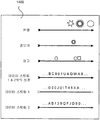
도 1은 3개의 각각 병렬인 순회적인 데이터 구조체의 개략도,1 is a schematic diagram of three traversal data structures each parallel;
도 2는 순회적인 데이터 구조체에 관한 위치와 순차적으로 연관된 프로세스에 대응하는 그래픽 아이템의 개략도,2 is a schematic diagram of a graphical item corresponding to a process sequentially associated with a location relative to a traversal data structure;
도 3은 순회적인 데이터 구조체와 연관되어 있는 하나의 그래픽 아이템이 보이는 표시부의 개략도,3 is a schematic representation of a display showing one graphical item associated with a traversal data structure;
도 4는 순회적인 데이터 구조체와 연관되어 있는 2개의 부분적인 그래픽 아이템이 보이는 디스플레이의 개략도,4 is a schematic diagram of a display showing two partial graphical items associated with a traversal data structure;
도 5 및 6은 본 발명의 바람직한 실시예가 구현된 컴퓨터와 연관되어 있는 디스플레이의 실제 스크린 샷을 도시하는 도면,5 and 6 show actual screen shots of a display associated with a computer in which a preferred embodiment of the present invention is implemented;
도 7은 본 발명의 핵심 기술 실시예의 기초 기능 구성의 개략도,7 is a schematic diagram of a basic functional configuration of a key technical embodiment of the present invention;
도 8 내지 13은 본 발명의 다양한 바람직한 실시예의 개략도,8 to 13 are schematic views of various preferred embodiments of the present invention,
도 14는 복수의 데이터 시리즈, 이벤트 등에 대한 미니 맵 표시에서 보이는 평행하며 실질적으로 순회적인 데이터 구조체의 개략도.14 is a schematic diagram of parallel, substantially traversal data structures seen in a mini map representation for a plurality of data series, events, and the like.
도 7을 참조하면, 제각각의 운영 체제를 갖춘 적어도 하나의 프로세싱 유닛을 구비하는 컴퓨터 프로세싱 환경에서 사용하기 위한 가상 데스크 탑 - 메타 조직 및 제어 시스템으로서, 시각적 데스크 탑 "소프트웨어" 시스템(120)은 다음을 포함한다. 즉,Referring to FIG. 7, a virtual desktop-meta organization and control system for use in a computer processing environment having at least one processing unit with a respective operating system, wherein the visual desktop “software” system 120 is It includes. In other words,
A. 실시간 액세스 가능한 메모리 매체에서, 적어도 하나의 동적이며 실질적으로 순회적인 전자 데이터 구조체(130)와,A. In a real-time accessible memory medium, at least one dynamic and substantially circulating electronic data structure 130, and
B. 각각의 상기 데이터 구조체와 연관되어 있으며, 각각 규칙적으로,B. Associated with each of the above data structures, each of which is regularly
I. 제각각의 운영 체제(100) 데이터 액세스를 기초로 하여, 상기 환경에서 또는 상기 환경의 사전결정된 일부에서 실행 중인 복수의 프로세스의 각 프로세스를 연관된 그래픽 표시로 변형(142), 및I. transform 142 each process of a plurality of processes running in the environment or in a predetermined portion of the environment to an associated graphical representation based on respective operating system 100 data access, and
II. 상기 데이터 구조체에서의 위치로 상기 표시를 논리적으로 할당(144)을 진행하는 알고리즘 기능(140)과,II. An algorithm function 140 for logically allocating the indication 144 to a position in the data structure;
C. 각각의 상기 데이터 구조체와 연관되어 있으며,C. is associated with each of said data structures,
I. 디스플레이 장치(190) 상에서, 적어도 하나의 상기 데이터 구조체 또는 상기 데이터 구조체의 일부에 할당되는 표시 보기(152), 및I. Display view 152 assigned on display device 190 to at least one of said data structure or a portion of said data structure, and
II. 상기 적어도 하나의 데이터 구조체의 구성(154)II. Configuration of the at least one data structure 154
을 용이하게 하는 GUI(graphic user interface)(150)를 포함한다.And a graphical user interface (GUI) 150 to facilitate this.
OS(위의 요소 B.I)에 대해 다소 교묘한 인터페이스를 포함하는 이러한 소프트웨어의 현재 가장 바람직한 모드가 두 부분이 있는데, 이들 두 부분은 소프트웨어 디스플레이의 미니 맵 모듈(위의 요소 C.I)이 애플리케이션 윈도우의 최소 표시를 디스플레이할 수 있게 하는 데 필요하다. 스크린 상에 공통의 링형 데스크 탑 상의 애플리케이션 윈도우가 (대부분) 직접 디스플레이되지 않기 때문에 난점이 있다. 온 스크린 윈도우의 그래픽 콘텐츠를 캡쳐(하고, 그 후에 그것의 크기를 감소시키는 것은 간단한 문제)하는 것이 용이하고 일반적인 방법이지만, 오프 스크린 윈도우의 그래픽 콘텐츠를 캡쳐하는 것은 직접적인 방법은 아니다. 문제가 되는 두 가지 버전이 있으며, 이에 따라 두 가지 방법이 있다. There are two parts of the current most desirable mode of this software that include a somewhat subtle interface to the OS (Element BI above), where the mini map module of the software display (Element CI above) is the minimum of the application window. It is necessary to be able to display the display. The difficulty is that application windows on a common ring-shaped desktop are not (mostly) displayed directly on the screen. While capturing the graphical content of an on-screen window (and then reducing its size is a simple matter) is an easy and common method, capturing the graphical content of an off-screen window is not a direct way. There are two versions at issue, and there are two ways to do this.
어떤 애플리케이션, 예를 들면, 마이크로소프트 인터넷 익스플로러는 그 그래픽 콘텐츠를 캡쳐하는 것을 보다 용이하게 한다. IE 애플리케이션은 실제로, 표준 인터페이스가 있는 IE 브라우저 "구성요소"를 위한 커버이다. 인터페이스의 방법 중 한 가지 방법은 특히, 브라우저의 그래픽 콘텐츠의 캡쳐를 가능하게 하도록 설계된다. 그러나, 이러한 인터페이스는 동일 애플리케이션 내에서만 이용이 가능하나, 서로 다른 애플리케이션의 콘텐츠를 캡쳐할 필요도 있다. 이를 위해서, IE 프로세스에 에이전트(agent)를 삽입하기 위해 특수한 삽입 기술(다소 "해키시(hackish)" 기술이지만, 우수하게 제공됨)을 이용한다. 에이전트는 그래픽 콘텐츠 를 캡쳐하고, 그 후에 이를 표준 IPC(프로세스간 통신)를 통해서 주 애플리케이션으로 전달할 수 있고, 그 후, 주 애플리케이션이 구 그래픽 콘텐츠의 크기를 감소시켜 미니 맵 상에 디스플레이할 수 있다. Some applications, such as Microsoft Internet Explorer, make it easier to capture their graphical content. An IE application is actually a cover for an IE browser "component" with a standard interface. One of the methods of the interface is specifically designed to enable the capture of graphical content of the browser. However, these interfaces can only be used within the same application, but also need to capture content from different applications. To do this, a special insertion technique (somewhat a "hackish" technique, but well provided) is used to insert an agent into the IE process. The agent can capture the graphical content and then deliver it to the main application via standard interprocess communication (IPC), which can then reduce the size of the old graphical content and display it on the mini map.
이러한 문제는 IE에서처럼 사전 설계된 인터페이스가 없는 "덤(dumb)" 애플리케이션에서 더욱 어렵게 된다. 그 경우에, 보다 정교한 기술을 사용해야 한다. 또, 에이전트를 호스트 애플리케이션에 삽입한다. 그러나, 이 때, 모든 표준 OS 페인팅 인터페이스를 연결(hook)하기 위해서 전술한 "API 연결" 방법을 이용하고, 그 후에, 중간에 끼워서 (실제 스크린 상에 그리는 것으로 생각하며) 그 애플리케이션을 메모리 "스크린 대상물" 상에 그리는 것으로 속인다. 에이전트는 그 후에 이전처럼 표준 IPC를 통해서 이러한 메모리 스크린 오브젝트를 주 애플리케이션으로 전송하도록 따를 것이다. This problem becomes even more difficult in "dumb" applications that do not have a predesigned interface as in IE. In that case, more sophisticated techniques should be used. It also injects the agent into the host application. However, at this time, use the "API connection" method described above to hook all the standard OS painting interfaces, and then interpolate (think of drawing on the actual screen) the application in memory "screen". To "draw" on the object. The agent will then follow up to send these memory screen objects to the main application via standard IPC as before.
코어 기술 실시예Core technology embodiment
기본 루프(순회적인 데이터 구조체) 네비게이션은 디폴트로 2개의 인터페이스가 있는 마우스를 실행될 수 있다. 설정 패널에서, 이러한 인터페이스를 구성할 수 있다. Basic loop (iterative data structure) navigation can run a mouse with two interfaces by default. In the settings panel, you can configure these interfaces.
A. 상대적인 마우스 움직임에 의한 스크롤 - 은 <CTRL> 키 + 우측 마우스 버튼을 누르거나, 중간 마우스 버튼을 누름으로써 활성화된다. 마우스를 좌측 또는 우측으로 이동시킬 때, 스크롤 속도는 마우스의 수평 이동에 직접 비례한다. A. Scrolling by relative mouse movement-is activated by pressing the <CTRL> key + the right mouse button, or by pressing the middle mouse button. When moving the mouse left or right, the scroll speed is directly proportional to the horizontal movement of the mouse.
B. 스크린 에지 상에서 마우스에 의한 스크롤 - 마우스를 스크린의 측면에 배치함으로써 뷰가 스크롤된다. 스크롤 속도는 마우스의 수직 위치에 비례해서, 위쪽에서 빠르고, 아래쪽에서 느리다. B. Scroll by Mouse on Screen Edge—View is scrolled by placing the mouse on the side of the screen. Scrolling speed is fast at the top and slow at the bottom, relative to the vertical position of the mouse.
C. 옵션 메뉴 - 작업 바의 우측 모서리에서 또는 맵으로부터 사전결정된 "DeskLoops" 상에 우측 마우스 버튼을 클릭함으로써 선반 아이콘으로부터 활성화된다. "DeskLoops" 아이콘을 더블 클릭함으로써, 모든 열린 윈도우를 루프 상에 펼치는 "배열" 옵션이 활성화된다. C. Options menu-activated from the shelf icon in the right corner of the task bar or by clicking the right mouse button on a predetermined "DeskLoops" from the map. By double-clicking on the "DeskLoops" icon, the "Array" option is activated, which expands all open windows on the loop.
D. 네비게이션 맵 - 스크린의 상부에 마우스를 위치시키면 나타나며, 전체 루프 보기, 또는 루프 일부 보기와, 그 윈도우를 클릭함으로써, 윈도우로 점프하기, 우측 마우스 버튼에 의해 윈도우 닫기, 윈도우를 ― 우측 마우스 버튼에 의해 ― 설정하기, 및 맵의 크기를 재조정 ― 맵 윈도우의 아래쪽 에지를 드래그함으로써 ― (항상 뷰에서) 스티키로서 설정하기 위해 사용된다. D. Navigation Map-Appears when you position the mouse at the top of the screen, and displays the entire loop view, or a partial loop view, jumps to the window by clicking the window, closes the window by right mouse button, right-clicks the window. By-setting, and resizing the map-by dragging the bottom edge of the map window-to set as sticky (always in view).
코어 기술 실시예 ― 실행 가능한 코어 구조체Core Technology Embodiments—A Viable Core Structure
소프트웨어에서 주 모듈 및 그 기능의 목록:List of main modules and their functions in the software:
1. UI(UIManager). 이 모듈은 모든 시스템 범위 사용자 입력을 수집하는 담당을 한다. 이는, 사용자가 마우스를 누르거나 이동시키면 맵이 보여야 하는지 또는 숨겨져야 하는지, 사용자 스크롤이 시작되는지 또는 종료되는지 등을 알려준다. 1. UI (UIManager). This module is responsible for collecting all system-scoped user input. This tells you whether the map should be shown or hidden when the user presses or moves the mouse, whether the user scroll begins or ends.
2. MAP(MapManager). 이러한 모듈은 미니 맵을 표시하고 미니 맵 상에서 사용자 입력을 처리하는 담당을 한다. 2. MAP (MapManager). These modules are responsible for displaying the mini map and processing user input on the mini map.
3. ANIM(AnimatorManager). 이러한 모듈은 서로 다른 동기화된 시각에 시스템 내에서 발생하는 모든 가능한 스크롤 및 이동 명령을 하나의 유연하며 (30ms) 동기화된 이동으로 결합하는 담당을 한다. 시스템에서 모든 다른 모듈로부터 모든 이동 명령을 수신하고, 모듈들을 ScrollManager로 입력되는 30ms 조각으로 자른다. 3. AnimatorManager (ANIM). This module is responsible for combining all possible scroll and move commands occurring within the system into different, synchronized times into one flexible (30 ms) synchronized move. The system receives all movement commands from all other modules and cuts the modules into 30ms pieces that are entered into the ScrollManager.
4. SYSHOOK(SystemHookManager). 이 모듈은 트래핑 OS 이벤트를 통해서 OS와 통신하는 담당을 한다. 이는 윈도우가 열리거나 닫히거나, 이동하거나, 크기 조정되거나, 그래픽이 업데이트되는 것을 검출한다. 또한, 초점 변화를 검출하고, 다른 윈도우로부터 그래픽 콘텐츠를 수신한다. SystemHookManager 모듈은 구현되는 보다 교묘한 기술적 측면의 일부를 포함한다. 4. SYSHOOK (SystemHookManager). This module is responsible for communicating with the OS through trapping OS events. This detects that the window is opened or closed, moved, resized, or the graphic is updated. It also detects focus changes and receives graphical content from other windows. The SystemHookManager module includes some of the more sophisticated technical aspects that are implemented.
a. 이벤트의 트랩은 실행 가능한 주 DLL과 다른 DLL에 배치되어야 하는 System-wide hooks로 수행된다. 이러한 방법에 의해서는, DLL이 시스템 내의 2개 프로세스 사이의 어드레스 공간으로 로딩되어, 정보를 주 애플리케이션 프로세스로 다시 전달하는 데 문제가 생긴다. 정보를 주 애플리케이션 프로세스로 다시 전달하는 것은 표준 프로세스간 통신(이벤트, 공유 메모리 등)을 이용하여 수행될 수 있다. a. Trapping of events is done with system-wide hooks that must be placed in the executable main DLL and in other DLLs. In this way, the DLL is loaded into the address space between two processes in the system, causing problems in passing information back to the main application process. Passing information back to the main application process can be performed using standard interprocess communication (events, shared memory, etc.).
b. 다른 애플리케이션의 그래픽 콘텐츠의 트랩도 다소 기술적으로 복잡하다. 어떤 애플리케이션(예컨대, 인터넷 익스플로러)은 그래픽 콘텐츠를 수신하는 COM 인터페이스를 지원하지만, 다수의 애플리케이션은 이 인터페이스를 지원하지 않는다. 이러한 애플리케이션의 콘텐츠를 캡쳐하는 것은 운영 체제의 그리기 기능으로 연결함으로써 수행될 수 있다. 윈도우 OS 상에서, 이는 이제 API 연결이라는 잘 정리된 기술에 의해 교묘하게 이루어진다. b. The trapping of graphical content from other applications is also somewhat technically complex. Some applications (eg, Internet Explorer) support a COM interface for receiving graphical content, but many applications do not support this interface. Capturing the content of such an application can be accomplished by linking to the drawing function of the operating system. On Windows OS, this is now cleverly crafted by a well-organized technique called API connectivity.
5. SCROLLER(ScrollManager) : 단일의 이동 명령을 수행하는 스크롤 엔진. 단일의 스크롤 이동이 보다 빠르게 하기 위해, 전체 스크린이 업데이트되지는 않지 만, 볼 수 있는 해당 부분만 업데이트된다. 이러한 방법에 의해, 개개의 애플리케이션이 다시 그려질 필요가 없게 된다. 이를 행하는 (이에 부가되는) 알고리즘은 모든 보이는 윈도우의 z 정렬을 식별하여, 임의의 주어진 시각에 보이는 부분을 결정하는 것을 기초로 한다. 5. SCROLLER (ScrollManager): Scroll engine that performs a single move command. To make a single scrolling move faster, the entire screen is not updated, but only the visible part is updated. In this way, individual applications do not have to be redrawn. An algorithm that does this (in addition to it) is based on identifying the z alignment of all visible windows to determine the visible portion at any given time.
다음 이벤트들은 06:00:00.00와 06:00:00.03 사이에서 (그리고 전술한 30초마다) 발생한다.The following events occur between 06: 00: 00.00 and 06: 00: 00.03 (and every 30 seconds described above).
1. 시스템은 모든 "입력 모듈"에 대해 루프를 돌고 다음 싸이클에 대한 명령을 수신한다.1. The system loops through all the "input modules" and receives the command for the next cycle.
2. PhysicalToLogical() : 스크린의 물리적 위치의 콘텐츠를 논리 표시로 판독한다.2. PhysicalToLogical (): reads the content of the physical location of the screen into a logical representation.
3. 시스템이 도착 순서에 의해 명령을 처리한다. 주 명령과 제각각의 동작은 다음이다. 3. The system processes the commands in the order of arrival. The main commands and their respective actions are:
1) "Rotate Loop"(UI) : AnimatorManager 모듈에 비연속적인 이동 명령을 전송.1) "Rotate Loop" (UI): Send a non-continuous move command to AnimatorManager module.
2) "Show map"(UI) : MapManager 모듈에 활성 명령을 전송.2) "Show map" (UI): Send active command to MapManager module.
3) "Hide Map"(UI) : MapManager 모듈에 비활성화 명령을 전송.3) "Hide Map" (UI): Send the disable command to the MapManager module.
4) "End User Movement"(UI) : AWPP를 활성화.4) "End User Movement" (UI): Enable AWPP.
5) "MoveToWindow"(MAP) : 원하는 윈도우를 중앙 정렬하는 AnimatorManager에게 애니메이션 명령을 전달.5) "MoveToWindow" (MAP): Animates the AnimatorManager that centers the desired window.
6) "ReorderLoop"(MAP/SYSTRAY) : 윈도우가 중첩하지 않도록 윈도우들을 재 배치.6) "ReorderLoop" (MAP / SYSTRAY): Reorder the windows so that they do not overlap.
7) "SaveLoop"(MAP/SYSTRAY) : 시스템은 가상 루프 상에서 모든 윈도우 애플리케이션을 넘겨 보고 제각각의 정보를 파일에 저장.7) "SaveLoop" (MAP / SYSTRAY): The system hands over all Windows applications in a virtual loop and saves each piece of information to a file.
8) "LoadLoop"(MAP/SYSTRAY) : 시스템은 지정된 파일로부터 정보를 판독. 애플리케이션을 실행하고 저장 파일 내의 정보에 따라 루프 상에 이를 배치.8) "LoadLoop" (MAP / SYSTRAY): The system reads information from the specified file. Run the application and place it in a loop based on the information in the save file.
9) "New window Create"(SYSHOOK) : 새로운 윈도우가 열릴 위치를 계산하고, 적절한 애니메이션 명령을 AnimatorManager에게 전송.9) "New window Create" (SYSHOOK): Calculates where the new window will be opened and sends the appropriate animation command to the AnimatorManager.
10) "Close Window"(SYSHOOK) : 빈 공간을 "폐쇄하는" 애니메이션 명령을 AnimatorManager에게 전송.10) "Close Window" (SYSHOOK): Send animation command to "Close" empty space to AnimatorManager.
11) "Switch Window"(SYSHOOK) : 이 명령은 윈도우 초점을 바꾼 외부(사용자 또는 OS) 동작, 예컨대 알트-탭 또는 각각의 OS 호출을 식별하면 SystemHookManager 모듈로부터 수신. 시스템은 적절한 윈도우에 "MoveToWindow" 명령을 전달.11) "Switch Window" (SYSHOOK): This command is received from the SystemHookManager module when it identifies an external (user or OS) action that refocused the window, such as Alt-Tab or each OS call. The system passes the "MoveToWindow" command to the appropriate window.
12) "Scroll Command"(ANIM) : 이 명령은, 윈도우마다(및/또는 전체 루프에) 필요한 단일의 누적 스크롤을 행하는 ScrollManager 모듈에 의해 처리됨.12) "Scroll Command" (ANIM): This command is handled by the ScrollManager module, which performs the single cumulative scrolling required per window (and / or the entire loop).
13) LogicalToPhysical() : 내부 논리 표시로부터 물리적 디스플레이를 업데이트.13) LogicalToPhysical (): Updates the physical display from the internal logical representation.
코어 기술 실시예 - 실행 가능한 코드 코어 알고리즘 그룹(ECCAG):Core Technology Embodiment-Executable Code Core Algorithm Group (ECCAG):
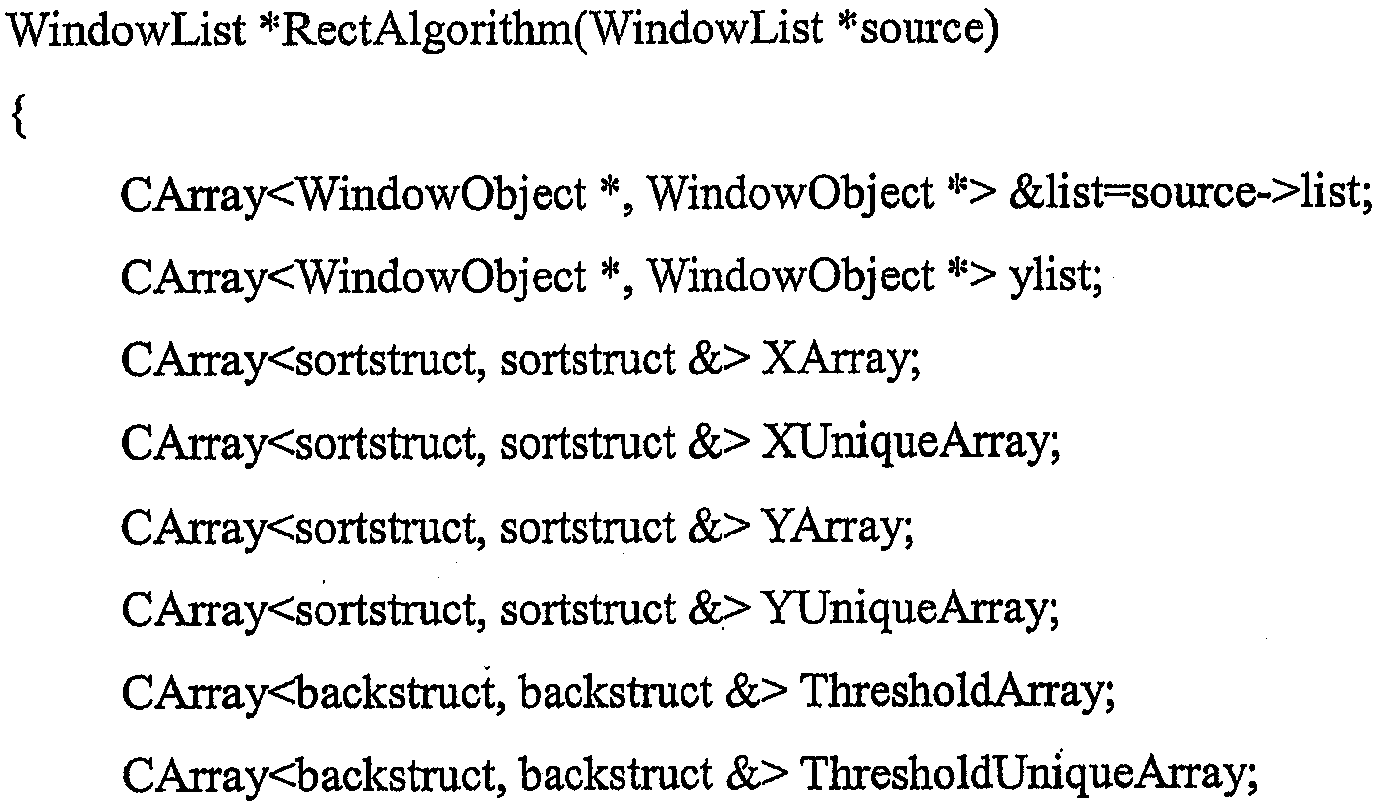
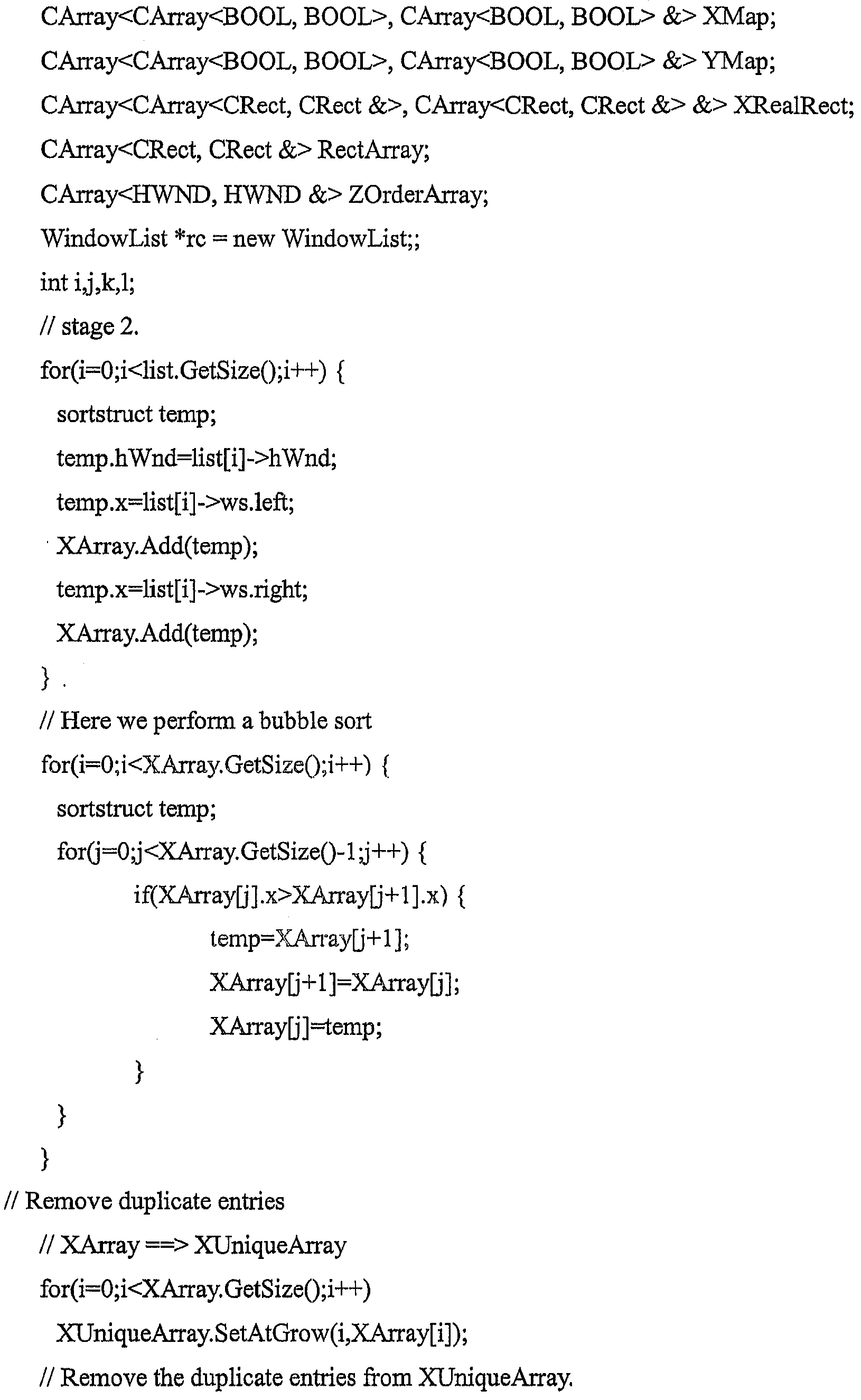
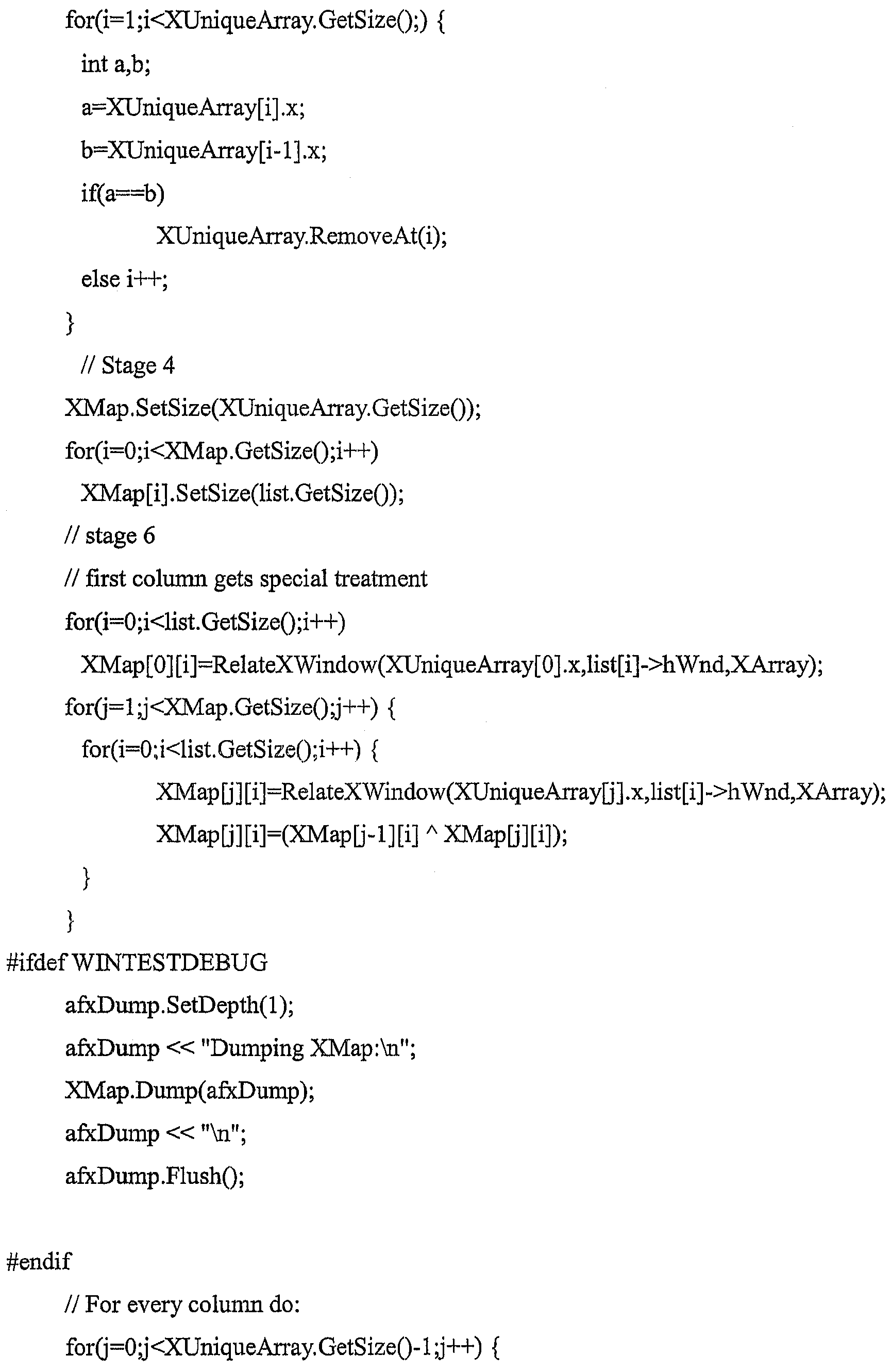
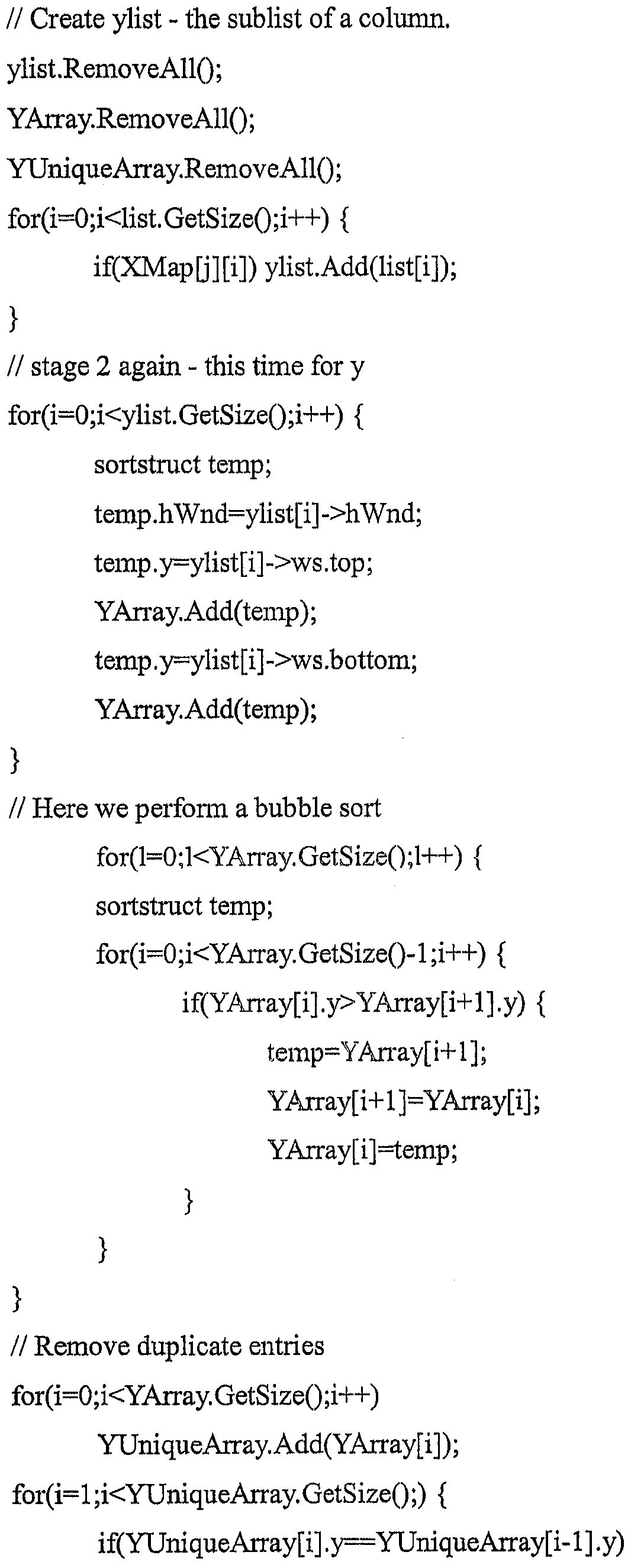
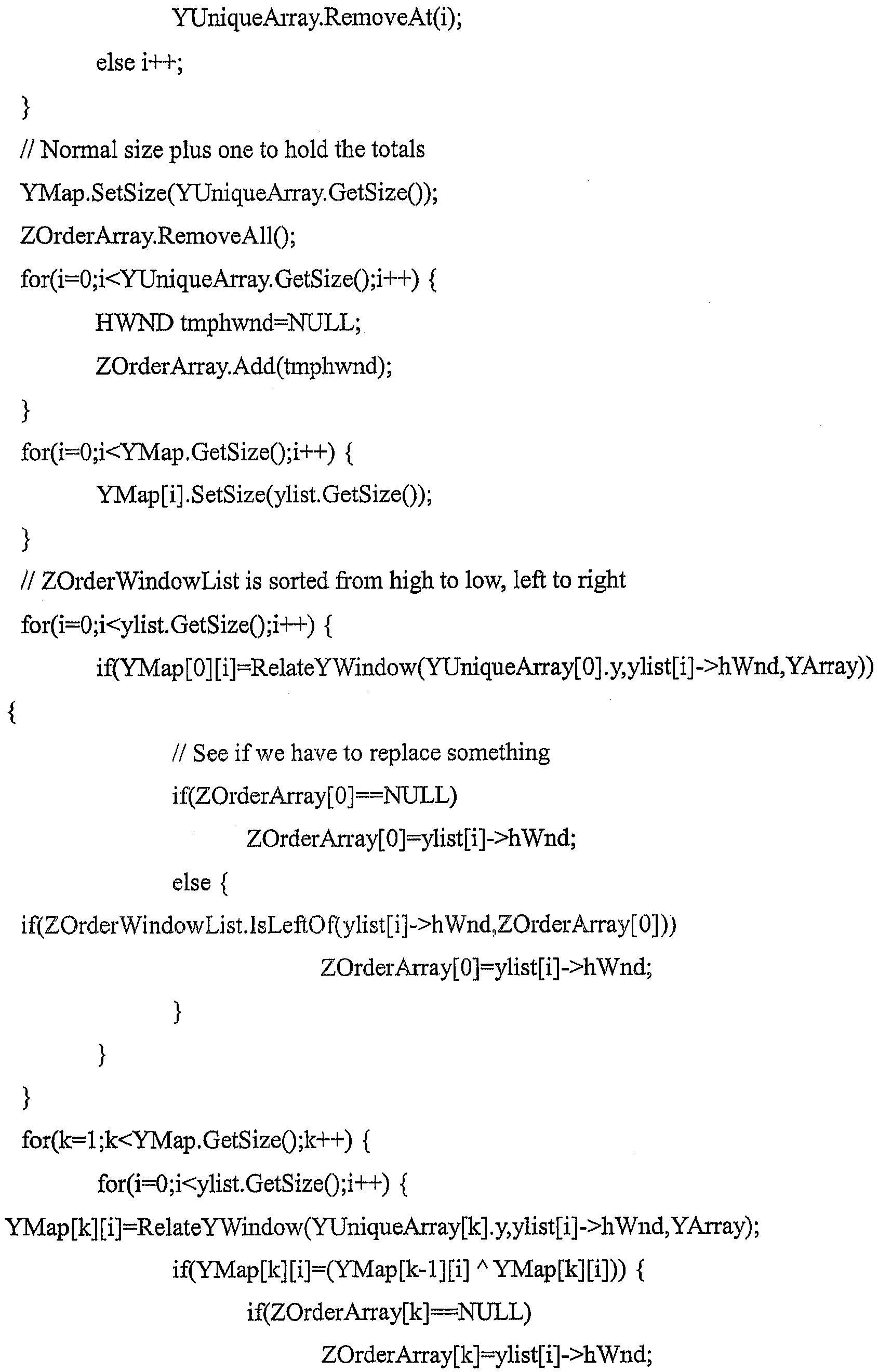
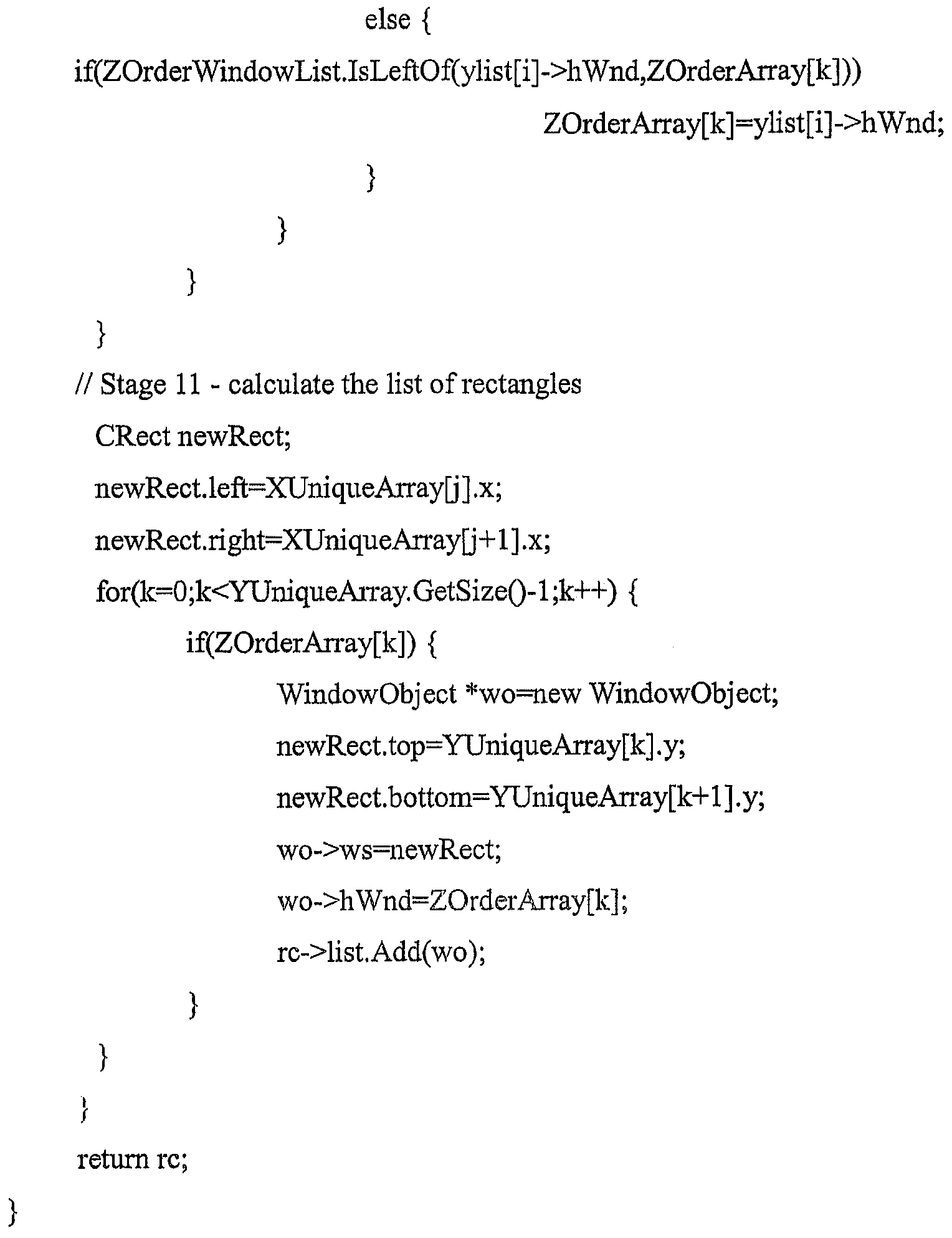
따라서, 본 발명의 실시예, Virtual Desktop - Meta-Organizaion 및 Control System(도 8 참조)은 컴퓨터 시스템에서 활성 애플리케이션들간에 네비게이션하는 방법의 단계들을 실행하기 위한 소프트웨어를 포함한다. 이 방법은, 사용자 스크린 상에서 각각이 디스플레이 스크린에 대응하는 복수의 영역을 갖는 거의 루프 형태의 "가상 표면"을 디스플레이(800)하는 단계와, 적어도 한 쌍의 제각각의 애플리케이션 윈도우 경계가 그 표면에 인접한 부분과 연관된 적어도 하나의 경계를 갖도록 표면 부분을 가지고 있는 복수의 애플리케이션 윈도우 경계들(사용자의 컴퓨터 처리 환경에서 실행 중인 프로세스들)을 연관(810)시키는 단계와, 상기 적어도 하 나의 경계를 거쳐 포인팅 디바이스를 이동시켜 제각각의 애플리케이션 윈도우를 네비게이션(820)하는 단계를 포함한다. Thus, an embodiment of the present invention, Virtual Desktop-Meta-Organizaion and Control System (see FIG. 8), includes software for executing the steps of a method of navigating between active applications in a computer system. The method comprises the steps of: displaying 800 a virtually looped " virtual surface " on a user screen, each having a plurality of regions corresponding to the display screen, wherein at least one pair of respective application window boundaries are adjacent to the surface; Associating (810) a plurality of application window boundaries (processes running in a user's computer processing environment) having a surface portion with at least one boundary associated with the portion, and pointing the device over the at least one boundary; Moving the navigation window to each
따라서, 본 발명의 가상의 데스크 탑 - 메타 구성 및 제어 시스템의 또 다른 실시예(도 9 참조)는 컴퓨터 시스템에서 활성 애플리케이션들간에 네비게이션하는 방법의 단계들을 실행하기 위한 소프트웨어를 포함한다. 본 방법은 거의 루프 형태인 가상의 표면을 제공(900)하는 단계와, 윈도우를 그 표면 상의 위치와 연관(910)시키는 단계와, 결과적으로 그 윈도우가 표면 상의 경계에 걸친 그 위치와 연관된 윈도우가 되도록 윈도우의 경계를 거쳐 이동시켜 윈도우를 네비게이션(920)하는 단계를 포함한다. Thus, another embodiment of the virtual desktop-meta configuration and control system of the present invention (see FIG. 9) includes software for executing the steps of a method of navigating between active applications in a computer system. The method includes providing (900) a virtual surface that is nearly looped, associating (910) a window with a location on the surface, and consequently a window associated with that location across a boundary on the surface. Navigating the window by moving it across the boundary of the window.
또한, 본 발명의 가상의 데스크 탑 - 메타 구성 및 제어 시스템(도 10 참조)은 가상의 데스크 탑을 위한 소프트웨어를 포함한다. 가상의 데스크 탑은 스크린에 대응하는 부분들로 나뉘는 거의 루프 형태의 가상의 표면(1010)과, 표면 부분과 연관되어 있는 애플리케이션 윈도우(1020)와, 표면에 보이는 스크린(1030)과, 보이는 스크린에 디스플레이되는 애플리케이션 윈도우(1040)와, 표면을 회전시켜, 표면에 보이는 스크린 부분을 교환하는 사용자 기기(1050)를 포함한다. In addition, the virtual desktop-meta configuration and control system (see FIG. 10) of the present invention includes software for the virtual desktop. The virtual desktop includes an almost looped
이와 마찬가지로, 본 발명의 가상의 데스크 탑 - 메타 구성 및 제어 시스템의 또 다른 실시예(도 11 참조)는 가상의 데스크 탑을 제공하는 방법의 단계들을 실행하기 위한 소프트웨어를 포함한다. 본 방법은 가상의 맵 표면 ― 맵 표면은 순회적인 평평한 루프 ― 을 제공(1110)하는 단계와, 가상의 맵 표면 상의 영역을 복수의 디스플레이 영역 ― 각각의 디스플레이 영역은 물리적 디스플레이 스크린에 대응함 ― 과 연관시키는 제 1 연관(1120) 단계와, 애플리케이션 윈도우를 적어도 하나의 디스플레이 영역과 연관시키는 제 2 연관(1130) 단계와, 물리적 디스플레이 스크린 상에 연관된 애플리케이션을 디스플레이하도록 디스플레이 영역들간에 네비게이션(1140)할 수 있게 하는 단계와, 애플리케이션 윈도우를 수용하도록 표면에 영역을 추가(1150)하는 단계와, 중첩하지 않게 표면 스크린을 따라서 연속적으로 애플리케이션 윈도우를 배치(1160)하는 단계를 포함한다. Similarly, another embodiment of the virtual desktop-meta configuration and control system of the present invention (see FIG. 11) includes software for performing the steps of a method for providing a virtual desktop. The method includes providing 1110 a virtual map surface, where the map surface is a circular flat loop, and associates an area on the virtual map surface with a plurality of display areas, each display area corresponding to a physical display screen. A
도 12를 참조하면, 본 명세서에서 실질적으로 기술하고 도시하는 본 발명의 모든 실시예에 더하여, 자체에 제각각의 운영 체제를 구비는 적어도 하나의 프로세싱 유닛을 포함하는 컴퓨터 프로세싱 환경에서 사용하기 위한 가상의 데스크 탑 - 메타 구성 및 제어 시스템용으로 구현되는 컴퓨터 판독 가능 프로그램 코드를 가지고 있는 컴퓨터 이용 가능 매체(1210)를 포함하는 컴퓨터 프로그램 제품 및/또는 제조 물품에 관련되는 것으로, 본 발명의 각 실시예의 병행 세트가 도시되어 있는데, 상기 제조 물품 내의 컴퓨터 판독 가능 프로그램 코드는 다음을 포함한다. With reference to FIG. 12, in addition to all embodiments of the present invention substantially described and illustrated herein, a virtual for use in a computer processing environment that includes at least one processing unit having its own respective operating system. Desktop-Concurrent with each embodiment of the present invention, relating to a computer program product and / or article of manufacture comprising a computer usable medium 1210 having computer readable program code implemented for a meta configuration and control system. A set is shown, wherein the computer readable program code in the article of manufacture comprises:
컴퓨터가, 실시간 액세스 가능한 메모리 매체에서 적어도 하나의 동적이며 실질적으로 순회적인 전자 데이터 구조체를 형성 및 유지하게 하는 제 1 컴퓨터 판독 가능 프로그램 코드(1220)와, (I) 제각각의 운영 체제 데이터 액세스를 기초로 하여, (II) 데이터 구조체에서의 위치로 상기 표시를 논리적으로 할당을 진행하는 알고리즘 기능(각각의 상기 데이터 구조체와 연관됨)을 컴퓨터가 실행하게 하기 위한 제 2 컴퓨터 판독 가능 프로그램 코드(1230)와,First computer
제 1 컴퓨터 판독 가능 소프트웨어와 연관되어 있으며 (각각 상기 데이터 구 조체와 연관되어 있는) GUI가 (I) 디스플레이 장치 상에서, 적어도 하나의 상기 데이터 구조체 또는 그 일부에 할당되는 표시 보기, 및 (II) 상기 적어도 하나의 데이터 구조체의 구성을 용이하게 하기 위한 제 3 컴퓨터 판독 가능 프로그램 코드(1240)를 포함한다. A display view associated with the first computer readable software, each associated with the data structure, (I) a display view assigned to (I) at least one of the data structures or portions thereof on the display device, and (II) the Third computer
이와 마찬가지로(도 13을 참조하면), 본 명세서에서 실질적으로 기술하고 도시한 본 발명의 모든 실시예에 더하여, 머신에 의해 판독 가능한 프로그램 저장 디바이스(1310)에 관해서, 본 발명의 제각각의 실시예의 병행 세트가 도시되어 있는데, 이들은 제각각의 운영 체제를 가지고 있는 적어도 하나의 프로세싱 유닛을 포함하는 컴퓨터 프로세싱 환경에서 이용하기 위한 가상의 데스크 탑 - 메타 구성 및 제어 시스템을 위한 방법 단계들을 실행하도록 머신에 의해 실행 가능한 인스트럭션의 프로그램을 구현하며, 상기 가상의 데스크 탑 방법 단계들은 (A) 실시간 액세스 가능한 메모리 매체에서 적어도 하나의 동적이며 실질적으로 순회적인 전자 데이터 구조체를 형성 및 유지하는 단계(1320)와, (B) (I) 제각각의 운영 체제 데이터 액세스를 기초로 하여, (II) 데이터 구조체에서의 위치로 상기 표시를 논리적으로 할당을 진행하는 알고리즘 기능(각각의 상기 데이터 구조체와 연관됨)을 실행하는 단계(1330)와, (C) 각각의 상기 데이터 구조체와 연관되어 있으며, (I) 디스플레이 장치 상에서, 적어도 하나의 데이터 구조체 또는 그 일부에 할당되는 표시 보기 및 (II) 적어도 하나의 데이터 구조체의 구성을 용이하게 하는 그래픽 사용자 인터페이스를 실행하는 단계(1340)를 포함한다. Likewise (see FIG. 13), in addition to all the embodiments of the invention substantially described and illustrated herein, in parallel with the respective embodiments of the invention with respect to a machine-readable
보통의 사용자 핵심 기술 실시예의 사용자 "워크 스루(Walk Through)"User "Walk Through" of Moderate User Core Technology Embodiments
소프트웨어인 본 발명의 가상의 데스크 탑 - 메타 구성 및 제어 시스템의 보통 사용자 핵심 기술 실시예는 "DeskLoops"라 하며, 2 개의 주 부분, 신규 디스플레이 관리자 및 보완적인 "미니 맵 "데스크 탑 네비게이션 도구로 구성된다. "DeskLoops" 소프트웨어는 직관적이며 관리 가능한 가상의 데스크 탑을 제공한다. 본질적으로, "DeskLoops"는 애플리케이션들이 시각화에서 (서로 중첩되지 않으며) 서로 나란히 배치되는 새로운 가상의 개념 "루프"(거의 순회식 전자 데이터 구조체 및 그 시각화)를 형성한다. A common user core technical embodiment of the software's virtual desktop-meta configuration and control system of the present invention is called "DeskLoops" and consists of two main parts, a new display manager and a complementary "mini map" desktop navigation tool. do. "DeskLoops" software provides an intuitive and manageable virtual desktop. In essence, "DeskLoops" form a new virtual concept "loop" (almost a traversal electronic data structure and its visualization) in which applications are placed next to each other (not overlapping each other) in the visualization.
기본적으로, DeskLoops는 데스크 탑 메타 구상 및 (프로세스) 제어의 새로운 "루프" 개념을 도입한다. 이러한 개념의 핵심은, 가상의 루프를 따라서 데스크 탑 상의 아이템을 늘려(대응되는 프로세스의 시각적 변형) 데스크 탑을 직관적이며 관리 가능하게 관리해서, 사용자가 데스크 탑의 루프 시각화를 부드럽고 연속적으로 회전시킬 수 있게 하고, 이로써, 유효 데스크 탑 크기가 사용자가 정의하는 크기로 되게 한다. Basically, DeskLoops introduces a new "loop" concept of desktop meta-concept and (process) control. At the heart of this concept is an intuitive and manageable way to manage desktops by stretching items on the desktop along the virtual loop (visual transformation of the corresponding process), allowing the user to smoothly and continuously rotate the loop visualization of the desktop. This allows the effective desktop size to be a user defined size.
루프는 순회식이므로, 사용자가 우측으로 스크롤하면, 디스플레이는 그 원래 시작 지점으로 결과적으로 복귀할 것이다. 이러한 방식으로, 사용자는 루프 환경에서 "위치를 잃는" 일이 결코 없을 것이다. Since the loop is traversal, if the user scrolls to the right, the display will eventually return to its original starting point. In this way, the user will never "lose" in a loop environment.
새로운 윈도우 애플리케이션(예를 들어, 마이크로소프트 익스플로러)이 열리면, 이는 자동으로, 또는 선반 아이콘을 더블 클릭(또는, 키보드/마우스 조합도 가능)함으로써 "루프" 내로 합체된다. 그 윈도우는 사용자가 스크린에서 보는 현재 애플리케이션의 윈도우들 사이의 루프에 또는 그 루프의 "우측 끝"에 합체될 수 있 다. 첫 번째의 경우에, 데스크 탑은 측면이 늘여져서, 새로운 윈도우가 배치될 "빈 공간"을 스크린 상에서 디스플레이되는 현재 애플리케이션의 윈도우들 사이에 마련한다. 배치 동작은 애니메이션을 이용하여, 또는 즉각적으로 수행될 수 있다. 사용자가 애플리케이션을 닫으면, 루프는 빈 공간까지 닫혀 데스크 탑이 흩어지지 않게 유지할 것이다. When a new Windows application (eg Microsoft Explorer) is opened, it is merged into the "loop" automatically or by double-clicking on the shelf icon (or possibly keyboard / mouse combination). The window can be incorporated in a loop between the windows of the current application that the user sees on the screen or at the "right end" of the loop. In the first case, the desktop is stretched sideways to provide a "blank space" between the windows of the current application being displayed on the screen, where the new window will be placed. Placement operations can be performed using animation or immediately. When the user closes the application, the loop will close to the empty space, keeping the desktop from being scattered.
디스플레이 관리자는 애플리케이션을 조작하기 위해 운영 체제 형성 방법과 완전히 호환 가능하다. Display managers are fully compatible with operating system formation methods for manipulating applications.
바람직한 피쳐Desirable features
사용자에게 효율적이고 직관적인 플랫폼을 제공하기 위해서, 자동 윈도우 정렬기 피쳐가 DeskLoops 데스크 탑 플랫폼 내에 합체된다. 자동 윈도우 정렬기는 스크린의 측면에 대해 윈도우의 우측 또는 좌측을 정렬하는 담당을 한다. 이러한 피쳐는, 사용자가 애플리케이션의 윈도우를 전체 크기로 여는 경우에 매우 중요하다. 이러한 경우에, 자동 윈도우 정렬자는, 윈도우의 우측 또는 좌측이 스크린에 대해 정렬되는 정확한 위치까지 사용자가 데스크 탑을 스크롤하지 않아도 되게 한다. To provide an efficient and intuitive platform for the user, an automatic window aligner feature is incorporated within the DeskLoops desktop platform. The automatic window aligner is responsible for aligning the right or left side of the window with respect to the side of the screen. This feature is very important if the user opens the application's window at full size. In this case, the automatic window aligner does not require the user to scroll the desktop to the exact position where the right or left side of the window is aligned with the screen.
사용자가 윈도우의 위치를 이동시키고, 그 다음에 그 윈도우를 "루프" 내에 다시 배치하기를 원하면, 작업 바 관리자 상에 배치되는 아이콘을 더블 클릭함으로써 매우 쉽게 이루어질 수 있다. If the user wants to move the position of the window and then place it back in the "loop", this can be done very easily by double-clicking the icon placed on the taskbar manager.
사용자가 알트-탭을 누르거나, 애플리케이션을 전환하기 위해 작업 바를 사용하면, 루프는 선택한 애플리케이션이 보이도록 자동으로 회전할 것이다. 또한, 이러한 플랫폼은 사용자가 애플리케이션들간에 드래그 앤 드롭(drag-and-drop)(마이크로소프트 윈도우 OS 피쳐)을 매우 용이하게 할 수 있게 한다. 사용자는 타겟 애플리케이션이 디스플레이될 때까지 대상물을 스크린의 끝으로 드래그하고, 간단히 그 애플리케이션 내에 대상물을 놓는다. '스티키 윈도우(Sticky window)' 피쳐는, 데스크 탑이 스크롤되는 동안 스크린 상에 그 위치를 유지하는 애플리케이션 윈도우를 사용자가 정의할 수 있게 한다. 이 피쳐는 음악 재생기, 또는 사용자가 그 윈도우 크기를 상대적으로 작게 유지한 채 매우 빠른 액세스를 원하는 임의의 애플리케이션을 위해 사용될 수 있다. If the user presses the Alt-Tab or uses the taskbar to switch applications, the loop will automatically rotate to show the selected application. In addition, this platform allows users to very easily drag-and-drop (Microsoft Windows OS features) between applications. The user drags the object to the end of the screen until the target application is displayed and simply places the object within that application. The 'Sticky window' feature allows the user to define an application window that maintains its position on the screen while the desktop is scrolled. This feature can be used for a music player, or any application in which the user wants very fast access while keeping the window size relatively small.
DeskLoops 소프트웨어에 의해 사용자는 전체 루프 형성을 저장할 수 있게 된다. 사용자는 몇 초 내에 데스크 탑 상으로 전체 루프를 로딩해서, 사전 정의한 작업 환경을 형성한다.DeskLoops software allows the user to save the entire loop formation. The user loads the entire loop onto the desktop in seconds, creating a predefined work environment.
인터페이스interface
인터페이스는 마우스, 또는 임의의 다른 포인팅 또는 스크롤 디바이스 를 기초로 하며, 간단하며 직관적이다. 사용자가 디스플레이의 우측 끝으로 마우스 포인터를 이동시키면, 데스크 탑이 자동으로 우측으로 스크롤되어, 루프의 "숨겨진" 부분을 드러낸다. 스크롤이 계속되면, 스크롤의 속도는 디스플레이 상의 마우스 포인터의 상대적인 높이에 의해 제어될 수 있다. The interface is based on a mouse, or any other pointing or scrolling device, and is simple and intuitive. When the user moves the mouse pointer to the right end of the display, the desktop automatically scrolls to the right, revealing the "hidden" part of the loop. If scrolling continues, the speed of scrolling can be controlled by the relative height of the mouse pointer on the display.
데스크 탑을 스크롤하는 또 다른 방법은, 마우스의 중간 버튼을 누르며 데스크 탑이 스트롤해야 하는 방향까지 마우스를 이동시키는 것이다. 예를 들어, 사용자가 중간 버튼을 누르며 마우스를 우측으로 이동시키면, 데스크 탑은 우측으로 스 크롤될 것이다. 데스크 탑의 스크롤 속도는 사용자가 중간 버튼을 누른 지점으로부터 마우스가 이동한 거리 및 마우스의 현재 위치에 따라 달라진다. 거리가 클수록 데스크 탑이 보다 빠르게 이동될 것이다. Another way to scroll the desktop is to press the middle button of the mouse and move the mouse in the direction the desktop should scroll. For example, if the user presses the middle button and moves the mouse to the right, the desktop will scroll to the right. The scrolling speed of the desktop depends on the distance the mouse has moved from the point at which the user pressed the middle button and the current position of the mouse. The greater the distance, the faster the desktop will move.
미니 맵 네비게이션 도구Mini map navigation tool
또한, DeskLoop은 데스크 탑의 크기 조정 가능한 미니 맵 디스플레이를 포함한다. 미니 맵은 전체 가상 데스크 탑의 소형 표시이며, 본질적으로는 데스크 탑의 정확하게 전체가 크기가 줄어든 버전이다. 사용자는 스크린 상에 나타나는 바와 같이, 그 크기가 줄어든 버전으로 모든 단일의 윈도우 또는 애플리케이션의 내용을 볼 수 있다. 현재 스크린 상에 디스플레이되지 않는 데스크 탑에서 루프의 "숨겨진" 부분에서의 변화가 미니 맵 디스플레이에서는 계속 나타난다. 사용자는 미니 맵 상에서, 미니 맵의 "바닥"을 간단히 위와 아래로 늘림으로써, 디스플레이되는 애플리케이션 윈도우의 개수를 변경할 수 있다. 미니 맵 상에 디스플레이될 수 있는 애플리케이션 윈도우가 많으면, 사용자가 미니 맵을 스크롤하는 것도 잘 할 수 있다. DeskLoop also includes a resizable minimap display of the desktop. The mini-map is a miniature representation of the entire virtual desktop, and is essentially a reduced-size version of the entire desktop. The user can view the contents of every single window or application in a reduced version as it appears on the screen. Changes in the "hidden" portion of the loop on the desktop that are not currently displayed on the screen continue to appear in the mini map display. The user can change the number of application windows displayed by simply stretching the "bottom" of the mini map up and down on the mini map. If there are many application windows that can be displayed on the mini map, the user may also be good at scrolling the mini map.
미니 맵은 루프를 네비게이션 ― 사용자가 맵 상의 윈도우를 클릭하면, 그 윈도우가 디스플레이에서 중앙에 위치하도록 루프가 자동으로 정확한 위치로 회전함 ― 하는 것을 용이하게 하기 위해 사용될 수 있다. 또한, 미니 맵은 데스크 탑에서 임의의 주어진 윈도우, 애플리케이션 또는 정의된 그룹의 윈도우를 특정적으로 조작하기 위해 사용될 수 있다. 미니 맵은 자동 숨기기를 하도록 구성될 수 있으며, 그 디스플레이는 투명일 수 있다.The mini map can be used to facilitate navigating the loop, where the loop automatically rotates to the correct position so that when the user clicks a window on the map, the window is centered on the display. In addition, the mini map can be used to specifically manipulate any given window, application or window of a defined group on the desktop. The mini map may be configured to auto hide, and the display may be transparent.
검토 기록 : 본 발명의 산업상 이용 가능성 ― 기술적 이슈 : 본 발명의 가상의 데스크 탑 ― 메타 구성 및 제어 시스템의 구현예는 표준 소프트웨어 함수를 이용하여 구성 가능하며, 공지되어 있는 "헤커" 기술 및 도구에 의해서도 구성 가능하다. Review History: Industrial Applicability of the Present Invention Technical Issue: Virtual Desktop of the Present Invention An implementation of the meta configuration and control system is configurable using standard software functions and known "hecker" techniques and tools. It can also be configured by.
검토 기록 : 본 발명의 산업상 이용 가능성 ― 인간 환경 공학적 이슈 : 본 발명의 가상의 데스크 탑 ― 메타 구성 및 제어 시스템의 구현예는 직관적이며, 개념적 구성에서 유리하고 보통의 인터페이스 상호작용(키보드 명령, 포인트 및 클릭 동작, 드래그 앤 드랍 동작 등)에서도 유리하다. Review History: Industrial Applicability of the Present Invention—Ergonomic Issues: Virtual Desktop of the Present Invention—The implementation of the meta configuration and control system is intuitive, advantageous in conceptual construction, and with common interface interactions (keyboard commands, Point and click actions, drag and drop actions, etc.) are also advantageous.
검토 기록 : 본 발명의 산업상 이용 가능성 ― 경제적 이슈 : 본 발명의 가상의 데스크 탑 ― 메타 구성 및 제어 시스템의 구현예는 활동 조정자(예를 들면, 프로젝트 관리자, 에어 트래픽 제어, C3, 데이 트레이딩 그룹을 위한 브로커에이즈 캐쉬 흐름 관리, 통화 투기자, 재정 거래 투기자 등)를 위해 개발된, 대량 자원을 소모하던 가상 데스크 탑 - 메타-조직 및 제어 시스템과 다르게 보통의 세련된 사용자에게 있어서 비용 효과적이다. Review History: Industrial Applicability of the Invention Economic Issues: Virtual Desktops of the Invention An implementation of the meta configuration and control system may include activity coordinators (eg, project manager, air traffic control, C3, day trading group). It is cost effective for the average sophisticated user, unlike the massive resource consuming virtual desktop-meta-organization and control system, which was developed for brokerage cash flow management, currency speculators, financial transaction speculators, etc.).
특별히 강조되는 피쳐(Features of Special Emphasis)Features of Special Emphasis
"DeskLoops 소프트웨어에 의해서 사용자는 형성된 전체 루프 형성부를 저장할 수 있게 된다. 사용자는 추후 몇 초 내에 전체 루프를 데스크 탑으로 로딩해서, 사전 정의된 작업 환경을 생성할 수 있다." 사전 정의된 루프는, 작업 환경의 활현재 상태를 "스냅 샷"할 수 있게 한다. 본 기술은 가상의 루프를 따라서 데스크 탑을 늘려서, 사용자가 데스크 탑을 연속적으로 부드럽게 회전시켜, 유효 데스 크 탑 크기를 사용자가 정의할 수 있는 크기만큼 길어지게 할 수 있다(기술 설명 문서로 중). 사용자는 (복수의 윈도우 또는 단지 몇 개의 윈도우를 관리하고자 하는) 사용자의 필요에 따라 자동으로 응하는 매우 강력한 데스크 탑을 경험할 수 있다. "DeskLoops software allows the user to save the entire loop formed. The user can load the entire loop to the desktop in the next few seconds, creating a predefined working environment." Predefined loops allow for a "snapshot" of the active state of the working environment. The technique allows the desktop to be stretched along a virtual loop, allowing the user to smoothly rotate the desktop continuously so that the effective desktop size is as long as user definable (in technical documentation). . The user can experience a very powerful desktop that automatically responds to the user's needs (to manage multiple windows or just a few windows).
복수의 애플리케이션들간의 손-눈 조정 연결 및 네비게이션에 관해서, 본 시스템의 AWPP(Automatic Window Position Predictor) 피쳐는 사용자 손 대 눈 조정(user hand-to-eye coordination)을 향상시키도록 설계되었다. AWPP는 사용자가 루프 움직임을 초기화할 때마다 동작한다. AWPP는 현재 움직임의 종료 지점을 거의 흡사하게 계산하므로, 사용자의 작은 부정확성을 보상할 수 있다. 예를 들어, 사용자가 전체 윈도우 쪽으로 루프를 이동시키고 이 윈도우가 디스플레이의 경계에 대해 정확하게 정렬되지 않은 채 그 움직임을 종료하면, AWPP는 사용자가 실제로 달성하기 원했던 것이 그 윈도우를 디스플레이 경계에 정렬시키는 것이라고 가정하고, 이 목표를 달성하기 위해, 사용자의 입력을 끊임없이 보정할 것이다. Regarding hand-eye coordination connection and navigation between multiple applications, the Automatic Window Position Predictor (AWPP) feature of the system is designed to improve user hand-to-eye coordination. AWPP works whenever the user initiates a loop movement. AWPP calculates nearly the end of the current movement, thus compensating for small inaccuracies of the user. For example, if the user moves a loop toward the entire window and ends the movement without the window being exactly aligned with the border of the display, AWPP says that what the user really wanted to achieve is to align the window with the display border. Assume, to achieve this goal, we will constantly correct the user's input.
디스플레이 피쳐 - GUI "특별히 강조되는" 프로그램 기능Display Features-GUI "Specially Highlighted" Program Features
"윈도우 그룹화" : 이 피쳐는 그 내용(및 애플리케이션의 유형)에 따라 윈도우를 특정 루프 위치에 속하게 한다. 예를 들어, 한가지 방법은 새로운 워드 윈도우가 열릴 때마다, 루프 상의 나머지 열린 워드 윈도우와 인접하게 배치되도록 모든 워드 윈도우를 함께 그룹화하는 것일 수 있다. "Window Grouping": This feature allows a window to belong to a specific loop location, depending on its content (and the type of application). For example, one method may be to group all word windows together so that each time a new word window is opened, they are placed adjacent to the rest of the open word windows on the loop.
"3D 지원" : 최근에, 3D 모니터가 시장에 소개되었다. 이러한 모니터는 (iMax 시네마와 유사한) 3D 환영을 지원한다. 이러한 하드웨어에서, 시스템은 표 준 하드웨어 상에서 가능한 하나의 스크린 크기보다도 루프 부분을 크게 디스플레이하는 것을 용이하게 할 것이다. 이로써, 디스플레이의 3D 공간에서 전경 윈도우와 인접한 루프의 일부를 나타내게 되어서, 루프가 그 스크린을 따라서 구부러지게 나타나게 될 것이다. 사용자는 루프의 중심에 위치하는 느낌을 받을 것이다. "3D Support": Recently, 3D monitors have been introduced to the market. These monitors support 3D illusions (similar to iMax cinema). In such hardware, the system will facilitate displaying the loop portion larger than one screen size possible on standard hardware. This will represent part of the loop adjacent to the foreground window in the 3D space of the display, so that the loop will appear curved along the screen. You will feel as if you are in the center of the loop.
"스티키 윈도우(Sticky window)" 피쳐는, 데스크 탑이 스크롤되는 동안 스크린 상에 그 위치를 유지하는 애플리케이션 윈도우를 사용자가 정의할 수 있게 한다. 이 피쳐는 음악 재생기, 또는 사용자가 그 윈도우 크기를 상대적으로 작게 유지한 채 매우 빠른 액세스를 원하는 임의의 애플리케이션을 위해 사용될 수 있다. The "Sticky window" feature allows a user to define an application window that maintains its position on the screen while the desktop is scrolled. This feature can be used for a music player, or any application in which the user wants very fast access while keeping the window size relatively small.
"다중 모니터 지원" : 소프트웨어는 다중 모니터 디스플레이를 지원한다. 스크린 크기는 모든 모니터의 전체 스크린 크기로서 계산될 것이다. "Multiple Monitor Support": The software supports multiple monitor displays. The screen size will be calculated as the total screen size of all monitors.
"루프 소형화" : 보통, 웹 페이지는 사용자에게는 "독립형" 모드로 보이도록 설계된다. 즉, 단일의 전체 크기의 윈도우로 보이도록 설계된다. 따라서, 다수의 윈도우는, 공유하는 디스플레이 환경에서 낭비되는 것으로 간주될 수 있는 큰 여백을 포함한다. 루프형 디스플레이(Loop-oriented display)에서, 이러한 여백은 더 이상 필요하지 않으므로, 루프형 디스플레이가 인에이블되면, 이 피쳐는 낭비하는 여백을 없애도록 자동으로 웹 브라우저의 크기를 재조정하거나 그렇지 않으면 웹 브라우저를 변경해서 사용자가 소형 크기로 효율적으로 보다 많은 정보를 볼 수 있게 한다. "Loop down": Normally, web pages are designed to appear to the user in "standalone" mode. That is, it is designed to look like a single full size window. Thus, many windows contain large margins that can be considered waste in a shared display environment. In a loop-oriented display, this margin is no longer needed, so when the looped display is enabled, this feature automatically resizes the web browser to eliminate wasted space or otherwise Change the size so that the user can view more information efficiently in a small size.
"다중 루프 지원" : 이 소프트웨어의 기본적인 동작은 하나의 가상의 루프를 이용하는 것이다. 또한, 소프트웨어는 다중 루프의 존재를 동시에 지원한다. 사 용자는 각 루프의 속성들을 별도로 추가하고, 제거하고, 명명하고, 구성하고, 윈도우를 하나의 루프로부터 또 다른 루프로 이동시킬 수 있다. "Multiple loop support": The basic operation of the software is to use one virtual loop. In addition, the software supports the presence of multiple loops simultaneously. You can add, remove, name, and organize the properties of each loop separately, and move the window from one loop to another.
소프트웨어는, 사용자가 루프들간에 신속히 네비게이션할 수 있게 하는 인터페이스를 제공한다. The software provides an interface that allows the user to navigate quickly between loops.
"최대 윈도우 크기 증가" : 운영 체제의 정규 동작에서는, 윈도우가 스크린의 크기보다 크게 되기란 거의 불가능하다. 그러나, 루프형 디스플레이에 의해서는 이러한 것이 가능하게 된다. 따라서, 이 소프트웨어는 윈도우가 스크린보다 큰 크기로 존재할 수 있게 한다. 예를 들면, 통합 개발 환경(예컨대, 마이크로소프트 NET IDE)에서 이로부터 이익을 얻을 수 있다. "Maximum window size increase": In normal operation of the operating system, it is almost impossible for a window to be larger than the size of the screen. However, this is possible with the loop type display. Thus, the software allows a window to be present in a larger size than the screen. For example, you can benefit from an integrated development environment (such as the Microsoft NET IDE).
주의 : 본 발명을 설명하는 데 있어서, 현재 수용되는 기술적 이론(소프트웨어) 또는 상업적 모델(경영, 제어, 구성 등)의 견지에서 설명을 하였다. 이러한 이론 및 모델은 변경되며 둘 다 단열적이며 근본적이다. 이러한 변화는, 기본적 구성요소에 대한 표시가 새롭게 되거나, 이러한 요소들간에 변형이 구상되거나, 이들 요소나 그 변형에 대한 새로운 해석이 이루어지기 때문에 생긴다. 그러므로, 본 발명은 실시예에서, 특정 기술의 현실하에 관한 것임을 유념해야 한다. 따라서, 본 명세서 이러한 실시예에 관련된 설명에 따른 이론이나 모델은 교시를 목적으로 제공되었으며, 당업자라면, 이러한 실시예가 실제로 구현될 수 있는 방법을 주지하고 있을 것이다. 실시예에 대한 다른 설명에 의해서 이러한 구현이 부정되거나 변경되지는 않을 것이다. Note: In describing the present invention, it has been described in terms of currently accepted technical theory (software) or commercial model (management, control, configuration, etc.). These theories and models change and are both adiabatic and fundamental. These changes arise because of the renewal of the representation of the basic components, the transformation between these elements, or the interpretation of these elements or their transformations. Therefore, it should be noted that the present invention is directed to the reality of a particular technology in the embodiments. Accordingly, the theory or model according to the description related to this embodiment herein is provided for the purpose of teaching, and those skilled in the art will know how such embodiment may be implemented in practice. Other implementations of the embodiments will not deny or change this implementation.
본 명세서에서는 단지 설명을 쉽게 하기 위해, 번호, 알파벳 문자 및 로마 문자를 지정하였으나, 임의의 방법 단계에서 특정 순서를 부과하는 것으로 간주되어서는 안된다. 이와 마찬가지로, 본 명세서에서 본 발명의 실시예는 특정한 어떤 정도로 기술되었다. 특히, 본 발명의 실시예를 본 발명을 수행하는 바람직한 모드를 포함하는 특정 예에 관하여 기술하였으나, 당업자라면, 본 발명의 청구의 범위에 설정되어 있는 본 발명의 사상 및 범주 내에서 상술한 시스템 및 기술이 다양하게 수정 및 변형될 수 있다는 것을 이해할 수 있을 것이다.In the present specification, for ease of explanation, numbers, alphabetical characters, and Roman letters are specified, but should not be considered to impose a specific order in any method step. Likewise, embodiments of the invention have been described herein to certain extent. In particular, while embodiments of the invention have been described with reference to specific examples, including preferred modes of carrying out the invention, those skilled in the art will appreciate that the systems and systems described above within the spirit and scope of the invention as set forth in the claims of the invention and It will be appreciated that the technology can be modified and modified in various ways.
Claims (7)
Applications Claiming Priority (2)
| Application Number | Priority Date | Filing Date | Title |
|---|---|---|---|
| US48330403P | 2003-06-27 | 2003-06-27 | |
| US60/483,304 | 2003-06-27 |
Publications (1)
| Publication Number | Publication Date |
|---|---|
| KR20060052717A true KR20060052717A (en) | 2006-05-19 |
Family
ID=33552052
Family Applications (1)
| Application Number | Title | Priority Date | Filing Date |
|---|---|---|---|
| KR1020057025135A Ceased KR20060052717A (en) | 2003-06-27 | 2004-06-25 | Virtual desktops, how to recall an array of program examples, how to manage application examples, and how to manage applications |
Country Status (7)
| Country | Link |
|---|---|
| US (1) | US20070150810A1 (en) |
| EP (1) | EP1639434A2 (en) |
| JP (1) | JP2007526548A (en) |
| KR (1) | KR20060052717A (en) |
| CN (1) | CN101040249A (en) |
| CA (1) | CA2530370A1 (en) |
| WO (1) | WO2005001658A2 (en) |
Families Citing this family (129)
| Publication number | Priority date | Publication date | Assignee | Title |
|---|---|---|---|---|
| US8698751B2 (en) * | 2010-10-01 | 2014-04-15 | Z124 | Gravity drop rules and keyboard display on a multiple screen device |
| US8281241B2 (en) | 2004-06-28 | 2012-10-02 | Nokia Corporation | Electronic device and method for providing extended user interface |
| US20060168528A1 (en) * | 2005-01-27 | 2006-07-27 | Microsoft Corporation | Method for arranging user interface glyphs on displays |
| AU2005203074A1 (en) * | 2005-07-14 | 2007-02-01 | Canon Information Systems Research Australia Pty Ltd | Image browser |
| US20070033625A1 (en) * | 2005-07-20 | 2007-02-08 | Fu-Sheng Chiu | Interactive multimedia production system |
| US7600190B2 (en) * | 2005-11-15 | 2009-10-06 | Mitac Technology Corp. | Window switching method and system |
| US7509588B2 (en) | 2005-12-30 | 2009-03-24 | Apple Inc. | Portable electronic device with interface reconfiguration mode |
| US8745526B2 (en) * | 2006-03-14 | 2014-06-03 | Blackberry Limited | Screen display in application switching |
| US8564544B2 (en) * | 2006-09-06 | 2013-10-22 | Apple Inc. | Touch screen device, method, and graphical user interface for customizing display of content category icons |
| US9304675B2 (en) | 2006-09-06 | 2016-04-05 | Apple Inc. | Portable electronic device for instant messaging |
| US10313505B2 (en) * | 2006-09-06 | 2019-06-04 | Apple Inc. | Portable multifunction device, method, and graphical user interface for configuring and displaying widgets |
| US8564543B2 (en) * | 2006-09-11 | 2013-10-22 | Apple Inc. | Media player with imaged based browsing |
| US8448067B2 (en) | 2006-12-07 | 2013-05-21 | Sony Computer Entertainment America, LLC | Graphics command management tool and methods for analyzing performance for command changes before application modification |
| US8112770B2 (en) * | 2006-12-20 | 2012-02-07 | Microsoft Corporation | Providing alternative content in a windowed environment |
| US9142253B2 (en) | 2006-12-22 | 2015-09-22 | Apple Inc. | Associating keywords to media |
| US8276098B2 (en) | 2006-12-22 | 2012-09-25 | Apple Inc. | Interactive image thumbnails |
| US20080163104A1 (en) * | 2006-12-30 | 2008-07-03 | Tobias Haug | Multiple window handler on display screen |
| US8689132B2 (en) | 2007-01-07 | 2014-04-01 | Apple Inc. | Portable electronic device, method, and graphical user interface for displaying electronic documents and lists |
| US8519964B2 (en) | 2007-01-07 | 2013-08-27 | Apple Inc. | Portable multifunction device, method, and graphical user interface supporting user navigations of graphical objects on a touch screen display |
| US8788954B2 (en) * | 2007-01-07 | 2014-07-22 | Apple Inc. | Web-clip widgets on a portable multifunction device |
| JP4612647B2 (en) * | 2007-03-06 | 2011-01-12 | Necカシオモバイルコミュニケーションズ株式会社 | Electronic device and electronic device processing program |
| US20080288866A1 (en) * | 2007-05-17 | 2008-11-20 | Spencer James H | Mobile device carrousel systems and methods |
| US9933937B2 (en) | 2007-06-20 | 2018-04-03 | Apple Inc. | Portable multifunction device, method, and graphical user interface for playing online videos |
| US9772751B2 (en) | 2007-06-29 | 2017-09-26 | Apple Inc. | Using gestures to slide between user interfaces |
| US11126321B2 (en) * | 2007-09-04 | 2021-09-21 | Apple Inc. | Application menu user interface |
| US8619038B2 (en) * | 2007-09-04 | 2013-12-31 | Apple Inc. | Editing interface |
| US9619143B2 (en) | 2008-01-06 | 2017-04-11 | Apple Inc. | Device, method, and graphical user interface for viewing application launch icons |
| KR20090050577A (en) * | 2007-11-16 | 2009-05-20 | 삼성전자주식회사 | User interface for displaying and playing multimedia contents, apparatus and control method thereof |
| US8959248B2 (en) * | 2008-02-22 | 2015-02-17 | Microsoft Corporation | Personal computing environment with virtual computing device |
| US9053196B2 (en) * | 2008-05-09 | 2015-06-09 | Commerce Studios Llc, Inc. | Methods for interacting with and manipulating information and systems thereof |
| TW201001266A (en) * | 2008-06-19 | 2010-01-01 | Wistron Neweb Corp | Method and related interface for controlling an electronic device with a touch panel |
| US8156445B2 (en) * | 2008-06-20 | 2012-04-10 | Microsoft Corporation | Controlled interaction with heterogeneous data |
| US8631351B2 (en) * | 2008-06-29 | 2014-01-14 | Microsoft Corporation | Providing multiple degrees of context for content consumed on computers and media players |
| JP4591568B2 (en) * | 2008-07-16 | 2010-12-01 | セイコーエプソン株式会社 | Image display control method, image supply apparatus, and image display control program |
| JP2010054762A (en) * | 2008-08-28 | 2010-03-11 | Sony Corp | Apparatus and method for processing information, and program |
| US8701040B2 (en) * | 2008-09-29 | 2014-04-15 | Microsoft Corporation | Panoramic graphical user interface |
| KR101513019B1 (en) * | 2008-10-27 | 2015-04-17 | 엘지전자 주식회사 | A portable terminal and its operation method |
| US8584031B2 (en) | 2008-11-19 | 2013-11-12 | Apple Inc. | Portable touch screen device, method, and graphical user interface for using emoji characters |
| US8700441B1 (en) | 2009-03-25 | 2014-04-15 | Jpmorgan Chase Bank, N.A. | Trader portal system and method |
| KR101601040B1 (en) | 2009-05-19 | 2016-03-09 | 삼성전자주식회사 | Screen Display Method And Apparatus For Portable Device |
| US8966375B2 (en) * | 2009-09-07 | 2015-02-24 | Apple Inc. | Management of application programs on a portable electronic device |
| GB2473429B (en) * | 2009-09-07 | 2013-12-11 | Snow Leopard Invest Ltd | A video-collaboration apparatus and method |
| US9265429B2 (en) | 2009-09-18 | 2016-02-23 | Welch Allyn, Inc. | Physiological parameter measuring platform device supporting multiple workflows |
| CN101655805B (en) * | 2009-09-18 | 2012-11-28 | 北京伸得纬科技有限公司 | Method and device for constructing multilayered virtual operating system |
| US9310907B2 (en) | 2009-09-25 | 2016-04-12 | Apple Inc. | Device, method, and graphical user interface for manipulating user interface objects |
| WO2011037558A1 (en) | 2009-09-22 | 2011-03-31 | Apple Inc. | Device, method, and graphical user interface for manipulating user interface objects |
| US8832585B2 (en) * | 2009-09-25 | 2014-09-09 | Apple Inc. | Device, method, and graphical user interface for manipulating workspace views |
| US20110093888A1 (en) * | 2009-10-21 | 2011-04-21 | John Araki | User selection interface for interactive digital television |
| US20110113352A1 (en) * | 2009-11-06 | 2011-05-12 | Research In Motion Limited | Portable electronic device and method of web page rendering |
| US20110109634A1 (en) * | 2009-11-06 | 2011-05-12 | Research In Motion Limited | Portable electronic device and method of information rendering on portable electronic device |
| US8667050B2 (en) * | 2009-12-09 | 2014-03-04 | Citrix Systems, Inc. | Methods and systems for displaying, on a first machine, data associated with a drive of a second machine, without mapping the drive |
| US8736561B2 (en) | 2010-01-06 | 2014-05-27 | Apple Inc. | Device, method, and graphical user interface with content display modes and display rotation heuristics |
| US20110214063A1 (en) * | 2010-03-01 | 2011-09-01 | Microsoft Corporation | Efficient navigation of and interaction with a remoted desktop that is larger than the local screen |
| US8611678B2 (en) | 2010-03-25 | 2013-12-17 | Apple Inc. | Grouping digital media items based on shared features |
| US8988456B2 (en) | 2010-03-25 | 2015-03-24 | Apple Inc. | Generating digital media presentation layouts dynamically based on image features |
| US8458615B2 (en) | 2010-04-07 | 2013-06-04 | Apple Inc. | Device, method, and graphical user interface for managing folders |
| US10788976B2 (en) | 2010-04-07 | 2020-09-29 | Apple Inc. | Device, method, and graphical user interface for managing folders with multiple pages |
| EP2557488B1 (en) * | 2010-04-09 | 2018-07-25 | Sony Interactive Entertainment Inc. | Information processing device |
| US20110307826A1 (en) * | 2010-06-09 | 2011-12-15 | Ebay Inc. | User interface with mouse-over function |
| US8793650B2 (en) | 2010-06-11 | 2014-07-29 | Microsoft Corporation | Dynamic web application notifications including task bar overlays |
| US8661369B2 (en) | 2010-06-17 | 2014-02-25 | Lg Electronics Inc. | Mobile terminal and method of controlling the same |
| US9081494B2 (en) | 2010-07-30 | 2015-07-14 | Apple Inc. | Device, method, and graphical user interface for copying formatting attributes |
| CN102013191B (en) * | 2010-09-02 | 2012-10-03 | 东北师范大学 | Intelligent teaching aid used for operation system experiment teaching |
| US20120060113A1 (en) * | 2010-09-08 | 2012-03-08 | Nuance Communications, Inc. | Methods and apparatus for displaying content |
| US8749484B2 (en) | 2010-10-01 | 2014-06-10 | Z124 | Multi-screen user interface with orientation based control |
| US8584015B2 (en) | 2010-10-19 | 2013-11-12 | Apple Inc. | Presenting media content items using geographical data |
| TW201220176A (en) * | 2010-10-27 | 2012-05-16 | Ibm | A method, computer program and system for multi-desktop management |
| JP5722642B2 (en) * | 2011-01-24 | 2015-05-27 | 京セラ株式会社 | Mobile terminal device |
| US9424052B2 (en) * | 2011-03-21 | 2016-08-23 | Amazon Technologies, Inc. | Remotely emulating computing devices |
| EP2702456B1 (en) * | 2011-04-29 | 2015-06-17 | ABB Research Ltd. | Automatic generation of visual representation of user interface of process control system |
| US20120284662A1 (en) * | 2011-05-04 | 2012-11-08 | Microsoft Corporation | Virtualized caching of user interface controls |
| US9116607B2 (en) | 2011-05-11 | 2015-08-25 | Microsoft Technology Licensing, Llc | Interface including selectable items corresponding to single or multiple data items |
| WO2012155972A1 (en) * | 2011-05-19 | 2012-11-22 | Abb Research Ltd | Overlay navigation in user interface |
| US20120297345A1 (en) * | 2011-05-19 | 2012-11-22 | Apple Inc. | Three-Dimensional Animation for Providing Access to Applications |
| JP2013016116A (en) * | 2011-07-06 | 2013-01-24 | Sony Corp | Information processing apparatus, image display apparatus, and information processing method |
| US9336240B2 (en) | 2011-07-15 | 2016-05-10 | Apple Inc. | Geo-tagging digital images |
| US8949857B2 (en) | 2011-07-15 | 2015-02-03 | Microsoft Corporation | Value provider subscriptions for sparsely populated data objects |
| CN103135965B (en) * | 2011-11-23 | 2016-09-28 | 北京新媒传信科技有限公司 | A kind of user interface method and system |
| US20130174086A1 (en) * | 2011-12-30 | 2013-07-04 | International Business Machines Corporation | Multi-select roll operation for graphic applications |
| EP2810148B1 (en) * | 2012-01-30 | 2020-07-15 | Hewlett-Packard Development Company, L.P. | Scrollable desktop navigation |
| CN102999273A (en) * | 2012-03-23 | 2013-03-27 | 广州市凡拓数码科技有限公司 | Realization method, realization system and manufacturing method for exhibition of electronic landscape sand table |
| US10226200B2 (en) | 2012-04-05 | 2019-03-12 | Welch Allyn, Inc. | User interface enhancements for physiological parameter monitoring platform devices |
| USD916713S1 (en) | 2012-04-05 | 2021-04-20 | Welch Allyn, Inc. | Display screen with graphical user interface for patient central monitoring station |
| US9235682B2 (en) | 2012-04-05 | 2016-01-12 | Welch Allyn, Inc. | Combined episodic and continuous parameter monitoring |
| USD772252S1 (en) | 2012-04-05 | 2016-11-22 | Welch Allyn, Inc. | Patient monitoring device with a graphical user interface |
| US9055870B2 (en) | 2012-04-05 | 2015-06-16 | Welch Allyn, Inc. | Physiological parameter measuring platform device supporting multiple workflows |
| US20130321467A1 (en) * | 2012-06-01 | 2013-12-05 | Microsoft Corporation | Using snapshots to represent slow applications |
| US20130332882A1 (en) * | 2012-06-08 | 2013-12-12 | Honeywell International Inc. | Context based desktop environment for controlling physical systems |
| CN102843369B (en) * | 2012-08-24 | 2016-08-17 | 广东宇天科技有限公司 | The Network Access Method at UI interface and system |
| JP6100497B2 (en) * | 2012-10-09 | 2017-03-22 | 任天堂株式会社 | Information processing program, information processing apparatus, information processing system, and image display method |
| US10682102B2 (en) * | 2013-03-15 | 2020-06-16 | Fenwal, Inc. | Systems, articles of manufacture, and methods for multi-screen visualization and instrument configuration |
| WO2014189632A1 (en) * | 2013-05-20 | 2014-11-27 | Citrix Systems, Inc. | Providing enhanced user interfaces |
| US10691291B2 (en) * | 2013-05-24 | 2020-06-23 | Samsung Electronics Co., Ltd. | Method and apparatus for displaying picture on portable device |
| US20150012831A1 (en) * | 2013-07-08 | 2015-01-08 | Jacoh, Llc | Systems and methods for sharing graphical user interfaces between multiple computers |
| US20150033189A1 (en) * | 2013-07-25 | 2015-01-29 | Sap Ag | Methods and systems of spiral navigation |
| KR20150016695A (en) * | 2013-08-05 | 2015-02-13 | 삼성전자주식회사 | Display device and control method thereof |
| KR102153366B1 (en) | 2013-08-30 | 2020-10-15 | 삼성전자 주식회사 | Method and apparatus for switching screen in electronic device |
| US20150074016A1 (en) * | 2013-09-10 | 2015-03-12 | Fmr Llc | Visualized Market Monitoring |
| KR102169611B1 (en) | 2013-09-25 | 2020-10-26 | 삼성전자주식회사 | Method and apparatus for performing operation using information inputted to terminal displaying virtual space |
| US9686215B2 (en) * | 2013-09-30 | 2017-06-20 | Adobe Systems Incorporated | Method and apparatus for automatically aggregating metadata and E-mail attachments from various E-mail providers in a cloud repository |
| WO2015065402A1 (en) | 2013-10-30 | 2015-05-07 | Bodhi Technology Ventures Llc | Displaying relevant use interface objects |
| CN103561239A (en) * | 2013-11-07 | 2014-02-05 | 国家电网公司 | On-spot work video monitoring method |
| EP2921921A1 (en) * | 2014-03-18 | 2015-09-23 | Siemens Aktiengesellschaft | Method for operating a control device of an automation device |
| US20160034131A1 (en) * | 2014-07-31 | 2016-02-04 | Sony Corporation | Methods and systems of a graphical user interface shift |
| EP3007050A1 (en) * | 2014-10-08 | 2016-04-13 | Volkswagen Aktiengesellschaft | User interface and method for adapting a menu bar on a user interface |
| CN105808090B (en) * | 2014-12-31 | 2021-05-04 | 深圳超多维科技有限公司 | Display method and electronic device of an electronic device |
| US10613732B2 (en) | 2015-06-07 | 2020-04-07 | Apple Inc. | Selecting content items in a user interface display |
| CN104965668B (en) * | 2015-06-19 | 2018-03-27 | 北京奇虎科技有限公司 | The method and apparatus of interface operation |
| DE102015218740A1 (en) * | 2015-09-29 | 2017-03-30 | Siemens Aktiengesellschaft | User interface and method for interactive selection of a display |
| US10331314B2 (en) * | 2016-03-11 | 2019-06-25 | Denso International America, Inc. | User interface including recyclable menu |
| US12175065B2 (en) | 2016-06-10 | 2024-12-24 | Apple Inc. | Context-specific user interfaces for relocating one or more complications in a watch or clock interface |
| DK201670595A1 (en) | 2016-06-11 | 2018-01-22 | Apple Inc | Configuring context-specific user interfaces |
| AU2017100667A4 (en) | 2016-06-11 | 2017-07-06 | Apple Inc. | Activity and workout updates |
| US11816325B2 (en) | 2016-06-12 | 2023-11-14 | Apple Inc. | Application shortcuts for carplay |
| US11216119B2 (en) | 2016-06-12 | 2022-01-04 | Apple Inc. | Displaying a predetermined view of an application |
| US10387174B2 (en) * | 2016-11-10 | 2019-08-20 | Vmware, Inc. | Extended desktops in virtual desktop environments |
| IL256693B2 (en) | 2017-05-27 | 2023-05-01 | Segal Efraim | System and method for management of an online group |
| CN107831963A (en) * | 2017-08-17 | 2018-03-23 | 平安科技(深圳)有限公司 | Financial product display methods, device, equipment and storage medium |
| CN110858154B (en) * | 2018-08-24 | 2023-09-01 | 北京金山云网络技术有限公司 | Switching display method and device of carousel graphs, electronic equipment and storage medium |
| US11853533B1 (en) | 2019-01-31 | 2023-12-26 | Splunk Inc. | Data visualization workspace in an extended reality environment |
| US11644940B1 (en) * | 2019-01-31 | 2023-05-09 | Splunk Inc. | Data visualization in an extended reality environment |
| US11675476B2 (en) | 2019-05-05 | 2023-06-13 | Apple Inc. | User interfaces for widgets |
| US11194467B2 (en) | 2019-06-01 | 2021-12-07 | Apple Inc. | Keyboard management user interfaces |
| CN112000267A (en) * | 2020-08-24 | 2020-11-27 | 北京字节跳动网络技术有限公司 | Information display method, device, equipment and storage medium |
| CN112419699A (en) * | 2020-11-04 | 2021-02-26 | 国网山西省电力公司营销服务中心 | Resource allocation method and system suitable for power system |
| US20220269378A1 (en) * | 2021-02-24 | 2022-08-25 | Shawn Joseph | Persistent State and Organization of Workspaces in User Interfaces |
| EP4156108A1 (en) * | 2021-09-23 | 2023-03-29 | V-Nova International Limited | Point cloud data frames compression |
| EP4246261A1 (en) * | 2022-03-17 | 2023-09-20 | Siemens Aktiengesellschaft | Control system for a technical plant and method of operation |
| CN116521789B (en) * | 2023-03-22 | 2025-07-18 | 广州博冠信息科技有限公司 | Data synchronization method, device, electronic device and storage medium |
Family Cites Families (6)
| Publication number | Priority date | Publication date | Assignee | Title |
|---|---|---|---|---|
| JPH09128192A (en) * | 1995-10-26 | 1997-05-16 | Brother Ind Ltd | Multi-screen display controller |
| US6097393A (en) * | 1996-09-03 | 2000-08-01 | The Takshele Corporation | Computer-executed, three-dimensional graphical resource management process and system |
| US6957395B1 (en) * | 2000-01-04 | 2005-10-18 | Apple Computer, Inc. | Computer interface having a single window mode of operation |
| US7506265B1 (en) * | 2000-07-17 | 2009-03-17 | Microsoft Corporation | System and method for displaying images of virtual machine environments |
| JP3678308B2 (en) * | 2001-12-04 | 2005-08-03 | セイコーエプソン株式会社 | Layout editing program |
| US7346855B2 (en) * | 2001-12-21 | 2008-03-18 | Microsoft Corporation | Method and system for switching between multiple computer applications |
-
2004
- 2004-06-25 KR KR1020057025135A patent/KR20060052717A/en not_active Ceased
- 2004-06-25 CA CA002530370A patent/CA2530370A1/en not_active Abandoned
- 2004-06-25 CN CNA2004800213036A patent/CN101040249A/en active Pending
- 2004-06-25 WO PCT/US2004/020460 patent/WO2005001658A2/en not_active Ceased
- 2004-06-25 EP EP04777114A patent/EP1639434A2/en not_active Withdrawn
- 2004-06-25 JP JP2006517675A patent/JP2007526548A/en not_active Withdrawn
- 2004-06-25 US US10/560,991 patent/US20070150810A1/en not_active Abandoned
Also Published As
| Publication number | Publication date |
|---|---|
| US20070150810A1 (en) | 2007-06-28 |
| JP2007526548A (en) | 2007-09-13 |
| WO2005001658A2 (en) | 2005-01-06 |
| CA2530370A1 (en) | 2005-01-06 |
| CN101040249A (en) | 2007-09-19 |
| EP1639434A2 (en) | 2006-03-29 |
| WO2005001658A3 (en) | 2006-11-02 |
Similar Documents
| Publication | Publication Date | Title |
|---|---|---|
| KR20060052717A (en) | Virtual desktops, how to recall an array of program examples, how to manage application examples, and how to manage applications | |
| US8839127B2 (en) | Object transitions | |
| Grudin | Partitioning digital worlds: focal and peripheral awareness in multiple monitor use | |
| US7013435B2 (en) | Three dimensional spatial user interface | |
| US9141261B2 (en) | System and method for providing user access | |
| US20100293501A1 (en) | Grid Windows | |
| AU2019236632B2 (en) | Application builder | |
| US20030222915A1 (en) | Data processor controlled display system with drag and drop movement of displayed items from source to destination screen positions and interactive modification of dragged items during the movement | |
| US9395906B2 (en) | Graphic user interface device and method of displaying graphic objects | |
| US20100257468A1 (en) | Method and system for an enhanced interactive visualization environment | |
| JP2005339560A (en) | Technique for providing just-in-time user assistance | |
| JP2013504793A (en) | Zooming graphical user interface | |
| US9940014B2 (en) | Context visual organizer for multi-screen display | |
| Agarwal et al. | VisWall: Visual data exploration using direct combination on large touch displays | |
| Kukimoto et al. | HyperInfo: interactive large display for informal visual communication | |
| EP3627301A1 (en) | Desktop and mobile graphical user interface unification | |
| US9791994B2 (en) | User interface for application interface manipulation | |
| CN113360064A (en) | Method and device for searching local area of picture, medium and electronic equipment | |
| Hu et al. | The effects of screen size on rotating 3D contents using compound gestures on a mobile device | |
| US20240345712A1 (en) | Method and system for summoning adaptive toolbar items and digital assets associated therewith on a large format screen within a digital collaboration environment | |
| CN113126863A (en) | Object selection implementation method and device, storage medium and electronic equipment | |
| Berkenbrock et al. | Designing and evaluating interfaces for mobile groupware systems | |
| Jagodic | Collaborative interaction and display space organization in large high-resolution environments | |
| Lee et al. | A context manager for tangible media design presentation: A human-centric interaction approach | |
| Tomitsch | Trends and evolution of window interfaces |
Legal Events
| Date | Code | Title | Description |
|---|---|---|---|
| PA0105 | International application |
Patent event date: 20051227 Patent event code: PA01051R01D Comment text: International Patent Application |
|
| A201 | Request for examination | ||
| PA0201 | Request for examination |
Patent event code: PA02012R01D Patent event date: 20060307 Comment text: Request for Examination of Application |
|
| PG1501 | Laying open of application | ||
| E902 | Notification of reason for refusal | ||
| PE0902 | Notice of grounds for rejection |
Comment text: Notification of reason for refusal Patent event date: 20070731 Patent event code: PE09021S01D |
|
| E601 | Decision to refuse application | ||
| PE0601 | Decision on rejection of patent |
Patent event date: 20071012 Comment text: Decision to Refuse Application Patent event code: PE06012S01D Patent event date: 20070731 Comment text: Notification of reason for refusal Patent event code: PE06011S01I |