KR101978216B1 - Mobile terminal and method for controlling thereof - Google Patents
Mobile terminal and method for controlling thereof Download PDFInfo
- Publication number
- KR101978216B1 KR101978216B1 KR1020130000968A KR20130000968A KR101978216B1 KR 101978216 B1 KR101978216 B1 KR 101978216B1 KR 1020130000968 A KR1020130000968 A KR 1020130000968A KR 20130000968 A KR20130000968 A KR 20130000968A KR 101978216 B1 KR101978216 B1 KR 101978216B1
- Authority
- KR
- South Korea
- Prior art keywords
- information
- displayed
- mobile terminal
- attribute
- editing
- Prior art date
- Legal status (The legal status is an assumption and is not a legal conclusion. Google has not performed a legal analysis and makes no representation as to the accuracy of the status listed.)
- Expired - Fee Related
Links
Images




Classifications
-
- G—PHYSICS
- G06—COMPUTING OR CALCULATING; COUNTING
- G06F—ELECTRIC DIGITAL DATA PROCESSING
- G06F3/00—Input arrangements for transferring data to be processed into a form capable of being handled by the computer; Output arrangements for transferring data from processing unit to output unit, e.g. interface arrangements
- G06F3/01—Input arrangements or combined input and output arrangements for interaction between user and computer
- G06F3/048—Interaction techniques based on graphical user interfaces [GUI]
- G06F3/0484—Interaction techniques based on graphical user interfaces [GUI] for the control of specific functions or operations, e.g. selecting or manipulating an object, an image or a displayed text element, setting a parameter value or selecting a range
-
- G—PHYSICS
- G11—INFORMATION STORAGE
- G11B—INFORMATION STORAGE BASED ON RELATIVE MOVEMENT BETWEEN RECORD CARRIER AND TRANSDUCER
- G11B27/00—Editing; Indexing; Addressing; Timing or synchronising; Monitoring; Measuring tape travel
- G11B27/02—Editing, e.g. varying the order of information signals recorded on, or reproduced from, record carriers
- G11B27/031—Electronic editing of digitised analogue information signals, e.g. audio or video signals
- G11B27/034—Electronic editing of digitised analogue information signals, e.g. audio or video signals on discs
-
- G—PHYSICS
- G11—INFORMATION STORAGE
- G11B—INFORMATION STORAGE BASED ON RELATIVE MOVEMENT BETWEEN RECORD CARRIER AND TRANSDUCER
- G11B27/00—Editing; Indexing; Addressing; Timing or synchronising; Monitoring; Measuring tape travel
- G11B27/02—Editing, e.g. varying the order of information signals recorded on, or reproduced from, record carriers
-
- G—PHYSICS
- G06—COMPUTING OR CALCULATING; COUNTING
- G06F—ELECTRIC DIGITAL DATA PROCESSING
- G06F3/00—Input arrangements for transferring data to be processed into a form capable of being handled by the computer; Output arrangements for transferring data from processing unit to output unit, e.g. interface arrangements
- G06F3/01—Input arrangements or combined input and output arrangements for interaction between user and computer
- G06F3/048—Interaction techniques based on graphical user interfaces [GUI]
- G06F3/0487—Interaction techniques based on graphical user interfaces [GUI] using specific features provided by the input device, e.g. functions controlled by the rotation of a mouse with dual sensing arrangements, or of the nature of the input device, e.g. tap gestures based on pressure sensed by a digitiser
- G06F3/0488—Interaction techniques based on graphical user interfaces [GUI] using specific features provided by the input device, e.g. functions controlled by the rotation of a mouse with dual sensing arrangements, or of the nature of the input device, e.g. tap gestures based on pressure sensed by a digitiser using a touch-screen or digitiser, e.g. input of commands through traced gestures
-
- G—PHYSICS
- G11—INFORMATION STORAGE
- G11B—INFORMATION STORAGE BASED ON RELATIVE MOVEMENT BETWEEN RECORD CARRIER AND TRANSDUCER
- G11B27/00—Editing; Indexing; Addressing; Timing or synchronising; Monitoring; Measuring tape travel
- G11B27/10—Indexing; Addressing; Timing or synchronising; Measuring tape travel
- G11B27/34—Indicating arrangements
-
- H—ELECTRICITY
- H04—ELECTRIC COMMUNICATION TECHNIQUE
- H04B—TRANSMISSION
- H04B1/00—Details of transmission systems, not covered by a single one of groups H04B3/00 - H04B13/00; Details of transmission systems not characterised by the medium used for transmission
- H04B1/38—Transceivers, i.e. devices in which transmitter and receiver form a structural unit and in which at least one part is used for functions of transmitting and receiving
- H04B1/40—Circuits
-
- H—ELECTRICITY
- H04—ELECTRIC COMMUNICATION TECHNIQUE
- H04N—PICTORIAL COMMUNICATION, e.g. TELEVISION
- H04N5/00—Details of television systems
- H04N5/76—Television signal recording
- H04N5/765—Interface circuits between an apparatus for recording and another apparatus
- H04N5/77—Interface circuits between an apparatus for recording and another apparatus between a recording apparatus and a television camera
- H04N5/772—Interface circuits between an apparatus for recording and another apparatus between a recording apparatus and a television camera the recording apparatus and the television camera being placed in the same enclosure
-
- H—ELECTRICITY
- H04—ELECTRIC COMMUNICATION TECHNIQUE
- H04M—TELEPHONIC COMMUNICATION
- H04M1/00—Substation equipment, e.g. for use by subscribers
- H04M1/72—Mobile telephones; Cordless telephones, i.e. devices for establishing wireless links to base stations without route selection
- H04M1/724—User interfaces specially adapted for cordless or mobile telephones
- H04M1/72403—User interfaces specially adapted for cordless or mobile telephones with means for local support of applications that increase the functionality
- H04M1/72442—User interfaces specially adapted for cordless or mobile telephones with means for local support of applications that increase the functionality for playing music files
Landscapes
- Engineering & Computer Science (AREA)
- General Engineering & Computer Science (AREA)
- Theoretical Computer Science (AREA)
- Multimedia (AREA)
- Signal Processing (AREA)
- Human Computer Interaction (AREA)
- Physics & Mathematics (AREA)
- General Physics & Mathematics (AREA)
- Computer Networks & Wireless Communication (AREA)
- Telephone Function (AREA)
- User Interface Of Digital Computer (AREA)
- Television Signal Processing For Recording (AREA)
Abstract
본 발명은 이동 단말기에 관한 것으로, 보다 상세히는 동영상 편집을 보다 편리하게 수행할 수 있는 이동 단말기 및 그 제어방법에 관한 것이다. 본 발명의 일 실시예와 관련된 이동 단말기의 제어방법은, 동영상 편집 모드에 진입하는 단계; 편집 대상 동영상에 대한 적어도 하나의 속성 정보를 분석하는 단계; 상기 분석된 적어도 하나의 속성 정보 각각을 상기 편집 대상 동영상의 재생 시간에 대응되는 시간 축 상에 시각 정보로 표시하는 단계; 상기 분석된 적어도 하나의 속성 정보에 적용될 조건을 선택하는 단계; 및 상기 편집 대상 동영상에서 상기 선택된 조건에 대응되는 적어도 하나의 구간에 대한 정보를 편집 정보로 저장하는 단계를 포함할 수 있다.BACKGROUND OF THE INVENTION 1. Field of the Invention The present invention relates to a mobile terminal, and more particularly, to a mobile terminal and a control method thereof capable of performing video editing more conveniently. A method of controlling a mobile terminal according to an embodiment of the present invention includes: entering a moving image editing mode; Analyzing at least one attribute information for a video to be edited; Displaying each of the analyzed at least one attribute information as time information on a time axis corresponding to a playback time of the moving image to be edited; Selecting a condition to be applied to the analyzed at least one attribute information; And storing information on at least one section corresponding to the selected condition in the editing subject moving picture as editing information.
Description
본 발명은 이동 단말기에 관한 것으로, 보다 상세히는 동영상 편집을 보다 편리하게 수행할 수 있는 이동 단말기 및 그 제어방법에 관한 것이다.BACKGROUND OF THE
단말기는 이동 가능 여부에 따라 이동 단말기(mobile/portable terminal) 및 고정 단말기(stationary terminal)으로 나뉠 수 있다. 다시 이동 단말기는 사용자의 직접 휴대 가능 여부에 따라 휴대(형) 단말기(handheld terminal) 및 거치형 단말기(vehicle mount terminal)로 나뉠 수 있다.The terminal can move And can be divided into a mobile / portable terminal and a stationary terminal depending on whether the mobile terminal is a mobile terminal or a mobile terminal. The mobile terminal can be divided into a handheld terminal and a vehicle mount terminal according to whether the user can directly carry the mobile terminal.
이와 같은 단말기(terminal)는 기능이 다양화됨에 따라 예를 들어, 사진이나 동영상의 촬영, 음악이나 동영상 파일의 재생, 게임, 방송의 수신 등의 복합적인 기능들을 갖춘 멀티미디어 기기(Multimedia player) 형태로 구현되고 있다.Such a terminal has various functions, for example, in the form of a multimedia device having multiple functions such as photographing and photographing of a moving picture, reproduction of a music or video file, reception of a game and broadcasting, etc. .
이러한 단말기의 기능 지지 및 증대를 위해, 단말기의 구조적인 부분 및/또는 소프트웨어적인 부분을 개량하는 것이 고려될 수 있다.In order to support and enhance the functionality of such terminals, it may be considered to improve the structural and / or software parts of the terminal.
특히, 이동 단말기를 통한 동영상 감상이 증가하는 상황에서, 보다 편리하게 동영상을 편집까지 할 수 있는 이동 단말기에 대한 사용자들의 수요 또한 증대되고 있는 실정이다.Particularly, in a situation where video viewing is increasing through a mobile terminal, users' demand for a mobile terminal capable of editing a video more conveniently is also increasing.
본 발명은 동영상 편집을 편리하게 수행할 수 있는 이동 단말기 및 그 제어방법을 제공하기 위한 것이다.The present invention provides a mobile terminal and a control method thereof that can conveniently perform moving picture editing.
특히, 본 발명은 동영상의 다양한 속성 정보를 선택적으로 이용하여 동영상 편집을 수행할 수 있는 이동 단말기 및 그 제어방법을 제공하기 위한 것이다.In particular, the present invention provides a mobile terminal and a control method thereof that can perform video editing selectively using various property information of a moving image.
또한, 본 발명은 동영상의 구간 편집을 보다 효율적으로 수행할 수 있는 이동 단말기 및 그 제어방법을 제공하기 위한 것이다.It is another object of the present invention to provide a mobile terminal and a control method thereof that can more efficiently perform segment editing of a moving image.
아울러, 본 발명은 동영상 촬영 중에도 편집 관련 정보를 생성할 수 있는 이동 단말기 및 그 제어방법을 제공하기 위한 것이다.In addition, the present invention provides a mobile terminal capable of generating editing-related information even during motion picture shooting and a control method thereof.
본 발명에서 이루고자 하는 기술적 과제들은 이상에서 언급한 기술적 과제들로 제한되지 않으며, 언급하지 않은 또 다른 기술적 과제들은 아래의 기재로부터 본 발명이 속하는 기술분야에서 통상의 지식을 가진 자에게 명확하게 이해될 수 있을 것이다.It is to be understood that both the foregoing general description and the following detailed description are exemplary and explanatory and are not restrictive of the invention, unless further departing from the spirit and scope of the invention as defined by the appended claims. It will be possible.
상기한 과제를 실현하기 위한 본 발명의 일 실시예와 관련된 이동 단말기는, 편집 대상 동영상을 저장하는 메모리; 터치스크린; 및 동영상 편집 모드에서 상기 편집 대상 동영상에 대한 적어도 하나의 속성 정보를 분석하고, 상기 분석된 적어도 하나의 속성 정보 각각을 상기 편집 대상 동영상의 재생 시간에 대응되는 시간 축 상에 시각 정보로 상기 터치스크린 상에 표시하고, 상기 분석된 적어도 하나의 속성 정보에 적용될 조건이 선택되면 상기 편집 대상 동영상에서 상기 선택된 조건에 대응되는 적어도 하나의 구간에 대한 정보를 편집 정보로 저장하는 제어부;를 포함할 수 있다.According to an embodiment of the present invention, there is provided a mobile terminal including: a memory for storing a moving image to be edited; touch screen; And a control unit configured to analyze at least one attribute information of the video to be edited in a video editing mode and to display each of the analyzed at least one attribute information as time information on a time axis corresponding to a playback time of the video to be edited, And a controller for storing information on at least one section corresponding to the selected condition in the editing target moving picture as editing information when a condition to be applied to the analyzed at least one attribute information is selected, .
또한, 상기한 과제를 실현하기 위한 본 발명의 일 실시예와 관련된 이동 단말기의 제어방법은, 동영상 편집 모드에 진입하는 단계; 편집 대상 동영상에 대한 적어도 하나의 속성 정보를 분석하는 단계; 상기 분석된 적어도 하나의 속성 정보 각각을 상기 편집 대상 동영상의 재생 시간에 대응되는 시간 축 상에 시각 정보로 표시하는 단계; 상기 분석된 적어도 하나의 속성 정보에 적용될 조건을 선택하는 단계; 및 상기 편집 대상 동영상에서 상기 선택된 조건에 대응되는 적어도 하나의 구간에 대한 정보를 편집 정보로 저장하는 단계를 포함할 수 있다.According to another aspect of the present invention, there is provided a method of controlling a mobile terminal, the method comprising: entering a moving image editing mode; Analyzing at least one attribute information for a video to be edited; Displaying each of the analyzed at least one attribute information as time information on a time axis corresponding to a playback time of the moving image to be edited; Selecting a condition to be applied to the analyzed at least one attribute information; And storing information on at least one section corresponding to the selected condition in the editing subject moving picture as editing information.
상기와 같이 구성되는 본 발명의 적어도 하나의 실시예에 관련된 이동 단말기를 통하여 사용자는 보다 편리하게 동영상을 편집할 수 있다.Through the mobile terminal according to at least one embodiment of the present invention configured as described above, the user can more easily edit the moving picture.
특히, 본 발명에 의하면 동영상의 다양한 속성 정보가 시각화되고, 사용자는 이를 선택적으로 이용하여 동영상 편집을 수행할 수 있다.In particular, according to the present invention, various property information of a moving image is visualized, and a user can selectively edit the moving image.
또한, 본 발명에 의하면 특정 구간에 대응되는 프로그레스 바를 확장하여 동영상의 구간 편집이 보다 효율적으로 수행될 수 있다.In addition, according to the present invention, it is possible to expand a progress bar corresponding to a specific section, and to edit the section of the moving picture more efficiently.
아울러, 본 발명에 의하면 동영상 촬영 중에도 제스쳐 입력을 통해 편집 관련 정보가 생성되거나 이를 위한 편집 관련 정보 자동 생성 기준이 설정될 수 있다.In addition, according to the present invention, editing-related information may be generated through gesture input during shooting of a moving picture, or a criterion for automatically generating editing-related information for the generated information may be set.
본 발명에서 얻을 수 있는 효과는 이상에서 언급한 효과들로 제한되지 않으며, 언급하지 않은 또 다른 효과들은 아래의 기재로부터 본 발명이 속하는 기술분야에서 통상의 지식을 가진 자에게 명확하게 이해될 수 있을 것이다.The effects obtained by the present invention are not limited to the above-mentioned effects, and other effects not mentioned can be clearly understood by those skilled in the art from the following description will be.
도 1은 본 발명의 일 실시예와 관련된 이동 단말기의 블록 구성도(block diagram)이다.
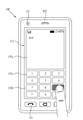
도 2는 본 발명과 관련된 이동 단말기 또는 휴대 단말기의 일 예를 전면에서 바라본 사시도이다.
도 3은 본 발명과 관련된 이동 단말기의 일 작동 상태를 설명하기 위한 이동 단말기의 정면도이다.
도 4는 본 발명의 일 실시예에 따른 속성 정보의 시각화를 통한 동영상 편집 방법의 일례를 나타내는 순서도이다.
도 5는 본 발명의 일 실시예에 따른 이동 단말기에서 편집 모드를 통해 속성 정보가 시각화되는 형태의 일례를 나타낸다.
도 6은 본 발명의 일 실시예에 따른 이동 단말기에서 편집 모드를 통해 속성 정보가 시각화되는 형태의 다른 일례를 나타낸다.
도 7은 본 발명의 일 실시예에 따른 이동 단말기에서 아이콘 영역을 이용한 동영상 편집 방법의 일례를 나타낸다.
도 8은 본 발명의 일 실시예에 따른 이동 단말기에서 그래프 영역을 이용한 동영상 편집 방법의 일례를 나타낸다.
도 9는 본 발명의 일 실시예의 다른 양상에 따른 동영상 편집 방법의 일례를 나타낸다.
도 10은 본 발명의 일 실시예의 다른 양상에 따른 복수의 편집 대상 동영상을 편집하는 방법의 일례를 나타낸다.
도 11은 본 발명의 일 실시예에 따른 이동 단말기에서 선택된 속성 조건의 만족 여부를 프레임별로 판별하는 방법의 일례를 나타낸다.
도 12는 본 발명의 일 실시예의 또 다른 양상에 의한 구간 편집 방법의 일례를 나타낸다.
도 13은 본 발명의 다른 양상에 따른 촬영 중인 동영상을 부분적으로 편집하는 방법의 일례를 나타낸다.
도 14는 본 발명의 다른 양상에 따른 이동 단말기에서 촬영 중인 동영상에 태그 정보를 설정하는 방법의 일례를 나타낸다.
도 15는 본 발명의 다른 양상에 따른 이동 단말기에서 촬영 중인 동영상에 태그 정보를 설정하는 방법의 다른 일례를 나타낸다.
도 16은 본 발명의 다른 실시예의 다른 양상에 따른 이동 단말기에서 자동 태그 생성 기준이 선택되는 형태의 일례를 나타낸다.
도 17은 본 발명의 다른 실시예의 또 다른 양상에 따른 이동 단말기에서 동영상 촬영을 일시정시하고 재개하는 방법의 일례를 나타낸다.1 is a block diagram of a mobile terminal according to an embodiment of the present invention.
FIG. 2 is a perspective view of a mobile terminal or a portable terminal according to the present invention, as viewed from the front.
3 is a front view of a mobile terminal for explaining an operation state of the mobile terminal according to the present invention.
4 is a flowchart illustrating an example of a moving image editing method by visualizing attribute information according to an embodiment of the present invention.
FIG. 5 shows an example of a form in which attribute information is visualized through an edit mode in a mobile terminal according to an exemplary embodiment of the present invention.
FIG. 6 shows another example of a form in which attribute information is visualized through an edit mode in a mobile terminal according to an embodiment of the present invention.
7 illustrates an example of a moving image editing method using an icon area in a mobile terminal according to an embodiment of the present invention.
FIG. 8 shows an example of a moving image editing method using a graph area in a mobile terminal according to an embodiment of the present invention.
9 shows an example of a movie editing method according to another embodiment of the present invention.
Fig. 10 shows an example of a method for editing a plurality of videos to be edited according to another aspect of the embodiment of the present invention.
FIG. 11 shows an example of a method of determining whether the attribute condition selected by the mobile terminal is satisfied on a frame-by-frame basis according to an embodiment of the present invention.
12 shows an example of a section editing method according to another embodiment of the present invention.
Fig. 13 shows an example of a method for partially editing a moving picture being photographed according to another aspect of the present invention.
FIG. 14 shows an example of a method for setting tag information in a moving picture being taken in a mobile terminal according to another aspect of the present invention.
FIG. 15 shows another example of a method for setting tag information in a moving picture being shot in a mobile terminal according to another aspect of the present invention.
16 shows an example of a form in which an automatic tag generation criterion is selected in a mobile terminal according to another embodiment of the present invention.
FIG. 17 shows an example of a method of temporarily stopping and resuming moving picture taking in a mobile terminal according to another aspect of another embodiment of the present invention.
이하, 본 발명과 관련된 이동 단말기에 대하여 도면을 참조하여 보다 상세하게 설명한다. 이하의 설명에서 사용되는 구성요소에 대한 접미사 "모듈" 및 "부"는 명세서 작성의 용이함만이 고려되어 부여되거나 혼용되는 것으로서, 그 자체로 서로 구별되는 의미 또는 역할을 갖는 것은 아니다.Hereinafter, a mobile terminal related to the present invention will be described in detail with reference to the drawings. The suffix " module " and " part " for the components used in the following description are given or mixed in consideration of ease of specification, and do not have their own meaning or role.
본 명세서에서 설명되는 이동 단말기에는 휴대폰, 스마트 폰(smart phone), 노트북 컴퓨터(laptop computer), 디지털방송용 단말기, PDA(Personal Digital Assistants), PMP(Portable Multimedia Player), 네비게이션 등이 포함될 수 있다. 그러나, 본 명세서에 기재된 실시예에 따른 구성은 이동 단말기에만 적용 가능한 경우를 제외하면, 디지털 TV, 데스크탑 컴퓨터 등과 같은 고정 단말기에도 적용될 수도 있음을 본 기술분야의 당업자라면 쉽게 알 수 있을 것이다.The mobile terminal described in this specification may include a mobile phone, a smart phone, a laptop computer, a digital broadcasting terminal, a PDA (Personal Digital Assistants), a PMP (Portable Multimedia Player), navigation and the like. However, it will be understood by those skilled in the art that the configuration according to the embodiments described herein may be applied to a fixed terminal such as a digital TV, a desktop computer, and the like, unless the configuration is applicable only to a mobile terminal.
도 1은 본 발명의 일 실시예와 관련된 이동 단말기의 블록 구성도(block diagram)이다.1 is a block diagram of a mobile terminal according to an embodiment of the present invention.
상기 이동 단말기(100)는 무선 통신부(110), A/V(Audio/Video) 입력부(120), 사용자 입력부(130), 센싱부(140), 출력부(150), 메모리(160), 인터페이스부(170), 제어부(180) 및 전원 공급부(190) 등을 포함할 수 있다. 도 1에 도시된 구성요소들이 필수적인 것은 아니어서, 그보다 많은 구성요소들을 갖거나 그보다 적은 구성요소들을 갖는 이동 단말기가 구현될 수도 있다.The
이하, 상기 구성요소들에 대해 차례로 살펴본다.Hereinafter, the components will be described in order.
무선 통신부(110)는 이동 단말기(100)와 무선 통신 시스템 사이 또는 이동 단말기(100)와 이동 단말기(100)가 위치한 네트워크 사이의 무선 통신을 가능하게 하는 하나 이상의 모듈을 포함할 수 있다. 예를 들어, 무선 통신부(110)는 방송 수신 모듈(111), 이동통신 모듈(112), 무선 인터넷 모듈(113), 근거리 통신 모듈(114) 및 위치정보 모듈(115) 등을 포함할 수 있다.The
방송 수신 모듈(111)은 방송 채널을 통하여 외부의 방송 관리 서버로부터 방송 신호 및/또는 방송 관련된 정보를 수신한다. 상기 방송 채널은 위성 채널, 지상파 채널을 포함할 수 있다. 적어도 두 개의 방송 채널들에 대한 동시 방송 수신 또는 방송 채널 스위칭을 위해 둘 이상의 상기 방송 수신 모듈이 상기 이동단말기(100)에 제공될 수 있다.The
상기 방송 관리 서버는, 방송 신호 및/또는 방송 관련 정보를 생성하여 송신하는 서버 또는 기 생성된 방송 신호 및/또는 방송 관련 정보를 제공받아 단말기에 송신하는 서버를 의미할 수 있다. 상기 방송 신호는, TV 방송 신호, 라디오 방송 신호, 데이터 방송 신호를 포함할 뿐만 아니라, TV 방송 신호 또는 라디오 방송 신호에 데이터 방송 신호가 결합한 형태의 방송 신호도 포함할 수 있다.The broadcast management server may refer to a server for generating and transmitting broadcast signals and / or broadcast related information, or a server for receiving broadcast signals and / or broadcast related information generated by the broadcast management server and transmitting the generated broadcast signals and / or broadcast related information. The broadcast signal may include a TV broadcast signal, a radio broadcast signal, a data broadcast signal, and a broadcast signal in which a data broadcast signal is combined with a TV broadcast signal or a radio broadcast signal.
상기 방송 관련 정보는 방송 채널, 방송 프로그램 또는 방송 서비스 제공자에 관련한 정보를 의미한다. 상기 방송 관련 정보는, 이동통신망을 통하여도 제공될 수 있다. 이러한 경우에는 상기 이동통신 모듈(112)에 의해 수신될 수 있다.The broadcast-related information means information related to a broadcast channel, a broadcast program, or a broadcast service provider. The broadcast-related information may also be provided through a mobile communication network. In this case, it may be received by the mobile communication module 112.
상기 방송 관련 정보는 다양한 형태로 존재할 수 있다. 예를 들어, DMB(Digital Multimedia Broadcasting)의 EPG(Electronic Program Guide) 또는 DVB-H(Digital Video Broadcast-Handheld)의 ESG(Electronic Service Guide) 등의 형태로 존재할 수 있다.The broadcast-related information may exist in various forms. For example, an EPG (Electronic Program Guide) of DMB (Digital Multimedia Broadcasting) or an ESG (Electronic Service Guide) of Digital Video Broadcast-Handheld (DVB-H).
상기 방송 수신 모듈(111)은, 예를 들어, DMB-T(Digital Multimedia Broadcasting-Terrestrial), DMB-S(Digital Multimedia Broadcasting-Satellite), MediaFLO(Media Forward Link Only), DVB-H(Digital Video Broadcast-Handheld), DVB-CBMS (Convergence of Broadcasting and Mobile Service), OMA-BCAST (Open Mobile Alliance-BroadCAST), CMMB (China Multimedia Mobile Broadcasting), MBBMS (Mobile Broadcasting Business Management System), ISDB-T(Integrated Services Digital Broadcast-Terrestrial) 등의 디지털 방송 시스템을 이용하여 디지털 방송 신호를 수신할 수 있다. 물론, 상기 방송 수신 모듈(111)은, 상술한 디지털 방송 시스템뿐만 아니라 다른 방송 시스템에 적합하도록 구성될 수도 있다.For example, the
방송 수신 모듈(111)을 통해 수신된 방송 신호 및/또는 방송 관련 정보는 메모리(160)에 저장될 수 있다.The broadcast signal and / or broadcast related information received through the
이동통신 모듈(112)은, GSM(Gobal System for Mobile communications), CDMA(Code Division Multiple Access), WCDMA(Wideband CDMA)(이에 한정되지 않음)와 같은 이동 통신망 상에서 기지국, 외부의 단말, 서버 중 적어도 하나와 무선 신호를 송수신한다. 상기 무선 신호는, 음성 호 신호, 화상 통화 호 신호 또는 문자/멀티미디어 메시지 송수신에 따른 다양한 형태의 데이터를 포함할 수 있다.The mobile communication module 112 may be coupled to a base station, an external terminal, or a server on a mobile communication network, such as, but not limited to, Gobal System for Mobile communications (GSM), Code Division Multiple Access (CDMA), Wideband CDMA Transmits and receives wireless signals with one. The wireless signal may include various types of data depending on a voice call signal, a video call signal or a text / multimedia message transmission / reception.
무선 인터넷 모듈(113)은 무선 인터넷 접속을 위한 모듈을 말하는 것으로, 이동 단말기(100)에 내장되거나 외장될 수 있다. 무선 인터넷 기술로는 WLAN(Wireless LAN)(Wi-Fi), Wibro(Wireless broadband), Wimax(World Interoperability for Microwave Access), HSDPA(High Speed Downlink Packet Access), GSM, CDMA, WCDMA, LTE(Long Term Evolution)(이에 한정되지 않음) 등이 이용될 수 있다.The
Wibro, HSDPA, GSM, CDMA, WCDMA, LTE 등에 의한 무선인터넷 접속은 이동통신망을 통해 이루어진다는 관점에서 본다면, 상기 이동통신망을 통해 무선인터넷 접속을 수행하는 상기 무선 인터넷 모듈(113)은 상기 이동통신 모듈(112)의 일종으로으로 이해될 수도 있다.The
근거리 통신 모듈(114)은 근거리 통신을 위한 모듈을 말한다. 근거리 통신(short range communication) 기술로 블루투스(Bluetooth), RFID(Radio Frequency Identification), 적외선 통신(IrDA, infrared Data Association), UWB(Ultra Wideband), ZigBee 등이 이용될 수 있다.The short-
위치정보 모듈(115)은 이동 단말기의 위치를 획득하기 위한 모듈로서, 그의 대표적인 예로는 GPS(Global Position System) 모듈이 있다. 현재 기술에 의하면, 상기 GPS모듈(115)은 3개 이상의 위성으로부터 떨어진 거리 정보와 정확한 시간 정보를 산출한 다음 상기 산출된 정보에 삼각법을 적용함으로써, 위도, 경도, 및 고도에 따른 3차원의 현 위치 정보를 정확히 산출할 수 있다. 현재, 3개의 위성을 이용하여 위치 및 시간 정보를 산출하고, 또다른 1개의 위성을 이용하여 상기 산출된 위치 및 시간 정보의 오차를 수정하는 방법이 널리 사용되고 있다. 또한, GPS 모듈(115)은 현 위치를 실시간으로 계속 산출함으로써 속도 정보를 산출할 수 있다.The
도 1을 참조하면, A/V(Audio/Video) 입력부(120)는 오디오 신호 또는 비디오 신호 입력을 위한 것으로, 이에는 카메라(121)와 마이크(122) 등이 포함될 수 있다. 카메라(121)는 화상 통화모드 또는 촬영 모드에서 이미지 센서에 의해 얻어지는 정지영상 또는 동영상 등의 화상 프레임을 처리한다. 처리된 화상 프레임은 디스플레이부(151)에 표시될 수 있다.Referring to FIG. 1, an A / V (Audio / Video)
카메라(121)에서 처리된 화상 프레임은 메모리(160)에 저장되거나 무선 통신부(110)를 통하여 외부로 전송될 수 있다. 카메라(121)는 사용 환경에 따라 2개 이상이 구비될 수도 있다.The image frame processed by the
마이크(122)는 통화모드 또는 녹음모드, 음성인식 모드 등에서 마이크로폰(Microphone)에 의해 외부의 음향 신호를 입력받아 전기적인 음성 데이터로 처리한다. 처리된 음성 데이터는 통화 모드인 경우 이동통신 모듈(112)을 통하여 이동통신 기지국으로 송신 가능한 형태로 변환되어 출력될 수 있다. 마이크(122)에는 외부의 음향 신호를 입력받는 과정에서 발생되는 잡음(noise)을 제거하기 위한 다양한 잡음 제거 알고리즘이 구현될 수 있다.The
사용자 입력부(130)는 사용자가 단말기의 동작 제어를 위한 입력 데이터를 발생시킨다. 사용자 입력부(130)는, 이동단말기(100)의 전·후면 또는 측면에 위치하는 버튼(136), 터치 센서(정압/정전)(137)로 구성될 수 있고, 도시되지는 않았지만 키패드(key pad), 돔 스위치 (dome switch), 조그 휠, 조그 스위치 등을 더욱 포함하여 구성될 수 있다. The
센싱부(140)는 이동 단말기(100)의 개폐 상태, 이동 단말기(100)의 위치, 사용자 접촉 유무, 이동 단말기의 방위, 이동 단말기의 가속/감속 등과 같이 이동 단말기(100)의 현 상태를 감지하여 이동 단말기(100)의 동작을 제어하기 위한 센싱 신호를 발생시킨다. 예를 들어 이동 단말기(100)가 슬라이드 폰 형태인 경우 슬라이드 폰의 개폐 여부를 센싱할 수 있다. 또한, 전원 공급부(190)의 전원 공급 여부, 인터페이스부(170)의 외부 기기 결합 여부 등을 센싱할 수도 있다. 한편, 상기 센싱부(140)는 근접 센서(141)를 포함할 수 있다. (근접 센서에 관해서는 후술하도록 한다). The
출력부(150)는 시각, 청각 또는 촉각 등과 관련된 출력을 발생시키기 위한 것으로, 이에는 디스플레이부(151), 음향 출력 모듈(152), 알람부(153), 및 햅틱 모듈(154) 등이 포함될 수 있다.The
디스플레이부(151)는 이동 단말기(100)에서 처리되는 정보를 표시(출력)한다. 예를 들어, 이동 단말기가 통화 모드인 경우 통화와 관련된 UI(User Interface) 또는 GUI(Graphic User Interface)를 표시한다. 이동 단말기(100)가 화상 통화 모드 또는 촬영 모드인 경우에는 촬영 또는/및 수신된 영상 또는 UI, GUI를 표시한다. The
디스플레이부(151)는 액정 디스플레이(liquid crystal display, LCD), 박막 트랜지스터 액정 디스플레이(thin film transistor-liquid crystal display, TFT LCD), 유기 발광 다이오드(organic light-emitting diode, OLED), 플렉시블 디스플레이(flexible display), 3차원 디스플레이(3D display) 중에서 적어도 하나를 포함할 수 있다. The
이들 중 일부 디스플레이는 그를 통해 외부를 볼 수 있도록 투명형 또는 광투과형으로 구성될 수 있다. 이는 투명 디스플레이라 호칭될 수 있는데, 상기 투명 디스플레이의 대표적인 예로는 TOLED(Transparant OLED) 등이 있다. 디스플레이부(151)의 후방 구조 또한 광 투과형 구조로 구성될 수 있다. 이러한 구조에 의하여, 사용자는 단말기 바디의 디스플레이부(151)가 차지하는 영역을 통해 단말기 바디의 후방에 위치한 사물을 볼 수 있다.Some of these displays may be transparent or light transmissive so that they can be seen through. This can be referred to as a transparent display, and a typical example of the transparent display is TOLED (Transparent OLED) and the like. The rear structure of the
이동 단말기(100)의 구현 형태에 따라 디스플레이부(151)이 2개 이상 존재할 수 있다. 예를 들어, 이동 단말기(100)에는 복수의 디스플레이부들이 하나의 면에 이격되거나 일체로 배치될 수 있고, 또한 서로 다른 면에 각각 배치될 수도 있다. There may be two or
디스플레이부(151)와 상기 터치센서(137)가 상호 레이어 구조를 이루거나 일체형으로 형성되는 경우(이하, '터치 스크린'이라 함)에, 디스플레이부(151)는 출력 장치 이외에 입력 장치로도 사용될 수 있다. 터치 센서는, 예를 들어, 터치 필름, 터치 시트, 터치 패드 등의 형태를 가지는 경우 디스플레이부(151)에 적층되어 레이어 구조를 형성할 수도 있고, 상기 디스플레이부(151)의 구성에 포함시켜 일체형으로 이루어질 수 있다.In the case where the
터치 센서는 디스플레이부(151)의 특정 부위에 가해진 압력 또는 디스플레이부(151)의 특정 부위에 발생하는 정전 용량 등의 변화를 전기적인 입력신호로 변환하도록 구성될 수 있다. 터치 센서는 터치 되는 위치 및 면적뿐만 아니라, 터치 시의 압력까지도 검출할 수 있도록 구성될 수 있다.The touch sensor may be configured to convert a change in a pressure applied to a specific portion of the
터치 센서에 대한 터치 입력이 있는 경우, 그에 대응하는 신호(들)는 터치 제어기(미도시)로 보내진다. 터치 제어기는 그 신호(들)를 처리한 다음 대응하는 데이터를 제어부(180)로 전송한다. 이로써, 제어부(180)는 디스플레이부(151)의 어느 영역이 터치 되었는지 여부 등을 알 수 있게 된다.If there is a touch input to the touch sensor, the corresponding signal (s) is sent to the touch controller (not shown). The touch controller processes the signal (s) and transmits the corresponding data to the
상기 근접 센서(141)는 상기 터치스크린에 의해 감싸지는 이동 단말기의 내부 영역 또는 상기 터치 스크린의 근처에 배치될 수 있다. 상기 근접 센서는 소정의 검출면에 접근하는 물체, 혹은 근방에 존재하는 물체의 유무를 전자계의 힘 또는 적외선을 이용하여 기계적 접촉이 없이 검출하는 센서를 말한다. 근접 센서는 접촉식 센서보다는 그 수명이 길며 그 활용도 또한 높다. The
상기 근접 센서의 예로는 투과형 광전 센서, 직접 반사형 광전 센서, 미러 반사형 광전 센서, 고주파 발진형 근접 센서, 정전용량형 근접 센서, 자기형 근접 센서, 적외선 근접 센서 등이 있다. 상기 터치스크린이 정전식인 경우에는 상기 포인터의 근접에 따른 전계의 변화로 상기 포인터의 근접을 검출하도록 구성된다. 이 경우 상기 터치 스크린(터치 센서)은 근접 센서로 분류될 수도 있다.Examples of the proximity sensor include a transmission type photoelectric sensor, a direct reflection type photoelectric sensor, a mirror reflection type photoelectric sensor, a high frequency oscillation type proximity sensor, a capacitive proximity sensor, a magnetic proximity sensor, and an infrared proximity sensor. And to detect the proximity of the pointer by the change of the electric field along the proximity of the pointer when the touch screen is electrostatic. In this case, the touch screen (touch sensor) may be classified as a proximity sensor.
이하에서는 설명의 편의를 위해, 상기 터치스크린 상에 포인터가 접촉되지 않으면서 근접되어 상기 포인터가 상기 터치스크린 상에 위치함이 인식되도록 하는 행위를 "근접 터치(proximity touch)"라고 호칭하고, 상기 터치스크린 상에 포인터가 실제로 접촉되는 행위를 "접촉 터치(contact touch)"라고 호칭할 수 있다. 상기 터치스크린 상에서 포인터로 근접 터치가 되는 위치라 함은, 상기 포인터가 근접 터치될 때 상기 포인터가 상기 터치스크린에 대해 수직으로 대응되는 위치를 의미할 수 있다.Hereinafter, for convenience of explanation, the act of recognizing that the pointer is positioned on the touch screen while the pointer is not in contact with the touch screen is referred to as " proximity touch " The act of actually contacting the pointer on the touch screen may be referred to as " contact touch. &Quot; The location where the pointer is proximately touched on the touch screen may refer to a position where the pointer corresponds vertically to the touch screen when the pointer is touched.
상기 근접센서는, 근접 터치와, 근접 터치 패턴(예를 들어, 근접 터치 거리, 근접 터치 방향, 근접 터치 속도, 근접 터치 시간, 근접 터치 위치, 근접 터치 이동 상태 등)을 감지한다. 상기 감지된 근접 터치 동작 및 근접 터치 패턴에 상응하는 정보는 터치 스크린상에 출력될 수 있다. The proximity sensor detects a proximity touch and a proximity touch pattern (e.g., a proximity touch distance, a proximity touch direction, a proximity touch speed, a proximity touch time, a proximity touch position, a proximity touch movement state, and the like). Information corresponding to the detected proximity touch operation and the proximity touch pattern may be output on the touch screen.
음향 출력 모듈(152)은 호신호 수신, 통화모드 또는 녹음 모드, 음성인식 모드, 방송수신 모드 등에서 무선 통신부(110)로부터 수신되거나 메모리(160)에 저장된 오디오 데이터를 출력할 수 있다. 음향 출력 모듈(152)은 이동 단말기(100)에서 수행되는 기능(예를 들어, 호신호 수신음, 메시지 수신음 등)과 관련된 음향 신호를 출력하기도 한다. 이러한 음향 출력 모듈(152)에는 리시버(Receiver), 스피커(speaker), 버저(Buzzer) 등이 포함될 수 있다.The
알람부(153)는 이동 단말기(100)의 이벤트 발생을 알리기 위한 신호를 출력한다. 이동 단말기에서 발생 되는 이벤트의 예로는 호 신호 수신, 메시지 수신, 키 신호 입력, 터치 입력 등이 있다. 알람부(153)는 비디오 신호나 오디오 신호 이외에 다른 형태, 예를 들어 진동으로 이벤트 발생을 알리기 위한 신호를 출력할 수도 있다. 상기 비디오 신호나 오디오 신호는 디스플레이부(151)나 음성 출력 모듈(152)을 통해서도 출력될 수 있으므로, 이 경우 상기 디스플레이부(151) 및 음음성출력모듈(152)은 알람부(153)의 일종으로 분류될 수도 있다.The
햅틱 모듈(haptic module)(154)은 사용자가 느낄 수 있는 다양한 촉각 효과를 발생시킨다. 햅틱 모듈(154)이 발생시키는 촉각 효과의 대표적인 예로는 진동이 있다. 햅택 모듈(154)이 발생하는 진동의 세기와 패턴 등은 제어가능하다. 예를 들어, 서로 다른 진동을 합성하여 출력하거나 순차적으로 출력할 수도 있다. The
햅틱 모듈(154)은, 진동 외에도, 접촉 피부면에 대해 수직 운동하는 핀 배열, 분사구나 흡입구를 통한 공기의 분사력이나 흡입력, 피부 표면에 대한 스침, 전극(eletrode)의 접촉, 정전기력 등의 자극에 의한 효과와, 흡열이나 발열 가능한 소자를 이용한 냉온감 재현에 의한 효과 등 다양한 촉각 효과를 발생시킬 수 있다. In addition to the vibration, the
햅틱 모듈(154)은 직접적인 접촉을 통해 촉각 효과의 전달할 수 있을 뿐만 아니라, 사용자가 손가락이나 팔 등의 근 감각을 통해 촉각 효과를 느낄 수 있도록 구현할 수도 있다. 햅틱 모듈(154)은 이동 단말기(100)의 구성 태양에 따라 2개 이상이 구비될 수 있다.The
메모리부(160)는 제어부(180)의 처리 및 제어를 위한 프로그램이 저장될 수도 있고, 입/출력되는 데이터들(예를 들어, 전화번호부, 메시지, 오디오, 정지영상, 동영상 등)의 임시 저장을 위한 기능을 수행할 수도 있다. 상기 메모리부(160)에는 상기 데이터들 각각에 대한 사용 빈도(예를 들면, 각 전화번호, 각 메시지, 각 멀티미디어에 대한 사용빈도)가 저장될 수 있다. The
또한, 상기 메모리부(160)에는 상기 터치스크린 상의 터치 입력시 출력되는 다양한 패턴의 진동 및 음향에 관한 데이터를 저장할 수 있다.In addition, the
메모리(160)는 플래시 메모리 타입(flash memory type), 하드디스크 타입(hard disk type), 멀티미디어 카드 마이크로 타입(multimedia card micro type), 카드 타입의 메모리(예를 들어 SD 또는 XD 메모리 등), 램(Random Access Memory, RAM), SRAM(Static Random Access Memory), 롬(Read-Only Memory, ROM), EEPROM(Electrically Erasable Programmable Read-Only Memory), PROM(Programmable Read-Only Memory), 자기 메모리, 자기 디스크, 광디스크 중 적어도 하나의 타입의 저장매체를 포함할 수 있다. 이동 단말기(100)는 인터넷(internet)상에서 상기 메모리(160)의 저장 기능을 수행하는 웹 스토리지(web storage)와 관련되어 동작할 수도 있다.The
인터페이스부(170)는 이동 단말기(100)에 연결되는 모든 외부기기와의 통로 역할을 한다. 인터페이스부(170)는 외부 기기로부터 데이터를 전송받거나, 전원을 공급받아 이동 단말기(100) 내부의 각 구성 요소에 전달하거나, 이동 단말기(100) 내부의 데이터가 외부 기기로 전송되도록 한다. 예를 들어, 유/무선 헤드셋 포트, 외부 충전기 포트, 유/무선 데이터 포트, 메모리 카드(memory card) 포트, 식별 모듈이 구비된 장치를 연결하는 포트, 오디오 I/O(Input/Output) 포트, 비디오 I/O(Input/Output) 포트, 이어폰 포트 등이 인터페이스부(170)에 포함될 수 있다. The
식별 모듈은 이동 단말기(100)의 사용 권한을 인증하기 위한 각종 정보를 저장한 칩으로서, 사용자 인증 모듈(User Identify Module, UIM), 가입자 인증 모듈(Subscriber Identify Module, SIM), 범용 사용자 인증 모듈(Universal Subscriber Identity Module, USIM) 등을 포함할 수 있다. 식별 모듈이 구비된 장치(이하 '식별 장치')는, 스마트 카드(smart card) 형식으로 제작될 수 있다. 따라서 식별 장치는 포트를 통하여 단말기(100)와 연결될 수 있다. The identification module is a chip for storing various information for authenticating the use right of the
상기 인터페이스부는 이동단말기(100)가 외부 크래들(cradle)과 연결될 때 상기 크래들로부터의 전원이 상기 이동단말기(100)에 공급되는 통로가 되거나, 사용자에 의해 상기 크래들에서 입력되는 각종 명령 신호가 상기 이동단말기로 전달되는 통로가 될 수 있다. 상기 크래들로부터 입력되는 각종 명령 신호 또는 상기 전원은 상기 이동단말기가 상기 크래들에 정확히 장착되었음을 인지하기 위한 신호로 동작될 수도 있다.When the
제어부(controller)(180)는 통상적으로 이동 단말기의 전반적인 동작을 제어한다. 예를 들어 음성 통화, 데이터 통신, 화상 통화 등을 위한 관련된 제어 및 처리를 수행한다. 제어부(180)는 멀티 미디어 재생을 위한 멀티미디어 모듈(181)을 구비할 수도 있다. 멀티미디어 모듈(181)은 제어부(180) 내에 구현될 수도 있고, 제어부(180)와 별도로 구현될 수도 있다.The
상기 제어부(180)는 상기 터치스크린 상에서 행해지는 필기 입력 또는 그림 그리기 입력을 각각 문자 및 이미지로 인식할 수 있는 패턴 인식 처리를 행할 수 있다. The
전원 공급부(190)는 제어부(180)의 제어에 의해 외부의 전원, 내부의 전원을 인가받아 각 구성요소들의 동작에 필요한 전원을 공급한다. 전원공급부(190)는 예를 들어 배터리, 연결포트, 전원공급제어부 및 충전모니터링부를 포함할 수 있다.The
배터리는 충전 가능하도록 이루어지는 내장형 배터리가 될 수 있으며, 충전 등을 위하여 단말기 바디에 착탈 가능하게 결합될 수 있다. 연결포트는 배터리의 충전을 위하여 전원을 공급하는 외부 충전기가 전기적으로 연결되는 인터페이스(170)의 일 예로서 구성될 수 있다.The battery may be an internal battery configured to be chargeable, and may be detachably coupled to the terminal body for charging or the like. The connection port may be configured as an example of an
여기에 설명되는 다양한 실시예는 예를 들어, 소프트웨어, 하드웨어 또는 이들의 조합된 것을 이용하여 컴퓨터 또는 이와 유사한 장치로 읽을 수 있는 기록매체 내에서 구현될 수 있다.The various embodiments described herein may be embodied in a recording medium readable by a computer or similar device using, for example, software, hardware, or a combination thereof.
하드웨어적인 구현에 의하면, 여기에 설명되는 실시예는 ASICs (application specific integrated circuits), DSPs (digital signal processors), DSPDs (digital signal processing devices), PLDs (programmable logic devices), FPGAs (field programmable gate arrays, 프로세서(processors), 제어기(controllers), 마이크로 컨트롤러(micro-controllers), 마이크로 프로세서(microprocessors), 기타 기능 수행을 위한 전기적인 유닛 중 적어도 하나를 이용하여 구현될 수 있다. 일부의 경우에 본 명세서에서 설명되는 실시예들이 제어부(180) 자체로 구현될 수 있다.According to a hardware implementation, the embodiments described herein may be implemented as application specific integrated circuits (ASICs), digital signal processors (DSPs), digital signal processing devices (DSPDs), programmable logic devices (PLDs), field programmable gate arrays May be implemented using at least one of a processor, controllers, micro-controllers, microprocessors, and other electronic units for performing other functions. In some cases, The embodiments described may be implemented by the
소프트웨어적인 구현에 의하면, 본 명세서에서 설명되는 절차 및 기능과 같은 실시예들은 별도의 소프트웨어 모듈들로 구현될 수 있다. 상기 소프트웨어 모듈들 각각은 본 명세서에서 설명되는 하나 이상의 기능 및 작동을 수행할 수 있다. 적절한 프로그램 언어로 쓰여진 소프트웨어 어플리케이션으로 소프트웨어 코드가 구현될 수 있다. 상기 소프트웨어 코드는 메모리(160)에 저장되고, 제어부(180)에 의해 실행될 수 있다.According to a software implementation, embodiments such as the procedures and functions described herein may be implemented with separate software modules. Each of the software modules may perform one or more of the functions and operations described herein. Software code can be implemented in a software application written in a suitable programming language. The software code is stored in the
도 2는 본 발명과 관련된 이동 단말기 또는 휴대 단말기의 일 예를 전면에서 바라본 사시도이다.FIG. 2 is a perspective view of a mobile terminal or a portable terminal according to the present invention, as viewed from the front.
개시된 이동 단말기(100)는 바 형태의 단말기 바디를 구비하고 있다. 다만, 본 발명은 여기에 한정되지 않고, 2 이상의 바디들이 상대 이동 가능하게 결합되는 슬라이드 타입, 폴더 타입, 스윙 타입, 스위블 타입 등 다양한 구조에 적용이 가능하다. The disclosed
상기 이동단말기(100)의 바디는 외관을 이루는 케이스(101, 102, 103)를 포함한다. 본 실시예에서, 케이스는 프론트 케이스(101)와 리어 케이스(102)로 구분될 수 있다. 프론트 케이스(101)와 리어 케이스(102)의 사이에 형성된 공간에는 각종 전자부품들이 내장된다.The body of the
USIM카드 및 메모리카드등 보조 저장매체(165)와 같이 탈착이 필요한 부품은 외측으로 부터 케이스 내부로 삽입가능하도록 케이스에는 개구부를 포함할 수 있다. 상기 보조 저장매체(165)가 이동 단말기(100)의 측면에서 삽입되어 실장되도록 케이스 측면에 슬롯이 형성될 수도 있고, 리어 케이스(102)의 표면에 실장되도록 카드 슬롯(166, 167)이 형성될 수도 있다. A component such as a USIM card and a memory card, such as an
케이스(101, 102, 103)는 합성수지를 사출하여 형성되거나 금속 재질, 예를 들어 스테인레스 스틸(STS) 또는 티타늄(Ti) 등과 같은 금속 재질을 갖도록 형성될 수도 있다.The
단말기 케이스(101, 102)에는 디스플레이부(151), 음향출력부(152), 카메라(121), 사용자 입력부(130/131,132), 마이크(122), 인터페이스(170) 등이 배치될 수 있다.The
디스플레이부(151)는 프론트 케이스(101)의 주면의 대부분을 차지한다. 디스플레이부(151)의 양단부 중 일 단부에 인접한 영역에는 음향출력부(152)와 카메라(121)가 배치되고, 다른 단부에 인접한 영역에는 사용자 입력부(131)와 마이크(122)가 배치된다. 사용자 입력부(132)와 인터페이스(170) 등은 프론트 케이스(101) 및 리어 케이스(102)의 측면들에 배치될 수 있다.The
사용자 입력부(130)는 이동 단말기(100)의 동작을 제어하기 위한 명령을 입력받기 위해 조작되는 것으로서, 복수의 조작 유닛들(131, 132, 133)을 포함할 수 있다. 조작 유닛들(131, 132, 133)은 조작부(manipulating portion)로도 통칭 될 수 있다.The
제1 또는 제2조작 유닛들(131, 132)에 의하여 입력되는 내용은 다양하게 설정될 수 있다. 예를 들어, 제1 조작 유닛(131)은 시작, 종료, 스크롤 등과 같은 명령을 입력받고, 제2 조작 유닛(132)은 음향출력부(152)에서 출력되는 음향의 크기 조절과 같은 명령을 입력받고, 제3 조작유닛(133)은 디스플레이부(151)의 터치 인식 모드 활성화/비활성화 등과 같은 명령을 입력받을 수 있다.The contents inputted by the first or
상기 조작 유닛들(131, 132, 133)는 사용자가 압력을 가하면 인식하는 버튼방식이 있을 수 있고, 상기 디스플레이부(151) 외에 조작 유닛(131, 132, 133)에도 터치센서를 구비하여 사용자의 터치만으로 사용자의 명령을 입력받을 수도 있다. In addition to the
이하, 도 3을 참조하여 디스플레이부(151)와 터치 패드(135)의 서로 연관된 작동 방식에 대하여 살펴본다.Hereinafter, a related operation of the
도 3은 본 발명과 관련된 휴대 단말기의 일 작동 상태를 설명하기 위한 휴대 단말기의 정면도이다.3 is a front view of a portable terminal for explaining an operation state of the portable terminal according to the present invention.
디스플레이부(151)에는 다양한 종류의 시각 정보들이 표시될 수 있다. 이들 정보들은 문자, 숫자, 기호, 그래픽, 또는 아이콘 등의 형태로 표시될 수 있다.Various types of time information can be displayed on the
이러한 정보의 입력을 위하여 상기 문자, 숫자, 기호, 그래픽 또는 아이콘 들 중 적어도 하나는 일정한 배열을 이루어 표시됨으로써 키패드의 형태로 구현될 수 있다. 이러한 키패드는 소위 '가상 키패드'(virtual keypad)라 불릴 수 있다. At least one of the letters, numbers, symbols, graphics, or icons may be displayed in a predetermined arrangement for inputting such information, thereby being implemented as a keypad. Such a keypad may be referred to as a so-called " virtual keypad ".
도 3은 단말기 바디의 전면을 통해 가상 키패드에 가해진 터치를 입력받는 것을 나타내고 있다.3 illustrates inputting of a touch applied to the virtual keypad through the front surface of the terminal body.
디스플레이부(151)는 전체 영역으로 작동되거나, 복수의 영역들로 나뉘어져 작동될 수 있다. 후자의 경우, 상기 복수의 영역들은 서로 연관되게 작동되도록 구성될 수 있다.The
예를 들어, 디스플레이부(151)의 상부와 하부에는 출력창(151a)과 입력창(151b)이 각각 표시된다. 출력창(151a)과 입력창(151b)은 각각 정보의 출력 또는 입력을 위해 할당되는 영역이다. 입력창(151b)에는 전화 번호 등의 입력을 위한 숫자가 표시된 가상 키패드(151c)가 출력된다. 가상 키패드(151c)가 터치되면, 터치된 가상 키패드에 대응되는 숫자 등이 출력창(151a)에 표시된다. 제1조작 유닛(131)이 조작되면 출력창(151a)에 표시된 전화번호에 대한 호 연결이 시도된다.For example, an
뿐만 아니라, 디스플레이부(151) 또는 터치 패드(135)는 스크롤(scroll)에 의해 터치 입력받도록 구성될 수 있다. 사용자는 디스플레이부(151) 또는 터치 패드(135)를 스크롤 함으로써 디스플레이부(151)에 표시된 개체, 예를 들어 아이콘 등에 위치한 커서 또는 포인터를 이동시킬 수 있다. 나아가, 손가락을 디스플레이부(151) 또는 터치 패드(135) 상에서 이동시키는 경우, 손가락이 움직이는 경로가 디스플레이부(151)에 시각적으로 표시될 수도 있다. 이는 디스플레이부(151)에 표시되는 이미지를 편집함에 유용할 것이다.In addition, the
디스플레이부(151)(터치 스크린) 및 터치 패드(135)가 일정 시간 범위 내에서 함께 터치되는 경우에 대응하여, 단말기의 일 기능이 실행될 수도 있다. 함께 터치되는 경우로는, 사용자가 엄지 및 검지를 이용하여 단말기 바디를 집는(clamping) 경우가 있을 수 있다. 상기 일 기능은, 예를 들어, 디스플레이부(151) 또는 터치 패드(135)에 대한 활성화 또는 비활성화 등이 있을 수 있다.One function of the terminal may be executed in response to a case where the display unit 151 (touch screen) and the touch pad 135 are touched together within a predetermined time range. In the case of being touched together, there may be a case where the user clamps the terminal body using the thumb and index finger. The one function may be activation or deactivation of the
설명의 편의를 위하여, 이하에서 언급되는 이동 단말기는 도 1에 도시된 구성요소들 중 적어도 하나를 포함한다고 가정한다. 또한, 보통 디스플레이부(151)에 상에서 특정 오브젝트를 가리키거나 메뉴를 선택하기 위한 화살표 또는 손가락 형태의 그래픽은 포인터(pointer) 또는 커서(cursor)로 호칭된다. 그러나, 포인터의 경우 터치 조작 등을 위한 손가락이나 스타일러스 펜 등을 의미하는 것으로 혼용되는 경우가 많다. 따라서 본 명세서에서는 이 둘을 명확히 구분하기 위하여 디스플레이부에 표시되는 그래픽을 커서라 칭하고, 손가락이나 스타일러스 펜과 같이 터치, 근접터치, 제스쳐(gesture)를 수행할 수 있는 물리적 수단을 포인터라 칭한다.For convenience of explanation, it is assumed that the mobile terminal referred to below includes at least one of the components shown in FIG. Also, an arrow or a finger-shaped graphic for pointing a specific object on the
속성 정보의 시각화를 통한 동영상 편집Editing movies with visualization of attribute information
본 발명의 일 실시예에서는, 이동 단말기 상에서 동영상을 편집함에 있어서편집 대상 동영상에 대하여 복수의 속성 정보를 분석하고 이를 시간축 상에서 시각화하여 사용자가 해당 동영상의 특성을 편리하게 파악할 수 있는 방법을 제안한다.In an embodiment of the present invention, in editing a moving picture on a mobile terminal, a method of analyzing a plurality of pieces of attribute information with respect to a moving picture to be edited and visualizing the same on a time axis, thereby allowing a user to conveniently grasp the characteristics of the moving picture.
여기서 속성 정보라 함은 해당 동영상을 구성하는 영상 및/또는 음향의 속성을 의미하며, 그 예로는 음향의 볼륨, 음향의 고/저음 비율, 영상의 밝기, 콘트라스트, 색상, 영상에 포함되는 사람의 수, 특정 인물의 포함 여부, 배경, 장소나 위치 등을 들 수 있다. Here, the attribute information refers to an attribute of an image and / or sound constituting the moving image. Examples of the attribute information include a sound volume, a high / low sound ratio of sound, brightness, contrast, color, Number, whether or not a specific person is included, background, location and location.
이하, 본 발명의 일 실시예에 따른 동영상 편집 방법을 도 4를 참조하여 설명한다.Hereinafter, a moving image editing method according to an embodiment of the present invention will be described with reference to FIG.
도 4는 본 발명의 일 실시예에 따른 속성 정보의 시각화를 통한 동영상 편집 방법의 일례를 나타내는 순서도이다. 4 is a flowchart illustrating an example of a moving image editing method by visualizing attribute information according to an embodiment of the present invention.
도 4를 참조하면, 먼저 이동 단말기의 제어부(180)는 편집 모드로 진입할 수 있다(S410). 여기서 동영상의 편집 모드의 진입은, 사용자의 명령 입력에 따라 동영상 편집을 위한 어플리케이션이 실행된 경우, 동영상 재생을 위한 어플리케이션에서 동영상 편집을 위한 어플리케이션이 호출되는 경우 등을 포함한 다양한 상황에서 수행될 수 있다. Referring to FIG. 4, the
편집 모드에서 편집 대상 동영상이 선택되면, 제어부(180)는 편집 대상 동영상에 대하여 속성 정보를 분석하고, 분석 결과를 시간 축 상에 시각화시킬 수 있다(S420).When the editing target movie is selected in the editing mode, the
여기서 편집 대상 동영상의 속성 정보는 해당 동영상의 내용에 따라 시간 별로 서로 다른 값을 가질 수 있는 정보(예를 들어, 등장 인물의 이동에 따른 배경 변화나 주변 음향의 변화 등)를 포함할 수 있다. 따라서, 제어부(180)는 편집 대상 동영상에 대한 속성 정보를 분석함에 있어 서로 다른 복수의 시점에서 샘플링을 수행하는 것이 바람직하다. 여기서 샘플링은 매 프레임 수행될 수도 있고, 동영상의 용량, 압축률, 해상도, 제어부(180)의 성능 등을 고려하여 특정 프레임(예를 들어, MPEG 방식의 경우 I프레임:Intra-coded frame)에만 수행될 수도 있으며 소정 주기마다 수행될 수도 있다.Here, the attribute information of the video to be edited may include information (for example, a background change due to movement of a character or a change in ambient sound) that may have different values according to the contents of the video. Accordingly, the
또한, 시각화라 함은 상술한 바와 같이 분석된 속성 정보를 시간의 흐름에 따른 변화가 시각적으로 사용자에게 인식될 수 있도록 시간 축 상에 소정 형태(예를 들어, 그래프, 아이콘, 색상 또는 이들의 조합)로 표시하는 것을 의미한다. 아울러, 편집 대상 동영상은 이동 단말기의 메모리(160)에 저장된 것일 수 있다.Also, the visualization refers to a process of displaying the attribute information analyzed in the above manner on a time axis in a predetermined form (for example, a graph, an icon, a color, or a combination thereof) so that a change over time can be visually recognized by the user ). ≪ / RTI > In addition, the video to be edited may be stored in the
이후, 분석된 속성 정보에 대하여 적어도 하나의 속성 조건이 선택될 수 있다(S430). 여기서 속성 조건이 선택된다고 함은, 분석 결과로 시각화된 속성 정보 중 특정 속성 정보의 특정 값이나 범위가 선택됨을 의미할 수도 있다.Thereafter, at least one attribute condition may be selected for the analyzed attribute information (S430). Here, the selection of the attribute condition may mean that a specific value or a range of the specific attribute information is selected from among the attribute information visualized by the analysis result.
속성 조건이 선택되면, 필요나 설정에 따라 선택된 조건의 부합 여부에 따라 시각화된 속성 정보에 소정의 시각효과가 부여될 수 있다(S440).If the attribute condition is selected, a predetermined visual effect may be given to the visualized attribute information depending on whether the selected condition is satisfied according to necessity or setting (S440).
예를 들어, S430 단계에서 선택된 속성 조건이 "영상의 밝기 값 50% 이상 70% 미만"으로 설정된 경우, 시간축 상에 시각화된 속성 정보 중 밝기에 해당하는 그래프에서 50~70% 사이 값을 갖는 부분이 밝게 표시되는 등 해당 조건에 만족하는 구간과 그렇지 않은 구간이 서로 구분되도록 수 있다.For example, when the attribute condition selected in step S430 is set as " brightness value of image is 50% or more and less than 70% ", a part having a value of 50 to 70% in the graph corresponding to brightness among the visualized attribute information on the time axis And the interval that satisfies the condition and the interval that does not satisfy the condition may be distinguished from each other.
이후, 사용자의 선택에 따라 또는 자동으로 편집 대상 동영상 중 선택된 조건에 부합하는 부분에 대한 편집 정보가 소정 형태로 메모리(160)에 저장될 수 있다(S450).Thereafter, editing information for a portion of the video to be edited that matches the selected condition may be stored in the
여기서 편집 정보라 함은 추후 편집 대상 동영상을 재생할 때, 동영상 재생 어플리케이션 또는 편집 모드를 위한 어플리케이션에 의해 참조되어, 사용자가 편집 모드를 통해 선택한 부분만이 재생될 수 있도록 하는 정보를 의미한다. 또한 사용자가 편집 모드를 통해 선택한 부분은 선택된 속성 조건에 부합하는 부분을 포함할 수 있다. 아울러, 편집 정보는 선택된 조건에 대한 정보, 선택된 하나 이상의 조건에 부합하는 부분에 대응되는 시간 정보, 시작/종료 프레임 정보 중 적어도 하나를 포함할 수 있다.Here, the editing information refers to information that is referenced by an application for a moving image playback application or an editing mode when a moving image to be edited is to be reproduced in the future, so that only a portion selected by the user through the editing mode can be reproduced. Also, the portion selected by the user through the edit mode may include a portion corresponding to the selected attribute condition. In addition, the editing information may include at least one of information on the selected condition, time information corresponding to the part corresponding to the selected one or more conditions, and start / end frame information.
이러한 편집 정보가 사용되는 경우, 원본 동영상(즉, 편집 희망 동영상)을 수정하지 않고도 원하는 부분만을 손쉽게 재생할 수 있으며, 편집 희망 동영상을 다시 인코딩하는 번거로움이나 시간적 손실, 편집된 동영상 자체를 따로 저장하는 것보다 적은 저장공간을 차지하는 장점이 있다. 물론, 상술한 장점 대신 재생이나 공유의 편의성을 고려하여 선택된 속성 조건에 부합되는 부분을 하나의 동영상 파일이 되도록 인코딩할 수도 있다.When such edit information is used, it is possible to easily reproduce only a desired portion without modifying the original video (i.e., a video desired to be edited), and it is possible to easily reproduce the edited video itself Which is less than the storage capacity. Of course, instead of the above-mentioned advantages, it is also possible to encode a portion corresponding to the selected attribute condition to be a moving picture file in consideration of the convenience of reproduction or sharing.
상술한 본 발명의 일 실시예에 따른 편집 방법은 기타의 일반적인 편집 방법(예를 들어, 시작 시간과 종료 시간 한정, 시작 프레임과 종료 프레임 한정 등)과 함께 사용될 수 있음은 물론이다.It should be understood that the editing method according to an exemplary embodiment of the present invention can be used in conjunction with other general editing methods (e.g., start time and end time limitation, start frame and end frame limitation, etc.).
이하, 도면들을 참조하여 본 실시예에 따른 편집 모드 진입 방법, 속성 정보의 구체적인 시각화 형태를 보다 상세히 설명한다.Hereinafter, a detailed visualization mode of the edit mode entry method and attribute information according to the present embodiment will be described in detail with reference to the drawings.
도 5는 본 발명의 일 실시예에 따른 이동 단말기에서 편집 모드를 통해 속성 정보가 시각화되는 형태의 일례를 나타낸다.FIG. 5 shows an example of a form in which attribute information is visualized through an edit mode in a mobile terminal according to an exemplary embodiment of the present invention.
도 5의 (a)를 참조하면, 터치스크린(151) 상으로 동영상 편집 어플리케이션이 실행되어 편집 대상 동영상이 재생될 수 있다. 이때 터치스크린(151) 중앙에는 편집 대상 동영상의 영상(520)이 표시되고, 하단에는 다양한 재생 상태 변경을 위한 메뉴 버튼을 포함하는 컨트롤 패널(510)이 표시될 수 있다. 컨트롤 패널(510)에서 속성 정보 시각화 메뉴 버튼(511)이 선택되면, 제어부(180)는 본 발명에 따른 편집 모드로 진입할 수 있다. 또는, 제어부(180)는 재생 전용 어플리케이션에서 상술한 편집 모드를 제공하는 별도의 편집 어플리케이션이 호출됨에 따라 본 발명에 따른 편집 모드로 진입할 수도 있다. 상기 호출은 롱 터치나 다른 제스처 혹은 음성으로 가능하다.Referring to FIG. 5A, a moving image editing application is executed on the
편집 모드에 진입함에 따라 제어부(180)는 편집 대상 동영상을 분석하여 시간대별로 속성 정보를 분석하고, 이를 시간 축 상에 시각화하여 표시한다. 예를 들어, 도 5의 (b)를 참조하면, 편집 모드에서는 최상단에 편집 대상 동영상의 썸네일(520')이 표시되고, 그아래에는 속성 정보의 종류를 선택할 수 있는 탭 영역(530)이 표시된다. 탭 영역(530) 아래에는 탭 영역에서 활성화(또는 선택)된 탭에 대응되는 속성 정보가 시간축 상에 소정 형태로 표시되는 시각화 영역(540)이 표시된다. 도 5의 (b)와 같은 경우에는 탭 영역(530)에서 "전체" 항목이 선택되어 시각화 영역(540)에는 모든 속성 정보의 시간의 흐름에 따른 변화가 시간축 상에 그래프와 아이콘의 조합으로 표시될 수 있다. 여기서 속성 정보간의 구분을 위하여 각 속성 정보에 대응되는 그래프는 서로 다른 색상이나 굵기, 또는 형태(실선/파선/전선 등)를 달리할 수 있으며, 속성 정보의 특성을 나타내는 아이콘이 해당 속성 정보의 그래프에 함께 표시될 수 있다.Upon entering the editing mode, the
또한, 터치스크린(151)의 최하단의 썸네일 영역(550)에는 복수의 썸네일들이 표시될 수 있다. 썸네일 영역(550)에 표시되는 썸네일은 특정 속성 정보가 특정 값을 갖는 프레임에 대응될 수도 있고, 소정 주기마다 샘플링된 썸네일일 수도 있다.In addition, a plurality of thumbnails may be displayed in the
도 5의 (b)와 같은 상황에서 사용자가 특정 속성 정보만을 확인하고자 하는 경우 탭 영역(530)의 확인 희망 속성 정보에 대응되는 탭을 선택할 수 있다. 예를 들어, 도 5의 (c)와 같이 탭 영역(530)에서 밝기 탭(531)이 선택된 경우 시각화 영역(540)에는 밝기 정보에 대응되는 그래프(541) 및 아이콘들(561 및 563)만이 표시될 수 있다. 먼저, 그래프의 높이를 통하여 사용자는, 편집 대상 동영상은 초반부와 후반부에는 영상의 밝기가 낮은 편이며, 중반부에는 비교적 밝기가 높은 편임을 쉽게 알 수 있다. 또한, 사용자는 그래프 초반과 후반의 불꺼진 아이콘(563)을 통해 본 그래프가 밝기에 관한 것이며, 해당 부분은 밝기가 낮음을 알 수 있으며, 중반의 불켜진 아이콘(561)을 통해 해당 시점의 밝기가 밝음을 알 수 있다.In the situation shown in FIG. 5 (b), if the user desires to check only specific attribute information, the tab corresponding to the confirmation desired attribute information in the
도 6은 본 발명의 일 실시예에 따른 이동 단말기에서 편집 모드를 통해 속성 정보가 시각화되는 형태의 다른 일례를 나타낸다.FIG. 6 shows another example of a form in which attribute information is visualized through an edit mode in a mobile terminal according to an embodiment of the present invention.
도 6에서는 도 5와 달리, 편집 모드에서 속성 정보 각각에 대응되는 아이콘들과 그래프는 별도의 영역에 표시된다. 도 6의 (a)를 참조하면, 각 속성 정보에 대응되는 아이콘들은 속성 정보의 종류별로 아이콘 영역(610)에 표시되고, 그래프들은 그래프 영역(620)에 표시될 수 있다. 여기서 사용자가 특정 얼굴 아이콘(611)을 터치입력을 통해 선택하면, 도 6의 (b)와 같이 선택된 아이콘에 시각효과가 부여되며(611'), 그와 함께 그래프 영역(620)에는 해당 아이콘에 대응되는 영역(621)이 밝게 표시될 수 있다. 이러한 방법을 통하여 사용자는 선택된 아이콘에 대응되는 인물이 어디서부터 어디까지 등장하는지 여부를 편리하게 확인할 수 있다.In FIG. 6, unlike FIG. 5, icons and graphs corresponding to attribute information in the edit mode are displayed in separate areas. Referring to FIG. 6A, icons corresponding to respective attribute information are displayed in the
또한, 도 6의 (c)와 같이 아이콘들(613', 615')이 추가로 선택되면 그래프 영역(620)에서는 추가로 선택된 아이콘에 대응되는 부분들이 밝게 표시될 수 있다.In addition, if the icons 613 'and 615' are further selected as shown in FIG. 6C, portions corresponding to the selected icon in the
여기서 사용자는 소정의 메뉴 조작을 통해 저장 여부를 결정하는 메뉴(미도시)를 호출할 수 있으며, 이를 통해 저장 명령을 입력하는 경우 편집 대상 동영상 중에서 선택된 아이콘에 대응되는 속성 정보를 가진 부분(즉, 그래프 영역에서 밝게 표시되는 부분)에 대한 정보가 편집 정보로 저장될 수 있다. 또는 선택된 아이콘들 중 둘 이상, 또는 그래프 영역의 밝게 표시된 부분 중 둘 이상에 동시에 터치 입력을 가한 후 터치 상태를 유지하면서 터치 지점간의 거리를 가깝게 움직이는 경우(즉, 아이콘들이나 밝은 영역들을 모으는 터치 제스쳐) 편집 대상 동영상에서 해당 부분을 포함하는 편집 정보가 저장될 수 있다.Here, the user can call a menu (not shown) for determining whether or not to store the content through a predetermined menu operation. When a storage command is input, the user can select a portion having attribute information corresponding to the icon selected from the video to be edited And a portion displayed brightly in the graph area) can be stored as edit information. Or touch movements of two or more of the selected icons or two or more highlighted portions of the graph area and move the distance between the touch points close to each other (i.e., a touch gesture for collecting icons or bright areas) while maintaining the touch state, Editing information including the corresponding portion in the video to be edited may be stored.
한편, 도 6에서는 각 아이콘을 통해 속성 조건이 선택되는 것으로 설명되었으나, 이는 예시적인 것으로 이 외에도 복수의 속성 조건 각각에 대한 선택 여부를 결정할 수 있는 체크 박스 방식, 복수의 속성 조건 각각의 값을 결정할 수 있는 슬라이더(slider) 방식 등이 사용될 수도 있다.6, an attribute condition is selected through each icon. However, this is an exemplary case. In addition, the check box method that can determine whether to select each of a plurality of attribute conditions, the value of each of the plurality of attribute conditions is determined A slider method or the like may be used.
다음으로, 도 7을 참조하여 아이콘 영역을 통한 간단 편집 방법을 설명한다.Next, referring to Fig. 7, a simple editing method through the icon area will be described.
도 7은 본 발명의 일 실시예에 따른 이동 단말기에서 아이콘 영역을 이용한 동영상 편집 방법의 일례를 나타낸다. 도 7에서는 도 6과 유사하게 아이콘 영역과 썸네일 영역이 별도로 구비된 경우를 가정한다.7 illustrates an example of a moving image editing method using an icon area in a mobile terminal according to an embodiment of the present invention. In FIG. 7, it is assumed that an icon area and a thumbnail area are separately provided, similar to FIG.
도 7의 (a)에서와 같이 아이콘 영역에서 밝기 속성 정보에 대응되는 탭(710)이 선택됨에 따라, 도 7의 (b)와 같이 선택된 탭에는 시각효과(710')가 부여되며, 그래프 영역에는 선택된 탭에 대응되는 그래프(720)만 표시될 수 있다. 여기서 사용자는 그래프(720)와 선택된 밝기 탭의 아이콘들(711, 713)을 함께 참조하여 편집 대상 동영상은 중반 이후 밝기가 급격히 떨어짐을 알 수 있다. 사용자는 급격한 밝기 변화를 점진적 밝기 변화로 편집하고자 하는 경우, 도 7의 (b)의 화살표 방향으로 두 아이콘(711, 713)을 동시에 드래그할 수 있다. 그에 따라, 도 7의 (c)와 같이 두 아이콘 사이에 점진적 밝기 변화가 적용됨을 나타내는 시각효과(730)가 부여되면서 그래프 영역의 밝기 속성 정보에 대응되는 그래프도 변형(720')될 수 있다.7A, a
이 외에도, 음향(audio) 탭에서 서로 다른 소리에 대응되는 두 아이콘을 서로 가까워지도록 드래그하는 경우 두 아이콘에 대응되는 음향의 전환 과정에 페이드 인-페이드 아웃 효과가 부여될 수도 있다.In addition, when two icons corresponding to different sounds are dragged to be close to each other in the audio tab, a fade in-fade-out effect may be given to the conversion process of sounds corresponding to the two icons.
이는 음향 외에도 배경 등 속성이 확연히 다른 부분을 대표하는 아이콘이나 그래프 구간에도 적용될 수 있다.This can be applied to an icon or a graph section that represents a part of the background that has a distinctly different attribute in addition to the sound.
다음으로 도 8을 참조하여 그래프를 이용한 편집 방법을 설명한다.Next, an editing method using the graph will be described with reference to FIG.
도 8은 본 발명의 일 실시예에 따른 이동 단말기에서 그래프 영역을 이용한 동영상 편집 방법의 일례를 나타낸다. 도 8에서는 속성 정보는 그래프 영역만으로 시각화되는 경우를 가정한다. FIG. 8 shows an example of a moving image editing method using a graph area in a mobile terminal according to an embodiment of the present invention. In FIG. 8, it is assumed that the attribute information is visualized only in the graph area.
도 8의 (a)에서와 같이 그래프 영역(810)에서 특정 그래프(811)가 터치 입력을 통해 선택되면, 도 8의 (b)와 같이 터치스크린(151) 상에 선택된 그래프에 대응되는 속성 정보에 대한 세부 정보를 포함하는 팝업창(820)이 표시될 수 있다. 팝업창(820)에는 속성 정보의 종류(여기서는 조도) 및 편집 대상 동영상에서의 해당 속성 정보의 분포를 나타내는 수직선이 포함될 수 있다. 여기서 좌측 화살표(821)는 조도의 최소값을 나타내고, 우측 화살표(823)는 조도의 최대값을 각각 나타낸다.When a
이때, 사용자가 우측 화살표(823)를 좌측으로 이동시키면, 도 8의 (c)와 같이 화살표의 변경된 위치(823')에 대응하여 조도의 최대값이 변경되면서, 그래프 영역(810')에서는 변경된 조도 범위를 만족하는 부분만이 밝게 표시될 수 있다. 이를 통하여 사용자는 편집 대상 동영상에서 선택된 조건(즉, 변경된 조도 범위)을 만족하는 부분을 확인할 수 있다.At this time, when the user moves the
한편, 사용자가 특정 그래프를 선택한 후 해당 그래프를 터치입력을 통해 터치스크린 가장자리로 드래그하는 경우 해당 그래프가 그래프 영역에서 더 이상 표시되지 않도록 할 수도 있다. 이후 사용자가 그래프 영역을 연속해서 복수회 터치하는 경우 사라진 그래프가 순차적으로 다시 표시될 수도 있다.On the other hand, if the user selects a specific graph and then drag the graph to the edge of the touch screen through the touch input, the graph may be prevented from being displayed in the graph area. Then, when the user touches the graph area a plurality of times in succession, the disappearing graph may be sequentially displayed again.
이후 선택된 조건을 만족하는 부분에 대한 정보(즉, 해당 구간에 대한 시간 정보 또는 프레임 정보)는 편집 정보의 형태로 저장될 수 있다.Information on a portion that satisfies the selected condition (i.e., time information or frame information for the corresponding section) may be stored in the form of editing information.
본 실시예의 다른 양상에 의하면 동영상 리스트가 표시되는 상태에서도 속성 조건 선택에 따른 동영상 편집이 수행될 수 있다. 이를 도 9 내지 도 11을 참조하여 설명한다.According to another aspect of the present embodiment, moving picture editing according to the selection of the attribute condition can be performed even in a state in which the moving picture list is displayed. This will be described with reference to Figs. 9 to 11. Fig.
도 9는 본 발명의 일 실시예의 다른 양상에 따른 동영상 편집 방법의 일례를 나타낸다.9 shows an example of a movie editing method according to another embodiment of the present invention.
도 9의 (a)를 참조하면, 터치스크린 상으로 편집 가능한 동영상의 리스트가 썸네일 형태로 표시된다. 여기서 사용자는 편집 희망 동영상에 대응되는 썸네일(910)에 특정 패턴(예를 들어, 롱터치)의 터치입력을 가하여 속성 정보를 선택할 수 있다. 예를 들어, 편집 희망 동영상이 선택되면, 도 9의 (b)와 같이 선택 가능한 속성 정보의 리스트를 포함하는 팝업창(920)이 표시된다. 여기서 사용자가 조도 속성 정보(921)를 선택하면, 도 9의 (c)와 같이 조도 속성 정보의 세부 조건을 확인 및 결정할 수 있는 팝업창(930)이 표시될 수 있다. 팝업창에는 조도의 최소값과 최대값을 나타내는 화살표를 포함하는 수직선이 포함될 수 있다. 본 수직선 및 화살표의 기능은 도 8의 (b)를 참조하여 설명한 바와 유사하므로 명세서의 간명함을 위하여 중복되는 설명은 생략하기로 한다. 여기서 사용자가 화살표를 이용하여 조도 범위를 변경한 후 그에 대응되는 편집 정보를 저장할 수 있다. 이후 저장된 편집 정보를 이용하여 해당 동영상을 다시 재생하는 경우, 도 9의 (d)와 같이 터치스크린 중앙에는 재생되는 영상(940)이 표시되고, 하단의 썸네일 영역(950)에는 선택된 조도 조건을 만족하지 못하는 부분에 대응되는 썸네일들(951, 953)은 어둡게 표시될 수 있다. 사용자는 썸네일 영역(950)을 참조하여 편집된 부분에 대한 정보를 쉽게 알 수 있다.Referring to FIG. 9A, a list of moving pictures that can be edited on the touch screen is displayed in a thumbnail form. Here, the user can select the attribute information by applying a touch input of a specific pattern (for example, long touch) to the
다음으로, 도 10을 참조하여 복수의 편집 대상 동영상을 동시에 편집하는 방법을 설명한다. 도 10은 본 발명의 일 실시예의 다른 양상에 따른 복수의 편집 대상 동영상을 편집하는 방법의 일례를 나타낸다.Next, a method for simultaneously editing a plurality of videos to be edited will be described with reference to FIG. Fig. 10 shows an example of a method for editing a plurality of videos to be edited according to another aspect of the embodiment of the present invention.
도 10의 (a)를 참조하면, 터치스크린 상으로 편집 가능한 동영상의 리스트가 썸네일 형태로 표시된다. 여기서 사용자는 멀티-셀렉트 기능을 통해 복수의 편집 희망 동영상에 대응되는 썸네일들을 선택할 수 있다. 그에 따라 선택된 썸네일들에는 선택됨을 알리는 소정의 시각효과가 부여될 수 있다. 이후, 도 10의 (b)와 같이 터치스크린 상의 셋 이상의 지점에 동시에 터치 입력이 가해진 후 터치 상태를 유지한 상태로 중앙으로 터치 지점이 이동되면, 도 10의 (c)와 같이 선택 가능한 속성 정보의 리스트를 포함하는 팝업창(920)이 표시된다. 여기서 사용자가 희망 속성 정보 및 그에 적용될 조건을 선택하면, 제어부(180)는 선택된 조건에 따라 선택된 복수의 편집 대상 동영상 각각에 대하여 편집 정보를 생성하고, 도 10의 (d)와 같이 생성된 편집 정보에 따라 각 동영상을 바로 재생할지 또는 편집 정보를 저장할지 여부를 사용자가 선택할 수 있도록 팝업창(1010)을 출력할 수 있다. 이후 제어부(180)는 사용자의 선택에 따른 동작을 수행할 수 있다. 물론, 설정에 따라 선택된 복수의 동영상 각각에 대한 편집 정보가 생성되는 대신, 선택된 복수의 동영상 전체에서 선택된 속성 조건을 만족하는 부분 각각을 결합하여 하나의 동영상이 재생되는 것과 같은 효과가 발생할 수 있도록 편집 정보가 생성될 수도 있다.Referring to FIG. 10 (a), a list of moving pictures that can be edited on the touch screen is displayed in a thumbnail form. Here, the user can select thumbnails corresponding to a plurality of editing desired videos through the multi-select function. The selected thumbnails may be given a predetermined visual effect indicating that the selected thumbnails are selected. 10 (b), if the touch point is moved to the center while maintaining the touch state after touch input is applied to three or more points on the touch screen at the same time, A pop-up
이하에서는 도 11을 참조하여 제어부(180)가 속성 조건의 만족 여부를 판별하여 편집 정보를 생성하는 구체적인 예를 설명한다.Hereinafter, a specific example in which the
도 11은 본 발명의 일 실시예에 따른 이동 단말기에서 선택된 속성 조건의 만족 여부를 프레임별로 판별하는 방법의 일례를 나타낸다.FIG. 11 shows an example of a method of determining whether the attribute condition selected by the mobile terminal is satisfied on a frame-by-frame basis according to an embodiment of the present invention.
먼저 도 11의 (a)에서는 일정 시간 간격으로 추출된 네 개의 프레임(1111~1114)에 대하여 제어부(180)가 속성 조건의 만족 여부를 판단하며, 선택된 속성 조건이 "얼굴 없음"인 경우를 가정한다. 이러한 경우, 제어부(180)는 각각의 프레임에 대하여 안면인식을 수행하고, 판별 결과 두 번째 프레임(1112)에서 얼굴을 검출하면, 편집 정보에서 해당 프레임을 제외시킨다.11A, the
다른 예로, 도 11의 (b)에서는 일정 시간 간격으로 추출된 네 개의 프레임(1121~1124)에 대하여 제어부(180)가 속성 조건의 만족 여부를 판단하며, 선택된 속성 조건이 "얼굴 하나"인 경우를 가정한다. 이러한 경우, 제어부(180)는 각각의 프레임에 대하여 안면인식을 수행하고, 판별 결과 네번째 프레임(1124)에서 두 개의 얼굴을 검출하면, 편집 정보에서 해당 프레임을 제외시킨다.11B, the
따라서, 편집 정보에 따라 각 동영상을 재생시키는 경우 도 11의 (a)와 같은 경우에는 두 번째 프레임(1112)이 스킵되며, 도 11의 (b)와 같은 경우에는 네 번째 프레임(1124)이 스킵될 수 있다.11 (a), the
한편, 본 실시예의 또 다른 양상에 의하면 속성 정보를 나타내는 시간축을 확장시켜 세밀하게 구간을 편집할 수 있는 방법이 제공된다. 이를 도 12를 참조하여 설명한다.According to still another aspect of the present invention, there is provided a method for finely editing a section by extending a time axis representing attribute information. This will be described with reference to FIG.
도 12는 본 발명의 일 실시예의 또 다른 양상에 의한 구간 편집 방법의 일례를 나타낸다.12 shows an example of a section editing method according to another embodiment of the present invention.
도 12의 (a)를 참조하면, 편집 모드에서 터치스크린 상단에는 편집 대상 동영상의 재생 영상(1210)이 표시되고, 중단에는 속성 정보가 그래프 형태로 시각화되어 표시되는 그래프 영역(1220)이 표시된다. 그래프 영역 내에는 각 속성 정보에 따른 그래프와 함께, 재생 영상(1210)이 시간축 상에서 어디에 대응되는지를 나타내는 프로그레스 바(1221)가 표시될 수 있다. 즉, 그래프 영역(1220) 내에서 프로그레스바(1221)의 위치가 터치 입력 등을 통해 변경되면 터치스크린 상단에 표시되는 재생 영상(1210)도 변경된 위치에 대응하여 변하게 된다. 터치스크린 하단에는 썸네일 영역(1230)이 배치될 수 있다. 12A, in the editing mode, a playback area 1210 of the moving image to be edited is displayed on the upper part of the touch screen, and a
이러한 상태에서 그래프 영역 상으로 소정의 터치 명령이 입력되면, 구간 시작 막대(1223)와 구간 종료 막대(1225)가 표시될 수 있으며, 썸네일 영역(1230)에는 구간 시작 막대의 위치에 대응되는 썸네일(1231)과 구간 종료 막대의 위치에 대응되는 썸네일(1233)이 각각 확대되어 표시될 수 있다. 또한, 그래프 영역(1220)에는 두 막대 사이를 제외한 구간은 어둡게 표시될 수 있다. 아울러, 각 막대 위에는 해당 막대의 위치에 대응되는 시간 정보가 표시될 수 있다.In this state, when a predetermined touch command is input into the graph area, a
두 막대를 호출하는 방법의 예로는, 프로그레스바(1221)에 특정 패턴의 터치 입력을 가하는 방법, 각 막대를 배치하고자 하는 지점 각각에 동시에 터치 입력을 가하는 방법, 소정의 메뉴조작에 따라 디폴트 위치에 각 막대가 표시되도록 하는 방법 등이 있을 수 있다.Examples of the method of calling the two bars include a method of applying a touch input of a specific pattern to the
이러한 상태에서 사용자는 적절한 막대의 위치를 변경하는 방법으로 선택된 구간을 변경할 수 있다. 예를 들어, 17~52초 구간을 17~30초 구간으로 변경하고자 하는 경우에는 사용자는 도 12의 (c)와 같이 구간 종료 막대(1225)를 좌측으로 이동 시킬 수 있다. 그에 따라 썸네일 영역(1230)의 우측 썸네일도 구간 종료 막대(1225)의 변경된 위치에 대응되는 썸네일(1235)로 변경될 수 있다.In this state, the user can change the selected section by changing the position of the appropriate bar. For example, if it is desired to change the 17 to 52 seconds section to the 17 to 30 seconds section, the user can move the
각 막대를 이동시켜 대략적인 구간 선택을 마치면, 사용자는 세부 구간 선택을 위해 두 막대 각각을 동시에 서로 멀어지도록 화살표 방향으로 드래그할 수 있다. 두 막대가 드래그되는 거리에 대응하여 두 막대 사이의 선택된 구간도 도 12의 (d)와 같이 확장될 수 있다. 그에 따라 선택된 구간 내의 각 그래프도 가로 방향으로 늘인 형태로 표시될 수 있다. 선택된 구간이 가로로 확장됨에 따라 이전보다 프로그레스바나 막대들의 이동 거리에 대응되는 시간이 짧아지게 되므로, 보다 세밀한 구간 조절이 가능해진다. 예를 들어, 확장 전에 구간 종료 막대(1225)가 터치스크린 상에서 1cm 이동이 시간축 상에서 10초 변경에 해당하는 경우, 확장 후에는 1cm 이동이 시간축 상에서는 2초 변경에 해당할 수 있다. 따라서, 사용자는 프로그레스 바(1221)를 확장된 구간 상에서 움직여 상단의 재생 영상(1210)으로 특정 시점의 영상을 크게 확인하거나, 두 막대를 적절히 이동시켜 보다 세밀하게 구간의 시작과 끝을 결정할 수 있다.By moving each bar and completing the approximate interval selection, the user can drag each of the two bars simultaneously in the direction of the arrow to be away from each other to select the detail interval. Corresponding to the distance that the two bars are dragged, the selected section between the two bars can be extended as shown in (d) of FIG. Accordingly, each graph in the selected section can be displayed in the form of extending in the horizontal direction. As the selected section extends horizontally, the time corresponding to the movement distance of the progress bars or rods becomes shorter than before, so that a more precise section adjustment becomes possible. For example, if the
제어부(180)는 구간의 확장이 발생하면 터치스크린 우측 상단에 저장 메뉴(1240)를 표시할 수 있으며, 저장 메뉴(1240)가 선택되면 제어부(180)는 선택된 구간에 대한 정보를 편집 정보로 저장할 수 있다. 편집 정보의 저장을 위해 저장 메뉴 버튼을 이용하는 대신 터치 제스쳐가 적용될 수도 있다. 예를 들어, 두 막대가 다시 동시에 서로 가까워지도록 드래그되어 확장된 구간이 다시 원상태로 돌아오면 제어부(180)는 선택된 구간에 대한 편집 정보를 저장할 수 있다. 또는, 썸네일 영역에 표시되는 구간 시작 지점에 대응되는 썸네일과 구간 종료 지점에 대응되는 썸네일이 동시에 저장 메뉴(1240)로 드래그되는 경우 제어부(180)가 편집 정보를 저장할 수도 있다.The
한편, 상술한 실시예들, 특히 도 6, 도 8 또는 도 12를 참조하여 설명한 방법들 중 어느 하나를 통하여 구간이 선택된 이후, 시간 축 상에 표시되는 선택된 구간이 특정 패턴의 터치 입력(예를 들어, 롱터치)을 통해 선택되면 해당 구간에 대응되는 속성 정보의 특징(예를 들어, 해당 구간의 밝기 범위, 등장 인물, 음향 크기 등)이 메모리에 저장될 수 있다. 이후 다른 동영상이 편집 대상 동영상으로 변경된 경우, 소정의 명령 입력을 통해 새로운 편집 대상 동영상에서도 이전에 메모리에 저장된 속성 정보의 특징을 갖는 구간을 편리하게 선택할 수도 있다. 이러한 방법은 여러 개의 편집 대상 동영상에서 유사한 특성을 갖는 부분을 탐색하고 편집할 때 특히 편리할 수 있다. 또한, 편집 대상 동영상이 변경되지 않은 경우에는 다른 구간을 선택한 후, 메모리에 저장된 속성 정보의 특징이 다른 구간에 적용되도록 할 수도 있다. 예를 들어, 밝기가 50~60 사이인 구간이 선택된 후 속성 정보의 특징으로 "밝기 값: 50~60" 이 저장된 후, 다른 구간이 선택된 후 저장된 속성 정보의 특징이 호출되면, 선택된 다른 구간의 밝기 값이 50~60의 범위를 갖도록 편집될 수 있다. 다른 예로, 도 7과 같이 밝기 변화가 점진적으로 이루어지도록 편집된 경우에도 해당 편집 정보를 저장해 두고, 다른 구간을 선택한 후 저장된 편집 정보를 호출 및 선택된 다른 구간에 적용되도록 하여 밝기 변화가 점진적으로 이루어지도록 할 수도 있다.On the other hand, after the section is selected through any of the above-described embodiments, particularly the methods described with reference to FIG. 6, FIG. 8, or FIG. 12, the selected section displayed on the time axis is a touch input (For example, the brightness range, the character, the sound size, etc.) of the attribute information corresponding to the corresponding section may be stored in the memory. If another video is changed to the video to be edited, a section having a characteristic of the attribute information previously stored in the memory in the new video to be edited can be conveniently selected through a predetermined command input. This method can be particularly convenient when searching and editing parts having similar characteristics in multiple editing target videos. If the moving picture to be edited has not been changed, another section may be selected, and then the characteristic of the attribute information stored in the memory may be applied to another section. For example, when a section having brightness of 50 to 60 is selected and a characteristic of characteristic information is stored as " brightness value: 50 to 60, " The brightness value can be edited to have a range of 50 to 60. [ As another example, even if the brightness change is edited such that the brightness change is progressively made as shown in FIG. 7, the corresponding edit information is stored, and a different section is selected. Then, the stored edit information is applied to the other selected sections so that the brightness change is progressively performed You may.
녹화 중 동영상 편집Edit video during recording
본 발명의 다른 실시예에 의하면 카메라(121)를 이용한 동영상 녹화 도중 녹화되는 동영상을 편집하는 방법이 제공된다.According to another embodiment of the present invention, there is provided a method of editing a moving picture recorded during movie recording using the
먼저 도 13을 참조하여 촬영된 영상을 부분적으로 삭제하는 방법을 설명한다. 도 13은 본 발명의 다른 양상에 따른 촬영 중인 동영상을 부분적으로 편집하는 방법의 일례를 나타낸다.First, a method of partially deleting a photographed image will be described with reference to FIG. Fig. 13 shows an example of a method for partially editing a moving picture being photographed according to another aspect of the present invention.
도 13의 (a)를 참조하면, 동영상 촬영 어플리케이션을 동영상의 촬영이 시작됨에 따라, 카메라(121)를 통해 촬영되고 있는 영상이 터치스크린 상으로 표시될 수 있다. 이때, 터치스크린 하단 영역(1310)에 특정 패턴(예를 들어, 터치스크린 하단부에서 윗방향으로 향하는 플리킹 터치 입력 등)의 터치 입력이 입력되는 경우 도 13의 (b)와 같이 하단 영역(1310)에 프로그레스 바(1320)가 표시될 수 있다. 프로그레스 바의 좌측단은 촬영 시작 시점에 대응되고, 우측단은 하단 영역에 특정 패턴이 입력되는 시점에 대응될 수 있다. 사용자는 프로그레스 바 상으로 2회의 터치 입력을 통해 순차적으로 삭제할 구간의 시작점과 종료지점을 선택할 수 있다. 각 지점의 선택을 돕기 위하여 터치 입력이 유지되는 동안 터치 지점에 대응되는 영상이 썸네일 형태로 표시될 수 있다. 예를 들어, 도 13의 (b)와 같이 프로그레스 바(1320) 상으로 첫 번째 터치 입력이 유지되는 동안, 터치된 지점에 해당하는 썸네일(1331)이 표시될 수 있다. 사용자가 썸네일(1331)을 통해 구간 시작 지점을 확인한 후 터치 입력을 해제함에 따라 도 13의 (c)와 같이 첫 번째 터치 입력이 해제된 지점에 시작점 인디케이터(1341)가 표시될 수 있다. 시작점이 선택된 과정과 유사하게 두 번째 터치 입력이 유지되는 동안에도 터치 지점에 대응되는 썸네일(1333)이 표시될 수 있다. 사용자가 썸네일(1333)을 통해 구간 종료 지점을 확인한 후 터치 입력을 해제함에 따라 도 13의 (d)와 같이 두 번째 터치 입력이 해제된 지점에 종료점 인디케이터(1343)가 표시될 수 있다. 사용자가 프로그레스바에서 두 인디케이터 사이 부분(즉, 선택된 구간)을 아래 방향으로 드래그하는 경우 제어부(180)는 해당 부분이 삭제 편집되도록 편집 정보를 생성할 수 있다. 또한, 사용자가 프로그레스 바에서 두 인디케이터 사이 부분을 프로그레스 바 내의 다른 위치로 드래그하는 경우 제어부(180)는 해당 부분이 드래그된 위치로 이동 편집되도록 편집 정보를 생성할 수 있다. 물론, 사용자가 원치않는 편집을 터치 실수로 수행하지 않도록 롱터치 후 드래그될 때에만 해당 기능이 실행되도록 하거나, 해당 기능을 위한 아이콘이 표시되도록 하여 아이콘이 선택된 경우에만 해당 기능이 실행되도록 할 수도 있다.Referring to FIG. 13 (a), as the moving image shooting starts to be performed in the moving image shooting application, the image shot through the
다음으로 도 14를 참조하여 태그 정보를 설정하는 방법을 설명한다.Next, a method of setting tag information will be described with reference to FIG.
도 14는 본 발명의 다른 양상에 따른 이동 단말기에서 촬영 중인 동영상에 태그 정보를 설정하는 방법의 일례를 나타낸다.FIG. 14 shows an example of a method for setting tag information in a moving picture being taken in a mobile terminal according to another aspect of the present invention.
도 14의 (a)를 참조하면, 전술한 방법에 따라 프로그레스 바(1320)가 호출된 상태에서 첫 번째 터치 입력이 유지되는 동안 썸네일(1331)이 표시될 수 있다. 이때, 프로그레스 바 상으로 입력되는 터치 입력이 한 지점에서 일정 시간 이상 머물거나, 두 번째 터치 입력도 동일한 지점에 입력된 후 해제되는 경우, 도 14의 (b)와 같이 터치스크린 하단에 필기 영역(1410) 및 저장 메뉴 버튼(1420)이 표시될 수 있다. 사용자는 필기 영역에 터치 입력을 통해 태그 정보를 입력한 후 저장 메뉴 버튼을 선택하는 방법으로 기 촬영분의 희망 시점에 태그 정보를 즉석으로 입력할 수 있다. 다만, 필기 영역은 촬영 중 손쉽고 빠른 태그 입력을 위한 것으로, 필요에 따라 가상 키패드로 대체될 수도 있다.Referring to FIG. 14A, a
다음으로 도 15를 참조하여 현재 촬영되는 영상에 태그 정보를 설정하는 방법을 설명한다.Next, with reference to FIG. 15, a method of setting tag information on an image to be photographed will be described.
도 15는 본 발명의 다른 양상에 따른 이동 단말기에서 촬영 중인 동영상에 태그 정보를 설정하는 방법의 다른 일례를 나타낸다.FIG. 15 shows another example of a method for setting tag information in a moving picture being shot in a mobile terminal according to another aspect of the present invention.
도 15의 (a)를 참조하면, 전술한 방법에 따라 프로그레스 바(1320)가 호출된 상태에서 현재 촬영되고 있는 영상의 특정 지점(1510)에 터치 입력이 감지될 수 있다. 그에 따라 제어부(180)는 터치된 지점의 영상을 분석하여 얼굴로 판단한 경우 도 15의 (b)와 같이 해당 얼굴에 대해 설정할 수 있는 태그 정보의 카테고리를 사용자가 선택할 수 있는 메뉴(1520)를 표시할 수 있다. 여기서 인물 메뉴(1521)가 선택되면 도 15의 (c)와 같이 필기 영역(1410) 및 저장 메뉴 버튼(1420)이 표시될 수 있다. 제어부(180)는 필기 영역을 통해 입력된 태그 정보를 터치된 지점(1510)에 대하여 설정할 수 있다. 한편, 카테고리를 사용자가 선택할 수 있는 메뉴(1520)에서 "소리" 메뉴는 마이크(122)를 통해 현재 입력되고 있는 음성에 사용자가 태그를 설정하고자 하는 경우 선택될 수 있다.Referring to FIG. 15A, a touch input may be detected at a
한편, 본 발명의 다른 실시예의 다른 양상에 의하면, 자동 태그 생성 기준을 설정하여, 이후 촬영되는 동영상에는 자동으로 제어부(180)의 판단에 따라 태그 정보가 설정되도록 할 수도 있다. 이를 도 16을 참조하여 설명한다.According to another aspect of another embodiment of the present invention, an automatic tag generation criterion may be set, and tag information may be automatically set according to a determination of the
도 16은 본 발명의 다른 실시예의 다른 양상에 따른 이동 단말기에서 자동 태그 생성 기준이 선택되는 형태의 일례를 나타낸다.16 shows an example of a form in which an automatic tag generation criterion is selected in a mobile terminal according to another embodiment of the present invention.
먼저, 도 16의 (a)와 같이 동영상 촬영 중 프로그레스 바(1320)가 호출된 상태에서 프로그레스바 상으로 특정 터치 입력(예를 들어, 멀티 터치)이 감지되는 경우 제어부(180)는 도 16의 (b)와 같이 설정 가능한 태그의 목록을 포함하는 팝업창(1610)을 터치스크린 상에 표시할 수 있다.First, when a specific touch input (for example, multi-touch) is detected on the progress bar in a state where the
여기서 화이트 밸런스 메뉴(1612)가 선택되면, 도 16의 (c)와 같이 화이트 밸런스 리스트(1620)가 표시될 수 있다. 여기서 자연광 메뉴(1621)가 선택되면, 제어부(180)는 현재 촬영되는 영상을 자연광으로 인식하고, 차후 촬영되는 영상에 현재 촬영되는 영상과 조명/광량이 유사한 경우 자동으로 "자연광"이란 태그가 편집 정보에 삽입되도록 할 수 있다. 이를 통하여 사용자는 일일이 태그 정보를 입력하지 않아도 기준을 미리 설정하여 차후 촬영되는 영상에 대한 편집 정보에 자동으로 태그 정보가 기록되도록 할 수 있다.If the
다음으로, 도 17을 참조하여 동영상 촬영을 일시 정지 후 재개하는 방법 및 일시 정지 전후의 영상의 연결시 삽입될 효과를 선택하는 방법을 설명한다.Next, with reference to FIG. 17, a method of resuming moving image capturing after pausing and a method of selecting an effect to be inserted when connecting images before and after a temporary stop will be described.
도 17은 본 발명의 다른 실시예의 또 다른 양상에 따른 이동 단말기에서 동영상 촬영을 일시정시하고 재개하는 방법의 일례를 나타낸다.FIG. 17 shows an example of a method of temporarily stopping and resuming moving picture taking in a mobile terminal according to another aspect of another embodiment of the present invention.
도 17의 (a)를 참조하면, 동영상 촬영 중 터치스크린 상으로 멀티터치가 입력되어 터치 상태가 유지되는 동안 촬영이 일시중단될 수 있다. 촬영이 일시 중단되는 중에는 터치스크린 우상단에 촬영이 일시정지됨을 나타내는 인디케이터(1710)가 표시될 수 있다. 이때, 촬영이 일시 중단됨에 따라 메모리(160)에 카메라를 통해 촬영된 영상이 기록되지는 않으나, 터치스크린 상으로는 프리뷰 영상은 계속 표시될 수 있다. 이후 사용자는 도 17의 (b)와 같이 촬영 희망 피사체가 프리뷰영상을 통해 표시될 때, 촬영을 속행하기 위하여 멀티 터치 입력을 해제할 수 있다. 그에 따라 도 17의 (c)와 같이 촬영이 재개됨을 나타내는 인디케이터(1720)가 표시될 수 있다. 촬영이 재개됨에 따라 도 17의 (d)와 같이 촬영 일시 정지 전후의 영상을 연결할 때 삽입될 효과를 선택할 수 있는 메뉴(1730)가 표시될 수 있다. 여기서 선택된 효과는 촬영된 동영상에 대한 편집 정보의 형태로 메모리(160)에 저장될 수 있으며, 제어부(180)는 차후 촬영된 동영상을 재생할 때 본 편집 정보를 참조하여 선택된 효과가 촬영 일시 정지 전후의 영상이 교체될 때 부여되도록 할 수 있다.Referring to (a) of FIG. 17, the multi-touch is input on the touch screen during motion picture shooting, and the shooting may be temporarily stopped while the touch state is maintained. While the photographing is suspended, an
도 15 내지 도 17과 같이 프로그레스 바(1320)가 수행되는 기능에 영향을 미치지 않는 경우도 있다. 이러한 경우 프로그레스 바는 단순히 편집 기능이 실행가능한 상태임을 나타내기 위하여 표시되는 것으로 볼 수 있다. 따라서 프로그레스 바는 생략될 수 있으며, 프로그레스 바 대신 해당 기능이 수행되고 있음을 나타내는 인디케이터가 표시될 수도 있다. 또한, 상술한 바와 같이 설정된 태그 정보는 본 발명의 일 실시예에 따른 동영상 편집 방법에서 속성 정보의 하나로 이용될 수 있다. 따라서, 자동 태그 생성 기준은 편집 정보 자동 생성 기준이라 칭할 수도 있다.There may be cases where the function of the
한편, 상술한 실시예들에서 녹화 중에 기 녹화분 중 상술한 방법들 중 어느 하나를 통하여 구간이 선택된 이후, 선택된 구간이 특정 패턴의 터치 입력(예를 들어, 롱터치)을 통해 선택되면 해당 구간에 대응되는 태그 정보(예를 들어, 해당 구간의 밝기 범위, 등장 인물, 음향 태그 등)이 메모리에 저장될 수 있다. 이후 촬영 중 다른 구간이 선택된 후 소정의 명령 입력을 통해 새로이 선택된 구간에서도 이전에 메모리에 저장된 태그 정보를 그대로 삽입할 수 있다. 이러한 방법은 촬영 중 복수의 구간에 대하여 동일한 태그를 설정할 때 특히 편리할 수 있다.Meanwhile, in the above-described embodiments, if a selected section is selected through a touch input of a specific pattern (for example, a long touch) after the section is selected through any of the above methods among the recorded sections during recording, Corresponding tag information (for example, brightness range, character, sound tag, etc. of the corresponding section) can be stored in the memory. The tag information previously stored in the memory can be inserted as it is in a newly selected section through a predetermined command input after another section is selected during shooting. This method can be particularly convenient when setting the same tag for a plurality of sections during shooting.
또한, 본 발명의 일 실시예에 의하면, 전술한 방법은, 프로그램이 기록된 매체에 프로세서가 읽을 수 있는 코드로서 구현하는 것이 가능하다. 프로세서가 읽을 수 있는 매체의 예로는, ROM, RAM, CD-ROM, 자기 테이프, 플로피 디스크, 광 데이터 저장장치 등이 있으며, 캐리어 웨이브(예를 들어, 인터넷을 통한 전송)의 형태로 구현되는 것도 포함한다.Further, according to an embodiment of the present invention, the above-described method can be implemented as a code that can be read by a processor on a medium on which the program is recorded. Examples of the medium that can be read by the processor include ROM, RAM, CD-ROM, magnetic tape, floppy disk, optical data storage, etc., and may be implemented in the form of a carrier wave (e.g., transmission over the Internet) .
상기와 같이 설명된 이동 단말기 및 그 제어방법은 상기 설명된 실시예들의 구성과 방법이 한정되게 적용될 수 있는 것이 아니라, 상기 실시예들은 다양한 변형이 이루어질 수 있도록 각 실시예들의 전부 또는 일부가 선택적으로 조합되어 구성될 수도 있다.The above-described mobile terminal and its control method are not limited to the configuration and method of the above-described embodiments, but the embodiments may be modified such that all or some of the embodiments are selectively And may be configured in combination.
Claims (20)
적어도 하나의 동영상을 저장한 메모리; 및
상기 적어도 하나의 동영상 중 선택된 동영상의 편집 모드에 진입하고,
상기 선택된 동영상의 복수의 속성이 상기 선택된 동영상의 재생 시간에 따라 어떻게 변화되는지 분석하고,
상기 선택된 동영상의 재생 시간에 해당하는 시간 축을 따라 상기 분석된 복수의 속성에 해당하는 복수의 속성 정보를 표시하고,
상기 분석된 복수의 속성 중 적어도 하나의 속성이 선택되면, 상기 복수의 속성 정보 중에서 상기 선택된 적어도 하나의 속성에 대한 속성 정보만을 상기 시간 축 상에 표시하고,
상기 시간 축을 따라 상기 속성 정보의 적어도 하나의 지점이 선택되면, 상기 선택된 지점에 해당하는 동영상의 적어도 하나의 구간에 대한 속성 정보를 포함한 편집 정보를 상기 메모리에 저장하는 제어부;를 포함하는 이동 단말기.touch screen;
A memory for storing at least one moving image; And
Enters an editing mode of a selected moving image among the at least one moving image,
Analyzing how the plurality of attributes of the selected moving image change according to the playback time of the selected moving image,
Displaying a plurality of attribute information corresponding to the analyzed plurality of attributes along a time axis corresponding to a playback time of the selected moving image,
Wherein when at least one attribute of the analyzed plurality of attributes is selected, only attribute information of the selected at least one attribute among the plurality of attribute information is displayed on the time axis,
And a controller for storing edit information including attribute information of at least one section of the moving picture corresponding to the selected point in the memory when at least one point of the attribution information is selected along the time axis.
상기 복수의 속성 정보는, 상기 선택된 동영상의 해당 속성이 상기 선택된 동영상의 재생 시간에 대한 변화를 나타내는 그래프들, 아이콘 정보 및 색상 정보 중 적어도 하나를 포함하는, 이동 단말기.The method according to claim 1,
Wherein the plurality of attribute information includes at least one of graphs, icon information, and color information indicating a change of the selected moving image with respect to a playback time of the selected moving image.
상기 복수의 속성 정보는, 각 속성마다 개별적으로 표시되는, 이동 단말기.The method of claim 3,
Wherein the plurality of attribute information is displayed separately for each attribute.
각 속성에 대한 탭들(taps)을 포함한 GUI(Graphic User Interface)를 상기 터치스크린 상에 표시하고,
상기 탭들 중 어느 하나의 탭이 선택되면, 상기 선택된 탭의 각 속성에 대한 속성 정보만을 표시하는, 이동 단말기.The apparatus of claim 3,
A GUI (Graphic User Interface) including taps for each attribute is displayed on the touch screen,
And displays only attribute information for each attribute of the selected tab when any one of the tabs is selected.
상기 분석된 복수의 속성에 대한 그래프들은, 타임 라인을 따라 함께 표시되고,
상기 분석된 복수의 속성에 대한 아이콘 정보는, 각각의 개별 속성에 대한 개별 및 분리된 타임 라인을 따라 표시되는, 이동 단말기.The method of claim 3,
The graphs of the analyzed plurality of attributes are displayed together along the timeline,
Wherein the icon information for the plurality of analyzed attributes is displayed along separate and separate timelines for each individual attribute.
Priority Applications (4)
| Application Number | Priority Date | Filing Date | Title |
|---|---|---|---|
| KR1020130000968A KR101978216B1 (en) | 2013-01-04 | 2013-01-04 | Mobile terminal and method for controlling thereof |
| CN201410003430.9A CN103916535B (en) | 2013-01-04 | 2014-01-03 | Mobile terminal and its control method |
| EP14000017.5A EP2752852B1 (en) | 2013-01-04 | 2014-01-03 | Mobile terminal and controlling method for video editing |
| US14/147,270 US20140195916A1 (en) | 2013-01-04 | 2014-01-03 | Mobile terminal and controlling method thereof |
Applications Claiming Priority (1)
| Application Number | Priority Date | Filing Date | Title |
|---|---|---|---|
| KR1020130000968A KR101978216B1 (en) | 2013-01-04 | 2013-01-04 | Mobile terminal and method for controlling thereof |
Publications (2)
| Publication Number | Publication Date |
|---|---|
| KR20140089125A KR20140089125A (en) | 2014-07-14 |
| KR101978216B1 true KR101978216B1 (en) | 2019-05-14 |
Family
ID=49958223
Family Applications (1)
| Application Number | Title | Priority Date | Filing Date |
|---|---|---|---|
| KR1020130000968A Expired - Fee Related KR101978216B1 (en) | 2013-01-04 | 2013-01-04 | Mobile terminal and method for controlling thereof |
Country Status (4)
| Country | Link |
|---|---|
| US (1) | US20140195916A1 (en) |
| EP (1) | EP2752852B1 (en) |
| KR (1) | KR101978216B1 (en) |
| CN (1) | CN103916535B (en) |
Families Citing this family (34)
| Publication number | Priority date | Publication date | Assignee | Title |
|---|---|---|---|---|
| US9547693B1 (en) | 2011-06-23 | 2017-01-17 | Palantir Technologies Inc. | Periodic database search manager for multiple data sources |
| USD755222S1 (en) * | 2012-08-20 | 2016-05-03 | Yokogawa Electric Corporation | Display screen with graphical user interface |
| USD771639S1 (en) * | 2012-09-13 | 2016-11-15 | Apple Inc. | Display screen or portion thereof with graphical user interface |
| US9116975B2 (en) | 2013-10-18 | 2015-08-25 | Palantir Technologies Inc. | Systems and user interfaces for dynamic and interactive simultaneous querying of multiple data stores |
| US20150301708A1 (en) * | 2014-04-21 | 2015-10-22 | VMIX Media, Inc. | Video Editing Graphical User Interface |
| US9619557B2 (en) | 2014-06-30 | 2017-04-11 | Palantir Technologies, Inc. | Systems and methods for key phrase characterization of documents |
| CN105376651B (en) * | 2014-08-29 | 2018-10-19 | 北京金山安全软件有限公司 | Method and device for generating video slides |
| WO2016095071A1 (en) * | 2014-12-14 | 2016-06-23 | 深圳市大疆创新科技有限公司 | Video processing method, video processing device and playing device |
| EP3167604B1 (en) | 2014-12-14 | 2021-06-30 | SZ DJI Technology Co., Ltd. | Methods and systems of video processing |
| US9348920B1 (en) | 2014-12-22 | 2016-05-24 | Palantir Technologies Inc. | Concept indexing among database of documents using machine learning techniques |
| US10552994B2 (en) * | 2014-12-22 | 2020-02-04 | Palantir Technologies Inc. | Systems and interactive user interfaces for dynamic retrieval, analysis, and triage of data items |
| US9817563B1 (en) | 2014-12-29 | 2017-11-14 | Palantir Technologies Inc. | System and method of generating data points from one or more data stores of data items for chart creation and manipulation |
| CN105989026B (en) * | 2015-01-30 | 2020-08-04 | 阿里巴巴集团控股有限公司 | Data processing method and equipment |
| USD779544S1 (en) | 2015-05-27 | 2017-02-21 | Gamblit Gaming, Llc | Display screen with graphical user interface |
| USD913323S1 (en) * | 2015-05-29 | 2021-03-16 | Avision Inc. | Display screen or portion thereof with graphical user interface |
| US9992977B2 (en) * | 2015-06-03 | 2018-06-12 | Keltronix, Inc. | Agricultural monitoring system using image analysis |
| CN105045484B (en) * | 2015-07-06 | 2018-04-17 | 腾讯科技(深圳)有限公司 | Operation processing method and electronic equipment |
| JP6514061B2 (en) * | 2015-07-28 | 2019-05-15 | 京セラ株式会社 | Electronics |
| US9820360B2 (en) * | 2015-11-17 | 2017-11-14 | Telelumen, LLC | Illumination content production and use |
| CN105721775B (en) * | 2016-02-29 | 2018-09-18 | 广东欧珀移动通信有限公司 | Control method, control device and electronic device |
| KR102771044B1 (en) | 2016-10-06 | 2025-02-21 | 한화비전 주식회사 | Apparatus and method for providing image |
| CN107155130A (en) * | 2017-05-25 | 2017-09-12 | 珠海市魅族科技有限公司 | Control method for playing back and device, computer installation and readable storage medium storing program for executing |
| CN108024073B (en) * | 2017-11-30 | 2020-09-04 | 广州市百果园信息技术有限公司 | Video editing method and device and intelligent mobile terminal |
| USD844637S1 (en) | 2018-01-17 | 2019-04-02 | Apple Inc. | Electronic device with animated graphical user interface |
| USD890795S1 (en) * | 2018-12-26 | 2020-07-21 | Yokogawa Electric Corporation | Measurement device display screen with transitional graphical user interface |
| KR102656963B1 (en) * | 2019-04-03 | 2024-04-16 | 삼성전자 주식회사 | Electronic device and Method of controlling thereof |
| USD892845S1 (en) * | 2019-04-11 | 2020-08-11 | Web Medics, Llc | Display screen with animated graphical user interface |
| CN110740385A (en) * | 2019-10-21 | 2020-01-31 | 珠海格力电器股份有限公司 | Audio or video circulating playing method, storage medium and electronic equipment |
| KR102227532B1 (en) | 2019-11-01 | 2021-03-12 | 키네마스터 주식회사 | Method for controllong edit user interface of moving picture for clip alignment control and apparatus for the same |
| CN112995746B (en) | 2019-12-18 | 2022-09-09 | 华为技术有限公司 | Video processing method, device and terminal device |
| US11568900B1 (en) | 2020-12-17 | 2023-01-31 | Gopro, Inc. | Interface for indicating video editing decisions |
| WO2022134058A1 (en) * | 2020-12-25 | 2022-06-30 | 京东方科技集团股份有限公司 | Writing method and system |
| KR102398786B1 (en) * | 2021-12-02 | 2022-05-16 | 권상언 | A System that acquires Exercise Information linked to Video Sharing Platform |
| CN117234632A (en) * | 2022-06-07 | 2023-12-15 | 英业达科技有限公司 | Value-added content providing method and computer system thereof |
Citations (2)
| Publication number | Priority date | Publication date | Assignee | Title |
|---|---|---|---|---|
| US20070292106A1 (en) | 2006-06-15 | 2007-12-20 | Microsoft Corporation | Audio/visual editing tool |
| US20120096356A1 (en) | 2010-10-19 | 2012-04-19 | Apple Inc. | Visual Presentation Composition |
Family Cites Families (10)
| Publication number | Priority date | Publication date | Assignee | Title |
|---|---|---|---|---|
| CN1280798C (en) * | 1997-09-17 | 2006-10-18 | 松下电器产业株式会社 | Apparatus and method for recording vision data on CD |
| US8935429B2 (en) * | 2006-12-19 | 2015-01-13 | Vmware, Inc. | Automatically determining which remote applications a user or group is entitled to access based on entitlement specifications and providing remote application access to the remote applications |
| JP4618166B2 (en) * | 2006-03-07 | 2011-01-26 | ソニー株式会社 | Image processing apparatus, image processing method, and program |
| WO2009019774A1 (en) * | 2007-08-08 | 2009-02-12 | Pioneer Corporation | Moving image editing device and method, and computer program |
| JP2010016652A (en) * | 2008-07-03 | 2010-01-21 | Sony Corp | Recording-reproducing device, recording-reproducing method, and program |
| JP5393236B2 (en) * | 2009-04-23 | 2014-01-22 | キヤノン株式会社 | Playback apparatus and playback method |
| JP5634111B2 (en) * | 2010-04-28 | 2014-12-03 | キヤノン株式会社 | Video editing apparatus, video editing method and program |
| US20120210219A1 (en) * | 2011-02-16 | 2012-08-16 | Giovanni Agnoli | Keywords and dynamic folder structures |
| KR20130102368A (en) * | 2012-03-07 | 2013-09-17 | 삼성전자주식회사 | Video editing apparatus and method for guiding video feature information |
| US9436875B2 (en) * | 2012-12-06 | 2016-09-06 | Nokia Technologies Oy | Method and apparatus for semantic extraction and video remix creation |
-
2013
- 2013-01-04 KR KR1020130000968A patent/KR101978216B1/en not_active Expired - Fee Related
-
2014
- 2014-01-03 CN CN201410003430.9A patent/CN103916535B/en not_active Expired - Fee Related
- 2014-01-03 US US14/147,270 patent/US20140195916A1/en not_active Abandoned
- 2014-01-03 EP EP14000017.5A patent/EP2752852B1/en not_active Not-in-force
Patent Citations (2)
| Publication number | Priority date | Publication date | Assignee | Title |
|---|---|---|---|---|
| US20070292106A1 (en) | 2006-06-15 | 2007-12-20 | Microsoft Corporation | Audio/visual editing tool |
| US20120096356A1 (en) | 2010-10-19 | 2012-04-19 | Apple Inc. | Visual Presentation Composition |
Also Published As
| Publication number | Publication date |
|---|---|
| US20140195916A1 (en) | 2014-07-10 |
| CN103916535B (en) | 2018-11-13 |
| EP2752852A2 (en) | 2014-07-09 |
| KR20140089125A (en) | 2014-07-14 |
| CN103916535A (en) | 2014-07-09 |
| EP2752852A3 (en) | 2015-12-09 |
| EP2752852B1 (en) | 2018-03-07 |
Similar Documents
| Publication | Publication Date | Title |
|---|---|---|
| KR101978216B1 (en) | Mobile terminal and method for controlling thereof | |
| US11816303B2 (en) | Device, method, and graphical user interface for navigating media content | |
| KR101919787B1 (en) | Mobile terminal and method for controlling thereof | |
| KR101527038B1 (en) | Mobile terminal and controlling method thereof, and recording medium thereof | |
| KR101899819B1 (en) | Mobile terminal and method for controlling thereof | |
| CN104683565B (en) | Mobile terminal and its control method | |
| KR101919796B1 (en) | Mobile terminal and method for controlling the same | |
| US9519420B2 (en) | Apparatus and method for editing synchronous media | |
| CN104378496A (en) | Mobile terminal and controlling method thereof | |
| KR102131827B1 (en) | Mobile terminal and controlling method thereof | |
| KR20130136660A (en) | Mobile terminal and method for controlling of the same | |
| KR101882277B1 (en) | Mobile terminal and method for controlling thereof | |
| US12321570B2 (en) | Device, method, and graphical user interface for navigating media content | |
| KR20150064424A (en) | Terminal and method for controlling the same | |
| KR20140072554A (en) | Mobile terminal and method for controlling thereof | |
| KR20140020577A (en) | Mobile terminal and control method for the mobile terminal | |
| KR101919790B1 (en) | Image display device and method for controlling thereof | |
| KR102138504B1 (en) | Mobile terminal and method for controlling the same | |
| KR20150012945A (en) | Mobile terminal and method for controlling the same | |
| KR102065404B1 (en) | Mobile terminal and method for controlling thereof | |
| KR20140016497A (en) | Mobile terminal and method for controlling of the same | |
| KR20150071162A (en) | Mobile terminal and method for controlling thereof | |
| KR101561907B1 (en) | The camera device of the mobile terminal | |
| KR101531529B1 (en) | Mobile terminal and controlling method thereof, and recording medium thereof | |
| KR101978217B1 (en) | Mobile terminal and controlling method thereof |
Legal Events
| Date | Code | Title | Description |
|---|---|---|---|
| PA0109 | Patent application |
St.27 status event code: A-0-1-A10-A12-nap-PA0109 |
|
| PG1501 | Laying open of application |
St.27 status event code: A-1-1-Q10-Q12-nap-PG1501 |
|
| R17-X000 | Change to representative recorded |
St.27 status event code: A-3-3-R10-R17-oth-X000 |
|
| PN2301 | Change of applicant |
St.27 status event code: A-3-3-R10-R13-asn-PN2301 St.27 status event code: A-3-3-R10-R11-asn-PN2301 |
|
| A201 | Request for examination | ||
| E13-X000 | Pre-grant limitation requested |
St.27 status event code: A-2-3-E10-E13-lim-X000 |
|
| P11-X000 | Amendment of application requested |
St.27 status event code: A-2-2-P10-P11-nap-X000 |
|
| P13-X000 | Application amended |
St.27 status event code: A-2-2-P10-P13-nap-X000 |
|
| PA0201 | Request for examination |
St.27 status event code: A-1-2-D10-D11-exm-PA0201 |
|
| E902 | Notification of reason for refusal | ||
| PE0902 | Notice of grounds for rejection |
St.27 status event code: A-1-2-D10-D21-exm-PE0902 |
|
| E13-X000 | Pre-grant limitation requested |
St.27 status event code: A-2-3-E10-E13-lim-X000 |
|
| P11-X000 | Amendment of application requested |
St.27 status event code: A-2-2-P10-P11-nap-X000 |
|
| P13-X000 | Application amended |
St.27 status event code: A-2-2-P10-P13-nap-X000 |
|
| E701 | Decision to grant or registration of patent right | ||
| PE0701 | Decision of registration |
St.27 status event code: A-1-2-D10-D22-exm-PE0701 |
|
| GRNT | Written decision to grant | ||
| PR0701 | Registration of establishment |
St.27 status event code: A-2-4-F10-F11-exm-PR0701 |
|
| PR1002 | Payment of registration fee |
St.27 status event code: A-2-2-U10-U11-oth-PR1002 Fee payment year number: 1 |
|
| PG1601 | Publication of registration |
St.27 status event code: A-4-4-Q10-Q13-nap-PG1601 |
|
| PN2301 | Change of applicant |
St.27 status event code: A-5-5-R10-R13-asn-PN2301 St.27 status event code: A-5-5-R10-R11-asn-PN2301 |
|
| PC1903 | Unpaid annual fee |
St.27 status event code: A-4-4-U10-U13-oth-PC1903 Not in force date: 20220509 Payment event data comment text: Termination Category : DEFAULT_OF_REGISTRATION_FEE |
|
| PC1903 | Unpaid annual fee |
St.27 status event code: N-4-6-H10-H13-oth-PC1903 Ip right cessation event data comment text: Termination Category : DEFAULT_OF_REGISTRATION_FEE Not in force date: 20220509 |