KR101754367B1 - Unified vision testing and/or training - Google Patents
Unified vision testing and/or training Download PDFInfo
- Publication number
- KR101754367B1 KR101754367B1 KR1020127005708A KR20127005708A KR101754367B1 KR 101754367 B1 KR101754367 B1 KR 101754367B1 KR 1020127005708 A KR1020127005708 A KR 1020127005708A KR 20127005708 A KR20127005708 A KR 20127005708A KR 101754367 B1 KR101754367 B1 KR 101754367B1
- Authority
- KR
- South Korea
- Prior art keywords
- visual
- training
- testing
- display device
- input
- Prior art date
- Legal status (The legal status is an assumption and is not a legal conclusion. Google has not performed a legal analysis and makes no representation as to the accuracy of the status listed.)
- Expired - Fee Related
Links
Images







Classifications
-
- A—HUMAN NECESSITIES
- A61—MEDICAL OR VETERINARY SCIENCE; HYGIENE
- A61H—PHYSICAL THERAPY APPARATUS, e.g. DEVICES FOR LOCATING OR STIMULATING REFLEX POINTS IN THE BODY; ARTIFICIAL RESPIRATION; MASSAGE; BATHING DEVICES FOR SPECIAL THERAPEUTIC OR HYGIENIC PURPOSES OR SPECIFIC PARTS OF THE BODY
- A61H5/00—Exercisers for the eyes
-
- A—HUMAN NECESSITIES
- A61—MEDICAL OR VETERINARY SCIENCE; HYGIENE
- A61B—DIAGNOSIS; SURGERY; IDENTIFICATION
- A61B3/00—Apparatus for testing the eyes; Instruments for examining the eyes
- A61B3/02—Subjective types, i.e. testing apparatus requiring the active assistance of the patient
- A61B3/028—Subjective types, i.e. testing apparatus requiring the active assistance of the patient for testing visual acuity; for determination of refraction, e.g. phoropters
- A61B3/032—Devices for presenting test symbols or characters, e.g. test chart projectors
-
- A—HUMAN NECESSITIES
- A61—MEDICAL OR VETERINARY SCIENCE; HYGIENE
- A61B—DIAGNOSIS; SURGERY; IDENTIFICATION
- A61B3/00—Apparatus for testing the eyes; Instruments for examining the eyes
- A61B3/0016—Operational features thereof
- A61B3/0033—Operational features thereof characterised by user input arrangements
-
- A—HUMAN NECESSITIES
- A61—MEDICAL OR VETERINARY SCIENCE; HYGIENE
- A61B—DIAGNOSIS; SURGERY; IDENTIFICATION
- A61B3/00—Apparatus for testing the eyes; Instruments for examining the eyes
- A61B3/0016—Operational features thereof
- A61B3/0041—Operational features thereof characterised by display arrangements
-
- A—HUMAN NECESSITIES
- A61—MEDICAL OR VETERINARY SCIENCE; HYGIENE
- A61B—DIAGNOSIS; SURGERY; IDENTIFICATION
- A61B3/00—Apparatus for testing the eyes; Instruments for examining the eyes
- A61B3/0016—Operational features thereof
- A61B3/0041—Operational features thereof characterised by display arrangements
- A61B3/005—Constructional features of the display
-
- A—HUMAN NECESSITIES
- A61—MEDICAL OR VETERINARY SCIENCE; HYGIENE
- A61B—DIAGNOSIS; SURGERY; IDENTIFICATION
- A61B3/00—Apparatus for testing the eyes; Instruments for examining the eyes
- A61B3/0016—Operational features thereof
- A61B3/0041—Operational features thereof characterised by display arrangements
- A61B3/0058—Operational features thereof characterised by display arrangements for multiple images
-
- A—HUMAN NECESSITIES
- A61—MEDICAL OR VETERINARY SCIENCE; HYGIENE
- A61B—DIAGNOSIS; SURGERY; IDENTIFICATION
- A61B3/00—Apparatus for testing the eyes; Instruments for examining the eyes
- A61B3/02—Subjective types, i.e. testing apparatus requiring the active assistance of the patient
- A61B3/022—Subjective types, i.e. testing apparatus requiring the active assistance of the patient for testing contrast sensitivity
-
- A—HUMAN NECESSITIES
- A61—MEDICAL OR VETERINARY SCIENCE; HYGIENE
- A61B—DIAGNOSIS; SURGERY; IDENTIFICATION
- A61B3/00—Apparatus for testing the eyes; Instruments for examining the eyes
- A61B3/02—Subjective types, i.e. testing apparatus requiring the active assistance of the patient
- A61B3/024—Subjective types, i.e. testing apparatus requiring the active assistance of the patient for determining the visual field, e.g. perimeter types
-
- A—HUMAN NECESSITIES
- A61—MEDICAL OR VETERINARY SCIENCE; HYGIENE
- A61B—DIAGNOSIS; SURGERY; IDENTIFICATION
- A61B3/00—Apparatus for testing the eyes; Instruments for examining the eyes
- A61B3/02—Subjective types, i.e. testing apparatus requiring the active assistance of the patient
- A61B3/028—Subjective types, i.e. testing apparatus requiring the active assistance of the patient for testing visual acuity; for determination of refraction, e.g. phoropters
-
- A—HUMAN NECESSITIES
- A61—MEDICAL OR VETERINARY SCIENCE; HYGIENE
- A61B—DIAGNOSIS; SURGERY; IDENTIFICATION
- A61B3/00—Apparatus for testing the eyes; Instruments for examining the eyes
- A61B3/02—Subjective types, i.e. testing apparatus requiring the active assistance of the patient
- A61B3/06—Subjective types, i.e. testing apparatus requiring the active assistance of the patient for testing light sensitivity, e.g. adaptation; for testing colour vision
-
- A—HUMAN NECESSITIES
- A61—MEDICAL OR VETERINARY SCIENCE; HYGIENE
- A61B—DIAGNOSIS; SURGERY; IDENTIFICATION
- A61B3/00—Apparatus for testing the eyes; Instruments for examining the eyes
- A61B3/18—Arrangement of plural eye-testing or -examining apparatus
-
- A—HUMAN NECESSITIES
- A61—MEDICAL OR VETERINARY SCIENCE; HYGIENE
- A61B—DIAGNOSIS; SURGERY; IDENTIFICATION
- A61B5/00—Measuring for diagnostic purposes; Identification of persons
- A61B5/74—Details of notification to user or communication with user or patient; User input means
- A61B5/742—Details of notification to user or communication with user or patient; User input means using visual displays
-
- A—HUMAN NECESSITIES
- A61—MEDICAL OR VETERINARY SCIENCE; HYGIENE
- A61B—DIAGNOSIS; SURGERY; IDENTIFICATION
- A61B5/00—Measuring for diagnostic purposes; Identification of persons
- A61B5/74—Details of notification to user or communication with user or patient; User input means
- A61B5/742—Details of notification to user or communication with user or patient; User input means using visual displays
- A61B5/7445—Display arrangements, e.g. multiple display units
-
- A—HUMAN NECESSITIES
- A61—MEDICAL OR VETERINARY SCIENCE; HYGIENE
- A61B—DIAGNOSIS; SURGERY; IDENTIFICATION
- A61B5/00—Measuring for diagnostic purposes; Identification of persons
- A61B5/74—Details of notification to user or communication with user or patient; User input means
- A61B5/7475—User input or interface means, e.g. keyboard, pointing device, joystick
-
- A—HUMAN NECESSITIES
- A61—MEDICAL OR VETERINARY SCIENCE; HYGIENE
- A61H—PHYSICAL THERAPY APPARATUS, e.g. DEVICES FOR LOCATING OR STIMULATING REFLEX POINTS IN THE BODY; ARTIFICIAL RESPIRATION; MASSAGE; BATHING DEVICES FOR SPECIAL THERAPEUTIC OR HYGIENIC PURPOSES OR SPECIFIC PARTS OF THE BODY
- A61H2201/00—Characteristics of apparatus not provided for in the preceding codes
- A61H2201/50—Control means thereof
- A61H2201/5007—Control means thereof computer controlled
-
- A—HUMAN NECESSITIES
- A61—MEDICAL OR VETERINARY SCIENCE; HYGIENE
- A61H—PHYSICAL THERAPY APPARATUS, e.g. DEVICES FOR LOCATING OR STIMULATING REFLEX POINTS IN THE BODY; ARTIFICIAL RESPIRATION; MASSAGE; BATHING DEVICES FOR SPECIAL THERAPEUTIC OR HYGIENIC PURPOSES OR SPECIFIC PARTS OF THE BODY
- A61H2201/00—Characteristics of apparatus not provided for in the preceding codes
- A61H2201/50—Control means thereof
- A61H2201/5023—Interfaces to the user
- A61H2201/5043—Displays
- A61H2201/5046—Touch screens
-
- A—HUMAN NECESSITIES
- A61—MEDICAL OR VETERINARY SCIENCE; HYGIENE
- A61H—PHYSICAL THERAPY APPARATUS, e.g. DEVICES FOR LOCATING OR STIMULATING REFLEX POINTS IN THE BODY; ARTIFICIAL RESPIRATION; MASSAGE; BATHING DEVICES FOR SPECIAL THERAPEUTIC OR HYGIENIC PURPOSES OR SPECIFIC PARTS OF THE BODY
- A61H2201/00—Characteristics of apparatus not provided for in the preceding codes
- A61H2201/50—Control means thereof
- A61H2201/5023—Interfaces to the user
- A61H2201/5048—Audio interfaces, e.g. voice or music controlled
-
- A—HUMAN NECESSITIES
- A61—MEDICAL OR VETERINARY SCIENCE; HYGIENE
- A61H—PHYSICAL THERAPY APPARATUS, e.g. DEVICES FOR LOCATING OR STIMULATING REFLEX POINTS IN THE BODY; ARTIFICIAL RESPIRATION; MASSAGE; BATHING DEVICES FOR SPECIAL THERAPEUTIC OR HYGIENIC PURPOSES OR SPECIFIC PARTS OF THE BODY
- A61H2201/00—Characteristics of apparatus not provided for in the preceding codes
- A61H2201/50—Control means thereof
- A61H2201/5097—Control means thereof wireless
-
- G—PHYSICS
- G06—COMPUTING OR CALCULATING; COUNTING
- G06F—ELECTRIC DIGITAL DATA PROCESSING
- G06F1/00—Details not covered by groups G06F3/00 - G06F13/00 and G06F21/00
- G06F1/16—Constructional details or arrangements
- G06F1/1613—Constructional details or arrangements for portable computers
- G06F1/1633—Constructional details or arrangements of portable computers not specific to the type of enclosures covered by groups G06F1/1615 - G06F1/1626
- G06F1/1637—Details related to the display arrangement, including those related to the mounting of the display in the housing
- G06F1/1647—Details related to the display arrangement, including those related to the mounting of the display in the housing including at least an additional display
-
- G—PHYSICS
- G06—COMPUTING OR CALCULATING; COUNTING
- G06F—ELECTRIC DIGITAL DATA PROCESSING
- G06F1/00—Details not covered by groups G06F3/00 - G06F13/00 and G06F21/00
- G06F1/16—Constructional details or arrangements
- G06F1/1613—Constructional details or arrangements for portable computers
- G06F1/1633—Constructional details or arrangements of portable computers not specific to the type of enclosures covered by groups G06F1/1615 - G06F1/1626
- G06F1/1637—Details related to the display arrangement, including those related to the mounting of the display in the housing
- G06F1/1647—Details related to the display arrangement, including those related to the mounting of the display in the housing including at least an additional display
- G06F1/1649—Details related to the display arrangement, including those related to the mounting of the display in the housing including at least an additional display the additional display being independently orientable, e.g. for presenting information to a second user
Landscapes
- Health & Medical Sciences (AREA)
- Life Sciences & Earth Sciences (AREA)
- Engineering & Computer Science (AREA)
- Animal Behavior & Ethology (AREA)
- Veterinary Medicine (AREA)
- Ophthalmology & Optometry (AREA)
- Public Health (AREA)
- General Health & Medical Sciences (AREA)
- Rehabilitation Therapy (AREA)
- Epidemiology (AREA)
- Physics & Mathematics (AREA)
- Physical Education & Sports Medicine (AREA)
- Pain & Pain Management (AREA)
- Biomedical Technology (AREA)
- Biophysics (AREA)
- Molecular Biology (AREA)
- Heart & Thoracic Surgery (AREA)
- Medical Informatics (AREA)
- Surgery (AREA)
- General Engineering & Computer Science (AREA)
- Theoretical Computer Science (AREA)
- Rehabilitation Tools (AREA)
- Human Computer Interaction (AREA)
- General Physics & Mathematics (AREA)
- Eye Examination Apparatus (AREA)
- Measurement Of The Respiration, Hearing Ability, Form, And Blood Characteristics Of Living Organisms (AREA)
Abstract
통합된 시력(vision) 테스팅 및/또는 트레이닝 키오스크는 디스플레이 디바이스들 및 입력 디바이스들을 이용하여, 개인에 대해 다수의 시각적인 테스팅 및/또는 트레이닝 작업들을 실시할 수 있다. 하나 이상의 디스플레이 디바이스들은 요구되는 해상도, 지오미트리(geometry), 및/또는 터치 감도를 제공할 수 있다. 하나 이상의 입력 디바이스들은 디스플레이 디바이스에 대한 다른 위치들로부터 다른 타입들의 입력들을 수신할 수 있다. 시각적인 테스팅 및/또는 트레이닝의 방법들은 하나 이상의 디스플레이 디바이스들, 하나 이상의 입력 디바이스들, 및/또는 다른 타입들의 장비를 이용하여, 개인의 시각적 능력들을 평가 및/또는 개선시킬 수 있다. Integrated vision testing and / or training kiosks can utilize display devices and input devices to perform a number of visual testing and / or training tasks for an individual. The one or more display devices may provide the required resolution, geometry, and / or touch sensitivity. The one or more input devices may receive different types of inputs from different locations for the display device. The methods of visual testing and / or training may utilize one or more display devices, one or more input devices, and / or other types of equipment to evaluate and / or improve an individual's visual capabilities.
Description
본 발명은 시력(vision) 테스팅 및/또는 트레이닝에 관한 것이다. 보다 특정하게는, 본 발명은 컴팩트한 다용도 수단(compact, multi-use instrumentation)을 이용하여, 효율적인 시간을 들여서, 개인(individual)의 다수의 시각적인 기능들(skills) 및 능력들을 테스팅 및/또는 트레이닝하기 위한 통합된 시스템 및 방법에 관한 것이다. The present invention relates to vision testing and / or training. More particularly, the present invention utilizes compact, multi-use instrumentation to efficiently test and visualize a large number of individual visual skills and abilities over time and / To an integrated system and method for training.
개인들의 시각적 능력들(visual abilities) 및 관련된 생리학적(physiological) 및/또는 신경학적(neurological) 능력들을 측정하기 위한 다양한 타입들의 시력 테스트들이 개발되었다. 종종, 이러한 테스트들은 검안사(optometrist) 또는 기타 헬쓰 케어 전문가의 사무소에서 수행된다. 이러한 사무소 환경에서, 임상의(clinician)는 개인의 시각적 및 관련 능력들을 테스트하기 위해 넓게 배치된 장비를 액세스할 수 있다. 하지만, 기타의 비 임상 환경들에서 개인의 시각적인 능력들을 테스트하는 것은 어려운 것으로 판명될 수 있는데, 왜냐하면 시력 테스팅을 위해 개발된 많은 장비는 이송하기가 어렵거나, 상태들(conditions) 또는 구성들(configurations)을 신중하게 제어할 것을 요구하기 때문이다. 또한, 시력 테스트에 요구되는 장비는 안경상(optician)의 전체 사무소와 같은 커다란 공간을 필요로 수 있으며, 이에 따라 체육 트레이닝 시설(athletic training facility)과 같은 다른 타입의 시설 내에 통합하기가 어렵다. 또한, 시력 테스팅은 다수의 장비 변경들, 조정들 등과 함께 시간 소모적인 프로세스일 수 있으며, 이에 의해 개인에 대해 한번의 철저한 평가를 완료하는 데에 긴 시간 기간을 필요로 하게 된다. 유사하게, 시력 트레이닝 장비 및 방법들이 개발되었지만, 이러한 시력 트레이닝은 종종 특수 장비를 요구하며, 및/또는 시각적인 기능들에 대해 개별적으로 훈련(exercise)을 하게 된다. Various types of vision tests have been developed to measure individuals' visual abilities and related physiological and / or neurological abilities. Often, these tests are performed at an optometrist or other healthcare professional's office. In this office environment, a clinician can access widely deployed equipment to test an individual's visual and related capabilities. However, testing the visual abilities of individuals in other non-clinical settings can prove difficult, because many devices developed for visual testing are difficult to transport, or conditions or configurations configurations that require careful control. In addition, the equipment required for vision testing may require a large space such as the entire office of an optician, which makes it difficult to integrate into other types of facilities, such as an athletic training facility. In addition, vision testing can be a time consuming process with numerous equipment changes, adjustments, etc., thereby requiring a long period of time to complete a thorough evaluation of the individual. Similarly, although vision training equipment and methods have been developed, such vision training often requires specialized equipment and / or exercises separately for visual functions.
개인의 시각적 능력들 및 관련된 생리학적 및/또는 신경학적 능력들을 테스트 및/또는 트레이닝하기 위한 통합된 시스템 및 방법이 필요하다. There is a need for an integrated system and method for testing and / or training individual visual abilities and related physiological and / or neurological capabilities.
본 발명은 개인의 시각적 능력들 및 관련된 생리학적 및/또는 신경학적 능력들을 테스트 및/또는 트레이닝하기 위한 통합된 시스템 및 방법을 제공한다. 컴팩트한 스테이션(station) 또는 키오스크(kiosk) 내에 시력 테스팅 및/또는 트레이닝에 이용하기 위한 장비를 결합함으로써, 시력 테스팅 및/또는 트레이닝을 위한 장비의 수가 달라지게 되며, 이러한 장비에 대해 요구되는 공간의 양이 감소된다. 본 발명에 따른 시스템들은 개인에게 시각적 인디시아(visual indicia)를 제시하기 위한 비교적 작은 소정수의 디스플레이 디바이스들, 및 시각적 인디시아의 디스플레이에 응답하여 개인으로부터 입력들을 수신하기 위한 소정수의 입력 디바이스들을 이용할 수 있다. 시각적 테스팅 및/또는 트레이닝은, 이를 테면 시각적 인디시아가 가지고 있는 시각적 특징(visual trait)을 식별하는 것, 다수의 시각적 인디시아 중에서 하나를 선택하는 것 등과 같은 하나 이상의 작업들(tasks)을 포함할 수 있다. 단일의 디스플레이 디바이스 및/또는 입력 디바이스는 이러한 디스플레이 디바이스 및/또는 입력 디바이스가 적합한 다수의 테스트들에 대해 이용될 수 있다. 예를 들어, 고해상도 모니터와 같은 고해상도 디스플레이 디바이스를 이용하여, 개인의 정지된 시각적 선명도(static visual clarity)를 측정하는 데에 이용되는 시각적 인디시아를 디스플레이할 수 있다. 동일한 고해상도 디스플레이 디바이스는 또한, 이를 테면 개인의 콘트라스트 감도(contrast sensitivity), 깊이 지각(depth perception) 및 근거리-원거리 포커싱(near-far focusing) 능력과 같은, 고해상도 디스플레이 디바이스로부터 이득을 얻는 개인의 다른 시각적인 기능들을 테스트 및/또는 트레이닝하는 데에도 이용될 수 있다. 다른 예로서, 선택에 따라 고해상도 디스플레이 디바이스와 다른 디스플레이 디바이스가 될 수 있는 와이드 애스팩트(wide aspect) 디스플레이 디바이스가, 이를 테면 비교적 먼 거리에서의 추적(pursuit) 및 캡처(capture)와 같은 시각적인 기능들을 테스트 및/또는 트레이닝하는 데에 이용되거나, 또는 터치 감응 스크린(touch sensitive screen)을 또한 포함하거나, 또는 이를 테면 눈-손 협응(eye-hand coordination), 시지각 범위(visual perceptioin span), 시각적 의사 결정(visual decision making)(고/노-고(go/no-go); 즉 계속하느냐 마느냐의 결정), 반응 시간 등과 같은 시각적인 기능들을 테스트 및/또는 트레이닝하기 위해 터치 감응 스크린 오버레이(touch sensitive screen overlay)와 결합될 수 있다. 입력 디바이스들은, 예를 들어 광학적 무한대(optical infinity)와 같은 거리들에서 개인의 시각적인 기능들을 테스트하기 위해 디스플레이 디바이스로부터 비교적 먼 거리들에서 이용하기 위한 멀티-터치 디바이스, 또는 이를 테면 개인이 스크린을 물리적으로 터치할 수 있는 가까운 거리에서 이용하기 위한 터치 감응 스크린 또는 터치 감응 스크린 오버레이를 포함할 수 있다. 또한, 단일의 멀티-터치 디바이스가, 이를 테면 근거리-원거리 포커싱 능력과 같은 적어도 얼마간의 시각적인 기능들을 테스팅 및/또는 트레이닝하기 위한 출력 디바이스 및 입력 디바이스를 모두 포함할 수 있다. 부가적인 시각적 테스팅 및/또는 트레이닝 장비가 또한 본 발명에 따른 통합된 시력 테스팅의 방법의 일부로서 이용될 수 있다. 예를 들어, 부가적인 장비를 이용하여, 개인에 대한 컨버전스(convergence)의 근점(near point)의 결정과 같은 테스팅 및/또는 트레이닝 기능들을 수행할 수 있다. The present invention provides an integrated system and method for testing and / or training individual visual abilities and related physiological and / or neurological capabilities. By combining equipment for use in sight testing and / or training in a compact station or kiosk, the number of equipment for vision testing and / or training will vary, and the space required for such equipment The amount is reduced. The systems according to the present invention may include a relatively small number of display devices for presenting visual indicia to an individual and a predetermined number of input devices for receiving inputs from a person in response to the display of the visual indicia Can be used. Visual testing and / or training may include one or more tasks, such as identifying a visual trait of a visual indicia, selecting one of a plurality of visual indices, and the like . A single display device and / or input device may be used for a number of tests where such display devices and / or input devices are suitable. For example, a high resolution display device, such as a high resolution monitor, can be used to display a visual indicia used to measure an individual's static visual clarity. The same high-resolution display device may also be used to display other visuals of an individual that benefit from a high-resolution display device, such as personal contrast sensitivity, depth perception, and near- RTI ID = 0.0 > and / or < / RTI > training functions. As another example, a wide aspect display device, which may optionally be a high resolution display device and a different display device, may be used to provide a visual function, such as tracking and capture at relatively large distances, Or may be used to test and / or train a subject, or it may also include a touch sensitive screen or may be used to test and / or train an object such as, for example, eye-hand coordination, visual perceptioin span, A touch sensitive screen display (not shown) is used to test and / or train visual functions such as visual decision making (go / no-go; i.e., decision of whether to continue or not) screen overlay. The input devices may be multi-touch devices for use at relatively large distances from the display device to test individual visual functions at distances such as, for example, optical infinity, A touch sensitive screen or a touch sensitive screen overlay for use at a physically touchable close range. In addition, a single multi-touch device may include both an output device and an input device for testing and / or training at least some visual functions, such as near-far focusing capability. Additional visual testing and / or training equipment may also be utilized as part of the method of integrated vision testing according to the present invention. For example, additional equipment may be used to perform testing and / or training functions, such as determining a near point of convergence for an individual.
본 발명의 부가적인 목적들, 장점들 및 신규 특징들은 하기의 설명에서 부분적으로 기술될 것이며, 하기의 설명을 검토할 때에 명백해지거나, 또는 본 발명을 실행함으로써 습득될 수 있다. Additional objects, advantages and novel features of the invention will be set forth in part in the description which follows, and in part will be apparent from the description, or may be learned by the practice of the invention.
개인의 시각적 능력들 및 관련된 생리학적 및/또는 신경학적 능력들을 테스트 및/또는 트레이닝하기 위한 통합된 시스템 및 방법이 제공된다. An integrated system and method for testing and / or training individual visual abilities and related physiological and / or neurological abilities are provided.
본 발명은 첨부 도면들을 참조하여 하기에서 상세히 설명된다.
도 1a는 광학적 무한대에서 개인의 시각적인 기능들이 테스트 및/또는 트레이닝되고 있는 동안 본 발명에 따른 시스템을 도시한다.
도 1b는 시각적으로 가까운 거리에서 개인의 시각적인 기능들이 테스트 및/또는 트레이닝되고 있는 동안 본 발명에 따른 시스템을 도시한다.
도 2는 본 발명에 따른 통합된 시력 테스팅 및/또는 트레이닝을 위한 방법을 도시한다.
도 3은 본 발명에 따른 통합된 시력 테스팅 및/또는 트레이닝을 위한 다른 방법을 도시한다.
도 4는 본 발명에 따른 통합된 시력 테스팅 및/또는 트레이닝을 위한 다른 방법을 도시한다.
도 5는 본 발명에 따른 통합된 시력 테스팅 및/또는 트레이닝을 위한 다른 방법을 도시한다.
도 6은 본 발명에 따른 통합된 시력 테스팅 및/또는 트레이닝을 위한 다른 방법을 도시한다.
도 7은 본 발명에 따른 통합된 시력 테스팅 및/또는 트레이닝을 위한 다른 방법을 도시한다.
도 8은 본 발명에 따른 통합된 시력 테스팅 및/또는 트레이닝을 위한 다른 방법을 도시한다.
도 9는 본 발명에 따라 개인의 콘트라스트 감도 및 깊이 지각을 테스팅 및/또는 트레이닝하기 위한 상호 관련된 방법들을 도시한다.
도 10a는 본 발명에 따른 시각적 선명도 테스팅 및/또는 트레이닝을 도시한다.
도 10b는 본 발명에 따른 콘트라스트 감도 테스팅 및/또는 트레이닝을 도시한다.
도 10c는 본 발명에 따른 깊이 지각 테스팅 및/또는 트레이닝을 도시한다.
도 10d는 본 발명에 따른 원거리-근거리 포커스 테스팅 및/또는 트레이닝의 일부를 도시한다.
도 10e는 본 발명에 따른 원거리-근거리 포커스 테스팅 및/또는 트레이닝의 다른 부분을 도시한다.
도 10f는 본 발명에 따른 비약 타겟 캡처(saccadic target capture) 테스팅 및/또는 트레이닝을 도시한다.
도 10g는 본 발명에 따른 시지각 범위 테스팅 및/또는 트레이닝을 도시한다.
도 10h는 본 발명에 따른 눈-손 협응 테스팅 및/또는 트레이닝을 도시한다.
도 10i는 본 발명에 따른 고/노-고(go/no-go) 테스팅 및/또는 트레이닝의 일부를 도시한다.
도 10j는 본 발명에 따른 고/노-고(go/no-go) 테스팅 및/또는 트레이닝의 다른 부분을 도시한다.
도 10k는 본 발명에 따른 반응 시간 테스팅 및/또는 트레이닝의 일부를 도시한다.
도 10l은 본 발명에 따른 반응 시간 테스팅 및/또는 트레이닝의 다른 부분을 도시한다.
도 11은 본 발명에 따른 컨버전스의 근점 테스팅 및/또는 트레이닝을 도시한다.
도 12a-12c는 본 발명에 따른 적응성 인디시아(adaptable indicia)의 디스플레이를 도시한다.
도 13a-13d는 본 발명에 따른 인디시아의 디스플레이를 도시한다.
도 14a 및 14b는 본 발명에 따른, 적응성 인디시아의 시간에 따른 크기 변경의 예들을 도시한다.
도 15는 정지 시력(static visual acuity)을 테스팅 및/또는 트레이닝하기 위한 본 발명에 따른 방법을 도시한다.
도 16은 정지 시력을 테스팅 및/또는 트레이닝하기 위한 본 발명에 따른 다른 방법을 도시한다.
도 17은 대상(subject)의 정지 시력을 테스팅 및/또는 트레이닝하기 위한 본 발명에 따른 방법을 도시한다.
도 18은 개인의 정지 시력을 테스팅 및/또는 트레이닝하기 위한 본 발명에 따른 다른 방법을 도시한다.
도 19는 개인의 정지 시력을 테스팅 및/또는 트레이닝하기 위한 본 발명에 따른 다른 방법을 도시한다.
도 20은 본 발명에 따라 정지 시력을 테스팅 및/또는 트레이닝함에 있어서 얻을 수 있는 예시적인 상대적인(relative) 인디시아 크기 범위를 도시한다.
도 21은 대상의 시각적 감도(visual sensitivity)를 테스팅 및/또는 트레이닝하기 위한 본 발명에 따른 다른 방법을 도시한다.
도 22는 대상의 시각적 감도를 테스팅 및/또는 트레이닝하기 위한 본 발명에 따른 다른 방법을 도시한다.
도 23a-23b는 시각(visual angle)의 함수로서 사인 곡선(sinusoid)의 형태로 변하는 원형 콘트라스트 구역들(circular contrast zones)의 휘도 패턴들의 그래픽적인 묘사들을 도시한다.
도 24a-24b는 시각의 함수로서 구형파(square wave)의 형태로 변하는 원형의 콘트라스트 구역들의 휘도 패턴들의 그래픽적인 묘사들을 도시한다.
도 25는 본 발명에 따라 콘트라스트 감도를 테스팅 및/또는 트레이닝하기 위한 다른 시스템을 도시한다.
도 26은 본 발명에 따른 다양한 터치 스크린 콘트라스트 감도 테스팅 및/또는 트레이닝 시스템들을 도시한다.
도 27은 본 발명에 따라, 멀티-터치 입력 디바이스를 이용하여 콘트라스트 감도를 테스팅 및/또는 트레이닝하기 위한 다른 시스템을 도시한다.
도 28a-28d는 본 발명에 따른, 멀티-터치 입력 디바이스를 이용하는 여러 종류의 다양한 원형 콘트라스트 구역들 및 입력들을 도시한다.
도 29는 본 발명에 따라 콘트라스트 감도를 테스팅 및/또는 트레이닝하기 위한 방법을 도시한다.
도 30은 본 발명에 따라 콘트라스트 감도를 테스팅 및/또는 트레이닝하기 위한 다른 방법을 도시한다.
도 31은 본 발명에 따른 근거리-원거리 포커스 테스팅 및/또는 트레이닝을 위한 시스템을 도시한다.
도 32는 본 발명에 따른 근거리-원거리 포커스 테스팅 및/또는 트레이닝을 위한 시스템을 더 도시한다.
도 33a 및 33b는 본 발명에 따른 근거리-원거리 포커스 테스팅 및/또는 트레이닝을 위한 방법을 도시한다.
도 34a 및 34b는 본 발명에 따른 근거리-원거리 포커스 테스팅 및/또는 트레이닝을 위한 다른 방법을 도시한다.
도 35a 및 35d는 본 발명에 따라 타겟 캡처 능력들을 테스팅 및/또는 트레이닝하는 데에 이용되는 적응성 인디시아를 도시한다.
도 36은 본 발명에 따른, 다수의 반복들에 따른 동적인(dynamic) 시각적 인디시아의 속도 변화를 도시한다.
도 37은 본 발명의 일 실시예에 따른 시각적인 정보(visual information)를 제공하는 디스플레이 디바이스를 도시한다.
도 38은 본 발명의 일 실시예에 따른 시각적인 정보를 제공하는 다른 디스플레이 디바이스를 도시한다.
도 39는 본 발명의 일 실시예에 따른, 시각적인 정보에 응답하여 입력들을 수신하는 다른 입력 디바이스를 도시한다.
도 40은 본 발명의 일 실시예에 따른 시지각 범위 평가를 도시한다.
도 41은 본 발명의 일 실시예에 따른 시각적인 정보를 제공하는 다른 디스플레이 디바이스를 도시한다.
도 42는 본 발명의 다른 실시예에 따른, 시각적인 정보에 응답하여 입력들을 수신하는 입력 디바이스를 도시한다.
도 43은 본 발명의 다른 실시예에 따른 시지각 범위 평가의 표현을 도시한다.
도 44는 본 발명의 일 실시예에 따라 대상의 시지각 범위 및/또는 속도를 테스팅 및/또는 트레이닝하기 위한 방법을 도시한다.
도 45는 본 발명의 일 실시예에 따라 대상의 시지각 범위 및/또는 속도를 테스팅 및/또는 트레이닝하기 위한 다른 방법을 도시한다.
도 46은 본 발명의 일 실시예에 따라 대상의 시지각 범위 및/또는 속도를 테스팅 및/또는 트레이닝하기 위한 다른 방법을 도시한다.
도 47a-47c는 본 발명의 실시예들에 따라 단일의 터치 감응 디스플레이 디바이스를 디스플레이 디바이스 및 입력 디바이스 양자 모두로서 이용하는 본 발명의 일 실시예를 도시한다.
도 48은 본 발명의 실시예들에 따라 대상의 시지각 범위 및/또는 속도를 테스팅 및/또는 트레이닝하는 데에 이용하기 위한 가변량들의 시각적인 정보를 디스플레이할 수 있는 디스플레이 디바이스의 일 실시예를 도시한다.
도 49는 본 발명의 일 실시예들에 따라 대상의 시지각 범위 및/또는 속도를 테스팅 및/또는 트레이닝하기 위한 다른 방법을 도시한다.
도 50은 본 발명의 실시예들에 따른, 디스플레이되는 인디시아와 터치 응답 간의 거리의 측정과 관련된 양상들을 도시한다.
도 51a-51d는 본 발명의 실시예들에 따른 반응 시간 테스팅 및 트레이닝의 예시적인 실시예를 도시한다.
도 52는 본 발명의 예시적인 실시예에 따라, 지각(sensory) 테스팅 및 트레이닝 디바이스로부터 디스플레이되는 그래픽 엘리먼트(graphical element)에 응답하여, 대상이 터치-스크린 디바이스에 입력을 등록하는 것을 도시한다.
도 53은 본 발명의 실시예들에 따른 지각 입력 터치 디바이스(sensory input touch device)를 도시한다.
도 54는 본 발명의 예시적인 실시예에 따른 제 2 지각 입력 터치 디바이스를 도시한다.
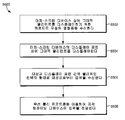
도 55는 본 발명의 일 실시예에 따라, 메모리 및 프로세서를 갖는 컴퓨팅 디바이스를 이용하여 터치-스크린 디바이스를 통해 지각 테스트(sensory test)에 대한 입력을 수신하기 위한 방법의 블록도를 도시한다.
도 56은 본 발명의 예시적인 실시예에 따라, 터치-스크린 디바이스에서, 대상으로부터의 지각 트레이닝 액티비티(sensory training activity)에 응답하여 입력을 무선으로 수신하기 위한 방법의 블록도를 도시한다. The present invention is described in detail below with reference to the accompanying drawings.
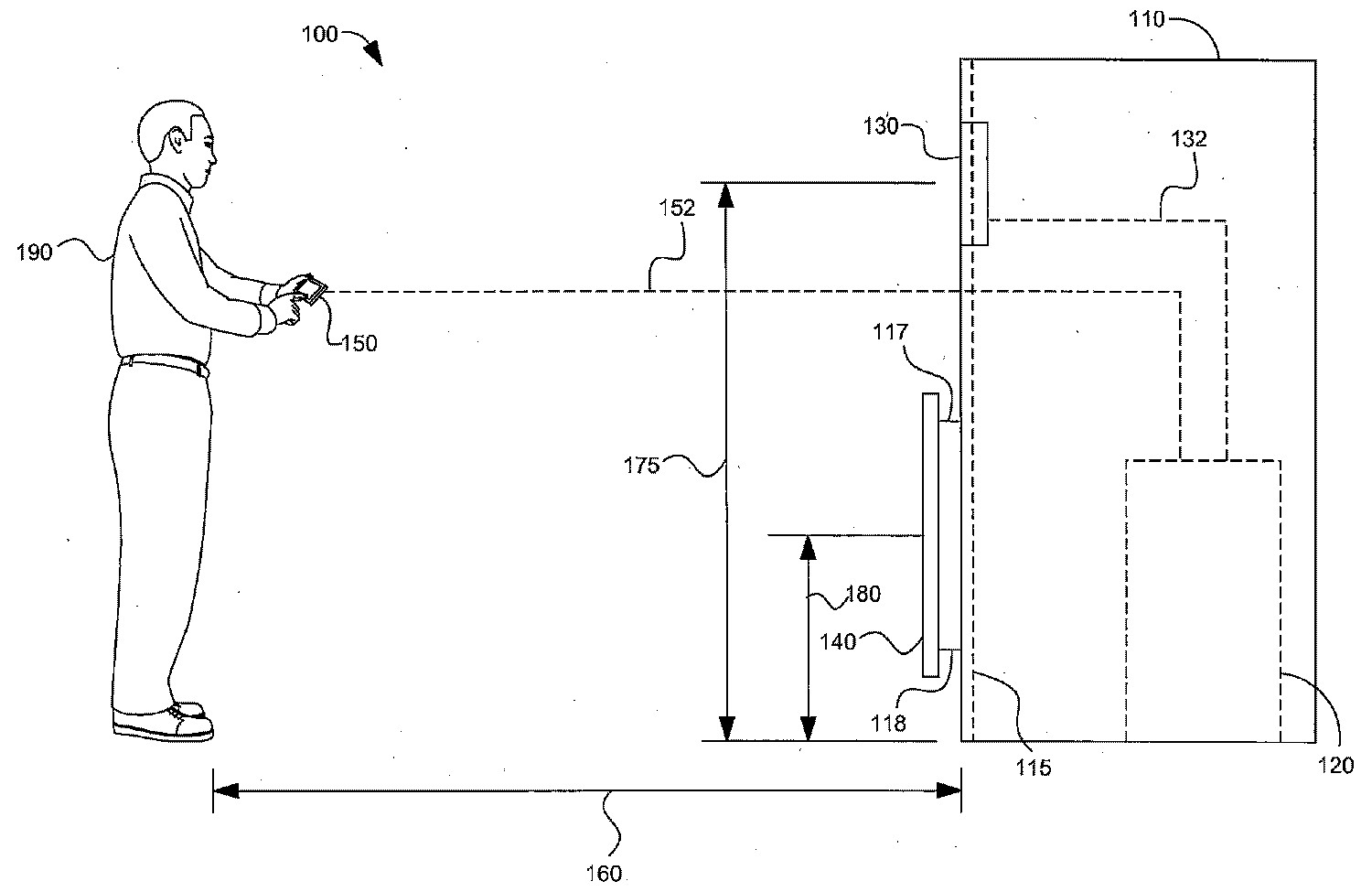
FIG. 1A illustrates a system according to the present invention while the visual functions of an individual are being tested and / or trained in optical infinity.
Figure IB shows a system according to the invention while the visual functions of an individual are being tested and / or trained at a visually close distance.
Figure 2 illustrates a method for integrated vision testing and / or training in accordance with the present invention.
Figure 3 illustrates another method for integrated vision testing and / or training in accordance with the present invention.
Figure 4 illustrates another method for integrated vision testing and / or training in accordance with the present invention.
Figure 5 illustrates another method for integrated vision testing and / or training in accordance with the present invention.
Figure 6 illustrates another method for integrated vision testing and / or training in accordance with the present invention.
Figure 7 illustrates another method for integrated vision testing and / or training in accordance with the present invention.
Figure 8 illustrates another method for integrated vision testing and / or training in accordance with the present invention.
Figure 9 illustrates interrelated methods for testing and / or training an individual's contrast sensitivity and depth perception in accordance with the present invention.
Figure 10A illustrates visual sharpness testing and / or training in accordance with the present invention.
Figure 10B illustrates contrast sensitivity testing and / or training in accordance with the present invention.
Figure 10c illustrates depth perceptual testing and / or training in accordance with the present invention.
Figure 10d shows a portion of distance-near focus testing and / or training in accordance with the present invention.
FIG. 10E shows another part of distance-near-focus testing and / or training in accordance with the present invention.
Figure 10f illustrates saccadic target capture testing and / or training in accordance with the present invention.
FIG. 10G illustrates visual field coverage testing and / or training in accordance with the present invention.
Figure 10h illustrates eye-hand coordinated testing and / or training in accordance with the present invention.
Figure 10i illustrates a portion of go / no-go testing and / or training in accordance with the present invention.
Figure 10j shows another part of go / no-go testing and / or training according to the present invention.
Figure 10k illustrates a portion of the reaction time testing and / or training in accordance with the present invention.
FIG. 101 shows another part of the reaction time testing and / or training in accordance with the present invention.
Figure 11 shows the proximity testing and / or training of convergence in accordance with the present invention.
Figures 12A-12C show a display of adaptable indicia according to the present invention.
Figures 13A-13D illustrate displays of indicia according to the present invention.
Figures 14A and 14B illustrate examples of resizing of adaptive indices over time, in accordance with the present invention.
Figure 15 illustrates a method according to the present invention for testing and / or training static visual acuity.
Figure 16 shows another method according to the present invention for testing and / or training a stationary visual acuity.
Figure 17 illustrates a method according to the present invention for testing and / or training a stationary visual acuity of a subject.
Figure 18 shows another method according to the present invention for testing and / or training an individual's resting visual acuity.
Figure 19 shows another method according to the present invention for testing and / or training an individual's resting visual acuity.
Figure 20 illustrates an exemplary relative indicia size range that can be obtained in testing and / or training stationary visual acuity in accordance with the present invention.
Figure 21 shows another method according to the present invention for testing and / or training the visual sensitivity of an object.
Figure 22 illustrates another method according to the present invention for testing and / or training the visual sensitivity of an object.
Figures 23A-23B illustrate graphical representations of luminance patterns of circular contrast zones that change in the form of a sinusoid as a function of the visual angle.
Figures 24A-24B illustrate graphical representations of luminance patterns of circular contrast zones that change as a function of time in the form of a square wave.
Figure 25 illustrates another system for testing and / or training contrast sensitivity in accordance with the present invention.
Figure 26 illustrates various touch screen contrast sensitivity testing and / or training systems in accordance with the present invention.
Figure 27 illustrates another system for testing and / or training contrast sensitivity using a multi-touch input device, in accordance with the present invention.
Figures 28A-28D illustrate various types of circular contrast zones and inputs using a multi-touch input device, in accordance with the present invention.
Figure 29 illustrates a method for testing and / or training contrast sensitivity in accordance with the present invention.
Figure 30 illustrates another method for testing and / or training contrast sensitivity in accordance with the present invention.
Figure 31 illustrates a system for near-distance focus testing and / or training in accordance with the present invention.
Figure 32 further illustrates a system for near-distance focus testing and / or training in accordance with the present invention.
33A and 33B illustrate a method for near-far focus testing and / or training in accordance with the present invention.
34A and 34B illustrate another method for near-far focus testing and / or training in accordance with the present invention.
Figures 35a and 35d illustrate adaptive indices used in testing and / or training target capture capabilities in accordance with the present invention.
Figure 36 illustrates the speed variation of a dynamic visual indicia according to a number of iterations, in accordance with the present invention.
Figure 37 illustrates a display device that provides visual information in accordance with an embodiment of the present invention.
Figure 38 illustrates another display device that provides visual information in accordance with one embodiment of the present invention.
Figure 39 illustrates another input device for receiving inputs in response to visual information, in accordance with an embodiment of the present invention.
Figure 40 shows a view angle range evaluation in accordance with an embodiment of the present invention.
Figure 41 illustrates another display device that provides visual information in accordance with an embodiment of the present invention.
Figure 42 illustrates an input device for receiving inputs in response to visual information, in accordance with another embodiment of the present invention.
Figure 43 shows a representation of the viewing angle range estimate according to another embodiment of the present invention.
Figure 44 illustrates a method for testing and / or training visual range and / or velocity of an object in accordance with an embodiment of the present invention.
Figure 45 illustrates another method for testing and / or training visual range and / or velocity of an object in accordance with an embodiment of the present invention.
Figure 46 illustrates another method for testing and / or training visual range and / or velocity of an object in accordance with an embodiment of the present invention.
Figures 47A-47C illustrate one embodiment of the present invention utilizing a single touch sensitive display device as both a display device and an input device in accordance with embodiments of the present invention.
48 illustrates an embodiment of a display device capable of displaying visual information of variable amounts for use in testing and / or training a visual range and / or velocity of an object in accordance with embodiments of the present invention Respectively.
Figure 49 illustrates another method for testing and / or training visual range and / or velocity of an object in accordance with one embodiment of the present invention.
Figure 50 illustrates aspects associated with measuring the distance between a displayed indicia and a touch response, in accordance with embodiments of the present invention.
Figures 51A-51D illustrate exemplary embodiments of response time testing and training in accordance with embodiments of the present invention.
Figure 52 depicts an object registering an input to a touch-screen device in response to sensory testing and a graphical element being displayed from a training device, in accordance with an exemplary embodiment of the present invention.
Figure 53 illustrates a sensory input touch device in accordance with embodiments of the present invention.
54 illustrates a second perceptual input touch device in accordance with an exemplary embodiment of the present invention.
Figure 55 illustrates a block diagram of a method for receiving input for a sensory test through a touch-screen device using a memory and a computing device having a processor, in accordance with an embodiment of the present invention.
56 illustrates a block diagram of a method for wirelessly receiving an input in response to sensory training activity from an object in a touch-screen device, in accordance with an exemplary embodiment of the present invention.
본 발명은 법적인 요건들을 충족시키기 위해 본 명세서에서 특정적으로 설명된다. 하지만, 이러한 설명 자체가 본 특허의 범위를 제한하는 것으로 의도되지는 않는다. 그렇다기 보다는, 본 발명의 발명자들은 본 발명이 다른 기존의 또는 미래의 기술들과 함께, 다른 단계들 또는 단계들의 조합(들) 및/또는 본 명세서에서 설명되는 것들과 유사한 컴포넌트들을 포함하도록 다른 방법들로 구현될 수도 있다는 것을 고려하였다. The present invention is specifically described herein to meet legal requirements. However, such description itself is not intended to limit the scope of the present patent. Rather, the inventors of the present invention contemplate that the present invention may be embodied in other ways or with other techniques, including other steps or combination (s) of steps and / or components similar to those described herein As shown in FIG.
이제, 도 1a를 참조하면, 본 발명에 따른 통합된 시력 테스팅 및/또는 트레이닝 시스템(100)이 도시된다. 키오스크(110)는 제 1 디스플레이 디바이스(130), 제 2 디스플레이 디바이스(140) 및 제어 유닛(120)을 포함할 수 있다. 지지 프레임(supportive frame)(115)이 키오스크(110)에 대한 구조적인 지지를 제공함으로써, 제 1 디스플레이 디바이스(130)를 적소에 단단하게 홀딩(holding)시키고, 제 2 디스플레이 디바이스(140)에 대해 슬라이드 가능한(slideable) 지지를 제공할 수 있다. 하지만, 키오스크(110)는 독립형(self supporting)이 되도록 구성될 수 있으며, 이에 따라 지지 프레임(115)은 생략될 수 있다. 제 1 디스플레이 디바이스(130)는, 예를 들어 고해상도 모니터를 포함할 수 있다. 제 1 디스플레이 디바이스(130)는 제 1 높이(175)에서 단단하게 부착될 수 있는데, 이러한 제 1 높이는 시력 테스팅 및/또는 트레이닝을 받고 있는 전형적인 개인, 이를 테면 개인(190)에 대한 개략적인 눈 높이가 될 수 있다. 제 1 디스플레이 디바이스(130)의 적절한 높이는, 키오스크(110)를 이용한 테스팅 동안 개인들에 의해 이용되는 자세 뿐 아니라, 이러한 키오스크(110)가 성인들, 어린이들, 남자들, 여자들 등에 대해 이용되도록 의도되는지에 기초하여 달라질 수 있다. 또한, 제 1 디스플레이 디바이스(130)의 높이는 요구되는 경우 조정가능하다. 제 2 디스플레이 디바이스(140)는 제 1 높이(180)에서 제 1 이동가능한 커플링(movable coupling)(117) 및 제 2 이동가능한 커플링(118)을 통해 지지 프레임(115)에 슬라이드 가능하게 부착될 수 있다. 물론, 여기에서 예시된 2개 보다 많거나 적은 것을 포함하여 가변수의 임의의 타입의 이동가능한 커플링들이 이용될 수 있다. 제 2 디스플레이 디바이스(140)는 지지 프레임에 직접적으로 또는 간접적으로 슬라이드 가능하게 부착될 수 있으며, 그리고 이를 테면 사용자 또는 관리자에 의해 조정되게 하거나, 모터 구동 디바이스를 이용하거나, 서보기구들(servos), 유압식 기계들(hydraulics) 등을 이용하거나, 또는 임의의 다른 메커니즘을 이용하는 등과 같이, 임의의 수단을 통해 움직일 수 있다. 요구되는 경우 제 1 디스플레이 디바이스 뿐 아니라 제 2 디스플레이 디바이스(140)의 조정가능한 높이는, 특히 시각적으로 가까운 테스팅을 위해, 및/또는 터치 감응 입력 디바이스로서 이용하기 위해, 다양한 신장들을 갖는 개인들을 테스트하는 데에 특히 유용하다. 하지만, 제 2 디스플레이 디바이스(140)는 본 발명의 범위를 벗어나지 않으면서 적소에 부착될 수도 있다. 제 2 디스플레이 디바이스(140)는 와이드 스크린 모니터를 포함할 수 있는데, 이러한 와이드 스크린 모니터가 테스팅을 받고 있는 개인(이를 테면, 개인(190))에 대해 거의 눈 레벨이 되도록 슬라이드 가능하게 조정되면, 제 1 디스플레이 디바이스(130)를 완전히 보이지 않게 할 것이다. 하기에서 충분히 더 설명되는 바와 같이, 제 2 디스플레이 디바이스(140)는 디스플레이 디바이스 및 입력 디바이스 모두로서 이용될 수 있는 터치 감응 디스플레이 디바이스를 포함할 수 있다. Referring now to FIG. 1A, an integrated vision testing and / or
도 1a에 도시된 바와 같이, 개인(190)은 키오스크(110)로부터 제 1 거리(160)에서 시력 테스팅 및/또는 트레이닝에 참여(engage)하고 있다. 제 1 거리(160)는, 예를 들어 개인(190)에 대한 광학적 무한대를 포함할 수 있다. 광학적 무한대는 개인(190)의 눈들이, 이러한 눈들의 시축(visual axis)이 평행한 방식으로 향하는 상태로, 즉 제로 컨버전스(zero convergence)를 가지면서, 디스플레이되는 인디시아에 초점을 맞출 수 있는 거리를 말한다. 제 1 거리(160)에 대한 적절한 거리는, 예를 들어 개략적으로 광학적 무한대인 약 16 피트(feet)일 수 있다. 물론, 광학적 무한대 보다 훨씬 아래의 거리들 뿐 아니라, 광학적 무한대에 가까운 또는 광학적 무한대를 초과하는 다른 거리들도 또한 이용될 수 있다. 도 1a에 도시된 바와 같이, 개인(190)은 제 1 입력 디바이스(150)를 이용하여, 제 1 디스플레이 디바이스(130) 상에 디스플레이되는 시각적 인디시아에 응답할 수 있다. 도 1a에 도시된 바와 같이, 제 1 입력 디바이스(150)는 멀티-터치 입력 디바이스를 포함할 수 있다. 멀티-터치 입력 디바이스의 이용에 대해서는 하기에서 보다 상세히 설명된다. As shown in FIG. 1A, an individual 190 is engaging in vision testing and / or training at a
이제, 도 1b를 참조하면, 키오스크(110)에 대해 시각적으로 가까운 거리에서 개인(190)이 시각적인 테스팅 및/또는 트레이닝에 참여하고 있는 시스템(100)이 도시된다. 도 1b에 도시된 바와 같이, 제 2 디스플레이 디바이스(140)는 제 2 위치(185)에 슬라이드 가능하게 위치된다. 제 2 위치(185)는 (도 1a에 나타낸) 제 1 거리(175)와 상당히 유사하며, 제 2 디스플레이 디바이스(140)에 의해 개인(190)의 시야(view)로부터 제 1 디스플레이 디바이스(130)를 보이지 않게 한다. 도 1b에 나타낸 바와 같이, 개인(190)은 제 2 디스플레이 디바이스(140)로부터 제 2 위치(170)에 위치된다. 도 1b에 도시된 바와 같이, 제 2 디스플레이 디바이스(140)는 터치 감응 스크린을 포함할 수 있으며, 이에 따라 개인(190)은 제 2 디스플레이 디바이스(140) 상에 디스플레이되는 시각적 인디시아에 응답하여, 이러한 제 2 디스플레이 디바이스(140)를 물리적으로 터치함으로써 입력들을 등록할 수 있다. 물론, 이를 테면 조이스틱(들), 버튼들, 키보드들, 멀티-터치 디바이스, 음성 인식 등과 같은 다른 입력 디바이스들도 이용될 수 있다. Referring now to FIG. 1B, there is shown a
도 1a 및 1b에 도시된 바와 같이, 제 1 디스플레이 디바이스(130) 및/또는 제 2 디스플레이 디바이스(140) 상에서의 시각적 인디시아의 디스플레이는 제어 유닛(120)에 의해 제어될 수 있다. 제어 유닛(120)은 임의의 타입의 컴퓨팅 디바이스를 포함할 수 있으며, 그 위에 설치되는 적절하게 구성되는 소프트웨어를 이용하여 동작할 수 있다. 제어 유닛(120)은 프로세서들, 메모리 디바이스들, 하드 드라이브들, 플래시 메모리 등을 포함할 수 있다. 제어 유닛(120)은 또한 유선 및/또는 무선 네트워크 연결들을 이용하여, 다른 컴퓨팅 디바이스들 및/또는 저장 디바이스들과 상호 작용을 할 수 있다. 제어 유닛(120)은 제 1 연결(132)을 통해 제 1 디스플레이 디바이스(130)와 동작가능하게 연결될 수 있다. 유사하게, 제어 유닛(120)은 제 2 연결(142)을 통해 제 2 디스플레이 디바이스(140)에 동작가능하게 연결될 수 있다. 제어 유닛(120)은 제 3 연결(152)을 통해 입력 디바이스(150)와 동작가능하게 연결될 수 있다. 제 1 연결(132), 제 2 연결(142), 및/또는 제 3 연결(152)중 임의의 것 및 이들 각각은 임의의 프로토콜 또는 포맷을 이용할 수 있으며, 다른 프로토콜들 및 포맷들을 이용할 수도 있다. 예를 들어, 연결(152)은 유익하게는 다양한 802.11 프로토콜들 및/또는 블루투쓰 프로토콜들을 이용하는 무선 연결일 수 있다. As shown in FIGS. 1A and 1B, the display of the visual indicia on the
예시적인 실시예에서, 제어 유닛(120)은 프로세서 및 메모리를 갖는 컴퓨팅 디바이스이다. 전형적으로, 컴퓨팅 디바이스는 다양한 컴퓨터-판독가능한 매체를 포함한다. 제한이 아닌 예로서, 컴퓨터-판독가능한 매체는 랜덤 액세스 메모리(RAM); 판독 전용 메모리(ROM); 전기적으로 소거가능하고 프로그램가능한 판독 전용 메모리(EEPROM); 플래시 메모리 또는 다른 메모리 장비들(memory technologies); CDROM; 디지털 다기능 디스크(DVD) 또는 다른 광학적 또는 홀로그래픽 매체(holographic media); 자기 카세트들; 자기 테이프; 자기 디스크 저장 장치 또는 다른 자기 저장 디바이스들; 또는 원하는 정보를 엔코드하는 데에 이용될 수 있고 컴퓨팅 디바이스에 의해 액세스될 수 있는 임의의 다른 매체를 포함할 수 있다. In an exemplary embodiment, the
후속하는 도면들 뿐 아니라, 도 1a 및 1b 모두는, 시각적인 테스팅 및/또는 트레이닝에 참여하는 개인(190)이 제 1 디스플레이 디바이스(130) 및/또는 제 2 디스플레이 디바이스(140)에 대해 실질적으로 수직인 주시 각도(gaze angle)를 이용하는 예들을 도시하고 있지만, 본 발명에 따른 시각적인 테스팅 및/또는 트레이닝에서는 다른 주시 각도들도 이용될 수 있다. 운동선수의 노력과 같은 많은 액티비티들에서는, 다양한 주시 각도들로부터 시각적인 정보를 정확하게 및/또는 신속하게 감지하는 것이 결정적으로 중요하다. 본 발명에 따른 시스템들 및 방법들은 임의의 주시 각도에서 시각적인 기능들을 테스트 및/또는 트레이닝할 수 있으며, 특히 관심있는 특정의 액티비티에 대해 중요한 주시 각도들을 개인(190)에게 말해줄 수 있다. 이러한 비-수직의 주시 각도들은 수직의 주시 각도의 윗쪽, 아랫쪽, 왼쪽, 및/또는 오른쪽에 있을 수 있다. 본 발명에 따른 시스템들 및 방법들은 개인(190)에 대한 임의의 수의 주시 각도들을 테스트 및/또는 트레이닝하는 데에 이용될 수 있다. 1a and 1b as well as the following figures show that an individual 190 participating in visual testing and / or training may be substantially (or at least substantially) in front of the
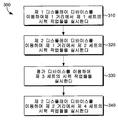
이제, 도 2를 참조하면, 개인에 대한 지각 테스팅 및/또는 트레이닝을 실시(administer)하기 위한 방법(200)이 도시된다. 단계(210)에서, 제 1 그룹의 지각 테스팅 및/또는 트레이닝 작업들이 개인에 대해 실시될 수 있다. 단계(210)에서 실시되는 작업들의 그룹은 공통 디스플레이 디바이스, 공통 입력 디바이스, 테스트 및/또는 트레이닝되고 있는 장비에 대한 개인의 공통 위치 또는 방위, 또는 장비 및/또는 위치선정(positioning)의 측면에서 공통성을 갖는 다른 포인트들을 이용할 수 있다. 단계(220)에서, 제 2 그룹의 지각 테스팅 및/또는 트레이닝 작업들이 개인에 대해 실시될 수 있다. 단계(220)에서 실시되는 작업들의 그룹은 공통 디스플레이 디바이스, 공통 입력 디바이스, 테스트 및/또는 트레이닝되고 있는 개인의 장비에 대한 공통 위치 또는 방위, 또는 단계(210)에서 실시되는 지각 작업들의 제 1 그룹과 다른, 장비 및/또는 위치선정의 측면에서 공통성을 갖는 다른 포인트들을 이용할 수 있다. 단계(230)에서, 제 3 그룹의 지각 테스팅 및/또는 트레이닝 작업들이 개인에 대해 실시될 수 있다. 단계(230)에서 실시되는 제 3 그룹의 감지 테스트는 공통 디스플레이 디바이스, 공통 입력 디바이스, 테스트 및/또는 트레이닝되고 있는 개인의 장비에 대한 공통 위치 또는 방위, 또는 단계(210)에서 실시되는 제 1 그룹의 지각 작업들 및 단계(220)에서 실시되는 제 2 그룹의 지각 작업들과 다른, 장비 및/또는 위치선정의 측면에서 공통성을 갖는 다른 포인트들을 이용할 수 있다. 제 1 그룹의 지각 작업들, 제 2 그룹의 지각 작업들 및 제 3 그룹의 지각 작업들 각각은 한번 이상 실시되는 하나 이상의 타입의 지각 작업을 포함할 수 있다. Referring now to FIG. 2, a
이제, 도 3을 참조하면, 시각적인 테스팅 및/또는 트레이닝을 실시하기 위한 다른 방법(300)이 도시된다. 단계(310)에서, 제 1 세트의 시력 테스팅 및/또는 트레이닝 작업들이 제 1 디스플레이 디바이스를 이용하여 제 1 거리에서 개인에 대해 실시될 수 있다. 단계(320)에서, 제 2 세트의 시력 테스팅 및/또는 트레이닝 작업들이 제 2 디스플레이 디바이스를 이용하여 제 1 거리에서 실시될 수 있다. 단계(330)에서, 제 3 세트의 시력 테스팅 및/또는 트레이닝 작업들이 평가 디바이스(assessment device)를 이용하여 개인에 대해 실시될 수 있다. 단계(330)에서 이용되는 평가 디바이스는 디스플레이 디바이스일 필요는 없으며, 이를 테면 개인의 컨버전스의 근점과 같은 시각적인 능력들을 테스트하는 데에 이용될 수 있는 것과 같은, 시각적인 기능들을 테스팅 및/또는 트레이닝하기 위한 비-디스플레이(non-display) 디바이스 평가 장치일 수도 있다. 단계(340)에서, 제 4 세트의 시력 테스팅 및/또는 트레이닝 작업들이 제 2 디스플레이 디바이스를 이용하여 제 2 거리에서 개인에 대해 실시될 수 있다. 방법(300)에서 이용되는 제 1 디스플레이 디바이스 및 제 2 디스플레이 디바이스는 이들을 다른 타입들의 시각적인 테스트들에 적절히 적합되게 하는 다른 특성들을 가질 수 있다. 예를 들어, 고해상도 디스플레이 디바이스는, 이를 테면 시각적 선명도, 콘트라스트 감도, 깊이 지각 등과 같은 시각적인 기능들을 테스팅 및/또는 트레이닝하는 데에 이용하도록 특히 적절하게 적합될 수 있다. 하지만, 비약 타겟 캡처, 시지각 범위, 눈 손 협응, 반응 시간 등과 같은 시각적인 기능들을 테스팅 및/또는 트레이닝하는 데에는, 확장가능한 치수들(expansive dimensions)을 갖는 스크린들이 더 적합할 수 있다. 또한, 터치 감응 스크린들, 또는 터치 감응 오버레이를 이용하도록 적절히 적합되는 스크린들은 아마도, 디스플레이되는 시각적인 테스팅 인디시아에 응답하여 터치 입력을 요구하는 테스팅 및/또는 트레이닝에 적절히 적합될 수 있다. Turning now to FIG. 3, another
이제, 도 4를 참조하면, 본 발명에 따른 시력 테스팅 및/또는 트레이닝을 실시하는 다른 방법(400)이 도시된다. 단계(410)에서, 제 1 디스플레이 디바이스 및 제 1 입력 디바이스를 이용하여, 제 1 세트의 시력 테스팅 및/또는 트레이닝 작업들이 개인에게 실시될 수 있다. 단계(420)에서, 제 2 디스플레이 디바이스 및 제 1 입력 디바이스를 이용하여, 제 2 세트의 시력 테스팅 및/또는 트레이닝 작업들이 개인에게 실시될 수 있다. 단계(430)에서, 제 2 디스플레이 디바이스 및 제 2 입력 디바이스를 이용하여, 제 3 세트의 시력 테스팅 및/또는 트레이닝 작업들이 개인에게 실시될 수 있다. 도 3과 관련하여 상기에서 설명한 바와 같이, 방법(400)에 대해 이용되는 제 1 디스플레이 디바이스 및 제 2 디스플레이 디바이스는 이들의 특정의 특징들 및 수행될 작업들의 타입들에 대해 선택될 수 있다. 또한, 방법(400)에 대해 이용되는 제 1 입력 디바이스 및 제 2 입력 디바이스는 이들의 특정의 특징들, 및 특정 타입들의 시력 작업들(vision tasks)에 대해 수신될 입력의 특정 타입들에 기초하여 선택될 수 있다. 예를 들어, 제어 유닛과 무선으로 통신할 수 있는 멀티-터치 디바이스는 디스플레이 디바이스로부터 광학적 무한대 또는 유사하게 먼 거리에서 수행되는 시력 작업들에 대해 특히 유익할 수 있다. 한편, 광학적으로 디스플레이 가까이에서 수행되는 시력 작업들은 바람직하게는 터치 감응 스크린, 버튼들, 조이스틱들 등을 이용하여 입력들을 수신할 수 있다. Referring now to FIG. 4, there is shown another
이제, 도 5를 참조하면, 본 발명에 따른 시력 테스팅 및/또는 트레이닝을 실시하기 위한 다른 방법(500)이 도시된다. 단계(510)에서, 시각적으로 먼(far) 디스플레이 디바이스 및 제 1 입력 디바이스를 이용하여, 하나 이상의 시력 테스팅 및/또는 트레이닝 작업이 개인에게 실시된다. 시각적으로 먼 디스플레이 디바이스는 테스트되고 있는 개인으로부터의 광학적 무한대 또는 이러한 광학적 무한대 근처에 있는 디스플레이 디바이스를 포함할 수 있다. 단계(520)에서, 시각적으로 가까운(near) 디스플레이 디바이스 및 제 2 입력 디바이스를 이용하여, 하나 이상의 시력 테스팅 및/또는 트레이닝 작업이 개인에게 실시될 수 있다. 단계(530)에서, 어떠한 디스플레이 디바이스도 갖지 않는 장비를 이용하여, 하나 이상의 시력 테스팅 및/또는 트레이닝 작업이 개인에게 실시될 수 있다. Referring now to FIG. 5, there is shown another
이제, 도 6을 참조하면, 본 발명에 따른 시력 테스팅 및/또는 트레이닝을 실시하는 다른 방법(600)이 도시된다. 단계(610)에서, 시각적으로 먼 디스플레이 디바이스 및 제 1 입력 디바이스를 이용하여 하나 이상의 시력 테스팅 및/또는 트레이닝 작업이 개인에게 실시될 수 있다. 단계(620)에서, 시각적으로 먼 디스플레이 디바이스, 시각적으로 가까운 디스플레이 디바이스 및 제 1 입력 디바이스를 이용하여 하나 이상의 시력 테스팅 및/또는 트레이닝 작업이 개인에게 실시될 수 있다. 단계(620)는, 예를 들어 근거리-원거리 포커스(near-far focus) 테스트를 실시하는 것을 포함할 수 있다. 단계(630)에서, 어떠한 디스플레이 디바이스도 갖지 않는 장비를 이용하여 하나 이상의 시력 테스팅 및/또는 트레이닝 작업이 개인에게 실시될 수 있다. 단계(640)에서, 시각적으로 가까운 디스플레이 디바이스 및 제 2 입력 디바이스를 이용하여 하나 이상의 시력 테스팅 및/또는 트레이닝 작업이 개인에게 실시될 수 있다. Referring now to FIG. 6, there is shown another
이제, 도 7을 참조하면, 본 발명에 따른 시력 테스팅 및/또는 트레이닝을 실시하는 다른 방법(700)이 도시된다. 단계(710)에서, 제 1 디스플레이 디바이스 및 제 1 입력 디바이스를 이용하여, 제 1 거리에서 제 1 세트의 시력 테스팅 및/또는 트레이닝 작업들이 개인에게 실시될 수 있다. 단계(720)에서, 제 2 디스플레이 디바이스 및 제 1 입력 디바이스를 이용하여, 제 1 거리에서 제 2 세트의 시력 테스팅 및/또는 트레이닝 작업들이 개인에게 실시될 수 있다. 단계(730)에서, 디바이스를 이용하여, 제 3 세트의 시력 테스팅 및/또는 트레이닝 작업들이 개인에게 실시될 수 있다. 단계(730)에서 이용되는 디바이스는 디스플레이 디바이스일 필요는 없다. 단계(740)에서, 제 2 디스플레이 디바이스 및 제 2 입력 디바이스를 이용하여, 제 2 거리에서 제 4 세트의 시력 테스팅 및/또는 트레이닝 작업들이 개인에게 실시될 수 있다. 제 1 세트의 시력 테스팅 및/또는 트레이닝 작업들, 제 2 세트의 시력 테스팅 및/또는 트레이닝 작업들, 제 3 세트의 시력 테스팅 및/또는 트레이닝 작업들 및 제 4 세트의 시력 테스팅 및/또는 트레이닝 작업들 각각은 한번 이상 실시되는 하나 이상의 타입의 시력 작업을 포함할 수 있다. Referring now to FIG. 7, another
이제, 도 8a를 참조하면, 본 발명에 따른 시력 테스팅 및/또는 트레이닝을 실시하는 다른 방법(800)이 도시된다. 단계(805)에서, 제 1 해상도를 갖는 제 1 디스플레이 디바이스가 제공될 수 있다. 단계(810)에서, 테스트될 개인은 제 1 디스플레이 디바이스로부터 실질적으로 광학적 무한대에서 방위가 정해질 수 있다. 단계(815)에서, 개인의 시각적 선명도가 테스트 및/또는 트레이닝될 수 있다. 단계(820)에서, 개인의 콘트라스트 감도가 테스트 및/또는 트레이닝될 수 있다. 단계(815) 및 단계(820)는 제 1 디스플레이 디바이스를 이용하여, 시각적인 테스팅 인디시아를 디스플레이할 수 있다. 개인은, 이를 테면 멀티-터치 디바이스와 같은 입력 디바이스를 이용하여, 단계(810), 단계(815) 및/또는 단계(820)에서 디스플레이되는 시각적인 테스팅 인디시아에 응답할 수 있다. 단계(825)에서, 3차원 효과 아이웨어(three-dimensional effect eyewear)가 개인에게 제공될 수 있다. 단계(825)에서 제공되는 3차원 효과 아이웨어는, 디스플레이 디바이스와 함께 개인에게 3차원 이미지를 제공하는 데에 이용되는, 아나글리픽 아이웨어(anaglyphic eyewear), LCD 셔터 아이웨어(LCD shutter eyewear), 벡토그래픽(vectographic)(편광된(polarized)) 또는 기타 아이웨어를 포함할 수 있다. 단계(830)에서, 개인의 깊이 지각이 테스트 및/또는 트레이닝될 수 있다. 단계(830)는 제 1 디스플레이 디바이스를 이용하여, 3차원 아이웨어를 통해 개인에게 보여주기 위한 시각적 인디시아를 디스플레이할 수 있다. 개인은, 이를 테면 멀티-터치 디바이스와 같은 입력 디바이스를 이용하여, 단계(830)에서 디스플레이되는 시각적 인디시아에 응답할 수 있다. 단계(835)에서, 개인으로부터 3차원 효과 아이웨어를 벗길 수 있다. 단계(840)에서, 핸드헬드(handheld) 디스플레이 디바이스가 개인에게 제공될 수 있다. 단계(840)에서 제공되는 핸드헬드 디스플레이 디바이스는, 이를 테면 단계(800)에서 입력 디바이스로서도 이용될 수 있는 것과 같은, 멀티-터치 디바이스를 포함할 수 있다. 단계(845)에서, 제 1 디스플레이 디바이스, 핸드헬드 디스플레이 디바이스 및 입력 디바이스를 이용하여, 개인의 근거리-원거리 포커스가 테스트 및/또는 트레이닝될 수 있다. 방법(800)의 연속인 도 8b를 계속해서 참조하면, 단계(850)에서, 2차원을 갖는 제 2 디스플레이 디바이스가 제공될 수 있다. 단계(855)에서, 개인의 시각적인 타겟 캡처 능력(visual target capture ability)이 테스트 및/또는 트레이닝될 수 있다. 단계(855)는 제 2 디스플레이 디바이스를 이용하여, 시각적 인디시아를 디스플레이할 수 있다. 개인은, 이를 테면 멀티-터치 디바이스와 같은 입력 디바이스를 이용하여, 단계(855)에서 디스플레이되는 시각적 인디시아에 응답할 수 있다. 단계(860)에서, 터치 감응 디스플레이 디바이스가 개인에게 제공될 수 있다. 단계(865)에서, 개인은 시각적으로 이러한 터치 감응 디스플레이 디바이스 가까이에서 방위가 정해질 수 있다. 단계(870)에서, 개인의 시지각 범위가 테스트 및/또는 트레이닝될 수 있다. 단계(875)에서, 개인의 눈-손 협응이 테스트 및/또는 트레이닝될 수 있다. 단계(880)에서, 개인의 고/노-고(go/no-go) 능력들이 테스트 및/또는 트레이닝될 수 있다. 단계(870), 단계(880) 및 단계(890)는 터치 감응 디스플레이 디바이스 상에 디스플레이되는 하나 또는 다수의 시각적 인디시아를 이용할 수 있다. 개인은 터치 감응 디스플레이를 터치함으로써, 디스플레이되는 시각적 인디시아에 응답할 수 있다. 단계(885)에서, 개인의 반응 시간이 테스트 및/또는 트레이닝될 수 있다. 단계(885)는 터치 감응 디스플레이 디바이스 상에 디스플레이되는 시각적 인디시아를 이용할 수 있다. 개인은 터치 감응 디스플레이 디바이스를 이용하여 자신의 컨택(contact)을 변경함으로써, 단계(885)에서 디스플레이되는 시각적 인디시아에 응답할 수 있다. Referring now to FIG. 8A, another
이제, 도 9를 참조하면, 개인의 콘트라스트 감도 및 깊이 지각을 테스팅 및/또는 트레이닝하기 위한 상호 관련된 방법(900)이 도시된다. 단계(910)에서, 테스트 및/또는 트레이닝될 개인이 콘택트 렌즈를 착용(wear)하고 있는 지를 결정한다. 테스트 및/또는 트레이닝될 개인이 콘택트 렌즈를 착용하고 있다면, 방법(900)은 단계(920)로 진행된다. 단계(920)에서, 개인의 오른쪽 눈의 콘트라스트 감도가 테스트 및/또는 트레이닝된다. 이후, 방법(900)은 단계(930)로 진행되어, 개인의 왼쪽 눈의 콘트라스트 감도가 테스트 및/또는 트레이닝된다. 이후, 방법(900)은 단계(940)로 진행된다. 단계(940)에서는, 개인의 오른쪽 눈과 왼쪽 눈 모두에 대한 콘트라스트 감도가 허용가능한지를 결정한다. 단계(940)에서, 단계(920)와 단계(930) 중 어느 하나 또는 둘 모두의 결과들이, 개인의 한쪽 눈 또는 양쪽 눈들이 충분한 콘트라스트 감도가 부족함을 나타내는 것으로 결론이 나면, 방법(900)은 이러한 콘트라스트 감도 부족을 교정(remediate)하는 단계(950)로 진행된다. 예시적인 실시예에서, 콘트라스트 감도를 교정하는 것은 응급 조치(immediate action)이다. 예를 들어, 교정 동작들은, 불충분한 콘트라스트 감도를 교정하고자 하는 시도로 대상의 테스트 및/또는 트레이닝 동안 또는 테스트 및/또는 트레이닝과 동시에 실시될 수 있다. 부가의 예시적인 실시예에서, 콘트라스트 감도를 교정하는 것은, 테스팅 및/또는 트레이닝을 최소로 또는 사소하게 지연시키는 지연된 교정(delayed remediation)을 포함할 수 있다. 예를 들어, 지연된 교정은, 불충분한 콘트라스트 감도를 교정할 수 있는 교정 단계들을 스케줄링하는 것을 미래에 포함할 수 있다. 종종, 이와같은 콘트라스트 감도의 부족은 콘택트 렌즈 상에 침전물들(deposits)이 쌓이는 것과 관련될 수 있으며, 보다 빈번한 콘택트 렌즈들의 변경 및/또는 세정(cleaning)을 실시하여, 콘트라스트 감도 부족을 교정할 수 있다. 만일 각 눈에 대한 콘트라스트 감도가 허용가능한 것으로 단계(940)에서 결론이 난다면, 방법(900)은 단계(960)에서 개인의 깊이 지각 또는 다른 지각 작업들을 테스트하도록 진행될 수 있다. 단계(950)의 교정이 성공적이면(이는 단계(920), 단계(930) 및 단계(940)에 의해 결정될 수 있다), 방법(900)은 또한 단계(960)로 진행될 수 있다. 대안적으로, 교정 단계(950)는 방법(900)이 완료된 이후에 일어날 수 있으며, 그리고 단계(940)에서 개인의 각 눈에 대한 콘트라스트 감도가 허용가능하지 않은 것으로 결정된 후, 방법(900)은 그럼에도 불구하고 단계(960)로 진행될 수 있다. 단계(910)에서, 개인이 콘택트 렌즈를 착용하고 있지 않은 것으로 결론이 나면, 방법(900)은 양쪽 눈들에 대해 동시에 개인의 콘트라스트 감도를 테스팅 및/또는 트레이닝하는 단계(925)로 진행될 수 있다. 단계(925) 이후, 방법(900)은 개인의 깊이 지각을 테스팅 또는 트레이닝하는 단계(960)로 진행될 수 있다. 단계(960)는 개인에 의해 양쪽 눈들을 동시에 이용할 것을 반드시 요구할 것이다. 개인의 깊이 지각은 개인의 왼쪽 눈과 오른쪽 눈의 시각적인 선명도 및/또는 콘트라스트 감도에 있어서의 차이들에 의해 악영향을 받을 수 있다. 방법(900)은, 이를 테면 콘택트 렌즈 착용자들에게 일반적으로 일어날 수 있는 것과 같은, 개인의 왼쪽 눈과 오른쪽 눈의 시각적인 능력들에 있어서의 부족들 및/또는 차이들을 식별하는 데에 이용될 수 있는데, 만일 이것들을 식별하지 않으면 이들은 개인의 깊이 지각에 부정적인 영향을 줄 수 있다. Referring now to FIG. 9, an
이제, 도 10a를 참조하면, 개인(190)의 정지된 시각적 선명도를 테스트하는 데에 이용되는 테스팅 및/또는 트레이닝 시스템의 일 예가 도시된다. 이러한 테스팅 및/또는 트레이닝 시스템은 시각적 인디시아(1010)를 디스플레이할 수 있는 제 1 디스플레이 디바이스(130)를 갖는 키오스크(110)를 포함할 수 있다. 개인(190)은 디스플레이되는 시각적 인디시아(1010)에 응답하여, 제 1 입력 디바이스(150)를 이용하여 입력을 등록할 수 있다. 키오스크(110)와 함께 구현될 수 있는 가능한 정지된 시각적 선명도 테스팅 및/또는 트레이닝 작업들의 예들은 하기에서 더 설명된다. Turning now to FIG. 10A, an example of a testing and / or training system used to test a stationary visual clarity of an individual 190 is shown. Such a testing and / or training system may include a
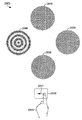
이제, 도 10b를 참조하면, 개인(190)의 콘트라스트 감도를 테스트하는 동안, 시력 테스팅 및/또는 트레이닝 키오스크(110)의 일 예가 도시된다. 제 1 디스플레이 디바이스(130)는 제 1 시각적 인디시아(1020), 제 2 시각적 인디시아(1021), 제 3 시각적 인디시아(1022) 및 제 4 시각적 인디시아(1023)를 디스플레이할 수 있다. 도 10b에 도시된 예에서, 제 1 시각적 인디시아(1020)는 제 1 디스플레이 디바이스(130) 상에 디스플레이되는 다른 시각적 인디시아 보다 더 높은 콘트라스트를 갖는다. 이에 따라, 개인(190)은 멀티-터치 디바이스와 같은 입력 디바이스(150)를 이용하여 제 1 시각적 인디시아(1020)를 선택하는 입력을 등록할 수 있다. 예를 들어, 가능한 콘트라스트 감도 테스팅 및/또는 트레이닝의 예들은 하기에서 더 설명된다. Referring now to FIG. 10B, one example of a vision testing and / or
이제, 도 10c를 참조하면, 개인(190)의 깊이 지각을 테스팅 및/또는 트레이닝하는 데에 이용되는 시력 테스팅 및/또는 트레이닝 키오스크(110)의 일 예가 도시된다. 제 1 디스플레이 디바이스(130)는 제 1 시각적 인디시아(1030), 제 2 시각적 인디시아, 제 3 시각적 인디시아(1032) 및 제 4 시각적 인디시아(1033)를 디스플레이할 수 있다. 도 10c의 예에 도시된 바와 같이, 대상(190)에게는 3차원 효과 아이웨어(1035)가 제공된다. 이러한 3차원 효과 아이웨어(1035)는, 예를 들어 개인(190)의 왼쪽 및 오른쪽 눈들에 대해 제 1 디스플레이 상에 디스플레이되는 이미지들과 일치(coincide)하는 다른 색깔들의 렌즈들을 제공하는 아나글리픽 안경(anaglyphic glasses)을 포함할 수 있다. 다른 예로서, 3차원 효과 아이웨어(1035)는 LCD 셔터 안경(LCD shutter glasses)을 포함할 수 있는 바, 이는 대안적으로 제 1 디스플레이 디바이스(130)와 동시에 개인(190)의 왼쪽 눈 및 오른쪽 눈에 광(light)이 통과될 수 있게 한다. 이러한 방식으로, 개인(190)의 왼쪽 눈 및 개인(190)의 오른쪽 눈은, 이를 테면 도 10c에 도시된 예에서의 제 1 시각적 테스팅 인디시아(1030)와 같은, 배치된 시각적 인디시아 중에서 약간 다른 것을 감지할 수 있게 된다. 키오스크(110)와 함께 실시될 수 있는 가능한 깊이 지각 테스팅 및/또는 트레이닝 작업들의 예들은 하기에서 더 설명된다. Referring now to FIG. 10C, an example of a vision testing and / or
이제, 도 10d 및 도 10e를 참조하면, 근거리-원거리 포커스 테스팅 및/또는 트레이닝에 이용되는 시각적 테스팅 및/또는 트레이닝 키오스크(110)의 일 예가 도시된다. 도 10d에서, 제 1 시각적 인디시아(1040)는 대상(190)으로부터 시각적으로 멀리 있는 제 1 디스플레이 디바이스(130) 상에 디스플레이될 수 있다. 대상(190)은 시각적 인디시아(1040)가 가지고 있는 특성에 기초하여 제 1 입력 디바이스(150)를 이용하여 응답을 등록할 수 있다. 도 10e에서, 제 2 시각적 인디시아(1041)는 제 1 입력 디바이스(150) 상에 디스플레이될 수 있는 바, 이러한 제 1 입력 디바이스는 본 예에서 핸드헬드 디스플레이 디바이스를 또한 포함할 수 있으며, 또한 이러한 특정의 예에서는 멀티-터치 디바이스를 포함한다. 개인(190)은 제 1 입력 디바이스(150)를 이용하여, 시각적 인디시아(1041)에 응답하여 입력을 등록할 수 있다. 키오스크(110), 제 1 디스플레이 디바이스(130) 및 멀티-터치 디바이스(150)를 이용하는 근거리-원거리 포커스 테스팅 및/또는 트레이닝에서, 개인(190)에 의해 등록되는 입력들의 정확성과 이러한 입력들의 속도 양자 모두는 제어 유닛(120)에 의해 측정되어 기록될 수 있다. 키오스크(110)와 함께 실시될 수 있는 가능한 근거리-원거리 포커스 테스팅 및/또는 트레이닝 작업들의 예들은 하기에서 더 설명된다. Referring now to Figures 10d and 10e, an example of visual testing and / or
이제, 도 10f를 참조하면, 개인(190)의 비약 타겟 캡처 기능들을 테스팅 및/또는 트레이닝하는 데에 이용되는 시력 테스팅 및/또는 트레이닝 키오스크(110)의 일 예가 도시된다. 도 10f의 예에 도시된 바와 같이, 제 2 디스플레이 디바이스(140)가 들어올려짐으로써, 개인(190)의 시야로부터 제 1 디스플레이 디바이스(130)를 막는다. 도 10f의 예에 도시된 바와 같이, 시각적 인디시아(1050)는 개인(190)에 의해 기대되지 않은 제 2 디스플레이 디바이스(140) 상의 위치에서 발생하며, 이에 의해 시각적 인디시아(1050)가 가지고 있는 특징(들)을 지각하기 위해서는, 개인(190)에 의한 빠르고 정확한 비약 눈 이동(saccadic eye movement) 및 인식을 요구한다. 개인(190)은 제 1 입력 디바이스(150)를 이용하여, 시각적 인디시아(1050)에 응답하여 입력을 등록할 수 있다. 키오스크(110)와 함께 실시될 수 있는 가능한 비약 캡처 테스팅 및/또는 트레이닝 작업들의 예들은 하기에서 더 설명된다. Referring now to FIG. 10F, an example of a vision testing and / or
이제, 도 10g를 참조하면, 개인(190)의 시지각 범위 및/또는 속도를 테스팅 및/또는 트레이닝하는 데에 이용되는 시력 테스팅 및/또는 트레이닝 키오스크(110)의 일 예가 도시된다. 개인(190)은 시각적으로 제 2 디스플레이 디바이스(140) 가까이에 위치될 수 있다. 제 2 디스플레이 디바이스(140)는 개인(190)이 지각할 수 있는 시각적인 정보(visual information)를 가지고 있는 시각적 테스팅 인디시아를 디스플레이할 수 있다. 도 10g에 도시된 예에서, 시각적인 정보는 시각적 인디시아의 공간적인 분포(spatial distribution)일 수 있다. 도 10g의 예에서, 제 2 디스플레이 디바이스(140)는 터치 감응 디스플레이 디바이스를 포함하며, 그리고 개인(190)은, 시각적 인디시아의 디스플레이가 끝난 후, 이러한 시각적 인디시아의 위치에서 제 2 디스플레이 디바이스(140)를 터치함으로써, 이러한 제 2 디스플레이 디바이스(140) 상에서의 시각적 인디시아의 디스플레이에 응답할 수 있다. 도 10g에 도시된 예에서는, 제 1 시각적 인디시아(1060), 제 2 시각적 인디시아(1061), 제 3 시각적 인디시아(1062) 및 제 4 시각적 인디시아(1063)가 도시된다. 본 발명에 따른 시지각 범위 및/또는 속도 테스팅 및/또는 트레이닝에서, 특히 큰 시지각 범위 능력들을 나타내는 개인들에 대해서는, 더 많은 개수의 시각적 인디시아가 이용될 수 있다. 키오스크(110)와 함께 실시될 수 있는 가능한 시지각 범위 및/또는 속도 테스팅 및/또는 트레이닝 작업들의 예들은 하기에서 더 설명된다. Referring now to FIG. 10g, an example of a vision testing and / or
이제, 도 10h를 참조하면, 개인(190)의 눈-손 협응을 테스팅 및/또는 트레이닝하는 데에 이용되는 시력 테스팅 및/또는 트레이닝 키오스크(110)의 일 예가 도시된다. 제 2 디스플레이 디바이스(140)는, 개인(190)이 개인(190)의 손들로 컨택하고자 시도할 수 있는 시각적 인디시아(1070)와 같은 시각적 인디시아를 디스플레이할 수 있다. 키오스크(110)와 함께 실시될 수 있는 가능한 시각적 눈-손 협응 테스팅 및/또는 트레이닝 작업들의 예들은 하기에서 더 설명된다. Referring now to FIG. 10h, an example of a vision testing and / or
이제, 도 10i 및 도 10j를 참조하면, 고/노-고(go/no-go) 능력들을 테스팅 및/또는 트레이닝하는 데에 이용되는 시력 테스팅 및/또는 트레이닝 키오스크(110)의 일 예가 도시된다. 도 10i에 도시된 바와 같이, 이를 테면 속이 채워진 원(solid circle)으로 된 것과 같은, 제 1 특성을 갖는 시각적 인디시아(1080)가 제 2 디스플레이 디바이스(140) 상에 디스플레이된다. 개인(190)은 속이 채워진 원으로 된 것과 같은, 제 1 특성을 갖는 시각적 인디시아를 컨택하지 말 것을 지시받을 수 있다. 도 10j에 도시된 예에서, 빈 원(empty circle)으로 된 것과 같은, 제 2 특성을 갖는 제 2 시각적 인디시아(1081)가 제 2 디스플레이 디바이스(140) 상에 디스플레이된다. 개인(190)은 빈 원으로 된 것과 같은, 제 2 특성을 갖는 시각적 인디시아를 컨택할 것을 지시받을 수 있다. 키오스크(110)와 함께 실시될 수 있는 가능한 고/노-고(go/no-go) 테스팅 및/또는 트레이닝 작업들의 예들은 하기에서 더 설명된다. 10i and 10j, an example of a vision testing and / or
이제, 도 10k 및 도 10l을 참조하면, 개인(190)의 반응 시간을 테스팅 및/또는 트레이닝하는 데에 이용되는 시력 테스팅 및/또는 트레이닝 키오스크(110)의 일 예가 도시된다. 개인(190)은 처음에 손으로 시각적 인디시아(1090)를 컨택할 수 있다. 도 10l은, 시각적 인디시아(1090)가 디스플레이되는 것이 중지되고 제 2 시각적 인디시아(1091)로 대체된, 시간에 있어서 이후의 시점을 도시한다. 개인(190)은 새롭게 디스플레이된 시각적 인디시아(1091)를 컨택하기 위해 자신의 손을 움직이고자 시도할 수 있다. 개인(190)이 시각적 인디시아(1091)를 컨택하고자 시도하는 시간 및/또는 정확성은 제어 유닛(120)을 이용하여 측정 및 기록될 수 있다. 키오스크(110)와 함께 실시될 수 있는 가능한 반응 시간 테스팅 및/또는 트레이닝 작업들의 예들은 하기에서 더 설명된다. Turning now to Figures 10k and 101, an example of a vision testing and / or
이제, 도 11을 참조하면, 본 발명에 따라 시력 테스팅 장비(1120)를 이용하여 개인의 컨버전스의 근점을 테스팅 및/또는 트레이닝하는 일 예가 도시된다. 컨버전스의 근점 테스팅 및/또는 트레이닝은 또한 시각적 지구력(visual endurance) 테스팅 및/또는 트레이닝이라고도 지칭될 수 있다. 트레이너(1110)에 의해 시각적인 기능들을 테스트 및/또는 트레이닝 받고 있는 개인(190)이 도시된다. 트레이너(1110)는 디바이스(1120)를 이용하여, 개인(190)의 컨버전스의 근점을 측정할 수 있다. 디바이스(1120)는 측정 컴포넌트(measuring component)(1140) 및 마커 컴포넌트(marker component)(1130)를 이용할 수 있다. 마커 컴포넌트(1130)는, 개인(190)이 마커 컴포넌트(1130)의 단일 이미지를 더 이상 시각적으로 분해(resolve)하지 못할 때 까지, 측정 컴포넌트(1140)를 따라 슬라이딩될 수 있다. 이러한 위치에서, 거리(1150)가 결정될 수 있다. 이러한 거리(1150)는 개인(190)에 대한 컨버전스의 근점의 측정치(measure)를 제공한다. 이를 테면 장비(1120)와 같은 시력 장비를 이용한 테스팅 및/또는 트레이닝으로부터의 데이터는, 이를 테면 제 2 디스플레이 디바이스(140)가 포함할 수 있는 터치 감응 스크린과 같은 입력 디바이스를 이용하여 트레이너(1110)에 의해 키오스크(1110) 내에 등록될 수 있다. 컨버전스의 근점 테스팅 및/또는 트레이닝 대신, 또는 이에 부가하여, 다른 타입들의 테스팅 및/또는 트레이닝 데이터가 키오스크(110)를 이용하여 유사하게 등록될 수 있다. Turning now to FIG. 11, an example of testing and / or training the proximal point of an individual's convergence using the
본 발명의 실시예들은 미리 정의되는 순서로 2개 이상의 훈련들을 완료하는 것을 고려한다. 이러한 훈련들이 대상에게 제시되는 순서는, 프로세스에 있어서 더 일찍 테스트되는 기능들이, 개선 또는 교정될 때에 다음에 오는 기능들에게 영향을 줄 수 있는 기능들이도록, 구성될 수 있다. 예를 들어, 정지 시력 테스트로부터의 결과들은, 다른 기능들이 대상의 좋지 않은 시력에 의해 심하게 손상될 수 있음을 나타낼 수 있다. 따라서, 기능들이 테스트 또는 트레이닝되는 순서가 효율적인 방식으로 될 수 있도록 워터폴 타입 논리(waterfall type logic)가 이용될 수 있다. Embodiments of the present invention contemplate completing two or more exercises in a predefined order. The order in which these exercises are presented to the subject can be configured so that functions that are tested earlier in the process are functions that can influence the next function when it is improved or revised. For example, results from a stationary vision test may indicate that other functions may be severely impaired by poor visual acuity of the subject. Thus, waterfall type logic can be used so that the order in which functions are tested or trained can be in an efficient manner.
예시적인 실시예에서, 평가들은 다음의 순서: 정지된 시각적 선명도, 콘트라스트 감도, 깊이 지각, 근거리-원거리 신속성(near-far quickness), 타겟 캡처, 컨버전스의 근점(시각적 지구력), 지각 범위, 눈-손 협응, 고/노-고 및 반응 시간의 순서로 수행될 수 있다. 상기 순서는 단지 예시적인 것이기 때문에, 다양한 효율성들 또는 장점들을 달성하기 위해 어떠한 순서로도 실시될 수 있다는 것이 이해될 것이다. 예를 들어, 통합된 시력 테스팅 시스템에 대한 물리적인 구성 변경들(예를 들어, 디스플레이들, 입력들 또는 대상들의 이동)을 줄이기 위해, 순서를 변경함으로써, 총 평가 시간을 더 짧게 할 수 있다. 또는, 대안적으로, 평가들은 피로(fatigue)(예를 들어, 근육 피로, 눈 피로, 정신적인 피로)를 막는 방식으로 대상에게 제시될 수 있다. 유사하게, 평가들은 가장 짧은 시간 길이 내에서 또는 가장 적은 수의 평가들에 의해 가장 큰 가능성있는 이득을 제공하는 방식으로 배열될 수 있다. 부가적으로, 평가들이 제시되는 순서가 현재 대상과 관련된 특정의 스포츠 또는 액티비티에 기초하는 것이 고려된다. 유사하게, 평가들의 순서는 또한 대상이 속해있는 (예를 들어, 아마추어, 프로페셔널, 커머셜) 티어 시스템(tier system)에 의해 영향을 받을 수 있다. 예를 들어, 부가적인 평가들이 하나 이상의 티어들에게, 그 티어 내의 대상에 대해 달성할 것이 요구되는 입도(granularity)의 레벨에 기초하여 제공될 수 있다. 따라서, 프로페셔널 레벨에서의 평가들의 순서는 미세 입도의 메트릭들(fine-grained metrics)을 가져오도록 최적화될 수 있는 한편, 아마추어 레벨에서의 평가들의 순서는 완료하는 데에 요구되는 시간을 최소화하도록 최적화될 수 있다. In an exemplary embodiment, the evaluations are performed in the following order: static visual clarity, contrast sensitivity, depth perception, near-far quickness, target capture, convergence nearness (visual endurance) Hand coordination, high / low-high, and reaction time. It will be appreciated that the order is exemplary only and may be practiced in any order to achieve various efficiencies or advantages. For example, the total evaluation time can be made shorter by changing the order to reduce the physical configuration changes (e.g., movement of displays, inputs or objects) to the integrated vision testing system. Or alternatively, evaluations may be presented to the subject in a manner that prevents fatigue (e.g., muscle fatigue, eye fatigue, mental fatigue). Similarly, evaluations can be arranged in the shortest time length or in a manner that provides the greatest possible gain by the smallest number of evaluations. Additionally, it is contemplated that the order in which ratings are presented is based on the particular sport or activity associated with the current subject. Similarly, the order of the evaluations may also be influenced by the tier system to which the object belongs (e.g., amateur, professional, commercial). For example, additional evaluations may be provided to one or more tiers based on the level of granularity that is desired to be achieved for the objects in that tier. Thus, the order of evaluations at the professional level can be optimized to yield fine-grained metrics, while the order of evaluations at the amateur level is optimized to minimize the time required to complete .
이전에 설명한 바와 같이, 다수의 테스팅 및/또는 트레이닝 액티비티들이 개별적으로, 또는 본 명세서에서 설명되는 통합된 시력 테스팅 시스템과 결합하여 실시될 수 있다. 다수의 액티비티들이 상기에서 설명되기는 하였지만, 하기에서는 하나 이상의 액티비티들의 하나 이상의 예시적인 실시예들에 대하여 부가적인 상세사항들이 제공된다. 하지만, 하기의 설명은 예시적인 실시예들이며, 본 발명의 범위를 반드시 한정하는 것은 아니다. As previously described, a number of testing and / or training activities can be performed individually, or in combination with the integrated vision testing system described herein. Although a number of activities have been described above, additional details are provided below for one or more exemplary embodiments of one or more activities. However, the following description is illustrative examples and does not necessarily limit the scope of the invention.
정지된 시각적 선명도 테스팅 및/또는 트레이닝Permanent visual clarity testing and / or training
본 발명에 따르면, 적응성 인디시아가, 이를 테면 정지 시력과 같은 시각적 감도 능력들을 테스트 및/또는 트레이닝하는 데에 이용될 수 있다. 예를 들어, 인디시아는 대상에 의해 시각적으로 정확하게 지각될 수 없는 최초의 크기로 디스플레이 디바이스 상에서 대상에게 제시될 수 있다. 이후, 인디시아는, 대상이 이 인디시아를 정확하게 지각할 때 까지, 크기가 증가될 수 있다. 일련의 인디시아를 제시하고, 이러한 인디시아가 정확하게 지각될 때 대상으로부터 응답들을 수신함으로써, 대상의 정지 시력의 정확한 평가가 시력 테스팅 및/또는 트레이닝의 일부로서 이루어질 수 있다. In accordance with the present invention, adaptive indices can be used to test and / or train visual sensitivity capabilities, such as still visual acuity. For example, an indicia may be presented to a subject on a display device at an initial size that can not be visually precisely perceived by the subject. Thereafter, the indicia may be increased in size until the subject correctly perceives the indicia. By presenting a series of indicia and receiving responses from the subject when such indicia is precisely perceived, an accurate assessment of the subject's resting visual acuity can be done as part of the visual testing and / or training.
대상에게 제시되는 시각적 인디시아는 시각적 특징들을 가질 수 있다. 예를 들어, 제시되는 시각적 인디시아는 왼쪽, 오른쪽, 윗쪽 또는 아랫쪽의 방위를 갖는 란돌트 고리(Landolt C) 일 수 있다. 대상이 제시되는 란돌트 고리의 방위를 지각하면, 그 대상은 테스팅 시스템에 대해 입력을 생성할 수 있다. 예를 들어, 대상은 시각적 인디시아로서 제시되는 란돌트 고리의 방위에 해당하는 방향으로 조이스틱(joystick)을 밀수 있다. 다른 예로서, 대상은 멀티-터치 디바이스를 이용하여, 제시되는 란돌트 고리의 방위에 해당하는 방향으로 터치-감응 스크린을 "스트록(stroke)"할 수 있다. 대상이 란돌트 고리의 지각되는 방위를 정확하게 입력할 때에 란돌트 고리의 크기를 상관시킴으로써, 그 대상의 시력이 시력 테스팅 및/또는 트레이닝의 일부로서 측정될 수 있다. The visual indicia presented to the subject can have visual characteristics. For example, the visual indicia presented may be a Landolt C with left, right, top or bottom orientation. If a subject perceives the orientation of a presented Landolt ring, the subject can generate input to the testing system. For example, an object can smuggle a joystick in a direction corresponding to the orientation of the Landolt rings presented as a visual indicia. As another example, an object may use a multi-touch device to "stroke " the touch-sensitive screen in a direction corresponding to the orientation of the presented Landolt rings. By correlating the size of the Landolt ring when the subject correctly inputs the perceptual orientation of the Landolt ring, the visual acuity of the subject can be measured as part of the visual test and / or training.
본 발명은, 대상의 시각적 감도를 평가하기 위해, 가변의 또는 적응성 특성들을 갖는 인디시아를 이용할 수 있다. 개인이 인디시아를 정확하게 지각할 수 있을 때에 그 인디시아가 가지고 있는 특성들이 그 개인의 시각적 감도의 표시를 제공할 수 있다. 본 발명에 따르면, 인디시아가 가질 수 있는 적응성의 특성들의 타입들의 예들은, 예를 들어 인디시아의 크기 및 속도이다. 인디시아가 가질 수 있는 가변 특징들의 다른 예들은 다른 이동 궤적들(trajectories of movement), 색깔, 배경과의 콘트라스트, 디스플레이 지속기간, 또는 테스팅 및/또는 트레이닝시 변경되는 임의의 다른 특성이 있다. 일반적으로, 본 발명에 따른 시스템들 및 방법들은 디스플레이 디바이스를 이용하여, 대상에 의해 지각될 수 있도록, 가변 특성들을 갖는 인디시아를 제시하는 바, 이러한 인디시아의 특성들은 디스플레이의 임의의 소정의 기간 동안 잠재적으로 달라진다. 대상으로부터 입력을 수신하면(이러한 입력은 그 대상 자신이 인디시아를 지각한 것으로 여기고 있음을 나타낸다), 그 대상으로부터 수신되는 입력을 검사하여, 그 입력이 디스플레이된 인디시아에 대한 정확한 입력에 해당하는 지를 결정할 수 있다. 예를 들어, 대상에게는 다수의 입력들중 어느 하나를 수신할 수 있는 입력 디바이스가 제공될 수 있으며, 각각의 가능한 입력은 디스플레이되는 인디시아가 잠재적으로 가질 수 있는 특징에 해당한다. 인디시아가 가질 수 있는 특징은, 예를 들어 방위, 아이덴티티(identity) 등일 수 있다. 수신되는 입력이 디스플레이되는 인디시아의 특징과 일치하는 지를 결정함으로써, 본 발명에 따른 시스템은 디스플레이되는 인디시아에 대한 대상의 시지각의 정확성을 평가할 수 있다. The present invention may use indicia with variable or adaptive properties to evaluate the visual sensitivity of the object. When an individual can accurately perceive Indishia, the characteristics of that Indishia can provide an indication of the individual's visual sensitivity. According to the present invention, examples of types of adaptability properties that the indicia may have are, for example, the size and velocity of the indicia. Other examples of variable features that an indicier may have are other trajectories of movement, color, contrast with the background, display duration, or any other characteristic that changes upon testing and / or training. In general, the systems and methods according to the present invention utilize a display device to present indicia with variable characteristics such that they can be perceived by the object, ≪ / RTI > Upon receipt of an input from a subject (which indicates that the subject himself considers the indicia to be perceived), it examines the input received from that subject and determines whether the input corresponds to the correct input for the displayed indicia Can be determined. For example, an object may be provided with an input device capable of receiving any one of a plurality of inputs, each possible input corresponding to a characteristic that the indicia displayed may potentially have. The characteristic that the indicia may have is, for example, bearing, identity, and the like. By determining whether the received input is consistent with the characteristics of the indicia being displayed, the system according to the present invention can evaluate the accuracy of the object's viewing angle relative to the displayed indicia.
이제, 도 12a-12c를 참조하면, 디스플레이 디바이스(1220) 상에서의 그 디스플레이에 있어서 다른 시간들에서의 적응성 인디시아(1225)가 도시된다. 도 12a는 제 1 시간에서의 인디시아(1225)를 도시한다. 도 12a에 도시된 시간에서, 인디시아(1225)는, 너무 작아서 대상(미도시)에 의해 지각될 수 없는 크기로 디스플레이 디바이스(1225) 상에 디스플레이되며, 이에 따라 조이스틱(1230)을 이용하여 어떠한 입력도 등록되지 않는다. 제 2 시간에서의 인디시아(1225)는 도 12b에 도시된다. 도 12b에 도시된 시간에서, 인디시아(1226)는 대상(미도시)에 의해 지각될 수 있는 크기 보다 작게 유지되는 바, 이는 도 12b에 도시된 시간에서 조이스틱(1230)을 이용하여 어떠한 입력도 등록되지 않음을 의미한다. 도 12c에 도시된 시간에서, 인디시아(1227)는 대상(미도시)이 인디시아(1225)가 가지고 있는 시각적 특징을 감지할 수 있을 정도로 크기가 증가된다. 도 12a-12c에 도시된 예에서, 인디시아(1225)는 오른쪽으로의 방위를 갖는 란돌트 고리를 포함한다. 이에 따라, 인디시아(1225)가 오른쪽으로 향하고 있음을 대상(미도시)이 지각하게 되면, 도 12c에서 화살표(1242)에 의해 나타낸 바와 같이, 조이스틱(1230)이 오른쪽으로 눌러진다. 인디시아(1225)가, 대상(미도시)이 그 인디시아(1225)를 지각할 수 있을 정도의 크기가 될 때 마다, 대상(미도시)이 조이스틱(1230)을 조종하여 그 인디시아(1225)의 지각된 방위를 나타내는 입력을 등록함으로써, 대상(미도시)의 시력이 시력 테스팅 및/또는 트레이닝의 일부로서 평가될 수 있다. Referring now to Figures 12A-12C, there is shown an
이제, 도 13a-13d를 참조하면, 다른 시각적 특징들을 가지고 있는 다수의 인디시아가, 디스플레이되는 인디시아가 가지고 있는 다수의 특징들에 해당하는 다양한 입력들을 수신할 수 있는 입력 디바이스(1330)와 함께 도시된다. 도 13a-13d에 도시된 예에서, 도시된 예시적인 인디시아는 4개의 상호 배타적인 방위들중 하나의 예시적인 특징을 가지고 있는 란돌트 고리이다. 다른 타입들의 인디시아가 본 발명에 따라 이용될 수 있으며, 인디시아는 방위 이외의 특징들을 가질 수 있다. 예를 들어, 인디시아는 아이덴티티의 특징을 가지고 있는 영어 알파벳 글자들일 수 있다. 또한, 인디시아는, 이를 테면 아이덴티티 및 방위와 같은, 다수의 비-배타적 특징들을 가질 수 있다. 물론, 특징들에 해당하는 입력들은 도 13a-13d에 제공된 조이스틱을 조종하는 예 이외의 많은 방식들로 이루어질 수 있다. 예를 들어, 본 발명의 범위를 벗어나지 않으면서, 멀티-터치 디바이스들, 키보드들, 버튼들, 음성 인식 등이 이용될 수 있다. 13A-13D, a plurality of indicia having different visual characteristics is displayed along with an
이제, 도 13a를 참조하면, 제 1 인디시아(1325)는 디스플레이 디바이스(1320)에 의해 디스플레이되는 위로 향하는 방위를 갖는 란돌트 고리를 포함한다. 조이스틱(1330)이 대상(미도시)에 의해 해당하는 방향(1341)으로 조종됨으로써, 대상(미도시)이 제 1 인디시아(1325)를 지각했으며, 제 1 인디시아(1325)가 가지고 있는 시각적 특징을 지각했음을 나타낸다. 13A, the
이제, 도 13b를 참조하면, 제 2 인디시아(1326)는 디스플레이 디바이스(1320)에 의해 디스플레이되는 오른쪽으로의 방위를 갖는 란돌트 고리를 포함할 수 있다. 조이스틱(1330)이 대상(미도시)에 의해 해당하는 방향(1342)으로 조종됨으로써, 대상(미도시)이 제 2 인디시아(1326)를 지각했으며, 제 2 인디시아(1326)가 가지고 있는 시각적 특징을 지각했음을 나타낸다. Referring now to FIG. 13B, the
이제, 도 13c를 참조하면, 제 3 인디시아(1327)는 디스플레이 디바이스(1320)에 의해 디스플레이되는 아래로 향하는 방위를 갖는 란돌트 고리를 포함한다. 대상(미도시)이 제 3 인디시아(1327)의 방위를 지각할 때, 조이스틱(1330)이 아랫쪽 방향(1343)으로 조종될 수 있다. Referring now to FIG. 13C, the
이제, 도 13d를 참조하면, 제 4 인디시아(1328)는 디스플레이 디바이스(1320)에 의해 디스플레이되는 왼쪽으로의 방위를 갖는 란돌트 고리를 포함한다. 조이스틱(1330)이 대상(미도시)에 의해 해당하는 방향(1344)으로 조종됨으로써, 대상(미도시)이 제 4 인디시아(1328)를 지각했으며, 제 4 인디시아(1328)가 가지고 있는 시각적 특징을 지각했음을 나타낸다. 13D, the fourth indicia 1328 includes a left-handed mandrel that is displayed by the
이제, 도 14a를 참조하면, 본 발명에 따른, 인디시아가 변경되는 예에서 시간에 따른 인디시아의 크기가 도시된다. 도 14a에 도시된 예에서, 인디시아의 크기는 시간에 따라 선형 관계를 가지며 변한다. 제 1 시간 "t1"에서, 인디시아는 최초 인디시아 크기를 가지며 디스플레이된다. 최초 인디시아 크기는 테스트될 임의의 개인에 의해 지각될 수 없을 정도로 선택될 수 있다. 이후, 예를 들어 시간 "t1"에서 입력이 수신될 때 까지, 인디시아 크기는 실질적으로 일정한 레이트로, 이를 테면 도 14a에 도시된 선형 레이트로 성장할 수 있다. 시간 "t1"에서, 인디시아는 어떠한 크기를 가질 것이다. 입력 시간 "t1" 및/또는 입력에서의 인디시아의 크기는 모두 기록될 수 있으며, 개인의 시력을 평가하는 데에 유용할 수 있다. 예를 들어, 시간 "t2"와 같은 어떠한 시점에서, 인디시아는 자신의 최대의 허용가능한 크기에 이를 것이다. 이러한 최대의 허용가능한 인디시아 크기는 시각적 감도 테스팅 및/또는 트레이닝 시스템의 구성시에 미리 결정될 수 있다. 예를 들어, 디스플레이되는 인디시아 크기의 어떠한 추가적인 증가도 허용되지 않는 어떠한 시점이 있을 수 있는데, 이때 소정의 대상은 심각한 시력 부족을 겪게 된다. 또한, 소정의 디스플레이 디바이스는 인디시아의 디스플레이가능한 크기를 제한하거나 또는 효과적으로 제한할 수 있다. 어느 경우이든, 인디시아가 더 이상 커질 수 없게 되는 어떠한 시점에서, 테스트 방법에 있어서 본질적으로 "타임아웃(timeout)" 시나리오를 야기하게 되며, 결과적으로 테스트가 종료되고, 다른 인디시아가 최초 인디시아 크기로 디스플레이되고, 후속적으로 디스플레이되는 인디시아의 최초 인디시아 크기에 대한 조정이 이루어지거나, 또는 다른 조치들이 취해질 수 있다. Referring now to FIG. 14A, the size of the indicia over time in an example of changing the indicia, in accordance with the present invention, is shown. In the example shown in Fig. 14A, the size of indicia varies with time and has a linear relationship. At the first time "t 1 & quot ;, the indicia is displayed with the initial indicia size. The initial indicia size can be chosen such that it can not be perceived by any individual to be tested. Thereafter, for example, until the input is received at time "t1 & quot ;, the indicia size may grow at a substantially constant rate, such as the linear rate shown in Fig. 14A. At time "t 1 ", the indicia will have any size. The input time "t 1 " and / or the size of the indicia at the input may all be recorded and may be useful in assessing an individual's visual acuity. For example, at any point in time such as the time "t 2", the indicia will reach their maximum permissible size. This maximum allowable indicia size may be predetermined in visual sensitivity testing and / or configuration of the training system. For example, there may be some point at which any further increase in the displayed indicia size is not allowed, at which time a given subject suffers severe vision deficits. In addition, a given display device may limit or effectively limit the displayable size of the indicia. In either case, at some point when the Indicia can no longer grow, it essentially leads to a "timeout" scenario in the test method, with the result that the test is terminated and the other Indicia becomes the first Indicia Size, the adjustment of the initial Indicia size of the Indicia subsequently displayed, or other measures may be taken.
이제, 도 14b를 참조하면, 계단식(step-wise) 인디시아 크기 조정을 이용하는 본 발명의 일 실시예에서의 시간에 따른 인디시아 크기가 도시된다. 도 14b에 도시된 예에서, 인디시아는, 본 예에서 0.25씩 증분되면서 최소 0.25에서 최대 4.00의 범위에 이르는, 구체적으로 정의되는 다수의 크기들 중에서 임의의 크기를 가질 수 있다. 예를 들어 도 14b에 도시된 예와 같은, 인디시아의 크기의 수치적인 설명은 절대적 크기(즉, 인치, 센티미터 등), 대상의 시야에서의 각도 크기(angular size)를 말하거나, 또는 인디시아가 디스플레이 디바이스 상에 있는 크기 내에서의 픽셀들의 수에 기초할 수 있다. 하지만, 이러한 크기 범위는 단지 예시적인 것이며, 더 많거나 더 적은 분리된(discrete) 크기 레벨들을 이용하여 구현될 수 있다. 가능한 인디시아 크기들은, 시각적 감도 테스팅 및/또는 트레이닝 능력들의 적절한 범위를 제공하기 위해, 디스플레이 디바이스로부터 대상이 위치될 거리에 기초하여 선택될 수 있다. 예를 들어, 0.25 보다 좋은 레벨에 대해서는 개인의 시각적인 기능들을 평가 또는 트레이닝할 필요가 없으며, 이에 따라 그 시력 레벨 미만의 어떠한 인디시아도 필요하지 않다. 유사하게, 본 발명의 특정 실시예는 20/200 보다 더 나쁜 대상의 시력을 테스트 및/또는 트레이닝하고자 하지 않을 수도 있다. 인디시아의 특정 크기 범위는 요구되는 최소 크기와 요구되는 최대 크기 사이에 적절한 평가 포인트들을 제공하도록 선택될 수 있다. 도 14b에 도시된 예에서, 인디시아는 처음에 시간 t0에서 2.00의 크기를 가지며 디스플레이된다. 인디시아는 적어도 미리 결정된 시간 기간 동안 이 크기로 디스플레이될 것이며, 이러한 시간 기간 동안 대상(미도시)이 응답할 수 있다. 도 14b에서 속이 채워진 원에 의해 나타낸 바와 같이, 대상은 시간 t1에서 정확한 응답을 제공한다. 이후, 인디시아는 동일한 크기를 유지하면서 다른 특징을 갖도록 변경될 수 있다. 시간 t1으로부터 t2 까지, 인디시아는 여전히 2.00의 크기를 가지며, 시간 t2에서, 속이 채워진 원에 의해 나타낸 바와 같이, 대상은 다른 정확한 응답을 제공한다. 2번의 연속적인 정확한 응답들 이후, 디스플레이되는 인디시아 크기는 시간 t2에서 1.00의 크기로 완전한 스텝(entire step) 만큼 감소될 수 있다. 이후, 시간 t3에서, 속이 빈 원에 의해 나타낸 바와 같이, 대상(미도시)은 부정확한 응답을 제공하거나, 또는 디스플레이되는 인디시아에 대해 어떠한 응답을 제공하는 데에 실패할 수 있다. 시간 t3에서, 디스플레이되는 인디시아는 1.00의 크기를 유지하면서 다른 특징을 갖도록 변경될 수 있다. 도 14b에 도시된 예에서, 대상(미도시)은 시간 t4까지, 디스플레이되는 인디시아에 부정확하게 응답하거나, 또는 응답하는 데에 실패한다. 이후, 디스플레이되는 인디시아는 시간 t4에서 1.50의 크기로 반(half) 스텝 만큼 크기가 증가한다. 속이 채워진 원에 의해 나타낸 바와 같이, 시간 t5에서, 대상은 정확한 응답을 제공한다. 이후, 디스플레이되는 인디시아는 다른 특징을 갖도록 변경되며, 여전히 1.50의 크기로 다시 디스플레이된다. 속이 채워진 원에 의해 나타낸 바와 같이, 대상(미도시)은 시간 t6에서 정확하게 응답한다. 이후, 디스플레이되는 인디시아는 1.25의 크기로 1/4 스텝 만큼 크기가 감소될 수 있다. 도 14b의 예에 도시된 바와 같이, 대상(미도시)은 1.25의 크기를 갖는 시간 t7에서 정확한 응답을 제공하고, 1.25의 크기를 갖는 시간 t8에서 부정확한 응답을 제공하거나 어떠한 응답도 제공하지 못하며, 그리고 1.25의 크기를 갖는 시간 t9 및 t10에서 정확한 응답을 제공한다. 이 시점에서, 결론적으로, 도 14b에 도시된 예는 대상(미도시)의 시력이 현재 1.25의 디스플레이되는 인디시아 크기에 해당하는 것으로 결정할 수 있다.Referring now to FIG. 14B, there is shown the indiciar size over time in one embodiment of the present invention utilizing step-wise indiciar scaling. In the example shown in FIG. 14B, the indicia may have any size among a plurality of specifically defined sizes ranging from a minimum of 0.25 to a maximum of 4.00, in increments of 0.25 in this example. For example, a numerical description of the size of an indicia, such as the example shown in FIG. 14B, may refer to an absolute size (i.e., inches, centimeters, etc.), an angular size in the field of view of the object, May be based on the number of pixels within the size on the display device. However, this size range is exemplary only and may be implemented using more or fewer discrete size levels. Possible indiciar sizes may be selected based on the distance at which the object is to be located from the display device, to provide an appropriate range of visual sensitivity testing and / or training capabilities. For example, there is no need to evaluate or train an individual's visual functions for a level greater than 0.25, and thus no indication is required below the visual level. Similarly, certain embodiments of the present invention may not want to test and / or train the vision of a subject worse than 20/200. The specific size range of indicia may be selected to provide appropriate evaluation points between the required minimum size and the required maximum size. In the example shown in FIG. 14B, the indicia is initially displayed with a size of 2.00 at time t 0 . The indicia will be displayed at this size for at least a predetermined period of time, during which a subject (not shown) may respond. As indicated by the filled circle in FIG. 14B, the object provides an accurate response at time t 1 . Thereafter, the indicia may be changed to have different characteristics while maintaining the same size. From time t 1 to t 2 , The indicia still has a magnitude of 2.00 and at time t 2 the object provides another correct response, as indicated by the filled circle. After two consecutive correct responses, the displayed indicia size can be reduced by an entire step to a magnitude of 1.00 at time t 2 . Then, at time t 3, as shown by a hollow open circles, the target (not shown) may fail to provide any response to the provided in an incorrect response, or a display indicia. At time t 3 , the displayed indicia may be changed to have different characteristics while maintaining a size of 1.00. In the example shown in FIG. 14B, the object (not shown) responds incorrectly or fails to respond to the indicia displayed until time t 4 . Thereafter, the indicia displayed increases in size by half steps to a magnitude of 1.50 at time t 4 . As indicated by the hollow circle, at time t 5 , the object provides an accurate response. Thereafter, the indicia displayed is changed to have different characteristics, and is still displayed again at a size of 1.50. As indicated by the trick-filled circle, the target (not shown) responds correctly in the time t 6. Thereafter, the displayed indicia may be reduced in size by a quarter step to a size of 1.25. As shown in the example of FIG. 14B, the object (not shown) provides an accurate response at time t 7 having a magnitude of 1.25, provides an incorrect response at time t 8 with a magnitude of 1.25, , And the time t 9 with a magnitude of 1.25 And t 10 . At this point, and consequently, the example shown in Fig. 14B can determine that the visual acuity of the object (not shown) corresponds to the indicative size currently being 1.25.
이제, 도 15를 참조하면, 본 발명에 따라 정지 시력을 테스팅 및/또는 트레이닝하기 위한 방법(1500)이 도시된다. 단계(1510)에서, 시각적 특징을 갖는 시각적 인디시아가, 대상이 볼 수 있는 디스플레이 디바이스 상에 디스플레이될 수 있다. 단계(1520)에서, 디스플레이되는 인디시아의 크기가 변경될 수 있다. 예를 들어, 단계(1520)에서, 디스플레이되는 시각적 인디시아의 크기가 증가될 수 있다. 단계(1530)에서, 대상으로부터, 그 대상이 디스플레이되는 인디시아 및/또는 디스플레이되는 인디시아의 특징을 지각했음을 나타내는 입력이 수신될 수 있다. 이러한 입력은 디스플레이되는 인디시아가 가지고 있는 특징과 일치할 수 있다. 단계(1540)에서, 입력이 수신되었을 때의 인디시아의 크기가 기록될 수 있다. 단계(1510)는 임의의 타입의 디스플레이 디바이스를 이용할 수 있고, 단계(1530)는 임의의 타입의 입력 디바이스를 이용할 수 있으며, 그리고 단계(1540)는 임의의 타입의 저장 장치를 이용할 수 있다. 방법(1500)의 단계들, 및 본 명세서에서 설명되는 부가적인 방법들의 실행은, 본 명세서에 설명되는 바와 같이, 하나 이상의 제어 유닛들에 의해 제어, 지시, 또는 모니터될 수 있다. Turning now to FIG. 15, a
이제, 도 16을 참조하면, 본 발명에 따른 다른 방법(1600)이 도시된다. 단계(1605)에서, 다수의 시각적 특징들 중에서 적어도 하나를 가질 수 있는 시각적 인디시아가 정의될 수 있다. 단계(1610)에서, 다수의 입력들이 정의될 수 있는 바, 이러한 다수의 입력들 각각은 다수의 시각적 특징들중 하나에 해당한다. 단계(1610)에서 정의되는 입력들은 단계(1605)에서 정의되는 시각적 특징들과 일대일 방식으로 대응할 수 있다. 예를 들어, 단계(1605)는, 시각적 인디시아로서, 다수의 시각적 특징들, 즉 윗쪽, 아랫쪽, 왼쪽 또는 오른쪽의 방위를 갖는 란돌트 고리를 정의할 수 있다. 유사하게, 이러한 예에서, 단계(1610)는 다수의 입력들을 정의할 수 있는바, 이러한 다수의 입력들의 각 입력은 디스플레이되는 란돌트 고리의 유사한 방위에 대응하도록 조이스틱을 윗쪽, 아랫쪽, 왼쪽 또는 오른쪽으로 이동시키는 것이다. 단계(1615)에서, 디스플레이 디바이스가 대상에게 제공될 수 있으며, 이에 따라 이러한 디스플레이 디바이스는 사용자에게 보여질 수 있게 되고, 정의되는 시각적 인디시아를 디스플레이할 수 있다. 단계(1620)에서, 입력 디바이스가 대상에게 제공되어, 정의되는 입력들을 등록하는 데에 이용될 수 있다. 단계(1620)는 단계(1610)에서 정의되는 것들 이외의 입력들을 수신할 수 있는 입력 디바이스를 제공할 수 있다. 단계(1625)에서, 인디시아가 시간 t0에서 어떠한 특징을 가지며 디스플레이 디바이스 상에 디스플레이될 수 있는 바, 디스플레이되는 인디시아는 시간 t0에서 제 1 크기를 갖는다. 단계(1630)에서, 디스플레이되는 인디시아의 크기는 실질적으로 일정한 레이트로 증가될 수 있다. 단계(1630)의 실질적으로 일정한 레이트는 선형(linear) 또는 일정한 계단상(stair-step)일 수 있다. 단계(1645)에서, 입력 디바이스로부터 입력이 수신되었는 지를 결정한다. 어떤 입력도 수신되지 않았으면, 방법(1600)은 단계(1065)로 진행되어, 인디시아가 자신의 최대 크기에 도달했는 지를 결정한다. 단계(1665)에서, 인디시아가 자신의 최대 크기에 아직 도달하지 않은 것으로 결론이 나면, 방법(1600)은 단계(1645)로 돌아가서, 입력이 수신되었는 지를 결정한다. 단계(1665)에서, 인디시아가 최대 크기에 도달한 것으로 결론이 나면, 방법(1600)은 응답에 실패했음을 기록하는 단계(1670)로 진행된다. 단계(1645)에서, 입력이 수신된 것으로 결론이 나면, 방법(1600)은 단계(1650)로 진행되어, 수신된 입력이 디스플레이되는 인디시아의 특징과 일치하는 지를 결정한다. 단계(1650)에서, 입력이 디스플레이되는 인디시아의 특징과 일치하지 않은 것으로 결론이 나면, 방법(1600)은 단계(1675)로 진행되어, 부정확한 응답을 기록한다. 단계(1650)에서, 입력이 디스플레이되는 인디시아의 특징과 일치하는 것으로 결론이 나면, 방법(1600)은 단계(1655)로 진행되어, 정확한 응답에 대한 인디시아 크기와, 그리고 선택적으로, 응답이 정확했다는 것과, 및/또는 인디시아가 가지고 있는 특징을 기록한다. 단계들(1655, 1670 및 1675)중 임의의 단계로부터, 방법(1600)은 단계(1660)로 진행되어, 정확한 응답들에 대한 인디시아 크기가 확립되었는 지를 결정할 수 있다. 단계(1660)는, 예를 들어 대상의 응답들이 그 대상의 정지 시력을 결정할 수 있게 하는 것으로 판단할 수 있다. 단계(1660)에서, 정확한 응답들에 대한 인디시아 크기가 확립되지 않은 것으로 결정되면, 방법(1600)은 단계(1625)로 돌아가서, 다른 인디시아를 디스플레이할 수 있다. 단계(1660)에서, 정확한 응답들에 대한 인디시아 크기가 확립된 것으로 결론이 나면, 방법(1600)은 대상에 대해 측정되는 인디시아 크기/시력을 기록하는 단계(1680)로 진행될 수 있다. Referring now to FIG. 16, another
이제, 도 17을 참조하면, 지각가능한 인디시아의 크기가 확립되었는 지를 평가하기 위한 방법(1700)이 도시된다. 단계(1710)에서, 소정 개수의 시각적 인디시아가 디스플레이된다. 예를 들어, 소정 개수의 시각적 인디시아는 10개의 인디시아를 구성할 수 있는 바, 이러한 10개의 인디시아는, 더 설명되는 바와 같이, 대상이 정확한 응답을 제공하는 평균 크기를 얻는 데에 이용될 수 있다. 단계(1720)에서, 각각의 디스플레이되는 인디시아에 해당하는 입력들이 수신될 수 있다. 단계(1730)에서, 정확한 입력이 수신될 때에 디스플레이되는 인디시아의 크기가 기록될 수 있다. 단계(1740)에서, 정확한 입력이 수신되었을 때에 디스플레이되는 인디시아의 평균 크기가 계산될 수 있다. 이러한 방식에서, 도 16의 단계(1660)와 같은 단계들은 소정 개수의 시각적 인디시아에 대해 정확한 응답이 수신되는 크기를 단순히 평균화하는 것을 구성할 수 있다. 17, there is shown a
이제, 도 18을 참조하면, 지각가능한 인디시아의 크기가 확립되었는 지의 여부를 평가하기 위한 다른 방법(1800)이 도시된다. 단계(1810)에서, 소정 개수의 정확한 응답들이 수신될 때 까지, 시각적 인디시아가 디스플레이되고, 이러한 디스플레이되는 인디시아에 해당하는 입력들이 수신될 수 있다. 예를 들어, 인디시아의 디스플레이 및 입력들의 수신은, 대상이 10개의 정확한 응답들을 제공할 때 까지 계속될 수 있다. 단계(1820)에서, 정확한 응답이 수신되었을 때에 디스플레이되는 인디시아의 평균 크기가 계산될 수 있다. 방법(1700)과 유사하게, 방법(1800)은 어떤 크기의 인디시아에서, 대상이 인디시아 및/또는 그 디스플레이되는 특징들을 정확하게 지각할 수 있는 지를 결정하는 데에 이용될 수 있다. 방법(1700)과 달리, 방법(1800)은 응답의 정확성과 상관없이 소정 횟수의 시도들이 아닌, 소정 개수의 정확한 응답들을 필요로 한다. 18, there is shown another
이제, 도 19를 참조하면, 지각가능한 인디시아의 크기가 확립되었는 지를 평가하기 위한 방법(1900)이 도시된다. 단계(1910)에서, 상대적인 시각적 인디시아의 크기 범위가 정의될 수 있다. 단계(1910)에서 정의되는 크기 범위는, 소정의 디스플레이 디바이스 상에서 디스플레이될 때, 이를 테면 플러스 마이너스 2 센티미터의 절대적 크기 범위와 같이 절대적일 수 있다. 대안적으로, 단계(1910)에서 정의되는 크기 범위는, 이를 테면 디스플레이되는 인디시아의 직경의 10 퍼센트 이내에서 상대적일 수 있다. 단계(1920)에서, 디스플레이되는 시각적 인디시아에 정확하게 대응하는 다수의 입력들이 수신될 수 있으며, 디스플레이되는 인디시아 크기가 각각의 정확한 입력에 대해 기록될 수 있다. 단계(1930)에서, 임계량(threshold amount)의 정확한 응답들이 수신되었는 지에 대한 결정이 이루어질 수 있다. 단계(1940)에서, 서로로부터 정의되는 상대적인 시각적 인디시아 크기 범위 내에 있는 크기들을 갖는 인디시아에 대해 몇 퍼센트의 정확한 응답들이 주어지는 지에 대한 결정이 이루어질 수 있다. 단계(1950)에서, 단계(1910)의 정의되는 상대적인 시각적 인디시아 크기 범위 내에 있는 크기들을 갖는 인디시아에 대한 정확한 응답들의 퍼센트가, 예를 들어 8 퍼센트와 같은 소정의 임계 퍼센트를 넘는다면, 그 범위 내의 평균 크기가 개인의 정지 시력에 해당하는 것으로 결정될 수 있다. Referring now to FIG. 19, there is shown a
이제, 도 20을 참조하면, 정의되는 상대적인 인디시아 크기 범위 및, 테스트 및/또는 트레이닝 결과가 도시된다. 도 20에 나타낸 예에서, S1 내지 S10으로 나타낸 10개의 인디시아 크기들이 도시된다. 또한, 상대적인 인디시아 크기 범위는 그래픽적으로 나타나있다. 인디시아 S1 내지 S10의 각 크기는 대상으로부터의 정확한 입력에 해당한다. 도 20의 예에 도시된 바와 같이, 정확한 응답들의 70 퍼센트(즉, 10개 중에서 7개)가 정의되는 상대적인 인디시아 크기 범위 내의 인디시아 크기에 있었다. 방법(1900)에서 단계(1950)의 소정 퍼센트 임계치가 70 퍼센트인 경우, 크기 S10에서 10번째의 정확한 입력을 수신하게 되면, 상대적인 인디시아 크기 범위 내에 있는 인디시아 크기들의 평균을 개인의 정지 시력의 측정치로서 계산하면서, 테스팅을 끝낼 수 있게 된다. 도 20에 도시된 예에서, 정확한 응답들에 해당하는 인디시아의 크기들은 S3, S4, S5, S8, S9 및 S10 이었다. Referring now to FIG. 20, the relative indicia size range defined and test and / or training results are shown. In the example shown in Fig. 20, ten indicia sizes shown as S 1 to S 10 are shown. Also, the relative indicia size range is graphically represented. Each size of Indicia S 1 through S 10 corresponds to the correct input from the object. As shown in the example of Figure 20, 70 percent of the correct responses (i.e., 7 out of 10) were in indicia sizes within a defined relative indiciar size range. If the predetermined percentage threshold of
이제, 도 21을 참조하면, 적응성 인디시아를 이용하여 시각적 감도를 테스팅 및/또는 테스팅하기 위한 본 발명에 따른 다른 방법(2100)이 도시된다. 단계(2110)에서, 인디시아 크기들의 범위, 최소 인디시아 크기, 및 최대 인디시아 크기가 정의될 수 있다. 단계(2100)에서의 정의는 픽셀들의 개수, 디스플레이 디바이스 상의 인디시아의 절대적인 물리적 크기, 대상의 관점으로부터 인디시아에 의해 점유되는 시야, 또는 인디시아의 크기를 나타내는 임의의 다른 방식의 측면에서 이루어질 수 있다. 단계(2120)에서, 제 1 시간에서, 소정의 크기를 갖는 인디시아가 대상에게 디스플레이된다. 단계(2120)에서 인디시아를 디스플레이한 이후, 방법(2100)은 단계(2130)로 진행되어, 입력이 수신되었는 지를 결정한다. 어떠한 입력도 수신되지 않았으면, 단계(2132)는 타임아웃이 발생했는 지를 결정한다. 타임아웃이 발생하기 전에 본 발명에 따른 시스템이 대상으로부터 입력을 수신하기를 대기할 수 있는 시간의 지속기간은 대상의 요구들, 시각적 감도 테스팅 및/또는 트레이닝을 제공하고자 하는 요구들, 대상의 기능 레벨, 또는 다른 요인들에 기초하여 달라질 수 있다. 단계(2132)에서, 어떠한 타임아웃도 발생하지 않은 것으로 결론이 나면, 방법(2100)은 단계(2130)에서 계속해서 입력을 수신하기를 대기할 수 있다. 단계(2132)에서, 타임아웃이 발생한 것으로 결론이 나면, 방법(2100)은 저장 디바이스에 타임아웃을 기록하도록 진행된다. 타임아웃 상태를 기록하는 단계(2134)는 또한, 이를 테면 디스플레이되는 인디시아의 크기, 디스플레이되는 인디시아가 가지고 있는 방위 또는 다른 특징, 테스팅 및/또는 트레이닝에 참여하고 있는 대상을 식별하는 정보, 또는 임의의 다른 정보와 같은, 타임아웃의 환경들을 기록할 수 있다. 단계(2130)에서, 입력이 수신된 것으로 결론이 나면, 방법(2100)은 단계(2140)로 진행되어, 그 입력이 정확한지를 결정할 수 있다. 예를 들어, 입력은 디스플레이되는 시각적 인디시아가 가지고 있는 특징을 정확하게 식별할 수 있다. 입력이 부정확하다면, 방법(2100)은 단계(2142)로 진행되어, 부정확한 응답을 기록할 수 있다. 타임아웃을 기록하는 단계(2134)와 유사하게, 부정확한 응답을 기록하는 단계(2142)는 또한, 부정확한 응답이 수신되었던 환경들 및 시간에 대한 부가적인 정보를 기록할 수 있다. 단계들(2134 및 2142)중 어느 하나 이후, 방법(2100)은 단계(2150)로 진행되어, 연속적인 부정확한 응답 카운트를 증분시킬 수 있는데, 이는 이러한 카운트가 요구되는 경우에만 이루어진다. 단계(2150)에서 증분되어 유지될 수 있는 것과 같은 부정확한 응답 카운트를 이용하여, 인디시아 크기를 증가시킬지, 아니면 궁극적으로 테스팅 및/또는 트레이닝이 개인의 최소의 시각적 임계치에 도달한 것으로 결론을 낼 것인 지를 결정할 수 있다. 이후, 방법(2100)은 단계(2152)로 진행되어, 인디시아 크기를 증가시킬 지를 결정할 수 있다. 단계(2152)는, 예를 들어 소정의 인디시아 크기에서 대상에 의해 제공되는 연속적인 부정확한 응답들의 개수에 기초할 수 있다. 예를 들어, 대상에 의해 2개 미만의 연속적인 부정확한 응답들이 제공된다면, 단계(2152)는 방법(2100)의 추가의 반복들을 위해 디스플레이되는 인디시아의 크기를 증가시키지 않을 것을 결정할 수 있는 바, 이 경우 방법(2100)은 동일한 소정의 크기를 갖는 인디시아를 디스플레이하는 단계(2120)로 돌아갈 수 있다. 단계(2152)에서, 인디시아 크기가 증가되어야 하는 것으로 결론이 나면, 방법(2100)은 단계(2154)로 진행되어, 단계(2110)에서 이전에 정의된 바와 같이, 인디시아 크기가 이미 최대화되었는 지를 결정할 수 있다. 단계(2154)에서, 인디시아 크기가 이미 최대화된 것으로 결론이 나면, 방법(2100)은 가장 큰 최대의 정의된 인디시아 크기를 정확하게 지각하는 것에 해당하는 것과 다름없는 것으로서 대상의 시각적 감도를 기록하는 단계(2170)로 진행될 수 있다. 단계(2154)에서, 인디시아 크기가 아직 최대화되지 않은 것으로 결론이 나면, 방법(2100)은 인디시아의 소정의 크기를 증가시키는 단계(2156)로 진행될 수 있다. 단계(2156)에서 인디시아의 소정의 크기를 증가시킨 후, 방법(2100)은 단계(2156)에 의해 정의되는 증가된 크기의 인디시아를 이용하여 소정 크기를 갖는 인디시아를 디스플레이하는 단계(2120)로 돌아갈 수 있다. 단계(2156)는 다양한 방식들중 임의의 방식으로, 이를 테면 한정하는 것은 아니지만, 도 14b에서 설명한 것과 유사한 계단 함수(stair step function)를 이용하여, 인디시아의 크기 증가량을 결정할 수 있다. 부가적인 함수들 또는 방법들을 실시하여, 유사한 결과를 달성할 수도 있다. 따라서, 도 14b에 도시된 계단 함수는 한정적인 것이 아니라, 단지 예시적인 것으로 고려된다. Referring now to FIG. 21, there is shown another
하지만, 단계(2140)에서, 정확한 입력이 수신된 것으로 결론이 나면, 방법(2100)은 단계(2144)로 진행되어, 정확한 응답을 기록할 수 있다. 단계(2144)는, 단계들(2134 및 2142)의 기록과 유사하게, 정확한 응답의 환경들 및 시간에 관한 부가적인 정보를 기록할 수 있다. 이후, 방법(2100)은 연속적인 정확한 응답 카운트를 증분시키는 단계(2160)로 진행될 수 있다. 단계(2150)에서 증분되어 유지되는 연속적인 부정확한 응답 카운트와 유사하게, 단계(2160)에서 증분되어 유지되는 증분형의 연속적인 정확한 응답 카운트는, 디스플레이되는 시각적 인디시아의 크기를 언제 증가시킬지, 및/또는 대상의 시각적 감도가 테스팅 및/또는 트레이닝 목적을 위해 결정된 것으로 언제 판단할 지를 결정하는 데에 이용될 수 있다. 예를 들어, 방법(2100)은 단계(2162)로 진행되어, 대상의 시각적 감도를 정의하는 크기가 식별되었는 지를 결정할 수 있다. 단계(2162)는, 예를 들어 이전에 기록된 정확한 응답, 부정확한 응답 및 타임아웃 응답을 이용하여, 대상이 하나 이상의 부정확한 응답들을 제공한 크기에 도달하지 않으면, 마지막의 정확한 응답에 대한 인디시아의 크기가 감소될 수 없는 것으로 결론을 내릴 수 있다. 단계(2162)에서, 대상의 시각적 감도를 정의하는 인디시아의 크기가 식별된 것으로 결론이 나면, 방법(2100)은 이러한 시각적 감도를 기록하는 단계(2170)로 진행될 수 있다. 단계(2162)에서, 대상의 시각적 감도를 정의하는 시각적 인디시아의 크기가 식별되지 않은 것으로 결론이 나면, 방법(2100)은 인디시아 크기를 감소시킬 지를 결정하는 단계(2164)로 진행될 수 있다. 예를 들어, 단계(2164)는, 이를 테면 도 14b에서 이전에 도시된 예에서의 2개의 연속적인 정확한 응답들과 같은, 소정 개수의 연속적인 응답들이 수신된 경우에만, 다음의 디스플레이되는 인디시아의 크기를 감소시키기 위해, 단계(2160)에서 증분된 연속적인 응답 카운트를 이용할 수 있다. 단계(2164)에서, 인디시아 크기가 감소되지 않아야 하는 것으로 결론이 나면, 방법(2100)은 소정 크기를 갖는 인디시아를 디스플레이하는 단계(2120)로 돌아갈 수 있다. 단계(2164)에서, 인디시아 크기가 더 감소되어야 하는 것으로 결론이 나면, 방법(2100)은 단계(2166)로 진행되어, 인디시아 크기가 단계(2110)에서 이전에 정의되는 최소 크기에 이미 이르렀는 지를 결정할 수 있다. 단계(2166)에서, 인디시아 크기가 아직 최소화되지 않은 것으로 결론이 나면, 방법(2100)은 인디시아의 소정의 크기를 감소시키는 단계(2168)로 진행될 수 있다. 단계(2168)는 다양한 방식들중 임의의 방식으로, 이를 테면 이전에 도 14b의 예에서 도시된 계단상 시도로 감소 크기를 결정할 수 있다. 단계(2168)에서 인디시아의 소정의 크기를 감소시킨 후, 방법(2100)은 단계(2168)에서 결정되는 새롭게 감소되는 소정 크기를 이용하여 소정 크기를 갖는 인디시아를 디스플레이하는 단계(2120)로 돌아갈 수 있다. 단계(2166)에서, 인디시아 크기가 이미 최소화된 것으로 결정되면, 방법(2100)은 최소 인디시아 크기에 의해 정의되는 가장 나쁜 상태(worst)에 있는 것으로서 대상의 시각적 감도를 기록하는 단계(2170)로 돌아갈 수 있다. 물론, 예시적인 방법(2100)의 일부로서 도시된 다양한 단계들의 순서는 달라질 수 있으며, 일부 단계는 생략될 수도 있다. However, at
이제, 도 22를 참조하면, 적응성 인디시아를 이용하여 대상의 시각적 감도를 테스팅 및/또는 트레이닝하는 다른 방법(2200)이 도시된다. 단계(2210)에서, 다수의 특징들중 적어도 하나를 갖는 시각적 인디시아가 정의될 수 있는 바, 이러한 다수의 특징들 각각은 대상으로부터의 다수의 입력들중 하나에 해당하며, 각각의 시각적 인디시아는 적어도 하나의 가변 특성을 가지며 디스플레이될 수 있다. 예를 들어, 단계(2210)에서 인디시아에 대해 정의되는 시각적 특징은 란돌트 고리의 방위, 글자의 아이덴티티, 또는 기타 디스플레이되는 이미지 등을 포함할 수 있다. 단계(2210)에서 정의되는 시각적 인디시아의 특성은, 이를 테면 인디시아의 시각적 크기, 인디시아의 디스플레이의 지속기간, 디스플레이 디바이스 상의 인디시아의 위치, 시각적인 배경에 대한 인디시아의 콘트라스트, 인디시아의 색깔, 인디시아의 이동 상태 등과 같은 특성들일 수 있다. 이후, 방법(2200)은 단계(2220)로 진행될 수 있는 바, 이 단계(1220)는 제 1 시간에서, 적어도 하나의 특징을 갖는 시각적 인디시아를 대상에게 디스플레이하는 바, 이러한 디스플레이는 적어도 하나의 특성을 갖는다. 이후, 방법(2200)은 단계(2230)로 진행될 수 있는 바, 이 단계(2230)는 제 2 시간에서, 디스플레이되는 시각적 인디시아가 가지고 있는 특징을 대상이 지각했음에 해당하는 입력을 그 대상으로부터 수신한다. 단계(2230)는, 대상이 소정의 시간량 동안 디스플레이되는 인디시아에 응답하는 것에 실패함으로 인해, 타임아웃이 발생했음을 결정하는 것을 포함할 수 있다. 단계(2240)에서, 대상으로부터의 입력, 및 인디시아가 디스플레이되었던 제 1 시간과 대상으로부터 입력이 수신되었던 제 2 시간 사이에서 경과된 시간 뿐 아니라, 디스플레이되는 인디시아의 특징 및 특성이 저장될 수 있다. 단계(2230)에서 타임아웃 상태가 수신되었다면, 이 정보 또한 단계(2240)에서 기록될 수 있다. 또한, 단계(2240)는, 이를 테면 대상의 아이덴티티, 시각(time of day), 테스팅 및/또는 트레이닝 세션(session)과 관련된 다른 시각적 특성들과 같은, 테스팅 및/또는 트레이닝 반복에 관한 부가적인 정보를 기록 및 저장할 수 있다. 방법(2200)은 단계(2250)로 진행되어, 테스팅 및/또는 트레이닝이 완료되었는 지를 결정할 수 있다. 단계(2250)에서, 세션이 완료된 것으로 결론이 나면, 방법(2200)은 단계(2260)로 진행되어, 세션 결과의 리포트를 제공할 수 있다. 단계(2260)에서 생성되는 리포트는, 방법(2200)의 이용을 통해 얻어지는 대상의 시각적 감도의 평가를 포함하여, 테스팅 및/또는 트레이닝 동안 대상의 성능(performance)을 어느 정도 상세하게 묘사할 수 있다. 단계(2260)에서 생성되는 리포트는 저장 디바이스 상의 데이터 베이스 엔트리(data base entry), 어떠한 종류의 휘발성 또는 비휘발성 전자 메모리 디바이스의 어떠한 다른 타입의 전자 기록, 방법(2200)에 대해 이용되는 동일한 디스플레이 디바이스 상에 제공되는 성능의 요약, 어떠한 다른 디스플레이 디바이스 상에 디스플레이되는 정보의 요약, 페이퍼 또는 다른 매체 상의 결과들의 물질적인 출력물, 또는 어떠한 다른 타입의 리포트를 포함할 수 있다. 단계(2250)에서, 세션이 완료되지 않은 것으로 결론이 나면, 방법(2200)은 디스플레이를 위해 시각적 인디시아의 시각적인 특성 및/또는 특징을 변경하는 단계(2270)로 진행될 수 있다. 단계(2270)로부터의 시각적 인디시아의 변경된 특성 및/또는 특징과 함께, 방법(2200)은 변경된 특성 및/또는 특징을 갖는 시각적 인디시아를 제 1 시간에 디스플레이하는 단계(2220)로 돌아갈 수 있다. 22, there is shown another
본 명세서에서 제공되는 예들은 단지 본 발명의 일부 양상들을 설명하는 역할을 할 뿐이다. 예를 들어, 글자들, 숫자들, 일반적인 일상의 물체들의 그림들 등을 포함하는 다양한 인디시아가 시각적 인디시아로서 이용될 수 있다. 또한, 어떠한 크기에서 대상에 의해 인디시아가 가장 정확하게 지각되는 지를 결정하기 위해 임의의 수의 방법들 및 시도들이 이용될 수 있으며, 유사하게, 다양한 방법들 및 시도들을 이용하여, 개인이 인디시아를 가장 정확하게 지각할 수 있는 속도를 결정할 수 있다. 또한, 디스플레이되는 인디시아는 다양한 시각적 특징들을 가질 수 있으며, 요구되는 특징을 지각하는 것이 본 발명에 따른 테스팅의 일부일 수 있다. 물론, 본 발명은 어떠한 특정 타입의 디스플레이 디바이스, 입력 디바이스, 테스트 유닛, 저장 디바이스, 또는 다른 장비로 제한되지 않는다. 또한, 이러한 디바이스들 또는 컴포넌트들의 임의의 수가 이용될 수 있으며, 본 명세서에서 설명되는 일부 디바이스들 또는 컴포넌트들은 다른 것들과 결합되거나, 또는 단일 디바이스가 많은 디바이스들로 구현될 수 있다. The examples provided herein serve merely to illustrate some aspects of the present invention. For example, a variety of indicias can be used as visual indicia, including letters, numbers, pictures of ordinary everyday objects, and the like. In addition, any number of methods and trials may be used to determine which indicias are most perceived by the subject at any magnitude, and similarly, using various methods and trials, You can determine the most perceptible speed. Also, the displayed indicia may have a variety of visual characteristics, and perceiving the required characteristics may be part of the testing according to the present invention. Of course, the invention is not limited to any particular type of display device, input device, test unit, storage device, or other equipment. In addition, any number of such devices or components may be utilized, and some of the devices or components described herein may be combined with others, or a single device may be implemented with many devices.
콘트라스트 감도 테스팅 및/또는 트레이닝Contrast sensitivity testing and / or training
본 발명에 따르면, 콘트라스트 감도 테스팅 및/또는 트레이닝은 다수의 원형 콘트라스트 구역들을 이용할 수 있는 바, 이러한 다수의 원형 콘트라스트 구역들중 하나는 나머지 원형 콘트라스트 구역들 보다 더 높거나 낮는 콘트라스트 패턴을 갖는다. 콘트라스트 감도 테스팅 및/또는 트레이닝은, 대상에게 다수의 콘트라스트 구역들 중에서 가장 높거나 또는 가장 낮은 콘트라스트 패턴을 갖는 콘트라스트 구역을 선택할 것을 요구함으로써 진행될 수 있다. 소정의 시간에 제시되는 콘트라스트 구역들 각각의 휘도의 총량은 등가이며, 어떠한 소정의 원형 콘트라스트 구역의 콘트라스트 만이 달라진다. 본 발명에 따라 이용되는 다수의 원형 콘트라스트 구역들은 디스플레이 디바이스 상에 공간적으로 분배되는 방식으로 제시될 수 있다. 다수의 원형 콘트라스트 구역들중 하나를 식별하는 입력(들)이 입력 디바이스 상에 수신될 수 있는데, 이러한 입력 디바이스는 대상으로 하여금 디스플레이 디바이스 상의 원형의 콘트라스트 구역들의 공간적인 분배에 해당하는 하나 이상의 입력을 제공할 수 있게 함으로써, 대상이 입력에 의해 하나 이상의 원형 콘트라스트 구역을 고유하게 식별할 수 있게 한다. 적절한 입력 디바이스들은 터치 감응 스크린들, 조이스틱들, 버튼들, 멀티-터치 입력 디바이스들 등을 포함할 수 있다. According to the present invention, the contrast sensitivity testing and / or training can utilize multiple circular contrast zones, one of which has a higher or lower contrast pattern than the remaining circular contrast zones. Contrast sensitivity testing and / or training may proceed by requiring the subject to select a contrast zone having the highest or lowest contrast pattern among the plurality of contrast zones. The total amount of luminance of each of the contrast zones presented at a given time is equivalent and only the contrast of any given circular contrast zone is different. A plurality of circular contrast zones utilized in accordance with the present invention may be presented in a manner that is spatially distributed on the display device. Input (s) identifying one of the plurality of circular contrast zones may be received on the input device, which may include one or more inputs corresponding to the spatial distribution of the circular contrast zones on the display device So that the object can uniquely identify one or more circular contrast zones by input. Suitable input devices may include touch sensitive screens, joysticks, buttons, multi-touch input devices, and the like.
콘트라스트 감도 테스팅시, 콘트라스트 패턴이 대상에게 디스플레이되어, 그 대상이 그 콘트라스트 패턴을 지각할 수 있는 지를 결정한다. 대상의 콘트라스트 감도를 테스트함에 있어서의 하나의 과제(challenge)는 그 대상이 난시(astigmatism)를 가지고 있는 경우에 발생하는데, 이러한 난시는 콘트라스트 패턴들이 난시로부터 비롯되는 시각 장애들(vision defects)과 함께 정렬(align)될 때, 대상이 이러한 콘트라스트 패턴들을 지각하는 것을 방해할 수 있다. 이러한 어려움은 원형 콘트라스트들을 가지고 있는 원형 콘트라스트 구역들을 이용함으로써 극복될 수 있다. 이러한 원형 콘트라스트 구역의 원형 콘트라스트 패턴은 360o 방식으로 연장될 수 있으며, 이에 따라 난시로부터 비롯되는 대상의 소정의 시각 장애들과 정렬될 수 없다. In contrast sensitivity testing, a contrast pattern is displayed to a subject to determine if the subject can perceive the contrast pattern. One challenge in testing the subject's contrast sensitivity occurs when the subject has astigmatism, which is associated with vision defects resulting from astigmatism of the contrast patterns When aligned, the object may be prevented from perceiving such contrast patterns. This difficulty can be overcome by using circular contrast zones with circular contrasts. The circular contrast pattern of this circular contrast zone can be extended in a 360 < 0 > manner and thus can not be aligned with certain blindness of objects originating from astigmatism.
본 발명에 따른 원형 콘트라스트 구역의 공간 주파수는 다른 실시예들에 대해, 또는 동일한 실시예 내의 다른 테스팅 및/또는 트레이닝 반복들에 대해 달라질 수 있다. 원형 콘트라스트 구역의 공간 주파수는 원형 콘트라스트 구역의 크기, 원형 콘트라스트 구역을 디스플레이하는 디스플레이 디바이스로부터 대상의 거리, 및 원형 콘트라스트 구역 내의 콘트라스트 패턴 사이클들의 수에 의존한다. 본 발명에 따라 다양한 콘트라스트 패턴들이 이용될 수 있기는 하지만, 대칭적인 사인 곡선 형태의 그레이팅(grating) 콘트라스트 패턴이 대상에게 비교적 중요한(significant) 과제를 제시할 수 있다. 사인 곡선 형태의 그레이팅 콘트라스트 패턴들의 하나의 예는, 콘트라스트 감도 테스팅에 종종 이용되는 가보르 패치들(Gabor patches)이다. 하지만, 가보르 패치들은 대칭적이지 않으며, 이에 따라 가보르 패치의 콘트라스트 패턴의 지각은 난시에 의해 약화될 수 있다. 대상에 대해 비교적 작은 과제가 요구된다면, 구형파 콘트라스트 패턴이 이용될 수 있다. 본 발명에 따르면, 임의의 타입의 콘트라스트 패턴이 원형 콘트라스트 구역에서 이용될 수 있다. 불규칙한 콘트라스트 패턴이 이용된다면, 콘트라스트 패턴의 공간 주파수는 원형 콘트라스트 구역의 반경을 따라 달라질 수 있다. 규칙적인 콘트라스트 패턴이 이용된다면, 임의의 공간 주파수가 이용될 수 있다. 원형 콘트라스트 구역의 콘트라스트 패턴의 공간 주파수는 대상의 시력의 정도(degree) 마다의 사이클들의 수로서 표현될 수 있다. 예를 들어, 정도 마다 18 사이클 및/또는 정도 마다 6 사이클과 같은, 공간 주파수들이 이용될 수 있다. 본 발명에 따르면, 원형 콘트라스트 구역들을 이용하여, 넓은 범위의 콘트라스트들이 넓은 범위의 공간 주파수들에 걸쳐서 테스트될 수 있다. The spatial frequency of the circular contrast zone in accordance with the present invention may be varied for other embodiments, or for different testing and / or training iterations within the same embodiment. The spatial frequency of the circular contrast zone depends on the size of the circular contrast zone, the distance of the object from the display device displaying the circular contrast zone, and the number of contrast pattern cycles in the circular contrast zone. Although various contrast patterns may be used in accordance with the present invention, a symmetrical sinusoidal grating contrast pattern may present a relatively significant task to the subject. One example of a sine curve shaped grating contrast patterns is Gabor patches, which are often used in contrast sensitivity testing. However, the Gabor patches are not symmetrical, so that the perception of the contrast pattern of the Gabor patch can be weakened by astigmatism. If a relatively small task is required for the object, a square wave contrast pattern can be used. According to the invention, any type of contrast pattern can be used in the circular contrast zone. If an irregular contrast pattern is used, the spatial frequency of the contrast pattern may vary along the radius of the circular contrast zone. If a regular contrast pattern is used, any spatial frequency can be used. The spatial frequency of the contrast pattern of the circular contrast zone can be expressed as the number of cycles per degree of visual acuity of the object. For example, spatial frequencies such as 18 cycles per degree and / or 6 cycles per degree can be used. According to the present invention, using the circular contrast zones, a wide range of contrasts can be tested over a wide range of spatial frequencies.
도 23a-23b 및 도 24a-24b는 시각의 함수로서 본 발명에 따라 원형 콘트라스트 구역들과 함께 이용될 수 있는 예시적인 휘도 패턴들을 그래픽적으로 도시한다. 도 23a-23b 및 도 24a-24b는 휘도가 대상의 각도 시야(angular field of view)에 걸쳐서 변할 때, 원형 콘트라스트 구역 내의 최대 휘도 값("max"로서 나타냄)으로부터 원형 콘트라스트 구역 내의 최소 휘도 값("min"으로서 나타냄)까지 휘도가 변할 때의 소정의 콘트라스트 패턴의 휘도를 도시한다. 비록 도 23a-23b 및 도 24a-24b에 도시된 최대 휘도 및 최소 휘도가 각각 디스플레이 디바이스에 의해 얻을 수 있는 최대 휘도 및 디스플레이 디바이스에 의해 얻을 수 있는 최소 휘도일 수 있기는 하지만, 소정의 원형 콘트라스트 구역의 휘도는 이용되는 디스플레이 디바이스에 대해 가능한 휘도의 전체 범위에 대해 변할 필요는 없다. 도 23a-23b 및 도 24a-24b는 시력의 정도의 절반에 걸쳐서 원형 콘트라스트 구역의 휘도를 도시하기는 하지만, 원형 콘트라스트 구역은 이러한 거리 보다 더 많이 또는 더 적게 점유할 수 있다. 도 23a-23b 및 도 24a-24b는 예시적인 원형 콘트라스트 구역들의 직경에 걸쳐서 휘도를 도시한다. 도 23a는 원형 콘트라스트 구역의 직경에 걸쳐서 정도 마다 18개의 사이클들의 주파수를 갖는 휘도의 사인 곡선 형태의 변화를 도시한다. 도 23b는 원형 콘트라스트 구역의 직경에 걸쳐서 정도 마다 6개의 사이클들의 주파수를 갖는 휘도의 사인 곡선 형태의 변화를 도시한다. 도 24a는 원형 콘트라스트 구역의 직경에 걸쳐서 정도 마다 18개의 사이클들의 주파수를 갖는 휘도의 구형파 형태의 변화를 도시한다. 도 24b는 원형 콘트라스트 구역의 직경에 걸쳐서 정도 마다 6개의 사이클들의 주파수를 갖는 휘도의 구형파 형태의 변화를 도시한다. 본 발명에 따르면, 도 23a-23b 및 도 24a-24b에 도시된 패턴들 이외에, 임의의 주기적인 또는 비주기적인 패턴이 원형 콘트라스트 구역과 함께 이용될 수 있다. 예를 들어, 원형 콘트라스트 구역은 그 원형 콘트라스트 구역의 나머지 부분과 다른 휘도를 갖는 단일 부분을 가질 수 있다. 다른 예로서, 원형 콘트라스트 구역은 휘도에 있어서 비주기적인 변화를 가질 수 있다. Figures 23A-23B and Figures 24A-24B graphically illustrate exemplary luminance patterns that may be used with circular contrast zones in accordance with the present invention as a function of time. Figs. 23A-23B and Figs. 24A-24B illustrate that from the maximum luminance value in the circular contrast zone (shown as "max" quot; and "min"). Although the maximum luminance and minimum luminance shown in Figs. 23A-23B and Figs. 24A-24B may be the maximum luminance obtainable by the display device and the minimum luminance obtainable by the display device, respectively, Does not need to vary for the entire range of possible brightness for the display device being used. 23A-23B and 24A-24B illustrate the luminance of the circular contrast zone over half of the degree of vision, the circular contrast zone can occupy more or less than this distance. Figures 23A-23B and Figures 24A-24B illustrate luminance over the diameter of exemplary circular contrast zones. 23A shows a variation of the sinusoidal form of luminance with a frequency of 18 cycles per degree over the diameter of the circular contrast zone. Figure 23B shows a variation of the sinusoidal form of the luminance with a frequency of six cycles per degree over the diameter of the circular contrast zone. 24A shows a variation of the square wave form of the luminance with the frequency of 18 cycles per degree over the diameter of the circular contrast zone. Figure 24B shows a variation of the square wave form of the luminance with the frequency of six cycles per degree over the diameter of the circular contrast zone. According to the present invention, in addition to the patterns shown in Figs. 23A-23B and Figs. 24A-24B, any periodic or aperiodic pattern can be used with the circular contrast zone. For example, the circular contrast zone may have a single portion having a different luminance from the rest of the circular contrast zone. As another example, the circular contrast zone may have aperiodic variations in luminance.
부가적으로, 본 발명은 다수의 원형 콘트라스트 구역들을 동시에 이용할 수 있게 하는 바, 대상은 이러한 다수의 원형 콘트라스트 구역들로부터 단일의 원형 콘트라스트 구역을 선택할 수 있다. 예를 들어, 대상은 가장 높은 또는 가장 낮은 콘트라스트 패턴을 갖는 콘트라스트 구역을 선택할 것을 지시받을 수 있다. 이러한 방식으로, 다수의 테스팅 및/또는 트레이닝 반복들이 다수의 원형 콘트라스트 구역들을 디스플레이할 수 있는 바, 테스트 대상은 이중에서 하나를 선택하는데, 이를 테면 가장 높은 콘트라스트 패턴 또는 가장 낮은 콘트라스트 패턴을 선택한다. 콘트라스트에 있어서의 차이는 단지 현저한 콘트라스트 차이의 정도를 평가하기 위해 본 발명에 따라 다른 반복들에 대해 달라질 수 있으며, 이에 의해 어떠한 스크리닝(screening) 목적들을 위해 이용되는 것과 같이, 단지 대상이 콘트라스트의 소정의 정도를 지각할 수 있는 지를 결정하는 것이 아니라, 대상의 콘트라스트 감도를 정확하게 측정할 수 있게 된다. 원형 콘트라스트 구역들의 콘트라스트는 다양한 방식들로 정의될 수 있다. 콘트라스트 구역의 콘트라스트의 하나의 유용한 척도(measure)는 종종 "변조(modulation)" 또는 "마이컬슨 콘트라스트(Michelson contrast)"로서 지칭될 수 있다. M으로 나타내는 마이컬슨 콘트라스트는 방정식: M = (Lmax-Lmin)/(Lmax+Lmin) 에 기초하는 콘트라스트 구역의 최대 및 최소 휘도들에 기초하여 계산될 수 있다. 어떠한 경우들에 있어서, 콘트라스트 구역은 균일할 수 있으며, 이에 따라 (Lmax=Lmin) 인데, 이 경우 M=0 이다. 물론, 콘트라스트의 다른 척도들/정의들이 이용될 수 있다. 본 발명에 따른 콘트라스트 감도 테스팅은, 디스플레이되는 원형 콘트라스트 구역의 공간적인 분포에 해당하는 입력들을 수신할 수 있는 입력 디바이스를 이용할 수 있다. 이러한 방식으로, 대상은 자신이 다수의 콘트라스트 구역들중 소정의 디스플레이에 대한 정확한 응답인 것으로 여기고 있는 개별적인 콘트라스트 구역을 쉽고 빠르게 선택할 수 있다. 다수의 콘트라스트 구역들을 디스플레이하고 이러한 다수의 원형 콘트라스트 구역들중 하나의 선택을 나타내는 입력을 수신하는 것 사이에서 경과되는 시간을 분석하게 되면, 대상의 콘트라스트 감도 능력들에 관한 부가적인 정보를 제공할 수 있다. 다양한 입력 디바이스들이 본 발명에 따른 콘트라스트 감도 테스팅과 함께 이용될 수 있다. 적절한 입력 디바이스들의 예들중 일부로는 조이스틱들, 버튼들, 터치 감응 스크린들, 및 제스처 인식(gesture recognition)이 있다. 하지만, 이를 테면 음성 인식, 풋 페달들(foot pedals), 밸런스 보드들(balance boards) 등과 같은 임의의 다른 타입의 입력 디바이스들이 이용될 수 있다. Additionally, the present invention allows for the simultaneous use of multiple circular contrast zones, wherein the object can select a single circular contrast zone from these multiple circular contrast zones. For example, the subject may be instructed to select a contrast zone having the highest or lowest contrast pattern. In this way, multiple test and / or training iterations can display a plurality of circular contrast zones, wherein the test object selects one of the two, e.g., the highest contrast pattern or the lowest contrast pattern. The difference in contrast may differ for different iterations in accordance with the present invention only in order to assess the degree of significant contrast difference, thereby allowing the object to be used only for certain screening purposes, It is possible to accurately measure the contrast sensitivity of the object, without determining whether the degree of the contrast can be perceived. The contrast of the circular contrast zones can be defined in various ways. One useful measure of contrast in the contrast zone can often be referred to as "modulation" or "Michelson contrast ". My represented by M Michelson contrast equation: can be calculated based on M = the maximum and minimum luminance in the contrast area to the base (L max- L min) / ( L max + L min). In some cases, the contrast zone may be uniform and therefore ( L max = L min), where M = 0. Of course, other measures / definitions of contrast may be used. Contrast sensitivity testing according to the present invention may utilize an input device capable of receiving inputs corresponding to the spatial distribution of the displayed circular contrast zone. In this way, the subject can easily and quickly select a separate contrast zone that he or she considers to be the correct answer for a given one of the plurality of contrast zones. Analyzing the time elapsed between displaying a plurality of contrast zones and receiving an input indicative of the selection of one of the plurality of circular contrast zones may provide additional information about the contrast sensitivity capabilities of the subject have. Various input devices can be used with contrast sensitivity testing according to the present invention. Some examples of suitable input devices include joysticks, buttons, touch sensitive screens, and gesture recognition. However, any other type of input device may be used, such as speech recognition, foot pedals, balance boards, and the like.
이제, 도 25를 참조하면, 대상(2550)의 콘트라스트 감도를 테스팅 및/또는 트레이닝하기 위한 본 발명에 따른 다른 시스템(2500)이 도시된다. 시스템(2500)은 터치 감응 스크린(2520)을 갖는 디스플레이 디바이스(2510)를 이용할 수 있다. 이러한 방식으로, 디스플레이 디바이스(2510)는 다수의 원형 콘트라스트 구역들을 대상(2550)에게 디스플레이할 수 있으며, 그리고 대상(2550)은, 예를 들어 선택되는 원형 콘트라스트 구역에서 또는 그 가까이에서, 터치 감응 스크린(2520)을 터치함으로써 다수의 원형 콘트라스트 구역들중 하나의 선택을 등록할 수 있다. 케이블(cable)(2512)이 디스플레이 디바이스(2510)를 제어 유닛(2530)에 연결할 수 있다. 제어 유닛(2530)은 디스플레이 디바이스(2510)로 하여금 다수의 원형 콘트라스트 구역들을 디스플레이하게 하도록 동작할 수 있으며, 그리고 터치 감응 스크린(2520)으로부터 입력들을 수신할 수 있다. 테스팅 유닛(2530)은 연결(connection)(2532)을 통해 저장 유닛(2540)에 테스팅 데이터를 전달할 수 있지만, 임의의 다른 타입의 매체 또는 프로토콜이 이용될 수도 있다. Referring now to FIG. 25, another system 2500 according to the present invention for testing and / or training the contrast sensitivity of an
이제, 도 26을 참조하면, 다수의 원형 콘트라스트 구역들(2600)은 상부(top) 콘트라스트 구역(2610), 오른쪽(right) 콘트라스트 구역(2620), 하부(bottom) 콘트라스트 구역(2630) 및 왼쪽(left) 콘트라스트 구역(2640)을 포함할 수 있다. 도 26에 도시된 예에서는, 상부 콘트라스트 구역(2610)이 다수의 원형 콘트라스트 구역들(2600) 중에서 가장 높은 콘트라스트 패턴을 갖는다. 대상(미도시)은, 예를 들어 대상의 손(2605)을 이용하여, 상부 콘트라스트 구역(2610)이 디스플레이된 스크린을 터치함으로써 이러한 상부 콘트라스트 구역(2610)을 선택할 수 있다. 26, the plurality of
이제, 도 27을 참조하면, 대상(2750)의 콘트라스트 감도를 테스팅 및/또는 트레이닝을 하기 위한 다른 시스템(2700)이 도시된다. 원형 콘트라스트 구역들은 디스플레이 디바이스(2710) 상에서 대상(2750)에게 디스플레이될 수 있다. 대상(2750)은 iPod
이제, 도 28a-28d를 참조하면, 원형 콘트라스트 구역들의 다양한 배열들 및 멀티-터치 디바이스를 이용한 입력 수신들이 도시된다. Referring now to Figures 28A-28D, various arrangements of circular contrast zones and input receipts using a multi-touch device are shown.
이제, 도 28a를 참조하면, 다수의 원형 콘트라스트 구역들(2800)은 상부 콘트라스트 구역(2810), 오른쪽 콘트라스트 구역(2820), 하부 콘트라스트 구역(2830) 및 왼쪽 콘트라스트 구역(2840)을 포함할 수 있다. 도 28a의 예에서, 상부 콘트라스트 구역(2810)은 다수의 원형 콘트라스트 구역들(2800)중 나머지 콘트라스트 구역들 보다 더 높은 콘트라스트 패턴을 갖는다. 도 28a의 예에서, 오른쪽 콘트라스트 구역(2820), 하부 콘트라스트 구역(2830) 및 왼쪽 콘트라스트 구역(2840)은 제로 콘트라스트를 갖는데, 왜냐하면 이들은 휘도에 있어서 균일하기 때문이다. 도 28a에 도시된 예에서, 대상(미도시)은 손(2805)을 이용하여 멀티-터치 디바이스(2850)를 위쪽 방향(2811)으로 컨택함으로써 상부 콘트라스트 구역(2810)의 선택을 나타낼 수 있다. 28A, a plurality of
이제, 도 28b를 참조하면, 다수의 원형 콘트라스트 구역들(2801)은 상부 콘트라스트 구역(2812), 오른쪽 콘트라스트 구역(2822), 하부 콘트라스트 구역(2832) 및 왼쪽 콘트라스트 구역(2842)을 포함할 수 있다. 도 28b의 예에서는, 오른쪽 콘트라스트 구역(2822)이 다수의 원형 콘트라스트 구역들(2801)중 나머지 콘트라스트 구역들 보다 더 높은 콘트라스트 패턴을 갖는다. 대상(미도시)은 손(2805)을 이용하여 멀티-터치 디바이스(2850)를 오른쪽 방향(2821)으로 컨택함으로써 오른쪽 콘트라스트 구역(2822)의 선택을 나타낼 수 있다. 28B, a plurality of
이제, 도 28c를 참조하면, 다수의 원형 콘트라스트 구역들(2802)이 도시된다. 다수의 원형 콘트라스트 구역들(2802)은 상부 콘트라스트 구역(2814), 오른쪽 콘트라스트 구역(2824), 하부 콘트라스트 구역(2834) 및 왼쪽 콘트라스트 구역(2844)을 포함할 수 있다. 도 28c의 예에서는, 하부 콘트라스트 구역(2834)이 다수의 원형 콘트라스트 구역들(2802)중 나머지 콘트라스트 구역들 보다 더 높은 콘트라스트 패턴을 갖는다. 대상(미도시)은 손(2805)을 이용하여 멀티-터치 디바이스(2850)를 아래쪽 방향(2831)으로 컨택함으로써 하부 콘트라스트 구역(2834)의 선택을 나타낼 수 있다. Referring now to Figure 28C, a number of
이제, 도 28d를 참조하면, 다수의 원형 콘트라스트 구역들(2803)이 도시된다. 다수의 원형 콘트라스트 구역들(2803)은 상부 콘트라스트 구역(2816), 오른쪽 콘트라스트 구역(2826), 하부 콘트라스트 구역(2836) 및 왼쪽 콘트라스트 구역(2846)을 포함할 수 있다. 도 28d의 예에서는, 왼쪽 콘트라스트 구역(2846)이 다수의 원형 콘트라스트 구역들(2803)중 나머지 콘트라스트 구역들 보다 더 높은 콘트라스트 패턴을 갖는다. 대상(미도시)은 손(2805)을 이용하여 멀티-터치 디바이스(2850)를 왼쪽 방향(2841)으로 컨택함으로써 왼쪽 콘트라스트 구역(2846)의 선택을 나타낼 수 있다. Referring now to FIG. 28D, a number of
이제, 도 29를 참조하면, 본 발명에 따라 콘트라스트 감도를 테스팅 및/또는 트레이닝하기 위한 방법(2900)이 도시된다. 단계(2910)에서, 다수의 공간적으로 배열된 원형 콘트라스트 구역들이 대상에게 제시되는 바, 다수의 원형 콘트라스트 구역들중 하나는 이러한 다수의 원형 콘트라스트 구역들중 나머지 콘트라스트 구역들과 다른 콘트라스트를 갖는다. 단계(2920)에서, 공간적으로 배열된 다수의 원형 콘트라스트 구역들중 하나에 해당하는 입력이 대상으로부터 수신된다. 단계(2930)에서, 수신된 입력을 다른 콘트라스트 패턴을 갖는 원형 콘트라스트 구역과 비교하여, 그 입력과 다른 원형 콘트라스트 구역이 일치하는 지를 결정한다. 단계(2930)는 대상이 제시된 다수의 원형 콘트라스트 구역들을 정확히 지각했는 지를 효과적으로 결정한다. 29, there is shown a
이제, 도 30을 참조하면, 콘트라스트 감도를 테스팅 또는 트레이닝하기 위한 다른 방법(3000)이 도시된다. 단계(3005)에서, 디스플레이 디바이스가 제공되는 바, 이러한 디스플레이 디바이스는 대상에 의해 보여질 수 있으며, 다수의 공간적으로 배열된 원형 콘트라스트 구역들을 디스플레이할 수 있다. 단계(3010)에서, 대상에 의해 액세스가능한 입력 디바이스가 제공되는 바, 이러한 입력 디바이스는 대상으로부터 다수의 공간적으로 배열된 원형 콘트라스트 구역들중 하나를 나타내는 입력을 수신한다. 예를 들어, 제공되는 입력 디바이스는 다수의 입력들중 임의의 입력을 수신할 수 있는 바, 이러한 입력들 각각은, 공간적인 방식에 있어서, 다수의 원형 콘트라스트 구역들을 디스플레이할 수 있는 디스플레이 디바이스에 의해 단계(3005)에서 제공되는 다수의 원형 콘트라스트 구역들중 하나에 해당한다. Referring now to FIG. 30, another method 3000 for testing or training contrast sensitivity is shown. In
단계(3015)에서, 처음으로, 제 1 시간에서, 다수의 원형 콘트라스트 구역들이 디스플레이 디바이스 상에 디스플레이되는 바, 각각의 원형 콘트라스트 구역들은 동일한 양의 전체 휘도(total luminance)를 가지고 있으며, 다수의 원형 콘트라스트 구역들중 적어도 하나는 나머지 콘트라스트 구역들과 다른 콘트라스트를 갖는다. 예를 들어, 단계(3015)에서, 테스팅 유닛은 디스플레이 디바이스로 하여금 상부 콘트라스트 구역, 오른쪽 콘트라스트 구역, 하부 콘트라스트 구역 및 왼쪽 콘트라스트 구역을 디스플레이하게 할 수 있으며, 콘트라스트 구역들중 하나는 나머지 구역들 보다 더 높은 콘트라스트를 갖게 됨으로써 전체 콘트라스트(total contrast)에 있어서 나머지 콘트라스트 구역들과 다르게 된다. 예를 들어, 하나의 콘트라스트 구역은 넌-제로(non-zero) 콘트라스트를 가질 수 있는 한편, 나머지 콘트라스트 구역들은 제로(zero) 콘트라스트를 가질 수 있다. 물론, 콘트라스트 구역들 중 하나 이상, 또는 심지어 전부가 넌-제로 콘트라스트 구역을 가질 수 있는데, 하나의 콘트라스트는 나머지 콘트라스트 구역들 보다 더 높은 콘트라스트를 갖는다. 단계(3020)에서, 제 1 시간 이후의 제 2 시간에서, 입력 디바이스에서 입력이 수신되는 바, 이러한 입력은 대상이 단계(3015)에서 디스플레이되는 다수의 원형 콘트라스트 구역들 중에서 어느 것이 나머지 원형 콘트라스트 구역들과 다른 콘트라스트 패턴을 가지고 있는 것으로서 지각하고 있는 지를 나타낸다. 임의의 입력 방식이 단계(3020)와 함께 이용될 수 있다. 단계(3025)에서, 단계(3020)에서 입력을 수신하는 것에 응답하여, 다수의 원형 콘트라스트 구역들의 디스플레이가 중지된다. In
단계(3030)에서, 수신된 입력이 다수의 원형 콘트라스트 구역들의 나머지 원형 콘트라스트 구역들과 다른 콘트라스트 패턴을 갖는 원형 콘트라스트 구역과 일치하는 지를 결정한다. 단계(3030)는 대상의 콘트라스트 감도의 정확성의 척도를 제공한다. 단계(3035)에서, 다수의 원형 콘트라스트 구역들이 처음으로 디스플레이되는 제 1 시간과 입력이 수신되는 제 2 시간 사이에서 경과되는 시간이 결정된다. 단계(3035)는 대상의 콘트라스트 감도의 속도의 척도를 제공한다. 단계(3040)에서, 수신된 입력이 나머지 원형 콘트라스트 구역들과 다른 콘트라스트 패턴을 갖는 원형 콘트라스트 구역에 해당하는 지에 대한 결정이 저장된다. 부가적으로 또는 대안적으로, 단계(3040)는 제 1 시간과 제 2 시간 사이에 경과된 시간의 양을 저장한다. 단계(3040)에서 저장된 정확성 및/또는 속도의 척도들은 대상의 콘트라스트 감도를 테스팅하고 트레이닝하는 데에 모두 유용할 수 있다. In
단계(3045)에서, 콘트라스트 감도 테스팅 및/또는 트레이닝 세션이 끝났는 지에 대한 결정이 이루어질 수 있다. 단계(3045)의 결정의 결과는 다수의 가능한 고려사항들중 임의의 것에 기초할 수 있다. 예를 들어, 콘트라스트 감도 테스팅 및/또는 트레이닝 세션은 소정 횟수의 반복들 동안 동작하도록 설계될 수 있는 바, 이러한 각 반복은 가능하게는, 나머지 콘트라스트 구역들과 다른 콘트라스트를 갖는 하나의 원형 콘트라스트 구역 사이에서 다른 콘트라스트 차이(differential)를 두면서 이루어질 수 있다. 이러한 예에서, 단계(3045)는 콘트라스트 감도 테스트/트레이닝 세션이 소정 횟수 만큼 반복될 때 까지 이러한 콘트라스트 감도 테스트/트레이닝 세션이 완료되지 않는 것으로 결론을 낸다. 대안적으로, 콘트라스트 감도 테스팅 및/또는 트레이닝 세션은, 대상이 한번 이상이 될 수 있는 특정 수의 횟수 만큼, 다른 콘트라스트를 갖는 원형 콘트라스트 구역을 부정확하게 식별할 때까지 난이도(difficulty)를 증가시키도록 설계될 수 있다. 이러한 부가적인 예에서, 단계(3045)의 결정은 단계(3020)에서 수신된 입력의 정확성 및 단계(3030)의 결정에 기초하는 바, 이는 이러한 단계들의 사전 반복들과 함께 가능해진다. 대안적으로, 계단상 방법(stair step methodology)이 이용될 수 있는데, 여기에서는 제 1 반복이 높은(high) 콘트라스트의 원형 콘트라스트 구역을 제시하고; 부정확한 응답이 이루어질 때 까지, 다음 반복(들)이 콘트라스트를 "전체(full)" 스텝 만큼 감소시키고; 부정확한 응답이 이루어진 후, 콘트라스트가 "반(half)" 스텝 만큼 증가되고; 이후 정확한 응답이 수신되면, 콘트라스트가 "1/4" 스텝 만큼 감소되고; 부정확한 응답이 수신되면, 콘트라스트가 "1/4" 스텝 만큼 증가되며; 그리고 대상에게 정확히 지각될 수 있는 콘트라스트 차이가 식별될 때 까지 계속된다. 물론, "스텝"의 크기는 달라질 수 있다. 단계(3045)에서는, 임의의 수의 변화들을 이용하여, 콘트라스트 감도 테스트가 끝났는 지를 결정할 수 있다. 단계(3045)에서, 콘트라스트 감도 테스트가 끝나지 않은 것으로 결정되면, 방법(3000)은 다수의 원형 콘트라스트 구역들을 디스플레이하는 단계(3015)로 돌아간다. 단계들(3015 내지 3040)의 반복은 이전의 반복들과 다른 콘트라스트 패턴들, 및 심지어 원형 콘트라스트 구역들의 다른 배열들(가능하게는 다른 총 개수를 갖는다)을 이용할 수 있지만, 반드시 필요한 것은 아니다. 단계(3045)에서, 콘트라스트 감도 테스팅 및/또는 트레이닝이 끝난 것으로 결론이 나면, 방법(3000)은 단계(3050)로 진행될 수 있다. At
단계(3050)에서, 대상의 콘트라스트 감도 평가 점수(assessment score)가 계산될 수 있다. 단계(3050)에서 계산되는 콘트라스트 감도 평가 점수는 단지 대상의 정확한 응답들의 수 만을 포함하거나, 또는 보다 더 복잡해질 수 있다. 이러한 평가 점수는 테스트 동안의 원형 콘트라스트 구역들의 콘트라스트의 정도, 제 1 시간과 제 2 시간 사이에서 경과된 시간, 및 임의의 다른 요인들을 고려할 수 있다.In
단계(3055)에서, 대상에 대한 콘트라스트 감도 평가 점수가 출력될 수 있다. 단계(3055)는 평가 점수를 테스트의 대상에게 직접 출력하거나, 또는 트레이너, 의학 전문가, 시력 전문가, 기타 개인, 데이터 베이스, 저장 디바이스 등에게 출력할 수 있다. In step 3055, the contrast sensitivity evaluation score for the object may be output. Step 3055 may output the score directly to the subject of the test or to a trainer, medical professional, vision expert, other person, database, storage device, or the like.
깊이 지각 테스팅 및/또는 트레이닝Depth Perception Testing and / or Training
깊이 지각 테스팅 및/또는 트레이닝은 깊이에 있어서 차이를 갖는 것으로 지각되는 하나 이상의 인디시아를 대상에게 제공하는 것을 포함한다. 예를 들어, 눈을 덮는 액정 표시 장치(LCD)들은 플리커 효과(flicker effect)를 제공할 수 있으며, 이에 따라 제 1 눈을 덮는 제 1 LCD가 활성화되고(잘 보이지 않거나, 반투명일 수 있다), 제 2 눈을 덮는 제 2 LCD가 비활성될 때(제 1 LCD의 반대 효과), 이것은 본 명세서에서 설명의 용이를 위해 셔터 안경(shutter glasses)으로서 지칭된다. 플리커 효과는 각각의 눈이 오로지 서로 교대적인 시간들(alternating times)에서만, 디스플레이되는 인디시아의 시각적인 정보를 수신할 수 있게 한다. 따라서, 제 1 눈이 인디시아를 볼 수 있을 때, 제 2 눈은 인디시아를 잘 볼 수 없다. 예시적인 실시예에서, 인디시아를 제시하는 디스플레이 스크린(display screen)은 셔터 안경과 동기화되며, 이에 따라 제 1 인디시아는 제 1 눈에 나타날 수 있고, 제 2 인디시아는 제 2 눈에 나타날 수 있다. 이러한 능력은 디스플레이되는 하나 이상의 인디시아가 깊이를 갖는 것으로서 지각될 수 있게 한다. 본 명세서에서는 유사한 효과를 달성하기 위해 부가적인 방법들이 고려된다. 예를 들어, 이전에 설명한 바와 같이, 아나글리픽 타입의 안경과 같은 3차원 아이웨어를 또한 이용하여 유사한 효과를 달성할 수 있다. Depth perception testing and / or training includes providing the subject with one or more indicia that is perceived as having a difference in depth. For example, liquid crystal displays (LCDs) that cover an eye can provide a flicker effect whereby the first LCD covering the first eye is activated (may be invisible or translucent) When the second LCD covering the second eye is deactivated (the opposite effect of the first LCD), this is referred to herein as shutter glasses for ease of description. The flicker effect allows each eye to receive visual information of the indicia displayed at alternating times only. Therefore, when the first eye can see Indicia, the second eye can not see Indicia well. In an exemplary embodiment, a display screen presenting indicia is synchronized with the shutter glasses, such that the first indicia may appear in the first eye, and the second indicia may appear in the second eye have. This capability allows one or more indicia to be displayed to be perceived as having depth. Additional methods are contemplated herein to achieve a similar effect. For example, as described previously, a similar effect can be achieved by using three-dimensional eyewear such as anaglyphic type glasses.
도 10c를 다시 참조하면, 본 발명의 예시적인 실시예는 제 2 디스플레이(130)로부터 정의된 거리에 위치되는 사용자(190)를 포함한다. 제 2 디스플레이는 4개의 인디시아(1030-1033)와 같은 다수의 인디시아를 제시하는 기능을 한다. 대상(190)은 4개의 인디시아중 어느 것이 깊이(또는 가장 큰 또는 적은 양의 깊이)를 갖는 것으로 지각되는 지를 나타내는 입력을 제공한다. 예시적인 실시예에서, 대상의 입력에 의해 지시될 것으로 의도되는 인디시아는 체계적인(systematic) 또는 랜덤(random) 위치에 위치될 수 있다. 예를 들어, 정의되는 위치는 인디시아를 제시하기 위해 존재할 수 있지만, 정의되는 위치들중 어느 것도 식별될 인디시아를 제공하기 위한 배타적인(exclusive) 위치는 아니다. 따라서, 모든 인디시아는 알려진 위치에서 제시될 수 있지만, 식별될 인디시아는 이러한 알려진 위치들 사이에서 회전(rotate)할 수 있다. 또 다른 예시적인 실시예에서, 디스플레이되는 인디시아의 위치들은 랜덤 또는 의사 랜덤(pseudo random) 방식으로 변경될 수 있다.Referring again to FIG. 10C, an exemplary embodiment of the present invention includes a
다른 테스팅 및/또는 트레이닝 액티비티들과 관련하여 이전에 설명한 바와 같이, 입력이 유효한 타이밍 뿐만 아니라, 디스플레이되는 인디시아의 타이밍은 일정하거나, 가변적이거나, 또는 무작위화(randomize)될 수 있다. 부가적으로, 타이밍은 테스팅 또는 트레이닝 깊이 지각의 프레임워크(framework) 내에서 추가적인 변수를 제공하기 위해 체계적으로 변경될 수 있다. As previously described in connection with other testing and / or training activities, the timing of indications displayed may be constant, variable, or randomized, as well as the timings at which the inputs are valid. Additionally, the timing may be systematically changed to provide additional variables within the framework of testing or training depth perception.
부가적으로, 대상에 의해 지시될 인디시아의 지각되는 깊이와 동시에 제시되는 나머지 인디시아의 지각되는 깊이 간의 차이는 달라질 수 있음이 고려된다. 예를 들어, 인디시아의 지각되는 깊이에 있어서의 커다란 불일치(discrepancy)가 초기에 대상에게 제공될 수 있지만, 이러한 불일치는 대상의 진행(progression) 또는 능력에 부분적으로 기초하여 조직적으로 변경될 수 있다. 따라서, 대상에게 디스플레이되는 인디시아는 하나 이상의 요인들에 대해 적합하게 될 수 있다. 또한, 인디시아를 디스플레이하거나 입력을 수신하는 타이밍 역시 하나 이상의 요인들의 결과로서 변경될 수 있다. Additionally, it is contemplated that the difference between the perceived depth of the indicia to be indicated by the object and the perceived depth of the remaining indicia to be presented simultaneously may vary. For example, a large discrepancy in the perceived depth of indicias may initially be provided to a subject, but this discrepancy may be systematically altered based in part on the progression or ability of the subject . Thus, the indicia displayed to the subject may be adapted for one or more factors. Also, the timing of displaying the indicia or receiving input may also change as a result of one or more factors.
근거리-원거리 포커스 테스팅 및/또는 트레이닝Near-distance focus testing and / or training
본 발명에 따른 시스템들 및 방법들은 대상의 포커스를 근거리에서 원거리로(from near to far), 그리고 원거리에서 근거리로(from far to near) 변경할 때에 그 대상의 시각적 능력들을 테스트 및/또는 트레이닝하는 데에 이용될 수 있다. 본 발명에 따른 시스템들 및 방법들은 적어도 하나의 근거리 디스플레이 디바이스(near display device) 및 적어도 하나의 원거리 디스플레이 디바이스(far display device)를 이용할 수 있다. 원거리 디스플레이 디바이스는 대상으로부터 광학적 무한대에 또는 그 가까이에 위치될 수 있다. 근거리 디스플레이 디바이스는 대상으로부터 몇 인치로부터 몇 피트 범위의 다른 거리들에 위치될 수 있다. 부가적으로, 근거리 디스플레이 디바이스, 원거리 디스플레이 디바이스, 및 근거리 디스플레이 디바이스와 원거리 디스플레이 디바이스 사이에 위치되는 중간 범위(mid-range) 디스플레이 디바이스와 같은, 다양한 거리들에 있는 다수의 디스플레이 디바이스들이 이용될 수 있다. 또한, 다수의 근거리 디스플레이 디바이스들 및/또는 다수의 원거리 디스플레이 디바이스들이 이용될 수 있다. 또한, 디스플레이 디바이스들은 대상으로부터 다른 방향들에 위치될 수 있다. 예를 들어, 디스플레이 디바이스들의 보이는 각도(angle of vision)는 달라질 수 있는데, 일부는 대상의 시선(line of vision)의 왼쪽에 있고, 일부는 대상의 시선의 오른쪽에 있다. 디스플레이 디바이스는 또한 대상의 보통의 시선 보다 높거나 낮은 곳에 위치될 수 있다. 당업자는 디스플레이 디바이스들을 다르게 위치시키는 것이 특정의 액티비티들에 대해 개인들을 테스팅 및/또는 트레이닝하는 데에 적합하다는 것을 이해할 것이다. 예를 들어, 야구의 유격수는 그라운드 볼을 잡기 위해, (본질적으로 광학적 무한대에 있는) 던진 볼(pitched ball)을 치는 타자로부터 거의 유격수의 무릎에서의 땅 쪽으로의 위치로 신속하게 시각적인 포커스를 변경해야 할 것이다. 이러한 이유로, 유격수 역할을 하는 개인의 시각적인 테스팅 및/또는 트레이닝은 이러한 두 개의 위치들에서 시각적으로 포커싱하는 개인의 능력들에 중점을 둘 것이다. 본 발명에 따른 시스템들 및 방법들의 다양한 양상들은 첨부 도면들과 관련하여 보다 완전하게 설명된다. The systems and methods according to the present invention are useful for testing and / or training the visual capabilities of an object when changing the focus of the object from near to far and from far to near Lt; / RTI > The systems and methods according to the present invention may utilize at least one near display device and at least one far display device. The remote display device may be located at or near optical infinity from the object. The near field display device may be located at different distances from a few inches to several feet from the object. Additionally, multiple display devices at various distances can be used, such as a near-field display device, a far-field display device, and a mid-range display device located between the near and far display devices . Also, a plurality of short range display devices and / or a plurality of long range display devices may be used. Also, the display devices may be located in different directions from the object. For example, the angle of vision of the display devices may vary, some to the left of the line of vision, and some to the right of the object's line of sight. The display device may also be located above or below the normal line of sight of the subject. Those skilled in the art will appreciate that locating different display devices is suitable for testing and / or training individuals for particular activities. For example, a baseball shortstop can quickly change the visual focus from a batter hitting a pitched ball (essentially in optical infinity) to a position near the ground at a shortstop's knee to catch the ground ball I will. For this reason, visual testing and / or training of an individual acting as a shortstop will focus on the individual's ability to visually focus on these two positions. The various aspects of systems and methods according to the present invention are more fully described in connection with the accompanying drawings.
이제, 도 31을 참조하면, 대상의 근거리 및 원거리의 시각적 능력들을 테스팅 및/또는 트레이닝하기 위한 시스템(3100)이 도시된다. 제 1 디스플레이 디바이스는 시각적으로 대상(3110) 가까이에 위치될 수 있는 멀티-터치 디바이스(3120)(근거리 디스플레이 디바이스라고도 지칭됨)를 포함할 수 있다. 제 2 디스플레이 디바이스(3130)는 대상(3110)으로부터 시각적으로 멀리 위치될 수 있다. 제 2 디스플레이 디바이스(3130)(대안적으로는, 원거리 디스플레이 디바이스(3130) 또는 멀리 있는(distant) 디스플레이 디바이스(3130)라고도 지칭됨)는 대상(3110)에 대해 광학적 무한대에 또는 그 가까이에 위치될 수 있다. 멀티-터치 디바이스(3120) 및/또는 원거리 디스플레이 디바이스(3130) 상에 디스플레이되는 시각적 인디시아에 응답하여, 멀티-터치 디바이스는 대상(3110)으로부터 입력들을 수신할 수 있다. 제어 유닛(3150)이 근거리 디스플레이 디바이스(3120) 및 원거리 디스플레이 디바이스(3130)에 연결될 수 있다. Referring now to FIG. 31, a
도 31에 도시된 바와 같이, 인디시아(3160)는 근거리 디스플레이 디바이스(3120) 상에 디스플레이될 수 있다. 도 31에 도시된 바와 같이, 인디시아(3160)는 란돌트 고리를 포함한다. 도 31에 도시된 바와 같이, 인디시아(3160)의 란돌트 고리는 대상(3110)에 의해 보여질 때 오른쪽으로 향하고 있다. 대상은 멀티-터치 디바이스를 오른쪽으로 스트록함으로써 인디시아(3110)에 응답할 수 있다. As shown in FIG. 31, the
이제, 도 32를 참조하면, 근거리 디스플레이 디바이스(3120)로부터 인디시아(3160)가 제거된 시스템(3100)이 도시된다. 예를 들어, 대상(3110)은, 예를 들어 멀티-터치 디바이스를 오른쪽으로 스트록함으로써, 도 31에 디스플레이되는 인디시아(3160)를 오른쪽으로 향하고 있는 것으로서 정확하게 식별할 수 있다. 정확한 입력을 수신하면, 또는 대안적으로는 부정확한 입력을 수신하거나, 또는 소정의 시간량 동안 어떠한 입력도 수신되지 않으면, 제어 유닛(3150)은 근거리 디스플레이 디바이스(3120) 상에서의 인디시아의 디스플레이를 제거하고, 원거리 디스플레이 디바이스(3130) 상에서의 인디시아(3260)의 디스플레이를 시작할 수 있다. 도 32에 도시된 예에서, 인디시아(3260)는 윗쪽 방위를 갖는 란돌트 고리이다. 대상은 멀티-터치 디바이스를 윗쪽으로 스트록함으로써 인디시아(3260)에 응답할 수 있다. 물론, 인디시아(3260)로서 나타낸 란돌트 고리의 방위는 본 명세서에서 나타내어 설명된 것과 다를 수 있다. 본 발명에 따르면, 도 31 및 도 32에 도시된 란돌트 고리 이외의 인디시아가 이용될 수 있다. 예를 들어, 숫자들, 글자들, 그림들, 사진들, 또는 대상(3110)에 의해 인식될 수 있는 다른 타입들의 인디시아가 이용될 수 있다. 32, there is shown a
이제, 도 33a 및 도 33b를 참조하면, 본 발명에 따른 방법(3300)이 도시된다. 단계(3310)에서, 제 1 시각적 인디시아가 제 1 시간에 제 1 거리에서 디스플레이될 수 있다. 예를 들어, 단계(3310)는 제 1 시간에 근거리 디스플레이 디바이스 상에 시각적 인디시아를 디스플레이할 수 있다. Referring now to Figures 33A and 33B, a
단계(3315)에서, 대상이 제 1 시각적 인디시아를 지각했음을 나타내는 제 1 입력이 수신될 수 있다. 단계(3315)는, 예를 들어 대상으로부터의 입력을 검출하기 위해 제어 유닛에 연결되는 멀티-터치 디바이스를 이용할 수 있다. 예를 들어, 이러한 입력은 란돌트 고리의 방위와 같은, 디스플레이되는 인디시아가 가지고 있는 특성을 식별할 수 있다. At
단계(3320)에서, 인디시아가 디스플레이되었던 제 1 시간과 제 1 입력의 수신 사이에서 경과된 시간이 결정될 수 있다. 단계(3320)는 제어 유닛에 의해 적절하게 수행될 수 있는데, 이러한 제어 유닛은 단계(3310)에서 제 1 시각적 인디시아의 디스플레이를 제어하고, 단계(3315)에서 제 1 입력을 수신하기 위해 마이크로폰과 함께 동작한다.In
단계(3325)에서, 제 1 입력을 수신한 후, 제 2 시각적 인디시아가 제 2 시간에 제 2 거리에서 디스플레이될 수 있다. 예를 들어, 시각적 인디시아는 제 2 시간에 원거리 디스플레이 디바이스에서 디스플레이될 수 있다. 단계(3330)에서, 대상이 제 2 시각적 인디시아를 지각했음으르 나타내는 제 2 입력이 수신될 수 있다.In
비록, 만일 있는 경우, 디스플레이되는 인디시아에 대해 식별되는 특성이 디스플레이되는 다른 인디시아가 가지고 있는 특성에 기초하여 다를 수 있기는 하지만, 단계(3330)는 수신될 수 있는 입력들의 타입들 및 입력이 수신될 수 있는 방식의 측면에서 단계(3315)와 유사하다. Although, if present, the characteristics identified for the indicia to be displayed may differ based on the characteristics of the other indicia being displayed,
단계(3335)에서, 제 2 시각적 인디시아가 디스플레이되었던 제 2 시간과 제 2 입력의 수신 사이에 경과된 시간이 결정될 수 있다. 단계(3335)는, 단계(3320)와 마찬가지로, 제어 유닛에 의해 적절하게 수행될 수 있다. In
단계(3340)에서, 제 2 입력을 수신한 후, 제 3 시각적 인디시아가 제 3 시간에 제 1 거리에서 디스플레이될 수 있다. 예를 들어, 대상이 단계(3330)에서 원거리 디스플레이 디바이스 상에 디스플레이된 인디시아에 응답한 후, 단계(3340)는 근거리 디스플레이 디바이스 상에 제 3 인디시아를 디스플레이할 수 있다. 단계(3345)에서, 대상이 제 3 시각적 인디시아를 지각했음을 나타내는 제 3 입력이 수신될 수 있다. 단계(3345)는 단계(3315)와 유사할 수 있다. 단계(3350)에서, 제 3 인디시아가 디스플레이되었던 제 3 시간과 제 3 입력의 수신 사이에서 경과된 시간이 결정될 수 있다. 단계(3350)는 단계(3320)와 유사할 수 있다. In
단계(3355)에서, 제 3 입력을 수신한 후, 제 4 시각적 인디시아가 제 4 시간에 제 2 거리에서 디스플레이될 수 있다. 예를 들어, 근거리 디스플레이 디바이스 상의 제 3 시각적 인디시아의 디스플레이에 응답하는 입력을 수신한 후, 단계(3355)는 원거리 디스플레이 디바이스에서 제 4 시각적 인디시아를 디스플레이할 수 있다. 단계(3355)는 단계(3325)와 유사할 수 있다. 단계(3360)에서, 대상이 제 4 시각적 인디시아를 지각했음을 나타내는 입력이 수신될 수 있다. 단계(3360)는 단계(3330)와 유사할 수 있다. 단계(3365)에서, 제 4 시간과 제 4 입력의 수신 사이에서 경과된 시간이 결정될 수 있다. 단계(3365)는 단계(3335)와 유사할 수 있다. In
단계(3370)에서, 결정된 경과 시간에 기초하여, 대상의 성능을 정량화(quantify)하는 점수가 계산될 수 있다. 경과된 시간의 결정과 함께, 인디시아의 디스플레이들 및 적절한 입력들의 수신의 추가의 반복들은 단계(3370) 이전에 수행될 수 있다. 단계(3370)는, 예를 들어 대상이 제 1 거리에서 디스플레이되는 인디시아에 대해서는 느리게 응답하지만, 제 2 거리에서 디스플레이되는 인디시아에 대해서는 느리게 응답하지 않음을 나타낼 수 있는데, 이는 대상이 제 1 거리에서는 포커싱 또는 버전스(vergence)에 있어서 어려움들을 갖지만, 제 2 거리에서는 그렇지 않다는 것을 나타낸다. In
이제, 도 34a 및 34b를 참조하면, 본 발명에 따른 다른 방법(3400)이 도시된다. 단계(3410)에서, 대상에게 시각적으로 가까이에 있는 제 1 디스플레이 디바이스가 제공될 수 있다. 단계(3420)에서, 대상에게 시각적으로 멀리 있는 제 2 디스플레이 디바이스가 제공될 수 있다. 단계(3420)는 대상으로부터 광학적 무한대에 또는 그 가까이에 디스플레이 디바이스를 제공할 수 있다. Referring now to Figures 34A and 34B, another
다수의 하위 단계들을 포함할 수 있는 테스팅 및/또는 트레이닝 단계(3440)에서, 테스팅 및/또는 트레이닝이 끝날 때 까지, 시각적 인디시아가 디스플레이 디바이스들 상에 디스플레이될 수 있고, 입력들이 수신될 수 있다. 하위 단계(3441)에서, 식별 특성을 갖는 시각적 인디시아가 제 1 시간에 제 1 디스플레이 디바이스 상에 디스플레이될 수 있다. 하위 단계(3442)는 대상으로부터 입력이 수신되었는 지를 결정한다. 단계(3442)는, 예를 들어 근거리 디스플레이 디바이스와 입력 디바이스 양자 모두로서 기능하는 멀티-터치 디바이스와 함께, 제어 유닛에 의해 수행될 수 있다. 하위 단계(3442)에서, 어떠한 입력도 수신되지 않은 것으로 결론이 나면, 하위 단계(3443)에서 타임아웃 결정이 이루어진다. 하위 단계(3443)에서의 타임아웃 결정은, 예를 들어 제어 유닛에 의해 이루어질 수 있다. 하위 단계(3443)에서, 어떠한 타임아웃에도 도달하지 않았다면, 방법(3400)은 하위 단계(3442)에서 계속해서 입력을 기다릴 수 있다. 하위 단계(3443)에서, 타임아웃 결정이 이루어지면, 방법(3400)은 하위 단계(3446)로 진행될 수 있는데, 이에 대해서는 이후에 설명될 것이다. 하위 단계(3442)에서, 입력이 수신되면, 방법(3400)은 하위 단계(3444)로 진행될 수 있다. 하위 단계(3444)는 입력이 디스플레이된 인디시아의 특성을 정확하게 식별했는 지를 결정한다. 예를 들어, 디스플레이된 인디시아는 입력에서 식별될 수 있는 소정의 방위를 가질 수 있다. 이후, 방법(3400)은 하위 단계(3445)로 진행되어, 제 1 시간으로부터 하위 단계(3442)에서 입력을 수신하기까지 경과된 시간을 결정할 수 있다. 이후, 방법(3400)은 하위 단계(3446)로 진행될 수 있는데, 이 하위 단계(3446)에는 하위 단계(3443)에서 타임아웃이 결정된 결과에 의해서도 도달할 수 있다. 하위 단계(3446)에서는, 입력이 특성을 정확하게 식별했는 지의 여부, 이러한 입력을 수신하기 전에 경과된 시간, 및/또는 타임아웃이 발생했는 지의 여부가 기록될 수 있다. 하위 단계(3446)는, 예를 들어 제어 유닛에 의해 수행될 수 있으며, 그리고 하드 드라이브, 메모리와 같은 전자 기록 매체, 컴팩트 디스크, DVD, 플로피 디스크와 같은 착탈가능한 저장장치를 이용하여, 종이 또는 다른 타입의 기록 디바이스와 같은 물질 매체에 프린트할 수 있다. 이후, 방법(3400)은 제 2 시간에 시각적으로 원거리에 있는 디스플레이 디바이스 상에 식별 특성을 갖는 시각적 인디시아를 디스플레이하는 하위 단계(3447)로 진행될 수 있다. 이후, 방법(3400)은 입력이 수신되었는 지를 결정하는 하위 단계(3448)로 진행될 수 있다. 하위 단계(3448)는, 하위 단계(3442)와 마찬가지로, 멀티-터치 디바이스와 함께 제어 유닛에 의해 수행될 수 있다. 하위 단계(3448)에서, 어떠한 입력도 수신되지 않은 것으로 결론이 나면, 방법(3400)은 타임아웃이 발생했는 지를 결정하는 하위 단계(3449)로 진행될 수 있다. 어떠한 타임아웃도 발생하지 않았으면, 방법(3400)은 입력이 수신되었는 지를 결정하는 하위 단계(3448)로 돌아갈 수 있다. 하위 단계(3449)는, 예를 들어 하위 단계(3443)와 마찬가지로, 테스팅 유닛에 의해 수행될 수 있다. 하위 단계(3448)에서, 입력이 수신된 것으로 결정되면, 방법(3400)은 하위 단계(3450)로 진행될 수 있다. 하위 단계(3450)는 입력이 디스플레이된 인디시아의 특성을 정확히 식별했는 지를 결정한다. 이후, 방법(3400)은 제 2 시간으로부터 입력의 수신까지 경과된 시간을 결정하는 하위 단계(3451)로 진행될 수 있다. 이후, 방법(3400)은 하위 단계(3452)로 진행될 수 있는데, 이 하위 단계(3452)에는, 하위 단계(3449)에서 타임아웃이 발생한 것으로 결론이 나는 경우에도 도달할 수 있다. 하위 단계(3452)는 입력이 특성을 정확하게 식별했는 지의 여부를 기록하고, 경과된 시간을 기록하며, 및/또는 타임아웃이 발생했음을 기록할 수 있다. 하위 단계(3446)와 마찬가지로, 하위 단계(3452)는 어떠한 종류의 기록 매체를 이용하여 테스팅 유닛에 의해 수행될 수 있다. 이후, 방법(3400)은 테스트 또는 트레이닝 세션이 끝났는지를 결정하기 위해 하위 단계(3453)로 진행될 수 있다. 하위 단계(3453)에서, 테스팅 및/또는 트레이닝이 끝나지 않은 것으로 결론이 나면, 방법(3400)은 하위 단계(3441)로 돌아간 다음, 테스팅 및/또는 트레이닝이 계속될 수 있다. 하위 단계(3453)에서, 테스팅 및/또는 트레이닝이 끝난 것으로 결론이 나면, 단계(3440)가 끝날 수 있으며, 방법(3400)은 단계(3460)로 진행되어, 특성을 정확하게 식별하는 응답들, 경과 시간들 및 타임아웃들에 기초하여 점수를 계산한다. 점수는 특히 소정의 거리에서의 대상의 성능을 식별할 수 있다. 당업자라면 방법(3400)이 대상으로부터의 부가적인 거리들 및 방향들에서 부가적인 디스플레이 디바이스를 이용할 수 있다는 것을 또한 이해할 것이다. 이러한 실시예에서, 부가적인 하위 단계들은 부가적인 거리들에서의 디스플레이 디바이스들에 대해 단계(3440)에 포함될 것이다. In the testing and / or
비약 타겟 캡처 테스팅 및/또는 트레이닝Rapid Target Capture Testing and / or Training
예시적인 실시예에서, 통합된 시력 테스팅 디바이스는 대상의 비약 타겟 캡처 능력들을 테스팅 및/또는 트레이닝하는 기능을 할 수 있다. 이제, 도 35a-35d를 참조하면, 적응성 인디시아를 이용한 타겟 캡처 테스팅 및/또는 트레이닝이 도시된다. 도 35a-35d에 도시된 예에서, 디스플레이 디바이스(3520)는 디스플레이 디바이스(3520)의 중심 또는 그 근처에서 초점(focal point)을 디스플레이한다. 대상(미도시)은 시각적으로 초점(3521)에 초점을 맞출 수 있으며, 대상이 초점(3521)을 보고 있는 시간 동안, 적응성 인디시아가 디스플레이 디바이스(3520)의 어떠한 위치(이를 테면, 코너)에 디스플레이될 수 있다. 하지만, 인디시아는 디스플레이 디바이스 상의 어느 위치에라도 디스플레이될 수 있으며, 실제로, 본 발명에 따르면, 디스플레이되는 인디시아의 위치는 적응가능한 특징이 될 수 있다. 즉, 트레이닝 및/또는 테스팅은 초점(3521)으로부터의 가변 거리들 및/또는 디스플레이 디바이스(3520) 상에서의 다른 주시 각도들에서 개인의 타겟 캡처 능력들을 개발(develop)할 수 있다. 일반적으로, 초점(3521)에 초점을 맞추고 있는 대상(미도시)은, 디스플레이된 인디시아를 시각적으로 획득하고, 그 인디시아가 가지고 있는 특징을 지각하기 위해 비약 눈 이동을 할 것이다. 도 35a-35b에 도시된 예들에서, 인디시아는 방위를 가지고 있는 란돌트 고리를 포함한다. 타겟 캡처 테스팅 및/또는 트레이닝을 위해 디스플레이되는 인디시아의 크기는, 본 명세서에서 설명되는 적응성의 시각적 인디시아를 이용하여 결정되는 시각적 감도(이를 테면 정지 시력)의 이전의 평가들에 기초할 수 있다. 또한, 도 35a-35d에 도시된 예들은 입력 디바이스로 멀티-터치 디바이스(3590)를 이용한다. 이러한 멀티-터치 디바이스(3590)는 디스플레이되는 란돌트 고리의 방위의 방향을 나타내기 위해 대상(미도시)의 손가락으로 스와이프(swipe)될 수 있다. 도 35a에 도시된 예에서, 제 1 시각적 인디시아(3525)는 디스플레이 디바이스(3520)의 상부 왼쪽 코너에 나타나며, 그리고 대상(미도시)은 화살표(3591)에 의해 나타낸 바와 같이 멀티-터치 디바이스(3590)를 오른쪽으로 스와이프한다. 도 35b에 도시된 예에서, 시각적 인디시아(3526)는, 디스플레이 디바이스(3520)의 상부 왼쪽 코너에 나타나고 아랫쪽 방위를 가지고 있는 란돌트 고리를 포함하며, 대상(미도시)은 화살표(3592)에 의해 나타낸 바와 같이 멀티-터치 디바이스(3590)를 아랫쪽 방향으로 스와이프함으로써 응답한다. 도 35c에 도시된 예에서, 시각적 인디시아(3527)는 디스플레이 디바이스(3520)의 하부 오른쪽 코너에 나타나고, 왼쪽 방위를 갖는 란돌트 고리를 포함하며, 대상(미도시)은 화살표(3593)에 나타낸 바와 같이 멀티-터치 디바이스(3590)를 이용하여 왼쪽으로 스와이프함으로써 응답한다. 도 35d에 도시된 예에서, 시각적 인디시아(3528)는 디스플레이 디바이스(3520)의 하부 왼쪽 코너에 나타나고, 윗쪽 방위를 갖는 란돌트 고리를 포함하며, 대상(미도시)은 화살표(3594)에 의해 나타낸 바와 같이 멀티-터치 디바이스(3590)를 이용하여 윗쪽 방향으로 스와이프함으로써 응답한다. 도 35a-35d에 도시된 예들에서, 디스플레이되는 시각적 인디시아(3525, 3526, 3527, 3528)는 테스팅 및/또는 트레이닝의 다른 반복들에서 달라질 수 있는 특성들을 가질 수 있다. 예를 들어, 소정의 인디시아가 디스플레이되는 시간의 지속기간이 달라지거나, 초점(3521)으로부터 디스플레이되는 인디시아의 거리 및/또는 방향이 달라지거나, 인디시아의 색깔이 달라지거나, 배경에 대한 인디시아 특징의 콘트라스트가 달라지거나, 인디시아의 크기가 달라지거나, 또는 디스플레이되는 인디시아의 임의의 다른 시각적 특징이 단독으로 또는 그 시각적 배경과 함께 달라질 수 있다. In an exemplary embodiment, the integrated vision testing device may function to test and / or train the limp target capture capabilities of the object. 35A-35D, target capture testing and / or training using adaptive indications is shown. In the example shown in FIGS. 35A-35D, the
이제, 도 36을 참조하면, 다른 시험 반복들(trial iterations)에 대한 인디시아 속도가 도시된다. 도 36에서, 속이 채워진 점(solid dot)은 디스플레이되는 인디시아 특징에 해당하는 정확한 입력을 나타내는 한편, 열린/빈(open/empty) 점/원(dot/circle)은 디스플레이되는 인디시아 특성에 해당하지 않는 부정확한 응답을 나타내거나, 또는 어떠한 응답도 없음을 나타낸다. 도 36에 도시된 예에서는, 다수의 시도들이 도시되어 있다. 도 36에 도시된 예에서, 인디시아는 가장 느린 것에서부터 가장 빠른 것 까지 S1, S2, S3, S4 및 S5로서 나타낸 5개의 속도들 중에서 하나의 속도로 움직인다. 본 예에서, 시험 반복 I1은 인디시아가 S1의 속도로 움직이는 것을 수반하고, 속이 채워진 점에 의해 나타낸 바와 같이, 대상은 디스플레이되는 인디시아에 응답하여 정확한 입력을 제공하였다. 도 36의 예에 더 도시된 바와 같이, I2로 표시된 두 번째 반복은 인디시아가 S1으로 표시된 제 1 속도로 움직이는 것을 수반한다. 반복 I2는, 속이 채워진 점에 의해 나타낸 바와 같이, 대상으로부터 정확한 응답이 야기된다. 도 36의 예에서, 반복 I3은 속도 S5에서 일어나며, 열린 점에 의해 나타낸 바와 같이, 대상으로부터 부정확한 응답이 야기되거나, 또는 대상으로부터 어떠한 응답도 없게 된다. 도 36에 도시된 예에서, 반복 I4는 속도 S5에서 일어나며, 이것 역시 열린 점에 의해 나타낸 바와 같이, 대상으로부터 부정확한 응답이 야기되거나, 또는 대상으로부터 어떠한 응답도 없게 된다. 이후, 본 예에서, 대상은 속도 S3에서 반복 I5 및 I6에 대해 정확한 응답을 제공하였고, 속도 S4에서 반복 I7에 대해 부정확한 응답을 제공하거나, 또는 어떠한 응답도 제공하지 않았으며, 그리고 속도 S4에서 반복 I8 및 I9에 대해 2개의 연속적인 정확한 응답을 제공하였다. 도 36에 예로서 도시된 동적인 시력 테스트는 반복 I9 이후 더 진행될 수 있지만, 끝난 것이라고도 결정될 수 있는데, 이때 대상의 동적인 시력은 속도 S4에서 인디시아 움직임의 특징들을 분해할 수 있는 것으로서 측정된다. Referring now to FIG. 36, the indicia rate for different trial iterations is shown. In Figure 36, the solid dot represents the correct input corresponding to the displayed indicia characteristic, while the open / empty dot / circle corresponds to the displayed indicia characteristic Indicates an inaccurate response that does not exist, or no response. In the example shown in FIG. 36, a number of attempts are shown. In the example shown in FIG. 36, Indicia moves at one of the five speeds, denoted S 1 , S 2 , S 3 , S 4, and S 5 from the slowest to the fastest. In this example, the test iteration I 1 entails moving the indicia at the speed of S 1 , and the object provided the correct input in response to the indicia being displayed, as indicated by the filled-in point. As further shown in the example of FIG. 36, the second iteration, denoted I 2 , entails moving the indicia to a first speed, denoted S 1 . The iteration I 2 causes an accurate response from the object, as indicated by the filled-in point. In the example of FIG. 36, the iteration I 3 occurs at a velocity S 5 , causing an inaccurate response from the object, or no response from the object, as indicated by the open point. In the example shown in FIG. 36, the iteration I 4 occurs at a velocity S 5 , which also causes an inaccurate response from the object, or no response from the object, as indicated by the open point. Thereafter, in this example, the object has provided an accurate response for repeats I 5 and I 6 at speed S 3 , provided an incorrect response for repeat I 7 at speed S 4 , or did not provide any response , And two consecutive correct responses for repetition I 8 and I 9 at speed S 4 . The dynamic visual acuity test shown by way of example in FIG. 36 may proceed further after I 9 , but it may also be determined that the subject's dynamic visual acuity is capable of resolving the characteristics of indicia motion at velocity S 4 .
시지각 범위 테스팅 및/또는 트레이닝Visibility range testing and / or training
개인의 시지각 범위는, 개인에게 하나 이상의 2차원 표시들을 제시하고, 개인으로부터 이러한 하나 이상의 2차원 표시들에 대한 개인의 지각에 기초하는 입력들을 수신하고, 수신된 입력(들)을 처리하는 시스템들 및/또는 방법들을 이용하여 테스트 및/또는 트레이닝 될 수 있다. 시지각 범위 테스팅 및/또는 트레이닝은 실시되는 평가들이 개인의 요구들에 기초하여 달라질 수 있도록 구성가능하다. 예를 들어, 수신된 입력들은, 전체로서 그리고 각각의 개별적인 평가를 위해, 개인의 시지각 범위와 관련된 데이터를 컴퓨팅하는 데에 이용될 수 있다. 또한, 개인의 시지각 속도는 개인이 하나 이상의 2차원 표시들을 얼마나 빨리 지각할 수 있는 지를 결정함으로써 테스팅 및/또는 트레이닝될 수 있다. The visual range of the individual may be a system that presents one or more two-dimensional displays to an individual, receives inputs based on an individual's perception of the one or more two-dimensional displays from the individual, and processes the received input (s) ≪ / RTI > and / or methods. Visibility range testing and / or training is configurable so that the evaluations being performed can vary based on individual needs. For example, the received inputs may be used to compute data related to the visibility range of an individual as a whole and for each individual assessment. In addition, the visual perception rate of an individual can be tested and / or trained by determining how quickly an individual can perceive one or more two-dimensional displays.
이제, 도 37을 참조하면, 본 발명의 일 실시예에 따른 제 2 디스플레이 디바이스(3720)가 더 도시되는 바, 본 예에서 이러한 제 2 디스플레이 디바이스(3720)는 터치-감응 스크린을 포함한다. 제 2 디스플레이 디바이스(3720)는 다수의 출력 부분들(3725)을 포함할 수 있다. 도 37에 제시된 부분들(3725)은 비활성 상태인 것으로 나타나있다. 출력 부분들(3725)은 활성 상태와 대안적인 상태(이를 테면, 비활성 상태) 간의 구별을 나타내는 능력을 갖는 스크린의 부분들이 될 수 있다. 제 2 디스플레이 디바이스(3720)의 출력 부분들(3725)은 2차원 표시로 배열될 수 있다. 출력 부분들(3725)은 또한, 또는 대안적으로는, 하나 이상의 색깔을 포함할 수 있는 바, 출력 부분들의 하나 이상의 색깔을 이용하여 활성 상태와 비활성 상태를 구별할 수 있다. 디스플레이 디바이스의 출력 부분들(3725)의 활성 상태는 제 2 디스플레이 디바이스(3720)에 의해 대상에게 제공되는 정보의 양을 결정할 수 있으며, 그리고 제 2 디스플레이 디바이스(3720)의 출력 부분들(3725)의 활성 상태의 지속기간은 대상이 디스플레이되는 정보를 지각하는 데에 이용할 수 있는 시간을 결정할 수 있다. 도 37에 나타낸 바와 같이, 각각의 출력 부분(3725)은 "비활성" 상태에 있다. 37, there is shown a
도 38을 참조하면, 본 발명의 일 실시예에 따른 제 2 디스플레이 디바이스(3820)가 더 도시된다. 제 2 디스플레이 디바이스(3820)는 활성 출력 부분들(3827)과 비활성 출력 부분들(3826) 간의 구별을 도시한다. 활성 출력 부분들(3827) 이외에, 비활성 출력 부분들(3826)은 디스플레이 디바이스(3820) 상의 나머지 격자를 포함하는 것으로 나타나있으며, 이러한 비활성 출력 부분들(3826)은 이들의 속이 빈 것을 특징으로 하여 나타낼 수 있다. 38, a
도 39는 2차원의 시각적인 정보의 디스플레이가 중지된 이후, 대상으로부터의 응답을 입력하는 데에 이용되고 있는 동안의 제 2 디스플레이 디바이스를 도시한다. 입력 디바이스(3930) 및 디스플레이 디바이스(3820)는 단일의 터치-감응 스크린을 포함할 수 있다. 도 39에 나타낸 바와 같이, 입력 디바이스(3930)는, 예를 들어 디스플레이 디바이스(3820) 상에 디스플레이되는 자극물들(stimuli)에 응답하여, 테스트 대상의 응답 입력들을 나타내는 데에 이용된다. 입력 디바이스(3930)는 입력 부분들(3935)을 포함할 수 있으며, 이러한 입력 부분들은 활성 입력 부분들(3936) 및 비활성 입력 부분들(3937)로 분류될 수 있다. 도 39의 입력 부분들(3935)은 도 37에 나타낸 출력 부분들(3725)과 유사하다. Fig. 39 shows a second display device while it is being used to input a response from the object after the display of the two-dimensional visual information is stopped. The
도 40을 참조하면, 본 발명의 일 실시예에 따른 시지각 범위 및/또는 속도 평가(4070)가 도시된다. 도 40은 디스플레이되는 시각적인 정보에 응답하는 대상의 입력들의 정확성을 도시하는 바, 이는 대상의 시지각 범위를 테스팅 및/또는 트레이닝하는 데에 이용될 수 있다. 도 40은 대상에 의해 선택되는 입력 부분들을 나타내는 데에 이용될 수 있는 입력 정사각형들(4071)의 집합(collection)을 도시한다. 도 40에서 알 수 있는 바와 같이, 비어있는(blank) 입력 정사각형들(4072)은 대상이 입력을 등록하지 않은 영역들을 나타낸다. 반대로, 정사각형(4073)과 같은, 비어있지 않은(non-blank) 입력 정사각형들은 대상이 입력을 등록한 영역들을 나타낸다. 도 40에 나타낸 바와 같이, 정사각형(4073)과 유사한, 비어있지 않은 모든 입력 정사각형들은 정확한 입력 정사각형들로서 표시된다. 정확한 입력 정사각형들은, 대상이 디스플레이 디바이스 상에 제시되는 하나 이상의 이미지들에 응답하여 입력 디바이스에 정확한 입력을 등록했음을 나타내기 위해, "X"로 마크될 수 있다. 도 40에 도시된 바와 같이 대상의 결과를 시각적으로 특징화하는 것이, 대상의 시지각 범위 및/또는 속도의 테스팅 및/또는 트레이닝의 일부로서 필요하거나 요구되지 않을 수도 있지만, 본 발명의 설명을 용이하게 하기 위해 제시되었다. Referring to Figure 40, a viewing angle range and / or
도 41은 본 발명의 일 실시예에 따른 제 2 디스플레이 디바이스(4120)를 더 도시한다. 제 2 디스플레이 디바이스(4120)는 다수의 출력 부분들(4125)을 포함할 수 있다. 도 38과 유사하게, 도 41은 또한 활성 입력 부분들(4127)과 비활성 출력 부분들(4126) 간의 구별을 도시한다. 출력 부분들(4125) 간을 구별함에 있어서, 도 41은 활성 출력 부분들(4127)의 2차원 표시를 도시한다. 활성 출력 부분들(4127) 이외에, 비활성 출력 부분들(4126)은 제 2 디스플레이 디바이스(4120) 상의 나머지 격자를 포함하는 것으로서 표시된다. 대안적인 실시예들에서, 출력 부분들 간의 구별은 채워진 부분들(filled-in portions) 대 빈 부분들(empty portions)과 같은 2진 특징들로 제한될 필요가 없다. 대안적인 실시예들에서, 출력 부분들은 출력 부분들에 걸쳐서 다수의 요인들에 기초하여 구별될 수 있다. 예를 들어, 카드들에서 볼 수 있는 것들과 같은 2개의 특성들, 즉 빨간색의 출력 부분들 및 검은색의 출력 부분들에 기초하여 출력 부분들의 4개의 카테고리들이 구별될 수 있고, 다이아몬들, 하트들, 클럽들 및 스페이드들의 출력 부분들 간에 부가적인 구별이 이루어질 수 있으며, 본 실시예는, 이를 테면 빨간색 스페이드들과 검은색 다이아몬드들과 같은 예들에 대한 가능성을 열어둔다. Figure 41 further illustrates a
도 42에 도시된 입력 디바이스(4230)는, 도 41의 디스플레이 디바이스(4120) 상에 도시된 것들과 같은, 대상에 의해 제 2 디스플레이 디바이스의 터치-감응 스크린 상에 등록되는 예시적인 응답들을 나타낸다. 입력 디바이스(4230)는 다수의 입력 부분들(4235)을 포함할 수 있다. 도 38과 유사하게, 도 42는 대상이 터치한 활성 입력 부분들(4237)과 비활성 부분들(4236) 간의 구별을 더 도시한다. 도 42에 나타낸 바와 같이, 입력 디바이스(4230)는 테스트 대상의 입력들을 반영한다. 도 42의 2차원 입력 표시를 도 41의 2차원 출력 표시와 비교해보면, 도 42에 나타낸 대상의 응답 입력이 도 41에 나타낸 2차원 디스플레이와 다르다는 것을 알 수 있다.The
도 43은 본 발명의 일 실시예에 따라 도 41에 도시된 출력과 도 42에 도시된 입력을 비교하는 시지각 범위 및/또는 속도 평가(4370)를 도시한다. 도 43은, 대상에게 디스플레이되는 시각적인 정보에 응답하여 그 대상으로부터 수신되는 입력들의 비교를 도시한다는 점에서는 도 40과 유사하다. 하지만, 도 40과 대조적으로, 도 43은 대상에 의해 입력되는 응답들중 일부가 도 41에 도시된 시각적인 정보와 비교하여 부정확한 시나리오를 도시한다. 도 40과 유사하게, 도 43은 디스플레이 디바이스에 의해 디스플레이되는 시각적인 정보에 대한 응답하여 대상이 입력을 등록하지 않은 영역들을 나타내는 입력 정사각형들(4371)을 도시한다. 도 43은 정사각형(4372)과 같은 빈 입력 정사각형들, 및 정사각형들(4373, 4374 및 4375)과 같은 비지 않은 정사각형들을 도시하는데, 이러한 정사각형들(4373, 4374 및 4375)은 디스플레이 디바이스에 의해 디스플레이되는 시각적인 정보에 응답하여 대상이 입력을 등록했거나, 또는 디스플레이 디바이스에 의해 디스플레이되는 시각적인 정보에 해당하는 위치에 테스트 대상이 응답을 등록하는 것을 실패한 영역들을 나타낸다.Figure 43 shows a view angle range and / or
비지 않은 정사각형들은 대상이 입력을 정확히 등록했는지의 여부를 나타내기 위해 다른 심볼들로 도시된다. 도 43에 나타낸 바와 같이, 정사각형(4373)과 같은 일부의 비지 않은 정사각형들은 정확한 입력을 나타낸다. 정확한 입력 정사각형들은, 대상이 디스플레이 디바이스 상에 제시되는 시각적인 정보에 응답하여 정확한 입력을 등록했다는 것을 나타내기 위해 "X"로 도시된다. 도 43에 또한 나타낸 바와 같이, 정사각형들(4374 및 4375)과 같은 일부의 비지 않은 정사각형들은 부정확한 입력 정사각형들을 나타낸다. 정사각형(4375)과 유사한 부정확한 입력 정사각형들은 테스트 대상이 제 2 디스플레이 디바이스(4130) 상의 활성 출력 부분에 해당하는 입력 부분에 응답을 등록하는 데에 실패했음을 나타내기 위해 수직 라인들로 나타내었다. 정사각형(4374)과 유사한 부정확한 입력 정사각형들은 대상이 제 2 디스플레이 디바이스 상의 활성 출력 부분에 해당하지 않는 입력 부분에 입력을 등록했음을 나타내기 위해 수평 라인들로 나타내었다. 도 43의 도시 및 상기 설명한 표시 마커들의 예들은 단지 예들일 뿐이며, 본 발명의 범위를 한정하는 것으로 의도되지 않는다. 또한, 대상의 테스트 결과를 시각적으로 특징화하는 것은 필요하거나 요구되지 않을 수도 있으며, 본 발명의 이해를 용이하게 하기 위해 도시된 것이다.Non-empty squares are shown with different symbols to indicate whether the object correctly registered the input. As shown in FIG. 43, some unillhed squares, such as square 4373, represent the correct input. The correct input squares are shown as "X" to indicate that the object has registered the correct input in response to visual information presented on the display device. As also shown in FIG. 43, some of the unillhed squares, such as
이제, 도 44를 참조하면, 본 발명의 일 실시예에 따라 대상의 시지각 범위 및/또는 속도를 테스팅 및/또는 트레이닝하기 위한 방법(4400)이 도시된다. 비록 본 명세서에서는 이용되는 방법들의 다른 부분들의 의미를 갖도록 하기 위해 "단계" 및 "블록"의 용어들이 하기에서 이용되지만, 개별적인 단계들의 순서가 명시적으로 설명되지 않는한, 그리고 개별적인 단계들의 순서가 명시적으로 설명되는 때를 제외하고, 이러한 용어들은 본 명세서에서 개시되는 다양한 단계들 중에서 또는 이러한 단계들 사이에서 임의의 특정 순서를 나타내는 것으로서 해석되서는 안된다.Referring now to FIG. 44, a
단계(4410)에서, 2차원 그림을 포함하는 시각적인 정보가 디스플레이 상에서 대상에게 제시된다. 이후, 단계(4420)에서, 디스플레이되는 2차원 그림에 해당하는 응답 입력이 입력 디바이스에 의해 수신될 수 있다. 실시예들에서, 단일의 터치-감응 스크린이 디스플레이 디바이스와 입력 디바이스 모두로서 이용될 수 있다. 이후, 단계(4430)에서, 프로세싱 컴포넌트가 수신된 입력과 디스플레이된 2차원 그림을 비교할 수 있다. 방법(4400)의 단계들은, 하나 이상의 디스플레이 디바이스 및 하나 이상의 입력 디바이스와 함께, 예를 들어 도 1a에 나타낸 제어 유닛(120)과 같은 컴퓨팅 디바이스에 의해 수행될 수 있다. At
도 45는 본 발명의 일 실시예에 따라 대상의 시지각 범위 및/또는 속도를 테스팅 및/또는 트레이닝하기 위한 방법(4500)이 도시된다. 단계(4510)에서, 대상이 디스플레이 디바이스의 시야 내에서 방위가 정해질 수 있다. 디스플레이 디바이스는 2차원 배열로 독립적으로 활성화가능한 디스플레이 부분들을 가질 수 있다. 단계(4520)에서, 대상은 입력 디바이스가 미치는 범위(reach) 내에서 방위가 정해질 수 있다. 단계(4510)의 디스플레이 디바이스 및 단계(4520)의 입력 디바이스는, 대상에게 정보를 디스플레이함과 아울러 이 대상으로부터 입력들을 수신하는 단일의 터치-감응 디스플레이 디바이스를 포함할 수 있다. 입력 디바이스는 2차원 배열로 독립적으로 이용될 수 있는 입력 부분들을 가질 수 있다. 2차원 배열은 디스플레이 디바이스의 디스플레이 부분들에 해당할 수 있다. 대안적으로, 2차원 배열은 디스플레이 부분들 보다 더 광범위(extensive)할 수 있으며, 이에 따라 이러한 2차원 배열은 다수의 다른 디스플레이 디바이스들의 차원들에 해당할 수 있다. Figure 45 is a
단계(4530)에서, 디스플레이 디바이스의 부분들의 서브세트(subset)가 제 1 시간 기간(period time) 동안 활성화되어, 대상에게 제 1 양의 시각적인 정보를 제공할 수 있다. 실시예들에서, "시간 기간"은 불연속적인 시간량을 나타낼 수 있다. 서브세트는, 이를 테면 다른 색깔들, 다른 크기들 등과 같은 다양한 특성들을 가질 수 있는 디스플레이 부분들을 포함할 수 있다. 단계(4530) 동안 디스플레이되는 정보의 양은, 활성화되는 서브세트 내에 포함되는 부분들의 양 및/또는 서브세트가 가지고 있는 특성들과 직접 관련될 수 있다. 제 1 시간 기간 이후, 단계(4540)에서, 서브세트로부터의 입력들이 입력 디바이스에 등록될 수 있다. 단일의 터치-감응 스크린이 디스플레이 디바이스와 입력 디바이스를 모두 포함할 수 있다. 등록되는 입력들은 입력 디바이스의 입력 부분들의 서브세트를 포함할 수 있다. 단계(4540)는 단계(4530)의 시간 기간 이후의 제 2 시간 기간 동안 일어날 수 있다. 제 2 시간 기간의 만료 이후, 대상은 어떠한 부가적인 입력들을 부가하는 것으로부터 로크(lock)될 수 있다. 일단 입력 디바이스 상에 입력들이 등록되면, 제 2 시간 기간 동안 등록된 입력들에 기초하여, 활성화된 디스플레이 부분들의 서브세트와 입력 부분들의 서브세트 간에 일치하는 지를 결정할 수 있다.In
방법(4500)은 대상의 시지각 속도 및/또는 범위를 테스트 및/또는 트레이닝하기 위해 임의의 횟수 만큼 반복될 수 있다. 단계(4530)에서 디스플레이되는 정보의 양은 대상의 지각 범위를 테스트/트레이닝하기 위해 방법(4500)의 다른 반복들에서 달라질 수 있다. 단계(4530)에서 디스플레이 디바이스의 부분들의 서브세트가 활성화되는 제 1 시간 기간은 대상의 지각 속도를 테스트/트레이닝하기 위해 방법(4500)의 다른 반복에서 달라질 수 있다. The
도 46을 참조하면, 본 발명의 일 실시예에 따라 대상의 시지각 범위 및/또는 속도를 테스팅 및/또는 트레이닝하기 위한 다른 방법(4600)이 도시된다. 단계(4605)에서, 2차원 표시들을 디스플레이할 수 있는 볼 수 있는(viewable) 디스플레이 디바이스가 대상에게 제공된다. 단계(4610)에서, 2차원 입력을 수신할 수 있는 액세스가능한 입력 디바이스가 대상에게 제공된다. 단일의 터치-감응 스크린이 디스플레이 디바이스와 입력 디바이스를 모두 포함할 수 있다. 대안적으로, 2차원 입력은, 대상이 디스플레이 디바이스 상의 활성 부분을 보았던 위치에 대응하는 입력 디바이스 상의 위치를 나타낼 수 있는 일련의 버튼들 및/또는 터치 스크린 부분들을 포함할 수 있으며, 디스플레이 디바이스는 임의의 타입의 모니터, 디스플레이 등을 포함할 수 있다. 단계(4615)에서, 2차원 표시를 포함하는 시각적인 정보가 디스플레이 디바이스 상에 디스플레이된다. 단계(4615)에서 디스플레이되는 시각적인 정보의 양은 개인의 시지각 범위를 테스팅 및/또는 트레이닝하도록 제어될 수 있다. 디스플레이 디바이스 상에서의 2차원 표시의 디스플레이는 단계(4620)에서 중지될 수 있다. 단계(4620) 이전의 단계(4615)의 지속기간은 개인의 시지각 속도를 테스팅 및/또는 트레이닝하도록 제어될 수 있다. 46, there is shown another method 4600 for testing and / or training visual range and / or velocity of an object in accordance with an embodiment of the present invention. At
단계(4625)에서, 입력 디바이스에서, 대상으로부터 2차원 입력이 수신된다. 2차원 표시의 디스플레이가 단계(4620)에서 중지된 이후의 시간에, 하나 이상의 응답들이 입력될 수 있다. 2차원 응답 입력들이 입력 디바이스에서 수신된 이후, 단계(4630)에서, 응답들은 디스플레이 디바이스 상에 디스플레이되는 2차원 표시와 비교될 수 있다. 이러한 비교는, 2차원 응답 입력들과 디스플레이 디바이스 상에 디스플레이되는 2차원 표시 간의 일치의 정도(degree of correspondence)를 결정하는 데에 이용될 수 있다. 이러한 일치의 정도는 단계(4635)에서 저장될 수 있다. 또한, 응답 2차원 입력이 수신된 시간이 단계(4640)에서 저장될 수 있는데, 이는 응답의 신속함의 표시로서 이용될 수 있다. At
단계(4645)에서, 대상의 시지각 범위 및/또는 속도의 테스팅 및/또는 트레이닝이 완료되었는 지에 대한 결정이 이루어질 수 있다. 테스팅 및/또는 트레이닝이 완료되지 않았으면, 방법(4600)은 단계(4610)로 돌아갈 수 있다. 하지만, 테스팅 및/또는 트레이닝이 완료되었으면, 방법(4600)은 단계(4650)로 진행되어, 예를 들어 2차원 응답 입력들과 디스플레이 디바이스 상에 디스플레이되는 2차원 표시들 간의 일치의 정도와 같은 정보를 이용하여 성능 점수(performance score)를 계산할 수 있다. 시각적인 정보가 디스플레이되었던 시간의 지속기간, 응답의 신속함, 대상 또는 다른 사람들에 의한 이전의 테스팅 및/또는 트레이닝 등이 (비록 이러한 타입들의 정보의 단지 일부 만이 이용될 수 있기는 하지만) 이용될 수 있다. At
이제, 도 47a-47c를 참조하면, 대상(4790)의 시지각 범위 및/또는 속도를 테스팅 및/또는 트레이닝하기 위한 시스템(4700)이 도시된다. 시스템(4700)은 대상(4790)의 시지각 범위 및/또는 속도를 테스팅 및/또는 트레이닝함에 있어서 터치-감응 스크린(4740)을 디스플레이 디바이스와 입력 디바이스 모두로서 이용할 수 있으며, 이에 의해 대상(4790)은 테스팅 및/또는 트레이닝에 자신의 지각 메모리(sensory meory)를 이용할 수 있게 된다. Referring now to Figures 47A-47C, a system 4700 for testing and / or training visibility range and / or velocity of an
터치-감응 스크린은 키오스크(4710)에 단단히 고정되거나 또는 조정가능하게 부착될 수 있다. 제어 유닛(4720)은 연결(4742)을 통해 터치-감응 스크린에 연결될 수 있다. 제어 유닛(4720)은 프로세서(들), 저장 디바이스(들), 네트워크 연결(들) 등을 갖는, 임의의 타입의 컴퓨팅 디바이스, 또는 다수의 컴퓨팅 디바이스들을 포함할 수 있다. 연결(4742)은 임의의 타입의 유선 또는 무선 연결을 포함할 수 있다.The touch-sensitive screen may be fixedly or adjustably attached to the
제어 유닛(4720)은 터치-감응 스크린(4740)으로 하여금, 제 1 인디시아(4760), 제 2 인디시아(4761), 제 3 인디시아(4762) 및 제 4 인디시아(4763)와 같은, 공간적으로 배열된 시각적 인디시아를 디스플레이하게 할 수 있다. 제어 유닛(4720)은 또한 터치-감응 스크린(4740)으로부터, 제 1 선택(4770), 제 2 선택(4771), 제 3 선택(4772) 및 제 4 선택(4773)과 같은 터치 입력들을 수신할 수 있다. 물론, 대상(4790)이 반드시, 디스플레이되는 시각적 인디시아에 해당하는 입력들을 정확하게 성공적으로 등록할 수 있는 것은 아니다. 상기 설명한 바와 같이, 제어 유닛은 대상(4790)의 지각 범위의 측정치를 얻기 위해 대상(4790)에 의한 선택들의 정확성을 판단하고, 보다 많거나 적은 시각적인 정보가 다른 테스팅/트레이닝 반복들에 포함될 수 있다. 상기 설명한 바와 같이, 시각적 인디시아가 디스플레이되는 시간의 지속기간은, 대상(4790)의 지각 속도의 측정치를 제공하기 위해 제어 유닛(4720)에 의해 달라질 수 있다. 또한, 대상(4790)이 응답을 제공하는 데에 필요한 시간이 측정 및 기록될 수 있다. The
이제, 도 48을 참조하면, 대상의 시지각 범위 및/또는 속도를 테스팅 및/또는 트레이닝하는 데에 이용하기 위한 가변량들의 시각적인 정보를 디스플레이할 수 있는 디스플레이 디바이스의 다른 실시예가 도시된다. 디스플레이 디바이스(4800)는 2차원의 공간적인 배열로 다수의 시각적 인디시아를 디스플레이하여, 대상에게 시각적인 정보를 제공할 수 있다. 디스플레이 디바이스(4800)는 터치-감응적이며, 이에 의해 대상은 그 디스플레이 디바이스(4800)를 터치함으로써, 이전의 시간에 디스플레이된 정보에 해당하는 입력들을 등록할 수 있게 된다. 비록 도 48의 예에 도시된 인디시아는 활성 또는 비활성이 될 수 있는 개별적인 원들을 포함하지만, 단지 활성 또는 비활성 이외의 다양한 특징들을 가질 수 있는 다른 타입들의 인디시아들도 이용될 수 있다. 이용에 있어서, 디스플레이 디바이스(4800)의 인디시아의 서브세트는 제 1 시간 기간 동안 활성화된 다음, 비활성화될 수 있는데, 이때 대상은 이전에 활성화된 디스플레이 디바이스(4800)의 부분들을 터치하고자 시도할 수 있다. 도 48에 도시된 바와 같이, 인디시아는, 이를 테면 제 1 원(4810), 제 2 원(4820) 및 제 3 원(4830)과 같은 확장하는 동심원들(expanding concentric circles)로 배열될 수 있다. 제 1 원(4810)은 제 1 인디시아(4815)와 같은 제 1 다수의 인디시아를 포함할 수 있다. 제 2 원(4820)은 제 2 인디시아(4825)와 같은 제 2 다수의 인디시아를 포함할 수 있다. 제 3 원(4830)은 제 3 인디시아(4835)와 같은 제 3 다수의 인디시아를 포함할 수 있다. 도 48에 도시된 3개 보다 많거나 적은 동심원들이 본 발명에 따라 이용될 수 있으며, 그리고 본 발명의 범위를 벗어나지 않으면서, 어떠한 소정의 동심원은 도 48에 도시된 것 보다 많거나 적은 인디시아를 포함할 수 있다. 다수의 동심원들(이러한 다수의 동심원들 각각은 소정의 최대량의 가능한 시각적인 정보, 이 경우에는 소정 개수의 인디시아를 포함한다)을 이용하게 되면, 대상의 시지각 범위 및/또는 속도의 테스팅 및/또는 트레이닝 동안 제시되는 시각적인 정보의 양을 조정할 수 있게 하여, 더 많거나 적은 원들 내에 인디시아를 포함시킴으로써 특정의 반복들에 대해 더 많거나 적은 시각적인 정보를 포함할 수 있게 된다. 예를 들어, 테스팅 및/또는 트레이닝 세션은 제 1 원(4810) 내의 시각적 인디시아 만을 이용하여 시작될 수 있다. 대상이 제 1 동심원(4810) 내의 시각적인 정보의 소정수의 디스플레이들에 대해 정확하게 응답한 후, 제 1 동심원(4810) 및 제 2 동심원(4820) 내에 포함되는 인디시아를 이용하여, 추가의 테스팅 및/또는 트레이닝 반복들이 수행될 수 있다. 대상이 이러한 반복들에 대해 성공적으로 응답하면, 대상은 이후 제 1 동심원(4810), 제 2 동심원(4820) 및 제 3 동심원(4830)을 이용하여 테스팅 및/또는 트레이닝 반복들을 수행할 수 있다. 물론, 테스팅 및/또는 트레이닝 반복들은 최대량의 가능한 정보를 이용하여 시작되어, 테스팅 및/또는 트레이닝을 진행하면서 제시되는 정보를 감소시키거나, 또는 테스팅 및/또는 트레이닝 반복들은 대상에게 디스플레이되는 더 많고 적은 정보 사이에서 달라지는 다른 방식들로 분배될 수 있다. Referring now to Figure 48, another embodiment of a display device is shown that is capable of displaying visual information of variable amounts for use in testing and / or training a visual range of objects and / or speed. The
이제, 도 49를 참조하면, 다수의 레벨들을 이용하여, 본 발명에 따라 대상의 시지각 범위 및/또는 속도를 테스팅 및/또는 트레이닝하기 위한 다른 방법이 도시된다. 방법(4900)은 도 48에 도시된 것들과 같은 동심원들의 인디시아를 이용하여, 반복에 있어서 디스플레이되는 정보의 공간적인 범위를 변화시킬 수 있지만, 방법(4900)은 임의의 소정 반복에 대해 디스플레이되는 정보의 양, 디스플레이되는 정보를 지각하는 어려움, 소정의 정보 세트가 디스플레이되는 시간량을 변화시키거나, 또는 그렇지 않으면 반복의 어려움을 변화시키는, 기타의 디스플레이되는 구성들을 이용하도록 적합하게 될 수 있다. 단계(4910)에서, 대상의 시지각 범위 및/또는 속도가 소정의 공간적인 범위 내에서 테스트 및/또는 트레이닝될 수 있다. 단계(4910)에서의 소정의 공간적인 범위는, 예를 들어 도 48에 도시된 제 1 원(4810)을 포함할 수 있다. 단계(4920)에서는, 레벨이 완료되었는지에 대한 결정이 이루어진다. 단계(4920)에서의 결정은, 이를 테면 수행된 더 빠른 레벨에서의 반복들의 수, 더 빠른 레벨에서 제공된 정확한 응답의 수, 이전 응답들의 정확성 등과 같은 기준들에 기초할 수 있다. 단계(4920)에서, 레벨이 완료되지 않은 것으로 결론이 나면, 방법(4900)은 단계(4910)로 돌아갈 수 있다. 단계(4920)에서, 레벨이 완료된 것으로 결론이 나면, 방법(4900)은 단계(4930)로 진행될 수 있다. 단계(4930)는 다른 레벨로 전진(advance)할 것인 지를 결정한다. 단계(4930)에서, 레벨을 전진시킬 것으로 결론이 나면, 방법(4900)은 단계(4940)로 진행되어, 시지각 범위 및/또는 속도 테스팅 및/또는 트레이닝을 위한 소정의 시각적 범위를 증가시킨다. 예를 들어, 단계(4940)는 도 48에 도시된 제 1 원(4810)과 제 2 원(4820)을 모두 포함하도록 공간적인 범위를 증가시킬 수 있다. 이후, 방법(4900)은 증가된 공간적인 범위를 이용하여 단계(4910)로 돌아간다. 단계(4930)에서, 레벨을 전진시키지 않을 것으로 결론이 나면, 방법(4900)은 대상의 성능을 기록하는 단계(4950)로 진행될 수 있다. 물론, 단계(4950)는 다른 측정들과 동시에 수행될 수 있다. 이후, 방법(4900)은 대상의 성능을 출력하는 단계(4960)로 진행될 수 있다. 단계(4960)는 디스플레이 디바이스 상에 점수를 디스플레이하고, 대상의 성능 리포트를 프린트하고, 로컬 저장 매체 상에 또는 원격 서버 또는 저장 매체 상에 대상의 성능의 전자적인 기록을 생성하거나, 또는 동시의 또는 이후의 이용을 위해 대상의 성능의 측정치를 제공하는 임의의 다른 방법을 포함할 수 있다. Referring now to Fig. 49, there is shown another method for testing and / or training visual range and / or velocity of an object in accordance with the present invention, using multiple levels. The
눈-손 협응 테스팅 및/또는 트레이닝 Eye-hand coordination testing and / or training
눈-손 협응은 시각적인 자극물에 반응하는 개인의 능력과 관련된다. 본 발명의 양상들이 다른 타입들의 협응(예를 들어, 눈-발 협응)을 테스트 및/또는 트레이닝하는 데에도 이용될 수 있기는 하지만, 본 명세서에는 일반적으로 눈-손 협응 테스팅 및/또는 트레이닝의 환경에서 설명될 것이다. Eye-hand coordination is associated with an individual's ability to respond to visual stimuli. Although aspects of the invention may also be used to test and / or train other types of co-ordination (e.g., eye-foot coordination), it will be appreciated that the present invention generally includes eye-hand coordinated testing and / Environment.
일련의 시각적 인디시아가 터치 감응 스크린 상에 디스플레이될 수 있다. 테스팅 및/또는 트레이닝에 참여하는 대상은, 예를 들어 자신의 손들 및/또는 손가락들을 이용하여, 터치 스크린 상에 디스플레이되는 인디시아를 터치하고자 시도함으로써, 인디시아에 대해 적절한 응답을 할 수 있다. 인디시아의 특성들(이를 테면, 색깔)은 다른 응답들이 적절함을 나타내거나, 또는 인디시아가 완전히 무시되어야 함(예를 들어, 고/노-고 테스팅)을 나타낼 수 있다. 예를 들어, 빨간 색의 디스플레이되는 인디시아는 어떠한 응답도 요구하지 않을 수 있는 반면, 녹색의 인디시아는 물리적인 컨택을 요구할 수 있다. 다른 특성들은 특정의 손 또는 움직임이 적절한 것으로 간주될 것을 요구할 수 있다. A series of visual indicia can be displayed on the touch sensitive screen. An object participating in testing and / or training can make an appropriate response to the indicia by, for example, attempting to touch the indicia displayed on the touch screen, using his / her hands and / or fingers. The characteristics of an Indicia (such as color) may indicate that other responses are appropriate, or that the Indicia should be completely ignored (eg, high / no-high testing). For example, a red Indicia may not require any response, while a green Indicia may require a physical contact. Other characteristics may require that a particular hand or movement be considered appropriate.
본 발명의 실시예들은 대상이 인디시아에 대해 적절히 응답하는 속도 및 그 대상이 인디시아에 대해 응답하는 정확성을 모두 결정할 수 있다. 예를 들어, 대상은 빠르지만, 정확하지 않을 수 있는 바, 운동 선수는 인디시아가 디스플레이되는 때를 인식하고, 그에 따라 입력으로서 디스플레이 스크린을 컨택하지만, 이러한 컨택은 디스플레이되는 인디시아의 미리 정의된 영역 내에 있지 않다. 대안에 있어서, 대상은 정확하지만, 빠르지 않을 수 있는 바, 대상은 인디시아를 식별하고, 디스플레이되는 인디시아의 미리 정의된 영역 내에서 컨택하기 위해 어느 정도의 시간 기간을 필요로 한다. 결과적으로, 대상의 눈-손 협응의 정확성 및/또는 속도를 측정하고, 기록하고, 결과를 평가하는 것이 바람직할 수 있다. 대상의 눈-손 협응의 정확성은 이 대상이 자신의 손을 인디시아에 의해 지시되는 위치로 이동시키는 능력을 말한다. 대상의 눈-손 협응의 속도는 개인이 디스플레이되는 인디시아에 응답하는 데에 필요한, 경과되는 시간을 말한다. 속도 및 정확성은 소정의 개인 마다 다를 수 있으며, 다른 개인들과 비교하면 더 달라질 수 있다. Embodiments of the present invention may determine both the rate at which an object responds appropriately to the indicia and the accuracy with which the object responds to the indicia. For example, the subject may be fast, but not accurate, so that the athlete recognizes when the indicia is displayed and accordingly contacts the display screen as an input, but such contacts may be predefined Area. Alternatively, the object may be accurate, but may not be fast, and the object needs some time period to identify the indicium and contact it within the predefined area of indicia to be displayed. As a result, it may be desirable to measure, record, and evaluate the accuracy and / or speed of eye-hand coordination of the subject. The accuracy of the subject's eye-hand coordination refers to the ability of this subject to move his / her hand to the position indicated by the Indicia. The speed of the subject's eye-hand coordination refers to the elapsed time required for an individual to respond to the displayed indicia. The speed and accuracy may vary from person to person and may vary from person to person.
이제, 도 50을 참조하면, 디스플레이되는 인디시아와 터치 응답 간의 거리의 측정과 관련된 양상들이 도시된다. 인디시아(5015)는 중심(5016)을 갖는다. 도 50에 도시된 바와 같이, 대상은 포인트(5018)에 중심을 둔 지점에서 스크린(5010)을 컨택하는 자신의 손가락(5017)을 이용하여 인디시아(5015)를 터치하고자 시도하고 있다. 도 50에서 알 수 있는 바와 같이, 터치 포인트(5018)는 인디시아의 중심(5016)과 정확히 일치하지 않는다. 인디시아(5015)의 중심(5016)과 손가락(5017)에 의한 터치의 중심(5018) 간의 차이를 계산하여, 터치 응답의 정확성을 결정할 수 있다. Referring now to Figure 50, aspects related to measuring the distance between the displayed indicia and the touch response are illustrated.
예시적인 실시예에서, 인디시아(5015)의 중심점(5016)의 거리(5020) 내에서 일어나는 대상의 컨택은 미리 정의되는 임계치 내에 있다. 예를 들어, 인디시아(5015)가 원형의 인디시아인 경우, 거리(5020)는 인디시아(5015)의 반경와 일치할 수 있다. 하지만, 거리(5020)는 중심점(5016)으로부터의 임의의 거리를 나타낼 수 있는 바, 이를 테면 인디시아의 그래픽적인 표현(예를 들어, 인디시아(5015)에 의해 나타낸 영역) 보다 크거나 작은 거리가 고려된다. In an exemplary embodiment, the contact of the object that occurs within the
부가적으로, 인디시아(5015)와 같은 인디시아가 테스팅 및/또는 트레이닝 액티비티 동안 어떠한 소정의 시간에 디스플레이(예를 들어, 스크린(5010))의 임의의 위치에 제시될 수 있는 것이 고려된다. 예를 들어, 대상이 예상(anticipation)하거나 또는 기억(memorization)하는 것을 막기 위해, 눈-손 협응 테스팅 및/또는 트레이닝에 대한 인디시아는 불규칙적인 간격들에서 의사 랜덤 위치에 제시될 수 있다. 부가적으로, 인디시아가 디스플레이되는 위치가 달라지게 되면, 대상의 시야의 모든 영역들이 테스트 및/또는 트레이닝될 수 있게 한다. 따라서, 특정의 주시 각도들이 부가적인 또는 보다 적은 테스트/트레이닝을 필요로 하는 것으로 결정되면, 이러한 제한을 조건으로서 이용하는 액티비티가 생성될 수 있다. 예를 들어, 어떠한 스포츠들은 대상의 주시 시야의 특정의 위치들에서의 눈-손 협응에 더 중점을 둘 것을 요구할 수 있는데, 이 때문에, 테스팅 및/또는 트레이닝 액티비티는 이러한 요건을 만족시키도록 조정될 수 있다. Additionally, it is contemplated that an indicia, such as
유사하게, 성능은 시야/주시 각도에 기초하여 분석될 수 있다. 대상에 대한 다양한 주시 각도들을 포함하는 다양한 위치들에서 대상에 의해 제공되는 응답에 기초하여, 메트릭들이 수집되어 유지될 수 있다. 결과적으로, 이러한 메트릭들을 분석하여, 어떤 위치들 및 대상의 결과적인 주시 각도들이 다른 또는 주변의 위치들 및 결과적인 주시 각도들에 대하여 달라지는 지를 나타낼 수 있다. 이전에 설명한 바와 같이, 이것은 대상의 스포츠와 통상적으로 관련되는 액티비티의 타입에 의존하여 강조될 수 있다. Similarly, performance may be analyzed based on the viewing / viewing angle. Metrics may be collected and maintained based on the response provided by the object at various locations, including various viewing angles to the object. As a result, these metrics can be analyzed to indicate which locations and the resulting viewing angles of the objects are different for different or surrounding locations and the resulting viewing angles. As previously described, this may be emphasized depending on the type of activity typically associated with the sport of the subject.
이전에 설명한 바와 같이, 대상의 속도 및/또는 정확성이 테스트 및/또는 트레이닝되는 것이 고려된다. 예를 들어, 속도의 테스팅은 인디시아가 제시될 때에 타이머를 시작하여, 대상이 입력을 제공할 때 까지 유지하는 것을 포함할 수 있다. 예시적인 실시예에서, 대상의 속도는, 컨택의 포인트가 인디시아의 미리 정의된 거리 내에 있을 때에만 계산된다. 대안적인 실시예에서, 속도는 대상의 입력의 정확성 및/또는 정확도(correctness)와 상관없이 결정된다. 유사하게, 정확성의 측정은 이진 결과를 포함할 수 있는 바, 이러한 이진 결과에 있어서, 양의 입력은 대상이 시각적 인디시아 내에 입력을 제공할 때에 비롯되고, 음의 입력은 대상이 제시되는 인디시아 바깥쪽에 입력을 제공할 때에 비롯된다. 또 다른 예에서, 정확성은 디스플레이되는 인디시아의 중심점으로부터의, 또는 일반적으로 디스플레이되는 인디시아로부터의 거리에 기초하여 측정될 수 있다. 이러한 예시적인 실시예에서는, 불스 아이 타입 패턴(bulls eye type pattern)이 이용될 수 있으며, 이에 따라 입력이 제공되는 타겟의 중심점으로부터의 방사상의 거리가 클수록, 대상에 대한 결과적인 정확성이 낮아지게 된다. As previously described, it is contemplated that the speed and / or accuracy of the object may be tested and / or trained. For example, testing of speed may include starting a timer when the indicia is presented and keeping it until the object provides input. In an exemplary embodiment, the velocity of the object is calculated only when the point of the contact is within a predefined distance of the indicia. In an alternative embodiment, the speed is determined regardless of the accuracy and / or correctness of the input of the object. Similarly, the measurement of the accuracy may include binary results, where in this binary result a positive input results when the object provides input in a visual indicia, and a negative input results in an indicia It comes from providing input on the outside. In yet another example, the accuracy can be measured based on the distance from the center point of the indicia being displayed, or from the indicia typically displayed. In this exemplary embodiment, a bulls eye type pattern can be used, so that the larger the radial distance from the center point of the target to which the input is provided, the lower the resulting accuracy for the object becomes .
고/노-고 테스팅 및/또는 트레이닝High / No-High Testing and / or Training
고/노-고 테스팅 및 트레이닝은, 현재 제시되는 특징들에 의존하여, 대상이 입력을 제공하거나 제공하지 못할 것으로 예상되는, 변경되는 특성들의 인디시아를 대상에게 제공하는 액티비티이다. 예를 들어, 도 10i 및 도 10j와 관련하여 이전에 설명한 바와 같이, 제 1 특성 또는 제 2 특성을 갖는 인디시아가 대상에게 제시될 수 있다. 인디시아의 특성에 의존하여, 대상은 응답을 제공하거나, 또는 어떠한 응답도 제공하지 못할 것으로 예상된다. 예를 들어, 대상은, 빈 원(예를 들어, 도 10j)이 제시될 때에 입력을 제공할 것을, 예를 들어 터치 스크린을 컨택할 것을 지시받을 수 있다. 이러한 지시는 또한, 속이 채워진 원(예를 들어, 도 10i)이 제시될 때에는, 대상이 입력을 제공하고자 의도하지 말 것을 지시할 수 있다. High / No-High testing and training is an activity that relies on currently presented features to provide the target with an indicia of changed properties, which are expected to provide or not provide input. For example, as previously described with reference to Figures 10i and 10j, an indicia having a first characteristic or a second characteristic may be presented to the subject. Depending on the nature of the indicia, the subject is expected to either provide a response or not provide any response. For example, an object may be instructed to provide an input when an empty circle (e.g., Figure 10j) is presented, for example, to contact the touch screen. Such an indication may also indicate that the object does not intend to provide an input when a filled circle (e.g., Fig. 10i) is presented.
대상이 적절한 "고(go)" 인디시아를 정확하게 식별하는 능력을 모니터하고 기록하는 것 이외에, "노 고(no go)" 인디시아가 제시될 때에, 대상이 입력을 제공하는 것을 정확하게 자제(abstain)하는 능력을 모니터하고 기록하는 것이 바람직할 수 있다. 이러한 방식으로, 잘못된 포지티브(false positive) 및 잘못된 네거티브(false negatives)가 모니터될 수 있다. In addition to monitoring and recording the ability of the subject to correctly identify the appropriate "go" indicia, when the "no go" indicia is presented, It may be desirable to monitor and record the ability to do so. In this way, false positives and false negatives can be monitored.
본 명세서에서 설명되는 다른 테스팅 및 트레이닝 액티비티들과 유사하게, 대상에게 제시되는 인디시아는 디스플레이 스크린 내의 의사 랜덤 위치에 위치될 수 있는 것이 고려된다. 디스플레이 위치의 불규칙성은 대상이 예상(이러한 예상은 결과를 바꿀 수도 있다)하는 것을 막는다. 부가적으로, 인디시아가 디스플레이 스크린의 더 큰 영역을 커버할 때에는, 주시 각도의 효과들이 고/노 고 액티비티의 분석 내에 통합될 수 있다. 하지만, 하나 이상의 변수들(예를 들어, 타겟 캡처 시간)을 제거하기 위해, 인디시아가 일정한 또는 적어도 논리적인 위치에 제시될 수 있는 것이 고려된다. 또한, 인디시아가 대상에게 디스플레이되는 시간이 또한 달라질 수 있게 됨으로써, 랜덤하거나, 일정하거나, 또는 가변될 수 있다. 예를 들어, 인디시아가 디스플레이되는 시간은 일정한 간격으로 유지될 수 있지만, 다수의 인디시아를 디스플레이하는 것 간의 시간은 결과들에 대한 예상 효과들을 줄이기 위해 달라질 수 있다. Similar to other testing and training activities described herein, it is contemplated that the indicia presented to the subject may be located at a pseudo-random location within the display screen. The irregularity of the display position prevents the subject from anticipating (this prediction may change the outcome). Additionally, when the indicia covers a larger area of the display screen, the effects of the viewing angle can be incorporated into the analysis of the high / low activity. However, it is contemplated that, in order to remove one or more variables (e.g., target capture time), indicia may be presented at a constant or at least logical location. Also, the time at which the indicia is displayed to the subject can also be varied, so that it can be random, constant, or variable. For example, the time at which indicia is displayed may be maintained at a constant interval, but the time between displaying multiple indicia may be varied to reduce the expected effects on results.
또 다른 예시적인 실시예에서, 인디시아의 특성 또는 특징들은 임의의 포인트에서, 조직적으로 또는 랜덤하게 변경될 수 있다. 예를 들어, 인디시아의 형상, 색깔, 음영, 휘도, 방위, 크기, 또는 다른 속성들이, 전체적으로 또는 부분적으로, 변화되거나, 수정되거나, 또는 변경될 수 있다. 예시적인 실시예에서, 인디시아의 다수의 특성들은 임의의 소정의 제시에서 변경된다. 또한, 대상에게는 다수의 "고" 특성들 및 다수의 "노 고" 특성들이 제공될 수 있으며, 이에 따라 이러한 대상은, 입력을 제공할 지의 여부를 결정할 때, 다수의 특징들을 식별할 책임이 있다. In another exemplary embodiment, the characteristics or characteristics of indicia may be varied at any point, either systematically or randomly. For example, the shape, color, shade, brightness, orientation, size, or other properties of the indicia may be changed, modified, or changed in whole or in part. In an exemplary embodiment, the plurality of characteristics of indicia are varied in any given presentation. In addition, the subject may be provided with a number of " high "traits and a number of" trainee "traits, such that the subject is responsible for identifying a number of traits when deciding whether to provide input .
디스플레이되는 인디시아를 터치함으로써, 정확하게 식별하는 능력을 모니터링하는 것 이외에, 대상이 입력을 제공하는 데에 필요로 하는 시간이 또한 모니터될 수 있다. 예시적인 실시예에서, 인디시아는 제 1 시간 기간 동안 제시될 수 있지만, 대상은 제 2 시간 기간 내에 입력을 제공한다. 제 2 시간은 제 1 시간 보다 길거나 짧을 수 있다. 따라서, 일 실시예에서, 제 1 시간 또는 제 2 시간 중 어느 것이 더 긴지에 상관없이, 미리 정의된 임계치 내에서 입력이 수신되면, 입력이 기록된다. 하지만, 부가적인 실시예에서, 입력이 기록되도록 하기 위해서는, 제 2 시간 기간이 제 1 시간 기간과 같거나 또는 더 짧아야하는 것이 고려된다.By touching the displayed indicia, in addition to monitoring the ability to accurately identify, the time the object needs to provide input can also be monitored. In an exemplary embodiment, the indicia may be presented during the first time period, but the object provides the input within the second time period. The second time may be longer or shorter than the first time. Thus, in one embodiment, regardless of which of the first time or the second time is longer, if an input is received within a predefined threshold, the input is recorded. However, in an additional embodiment, it is contemplated that the second time period must be equal to or shorter than the first time period in order for the input to be recorded.
따라서, 예시적인 실시예에서, 대상에게는, 제 1 특징이 인디시아에 제시될 때에는 입력을 제공하고, 제 2 특징(또는 제 1 특징의 결여)이 인디시아에 제시될 때(또는 제시되지 않을 때)에는 입력을 제공하는 것을 자제할 것이 지시된다. 대상은 고/노 고 입력을 나타내기 위해, 터치 스크린 디스플레이 또는 멀티-터치 디바이스를 컨택함으로써 입력을 제공할 수 있다. 본 명세서에서 설명되는 부가적인 입력들이 실시되는 것이 고려된다. 대상이 디스플레이 스크린을 볼 때, 하나 이상의 특징들을 포함하는 인디시아가 디스플레이 스크린에 의해 그 대상에게 제시된다. 그러면, 대상은 인디시아가 특성에 의해(또는 특성의 결여에 의해) "고" 인디시아, 아니면 "노 고" 인디시아를 나타내는 지를 결정해야 한다. 대상이 결정을 하면, 이후 그 대상은 고 및/또는 노 고를 나타내는 입력을 제공하거나 (또는 자제한다). 이후, 컴퓨팅 디바이스에 의해, 그 입력이 적절한 입력과 일치하는 지의 결정이 이루어진다. 이러한 결정에 기초하여, 하나 이상의 메트릭들이 계산된다. 프로세스는, 액티비티를 완료하기 이전에, 정해진 또는 규칙적인 수의 반복들 동안 계속될 수 있다. 액티비티가 완료되면, 대상에 대해 하나 이상의 메트릭들이 계산될 수 있다. Thus, in an exemplary embodiment, the subject is provided with an input when the first feature is presented to the indicia, and when the second feature (or lack of the first feature) is presented to the indicia ) Is instructed to refrain from providing input. The object can provide input by touching a touch screen display or a multi-touch device to indicate the high / low input. It is contemplated that the additional inputs described herein may be implemented. When the subject views the display screen, an indicia containing one or more features is presented to the subject by the display screen. The subject must then determine whether Indicia represents Indicia, or "Indo" Indicia, by a trait (or by a lack of trait). Once a subject makes a decision, the subject then provides (or refrains) input indicating high and / or discomfort. Thereafter, a determination is made by the computing device whether the input matches the appropriate input. Based on this determination, one or more metrics are calculated. The process may continue for a predetermined or regular number of iterations before completing the activity. Once the activity is complete, one or more metrics can be calculated for the object.
반응 시간 테스팅 및/또는 트레이닝Reaction time testing and / or training
이제, 도 51a-51d를 참조하면, 반응 시간 테스팅 및/또는 트레이닝을 위해 본 발명을 이용하는 일 예가 도시된다. 도 51a-51d에 도시된 예들은 키오스크의 제 2 터치-감응 스크린을 이용한다. 도 51a에 도시된 바와 같이, 스크린(5100)은 제 1 타겟(5130) 및 제 2 타겟(5140)을 디스플레이할 수 있다. 제 1 타겟은 대상(5110)의 손(5120)에 대한 시작점(startng point)을 포함할 수 있다. 테스팅 또는 트레이닝시, 대상은, 제 2 타겟 위에 손을 둠(placing)으로써 반응하라는 지시가 제공될 때 까지, 자신의 손(5120)을 제 1 타겟(5130) 위에 둘 수 있다. 도 51a에 도시된 예에서, 반응 시간 테스팅 및/또는 트레이닝은 제 1 상태(이 경우에는, 검은색)를 갖는 제 1 타겟(5130) 및 제 1 상태(이 경우에는, 흰색)를 갖는 제 2 타겟(5140)을 가지고 시작된다. 도 51b에서, 제 1 타겟(5140)의 상태는 흰색으로 바뀌었고, 제 2 타겟(5130)의 상태는 검은색으로 바뀌었다. 도시된 본 예에서, 이러한 색깔 변경은 대상에게 자신의 손을 제 1 타겟으로부터 제 2 타겟으로 가능한 빨리 움직이도록 시도하라는 지시이다. 도 51c는 대상이 제 1 타겟으로부터 제 2 타겟으로 움직이고 있을 때, 그 대상의 손(5120)을 도시한다. 도 51d는 대상에 의한 제 1 타겟(5130)으로부터 제 2 타겟(5140)으로의 손(5120) 이동 작업의 완료를 도시한다. 키오스크의 제 2 디스플레이 디바이스와 같은 터치-감응 스크린을 이용함으로써, 통합된 테스팅 및/또는 트레이닝 시스템은, 신호(이 경우, 제 1 타겟 및/또는 제 2 타겟의 상태를 변경하는 신호)가 대상에게 제공되는 시간, 대상의 손이 제 1 타겟을 떠나는 시간, 및 대상의 손이 제 2 타겟을 컨택하는 시간을 기록할 수 있게 된다. 물론, 타겟들의 시각적 특징들의 다른 변경들, 소리 또는 시각적 자극물들과 같은 자극물들, 또는 심지어 제 2 타겟의 출현(appearance)과 같은, 대상에게 제 1 타겟으로부터 제 2 타겟으로 손을 움직이게 하는 다른 지시들이 제공될 수 있다. 예를 들어, 제 2 타겟은 반응 시간 테스팅 및/또는 트레이닝을 시작할 때에 시각적으로 디스플레이될 필요가 없으며, 대신에 대상에게 자신의 손을 움직이라는 지시로서 나타날 수 있다. 이러한 경우에 있어서, 제 2 타겟은 디스플레이 디바이스 상의 다양한 위치들에서 나타날 수 있다. Referring now to Figures 51A-51D, an example of using the present invention for reactive time testing and / or training is shown. The examples shown in Figures 51A-51D utilize a second touch-sensitive screen of the kiosk. As shown in FIG. 51A, the
입력 디바이스 및/또는 출력 디바이스로서 이용하기 위한 멀티-터치 입력 디바이스/핸드헬드 디스플레이 다바이스 Multi-touch input device / handheld display device for use as an input device and / or output device
본 발명의 실시예들은 메모리 및 프로세서를 갖는 터치-스크린 디바이스를 통해 지각 테스트(sensory test)에 대한 입력을 수신하기 위한 시스템들, 방법들 및 컴퓨터 저장 매체들에 관한 것이다. 본 발명의 방법은 지각 테스팅 및 트레이닝 디바이스로부터 무선 통신 프로토콜을 통해 명령을 수신하는 것을 포함할 수 있다. 명령들은 터치-스크린 디바이스 상에 그래픽 엘리먼트를 디스플레이하기 위한 커맨드로 이루어진다. 본 발명의 방법은 터치-스크린 디바이스의 디스플레이 표면 상에 그래픽 엘리먼트를 디스플레이하는 것을 더 포함할 수 있다. 본 발명의 방법은 대상과 터치-스크린 디바이스의 디스플레이 표면 간의 물리적인 컨택의 형태로 대상으로부터 입력을 수신하는 것을 더 포함할 수 있다. 이러한 입력은 지각 테스트 또는 지각 트레이닝 액티비티에 응답하여 이루어진다. 본 발명의 방법은 또한 무선 통신 프로토콜을 이용하여 이러한 입력을 지각 트레이닝 디바이스에 전달하는 것을 포함할 수 있다. Embodiments of the present invention are directed to systems, methods, and computer storage media for receiving input for a sensory test through a touch-screen device having a memory and a processor. The method of the present invention may include receiving commands from a perceptual testing and training device via a wireless communication protocol. The commands consist of a command to display the graphic element on the touch-screen device. The method of the present invention may further comprise displaying the graphical element on the display surface of the touch-screen device. The method of the present invention may further comprise receiving input from an object in the form of a physical contact between the object and the display surface of the touch-screen device. This input is made in response to a perceptual test or perceptual training activity. The method of the present invention may also include communicating such input to a perceptual training device using a wireless communication protocol.
지각 입력 터치 디바이스는 대상으로부터 입력을 수신할 수 있는 터치-스크린 디바이스이다. 예를 들어, 지각 입력 터치 디바이스는 용량성 디스플레이 스크린(capacitive display screen)을 포함할 수 있으며, 이러한 용량성 디스플레이 스크린은 대상의 의도(intent)의 하나 이상의 표시들로 변환될 수 있는 하나 이상의 컨택들을 감지할 수 있다. 터치-스크린 디바이스는 대상의 입력을 식별하기 위해 다양한 기술들을 실시할 수 있다. 예를 들어, 터치 스크린은, 이를 테면 저항성, 용량성, 표면 탄성파(surface acoustic wave), 적외선, 스트레인 게이지(strain gauge), 분산 신호(dispersive signal) 기술, 및 음향 펄스 인식(acoustic pulse recognition)과 같은 기술들에 의존할 수 있다. 일반적으로, 터치-스크린 디바이스는 터치와 같은 입력을 수신하도록 기능하는 영역 내에서 하나 이상의 그래픽 엘리먼트들을 디스플레이할 수 있다. 예시적인 터치-스크린 디바이스(104)는 캘리포니아 쿠퍼티노에 소재하는 애플사(Apple Corporation)로부터 입수할 수 있는 IPOD TOUCH를 포함할 수 있다. 유사하게, 예시적인 터치-스크린 디바이스(104)는 게임 콘솔들(예를 들어, 일본의 소니 컴퓨터 엔터테인먼트 인코포레이티드로부터 입수할 수 있는 PLAYSTATION PORTABLE)을 포함할 수 있다. A perceptual input touch device is a touch-screen device capable of receiving input from a subject. For example, a perceptual input touch device may include a capacitive display screen, which may include one or more contacts that can be transformed into one or more indications of an intent of an object Can be detected. A touch-screen device may implement various techniques to identify an input of a subject. For example, a touch screen can be used for various applications such as resistivity, capacitive, surface acoustic wave, infrared, strain gauge, dispersive signal technology, acoustic pulse recognition, You can rely on the same techniques. Generally, a touch-screen device may display one or more graphic elements within an area that is operable to receive an input, such as a touch. The exemplary touch-screen device 104 may include an IPOD TOUCH available from Apple Corporation of Cupertino, CA. Similarly, the exemplary touch-screen device 104 may include game consoles (e.g., PLAYSTATION PORTABLE, available from Sony Computer Entertainment Inc., Japan).
부가적으로, 지각 입력 터치 다바이스는 통합된 시력 테스팅 및/또는 트레이닝 시스템의 하나 이상의 컴포넌트들 및 디바이스들과 무선으로 통신할 수 있다. 예를 들어, 지각 입력 터치 디바이스는 전송 제어 프로토콜(TCP) 또는 사용자 데이터그램 프로토콜(UDP)과 같은 인터넷 프로토콜(IP)을 사용하여 통신하도록 기능할 수 있다. UDP는 유니버셜 데이터그램 프로토콜(Universal Datagram Protocol)이라고도 지칭될 수 있다. UDP는 IETF RFC 768에서 도큐먼트화되어 있는 최소의 메시지 지향(message-oriented) 전송 계층 프로토콜이다. 전형적으로, UDP는 데이터의 빠른 전송을 용이하게 하는 비접속 통신(connectionless communication)을 허용한다. 결과적으로, UDP는 터치-스크린 디바이스가 시스템 유도 레이턴시(system-induced latency)를 줄이기 위해 사용자 입력의 통신에 이용하는 것이 바람직할 수 있다. 예를 들어, 컴퓨팅 디바이스가 지각 입력 터치 디바이스에게 그래픽 이미지를 디스플레이할 것을 지시하고, 이후 지각 입력 터치 디바이스가 이러한 그래픽 이미지에 응답하여 이루어지는 사용자 입력을 되돌려주어야 하는, 지각 테스트 측정 반응 시간으로 비롯되는 시스템 유도 레이턴시를 줄일 것이 요구된다. 대상의 반응 시간은 지각 입력 터치 디바이스와 컴퓨팅 디바이스 간의 통신들과 관련된 지연들에 기초하여 영향을 받을 수 있다. 따라서, 시스템 유도 레이턴시를 최소화하는 UDP와 같은 프로토콜이 유익할 수 있다. Additionally, the perceptual input touch device may communicate wirelessly with one or more components and devices of an integrated vision testing and / or training system. For example, the perceptual input touch device may function to communicate using an Internet Protocol (IP) such as Transmission Control Protocol (TCP) or User Datagram Protocol (UDP). UDP may also be referred to as the Universal Datagram Protocol. UDP is the smallest message-oriented transport layer protocol documented in IETF RFC 768. Typically, UDP allows connectionless communication that facilitates fast transmission of data. As a result, UDP may be desirable for the touch-screen device to use for communication of user input to reduce system-induced latency. For example, a system that results in a perceptual test measurement response time, in which the computing device instructs the perceptual input touch device to display a graphical image, and then the perceptual input touch device must return user input made in response to the graphical image It is required to reduce the inductive latency. The reaction time of the object may be affected based on delays associated with communications between the perceptual input touch device and the computing device. Thus, a protocol such as UDP that minimizes system induced latency may be beneficial.
도 52를 참조하면, 본 발명의 예시적인 실시예에 따라, 지각 테스팅 및 트레이닝 디바이스(5208)로부터 디스플레이되는 그래픽 엘리먼트(5210)에 응답하여, 대상(5204)이 터치-스크린 디바이스(5202)에 입력(5206)을 등록하는 것을 도시한다. 예시적인 실시예에서, 대상(5204)은 지각 테스팅 및 트레이닝 디바이스(5208)로부터 미리 정의된 거리(5212)에 위치된다. 예를 들어, 하나 이상의 지각 테스팅 및 트레이닝 액티비티들은 대상이 지각 테스팅 및 트레이닝 디바이스(5208)로부터 특정 거리에 위치될 것을 요구할 수 있다. Referring to Figure 52, in response to a graphical element 5210 being displayed from the perceptual testing and
미리 정의된 거리(5212) 때문에, 터치-스크린 디바이스(5202)는 무선 접속을 이용하여 통신할 수 있다. 예시적인 실시예에서, 대상이 테더링(tethering) 또는 유선 접속으로 인해 방해를 받을 수 있는 지각 테스트 또는 트레이닝 액티비티에 참여할 수 있도록 하기 위해서는, 무선 접속이 유리하다. Because of the
예시적인 실시예에서, 대상(5204)은 지각 테스트 또는 지각 트레이닝 액티비티에 참여하기 위해 테스팅 및 트레이닝 디바이스(5208)로부터 미리 정의된 거리(5212)에 위치된다. 지각 테스팅 및 트레이닝 디바이스(5208)는 대상(5204)에 의해 지각되도록 의도되는 하나 이상의 그래픽 엘리먼트들(5210)을 디스플레이 상에 디스플레이 한다. 대상(5204)이 그래픽 엘리먼트들(5210)를 지각하게 되면, 이 대상은 터치-스크린 디바이스(5202)에 입력(5206)을 등록한다. 예를 들어, 대상이 그래픽 엘리먼트가 디스플레이의 상부에서 선택되어야 함을 나타내고자 할 때, 대상(5204)은 상부에서의 그래픽 엘리먼트의 선택을 나타내기 위해, 터치-스크린 디바이스에 의해 정해진 방식으로 터치-스크린 디바이스를 터치할 수 있다. In an exemplary embodiment,
도 53을 참조하면, 본 발명의 일 실시예에 따른 지각 입력 터치 디바이스(5300)가 도시된다. 지각 입력 터치 디바이스(5300)는 터치-스크린 디바이스이다. 지각 입력 터치 디바이스(5300)는 디스플레이 표면(5302)으로 구성된다. 디스플레이 표면(5302)은 하나 이상의 그래픽 엘리먼트들을 디스플레이하고, 대상의 입력을 수신하는 기능을 한다. 지각 입력 터치 디바이스(5300)는 이러한 지각 입력 터치 디바이스(5300)가 특정의 크기 또는 형상으로 제한되지 않음을 예시하기 위해, 도려낸 라인들(cut-away lines)로 도시되어 있다. 또한, 이와 같은 도려낸 라인들은, 하기 설명되는 바와 같이, 원점(origin)이 지각 입력 터치 디바이스(5300)의 특정 위치 또는 영역으로 제한되지 않음을 예시하고 있다. Referring to Figure 53, a perceptual
예시적인 실시예에서, 지각 입력 터치 디바이스(5300)는 대상의 입력을 슬라이드 터치(slide touch)의 형태로 수신하는 기능을 한다. 슬라이드 터치는, 디스플레이 표면(5302) 상의 시작점에서 컨택하여, 디스플레이 표면(5302)을 가로질러 제 2 포인트까지 컨택을 유지함으로써 이루어진다. 예를 들어, 대상은 디스플레이 표면(5302)의 중심에 손가락을 두고, 디스플레이 표면(5302)을 가로질러 손가락을 오른쪽으로 드래그(drag)할 수 있다. 이러한 드래그는 방향성의 오른쪽 입력을 나타낼 수 있다. 디스플레이 표면(5302)의 "원점"은 그 디스플레이 표면(5302) 상의 임의의 포인트가 될 수 있다는 것을 이해할 수 있을 것이다. 예를 들어, 예시적인 실시예에서, 원점은 사용자가 최초로 컨택한 시작점에 위치된다. 따라서, 방향성 입력 또는 다른 입력이 기초할 수 있는 원점은 디스플레이 표면(5302)의 임의의 위치가 될 수 있다. In an exemplary embodiment, the perceptual
일 실시예에서, 드래그의 방향은 컨택이 이동하는 직교축으로부터의 각도에 기초하여 식별된다. 예를 들어, 제 1 포인트부터 디스플레이 표면(5302)의 수평축으로부터 15도 내에서 오른쪽에 위치되는 제 2 포인트까지 유지되는 컨택은, 방향성의 "오른쪽" 커맨드이다. 디스플레이 표면(5302)은 윗쪽 부분(5308), 오른쪽 부분(5310), 아랫쪽 부분(5312) 및 왼쪽 부분(5314)으로 구성될 수 있다. 이러한 부분들은 직교축(5304 및 5306)중 하나를 따라 중심을 둔다. 예를 들어, 아랫쪽 부분(5312)은 수직축(5306)에 중심을 둔다. 아랫쪽 부분(5312)은 미리 정의된 각도(5316)에서 원점으로부터 방사된다. 미리 정의된 각도(5316)는, 아랫쪽 부분(5312)이 자신이 중심을 두고 있는 축(즉, 수직축(5306))으로부터 뻗어나가는 각도이다. 미리 정의된 각도(5316)는 또한 관련된 부분을 절개(dissect)하는 축에 대해 표현될 수 있으며, 이에 따라 어떠한 축의 각도들의 특정의 수(number)는 제시되는 수의 2배의 미리 정의되는 각도를 나타낸다. 예를 들어, 오른쪽 표시가 수평선 상의 직교축(5304)의 7.5도 내에서의 움직임을 갖는 것으로 표현된다면, 15도의 미리 정의되는 각도가 이용되는데, 왜냐하면 축 위아래의 7.5도를 모두 포함하기 때문이다. 입력 터치 디바이스(5300)의 방위는 어느 부분이 특정 방향과 일치하는 지를 결정할 수 있는 것으로 고려된다. 예를 들어, 입력 터치 디바이스(5300)가 직사각형 형상을 갖는 경우, 이러한 디바이스가 초상화 방식(portrait manner)으로 방위가 정해지면, "윗쪽" 부분은 직사각형의 상부의 짧은 측에 해당할 수 있다. 한편, 디바이스가 풍경화 방식(landscape manner)으로 방위가 정해진다면, 직사각형의 상부의 긴 측이 "윗쪽" 부분에 해당할 수 있다. In one embodiment, the direction of the drag is identified based on the angle from the orthogonal axis on which the contact moves. For example, the contact maintained from the first point to the second point located to the right within 15 degrees from the horizontal axis of the
예시적인 실시예에서, 윗쪽 부분(5308), 오른쪽 부분(5310), 아랫쪽 부분(5312) 및 왼쪽 부분(5314)과 같은 부분들은 디스플레이 표면(5302) 상에서 공통점(common point)을 공유하지 않는 비중첩 부분들이다. 하지만, 컨택의 시작점이 만들어진 원점은, 다양한 부분들의 교점(intersection)이기 때문에, 2개 이상의 부분들에 대해 공통일 수 있다는 것을 이해할 수 있을 것이다. 부가적으로, 원점은, 어떠한 하나의 부분도 그 영역에 대해 배타적인 것으로서 식별되지 않는 컨택의 시작점으로부터 뻗어나가는 미리 정의되는 반경을 포함할 수 있다. 또한, 디스플레이 표면은, 이를 테면 부분(5318)과 같은, 하나 이상의 비입력(noninput) 부분들을 포함할 수 있다. 부분(5318)은 윗쪽 부분(5308)과 왼쪽 부분(5314) 사이에 위치되는 부분이다. 예시적인 실시예에서, 부분(5318)과 관련되는 것으로서 식별되는 입력은 방향과 관련이 없는 무효 입력(null input)이다. 예를 들어, 부분(5318) 내에 있는 것으로서 식별되는 입력은, 입력이 윗쪽 부분(5308)과 왼쪽 부분(5314) 중 어느 하나와 관련되도록 지정되어 있는 신뢰 수준(level of confidence) 바깥에 있게 된다. 따라서, 비입력 부분들이 다양한 입력 부분들 사이에 존재함으로써, 감지되는 입력이 특정의 의미(intent)를 갖는다는 확신을 제공할 수 있다. In an exemplary embodiment, portions such as the
또한, 예시적인 실시예에서, 하나 이상의 부분들을 정의하는 미리 정의되는 각도는 사용자가 입력을 등록할 수 있는 범위를 제공한다. 예를 들어, 입력 디바이스를 홀딩(holding)함에 있어서의 부정확성들 또는 사용자가 입력을 제공함에 있어서의 부정확성들을 보상하기 위해, 각도에 의해 정의되는 범위는 입력이 정확한 축 이동으로부터 벗어나는 것을 허용한다. 따라서, 사용자가 통상 수준의 위치와 외관상으로 정렬되면서 입력 터치 디바이스를 홀딩하고 있지 않다면, "윗쪽" 방향에서의 통상의 사용자 입력은 수직축(5306)과 일치하지 않을 것이다. 하지만, "윗쪽" 방향(5308)은 각도 세타(θ)에 의해 정의되기 때문에, 사용자 입력이 "윗쪽" 부분(5308) 내에 있을 때, 이러한 입력은 "윗쪽" 입력인 것으로서 식별될 수 있다. 또한, 사용자는 정밀한 또는 정확한 방향성 표시들을 제공하는 것에 관심이 없을 수도 있기 때문에, 각도에 의해 정의되는 범위(예를 들어, 각도(5316))는 입력의 비정밀성 및 비정확성을 허용한다. Further, in the exemplary embodiment, the predefined angle defining one or more portions provides a range in which a user can register an input. For example, to compensate for inaccuracies in holding the input device or inaccuracies in providing input by the user, the range defined by the angle allows the input to deviate from the correct axial movement. Thus, if the user is not holding the input touch device while apparently aligned with the normal level position, the normal user input in the "up" direction will not coincide with the
예시적인 실시예에서, 직교축(5304 및 5306)의 교점에 의해 정의되는 원점은 디스플레이 표면(5302) 상의 컨택의 시작점에 위치된다. 따라서, 컨택의 시작점과 상관없이, 대상의 방향적인 의도가 결정될 수 있다. 비록 예시적인 실시예에서, 다양한 부분들(예를 들어, 5308, 5310, 5312, 5314)이 지각 입력 터치 디바이스(5300)에 의해 디스플레이되지는 않지만, 이들은 설명의 명확성을 제공하기 위해 도시된 것이다. 부가적인 실시예에서는, 하나 이상의 부분들 또는 시각적 엘리먼트들이 디스플레이되어, 대상이 자신의 의도와 일치하는 입력을 제공하는 것을 도울 수 있다. In an exemplary embodiment, the origin defined by the intersection of
부가적으로, 예시적인 실시예에서, 하나 이상의 촉각적인 가이드들(tactile guides)이 입력 터치 디바이스(5300)와 관련될 수 있다. 예를 들어, 보호 커버(protective cover)가 입력 터치 디바이스(5300)를 감쌀 수 있는 바, 이러한 보호 커버는 사용자가 컨택할 수 있도록 디스플레이 표면(5302)에 대해 개구부(opening)를 제공한다. 보호 케이스에 의해 제공되는 이러한 개구부는 디스플레이 표면(5302)의 활성 또는 이용가능 영역으로 제한될 수 있다. 부가적으로, 하나 이상의 선형, 다각형, 또는 곡선(curvilinear) 표면들이 입력 터치 디바이스(5300)에 결합되어, 입력 터치 디바이스(5300)의 방위, 이용가능 영역, 또는 축 위치들에 대한 촉각적인 표시들을 제공할 수 있다. Additionally, in the exemplary embodiment, one or more tactile guides may be associated with the
입력 터치 디바이스(5300)는 또한 스피커와 같은 가청 방출기(audible emitter)를 포함할 수 있다. 이러한 가청 방출기는 사용자에 대한 피드백과 같은 하나 이상의 소리들을 생성할 수 있다. 이러한 소리들은 지각 트레이닝 및/또는 테스팅에서 이용하기 위한 간섭, 디스트랙션(distraction), 또는 정보를 제공하는 데에 이용될 수 있다. The
도 54를 참조하면, 본 발명의 예시적인 실시예에 따른 제 2 지각 입력 터치 디바이스(5400)가 도시된다. 지각 입력 터치 디바이스(5400)는 하나 이상의 그래픽 엘리먼트들(5404)을 디스플레이하도록 기능하는 디스플레이 표면(5402)을 포함한다. 예를 들어, 지각 입력 터치 디바이스(5400)는 엘리먼트들(5406, 5408 및 5410)을 디스플레이한다. 엘리먼트들(5406-5410)은 지각 테스팅 또는 지각 트레이닝 액티비티의 일부로서 디스플레이 표면(5402) 상에 시각적으로 존재한다. 예시적인 실시예에서, 대상은, 입력으로서, 각 포인트들(5406-5410)에 대한 위치들에서 지각 입력 터치 디바이스(5400)를 컨택한다. 예를 들어, 대상으로부터 미리 정의된 거리에 있는, 지각 테스팅 및 트레이닝 디바이스와 관련된 외부 디스플레이가, 대상에 의해 선택되는 그래픽 엘리먼트들(5406-5410)과 일치하는 위치들에서 3개의 그래픽 엘리먼트들을 디스플레이할 수 있다. 따라서, 지각 입력 터치 디바이스(5400)는 대상이 입력을 제공하는 것을 돕기 위해 하나 이상의 그래픽 엘리먼트들을 디스플레이할 수 있다. 부가적으로, 지각 입력 터치 디바이스(5400)는 지각 테스트 또는 지각 트레이닝 액티비티의 일부로서 하나 이상의 그래픽 엘리먼트들을 디스플레이할 수 있다. 54, a second perceptual input touch device 5400 in accordance with an exemplary embodiment of the present invention is shown. The perceptual input touch device 5400 includes a
이제, 도 55를 참조하면, 본 발명의 일 실시예에 따라, 메모리 및 프로세서를 갖는 컴퓨팅 디바이스를 이용하여 터치-스크린 디바이스를 통해 지각 테스트에 대한 입력을 수신하기 위한 방법(5500)의 블록도가 도시되어 있다. 단계(5502)에서, 터치-스크린 디바이스는 그래픽 엘리먼트를 디스플레이하기 위한 커맨드로 구성된 명령들을 수신한다. 예를 들어, 지각 테스팅 및 트레이닝 디바이스는 터치-스크린 디바이스 상에 지시적인 또는 투토리얼(tutorial) 정보가 디스플레이될 것을 요구할 수 있다. 부가적으로, 시작 커맨드를 나타내는 그래픽 엘리먼트가 터치-스크린 디바이스에 의해 디스플레이될 수 있다. 예시적인 실시예에서, 그래픽 엘리먼트는 터치-스크린 디바이스 내에 저장되며, 이러한 그래픽 엘리먼트는 커맨드의 결과로서 액세스된다. 예를 들어, 명령들은 터치-스크린 디바이스 내에 저장된 특정 이미지 파일을 디스플레이하기 위한 커맨드를 포함하는 컴퓨터 실행가능한 코드를 포함할 수 있다. 단계(5504)에서, 터치-스크린 디바이스는 디스플레이 표면 상에 그래픽 엘리먼트를 디스플레이한다. 예를 들어, 이러한 그래픽 엘리먼트는 데이터 파일로부터 렌더링(rendering)될 수 있다. 예시적인 실시예에서, 명령들은 무선 통신 프로토콜을 통해 수신된다. 55, a block diagram of a
단계(5506)에서, 터치-스크린 디바이스는 대상과 디스플레이 표면 간의 물리적인 컨택의 형태로 대상으로부터 입력을 수신한다. 예를 들어, 대상은 지각 테스팅 또는 트레이닝의 일부로서 제시되는 하나 이상의 지각적인 자극물들의 결과로서 특정 커맨드를 제공하기를 원할 수 있으며, 그 결과, 대상은 입력을 시그널링하기 위해 터치-스크린 디바이스를 컨택한다. At
단계(5508)에서, 터치-스크린 디바이스는 무선 통신 프로토콜을 이용하여 지각 트레이닝 디바이스에 입력을 전달한다. 예시적인 실시예에서, 터치-스크린 디바이스는 입력으로부터 변환(interpretation)된 커맨드를 전달한다. 예를 들어, 터치-스크린 디바이스는 대상으로부터의 입력을 분석하고, 하나 이상의 미리 정의된 기준들, 규칙들 및/또는 허용오차들(tolerances)에 기초하여 대상의 의도를 판단한다. At
도 56을 참조하면, 본 발명의 예시적인 실시예에 따라, 터치-스크린 디바이스에서, 대상으로부터 지각 트레이닝 액티비티에 응답하는 입력을 무선으로 수신하기 위한 방법(5600)의 블록도가 도시된다. 단계(5602)에서, 지각 트레이닝 디바이스는 지각 트레이닝 액티비티의 일부로서 이용되는 그래픽 엘리먼트를 디스플레이 한다. 단계(5604)에서, 지각 트레이닝 디바이스는 터치-스크린 디바이스를 이용하고 있는 대상으로부터 입력을 수신한다. 예를 들어, 단계(5602)에서 디스플레이되는 그래픽 엘리먼트에 응답하여, 대상은 응답을 제공할 수 있는데, 이러한 응답은 사용자가 터치-스크린 디바이스를 컨택함으로써 이러한 터치-스크린 디바이스에 등록된다. 본 예에서, 터치-스크린 디바이스는 이후 이러한 입력을 지각 트레이닝 디바이스에 무선으로 전달할 수 있다. 56, a block diagram of a
단계(5606)에서, 지각 트레이닝 디바이스는 입력에 기초하여 커맨드를 결정한다. 예를 들어, 입력은 무선 통신 프로토콜에 의해 효과적으로 전달되는 포맷을 가질 수 있지만, 이러한 입력은 지각 트레이닝 결과들의 분석에서 이용가능한 포맷을 갖지 않으며, 이에 따라 이러한 입력은 지각 트레이닝 디바이스에 의해 이용가능한 포맷으로 변환된다. 예를 들어, 숫자 표시기(numerical indicator)가 터치-스크린 디바이스로부터 입력으로서 전달될 수 있다. 이러한 숫자 표시기는 특정의 방향성 입력(예를 들어, 오른쪽, 왼쪽, 윗쪽, 아랫쪽)을 나타내도록 변환된다. 단계(5608)에서, 커맨드가 처리된다. 예를 들어, 지각 트레이닝 디바이스의 컴퓨팅 디바이스에 의해 이러한 커맨드를 처리하여, 이전에 디스플레이된 그래픽 엘리먼트에 대해 분석될 수 있는 결과를 제공한다. In
단계(5610)에서, 지각 트레이닝 디바이스는 터치-스크린 디바이스에 피드백을 전달한다. 예를 들어, 커맨드를 성공적으로 처리하면, 터치-스크린 디바이스에 확인 피드백(confirmation feedback)이 전달될 수 있다. 예시적인 실시예에서, 이러한 피드백은, 입력이 수신되어 처리되었음을 나타내는 가청 톤(audible tone)을 생성하기 위한 커맨드를 포함한다. 부가적인 실시예에서, 피드백은 터치-스크린 디바이스에서 특정의 그래픽 엘리먼트를 디스플레이하기 위한 명령일 수 있다. 또한, 이러한 피드백은 진동 감지(vibratory sensation) 또는 기타 진동 타입 입력과 같은 촉각적인 피드백을 포함할 수 있다. 예를 들어, 입력 커맨드가 성공적으로 변환되면, 터치-스크린 디바이스는 입력의 성공적인 변환을 나타내기 위해 제 1 방식으로 진동할 수 있다. 부가적으로, 다양한 진동들(예를 들어, 펄스식 진동, 일정한 진동, 간헐적 진동, 또는 이들의 조합)을 이용하여, 다양한 의미들을 나타낼 수 있는 것이 고려된다. 예를 들어, 시간 운동시, 로우-타임 경고(low-time warning)에 제 2 진동 타입이 제공되고, 부정확한 응답은 제 3 진동 타입이 될 수 있고, 정확한 응답은 제 4 진동 타입이 될 수 있다. 또한, 피드백의 조합들이 이용될 수 있는 것으로 고려된다. 예를 들어, 가청 톤들은 정확한 피드백에 대해 제공되고, 진동들은 부정확한 피드백에 대해 제공되며, 그리고 진동과 가청 피드백의 조합은 액티비티의 만료 또는 완료에 대해 제공될 수 있다. At
단계(5612)에서, 지각 트레이닝 디바이스로부터 터치-스크린 디바이스로 명령이 전달된다. 이러한 명령은 터치-스크린 디바이스 상에 그래픽 엘리먼트를 디스플레이하기 위한 커맨드이다. 예를 들어, 터치-스크린 디바이스는 지각 트레이닝 액티비티(예를 들어, 트레이닝 물체, 명령들, 입력 가이드들)의 일부로서 이용되는 그래픽 엘리먼트를 디스플레이할 수 있다. 단계(5614)에서, 지각 트레이닝 디바이스는 대상으로부터 제 2 입력을 수신한다. 예를 들어, 대상은 터치-스크린 디바이스에 디스플레이되는 그래픽 엘리먼트에 응답하여 입력을 제공할 수 있다. At
100: 시력 테스팅 및/또는 트레이닝 시스템
110: 키오스크
115: 지지 프레임
117: 제 1 이동가능한 커플링
118: 제 2 이동가능한 커플링
120: 제어 유닛
130: 제 1 디스플레이 디바이스
132: 제 1 연결
140: 제 2 디스플레이 디바이스
150: 제 1 입력 디바이스
152: 제 3 연결
175: 제 1 높이
180: 제 2 높이
190: 개인100: vision testing and / or training system
110: Kiosk
115: Support frame
117: first movable coupling
118: second movable coupling
120: control unit
130: first display device
132: First connection
140: second display device
150: first input device
152: Third Connection
175: First height
180: second height
190: Individual
Claims (21)
적어도 제 1 타입의 시각적 인디시아(visual indicia)를 디스플레이하는 제 1 디스플레이 디바이스;
적어도 제 2 타입의 시각적 인디시아를 디스플레이하는 제 2 디스플레이 디바이스;
제 1 타입의 입력을 수신하는 제 1 입력 디바이스;
제 2 타입의 입력을 수신하는 제 2 입력 디바이스; 및
상기 제 1 디스플레이 디바이스, 상기 제 2 디스플레이 디바이스, 상기 제 1 입력 디바이스 및 상기 제 2 입력 디바이스에 동작가능하게 연결되는 제어 유닛 ― 상기 제어 유닛은 상기 제 1 디스플레이 디바이스로 하여금 상기 제 1 타입의 시각적 인디시아 중에서 적어도 하나의 인디시아를 디스플레이하게 하고, 상기 제 2 디스플레이 디바이스로 하여금 상기 제 2 타입의 시각적 인디시아 중에서 적어도 하나의 인디시아를 디스플레이하게 하고, 상기 제 1 입력 디바이스로부터 제 1 타입의 입력들을 수신하고, 상기 제 2 입력 디바이스로부터 제 2 타입의 입력들을 수신하도록 동작가능함 ― ;
을 포함하고,
상기 제 1 디스플레이 디바이스는 개인의 정지 선명도(static visual clarity), 콘트라스트 감도(contrast sensitivity), 깊이 지각(depth perception) 및 근거리-원거리 포커싱(near-far focusing) 능력을 측정하는데 사용되는 고해상도 디스플레이 디바이스이고,
상기 제 2 디스플레이 디바이스는 개인의 시지각 범위(visual perceptioin span), 눈-손 협응(eye-hand coordination), 시각적 의사 결정(visual decision making) 및 반응 시간을 측정하는데 사용되는 와이드 애스팩트(wide-aspect) 디스플레이 디바이스인,
개인의 시각적 능력들을 테스팅 및 트레이닝하기 위한 시스템. A system for testing and training an individual's visual abilities,
A first display device for displaying at least a first type of visual indicia;
A second display device for displaying at least a second type of visual indicia;
A first input device for receiving a first type of input;
A second input device for receiving a second type of input; And
A control unit operably connected to the first display device, the second display device, the first input device, and the second input device, the control unit causing the first display device to display a first visual indication Displaying at least one indicium among the visual indicia of the second type, causing the second display device to display at least one indicium of the second type of visual indicias, and displaying the first type of inputs from the first input device And receive a second type of input from the second input device;
/ RTI >
The first display device is a high resolution display device used to measure a person's static visual clarity, contrast sensitivity, depth perception and near-far focusing ability ,
The second display device may be a wide-aspect display device used to measure an individual's visual perceptioin span, eye-hand coordination, visual decision making, aspect display device,
A system for testing and training an individual's visual abilities.
상기 제 1 입력 디바이스는 멀티-터치 디바이스를 포함하는,
개인의 시각적 능력들을 테스팅 및 트레이닝하기 위한 시스템. The method according to claim 1,
Wherein the first input device comprises a multi-touch device,
A system for testing and training an individual's visual abilities.
상기 멀티-터치 디바이스는 적어도 제 3 타입의 시각적 인디시아를 디스플레이하는 제 3 디스플레이 디바이스를 더 포함하는,
개인의 시각적 능력들을 테스팅 및 트레이닝하기 위한 시스템. 3. The method of claim 2,
Wherein the multi-touch device further comprises a third display device for displaying at least a third type of visual indicia,
A system for testing and training an individual's visual abilities.
상기 제 2 디스플레이 디바이스 및 상기 제 2 입력 디바이스는 단일의 터치-감응 스크린을 포함하는,
개인의 시각적 능력들을 테스팅 및 트레이닝하기 위한 시스템. The method according to claim 1,
Wherein the second display device and the second input device comprise a single touch-
A system for testing and training an individual's visual abilities.
제 1 시간에, 상기 개인에 의해 보여질 수 있는 제 1 디스플레이 디바이스를 이용하여, 제 1 특징을 갖는 적어도 하나의 제 1 시각적 인디시아를 디스플레이하는 단계 ― 상기 제 1 디스플레이 디바이스는 상기 개인으로부터 제 1 거리에 있음 ― ;
상기 적어도 하나의 제 1 시각적 인디시아의 디스플레이에 응답하여, 제 1 입력 디바이스에서 상기 개인으로부터 제 1 입력을 수신하는 단계 ― 상기 제 1 입력은 상기 제 1 시각적 인디시아의 제 1 특징에 해당할 수 있는 특징을 가짐 ― ;
상기 제 1 입력의 특징이 상기 제 1 시각적 인디시아의 제 1 특징에 해당하는 지를 결정하는 단계;
제 2 시간에, 상기 개인에 의해 보여질 수 있는 제 2 디스플레이 디바이스를 이용하여, 제 2 특징을 갖는 적어도 하나의 제 2 시각적 인디시아를 디스플레이하는 단계 ― 상기 제 2 디스플레이 디바이스는 상기 개인으로부터 제 2 거리에 있음 ― ;
상기 적어도 하나의 제 2 시각적 인디시아의 디스플레이에 응답하여, 제 2 입력 디바이스에서 상기 개인으로부터 제 2 입력을 수신하는 단계 ― 상기 제 2 입력은 상기 제 2 시각적 인디시아의 제 2 특징에 해당할 수 있는 특징을 가짐 ― ;
상기 제 2 입력의 특징이 상기 제 2 시각적 인디시아의 제 2 특징에 해당하는 지를 결정하는 단계; 및
상기 제 1 입력의 특징이 상기 제 1 시각적 인디시아의 제 1 특징에 해당하는 지에 대한 결정, 및 상기 제 2 입력의 특징이 상기 제 2 시각적 인디시아의 제 2 특징에 해당하는 지에 대한 결정을 출력하는 단계
를 포함하고,
상기 제 1 디스플레이 디바이스는 개인의 정지 선명도(static visual clarity), 콘트라스트 감도(contrast sensitivity), 깊이 지각(depth perception) 및 근거리-원거리 포커싱(near-far focusing) 능력을 측정하는데 사용되는 고해상도 디스플레이 디바이스이고,
상기 제 2 디스플레이 디바이스는 개인의 시지각 범위(visual perceptioin span), 눈-손 협응(eye-hand coordination), 시각적 의사 결정(visual decision making) 및 반응 시간을 측정하는데 사용되는 와이드 애스팩트(wide-aspect) 디스플레이 디바이스인,
개인의 시각적 능력들을 테스팅 및 트레이닝하기 위한 방법. A method for testing and training an individual's visual abilities,
Displaying, at a first time, at least one first visual indicia having a first characteristic, using a first display device that can be viewed by the person, the first display device displaying a first In the street -;
Receiving a first input from the person at a first input device in response to the display of the at least one first visual indicia, the first input corresponding to a first characteristic of the first visual indicia - have features;
Determining if a characteristic of the first input corresponds to a first characteristic of the first visual indicia;
Displaying at least one second visual indicia having a second characteristic, at a second time, using a second display device that can be viewed by the person, the second display device displaying a second In the street -;
Receiving a second input from the person at a second input device in response to the display of the at least one second visual indicia, the second input corresponding to a second characteristic of the second visual indicia - have features;
Determining whether a characteristic of the second input corresponds to a second characteristic of the second visual indicia; And
Determining whether a characteristic of the first input corresponds to a first characteristic of the first visual indicia and determining whether a characteristic of the second input corresponds to a second characteristic of the second visual indicia; Step
Lt; / RTI >
The first display device is a high resolution display device used to measure a person's static visual clarity, contrast sensitivity, depth perception and near-far focusing ability ,
The second display device may be a wide-aspect display device used to measure an individual's visual perceptioin span, eye-hand coordination, visual decision making, aspect display device,
A method for testing and training an individual's visual abilities.
상기 제 1 시간과 상기 제 1 입력을 수신하는 것 사이에서 경과한 시간을 결정하는 단계; 상기 제 2 시간과 상기 제 2 입력을 수신하는 것 사이에서 경과한 시간을 결정하는 단계; 및 상기 제 1 시간과 상기 제 1 입력을 수신하는 것 사이에서 경과한 시간 및 상기 제 2 시간과 상기 제 2 입력을 수신하는 것 사이에서 경과한 시간을 출력하는 단계;
를 더 포함하는,
개인의 시각적 능력들을 테스팅 및 트레이닝하기 위한 방법. 6. The method of claim 5,
Determining an elapsed time between receiving the first time and the first input; Determining an elapsed time between receiving the second time and the second input; And outputting a time elapsed between receiving the first time and the first input and an elapsed time between receiving the second time and the second input;
≪ / RTI >
A method for testing and training an individual's visual abilities.
상기 제 1 디스플레이 디바이스로부터 상기 개인까지의 상기 제 1 거리는 거의 광학적 무한대(optical infinity)를 포함하며; 그리고
상기 제 2 디스플레이 디바이스로부터 상기 개인까지의 상기 제 2 거리는 시각적으로 가까운 거리(visually near distance)를 포함하는,
개인의 시각적 능력들을 테스팅 및 트레이닝하기 위한 방법. The method according to claim 6,
Wherein the first distance from the first display device to the individual comprises substantially optical infinity; And
Wherein the second distance from the second display device to the person includes a visually near distance.
A method for testing and training an individual's visual abilities.
상기 제 1 입력을 수신하는 단계는 멀티-터치 디바이스를 이용하는 것을 포함하며; 그리고
상기 제 2 입력을 수신하는 단계는 상기 제 2 디스플레이 디바이스로서 터치 감응 디스플레이 디바이스를 이용하는 것을 포함하는,
개인의 시각적 능력들을 테스팅 및 트레이닝하기 위한 방법. 8. The method of claim 7,
Wherein receiving the first input comprises using a multi-touch device; And
Wherein receiving the second input comprises using a touch sensitive display device as the second display device.
A method for testing and training an individual's visual abilities.
상기 멀티-터치 디바이스는 제 3 디스플레이 디바이스를 더 포함하는,
개인의 시각적 능력들을 테스팅 및 트레이닝하기 위한 방법. 9. The method of claim 8,
Wherein the multi-touch device further comprises a third display device,
A method for testing and training an individual's visual abilities.
시각적인 정보(visual information)를 디스플레이하기 위한 적어도 제 1 디스플레이 디바이스 및 디스플레이되는 시각적인 정보에 대한 응답들을 수신하기 위한 적어도 제 1 입력 디바이스를 이용하여, 제 1 그룹의 시력 테스팅 및/또는 트레이닝 작업들 중 적어도 하나를 실시(administer)하는 단계 ― 상기 제 1 디스플레이 디바이스는 상기 개인으로부터 시각적으로 먼(far) 거리에서 상기 개인에 의해 보여질 수 있으며, 상기 제 1 입력 디바이스는 상기 개인에 의해 의해 물리적으로 액세스가능함 ―; 및
시각적인 정보를 디스플레이하기 위한 적어도 제 2 디스플레이 디바이스 및 디스플레이되는 시각적인 정보에 대한 응답들을 수신하기 위한 적어도 제 2 입력 디바이스를 이용하여, 제 2 그룹의 시력 테스팅 및/또는 트레이닝 작업들 중 적어도 하나를 실시하는 단계 ― 상기 제 2 디스플레이 디바이스는 상기 개인으로부터 시각적으로 가까운 거리에서 상기 개인에 의해 보여질 수 있으며, 상기 제 2 입력 디바이스는 상기 개인에 의해 의해 물리적으로 액세스가능함 ―
를 포함하고,
상기 제 1 디스플레이 디바이스는 개인의 정지 선명도(static visual clarity), 콘트라스트 감도(contrast sensitivity), 깊이 지각(depth perception) 및 근거리-원거리 포커싱(near-far focusing) 능력을 측정하는데 사용되는 고해상도 디스플레이 디바이스이고,
상기 제 2 디스플레이 디바이스는 개인의 시지각 범위(visual perceptioin span), 눈-손 협응(eye-hand coordination), 시각적 의사 결정(visual decision making) 및 반응 시간을 측정하는데 사용되는 와이드 애스팩트(wide-aspect) 디스플레이 디바이스인,
개인의 시각적 능력들을 테스팅 및 트레이닝하기 위한 방법. A method for testing and training an individual's visual abilities,
At least a first display device for displaying visual information and at least a first input device for receiving responses to visual information to be displayed are used to perform a first group of vision testing and / Administering at least one of the first display device and the second display device, the first display device being visible by the person at a visually far distance from the person, the first input device being physically Accessible; And
Using at least a second display device for displaying visual information and at least a second input device for receiving responses to visual information to be displayed, at least one of the second group of vision testing and / or training operations Wherein the second display device can be viewed by the person at a visual distance from the person and the second input device is physically accessible by the person;
Lt; / RTI >
The first display device is a high resolution display device used to measure a person's static visual clarity, contrast sensitivity, depth perception and near-far focusing ability ,
The second display device may be a wide-aspect display device used to measure an individual's visual perceptioin span, eye-hand coordination, visual decision making, aspect display device,
A method for testing and training an individual's visual abilities.
상기 제 1 입력 디바이스는 멀티-터치 디바이스를 포함하며; 그리고
상기 제 2 디스플레이 디바이스 및 상기 제 2 입력 디바이스는 터치-감응 디스플레이 디바이스를 포함하는,
개인의 시각적 능력들을 테스팅 및 트레이닝하기 위한 방법. 11. The method of claim 10,
Wherein the first input device comprises a multi-touch device; And
Wherein the second display device and the second input device comprise a touch-sensitive display device.
A method for testing and training an individual's visual abilities.
상기 제 1 그룹의 시력 테스팅 및/또는 트레이닝 작업들은 정지 시력(static visual acuity), 콘트라스트 감도(contrast sensitivity) 및 깊이 지각(depth perception)을 테스트 및/또는 트레이닝하는 작업들을 포함하며; 그리고
상기 제 2 그룹의 시력 테스팅 및/또는 트레이닝 작업들은 시지각 속도(visual perception speed), 시지각 범위(visual perceptioin span), 눈-손 협응(eye-hand coordination), 고/노-고(go/no-go), 및 반응 시간을 테스트 및/또는 트레이닝하는 작업들을 포함하는,
개인의 시각적 능력들을 테스팅 및 트레이닝하기 위한 방법. 12. The method of claim 11,
The first group of visual acuity testing and / or training operations include testing and / or training static visual acuity, contrast sensitivity and depth perception; And
The second group of visual acuity testing and / or training operations may include visual perception speed, visual perceptioin span, eye-hand coordination, go / no-go / no-go), and testing and / or training the reaction time.
A method for testing and training an individual's visual abilities.
시각적인 정보를 디스플레이하기 위해 상기 제 1 디스플레이 디바이스 및 상기 멀티-터치 디바이스를 이용하여, 제 3 시력 테스팅 및/또는 트레이닝 작업 중 적어도 하나를 실시하는 단계;
를 더 포함하는,
개인의 시각적 능력들을 테스팅 및 트레이닝하기 위한 방법. 13. The method of claim 12,
Performing at least one of a third vision testing and / or a training operation using the first display device and the multi-touch device to display visual information;
≪ / RTI >
A method for testing and training an individual's visual abilities.
시각적인 정보를 디스플레이하기 위한 상기 제 2 디스플레이 디바이스 및 디스플레이되는 시각적인 정보에 대한 응답들을 수신하기 위한 상기 멀티-터치 디바이스를 이용하여, 제 4 시력 테스팅 및/또는 트레이닝 작업 중 적어도 하나를 실시하는 단계;
를 더 포함하는,
개인의 시각적 능력들을 테스팅 및 트레이닝하기 위한 방법. 14. The method of claim 13,
Performing at least one of the second display device for displaying visual information and the fourth sight testing and / or training operation using the multi-touch device for receiving responses to visual information to be displayed ;
≪ / RTI >
A method for testing and training an individual's visual abilities.
상기 제 3 시력 테스팅 및/또는 트레이닝 작업들 중 적어도 하나는 근거리-원거리 신속성(near-far quickness)을 테스트 및/또는 트레이닝하는 적어도 하나의 작업을 포함하며; 그리고
상기 제 4 시력 테스팅 및/또는 트레이닝 작업들 중 적어도 하나는 타겟 캡처(target capture)를 테스트 및/또는 트레이닝하는 적어도 하나의 작업을 포함하는,
개인의 시각적 능력들을 테스팅 및 트레이닝하기 위한 방법. 15. The method of claim 14,
At least one of the third vision testing and / or training operations includes at least one task of testing and / or training near-far quickness; And
Wherein at least one of the fourth vision testing and / or training operations comprises at least one task of testing and / or training a target capture.
A method for testing and training an individual's visual abilities.
상기 개인의 컨버전스(convergence)의 근점(near point)을 측정하는 장비를 이용하여, 제 5 시력 테스팅 및/또는 트레이닝 작업 중 적어도 하나를 실시하는 단계;
를 더 포함하는,
개인의 시각적 능력들을 테스팅 및 트레이닝하기 위한 방법. 16. The method of claim 15,
Performing at least one of a fifth visual acuity testing and / or a training operation using equipment to measure a near point of convergence of the individual;
≪ / RTI >
A method for testing and training an individual's visual abilities.
상기 제 1 그룹의 시력 테스팅 및/또는 트레이닝 작업들 중 적어도 하나를 실시하는 단계는:
상기 개인의 단지 오른쪽 눈 만의 콘트라스트 감도를 테스트 및/또는 트레이닝하는 적어도 하나의 작업을 실시하는 단계;
상기 개인의 단지 왼쪽 눈 만의 콘트라스트 감도를 테스트 및/또는 트레이닝하는 적어도 하나의 작업을 실시하는 단계;
상기 개인의 오른쪽 눈과 왼쪽 눈의 콘트라스트 감도가 모두 허용가능한 지를 결정하는 단계; 및
상기 개인의 오른쪽 눈과 왼쪽 눈의 콘트라스트 감도 중 어느 하나가 허용가능하지 않다면, 허용가능하지 않은 콘트라스트 감도를 교정하는(re-mediating) 단계;
를 포함하는,
개인의 시각적 능력들을 테스팅 및 트레이닝하기 위한 방법. 16. The method of claim 15,
Wherein performing at least one of the first group of vision testing and / or training operations comprises:
Performing at least one task of testing and / or training the contrast sensitivity of only the right eye of the individual;
Performing at least one task of testing and / or training the contrast sensitivity of only the left eye of the individual;
Determining whether the contrast sensitivity of the right eye and the left eye of the individual are both permissible; And
Re-mediating unacceptable contrast sensitivity if either of the right eye and left eye contrast sensitivities of the individual are not acceptable;
/ RTI >
A method for testing and training an individual's visual abilities.
상기 제 1 그룹의 시력 테스팅 및/또는 트레이닝 작업들 중 적어도 하나를 실시하는 단계는:
상기 개인의 오른쪽 눈의 콘트라스트 감도 및 상기 개인의 왼쪽 눈의 콘트라스트 감도를 테스트 및/또는 트레이닝하는 작업들을 실시한 후, 깊이 지각(depth perception)을 테스트 및/또는 트레이닝하는 적어도 하나의 작업을 실시하는 단계를 더 포함하는,
개인의 시각적 능력들을 테스팅 및 트레이닝하기 위한 방법. 18. The method of claim 17,
Wherein performing at least one of the first group of vision testing and / or training operations comprises:
Performing at least one task of testing and / or training a depth perception after performing operations to test and / or train the contrast sensitivity of the right eye of the individual and the contrast sensitivity of the left eye of the individual ≪ / RTI >
A method for testing and training an individual's visual abilities.
지지 프레임(supportive frame);
상기 개인의 거의 눈 레벨에서 상기 지지 프레임에 단단하게 부착되는 고해상도 모니터(high resolution monitor);
상기 지지 프레임에 조정가능하게 부착되는 와이드 스크린 모니터(widescreen monitor) ― 상기 와이드 스크린 모니터는 상기 고해상도 모니터 보다 더 넓고 높이가 높으며, 상기 와이드 스크린 모니터는 적어도, 상기 고해상 모니터가 상기 와이드 스크린 모니터에 의해 가려지지 않으면서 상기 개인에 의해 보여질 수 있는 제 1 위치, 및 상기 와이드 스크린 모니터가 상기 개인의 시야로부터 상기 고해상도 모니터를 완전히 가리는 제 2 위치에 대해 조정가능함 ― ;
상기 고해상도 모니터와 상기 와이드 스크린 모니터 모두에 동작가능하게 연결되는 제어 유닛 ― 상기 제어 유닛은, 상기 와이드 스크린 모니터가 상기 제 1 위치에 있는 동안, 상기 고해상도 모니터 상에 시각적 인디시아가 디스플레이되게 하고, 상기 와이드 스크린 모니터가 상기 제 2 위치에 있을 때에는, 상기 와이드 스크린 모니터 상에 시각적 인디시아가 디스플레이되게 하도록 동작가능함 ― ;
상기 제어 유닛에 동작가능하게 연결되어, 상기 개인이 디스플레이되는 시각적 인디시아로부터 시각적으로 멀리 있는 동안, 상기 디스플레이되는 시각적 인디시아에 응답하여 상기 개인에 의해 이용될 수 있는 제 1 입력 디바이스; 및
상기 제어 유닛에 동작가능하게 연결되고, 상기 개인이 디스플레이되는 시각적 인디시아로부터 시각적으로 가까이 있는 동안, 상기 디스플레이되는 시각적 인디시아에 응답하여 상기 개인에 의해 이용될 수 있는 제 2 입력 디바이스
를 포함하고,
상기 고해상도 모니터는 개인의 정지 선명도(static visual clarity), 콘트라스트 감도(contrast sensitivity), 깊이 지각(depth perception) 및 근거리-원거리 포커싱(near-far focusing) 능력을 측정하는데 사용되는 것이고,
상기 와이드 스크린 모니터는 개인의 시지각 범위(visual perceptioin span), 눈-손 협응(eye-hand coordination), 시각적 의사 결정(visual decision making) 및 반응 시간을 측정하는데 사용되는 것인,
개인의 시각적 능력들을 테스팅 및 트레이닝하기 위한 시스템. A system for testing and training an individual's visual capabilities,
A supportive frame;
A high resolution monitor rigidly attached to the support frame at a near eye level of the individual;
A widescreen monitor that is adjustably attached to the support frame, the widescreen monitor being wider and taller than the high resolution monitor, the widescreen monitor having at least a high resolution monitor screened by the widescreen monitor Wherein the widescreen monitor is adjustable to a first position that can be viewed by the individual without holding the high resolution monitor and a second position where the widescreen monitor completely covers the high resolution monitor from the view of the individual;
A control unit operatively connected to both the high resolution monitor and the wide screen monitor, the control unit causing a visual indicia to be displayed on the high resolution monitor while the wide screen monitor is in the first position, When the widescreen monitor is in the second position, to cause a visual indicia to be displayed on the widescreen monitor;
A first input device operably connected to the control unit, the first input device being usable by the person in response to the displayed visual indicia while the person is visually away from the displayed visual indicia; And
A second input device operably connected to the control unit and operable by the person in response to the displayed visual indicia while the person is visually near the displayed visual indicia;
Lt; / RTI >
The high-resolution monitor is used for measuring static visual clarity, contrast sensitivity, depth perception, and near-far focusing ability of an individual,
Wherein the widescreen monitor is used to measure a visual perceptioin span, eye-hand coordination, visual decision making, and reaction time.
A system for testing and training an individual's visual abilities.
상기 제 1 입력 디바이스는 멀티-터치 디바이스를 포함하며; 그리고
상기 와이드 스크린 모니터 및 상기 제 2 입력 디바이스는 터치-감응 디스플레이 디바이스를 포함하는,
개인의 시각적 능력들을 테스팅 및 트레이닝하기 위한 시스템. 20. The method of claim 19,
Wherein the first input device comprises a multi-touch device; And
Wherein the widescreen monitor and the second input device comprise a touch-sensitive display device.
A system for testing and training an individual's visual abilities.
상기 멀티-터치 디바이스는 제 3 디스플레이 디바이스를 더 포함하며;
그리고 상기 제어 유닛은 상기 제 3 디스플레이 디바이스로 하여금 시각적 인디시아를 디스플레이하게 하는,
개인의 시각적 능력들을 테스팅 및 트레이닝하기 위한 시스템. 21. The method of claim 20,
Wherein the multi-touch device further comprises a third display device;
And the control unit causes the third display device to display a visual indicia,
A system for testing and training an individual's visual abilities.
Applications Claiming Priority (3)
| Application Number | Priority Date | Filing Date | Title |
|---|---|---|---|
| US12/534,637 US9492344B2 (en) | 2009-08-03 | 2009-08-03 | Unified vision testing and/or training |
| US12/534,637 | 2009-08-03 | ||
| PCT/US2010/044257 WO2011017329A1 (en) | 2009-08-03 | 2010-08-03 | Unified vision testing and/or training |
Publications (2)
| Publication Number | Publication Date |
|---|---|
| KR20120085741A KR20120085741A (en) | 2012-08-01 |
| KR101754367B1 true KR101754367B1 (en) | 2017-07-06 |
Family
ID=43527388
Family Applications (1)
| Application Number | Title | Priority Date | Filing Date |
|---|---|---|---|
| KR1020127005708A Expired - Fee Related KR101754367B1 (en) | 2009-08-03 | 2010-08-03 | Unified vision testing and/or training |
Country Status (7)
| Country | Link |
|---|---|
| US (1) | US9492344B2 (en) |
| EP (1) | EP2461735B1 (en) |
| JP (1) | JP5654595B2 (en) |
| KR (1) | KR101754367B1 (en) |
| CN (1) | CN102573610B (en) |
| CA (1) | CA2770114C (en) |
| WO (1) | WO2011017329A1 (en) |
Families Citing this family (67)
| Publication number | Priority date | Publication date | Assignee | Title |
|---|---|---|---|---|
| US20090158152A1 (en) * | 2007-12-12 | 2009-06-18 | Kodimer Marianne L | System and method for generating context sensitive help for a graphical user interface |
| CN102458220B (en) | 2009-05-09 | 2016-10-19 | 维塔尔艺术与科学有限责任公司 | Shape discrimination vision assessment and tracking system |
| US8692884B2 (en) * | 2010-09-17 | 2014-04-08 | Gish Technology, Inc. | Apparatus and method for assessing visual acuity |
| GB201103705D0 (en) * | 2011-03-04 | 2011-04-20 | Smoker Elizabeth A | Apparatus for, and method of, detecting, measuring and assessing operator fatigue |
| WO2012154279A1 (en) * | 2011-03-14 | 2012-11-15 | Alcon Research, Ltd. | Methods and systems for intelligent visual function assessments |
| US10244936B2 (en) | 2012-07-25 | 2019-04-02 | Johnson & Johnson Vision Care, Inc. | Method and apparatus for engaging and providing vision correction options to patients from a remote location |
| US9833697B2 (en) * | 2013-03-11 | 2017-12-05 | Immersion Corporation | Haptic sensations as a function of eye gaze |
| EP3918974B1 (en) | 2013-03-12 | 2023-12-13 | Visibly, Inc. | Computerized refraction and astigmatism determination |
| US20140282285A1 (en) * | 2013-03-14 | 2014-09-18 | Cellco Partnership D/B/A Verizon Wireless | Modifying a user interface setting based on a vision ability of a user |
| CA2914456C (en) * | 2013-06-06 | 2021-11-02 | 6 OVER 6 VISION Ltd | System and method for measurement of refractive error of an eye based on subjective distance metering |
| JP6220627B2 (en) * | 2013-10-17 | 2017-10-25 | 株式会社ニコン・エシロール | Measurement method, spectacle lens selection method, spectacle lens design method, spectacle lens manufacturing method, and measurement apparatus |
| US9063146B2 (en) | 2013-10-25 | 2015-06-23 | Roche Diagnostics Operations, Inc. | System and method for display type detection of a handheld medical device |
| FR3014673A1 (en) * | 2013-12-17 | 2015-06-19 | Essilor Int | APPARATUS AND METHOD FOR DETECTING VIEW FAULTS AND VISUAL ACUTE MEASUREMENT OF A USER |
| JP6405662B2 (en) * | 2014-03-26 | 2018-10-17 | 株式会社ニコン | Ophthalmic lens evaluation method, ophthalmic lens, visual acuity measuring device, and ophthalmic lens aptitude test device |
| US9724000B2 (en) | 2014-03-27 | 2017-08-08 | Industrial Technology Research Institute | Exercise guiding system, exercise guiding method and anaerobic threshold measuring method |
| CN104970763A (en) * | 2014-04-09 | 2015-10-14 | 冯保平 | Full-automatic vision detecting training instrument |
| CN104064061B (en) * | 2014-05-09 | 2016-05-25 | 山东建筑大学 | Plant space visual memory trainer |
| CN103942986B (en) * | 2014-05-09 | 2016-05-25 | 山东建筑大学 | Utilize scenery to carry out the device of visual memory training |
| CN104064060B (en) * | 2014-05-09 | 2016-06-08 | 山东建筑大学 | Numeral visual memory trainer |
| US10254785B2 (en) * | 2014-06-30 | 2019-04-09 | Cerora, Inc. | System and methods for the synchronization of a non-real time operating system PC to a remote real-time data collecting microcontroller |
| FR3027206B1 (en) * | 2014-10-21 | 2021-06-04 | Univ Paris Descartes | METHOD FOR TESTING AN INFANT AND ADAPTED DEVICE FOR IMPLEMENTING THE TEST PROCEDURE |
| US9721141B2 (en) * | 2014-10-30 | 2017-08-01 | Polar Electro Oy | Wrist-worn apparatus control with fingerprint data |
| CN104382552B (en) * | 2014-11-27 | 2016-04-27 | 毕宏生 | A kind of comprehensive visual function detection equipment |
| US9886598B2 (en) * | 2014-12-29 | 2018-02-06 | Paypal, Inc. | Automatic adjustment of a display to obscure data |
| CN104814718B (en) * | 2015-03-31 | 2016-04-06 | 天津市职业大学 | A kind of sports visual inspection test system and method |
| US9492074B1 (en) * | 2015-04-30 | 2016-11-15 | Opternative, Inc. | Computerized refraction and astigmatism determination |
| CN107847122B (en) * | 2015-08-03 | 2020-08-11 | 国立大学法人爱媛大学 | Perimetry method, perimeter device and visual acuity test target |
| DE102015115202A1 (en) * | 2015-09-09 | 2017-03-09 | Optik Hecht E.K. | System for checking visual performance and for detecting and correcting visual defects |
| US20170112373A1 (en) * | 2015-10-23 | 2017-04-27 | Gobiquity, Inc. | Visual acuity testing method and product |
| CN105496347B (en) * | 2016-01-12 | 2017-06-06 | 哈尔滨学院 | Electronic Depth Measuring Device |
| CN105708665A (en) * | 2016-01-20 | 2016-06-29 | 毕宏生 | Saccadic movement training equipment |
| CN105708664A (en) * | 2016-01-20 | 2016-06-29 | 毕宏生 | Visual closing training equipment |
| CA3036097C (en) * | 2016-09-14 | 2024-03-05 | Essilor International | Systems and methods for vision testing |
| CN106343946A (en) * | 2016-12-07 | 2017-01-25 | 安徽新华传媒股份有限公司 | Vision detection system based on speech recognition |
| CN107115094B (en) * | 2017-04-21 | 2019-10-25 | 杭州瑞杰珑科技有限公司 | Amblyopia detection system |
| CN106983489B (en) * | 2017-05-26 | 2019-03-19 | 温州星康医学科技有限公司 | A kind of eyesight detection lamp box |
| IT201700058612A1 (en) * | 2017-05-30 | 2018-11-30 | Zingara Ltd | DEVICE AND METHOD FOR EVALUATION OF VISUAL SKILLS |
| WO2018220508A2 (en) * | 2017-05-30 | 2018-12-06 | Zingara Limited | Device and method for the evaluation of visual abilities |
| US11033453B1 (en) | 2017-06-28 | 2021-06-15 | Bertec Corporation | Neurocognitive training system for improving visual motor responses |
| US11337606B1 (en) | 2017-06-28 | 2022-05-24 | Bertec Corporation | System for testing and/or training the vision of a user |
| US11712162B1 (en) | 2017-06-28 | 2023-08-01 | Bertec Corporation | System for testing and/or training the vision of a user |
| CN107320064A (en) * | 2017-07-03 | 2017-11-07 | 中国人民解放军海军总医院 | A kind of dynamic visual acuity method of testing with hand eye coordination reaction time compensation function |
| US20190159956A1 (en) * | 2017-11-24 | 2019-05-30 | Amblyotech Inc. | Method and apparatus for treating diplopia and convergence insufficiency disorder |
| US10413172B2 (en) | 2017-12-11 | 2019-09-17 | 1-800 Contacts, Inc. | Digital visual acuity eye examination for remote physician assessment |
| CN112055836B (en) * | 2018-01-14 | 2022-09-27 | 光场实验室公司 | Optical field vision correction device |
| TWI658811B (en) * | 2018-06-15 | 2019-05-11 | 長庚大學 | Visual state detection method |
| CN108806209B (en) * | 2018-06-29 | 2020-11-13 | 重庆工商职业学院 | Smart Alarm System for Sensing Screen Distance |
| KR102093256B1 (en) * | 2018-09-05 | 2020-03-25 | 울산과학기술원 | Eye training method and apparatus based on perceptual learning |
| US11003279B2 (en) * | 2019-01-14 | 2021-05-11 | Cirque Corporation | Touch sensor with peripheral electrodes |
| EP3730036A1 (en) * | 2019-04-23 | 2020-10-28 | Carl Zeiss Vision International GmbH | Determination of a refraction error of an eye |
| US20210275011A1 (en) * | 2020-03-07 | 2021-09-09 | Kanohi Eye Private Limited | System and method for managing amblyopia and suppression |
| US20230143549A1 (en) * | 2020-03-31 | 2023-05-11 | Nidek Co., Ltd | Optometry system and non-transitory computer-readable storage medium |
| CN112908126B (en) * | 2021-01-21 | 2022-07-08 | 潍坊学院 | Lens imaging experimental device with focusing state digital display |
| CN113230018B (en) * | 2021-03-31 | 2023-04-28 | 浙江理工大学 | Amblyopia training assisting device and method |
| WO2022216451A1 (en) * | 2021-04-06 | 2022-10-13 | Alcon Inc. | Apparatus, systems, and methods for objectively assessing accommodation in an eye |
| CN113101159B (en) * | 2021-04-08 | 2023-08-04 | 杭州深睿博联科技有限公司 | VR-based stereoscopic vision training and evaluating method and device |
| US12171492B2 (en) * | 2021-05-21 | 2024-12-24 | Topcon Corporation | Ophthalmologic apparatus and measurement method using the same |
| JP2023034658A (en) * | 2021-08-31 | 2023-03-13 | 三井化学株式会社 | Vision function examination support device, vision function examination support method, and vision function examination support program |
| JP2023034654A (en) * | 2021-08-31 | 2023-03-13 | 三井化学株式会社 | Vision function examination support device, vision function examination support method, and vision function examination support program |
| CN114305317B (en) * | 2021-12-23 | 2023-05-12 | 广州视域光学科技股份有限公司 | Method and system for intelligently distinguishing user feedback optotype |
| WO2024013546A1 (en) * | 2022-07-12 | 2024-01-18 | Mcdowell Nicola Jean | A method of identifying a higher visual perceptual difficulty |
| US11614781B1 (en) * | 2022-07-26 | 2023-03-28 | Kinoo, Inc. | Determining tap locations on a handheld electronic device based on inertial measurements |
| KR102811908B1 (en) * | 2022-12-08 | 2025-05-26 | 주식회사 코트라스 | Rehabilitation training device for patients with visual impairment |
| KR102838016B1 (en) * | 2023-01-25 | 2025-07-23 | 백석문화대학교 산학협력단 | Adaptive test system that determines the degree of adaptation of corrected vision |
| CN116211234B (en) * | 2023-03-07 | 2023-11-28 | 深圳大学附属华南医院 | Self-service vision inspection device and intelligent vision tester |
| NL2035325B1 (en) * | 2023-07-10 | 2025-01-24 | Easee Health B V | Method of performing an eye examination test for at least examining a visual acuity of eyes of a user. |
| CN120093228B (en) * | 2025-03-07 | 2025-10-10 | 山东师范大学 | A perception testing device with precise sensing and monitoring effects |
Citations (2)
| Publication number | Priority date | Publication date | Assignee | Title |
|---|---|---|---|---|
| US20080189173A1 (en) | 2004-09-03 | 2008-08-07 | Panaseca, Inc. | Vision Center Kiosk |
| WO2008128183A1 (en) * | 2007-04-13 | 2008-10-23 | Nike, Inc. | Systems and methods for testing and/or training near and far visual abilities |
Family Cites Families (20)
| Publication number | Priority date | Publication date | Assignee | Title |
|---|---|---|---|---|
| US3861790A (en) | 1973-02-14 | 1975-01-21 | Raymond M Tamura | Dynamic visual acuity testing system |
| US4294522A (en) * | 1978-08-16 | 1981-10-13 | Jacobs John T | Vision therapeutic apparatus |
| US5050982A (en) | 1989-10-06 | 1991-09-24 | Meissner Juergen P | Method and apparatus for improving visual acuity |
| US5478239A (en) | 1993-12-21 | 1995-12-26 | Maximum Performance, Inc. | Dynamic visual acuity training method and apparatus |
| US5539481A (en) * | 1994-12-22 | 1996-07-23 | Vax; Guennadi | Acuity therapy apparatus and method thereof |
| US6129435A (en) | 1998-04-09 | 2000-10-10 | Nike, Inc. | Decentered protective eyewear |
| WO2000077760A1 (en) * | 1999-06-15 | 2000-12-21 | Dimitri Caplygin | System for enhancement of neurophysiological processes |
| US6631987B2 (en) | 2001-01-23 | 2003-10-14 | Nike, Inc. | Activity-specific optical filters and eyewear using such filters |
| GB0210288D0 (en) * | 2002-05-04 | 2002-06-12 | Univ Nottingham | Ocular display apparatus for assessment and measurement of and for treatment of ocular disorders, and methods therefor |
| US7033025B2 (en) | 2002-05-17 | 2006-04-25 | Virtocc, Inc. | Interactive occlusion system |
| US7309128B2 (en) | 2002-09-20 | 2007-12-18 | Centrofuse Technologies, Llc | Automated stereocampimeter and related method for improved measurement of the visual field |
| US7073208B2 (en) | 2002-12-20 | 2006-07-11 | Jackson Products, Inc. | Ventilated safety goggles |
| US7628810B2 (en) * | 2003-05-28 | 2009-12-08 | Acufocus, Inc. | Mask configured to maintain nutrient transport without producing visible diffraction patterns |
| US20050046794A1 (en) | 2003-06-17 | 2005-03-03 | Silvestrini Thomas A. | Method and apparatus for aligning a mask with the visual axis of an eye |
| US7350921B2 (en) | 2003-06-23 | 2008-04-01 | Phillip V. Ridings | iQueVision: animated / vision testing system |
| US6811258B1 (en) | 2003-06-23 | 2004-11-02 | Alan H. Grant | Eyeglasses for improved visual contrast using hetero-chromic light filtration |
| US7614747B2 (en) | 2004-07-28 | 2009-11-10 | Solohealth, Inc. | Automated vision screening apparatus and method |
| JP4734052B2 (en) * | 2005-07-14 | 2011-07-27 | 興和株式会社 | Perimeter |
| WO2007026368A2 (en) | 2005-09-02 | 2007-03-08 | El-Vision Ltd. | Multi-functional optometric - ophthalmic system for testing, diagnosing, or treating, vision or eyes of a subject, and methodologies thereof |
| CA2683725C (en) | 2007-04-13 | 2016-01-05 | Nike International Ltd. | Unitary vision and neuro-processing testing center |
-
2009
- 2009-08-03 US US12/534,637 patent/US9492344B2/en active Active
-
2010
- 2010-08-03 CN CN201080044433.7A patent/CN102573610B/en not_active Expired - Fee Related
- 2010-08-03 EP EP10807031.9A patent/EP2461735B1/en not_active Not-in-force
- 2010-08-03 JP JP2012523700A patent/JP5654595B2/en not_active Expired - Fee Related
- 2010-08-03 WO PCT/US2010/044257 patent/WO2011017329A1/en not_active Ceased
- 2010-08-03 KR KR1020127005708A patent/KR101754367B1/en not_active Expired - Fee Related
- 2010-08-03 CA CA2770114A patent/CA2770114C/en not_active Expired - Fee Related
Patent Citations (2)
| Publication number | Priority date | Publication date | Assignee | Title |
|---|---|---|---|---|
| US20080189173A1 (en) | 2004-09-03 | 2008-08-07 | Panaseca, Inc. | Vision Center Kiosk |
| WO2008128183A1 (en) * | 2007-04-13 | 2008-10-23 | Nike, Inc. | Systems and methods for testing and/or training near and far visual abilities |
Also Published As
| Publication number | Publication date |
|---|---|
| US20110027766A1 (en) | 2011-02-03 |
| US9492344B2 (en) | 2016-11-15 |
| CA2770114C (en) | 2017-06-20 |
| JP5654595B2 (en) | 2015-01-14 |
| KR20120085741A (en) | 2012-08-01 |
| EP2461735A4 (en) | 2014-08-13 |
| CN102573610B (en) | 2015-04-01 |
| CA2770114A1 (en) | 2011-02-10 |
| WO2011017329A1 (en) | 2011-02-10 |
| EP2461735A1 (en) | 2012-06-13 |
| CN102573610A (en) | 2012-07-11 |
| EP2461735B1 (en) | 2019-01-09 |
| JP2013500835A (en) | 2013-01-10 |
Similar Documents
| Publication | Publication Date | Title |
|---|---|---|
| KR101754367B1 (en) | Unified vision testing and/or training | |
| US20240148244A1 (en) | Interactive system for vision assessment and correction | |
| KR101726894B1 (en) | Testing/training visual perception speed and/or span | |
| EP2451342B1 (en) | Contrast sensitivity testing and/or training using circular contrast zones | |
| EP2461736B1 (en) | Vision testing and/or training using adaptable visual indicia | |
| EP2134244B1 (en) | Methods for testing near and far visual abilities | |
| US10470654B2 (en) | Method and device for determining the visual acuity of a user | |
| KR20100015550A (en) | Unitary vision and neuro-processing testing center |
Legal Events
| Date | Code | Title | Description |
|---|---|---|---|
| PA0105 | International application |
St.27 status event code: A-0-1-A10-A15-nap-PA0105 |
|
| P11-X000 | Amendment of application requested |
St.27 status event code: A-2-2-P10-P11-nap-X000 |
|
| P13-X000 | Application amended |
St.27 status event code: A-2-2-P10-P13-nap-X000 |
|
| PG1501 | Laying open of application |
St.27 status event code: A-1-1-Q10-Q12-nap-PG1501 |
|
| R17-X000 | Change to representative recorded |
St.27 status event code: A-3-3-R10-R17-oth-X000 |
|
| N231 | Notification of change of applicant | ||
| PN2301 | Change of applicant |
St.27 status event code: A-3-3-R10-R13-asn-PN2301 St.27 status event code: A-3-3-R10-R11-asn-PN2301 |
|
| A201 | Request for examination | ||
| P11-X000 | Amendment of application requested |
St.27 status event code: A-2-2-P10-P11-nap-X000 |
|
| P13-X000 | Application amended |
St.27 status event code: A-2-2-P10-P13-nap-X000 |
|
| PA0201 | Request for examination |
St.27 status event code: A-1-2-D10-D11-exm-PA0201 |
|
| E902 | Notification of reason for refusal | ||
| PE0902 | Notice of grounds for rejection |
St.27 status event code: A-1-2-D10-D21-exm-PE0902 |
|
| P11-X000 | Amendment of application requested |
St.27 status event code: A-2-2-P10-P11-nap-X000 |
|
| P13-X000 | Application amended |
St.27 status event code: A-2-2-P10-P13-nap-X000 |
|
| E701 | Decision to grant or registration of patent right | ||
| PE0701 | Decision of registration |
St.27 status event code: A-1-2-D10-D22-exm-PE0701 |
|
| PR0701 | Registration of establishment |
St.27 status event code: A-2-4-F10-F11-exm-PR0701 |
|
| PR1002 | Payment of registration fee |
St.27 status event code: A-2-2-U10-U12-oth-PR1002 Fee payment year number: 1 |
|
| PG1601 | Publication of registration |
St.27 status event code: A-4-4-Q10-Q13-nap-PG1601 |
|
| PN2301 | Change of applicant |
St.27 status event code: A-5-5-R10-R11-asn-PN2301 |
|
| PN2301 | Change of applicant |
St.27 status event code: A-5-5-R10-R14-asn-PN2301 |
|
| PR1001 | Payment of annual fee |
St.27 status event code: A-4-4-U10-U11-oth-PR1001 Fee payment year number: 4 |
|
| PC1903 | Unpaid annual fee |
St.27 status event code: A-4-4-U10-U13-oth-PC1903 Not in force date: 20210630 Payment event data comment text: Termination Category : DEFAULT_OF_REGISTRATION_FEE |
|
| PC1903 | Unpaid annual fee |
St.27 status event code: N-4-6-H10-H13-oth-PC1903 Ip right cessation event data comment text: Termination Category : DEFAULT_OF_REGISTRATION_FEE Not in force date: 20210630 |