KR101557117B1 - Time line adjustment method for video edition and video editing apparatus - Google Patents
Time line adjustment method for video edition and video editing apparatus Download PDFInfo
- Publication number
- KR101557117B1 KR101557117B1 KR1020140017303A KR20140017303A KR101557117B1 KR 101557117 B1 KR101557117 B1 KR 101557117B1 KR 1020140017303 A KR1020140017303 A KR 1020140017303A KR 20140017303 A KR20140017303 A KR 20140017303A KR 101557117 B1 KR101557117 B1 KR 101557117B1
- Authority
- KR
- South Korea
- Prior art keywords
- length
- time line
- editing
- image
- section
- Prior art date
- Legal status (The legal status is an assumption and is not a legal conclusion. Google has not performed a legal analysis and makes no representation as to the accuracy of the status listed.)
- Active
Links
Images



Classifications
-
- G—PHYSICS
- G11—INFORMATION STORAGE
- G11B—INFORMATION STORAGE BASED ON RELATIVE MOVEMENT BETWEEN RECORD CARRIER AND TRANSDUCER
- G11B27/00—Editing; Indexing; Addressing; Timing or synchronising; Monitoring; Measuring tape travel
- G11B27/02—Editing, e.g. varying the order of information signals recorded on, or reproduced from, record carriers
- G11B27/031—Electronic editing of digitised analogue information signals, e.g. audio or video signals
- G11B27/034—Electronic editing of digitised analogue information signals, e.g. audio or video signals on discs
Landscapes
- Engineering & Computer Science (AREA)
- Multimedia (AREA)
- Television Signal Processing For Recording (AREA)
Abstract
본 발명은 영상 편집을 위한 타임 라인 조절 방법 및 영상 편집 장치에 관한 것으로서, 본 발명에 따른 영상 편집 장치는, 표시부; 및 편집 대상이 되는 영상과 편집 도구가 포함된 영상 편집 인터페이스를 상기 표시부에 디스플레이하는 편집 인터페이스 제공부를 포함하고, 상기 편집 인터페이스 제공부는 상기 영상의 전체 재생구간 중에서 선정된 편집 구간을 확인하고 이 편집 구간의 타임 라인 길이가 임계 길이 미만이지 여부를 판별하여 임계 길이 미만이면, 상기 영상의 타임 라인 길이를 늘이는 것을 특징으로 한다.The present invention relates to a time line adjustment method and an image editing apparatus for image editing, and an image editing apparatus according to the present invention includes a display unit; And an editing interface providing unit for displaying an image editing interface including an image to be edited and an editing tool on the display unit, wherein the editing interface providing unit checks the selected editing period of the entire reproduction period of the image, The length of the time line of the image is determined to be less than the critical length, and the length of the time line of the image is increased if the length of the time line is less than the critical length.
Description
본 발명은 영상 편집 인터페이스 기술에 관한 것으로서, 더욱 상세하게는 영상 편집에 용이하도록 영상 편집 구간의 타임 라인을 조절하는 타임 라인 조절 방법 및 영상 편집 장치에 관한 것이다.The present invention relates to a video editing interface technology, and more particularly, to a time line adjusting method and an image editing apparatus for adjusting a time line of an image editing section to facilitate image editing.
영상 장치의 수요와 공급이 증가됨에 따라, 대부분의 사용자들은 영상을 촬영하고 편집할 수 있는 하나 이상의 장치를 소유하고 있다. 특히, 영상 촬영 및 편집 기능을 구비한 스마트폰이 폭발적으로 보급됨에 따라, 사용자들은 스마트폰을 이용하여 영상을 촬영한 후, 촬영된 영상을 편집하기도 한다. 아래의 특허문헌은 이동통신 단말기에 영상 데이터 편집 기능을 제공하는 방법 및 시스템에 대해서 개시한다. As the demand and supply of imaging devices increases, most users have more than one device that can capture and edit images. Particularly, since a smart phone equipped with a video shooting and editing function is explosively spread, users shoot images using a smart phone, and then edit the photographed images. The following patent document discloses a method and system for providing a video data editing function to a mobile communication terminal.
그런데 이동통신단말을 이용한 종래의 영상 편집 기술은, 비교적 작은 화면을 통한 영상 편집이 진행되는 것을 고려하지 않아 사용자가 이용하기에는 불편하다. 또한, 종래의 이동통신단말에 구현된 영상 편집 인터페이스에는, 편집 구간에 해당하는 타임 라인이 너무 작게 형성되어 있어서, 사용자가 해당 편집 구간에서 특정 지점을 선택하기가 어려운 문제점이 있다. 특히, 편집 대상이 되는 영상의 재생 시간이 길고 상기 영상에서 편집되는 구간이 짧은 경우, 종래의 영상 편집 인터페이스에는 편집 구간의 시작과 끝을 나타내는 두 개의 컨트롤 아이콘 간의 간격이 너무 좁아지는 현상이 발생하고, 이에 따라 사용자가 편집 구간을 제어하는데 어려움이 발생하는 문제점이 있다. However, the conventional image editing technology using the mobile communication terminal does not consider the progress of the image editing through a relatively small screen, which is inconvenient for the user to use. In addition, in the image editing interface implemented in the conventional mobile communication terminal, the time line corresponding to the editing section is formed to be too small, which makes it difficult for the user to select a specific point in the editing section. Particularly, when the reproduction time of the video to be edited is long and the section edited in the image is short, the interval between the two control icons indicating the beginning and end of the editing section becomes too narrow in the conventional image editing interface , Thereby making it difficult for the user to control the edit section.
본 발명은 이러한 종래의 문제점을 해결하기 위하여 제안된 것으로, 영상 편집시에 사용자의 편의성을 고려하여 영상 편집 구간의 타임 라인을 조절하는 타임 라인 조절 방법 및 영상 편집 장치를 제공하는데 그 목적이 있다.It is an object of the present invention to provide a timeline adjustment method and an image editing apparatus for adjusting a timeline of an image editing section in consideration of the convenience of a user when editing an image.
본 발명의 다른 목적 및 장점들은 하기의 설명에 의해서 이해될 수 있으며, 본 발명의 실시예에 의해 보다 분명하게 알게 될 것이다. 또한, 본 발명의 목적 및 장점들은 특허 청구 범위에 나타낸 수단 및 그 조합에 의해 실현될 수 있음을 쉽게 알 수 있을 것이다.Other objects and advantages of the present invention will become apparent from the following description, and it will be understood by those skilled in the art that the present invention is not limited thereto. It will also be readily apparent that the objects and advantages of the invention may be realized and attained by means of the instrumentalities and combinations particularly pointed out in the appended claims.
상기 목적을 달성하기 위한 본 발명의 제 1 측면에 따른, 영상 편집 장치는, 표시부; 및 편집 대상이 되는 영상과 편집 도구가 포함된 영상 편집 인터페이스를 상기 표시부에 디스플레이하는 편집 인터페이스 제공부;를 포함하고, 상기 편집 인터페이스 제공부는 상기 영상의 전체 재생구간 중에서 선정된 편집 구간을 확인하고 이 편집 구간의 타임 라인 길이가 임계 길이 미만이지 여부를 판별하여 임계 길이 미만이면, 상기 영상의 타임 라인 길이를 늘이는 것을 특징으로 한다.According to a first aspect of the present invention, there is provided an image editing apparatus comprising: a display unit; And an editing interface providing unit for displaying an image editing interface including an image to be edited and an editing tool on the display unit, wherein the editing interface providing unit is operable to check a predetermined editing period of the entire reproduction range of the image, Determining whether a time line length of the edit section is less than a critical length, and extending the time line length of the video if the length is less than the critical length.
상기 목적을 달성하기 위한 본 발명의 제 2 측면에 따른 영상 편집 장치에서 사용자의 영상 편집을 위해 타임 라인을 조절하는 방법은, 편집 대상이 되는 영상의 전체 재생 구간 중에서 선정된 편집 구간을 확인하는 단계; 상기 편집 구간의 타임 라인 길이가 임계 길이 미만이지 여부를 판별하는 단계; 및 상기 판별 결과 상기 편집 구간의 타임 라인 길이가 임계 길이 미만이면, 상기 영상의 타임 라인 길이를 늘이는 단계를 포함하는 것을 특징으로 한다.According to a second aspect of the present invention, there is provided a method of adjusting a time line for editing an image of a user in an image editing apparatus, comprising the steps of: ; Determining whether a time line length of the edit section is less than a threshold length; And extending the time line length of the image if the time line length of the edit section is less than the threshold length as a result of the determination.
본 발명은 사용자가 영상 편집을 수행할 때, 편집 구간의 시작 지점과 끝 지점을 나타내는 두 컨트롤 아이콘의 간격이 좁거나 두 컨트롤 아이콘이 겹쳐지는 현상을 방지되도록 편집 구간의 타임 라인 길이에 근거하여 영상의 편집 구간을 늘임으로써, 영상 편집, 특히 특정 재생 구간의 편집에 대한 편리함을 사용자에게 제공하는 장점이 있다.The present invention provides a video editing method and a video editing method that allow a user to perform video editing based on a time line length of an editing section such that a distance between two control icons indicating the start and end points of an editing section is narrow, There is an advantage that it is possible to provide the user with convenience of image editing, particularly editing of a specific playback section.
또한, 본 발명은 타임 라인이 늘어날 때, 늘어나는 길이에 비례하여 타임 라인의 두께를 얇게 표현함으로써, 타임 라인이 늘어나는 현상을 사용자에게 직관적으로 인지시키는 효과도 있다.Also, according to the present invention, when the time line is extended, the thickness of the time line is thinly expressed in proportion to the extending length, so that the user can intuitively recognize the phenomenon that the time line increases.
본 명세서에 첨부되는 다음의 도면들은 본 발명의 바람직한 실시예를 예시하는 것이며, 발명을 실시하기 위한 구체적인 내용과 함께 본 발명의 기술사상을 더욱 이해시키는 역할을 하는 것이므로, 본 발명은 그러한 도면에 기재된 사항에만 한정되어 해석되어서는 아니 된다.
도 1은 본 발명의 일 실시예에 따른, 영상 편집 장치의 구성을 나타내는 도면이다.
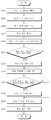
도 2는 본 발명의 일 실시예에 따른, 영상 편집 장치에서 타임 라인을 조절하는 방법을 설명하는 흐름도이다.
도 3은 본 발명의 일 실시예에 따른, 영상 편집 인터페이스를 나타내는 도면이다.
도 4는 본 발명의 일 실시예에 따른, 영상 편집 인터페이스에서 특수 효과에 대한 표출 위치와 재생 구간이 지정된 상태를 나타내는 도면이다.
도 5는 본 발명의 일 실시예에 따른, 타임 라인이 길어진 영상 편집 인터페이스를 나타내는 도면이다.
도 6은 본 발명의 일 실시예에 따른, 사용자의 터치 입력에 따라 타임 라인이 길어진 영상 편집 인터페이스를 나타내는 도면이다.BRIEF DESCRIPTION OF THE DRAWINGS The accompanying drawings, which are incorporated in and constitute a part of the specification, illustrate exemplary embodiments of the invention and, together with the description, serve to explain the principles of the invention. And shall not be construed as limited to such matters.
FIG. 1 is a diagram illustrating a configuration of an image editing apparatus according to an embodiment of the present invention.
2 is a flowchart illustrating a method of adjusting a time line in an image editing apparatus according to an exemplary embodiment of the present invention.
3 is a diagram illustrating an image editing interface according to an embodiment of the present invention.
FIG. 4 is a diagram illustrating a state in which a display position and a playback interval of a special effect are designated in an image editing interface according to an exemplary embodiment of the present invention.
FIG. 5 is a diagram illustrating an image editing interface having a long time line according to an exemplary embodiment of the present invention. Referring to FIG.
FIG. 6 is a diagram illustrating an image editing interface in which a timeline is extended according to a user's touch input, according to an embodiment of the present invention.
상술한 목적, 특징 및 장점은 첨부된 도면과 관련한 다음의 상세한 설명을 통하여 보다 분명해 질 것이며, 그에 따라 본 발명이 속하는 기술분야에서 통상의 지식을 가진 자가 본 발명의 기술적 사상을 용이하게 실시할 수 있을 것이다. 또한, 본 발명을 설명함에 있어서 본 발명과 관련된 공지 기술에 대한 구체적인 설명이 본 발명의 요지를 불필요하게 흐릴 수 있다고 판단되는 경우에 그 상세한 설명을 생략하기로 한다. 이하, 첨부된 도면을 참조하여 본 발명에 따른 바람직한 일 실시예를 상세히 설명하기로 한다.
The foregoing and other objects, features and advantages of the present invention will become more apparent from the following detailed description of the present invention when taken in conjunction with the accompanying drawings, in which: There will be. In the following description, well-known functions or constructions are not described in detail since they would obscure the invention in unnecessary detail. Hereinafter, a preferred embodiment of the present invention will be described in detail with reference to the accompanying drawings.
도 1은 본 발명의 일 실시예에 따른, 영상 편집 장치의 구성을 나타내는 도면이다.FIG. 1 is a diagram illustrating a configuration of an image editing apparatus according to an embodiment of the present invention.
도 1에 도시된 바와 같이, 본 발명의 일 실시예에 따른 영상 편집 장치(100)는 표시부(110), 저장부(120), 카메라(130) 및 편집 인터페이스 제공부(140)를 포함한다. 상기 영상 편집 장치(100)에 제공하는 영상 편집 인터페이스는, 디지털 카메라, 이동통신단말, 스마트폰, 태블릿 컴퓨터 등에 탑재 가능하며, 바람직하게는 특정 애플리케이션이 설치되는 경우에, 해당 장치에 탑재될 수 있다.1, an
표시부(110)는 영상 편집 장치(100)에서 처리된 각종 정보를 표시하는 디스플레이 수단으로서, LCD(liquid crystal display) 기술, LPD(light emitting polymer display) 기술 또는 LED(light emitting diode) 기술 등이 사용할 수 있다. 또한, 표시부(110)는 저항형, 적외선형 등의 터치 디스플레이일 수 있다. 상기 표시부(110)가 터치 디스플레이인 경우, 출력 인터페이스 및 입력 인터페이스를 사용자에게 제공한다. The
저장부(120)는 영상 편집에 필요한 데이터를 저장하는 저장수단으로서, 영상 파일을 저장하고, 영상 합성에 필요한 각종 특수 효과 데이터를 저장한다. 예컨대, 저장부(120)는 빛이 반짝거리는 특수 효과에 대한 데이터, 텍스트가 축소되면서 사라지는 특수 효과에 대한 데이터, 텍스트가 확대되면서 사라지는 특수 효과에 대한 데이터 등의 각종 특수 효과와 관련된 데이터를 저장한다. 게다가, 저장부(120)는 영상과 특수 효과가 합성 처리된 편집 결과 데이터를 저장한다. 이러한 저장부(120)는 고속 랜덤 액세스 메모리를 포함할 수 있고, 또한 하나 이상의 자기 디스크 저장 장치, 플래시 메모리 장치와 같은 불휘발성 메모리, 또는 다른 불휘발성 반도체 메모리 장치를 포함할 수 있다. The
카메라(130)는 렌즈를 구비하여 이 렌즈를 통해 주변 이미지를 촬영한다.The
편집 인터페이스 제공부(140)는 영상 편집과 관련된 사용자 인터페이스를 생성하여 표시부(110)에 디스플레이하는 기능을 수행한다. 구체적으로, 편집 인터페이스 제공부(140)는 사용자가 특정 영상을 편집하기 원하면, 상기 영상과 이 영상을 편집할 수 있는 편집 도구가 포함된 영상 편집 인터페이스를 생성하여 표시부(110)에 출력한다. 또한, 편집 인터페이스 제공부(140)는 편집 대상이 되는 영상과 사용자가 선택한 특수 효과를 합성하고, 이렇게 합성된 편집 결과 데이터를 저장부(120)에 저장한다. The edit
한편, 편집 인터페이스 제공부(140)는 타임 라인을 조절하는 타임 라인 조절 모듈(141)을 포함한다. Meanwhile, the edit
상기 타임 라인 조절 모듈(141)은 편집 구간의 타임 라인 길이에 따라, 편집 대상이 되는 영상의 타임 라인 길이를 늘이는 기능이 수행한다. 구체적으로, 타임 라인 조절 모듈(141)은 영상의 전체 재생 구간 중에서, 사용자가 지정한 편집 구간을 확인하고, 이 편집 구간의 타임 라인 길이가 사전에 설정된 임계 길이 미만인지 여부를 확인하여, 미만이면 영상의 타임 라인 길이를 늘인다. 또한, 타임 라인 조절 모듈(141)은 사용자가 편집 구간의 끝 시간을 조절하기 위하여, 편집 구간의 종료 지점에 위치한 컨트롤 아이콘을 선택한 경우, 상기 편집 구간이 최소로 단축될 수 있는 타임 라인 최소 길이가 상기 임계 길이 미만인지 여부를 판별하고, 상기 타임 라인 최소 길이가 상기 임계 길이 미만이면, 상기 타임 라인 최소 길이가 상기 임계 거리 이상이 되도록 상기 타임 라인의 길이를 늘인다.
The time
이하, 도 2 내지 도 6을 참조한 설명을 통해서, 영상 편집 장치(100)에서 영상 편집의 편의성을 위해 타임 라인을 조절하는 방법에 대해서 더욱 자세하게 설명한다, Hereinafter, a method of adjusting the time line for the convenience of image editing in the
도 2는 본 발명의 일 실시예에 따른, 영상 편집 장치에서 타임 라인을 조절하는 방법을 설명하는 흐름도이다.2 is a flowchart illustrating a method of adjusting a time line in an image editing apparatus according to an exemplary embodiment of the present invention.
도 2를 참조하면, 편집 인터페이스 제공부(140)는 사용자로부터 편집 대상이 되는 영상을 선택받으면, 이 영상과 편집 도구가 포함된 영상 편집 인터페이스를 표시부(110)에 디스플레이한다(S201). 상기 편집 대상이 되는 영상은 저장부(120)에 이미 저장된 영상이거나 카메라(130)를 통해 실시간 촬영하여 임시 저장한 영상일 수 있다.2, when the user selects an image to be edited from the user, the editing
도 3은 본 발명의 일 실시예에 따른, 영상 편집 인터페이스를 나타내는 도면이다.3 is a diagram illustrating an image editing interface according to an embodiment of the present invention.
도 3을 참조하면, 편집 인터페이스 제공부(140)는 사용자가 편집하고자 선택한 영상, 이 영상의 재생 시간을 나타내는 타임 라인(22), 재생 컨트롤 바(23), 재생 버튼(21) 및 다양한 특수 효과를 합성시킬 수 있는 편집 도구(24a, 24b, 24c)가 포함된 영상 편집 인터페이스를 표시부(110)에 디스플레이한다. 상기 재생 컨트롤 바(23)는 현재 재생중인 재생 시점의 나타내는 그래픽 요소로서, 사용자가 타임 라인(22) 상에서 상기 재생 컨트롤 바(23)의 위치를 변경시키면, 상기 재생 컨트롤 바(23)가 위치하는 재생 시점부터의 영상이 출력된다. 또한, 도 3의 특수 효과 도구 중에서 별 모양의 특수 효과 도구(24a)는 특정 오브젝트를 강조하는 후광 효과, 즉 특정 오브젝트의 위치에서 빛이 반짝거리는 효과를 합성시키는데 이용되는 편집 도구이다. 또한, 도 3의 참조부호 24b는 특정 오브젝트의 컴퓨터 그래픽을 처리하는데 사용되는 도구이고, 참조부호 24c는 사용자가 입력한 텍스트(또는 사전에 등록된 텍스트)를 영상과 합성하는데 사용되는 편집 도구이다. 상기 각각의 특수 효과는 최소 재생시간(예컨대, 0.5초)을 가지며, 또한 디폴트 재생시간(예컨대, 2초)을 가진다.3, the editing
다시 도 2를 참조하면, 영상 편집 인터페이스 제공부(140)는 영상 편집 인터페이스에서 나열된 복수의 편집 도구 중에서 어느 한 도구에 대한 선택 정보를 사용자로부터 입력받는다(S203).Referring again to FIG. 2, the image editing
그러면, 영상 편집 인터페이스 제공부(140)는 사용자가 선택된 편집 도구에 따라 출력되는 특수 효과를 확인하여 이 특수 효과에 대한 샘플 이미지를 화면에 출력하고, 상기 특수 효과가 출력되는 위치를 사용자로부터 입력받는다(S205).Then, the image editing
그리고 영상 편집 인터페이스 제공부(140)는 영상 전체의 재생 구간 중에서, 상기 특수 효과가 표출되는 재생 구간에 대한 정보를 사용자로부터 입력받고, 상기 특수 효과가 표출되는 재생 구간을 편집 구간인 것으로 확인한다(S207). 즉, 영상 편집 인터페이스 제공부(140)는 영상의 전체 재생 구간 중에서, 특수 효과가 표출되는 재생 구간을 편집 구간으로서 설정한다. Then, the image editing
도 4는 본 발명의 일 실시예에 따른, 영상 편집 인터페이스에서 특수 효과에 대한 표출 위치와 재생 구간이 지정된 상태를 나타내는 도면이다.FIG. 4 is a diagram illustrating a state in which a display position and a playback interval of a special effect are designated in an image editing interface according to an exemplary embodiment of the present invention.
도 4를 참조하면, 영상 편집 인터페이스에서 특수 효과는 사람의 얼굴에 위치하고 있다. 부연하면, 사용자는 특수 효과와 관련된 샘플 이미지(25)의 위치를 터치 드래그를 통해서 이동하여 얼굴에 위치시킬 수 있다. 도 4의 특수 효과는 빛이 반짝거리는 후광 효과를 예시한다. 또한, 도 4의 영상 편집 인터페이스는 사용자의 조작에 따라, 상기 특수 효과가 표출되는 재생 구간을 설정한다. 이때, 영상 편집 인터페이스는 영상 재생이 일시 정지된 지점, 즉 재생 컨트롤 바(23)가 위치한 지점을 특수 효과가 표출되는 시작 지점으로 설정할 수 있고, 또한 상기 시작 지점에서 상기 특수 효과의 디폴트 재생시간을 가산시킨 지점을 특수 효과가 종료되는 끝 지점으로 설정할 수 있다. 예컨대, 영상 편집 인터페이스 제공부(140)는 2분의 전체 재생 시간을 가지는 영상에서, 2초의 디폴트 재생시간을 가지는 후광 효과가 시작되는 재생 시각이 1분 00초인 경우, 편집 구간을 1분 00초부터 1분 02초로 설정한다. 도 4의 영상 편집 인터페이스에서 타임 라인(22)에 위치한 시작점 컨트롤 아이콘(26a)과 끝점 컨트롤 아이콘(26b) 각각은 특수 효과가 재생되는 시작 지점과 끝 지점을 각각 나타내고, 상기 시작점 컨트롤 아이콘(26a)과 끝점 컨트롤 아이콘(26a) 사이의 타임 라인에 해당하는 재생 구간이 편집 구간이 된다. Referring to FIG. 4, in the image editing interface, the special effect is located on the face of a person. In addition, the user can move the position of the
한편, 영상 편집 인터페이스 제공부(140)는 상기 시작점 컨트롤 아이콘(26a)의 위치가 사용자에 의해 변경된 경우, 특수 효과가 표출되는 시작점 위치를 변경한다. 즉, 사용자가 드래그를 통해 시작점 컨트롤 아이콘(26a)의 위치를 타임 라인(22) 상에서 변경한 경우, 영상 편집 인터페이스 제공부(140)는 영상의 전체 재생 시간 중에서, 특수 효과가 표출되는 시점을 변경한다. 이때, 영상 편집 인터페이스 제공부(140)는 시작점 컨트롤 아이콘(26a)이 이동된 위치만큼 끝점 컨트롤 아이콘(26b)의 위치를 변경시킨다. 즉, 사용자가 시작점 컨트롤 아이콘(26a)의 위치를 타임 라인(22) 상에서 변경시키면, 끝점 컨트롤 아이콘(26b)의 위치도 상기 시작점 컨트롤 아이콘(26a)의 위치만큼 변경된다. On the other hand, when the position of the start
또한, 영상 편집 인터페이스 제공부(140)는 끝점 컨트롤 아이콘(26b)의 위치가 사용자에 의해 변경된 경우, 이 위치에 비례하여 특수 효과의 재생 시간(즉, 특수 효과의 지속 시간)을 단축하거나 연장한다. 부연하면, 영상 편집 인터페이스 제공부(140)는 사용자가 끝점 컨트롤 아이콘(26b)의 위치를 오른쪽으로 이동시키면, 이동된 거리에 비례하여 특수 효과의 재생 시간을 연장시키고, 또한 사용자가 끝점 컨트롤 아이콘(26b)의 위치를 왼쪽으로 이동시키면, 이동된 거리만큼 특수 효과의 재생 시간을 단축시킨다. 이때, 영상 편집 인터페이스 제공부(140)는 상기 끝점 컨트롤 아이콘(26b)의 왼쪽으로 드래그된 경우, 해당 특수 효과의 최소 재생시간(예컨대, 0.5초) 미만에 해당하는 위치로 상기 끝점 컨트롤 아이콘(26b)이 이동되지 않도록 상기 끝점 컨트롤 아이콘(26b)의 위치를 제어한다.In addition, when the position of the end
이렇게 편집 구간이 설정된 상태에서, 타임 라인 조절 모듈(141)은 편집 구간의 타임 라인 길이(D1)를 확인하고(S209), 상기 확인한 편집 구간의 타임 라인 길이(D1)가 사전에 설정된 임계 길이 미만인지 여부를 판별한다(S211). 이때, 타임 라인 조절 모듈(141)은 픽셀 좌표에 근거하여, 상기 편집 구간의 타임 라인 길이를 확인할 수 있다. 즉, 타임 라인 조절 모듈(141)은 편집 구간의 시작 지점(즉, 시작점 컨트롤 아이콘)의 픽셀 좌표와 끝 지점(즉, 끝점 컨트롤 아이콘)의 픽셀 좌표를 이용하여, 상기 타임 라인 길이(D1)를 확인할 수 있다.In this state, the time
다음으로, 타임 라인 조절 모듈(141)은 상기 확인한 편집 구간의 타임 라인 길이(D1)가 상기 임계 길이 미만이면, 상기 편집 구간의 타임 라인 길이(D1)가 상기 임계 길이와 동일하거나 초과하도록, 타임 라인(22)의 길이를 늘인다(S213). 즉, 타임 라인 조절 모듈(141)은 편집 구간의 타임 라인 길이(D1)가 상기 임계 길이 미만이면, 편집 구간의 시작점 컨트롤 아이콘(26a)과 끝점 컨트롤 아이콘(26b) 사이의 간격이 벌어지도록, 영상 전체의 타임 라인 길이를 늘인다. 부연하면, 타임 라인 조절 모듈(141)은 편집 구간이 편집 화면상에서 차지하는 픽셀 범위가 확대되도록, 영상의 타임 라인(22)의 늘인다. 다시 설명하면, 타임 라인 조절 모듈(141)은 상기 확인한 편집 구간의 타임 라인 길이(D1)가 상기 임계 길이 미만이면, 타임 라인(22)을 좌우로 잡아당기는 것과 늘이고, 늘인 타임 구간 중에서 편집 구간 주변에 위치하는 않은 일부 타임 라인은 화면에서 감춘다. 이에 따라, 사용자는 영상 편집시에 편집 구간에 포함된 특정 재생 지점을 정확하게 터치 또는 클릭하여, 해당 재생 지점에 대한 영상 합성 효과를 정밀하게 편집할 수 있다.Next, the time
한편, 타임 라인 조절 모듈(141)은 영상의 타임 라인(22)을 늘이면, 이 늘어난 길이에 비례하여 상기 영상의 타임 라인 두께를 얇게 하여 영상 편집 인터페이스에 출력함으로써, 사용자로 하여금 타임 라인이 늘어졌음을 인지하게 한다. On the other hand, when the time
도 5는 본 발명의 일 실시예에 따른, 타임 라인이 길어진 영상 편집 인터페이스를 나타내는 도면으로서, 도 5의 영상 편집 인터페이스에 편집 구간의 길이(D2)는 도 4의 영상 편집 인터페이스의 편집 구간 길이(D1)와 비교하여 늘어남을 알 수 있다. 또한, 타임 라인(22)의 길이가 늘어남에 따라, 도 5의 영상 편집 인터페이스의 타임 라인(22) 두께(T2)는 도 4의 영상 편집 인터페이스의 타임 라인(22) 두께(T1) 보다 얇게 형성된다.FIG. 5 is a diagram illustrating an image editing interface having a long time line according to an embodiment of the present invention. The length D2 of the editing section in the image editing interface of FIG. 5 corresponds to the length of the editing section of the image editing interface D1). As the length of the
한편, 영상 편집 인터페이스 제공부(140)는 영상 편집 인터페이스상에서 편집 구간의 종료 지점에 해당하는 끝점 컨트롤 아이콘(26b)을 사용자로부터 선택받을 수 있다(S215). 즉, 영상 편집 인터페이스 제공부(140)는 편집 구간의 재생 길이를 재설정하기 원하는 사용자로부터, 편집 구간의 종료 지점과 대응되는 끝점 컨트롤 아이콘(26b)의 터치 입력신호를 수신할 수 있다. On the other hand, the image
그러면, 타임 라인 조절 모듈(141)은 편집 구간의 타임 라인을 최소로 단축시킬 수 있는 타임 라인 최소 길이가 상기 임계 거리 미만인지 여부를 판별한다(S217). 즉, 타임 라인 조절 모듈(141)은 사용자가 선택한 특수 효과의 최소 재생 시간을 확인하고, 이 최소 재생 시간에 해당하는 타임 라인의 최소 길이를 확인한 후, 이 타임 라인 최소 길이가 상기 임계 거리 미만인지 여부를 판별한다. Then, the
다음으로, 타임 라인 조절 모듈(141)은 상기 타임 라인 최소 길이가 상기 임계 거리 미만이면, 상기 타임 라인 최소 길이가 상기 임계 길이와 동일하거나 초과하도록, 영상의 타임 라인(22)을 늘인다(S219). 즉, 타임 라인 조절 모듈(141)은 사용자가 편집 구간에 포함된 특정 재생 시점을 정확하게 터치 또는 클릭할 수 있도록, 영상 타임 라인의 길이를 좌우로 늘여, 편집 구간의 시작점 컨트롤 아이콘(26a)과 끝점 컨트롤 아이콘(26b) 사이의 간격이 벌어지게 한다. 그리고 타임 라인 조절 모듈(141)은 영상의 타임 라인(22)이 늘어나면, 이 늘어진 길이에 비례하여 상기 영상의 타임 라인 두께를 얇게 하여 표시부(110)에 출력함으로써, 사용자로 하여금 타임 라인이 길어졌음을 인지하게 한다. Next, the
도 6은 본 발명의 일 실시예에 따른, 사용자의 터치 입력에 따라 타임 라인이 길어진 영상 편집 인터페이스를 나타내는 도면으로서, 도 6의 영상 편집 인터페이스에 편집 구간의 길이(D3)는 도 5의 영상 편집 인터페이스의 편집 구간 길이(D2)와 비교하여 늘어나고, 특히 도 6의 영상 편집 인터페이스에서, 단축할 수 있는 최소 타임 라인 길이(D4)도 함께 늘어나게 된다. 또한, 타임 라인(22)의 길이가 늘어남에 따라, 도 6의 영상 편집 인터페이스의 타임 라인 두께(T3)는 도 5의 영상 편집 인터페이스의 타임 라인(22) 두께(T2) 보다 얇게 조절된다. FIG. 6 is a diagram illustrating an image editing interface in which a time line is extended according to a user's touch input according to an embodiment of the present invention. The length D3 of the editing section in the image editing interface of FIG. The length of the editing interval D2 of the interface increases. In particular, the minimum time line length D4 that can be shortened in the video editing interface of FIG. 6 also increases. Further, as the length of the
다음으로, 영상 편집 인터페이스 제공부(140)는 사용자가 영상 편집을 완료하면, 사용자가 선택한 특수 효과, 특수 효과 위치 및 특수 효과 재생 구간을 확인하고, 편집 구간에 해당하는 원본 영상의 재생 구간에 상기 특수 효과를 합성시킨다(S221). 이어서, 영상 편집 인터페이스 제공부(140)는 원본 영상과 특수 효과가 합성된 편집 결과 데이터를 저장부(120)에 저장한다(S223). 이때, 영상 편집 인터페이스 제공부(140)는 상기 원본 영상과 상기 특수 효과를 하나의 영상으로 합성시킬 수 있고, 특수 효과 종류, 특수 효과가 표출되는 위치 정보(예컨대, 화면 좌표 정보) 및 특수 효과의 재생 구간이 기록된 편집 관련 데이터를 생성하여, 합성된 영상 대신에 상기 편집 관련 데이터를 저장부(120)에 저장할 수도 있다. Next, the image editing
상술한 바와 같이, 본 발명에 따른 영상 편집 장치(100)는 사용자가 영상 편집을 수행할 때, 편집 구간의 시작 지점과 끝 지점을 나타내는 두 컨트롤 아이콘의 간격이 좁거나 두 컨트롤 아이콘이 겹쳐지는 현상을 방지되도록 편집 구간의 타임 라인 길이에 근거하여 영상의 편집 구간을 늘임으로써, 영상 편집, 특히 특정 재생 구간의 편집에 대한 편리함을 사용자에게 제공한다. 게다가, 본 발명에 따른 영상 편집 장치(100)는 타임 라인이 늘어날 때, 늘어나는 길이에 비례하여 타임 라인의 두께를 얇게 표현함으로써, 타임 라인이 늘어나는 현상을 사용자에게 직관적으로 인지시킨다.As described above, in the
본 명세서는 많은 특징을 포함하는 반면, 그러한 특징은 본 발명의 범위 또는 특허청구범위를 제한하는 것으로 해석되어서는 안 된다. 또한, 본 명세서에서 개별적인 실시예에서 설명된 특징들은 단일 실시예에서 결합되어 구현될 수 있다. 반대로, 본 명세서에서 단일 실시예에서 설명된 다양한 특징들은 개별적으로 다양한 실시예에서 구현되거나, 적절히 결합되어 구현될 수 있다.While the specification contains many features, such features should not be construed as limiting the scope of the invention or the scope of the claims. In addition, the features described in the individual embodiments herein may be combined and implemented in a single embodiment. Conversely, various features described in the singular < Desc / Clms Page number 5 > embodiments herein may be implemented in various embodiments individually or in combination as appropriate.
도면에서 동작들이 특정한 순서로 설명되었으나, 그러한 동작들이 도시된 바와 같은 특정한 순서로 수행되는 것으로, 또는 일련의 연속된 순서, 또는 원하는 결과를 얻기 위해 모든 설명된 동작이 수행되는 것으로 이해되어서는 안 된다. 특정 환경에서 멀티태스킹 및 병렬 프로세싱이 유리할 수 있다. 아울러, 상술한 실시예에서 다양한 시스템 구성요소의 구분은 모든 실시예에서 그러한 구분을 요구하지 않는 것으로 이해되어야 한다. 상술한 프로그램 구성요소 및 시스템은 일반적으로 단일 소프트웨어 제품 또는 멀티플 소프트웨어 제품에 패키지로 구현될 수 있다.Although the operations have been described in a particular order in the figures, it should be understood that such operations are performed in a particular order as shown, or that all described operations are performed to obtain a sequence of sequential orders, or a desired result . In certain circumstances, multitasking and parallel processing may be advantageous. It should also be understood that the division of various system components in the above embodiments does not require such distinction in all embodiments. The above-described program components and systems can generally be implemented as a single software product or as a package in multiple software products.
상술한 바와 같은 본 발명의 방법은 프로그램으로 구현되어 컴퓨터로 읽을 수 있는 형태로 기록매체(시디롬, 램, 롬, 플로피 디스크, 하드 디스크, 광자기 디스크 등)에 저장될 수 있다. 이러한 과정은 본 발명이 속하는 기술 분야에서 통상의 지식을 가진 자가 용이하게 실시할 수 있으므로 더 이상 상세히 설명하지 않기로 한다.The method of the present invention as described above can be implemented by a program and stored in a computer-readable recording medium (CD-ROM, RAM, ROM, floppy disk, hard disk, magneto optical disk, etc.). Such a process can be easily carried out by those skilled in the art and will not be described in detail.
이상에서 설명한 본 발명은, 본 발명이 속하는 기술분야에서 통상의 지식을 가진 자에게 있어 본 발명의 기술적 사상을 벗어나지 않는 범위 내에서 여러 가지 치환, 변형 및 변경이 가능하므로 전술한 실시예 및 첨부된 도면에 의해 한정되는 것이 아니다.It will be apparent to those skilled in the art that various modifications and variations can be made in the present invention without departing from the spirit or scope of the invention. The present invention is not limited to the drawings.
100 : 영상 편집 장치 110 : 표시부
120 : 저장부 130 : 카메라
140 : 편집 인터페이스 제공부 141 : 타임 라인 조절 모듈100: image editing apparatus 110: display unit
120: storage unit 130: camera
140: Editing interface Provided 141: Timeline adjustment module
Claims (9)
편집 대상이 되는 영상과 편집 도구가 포함된 영상 편집 인터페이스를 상기 표시부에 디스플레이하며, 상기 영상의 전체 재생구간 중에서 선정된 편집 구간을 확인하고 이 편집 구간의 타임 라인 길이가 임계 길이 미만이지 여부를 판별하여 임계 길이 미만이면 상기 영상의 타임 라인 길이를 늘이는 편집 인터페이스 제공부;를 포함하고,
상기 편집 인터페이스 제공부는,
상기 편집 구간의 시작과 끝을 나타내는 아이콘을 상기 타임 라인에 표시하고, 상기 편집 구간의 재생 길이를 재설정하기 위하여 상기 끝을 나타내는 아이콘이 선택되면 상기 편집 구간의 타임 라인이 최소로 단축될 수 있는 타임 라인 최소 길이를 확인하고, 상기 확인한 타임 라인 최소 길이가 상기 임계 길이 미만인지 여부를 판별하여 임계 길이 미만인 경우, 상기 타임 라인 최소 길이가 상기 임계 길이 이상이 되도록 상기 영상의 타임 라인 길이를 늘이는 것을 특징으로 하는 영상 편집 장치.A display section; And
A video editing interface including an image to be edited and an editing tool is displayed on the display unit. The editing section determines a selected editing section from among the entire playback sections of the image and determines whether the time line length of the editing section is less than the threshold length And an editing interface providing unit for extending a time line length of the image if the length is less than a critical length,
The editing interface providing unit,
An icon indicating the start and end of the edit section is displayed on the time line, and when the icon indicating the end is selected in order to reset the play length of the edit section, a time at which the time line of the edit section can be minimized Determining a minimum length of the line, determining whether the minimum length of the timeline is less than the threshold length, and extending the time line length of the image so that the minimum length of the timeline is greater than or equal to the threshold length, .
상기 편집 인터페이스 제공부는,
상기 편집 구간의 시작을 나타내는 아이콘의 위치가 상기 타임 라인에서 변경되면, 이 아이콘이 변경된 위치에 대응하여 상기 영상의 전체 재생구간에서 상기 편집 구간의 시작 위치를 재설정하는 것을 특징으로 하는 영상 편집 장치.The method according to claim 1,
The editing interface providing unit,
And resets the start position of the edit section in the entire play section of the image corresponding to the changed position of the icon when the position of the icon indicating the start of the edit section is changed in the time line.
상기 편집 인터페이스 제공부는,
상기 편집 구간의 끝을 나타내는 아이콘의 위치가 상기 타임 라인에서 변경되면, 이 아이콘이 변경된 위치에 대응하여 상기 편집 구간의 재생 길이를 단축하거나 연장하는 것을 특징으로 하는 영상 편집 장치.The method according to claim 1,
The editing interface providing unit,
Wherein the reproduction time of the edit section is shortened or extended corresponding to the changed position of the icon when the position of the icon indicating the end of the edit section is changed in the time line.
상기 편집 인터페이스 제공부는,
상기 타임 라인의 길이가 늘어나는 것에 비례하여 상기 타임 라인의 두께를 얇게 조절하는 것을 특징으로 하는 영상 편집 장치.The method according to any one of claims 1, 3, and 4,
The editing interface providing unit,
Wherein the thickness of the time line is adjusted to be thin in proportion to an increase in the length of the time line.
상기 편집 구간은 특수 효과가 표출되는 구간이고,
상기 편집 구간의 타임 라인은 상기 특수 효과가 표출되는 재생 구간에 대한 타임 라인인 것을 특징으로 하는 영상 편집 장치.The method according to any one of claims 1, 3, and 4,
The editing section is a section in which the special effect is displayed,
Wherein the time line of the editing section is a time line of a reproduction section in which the special effect is displayed.
편집 대상이 되는 영상의 전체 재생 구간 중에서 선정된 편집 구간을 확인하는 단계;
상기 편집 구간의 타임 라인 길이가 임계 길이 미만이지 여부를 판별하는 단계; 및
상기 판별 결과 상기 편집 구간의 타임 라인 길이가 임계 길이 미만이면, 상기 영상의 타임 라인 길이를 늘이는 단계;를 포함하고,
상기 편집 구간의 재생길이를 재설정하기 위하여, 상기 편집 구간의 타임 라인에서 종료 지점이 선택되는지 여부를 확인하는 단계;
상기 편집 구간의 타임 라인에서 종료 지점이 선택되면, 상기 편집 구간의 타임 라인이 최소로 단축될 수 있는 타임 라인 최소 길이가 상기 임계 길이 미만인지 여부를 판별하는 단계; 및
상기 타임 라인 최소 길이가 상기 임계 길이 미만이면, 상기 타임 라인 최소 길이가 상기 임계 길이 이상이 되도록 상기 영상의 타임 라인 길이를 늘이는 단계;를 더 포함하는 것을 특징으로 하는 타임 라인 조절 방법.A method for adjusting a time line for editing a user's image in an image editing apparatus,
Confirming a selected editing section among all the reproduction sections of the image to be edited;
Determining whether a time line length of the edit section is less than a threshold length; And
And extending the time line length of the image if the time line length of the edit section is less than the threshold length as a result of the determination,
Confirming whether an end point is selected in a time line of the edit section to reset the play length of the edit section;
Determining whether a minimum length of a timeline in which the timeline of the editing section can be minimized is less than the threshold length when an ending point is selected in the timeline of the editing section; And
And extending the time line length of the image so that the minimum length of the timeline is greater than or equal to the threshold length if the minimum length of the timeline is less than the threshold length.
상기 타임 라인의 길이가 늘어나는 것에 비례하여 상기 타임 라인의 두께를 얇게 조절하는 단계;를 더 포함하는 것을 특징으로 하는 타임 라인 조절 방법.8. The method of claim 7,
Adjusting the thickness of the time line to be thin in proportion to an increase in the length of the time line.
Priority Applications (2)
| Application Number | Priority Date | Filing Date | Title |
|---|---|---|---|
| KR1020140017303A KR101557117B1 (en) | 2014-02-14 | 2014-02-14 | Time line adjustment method for video edition and video editing apparatus |
| PCT/KR2015/000533 WO2015122628A1 (en) | 2014-02-14 | 2015-01-19 | Method for adjusting time line for image editing, and image editing apparatus |
Applications Claiming Priority (1)
| Application Number | Priority Date | Filing Date | Title |
|---|---|---|---|
| KR1020140017303A KR101557117B1 (en) | 2014-02-14 | 2014-02-14 | Time line adjustment method for video edition and video editing apparatus |
Publications (2)
| Publication Number | Publication Date |
|---|---|
| KR20150096175A KR20150096175A (en) | 2015-08-24 |
| KR101557117B1 true KR101557117B1 (en) | 2015-10-02 |
Family
ID=53800325
Family Applications (1)
| Application Number | Title | Priority Date | Filing Date |
|---|---|---|---|
| KR1020140017303A Active KR101557117B1 (en) | 2014-02-14 | 2014-02-14 | Time line adjustment method for video edition and video editing apparatus |
Country Status (2)
| Country | Link |
|---|---|
| KR (1) | KR101557117B1 (en) |
| WO (1) | WO2015122628A1 (en) |
Cited By (3)
| Publication number | Priority date | Publication date | Assignee | Title |
|---|---|---|---|---|
| KR102308369B1 (en) | 2020-12-18 | 2021-10-06 | 주식회사 스파크엑스 (SPARKX Co.,Ltd.) | Automatic video editing system through artificial intelligence sound source analysis |
| KR102308372B1 (en) | 2020-12-18 | 2021-10-06 | 주식회사 스파크엑스 (SPARKX Co.,Ltd.) | Hybrid Cloud Systems with VFX Service Delivery and Collaboration |
| KR20230065780A (en) | 2021-11-05 | 2023-05-12 | 주식회사 팀아이브 | Method, apparatus and computer program for structuring video using artificial intelligence model and generating video contents using video structure |
Families Citing this family (2)
| Publication number | Priority date | Publication date | Assignee | Title |
|---|---|---|---|---|
| KR200492012Y1 (en) | 2018-02-23 | 2020-08-04 | 주식회사 위편백 | Wood block with phytoncide function optimization structure |
| CN118457690B (en) * | 2024-07-09 | 2024-11-08 | 北京城建智控科技股份有限公司 | Logic section design method and device |
Family Cites Families (3)
| Publication number | Priority date | Publication date | Assignee | Title |
|---|---|---|---|---|
| KR101735608B1 (en) * | 2010-02-09 | 2017-05-15 | 엘지전자 주식회사 | Image Display Device and Operating Method for the Same |
| KR101260834B1 (en) * | 2010-12-14 | 2013-05-06 | 삼성전자주식회사 | Method and device for controlling touch screen using timeline bar, recording medium for program for the same, and user terminal having the same |
| KR101909030B1 (en) * | 2012-06-08 | 2018-10-17 | 엘지전자 주식회사 | A Method of Editing Video and a Digital Device Thereof |
-
2014
- 2014-02-14 KR KR1020140017303A patent/KR101557117B1/en active Active
-
2015
- 2015-01-19 WO PCT/KR2015/000533 patent/WO2015122628A1/en not_active Ceased
Cited By (3)
| Publication number | Priority date | Publication date | Assignee | Title |
|---|---|---|---|---|
| KR102308369B1 (en) | 2020-12-18 | 2021-10-06 | 주식회사 스파크엑스 (SPARKX Co.,Ltd.) | Automatic video editing system through artificial intelligence sound source analysis |
| KR102308372B1 (en) | 2020-12-18 | 2021-10-06 | 주식회사 스파크엑스 (SPARKX Co.,Ltd.) | Hybrid Cloud Systems with VFX Service Delivery and Collaboration |
| KR20230065780A (en) | 2021-11-05 | 2023-05-12 | 주식회사 팀아이브 | Method, apparatus and computer program for structuring video using artificial intelligence model and generating video contents using video structure |
Also Published As
| Publication number | Publication date |
|---|---|
| KR20150096175A (en) | 2015-08-24 |
| WO2015122628A1 (en) | 2015-08-20 |
Similar Documents
| Publication | Publication Date | Title |
|---|---|---|
| CN107924113B (en) | User interface for camera effects | |
| KR101938667B1 (en) | Portable electronic device and method for controlling the same | |
| KR101528312B1 (en) | Method for editing video and apparatus therefor | |
| US20170352379A1 (en) | Video editing using mobile terminal and remote computer | |
| EP3147906A1 (en) | Mobile terminal and method for controlling the same | |
| WO2024051556A9 (en) | Wallpaper display method, electronic device and storage medium | |
| WO2022160674A1 (en) | Method and apparatus for work editing prompting | |
| KR101557117B1 (en) | Time line adjustment method for video edition and video editing apparatus | |
| KR20170029329A (en) | Mobile terminal and method for controlling the same | |
| WO2017014800A1 (en) | Video editing on mobile platform | |
| KR20180133743A (en) | Mobile terminal and method for controlling the same | |
| WO2022037348A1 (en) | Video generation method and apparatus | |
| CN112887618B (en) | Video shooting method and device | |
| CN113473224A (en) | Video processing method and device, electronic equipment and computer readable storage medium | |
| US9773524B1 (en) | Video editing using mobile terminal and remote computer | |
| CN108200477B (en) | Method, device and equipment for generating and playing video file | |
| CN112616082B (en) | Video preview method, device, terminal and storage medium | |
| CN114173178B (en) | Video playback method, video playback device, electronic device and readable storage medium | |
| CN115604415A (en) | Video frame rate adjusting method and device | |
| CN115209206A (en) | Video editing method, device, equipment, storage medium and computer program product | |
| CN114500852A (en) | Photographing method, photographing apparatus, electronic device, and readable storage medium | |
| JP2021026253A (en) | Presentation system, and information processing apparatus | |
| KR20160009416A (en) | Mobile terminal and control method for the mobile terminal | |
| US20240221790A1 (en) | Electronic device for changing synchronized contents, and method therefor | |
| US20260019699A1 (en) | Camera user interface |
Legal Events
| Date | Code | Title | Description |
|---|---|---|---|
| A201 | Request for examination | ||
| PA0109 | Patent application |
St.27 status event code: A-0-1-A10-A12-nap-PA0109 |
|
| PA0201 | Request for examination |
St.27 status event code: A-1-2-D10-D11-exm-PA0201 |
|
| D13-X000 | Search requested |
St.27 status event code: A-1-2-D10-D13-srh-X000 |
|
| D14-X000 | Search report completed |
St.27 status event code: A-1-2-D10-D14-srh-X000 |
|
| E902 | Notification of reason for refusal | ||
| PE0902 | Notice of grounds for rejection |
St.27 status event code: A-1-2-D10-D21-exm-PE0902 |
|
| E13-X000 | Pre-grant limitation requested |
St.27 status event code: A-2-3-E10-E13-lim-X000 |
|
| P11-X000 | Amendment of application requested |
St.27 status event code: A-2-2-P10-P11-nap-X000 |
|
| P13-X000 | Application amended |
St.27 status event code: A-2-2-P10-P13-nap-X000 |
|
| E701 | Decision to grant or registration of patent right | ||
| PE0701 | Decision of registration |
St.27 status event code: A-1-2-D10-D22-exm-PE0701 |
|
| PG1501 | Laying open of application |
St.27 status event code: A-1-1-Q10-Q12-nap-PG1501 |
|
| GRNT | Written decision to grant | ||
| PR0701 | Registration of establishment |
St.27 status event code: A-2-4-F10-F11-exm-PR0701 |
|
| PR1002 | Payment of registration fee |
St.27 status event code: A-2-2-U10-U11-oth-PR1002 Fee payment year number: 1 |
|
| PG1601 | Publication of registration |
St.27 status event code: A-4-4-Q10-Q13-nap-PG1601 |
|
| FPAY | Annual fee payment |
Payment date: 20180903 Year of fee payment: 4 |
|
| PR1001 | Payment of annual fee |
St.27 status event code: A-4-4-U10-U11-oth-PR1001 Fee payment year number: 4 |
|
| FPAY | Annual fee payment |
Payment date: 20190807 Year of fee payment: 5 |
|
| PR1001 | Payment of annual fee |
St.27 status event code: A-4-4-U10-U11-oth-PR1001 Fee payment year number: 5 |
|
| PR1001 | Payment of annual fee |
St.27 status event code: A-4-4-U10-U11-oth-PR1001 Fee payment year number: 6 |
|
| PR1001 | Payment of annual fee |
St.27 status event code: A-4-4-U10-U11-oth-PR1001 Fee payment year number: 7 |
|
| R18-X000 | Changes to party contact information recorded |
St.27 status event code: A-5-5-R10-R18-oth-X000 |
|
| PR1001 | Payment of annual fee |
St.27 status event code: A-4-4-U10-U11-oth-PR1001 Fee payment year number: 8 |
|
| PR1001 | Payment of annual fee |
St.27 status event code: A-4-4-U10-U11-oth-PR1001 Fee payment year number: 9 |
|
| PR1001 | Payment of annual fee |
St.27 status event code: A-4-4-U10-U11-oth-PR1001 Fee payment year number: 10 |
|
| R18-X000 | Changes to party contact information recorded |
St.27 status event code: A-5-5-R10-R18-oth-X000 |
|
| PR1001 | Payment of annual fee |
St.27 status event code: A-4-4-U10-U11-oth-PR1001 Fee payment year number: 11 |
|
| U11 | Full renewal or maintenance fee paid |
Free format text: ST27 STATUS EVENT CODE: A-4-4-U10-U11-OTH-PR1001 (AS PROVIDED BY THE NATIONAL OFFICE) Year of fee payment: 11 |