KR101117871B1 - Video presenting network management - Google Patents
Video presenting network management Download PDFInfo
- Publication number
- KR101117871B1 KR101117871B1 KR1020050036291A KR20050036291A KR101117871B1 KR 101117871 B1 KR101117871 B1 KR 101117871B1 KR 1020050036291 A KR1020050036291 A KR 1020050036291A KR 20050036291 A KR20050036291 A KR 20050036291A KR 101117871 B1 KR101117871 B1 KR 101117871B1
- Authority
- KR
- South Korea
- Prior art keywords
- video
- configuration
- delete delete
- resource
- providing network
- Prior art date
- Legal status (The legal status is an assumption and is not a legal conclusion. Google has not performed a legal analysis and makes no representation as to the accuracy of the status listed.)
- Expired - Fee Related
Links
Images




Classifications
-
- H—ELECTRICITY
- H04—ELECTRIC COMMUNICATION TECHNIQUE
- H04N—PICTORIAL COMMUNICATION, e.g. TELEVISION
- H04N21/00—Selective content distribution, e.g. interactive television or video on demand [VOD]
- H04N21/40—Client devices specifically adapted for the reception of or interaction with content, e.g. set-top-box [STB]; Operations thereof
- H04N21/41—Structure of client; Structure of client peripherals
- H04N21/4104—Peripherals receiving signals from specially adapted client devices
- H04N21/4122—Peripherals receiving signals from specially adapted client devices additional display device, e.g. video projector
-
- G—PHYSICS
- G06—COMPUTING OR CALCULATING; COUNTING
- G06F—ELECTRIC DIGITAL DATA PROCESSING
- G06F17/00—Digital computing or data processing equipment or methods, specially adapted for specific functions
-
- G—PHYSICS
- G06—COMPUTING OR CALCULATING; COUNTING
- G06F—ELECTRIC DIGITAL DATA PROCESSING
- G06F15/00—Digital computers in general; Data processing equipment in general
- G06F15/16—Combinations of two or more digital computers each having at least an arithmetic unit, a program unit and a register, e.g. for a simultaneous processing of several programs
-
- H—ELECTRICITY
- H04—ELECTRIC COMMUNICATION TECHNIQUE
- H04L—TRANSMISSION OF DIGITAL INFORMATION, e.g. TELEGRAPHIC COMMUNICATION
- H04L12/00—Data switching networks
- H04L12/28—Data switching networks characterised by path configuration, e.g. LAN [Local Area Networks] or WAN [Wide Area Networks]
- H04L12/2803—Home automation networks
- H04L12/2807—Exchanging configuration information on appliance services in a home automation network
-
- H—ELECTRICITY
- H04—ELECTRIC COMMUNICATION TECHNIQUE
- H04L—TRANSMISSION OF DIGITAL INFORMATION, e.g. TELEGRAPHIC COMMUNICATION
- H04L12/00—Data switching networks
- H04L12/28—Data switching networks characterised by path configuration, e.g. LAN [Local Area Networks] or WAN [Wide Area Networks]
- H04L12/2803—Home automation networks
- H04L12/2838—Distribution of signals within a home automation network, e.g. involving splitting/multiplexing signals to/from different paths
Landscapes
- Engineering & Computer Science (AREA)
- Theoretical Computer Science (AREA)
- Automation & Control Theory (AREA)
- Signal Processing (AREA)
- Physics & Mathematics (AREA)
- General Engineering & Computer Science (AREA)
- General Physics & Mathematics (AREA)
- Computer Hardware Design (AREA)
- Multimedia (AREA)
- Software Systems (AREA)
- Computer Networks & Wireless Communication (AREA)
- Databases & Information Systems (AREA)
- Data Mining & Analysis (AREA)
- Mathematical Physics (AREA)
- Two-Way Televisions, Distribution Of Moving Picture Or The Like (AREA)
- Controls And Circuits For Display Device (AREA)
- Color Television Systems (AREA)
Abstract
복수의 출력을 갖는 비디오 제공 네트워크의 자원을 구성할 수 있다. 가 구성이 지원될 수 있다. 입력에 대한 구성을 출력에 대한 구성과 별도로 수행할 수 있다. 네트워크 자원들 간에서의 상호 종속성을 고려하여 제공된 옵션들을 가 구성에 대해 공통-기능적인 것들로 한정시킬 수 있다. 클라이언트는 구성 솔루션 공간을 트래버스하는 서비스에 의해 제공되는 기능 세트를 사용할 수 있다. 이들 기능은 트랜잭션 구성 접근법을 지원할 수 있다. 상호 종속성을 고려하는 책임은 예를 들어, 비디오 미니포트 등의 비디오 드라이버에게 위임될 수 있다. 클라이언트는 원하는 구성을 찾아 내기 위해 각종 접근법을 이용할 수 있다. 원하는 구성은 NP-Complete 그래프 문제에 대한 해결책으로서 취급될 수 있다. 여러 가지의 구성 목표(예를 들어, 최적의 구성들)는 상호 종속성을 고려하여 달성될 수 있다.A resource of a video providing network having a plurality of outputs can be configured. Configuration can be supported. The configuration for the input can be done separately from the configuration for the output. Given the interdependencies between network resources, the options provided can be limited to those that are common-functional for the configuration. Clients can use the feature set provided by the service that traverses the configuration solution space. These functions can support a transaction configuration approach. Responsibility for considering interdependencies may be delegated to a video driver, such as a video miniport driver, for example. The client can use various approaches to find the desired configuration. The desired configuration can be treated as a solution to the NP-Complete graph problem. Various configuration goals (eg, optimal configurations) can be achieved in consideration of interdependencies.
비디오 제공 네트워크, 공통-기능, 가 구성, 네트워크 자원Video provision network, common-function, configuration, network resources
Description
도 1은 예시적으로 구성된 비디오 제공 네트워크를 나타내는 블록도.1 is a block diagram illustrating an exemplary configured video providing network.
도 2는 또 다른 예시적으로 구성된 비디오 제공 네트워크를 나타내는 블록도.2 is a block diagram illustrating another exemplary configured video providing network.
도 3은 비디오 제공 네트워크용 구성들의 조합을 나타내는 블록도.3 is a block diagram illustrating a combination of configurations for a video providing network.
도 4는 도 1에 나타낸 것과 같은, 구성 가능한 비디오 제공 네트워크를 구성하는 방법을 나타내는 흐름도.4 is a flow chart illustrating a method of configuring a configurable video providing network, such as shown in FIG.
도 5는 도 1에 나타낸 것과 같은, 비디오 제공 네트워크의 예시적인 가 구성을 나타내는 표.FIG. 5 is a table illustrating an exemplary provisional configuration of a video providing network, such as that shown in FIG. 1.
도 6은 도 1에 나타낸 것과 같은, 비디오 제공 네트워크의 구성을 얻기 위한 예시적인 트랜잭션 접근법(transactional approach)을 나타내는 블록도.FIG. 6 is a block diagram illustrating an exemplary transactional approach for obtaining a configuration of a video providing network, such as shown in FIG. 1.
도 7은 트랜잭션 접근법을 통해 구성을 수행하기 위한 예시적인 방법을 나타내는 흐름도.7 is a flow diagram illustrating an example method for performing configuration via a transactional approach.
도 8a는 도 1에 나타낸 것과 같은, 비디오 제공 네트워크의 가 구성 중에 피드백용의 예시적인 자원을 나타내는 블록도.8A is a block diagram illustrating exemplary resources for feedback during provisioning of a video providing network, such as that shown in FIG. 1.
도 8b는 다수의 자원을 위하여, 도 8a와 유사한 피드백용의 예시적인 자원을 나타내는 블록도.FIG. 8B is a block diagram illustrating exemplary resources for feedback similar to FIG. 8A, for a number of resources. FIG.
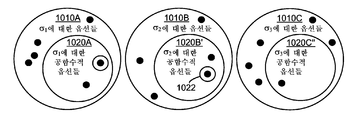
도 9a, 9b 및 9c는 피닝 중의 복수의 자원에 대한 예시적인 공통-기능적 옵션들(co-functional options)을 나타내는 블록도.9A, 9B and 9C are block diagrams illustrating exemplary co-functional options for a plurality of resources during pinning.
도 10a, 10b 및 10c는 피닝 중의 복수의 자원에 대한 다른 예시적인 공통-기능적 옵션들을 나타내는 블록도.10A, 10B and 10C are block diagrams illustrating other exemplary common-functional options for a plurality of resources during pinning.
도 11은 도 1에 나타낸 것과 같은, 비디오 제공 네트워크의 구성을 얻기 위한 피드백을 갖는 예시적인 트랜잭션 접근법을 나타내는 블록도.FIG. 11 is a block diagram illustrating an example transaction approach with feedback to obtain configuration of a video providing network, such as shown in FIG. 1.
도 12는 서버 관점으로부터 피드백을 갖는 트랜잭션 접근법을 통해 구성을 수행하기 위한 예시적인 방법을 나타내는 흐름도.12 is a flow diagram illustrating an example method for performing configuration via a transactional approach with feedback from a server perspective.
도 13은 클라이언트 관점으로부터 피드백을 갖는 트랜잭션 접근법을 통해 구성을 수행하기 위한 예시적인 방법을 나타내는 흐름도.13 is a flow diagram illustrating an example method for performing configuration via a transactional approach with feedback from a client perspective.
도 14는 가 구성을 수행할 수 있는 예시적인 아키텍처를 나타내는 블록도.14 is a block diagram illustrating an example architecture capable of performing a configuration.
도 15는 비디오 제공 네트워크를 구성하는 예시적인 방법을 나타내는 흐름도.15 is a flow diagram illustrating an exemplary method of configuring a video providing network.
도 16은 원하는 구성을 얻기 위하여 솔루션 공간(solution space)의 조직적 탐색(systematic traversal)에 의해 원하는 구성을 찾는 예시적인 방법을 나타내는 흐름도.FIG. 16 is a flow diagram illustrating an exemplary method of finding a desired configuration by systematic traversal of solution space to obtain a desired configuration.
도 17a 및 17b는 원하는 구성을 얻기 위하여 솔루션 공간의 조직적 탐색에 의해 원하는 구성을 찾는 예시적인 상세한 제1 방법을 나타내는 흐름도.17A and 17B are flow diagrams illustrating an exemplary detailed first method of finding a desired configuration by an organizational search of a solution space to obtain a desired configuration.
도 18a 내지 18c는 원하는 구성을 얻기 위하여 솔루션 공간의 조직적 탐색에 의해 원하는 구성을 찾는 예시적인 상세한 제1 방법을 나타내는 흐름도.18A-18C are flow diagrams illustrating an exemplary detailed first method of finding a desired configuration by an organizational search of a solution space to obtain a desired configuration.
도 19는 비디오 제공 네트워크의 토폴로지를 결정하는 예시적인 방법을 나타내는 흐름도.19 is a flow diagram illustrating an exemplary method of determining a topology of a video providing network.
도 20은 비디오 제공 네트워크용 구성에 도달하기 위한 클라이언트 및 서버 간의 호출들을 나타내는 블록도.20 is a block diagram illustrating calls between a client and a server to arrive at a configuration for a video serving network.
도 21은 복수의 비디오 디스플레이 장치를 갖는 컴퓨터 시스템에 본 발명의 기술을 통합하는 것을 나타내는 블록도.21 is a block diagram illustrating incorporating the techniques of the present invention into a computer system having a plurality of video display devices.
도 22는 원하는 비디오 구성을 결정하는데 우선 순위를 고려하는 클라이언트-서버 시스템을 나타내는 블록도.FIG. 22 is a block diagram illustrating a client-server system taking priority into consideration in determining a desired video configuration. FIG.
도 23은 도 22에 나타낸 것과 같은 클라이언트-서버 시스템에서의 원하는 비디오 구성을 결정하는 예시적인 방법을 나타내는 흐름도.FIG. 23 is a flow diagram illustrating an example method of determining a desired video configuration in a client-server system as shown in FIG. 22.
도 24는 본 발명의 방법의 실행 중에 토폴로지가 변화할 수 있는 솔루션 공간의 조직적 탐색에 의해 원하는 구성을 찾는 예시적인 방법을 나타내는 흐름도.FIG. 24 is a flow diagram illustrating an exemplary method for finding a desired configuration by organizational search of a solution space in which the topology may change during the execution of the method of the present invention. FIG.
도 25는 예시적인 멀티-모니터/멀티-뷰 시스템을 나타내는 블록도.25 is a block diagram illustrating an exemplary multi-monitor / multi-view system.
도 26은 본 발명의 기술을 구현하기 위한 예시적인 시스템을 구성하는 범용 컴퓨팅 장치를 나타낸 도면.FIG. 26 illustrates a general purpose computing device that constitutes an exemplary system for implementing the techniques of this disclosure. FIG.
〈도면의 주요 부분에 대한 부호의 설명><Explanation of symbols for main parts of the drawings>
2602 : 처리 장치2602 processing unit
2604 : 시스템 메모리2604: system memory
2606 : 시스템 버스2606: system bus
2608 : ROM2608: ROM
2610 : RAM2610: RAM
2612 : BIOS2612: BIOS
[관련 출원][Related Application]
본 출원은 2004년 4월 30일자 미국 가특허출원 제60/567,053호, 2004년 8월 24일자 미국특허출원 제10/925,662호, 2004년 8월 24일자 미국특허출원 제10/925,445호, 2004년 8월 24일자 미국특허출원 제10/925,837호 및 2004년 8월 24일자 미국특허출원 제10/925,859호를 기초로 한 우선권 주장 출원이다. 이들 우선권 주장의 기초로 된 출원들의 내용은 모두 참조로 본 출원에 병합된다.This application is directed to US Provisional Patent Application No. 60 / 567,053, filed on April 30, 2004, US Patent Application No. 10 / 925,662, filed August 24, 2004, US Patent Application No. 10 / 925,445, filed August 24, 2004, 2004. Priority application based on US patent application Ser. No. 10 / 925,837 dated August 24, 2004 and US patent application Ser. No. 10 / 925,859 dated August 24, 2004. The contents of the applications on which these priority claims are based are incorporated herein by reference.
본 발명의 기술 분야는 (예를 들어, 컴퓨터 비디오 카드와 같은) 비디오 디스플레이 어댑터의 구조에 관한 것이다.The technical field of the present invention relates to the structure of a video display adapter (such as a computer video card, for example).
다수의 모니터를 이용하는 컴퓨터가 널리 확산되어 가고 있는 실정이다. 예컨대, 이제는 컴퓨터가 LCD 패널과 프로젝터 장치 모두를 구동하는 것이 보편화되어 버렸다. 더욱이, 요즘에는 컴퓨터의 이용자가 그들의 컴퓨터를 이용해 (예를 들어, DVD와 같은) 비디오 상영(video presentations)을 감상하는 것이 일상적인 일이 되어 버렸다. 이런 상황에서는 컴퓨터가 종래의 모니터와 텔레비전 모두를 구동하는 경우가 된다.Computers using a large number of monitors are becoming widespread. For example, it is now common for computers to drive both LCD panels and projector devices. Moreover, it has become commonplace these days for users of computers to watch video presentations (such as DVDs) using their computers. In this situation, the computer is driving both a conventional monitor and a television.
이러한 요구에 부응해서 비디오 어댑터 하드웨어 제조업체들은 이제 비디오 어댑터에 다수의 출력을 포함하고 있다. 이렇게 되다 보니, 사용자는 단일 출력용의 케이블을 스위칭시켜 출력을 재구성하지 않고도 컴퓨터를 더욱 손쉽게 이용해 원하는 장치들을 구동시킬 수 있게 되었다.In response to these demands, video adapter hardware manufacturers now include multiple outputs in their video adapters. This makes it easier for users to use the computer to drive their devices without having to reconfigure the output by switching cables for a single output.
이렇듯 다중 모니터 비디오 어댑터(multi-monitor video adapters)가 다양한 기능성을 구비하고 있기는 하나, 지원 가능한 구성(available configurations)의 측면에서 제약이 있는 것도 사실이다. 따라서 다중 모니터 컴퓨터 시스템을 구성하는 것과 관련된 기능성을 개선할 필요성이 제기되고 있다.While these multi-monitor video adapters have a variety of functionality, they are also limited in terms of available configurations. Thus, there is a need to improve the functionality associated with configuring multiple monitor computer systems.
다수의 출력을 갖는 비디오 제공 네트워크를 구성한다는 것은 가능한 구성의 절대적 개수와 자원들(resources) 간의 구조적 상호종속성으로 인해 쉽지 않은 일이라 할 수 있다.Configuring a video providing network with multiple outputs is not easy due to the absolute number of possible configurations and structural interdependencies between resources.
본 명세서에 기술되는 다양한 기술을 이용해 다수의 출력을 갖는 비디오 제공 네트워크의 자원을 구성할 수 있다. 예를 들어, 가 구성(provisional configuration)을 지원할 수도 있다. 입력 구성을 출력 구성과 별도로 다룰 수도 있다. 네트워크 자원들 간의 상호종속성으로 인해, 제공된 옵션들(options)이 가 구성에 대해 공통-기능적인(co-function) 것들로 제한되는 것으로 볼 수 있다. 클라이언트는 서비스가 제공하는 기능들의 세트를 이용해서 구성 솔루션 공간(configuration solution space)을 통과할 수 있다. 가능한 구성 솔루션들을 통과하는 것으로는 역추적(backtracking)을 들 수 있다. 예를 들어, 선택된 구성 옵션이 바람직한 다른 구성 옵션을 무효화시키는 경우 역추적을 이용할 수 있다. 가 구성 기능성(provisional configuration functionality)은 트랜잭션 구성 방식(transactional configuration approach)을 지원할 수 있고, 자원들을 별도로 구성할 수 있다. 열거 기능(enumeration function)는 네트워크 자원들 간의 상호종속성에 기초하여 가 구성에 대해 공통-기능적인 옵션들만을 제공할 수 있다. 열거된 옵션들의 유효성은 피닝 동작(pinning) 후에 보장될 수 있다.The various techniques described herein can be used to configure the resources of a video providing network having multiple outputs. For example, may support provisional configuration. The input configuration can also be treated separately from the output configuration. Due to the interdependence between network resources, it can be seen that the options provided are limited to those that are co-functions for the configuration. The client can traverse the configuration solution space using a set of functions provided by the service. Passing through possible configuration solutions is backtracking. For example, backtracking can be used when the selected configuration option overrides other desired configuration options. Provisional configuration functionality can support a transactional configuration approach and can configure resources separately. The enumeration function may provide only common-functional options for provisional configuration based on interdependencies between network resources. The validity of the listed options can be ensured after pinning.
(예를 들어, 가 구성에 대해 공통-기능적인 것들과 같은) 구성들을 열거하기 위한 호출(calls)과 피닝 자원들을 포함하는 인터페이스(interface)로 기능들을 그룹화시킬 수 있다. 구성을 생성하고 그 구성을 실행하기 위한 기타의 호출이 제공될 수 있다. 기능들은 구성에 대한 트랜잭션 접근법을 지원할 수 있다.Functions can be grouped into an interface that includes pinning resources and calls to enumerate configurations (eg, those that are common-functional to the configuration). Other calls may be provided to create a configuration and execute that configuration. Functions may support a transactional approach to configuration.
구성 목표(configuration goal)를 가장 잘 만족시키는 토폴로지를 상호종속성을 참작해 구할 수 있다. 예를 들어, 타겟들이 이들에 접속된 디스플레이 장치들 상에서의 바람직한 모드들을 지원하는 경우라면, 소스들에서의 지원 소스 모드 세트들을 최대화하기 위해 지원되는 코덱(codecs)을 통해 타겟들을 소스들로 라우팅하는 가장 좋은 방법을 구할 수 있다. 다른 목표들이 지원될 수도 있다. 우선 순위 순서화(prioritization ordering)도 지원될 수 있다. 이러한 목표에 보다 부합하는 토폴로지를 추구하기 위하여 열거 및 피닝 기능도 사용할 수 있다.The topology that best meets the configuration goal can be found by considering interdependencies. For example, if targets support preferred modes on display devices connected to them, routing targets to sources via supported codecs to maximize the set of supported source modes in the sources. You can find the best way. Other goals may be supported. Priority ordering may also be supported. Enumeration and pinning functions can also be used to pursue topologies that better meet these goals.
가 구성은 다른 자원(예컨대, 비디오 출력을 위한 하나의 호출과, 비디오 입력을 위한 다른 호출)을 구성하기 위한 개별적인 장치 드라이버 인터페이스 호출들을 통해 점진적 구성(incremental configuration)을 지원할 수 있다. 호출들 간에는, 나머지 피닝되지 않은(예컨대, 아직 가 구성되지 않은) 자원에 대해 열거를 통해 공통-기능적인 자원을 표지할 수 있다.The configuration may support incremental configuration through separate device driver interface calls to configure other resources (eg, one call for video output and another call for video input). Between calls, it is possible to mark common-functional resources through enumeration for the remaining unpinned (eg, not yet configured) resources.
상호종속성을 고려하기 위한 책임은 비디오 미니포트 등의 비디오 드라이버 (예컨대, 비디오 드라이버에 의해 수행됨)에 위임될 수 있다. 클라이언트는 원하는 구성을 찾기 위하여 다양한 접근법을 사용할 수 있다. 원하는 구성은 NP-Complete 그래프 문제에 대한 솔루션으로 취급될 수 있다.Responsibility for considering interdependencies may be delegated to a video driver (eg, performed by the video driver), such as a video miniport driver. The client can use various approaches to find the desired configuration. The desired configuration can be treated as a solution to the NP-Complete graph problem.
본 발명의 특징은 첨부 도면과 이하의 상세한 설명으로부터 더 분명해 질 것이다.The features of the present invention will become more apparent from the accompanying drawings and the following detailed description.
예 1 - 예시적인 비디오 제공 네트워크Example 1-Example Video Delivery Network
도 1은 구성 가능한 비디오 제공 네트워크(100)를 나타낸다. 본 발명의 모든 실시예에서 개시한 기술은 비디오 제공 네트워크(100)를 구성하기 위하여 사용될 수 있다.1 shows a configurable
본 발명의 기술을 사용하기 위한 비디오 제공 네트워크(100)는 1 이상의 입력(110A 내지 110N)(예컨대, Σ 입력, σ의 전체), 2 이상의 출력(120A 내지 120N)(예컨대, T 입력, τ의 전체), 및 1 이상의 디지털-비디오-입력-표현 비디오-출력-신호 변환기(130A 내지 130N)(예컨대, K 변환기, к의 전체)를 가질 수 있다.The
입력(110A 내지 110N)은 종종 "소스(sources)" 또는 "표면(surfaces)"이라 한다. 출력(120A 내지 120N)은 종종 "타겟(targets)"이라 한다. 디지털-비디오-입력-상영 비디오-출력-신호 변환기는 종종 "변환기"라고 한다.
비디오 제공 네트워크는 입력, 변환기, 출력 외에, 기타 자원(140)(예컨대, 비디오 메모리, 대역폭(bandwidth), 메모리 캐패시터 등)을 포함할 수 있다. 기타 자원(140)은 입력, 변환기, 출력에 의해 사용되어, 비디오 제공 기능을 얻을 수 있다.The video providing network may include inputs, converters, outputs, and other resources 140 (eg, video memory, bandwidth, memory capacitors, etc.).
비디오 제공 네트워크(100)는 비디오 디스플레이 어댑터(예컨대, 비디오 카드) 등의 하드웨어로 구현될 수 있다. 몇몇 경우에 있어서, 일부의 자원은 어댑터 외부에 있을 수 있다.The
예시적인 컴퓨터 시스템은 입력(110A 내지 110N)에 의해 사용되는 디지털 형태(예컨대, 컴퓨터 시스템의 애플리케이션에 의해 기록된 것)의 1 이상의 비디오 뷰를 포함할 수 있다. 복수의 출력(120A 내지 120N)으로부터 얻어지는 신호는 복수의 비디오 디스플레이 장치에 사용될 수 있다.The example computer system may include one or more video views in digital form (eg, recorded by an application of the computer system) used by
예 2 - 예시적인 대안적인 비디오 제공 네트워크Example 2-Example Alternative Video Delivery Network
도 2는 구성 가능한 비디오 제공 네트워크(200)를 나타낸다. 본 발명의 모든 실시예에서 개시한 기술은 비디오 제공 네트워크(200)를 구성하기 위하여 사용될 수 있다.2 shows a configurable
본 실시예에서, 다중 입력은 단일 디지털-비디오-입력-표현 비디오-출력-신호 변환기에 대해 사용될 수 있다(예컨대, 입력(210B 및 210N)이 변환기(230N)에 대한 입력으로 사용된다). 이러한 구성은 하나의 비디오 신호를 다른 비디오 신호에 오버레이(overlaying)하는데 유용할 수 있으며, 여기서 제1 입력은 주된 콘텐츠이고 제2 입력은 오버레이된 콘텐츠이다. 이러한 상황에서, 오버레이의 위치 및 크기는 오버레이된 콘텐츠를 나타내는 비디오 제공 네트워크 소스에 대한 비디오 제공 소스 모드의 일부로서 특정될 수 있다.In this embodiment, multiple inputs can be used for a single digital-video-input-expressing video-output-signal converter (eg,
비디오 제공 네트워크는 임의의 수의 입력, 변환기, 복수의 출력을 갖는 다수의 다른 형태를 취할 수도 있다.The video providing network may take many different forms with any number of inputs, converters, and multiple outputs.
예 3 - 예시적인 비디오 제공 네트워크 자원Example 3-Example Video Serving Network Resource
본 발명의 모든 실시예에서, 자원은 비디오 제공 네트워크 입력(예컨대, 소스 또는 표면), 비디오 제공 네트워크 출력(예컨대, 타겟), 변환기, 비디오 메모리, 대역폭, 메모리 캐패시터 등을 포함할 수 있다.In all embodiments of the present invention, resources may include video providing network inputs (eg, sources or surfaces), video providing network outputs (eg, targets), converters, video memory, bandwidth, memory capacitors, and the like.
비디오 제공 네트워크의 토폴로지는 자원이라 하기도 한다. 예컨대, 자원을 구성한다는 것은 토폴로지 내에 포함된 개별적인 자원에 대한 구성 옵션을 선택하는 것과 관계없이 단순히 토폴로지는 선택하는 것을 포함한다.The topology of a video providing network is also called a resource. For example, configuring a resource simply includes selecting a topology regardless of selecting configuration options for the individual resources included in the topology.
예 4 - 예시적인 비디오 제공 네트워크 내의 비디오 경로Example 4-Video Path in an Example Video Provisioning Network
비디오 제공 네트워크(100)는 복수의 비디오 경로를 가질 수 있다. 예컨대, 도 1에 나타낸 바와 같이, 경로는 입력(110A)에서 출발하여 변환기(130A)를 거쳐 출력(120A)에 이를 수 있다. 다른 경로는 입력(110A)에서 출발하여 변환기(130A)를 거쳐 출력(120B)에 이를 수 있으며, 기타의 경우도 있다.The
비디오 제공 네트워크(100)의 토폴로지는 구성에 따라 경로가 달라지도록 구성할 수 있다. 예컨대, 변환기(130N)의 출력을 비디오 출력(120N)으로 전송하는 것 대신에, 구성 설정을 변화함으로써 다른 비디오 출력(예컨대, 120B)으로 라우팅할 수 있다.The topology of the
예 5 - 예시적인 비디오 제공 네트워크 입력Example 5-Example Video Serving Network Input
본 발명의 모든 실시예에서, 비디오 입력(또는 "소스")은 디지털 표면을 제공하는 것과 같이 임의의 다양한 형태를 취할 수 있다. 실질상, 입력은 다양한 소스 모드를 사용하도록 구성할 수 있다. 이러한 모드는 폭, 높이, 유닛 포맷(unit format), 래스터 그래픽 필터링 기술(rasterized graphics filtering technique), 주 표면 체인 길이(primary surface chain length) 등과 이들의 조합을 포함할 수 있다.In all embodiments of the invention, the video input (or “source”) can take any of a variety of forms, such as providing a digital surface. In practice, the input can be configured to use various source modes. Such modes may include width, height, unit format, rasterized graphics filtering technique, primary surface chain length, and combinations thereof.
예 6 - 예시적인 비디오 제공 네트워크 출력Example 6-Example Video Provisioning Network Output
본 발명의 모든 실시예에서, 비디오 출력(또는 "타겟")은 출력 신호를 제공하는 것과 같이 임의의 다양한 형태를 취할 수 있다. 설명자(descriptor)는 출력과 연관될 수 있다. 설명자는 포맷(예컨대, DVI, HDMI, HD-15, BNC, S-비디오, RF, RCA 등)과 HPD 인식(awareness)을 나타낼 수 있다. 출력은 비이오 인코딩 형태와 연관될 수도 있다. 더욱이, 출력은 또 다른 출력과 동기화 되도록 구성될 수 있다.In all embodiments of the invention, the video output (or “target”) can take any of a variety of forms, such as providing an output signal. Descriptors can be associated with the output. Descriptors may indicate formats (eg, DVI, HDMI, HD-15, BNC, S-Video, RF, RCA, etc.) and HPD awareness. The output may be associated with a BIO encoding form. Moreover, the output can be configured to synchronize with another output.
실질상, 출력은 다양한 타겟 모드를 사용하도록 구성할 수 있다. 이러한 모드는 활성 영역(예컨대, 폭 및 높이), 전체 영역(예컨대, 폭 및 높이), 활성 영역 배치(active region displacement), 픽셀 인코딩 포맷, 수직 리트레이스 주파수(vertical retrace frequency), 수평 리트레이스 주파수, 픽셀 클럭 레이트, 콘텐츠 서열화, 원색(color primaries), 백색 기준점(white point reference), 컬러 공간 변형 매트릭스(color space transformation matrix) 등과 이들의 조합을 포함할 수 있다.In essence, the output can be configured to use various target modes. These modes include active region (e.g., width and height), full region (e.g., width and height), active region displacement, pixel encoding format, vertical retrace frequency, horizontal retrace frequency. , Pixel clock rate, content sequencing, color primaries, white point reference, color space transformation matrix, and combinations thereof.
예 7 - 예시적 변환기Example 7-exemplary converter
여기서의 예시들에 있어서, "디지털-비디오-입력-표시를 비디오-출력-신호로" 변환기는 비디오 코덱, 디지털-아날로그 변환기, 기타 등의 형태를 가질 수 있다. 어떤 변환기들은 공유가 가능하다. 예를 들어, 클론(예를 들어, 미러) 모드에서, 코덱은 그 신호를 2개의 출력에 보낼 수 있다.In the examples herein, the "digital-video-input-to-video-to-output-to-signal" converter may take the form of a video codec, a digital-to-analog converter, and the like. Some converters can be shared. For example, in clone (eg mirror) mode, the codec can send its signal to two outputs.
예 8 - 예시적 자원 상호의존성(interdependency)Example 8-Exemplary Resource Interdependency
비디오 제공 네트워크(100)의 구성은 이론적으로 임의의 개수가 가능하지만, 이론적인 구성 중 제한된 개수만이 기능한다. 실제, 비디오 제공 네트워크(100)의 자원은 구성에 상호 종속적이기 쉽다.The number of configurations of the
예를 들어, 비디오 입력(110A)을 특정 형태로 구성하는 것은 많은 양의 비디오 메모리를 소모할 수도 있다. 이 경우, 동일한 형태의 다른 비디오 입력(예를 들어, 110N)에 대하여 남는 메모리가 충분하지 않을 수 있다. 예를 들어, 메모리를 덜 소모하는 형태로만 구성가능할 수 있다.For example, configuring
매우 다양한 다른 상호 존속성이 존재한다. 예를 들어, 변환기는 특정 비디오 입력 형태만을 받아들이거나 특정 비디오 출력 형태만을 출력할 수 있다. 그래서, 특정 입력은 특정 변환기와 조합하여 기능하지 못할 수 있다.There are a wide variety of different mutual persistence. For example, the converter may accept only certain video input forms or output only certain video output forms. Thus, certain inputs may not function in combination with certain transducers.
따라서, 실제로, 원하는 구성을 구현하는 데 있어, 그것이 기능하지 않을 수 있다는 점은 장애가 된다. 또한, (매우 다양한 방법으로 상호 연결될 수 있는) 복수의 비디오 입력, 복수의 변환기 및 복수의 비디오 출력을 갖는 비디오 제공 네트워크에 대한 이론적으로 가능한 무수히 많은 조합들로부터 어떤 조합이 기능하는지 결정하는 것은 쉽지 않다.Thus, in practice, in implementing the desired configuration, the fact that it may not function is an obstacle. In addition, it is not easy to determine which combination functions from the myriad of possible combinations for a video providing network having multiple video inputs, multiple converters and multiple video outputs (which can be interconnected in a wide variety of ways). .
도 3은 비디오 제공 네트워크의 구성 가능한 자원의 조합들을 보여주는 블록 도이다. 이 예시에 있어서, 이론적으로 가능한 구성(300)은, 1개 이상의 구성된 제3 자원(306)(예를 들어, 비디오 제공 네트워크 출력)과 결합된 1개 이상의 구성된 제2 자원(304)(예를 들어, 비디오 제공 네트워크 변환기)과, 1개 이상의 구성된 제1 자원(302)(예를 들어, 비디오 제공 네트워크 입력)을 결합함으로써 만들 수 있다. 이론적으로 가능한 구성의 결과 세트(310)는 가능한 것들의 방대한 세트로 표시되며, 자원의 구성에 따라, 그 중 일부는 기능하는 것이고, 그 중 일부는 기능하지 않는 것이다.3 is a block diagram showing combinations of configurable resources of a video providing network. In this example, the theoretically
이처럼 방대한 솔루션 공간에서 최적 구성을 위한 솔루션을 찾는 것은 NP-Complete 문제인 삼분 그래프 정합 문제(tri-partite graph matching problem)이다. 따라서, 자원에 대한 가능한 구성의 수가 적당한 수를 넘는 상황에서는, brute force 접근법을 사용하는 것은 문제가 될 수 있다.In this vast solution space, finding a solution for optimal configuration is a tri-partite graph matching problem, which is the NP-Complete problem. Thus, in situations where the number of possible configurations for a resource exceeds a reasonable number, using a brute force approach can be problematic.
예 9 - 예시적인 구성Example 9-Example Configuration
여기서의 예시들에 있어서, 자원의 구성은 비디오 제공 네트워크의 자원 세트에 대한 토폴로지를 선택하는 것 또는 네트워크에서 1개 이상의 자원에 대하여 구성 옵션(예를 들어, 모드)를 선택하는 것(예를 들어, 네트워크가 상호 연결되는지 여부)을 포함하여 다양한 형태를 가질 수 있다.In the examples herein, the configuration of the resource may include selecting a topology for a set of resources of a video-providing network or selecting a configuration option (eg, mode) for one or more resources in the network (eg, Or whether the networks are interconnected).
예 10 - 예시적인 구성 방법Example 10-Example Configuration Method
도 4는, 구성을 달성하기 위하여 여기서 기술되는 비디오 제공 네트워크 중 임의의 것에 사용될 수 있는 예시적인 구성 방법(400)을 보여준다. 본 방법 및 여기서 기술되는 다른 방법들은 1개 이상의 컴퓨터로 판독가능한 매체 상의 컴퓨터-수행가능한 명령들을 통하여 구현될 수 있다.4 shows an
블럭(4100에서, 비디오 제공 네트워크의 제1 자원의 구성의 표지가 수신된다. 예를 들어, 비디오 제공 네트워크의 특정 비디오 입력에 대한 구성이 수신될 수 있다.At block 4100, an indication of the configuration of the first resource of the video providing network is received. For example, a configuration for a particular video input of the video providing network may be received.
블럭(420)에서, 제1 자원의 구성의 표시와는 별도로, 비디오 제공 네트워크의 제2 자원의 표지가 수신된다. 예를 들어, 비디오 제공 네트워크의 복수의 출력 중 특정 비디오 출력에 대한 구성이 수신될 수 있다.At
그 이후, 블럭(430)에서, 비디오 제공 네트워크는 구성의 표지에 따라 구성된다.Thereafter, at
실제, 비디오 제공 네트워크의 임의의 자원들에 대하여(예를 들어, 2개의 상이한 입력, 2개의 상이한 출력, 2개의 상이한 변환기, 변환기 및 출력 등에 대하여) 구성의 부가적인 표지가 별도로 수신될 수 있다.Indeed, for any resources of the video providing network (eg, for two different inputs, two different outputs, two different converters, converters and outputs, etc.), an additional indication of the configuration may be received separately.
별도로 수신된 표시는 프로그램 인터페이스로의 호출(programmatic interface)(예를 들어, 장치 드라이버 인터페이스 호출)와 같은 2개의 상이한 호출을 사용함으로써 수신된 것들을 포함할 수 있다. 예를 들어, 장치 드라이버로의 2개의 상이한 호출이 사용될 수 있다. 또는 동일한 호출에서 2개의 상이한 파라미터가 사용될 수 있다. 또는 그 자원들에 대한 별도의 값을 표시하는 1개 이상의 데이터 구조가 사용될 수 있다. 이와 같은 호출은 운영 체제와 같은 클라이언트로 부터 나올 수 있다.Separately received indications may include those received by using two different calls, such as a programmatic interface (eg, a device driver interface call). For example, two different calls to the device driver can be used. Or two different parameters may be used in the same call. Alternatively, one or more data structures may be used that indicate separate values for those resources. Such calls can come from clients such as the operating system.
이와 같은 방식에 있어서, 비디오 제공 네트워크의 자원들은 독립적으로 구성될 수 있다. 이와 같은 구성은 비디오 제공 네트워크에 대한 토폴로지(예를 들어, 자원들이 상호 연결되는 방식)를 표시할 수도 있다.In this manner, the resources of the video providing network can be configured independently. Such a configuration may indicate a topology (eg, how resources are interconnected) for the video providing network.
예 11 - 예시적인 가 구성(provisional configuration)Example 11-Exemplary provisional configuration
가 구성 접근법을 이용하면, 무수히 많은 가능한 기능적 구성으로부터 원하는 구성을 찾아내는 것을 포함하여, 다양한 기능성을 용이하게 할 수 있다. 도 5는 도 1에 도시된 바와 같은 비디오 제공 네트워크의 자원의 가 구성을 나타내는 표(500)를 보여준다.Using this configuration approach can facilitate a variety of functionality, including finding the desired configuration from a myriad of possible functional configurations. FIG. 5 shows a table 500 illustrating the provisional configuration of resources of a video providing network as shown in FIG. 1.
예시에 있어서, 자원 σ1은 가 구성된 것이다. (예를 들어, 비디오 제공 네트워크의 자원에 대한 구성 파라미터들은 저장되지만, 구성은 완전히 기능을 할 필요는 없다) 이와 같은 가 구성은 부분 구성(예를 들어, 비디오 제공 네트워크에 대한 토폴로지 또는 비디오 제공 네트워크 자원의 구성)의 수신에 기초할 수 있다. 임시 구성을 위해 모든 자원에 대한 구성을 수신할 필요는 없다. 구성 파라미터들의 전체 세트가 없는 구성은 일반적으로 기능을 하지 않기 때문에, 가 구성은 가끔 "반-기능적(semi-functional)"이라고 불린다. 자원에 대한 부분 구성을 제공하는 것은 가끔 자원을 "피닝한다(pinning)"라고 불린다. 원한다면, 부분 구성은 제거 (또는 무시) 될 수 있다. 부분 구성을 제거하는 것은 가끔 "언피닝한다(unpinning)"라고 불린다.In the example, resource σ 1 is composed of. (E.g., configuration parameters for resources of a video providing network are stored, but the configuration does not have to be fully functional). Such a configuration may be a partial configuration (e.g., topology for a video providing network or a video providing network). The configuration of the resource). You do not need to receive configuration for all resources for temporary configuration. Since a configuration without a full set of configuration parameters generally does not function, a pseudo configuration is sometimes called "semi-functional". Providing a partial configuration for a resource is sometimes called "pinning" the resource. If desired, the partial configuration can be removed (or ignored). Removing a partial configuration is sometimes called "unpinning".
예 12 - 예시적인 트랜잭션 구성(transactional configuration)Example 12-Exemplary Transactional Configuration
비디오 제공 네트워크의 구성을 달성하기 위한 트랜잭션 접근법은 기술된 임시 구성에 기초하여 가능하다. 도 6은 트랜잭션 접근법을 통하여 비디오 제공 네트워크(630)(예를 들어, 도 1에 도시된 비디오 제공 네트워크)의 구성을 달성하기 위한 예시적인 배치(600)를 보여준다.A transactional approach to achieving the configuration of the video providing network is possible based on the ad hoc configuration described. FIG. 6 shows an
예시적인 배치(600)에 있어서, 클라이언트(610)는 비디오 제공 네트워크에 대한 부분 구성 정보를 서버(620)에 보낼 수 있다. 커밋(commit)을 수신하게 되면, 서버 (620)는 부분 구성의 표시에 따라 비디오 제공 네트워크(630)를 구성할 수 있다.In the
도 7은 트랜잭션 접근법을 통하여 구성을 수행하기 위한 예시적인 방법(700)을 보여준다. 710에서, 비디오 제공 네트워크에 대한 일련의 부분 구성들은 (예를 들어, 서버에 의해 클라이언트로부터) 수신된다. 부분 구성은 가-기능적(provisionally functional) 구성을 구축하기 위하여 사용될 수 있다.7 shows an
블럭(720)에서, 가-기능적 구성이 커밋된다. 이러한 커밋은 가-기능적 구성을 비디오 제공 네트워크(예를 들어, 네트워크 630)에서 구현할 수 있다.At
가-기능적 구성은 구현되지 않고 저장될 수 있다. 예를 들어, 구성은 (예를 들어, 커밋 구성 표시가 처리될 때까지) 비디오 제공 네트워크의 자원들을 구성하지 않고 저장될 수 있다.The hypo-functional configuration may be stored without implementation. For example, the configuration may be stored without configuring the resources of the video providing network (eg, until a commit configuration indication is processed).
예 13 - 공통-기능적 구성 옵션의 예시적인 결정Example 13-Example Determination of Common-Functional Configuration Options
비디오 제공 네트워크의 자원들 간의 상호 종속성으로 인해, 이론적으로 가능한 구성 옵션들 중 일부는 이미 모아진(assembled) 가-기능적 구성에 비추어 기능을 하지 않을 수 있다. 예를 들어, (예를 들어 도 5에 도시된 바와 같이) 자원 σ1이 가 구성된 경우, 비디오 제공 네트워크의 다른 자원(예를 들어, σΣ)에 대한 가용 구성 옵션은 제한될 수 있다.Due to the interdependence between the resources of the video-providing network, some of the theoretically possible configuration options may not function in the light of already assembled assembled-functional configurations. For example, if resource σ 1 is configured (eg, as shown in FIG. 5), the available configuration options for other resources of the video providing network (eg σ Σ ) may be limited.
도 8a는 자원 σΣ에 대한 구성 옵션(850)의 예시적인 세트를 보여주고 있으며, 다른 자원 σ1이 어떻게 가 구성되는지에 비추어, 이 중 구성 옵션의 서브 세트(860)만이 이용가능하다 (예를 들어, 기능적 구성으로 될 수 있다). 이와 같은 배치에 있어서, 가용 구성 옵션은 가끔, (예를 들어, 가-기능적 옵션의) 다른 구성 옵션과 "공통-기능적이다"라고 불리거나, 또는 가 구성을 "무효화시키지 않는다"라고 불린다.8A shows an exemplary set of
자원에 대한 공통-기능적 구성 옵션의 세트(860)는 가끔 "열거(enumeration)"라고 불리는 프로세스에서의 가 구성 동안에 피드백으로서 제공될 수 있다. 이러한 피드백은 (예를 들어 가-기능적 구성을 구축하거나 또는 예전의 가-기능적 구성으로 역추적하기 위한) 부가적인 구성에 대한 결정을 하는데 사용될 수 있다.The set of common-
어떤 경우, 가-기능적 구성으로부터 부분 구성을 제거하는 것이 바람직할 수 있다. 예를 들어, 가-기능적 구성이 아직 구성되지 않은 자원의 구성을 원하는 방식으로 허용하지 않는 것을 발견할 수 있다. 따라서, 여기서 기술되는 임의의 구성 방법들은, 가-기능적 구성으로부터 부분 구성을 제거하는 표지를 수신하고, 표시(또는 예전 것보다 우위에 있는 새로운 부분 구성)을 수신하는 것에 응답하여 부분 구성을 제거하는 것을 포함할 수 있다. 이러한 방식에 있어서, 방법은 (예를 들어 임시 기능 구성을 커밋하기 전에) 예전의 가-기능적 구성으로 역추적(예를 들어, 자원을 언피닝) 할 수 있다.In some cases, it may be desirable to remove the partial configuration from the temporary functional configuration. For example, one may find that a hypothetical configuration does not allow configuration of resources not yet configured in the desired manner. Thus, any of the configuration methods described herein may be configured to receive a marker that removes the partial configuration from the temporary functional configuration and to remove the partial configuration in response to receiving the indication (or a new partial configuration that is superior to the old one). It may include. In this manner, the method may backtrack (eg, unpin resources) to the old, temporary-functional configuration (eg, before committing the temporary functional configuration).
예 14 - 복수의 자원에 대한 공통-기능적 구성 옵션의 예시적인 결정Example 14-Example Determination of Common-Functional Configuration Options for Multiple Resources
실제, 복수의 자원에 대한 공통-기능적 구성 옵션을 한번에 결정하는 것이 바람직할 수 있다. 예를 들어, 주어진 토폴로지가 부분 구성의 일부로서 선택된 이후에, 선택된 토폴로지에 대해 공통-기능적인 비디오 제공 네트워크 소스에 대한 구성 옵션을 열거하는 것이 바람직할 수 있다.Indeed, it may be desirable to determine common-functional configuration options for multiple resources at once. For example, after a given topology has been selected as part of a partial configuration, it may be desirable to enumerate configuration options for a common-functional video providing network source for the selected topology.
도 8b는 각 자원(예를 들어, σ1, σ2, 및 σ3)에 대한 공통-기능적인 구성 옵션(880A, 88B, 880C)이 표시되어 있는 배치를 나타내며, 여기서 1개 이상의 자원에 대한 구성 옵션이 표시되어 있다. 도시된 공통-기능적 구성 옵션은 선택된 토폴로지와 관련하여 공통-기능적이다. 옵션들은 서로에 대하여 공통-기능적이지 않을 수 있다. 예를 들어, 제1 자원에 대한 공통-기능적 옵션 중 하나를 선택하는 것은 다른 자원의 공통-기능적 옵션들 중 다른 하나를 무효화시킬 수 있다. (예를 들어, 공통-기능적이지 않을 수 있다)FIG. 8B shows an arrangement in which common-
예시에 있어서, 원본 옵션(예를 들어, 870A, 870B, 870C)의 적어도 일부는 선택된 토폴로지에 비추어 더 이상 가용하지 않다(예를 들어, 상호 종속적이지 않다). 옵션들이 다른 자원(예를 들어, 타겟들)에 대하여 열거될 때에 유사한 배치가 가능하다.In an example, at least some of the original options (eg, 870A, 870B, 870C) are no longer available in view of the selected topology (eg, not interdependent). Similar arrangements are possible when the options are listed for other resources (eg targets).
이와 같은 옵션은 소프트웨어(예를 들어, 비디오 드라이버)에 의해 열거될 수 있다. 본 명세서에 기술되는 예시에 있어서, 열거된 옵션들이 하나의 자원에 대하여 선택되면 그와 같은 선택은 임의의 다른 자원들에 대한 옵션 중 적어도 하나와 공통-기능적적이도록 (예를 들어, 모든 옵션을 무효화시키지는 않도록) 보장하는 것이 바람직할 수 있다.Such options may be listed by software (eg, video driver). In the example described herein, if the listed options are selected for one resource, such selection is to be common-functional with at least one of the options for any other resources (eg, all options It may be desirable to ensure that it is not invalidated.
예 15 - 피닝 동안의 공통-기능적 옵션의 예시적인 무효화Example 15-Example Invalidation of Common-Function Options During Pinning
실제로, 복수의 자원에 대한 토폴로지와 공통-기능적인 (예를 들어 복수의 자원에 대하여) 구성 옵션들을 열거한 이후에, 그와 같은 구성 옵션들은 부분 임시 구성에 포함될 수 있다. 하지만, 제1 자원에 대한 구성 옵션 중 하나를 피닝하는 것(예를 들어 임시로 선택하는 것)은 다른 자원에 대한 다른 옵션을 무효화시킬 수 있다 (예를 들어, 다른 옵션에 대해 공통-기능적이지 않을 수 있다).Indeed, after enumerating the topology for multiple resources and configuration options that are common-functional (eg, for multiple resources), such configuration options may be included in the partial temporary configuration. However, pinning one of the configuration options for the first resource (e.g., selecting it temporarily) may invalidate another option for the other resource (e.g. it is not common-functional for other options). May not).
도 9a 내지 9c는 하나의 자원에 대한 구성 옵션을 선택하는 것이 다른 자원에 대한 구성 옵션을 무효화시키는 예시를 보여준다. 토폴로지는 선택될 수 있다. 도 9a는, 토폴로지를 선택한 이후에 열거된 (예를 들어, 각각 이론적으로 가능한 옵션 910A, 910B, 910C의 서브 세트인) 공통-기능적인 옵션(920A, 920B, 920C)을 보여준다. 도 9b는 특정 옵션(921)이 제1 자원에 대하여 선택된 (예를 들어, 피닝된) 것을 보여준다. 결과적으로, 다른 자원들에 대한 구성 옵션들 중 일부는 더 이상 가용하지 않다(예를 들어 무효화 된다). 예시에 있어서, 920B'에서 옵션은 더 이상 보이지 않는다. 어떤 경우, 다른 옵션들은 무효화 된다. 또는 어떤 것도 무효화 되지 않는다.9A-9C show an example in which selecting a configuration option for one resource invalidates the configuration option for another resource. The topology can be chosen. 9A shows the common-
도 9c는 다른 자원에 대하여 특정 옵션(922)이 선택된 것(예를 들어, 피닝된 것)을 도시한다. 결과적으로, 나머지 자원들에 대한 구성 옵션들의 일부는 더 이상 가용하지 않을 수 있다. 예시에 있어서, 920C''에서 옵션은 더 이상 보이지 않는다. 어떤 경우, 제1 자원에 대한 옵션 중 일부는 무효화 될 수 있다. (예를 들어, 비록 도시되지는 않았으나, 그 결과 세트 920A'이 될 수 있다). 하지만, 특히, 자원이 피닝된 후(예를 들어, 구성 옵션이 자원에 대하여 선택된 후), 피닝된 구성 옵션은 열거된 구성 옵션들 중 다른 하나를 선택함으로써 무효화 되지 않는다.9C shows that
도 9a 내지 9c에 도시된 현상에 의해, 복수의 자원을 열거할 때, 자원을 피닝한 후 무효화된 옵션들을 체크할 필요가 있을 수 있다. 이러한 것은 재열거(re-enumeration)에 의해 수행될 수 있다.With the phenomenon shown in FIGS. 9A-9C, when enumerating a plurality of resources, it may be necessary to check for invalidated options after pinning resources. This can be done by re-enumeration.
예 16 - 다른 피닝 시나리오 동안 예시적인 공통-기능적 옵션들(Co-Functional Options)의 무효화Example 16-Invalidation of Exemplary Co-Functional Options During Different Pinning Scenarios
도 10a 내지 10c는 하나의 자원을 위한 구성 옵션을 선택하는 다른 예가 또 다른 자원을 위한 구성 옵션을 무효화시키는 것을 도시한다. 토폴로지가 선택될 수 있다. 도 10a는 토폴로지를 선택한 후에 열거된 공통-기능적 옵션들(1020a, 1020b 및 1020c)[예를 들어, 이론적으로 가능한 옵션들(각각 1010a, 1020b 및 1020c)의 서브 세트]을 도시한다. 그리고, 도 10b는 제1 자원을 위해 특정 옵션(1021)이 선택(예컨대, 지정)되었음을 도시한다. 결과적으로, 다른 자원들을 위한 일부 구성 옵션들은 더 이상 사용 가능하지 않다(예컨대, 이들은 무효화된다). 이 예에서, 옵션은 더 이상 1020b'에 나타나지 않는다. 일부 경우에서 다른 옵션들이 무효화된다. 또는, 아무것도 무효화되지 않는다.10A-10C illustrate another example of selecting a configuration option for one resource invalidates a configuration option for another resource. The topology can be chosen. FIG. 10A shows the common-functional options 1020a, 1020b and 1020c listed after selecting a topology (eg, a subset of theoretically possible options (1010a, 1020b and 1020c, respectively)). And, FIG. 10B shows that a
도 10c는 또 다른 자원을 위해 특정 옵션(1022)이 선택(예컨대, 지정)된 것을 도시한다. 결국, 남아있는 자원들을 위한 일부 구성 옵션들은 더 이상 사용가능하지 않을 수 있다. 예에서, 옵션은 더 이상 1020C'에 나타나지 않는다. 일부 경우에서, 제1 자원을 위한 일부 옵션들이 역시 무효화될 수 있다[예컨대, 결국 셋(1020A')이 됨, 미도시]. 그러나, 실제로, 자원이 지정된(예컨대, 자원을 위해 구성 옵션이 선택됨) 후, 지정된 구성 옵션은 열거된 구성 옵션들의 또 다른 하나를 선택하는 것에 의해서 무효화되지 않는다. 많은 다른 시나리오가 가능하다.10C shows that a
예 17 - 피드백을 구비한 예시적인 트랜잭션 접근법(Transactional Approach)Example 17-Example Transactional Approach with Feedback
도 11은 피드백을 구비한 트랜잭션 접근법을 통해 비디오 제공 네트워크(1130)(예컨대, 도 1에 도시된 비디오 제공 네트워크)의 구성을 이루기 위한 예시적인 배열(1100)을 도시한다.FIG. 11 illustrates an
예시적인 배열(1100)에서, 클라이언트(1110)는 비디오 제공 네트워크를 위한 부분 구성 정보를 서버(1120)에 전송할 수 있다. 부분 구성 정보는 비디오 제공 네트워크의 임의의 자원을 위한 것일 수 있다. 부분 구성은 비디오 제공 네트워크의 토폴로지를 가리킬 수 있다.In the
구성 정보(예컨대, 제1 자원을 위한 부분 구성)를 수신한 후에, (예컨대, 제2 자원을 위한) 공통-기능적 구성이 제공될 수 있다. 공통-기능적 구성 옵션들은 구성 정보와는 다른 자원을 위한 것, 서로 다른 경로의 자원을 위한 것 등일 수 있다. 공통-기능적 옵션들은 구성 정보에 기초하여 제한적일 수 있다(예컨대, 하나의 비공통-기능적 옵션이 제거된다). 여기에 설명되듯이, 옵션들은 열거를 통해 제공될 수 있고, 열거는 한번에 복수의 자원들을 위해 이루어질 수 있다.After receiving the configuration information (eg, partial configuration for the first resource), a common-functional configuration (eg, for the second resource) may be provided. Common-functional configuration options may be for resources other than the configuration information, for resources in different paths, and the like. Common-functional options may be limited based on configuration information (eg, one non-common-functional option is removed). As described herein, options may be provided through enumeration, and enumeration may be made for multiple resources at one time.
다른 자원(들)을 위한 공통-기능적 구성 옵션들은 비디오 제공 네트워크의 자원들간의 상호종속성에 기초할 수 있다. 클라이언트는 공통-기능적 구성 옵션들 중에서 선택하고 조건 기능 구성을 계속 구축한다.Common-functional configuration options for other resource (s) may be based on interdependencies between resources of the video providing network. The client selects from common-functional configuration options and continues to build conditional functional configuration.
커밋을 수신하면, 서버(1120)는 부분 구성이 지시하는 대로 비디오 제공 네트워크(1130)를 구성한다.Upon receiving the commit,
도 12는 서버 관점으로부터 피드백을 구비한 구성을 수행하기 위한 예시적인 방법(1200)을 도시한다. 이 방법은 도 11에 도시된 배열을 통해 동작할 수 있다. 블럭(1210)에서, 부분 비디오 네트워크 제공 구성의 표지가 수신된다. 예를 들어, 부분 구성은 비디오 제공 네트워크의 제1 자원을 위한 구성을 지시할 수 있다.12 illustrates an
단계(1220)에서, 공통-기능적 구성 옵션들은 (예컨대, 위의 도 11a 및 11b에서 설명되었듯이) 지시된다. 또는, 모든 구성 옵션들은, 옵션들이 지시되기 전에 지시된 옵션들로부터 제거되는 하나 이상의 비공통-기능적 구성 옵션들의 예외로 지시될 수 있다. 이 방법은 또한 커밋(미도시)을 포함할 수 있는데, 이 커밋에 의해 비디오 제공 네트워크에서 구성이 실행된다.At
도 13은 클라이언트 관점으로부터 피드백을 구비한 구성을 수행하기 위한 예시적인 방법(1300)을 도시한다. 이 방법은 도 11에 도시된 배열을 통해 동작할 수 있다. 단계(1310)에서, 부분 비디오 제공 네트워크 구성의 지시가 전송된다. 예를 들어, 부분 구성은 비디오 제공 네트워크의 제1 자원을 위한 구성을 지시할 수 있다.FIG. 13 illustrates an
단계(1320)에서, (예를 들어, 위의 도 11a 및 11b에서 설명되듯이) 공통-기능적 구성 옵션들의 세트가 지시된다. 다시, 이 방법은 커밋(미도시)을 또한 포함할 수 있는데, 이 커밋에 의해 비디오 제공 네트워크에서 구성이 커밋된다.In
예 18 - 비디오 드라이버에서 예시적인 서버 구현Example 18-Example Server Implementation in a Video Driver
공통-기능적 구성 옵션들을 결정하는 것은 비디오 드라이버에 위임될 수 있다. 여기에 설명되는 어떠한 예에서도, 서버에 의해 수행되는 행동들은 비디오 드라이버(예컨대, 비디오 미니포트)에 의해 수행될 수 있다.Determining common-functional configuration options may be delegated to the video driver. In any of the examples described herein, the actions performed by the server may be performed by a video driver (eg, video miniporter).
도 14는 예시적인 아키텍처(1400)를 도시하는데, 여기서 피드백을 구비한 조건부 구성이 구현될 수 있다. 이 예는 클라이언트(예컨대, 애플리케이션, 그래픽 서브시스템 등의 운영 체제), 상호종속성 논리(1425)를 구비한 드라이버(1420)(예컨대, 커널 모드에서 동작하는 특정 장치 비디오 드라이버) 및 복수의 디스플레이 장치(1440a-1440n)에 비디오 출력을 제공하는 비디오 어댑터(1430)를 포함한다.14 illustrates an
비디오 드라이버(1420)는 여기서 설명하는 모든 예에서 서버로 동작할 수 있다. 상호종속성 로직(1425)은 부분 구성들을 받아들이고, 공통-기능적 구성 옵션들을 열거하며, 구성을 실행하기 위한 기능들을 포함할 수 있다.The
이러한 방식으로, 디스플레이 어댑터의 하드웨어 판매자는 바람직한 비디오 제공 네트워크 구성의 결정을 돕기 위해, 적절한 상호종속성 논리(1425)를 통합하 는 적절한 드라이버(1420)를 개발할 수 있다.In this way, the hardware vendor of the display adapter can develop an
예 19 - 예시적인 장점Example 19-Exemplary Advantages
비디오 드라이버 내에서 상호종속성 논리를 구현하는 것은, 위의 예 18에서 논의되었듯이, 특정 세트로 한정된 소정의 하드웨어 구현을 위한 범위를 줄임으로써 적절한 구성의 결정을 간단히 할 수 있다. 로직이 대신 운영 시스템에 있다면, 태스크는 더욱 복잡할 수 있다(완전히 일반적이고 모든 가능한 상호종속성을 지원할 필요가 있다).Implementing interdependence logic in the video driver can simplify the determination of the appropriate configuration by reducing the scope for certain hardware implementations limited to a particular set, as discussed in Example 18 above. If the logic is in the operating system instead, the task can be more complex (completely generic and need to support all possible interdependencies).
예 20 - 비디오 제공 네트워크의 예시적인 구성Example 20-Example Configuration of a Video Provisioning Network
도 15는 부분 구성을 통한 비디오 제공 네트워크의 구성을 위한 예시적인 방법(1500)을 도시한다. 블럭(1504)에서, 비디오 제공 네트워크를 위한 토폴로지가 선택된다. 블럭(1506)에서, 소스들을 위한 구성 옵션들이 열거되고 지정된다. 1508에서, 타겟들을 위한 구성 옵션들이 열거되고 지정된다. 커밋(미도시)이 구성을 구현하도록 사용될 수 있다.15 illustrates an
여기의 모든 예에서, 소스들이 타겟들 전에 지정되는 것이 때때로 도시되었지만, 그럴 필요가 있는 것은 아니다. 예를 들어, 소스들 전에 타겟들이 지정될 수 있다.In all the examples here, it is sometimes shown that the sources are specified before the targets, but need not be. For example, targets may be specified before sources.
예 21 - 기능적 구성상에 수렴하는 솔루션 공간(Solution Space)의 예시적인 탐색(Traversal)Example 21-Exemplary Traversal of Solution Space Converging on Functional Configuration
도 16은 다수의 가능한 기능적 비디오 출력 구성 조합들의 그래프를 탐색하는 예시적인 방법(1600)의 흐름도를 도시한다. 이러한 방법은 서버[예컨대, 비디오 드라이버(1420)]와 상호 작용하는 클라이언트[예컨대, 클라이언트(1410)]에 의해 사용될 수 있다. 예는 비디오 미니포트를 도시하지만, 또 다른 비디오 드라이버[예컨대, 비디오 드라이버(1420)]가 사용될 수 있다.16 shows a flowchart of an
예는 또한 고정된 토폴로지 기능의 비디오 제공 네트워크 구성 검색을 포함하지만, 다른 예들이 검색 동안에 토폴로지를 변경하는 옵션을 포함할 수 있다. 예를 들어, 비디오 제공 네트워크 소스 상에서 비디오 제공 소스 모드의 지정이 또 다른 비디오 제공 네트워크 소스를 위한 적어도 하나의 다른 비디오 제공 소스 모드를 무효화시킨 후에, 토폴로지가 변경되는 것이 바람직할 수 있다.The example also includes a video-provided network configuration search of fixed topology functionality, but other examples may include an option to change the topology during the search. For example, it may be desirable for the topology to be changed after the designation of the video serving source mode on the video serving network source overrides at least one other video serving source mode for another video serving network source.
단계(1602)에서, 바람직한 비디오 제공 네트워크 토폴로지가 선택된다.In
단계(1604)에서, 바람직한 비디오 제공 네트워크 토폴로지가 주어지고, 비디오 미니포트는 적어도 하나의 비디오 제공 네트워크 타겟(예컨대, 모든 타겟) 상에서 적어도 하나의 모니터 지원 비디오 신호 모드(예컨대, 모든 모드)를 지원하는 비디오 제공 네트워크 구성(예컨대, 토폴로지)에 관한 질의를 받는다.In
단계(1606)에서, 취득된 비디오 제공 네트워크 구성(예컨대, 토폴로지) 내의 적어도 하나의 비디오 제공 소스(예컨대, 모든 소스) 상에서 사용 가능한 비디오 제공 소스 모드들의 세트들이 열거된다.In
단계(1608)에서, 적어도 하나의 비디오 제공 네트워크 소스(예컨대, 모든 소스) 상에서 비디오 제공 소스 모드가 지정된다.In
단계(1610)에서, 비디오 제공 소스 모드가 지정되는 더 이상의 비디오 제공 네트워크 소스들이 있는지 결정된다. 지정될 또 다른 비디오 제공 네트워크 소스 가 있으면, 프로세스는 단계(1612)로 진행한다. 그렇지 않으면, 프로세스는 단계(1614)로 진행한다.In
단계(1612)에서, 사전에 열거된 임의의 비디오 제공 소스 모드들이 무효화되었는지 결정한다. 그렇다면, 프로세스는 단계(1606)로 돌아간다. 그렇지 않으면, 절차는 단계(1608)로 돌아간다. 예에서, 적어도 하나의 사전에 열거된 비디오 제공 소스 모드가 또 다른 비디오 제공 소스 모드에 기초하여 무효화될 수 있지만, 모든 비디오 제공 소스 모드가 이러한 선택에 의해 무효화될 수 있는 것은 아니다.In
단계(1614)에서, 취득된 비디오 제공 네트워크 구성 내에서 적어도 하나의 비디오 제공 타겟(예를 들어, 모든 타겟) 상의 사용 가능한 비디오 제공 타겟 모드들의 세트들이 열거된다.In
단계(1616)에서, 적어도 하나의 비디오 제공 네트워크 타겟(예컨대, 모든 타겟) 상에서 비디오 제공 타겟 모드가 지정된다.In
단계(1618)에서, 비디오 제공 타겟 모드가 지정되는 더 이상의 비디오 제공 네트워크 타겟이 있는지 결정한다. 지정될 또 다른 비디오 제공 네트워크 타겟이 있으면, 프로세스는 단계(1620)로 진행한다. 그렇지 않으면, 프로세스는 단계(1622)로 진행한다.At
단계(1620)에서, 사전에 열거된 임의의 비디오 제공 타겟 모드들이 무효화되었는지 결정한다. 그렇다면, 프로세스는 단계(1614)로 돌아간다. 그렇지 않으면, 프로세스는 단계(616)로 돌아간다.In
단계(1622)에서, 결과인 기능 비디오 제공 네트워크 구성 조합이 실행된다.In
예 22 - 기능 구성에서의 수렴을 위한 솔루션 공간의 탐색의 제1 구체예Example 22-First embodiment of searching for solution space for convergence in functional configuration
도 17a 내지 17b는 다수의 가능한 기능적인 비디오 출력 구성 조합의 그래프를 탐색하는 제1의 구체예의 방법(1700)의 흐름도를 도시한다. 상기 방법은 서버(예를 들면, 비디오 드라이버(1420))와 상호 작용하는 클라이언트(예를 들면, 클라이언트(1410))에 의해 사용될 수 있다. 예는 비디오 미니포트를 도시하지만, 다른 비디오 드라이버(예를 들면, 비디오 드라이버(1420))가 사용될 수 있다.17A-17B show a flowchart of a
단계(1702)에서, 초기의 비디오 제공 네트워크 토폴로지가 제공된다.In
단계(1704)에서, 초기의 비디오 제공 네트워크 토폴로지가 제공되면, 비디오 미니포트가 적어도 하나의 비디오 제공 네트워크 타겟(예를 들면, 모든 타겟) 상에서 적어도 하나의 모니터 지지된 비디오 신호 모드(예를 들면, 모든 모드)를 지원하는 비디오 제공 네트워크 구성(예를 들면, 토폴로지)에 대하여 질의된다.In
단계(1706)에서는, 단계(1704)의 질의에 의해 특정된 비디오 제공 네트워크 토폴로지가 지원되는지에 관한 결정이 내려진다. 만약 특정 비디오 제공 네트워크 토폴로지가 지원되면, 프로세스는 단계(1708)로 진행한다. 그렇지 않으면, 프로세스는 단계(1710)로 진행한다.In
단계(1708)에서는, 현재의 비디오 제공 네트워크 토폴로지가 가장 바람직한 비디오 제공 네트워크 토폴로지인지에 관한 결정이 내려진다. 만약 그렇다면, 프로세스는 단계(1712)로 진행한다. 그렇지 않다면, 프로세스는 단계(1714)로 진행한다.At
단계(1710)에서는, 적어도 하나의 다른 초기 비디오 제공 네트워크 토폴로지가 존재하는지에 관하여 결정된다. 그렇다면, 프로세스는 단계(1704)로 진행한다. 그렇지 않다면, 프로세스는 단계(1790)에서 종료되는데, 이는 바람직한 검색 파라미터로 기능적인 구성 조합으로의 수렴이 이루어지지 않기 때문이다.In
단계(1712)에서, 획득된 비디오 제공 네트워크 구성 내의 적어도 하나의 비디오 제공 네트워크 소스(예를 들면, 모든 소스) 상의 이용 가능한 비디오 제공 소스 모드들의 세트들이 열거된다. 그 다음에, 프로세스는 단계(1722)로 진행한다.At
단계(1714)에서, 비디오 제공 네트워크 토폴로지는 비디오 제공 경로(예를 들면, 다중 경로)의 추가 또는 제거에 의해 새로운 유효한 비디오 제공 네트워크 토폴로지에 대해 조정된다. 그 다음에, 프로세스는 단계(1716)로 진행하는데, 여기에서는 새로운 유효한 비디오 제공 네트워크 토폴로지가 지원되는지에 관한 결정이 내려진다. 만약 그렇다면, 프로세스는 단계(1708)로 회귀한다. 그렇지 않다면, 프로세스는 단계(1718)로 진행한다.In
단계(1718)에서, 유효한 비디오 제공 네트워크 토폴로지를 통하여 점증하는 변화에 의해 획득될 수 있는 하나 이상의 다른 바람직한 비디오 제공 네트워크 토폴로지가 있는지에 관해 결정된다. 만약 그렇다면, 프로세스는 단계(1720)로 진행한다. 그렇지 않다면, 프로세스는 단계(1790)에서 종료한다.At
단계(1720)에서는, 또 다른 바람직한 비디오 제공 네트워크 토폴로지가 널 토폴로지(예를 들면, 토폴로지는 더 이상 조정될 수 없음)에 의해서만 획득 가능한지에 관하여 결정 내려진다. 그렇다면, 프로세스는 단계(1704)로 복귀한다. 그렇지 않다면, 프로세스는 단계(1714)로 복귀한다.In
단계(1722)에서는, 열거된 비디오 제공 소스 모드들 중 임의의 것이 개개의 비디오 제공 네트워크 소스에 대하여 바람직한 모드를 갖고 있지 않은지에 관하여 결정된다. 그렇다면, 프로세스는 단계(1724)로 진행한다. 그렇지 않다면, 프로세스는 단계(1732)로 진행한다.In
단계(1724)에서는, 임의의 비디오 제공 네트워크 소스가 비디오 제공 소스 모드를 피닝시키는지(pinned)에 관한 결정이 내려진다. 만약 그렇다면, 프로세스는 단계(1728)로 진행하는데, 여기서 피닝된 비디오 제공 소스 모드는 언피닝되어 다시 단계(1712)로 진행한다. 그렇지 않으면, 프로세스는 단계(1730)로 진행한다. 단계(1728)에서 언피닝되는 비디오 제공 소스 모드는 비디오 제공 네트워크 소스 중요도(예를 들면, 소스 모드는 가장 중요한 것으로부터 가장 덜 중요한 것으로 우선순위화될 수 있다)에 따라 정렬될 수 있다.In
단계(1730)에서는, 비디오 제공 네트워크 소스를 위하여 이용 가능한 적어도 하나의 다른 비디오 제공 소스 모드가 존재하는지에 관하여 결정된다. 만약 그렇다면, 프로세스는 단계(1732)로 진행하는데, 여기서 비디오 제공 소스 모드는 적어도 하나의 비디오 제공 네트워크 소스(예를 들면, 모든 소스) 상에서 피닝되어 단계(1734)로 진행한다. 그렇지 않다면, 프로세스는 단계(1790)로 진행한다. 단계(1732)에서 피닝되는 비디오 제공 소스 모드는 비디오 제공 네트워크 소스 중요도(예를 들면, 소스 모드는 가장 중요한 것으로부터 가장 덜 중요한 것으로 우선순위화될 수 있다)에 따라 정렬될 수 있다.In
단계(1734)에서는, 비디오 제공 소스 모드가 피닝될 임의의 더 많은 비디오 제공 네트워크 소스들이 존재하는지에 관하여 결정된다. 만약 피닝될 다른 비디오 제공 네트워크 소스가 존재한다면, 프로세스는 단계(1736)로 진행한다. 그렇지 않다면, 프로세스는 단계(1738)로 진행한다.In
단계(1736)에서는, 이전에 열거된 비디오 제공 소스 모드 중 어느 것이라도 무효화되었는지에 관하여 결정된다. 그렇다면, 프로세스는 단계(1712)로 진행한다. 그렇지 않다면, 프로세스는 단계(1732)로 진행한다.In
단계(1738)에서, 획득된 비디오 제공 네트워크 구성 내의 적어도 하나의 비디오 제공 네트워크 타겟(예를 들면, 모든 타겟) 상에서 이용 가능한 비디오 제공 타겟 모드들의 세트들이 열거된다.At
단계(1742)에서는, 열거된 비디오 제공 타겟들 중 임의의 것이 개개의 비디오 제공 네트워크 타겟에 대하여 바람직한 모드를 갖고 있지 않은지에 관하여 결정된다. 그렇지 않다면, 프로세스는 단계(1752)로 진행한다.In
단계(1744)에서는, 임의의 비디오 제공 네트워크 타겟이 그에 피닝된 비디오 제공 타겟 모드를 갖는지에 관하여 결정된다. 만약 그렇다면, 프로세스는 단계(1748)로 진행하는데, 여기서 피닝된 비디오 제공 타겟 모드는 언피닝되어 단계(1738)로 돌아가게 된다. 그렇지 않다면, 프로세스는 단계(1750)로 진행한다. 단계(1748)에서 언피닝되는 비디오 제공 타겟 모드는 비디오 제공 네트워크 타겟 중요도(예를 들면, 타겟 모드는 가장 중요한 것으로부터 가장 덜 중요한 것으로 우선순위화될 수 있다)에 따라 정렬될 수 있다.In
단계(1750)에서는, 비디오 제공 네트워크 타겟에 대하여 이용 가능한 하나 이상의 다른 비디오 제공 타겟 모드가 존재하는지에 관하여 결정된다. 만약 그렇다면, 프로세스는 단계(1752)로 복귀하는데, 여기서 비디오 제공 타겟 모드는 적어도 하나의 비디오 제공 네트워크 타겟(예를 들면, 모든 타겟) 상에서 피닝되어 단계(1754)로 진행한다. 그렇지 않다면, 프로세스는 단계(1790)에서 종료된다. 단계(1752)에서 피닝되는 비디오 제공 타겟 모드는 비디오 제공 네트워크 타겟 중요도(예를 들면, 타겟 모드는 가장 중요한 것으로부터 가장 덜 중요한 것으로 우선순위화될 수 있다)에 따라 정렬될 수 있다.In
단계(1754)에서는, 비디오 제공 타겟 모드가 피닝될 임의의 더 많은 비디오 제공 네트워크 타겟들이 존재하는지에 관하여 결정된다. 만약 피닝될 다른 비디오 제공 네트워크 타겟이 존재한다면, 프로세스는 단계(1756)로 진행한다. 그렇지 않다면, 프로세스는 단계(1780)로 진행한다.In
단계(1756)에서는, 이전에 열거된 비디오 제공 타겟 모드 중 임의의 것이 무효화되었는지가 결정된다. 만약 그렇다면, 프로세스는 단계(1738)로 진행한다. 그렇지 않다면, 프로세스는 단계(1752)로 진행한다.In
단계(1780)에서, 결과적인 기능적 비디오 제공 네트워크 구성 조합이 실행된다.In
예 23 - 기능적 구성에서의 수렴을 위한 솔루션 공간의 탐색의 제2 구체예Example 23-Second embodiment of search of solution space for convergence in functional configuration
도 18a 내지 18c는 다수의 가능한 기능적 비디오 출력 구성 조합들의 그래프를 탐색하는 방법(1800)의 제1 구체예의 흐름도를 도시한다. 상기 방법은 서버(예를 들면, 비디오 드라이버 1420)와 상호 작용하는 클라이언트(예를 들면, 클라이언트(1410))에 의해 사용될 수 있다. 예는 비디오 미니포트를 예시하지만, 다른 비디오 드라이버(예를 들면, 비디오 드라이버(1420))가 사용될 수 있다.18A-18C show a flowchart of a first embodiment of a
단계(1802)에서, 초기 비디오 제공 네트워크 토폴로지가 제공된다.In
단계(1804)에서, 초기의 비디오 제공 네트워크 토폴로지가 제공되면, 비디오 미니포트가 적어도 하나의 비디오 제공 네트워크 타겟(예를 들면, 모든 타겟) 상에서 적어도 하나의 모니터 지원된 비디오 신호 모드(예를 들면, 모든 모드)를 지원하는 비디오 제공 네트워크 구성(예를 들면, 토폴로지)에 대하여 질의된다.In
단계(1806)에서는, 단계(1804)의 질의에 의해 특정된 비디오 제공 네트워크 토폴로지가 지원되는지에 관한 결정이 내려진다. 만약 특정 비디오 제공 네트워크 토폴로지가 지원되면, 프로세스는 단계(1808)로 진행한다. 그렇지 않으면, 프로세스는 단계(1810)로 진행한다.In
단계(1808)에서는, 현재의 비디오 제공 네트워크 토폴로지가 가장 바람직한 비디오 제공 네트워크 토폴로지인지에 관한 결정이 내려진다. 만약 그렇다면, 프로세스는 단계(1812)로 진행한다. 그렇지 않다면, 프로세스는 단계(1814)로 진행한다.In
단계(1810)에서는, 적어도 하나의 다른 초기 비디오 제공 네트워크 토폴로지가 존재하는지에 관하여 결정된다. 그렇다면, 프로세스는 단계(1804)로 진행한다. 그렇지 않다면, 프로세스는 단계(1890)에서 종료되는데, 이는 바람직한 검색 파라미터로 기능적인 구성 조합으로의 수렴이 이루어지지 않기 때문이다.In
단계(1812)에서, 획득된 비디오 제공 네트워크 구성 내의 적어도 하나의 비 디오 제공 네트워크 소스(예를 들면, 모든 소스) 상에서 이용 가능한 비디오 제공 소스 모드들의 세트들이 열거된다. 그 다음에, 프로세스는 단계(1822)로 진행한다.In
단계(1814)에서, 비디오 제공 네트워크 토폴로지는 비디오 제공 경로(예를 들면, 다중 경로)의 추가 또는 제거에 의해 새로운 유효한 비디오 제공 네트워크 토폴로지에 대해 조정된다. 그 다음에, 프로세스는 단계(1816)로 진행하는데, 여기에서는 새로운 유효한 비디오 제공 네트워크 토폴로지가 지원되는지에 관한 결정이 내려진다. 만약 그렇다면, 프로세스는 단계(1808)로 복귀한다. 그렇지 않다면, 프로세스는 단계(1818)로 진행한다.At
단계(1818)에서, 유효한 비디오 제공 네트워크 토폴로지를 통하여 점증하는 변화에 의해 획득될 수 있는 하나 이상의 다른 바람직한 비디오 제공 네트워크 토폴로지가 있는지에 관해 결정된다. 만약 그렇다면, 프로세스는 단계(1820)로 진행한다. 그렇지 않다면, 프로세스는 단계(1890)에서 종료한다.In
단계(1820)에서는, 또 다른 바람직한 비디오 제공 네트워크 토폴로지가 널 토폴로지(예를 들면, 토폴로지는 더 이상 조정될 수 없음)에 의해서만 획득 가능한지에 관하여 결정 내려진다. 그렇다면, 프로세스는 단계(1804)로 복귀한다. 그렇지 않다면, 프로세스는 단계(1814)로 복귀한다.In
단계(1822)에서는, 열거된 비디오 제공 소스 모드들 중 임의의 것이 개개의 비디오 제공 네트워크 소스에 대하여 바람직한 모드를 갖고 있지 않은지에 관하여 결정된다. 그렇다면, 프로세스는 단계(1824)로 진행한다. 그렇지 않다면, 프로세 스는 단계(1832)로 진행한다.In
단계(1824)에서는, 임의의 비디오 제공 네트워크 소스가 비디오 제공 소스 모드를 피닝시키는지에 관한 결정이 내려진다. 만약 그렇다면, 프로세스는 단계(1828)로 진행하는데, 여기서 피닝된 비디오 제공 소스 모드는 언피닝되어 다시 단계(1812)로 진행한다. 그렇지 않으면, 프로세스는 단계(1830)로 진행한다. 단계(1828)에서 언피닝되는 비디오 제공 소스 모드는 비디오 제공 네트워크 소스 중요도(예를 들면, 소스 모드는 가장 중요한 것으로부터 가장 덜 중요한 것으로 우선순위화될 수 있다)에 따라 정렬될 수 있다.In
단계(1830)에서, 비디오 제공 네트워크 소스(video presenting network source)에 대해 이용 가능한 적어도 하나의 다른 비디오 제공 소스 모드가 존재하는지 여부에 대해 결정된다. 존재하는 경우, 프로세스는 단계(1832)로 복귀해서, 비디오 제공 소스 모드가 적어도 하나의 비디오 제공 네트워크 소스(예컨대, 모든 소스에 대해)에 피닝되고, 이어서 단계(1834)로 진행한다. 존재하지 않는 경우, 프로세스는 단계(1831)로 진행한다. 단계(1832)에서 피닝된 비디오 제공 소스 모드는 비디오 제공 네트워크 소스 중요도에 따라 정렬될 수 있다(예컨대, 소스 모드가 최고 중요도부터 최저 중요도까지 우선순위가 매겨질 수 있다).In
단계(1831)에서, 임의의 기타 요망되는 비디오 제공 네트워크 토폴로지(video presenting network topology) 하에서 비디오 제공 네트워크 소스에 대해 이용 가능한 적어도 하나의 다른 비디오 제공 소스 모드가 존재하는지 여부에 대해 결정된다. 존재하는 경우, 프로세스는 단계(1818)로 복귀한다. 그렇지 않으면, 프로세스는 단계(1890)에서 종료한다.In
단계(1834)에서, 비디오 제공 소스 모드가 피닝될 추가의 비디오 제공 네트워크 소스가 존재하는지 여부가 결정된다. 피닝될 추가의 비디오 제공 네트워크 소스가 존재하는 경우, 프로세스는 단계(1836)로 진행한다. 그렇지 않은 경우, 프로세스는 단계(1838)로 진행한다.In
단계(1836)에서, 이전에 열거된 비디오 제공 소스 모드 중 어떤 것이 무효화되었는지 여부가 결정된다. 무효화 된 경우, 프로세스는 단계(1812)로 진행한다. 그렇지 않은 경우, 프로세스는 단계(1832)로 진행한다.In
단계(1838)에서, 획득된 비디오 제공 네트워크 구성에서 적어도 하나의 비디오 제공 네트워크 타겟(예컨대, 모든 타겟)상의 이용 가능한 비디오 제공 타겟 모드의 세트가 열거된다.In
단계(1842)에서, 열거된 비디오 제공 타겟 모드 중 어떤 것이 각 비디오 제공 네트워크 타겟에 대해 요구되는 모드에 이르지 못하는지 여부가 결정된다. 그런 경우, 프로세스는 단계(1844)로 진행한다. 그렇지 않은 경우, 프로세스는 단계(1852)로 진행한다.In
단계(1844)에서, 임의의 비디오 제공 네트워크 타겟이 그 위에 피닝된 비디오 제공 타겟 모드를 갖는지 여부가 결정된다. 그런 경우, 프로세스는 단계(1848)로 진행해서, 피닝된 비디오 제공 타겟 모드가 언피닝되고 이어서 단계(1838)로 복귀한다. 그렇지 않은 경우, 프로세스는 단계(1850)로 진행한다. 단계(1838)에서 언피닝되는 비디오 제공 타겟 모드는 비디오 제공 네트워크 타겟 중요도에 따라 정 렬될 수 있다(예컨대, 타겟 모드가 최고 중요도부터 최저 중요도까지 우선순위가 매겨질 수 있다).At
단계(1850)에서, 현재의 비디오 제공 네트워크 토폴로지 및 비디오 제공 네트워크 소스에 피닝된 비디오 제공 소스 모드 하에서 비디오 제공 네트워크 타겟에 대해 이용 가능한 적어도 하나의 다른 비디오 제공 타겟 모드가 존재하는지 여부에 대해 결정된다. 존재하는 경우, 프로세스는 단계(1852)로 복귀해서, 비디오 제공 타겟 모드가 적어도 하나의 비디오 제공 네트워크 타겟(예컨대, 모든 타겟)에 피닝되고, 이어서 단계(1854)로 진행한다. 그렇지 않으면, 프로세스는 단계(1856)로 진행한다. 단계(1852)에서 피닝되는 비디오 제공 타겟 모드는 비디오 제공 네트워크 타겟 중요도에 따라 정렬될 수 있다(예컨대, 타겟 모드가 최고 중요도부터 최저 중요도까지 우선순위가 매겨질 수 있다).In
단계(1854)에서, 비디오 제공 타겟 모드가 피닝될 추가의 비디오 제공 네트워크 타겟이 존재하는지 여부가 결정된다. 피닝될 추가의 비디오 제공 네트워크 타겟이 존재하는 경우, 프로세스는 단계(1868)로 진행한다. 그렇지 않은 경우, 프로세스는 단계(1880)로 진행한다.In
단계(1856)에서, 현재의 비디오 제공 네트워크 토폴로지 또는 비디오 제공 네트워크 소스에 현재 피닝된 비디오 제공 소스 모드 중 무엇이 더 중요하다고 간주되는지가 결정된다. 비디오 제공 네트워크 소스에 현재 피닝된 비디오 제공 소스 모드가 더 중요하다고 간주되는 경우, 프로세스는 단계(1862)로 진행한다. 현재의 비디오 제공 네트워크 토폴로지가 더 중요하다고 간주되는 경우, 프로세스는 단계(1864)로 진행한다.In step 1856, it is determined whether the current video providing network topology or the video providing source mode currently pinned to the video providing network source is considered more important. If the video present source mode currently pinned to the video present network source is considered more important, the process proceeds to step 1862. If the current video presenting network topology is considered more important, the process proceeds to step 1864.
단계(1862)에서, 적어도 하나의 다른 요구되는 비디오 제공 네트워크 토폴로지가 존재하는지 여부에 대해 결정된다. 존재하는 경우, 프로세스는 단계(1818)로 복귀한다. 존재하지 않는 경우, 프로세스는 단계(1866)로 진행한다.At
단계(1864)에서, 현재의 비디오 제공 네트워크 토폴로지 하에서 적어도 하나의 다른 요구되는 비디오 제공 소스 모드가 존재하는지 여부에 대해 결정된다. 존재하는 경우, 프로세스는 단계(1828)로 복귀한다. 그렇지 않으면, 프로세스는 단계(1862)로 진행한다.In
단계(1866)에서, 적어도 하나의 비디오 제공 네트워크 소스에 대해 이용 가능한 적어도 하나의 다른 바람직한 비디오 제공 소스 모드가 존재하는지 여부에 대해 결정된다. 존재하는 경우, 프로세스는 단계(1864)로 복귀한다. 존재하지 않는 경우, 프로세스는 단계(1890)에서 종료한다.In
단계(1868)에서, 이전에 열거된 비디오 제공 타겟 모드 중 어떤 것이 무효화되었는지 여부가 결정된다. 무효화 된 경우, 프로세스는 단계(1838)로 진행한다. 그렇지 않은 경우, 프로세스는 단계(1852)로 진행한다.In
단계(1880)에서, 최종 기능적인 비디오 제공 네트워크 구성 조합이 인도된다.In
예 24 - 목표 구성을 달성하는 예시적인 방법Example 24-Example Method of Achieving Goal Configuration
도 19는 목표의 관점에서(예컨대, 모니터에 의해 지원되는 비디오 모드의 관점에서 설명되는) 비디오 제공 네트워크에 대한 토폴로지를 결정하는 예시적인 방 법(1900)을 도시하는 흐름도이다.19 is a flowchart illustrating an
단계(1902)에서, 프로세스는 초기 토폴로지로 시작한다. 단계(1906)에서, 초기 토폴로지가 목표를 더 잘 달성하도록 수정된다(예컨대, 목표를 더 잘 달성하는 잠정적인 기능적 구성을 생성함으로써). 그러한 수정은 비디오 제공 네트워크의 자원 사이의 상호종속성을 고려할 수 있다.At
가능한 목적은 비디오 모드 또는 기타 구성 옵션과 관련될 수 있다. 예컨대, 목적은 비디오 제공 네트워크에서 비디오 제공 네트워크 타겟을 비디오 제공 네트워크 소스로 이용 가능한 비디오 출력 코덱(codec)을 통해 라우팅시켜서, 비디오 제공 네트워크 타겟상의 비디오 모드 세트가 그에 연결된 모든 모니터 상의 바람직한 모드를 지원해야 한다는 조건 하에서, 그 비디오 제공 네트워크 소스 상에서 지원되는 그래픽 비디오 제공 네트워크 소스 모드 세트를 최대화키는 최선의 방법일 수 있다. 또는, 그러한 목표가 획득될 수 없는 경우, 목표는 비디오 제공 네트워크에서 비디오 제공 네트워크 타겟을 비디오 제공 네트워크 소스로 이용 가능한 비디오 출력 코덱(codec)을 통해 라우팅시켜서, 비디오 제공 네트워크 타겟상의 비디오 모드 세트가 특정 우선순위에 따라 그에 연결된 모든 모니터 상의 바람직한 모드를 지원해야 한다는 조건 하에서, 그 비디오 제공 네트워크 소스 상에서 지원되는 그래픽 비디오 제공 네트워크 소스 모드 세트를 최대화키는 최선의 방법일 수 있다. 또는, 그러한 목표가 획득될 수 없는 경우, 목표는 비디오 제공 네트워크에서 비디오 제공 네트워크 타겟을 비디오 제공 네트워크 소스로 이용 가능한 비디오 출력 코덱(codec)을 통해 라우팅시켜서, 비디오 제공 네트워크 타겟상의 비디오 모 드 세트가 그에 연결된 모든 모니터에 의해 지원되는 적어도 하나의 비디오 모드를 지원해야 한다는 조건 하에서, 그 비디오 제공 네트워크 소스 상에서 지원되는 그래픽 비디오 제공 네트워크 소스 모드 세트를 최대화키는 최선의 방법일 수 있다.Possible purposes may relate to video mode or other configuration options. For example, the goal is to route a video serving network target in a video serving network through a video output codec available as a video serving network source so that the set of video modes on the video serving network target supports the desired modes on all monitors connected to it. Condition may be the best way to maximize the set of graphical video providing network source modes supported on that video providing network source. Or, if such a goal cannot be achieved, the goal may route the video providing network target in the video providing network through a video output codec available as a video providing network source, so that the set of video modes on the video providing network target has a specific priority. It may be the best way to maximize the set of graphical video serving network source modes supported on that video serving network source, provided that the ranking must support the desired mode on all monitors connected to it. Or, if such a goal cannot be achieved, the goal may route the video providing network target in the video providing network through a video output codec available as the video providing network source, so that the video mode set on the video providing network target is attached to it. Under the condition that it must support at least one video mode supported by all connected monitors, it may be the best way to maximize the set of graphical video serving network source modes supported on that video serving network source.
원하는 경우, 제1 목표가 시도될 수 있다. 이어서, 제1 목표가 만족될 수 없는 경우, 제2 목표가 시도 될 수 있으며, 이하 같다. 목표는 종종 "최적" 구성으로서 설명된다.If desired, a first goal may be attempted. Subsequently, if the first goal cannot be met, a second goal may be attempted, as follows. Goals are often described as "optimal" configurations.
예 25 - 예시적인 추가 목표Example 25-Example Additional Goals
상술된 목적이외에, 기타 구성 목적이 요구될 수 있고 본 명세서에 설명된 기술에 의해 용이해 질 수 있다. 예컨대, 별도로 또는 소정의 조합으로 다음을 달성하는 것이 유리할 수 있다.In addition to the above-mentioned objects, other configuration objects may be required and may be facilitated by the techniques described herein. For example, it may be advantageous to achieve the following separately or in any combination.
1. 렌더링 타겟(render target)에 대해 특수 해상도를 최대화.1. Maximize the special resolution for the render target.
2. 렌더링 타겟에 대해 컬러 해상도를 최대화.2. Maximize color resolution for render targets.
3. 렌더링 타겟중 하나에 대해 특수 및 컬러 해상도를 최대화(예컨대, 의료 영상 애플리케이션, 컴퓨터 지원 설계 등).3. Maximize special and color resolutions for one of the render targets (eg, medical imaging applications, computer-aided designs, etc.).
4. 비디오 스트림 동기화 문제를 피하기 위해 실시간 텔레비전 방송 제공을 포함하는 장면을 표시하는 모니터에 대해 리프레시 레이트(refresh rate)를 정합. 그러한 동기화 문제는 결점(artifact), 빠진 프레임(예컨대, 결함(glitches))으로 나타날 수 있다.4. Match refresh rates for monitors displaying scenes that include live television broadcast provisions to avoid video stream synchronization issues. Such synchronization problems can manifest as artifacts, missing frames (eg, glitches).
5. 하나 이상의 GPU가 동일한 비디오 메모리 버스에 대해 다툰다고 가정하고, 3D 성능을 끌어올리기 위해 수용 가능한 최저의 렌더링 모드에서 장면을 구성 함으로써 가능한 한 비디오 메모리 대역폭을 보존.5. Assuming more than one GPU is fighting over the same video memory bus, conserving video memory bandwidth as much as possible by constructing the scene in the lowest acceptable rendering mode to boost 3D performance.
그러한 목표는 단순한 비디오 드라이버의 범위 외이기 때문에, 그러한 목표는 의사-결정 능력을 비디오 드라이버의 외부(예컨대, 쉘(shell), 그래픽 서브시스템, DX 런타임(runtime) 등과 같은 운영 체제템의 상위 계층에)에 위치시킴으로써 달성될 수 있다.Since such a goal is beyond the scope of a simple video driver, such a goal is to extend decision-making capabilities to the upper layers of the operating system such as shells, graphics subsystems, DX runtimes, etc. Can be achieved by
가능한 렌더링 모드의 광장한 양으로 인하여, 드라이버는 단순하게 그들을 열거할 수 없다. 질의(query) 또는 탐색 접근법(traversal approach)(예컨대, 본 명세서의 예에 설명된 바와 같은)이 구성 목표를 달성하기 위해 사용될 수 있다.Due to the enormous amount of possible rendering modes, the driver simply cannot enumerate them. A query or traversal approach (eg, as described in the examples herein) can be used to achieve the configuration goal.
추가의 다른 목표는 다음과 같이 분류될 수 있다.Further other goals may be classified as follows.
1. 이미지 품질에 최적화된 모드에서, 이미지를 가능한 최상의 정도로 표시하려고 한다.1. In a mode that is optimized for image quality, you want to display the image to the best extent possible.
2. 성능에 최적화된 모드에서, 비디오 메모리 버스에 과부하주지 않으려고 한다(예컨대, 각각의 코덱은 비디오 메모리로부터 판독해서 비디오 메모리 대역폭을 소비한다).2. In a mode optimized for performance, try not to overload the video memory bus (eg, each codec reads from video memory and consumes video memory bandwidth).
3. 전력 소비에 최적화된 모드에서, 코덱이 두 개의 모니터에 대해 바람직한 모드를 구동하지 못한다 할지라도, 기타 모든 코덱은 전원해제 하고 최소의 전력을 소비하는 코텍을 선택하길 희망한다.3. In a mode optimized for power consumption, even though the codec may not run the desired mode for both monitors, all other codecs hope to turn off the power and choose a codec that consumes minimal power.
전형적으로, 임의의 구성에서의 함축적인 목적은 각 모니터에 의해 지원되는 적어도 하나의 모드를 비디오 출력이 지원하는 것이다. 성능 또는 전력 관리 고려 사항에 밀리지 않는 이상, 모니터의 중요도가 구성 요청의 일부로서 클라이언트(예 컨대, 운영 체제)에 의해 우선순위가 매겨지는, 그 각각의 모니터의 바람직한 모드를 비디오 출력이 지원하려고 시도한다는 점이 추가적인 목적이다.Typically, the implicit purpose in any configuration is that the video output supports at least one mode supported by each monitor. Unless pushed by performance or power management considerations, the video output attempts to support the desired mode of each monitor, where the importance of the monitor is prioritized by the client (eg, operating system) as part of the configuration request. Is an additional purpose.
예컨대, 다중 장면(예컨대, 복제 장면(clone view))에 대해 동일한 렌더링 타겟을 제공하기 위해서는, 비디오 드라이버는 그 최적의 모드에서 실행하기 위해 많은 모니터를 가지려고 해야 하며, 다른 일을 하면서 단지 코덱을 공유하는 것은 요청된 출력 중 하나가 구동될 수 없다는 것을 의미한다.For example, in order to provide the same render target for multiple scenes (e.g. clone views), the video driver should try to have many monitors to run in its optimal mode, while doing other things only the codec Sharing means that one of the requested outputs cannot be driven.
예컨대, 세 개의 비디오 출력이 있지만 단지 두 개의 코덱만 있는 경우, 모든 세 개의 출력을 지원하길 요청받은 경우, 적어도 하나의 모니터가 그 바람직한 모드에서 실행되지 못한다고 해도, 코덱을 공유하는 것은 수용 가능할 수 있다. 그러나, 단지 두 개의 출력을 지원하길 요청받는 경우, 코덱을 공유하지 않음으로써 두 개의 모니터에 대해 바람직한 모드가 달성되길 바라는 경우에는 코덱은 공유되어서는 안된다.For example, if you have three video outputs but only two codecs, and you are asked to support all three outputs, sharing codecs may be acceptable, even if at least one monitor does not run in its preferred mode. . However, if only two outputs are requested to be supported, the codecs should not be shared if they wish to achieve the desired mode for the two monitors by not sharing the codecs.
예 26 - 전력 소모에 관련된 예시적인 타겟Example 26-Example Targets Related to Power Consumption
일부 시나리오에서, 전력 소모와 관련하여 타겟을 지정하는 것이 바람직할 수 있다. 예를 들면, 절약 전력 상태에서는 더 낮은 전력 소모를 갖는 구성이 우선될 수 있고, 최대-전력 상태인 경우에는 성능 및/또는 화질이 우선될 수 있다. 본 명세서의 어떤 예시에서도, 그러한 타겟이 구현될 수 있다.In some scenarios, it may be desirable to specify a target in terms of power consumption. For example, a configuration with lower power consumption may be preferred in the power saving state, and performance and / or image quality may be preferred in the full-power state. In any example herein, such a target may be implemented.
예 27 - 예시적인 장치 드라이버 인터페이스Example 27-Exemplary Device Driver Interface
예 45는 기능들의 세트(예컨대, EnumerateAvailVidPNTargets와 ConstrainNodesOnVidPNTargets 등) 및 그 타겟을 열거한다. 그러한 기능은 비디오 장치 드라이버(예컨대, 비디오 미니포트)에 의해 지원되는 장치 드라이버 인터페이스 내에 포함될 수 있다. 기능은, 클라이언트에 의해 점증적인 방식으로 비디오 제공 네트워크를 구축하기 위해서 다양한 알고리즘(예컨대, 검색 알고리즘)을 채택하면서 사용될 수 있다.Example 45 lists a set of functions (eg, EnumerateAvailVidPNTargets and ConstrainNodesOnVidPNTargets, etc.) and their targets. Such functionality may be included in a device driver interface supported by a video device driver (eg, video miniport). The function may be used by employing a variety of algorithms (eg, search algorithms) to build a video providing network in an incremental manner by the client.
예 28 - 구성 관리를 위한 예시적인 기능Example 28-Exemplary Features for Configuration Management
예 45는 구성 관리를 위한 기능들의 세트를 열거한다. 예를 들면 기능 하나(예컨대, GetActiveVidPNTopology)는 비디오 제공 네트워크 구성(예컨대, 하나의 토폴로지(topology))을 식별시킨다. 다른 기능 하나(예컨대, CommitVidPNImpl)는 비디오 제공 네트워크 구성을 수용한다. 다른 기능 하나(예컨대, EnumCurrentlyAvailVidPNSourceModeSets)는 요구되는 비디오 제공 네트워크 구성이 주어진 경우, 사용 가능한 비디오 제공 소스 모드들을 계수한다. 다른 기능 하나(예컨대, EnumCurrentlyAvailVidPNTargetModeSets)는 요구되는 비디오 제공 네트워크 구성이 주어진 경우, 사용 가능한 비디오 제공 타겟 모드들을 계수한다. 다른 기능 하나(예컨대, PinModeOnVidPNSource)는 비디오 제공 네트워크 소스 상에 비디오 제공 소스 모드를 피닝시킨다(pin). 다른 기능 하나(예컨대, PinModeOnVidPNTarget)는 비디오 제공 네트워크 타겟 상에 비디오 제공 타겟 모드를 피닝시킨다. 다른 기능 하나(예컨대, UnpinModeOnVidPNSource)는 비디오 제공 네트워크 소스 상에서 비디오 제공 소스 모드를 언피닝한다(unpin). 다른 기능 하나(예컨대, UnpinModeOnVidPNTarget)는 비디오 제공 네트워크 타겟 상에서 비디오 제공 타겟 모드를 뽑는다. 다른 기능 하나(예컨대, CreateVidPNImpl)는 비디오 제공 네트워크 구성을 생성한다. 상기 기능들의 임의의 조합은 프로그램 인터페이스(예컨대, 장치 드라이버 인터페이스)의 일부로서 구현될 수 있다. 그러한 인터페이스는 서비스(예컨대, 클라이언트 프로그램을 위하여)로서 상기 기능들에 대한 액세스를 제공할 수 있다.Example 45 lists a set of functions for configuration management. For example, one function (eg, GetActiveVidPNTopology) identifies a video providing network configuration (eg, one topology). One other function (e.g., CommitVidPNImpl) accommodates a video providing network configuration. Another function (eg, EnumCurrentlyAvailVidPNSourceModeSets) counts the available video providing source modes given the required video providing network configuration. Another function (eg, EnumCurrentlyAvailVidPNTargetModeSets) counts the available video present target modes, given the required video present network configuration. Another function (eg, PinModeOnVidPNSource) pins the video present source mode on the video present network source. Another function (eg, PinModeOnVidPNTarget) pins the video serving target mode onto the video serving network target. Another function (eg, UnpinModeOnVidPNSource) unpins the video serving source mode on the video serving network source. One other function (eg, UnpinModeOnVidPNTarget) pulls the video present target mode on the video present network target. One other function (eg, CreateVidPNImpl) creates a video serving network configuration. Any combination of the above functions may be implemented as part of a program interface (eg, a device driver interface). Such an interface may provide access to the functions as a service (eg, for a client program).
예 29 - 구성에 도달하기 위한 예시적인 호출Example 29-Exemplary Call to Reach Configuration
도 20은 구성에 도달하기 위한 예시적인 호출을 도시하는 블록도를 도시한 것이다. 그러한 호출들은 장치 드라이버 인터페이스(DDI)의 일부로서 구현될 수 있다.20 shows a block diagram illustrating an example call to reach a configuration. Such calls can be implemented as part of a device driver interface (DDI).
시스템(2000)은 드라이버(2002)(예컨대, 비디오 미니포트)와 그래픽 커널 서브시스템(2004)(graphics kernel subsystem) 사이의 통신을 포함한다. 지정된 비디오 제공 네트워크 구성이 주어진 경우, EnumAvailVidPNTargets는 주어진 비디오 카드에 의해 지원되는 사용 가능한 비디오 제공 네트워크 타겟들을 계수하기 위해서 호출될 수 있다. EnumAvailVidPNSources는 주어진 비디오 카드에 의해 지원되는 사용 가능한 비디오 제공 네트워크 소스들을 계수하기 위해서 호출될 수 있다. 이 두 호출은 시스템 시작의 일부일 수 있다. 이와 달리, 이 두 호출은 비디오 어댑터 도달 이벤트(video adapter arrival event)(예컨대, PCI 익스프레스(PCI express) 또는 도킹 스테이션 핫-플러그(docking station hot-plug))의 일부일 수 있다. 일부 시나리오에서는, 모든 사용 가능한 비디오 제공 타겟 및 소스는 보고되어야 함을 의미하는 뜻(시작에 적합한 것으로)으로 널 비디오제시 네트워크 구성 양식(null video presenting network configuration modality)이 지원될 수 있다.
IsMonitorConnected는 계수된 비디오 제공 타겟 중에서 어느 것이 그들과 연결된 모니터를 갖는지 결정하기 위해서 사용될 수 있다. GetMonitorDescriptor는 연결된 모니터 각각에 대해 각 모니터의 개별적인 설명자(descriptor)를 얻기 위해 호출될 수 있다. ConstrainModesOnVidPNTargets는 모니터의 설명자로부터 획득된 모니터의 용량에 맞추어, 계수된 비디오 제공 타겟 각각에 대해 비디오 모드 제약을 설정하기 위해 호출될 수 있다.IsMonitorConnected can be used to determine which of the counted video present targets has a monitor associated with them. GetMonitorDescriptor can be called to get a separate descriptor for each monitor for each connected monitor. ConstrainModesOnVidPNTargets may be called to set video mode constraints for each of the counted video presenting targets, in accordance with the monitor's capacity obtained from the monitor's descriptor.
비디오 제공 네트워크를 구축하는 동안, GetInitialVidPNImpl은 비디오 미니포트에 의해 추천되는 비디오 제공 네트워크 가 구성을 얻기 위해 선택적으로 호출될 수 있다. CreateVidPNImpl은 비디오 미니포트의 선택적인 추천에 기초하여 비디오 제공 네트워크 가 구성을 생성하기 위해 호출될 수 있다. 이와 달리, CreateVidPNImpl은 미니포트의 선택적 추천에 상관없이 비디오 제공 네트워크 가 구성을 생성할 수 있다.While building a video serving network, GetInitialVidPNImpl can optionally be called to get the configuration of the video serving network recommended by the video miniport driver. CreateVidPNImpl can be called by the video-providing network to create a configuration based on the video miniport's optional recommendation. In contrast, CreateVidPNImpl allows the video-providing network to create the configuration, regardless of the miniport's optional recommendation.
EnumCurrentlyAvailVidPNSourceModeSets, PinModeOnVidPNSource 및 UnpinModeOnVidPNSource는 절반-기능(semi-functional) 비디오 제공 네트워크 생성의 일부로서, 비디오 제공 소스 모드가 비디오 제공 네트워크 소스 상에 피닝될 때까지 호출될 수 있다. 피닝될 비디오 제공 소스 모드가 비디오 제공 네트워크 소스에 대한 작업에 알려져 있는 경우, PinModeOnEachVidPNSource가 모든 비디오 제공 네트워크 소스 상에 비디오 제공 소스 모드를 피닝시키기 위해서 즉시 호출될 수 있다.EnumCurrentlyAvailVidPNSourceModeSets, PinModeOnVidPNSource and UnpinModeOnVidPNSource are part of creating a semi-functional video serving network, and may be called until the video serving source mode is pinned on the video serving network source. If the video present source mode to be pinned is known for working with a video present network source, PinModeOnEachVidPNSource can be called immediately to pin the video present source mode on all video present network sources.
EnumCurrentlyAvailVidPNTargetModeSets, PinModeOnVidPNTaget 및 UnpinModeOnVidPNTarget은 하나의 기능적인 비디오 제공 네트워크 완성의 일부로서 비디오 제공 타겟 모드가 비디오 제공 네트워크 타겟 상에 피닝될 때까지 호출될 수 있다. 피닝될 비디오 제공 타겟 모드가 비디오 제공 네트워크 타겟에 대한 작업에 알려져 있는 경우, PinModeOnEachVidPNTarget이 모든 비디오 제공 네트워크 타겟 상에 비디오 제공 타겟 모드를 피닝시키기 위해서 즉시 호출될 수 있다.EnumCurrentlyAvailVidPNTargetModeSets, PinModeOnVidPNTaget and UnpinModeOnVidPNTarget can be called as part of one functional video serving network completion until the video serving target mode is pinned on the video serving network target. If the video serving target mode to be pinned is known for working with a video serving network target, PinModeOnEachVidPNTarget can be called immediately to pin the video serving target mode on all video serving network targets.
비디오 제공 네트워크 가 구성을 수용하기 위해서, CommitVidPNImpl이 호출될 수 있다. 비디오 제공 네트워크 내에 각 소스에 대한 기본 표면 체인(primary surface chain)이 설정된 이후, 기능적인 비디오 제공 네트워크 가 구성이 수용될 수 있다. CommitVidPNImpl은 입력으로서 비디오 제공 네트워크 토폴로지의 외부에 있는 다른 OS-소유의 자원들 및 비디오 제공 소스와 타겟(예컨대, 기본 표면 체인들)을 필요로 할 수 있다.In order for the video providing network to accept the configuration, CommitVidPNImpl can be called. After the primary surface chain is established for each source within the video providing network, the functional video providing network can be accommodated. CommitVidPNImpl may require as input the other OS-owned resources outside of the video serving network topology and the video serving source and target (eg, basic surface chains).
예 30 - 비디오 출력 및 렌더링 타겟(render target)의 예시적인 분리 Example 30-Example Separation of Video Output and Render Target
비디오 렌더링 장치 드라이버가 접촉하는(예컨대, 운영 체제와 접촉하고, 따라서 운영 체제상에서 실행되는 응용에 대해서는 간접적으로 접촉하는) 인터페이스는, 비디오 렌더링 장치가 디스플레이되는 영상을 물리적으로 드라이브하고 있는 비디오 출력, 및 응용이 제공하기 원하는 콘텐츠를 논리적으로 렌더링하여 얻게 되는 렌더링 타겟을 두 개의 별개인, 독립적 엔티티로서 구별할 필요가 없다. 렌더링 타겟은 비디오 렌더링 장치상의 비디오 출력 각각에 내재적이며 통계적으로 연관되어 있을 수 있다. 그러나, 그러한 접근 방식은 제한적일 수 있다.The interface that the video rendering device driver contacts (eg, in contact with the operating system, and thus indirectly with respect to an application running on the operating system) includes a video output that physically drives the image being displayed, and There is no need to distinguish the render targets resulting from the logical rendering of the content that the application wants to provide as two separate, independent entities. The render target may be inherent and statistically associated with each of the video outputs on the video rendering device. However, such an approach may be limited.
본 명세서에서 설명된 어떤 예시들에서도, 렌더링 타겟의 명시적인 개념은 렌더링 모드의 개념을 통해서 지원될 수 있다. 운영 체제 내 임의의 장치에 대한 기본 운영 양식 설명자인 디스플레이 모드는 다음의 두 가지로 설명될 수 있다: 출력 양식 설명자(도 1 또는 도 25에 도시된 것과 같은 출력 또는 타겟에 대한)인 비디오 모드와 입력 양식 설명자(도 1 또는 도 25에 도시된 것과 같은 입력 또는 소스에 대한)인 렌더링 모드가 그것이다. 그러한 접근 방식은 특히 복수의 비디오 출력을 갖는 시스템에서 유용하다. 비디오 드라이버(예컨대, DDI)로의 인터페이스는 비디오 모드와 렌더링 모드의 분리된 내역이 가능하게 할 수 있다.In any of the examples described herein, the explicit concept of a render target may be supported through the concept of a rendering mode. The display mode, which is the default operating form descriptor for any device in the operating system, can be described in two ways: a video mode that is an output form descriptor (for an output or target as shown in FIG. 1 or FIG. 25) and It is a rendering mode that is an input form descriptor (for input or source as shown in FIG. 1 or FIG. 25). Such an approach is particularly useful in systems with multiple video outputs. The interface to the video driver (eg, DDI) may enable separate details of the video mode and the rendering mode.
그러므로 논리적 렌더링 타겟은 물리적인 비디오 출력과는 별개로 동적으로 관리될 수 있다. 타겟은 실행 시간 내에 선택한 비디오 출력으로 매핑될 수 있는데, 이는 요구되는 바에 따라 출력에서 출력으로 타겟을 재설정하거나 또는, 단일 렌더링 타겟을 동시에 복수의 출력으로 매핑하면서 이루어진다.Therefore, logical render targets can be managed dynamically independently of the physical video output. Targets can be mapped to selected video outputs at runtime, either by retargeting them from output to output as required, or by mapping a single render target to multiple outputs simultaneously.
예 31 - 모니터 도달/ 이탈에 대한 예시적인 관리Example 31-Example Management of Monitor Reach / Out
본 명세서에서 설명된 임의의 기술들은, 시스템이 실행되는 동안 모니터를 시스템에 부착하거나 그로부터 제거되는 시나리오에 적용될 수 있다. 예를 들면, 이벤트(예컨대, HPD 이벤트)는 모니터가 시스템에 도달하거나 또는 그로부터 이탈하는 경우, 시스템에 의해 감지될 수 있으며, 그에 따라 구성이 선택될 수 있다. 또한, 비디오 스트림을 각기 다른 출력으로 재설정하는 변경(예컨대, 복제(clone) 관점에서, 확장된 바탕 화면(desktop) 관리 등)이 구현될 수 있다. 그러한 동적인 구성 변경에 대해 강인한 지원은, 본 명세서에서 설명된 바와 같이 논리적 렌더링 타겟을 물리적 비디오 출력과 분리시켜 관리함으로써 달성될 수 있다.Any of the techniques described herein can be applied to scenarios where a monitor is attached to or removed from a system while the system is running. For example, an event (eg, an HPD event) may be detected by the system when the monitor arrives or leaves the system, and a configuration may be selected accordingly. In addition, changes to reset video streams to different outputs (eg, extended desktop management, etc., from a clone point of view) may be implemented. Robust support for such dynamic configuration changes can be achieved by managing the logical render target separately from the physical video output as described herein.
예 32 - 기술의 예시적인 병합Example 32-Exemplary Merging of Techniques
본 명세서에서 설명된 임의의 예시에서, 비디오 디스플레이 장치는 다양한 형태를 취할 수 있다. 예를 들면, 도 21은 복수의 비디오 디스플레이 장치를 포함하는 컴퓨터 시스템으로 기술을 병합하는 예시를 도시한다.In any of the examples described herein, the video display device can take various forms. For example, FIG. 21 shows an example of incorporating the technology into a computer system including a plurality of video display devices.
도 21은 복수의 비디오 출력 장치 시스템(2100)에 대한 하이-레벨 아키텍처의 일 예시도이다. 데스크톱(2110), 디스플레이 속성 애플릿(2112) 및 전체 화면의 그래픽 응용(2114)은 그래픽 서브시스템(2120)과 통신한다. 그래픽 서브시스템(2120)은 비디오 드라이버(2130) 및 또 다른 비디오 드라이버(2132)를 드라이브한다. 두 비디오 드라이버(예컨대, 비디오 미니포트) 모두 하드웨어 추상 계층(hardware abstraction layer, HAL)(2140)을 통해 비디오 어댑터(2150 및 2152)와 통신하며, 상기 비디오 어댑터들은 출력되는 복수의 비디오 출력 장치들의 임의의 조합으로 송신한다. 그러한 비디오 출력 장치들은 CRT 모니터(2160), 평면-패널 모니터(2162), 디지털 프로젝터(2164), LCD 모니터(2166) 및 한 쌍의 가상 현실 안경(2168) 등을 포함할 수 있다. 도시된 것 외에 다른 조합들이 가능하다.21 is an illustration of a high-level architecture for a plurality of video
예 33 - 요구되는 구성으로 수렴하기 위한 솔루션 공간의 예시적인 탐색Example 33-Exemplary Search of Solution Space to Converge to Required Configuration
도 22는 우선 순위에 기초하여 비디오 구성이 결정되는 클라이언트-서버 시스템(2200)을 도시한다. 클라이언트(2202)는 서버(2204)와 통신한다. 클라이언트(2202)는 우선 순위 정보를 지정하는 우선 순위(2206)를 포함한다. 22 illustrates a client-
그러한 우선 순위 정보는 하나 이상의 요구되는 토폴로지의 목록, 각 소스 별 요구되는 모드의 목록, 각 타겟 별 요구되는 모드의 목록 등 또는 그들의 어떤 조합을 포함할 수 있다. 우선 순위 정보는 또한, 특정 소스 모드가 토폴로지 선택보다 더 중요한 지 여부를 포함할 수 있다. 덧붙여, 요구되는 소스 모드 및 요구되는 타겟 모드는 우선 순위가 정해질 수 있다(예컨대, 가장 중요한 것부터 가장 덜 중요한 것까지).Such priority information may include a list of one or more required topologies, a list of required modes for each source, a list of required modes for each target, or any combination thereof. The priority information may also include whether a particular source mode is more important than topology selection. In addition, the required source mode and the required target mode may be prioritized (eg, from the most important to the least important).
그러한 우선 순위는 우선 순위가 정해진 목록의 형태가 될 수 있다. 그러나, 우선 순위는 또한 로직으로 병합함(예컨대, 클라이언트(2202) 내의 문장(statement))으로써 달성될 수 있다.Such priority may be in the form of a prioritized list. However, priority can also be achieved by merging into logic (eg, a statement in client 2202).
도 23은 앞서 도 22에서 도시된 시스템 내부와 같은 위치에, 요구되는 비디오 구성 옵션에 대한 우선 순위가 정해진 목록에 기초하여 비디오 구성을 결정하기 위한 예시적인 방법(2300)을 도시한다.FIG. 23 illustrates an
2302 단계에서, 최소한 제1 자원에 대한 부분적인 비디오 구성이 제출된다.In
2304 단계에서, 상기 부분적인 비디오 구성과 공통-기능적 구성 옵션에 대한 목록이 수신된다.In
2306 단계에서, 우선 순위가 정해진 목록에 있는 요구되는 옵션이 상기 부분적인 비디오 구성과 공통-기능적 구성 옵션에 대한 상기 목록 내에 존재하는지 여부에 관한 결정이 이루어진다.In
단계(2308)에서, 원하는 옵션이 존재하지 않는다는 결정에 응답하여, 수정된 부분적 구성(configuration)이 제1 자원을 위하여 다시 제출된다(re-submitted). 실시에 있어서, 우선 순위들(priorities) 간의 트레이드-오프(trade-off)가 바람직할 수 있다. At 2308, in response to determining that the desired option does not exist, the modified partial configuration is re-submitted for the first resource. In practice, a trade-off between priorities may be desirable.
상세한 예시들이 본 출원(예를 들어, 도 5 및 도 6의 부록 A)에 포함되어 있다. Detailed examples are included in this application (eg, Appendix A of FIGS. 5 and 6).
예 34 - 토폴로지가 변경될 수 있는 원하는 구성에 수렴하기 위한 솔루션 공간(solution space)의 예시적인 탐색(traversal)Example 34 Exemplary Traversal of Solution Space to Converge to Desired Configurations That May Change Topology
도 24는 가능한 기능 다중 비디오 출력 구성 조합의 그래프를 탐색하는(traversing) 다른 예시적인 방법(2400)의 흐름도를 도시한다. 그러나, 예시는 네트워크 임시 구성을 제공하는 바람직한 기능의 비디오의 결정 동안 토폴로지를 변경시킬 가능성을 포함한다. 24 shows a flowchart of another
단계(2402)에서, 특정 토폴로지가 선택된다. In
단계(2404)에서, 비디오 제공 소스 모드가 선택되고 비디오 제공 소스 상에 피닝된다(pinned). In
단계(2406)에서, (예를 들어, 계산을 통하여) 임의의 비디오 제공 타겟 모드가 이용 가능한지 여부가 결정된다. 만약 그렇다면, 프로세스는 단계(2408)로 계속된다. 만약 그렇지 않다면, 프로세스는 단계(2410)로 진행한다. In
단계(2408)에서, 비디오 제공 타겟 모드가 선택되고 비디오 제공 타겟 상에 피닝된다. 그 후, (예를 들어, 커밋후에) 방법은 종료할 수 있다. In
단계(2410)에서, 이전에 선택된 토폴로지를 갖는 것이 선택된 비디오 제공 소스 모드를 갖는 것보다 더 중요한지 여부가 결정된다. 만약 답이 예라면, 단계(2412)에서 상이한 비디오 제공 소스 모드가 선택되고 비디오 제공 소스 상에 피닝되며, 프로세스는 단계(2406)로 되돌아간다. 만약 아니라면, 단계(2414)에서 상이 한 토폴로지가 선택되고, 프로세스는 단계(2404)로 되돌아간다. In
예시는 소스 모드와 토폴로지 간의 트레이드-오프를 도시하고 있지만, 자원들 사이의 다른 트레이드-오프들도 가능하다. 나아가, 다른 예 중 일부에 예시된 바와 같이, 원하는 옵션이 우선 순위로 될 수 있다. The example shows a trade-off between source mode and topology, but other trade-offs between resources are possible. Further, as illustrated in some of the other examples, the desired options may be prioritized.
예시에서 구현되고, 도 24에 도시된 논리(logic)는, 도 16에서 그리고 앞서 설명한 것과 유사하게, 다중 비디오 제공 소스 및/또는 다중 비디오 제공 타겟을 커밋하도록 대체될 수 있다. 예를 들어, 도 24의 단계(2410 내지 2414)에서 구현된 논리는 도 16의 단계(1608 및 1610) 사이에 그리고/또는 단계(1616 및 1618) 사이에 삽입될 수 있다. The logic implemented in the example and shown in FIG. 24 may be replaced to commit multiple video serving sources and / or multiple video serving targets, similar to those described above and in FIG. 16. For example, the logic implemented in steps 2410-2414 of FIG. 24 can be inserted between
예시에서, 도 24의 단계(2402)에서 이루어진 바와 같이, 검색(search)은 초기 토폴로지를 가지고 시작한다. 토폴로지 내의 비디오 제공 경로를 위하여, 비디오 제공 타겟 모드가 비디오 제공 경로의 비디오 제공 네트워크 타겟 상에 피닝될 수 있기 전에, 비디오 제공 소스 모드가 비디오 제공 경로의 비디오 제공 네트워크 소스 상에 피닝될 수 있다. 예를 들어, 검색은, 단일 소스-뷰 비디오 제공 경로를 가지고 시작하고, 모드를 소스 및 타겟 모두에 대하여 피닝하며, 그 후 다른 비디오 제공 경로를 거기에 더함으로써 토폴로지를 키울 수 있다. 대안적으로, 토폴로지는 비디오 제공 소스 모드가 피닝된 때에만 변경될 수 있다. In an example, as done in
예 35 - 구성 서비스의 예시적인 사용Example 35-Example Use of Configuration Services
구성 서비스의 예시적인 실행은 비디오 제공 네트워크를 구성하도록 나아갈 수 있다. 예시는 토폴로지 내에 3개의 소스를 갖는 비디오 제공 네트워크 및 3개 의 소스 각각에 대하여 계산된 다음과 같은 비디오 제공 소스 모드 세트들을 가정한다. Exemplary execution of the configuration service may proceed to configure the video providing network. The example assumes the following video providing source mode sets calculated for each of the three sources and the video providing network with three sources in the topology.
1. (1, {1, 640x480), (2, 800x600), (3, 1024x768), (4, 1280x1024)})1. (1, (1, 640x480), (2, 800x600), (3, 1024x768), (4, 1280x1024)})
2. (2, {1, 640x480), (2, 800x600), (3, 1024x768), (4, 1280x1024) (5, 1600x1200), (6, 2000x1500)})2. (2, (1, 640x480), (2, 800x600), (3, 1024x768), (4, 1280x1024) (5, 1600x1200), (6, 2000x1500)})
3. (3, {1, 640x480), (2, 800x600), (3, 1024x768)})3. (3, (1, 640x480), (2, 800x600), (3, 1024x768)})
클라이언트는 비디오 제공 네트워크 소스들 각각에 대하여 최상의 가능한 공간 해상도(highest possible spatial resolution)를 얻는 것에 관심이 있으며, 제1 비디오 제공 네트워크 소스가 가장 중요하고, 제2 비디오 제공 네트워크 소스는 2순위로 중요하고, 제3 및 나머지 비디오 제공 네트워크 소스는 덜 중요하다면, 최상 모드 (4, 1280x1024)를 제1 비디오 제공 네트워크 소스 상에 피닝하도록 나아갈 것이다. The client is interested in obtaining the highest possible spatial resolution for each of the video serving network sources, with the first video serving network source being the most important, and the second video serving network source being the second most important. The third and remaining video serving network sources, if less important, will proceed to pin the best mode (4, 1280x1024) on the first video serving network source.
이렇게 함으로써, 그러나, 클라이언트는 제2 비디오 제공 네트워크 소스 상의 모드들 (4, 1280x1024), (5, 1600x1200) 및 (6,2000x1500)을 무효화한다. 클라이언트는 아직 이것을 인식하고 있지 않기 때문에, 제2 비디오 제공 네트워크 소스 상에 이전에 계산되었던 최고 모드(예를 들어, (6, 2000x1500))를 시도하고 피닝하려할 것이며, 이는 지정된 비디오 제공 소스 모드가 무효화되었다고 설명하는 상태 코드와 함께 실패할 것이다. By doing so, however, the client invalidates modes (4, 1280x1024), (5, 1600x1200) and (6,2000x1500) on the second video providing network source. Since the client is not yet aware of this, it will try and pin the highest mode previously calculated on the second video serving network source (e.g. (6, 2000x1500)), which means that the specified video serving source mode It will fail with a status code that says it has been invalidated.
이 순간에, 클라이언트는, 이하의 3개의 세트를 획득하며, 모든 비디오 제공 네트워크 소스에 걸쳐 사용 가능한 비디오 제공 소스 모드들을 다시 열거(re- enumerate)할 것이다. At this moment, the client will acquire the following three sets and re-enumerate the video serving source modes available across all video serving network sources.
1. (1, {1, 640x480), (2, 800x600), (3, 1024x768), (4, 1280x1024)})1. (1, (1, 640x480), (2, 800x600), (3, 1024x768), (4, 1280x1024)})
2. (2, {1, 640x480), (2, 800x600), (3, 1024x768)})2. (2, (1, 640x480), (2, 800x600), (3, 1024x768)})
3. (3, {1, 640x480), (2, 800x600), (3, 1024x768)})3. (3, (1, 640x480), (2, 800x600), (3, 1024x768)})
그 후, 클라이언트는 제2 비디오 제공 네트워크 소스 상에 최고의 사용 가능한 비디오 제공 소스 모드를 피닝하도록 진행할 것이다(예를 들어, (3, 1024x768)). 이 추가적인 모드를 지원하기 위하여, 그러나, 비디오 카드는 제3 비디오 제공 네트워크 소스 상에 더 이상 (2, 800x600)도 (3, 1024x768)도 모두 지원할 수 없다. The client will then proceed to pin the best available video presenting source mode on the second video presenting network source (eg, (3, 1024x768)). To support this additional mode, however, the video card can no longer support both (2, 800x600) and (3, 1024x768) on the third video providing network source.
다시, 이 사실을 인식하지 않는다면, 클라이언트는 그 비디오 제공 소스에 대하여 이전에 열거된 최고 모드를 피닝하려 시도할 것이다(예를 들어, (3, 1024x768)). 이에 실패하면, 클라이언트는 모든 소스들에 대하여 이용 가능한 모드들을 재 열거할 것이며, 다음과 같이 얻을 것이다. Again, not recognizing this fact, the client will attempt to pin the highest mode previously listed for the video serving source (e.g., (3, 1024x768)). If this fails, the client will re-enumerate the available modes for all sources and get:
1. (1, {1, 640x480), (2, 800x600), (3, 1024x768), (4, 1280x1024)})1. (1, (1, 640x480), (2, 800x600), (3, 1024x768), (4, 1280x1024)})
2. (2, {1, 640x480), (2, 800x600), (3, 1024x768)})2. (2, (1, 640x480), (2, 800x600), (3, 1024x768)})
3. (3, {1, 640x480)})3. (3, {1, 640x480)})
제3 및 나머지 비디오 제공 네트워크 소스에 대하여 단이 하나의 모드 선택만을 남긴다. Only one mode selection remains for the third and remaining video providing network sources.
이 순간에, 클라이언트는, 이 소스 모드 분포를 받아들이고 기능의 비디오 제공 네트워크에 도달하기 위하여 타겟 모드를 피닝하도록 나아가거나, 또는 640x480 공간 해상도가 그것에 대하여 충분히 높지 않다고 결정하고 더 적합한 솔루션을 찾기 위해 역추적(backtrack)할 수 있다(예를 들어, 제1 비디오 제공 네트워크 소스 상에 1280x1024 공간 해상도를 설정하는데 아마도 관여하지 않는 것, 또는 대안적으로, 그 토폴로지에 단지 2개의 비디오 제공 네트워크 소스를 갖는 것).At this moment, the client either accepts this source mode distribution and proceeds to pin the target mode to reach the functional video providing network, or determine that the 640x480 spatial resolution is not high enough for it and backtrack to find a more suitable solution. (e.g., perhaps not involved in setting 1280x1024 spatial resolution on the first video serving network source, or alternatively, having only two video serving network sources in the topology). .
다음과 같이 표시된(marked-up) 모드들의 목록은 전체 프로세스를 요약하며, 여기서 각 세트의 볼드체의 밑줄쳐진 모드는 피닝된 모드를 나타내고, 단일 취소선이 그어진 모드는 제1 비디오 제공 네트워크 타겟 상에 모드가 피닝되었을 때에 무효화된 모드를 나타내며, 이중 취소선이 그어진 모드는 제2 비디오 제공 네트워크 타겟 상에 모드가 피닝되었을 때에 무효화된 모드를 나타낸다. The list of marked-up modes as follows summarizes the entire process, where the underlined mode of each set of bold indicates the pinned mode, and the single strikethrough mode on the first video serving network target. Indicates a mode that is invalidated when the mode is pinned, and a mode with double strikethrough indicates the mode that is invalidated when the mode is pinned on the second video providing network target.

상기 알고리즘은 다중-모드 수렴 렌더링(rendering)을 위하여 아주 단순화한 Greedy 접근법을 사용하며, 역추적(back-tracking)을 사용하지 않는다는 점에 주목할 수 있다. 더 최적의 렌더링 다중-모델을 찾는 대신에, 더 복잡한 검색(예를 들어, 깊이-우선 탐색(depth-first search))이 클라이언트에 의해 사용될 수 있다. 도 16의 예시적인 방법(1600)에서와 같이, 상기 알고리즘은 원하는 토폴로지가 수렴 과정을 통하여 피닝되어 있다고 가정한다는 점에 또한 주목할 수 있다.Note that the algorithm uses a very simplified Greedy approach for multi-mode convergent rendering and does not use back-tracking. Instead of finding a more optimal rendering multi-model, more complex searches (eg, depth-first search) may be used by the client. It may also be noted that, as in the
예 36- 예시적인 다중 모니터/다중 보기 시스템Example 36- Example Multiple Monitor / Multi View System
도 25는 예시적인 다중 모니터/다중 보기 시스템(2500)의 다이어그램인데, 다음의 형식을 사용해 기술될 수 있다. 어떤 때는 "VidPN" 용어가 "비디오 제공하는 네트워크(video presenting network)" 대신에 사용되고 "비디오 제공(video present)"이 "비디오 제공하는(video presenting)" 대신에 사용된다. 또한, "구현(implementation)"이라는 용어가 제공된 구성을 언급하는데 가끔 사용된다. 시스템(2500)은 여기에 기술된 임의의 예로서 사용될 수 있다.25 is a diagram of an exemplary multiple monitor /
1. M은 일련의 모니터(2510) m=(δ M ), 여기서1.M is a series of monitors 2510 m = ( δ M ), where
a. "모니터" m은 비디오 렌더링 장치의 출력을 모니터하는 비디오 제공하는 장치 및a. "Monitor" is a device that provides video to monitor the output of a video rendering device and
b. δ M ∈ { DIEXT 갖는 EDID v1.3, EDID v1.0, EDID v1.1, EDID v1.2, EDID v1.3}인 모니터 설명자(monitor descriptor)이다.b. δ M descriptor {monitor descriptor) with EDID v1.3, EDID v1.0, EDID v1.1, EDID v1.2, EDID v1.3} with DIEXT.
2. T는 렌더링 장치의 일련의 비디오 제공 타겟(2520) t=(δ T ), 여기서,2. T is a series of video present targets 2520 t = ( δ T ) of the rendering device, where
a. δ T ∈ {(포맷[δ T ], HPD-aware[δ T ])}는 비디오 제공 타겟 설명자(video present target descriptor)인데, 여기서a. δ T ∈ {(format [ δ T ], HPD-aware [ δ T ])} is the video present target descriptor , where
i. 포맷[δ T ] ∈ VC ≡ { DVI, HDMI, HDMI-2, HD-15, BNC, 4-pin s-video, 7-pin s-video, RF, RCA composite, 3 컴포넌트 RCA, others}은 비디오 출력 포맷 유형(video output format type)이다.i. Format [δ T] ∈ VC ≡ { DVI, HDMI, HDMI-2, HD-15, BNC, 4-pin s-video, 7-pin s-video, RF, RCA composite, 3 component RCA, others} are video Video output format type .
ii. HPD-awareness[δ T ] ∈ HPD ≡ { 인터럽트 가능, 비파괴적 폴링된, 파괴적 폴링된, 무}는 비디오 출력 HPD-awareness(video output HPD-awareness)인데 비디오 출력은 ii. HPD-awareness [ δ T ] ∈ HPD ≡ {Interruptible, non-destructive polled, destructive polled, nothing is video output HPD-awareness .
1. 비디오 미니포트가 비동기적으로 모니터 도착/출발에 관한 OS에 통지가능한 것과 필요충분 조건인 인터럽트 가능 HPD-awarenees 1. Video miniportable asynchronously notifying the OS about monitor arrival / departure and interruptable HPD-awarenees
2. 비디오 미니포트가 시각적인 인공물을 만들지 않고 하부 h/w을 주기적으로 폴링해 모니터 도착/출발에 관한 OS에 보고 가능한 것과 필요충분 조건인 비파괴적 폴링된 HPD-awarenees 2. Non-destructive polled HPD-awarenees , a video miniport that periodically polls the bottom h / w without creating visual artifacts and reports to the OS about the arrival / departure of the monitor.
3. 비디오 미니포트가 시각적인 인공물을 만들어 아래에 있는 h/w을 간헐적으로 폴링해 모니터 도착/출발에 관한 OS에 보고 가능한 것과 필요충분 조건인 파괴적 폴링된 HPD-awarenees 3. Destructive polled HPD-awarenees , which is a viable and necessary condition for the video miniporter to create visual artifacts and poll the h / w below intermittently to report to the OS on monitor arrival / departure.
4. 비디오 미니포트가 모니터 도착/출발을 인식하지 못하고 그래서 그런 이벤트의 발생을 비동기적으로 통지 또는 동기적으로 OS에 보고 하지 못하는 것과 필요충분 조건인 무 HPD-awarenees. 4. No HPD-awarenees , which is a necessary condition and that the video miniport driver does not recognize monitor arrival / departure and thus cannot notify such OS asynchronously or synchronously .
b. 인코딩∈(VE)VC는 비디오 인코딩 유형(video encoding type)인데, 여기서b. VE VC is the video encoding type , where
i. VE ≡ {Digital_YCbCr, Digital_RGB, Analog_YPbPr, Analog_RGB, Analog_YC, Analog_composite, 다른 것}는 비디오 인코딩 유형(video encoding type)이고 비디오 출력 연결은 각 비디오 출력 인코딩(video output encoding)이 아래에서 보듯 표 1에 특정되어 있다(주:DDC 지원의 제공은 모니터 설명자,δ M 을 획득한다는 가능성을 내포한다.) i. VE ≡ {Digital_YCbCr, Digital_RGB, Analog_YPbPr, Analog_RGB, Analog_YC, Analog_composite, others} is the video encoding type and the video output connections are specified in Table 1 as shown below for each video output encoding . (Note: The provision of DDC support implies the possibility of obtaining a monitor descriptor, δ M. )
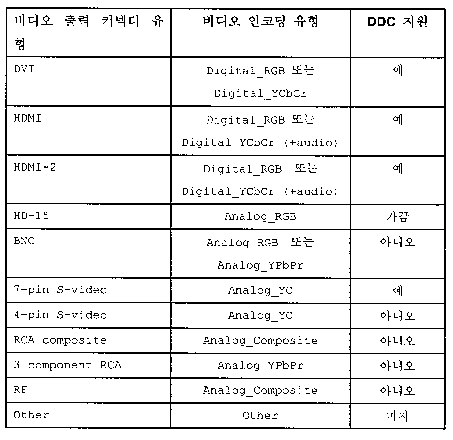
출력 인코딩 매핑으로의 비디오 출력 커넥터 Video output connector to output encoding mapping
c.동기화된 
3. K는 일련의 비디오 제공하는 코덱(video presenting codecs)(2530)인데, 여기서, 3. K is a series of video presenting codecs (2530) , where
a. δ K 는 비디오 코덱 설명자이다.a. δ K is the video codec descriptor .
4. ∑는 일련의 비디오 제공 소스(video present sources)(2550) σ=(δ∑)인데, 여기서,4. ∑ is a series of video present sources (2550) σ = (δ ∑ ), where
a. δ∑ ∈ {선형, 다른 것}은 비디오 제공 소스 설명자(video present sources descriptor)이고, a. δ ∑ ∈ {linear, others} is a video present sources descriptor ,
b. 모니터상에 나타나는 각 비디오 제공하는 네트워크 입력의 콘텐츠는 보기(view)라고 불린다.b. The content of each video providing network input that appears on the monitor is called a view .
5. V는 일련의 보기(2560) υ=(δv)인데, 여기서5. V is a series of examples (2560) υ = (δ v ), where
a. δv ∈ { (중요도[δv], 방향[δv]}는 보기 설명자(view descriptor)이고 여기서, a. δ v ∈ {(importance [δ v ], direction [δ v ]} is the view descriptor , where
i. 중요도[δv] ∈ {제1차, 제2차, 다른 것}i. Importance [δ v ] ∈ {primary, secondary, other}
ii.방향[δv] ∈ {왼쪽, 오른쪽, 중심, 다른 것}ii. Direction [δ v ] ∈ {left, right, center, something else}
6. 
7. Θ는 일련의 디스플레이 모드(a set of display modes) θ=(wΘ, hΘ, rΘ, fΘ)인데 여기서, 7. Θ is a set of display modes θ = (w Θ , h Θ , r Θ , f Θ )
a. wΘ ∈ S\{0}는 디스플레이 모드 폭(display mode width).a. w Θ ∈ S\ {0} is the display mode width .
b. hΘ ∈ S\{0}는 디스플레이 모드 높이(display mode height).b. h Θ ∈ S \ {0} is the display mode height .
c. rΘ ∈ RΘ는 디스플레이 모드 프레임 속도(display mode frame rate)인데 여기서. c. r Θ ∈ R Θ is the display mode frame rate , where
i. RΘ ≡{a.b|a,b ∈ {1..0xFFFF} }는 Hz 단위의 일련의 디스플레이 프레임 속도.i. R Θ ≡ {ab | a, b ∈ {1..0xFFFF}} is the series display frame rate in Hz.
d. fΘ ∈ FΘ는 디스플레이 모드 유닛 포맷(display mode unit format)(즉, 모니터의 실질 컬러 해상도-모니터 기술의 기능인 물리적 매개변수)인데, 여기서.d. f Θ ∈ F Θ is the display mode unit format ( ie, the actual color resolution of the monitor—the physical parameter that is a function of the monitor technology).
i. F∑ ≡ { 1비트, 5비트, 6비트, 8비트, 10비트, 12비트, 16비트, 18비트, 32비트, TBD}는 일련의 디스플레이 모드 컬러 해상도이다.i. F ∑ ≡ {1 bit, 5 bit, 6 bit, 8 bit, 10 bit, 12 bit, 16 bit, 18 bit, 32 bit, TBD} is a set of display mode color resolutions .
e. gΘ ∈ [1.0,+∞)∪{SD-601, HD-709}는 모디터 기술의 세기 반응의 기능인 모니터 전달 기능(monitor transfer function)(즉, 모니터 감마)이다. e. g Θ ∈ [1.0, + ∞) ∪ {SD-601, HD-709} is a monitor transfer function (ie, monitor gamma ) that is a function of the intensity response of the monitor technology.
8. B는 일련의 비디오 제공 타겟 모드, 8. B provides a series of video target mode ,
β=(AB,TB,△(ABTB),fB,vrB,hrB,crB,OB,cpB,gB,TB,YUV→RGB,bpoB, wpoB, pmB)는 또한, 제공 타겟 모드(present target mode)로 알려져 있는데 여기서, β = (A B, T B , △ (A B T B), f B, vr B, hr B, cr B, O B, cp B, g B, T B, YUV → RGB, bpo B, wpo B , pm B ), also known as present target mode, where
a. AB ∈ {(폭[AB], 높이[AB])}는 비디오 제공 타겟 모드 활성 영역(video present target mode active region)인데 여기서,a. A B ∈ {(width [A B ], height [A B ])} is the video present target mode active region , where
i. 폭[AB]는 비디오 제공 모드 활성 영역 폭이다. i. Width [A B ] is the video presentation mode active area width.
ii. 높이[AB]는 비디오 제공 모드 활성 영역 높이이다. ii. Height [A B ] is the video presentation mode active area height.
b. TB ∈ {(폭[TB], 높이[TB])}는 비디오 제공 타겟 모드 전체 영역(video present target mode total region)인데 여기서,b. T B ∈ {(width [T B ], height [T B ])} is the video present target mode total region , where
i. 폭[TB]는 비디오 제공 모드 전체 영역 폭이다.i. Width [T B ] is the video coverage mode total area width .
ii. 높이[TB]는 비디오 제공 모드 전체 영역 높이이다. ii. Height [T B ] is the height of the entire area of the video feed mode .
c. △(ABTB) ∈ {(OffsetHoriz[AB,TB], OffsetVert[AB,TB])}는 비디오 제공 타겟 모드의 활성 변위(video present target mode's active region displacement)인데 여기서,c. Δ (A B T B ) ∈ {(OffsetHoriz [A B , T B ], OffsetVert [A B , T B ])} is the video present target mode's active region displacement ,
i. OffsetHoriz[AB,TB]는 비디오 제공 타겟 모드의 수평 활성 변위이다. i. OffsetHoriz [A B , T B ] is the horizontal active displacement of the video present target mode.
ii. OffsetHVert[AB,TB]는 비디오 제공 타겟 모드의 수직 활성 변위이다. ii. OffsetHVert [A B , T B ] is the vertical active displacement of the video present target mode.
d. fB ∈ FB = FB,analog ∪ FB,digital는 비디오 모드 픽셀 인코딩 포맷인데, 여기서, d. f B ∈ F B = F B, analog ∪ F B, digital is the video mode pixel encoding format , where
i. FB,digital≡ {Y10Cb10Cr10, Y8Cb8Cr8,sR10G10B10,sR8G8B8}은 일련의 디지털 비디오 모드 픽셀 인코딩 포맷이다.i. F B, digital ≡ {Y10Cb10Cr10, Y8Cb8Cr8, sR10G10B10, sR8G8B8} is a series of digital video mode pixel encoding formats .
ii. FB,analog≡ {YPbPr, Analog_YC, Analog_Composite, RGB}는 일련의 아날로그 비디오 모드 픽셀 인코딩 포맷이다.ii. F B, analog ≡ {YPbPr, Analog_YC, Analog_Composite, RGB} is a series of analog video mode pixel encoding formats .
e. vrB ∈ VRB 는 Vsync rate 또는 수직 귀선 주파수라 알려진, 수직 재생 속도인데 여기서, e. vr B ∈ VR B is the vertical playback rate , also known as the Vsync rate or vertical retrace frequency . here,
i. VRB ≡ {a.b |a,b ∈ {1..0xFFFFFFFF}}는 Hz 단위의 일련의 유리수 수직 재생 속도(a set of rational vertical refresh rate)인데, 보통 50에서 200 Hz의 범위이다. i. VR B ≡ {ab | a, b ∈ {1..0xFFFFFFFF}} is a set of rational vertical refresh rate in Hz, usually in the range of 50 to 200 Hz.
f. hrB ∈ HRB는 Hsync rate, 선 속도 또는 수평 귀선 주파수라 알려진, 수평 재생 속도인데 여기서, f. hr B ∈ HR B is the horizontal refresh rate , also known as H sync rate, line speed or horizontal retrace frequency . here,
i. HRB ≡ {a.b |a,b ∈ {1..0xFFFFFFFF}}는 Hz 단위의 일련의 소수 수직 재생 속도(a set of fractional vertical refresh rate)인데, 보통 10에서 200 Hz의 범위이다. i. HR B ≡ {ab | a, b ∈ {1..0xFFFFFFFF}} is a set of fractional vertical refresh rate in Hz, usually in the range of 10 to 200 Hz.
g. crB ∈ CRB는 픽셀 클록 속도인데 여기서, g. cr B ∈ CR B is the pixel clock rate here,
i. CRB ≡ {a |a ∈ {1..0xFFFFFFFF}}는 Hz 단위의 일련의 픽셀 클록 속도인데 보통 1에서 500 MHz의 범위이다. i. CR B ≡ {a | a ∈ {1..0xFFFFFFFF}} is a series of pixel clock rates in Hz, usually in the range of 1 to 500 MHz.
h. oB ∈ OB는 콘텐츠 순서화(content ordering)인데 여기서, h. o B ∈ O B is content ordering here,
i. OB ≡ { 순차, 주사_upperFieldFirst, 주사_lowerFieldFirst}는 일련의 콘텐츠 순서화 유형인데 순차(progressive) 콘텐츠 순서화 필드 속도 = Vsync rate이고 비월(interlaced) 콘텐츠 순서화 필드 속도 = 2 X Vsync rate이다.i. O B ≡ {sequential, scan_upperFieldFirst, scan_lowerFieldFirst} is a series of content ordering types , with progressive content ordering field rate = V sync rate and interlaced content ordering field rate = 2 XV sync rate .
i. cpB ∈ CPB는 색 일차자(color primary)이다. ((x,y)내의 세 개의 일차자, 여기서 일부 사양에 대해 x=X/(X+Y+Z) 및 y=Y/(X+Y+Z))i. cp B ∈ CP B is the color primary . Three primary characters in ((x, y), where x = X / (X + Y + Z) and y = Y / (X + Y + Z) for some specifications
j. wprB ∈ CPB는 백색점 기준(즉, 기준 백색)이다.j. wpr B ∈ CP B is the white point reference (ie, the reference white ).
k. gB ∈ [1.0,+∞)∪{SD-601, HD-709}는 전달 기능의 지수(즉, 감마 계수)이다.k. g B ∈ [1.0, + ∞) ∪ {SD-601, HD-709} is the exponent of the transfer function (ie gamma coefficient).
l. TB,YUV→RGB는 Y'U'V'로부터 R'G'B'로의 색공간 변환 행렬이다. l. T B, YUV → RGB is the color space transformation matrix from Y'U'V 'to R'G'B'.
m. 
n. 
o. 
어떤 비디오 모드는 전 공업 표준화를 통해 (실제 및 형식상 모두) 정의된다. VESA GTF(generalized timing formula)에 의해 정의되는 다음의 일련 모드들뿐만 아니라 표2에 아래 제시된 것들을 포함하는데,Some video modes are defined (both physical and formal) through full industry standardization. The following series of modes, as defined by the VESA generalized timing formula (GTF), as well as those listed below in Table 2, are included:
βGTF ≡ βGTF,VR ∪ βGTF,HR ∪ βGTF,CR 이고 여기서, β GTF ≡ β GTF, VR ∪ β GTF, HR ∪ β GTF, CR , where


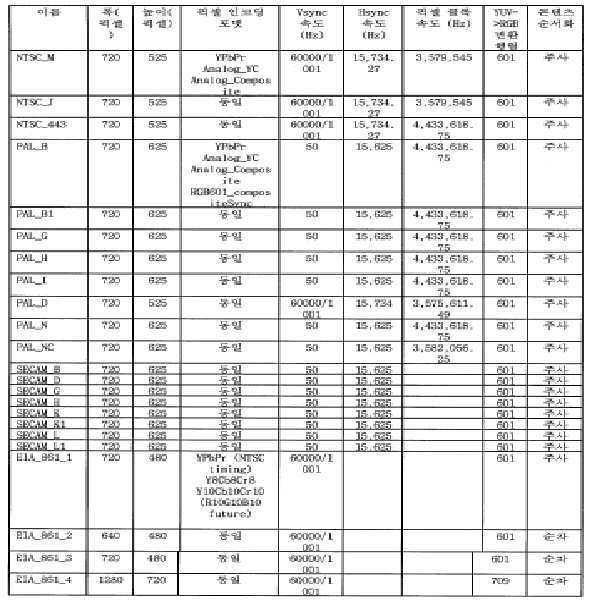


모드들Modes
9. Γ는 일련의 비디오 제공 소스 모드(video present source mode), 
a. wΓ∈ S\{0}는 비디오 제공 소스 모드 폭이다.a. w Γ ∈ S \ {0} is the video-provided source mode width .
b. hΓ∈ S\{0}는 비디오 제공 소스 모드 높이다.b. h Γ ∈ S\ {0} is the video-provided source mode height .
c. fΓ∈ FΓ는 비디오 제공 소스 모드 유닛 포맷인데,c. f Γ ∈ F Γ is a video-provided source mode unit format ,
i. FΓ는 두 개의 주요 서브 클래스로 나누어지는 일련의 비디오 제공 소스 모드 유닛 포맷인데, i. F Γ is a set of video-provided source mode unit formats divided into two main subclasses,
1. 최신 DirectX 배포에서 D3DFORMAT enum 유형으로 정의된 그래픽 비디오 제공 소스 모드 유닛 포맷 1.Graphical video-provided source mode unit format defined as D3DFORMAT enum type in the latest DirectX distribution.
2. TBD로 정의된 텍스트 비디오 제공 소스 모드 유닛 포맷 2. Text video providing source mode unit format defined by TBD
d. φΓ∈ ΨΓ는 랜더링시 사용되는 래스터화된 그래픽 필터링 기술, 여기서d. φ Γ ∈ Ψ Γ is a rasterized graphic filtering technique used in rendering, where
i. ΨΓ는 최신 DirectX 배포에서 D3DDDIMULTISAMPLE_TYPE enum 유형으로 정의되는 일련의 래스터화된 그래픽 필터링 기술이다.i. Ψ Γ is a set of rasterized graphic filtering techniques defined by the D3DDDIMULTISAMPLE_TYPE enum type in the latest DirectX distribution.
e. nΓ∈ N은 일차 표면 체인 길이(즉, 일차 표면 체인 내의 표면의 갯수)e. n Γ ∈ N is the primary surface chain length (ie, the number of surfaces in the primary surface chain)
f. 
10. ρMT∈ TM은 모니터 연결성 토폴로지(즉, 모니터로부터 연결된 비디오 제공 타겟으로 매핑) 이다.10. ρ MT ∈ T M is the monitor connectivity topology (ie, mapping from the monitor to the connected video present target).
11. ρTK∈KT는 비디오 카드상에 프로그램 가능 크로스 바에 의해 정의되는 비디오 제공 타겟 투 코텍 토폴로지(video present target-to-codecs topology)(즉, 비디오 제공 타겟으로부터 이들을 구동하는 비디오 제공 코덱으로의 매핑)이다. 11. ρ TK ∈ K T is the video present target-to-codecs topology defined by the programmable crossbar on the video card (ie, from the video present target to the video present codec that drives them). Mapping).
12. ρTK∈ΣK는 비디오 제공 코텍 투 소스 토폴로지(video present codecs-to-source topology)(즉, 비디오 제공 코덱으로부터 코덱이 시각 콘텐츠를 스트리밍 해내는 비디오 제공 소스로의 매핑)이다. 12. ρ TK ΣΣ K is a video present codecs-to-source topology (ie, a mapping from a video presenting codec to a video presenting source where the codec streams visual content).
13. ρTΣ ∈ ΣT는 비디오 제공 타겟 투 소스 토폴로지(video present target-to-source topology)(2540)(즉, 하부에 있는 비디오 출력 코텍이 시각 콘텐츠를 스트리밍 해내는 비디오 제공 소스로부터 상기 콘텐츠가 스트리밍 되어 가는 비디오 제공 타겟으로의 매핑)이다.13. ρ TΣ Σ Σ T is the video present target-to-source topology 2540 (i.e., the content is derived from a video present source from which the underlying video output codec streams visual content). Mapping to the video delivery target that is being streamed).
14. 
15. 
a. 
b. 
c. 
16. ρΣV∈VΣ 및 ρVΣ∈ΣV는 보기 및 하부 비디오 제공 소스간의 1 대1 대응(즉, ρΣV 및 ρVΣ 은 Σ 및 V 간에 동형(isomorphism)) 이다.16 ρ ΣV ∈V Σ and ρ VΣ ΣΣ V is a one-to-one correspondence between viewing and subordinate video providing sources (i.e., ρ ΣV and ρ VΣ is isomorphism between Σ and V).
17. 
18. 
19. 
20. 
21. 
22. 
23. 
24. 
25. 
26. VidPN 구현이 반 기능적(semi-functional)이라 말하는 것은 비디오 제공 소스 모드가 모든 비디오 제공 소스에서 성공적으로 선택되었다는 것과 필요충분조건이다.26. To say that the VidPN implementation is semi-functional is that video delivery source mode has been successfully selected for all video delivery sources and is a necessary and sufficient condition.
27. VidPN 구현이 기능적(functional)이라 말하는 것은 반 기능적이고 비디오 제공 타겟 모드가 모든 비디오 제공 타겟에서 성공적으로 선택되었다는 것과 필요충분조건이다.27. To say that the VidPN implementation is functional is a semi-functional and video delivery target mode that has been successfully selected for all video delivery targets and is a necessary and sufficient condition.
예 37 - 예시적인 정의들Example 37-Example Definitions
복잡한 일련의 관련된 상호 연관성이 주어지면, 다수의 형식 정의가 일부 구현을 위해 사용될 수 있다. 어떤 (보기, 출력) 짝은 입력을 비디오 출력 코덱(예컨대, CRTC DAC, TMDS)에 제공하는 비디오 제공 소스 및 비디오 카드(예컨대, HD-15, DVI, S-video)상에 비디오 출력을 표현할 수 있는 비디오 제공 타겟으로 분해될 수 있다. Given a complex set of related correlations, multiple formal definitions may be used for some implementations. Some (view, output) pairs may represent video output on video providing sources and video cards (eg HD-15, DVI, S-video) that provide input to video output codecs (eg CRTC DAC, TMDS). Can be decomposed into a video present target .
디스플레이 모드는 그래픽 스택이 제1 표면 포맷을 통해 사용자를 위해 제공되는 렌더링된 콘텐츠를 공급하는데 이 제1 표면 포맷을 특정할 수 있는 비디오 제공 소스 모드 및 각 비디오 출력 상에 구동되는 비디오 신호 포맷을 특정할 수 있는 비디오 제공 타겟 모드로 분해될 수 있다. The display mode specifies a video serving source mode that allows the graphics stack to supply rendered content provided for the user via a first surface format, which can specify the first surface format and the video signal format driven on each video output. Can be decomposed into video-provided target mode .
다중 출력 비디오 카드의 비디오 제공 능력은 비디오 제공 네트워크(VidPN)의 개념을 통해 설계될 수 있는데, 이 비디오 제공 네트워크는 일련의 비디오 제공 소스를 VidPN 토폴로지를 통해 일련의 비디오 제공 타겟과 관련될 수 있다. VidPN은 반 기능적으로 고려될 수 있는 것은 비디오 제공 소스 모드가 각 그 비디오 제공 소스 상에 피닝된 것과 필요충분조건이다. VidPN이 기능적으로 고려될 수 있는 것은 그것이 반기능적이고 비디오 제공 타겟 모드가 각 그 비디오 제공 타겟 상에 피닝된 것과 필요충분조건이다.The video delivery capability of a multiple output video card can be designed through the concept of a video delivery network (VidPN) , which can be associated with a series of video delivery targets via a VidPN topology through a series of video delivery sources. VidPN can be considered semi-functionally , with the video feed source mode pinned on each video feed source and its necessary and sufficient requirements. What VidPN can be considered functionally is that it is semi-functional and the video delivery target mode is pinned on each of its video delivery targets and necessary enough.
단일 비디오 제공 소스 및 단일 비디오 제공 타겟 간의 연관은 비디오 제공 경로(video present path)로 불릴 수 있다. 단일 비디오 제공 소스 및 다중 비디오 제공 타겟 간의 연관은 비디오 제공 다중경로(video present multipath)로 불릴 수 있다. The association between a single video presenting source and a single video presenting target may be referred to as a video present path . The association between a single video presenting source and multiple video presenting targets may be referred to as video present multipath .
적소의 앞의 정의로, 비디오 미니포트의 역할은 디스플레이 모드 관리의 문맥에서 점증적으로 (각각이 활성화 설정될 수 있는) 기능적 VidPN을 만들려 하는 고객의 요구를 따를 뿐만 아니라 구동되는 각 비디오 카드상에 비디오 제공 구성의 상태를 나타내는 활성 VidPN을 관리하는 것으로 설명될 수 있다.In place of the previous definition, the role of the video miniporter is in the context of display mode management to follow the customer's desire to create functional VidPNs incrementally (each of which can be enabled), as well as on each video card being driven. It can be described as managing an active VidPN indicating the status of the video presentation configuration.
예 38 - 예시적인 다중 비디오 출력 디스플레이 모드 솔루션Example 38-Example Multiple Video Output Display Mode Solution
다중 출력 비디오 카드에 부착된 모니터의 디스플레이 모드들을 변경은 더 이상 비디오 미니포트 개발자가 동일 하부 물리적 장치를 구동하는 어떤 비디오 구동 스택들 사이에 복잡한 동기화를 구현해야 하는 "단일 출력 동작" 보기를 전혀 견딜 필요가 없고 단일 비디오 구동 스택에 의해 서비스되는 소정의 비디오 카드 상에서 기능적 VidPN 구현의 명시적 트랜스액션 기반 커밋으로 대체될 수도 있다.Changing the display modes of a monitor attached to a multiple output video card no longer withstands the "single output behavior" view, where video miniport developers must implement complex synchronization between any video-driven stacks running the same underlying physical device. There is no need and may be replaced by an explicit transaction-based commit of a functional VidPN implementation on a given video card served by a single video drive stack.
다중 출력 비디오 디스플레이 모드 솔루션은 다음의 다중 기준으로 의존할 수 있는데, (a) 하드웨어 한계(예컨대, 각 비디오 제공 타겟에 연결된 모니터에 의해 지원되는 비디오 모드 세트), (b) 동작 모드 고려(예컨대, 각 비디오 제공 타겟에 연결된 모니터에 의해 선호되는 특정 비디오 모드), (c) 성능 고려(예컨대, 비디오 출력 코텍에 의해 비디오 메모리 버스에 관한 채우기 감소를 통해 달성되는 랜더링 성능 향상), (d) 파워 관리 고려(예컨대, 사용된 비디오 출력 코텍 무능화 및 그것의 능력을 떨어뜨려서 비디오 카드의 파워 소모의 감소를 달성함), (e) 열 손실 고려(예컨대, 한 유닛은 냉각되고 다른 하나는 동작 중이고 이 역도 가능한 다중 유닛 간의 계속적인 상호변경과 그래서, 일정 원하는 상한선을 넘어 비디오 카드에 의한 방사되는 J/sec의 값이 증가하지 않도록 해서 달성되는 비디오 카드의 동작 온도의 감소), 및 (f) 사용가능성 고려(예컨대, 모든 모니터가 선호 모드로 구동될 수 없다는 가정에서, 사용자의 제1 모니터 상에 모니터의 선호 모드 구동은 제1 모니터를 구동하는 것보다 중요한데, 어떤 모니터가 제1 인지의 결정은 동작의 사용자 특정 모드의 기능임). 예를 들어, 소정의 DVI LCD, S-video HDTV 및 HD-15 CRT/3D 안경이 주어지면, 사용자는 일하고 읽고 브라우저 할 때 최고 선명도의 DVI LCD를 선호하고 영화 볼 때는 최대 활성 픽셀 영역을 갖는 S-video HDTV를 선호하며 게임 시에는 최고 재생 속도 및 최고 게임 경험을 지원하는 HD-15 CRT/3D 안경을 선호할 것이다.Multiple output video display mode solutions may rely on the following multiple criteria: (a) hardware limitations (eg, a set of video modes supported by a monitor connected to each video present target), (b) operating mode considerations (eg, Specific video modes preferred by monitors connected to each video serving target), (c) performance considerations (e.g., improved rendering performance achieved through reduced fill on the video memory bus by the video output codec), and (d) power management. Consideration (e.g., disabling the video output codec used and reducing its capacity to achieve a reduction in power consumption of the video card), (e) consideration of heat loss (e.g. one unit is cooled and the other is in operation and this Continuous interchanging between the possible multiple units and thus, the value of the J / sec radiated by the video card beyond a certain desired upper limit A reduction in the operating temperature of the video card achieved by not increasing), and (f) consideration of availability (eg, driving the preferred mode of the monitor on the user's first monitor, assuming that not all monitors can be run in the preferred mode). Is more important than driving a first monitor, where determining which monitor is the first is a function of a user specific mode of operation). For example, given a given DVI LCD, S-video HDTV, and HD-15 CRT / 3D glasses, the user prefers the highest definition DVI LCD when working, reading, and browsers, and the S with the maximum active pixel area when watching movies. I prefer video HDTV, and when gaming I would prefer HD-15 CRT / 3D glasses that support the highest playback speeds and the best gaming experience.
예 39 - 예시적인 솔루션 공간Example 39-Example Solution Space
각각의 사용가능성이 (하부 비디오 코덱 내에 하드웨어 스케일링의 존재와 같은 인자에 기반을 해서) 각 출력상에서 구동되는 비디오 모드의 기능인 모든 가능한 VidPN 구현들을 포함하는 솔루션 공간은 그것의 타겟 모드 상에서 사용가능한 모든 가능한 비디오 제공 타겟 모드 세트 및 사용가능한 비디오 제공 소스 모드를 그것의 입력을 통해 배포하는 모든 다양한 방법을 갖는 무차별 열거로 인해 처리하기 힘들 수 있다. T 비디오 제공 타겟, K 코덱 및 Σ비디오 제공 소스의 일반적이 경우에 대한 비무차별 접근은 NPC(예컨대, 다항식 시간 동안 구동되고 이상적이거나 전역적으로 최적화된 솔루션이 있는 알고리즘이 없음)로 알려진 고전적 3자 그래프 매칭 문제(tri-partite graph matching problem)와 유사할 수 있다 이상적인 솔루션에 가능한 가까운 근사 솔루션을 정하는 것이 바람직하다.The solution space includes all possible VidPN implementations, each of which is a function of the video mode running on each output (based on factors such as the presence of hardware scaling in the lower video codec). It can be difficult to process due to brute force enumeration with all the various ways of distributing the set of video present target modes and the available video present source modes through its input. The non-discriminatory approach for the common case of T video delivery targets, K codecs and Σ video delivery sources is the classic three-party known as NPC (e.g. no algorithm with an ideal or globally optimized solution). It may be similar to a tri-partite graph matching problem. It is desirable to establish an approximation solution as close as possible to the ideal solution.
예 40 - 예시적인 복잡성Example 40-Exemplary Complexity
어떤 구성이 기능적인가를 결정하는 것은 복잡한 일일 수 있다. 예를 들어, 임의의 주어진 구성에 대하여, 다음의 사항이 고려될 필요가 있을 수 있다.Determining which configuration is functional can be complex. For example, for any given configuration, the following may need to be considered.
1. 어떤 비디오 출력 코덱이 어떤 비디오 출력을 구동하는데 사용될 수 있는지1. Which video output codec can be used to drive which video output?
2. 어떤 비디오 코덱이 어떤 렌더링 타겟(render target) 주 표면을 비디오 신호로 변환하는데 사용될 수 있는지2. Which video codec can be used to convert which render target major surface into a video signal?
3. 비디오 출력에 걸쳐 가능한 비디오 모드 세트 분포는 무엇인지3. What is the distribution of possible video mode sets across the video outputs?
4. 각각의 비디오 코덱이 구동할 수 있는 가능한 비디오 모드는 무엇인지4. What are the possible video modes that each video codec can run?
5. 렌더링 타겟에 걸쳐 가능한 그래픽 렌더링 모드는 무엇인지5. What graphics rendering modes are available across render targets?
검색을 복잡하게 만드는 이슈들 중 일부는 코드가 부족한 지원이라는 것이고, 보통 출력보다 코덱이 적으므로, 가능하다면 클론의 관점(clone-view)에서 다중 출력에 걸쳐 단일 코덱을 공유하는 것이 이롭다. 이러한 접근법은, 모니터들이 지원하는 (예를 들어, CRT는 1280x1024까지 지원할 수 있고, LCD는 단지 1600x1200만 지원할 수 있음) 공통의 비디오 모드를 갖지 않는 경우, 동작하지 않을 수도 있는 모니터들에 동일 비디오 모드를 강요하는 부정적인 측면을 갖는다. 그들이 비디오 모드를 공유하지 않을지라도, 비디오 모드가 선호하는 모드가 아닐 수 있기 때문에, 이는 모니터를 구동하는 이상적인 방법이 아닐 수 있다. 예를 들어, 프로젝터는 640x480, 800x600, 1024x768(특정) 및 1280x1024를 지원한다. LCD는 640x480, 800x600, 1024x768, 1280x1024 및 1400x1050(특정)를 지원한다. 이들 둘 사이의 코덱을 공유하는 것은 단지 하나의 드라이버가 선호하는 비디오 모드에서 구동될 수 있음을 의미한다.Some of the issues that complicate the search are the lack of code support, and since there are fewer codecs than normal output, it is beneficial to share a single codec across multiple outputs from a clone-view if possible. This approach is the same video mode for monitors that may not work if the monitors do not have a common video mode (e.g. CRT can support up to 1280x1024 and LCD can only support 1600x1200). It has a negative side to force it. Even if they do not share the video mode, this may not be the ideal way to drive the monitor because the video mode may not be the preferred mode. For example, the projector supports 640x480, 800x600, 1024x768 (specific) and 1280x1024. The LCD supports 640x480, 800x600, 1024x768, 1280x1024, and 1400x1050 (specific). Sharing the codec between the two means that only one driver can run in the preferred video mode.
또는, LCD는 1024x768, 1280x1024 및 1600x1200(선호)를 지원할 수 있다. 그리고, 프로젝터는 640x480, 800x600(선호) 및 1024x768을 지원할 수 있다. 공유한다는 것은 어떠한 모니터도 선호하는 모드에서 구동될 수 없다는 것을 의미한다.Alternatively, the LCD may support 1024x768, 1280x1024 and 1600x1200 (preferred). In addition, the projector can support 640x480, 800x600 (preferred) and 1024x768. Sharing means that no monitor can run in the preferred mode.
게다가, 모든 코덱이 동일하게 생성되는 것은 아니다. 때로는, 비디오 카드는 상이한 코덱을 갖는데, 일부는 더 많은 모드를 행할 수 있거나, 다른 것보다 더 좋게 그들 중 일부를 수행할 수도 있다. 이러한 현상은 어떤 모드가 어떤 코덱에서 이용가능한지에 따라 (예를 들어, 하나의 코덱은 단지 16비트 모드를 행하고, 다른 코덱은 단지 32비트 모드를 행할 수 있음) 훨씬 더 복잡해질 수 있다.In addition, not all codecs are created equal. Sometimes, video cards have different codecs, some of which may perform more modes, or may perform some of them better than others. This phenomenon can be much more complicated depending on which mode is available in which codec (eg one codec can only do 16 bit mode and the other codec can only do 32 bit mode).
결국, 크로스-바(cross-bar)가 코덱을 다른 출력으로 재라우팅하는데 사용될 수 있는 반면, 비디오 출력 기술 내의 코덱의 제한 및 비호환성으로 인하여 일부 코덱은 일부 출력의 서브세트에 제한될 수 있다(예를 들어, CRTC는 DVI를 구동할 수 없고, TMDS는 S-비디오의 HD-15를 구동할 수 없다).As a result, cross-bars can be used to reroute codecs to other outputs, while some codecs may be limited to a subset of some outputs due to codec limitations and incompatibilities within video output techniques ( For example, CRTC cannot drive DVI, and TMDS cannot drive HD-15 of S-Video).
모든 가능한 구현예를 산정하는 맹목적인 강압적 접근법을 피하기 위해서는, 대신 통합 접근법이 사용될 수 있다.To avoid the blind coercive approach of estimating all possible implementations, an integrated approach can be used instead.
예 41 - 비디오 드라이버로의 위임 결정의 예시적인 이로움Example 41-Example Benefits of Delegation Decision to Video Driver
여기서 설명된 예에서, 특정 임시 구성이 비디오 어댑터에 대하여 기능적인지를 결정하는 것은 디바이스 드라이버에 의해 (예를 들어, 위임으로) 달성될 수 있다. 가능한 대안은 일련의 비디오 어댑터(예를 들어, 모든 알려진 비디오 어댑터)에 걸쳐 결정을 처리할 수 있는 일반적인 경우의 포괄 솔루션을 구축하는 것이다. 그러나, 이러한 솔루션은 상당히 많은 시나리오를 처리하기 위한 로직을 필요로 할 것이다.In the example described herein, determining whether a particular temporary configuration is functional for a video adapter can be accomplished by the device driver (eg, with delegation). A possible alternative is to build a generic, comprehensive solution that can handle decisions across a series of video adapters (eg all known video adapters). However, these solutions will require logic to handle a large number of scenarios.
대신, 디바이스 드라이버로 결정을 위임함으로써, 디바이스 드라이버는 더 가벼워져서 일반적인 경우를 해결할 필요가 없다. 예를 들어, 디바이스 드라이버는 대응하는 비디오 어댑터가 구현할 수 없는 (예를 들어, 하드웨어 내에 존재하지 않는) 시나리오들을 처리하기 위한 로직을 포함할 필요가 없다. 이러한 방식으로, 디바이스 드라이버의 크기가 감소될 수 있고, 그 성능(예를 들어, 속도)은 (예를 들어, 일반적인 솔루션에 비하여) 증가될 수 있다.Instead, by delegating the decision to the device driver, the device driver is lighter and does not have to solve the common case. For example, the device driver does not need to include logic to handle scenarios that the corresponding video adapter cannot implement (eg, does not exist in hardware). In this way, the size of the device driver can be reduced, and its performance (eg, speed) can be increased (eg, relative to a typical solution).
예 42 - 토폴로지(topology)와 소스/타겟 사이의 예시적인 비교Example 42-Exemplary Comparison Between Topology and Source / Target
토폴로지는 구성 자원으로서 처리될 수 있는데, 여기서 옵션(예를 들어, 비디오 현 경로)이 동시에 구성될 수 있다. 단지 하나의 옵션(예를 들어, 소스/타겟 모드)이 동시에 구성될 수 있는 비디오 프리셋 소스/타겟에 비유하자. 모드는 주어진 모드 세트 내에서 상호 배척할 수는 있지만, 현 경로는 반드시 상호 배척할 필요가 없으나, 상호 배척할 수도 있다.The topology can be treated as a configuration resource, where options (eg, video current path) can be configured at the same time. Compare the video preset source / target to which only one option (eg source / target mode) can be configured at the same time. Modes may be mutually exclusive within a given set of modes, but current paths do not necessarily mutually be mutually exclusive but may be mutually exclusive.
예 43 - 예시적인 접근법Example 43-Example Approach
두가지 가능한 접근법은 질의(query) 기반 접근법과 탐색(traverse) 기반 접근법을 포함한다. 질의 기반 접근법은 OS에 의해 제공되는 일련의 요구사항을 만족하는 솔루션에 대한 디스플레이 미니포트를 질의하는 것을 포함한다. 탐색 기반 접근법은 타겟 및 소스 각각에 대하여 선택된 소망하는 비디오 현 타겟 및 소스 모드로 기능적인 VidPN 구현을 점진적으로 세움으로써 솔루션 공간을 통해 항해하는 것을 포함한다. VidPN의 최적 구현을 결정하는 것은 비디오 미니포트에 맡겨질 수 있다.Two possible approaches include a query based approach and a traverse based approach. The query based approach involves querying the display miniport for a solution that meets the set of requirements provided by the OS. A search based approach involves navigating through solution space by gradually building a functional VidPN implementation with the desired video current target and source mode selected for each target and source. Determining the optimal implementation of VidPN can be left to the video miniport driver.
또는, OS는 다음 사항들을 갖는 비디오 미니포트를 제공할 수 있다. (1) 접속되는 모니터를 갖는 각각의 VidPN 타겟에 대한 비디오 현 타겟 모드 세트 요구사항(예를 들어, 비디오 카드는 부가된 모니터에 의해 지원되지 않는 비디오 신호 모드를 드러내서는 안됨)으로서 비디오 현 타겟 모드 산정 동안 OS에 의해 유효화될 수 있는 DDI 측 상으로의 일치, (2) 제공되는 우선 구조에 기초한 모니터의 선호하는 모니터 소스 모드를 지원하기 위한 비디오 현 타겟 모드 세트 가이드라인, 여기서, 디스플레이 미니포트는 선호하는 모니터 소스 모드가 더 선호하는 모니터 상에서 우선 지원되는 VidPN 구현을 찾을 수 있고, 시스템에 연결되는 모든 모니터가 이상적인 솔루션이 되도록 선호하는 모니터 소스 모드가 지원한다.Alternatively, the OS may provide a video miniport with the following: (1) Video current target mode set requirements (e.g., video card should not reveal video signal modes not supported by the added monitor) for each VidPN target with monitor connected. Matching on the DDI side that can be validated by the OS during calculation, (2) video current target mode set guidelines to support the monitor's preferred monitor source mode based on the preferred structure provided, wherein the display miniport Preferred monitor source mode supports the preferred VidPN implementation on the preferred monitor, and the preferred monitor source mode supports all monitors connected to the system to be the ideal solution.
VidPN 소스 상에서 지원되는 그래픽 비디오 현 소스 모드의 최적 분포를 찾아내는 것은 그래픽 서브 시스템의 클라이언트(예를 들어, 쉘(Shell))에 맡겨지는데, 드라이버는 단지 특정 동작 상태에서 비디오 카드의 용량을 리포트하는 API를 통해 각각의 비디오 현 소스 모드 세트 분포 솔루션 공간을 탐색하는 능력을 드러낸다. 그리디(Greedy)만큼 단순한 접근법이나 그래프 기반 검색만큼 복잡한 접근법이 채택될 수 있다.Finding the optimal distribution of graphics video current source modes supported on a VidPN source is left to the client of the graphics subsystem (e.g., Shell), where the driver is simply an API that reports the capacity of the video card under certain operating conditions. Through each of the video chord source mode set distribution solution space is revealed. Approaches can be as simple as Greedy or as complex as graph-based searching.
예 44 - 예시적인 컴퓨팅 환경Example 44-Exemplary Computing Environment
도 26과 다음의 설명은 본 개시 기술이 구현될 수 있는 예시적인 컴퓨팅 환경의 간략하고 일반적인 설명을 제공하고자 함이다. 비록 요구되지는 않지만, 본 개시 기술은 개인용 컴퓨터(PC)에 의해 수행되는 프로그램 모듈과 같은 컴퓨터 수행가능 명령어의 일반적인 관점에서 설명될 것이다. 일반적으로, 프로그램 모듈은 특정 추상화 데이터 타입을 구현하거나 특정 태스크를 수행하는 루틴, 프로그램, 객체, 컴포넌트, 데이터 구조 등을 포함한다. 게다가, 본 개시 기술은 휴대용 디바이스, 멀티프로세서 시스템, 마이크로프로세서 기반 또는 프로그램가능한 가전제품, 네트워크 PC, 미니컴퓨터, 메인프레임 컴퓨터 등을 포함하는 다른 컴퓨터 시스템 구조로 구현될 수 있다. 본 개시 기술은 또한 태스크가 통신 네트워크를 통해 링크되는 원격 프로세싱 디바이스에 의해 수행되는 분산 컴퓨팅 환경에서 실행될 수 있다. 분산 컴퓨팅 환경에서, 프로그램 모듈은 로컬 및 원격 메모리 저장 디바이스에 위치될 수 있다.26 and the following description are intended to provide a brief, general description of an example computing environment in which the present disclosure may be implemented. Although not required, the present disclosure will be described in the general context of computer-executable instructions, such as program modules, being executed by a personal computer (PC). Generally, program modules include routines, programs, objects, components, data structures, etc. that implement particular abstract data types or perform particular tasks. In addition, the present disclosure may be implemented in other computer system structures, including portable devices, multiprocessor systems, microprocessor-based or programmable consumer electronics, network PCs, minicomputers, mainframe computers, and the like. The present disclosure may also be practiced in distributed computing environments where tasks are performed by remote processing devices that are linked through a communications network. In a distributed computing environment, program modules may be located in both local and remote memory storage devices.
도 26을 참조하면, 본 개시 기술을 구현하는 예시적인 시스템이, 프로세싱 유닛(2602), 시스템 메모리(2604), 및 시스템 메모리(2604)를 포함하는 다양한 시스템 컴포넌트들을 프로세싱 유닛(2602)으로 결합시키는 시스템 버스를 포함하는 종래의 PC2600의 형태로 범용 컴퓨팅 디바이스를 포함한다. 시스템 버스(2606)는 다양한 버스 아키텍처를 사용하는 로컬 버스, 주변 버스, 메모리 버스나 메모리 컨트롤러를 포함하는 몇몇 타입의 버스 구조의 어느 것일 수 있다. 시스템 메모리(2604)는 ROM(2608)과 RAM(2610)을 포함한다. PC2600 내의 엘리먼트들 사이의 정보의 전송을 돕는 기본 루틴을 포함하는 기본 입출력 시스템(BIOS; 2612)은 ROM(2608)에 저장된다.Referring to FIG. 26, an exemplary system implementing the present disclosure combines various system components into a
PC(2600)는 또한 하드디스크(도시되지 않음)로부터의 판독과 그에 대한 기록을 위한 하드디스크 드라이브(2614), 착탈식 자기디스크(2617)로부터의 판독과 그에 대한 기록을 위한 자기디스크 드라이브(2616), 그리고 착탈식 광디스크(2619)(예컨대, CD-ROM이나 기타 광학 매체)로부터의 판독과 그에 대한 기록을 위한 광디스크 드라이브(2618)를 포함한다. 하드디스크 드라이브(2614), 자기디스크 드라이브(2616) 및 광디스크 드라이브(2618)는 각각 하드디스크 드라이브 인터페이스(2620), 자기디스크 드라이브 인터페이스(2622) 및 광디스크 드라이브 인터페이스(2624)에 의하여 시스템 버스(2606)로 연결된다. 각 드라이브와 그 관련 컴퓨터 판독가능 매체는 PC(2600)를 위한 컴퓨터 판독가능 명령어, 데이터 구조, 프로그램 모듈 및 기타 데이터에 대한 비휘발성 저장을 제공한다. 자기카세트, 플래시메모리 카드, 디지털 비디오 디스크, CD, DVD, RAM, ROM 등과 같이 PC에 의해서 액세스 가능한 데이터를 저장할 수 있는 또 다른 타입의 컴퓨터 판독가능 매체가 또한 예시적 컴퓨팅 환경에서 이용될 수 있다. The
하드디스크, 자기디스크(2617), 광디스크(2619), ROM(2608) 또는 RAM(2610)에는 운영 체제(2630), 하나 이상의 애플리케이션 프로그램(2632), 기타 프로그램 모듈(2634) 및 프로그램 데이터(2636)를 포함한 많은 수의 프로그램 모듈들이 저장될 수 있다. 사용자는 키보드(2640)와 위치 지정 장치(2642)(예컨대, 마우스) 등의 입력 장치를 통하여 PC(2600)로 명령 및 정보를 입력할 수 있다. 또 다른 입력 장치(도시되지는 않음)로는 디지털 카메라, 마이크로폰, 조이스틱, 게임패드, 위성접시, 스캐너 등이 포함될 수 있다. 이들 장치 및 기타 입력 장치들은 대개 시스템 버스(2606)에 연결된 직렬 포트 인터페이스(2644)를 통하여 프로세싱 유닛(2602)으로 연결되지만, 병렬 포트, 게임 포트, 또는 USB(Universal serial bus) 등의 기타 인터페이스에 의해서 연결될 수도 있다. 모니터(2646)나 또 다른 타입의 디스플레이 장치가 또한 비디오 어댑터(2648) 등의 인터페이스를 통하여 시스템 버스(2606)로 연결된다. 기타 주변 출력 장치, 예컨대 스피커 및 프린터(도시되지 않음) 등이 포함될 수 있다. The hard disk, magnetic disk 2615,
PC(2600)는 원격 컴퓨터(2650) 등과 같은 하나 이상의 원격 컴퓨터들로의 논리 연결을 이용하는 네트워크형 환경에서 동작할 수 있다. 원격 컴퓨터(2650)는 또 다른 PC, 서버, 라우터, 네트워크 PC, 또는 피어 장치나 기타 공통 네트워크 노드일 수 있고, 도 26에는 메모리 저장 장치(2652)만이 도시되어 있지만 일반적으로 PC(2600)와 관련하여 앞서 개시된 구성 요소들 중 다수의 요소나 그 전체를 포함한다. 도 26에 도시된 논리 연결에는 LAN(2654)과 WAN(2656)이 포함된다. 그와 같은 네트워킹 환경은 사무실, 기업 컴퓨터 네트워크, 인트라넷 및 인터넷 등에서 일반적이다.
LAN 네트워킹 환경에서 이용될 경우, PC(2600)는 네트워크 인터페이스(2658)를 통하여 LAN(2654)으로 연결된다. WAN 네트워킹 환경에서 이용될 경우, PC(2600)는 일반적으로 인터넷 등의 WAN(2656)을 통하여 통신을 설정하기 위하여 모뎀(2660)이나 기타 수단을 포함한다. 내장형 또는 외장형일 수 있는 모뎀(2660)은 직렬 포트 인터페이스(2644)를 통해서 시스템 버스(2606)로 연결된다. 네트워크형 환경에서는, PC(2600)나 그 일부와 관련하여 도시된 프로그램 모듈이 원격 메모리 저장 장치에 저장될 수 있다. 도시된 네트워크 연결은 예시적인 것이고, 컴퓨터들 사이에서 통신 링크를 형성하는데 있어서 또 다른 수단이 이용될 수도 있다. When used in a LAN networking environment, the
예 45 - 예시적 사양Example 45-Example Specification
다음은 본 명세서에 개시된 다양한 기술들을 지원하는 비디오 제공 네트워크를 구현하기 위한 예시적인 사양이다. 본 실시예에서, 비디오 제공 네트워크는 때때로 "VidPN"이라고도 불린다. 비디오 제공 네트워크에 관한 구체적 구성은 때때로 "VidPN 구현"이라고 불린다. The following is an exemplary specification for implementing a video providing network that supports the various techniques disclosed herein. In the present embodiment, the video providing network is sometimes called "VidPN". The specific configuration for a video providing network is sometimes called "VidPN implementation."
개시된 기능들은 프로그램 인터페이스, 예컨대 API나 DDI로 결합될 수 있다. 그와 같은 인터페이스는 운영 체제 등의 클라이언트가 액세스할 수 있도록 장치 드라이버에 의해서 구현될 수 있다.The disclosed functions may be combined into a program interface, such as an API or DDI. Such an interface can be implemented by a device driver so that a client such as an operating system can access it.

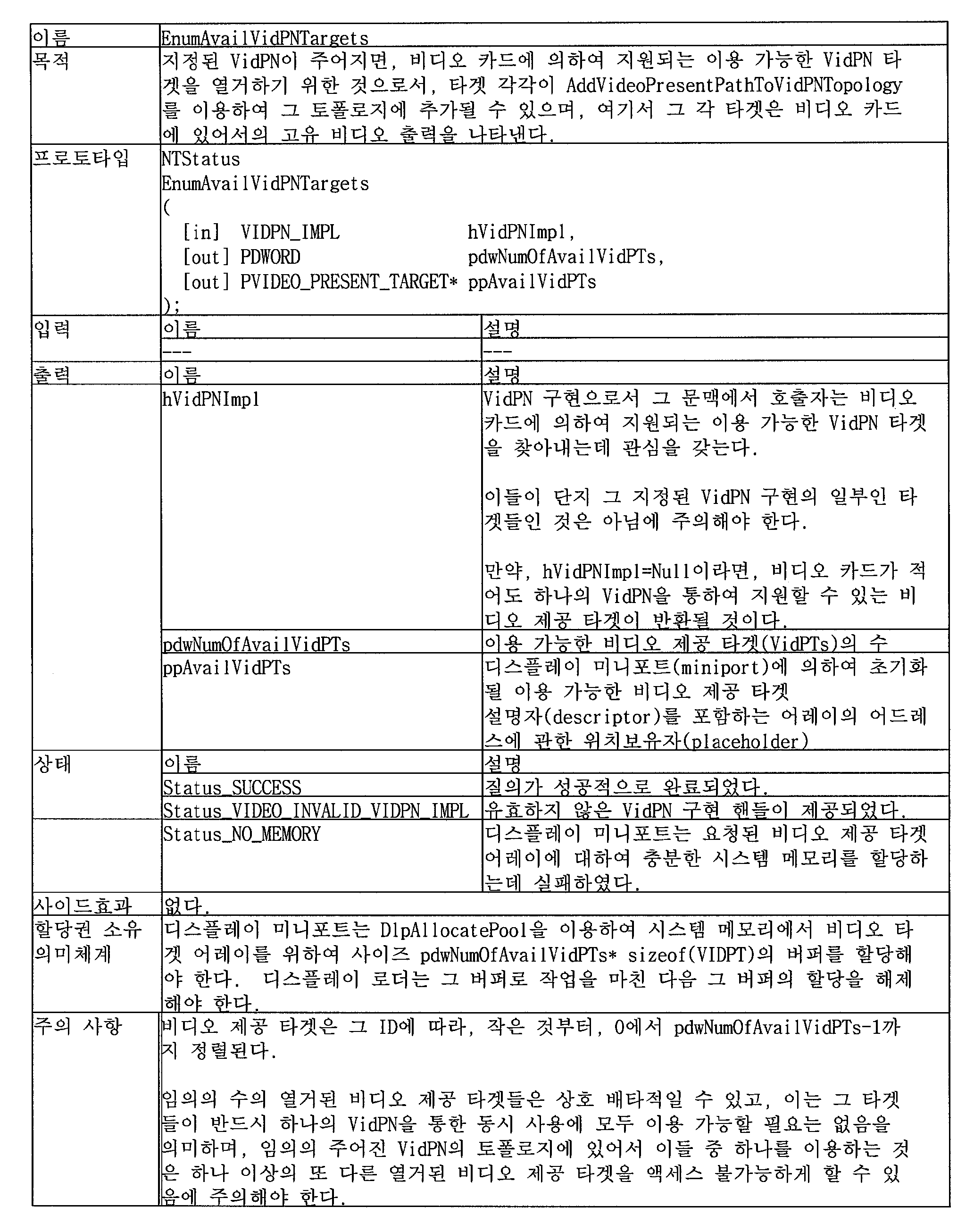

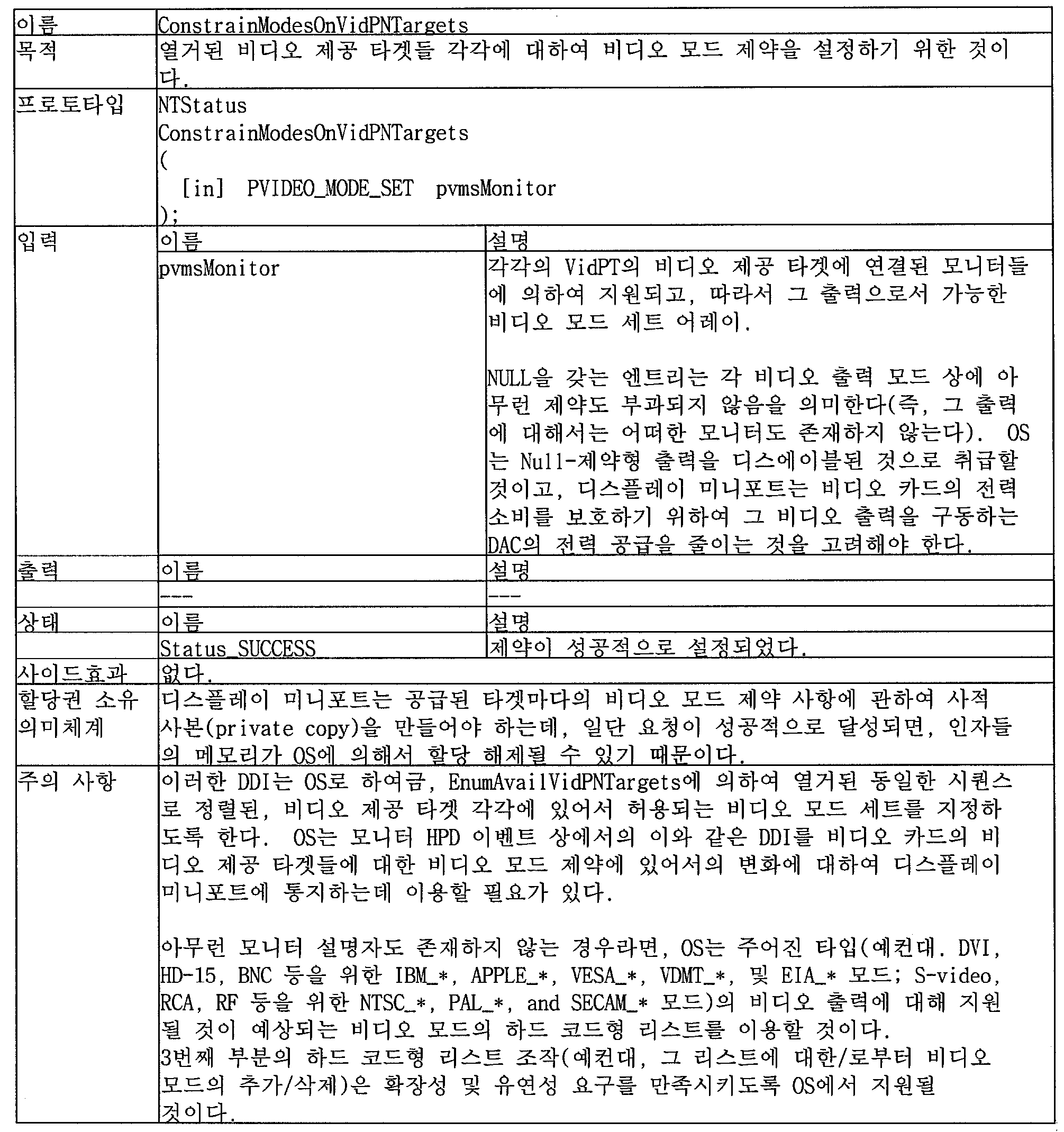

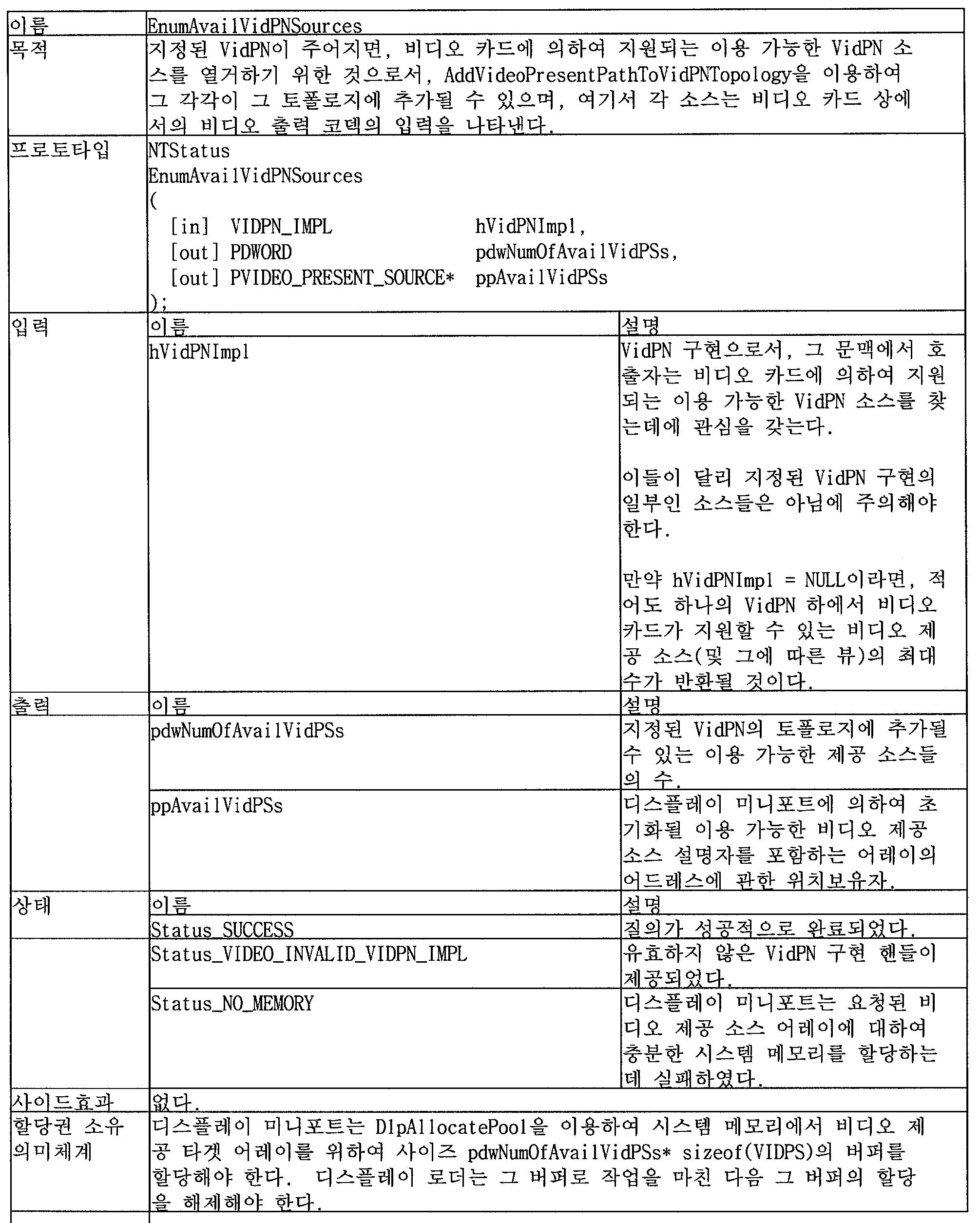
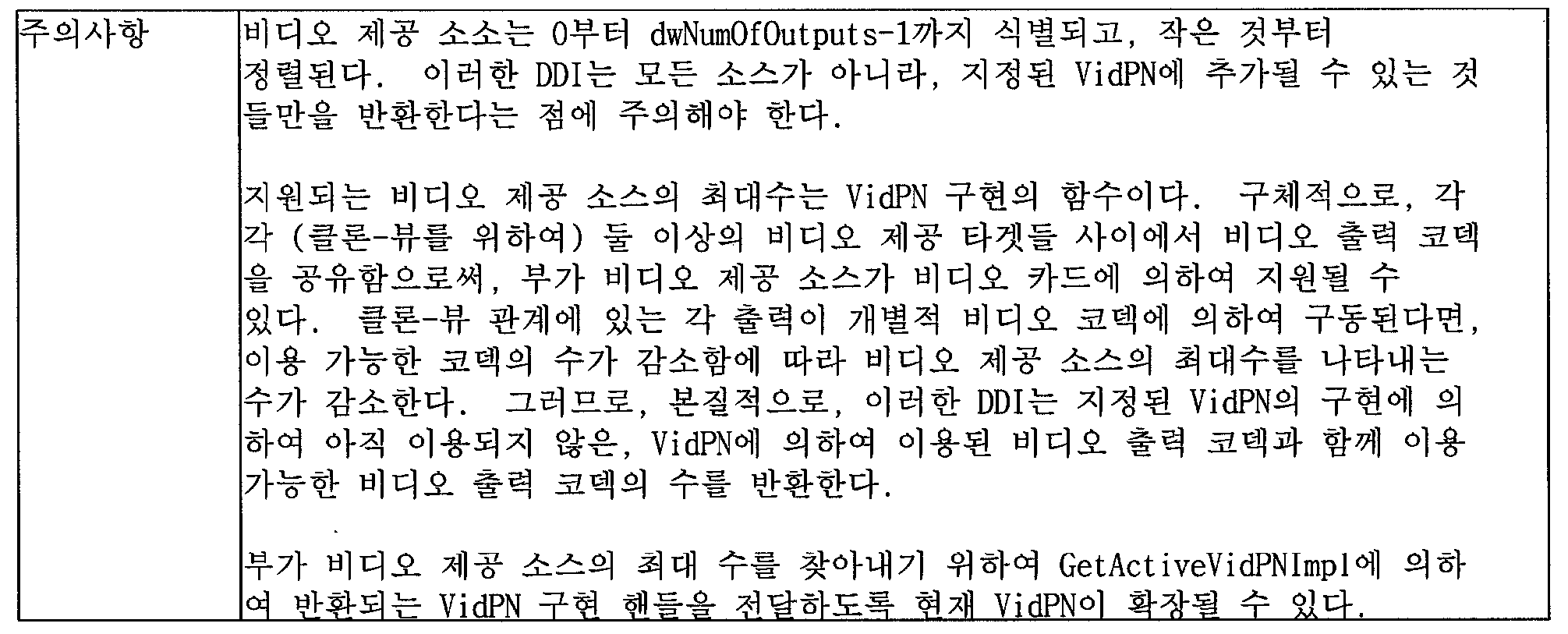

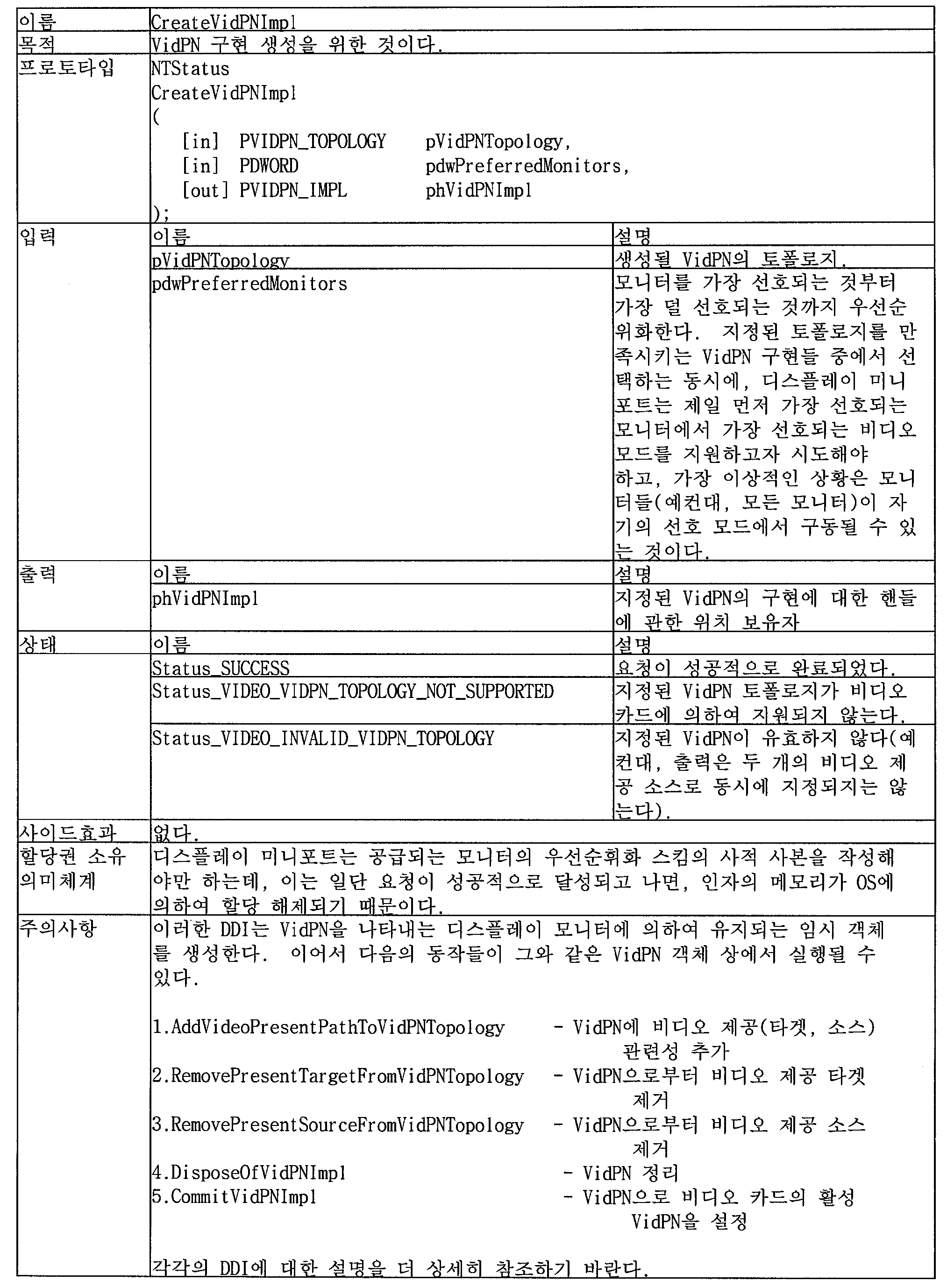


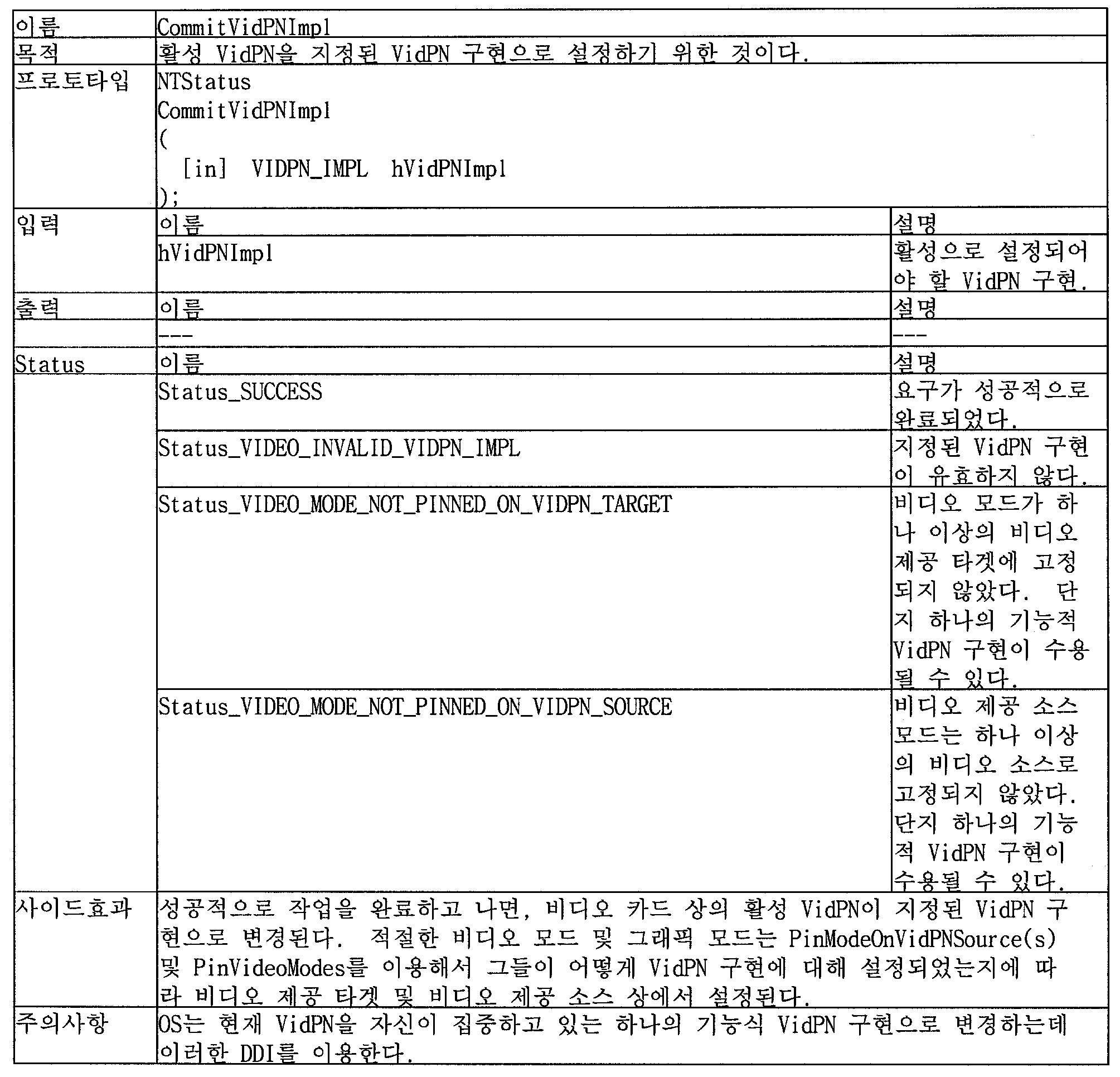








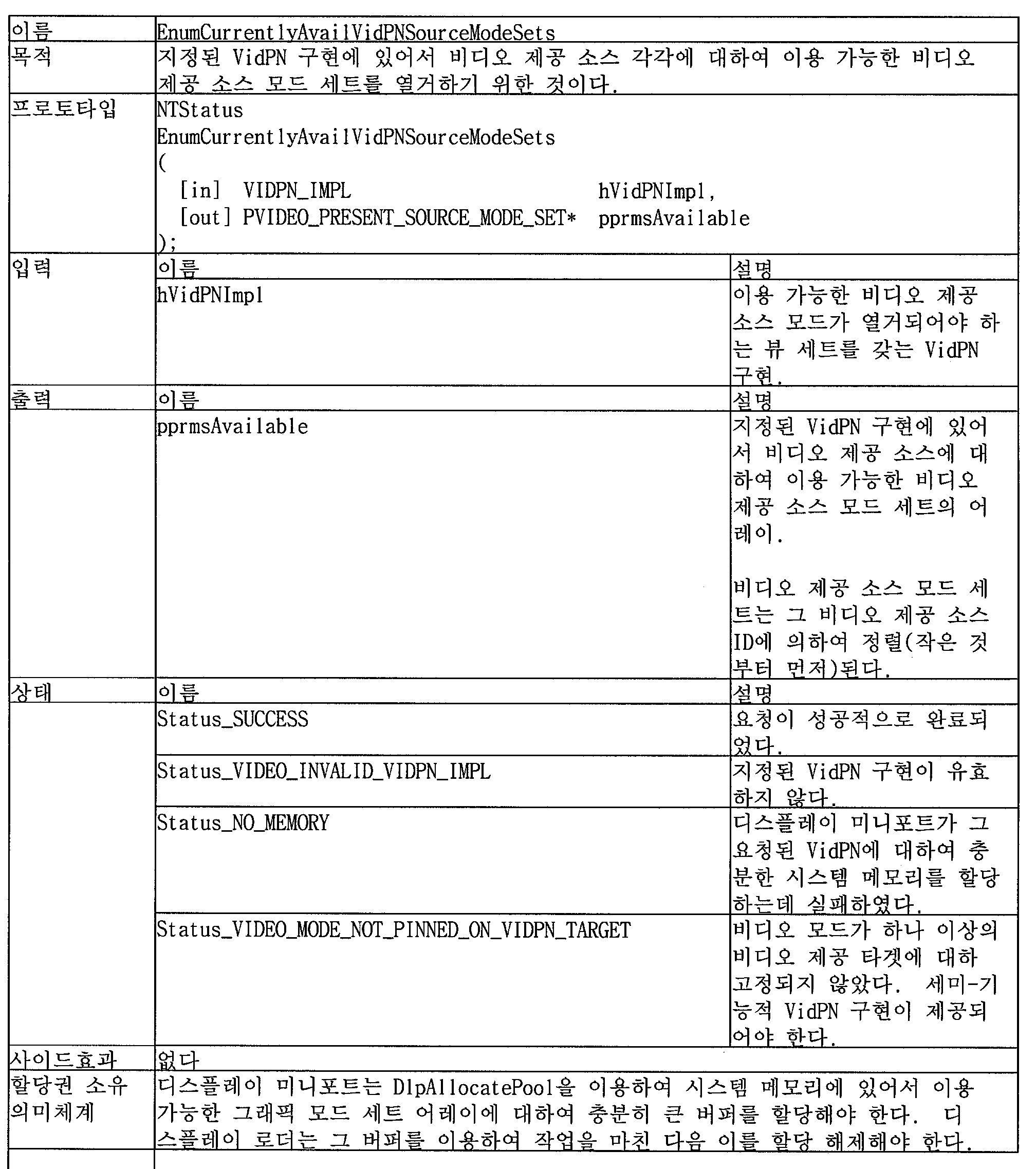


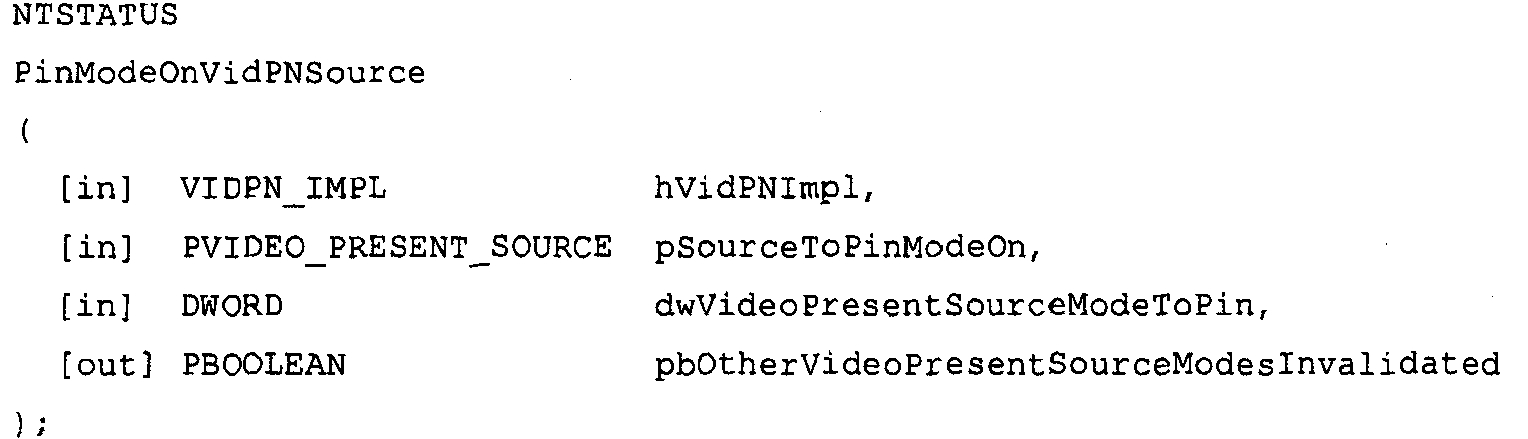


를 통해 열거되어 피닝되는, 지정된 VidPN 소스 상의 이용가능한 모드들의 세트로부터의 비디오 제공 소스 모드의 인덱스
The index of the video present source mode from the set of available modes on the specified VidPN source, enumerated through


을 사용하여 이용가능한 비디오 제공 소스 모드들을 다시 질의할 필요가 있음을 알리는 술어를 위한 위치보유자If true, at least one video present source mode on any other VidPN source has been invalidated and the OS
Placeholder for predicate informing you that you need to query the available video feed source modes again using
상태condition





를 사용하여 그 세트를 다시 열거해야만 한다.The pre-enumerated set of available video presenting source modes on the designated VidPN source has changed. OS
You must enumerate the set again using.

비디오 제공 타겟들은 자신에 대해 선택된 비디오 모드를 반드시 가져야 한다.
피닝된 모드 이외의 비디오 제공 소스 상의 비디오 제공 소스 모드들은, 다른 비디오 제공 소스 상의 비디오 제공 소스 모드가 설정된 경우에 무효화된다. 디스플레이 미니포트는, 피닝된 비디오 제공 소스 모드들 중 임의의 것을 무효화할 어떠한 비디오 제공 소스 모드도 열거되지 않고/않거나, 지정된 VidPN 구현 내의 비디오 제공 소스들 중 임의의 것에 (이전의 열거로부터) 피닝될 수 없을 것을 보증한다.OS
Video presentation targets must have the video mode selected for them.
Video present source modes on a video present source other than the pinned mode are invalidated when the video present source mode on another video present source is set. The display miniport will not list any video present source modes that will invalidate any of the pinned video present source modes, and / or be pinned (from previous enumerations) to any of the video present sources within the specified VidPN implementation. I can not guarantee.


을 이용하여, 이용가능한 비디오 제공 소스 모드들을 다시 질의할 필요가 있음을 알리는 술어를 위한 위치보유자If true, at least one new video serving source mode has been made available on some other video serving source and the OS is
Using a placeholder for the predicate indicating that it is necessary to query the available video present source modes again.
상태condition


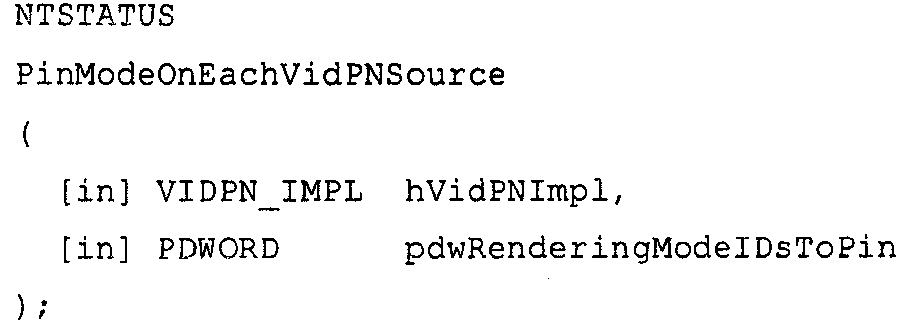


를 통하여 열거된 각각의 비디오 제공 소스들의 모드 세트로부터 온 것임.
비디오 제공 소스 모드들은 자신의 비디오 ㅈ[공 소스의 ID에 의해 (가장 작은 것부터) 순서화된다. An array of video present source mode IDs of video present source modes to be pinned. Each mode
From the mode set of the respective video presenting sources listed through.
Video-provided source modes are ordered (from the smallest) by their video's empty source ID.
상태condition




OS는

을 사용하여 그 세트를 반드시 다시 열거해야만 한다.The pre-enumerated set of available video present source modes on the designated video present source has changed.
OS
You must re-enumerate the set using.


OS가 이전에 만났던 모니터 HPD-이벤트 유도된 VidPN에, 알려진 사용자를 로그인 또는 로그온시키는 경우에서와 같이, 주어진 VidPN에 대한 지정된 렌더링 멀티모드가 작용하는 것으로 알려진 경우에는, 이러한 DDI가 반드시 사용되어야 한다. 여기에서 이전에 사용된 구성은 지속되며 여전히 재사용될 수 있다.
비디오 제공 소스들 중 임의의 것이 

Such a DDI must be used if the designated rendering multimode for a given VidPN is known to work, such as in the case of logging in or logging on a known user to a monitor HPD-event driven VidPN that the OS has previously met. The configuration previously used here is persistent and can still be reused.
Any of the video feed sources


비디오 제공 소스 모드 세트들은 자신의 비디오 제공 소스의 ID에 의해 (가장 작은 것부터) 순서화된다.Array of filtering technology sets available on video delivery sources within specified VidPN implementations
The video present source mode sets are ordered (from the smallest) by the ID of their video present source.


부작용Side Effect


를 통해 열거되어 피닝된, 지정된 비디오 제공 소스 상의 이용가능한 필터링 기술들의 세트로부터의 필터링 기술의 인덱스
Index of filtering techniques from the set of available filtering techniques on the specified video providing source, enumerated and pinned through


을 통하여 이용가능한 필터링 기술들을 다시 질의할 필요가 있음을 알리는 술어를 위한 위치보유자If true, at least one filtering technique on any other video presentation source has been invalidated and the OS
Placeholder for predicate informing you that you need to query the available filtering techniques again


호출자는

을 이용하여 해당 필터링 기술을 반드시 언피닝해야 한다.The filtering technique is already pinned on the specified video feed source.
The caller is
You must unpin the filtering technique using.


을 이용하여 그 세트를 반드시 다시 열거해야만 한다.The set of pre-listed available filtering techniques on the designated video presentation source has changed. OS
You must enumerate the set again using.


이러한 단계는 선택적이며, 명시적으로 지정되지 않는 경우, 드라이버는 디폴트 필터링 기술(즉, 필터링없음)을 사용해야만 한다.
비디오 제공 타겟들은 자신에게 피닝된 비디오 모드를 반드시 가져야 하며, 비디오 제공 소스들은 자신에게 피닝된 비디오 제공 소스 모드를 반드시 가져야 한다. 즉, VidPN은 반드시 기능적이어야 한다.
피닝된 기술 이외의 비디오 제공 소스 상의 필터링 기술은, 다른 비디오 프리젠스 소스 상의 필터링 기술이 설정된 때에 무효화된다. 디스플레이 미니포트는 피닝된 기술들 중 임의의 것을 무효화할 어떠한 필터링 기술도 열거되고/되거나 지정된 VidPN 구현 내의 비디오 제공 소스들 중 임의의 것에 (이전의 열거로부터) 피닝될 수 없음을 보증할 것이다. OS
This step is optional and if not explicitly specified, the driver must use the default filtering technique (ie no filtering).
Video present targets must have a video mode pinned to them, and video present sources must have a video present source mode pinned to them. In other words, the VidPN must be functional.
Filtering techniques on video presenting sources other than the pinned technique are invalidated when filtering techniques on other video presence sources are set. The display miniporter will ensure that no filtering technique that will invalidate any of the pinned techniques can be enumerated and / or pinned (from the previous enumeration) to any of the video providing sources in the specified VidPN implementation.


input


여기서, 참은, 적어도 하나의 새로운 필터링 기술이 몇몇 다른 비디오 제공 소스에 대해 사용가능해지고 OS가 
Here, the true is that at least one new filtering technique is available for some other video serving sources and the OS is
Print
condition


비디오 제공 소스에 대해 필터링 없음 기술이 선택될 때, 디폴트 필터링 기술은 제로 필터링 기술 ID를 통해 나타난 "필터링 없음"이다.The OS uses this DDI when it is not interested in supporting the specified filtering technique for the specified video delivery source. For example, this may be the case where the selected filtering technique negates the filtering technique required for another video presenting source.
When no filtering technique is selected for the video presentation source, the default filtering technique is "no filtering" indicated by the zero filtering technique ID.

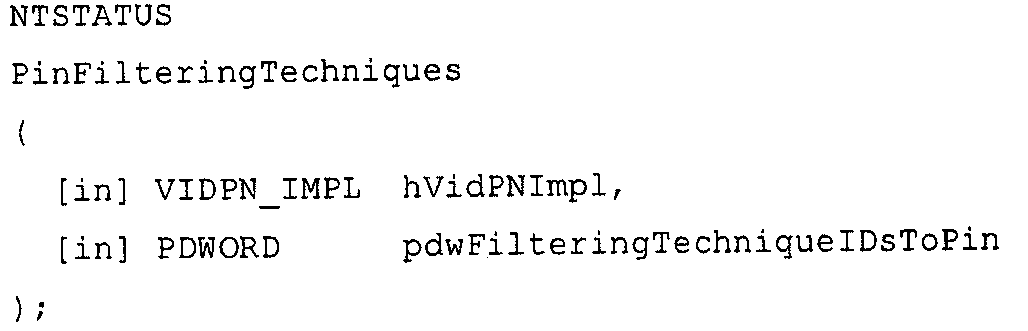
input


필터링 기술은 그 비디오 제공 소스의 ID에 의해 (작은 것이 먼저 오도록) 정렬된다.An array of filtering technique IDs from the filtering technique set of the individual video presenting sources.
The filtering technique is sorted (smallest comes first) by the ID of the video feed source.
Print
condition


Reference

이 DDI는, OS가 알려진 사용자를, 이전에 만난 모니터 HPD 이벤트 야기된 VidPN에 로그인 시키는 경우(여기서, 이전에 상용된 구성을 재사용될 수 있음)와 같이, 주어진 VidPN에 대한 비디오 제공 소스에 걸친 필터링 기술의 지정된 배포가 실행될 때, 사용되어야 한다.This DDI selects a filtering technique for each video serving source in VidPN from a set of available filtering techniques for individual video serving sources,
This DDI filters across the video delivery sources for a given VidPN, such as when the OS logs a known user into a VidPN that caused a previously encountered monitor HPD event (where previously available configurations can be reused). When the specified distribution of the technology is executed, it should be used.


field


field


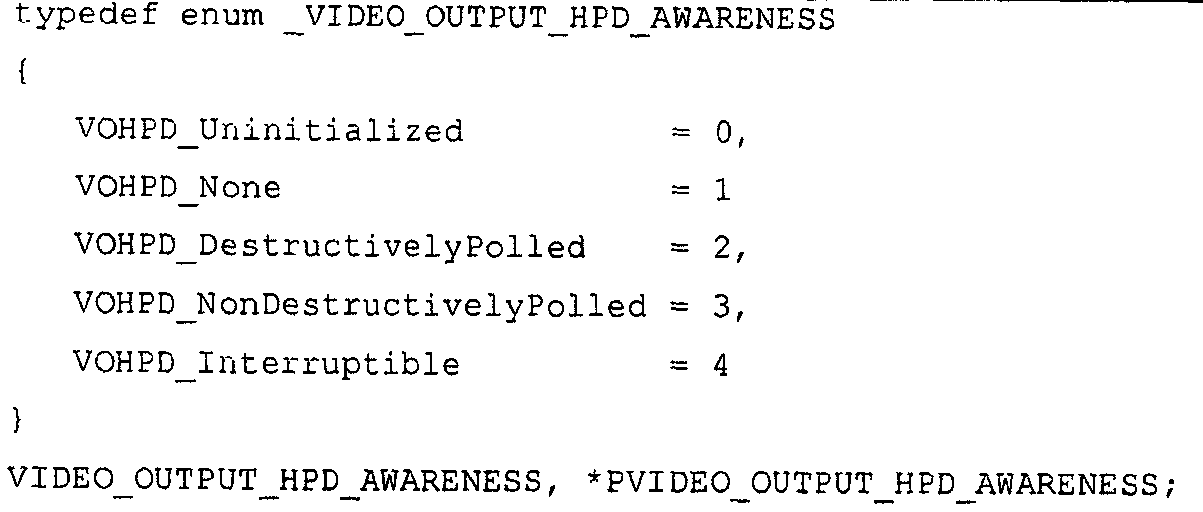
4. 인터럽트가능 HPD-인식 : 디스플레이 미니포트가 OS에게 모니터 도착/출발에 대해 비동기식으로 통지할 수 있는 경우
5. 비-파괴적 폴링된 HPD-인식 : 디스플레이 미니포트가 비주얼 아티팩트를 야기하지 않고, 단지 기저 h/w를 산재적으로 폴링함으로써, OS에게 모니터 도착/출발을 보고할 수 있는 경우
6. 파괴적 폴링된 HPD-인식 : 디스플레이 미니포트가 각각의 폴에 대한 비주얼 아티팩트를 야기하지 않고, 단지 기저 h/w를 산재적으로 폴링함으로써, OS에게 모니터 도착/출발을 보고할 수 있는 경우
7. HPD-인식 없음 : 디스플레이 미니포트가 모니터 도착/출발을 인식하지 못해서, OS에게 그러한 이벤트의 발생을 비동기식으로 통지 또는 동기식으로 보고할 수 없는 경우Video output HPD recognition is used to indicate the level of monitor connectivity detected by the video card for the video output.
4. Interruptible HPD-aware: The display miniport can asynchronously notify the OS about the arrival / departure of the monitor.
5. Non-destructive polled HPD-aware: the display miniport can report monitor arrival / departure to the OS by simply polling the base h / w without causing visual artifacts.
6. Destructive polled HPD-aware: The display miniport can report the monitor arrival / departure to the OS by simply polling the underlying h / w without causing visual artifacts for each pole.
7. No HPD-Awareness: If the display miniport is not aware of monitor arrival / departure, it cannot asynchronously notify or synchronously report the occurrence of such an event to the OS.


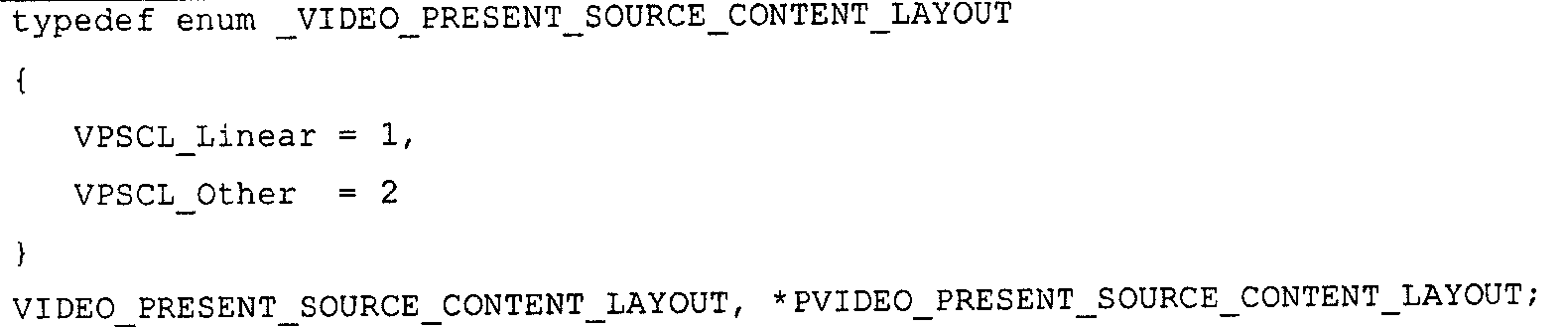


이 설명자는 비디오 모드와 관련된 구조의 수퍼 세트를 대신한다는 것을 유념한다. XDDM에서, 비디오와 비디오 제공 소스 모드 둘 다는 이 구조에서 설명된다. LDDM은 이 2개의 동작을 분리하여 그 설명자를 분리한다.
비디오 표준 필드는 잘 정의된 비디오 표준으로 설정될 때, 비디오 모드 비교에 사용되어야 한다. 대부분의 표준 모드VESA GTF 주파수 제약에 부합하지 않는 것을 유념한다.
모니터-능력 기반 프루닝-오버라이드 필드는, 비디오 IHV가 모니터에 의해 지원되고 비디오 카드가 부착되어 있지만, 모니터의 설명자에서 지정되지 않은 것으로 알고 있는 추가 비디오 모드를 지정하게 한다. 이것은 그 능력에 대한 설명 및 정보를 가지고 있지 않고 대신에 최종 통합된 해결책을 생성하는 OEM에 의해 BIOS에서 사유 포맷으로 저장되는 모니터에게 있어서 매우 유용하다. 이 오버라이드는 드물게 사용되어야 하고, 주어진 모니터에 대한 작업으로 알려진 모드를 노출할 다른 방법이 존재하기 않는 경우를 위해 보존되어야 한다. 비디오 미니포트는 이 필드를 참으로 설정하면서 모니터 설명자에 의해 지원되기 때문에 리스트되는 모드를 열거하지 않아야 한다.
The video mode is the mode of operation of a given video output driving a connected monitor and is driven by an internal video output codec.
Note that this descriptor replaces the superset of the structure associated with the video mode. In XDDM, both video and video present source modes are described in this structure. LDDM separates these two operations to separate their descriptors.
The video standard field should be used for video mode comparison when set to a well defined video standard. Note that most standard modes do not meet the VESA GTF frequency constraints.
The monitor-capability-based pruning-override field allows you to specify an additional video mode that the video IHV is supported by the monitor and that the video card is attached to but is not specified in the monitor's descriptor. This is very useful for monitors that do not have descriptions and information about their capabilities but instead are stored in proprietary format in the BIOS by the OEMs who produce the final integrated solution. This override should be used rarely, and should be preserved for cases where there is no other way to expose modes known to work for a given monitor. The video miniport driver should not list the modes listed because it is supported by the monitor descriptor while setting this field to true.

Justice
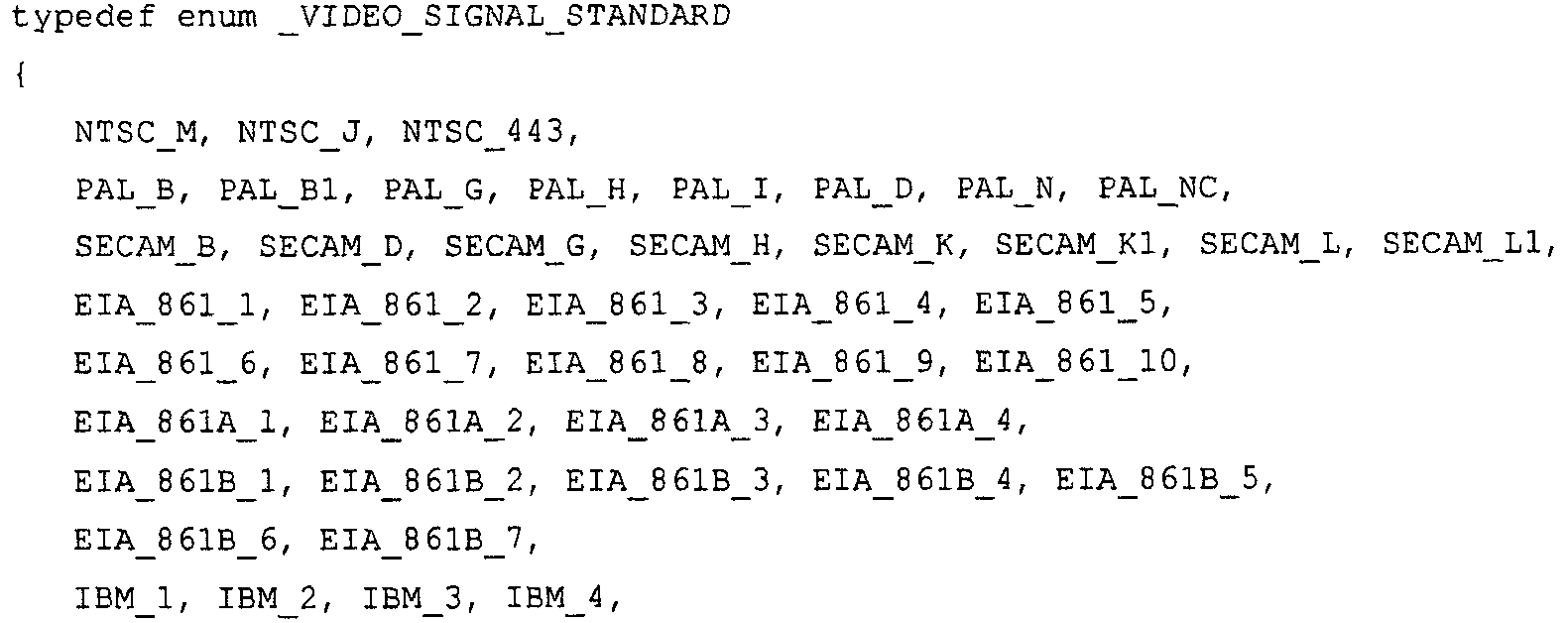

Reference

This enumeration is used to simplify video mode comparison when appropriate (ie, not Other). The table below lists some of the basic parameters of these modes.
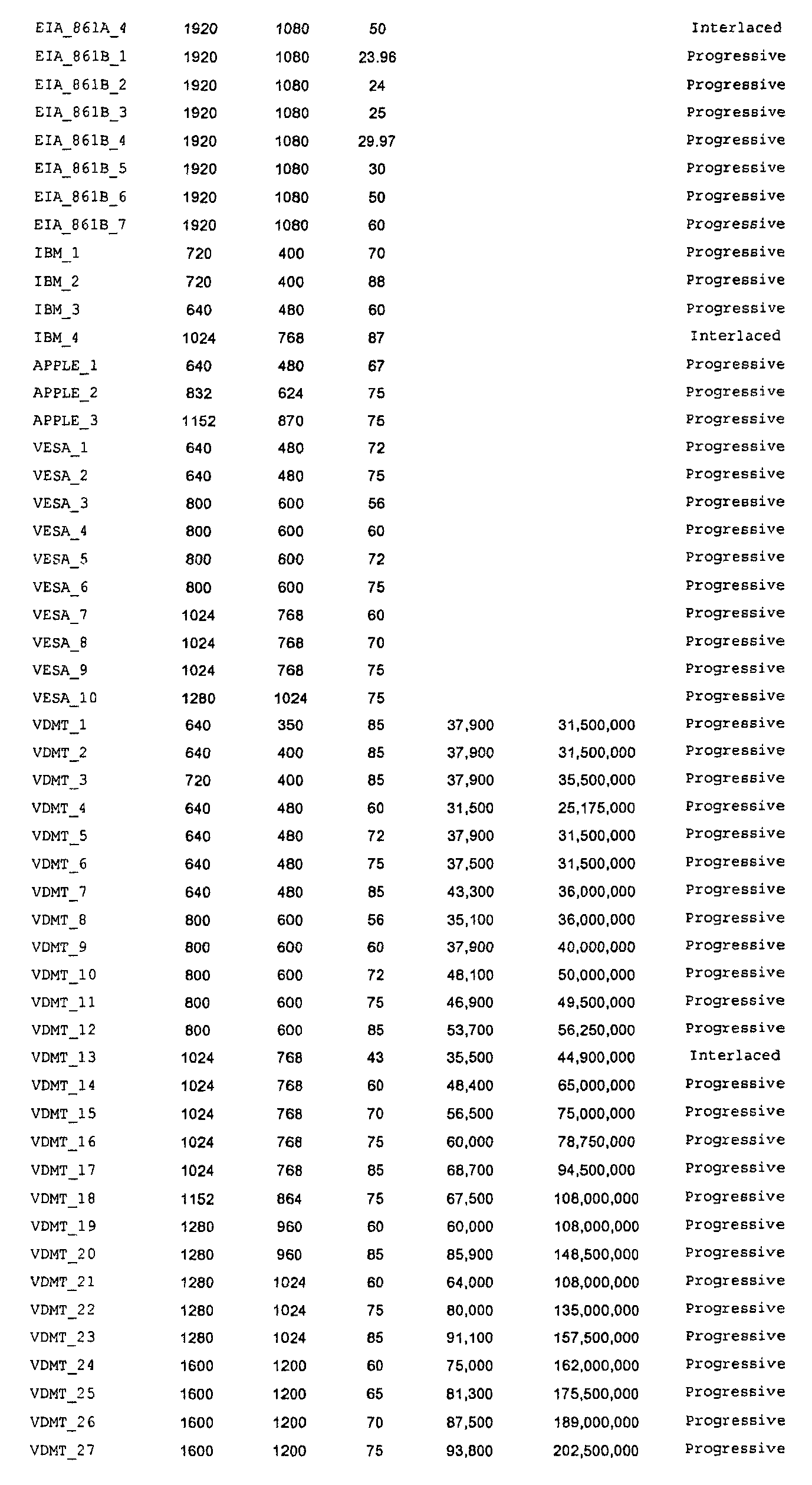


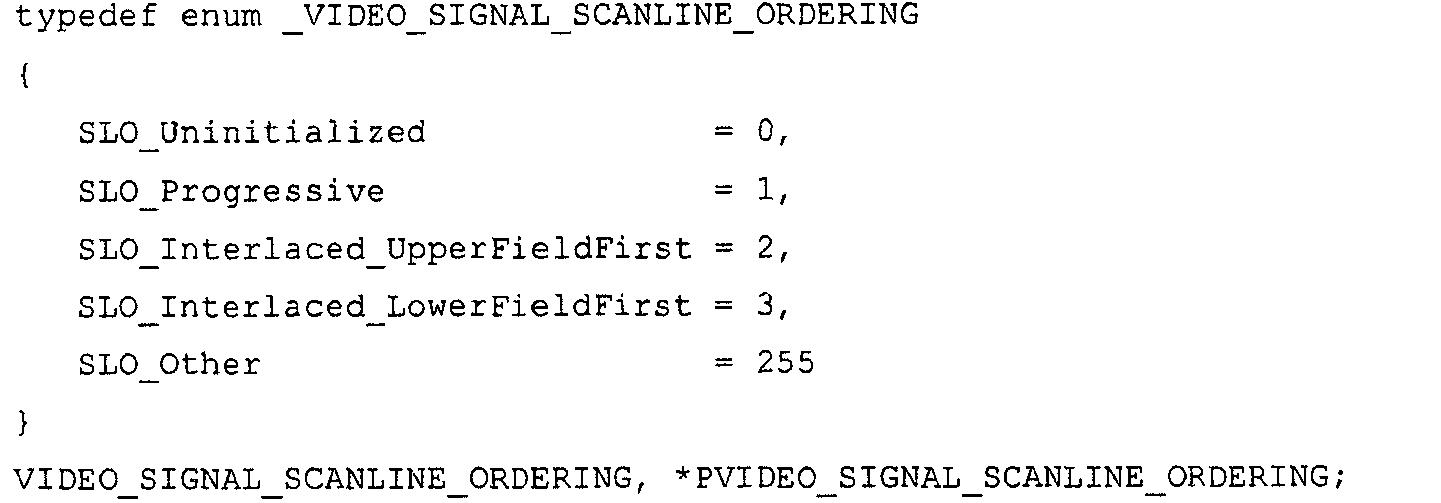
표준 엇갈림 모드에 대하여, 처음에 도달하는 필드 종류는 이 모드로부터 추정될 수 있을 때 둘 다 열거형으로 이 특징을 명시적으로 기술하는 것은, 클라이언트가 모드 기반의 룩업 테이블을 보유해야 하는 것으로부터 자유롭고 VIDEO_MODE_STD enum에 열거되지 않은 미래의 표준 모드에 확장가능한 enum 두개를 가지고 명시적으로 이 특징을 기술한다.Describes the scanline order of the video mode, whether each field contains all of the content of the frame or only part of the frame (ie, even / odd lines that can change from one to the other).
For the standard staggered mode, both explicitly describing this feature as an enumeration when the first arriving field type can be estimated from this mode is free of the client having to maintain a mode-based lookup table. Explicitly describes this feature with two expandable enums in future standard modes not listed in the VIDEO_MODE_STD enum.

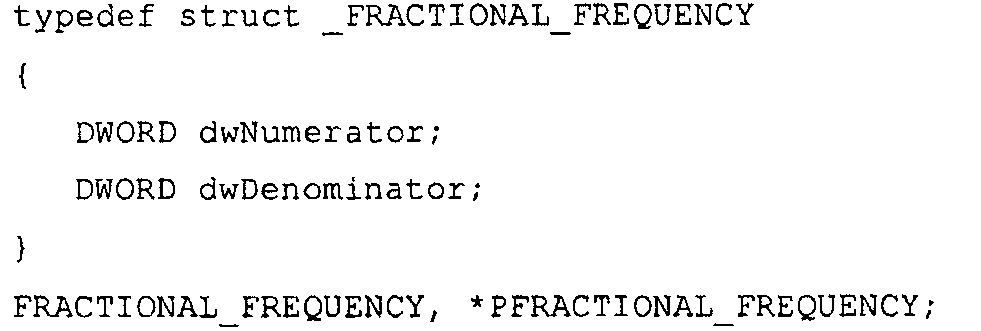
필드
field


이 인코딩 포맷의 동적인 범위, 소정의 10^-7 해상도는 {0..2^32 - 1 / 10^7}이며, 이는 세로 주파수에서는 {0..428.4967296} [Hz]로, 가로 주파수에서는 {0..428.4967296} [KHz]로 변환된다. 이러한 서브-마이크로세컨드 정밀도 범위는 프로-비디오 애플리케이션에 대해서도 수락가능하여야 한다(비디오 신호 동기화에 대한 1 마이크로세컨드에서의 에러는 10^7/(60*60*24) = 115.741일의 싸이클을 가지는 시간 표류를 내포할 수 있다 ).Fractional value used to represent the horizontal and vertical frequencies of the video mode (ie, VSync and HSync). The vertical frequency is stored in Hz and the horizontal frequency is stored in KHz.
The dynamic range of this encoding format, the desired 10 ^ -7 resolution is {0..2 ^ 32-1/10 ^ 7}, which is {0..428.4967296} [Hz] at the vertical frequency and at the horizontal frequency. {0..428.4967296} is converted to [KHz]. This sub-microsecond precision range must also be acceptable for pro-video applications (the error in 1 microsecond for video signal synchronization is 10 ^ 7 / (60 * 60 * 24) = 115.741 days cycle). May contain drift).

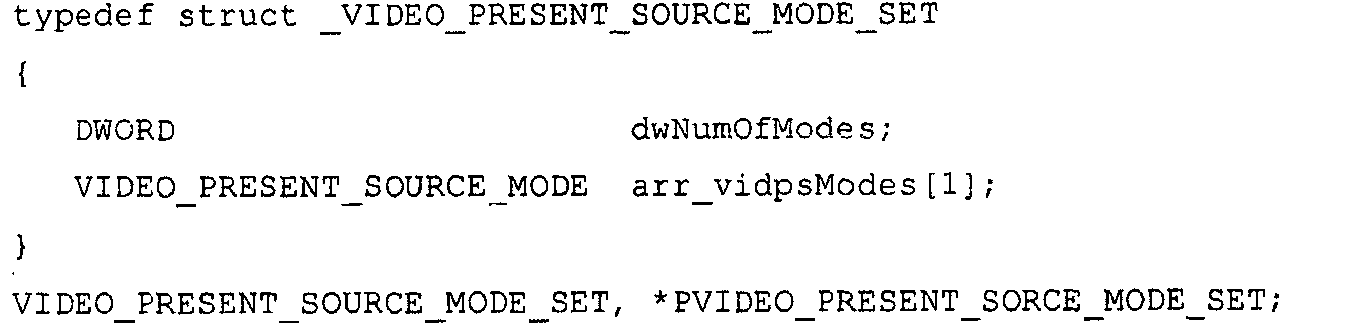


field

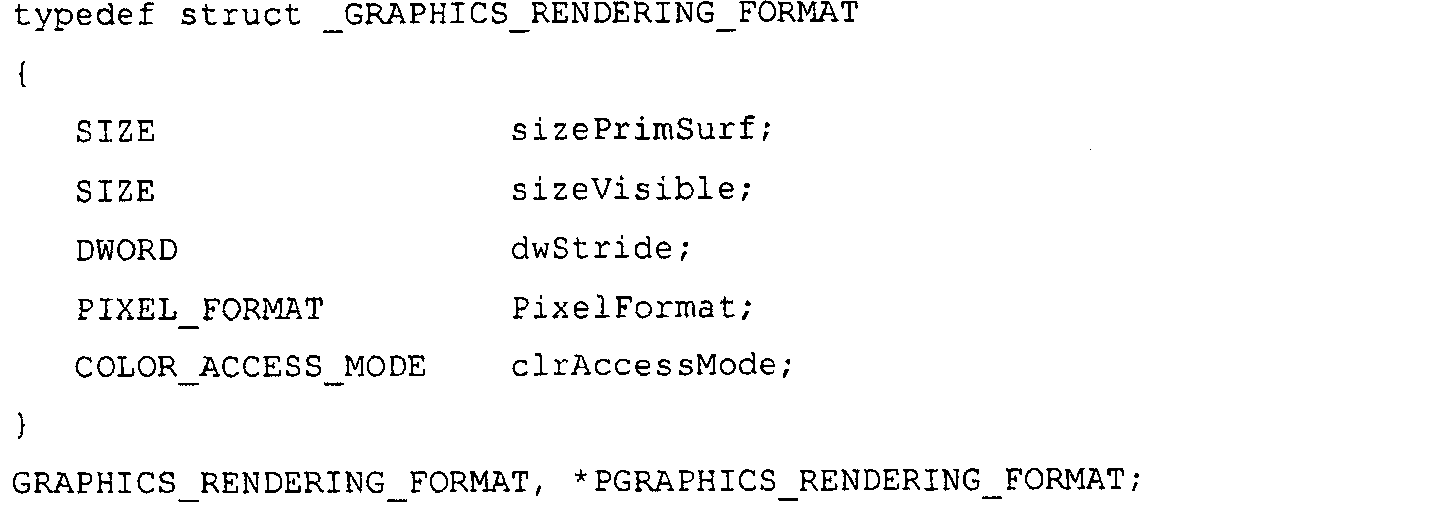
field
비디오 표시 소스 모드의 가시적인 사이즈, GRAPHICS_VIDEO_PRESENT_SOURCE_MODE.sizeVisible는 개별적인 비디오 모드의 가시적인 사이즈 VIDEO_MODE.sizeVisible와 동일하지 않으며, h/w 스케일링은 비디오 출력 코덱이 담당함을 유의한다.Graphical video display source mode is the main used subtype of video display source mode (other modes include text video display source mode).
Note that the visible size of the video display source mode, GRAPHICS_VIDEO_PRESENT_SOURCE_MODE.sizeVisible, is not the same as the visible size VIDEO_MODE.sizeVisible of the individual video mode, and h / w scaling is the responsibility of the video output codec.
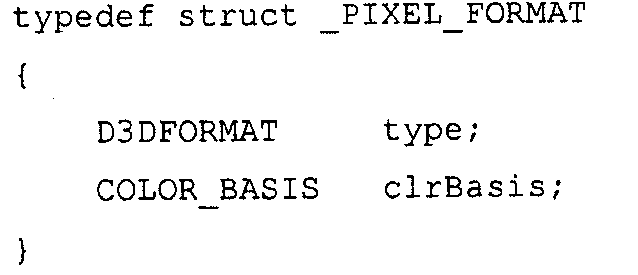
field
이 설명자는 다음의 이유로 인해 픽셀 값 서브-채널 비트 마스크를 포함하지 않는다.
a. 픽셀 값 서브-채널 비트 마스크를 노출시키는 주요 인수는 애플리케이션 개발자에게 미래의 픽셀 포맷에 영향을 미칠 수 있는 확장가능 코드를 기록할 수 있도록 한다.
b. 이는 표준이지만, 역사적으로 방대한 애플리케이션 개발자는 일반적 픽셀 값 디코딩 알고리즘을 적절하게 구현하는 것을 실패하고 픽셀 값 서브-채널 비트 마스크는 DX8에 드롭된다.
c. 주된 아이디어: 애플리케이션 개발자가 이들을 D3D 픽셀 포맷 열거형들을 픽셀 값 서브채널 비트 마스크로 매핑시키는 룩업 테이블을 이용하도록 함으로써 이들이 지원하기를 요구하는 모든 시나리오를 테스트하도록 강요하는 것이 가장 바람직하다.
d. 애플리케이션 개발을 용이하게 하기 위하여, 애플리케이션 개발자에 대하여 열거형 대 비트마스크 매핑을 하는 도움 사용자-모드 라이브러리를 수송하는 것은 의미가 있을 것이다. 그들은 여전히 존재하는 픽셀 값 포맷에 대하여 자신들의 애플리케이션을 코딩할 필요가 있지만, 모든 애플리케이션에 대하여 룩업 테이블을 보유할 필요는 없다.
e. 픽셀 값 서브-채널 비트마스크 노출에 대한 필요성은 잘 정의된 정수형 RGB로 인코딩된 픽셀 값으로 선형 표면 포맷에만 정말 유용하다는 사실에 의해 더 축소된다.
The display miniport is left blank to support any D3D pixel format for its graphics mode, which is significant as the major surface pixel format. Checking for the appropriately used pixel format is not done at all in kernel mode. If this is found to be a problem, WHQL can enforce a list of specific pixel formats from user-mode.
This descriptor does not include the pixel value sub-channel bit mask for the following reason.
a. The main argument that exposes the pixel value sub-channel bit mask allows application developers to write scalable code that can affect future pixel formats.
b. This is standard, but historically large application developers fail to properly implement the general pixel value decoding algorithm and the pixel value sub-channel bit mask is dropped in DX8.
c. Main idea: It is most desirable to force application developers to test all scenarios that they need to support by having them use a lookup table that maps D3D pixel format enumerations to pixel value subchannel bit masks.
d. In order to facilitate application development, it would make sense to ship a help user-mode library with enum to bitmask mapping for application developers. They still need to code their application for the existing pixel value format, but do not need to maintain a lookup table for every application.
e. The need for pixel value sub-channel bitmask exposure is further reduced by the fact that pixel values encoded with well-defined integer RGB are really useful only for linear surface formats.
ii. 대부분의 4-CC 포맷(예를 들면, . NVT4/NVT5)은 이 범주에 속하고 하나는 애플리케이션이 지원하는 모든 포맷에 대하여 테스트하여야 하는데, 이는 그들 중 대부분이 쉽게 설명되지 않는 텍스쳐 레이아웃을 포함하고 있기 때문이다.
iii. 또한 비트마스크는 소수형 포인트 픽셀 포맷을 위해 동작하지 않는다.i. When the surface format is a non-linear pixel layout (ie, VIDPS.VidPSContentLayout = VPSCL_Linear), knowledge of the pixel value sub-channel bitmask will not help the developer know how to access each pixel of the surface.
ii. Most 4-CC formats (eg. NVT4 / NVT5) fall into this category and one should test for all formats supported by the application, which includes texture layouts, most of which are not easily described. Because there is.
iii. In addition, bitmasks do not work for fractional point pixel formats.
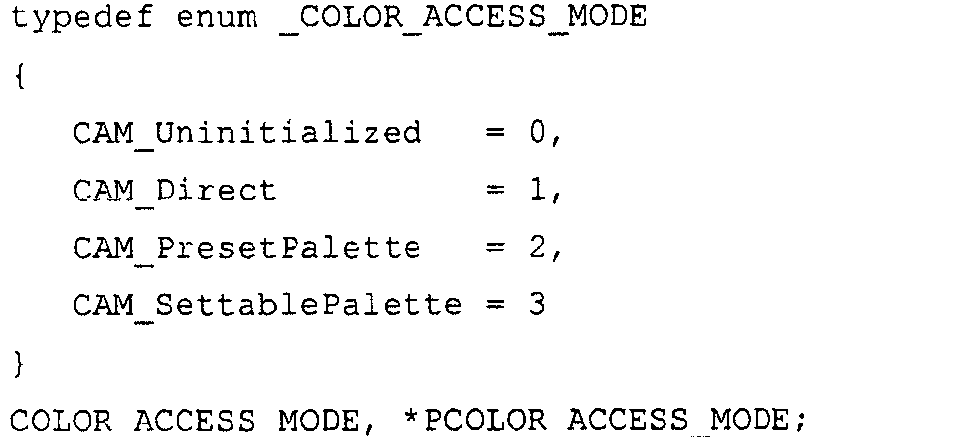
PresetPalette를 이용하여 주 표면에 저장되는 컬러들의 인덱스들 및 디스플레이 미니포트로부터 질의되어야할 비디오 카드에 특정된 팔레트에 저장된 실제 컬러 값으로 비디오 표시 소스 모드를 나타낸다.
디스플레이 미니포트에 이를 기술함으로써 SettablePalette를 이용하여 주 표면에 저장한 컬러들의 인덱스들 및 비디오 카드에 동적으로 설정될 수 있는 설정가능한 팔레트에 저장된 실질적인 컬러 값들로 비디오 표시 소스 모드를 나타낸다.Indicates the video display source mode in color stored directly on the major surface using Direct.
The PresetPalette is used to indicate the video display source mode with the indices of the colors stored on the main surface and the actual color values stored in the palette specific to the video card to be queried from the display miniport.
By describing this in the display miniport, it represents the video display source mode with the indexes of the colors stored on the main surface using SettablePalette and the actual color values stored in a settable palette that can be dynamically set on the video card.
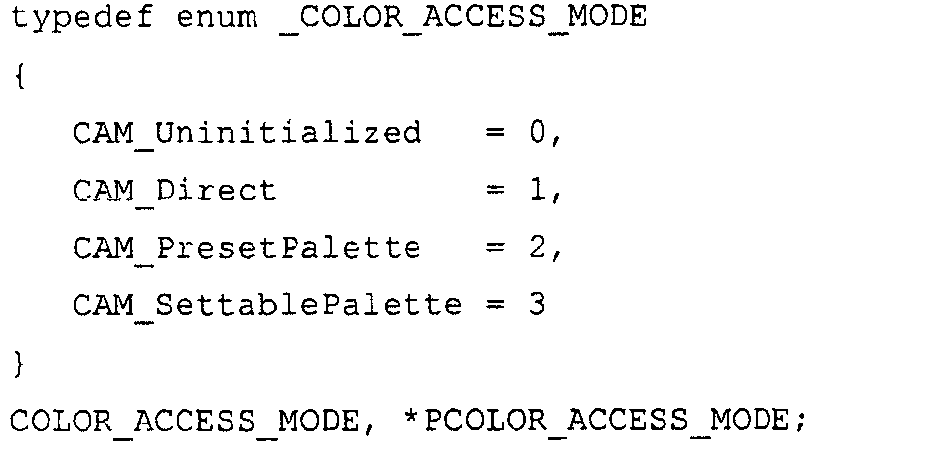
대부분의 필터링 알고리즘이 인지되는 빛 레벨과 빛의 스펙트럼 강도와의 선형 관계가 존재하는 사실에 의해 3-스티뮬러스(stimulus) 값을 이용하여 자신과 환경과의 대화에 의해 일어나는 빛의 스펙트럼 변형을 근사화하기 때문에, 3-스티뮬러스 선형 RGB는 실시간 렌더링에 매우 적합하다. 이상적으로, 비디오 콘텐츠의(예를 들면, 모든 프로세싱)(즉, 스케일링, 필터링 등)은 선형 RGB 공간에서 수행되어야 한다.
Y'PbPr 공간은 감마 2.2 커브(즉, x^0.45)를 대략적으로 반전시킨 비선형 커브를 이용하여 데이터를 저장한다. 이는 사람의 눈이 보다 민감한 곳인 어두운 강도에 보다 정밀하게 저장될 수 있다.
sRGB(보다 정확하게는, sR'G'B')는 감마 커브에 관련된 광 강도를 저장한다.
scRGB는 선형값을 저장하고 훨씬 높은 정밀도로 동일한 지각력있는 유사한 신호를 나타낼 것을 요구한다.
Color bases commonly used in the graphics industry include scaled variations of RGB and basis (1, blue-1, red-1) * intensity (red, green, blue) based on basis (red, green, blue). Branches are YPbPr and YCbCr.
Due to the fact that most filtering algorithms have a linear relationship between the perceived light level and the spectral intensity of the light, the three stimulus values are used to account for the spectral deformation of the light caused by the conversation between itself and the environment. Because of the approximation, three-stimulus linear RGB is well suited for real-time rendering. Ideally (eg, all processing) of video content (ie scaling, filtering, etc.) should be performed in linear RGB space.
The Y'PbPr space stores data using nonlinear curves that are approximately inverted gamma 2.2 curves (ie, x ^ 0.45). This can be stored more precisely in the dark intensity, where the human eye is more sensitive.
sRGB (more precisely sR'G'B ') stores the light intensity associated with the gamma curve.
scRGB requires storing linear values and representing the same perceptual analogous signals with much higher precision.
흑백 모드를 나타내기 위하여, Intensity를 사용한다. 흑백 이미징은 의학 이미징에 많이 이용된다.
주의: Y'PbPr의 아포스트로피 표기는 당신은 비선형데이터로 작업하고 있음을 당신에게 상기시킨다.Light-intensity based on YPbPr and YCbCr is more suitable when sustaining pre-rendered content such as video streaming. This is because the human visual system is more responsive to small differences between the intensities of photons rather than frequencies (i.e. perceived colors). This is because it yields a better perceived image quality to the human eye than expansion (for example, non-linear Y8Cb8Cr8 appears slightly better than R8G8B8 and compared to R9G9B9).
Intensity is used to indicate black and white mode. Black and white imaging is widely used for medical imaging.
Note: The apostrophe notation of Y'PbPr reminds you that you are working with nonlinear data.

예 46 - 예시적인 관련 모니터의 중요도Example 46-Importance of Example Related Monitor
본 명세서에서의 임의의 예에서, 복수의 모니터(예를 들면, 비디오 미니포트)를 처리하는 비디오 드라이버에게 추천되는 기능적 구성을 제공하는 것을 물을 수 있다. 이러한 경우에서, 관련된 모니터의 중요도가 기술될 수 있다. 예를 들면, 모니터는 (가장 중요한 것으로부터 가장 중요하지 않은 것 순으로) 랭킹될 수 있다. 그 다음 드라이버는 기술된 관련된 중요도에 따라서 구성을 제공할 수 있다.In any of the examples herein, one may be asked to provide a recommended functional configuration to a video driver that handles multiple monitors (eg, video miniports). In this case, the importance of the associated monitor can be described. For example, monitors can be ranked (from most important to least important). The driver can then provide the configuration in accordance with the relevant importance described.
예 47 - 예시적인 상태가 없는 구현Example 47-Example Stateless Implementation
본 명세서에서 기술한 몇몇의 기술은 비디오 드라이버가 일시적인 구성의 상태를 보유하는(예를 들면, 피닝되고 언피닝되는) 접근법을 이용하여 설명되었다. 그러나, 상태가 없는 접근법 또한 채용될 수 있다. 이러한 방식으로, 비디오 드라이버는 (일시적인 구성의) 추적 상태를 필요로 하지 않고 보다 가볍고 보다 간소하게 만들어질 수 있다. 원한다면, 클라이언트 소프트웨어는 원하는 구성을 결정할 때 상태를 추적할 수 있다.Some techniques described herein have been described using an approach in which the video driver retains a state of temporary configuration (eg, pinned and unpinned). However, a stateless approach can also be employed. In this way, the video driver can be made lighter and simpler without requiring tracking conditions (of temporary configuration). If desired, the client software can track the status when determining the desired configuration.
이러한 접근법에서, 프로그래밍 인터페이스(예를 들면, DDI)는 일시적인 구성의 상태와 관련하는 정보를 전달하는 데에 이용될 수 있다. 예를 들면, 데이터 구조는 구성 사양을 수용하는 데에 이용되고 인터페이스를 통해 전달될 수 있다.In this approach, a programming interface (eg, DDI) can be used to convey information relating to the state of the temporary configuration. For example, data structures can be used to accommodate configuration specifications and communicated via interfaces.
예 48 - 예시적인 상태없는 드라이버 인터페이스Example 48-Exemplary Stateless Driver Interface
다음은 본 발명에 설명된 다양한 기술들을 지원하는 비디오 제공 네트워크(video presenting network)를 구현하기 위해, 상태없는 비디오 제공 네트워크 관리 미니포트 인터페이스를 포함하는 예시적인 커널 모드 드라이버 인터페이스(예를 들어, DDI)이다. 예에서, 비디오 제공 네트워크는 때때로 "비디오 제공 네트워크(video present network)" 또는 "VidPN"이라고 불린다. 비디오 제공 네트워크에 대한 특정 구성은 때때로 "VidPN 구현"이라고 불린다. 또한 예에서, "미니포트"라는 단어가 사용되지만, 내부에 설명된 기술들은 임의의 디스플레이 어댑터 또는 비디오 드라이버에 적용될 수 있다. The following is an exemplary kernel mode driver interface (eg, DDI) that includes a stateless video presenting network management miniport interface to implement a video presenting network that supports the various techniques described herein. to be. In an example, a video presenting network is sometimes called a "video present network" or "VidPN." The specific configuration for a video providing network is sometimes called "VidPN implementation." Also in the example, the word "miniport" is used, but the techniques described therein may be applied to any display adapter or video driver.
예시적인 커널 모드 드라이버는 비디오 미니포트의 부분일 수 있다. 각 물리적 GPU는 그 자신의 어댑터로서 취급될 수 있고, 어댑터는 하기에 검색된 HANDLE hAdapter에 의해 표현될 수 있다. 단일 GPU가 다수의 출력(예를 들어, 헤드)을 갖는 경우에도, 여전히 단일 어댑터로서 취급될 수 있다. An example kernel mode driver may be part of a video miniport driver. Each physical GPU can be treated as its own adapter, which can be represented by the HANDLE hAdapter retrieved below. Even if a single GPU has multiple outputs (eg heads), it can still be treated as a single adapter.
미니포트의 HwVidQueryInterfacy 기능은 드라이버 엔트리 포인트들을 검색하기 위하여 다음 QUERY_INTERFACE 구조를 가지고 호출될 수 있다. The miniport's HwVidQueryInterfacy function can be called with the following QUERY_INTERFACE structure to retrieve driver entry points.
QUERY_INTERFACE queryinterface;QUERY_INTERFACE queryinterface;
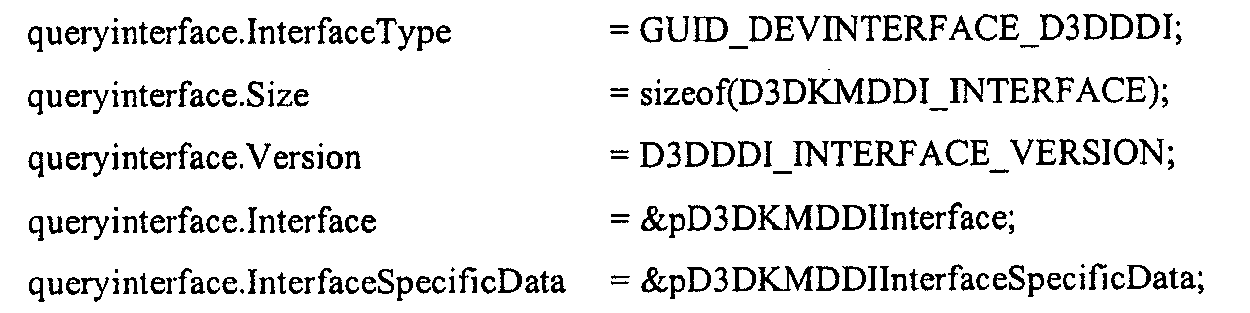
인터페이스가 성공적으로 검색된 경우, HwVidQueryInterface 호출은 NO_ERROR를 리턴하고, 그렇지 않으면 적합한 에러 코드를 리턴해야 한다. 드라이버 엔트리 포인트들은 하기의 D3DKMDDI_INTERFACE 구조에서 리턴될 수 있다. 인터페이스를 질의하는 것은 암시적으로 그것을 참조할 수 있다. 따라서, 만약 인터페이스가 질의된 후 드라이버의 초기화가 실패한다면, 드라이버가 명백한 참조를 보이지 않고서 인터페이스 역참조 기능(interface dereference function)가 호출될 수 있다. If the interface was successfully retrieved, the HwVidQueryInterface call should return NO_ERROR, otherwise it should return the appropriate error code. Driver entry points may be returned in the following D3DKMDDI_INTERFACE structure. Querying an interface can implicitly refer to it. Thus, if the driver's initialization fails after the interface is queried, the interface dereference function can be called without the driver showing an explicit reference.


D3DKMDDI_INTERFACE 구조에서 리턴된 hAdapter는 pInterfaceReference 및 pInterfaceDereference의 문맥으로서 전달될 수 있다. 그것은 또한 인터페이스의 어댑터 기능들에 대한 hAdapter 파라미터에서 전달될 수 있다. The hAdapter returned in the D3DKMDDI_INTERFACE structure can be passed as the context of pInterfaceReference and pInterfaceDereference. It can also be passed in the hAdapter parameter for the adapter functions of the interface.
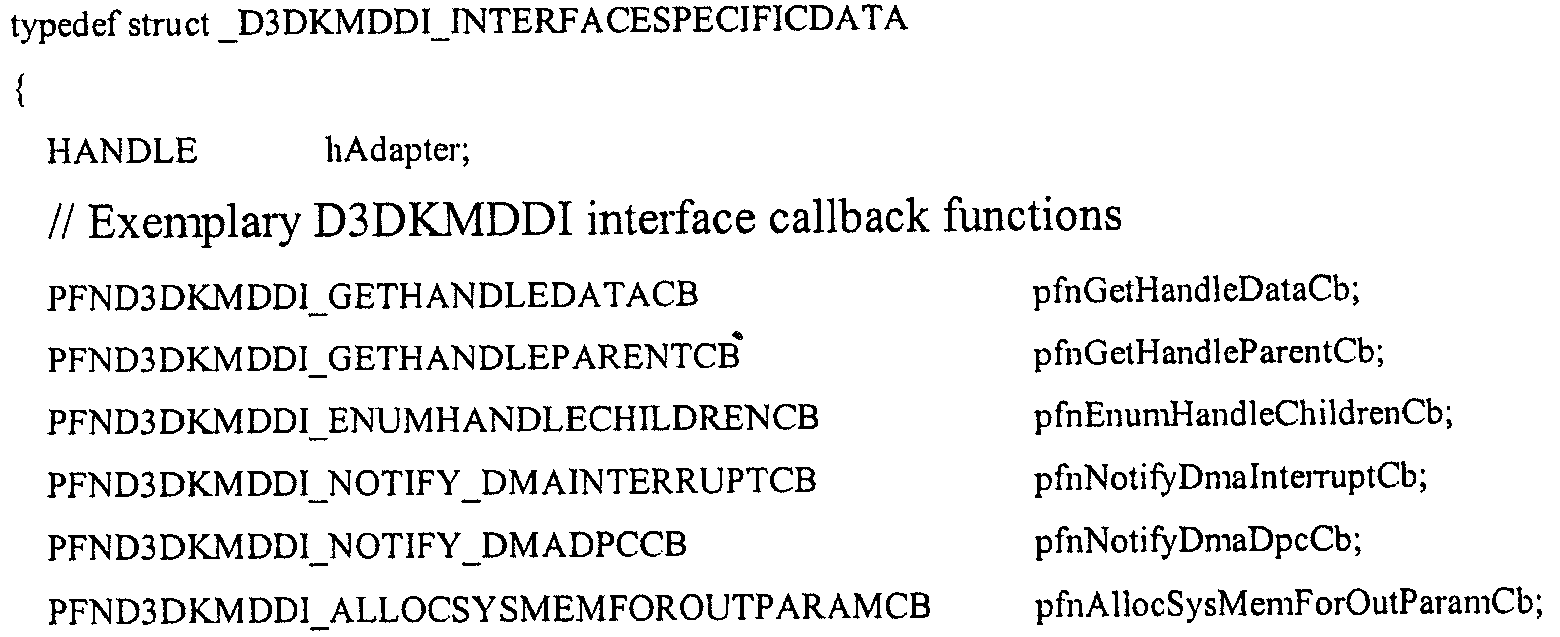

인터페이스 특유의 데이터는 드라이버가 호출할 수 있는 런타임에 콜백 기능(callback function)들로의 포인터들을 포함할 수 있다. hAdapter는 런타임의 어댑터 핸들일 수 있고, 어댑터 핸들을 요청하는 콜백을 위해 전달될 수 있다. The interface specific data may include pointers to callback functions at runtime that the driver can call. The hAdapter can be an adapter handle at runtime and can be passed in for a callback requesting an adapter handle.
상기 인터페이스들 이외에, 다음 레거시(lagacy) IOCTL들 또한 사용될 수 있다. In addition to the above interfaces, the following legacy IOCTLs may also be used.
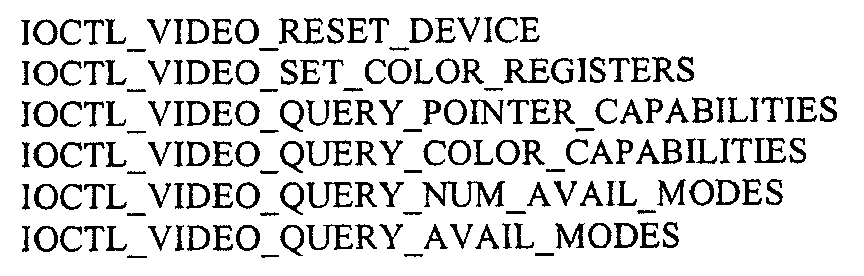

기능 EnumVideoPresentSourceSetEnumVideoPresentSourceSet
EnumVideoPresentSourceSet은, 명기된 디스플레이 어댑터가 갖는 비디오 제공 소스들의 리스트를 획득하기 위하여 개개의 디스플레이 어댑터의 포스트-렌더링(post-rendering) 비디오 표현 능력을 구동하는 VidPN 관리자 인스턴스에 의해서 시스템의 각 디스플레이 어댑터에 대해 호출될 수 있다. EnumVideoPresentSourceSet is called for each display adapter in the system by the VidPN manager instance running the post-rendering video presentation capability of the individual display adapter to obtain a list of video presenting sources for the specified display adapter. Can be.
미니포트는 INTERFACESPECIFICDATA 인터페이스를 통해 운영 시스템에 의해 제공된 AllocSysMemForOutParamCb 콜백을 사용하는 명기된 디스플레이 어댑터에 대한 비디오 제공 소스들의 요청된 세트를 포함하기에 충분히 큰 버퍼를 시스템 메모리에 할당할 수 있다. 할당의 크기는 The miniport driver can allocate a buffer large enough to contain the requested memory of the video providing sources for the specified display adapter using the AllocSysMemForOutParamCb callback provided by the operating system via the INTERFACESPECIFICDATA interface. The size of the allocation

이 되어야 한다. Should be
출력 파라미터에 대한 메모리가 할당되면, 미니포트는 하기의 정의에 기초하여 메모리를 차지할 수 있다. Once memory for an output parameter is allocated, the miniport driver may occupy memory based on the following definitions.
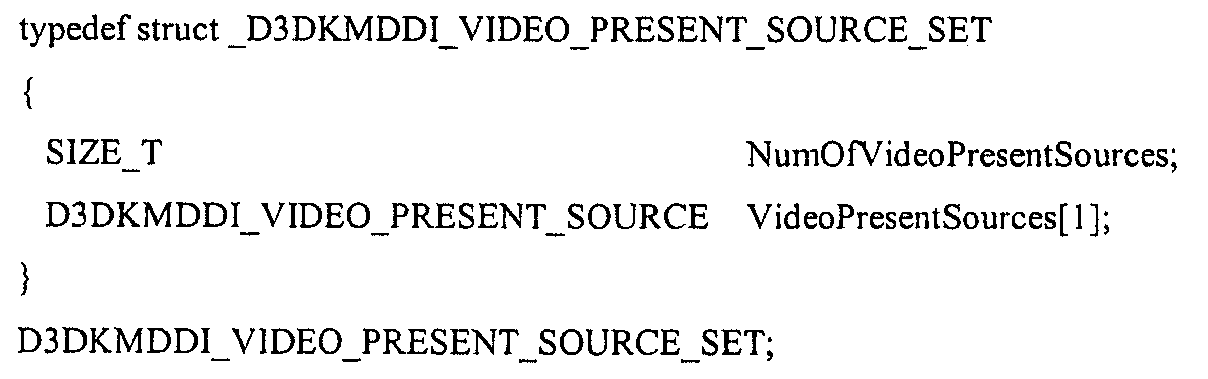
ㆍNumOfVideoPresentSources - VideoPresentSources에 리스트된 비디오 제공 소스들의 수NumOfVideoPresentSources-Number of video present sources listed in VideoPresentSources.
ㆍVideoPresentSources - 세트에 있는 비디오 제공 소스 설명자의 어레이의 주소. 구성요소들의 실제 수는 NumOfVideoPresentSources에 명기된다. VideoPresentSources-Address of an array of video present source descriptors in the set. The actual number of components is specified in NumOfVideoPresentSources.
비디오 제공 소스 설명자는 다음과 같이 정의된다. The video feed source descriptor is defined as follows.
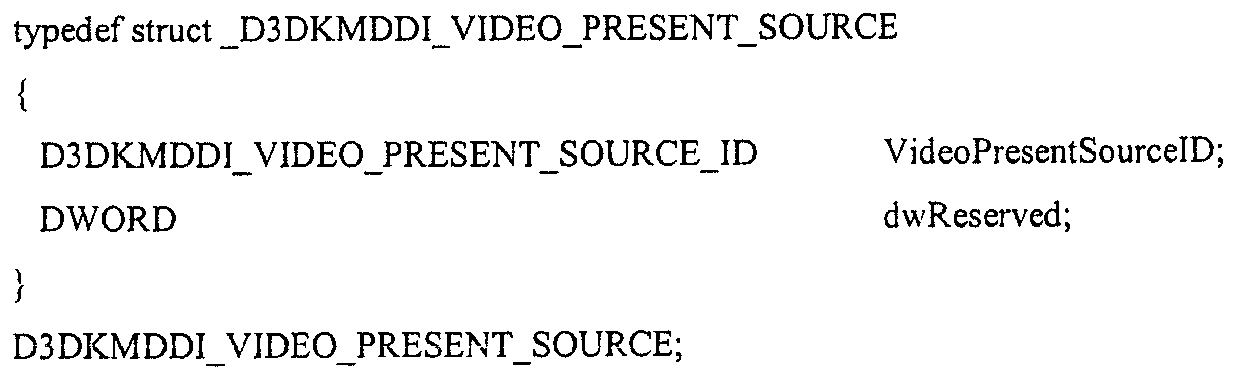
ㆍVideoPresentSourceID - 미니포트 및 운영 체제에 의해 개개의 비디오 제공 소스를 참조하기 위해 사용된 고유 ID. VideoPresentSourceID-A unique ID used by the miniport and operating system to refer to individual video source.
ㆍdwReserved - 본 발명에서 동작하는 기타 비디오 제공 소스 설명자 속성들. DwReserved-other video providing source descriptor attributes that operate on the present invention.
비디오 제공 소스 ID는 다음과 같이 정의된다. The video providing source ID is defined as follows.
typedef UINT D3DKMDDI_VIDEO_PRESENT_SOURCE_ID;typedef UINT D3DKMDDI_VIDEO_PRESENT_SOURCE_ID;
이 기능로부터 성공적으로 리턴되면, 운영 체제는 출력 파라미터에서 리턴된 데이터의 라이프타임의 소유권을 가질 수 있고, 커밋되면 할당을 지원함에 의해 차지된 메모리를 해제할 수 있다. Upon successful return from this function, the operating system can take ownership of the lifetime of the data returned in the output parameters and, once committed, free the memory taken up by supporting allocation.
리턴 코드Return code
STATUS_SUCCESS는 드라이버가 성공적으로 호출을 핸들링했다는 것을 나타낸다.STATUS_SUCCESS indicates that the driver handled the call successfully.
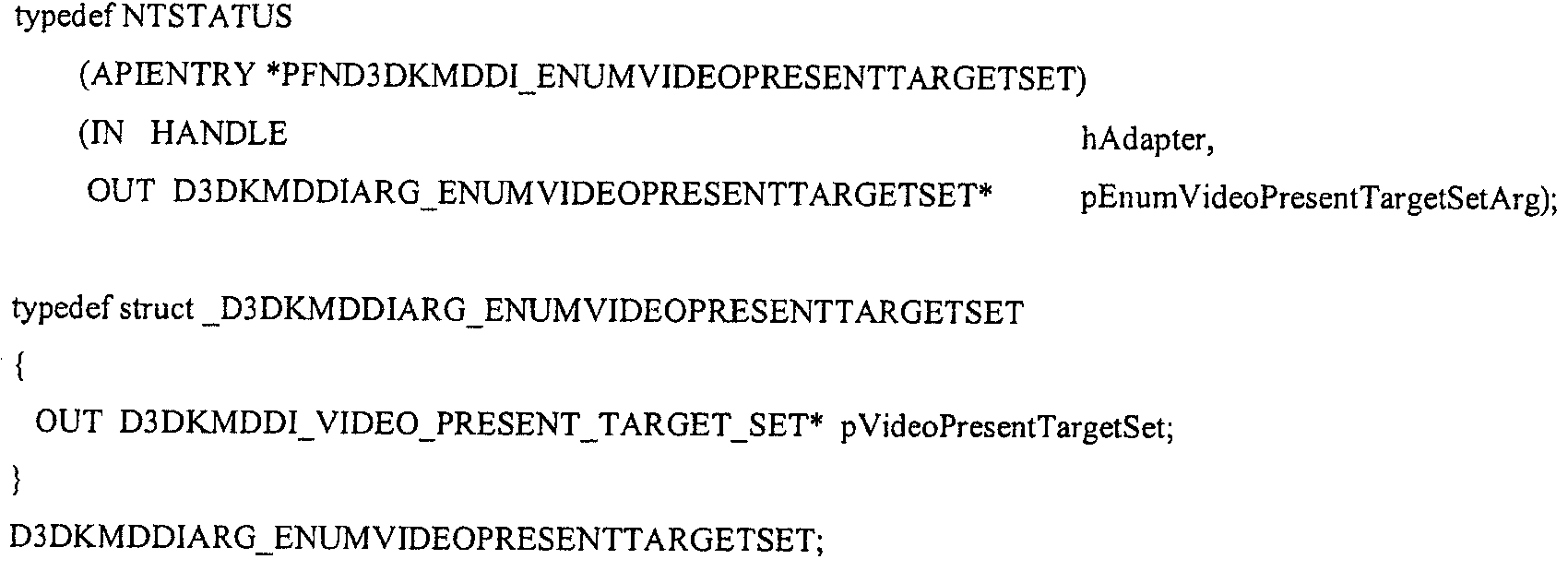
기능 EnumVideoPresentTargetSetFeature EnumVideoPresentTargetSet
EnumVideoPresentTargetSet은 명기된 디스플레이 어댑터가 갖는 비디오 제공 타겟들의 리스트를 획득하기 위하여 개개의 디스플레이 어댑터의 포스트-렌더링 비디오 표현 능력을 구동하는 VidPN 관리자 인스턴스에 의해 시스템의 각 디스플레이 어댑터에 대해 호출될 수 있다. EnumVideoPresentTargetSet can be called for each display adapter in the system by the VidPN manager instance running the post-rendering video presentation capability of the individual display adapter to obtain a list of video present targets that the specified display adapter has.
미니포트는 INTERFACESPECIFICDATA 인터페이스를 통해 운영 체제에 의해 제공된 AllocSysMemForOutParamCb 콜백을 사용하는 명기된 디스플레이 어댑터에 대한 비디오 제공 소스들의 요청된 세트를 포함하기에 충분히 큰 버퍼를 시스템 메모리에 할당할 수 있다. 할당의 크기는 
이 되어야 한다. Should be
출력 파라미터에 대한 메모리가 할당되면, 미니포트는 하기의 정의에 기초하여 메모리를 차지할 수 있다. Once memory for an output parameter is allocated, the miniport driver may occupy memory based on the following definitions.
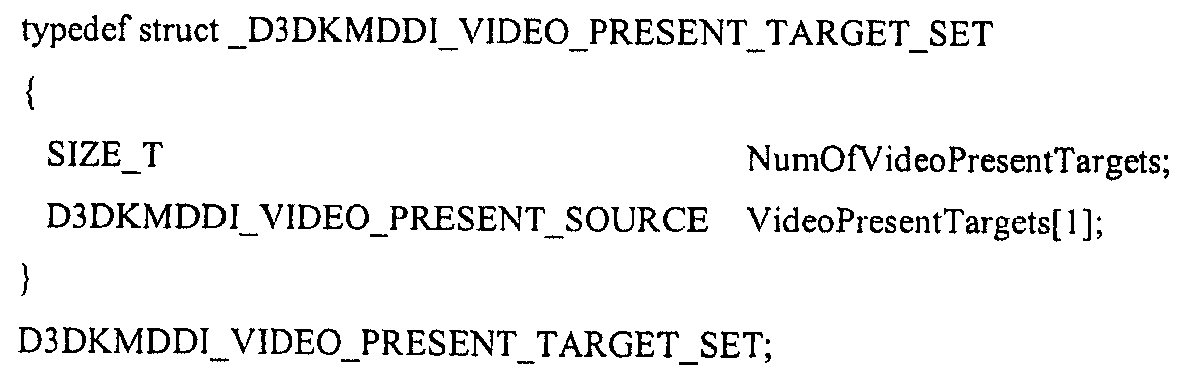
ㆍNumOfVideoPresentTargets - VideoPresentSources에 리스트된 비디오 제공 타겟들의 수. NumOfVideoPresentTargets-Number of video present targets listed in VideoPresentSources.
ㆍVideoPresentSources - 세트에 있는 비디오 제공 타겟 설명자들의 어레이의 주소. 구성요소들의 실제 수는 NumOfVideoPresentTargets에 명기된다. VideoPresentSources-Address of an array of video present target descriptors in the set. The actual number of components is specified in NumOfVideoPresentTargets.
비디오 제공 타겟 설명자는 다음과 같이 정의된다. The video providing target descriptor is defined as follows.
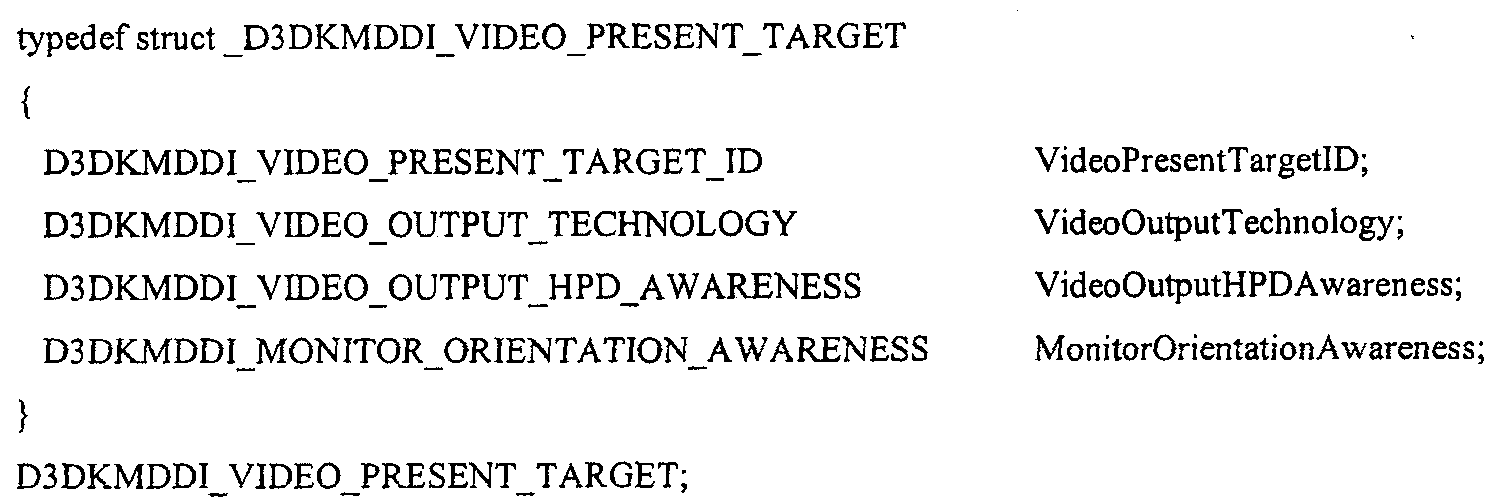
ㆍVideoPresentTargetID - 미니포트 및 운영 체제에 의해 개개의 비디오 제공 타겟을 참조하기 위하여 사용된 고유 ID. VideoPresentTargetID-Unique ID used by the miniport and operating system to refer to individual video present targets.
ㆍVideoOutputTechnology - 비디오 출력 기술의 유형.VideoOutputTechnology-Type of video output technology.
ㆍVideoOutputHPDAwareness - 비디오 출력의 HPD 인식의 유형. VideoOutputHPDAwareness-Type of HPD recognition of video output.
ㆍMonitorOrientationAwareness - 모니터 지향 인식. MonitorOrientationAwareness-Monitor-oriented awareness.
비디오 제공 타겟 ID는 다음과 같이 정의된다. The video providing target ID is defined as follows.
typedef UINT D3DKMDDI_VIDEO_PRESENT_TARGET_ID;typedef UINT D3DKMDDI_VIDEO_PRESENT_TARGET_ID;
비디오 출력 기술 유형 설명자는 다음과 같이 정의된다. The video output description type descriptor is defined as follows.

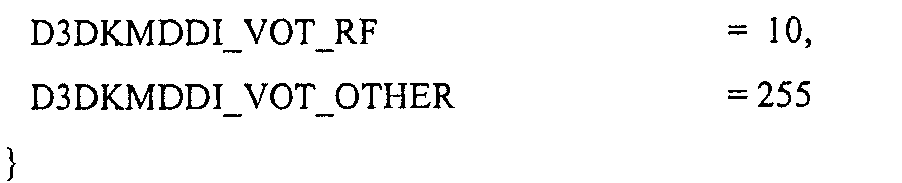
비디오 출력 HPD 인식 설명자 유형은 다음과 같이 정의된다. The video output HPD recognition descriptor type is defined as follows.

비디오 출력 HPD 인식은 비디오 출력 상의 디스플레이 어댑터에 의해 감지된 모니터 연결성의 수준을 표현하기 위해 사용될 수 있으며, 다음 네 가지 유형이 이용가능하다. Video output HPD recognition can be used to represent the level of monitor connectivity detected by the display adapter on the video output. Four types are available.
1. 미니포트가 모니터 도착/출발에 대해 운영 시스템에 비동기적으로 통지할 수 있는 경우에만 인터럽트가능한 HPD-인식(Interruptible HPD-awareness). 1. Interruptible HPD-awareness only if the miniport driver can asynchronously notify the operating system about arrival / departure of the monitor.
2. 미니포트가 모니터 도착/출발에 대해 운영 체제에 비동기적으로 통지할 수 없지만, 시각적인 인공물을 유발하지 않고서 운영 체제가 모니터의 존재에 대해 주기적으로 폴링할 수 있는 경우에만 비파괴적으로 폴링된 HPD-인식(Non-Destructively Polled HPD-awareness).2. The miniport driver cannot asynchronously notify the operating system about the arrival / departure of the monitor, but is only polled non-destructively if the operating system can periodically poll for the presence of the monitor without causing visual artifacts. Non-Destructively Polled HPD-awareness.
3. 미니포트가 모니터 도착/출발에 대해 운영 체제에 비동기적으로 통지할 수 없지만, 각 폴링에 대하여 시각적 인공물을 유발하면서, 운영 체제가 모니터의 존재에 대해 산발적으로 폴링할 수 있는 경우에만 파괴적으로 폴링된 HPD-인식(Destructively Polled HPD-awareness).3. The miniport driver cannot asynchronously notify the operating system about the arrival / departure of the monitor, but only destructively if the operating system can sporadically poll for the presence of the monitor, causing visual artifacts for each poll. Destructively Polled HPD-awareness.
4. 미니포트가 인터럽트나 폴링을 통해서 모니터 도착/출발을 인식하지 못하는 경우에만 비 HPD-인식(No HPD-awareness).4. No HPD-awareness only if the miniport driver does not recognize monitor arrival / departure through interrupts or polling.
모니터 지향 인식은 다음과 같이 정의될 수 있다. Monitor oriented perception can be defined as follows.
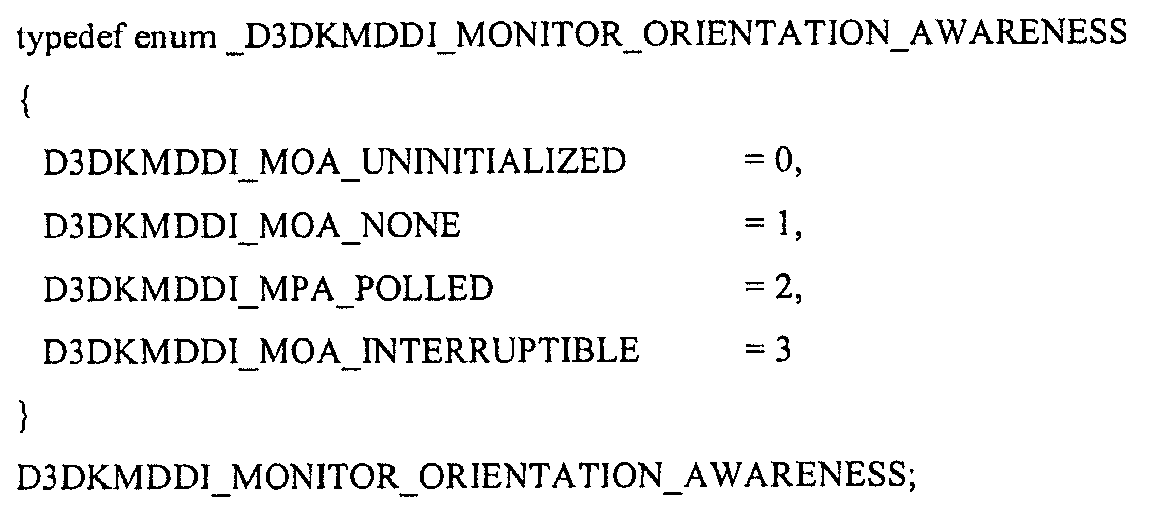
이 기능로부터 성공적으로 리턴되면, 운영 체제는 출력 파라미터에 리턴된 데이터의 라이프타임의 소유권을 가질 수 있고, 커밋되면 할당을 지원함으로써 차지하였던 메모리를 해제할 수 있다. Upon successful return from this function, the operating system can take ownership of the lifetime of the data returned in the output parameters and, once committed, release the memory it has occupied by supporting allocation.
리턴 코드Return code
STATUS_SUCCESS는 드라이버가 성공적으로 호출을 핸들링하였음을 나타낸다.STATUS_SUCCESS indicates that the driver handled the call successfully.
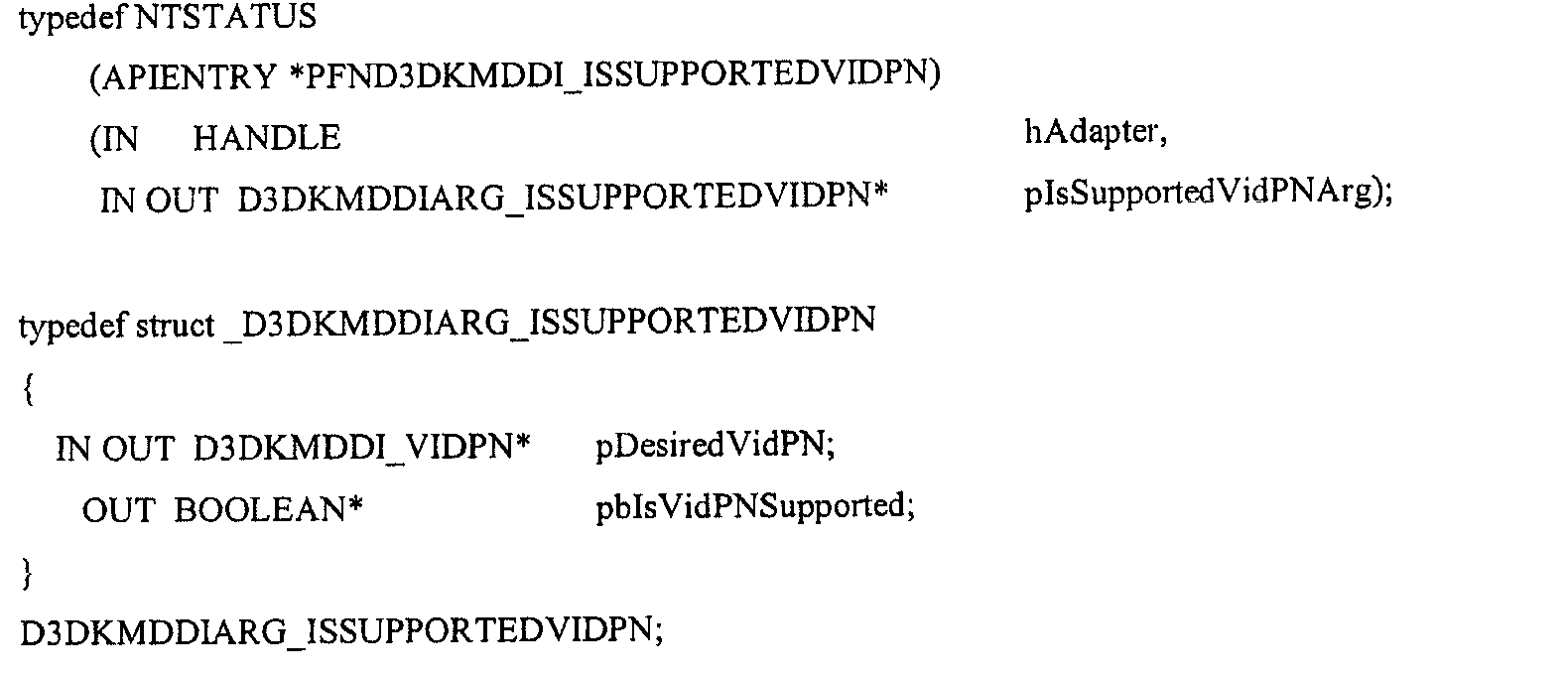
기능 IsSupportedVidPNFunction IsSupportedVidPN
IsSupportedVidPN은 제공된 VidPN 구성이 지원되는지를 운영 체제가 미니포트에게 질문하도록 허용할 수 있다(예를 들어, 기능적 VidPN으로 확장될 수 있다). 첫 번째 파라미터 hAdapter는 문제의 VidPN 지원에 대한 디스플레이 어댑터를 명기할 수 있다. 실제 VidPN은 두 번째 파라미터의 첫 번째 필드 pIsSupportedVidPNArg->pDesiredVidPN에 명기될 수 있으며, VidPN 설명자는 다음과 같이 정의될 수 있다. IsSupportedVidPN can allow the operating system to ask the miniporter whether a provided VidPN configuration is supported (eg, can be extended to a functional VidPN). The first parameter, hAdapter, can specify the display adapter for the VidPN support in question. The actual VidPN may be specified in the first field pIsSupportedVidPNArg-> pDesiredVidPN of the second parameter, and the VidPN descriptor may be defined as follows.

VidPN 위상 설명자는 다음과 같이 정의될 수 있다. The VidPN phase descriptor may be defined as follows.

VidPNPresentPathSet은 VidPN의 위상을 구성하는 비디오 제공 경로들의 세트를 나타낼 수 있다. VidPNPresentPathSet may represent a set of video presentation paths that constitute the topology of the VidPN.

1. VidPNPresentPaths에 있는 비디오 제공 경로들의 수를 포함하는 NumOfVidPNPresentPaths, 및1. NumOfVidPNPresentPaths containing the number of video presentation paths in VidPNPresentPaths, and
2. VidPN의 위상을 구성하는 비디오 제공 경로들의 어레이를 포함하는 VidPNPresentPaths2. VidPNPresentPaths containing an array of video feed paths that make up the topology of the VidPN.
를 갖는다. Has
VidPN 제공 경로 설명자는 다음과 같이 정의될 수 있다. The VidPN provisioning path descriptor may be defined as follows.
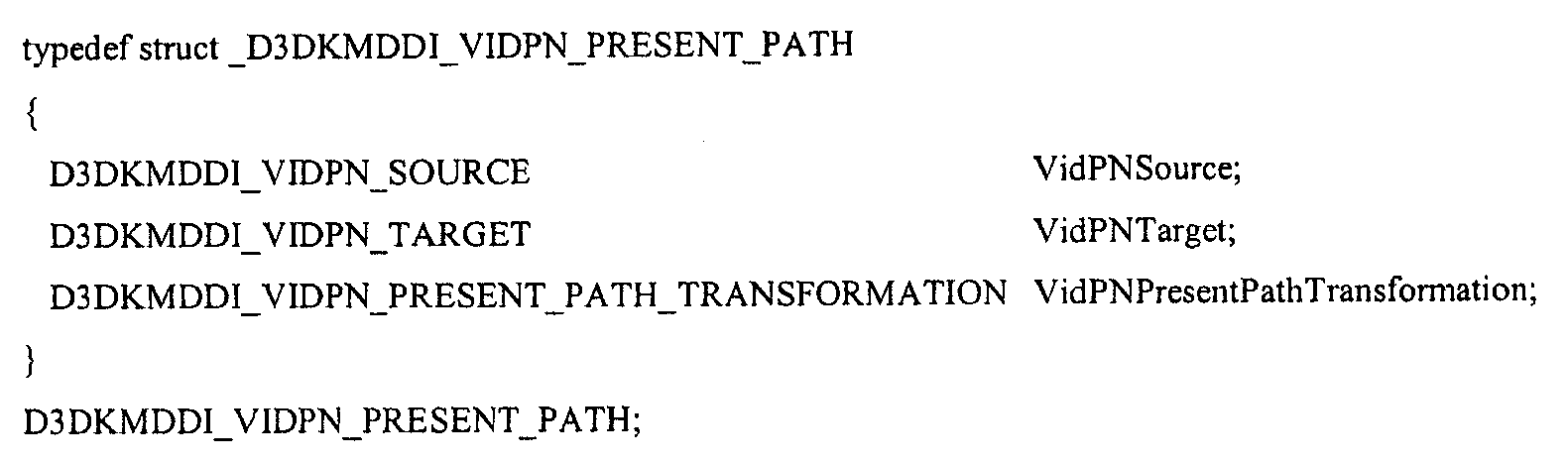
D3DKMDDI_VIDPN_PRESENT_PATH는 VidPN 위상에서 단일 비디오 제공 타겟으로부터 단일 비디오 제공 소스로의 매핑을 설명하기 위하여 사용될 수 있는 비디오 제공 경로 설명자이며, 다음을 갖는다. D3DKMDDI_VIDPN_PRESENT_PATH is a video presentation path descriptor that can be used to describe the mapping from a single video presentation target to a single video presentation source in the VidPN topology and has the following.
ㆍVidPNSource는 비디오 제공 경로의 소스 설명자이다. VidPNSource is the source descriptor of the video delivery path.
ㆍVidPNTarget은 비디오 제공 경로의 타겟 설명자이다. VidPNTarget is a target descriptor of the video providing path.
ㆍVidPNPresentPathTransformation은 비디오 제공 경로의 내용 변환 설명자이다. VidPNPresentPathTransformation is the content transformation descriptor of the video delivery path.
VidPN 소스 설명자는 다음과 같이 정의될 수 있다. The VidPN source descriptor may be defined as follows.

ㆍVidPNSourceID는 미니포트 및 운영 시스템에 의해 개개의 비디오 제공 소스를 참조하기 위해 사용된 고유 ID이다. VidPNSourceID is a unique ID used by the miniport and operating system to refer to individual video feed sources.
ㆍPinnedModeIndex는 현재의 VidPN 구성이 주어지면 이 비디오 제공 소스에서 사용가능한 모드들의 공통-기능적(co-functional) 세트에서 피닝되는 비디오 제공 소스 모드의 인덱스, 또는 만약 이 소스에서 피닝되는 모드가 없다면 D3DKMDDI_NO_PINNED_MODE이다. PinnedModeIndex is the index of the video serving source mode pinned in the co-functional set of modes available in this video serving source, given the current VidPN configuration, or D3DKMDDI_NO_PINNED_MODE if there is no mode pinned at this source. .
ㆍpCofuncVidPNSourceModeSet은 이 소스가 구성원인 현재의 (부분적 또는 임시적) VidPN과 공통-기능적인 VidPN 소스 모드이다. PCofuncVidPNSourceModeSet is a VidPN source mode that is co-functional with the current (partial or temporary) VidPN to which this source is a member.
VidPN 소스 모드 세트 설명자는 다음과 같이 정의될 수 있다. The VidPN source mode set descriptor may be defined as follows.

ㆍVidPNSourceModes에 리스트된 비디오 제공 소스 모드들의 수를 명기하는 NumOfVidPNSourceModes.NumOfVidPNSourceModes specifying the number of video present source modes listed in VidPNSourceModes.
ㆍ세트에 있는 비디오 제공 소스 모드들의 어레이를 포함하는 VidPNSourceModesVidPNSourceModes containing an array of video present source modes in the set
를 갖는다. Has
VidPN 소스 모드 설명자는 다음과 같이 정의될 수 있다. The VidPN source mode descriptor may be defined as follows.

VidPN 소스 모드 유형 설명자를 포함하는 Type을 가지며, 다음과 같이 정의된다. It has a Type containing a VidPN source mode type descriptor, which is defined as follows:
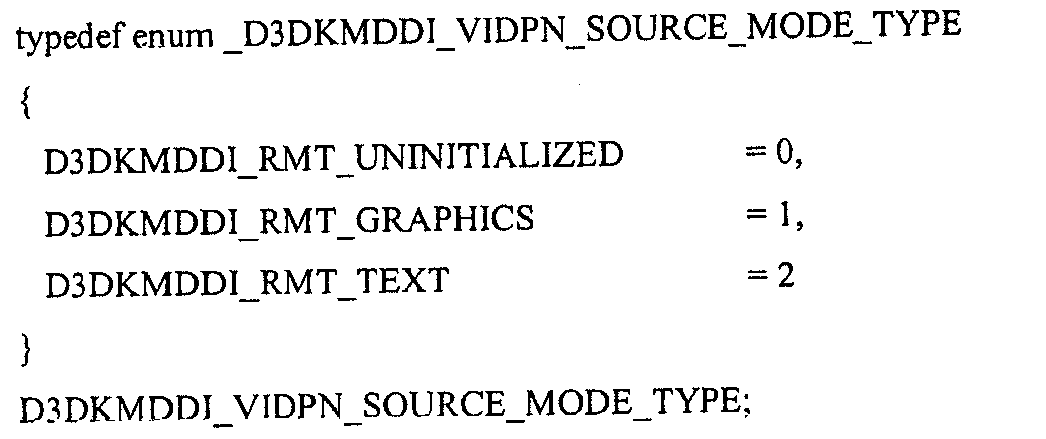
만약 Type이 D3DKMDDI_RMT_GRAPHICS와 같다면, 소스 모드 설명자는 포맷 설명자 grfxFormat을 렌더링하는 그래픽을 포함하며, 다음과 같이 정의된다. If Type is equal to D3DKMDDI_RMT_GRAPHICS, the source mode descriptor contains the graphics that render the format descriptor grfxFormat, which is defined as follows:

ㆍ이 VidPN 소스 모드에 대해 요구되는 주요 표면의 크기를 명기하는 sizePrimSurf. SizePrimSurf specifying the size of the major surface required for this VidPN source mode.
ㆍ줌 모드를 포함하는 팬 모드(panned mode)에 대해 사용된, 주요 표면의 보이는 부분의 크기를 명기하는 sizeVisible. SizeVisible, which specifies the size of the visible portion of the main surface, used for panned mode including zoom mode.
ㆍ하나의 스캔 라인의 시작과 다음 사이의 바이트들의 수를 명기하는 dwStride.DwStride specifying the number of bytes between the start of one scan line and the next.
ㆍ픽셀 포맷을 명기하는 PixelFormat.PixelFormat specifying the pixel format.
ㆍ픽셀 값 정보에 대한 액세스 모드를 명기하는 PixelValueAccessMode. PixelValueAccessMode specifying the access mode for pixel value information.
를 갖는다.Has
한편, Type이 D3DKMDDI_RMT_TEXT와 동일하면, 소스 모드 기술자는 다음과 같이 정의되는 포맷 기술자, textFormat를 렌더링하는 텍스트를 포함한다:On the other hand, if Type is equal to D3DKMDDI_RMT_TEXT, the source mode descriptor contains the text that renders the format descriptor, textFormat, which is defined as follows:
또한, VidPN 타겟 기술자는 다음과 같이 정의될 수 있으며:In addition, the VidPN target descriptor can be defined as follows:
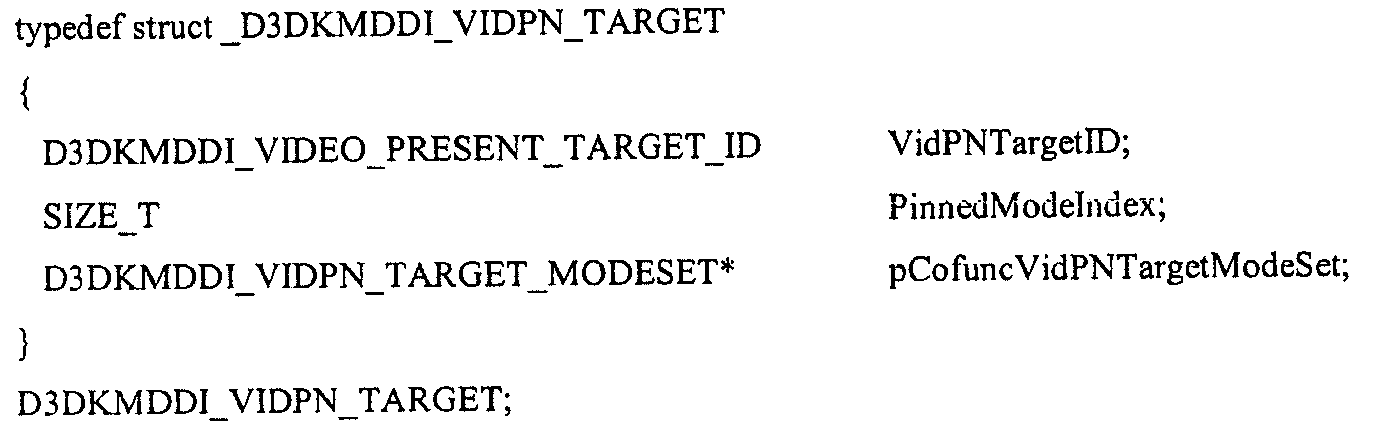
여기서,here,
ㆍVidPNTargetID는 대표 비디오 제공 타겟을 참조하기 위해 미니포트 및 운영 체제에 의해 사용되는 고유한 ID이다. 이 값은 EnumVideoPresentTargetSet를 호출함으로써 얻을 수 있다. VidPNTargetID is a unique ID used by the miniport and operating system to refer to the representative video feed target. This value can be obtained by calling EnumVideoPresentTargetSet.
ㆍPinnedModeIndex는 현재 VidPN 구성이 주어진 이 비디오 제공 타겟 상에서 사용가능한 모드들의 공통-기능적 세트에 피닝된 비디오 제공 타겟 모드의 인덱스이고, 이 타겟에 피닝된 모드가 없으면, D3DKMDDI_NO_PINNED_MODE이다. PinnedModeIndex is the index of the video present target mode pinned to the common-functional set of modes available on this video present target given the current VidPN configuration, and D3DKMDDI_NO_PINNED_MODE if this target does not have a pinned mode.
ㆍpCofuncVidPNSourceModeSet은 이 타겟이 멤버인 현재 (부분적) VidPN과 여세트인 VidPN 타겟 모드이다. PCofuncVidPNSourceModeSet is the current (partial) VidPN of which this target is a member and the VidPN target mode that is the subset.
VidPN 타겟 모드 세트 설명자는 다음과 같이 정의될 수 있으며:The VidPN target mode set descriptor can be defined as follows:
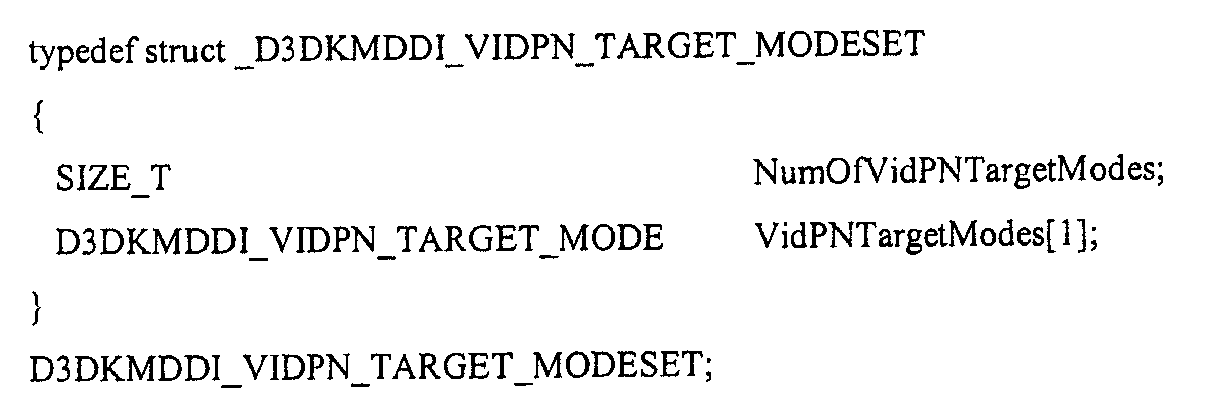
여기서,here,
ㆍNumOfVidPNTargetModes는 VidPNTargetModes 내에 리스트된 비디오 제공 타겟 모드의 수를 특정한다. NumOfVidPNTargetModes specifies the number of video present target modes listed in VidPNTargetModes.
ㆍVidPNTargetModes는 세트 내의 비디오 제공 타겟 모드의 어레이를 포함한다. 여기서 VidPN 타겟 모드 설명자는 테이블 53에 나타난 바와 같이 정의될 수 있다: VidPNTargetModes includes an array of video present target modes in the set. Where the VidPN target mode descriptor may be defined as shown in Table 53:

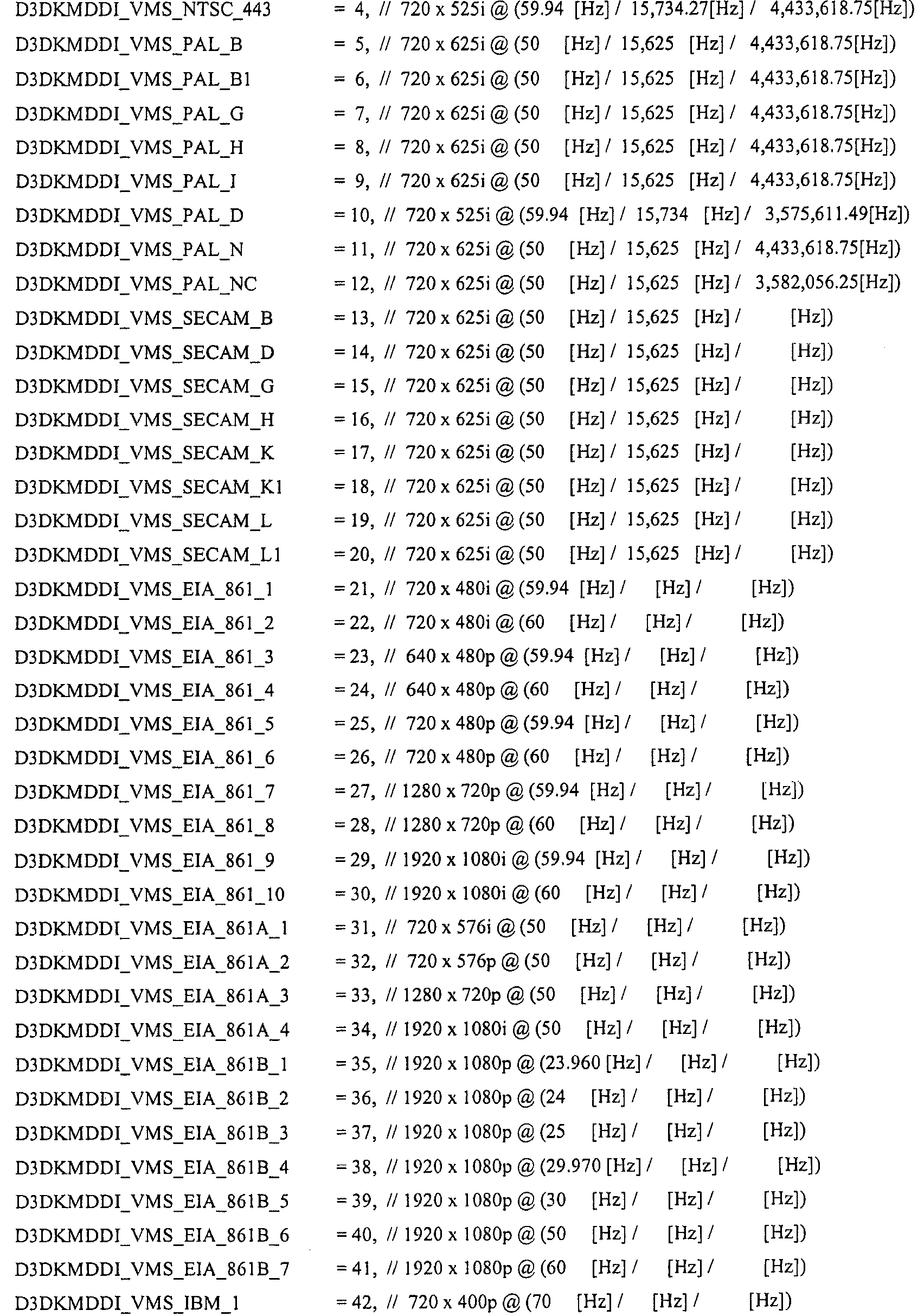


VidPN 타겟 모드 설명자VidPN Target Mode Descriptor
여기서,here,
ㆍvidStandard는 이 모드를 정의하는 비디오 모드 표준을 특정한다(있는 경우). VidStandard specifies the video mode standard, if any, that defines this mode.
ㆍsizeTotal은 비디오 신호의 크기를 픽셀로 특정한다(예를 들어, HTotal & VTotal). SizeTotal specifies the size of the video signal in pixels (e.g., HTotal & VTotal).
ㆍsizeActive는 제공된 이미지의 크기를 활성 픽셀로 특정한다(예를 들어, HActive & VActive). SizeActive specifies the size of the provided image as the active pixel (eg HActive & VActive).
ㆍsizeActiveOffset은 총 픽셀에 관련하여 활성 픽셀의 위치를 특정한다. SizeActiveOffset specifies the position of the active pixel in relation to the total pixels.
ㆍsizeTLDeltaVisibleFromActive는 비디오 신호의 활성 픽셀 우측 하부 코너에서부터 가시화가능한 픽셀들의 좌측 상부 코너의 모니터 스크린의 델타를 특정한다. SizeTLDeltaVisibleFromActive specifies the delta of the monitor screen of the upper left corner of the visible pixels from the lower right corner of the active pixel of the video signal.
ㆍsizeBRDeltaVisibleFromActive는 비디오 신호의 활성 픽셀들의 우측 하부 코너에서부터 가시화가능한 픽셀들의 우측 하부 코너의 모니터 스크린의 델타를 특정한다. SizeBRDeltaVisibleFromActive specifies the delta of the monitor screen of the lower right corner of the visible pixels from the lower right corner of the active pixels of the video signal.
ㆍfrqVSync는 이 모드의 수직 재생 주파수를 (Hz로) 특정한다. FrqVSync specifies the vertical playback frequency (in Hz) of this mode.
ㆍfrqHSync는 이 모드의 수평 재생 주파수를 (KHz로) 특정한다. FrqHSync specifies the horizontal playback frequency (in KHz) of this mode.
ㆍsztPixelRate는 이 모드의 픽셀 클럭 속도를 특정한다. SztPixelRate specifies the pixel clock rate for this mode.
ㆍScanLineOrdering은 이 모드의 스캔 라인 순서화를 특정한다(예를 들어, 순차적, 비순차적). ScanLineOrdering specifies the scan line ordering in this mode (eg sequential, nonsequential).
ㆍIsGTFCompliant는 이 모드의 VSync, HSync, 및 클럭 속도가 VESA 일반화된 타이밍 공식에 의해 부과된 제한을 따르는지를 특정한다. IsGTFCompliant specifies whether the VSync, HSync, and clock rates of this mode follow the limits imposed by the VESA generalized timing formula.
ㆍModePrefernce는 개별적인 비디오 출력에 연결된 모니터가 이 모드를 선호하는지를 특정한다.• ModePrefernce specifies whether the monitor connected to the individual video outputs prefers this mode.
비디오 신호 표준 열거는 적적한 때에 비디오 모드 비교들을 단순화하기 위해 사용될 수 있다.Video signal standard enumeration can be used to simplify video mode comparisons when appropriate.
분수적 주파수 기술자는 다음과 같이 정의된다:Fractional frequency descriptors are defined as follows:
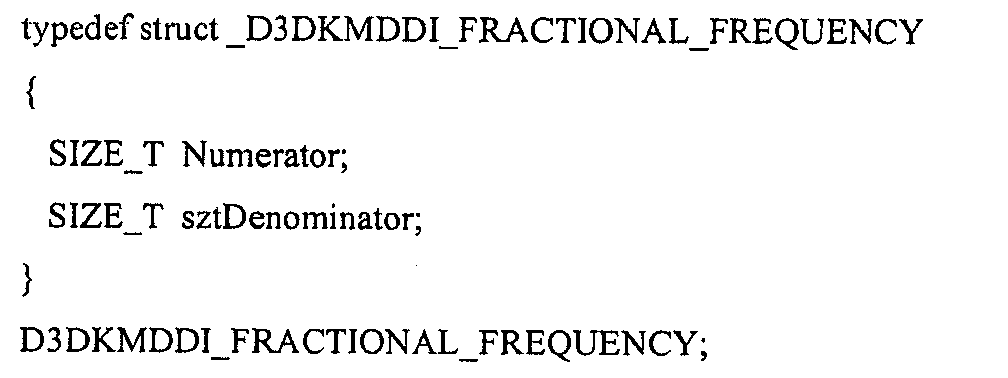
여기서,here,
ㆍNumerator는 분수적 주파수 분자를 특정한다. Numerator specifies fractional frequency molecules.
ㆍDenominator는 분수적 주파수 분모를 특정한다. Denominator specifies a fractional frequency denominator.
수직 주파수들은 Hz로 저장될 수 있고, 수평 주파수들은 KHz로 저장될 수 있다. (32비트 시스템 상에서) 해상도가 10^-7인 이 인코딩 포맷의 동적 범위는 {0..(2^32-1)/10^7}이며, 수직 주파수에 대해서 {0..428.4967296}[Hz]이고 수평 주파수에 대해서 {0..428.4967296}[KHz]로 해석된다. 이 서브-마이크로 초 정밀도 범위는 프로-비디오 애플리케이션에 대해서 조차 수용가능해야 한다(비디오 신호 동기화를 위한 일 마이크로 초 내의 에러는 10^7/(60*60*24)=155.741일(day)의 사이클이 지난 시간을 의미할 수 있음).Vertical frequencies can be stored in Hz and horizontal frequencies can be stored in KHz. The dynamic range of this encoding format with resolution 10 ^ -7 (on 32-bit systems) is {0 .. (2 ^ 32-1) / 10 ^ 7} and {0..428.4967296} [Hz for vertical frequency] ] And {0..428.4967296} [KHz] for the horizontal frequency. This sub-microsecond precision range should be acceptable even for pro-video applications (errors within one microsecond for video signal synchronization are 10 ^ 7 / (60 * 60 * 24) = 155.741 day cycles). Can mean last time).
비디오 신호 스캔-라인 순서화 기술자는 다음과 같이 정의될 수 있으며:The video signal scan-line sequencing descriptor can be defined as follows:


각각의 필드가 프레임의 전체 콘텐츠를 포함하는지 또는 그것의 절반만을 포함하는지를 특정하기 위해 사용될 수 있다(예를 들어, 상호호환가능하게 짝수/홀수 라인). 이러한 특성들을 열거를 사용하여 명시적으로 특정하는 것은 클라이언트를 모드-기반 룩업 테이블을 유지하는 것으로부터 자유롭게 하고 D3DKMDDI_VIDEO_SIGNAL_STANDARD 열거에 리스트되지 않는 향후의 표준 모드를 위해 확장가능하다.Can be used to specify whether each field contains the entire contents of a frame or only half thereof (eg, interchangeably even / odd lines). Explicitly specifying these properties using enumeration frees the client from maintaining a mode-based lookup table and is extensible for future standard modes not listed in the D3DKMDDI_VIDEO_SIGNAL_STANDARD enumeration.
가시화가능한 픽셀들의 크기 & 오프셋보다는 가시화가능한/활성적 픽셀 매핑을 위해 델타를 소팅하면 영(zero)인 이상적인/디폴트 상태의 이익을 얻을 수 있다.Sorting the delta for visible / active pixel mapping, rather than the size & offset of the visibleable pixels, can benefit from a zero ideal / default state.
VidPN 제공 경로 변경 기술자는 다음과 같이 정의될 수 있다:The VidPN-provided rerouting descriptor can be defined as follows:
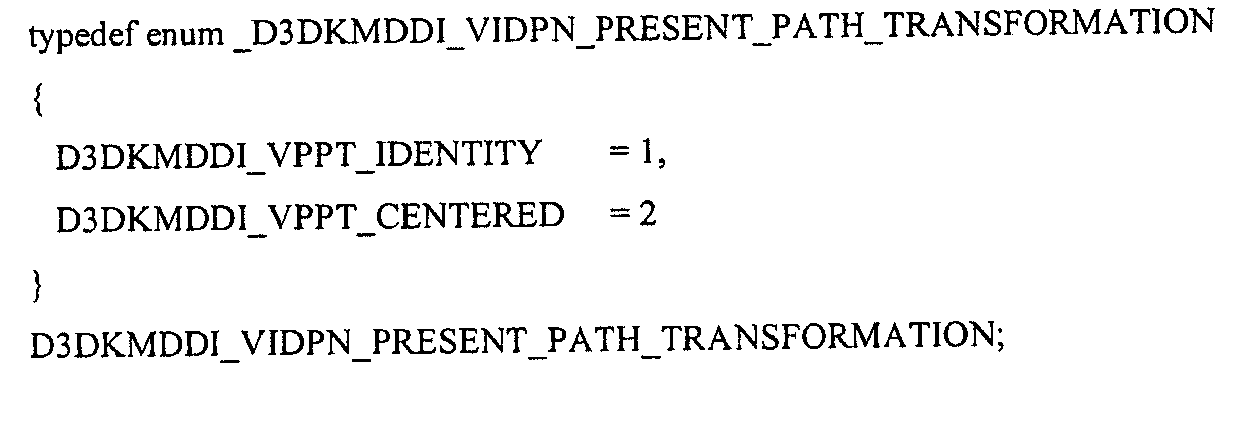
여기서,here,
ㆍD3DKMDDI_VPPT_IDENTITY는 is로 제공된 소스 콘텐츠를 나타낸다. 비디오 제공 소스와 타겟 모드의 공간적인 해상도가 매치하면, 이 변경이 가능함을 명심해야 한다. D3DKMDDI_VPPT_IDENTITY indicates the source content provided in is. Keep in mind that this change is possible if the spatial resolution of the video delivery source and target mode matches.
ㆍD3DKMDDI_VPPT_CENTERED는 타겟 모드의 공간적인 해상도에 관련하여 계산되지 않고 중심화되어 표시된 소스 콘텐츠를 나타낸다. 특정된 VidPN은 적어도 유효한 토폴로지를 특정해야 하지만, 개별적으로 피닝된 모드들로 구성된 그것의 타겟/소스의 일부 또는 모두를 가질 수도 있다. D3DKMDDI_VPPT_CENTERED represents the source content displayed centered and not calculated in relation to the spatial resolution of the target mode. The specified VidPN must specify at least a valid topology, but may have some or all of its targets / sources configured in individually pinned modes.
리턴 코드Return code
STATUS_SUCCESS는 드라이버가 호출을 성공적으로 조정했음을 나타낸다. STATUS_SUCCESS indicates that the driver successfully tuned the call.
STATUS_SUCCESS_GRAPHICS_INVALID_VIDPN_TOPOLOGY는 특정된 VidPN 토폴로지가 무효함을 나타낸다. STATUS_SUCCESS_GRAPHICS_INVALID_VIDPN_TOPOLOGY indicates that the specified VidPN topology is invalid.
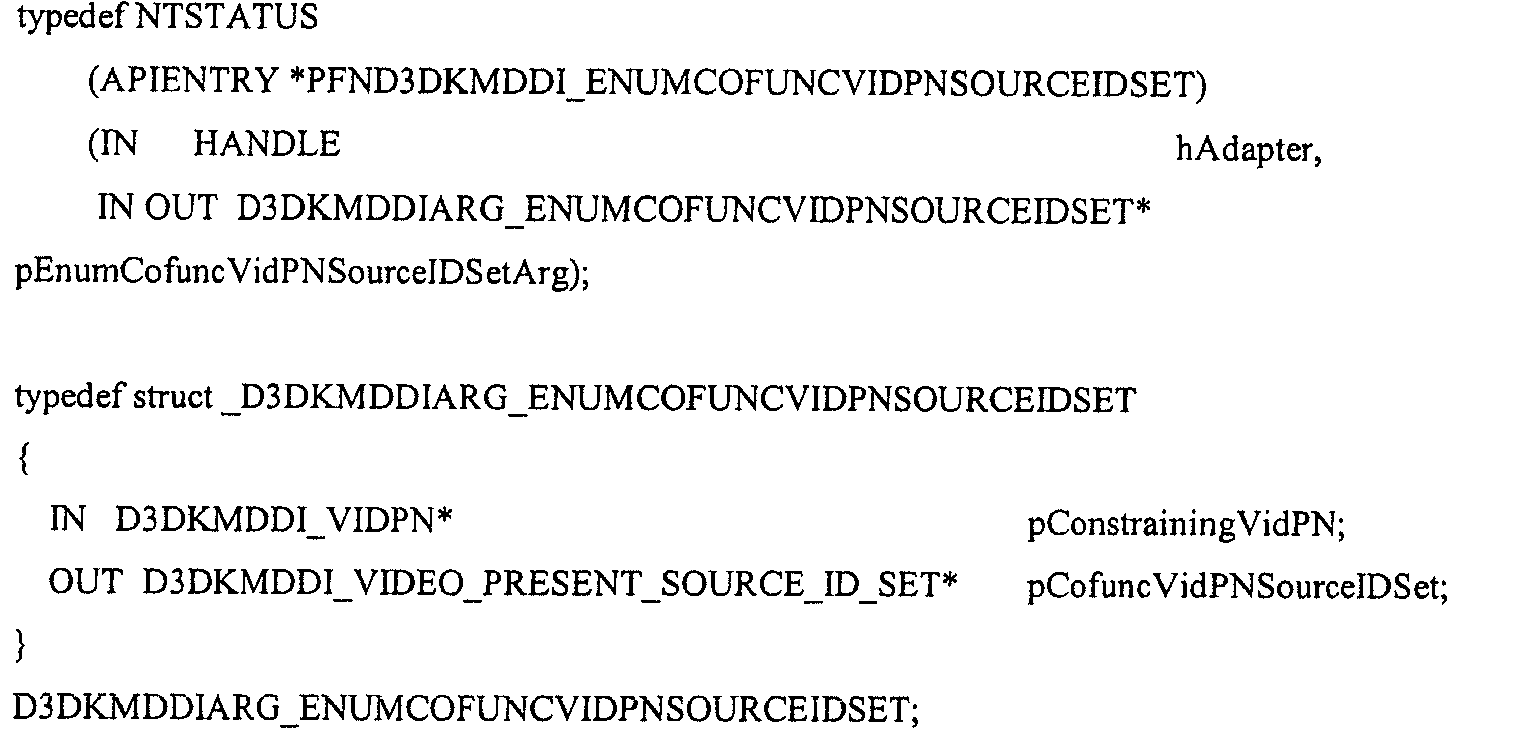
기능 EnumCofuncVidPNSourceIDSetFunction EnumCofuncVidPNSourceIDSet
EnumConfuncVidPNSourceIDSet은 특정된 VidPN 구현과 공통-기능적인 VidPN 소스 ID들의 세트를 열거한다. VidPN 소스는 VidPN 구현이 무효하거나 지원되지 않음을 렌더링하지 않고 적어도 하나의 비디오 제공 경로를 통해 자신의 토폴로지에 추가될 수 있으면, 주어진 VidPN 구현과 공통-기능적일 수 있다. 미니포트는 pEnumCofuncVidPNSourceIDSetArg가 가리키는 충분히 큰 버퍼를 할당하여, D3DKMDDI_INTERFACESPECIFICDATA.pfnAllocSysMemForOutParamCd를 사용하여 전체 열거 결과를 수용한다. 할당의 크기는 (D3DKMDDI_VIDEO_PRESENT_SOURCE_ID_SET)의 크기+(D3DKMDDI_VIDEO_PRESENT_SOURCE_ID)의 크기*(공통-기능적인 비디오 제공 소스의 개수 - 1)이어야 한다.EnumConfuncVidPNSourceIDSet enumerates a set of VidPN source IDs that are common to the specified VidPN implementation. The VidPN source can be co-functional with a given VidPN implementation if it can be added to its topology via at least one video presentation path without rendering the VidPN implementation invalid or unsupported. The miniport driver allocates a sufficiently large buffer pointed to by pEnumCofuncVidPNSourceIDSetArg and accepts the entire enumeration result using D3DKMDDI_INTERFACESPECIFICDATA.pfnAllocSysMemForOutParamCd. The size of the allocation must be the size of (D3DKMDDI_VIDEO_PRESENT_SOURCE_ID) + the size of (D3DKMDDI_VIDEO_PRESENT_SOURCE_ID_SET) * (the number of common-functional video providing sources-1).
출력 파라미터를 위한 메모리가 할당되면, 미니포트는 다음과 같은 정의에 기초하여 그것을 상주시킬 수 있다:Once memory for an output parameter is allocated, the miniport driver can reside it based on the following definition:


여기서,here,
ㆍNumOfVidPNSourceIDs는 VideopresentSourceIDs 내에 리스트된 비디오 제공 소스들의 ID들의 개수를 특정한다. NumOfVidPNSourceIDs specifies the number of IDs of video providing sources listed in VideopresentSourceIDs.
ㆍVideoPresentSourceIDs는 세트 내의 비디오 제공 소스들의 ID들의 어레이를 나타낸다. VideoPresentSourceIDs indicates an array of IDs of video present sources in the set.
이 기능로부터 성공적으로 리턴될 때, 운영 체제는 출력 파라미터 내에 리턴된 데이터의 수명의 소유권을 취할 수 있고, 지원 할당(supporting allocation)에 의해 할당되었을 때, 자신의 지원 할당에 의해 얻어진 메모리를 해제할 수 있다.Upon successful return from this function, the operating system can take ownership of the lifetime of the data returned in the output parameters and, when allocated by supporting allocation, release the memory obtained by its supporting allocation. Can be.
리턴 코드들Return codes
STATUS_SUCCESS는 드라이버가 호출을 성공적으로 조정했음을 나타낸다. STATUS_SUCCESS indicates that the driver successfully tuned the call.
STATUS_GRAPHICS_INVALID_VIDpn_TOPOLOGY는 특정된 VidPN 토폴로지가 무효함을 나타낸다. STATUS_NO_MEMORY는 미니포트가 요구된 열거에 맞도록 버퍼를 할당할 수 없었음을 나타낸다. STATUS_GRAPHICS_INVALID_VIDpn_TOPOLOGY indicates that the specified VidPN topology is invalid. STATUS_NO_MEMORY indicates that the miniport driver could not allocate a buffer for the requested enumeration.
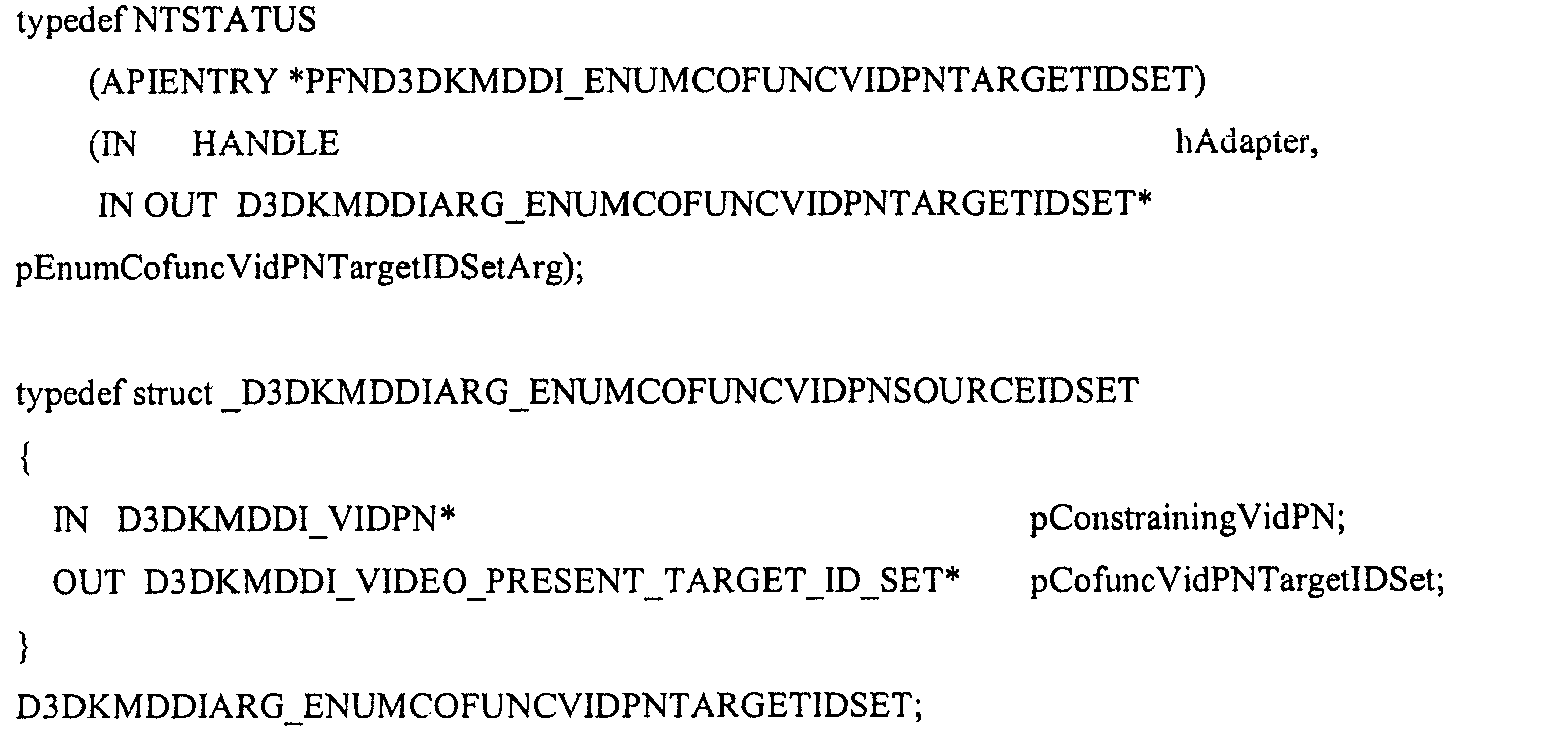
기능 EnumCofuncVidPNTargetIDSetFunction EnumCofuncVidPNTargetIDSet
EnumConfuncVidPNTargetIDSet은 특정된 VidPN 구현과 공통-기능적인 VidPN 타겟 ID들의 세트를 열거한다. VidPN 타겟은 VidPN 구현이 무효하거나 지원되지 않음을 렌더링하지 않고 적어도 하나의 비디오 제공 경로를 통해 자신의 토폴로지에 추가될 수 있으면, 주어진 VidPN 구현과 공통-기능적일 수 있다. 미니포트는 pEnumCofuncVidPNTargetIDSetArg가 가리키는 충분히 큰 버퍼를 할당하여, D3DKMDDI_INTERFACESPECIFICDATA.pfnAllocSysMemForOutParamCd를 사용하여 전체 열거 결과를 수용한다. 할당의 크기는 (D3DKMDDI_VIDEO_PRESENT_TARGET_ID_SET)의 크기+(D3DKMDDI_VIDEO_PRESENT_TARGET_ID)의 크기*(공통-기능적인 비디오 제공 타겟의 개수 - 1)이어야 한다.EnumConfuncVidPNTargetIDSet enumerates a set of VidPN target IDs that are common to the specified VidPN implementation. A VidPN target can be co-functional with a given VidPN implementation if it can be added to its topology via at least one video presentation path without rendering the VidPN implementation invalid or unsupported. The miniport driver allocates a sufficiently large buffer pointed to by pEnumCofuncVidPNTargetIDSetArg and accepts the entire enumeration result using D3DKMDDI_INTERFACESPECIFICDATA.pfnAllocSysMemForOutParamCd. The size of the allocation should be the size of (D3DKMDDI_VIDEO_PRESENT_TARGET_ID) + the size of (D3DKMDDI_VIDEO_PRESENT_TARGET_ID_SET) * (the number of common-functional video provision targets-1).
출력 매개변수를 위한 메모리가 할당되면, 미니포트는 다음과 같은 정의에 기초하여 그것을 상주시킬 수 있다:Once memory for an output parameter is allocated, the miniport driver can reside it based on the following definition:

여기서,here,
ㆍNumOfVidPNTargetIDs는 VideopresentTargetIDs 내에 리스트된 비디오 제공 타겟들의 ID들의 개수를 특정한다. NumOfVidPNTargetIDs specifies the number of IDs of video present targets listed in VideopresentTargetIDs.
ㆍVideoPresentTargetIDs는 세트 내의 비디오 제공 타겟들의 ID들의 어레이를 나타낸다. VideoPresentTargetIDs represents an array of IDs of video present targets in the set.
이 기능로부터 성공적으로 리턴될 때, 운영 체제는 출력 파라미터에 리턴된 데이터의 수명에 대한 소유권을 얻을 수 있고, 지원 할당(supporting allocation)에 의해 할당되었을 때, 자신의 지원 할당에 의해 얻어진 메모리를 해제할 수 있다.Upon successful return from this function, the operating system can take ownership of the lifetime of the data returned in the output parameters and release the memory obtained by its supporting allocation when allocated by the supporting allocation. can do.
리턴 코드들Return codes
STATUS_SUCCESS는 드라이버가 호출을 성공적으로 조정했음을 나타낸다. STATUS_SUCCESS indicates that the driver successfully tuned the call.
STATUS_GRAPHICS_INVALID_VIDpn_TOPOLOGY는 특정된 VidPN 토폴로지가 무효함을 나타낸다. STATUS_GRAPHICS_INVALID_VIDpn_TOPOLOGY indicates that the specified VidPN topology is invalid.
STATUS_NO_MEMORY는 미니포트가 요구된 열거에 맞도록 버퍼를 할당할 수 없었음을 나타낸다. STATUS_NO_MEMORY indicates that the miniport driver could not allocate a buffer for the requested enumeration.
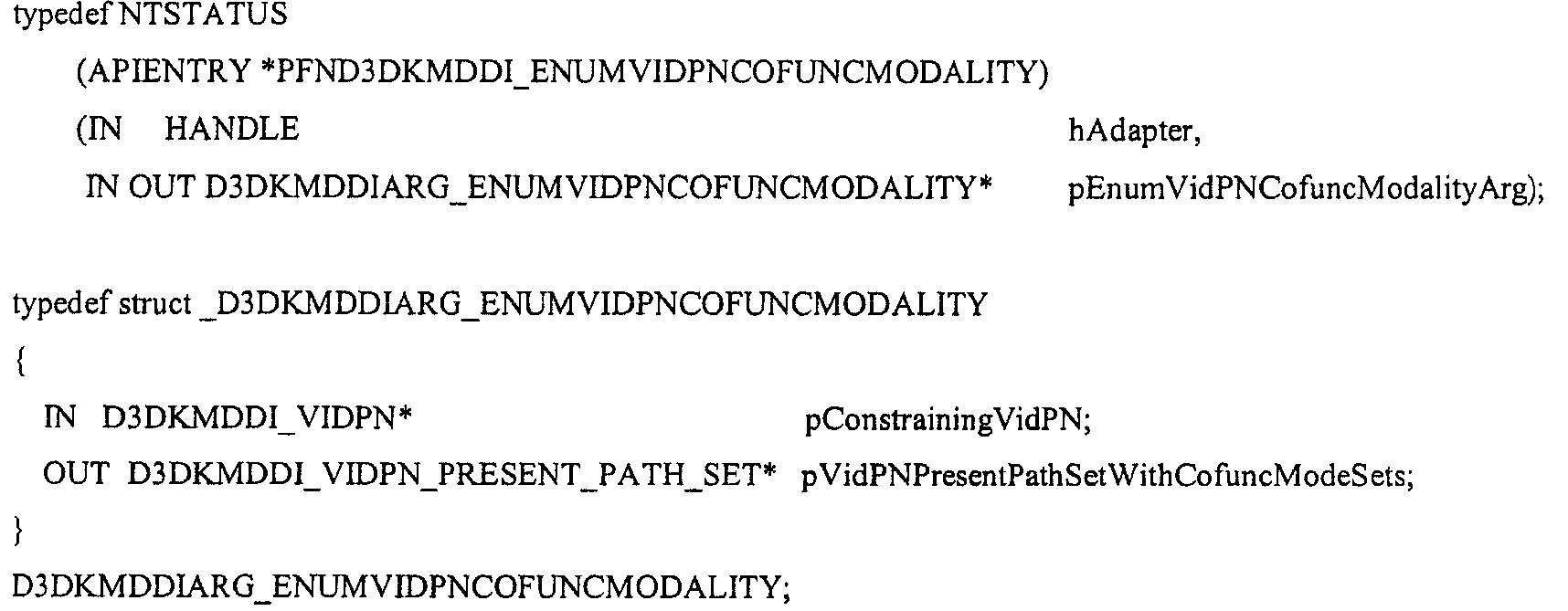
EnumVidPNConfuncModalityEnumVidPNConfuncModality
EnumVidPNCofuncModality 는 운영 체제가 공통-기능적(cofunctional) 비디오 표현 및 타겟 모드 세트들을 각각의 상술한 VidPN의 각각의 비디오 표현 경로 상에 에뮬레이트하게 한다.EnumVidPNCofuncModality allows the operating system to emulate the co-functional video representation and target mode sets on each video representation path of each aforementioned VidPN.
ㆍpConstrainingVidPN 은 VidPN의 타겟 및 소스 상에 어떤 공통-기능적 모드 세트들이 검색될지에 관한 VidPN이다. PConstrainingVidPN is a VidPN regarding which common-functional mode sets will be searched on the target and source of the VidPN.
ㆍpVidPNPresentPathSetWithCofuncModeSets 는 각각의 소스/타겟이 공통-기능적 모드 세트들에 대해 피닝된 VidPN에 위치시키는, 한 세트의 VidPN 표현 경로들이다. 어떤 제한된 VidPN의 소스/타겟들은 이것들 상에서 피닝된 모드들을 갖는다면, 그들의 색인값들은 결과 세트의 각각의 VidPN 소스/타겟 설명에서 적절하게 갱신되어야만 한다. 미니포트는 PVidPNPresentPathSetWithCofuncModeSets is a set of VidPN presentation paths, where each source / target is located in a pinned VidPN for common-functional mode sets. If some restricted VidPN sources / targets have pinned modes on them, their index values must be updated accordingly in each VidPN source / target description of the result set. Miniport is
pVidPresentPath->VideoPresentSource.pCofuncVidPNSourceModeSet->VidPNSourceModes[1..n]pVidPresentPath-> VideoPresentSource.pCofuncVidPNSourceModeSet-> VidPNSourceModes [1..n]
및And
pVidPresentPath->VideoPresentTarget.pCofuncVidPNTargetModeSet->VidPNTargetModes[1..m]를 위치시켜야 한다.You should place pVidPresentPath-> VideoPresentTarget.pCofuncVidPNTargetModeSet-> VidPNTargetModes [1..m].
여기서: here:
D3DKMDDI_VIDPN_PRESENT_PATH* pVidPresentPath = (*o_ppVidPNPresentPathSetWithCofuncModeSets)->arr_VidPresentPaths[1..k]; D3DKMDDI_VIDPN_PRESENT_PATH * pVidPresentPath = (* o_ppVidPNPresentPathSetWithCofuncModeSets)-> arr_VidPresentPaths [1..k];
이 기능이 성공적으로 리턴하면, 운영 체제는 출력 파라미터 리턴된 데이터의 존속기간에 대한 소유권을 취할 수 있고, 이것의 사용이 종료되면 할당되었던 메모리를 해제할 수 있다.If this function returns successfully, the operating system can take ownership of the lifetime of the output parameter returned data and release the allocated memory when its use is over.
리턴 코드Return code
STATUS_SUCCESS 는 드라이버가 호출을 성공적으로 처리했다는 것을 지시한다. STATUS_SUCCESS indicates that the driver successfully processed the call.
STATUS_NO_MEMORY 는 미니포트가 요청된 에뮬레이션에 적합한 버퍼를 할당할 수 없음을 지시한다. STATUS_NO_MEMORY indicates that the miniport driver could not allocate an appropriate buffer for the requested emulation.

RecommendFunctionalVidPN 기능RecommendFunctionalVidPN feature
RecommendFunctionalVidPN 은 운영 체제가, h/w 의 현재 상태가 주어진 가운데서 미니포크에 의해 추천된 VidPN에 대해 질의하도록 한다. 운영 체제는 사용자의 선호도(예를 들면, 최종-사용된 양식)가 정해져 있지 않은 구성을 하게 되는 경우에 이것을 사용할 수 있다. 요청의 일부분으로서, 운영 체제는 VidPN targets IDs 벡터, 즉 pVidPNTargetPrioritizationVector 를 미니포트에게 상술하는데, 이것은 가장 중요한 순서대로 정리되어, 그것들에게 연결된 모니터들에 대한 상대적 중요도를 표현하게 된다. 미니포트는 번갈아서 h/w의 현재 상태를 위해 운영 체제에게 추천하고자 원하는 기능적인 VidPN을 위치시키기 위해서 충분한 메모리 공간을 할당하고, 각각의 필드들을 위치시키고, 이것들의 주소를 pRecommendedFunctionalVidP 에 할당해야 한다. 이 기능이 성공적으로 리턴하면, 운영 체제는 출력 파라미터로 리턴된 데이터의 존속기간에 대한 소유권을 취할 수 있고, 이것의 사용이 종료되면 할당되었던 메모리를 해제할 수 있다.RecommendFunctionalVidPN allows the operating system to query for the VidPN recommended by the minifork given the current state of h / w. The operating system can use this when it comes to configurations in which the user's preferences (eg, the last-used form) are not defined. As part of the request, the operating system specifies the VidPN targets IDs vector, or pVidPNTargetPrioritizationVector, to the miniport, which is arranged in the most important order, representing the relative importance of the monitors connected to them. The miniport driver must alternately allocate enough memory space to locate the functional VidPN you want to recommend to the operating system for the current state of h / w, locate each field, and assign their addresses to pRecommendedFunctionalVidP . If this function returns successfully, the operating system can take ownership of the lifetime of the data returned as an output parameter, and release its allocated memory when its use is over.
리턴 코드Return code
STATUS_SUCCESS 드라이버가 호출을 성공적으로 처리했다는 것을 지시한다. STATUS_SUCCESS Indicates that the driver processed the call successfully.
STATUS_GRAPHICS_NO_RECOMMENDED_VIDPN 는 미니포트가 디스플레이 어댑터의 현재 구성을 위한 추천 사항을 VidPN 상에 갖고 있지 않음을 지시한다. STATUS_GRAPHICS_NO_RECOMMENDED_VIDPN indicates that the miniport driver does not have a recommendation on the VidPN for the current configuration of the display adapter.
STATUS_NO_MEMORY 는 미니포트가 요청된 에뮬레이션에 적합한 버퍼를 할당할 수 없음을 지시한다. STATUS_NO_MEMORY indicates that the miniport driver could not allocate an appropriate buffer for the requested emulation.
예 49 - 비디오 렌더링 장치 드라이버의 장치-특정 부분에 대한 예시Example 49-Example of Device-Specific Part of Video Rendering Device Driver
여기서 상세화한 기술들 중 하나는 비디오 렌더링 장치 드라이버의 장치-특정 부분으로서 구현될 수 있다. 재사용 가능한 드라이버 부분은 비디오 렌더링 장치 드라이버들 간에 공유될 수 있다.One of the techniques detailed herein may be implemented as a device-specific portion of a video rendering device driver. The reusable driver portion can be shared between video rendering device drivers.
예를 들면, MICROSOFT

예시적인 장점들Example advantages
다중-모니터 디스플레이 모드 관리란, 비디오 렌더링/프리젠팅 장치들(예를 들면, 그래픽 어댑터들로 알려진 비디오 카드들)과 비디오 모니터링 장치들(예를 들면, 모니터들)에 대한 수용력을 처리하는 복잡한 문제이다. 디스플레이 모드 관리가 복잡하게 되는 주요한 이유들은 그래픽 디스플레이 장치 객체들(예를 들면, MICROSOFT

이런 상호 존속성은 대부분 다음으로부터 발생한다: (1) 가능하게는, 구동할 수 있는 코덱들보다 더 많은 비디오 출력을 가진 시스템 상에서의 비디오 출력 코덱들을 위한 경쟁; (2) 어떤 주어진 다중-출력 비디오 표현 구성을 주어진 비디오 카드 내에 설정하기 위한 요청을 만족시키는 다수의 방법들: (a) 비디오 카드에 표현된 비디오 출력 코덱들의 수용력에 있어서의 차이점: (b) 임의의 비디오 출력 코덱을 임의의 호환되어 사용할 수 있는 비디오 출력으로 보낼 수 있는 크로스-바들(cross-bars)을 사용하여, 다양한 비디오 출력들을 갖는 비디오 출력 코텍들을 사용하는 비디오 카드의 능력; (c) 비디오 출력 코덱들이 희소한 소스인 경우(예를 들면, 구동되는 비디오 출력 숫자보다 작은 경우), 다중의 비디오 출력을 위해 비디오 출력 코덱들을 공유하는 비디오 카드의 능력; (d) 비디오 스트림들 중 하나를 조절하는 것(tempering)은 허용될 수 없는 경우, 혹은 이차적 신호가 오버레이될 필요가 있는 비디오 스트림이 이미 아날로그 포맷이 되어 있어서, 디지털 오버래이를 부가하기 위해, 이를 디코딩 한 이후 이를 재변조하는 것이 소모적인 경우에, 다중의 비디오 출력 코덱들과 단일 비디오 출력을 위한 단일의 다중-입력 비디오 출력 코덱(예를 들면, 오버래이들)을 사용하는 비디오 카드의 능력; (3) 사용된 비디오 출력 코덱들에 의한 비디오 메모리 버스 대역폭을 획득하기 위한 경쟁, 여기서 각각의 코덱은 관련된 일차적인 표면의 콘텐츠를, 각각의 비디오 출력 인터페이스상의 비디오 신호로 전환하는(converting) 책임을 지고 있으며, 이것은 궁극적으로 주기적인 비디오 메모리 판독량을 감소시킨다; 또는 (4) 주어진 비디오 표현 경로(예를 들면, 렌더링된 디지털 콘텐츠로부터 물리적인 비디오 인터페이스 출력으로의 논리적 경로)를 지원하는데 요구되는 일차적인 표면들(surfaces)에 의한 비디오 메모리 수용력에 대한 경쟁.This mutual persistence mostly arises from: (1) possible competition for video output codecs on a system with more video output than can be run; (2) Multiple ways of satisfying the request to set up a given multi-output video representation configuration in a given video card: (a) Differences in the capacity of video output codecs represented on the video card: (b) Any The ability of a video card to use video output codecs with various video outputs, using cross-bars that can send the video output codec of < RTI ID = 0.0 > to < / RTI > any compatible usable video output; (c) the video card's ability to share video output codecs for multiple video outputs if the video output codecs are sparse sources (eg, less than the number of video outputs driven); (d) Tempering one of the video streams may not be allowed, or if the video stream for which the secondary signal needs to be overlaid is already in analog format, so to add a digital overlay, The ability of a video card to use multiple video output codecs and a single multi-input video output codec (eg, overlays) for a single video output, if it is exhaustive to decode it after decoding; (3) competition to obtain video memory bus bandwidth by the video output codecs used, wherein each codec is responsible for converting the associated primary surface content into a video signal on each video output interface. Which ultimately reduces the periodic video memory readout; Or (4) competition for video memory capacity by primary surfaces required to support a given video presentation path (eg, a logical path from rendered digital content to a physical video interface output).
그러한 것으로서, (view, output) 쌍에 대해 이용가능한 디스플레이 모드 세트들 사이에서의 기술된 상호 존속성들은 (view, output) 쌍에 기반하기보다는 더욱 복잡한 어떤 것이다. 명확하게, 주어진 일차적 표면 포맷을 view 상에서 선택하는 것은 어떤 비디오 신호가 각각의 output 상에 표현될 수 있는지에 영향을 줄 수 있다. 또한, 단일 뷰(view)가 다수의 출력 상에 표현되는 시나리오를 고려해볼 때, 가능한 비디오 신호들의 세트는, 어떤 비디오 출력 코덱들이 어떻게 필연적인 현재 구성을 구현하는데에 사용될 것인지에 근거하여 변경된다. 최종적으로, 다수의 views들이 단일의 비디오 카드에 실시되는 시나리오(각각은 잠재적으로 다수의 출력에 표현됨)를 고려해볼 때, 이용가능한 비디오 신호들은 다양한 뷰들과 출력 사이의 관련성에 근거하여 변경된다. 즉, 비디오 카드가 이것의 출력으로 어떤 비디오 신호들을 구동할 수 있는지는, 이것이 표현하도록 요청받은 일차적인 표면들이 어떤 타입이며 그들은 어떤 형태로 표현되어야 하는지(예를 들면, 어떤 출력쪽으로)에 관련된 기능이다.As such, (view, output) the cross-survivability techniques between available display mode sets used for the pair would be more complicated than what it is based on a (view, output) pair. Clearly, selecting a given primary surface format on the view can affect which video signal can be represented on each output . Also, given the scenario in which a single view is represented on multiple outputs, the set of possible video signals is changed based on how the video output codecs will be used to implement the necessary current configuration. Finally, given the scenario where multiple views are implemented on a single video card (each potentially represented on multiple outputs), the available video signals change based on the relationship between the various views and outputs. In other words, what video signals a video card can drive with its output is a function of what type of primary surfaces it is asked to represent and what type they should be represented (e.g. towards which output). .
더욱이, 디자이너는 종래의 비디오 카드의 확장 능력을 고려하지 않을 수 있으므로, 주어진 일차적인 표면 콘텐츠를 각각의 비디오 출력상에 다른 공간 해상도에 따라 구동될 수 있도록 업-샘플링 혹은 다운-샘플링할 수 있다. 그러한 것으로서, 다중-출력 비디오 카드에 대하여 생성될 수 있는 두 가지 주요한 추상화들은 다음과 같다:(1) 두 개의 다른 물리적 장치들의 상태들을 포함하는 단일화된 "디스플레이 모드" 설명 양식으로 표현되는, 비디오 카드와 모니터 모두를 포함하는 다중-기능 디스플레이 장치 추상화에 대한 단순화된 관점; (2) (view, output) 당 하나인, 종속적인 비디오 드라이버 스택과 각각의 그래픽 장치들을 복제함으로써 실행되는, 다수의 출력들에 대한 단일-출력 모드 열거(enumeration)에 대한 확장. 이런 추상화는 이런 장치들을 정상적으로 구동할 만큼 충분하지 않으며, 다음의 것에 의해 대체될 수 있다: (1) view 및 output 을 위한 구별된 양식 설명; (2) 비디오 미니포트의 소유권을 갖는 비디오 카드당 하나의 비디오 드라이버 스택, 여기서 비디오 미니포트는 수용력-균형 DDI비디오 미니포트를 공표하는데, 이것은 클라이언트가 원하는 바대로 모드를 피닝하고, 업데이트된 가능한 모드 세트들을 에뮬레이트 하게 하고, 궁극적으로는 일련의 반복 시행으로 기능 값에 수렴하게 한다(예를 들면, 그래픽 검색); 및 (3) 이용가능한 모드 세트 검증 및 모드 변경 실패들을 출력하게 하는 디스플레이 모드 상호종속성을 지원하기 위한 구현에 대한 논의.Moreover, designers may not take into account the expansion capabilities of conventional video cards, so they can up-sample or down-sample given primary surface content to be driven at different spatial resolutions on each video output. As such, two major abstractions that can be generated for a multi-output video card are as follows: (1) Video card, represented in a unified "display mode" description form containing the states of two different physical devices. A simplified view of multi-function display device abstraction, including both monitors and monitors; (2) Extension to single-output mode enumeration of multiple outputs, executed by duplicating the respective graphics devices and the dependent video driver stack, one per ( view, output ). This abstraction is not sufficient to run these devices normally, and can be replaced by: (1) separate style descriptions for views and outputs ; (2) One video driver stack per video card with ownership of the video miniport, where the video miniport announces the capacity-balanced DDI video miniport, which pins the mode as the client desires and updates the available mode. Emulate sets and ultimately converge to the function value in a series of iterations (eg, graphical search); And (3) an implementation to support display mode interdependencies that result in available mode set verification and mode change failures.
대안들Alternatives
하나의 실례로서 제시된 기술들은 다른 하나 이상의 다른 실시예에서 상술된 기술들과 통합될 수 있다. 본 발명의 원리들이 적용될 수 있는 가능한 많은 실시예의 관점에서, 상술된 실시예는 본 발명의 예시들로서 인식되어야만 하고 본 발명의 범주를 제한하는 것으로 여겨져서는 안 된다. 오히려, 본 발명의 범주는 첨부된 청구항들에 의해 적용되는 것을 포함한다. 그러므로, 우리는 이런 청구항들의 영역과 정신에 속하는 모든 것을 본 발명이라 주장한다.Techniques presented as one example may be integrated with the techniques described above in one or more other embodiments. In view of the many possible embodiments to which the principles of the present invention may be applied, the above-described embodiments should be recognized as examples of the present invention and should not be considered as limiting the scope of the present invention. Rather, the scope of the invention includes what is applied by the appended claims. Therefore, we claim that the invention belongs to all that falls within the scope and spirit of these claims.
다수의 출력을 갖는 비디오 제공 네트워크를 구성한다는 것은 가능한 구성의 절대적 숫자와 자원들(resources) 간의 구조적 상호종속성으로 인해 쉽지 않은 일이라 할 수 있으나 본 명세서에 기술되는 다양한 기술을 이용해 다수의 출력을 갖는 비디오 제공 네트워크의 자원을 구성할 수 있다. Constructing a video-providing network with multiple outputs is not easy due to the absolute number of possible configurations and the structural interdependence between resources, but having multiple outputs using the various techniques described herein. The resources of the video providing network can be configured.
Claims (83)
Applications Claiming Priority (10)
| Application Number | Priority Date | Filing Date | Title |
|---|---|---|---|
| US56705304P | 2004-04-30 | 2004-04-30 | |
| US60/567,053 | 2004-04-30 | ||
| US10/925,859 | 2004-08-24 | ||
| US10/925,837 | 2004-08-24 | ||
| US10/925,837 US7679612B2 (en) | 2004-04-30 | 2004-08-24 | Configuration goals via video presenting network |
| US10/925,445 US7903045B2 (en) | 2004-04-30 | 2004-08-24 | Video presenting network supporting separately-configurable resources |
| US10/925,445 | 2004-08-24 | ||
| US10/925,859 US8581803B2 (en) | 2004-04-30 | 2004-08-24 | Video presenting network management |
| US10/925,662 | 2004-08-24 | ||
| US10/925,662 US7898533B2 (en) | 2004-04-30 | 2004-08-24 | Video presenting network configuration solution space traversal |
Publications (2)
| Publication Number | Publication Date |
|---|---|
| KR20060047658A KR20060047658A (en) | 2006-05-18 |
| KR101117871B1 true KR101117871B1 (en) | 2012-04-13 |
Family
ID=34939631
Family Applications (1)
| Application Number | Title | Priority Date | Filing Date |
|---|---|---|---|
| KR1020050036291A Expired - Fee Related KR101117871B1 (en) | 2004-04-30 | 2005-04-29 | Video presenting network management |
Country Status (4)
| Country | Link |
|---|---|
| EP (1) | EP1591892A3 (en) |
| JP (1) | JP4927348B2 (en) |
| KR (1) | KR101117871B1 (en) |
| CN (1) | CN1716194B (en) |
Families Citing this family (6)
| Publication number | Priority date | Publication date | Assignee | Title |
|---|---|---|---|---|
| CN102129477B (en) * | 2011-04-23 | 2013-01-09 | 山东大学 | Multimode-combined image reordering method |
| RU2016145610A (en) * | 2014-05-09 | 2018-06-09 | Нокиа Текнолоджиз Ой | METHOD AND DEVICE FOR CODING AND DECODING VIDEO INFORMATION USING ENCODING WITH PALETTE |
| JP6131376B1 (en) * | 2016-10-28 | 2017-05-17 | 株式会社計測技術研究所 | Signal input / output processor |
| CN109346014B (en) * | 2018-09-29 | 2020-07-03 | 歌尔科技有限公司 | A virtual reality device and its screen control method |
| CN112380386A (en) * | 2020-11-19 | 2021-02-19 | 深圳Tcl新技术有限公司 | Video searching method and device, terminal and computer readable storage medium |
| CN112362332B (en) * | 2020-11-27 | 2022-10-21 | 歌尔科技有限公司 | Game paddle rocker calibration test device and calibration test method |
Citations (4)
| Publication number | Priority date | Publication date | Assignee | Title |
|---|---|---|---|---|
| US5793979A (en) | 1994-05-27 | 1998-08-11 | Microsoft Corporation | System for allocating the resources of a computer system |
| JP2000132361A (en) | 1999-11-24 | 2000-05-12 | Seiko Epson Corp | Printer search apparatus and method |
| JP2003216514A (en) | 2002-01-18 | 2003-07-31 | Nippon Telegraph & Telephone East Corp | Apparatus and method for collating equipment information between systems |
| US20030200477A1 (en) | 2002-04-17 | 2003-10-23 | International Business Machines Corporation | Method, system, and program for selecting a path to a device to use when sending data requests to the device |
Family Cites Families (6)
| Publication number | Priority date | Publication date | Assignee | Title |
|---|---|---|---|---|
| GB2271253A (en) * | 1992-10-03 | 1994-04-06 | Ibm | Data compression at a video conference computer workstation |
| JPH06274292A (en) * | 1993-03-18 | 1994-09-30 | Fuji Xerox Co Ltd | Display device for printer selecting criterion |
| CN1156379A (en) * | 1995-11-07 | 1997-08-06 | 索尼公司 | video display device |
| US6028643A (en) * | 1997-09-03 | 2000-02-22 | Colorgraphic Communications Corporation | Multiple-screen video adapter with television tuner |
| US6556253B1 (en) * | 1999-10-26 | 2003-04-29 | Thomson Licensing S.A. | Multi-window picture adjustment arrangement for a video display |
| US7460086B1 (en) * | 1999-12-13 | 2008-12-02 | Honeywell International Inc. | Multiple and hybrid graphics display types |
-
2005
- 2005-04-29 KR KR1020050036291A patent/KR101117871B1/en not_active Expired - Fee Related
- 2005-04-30 CN CN2005100896871A patent/CN1716194B/en not_active Expired - Fee Related
- 2005-05-02 EP EP05103623A patent/EP1591892A3/en not_active Withdrawn
- 2005-05-02 JP JP2005134489A patent/JP4927348B2/en not_active Expired - Fee Related
Patent Citations (4)
| Publication number | Priority date | Publication date | Assignee | Title |
|---|---|---|---|---|
| US5793979A (en) | 1994-05-27 | 1998-08-11 | Microsoft Corporation | System for allocating the resources of a computer system |
| JP2000132361A (en) | 1999-11-24 | 2000-05-12 | Seiko Epson Corp | Printer search apparatus and method |
| JP2003216514A (en) | 2002-01-18 | 2003-07-31 | Nippon Telegraph & Telephone East Corp | Apparatus and method for collating equipment information between systems |
| US20030200477A1 (en) | 2002-04-17 | 2003-10-23 | International Business Machines Corporation | Method, system, and program for selecting a path to a device to use when sending data requests to the device |
Also Published As
| Publication number | Publication date |
|---|---|
| EP1591892A3 (en) | 2012-08-15 |
| CN1716194B (en) | 2010-06-09 |
| EP1591892A2 (en) | 2005-11-02 |
| CN1716194A (en) | 2006-01-04 |
| KR20060047658A (en) | 2006-05-18 |
| JP4927348B2 (en) | 2012-05-09 |
| JP2006018803A (en) | 2006-01-19 |
Similar Documents
| Publication | Publication Date | Title |
|---|---|---|
| US20110149161A1 (en) | Video presenting network configuration solution space traversal | |
| CN114297436B (en) | Display device and user interface theme updating method | |
| US7679612B2 (en) | Configuration goals via video presenting network | |
| US9250700B2 (en) | System and method for virtual displays | |
| US10031712B2 (en) | System and method for display mirroring | |
| US8362971B1 (en) | Independent views generated for multiple display devices by a software application | |
| US20130215142A1 (en) | Apparatus and method for displaying an image on a sink device | |
| US7903045B2 (en) | Video presenting network supporting separately-configurable resources | |
| US20080184320A1 (en) | TVOD Processing Device And Computer KVM Switch Thereof | |
| KR101117871B1 (en) | Video presenting network management | |
| EP2606640A1 (en) | System and method for mapping audio and video streams from audio/video source to multiple audio/video sinks | |
| US8581803B2 (en) | Video presenting network management | |
| US12542115B2 (en) | Mirroring method, apparatus, and system | |
| KR20220147381A (en) | Distributed rendering based cloud vr device | |
| WO2023045572A1 (en) | Information processing method and apparatus thereof, cloud terminal, cloud server, and storage medium | |
| WO2021088772A1 (en) | Method and apparatus for sending information in live broadcast room, and electronic device | |
| CN115866293A (en) | A video analysis method and video analysis system | |
| US20190286578A1 (en) | Communication system, communication device, and communication method |
Legal Events
| Date | Code | Title | Description |
|---|---|---|---|
| PA0109 | Patent application |
St.27 status event code: A-0-1-A10-A12-nap-PA0109 |
|
| PG1501 | Laying open of application |
St.27 status event code: A-1-1-Q10-Q12-nap-PG1501 |
|
| G170 | Re-publication after modification of scope of protection [patent] | ||
| PG1701 | Publication of correction |
St.27 status event code: A-3-3-P10-P19-oth-PG1701 Patent document republication publication date: 20070413 Republication note text: Request for Correction Notice (Document Request) Gazette number: 1020060047658 Gazette reference publication date: 20060518 |
|
| P22-X000 | Classification modified |
St.27 status event code: A-2-2-P10-P22-nap-X000 |
|
| A201 | Request for examination | ||
| E13-X000 | Pre-grant limitation requested |
St.27 status event code: A-2-3-E10-E13-lim-X000 |
|
| P11-X000 | Amendment of application requested |
St.27 status event code: A-2-2-P10-P11-nap-X000 |
|
| P13-X000 | Application amended |
St.27 status event code: A-2-2-P10-P13-nap-X000 |
|
| PA0201 | Request for examination |
St.27 status event code: A-1-2-D10-D11-exm-PA0201 |
|
| E902 | Notification of reason for refusal | ||
| PE0902 | Notice of grounds for rejection |
St.27 status event code: A-1-2-D10-D21-exm-PE0902 |
|
| T11-X000 | Administrative time limit extension requested |
St.27 status event code: U-3-3-T10-T11-oth-X000 |
|
| P11-X000 | Amendment of application requested |
St.27 status event code: A-2-2-P10-P11-nap-X000 |
|
| P13-X000 | Application amended |
St.27 status event code: A-2-2-P10-P13-nap-X000 |
|
| R17-X000 | Change to representative recorded |
St.27 status event code: A-3-3-R10-R17-oth-X000 |
|
| E701 | Decision to grant or registration of patent right | ||
| PE0701 | Decision of registration |
St.27 status event code: A-1-2-D10-D22-exm-PE0701 |
|
| GRNT | Written decision to grant | ||
| PR0701 | Registration of establishment |
St.27 status event code: A-2-4-F10-F11-exm-PR0701 |
|
| PR1002 | Payment of registration fee |
St.27 status event code: A-2-2-U10-U11-oth-PR1002 Fee payment year number: 1 |
|
| PG1601 | Publication of registration |
St.27 status event code: A-4-4-Q10-Q13-nap-PG1601 |
|
| PN2301 | Change of applicant |
St.27 status event code: A-5-5-R10-R13-asn-PN2301 St.27 status event code: A-5-5-R10-R11-asn-PN2301 |
|
| FPAY | Annual fee payment |
Payment date: 20150121 Year of fee payment: 4 |
|
| PR1001 | Payment of annual fee |
St.27 status event code: A-4-4-U10-U11-oth-PR1001 Fee payment year number: 4 |
|
| PN2301 | Change of applicant |
St.27 status event code: A-5-5-R10-R11-asn-PN2301 |
|
| PN2301 | Change of applicant |
St.27 status event code: A-5-5-R10-R14-asn-PN2301 |
|
| FPAY | Annual fee payment |
Payment date: 20160119 Year of fee payment: 5 |
|
| PR1001 | Payment of annual fee |
St.27 status event code: A-4-4-U10-U11-oth-PR1001 Fee payment year number: 5 |
|
| FPAY | Annual fee payment |
Payment date: 20170119 Year of fee payment: 6 |
|
| PR1001 | Payment of annual fee |
St.27 status event code: A-4-4-U10-U11-oth-PR1001 Fee payment year number: 6 |
|
| FPAY | Annual fee payment |
Payment date: 20180118 Year of fee payment: 7 |
|
| PR1001 | Payment of annual fee |
St.27 status event code: A-4-4-U10-U11-oth-PR1001 Fee payment year number: 7 |
|
| R18-X000 | Changes to party contact information recorded |
St.27 status event code: A-5-5-R10-R18-oth-X000 |
|
| FPAY | Annual fee payment |
Payment date: 20190116 Year of fee payment: 8 |
|
| PR1001 | Payment of annual fee |
St.27 status event code: A-4-4-U10-U11-oth-PR1001 Fee payment year number: 8 |
|
| R17-X000 | Change to representative recorded |
St.27 status event code: A-5-5-R10-R17-oth-X000 |
|
| FPAY | Annual fee payment |
Payment date: 20200115 Year of fee payment: 9 |
|
| PR1001 | Payment of annual fee |
St.27 status event code: A-4-4-U10-U11-oth-PR1001 Fee payment year number: 9 |
|
| PR1001 | Payment of annual fee |
St.27 status event code: A-4-4-U10-U11-oth-PR1001 Fee payment year number: 10 |
|
| PR1001 | Payment of annual fee |
St.27 status event code: A-4-4-U10-U11-oth-PR1001 Fee payment year number: 11 |
|
| PR1001 | Payment of annual fee |
St.27 status event code: A-4-4-U10-U11-oth-PR1001 Fee payment year number: 12 |
|
| PC1903 | Unpaid annual fee |
St.27 status event code: A-4-4-U10-U13-oth-PC1903 Not in force date: 20240211 Payment event data comment text: Termination Category : DEFAULT_OF_REGISTRATION_FEE |
|
| PC1903 | Unpaid annual fee |
St.27 status event code: N-4-6-H10-H13-oth-PC1903 Ip right cessation event data comment text: Termination Category : DEFAULT_OF_REGISTRATION_FEE Not in force date: 20240211 |