JPWO2017018384A1 - Touch panel type information terminal device and information input processing method and program thereof - Google Patents
Touch panel type information terminal device and information input processing method and program thereof Download PDFInfo
- Publication number
- JPWO2017018384A1 JPWO2017018384A1 JP2017530861A JP2017530861A JPWO2017018384A1 JP WO2017018384 A1 JPWO2017018384 A1 JP WO2017018384A1 JP 2017530861 A JP2017530861 A JP 2017530861A JP 2017530861 A JP2017530861 A JP 2017530861A JP WO2017018384 A1 JPWO2017018384 A1 JP WO2017018384A1
- Authority
- JP
- Japan
- Prior art keywords
- pointer
- unit
- touchable
- display
- touch
- Prior art date
- Legal status (The legal status is an assumption and is not a legal conclusion. Google has not performed a legal analysis and makes no representation as to the accuracy of the status listed.)
- Pending
Links
Images




Classifications
-
- G—PHYSICS
- G06—COMPUTING OR CALCULATING; COUNTING
- G06F—ELECTRIC DIGITAL DATA PROCESSING
- G06F3/00—Input arrangements for transferring data to be processed into a form capable of being handled by the computer; Output arrangements for transferring data from processing unit to output unit, e.g. interface arrangements
- G06F3/01—Input arrangements or combined input and output arrangements for interaction between user and computer
- G06F3/048—Interaction techniques based on graphical user interfaces [GUI]
- G06F3/0481—Interaction techniques based on graphical user interfaces [GUI] based on specific properties of the displayed interaction object or a metaphor-based environment, e.g. interaction with desktop elements like windows or icons, or assisted by a cursor's changing behaviour or appearance
- G06F3/04812—Interaction techniques based on cursor appearance or behaviour, e.g. being affected by the presence of displayed objects
-
- G—PHYSICS
- G06—COMPUTING OR CALCULATING; COUNTING
- G06F—ELECTRIC DIGITAL DATA PROCESSING
- G06F3/00—Input arrangements for transferring data to be processed into a form capable of being handled by the computer; Output arrangements for transferring data from processing unit to output unit, e.g. interface arrangements
- G06F3/01—Input arrangements or combined input and output arrangements for interaction between user and computer
- G06F3/048—Interaction techniques based on graphical user interfaces [GUI]
- G06F3/0487—Interaction techniques based on graphical user interfaces [GUI] using specific features provided by the input device, e.g. functions controlled by the rotation of a mouse with dual sensing arrangements, or of the nature of the input device, e.g. tap gestures based on pressure sensed by a digitiser
- G06F3/0488—Interaction techniques based on graphical user interfaces [GUI] using specific features provided by the input device, e.g. functions controlled by the rotation of a mouse with dual sensing arrangements, or of the nature of the input device, e.g. tap gestures based on pressure sensed by a digitiser using a touch-screen or digitiser, e.g. input of commands through traced gestures
- G06F3/04883—Interaction techniques based on graphical user interfaces [GUI] using specific features provided by the input device, e.g. functions controlled by the rotation of a mouse with dual sensing arrangements, or of the nature of the input device, e.g. tap gestures based on pressure sensed by a digitiser using a touch-screen or digitiser, e.g. input of commands through traced gestures for inputting data by handwriting, e.g. gesture or text
-
- G—PHYSICS
- G06—COMPUTING OR CALCULATING; COUNTING
- G06F—ELECTRIC DIGITAL DATA PROCESSING
- G06F2203/00—Indexing scheme relating to G06F3/00 - G06F3/048
- G06F2203/048—Indexing scheme relating to G06F3/048
- G06F2203/04801—Cursor retrieval aid, i.e. visual aspect modification, blinking, colour changes, enlargement or other visual cues, for helping user do find the cursor in graphical user interfaces
-
- G—PHYSICS
- G06—COMPUTING OR CALCULATING; COUNTING
- G06F—ELECTRIC DIGITAL DATA PROCESSING
- G06F2203/00—Indexing scheme relating to G06F3/00 - G06F3/048
- G06F2203/048—Indexing scheme relating to G06F3/048
- G06F2203/04808—Several contacts: gestures triggering a specific function, e.g. scrolling, zooming, right-click, when the user establishes several contacts with the surface simultaneously; e.g. using several fingers or a combination of fingers and pen
Landscapes
- Engineering & Computer Science (AREA)
- General Engineering & Computer Science (AREA)
- Theoretical Computer Science (AREA)
- Human Computer Interaction (AREA)
- Physics & Mathematics (AREA)
- General Physics & Mathematics (AREA)
- User Interface Of Digital Computer (AREA)
- Position Input By Displaying (AREA)
Abstract
ポイント対象とその近辺の表示画像の視認性を阻害することなくポイント対象を簡単かつ正確に指定できるようにし、これにより入力操作性の向上を図る。互いに分離されかつ距離を置いて表示されるポインタ部51と操作部52とからなるタッチャブルポインタ5をタッチパネル上に表示させる。この状態で、ユーザが上記操作部52を指で移動操作すると、ポインタ部51を移動させてポインタ先端部50により任意のポイント対象を指示する。また、ユーザの2本の指の回転操作により、操作部52に対するポインタ部51の位置を回転させる。The point object can be easily and accurately specified without impairing the visibility of the point object and the display image in the vicinity thereof, thereby improving the input operability. A touchable pointer 5 including a pointer unit 51 and an operation unit 52 that are separated from each other and displayed at a distance is displayed on the touch panel. In this state, when the user moves the operation unit 52 with a finger, the pointer unit 51 is moved and an arbitrary point target is designated by the pointer tip 50. Further, the position of the pointer unit 51 with respect to the operation unit 52 is rotated by the rotation operation of the user's two fingers.
Description
この発明は、タッチパネル型入力インタフェースを備えたタッチパネル型情報端末装置とその情報入力処理方法およびプログラムに関する。 The present invention relates to a touch panel type information terminal device including a touch panel type input interface, an information input processing method thereof, and a program.
一般に、マウスやタッチパッドを有するコンピュータのユーザインタフェースにおいては、マウスカーソルを移動させることでポイント対象の場所を指示するようになっている。マウスカーソルは、例えば先端が尖った矢尻のような形状をしており、ポイント対象を細かく指定できる利点がある。また、ポイント対象の場所付近に表示された画面情報の視認性を阻害しないことから、ユーザは当該画面情報を視認しながら操作できる。このため、細かいポイント対象でも他のポイント対象と区別して正確に指示することができるという利点も有している。 In general, in a user interface of a computer having a mouse and a touch pad, a point target location is indicated by moving a mouse cursor. The mouse cursor is shaped like an arrowhead with a pointed tip, for example, and has the advantage that the point object can be specified in detail. Moreover, since the visibility of the screen information displayed in the vicinity of the point target location is not hindered, the user can operate while viewing the screen information. For this reason, there is an advantage that even a fine point object can be distinguished and distinguished accurately from other point objects.
一方、最近ではタブレット型端末のように表示画面上に入力シートを配置したタッチパネルを有する情報端末装置が普及している。この種の装置では、表示画面を指で直接タッチすることにより操作対象を指定することができるため、直感的な操作が可能である。さらに、マウスやタッチパッド等の外付けの入力デバイスが不要であることから、可搬性に優れた機器形状を実現できるという利点がある(例えば非特許文献1を参照)。 On the other hand, recently, information terminal devices having a touch panel in which an input sheet is arranged on a display screen, such as a tablet-type terminal, have become widespread. In this type of apparatus, an operation target can be specified by directly touching the display screen with a finger, so that an intuitive operation is possible. Furthermore, since an external input device such as a mouse or a touch pad is not required, there is an advantage that a device shape having excellent portability can be realized (for example, see Non-Patent Document 1).
ところが、タッチパネル型の情報端末装置は、可搬性に優れるという利点を得るために、一般にマウスやタッチパッド等の外付けの入力デバイスを併用することができない。このため、外付けの入力デバイスによってマウスカーソルを操作することで得られていた操作上の各種利点を享受することができない。例えば、指はマウスカーソルほど先端が尖っていないため、ポイント対象を正確に指定することが難しい。また、指をタッチパネルに近づけることによって画面が指で隠れてしまうため、ポイント対象の場所付近に表示された画面情報の視認性を阻害するという課題もある。さらに、指で画面を隠しながらタッチ操作をすることになるため、画面上の細かいポイント対象を他のポイント対象と区別して正確に指示することが困難である。 However, in order to obtain the advantage that the touch panel type information terminal device is excellent in portability, generally, an external input device such as a mouse or a touch pad cannot be used together. For this reason, it is not possible to enjoy the various operational advantages obtained by operating the mouse cursor with an external input device. For example, since the tip of a finger is not as sharp as the mouse cursor, it is difficult to specify the point target accurately. Further, since the screen is hidden by the finger when the finger is brought close to the touch panel, there is a problem that the visibility of the screen information displayed near the point target location is hindered. Furthermore, since a touch operation is performed while hiding the screen with a finger, it is difficult to accurately indicate a point object on the screen in distinction from other point objects.
この発明は上記事情に着目してなされたもので、その目的とするところは、ポイント対象とその周辺の表示情報の視認性を阻害することなくポイント対象を簡単かつ正確に指定できるようにし、これにより入力操作性の向上を図ったタッチパネル型情報端末装置とその情報入力処理方法およびプログラムを提供することにある。 The present invention has been made paying attention to the above circumstances, and the object of the present invention is to make it possible to easily and accurately specify the point object without impairing the visibility of the point object and the surrounding display information. It is an object to provide a touch panel type information terminal device and an information input processing method and program for improving the input operability.
上記目的を達成するためにこの発明は以下のような対策を講じている。
(1)表示画面の上に入力シートを配置したタッチパネル型情報端末装置において、上記表示画面に、当該表示画面に表示されているポイント対象を指示するためのポインタ部とユーザがタッチ操作するための操作部とを有するタッチャブルポインタを表示させる手段と、上記タッチャブルポインタの上記操作部に対するユーザのタッチ操作に応じて、上記表示画面上における上記操作部および上記ポインタ部の表示位置を一体的に移動させる手段とを具備する。In order to achieve the above object, the present invention takes the following measures.
(1) In a touch panel type information terminal device in which an input sheet is arranged on a display screen, a pointer unit for pointing a point target displayed on the display screen and a user touch operation on the display screen A means for displaying a touchable pointer having an operation unit and a display position of the operation unit and the pointer unit on the display screen are integrally moved according to a user's touch operation on the operation unit of the touchable pointer. Means.
(2)(1)において、上記入力シート上の任意の位置で回転角度を指定するためのタッチ操作が行われた場合に、当該タッチ操作に応じて、上記操作部に対する上記ポインタ部の配置位置を上記指定された回転角度に相当する量だけ移動させる回転移動手段を、さらに具備する。 (2) In (1), when a touch operation for designating a rotation angle is performed at an arbitrary position on the input sheet, the arrangement position of the pointer unit with respect to the operation unit according to the touch operation Is further provided with a rotational movement means for moving the distance by an amount corresponding to the designated rotational angle.
(3)(2)において、上記回転移動手段は、上記入力シート上の1点に第1の指を固定し、当該第1の指を中心に第2の指を上記入力シート上で回転移動させる操作が行われた場合に、当該回転移動操作により指定された回転角度に相当する量だけ、上記操作部に対する上記ポインタ部の配置位置を移動させるものである。 (3) In (2), the rotational movement means fixes the first finger to one point on the input sheet, and rotationally moves the second finger on the input sheet around the first finger. When the operation is performed, the arrangement position of the pointer unit with respect to the operation unit is moved by an amount corresponding to the rotation angle designated by the rotational movement operation.
(4)(1)において、上記操作部を含む所定のタップ領域に対し予め設定された時間より短いタッチ操作が行われた場合に、上記ポインタ部により指示されているポイント対象に対応する情報源に対するアクセス処理を実行する手段を、さらに具備する。 (4) In (1), when a touch operation shorter than a preset time is performed on a predetermined tap area including the operation unit, an information source corresponding to the point target indicated by the pointer unit The apparatus further includes means for executing an access process for.
(5)(1)において、上記操作部を中心としてその左右にそれぞれ設定された左クリック入力領域および右クリック入力領域に対し、予め設定された時間より短いタッチ操作が行われた場合に、上記ポインタ部により指示されているポイント対象に対する左クリックイベント処理および右クリックイベント処理を実行する手段を、さらに具備する。 (5) In (1), when a touch operation shorter than a preset time is performed on the left click input area and the right click input area respectively set on the left and right sides of the operation unit, The apparatus further includes means for executing left click event processing and right click event processing for the point target indicated by the pointer section.
(6)(1)において、上記ポインタ部により指示されているポイント対象に対応する情報源に関連する情報を上記表示画面に表示させる付加情報表示手段を、さらに具備する。 (6) In (1), the information processing apparatus further includes additional information display means for displaying on the display screen information related to an information source corresponding to the point target indicated by the pointer section.
(7)(6)において、上記付加情報表示手段は、上記ポインタ部により指示されているポイント対象に対応する情報源が文字列の場合には、その単語の意味を表す文章またはキーワードを取得し、当該取得された文章またはキーワードを上記表示画面に表示させるものである。 (7) In (6), when the information source corresponding to the point target indicated by the pointer section is a character string, the additional information display means acquires a sentence or a keyword representing the meaning of the word. The acquired sentence or keyword is displayed on the display screen.
(8)(6)において、上記付加情報表示手段は、上記ポインタ部により指示されているポイント対象に対応する情報源が画像の場合には、当該画像の属性情報を取得し、当該取得された画像の属性情報を上記表示画面に表示させるものである。 (8) In (6), when the information source corresponding to the point target indicated by the pointer unit is an image, the additional information display unit acquires attribute information of the image and acquires the acquired information. Image attribute information is displayed on the display screen.
(9)(1)において、上記タッチャブルポインタの少なくとも上記ポインタ部は、上記表示画面に表示されているポイント対象を視認可能とするべく透過性を有するものである。 (9) In (1), at least the pointer portion of the touchable pointer has transparency so that the point target displayed on the display screen can be visually recognized.
(10)(1)において、上記ポインタ部により上記ポイント対象が指示されているか否かを判定する手段と、その判定結果に基づいて、上記ポイント対象が指示されていない状態では上記ポインタ部および操作部を第1の表示形態で表示し、上記ポイント対象が指示されている状態では上記ポインタ部および操作部の少なくとも一方を上記第1の表示形態とは異なる第2の表示形態で表示する手段とを、さらに具備する。 (10) In (1), the means for determining whether or not the point object is instructed by the pointer section, and the pointer section and the operation in the state where the point object is not instructed based on the determination result Means for displaying a part in a first display form and displaying at least one of the pointer part and the operation part in a second display form different from the first display form in a state in which the point object is indicated Is further provided.
(11)(1)において、上記操作部および上記ポインタ部の表示位置を一体的に移動させる手段は、上記操作部および上記ポインタ部の表示位置の移動処理中に、上記ポインタ部が上記ポイント対象の表示領域に進入したか否かを判定する手段と、上記ポインタ部が上記ポイント対象の表示領域に進入しているときの上記表示位置の移動速度を、進入前の上記表示位置の移動速度より遅く設定する手段とを備える。 (11) In (1), the means for integrally moving the display positions of the operation section and the pointer section is configured such that the pointer section is the point object during the movement processing of the display position of the operation section and the pointer section. Means for determining whether or not the display area has entered, and the moving speed of the display position when the pointer portion has entered the display area to be pointed is calculated based on the moving speed of the display position before entering. Means for setting late.
(12)表示画面の上に入力シートを配置したタッチパネル型情報端末装置が実行する情報入力処理方法であって、上記表示画面に、当該表示画面に表示されているポイント対象を指示するためのポインタ部とユーザがタッチ操作するための操作部とを有するタッチャブルポインタを表示させる過程と、上記タッチャブルポインタの上記操作部に対するユーザのタッチ操作に応じて、上記表示画面上における上記操作部および上記ポインタ部の表示位置を一体的に移動させる過程とを具備する。 (12) An information input processing method executed by a touch panel type information terminal device in which an input sheet is arranged on a display screen, the pointer for indicating on the display screen a point object displayed on the display screen And a pointer unit on the display screen according to a process of displaying a touchable pointer having a display unit and an operation unit for a user to perform a touch operation, and a user touch operation on the operation unit of the touchable pointer And a step of moving the display position integrally.
(13)(12)において、上記入力シート上の任意の位置で回転角度を指定するためのタッチ操作が行われた場合に、当該タッチ操作に応じて、上記操作部に対する上記ポインタ部の配置位置を上記指定された回転角度に相当する量だけ移動させる過程を、さらに具備する。 (13) When a touch operation for designating a rotation angle is performed at an arbitrary position on the input sheet in (12), the arrangement position of the pointer unit with respect to the operation unit according to the touch operation Is further moved by an amount corresponding to the specified rotation angle.
(14)(1)乃至(11)のいずれかに記載のタッチパネル型情報端末装置が実行するプログラムである。 (14) A program executed by the touch panel information terminal device according to any one of (1) to (11).
(1)および(12)の態様によれば、操作部をタッチ操作により移動させるとそれに応じてポインタ部が一体的に移動するため、タッチしている指によってポイント対象付近の表示情報の視認性を阻害することなくポイント対象を指示することが可能となる。 According to the aspects (1) and (12), when the operation unit is moved by a touch operation, the pointer unit integrally moves accordingly. It becomes possible to instruct the point object without obstructing.
(2)、(3)および(13)の態様によれば、操作部に対するポインタ部の表示位置を回転させることができるため、タッチパネルの上下左右のどの端部においてもポイント対象を確実に指示することが可能となる。 According to the aspects of (2), (3) and (13), the display position of the pointer part with respect to the operation part can be rotated, so that the point object is surely indicated at any of the upper, lower, left and right ends of the touch panel. It becomes possible.
(4)の態様によれば、タップ操作を認識することで、その時点でポインタ部が指示しているポイント対象に対応する情報源に対しアクセスすることが可能となる。このため、通常のマウスを使用したクリック操作と同様の操作を実現することができる。 According to the aspect of (4), by recognizing the tap operation, it is possible to access the information source corresponding to the point target indicated by the pointer unit at that time. For this reason, an operation similar to a click operation using a normal mouse can be realized.
(5)の態様によれば、操作部の左右にそれぞれ設定された左クリック入力領域および右クリック入力領域に対するタッチ操作を認識することで、通常のマウスを使用した左クリック操作および右クリック操作と同様の操作を実現できる。 According to the aspect of (5), by recognizing the touch operation on the left click input area and the right click input area respectively set on the left and right of the operation unit, A similar operation can be realized.
(6)乃至(8)の態様によれば、ポインタ部により指示されているポイント対象に対応する情報源に関連する情報が、例えばポイント対象に対応する情報源が文字列の場合にはその単語の意味を表す文章またはキーワードが、またポイント対象に対応する情報源が画像の場合には、当該画像の属性情報が表示画面に表示される。このため、ユーザはポイント対象に対応する情報源に対し実際にアクセスする前に、当該情報源に関連する情報を確認することが可能となる。 According to aspects (6) to (8), when the information related to the information source corresponding to the point target indicated by the pointer portion is, for example, the information source corresponding to the point target is a character string, the word If the sentence or keyword representing the meaning of the image and the information source corresponding to the point object is an image, the attribute information of the image is displayed on the display screen. Therefore, the user can confirm information related to the information source before actually accessing the information source corresponding to the point object.
(9)の態様によれば、タッチャブルポインタの少なくともポインタ部の一部が透光性を有することで、表示画面に表示中の情報の視認性を確保できる利点がある。 According to the aspect of (9), there exists an advantage which can ensure the visibility of the information currently displayed on a display screen because at least one part of a pointer part of a touchable pointer has translucency.
(10)の態様によれば、ポインタ部および操作部の表示形態が、ポインタ部によりポイント対象を指示しているときと指示していないときとで変化する。このため、ユーザはポインタ部によりポイント対象が指示されている状態、つまりタップ操作が可能な状態にあることを明確に認識することができる。 According to the aspect of (10), the display form of the pointer part and the operation part changes between when the pointer object is instructed and when it is not instructed. For this reason, the user can clearly recognize that the point target is instructed by the pointer portion, that is, that the tap operation is possible.
(11)の態様によれば、ポインタ部がポイント対象の表示領域に進入すると、タッチャブルポインタの移動速度が進入前の移動速度より遅くなる。すなわち、ポイント対象の表示領域においてはポインタ部が緩慢に移動する。このため、ポインタ部がポイント対象の表示領域内に滞在する時間が長くなり、これによりユーザはタッチャブルポインタのポインタ部をポイント対象の表示領域内に停止させやすくなる。すなわち、ポイント対象の表示領域が小さい場合でも、ポイント対象に対する指示操作性を高めることが可能となる。 According to the aspect of (11), when the pointer portion enters the display area to be pointed, the moving speed of the touchable pointer becomes slower than the moving speed before entering. That is, the pointer portion moves slowly in the display area to be pointed. For this reason, the time during which the pointer portion stays in the display area targeted for the point becomes long, which makes it easy for the user to stop the pointer portion of the touchable pointer within the display area targeted for the point. That is, even when the display area of the point target is small, it is possible to improve the instruction operability for the point target.
すなわちこの発明によれば、ポイント対象とその周辺の表示情報の視認性を阻害することなくポイント対象を簡単かつ正確に指定することができ、これにより入力操作性の向上を図ったタッチパネル型情報端末装置とその情報入力処理方法およびプログラムを提供することができる。 That is, according to the present invention, a touch panel type information terminal that can easily and accurately specify a point target without impairing the visibility of display information around the point target and its surroundings, thereby improving input operability. An apparatus, an information input processing method thereof, and a program can be provided.
以下、図面を参照してこの発明に係わる実施形態を説明する。
[一実施形態]
(構成)
図1は、この発明の一実施形態に係るタッチパネル型情報端末装置の機能構成を示すブロック図である。
タッチパネル型情報端末装置は、例えばスマートフォンまたはタブレット型端末からなり、制御ユニット1と、記憶ユニット2と、無線インタフェースユニット3と、ユーザインタフェースユニット4を備えている。Embodiments according to the present invention will be described below with reference to the drawings.
[One Embodiment]
(Constitution)
FIG. 1 is a block diagram showing a functional configuration of a touch panel type information terminal device according to an embodiment of the present invention.
The touch panel type information terminal device includes, for example, a smartphone or a tablet type terminal, and includes a control unit 1, a
無線インタフェースユニット3は、制御ユニットの制御の下、例えば携帯電話網や無線Local Area Network(LAN)、近距離無線データ通信網(例えばBluetooth(登録商標))を使用して通信相手端末またはWebサイトとの間で無線通信を行う。
The
ユーザインタフェースユニット4は、液晶デバイス等の表示部42の表示画面上にシート状の入力デバイスからなる入力部41を配置したタッチパネル型のデバイスからなる。そして、制御ユニット1から出力された表示データを表示部42に表示すると共に、ユーザのタッチ操作を例えば静電容量方式により検出して制御ユニット1に入力する。なお、タッチパネル型デバイスの構造やタッチ操作の検出方式については、上記構造および方式以外に如何なるものを採用してもよい。
The
記憶ユニット2は、記憶媒体としてSolid State Drive(SSD)等の随時書き込みおよび読み出しが可能な不揮発性メモリを使用している。そして、制御ユニット1を動作させるためのOperating System(OS)およびアプリケーションプログラム群を記憶する領域を有する。またそれに加え、本実施形態を実施する上で必要な制御データを格納する記憶領域として、タッチャブルポインタ移動情報記憶部21と、タッチャブルポインタ回転情報記憶部22と、移動開始位置情報記憶部23と、回転開始角度情報記憶部24を備えている。
The
制御ユニット1はCentral Processing Unit(CPU)等のプロセッサを備え、本実施形態に係る処理を実行するための機能部として、アプリケーション実行部11と、上記Operating System(OS)を実行するOS実行部12とを備えている。
The control unit 1 includes a processor such as a central processing unit (CPU), and functions as an application execution unit 11 and an
OS実行部12は、その機能として、ブラウザ120と、図形描画処理部123と、文字描画処理部124と、クリックイベント処理部125と、タッチイベント通知処理部126を備える。
The
ブラウザ120は、Web画面表示処理部121およびリンク判別部122を有する。Web画面表示処理部121は、ユーザインタフェースユニット4の入力部41において指示されたUniform Resource Locator(URL)に応じてWebサイトにアクセスし、当該WebサイトからWebページの情報をダウンロードしてユーザインタフェースユニット4の表示部42に表示させる。リンク判別部122は、表示されているWebページ上においてある座標が指定されたことが入力部41により検出された場合に、Webページの当該座標と対応する位置に他のWebページへのリンク情報が記載されているか否かを判別する。
The
図形描画処理部123は、円形や多角形、直線などの図形データを上記表示部42に描画処理を行う。文字描画処理部124は、文字列データを上記表示部42に描画する処理を行う。クリックイベント処理部125は、タッチパネル上の座標が指定された状態で、その左右の位置で左クリックもしくは右クリックが指定された場合に、マウスを用いてクリック動作を行った場合と同様のクリックイベントを発生する。タッチイベント通知処理部126は、タッチパネル上においてユーザがタッチ操作を行った場合に、当該タッチ操作を認識してアプリケーション実行部11に通知する処理を行う。
The graphic
アプリケーション実行部11は、タッチャブルポインタ5の表示および当該タッチャブルポインタ5を用いたリンク情報の指示に関する処理を実行する。タッチャブルポインタ5は、例えば図2に示すように三角形で表されるポインタ部51と、円形で表される操作部52とから構成される。ポインタ部51の三角形の先端部分(ポインタ先端部)50が、タッチパネル上の任意の座標を指示点となる。
The application execution unit 11 executes processing relating to display of the
上記タッチャブルポインタ5のサイズは、人の平均的な指先のサイズを考慮して、操作部52の半径が10mm、操作部52の中心からポインタ先端部50までの距離が20mm程度に設定されるが、このサイズは任意に変更することが可能である。また、操作部52およびポインタ部51は着色された透明な状態に表示され、これにより操作部52およびポインタ部51の直下の表示情報が透けて見えるようになっている。
The size of the
なお、タッチャブルポインタ5の構成は、ポインタ部51を矢印や多角形、円形等の他の形状により表現してもよく、またポインタ部51はポインタ先端部50以外の場所を指示点としてもよい。さらに、操作部52を多角形で表現してもよい。
In the configuration of the
アプリケーション実行部11は、上記タッチャブルポインタ5の表示およびリンク情報の指示に関する処理機能として、タッチャブルポインタ移動処理部111と、タッチャブルポインタ回転処理部112と、タップ処理部113と、付加情報表示処理部114と、付加文章生成処理部115を備えている。
The application execution unit 11 includes a touchable pointer
タッチャブルポインタ移動処理部111は、タッチパネル上にタッチャブルポインタ5が表示された状態で、指先により操作部52をタッチパネル上で移動させる操作が行われた場合に、当該操作に応じてタッチャブルポインタ5の表示位置を移動させる処理を行う。このとき、ポインタ部51は操作部52と一体的に移動する。
The touchable pointer
タッチャブルポインタ回転処理部112は、タッチパネル上にタッチャブルポインタ5が表示された状態で、指を2本使ってあたかもコンパスを操作して円弧を描画するような操作が行われた場合に、その回転角度を検出する。そして、検出された回転角度に応じて、タッチャブルポインタ5の操作部52に対するポインタ部51の配置位置を、上記回転角度に相当する量だけ回転させる処理を行う。すなわち、タッチャブルポインタ回転処理部112は回転移動手段として機能する。
When the
タップ処理部113は、タッチパネル上にタッチャブルポインタ5が表示された状態で、指先を使って当該タッチャブルポインタ5を含む所定のタップ領域に対し予め設定された時間より短いタッチ操作が行われた場合に、上記ポインタ先端部50により指示されているポイント対象に対応する情報源に対するアクセス処理を実行する。またタップ処理部113は、上記タッチャブルポインタ5の左右の所定範囲内をタップする操作が行われた場合に、左クリック操作または右クリック操作が行われたと見なしてその操作情報の入力を受け付ける処理を行う。
When the
付加情報表示処理部114は、タッチパネル上に他のWebサイトへのリンク情報が表示されている状態で、上記タッチャブルポインタ5により当該リンク情報が指示された場合に、当該指示されたリンク情報のURLまたはサイト名と、リンク情報の関連情報を、付加情報として表示部42に表示させる処理を行う。
The additional information
付加文章生成処理部115は、上記付加情報表示処理部114の要求に応じて、上記タッチャブルポインタ5により指示されたリンク情報の関連情報を、例えばWebサーバの要約エンジンにアクセスして取得する処理を行う。例えば、タッチャブルポインタ5が指示しているポイント対象が文字列だった場合には、その単語の意味を表す文章やキーワードを取得する。上記文章やキーワードの取得処理は、例えば形態素解析や国語辞典データ等を用いることで容易に実現できる。また、タッチャブルポインタ5が指示しているポイント対象が画像だった場合には、当該画像のタイトルや解像度、撮影情報などの属性情報を取得する。この画像データの属性情報の取得処理については、画像制作元または提供元等の画像データを管理しているサイトにアクセスすることにより取得可能である。
In response to a request from the additional information
(動作)
次に、以上のように構成されたタッチパネル型情報端末装置によるタッチャブルポインタの表示制御および入力指示受付処理について説明する。図3はその全体の処理手順と処理内容を示すフローチャートである。(Operation)
Next, the display control of the touchable pointer and the input instruction receiving process by the touch panel type information terminal device configured as described above will be described. FIG. 3 is a flowchart showing the overall processing procedure and processing contents.
(1)タッチャブルポインタの表示
タッチャブルポインタ5は、アプリケーション実行部11の制御の下、OS実行部12の図形描画処理部123により表示部42に表示される。例えば、アプリケーション実行部11から、タッチャブルポインタ5の描画指示情報および表示位置データがOS実行部12の図形描画処理部123に与えられる。図形描画処理部123では、上記与えられた描画指示情報に基づいて、図2に示したタッチャブルポインタ5の図形パターンが、指定されたサイズと表示形態で、タッチパネル上の上記表示位置データにより指定された位置座標に描画される。なお、タッチャブルポインタ5はタッチパネル上に常時表示するようにしてもよいが、ユーザの指示操作に応じて表示と非表示とを切り替えるようにしてもよい。(1) Display of Touchable
(2)タッチャブルポインタの移動
タッチャブルポインタ5が表示された状態で、ユーザが当該タッチャブルポインタ5の操作部52にタッチしたとする。このタッチ操作はOS実行部12のタッチイベント通知処理部126により検出され、タッチイベント通知処理部126からアプリケーション実行部11へタッチ操作イベントが通知される。タッチ操作イベントには、タッチされた点の数と、タッチされた点それぞれのタッチ位置座標と、タッチされた点それぞれのタッチ操作種別を表す情報が含まれる。(2) Movement of Touchable Pointer Assume that the user touches the
タッチ操作の種別には、「押下」、「移動」、「離脱」、「タップ」の4種類があり、これらのうちのいずれかが上記タッチ操作種別を表す情報として通知される。具体的には、ユーザがタッチパネル上に指を接触させたときが「押下」となり、その状態から指をタッチパネル上に沿って動かした場合が「移動」となり、指をタッチパネル上から離したときが「離脱」となる。また、押下から離脱までの時間が所定時間より短い場合には「タップ」と識別される。タッチ位置座標は、タッチパネル上における横軸(X軸)方向の位置を表すx値と縦軸(Y軸)方向の位置を表すy値によって表され、これを(x,y)と表現する。 There are four types of touch operations: “press”, “move”, “leave”, and “tap”, and any of these is notified as information indicating the touch operation type. Specifically, when the user touches the touch panel with a finger, the button is “pressed”, and when the user moves the finger along the touch panel from that state, it becomes “move”, and when the finger is released from the touch panel “Leaving”. Further, when the time from pressing to release is shorter than a predetermined time, it is identified as “tap”. The touch position coordinates are represented by an x value representing a position in the horizontal axis (X axis) direction on the touch panel and a y value representing a position in the vertical axis (Y axis) direction, and this is expressed as (x, y).
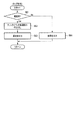
これに対しアプリケーション実行部11は、ステップS1でタッチ操作イベントの通知を監視している。そして、OS実行部12のタッチイベント通知処理部126からタッチ操作イベントが通知されると、先ずステップS2で上記タッチ操作イベントに含まれるタッチ操作種別を表す情報からタッチ操作の種別が「タップ」であるか否かを判定する。この判定の結果「タップ」でなければ、続いてステップS3により上記タッチ操作点が1点であるか否かを判定する。そして、操作点が1点であれば、タッチャブルポインタ5の移動操作が行われたと判断してステップS4に移行し、タッチャブルポインタ移動処理部111を起動してタッチャブルポインタの移動処理を以下のように実行する。図4はその処理手順と処理内容を示すフローチャートである。
On the other hand, the application execution unit 11 monitors notification of a touch operation event in step S1. When a touch operation event is notified from the touch event
すなわち、先ずステップS41により、上記タッチ操作イベントにより通知されたタッチ操作の位置座標と、記憶ユニット2のタッチャブルポインタ移動情報記憶部21に格納されているタッチャブルポインタ5の情報をもとに、上記タッチ位置座標がタッチャブルポインタ5の操作部52の表示範囲内であるか否かを判定する。この判定は、タッチャブルポインタ移動情報記憶部21に格納されている、タッチャブルポインタ5の操作部52の現在位置座標と当該操作部52の径を表す情報をもとに操作部52の現在の表示範囲を計算し、上記タッチ位置座標を上記操作部52の現在の表示範囲を表す座標と比較することにより行われる。そして、上記判定の結果、タッチ位置座標が操作部52の現在の表示範囲外だった場合には、ステップS46により「失敗」を出力する。
That is, first, in
一方、上記判定の結果、タッチ位置座標が操作部52の現在の表示範囲内に存在すれば、次にステップS42において、上記タッチ操作イベントの種別が「押下」であるか否かを判定する。そして、「押下」でなかった場合、すなわち「移動」あるいは「離脱」だった場合には、ステップS43においてタッチャブルポインタ5の位置情報を更新する処理を以下のように実行する。図5はその処理手順と処理内容を示すフローチャートである。
On the other hand, as a result of the determination, if the touch position coordinates are within the current display range of the
すなわち、先ずステップS431において、記憶ユニット2の移動開始位置情報記憶部23に格納されている現在の移動開始位置と、上記通知されたタッチ位置座標とから、移動操作量を算出する。次にステップS432において、上記移動操作の過程でポインタ部51がWebリンク情報の表示領域を通過中か否かを判定する。この判定の結果、ポインタ部51がWebリンク情報の表示領域を通過していなければ、ステップS434に移行する。そして、このステップS434において、上記算出された移動操作量をそのまま使用して、タッチャブルポインタ移動情報記憶部21に格納されているタッチャブルポインタ5の位置情報を更新する。
That is, first, in step S431, the movement operation amount is calculated from the current movement start position stored in the movement start position
一方、ポインタ部51がWebリンク情報の表示領域を通過中の場合には、ステップS433において上記算出された移動操作量に予め設定した減速係数(0.5)を乗算する。そして、この減速係数(0.5)が乗算された移動操作量に応じて、タッチャブルポインタ移動情報記憶部21に格納されているタッチャブルポインタ5の位置情報を更新する。この処理により、タッチャブルポインタ5がWebリンク情報の表示領域を通過する期間中に、タッチャブルポインタ5の移動速度が減速する。このため、タッチャブルポインタ5のポインタ部51がWebリンク情報の表示領域内に滞在する時間が長くなり、これによりユーザはタッチャブルポインタ5のポインタ部51をWebリンク情報の表示領域内に停止させやすくなる。すなわち、Webリンク情報の指示操作性を高めることが可能となる。
On the other hand, when the
なお、以上の説明ではWebリンク情報の表示領域を通過する期間中にタッチャブルポインタ5の移動速度を減速させるようにしたが、他の手法も考えられる。例えば、タッチャブルポインタ5のポインタ先端部50がリンク情報を表示領域に入ったことを検出した時点で、この検出時刻とポインタ部51の位置座標を保存する。そして、当該検出時刻から予め設定した時間、例えば1秒間だけ、タッチャブルポインタ5の移動速度を通常より遅い所定速度に設定する。或いはタッチャブルポインタ5の位置が、上記保存した位置座標から予め設定した所定距離移動するまで、タッチャブルポインタ5の移動速度を通常より遅い所定速度に設定する。
In the above description, the moving speed of the
さらに、タッチャブルポインタ5のポインタ先端部50がリンク情報を表示領域に位置している状態で、タッチャブルポインタ5のポインタ部51または操作部52の表示形態、例えば表示色やサイズを変化させるようにしてもよい。また、タッチャブルポインタ5がWebリンク情報の表示領域に入った時点で、タッチパネル型情報端末装置のスピーカから鳴音を発生させたり、バイブレータを振動させたり、LEDを点灯または点滅させるようにしてもよい。このようにすると、ユーザは、ポインタ部51によりWebリンク情報が指示されている状態、つまりタップ操作が可能な状態にあることを明確に認識することができる。
Further, the display form of the
上記ステップS43によるタッチャブルポインタの位置情報を更新する処理が終了すると、タッチャブルポインタ移動処理部111はステップS44において、移動開始位置情報記憶部23に格納されている移動開始位置座標を上記タッチ位置座標に更新し、最後にステップS45によりタッチャブルポインタ5の移動結果として「成功」を出力する。
When the process of updating the position information of the touchable pointer in step S43 is completed, the touchable pointer
アプリケーション実行部11は、ステップS7において、上記タッチャブルポインタ移動処理部111から「成功」が出力されたか、或いは「失敗」が出力されたかを判定する。そして、「成功」が出力された場合には、ステップS8において、上記指の移動操作に応じてタッチャブルポインタ5の描画指示情報および表示位置データをOS実行部12の図形描画処理部123に与える。図形描画処理部123は、上記与えられた描画指示情報に基づいて、タッチャブルポインタ5の図形パターンの描画位置を変更する。なお、上記タッチャブルポインタ移動処理部111から「失敗」が出力された場合には、ステップS10において、タッチ操作イベントをOS実行部12のタッチイベント通知処理部126へ返還する。
In step S <b> 7, the application execution unit 11 determines whether “success” is output from the touchable pointer
なお、以上の説明では、タッチ操作イベントに含まれるタッチ位置座標がタッチャブルポインタ5の操作部52の表示範囲外だった場合には、タッチャブルポインタ5を移動させないようにした。しかし、タッチ操作イベントに含まれるタッチ位置座標がタッチャブルポインタ5の操作部52の表示範囲内であるか否かの判定を省略し、操作部52の範囲外に対するタッチ操作イベントを用いたタッチャブルポインタ5の移動を行ってもよい。
In the above description, the
図6は、以上述べたタッチャブルポインタ5の移動動作の一例を示すものである。図6では、ユーザがタッチパネル上の点P1を指先で押下し、タッチしたまま点P2まで移動させたのちタッチパネルから指を離した場合の、タッチャブルポインタ5の描画位置の移動の様子を示している。図6では、タッチャブルポインタ5の移動前の表示位置を破線で、また移動後の表示位置を実線で示している。タッチャブルポインタ5の移動に際し、指をタッチし続けている期間にOS実行部12は、タッチイベント通知処理部126によりタッチ操作イベントを逐次発生させる。このため、タッチャブルポインタ移動処理部111は、操作開始点P1から終了点P2までの区間でタッチャブルポインタ5の移動軌跡を連続的に表示させる。
FIG. 6 shows an example of the movement operation of the
なお、以上の説明では、タッチパネルに指をタッチし続けている期間には、そのタッチ位置の変化に追従してタッチャブルポインタ5の描画位置を移動させるようにした。しかしそれに限らず、指をタッチし続けている期間はタッチャブルポインタ5の位置を操作開始前の位置に保持させ、移動操作終了後に操作終了後の位置へ移動させるようにしてもよい。
In the above description, the drawing position of the
(3)タッチャブルポインタの回転
アプリケーション実行部11は、OS実行部12のタッチイベント通知処理部126から通知されたタッチ操作イベントに含まれるタッチ点の数をもとに、ステップS3でタッチ操作点が1点であるか否かを判定する。そして、操作点が1点でなければ、タッチャブルポインタ5の回転操作が行われたと判断してステップS5に移行し、タッチャブルポインタ回転処理部112を起動してタッチャブルポインタの回転処理を以下のように実行する。図7はその処理手順と処理内容を示すフローチャートである。(3) Rotating the Touchable Pointer The application execution unit 11 determines that the touch operation point is determined in step S3 based on the number of touch points included in the touch operation event notified from the touch event
すなわち、タッチャブルポインタ回転処理部112は、先ずステップS51により、同時にタッチ操作された点の数が2点であるか否かを判定する。そして、タッチ操作された点の数が2点でなければ、ステップS56において「失敗」を出力してタッチャブルポインタ回転処理を終了する。
That is, first, in step S51, the touchable pointer
これに対し、タッチ操作された点の数が2点だった場合には、ステップS52においてタッチされた点の回転角度を算出する。この回転角度の算出は、タッチ操作イベントに含まれる2点のタッチ位置それぞれのタッチ位置座標をもとに三角関数を用いて行われる。具体的には、タッチされた2点を結ぶ直線のX軸に対する角度を算出する。 On the other hand, when the number of touched points is two, the rotation angle of the touched point is calculated in step S52. The calculation of the rotation angle is performed using a trigonometric function based on the touch position coordinates of the two touch positions included in the touch operation event. Specifically, the angle of the straight line connecting the two touched points with respect to the X axis is calculated.
タッチャブルポインタ回転処理部112は、続いてステップS53において、タッチ操作イベントをもとにタッチされた各点それぞれのタッチ操作種別が「押下」であるかどうかを判定する。そして、タッチされた点それぞれのタッチ操作種別が「押下」でなければ、ステップS54において、上記算出された角度と、記憶ユニット2の回転開始角度情報記憶部24に格納された回転開始角度との差を用いてタッチャブルポインタ回転情報を加減算する。続いてステップS55において、上記算出された角度を用いて回転開始角度情報記憶部24に格納された値を更新し、最後にステップS57により「成功」を出力する。
Subsequently, in step S53, the touchable pointer
アプリケーション実行部11は、ステップS7において、上記タッチャブルポインタ回転処理部112から「成功」が出力されたか、或いは「失敗」が出力されたかを判定する。そして、「成功」が出力された場合には、ステップS8において、上記指の回転操作に応じてタッチャブルポインタ5の描画指示情報および表示位置データを、OS実行部12の図形描画処理部123に与える。図形描画処理部123は、上記与えられた描画指示情報に基づいて、タッチャブルポインタ5の図形パターンの描画位置を変更する。なお、上記タッチャブルポインタ回転処理部112から「失敗」が出力された場合には、ステップS10において、タッチ操作イベントをOS実行部12のタッチイベント通知処理部126へ返還する。
In step S7, the application execution unit 11 determines whether “success” is output from the touchable pointer
図8A,8Bはタッチャブルポインタ回転処理の動作の一例を示すものである。いまユーザが、タッチパネル上において例えば図8Aに示すように、1本の指(例えば親指)で点Q0を押下した状態で、別の指(例えば人差し指)で点Q1からQ2へあたかもコンパスで円弧を描くように指を移動させたのち指を離したとする。図8AのQ3はその移動軌跡を示すものである。この場合、タッチャブルポインタ5の図形パターンは、例えば図8Bに示すようにポインタ部51の描画位置が、上記人差し指の回転操作に追従してR1からR2へ回転するように変化する。
8A and 8B show an example of the operation of the touchable pointer rotation process. Now, as shown in FIG. 8A, for example, the user presses the point Q0 with one finger (for example, the thumb) on the touch panel, and the other finger (for example, the index finger) makes a circle from the point Q1 to the point Q2 with a compass. Suppose you move your finger as you draw and then release your finger. Q3 in FIG. 8A shows the movement trajectory. In this case, the graphic pattern of the
なお、上記説明では、2本の指を用いたコンパスのような回転操作に随時追従してタッチャブルポインタ5のポインタ部51の位置を描画したが、これに限るものではなく、指の回転操作が終わるまでタッチャブルポインタ5の描画位置を操作前の状態のまま維持し、回転操作終了後に変化させるようにしてもよい。
In the above description, the position of the
また、上記説明では、アプリケーション実行部11がOS実行部12のタッチイベント通知処理部126からタッチ操作イベントを受け取った際に、タッチされた点の数が2点であれば、タッチされた座標がタッチパネル上の任意の点でタッチャブルポインタ5の表示位置の回転操作を実施した。しかし、これに限るものではなく、タッチされた2点の回転操作をタッチャブルポインタ5の操作部52上で行ってもよい。
In the above description, when the application execution unit 11 receives a touch operation event from the touch event
さらに、上記説明では、図8Aに示すように親指をQ0に固定して人差し指をQ1からQ2に移動させた場合を例にとって説明した。しかし、それに限らず2本の指をタッチパネル上にタッチした状態で、片方の指を固定せずに、両方の指をタッチパネル上で回転移動させ、その時の2点の座標から移動角度を算出して、タッチャブルポインタ5のポインタ部51を回転させるようにしてもよい。
Furthermore, in the above description, the case where the thumb is fixed to Q0 and the index finger is moved from Q1 to Q2 as shown in FIG. 8A has been described as an example. However, not limited to this, with two fingers touching the touch panel, one finger is not fixed, both fingers are rotated on the touch panel, and the movement angle is calculated from the coordinates of the two points at that time. Thus, the
さらに、2本の指の回転操作によりポインタ部51の位置を回転させるようにしたが、回転操作用のボタンを表示させ、当該ボタンを回転操作することでポインタ部51の位置を回転させるようにしてもよい。
Further, although the position of the
以上のようにタッチャブルポインタ5の操作部52に対するポインタ部51の表示位置を回転させることにより、例えばタッチパネルの四辺や四隅に近い位置においても、タッチャブルポインタ5のポインタ部51および操作部52を欠けることなく表示させ、これによりタッチパネル上のどの位置に表示されたポイント対象でも指示することが可能となる。
By rotating the display position of the
(4)タップ処理
アプリケーション実行部11は、ステップS2において、OS実行部12のタッチイベント通知処理部126から通知されたタッチ操作イベントに含まれるタッチ操作種別を表す情報をもとに、タッチ操作の種別が「タップ」であるか否かを判定する。この「タップ」であるか否かの判定は、押下から離脱までの時間が所定時間より短いか否かを判定することにより行う。(4) Tap processing The application execution unit 11 performs the touch operation based on the information indicating the touch operation type included in the touch operation event notified from the touch event
上記判定の結果、「タップ」と判定されると、ステップS6によりタップ処理部113を起動してタップ処理を以下のように実行する。図9はその処理手順と処理内容を示すフローチャートである。
If it is determined as “tap” as a result of the determination, the
すなわち、先ずステップS61において、上記タッチ操作イベントに含まれるタッチ操作の位置座標と、記憶ユニット2のタッチャブルポインタ移動情報記憶部21に格納されているタッチャブルポインタ5の情報をもとに、上記タッチ位置座標がタッチャブルポインタ5の操作部52の範囲内であるか否かを判定する。この判定は、先ずタッチャブルポインタ移動情報記憶部21に格納されている、タッチャブルポインタ5の操作部52の現在位置座標と、当該操作部52の径とから、操作部52の現在の表示範囲を算出する。そして、上記タッチ位置座標を、上記算出された操作部52の現在の表示範囲を表す座標と比較することにより行われる。そして、上記判定の結果、タッチ位置座標が操作部52の現在の表示範囲外だった場合には、ステップS64において「失敗」を出力する。
That is, first, in step S61, based on the position coordinates of the touch operation included in the touch operation event and the information of the
一方、上記判定の結果、タッチ位置座標が操作部52の現在の表示範囲内に含まれていれば、ステップS62においてOS実行部12のクリックイベント処理部125を呼び出し、このクリックイベント処理部125によりポインタ先端部50のタッチパネル上の座標に対して左クリックイベントがあったことを通知する。ポインタ先端部50のタッチパネル上の座標は、図2に示したポインタ先端部50と操作部52との位置関係と、タッチャブルポインタ移動情報記憶部21に格納されている操作部52の中心座標と、タッチャブルポインタ回転情報記憶部22に格納されているポインタ部51の回転角度を用いることで、一意に求めることができる。最後にステップS63によりタップ処理の結果として「成功」を出力し、タップ処理を終了する。
On the other hand, as a result of the determination, if the touch position coordinates are included in the current display range of the
なお、上記説明では、OS実行部12のタッチイベント通知処理部126から通知されたタッチ操作イベントに含まれるタッチ操作種別が「タップ」だった場合に、ポインタ先端部50に対して左クリックイベントがあった場合を例にとった。しかし、これに限るものではなく、ポインタ先端部50に対して右クリックイベントがあったことを通知してもよい。
In the above description, when the touch operation type included in the touch operation event notified from the touch event
また、操作部52の左右両サイドもしくはタッチパネル上の任意の場所に左右クリック入力領域を設け、当該領域がタップされたときにポインタ先端部50の座標に左右クリックイベントがあったことを通知するようにしてもよい。さらに、タッチパネル上の端部もしくはタッチャブルポインタ5の操作部52の横等に左右クリック切替ボタンを配置し、この切替ボタンをユーザがタップ操作することで、左クリックと右クリックの入力切り替えを行うようにしてもよい。
Also, left and right click input areas are provided on both the left and right sides of the
以上のようにタップ処理部113を備えることで、タッチパネル上においても、マウスを使用する場合と同様に左右のクリック操作を行うことが可能となる。また、タッチ操作イベントに含まれるタッチ位置座標が操作部52の範囲外であればクリックイベント処理部125を呼び出さないようにしている。このようにすることで、タッチャブルポインタ5がタッチパネルの表示画面上に表示されている場合であっても、画面上に表示されている他の要素に対してユーザが直接タップ操作を行うことを阻害しないようにすることができる。但し、これに限らず、タッチパネル上に設定した任意のタップ領域をタップ操作した場合に、ポインタ先端部50により指示されている座標に対してクリックイベント処理部125の呼び出しを行うようにしてもよい。
By providing the
(5)付加情報の表示
OS実行部12の図形描画処理部123によるタッチャブルポインタ5の描画処理が終了すると、アプリケーション実行部11はステップS9により付加情報表示処理部114を起動し、この付加情報表示処理部114の制御の下、以下のように付加情報の表示処理を実行する。図10はその処理手順と処理内容を示すフローチャートである。(5) Display of additional information When the drawing processing of the
すなわち、付加情報表示処理部114は、ステップS91において、記憶ユニット2のタッチャブルポインタ移動情報記憶部21に格納されたタッチャブルポインタ移動情報と、タッチャブルポインタ回転情報記憶部22に格納されたタッチャブルポインタ回転情報とから、ポインタ先端部50のタッチパネル上における座標を計算する。そして、計算された座標をもとにブラウザ120のリンク判別部122を呼び出し、リンク判別結果を受け取る。次にステップS92において、上記受け取ったリンク判別結果に含まれる真偽値が「真」であるか「偽」であるかを判定し、「偽」であれば上記ポインタ先端部50が指示している座標にはリンク情報が表示されていないと判断し、処理を終了する。
That is, the additional information
これに対し上記リンク判別結果に含まれる真偽値が「真」であれば、ステップS93において付加文章生成処理部115を呼び出す。付加文章生成処理部115は、例えばWebサーバの要約エンジンにアクセスし、上記タッチャブルポインタ5により指示されたリンク情報の関連情報を取得する。例えば、タッチャブルポインタ5が指示しているポイント対象が文字列だった場合には、その単語の意味を表す文章やキーワードを取得する。上記文章やキーワードの取得処理は、例えば形態素解析や国語辞典データ等を用いることで容易に実現できる。また、タッチャブルポインタ5が指示しているポイント対象が画像だった場合には、当該画像のタイトルや解像度、撮影情報などの詳細な属性情報を取得する。この画像データの属性情報の取得処理については、画像制作元または提供元等の画像データを管理しているサイトにアクセスすることにより取得可能である。なお、関連情報としてサイト等の広告情報を取得するようにしてもよい。
On the other hand, if the true / false value included in the link determination result is “true”, the additional text
付加情報表示処理部114は、ステップS94においてOS実行部12の文字描画処理部124を呼び出し、上記リンク判別部122から受け取ったリンク判別結果に含まれているURLを表す文字列と、上記付加文章生成処理部115により取得された関連情報を表す文章の描画を要求する。文字描画処理部124は、上記描画要求に応じ、上記URLを表す文字列および関連情報を表す文章をタッチパネル上に表示し、処理を終了する。
The additional information
図11は、表示部42にWebページが表示されている状態で、当該Webページ上に重ねてタッチャブルポインタ5を表示させた場合の表示例を示したもので、Webページ上には別のサイトへのWebリンク情報61が表示されている。この状態で、ユーザがタッチャブルポインタ5を指で操作して移動および回転させ、これによりポインタ先端部50により上記Webリンク情報61を指示したとする。そうすると、上記指示されたWebリンク情報61のURLを表す文字列62と、当該Webリンク情報61に関連するキーワードや単語の意味を説明する文章63が、リンク先のWebページと関連する付加情報として、上記タッチャブルポインタ5の操作部52に隣接する位置に表示される。
FIG. 11 shows a display example when the
以上のようにタッチャブルポインタ5により指示されたWebリンクのURLと関連情報を付加情報として表示するようにしたことによって、ユーザはWebリンクの指示操作を行ったときに、当該指示したWebリンクのURLと関連情報を確認することが可能となる。
As described above, the URL of the Web link indicated by the
また図11では、タッチャブルポインタ5のポインタ部51がリンク情報61の表示領域内に位置している状態で、操作部52の表示パターンを二重円とする場合を示している。このようにすると、タッチャブルポインタ5がタップ操作可能であることをユーザに明示することができる。
FIG. 11 shows a case where the display pattern of the
なお、タッチャブルポインタ5がタップ操作可能であることを表示する手法としては、他に以下のようにものが考えられる。例えば、ポインタ部51または操作部52の形状やサイズ、表示色を変化させたり、点滅させる。また、アニメーション技術を使用してポインタ部51または操作部52を動かしたり、3D表示技術によりポインタ部51または操作部52を立体表示させる。その他、バイブレータを振動させたり、LEDを点灯または点滅させるという手法も考えられる。
Other methods for displaying that the
(効果)
以上詳述したように一実施形態では、互いに分離されかつ距離を置いて表示されるポインタ部51と操作部52とからなるタッチャブルポインタ5をタッチパネルに表示させ、操作部52を指で操作することでポインタ部51を移動させてポインタ先端部50により任意のポイント対象を指示するようにしている。(effect)
As described above in detail, in one embodiment, the
したがって、タッチしている指によってポイント対象付近の表示情報の視認性を阻害せずにポイント対象を指示することができ、加えてタッチパネルの端部に表示されたポイント対象の指示も容易に行うことが可能となる。また、操作部52に対するポインタ部51の表示位置を回転させることができるため、タッチパネルの上下左右のどの端部であっても指示することが可能となる。
Therefore, it is possible to instruct the point target without disturbing the visibility of the display information in the vicinity of the point target with the touching finger, and in addition, the point target displayed on the end of the touch panel can be easily indicated. Is possible. In addition, since the display position of the
さらに、ポイント対象を、ユーザが実際に指でタッチする操作部52ではなく、操作している指より小さなポインタ先端部50を用いて指示するため、表示サイズの小さなポイント対象や互いに近接配置されている複数のポイント対象のように指では指定が困難なポイント対象であっても正確に指示することができる。一般に、Webコンテンツでは細かいポイント対象が近接配置されている場合が多く、指ではそれらを正確に指示することが困難である。従って、本実施形態に係るタッチャブルポインタを用いることは、実用上きわめて有用である。また、スマートフォンのようにタッチパネルの画面サイズが小さく、表示されるポイント対象の表示が小さくなってしまう場合にも有用である。
Further, since the point target is indicated by using the
さらに本実施形態では、タッチャブルポインタ5の図形の大きさを固定値とし、2本指でのピンチインおよびピンチアウト操作については、アプリケーション実行部11が検知しないようにしている。このようにすることで、Webブラウジングを行う際にピンチインおよびピンチアウト操作がWebブラウジング画面の縮小および拡大操作に割り当てられている場合でも、当該操作を阻害しないようにすることができる。なお、ピンチインおよびピンチアウト操作によってタッチャブルポインタ5を縮小または拡大したり、操作部52のみの縮小または拡大などを行ってもよい。
Furthermore, in this embodiment, the size of the figure of the
さらに本実施形態では、タッチャブルポインタ5がWebリンク情報の表示領域を通過する期間中に、タッチャブルポインタ5の移動速度を減速させるようにしている。このため、タッチャブルポインタ5のポインタ部51がWebリンク情報の表示領域内に滞在する時間が長くなり、これによりユーザはタッチャブルポインタ5のポインタ部51をWebリンク情報の表示領域内に停止させやすくなる。すなわち、Webリンク情報の指示操作性を高めることが可能となる。
Furthermore, in this embodiment, the moving speed of the
さらに本実施形態では、タッチャブルポインタ5のポインタ先端部50がリンク情報を表示領域に位置している状態で、タッチャブルポインタ5のポインタ部51または操作部52の表示形態を変化させたり、タッチャブルポインタ5がWebリンク情報の表示領域に入った時点で、鳴音を発生させたり、バイブレータを振動させたり、LEDを点灯または点滅させるようにしている。このため、ユーザは、ポインタ部51によりWebリンク情報が指示されている状態、つまりタップ操作が可能な状態にあることを明確に認識することができる。
Further, in the present embodiment, the display form of the
タッチャブルポインタ5が指示しているポイント対象が文字列だった場合には、その単語の意味を表す文章やキーワードを取得する。この文章やキーワードの取得処理は、例えば形態素解析や国語辞典データ等を用いることで容易に実現できる。また、タッチャブルポインタ5が指示しているポイント対象が画像だった場合には、当該画像のタイトルや解像度、撮影情報などの詳細な属性情報を取得する。この画像データの属性情報の取得処理については、画像制作元または提供元等の画像データを管理しているサイトにアクセスすることにより取得可能である。なお、関連情報としてサイト等の広告情報を取得するようにしてもよい。
If the point target indicated by the
さらに本実施形態では、タッチャブルポインタ5がポイント対象を指示している状態で、当該ポイント対象のサイトに対応するURLを表す文字列と、上記付加文章生成処理部115により取得された関連情報、例えば単語の意味を表す文章やキーワード、画像のタイトルや解像度、撮影情報などの詳細な属性情報等を、タッチパネル上に表示するようにしている。このため、ユーザはWebリンクの指示操作を行ったときに、当該指示したWebリンクのURLと関連情報を確認することが可能となる。
Further, in the present embodiment, in a state where the
[他の実施形態]
前記実施形態では、リンク先のページ内容を要約する情報としてリンク先のURLを表す文字列62を表示したが、これに限らずリンク先の文章を要約したものや、リンク先の文章に頻出する単語、リンク先のWebコンテンツを表す画像を表示するようにしてもよい。[Other Embodiments]
In the above embodiment, the
また前記実施形態では、リンク先のページ内容の要約を表す情報を付加情報としてタッチャブルポインタ5と隣接する位置に表示するようにしたが、これに限らずタッチパネル上の任意の場所に表示させたり、別の表示装置あるいは別の情報端末装置に無線回線を介して送信して表示させるようにしてもよい。
In the embodiment, the information representing the summary of the linked page content is displayed as additional information at a position adjacent to the
さらに、付加情報の表示処理によりユーザはリンク先の付加情報を視認することが可能となり、実際にリンク先のサイトにアクセスしてその情報をダウンロードしなくても、リンク先のサイトの概要を確認することができる。このため、Webコンテンツの情報を迅速に確認できるだけでなく、リンクの選択誤りを減らすことができる。 In addition, the additional information display process allows the user to view the additional information at the link destination and confirm the outline of the link destination site without actually accessing the linked site and downloading the information. can do. For this reason, not only can the Web content information be confirmed quickly, but link selection errors can be reduced.
さらに、指をタッチしたままタッチャブルポインタ5を移動させる操作の過程において、ポインタ先端部50が指示するポイント対象の概要や関連情報を次々と表示させるようにすると、タッチパネルを用いたユーザインタフェースでありながら、マウスやタッチパッド等を用いた場合と同様の高度な操作感を得ることができる。しかもその際、タッチパネルを利用しておりながら、指によって画面情報の視認を阻害されることがないという利点が得られる。
Furthermore, in the process of moving the
その他、装置の種類や構成、OSの種類、タッチャブルポインタの形状やサイズ、表示色、表示形態(透明にするか否か等)についても、この発明の要旨を逸脱しない範囲で種々変形して実施可能である。 In addition, the device type and configuration, the OS type, the shape and size of the touchable pointer, the display color, and the display form (whether or not to make it transparent, etc.) can be variously modified without departing from the scope of the present invention. Is possible.
要するにこの発明は、上記実施形態そのままに限定されるものではなく、実施段階ではその要旨を逸脱しない範囲で構成要素を変形して具体化できる。また、上記実施形態に開示されている複数の構成要素の適宜な組み合せにより種々の発明を形成できる。例えば、実施形態に示される全構成要素から幾つかの構成要素を削除してもよい。さらに、異なる実施形態に亘る構成要素を適宜組み合せてもよい。 In short, the present invention is not limited to the above-described embodiment as it is, and can be embodied by modifying the constituent elements without departing from the scope of the invention in the implementation stage. Further, various inventions can be formed by appropriately combining a plurality of constituent elements disclosed in the embodiment. For example, some components may be deleted from all the components shown in the embodiment. Furthermore, you may combine suitably the component covering different embodiment.
1…制御ユニット、2…記憶ユニット、3…無線インタフェースユニット、4…ユーザインタフェースユニット、5…タッチャブルポインタ、11…アプリケーション実行部、12…OS実行部、21…タッチャブルポインタ移動情報記憶部、22…タッチャブルポインタ回転情報記憶部、23…移動開始位置情報記憶部、24…回転開始角度情報記憶部、41…入力部、42…表示部、50…ポインタ先端部、51…ポインタ部、52…操作部、61…ポイント対象としてのリンク情報、62,63…付加情報、111…タッチャブルポインタ移動処理部、112…タッチャブルポインタ回転処理部、113…タップ処理部、114…付加情報表示処理部、115…付加文章生成処理部、120…ブラウザ、121…Web画面表示処理部、122…リンク判別部、123…図形描画処理部、124…文字描画処理部、125…クリックイベント処理部、126…タッチイベント通知処理部。
DESCRIPTION OF SYMBOLS 1 ... Control unit, 2 ... Storage unit, 3 ... Wireless interface unit, 4 ... User interface unit, 5 ... Touchable pointer, 11 ... Application execution part, 12 ... OS execution part, 21 ... Touchable pointer movement information storage part, 22 ... Touchable pointer rotation information storage unit, 23 ... Movement start position information storage unit, 24 ... Rotation start angle information storage unit, 41 ... Input unit, 42 ... Display unit, 50 ... Pointer tip, 51 ... Pointer unit, 52 ...
Claims (14)
前記表示画面に、当該表示画面に表示されているポイント対象を指示するためのポインタ部とユーザがタッチ操作するための操作部とを有するタッチャブルポインタを表示させる手段と、
前記タッチャブルポインタの前記操作部に対するユーザのタッチ操作に応じて、前記表示画面における前記操作部および前記ポインタ部の表示位置を一体的に移動させる手段と
を具備することを特徴とするタッチパネル型情報端末装置。In the touch panel type information terminal device in which the input sheet is arranged on the display screen,
Means for displaying, on the display screen, a touchable pointer having a pointer portion for indicating a point object displayed on the display screen and an operation portion for a user to perform a touch operation;
A touch panel type information terminal comprising: a unit for moving the display position of the operation unit and the pointer unit on the display screen according to a user's touch operation on the operation unit of the touchable pointer. apparatus.
前記判定の結果に基づいて、前記ポイント対象が指示されていない状態では前記ポインタ部および操作部を第1の表示形態で表示し、前記ポイント対象が指示されている状態では前記ポインタ部および操作部の少なくとも一方を前記第1の表示形態とは異なる第2の表示形態で表示する手段と
を、さらに具備することを特徴とする請求項1に記載のタッチパネル型情報端末装置。Means for determining whether or not the point object is instructed by the pointer unit;
Based on the determination result, the pointer unit and the operation unit are displayed in the first display form when the point target is not instructed, and the pointer unit and the operation unit are displayed when the point target is instructed. The touch panel type information terminal device according to claim 1, further comprising: means for displaying at least one of the second display form different from the first display form.
前記操作部および前記ポインタ部の表示位置の移動処理中に、前記ポインタ部が前記ポイント対象の表示領域に進入したか否かを判定する手段と、
前記ポインタ部が前記ポイント対象の表示領域に進入しているときの前記表示位置の移動速度を、進入前の前記表示位置の移動速度より遅く設定する手段と
を備えることを特徴とする請求項1に記載のタッチパネル型情報端末装置。Means for integrally moving the display positions of the operation unit and the pointer unit,
Means for determining whether or not the pointer portion has entered the point target display area during the movement processing of the display position of the operation portion and the pointer portion;
2. A means for setting a moving speed of the display position when the pointer unit enters the display area to be pointed to be slower than a moving speed of the display position before entering. The touch panel type information terminal device described in 1.
前記表示画面に、当該表示画面に表示されているポイント対象を指示するためのポインタ部とユーザがタッチ操作するための操作部とを有するタッチャブルポインタを表示させる過程と、
前記タッチャブルポインタの前記操作部に対するユーザのタッチ操作に応じて、前記表示画面における前記操作部および前記ポインタ部の表示位置を一体的に移動させる過程と
を具備することを特徴とする情報入力処理方法。An information input processing method executed by a touch panel type information terminal device in which an input sheet is arranged on a display screen,
Displaying a touchable pointer on the display screen having a pointer portion for indicating a point target displayed on the display screen and an operation portion for a user to perform a touch operation;
An information input processing method comprising: integrally moving a display position of the operation unit and the pointer unit on the display screen in response to a user's touch operation on the operation unit of the touchable pointer. .
Applications Claiming Priority (3)
| Application Number | Priority Date | Filing Date | Title |
|---|---|---|---|
| JP2015148687 | 2015-07-28 | ||
| JP2015148687 | 2015-07-28 | ||
| PCT/JP2016/071743 WO2017018384A1 (en) | 2015-07-28 | 2016-07-25 | Touch panel type information terminal device, information input processing method therefor, and program |
Publications (1)
| Publication Number | Publication Date |
|---|---|
| JPWO2017018384A1 true JPWO2017018384A1 (en) | 2018-01-11 |
Family
ID=57884414
Family Applications (1)
| Application Number | Title | Priority Date | Filing Date |
|---|---|---|---|
| JP2017530861A Pending JPWO2017018384A1 (en) | 2015-07-28 | 2016-07-25 | Touch panel type information terminal device and information input processing method and program thereof |
Country Status (4)
| Country | Link |
|---|---|
| US (1) | US10691287B2 (en) |
| EP (1) | EP3330842A4 (en) |
| JP (1) | JPWO2017018384A1 (en) |
| WO (1) | WO2017018384A1 (en) |
Families Citing this family (6)
| Publication number | Priority date | Publication date | Assignee | Title |
|---|---|---|---|---|
| JP6832813B2 (en) * | 2017-08-31 | 2021-02-24 | シャープ株式会社 | Display control device, pointer display method and program |
| JP6934776B2 (en) * | 2017-08-31 | 2021-09-15 | シャープ株式会社 | Display control device, display system, pointer display method and program |
| JP7162246B2 (en) | 2018-11-22 | 2022-10-28 | パナソニックIpマネジメント株式会社 | input device |
| CN112198997A (en) * | 2019-07-08 | 2021-01-08 | 兰州大学 | a cursor |
| KR102868754B1 (en) * | 2020-08-04 | 2025-10-13 | 삼성전자 주식회사 | Electronic device and method for dispalying electronic pen pointer in the same |
| US20220266138A1 (en) * | 2021-02-22 | 2022-08-25 | Neople Inc. | Method and apparatus for providing touch screen interface |
Citations (10)
| Publication number | Priority date | Publication date | Assignee | Title |
|---|---|---|---|---|
| JPH0876927A (en) * | 1994-08-31 | 1996-03-22 | Brother Ind Ltd | Information processing device |
| JPH10133822A (en) * | 1996-10-31 | 1998-05-22 | Nec Corp | Mouse cursor control system |
| JPH11353069A (en) * | 1998-06-08 | 1999-12-24 | Fujitsu Ltd | Virtual mouse display information device and recording medium recording virtual mouse display program |
| JP2000163031A (en) * | 1998-11-25 | 2000-06-16 | Seiko Epson Corp | Portable information devices and information storage media |
| JP2000276471A (en) * | 1999-03-23 | 2000-10-06 | Seiko Epson Corp | Link destination information outline presentation method, link destination information outline presentation device, and recording medium storing link destination information outline presentation processing program |
| JP2006040132A (en) * | 2004-07-29 | 2006-02-09 | Canon Inc | Information management apparatus and information presentation method |
| JP2009245239A (en) * | 2008-03-31 | 2009-10-22 | Sony Corp | Pointer display device, pointer display/detection method, pointer display/detection program and information apparatus |
| JP2010272036A (en) * | 2009-05-25 | 2010-12-02 | Nikon Corp | Image processing device |
| WO2013094371A1 (en) * | 2011-12-22 | 2013-06-27 | ソニー株式会社 | Display control device, display control method, and computer program |
| JP2013222263A (en) * | 2012-04-13 | 2013-10-28 | Canon Inc | Information processing device, method for controlling the same, and computer program |
Family Cites Families (7)
| Publication number | Priority date | Publication date | Assignee | Title |
|---|---|---|---|---|
| US6311177B1 (en) * | 1999-02-16 | 2001-10-30 | International Business Machines Corporation | Accessing databases when viewing text on the web |
| US20010045936A1 (en) * | 2000-01-24 | 2001-11-29 | Mahmoud Razzaghi | Computer pointing system |
| US7689915B2 (en) | 2004-07-29 | 2010-03-30 | Canon Kabushiki Kaisha | Image processing apparatus and image processing method using image attribute information and thumbnail displays for display control |
| JP4450038B2 (en) * | 2007-09-12 | 2010-04-14 | 株式会社カシオ日立モバイルコミュニケーションズ | Information display device and program |
| US9465457B2 (en) * | 2010-08-30 | 2016-10-11 | Vmware, Inc. | Multi-touch interface gestures for keyboard and/or mouse inputs |
| JP6073782B2 (en) * | 2011-05-16 | 2017-02-01 | パナソニック インテレクチュアル プロパティ コーポレーション オブ アメリカPanasonic Intellectual Property Corporation of America | Display device, display control method and display control program, and input device, input support method and program |
| US20130249813A1 (en) * | 2012-03-26 | 2013-09-26 | Lenovo (Singapore) Pte, Ltd. | Apparatus, system, and method for touch input |
-
2016
- 2016-07-25 WO PCT/JP2016/071743 patent/WO2017018384A1/en not_active Ceased
- 2016-07-25 JP JP2017530861A patent/JPWO2017018384A1/en active Pending
- 2016-07-25 EP EP16830489.7A patent/EP3330842A4/en not_active Withdrawn
- 2016-07-25 US US15/735,860 patent/US10691287B2/en active Active
Patent Citations (10)
| Publication number | Priority date | Publication date | Assignee | Title |
|---|---|---|---|---|
| JPH0876927A (en) * | 1994-08-31 | 1996-03-22 | Brother Ind Ltd | Information processing device |
| JPH10133822A (en) * | 1996-10-31 | 1998-05-22 | Nec Corp | Mouse cursor control system |
| JPH11353069A (en) * | 1998-06-08 | 1999-12-24 | Fujitsu Ltd | Virtual mouse display information device and recording medium recording virtual mouse display program |
| JP2000163031A (en) * | 1998-11-25 | 2000-06-16 | Seiko Epson Corp | Portable information devices and information storage media |
| JP2000276471A (en) * | 1999-03-23 | 2000-10-06 | Seiko Epson Corp | Link destination information outline presentation method, link destination information outline presentation device, and recording medium storing link destination information outline presentation processing program |
| JP2006040132A (en) * | 2004-07-29 | 2006-02-09 | Canon Inc | Information management apparatus and information presentation method |
| JP2009245239A (en) * | 2008-03-31 | 2009-10-22 | Sony Corp | Pointer display device, pointer display/detection method, pointer display/detection program and information apparatus |
| JP2010272036A (en) * | 2009-05-25 | 2010-12-02 | Nikon Corp | Image processing device |
| WO2013094371A1 (en) * | 2011-12-22 | 2013-06-27 | ソニー株式会社 | Display control device, display control method, and computer program |
| JP2013222263A (en) * | 2012-04-13 | 2013-10-28 | Canon Inc | Information processing device, method for controlling the same, and computer program |
Also Published As
| Publication number | Publication date |
|---|---|
| US20180173398A1 (en) | 2018-06-21 |
| WO2017018384A1 (en) | 2017-02-02 |
| EP3330842A1 (en) | 2018-06-06 |
| EP3330842A4 (en) | 2019-03-27 |
| US10691287B2 (en) | 2020-06-23 |
Similar Documents
| Publication | Publication Date | Title |
|---|---|---|
| US10346016B1 (en) | Nested zoom in windows on a touch sensitive device | |
| US9996176B2 (en) | Multi-touch uses, gestures, and implementation | |
| US10444961B2 (en) | Hover-based interaction with rendered content | |
| AU2017200873B2 (en) | Method and apparatus for providing character input interface | |
| US9256917B1 (en) | Nested zoom in windows on a touch sensitive device | |
| US20140380209A1 (en) | Method for operating portable devices having a touch screen | |
| JPWO2017018384A1 (en) | Touch panel type information terminal device and information input processing method and program thereof | |
| US20150193120A1 (en) | Systems and methods for transforming a user interface icon into an enlarged view | |
| US20110141144A1 (en) | Content display magnification changing method and content display magnification changing program | |
| JPWO2013094371A1 (en) | Display control apparatus, display control method, and computer program | |
| US9477373B1 (en) | Simultaneous zoom in windows on a touch sensitive device | |
| US10140003B1 (en) | Simultaneous zoom in windows on a touch sensitive device | |
| JP7602173B2 (en) | Information processing device, computer program, and information processing method | |
| EP3433713B1 (en) | Selecting first digital input behavior based on presence of a second, concurrent, input | |
| JP2014241078A (en) | Information processing apparatus | |
| JP2015022675A (en) | Electronic device, interface control method, and program | |
| EP2977878B1 (en) | Method and apparatus for displaying screen in device having touch screen | |
| US10402071B1 (en) | Simultaneous zoom in windows on a touch sensitive device |
Legal Events
| Date | Code | Title | Description |
|---|---|---|---|
| A621 | Written request for application examination |
Free format text: JAPANESE INTERMEDIATE CODE: A621 Effective date: 20170907 |
|
| A521 | Request for written amendment filed |
Free format text: JAPANESE INTERMEDIATE CODE: A821 Effective date: 20170907 |
|
| A131 | Notification of reasons for refusal |
Free format text: JAPANESE INTERMEDIATE CODE: A131 Effective date: 20180605 |
|
| A521 | Request for written amendment filed |
Free format text: JAPANESE INTERMEDIATE CODE: A523 Effective date: 20180802 |
|
| A02 | Decision of refusal |
Free format text: JAPANESE INTERMEDIATE CODE: A02 Effective date: 20180828 |
|
| A521 | Request for written amendment filed |
Free format text: JAPANESE INTERMEDIATE CODE: A523 Effective date: 20181126 |
|
| A911 | Transfer to examiner for re-examination before appeal (zenchi) |
Free format text: JAPANESE INTERMEDIATE CODE: A911 Effective date: 20181203 |
|
| A912 | Re-examination (zenchi) completed and case transferred to appeal board |
Free format text: JAPANESE INTERMEDIATE CODE: A912 Effective date: 20190201 |