JP7575435B2 - Handwriting input on electronic devices - Google Patents
Handwriting input on electronic devices Download PDFInfo
- Publication number
- JP7575435B2 JP7575435B2 JP2022159690A JP2022159690A JP7575435B2 JP 7575435 B2 JP7575435 B2 JP 7575435B2 JP 2022159690 A JP2022159690 A JP 2022159690A JP 2022159690 A JP2022159690 A JP 2022159690A JP 7575435 B2 JP7575435 B2 JP 7575435B2
- Authority
- JP
- Japan
- Prior art keywords
- text
- input
- handwritten input
- handwritten
- electronic device
- Prior art date
- Legal status (The legal status is an assumption and is not a legal conclusion. Google has not performed a legal analysis and makes no representation as to the accuracy of the status listed.)
- Active
Links
Images
















Classifications
-
- G—PHYSICS
- G06—COMPUTING OR CALCULATING; COUNTING
- G06F—ELECTRIC DIGITAL DATA PROCESSING
- G06F3/00—Input arrangements for transferring data to be processed into a form capable of being handled by the computer; Output arrangements for transferring data from processing unit to output unit, e.g. interface arrangements
- G06F3/01—Input arrangements or combined input and output arrangements for interaction between user and computer
- G06F3/048—Interaction techniques based on graphical user interfaces [GUI]
- G06F3/0487—Interaction techniques based on graphical user interfaces [GUI] using specific features provided by the input device, e.g. functions controlled by the rotation of a mouse with dual sensing arrangements, or of the nature of the input device, e.g. tap gestures based on pressure sensed by a digitiser
- G06F3/0488—Interaction techniques based on graphical user interfaces [GUI] using specific features provided by the input device, e.g. functions controlled by the rotation of a mouse with dual sensing arrangements, or of the nature of the input device, e.g. tap gestures based on pressure sensed by a digitiser using a touch-screen or digitiser, e.g. input of commands through traced gestures
- G06F3/04883—Interaction techniques based on graphical user interfaces [GUI] using specific features provided by the input device, e.g. functions controlled by the rotation of a mouse with dual sensing arrangements, or of the nature of the input device, e.g. tap gestures based on pressure sensed by a digitiser using a touch-screen or digitiser, e.g. input of commands through traced gestures for inputting data by handwriting, e.g. gesture or text
-
- G—PHYSICS
- G06—COMPUTING OR CALCULATING; COUNTING
- G06F—ELECTRIC DIGITAL DATA PROCESSING
- G06F3/00—Input arrangements for transferring data to be processed into a form capable of being handled by the computer; Output arrangements for transferring data from processing unit to output unit, e.g. interface arrangements
- G06F3/01—Input arrangements or combined input and output arrangements for interaction between user and computer
- G06F3/03—Arrangements for converting the position or the displacement of a member into a coded form
- G06F3/033—Pointing devices displaced or positioned by the user, e.g. mice, trackballs, pens or joysticks; Accessories therefor
- G06F3/0354—Pointing devices displaced or positioned by the user, e.g. mice, trackballs, pens or joysticks; Accessories therefor with detection of 2D relative movements between the device, or an operating part thereof, and a plane or surface, e.g. 2D mice, trackballs, pens or pucks
- G06F3/03545—Pens or stylus
-
- G—PHYSICS
- G06—COMPUTING OR CALCULATING; COUNTING
- G06F—ELECTRIC DIGITAL DATA PROCESSING
- G06F3/00—Input arrangements for transferring data to be processed into a form capable of being handled by the computer; Output arrangements for transferring data from processing unit to output unit, e.g. interface arrangements
- G06F3/01—Input arrangements or combined input and output arrangements for interaction between user and computer
- G06F3/048—Interaction techniques based on graphical user interfaces [GUI]
- G06F3/0481—Interaction techniques based on graphical user interfaces [GUI] based on specific properties of the displayed interaction object or a metaphor-based environment, e.g. interaction with desktop elements like windows or icons, or assisted by a cursor's changing behaviour or appearance
- G06F3/0482—Interaction with lists of selectable items, e.g. menus
-
- G—PHYSICS
- G06—COMPUTING OR CALCULATING; COUNTING
- G06F—ELECTRIC DIGITAL DATA PROCESSING
- G06F3/00—Input arrangements for transferring data to be processed into a form capable of being handled by the computer; Output arrangements for transferring data from processing unit to output unit, e.g. interface arrangements
- G06F3/01—Input arrangements or combined input and output arrangements for interaction between user and computer
- G06F3/048—Interaction techniques based on graphical user interfaces [GUI]
- G06F3/0484—Interaction techniques based on graphical user interfaces [GUI] for the control of specific functions or operations, e.g. selecting or manipulating an object, an image or a displayed text element, setting a parameter value or selecting a range
- G06F3/04842—Selection of displayed objects or displayed text elements
-
- G—PHYSICS
- G06—COMPUTING OR CALCULATING; COUNTING
- G06F—ELECTRIC DIGITAL DATA PROCESSING
- G06F3/00—Input arrangements for transferring data to be processed into a form capable of being handled by the computer; Output arrangements for transferring data from processing unit to output unit, e.g. interface arrangements
- G06F3/01—Input arrangements or combined input and output arrangements for interaction between user and computer
- G06F3/048—Interaction techniques based on graphical user interfaces [GUI]
- G06F3/0484—Interaction techniques based on graphical user interfaces [GUI] for the control of specific functions or operations, e.g. selecting or manipulating an object, an image or a displayed text element, setting a parameter value or selecting a range
- G06F3/0485—Scrolling or panning
-
- G—PHYSICS
- G06—COMPUTING OR CALCULATING; COUNTING
- G06F—ELECTRIC DIGITAL DATA PROCESSING
- G06F3/00—Input arrangements for transferring data to be processed into a form capable of being handled by the computer; Output arrangements for transferring data from processing unit to output unit, e.g. interface arrangements
- G06F3/01—Input arrangements or combined input and output arrangements for interaction between user and computer
- G06F3/048—Interaction techniques based on graphical user interfaces [GUI]
- G06F3/0487—Interaction techniques based on graphical user interfaces [GUI] using specific features provided by the input device, e.g. functions controlled by the rotation of a mouse with dual sensing arrangements, or of the nature of the input device, e.g. tap gestures based on pressure sensed by a digitiser
- G06F3/0488—Interaction techniques based on graphical user interfaces [GUI] using specific features provided by the input device, e.g. functions controlled by the rotation of a mouse with dual sensing arrangements, or of the nature of the input device, e.g. tap gestures based on pressure sensed by a digitiser using a touch-screen or digitiser, e.g. input of commands through traced gestures
-
- G—PHYSICS
- G06—COMPUTING OR CALCULATING; COUNTING
- G06F—ELECTRIC DIGITAL DATA PROCESSING
- G06F3/00—Input arrangements for transferring data to be processed into a form capable of being handled by the computer; Output arrangements for transferring data from processing unit to output unit, e.g. interface arrangements
- G06F3/01—Input arrangements or combined input and output arrangements for interaction between user and computer
- G06F3/048—Interaction techniques based on graphical user interfaces [GUI]
- G06F3/0487—Interaction techniques based on graphical user interfaces [GUI] using specific features provided by the input device, e.g. functions controlled by the rotation of a mouse with dual sensing arrangements, or of the nature of the input device, e.g. tap gestures based on pressure sensed by a digitiser
- G06F3/0488—Interaction techniques based on graphical user interfaces [GUI] using specific features provided by the input device, e.g. functions controlled by the rotation of a mouse with dual sensing arrangements, or of the nature of the input device, e.g. tap gestures based on pressure sensed by a digitiser using a touch-screen or digitiser, e.g. input of commands through traced gestures
- G06F3/04886—Interaction techniques based on graphical user interfaces [GUI] using specific features provided by the input device, e.g. functions controlled by the rotation of a mouse with dual sensing arrangements, or of the nature of the input device, e.g. tap gestures based on pressure sensed by a digitiser using a touch-screen or digitiser, e.g. input of commands through traced gestures by partitioning the display area of the touch-screen or the surface of the digitising tablet into independently controllable areas, e.g. virtual keyboards or menus
-
- G—PHYSICS
- G06—COMPUTING OR CALCULATING; COUNTING
- G06F—ELECTRIC DIGITAL DATA PROCESSING
- G06F40/00—Handling natural language data
- G06F40/10—Text processing
- G06F40/166—Editing, e.g. inserting or deleting
-
- G—PHYSICS
- G06—COMPUTING OR CALCULATING; COUNTING
- G06T—IMAGE DATA PROCESSING OR GENERATION, IN GENERAL
- G06T13/00—Animation
- G06T13/80—2D [Two Dimensional] animation, e.g. using sprites
-
- G—PHYSICS
- G06—COMPUTING OR CALCULATING; COUNTING
- G06V—IMAGE OR VIDEO RECOGNITION OR UNDERSTANDING
- G06V30/00—Character recognition; Recognising digital ink; Document-oriented image-based pattern recognition
- G06V30/10—Character recognition
- G06V30/32—Digital ink
- G06V30/333—Preprocessing; Feature extraction
-
- G—PHYSICS
- G06—COMPUTING OR CALCULATING; COUNTING
- G06F—ELECTRIC DIGITAL DATA PROCESSING
- G06F2203/00—Indexing scheme relating to G06F3/00 - G06F3/048
- G06F2203/048—Indexing scheme relating to G06F3/048
- G06F2203/04803—Split screen, i.e. subdividing the display area or the window area into separate subareas
-
- G—PHYSICS
- G06—COMPUTING OR CALCULATING; COUNTING
- G06F—ELECTRIC DIGITAL DATA PROCESSING
- G06F2203/00—Indexing scheme relating to G06F3/00 - G06F3/048
- G06F2203/048—Indexing scheme relating to G06F3/048
- G06F2203/04807—Pen manipulated menu
-
- G—PHYSICS
- G06—COMPUTING OR CALCULATING; COUNTING
- G06F—ELECTRIC DIGITAL DATA PROCESSING
- G06F2203/00—Indexing scheme relating to G06F3/00 - G06F3/048
- G06F2203/048—Indexing scheme relating to G06F3/048
- G06F2203/04808—Several contacts: gestures triggering a specific function, e.g. scrolling, zooming, right-click, when the user establishes several contacts with the surface simultaneously; e.g. using several fingers or a combination of fingers and pen
Landscapes
- Engineering & Computer Science (AREA)
- Theoretical Computer Science (AREA)
- General Engineering & Computer Science (AREA)
- Physics & Mathematics (AREA)
- General Physics & Mathematics (AREA)
- Human Computer Interaction (AREA)
- Computer Vision & Pattern Recognition (AREA)
- Multimedia (AREA)
- Audiology, Speech & Language Pathology (AREA)
- Computational Linguistics (AREA)
- General Health & Medical Sciences (AREA)
- Artificial Intelligence (AREA)
- Health & Medical Sciences (AREA)
- User Interface Of Digital Computer (AREA)
- Position Input By Displaying (AREA)
- Document Processing Apparatus (AREA)
- Character Discrimination (AREA)
- Controls And Circuits For Display Device (AREA)
- Calculators And Similar Devices (AREA)
Description
関連出願の相互参照
本出願は、2019年5月6日に出願された米国仮特許出願第62/843976号、2019年6月10日に出願された米国仮特許出願第62/859413号、及び2020年5月5日に出願された米国仮特許出願第63/020496号の利益を主張し、その内容は、あらゆる目的のためにその全体が参照により本明細書に組み込まれる。
技術分野
CROSS-REFERENCE TO RELATED APPLICATIONS This application claims the benefit of U.S. Provisional Patent Application No. 62/843,976, filed May 6, 2019, U.S. Provisional Patent Application No. 62/859,413, filed June 10, 2019, and U.S. Provisional Patent Application No. 63/020,496, filed May 5, 2020, the contents of which are incorporated by reference in their entireties for all purposes.
Technical Field
本明細書は、一般に、手書き入力を受け入れる電子デバイス、及びそのようなデバイスとのユーザ対話に関する。 This specification relates generally to electronic devices that accept handwritten input and to user interaction with such devices.
近年、電子デバイスとのユーザ対話は、著しく増加している。これらのデバイスは、コンピュータ、タブレットコンピュータ、テレビ、マルチメディアデバイス、モバイルデバイスなどのデバイスであり得る。 In recent years, user interaction with electronic devices has increased significantly. These devices can be devices such as computers, tablet computers, televisions, multimedia devices, mobile devices, etc.
いくつかの状況では、ユーザは電子デバイス上でテキストを入力することを望むか、又はさもなければスタイラスを用いて電子デバイスと対話することを望む。いくつかの状況では、ユーザはスタイラス又は他の手書きデバイスを使用して、電子デバイスのタッチスクリーンディスプレイ上に所望のテキストを手書きすることを望む。これらの対話を強化することは、デバイスとのユーザエクスペリエンスを向上し、入力デバイスがバッテリで動作する場合に特に重要である、ユーザ対話の時間を低減する。 In some situations, a user desires to input text on an electronic device or otherwise interact with the electronic device using a stylus. In some situations, a user desires to handwrite desired text on a touchscreen display of the electronic device using a stylus or other handwriting device. Enhancing these interactions improves the user experience with the device and reduces user interaction time, which is especially important when the input device is battery operated.
個人特定可能な情報の使用は、ユーザのプライバシーを維持するための業界又は政府の要件を満たす、又は上回ると一般に認識されているプライバシーポリシー及びプラクティスに従うべきであることに十分に理解されたい。特に、個人特定可能な情報データは、意図的でない又は許可されていないアクセス、又は使用のリスクを最小限に抑えるように管理及び取り扱いされるべきであり、許可された使用の性質は、ユーザに明確に示されるべきである。 It is understood that use of personally identifiable information should comply with privacy policies and practices generally recognized as meeting or exceeding industry or government requirements for maintaining user privacy. In particular, personally identifiable information data should be managed and handled in a manner that minimizes the risk of unintended or unauthorized access or use, and the nature of permitted uses should be clearly indicated to users.
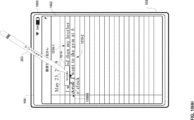
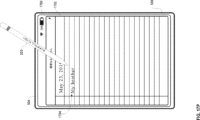
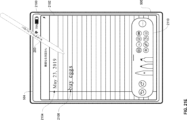
本開示で説明されるいくつかの実施形態は、テキスト入力フィールド内で手書き入力を受信し、手書き入力をフォントベースのテキストに変換することを目的とする。本開示で説明されるいくつかの実施形態は、スタイラスを使用してテキストを選択し、削除することを目的とする。本開示のいくつかの実施形態は、スタイラスを使用して既存のテキストにテキストを挿入することを目的とする。本開示のいくつかの実施形態は、手書き入力をフォントベースのテキストに変換するタイミングを管理することを目的とする。本開示のいくつかの実施形態は、電子デバイス上に、手書き入力メニューを提示することを目的とする。本開示のいくつかの実施形態は、手書き入力メニュー上の選択に基づいて、手書き入力の特性を制御することを目的とする。本開示のいくつかの実施形態は、自動補完提案を提示することを目的とする。本開示のいくつかの実施形態は、手書き入力をフォントベースのテキストに変換することを目的とする。本開示のいくつかの実施形態は、コンテンツ入力パレット内にオプションを表示することを目的とする。 Some embodiments described in the present disclosure are directed to receiving handwritten input in a text input field and converting the handwritten input to font-based text. Some embodiments described in the present disclosure are directed to selecting and deleting text using a stylus. Some embodiments of the present disclosure are directed to inserting text into existing text using a stylus. Some embodiments of the present disclosure are directed to managing the timing of converting handwritten input to font-based text. Some embodiments of the present disclosure are directed to presenting a handwriting menu on an electronic device. Some embodiments of the present disclosure are directed to controlling characteristics of the handwritten input based on a selection on the handwriting menu. Some embodiments of the present disclosure are directed to presenting auto-completion suggestions. Some embodiments of the present disclosure are directed to converting handwritten input to font-based text. Some embodiments of the present disclosure are directed to displaying options in a content entry palette.
説明される様々な実施形態のより良好な理解のために、以下の図面と併せて、以下の「発明を実施するための形態」を参照されたく、類似の参照番号は、それらの図の全体を通して対応する部分を指す。 For a better understanding of the various embodiments described, please refer to the following Detailed Description in conjunction with the following drawings, in which like reference numerals refer to corresponding parts throughout:
以下の説明は、例示的な方法、パラメータなどについて記載する。しかしながら、そのような説明は、本開示の範囲に対する限定として意図されるものではなく、むしろ例示的な実施形態の説明として提供されることを認識されたい。 The following description describes exemplary methods, parameters, and the like. It should be recognized, however, that such description is not intended as a limitation on the scope of the present disclosure, but rather is provided as a description of exemplary embodiments.
手書き入力を(例えば、スタイラス又は他の手書き入力デバイスから)受信し、解釈するための効率的な方法を提供する電子デバイスが必要とされている。そのような技術は、そのようなデバイスを使用するユーザの認知的負担を軽減することができる。更に、そのような技術は、普通なら冗長なユーザ入力に浪費されるプロセッサ及びバッテリの電力を低減することができる。 There is a need for electronic devices that provide efficient ways to receive and interpret handwritten input (e.g., from a stylus or other handwriting input device). Such techniques can reduce the cognitive burden on users of such devices. Furthermore, such techniques can reduce processor and battery power that is otherwise wasted on redundant user input.
以下の説明では、様々な要素について説明するために、「第1の」、「第2の」などの用語を使用するが、これらの要素は、それらの用語によって限定されるべきではない。これらの用語は、ある要素を別の要素と区別するためにのみ使用される。例えば、記載する様々な実施形態の範囲から逸脱することなく、第1のタッチを第2のタッチと呼ぶこともでき、同様に第2のタッチを第1のタッチと呼ぶこともできる。第1のタッチ及び第2のタッチはどちらもタッチであるが、これらは同じタッチではない。 In the following description, terms such as "first" and "second" are used to describe various elements, but these elements should not be limited by these terms. These terms are used only to distinguish one element from another. For example, a first touch can be called a second touch, and a second touch can be called a first touch, without departing from the scope of the various embodiments described. Although a first touch and a second touch are both touches, they are not the same touch.
本明細書に記載する様々な実施形態の説明で使用される術語は、特定の実施形態を説明することのみを目的とし、限定的であることは意図されていない。記載する様々な実施形態の説明及び添付の特許請求の範囲では、単数形の「a(1つ、一)」、「an(1つ、一)」、及び「the(その、この)」は、コンテクスト上別途明白に記載しない限り、複数形も同様に含むことが意図される。また、本明細書で使用されるとき、用語「及び/又は」は、関連する列挙された項目のうちの1つ以上のいずれか及び全ての考えられる組合せを指し、かつこれを含むことを理解されたい。用語「includes(含む)」、「including(含む)」、「comprises(含む、備える)」、及び/又は「comprising(含む、備える)」は、本明細書で使用する場合、述べられた特徴、整数、ステップ、動作、要素、及び/又は構成要素の存在を指定するが、1つ以上の他の特徴、整数、ステップ、動作、要素、構成要素、及び/又はそれらのグループの存在又は追加を除外しないことが更に理解されるであろう。 The terminology used in the description of the various embodiments described herein is for the purpose of describing particular embodiments only and is not intended to be limiting. In the description of the various embodiments described and in the appended claims, the singular forms "a," "an," and "the" are intended to include the plural forms as well, unless the context clearly dictates otherwise. It should also be understood that the term "and/or," as used herein, refers to and includes any and all possible combinations of one or more of the associated listed items. It will be further understood that the terms "includes," "including," "comprises," and/or "comprising," as used herein, specify the presence of stated features, integers, steps, operations, elements, and/or components, but do not exclude the presence or addition of one or more other features, integers, steps, operations, elements, components, and/or groups thereof.
「~の場合(if)」という用語は、任意選択的に、コンテクストに応じて、「~とき(when)」若しくは「~とき(upon)」、又は「~と判定したことに応じて(in response to determining)」若しくは「~を検出したことに応じて(in response to detecting)」を意味すると解釈される。同様に、「~と判定された場合(if it is determined)」又は「[記載の状態又はイベント]が検出された場合(if [a stated condition or event] is detected)」という語句は、任意選択的に、コンテクストに応じて、「~と判定したとき(upon determining)」若しくは「~と判定したことに応じて(in response to determining)」、又は「[記載の状態又はイベント]を検出したとき(upon detecting [the stated condition or event])」若しくは「[記載の状態又はイベント]を検出したことに応じて(in response to detecting [the stated condition or event])」を意味すると解釈される。 The term "if" is, optionally, interpreted to mean "when" or "upon" or "in response to determining" or "in response to detecting", depending on the context. Similarly, the phrases "if it is determined" or "if [a stated condition or event] is detected" are, optionally, interpreted to mean "upon determining" or "in response to determining", or "upon detecting [the stated condition or event]" or "in response to detecting [the stated condition or event]", depending on the context.
電子デバイス、そのようなデバイス用のユーザインタフェース、及びそのようなデバイスを使用する関連するプロセスの実施形態が説明される。いくつかの実施形態では、デバイスは、PDA機能及び/又は音楽プレーヤ機能などの他の機能も含む、携帯電話などのポータブル通信デバイスである。ポータブル多機能デバイスの例示的な実施形態としては、カリフォルニア州クパチーノのApple Inc.からのiPhone(登録商標)、iPod Touch(登録商標)、及びiPad(登録商標)のデバイスが挙げられるが、これらに限定されない。任意選択的に、タッチ感知面(例えば、タッチスクリーンディスプレイ及び/又はタッチパッド)を有するラップトップ又はタブレットコンピュータなどの他のポータブル電子デバイスも使用される。また、いくつかの実施形態では、デバイスはポータブル通信デバイスではなく、タッチ感知面(例えば、タッチスクリーンディスプレイ及び/又はタッチパッド)を有するデスクトップコンピュータであることも理解されたい。 Embodiments of electronic devices, user interfaces for such devices, and associated processes for using such devices are described. In some embodiments, the device is a portable communication device, such as a mobile phone, that also includes other functions, such as a PDA function and/or a music player function. Exemplary embodiments of portable multifunction devices include, but are not limited to, the iPhone®, iPod Touch®, and iPad® devices from Apple Inc. of Cupertino, Calif. Optionally, other portable electronic devices, such as laptops or tablet computers having a touch-sensitive surface (e.g., a touchscreen display and/or a touchpad), are also used. It should also be understood that in some embodiments, the device is not a portable communication device, but rather a desktop computer having a touch-sensitive surface (e.g., a touchscreen display and/or a touchpad).
以下の論考では、ディスプレイ及びタッチ感知面を含む電子デバイスについて説明する。しかしながら、電子デバイスは、任意選択的に、物理キーボード、マウス、及び/又はジョイスティックなどの1つ以上の他の物理ユーザインタフェースデバイスを含むことを理解されたい。 The following discussion describes an electronic device that includes a display and a touch-sensitive surface. However, it should be understood that the electronic device optionally includes one or more other physical user-interface devices, such as a physical keyboard, a mouse, and/or a joystick.
デバイスは、通常、描画アプリケーション、プレゼンテーションアプリケーション、ワードプロセッシングアプリケーション、ウェブサイト作成アプリケーション、ディスクオーサリングアプリケーション、スプレッドシートアプリケーション、ゲームアプリケーション、電話アプリケーション、テレビ会議アプリケーション、電子メールアプリケーション、インスタントメッセージングアプリケーション、トレーニングサポートアプリケーション、写真管理アプリケーション、デジタルカメラアプリケーション、デジタルビデオカメラアプリケーション、ウェブブラウジングアプリケーション、デジタル音楽プレーヤアプリケーション、及び/又はデジタルビデオプレーヤアプリケーションのうちの1つ以上などの様々なアプリケーションをサポートする。 The device typically supports a variety of applications, such as one or more of drawing applications, presentation applications, word processing applications, website creation applications, disc authoring applications, spreadsheet applications, gaming applications, telephony applications, videoconferencing applications, email applications, instant messaging applications, training support applications, photo management applications, digital camera applications, digital video camera applications, web browsing applications, digital music player applications, and/or digital video player applications.
本デバイス上で実行される様々なアプリケーションは、タッチ感知面などの、少なくとも1つの共通の物理ユーザインタフェースデバイスを、任意選択的に使用する。タッチ感知面の1つ以上の機能、並びにデバイス上に表示される対応する情報は、アプリケーション毎に、及び/又はそれぞれのアプリケーション内で、任意選択的に、調整及び/又は変更される。このように、デバイスの共通の物理アーキテクチャ(タッチ感知面など)は、任意選択的に、ユーザにとって直観的かつ透明なユーザインタフェースを備える様々なアプリケーションをサポートする。 The various applications executing on the device optionally use at least one common physical user interface device, such as a touch-sensitive surface. One or more features of the touch-sensitive surface and corresponding information displayed on the device are optionally adjusted and/or changed for each application and/or within each application. In this manner, the common physical architecture of the device (such as the touch-sensitive surface) optionally supports various applications with user interfaces that are intuitive and transparent to the user.
ここで、タッチ感知ディスプレイを備えるポータブルデバイスの実施形態に注意を向ける。図1Aは、いくつかの実施形態に係る、タッチ感知ディスプレイシステム112を有するポータブル多機能デバイス100を示すブロック図である。タッチ感知ディスプレイ112は、便宜上「タッチスクリーン」と呼ばれることがあり、「タッチ感知ディスプレイシステム」として知られている又は呼ばれることがある。デバイス100は、メモリ102(任意選択的に、1つ以上のコンピュータ可読記憶媒体を含む)、メモリコントローラ122、1つ以上の処理ユニット(CPU)120、周辺機器インタフェース118、RF回路108、オーディオ回路110、スピーカ111、マイクロフォン113、入出力(I/O)サブシステム106、他の入力コントロールデバイス116、及び外部ポート124を含む。デバイス100は、任意選択的に、1つ以上の光センサ164を含む。デバイス100は、任意選択的に、デバイス100上の接触の強度を検出する1つ以上の接触強度センサ165(例えば、デバイス100のタッチ感知ディスプレイシステム112などのタッチ感知面)を含む。デバイス100は、任意選択的に、デバイス100上で触知出力を生成する(例えばデバイス100のタッチ感知ディスプレイシステム112又はデバイス300のタッチパッド355などのタッチ感知面上で触知出力を生成する)1つ以上の触知出力生成器167を含む。これらの構成要素は、任意選択的に、1つ以上の通信バス又は信号ライン103を介して通信する。
Attention is now directed to an embodiment of a portable device with a touch-sensitive display. FIG. 1A is a block diagram illustrating a
本明細書及び特許請求において使用されるとき、タッチ感知面上の接触の「強度」という用語は、タッチ感知面上の接触(例えば、指の接触)の力若しくは圧力(単位面積当たりの力)、又はタッチ感知面上の接触の力若しくは圧力に対する代理(プロキシ)を指す。接触の強度は、少なくとも4つの別個の値を含み、より典型的には、数百の(例えば、少なくとも256の)別個の値を含む、値の範囲を有する。接触の強度は、任意選択的に、様々な手法、及び様々なセンサ又はセンサの組合せを使用して、判定(又は測定)される。例えば、タッチ感知面の下又はそれに隣接する1つ以上の力センサは、任意選択的に、タッチ感知面上の様々なポイントにおける力を測定するために使用される。いくつかの実装形態では、複数の力センサからの力測定値が、接触の推定される力を決定するために組み合わされる(例えば、加重平均される)。同様に、スタイラスの感圧性先端部が、任意選択的に、タッチ感知面上のスタイラスの圧力を判定するために使用される。あるいは、タッチ感知面上で検出される接触エリアのサイズ及び/若しくはその変化、接触に近接するタッチ感知面の電気容量及び/若しくはその変化、並びに/又は、接触に近接するタッチ感知面の抵抗及び/若しくはその変化が、任意選択的に、タッチ感知面上の接触の力又は圧力の代替物として使用される。一部の実装形態では、接触の力又は圧力の代替測定値が、強度閾値を上回っているかどうかを判定するために直接使用される(例えば、強度閾値は、代替測定値に対応する単位で記述される)。いくつかの実装形態では、接触力又は圧力の代理測定値は、力又は圧力の推定値に変換され、力又は圧力の推定値が、強度閾値を上回っているかどうかを判定するために使用される(例えば、強度閾値は、圧力の単位で測定される圧力閾値である)。接触の強度をユーザ入力の属性として使用することにより、アフォーダンスを表示する実装面積が限られている低減されたサイズのデバイス上で、ユーザが他の方法ではアクセス不可能であり得る追加のデバイス機能にユーザがアクセスすること(例えば、タッチ感知ディスプレイ上で)、及び/又は、ユーザ入力を受け取ること(例えば、タッチ感知ディスプレイ、タッチ感知面、又は、ノブ若しくはボタンなどの物理的/機械的コントロールを介して)が可能となる。 As used herein and in the claims, the term "intensity" of a contact on a touch-sensitive surface refers to the force or pressure (force per unit area) of a contact (e.g., a finger contact) on the touch-sensitive surface, or a proxy for the force or pressure of a contact on the touch-sensitive surface. The intensity of a contact has a range of values including at least four distinct values, and more typically including hundreds (e.g., at least 256) distinct values. The intensity of a contact is optionally determined (or measured) using various techniques and various sensors or combinations of sensors. For example, one or more force sensors under or adjacent to the touch-sensitive surface are optionally used to measure the force at various points on the touch-sensitive surface. In some implementations, the force measurements from multiple force sensors are combined (e.g., weighted averaged) to determine an estimated force of the contact. Similarly, a pressure-sensitive tip of a stylus is optionally used to determine the pressure of the stylus on the touch-sensitive surface. Alternatively, the size and/or change in the contact area detected on the touch-sensitive surface, the capacitance and/or change in the capacitance of the touch-sensitive surface proximate the contact, and/or the resistance and/or change in the capacitance of the touch-sensitive surface proximate the contact, are optionally used as a surrogate for the force or pressure of the contact on the touch-sensitive surface. In some implementations, the surrogate measure of the force or pressure of the contact is used directly to determine whether an intensity threshold is exceeded (e.g., the intensity threshold is described in units that correspond to the surrogate measure). In some implementations, the surrogate measure of the contact force or pressure is converted to an estimate of the force or pressure, and the estimate of the force or pressure is used to determine whether an intensity threshold is exceeded (e.g., the intensity threshold is a pressure threshold measured in units of pressure). Using the intensity of contact as an attribute of user input allows a user to access additional device functionality (e.g., on a touch-sensitive display) and/or receive user input (e.g., via a touch-sensitive display, touch-sensitive surface, or physical/mechanical controls such as knobs or buttons) that may not otherwise be accessible to the user on devices of reduced size that have limited real estate for displaying affordances.
本明細書及び特許請求の範囲で使用されるように、用語「触知出力」は、ユーザの触覚でユーザによって検出されることになる、デバイスの従前の位置に対するそのデバイスの物理的変位、デバイスの構成要素(例えば、タッチ感知面)の、そのデバイスの別の構成要素(例えば、筐体)に対する物理的変位、又は、デバイスの質量中心に対する構成要素の変位を指す。例えば、デバイス又はデバイスの構成要素が、タッチに敏感なユーザの表面(例えば、ユーザの手の指、手のひら、又は他の部分)に接触している状況では、物理的変位によって生成された触知出力は、そのデバイス又はデバイスの構成要素の物理的特性の認識される変化に相当する触感として、ユーザによって解釈されることになる。例えば、タッチ感知面(例えば、タッチ感知ディスプレイ又はトラックパッド)の移動は、ユーザによって、物理アクチュエータボタンの「ダウンクリック」又は「アップクリック」として、任意選択的に解釈される。場合によっては、ユーザの動作により物理的に押された(例えば、変位された)タッチ感知面に関連付けられた物理アクチュエータボタンの移動がないときでさえ、ユーザは「ダウンクリック」又は「アップクリック」などの触感を感じる。別の例として、タッチ感知面の移動は、タッチ感知面の平滑度に変化がない場合であっても、ユーザによって、そのタッチ感知面の「粗さ」として、任意選択的に解釈又は感知される。そのようなユーザによるタッチの解釈は、ユーザの個人的な感覚認知に左右されるが、大多数のユーザに共通する、多くのタッチの感覚認知が存在する。したがって、触知出力が、ユーザの特定の感覚認知(例えば、「アップクリック」「ダウンクリック」、「粗さ」)に対応するものと記述される場合、別途記載のない限り、生成された触知出力は、典型的な(又は、平均的な)ユーザの記述された感覚認知を生成するデバイス、又はデバイスの構成要素の物理的変位に対応する。 As used herein and in the claims, the term "tactile output" refers to a physical displacement of a device relative to a previous position of the device, a physical displacement of a component of the device (e.g., a touch-sensitive surface) relative to another component of the device (e.g., a housing), or a displacement of a component relative to the center of mass of the device, that is detected by a user with the user's sense of touch. For example, in a situation where a device or a component of a device is in contact with a touch-sensitive surface of a user (e.g., a finger, palm, or other part of a user's hand), the tactile output generated by the physical displacement will be interpreted by the user as a tactile sensation corresponding to a perceived change in a physical characteristic of the device or a component of the device. For example, movement of a touch-sensitive surface (e.g., a touch-sensitive display or trackpad) is optionally interpreted by the user as a "down-click" or "up-click" of a physical actuator button. In some cases, the user feels a tactile sensation such as a "down-click" or "up-click" even when there is no movement of a physical actuator button associated with the touch-sensitive surface that is physically pressed (e.g., displaced) by the user's action. As another example, movement of a touch-sensitive surface is optionally interpreted or sensed by a user as "roughness" of the touch-sensitive surface, even when there is no change in the smoothness of the touch-sensitive surface. Such user interpretation of touch depends on the user's personal sensory perception, but there are many sensory perceptions of touch that are common to a majority of users. Thus, when a tactile output is described as corresponding to a particular sensory perception of a user (e.g., "up click," "down click," "roughness"), unless otherwise noted, the generated tactile output corresponds to a physical displacement of the device, or a component of the device, that produces the described sensory perception of a typical (or average) user.
デバイス100は、ポータブル多機能デバイスの一例に過ぎず、デバイス100は、任意選択的に、示されているものよりも多くの構成要素又は少ない構成要素を有するものであり、任意選択的に、2つ以上の構成要素を組合せるものであり、又は、任意選択的に、それらの構成要素の異なる構成若しくは配置を有するものであることを理解されたい。図1Aに示す様々な構成要素は、1つ以上の信号処理回路及び/又は特定用途向け集積回路を含む、ハードウェア、ソフトウェア、又はハードウェアとソフトウェアの両方の組合せで実施される。
It should be understood that
メモリ102は、任意選択的に、高速ランダムアクセスメモリを含み、また任意選択的に、1つ以上の磁気ディスク記憶デバイス、フラッシュメモリデバイス、又は他の不揮発性ソリッドステートメモリデバイスなどの不揮発性メモリを含む。メモリコントローラ122は、任意選択的に、デバイス100の他の構成要素によるメモリ102へのアクセスを制御する。
Memory 102 optionally includes high-speed random access memory, and optionally includes non-volatile memory, such as one or more magnetic disk storage devices, flash memory devices, or other non-volatile solid-state memory devices.
周辺機器インタフェース118は、デバイスの入力及び出力周辺機器をCPU120及びメモリ102に結合するために使用することができる。1つ以上のプロセッサ120は、メモリ102に記憶された様々なソフトウェアプログラム及び/又は命令セットを動作させる又は実行して、デバイス100のための様々な機能を実行し、データを処理する。いくつかの実施形態では、周辺機器インタフェース118、CPU120、及びメモリコントローラ122は、任意選択的に、チップ104などの単一のチップ上に実装される。いくつかの他の実施形態では、それらは別々のチップ上に任意選択的に実装される。
The
RF(radio frequency、無線周波数)回路108は、電磁信号とも呼ばれるRF信号を送受信する。RF回路108は、電気信号を電磁信号に又は電磁信号を電気信号に変換し、電磁信号を介して通信ネットワーク及び他の通信デバイスと通信する。RF回路108は、任意選択的に、これらの機能を実行するための周知の回路を含み、それらの回路としては、限定するものではないが、アンテナシステム、RF送受信機、1つ以上の増幅器、同調器、1つ以上の発振器、デジタル信号プロセッサ、CODECチップセット、加入者識別モジュール(subscriber identity module、SIM)カード、メモリなどが挙げられる。RF回路108は、任意選択的に、ワールドワイドウェブ(World Wide Web、WWW)とも呼ばれるインターネット、イントラネット、並びに/又はセルラー電話ネットワーク、無線ローカルエリアネットワーク(local area network、LAN)及び/若しくはメトロポリタンエリアネットワーク(metropolitan area network、MAN)などの無線ネットワークなどのネットワークと、また他のデバイスと、無線通信によって通信する。RF回路108は、任意選択的に、短距離通信無線機などによって近距離通信(near field communication、NFC)フィールドを検出するよく知られている回路を含む。無線通信は、任意選択的に、それだけに限定されるものではないが、モバイル通信用グローバルシステム(Global System for Mobile Communications、GSM)、拡張データGSM環境(Enhanced Data GSM Environment、EDGE)、高速ダウンリンクパケットアクセス(high-speed downlink packet access、HSDPA)、高速アップリンクパケットアクセス(high-speed uplink packet access、HSUPA)、エボリューションデータオンリ(Evolution,Data-Only、EV-DO)、HSPA、HSPA+、デュアルセルHSPA(Dual-Cell HSPA、DC-HSPDA)、ロングタームエボリューション(long term evolution、LTE)、近距離通信(NFC)、広帯域符号分割多元接続(wideband code division multiple access、W-CDMA)、符号分割多元接続(code division multiple access、CDMA)、時分割多元接続(time division multiple access、TDMA)、Bluetooth、Bluetoothローエネルギー(Bluetooth Low Energy、BTLE)、ワイヤレスフィデリティ(Wireless Fidelity、Wi-Fi)(例えば、IEEE802.11a、IEEE802.11b、IEEE802.11g、IEEE802.11n、及び/若しくはIEEE802.11ac)、ボイスオーバインターネットプロトコル(voice over Internet Protocol、VoIP)、Wi-MAX、電子メール用プロトコル(例えば、インターネットメッセージアクセスプロトコル(Internet message access protocol、IMAP)及び/若しくはポストオフィスプロトコル(post office protocol、POP))、インスタントメッセージング(例えば、拡張可能なメッセージング及びプレゼンスプロトコル(extensible messaging and presence protocol、XMPP)、インスタントメッセージング及びプレゼンスレベレイジングエクステンション用のセッション開始プロトコル(Session Initiation Protocol for Instant Messaging and Presence Leveraging Extensions、SIMPLE)、インスタントメッセージング及びプレゼンスサービス(Instant Messaging and Presence Service、IMPS))、並びに/若しくはショートメッセージサービス(Short Message Service、SMS)、又は本明細書の出願日の時点でまだ開発されていない通信プロトコルを含む任意の他の適切な通信プロトコルを含む、複数の通信規格、プロトコル、及び技術のうちのいずれかを使用する。
The radio frequency (RF)
オーディオ回路110、スピーカ111、及びマイクロフォン113は、ユーザとデバイス100との間のオーディオインタフェースを提供する。オーディオ回路110は、周辺機器インタフェース118からオーディオデータを受信し、このオーディオデータを電気信号に変換し、この電気信号をスピーカ111に送信する。スピーカ111は、電気信号を人間の可聴音波に変換する。また、オーディオ回路110は、マイクロフォン113によって音波から変換された電気信号を受信する。オーディオ回路110は、電気信号をオーディオデータに変換し、このオーディオデータを処理のために周辺機器インタフェース118に送信する。オーディオデータは、任意選択的に、周辺機器インタフェース118によって、メモリ102及び/若しくはRF回路108から取得され、かつ/又はメモリ102及び/若しくはRF回路108に伝送される。いくつかの実施形態では、オーディオ回路110はまた、ヘッドセットジャック(例えば、図2の212)を含む。ヘッドセットジャックは、オーディオ回路110と、出力専用ヘッドホン又は出力(例えば片耳又は両耳用のヘッドホン)及び入力(例えばマイクロフォン)の両方を備えるヘッドセットなどの着脱可能なオーディオ入出力周辺機器との間のインタフェースを提供する。
The
I/Oサブシステム106は、タッチスクリーン112及び他の入力コントロールデバイス116などのデバイス100上の入出力周辺機器を、周辺機器インタフェース118に結合する。I/Oサブシステム106は、任意選択的に、ディスプレイコントローラ156、光センサコントローラ158、強度センサコントローラ159、触覚フィードバックコントローラ161、及び他の入力若しくは制御デバイスのための1つ以上の入力コントローラ160を含む。1つ以上の入力コントローラ160は、他の入力コントロールデバイス116からの電気信号の受信/他の入力コントロールデバイス116への電気信号の送信を行う。他の入力コントロールデバイス116は、任意選択的に、物理ボタン(例えば、プッシュボタン、ロッカボタンなど)、ダイヤル、スライダスイッチ、ジョイスティック、クリックホイールなどを含む。いくつかの代替的な実施形態では、入力コントローラ(単数又は複数)160は、任意選択的に、キーボード、赤外線ポート、USBポート、及びマウスなどのポインタデバイスのうちのいずれかに結合される(又はいずれにも結合されない)。1つ以上のボタン(例えば、図2の208)は、任意選択的に、スピーカ111及び/又はマイクロフォン113の音量コントロールのためのアップ/ダウンボタンを含む。1つ以上のボタンは、任意選択的に、プッシュボタン(例えば、図2の206)を含む。
The I/O subsystem 106 couples input/output peripherals on the
全体が参照により本明細書に組み込まれる、2005年12月23日出願の米国特許出願第11/322,549号、「Unlocking a Device by Performing Gestures on an Unlock Image」、米国特許第7,657,849号に記載されているように、プッシュボタンの素早い押下は、任意選択的に、タッチスクリーン112のロックを解放し、又は任意選択的に、タッチスクリーン上のジェスチャを使用してデバイスをロック解除するプロセスを開始する。プッシュボタン(例えば、206)のより長い押下は、任意選択的に、デバイス100への電力をオン又はオフにする。ボタンのうちの1つ以上の機能性は、任意選択的に、ユーザによってカスタマイズ可能である。タッチスクリーン112は、仮想又はソフトボタン及び1つ以上のソフトキーボードを実装するために使用される。
As described in U.S. Patent Application Serial No. 11/322,549, "Unlocking a Device by Performing Gestures on an Unlock Image," U.S. Patent No. 7,657,849, filed December 23, 2005, which is incorporated herein by reference in its entirety, a quick press of the push button optionally unlocks the touch screen 112 or optionally initiates a process of unlocking the device using gestures on the touch screen. A longer press of the push button (e.g., 206) optionally turns power on or off to the
タッチ感知ディスプレイ112は、デバイスとユーザとの間の入力インタフェース及び出力インタフェースを提供する。ディスプレイコントローラ156は、タッチスクリーン112からの電気信号の受信、及び/又はタッチスクリーン112への電気信号の送信を行う。タッチスクリーン112は、ユーザに対して視覚出力を表示する。この視覚出力は、グラフィック、テキスト、アイコン、動画、及びそれらの任意の組合せ(総称して「グラフィック」)を任意選択的に含む。いくつかの実施形態では、視覚出力の一部又は全ては、任意選択的に、ユーザインタフェースオブジェクトに対応する。 The touch-sensitive display 112 provides an input and output interface between the device and a user. The display controller 156 receives and/or transmits electrical signals from and to the touchscreen 112. The touchscreen 112 displays visual output to the user. This visual output optionally includes graphics, text, icons, animation, and any combination thereof (collectively "graphics"). In some embodiments, some or all of the visual output optionally corresponds to user interface objects.
タッチスクリーン112は、触覚及び/又は触知接触に基づくユーザからの入力を受け入れるタッチ感知面、センサ、又はセンサのセットを有する。タッチスクリーン112及びディスプレイコントローラ156は、(メモリ102内の任意の関連モジュール及び/又は命令セットと共に)、タッチスクリーン112上で接触(及び任意の接触の移動又は中断)を検出し、検出された接触をタッチスクリーン112に表示されたユーザインタフェースオブジェクト(例えば、1つ以上のソフトキー、アイコン、ウェブページ、又は画像)との対話に変換する。例示的な実施形態では、タッチスクリーン112とユーザとの間の接触点は、ユーザの指に対応する。 Touchscreen 112 has a touch-sensitive surface, sensor, or set of sensors that accepts input from a user based on haptic and/or tactile contact. Touchscreen 112 and display controller 156 (along with any associated modules and/or instruction sets in memory 102) detects contacts (and any movement or breaking of contacts) on touchscreen 112 and translates the detected contacts into interactions with user interface objects (e.g., one or more soft keys, icons, web pages, or images) displayed on touchscreen 112. In an exemplary embodiment, the point of contact between touchscreen 112 and the user corresponds to the user's finger.
タッチスクリーン112は、任意選択的に、LCD(液晶ディスプレイ)技術、LPD(発光ポリマーディスプレイ)技術、又はLED(発光ダイオード)技術を使用するが、他の実施形態では、他のディスプレイ技術も使用される。タッチスクリーン112及びディスプレイコントローラ156は、任意選択的に、それだけに限定されるものではないが、容量性、抵抗性、赤外線、及び表面音波の技術、並びにタッチスクリーン112との1つ以上の接触点を判定する他の近接センサアレイ又は他の要素を含む、現在知られている又は今後開発される複数のタッチ感知技術のうちのいずれかを使用して、接触及びそのあらゆる移動又は中断を検出する。例示的な実施形態では、カリフォルニア州クパチーノのApple Inc.からのiPhone(登録商標)及びiPod Touch(登録商標)に見られるものなどの、投影型相互静電容量感知技術が使用される。 Touch screen 112 optionally uses LCD (liquid crystal display), LPD (light emitting polymer display), or LED (light emitting diode) technology, although other display technologies are used in other embodiments. Touch screen 112 and display controller 156 optionally detect contact and any movement or interruption thereof using any of a number of touch sensing technologies now known or later developed, including, but not limited to, capacitive, resistive, infrared, and surface acoustic wave technologies, as well as other proximity sensor arrays or other elements that determine one or more points of contact with touch screen 112. In an exemplary embodiment, projected mutual capacitance sensing technology is used, such as that found in the iPhone® and iPod Touch® from Apple Inc. of Cupertino, Calif.
タッチスクリーン112のいくつかの実施形態におけるタッチ感知ディスプレイは、任意選択的に、それぞれ全体が参照により本明細書に組み込まれる、米国特許第6,323,846号(Westermanら)、第6,570,557号(Westermanら)、及び/若しくは第6,677,932号(Westerman)、並びに/又は米国特許公報第2002/0015024(A1)号に記載されているマルチタッチ感知タッチパッドに類似している。しかし、タッチスクリーン112はデバイス100からの視覚出力を表示するのに対して、タッチ感知タッチパッドは視覚出力を提供しない。
The touch-sensitive display in some embodiments of touchscreen 112 is optionally similar to the multi-touch-sensing touchpad described in U.S. Pat. Nos. 6,323,846 (Westerman et al.), 6,570,557 (Westerman et al.), and/or 6,677,932 (Westerman), and/or U.S. Patent Publication No. 2002/0015024 (A1), each of which is incorporated herein by reference in its entirety. However, whereas touchscreen 112 displays visual output from
タッチスクリーン112のいくつかの実施形態におけるタッチ感知ディスプレイは、以下の出願に記載されている。
(1)2006年5月2日出願の米国特許出願第11/381,313号、「Multipoint Touch Surface Controller」、(2)2004年5月6日出願の米国特許出願第10/840,862号、「Multipoint Touchscreen」、(3)2004年7月30日出願の米国特許出願第10/903,964号、「Gestures For Touch Sensitive Input Devices」、(4)2005年1月31日出願の米国特許出願第11/048,264号、「Gestures For Touch Sensitive Input Devices」、(5)2005年1月18日出願の米国特許出願第11/038,590号、「Mode-Based Graphical User Interfaces For Touch Sensitive Input Devices」、(6)2005年9月16日出願の米国特許出願第11/228,758号、「Virtual Input Device Placement On A Touch Screen User Interface」、(7)2005年9月16日出願の米国特許出願第11/228,700号、「Operation Of A Computer With A Touch Screen Interface」、(8)2005年9月16日出願の米国特許出願第11/228,737号、「Activating Virtual Keys Of A Touch-Screen Virtual Keyboard」、及び(9)2006年3月3日出願の米国特許出願第11/367,749号、「Multi-Functional Hand-Held Device」。これらの出願は全て、全体が参照により本明細書に組み込まれる。
Some embodiments of touch screen 112 include touch-sensitive displays as described in the following applications:
(1) U.S. Patent Application No. 11/381,313, filed May 2, 2006, entitled "Multipoint Touch Surface Controller"; (2) U.S. Patent Application No. 10/840,862, filed May 6, 2004, entitled "Multipoint Touchscreen"; (3) U.S. Patent Application No. 10/903,964, filed July 30, 2004, entitled "Gestures For Touch Sensitive Input Devices"; (4) U.S. Patent Application No. 11/048,264, filed January 31, 2005, entitled "Gestures For Touch Sensitive Input Devices";"Mode-Based Graphical User Interfaces For Touch Sensitive Input Devices", (5) U.S. Patent Application No. 11/038,590, filed January 18, 2005, "Mode-Based Graphical User Interfaces For Touch Sensitive Input Devices", (6) U.S. Patent Application No. 11/228,758, filed September 16, 2005, "Virtual Input Device Placement On A Touch Screen User Interface", (7) U.S. Patent Application No. 11/228,700, filed September 16, 2005, "Operation Of A Computer With A Touch (8) U.S. patent application Ser. No. 11/228,737, filed Sep. 16, 2005, entitled "Activating Virtual Keys Of A Touch-Screen Virtual Keyboard," and (9) U.S. patent application Ser. No. 11/367,749, filed Mar. 3, 2006, entitled "Multi-Functional Hand-Held Device," all of which are incorporated herein by reference in their entireties.
タッチスクリーン112は、任意選択的に、100dpiを超える動画解像度を有する。いくつかの実施形態では、タッチスクリーンは、約160dpiの動画解像度を有する。ユーザは、任意選択的に、スタイラス、指などの任意の適した物体又は付属物を使用して、タッチスクリーン112に接触する。いくつかの実施形態では、ユーザインタフェースは、指ベースの接触及びジェスチャを主に使用して動作するように設計されるが、これは、タッチスクリーン上の指の接触面積がより大きいため、スタイラスベースの入力ほど正確でない可能性がある。一部の実施形態では、デバイスは、指による粗い入力を、ユーザによって所望されているアクションを実行するための、正確なポインタ/カーソルの位置又はコマンドに変換する。 The touchscreen 112 optionally has a video resolution of greater than 100 dpi. In some embodiments, the touchscreen has a video resolution of approximately 160 dpi. The user optionally contacts the touchscreen 112 using any suitable object or accessory, such as a stylus, finger, etc. In some embodiments, the user interface is designed to operate primarily using finger-based contacts and gestures, which may not be as precise as stylus-based input due to the larger contact area of a finger on the touchscreen. In some embodiments, the device translates the rough finger input into precise pointer/cursor positions or commands to perform the action desired by the user.
いくつかの実施形態では、タッチスクリーンに加えて、デバイス100は、任意選択的に、特定の機能をアクティブ化又は非アクティブ化するためのタッチパッド(図示せず)を含む。一部の実施形態では、タッチパッドは、タッチスクリーンとは異なり、視覚出力を表示しない、デバイスのタッチ感知エリアである。タッチパッドは、任意選択的に、タッチスクリーン112とは別個のタッチ感知面又はタッチスクリーンによって形成されるタッチ感知面の拡張部である。
In some embodiments, in addition to the touchscreen,
デバイス100は、様々な構成要素に電力を供給する電力システム162も含む。電力システム162は、任意選択的に、電力管理システム、1つ以上の電源(例えば、バッテリ、交流(AC))、再充電システム、停電検出回路、電力コンバータ又はインバータ、電力状態インジケータ(例えば、発光ダイオード(LED))、並びにポータブルデバイス内での電力の生成、管理、及び分配に関連付けられた任意の他の構成要素を含む。
The
また、デバイス100は、任意選択的に、1つ以上の光センサ164を含む。図1Aは、I/Oサブシステム106内の光センサコントローラ158に結合された光センサを示す。光センサ164は、任意選択的に、電荷結合デバイス(charge-coupled device、CCD)又は相補的金属酸化物半導体(complementary metal-oxide semiconductor、CMOS)フォトトランジスタを含む。光センサ164は、1つ以上のレンズを通って投影された環境からの光を受信し、その光を、画像を表すデータに変換する。光センサ164は、撮像モジュール143(カメラモジュールとも呼ばれる)と連携して、任意選択的に、静止画像又は動画をキャプチャする。いくつかの実施形態では、光センサは、デバイスの前面にあるタッチスクリーンディスプレイ112とは反対側のデバイス100の裏面に位置し、したがってタッチスクリーンディスプレイは、静止画像及び/又は動画の取得のためのビューファインダとして使用することが可能である。いくつかの実施形態では、ユーザが他のテレビ会議参加者をタッチスクリーンディスプレイ上で見ている間に、ユーザの画像が、任意選択的に、テレビ会議のために入手されるように、光センサはデバイスの前面に配置される。いくつかの実施形態では、光センサ164の位置は、ユーザによって(例えば、デバイス筐体内でレンズ及びセンサを回転させることによって)変更することができ、したがって単一の光センサ164が、タッチスクリーンディスプレイと共に、テレビ会議にも静止画像及び/又は動画の取得にも使用される。
デバイス100はまた、任意選択的に、1つ以上の接触強度センサ165を含む。図1Aは、I/Oサブシステム106内の強度センサコントローラ159に結合された接触強度センサを示す。接触強度センサ165は、任意選択的に、1つ以上のピエゾ抵抗ひずみゲージ、容量性力センサ、電気力センサ、圧電力センサ、光学力センサ、容量性タッチ感知面、又は他の強度センサ(例えば、タッチ感知面上の接触の力(若しくは圧力)を測定するために使用されるセンサ)を含む。接触強度センサ165は、接触強度情報(例えば、圧力情報、又は圧力情報に対するプロキシ)を環境から受信する。いくつかの実施形態では、少なくとも1つの接触強度センサは、タッチ感知面(例えばタッチ感知ディスプレイシステム112)と並置される、又はそれに近接される。いくつかの実施形態では、少なくとも1つの接触強度センサは、デバイス100の前面に配置されたタッチスクリーンディスプレイ112の反対側である、デバイス100の背面に配置される。
また、デバイス100は、任意選択的に、1つ以上の近接センサ166を含む。図1Aは、周辺機器インタフェース118に結合された近接センサ166を示す。あるいは、近接センサ166は、任意選択的に、I/Oサブシステム106内の入力コントローラ160に結合される。近接センサ166は、任意選択的に、全体が参照により本明細書に組み込まれる、米国特許出願第11/241,839号、「Proximity Detector In Handheld Device」、第11/240,788号、「Proximity Detector In Handheld Device」、第11/620,702号、「Using Ambient Light Sensor To Augment Proximity Sensor Output」、第11/586,862号、「Automated Response To And Sensing Of User Activity In Portable Devices」、及び第11/638,251号、「Methods And Systems For Automatic Configuration Of Peripherals」で記載されているように機能する。いくつかの実施形態では、多機能デバイスが、ユーザの耳の近くに置かれた場合(例えば、ユーザが電話をかけている場合)、近接センサは、タッチスクリーン112をオフにして無効化する。
デバイス100はまた、任意選択的に、1つ以上の触知出力生成器167を含む。図1Aは、I/Oサブシステム106内の触覚フィードバックコントローラ161に結合された触知出力生成器を示す。触知出力生成器167は、任意選択的に、スピーカ若しくは他のオーディオ構成要素などの1つ以上の電気音響デバイス、及び/又はモータ、ソレノイド、電気活性ポリマー、圧電アクチュエータ、静電アクチュエータ、若しくは他の触知出力生成構成要素(例えば、デバイス上で電気信号を触知出力に変換する構成要素)などのエネルギーを直線の動きに変換する電気機械デバイスを含む。接触強度センサ165は、触知フィードバック生成命令を触覚フィードバックモジュール133から受信し、デバイス100のユーザが感知することが可能な触知出力をデバイス100上に生成する。いくつかの実施形態では、少なくとも1つの触知出力生成器は、タッチ感知面(例えば、タッチ感知ディスプレイシステム112)と並置される、又はそれに近接しており、任意選択的に、タッチ感知面を垂直方向(例えば、デバイス100の表面の内/外)に、又は水平方向(例えば、デバイス100の表面と同じ平面内の前後)に移動させることによって、触知出力を生成する。いくつかの実施形態では、少なくとも1つの触知出力生成器センサは、デバイス100の前面に配置されたタッチスクリーンディスプレイ112の反対側である、デバイス100の背面に配置される。
また、デバイス100は、任意選択的に、1つ以上の加速度計168を含む。図1Aは、周辺機器インタフェース118に結合された加速度計168を示す。あるいは、加速度計168は、任意選択的に、I/Oサブシステム106内の入力コントローラ160に結合される。加速度計168は、任意選択的に、どちらも全体が参照により本明細書に組み込まれる、米国特許公開第20050190059号、「Acceleration-based Theft Detection System for Portable Electronic Devices」、及び米国特許公開第20060017692号、「Methods And Apparatuses For Operating A Portable Device Based On An Accelerometer」に記載されているように機能する。いくつかの実施形態では、情報は、1つ以上の加速度計から受信したデータの分析に基づいて、縦長表示又は横長表示でタッチスクリーンディスプレイに表示される。デバイス100は、任意選択的に、加速度計(単数又は複数)168に加えて、磁気計(図示せず)、並びにデバイス100の位置及び向き(例えば、縦向き又は横向き)に関する情報を取得するためのGPS(又はGLONASS若しくは他のグローバルナビゲーションシステム)受信機(図示せず)を含む。
いくつかの実施形態では、メモリ102内に記憶されているソフトウェア構成要素は、オペレーティングシステム126、通信モジュール(又は命令セット)128、接触/動きモジュール(又は命令セット)130、グラフィックモジュール(又は命令セット)132、テキスト入力モジュール(又は命令セット)134、全地球測位システム(Global Positioning System、GPS)モジュール(又は命令セット)135、及びアプリケーション(又は命令セット)136を含む。更に、いくつかの実施形態では、メモリ102(図1A)又は370(図3)は、図1A及び図3に示すように、デバイス/グローバル内部状態157を記憶する。デバイス/グローバル内部状態157は、現在アクティブ状態のアプリケーションがある場合に、どのアプリケーションがアクティブであるかを示すアクティブアプリケーション状態、どのアプリケーション、ビュー、又は他の情報がタッチスクリーンディスプレイ112の様々な領域を占めているかを示す表示状態、デバイスの様々なセンサ及び入力コントロールデバイス116から取得した情報を含むセンサ状態、並びにデバイスの位置、及び/又は姿勢に関する位置情報のうちの1つ以上を含む。
In some embodiments, the software components stored in memory 102 include an
オペレーティングシステム126(例えば、Darwin、RTXC、LINUX、UNIX、OS X、iOS、WINDOWS、又はVxWorksなどの組込み型オペレーティングシステム)は、全般的なシステムタスク(例えば、メモリ管理、記憶装置制御、電力管理など)を制御及び管理する様々なソフトウェア構成要素及び/又はドライバを含み、様々なハードウェア構成要素とソフトウェア構成要素との間の通信を容易にする。 Operating system 126 (e.g., Darwin, RTXC, LINUX, UNIX, OS X, iOS, WINDOWS, or an embedded operating system such as VxWorks) includes various software components and/or drivers that control and manage general system tasks (e.g., memory management, storage control, power management, etc.) and facilitate communication between various hardware and software components.
通信モジュール128は、1つ以上の外部ポート124を介して他のデバイスとの通信を容易にし、RF回路108及び/又は外部ポート124が受信したデータを処理するための様々なソフトウェア構成要素をも含む。外部ポート124(例えば、ユニバーサルシリアルバス(Universal Serial Bus、USB)、FIREWIREなど)は、直接的に、又はネットワーク(例えばインターネット、無線LANなど)を介して間接的に、他のデバイスに結合するように適合されている。いくつかの実施形態では、外部ポートは、iPod(登録商標)(Apple Inc.の商標)デバイス上で使用される30ピンコネクタと同じ若しくは同様であり、かつ/又はそれに適合しているマルチピン(例えば、30ピン)コネクタである。
The
接触/動きモジュール130は、任意選択的に、タッチスクリーン112及び他のタッチ感知デバイス(例えば、タッチパッド又は物理クリックホイール)との接触を(ディスプレイコントローラ156と連携して)検出する。接触/動きモジュール130は、接触が生じたかどうかを判定すること(例えば、指ダウンイベントを検出すること)、接触の強度(例えば、接触の力若しくは圧力、又は接触の力若しくは圧力の代替物)を判定すること、接触の移動が存在するかどうかを判定し、タッチ感知面を横断する移動を追跡すること(例えば、指をドラッグする1つ以上のイベントを検出すること)、及び接触が停止したかどうかを判定すること(例えば、指アップイベント又は接触の中断を検出すること)などの、接触の検出に関する様々な動作を実行するための、様々なソフトウェア構成要素を含む。接触/動きモジュール130は、タッチ感知面から接触データを受信する。一連の接触データによって表される、接触点の移動を判定することは、任意選択的に、接触点の速さ(大きさ)、速度(大きさ及び方向)、及び/又は加速度(大きさ及び/又は方向の変化)を判定することを含む。これらの動作は、任意選択的に、単一の接触(例えば、1本の指の接触)又は複数の同時接触(例えば、「マルチタッチ」/複数の指の接触)に適用される。いくつかの実施形態では、接触/動きモジュール130及びディスプレイコントローラ156は、タッチパッド上の接触を検出する。
Contact/
いくつかの実施形態では、接触/動きモジュール130は、ユーザによって動作が実行されたかどうかを判定するために(例えば、ユーザがアイコン上で「クリック」したかどうかを判定するために)、1つ以上の強度閾値のセットを使用する。いくつかの実施形態では、強度閾値の少なくとも1つのサブセットは、ソフトウェアパラメータに従って判定される(例えば、強度閾値は、特定の物理アクチュエータのアクティブ化閾値によって決定されるのではなく、デバイス100の物理ハードウェアを変更することなく調整することができる)。例えば、トラックパッド又はタッチスクリーンディスプレイのマウス「クリック」閾値は、トラックパッド又はタッチスクリーンディスプレイハードウェアを変更することなく、広範囲の既定閾値のうちのいずれかに設定することができる。加えて、いくつかの実装形態では、デバイスのユーザに、(例えば、個々の強度閾値を調整すること、及び/又は複数の強度閾値をシステムレベルのクリック「強度」パラメータによって一度に調整することによって)強度閾値のセットのうちの1つ以上を調整するソフトウェア設定が提供される。
In some embodiments, the contact/
接触/動きモジュール130は、任意選択的に、ユーザによるジェスチャ入力を検出する。タッチ感知面上の異なるジェスチャは、異なる接触パターンを有する(例えば検出される接触の動き、タイミング、及び/又は強度が異なる)。したがって、ジェスチャは、任意選択的に、特定の接触パターンを検出することによって検出される。例えば、指タップジェスチャを検出することは、指ダウンイベントを検出し、それに続いて指ダウンイベントと同じ位置(又は実質的に同じ位置)(例えば、アイコンの位置)で指アップ(リフトオフ)イベントを検出することを含む。別の例として、タッチ感知面上で指スワイプジェスチャを検出することは、指ダウンイベントを検出し、それに続いて1つ以上の指ドラッグイベントを検出し、その後それに続いて指アップ(リフトオフ)イベントを検出することを含む。
Contact/
グラフィックモジュール132は、表示されるグラフィックの視覚的な影響(例えば、輝度、透明度、彩度、コントラスト、又は他の視覚的特性)を変化させる構成要素を含む、タッチスクリーン112又は他のディスプレイ上にグラフィックをレンダリング及び表示する様々な既知のソフトウェア構成要素を含む。本明細書では、「グラフィック」という用語は、それだけに限定されるものではないが、テキスト、ウェブページ、アイコン(ソフトキーを含むユーザインタフェースオブジェクトなど)、デジタル画像、動画、アニメーションなどを含む、ユーザに表示することができる任意のオブジェクトを含む。
いくつかの実施形態では、グラフィックモジュール132は、使用されることになるグラフィックを表すデータを記憶する。各グラフィックには、任意選択的に、対応するコードが割り当てられる。グラフィックモジュール132は、アプリケーションなどから、必要に応じて、座標データ及び他のグラフィック特性データと共に、表示されることとなるグラフィックを指定する1つ以上のコードを受信し、次にディスプレイコントローラ156に出力する画面の画像データを生成する。
In some embodiments,
触覚フィードバックモジュール133は、触知出力生成器167によって使用される命令を生成するための様々なソフトウェア構成要素を含み、触知出力生成器167は、ユーザのデバイス100との対話に応じて、デバイス100上の1つ以上の位置での触知出力を生成する。
The
テキスト入力モジュール134は、任意選択で、グラフィックモジュール132の構成要素であり、様々なアプリケーション(例えば、連絡先137、電子メール140、IM141、ブラウザ147、及びテキスト入力を必要とする任意の他のアプリケーション)でテキストを入力するためのソフトキーボードを提供する。
GPSモジュール135は、デバイスの位置を判定し、この情報を様々なアプリケーションで使用するために(例えば、位置に基づくダイヤル発呼で使用するために電話138に、写真/動画のメタデータとしてカメラ143に、並びに、気象ウィジェット、地域の職業別電話帳ウィジェット、及び地図/ナビゲーションウィジェットなどの、位置に基づくサービスを提供するアプリケーションに)提供する。
The
アプリケーション136は、任意選択的に、以下のモジュール(又は命令セット)又はそれらのサブセット若しくはスーパーセットを含む。
● 連絡先モジュール137(アドレス帳又は連絡先リストと呼ばれることもある)、
● 電話モジュール138、
● テレビ会議モジュール139、
● 電子メールクライアントモジュール140、
● インスタントメッセージング(Instant messaging、IM)モジュール141、
● トレーニングサポートモジュール142、
● 静止画像及び/又は動画用のカメラモジュール143、
● 画像管理モジュール144、
● 動画プレーヤモジュール、
● 音楽プレーヤモジュール、
● ブラウザモジュール147、
● カレンダーモジュール148、
● 任意選択的に、気象ウィジェット149-1、株式ウィジェット149-2、計算機ウィジェット149-3、目覚まし時計ウィジェット149-4、辞書ウィジェット149-5、及びユーザによって入手された他のウィジェット、並びにユーザ作成ウィジェット149-6のうちの1つ以上を含むウィジェットモジュール149、
● ユーザ作成ウィジェット149-6を作成するためのウィジェットクリエータモジュール150、
● 検索モジュール151、
● 動画プレーヤモジュール及び音楽プレーヤモジュールを一体化した動画及び音楽プレーヤモジュール152、
● メモモジュール153、
● 地図モジュール154、並びに/又は、
● オンラインビデオモジュール155。
Contacts module 137 (sometimes called an address book or contact list);
- a
-
-
- an instant messaging (IM)
● Video player module,
● Music player module,
-
-
• a
A
- a
A video and
- a
-
任意選択的にメモリ102に記憶される他のアプリケーション136の例としては、他のワードプロセッシングアプリケーション、他の画像編集アプリケーション、描画アプリケーション、プレゼンテーションアプリケーション、JAVA対応アプリケーション、暗号化、デジタル著作権管理、音声認識、及び音声複製が挙げられる。
Examples of
連絡先モジュール137は、タッチスクリーン112、ディスプレイコントローラ156、接触/動きモジュール130、グラフィックモジュール132、及びテキスト入力モジュール134と連携して、任意選択的に、アドレス帳又は連絡先リストを(例えば、メモリ102又はメモリ370内の連絡先モジュール137のアプリケーション内部状態192内に記憶して)管理するために使用される。連絡先モジュール137による管理には、
アドレス帳に名前を追加すること、アドレス帳から名前(単数又は複数)を削除すること、電話番号(単数又は複数)、電子メールアドレス(単数又は複数)、実際の住所(単数又は複数)、又は他の情報を名前に関連付けること、画像を名前に関連付けること、名前を分類して並べ替えること、電話番号又は電子メールアドレスを提供して、電話138、テレビ会議モジュール139、電子メール140、又はIM141による通信を開始かつ/又は促進すること、などが含まれる。
These include adding a name to an address book, removing a name(s) from an address book, associating a phone number(s), email address(es), physical address(es), or other information with a name, associating an image with a name, categorizing and sorting names, providing phone numbers or email addresses to initiate and/or facilitate communication by
電話モジュール138は、RF回路108、オーディオ回路110、スピーカ111、マイクロフォン113、タッチスクリーン112、ディスプレイコントローラ156、接触/動きモジュール130、グラフィックモジュール132、及びテキスト入力モジュール134と連携して、任意選択的に、電話番号に対応する文字シーケンスの入力、連絡先モジュール137内の1つ以上の電話番号へのアクセス、入力された電話番号の修正、それぞれの電話番号のダイヤル、通話の実行、並びに通話終了時の接続切断及び通話停止のために使用される。前述したように、無線通信は、任意選択的に、複数の通信規格、プロトコル、及び技術のうちのいずれかを使用する。
The
テレビ会議モジュール139は、RF回路108、オーディオ回路110、スピーカ111、マイクロフォン113、タッチスクリーン112、ディスプレイコントローラ156、光センサ164、光センサコントローラ158、接触/動きモジュール130、グラフィックモジュール132、テキスト入力モジュール134、連絡先モジュール137、及び電話モジュール138と連携して、ユーザの命令に従ってユーザと1人以上の他の参加者との間のテレビ会議を開始、実行、及び終了するための実行可能な命令を含む。
The
電子メールクライアントモジュール140は、RF回路108、タッチスクリーン112、ディスプレイコントローラ156、接触/動きモジュール130、グラフィックモジュール132、及びテキスト入力モジュール134と連携して、ユーザの命令に応じて電子メールを作成、送信、受信、及び管理するための実行可能な命令を含む。画像管理モジュール144と連携して、電子メールクライアントモジュール140は、カメラモジュール143で撮影された静止画像又は動画画像を有する電子メールの作成及び送信を非常に容易にする。
The
インスタントメッセージングモジュール141は、RF回路108、タッチスクリーン112、ディスプレイコントローラ156、接触/動きモジュール130、グラフィックモジュール132、及びテキスト入力モジュール134と連携して、インスタントメッセージに対応する文字シーケンスの入力、以前に入力された文字の修正、(例えば、電話通信ベースのインスタントメッセージ向けのショートメッセージサービス(Short Message Service、SMS)若しくはマルチメディアメッセージサービス(Multimedia Message Service、MMS)プロトコル、又はインターネットベースのインスタントメッセージ向けのXMPP、SIMPLE、若しくはIMPSを使用する)それぞれのインスタントメッセージの送信、インスタントメッセージの受信、及び受信したインスタントメッセージの閲覧のための実行可能な命令を含む。いくつかの実施形態では、送信される及び/又は受信されるインスタントメッセージは、任意選択的に、MMS及び/又は拡張メッセージングサービス(Enhanced Messaging Service、EMS)でサポートされるようなグラフィック、写真、オーディオファイル、動画ファイル、及び/又は他の添付ファイルを含む。本明細書では、「インスタントメッセージング」とは、電話通信ベースのメッセージ(例えば、SMS又はMMSを使用して送信されるメッセージ)と、インターネットベースのメッセージ(例えば、XMPP、SIMPLE、又はIMPSを使用して送信されるメッセージ)との両方を指す。
The
トレーニングサポートモジュール142は、RF回路108、タッチスクリーン112、ディスプレイコントローラ156、接触/動きモジュール130、グラフィックモジュール132、テキスト入力モジュール134、GPSモジュール135、地図モジュール154、及び音楽プレーヤモジュールと連携して、トレーニング(例えば、時間、距離、及び/又はカロリー燃焼の目標を有する)を作成し、トレーニングセンサ(スポーツデバイス)と通信し、トレーニングセンサデータを受信し、トレーニングをモニタするために使用されるセンサを較正し、トレーニングのための音楽を選択及び再生し、並びに、トレーニングデータを表示、記憶、及び送信するための実行可能な命令を含む。
The
カメラモジュール143は、タッチスクリーン112、ディスプレイコントローラ156、光センサ164、光センサコントローラ158、接触/動きモジュール130、グラフィックモジュール132、及び画像管理モジュール144と連携して、静止画像若しくは(動画ストリームを含む)動画のキャプチャ及びメモリ102内への記憶、静止画像若しくは動画の特性の修正、又はメモリ102からの静止画像若しくは動画の削除のための実行可能な命令を含む。
The
画像管理モジュール144は、タッチスクリーン112、ディスプレイコントローラ156、接触/動きモジュール130、グラフィックモジュール132、テキスト入力モジュール134、及びカメラモジュール143と連携して、静止画像及び/若しくは動画の配置、修正(例えば、編集)、又はその他の操作、ラベル付け、削除、(例えば、デジタルスライドショー若しくはアルバムにおける)提示、及び記憶のための実行可能な命令を含む。
ブラウザモジュール147は、RF回路108、タッチスクリーン112、ディスプレイコントローラ156、接触/動きモジュール130、グラフィックモジュール132、及びテキスト入力モジュール134と連携して、ウェブページ又はその一部分、並びにウェブページにリンクされた添付ファイル及び他のファイルの検索、リンク、受信、及び表示を含む、ユーザの命令に従ってインターネットをブラウジングするための実行可能な命令を含む。
The
カレンダーモジュール148は、RF回路108、タッチスクリーン112、ディスプレイコントローラ156、接触/動きモジュール130、グラフィックモジュール132、テキスト入力モジュール134、電子メールクライアントモジュール140、及びブラウザモジュール147と連携して、ユーザの命令に従って、カレンダー及びカレンダーに関連付けられたデータ(例えば、カレンダーアイテム、to-doリストなど)を作成、表示、修正、及び記憶するための実行可能な命令を含む。
The
ウィジェットモジュール149は、RF回路108、タッチスクリーン112、ディスプレイコントローラ156、接触/動きモジュール130、グラフィックモジュール132、テキスト入力モジュール134、及びブラウザモジュール147と連携して、任意選択的に、ユーザによってダウンロード及び使用されるミニアプリケーション(例えば、気象ウィジェット149-1、株式ウィジェット149-2、計算機ウィジェット149-3、目覚まし時計ウィジェット149-4、及び辞書ウィジェット149-5)、又はユーザによって作成されたミニアプリケーション(例えば、ユーザ作成ウィジェット149-6)である。いくつかの実施形態では、ウィジェットは、HTML(Hypertext Markup Language、ハイパーテキストマークアップ言語)ファイル、CSS(Cascading Style Sheets、カスケーディングスタイルシート)ファイル、及びJavaScriptファイルを含む。いくつかの実施形態では、ウィジェットは、XML(Extensible Markup Language、拡張可能マークアップ言語)ファイル及びJavaScriptファイル(例えば、Yahoo!ウィジェット)を含む。
The
ウィジェットクリエータモジュール150は、RF回路108、タッチスクリーン112、ディスプレイコントローラ156、接触/動きモジュール130、グラフィックモジュール132、テキスト入力モジュール134、及びブラウザモジュール147と連携して、任意選択的に、ウィジェットを作成する(例えば、ウェブページのユーザ指定部分をウィジェットにする)ために、ユーザによって使用される。
The
検索モジュール151は、タッチスクリーン112、ディスプレイコントローラ156、接触/動きモジュール130、グラフィックモジュール132、及びテキスト入力モジュール134と連携して、ユーザの命令に従って1つ以上の検索基準(例えば、1つ以上のユーザ指定検索語)と一致するメモリ102内のテキスト、音楽、サウンド、画像、動画、及び/又は他のファイルを検索するための実行可能な命令を含む。
The
動画及び音楽プレーヤモジュール152は、タッチスクリーン112、ディスプレイコントローラ156、接触/動きモジュール130、グラフィックモジュール132、オーディオ回路110、スピーカ111、RF回路108、及びブラウザモジュール147と連携して、MP3又はAACファイルなどの1つ以上のファイル形式で記憶された録音済みの音楽及び他のサウンドファイルをユーザがダウンロード及び再生できるようにする実行可能な命令、並びに動画を(例えば、タッチスクリーン112上又は外部ポート124を介して接続された外部のディスプレイ上に)表示、提示、又は別の方法で再生するための実行可能な命令を含む。いくつかの実施形態では、デバイス100は、任意選択的に、iPod(Apple Inc.の商標)などのMP3プレーヤの機能を含む。
The video and
メモモジュール153は、タッチスクリーン112、ディスプレイコントローラ156、接触/動きモジュール130、グラフィックモジュール132、及びテキスト入力モジュール134と連携して、ユーザの命令に従ってメモ、to-doリストなどを作成及び管理するための実行可能な命令を含む。
The
地図モジュール154は、RF回路108、タッチスクリーン112、ディスプレイコントローラ156、接触/動きモジュール130、グラフィックモジュール132、テキスト入力モジュール134、GPSモジュール135、及びブラウザモジュール147と連携して、任意選択的に、ユーザの命令に従って、地図及び地図に関連付けられたデータ(例えば、運転の道順、特定の場所又はその付近の店舗及び他の見どころに関するデータ、並びに他の位置ベースのデータ)を受信、表示、修正、及び記憶するために使用される。
The
オンラインビデオモジュール155は、タッチスクリーン112、ディスプレイコントローラ156、接触/動きモジュール130、グラフィックモジュール132、オーディオ回路110、スピーカ111、RF回路108、テキスト入力モジュール134、電子メールクライアントモジュール140、及びブラウザモジュール147と連携して、ユーザが特定のオンラインビデオへのアクセス、特定のオンラインビデオのブラウジング、(例えば、ストリーミング及び/又はダウンロードによる)受信、(例えば、タッチスクリーン上又は外部ポート124を介して接続された外部ディスプレイ上の)再生、特定のオンラインビデオへのリンクを有する電子メールの送信、並びにH.264などの1つ以上のファイル形式のオンラインビデオの他の管理を行うことを可能にする命令を含む。いくつかの実施形態では、特定のオンラインビデオへのリンクを送信するために、電子メールクライアントモジュール140ではなく、インスタントメッセージングモジュール141が使用される。オンラインビデオアプリケーションについての追加の説明は、その内容の全体が参照により本明細書に組み込まれる、2007年6月20日出願の米国仮特許出願第60/936,562号、「Portable Multifunction Device,Method,and Graphical User Interface for Playing Online Videos」、及び2007年12月31日出願の米国特許出願第11/968,067号、「Portable Multifunction Device,Method,and Graphical User Interface for Playing Online Videos」を参照されたい。
The
上記で特定したモジュール及びアプリケーションはそれぞれ、前述した1つ以上の機能及び本出願に記載した方法(例えば、本明細書に記載したコンピュータにより実装される方法及び他の情報処理方法)を実行する実行可能な命令のセットに対応する。これらのモジュール(例えば、命令セット)は、別個のソフトウェアプログラム、手順、又はモジュールとして実装される必要はなく、したがって、様々な実施形態において、これらのモジュールの様々なサブセットが、任意選択的に、組み合わされ、又は別の方法で再構成される。例えば、動画プレーヤモジュールは、任意選択的に、音楽プレーヤモジュールと組み合わされて、単一のモジュール(例えば、図1Aの動画及び音楽プレーヤモジュール152)にされる。いくつかの実施形態では、メモリ102は、任意選択で、上記で特定されたモジュール及びデータ構造のサブセットを記憶する。更に、メモリ102は、上記で説明されていない追加のモジュール及びデータ構造を任意選択的に記憶する。
Each of the modules and applications identified above corresponds to a set of executable instructions that perform one or more of the functions and methods described herein (e.g., the computer-implemented methods and other information processing methods described herein). These modules (e.g., sets of instructions) need not be implemented as separate software programs, procedures, or modules, and thus, in various embodiments, various subsets of these modules are optionally combined or otherwise reconfigured. For example, a video player module is optionally combined with a music player module into a single module (e.g., video and
いくつかの実施形態では、デバイス100は、そのデバイスにおける既定の機能のセットの動作がタッチスクリーン及び/又はタッチパッドのみを介して実行されるデバイスである。デバイス100が動作するための主要な入力コントロールデバイスとしてタッチスクリーン及び/又はタッチパッドを使用することにより、任意選択的に、デバイス100上の物理的な入力コントロールデバイス(プッシュボタン、ダイヤルなど)の数が削減される。
In some embodiments,
タッチスクリーン及び/又はタッチパッドを通じてのみ実行される既定の機能のセットは、任意選択的に、ユーザインタフェース間のナビゲーションを含む。いくつかの実施形態では、タッチパッドは、ユーザによってタッチされたときに、デバイス100上に表示される任意のユーザインタフェースから、メインメニュー、ホームメニュー、又はルートメニューにデバイス100をナビゲートする。このような実施形態では、「メニューボタン」は、タッチパッドを使用して実装される。一部の他の実施形態では、メニューボタンは、タッチパッドではなく、物理プッシュボタン又はその他の物理入力コントロールデバイスである。
The set of default functions performed solely through the touchscreen and/or touchpad optionally includes navigation between user interfaces. In some embodiments, the touchpad, when touched by a user, navigates
図1Bは、いくつかの実施形態に係る、イベント処理のための例示的な構成要素を示すブロック図である。いくつかの実施形態では、メモリ102(図1A)又は370(図3)は、イベントソータ170(例えば、オペレーティングシステム126内)と、それぞれのアプリケーション136-1(例えば、前述のアプリケーション137~151、155、380~390のうちのいずれか)とを含む。 FIG. 1B is a block diagram illustrating example components for event processing, according to some embodiments. In some embodiments, memory 102 (FIG. 1A) or 370 (FIG. 3) includes an event sorter 170 (e.g., in operating system 126) and a respective application 136-1 (e.g., any of applications 137-151, 155, 380-390 described above).
イベントソータ170は、イベント情報を受信し、イベント情報を配信するアプリケーション136-1、及びアプリケーション136-1のアプリケーションビュー191を判定する。イベントソータ170は、イベントモニタ171及びイベントディスパッチャモジュール174を含む。いくつかの実施形態では、アプリケーション136-1は、アプリケーションがアクティブ又は実行中であるときにタッチ感知ディスプレイ112に表示される現在のアプリケーションビューを示すアプリケーション内部状態192を含む。いくつかの実施形態では、デバイス/グローバル内部状態157は、どのアプリケーション(単数又は複数)が現在アクティブであるかを判定するためにイベントソータ170によって使用され、アプリケーション内部状態192は、イベント情報が配信されるアプリケーションビュー191を判定するためにイベントソータ170によって使用される。
いくつかの実施形態では、アプリケーション内部状態192は、アプリケーション136-1が実行を再開するときに使用すべき再開情報、アプリケーション136-1によって表示されている情報を示す又は表示する準備ができたユーザインタフェース状態情報、ユーザがアプリケーション136-1の前の状態又はビューに戻ることを可能にする状態キュー、及びユーザによって行われた前のアクションのリドゥ/アンドゥキューのうちの1つ以上などの追加の情報を含む。
In some embodiments, application
イベントモニタ171は、周辺機器インタフェース118からイベント情報を受信する。イベント情報は、サブイベント(例えば、タッチ感知ディスプレイ112でのマルチタッチジェスチャの一部としてのユーザタッチ)に関する情報を含む。周辺機器インタフェース118は、I/Oサブシステム106、又は近接センサ166、加速度計(単数又は複数)168、及び/若しくは(オーディオ回路110を介した)マイクロフォン113などのセンサから受信する情報を送信する。周辺機器インタフェース118がI/Oサブシステム106から受信する情報は、タッチ感知ディスプレイ112又はタッチ感知面からの情報を含む。
いくつかの実施形態では、イベントモニタ171は、所定の間隔で周辺機器インタフェース118に要求を送信する。それに応じて、周辺機器インタフェース118は、イベント情報を送信する。他の実施形態では、周辺機器インタフェース118は、重要なイベント(例えば、所定のノイズ閾値を上回る及び/又は所定の持続時間を超える入力の受信)があるときのみイベント情報を送信する。 In some embodiments, event monitor 171 sends requests to peripherals interface 118 at predetermined intervals. In response, peripherals interface 118 sends event information. In other embodiments, peripherals interface 118 sends event information only when there is a significant event (e.g., receipt of an input above a predetermined noise threshold and/or for a predetermined duration).
いくつかの実施形態では、イベントソータ170はまた、ヒットビュー判定モジュール172及び/又はアクティブイベント認識部判定モジュール173を含む。
In some embodiments,
ヒットビュー判定モジュール172は、タッチ感知ディスプレイ112が2つ以上のビューを表示しているときに、サブイベントが1つ以上のビュー内のどこで起きたかを判定するソフトウェア手順を提供する。ビューは、ユーザがディスプレイ上で見ることができる制御装置及び他の要素から構成されている。
Hit
アプリケーションに関連付けられたユーザインタフェースの別の態様は、本明細書ではアプリケーションビュー又はユーザインタフェースウィンドウと呼ばれることもあるビューのセットであり、その中で情報が表示され、タッチに基づくジェスチャが生じる。タッチが検出される(それぞれのアプリケーションの)アプリケーションビューは、任意選択的に、アプリケーションのプログラム階層又はビュー階層内のプログラムレベルに対応する。例えば、タッチが検出される最下位レベルビューは、任意選択的に、ヒットビューと呼ばれ、また、適切な入力として認識されるイベントのセットは、任意選択的に、タッチによるジェスチャを開始する初期タッチのヒットビューに少なくとも部分的に基づいて決定される。 Another aspect of a user interface associated with an application is the set of views, sometimes referred to herein as application views or user interface windows, in which information is displayed and touch-based gestures occur. The application view (of the respective application) in which the touch is detected optionally corresponds to a programmatic level within the programmatic or view hierarchy of the application. For example, the lowest level view in which the touch is detected is optionally referred to as a hit view, and the set of events that are recognized as suitable inputs is optionally determined based at least in part on the hit view of the initial touch that initiates the touch gesture.
ヒットビュー判定モジュール172は、タッチに基づくジェスチャのサブイベントに関連する情報を受信する。アプリケーションが階層状に構成された複数のビューを有するとき、ヒットビュー判定モジュール172は、サブイベントを処理すべき階層内の最下位のビューとして、ヒットビューを特定する。ほとんどの状況では、ヒットビューは、開始サブイベント(例えば、イベント又は潜在的イベントを形成するサブイベントシーケンスにおける第1のサブイベント)が発生する最も低いレベルのビューである。ヒットビューがヒットビュー判定モジュール172によって特定されると、ヒットビューは、通常、ヒットビューとして特定された同じタッチ又は入力ソースに関係する全てのサブイベントを受信する。
Hit
アクティブイベント認識部判定モジュール173は、ビュー階層内のどのビュー(単数又は複数)がサブイベントの特定のシーケンスを受信すべきかを判定する。いくつかの実施形態では、アクティブイベント認識部判定モジュール173は、ヒットビューのみがサブイベントの特定のシーケンスを受信すべきであると判定する。他の実施形態では、アクティブイベント認識部判定モジュール173は、サブイベントの物理位置を含む全てのビューがアクティブに関わりがあるビューであると判定し、したがって、全てのアクティブに関わりがあるビューが、サブイベントの特定のシーケンスを受信すべきであると判定する。他の実施形態では、タッチサブイベントが1つの特定のビューに関連付けられたエリアに完全に限定された場合でも、階層内の上位のビューは、依然としてアクティブに関わりがあるビューであり続ける。
Active event
イベントディスパッチャモジュール174は、イベント情報をイベント認識部(例えばイベント認識部180)にディスパッチする。アクティブイベント認識部判定モジュール173を含む実施形態では、イベントディスパッチャモジュール174は、アクティブイベント認識部判定モジュール173により判定されたイベント認識部にイベント情報を配信する。いくつかの実施形態では、イベントディスパッチャモジュール174は、それぞれのイベント受信部182によって取得されるイベント情報をイベントキューに記憶する。
いくつかの実施形態では、オペレーティングシステム126は、イベントソータ170を含む。あるいは、アプリケーション136-1がイベントソータ170を含む。更に他の実施形態では、イベントソータ170は、独立型のモジュールであり、又は接触/動きモジュール130などのメモリ102内に記憶されている別のモジュールの一部分である。
In some embodiments,
いくつかの実施形態では、アプリケーション136-1は、それぞれがアプリケーションのユーザインタフェースのそれぞれのビュー内で発生するタッチイベントを処理するための命令を含む、複数のイベント処理部190及び1つ以上のアプリケーションビュー191を含む。アプリケーション136-1の各アプリケーションビュー191は、1つ以上のイベント認識部180を含む。典型的には、それぞれのアプリケーションビュー191は、複数のイベント認識部180を含む。他の実施形態では、イベント認識部180のうちの1つ以上は、ユーザインタフェースキット(図示せず)又はアプリケーション136-1が方法及び他の特性を継承する上位レベルのオブジェクトなどの、別個のモジュールの一部である。いくつかの実施形態では、それぞれのイベント処理部190は、データ更新部176、オブジェクト更新部177、GUI更新部178、及び/又はイベントソータ170から受信されたイベントデータ179、のうちの1つ以上を含む。イベント処理部190は、任意選択的に、データ更新部176、オブジェクト更新部177、又はGUI更新部178を利用し又は呼び出して、アプリケーション内部状態192を更新する。あるいは、アプリケーションビュー191のうちの1つ以上が、1つ以上のそれぞれのイベント処理部190を含む。また、いくつかの実施形態では、データ更新部176、オブジェクト更新部177、及びGUI更新部178のうちの1つ以上は、それぞれのアプリケーションビュー191に含まれる。
In some embodiments, application 136-1 includes
それぞれのイベント認識部180は、イベントソータ170からイベント情報(例えば、イベントデータ179)を受信し、イベント情報からイベントを特定する。イベント認識部180は、イベント受信部182及びイベント比較部184を含む。いくつかの実施形態では、イベント認識部180はまた、メタデータ183及びイベント配信命令188(任意選択的にサブイベント配信命令を含む)の少なくともサブセットも含む。
Each
イベント受信部182は、イベントソータ170からイベント情報を受信する。イベント情報は、サブイベント、例えば、タッチ又はタッチの移動についての情報を含む。サブイベントに応じて、イベント情報はまた、サブイベントの位置などの追加の情報を含む。サブイベントがタッチの動きに関わるとき、イベント情報はまた任意選択的に、サブイベントの速さ及び方向を含む。一部の実施形態では、イベントは、1つの向きから別の向きへの(例えば、縦向きから横向きへ、又はその逆の)デバイスの回転を含み、イベント情報は、デバイスの現在の向き(デバイスの姿勢とも呼ぶ)についての対応する情報を含む。
イベント比較部184は、イベント情報を、定義済みのイベント又はサブイベントの定義と比較し、その比較に基づいて、イベント又はサブイベントを判定するか、あるいはイベント又はサブイベントの状態を判定若しくは更新する。いくつかの実施形態では、イベント比較部184は、イベント定義186を含む。イベント定義186は、例えばイベント1(187-1)及びイベント2(187-2)などのイベント(例えば、既定のサブイベントのシーケンス)の定義を含む。いくつかの実施形態では、イベント(187)内のサブイベントは、例えば、タッチの開始、タッチの終了、タッチの移動、タッチの取り消し、及び複数のタッチを含む。一実施例では、イベント1(187-1)についての定義は、表示されたオブジェクト上のダブルタップである。ダブルタップは、例えば、所定の段階に対する表示オブジェクト上の第1のタッチ(タッチ開始)、所定の段階に対する第1のリフトオフ(タッチ終了)、所定の段階に対する表示オブジェクト上の第2のタッチ(タッチ開始)、及び所定の段階に対する第2のリフトオフ(タッチ終了)を含む。別の実施例では、イベント2(187-2)の定義は、表示されたオブジェクト上のドラッグである。ドラッグは、例えば、所定の段階に対する表示オブジェクト上のタッチ(又は接触)、タッチ感知ディスプレイ112にわたるタッチの移動、及びタッチのリフトオフ(タッチ終了)を含む。いくつかの実施形態では、イベントは、1つ以上の関連付けられたイベント処理部190に関する情報も含む。
The
いくつかの実施形態では、イベント定義187は、それぞれのユーザインタフェースオブジェクトについてのイベントの定義を含む。いくつかの実施形態では、イベント比較部184は、どのユーザインタフェースオブジェクトがサブイベントに関連付けられているかを判定するヒットテストを実行する。例えば、タッチ感知ディスプレイ112に3つのユーザインタフェースオブジェクトが表示されているアプリケーションビュー内で、タッチ感知ディスプレイ112上でタッチが検出されると、イベント比較部184は、ヒットテストを実行して、3つのユーザインタフェースオブジェクトのうちのどれがタッチ(サブイベント)に関連付けられているかを判定する。表示された各オブジェクトが、それぞれのイベント処理部190に関連付けられている場合、イベント比較部は、ヒットテストの結果を用いて、どのイベント処理部190をアクティブ化すべきかを判定する。例えば、イベント比較部184は、ヒットテストをトリガするサブイベント及びオブジェクトに関連付けられたイベント処理部を選択する。
In some embodiments, event definition 187 includes a definition of the event for each user interface object. In some embodiments,
いくつかの実施形態では、それぞれのイベント187の定義は、サブイベントのシーケンスがイベント認識部のイベントタイプに対応するかどうかが判定されるまで、イベント情報の伝送を遅らせる遅延アクションも含む。 In some embodiments, the definition of each event 187 also includes a delay action that delays transmission of the event information until it is determined whether the sequence of sub-events corresponds to the event type of the event recognizer.
それぞれのイベント認識部180が一連のサブイベントがイベント定義186のイベントのいずれとも一致しないと判断した場合、それぞれのイベント認識部180は、イベント不可能、イベント失敗、又はイベント終了の状態に入り、その後は、タッチに基づくジェスチャの次のサブイベントを無視する。この状況では、ヒットビューについてアクティブのままである他のイベント認識部があれば、そのイベント認識部は、進行中のタッチによるジェスチャのサブイベントの追跡及び処理を続行する。
If the
いくつかの実施形態では、それぞれのイベント認識部180は、イベント配信システムがどのようにサブイベント配信を実行すべきかをアクティブに関与しているイベント認識部に示す構成可能なプロパティ、フラグ、及び/又はリストを有するメタデータ183を含む。いくつかの実施形態では、メタデータ183は、イベント認識部が互いにどのように対話するか、又はイベント認識部が互いにどのように対話することが可能となるかを示す構成可能なプロパティ、フラグ、及び/又はリストを含む。いくつかの実施形態では、メタデータ183は、サブイベントがビュー階層又はプログラム階層における多様なレベルに配信されるかを示す構成可能なプロパティ、フラグ、及び/又はリストを含む。
In some embodiments, each
いくつかの実施形態では、それぞれのイベント認識部180は、イベントの1つ以上の特定のサブイベントが認識されるときに、イベントに関連付けられたイベント処理部190をアクティブ化する。いくつかの実施形態では、それぞれのイベント認識部180は、イベントに関連付けられたイベント情報をイベント処理部190に配信する。イベント処理部190をアクティブ化することは、それぞれのヒットビューにサブイベントを送信する(及び、送信を延期する)こととは別個である。いくつかの実施形態では、イベント認識部180は、認識したイベントに関連付けられたフラグを投入し、そのフラグに関連付けられたイベント処理部190は、そのフラグを捕らえ、既定のプロセスを実行する。
In some embodiments, each
いくつかの実施形態では、イベント配信命令188は、イベント処理部をアクティブ化することなくサブイベントについてのイベント情報を配信するサブイベント配信命令を含む。代わりに、サブイベント配信命令は、一連のサブイベントと関連付けられたイベント処理部に、又はアクティブに関与しているビューにイベント情報を配信する。一連のサブイベント又はアクティブに関与しているビューと関連付けられたイベント処理部は、イベント情報を受信し、所定の処理を実行する。
In some embodiments, the
いくつかの実施形態では、データ更新部176は、アプリケーション136-1で使用されるデータを作成及び更新する。例えば、データ更新部176は、連絡先モジュール137で使用される電話番号を更新し、又は動画プレーヤモジュールで使用される動画ファイルを記憶する。いくつかの実施形態では、オブジェクト更新部177は、アプリケーション136-1で使用されるオブジェクトを作成及び更新する。例えば、オブジェクト更新部177は、新たなユーザインタフェースオブジェクトを作成し、又はユーザインタフェースオブジェクトの位置を更新する。GUI更新部178は、GUIを更新する。例えば、GUI更新部178は、表示情報を準備し、タッチ感知ディスプレイ上に表示するために表示情報をグラフィックモジュール132に送る。
In some embodiments,
いくつかの実施形態では、イベント処理部(単数又は複数)190は、データ更新部176、オブジェクト更新部177、及びGUI更新部178を含む又はそれらへのアクセスを有する。いくつかの実施形態では、データ更新部176、オブジェクト更新部177、及びGUI更新部178は、それぞれのアプリケーション136-1又はアプリケーションビュー191の単一モジュールに含まれる。他の実施形態では、それらは、2つ以上のソフトウェアモジュールに含まれる。
In some embodiments, the event handler(s) 190 includes or has access to a
タッチ感知ディスプレイ上のユーザのタッチのイベント処理に関する前述の記載は、入力デバイスを用いて多機能デバイス100を動作させるための他の形態のユーザ入力にも適用されるが、それらの全てがタッチスクリーン上で開始されるわけではないことを理解されたい。例えば、キーボードの単一又は複数の押圧若しくは保持と任意選択的に連携される、マウスの移動及びマウスボタンの押圧、タッチパッド上のタップ、ドラッグ、スクロールなどの接触の移動、ペンスタイラス入力、デバイスの移動、口頭による命令、検出された眼球運動、バイオメトリック入力、並びに/又はそれらの任意の組合せを、任意選択的に、認識するイベントを定義するサブイベントに対応する入力として利用する。
It should be understood that the foregoing description of event processing of a user's touch on a touch-sensitive display also applies to other forms of user input for operating
図2は、いくつかの実施形態に係る、タッチスクリーン112を有するポータブル多機能デバイス100を示す。タッチスクリーンは、任意選択的に、ユーザインタフェース(user interface、UI)200内に1つ以上のグラフィックを表示する。本実施形態、並びに以下で説明される他の実施形態では、ユーザは、例えば、1本以上の指202(図には正確な縮尺では描かれていない)又は1つ以上のスタイラス203(図には正確な縮尺では描かれていない)を使用して、グラフィック上でジェスチャを実施することによって、それらのグラフィックのうちの1つ以上を選択することが可能となる。一部の実施形態では、1つ以上のグラフィックの選択は、ユーザが、その1つ以上のグラフィックとの接触を中断する場合に実施される。いくつかの実施形態では、ジェスチャは、デバイス100と接触した指の、1回以上のタップ、1回以上のスワイプ(左から右へ、右から左へ、上向きに及び/若しくは下向きに)、並びに/又は、ローリング(右から左へ、左から右へ、上向きに及び/若しくは下向きに)を、任意選択的に含む。一部の実装形態又は状況では、グラフィックとの不測の接触は、そのグラフィックを選択するものではない。例えば、選択に対応するジェスチャがタップである場合、アプリケーションアイコンの上をスイープするスワイプジェスチャは、任意選択的に、対応するアプリケーションを選択するものではない。
FIG. 2 illustrates a
いくつかの実施形態では、スタイラス203は、アクティブデバイスであり、1つ以上の電子回路を含む。例えば、スタイラス203は、1つ以上のセンサと、1つ以上の通信回路(通信モジュール128及び/又はRF回路108など)を含む。いくつかの実施形態では、スタイラス203は、1つ以上のプロセッサ及び電力システム(例えば、電力システム162と同様)を含む。いくつかの実施形態では、スタイラス203は、スタイラス203の位置、角度、場所、及び/又は他の物理的特性(例えば、スタイラスが下方に配置されているか、デバイスに向かって若しくはデバイスから離れるように傾斜しているか、及び/又はデバイスの近く若しくは遠くに配置されているかなど)を判定することができる加速度計(加速度計168など)、磁力計、及び/又はジャイロスコープを含む。いくつかの実施形態では、スタイラス203は、電子デバイス(例えば、通信回路を介して、Bluetoothなどの無線通信プロトコルを介して)通信し、センサデータを電子デバイスに送信する。いくつかの実施形態では、スタイラス203は、ユーザがデバイスを保持しているかどうかを(例えば、加速度計又は他のセンサを介して)判定することができる。いくつかの実施形態では、スタイラス203は、ユーザからのスタイラス203上の(例えば、加速度計又は他のセンサによって受信された)タップ入力(例えば、シングルタップ又はダブルタップ)を受け入れることができ、入力を、機能を実行するための、又は異なる入力モードに変更するためのコマンド又は要求として解釈することができる。
In some embodiments, the
デバイス100は、任意選択的に、「ホーム」ボタン又はメニューボタン204などの1つ以上の物理ボタンをまた含む。前述したように、メニューボタン204は、任意選択的にデバイス100上で実行される1組のアプリケーション内の任意のアプリケーション136にナビゲートするために、任意選択的に使用される。あるいは、いくつかの実施形態では、メニューボタンは、タッチスクリーン112に表示されるGUI内のソフトキーとして実装される。
いくつかの実施形態では、デバイス100は、タッチスクリーン112、メニューボタン204、デバイスの電源をオン/オフにしてデバイスをロックするプッシュボタン206、音量調整ボタン208、加入者識別モジュール(SIM)カードスロット210、ヘッドセットジャック212、及びドッキング/充電用外部ポート124を含む。プッシュボタン206は、任意選択的に、ボタンを押し下げて、既定の期間にわたってボタンを押し下げた状態に保持することによって、デバイスの電源をオン/オフするため、ボタンを押し下げて、既定の時間が経過する前にボタンを解放することによってデバイスをロックするため、及び/又はデバイスをロック解除する、若しくはロック解除プロセスを開始するために、使用される。代替の実施形態では、デバイス100は、マイクロフォン113を介して、いくつかの機能をアクティブ化又は非アクティブ化するための口頭入力もまた受け入れる。デバイス100は、任意選択的に、タッチスクリーン112上の接触の強度を検出する1つ以上の接触強度センサ165、及び/又はデバイス100のユーザに対する触知出力を生成する1つ以上の触知出力生成器167もまた含む。
In some embodiments,
図3は、いくつかの実施形態に係る、ディスプレイ及びタッチ感知面を有する例示的な多機能デバイスのブロック図である。デバイス300は、ポータブル型である必要はない。いくつかの実施形態では、デバイス300は、ラップトップコンピュータ、デスクトップコンピュータ、タブレットコンピュータ、マルチメディアプレーヤデバイス、ナビゲーションデバイス、教育的デバイス(子供の学習玩具など)、ゲームシステム、又は制御デバイス(例えば、家庭用又は業務用コントローラ)である。デバイス300は、通常、1つ以上の処理ユニット(CPU)310、1つ以上のネットワーク又は他の通信インタフェース360、メモリ370、及びこれらの構成要素を相互接続する1つ以上の通信バス320を含む。通信バス320は、任意選択的に、システム構成要素間の通信を相互接続及び制御する回路(チップセットと呼ばれることもある)を含む。デバイス300は、ディスプレイ340を含む入出力(I/O)インタフェース330を含み、ディスプレイ340は、通常、タッチスクリーンディスプレイである。I/Oインタフェース330はまた、任意選択的に、キーボード及び/又はマウス(若しくは他のポインティングデバイス)350並びにタッチパッド355と、デバイス300上に触知出力を生成する(例えば、図1Aを参照して前述した触知出力生成器167に類似している)触知出力生成器357と、センサ359(例えば、光、加速度、近接、タッチ感知、及び/又は図1Aを参照して前述した、接触強度センサ165に類似している接触強度センサ)とを含む。メモリ370は、DRAM、SRAM、DDR RAM、又は他のランダムアクセスソリッドステートメモリデバイスなどの高速ランダムアクセスメモリを含み、任意選択的に、1つ以上の磁気ディスク記憶デバイス、光ディスク記憶デバイス、フラッシュメモリデバイス、又は他の不揮発性ソリッドステート記憶デバイスなどの不揮発性メモリを含む。メモリ370は、任意選択で、CPU(単数又は複数)310からリモートに位置する1つ以上の記憶デバイスを含む。いくつかの実施形態では、メモリ370は、ポータブル多機能デバイス100(図1A)のメモリ102内に記憶されているプログラム、モジュール、及びデータ構造に類似したプログラム、モジュール、及びデータ構造、又はそのサブセットを記憶する。更に、メモリ370は、任意選択で、ポータブル多機能デバイス100のメモリ102に存在しない追加のプログラム、モジュール、及びデータ構造を記憶する。例えば、デバイス300のメモリ370は、任意選択的に、描画モジュール380、プレゼンテーションモジュール382、ワードプロセッシングモジュール384、ウェブサイト作成モジュール386、ディスクオーサリングモジュール388、及び/又はスプレッドシートモジュール390を記憶するのに対して、ポータブル多機能デバイス100(図1A)のメモリ102は、任意選択的に、これらのモジュールを記憶しない。
FIG. 3 is a block diagram of an exemplary multifunction device having a display and a touch-sensitive surface, according to some embodiments. Device 300 need not be portable. In some embodiments, device 300 is a laptop computer, a desktop computer, a tablet computer, a multimedia player device, a navigation device, an educational device (such as a child's learning toy), a gaming system, or a control device (e.g., a home or commercial controller). Device 300 typically includes one or more processing units (CPUs) 310, one or more network or
図3の上記で特定した要素はそれぞれ、任意選択的に、前述したメモリデバイスのうちの1つ以上の中に記憶される。上記で特定したモジュールはそれぞれ、前述した機能を実行する命令セットに対応する。上記で特定したモジュール又はプログラム(例えば、命令セット)は、別個のソフトウェアプログラム、手順、又はモジュールとして実装される必要はなく、したがって様々な実施形態では、これらのモジュールの様々なサブセットが、任意選択的に組み合わされ、又は他の方法で再構成される。いくつかの実施形態では、メモリ370は、任意選択的に、上記で特定されたモジュール及びデータ構造のサブセットを記憶する。更に、メモリ370は、任意選択的に、上記で説明されていない追加のモジュール及びデータ構造を記憶する。 Each of the above-identified elements of FIG. 3 is optionally stored in one or more of the memory devices described above. Each of the above-identified modules corresponds to an instruction set that performs the functions described above. The above-identified modules or programs (e.g., instruction sets) need not be implemented as separate software programs, procedures, or modules, and thus in various embodiments, various subsets of these modules are optionally combined or otherwise reconfigured. In some embodiments, memory 370 optionally stores a subset of the above-identified modules and data structures. Additionally, memory 370 optionally stores additional modules and data structures not described above.
次に、任意選択的に、例えばポータブル多機能デバイス100に実装されるユーザインタフェースの実施形態に注意を向ける。
Attention is then optionally directed to embodiments of a user interface that may be implemented, for example, on
図4Aは、いくつかの実施形態に係る、ポータブル多機能デバイス100上のアプリケーションのメニューの例示的なユーザインタフェースを示す。同様のユーザインタフェースは、デバイス300上に任意選択的に実装される。いくつかの実施形態では、ユーザインタフェース400は、以下の要素、又はそれらのサブセット若しくはスーパーセットを含む。
● セルラー信号及びWi-Fi信号などの無線通信(単数又は複数)用の信号強度インジケータ(単数又は複数)402、
● 時刻404、
● Bluetoothインジケータ405、
● バッテリ状態インジケータ406、
● 以下のような、頻繁に使用されるアプリケーションのアイコンを有するトレイ408
○ 不在着信又はボイスメールメッセージの数のインジケータ414を任意選択的に含む、「電話」とラベル付けされた、電話モジュール138のアイコン416、
○ 未読電子メールの数のインジケータ410を任意選択的に含む、「メール」とラベル付けされた、電子メールクライアントモジュール140のアイコン418、
○ 「ブラウザ」とラベル付けされた、ブラウザモジュール147のアイコン420、及び
○ 「iPod」とラベル付けされる、iPod(Apple Inc.の商標)モジュール152とも称される動画及び音楽プレーヤモジュール152用のアイコン422、及び
● 以下のような、他のアプリケーションのアイコン、
○ 「メッセージ」とラベル付けされた、IMモジュール141のアイコン424、
○ 「カレンダー」とラベル付けされた、カレンダーモジュール148のアイコン426、
○ 「写真」とラベル付けされた、画像管理モジュール144のアイコン428、
○ 「カメラ」とラベル付けされた、カメラモジュール143のアイコン430、
○ 「オンラインビデオ」とラベル付けされた、オンラインビデオモジュール155のアイコン432、
○ 「株価」とラベル付けされた、株式ウィジェット149-2のアイコン434、
○ 「マップ」とラベル付けされた、地図モジュール154のアイコン436、
○ 「天気」とラベル付けされた、気象ウィジェット149-1のアイコン438、
○ 「時計」とラベル付けされた、アラーム時計ウィジェット149-4のアイコン440、
○ 「トレーニングサポート」とラベル付けされた、トレーニングサポートモジュール142のアイコン442、
○ 「メモ」とラベル付けされた、メモモジュール153のアイコン444、及び
○ デバイス100及びその様々なアプリケーション136の設定へのアクセスを提供する、「設定」とラベル付けされた、設定アプリケーション又はモジュールのアイコン446。
4A shows an exemplary user interface for a menu of applications on
Signal strength indicator(s) 402 for wireless communication(s), such as cellular and Wi-Fi signals;
● Time 404,
- a
A
o An icon 416 for the
o An icon 418 for the
o An icon 420 for the
○ An icon 424 for the
○ An icon 426 of the
○ An
○ An
o An
○ An
○ An
○ An
○ An
o an
図4Aに示すアイコンラベルは、単なる例示であることに留意されたい。例えば、動画及び音楽プレーヤモジュール152のアイコン422は、「音楽」又は「音楽プレーヤ」とラベル付けされる、他のラベルが、様々なアプリケーションアイコンのために、任意選択的に使用される。一部の実施形態では、それぞれのアプリケーションアイコンに関するラベルは、それぞれのアプリケーションアイコンに対応するアプリケーションの名前を含む。一部の実施形態では、特定のアプリケーションアイコンのラベルは、その特定のアプリケーションアイコンに対応するアプリケーションの名前とは異なる。
Note that the icon labels shown in FIG. 4A are merely exemplary. For example,
図4Bは、ディスプレイ450(例えば、タッチスクリーンディスプレイ112)とは別個のタッチ感知面451(例えば、図3のタブレット又はタッチパッド355)を有するデバイス(例えば、図3のデバイス300)上の例示的なユーザインタフェースを示す。デバイス300はまた、任意選択的に、タッチ感知面451上の接触の強度を検出する1つ以上の接触強度センサ(例えば、センサ359のうちの1つ以上)、及び/又はデバイス300のユーザに対して触知出力を生成する1つ以上の触知出力生成器357を含む。
4B illustrates an exemplary user interface on a device (e.g., device 300 of FIG. 3) having a touch-sensitive surface 451 (e.g., tablet or
以下の例のうちのいくつかは、タッチスクリーンディスプレイ112(タッチ感知面及びディスプレイが組み合わされている)上の入力を参照して与えられるが、いくつかの実施形態では、デバイスは、図4Bに示すように、ディスプレイとは別個のタッチ感知面上の入力を検出する。いくつかの実施形態では、タッチ感知面(例えば、図4Bの451)は、ディスプレイ(例えば、450)上の1次軸(例えば、図4Bの453)に対応する1次軸(例えば、図4Bの452)を有する。これらの実施形態によれば、デバイスは、ディスプレイ上のそれぞれの位置に対応する位置(例えば、図4Bでは、460は468に対応し、462は470に対応する)で、タッチ感知面451との接触(例えば、図4Bの460及び462)を検出する。このようにして、タッチ感知面(例えば、図4Bの451)上でデバイスによって検出されるユーザ入力(例えば、接触460及び462、並びにこれらの移動)は、タッチ感知面がディスプレイとは別個であるとき、多機能デバイスのディスプレイ(例えば、図4Bの450)上のユーザインタフェースを操作するために、デバイスによって使用される。同様の方法が、本明細書に記載の他のユーザインタフェースに任意選択的に使用されることを理解されたい。
Although some of the following examples are given with reference to input on touch screen display 112 (where the touch-sensitive surface and display are combined), in some embodiments the device detects input on a touch-sensitive surface that is separate from the display, as shown in FIG. 4B. In some embodiments, the touch-sensitive surface (e.g., 451 in FIG. 4B) has a primary axis (e.g., 452 in FIG. 4B) that corresponds to a primary axis (e.g., 453 in FIG. 4B) on the display (e.g., 450). According to these embodiments, the device detects contact with touch-sensitive surface 451 (e.g., 460 and 462 in FIG. 4B) at locations that correspond to respective locations on the display (e.g., in FIG. 4B, 460 corresponds to 468 and 462 corresponds to 470). In this manner, user input (e.g.,
加えて、以下の例は、主に指入力(例えば、指接触、指タップジェスチャ、指スワイプジェスチャ)を参照して与えられる一方、いくつかの実施形態では、指入力のうちの1つ以上が別の入力デバイスからの入力(例えば、マウスベースの入力又はスタイラス入力)に置き換えられることを理解されたい。例えば、スワイプジェスチャは、任意選択的に、(例えば、接触の代わりに、)マウスクリックであって、その後に(例えば、接触の移動の代わりに)スワイプの経路に沿ったカーソルの移動を伴うマウスクリックによって置き換えられる。別の例として、タップジェスチャは、任意選択的に、カーソルがタップジェスチャの位置上に位置する間は、(例えば、接触を検出して、それに続いて接触の検出を停止する代わりに)マウスクリックによって置き換えられる。同様に、複数のユーザ入力が同時に検出されるとき、複数のコンピュータマウスが、任意選択的に、同時に使用され、又はマウス及び指の接触が、任意選択的に、同時に使用されることを理解されたい。 In addition, while the following examples are given primarily with reference to finger input (e.g., finger contact, finger tap gesture, finger swipe gesture), it should be understood that in some embodiments, one or more of the finger inputs are replaced with input from another input device (e.g., mouse-based input or stylus input). For example, a swipe gesture is optionally replaced by a mouse click (e.g., instead of a contact) followed by movement of the cursor along the path of the swipe (e.g., instead of moving the contact). As another example, a tap gesture is optionally replaced by a mouse click (e.g., instead of detecting a contact and then stopping detection of the contact) while the cursor is located over the location of the tap gesture. Similarly, it should be understood that when multiple user inputs are detected simultaneously, multiple computer mice are optionally used simultaneously, or mice and finger contacts are optionally used simultaneously.
図5Aは、例示的なパーソナル電子デバイス500を示す。デバイス500は、本体502を含む。いくつかの実施形態では、デバイス500は、デバイス100及び300(例えば、図1A~図4B)に関して説明された特徴のうちのいくつか又は全てを含むことができる。いくつかの実施形態では、デバイス500は、タッチ感知ディスプレイスクリーン504、以下ではタッチスクリーン504、を有する。あるいは、又はタッチスクリーン504に加えて、デバイス500は、ディスプレイ及びタッチ感知面を有する。デバイス100及び300と同様に、いくつかの実施形態では、タッチスクリーン504(又はタッチ感知面)は、任意選択的に、加えられている接触(例えば、タッチ)の強度を検出する1つ以上の強度センサを含む。タッチスクリーン504(又はタッチ感知面)の1つ以上の強度センサは、タッチの強度を表す出力データを提供することができる。デバイス500のユーザインタフェースは、タッチ(複数)に、その強度に基づいて応答することができ、これは、異なる強度のタッチが、デバイス500上で異なるユーザインタフェース動作を呼び出すことができることを意味する。
5A illustrates an exemplary personal
タッチ強度を検出し処理する例示的な技術は、例えば、それぞれ全体が参照により本明細書に組み込まれる関連出願である、国際特許第WO/2013/169849号として公開された、2013年5月8日出願の国際特許出願第PCT/US2013/040061号、「Device,Method,and Graphical User Interface for Displaying User Interface Objects Corresponding to an Application」、及び国際特許第WO/2014/105276号として公開された、2013年11月11日出願の国際特許出願第PCT/US2013/069483号、「Device,Method,and Graphical User Interface for Transitioning Between Touch Input to Display Output Relationships」を参照されたい。 Exemplary techniques for detecting and processing touch intensity are described, for example, in International Patent Application No. PCT/US2013/040061, filed May 8, 2013, published as International Patent Application No. WO/2013/169849, entitled "Device, Method, and Graphical User Interface for Displaying User Interface Objects Corresponding to an Application," and International Patent Application No. PCT/US2013/069483, filed November 11, 2013, published as International Patent Application No. WO/2014/105276, entitled "Device, Method, and Graphical User Interface for Displaying User Interface Objects Corresponding to an Application," each of which is incorporated herein by reference in its entirety. Please refer to "Graphical User Interface for Transitioning Between Touch Input to Display Output Relationships".
いくつかの実施形態では、デバイス500は、1つ以上の入力機構506及び508を有する。入力機構506及び508は、含まれる場合、物理的であり得る。物理的入力機構の例としては、プッシュボタン及び回転可能機構が挙げられる。いくつかの実施形態では、デバイス500は、1つ以上のアタッチメント機構を有する。そのようなアタッチメント機構は、含まれる場合、例えば帽子、眼鏡類、イアリング、ネックレス、シャツ、ジャケット、ブレスレット、腕時計のバンド、チェーン、ズボン、ベルト、靴、財布、バックパックなどにデバイス500を取り付けることを可能にすることができる。これらのアタッチメント機構は、ユーザがデバイス500を着用することを可能にする。
In some embodiments,
図5Bは、例示的なパーソナル電子デバイス500を示す。いくつかの実施形態では、デバイス500は、図1A、図1B、及び図3に関して説明した構成要素のうちのいくつか又は全てを含むことができる。デバイス500は、I/Oセクション514を1つ以上のコンピュータプロセッサ516及びメモリ518に動作可能に結合するバス512を有する。I/Oセクション514は、ディスプレイ504に接続することができ、ディスプレイ504は、タッチ感知構成要素522と、任意選択的に強度センサ524(例えば、接触強度センサ)とを有することができる。加えて、I/Oセクション514は、Wi-Fi、Bluetooth、近距離通信(NFC)、セルラー、及び/又は他の無線通信技術を使用してアプリケーション及びオペレーティングシステムデータを受信する通信ユニット530と接続することができる。デバイス500は、入力機構506及び/又は508を含むことができる。入力機構506は、任意選択的に、例えば回転可能入力デバイス又は押下可能及び回転可能入力デバイスである。いくつかの実施例では、入力メカニズム508は、任意選択的にボタンである。
5B illustrates an exemplary personal
いくつかの実施例では、入力メカニズム508は、任意選択的にマイクロフォンである。パーソナル電子デバイス500は、任意選択的に、GPSセンサ532、加速度計534、方向センサ540(例えば、コンパス)、ジャイロスコープ536、動きセンサ538、及び/又はそれらの組合せなどの様々なセンサを含み、それらは全て、I/Oセクション514に動作可能に接続することができる。
In some embodiments, the
パーソナル電子デバイス500のメモリ518は、コンピュータ実行可能命令を記憶するための1つ以上の非一時的コンピュータ可読記憶媒体を含むことができ、それらの命令は、1つ以上のコンピュータプロセッサ516によって実行されると、例えば、コンピュータプロセッサに、プロセス700、900、1100、1300、1500、1600、1800、2000、及び2200(図7、図9、図11、図13、図15、図16、図18、図20、図22)を含む、以下に説明する技術を実行させることができる。コンピュータ可読記憶媒体は、命令実行システム、装置、若しくはデバイスによって、又は命令実行システム、装置、若しくはデバイスに関連して、使用されるコンピュータ実行可能命令を、有形に含み又は記憶することができる任意の媒体であり得る。いくつかの実施例では、記憶媒体は、一時的コンピュータ可読記憶媒体である。いくつかの実施例では、記憶媒体は、非一時的コンピュータ可読記憶媒体である。非一時的コンピュータ可読記憶媒体は、それらに限定されるものではないが、磁気、光学、及び/又は半導体記憶装置を含むことができる。そのような記憶装置の例としては、磁気ディスク、CD、DVD、又はBlu-ray技術に基づく光学ディスク、並びにフラッシュ、ソリッドステートドライブなどの常駐ソリッドステートメモリなどが挙げられる。パーソナル電子デバイス500は、図5Bの構成要素及び構成に限定されるものではなく、他の又は追加の構成要素を複数の構成で含むことができる。
The
本明細書で使用される「アフォーダンス」という用語は、任意選択的に、デバイス100、300、及び/又は500(図1A、図3、及び図5A~図5B)のディスプレイスクリーンに表示されるユーザ対話グラフィカルユーザインタフェースオブジェクトを指す。例えば、画像(例えば、アイコン)、ボタン、及びテキスト(例えば、ハイパーリンク)はそれぞれ、任意選択的に、アフォーダンスを構成する。
As used herein, the term "affordance" optionally refers to a user-interactive graphical user interface object displayed on a display screen of
本明細書で使用される「フォーカスセレクタ」という用語は、ユーザが対話しているユーザインタフェースの現在の部分を示す入力要素を指す。カーソル又は他の位置マーカを含むいくつかの実装形態では、カーソルが「フォーカスセレクタ」として作用し、したがってカーソルが特定のユーザインタフェース要素(例えば、ボタン、ウィンドウ、スライダ、又は他のユーザインタフェース要素)の上に位置する間に、入力(例えば、押下入力)がタッチ感知面(例えば、図3のタッチパッド355又は図4Bのタッチ感知面451)上で検出されたとき、特定のユーザインタフェース要素は、検出された入力に従って調整される。タッチスクリーンディスプレイ上のユーザインタフェース要素との直接対話を可能にするタッチスクリーンディスプレイ(例えば、図1Aのタッチ感知ディスプレイシステム112又は図4Aのタッチスクリーン112)を含むいくつかの実装形態では、タッチスクリーン上の検出された接触が「フォーカスセレクタ」として作用し、したがってタッチスクリーンディスプレイ上の特定のユーザインタフェース要素(例えば、ボタン、ウィンドウ、スライダ、又は他のユーザインタフェース要素)の位置で入力(例えば、接触による押下入力)が検出されたとき、特定のユーザインタフェース要素が、検出された入力に従って調整される。いくつかの実装形態では、(例えば、フォーカスを1つのボタンから別のボタンへ動かすためにタブキー又は矢印キーを使用することによって)タッチスクリーンディスプレイ上の対応するカーソルの移動又は接触の移動なしに、フォーカスがユーザインタフェースの1つの領域からユーザインタフェースの別の領域に動かされ、これらの実装形態では、フォーカスセレクタは、ユーザインタフェースの種々の領域間でのフォーカスの移動に従って移動する。フォーカスセレクタがとる具体的な形態とは無関係に、フォーカスセレクタは、一般に、ユーザが意図するユーザインタフェースとの対話について(例えば、ユーザがそれを通じて対話することを意図しているユーザインタフェースの要素をデバイスに示すことによって)伝えるためにユーザによって制御されるユーザインタフェース要素(又はタッチスクリーンディスプレイ上の接触)である。例えば、タッチ感知面(例えば、タッチパッド又はタッチスクリーン)上で押圧入力が検出されている間の、対応のボタンの上のフォーカスセレクタ(例えば、カーソル、接触、又は選択ボックス)の位置は、その対応のボタンを(そのデバイスのディスプレイ上に示される他のユーザインタフェース要素ではなく)アクティブ化することをユーザが意図していることを示すものである。
As used herein, the term "focus selector" refers to an input element that indicates the current portion of the user interface with which the user is interacting. In some implementations involving a cursor or other position marker, the cursor acts as the "focus selector" such that when an input (e.g., a press input) is detected on a touch-sensitive surface (e.g.,
本明細書及び特許請求の範囲において使用されるとき、接触の「特性強度」という用語は、接触の1つ以上の強度に基づく、その接触の特性を指す。いくつかの実施形態では、特性強度は複数の強度サンプルに基づく。特性強度は、任意選択的に、既定の数の強度サンプル、すなわち、既定のイベント(例えば、接触を検出した後、接触のリフトオフを検出する前、接触の移動の開始を検出する前若しくは後、接触の終了を検出する前、接触の強度の増大を検出する前若しくは後、及び/又は、接触の強度の減少を検出する前若しくは後の)に関連する所定の時間(例えば、0.05、0.1、0.2、0.5、1、2、5、10秒)の間に収集された強度サンプルのセットに基づく。接触の特性強度は、任意選択的に、接触の強度の最大値、接触の強度の平均(mean)値、接触の強度の平均(average)値、接触の強度の上位10パーセンタイル値、接触の強度の最大の2分の1の値、接触の強度の最大の90パーセントの値などのうちの1つ以上に基づいている。一部の実施形態では、特性強度を判定する際に(例えば、特性強度が経時的な接触の強度の平均であるときに)、接触の持続期間が使用される。一部の実施形態では、特性強度は、ユーザによって動作が実行されたかどうかを判定するために、1つ以上の強度閾値のセットと比較される。例えば、1つ以上の強度閾値のセットは、任意選択的に、第1の強度閾値及び第2の強度閾値を含む。この例では、第1の閾値を超えない特性強度を有する接触は第1の動作をもたらし、第1の強度閾値を上回るが第2の強度閾値を超えない特性強度を有する接触は第2の動作をもたらし、第2の閾値を超える特性強度を有する接触は第3の動作をもたらす。いくつかの実施形態では、特性強度と1つ以上の閾値との間の比較は、第1の動作を実行するべきか、それとも第2の動作を実行するべきかを判定するために使用されるのではなく、1つ以上の動作を実行するべきか否か(例えば、それぞれの動作を実行するべきか、それともそれぞれの動作を実行するのを見送るべきか)を判定するために使用される。 As used herein and in the claims, the term "characteristic intensity" of a contact refers to a characteristic of that contact based on one or more intensities of the contact. In some embodiments, the characteristic intensity is based on a plurality of intensity samples. The characteristic intensity is optionally based on a set of intensity samples collected over a predetermined time period (e.g., 0.05, 0.1, 0.2, 0.5, 1, 2, 5, 10 seconds) associated with a predetermined event (e.g., after detecting a contact, before detecting a lift-off of the contact, before or after detecting the start of movement of the contact, before detecting the end of the contact, before or after detecting an increase in the intensity of the contact, and/or before or after detecting a decrease in the intensity of the contact). The characteristic intensity of the contact is optionally based on one or more of the following: a maximum value of the intensity of the contact, a mean value of the intensity of the contact, an average value of the intensity of the contact, a top 10 percentile value of the intensity of the contact, a half maximum value of the intensity of the contact, a 90th percentile value of the intensity of the contact, or the like. In some embodiments, the duration of the contact is used in determining the characteristic intensity (e.g., when the characteristic intensity is an average of the intensity of the contact over time). In some embodiments, the characteristic intensity is compared to a set of one or more intensity thresholds to determine whether an action is performed by the user. For example, the set of one or more intensity thresholds optionally includes a first intensity threshold and a second intensity threshold. In this example, a contact having a characteristic intensity that does not exceed the first threshold results in a first action, a contact having a characteristic intensity above the first intensity threshold but not above the second intensity threshold results in a second action, and a contact having a characteristic intensity above the second threshold results in a third action. In some embodiments, the comparison between the characteristic intensity and the one or more thresholds is not used to determine whether the first action or the second action should be performed, but rather is used to determine whether one or more actions should be performed (e.g., whether to perform the respective action or to forgo performing the respective action).
図5Cは、複数の強度センサ524A~524Dによってタッチ感知ディスプレイスクリーン504上で複数の接触552A~552Eを検出することを示している。図5Cは、追加として、強度単位に対する強度センサ524A~524Dの現在の強度測定値を示す強度ダイアグラムを含む。この例では、強度センサ524A及び524Dの強度測定値はそれぞれ9強度単位であり、強度センサ524B及び524Cの強度測定値はそれぞれ7強度単位である。いくつかの実装形態では、集約強度は、複数の強度センサ524A~524Dの強度測定値の和であり、この例では32強度単位である。いくつかの実施形態では、各接触に、集約強度の一部分であるそれぞれの強度が割り当てられる。図5Dは、力の中心554からの距離に基づいて、集約強度を接触552A~552Eに割り当てることを示している。この例では、接触552A、552B、及び552Eのそれぞれに、集約強度の8強度単位の接触の強度が割り当てられ、接触552C及び552Dのそれぞれに、集約強度の4強度単位の接触の強度が割り当てられる。より一般的には、一部の実装例では、各接触jは、既定の数学関数Ij=A・(Dj/ΣDi)に従って、集約強度Aの一部分である、それぞれの強度Ijが割り当てられ、ここで、Djは、力の中心からそれぞれの接触jまでの距離であり、ΣDiは、力の中心から全てのそれぞれ接触(例えば、i=1から最後まで)までの距離の和である。図5C~図5Dを参照して説明した動作は、デバイス100、300又は500と類似若しくは同一の電子デバイスを使用して行うことができる。いくつかの実施形態では、接触の特性強度は、接触の1つ以上の強度に基づいている。いくつかの実施形態では、強度センサは、単一の特性強度(例えば、単一の接触の単一の特性強度)を判定するために使用される。強度ダイアグラムは、表示ユーザインタフェースの一部ではなく、読み手の助けになるように図5C~図5Dに含まれていることに留意されたい。
FIG. 5C illustrates detecting
一部の実施形態では、特性強度を判定する目的のために、ジェスチャの一部分が特定される。例えば、タッチ感知面は、任意選択的に、開始位置から遷移して終了位置に到達し、その位置で接触の強度が増大している、連続するスワイプ接触を受信する。この例では、終了位置での接触の特性強度は、任意選択的に、スワイプ接触全体ではなく、連続するスワイプ接触の一部分のみ(例えば、スワイプ接触のうち終了位置の部分のみ)に基づいている。いくつかの実施形態では、任意選択的に、接触の特性強度を判定する前に、平滑化アルゴリズムがスワイプ接触の強度に適用される。例えば、平滑化アルゴリズムは、任意選択的に、非加重移動平均平滑化アルゴリズム、三角平滑化アルゴリズム、中央値フィルタ平滑化アルゴリズム、及び/又は指数平滑化アルゴリズムのうちの1つ以上を含む。いくつかの状況では、これらの平滑化アルゴリズムは、特性強度を判定する目的のために、スワイプ接触強度の幅の狭いスパイク又は下落を排除する。 In some embodiments, a portion of the gesture is identified for purposes of determining the characteristic intensity. For example, the touch-sensitive surface optionally receives successive swipe contacts that transition from a start position to an end position where the intensity of the contact increases. In this example, the characteristic intensity of the contact at the end position is optionally based on only a portion of the successive swipe contacts (e.g., only the portion of the swipe contact at the end position) rather than the entire swipe contact. In some embodiments, a smoothing algorithm is optionally applied to the intensity of the swipe contact prior to determining the characteristic intensity of the contact. For example, the smoothing algorithm optionally includes one or more of an unweighted moving average smoothing algorithm, a triangular smoothing algorithm, a median filter smoothing algorithm, and/or an exponential smoothing algorithm. In some circumstances, these smoothing algorithms eliminate narrow spikes or dips in the intensity of the swipe contact for purposes of determining the characteristic intensity.
タッチ感知面上の接触の強度は、任意選択的に、接触検出強度閾値、軽い押下強度閾値、深い押下強度閾値、及び/又は1つ以上の他の強度閾値などの1つ以上の強度閾値に対して特徴付けられる。一部の実施形態では、軽い押下強度閾値は、通常、物理マウスのボタン又はトラックパッドをクリックすることに関連付けられた動作をデバイスが実行する強度に相当する。一部の実施形態では、深い押下強度閾値は、通常、物理マウスのボタン又はトラックパッドをクリックすることに関連付けられた動作とは異なる動作をデバイスが実行する強度に相当する。いくつかの実施形態では、軽い押下強度閾値を下回る(例えば、かつそれを下回ると接触が検出されなくなる公称接触検出強度閾値を上回る)特性強度を有する接触が検出されたとき、デバイスは、タッチ感知面上の接触の移動に従い、軽い押下強度閾値又は深い押下強度閾値に関連付けられた動作を実行することなく、フォーカスセレクタを動かす。一般に、特に明記しない限り、これらの強度閾値は、ユーザインタフェースの値の様々なセットの間で一貫している。 The intensity of the contact on the touch-sensitive surface is optionally characterized against one or more intensity thresholds, such as a contact-detection intensity threshold, a light press intensity threshold, a deep press intensity threshold, and/or one or more other intensity thresholds. In some embodiments, the light press intensity threshold corresponds to an intensity at which the device performs an action typically associated with clicking a physical mouse button or trackpad. In some embodiments, the deep press intensity threshold corresponds to an intensity at which the device performs an action different from an action typically associated with clicking a physical mouse button or trackpad. In some embodiments, when a contact is detected having a characteristic intensity below the light press intensity threshold (e.g., and above a nominal contact-detection intensity threshold below which the contact is not detected), the device moves the focus selector following the movement of the contact on the touch-sensitive surface without performing an action associated with the light press intensity threshold or the deep press intensity threshold. In general, unless otherwise specified, these intensity thresholds are consistent among various sets of values for the user interface.
軽い押下強度閾値を下回る強度から、軽い押下強度閾値と深い押下強度閾値との間の強度への、接触の特性強度の増大は、「軽い押下」の入力と呼ばれることがある。深い押下強度閾値を下回る強度から、深い押下強度閾値を上回る強度への、接触の特性強度の増大は、「深い押下」の入力と呼ばれることがある。接触検出強度閾値を下回る強度から、接触検出強度閾値と軽い押下強度閾値との間の強度への、接触の特性強度の増大は、タッチ面上の接触の検出と呼ばれることがある。接触検出強度閾値を上回る強度から、接触検出強度閾値を下回る強度への、接触の特性強度の減少は、タッチ面からの接触のリフトオフの検出と呼ばれることがある。いくつかの実施形態では、接触検出強度閾値はゼロである。いくつかの実施形態では、接触検出強度閾値はゼロより大きい。 An increase in the characteristic intensity of a contact from an intensity below the light press intensity threshold to an intensity between the light press intensity threshold and the deep press intensity threshold may be referred to as inputting a "light press." An increase in the characteristic intensity of a contact from an intensity below the deep press intensity threshold to an intensity above the deep press intensity threshold may be referred to as inputting a "deep press." An increase in the characteristic intensity of a contact from an intensity below the contact detection intensity threshold to an intensity between the contact detection intensity threshold and the light press intensity threshold may be referred to as detecting a contact on the touch surface. A decrease in the characteristic intensity of a contact from an intensity above the contact detection intensity threshold to an intensity below the contact detection intensity threshold may be referred to as detecting a lift-off of the contact from the touch surface. In some embodiments, the contact detection intensity threshold is zero. In some embodiments, the contact detection intensity threshold is greater than zero.
本明細書に記載するいくつかの実施形態では、それぞれの押下入力を含むジェスチャを検出したことに応じて、又はそれぞれの接触(若しくは複数の接触)によって実行されたそれぞれの押下入力を検出したことに応じて、1つ以上の動作が実行され、それぞれの押下入力は、押下入力強度閾値を上回る接触(又は複数の接触)の強度の増大を検出したことに少なくとも部分的に基づいて検出される。いくつかの実施形態では、それぞれの動作は、押下入力強度閾値を上回るそれぞれの接触の強度の増大(例えば、それぞれの押下入力の「ダウンストローク」)を検出したことに応じて実行される。いくつかの実施形態では、押下入力は、押下入力強度閾値を上回るそれぞれの接触の強度の増大、及びそれに続く押下入力強度閾値を下回る接触の強度の減少を含み、それぞれの動作は、それに続く押下入力閾値を下回るそれぞれの接触の強度の減少(例えば、それぞれの押下入力の「アップストローク」)を検出したことに応じて実行される。 In some embodiments described herein, one or more actions are performed in response to detecting a gesture including a respective press input or in response to detecting a respective press input performed by a respective contact (or multiple contacts), where the respective press input is detected based at least in part on detecting an increase in intensity of the contact (or multiple contacts) above a press input intensity threshold. In some embodiments, the respective actions are performed in response to detecting an increase in intensity of the respective contact above a press input intensity threshold (e.g., a "downstroke" of the respective press input). In some embodiments, the press input includes an increase in intensity of the respective contact above a press input intensity threshold followed by a decrease in intensity of the respective contact below the press input intensity threshold, where the respective actions are performed in response to detecting a decrease in intensity of the respective contact below the press input threshold (e.g., an "upstroke" of the respective press input).
図5E~5Hは、図5Eの軽い押下強度閾値(例えば、「ITL」)を下回る強度から、図5Hの深い押下強度閾値(例えば、「ITD」)を上回る強度への、接触562の強度の増大に対応する押下入力を含むジェスチャの検出を示す。接触562によって実行されるジェスチャは、タッチ感知面560上で検出され、既定の領域574内に表示されたアプリケーションアイコン572A~572Dを含む表示ユーザインタフェース570上では、アプリ2に対応するアプリケーションアイコン572Bの上にカーソル576が表示される。いくつかの実施形態では、ジェスチャは、タッチ感知ディスプレイ504上に検出される。強度センサは、タッチ感知面560上の接触の強度を検出する。デバイスは、接触562の強度が深い押下強度閾値(例えば、「ITD」)を上回ってピークに達したと判定する。接触562は、タッチ感知面560上で維持される。ジェスチャの検出に応じて、ジェスチャ中に深い押下強度閾値(例えば、「ITD」)を上回る強度を有する接触562に従って、図5F~図5Iに示すように、アプリ2に対して最近開いた文書の縮尺が低減された表現578A~578C(例えば、サムネイル)が表示される。いくつかの実施形態では、1つ以上の強度閾値と比較されるこの強度は、接触の特性強度である。接触562に対する強度ダイアグラムは、表示ユーザインタフェースの一部ではなく、読み手の助けになるように図5E~5Hに含まれていることに留意されたい。
5E-5H illustrate detection of a gesture including a press input corresponding to an increase in the intensity of
いくつかの実施形態では、表現578A~578Cの表示は、アニメーションを含む。例えば、図5Fに示すように、表現578Aが、アプリケーションアイコン572Bに近接して最初に表示される。アニメーションが進むにつれて、図5Gに示すように、表現578Aは上方へ動き、表現578Bが、アプリケーションアイコン572Bに近接して表示される。次いで、図5Hに示すように、表現578Aが上方へ動き、表現578Bが表現578Aに向かって上方へ動き、表現578Cが、アプリケーションアイコン572Bに近接して表示される。表現578A~578Cは、アイコン572Bの上にアレイを形成する。いくつかの実施形態では、アニメーションは、図5F~5Gに示すように、接触562の強度に従って進行し、接触562の強度が深い押下強度閾値(例えば、「ITD」)に向かって増大するにつれて、表現578A~578Cが現れ、上方へ動く。いくつかの実施形態では、アニメーションの進行が基づいている強度は、接触の特性強度である。図5E~5Hを参照して説明する動作は、デバイス100、300、又は500に類似若しくは同一の電子デバイスを使用して実行することができる。
In some embodiments, the display of
図5Iは、本開示のいくつかの実施形態によるデバイス580の例示的なアーキテクチャのブロック図を示す。図5Iの実施形態では、メディア又は他のコンテンツは、任意選択的に、ネットワークインタフェース582を介してデバイス580により受信され、ネットワークインタフェース582は、任意選択的に、無線又は有線接続である。1つ以上のプロセッサ584は、メモリ586又はストレージ内に記憶されている任意の数のプログラムを任意選択的に実行する。メモリ586又はストレージは、本明細書に記載された方法及び/又はプロセス(例えば、方法700、900、1100、1300、1500、1600、1800、2000、及び2200)のうち1つ以上を実行する命令を任意選択的に含む。
5I illustrates a block diagram of an exemplary architecture of
いくつかの実施形態では、ディスプレイコントローラ588は、本開示の様々なユーザインタフェースをディスプレイ594上に表示させる。更に、デバイス580への入力は、リモコン590により、リモートインタフェース592を介して任意選択的に提供される。リモートインタフェース592は任意選択的に、無線又は有線接続である。いくつかの実施形態では、以下でより詳細に説明するように、デバイス580への入力は多機能デバイス591(例えば、スマートフォン)によって提供され、多機能デバイス591上で、多機能デバイス591を構成する遠隔制御アプリケーションが実行されて遠隔制御機能をシミュレートする。いくつかの実施形態では、多機能デバイス591は、図1A及び図2のデバイス100、図3のデバイス300、及び図5Aのデバイス500のうちの1つ以上に対応する。図5Iの実施形態は本開示のデバイスの特徴を限定することを意図せず、本開示に記載された他の特徴を容易にするための他の構成要素もまた図5Iのアーキテクチャに任意選択的に含まれることが理解される。いくつかの実施形態では、デバイス580は、図1A及び図2の多機能デバイス100、図3のデバイス300、並びに図5Aのデバイス500のうち1つ以上に任意選択的に対応する。ネットワークインタフェース582は、図1A及び図2のRF回路108、外部ポート124、及び周辺機器インタフェース118、並びに図3のネットワーク通信インタフェース360のうちの1つ以上に任意選択的に対応する。プロセッサ584は、図1Aのプロセッサ(複数可)120及び図3のCPU(複数可)310のうちの1つ以上に任意選択的に対応する。ディスプレイコントローラ588は、図1Aのディスプレイコントローラ156及び図3のI/Oインタフェース330のうち1つ以上に任意選択的に対応する。メモリ586は、図1Aのメモリ102及び図3のメモリ370のうちの1つ以上に任意選択的に対応する。リモートインタフェース592は、図1Aの周辺機器インタフェース118及びI/Oサブシステム106(及び/又はその構成要素)、並びに図3のI/Oインタフェース330のうちの1つ以上に任意選択的に対応する。リモート590は、図1Aのスピーカ111、タッチ感知ディスプレイシステム112、マイクロフォン113、光センサ(複数可)164、接触強度センサ(複数可)165、触知出力生成器(複数可)167、他の入力コントロールデバイス116、加速度計(複数可)168、近接センサ166、及びI/Oサブシステム106、図3のキーボード/マウス350、タッチパッド355、触知出力生成器(複数可)357、及び接触強度センサ(複数可)359、並びに図4のタッチ感知面451のうちの1つ以上に任意選択的に対応し、及び/又はこれらのうち1つ以上を含み、ディスプレイ594は、図1A及び図2のタッチ感知ディスプレイシステム112、並びに図3のディスプレイ340のうちの1つ以上に任意選択的に対応する。
In some embodiments, the
一部の実施形態では、デバイスは、「ジッタ」と呼ばれる場合がある偶発的な入力を回避するために強度ヒステリシスを採用し、デバイスは、押下入力強度閾値との既定の関係を有するヒステリシス強度閾値を定義又は選択する(例えば、ヒステリシス強度閾値は、押下入力強度閾値よりもX強度単位低い、又はヒステリシス強度閾値は、押下入力強度閾値の75%、90%、若しくはなんらかの妥当な割合である)。したがって、いくつかの実施形態では、押下入力は、押下入力強度閾値を上回るそれぞれの接触の強度の増大、及びそれに続く押下入力強度閾値に対応するヒステリシス強度閾値を下回る接触の強度の減少を含み、それぞれの動作は、それに続くヒステリシス強度閾値を下回るそれぞれの接触の強度の減少(例えば、それぞれの押下入力の「アップストローク」)を検出したことに応じて実行される。同様に、一部の実施形態では、押下入力は、デバイスが、ヒステリシス強度閾値以下の強度から押下入力強度閾値以上の強度への接触の強度の増大、及び任意選択的に、その後のヒステリシス強度以下の強度への接触の強度の減少を検出するときにのみ検出され、それぞれの動作は、押下入力(例えば、状況に応じて、接触の強度の増大又は接触の強度の減少)を検出したことに応じて実行される。 In some embodiments, the device employs intensity hysteresis to avoid accidental inputs, sometimes referred to as "jitter," and the device defines or selects a hysteresis intensity threshold that has a predefined relationship to the press input intensity threshold (e.g., the hysteresis intensity threshold is X intensity units below the press input intensity threshold, or the hysteresis intensity threshold is 75%, 90%, or some reasonable percentage of the press input intensity threshold). Thus, in some embodiments, the press input includes an increase in the intensity of the respective contact above the press input intensity threshold, followed by a decrease in the intensity of the contact below the hysteresis intensity threshold corresponding to the press input intensity threshold, and a respective action is performed in response to detecting a subsequent decrease in the intensity of the respective contact below the hysteresis intensity threshold (e.g., an "upstroke" of the respective press input). Similarly, in some embodiments, a press input is detected only when the device detects an increase in the intensity of the contact from an intensity below the hysteresis intensity threshold to an intensity above the press input intensity threshold, and optionally a subsequent decrease in the intensity of the contact to an intensity below the hysteresis intensity, and a respective action is performed in response to detecting the press input (e.g., an increase in the intensity of the contact or a decrease in the intensity of the contact, as the case may be).
説明を容易にするために、押下入力強度閾値に関連付けられた押下入力、又は押下入力を含むジェスチャに応じて実行される動作の説明は、任意選択的に、押下入力強度閾値を上回る接触の強度の増大、ヒステリシス強度閾値を下回る強度から押下入力強度閾値を上回る強度への接触の強度の増大、押下入力強度閾値を下回る接触の強度の減少、及び/又は押下入力強度閾値に対応するヒステリシス強度閾値を下回る接触の強度の減少のいずれかを検出したことに応じてトリガされる。更に、押下入力強度閾値を下回る接触の強度の減少を検出したことに応じて実行されるように動作が記載される例では、動作は、任意選択的に、押下入力強度閾値に対応し、かつそれよりも低いヒステリシス強度閾値を下回る接触の強度の減少を検出したことに応じて実行される。 For ease of explanation, the description of the operations performed in response to a press input associated with a press input intensity threshold, or a gesture including a press input, is optionally triggered in response to detecting any of an increase in the intensity of the contact above the press input intensity threshold, an increase in the intensity of the contact from an intensity below a hysteresis intensity threshold to an intensity above the press input intensity threshold, a decrease in the intensity of the contact below the press input intensity threshold, and/or a decrease in the intensity of the contact below a hysteresis intensity threshold corresponding to the press input intensity threshold. Further, in examples where an operation is described as being performed in response to detecting a decrease in the intensity of the contact below a press input intensity threshold, the operation is optionally performed in response to detecting a decrease in the intensity of the contact below a hysteresis intensity threshold corresponding to and lower than the press input intensity threshold.
本明細書では、「インストール済みアプリケーション」は、電子デバイス(例えば、デバイス100、300、及び/又は500)上へダウンロードされ、デバイス上で起動する準備ができた(例えば、開かれた)ソフトウェアアプリケーションを指す。いくつかの実施形態では、ダウンロードされたアプリケーションは、ダウンロードされたパッケージからプログラム部分を抽出し、抽出された部分をコンピュータシステムのオペレーティングシステムと統合するインストールプログラムによって、インストール済みアプリケーションになる。
As used herein, an "installed application" refers to a software application that has been downloaded onto an electronic device (e.g.,
本明細書では、「開いているアプリケーション」又は「実行中のアプリケーション」という用語は、保持された状態情報(例えば、デバイス/グローバル内部状態157及び/又はアプリケーション内部状態192の一部として)を有するソフトウェアアプリケーションを指す。開いている又は実行中のアプリケーションは、任意選択的に、以下のタイプのアプリケーションのうちのいずれか1つである。
● アプリケーションが使用されているデバイスのディスプレイスクリーンに現在表示されているアクティブなアプリケーション、
● 現在表示されていないが、アプリケーションに対する1つ以上のプロセスが1つ以上のプロセッサによって処理されている背景アプリケーション(又は背景プロセス)、並びに
● 稼働していないが、(それぞれ、揮発性及び不揮発性の)メモリに記憶されており、かつアプリケーションの実行を再開するために使用することができる状態情報を有する、中断又は休止状態のアプリケーション。
As used herein, the terms "open application" or "running application" refer to a software application that has state information retained (e.g., as part of device/global
● the active application currently displayed on the display screen of the device on which the application is being used;
- Background applications (or background processes) that are not currently displayed but one or more processes for the application are being processed by one or more processors; and - Suspended or hibernated applications that are not running but have state information stored in memory (volatile and non-volatile, respectively) that can be used to resume execution of the application.
本明細書では、「閉じているアプリケーション」という用語は、保持された状態情報を有していないソフトウェアアプリケーションを指す(例えば、閉じているアプリケーションに対する状態情報は、デバイスのメモリ内に記憶されていない)。したがって、アプリケーションを閉じることは、アプリケーションに対するアプリケーションプロセスを停止及び/又は除去し、アプリケーションに対する状態情報をデバイスのメモリから除去することを含む。概して、第1のアプリケーション中に第2のアプリケーションを開いても、第1のアプリケーションは閉じない。第2のアプリケーションが表示されており、かつ第1のアプリケーションが表示を終了されたとき、第1のアプリケーションは背景アプリケーションになる。 As used herein, the term "closed application" refers to a software application that does not have retained state information (e.g., state information for a closed application is not stored in the device's memory). Thus, closing an application includes stopping and/or removing the application process for the application and removing state information for the application from the device's memory. Generally, opening a second application during a first application does not close the first application. When the second application is displayed and the first application is taken off the display, the first application becomes a background application.
次に、ポータブル多機能デバイス100、デバイス300、又はデバイス500などの電子デバイス上で実施されるユーザインタフェース(「UI」)及び関連プロセスの実施形態に注意を向ける。
ユーザインタフェース及び関連するプロセス
手書き入力をテキストに変換する
Attention is now directed to embodiments of user interfaces (“UI”) and associated processes implemented on an electronic device, such as
User interfaces and related processes Converting handwritten input to text
ユーザは、電子デバイスにテキストを入力することを含む、多くの異なる方法で電子デバイスと対話する。いくつかの実施形態では、電子デバイスは、物理キーボードのレイアウトを模倣し、ユーザが入力する文字を選択することを可能にする仮想キーボード(例えば、ソフトキーボード)を提供する。以下に説明する実施形態は、電子デバイスが手書き入力デバイス(例えば、スタイラス)から手書き入力を受け入れ、手書き入力をフォントベースのテキスト(例えば、コンピュータテキスト、デジタルテキストなど)に変換する方法を提供する。デバイスとの双方向作用を強化することにより、動作を実行するためにユーザが必要な時間の量を低減し、したがって、デバイスの電力使用量を低減してバッテリ駆動デバイスに対して電池寿命を増大する。人々がデバイスを使用することが理解される。人がデバイスを使用するとき、その人は、任意選択的にそのデバイスのユーザと呼ばれる。 A user interacts with an electronic device in many different ways, including entering text into the electronic device. In some embodiments, the electronic device provides a virtual keyboard (e.g., a soft keyboard) that mimics the layout of a physical keyboard and allows the user to select characters to enter. The embodiments described below provide a method for an electronic device to accept handwritten input from a handwriting input device (e.g., a stylus) and convert the handwritten input into font-based text (e.g., computer text, digital text, etc.). Enhancing interaction with the device reduces the amount of time a user needs to perform an action, thus reducing the device's power usage and increasing battery life for battery-powered devices. It is understood that people use devices. When a person uses a device, that person is optionally referred to as a user of the device.
図6A~図6YYは、電子デバイスが手書き入力をフォントベースのテキストに変換する例示的な方法を示す。これらの図中の実施形態は、図7A~図7Iを参照して説明するプロセスを含め、以下に説明するプロセスを例示するために使用される。 FIGS. 6A-6YY show example ways in which an electronic device converts handwritten input into font-based text. The embodiments in these figures are used to illustrate the processes described below, including the processes described with reference to FIGS. 7A-7I.
図6A~図6YYは、手書き入力をフォントベースのテキストに変換する電子デバイス500の動作を示す。図6Aは、タッチスクリーン504を含む例示的なデバイス500を示す。図6Aに示すように、電子デバイス500はユーザインタフェース600を提示する。いくつかの実施形態では、ユーザインタフェース600は、1つ以上のテキスト入力フィールド(例えば、テキスト入力領域)を含む任意のユーザインタフェースである。いくつかの実施形態では、テキスト入力フィールド(例えば、テキスト入力領域)は、ユーザがテキスト(例えば、文字、キャラクタ、単語など)を入力することができるユーザインタフェース要素である。例えば、テキスト入力フィールドは、フォーム上のテキストフィールド、ブラウザ上のURL入力要素、ログインフィールドなどであり得る。換言すれば、ユーザがテキストを入力することができ、編集、削除、コピー、カットなど、又は任意の他のテキストベースの操作を実行することができる、任意のユーザインタフェース要素である。テキスト入力フィールド(例えば、テキスト入力領域)は、テキストのみを受け入れるユーザインタフェース要素に限定されず、オーディオ及び/又は視覚メディアを受け入れて表示することも可能なユーザインタフェース要素であることが理解される。
6A-6YY illustrate the operation of an
いくつかの実施形態では、図6Aに示すように、ユーザインタフェース600は、(例えば、航空機チケットを購入するための)乗客情報入力ユーザインタフェースを表示している(例えば、ナビゲートする)インターネットブラウザアプリケーションのものである。図6A~図6YYに示す実施例は例示的なものであり、例示されるユーザインタフェース及び/又はアプリケーションのみに限定するものと見なされるべきではないことが理解される。いくつかの実施形態では、ユーザインタフェース600は、ユーザが、それぞれのテキスト入力フィールド(例えば、2人の乗客についての情報)に記入するためにテキストを入力することができるテキスト入力フィールド602-1~602-9を含む。
In some embodiments, as shown in FIG. 6A,
図6Bで、ユーザ入力が、スタイラス203からタッチスクリーン504上で受信される(例えば、検出される)。図6Bに示すように、スタイラス203はタッチスクリーン504上にタッチダウンしている。いくつかの実施形態では、スタイラス203はタッチスクリーン504上にタッチダウンして、手書き入力604-1を提供する。例えば、図6Bに示すように、手書き入力604-1は文字「12」のものである。いくつかの実施形態では、手書き入力がテキスト入力フィールド内で全体的に実行される場合、手書き入力は、それぞれのテキスト入力フィールド内のテキストを入力せよとの要求として解釈される。いくつかの実施形態では、手書きがテキスト入力フィールドの境界付近の閾値エリアで実行される場合、手書き入力は、依然として、それぞれのテキスト入力フィールド内のテキストを入力せよとの要求として解釈される。いくつかの実施形態では、テキスト入力フィールドは、テキスト入力フィールドの文字どおり境界のわずかに外側にある手書き入力(例えば、1mm、2mm、3mm、5mm、3ポイント、6ポイント、12ポイントなど)が、それぞれのテキスト入力フィールド内でテキストを入力せよとの要求であると依然として考えられる誤差又は許容差のマージンを有する。いくつかの実施形態では、テキスト入力フィールドの境界の外側で開始するが、テキスト入力フィールドの境界内に入る手書き入力は、それぞれのテキスト入力フィールド内のテキストを入力せよとの要求であると見なされる。いくつかの実施形態では、テキスト入力フィールド内のストロークの大部分を有する手書き入力は、それぞれのテキスト入力フィールド内のテキストを入力せよとの要求であると見なされる。いくつかの実施形態では、テキスト入力フィールド内で開始するが、テキスト入力フィールドの外部に、及び任意選択的に別のテキスト入力フィールド内に、延在する手書き入力は、それぞれのテキスト入力フィールド(例えば、他のテキスト入力フィールドではない)内にテキストを入力せよとの要求と依然として見なされる。いくつかの実施形態では、テキスト入力フィールドの境界付近に誤差又は許容差のマージンを提供することにより、システムは、完全にテキスト入力フィールド内ではない(例えば、テキスト入力フィールドよりも大きい、テキスト入力フィールドを「ミス」し、又はテキスト入力フィールドの境界を越えて意図せずに延在する)手書き入力を受け入れることが可能となる。
In FIG. 6B, user input is received (e.g., detected) on
図6Bに示すように、手書き入力604-1はテキスト入力フィールド602-3に向けられている。いくつかの実施形態では、手書き入力604-1は、テキスト入力フィールド602-3のわずかに外側(例えば、テキスト入力フィールド602-3の誤差又は許容差のマージン内)で開始し、及び/又は、テキスト入力フィールド602-3の境界内にストロークの大部分を任意選択的に有する。したがって、いくつかの実施形態では、手書き入力602-1は、文字「12」をテキスト入力フィールド602-3に入力せよとの要求であると解釈される。 As shown in FIG. 6B, handwritten input 604-1 is directed toward text input field 602-3. In some embodiments, handwritten input 604-1 begins slightly outside of text input field 602-3 (e.g., within the margin of error or tolerance of text input field 602-3) and/or optionally has the majority of its strokes within the boundaries of text input field 602-3. Thus, in some embodiments, handwritten input 602-1 is interpreted as a request to enter the character "12" into text input field 602-3.
図6Cで、ユーザは、手書き入力604-1を継続し、「1234」をテキスト入力フィールド602-3に書き込む。いくつかの実施形態では、ユーザは、「E」に対応する手書き入力604-2を更に提供する。いくつかの実施形態では、手書き入力604-2は、テキスト入力フィールド602-3の境界の外側で開始されるが、手書き入力604-2の大部分は、手書き入力604-2がテキスト入力フィールド602-3にテキストを入力する要求と見なされるように、602-3の境界内にある。いくつかの実施形態では、手書き入力が特定のテキスト入力フィールドにテキストを入力せよとの要求であると見なされるかどうかは、各文字(例えば、各文字がそれぞれのテキスト入力フィールドに向けられていると見なされるかどうか)、各単語(例えば、各単語が全体としてそれぞれのテキスト入力フィールドに向けられていると見なされるかどうか)、又は、手書き入力のシーケンス全体(例えば、最初のタッチダウンから手書き入力が閾値量の時間(例えば、0.5秒、1秒、2秒、3秒、5秒)の間に一時停止するか、又は終了するまでのシーケンス全体が、それぞれのテキスト入力フィールドに向けられていると見なされるかどうか)の分析に基づいている。 6C, the user continues handwritten input 604-1 and writes "1234" into text input field 602-3. In some embodiments, the user further provides handwritten input 604-2, which corresponds to an "E." In some embodiments, handwritten input 604-2 begins outside the boundaries of text input field 602-3, but a majority of handwritten input 604-2 is within the boundaries of text input field 602-3 such that handwritten input 604-2 is considered a request to enter text into text input field 602-3. In some embodiments, whether handwriting input is considered to be a request to enter text into a particular text input field is based on an analysis of each character (e.g., whether each character is considered to be directed to its respective text input field), each word (e.g., whether each word as a whole is considered to be directed to its respective text input field), or an entire sequence of handwriting input (e.g., whether the entire sequence from initial touchdown until the handwriting input pauses for a threshold amount of time (e.g., 0.5 seconds, 1 second, 2 seconds, 3 seconds, 5 seconds) or ends is considered to be directed to its respective text input field).
図6Dで、ユーザは、手書き604-2を継続し、テキスト入力フィールド602-3に「Elm」を書き込む。いくつかの実施形態では、ユーザが手書き入力604-1(例えば、「1234」)を入力してから閾値量の時間(例えば、0.5秒、1秒、2秒、3秒、5秒)が経過した後である。いくつかの実施形態では、閾値量の時間の後、デバイス600は、手書き入力604-1が文字「1234」に対応すると判定する。換言すれば、デバイス600は、手書き入力604-1を分析し、文字「1234」としてユーザの書き込みを認識する。いくつかの実施形態では、手書き入力604-1は、手書き入力604-1がデバイス500によって認識され、及び/又は手書き入力604-1がフォントベースのテキスト(例えば、コンピュータテキスト、デジタルテキスト)に変換されることを示すために、色及び/又は不透明度を変更する。例えば、手書き入力604-1は、手書き入力604-1がフォントベースのテキストに変換されているときに、グレーになる。いくつかの実施形態では、色及び/又は不透明度の変化は、手書き入力604-1をフォントベースのテキストに変換するアニメーションの一部である(例えば、手書き入力は、手書き入力をフォントベースのテキストに変換するアニメーション中に、0.2秒、0.3秒、0.5秒、1秒などの短時間、グレーになる)。いくつかの実施形態では、手書き入力が受信されると、方法2000に関して後述される(例えば、及び/又は図19B~図19Iに関して説明される)インク乾燥アニメーションと同様の色及び/又は不透明度(例えば、インク乾燥効果など)を変更する手書き入力のアニメーションが表示される。いくつかの実施形態では、手書き入力が受信されている間に(例えば、任意選択的に、デバイスが、手書き入力をフォントベースのテキストに変換するプロセスを開始する前に)、インク乾燥効果のアニメーションが実行される。いくつかの実施形態では、手書き入力がフォントベースのテキストに変換される際に(例えば、手書き入力をフォントベースのテキストに変換するアニメーションの一部として)、インク乾燥効果のアニメーションが実行される。
In FIG. 6D, the user continues handwriting 604-2 and writes "Elm" in text input field 602-3. In some embodiments, this is after a threshold amount of time (e.g., 0.5 seconds, 1 second, 2 seconds, 3 seconds, 5 seconds) has elapsed since the user entered handwriting input 604-1 (e.g., "1234"). In some embodiments, after the threshold amount of time,
図6Eで、ユーザは、単語「Streat」に対応する手書き入力604-3を入力する。いくつかの実施形態では、手書き入力604-3は、テキスト入力フィールド602-3の境界内で開始し、テキスト入力フィールド602-3の境界の外側で終了し、テキスト入力フィールド602-4の境界内に入る。いくつかの実施形態では、手書き入力604-3がテキスト入力フィールド602-3の境界を出てテキスト入力フィールド602-4の境界内に入る場合であっても、手書き入力604-3は、テキスト入力フィールド602-3内にテキストを入力する(例えば、テキスト入力フィールド602-3に向けられている)要求であると見なされる。 In FIG. 6E, a user enters handwritten input 604-3 corresponding to the word "Street." In some embodiments, handwritten input 604-3 begins within the boundaries of text input field 602-3, ends outside the boundaries of text input field 602-3, and enters the boundaries of text input field 602-4. In some embodiments, handwritten input 604-3 is considered to be a request to enter text into text input field 602-3 (e.g., is directed at text input field 602-3) even though handwritten input 604-3 leaves the boundaries of text input field 602-3 and enters the boundaries of text input field 602-4.
いくつかの実施形態では、手書き入力604-1はフォントベースのテキストに変換される。いくつかの実施形態では、フォントベースのテキストは、物理キーボード又はソフトキーボードなどの従来のテキスト入力システムを使用したときに入力されるテキストである。いくつかの実施形態では、テキストは、特定のフォントスタイルを使用してフォーマットされる。例えば、フォントベースのテキストは、12ポイントサイズのTimes New Roman又は10ポイントサイズのArialなどである。いくつかの実施形態では、手書き入力604-3は、閾値量の遅延(例えば、0.5秒、1秒、2秒、3秒、5秒)後に変換される。いくつかの実施形態では、(例えば、図6Dに記載されるように)手書き入力604-3が変換されることを示すために手書き入力604-3の視覚的特性が変更された後に、手書き入力604-3が変換される。いくつかの実施形態では、手書き入力604-3の視覚的特性は、変換前には変化しない。 In some embodiments, the handwritten input 604-1 is converted to font-based text. In some embodiments, the font-based text is text that is entered when using a conventional text entry system, such as a physical or soft keyboard. In some embodiments, the text is formatted using a particular font style. For example, the font-based text is Times New Roman in 12 point size or Arial in 10 point size. In some embodiments, the handwritten input 604-3 is converted after a threshold amount of delay (e.g., 0.5 seconds, 1 second, 2 seconds, 3 seconds, 5 seconds). In some embodiments, the handwritten input 604-3 is converted after the visual characteristics of the handwritten input 604-3 are changed to indicate that the handwritten input 604-3 is converted (e.g., as described in FIG. 6D). In some embodiments, the visual characteristics of the handwritten input 604-3 do not change before conversion.
いくつかの実施形態では、変換された後の手書き入力のサイズは、テキスト入力フィールドのデフォルトのフォントサイズである。いくつかの実施形態では、手書き入力がフォントベースのテキストに変換される前に、手書き入力のサイズが変化する。いくつかの実施形態では、フォントベースのテキストのサイズは、手書き入力のサイズと一致し、その場合、フォントベースのテキストのサイズは、テキスト入力フィールドのデフォルトサイズに一致するように変更される(例えば、サイズは、手書き入力をフォントベースのテキストに変更するアニメーションの後に変更される)。いくつかの実施形態では、サイズは、手書き入力からフォントベースのテキストへのアニメーション中に変化する。いくつかの実施形態では、手書き入力をフォントベースのテキストに変換するアニメーションは、手書き入力をフォントベースのテキストにモーフィングすることを含む。いくつかの実施形態では、手書き入力は、(例えば、断片又は不変化詞に)分解され、フォントベースのテキストとして再組立てされる(例えば、方法2000に関して以下に記載されるように)。いくつかの実施形態では、手書き入力はディゾルブ又はフェードアウトし、フォントベースのテキストにディゾルブイン又はフェードインする。いくつかの実施形態では、手書き入力は、ディゾルブしている間にフォントベースのテキストの最終位置に向かって移動し(例えば、それ自体をテキスト入力領域又は任意の既存のテキストと整列させる)、フォントベースのテキストは、最終位置に向かって移動する間に同時に出現する。したがって、いくつかの実施形態では、手書き入力及びフォントベースのテキストは、アニメーションの少なくとも一部の間に同時にディスプレイ上に表示することができる(例えば、アニメーション時間を短縮するため)。 In some embodiments, the size of the handwritten input after it is converted is the default font size of the text input field. In some embodiments, the size of the handwritten input is changed before the handwritten input is converted to font-based text. In some embodiments, the size of the font-based text matches the size of the handwritten input, in which case the size of the font-based text is changed to match the default size of the text input field (e.g., the size is changed after the animation of changing the handwritten input to font-based text). In some embodiments, the size changes during the animation of the handwritten input to the font-based text. In some embodiments, the animation of converting the handwritten input to font-based text includes morphing the handwritten input to the font-based text. In some embodiments, the handwritten input is broken down (e.g., into fragments or particles) and reassembled as font-based text (e.g., as described below with respect to method 2000). In some embodiments, the handwritten input dissolves or fades out and dissolves or fades in to the font-based text. In some embodiments, the handwriting input moves toward the final location of the font-based text while dissolving (e.g., aligns itself with the text input area or any existing text), and the font-based text appears simultaneously while moving toward the final location. Thus, in some embodiments, the handwriting input and the font-based text may be displayed on the display simultaneously during at least a portion of the animation (e.g., to reduce animation time).
図6Fで、ユーザは、文字「Apt.」に対応する手書き入力604-4を入力する。いくつかの実施形態では、手書き入力604-4は、任意のテキスト入力フィールド(例えば、テキスト入力フィールド604-3及び602-4の両方)の完全に外部にある。いくつかの実施形態では、手書き入力604-4は、手書き入力604-3と同じ手書き入力のシーケンス(例えば、手書き入力604-3の書き込みの0.25秒後、0.5秒後、1秒後、2秒後、5秒後)と見なされるように、手書き入力604-3の後に素早く連続して実行される。いくつかの実施形態では、手書き入力604-4は、手書き入力604-3と同じ入力のシーケンス内にあると見なされるため、手書き入力604-4もまた、テキスト入力フィールド602-3にテキストを入力する(例えば、テキスト入力フィールド602-3に向けられている)要求であると見なされる。 In FIG. 6F, the user enters handwritten input 604-4, which corresponds to the letters "Apt." In some embodiments, handwritten input 604-4 is completely outside of any text input field (e.g., both text input fields 604-3 and 602-4). In some embodiments, handwritten input 604-4 is executed in quick succession after handwritten input 604-3, such that it is considered to be in the same sequence of handwritten inputs as handwritten input 604-3 (e.g., 0.25 seconds, 0.5 seconds, 1 second, 2 seconds, and 5 seconds after the writing of handwritten input 604-3). In some embodiments, because handwritten input 604-4 is considered to be in the same sequence of inputs as handwritten input 604-3, handwritten input 604-4 is also considered to be a request to enter text into (e.g., is directed at) text input field 602-3.
図6Gは、ユーザが、手書き入力602-4~604-4の書き込みを完了した後にタッチスクリーン504に接触していることからスタイラス203をリフトオフすることを示す。いくつかの実施形態では、閾値量の時間(例えば、0.5秒、1秒、2秒、3秒、5秒)の間のタッチスクリーン504からのスタイラス203のリフトオフに応じて、デバイス500は、図6Hに示すように、手書き入力を分析し、解釈し、フォントベースのテキストに変換する。図6Hに示すように、変換された手書き入力604-2~604-4のそれぞれは、テキスト入力フィールド602-3に入力され、テキスト入力フィールド602-3と、及び任意選択的に、変換された手書き入力604-1と、視覚的に整列される。
6G illustrates the user lifting the
図6Iで、閾値量の時間(例えば、0.5秒、1秒、2秒、3秒、5秒)、タッチスクリーン504からスタイラス203をリフトオフした後、ユーザは、手書き入力604-5を入力し続ける。しかしながら、ユーザが手書き入力を一時停止しているため、任意の更なる手書き入力は、手書き入力604-3及び手書き入力604-4と同じ手書き入力のシーケンス内にあるとはもはや見なされない。したがって、図6Iに示す例では、手書き入力604-5などの更なる手書き入力は、手書き入力がどのテキスト入力フィールドに向けられているか(例えば、この場合、テキスト入力フィールド602-4)を判定するために、別個に分析される。
In FIG. 6I, after lifting the
図6Jで、いくつかの実施形態では、ユーザがテキスト入力フィールド602-4の近く又は終端に(例えば、1mm以内、2mm以内、3mm以内など)手書き入力604-5を入力すると、テキスト入力フィールド602-4は、更なる手書き入力を収容するように水平に拡大する。例えば、ユーザが「1」の文字を書き込んだ後、テキスト入力フィールド602-4は任意選択的に拡大して、ユーザが「2」の文字などを書き込むための余地を提供する。あるいは、いくつかの実施形態では、ユーザが「1」の文字を書き込んだ後、テキスト入力フィールド602-4は拡大しない。しかし、ユーザがテキスト入力フィールド602-4の外部に「2」の文字を書き込んだ後、テキスト入力フィールド602-4は、「2」の文字を包含するように拡大する。 In FIG. 6J, in some embodiments, when a user enters handwritten input 604-5 near or at the end of the text input field 602-4 (e.g., within 1 mm, within 2 mm, within 3 mm, etc.), the text input field 602-4 expands horizontally to accommodate the additional handwritten input. For example, after a user writes the character "1," the text input field 602-4 optionally expands to provide room for the user to write the character "2," and so on. Alternatively, in some embodiments, after a user writes the character "1," the text input field 602-4 does not expand. However, after a user writes the character "2" outside of the text input field 602-4, the text input field 602-4 expands to encompass the character "2."
図6Kで、ユーザは、手書き入力604-5の入力を継続して「1234」を書き込む。いくつかの実施形態では、テキスト入力フィールド602-4が更に水平に拡大できないほどに手書き入力604-5がタッチスクリーン504の終端に到達しているため、図6Kに示すように、テキスト入力フィールド602-4は垂直に拡大して、手書き入力を入力し続けるために追加の行をユーザに提供する。
In FIG. 6K, the user continues entering handwritten input 604-5, writing "1234." In some embodiments, handwritten input 604-5 has reached the end of
いくつかの実施形態では、ユーザが閾値量の時間(例えば、0.5秒、1秒、2秒、3秒、5秒)タッチスクリーン504からスタイラス203をリフトオフした後、デバイス500は、手書き入力(例えば、手書き入力604-5)を分析し、解釈し、フォントベースのテキストに変換する。いくつかの実施形態では、上述したように、手書き入力604-5が手書き入力604-3又は手書き入力604-5の継続(例えば、そうすれば任意選択的に、手書き入力がテキスト入力フィールド602-3に入力されることができる)と見なされないほどユーザが閾値量の時間(例えば、0.5秒、1秒、2秒、3秒、5秒)手書き入力を一時停止したため、手書き入力604-5はテキスト入力フィールド602-3の代わりにテキスト入力フィールド602-4に入力される。いくつかの実施形態では、手書き入力604-5がフォントベースのテキスト変換されるのと同時に、又はその後に、テキスト入力フィールド602-4は、その元のサイズに戻る。
In some embodiments, after the user lifts the
図6M~図6Oは、デバイス500が、手書き入力がテキスト入力フィールドの終端に接近又は到達したときに継続的な手書き入力のための追加のスペースを提供する、代替的方法を示す。図6Mでは、ユーザは、テキスト入力フィールド602-4の終端又はその近くに手書き入力604-5を提供する。いくつかの実施形態では、図6Nに示すように、手書き入力604-5は、テキスト入力フィールド602-4の終端から左にシフトされて、ユーザに、手書き入力の入力を継続する余地を提供する。いくつかの実施形態では、手書き入力604-5は、ユーザが文字の書き込みを完了した後(例えば、0.2秒、0.4秒、0.6秒、1秒、2秒などの短いリフトオフの後)に左にシフトされる。いくつかの実施形態では、手書き入力の左方向へのシフトは、テキスト入力フィールドの拡大と同時に実行される。いくつかの実施形態では、ユーザが、閾値量の時間(例えば、0.5秒、1秒、2秒、3秒、5秒)タッチスクリーン504からスタイラス203をリフトオフした後、図6Oに示すように、デバイス500は手書き入力604-5をフォントベースのテキストに変換する。
6M-6O illustrate alternative ways in which the
図6Pで、手書き入力604-6が、テキスト入力フィールド602-5でタッチスクリーン504上で検出される(例えば、受信される)。いくつかの実施形態では、手書き入力604-6は認識することが困難である。例えば、手書き入力604-6内の書かれた文字におけるデバイス500の信頼度は、閾値信頼度(例えば、25%信頼度、50%信頼度、75%信頼度など)を下回る。いくつかの実施形態では、ユーザによって書かれた文字の信頼度が閾値信頼度レベルを下回る場合、図6Qに示すように、提案されたフォントベースのテキストでポップアップがユーザに表示される。
In FIG. 6P, handwritten input 604-6 is detected (e.g., received) on
いくつかの実施形態では、ポップアップ606は、手書き入力604-6の上に、又はさもなければ、手書き入力604-6の近傍内に(例えば、5mm、1cm、1.5cm、3cm以内など)表示される。いくつかの実施形態では、ポップアップ606に関連付けられた単語又は文字が強調表示される。いくつかの実施形態では、ポップアップ606は、手書き入力604-6の最も高い信頼度の解釈(例えば、「Salem」)を含む。いくつかの実施形態では、ポップアップ606は、手書き入力604-6の2つ以上の潜在的解釈(例えば、1つ以上の選択可能オプションに対応する)を含む。いくつかの実施形態では、ポップアップ606は、(例えば、閾値時間遅延又は他の時間ベースのヒューリスティック後の変換とは対照的に)手書き入力604-6の選択された解釈への変換を引き起こすように選択可能である。いくつかの実施形態では、ポップアップ606は、ユーザがタッチスクリーン504からスタイラス203をリフトオフした後に表示され、デバイス600は、手書きシーケンス全体(例えば、単語全体、文全体、文字列など)を分析し解釈する機会を有している。いくつかの実施形態では、ポップアップ606は、ユーザが手書き入力を実行している間に任意の時点で表示され、ユーザがデバイス500によって認識される追加の文字を書き込むときに更新される。例えば、ポップアップ606は、任意選択的に、ユーザが「Sa」を書き込んだ後に最初に出現し、「Sa」を表示する。そのような実施例では、ユーザが「l」を書き込むと、ポップアップ606が更新されて「Sal」を表示する。いくつかの実施形態では、ユーザが「em」を書き込んだ後、ポップアップ606は、「Salem」を表示するように更新される(例えば、いくつかの実施形態では、ポップアップは、各文字の後、又はいくつかの文字の後に新しい文字で更新される)。いくつかの実施形態では、ポップアップ606は、手書き入力の解釈の信頼度レベルに関係なく表示される(例えば、ポップアップ606は、任意選択的に、常に表示され、提案されたフォントベースのテキストを「受け入れ」、手書きテキストをフォントベースのテキストに変換する時期を判定するために使用されているタイマとは無関係に、提案されたフォントベースのテキストへの手書き入力の変換を引き起こす方法をユーザに提供する)。いくつかの実施形態では、ポップアップ606は、提案を拒否するか、又はさもなければ、ポップアップ606を消去する選択可能オプションを含む。いくつかの実施形態では、ポップアップの消去又は提案の拒否は、手書き入力604-6が決して変換されないようにはしない。いくつかの実施形態では、ポップアップの消去又は提案の拒否は、手書き入力604-6をその時点で変換されないようにするが、手書き入力604-6は、依然として、タイマに基づく変換ヒューリスティックなどの他のヒューリスティックに基づいて、後の時点で任意選択的に変換される。
In some embodiments, the
図6Rに示すように、デバイス500は、ポップアップ606を選択するスタイラス203からのタッチスクリーン504上のタップを検出する。いくつかの実施形態では、ポップアップ606を選択する(例えば、提案されたフォントベースのテキスト「Salem」に対応する選択可能オプションを選択する)ユーザ入力に応じて、図6Sに示すように、デバイス500はフォントベースのテキストで手書き入力604-6を置換する。いくつかの実施形態では、上述のように、手書き入力をフォントベースのテキストに置換する(例えば、変換する)ことは、手書き入力のサイズ及び/又は形状を変更することを任意選択的に含み、手書き入力をフォントベースのテキストに変換するアニメーションを実行することを任意選択的に含み、フォントベースのテキストをテキスト入力フィールド(例えば、テキスト入力フィールド602-5)と整列させること、又はフォントベースのテキストをテキスト入力フィールド内の任意の既存のテキストと任意選択的に整列させること(任意選択的に、方法2000に関して以下に説明するプロセスと同様の方法で)を任意選択的に含む。
As shown in FIG. 6R,
いくつかの実施形態では、手書き入力604-6、内の書かれた文字におけるデバイス500の信頼度レベルに基づいて、変換されたフォントベースのテキストは、テキスト入力フィールド内の異なる位置に表示される。例えば、デバイス500の信頼度レベルが閾値レベル(例えば、25%信頼度、50%信頼度、75%信頼度など)を下回る場合、変換されたフォントベースのテキストは、任意の既存のテキスト又はテキスト入力フィールドと整列されない。代わりに、いくつかの実施形態では、変換されたフォントベースのテキストは元の手書き入力と同じ位置に残され、デバイス500が変換において確実でないことをユーザに示す。いくつかの実施形態では、信頼度レベルが閾値レベルを上回る場合、変換されたフォントベースのテキストは、テキスト入力フィールド内の任意の既存のテキストと整列されるか、又はテキスト入力フィールドと左に整列される(例えば、既存のテキストが存在しない場合)。
In some embodiments, based on the
図6T~図6Wは、テキスト入力フィールドがその境界を拡大して、ディスプレイ上のテキスト入力フィールドの位置に基づいて、より快適又は自然な書き込み位置を提供する実施形態を示す。図6Tで、ユーザ入力は、テキスト入力フィールド602-8でタッチスクリーン504上でタッチダウン(例えば、タップ入力、長押し入力(例えば、タップアンドホールド)など)するスタイラス203から検出される。いくつかの実施形態では、テキスト入力フィールド602-8は、タッチスクリーン504の底部又はその近く(例えば、下から3分の1、下半分、下から4分の1など)に位置する。いくつかの実施形態では、ユーザが、手書き時にユーザの手のひらを静止させる表面をほとんど又は全く有さないため、スタイラス203でタッチスクリーン504の底部に手書きすることは厄介である。したがって、いくつかの実施形態では、デバイス500は、ユーザが対話しているテキスト入力フィールドの位置に基づいて、ユーザがより不快でない場所で手書き入力を提供することができるように、テキスト入力フィールドが上方に拡大されるべきであると判定する。したがって、図6Uに示すように、テキスト入力フィールド602-8上でタップ又は選択する入力を受け取ることに応じて、テキスト入力フィールド602-8の境界は垂直上方に拡大される。いくつかの実施形態では、テキスト入力フィールド602-8は、画面の中間点、画面の3分の2点などまで拡大される。いくつかの実施形態では、テキスト入力フィールド602-8は、水平及び垂直に拡大する。
6T-6W illustrate embodiments in which a text input field expands its boundaries to provide a more comfortable or natural writing position based on the location of the text input field on the display. In FIG. 6T, user input is detected from
図6Vで、拡大されたテキスト入力フィールド602-8に単語「Bob」を書き込む手書き入力604-7を提供するユーザ入力がスタイラス203から受信される。いくつかの実施形態では、手書き入力が拡大テキスト入力フィールド602-8にテキストを入力せよとの要求に向けられているか、又はそれに対応するかの判定は、テキストを非拡大テキスト入力フィールドに入力するための判定と同じである。いくつかの実施形態では、手書き入力604-7の書き込みを完了(例えば、スタイラス203のリフトオフ及び/又は閾値量の時間(例えば、0.5秒、1秒、2秒、3秒、5秒)の更なる手書き入力の検出)した後、手書き入力604-7はフォントベースのテキストに変換され、図6Wに示すように、テキスト入力フィールド602-8はその元のサイズ及び形状に戻る(例えば、変換と同時に、変換後、又は変換前に)。
In FIG. 6V, user input is received from the
図6Xで、スタイラス203からのユーザ入力が、任意のテキスト入力フィールドの境界の外側のタッチスクリーン504上で検出される。いくつかの実施形態では、ユーザ入力がテキスト入力フィールドに向けられているか、又はテキスト入力フィールドにテキストを入力する要求であるかを判定するための基準のいずれもユーザ入力が満たさない場合、ユーザ入力は手書きテキスト入力であるとは見なされない。いくつかの実施形態では、ユーザ入力が手書きテキスト入力ではない場合、ユーザ入力によって実行されるジェスチャは画面上に表示されない。いくつかの実施形態では、ユーザが手書きテキスト入力を実行しているとき、文字及び単語のユーザの手書きは、入力が受信される位置及び時間に画面上に現れる。これに対して、いくつかの実施形態では、ユーザが手書きテキスト入力を実行していないとき、ユーザのジェスチャは画面上に現れない。同様に、いくつかの実施形態では、ユーザ入力は、ユーザが対話している要素及び入力の特性に基づいて非テキスト入力コマンド又は非テキスト入力ジェスチャとして解釈される。例えば、図6Xで、デバイス500は、ユーザが上向きスクロール入力(例えば、スタイラス203によるタッチスクリーン504上でのタッチダウン、及びタッチスクリーン504に連続的にタッチしながら上方に移動する)を開始していることを検出する。いくつかの実施形態では、スタイラス203からの上向きスクロール入力に応じて、図6Yに示すように、ユーザインタフェース600は、スクロール入力の移動に従って上方にスクロールされる。図6X~図6Yに示すように、タッチスクリーン504上でタッチダウンしている間のユーザの上向きジェスチャは、(例えば、ユーザがスタイラス203を使用してテキスト入力を実行しているときとは対照的に)タッチスクリーン504上に表示されない。
In FIG. 6X, user input from a
図6Z~図6MMは、複数行テキスト入力フィールド内で手書き入力を受信する例示的な方法を示す。図6Zで、デバイス500は、テキスト入力フィールド612-1及び612-2を含むユーザインタフェース610を表示する。いくつかの実施形態では、テキスト入力フィールド612-2は、複数行のテキストを受け取り、表示することができる、複数行テキスト入力フィールドである。図6AAで、テキスト入力フィールド612-1にテキスト616-1が追加され、テキスト入力フィールド612-2は手書き入力616-2を受信している。いくつかの実施形態では、手書き入力616-2がテキスト入力フィールド612-2の水平端に到達するか、又はそれに到達し始める場合には、ポップアップ618が表示され、入力用の新規のテキスト行を作成するための選択可能オプションを提示する。いくつかの実施形態では、新規のテキスト行を作成することは、(例えば、任意選択的に、手書き入力のサイズに基づいて)テキスト入力フィールドのサイズを垂直に増大させて、更なる手書き入力を受け入れることを含む。例えば、図6BBに示すように、新規のテキスト行を作成する(例えば、挿入する)ためにスタイラス203によってポップアップ618を選択するユーザ入力が検出される。いくつかの実施形態では、ユーザ入力の結果として、図6CCに示すように、テキスト入力フィールド612-2は、その下部境界を下方に拡大して、ユーザが更なる手書き入力を提供するためのテキスト行を作成する。
6Z-6MM illustrate an exemplary method of receiving handwritten input in a multi-line text input field. In FIG. 6Z,
図6DDで、テキスト入力フィールド612-2内の新たに作成されたスペース内への更なる手書き入力616-3が、スタイラス203から受信される。いくつかの実施形態では、図6EEに示すように、デバイス500は、手書き入力616-4を受信する。いくつかの実施形態では、手書き入力616-4は、テキスト入力フィールド612-2内で手書き入力616-3よりも下方の垂直位置で受信される。しかしながら、いくつかの実施形態では、手書き入力616-4は、手書き入力616-3の下の閾値距離ではないため(例えば、手書き入力616-3の垂直スペース、手書き入力616-3の下1mm、手書き入力616-3の下2mmなどと少なくとも部分的に重畳する)、手書き入力616-4は、手書き入力616-3とは異なる行に書き込まれるとは見なされず、新規のテキスト行を挿入する要求とは見なされない。
6DD, further handwritten input 616-3 is received from
図6FFで、手書き入力616-5が、手書き入力616-3の閾値距離(例えば、手書き入力616-3の下1mm、2mm、3mmなど)を超えて受信される。いくつかの実施形態では、手書き入力616-5は、一般的に、テキスト入力フィールド612-2の境界の外側で(例えば、テキスト入力フィールド612-2のエリアにほんのわずかに重畳して)受信されても、手書き入力616-5が手書き入力616-4の直後に大きな遅延なしで入力されたか、及び/又は、テキスト入力フィールド612-2の下に更なるテキスト入力フィールドが存在しないため、手書き入力616-5は、テキスト入力フィールド612-2内に新規行にテキストを入力する要求であると見なされる。いくつかの実施形態では、手書き入力616-5を手書き入力616-3の閾値距離だけ下で受信したことに応じて、図6GGに示すように、テキスト入力フィールド612-2は、手書き入力616-5を包含するための新規のテキスト行を作成する。 6FF, handwritten input 616-5 is received beyond a threshold distance (e.g., 1 mm, 2 mm, 3 mm, etc., below handwritten input 616-3) of handwritten input 616-3. In some embodiments, handwritten input 616-5 is generally received outside the boundaries of text input field 612-2 (e.g., only slightly overlapping the area of text input field 612-2), but handwritten input 616-5 is considered to be a request to enter text on a new line within text input field 612-2 because handwritten input 616-5 was entered immediately after handwritten input 616-4 without significant delay and/or there is no further text input field below text input field 612-2. In some embodiments, in response to receiving handwritten input 616-5 below the threshold distance of handwritten input 616-3, text input field 612-2 creates a new text line to contain handwritten input 616-5, as shown in FIG. 6GG.
図6HHで、新規のテキスト行を追加せよとの要求に対応する、手書き入力616-5の下のテキスト入力フィールド612-2内のスペース上でタップするスタイラス203からのユーザ入力が受信される。いくつかの実施形態では、タップ入力(例えば、長押し入力)を受信したことに応じて、図6IIに示すように、テキスト入力フィールド612-2は、テキスト入力フィールド612-2を更に拡大して新規のテキスト行のためのスペースを作成する。図6JJ~図6KKで、手書き入力616-6が、新規のテキスト行のためのスペース内で受信される。図6LLで、ユーザが手書き入力を完了し、タッチスクリーン504からスタイラス203をリフトオフした後、デバイス500は、任意選択的に、手書き入力をフォントベースのテキストに変換する。いくつかの実施形態では、手書き入力がフォントベースのテキストに変換された後、図6MMに示されるように、テキスト入力フィールド612-2は、その元のサイズ及び形状に戻る。いくつかの実施形態では、テキスト入力フィールド612-2内のテキストがテキスト入力フィールド612-2のサイズをオーバーフローする場合、スクロールバー又はナビゲーション要素(図示せず)が提供されて、ユーザがオーバーフローしたテキストを見ることを可能にする。
In FIG. 6HH, user input is received from the
図6NN~図6RRは、手書き入力をフォントベースのテキストに変換するための例示的な基準を示す。図6NNで、デバイス500は、メモ帳アプリケーションに対応するユーザインタフェース620を表示している。いくつかの実施形態では、ユーザインタフェース620は、ユーザが複数行のテキストを入力することができるテキスト入力領域622を含む。図6OOで、手書き入力624-1がテキスト入力領域622内で受信される。いくつかの実施形態では、手書き入力624-1は、1つ以上の文字又は単語の後の句読点を含む(例えば、図6OOではコンマ)。いくつかの実施形態では、句読点を検出したことに応じて、図6PPに示すように、句読点の前及びそれを含む手書き入力は分析され、フォントベースのテキストに変換される。いくつかの実施形態では、変換は、短い時間遅延の後に(例えば、方法1300に従って)実行される。
6NN-6RR illustrate exemplary criteria for converting handwritten input to font-based text. In FIG. 6NN,
図6PPで、テキスト入力領域622内で更なる手書き入力624-2が受信される。いくつかの実施形態では、図6QQに示すように、手書き入力624-2は、ユーザが手書き入力624-2を書き込むことを完了した後に、特定の時間遅延後に変換される。いくつかの実施形態では、デバイス500は、ユーザが書き込みを完了した単語として手書き入力624-2を認識し、その時に、手書き入力624-2が変換される。いくつかの実施形態では、ユーザが手書き入力624-2とは異なる行での書き込みを開始したこと(例えば、手書き入力624-3)をデバイス500が検出した後に、手書き入力624-2は変換される。図6QQで、手書き入力624-3がテキスト入力領域622内で受信される。いくつかの実施形態では、手書き入力624-3は、追加の文字を追加し得ない単語(例えば、「o’clock」)を含む。いくつかの実施形態では、デバイス500が、最近書かれた単語に追加の文字を追加し得ないことを検出すると、図6RRに示すように、追加の文字を追加し得ない単語までの手書き入力が分析され、フォントベースのテキストに変換される。いくつかの実施形態では、文字を追加し得ない単語は、デバイスのデフォルトの辞書に基づいて、有効な単語を生成するために更なる文字を追加し得ない単語である。換言すれば、その単語への任意の追加の文字が、存在しない単語を生成する(例えば、追加の文字のどんな組合せも有効な単語を生成することはない)。いくつかの実施形態では、あるいは、ユーザが閾値数の単語(例えば、3単語、5単語、6単語など)を書き込んだため、手書き入力624-3はフォントベースのテキストに変換される。
In FIG. 6PP, further handwritten input 624-2 is received in
図6SS~図6YYは、第1の電子デバイスから第2の電子デバイスにフォントベースのテキストを送信する例示的な方法を示す。図6SSで、デバイス500はデバイス631と通信している。いくつかの実施形態では、デバイス631は、ディスプレイ632と通信するセットトップボックス又は他の電子デバイス(例えば、デバイス580など)である。いくつかの実施形態では、デバイス500は、無線通信プロトコル(例えば、WiFi、WiFi Direct、NFC、IR、RFなど)を介して無線でデバイス631と通信する。いくつかの実施形態では、デバイス631は、デバイス590及び/又はデバイス591などのデバイス631を遠隔制御することができる他の電子デバイスと通信している。いくつかの実施形態では、図6SSに示すように、デバイス631は、テキスト入力フィールド636を含むユーザインタフェース634を表示している。したがって、いくつかの実施形態では、デバイス631は、テキスト入力フィールド636にテキストを入力するユーザ入力を予期している。いくつかの実施形態では、デバイス500は、デバイス631を遠隔制御する遠隔制御アプリケーションに対応するユーザインタフェース630を表示している。いくつかの実施形態では、ユーザインタフェース630は、手書き入力を受け入れることができるテキスト入力領域を含む。例えば、図6TTで、ユーザインタフェース630のテキスト入力領域内で手書き入力638が検出される。いくつかの実施形態では、手書き入力638を受信した後(あるいは、手書き入力638を受信している間)、図6UUに示すように、手書き入力638はフォントベースのテキストに変換される。いくつかの実施形態では、手書き入力638をフォントベースのテキストに変換することに応じて(又は、手書き入力638をフォントベースのテキストに変換することと同時に)、テキストは、デバイス631に送信され、任意選択的にテキスト入力フィールド636内に入力され表示される。
6SS-6YY illustrate an exemplary method of transmitting font-based text from a first electronic device to a second electronic device. In FIG. 6SS,
図6VV~図6YYは、第1の電子デバイスから第2の電子デバイスにフォントベースのテキストを送信する代替の例示的方法を示す。いくつかの実施形態では、図6VVに示すように、デバイス631は、ユーザインタフェース642上に1つ以上のテキスト入力フィールド(例えば、テキスト入力フィールド644-1~644-4)を表示する。いくつかの実施形態では、デバイス631は、1つ以上のテキスト入力フィールドに関するデータをデバイス500に送信する(又は、デバイス500は、そうでなければ、1つ以上のテキスト入力フィールドに関するデータを受信する)。いくつかの実施形態では、デバイス500は、ユーザインタフェース640上に1つ以上のテキスト入力フィールドを表示する。いくつかの実施形態では、1つ以上のテキスト入力フィールドは、ディスプレイ632上の対応するテキスト入力フィールドの位置及び配置を模倣する。いくつかの実施形態では、デバイス500は、テキスト入力フィールドの位置及び配置を模倣しない。
6VV-6YY illustrate alternative exemplary methods of transmitting font-based text from a first electronic device to a second electronic device. In some embodiments, as shown in FIG. 6VV,
図6WWで、デバイス500のユーザインタフェース640上のテキスト入力フィールド646-1内で、手書き入力648が受信される。いくつかの実施形態では、ユーザが手書き入力648を完了し、(例えば、図6XXに示すように)スタイラス203をリフトオフした後、図6YYに示すように、デバイス500は手書き入力648をフォントベースのテキストに変換する。いくつかの実施形態では、手書き入力648をフォントベースのテキストに変換した後又は同時に、デバイス500は、テキストをデバイス631に送信する。いくつかの実施形態では、テキストを受信したことに応じて、デバイス631は、受信したテキストを(例えば、テキスト入力フィールド646-1に対応する)テキスト入力フィールド644-1に入力して表示する。
In FIG. 6WW,
図7A~図7Iは、手書き入力をフォントベースのテキストに変換する方法700を示す流れ図である。方法700は、任意選択的に、図1A~図1B、図2~図3、図4A~図4B及び図5A~図5Iを参照して上述したようなデバイス100、デバイス300、デバイス500、デバイス501、デバイス510、及びデバイス591などの電子デバイスで実行される。方法700における一部の動作は、任意選択で組み合わされ、及び/又は、一部の動作の順序は、任意選択で変更される。
7A-7I are flow diagrams illustrating a
以下に説明するように、方法700は、手書き入力をフォントベースのテキストに変換する方法を提供する。この方法は、本開示のデバイスのユーザインタフェースと対話するときのユーザの認識的負担を軽減し、それによって、より効率的なヒューマンマシンインタフェースを作り出す。バッテリ動作電子デバイスに関しては、ユーザインタフェースとのユーザの対話の効率を向上させることにより、電力が節約され、バッテリを充電する間隔が増大する。
As described below,
いくつかの実施形態では、タッチ感知ディスプレイと通信する電子デバイス(例えば、デバイス100、デバイス300、デバイス500、デバイス501、若しくはデバイス591などの電子デバイス、タッチスクリーンを含むモバイルデバイス(例えば、タブレット、スマートフォン、メディアプレーヤ、若しくはウェアラブルデバイス)、又はタッチスクリーンを含むコンピュータ)は、図6Aのように、タッチ感知ディスプレイ上で、第1のテキスト入力領域を含むユーザインタフェース(例えば、ユーザがテキストを入力することができるテキストフィールド又はテキスト入力領域を有するユーザインタフェース)を表示する(702)。例えば、ユーザインタフェースは、複数のテキストフィールド(又はテキスト入力領域)を有する形態であり、特定のテキストフィールドの選択(例えば、指による)は、テキストフィールドにテキストを入力するためのソフトキーボードを任意選択的に表示する。いくつかの実施形態では、物理キーボードが、テキストをそれぞれのテキストフィールドに入力するために任意選択的に使用される。
In some embodiments, an electronic device in communication with a touch-sensitive display (e.g., an electronic device such as
いくつかの実施形態では、ユーザインタフェースを表示している間に、電子デバイスは、タッチ感知ディスプレイを介して、図6Bのような第1のテキスト入力領域に向けられた手書き入力を含むユーザ入力を受信する(704)(例えば、テキストフィールド(又はテキスト入力領域)上又はその近くで手書き入力を受信する)。いくつかの実施形態では、ユーザ入力は、スタイラス又は他の書き込みデバイスから受信される。いくつかの実施形態では、ユーザ入力は指から受信される。いくつかの実施形態では、手書き入力は、手書き入力がテキストフィールド(又はテキスト入力領域)上又はその近くの位置で受信されるとき、第1のテキスト入力フィールドに向けられる。いくつかの実施形態では、テキスト入力フィールド(又はテキスト入力領域)にテキストを入力する要求を示す手書き入力は、第1のテキスト入力フィールドに向けられていると見なされる。例えば、テキストフィールド(又はテキスト入力領域)から始まる手書き入力は、手書き入力の一部(例えば、一部又は全部)がテキストフィールド(又はテキスト入力領域)の外側に延在する場合であっても、手書き入力のシーケンス全体がテキストフィールド(又はテキスト入力領域)内に入力されることが意図されていることを任意選択的に示す。いくつかの実施形態では、テキストフィールド(又はテキスト入力領域)の外部から開始するユーザ入力であるが、テキストフィールド(又はテキスト入力領域)内に実質的な量の手書き入力が入るユーザ入力は、任意選択的に、テキストフィールド(又はテキスト入力領域)内にテキストを入力する意図であると考えられる(例えば、30%、50%などがテキストフィールド又はテキスト入力領域内に入る)。いくつかの実施形態では、テキスト入力フィールド(又はテキスト入力領域)は、テキスト入力フィールド(又はテキスト入力領域)から特定の距離内の手書き入力がテキスト入力フィールド(又はテキスト入力領域)内の手書き入力であると見なされる誤差の所定のマージンを含む。いくつかの実施形態では、テキストフィールド(又はテキスト入力領域)の完全に外側にあるユーザ入力は、入力のタイミングは、入力がテキストフィールドに入力されるべき手書き入力の継続であることを示す(例えば、ユーザは、一時停止なしに、又は短い一時停止を伴って書き込みを継続し、書き込みはテキストフィールドを超えて延在する)場合には、テキストフィールド(又はテキスト入力領域)内にテキストを入力する意図であると見なされる。 In some embodiments, while displaying the user interface, the electronic device receives (704) user input via the touch-sensitive display, including handwritten input directed to a first text input area, such as FIG. 6B (e.g., receiving handwritten input on or near a text field (or text input area)). In some embodiments, the user input is received from a stylus or other writing device. In some embodiments, the user input is received from a finger. In some embodiments, handwritten input is directed to a first text input field when the handwritten input is received at a location on or near the text field (or text input area). In some embodiments, handwritten input indicating a request to enter text into the text input field (or text input area) is considered to be directed to the first text input field. For example, handwritten input beginning in a text field (or text input area) optionally indicates that the entire sequence of handwritten input is intended to be entered within the text field (or text input area), even if a portion (e.g., some or all) of the handwritten input extends outside the text field (or text input area). In some embodiments, user input that begins outside the text field (or text entry area), but that results in a substantial amount of handwriting input within the text field (or text entry area), is optionally considered to be an intent to input text into the text field (or text entry area) (e.g., 30%, 50%, etc., falls within the text field or text entry area). In some embodiments, the text entry field (or text entry area) includes a predefined margin of error where handwriting input within a certain distance from the text entry field (or text entry area) is considered to be handwriting input within the text entry field (or text entry area). In some embodiments, user input that is completely outside the text field (or text entry area) is considered to be an intent to input text into the text field (or text entry area) if the timing of the input indicates that the input is a continuation of handwriting that should be entered into the text field (e.g., the user continues writing without a pause or with a short pause and the writing extends beyond the text field).
いくつかの実施形態では、ユーザ入力を受信している間に、電子デバイスは、図6Bのような、テキスト入力領域に対応する位置に、ユーザインタフェース内の手書き入力の表現を表示する(706)(例えば、入力が受信される際に手書き入力が受信された位置で、ディスプレイ上に手書き入力の軌跡を表示する)。いくつかの実施形態では、ユーザがタッチ感知ディスプレイ上に「描画」すると、ディスプレイは、入力が受信された位置にユーザの手書き入力を示す。いくつかの実施形態では、手書き入力がテキストフィールド内で受信された場合に、手書き入力軌跡がテキストフィールド内に示される。より一般的には、いくつかの実施形態では、タッチ感知ディスプレイ上のどこで手書き入力が受信されても、手書き入力軌跡が示される。いくつかの実施形態では、手書き入力を表示することは、各文字、各単語又は各文などの受信後に起こる。いくつかの実施形態では、入力デバイス(例えば、スタイラス、指など)を用いた、手書き入力であると判定されないユーザ入力(例えば、テキスト入力フィールド又は領域に向けられていない入力)は、入力の軌跡の同時表示を引き起こさない。 In some embodiments, while receiving user input, the electronic device displays (706) a representation of the handwritten input in a user interface at a location corresponding to the text input area, such as in FIG. 6B (e.g., displays a trail of the handwritten input on the display at the location where the handwritten input was received as the input is received). In some embodiments, as the user "draws" on the touch-sensitive display, the display shows the user's handwritten input at the location where the input was received. In some embodiments, if handwritten input is received in a text field, the handwritten input trail is shown in the text field. More generally, in some embodiments, the handwritten input trail is shown wherever handwritten input is received on the touch-sensitive display. In some embodiments, displaying the handwritten input occurs after receipt of each character, word, sentence, or the like. In some embodiments, user input with an input device (e.g., a stylus, finger, etc.) that is not determined to be handwritten input (e.g., input not directed at a text input field or area) does not cause a simultaneous display of the trail of the input.
いくつかの実施形態では、図6Eのように(例えば、手書き入力終了後、又は手書き入力開始後、ユーザが更なる手書き入力を依然として入力している間に)、ユーザインタフェースで手書き入力の表現を表示した後に(708)、ユーザ入力が1つ以上の第1の基準を満たすとの判定に従って(例えば、手書き入力をテキスト(例えば、コンピュータテキスト)で置換することは、任意選択的に、書き込みのタイミング、特定の単語及び/又は文字の使用、句読点、手書き入力の文構造及び/又は他のユーザインタフェース要素との対話、を含むいくつかの基準に依存する)、図6Eのように、電子デバイスは、手書き入力の表現の少なくとも一部を表示することを停止し、テキスト入力領域内の手書き入力の表現の少なくとも一部に対応するフォントベースのテキストを表示する(710)(例えば、ディスプレイ上の手書き入力の少なくとも一部を除去し、テキスト入力フィールド内の手書き入力の除去された部分に対応するコンピュータ化テキスト(例えば、フォントベースのテキスト)を表示する)。 In some embodiments, after displaying the representation of the handwritten input in the user interface (708), as in FIG. 6E (e.g., after terminating the handwritten input or after beginning the handwritten input while the user is still entering further handwritten input), pursuant to a determination that the user input satisfies one or more first criteria (e.g., replacing the handwritten input with text (e.g., computer text) optionally depends on a number of criteria including timing of writing, use of specific words and/or characters, punctuation, sentence structure of the handwritten input, and/or interaction with other user interface elements), the electronic device stops displaying at least a portion of the representation of the handwritten input and displays font-based text corresponding to at least a portion of the representation of the handwritten input in the text input area (710) (e.g., removing at least a portion of the handwritten input on the display and displaying computerized text (e.g., font-based text) corresponding to the removed portion of the handwritten input in the text input field).
いくつかの実施形態では、この置換は、入力が受信されている間に行われる(例えば、手書き入力の第1の部分は、ユーザが手書き入力の第2の部分を依然として入力している間に置換される)。いくつかの実施形態では、置換は、(例えば、手書き入力を受信することなく閾値量の時間の後、ユーザが単語若しくは文の書き込みを完了した後、又は何らかの他の入力終了基準を満たした後に)入力終了後に行われる。いくつかの実施形態では、置換は、提案されたテキストをユーザに表示し、提案されたテキストを選択又は確認する入力を受信した後に行われる。 In some embodiments, this replacement occurs while input is being received (e.g., a first portion of handwritten input is replaced while the user is still entering a second portion of handwritten input). In some embodiments, the replacement occurs after input has ended (e.g., after a threshold amount of time without receiving handwritten input, after the user has completed writing a word or sentence, or after some other end-of-input criterion has been met). In some embodiments, the replacement occurs after displaying the suggested text to the user and receiving input to select or confirm the suggested text.
いくつかの実施形態では、システムは、ユーザが手書き入力で書いた文字及び/又は単語を判定し、それらをコンピュータ化テキストに変換する。例えば、手書き入力は、任意選択的に、12ポイントのTimes New Romanフォント(例えば、又は他の好適なフォント)のテキストに置換される。いくつかの実施形態では、フォントベースのテキストは、10ポイントサイズ、12ポイントサイズなどであり、任意選択的に、Arial、Calibri、Times New Romanなどである。いくつかの実施形態では、コンピュータ化テキスト(例えば、フォントベースのテキスト)は、手書き入力を置換する。いくつかの実施形態では、フォントベースのテキストは、手書き入力の一部が表示から除去される前又は後に(例えば、0.5秒前又は後、1秒前又は後、3秒前又は後など)表示される。いくつかの実施形態では、手書き入力をコンピュータ化テキストに変換するか、又は他の方法で手書き入力を除去し、コンピュータ化テキストを表示するアニメーションが示されている。いくつかの実施形態では、コンピュータ化テキストの位置は、手書き入力が変換前に存在した位置と重畳する。いくつかの実施形態では、コンピュータ化テキストは、手書き入力よりも小さいサイズである(例えば、フォントサイズは、手書き入力よりも小さい)。いくつかの実施形態では、手書き入力は、手書き入力と同じサイズを有するフォントベースのテキストに変換され(例えば、フォントベースのテキストのサイズが手書き入力に一致する)、その後、フォントベースのテキストはその最終サイズ(例えば、フォントベースのテキストのデフォルトサイズ又はテキスト入力領域のデフォルトサイズ)に更新される。いくつかの実施形態では、手書き入力のサイズはフォントベースのテキストの最終サイズ(例えば、フォントベースのテキストのデフォルトサイズ又はテキスト入力領域のデフォルトサイズ)に変更された後、手書き入力がフォントベースのテキストに(例えば、手書き入力の最終サイズと一致するその最終サイズで)変換される。いくつかの実施形態では、手書き入力のサイズは変更されず、フォントベースのテキストは、手書き入力のサイズに一致することなく、初期サイズから最終サイズに変化することなしに、既にその最終サイズで現れる。同様に、いくつかの実施形態では、テキストの位置は、変換の前又は後に任意選択的に更新される。いくつかの実施形態では、手書き入力は変換前に最終位置に移動され、フォントベースのテキストは(例えば、それが変換されるときに)その最終位置に移動する前の手書き入力の位置に現れるか、又はフォントベースのテキストは(例えば、それが変換されるときに)初期位置から最終位置へフォントベースのテキストを移動させるアニメーションなしで最終位置に現れる。いくつかの実施形態では、アニメーションは、手書き入力又はフォントベースのテキストの変化するサイズ及び/又は位置の任意の組合せを(例えば、及び任意の順序で)含み、その結果、手書き入力の初期位置及びサイズから最終位置及びサイズがもたらされる。いくつかの実施形態では、ユーザの書き込みのサイズにかかわらず、手書きテキストの表現は、フォントベースのテキストの最終サイズ(例えば、フォントベースのテキストのデフォルトサイズ又はテキスト入力領域のデフォルトサイズ)で表示される。いくつかの実施形態では、変換操作の結果として、フォントベースのテキストは、テキストの入力としてテキスト入力又はテキスト入力領域に提供される。いくつかの実施形態では、手書きテキストからフォントベースのテキストへの変換のアニメーションは、方法2000に関して後述される手書き入力からフォントベースのテキストへの変換と類似するか、又は類似の特徴を共有する。いくつかの実施形態では、手書き入力がフォントベースのテキストに変換されるとき、方法2000に関して後述される(例えば、及び/又は図19I~図19Nに関して、及び/又は図19O~図19Vに関して後述される)アニメーションと同様に、手書き入力が不変化詞にディゾルブし、フォントベースの位置が現れる位置に移動するアニメーションが表示される。
In some embodiments, the system determines the characters and/or words that the user has written in the handwritten input and converts them to computerized text. For example, the handwritten input is optionally replaced with text in 12 point Times New Roman font (e.g., or other suitable font). In some embodiments, the font-based text is 10 point size, 12 point size, etc., and optionally Arial, Calibri, Times New Roman, etc. In some embodiments, the computerized text (e.g., font-based text) replaces the handwritten input. In some embodiments, the font-based text is displayed before or after (e.g., 0.5 seconds before or after, 1 second before or after, 3 seconds before or after, etc.) a portion of the handwritten input is removed from the display. In some embodiments, an animation is shown of converting the handwritten input to computerized text or otherwise removing the handwritten input and displaying the computerized text. In some embodiments, the location of the computerized text is superimposed with the location where the handwritten input was before the conversion. In some embodiments, the computerized text is smaller in size than the handwritten input (e.g., the font size is smaller than the handwritten input). In some embodiments, the handwritten input is converted to font-based text having the same size as the handwritten input (e.g., the size of the font-based text matches the handwritten input), and then the font-based text is updated to its final size (e.g., a default size for the font-based text or a default size for the text entry area). In some embodiments, the size of the handwritten input is changed to the final size of the font-based text (e.g., a default size for the font-based text or a default size for the text entry area) before the handwritten input is converted to font-based text (e.g., with its final size matching the final size of the handwritten input). In some embodiments, the size of the handwritten input is not changed, and the font-based text appears already at its final size, without changing from an initial size to a final size without matching the size of the handwritten input. Similarly, in some embodiments, the position of the text is optionally updated before or after the conversion. In some embodiments, the handwritten input is moved to a final position before conversion, and the font-based text appears at the position of the handwritten input before it was moved to its final position (e.g., as it is converted), or the font-based text appears at the final position without animation moving the font-based text from its initial position to its final position (e.g., as it is converted). In some embodiments, the animation includes any combination (e.g., and in any order) of changing size and/or position of the handwritten input or font-based text, resulting in a final position and size from an initial position and size of the handwritten input. In some embodiments, the representation of the handwritten text is displayed at the final size of the font-based text (e.g., a default size of the font-based text or a default size of the text entry area), regardless of the size of the user's writing. In some embodiments, as a result of the conversion operation, the font-based text is provided to the text entry or text entry area as text input. In some embodiments, the animation of the handwritten text to font-based text conversion is similar or shares similar characteristics with the handwritten input to font-based text conversion described below with respect to
いくつかの実施形態では、図6Cのように、ユーザインタフェースに手書き入力の表現を表示した後(708)(例えば、手書き入力終了後又は手書き入力開始後に、ユーザが更なる手書き入力を依然として入力している間に)、ユーザ入力が1つ以上の第1の基準を満たさないとの判定に従って、図6Cのように、電子デバイスは、テキスト入力領域内にフォントベースのテキストを表示することなく、手書き入力の表現の表示を維持する(712)(例えば、テキストを変換するための基準が満たされない場合、手書き入力をフォントベースのテキストに変換しない)。いくつかの実施形態では、基準が満たされた後(例えば、基準がタイミングに関連するか、又はテキストを変換するための基準を満たすために更なる入力が必要とされる場合)、手書き入力は、後の時間に変換される。いくつかの実施形態では、手書き入力は認識することができず、コンピュータテキストに変換されない。いくつかの実施形態では、認識されない手書き入力は、無視されるか、又はコマンドとして解釈される。いくつかの実施形態では、手書き入力の軌跡は、ディスプレイ上に残り、除去されない。例えば、手書き入力は、手書き入力の代わりに描画として解釈され、したがって、描画はテキスト入力領域内に表示されたままである。 In some embodiments, after displaying the representation of the handwritten input in the user interface (708) as in FIG. 6C (e.g., after the user has finished or started handwriting input while still entering additional handwritten input), in accordance with a determination that the user input does not satisfy one or more first criteria, the electronic device maintains display of the representation of the handwritten input without displaying font-based text in the text input area (712) as in FIG. 6C (e.g., does not convert the handwritten input to font-based text if the criteria for converting the text are not satisfied). In some embodiments, after the criteria are satisfied (e.g., if the criteria are related to timing or if more input is required to satisfy the criteria for converting the text), the handwritten input is converted at a later time. In some embodiments, the handwritten input cannot be recognized and is not converted to computer text. In some embodiments, the unrecognized handwritten input is ignored or interpreted as a command. In some embodiments, the trail of the handwritten input remains on the display and is not removed. For example, the handwritten input is interpreted as a drawing instead of handwritten input, and thus the drawing remains displayed in the text input area.
手書き入力を(例えば、特定の基準が満たされている場合には、テキスト入力フィールド又はその近くで入力を受信し、手書き入力をテキストで置換することにより)テキストに変換する上述の方法により、電子デバイスは、ユーザインタフェース上に直接書き込んでテキストを入力する能力を(例えば、手書き入力を受け入れ、手書き入力に対応するテキストを自動的に判定し、それぞれのテキスト入力フィールドにテキストを入力することにより)ユーザに提供することができる。これは(例えば、それぞれのテキストフィールドを選択してからキーボード(例えば、物理又は仮想キーボード)を使用してテキストフィールドにテキストを入力することをユーザに必要とすることなく、ユーザがタッチスクリーンディスプレイ上に直接テキストを手書きすることを可能にすることにより)ユーザと電子デバイスとの間の対話を簡略化し、電子デバイスの操作性を強化し、ユーザ・デバイス間のインタフェースをより効率的にする。これは更に、デバイスの使用におけるエラーを低減しながら、ユーザが電子デバイスをより素早く効率的に使用することを可能することによって、電力使用を低減し、電子デバイスのバッテリ寿命を改善する。 The above-described method of converting handwritten input to text (e.g., by receiving input at or near a text input field and replacing the handwritten input with text if certain criteria are met) allows an electronic device to provide a user with the ability to input text by writing directly on a user interface (e.g., by accepting handwritten input, automatically determining text corresponding to the handwritten input, and entering the text into a respective text input field). This simplifies the interaction between the user and the electronic device (e.g., by allowing a user to handwrite text directly on a touch screen display without requiring the user to select a respective text field and then enter text into the text field using a keyboard (e.g., a physical or virtual keyboard), enhances the usability of the electronic device, and makes the user-device interface more efficient. This further reduces power usage and improves the battery life of the electronic device by allowing a user to use the electronic device more quickly and efficiently while reducing errors in using the device.
いくつかの実施形態では、テキスト入力領域内の手書き入力の表現の少なくとも一部に対応するフォントベースのテキストを表示することは、図6Bのように、手書き入力の受信(例えば、手書き入力を依然として受信している間にフォントベースのテキストを表示する)を継続する間に行われる(714)。いくつかの実施形態では、手書き入力は、入力が受信される際に「ライブ」で変換される。いくつかの実施形態では、変換は、各単語の後に(又は、任意選択的に、2語、3語、4語毎などの後に)行われる。いくつかの実施形態では、変換は、特定の時間遅延後に行われる。いくつかの実施形態では、変換は、何らかのトリガイベント後に行われる。いくつかの実施形態では、変換が「ライブ」である場合、ユーザが更なる単語又は文字をまだ書き込んでいるときに、手書き入力はフォントベースのテキストに変換される。 In some embodiments, displaying font-based text corresponding to at least a portion of the representation of the handwritten input in the text entry area occurs while continuing to receive handwritten input (e.g., displaying font-based text while still receiving handwritten input) as in FIG. 6B (714). In some embodiments, the handwritten input is converted "live" as the input is received. In some embodiments, the conversion occurs after each word (or, optionally, after every second, third, fourth word, etc.). In some embodiments, the conversion occurs after a certain time delay. In some embodiments, the conversion occurs after some trigger event. In some embodiments, when the conversion is "live", the handwritten input is converted to font-based text while the user is still writing additional words or characters.
手書き入力を(例えば、手書き入力を受信し続ける間にフォントベースのテキストを表示することにより)テキストに変換する上述の方法により、電子デバイスは、(例えば、手書き入力を受け入れ、ユーザが依然として手書き入力を提供し続ける間に手書き入力をテキストに変換することにより)ユーザが書き込んでいるテキストの即時フィードバックを受信する能力をユーザに提供することができる。これは、(例えば、入力の全てが一度に変換されるか、又は、変換をトリガするために別個の入力を実行するまで待機する必要なく、変換が正しいことをユーザが検証することを可能にすることにより)ユーザと電子デバイスとの間の対話を簡略化し、電子デバイスの操作性を強化し、ユーザ・デバイス間のインタフェースをより効率的にする。これは更に、デバイスの使用におけるエラーを低減しながら、ユーザが電子デバイスをより素早く効率的に使用することを可能することによって、電力使用を低減し、電子デバイスのバッテリ寿命を改善する。 The above-described method of converting handwritten input to text (e.g., by displaying font-based text while continuing to receive handwritten input) allows an electronic device to provide a user with the ability to receive immediate feedback of the text the user is writing (e.g., by accepting handwritten input and converting it to text while the user still continues to provide handwritten input). This simplifies the interaction between the user and the electronic device (e.g., by allowing the user to verify that the conversion is correct without having to wait until all of the input is converted at once or to perform a separate input to trigger the conversion), enhances the usability of the electronic device, and makes the user-device interface more efficient. This further reduces power usage and improves the battery life of the electronic device by allowing the user to use the electronic device more quickly and efficiently while reducing errors in using the device.
いくつかの実施形態では、テキスト入力領域内の手書き入力の表現の少なくとも一部に対応するフォントベースのテキストを表示することは、図6Hのように、手書き入力において時間閾値(例えば、0.5、1、2、3、5秒)よりも長い一時停止を検出したことに応じて行われる(716)(例えば、ユーザが特定の時間閾値の間、手書き入力を一時停止した後に、手書き入力からフォントベースのテキストへの変換を実行する)。例えば、ユーザが特定のフレーズを書き込み、閾値量の時間の間、書き込みを停止した場合、システムは、フレーズをフォントベースのテキストに変換する。いくつかの実施形態では、一時停止がテキスト認識の改善と手書きテキストの変換における遅延の低減との間のバランスを提供した後、テキストの認識は、単語のストリングを考慮して手書きテキストを変換することにより改善される。 In some embodiments, displaying font-based text corresponding to at least a portion of the representation of the handwritten input in the text input area occurs in response to detecting a pause in the handwritten input that is longer than a time threshold (e.g., 0.5, 1, 2, 3, 5 seconds) (716), as in FIG. 6H (e.g., performing conversion of the handwritten input to font-based text after a user pauses the handwritten input for a certain time threshold). For example, if a user writes a particular phrase and stops writing for a threshold amount of time, the system converts the phrase to font-based text. In some embodiments, recognition of the text is improved by converting the handwritten text by considering strings of words after the pause provides a balance between improving text recognition and reducing delays in converting the handwritten text.
手書き入力を(例えば、手書き入力における一時停止後にフォントベースのテキストを表示することにより)テキストに変換する上述の方法により、電子デバイスは、(例えば、ユーザが手書き入力を一時停止した後に手書きテキストを変換することにより)ユーザを不必要に混乱させることなく手書きテキストを変換することを可能にする。これは、(例えば、変換を実行する前にユーザが自身の現在の入力を完了することを可能にすることにより、ユーザを混乱させる機会を低減する一方で、変換の精度と、ユーザの手書き入力に関するフィードバックをユーザに提供するバランスとを改善することにより)ユーザと電子デバイスとの間の対話を簡略化し、電子デバイスの操作性を強化し、ユーザ・デバイス間のインタフェースをより効率的にする。これは更に、デバイスの使用におけるエラーを低減しながら、ユーザが電子デバイスをより素早く効率的に使用することを可能することによって、電力使用を低減し、電子デバイスのバッテリ寿命を改善する。 The above-described method of converting handwritten input to text (e.g., by displaying font-based text after a pause in handwriting input) allows the electronic device to convert handwritten text without unnecessarily distracting the user (e.g., by converting handwritten text after the user pauses handwriting input). This simplifies the interaction between the user and the electronic device, enhances the usability of the electronic device, and makes the user-device interface more efficient (e.g., by improving the balance between conversion accuracy and providing the user with feedback about their handwritten input, while reducing the opportunity for user distraction by allowing the user to complete their current input before performing the conversion). This further reduces power usage and improves the battery life of the electronic device by allowing the user to use the electronic device more quickly and efficiently while reducing errors in using the device.
いくつかの実施形態では、ユーザインタフェース内に手書き入力の表現を表示した後、図6Qのように、電子デバイスは、タッチ感知ディスプレイ上に、図6Qのように、手書き入力の表現の少なくとも一部(720)と、図6Qのように、手書き入力の表現の少なくとも一部に対応するフォントベースのテキストに対応する選択可能オプション(724)(例えば、選択された場合に、システムが手書き入力の表現の一部をフォントベースのテキストに変換する1つ以上の選択可能オプションを有する、ポップアップ又は他のタイプのダイアログボックスを表示する)と、を同時に表示する(718)。いくつかの実施形態では、選択可能オプションは、手書き入力の一部を変換した後のフォントベースのテキストの提案である。いくつかの実施形態では、ポップアップは、手書き入力の認識における信頼度が特定の閾値を下回るときに表示される。例えば、システムがユーザの手書き入力が何であるかを保証しない場合、ポップアップは、手書き入力を何に変換するかの1つ以上の選択をユーザに提供することができる。いくつかの実施形態では、ポップアップが表示されている間にユーザが手書き入力を継続する場合、ポップアップ内の提案されたテキストは、継続される手書き入力に基づいて更新され続ける。例えば、手書き入力は、解釈及び評価され続け、提案は、手書き入力に追加された新しい文字又は単語を反映するように更新され続ける。いくつかの実施形態では、各単語に対してポップアップが表示される。いくつかの実施形態では、手書き入力全体に対してポップアップが表示される。いくつかの実施形態では、手書き入力の単語のサブセット(例えば、2語、3語、4語など)に対して表示される。 In some embodiments, after displaying the representation of the handwritten input in the user interface, the electronic device simultaneously displays (718) on the touch-sensitive display at least a portion of the representation of the handwritten input (720), as in FIG. 6Q, and selectable options (724), as in FIG. 6Q, corresponding to font-based text that corresponds to at least a portion of the representation of the handwritten input (e.g., displaying a popup or other type of dialog box having one or more selectable options that, when selected, cause the system to convert the portion of the representation of the handwritten input to font-based text). In some embodiments, the selectable options are suggestions of font-based text after converting the portion of the handwritten input. In some embodiments, the popup is displayed when the confidence in the recognition of the handwritten input falls below a certain threshold. For example, if the system is not sure what the user's handwritten input is, the popup can provide the user with one or more choices of what to convert the handwritten input to. In some embodiments, if the user continues to handwrite while the popup is displayed, the suggested text in the popup continues to update based on the continued handwritten input. For example, the handwritten input continues to be interpreted and evaluated, and the suggestions continue to update to reflect new characters or words added to the handwritten input. In some embodiments, a popup is displayed for each word. In some embodiments, a popup is displayed for the entire handwritten input. In some embodiments, a popup is displayed for a subset of words in the handwritten input (e.g., 2 words, 3 words, 4 words, etc.).
いくつかの実施形態では、手書き入力の表現の少なくとも一部の表示を停止し、テキスト入力領域内の手書き入力の表現の少なくとも一部に対応するフォントベースのテキストを表示することは、図6Sのように、選択可能オプションの選択を検出したことに応じて行われる(726)(例えば、ユーザが選択可能オプションを選択したことに応じて変換が行われる)。いくつかの実施形態では、ユーザが選択可能オプションを選択しない場合、変換は実行されない。いくつかの実施形態では、変換は、後の時刻に(例えば、別の選択可能オプションがユーザに提示されるとき、又は他の変換基準が満たされるとき)に実行される。いくつかの実施形態では、フォントベースのテキストの複数の提案がユーザに提示される場合、ユーザが選択したオプションが、表示されるオプションである。 In some embodiments, ceasing to display at least a portion of the representation of the handwritten input and displaying font-based text corresponding to at least a portion of the representation of the handwritten input in the text input area occurs in response to detecting a selection of a selectable option (726), as in FIG. 6S (e.g., conversion occurs in response to a user selecting a selectable option). In some embodiments, if the user does not select a selectable option, no conversion is performed. In some embodiments, conversion is performed at a later time (e.g., when another selectable option is presented to the user or when other conversion criteria are met). In some embodiments, if multiple suggestions of font-based text are presented to the user, the option selected by the user is the option that is displayed.
手書き変換オプションを(例えば、手書きテキストを変換するための選択可能オプションを表示することにより)ユーザに提示する上述の方法により、電子デバイスは、(例えば、ユーザが選択可能オプションを選択して変換を確認したときに手書きテキストを変換することにより)手書きテキストを変換するかどうか、及び手書きテキストを何に変換するか、のオプションをユーザに提示することが可能となる。これは、(例えば、ユーザが変換を視覚的に検証し、変換後に変換を確認することをユーザに必要とした後に変換が正しくない場合に必要な編集を行うことなく変換を承認及び/又は確認することを可能にすることにより)ユーザと電子デバイスとの間の対話を簡略化し、電子デバイスの操作性を強化し、ユーザ・デバイス間のインタフェースをより効率的にする。これは更に、デバイスの使用におけるエラーを低減しながら、ユーザが電子デバイスをより素早く効率的に使用することを可能することにより、電力使用を低減し、電子デバイスのバッテリ寿命を改善する。 The above-described method of presenting handwriting conversion options to a user (e.g., by displaying a selectable option for converting handwritten text) allows an electronic device to present a user with options of whether to convert handwritten text and what to convert the handwritten text to (e.g., by converting the handwritten text when the user selects a selectable option to confirm the conversion). This simplifies the interaction between the user and the electronic device (e.g., by allowing the user to visually verify the conversion and approve and/or confirm the conversion without requiring the user to confirm the conversion after conversion and then make necessary edits if the conversion is incorrect), enhances the usability of the electronic device, and makes the user-device interface more efficient. This further reduces power usage and improves the battery life of the electronic device by allowing the user to use the electronic device more quickly and efficiently while reducing errors in using the device.
いくつかの実施形態では、図6Gのように、テキスト入力領域は、テキスト入力フィールドを含む(728)(例えば、フォントベースのテキストは、ユーザの手書き入力が向けられたテキストフィールドに入力される)。いくつかの実施形態では、ユーザの手書き入力がどのテキストフィールドに向けられているかの判定は、手書き入力の特性に基づく。いくつかの実施形態では、手書き入力が所与のテキストフィールド内で偏っている場合、フォントベースのテキストは、所与のテキストフィールドに入力される。いくつかの実施形態では、手書き入力が所与のテキストフィールドで開始する場合、フォントベースのテキストは、所与のテキストフィールドに入力される。いくつかの実施形態では、手書き入力が所与のテキストフィールド内で終了する場合、フォントベースのテキストは、所与のテキストフィールドに入力される。いくつかの実施形態では、手書き入力が2つ以上のテキスト入力フィールドと重畳する場合、フォントベースのテキストは、手書き入力のうちのより多くが重畳するテキスト入力フィールドに入力される。いくつかの実施形態では、手書き入力がテキスト入力フィールドの全体的に外側であるが、判定された単語のシーケンスの一部が所定のテキスト入力フィールドに入力される場合、全体的に外側にある手書き入力は、所与のテキストフィールドに入力される。 In some embodiments, as in FIG. 6G, the text input area includes a text input field (728) (e.g., font-based text is entered into the text field to which the user's handwritten input is directed). In some embodiments, the determination of which text field the user's handwritten input is directed is based on characteristics of the handwritten input. In some embodiments, if the handwritten input is biased within a given text field, the font-based text is entered into the given text field. In some embodiments, if the handwritten input begins in a given text field, the font-based text is entered into the given text field. In some embodiments, if the handwritten input ends in a given text field, the font-based text is entered into the given text field. In some embodiments, if the handwritten input overlaps more than one text input field, the font-based text is entered into the text input field that the greater part of the handwritten input overlaps. In some embodiments, if the handwritten input is entirely outside of a text input field, but a portion of the determined sequence of words is entered into a given text input field, the entirely outside handwritten input is entered into the given text input field.
フォントベースのテキストを(例えば、フォントベースのテキストを変換してテキスト入力フィールドに入力することにより)入力する上述の方法により、電子デバイスは、(例えば、手書きテキストを変換し、フォントベースのテキストを受け取るテキスト入力フィールド内にフォントベースのテキストを表示することにより)ユーザの手書き入力を適切なテキストフィールドに入力することが可能となる。これは、(例えば、所望のテキスト入力フィールド内に手書き入力を正確に提供することをユーザに必要とすることなく、かつ変換後に変換済みテキストをテキスト入力フィールド内に別個に移動させることをユーザに必要とすることなく、変換済みテキストを適切なテキストフィールドに入力することにより)ユーザと電子デバイスとの間の対話を簡略化し、電子デバイスの操作性を強化し、ユーザ・デバイス間のインタフェースをより効率的にする。これは更に、ユーザが電子デバイスをより迅速かつ効率的に使用することを可能にすることにより、電力使用を低減し、電子デバイスのバッテリ寿命を改善する。 The above-described method of inputting font-based text (e.g., by converting the font-based text and inputting it into a text input field) enables an electronic device to input a user's handwritten input into an appropriate text field (e.g., by converting the handwritten text and displaying the font-based text in a text input field that receives the font-based text). This simplifies the interaction between the user and the electronic device (e.g., by inputting the converted text into the appropriate text field without requiring the user to precisely provide the handwritten input in the desired text input field and without requiring the user to separately move the converted text into the text input field after conversion), enhances the usability of the electronic device, and makes the user-device interface more efficient. This further reduces power usage and improves the battery life of the electronic device by allowing the user to use the electronic device more quickly and efficiently.
いくつかの実施形態では、図6Gのように、手書き入力の少なくとも一部は、テキスト入力領域の境界内で検出された手書き入力と、テキスト入力領域の境界の外側で検出された手書き入力と、を含む(730)(例えば、所与のテキスト入力領域に部分的に重畳するが、所与のテキスト入力領域の外側にも延在する手書きテキストは、任意選択的に、所与のテキスト入力領域内に入力される)。いくつかの実施形態では、手書き入力が所与のテキストフィールドで開始する場合、フォントベースのテキストは、所与のテキストフィールドに入力される。いくつかの実施形態では、手書き入力が所与のテキストフィールド内で終了する場合、フォントベースのテキストは、所与のテキストフィールドに入力される。いくつかの実施形態では、手書き入力が2つ以上のテキスト入力フィールドと重畳する場合、フォントベースのテキストは、手書き入力のうちのより多くが重畳するテキスト入力フィールドに入力される。 In some embodiments, as in FIG. 6G, at least a portion of the handwritten input includes handwritten input detected within the boundaries of the text input area and handwritten input detected outside the boundaries of the text input area (730) (e.g., handwritten text that partially overlaps a given text input area but also extends outside the given text input area is optionally entered into the given text input area). In some embodiments, if the handwritten input begins in a given text field, the font-based text is entered into the given text field. In some embodiments, if the handwritten input ends in a given text field, the font-based text is entered into the given text field. In some embodiments, if the handwritten input overlaps more than one text input field, the font-based text is entered into the text input field that overlaps more of the handwritten input.
手書き入力を(例えば、テキスト入力領域の内側及びテキスト入力領域の外側の両方にある手書き入力を、テキスト入力領域に向けられているものとして認識することにより)受け入れる上述の方法により、電子デバイスは、(例えば、テキスト入力領域の外側に潜在的に延在し、テキスト入力領域内に完全にはない手書きテキストを受け入れることにより)自然な手書き特性との適合性をユーザに提供することが可能となる。これは、(例えば、手書き入力が受け入れられるために完全に所与のテキスト入力領域内に書き込むことをユーザに必要とすることなく、大きくて所与のテキスト入力領域の外側に延在し得る自然な手書き入力を受け入れることにより)ユーザと電子デバイスとの間の対話を簡略化し、電子デバイスの操作性を強化し、ユーザ・デバイス間のインタフェースをより効率的にする。これは更に、ユーザが電子デバイスをより素早く効率的に使用することを可能にすることにより、電力使用を削減し、電子デバイスのバッテリ寿命を改善する。 The above-described method of accepting handwritten input (e.g., by recognizing handwritten input both inside and outside the text input area as being directed at the text input area) allows the electronic device to provide a user with compatibility with natural handwriting characteristics (e.g., by accepting handwritten text that potentially extends outside the text input area and is not entirely within the text input area). This simplifies the interaction between the user and the electronic device (e.g., by accepting natural handwritten input that may be large and extend outside a given text input area without requiring the user to write entirely within the given text input area for the handwritten input to be accepted), enhances the usability of the electronic device, and makes the user-device interface more efficient. This further reduces power usage and improves the battery life of the electronic device by allowing the user to use the electronic device more quickly and efficiently.
いくつかの実施形態では、図6Bのように、テキスト入力領域よりも大きく、テキスト入力領域を取り囲むエラー領域のマージン内で検出された手書き入力は、テキスト入力領域内のフォントベースのテキストに変換されることが適格であり、また、エラー領域のマージンの外側で検出された手書き入力は、テキスト入力領域内のフォントベースのテキストに変換されることが適格ではない(732)(例えば、手書きが所与のテキスト入力領域に向けられているものとして受け入れられているエリアは、テキスト入力領域よりも大きい(例えば、10%、20%、30%大きい)所定のサイズである)。いくつかの実施形態では、ユーザの手書き入力の一部が、所定のテキスト入力領域を越えて延在するが、テキスト入力領域のエラー領域のマージン内に留まる場合、手書き入力全体が、所与のテキスト入力領域に向けられていると認識される。いくつかの実施形態では、手書き入力が、エラー領域のマージンを越えて延在する場合、手書き入力は、所与のテキスト入力領域に向けられているとは見なされない。いくつかの実施形態では、手書き入力が、エラー領域のマージンを越えて延在する場合、エラー領域のマージン内にある手書き入力の部分は、処理され任意選択的に変換される一方で、エラーのマージンの外側にある手書き入力の部分は処理され任意選択的に変換されはしない(任意選択的に、手書き入力の一部は、ディスプレイ上に維持される)。 In some embodiments, handwritten input detected within the margin of an error region larger than and surrounding the text input region, as in FIG. 6B, is eligible to be converted to font-based text within the text input region, and handwritten input detected outside the margin of the error region is not eligible to be converted to font-based text within the text input region (732) (e.g., the area in which handwriting is accepted as being directed to a given text input region is a predetermined size larger (e.g., 10%, 20%, 30% larger) than the text input region). In some embodiments, if a portion of the user's handwritten input extends beyond the predetermined text input region but remains within the margin of the error region of the text input region, the entire handwritten input is recognized as being directed to the given text input region. In some embodiments, if the handwritten input extends beyond the margin of the error region, the handwritten input is not considered to be directed to the given text input region. In some embodiments, if the handwritten input extends beyond the margin of the error region, the portion of the handwritten input that is within the margin of the error region is processed and optionally converted, while the portion of the handwritten input that is outside the margin of the error is not processed and optionally converted (optionally, a portion of the handwritten input is maintained on the display).
手書き入力を(例えば、手書き入力がフォントベースのテキストに変換されることが適格であるテキスト入力領域の周囲にエラーエリアのマージンを提供することにより)受け入れる上述の方法により、電子デバイスは、(例えば、テキスト入力領域の外側に潜在的に延在し、完全にはテキスト入力領域内にない手書きテキストを受け入れることにより)自然な手書き特性との適合性をユーザに提供することが可能となる。これは、(例えば、手書き入力が受け入れられるために完全に所与のテキスト入力領域内に書き込むことをユーザに必要とすることなく、大きくて所与のテキスト入力領域の外側に延在し得る自然な手書き入力を受け入れることにより)ユーザと電子デバイスとの間の対話を簡略化し、電子デバイスの操作性を強化し、ユーザ・デバイス間インタフェースをより効率的にする。これは更に、ユーザが電子デバイスをより素早く効率的に使用することを可能にすることにより、電力使用を削減し、電子デバイスのバッテリ寿命を改善する。 The above-described method of accepting handwritten input (e.g., by providing a margin of error area around the text input area where the handwritten input is eligible to be converted to font-based text) allows the electronic device to provide a user with a compatibility with natural handwriting characteristics (e.g., by accepting handwritten text that potentially extends outside the text input area and is not entirely within the text input area). This simplifies the interaction between the user and the electronic device (e.g., by accepting natural handwritten input that may be large and extend outside the given text input area without requiring the user to write entirely within the given text input area for the handwritten input to be accepted), enhances the usability of the electronic device, and makes the user-device interface more efficient. This further reduces power usage and improves the battery life of the electronic device by allowing the user to use the electronic device more quickly and efficiently.
いくつかの実施形態では、図6Eのように、電子デバイスは、タッチ感知ディスプレイを介して、ユーザインタフェース内の第2のテキスト入力領域に向けられた手書き入力を含む第2のユーザ入力を受信する(734)(例えば、手書き入力の継続を受信する)。いくつかの実施形態では、第2のユーザ入力は、1つ以上の手書き入力のシーケンス内の入力である。いくつかの実施形態では、第2のユーザ入力は、第1のユーザ入力の後に素早く連続して続く。いくつかの実施形態では、第2のユーザ入力は、第1のテキスト入力領域に向けられない。いくつかの実施形態では、第2のユーザ入力は、第2のテキスト入力領域、又は更には非テキスト入力領域(例えば、2つのテキストフィールド間のスペースなどのテキスト入力領域に関連付けられていないユーザインタフェース上のスペース)に向けられる。 6E, the electronic device receives (734) a second user input via the touch-sensitive display, including handwritten input directed to a second text input area in the user interface (e.g., receives a continuation of the handwritten input). In some embodiments, the second user input is an input in a sequence of one or more handwritten inputs. In some embodiments, the second user input follows the first user input in quick succession. In some embodiments, the second user input is not directed to the first text input area. In some embodiments, the second user input is directed to the second text input area, or even a non-text input area (e.g., a space on the user interface that is not associated with a text input area, such as a space between two text fields).
いくつかの実施形態では、第2のユーザ入力を受信した後(736)、第2のユーザ入力がユーザ入力の時間閾値内で検出されたときに満たされる基準を含む1つ以上の第2の基準を第2のユーザ入力が満たすとの判定に従って、図6Hのように、電子デバイスは、テキスト入力領域内に第2のユーザ入力に対応するフォントベースのテキストを表示する(738)(例えば、第2のユーザ入力が(例えば、前の手書き入力の時間閾値内で)受信され、システムはそれがテキスト入力領域に向けられた手書き入力のシーケンスに関連付けられていると判定する場合、変換済みテキストは、第2のユーザ入力が第2のテキスト入力領域に向けられていても、テキスト入力領域内に入力され、第2の入力領域に入力されない)。いくつかの実施形態では、時間閾値は、0.5秒、1秒、2秒、3秒、5秒などである。 In some embodiments, after receiving the second user input (736), pursuant to a determination that the second user input satisfies one or more second criteria, including criteria that are met when the second user input is detected within a time threshold of the user input, the electronic device displays (738) font-based text corresponding to the second user input in the text input area, as in FIG. 6H (e.g., if the second user input is received (e.g., within the time threshold of the previous handwriting input) and the system determines that it is associated with a sequence of handwriting inputs directed to the text input area, the converted text is entered into the text input area and not into the second input area, even though the second user input is directed to the second text input area). In some embodiments, the time threshold is 0.5 seconds, 1 second, 2 seconds, 3 seconds, 5 seconds, etc.
いくつかの実施形態では、第2のユーザ入力を受信した後(736)、第2のユーザ入力が1つ以上の第2の基準を満たさないとの判定に従って、図6Lのように、電子デバイスは、第2のテキスト入力領域内に第2のユーザ入力に対応するフォントベースのテキストを表示する(740)(例えば、第2のユーザ入力が閾値量の遅延の後に受信される場合、第2のユーザ入力は、テキスト入力領域に向けられた手書き入力のシーケンスに関連付けられているとは見なされない)。いくつかの実施形態では、次いで、第2のユーザ入力は、第2のテキスト入力領域に向けられていると解釈され、変換済みテキストは、テキスト入力領域の代わりに第2のテキスト入力領域に入力される。 In some embodiments, after receiving the second user input (736), in accordance with a determination that the second user input does not meet one or more second criteria, the electronic device displays (740) font-based text corresponding to the second user input in the second text entry area, as in FIG. 6L (e.g., if the second user input is received after a threshold amount of delay, the second user input is not considered to be associated with a sequence of handwritten input directed to the text entry area). In some embodiments, the second user input is then interpreted as being directed to the second text entry area, and the converted text is entered into the second text entry area instead of the text entry area.
手書き入力を(例えば、後続の手書き入力が別のテキスト入力領域に向けられている場合であっても、後続の手書き入力を所与のテキスト入力領域に入力することにより)変換する上述の方法により、電子デバイスは、(例えば、継続した手書きテキストが、所与のテキスト入力領域に向けられた前の手書きテキストから特定の時間閾値内にある限り、所与のテキスト入力領域の完全に外側にあり、潜在的に別のテキスト入力領域に向けられる継続的な手書きテキストを受け入れることにより)自然な手書き特性との適合性をユーザに提供することが可能となる。これは、(例えば、ユーザがその手書き入力を一時停止し、手書き入力を所望のテキスト入力領域に再配置すること、又は変換後に第2のテキスト入力領域からテキスト入力領域に変換済みテキストを別個に移動することをユーザに必要とすることなく、自然な手書き入力を受け入れることにより)ユーザと電子デバイスとの間の対話を簡略化し、電子デバイスの操作性を強化し、ユーザ・デバイス間のインタフェースをより効率的にする。これは更に、ユーザが電子デバイスをより素早く効率的に使用することを可能にすることにより、電力使用を低減し、電子デバイスのバッテリ寿命を改善する。 The above-described method of converting handwritten input (e.g., by entering subsequent handwritten input into a given text input area even if the subsequent handwritten input is directed to another text input area) allows the electronic device to provide a user with a compatibility with natural handwriting characteristics (e.g., by accepting continued handwritten text that is entirely outside of a given text input area and potentially directed to another text input area, as long as the continued handwritten text is within a certain time threshold from the previous handwritten text directed to the given text input area). This simplifies the interaction between the user and the electronic device (e.g., by accepting natural handwritten input without requiring the user to pause the handwritten input and reposition the handwritten input into the desired text input area or to separately move the converted text from the second text input area to the text input area after conversion), enhances the usability of the electronic device, and makes the user-device interface more efficient. This further reduces power usage and improves the battery life of the electronic device by allowing the user to use the electronic device more quickly and efficiently.
いくつかの実施形態では、1つ以上の第2の基準は、図6Gのように、第2のユーザ入力の大部分が第2のテキスト入力領域ではなくテキスト入力領域に向けられているときに満たされ、図6Kのように、第2のユーザ入力の大部分がテキスト入力領域ではなく第2のテキスト入力領域に向けられているときに満たされない基準を含む(742)(例えば、第2の(例えば、継続した)手書き入力が(例えば、テキスト入力領域と第2のテキスト入力領域との間のスペースを考慮して又は考慮することなく)第2のテキスト入力領域内でよりも(例えば、エラーのマージン付きで又は伴わずに)テキスト入力領域内で多く実行される場合、第2の基準が満たされ、第2のユーザ入力の変換済みテキストは、第2のテキスト入力領域ではなくテキスト入力領域に入力される)。いくつかの実施形態では、第2のユーザ入力の大部分が(例えば、エラーのマージン付きで又は伴わずに)第2の入力領域内にある場合、第2の基準は満たされず、変換済みテキストは任意選択的に第2のユーザ入力に入力される。 In some embodiments, the one or more second criteria include criteria that are met when a majority of the second user input is directed toward the text input area and not toward the second text input area, as in FIG. 6G, and that are not met when a majority of the second user input is directed toward the second text input area and not toward the text input area, as in FIG. 6K (742) (e.g., if the second (e.g., continuous) handwriting input is performed more in the text input area (e.g., with or without a margin of error) than in the second text input area (e.g., with or without a margin of error). In some embodiments, if a majority of the second user input is within the second input area (e.g., with or without a margin of error), the second criterion is not met and the converted text is optionally entered into the second user input.
手書き入力を(例えば、後続の手書き入力の大部分が、別のテキスト入力領域ではなく所与のテキスト入力領域に向けられている場合に、後続の手書き入力を所与のテキスト入力領域に入力することにより)変換する上述の方法により、電子デバイスは、(例えば、継続した手書きテキストの大部分が所与のテキスト入力領域内にある場合に、所与のテキスト入力領域の外側に延在する継続的な手書きテキストを受け入れることにより)自然な手書き特性との適合性をユーザに提供することが可能となる。これは、(例えば、ユーザがその手書き入力を一時停止し、手書き入力を所望のテキスト入力領域に再配置すること、又は変換後に第2のテキスト入力領域からテキスト入力領域に変換済みテキストを別個に移動することをユーザに必要とすることなく、自然な手書き入力を継続することにより)ユーザと電子デバイスとの間の対話を簡略化し、電子デバイスの操作性を強化し、ユーザ・デバイス間のインタフェースをより効率的にする。これは更に、ユーザが電子デバイスをより素早く効率的に使用することを可能にすることにより、電力使用を低減し、電子デバイスのバッテリ寿命を改善する。 The above-described method of converting handwritten input (e.g., by entering subsequent handwritten input into a given text input area when the majority of the subsequent handwritten input is directed toward the given text input area and not toward another text input area) allows the electronic device to provide a user with compatibility with natural handwriting characteristics (e.g., by accepting continued handwritten text extending outside the given text input area when the majority of the continued handwritten text is within the given text input area). This simplifies the interaction between the user and the electronic device (e.g., by continuing natural handwritten input without requiring the user to pause the handwritten input and reposition the handwritten input into the desired text input area or to separately move the converted text from the second text input area to the text input area after conversion), enhances the usability of the electronic device, and makes the user-device interface more efficient. This further reduces power usage and improves the battery life of the electronic device by allowing the user to use the electronic device more quickly and efficiently.
いくつかの実施形態では、図6D~図6Eのように、テキスト入力領域内に手書き入力の表現の少なくとも一部に対応するフォントベースのテキストを表示することは(744)、図6Dのように、手書き入力の表現の少なくとも一部に対応するフォントベースのテキストを検出した後であるが、フォントベースのテキストをテキスト入力領域にコミットする前に、フォントベースのテキストを視覚的特性に対する第1の値で表示すること(746)(例えば、手書き入力が解釈されフォントベースのテキストに変換されることができるテキストとして検出されたことを示すために、手書き入力の1つ以上の視覚的特性を更新すること)と、図6Eのように、フォントベースのテキストをテキスト入力領域にコミットした後、フォントベースのテキストを第1の値とは異なる視覚的特性に対する第2の値で表示すること(748)(例えば、フォントベースのテキストがテキスト入力領域に現在コミットされた(例えば、入力された)ことを示すために、フォントベースのテキストの1つ以上の視覚的特性を更新すること)と、を含む。いくつかの実施形態では、手書き入力を更新することは、手書き入力の色及び/又は不透明度を変更することを含む。いくつかの実施形態では、代替的に又は追加的に、フォントベースのテキストは、フォントベースのテキストが暫定的に提案されたフォントベースのテキストであることを示すために(例えば、手書き入力を変換した後に)特定の視覚的特性(例えば、グレー)で表示され、特定の時間遅延(例えば、0.5秒、1秒、2秒、3秒、5秒)後にコミットされる(例えば、テキスト入力領域に正式に入力される)。いくつかの実施形態では、フォントベースのテキストは、黒色に、又はさもなければデフォルトの色及び/又はテキスト入力領域のサイズに更新される。 In some embodiments, displaying font-based text corresponding to at least a portion of the representation of the handwritten input in the text input area (744), as in FIG. 6D-6E, includes displaying the font-based text with a first value for the visual characteristic (746) after detecting font-based text corresponding to at least a portion of the representation of the handwritten input but before committing the font-based text to the text input area (e.g., updating one or more visual characteristics of the handwritten input to indicate that the handwritten input has been detected as text that can be interpreted and converted to font-based text), as in FIG. 6D, and displaying the font-based text with a second value for the visual characteristic different from the first value (748) after committing the font-based text to the text input area (e.g., updating one or more visual characteristics of the font-based text to indicate that the font-based text is now committed (e.g., entered) into the text input area), as in FIG. 6E. In some embodiments, updating the handwritten input includes changing a color and/or opacity of the handwritten input. In some embodiments, alternatively or additionally, the font-based text is displayed with a particular visual characteristic (e.g., gray) (e.g., after converting the handwritten input) to indicate that the font-based text is tentatively proposed font-based text, and is committed (e.g., formally entered into the text entry area) after a particular time delay (e.g., 0.5 seconds, 1 second, 2 seconds, 3 seconds, 5 seconds). In some embodiments, the font-based text is updated to black or an otherwise default color and/or size of the text entry area.
フォントベースのテキストを(例えば、テキスト入力フィールドにテキストをコミットする前に第1の視覚的特性でフォントベースのテキストを表示することにより、及びテキスト入力フィールドにテキストをコミットした後に第2の視覚的特性でフォントベースのテキストを表示することにより)表示する上述の方法により、電子デバイスは、(例えば、フォントベースのテキストをテキスト入力領域にコミットする前に第1の視覚的特性で、及びコミットした後に第2の視覚的特性で、フォントベースのテキストを表示することにより)ユーザの手書きテキストを変換する進捗に関するフィードバックをユーザに提供することが可能となる。これは、(例えば、手書き入力をフォントベースのテキストに変換する進捗に関する視覚的フィードバックをユーザに提供することにより)ユーザと電子デバイスとの間の対話を簡略化し、電子デバイスの操作性を強化し、ユーザ・デバイス間のインタフェースをより効率的にする。これは更に、ユーザが電子デバイスをより素早く効率的に使用することを可能にすることにより、電力使用を削減し、電子デバイスのバッテリ寿命を改善する。 The above-described method of displaying font-based text (e.g., by displaying the font-based text with a first visual characteristic before committing the text to the text input field and by displaying the font-based text with a second visual characteristic after committing the text to the text input field) allows the electronic device to provide feedback to the user regarding the progress of converting the user's handwritten text (e.g., by displaying the font-based text with a first visual characteristic before committing the font-based text to the text input field and with a second visual characteristic after committing the font-based text). This simplifies the interaction between the user and the electronic device (e.g., by providing the user with visual feedback regarding the progress of converting the handwritten input to font-based text), enhances the usability of the electronic device, and makes the user-device interface more efficient. This further reduces power usage and improves the battery life of the electronic device by allowing the user to use the electronic device more quickly and efficiently.
いくつかの実施形態では、図6D及び図6Hのように、テキスト入力領域内に手書き入力の表現の少なくとも一部に対応するフォントベースのテキストを表示すること(750)は、図6Dのように、フォントベースのテキストの検出が第1の信頼度レベルを有するとの判定に従って、それぞれの視覚的特性に対する第1の値でフォントベースのテキストを表示すること(752)(例えば、手書き入力の解釈の信頼度のレベルに基づいて、特定の色又は不透明度でフォントベースのテキストを表示すること)と、図6Hのように、フォントベースのテキストの検出が第1の信頼度レベルとは異なる第2の信頼度レベルを有するとの判定に従って、第1の値とは異なるそれぞれの視覚的特性に対する第2の値でフォントベースのテキストを表示すること(754)(例えば、システムが手書き入力の変換における高い信頼性を有していない場合(例えば、手書き入力が粗雑であるか又はさもなければ解釈することが困難である場合)、システムが解釈において高い信頼性を有する場合とは異なる視覚的特性でフォントベースのテキストを表示する)と、を含む。例えば、システムが、所与のフォントベースのテキストへの手書き入力の変換において高い信頼性を有する場合、フォントベースのテキストは黒色で表示される。例えば、システムが低い信頼性を有する場合、フォントベースのテキストはグレー又は赤色で表示される。 In some embodiments, displaying font-based text corresponding to at least a portion of the representation of the handwritten input within the text input area (750), as in FIG. 6D and FIG. 6H, includes displaying the font-based text with a first value for the respective visual characteristic in accordance with a determination that the detection of the font-based text has a first confidence level (752) (e.g., displaying the font-based text with a particular color or opacity based on the level of confidence in the interpretation of the handwritten input), as in FIG. 6D, and displaying the font-based text with a second value for the respective visual characteristic that is different from the first value in accordance with a determination that the detection of the font-based text has a second confidence level that is different from the first confidence level (754), as in FIG. 6H (e.g., displaying the font-based text with different visual characteristics when the system does not have high confidence in converting the handwritten input (e.g., when the handwritten input is sloppy or otherwise difficult to interpret) than when the system has high confidence in the interpretation). For example, when the system has high confidence in converting the handwritten input to a given font-based text, the font-based text is displayed in black. For example, if the system has low reliability, font-based text will appear gray or red.
視覚的フィードバックを(例えば、解釈及び変換における信頼性が第1のレベルにある場合には第1の視覚的特性でフォントベースのテキストを表示することにより、並びに解釈及び変換における信頼度が第2のレベルにある場合には第2の視覚的特性でフォントベースのテキストを表示することにより)提供する上述の方法により、電子デバイスは、変換の信頼性及び/又は精度の視覚的フィードバックをユーザに提供することが可能となる。これは、(例えば、ユーザの手書きユーザ入力の変換の信頼度レベルの視覚的合図をユーザに提供し、したがって変換が正確であることを確認するかどうかの指示をユーザに提供することにより)ユーザと電子デバイスとの間の対話を簡略化し、電子デバイスの操作性を強化し、ユーザ・デバイス間のインタフェースをより効率的にする。これに更に、デバイスの使用におけるエラーを低減しながら、ユーザが電子デバイスをより素早く効率的に使用することを可能にすることにより、電力使用を低減し、電子デバイスのバッテリ寿命を改善する。 The above-described method of providing visual feedback (e.g., by displaying the font-based text with a first visual characteristic when the confidence in the interpretation and conversion is at a first level, and by displaying the font-based text with a second visual characteristic when the confidence in the interpretation and conversion is at a second level) enables the electronic device to provide a user with visual feedback of the confidence and/or accuracy of the conversion. This simplifies the interaction between the user and the electronic device (e.g., by providing the user with a visual cue of the confidence level of the conversion of the user's handwritten user input, and thus an indication to the user of whether to confirm that the conversion is accurate), enhances the usability of the electronic device, and makes the user-device interface more efficient. This further reduces power usage and improves the battery life of the electronic device by allowing the user to use the electronic device more quickly and efficiently while reducing errors in using the device.
いくつかの実施形態では、図6Sのように、テキスト入力領域内に手書き入力の表現の少なくとも一部に対応するフォントベースのテキストを表示すること(756)は、フォントベースのテキストの検出が第1の信頼度レベルを有するとの判定に従って、図6Sのように、テキスト入力領域内の第1の位置にフォントベースのテキストを表示すること(758)(例えば、変換の信頼度レベルに基づいて、フォントベースのテキストはテキスト入力領域内の異なる位置に表示される)と、フォントベースのテキストの検出が、第1の信頼度レベルとは異なる第2の信頼度レベルを有するとの判定に従って、図6Sのように、第1の位置とは異なる第2の位置にフォントベースのテキストをテキスト入力領域に表示すること(760)(例えば、変換の信頼度レベルが低い場合、フォントベースのテキストは、任意選択的に、元の手書き入力と同じ位置に残される)と、を含む。例えば、変換の信頼性が高い場合、フォントベースのテキストは、テキスト入力領域内で左に整列されるように移動されるか(例えば、テキスト入力領域が空である場合)、又はさもなければテキスト入力領域内の他のテキストと整列される。いくつかの実施形態では、変換の信頼度レベルが低い場合には、テキストをテキスト入力領域内の他のテキストと整列させる(例えば、又はテキスト入力領域が空である場合にテキストを左に整列させる)前に変換が正確であるか否かをユーザが検証することを可能にするために、手書き入力が変換され同じ位置に残される。いくつかの実施形態では、低い信頼性を有するフォントベースのテキストを確認するか、又はさもなければ受け入れるために、別個のユーザ入力が必要とされる。 In some embodiments, displaying font-based text corresponding to at least a portion of the representation of the handwritten input in the text input area (756), as in FIG. 6S, includes displaying the font-based text in a first position in the text input area (758), as in FIG. 6S, in accordance with a determination that the detection of the font-based text has a first confidence level (e.g., the font-based text is displayed in a different position in the text input area based on the confidence level of the conversion), and displaying the font-based text in the text input area (760), as in FIG. 6S, in a second position different from the first position, in accordance with a determination that the detection of the font-based text has a second confidence level different from the first confidence level (e.g., if the confidence level of the conversion is low, the font-based text is optionally left in the same position as the original handwritten input). For example, if the confidence of the conversion is high, the font-based text is moved to be left-aligned in the text input area (e.g., if the text input area is empty) or is otherwise aligned with other text in the text input area. In some embodiments, if the confidence level of the conversion is low, the handwritten input is converted and left in the same position to allow the user to verify whether the conversion is accurate before aligning the text with other text in the text entry area (e.g., or aligning the text to the left if the text entry area is empty). In some embodiments, a separate user input is required to confirm or otherwise accept the font-based text with low confidence.
フォントベースのテキストを(例えば、手書き入力からのテキストの変換の信頼度レベルに基づく位置にフォントベースのテキストを表示することにより)表示する上述の方法により、電子デバイスは、変換の信頼性及び/又は精度の視覚的フィードバックをユーザに提供することが可能となる。これは、(例えば、フォントベースのテキストをその最終位置に移動しないことによって、ユーザの手書きユーザ入力の変換の信頼度レベルの視覚的合図をユーザに提供し、したがって変換が正確であることを確認するかどうかの指示をユーザに提供することにより)ユーザと電子デバイスとの間の対話を簡略化し、電子デバイスの操作性を強化し、ユーザ・デバイス間のインタフェースをより効率的にする。これは更に、デバイスの使用におけるエラーを低減しながら、ユーザが電子デバイスをより素早く効率的に使用することを可能にすることにより、電力使用を低減し、電子デバイスのバッテリ寿命を改善する。 The above-described method of displaying font-based text (e.g., by displaying the font-based text in a location based on a confidence level of the conversion of the text from the handwritten input) enables the electronic device to provide a user with visual feedback of the confidence and/or accuracy of the conversion. This simplifies the interaction between the user and the electronic device (e.g., by providing the user with a visual cue of the confidence level of the conversion of the user's handwritten user input by not moving the font-based text to its final location, and thus providing the user with an indication of whether to confirm that the conversion is accurate), enhances the usability of the electronic device, and makes the user-device interface more efficient. This further reduces power usage and improves the battery life of the electronic device by allowing the user to use the electronic device more quickly and efficiently while reducing errors in using the device.
いくつかの実施形態では、図6A~図6RRのように、1つ以上の第1の基準は、手書き入力のタイミング特性(例えば、手書き入力が所定の時間停止した後にテキストを変換する)、手書き入力に関連付けられたコンテクスト(例えば、ユーザが書いた単語に更なる文字が追加され得ない場合、その単語をフォントベースのテキストに変換する)、手書き入力内の句読点(例えば、ユーザがピリオドなどの句読点記号を書き込む場合、その句読点記号までに書き込まれたテキストを変換する)、タッチ感知ディスプレイからスタイラスの距離(例えば、ユーザがスタイラスを下に置くか、又はスタイラスをデバイスから離れて閾値距離(例えば、6インチ、12インチ、2フィートなど)だけ移動させる場合、それまでに入力された手書き入力を変換する)、ユーザインタフェース内の第2のテキスト入力領域に向けられた入力(例えば、ユーザが別のテキスト入力領域内にテキストを入力し始める場合、第1のテキスト入力領域内に入力された手書きテキストを変換する)、ユーザインタフェースをスクロールする入力(例えば、ユーザがユーザインタフェースと対話して、スクロールするか、又はさもなければユーザインタフェースの周りをナビゲートする場合、それまでに入力された手書き入力を変換する)、スタイラスの角度(例えば、ユーザがスタイラスをデバイスから離れるように向ける場合、それまでに入力された手書き入力を変換する)、テキスト入力領域のエッジからの手書き入力の距離(例えば、ユーザがテキスト入力領域の終端に到達したときにテキストをより速く変換して、ユーザがより多くの手書き入力を実行するためのスペースを空ける)、スタイラス上で検出されたジェスチャ(例えば、スタイラス上でタップされたユーザ入力を検出することにより、それまでに入力された手書き入力を変換する)、又はタッチ感知ディスプレイ上で検出された指からの入力(例えば、スタイラスの代わりに指からユーザ入力を受信したら、指からのユーザ入力の前にスタイラスによって入力された手書きテキストを変換する)、に基づいて満たされる1つ以上の基準を含む(762)。 In some embodiments, as in FIGS. 6A-6RR, the one or more first criteria may include timing characteristics of the handwritten input (e.g., converting text after handwritten input has stopped for a predetermined amount of time), a context associated with the handwritten input (e.g., converting a word written by a user to font-based text if no further characters can be added to the word), punctuation within the handwritten input (e.g., if a user writes a punctuation symbol such as a period, converting the text written up to that punctuation symbol), distance of the stylus from the touch-sensitive display (e.g., converting handwritten input entered up to that point when a user puts the stylus down or moves the stylus a threshold distance (e.g., 6 inches, 12 inches, 2 feet, etc.) away from the device), input directed to a second text input area in the user interface (e.g., converting handwritten text entered in a first text input area when a user begins entering text in another text input area), or a threshold value for determining whether the user interface is to be entered. The system includes one or more criteria that are satisfied based on crawling input (e.g., converting previously entered handwritten input when a user interacts with the user interface to scroll or otherwise navigate around the user interface), the angle of the stylus (e.g., converting previously entered handwritten input when a user points the stylus away from the device), the distance of handwritten input from the edge of the text input area (e.g., converting text faster when a user reaches the end of a text input area to make room for the user to perform more handwritten input), a gesture detected on the stylus (e.g., converting previously entered handwritten input by detecting user input tapping on the stylus), or input from a finger detected on a touch-sensitive display (e.g., converting handwritten text entered by the stylus before user input from the finger when user input is received from a finger instead of a stylus) (762).
手書き入力を(例えば、いくつかの異なる因子に基づいて手書きテキストを変換することにより)変換する上述の方法により、電子デバイスは、(例えば、入力、コンテクスト、句読点、スタイラスの距離及び角度、他の要素と相互作用する入力などに基づいてテキストを変換することにより)状況に基づいて手書きテキストを変換するために最も適切な時間を選択することが可能となる。これは、(例えば、テキストを変換する速度を均衡させながらユーザをできるだけ妨げない時間にテキストを変換することにより)ユーザと電子デバイスとの間の対話を簡略化し、電子デバイスの操作性を強化し、ユーザ・デバイス間のインタフェースをより効率的にする。これは更に、ユーザが電子デバイスをより素早く効率的に使用することを可能にすることにより、電力使用を削減し、電子デバイスのバッテリ寿命を改善する。 The above-described method of converting handwritten input (e.g., by converting handwritten text based on several different factors) allows the electronic device to select the most appropriate time to convert handwritten text based on the situation (e.g., by converting text based on the input, context, punctuation, distance and angle of the stylus, input interacting with other elements, etc.). This simplifies the interaction between the user and the electronic device (e.g., by converting text at a time that disturbs the user as little as possible while balancing the speed of converting the text), enhances the usability of the electronic device, and makes the user-device interface more efficient. This further reduces power usage and improves the battery life of the electronic device by allowing the user to use the electronic device more quickly and efficiently.
いくつかの実施形態では、ユーザ入力を受信している間に、1つ以上の第2の基準が満たされているとの判定に従って、図6Nのように、電子デバイスは、ユーザインタフェース内の手書き入力の表現の少なくとも一部を移動させて、ユーザインタフェース内に追加の手書き入力を受信するためのスペースを空ける(764)(例えば、手書きユーザ入力を受信している間に、手書きユーザ入力を移動させて、テキスト入力領域内にユーザが更なる手書き入力を提供し続けるための余地を提供する)。例えば、手書きユーザ入力が受信されると、以前に提供された手書き入力を左にスクロールする。いくつかの実施形態では、スクロールの結果として、ユーザは、同じ位置での書き込みを継続することができ、又はユーザの書き込みをわずかに右にシフトするだけである。いくつかの実施形態では、左にスクロールされるテキストはテキスト入力領域の境界を越えてスクロールし、その場合、テキストはテキスト入力領域の上に表示されるか(例えば、テキスト入力領域を越えてスクロールし、表示から隠されない)、又はテキスト入力領域の後ろに表示される(例えば、テキスト入力領域を越えてスクロールするが、テキスト入力領域の境界を越える任意のテキストは、テキスト入力領域の境界によって隠されるように表示される)。 In some embodiments, pursuant to a determination that one or more second criteria are met while receiving the user input, the electronic device moves at least a portion of the representation of the handwritten input within the user interface to make room for receiving additional handwritten input within the user interface (764), as in FIG. 6N (e.g., moves the handwritten user input while receiving the handwritten user input to provide room within the text input area for the user to continue providing further handwritten input). For example, when the handwritten user input is received, the previously provided handwritten input is scrolled to the left. In some embodiments, as a result of the scrolling, the user may continue writing in the same position or the user's writing is simply shifted slightly to the right. In some embodiments, text that is scrolled to the left scrolls past a boundary of the text input area, in which case the text is displayed above the text input area (e.g., scrolls past the text input area and is not hidden from view) or is displayed behind the text input area (e.g., scrolls past the text input area but any text that scrolls past the boundary of the text input area is displayed as being hidden by the boundary of the text input area).
手書き入力を(例えば、手書き入力が受信されるときに前の手書き入力を移動させて、より多くの手書き入力のための余地を提供することにより)受信する上述の方法により、電子デバイスは、(例えば、更なる手書き入力を受信するために余地を提供するために以前に入力された手書き入力を空間的に移動させることにより)手書き入力を提供するスペースをユーザに提供することが可能となる。これは、(例えば、ユーザの入力がテキスト入力領域内に留まることを確実にするためにユーザの入力の位置をリセットすることを必要とすることなく、ユーザが手書き入力を提供し続けることを可能にすることにより)ユーザと電子デバイスとの間の対話を簡略化し、電子デバイスの操作性を強化し、ユーザ・デバイス間のインタフェースをより効率的にする。これは更に、ユーザが電子デバイスをより素早く効率的に使用することを可能にすることにより、電力使用を削減し、電子デバイスのバッテリ寿命を改善する。 The above-described method of receiving handwritten input (e.g., by moving previous handwritten input as handwritten input is received to provide room for more handwritten input) allows the electronic device to provide a space for the user to provide handwritten input (e.g., by spatially moving previously entered handwritten input to provide room to receive more handwritten input). This simplifies the interaction between the user and the electronic device (e.g., by allowing the user to continue providing handwritten input without having to reset the position of the user's input to ensure that the user's input remains within the text input area), enhances the usability of the electronic device, and makes the user-device interface more efficient. This further reduces power usage and improves the battery life of the electronic device by allowing the user to use the electronic device more quickly and efficiently.
いくつかの実施形態では、ユーザ入力を受信している間に、1つ以上の第3の基準が満たされているとの判定に従って、図6Jのように、電子デバイスは、テキスト入力領域の境界を拡大して、追加の手書き入力を受信するためにテキスト入力領域内にスペースを作成する(766)(例えば、ユーザがテキスト入力領域の境界に到達すると、ユーザが手書き入力を入力し続けるためのスペースを提供するために、テキスト入力領域を水平及び/又は垂直に拡大する)。いくつかの実施形態では、テキスト入力領域は、別のテキスト入力領域の領域内に拡大し、その場合、テキスト入力領域は、他のテキスト入力領域を覆うか、又はさもなければその上に表示される。いくつかの実施形態では、ユーザが手書き入力を完了し、及び/又は手書き入力がフォントベースのテキストに変換された後、テキスト入力領域は、その元のサイズに戻るように縮小する。 In some embodiments, pursuant to a determination that one or more third criteria are met while receiving user input, the electronic device expands the boundaries of the text entry area to create space within the text entry area to receive additional handwritten input (766), as in FIG. 6J (e.g., when the user reaches a boundary of the text entry area, the text entry area expands horizontally and/or vertically to provide space for the user to continue entering handwritten input). In some embodiments, the text entry area expands into the boundaries of another text entry area, where the text entry area covers or is otherwise displayed on top of the other text entry area. In some embodiments, the text entry area shrinks back to its original size after the user completes the handwritten input and/or the handwritten input is converted to font-based text.
手書き入力を(例えば、テキスト入力領域のサイズを拡大することにより)受信する上述の方法により、電子デバイスは、(例えば、ユーザがテキスト入力領域の境界に到達し始めたときに、更なる手書き入力を受信する余地を提供するためにテキスト入力領域を水平及び/又は垂直に拡大することにより)手書き入力を提供するスペースをユーザに提供することが可能となる。これは、(例えば、ユーザがテキスト入力領域内に手書き入力を提供し続けることを可能にすることにより)ユーザと電子デバイスとの間の対話を簡略化し、電子デバイスの操作性を強化し、ユーザ・デバイス間のインタフェースをより効率的にする。これは更に、ユーザが電子デバイスをより素早く効率的に使用することを可能にすることにより、電力使用を削減し、電子デバイスのバッテリ寿命を改善する。 The above-described method of receiving handwritten input (e.g., by expanding the size of the text input area) allows the electronic device to provide a space for the user to provide handwritten input (e.g., by expanding the text input area horizontally and/or vertically to provide room to receive additional handwritten input when the user begins to reach the boundaries of the text input area). This simplifies the interaction between the user and the electronic device (e.g., by allowing the user to continue providing handwritten input within the text input area), enhances the usability of the electronic device, and makes the user-device interface more efficient. This further reduces power usage and improves the battery life of the electronic device by allowing the user to use the electronic device more quickly and efficiently.
いくつかの実施形態では、図6Jのように、テキスト入力領域の境界を拡大すること(768)は、テキスト入力領域がユーザインタフェース内の第1の位置にあるとの判定に従って、図6Jのように、テキスト入力領域の第1の境界を拡大すること(770)(例えば、テキスト入力領域が、タッチスクリーンの下3分の1などのタッチスクリーン上の特定の既定の位置にある場合、テキスト入力領域を垂直上方に拡大する)を含む。いくつかの実施形態では、テキスト入力領域を垂直上方に拡大することは、ユーザが、より快適な、又は自然な手書き位置で手書き入力を提供することを可能にする。例えば、タッチスクリーンの底部3分の1での書き込みは、潜在的に、厄介であるか、又は不快であり、テキスト入力領域を垂直に上方に拡大することにより、ユーザは、厄介な又は不快な手書き位置を回避することができる。 In some embodiments, expanding a boundary of the text entry area (768), as in FIG. 6J, includes expanding a first boundary of the text entry area (770), as in FIG. 6J, in accordance with a determination that the text entry area is in a first position within the user interface (e.g., expanding the text entry area vertically upwards if the text entry area is in a particular predefined position on the touchscreen, such as the bottom third of the touchscreen). In some embodiments, expanding the text entry area vertically upwards allows a user to provide handwriting input in a more comfortable or natural handwriting position. For example, writing in the bottom third of a touchscreen can potentially be awkward or uncomfortable, and by expanding the text entry area vertically upwards, a user can avoid the awkward or uncomfortable handwriting position.
いくつかの実施形態では、図6Kのように、テキスト入力領域の境界を拡大すること(768)は、テキスト入力領域がユーザインタフェース内の第1の位置とは異なる第2の位置にあるとの判定に従って、図6Kのように、テキスト入力領域の第1の境界を拡大することなく、テキスト入力領域の第2の境界を拡大すること(772)(例えば、テキスト入力領域がタッチスクリーンの下3分の1などのタッチスクリーン上の既定の位置にない場合、テキスト入力領域を垂直上方に拡大しない)を含む。いくつかの実施形態では、テキスト入力領域は、垂直下方及び/又は水平右方に拡大して、手書きのためのスペースの自然な拡大を提供する(例えば、自然な手書きの進行は、左から右、及び上から下であるため、テキスト入力領域の自然な拡大は、テキスト入力領域がタッチスクリーンの底部3分の1にあるときに垂直上方に拡大するのとは対照的に、水平右方及び垂直下方である)。 In some embodiments, expanding a boundary of the text entry area (768), as in FIG. 6K, includes expanding a second boundary of the text entry area (772), as in FIG. 6K, without expanding the first boundary of the text entry area pursuant to a determination that the text entry area is in a second location in the user interface that is different from the first location (e.g., not expanding the text entry area vertically upwards if the text entry area is not in a predefined location on the touch screen, such as the bottom third of the touch screen). In some embodiments, the text entry area expands vertically downwards and/or horizontally to the right to provide a natural expansion of space for handwriting (e.g., because the natural handwriting progression is left-to-right and top-to-bottom, the natural expansion of the text entry area is horizontally-to-the-right and vertically-downwards as opposed to expanding vertically upwards when the text entry area is in the bottom third of the touch screen).
手書き入力を(例えば、画面上のテキスト入力領域の位置に基づいてテキスト入力領域の境界を拡大することにより)受信する上述の方法により、電子デバイスは、(例えば、手書き入力を実行するために最も自然な場所を提供するためにテキスト入力領域の位置に基づいてテキスト入力領域のそれぞれの境界を移動させることにより)手書き入力を提供するためのスペースをユーザに提供することが可能となる。これは、(例えば、厄介な位置に書き込むことをユーザに必要とすることなく、手書き入力を快適かつ自然に実行するためのスペースをユーザに提供することにより)ユーザと電子デバイスとの間の対話を簡略化し、電子デバイスの操作性を強化し、ユーザ・デバイス間のインタフェースをより効率的にする。これは更に、ユーザが電子デバイスをより素早く効率的に使用することを可能にすることにより、電力使用を削減し、電子デバイスのバッテリ寿命を改善する。 The above-described method of receiving handwritten input (e.g., by expanding the boundaries of the text input area based on the location of the text input area on the screen) allows the electronic device to provide a space for the user to provide handwritten input (e.g., by moving the boundaries of each of the text input areas based on the location of the text input area to provide the most natural place to perform the handwritten input). This simplifies the interaction between the user and the electronic device (e.g., by providing the user with a space to perform handwritten input comfortably and naturally without requiring the user to write in an awkward location), enhances the usability of the electronic device, and makes the user-device interface more efficient. This further reduces power usage and improves the battery life of the electronic device by allowing the user to use the electronic device more quickly and efficiently.
いくつかの実施形態では、ユーザ入力を受信している間にユーザインタフェース内に手書き入力の表現を表示することは、図6Dのように、対応する手書き入力が受信された後の経過時間の関数として変化する手書き入力の表現の1つ以上の視覚的特性のアニメーションを表示することを含む(774)(例えば、手書き入力が受信されるときに、手書き入力のアニメーションを表示する)。例えば、手書き入力は、インク書き込みと同様に表示され、アニメーションは、インク書き込みが経時的に乾燥していくかのように現れる。いくつかの実施形態では、手書き入力の色及び/又は不透明度は、最終的な色及び/又は不透明度レベルに達するように変化する。いくつかの実施形態では、視覚的特性のアニメーション(例えば、インク乾燥)は、方法2000に関して後述されるフォントベースのテキストへの手書き入力の変換(例えば、手書き入力がグレーに変化する)と類似するか、又は類似の特徴を共有する。
In some embodiments, displaying the representation of the handwritten input within the user interface while receiving the user input includes displaying an animation of one or more visual characteristics of the representation of the handwritten input that change as a function of elapsed time after the corresponding handwritten input is received (774), as in FIG. 6D (e.g., displaying an animation of the handwritten input as the handwritten input is received). For example, the handwritten input is displayed similar to ink writing, and the animation appears as if the ink writing is drying over time. In some embodiments, the color and/or opacity of the handwritten input changes to reach a final color and/or opacity level. In some embodiments, the animation of the visual characteristics (e.g., ink drying) is similar to or shares similar characteristics with the conversion of the handwritten input to font-based text (e.g., the handwritten input changing to gray) described below with respect to
手書き入力を(例えば、手書き入力の視覚的特性を経時的に変更することにより)表示する上述の方法により、電子デバイスは、(例えば、手書き入力を受信してからの時間がどの程度かに基づいて視覚的特性を変更する手書き入力のアニメーションを表示することにより)手書き入力が受信された後にどのくらい長く経過し、手書き入力がどのくらい長く処理されているかの視覚的合図をユーザに提供することが可能となる。これは、(例えば、手書き入力が受信された後の経過時間の視覚的指標をユーザに提供することにより)ユーザと電子デバイスとの間の対話を簡略化し、電子デバイスの操作性を強化し、ユーザ・デバイス間のインタフェースをより効率的にする。これは更に、ユーザが電子デバイスをより素早く効率的に使用することを可能にすることにより、電力使用を更に削減し、電子デバイスのバッテリ寿命を改善する。 The above-described method of displaying handwritten input (e.g., by changing visual characteristics of the handwritten input over time) allows the electronic device to provide a visual cue to the user of how much time has passed since the handwritten input was received and how long the handwritten input is being processed (e.g., by displaying an animation of the handwritten input that changes visual characteristics based on how much time has passed since the handwritten input was received). This simplifies the interaction between the user and the electronic device (e.g., by providing the user with a visual indication of the amount of time that has passed since the handwritten input was received), enhances the usability of the electronic device, and makes the user-device interface more efficient. This further reduces power usage and improves the battery life of the electronic device by allowing the user to use the electronic device more quickly and efficiently.
いくつかの実施形態では、手書き入力の表現の少なくとも一部の表示を停止することと、テキスト入力領域内の手書き入力の表現の少なくとも一部に対応するフォントベースのテキストを表示することは、図6Dのように、手書き入力の表現がフォントベースのテキストにモーフィングするアニメーションを表示することを含む(776)(例えば、手書き入力のフォントベースのテキストへの変換をアニメーション化する)。いくつかの実施形態では、手書き入力は、形状及びサイズを変更してフォントベースのテキストをもたらす。いくつかの実施形態では、アニメーションは、手書き入力のサイズ、形状、色、及び/又は不透明度を変更することを含む。いくつかの実施形態では、手書き入力は、分解され、フォントベースのテキストに再組立てされるように現れる(例えば、方法2000に関して後述されるように、大きい断片、小さい断片、不変化詞、噴霧、これらの任意の組合せなどで分解及び再組立てされる)。いくつかの実施形態では、手書き入力はフェードアウトし、フォントベースのテキストはフェードインする。いくつかの実施形態では、アニメーション中、フォントベースのテキストは、手書き入力と同時にディスプレイ上に表示される(例えば、ある時点でフォントベースのテキスト及び手書き入力の両方が同時にディスプレイ上に表示されるように、手書き入力が表示から除去されるときにフォントベースのテキストがディスプレイに表示されていく)。いくつかの実施形態では、手書き入力がフォントベースのテキストにモーフィングするアニメーションは、方法2000に関して後述する手書き入力からフォントベースのテキストへの変換(例えば、手書き入力が不変化詞にディゾルブし、フォントベースのテキストが現れる位置に向かって移動する)に類似しているか、又は類似の特徴を共有する。 In some embodiments, ceasing to display at least a portion of the representation of the handwritten input and displaying font-based text corresponding to at least a portion of the representation of the handwritten input in the text input area includes displaying an animation of the representation of the handwritten input morphing into the font-based text (776), as in FIG. 6D (e.g., animating the conversion of the handwritten input into the font-based text). In some embodiments, the handwritten input changes shape and size to result in the font-based text. In some embodiments, the animation includes changing the size, shape, color, and/or opacity of the handwritten input. In some embodiments, the handwritten input appears to be broken down and reassembled into the font-based text (e.g., broken down and reassembled into large pieces, small pieces, particles, sprays, any combination thereof, etc., as described below with respect to method 2000). In some embodiments, the handwritten input fades out and the font-based text fades in. In some embodiments, during the animation, the font-based text is displayed on the display simultaneously with the handwritten input (e.g., the font-based text is displayed on the display as the handwritten input is removed from the display, such that at some point both the font-based text and the handwritten input are displayed on the display simultaneously). In some embodiments, the animation of handwriting morphing into font-based text is similar to or shares similar characteristics with the conversion of handwriting to font-based text described below with respect to method 2000 (e.g., handwriting dissolving into a particle and moving toward where the font-based text appears).
手書き入力を(例えば、手書き入力がフォントベースのテキストにモーフィングするアニメーションを表示することにより)表示する上述の方法により、電子デバイスは、(例えば、手書き入力がフォントベースのテキストにモーフィングするアニメーションを表示することにより)手書き入力がフォントベースのテキストに変換される視覚的合図をユーザに提供することが可能となる。これは、(例えば、処理され、解釈され、フォントベースのテキストに変換されているのがユーザの手書き入力であるという視覚的指示をユーザに提供することにより)ユーザと電子デバイスとの間の対話を簡略化し、電子デバイスの操作性を強化し、ユーザ・デバイス間のインタフェースをより効率的にする。これは更に、ユーザが電子デバイスをより素早く効率的に使用することを可能にすることにより、電力使用を削減し、電子デバイスのバッテリ寿命を改善する。 The above-described method of displaying handwritten input (e.g., by displaying an animation of the handwritten input morphing into font-based text) enables an electronic device to provide a visual cue to a user that the handwritten input is being converted into font-based text (e.g., by displaying an animation of the handwritten input morphing into font-based text). This simplifies the interaction between the user and the electronic device (e.g., by providing a visual indication to the user that it is the user's handwritten input that is being processed, interpreted, and converted into font-based text), enhances usability of the electronic device, and makes the user-device interface more efficient. This further reduces power usage and improves battery life of the electronic device by allowing a user to use the electronic device more quickly and efficiently.
いくつかの実施形態では、図6Hのように、手書き入力の少なくとも一部は、誤記を含むフォントベースのテキストに対応し、テキスト入力領域内の手書き入力の表現の少なくとも一部に対応するフォントベースのテキストを表示することは、誤記が訂正されたフォントベースのテキストを表示することを含む(778)(例えば、いくつかの実施形態では、システムが適切な入力を判定することができる誤記を手書き入力が含む場合、手書きテキストをフォントベースのテキストに変換するプロセスは、誤記も自動的に訂正する)。いくつかの実施形態では、変換の自動訂正は、何が正しい入力かの信頼度が特定の閾値信頼度レベル(例えば、高い信頼度レベル)を上回る場合に行われる。 In some embodiments, as in FIG. 6H, at least a portion of the handwritten input corresponds to font-based text that includes a typographical error, and displaying the font-based text corresponding to at least a portion of the representation of the handwritten input in the text input area includes displaying the font-based text with the typographical error corrected (778). (E.g., in some embodiments, if the handwritten input includes a typographical error from which the system can determine the proper input, the process of converting the handwritten text to font-based text also automatically corrects the typographical error.) In some embodiments, the automatic correction of the conversion occurs when the confidence in what is the correct input exceeds a certain threshold confidence level (e.g., a high confidence level).
手書き入力を(例えば、手書き入力をフォントベースのテキストに変換するときに誤記を除去することにより)変換する上述の方法により、電子デバイスは、(例えば、手書き入力をフォントベースのテキストに変換するときに誤記を自動的に除去することにより)誤りのないフォントベースのテキストをユーザに自動的に提供することが可能となる。これは、(例えば、誤記が存在するかどうかを別個に判定し、フォントベースのテキストを編集して誤記を除去するために追加入力を実行することをユーザに必要とすることなく、ユーザのために誤記を自動的に除去することにより)ユーザと電子デバイスとの間の対話を簡略化し、電子デバイスの操作性を強化し、ユーザ・デバイス間のインタフェースをより効率的にする。これは更に、ユーザが電子デバイスをより素早く効率的に使用することを可能にすることにより、電力使用を低減し、電子デバイスのバッテリ寿命を改善する。 The above-described method of converting handwritten input (e.g., by removing errors when converting the handwritten input to font-based text) enables an electronic device to automatically provide error-free font-based text to a user (e.g., by automatically removing errors when converting the handwritten input to font-based text). This simplifies the interaction between the user and the electronic device (e.g., by automatically removing errors for the user without requiring the user to separately determine whether errors exist and perform additional input to edit the font-based text to remove the errors), enhances the usability of the electronic device, and makes the user-device interface more efficient. This further reduces power usage and improves the battery life of the electronic device by allowing a user to use the electronic device more quickly and efficiently.
いくつかの実施形態では、ユーザインタフェース内に手書き入力の表現を表示した後(780)、ユーザ入力が1つ以上の第1の基準を満たすとの判定に従って(782)、図6UUのように、電子デバイスは、手書き入力の表現の少なくとも一部に対応するフォントベースのテキストを、その電子デバイスとは別個の第2の電子デバイスに送信する(784)(例えば、デバイスが第2の電子デバイスを(例えば、無線又は有線で)制御し、第2の電子デバイスがテキスト入力を要求される場合、手書き入力をフォントベースのテキストに変換した後、テキストを第2の電子デバイスに転送してテキスト入力要求を満たす)。例えば、第2の電子デバイスがセットトップボックスであり、ユーザが第2の電子デバイス上の検索ユーザインタフェースを要求した場合、ユーザは、電子デバイスを使用して、第2の電子デバイスの検索ユーザインタフェース上の検索フィールド内にテキストを遠隔送信することができる。 In some embodiments, after displaying the representation of the handwritten input within the user interface (780), pursuant to a determination that the user input satisfies one or more first criteria (782), the electronic device transmits font-based text corresponding to at least a portion of the representation of the handwritten input to a second electronic device separate from the electronic device (784) (e.g., if the device controls the second electronic device (e.g., wirelessly or wired) and the second electronic device is requested to input text, the handwritten input is converted to font-based text and then the text is forwarded to the second electronic device to fulfill the text input request, as in FIG. 6UU). For example, if the second electronic device is a set-top box and the user requests a search user interface on the second electronic device, the user can use the electronic device to remotely transmit text into a search field on the search user interface of the second electronic device.
テキストを(例えば、電子デバイス上で手書き入力を受信し、それをフォントベースのテキストに変換し、フォントベースのテキストを第2の電子デバイスに送信することにより)第2の電子デバイスに送信する上述の方法により、電子デバイスは、(例えば、ユーザから手書き入力を受信し、手書き入力をフォントベースのテキストに変換し、テキストを第2の電子デバイスに送信することにより)第2の電子デバイス上でテキストを入力する手書き入力方法をユーザに提供することが可能となる。これは、(例えば、仮想キーボードを使用すること又は第2の電子デバイス上でテキストを入力するために従来の遠隔制御を使用することをユーザに必要とすることなく、ユーザの手書き入力を受け入れ、フォントベースのテキストを第2の電子デバイスに送信することにより)ユーザと電子デバイスとの間の対話を簡略化し、電子デバイスの操作性を強化し、ユーザ・デバイス間のインタフェースをより効率的にする。これは更に、ユーザが電子デバイスをより素早く効率的に使用することを可能にすることにより、電力使用を低減し、電子デバイスのバッテリ寿命を改善する。 The above-described method of transmitting text to a second electronic device (e.g., by receiving handwritten input on the electronic device, converting it to font-based text, and transmitting the font-based text to the second electronic device) allows the electronic device to provide a handwritten input method for a user to input text on the second electronic device (e.g., by receiving handwritten input from the user, converting the handwritten input to font-based text, and transmitting the text to the second electronic device). This simplifies the interaction between the user and the electronic device (e.g., by accepting the user's handwritten input and transmitting the font-based text to the second electronic device without requiring the user to use a virtual keyboard or a traditional remote control to input text on the second electronic device), enhances the usability of the electronic device, and makes the user-device interface more efficient. This further reduces power usage and improves the battery life of the electronic device by allowing the user to use the electronic device more quickly and efficiently.
いくつかの実施形態では、図6SSのように、第2の電子デバイスは、電子デバイスによって表示されるテキスト入力領域に対応するそれぞれのテキスト入力領域を含む、1つ以上のそれぞれのテキスト入力領域を含むユーザインタフェースを表示している(786)(例えば、第2の電子デバイスは、1つ以上のテキスト入力領域を表示している)。 In some embodiments, as in FIG. 6SS, the second electronic device displays a user interface including one or more respective text entry areas (786), including respective text entry areas corresponding to text entry areas displayed by the electronic device (e.g., the second electronic device displays one or more text entry areas).
いくつかの実施形態では、図6VVのように、電子デバイスは、第2の電子デバイスによって表示される1つ以上のそれぞれのテキスト入力領域を電子デバイスにおいて検出する(788)。いくつかの実施形態では、第2の電子デバイスによって表示された1つ以上のそれぞれのテキスト入力領域を検出したことに応じて、図6VVのように、電子デバイスは、ユーザインタフェース内に、テキスト入力領域を含む、1つ以上のそれぞれのテキスト入力領域に対応する1つ以上のテキスト入力領域を表示する(790)(例えば、第2の電子デバイスのユーザインタフェースからテキスト入力領域を抽出し、それらを電子デバイス上に表示する)。いくつかの実施形態では、電子デバイスは、電子デバイスが第2の電子デバイスと同じユーザインタフェースを表示するように、任意のラベル、テキスト、グラフィックなどを含む第2の電子デバイスのユーザインタフェースをミラーリングする。いくつかの実施形態では、電子デバイスは、第2の電子デバイスのユーザインタフェースをミラーリングしないが、むしろ、第2の電子デバイスのユーザインタフェースの要素の部分のみを表示する(例えば、第2の電子デバイスのユーザインタフェースからのテキストフィールド及びテキストフィールドラベルを表示し、第2の電子デバイスのユーザインタフェースの他の要素を表示しない)。 In some embodiments, the electronic device detects (788) one or more respective text input areas displayed by the second electronic device on the electronic device, as in FIG. 6VV. In some embodiments, in response to detecting the one or more respective text input areas displayed by the second electronic device, the electronic device displays (790) one or more text input areas corresponding to the one or more respective text input areas, including the text input areas, in a user interface (e.g., extracting the text input areas from the user interface of the second electronic device and displaying them on the electronic device), as in FIG. 6VV. In some embodiments, the electronic device mirrors the user interface of the second electronic device, including any labels, text, graphics, etc., such that the electronic device displays the same user interface as the second electronic device. In some embodiments, the electronic device does not mirror the user interface of the second electronic device, but rather displays only portions of the elements of the user interface of the second electronic device (e.g., displaying text fields and text field labels from the user interface of the second electronic device and not displaying other elements of the user interface of the second electronic device).
いくつかの実施形態では、手書き入力の表現の少なくとも一部に対応するフォントベースのテキストを第2の電子デバイスに送信することは、図6YYのように、第2の電子デバイス上のそれぞれのテキスト入力領域にフォントベースのテキストを送信することを含む(792)(例えば、電子デバイスは、それぞれのテキスト入力領域に向けられた手書き入力を受信し、手書き入力がフォントベースのテキストに変換された後、フォントベースのテキストは第2の電子デバイスに送信され、第2の電子デバイスのユーザインタフェース上の対応するテキスト入力領域に入力される)。 In some embodiments, transmitting the font-based text corresponding to at least a portion of the representation of the handwritten input to the second electronic device includes transmitting the font-based text to a respective text input area on the second electronic device (792), as in FIG. 6YY (e.g., the electronic device receives the handwritten input directed to the respective text input area, and after the handwritten input is converted to font-based text, the font-based text is transmitted to the second electronic device and entered into the corresponding text input area on a user interface of the second electronic device).
第2の電子デバイスに(例えば、第2の電子デバイス上に表示されているのと同じテキスト入力領域を電子デバイス上に表示することにより)テキストを送信する上述の方法により、電子デバイスは、(例えば、第2の電子デバイスのユーザインタフェースを電子デバイスにミラーリングし、電子デバイスから第2の電子デバイス上の適切なテキスト入力領域にテキストを送信することにより)テキストを第2の電子デバイスに送信する直感的なインタフェースをユーザに提供することが可能となる。これは、(例えば、追加入力を実行すること又は従来の遠隔制御を使用してどのテキスト入力領域にテキストを入力するかを選択することをユーザに必要とすることなく、どのテキスト入力領域にテキストを入力するかをユーザが容易かつ直感的に選択することができるように、第1の電子デバイス上に示されているのと同じユーザインタフェースを電子デバイス上に提供することにより)ユーザと電子デバイスとの間の対話を簡略化し、電子デバイスの操作性を強化し、ユーザ・デバイス間のインタフェースをより効率的にする。これは更に、ユーザが電子デバイスをより素早く効率的に使用することを可能にすることにより、電力使用を削減し、電子デバイスのバッテリ寿命を改善する。 The above-described method of sending text to a second electronic device (e.g., by displaying the same text entry area on the electronic device as is displayed on the second electronic device) allows the electronic device to provide a user with an intuitive interface for sending text to the second electronic device (e.g., by mirroring the user interface of the second electronic device on the electronic device and sending text from the electronic device to the appropriate text entry area on the second electronic device). This simplifies the interaction between the user and the electronic device (e.g., by providing the same user interface on the electronic device as shown on the first electronic device so that the user can easily and intuitively select which text entry area to enter text into without requiring the user to perform additional input or use a conventional remote control to select which text entry area to enter text into), enhances the usability of the electronic device, and makes the user-device interface more efficient. This further reduces power usage and improves the battery life of the electronic device by allowing the user to use the electronic device more quickly and efficiently.
いくつかの実施形態では、図AAのように、テキスト入力領域は複数行テキスト入力領域であり、手書き入力の表現の少なくとも一部に対応するフォントベースのテキストは、複数行テキスト入力領域の第1の行に表示される(794)(例えば、テキスト入力領域は、複数行テキストをサポートする)。 In some embodiments, such as in Figure AA, the text entry area is a multi-line text entry area, and font-based text corresponding to at least a portion of the representation of the handwritten input is displayed in a first line of the multi-line text entry area (794) (e.g., the text entry area supports multi-line text).
いくつかの実施形態では、図6DDのように、複数行テキスト入力領域の第1の行内の手書き入力の表現の少なくとも一部に対応するフォントベースのテキストを表示している間に、電子デバイスは、タッチ感知ディスプレイを介して、第1のテキスト入力領域に向けられた手書き入力を含む第2のユーザ入力を受信する(796)(例えば、テキスト入力領域に向けられた手書き入力を検出した後、テキスト入力領域に向けられた第2の入力を受信する)。いくつかの実施形態では、第2の入力は、前の手書き入力の下に第2の行を挿入せよとの要求に対応する。いくつかの実施形態では、第2の行を挿入せよとの要求は、前の手書き入力の下のタップを含む。いくつかの実施形態では、要求は、前の手書き入力の下で、更なる手書き入力を受信することを含む。いくつかの実施形態では、要求は、選択可能オプションを選択して第2の行を作成することを含む。いくつかの実施形態では、第2の行を作成することは、テキスト入力領域のサイズを垂直に拡大することを含む。 6D, the electronic device receives (796) a second user input via the touch-sensitive display including handwritten input directed to the first text entry area (e.g., receiving a second input directed to the text entry area after detecting the handwritten input directed to the text entry area). In some embodiments, the second input corresponds to a request to insert a second line below the previous handwritten input. In some embodiments, the request to insert a second line includes a tap below the previous handwritten input. In some embodiments, the request includes receiving additional handwritten input below the previous handwritten input. In some embodiments, the request includes selecting a selectable option to create the second line. In some embodiments, creating the second line includes vertically expanding the size of the text entry area.
いくつかの実施形態では、第2のユーザ入力を受信した後(798)、1つ以上の第2の基準が満たされているとの判定に従って、図6LLのように、電子デバイスは、複数行テキスト入力領域の第1の行とは異なる第2の行内の第2のユーザ入力に対応するフォントベースのテキストを表示する(798-2)(例えば、第2のユーザ入力の手書き入力を変換し、変換済みテキストをテキスト入力領域の第2の行(例えば、手書きテキストの前の行の下の行)に入力する)。いくつかの実施形態では、1つ以上の第2の基準は、第2のユーザ入力が、手書きテキストの前の行の下のスペース内でのタップを含む場合、新規行を作成するための選択可能オプションの選択を含む場合、及び/又は、手書きテキストの前の行の下の閾値距離(例えば、6ポイント、12ポイント、18ポイント、24ポイントなど)の手書き入力を含む場合、に満たされる。 In some embodiments, after receiving the second user input (798), in accordance with a determination that one or more second criteria are met, the electronic device displays (798-2) font-based text corresponding to the second user input in a second line different from the first line of the multi-line text entry area (e.g., converting the handwritten input of the second user input and entering the converted text in the second line of the text entry area (e.g., a line below the previous line of handwritten text) as in FIG. 6LL). In some embodiments, the one or more second criteria are met if the second user input includes a tap in a space below the previous line of handwritten text, includes a selection of a selectable option to create a new line, and/or includes handwritten input a threshold distance (e.g., 6 points, 12 points, 18 points, 24 points, etc.) below the previous line of handwritten text.
いくつかの実施形態では、第2のユーザ入力を受信した後(798)、1つ以上の第2の基準が満たされているとの判定に従って、1つ以上の第2の基準が満たされていないとの判定に従って、図6EEのように、電子デバイスは、複数行テキスト入力領域の第1の行内に第2のユーザ入力に対応するフォントベースのテキストを表示する(798-4)(例えば、第2のユーザ入力がテキストを第2の行に入力する入力を反映しない場合、フォントベースのテキストを前の手書きテキストの前の行と同じ行に入力する)。例えば、第2のユーザ入力が前の行への入力となるように、前の行のわずか下であるが前の行の下であまり遠くない位置にユーザが手書き入力を継続する場合(例えば、ユーザが前の行での書き込みを継続することを意図したかのように見える場合)、変換済みテキストは、前の行に入力され続ける。 In some embodiments, after receiving the second user input (798), pursuant to a determination that one or more second criteria are met, or pursuant to a determination that one or more second criteria are not met, the electronic device displays (798-4) font-based text corresponding to the second user input in the first line of the multi-line text entry area (e.g., if the second user input does not reflect an input that enters text into the second line, enter the font-based text into the same line as the previous line of the previous handwritten text), as in FIG. 6EE. For example, if the user continues to write slightly below but not too far below the previous line such that the second user input is an input into the previous line (e.g., if it appears as if the user intended to continue writing on the previous line), the converted text continues to be entered into the previous line.
手書きテキストを(例えば、ユーザ入力がテキストを第2の行に入力する要求を示すときに、複数行テキストをサポートするテキスト入力領域の第2の行にテキストを入力することにより)入力する上述の方法により、電子デバイスは、(例えば、手書き入力の特定の基準が満たされる場合に、テキスト入力領域の第2の行にテキストを入力することにより)複数行テキストを入力する直感的な方法をユーザに提供することが可能となる。これは、(例えば、フォントベースのテキストを手動で編集して所望の位置に改行を挿入するために追加のユーザ入力を実行すること又は手書きテキストが変換されるまで待機することをユーザに必要とすることなく、新規行が作成されるべきかどうかを判定すること及びテキストを新規行に入力することにより)ユーザと電子デバイスとの間の対話を簡略化し、電子デバイスの操作性を強化し、ユーザ・デバイス間のインタフェースをより効率的にする。これは更に、ユーザが電子デバイスをより素早く効率的に使用することを可能にすることにより、電力使用を低減し、電子デバイスのバッテリ寿命を改善する。 The above-described method of inputting handwritten text (e.g., by inputting text into a second line of a text input area supporting multiple lines of text when user input indicates a request to input text into the second line) enables an electronic device to provide a user with an intuitive way of inputting multiple lines of text (e.g., by inputting text into a second line of a text input area when certain criteria of the handwritten input are met). This simplifies the interaction between the user and the electronic device (e.g., by determining whether a new line should be created and inputting text into the new line without requiring the user to manually edit the font-based text and perform additional user input to insert a line break at a desired location or to wait until the handwritten text is converted), enhances the usability of the electronic device, and makes the user-device interface more efficient. This further reduces power usage and improves the battery life of the electronic device by allowing the user to use the electronic device more quickly and efficiently.
いくつかの実施形態では、図6EE~図6FFのように、1つ以上の第2の基準は、第2のユーザ入力がユーザ入力の下で閾値距離(例えば、6ポイント、12ポイント、18ポイント、20ポイント、24ポイントなど)を超えて検出されるときに満たされ、1つ以上の第2の基準は、第2のユーザ入力がユーザ入力の下で閾値距離未満で検出されるときには満たされない(798-6)(例えば、第2のユーザ入力が前の手書きテキストの下で閾値距離を超える場合、第2のユーザ入力は、第2の行(例えば、手書きテキストの前の行の下)にテキストを挿入せよとの要求を示す)。いくつかの実施形態では、第2のユーザ入力が前の手書きテキストの下で閾値距離を超えない場合、第2のユーザ入力は、前のテキスト行にテキストを引き続き挿入する要求を示す。 In some embodiments, as in Figs. 6EE-6FF, the one or more second criteria are met when the second user input is detected more than a threshold distance (e.g., 6 points, 12 points, 18 points, 20 points, 24 points, etc.) below the user input, and the one or more second criteria are not met when the second user input is detected less than a threshold distance below the user input (798-6) (e.g., if the second user input exceeds the threshold distance below the previous handwritten text, the second user input indicates a request to insert text in the second line (e.g., below the previous line of handwritten text)). In some embodiments, if the second user input does not exceed the threshold distance below the previous handwritten text, the second user input indicates a request to continue inserting text in the previous line of text.
複数行手書きテキストを(例えば、前のテキスト行の下に閾値距離を超えたユーザ入力が受信され、第2の行にテキストを入力する要求を示すときに、テキスト入力領域の第2の行にテキストを入力することにより)入力する上述の方法により、電子デバイスは、(例えば、前のテキスト行の下に手書きテキストを受け入れ、前のテキスト行の下の行に手書きテキストを入力する要求として入力を解釈することにより)複数行テキストを入力する直感的な方法をユーザに提供することが可能となる。これは、(例えば、フォントベースのテキストを手動で編集して所望の位置に改行を挿入するために追加のユーザ入力を実行すること又は手書きテキストが変換されるまで待機すること、をユーザに必要とすることなく、手書きテキストが前のテキスト行の下の閾値距離で受信されるときに新規行にテキストを入力することにより)ユーザと電子デバイスとの間の対話を簡略化し、電子デバイスの操作性を強化し、ユーザ・デバイス間のインタフェースをより効率的にする。これは更に、ユーザが電子デバイスをより素早く効率的に使用することを可能にすることにより、電力使用を削減し、電子デバイスのバッテリ寿命を改善する。 The above-described method of inputting multi-line handwritten text (e.g., by inputting text in a second line of a text input area when user input is received beyond a threshold distance below a previous line of text indicating a request to input text in the second line) enables an electronic device to provide a user with an intuitive way of inputting multi-line text (e.g., by accepting handwritten text below a previous line of text and interpreting the input as a request to input handwritten text in a line below the previous line of text). This simplifies the interaction between the user and the electronic device (e.g., by inputting text in a new line when handwritten text is received at a threshold distance below a previous line of text without requiring the user to manually edit font-based text to insert a line break at a desired location or to wait until the handwritten text is converted), enhances the usability of the electronic device, and makes the user-device interface more efficient. This further reduces power usage and improves the battery life of the electronic device by allowing the user to use the electronic device more quickly and efficiently.
いくつかの実施形態では、1つ以上の第2の基準は、第2のユーザ入力が複数行テキスト入力領域内の第2の行で検出されたスタイラス入力を含む場合に満たされ、図6FFのように、1つ以上の第2の基準は、第2のユーザ入力が複数行テキスト入力領域内の第2の行で検出されたスタイラス入力を含まない場合に満たされない(798-8)(例えば、第2のユーザ入力が、タップ、長押し、又は前のテキスト行の下の位置における特定の力閾値を上回る入力を含む場合、第2のユーザ入力は、前のテキスト行の下にテキストの第2の行を挿入せよとの要求を含むと解釈される)。 In some embodiments, the one or more second criteria are met if the second user input includes a stylus input detected on a second line in the multi-line text input area, and as in FIG. 6FF, the one or more second criteria are not met if the second user input does not include a stylus input detected on a second line in the multi-line text input area (798-8) (e.g., if the second user input includes a tap, long press, or input above a certain force threshold at a position below the previous line of text, the second user input is interpreted as including a request to insert a second line of text below the previous line of text).
複数行手書きテキストを(例えば、第2の行にテキストを入力し、テキスト入力領域の第2の行にテキストを挿入する要求を示す第2の行でのタップを受信することにより)入力する上述の方法により、電子デバイスは、(例えば、前のテキスト行の下でジェスチャ入力を受け入れ、前のテキスト行の下の行に手書きテキストを入力する要求として入力を解釈することにより)複数行テキストを入力する直感的な方法をユーザに提供することが可能となる。これは、(例えば、フォントベースのテキストを手動で編集して所望の位置に改行を挿入するために追加のユーザ入力を実行すること又は手書きテキストが変換されるまで待機することをユーザに必要とすることなく、前のテキスト行の下でタップを受信するときにテキストを新規行に入力することにより)ユーザと電子デバイスとの間の対話を簡略化し、電子デバイスの操作性を強化し、ユーザ・デバイス間のインタフェースをより効率的にする。これは更に、ユーザが電子デバイスをより素早く効率的に使用することを可能にすることにより、電力使用を削減し、電子デバイスのバッテリ寿命を改善する。 The above-described method of inputting multi-line handwritten text (e.g., by inputting text on a second line and receiving a tap on the second line indicating a request to insert the text on the second line of the text input area) enables the electronic device to provide a user with an intuitive way to input multi-line text (e.g., by accepting gesture input below the previous line of text and interpreting the input as a request to input handwritten text on a line below the previous line of text). This simplifies the interaction between the user and the electronic device (e.g., by inputting text on a new line when receiving a tap below the previous line of text without requiring the user to manually edit the font-based text to insert a line break at a desired location or to wait until the handwritten text is converted), enhances the usability of the electronic device, and makes the user-device interface more efficient. This further reduces power usage and improves the battery life of the electronic device by allowing the user to use the electronic device more quickly and efficiently.
いくつかの実施形態では、図6BBのように、第2の行に移動するための選択可能オプションは、手書き入力の表現の少なくとも一部に対応するフォントベースのテキストと同時に表示され、選択可能オプションが選択されたときに1つ以上の第2の基準は満たされ、選択可能オプションが選択されていないときに1つ以上の第2の基準は満たされない(798-10)(例えば、新規のテキスト行を挿入するための選択可能オプションを選択するユーザ入力を受信する)。いくつかの実施形態では、選択可能オプションは、新規のテキスト行を挿入せよとの要求のタップ入力又は他の指示を受信したことに応じて表示されるか、又は別の方法で提示される。いくつかの実施形態では、新規のテキスト行を挿入するための選択可能オプションを選択するユーザ入力を受信したことに応じて、フォントベースのテキストは、前のテキスト行の下の新規のテキスト行に挿入される。 In some embodiments, as in FIG. 6BB, a selectable option for moving to a second line is displayed simultaneously with font-based text corresponding to at least a portion of the representation of the handwritten input, and the one or more second criteria are met when the selectable option is selected and the one or more second criteria are not met when the selectable option is not selected (798-10) (e.g., receiving user input selecting the selectable option for inserting a new line of text). In some embodiments, the selectable option is displayed or otherwise presented in response to receiving a tap input or other indication of a request to insert a new line of text. In some embodiments, in response to receiving user input selecting the selectable option for inserting a new line of text, the font-based text is inserted in the new line of text below the previous line of text.
複数行手書きテキストを(例えば、前のテキスト行の下に新規のテキスト行を挿入するための選択可能オプションの選択を受信することにより)入力する上述の方法により、電子デバイスは、(例えば、前のテキスト行の下の行に手書きテキストを挿入するために選択可能である選択可能オプションを提供することにより)複数行テキストを入力する容易な方法をユーザに提供することが可能となる。これは、(例えば、手書きテキストがフォントベースのテキストに変換された後にフォントベースのテキストを手動で編集して所望の位置に改行を挿入することをユーザに必要とすることなく、選択可能オプションの選択を受信したことに応じて、新規のテキスト行を入力するための選択可能オプションを提供し、新規行にテキストを入力することにより)ユーザと電子デバイスとの間の対話を簡略化し、電子デバイスの操作性を強化し、ユーザ・デバイス間のインタフェースをより効率的にする。これは更に、ユーザが電子デバイスをより素早く効率的に使用することを可能にすることにより、電力使用を低減し、電子デバイスのバッテリ寿命を改善する。 The above-described method of inputting multiple lines of handwritten text (e.g., by receiving a selection of a selectable option to insert a new line of text below the previous line of text) allows the electronic device to provide a user with an easy way to input multiple lines of text (e.g., by providing a selectable option that is selectable to insert handwritten text on a line below the previous line of text). This simplifies the interaction between the user and the electronic device, enhances the usability of the electronic device, and makes the user-device interface more efficient (e.g., by providing a selectable option to input a new line of text in response to receiving a selection of the selectable option and inputting the text on the new line, without requiring the user to manually edit the font-based text to insert a line break at a desired location after the handwritten text is converted to font-based text), which in turn reduces power usage and improves the battery life of the electronic device.
いくつかの実施形態では、図6Bのように、電子デバイスは、第2のユーザ入力をタッチ感知ディスプレイを介して受信する(798-12)。いくつかの実施形態では、第2のユーザ入力を受信したことに応じて(798-14)、第2のユーザ入力が、それぞれのテキスト入力領域に対応するユーザインタフェースの領域内で検出されるとの判定に従って、図6Cのように、電子デバイスは、第2のユーザ入力に基づいて、それぞれのテキスト入力領域内で手書き入力操作を実行する(798-16)(例えば、ユーザ入力がテキスト入力領域に向けられている場合、ユーザ入力を手書き入力又はさもなければテキスト入力領域にテキストを入力せよとの要求として解釈する)。いくつかの実施形態では、テキスト入力領域に向けられたユーザ入力を受信したことに応じて、入力を手書き入力として受け入れる。 In some embodiments, as in FIG. 6B, the electronic device receives (798-12) a second user input via the touch-sensitive display. In some embodiments, in response to receiving (798-14) the second user input, in accordance with a determination that the second user input is detected within an area of the user interface corresponding to the respective text input area, as in FIG. 6C, the electronic device performs (798-16) a handwriting input operation within the respective text input area based on the second user input (e.g., if the user input is directed to the text input area, interpreting the user input as handwriting input or otherwise a request to enter text into the text input area). In some embodiments, in response to receiving user input directed to the text input area, the input is accepted as handwriting input.
いくつかの実施形態では、第2のユーザ入力を受信したことに応じて(798-14)、テキスト入力領域に対応しないユーザインタフェースの領域内で第2のユーザ入力が検出されたとの判定に従って、図6Yのように、電子デバイスは、第2のユーザ入力に基づいて、ユーザインタフェース内でスクロール動作を実行する(798-18)(例えば、ユーザ入力がテキスト入力領域に向けられていない場合、ユーザ入力をテキストを挿入する要求として解釈しない)。例えば、ユーザがテキスト入力領域ではない別のユーザ要素と対話する場合、手書き変換プロセスを実行しない。いくつかの実施形態では、例えば、ユーザがスクロール又は他の種類のナビゲーションジェスチャを実行した場合、手書き入力に基づいてフォントベースのテキストを挿入する代わりに、ユーザ入力に従ってナビゲーションを実行する。 In some embodiments, in response to receiving the second user input (798-14), following a determination that the second user input was detected in a region of the user interface that does not correspond to a text input region, the electronic device performs a scrolling operation (798-18) in the user interface based on the second user input (e.g., does not interpret the user input as a request to insert text if the user input is not directed to a text input region), as in FIG. 6Y. For example, does not perform a handwriting conversion process if the user interacts with another user element that is not a text input region. In some embodiments, for example, when the user performs a scrolling or other type of navigation gesture, instead of inserting font-based text based on the handwriting input, performs navigation according to the user input.
ユーザ入力を(例えば、入力がテキスト入力領域内で受信された場合に入力を手書きテキストとして解釈し、入力がテキスト入力領域内で受信されていない場合に入力を手書きテキストとして解釈しないことにより)解釈する上述の方法により、電子デバイスは、(例えば、入力がテキストを入力する要求を示さない場合にはユーザが非テキスト的方法でデバイスと対話することを可能にするが、入力がテキストを入力する要求を示す場合には手書き入力を受け入れることにより)テキストを入力する容易な方法をユーザに提供することが可能となる。これは、(例えば、テキスト入力モードに切り替えるために追加の入力を実行すること又はテキストを入力するために別個のユーザインタフェースと対話すること若しくは別個のデバイスを使用することをユーザに必要とすることなく、ユーザがテキストを入力すること又はさもなければユーザインタフェースと対話することを要求しているかどうかを自動的に判定することにより)ユーザと電子デバイスとの間の対話を簡略化し、電子デバイスの操作性を強化し、ユーザ・デバイス間のインタフェースをより効率的にする。これは更に、ユーザが電子デバイスをより素早く効率的に使用することを可能にすることにより、電力使用を低減し、電子デバイスのバッテリ寿命を改善する。 The above-described method of interpreting user input (e.g., by interpreting the input as handwritten text if the input is received within a text input area and not interpreting the input as handwritten text if the input is not received within a text input area) allows the electronic device to provide a user with an easy way to input text (e.g., by allowing the user to interact with the device in a non-textual manner if the input does not indicate a request to input text, but accepting handwritten input if the input indicates a request to input text). This simplifies the interaction between the user and the electronic device (e.g., by automatically determining whether the user is requesting to input text or otherwise interact with a user interface, without requiring the user to perform additional input to switch to a text input mode or to interact with a separate user interface or use a separate device to input text), enhances the usability of the electronic device, and makes the user-device interface more efficient. This further reduces power usage and improves the battery life of the electronic device by allowing the user to use the electronic device more quickly and efficiently.
いくつかの実施形態では、手書き入力の表現がフォントベースのテキストにモーフィングするアニメーションは(798-20)、図6Eのように、テキスト入力領域がフォントベースのテキストをまだ含まないとの判定に従って、テキスト入力領域内の最終位置で、及び、フォントベースのテキストが表示されることになる最終サイズで、フォントベースのテキストに(例えば、直接に)モーフィングする手書き入力の表現をアニメーション化する(798-22)ことを含む(例えば、テキスト入力領域が任意のフォントベースのテキストを有さない(又は手書き入力が向けられている行が任意のテキストを有さない)場合、アニメーションは、手書きテキストがフォントベースのテキストにサイズ及び形状を同時に変更し、フォントベースのテキストの最終位置に移動する(例えば、テキスト入力領域内で左に整列される))。したがって、いくつかの実施形態では、アニメーションは、1つのステップで実行される。いくつかの実施形態では、手書き入力がフォントベースのテキストにモーフィングするアニメーションは、方法2000に関して後述するフォントベースのテキストへの手書き入力の変換と類似するか、又は類似の特徴を共有する。いくつかの実施形態では、テキスト入力領域がフォントベースのテキストを有する場合、アニメーションは、手書きテキストがフォントベースのテキストに形状を変更し、次いで、既存のフォントベースのテキストのサイズに一致するようにサイズを変更する。
In some embodiments, the animation of the representation of the handwritten input morphing (798-20) into font-based text includes animating (798-22) the representation of the handwritten input morphing (e.g., directly) into font-based text in accordance with a determination that the text input area does not yet contain font-based text, as in FIG. 6E, at a final position within the text input area and at a final size at which the font-based text will be displayed (e.g., if the text input area does not have any font-based text (or the line at which the handwritten input is directed does not have any text), the animation is such that the handwritten text simultaneously resizes and reshapes into font-based text and moves to the final position of the font-based text (e.g., left-aligned within the text input area)). Thus, in some embodiments, the animation is performed in one step. In some embodiments, the animation of the handwritten input morphing into font-based text is similar to, or shares similar characteristics with, the conversion of handwritten input into font-based text, as described below with respect to
手書き入力を(例えば、手書き入力がフォントベースのテキストの最終サイズに同時に変化し最終位置に移動するアニメーションを表示することにより)テキストに変換する上述の方法により、電子デバイスは、(例えば、手書き入力がフォントベースのテキストに1つのステップでモーフィングするアニメーションを表示することにより)手書き入力がフォントベースのテキストに変換される視覚的合図をユーザに提供することが可能となる。これは、(例えば、処理され、解釈され、フォントベースのテキストに変換されているのがユーザの手書き入力であるという視覚的指示をユーザに提供することにより)ユーザと電子デバイスとの間の対話を簡略化し、電子デバイスの操作性を強化し、ユーザ・デバイス間のインタフェースをより効率的にする。これは更に、デバイスの使用におけるエラーを低減しながら、ユーザが電子デバイスをより素早く効率的に使用することを可能にすることにより、電力使用を低減し、電子デバイスのバッテリ寿命を改善する。 The above-described method of converting handwritten input to text (e.g., by displaying an animation of the handwritten input morphing simultaneously to a final size and position of the font-based text) enables an electronic device to provide a visual cue to a user that the handwritten input is being converted to font-based text (e.g., by displaying an animation of the handwritten input morphing into font-based text in one step). This simplifies the interaction between the user and the electronic device (e.g., by providing a visual indication to the user that it is the user's handwritten input that is being processed, interpreted, and converted to font-based text), enhances the usability of the electronic device, and makes the user-device interface more efficient. This further reduces power usage and improves the battery life of the electronic device by allowing a user to use the electronic device more quickly and efficiently while reducing errors in using the device.
いくつかの実施形態では、手書き入力の表現がフォントベースのテキストにモーフィングするアニメーションは(798-24)、図6Eのように、テキスト入力領域がフォントベースのテキストをまだ含まないとの判定に従って、手書き入力の表現のサイズに基づいて手書き入力の表現が中間サイズのフォントベースのテキストにモーフィングするようにアニメーション化した後、中間サイズのフォントベースのテキストがテキスト入力領域内の最終位置で、及び中間サイズとは異なりフォントベースのテキストが表示されることになる最終サイズでのフォントベースのテキストにモーフィングするようにアニメーション化する(798-26)ことを含む(例えば、テキスト入力領域が任意のフォントベースのテキストを有さない(又は、手書き入力が向けられている行が任意のテキストを有さない)場合、アニメーションは、手書きテキストが最初にフォントベースのテキストに形状を変更し、最終サイズと元の手書きサイズとの間のサイズにサイズを変更する(例えば、及び任意選択的に、元の手書き入力と同じ位置に留まる))。いくつかの実施形態では、フォントベースのテキストに形状を変更した後、アニメーションは継続してテキストを最終サイズに変更し、テキストをフォントベースのテキストの最終位置に移動させる(例えば、テキスト入力領域内で左に整列される)。したがって、いくつかの実施形態では、アニメーションは2つのステップで実行される。いくつかの実施形態では、手書き入力がフォントベースのテキストにモーフィングするアニメーションは、方法2000に関して後述するフォントベースのテキストへの手書き入力の変換と類似するか、又は類似の特徴を共有する。例えば、いくつかの実施形態では、方法2000で説明されるアニメーションに類似する第1のアニメーションが実行され、手書き入力を手書き入力と同じサイズのフォントベースのテキストに変換し、第1のアニメーションの後に、(例えば、任意選択的に、方法2000で説明されるアニメーションと類似の)第2のアニメーションが実行され、得られたフォントベースのテキストのサイズをフォントベースのテキストの最終サイズ(例えば、36フォントサイズから12フォントサイズへ、24フォントサイズから12フォントサイズへ、など)にモーフィングする。
In some embodiments, the animation of the representation of the handwriting input morphing into font-based text (798-24) includes animating the representation of the handwriting input to morph into font-based text of an intermediate size based on a size of the representation of the handwriting input pursuant to a determination that the text input area does not yet include font-based text, as in FIG. 6E, and then animating the intermediate size font-based text to morph into font-based text at a final position within the text input area and at a final size where the font-based text will be displayed differently than the intermediate size (798-26). (e.g., if the text input area does not have any font-based text (or the line to which the handwriting input is directed does not have any text), the animation may include the handwriting text first reshaping into font-based text and resizing to a size between the final size and the original handwriting size (e.g., and optionally remaining in the same position as the original handwriting). In some embodiments, after reshaping into font-based text, the animation continues to resize the text to a final size and move the text to a final position of the font-based text (e.g., left-aligned within the text input area). Thus, in some embodiments, the animation is performed in two steps. In some embodiments, the animation of the handwriting input morphing into font-based text is similar or shares similar characteristics with the conversion of handwriting input into font-based text described below with respect to
手書き入力を(例えば、手書き入力が最初に中間サイズ(最終サイズと手書き入力のサイズとの間)を有するフォントベースのテキストに変換された後、最終位置に移動しながら中間サイズから最終サイズに変換されるアニメーションを表示することにより)テキストに変換する上述の方法により、電子デバイスは、手書き入力がフォントベースのテキストに変換される視覚的合図をユーザに提供することが可能となる。これは、(例えば、プロセスが、手書き入力をフォントベースのテキストに変換すること、並びに、フォントベースのテキストを適切なサイズ及び位置にリサイズし移動することの両方を行うことを強調するために、手書き入力がフォントベースのテキストに2つのステップでモーフィングするアニメーションを表示することにより)ユーザと電子デバイスとの間の対話を簡略化し、電子デバイスの操作性を強化し、ユーザ・デバイス間のインタフェースをより効率的にする。これは更に、デバイスの使用におけるエラーを低減しながら、ユーザが電子デバイスをより素早く効率的に使用することを可能にすることにより、電力使用を削減し、電子デバイスのバッテリ寿命を改善する。 The above-described method of converting handwritten input to text (e.g., by displaying an animation of the handwritten input first being converted to font-based text having an intermediate size (between the final size and the size of the handwritten input) and then being converted from the intermediate size to the final size while moving to the final position) allows the electronic device to provide a visual cue to the user that the handwritten input is being converted to font-based text. This simplifies the interaction between the user and the electronic device (e.g., by displaying an animation of the handwritten input morphing into font-based text in two steps to emphasize that the process both converts the handwritten input to font-based text and resizes and moves the font-based text to the appropriate size and position), enhances the usability of the electronic device, and makes the user-device interface more efficient. This further reduces power usage and improves the battery life of the electronic device by allowing the user to use the electronic device more quickly and efficiently while reducing errors in using the device.
いくつかの実施形態では、手書き入力の表現がフォントベースのテキストにモーフィングするアニメーションは(798-28)、図6Hのように、テキスト入力領域が以前に入力されたフォントベースのテキスト(例えば、手書き入力がフォントベースのテキストに変換される前にテキスト入力領域内に表示されるフォントベースのテキスト(例えば、手書き入力に対応するフォントベースのテキストは、テキスト入力領域内の既存のフォントベースのテキストに追加される))を含まないとの判定に従って、手書き入力の表現のサイズに基づいて、手書き入力の表現が中間サイズのフォントベースのテキストにモーフィングするようにアニメーション化した後、中間サイズのフォントベースのテキストがテキスト入力領域内の最終位置で、及び中間サイズとは異なりフォントベースのテキストが表示されることになる最終サイズでのフォントベースのテキストにモーフィングするようにアニメーション化し、手書き入力に対応するフォントベースのテキストの最終サイズは、以前に入力されたフォントベースのテキストのサイズと同じである(798-30)(例えば、テキスト入力領域が既存のフォントベースのテキストを有する(又は、手書き入力が向けられている行が既存のテキストを有する)場合、アニメーションは、手書きテキストが最初にフォントベースのテキストに形状を変更し、既存のテキストのサイズと元の手書きサイズとの間のサイズにサイズを変更する(例えば、及び任意選択的に、元の手書き入力と同じ位置に留まる))。いくつかの実施形態では、フォントベースのテキストに形状を変更した後、アニメーションは継続し、テキストを最終サイズ(例えば、既存のテキストと同じサイズ)に変更し、テキストをフォントベースのテキストの最終位置に移動させる(例えば、既存のテキストと左に整列させる)。したがって、いくつかの実施形態では、アニメーションは、2つのステップで実行され、既存のテキストのフォントフォーマットと一致する。いくつかの実施形態では、手書き入力がフォントベースのテキストにモーフィングするアニメーションは、方法2000に関して後述するフォントベースのテキストへの手書き入力の変換と類似するか、又は類似の特徴を共有する。例えば、いくつかの実施形態では、方法2000で説明されるアニメーションと類似の第1のアニメーションが実行され、手書き入力を中間サイズのフォントベースのテキストに変換し、第1のアニメーションの後に、(例えば、任意選択的に、方法2000に記載されるアニメーションと類似の)第2のアニメーションが実行され、結果として得られるフォントベースのテキストのサイズを中間サイズからフォントベースのテキストの最終サイズに(例えば、手書き入力の有効36フォントサイズからフォントベースのテキストに24フォントサイズで、次いで12フォントサイズまで)モーフィングする。
In some embodiments, the animation of the representation of the handwriting input morphing into font-based text (798-28) may include, as shown in FIG. 6H, animating the representation of the handwriting input to morph into intermediate-sized font-based text based on a size of the representation of the handwriting input pursuant to a determination that the text input area does not contain previously entered font-based text (e.g., font-based text displayed in the text input area before the handwriting input is converted to font-based text (e.g., the font-based text corresponding to the handwriting input is added to the existing font-based text in the text input area)), and then animating the representation of the handwriting input to morph into intermediate-sized font-based text based on a size of the representation of the handwriting input pursuant to a determination that the text input area does not contain previously entered font-based text (e.g., font-based text displayed in the text input area before the handwriting input is converted to font-based text (e.g., the font-based text corresponding to the handwriting input is added to the existing font-based text in the text input area)). , and at a final position in which the font-based text will be displayed, and at a final size where the font-based text will be different from the intermediate size, the final size of the font-based text corresponding to the handwritten input is the same as the size of the previously entered font-based text (798-30) (e.g., if the text entry area has existing font-based text (or the line to which the handwritten input is directed has existing text), the animation may involve the handwritten text first reshaping into the font-based text, then resizing to a size between the size of the existing text and the original handwritten size (e.g., and optionally staying in the same position as the original handwritten input)). In some embodiments, after reshaping into the font-based text, the animation continues, resizing the text to a final size (e.g., the same size as the existing text), and moving the text to a final position of the font-based text (e.g., left-aligned with the existing text). Thus, in some embodiments, the animation is performed in two steps, matching the font format of the existing text. In some embodiments, the animation of the handwritten input morphing into font-based text is similar, or shares similar characteristics, to the conversion of handwritten input to font-based text described below with respect to
手書き入力を(例えば、手書き入力が(最終サイズと手書き入力のサイズとの間の)中間サイズを有するフォントベースのテキストに最初に変換され、次いで最終位置に移動する(例えば、既存のテキストと整列される)間に中間サイズから任意の既存のテキストと同じサイズに変換されるアニメーションを表示することにより)テキストに変換する上述の方法により、電子デバイスは、(例えば、プロセスが、手書き入力をフォントベースのテキストに変換すること、並びに、フォントベースのテキストを適切なサイズ及び位置にリサイズし移動することの両方を行うことを強調するために、手書き入力がフォントベースのテキストに2つのステップでモーフィングするアニメーションを表示することにより)手書き入力がフォントベースのテキストに変換される視覚的合図をユーザに提供することが可能となる。これは、ユーザと電子デバイスとの間の対話を簡略化し、電子デバイスの操作性を強化し、ユーザ・デバイス間のインタフェースをより効率的にする。これは更に、デバイスの使用におけるエラーを低減しながら、ユーザが電子デバイスをより素早く効率的に使用することを可能にすることにより、電力使用を削減し、電子デバイスのバッテリ寿命を改善する。 The above-described method of converting handwritten input to text (e.g., by displaying an animation in which the handwritten input is first converted to font-based text having an intermediate size (between the final size and the size of the handwritten input) and then converted from the intermediate size to the same size as any existing text while moving to the final position (e.g., aligned with the existing text)) allows the electronic device to provide a visual cue to the user that the handwritten input is being converted to font-based text (e.g., by displaying an animation of the handwritten input morphing into font-based text in two steps to emphasize that the process both converts the handwritten input to font-based text and resizes and moves the font-based text to the appropriate size and position). This simplifies the interaction between the user and the electronic device, enhances the usability of the electronic device, and makes the user-device interface more efficient. This further reduces power usage and improves the battery life of the electronic device by allowing the user to use the electronic device more quickly and efficiently while reducing errors in using the device.
図7A~図7Iにおける動作について記載された特定の順序は単なる例示であり、記載された順序は、動作を実行することができる唯一の順序であることを示すことを意図するものではないことを理解されたい。当業者であれば、本明細書に記載される動作を再順序付けるための様々な方法を認識するであろう。加えて、本明細書に記載される他の方法(例えば、方法900、1100、1300、1500、1600、1800、2000、及び2200)に関して本明細書に記載される他のプロセスの詳細はまた、図7A~図7Iに関して上記した方法700にも、類似の様式で適用可能であることに留意されたい。例えば、方法700を参照して上述した、手書き入力をフォントベースのテキストに変換する電子デバイスの動作は、本明細書に記載される他の方法(例えば、方法900、1100、1300、1500、1600、1800、2000、及び2200)を参照して本明細書に記載されるテキストの選択及び削除、手書き入力を既存のテキストに挿入すること、手書きテキストをフォントベースのテキストに変換するタイミングを管理すること、手書き入力メニューを提示すること、手書き入力の特性を制御すること、自動補完提案を提示すること、手書き入力をフォントベースのテキストに変換すること、コンテンツ入力パレット内にオプションを表示することなどの特性のうちの1つ以上を任意選択的に有する。簡潔にするために、それらの詳細はここでは繰り返さない。
It should be understood that the particular order described for the operations in Figures 7A-7I is merely exemplary, and that the order described is not intended to indicate the only order in which the operations may be performed. Those skilled in the art will recognize various ways to reorder the operations described herein. In addition, it should be noted that other process details described herein with respect to other methods described herein (e.g.,
上述の情報処理方法における動作は、汎用プロセッサ(例えば、図1A~図1B、図3、図5A~図5Iに関して記載したような)又は特定用途向けチップなどの情報処理装置内の1つ以上の機能モジュールを実行することによって任意選択的に実施される。更に、図7A~図7Iを参照して上述した動作は、図1A~図1Bに示す構成要素によって任意選択的に実施される。例えば、表示する動作702、706、710、712、714、716、718、738、740、744、746、748、750、752、754、756、758、760、774、776、778、790、798-2、及び798-4、並びに受信する動作704、734、796、及び798-12は、イベントソータ170、イベント認識部180、及びイベント処理部190によって任意選択的に実施される。対応する既定のイベント又はサブイベントが検出されると、イベント認識部180は、そのイベント又はサブイベントの検出に関連付けられたイベント処理部190をアクティブ化する。イベントハンドラ190は、アプリケーション内部状態192を更新するために、データ更新部176又はオブジェクト更新部177を、任意選択的に利用又は呼び出す。いくつかの実施形態では、イベント処理部190は、アプリケーションにより表示されるものを更新するために、対応するGUI更新部178にアクセスする。同様に、当業者にとって、他のプロセスが、図1A~1Bに示す構成要素に基づいて、どのように実施され得るかは明らかであろう。
スタイラスを使用したテキストの選択及び削除
The operations in the information processing methods described above are optionally performed by executing one or more functional modules in an information processing device, such as a general purpose processor (e.g., as described with respect to Figures 1A-1B, 3, 5A-5I) or an application specific chip. Additionally, the operations described above with reference to Figures 7A-7I are optionally performed by the components shown in Figures 1A-1B. For example, displaying
Selecting and deleting text using a stylus
ユーザは、電子デバイスにテキストを入力することを含む、多くの異なる方法で電子デバイスと対話する。いくつかの実施形態では、電子デバイスは、テキストフィールド又はテキスト領域内にテキストを表示する。以下に説明する実施形態は、電子デバイスが、手書き入力デバイス(例えば、スタイラス)を使用してテキストを選択及び/又は削除する方法を提供する。デバイスとの双方向作用を強化することにより、動作を実行するためにユーザが必要な時間の量を低減し、したがって、デバイスの電力使用量を低減してバッテリ駆動デバイスに対して電池寿命を増大する。人々がデバイスを使用することが理解される。人がデバイスを使用するとき、その人は、任意選択的にそのデバイスのユーザと呼ばれる。 A user interacts with an electronic device in many different ways, including inputting text into the electronic device. In some embodiments, the electronic device displays text in a text field or text area. The embodiments described below provide a way for the electronic device to select and/or delete text using a handwriting input device (e.g., a stylus). Enhancing interaction with the device reduces the amount of time a user needs to perform an action, thus reducing the device's power usage and increasing battery life for battery-powered devices. It is understood that people use devices. When a person uses a device, that person is optionally referred to as the user of the device.
図8A~図8IIは、電子デバイスが、テキストを選択又は削除するための手書き入力を解釈する例示的な方法を示す。これらの図中の実施形態は、図9A~図9Gを参照して説明するプロセスを含め、以下に説明するプロセスを例示するために使用される。 FIGS. 8A-8II show example ways in which an electronic device may interpret handwritten input to select or delete text. The embodiments in these figures are used to illustrate the processes described below, including the processes described with reference to FIGS. 9A-9G.
図8Aは、タッチスクリーン504を含む例示的なデバイス500を示す。図8Aで、デバイス500は、メモ帳アプリケーションに対応するユーザインタフェース800を表示している。いくつかの実施形態では、ユーザインタフェース800は、ユーザが複数行のテキストを入力することができるテキスト入力領域802を含む。いくつかの実施形態では、テキスト入力領域802は、1つ以上の既存のテキスト804を含む。いくつかの実施形態では、既存のテキスト804は、以前に手書き入力として入力され、フォントベースのテキストに変換された。いくつかの実施形態では、既存のテキスト804は、ソフトキーボードを使用して(例えば、ユーザ又は別のユーザによって、このデバイス又は別のデバイス上で)入力された。
8A illustrates an
図8Bで、ユーザ入力はスタイラス203から受信される。いくつかの実施形態では、図8Bに示すように、ユーザ入力は、既存のテキスト804の一部を通過するタッチスクリーン504上のジェスチャである。いくつかの実施形態では、ユーザ入力に応じて、手書き入力の軌跡806がディスプレイ上に表示される。いくつかの実施形態では、軌跡806は、手書き入力の位置における手書きユーザ入力に対応するディスプレイ上の視覚的指示である。換言すれば、軌跡806は、ユーザの手書き入力の表現である。いくつかの実施形態では、図8Bに示すように、手書き入力は、単語「clock」の文字「ck」を水平に通過している。いくつかの実施形態では、軌跡806は、ユーザが単語「clock」の文字「ck」を通って水平ジェスチャを実行したという視覚的指示を提供する。図8Cで、ユーザ入力は、単語「clock」全体をクロスアウトするスタイラス203から(例えば、リフトオフなしに)受信され続ける。いくつかの実施形態では、水平ジェスチャ(例えば、又は実質的に水平なジェスチャ)は、既存のテキスト804のそれぞれの部分を選択(例えば、強調表示)する要求と見なされる。
In FIG. 8B, user input is received from the
図8Dで、手書きユーザ入力が終了する(例えば、スタイラス203がタッチスクリーン504からリフトオフする)。いくつかの実施形態では、スタイラス203のリフトオフに応じて、「clock」の単語に対応する既存のテキスト804が選択される。いくつかの実施形態では、単語を選択することは、(例えば、強調表示808によって示されるように)単語を強調表示すること、1つ若しくは2つの選択調整要素810-1及び810-2を表示すること、及び/又はポップアップメニュー812を表示することを含む。いくつかの実施形態では、選択調整要素810-1及び810-2は、より多い又はより少ない文字又は単語を含むように選択を移動するために選択可能である(例えば、ユーザは、より多い又はより少ない文字を包含するように選択調整要素810-1及び810-2をドラッグすることができる)。いくつかの実施形態では、ポップアップメニュー812は、強調表示されたテキスト上で動作を実行するための1つ以上の選択可能オプションを含む。いくつかの実施形態では、ポップアップメニュー812は、選択されたテキストをカットするための選択可能オプション(例えば、選択されたテキストをクリップボードにコピーし、選択されたテキストを同時に削除する)、テキストをコピーするための選択可能オプション(例えば、選択されたテキストをクリップボードにコピーする)、選択されたテキストのフォントを変更するための選択可能オプション(例えば、フォント、サイズ、それが太字であるか、下線が付けられているか、斜体であるかなどを変える)、及び/又は選択されたテキストを(例えば、別のユーザ及び/又は別の電子デバイスと)共有するための選択可能オプションを含む。
In FIG. 8D, handwritten user input is terminated (e.g.,
図8E~図8Hは、手書き入力に基づいてテキストを選択するための代替的な例示的実施形態を示す。図8Eで、デバイス500は、メモ帳アプリケーションに対応するユーザインタフェース800を表示している。いくつかの実施形態では、ユーザインタフェース800は、ユーザが複数行のテキストを入力することができるテキスト入力領域802を含む。いくつかの実施形態では、テキスト入力領域802は、1つ以上の既存のテキスト804を含む。いくつかの実施形態では、既存のテキスト804は、以前に手書き入力として入力され、フォントベースのテキストに変換された。いくつかの実施形態では、既存のテキスト804は、ソフトキーボードを使用して(例えば、ユーザ又は別のユーザによって、このデバイス又は別のデバイス上で)入力された。
8E-8H show alternative exemplary embodiments for selecting text based on handwritten input. In FIG. 8E,
図8Fで、ユーザ入力はスタイラス203から受信される。いくつかの実施形態では、ユーザ入力は、図8Fに示すように、既存のテキスト804の一部を通過するタッチスクリーン504上のジェスチャである。いくつかの実施形態では、ユーザ入力に応じて、手書き入力の軌跡806がディスプレイ上に表示される。いくつかの実施形態では、軌跡806は、手書き入力の位置における手書きユーザ入力に対応するディスプレイ上の視覚的指示である。いくつかの実施形態では、図8Fに示すように、手書き入力は、単語「clock」の文字「ck」を通過している。いくつかの実施形態では、軌跡806は、ユーザが単語「clock」の文字「ck」を通って水平ジェスチャを実行したという視覚的指示を提供する。いくつかの実施形態では、手書き入力が選択ジェスチャとして認識された後、それまでに選択された文字が強調表示され、強調表示は「ライブ」で更新される(例えば、手書き入力と共に移動する)。したがって、図8Fに示すように、強調表示808は現在、文字「ck」を強調表示している。
In FIG. 8F, user input is received from the
図8Gで、ユーザ入力は、単語「clock」全体をクロスアウトするスタイラス203から(例えば、リフトオフなしに)受信され続ける。いくつかの実施形態では、強調表示808は、ユーザが追加の文字を選択しているときにユーザ入力によって選択された追加の文字を強調表示するように更新される(例えば、今度は単語「clock」の全体を強調表示する)。
In FIG. 8G, user input continues to be received from the
いくつかの実施形態では、図8F~図8Gに示すように、手書き入力は、文字又は単語を選択する要求として解釈されるために、完全に直線又は完全に水平である必要はない。いくつかの実施形態では、実質的に直線及び/又は実質的に水平である手書き入力は、文字又は単語を選択する要求として解釈される。いくつかの実施形態では、文字又は単語の少なくとも一部を通過し、(以下でより詳細に論じられるように)削除コマンドであると解釈されない任意の手書き入力は、文字又は単語を選択する要求として解釈される。いくつかの実施形態では、文字又は単語の選択は、手書き入力が別のコマンド(例えば、削除)として解釈されない限り実行されるデフォルト機能である。したがって、いくつかの実施形態では、別のコマンドである信頼度レベルが特定の閾値を下回る(例えば、別のコマンドである信頼度が80%、75%、50%未満)任意の手書き入力は、選択コマンドとして解釈される。いくつかの実施形態では、1つ以上の文字又は単語に下線を付けることは、文字又は単語を選択する要求として解釈される。いくつかの実施形態では、1つ以上の文字又は単語を丸で囲むことは、文字又は単語を選択する要求として解釈される。いくつかの実施形態では、単語を(例えば、スタイラス203を用いて)タップ又はダブルタップすることは、それぞれの単語を選択する要求として解釈される。 In some embodiments, as shown in Figures 8F-8G, handwritten input does not have to be perfectly straight or perfectly horizontal to be interpreted as a request to select a character or word. In some embodiments, handwritten input that is substantially straight and/or substantially horizontal is interpreted as a request to select a character or word. In some embodiments, any handwritten input that passes over at least a portion of a character or word and is not interpreted as a delete command (as discussed in more detail below) is interpreted as a request to select a character or word. In some embodiments, selecting a character or word is a default function that is performed unless the handwritten input is interpreted as another command (e.g., delete). Thus, in some embodiments, any handwritten input with a confidence level of another command below a certain threshold (e.g., confidence of another command less than 80%, 75%, 50%) is interpreted as a select command. In some embodiments, underlining one or more characters or words is interpreted as a request to select a character or word. In some embodiments, circling one or more characters or words is interpreted as a request to select a character or word. In some embodiments, tapping or double-tapping a word (e.g., with the stylus 203) is interpreted as a request to select the respective word.
図8Hで、手書きユーザ入力が終了する(例えば、スタイラス203がタッチスクリーン504からリフトオフする)。いくつかの実施形態では、スタイラス203のリフトオフに応じて、「clock」の単語に対応する既存のテキスト804が選択される。いくつかの実施形態では、単語を選択することは、(例えば、強調表示808によって示されるように)単語を強調表示すること、1つ又は2つの選択調整要素(図8Dで論じられたものと同様)を表示すること、及び/又はポップアップメニュー812(図8Dで論じられたポップアップメニュー812と同様)を表示することを含む。いくつかの実施形態では、手書き入力の軌跡806は、直線化され、示された単語の底部に整列される。いくつかの実施形態では、手書き入力(例えば、軌跡806)の表現は、選択されている単語の下線へと「切り替わる」。
In FIG. 8H, the handwritten user input ends (e.g.,
図8I~図8Nは、手書き入力に基づいてテキストを選択するための代替的な例示的実施形態を示す。図8Nで、デバイス500は、(図8E及び図8Aで論じたユーザインタフェース800と同様の)メモ帳アプリケーションに対応するユーザインタフェース800を表示している。
FIGS. 8I-8N show alternative exemplary embodiments for selecting text based on handwritten input. In FIG. 8N,
図8Jで、ユーザ入力がスタイラス203から受信される。いくつかの実施形態では、ユーザ入力は、図8Fに示すように、既存のテキスト804の一部を通過するタッチスクリーン504上のジェスチャである。いくつかの実施形態では、ユーザ入力に応じて、手書き入力の軌跡806がディスプレイ上に表示される。いくつかの実施形態では、軌跡806は、手書き入力の位置における手書きユーザ入力に対応するディスプレイ上の視覚的指示である。いくつかの実施形態では、図8Fに示すように、手書き入力は、単語「clock」の文字「ck」を水平に通過している。いくつかの実施形態では、軌跡806は、ユーザが単語「clock」の文字「ck」を通って水平ジェスチャを実行したという視覚的指示を提供する。図8Kで、ユーザ入力は、単語「clock」全体をクロスアウトするスタイラス203から(例えば、リフトオフなしに)受信され続ける。
In FIG. 8J, user input is received from the
図8Lで、手書きユーザ入力が終了する(例えば、スタイラス203は、タッチスクリーン504からリフトオフする)。いくつかの実施形態では、スタイラス203のリフトオフに応じて、手書き入力の軌跡806が直線化され、示された単語の底部に整列される。いくつかの実施形態では、手書き入力(例えば、軌跡806)の表現は、選択されるように要求される単語の下線へと「切り替わる」。いくつかの実施形態では、実際の選択は起こらず、ポップアップメニューは表示されない。
In FIG. 8L, the handwritten user input ends (e.g.,
図8Mで、手書き入力806の直線化され切り替わった表現を(例えば、スタイラス203によって、又は任意選択的に指若しくは他の入力デバイスにより)選択するユーザ入力が検出される。いくつかの実施形態では、図8Nに示すように、単語「clock」の下線を選択するユーザ入力に応じて、単語「clock」に対応する既存のテキスト804が選択される。いくつかの実施形態では、単語を選択することは、(例えば、強調表示808によって示されるように)単語を強調表示すること、1つ又は2つの選択調整要素(図8Dで論じられたものと同様)を表示すること、及び/又はポップアップメニュー812(図8Dで論じられたポップアップメニュー812と同様)を表示することを含む。
In FIG. 8M, a user input is detected (e.g., by
図8O~図8Rは、手書き入力に基づいてテキストを削除する例示的なプロセスを示す。図8Oで、デバイス500は、(図8E及び図8Aで論じたユーザインタフェース800と同様の)メモ帳アプリケーションに対応するユーザインタフェース800を表示している。
FIGS. 8O-8R show an example process for deleting text based on handwritten input. In FIG. 8O,
図8Pで、ユーザ入力がスタイラス203から受信される。いくつかの実施形態では、ユーザ入力は、図8Pに示すように、既存のテキスト804の一部を通過するタッチスクリーン504上のジェスチャである。いくつかの実施形態では、ユーザ入力に応じて、手書き入力の軌跡814がディスプレイ上に表示される。いくつかの実施形態では、軌跡814は、手書き入力の位置における手書きユーザ入力に対応するディスプレイ上の視覚的指示である。いくつかの実施形態では、図8Pに示すように、手書き入力は、文字「w」を2回(例えば、上及び下のジェスチャで)垂直に通過する。いくつかの実施形態では、手書き入力はまた、文字「w」全体をクロスアウトする動作を示す小さい水平成分も含む。
In FIG. 8P, user input is received from the
図8Qで、手書き入力は、単語「woke」をクロスアウトし続ける。いくつかの実施形態では、手書き入力が単語「woke」を削除せよとの要求として認識される場合、単語及び軌跡814は、色及び/又は不透明度を変更するように更新される。例えば、図8Qに示すように、いくつかの実施形態では、単語及び/又は軌跡はグレーになり、デバイス500がユーザのジェスチャを削除コマンドとして認識し、削除される単語は「woke」であることを示す。いくつかの実施形態では、削除される単語及び/又は軌跡の視覚的特性は変更されない。いくつかの実施形態では、入力は、垂直なクロスアウト、スクラッチアウト、又は走り書きの態様で、単語の1つ以上の文字又はあらゆる文字を垂直に通過する場合、削除コマンドとして認識される。例えば、手書き入力が、閾値回数(例えば、3、4、5など)だけ単語を垂直に通過する場合、その単語を削除する要求と見なされる。いくつかの実施形態では、手書き入力の垂直移動が素早い連続(例えば、0.25秒、0.5秒、1秒、3秒)で受信された場合、ジェスチャは、単語を削除せよとの要求であると見なされる。いくつかの実施形態では、上述のように、削除コマンドである信頼度レベルの任意のジェスチャが選択コマンドとして解釈される。
In FIG. 8Q, the handwriting input continues to cross out the word "woke". In some embodiments, if the handwriting input is recognized as a request to delete the word "woke", the word and the
図8Rで、手書きユーザ入力が終了する(例えば、スタイラス203がタッチスクリーン504からリフトオフする)。いくつかの実施形態では、スタイラス203のリフトオフに応じて、削除コマンドが実行される(例えば、遂行される)ことにより、既存のテキスト804から単語「woke」を削除する。いくつかの実施形態では、既存のテキスト804から単語「woke」を削除することと同時に、その後、又はそれに応じて、削除コマンドをアンドゥするためのポップアップ816が表示される。換言すれば、ポップアップ816は選択可能オプションを含み(例えば、又はそれ自体が選択可能オプションである)、選択可能オプションは、削除された単語(例えば、「woke」)をその元の位置の既存のテキスト804に挿入して戻すことにより削除コマンドをアンドゥするために選択可能である。
8R, handwritten user input ends (e.g.,
図8S~図8Wは、削除動作を取り消す例示的な方法を示す。図8Sで、デバイス500は、(図8E及び図8Aで論じたユーザインタフェース800と同様の)メモ帳アプリケーションに対応するユーザインタフェース800を表示している。
8S-8W show an exemplary method for canceling a delete operation. In FIG. 8S, the
図8Tで、ユーザ入力がスタイラス203から受信される。いくつかの実施形態では、ユーザ入力は、図8Tに示すように、既存のテキスト804の一部を通過するタッチスクリーン504上のジェスチャである。いくつかの実施形態では、ユーザ入力に応じて、手書き入力の軌跡814がディスプレイ上に表示される。いくつかの実施形態では、軌跡814は、手書き入力の位置における手書きユーザ入力に対応するディスプレイ上の視覚的指示である。いくつかの実施形態では、図8Tに示すように、手書き入力は、文字「w」を2回(例えば、上及び下のジェスチャで)垂直に通過する。いくつかの実施形態では、手書き入力はまた、文字「w」全体をクロスアウトする動作を示す小さい水平成分も含む。
In FIG. 8T, user input is received from the
図8Uで、手書き入力は、単語「woke」をクロスアウトし続ける。いくつかの実施形態では、手書き入力が単語「woke」を削除せよとの要求として認識される場合、単語(例えば、「woke」)及び軌跡814は、色及び/又は不透明度(例えば、50%の不透明度、75%の不透明度など)を変更するように更新される。例えば、図8Uに示すように、いくつかの実施形態では、単語及び/又は軌跡はグレーになり、デバイス500がユーザのジェスチャを削除コマンドとして認識し、削除される単語が「woke」であることを示す。
In FIG. 8U, the handwriting input continues to cross out the word "woke." In some embodiments, if the handwriting input is recognized as a request to delete the word "woke," the word (e.g., "woke") and
図8Vでは、手書き入力は、タッチスクリーン504上でタッチダウンし続ける間、既存のテキスト804から離れて移動する。いくつかの実施形態では、手書き入力が、削除のために選択された単語(例えば、「woke」)から離れて閾値距離(例えば、3mm、5mm、1cm、3cmなど)だけ移動する場合、追加の手書き入力(例えば、単語「woke」から離れて移動する)は、削除動作を取り消す要求であると見なされる。いくつかの実施形態では、図8Vに示すように、軌跡814及び削除のために選択された単語の視覚的特性は、その元の状態に戻される(例えば、グレーから黒に戻る)。図8Wで、スタイラス203のリフトオフが検出され、削除コマンドが取り消される。したがって、いくつかの実施形態では、図8Wに示すように、単語「woke」はそのまま残され、削除されない。
In FIG. 8V, the handwritten input moves away from the existing
図8X~図8Zは、選択及び削除構成要素の両方で手書き入力を解釈する例示的なプロセスを示す。図8Wで、デバイス500は、(図8E及び図8Aで論じたユーザインタフェース800と同様の)メモ帳アプリケーションに対応するユーザインタフェース800を表示している。図8Xで、ユーザ入力は、図8Xに示すように、既存のテキスト804の一部を選択するスタイラス203から受信される。図8Yで、ユーザは、手書き入力を継続し(リフトオフなしで)、削除コマンドに関連付けられたジェスチャ(例えば、単語の垂直クロスアウト)を実行し始める。いくつかの実施形態では、ユーザが削除コマンドとして通常は解釈されるジェスチャを提供するように手書き入力を遷移させたとしても、デバイス500は、ユーザが選択コマンドを実行することを依然として意図していると判定する。例えば、図8Zで、スタイラス203のリフトオフが検出され、リフトオフに応じて、単語のシーケンス全体(例えば、削除ジェスチャの対象となった単語を含む)が強調表示されている。したがって、いくつかの実施形態では、ユーザが特定のコマンドを実行し始めると、デバイスは、ジェスチャが別のコマンドに遷移しても、そのコマンドにコミットする。いくつかの実施形態では、削除として開始し、選択ジェスチャに遷移するジェスチャについても同様である(例えば、システムは、対話された単語のシーケンス全体に対して削除コマンドを実行する)。
8X-8Z illustrate an exemplary process for interpreting handwritten input with both selection and deletion components. In FIG. 8W, the
図8AA~図8DDは、選択及び削除構成要素の両方で手書き入力を解釈する別の例示的なプロセスを示す。図8AAで、デバイス500は、(図8E及び図8Aで論じたユーザインタフェース800と同様の)メモ帳アプリケーションに対応するユーザインタフェース800を表示している。図8BBで、図8BBに示すように、既存のテキスト804の一部(例えば、「o’clock」)を選択するユーザ入力がスタイラス203から受信される。図8CCで、ユーザは、手書き入力を継続し(リフトオフなしで)、削除コマンドに関連付けられたジェスチャ(例えば、「up at 6」という単語群の垂直クロスアウト)を実行し始める。いくつかの実施形態では、ユーザが削除コマンドとして通常は解釈されるジェスチャを提供するように手書き入力を遷移させているため、デバイス500は、ユーザが、削除コマンドが受信された単語群に対して削除コマンドを実行することを今は意図していると判定する。例えば、図8DDで、スタイラス203のリフトオフが検出され、リフトオフに応じて、選択及び削除ジェスチャのそれぞれの対象となった部分に対応して、単語群の一部(例えば、「o’clock」)が選択され、単語群の一部(例えば、「up at 6」)が削除される。したがって、いくつかの実施形態では、ユーザが特定のコマンドの実行を開始し、別のコマンドに遷移する場合、デバイスは、既存のテキストのそれぞれの部分上で両方のコマンドを実行する。いくつかの実施形態では、図8DDに示すように、ポップアップ812は、削除された既存のテキストの部分の削除をアンドゥするための追加の選択可能オプションを含む。
8AA-8DD illustrate another exemplary process for interpreting handwriting input with both selection and deletion components. In FIG. 8AA, the
図8EE~図8IIは、選択及び削除構成要素の両方で手書き入力を解釈する別の例示的なプロセスを示す。図8EEで、デバイス500は、(図8E及び図8Aで論じたユーザインタフェース800と同様の)メモ帳アプリケーションに対応するユーザインタフェース800を表示している。図8FFで、図8FFに示すように、既存のテキスト804の一部(例えば、「o’clock」)を選択するユーザ入力がスタイラス203から受信される。図8GGで、ユーザは、手書き入力を継続し(リフトオフなしで)、削除コマンドに関連付けられたジェスチャ(例えば、「up at 6」という単語群の垂直クロスアウト)を実行し始める。いくつかの実施形態では、ユーザが削除コマンドとして通常は解釈されるジェスチャを提供するように手書き入力を遷移させているため、デバイス500は、ユーザが削除コマンドを実行することを今は意図していると判定する。いくつかの実施形態では、ユーザが削除コマンドに遷移した場合、選択及び削除ジェスチャが実行される単語のシーケンス全体がリフトオフの際に削除される。あるいは、いくつかの実施形態では、ユーザが手書き入力に遷移した後、このシステムは、手書き入力のシーケンス全体が、選択ジェスチャではなく削除ジェスチャの大部分を含むまで、削除のために単語のシーケンス全体をマークしない。例えば、図8HHで、ユーザは、手書き入力を(リフトオフなしで)単語群「I woke」に継続する。したがって、いくつかの実施形態では、手書き入力は、選択ジェスチャよりも削除ジェスチャのほうを多く実行している。図8IIで、スタイラス203のリフトオフが検出され、リフトオフに応じて、(例えば、選択ジェスチャの対象となった単語を含む)単語のシーケンス全体が削除される。いくつかの実施形態では、図8IIに示すように、既存のテキスト804から単語のシーケンスを削除することと同時に、その後、又はそれに応じて、ポップアップ816が削除コマンドをアンドゥするために表示される。換言すれば、ポップアップ816は、削除された単語(単数又は複数)をその元の位置で既存のテキスト804に挿入することにより削除コマンドをアンドゥするために選択可能である選択可能オプションを含む(例えば、又はそれ自体が選択可能オプションである)。
8EE-8II illustrate another exemplary process for interpreting handwritten input with both a selection and a deletion component. In FIG. 8EE, the
上記の削除及び選択ジェスチャは、文字毎に、又は単語毎に適用することができることが理解される。換言すれば、ジェスチャが単語の1つ以上の文字上で受信される場合、いくつかの実施形態では、それらの1つ以上の文字のみが、それぞれの選択又は削除コマンドの対象となる。いくつかの実施形態では、ジェスチャが単語の1つ以上の文字上で受信される場合、その1つ以上の文字に関連付けられた単語全体が、それぞれの選択又は削除コマンドの対象となる。 It is understood that the above delete and select gestures can be applied on a character-by-character or word-by-word basis. In other words, if a gesture is received on one or more characters of a word, in some embodiments, only those one or more characters are subject to the respective select or delete command. In some embodiments, if a gesture is received on one or more characters of a word, the entire word associated with those one or more characters is subject to the respective select or delete command.
図8JJ~図8MMは、手書き入力を受信し、現在選択されている文字を手書き入力で置換する実施形態を示す。図8JJは、テキスト入力領域802内の既存のフォントベースのテキスト804を有するユーザインタフェース800を示す。図8JJで、ユーザ入力は、既存のテキスト804の一部(例えば、単語「woke」)を、「woke」の右から左への取消線のように通過するスタイラス203から受信される。いくつかの実施形態では、ユーザ入力(任意選択的にユーザ入力の終了)に応じて、図8KKに示すように(任意選択的に図8B~図8Nに関して上述した方法に従って)、単語「woke」に対応する既存のテキスト804が選択される。
FIGS. 8JJ-8MM illustrate embodiments for receiving handwritten input and replacing a currently selected character with the handwritten input. FIG. 8JJ illustrates a
図8LLで、単語「woke」が選択されている間に、手書き入力は、テキスト入力領域802内に単語「got」を書き込むスタイラス203から受信される。いくつかの実施形態では、手書き入力を受信している間に、手書き入力820の表現がテキスト入力領域802内に表示される。いくつかの実施形態では、手書き入力は、選択された単語と閾値量だけ(例えば、少なくとも部分的に)重畳して受信される。例えば、図8LLで、手書き入力の50%は、選択された単語と重畳する。いくつかの実施形態では、手書き入力は、選択された単語から閾値距離(例えば、0.5インチ、1インチ、3インチ、5インチなど)内で受信される。いくつかの実施形態では、手書き入力は、選択された単語からの距離又は選択された単語との重畳量とは無関係に、テキスト入力領域802内の任意の位置で受信される。
In FIG. 8LL, while the word "woke" is selected, handwritten input is received from the
いくつかの実施形態では、手書き入力を受信したことに応じて(任意選択的に、手書き入力に対応するリフトオフ(例えば、スタイラス203のリフトオフ)に応じて、及び任意選択的に0.5秒、1秒、3秒、5秒などの閾値量の時間の後に)、図8MMに示すように、選択された単語「woke」は手書き入力に対応する文字と置換される。図8MMで、手書き入力「got」は、単語「woke」が置換される(例えば、「got」が手書き入力の元の位置でフォントベースのテキストに変換された後、単語「woke」の位置に移動される)前に、(任意選択的に方法700、900、1300、1500、1600、1800、及び2000に従って)認識され、フォントベースのテキストに変換される。いくつかの実施形態では、手書き入力「got」は、単語「woke」の置換と同時に認識及び変換される(例えば、「got」は、置換前に「got」のフォントベースのバージョンを表示することなく、単語「woke」が置換されると同時に変換される)。いくつかの実施形態では、既存のテキスト804の単語は、新たに挿入された単語との適切な文字間隔を有するように再配列される。したがって、いくつかの実施形態では、1つ以上の文字が選択されている(例えば、強調表示されている)間に、デバイス500は、1つ以上の文字を書き込む手書き入力を受信し、選択された文字を新たに書き込まれた文字と置換することができる。いくつかの実施形態では、手書き入力が選択された文字を置換する要求として識別されるために、手書き入力は、選択された文字と閾値量だけ重畳(例えば、10%重畳、30%重畳、50%重畳、75%重畳など)しなければならない。いくつかの実施形態では、手書き入力が選択された文字を置換する要求として識別されるために、手書き入力は、選択された文字の閾値距離(例えば、0.5インチ、1インチ、3インチ、5インチなど)内になければならない。いくつかの実施形態では、手書き入力は、選択された文字からの距離の重複量とは無関係に(例えば、文字が現在選択されている限り)、選択された文字を置換する要求として認識される。いくつかの実施形態では、選択された文字は、デバイスが、本開示に記載されるように(例えば、描画モードとは対照的に)手書き入力がフォントベースのテキストに変換されるモードなどの、テキスト入力モードにある場合にのみ置換される。
In some embodiments, in response to receiving handwritten input (optionally in response to lift-off (e.g., lift-off of stylus 203) corresponding to the handwritten input, and optionally after a threshold amount of time, such as 0.5 seconds, 1 second, 3 seconds, 5 seconds, etc.), the selected word "woke" is replaced with a character corresponding to the handwritten input, as shown in FIG. 8MM. In FIG. 8MM, the handwritten input "got" is recognized and converted to font-based text (optionally according to
図9A~図9Gは、テキストを選択又は削除するために手書き入力を解釈する方法900を示す流れ図である。方法900は、任意選択的に、図1A~図1B、図2~図3、図4A~図4B、及び図5A~図5Iを参照して上述したようなデバイス100、デバイス300、デバイス500、デバイス501、デバイス510、及びデバイス591などの電子デバイスで実行される。方法900におけるいくつかの動作は、任意選択的に組み合わされ、及び/又は、いくつかの動作の順序は、任意選択的に変更される。
9A-9G are flow diagrams illustrating a
以下に説明するように、方法900は、手書き入力を解釈してテキストを選択又は削除する方法を提供する。この方法は、本開示のデバイスのユーザインタフェースと対話するときのユーザの認識的負担を軽減し、それによって、より効率的なヒューマンマシンインタフェースを作り出す。バッテリ動作電子デバイスに関しては、ユーザインタフェースとのユーザの対話の効率を向上させることにより、電力が節約され、バッテリを充電する間隔が増大する。
As described below,
いくつかの実施形態では、タッチ感知ディスプレイと通信する電子デバイス(例えば、デバイス100、デバイス300、デバイス500、デバイス501、若しくはデバイス591などの電子デバイス、タッチスクリーンを含むモバイルデバイス(例えば、タブレット、スマートフォン、メディアプレーヤ、若しくはウェアラブルデバイス)、又はタッチスクリーンを含むコンピュータ)は、図8Aのように、タッチ感知ディスプレイ上で、1つ以上のテキスト文字を含む第1の編集可能テキスト文字列を含むユーザインタフェース(例えば、既にテキストを含む編集可能テキストフィールド)を表示する(902)。いくつかの実施形態では、編集可能テキストフィールド内のテキストは、ユーザによって以前に入力されたか、又はユーザ入力なしに予め記入されていた。いくつかの実施形態では、編集可能テキストフィールド内の既存のテキストも編集可能である(例えば、テキストは削除、修正、移動、追加などができる)。
In some embodiments, an electronic device in communication with a touch-sensitive display (e.g., an electronic device such as
いくつかの実施形態では、ユーザインタフェースを表示している間に、図8Bのように、電子デバイスは、タッチ感知ディスプレイを介して、第1の編集可能テキスト文字列内の複数のテキスト文字を通して描かれた線に対応する手書き入力を含むユーザ入力を受信する(904)(例えば、テキストの少なくとも一部を通過するタッチ感知ディスプレイ上の(例えば、スタイラス、指、又は他の書き込みデバイスを使用した)手書き入力を受信する)。いくつかの実施形態では、入力は、テキスト文字列を長手方向に通過する(例えば、入力は、入力がテキスト文字列の一部の最初からテキスト文字列のその一部の最後まで、又はその逆に通過するように、実質的に水平な成分のみを有する)。いくつかの実施形態では、入力は、テキスト文字列を横断方向に通過する(例えば、入力は、入力がテキストを上から下へ、又はその逆に横切って通過するように、実質的に垂直な成分を有する)。いくつかの実施形態では、入力は、水平成分と垂直成分との組合せを有する。いくつかの実施形態では、入力特性に応じて、システムは入力を異なるように解釈し、異なるアクションを実行する。いくつかの実施形態では、複数のテキスト文字を通って描かれた線は、必ずしも真っ直ぐではなく、任意選択的に、ひねり、折り返し、くねくねした曲線などを含む。 In some embodiments, while displaying the user interface, as in FIG. 8B, the electronic device receives (904) user input via the touch-sensitive display, including handwritten input corresponding to a line drawn through a plurality of text characters in the first editable text string (e.g., receiving handwritten input (e.g., using a stylus, finger, or other writing device) on the touch-sensitive display that passes through at least a portion of the text). In some embodiments, the input passes longitudinally through the text string (e.g., the input has only a substantially horizontal component such that the input passes from the beginning of a portion of the text string to the end of that portion of the text string, or vice versa). In some embodiments, the input passes transversely through the text string (e.g., the input has a substantially vertical component such that the input passes across the text from top to bottom, or vice versa). In some embodiments, the input has a combination of horizontal and vertical components. In some embodiments, depending on the input characteristics, the system interprets the input differently and performs different actions. In some embodiments, the line drawn through the plurality of text characters is not necessarily straight, and optionally includes twists, turns, squiggly curves, etc.
いくつかの実施形態では、ユーザ入力を受信したことに応じて(906)、手書き入力が1つ以上の第1の基準を満たすとの判定に従って、図8Dのように、電子デバイスは、第1の編集可能テキスト文字列の複数のテキスト文字を選択するプロセスを開始する(908)(例えば、線が編集可能テキストを長手方向に(例えば、左/右方向にテキストを横切って)クロスアウト又は通過する場合、入力は選択入力として解釈される)。いくつかの実施形態では、編集可能テキストのそれぞれの部分を選択することは、テキストのそれぞれの部分を強調表示することを含む。いくつかの実施形態では、編集可能テキストのそれぞれの部分が強調表示された時に(例えば、それに応じて)テキスト編集メニュー又はポップアップが表示される。いくつかの実施形態では、第1の編集可能テキストのそれぞれの部分は、手書き入力が通過した部分である。いくつかの実施形態では、第1の編集可能テキストのそれぞれの部分は、手書き入力が通過していない第1の編集可能テキストの他の部分を含まない。いくつかの実施形態では、手書き入力が長手方向及び横断方向の両方の成分を含む場合、手書き入力が長手方向成分を含んでいたテキストの部分のみが選択される。いくつかの実施形態では、手書き入力が長手方向成分で始まり、後に横断方向成分を含んでいた場合、テキストの全てが(例えば、横断方向成分が通過したテキストさえも)選択される。いくつかの実施形態では、手書き入力が長手方向及び横断方向の両方の成分を含む場合、入力は、どの成分が入力の大部分を含むかに基づいて解釈される(例えば、入力がほとんど長手方向である場合、入力は選択入力と解釈され、入力がほとんど横断方向である場合、入力は削除と解釈される)。 In some embodiments, in response to receiving the user input (906), in accordance with a determination that the handwritten input meets one or more first criteria, the electronic device initiates a process of selecting a plurality of text characters of the first editable text string (908), as in FIG. 8D (e.g., the input is interpreted as a selection input if a line crosses out or passes through the editable text longitudinally (e.g., across the text in a left/right direction). In some embodiments, selecting the respective portion of the editable text includes highlighting the respective portion of the text. In some embodiments, a text editing menu or popup is displayed when (e.g., in response to) the respective portion of the editable text is highlighted. In some embodiments, the respective portion of the first editable text is a portion that the handwritten input has passed through. In some embodiments, the respective portion of the first editable text does not include other portions of the first editable text that have not been passed through by the handwritten input. In some embodiments, if the handwritten input includes both longitudinal and transverse components, only the portions of the text where the handwritten input included a longitudinal component are selected. In some embodiments, if the handwritten input begins with a longitudinal component and later includes a transverse component, all of the text is selected (e.g., even the text that the transverse component passed over). In some embodiments, if the handwritten input includes both longitudinal and transverse components, the input is interpreted based on which component includes the majority of the input (e.g., if the input is mostly longitudinal, the input is interpreted as a selection input, and if the input is mostly transverse, the input is interpreted as a deletion).
いくつかの実施形態では、ユーザ入力を受信したことに応じて(906)、手書き入力が第1の基準とは異なる1つ以上の第2の基準を満たすとの判定に従って、図8Rのように、電子デバイスは、第1の編集可能テキスト文字列の複数のテキスト文字を削除するプロセスを開始する(910)(例えば、手書き入力が、ジグザグパターン(例えば、上/下方向にテキストを横切ってくねくねした曲線を描く)で横断方向に編集可能テキストをクロスアウト又は通過する場合、入力は、削除入力として解釈される)。いくつかの実施形態では、手書き入力のパターンは、テキストを抹消、隠蔽、消去、又は削除する要求を提案する。いくつかの実施形態では、手書き入力が通過した編集可能テキストの部分は、編集可能テキストから削除される(及びテキストの他の部分は任意選択的に削除されない)。いくつかの実施形態では、閾値数の横断方向「通過」が、入力を削除として(例えば、ユーザが編集可能テキストのそれぞれの部分をクロスアウトしているかのように)解釈するために必要とされる。いくつかの実施形態では、手書き入力が閾値数の横断方向「通過」を満たさない場合、手書き入力は削除入力としても選択入力としても解釈されない(例えば、入力は無視されるか、又は入力は、選択又は削除動作も実行させることなく、ディスプレイ上での描画をもたらす)。例えば、手書き入力がジグザグパターン又は取消線パターンの不十分な特性を有する場合、システムは、テキストを強調表示する要求又はテキストを削除する要求のいずれとしても、手書き入力を解釈しない。 In some embodiments, in response to receiving the user input (906), in accordance with a determination that the handwritten input meets one or more second criteria different from the first criteria, the electronic device initiates a process of deleting a number of text characters of the first editable text string (910), as in FIG. 8R (e.g., if the handwritten input crosses out or passes across the editable text in a zigzag pattern (e.g., squiggling across the text in an up/down direction), the input is interpreted as a deletion input). In some embodiments, the pattern of the handwritten input suggests a request to erase, obscure, erase, or delete text. In some embodiments, the portion of the editable text that the handwritten input passed over is deleted from the editable text (and other portions of the text are optionally not deleted). In some embodiments, a threshold number of transverse "passes" are required to interpret the input as a deletion (e.g., as if the user were crossing out the respective portion of the editable text). In some embodiments, if the handwriting input does not meet a threshold number of traverse "passes," the handwriting input is not interpreted as a deletion or selection input (e.g., the input is ignored, or the input results in drawing on the display without causing any selection or deletion action to be performed). For example, if the handwriting input has a poor characteristic of a zigzag pattern or a strikethrough pattern, the system will not interpret the handwriting input as either a request to highlight text or a request to delete text.
テキストを(例えば、編集可能テキスト上の手書きユーザ入力を受信し、入力の特性に基づいて選択又は削除として手書きユーザ入力を解釈することにより)選択又は削除する上述の方法により、電子デバイスは、(例えば、手書き入力を受け入れ、入力ジェスチャに基づいてユーザがテキストを選択することを意図しているかそれともテキストを削除することを意図しているかを自動的に判定することにより)テキストを編集する能力をユーザに提供することが可能となる。これは、(例えば、ユーザが、選択機能又は削除機能をアクティブ化するために別個のユーザインタフェース又はメニューにナビゲートすることをユーザに必要とすることなくテキストを選択及び削除するのに手書き入力を使用することを可能にすることにより)ユーザと電子デバイスとの間の対話を簡略化し、電子デバイスの操作性を強化し、ユーザ・デバイス間のインタフェースをより効率的にする。これは更に、ユーザが電子デバイスをより素早く効率的に使用することを可能することによって、電力使用を低減し、電子デバイスのバッテリ寿命を改善する。 The above-described method of selecting or deleting text (e.g., by receiving handwritten user input on editable text and interpreting the handwritten user input as a selection or deletion based on characteristics of the input) enables an electronic device to provide a user with the ability to edit text (e.g., by accepting handwritten input and automatically determining whether the user intends to select or delete text based on the input gesture). This simplifies the interaction between the user and the electronic device (e.g., by allowing the user to use handwritten input to select and delete text without requiring the user to navigate to a separate user interface or menu to activate the selection or deletion function), enhances the usability of the electronic device, and makes the user-device interface more efficient. This further reduces power usage and improves the battery life of the electronic device by allowing the user to use the electronic device more quickly and efficiently.
いくつかの実施形態では、第1の編集可能テキスト文字列の複数のテキスト文字を選択するプロセスを開始することは、図8Kのように、第1の編集可能テキスト文字列内の複数のテキスト文字と共に手書き入力に対応する線の表現を表示することを含む(912)(例えば、ユーザがテキストを強調表示することを要求している場合、入力が受信されたときに入力が受信された位置でディスプレイ上に線入力の軌跡を表示する)。いくつかの実施形態では、ユーザが複数のテキスト文字を横切って線を「引く」と、ディスプレイは、入力が受信された位置で引かれている線を示す。いくつかの実施形態では、ユーザがタッチスクリーンからリフトオフした後、タッチスクリーン上に引かれている線は直線に変換される(例えば、線が完全に直線ではないが依然として強調表示要求と解釈された場合、線は直線に切り替わる)。いくつかの実施形態では、直線は、(例えば、複数のテキスト文字の下線と同様に)複数のテキスト文字の下に整列される。 In some embodiments, initiating the process of selecting the plurality of text characters of the first editable text string includes displaying a representation of a line corresponding to the handwritten input along with the plurality of text characters in the first editable text string (912), as in FIG. 8K (e.g., if the user is requesting to highlight the text, displaying a trail of the line input on the display at the location where the input was received when the input was received). In some embodiments, as the user "draws" a line across the plurality of text characters, the display shows the line being drawn at the location where the input was received. In some embodiments, after the user lifts off the touch screen, the line drawn on the touch screen is converted to a straight line (e.g., if the line is not perfectly straight but is still interpreted as a highlight request, the line switches to a straight line). In some embodiments, the straight line is aligned under the plurality of text characters (e.g., similar to an underline of the plurality of text characters).
選択を(ユーザが入力しているときにユーザの入力を表示することにより)行う上述の方法により、電子デバイスは、(例えば、ユーザがどこで何と対話しているかの視覚的指示を提供することにより)ユーザが選択することを要求しているのがどの文字かに関するフィードバックをユーザに提供することが可能となる。これは、(例えば、選択又は削除におけるいずれかのエラーを訂正するために追加の入力を推測又は実行することをユーザに必要とすることなく、どの文字が選択又は削除のために特定されているかに関するユーザフィードバックを与えることにより)ユーザと電子デバイスとの間の対話を簡略化し、電子デバイスの操作性を強化し、ユーザ・デバイス間のインタフェースをより効率的にする。これは更に、デバイスの使用におけるエラーを低減しながら、ユーザが電子デバイスをより素早く効率的に使用することを可能することによって、電力使用を低減し、電子デバイスのバッテリ寿命を改善する。 The above-described method of making a selection (by displaying the user's input as the user is typing) allows the electronic device to provide feedback to the user as to which character the user is requesting to select (e.g., by providing a visual indication of where and what the user is interacting with). This simplifies the interaction between the user and the electronic device (e.g., by giving the user feedback as to which character has been identified for selection or deletion without requiring the user to guess or perform additional input to correct any errors in the selection or deletion), enhances usability of the electronic device, and makes the user-device interface more efficient. This further reduces power usage and improves battery life of the electronic device by allowing the user to use the electronic device more quickly and efficiently while reducing errors in using the device.
いくつかの実施形態では、手書き入力に対応する線の表現を第1の編集可能テキスト文字列内の複数のテキスト文字と共に表示している間に、図8Mのように、電子デバイスは、タッチ感知ディスプレイを介して、線の選択に対応する入力を受信する(914)(例えば、複数のテキスト文字の下に整列された線は、線の選択を引き起こすために選択可能である)。いくつかの実施形態では、複数の文字を選択する入力を受信した後、その複数の文字は強調表示されない。いくつかの実施形態では、代わりに、ユーザは、強調表示を引き起こすために選択可能な選択可能オプション(例えば、下線)が提示される。 In some embodiments, while displaying a representation of a line corresponding to the handwritten input along with the plurality of text characters in the first editable text string, the electronic device receives (914) an input via the touch-sensitive display corresponding to a selection of the line (e.g., a line aligned below the plurality of text characters is selectable to cause selection of the line), as in FIG. 8M. In some embodiments, after receiving the input to select the plurality of characters, the plurality of characters is not highlighted. In some embodiments, instead, the user is presented with a selectable option (e.g., underline) that can be selected to cause highlighting.
いくつかの実施形態では、線の選択に対応する入力を受信したことに応じて、図8Nのように、電子デバイスは、第1の編集可能テキスト文字列内の複数のテキスト文字を、更なるアクションのために選択させる(916)(例えば、ユーザが線を選択したことに応じて、複数の文字が強調表示される)。いくつかの実施形態では、選択された複数のテキスト文字に対するアクションを実行するために、ユーザに1つ以上の選択可能オプションが提示される。例えば、アクションは、選択されたテキストのコピー(例えば、選択されたテキストをクリップボードにコピーすること)、カット(例えば、選択されたテキストをクリップボードにコピーし、選択されたテキストを削除すること)、ペースト(例えば、選択されたテキストをクリップボードからの内容で置換すること)、削除、及び書式化(例えば、フォントの変更、フォントサイズの変更、太字、斜体、下線などの、選択されたテキストの書式を変更すること)を含む。いくつかの実施形態では、より多くの又はより少ないアクションが可能である。 In some embodiments, in response to receiving an input corresponding to the selection of the line, the electronic device causes a number of text characters in the first editable text string to be selected (916) for further action (e.g., the number of characters is highlighted in response to the user selecting the line, as in FIG. 8N). In some embodiments, the user is presented with one or more selectable options to perform an action on the number of selected text characters. For example, actions include copying the selected text (e.g., copying the selected text to a clipboard), cutting (e.g., copying the selected text to a clipboard and deleting the selected text), pasting (e.g., replacing the selected text with the contents from the clipboard), deleting, and formatting (e.g., changing the font, changing the font size, changing the format of the selected text, such as bolding, italics, underlining, etc.). In some embodiments, more or fewer actions are possible.
テキストを(例えば、ユーザによる線の選択を受信した後に、強調表示されるように選択された複数の文字に下線を引くユーザの入力を表示し、単語を強調表示することにより)選択する上述の方法により、電子デバイスは、(例えば、どの文字が選択されるかの視覚的指示を提供し、選択を確認する機会をユーザに与えることにより)ユーザが選択を要求しているのがどの文字かに関するフィードバックをユーザに提供することが可能となる。これは、(例えば、どの文字が選択されるかを確認する機会をユーザに提供すること、又は選択における誤りを訂正し、若しくは選択モードを終了するための追加の入力を実行することをユーザに必要とすることなく、選択モードから出る機会を提供する機会をユーザに提供することにより)ユーザと電子デバイスとの間の対話を簡略化し、電子デバイスの操作性を強化し、ユーザ・デバイス間のインタフェースをより効率的にする。これは更に、デバイスの使用におけるエラーを低減しながら、ユーザが電子デバイスをより素早く効率的に使用することを可能することによって、電力使用を低減し、電子デバイスのバッテリ寿命を改善する。 The above-described method of selecting text (e.g., by displaying a user's input of underlining the selected characters to be highlighted after receiving a line selection by the user and highlighting the word) allows the electronic device to provide feedback to the user as to which characters the user is requesting to select (e.g., by providing a visual indication of which characters are selected and giving the user an opportunity to confirm the selection). This simplifies the interaction between the user and the electronic device (e.g., by providing the user with an opportunity to confirm which characters are selected or to provide the user with an opportunity to correct an error in the selection or to exit the selection mode without requiring the user to perform additional input to exit the selection mode), enhances the usability of the electronic device, and makes the user-device interface more efficient. This further reduces power usage and improves the battery life of the electronic device by allowing the user to use the electronic device more quickly and efficiently while reducing errors in the use of the device.
いくつかの実施形態では、第1の編集可能テキスト文字列の複数のテキスト文字を選択するプロセスを開始することは、図8Dのように、複数のテキスト文字と共に手書き入力に対応する線の表現を表示することなく、第1の編集可能テキスト文字列内の複数のテキスト文字を選択することを含む(918)(例えば、ユーザが複数のテキスト文字を介して選択ジェスチャを実行しているときに、複数のテキスト文字を選択する)。いくつかの実施形態では、選択は、ユーザが選択しているときに「ライブ」で行われている。いくつかの実施形態では、ユーザの選択入力に対応する線の軌跡は示されない(例えば、何が選択されているかの視覚的指示が既に存在しているため)。いくつかの実施形態では、線の軌跡が示される。 In some embodiments, initiating the process of selecting the plurality of text characters of the first editable text string includes selecting the plurality of text characters in the first editable text string (918) without displaying a representation of lines corresponding to handwritten input with the plurality of text characters (e.g., selecting the plurality of text characters as the user performs a selection gesture over the plurality of text characters), as in FIG. 8D . In some embodiments, the selection is made “live” as the user is selecting. In some embodiments, a line trail corresponding to the user's selection input is not shown (e.g., because a visual indication of what is selected is already present). In some embodiments, a line trail is shown.
テキストを(例えば、ユーザが選択入力ジェスチャを実行しているときに、複数の文字を選択することにより)選択する上述の方法により、電子デバイスは、(例えば、どの文字が選択されるかの視覚的指示を提供することにより)ユーザがどの文字を選択することを要求しているかに関するフィードバックをユーザに提供することが可能となる。これは、(例えば、選択における誤りを訂正するための追加の入力を実行することをユーザに必要とすることなく、意図された文字が選択されていることを確認するための入力をユーザが実行しているときに起こる選択を見る機会をユーザに提供することにより)ユーザと電子デバイスとの間の対話を簡略化し、電子デバイスの操作性を強化し、ユーザ・デバイス間のインタフェースをより効率的にする。これは更に、デバイスの使用におけるエラーを低減しながら、ユーザが電子デバイスをより素早く効率的に使用することを可能することによって、電力使用を低減し、電子デバイスのバッテリ寿命を改善する。 The above-described method of selecting text (e.g., by selecting multiple characters while the user is performing a selection input gesture) allows the electronic device to provide feedback to the user as to which characters the user is requesting to be selected (e.g., by providing a visual indication of which characters are selected). This simplifies the interaction between the user and the electronic device (e.g., by providing the user with an opportunity to view the selection occurring as the user is performing an input to confirm that the intended characters are selected without requiring the user to perform additional input to correct an error in the selection), enhances the usability of the electronic device, and makes the user-device interface more efficient. This further reduces power usage and improves the battery life of the electronic device by allowing the user to use the electronic device more quickly and efficiently while reducing errors in using the device.
いくつかの実施形態では、第1の編集可能テキスト文字列の複数のテキスト文字を削除するプロセスを開始することは、図8Qのように、ユーザ入力が受信されている間に、複数のテキスト文字を視覚的特性に対する第1の値で表示することと、第1の編集可能テキスト文字列の残部を視覚的特性に対する第1の値とは異なる第2の値で表示することとを含む(920)(例えば、ユーザがテキスト文字を削除するためのジェスチャを実行しているとき、削除のためにそれまで選択された文字の視覚的特性を更新する)。例えば、削除のためにそれまで選択された文字はグレーアウトされる。いくつかの実施形態では、削除のためにそれまで選択された文字は、半透明(例えば、75%透明度、50%透明度、25%透明性など)である。 In some embodiments, initiating a process of deleting the plurality of text characters of the first editable text string includes displaying the plurality of text characters with a first value for the visual characteristic while the user input is received, as in FIG. 8Q, and displaying the remainder of the first editable text string with a second value for the visual characteristic that is different from the first value (920) (e.g., updating the visual characteristic of the character previously selected for deletion when the user is performing a gesture to delete the text character). For example, the character previously selected for deletion is grayed out. In some embodiments, the character previously selected for deletion is semi-transparent (e.g., 75% transparent, 50% transparent, 25% transparent, etc.).
テキストを(例えば、それまで削除のためにユーザによって選択された文字の視覚的特性を変更することによって)削除する上述の方法により、電子デバイスは、(例えば、どの文字が削除されるかの視覚的指示を提供することにより)ユーザが削除することを要求しているのがどの文字かに関するフィードバックをユーザに提供することが可能となる。これは、(例えば、削除における誤りを訂正するための追加の入力を実行することをユーザに必要とすることなく、意図された文字が削除されることを確認するための入力をユーザが実行しているときにどの文字が削除されるかを見る機会をユーザに提供することにより)ユーザと電子デバイスとの間の対話を簡略化し、電子デバイスの操作性を強化し、ユーザ・デバイス間のインタフェースをより効率的にする。これは更に、デバイスの使用におけるエラーを低減しながら、ユーザが電子デバイスをより素早く効率的に使用することを可能することによって、電力使用を低減し、電子デバイスのバッテリ寿命を改善する。 The above-described method of deleting text (e.g., by changing the visual characteristics of characters previously selected by the user for deletion) allows the electronic device to provide feedback to the user as to which characters the user is requesting to be deleted (e.g., by providing a visual indication of which characters will be deleted). This simplifies the interaction between the user and the electronic device (e.g., by providing the user with an opportunity to see which characters will be deleted as the user performs the input to confirm that the intended characters are deleted without requiring the user to perform additional input to correct an error in the deletion), enhances the usability of the electronic device, and makes the user-device interface more efficient. This further reduces power usage and improves the battery life of the electronic device by allowing the user to use the electronic device more quickly and efficiently while reducing errors in using the device.
いくつかの実施形態では、複数のテキスト文字を視覚的特性に対する第1の値で表示し、第1の編集可能テキスト文字列の残部を視覚的特性に対する第2の値で表示している間に、図8Rのように、電子デバイスは、ユーザ入力のリフトオフを検出する(922)。いくつかの実施形態では、ユーザ入力のリフトオフを検出したことに応じて、図8Rのように、電子デバイスは、第1の編集可能テキスト文字列の残部の表示を維持しながら、複数のテキスト文字の表示を停止する(924)(例えば、ユーザがタッチスクリーンとの対話からリフトオフするときに、削除のためにマークされた複数のテキスト文字は、テキスト文字列から削除される)。例えば、ユーザがスタイラスを使用して削除ジェスチャを実行した場合、ユーザがタッチスクリーンからスタイラスをリフトオフするときに削除が遂行される(例えば、実行される)。 In some embodiments, while displaying the plurality of text characters with a first value for the visual characteristic and displaying the remainder of the first editable text string with a second value for the visual characteristic, the electronic device detects (922) a lift-off of the user input, as in FIG. 8R. In some embodiments, in response to detecting the lift-off of the user input, the electronic device stops displaying (924) the plurality of text characters while maintaining display of the remainder of the first editable text string, as in FIG. 8R (e.g., the plurality of text characters marked for deletion are deleted from the text string when the user lifts off from interacting with the touchscreen). For example, if the user performs a delete gesture using the stylus, the deletion is accomplished (e.g., executed) when the user lifts off the stylus from the touchscreen.
テキストを(例えば、ユーザがタッチスクリーンとの対話からリフトオフした後に削除を実行することにより)削除する上述の方法により、電子デバイスは、(例えば、ユーザが削除ジェスチャを実行したときにテキストを削除しないが、ユーザが削除されるテキストを検証することを可能にし、ユーザがリフトオフして削除の確認を示した後にテキストを削除することにより)削除を実行する前に削除されるテキストを確認する能力をユーザに提供することが可能となる。これは、(例えば、削除における誤りを訂正するための追加の入力を実行することをユーザに必要とすることなく、削除を実行するためのリフトオフの前に意図された文字が削除されることを確認するためにどの文字が削除されるかを見る機会をユーザに提供することにより)ユーザと電子デバイスとの間の対話を簡略化し、電子デバイスの操作性を強化し、ユーザ・デバイス間のインタフェースをより効率的にする。これは更に、デバイスの使用におけるエラーを低減しながら、ユーザが電子デバイスをより素早く効率的に使用することを可能することによって、電力使用を低減し、電子デバイスのバッテリ寿命を改善する。 The above-described method of deleting text (e.g., by performing the deletion after the user lifts off from interacting with the touch screen) allows the electronic device to provide the user with the ability to verify the text to be deleted before performing the deletion (e.g., by not deleting the text when the user performs the delete gesture, but allowing the user to verify the text to be deleted and deleting the text after the user lifts off to indicate confirmation of the deletion). This simplifies the interaction between the user and the electronic device (e.g., by providing the user with an opportunity to see which characters will be deleted to verify that the intended characters are deleted before lifting off to perform the deletion, without requiring the user to perform additional inputs to correct an error in the deletion), enhances the usability of the electronic device, and makes the user-device interface more efficient. This further reduces power usage and improves the battery life of the electronic device by allowing the user to use the electronic device more quickly and efficiently while reducing errors in using the device.
いくつかの実施形態では、ユーザ入力のリフトオフを検出する前に、図8Qのように、電子デバイスは、第1の編集可能テキスト文字列と共に、手書き入力に対応する線の表現を表示する(926)(例えば、テキスト文字上で削除ジェスチャを実行するユーザの入力の軌跡を表示する)。いくつかの実施形態では、ユーザ入力のリフトオフを検出したことに応じて、図8Rのように、電子デバイスは、手書き入力に対応する線の表示を停止する(928)(例えば、削除が実行されるとき(例えば、リフトオフが検出されたとき)、ユーザの入力の軌跡の表示(例えば、削除ジェスチャの軌跡)も除去する)。 In some embodiments, prior to detecting lift-off of the user input, the electronic device displays (926) a representation of a line corresponding to the handwritten input along with the first editable text string (e.g., displaying the input trajectory of the user performing a delete gesture on the text characters), as in FIG. 8Q. In some embodiments, in response to detecting lift-off of the user input, the electronic device stops displaying (928) the line corresponding to the handwritten input (e.g., also removes the display of the user input trajectory (e.g., the delete gesture trajectory) when the delete is performed (e.g., when lift-off is detected), as in FIG. 8R.
テキストを(例えば、削除が実行される時点で手書き入力の表示を除去することにより)削除する上述の方法により、電子デバイスは、実行されたジェスチャの表示を(例えば、削除が実行される時点又は削除が実行された後に削除ジェスチャの表現を除去することにより)消去することが可能となる。これは、(例えば、残りの手書きジェスチャを除去することを含む削除が実行されたという複数の視覚的指示をユーザに提供することにより)ユーザと電子デバイスとの間の対話を簡略化し、電子デバイスの操作性を強化し、ユーザ・デバイス間のインタフェースをより効率的にする。これは更に、ユーザが電子デバイスをより素早く効率的に使用することを可能することにより、電力使用を低減し、電子デバイスのバッテリ寿命を改善する。 The above-described method of deleting text (e.g., by removing the representation of the handwriting input at the time the deletion is performed) allows the electronic device to erase the representation of the performed gesture (e.g., by removing the representation of the deletion gesture at the time the deletion is performed or after the deletion is performed). This simplifies the interaction between the user and the electronic device (e.g., by providing the user with multiple visual indications that a deletion has been performed, including the removal of the remaining handwriting gesture), enhances the usability of the electronic device, and makes the user-device interface more efficient. This further reduces power usage and improves the battery life of the electronic device by allowing the user to use the electronic device more quickly and efficiently.
いくつかの実施形態では、第1の編集可能テキスト文字列の複数のテキスト文字を削除するプロセスを開始した後(930)、手書き入力が第1の編集可能テキスト文字列の複数のテキスト文字から閾値距離(例えば、0.5cm、1cm、2cm、5cm)よりも離れて延在するとの判定に従って、図8Vのように、電子デバイスは、第1の編集可能テキスト文字列の複数のテキスト文字を削除するプロセスを取り消す(932)(例えば、ユーザが削除ジェスチャを実行し始めた後、ユーザが削除機能を取り消すことを望むことを示す更なる手書きユーザ入力を受信する)。例えば、ユーザが、削除のために(例えば、垂直方向及び/又は水平方向に)マークされたテキストから手書きユーザ入力を引き離した場合、システムは、ユーザが削除機能を取り消すように要求していることを任意選択的に認識する。いくつかの実施形態では、削除を取り消す要求を受信したことに応じて、ユーザがリフトオフしたときに削除は実行されない。いくつかの実施形態では、削除を取り消す要求を受信したことに応じて、削除のためにマークされた文字の色及び/又は不透明度は、それぞれ元の色及び/又は不透明度に復元される。いくつかの実施形態では、ユーザが、テキスト文字から離れて手書き入力を伸展しない場合、システムは、ユーザがテキスト文字を削除することを依然として要求していると(例えば、ユーザは削除を取り消すことを要求していない)判定し、削除プロセスが継続する。 In some embodiments, after initiating the process of deleting the plurality of text characters of the first editable text string (930), pursuant to a determination that the handwritten input extends away from the plurality of text characters of the first editable text string by more than a threshold distance (e.g., 0.5 cm, 1 cm, 2 cm, 5 cm), the electronic device cancels the process of deleting the plurality of text characters of the first editable text string (932), as in FIG. 8V (e.g., after the user begins to perform a delete gesture, further handwritten user input is received indicating that the user wishes to cancel the delete function). For example, if the user pulls the handwritten user input away from the text marked for deletion (e.g., vertically and/or horizontally), the system optionally recognizes that the user is requesting to cancel the delete function. In some embodiments, in response to receiving a request to cancel the deletion, the deletion is not performed when the user lifts off. In some embodiments, in response to receiving a request to cancel the deletion, the color and/or opacity of the characters marked for deletion are restored to their original color and/or opacity, respectively. In some embodiments, if the user does not extend the handwriting input away from the text character, the system determines that the user still wishes to delete the text character (e.g., the user has not requested to undo the deletion) and the deletion process continues.
テキストの削除を(例えば、特定の閾値距離だけテキスト文字から離れるように入力を伸展するユーザのジェスチャを、削除機能を取り消す要求として解釈することにより)取り消す上述の方法により、電子デバイスは、(例えば、削除のためにマークされた文字から離れて伸展する入力を、削除プロセスを取り消す要求として受け入れることにより)テキストの削除を取り消す機会をユーザに提供することが可能となる。これは、(例えば、ユーザが削除を意図していなかったテキストの全てを再入力することをユーザに必要とすることなく、削除機能を取り消す機会をユーザに提供することにより)ユーザと電子デバイスとの間の対話を簡略化し、電子デバイスの操作性を強化し、ユーザ・デバイス間のインタフェースをより効率的にする。これは更に、ユーザが電子デバイスをより素早く効率的に使用することを可能することにより、電力使用を低減し、電子デバイスのバッテリ寿命を改善する。 The above-described method of canceling text deletion (e.g., by interpreting a user gesture of extending input away from a text character a certain threshold distance as a request to cancel the delete function) allows an electronic device to provide a user with an opportunity to cancel text deletion (e.g., by accepting input extending away from a character marked for deletion as a request to cancel the delete process). This simplifies the interaction between the user and the electronic device (e.g., by providing a user with an opportunity to cancel the delete function without requiring the user to re-enter all of the text that the user did not intend to delete), enhances the usability of the electronic device, and makes the user-device interface more efficient. This further reduces power usage and improves the battery life of the electronic device by allowing the user to use the electronic device more quickly and efficiently.
いくつかの実施形態では、ユーザ入力を受信している間に、図8Pのように、電子デバイスは、第1の編集可能テキスト文字列と共に、視覚的特性に対する第1の値で手書き入力に対応する線の表現を表示する(934)。いくつかの実施形態では、ユーザ入力を受信したことに応じて(936)、手書き入力が1つ以上の第2の基準を満たすとの判定に従って、図8Qのように、電子デバイスは、手書き入力に対応する線の表現を視覚的特性に対する第1の値とは異なる第2の値で表示する(938)(例えば、手書き入力が削除要求として検出されたとき、手書き入力の表現(例えば、軌跡)は、システムが手書き入力を削除要求であると判定したことを示すために変更される)。いくつかの実施形態では、手書き入力の表現は、削除のためにマークされたテキストと同じ視覚的特性を有するように更新される。例えば、表現はグレーアウトされるように更新される。いくつかの実施形態では、表現は、半透明(例えば、75%透明度、50%透明度、25%透明度など)であるように更新される。 In some embodiments, while receiving the user input, the electronic device displays (934) a representation of a line corresponding to the handwritten input with a first value for the visual characteristic along with the first editable text string, as in FIG. 8P. In some embodiments, in response to receiving (936) the user input, and in accordance with a determination that the handwritten input meets one or more second criteria, the electronic device displays (938) a representation of a line corresponding to the handwritten input with a second value different from the first value for the visual characteristic, as in FIG. 8Q (e.g., when the handwritten input is detected as a deletion request, the representation (e.g., the trail) of the handwritten input is altered to indicate that the system has determined that the handwritten input is a deletion request). In some embodiments, the representation of the handwritten input is updated to have the same visual characteristics as text marked for deletion. For example, the representation is updated to be grayed out. In some embodiments, the representation is updated to be semi-transparent (e.g., 75% transparent, 50% transparent, 25% transparent, etc.).
テキストを(例えば、ユーザの手書き入力の表現の視覚的特性を変更することにより)削除する上述の方法により、電子デバイスは、(例えば、ユーザの入力ジェスチャが処理され、削除要求として解釈されたという視覚的指示を提供することにより)ユーザの入力がテキストを削除せよとの要求として適切に解釈されたというフィードバックをユーザに提供することが可能となる。これは、(例えば、ユーザの入力が認識され、削除要求として解釈されると同時にフィードバックをユーザに提供することと、ジェスチャが重畳している文字が削除されるという視覚的フィードバックをユーザに提供することとにより)ユーザと電子デバイスとの間の対話を簡略化し、電子デバイスの操作性を強化し、ユーザ・デバイス間のインタフェースをより効率的にする。これは更に、デバイスの使用におけるエラーを低減しながら、ユーザが電子デバイスをより素早く効率的に使用することを可能することにより、電力使用を低減し、電子デバイスのバッテリ寿命を改善する。 The above-described method of deleting text (e.g., by modifying visual characteristics of a representation of the user's handwritten input) enables the electronic device to provide feedback to the user that the user's input was properly interpreted as a request to delete text (e.g., by providing a visual indication that the user's input gesture was processed and interpreted as a deletion request). This simplifies the interaction between the user and the electronic device (e.g., by providing feedback to the user that the user's input was recognized and interpreted as a deletion request, and by providing visual feedback to the user that the character over which the gesture was placed is being deleted), enhances the usability of the electronic device, and makes the user-device interface more efficient. This further reduces power usage and improves the battery life of the electronic device by allowing the user to use the electronic device more quickly and efficiently while reducing errors in using the device.
いくつかの実施形態では、第1の編集可能テキスト文字列の複数のテキスト文字を削除するプロセスを開始することは、図8Rのように、第1の編集可能テキスト文字列の複数のテキスト文字を削除することを含む(940)。いくつかの実施形態では、第1の編集可能テキスト文字列の複数のテキスト文字を削除したことに応じて、図8Rのように、電子デバイスは、ユーザインタフェース内に、第1の編集可能テキスト文字列の複数のテキスト文字の削除をアンドゥするための選択可能オプションを表示する(942)(例えば、複数の文字の削除を実行した後に、複数の文字の削除をアンドゥするために選択可能な選択可能オプションを有するポップアップ又はダイアログボックスをユーザに提供する)。いくつかの実施形態では、ポップアップ又はダイアログボックスは、削除された文字の位置又はその近くに表示される。いくつかの実施形態では、削除をアンドゥするための選択可能オプションの選択に応じて、複数のテキスト文字が再表示され、それらの元の位置に挿入される。 In some embodiments, initiating a process of deleting the plurality of text characters of the first editable text string includes deleting the plurality of text characters of the first editable text string (940), as in FIG. 8R. In some embodiments, in response to deleting the plurality of text characters of the first editable text string, the electronic device displays (942) in a user interface a selectable option to undo the deletion of the plurality of text characters of the first editable text string (e.g., providing a user with a pop-up or dialog box having a selectable option to undo the deletion of the plurality of characters after performing the deletion of the plurality of characters), as in FIG. 8R. In some embodiments, the pop-up or dialog box is displayed at or near the location of the deleted characters. In some embodiments, in response to selecting the selectable option to undo the deletion, the plurality of text characters are re-displayed and inserted in their original location.
削除アンドゥ機能を(例えば、削除をアンドゥするための選択可能オプションを表示することにより)提供する上述の方法により、電子デバイスは、(例えば、削除をアンドゥするように選択可能な選択可能オプションを提供することにより)削除をアンドゥするオプションをユーザに提供することが可能となる。これにより、(例えば、削除された全てのテキストを手動で再入力することをユーザに必要とすることなく、削除をアンドゥするオプションをユーザに提供することにより)ユーザと電子デバイスとの間の対話を簡略化し、電子デバイスの操作性を強化し、ユーザ・デバイス間のインタフェースをより効率的にする。これは更に、デバイスの使用におけるエラーを低減しながら、ユーザが電子デバイスをより素早く効率的に使用することを可能することにより、電力使用を低減し、電子デバイスのバッテリ寿命を改善する。 The above-described method of providing undo deletion functionality (e.g., by displaying a selectable option to undo a deletion) allows an electronic device to provide a user with an option to undo a deletion (e.g., by providing a selectable option to undo a deletion). This simplifies the interaction between the user and the electronic device (e.g., by providing the user with an option to undo a deletion without requiring the user to manually re-enter all the deleted text), enhances the usability of the electronic device, and makes the user-device interface more efficient. This further reduces power usage and improves battery life of the electronic device by allowing the user to use the electronic device more quickly and efficiently while reducing errors in using the device.
いくつかの実施形態では、第1の編集可能テキスト文字列の複数のテキスト文字を選択するプロセスを開始することは、図8Dのように、第1の編集可能テキスト文字列の複数のテキスト文字を選択することを含む(944)(例えば、選択されるようにユーザによってマークされている複数のテキスト文字を視覚的に強調表示する)。いくつかの実施形態では、第1の編集可能テキスト文字列の複数のテキスト文字を選択したことに応じて、図8Dのように、電子デバイスは、ユーザインタフェース内に、第1の編集可能テキスト文字列の複数のテキスト文字に関してそれぞれの操作を実行するための1つ以上の選択可能オプションを表示する(946)(例えば、選択されたテキストに対して1つ以上の操作を実行するための1つ以上のオプションを有するポップアップ又はダイアログボックスを提供又は表示する)。例えば、操作は、選択されたテキストをクリップボードにコピーすること、選択されたテキストをカットすること(例えば、選択されたテキストをクリップボードにコピーし、同時にテキストを削除すること)、選択されたテキストをクリップボードの内容で置換すること(例えば、ペースト)、及び/又は選択されたテキストの1つ以上のフォント特性(例えば、サイズ、フォント、太字、斜体、下線、取消線など)を変更することを含む。 In some embodiments, initiating the process of selecting the text characters of the first editable text string includes selecting the text characters of the first editable text string (944) (e.g., visually highlighting the text characters that are marked by the user to be selected), as in FIG. 8D. In some embodiments, in response to selecting the text characters of the first editable text string, the electronic device displays one or more selectable options in a user interface for performing respective operations on the text characters of the first editable text string (946), as in FIG. 8D (e.g., providing or displaying a pop-up or dialog box having one or more options for performing one or more operations on the selected text). For example, the operations include copying the selected text to a clipboard, cutting the selected text (e.g., copying the selected text to a clipboard and simultaneously deleting the text), replacing the selected text with the contents of the clipboard (e.g., pasting), and/or modifying one or more font characteristics (e.g., size, font, bold, italics, underline, strikethrough, etc.) of the selected text.
選択されたテキストに関連する機能を(例えば、選択されたテキストに対して又は選択されたテキストを用いて特定の機能を実行するための選択可能オプションを有するユーザインタフェースを表示することにより)提供する上述の方法により、電子デバイスは、(例えば、選択されたテキストを選択した後に、選択されたテキストに対して1つ以上の機能を実行するためのそれぞれ1つ以上の選択可能オプションを表示することにより)選択されたテキストと対話するためのオプションをユーザに提供することが可能となる。これは、(例えば、同じ機能を実行するために追加の入力を実行するか、又は別個のユーザインタフェースにナビゲートすることをユーザに必要とすることなく、選択されたテキストに対して実行する機能をユーザに自動的に提供することにより)ユーザと電子デバイスとの間の対話を簡略化し、電子デバイスの操作性を強化し、ユーザ・デバイス間のインタフェースをより効率的にする。これは更に、ユーザが電子デバイスをより素早く効率的に使用することを可能することにより、電力使用を低減し、電子デバイスのバッテリ寿命を改善する。 The above-described method of providing functionality related to selected text (e.g., by displaying a user interface having selectable options for performing a particular function on or with the selected text) allows the electronic device to provide a user with options for interacting with the selected text (e.g., by displaying one or more selectable options for performing one or more functions on the selected text after selecting the selected text). This simplifies the interaction between the user and the electronic device (e.g., by automatically providing the user with a function to perform on the selected text without requiring the user to perform additional inputs or navigate to a separate user interface to perform the same function), enhances the usability of the electronic device, and makes the user-device interface more efficient. This further reduces power usage and improves the battery life of the electronic device by allowing the user to use the electronic device more quickly and efficiently.
いくつかの実施形態では、第1の編集可能テキスト文字列の複数のテキスト文字を選択するプロセスは、図8Gのように、ユーザ入力のリフトオフを検出する前に、第1の編集可能テキスト文字列の複数のテキスト文字を選択することを含む(948)(例えば、ユーザ入力のリフトオフの前に複数のテキスト文字の選択を実行又は遂行する)。いくつかの実施形態では、選択は、ジェスチャを受信している間に実行される。いくつかの実施形態では、第1の編集可能テキスト文字列の複数のテキスト文字を削除するプロセスは、図8Rのように、ユーザ入力のリフトオフを検出した後に、第1の編集可能テキスト文字列の複数のテキスト文字を削除することを含む(950)(例えば、ユーザ入力のリフトオフを検出した後に、複数のテキスト文字の削除を実行又は遂行する)。 In some embodiments, the process of selecting the plurality of text characters of the first editable text string includes selecting the plurality of text characters of the first editable text string (948) before detecting lift-off of the user input, as in FIG. 8G (e.g., performing or accomplishing the selection of the plurality of text characters before lift-off of the user input). In some embodiments, the selection is performed while receiving the gesture. In some embodiments, the process of deleting the plurality of text characters of the first editable text string includes deleting the plurality of text characters of the first editable text string (950) after detecting lift-off of the user input, as in FIG. 8R (e.g., performing or accomplishing the deletion of the plurality of text characters after detecting lift-off of the user input).
テキストを(例えば、リフトオフを検出する前に選択機能を実行するが、リフトオフを検出した後に削除機能を実行することにより)選択及び削除する上述の方法により、電子デバイスは、(例えば、選択ジェスチャを受信している間に選択を実行するが、ユーザが削除し必要に応じてその削除を取り消すことを希望するテキストを確認する機会をユーザが有した後に削除を実行することにより)適切な時に選択又は削除を実行することが可能となる。これは、(例えば、選択が削除よりも妨げにならないため、削除を実行する前に削除を確認する機会をユーザに提供するが、ユーザが選択ジェスチャを実行しているときに内容を選択することにより)ユーザと電子デバイスとの間の対話を簡略化し、電子デバイスの操作性を強化し、ユーザ・デバイス間のインタフェースをより効率的にする。これは更に、デバイスの使用におけるエラーを低減しながら、ユーザが電子デバイスをより素早く効率的に使用することを可能することにより、電力使用を低減し、電子デバイスのバッテリ寿命を改善する。 The above-described method of selecting and deleting text (e.g., by performing a select function before detecting lift-off, but performing a delete function after detecting lift-off) allows the electronic device to perform the selection or deletion at the appropriate time (e.g., by performing the selection while receiving a selection gesture, but performing the deletion after the user has had an opportunity to confirm the text he or she wants to delete and, if necessary, cancel the deletion). This simplifies the interaction between the user and the electronic device (e.g., by providing the user with an opportunity to confirm the deletion before performing the deletion, since selection is less intrusive than deletion, but selecting the content while the user is performing a selection gesture), enhances the usability of the electronic device, and makes the user-device interface more efficient. This further reduces power usage and improves the battery life of the electronic device by allowing the user to use the electronic device more quickly and efficiently while reducing errors in using the device.
いくつかの実施形態では、複数のテキスト文字を削除するプロセス及び複数のテキスト文字を選択するプロセスのそれぞれのプロセスを開始した後、ユーザ入力のリフトオフを検出する前に、図8Yのように、電子デバイスは、タッチ感知ディスプレイを介して、追加の手書き入力を受信する(952)(例えば、削除ジェスチャを受信し、そのジェスチャを削除として認識した後、更なる手書き入力を受信する)。いくつかの実施形態では、更なる手書き入力は、より多くの文字を削除するための削除ジェスチャの継続である。いくつかの実施形態では、更なる手書き入力は、削除ジェスチャではない。いくつかの実施形態では、更なる手書き入力は、選択ジェスチャである。 In some embodiments, after initiating each of the processes of deleting and selecting the multiple text characters and before detecting lift-off of the user input, the electronic device receives (952) additional handwritten input via the touch-sensitive display, as in FIG. 8Y (e.g., receives a delete gesture and recognizes the gesture as delete, and then receives further handwritten input). In some embodiments, the further handwritten input is a continuation of the delete gesture to delete more characters. In some embodiments, the further handwritten input is not a delete gesture. In some embodiments, the further handwritten input is a selection gesture.
いくつかの実施形態では、追加の手書き入力を受信したことに応じて、図8Zのように、電子デバイスは、追加の手書き入力が1つ以上の第1の基準又は1つ以上の第2の基準を満たすかどうかとは無関係に、追加の手書き入力に基づいてそれぞれのプロセスを実行し続ける(954)(例えば、追加の手書き入力が選択ジェスチャ又は任意の他のジェスチャであるにもかかわらず、手書き入力の全体を削除コマンドとして解釈する)。いくつかの実施形態では、ユーザが異なるタイプのジェスチャに切り替わったことを無視し、ユーザが削除を要求しているかのように継続する。いくつかの実施形態では、追加の手書き入力が向けられているテキストもまた、最初の手書き入力によって削除のためにマークされたテキストと共に削除される。いくつかの実施形態では、上述の同じプロセスは、手書き入力が選択ジェスチャとして開始され、削除ジェスチャなどの異なるジェスチャになるときに適用される(例えば、追加の入力が削除ジェスチャであるにもかかわらず選択を実行し続ける)。 In some embodiments, in response to receiving the additional handwritten input, as in FIG. 8Z, the electronic device continues to execute the respective process based on the additional handwritten input (954), regardless of whether the additional handwritten input meets the one or more first criteria or the one or more second criteria (e.g., interpreting the entire handwritten input as a delete command even though the additional handwritten input is a selection gesture or any other gesture). In some embodiments, it ignores that the user has switched to a different type of gesture and continues as if the user had requested deletion. In some embodiments, the text at which the additional handwritten input is directed is also deleted along with the text marked for deletion by the initial handwritten input. In some embodiments, the same process described above applies when the handwritten input starts as a selection gesture and becomes a different gesture, such as a delete gesture (e.g., continuing to perform the selection even though the additional input is a delete gesture).
テキストを(例えば、手書き入力が選択又は削除ジェスチャとして開始される場合にそれぞれ選択機能又は削除機能を実行することにより)選択及び削除する上述の方法により、電子デバイスは、(例えば、入力ジェスチャが初期ジェスチャからどのように進行するかとは無関係に、特定の機能にコミットすることにより)実行されている機能に関する確実性をユーザに提供することが可能となる。これは、(例えば、ユーザがジェスチャを開始することを可能にし、その後、更なる入力が初期ジェスチャから逸脱したとしても、初期機能を実行するために更なる入力を受け入れることにより)ユーザと電子デバイスとの間の対話を簡略化し、電子デバイスの操作性を強化し、ユーザ・デバイス間のインタフェースをより効率的にする。これは更に、デバイスの使用におけるエラーを低減しながら、ユーザが電子デバイスをより素早く効率的に使用することを可能することにより、電力使用を低減し、電子デバイスのバッテリ寿命を改善する。 The above-described method of selecting and deleting text (e.g., by performing a select or delete function when handwriting input is initiated as a select or delete gesture, respectively) allows the electronic device to provide the user with certainty regarding the function being performed (e.g., by committing to a particular function regardless of how the input gesture progresses from the initial gesture). This simplifies the interaction between the user and the electronic device (e.g., by allowing the user to initiate a gesture and then accepting further input to perform the initial function even if the further input deviates from the initial gesture), enhances the usability of the electronic device, and makes the user-device interface more efficient. This further reduces power usage and improves the battery life of the electronic device by allowing the user to use the electronic device more quickly and efficiently while reducing errors in using the device.
いくつかの実施形態では、複数のテキスト文字を削除するプロセス及び複数のテキスト文字を選択するプロセスのそれぞれのプロセスを開始した後、ユーザ入力のリフトオフを検出する前に、図8Yのように、電子デバイスは、タッチ感知ディスプレイを介して、追加の手書き入力を受信する(956)(例えば、削除ジェスチャ又は選択ジェスチャを受信し、そのジェスチャを削除又は選択としてそれぞれ認識した後、更なる手書き入力を受信する)。いくつかの実施形態では、更なる手書き入力は、同じジェスチャの継続である。いくつかの実施形態では、更なる手書き入力は、異なるジェスチャである。例えば、手書き入力は選択ジェスチャとして開始した後に削除ジェスチャになるか、又は手書き入力は削除ジェスチャとして開始し選択ジェスチャになる。 In some embodiments, after initiating each of the processes of deleting and selecting the multiple text characters and before detecting lift-off of the user input, the electronic device receives (956) additional handwritten input via the touch-sensitive display, as in FIG. 8Y (e.g., receiving a delete gesture or a select gesture and recognizing the gesture as delete or select, respectively, before receiving the further handwritten input). In some embodiments, the further handwritten input is a continuation of the same gesture. In some embodiments, the further handwritten input is a different gesture. For example, the handwritten input starts as a select gesture and then becomes a delete gesture, or the handwritten input starts as a delete gesture and then becomes a select gesture.
いくつかの実施形態では、追加の手書き入力を受信したことに応じて(958)、追加の手書き入力が1つ以上の第1のそれぞれの基準を満たすとの判定に従って、図8Zのように、電子デバイスは、手書き入力及び追加の手書き入力に基づいて選択プロセスを実行する(960)(例えば、手書き入力の全体(例えば、初期の手書き入力及び追加の手書き入力の両方)にわたって選択機能を実行する)。いくつかの実施形態では、第1の基準は、追加の手書き入力が特定の閾値(例えば、閾値数の文字(例えば、3文字、5文字、1語、2語など)にわたるか、又は閾値量の時間(例えば、0.5秒、1秒、2秒、3秒、5秒)の間)の選択ジェスチャである場合に満たされる。いくつかの実施形態では、第1の基準は、追加の手書き入力が、手書き入力の全体の大部分(例えば、初期の手書き入力及び追加の手書き入力)を、削除ジェスチャではなく選択ジェスチャとする(例えば、追加の手書き入力が手書き入力全体の大部分を選択ジェスチャとするか、又は追加の手書き入力が手書きの大部分をもはや選択ジェスチャではないとしない)場合に満たされる。 In some embodiments, in response to receiving the additional handwritten input (958), and following a determination that the additional handwritten input meets one or more first respective criteria, the electronic device performs a selection process (960) based on the handwritten input and the additional handwritten input (e.g., performs a selection function over the entire handwritten input (e.g., both the initial handwritten input and the additional handwritten input) as in FIG. 8Z ). In some embodiments, the first criterion is met if the additional handwritten input is a selection gesture over a certain threshold (e.g., a threshold number of characters (e.g., 3 characters, 5 characters, 1 word, 2 words, etc.) or for a threshold amount of time (e.g., 0.5 seconds, 1 second, 2 seconds, 3 seconds, 5 seconds)). In some embodiments, the first criterion is met if the additional handwritten input causes a majority of the entire handwritten input (e.g., the initial handwritten input and the additional handwritten input) to be a selection gesture rather than a deletion gesture (e.g., the additional handwritten input causes a majority of the entire handwritten input to be a selection gesture or the additional handwritten input causes a majority of the handwritten input to no longer be a selection gesture).
いくつかの実施形態では、追加の手書き入力を受信したことに応じて(958)、追加の手書き入力が1つ以上の第2のそれぞれの基準を満たすとの判定に従って、図8HHのように、電子デバイスは、手書き入力及び追加の手書き入力に基づいて削除プロセスを実行する(962)(例えば、手書き入力の全体(例えば、初期の手書き入力及び追加の手書き入力の両方)にわたって削除機能を実行する。いくつかの実施形態では、第2の基準は、追加の手書き入力が特定の閾値(例えば、閾値数の文字(例えば、3文字、5文字、1語、2語など)にわたるか、又は閾値量の時間(例えば、0.5秒、1秒、2秒、3秒、5秒)の間)の削除ジェスチャである場合に満たされる。いくつかの実施形態では、第2の基準は、追加の手書き入力が、手書き入力の全体の大部分(例えば、初期の手書き入力及び追加の手書き入力)を、選択ジェスチャではなく削除ジェスチャとする(例えば、追加の手書き入力が手書き入力全体の大部分を削除ジェスチャとするか、又は追加の手書き入力が手書きの大部分をもはや削除ジェスチャではないとしない)場合に満たされる。 In some embodiments, in response to receiving the additional handwritten input (958), following a determination that the additional handwritten input meets one or more second respective criteria, the electronic device performs a deletion process (962) based on the handwritten input and the additional handwritten input, as in FIG. 8HH (e.g., performing a delete function over the entire handwritten input (e.g., both the initial handwritten input and the additional handwritten input). In some embodiments, the second criterion is met if the additional handwritten input is a delete gesture for a certain threshold (e.g., a threshold number of characters (e.g., 3 characters, 5 characters, 1 word, 2 words, etc.) or for a threshold amount of time (e.g., 0.5 seconds, 1 second, 2 seconds, 3 seconds, 5 seconds)). In some embodiments, the second criterion is met if the additional handwritten input causes a majority of the entire handwritten input (e.g., the initial handwritten input and the additional handwritten input) to be a delete gesture rather than a select gesture (e.g., the additional handwritten input causes a majority of the entire handwritten input to be a delete gesture or the additional handwritten input causes a majority of the handwritten input to no longer be a delete gesture).
テキストを(例えば、手書き入力の全体が第1の基準を満たす場合に選択機能を実行し、手書き入力の全体が第2の基準を満たす場合に削除機能を実行することにより)選択及び削除する上述の方法により、電子デバイスは、(例えば、ユーザが削除又は選択オプションを実行することを要求しているかどうかを判定する際に、手書き入力を全体として解釈することにより)その場で実行される機能を変更する能力をユーザに提供することが可能となる。これは、(例えば、ユーザが特定のジェスチャで開始し、ユーザが自分の意思を変更した場合に別のジェスチャに切り替えることを可能にし、ユーザがユーザのジェスチャに基づいて要求している機能を実行することにより)ユーザと電子デバイスとの間の対話を簡略化し、電子デバイスの操作性を強化し、ユーザ・デバイス間のインタフェースをより効率的にする。これは更に、デバイスの使用におけるエラーを低減しながら、ユーザが電子デバイスをより素早く効率的に使用することを可能することにより、電力使用を低減し、電子デバイスのバッテリ寿命を改善する。 The above-described method of selecting and deleting text (e.g., by performing a select function if the entire handwritten input meets a first criterion and a delete function if the entire handwritten input meets a second criterion) allows the electronic device to provide the user with the ability to change the function performed on the fly (e.g., by interpreting the handwritten input as a whole when determining whether the user is requesting to perform a delete or select option). This simplifies the interaction between the user and the electronic device (e.g., by allowing the user to start with a particular gesture and switch to another gesture if the user changes his or her mind, and performing the function the user is requesting based on the user's gesture), enhances the usability of the electronic device, and makes the user-device interface more efficient. This further reduces power usage and improves the battery life of the electronic device by allowing the user to use the electronic device more quickly and efficiently while reducing errors in using the device.
いくつかの実施形態では、図8Cのように、手書き入力が第1の編集可能テキスト文字列の方向に沿って第1の編集可能テキスト文字列の複数のテキスト文字を通る取消線を引くときに1つ以上の第1の基準は、満たされる(964)(例えば、手書き入力は、手書き入力がテキストを通る取消線を引いている場合にテキストを選択せよとの要求として解釈される)。いくつかの実施形態では、水平(又は実質的に水平)な手書き入力がテキストを横断する場合、手書き入力は、横断されたテキストを選択せよとの要求として解釈される。 In some embodiments, as in FIG. 8C , one or more first criteria are met (964) when the handwriting input strikes through multiple text characters of the first editable text string along a direction of the first editable text string (e.g., the handwriting input is interpreted as a request to select text if the handwriting input strikes through text). In some embodiments, when horizontal (or substantially horizontal) handwriting input crosses over text, the handwriting input is interpreted as a request to select the crossed over text.
いくつかの実施形態では、図8Qのように、1つ以上の第2の基準は、手書き入力が、第1の編集可能テキスト文字列の方向に垂直な方向に沿って第1の編集可能テキスト文字列の複数のテキスト文字をクロスアウトするときに満たされる(966)(例えば、手書き入力は、手書き入力がテキストの方向に垂直な上下運動(複数の文字及び/又は単語を横断する副次的な横方向の動きを含む)でテキストを横断する場合にテキストを削除せよとの要求として解釈される。いくつかの実施形態では、第1の基準が満たされた場合、第2の基準は満たされず、逆もまた同様である。いくつかの実施形態では、システムは、選択コマンド又は削除コマンドの一方を実行するが、両方ではない。 In some embodiments, as in FIG. 8Q, one or more second criteria are met when the handwriting input crosses out multiple text characters of the first editable text string along a direction perpendicular to the direction of the first editable text string (966) (e.g., the handwriting input is interpreted as a request to delete text when the handwriting input crosses the text with an up-and-down motion perpendicular to the direction of the text (including a secondary lateral motion across multiple characters and/or words). In some embodiments, if the first criterion is met, the second criterion is not met, and vice versa. In some embodiments, the system executes either a select command or a delete command, but not both.
テキストを(例えば、手書き入力が複数のテキスト文字を通る取消線を引く場合に選択機能を実行し、手書き入力が複数のテキスト文字を垂直に横断する場合に削除機能を実行することにより)選択及び削除する上述の方法により、電子デバイスは、(例えば、手書き入力によって実行されるジェスチャに基づいて手書き入力を選択又は削除として解釈することにより)同じ入力デバイスを使用してテキストを選択又は削除する能力をユーザに提供することが可能となる。これは、(例えば、選択又は削除機能を有効化又は無効化するために別個のユーザインタフェースにナビゲートすることをユーザに必要とすることなく、手書き入力の特性に基づいて手書き入力を選択要求又は削除要求として解釈することにより)ユーザと電子デバイスとの間の対話を簡略化し、電子デバイスの操作性を強化し、ユーザ・デバイス間のインタフェースをより効率的にする。これは更に、デバイスの使用におけるエラーを低減しながら、ユーザが電子デバイスをより素早く効率的に使用することを可能することにより、電力使用を低減し、電子デバイスのバッテリ寿命を改善する。 The above-described methods of selecting and deleting text (e.g., by performing a select function when the handwritten input strikes through multiple text characters and a delete function when the handwritten input crosses multiple text characters vertically) enable an electronic device to provide a user with the ability to select or delete text using the same input device (e.g., by interpreting the handwritten input as a selection or delete based on a gesture performed by the handwritten input). This simplifies the interaction between the user and the electronic device (e.g., by interpreting the handwritten input as a selection or delete request based on characteristics of the handwritten input without requiring the user to navigate to a separate user interface to enable or disable the selection or delete function), enhances the usability of the electronic device, and makes the user-device interface more efficient. This further reduces power usage and improves the battery life of the electronic device by allowing a user to use the electronic device more quickly and efficiently while reducing errors in using the device.
いくつかの実施形態では、図8Gのように、1つ以上の第1の基準は、手書き入力が第1の編集可能テキスト文字列の複数のテキスト文字を下線を引いたときに満たされる(968)(例えば、手書き入力は、手書き入力がテキストに下線を引いた場合にテキストを選択せよとの要求として解釈される)。いくつかの実施形態では、図8Qのように、1つ以上の第2の基準は、手書き入力が第1の編集可能テキスト文字列の複数のテキスト文字をクロスアウトしたときに満たされる(970)(例えば、手書き入力は、手書き入力がテキストの方向に垂直な上下運動(複数の文字及び/又は単語を横断する副次的な横方向の動きを含む)でテキストを横断する場合にテキストを削除せよとの要求として解釈される)。いくつかの実施形態では、水平(又は実質的に水平)な手書き入力がテキストの下を通過する場合、手書き入力は、下線付きテキストを選択せよとの要求として解釈される。いくつかの実施形態では、第1の基準が満たされた場合、第2の基準は満たされず、逆もまた同様である。いくつかの実施形態では、システムは、選択コマンド又は削除コマンドの一方を実行するが、両方ではない。 In some embodiments, as in FIG. 8G, one or more first criteria are met when the handwriting input underlines multiple text characters of the first editable text string (968) (e.g., the handwriting input is interpreted as a request to select text if the handwriting input underlines the text). In some embodiments, as in FIG. 8Q, one or more second criteria are met when the handwriting input crosses out multiple text characters of the first editable text string (970) (e.g., the handwriting input is interpreted as a request to delete text if the handwriting input crosses the text with an up-down motion perpendicular to the direction of the text (including a secondary lateral motion across multiple characters and/or words). In some embodiments, if the horizontal (or substantially horizontal) handwriting input passes under the text, the handwriting input is interpreted as a request to select the underlined text. In some embodiments, if the first criterion is met, the second criterion is not met, and vice versa. In some embodiments, the system executes either a select command or a delete command, but not both.
テキストを(例えば、手書き入力が複数のテキスト文字に下線を引く場合に選択機能を実行し、手書き入力が複数のテキスト文字を垂直に横断する場合に削除機能を実行することにより)選択及び削除する方法により、電子デバイスは、(例えば、手書き入力によって実行されるジェスチャに基づいて手書き入力を選択又は削除として解釈することにより)同じ入力デバイスを使用してテキストを選択又は削除する能力をユーザに提供することが可能となる。これは、(例えば、選択又は削除機能を有効化又は無効化するために別個のユーザインタフェースにナビゲートすることをユーザに必要とすることなく、手書き入力の特性に基づいて手書き入力を選択要求又は削除要求として解釈することにより)ユーザと電子デバイスとの間の対話を簡略化し、電子デバイスの操作性を強化し、ユーザ・デバイス間のインタフェースをより効率的にする。これは更に、デバイスの使用におけるエラーを低減しながら、ユーザが電子デバイスをより素早く効率的に使用することを可能することにより、電力使用を低減し、電子デバイスのバッテリ寿命を改善する。 The method of selecting and deleting text (e.g., by performing a select function when the handwritten input underlines multiple text characters and a delete function when the handwritten input crosses multiple text characters vertically) enables an electronic device to provide a user with the ability to select or delete text using the same input device (e.g., by interpreting the handwritten input as a selection or delete based on a gesture performed by the handwritten input). This simplifies the interaction between the user and the electronic device (e.g., by interpreting the handwritten input as a selection request or a delete request based on characteristics of the handwritten input without requiring the user to navigate to a separate user interface to enable or disable the selection or delete function), enhances the usability of the electronic device, and makes the user-device interface more efficient. This further reduces power usage and improves the battery life of the electronic device by allowing a user to use the electronic device more quickly and efficiently while reducing errors in using the device.
いくつかの実施形態では、図8Gのように、手書き入力は、第1の編集可能テキスト文字列の複数のテキスト文字をトラバースする(972)(例えば、手書き入力が文字と相互作用している。いくつかの実施形態では、手書き入力は、1つ以上の単語の1つ以上の文字を通過するか、又はそれを横断する)。いくつかの実施形態では、図8Gのように、1つ以上の第1の基準は、複数のテキスト文字をクロスアウトする入力に手書き入力が対応する確率が、確率閾値未満であるとの判定に従って満たされる(974)(例えば、手書き入力の特性がテキストを削除せよとの要求として解釈されるのに必要な基準を満たさない場合、手書き入力はテキストを選択せよとの要求として解釈される)。いくつかの実施形態では、システムは、削除入力ではなく選択入力として、不確定なジェスチャを解釈するようにバイアスされる。いくつかの実施形態では、手書き入力が単語の文字のサブセットと相互作用する場合、単語全体が選択される。いくつかの実施形態では、手書き入力が単語の文字のサブセットと相互作用する場合、文字のサブセットのみが選択される。 In some embodiments, as in FIG. 8G, the handwritten input traverses (972) a number of text characters of the first editable text string (e.g., the handwritten input interacts with the characters. In some embodiments, the handwritten input passes through or crosses one or more characters of one or more words). In some embodiments, as in FIG. 8G, one or more first criteria are met pursuant to a determination that the probability that the handwritten input corresponds to an input that crosses out a number of text characters is less than a probability threshold (974) (e.g., if the characteristics of the handwritten input do not meet the criteria necessary to be interpreted as a request to delete text, the handwritten input is interpreted as a request to select text). In some embodiments, the system is biased to interpret uncertain gestures as selection inputs rather than deletion inputs. In some embodiments, if the handwritten input interacts with a subset of the characters of a word, the entire word is selected. In some embodiments, if the handwritten input interacts with a subset of the characters of a word, only the subset of the characters is selected.
いくつかの実施形態では、図8Qのように、1つ以上の第2の基準は、複数のテキスト文字をクロスアウトする入力に手書き入力が対応する確率が確率閾値よりも大きいとの判定に従って満たされる(976)(例えば、手書き入力は、手書き入力の特性が少なくとも特定の信頼度又は確率閾値(例えば、ジェスチャがテキストを削除せよとの要求に対応する確率が75%、80%、90%)でテキストを削除する要求として、手書きテキストを解釈するために必要とされる基準に一致するように解釈される場合に、テキストを削除せよとの要求として解釈される)。いくつかの実施形態では、第1の基準が満たされた場合、第2の基準は満たされず、逆もまた同様である。いくつかの実施形態では、システムは、選択コマンド又は削除コマンドの一方を実行するが、両方ではない。 In some embodiments, as in FIG. 8Q, one or more second criteria are met pursuant to a determination that the probability that the handwriting input corresponds to an input crossing out multiple text characters is greater than a probability threshold (976) (e.g., the handwriting input is interpreted as a request to delete text if characteristics of the handwriting input are interpreted to match criteria required to interpret handwritten text as a request to delete text with at least a certain confidence or probability threshold (e.g., 75%, 80%, 90% probability that the gesture corresponds to a request to delete text). In some embodiments, if the first criterion is met, the second criterion is not met, or vice versa. In some embodiments, the system executes either the select command or the delete command, but not both.
テキストを(例えば、削除基準を満たさない仕方で手書き入力が複数のテキスト文字と相互作用する場合に選択機能を実行し、削除基準を満たす仕方で手書き入力がテキスト文字と相互作用する場合に削除機能を実行することにより)選択及び削除する上述の方法により、電子デバイスは、(例えば、手書き入力がテキストを削除せよとの要求であることの信頼度が特定の閾値レベルよりも高くなければ、その手書き入力を選択として解釈することにより)同じ入力デバイスを使用してテキストを選択又は削除する能力をユーザに提供することが可能となる。これは、(例えば、選択又は削除機能を有効化又は無効化するために別個のユーザインタフェースにナビゲートすることをユーザに必要とすることなく、手書き入力を選択として解釈することをデフォルトとすることにより)ユーザと電子デバイスとの間の対話を簡略化し、電子デバイスの操作性を強化し、ユーザ・デバイス間のインタフェースをより効率的にする。これは更に、デバイスの使用におけるエラーを低減しながら、ユーザが電子デバイスをより素早く効率的に使用することを可能することにより、電力使用を低減し、電子デバイスのバッテリ寿命を改善する。 The above-described method of selecting and deleting text (e.g., by performing a selection function when the handwritten input interacts with multiple text characters in a manner that does not satisfy the deletion criteria and a delete function when the handwritten input interacts with text characters in a manner that satisfies the deletion criteria) enables an electronic device to provide a user with the ability to select or delete text using the same input device (e.g., by interpreting the handwritten input as a selection unless the confidence that the handwritten input is a request to delete the text is higher than a certain threshold level). This simplifies the interaction between the user and the electronic device (e.g., by defaulting to interpreting the handwritten input as a selection without requiring the user to navigate to a separate user interface to enable or disable the selection or delete function), enhances the usability of the electronic device, and makes the user-device interface more efficient. This further reduces power usage and improves the battery life of the electronic device by allowing the user to use the electronic device more quickly and efficiently while reducing errors in using the device.
いくつかの実施形態では、図8Gのように、1つ以上の第1の基準は、手書き入力が、第1の編集可能テキスト文字列の複数のテキスト文字上でのダブルタップを含むときに満たされる(978)(例えば、手書き入力は、入力がそれぞれの単語上で、素早い連続(例えば、0.2秒以内、0.5秒以内、0.7秒以内、1秒以内など)の2つのタップ入力を含む場合、テキストを選択せよとの要求として解釈される)。いくつかの実施形態では、単語をダブルタップすると、(例えば、単語の特定の文字のみではなく)単語全体が選択される。 8G, one or more first criteria are met when the handwritten input includes a double tap on multiple text characters of the first editable text string (978) (e.g., the handwritten input is interpreted as a request to select text if the input includes two tap inputs in rapid succession (e.g., within 0.2 seconds, within 0.5 seconds, within 0.7 seconds, within 1 second, etc.) on each word). In some embodiments, double tapping a word selects the entire word (e.g., rather than just certain characters of the word).
いくつかの実施形態では、図8Qのように、1つ以上の第2の基準は、手書き入力が、第1の編集可能テキスト文字列の複数のテキスト文字のうちの2つ以上を横断するときに満たされる(980)(例えば、手書き入力は、手書き入力がテキストの方向に垂直な上下運動(複数の文字及び/又は単語を横断する副次的な横方向の動きを含む)でテキストを横断する場合に、テキストを削除せよとの要求として解釈される)。いくつかの実施形態では、第1の基準が満たされた場合、第2の基準は満たされず、逆もまた同様である。いくつかの実施形態では、システムは、選択コマンド又は削除コマンドの一方を実行するが、両方ではない。 In some embodiments, as in FIG. 8Q, one or more second criteria are met when the handwriting input crosses two or more of the text characters of the first editable text string (980) (e.g., the handwriting input is interpreted as a request to delete text when the handwriting input crosses the text with an up-down motion perpendicular to the direction of the text (including a secondary lateral motion across multiple characters and/or words)). In some embodiments, if the first criterion is met, the second criterion is not met, and vice versa. In some embodiments, the system executes either a select command or a delete command, but not both.
テキストを(例えば、手書き入力が単語上でダブルタップする場合に選択機能を実行し、手書き入力が複数のテキスト文字を垂直に横断する場合に削除機能を実行することにより)選択及び削除する上述の方法により、電子デバイスは、(例えば、手書き入力によって実行されるジェスチャに基づいて手書き入力を選択又は削除として解釈することにより)同じ入力デバイスを選択又は削除テキストのいずれかに使用する能力をユーザに提供することが可能となる。これは、(例えば、選択又は削除機能を有効化又は無効化するために別個のユーザインタフェースにナビゲートすることをユーザに必要とすることなく、手書き入力の特性に基づいて手書き入力を選択要求又は削除要求として解釈することにより)ユーザと電子デバイスとの間の対話を簡略化し、電子デバイスの操作性を強化し、ユーザ・デバイス間のインタフェースをより効率的にする。これは更に、デバイスの使用におけるエラーを低減しながら、ユーザが電子デバイスをより素早く効率的に使用することを可能することにより、電力使用を低減し、電子デバイスのバッテリ寿命を改善する。 The above-described method of selecting and deleting text (e.g., by performing a select function when the handwritten input double-tap on a word and a delete function when the handwritten input crosses multiple text characters vertically) allows an electronic device to provide a user with the ability to use the same input device to either select or delete text (e.g., by interpreting the handwritten input as a select or delete based on a gesture performed by the handwritten input). This simplifies the interaction between the user and the electronic device (e.g., by interpreting the handwritten input as a select or delete request based on the characteristics of the handwritten input without requiring the user to navigate to a separate user interface to enable or disable the select or delete function), enhances the usability of the electronic device, and makes the user-device interface more efficient. This further reduces power usage and improves the battery life of the electronic device by allowing the user to use the electronic device more quickly and efficiently while reducing errors in using the device.
いくつかの実施形態では、図8Gのように、1つ以上の第1の基準は、手書き入力が、第1の編集可能テキスト文字列の複数のテキスト文字の少なくとも一部を包囲する閉じた(又は実質的に閉じた)形状で移動するときに満たされる(982)(例えば、手書き入力は、入力が単語を取り囲むジェスチャを含む場合にテキストを選択せよとの要求として解釈される)。いくつかの実施形態では、ジェスチャが単語の文字のサブセットのみを取り囲む場合、単語全体が選択される。いくつかの実施形態では、ジェスチャが単語の文字のサブセットのみを取り囲む場合、取り囲むことによって捕捉される文字のみが選択される。 8G, one or more first criteria are met (982) when the handwritten input moves in a closed (or substantially closed) shape that encloses at least a portion of a plurality of text characters of the first editable text string (e.g., the handwritten input is interpreted as a request to select text if the input includes a gesture that encloses a word). In some embodiments, if the gesture encloses only a subset of the characters of a word, the entire word is selected. In some embodiments, if the gesture encloses only a subset of the characters of a word, only the characters captured by the enclosing are selected.
いくつかの実施形態では、図8Qのように、1つ以上の第2の基準は、手書き入力が、第1の編集可能テキスト文字列の複数のテキスト文字のうちの2つ以上を横断するときに満たされる(984)(例えば、手書き入力は、手書き入力がテキストの方向に垂直な上下運動(複数の文字及び/又は単語を横断する副次的な横方向の動きを含む)でテキストを横断する場合にテキストを削除せよとの要求として解釈される)。いくつかの実施形態では、第1の基準が満たされた場合、第2の基準は満たされず、逆もまた同様である。いくつかの実施形態では、システムは、選択コマンド又は削除コマンドを実行し、両方とも実行しない。 In some embodiments, as in FIG. 8Q, one or more second criteria are met when the handwriting input crosses two or more of the text characters of the first editable text string (984) (e.g., the handwriting input is interpreted as a request to delete text when the handwriting input crosses the text with an up-down motion perpendicular to the direction of the text (including a secondary lateral motion across multiple characters and/or words)). In some embodiments, if the first criterion is met, the second criterion is not met, or vice versa. In some embodiments, the system executes a select command or a delete command, but not both.
テキストを(例えば、手書き入力が複数のテキスト文字を取り囲む場合に選択機能を実行し、手書き入力が複数のテキスト文字を垂直に横断する場合に削除機能を実行することにより)選択及び削除する方法により、電子デバイスは、(例えば、手書き入力によって実行されるジェスチャに基づいて手書き入力を選択又は削除として解釈することにより)同じ入力デバイスを使用してテキストを選択又は削除する能力をユーザに提供することが可能となる。これは、(例えば、選択又は削除機能を有効化又は無効化するために別個のユーザインタフェースにナビゲートすることをユーザに必要とすることなく、手書き入力の特性に基づいて手書き入力を選択要求又は削除要求として解釈することにより)ユーザと電子デバイスとの間の対話を簡略化し、電子デバイスの操作性を強化し、ユーザ・デバイス間のインタフェースをより効率的にする。これは更に、デバイスの使用におけるエラーを低減しながら、ユーザが電子デバイスをより素早く効率的に使用することを可能することにより、電力使用を低減し、電子デバイスのバッテリ寿命を改善する。 The method of selecting and deleting text (e.g., by performing a select function when the handwritten input encompasses multiple text characters and a delete function when the handwritten input crosses multiple text characters vertically) enables an electronic device to provide a user with the ability to select or delete text using the same input device (e.g., by interpreting the handwritten input as a selection or delete request based on a gesture performed by the handwritten input). This simplifies the interaction between the user and the electronic device (e.g., by interpreting the handwritten input as a selection or delete request based on characteristics of the handwritten input without requiring the user to navigate to a separate user interface to enable or disable the selection or delete function), enhances the usability of the electronic device, and makes the user-device interface more efficient. This further reduces power usage and improves the battery life of the electronic device by allowing a user to use the electronic device more quickly and efficiently while reducing errors in using the device.
いくつかの実施形態では、図8LLのように、第1の編集可能テキスト文字列内の複数のテキスト文字が選択されている間に(例えば、複数のテキスト文字が強調表示されている間に)、デバイスは、タッチ感知ディスプレイを介して、手書き入力を含むユーザ入力をじゅしんする(986)(例えば、手書き入力は、第1の編集可能テキスト文字列の複数のテキスト文字に対応する位置に1つ以上の手書き文字を書き込む)。いくつかの実施形態では、手書き入力は、第1の編集可能テキスト文字列の複数のテキスト文字と少なくとも部分的に重畳し(例えば、10%重畳、20%重畳、50%重畳、75%重畳など)、又は第1の編集可能テキスト文字列の複数のテキスト文字の閾値距離内(例えば、第1の編集可能テキスト文字列の複数のテキスト文字の0.25cm以内、0.5cm以内、1cm以内、3cm以内、5cm以内など)にある。いくつかの実施形態では、手書き入力は、第1の編集可能テキスト文字列の複数のテキスト文字と重畳する必要はない。いくつかの実施形態では、手書き入力は、第1の編集可能テキスト文字列の複数のテキスト文字の閾値距離内にある必要はない。 In some embodiments, while the text characters in the first editable text string are selected (e.g., while the text characters are highlighted), as in FIG. 8LL, the device receives user input (986) via the touch-sensitive display, including handwritten input (e.g., the handwritten input writes one or more handwritten characters at locations corresponding to the text characters of the first editable text string). In some embodiments, the handwritten input at least partially overlaps (e.g., 10% overlap, 20% overlap, 50% overlap, 75% overlap, etc.) the text characters of the first editable text string or is within a threshold distance (e.g., within 0.25 cm, within 0.5 cm, within 1 cm, within 3 cm, within 5 cm, etc.) of the text characters of the first editable text string. In some embodiments, the handwritten input need not overlap the text characters of the first editable text string. In some embodiments, the handwritten input does not have to be within a threshold distance of multiple text characters of the first editable text string.
いくつかの実施形態では、ユーザ入力を受信したことに応じて(988)、デバイスは、図8MMにおける単語「got」による単語「woke」の置換のように、第1の編集可能テキスト文字列内の複数のテキスト文字を、手書き入力に対応するそれぞれの編集可能テキストに置換する(990)(例えば、第1の編集可能テキスト文字列の複数のテキスト文字を削除し、手書き入力に対応するテキスト(例えば、フォントベースのテキスト)でそれを置換する)。 In some embodiments, in response to receiving the user input (988), the device replaces (990) a number of text characters in the first editable text string with respective editable text that corresponds to the handwritten input (e.g., deleting a number of text characters in the first editable text string and replacing them with text (e.g., font-based text) that corresponds to the handwritten input), such as replacing the word "woke" with the word "got" in FIG. 8MM.
いくつかの実施形態では、手書き入力は、方法700、1100、1300、1500、1600、1800、及び/又は2000に関して上述したフォントベースのテキストに変換される。いくつかの実施形態では、手書き入力を受信している間に、デバイスは、方法700、1100、1300、1500、1600、1800、及び/又は2000に関して上述したように、手書き入力をフォントベースのテキストに変換する前に、手書き入力の表現を(例えば、第1の編集可能テキスト文字列のそれぞれの部分と同時に)表示する。いくつかの実施形態では、第1の編集可能テキスト文字列のそれぞれの部分は、手書き入力がフォントベースのテキストに変換されるのと同時に、又は変換された後に、手書き入力に対応するフォントベースのテキストで置換される。いくつかの実施形態では、新たに挿入されるテキストは選択される(例えば、強調表示される)。いくつかの実施形態では、新たに挿入されるテキストは選択されない(例えば、強調表示されない)。いくつかの実施形態では、置換されるテキストのすぐ左及び右の文字を再配置して、新たに挿入されるテキストのためのスペースを設ける(例えば、それぞれの量の文字スペースを設ける)。いくつかの実施形態では、手書き入力が、第1の編集可能テキスト文字列のそれぞれの部分に対応する位置に向けられていない(例えば、重畳及び/又は閾値距離の基準を満たさない)場合、電子デバイスは、手書き入力に対応するフォントベースのテキストで編集可能テキスト文字列のそれぞれの部分を置換しない。そのような実施形態では、電子デバイスは、任意選択的に、方法700、1100、1300、1500、1600、1800、及び/又は2000に記載されるように手書き入力に応答する(例えば、それぞれの位置に手書き入力を挿入し、フォントベースのテキストに変換する)。
In some embodiments, the handwritten input is converted to font-based text as described above with respect to
テキストを(例えば、選択されたテキストにおいて、又はその近くで手書きユーザ入力を受け取ることにより)置換する上述の方法は、手書き入力を使用してテキストを置換する素早く効率的な方法を提供することにより、(例えば、新しい文字を挿入する前に不要な文字を削除する追加入力を実行することをユーザに必要とすることなく、ユーザが、置換される文字を選択し、選択された文字を新たに書き込まれた文字で置換するように文字を直接に書き込むことが可能となることにより)ユーザと電子デバイスとの間の対話を簡略化し、電子デバイスの操作性を強化し、ユーザ・デバイス間のインタフェースをより効率的にする。これは更に、デバイスの使用におけるエラーを低減しながら、ユーザが電子デバイスをより素早く効率的に使用することを可能することにより、電力使用を低減し、電子デバイスのバッテリ寿命を改善する。 The above-described method of replacing text (e.g., by receiving handwritten user input at or near selected text) simplifies the interaction between a user and an electronic device (e.g., by allowing a user to select characters to be replaced and directly write characters to replace the selected characters with the newly written characters, without requiring the user to perform additional input to delete the unwanted characters before inserting the new characters), by providing a fast and efficient way of replacing text using handwritten input, enhancing the usability of the electronic device, and making the user-device interface more efficient. This further reduces power usage and improves the battery life of the electronic device by allowing a user to use the electronic device more quickly and efficiently, while reducing errors in using the device.
図9A~図9Gにおける動作について記載された特定の順序は単なる例示であり、記載された順序は動作を実行することができる唯一の順序であることを示すことを意図するものではないことを理解されたい。当業者であれば、本明細書に記載される動作を再順序付けるための様々な方法を認識するであろう。加えて、本明細書に記載される他の方法(例えば、方法700、1100、1300、1500、1600、1800、2000、及び2200)に関して本明細書に記載される他のプロセスの詳細はまた、図9A~図9Gに関して上述した方法900にも、類似の様式で適用可能であることに留意されたい。例えば、方法900を参照して上述したスタイラスを使用したテキストの選択及び削除は、本明細書に記載される他の方法(例えば、方法700、1100、1300、1500、1600、1800、2000、及び2200)に関して本明細書に記載される手書き入力の受け入れ及び/又は変換、手書き入力を既存のテキストに挿入すること、手書きテキストをフォントベースのテキストに変換するタイミングを管理すること、手書き入力メニューを提示すること、手書き入力の特性を制御すること、自動補完提案を提示すること、手書き入力をフォントベースのテキストに変換すること、コンテンツ入力パレット内にオプションを表示することなどの特性のうちの1つ以上を任意選択的に有する。簡潔にするために、それらの詳細はここでは繰り返さない。
It should be understood that the particular order described for the operations in Figures 9A-9G is merely exemplary and is not intended to indicate that the order described is the only order in which the operations may be performed. Those skilled in the art will recognize various ways to reorder the operations described herein. In addition, it should be noted that other process details described herein with respect to other methods described herein (e.g.,
上述の情報処理方法における動作は、汎用プロセッサ(例えば、図1A~図1B、図3、図5A~図5Iに関して記載したような)又は特定用途向けチップなどの情報処理装置内の1つ以上の機能モジュールを実行することによって任意選択的に実施される。更に、図9A~図9Gを参照して上述した動作は、図1A~図1Bに示す構成要素によって任意選択的に実施される。例えば、表示する動作902、926、934、938、942、及び946、受信する動作904、914、952、956、及び986、並びに開始する動作908、910は、イベントソータ170、イベント認識部180、及びイベント処理部190によって任意選択的に実施される。対応する既定のイベント又はサブイベントが検出されると、イベント認識部180は、そのイベント又はサブイベントの検出に関連付けられたイベント処理部190をアクティブ化する。イベントハンドラ190は、アプリケーション内部状態192を更新するために、データ更新部176又はオブジェクト更新部177を、任意選択的に利用又は呼び出す。いくつかの実施形態では、イベント処理部190は、アプリケーションにより表示されるものを更新するために、対応するGUI更新部178にアクセスする。同様に、当業者にとって、他のプロセスが、図1A~1Bに示す構成要素に基づいて、どのように実施され得るかは明らかであろう。
The operations in the above-described information processing method are optionally performed by executing one or more functional modules in an information processing device, such as a general-purpose processor (e.g., as described with respect to FIGS. 1A-1B, 3, 5A-5I) or an application-specific chip. Furthermore, the operations described above with reference to FIGS. 9A-9G are optionally performed by the components shown in FIGS. 1A-1B. For example, the
スタイラスを使用してテキストを挿入する
ユーザは、電子デバイスにテキストを入力することを含む、多くの異なる方法で電子デバイスと対話する。いくつかの実施形態では、電子デバイスは、テキストフィールド又はテキスト領域内にテキストを表示する。以下で説明する実施形態は、電子デバイスが、手書き入力デバイス(例えば、スタイラス)を使用して既存のテキストにテキストを挿入する方法を提供する。デバイスとの双方向作用を強化することにより、動作を実行するためにユーザが必要な時間の量を低減し、したがって、デバイスの電力使用量を低減してバッテリ駆動デバイスに対して電池寿命を増大する。人々がデバイスを使用することが理解される。人がデバイスを使用するとき、その人は、任意選択的にそのデバイスのユーザと呼ばれる。
Inserting Text Using a Stylus A user interacts with an electronic device in many different ways, including inputting text into the electronic device. In some embodiments, the electronic device displays text in a text field or text area. The embodiments described below provide a way for an electronic device to insert text into existing text using a handwriting input device (e.g., a stylus). Enhancing interaction with the device reduces the amount of time a user needs to perform an action, thus reducing the power usage of the device and increasing battery life for battery-powered devices. It is understood that people use devices. When a person uses a device, that person is optionally referred to as the user of the device.
図10A~図10SSSは、電子デバイスが既存のテキストに手書き入力を挿入する例示的な方法を示す。これらの図中の実施形態は、図11A~図11Mを参照して説明するプロセスを含め、以下で説明するプロセスを例示するために使用される。 FIGS. 10A-10SSS show exemplary ways in which an electronic device may insert handwritten input into existing text. The embodiments in these figures are used to illustrate the processes described below, including the processes described with reference to FIGS. 11A-11M.
図10Aは、タッチスクリーン504を含む例示的なデバイス500を示す。図10Aで、デバイス500は、メモ帳アプリケーションに対応するユーザインタフェース1000を表示している。いくつかの実施形態では、ユーザインタフェース1000は、ユーザがテキストの複数の行を入力することができるテキスト入力領域1002を含む。いくつかの実施形態では、テキスト入力領域1002は、1つ以上の既存のテキスト1004を含む。いくつかの実施形態では、既存のテキスト1004は、以前に手書き入力として入力され、フォントベースのテキストに変換された。いくつかの実施形態では、既存のテキスト1004は、ソフトキーボードを使用して(例えば、ユーザ又は別のユーザによってこのデバイス又は別のデバイス上に)入力された。
10A illustrates an
図10Bで、タッチスクリーン504上のスタイラス203からユーザ入力が検出される。いくつかの実施形態では、ユーザ入力は、タッチスクリーン504上のタップ又は長押しである。いくつかの実施形態では、ユーザ入力は、既存のテキスト1004内のそれぞれの位置で受信される。いくつかの実施形態では、説明を容易にするために、図10Bに示すように、既存のテキスト1004は第1の部分1004-1及び第2の部分1004-2と称される。したがって、いくつかの実施形態では、第1の部分1004-1と第2の部分1004-2との間の位置で検出されたユーザ入力は、テキストの第1の部分と第2の部分との間にテキストを挿入せよとの要求に対応する。
In FIG. 10B, user input is detected from
いくつかの実施形態では、ユーザ入力に応じて、図10Cに示すように、テキストの第1の部分と第2の部分との間にスペースが作成される。いくつかの実施形態では、第1の部分1004-1は左方向に移動され、第2の部分1004-2は右方向に移動されるか、又は両方の組合せで移動される。いくつかの実施形態では、テキストの第1の部分と第2の部分との間に作成されるスペースは、ユーザがスタイラス203を使用して手書きテキストを入力するためのスペースを提供する。
In some embodiments, in response to user input, a space is created between the first and second portions of the text, as shown in FIG. 10C. In some embodiments, the first portion 1004-1 is moved to the left and the second portion 1004-2 is moved to the right, or a combination of both. In some embodiments, the space created between the first and second portions of the text provides space for the user to enter handwritten text using the
図10Dで、手書きユーザ入力1006-1が、テキストの第1の部分と第2の部分(それぞれ、1004-1及び1004-2)との間に作成されたスペース内で受信される。いくつかの実施形態では、図6及び図8に関して上述した方法と同様に、手書き入力の軌跡がディスプレイ上に表示される。図10Eで、手書き入力のリフトオフが検出される(例えば、タッチスクリーン504からのスタイラス203のリフトオフ)。いくつかの実施形態では、スタイラス203のリフトオフに応じて、又はスタイラス203のリフトオフの後に、図10Fに示すように、手書き入力1006-1が、(例えば、方法700及び方法1300に関して論じられた変換プロセスに従って)フォントベースのテキストに変換される。いくつかの実施形態では、手書き入力1006-1がフォントベースのテキストに変換された後、又はフォントベースのテキストへの変換と同時に、余分なスペースを除去するために、テキストの第1の部分1004-1、テキストの第2の部分1004-2、及び変換された手書き入力1006-1の間の余分なスペースが、テキストの第1の部分1004-1、テキストの第2の部分1004-2、変換された手書き入力1006-1、又はこれらの任意の組合せを移動させることによって除去される。
In FIG. 10D, handwritten user input 1006-1 is received within a space created between a first portion and a second portion of text (1004-1 and 1004-2, respectively). In some embodiments, a trajectory of the handwritten input is displayed on the display, similar to the methods described above with respect to FIGS. 6 and 8. In FIG. 10E, lift-off of the handwritten input is detected (e.g., lift-off of the
図10Gで、特殊な予約されたジェスチャ、記号、又は文字を実行する手書きユーザ入力1010が受信される。例えば、図10Gに示すように、手書きユーザ入力1010は、「v」文字又はカレット文字に対応する。いくつかの実施形態では、「v」文字又はカレット文字は、テキストの部分間にテキストを挿入するためにスペースを作成する要求を示す予約されたキーワード文字である。したがって、特殊予約ジェスチャに対応する手書きユーザ入力1010を受信したことに応じて、図10Hに示すように、テキストの第1の部分1008-1(例えば、キーワード文字の前のテキストの部分)とテキストの第2の部分1008-2(例えば、キーワード文字の後のテキストの部分)との間にスペースが作成される。
10G,
図10Iで、テキストの第1の部分1008-1とテキストの第2の部分1008-2との間のスペース内で、手書きユーザ入力1006-2が受信される。図10Jで、ユーザは、テキストの第1の部分1008-1とテキストの第2の部分1008-2との間のスペース内で手書きユーザ入力1006-2を継続する。いくつかの実施形態では、ユーザが手書き入力を提供すると、テキストの第1の部分と第2の部分との間のスペースは、拡大し続けて、手書き入力のためのスペースを提供し続ける。したがって、例えば、図10Jに示すように、テキストの第2の部分1008-2は、(例えば、図10Iと比較して)更に遠く右方向に移動される。図10Kで、ユーザは更に、テキストの第1の部分1008-1とテキストの第2の部分1008-2との間のスペース内で、手書きユーザ入力1006を更に継続する。いくつかの実施形態では、テキストの第2の部分1008-2は、(例えば、テキストがユーザインタフェースの終端又はディスプレイの終端に到達しているため)、それ以上右方向に移動することができない。いくつかの実施形態では、結果として、図10Kに示すように、テキストの第2の部分1008-2は、現在のテキスト行の下の行に移動される。いくつかの実施形態では、テキストの第2の部分1008-2は、テキストの第2の行上で左側に整列される。いくつかの実施形態では、テキストの第2の部分1008-2は、左側に整列されず、スペースが、第2の行上の手書き入力用に提供される。いくつかの実施形態では、テキストの第2の部分1008-2は、新規行が作成される前に、テキストの第2の部分1008-2の元の又は以前の横方向位置と整列される。 In FIG. 10I, handwritten user input 1006-2 is received within the space between the first portion of text 1008-1 and the second portion of text 1008-2. In FIG. 10J, the user continues handwritten user input 1006-2 within the space between the first portion of text 1008-1 and the second portion of text 1008-2. In some embodiments, as the user provides handwritten input, the space between the first portion of text and the second portion of text 1008-2 continues to expand to continue to provide space for handwritten input. Thus, for example, as shown in FIG. 10J, the second portion of text 1008-2 is moved further to the right (e.g., as compared to FIG. 10I). In FIG. 10K, the user further continues handwritten user input 1006 within the space between the first portion of text 1008-1 and the second portion of text 1008-2. In some embodiments, the second portion of text 1008-2 cannot move further to the right (e.g., because the text has reached the end of the user interface or the end of the display). In some embodiments, the result is that the second portion of text 1008-2 is moved to a line below the current line of text, as shown in FIG. 10K. In some embodiments, the second portion of text 1008-2 is left-justified on the second line of text. In some embodiments, the second portion of text 1008-2 is not left-justified, and space is provided for handwriting input on the second line. In some embodiments, the second portion of text 1008-2 is aligned with the original or previous horizontal position of the second portion of text 1008-2 before the new line is created.
図10Lで、テキストの第2の部分1008-2の前のテキストの第2の行で、手書きユーザ入力1006-3が受信される。いくつかの実施形態では、図10M~図10Oに示すように、システムは、テキスト間の余分なスペースを閉じない。例えば、図10Mで、スタイラス203のリフトオフが検出される。いくつかの実施形態では、スタイラス203のリフトオフを検出したことに応じて、タイマ1001が上向きのカウントを開始する。いくつかの実施形態では、タイマ1001が閾値時間(例えば、0.5秒、1秒、2秒、3秒、5秒)に達すると、手書き入力はフォントベースのテキストに変換され、テキスト間の余分なスペースが縮小又は削除される。図10Nで、タイマは上向きのカウントを継続するが、(例えば、点線で示すように)閾値時間に達していないため、手書き入力はまだ変換されていない。図10Oで、閾値時間に達し、手書き入力1006-3はフォントベースのテキストに変換され、テキスト間の余分なスペースが縮小又は除去される。いくつかの実施形態では、手書き入力1006-3は、余分なスペースが除去される前又は除去されるのと同時に変換される。いくつかの実施形態では、手書き入力1006-3を変換する時間は、余分なスペースを除去又は縮小する時間(例えば、任意選択的に、1秒、2秒、3秒、5秒、8秒などの、より長いタイマ)とは異なるタイマ上にある。したがって、いくつかの実施形態では、余分なスペースの除去は、変換と同時に行われ、いくつかの実施形態では、余分なスペースの除去は、変換とは異なる時間(例えば、前又は後)に行われることが理解される。
In FIG. 10L, handwritten user input 1006-3 is received in a second line of text prior to the second portion of text 1008-2. In some embodiments, as shown in FIG. 10M-FIG. 10O, the system does not close the extra spaces between the text. For example, in FIG. 10M, lift-off of the
図10P~図10Rは、手書き入力を受信するために既存のテキストにスペースを挿入する例示的な代替方法を示す。図10Pで、ユーザ入力は、テキストの第1の部分1012-1とテキストの第2の部分1012-2との間のスペースで受信される(例えば、タップ、長押しなど)。いくつかの実施形態では、ユーザ入力に応じて、図10Qに示すように、ポップアップ1014が表示される。いくつかの実施形態では、ポップアップ1014は、既存のテキストと対話するための1つ以上の機能に対応する1つ以上の選択可能オプションを含む。いくつかの実施形態では、ポップアップ1014は、テキストを挿入するためにテキストの第1の部分1012-1とテキストの第2の部分1012-2との間にスペースを作成するための選択可能オプションを含む。図10Qで、ユーザ入力は、テキストを挿入するための選択可能オプションを選択するスタイラス203から受信される。いくつかの実施形態では、ユーザ入力に応じて、図10Rに示すように、テキストの第1の部分1012-1とテキストの第2の部分1012-2との間にスペースが作成される。いくつかの実施形態では、上述のように、テキストの第1の部分と第2の部分との間にスペースを作成することは、テキストの第1の部分を左方向に移動させること、テキストの右側の第2の部分を移動させること、又はその2つの組合せを含む。
10P-10R illustrate exemplary alternative methods of inserting a space in existing text to receive handwritten input. In FIG. 10P, user input is received in a space between a first portion of text 1012-1 and a second portion of text 1012-2 (e.g., tap, long press, etc.). In some embodiments, in response to the user input, a
図10Sで、ユーザ入力は、テキストの第1の部分と第2の部分との間の作成されたスペース内で、予約されたキーワード文字(例えば、図10Gに関して上述した予約されたキーワード文字と同様の「v」又はカレット文字)を実行するスタイラス203から受信される。いくつかの実施形態では、ユーザ入力を受信したことに応じて、図10Tに示すように、テキストの第1の部分と第2の部分との間のスペースは、ユーザ入力のための更なるスペースを提供するために更に拡大される。図10Uで、テキストの第1の部分1012-1とテキストの第2の部分1012-2との間のスペース内で、手書き入力1006-4が受信される。
In FIG. 10S, user input is received from
図10Vで、更なる手書き入力1006-5が、手書き入力1006-5の下のスペース内で受信される。いくつかの実施形態では、手書き入力1006-5は、新規のテキスト行を挿入せよとの要求として解釈される。したがって、いくつかの実施形態では、現在のテキスト行又は前の手書き入力(例えば、1006-4)の閾値距離(例えば、1mm、3mm、5mm、1cm、2cmなど)だけ下で受信される手書き入力1006-5は、新規のテキスト行を挿入せよとの要求と見なされる。いくつかの実施形態では、図10Wに示すように、手書き入力1006-5に応じて、新規のテキスト行が挿入される。いくつかの実施形態では、新規のテキスト行を挿入することは、テキストの第2の部分を現在のテキスト行の下の行に移動させることを含む。いくつかの実施形態では、新規のテキスト行を挿入することは、現在のテキスト行に、又はテキストの第2の部分1012-2の最初に改行文字を挿入することを含む。 In FIG. 10V, further handwritten input 1006-5 is received in the space below handwritten input 1006-5. In some embodiments, handwritten input 1006-5 is interpreted as a request to insert a new line of text. Thus, in some embodiments, handwritten input 1006-5 received a threshold distance (e.g., 1 mm, 3 mm, 5 mm, 1 cm, 2 cm, etc.) below the current line of text or the previous handwritten input (e.g., 1006-4) is considered a request to insert a new line of text. In some embodiments, a new line of text is inserted in response to handwritten input 1006-5, as shown in FIG. 10W. In some embodiments, inserting the new line of text includes moving the second portion of text to a line below the current line of text. In some embodiments, inserting the new line of text includes inserting a new line character into the current line of text or at the beginning of the second portion of text 1012-2.
図10Xで、ユーザは、手書き入力1006-5を提供し続ける。いくつかの実施形態では、手書き入力1006-5が、行の終端(例えば、テキスト領域の終端又はユーザインタフェースの終端)に到達した場合、テキストの第2の部分1012-2は、次の行に更に移動されて、手書き入力のためのスペースを作成する。いくつかの実施形態では、手書き入力1006-5が行の終端に到達するか、又は近づいている場合、ポップアップ1014が、新規のテキスト行を挿入するために選択可能な選択可能オプションと共に表示される。いくつかの実施形態では、スタイラス203のリフトオフを検出した後(例えば、任意選択的に、特定の時間閾値が経過した後)、図10Yに示すように、手書き入力は、フォントベースのテキストに変換される。いくつかの実施形態では、手書き入力がフォントベースのテキストに変換されるのと同時に、又はその後に、図10Yに示すように、テキストの第1の部分及び第2の部分は、単語間の余分なスペースが除去されるように再整列される。
In FIG. 10X, the user continues to provide handwritten input 1006-5. In some embodiments, when the handwritten input 1006-5 reaches the end of a line (e.g., the end of a text area or the end of a user interface), the second portion of the text 1012-2 is moved further into the next line to create space for the handwritten input. In some embodiments, when the handwritten input 1006-5 reaches or is approaching the end of a line, a
図10Zで、タッチスクリーン504上のスタイラス203によるタッチダウンが検出される。いくつかの実施形態では、スタイラス203によるタッチダウンは、タッチスクリーン504上のタップ又は長押し入力である。いくつかの実施形態では、スタイラス203によるタッチダウンは、手書き入力の開始である。例えば、図10AAに示すように、ユーザは、テキストの第1の部分1016-1とテキストの第2の部分1016-2との間の位置で手書き入力1006-6を実行し始める。いくつかの実施形態では、手書き入力1006-6に応じて、図10AAに示すように、テキストの第1の部分1016-1とテキストの第2の部分1016-2との間にスペースが作成される。したがって、いくつかの実施形態では、ユーザは、それぞれの位置でタッチダウンし、スペースが生成されるのを待つことによって、既存のテキスト間にスペースを挿入し、タッチスクリーンとの接触をリフトオフすることなく手書き入力を開始することができ、あるいは、ユーザは、それぞれの位置でタッチダウンし、リフトオフすることなく(例えば、タッチダウンがユーザの手書き入力の開始である)、及びスペースが作成されるの待たずに(例えば、応答して適切なスペースが作成される)、手書き入力を開始することができる。
In FIG. 10Z, a touchdown by the
図10BBで、ユーザ入力は、前の手書き入力1006-6の下の行で受信される。いくつかの実施形態では、ユーザ入力はタップ又は長押しである。いくつかの実施形態では、前の手書き入力1006-6の閾値距離(例えば、3mm、5mm、1cm、2cm)だけ下で受信されるユーザ入力は、新規のテキスト行を挿入せよとの要求と見なされる。いくつかの実施形態では、ユーザ入力に応じて、図10CCに示すように、新規のテキスト行が手書き入力1006-6の後ろに挿入される(例えば、テキストの第2の部分1016-2を次の行に効果的に押す)。 In FIG. 10BB, user input is received on a line below the previous handwritten input 1006-6. In some embodiments, the user input is a tap or long press. In some embodiments, user input received a threshold distance (e.g., 3 mm, 5 mm, 1 cm, 2 cm) below the previous handwritten input 1006-6 is considered a request to insert a new line of text. In some embodiments, in response to the user input, a new line of text is inserted after the handwritten input 1006-6 (e.g., effectively pushing the second portion of text 1016-2 to the next line), as shown in FIG. 10CC.
図10DDで、ユーザは、前のテキスト行で手書き入力1006-6を継続する。いくつかの実施形態では、挿入された行(例えば、改行)は、ユーザが前の行で手書きに戻るときには除去されない。図10EEで、スタイラス203のタップ(例えば、長押し)が、テキストの第2の部分1016-2の最初で検出される。いくつかの実施形態では、ユーザ入力に応じて、テキストの第2の部分1016-2の前に挿入された改行を除去するために選択可能なポップアップ1018が表示される。いくつかの実施形態では、ユーザがユーザの手書き入力1006-6の終わりにタップ(又は長押し)をする場合にもポップアップ1018が表示される。換言すれば、改行前の最後の単語の終端におけるタップ、及び改行後の第1の単語の最初におけるタップは、任意選択的に、改行を除去するために選択可能なポップアップ1018の表示を引き起こす。いくつかの実施形態では、図10GGに示すように、ポップアップ1018を選択するユーザ入力を受信したことに応じて、手書き入力1006-6とテキストの第2の部分1016-2との間の改行は除去される。
In FIG. 10DD, the user continues handwriting input 1006-6 at the previous line of text. In some embodiments, the inserted line (e.g., a line break) is not removed when the user returns to writing at the previous line. In FIG. 10EE, a tap (e.g., a long press) of the
図10HHで、手書き入力1006-6とテキストの第2の部分1016-2との間に新規行(例えば、改行)を挿入するためにポップアップ1014が表示される。いくつかの実施形態では、ポップアップ1014は、手書き入力1006-6とテキストの第2の部分1016-2との間の位置でタップ又は長押し入力に応じて表示される。いくつかの実施形態では、図10IIに示すように、ポップアップ1014の選択は、それぞれの位置に新規行(例えば、改行)を挿入させる。
In FIG. 10HH, a
図10IIで、スタイラス203のタッチダウンが、テキストの第2の部分1016-2の最初で検出される。いくつかの実施形態では、ユーザは、テキストの第2の部分1016-2を前のテキスト行に「ドラッグ」することによって挿入された改行を除去することができる。例えば、図10JJに示すように、タッチスクリーン504からリフトオフすることなく、ユーザ入力は、テキストの第2の部分1016-2を、前のテキスト行へと上方に横断してドラッグする。図10KKで、ユーザはドラッグジェスチャを継続し、テキストの第2の部分1016-2を前のテキスト行まで、テキストの第2の部分1016-2が手書き入力1006-6と整列される点を越えて移動させる。いくつかの実施形態では、図10LLに示すように、ユーザ入力のリフトオフを検出したことに応じて、テキストの第2の部分1016-2は、手書き入力1006-6と「はまる」(例えば、整列する)。図10MMは、(例えば、任意選択的に方法700及び/又は方法1300に従って)フォントベースのテキストに変換されている手書き入力1006-6を示す。
In FIG. 10II, touch down of the
図10MMで、既存のテキストでタッチダウン(例えば、タップ又は長押し)しているユーザ入力が検出される。いくつかの実施形態では、ユーザ入力に応じて、図10NNに示すように、テキスト入力ポップアップ1022が表示される。いくつかの実施形態では、カーソル1024が、挿入されたテキストが現れる位置に(例えば、テキストの第1の部分1020-1とテキストの第2の部分1020-2との間の位置に)現れる。いくつかの実施形態では、カーソルは表示されない。いくつかの実施形態では、テキスト入力ポップアップ1022は、テキスト入力領域を含む。いくつかの実施形態では、テキスト入力領域は、手書き入力を受信し、手書き入力をフォントベースのテキストに変換し、カーソルの位置にフォントベースのテキストを挿入することができる。
In FIG. 10MM, user input is detected touching down (e.g., tapping or long pressing) on existing text. In some embodiments, in response to the user input, a
図10OOで、手書き入力1006-8が、テキスト入力ポップアップ1022内で受信される。いくつかの実施形態では、手書き入力1006-8の軌跡が、テキスト入力ポップアップ1022内に表示される。いくつかの実施形態では、テキスト入力ポップアップのテキスト入力領域は、図6に記載されているテキスト入力領域と同様の特徴を共有する(例えば、エラーのマージン、許容差、テキスト入力領域の外側で開始又は終了する単語の解釈など)。いくつかの実施形態では、ユーザが手書き入力の入力を完了した後、図10PPに示すように、手書き入力はフォントベースのテキストに変換され、カーソルの位置に挿入される。いくつかの実施形態では、手書き入力は、フォントベースのテキストがカーソルの位置に移動される前に、テキスト入力ポップアップ1022内に依然としてある間に、フォントベースのテキストに変換される。いくつかの実施形態では、手書き入力のフォントベースのテキストへの変換は、挿入と同時に行われる(例えば、手書き入力が表示から除去され、フォントベースのテキストがカーソルの位置に現れる)。
10OO, handwritten input 1006-8 is received in a
図10QQで、テキスト入力ポップアップ1022内で更なる手書き入力1006-8が受信される。いくつかの実施形態では、手書き入力1006-8がフォントベースのテキストに変換され、カーソルの位置に挿入されると、挿入されたテキストは、テキストが挿入される現在の行の残部をオーバーフローする。したがって、いくつかの実施形態では、挿入されたテキストの一部は前の行にあり、挿入されたテキストの一部は次の行にある。いくつかの実施形態では、2つの行にまたがるテキストを挿入することに応じて、テキスト入力ポップアップ1022の下のユーザインタフェースは上方にスクロールされて、挿入されたテキストのいずれも、テキスト入力ポップアップ1022によって邪魔されないこと、及び/又はテキスト入力ポップアップ1022の位置が移動しないことを保証する。いくつかの実施形態では、2つの行にまたがるテキストを挿入することに応じて、ユーザインタフェースは移動せず、テキスト入力ポップアップ1022は、挿入されたテキストを妨害しないことを保証するために下方に移動される。
In FIG. 10QQ, further handwritten input 1006-8 is received within the
図10SSで、選択可能オプションを選択してテキスト入力ポップアップ1022を消去する(例えば、閉じる)ユーザ入力が検出される。いくつかの実施形態では、ユーザ入力に応じて、図10TTに示すように、テキスト入力ポップアップ1022は消去され、もはや表示されない。いくつかの実施形態では、カーソル1024もまた、表示から除去される。
In FIG. 10SS, user input is detected that selects a selectable option and dismisses (e.g., closes) the
図10UU~図10AAAは、手書き入力の位置に基づいて、手書き入力のテキストへの変換を加速するプロセスを示す。図10UUで、手書き入力1006-9を実行するユーザ入力が受信される。いくつかの実施形態では、手書き入力1006-9は大きく、テキストのいくつかの行を包含する。図10VVで、ユーザは書き込みを継続し、手書き入力1006-10を入力する。いくつかの実施形態では、ユーザがタッチスクリーン504上の閾値位置、又はユーザインタフェース内の位置(例えば、中間点、3/4、2/3など)に達したため、システムは、手書き入力をフォントベースのテキストに、より高速に変換し始める(例えば、手書き入力をフォントベースのテキストに変換するタイミングを制御するタイマを低減する)。いくつかの実施形態では、手書き入力をフォントベースのテキストにより高速に変換することにより、行の最初(例えば、手書き入力がテキストのいくつかの行を包含し、フォントベースのテキストがテキストの1つの行のみを包含する場合)及び行の最後の両方においてユーザのために(例えば、フォントベースのテキストを既存のテキストと整列させ、同時に、テキストのサイズを元の手書きサイズからフォントベースのテキストサイズに縮小してディスプレイ上に追加のスペースを提供することにより)スペースを解放することが可能となる。
10UU-10AAA show a process for accelerating the conversion of handwritten input to text based on the location of the handwritten input. In FIG. 10UU, user input is received to perform handwritten input 1006-9. In some embodiments, the handwritten input 1006-9 is large and encompasses several lines of text. In FIG. 10VV, the user continues writing and enters handwritten input 1006-10. In some embodiments, the system begins converting the handwritten input to font-based text more quickly (e.g., reducing a timer that controls the timing of converting the handwritten input to font-based text) because the user has reached a threshold position on the
例えば、図10WWに示すように、手書き入力1006-9は、任意選択的にフォントベースのテキストに変換されており、これにより、更なる手書き入力のためにディスプレイの左側にスペースを解放する。図10WWで、ユーザは、手書き入力1006-11を書き込む。図10XXで、ユーザは、手書き入力1006-9からフォントベースのテキストへの変換によって解放された位置で書き込みを開始する。いくつかの実施形態では、手書き入力1006-10もフォントベースのテキストに変換されている。図10YYで、手書き入力1006-11は、フォントベースのテキストに変換され、以前に入力されたテキストと整列されている。いくつかの実施形態では、ユーザは、手書き入力1006-13を書き込む。図10YYで、ユーザがユーザインタフェース内の閾値位置(例えば、中間点、3/4、2/3など)を超えてまだ書き込んでいないため、システムは、手書き入力1006-12を加速された速度で変換しない(例えば、システムは、変換前に必要な経過時間を短縮することなく、手書き入力1006-12を変換するためのデフォルトタイマを使用する)。図10ZZで、ユーザは、タッチスクリーン504に接触するスタイラス203をリフトオフする。いくつかの実施形態では、ユーザがスタイラス203をリフトオフすることに応じて(例えば、任意選択的に閾値量の時間後)、図10AAAに示すように、手書き入力1006-12及び手書き入力1006-13は、フォントベースのテキストに変換される。いくつかの実施形態では、変換されたフォントベースのテキストは全て、連続する文を生成するように整列される。
For example, as shown in FIG. 10WW, handwritten input 1006-9 has been optionally converted to font-based text, thereby freeing up space on the left side of the display for further handwritten input. In FIG. 10WW, the user writes handwritten input 1006-11. In FIG. 10XX, the user begins writing in the location freed up by the conversion of handwritten input 1006-9 to font-based text. In some embodiments, handwritten input 1006-10 has also been converted to font-based text. In FIG. 10YY, handwritten input 1006-11 has been converted to font-based text and is aligned with the previously entered text. In some embodiments, the user writes handwritten input 1006-13. In FIG. 10YY, the system does not convert handwritten input 1006-12 at an accelerated rate (e.g., the system uses a default timer for converting handwritten input 1006-12 without reducing the amount of time required to elapse before conversion) because the user has not yet written beyond a threshold location in the user interface (e.g., midpoint, 3/4, 2/3, etc.). In FIG. 10ZZ, the user lifts off
図10BBB~図10IIIは、2つの文字間のスペースを作成する実施形態を示す。図10BBBで、テキスト入力領域1002が1つ以上の既存のテキスト文字1004を含むユーザインタフェース1000を示す。いくつかの実施形態では、説明を容易にするために、図10CCCに示すように、既存のテキスト1004は第1の部分1004-1及び第2の部分1004-2と称される。図10CCCで、第1の部分1004-1と第2の部分1004-2との間のスペース内でタッチダウンしているユーザ入力がスタイラス203からが検出される。図10DDDで、タッチスクリーン504との接触は、閾値量の時間未満保持され、第1の部分1004-1と第2の部分1004-2との間にスペースが作成されない。図10EEEで、ユーザが閾値量の時間(例えば、0.25秒、0.5秒、1秒、3秒、5秒など)タッチスクリーン504との接触を維持したことに応じて、第1の部分1004-1と第2の部分1004-2との間にスペースが作成されて、文字を挿入する追加のスペースをユーザに提供する。図10FFFで、ユーザ入力の終了(例えば、タッチスクリーン504との接触のリフトオフ)が検出される。いくつかの実施形態では、ユーザ入力の終了を検出したことに応じて、第1の部分1004-1と第2の部分1004-2との間のスペースが維持される。いくつかの実施形態では、スペースが(例えば、図10BBBのような)ユーザ入力の前からの間隔につぶれる前に、スペースは閾値量の時間(例えば、0.25秒、0.5秒、1秒、3秒、5秒、10秒など)維持される。2つの文字間にスペースを作成する上述の方法は、フォントベースのテキスト及び手書きテキスト(例えば、フォントベースのテキストに変換されていないテキスト又は描画ツールを使用して挿入され、フォントベースのテキストに変換されることはないが、依然として有効なテキストとして認識されるテキスト)の両方に適用可能であることが理解される。
10BBB-10III illustrate embodiments for creating a space between two characters. In FIG. 10BBB, a
図10GGGで、第1の部分1004-1と第2の部分1004-2との間に作成されたスペース内で単語「all」を書き込むユーザ入力が、テキスト入力領域1002内のスタイラス203から受信される。いくつかの実施形態では、ユーザ入力が受信されている間に、手書き入力1006-1の表現が、ユーザ入力の位置に表示される。図10HHHで、ユーザ入力の終了(例えば、タッチスクリーン504との接触のリフトオフ)が検出される。いくつかの実施形態では、ユーザ入力の終了を検出したことに応じて、図10IIIに示すように、手書き入力1006-1の表現が分析され、有効な文字が検出され、フォントベースのテキストに変換される。いくつかの実施形態では、手書き文字の検出及びフォントベースのテキストへの変換は、方法700、900、1300、1500、1600、1800、及び2000に関して説明される。いくつかの実施形態では、手書き入力をフォントベースのテキストに変換した後(例えば、任意選択的に、1秒、3秒、5秒、10秒などの入力が受信されない閾値時間後)、又は、手書き入力をフォントベースのテキストに変換することに応じて、図10IIIのように、新たに挿入された文字によって占有されない任意の追加のスペースがつぶれ、文字と単語との間の間隔は元の設定に戻る。したがって、いくつかの実施形態では、デバイス500は、手書き入力を有効な文字として認識し、文字をフォントベースのテキストとして、テキストのそれぞれの行及び/又は文に挿入する(例えば、手書き入力をフォントベースのテキストに変換し、フォントベースのテキストを挿入する)。
In FIG. 10GGG, user input is received from the
図10JJJ~図10MMMは、2つの文字間のスペースを作成及び除去する実施形態を示す。図10JJJで、既存のテキスト1004内の単語「nowhere」の文字「no」と「where」との間の下向きスワイプジェスチャに対応する手書き入力がスタイラス203から受信される。いくつかの実施形態では、手書き入力を受信している間に、下向きスワイプ1030の表現がテキスト入力領域1002内に表示される。いくつかの実施形態では、下向きスワイプ1030の表現は、テキスト入力領域1002内に表示されない。いくつかの実施形態では、手書き入力に応じて、図10KKKに示すように、単語「nowhere」の文字「no」と「where」との間に、ホワイトスペース文字(例えば、単一のスペース)が挿入される。いくつかの実施形態では、複数のホワイトスペース文字が挿入される。
10JJJ-10MMM illustrate embodiments for creating and removing a space between two characters. In FIG. 10JJJ, handwritten input is received from
図10LLLで、「no」と「where」との間のホワイトスペース文字上の下向きスワイプジェスチャに対応する手書き入力がスタイラス203から受信される。いくつかの実施形態では、手書き入力を受信している間に、下向きスワイプ1030の表現がテキスト入力領域1002内に表示される。いくつかの実施形態では、下向きスワイプ1030の表現は、テキスト入力領域1002内に表示されない。いくつかの実施形態では、手書き入力に応じて、図10MMMに示すように、「no」と「where」との間のホワイトスペース文字が除去される(例えば、結果として単語「nowhere」となる)。いくつかの実施形態では、デバイス500は、(例えば、複数のホワイトスペース文字が存在する場合)2つの非ホワイトスペース文字間のホワイトスペース文字の数とは無関係に、1つのホワイトスペース文字のみを除去する。いくつかの実施形態では、デバイス500は、(例えば、複数のホワイトスペース文字が存在する場合)2つの非ホワイトスペース文字間の全てのホワイトスペース文字を除去する。したがって、いくつかの実施形態では、2つの隣接する非ホワイトスペース文字間の位置での下向きスワイプジェスチャは、ホワイトスペース文字の挿入を引き起こし、ホワイトスペース文字の位置での下向きスワイプジェスチャは、ホワイトスペース文字の削除を引き起こす。いくつかの実施形態では、上向きスワイプジェスチャもまた、上述の挿入/削除機能を実行する。いくつかの実施形態では、下向き及び/又は上向きスワイプジェスチャは、完全に垂直である必要はない。例えば、垂直から5度ずれ、垂直から10度ずれ、垂直から15度ずれ、垂直から30度ずれなどの下向き又は上向きのスワイプジェスチャは、ホワイトスペース文字を(場合に応じて)挿入又は削除する要求として認識可能である。2つの文字の間のホワイトスペース文字を追加及び除去する上述の方法は、フォントベースのテキスト及び手書きテキスト(例えば、フォントベースのテキストに変換されていないテキスト又は描画ツールを使用して挿入され、フォントベースのテキストに変換されることはないが、依然として有効なテキストとして認識されるテキスト)の両方に適用可能であることが理解される。
In FIG. 10LLL, handwritten input corresponding to a downward swipe gesture on the whitespace characters between "no" and "where" is received from the
図10NNN~図10SSSは、テキスト挿入インジケータの表示を示す。図10NNNで、ユーザ入力が、テキスト入力領域1002内のテキストの第1の部分1004-1と第2の部分1004-2との間のスペース内でタッチダウンしているスタイラス203から検出される(例えば、図10DDDと同様)。図10OOOで、接触は、閾値量の時間(例えば、0.25秒、0.5秒、1秒、3秒、5秒など)維持される。いくつかの実施形態では、接触が閾値量の時間維持されたことに応じて、図10OOOに示すように、第1の部分1004-1と第2の部分1004-2との間にスペースが作成されて、文字を挿入するための追加のスペースをユーザに提供し、テキスト挿入インジケータ1032が、挿入されたスペースの位置に表示される。図10OOOに示すように、第1の部分1004-1と第2の部分1004-2との間に表示され、テキスト挿入インジケータ1032は、ユーザが追加の手書き入力を提供するために挿入されたスペースを表す。いくつかの実施形態では、テキスト挿入インジケータ1032の高さは、手書き入力に十分な高さを提供するために、フォントベースのテキストの高さよりも高い高さを有する。いくつかの実施形態では、テキスト挿入インジケータ1032の高さは、フォントベースのテキストの(例えば、既存のテキスト文字1004の)高さである。図10OOOに示すように、テキスト挿入インジケータ1032は、挿入されたスペースの位置におけるグレーの矩形又はグレーの強調表示である。
10NNN-10SSS illustrate the display of a text insertion indicator. In FIG. 10NNN, user input is detected from
いくつかの実施形態では、テキスト挿入インジケータ1032を表示することは、初期幅(例えば、0.5文字幅、1文字幅、2文字幅など)から、第1の部分1004-1の左への移動及び/又は第2の部分1004-2の右への移動のアニメーションと共に挿入されたスペースの最終幅まで、テキスト挿入インジケータ1032を拡大するアニメーションを表示することを含む。例えば、図10OOOで、テキスト挿入インジケータ1032は、第2の部分1004-2が右方向に移動して第1の部分1004-1と第2の部分1004-2との間にスペースを作成し始めるときに、狭い幅で表示される。
In some embodiments, displaying the
図10PPPで、テキスト挿入インジケータ1032のアニメーションは継続し、テキスト挿入インジケータ1032が更に拡大してその最終幅(例えば、挿入されたスペースの幅)に達する。いくつかの実施形態では、第2の部分1004-2は、挿入されたスペースの幅全体を収容するように更に右方向に移動する。
In FIG. 10PPP, the animation of the
図10QQQで、ユーザ入力の終了(例えば、タッチスクリーン504との接触のリフトオフ)が検出される。いくつかの実施形態では、ユーザ入力の終了を検出したことに応じて、第1の部分1004-1と第2の部分1004-2との間のスペースが維持され、テキスト挿入インジケータ1032の表示が維持される。図10RRRで、手書き入力が、挿入されたスペース内で(例えば、テキスト挿入インジケータ1032の位置で)受信される。いくつかの実施形態では、ユーザ入力が受信されている間に、手書き入力1006-1の表現が、ユーザ入力の位置で(例えば、テキスト挿入インジケータ1032内又はその上で)表示される。図10RRRで、手書き入力は、テキスト挿入インジケータ1032の最後に到達する(例えば、挿入されたスペースの最後に到達し、テキスト挿入インジケータ1032の最後から0.5mm、1mm、3mm、5mm、1cm、3cmの範囲内に到達する)。いくつかの実施形態では、手書き入力がテキスト挿入インジケータ1032の最後に到達することに応じて、図10SSSに示すように、追加のスペースが第1の部分1004-1と第2の部分1004-2との間に挿入され、テキスト挿入インジケータ1032は、追加のスペースの幅を含むように拡大する。いくつかの実施形態では、第2の部分1004-2(又は第2の部分1004-2の一部)は、手書き入力によって変位されることにより、第1の部分1004-1の下の第2の行に移動される。
In FIG. 10QQQ, the end of user input (e.g., lift-off of contact with touch screen 504) is detected. In some embodiments, in response to detecting the end of user input, the space between first portion 1004-1 and second portion 1004-2 is maintained and the display of
いくつかの実施形態では、手書き入力の終了時、及び任意選択的に閾値量の時間の後に、手書き入力1006-1の表現は、(例えば、図10IIIで上述したように)フォントベースのテキストに変換される。いくつかの実施形態では、閾値量の時間の後、文字間の間隔は、追加の手書き入力によって消費されなかった追加のスペースを除去するように(例えば、図10IIIで上述したように)つぶれる。いくつかの実施形態では、追加のスペースを除去すると同時に、テキスト挿入インジケータ1032は表示が停止される(例えば、ユーザインタフェース1000内にもはや表示されない)。
In some embodiments, upon termination of the handwriting input, and optionally after a threshold amount of time, the representation of the handwriting input 1006-1 is converted to font-based text (e.g., as described above in FIG. 10III). In some embodiments, after the threshold amount of time, the spacing between characters is collapsed (e.g., as described above in FIG. 10III) to remove additional space not consumed by additional handwriting input. In some embodiments, upon removing the additional space, the
上記の実施例は2つの単語の間にテキストを挿入することを説明し例示しているが、上述の例示的な方法に基づいて、同じ単語内の2つの文字間にテキストを挿入すること、又は任意の2つの文字の間にテキストを挿入することも可能であることが理解される。 Although the above examples describe and illustrate inserting text between two words, it is understood that it is also possible to insert text between two characters within the same word, or to insert text between any two characters, based on the exemplary methods described above.
図11A~図11Mは、既存のテキストに手書き入力を挿入する方法1100を示す流れ図である。方法1100は、任意選択的に、図1A~図1B、図2~図3、図4A~図4B、及び図5A~図5Iを参照して上述したようなデバイス100、デバイス300、デバイス500、デバイス501、デバイス510、デバイス591などの電子デバイスで実行される。方法1100におけるいくつかの動作は、任意選択的に組み合わされ、及び/又は、いくつかの動作の順序は、任意選択的に変更される。
11A-11M are flow diagrams illustrating a
以下に説明するように、方法1100は、既存のテキストに手書き入力を挿入する方法を提供する。この方法は、本開示のデバイスのユーザインタフェースと対話するときのユーザの認識的負担を軽減し、それによって、より効率的なヒューマンマシンインタフェースを作り出す。バッテリ動作電子デバイスに関しては、ユーザインタフェースとのユーザの対話の効率を向上させることにより、電力が節約され、バッテリを充電する間隔が増大する。
As described below,
いくつかの実施形態では、タッチ感知ディスプレイと通信する電子デバイス(例えば、デバイス100、デバイス300、デバイス500、デバイス501、若しくはデバイス591などの電子デバイス、タッチスクリーンを含むモバイルデバイス(例えば、タブレット、スマートフォン、メディアプレーヤ、若しくはウェアラブルデバイス)、又はタッチスクリーンを含むコンピュータ)は、図10Aのように、タッチ感知ディスプレイ上で、第1の文字シーケンスの第1の部分と、第1の文字シーケンスの第2の部分とを含む第1の文字シーケンスを含むテキスト入力ユーザインタフェースを表示する(1102)(例えば、テキスト入力ユーザインタフェース上に表示されるのは、文字シーケンス(例えば、テキスト文字列)を含む編集可能テキストフィールドである)。いくつかの実施形態では、編集可能テキストフィールド内の文字シーケンスは、ユーザによって以前に入力されたか、又はユーザ入力なしに事前に入力された。いくつかの実施形態では、編集可能テキストフィールド内の既存の文字も編集可能である(例えば、文字は削除、修正、移動、追加などすることができる)。いくつかの実施形態では、既存のテキストは、コンピュータテキスト(例えば、フォントベースのテキスト)である。いくつかの実施形態では、既存のテキストは、手書き単語(例えば、フォントベースのテキストに変換されていない手書き入力)である。
In some embodiments, an electronic device in communication with a touch-sensitive display (e.g., an electronic device such as
いくつかの実施形態では、テキスト入力ユーザインタフェースを表示している間に、図10Bのように、電子デバイスは、タッチ感知ディスプレイを介して、第1の文字シーケンスの第1の部分と第1の文字シーケンスの第2の部分との間のテキスト入力ユーザインタフェース内でユーザ入力(例えば、第1のテキスト文字列内の2つの単語、2つの文字などの間のスタイラスからの入力)を受信する(1104)。いくつかの実施形態では、入力は、タップ入力、長押し入力、特定の閾値を超える圧力を有する入力、ジェスチャ、又は手書き入力である。 In some embodiments, while displaying the text input user interface, as in FIG. 10B, the electronic device receives user input (1104) via the touch-sensitive display in the text input user interface between a first portion of the first character sequence and a second portion of the first character sequence (e.g., input from a stylus between two words, two characters, etc. in the first text string). In some embodiments, the input is a tap input, a long press input, an input having pressure above a certain threshold, a gesture, or a handwriting input.
いくつかの実施形態では、ユーザ入力を受信したことに応じて(1106)、ユーザ入力が、手書き入力(例えば、テキスト文字列内の2つの単語又は文字の間でスタイラスを用いたタップ入力は、任意選択的に、2つの単語又は文字の間にそれぞれテキストを入力する要求を示す)を使用して第1の文字シーケンスの第1の部分と第1の文字シーケンスの第2の部分との間のそれぞれのフォントベースのテキストを入力せよとの要求に対応するとの判定に従って、電子デバイスは、第1の文字シーケンスの第1の部分と第1の文字シーケンスの第2の部分との間にスペースを作成することによって、テキスト入力ユーザインタフェースを更新する(1108)。第1の部分と第2の部分との間のスペースは、図10Cのように、第1の文字シーケンスの第1の部分と第2の部分との間にそれぞれのフォントベースのテキストを挿入するための手書き入力を受信するように構成される(例えば、ユーザが手書き入力を入力することができるスペースを作成するために、テキストの第1の部分及び第2の部分を押し離す)。 In some embodiments, in response to receiving the user input (1106), in accordance with a determination that the user input corresponds to a request to input respective font-based text between the first portion of the first character sequence and the second portion of the first character sequence using handwriting input (e.g., tapping input with a stylus between two words or characters in a text string, optionally indicating a request to input text between the two words or characters, respectively), the electronic device updates the text input user interface (1108) by creating a space between the first portion of the first character sequence and the second portion of the first character sequence. The space between the first and second portions is configured to receive handwriting input for inserting respective font-based text between the first and second portions of the first character sequence, as in FIG. 10C (e.g., pushing the first and second portions of text apart to create a space in which the user can input handwriting input).
いくつかの実施形態では、2つの文字間のスタイラスのタッチダウン、及び閾値量の時間(例えば、0.5秒、1秒、3秒、5秒)の間の継続する接触は、2つの文字の間にテキストを入力する要求を示す。いくつかの実施形態では、特定のパターン(例えば、キーワードジェスチャ、又はカレットなどのキーワード文字)を有する入力は、2つの文字の間にテキストを入力する要求を示す。いくつかの実施形態では、2つの文字間のスタイラスによる手書き入力の開始(例えば、ユーザが直接書き込みを開始する)は、2つの単語の間にテキストを入力する要求を示す。いくつかの実施形態では、システムは、第1のテキスト文字列の第1の部分と第2の部分との間にテキストを入力する要求に応じてテキスト挿入モードに入る。いくつかの実施形態では、ユーザ入力がフォントベースのテキストを入力する要求に対応しない場合、入力をコマンド又は他の非テキスト入力ジェスチャとして解釈する。例えば、ユーザ入力が、任意選択的に、ユーザインタフェースを通じてスクロール又はナビゲートせよとの要求(例えば、垂直方向又は水平方向のジェスチャ)、選択入力(例えば、1つ以上の文字を通過する水平ジェスチャ)、又は削除入力(例えば、垂直方向のクロスアウトジェスチャ)である。 In some embodiments, touchdown of the stylus between two characters and continued contact for a threshold amount of time (e.g., 0.5 seconds, 1 second, 3 seconds, 5 seconds) indicates a request to input text between the two characters. In some embodiments, input having a particular pattern (e.g., a keyword gesture, or a keyword character such as a caret) indicates a request to input text between the two characters. In some embodiments, the start of handwriting input with the stylus between two characters (e.g., the user begins writing directly) indicates a request to input text between two words. In some embodiments, the system enters a text insertion mode in response to a request to input text between a first portion and a second portion of a first text string. In some embodiments, if the user input does not correspond to a request to input font-based text, the input is interpreted as a command or other non-text input gesture. For example, the user input is optionally a request to scroll or navigate through a user interface (e.g., a vertical or horizontal gesture), a selection input (e.g., a horizontal gesture passing over one or more characters), or a delete input (e.g., a vertical cross-out gesture).
いくつかの実施形態では、テキストの第1の部分は左方向に移動し、テキストの第2の部分は静止したままである。いくつかの実施形態では、テキストの第1の部分は左方向に移動し、テキストの第2の部分は右方向に移動する。いくつかの実施形態では、テキストの第1の部分は静止したままであり、テキストの第2の部分は、スペースを作成するために右方向に移動する。いくつかの実施形態では、ユーザが、閾値量の時間(例えば、1、2、5、10秒)後に、作成されたスペース内に手書き入力を入力していない場合、テキストの第1の部分及び第2の部分は、一緒に戻って(例えば、その元の状態に戻る)連続するテキスト文字列を形成する。いくつかの実施形態では、ユーザがスペース内に手書き入力を入力すると、スペースは、(例えば、既存のテキスト文字列の第1及び/又は第2の部分を押し離し続けることにより)長さが増大し、ユーザが手書き入力の入力を継続するためのスペースを継続的に提供する。いくつかの実施形態では、ユーザが閾値量の時間(例えば、1、2、5、10秒)の間、手書き入力の入力を停止した後、テキストの第1の部分及び第2の部分は、新たに入力されたテキストと既存のテキストとの間の余分なスペースを除去するように移動する(例えば、作成された余分なスペースがつぶれてなくなる)。いくつかの実施形態では、テキストの第2の部分は、(例えば、ユーザがディスプレイ若しくはテキストフィールドの終端に到達したことに応じて、又は、新規行を挿入する要求に対応するユーザ入力に応じて)新規行が作成されるように(例えば、右方向ではなく)下方向に移動して、ユーザが手書き入力を入力するためのより多くのスペースを提供する。いくつかの実施形態では、手書き入力は、ユーザが手書き入力を入力する際に(例えば、方法700を参照して説明されるように)コンピュータテキストに変換される。いくつかの実施形態では、手書き入力は、余分なスペースが除去されると(例えば、テキスト挿入モードが終了されるとき)変換される。 In some embodiments, the first portion of the text moves to the left and the second portion of the text remains stationary. In some embodiments, the first portion of the text moves to the left and the second portion of the text moves to the right. In some embodiments, the first portion of the text remains stationary and the second portion of the text moves to the right to create a space. In some embodiments, if the user has not entered handwritten input into the created space after a threshold amount of time (e.g., 1, 2, 5, 10 seconds), the first and second portions of the text move back together (e.g., return to their original state) to form a continuous text string. In some embodiments, as the user enters handwritten input into the space, the space increases in length (e.g., by continuing to push apart the first and/or second portions of the existing text string) to continually provide space for the user to continue entering handwritten input. In some embodiments, after the user stops entering handwritten input for a threshold amount of time (e.g., 1, 2, 5, 10 seconds), the first and second portions of the text move to remove the extra space between the newly entered text and the existing text (e.g., the extra space created collapses out). In some embodiments, the second portion of the text moves downward (e.g., rather than rightward) such that a new line is created (e.g., in response to a user reaching the end of a display or text field or in response to a user input corresponding to a request to insert a new line) to provide more space for the user to enter handwritten input. In some embodiments, the handwritten input is converted to computer text (e.g., as described with reference to method 700) as the user enters the handwritten input. In some embodiments, the handwritten input is converted once the excess space is removed (e.g., when the text insertion mode is exited).
テキストを(例えば、既存のテキスト間にテキストを挿入する要求に対応するユーザ入力を受信し、既存のテキストを移動させて、ユーザが手書き入力を実行するためのスペースを作成することにより)挿入する上述の方法により、電子デバイスは、(例えば、ユーザが既存のテキスト間にテキストを挿入するよう要求しているかどうかを判定し、既存のテキストを自動的に移動させてユーザが手書き入力を挿入するためのスペースを作成することにより)既存のテキスト間に手書き入力を挿入する能力をユーザに提供することが可能となる。これは、(例えば、テキストを挿入するためのスペースを作成し、テキスト挿入の完了後にスペースを除去するために別個のユーザインタフェース若しくはメニューにナビゲートすること又は追加のユーザ入力を実行することをユーザに必要とすることなく、ユーザが単語間にテキストを容易に挿入することを可能にすることにより)ユーザと電子デバイスとの間の対話を簡略化し、電子デバイスの操作性を強化し、ユーザ・デバイス間のインタフェースをより効率的にする。これは更に、ユーザが電子デバイスをより素早く効率的に使用することを可能することにより、電力使用を低減し、電子デバイスのバッテリ寿命を改善する。 The above-described method of inserting text (e.g., by receiving user input corresponding to a request to insert text between existing text and moving the existing text to create a space for the user to perform handwritten input) enables an electronic device to provide a user with the ability to insert handwritten input between existing text (e.g., by determining whether the user has requested to insert text between existing text and automatically moving the existing text to create a space for the user to insert handwritten input). This simplifies the interaction between the user and the electronic device (e.g., by allowing the user to easily insert text between words without requiring the user to navigate to a separate user interface or menu to create a space for inserting text and to remove the space after completing the text insertion or to perform additional user input), enhances the usability of the electronic device, and makes the user-device interface more efficient. This further reduces power usage and improves the battery life of the electronic device by allowing the user to use the electronic device more quickly and efficiently.
いくつかの実施形態では、第1の文字シーケンスの第1の部分と第1の文字シーケンスの第2の部分との間にスペースを作成することによりテキスト入力ユーザインタフェースを更新した後に、図10Dのように、電子デバイスは、タッチ感知ディスプレイを介して、第1の文字シーケンスの第1の部分と第2の部分との間のスペース内の手書き入力を受信する(1110)(例えば、手書きのテキストを入力するために作成されたスペース内の手書き入力を受信する)。いくつかの実施形態では、手書き入力は、より多くのスペースを作成するための更なるジェスチャ又はコマンドである。いくつかの実施形態では、手書き入力は、フォントベースのテキストに変換されるテキストである。 In some embodiments, after updating the text input user interface by creating a space between the first portion of the first character sequence and the second portion of the first character sequence, the electronic device receives (1110) handwritten input via the touch-sensitive display in the space between the first portion of the first character sequence and the second portion of the first character sequence (e.g., receives handwritten input in the space created for entering handwritten text), as in FIG. 10D. In some embodiments, the handwritten input is a further gesture or command to create more space. In some embodiments, the handwritten input is text that is converted to font-based text.
いくつかの実施形態では、手書き入力を受信した後に、図10Fのように、電子デバイスは、第1の文字シーケンスの第1の部分と第2の部分との間でフォントベースのテキストに手書き入力を変換する(1112)(例えば、手書き入力を解釈及び認識し、それをフォントベースのテキストに変換し、フォントベースのテキストを2つの文字部分の間のスペースに入力する)。いくつかの実施形態では、手書き入力が変換された後、文字の第1の部分、文字の第2の部分及び新しいフォントベースのテキストの間の任意の残りのスペースが除去される(例えば、テキストは「閉じられて」まとめられる)。 In some embodiments, after receiving the handwritten input, the electronic device converts (1112) the handwritten input into font-based text between the first and second portions of the first character sequence (e.g., interpreting and recognizing the handwritten input, converting it into font-based text, and entering the font-based text into the space between the two character portions), as in FIG. 10F. In some embodiments, after the handwritten input is converted, any remaining space between the first portion of the character, the second portion of the character, and the new font-based text is removed (e.g., the text is "closed" together).
テキストを(例えば、作成されたスペース内の手書き入力を受信し、手書き入力をフォントベースのテキストに変換し、シーケンスの第1の部分と第2の部分との間にフォントベースのテキストを挿入することにより)挿入する上述の方法により、電子デバイスは、(例えば、2つの文字部分の間に作成されたスペース内の手書きテキストを受信し、手書きテキストからそれに変換されたフォントベースのテキストを挿入することにより)既存のテキスト間に手書き入力を挿入する能力をユーザに提供することが可能となる。これは、(例えば、テキストを挿入するためのスペースを作成し、テキスト挿入の完了後にスペースを除去するために別個のユーザインタフェース若しくはメニューにナビゲートすること又は追加のユーザ入力を実行することをユーザに必要とすることなく、ユーザが単語間にテキストを容易に挿入することを可能にすることにより)ユーザと電子デバイスとの間の対話を簡略化し、電子デバイスの操作性を強化し、ユーザ・デバイス間のインタフェースをより効率的にする。これは更に、ユーザが電子デバイスをより素早く効率的に使用することを可能することにより、電力使用を低減し、電子デバイスのバッテリ寿命を改善する。 The above-described method of inserting text (e.g., by receiving handwritten input in a created space, converting the handwritten input to font-based text, and inserting the font-based text between a first portion and a second portion of a sequence) enables an electronic device to provide a user with the ability to insert handwritten input between existing text (e.g., by receiving handwritten text in a created space between two character portions and inserting the font-based text converted from the handwritten text thereto). This simplifies the interaction between the user and the electronic device (e.g., by allowing the user to easily insert text between words without requiring the user to navigate to a separate user interface or menu to create a space for inserting the text and to remove the space after completing the text insertion or to perform additional user input), enhances the usability of the electronic device, and makes the user-device interface more efficient. This further reduces power usage and improves the battery life of the electronic device by allowing the user to use the electronic device more quickly and efficiently.
いくつかの実施形態では、図10AAのように、手書き入力は、タッチ感知ディスプレイからのリフトオフを検出することなく、第1の文字シーケンスの第1の部分と第2の部分との間のユーザ入力を検出した後に検出される(1114)(例えば、文字シーケンスの第1の部分と第2の部分との間の位置に直接書き込むユーザの手書き入力は、それ自体、第1の部分と第2の部分との間にテキストを挿入する要求と見なされる)。いくつかの実施形態では、ユーザはテキストへの書き込みを開始することができ、システムは、ユーザがテキストを挿入することを要求していると自動的に判定し、ユーザがテキストを入力し続けるのに必要なスペースを作成する。いくつかの実施形態では、手書き入力は、リフトオフなしにタップアンドホールド入力の後に開始する。いくつかの実施形態では、ユーザはスクリーン上でタッチダウンし、スペースが作成されるのを待機し、次いで、タッチ感知ディスプレイからリフトオフすることなくスペース内への書き込みを開始する。したがって、いくつかの実施形態では、手書き入力が文字及び/又は単語を書き込むことは、スペースを作成させる入力からリフトオフを検出することなく検出される。 In some embodiments, as in FIG. 10AA, handwriting input is detected after detecting user input between the first and second portions of the first character sequence without detecting lift-off from the touch-sensitive display (1114) (e.g., user handwriting input writing directly into a location between the first and second portions of the character sequence is itself considered a request to insert text between the first and second portions). In some embodiments, the user can begin writing text and the system automatically determines that the user is requesting to insert text and creates the necessary space for the user to continue entering text. In some embodiments, handwriting input begins after a tap-and-hold input without lift-off. In some embodiments, the user touches down on the screen, waits for a space to be created, and then begins writing in the space without lifting off from the touch-sensitive display. Thus, in some embodiments, handwriting input writing letters and/or words is detected without detecting lift-off from the input that causes the space to be created.
テキストを(例えば、入力のリフトオフを検出することなく手書き入力を受信することにより)挿入する上述の方法により、電子デバイスは、(例えば、手書き入力のリフトオフを必要とすること又はさもなければ検出することなく、2つの文字部分の間に作成されたスペース内の手書きテキストを受け入れることにより)既存のテキスト間のスペースの作成後に、手書き入力を受け入れ始める能力をユーザに提供することが可能となる。これは、(例えば、スクリーンからリフトオフすることなくスペースが作成された後にユーザが手書き入力を開始することを可能にすることにより)ユーザと電子デバイスとの間の対話を簡略化し、電子デバイスの操作性を強化し、ユーザ・デバイス間のインタフェースをより効率的にする。これは更に、ユーザが電子デバイスをより素早く効率的に使用することを可能することにより、電力使用を低減し、電子デバイスのバッテリ寿命を改善する。 The above-described method of inserting text (e.g., by receiving handwritten input without detecting lift-off of the input) allows an electronic device to provide a user with the ability to begin accepting handwritten input after the creation of a space between existing text (e.g., by accepting handwritten text in a space created between two character portions without requiring or otherwise detecting lift-off of the handwritten input). This simplifies the interaction between the user and the electronic device (e.g., by allowing the user to begin handwriting input after the space is created without lift-off from the screen), enhances the usability of the electronic device, and makes the user-device interface more efficient. This further reduces power usage and improves the battery life of the electronic device by allowing the user to use the electronic device more quickly and efficiently.
いくつかの実施形態では、図10Cのように、ユーザ入力が第1の文字シーケンスの第1の部分と第2の部分との間におけるタッチ感知ディスプレイ上のスタイラスのタッチダウンを含むときに、ユーザ入力は、手書き入力を使用して第1の文字シーケンスの第1の部分と第2の部分との間にそれぞれのテキストを入力する要求に対応し、第1の文字シーケンスの第1の部分と第1の文字シーケンスの第2の部分との間にスペースを作成することによりテキスト入力ユーザインタフェースを更新することは、スタイラスからの更なる入力を検出する前にスタイラスのタッチダウンを検出したことに応じて起こる(1116)(例えば、システムはテキスト挿入モードに入り、スタイラスが最初にタッチスクリーン上にタッチダウンするときに、テキストの一部を離れるように移動させてスペースを作成する)。いくつかの実施形態では、スタイラスは、タッチスクリーン上にタッチダウンし、リフトオフ又はさもなければスペースが作成されることを待機することなく、挿入される文字の書き込みを開始する(例えば、ユーザが書き込みを開始することは、テキストを挿入する要求と見なされる)。 In some embodiments, as in FIG. 10C, when the user input includes a touchdown of a stylus on the touch-sensitive display between the first and second portions of the first character sequence, the user input corresponds to a request to input respective text between the first and second portions of the first character sequence using handwriting input, and updating the text input user interface by creating a space between the first and second portions of the first character sequence occurs in response to detecting the touchdown of the stylus before detecting further input from the stylus (1116) (e.g., the system enters a text insertion mode and moves away a portion of the text to create a space when the stylus first touches down on the touchscreen). In some embodiments, the stylus touches down on the touchscreen and begins writing the character to be inserted without waiting for liftoff or otherwise for the space to be created (e.g., the user beginning to write is considered a request to insert text).
テキストを(例えば、タッチスクリーン上のタッチダウンを検出した際にテキストを挿入するためのプロセスを開始することにより)挿入する上述の方法により、電子デバイスは、(例えば、ユーザがスクリーン上でタッチダウンするとすぐにスペースを作成して、作成されたスペース内でユーザが書き込みを開始することを可能にすることにより)手書きテキストを挿入し始める能力をユーザに提供することができる。これは、(例えば、テキストを挿入するためのスペースを作成するために別個のユーザインタフェース若しくはメニューにナビゲートすること又は追加のユーザ入力を実行することをユーザに必要とすることなく、ユーザが所望の位置に単にタッチダウンすることでテキストを容易に挿入することを可能にすることにより)、ユーザと電子デバイスとの間の対話を簡略化し、電子デバイスの操作性を強化し、ユーザ・デバイス間のインタフェースをより効率的にする。これは更に、ユーザが電子デバイスをより素早く効率的に使用することを可能することにより、電力使用を低減し、電子デバイスのバッテリ寿命を改善する。 The above-described method of inserting text (e.g., by initiating a process for inserting text upon detecting a touchdown on a touchscreen) allows an electronic device to provide a user with the ability to begin inserting handwritten text (e.g., by creating a space as soon as the user touches down on the screen and allowing the user to begin writing within the created space). This simplifies the interaction between the user and the electronic device (e.g., by allowing the user to easily insert text by simply touching down at a desired location without requiring the user to navigate to a separate user interface or menu or perform additional user input to create a space for inserting text), enhances the usability of the electronic device, and makes the user-device interface more efficient. This further reduces power usage and improves the battery life of the electronic device by allowing the user to use the electronic device more quickly and efficiently.
いくつかの実施形態では、図10Bのように、スタイラスのタッチダウンは、第1の文字シーケンスの2つの単語の間にある(1118)(例えば、第1の文字シーケンス内の単語の中間にはない)。いくつかの実施形態では、システムは、単語又は文字を挿入するためのスペースを作成するために、単語を押し離す。いくつかの実施形態では、単語が一緒に移動されると、システムは、挿入されたテキストのそれぞれの側にスペースを自動的に挿入する。いくつかの実施形態では、システムは、挿入されたテキストのそれぞれの側にスペースを自動的に挿入せず、挿入されたテキストの正確な位置に基づいて、挿入されたテキストの片側のスペースを保存する。 In some embodiments, as in FIG. 10B, the touchdown of the stylus is between two words of the first character sequence (1118) (e.g., not in the middle of a word in the first character sequence). In some embodiments, the system pushes the words apart to create space for the insertion of the word or character. In some embodiments, as the words are moved together, the system automatically inserts a space on each side of the inserted text. In some embodiments, the system does not automatically insert a space on each side of the inserted text, but rather preserves the space on one side of the inserted text based on the exact location of the inserted text.
テキストを(例えば、2つの単語の間にテキストを挿入せよとの要求を受信することにより)挿入する上述の方法により、電子デバイスは、(例えば、2つの単語の間でタッチダウンを受信し、2つの単語の間でのテキストの挿入を可能にすることにより)既存のテキスト間で手書き入力を挿入する能力をユーザに提供することが可能となる。これは、(例えば、テキストを挿入するためのスペースを作成し、テキスト挿入の完了後にスペースを除去するために別個のユーザインタフェース若しくはメニューにナビゲートすること又は追加のユーザ入力を実行することをユーザに必要とすることなく、ユーザが単語間にテキストを容易に挿入することを可能にすることにより)ユーザと電子デバイスとの間の対話を簡略化し、電子デバイスの操作性を強化し、ユーザ・デバイス間のインタフェースをより効率的にする。これは更に、ユーザが電子デバイスをより素早く効率的に使用することを可能することにより、電力使用を低減し、電子デバイスのバッテリ寿命を改善する。 The above-described method of inserting text (e.g., by receiving a request to insert text between two words) enables an electronic device to provide a user with the ability to insert handwritten input between existing text (e.g., by receiving a touchdown between two words and enabling the insertion of text between the two words). This simplifies the interaction between the user and the electronic device (e.g., by allowing the user to easily insert text between words without requiring the user to navigate to a separate user interface or menu to create a space for inserting the text and to remove the space after completing the text insertion, or to perform additional user input), enhances the usability of the electronic device, and makes the user-device interface more efficient. This further reduces power usage and improves the battery life of the electronic device by allowing the user to use the electronic device more quickly and efficiently.
いくつかの実施形態では、ユーザ入力が時間閾値(例えば、1、2、3、5秒)より長い間、タッチ感知ディスプレイ上のスタイラスのタッチダウンを含むときに、ユーザ入力は、手書き入力を使用して第1の文字シーケンスの第1の部分と第2の部分との間でそれぞれのテキストを入力せよとの要求に対応する。いくつかの実施形態では、図10B及び図10CCC~図10EEEのように、テキストを挿入する要求に対応する入力は、タッチスクリーン上のスタイラスによる長いタッチであり、第1の文字シーケンスの第1の部分と第1の文字シーケンスの第2の部分との間にスペースを作成することによりテキスト入力ユーザインタフェースを更新することは、時間閾値よりも長い間、タッチ感知ディスプレイ上でスタイラスのタッチダウンを検出したことに応じて起こる(1120)(例えば、システムは、テキスト挿入モードに入り、ロングホールド入力を受信した後にテキストの挿入のためのスペースを作成する)。 In some embodiments, the user input corresponds to a request to input respective text between the first and second portions of the first character sequence using handwriting input when the user input includes a touchdown of a stylus on the touch-sensitive display for longer than a time threshold (e.g., 1, 2, 3, 5 seconds). In some embodiments, as in FIG. 10B and FIG. 10CCC-FIG. 10EEE, the input corresponding to the request to insert text is a long touch with the stylus on the touch screen, and updating the text input user interface by creating a space between the first portion of the first character sequence and the second portion of the first character sequence occurs in response to detecting a touchdown of the stylus on the touch-sensitive display for longer than the time threshold (e.g., the system enters a text insertion mode and creates a space for text insertion after receiving a long hold input).
いくつかの実施形態では、入力はまた、時間閾値の間、実質的に静止している必要がある(例えば、時間閾値中のスタイラスの閾値移動量以下)。いくつかの実施形態では、ロングホールド後に挿入モードに入ることにより、システムは、ユーザがテキストの挿入を不注意で要求しなかったと判定することを可能にする。いくつかの実施形態では、タッチダウンが時間閾値よりも長くない場合、ユーザ入力は無視されるか、又はさもなければ、それぞれのテキストを入力する要求として解釈されない。いくつかの実施形態では、時間閾値よりも長くないユーザ入力は、選択入力として解釈される。いくつかの実施形態では、時間閾値よりも長くないユーザ入力は、ポップアップ又は他のメニューを表示させて、ユーザがどの機能を実行するかを決定することを可能にする。 In some embodiments, the input must also be substantially stationary for a time threshold (e.g., less than or equal to a threshold amount of stylus movement during the time threshold). In some embodiments, entering insert mode after a long hold allows the system to determine that the user did not inadvertently request to insert text. In some embodiments, if the touchdown is not longer than the time threshold, the user input is ignored or otherwise not interpreted as a request to enter the respective text. In some embodiments, user input that is not longer than the time threshold is interpreted as a selection input. In some embodiments, user input that is not longer than the time threshold causes a pop-up or other menu to be displayed to allow the user to decide which function to perform.
テキストを(例えば、既存のテキスト間にテキストを挿入する要求として長押しユーザ入力を解釈し、既存のテキストを移動させて、ユーザが手書き入力を実行するためのスペースを作成することにより)テキストを挿入する上述の方法により、電子デバイスは、(例えば、既存のテキスト間にテキストを挿入する要求として長押しユーザ入力を解釈し、既存のテキストを自動的に移動させて、ユーザが手書き入力を挿入するためのスペースを作成することにより)既存のテキスト間に手書き入力を挿入する能力をユーザに提供することが可能となる。これは、(例えば、テキストを挿入するためのスペースを作成し、テキスト挿入の完了後にスペースを除去するために別個のユーザインタフェース若しくはメニューにナビゲートすること又は追加のユーザ入力を実行することをユーザに必要とすることなく、長押しユーザ入力をテキスト挿入の要求と解釈することによって、ユーザがテキストを挿入することを要求していることを保証することにより)ユーザと電子デバイスとの間の対話を簡略化し、電子デバイスの操作性を強化し、ユーザ・デバイス間のインタフェースをより効率的にする。これは更に、ユーザが電子デバイスをより素早く効率的に使用することを可能することにより、電力使用を低減し、電子デバイスのバッテリ寿命を改善する。 The above-described method of inserting text (e.g., by interpreting a long press user input as a request to insert text between existing text and moving the existing text to create a space for the user to perform handwritten input) enables an electronic device to provide a user with the ability to insert handwritten input between existing text (e.g., by interpreting a long press user input as a request to insert text between existing text and automatically moving the existing text to create a space for the user to insert handwritten input). This simplifies the interaction between the user and the electronic device (e.g., by ensuring that the user is requesting to insert text by interpreting the long press user input as a request to insert text without requiring the user to navigate to a separate user interface or menu to create a space for inserting text and remove the space after completing the text insertion or perform additional user input), enhances the usability of the electronic device, and makes the user-device interface more efficient. This further reduces power usage and improves the battery life of the electronic device by allowing the user to use the electronic device more quickly and efficiently.
いくつかの実施形態では、図10Gのように、ユーザ入力がそれぞれのジェスチャを含む(テキストを挿入する要求を示す特定のキーワードジェスチャを受信する)ときに、ユーザ入力は、手書き入力を使用して第1の文字シーケンスの第1の部分と第2の部分との間にそれぞれのテキストを入力せよとの要求に対応し、第1の文字シーケンスの第1の部分と第1の文字シーケンスの第2の部分との間にスペースを作成することによってテキスト入力ユーザインタフェースを更新することとはそれぞれのジェスチャを検出したことに応じて起こる(1122)(例えば、キーワードジェスチャを受信したことに応じて、挿入モードに入り、手書き入力の挿入のためのスペースを作成する)。 In some embodiments, as in FIG. 10G, when the user input includes a respective gesture (receiving a particular keyword gesture indicating a request to insert text), the user input corresponds to a request to input the respective text between the first and second portions of the first character sequence using handwriting input, and updating the text input user interface by creating a space between the first and second portions of the first character sequence occurs in response to detecting the respective gesture (1122) (e.g., entering an insert mode and creating a space for the insertion of handwriting input in response to receiving a keyword gesture).
いくつかの実施形態では、文字シーケンスの2つの部分間でのカレットジェスチャの受信は、文字シーケンスの2つの部分間にテキストを挿入せよとの要求と見なされる。いくつかの実施形態では、ユーザ入力がそれぞれのジェスチャを含まない(例えば、ユーザ入力が、テキストを挿入するためのキーワードジェスチャと見なされない別のジェスチャである)場合、ユーザ入力は、テキストを挿入する要求として解釈されない。いくつかの実施形態では、それぞれのジェスチャを含まないユーザ入力は、選択入力、削除入力、又はナビゲーション入力などとして解釈される。 In some embodiments, receipt of a caret gesture between two portions of a character sequence is considered a request to insert text between the two portions of the character sequence. In some embodiments, if the user input does not include the respective gesture (e.g., the user input is another gesture that is not considered a keyword gesture for inserting text), the user input is not interpreted as a request to insert text. In some embodiments, the user input that does not include the respective gesture is interpreted as a selection input, a delete input, a navigation input, or the like.
テキストを(例えば、既存のテキスト間にテキストを挿入する要求として特定のそれぞれのジェスチャの手書き入力を解釈し、既存のテキストを移動させてユーザが手書き入力を実行するためのスペースを作成することにより)、電子デバイスは、(例えば、手書き入力内のそれぞれのジェスチャを既存のテキスト間にテキストを挿入する要求として解釈し、既存のテキストを自動的に移動させてユーザが手書き入力を挿入するためのスペースを作成することにより)既存のテキスト間に手書き入力を挿入する能力をユーザに提供することが可能となる。これは、(例えば、テキストを挿入するためのスペースを作成するために別個のユーザインタフェース若しくはメニューにナビゲートすること又は追加のユーザ入力を実行することをユーザに必要とすることなく、ユーザが単語間にテキストを容易に挿入することを可能にすることにより)ユーザと電子デバイスとの間の対話を簡略化し、電子デバイスの操作性を強化し、ユーザ・デバイス間のインタフェースをより効率的にする。これは更に、ユーザが電子デバイスをより素早く効率的に使用することを可能することにより、電力使用を低減し、電子デバイスのバッテリ寿命を改善する。 The electronic device can provide the user with the ability to insert handwritten input between existing text (e.g., by interpreting each particular gesture in the handwritten input as a request to insert text between existing text and automatically moving the existing text to create space for the user to perform the handwritten input). This simplifies the interaction between the user and the electronic device (e.g., by allowing the user to easily insert text between words without requiring the user to navigate to a separate user interface or menu or perform additional user input to create space for the text to be inserted), enhances the usability of the electronic device, and makes the user-device interface more efficient. This further reduces power usage and improves the battery life of the electronic device by allowing the user to use the electronic device more quickly and efficiently.
いくつかの実施形態では、図10Pのように、ユーザ入力は、タッチ感知ディスプレイ上のスタイラスのタッチダウンを含む(1124)。いくつかの実施形態では、タッチ感知ディスプレイ上の第1の文字シーケンスの第1の部分と第2の部分との間のスタイラスのタッチダウンを検出したことに応じて、図10Qのように、電子デバイスは、タッチ感知ディスプレイ上に、第1の文字シーケンスの第1の部分と第2の部分との間にスペースを作成するための選択可能オプションを表示する(1126)(例えば、タッチダウン又はタップを検出したことに応じて、テキストを挿入するための選択可能オプションを含むポップアップ又は他のメニューを表示する)。いくつかの実施形態では、ポップアップメニューは、テキスト入力フィールドと対話するための、クリップボードからテキストをペーストするオプション、テキストを選択するオプションなどの他のオプションを含む。 In some embodiments, the user input includes a touchdown of a stylus on the touch-sensitive display (1124), as in FIG. 10P. In some embodiments, in response to detecting a touchdown of the stylus between the first and second portions of the first character sequence on the touch-sensitive display, the electronic device displays (1126), as in FIG. 10Q, a selectable option for creating a space between the first and second portions of the first character sequence (e.g., in response to detecting the touchdown or tap, displays a pop-up or other menu including a selectable option for inserting text). In some embodiments, the pop-up menu includes other options for interacting with the text entry field, such as an option to paste text from a clipboard, an option to select text, etc.
いくつかの実施形態では、第1の文字シーケンスの第1の部分と第2の部分との間にスペースを作成するための選択可能オプションを表示している間に、図10Qのように、電子デバイスは、タッチ感知ディスプレイを介して、選択可能オプションの選択を受信する(1128)(例えば、テキストを挿入するための選択可能オプションを選択する入力を受信する)。 In some embodiments, while displaying the selectable option for creating a space between the first and second portions of the first character sequence, the electronic device receives (1128) a selection of the selectable option via the touch-sensitive display (e.g., receives input selecting the selectable option for inserting text), as in FIG. 10Q.
いくつかの実施形態では、図10Rのように、第1の文字シーケンスの第1の部分と第1の文字シーケンスの第2の部分との間にスペースを作成することによってテキスト入力ユーザインタフェースを更新することは、選択可能オプションの選択を検出したことに応じて起こる(1130)(例えば、テキストを挿入するための選択可能オプションを選択する入力を受信したことに応じて、テキスト挿入モードに入り、文字シーケンスの第1の部分と第2の部分との間にテキストを挿入するためのスペースを作成する)。 In some embodiments, updating the text input user interface by creating a space between the first portion of the first character sequence and the second portion of the first character sequence occurs in response to detecting a selection of the selectable option (1130), as in FIG. 10R (e.g., entering a text insertion mode and creating a space for inserting text between the first portion and the second portion of the character sequence in response to receiving an input selecting a selectable option for inserting text).
テキストを(例えば、テキストを挿入するための選択可能オプションのユーザ選択を受信し、既存のテキストを移動させてユーザが手書き入力を実行するためのスペースを作成することにより)挿入する上述の方法により、電子デバイスは、(例えば、テキストを挿入するための選択可能オプションを含むメニューを表示し、選択可能オプションのユーザ選択に応じて既存のテキストを自動的に移動させてユーザが手書き入力を挿入するためのスペースを作成することにより)既存のテキスト間に手書き入力を挿入する能力をユーザに提供することが可能となる。これは、(例えば、別個のユーザインタフェース若しくはメニューにナビゲートしてテキストを挿入するためのスペースを作成することをユーザに必要とすることなく、テキストを挿入するための選択可能オプションを選択することによってユーザが単語間にテキストを挿入することを可能にすることにより)ユーザと電子デバイスとの間の対話を簡略化し、電子デバイスの操作性を強化し、ユーザ・デバイス間のインタフェースをより効率的にする。これは更に、ユーザが電子デバイスをより素早く効率的に使用することを可能することにより、電力使用を低減し、電子デバイスのバッテリ寿命を改善する。 The above-described method of inserting text (e.g., by receiving a user selection of a selectable option for inserting text and moving existing text to create a space for the user to perform handwritten input) enables an electronic device to provide a user with the ability to insert handwritten input between existing text (e.g., by displaying a menu with selectable options for inserting text and automatically moving existing text in response to a user selection of the selectable option to create a space for the user to insert handwritten input). This simplifies the interaction between the user and the electronic device (e.g., by allowing the user to insert text between words by selecting a selectable option for inserting text without requiring the user to navigate to a separate user interface or menu to create a space for inserting text), enhances the usability of the electronic device, and makes the user-device interface more efficient. This further reduces power usage and improves the battery life of the electronic device by allowing the user to use the electronic device more quickly and efficiently.
いくつかの実施形態では、第1の文字シーケンスの第1の部分と第1の文字シーケンスの第2の部分との間にスペースを作成することによってテキスト入力ユーザインタフェースを更新した後、図10Jのように、電子デバイスは、タッチ感知ディスプレイを介して、第1の文字シーケンスの第1の部分と第2の部分との間のスペース内の手書き入力を受信する(1132)。 In some embodiments, after updating the text input user interface by creating a space between the first portion of the first character sequence and the second portion of the first character sequence, the electronic device receives handwritten input via the touch-sensitive display in the space between the first portion and the second portion of the first character sequence (1132), as in FIG. 10J.
いくつかの実施形態では、手書き入力を受信したことに応じて(1134)、図10Jのように、電子デバイスは、第1の文字シーケンスの第1の部分と第2の部分との間のスペース内に手書き入力の表現を表示する(1136)(例えば、手書き入力が受信される際に、手書きが受信される位置で、ディスプレイ上に手書き入力を表示する)。換言すれば、手書き入力の「軌跡」を表示する。 In some embodiments, in response to receiving the handwritten input (1134), the electronic device displays (1136) a representation of the handwritten input in the space between the first and second portions of the first character sequence (e.g., displays the handwritten input on the display as the handwritten input is received and at the location where the handwriting is received), as in FIG. 10J. In other words, displays a "trail" of the handwritten input.
いくつかの実施形態では、手書き入力を受信したことに応じて(1134)、手書き入力が1つ以上の基準(例えば、スペースの終端付近に到達している、より多くのスペースを追加するための特別なジェスチャなどを含む、など)を満たすという判定に従って、図10Jのように、電子デバイスは、第1の文字シーケンスの第1の部分と第2の部分との間のスペースを拡大する(1138)(例えば、文字シーケンスの第1及び/又は第2の部分を更に移動させて、第1の文字シーケンスの第1の部分と第2の部分との間に追加の手書き入力を受信するための追加のスペースを提供する)。いくつかの実施形態では、生成されたスペースを手書き入力が使い果たし始めると、ユーザが手書き入力を入力し続けるためのより多くのスペースを提供する。いくつかの実施形態では、手書き入力が基準を満たさない場合、テキストを更に入力するためのスペースを作成しない。例えば、手書き入力が、テキストを挿入するために最初に作成されたスペースを使い果たさない場合、より多くのテキストを挿入するための追加のスペースを作成しない。 In some embodiments, in response to receiving the handwritten input (1134), in accordance with a determination that the handwritten input meets one or more criteria (e.g., reaching near the end of a space, including a special gesture to add more space, etc.), the electronic device expands (1138) the space between the first and second portions of the first character sequence (e.g., moving the first and/or second portions of the character sequence further to provide additional space for receiving additional handwritten input between the first and second portions of the first character sequence), as in FIG. 10J. In some embodiments, as the handwritten input begins to exhaust the generated space, more space is provided for the user to continue entering the handwritten input. In some embodiments, if the handwritten input does not meet the criteria, no space is created for entering more text. For example, if the handwritten input does not exhaust the space originally created for inserting text, no additional space is created for inserting more text.
テキストを挿入するためのスペースを(例えば、テキストの第1の部分と第2の部分との間に作成されたスペースに向けられた手書き入力を受信し、ユーザが手書き入力を提供し続けるときに、テキストの第1及び/又は第2の部分を更に移動させてユーザが手書き入力を継続するためのより多くのスペースを作成することにより)更に提供する上述の方法により、電子デバイスは、(例えば、既存のテキストを継続的に移動させて、ユーザが手書き入力を入力するためのスペースを継続的に提供することにより)既存のテキスト間に手書き入力を継続的に挿入する能力をユーザに提供することが可能となる。これは、(例えば、テキストを挿入するためのスペースを作成するために別個のユーザインタフェース若しくはメニューにナビゲートすること又は追加のユーザ入力を実行することをユーザに必要とすることなく、テキストを挿入するために作成された初期スペースを使い果たした後であっても、ユーザがテキストを容易に挿入し続けることを可能にすることにより)ユーザと電子デバイスとの間の対話を簡略化し、電子デバイスの操作性を強化し、ユーザ・デバイス間のインタフェースをより効率的にする。これは更に、ユーザが電子デバイスをより素早く効率的に使用することを可能することにより、電力使用を低減し、電子デバイスのバッテリ寿命を改善する。 The above-described method of providing additional space for inserting text (e.g., by receiving handwritten input directed to a space created between a first and second portion of text and further moving the first and/or second portions of text to create more space for the user to continue to provide handwritten input as the user continues to provide handwritten input) allows the electronic device to provide the user with the ability to continually insert handwritten input between existing text (e.g., by continually moving existing text to continually provide space for the user to enter handwritten input). This simplifies the interaction between the user and the electronic device (e.g., by allowing the user to easily continue to insert text even after the initial space created for inserting text has been used up without requiring the user to navigate to a separate user interface or menu or perform additional user input to create space for inserting text), enhances the usability of the electronic device, and makes the user-device interface more efficient. This further reduces power usage and improves the battery life of the electronic device by allowing the user to use the electronic device more quickly and efficiently.
いくつかの実施形態では、図10Gのように、手書き入力は、手書き入力が第1のそれぞれのジェスチャを含む場合には1つ以上の基準を満たし、手書き入力が第1のそれぞれのジェスチャとは異なる第2のそれぞれのジェスチャを含む場合には1つ以上の基準を満たさない(1140)(例えば、テキストを挿入するための追加のスペースを作成するためのキーワードジェスチャを検出する)。いくつかの実施形態では、キーワードジェスチャ又は文字は、最初に挿入モードに入るための、同じキーワードジェスチャである。いくつかの実施形態では、キーワードジェスチャを検出したことに応じて、第1の部分及び/又は第2の部分をシフトして、テキストを挿入するための更なるスペースを生成する。 In some embodiments, as in FIG. 10G, the handwritten input meets one or more criteria if the handwritten input includes a first respective gesture and does not meet one or more criteria if the handwritten input includes a second respective gesture that is different from the first respective gesture (1140) (e.g., detect a keyword gesture to create additional space for inserting text). In some embodiments, the keyword gesture or character is the same keyword gesture for initially entering an insert mode. In some embodiments, in response to detecting a keyword gesture, the first portion and/or the second portion are shifted to create additional space for inserting text.
テキストを挿入するためのスペースを(例えば、特定のキーワードジェスチャを有する手書き入力を受信し、ユーザが手書き入力を継続し続けるときにテキストの第1及び/又は第2の部分を更に移動させてユーザが手書き入力を継続するためのより多くのスペースを作成することにより)更に提供する上述の方法により、電子デバイスは、(例えば、特定のキーワードジェスチャを受信したことに応じて、既存のテキストを移動させてユーザが手書き入力を入力するための更なるスペースを提供することにより)既存のテキスト間で手書き入力の挿入を継続する能力をユーザに提供することが可能となる。これは、(例えば、テキストを挿入するためのスペースを作成するために別個のユーザインタフェース若しくはメニューにナビゲートすること又は追加のユーザ入力を実行することをユーザに必要とすることなく、テキストを挿入するために作成された初期スペースを使い果たした後であっても、ユーザがテキストを容易に挿入し続けることを可能にすることにより)ユーザと電子デバイスとの間の対話を簡略化し、電子デバイスの操作性を強化し、ユーザ・デバイス間のインタフェースをより効率的にする。これは更に、ユーザが電子デバイスをより素早く効率的に使用することを可能することにより、電力使用を低減し、電子デバイスのバッテリ寿命を改善する。 The above-described method of providing more space for inserting text (e.g., by further moving the first and/or second portions of the text to create more space for the user to continue writing when receiving handwritten input having a specific keyword gesture and the user continues writing) allows the electronic device to provide the user with the ability to continue inserting handwritten input between existing text (e.g., by moving the existing text to provide more space for the user to enter handwritten input in response to receiving the specific keyword gesture). This simplifies the interaction between the user and the electronic device (e.g., by allowing the user to easily continue inserting text even after the initial space created for inserting text is exhausted without requiring the user to navigate to a separate user interface or menu or perform additional user input to create space for inserting text), enhances the usability of the electronic device, and makes the user-device interface more efficient. This further reduces power usage and improves the battery life of the electronic device by allowing the user to use the electronic device more quickly and efficiently.
いくつかの実施形態では、第1の文字シーケンスの第1の部分と第1の文字シーケンスの第2の部分との間にスペースを作成することによって、テキスト入力ユーザインタフェースを更新した後、図10Vのように、電子デバイスは、タッチ感知ディスプレイを介して、第1の文字シーケンスの第1の部分と第2の部分との間のスペース内で手書き入力を受信する(1142)。 In some embodiments, after updating the text input user interface by creating a space between the first portion of the first character sequence and the second portion of the first character sequence, the electronic device receives handwritten input via the touch-sensitive display within the space between the first portion and the second portion of the first character sequence (1142), as in FIG. 10V.
いくつかの実施形態では、手書き入力を受信したことに応じて(1144)、図10Vのように、電子デバイスは、第1の文字シーケンスの第1の部分と第2の部分との間のスペース内に手書き入力の表現を表示する(1146)(例えば、手書き入力が受信される際に、手書きが受信される位置で、ディスプレイ上に手書き入力を表示する)。換言すれば、手書き入力の「軌跡」を表示する。 In some embodiments, in response to receiving the handwritten input (1144), the electronic device displays (1146) a representation of the handwritten input in the space between the first and second portions of the first character sequence (e.g., displays the handwritten input on the display as the handwritten input is received and at the location where the handwriting is received), as in FIG. 10V. In other words, displays a "trail" of the handwritten input.
いくつかの実施形態では、手書き入力を受信したことに応じて(1144)、1つ以上の新規行基準が満たされているとの判定に従って、図10Wのように、電子デバイスは、ユーザインタフェースを更新して、新規行内に追加のそれぞれのテキストを挿入するための追加の手書き入力を受信するように構成された新規行を作成する(1148)(例えば、新規行(例えば、キャリッジリターン文字)を挿入する)。いくつかの実施形態では、テキストの第2の部分は、新規行を作成する際に1行だけ下方に押される。いくつかの実施形態では、手書き入力が現在の行の終端近くに到達した場合に、新規行基準が満たされる。いくつかの実施形態では、ユーザがそれぞれのテキスト入力フィールドの終端に到達した場合に、新規行基準が満たされる。いくつかの実施形態では、ユーザが現在の行の閾値距離下で書き込みを開始した場合に、新規行基準が満たされる。したがって、いくつかの実施形態では、新規行基準は、手書き入力及び既存のテキストのコンテクスト、手書き入力の位置、テキスト入力領域のサイズ、並びに手書き及び既存のテキストの長さに基づいて満たされる。 In some embodiments, in response to receiving the handwritten input (1144), in accordance with a determination that one or more new line criteria are met, the electronic device updates the user interface to create a new line (1148) configured to receive additional handwritten input for inserting additional respective text within the new line (e.g., inserting a carriage return character), as in FIG. 10W. In some embodiments, the second portion of the text is pushed down one line in creating the new line. In some embodiments, the new line criteria is met when the handwritten input reaches near the end of the current line. In some embodiments, the new line criteria is met when the user reaches the end of the respective text input field. In some embodiments, the new line criteria is met when the user begins writing below a threshold distance of the current line. Thus, in some embodiments, the new line criteria is met based on the context of the handwritten input and existing text, the position of the handwritten input, the size of the text input area, and the length of the handwritten and existing text.
テキストを更に挿入するための新規行を(例えば、手書き入力を受信し、新規行基準が満たされている場合に、既存のテキスト内に新規行を挿入することにより)挿入する上述の方法により、電子デバイスは、(例えば、新規行が挿入されるべきかどうかを自動的に判定し、新規行を挿入してユーザが手書き入力を更に入力するためのスペースを提供することにより)複数行テキストを挿入する能力をユーザに提供することが可能となる。これは、(例えば、テキストを挿入するためのスペースを作成するために別個のユーザインタフェース若しくはメニューにナビゲートすること又は追加のユーザ入力を実行することをユーザに必要とすることなく、ユーザが既存のテキスト内に新規行を容易に挿入することを可能にすることにより)ユーザと電子デバイスとの間の対話を簡略化し、電子デバイスの操作性を強化し、ユーザ・デバイス間のインタフェースをより効率的にする。これは更に、ユーザが電子デバイスをより素早く効率的に使用することを可能することにより、電力使用を低減し、電子デバイスのバッテリ寿命を改善する。 The above-described method of inserting a new line for inserting further text (e.g., by receiving handwritten input and inserting the new line within the existing text if new line criteria are met) enables an electronic device to provide a user with the ability to insert multiple lines of text (e.g., by automatically determining whether a new line should be inserted and inserting the new line to provide space for the user to enter further handwritten input). This simplifies the interaction between the user and the electronic device (e.g., by allowing the user to easily insert a new line within existing text without requiring the user to navigate to a separate user interface or menu or perform additional user input to create space for inserting text), enhances the usability of the electronic device, and makes the user-device interface more efficient. This further reduces power usage and improves the battery life of the electronic device by allowing the user to use the electronic device more quickly and efficiently.
いくつかの実施形態では、図10Kのように、1つ以上の新規行基準は、手書き入力がユーザインタフェース内の現在の行の終端に到達したときに満たされる基準を含む(1150)(例えば、手書き入力が、テキストを入力するための更なる余地がないような、又はテキスト入力フィールドを更に拡張することができないようなテキストフィールドの終端又はユーザインタフェースの終端に到達した場合、テキスト入力ユーザインタフェース内に新規行を挿入して、ユーザが手書き入力を提供し続けるためのスペースを提供する)。 In some embodiments, as in FIG. 10K, the one or more new line criteria include criteria that are met when the handwritten input reaches the end of a current line in the user interface (1150) (e.g., when the handwritten input reaches the end of a text field or the end of a user interface such that there is no more room to enter text or such that the text input field cannot be further expanded, a new line is inserted in the text entry user interface to provide space for the user to continue providing handwritten input).
テキストを更に挿入するための新規行を(例えば、手書き入力を受信し、手書き入力がテキストの現在の行の終端又はその近くに到達した場合に、既存のテキスト内に新規行を挿入することにより)挿入する上述の方法により、電子デバイスは、(例えば、ユーザが手書きテキストを更に入力するための新規行を必要としている可能性が高いかどうかを自動的に判定し、新規行を挿入してユーザが手書き入力を更に入力するためのスペースを提供することにより)複数行テキストを挿入する能力をユーザに提供することが可能となる。これは、(例えば、テキストを挿入するためのスペースを作成するために別個のユーザインタフェース若しくはメニューにナビゲートすること又は追加のユーザ入力を実行することをユーザに必要とすることなく、新規行が必要とされる可能性が高い状況で新規行を自動的に挿入することにより)ユーザと電子デバイスとの間の対話を簡略化し、電子デバイスの操作性を強化し、ユーザ・デバイス間のインタフェースをより効率的にする。これは更に、ユーザが電子デバイスをより素早く効率的に使用することを可能することにより、電力使用を低減し、電子デバイスのバッテリ寿命を改善する。 The above-described method of inserting new lines for inserting more text (e.g., by receiving handwritten input and inserting a new line into existing text when the handwritten input reaches or near the end of a current line of text) allows an electronic device to provide a user with the ability to insert multiple lines of text (e.g., by automatically determining whether the user is likely to need a new line for entering more handwritten text and inserting a new line to provide space for the user to enter more handwritten input). This simplifies the interaction between the user and the electronic device (e.g., by automatically inserting a new line in situations where a new line is likely to be needed without requiring the user to navigate to a separate user interface or menu or perform additional user input to create space for inserting text), enhances the usability of the electronic device, and makes the user-device interface more efficient. This further reduces power usage and improves the battery life of the electronic device by allowing the user to use the electronic device more quickly and efficiently.
いくつかの実施形態では、図10Vのように、1つ以上の新規行基準は、追加の手書き入力がユーザインタフェース内の既存のフォントベースのテキストの下で検出されると満たされる基準を含む(1152)(例えば、手書き入力が、既存のテキスト行の閾値距離(例えば、6ポイント、12ポイント、24ポイントなど)下の位置にある場合、現在のテキスト行の閾値距離下の位置に新規行を挿入する)。 In some embodiments, as in FIG. 10V, the one or more new line criteria include criteria that are met when additional handwritten input is detected below existing font-based text in the user interface (1152) (e.g., if the handwritten input is located a threshold distance (e.g., 6 points, 12 points, 24 points, etc.) below an existing line of text, insert a new line at a threshold distance below the current line of text).
テキストを更に挿入するための新規行を(例えば、既存のテキスト行の下にある手書き入力を受信し、既存のテキスト行の下の位置に新規行を挿入することにより)挿入する上述の方法により、電子デバイスは、(例えば、既存のフォントベースのテキストの下の手書き入力を手書き入力の位置に新規行を挿入する要求として自動的に解釈し、新規行を挿入してユーザが手書き入力を更に入力するためのスペースを提供することにより)複数行テキストを挿入する能力をユーザに提供することが可能となる。これは、(例えば、ユーザが既存のフォントベースのテキストの下に手書き入力を提供して手書き入力の位置に新規行を挿入する要求を示すときに、新規行を自動的に挿入することにより)ユーザと電子デバイスとの間の対話を簡略化し、電子デバイスの操作性を強化し、ユーザ・デバイス間のインタフェースをより効率的にする。これは更に、ユーザが電子デバイスをより素早く効率的に使用することを可能することにより、電力使用を低減し、電子デバイスのバッテリ寿命を改善する。 The above-described method of inserting a new line for inserting further text (e.g., by receiving handwritten input below an existing line of text and inserting the new line at a position below the existing line of text) enables an electronic device to provide a user with the ability to insert multiple lines of text (e.g., by automatically interpreting handwritten input below existing font-based text as a request to insert a new line at the position of the handwritten input and inserting the new line to provide space for the user to enter further handwritten input). This simplifies the interaction between the user and the electronic device (e.g., by automatically inserting a new line when a user provides handwritten input below existing font-based text to indicate a request to insert a new line at the position of the handwritten input), enhances the usability of the electronic device, and makes the user-device interface more efficient. This further reduces power usage and improves the battery life of the electronic device by allowing the user to use the electronic device more quickly and efficiently.
いくつかの実施形態では、図10BBのように、1つ以上の新規行基準は、タップ入力がユーザインタフェース内の既存のフォントベースのテキストの下で検出されるときに満たされる基準を含む(1154)(例えば、タップ入力が既存のフォントベースのテキストの下の位置で受信された場合、既存のフォントベースのテキストの下の位置に新規行を挿入する)。 In some embodiments, as in FIG. 10BB, the one or more new line criteria include a criterion that is met when the tap input is detected below existing font-based text in the user interface (1154) (e.g., if the tap input is received at a position below the existing font-based text, insert a new line at a position below the existing font-based text).
テキストを更に挿入するための新規行を(例えば、既存のテキスト行の下でタップ入力を受信し、既存のテキスト行の下の位置に新規行を挿入することにより)挿入する上述の方法により、電子デバイスは、(例えば、既存のフォントベースのテキストの下のタップ入力を手書き入力の位置に新規行を挿入する要求として解釈し、新規行を挿入してユーザが手書き入力を更に入力するためのスペースを提供することにより)複数行テキストを挿入する能力をユーザに提供することが可能となる。これは、(例えば、ユーザが既存のフォントベースのテキストの下の位置でタップして手書き入力の位置に新規行を挿入する要求を示すときに、新規行を挿入することにより)ユーザと電子デバイスとの間の対話を簡略化し、電子デバイスの操作性を強化し、ユーザ・デバイス間のインタフェースをより効率的にする。これは更に、ユーザが電子デバイスをより素早く効率的に使用することを可能することにより、電力使用を低減し、電子デバイスのバッテリ寿命を改善する。 The above-described method of inserting a new line for inserting further text (e.g., by receiving a tap input below an existing line of text and inserting the new line at a position below the existing line of text) enables an electronic device to provide a user with the ability to insert multiple lines of text (e.g., by interpreting a tap input below existing font-based text as a request to insert a new line at the handwriting input position and inserting the new line to provide space for the user to enter further handwriting input). This simplifies the interaction between the user and the electronic device (e.g., by inserting a new line when the user taps at a position below the existing font-based text to indicate a request to insert a new line at the handwriting input position), enhances the usability of the electronic device, and makes the user-device interface more efficient. This further reduces power usage and improves the battery life of the electronic device by allowing the user to use the electronic device more quickly and efficiently.
いくつかの実施形態では、手書き入力を受信したことに応じて(1156)、手書き入力がユーザインタフェース内の現在の行の終端の閾値距離内にあるとの判定に従って、図10Xのように、電子デバイスは、ユーザインタフェース内に新規行を作成するための選択可能オプションをユーザインタフェース内に表示する(1158)(例えば、新規行を作成するために選択可能な選択可能オプションを含むポップアップ又はメニューを動的に表示する)。いくつかの実施形態では、ユーザが現在の行の終端に到達又は接近すると、ポップアップ又はメニューがユーザに動的に表示されて、新規行を挿入するオプションをユーザに提供する。 In some embodiments, in response to receiving the handwritten input (1156), in accordance with determining that the handwritten input is within a threshold distance of an end of a current line in the user interface, the electronic device displays (1158) a selectable option within the user interface for creating a new line within the user interface (e.g., dynamically displays a pop-up or menu with selectable options selectable for creating a new line), as in FIG. 10X. In some embodiments, a pop-up or menu is dynamically displayed to the user as the user reaches or approaches the end of the current line, providing the user with the option to insert a new line.
いくつかの実施形態では、図10HHのように、1つ以上の新規行基準は、ユーザインタフェース内に新規行を作成するための選択可能オプションの選択が検出されるときに満たされる基準を含む(1160)(例えば、ユーザが新規行を挿入するための選択可能オプションを選択したことに応じて新規行が作成される)。 In some embodiments, as in FIG. 10HH, the one or more new row criteria include criteria that are met when selection of a selectable option for creating a new row in the user interface is detected (1160) (e.g., a new row is created in response to a user selecting a selectable option for inserting a new row).
テキストを更に挿入するための新規行を(例えば、新規行を挿入するために選択可能な選択可能オプションを表示し、新規行を挿入するための選択可能オプションを選択するユーザ入力を受信したことに応じて新規行を挿入することにより)挿入する上述の方法により、電子デバイスは、(例えば、ユーザの手書き入力が行の終端に到達し新規行が必要となる可能性が高いときに新規行を挿入するための選択可能オプションを動的に表示し、選択可能オプションを選択するユーザ入力を受信したことに応じて新規行を挿入することにより)複数行テキストを挿入する能力をユーザに提供することが可能となる。これは、(例えば、ユーザが現在の行の終端に到達したときに表示される新規行を挿入するための選択可能オプションをユーザが選択するときに新規行を挿入することにより)ユーザと電子デバイスとの間の対話を簡略化し、電子デバイスの操作性を強化し、ユーザ・デバイス間のインタフェースをより効率的にする。これは更に、ユーザが電子デバイスをより素早く効率的に使用することを可能することにより、電力使用を低減し、電子デバイスのバッテリ寿命を改善する。 The above-described method of inserting a new line for further insertion of text (e.g., by displaying a selectable option to insert a new line and inserting the new line in response to receiving user input selecting the selectable option to insert a new line) enables an electronic device to provide a user with the ability to insert multiple lines of text (e.g., by dynamically displaying a selectable option to insert a new line when the user's handwritten input reaches the end of a line and a new line is likely to be needed and inserting the new line in response to receiving user input selecting the selectable option). This simplifies the interaction between the user and the electronic device (e.g., by inserting a new line when the user selects a selectable option to insert a new line that is displayed when the user reaches the end of a current line), enhances the usability of the electronic device, and makes the user-device interface more efficient. This further reduces power usage and improves the battery life of the electronic device by allowing the user to use the electronic device more quickly and efficiently.
いくつかの実施形態では、追加の手書き入力を受信するように構成された新規行がユーザインタフェース内に含まれている間に、図10EEのように、電子デバイスは、タッチ感知ディスプレイを介して、それぞれのユーザ入力を受信する(1162)(例えば、新規行が自動的に挿入若しくははユーザの入力に応じて挿入された後、又はテキスト入力ユーザインタフェースが複数行テキストを含む間に、ユーザ入力を受信する)。 In some embodiments, the electronic device receives (1162) the respective user input via the touch-sensitive display while a new line configured to receive additional handwritten input is included within the user interface, as in FIG. 10EE (e.g., after a new line has been inserted automatically or in response to user input, or while the text input user interface includes multiple lines of text).
いくつかの実施形態では、それぞれのユーザ入力を受信したことに応じて(1164)、それぞれのユーザ入力が、ユーザインタフェース内で新規行の前にある前の行の最後の単語の終端で検出されたタップ入力、又はユーザインタフェース内の新規行内の第1の単語の最初に検出されたタップ入力を含むとの判定に従って、図10FFのように、電子デバイスは、ユーザインタフェース内に、ユーザインタフェースから新規行を除去するための選択可能オプションを表示する(1166)(例えば、前の行の最後の単語の終端でタップ入力を受信し、及び/又は次の行の第1の単語の最初にタップ入力を受信して、前の行と次の行との間の改行を除去するための選択可能オプションを含むポップアップ又はメニューを表示する)。いくつかの実施形態では、選択可能オプションを選択することは、前の行と次の行との間の改行を除去する。 In some embodiments, in response to receiving the respective user input (1164), in accordance with a determination that the respective user input includes a tap input detected at the end of the last word of a previous line preceding the new line in the user interface or a tap input detected at the beginning of a first word in the new line in the user interface, the electronic device displays (1166) in the user interface a selectable option for removing the new line from the user interface (e.g., receiving a tap input at the end of the last word of the previous line and/or receiving a tap input at the beginning of a first word of the next line to display a pop-up or menu including a selectable option for removing the line break between the previous line and the next line), as in FIG. 10FF. In some embodiments, selecting the selectable option removes the line break between the previous line and the next line.
複数行テキスト内の改行を(例えば、第1の行の終端又は第2の行の最初で入力を受信し、第1の行と第2の行との間の改行を除去するための選択可能オプションを表示し、選択可能オプションを選択するユーザ入力を受信したことに応じて改行を除去することにより)除去する上述の方法により、電子デバイスは、(例えば、改行を除去するための選択可能オプションを動的に表示し、改行を除去するための選択可能オプションをユーザが選択したことに応じて改行を除去することにより)複数行テキスト内の改行を除去する能力をユーザに提供することが可能となる。これは、(例えば、改行を除去するための選択可能オプションをユーザに提供し、選択可能オプションを選択するユーザ入力を受信したことに応じて改行を除去することにより)ユーザと電子デバイスとの間の対話を簡略化し、電子デバイスの操作性を強化し、ユーザ・デバイス間のインタフェースをより効率的にする。これは更に、ユーザが電子デバイスをより素早く効率的に使用することを可能することにより、電力使用を低減し、電子デバイスのバッテリ寿命を改善する。 The above-described method of removing line breaks in multi-line text (e.g., by receiving input at the end of a first line or the beginning of a second line, displaying a selectable option for removing the line break between the first line and the second line, and removing the line break in response to receiving user input selecting the selectable option) enables an electronic device to provide a user with the ability to remove line breaks in multi-line text (e.g., by dynamically displaying a selectable option for removing the line break and removing the line break in response to a user selecting the selectable option for removing the line break). This simplifies the interaction between the user and the electronic device (e.g., by providing the user with a selectable option for removing the line break and removing the line break in response to receiving user input selecting the selectable option), enhances the usability of the electronic device, and makes the user-device interface more efficient. This further reduces power usage and improves the battery life of the electronic device by allowing the user to use the electronic device more quickly and efficiently.
いくつかの実施形態では、追加の手書き入力を受信するように構成された新規行がユーザインタフェース内に含まれ、新規行はそれぞれの文字シーケンスを含む間に、図10JJのように、電子デバイスは、タッチ感知ディスプレイを介して、それぞれの文字シーケンス上のスタイラスのタッチダウン及びユーザインタフェース内の新規行とは異なるそれぞれの行へのスタイラスの移動を含むそれぞれの入力を受信する(1168)(例えば、新規行が自動的に挿入若しくはユーザの入力に応じて挿入された後、又はテキスト入力ユーザインタフェースが複数行テキストを含む間に、新規のテキスト行上で新規のテキストの行を「ドラッグ」するユーザ入力を受信する)。いくつかの実施形態では、ユーザ入力は、新規のテキスト行の最初に受信される。 In some embodiments, a new line configured to receive additional handwritten input is included in the user interface, and while the new line includes a respective character sequence, the electronic device receives (1168) a respective input via the touch-sensitive display including a touchdown of a stylus on the respective character sequence and a movement of the stylus to a respective line in the user interface that is different from the new line, as in FIG. 10JJ (e.g., receiving user input to "drag" a line of new text over the new line of text after a new line has been inserted automatically or in response to user input, or while the text input user interface includes multiple lines of text). In some embodiments, the user input is received at the beginning of the new line of text.
いくつかの実施形態では、それぞれの入力を受信したことに応じて(1170)、図10JJのように、電子デバイスは、ユーザインタフェース内のそれぞれの行にそれぞれの文字シーケンスを移動させる(1172)(例えば、スタイラスの移動に従って新規のテキストの行を移動させる。いくつかの実施形態では、新規のテキスト行は、新規行がスタイラスのリフトオフの際にドラッグされた行にはまる)。いくつかの実施形態では、ユーザが移動ジェスチャを完了すると、新規のテキスト行は、新規行がドラッグされた位置に存在するテキストと整列される。 In some embodiments, in response to receiving the respective input (1170), the electronic device moves the respective character sequence to a respective line in the user interface (1172) (e.g., moves the new line of text in accordance with the movement of the stylus. In some embodiments, the new line of text snaps to the line to which the new line was dragged upon stylus liftoff), as in FIG. 10JJ. In some embodiments, when the user completes the move gesture, the new line of text is aligned with the text existing at the location to which the new line was dragged.
いくつかの実施形態では、それぞれの入力を受信したことに応じて(1170)、図10LLのように、電子デバイスは、ユーザインタフェースから新規行を除去する(1174)(例えば、新規行と前の行との間の改行(例えば、もしあれば、キャリッジリターン文字又はニューライン文字)が新規行のように除去される)。 In some embodiments, in response to receiving the respective input (1170), as in FIG. 10LL, the electronic device removes (1174) the new line from the user interface (e.g., the line break (e.g., a carriage return character or new line character, if any) between the new line and the previous line is removed as is the new line).
複数行テキスト内の改行を(例えば、第2のテキスト行で第2のテキスト行を第1のテキスト行にドラッグする入力を受信し、第1のテキスト行と第2のテキスト行との間の任意の改行を除去することにより)除去する上述の方法により、電子デバイスは、(例えば、行を前の行にドラッグするユーザのジェスチャを2つの行の間の改行を除去する要求として解釈し、改行を除去するユーザの要求に応じて改行を除去することにより)複数行テキスト内の改行を除去する能力をユーザに提供することが可能となる。これは、(例えば、改行を除去するために別個のユーザインタフェースにナビゲートすること又は追加の入力を実行することをユーザに必要とすることなく、テキストを移動させ、ユーザの入力に従って改行を自動的に除去する直観的方法をユーザに提供することにより)ユーザと電子デバイスとの間の対話を簡略化し、電子デバイスの操作性を強化し、ユーザ・デバイス間のインタフェースをより効率的にする。これは更に、ユーザが電子デバイスをより素早く効率的に使用することを可能することにより、電力使用を低減し、電子デバイスのバッテリ寿命を改善する。 The above-described method of removing line breaks in multi-line text (e.g., by receiving an input on a second line of text to drag the second line of text onto a first line of text and removing any line breaks between the first and second lines of text) allows an electronic device to provide a user with the ability to remove line breaks in multi-line text (e.g., by interpreting a user's gesture of dragging a line onto a previous line as a request to remove a line break between two lines and removing the line break at the user's request to remove the line break). This simplifies the interaction between the user and the electronic device (e.g., by providing a user with an intuitive way to move text and automatically remove line breaks according to the user's input, without requiring the user to navigate to a separate user interface or perform additional input to remove the line breaks), enhances the usability of the electronic device, and makes the user-device interface more efficient. This further reduces power usage and improves the battery life of the electronic device by allowing the user to use the electronic device more quickly and efficiently.
いくつかの実施形態では、第1の文字シーケンスの第1の部分と第1の文字シーケンスの第2の部分との間にスペースを作成することによってテキスト入力ユーザインタフェースを更新した後、図10UUのように、電子デバイスは、タッチ感知ディスプレイを介して、第1の文字シーケンスの第1の部分と第2の部分との間のスペース内の手書き入力を受信する(1176)(例えば、テキストの第1及び/又は第2の部分を移動させて、テキストの第1の部分と第2の部分との間にユーザがテキストを挿入するためのスペースを作成した後、テキストを挿入する手書き入力を受信する)。 In some embodiments, after updating the text input user interface by creating a space between the first portion of the first character sequence and the second portion of the first character sequence, the electronic device receives (1176) handwritten input via the touch-sensitive display in the space between the first and second portions of the first character sequence (e.g., moving the first and/or second portions of text to create a space for the user to insert text between the first and second portions of text and then receiving handwritten input inserting the text), as in FIG. 10UU.
いくつかの実施形態では、手書き入力を受信したことに応じて(1178)、図10UUのように、電子デバイスは、ユーザインタフェース内で、第1の文字シーケンスの第1の部分と第2の部分との間のスペース内に手書き入力の表現を表示する(1180)(例えば、入力が受信される位置で入力が受信されるときに、ディスプレイ上に手書き入力の軌跡を表示する)。 In some embodiments, in response to receiving the handwritten input (1178), the electronic device displays (1180) a representation of the handwritten input in the user interface in the space between the first and second portions of the first character sequence (e.g., displaying a trail of the handwritten input on the display as the input is received at the location where the input is received), as in FIG. 10UU.
いくつかの実施形態では、手書き入力を受信したことに応じて(1178)、手書き入力がユーザインタフェース内の現在の行の終端に到達していないとの判定に従って、図10AAAのように、電子デバイスは、手書き入力を受信してから第1の経過時間後に手書き入力の表現を表示することを停止する(1182)(例えば、手書きテキストをフォントベースのテキストに変換し始める)。いくつかの実施形態では、変換は、特定の時間遅延後に実行される。いくつかの実施形態では、変換は、方法700及び/又は方法1300に従って実行される。いくつかの実施形態では、手書き入力の進行が、特定の閾値位置の前の位置にある場合(例えば、中間点に到達する前、3/4の地点に到達する前)、テキストを変換する通常のタイミングに従ってテキストを変換する。
In some embodiments, in response to receiving the handwritten input (1178), in accordance with determining that the handwritten input has not reached the end of the current line in the user interface, the electronic device stops displaying the representation of the handwritten input (1182) (e.g., begins converting the handwritten text to font-based text) a first elapsed time after receiving the handwritten input, as in FIG. 10AAA. In some embodiments, the conversion is performed after a certain time delay. In some embodiments, the conversion is performed according to
いくつかの実施形態では、手書き入力を受信したことに応じて(1178)、手書き入力がユーザインタフェース内の現在の行の終端に到達したとの判定に従って、図10WWのように、電子デバイスは、手書き入力を受信してから第1の経過時間よりも短い第2の経過時間の後に、手書き入力の表現を表示することを停止する(1184)(例えば、手書き入力の進行が特定の閾値位置に到達した(例えば、特定の閾値位置を超える)とき、手書きの進行が閾値位置に達していないときよりも速い速度で(例えば、より短い時間遅延で)手書きテキストをフォントベースのテキストに変換し始める)。換言すれば、手書き入力が、行の終端における余白を使い果たし始めると、スペースを解放するために、手書きテキストをより高速で変換する。いくつかの実施形態では、手書きテキストをより高速で変換することにより、手書きテキストを行の最初でより速く変換して、手書きテキストの表示を除去し、手書きテキストの表示をフォントベースのテキストで置換する。いくつかの実施形態では、フォントベースのテキストは、手書きテキストよりも小さいサイズである。したがって、手書きテキストを変換することは、ユーザが次の行の最初に書き込みを継続するための画面スペースを解放する。いくつかの実施形態では、手書きテキストを変換することは、ユーザがちょうど書き込んだ手書きテキストを変換させて、現在の行の終端又はその近くの手書きテキストの表示を除去することにより、ユーザが書き込みながら右方に移動することなく同じ位置で手書きテキストをユーザが提供し続けることが可能となる(例えば、ユーザが書き込んでいるときに単語及び/又は文字が変換されるため、ユーザは空いたスペース内で書き込みを継続するために位置を移動する必要がない)。 In some embodiments, in response to receiving the handwritten input (1178), in accordance with determining that the handwritten input has reached the end of a current line in the user interface, the electronic device stops displaying the representation of the handwritten input (1184) after a second elapsed time that is less than the first elapsed time after receiving the handwritten input, as in FIG. 10WW (e.g., when the handwritten input progress reaches (e.g., exceeds) a certain threshold position, the electronic device begins converting the handwritten text to font-based text at a faster rate (e.g., with a shorter time delay) than when the handwritten input progress has not reached the threshold position). In other words, when the handwritten input begins to run out of white space at the end of the line, the handwritten text is converted at a faster rate to free up space. In some embodiments, converting the handwritten text at a faster rate converts the handwritten text at the beginning of the line to remove the display of the handwritten text and replace the display of the handwritten text with the font-based text. In some embodiments, the font-based text is smaller in size than the handwritten text. Thus, converting the handwritten text frees up screen space for the user to continue writing at the beginning of the next line. In some embodiments, converting the handwritten text involves converting the handwritten text the user just wrote and removing the display of handwritten text at or near the end of the current line, allowing the user to continue providing handwritten text in the same location as the user writes without moving to the right (e.g., words and/or characters are converted as the user writes so that the user does not have to move location to continue writing in the vacated space).
手書き入力のためのスペースを(例えば、ユーザが手書きを提供するためのスペースを使い果たし始めるときに、より高速でテキストを変換することにより)提供する上述の方法により、電子デバイスは、(例えば、ユーザが手書き入力のためのスペースを使い果たそうとしていると判定し、手書きテキストを表示から除去してユーザが手書き入力を提供し続けるためのスペースを解放するために手書きテキストをフォントベースのテキストに変換する速度を増大させることにより)手書き入力を入力するためのスペースをユーザに連続的に提供することが可能となる。これは、(例えば、変換プロセスが起こることを待機すること、又は更なる手書きテキストのためのスペースを作成するための追加の入力を実行することをユーザに必要とすることなく、以前に書き込まれた手書きテキストをより高速で変換することによりユーザが手書きテキストを入力するためのスペースを自動的かつ連続的に提供することにより)ユーザと電子デバイスとの間の対話を簡略化し、電子デバイスの操作性を強化し、ユーザ・デバイス間のインタフェースをより効率的にする。これは更に、ユーザが電子デバイスをより素早く効率的に使用することを可能することにより、電力使用を低減し、電子デバイスのバッテリ寿命を改善する。 The above-described method of providing space for handwritten input (e.g., by converting text at a faster rate when the user begins to run out of space for providing handwritten input) allows the electronic device to continuously provide space for the user to enter handwritten input (e.g., by determining that the user is running out of space for handwritten input and increasing the rate at which the handwritten text is converted to font-based text to remove the handwritten text from the display and free up space for the user to continue providing handwritten input). This simplifies the interaction between the user and the electronic device (e.g., by automatically and continuously providing space for the user to enter handwritten text by converting previously written handwritten text at a faster rate without requiring the user to wait for the conversion process to occur or to perform additional input to create space for more handwritten text), enhances the usability of the electronic device, and makes the user-device interface more efficient. This further reduces power usage and improves the battery life of the electronic device by allowing the user to use the electronic device more quickly and efficiently.
いくつかの実施形態では、第1の文字シーケンスの第1の部分と第1の文字シーケンスの第2の部分との間にスペースを作成することによってテキスト入力ユーザインタフェースを更新した後、図10Dのように、電子デバイスは、タッチ感知ディスプレイを介して、第1の文字シーケンスの第1の部分と第2の部分との間のスペース内の手書き入力を受信する(1186)(例えば、テキストの第1及び/又は第2の部分を移動させて、テキストの第1の部分と第2の部分との間にユーザがテキストを挿入するためのスペースを作成した後、テキストを挿入する手書き入力を受信する)。 In some embodiments, after updating the text input user interface by creating a space between the first portion of the first character sequence and the second portion of the first character sequence, the electronic device receives (1186) handwritten input via the touch-sensitive display in the space between the first and second portions of the first character sequence (e.g., moving the first and/or second portions of text to create a space for the user to insert text between the first and second portions of text and then receiving handwritten input inserting the text), as in FIG. 10D.
いくつかの実施形態では、手書き入力を受信した後に(1188)、手書き入力の終了後の時間閾値の間に追加の手書き入力が受信されないという判定に従って、図10Fのように、電子デバイスは、第1の文字シーケンスの第1の部分と第2の部分との間のスペースのサイズを縮小させて、ユーザインタフェース内の手書き入力によって消費されていないスペースを除去する(1190)(例えば、手書き入力が閾値量の時間(例えば、1秒、3秒、5秒、10秒)にわたってもはや受信されない場合、第1の文字部分と手書き入力との間、及び手書き入力と第1の文字部分との間の余分なスペースを除去する)。いくつかの実施形態では、除去される余分なスペースは、手書き入力のためのスペースを作成するために挿入され手書き入力によって使用されなかったスペースである。いくつかの実施形態では、除去される余分なスペースは、新たに挿入されたテキストを既存のテキストと整列させるために除去されることが必要な任意のスペースである(例えば、単語間の適切な場所にスペース文字を維持又は挿入する)。いくつかの実施形態では、手書き入力は、余分なスペースが除去される前にフォントベースのテキストに変換される。換言すれば、手書き入力は、任意選択的に変換され、手書き入力が変換された後の閾値量の時間(例えば、0.5秒、1秒、2秒、5秒)後、余分なスペースが除去される。いくつかの実施形態では、手書き入力がフォントベースのテキストに変換されるのと同時に、余分なスペースが除去される。 In some embodiments, after receiving the handwritten input (1188), in accordance with a determination that no additional handwritten input is received for a time threshold after the end of the handwritten input, the electronic device reduces the size of the space between the first and second portions of the first character sequence to remove space not consumed by the handwritten input in the user interface (1190), as in FIG. 10F (e.g., removing excess space between the first character portion and the handwritten input and between the handwritten input and the first character portion if handwritten input is no longer received for a threshold amount of time (e.g., 1 second, 3 seconds, 5 seconds, 10 seconds)). In some embodiments, the excess space removed is space inserted to create space for the handwritten input and not used by the handwritten input. In some embodiments, the excess space removed is any space that needs to be removed to align the newly inserted text with the existing text (e.g., maintaining or inserting a space character in the appropriate place between words). In some embodiments, the handwritten input is converted to font-based text before the excess space is removed. In other words, the handwritten input is optionally converted and the extra spaces are removed a threshold amount of time (e.g., 0.5 seconds, 1 second, 2 seconds, 5 seconds) after the handwritten input is converted. In some embodiments, the extra spaces are removed at the same time that the handwritten input is converted to font-based text.
手書き入力の後に余分なスペースを(例えば、手書き入力が閾値量の時間だけ停止した後に、手書き入力のためのスペースを作るために作成されたテキスト間の余分なスペースを除去することにより)除去する上述の方法により、電子デバイスは、(例えば、ユーザがテキストの挿入を停止したと判定し、挿入されたテキストを既存のテキストと整列させるために余分なスペースを除去することにより)テキスト挿入モードを出ることが可能となる。これは、(例えば、手書き入力を挿入した後に余分なスペースを除去するために追加の入力を実行することをユーザに必要とすることなく、テキスト挿入モードを自動的に出て余分なスペースを除去することにより)ユーザと電子デバイスとの間の対話を簡略化し、電子デバイスの操作性を強化し、ユーザ・デバイス間のインタフェースをより効率的にする。これは更に、ユーザが電子デバイスをより素早く効率的に使用することを可能することにより、電力使用を低減し、電子デバイスのバッテリ寿命を改善する。 The above-described method of removing extra spaces after handwriting input (e.g., by removing extra spaces between text created to make room for handwriting input after handwriting input has stopped for a threshold amount of time) allows the electronic device to exit a text insertion mode (e.g., by determining that the user has stopped inserting text and removing the extra spaces to align the inserted text with the existing text). This simplifies the interaction between the user and the electronic device (e.g., by automatically exiting text insertion mode and removing the extra spaces without requiring the user to perform additional input to remove the extra spaces after inserting handwriting input), enhances the usability of the electronic device, and makes the user-device interface more efficient. This further reduces power usage and improves the battery life of the electronic device by allowing the user to use the electronic device more quickly and efficiently.
いくつかの実施形態では、第1の文字シーケンスの第1の部分と第1の文字シーケンスの第2の部分との間にスペースを作成することによってテキスト入力ユーザインタフェースを更新した後、図10Dのように、電子デバイスは、タッチ感知ディスプレイを介して、第1の文字シーケンスの第1の部分と第2の部分との間のスペース内で手書き入力を受信する(1192)(例えば、テキストの第1及び/又は第2の部分を移動させて、ユーザがテキストの第1の部分と第2の部分との間にテキストを挿入するためのスペースを作成した後、テキストを挿入する手書き入力を受信する)。 In some embodiments, after updating the text input user interface by creating a space between the first portion of the first character sequence and the second portion of the first character sequence, the electronic device receives (1192) handwritten input via the touch-sensitive display within the space between the first and second portions of the first character sequence (e.g., after moving the first and/or second portions of text to create a space for the user to insert text between the first and second portions of text, receiving handwritten input inserting text), as in FIG. 10D.
いくつかの実施形態では、手書き入力を受信した後(1194)、手書き入力の終了後の時間閾値(例えば、1秒、2秒、3秒、5秒など)の間、追加の手書き入力が受信されないという判定に従って、図10Fのように、電子デバイスは、第1の文字シーケンスの第1の部分と第2の部分との間のスペース内で手書き入力をフォントベースのテキストに変換する(1196)(例えば、手書き入力が閾値量の時間停止した後、それまでに入力された手書き入力をフォントベースのテキストに変換する)。 In some embodiments, after receiving the handwritten input (1194), pursuant to a determination that no additional handwritten input is received for a time threshold (e.g., 1 second, 2 seconds, 3 seconds, 5 seconds, etc.) after the end of the handwritten input, the electronic device converts the handwritten input to font-based text (1196) within the space between the first and second portions of the first character sequence, as in FIG. 10F (e.g., converting previously entered handwritten input to font-based text after handwriting input has ceased for a threshold amount of time).
手書き入力を(例えば、ユーザが閾値量の時間だけ入力を停止した後に手書き入力を変換することにより)挿入する上述の方法により、電子デバイスは、(例えば、手書き入力を変換し、テキストの第1の部分と第2の部分との間のスペースに変換済みテキストを挿入することにより)テキストを挿入することが可能となる。これは、(例えば、手書き入力をフォントベースのテキストに自動的に変換し、ユーザが手書き入力を完了したと思われるときに、テキストの第1の部分と第2の部分との間にフォントベースのテキストを挿入することにより)ユーザと電子デバイスとの間の対話を簡略化し、電子デバイスの操作性を強化し、ユーザ・デバイス間のインタフェースをより効率的にする。これは更に、ユーザが電子デバイスをより素早く効率的に使用することを可能することにより、電力使用を低減し、電子デバイスのバッテリ寿命を改善する。 The above-described method of inserting handwritten input (e.g., by converting the handwritten input after the user has stopped typing for a threshold amount of time) enables the electronic device to insert text (e.g., by converting the handwritten input and inserting the converted text in a space between a first portion and a second portion of the text). This simplifies the interaction between the user and the electronic device (e.g., by automatically converting the handwritten input to font-based text and inserting the font-based text between the first portion and the second portion of the text when the user is deemed to have completed the handwritten input), enhances the usability of the electronic device, and makes the user-device interface more efficient. This further reduces power usage and improves the battery life of the electronic device by allowing the user to use the electronic device more quickly and efficiently.
いくつかの実施形態では、図10MMのように、電子デバイスは、テキスト入力ユーザインタフェース内に、第2の文字シーケンスの第1の部分及び第2の文字シーケンスの第2の部分を含む第2の文字シーケンスを表示する(1198)。 In some embodiments, as in FIG. 10MM, the electronic device displays (1198) the second character sequence in the text input user interface, the second character sequence including a first portion of the second character sequence and a second portion of the second character sequence.
いくつかの実施形態では、テキスト入力ユーザインタフェースを表示している間に、図10MMのように、電子デバイスは、タッチ感知ディスプレイを介して、第2の文字シーケンスの第1の部分と第2の文字シーケンスの第2の部分との間で、テキスト入力ユーザインタフェース内の第2のユーザ入力を受信する(1198-2)(例えば、テキストの第1の部分と第2の部分との間で閾値時間にわたってタップ入力又は長押し入力を受信する)。 In some embodiments, while displaying the text input user interface, as in FIG. 10MM, the electronic device receives (1198-2) a second user input in the text input user interface via the touch-sensitive display between the first portion of the second character sequence and the second portion of the second character sequence (e.g., receiving a tap input or a long press input for a threshold time between the first and second portions of the text).
いくつかの実施形態では、第2のユーザ入力を受信したことに応じて(1198-4)、第2のユーザ入力が、手書き入力を使用して第2の文字シーケンスの第1の部分と第2の文字シーケンスの第2の部分との間に第2のそれぞれのフォントベースのテキストを入力せよとの要求に対応するとの判定に従って(1198-6)、図10NNのように、電子デバイスは、ユーザインタフェース内に、第2の文字シーケンスの第1の部分と第2の部分との間に第2のそれぞれのフォントベースのテキストを挿入するための手書き入力を受信するように構成された(例えば、ユーザインタフェース内に以前に表示されたものに重ね合わせられた)手書き入力ユーザインタフェース要素を表示する(1198-8)(例えば、ユーザがフォントベースのテキストに変換される手書き入力を提供することができるポップアップテキストボックス)。いくつかの実施形態では、テキストが位置する位置にカーソルインジケータが表示される。いくつかの実施形態では、ポップアップテキストボックスは、テキスト挿入モードを出る(例えば、ポップアップテキストボックスを消去する)ための選択可能オプションを含む。いくつかの実施形態では、ポップアップテキストボックスは、ユーザの手書き入力をフォントベースのテキストに変換しコミットするための選択可能オプションを含む。 In some embodiments, in response to receiving the second user input (1198-4) and determining that the second user input corresponds to a request to input a second respective font-based text between the first portion of the second character sequence and the second portion of the second character sequence using handwriting input (1198-6), the electronic device displays (1198-8) in the user interface a handwriting input user interface element (e.g., superimposed on one previously displayed in the user interface) configured to receive handwriting input for inserting the second respective font-based text between the first portion of the second character sequence and the second portion of the second character sequence (e.g., a pop-up text box in which the user can provide handwriting input to be converted to font-based text). In some embodiments, a cursor indicator is displayed at the location where the text is located. In some embodiments, the pop-up text box includes a selectable option to exit the text insertion mode (e.g., to dismiss the pop-up text box). In some embodiments, the pop-up text box includes a selectable option to convert and commit the user's handwriting input to font-based text.
手書き入力を(例えば、ユーザが変換及び既存のテキストへの挿入のための手書き入力を挿入するテキストボックスを有するポップアップユーザインタフェース要素を表示することにより)挿入する上述の方法により、電子デバイスは、(例えば、テキストを挿入するためのユーザの要求に応じてテキストボックスを表示し、テキストボックス内で手書き入力を受け入れ、手書き入力をフォントベースのテキストに変換することにより)テキスト挿入要素をユーザに提供することが可能となる。これは、(例えば、ユーザが入力することができるテキスト挿入ユーザインタフェース要素を表示することにより)ユーザと電子デバイスとの間の対話を簡略化し、電子デバイスの操作性を強化し、ユーザ・デバイス間のインタフェースをより効率的にする。これは更に、ユーザが電子デバイスをより素早く効率的に使用することを可能することにより、電力使用を低減し、電子デバイスのバッテリ寿命を改善する。 The above-described method of inserting handwritten input (e.g., by displaying a popup user interface element having a text box in which the user inserts the handwritten input for conversion and insertion into existing text) enables an electronic device to provide a text insertion element to a user (e.g., by displaying a text box in response to a user request to insert text, accepting handwritten input within the text box, and converting the handwritten input to font-based text). This simplifies the interaction between the user and the electronic device (e.g., by displaying a text insertion user interface element into which the user can type), enhances the usability of the electronic device, and makes the user-device interface more efficient. This further reduces power usage and improves the battery life of the electronic device by allowing the user to use the electronic device more quickly and efficiently.
いくつかの実施形態では、手書き入力ユーザインタフェース要素を表示している間に、図10QQのように、電子デバイスは、タッチ感知ディスプレイを介して、手書き入力ユーザインタフェース要素内で第2の手書き入力を受信する(1198-10)(例えば、既存のテキストに手書き入力を挿入せよとの要求に対応するポップアップテキストボックス内の手書き入力を受信する)。 In some embodiments, while displaying the handwriting input user interface element, the electronic device receives (1198-10) a second handwriting input in the handwriting input user interface element via the touch-sensitive display (e.g., receiving handwriting input in a pop-up text box corresponding to a request to insert handwriting input into existing text), as in FIG. 10QQ.
いくつかの実施形態では、手書き入力ユーザインタフェース要素内で第2の手書き入力を受信したことに応じて(1198-12)、図10RRのように、電子デバイスは、第2の手書き入力に対応するフォントベースのテキストをテキスト入力ユーザインタフェースに挿入する(1198-14)(例えば、手書き入力をフォントベースのテキストに変換し、フォントベースのテキストを既存のテキストに(例えば、文字の第1の部分と第2の部分との間に)挿入する)。 In some embodiments, in response to receiving the second handwritten input in the handwriting input user interface element (1198-12), the electronic device inserts (1198-14) font-based text corresponding to the second handwritten input into the text input user interface (e.g., converting the handwritten input into font-based text and inserting the font-based text into existing text (e.g., between the first and second portions of a character), as in FIG. 10RR.
いくつかの実施形態では、手書き入力ユーザインタフェース要素内で第2の手書き入力を受信したことに応じて(1198-12)、手書き入力ユーザインタフェース要素がタッチ感知ディスプレイ上に静止したままである間に、図10RRのように、電子デバイスは、テキスト入力ユーザインタフェース内の現在のテキスト挿入ポイント(例えば、手書き入力ユーザインタフェース要素内の手書き入力から変換されたテキストが挿入されるテキスト入力ユーザインタフェース内の位置)の移動に従ってテキスト入力ユーザインタフェースをスクロールする(1198-16)(例えば、ユーザがテキストを挿入すると、挿入ポイント(例えば、カーソル)は、挿入されたテキストに従って前方に移動する)。いくつかの実施形態では、挿入されるテキストの量に基づいて、カーソルは、後続のテキスト行に移動する(例えば、挿入されたテキストの量は、1つの行上のスペースを使い果たし、次の行に移動する)。いくつかの実施形態では、カーソルが下方に移動したことに応じて、ユーザインタフェースは、画面上の同じ垂直位置にカーソルを保存し、ポップアップテキストボックスによってブロックされないように、行のサイズだけ上方にスクロールされる。いくつかの実施形態では、ポップアップテキストボックスは位置を移動せず、ポップアップテキストボックスの下のユーザインタフェースが上方にスクロールする。いくつかの実施形態では、ポップアップテキストボックスの下のユーザインタフェースは、カーソルが下方に移動した量よりも多く上方にスクロールし、ユーザがテキストを挿入するための更により多くのスペースを作成する。 In some embodiments, in response to receiving a second handwritten input in the handwriting input user interface element (1198-12), while the handwriting input user interface element remains stationary on the touch-sensitive display, as in FIG. 10RR, the electronic device scrolls the text input user interface according to the movement of a current text insertion point in the text input user interface (e.g., a location in the text input user interface where text converted from the handwritten input in the handwriting input user interface element is inserted) (1198-16) (e.g., as the user inserts text, the insertion point (e.g., cursor) moves forward according to the inserted text). In some embodiments, based on the amount of text inserted, the cursor moves to a subsequent line of text (e.g., the amount of inserted text uses up space on one line and moves to the next line). In some embodiments, in response to the cursor moving downward, the user interface is scrolled upward by the size of a line to preserve the cursor in the same vertical position on the screen and not blocked by the pop-up text box. In some embodiments, the pop-up text box does not move position, and the user interface below the pop-up text box scrolls upward. In some embodiments, the user interface below the popup text box scrolls upwards by a greater amount than the cursor moved downwards, creating even more space for the user to insert text.
手書き入力を(例えば、ユーザが手書き入力を入力し続ける際に、ポップアップテキストボックスの背後のユーザインタフェースをスクロールすることにより)挿入する上述の方法により、電子デバイスは、(例えば、ポップアップテキストボックスの位置を維持し、挿入ポイントの表示を維持することが必要なときにはポップアップテキストボックスの背後のユーザインタフェースをスクロールすることにより)静止したテキスト挿入要素をユーザに提供することが可能となる。これは、(例えば、手書き入力を提供する間にユーザが自身の手書き位置を再調整することをユーザに必要とすることなく、挿入ポイントを同時に表示しながらポップアップテキストボックスの位置を維持することにより)ユーザと電子デバイスとの間の対話を簡略化し、電子デバイスの操作性を強化し、ユーザ・デバイス間のインタフェースをより効率的にする。これは更に、ユーザが電子デバイスをより素早く効率的に使用することを可能することにより、電力使用を低減し、電子デバイスのバッテリ寿命を改善する。 The above-described method of inserting handwritten input (e.g., by scrolling the user interface behind the popup text box as the user continues to enter handwritten input) allows the electronic device to provide a stationary text insertion element to the user (e.g., by maintaining the position of the popup text box while simultaneously displaying the insertion point, as necessary to maintain the position of the popup text box and maintain a display of the insertion point). This simplifies the interaction between the user and the electronic device (e.g., by maintaining the position of the popup text box while simultaneously displaying the insertion point, without requiring the user to readjust his or her handwriting position while providing handwritten input), enhances the usability of the electronic device, and makes the user-device interface more efficient. This further reduces power usage and improves the battery life of the electronic device by allowing the user to use the electronic device more quickly and efficiently.
いくつかの実施形態では、手書き入力ユーザインタフェース要素を表示している間に、図10OOのように、電子デバイスは、タッチ感知ディスプレイを介して、手書き入力ユーザインタフェース要素内で第2の手書き入力を受信する(1198-18)(例えば、既存のテキストに手書き入力を挿入せよとの要求に対応するポップアップテキストボックス内の手書き入力を受信する)。 In some embodiments, while displaying the handwriting input user interface element, the electronic device receives (1198-18) a second handwritten input in the handwriting input user interface element via the touch-sensitive display (e.g., receiving handwritten input in a pop-up text box corresponding to a request to insert handwritten input into existing text), as in FIG. 10OO.
いくつかの実施形態では、手書き入力ユーザインタフェース要素内で第2の手書き入力を受信したことに応じて(1198-20)、図10OOのように、電子デバイスは、手書き入力ユーザインタフェース要素内に、第2の手書き入力の表現を表示する(1198-22)(例えば、入力が受信される位置で入力が受信されるときに、ディスプレイ上に手書き入力の軌跡を表示する)。 In some embodiments, in response to receiving the second handwritten input in the handwriting input user interface element (1198-20), the electronic device displays a representation of the second handwritten input in the handwriting input user interface element (1198-22) (e.g., displaying a trail of the handwritten input on the display as the input is received at the location where the input is received), as in FIG. 10OO.
いくつかの実施形態では、手書き入力ユーザインタフェース要素内で第2の手書き入力を受信したことに応じて(1198-20)、第2の手書き入力が手書き入力ユーザインタフェース要素の終端に到達していないとの判定に従って、図10AAAのように、電子デバイスは、第2の手書き入力を受信してから第1の経過時間後に第2の手書き入力の表現を表示することを停止する(1198-24)(例えば、手書きテキストをフォントベースのテキストに変換し始める。いくつかの実施形態では、変換は、特定の時間遅延後に実行される)。いくつかの実施形態では、変換は、方法700及び/又は方法1300に従って実行される。いくつかの実施形態では、手書き入力の進行が、特定の閾値位置の前の位置にある場合(例えば、中間点に到達する前、3/4の地点に到達する前)、テキストを変換する通常のタイミングに従ってテキストを変換する。
In some embodiments, in response to receiving a second handwritten input in the handwriting input user interface element (1198-20), and in accordance with determining that the second handwritten input has not reached the end of the handwriting input user interface element, the electronic device stops displaying the representation of the second handwritten input (1198-24) a first elapsed time after receiving the second handwritten input (e.g., begins converting the handwritten text to font-based text; in some embodiments, the conversion is performed after a certain time delay), as in FIG. 10AAA. In some embodiments, the conversion is performed according to
いくつかの実施形態では、手書き入力ユーザインタフェース要素内で第2の手書き入力を受信したことに応じて(1198-20)、第2の手書き入力が手書き入力ユーザインタフェース要素の終端に到達したという判定に従って、図10WWのように、電子デバイスは、第2の手書き入力を受信してから第1の経過時間よりも短い第2の経過時間の後に、第2の手書き入力の表現を表示することを停止する(1198-26)(例えば、手書き入力の進行が特定の閾値位置に到達した(例えば、特定の閾値位置を超える)ときに、手書きの進行が閾値場所に到達していないときよりも速い速度で(例えば、より短い時間遅延で)手書きテキストをフォントベースのテキストに変換し始める)。換言すれば、手書き入力がポップアップテキストボックスの終端における余白を使い果たし始めると、スペースを解放するために手書きテキストをより高速に変換する。いくつかの実施形態では、手書きテキストをより高速に変換することは、テキストボックスの最初に手書きテキストをより速く変換して、手書きテキストの表示を除去し、手書きテキストの表示をフォントベースのテキストで置換する。いくつかの実施形態では、フォントベースのテキストは、手書きテキストよりも小さいサイズである。したがって、手書きテキストを変換することは、ユーザがポップアップテキストボックスの最初に書き込みを継続するためのスペースを解放する。いくつかの実施形態では、手書きテキストを変換することは、ユーザがちょうど書き込んだ手書きテキストを変換させて、テキストボックスの終端又はその近くの手書きテキストの表示を除去し、ユーザが書き込みながら右方に移動することなく同じ位置で手書きテキストをユーザが提供し続けることが可能となる(例えば、ユーザが書き込んでいるときに単語及び/又は文字が変換されるため、ユーザは空いたスペース内で書き込みを継続するために位置を移動する必要がない)。 In some embodiments, in response to receiving a second handwritten input in the handwriting input user interface element (1198-20), in accordance with a determination that the second handwritten input has reached the end of the handwriting input user interface element, the electronic device stops displaying the representation of the second handwritten input (1198-26) after a second elapsed time that is less than the first elapsed time after receiving the second handwritten input, as in FIG. 10WW (e.g., begins converting the handwritten text to font-based text at a faster rate (e.g., with a shorter time delay) when the handwritten input progress reaches (e.g., exceeds) a certain threshold location than when the handwriting progress has not reached the threshold location). In other words, when the handwritten input begins to run out of white space at the end of the pop-up text box, converting the handwritten text faster to free up space. In some embodiments, converting the handwritten text faster converts the handwritten text to the beginning of the text box to remove the display of the handwritten text and replace the display of the handwritten text with font-based text. In some embodiments, the font-based text is smaller in size than the handwritten text. Thus, converting the handwritten text frees up space for the user to continue writing at the beginning of the popup text box. In some embodiments, converting the handwritten text converts the handwritten text the user just wrote and removes the display of handwritten text at or near the end of the text box, allowing the user to continue providing handwritten text in the same location without moving to the right as the user writes (e.g., the user does not have to move location to continue writing in the vacated space because words and/or characters are converted as the user writes).
手書き入力のためのスペースを(例えば、ユーザが手書きを提供するためのスペースを使い果たし始めるときに、より高速でテキストを変換することにより)提供する上述の方法により、電子デバイスは、(例えば、ユーザが手書き入力のためのスペースを使い果たそうとしていると判定し、手書きテキストを表示から除去してユーザが手書き入力を提供し続けるためのスペースを解放するために手書きテキストをフォントベースのテキストに変換する速度を増大させることにより)手書き入力を入力するためのスペースをユーザに連続的に提供することが可能となる。これは、(例えば、変換プロセスが起こることを待機すること、又は更なる手書きテキストのためのスペースを作成するための追加の入力を実行することをユーザに必要とすることなく、以前に書き込まれた手書きテキストをより高速で変換することによりユーザが手書きテキストを入力するためのスペースを自動的かつ連続的に提供することにより)ユーザと電子デバイスとの間の対話を簡略化し、電子デバイスの操作性を強化し、ユーザ・デバイス間のインタフェースをより効率的にする。これは更に、ユーザが電子デバイスをより素早く効率的に使用することを可能することにより、電力使用を低減し、電子デバイスのバッテリ寿命を改善する。 The above-described method of providing space for handwritten input (e.g., by converting text at a faster rate when the user begins to run out of space for providing handwritten input) allows the electronic device to continuously provide space for the user to enter handwritten input (e.g., by determining that the user is running out of space for handwritten input and increasing the rate at which the handwritten text is converted to font-based text to remove the handwritten text from the display and free up space for the user to continue providing handwritten input). This simplifies the interaction between the user and the electronic device (e.g., by automatically and continuously providing space for the user to enter handwritten text by converting previously written handwritten text at a faster rate without requiring the user to wait for the conversion process to occur or to perform additional input to create space for more handwritten text), enhances the usability of the electronic device, and makes the user-device interface more efficient. This further reduces power usage and improves the battery life of the electronic device by allowing the user to use the electronic device more quickly and efficiently.
いくつかの実施形態では、第1の文字シーケンスを含むテキスト入力ユーザインタフェースを表示している間に、図10JJJ及び図10LLLのように、デバイスは、タッチ感知ディスプレイを介して、第1の文字シーケンス内の第1の文字と第2の文字との間の位置でタッチ感知ディスプレイとの接触を維持しながら、第1の文字シーケンスのそれぞれの部分を横断する移動(例えば、第1の文字シーケンスのそれぞれの部分を横断する下向き又は上向きの移動)を含むそれぞれのユーザ入力を受信する(1198-28)(例えば、2つの文字(任意選択的に隣接する文字)間の垂直又は下向き若しくは上向きのスワイプジェスチャ)。 In some embodiments, while displaying a text input user interface including a first character sequence, as in Figures 10JJJ and 10LLL, the device receives (1198-28) respective user inputs including movements across respective portions of the first character sequence (e.g., downward or upward movements across respective portions of the first character sequence) while maintaining contact with the touch-sensitive display at a location between a first character and a second character in the first character sequence (e.g., a vertical or downward or upward swipe gesture between two characters (optionally adjacent characters)).
いくつかの実施形態では、第1の文字シーケンスは、手書き文字シーケンスである。いくつかの実施形態では、第1の文字シーケンスはフォントベースのテキストである。いくつかの実施形態では、第1の文字シーケンスは、何らかのフォントベースのテキスト及びいくつかの手書き文字を含む。いくつかの実施形態では、下向きのスワイプジェスチャは、垂直から閾値角度(例えば、垂直から5度、垂直から10度、垂直から20度など)未満であり、完全に垂直である必要はない。いくつかの実施形態では、入力は、タッチ感知ディスプレイと接触しているスタイラス又は同様の入力デバイスからのものである。 In some embodiments, the first character sequence is a handwritten character sequence. In some embodiments, the first character sequence is font-based text. In some embodiments, the first character sequence includes some font-based text and some handwritten characters. In some embodiments, the downward swipe gesture is less than a threshold angle from vertical (e.g., 5 degrees from vertical, 10 degrees from vertical, 20 degrees from vertical, etc.) and does not have to be perfectly vertical. In some embodiments, the input is from a stylus or similar input device in contact with the touch-sensitive display.
いくつかの実施形態では、それぞれのユーザ入力を受信したことに応じて(1198-30)、第1の文字シーケンス内の第1の文字と第2の文字を分離する文字がない(例えば、第1の文字及び第2の文字は、それらの間にホワイトスペース文字(例えば、スペース)なしで隣接する文字である)との判定に従って、図10KKKのように、デバイスは、第1の文字シーケンス内の第1の文字と第2の文字との間にホワイトスペース文字を追加することによってテキスト入力ユーザインタフェースを更新する(1198-32)(例えば、第1の文字と第2の文字との間にホワイトスペース文字(例えば、単一のスペース)を自動的に挿入する)。いくつかの実施形態では、複数のホワイトスペース文字が挿入される。 In some embodiments, in response to receiving the respective user input (1198-30), following a determination that there is no character separating the first and second characters in the first character sequence (e.g., the first and second characters are adjacent characters without a white space character (e.g., a space) between them), the device updates the text input user interface (1198-32) by adding a white space character between the first and second characters in the first character sequence (e.g., automatically inserting a white space character (e.g., a single space) between the first and second characters, as in FIG. 10KKK). In some embodiments, multiple white space characters are inserted.
いくつかの実施形態では、ホワイトスペース文字のみが第1の文字シーケンス内の第1の文字と第2の文字を分離するとの判定に従って、図10MMMのように、デバイスは、第1の文字シーケンス内の第1の文字と第2の文字との間のホワイトスペース文字を除去することによってテキスト入力ユーザインタフェースを更新する(1198-34)(例えば、第1及び第2の文字が単一のホワイトスペース文字によって分離され、他の文字がない場合には、ホワイトスペース文字を除去して2つの文字を隣接させる)。 In some embodiments, pursuant to a determination that only a whitespace character separates the first and second characters in the first character sequence, the device updates the text input user interface by removing the whitespace character between the first and second characters in the first character sequence (1198-34), as in FIG. 10MMM (e.g., if the first and second characters are separated by a single whitespace character and no other characters, removing the whitespace character causes the two characters to be adjacent).
いくつかの実施形態では、第1及び第2の文字が、複数のホワイトスペース文字によって分離される場合、単一のホワイトスペース文字を除去する。いくつかの実施形態では、第1及び第2の文字が複数のホワイトスペース文字によって分離される場合、第1の文字と第2の文字との間の全てのホワイトスペース文字を除去して2つの文字を隣接させる。 In some embodiments, if the first and second characters are separated by multiple whitespace characters, a single whitespace character is removed. In some embodiments, if the first and second characters are separated by multiple whitespace characters, all whitespace characters between the first and second characters are removed to make the two characters adjacent.
ホワイトスペースを(例えば、2つのテキスト文字間で下向きのスワイプを受信することにより)挿入及び除去する上述の方法は、(例えば、ホワイトスペースが存在しない場合にホワイトスペースを自動的に追加し、ホワイトスペースが既に存在する場合にホワイトスペースを除去することにより)文字を分離又は隣接させる素早く効率的な方法をユーザに提供する。これは、(例えば、ホワイトスペースを追加又は除去するために追加の入力又は異なる入力を実行することをユーザに必要とすることなく、同じジェスチャを使用して追加機能及び削除機能の両方を実行することにより)ユーザと電子デバイスとの間の対話を簡略化し、電子デバイスの操作性を強化し、ユーザ・デバイス間のインタフェースをより効率的にする。これは更に、ユーザが電子デバイスをより素早く効率的に使用することを可能することにより、電力使用を低減し、電子デバイスのバッテリ寿命を改善する。 The above-described method of inserting and removing white space (e.g., by receiving a downward swipe between two text characters) provides a user with a quick and efficient way to separate or adjoin characters (e.g., by automatically adding white space when it does not exist and removing white space when it is already present). This simplifies the interaction between the user and the electronic device (e.g., by performing both add and delete functions using the same gesture without requiring the user to perform additional or different inputs to add or remove white space), enhances the usability of the electronic device, and makes the user-device interface more efficient. This further reduces power usage and improves the battery life of the electronic device by allowing the user to use the electronic device more quickly and efficiently.
図11A~図11Mにおける動作について記載された特定の順序は単なる例示であり、記載された順序は、動作を実行することができる唯一の順序であることを示すことを意図するものではないことを理解されたい。当業者であれば、本明細書に記載される動作を再順序付けるための様々な方法を認識するであろう。加えて、本明細書に記載される他の方法(例えば、方法700、900、1300、1500、1600、1800、2000、及び2200)に関して本明細書に記載される他のプロセスの詳細はまた、図11A~図11Mに関して上記した方法1100にも、類似の様式で適用可能であることに留意されたい。例えば、方法1100を参照して上述した既存のテキストへのテキストの挿入は、本明細書に記載される他の方法(例えば、方法700、900、1300、1500、1600、1800、2000、及び2200)を参照して本明細書に記載される手書き入力の受け入れ及び/又は変換、テキストの選択及び削除、手書きテキストをフォントベースのテキストに変換するタイミングを管理すること、手書き入力メニューを提示すること、手書き入力の特性を制御すること、自動補完提案を提示すること、及び手書き入力をフォントベースのテキストに変換すること、コンテンツ入力パレットにオプションを表示することなどの特性のうちの1つ以上を任意選択的に有する。簡潔にするために、それらの詳細はここでは繰り返さない。
It should be understood that the particular order described for the operations in Figures 11A-11M is merely exemplary, and that the order described is not intended to indicate the only order in which the operations may be performed. Those skilled in the art will recognize various ways to reorder the operations described herein. In addition, it should be noted that other process details described herein with respect to other methods described herein (e.g.,
上述の情報処理方法における動作は、汎用プロセッサ(例えば、図1A~図1B、図3、図5A~図5Iに関して記載したような)又は特定用途向けチップなどの情報処理装置内の1つ以上の機能モジュールを実行することによって任意選択的に実施される。更に、図11A~図11Mを参照して上述した動作は、図1A~図1Bに示す構成要素によって任意選択的に実施される。例えば、表示する動作1102、1126、1136、1146、1158、1166、1180、1198、1198-8、及び1198-22、並びに受信する動作1104、1110、1128、1132、1142、1162、1168、1176、1186、1192、1198-2、1198-10、1198-18、及び1198-28は、イベントソータ170、イベント認識部180、及びイベント処理部190によって任意選択的に実施される。対応する既定のイベント又はサブイベントが検出されると、イベント認識部180は、そのイベント又はサブイベントの検出に関連付けられたイベント処理部190をアクティブ化する。イベントハンドラ190は、アプリケーション内部状態192を更新するために、データ更新部176又はオブジェクト更新部177を、任意選択的に利用又は呼び出す。いくつかの実施形態では、イベント処理部190は、アプリケーションにより表示されるものを更新するために、対応するGUI更新部178にアクセスする。同様に、当業者にとって、他のプロセスが、図1A~1Bに示す構成要素に基づいて、どのように実施され得るかは明らかであろう。
手書き入力をテキストに変換するタイミング
The operations in the information processing methods described above are optionally performed by executing one or more functional modules in an information processing device, such as a general purpose processor (e.g., as described with respect to Figures 1A-1B, 3, 5A-5I) or an application specific chip. Additionally, the operations described above with reference to Figures 11A-11M are optionally performed by the components shown in Figures 1A-1B. For example,
When does handwriting get converted to text?
ユーザは、電子デバイスにテキストを入力することを含む、多くの異なる方法で電子デバイスと対話する。いくつかの実施形態では、電子デバイスは、手書き入力デバイス(例えば、スタイラス)から手書き入力を受信し、手書き入力をフォントベースのテキスト(例えば、コンピュータテキスト、デジタルテキストなど)に変換する。以下に説明する実施形態は、電子デバイスが、手書き入力デバイス(例えば、スタイラス)からの手書き入力をフォントベースのテキスト(例えば、コンピュータテキスト、デジタルテキストなど)に変換するタイミングを管理する方法を提供する。デバイスとの双方向作用を強化することにより、動作を実行するためにユーザが必要な時間の量を低減し、したがって、デバイスの電力使用量を低減してバッテリ駆動デバイスに対して電池寿命を増大する。人々がデバイスを使用することが理解される。人がデバイスを使用するとき、その人は、任意選択的にそのデバイスのユーザと呼ばれる。 A user interacts with an electronic device in many different ways, including inputting text into the electronic device. In some embodiments, the electronic device receives handwritten input from a handwriting input device (e.g., a stylus) and converts the handwritten input into font-based text (e.g., computer text, digital text, etc.). The embodiments described below provide a method for managing the timing at which the electronic device converts handwritten input from a handwriting input device (e.g., a stylus) into font-based text (e.g., computer text, digital text, etc.). Enhancing interaction with the device reduces the amount of time a user needs to perform an action, thus reducing the power usage of the device and increasing battery life for battery-powered devices. It is understood that people use devices. When a person uses a device, the person is optionally referred to as a user of the device.
図12A~図12SSは、電子デバイスが、手書きテキストをフォントベースのテキストに変換するタイミングを管理する例示的な方法を示す。これらの図中の実施形態は、図13A~図13Gを参照して説明するプロセスを含め、以下に説明するプロセスを例示するために使用される。 FIGS. 12A-12SS illustrate example ways in which an electronic device manages the timing of converting handwritten text to font-based text. The embodiments in these figures are used to illustrate the processes described below, including the processes described with reference to FIGS. 13A-13G.
図12Aは、タッチスクリーン504を含む例示的なデバイス500を示す。図12Aに示すように、電子デバイス500はユーザインタフェース1200を提示する。いくつかの実施形態では、ユーザインタフェース1200は、1つ以上のテキスト入力フィールド(例えば、テキスト入力領域)を含む任意のユーザインタフェースである。いくつかの実施形態では、テキスト入力フィールド(例えば、テキスト入力領域)は、ユーザがテキスト(例えば、文字、キャラクタ、単語など)を入力することができるユーザインタフェース要素である。例えば、テキスト入力フィールドは、フォーム上のテキストフィールド、ブラウザ上のURL入力要素、ログインフィールドなどであり得る。換言すれば、ユーザがテキストを入力することができ、編集、削除、コピー、カットなど、又は任意の他のテキストベースの操作を実行することができる、任意のユーザインタフェース要素である。テキスト入力フィールド(例えば、テキスト入力領域)は、テキストのみを受け入れるユーザインタフェース要素に限定されず、オーディオ及び/又は視覚メディアを受け入れて表示することも可能なユーザインタフェース要素であることが理解される。
12A illustrates an
いくつかの実施形態では、図12Aに示すように、ユーザインタフェース1200は、(例えば、航空機チケットを購入するための)乗客情報入力ユーザインタフェースを表示している(例えば、ナビゲートする)インターネットブラウザアプリケーションのものである。図12A~図12SSに示す実施例は例示的なものであり、例示されるユーザインタフェース及び/又はアプリケーションのみに限定するものと見なされるべきではないことが理解される。いくつかの実施形態では、ユーザインタフェース1200は、ユーザがテキストに入力して、それぞれのテキスト入力フィールド(例えば、2人の乗客に関する情報)を記入することができるテキスト入力フィールド1202-1~1202-9を含む。
In some embodiments, as shown in FIG. 12A,
図12Bで、ユーザ入力が、スタイラス203からタッチスクリーン504上で受信される(例えば、検出される)。図6Bに示すように、スタイラス203はタッチスクリーン504上にタッチダウンしている。いくつかの実施形態では、スタイラス203はタッチスクリーン504上にタッチダウンし、手書き入力1204-1を提供する。例えば、図12Bに示すように、手書き入力1204-1は文字「1」のものである。図12Cで、ユーザは、テキスト入力フィールド1202-3に手書き入力1204-1(例えば、「1234 Elm Street」)を入力し続ける。図12Dで、スタイラス203のリフトオフが検出される(例えば、タッチスクリーン504との接触が終了する)。いくつかの実施形態では、スタイラス203のリフトオフを検出したことに応じて、タイマが、手書き入力をフォントベースのテキストに変換するためのカウントを開始する。手書き入力をフォントベースのテキストに変換する際のタイマの使用は、図12P~図12SSに関して以下により詳細に説明される。したがって、いくつかの実施形態では、手書き入力1204-1は、スタイラス203のリフトオフを検出する時にフォントベースのテキストに変換されない。
In FIG. 12B, user input is received (e.g., detected) on
図12Eで、ユーザ入力が、テキスト入力フィールド1202-5上でタッチダウンするスタイラス203によって検出される。いくつかの実施形態では、ユーザ入力は、タップ、長押し入力、又は手書きテキスト入力の開始であり得る。いくつかの実施形態では、テキスト入力フィールド1202-5(例えば、テキスト入力フィールド1202-3以外のテキスト入力フィールド)上でタッチダウンするユーザ入力に応じて、手書き入力1204-1は、フォントベースのテキストに変換される。この例では、手書き入力1204-1の変換のタイミングを制御するために使用されていたタイマがオーバーライドされ、手書き入力1204-1がフォントベースのテキストに変換される。したがって、いくつかの実施形態では、特定のユーザ対話が、(例えば、手書きテキストをフォントベースのテキストにいつ変換するかを判定するために使用されているタイマとは無関係に)他の所定の条件が満たされるのを待機することなく、手書き入力1204-1からフォントベースのテキストへの変換を引き起こす。いくつかの実施形態では、手書き入力の変換を引き起こすユーザ対話は、ユーザが手書き入力を完了したこと、又は手書き入力の特定のシーケンスを一般的に示すものである。例えば、図12Eに示すように、ユーザがスタイラス203でテキスト入力フィールド1202-5上にタッチダウンしていることは、ユーザがテキスト入力フィールド1202-3への手書き入力の入力を完了した可能性が高い(例えば、ある時間内に任意の更なるテキストを入力しない可能性が高い)ことを示す。したがって、タイマの使用、又はさもなければ手書き入力を遅延させることは不要であり(例えば、システムがテキスト入力フィールド1202-3への任意の更なる入力を受信しない可能性が高いため)、システムは、ユーザインタフェースとのユーザの対話への過度の混乱又は妨害を引き起こすことなく、手書き入力を変換することができる。
In FIG. 12E, user input is detected by
図12Fで、手書き入力1204-2(例えば、「Salem」)をテキスト入力フィールド1202-5に入力するユーザ入力がスタイラス203から検出される。図12Gで、スタイラス203のリフトオフが検出され、任意選択的に、タイマが手書き入力1204-2をフォントベースのテキストに変換するためのカウントを開始する。図12Hで、タッチダウンが、任意のテキスト入力フィールドの外部のユーザインタフェース1200内の位置でスタイラス203から検出される。いくつかの実施形態では、手書き入力1204-2は、その時点で変換されない(例えば、デバイス500は、どのジェスチャ又はコマンドをユーザが実行しているかが不確かなため)。いくつかの実施形態では、手書き入力1204-2は、スタイラス203のタッチダウンを検出したことに応じて、及び/又はスタイラス203のタッチダウンを検出する時に、フォントベースのテキストに変換される。
In FIG. 12F, user input is detected from the
図12Iで、ユーザは、タッチスクリーン504との接触を継続しながらスタイラス203を移動させ、上向きのスワイプジェスチャを実行する。いくつかの実施形態では、ユーザ入力は、上向きスクロールコマンドとして解釈される。いくつかの実施形態では、上向きスクロールコマンドを受信したことに応じて、ユーザインタフェース1200は、上向きスクロールジェスチャに従って上向きにスクロールされる(例えば、ユーザインタフェースは、ジェスチャと同じ量だけ上向きにスクロールされる)(例えば、それによりテキスト入力フィールド1202-10が現れる)。いくつかの実施形態では、ユーザがスクロールジェスチャを実行していると判定したことに応じて(例えば、ユーザインタフェースをスクロールする要求に対応するユーザ入力に応じて)、手書き入力1204-2は、フォントベースのテキストに変換される。したがって、いくつかの実施形態では、システムは、スクロールコマンドが受信されるときにユーザが手書き入力1204-2の入力を完了した可能性が高いと判定し、任意のタイマ(又は他の所定の条件の満足度)とは無関係に手書き入力1204-2をフォントベースのテキストに変換することができる。
In FIG. 12I, the user moves the
図12Jで、手書き入力1204-3(例えば、「Bob」)をテキスト入力フィールド1202-8に入力するユーザ入力がスタイラス203から検出される。図12Kで、スタイラス203のリフトオフが検出され、任意選択的に、タイマが手書き入力1204-3をフォントベースのテキストに変換するためのカウントを開始する。図12Lで、スタイラス203は、下に置かれたことが検出される。いくつかの実施形態では、スタイラス203が下に置かれたことを検出することは、スタイラス203内の1つ以上のセンサに基づく。例えば、スタイラス203は、ユーザがスタイラス203を下に置いたと判定することができる加速度計又はジャイロスコープを含む。いくつかの実施形態では、スタイラス203はデバイス500と(例えば、Bluetoothなどの無線通信プロトコルを介して)通信し、スタイラス203が下に置かれたというデータをデバイス500に送信する。いくつかの実施形態では、スタイラス203が(例えば、デバイス500又はスタイラス203によって)下に置かれたと判定したことに応じて、手書き入力1204-3はフォントベースのテキストに変換される。
In FIG. 12J, user input is detected from the
いくつかの実施形態では、スタイラス203がデバイス500から閾値距離(例えば、無線通信範囲の外側に6インチ、1フィート、2フィートなど)だけ離れていると判定されるときに、手書き入力1204-3はフォントベースのテキストに変換される。いくつかの実施形態では、スタイラス203がデバイス500から離れる方向に向いている(例えば、スタイラス203の先端又は書き込み端がデバイス500から離れる方向に向いている)と判定されるとときに、手書き入力1204-3はフォントベースのテキストに変換される。いくつかの実施形態では、スタイラス203が(例えば、デバイス500に磁気的に取り付けられ、デバイス500によって充電され、又はさもなければ非使用状態で)デバイス500とドッキングされたとき、手書き入力1204-3はフォントベースのテキストに変換される。したがって、スタイラス203自体のコンテクスト(例えば、位置、距離、角度、動き、又はユーザが手書き入力のためのスタイラスを使用して行われる他の任意の指示など)に基づいて、手書き入力は、任意選択的に、フォントベースのテキストに変換される。
In some embodiments, the handwritten input 1204-3 is converted to font-based text when the
図12Mで、手書き入力1204-4(例えば、「Uncle」)をテキスト入力フィールド1202-9に入力するユーザ入力がスタイラス203から検出される。図12Nで、スタイラス203のリフトオフが検出され、任意選択的に、タイマが手書き入力1204-4をフォントベースのテキストに変換するためのカウントを開始する。図12Oで、指202からのユーザ入力がタッチスクリーン504上で検出される。いくつかの実施形態では、指202からのユーザ入力は、テキスト入力フィールド1202-10上で検出される。いくつかの実施形態では、指202からのユーザ入力を(例えば、テキスト入力フィールド1202-10上、又は任意選択的にユーザインタフェース1200上の任意の場所で)検出したことに応じて、手書き入力1204-4は、(例えば、任意のタイマを考慮することなく)フォントベースのテキストに変換される。したがって、いくつかの実施形態では、ユーザがスタイラスを使用して手書き入力を実行することから、指を使用してタッチスクリーンと対話することに切り替わるときに、スタイラスからの任意の以前に入力された手書き入力は、任意選択的に、フォントベースのテキストに変換される。
In FIG. 12M, user input is detected from the
図12Pで、手書き入力1204-5(例えば、「Los」)をテキスト入力フィールド1202-10に入力するユーザ入力がスタイラス203から検出される。図12Qで、スタイラス203のリフトオフが検出され、タイマ1201が手書き入力1204-5をフォントベースのテキストに変換するためのカウントを開始する。
In FIG. 12P, user input is detected from the
いくつかの実施形態では、デバイスのコンテクスト及び手書き入力変換モードに基づいて、手書き入力をフォントベースのテキストに変換するために、異なる所定の遅延時間が使用される。いくつかの実施形態では、デバイス500がライブ変換モード(例えば、ユーザが依然として手書き入力を実行している間に文字又は単語が変換されるモード)にあるとき、以下で更に詳細に説明するように、より速い変換時間の特定の基準が満たされるときに、より短い所定の遅延時間(例えば、0.5秒、1秒、2秒、5秒)が使用される。いくつかの実施形態では、デバイス500がライブ変換モードにあるとき、以下で更に詳細に説明するように、より遅い変換時間の特定の基準が満たされるときに、より長い所定の遅延時間(例えば、0.5秒、1秒、2秒、3秒、5秒、10秒)が使用される。ライブ変換モードでは、いくつかの実施形態では、それぞれの文字又は単語は、それぞれの文字又は単語をフォントベースのテキストに変換するタイミングを制御するための、それ自体の対応するタイマを有する。いくつかの実施形態では、デバイス500が同時変換モード(例えば、ユーザが手書き入力のシーケンスを完了した後に、文字又は単語のシーケンス全体が一度に変換されるモード)にあるとき、第3の更に長い所定の遅延時間が使用される。同時変換モードでは、いくつかの実施形態では、文字又は単語のシーケンス全体が、文字列又は単語のシーケンスをフォントベースのテキストに変換するタイミングを制御するためのタイマを有する。
In some embodiments, different predetermined delay times are used to convert handwritten input to font-based text based on the context of the device and the handwriting conversion mode. In some embodiments, when the
図12Qで、単語「Los」に対応する手書き入力1204-5は、追加の文字を追加して有効な単語を形成することができるものである。例えば、ユーザは「Los」に「t」を追加して、有効な単語である「Lost」を形成することができる。したがって、いくつかの実施形態では、タイマ1201は、より長い所定の時間遅延を使用して、手書き入力1204-5をフォントベースのテキストに変換する。いくつかの実施形態では、より長い所定の時間遅延を使用することは、手書き入力が変換される前に追加の入力を提供する(例えば、「t」を書き込んで単語「Lost」を完成させる)ための追加の時間をユーザに提供する。図12Rで、スタイラス203がタッチスクリーン504にまだ接触していない間、タイマ1201は、より短い所定の時間遅延を超えている。しかしながら、いくつかの実施形態では、短縮された変換時間の基準(例えば、より短い所定の時間遅延の使用に関して)が満たされないため、手書き入力1204-5は、まだフォントベースのテキストに変換されない。図12Sで、タイマ1201は、より長い所定の時間遅延を満たし、より長い所定の時間遅延を満たしたことに応じて、手書き入力1204-5がフォントベースのテキストに変換される。
In FIG. 12Q, handwritten input 1204-5, which corresponds to the word "Los," is one to which additional characters can be added to form a valid word. For example, a user can add a "t" to "Los" to form the valid word "Lost." Thus, in some embodiments,
図12Tで、手書き入力1204-6(例えば、「Angeles」)をテキスト入力フィールド1202-10に更に入力するユーザ入力がスタイラス203から検出される。図12Uで、スタイラス203のリフトオフが検出され、タイマ1201は、手書き入力1204-6をフォントベースのテキストに変換するためのカウントを開始する。いくつかの実施形態では、単語「Angeles」は、有効な単語を形成するために追加の文字を追加することができないものである。したがって、いくつかの実施形態では、デバイス500は、ユーザが現在の単語を書き込むことを終了する可能性が高く、より短い所定の時間遅延を使用することができると判定する。換言すれば、ユーザが単語を書き込むことを終了する可能性が高いため、システムは、ユーザが追加の文字を潜在的に追加するための追加の時間を提供する必要はない。したがって、図12Vに示すように、タイマ1201は、より短い所定の時間遅延を満たし、より短い所定の時間遅延を満たすことに応じて、手書き入力1204-6がフォントベースのテキストに変換される。
In FIG. 12T, a user input is detected from the
図12Wで、手書き入力1204-7(例えば、「St.」)をテキスト入力フィールド1202-10に更に入力するユーザ入力がスタイラス203から検出される。図12Xで、スタイラス203のリフトオフが検出され、タイマ1201は、手書き入力1204-7をフォントベースのテキストに変換するためのカウントを開始する。いくつかの実施形態では、単語「St.」は、句読点(例えば、ピリオド)を含む。いくつかの実施形態では、手書き入力が句読点(例えば、ピリオド、コンマ、コロン、セミコロンなど)を含む場合、デバイス500は、ユーザが現在の単語を書き込むことを終了する可能性が高く、より短い所定の時間遅延を使用することができると判定する。換言すれば、ユーザが単語を書き込むことを終了する可能性が高いため、システムは、ユーザが追加の文字を潜在的に追加するための追加の時間を提供する必要はない。したがって、図12Yに示すように、タイマ1201は、より短い所定の時間遅延を満たし、より短い所定の時間遅延を満たすことに応じて、手書き入力1204-7がフォントベースのテキストに変換される。
In FIG. 12W, a user input is detected from the
図12Zで、ユーザインタフェース1200は、追加のテキスト入力フィールド(例えば、テキスト入力フィールド1202-11~1202-14)及び選択可能オプション1206(例えば、ボタン)が現れるように上向きにスクロールされる。図12AAで、手書き入力1204-8(例えば、「New York」)をテキスト入力フィールド1202-12に入力するユーザ入力がスタイラス203から検出される。図12BBで、スタイラス203のリフトオフが検出され、タイマ1201は、手書き入力1204-8をフォントベースのテキストに変換するためのカウントを開始する。図12CCで、スタイラス203のリフトオフを検出した後、スタイラス203を使用して選択可能オプション1206を選択するユーザ入力が検出される。いくつかの実施形態では、選択可能オプション1206を選択するユーザ入力に応じて、手書き入力1204-8は、他の所定の条件が満たされることを待機することなく(例えば、手書きテキストをフォントベースのテキストにいつ変換するかを判定するために使用されている任意のタイマとは無関係に)、フォントベースのテキストに変換される。したがって、いくつかの実施形態では、ユーザが別のユーザインタフェース要素(例えば、別のテキスト入力フィールド、選択可能オプションなど)と対話し、又はテキストを入力する以外のジェスチャ若しくはコマンド(例えば、ユーザインタフェースをスクロールすること、ユーザインタフェースをナビゲートすることなど)を実行するときに、手書き入力はフォントベースのテキストに変換される。
In FIG. 12Z,
図12DD~図1212MMは、デバイス500が同時変換モード(例えば、ユーザが手書き入力のシーケンスを完了した後に一度に文字又は単語のシーケンス全体が変換されるモード)になっているときに手書き入力を変換する例示的な実施形態を示す。図12DDで、デバイス500は、メモ帳アプリケーションに対応するユーザインタフェース1210を表示している。いくつかの実施形態では、ユーザインタフェース1210は、ユーザが複数のテキスト行を入力することができるテキスト入力領域1212を含む。図12EEで、手書き入力1212-1がテキスト入力領域1212内に受信される。図12FFで、4つの単語「I woke up at」を書き込む手書き入力1212-1がテキスト入力領域内に受信され続ける。いくつかの実施形態では、手書き入力1212-1は、フォントベースのテキストに変換されていない。図12GGで、4つの単語「I woke up at」を書き込んだ後に、スタイラス203のリフトオフが検出される。いくつかの実施形態では、スタイラス203のリフトオフを検出しても、手書き入力1212-1はフォントベースのテキストに変換されない。いくつかの実施形態では、スタイラス203のリフトオフは、「at」の後に次の語を書き込む際のユーザの自然な動きである。
12DD-1212MM show example embodiments of converting handwritten input when
図12HHで、次の単語「6」の書き込みを実行する手書き入力1212-2が、テキスト領域1212内で受信される。いくつかの実施形態では、手書き入力1212-2を受信したことに応じて、手書き入力1212-1(例えば、4つの単語のシーケンス全体)はフォントベースのテキストに変換される。いくつかの実施形態では、ユーザが閾値数の単語(例えば、4語、5語、6語など)を書き込んだ後に、手書き入力はフォントベースのテキストに変換される。いくつかの実施形態では、ユーザが閾値数の単語を書き込んだとき(例えば、それぞれの単語の書き込みのリフトオフの後)、又はユーザが次の単語を書き込み始めた後(例えば、手書き入力を受信し、ユーザが前の単語の後にスペースを残したと判定するなど、それが次の単語の開始であり前の単語の継続ではないと判定した後)、変換はトリガされる。いくつかの実施形態では、変換は、タイマとは無関係に、それぞれの単語を受信した後に(又は、次の単語の最初を受信した後に)実行される。いくつかの実施形態では、閾値数の単語を受信した後、デバイス500は、ユーザが前の手書き単語を編集しない可能性が高く、手書き入力を変換することは過度に妨害又は混乱にならないと判定することができる。いくつかの実施形態では、閾値数の単語の後に手書きテキストを変換することにより、ユーザが手書き入力を実行し続けるための追加のスペースを解放する。
In FIG. 12HH, handwritten input 1212-2 is received in
図12IIで、5つの単語「Then I went to work」を書き込む手書き入力1212-3がテキスト入力領域1212内で受信される。図12II~図12MMに示される実施形態では、単語の閾値数が5より大きいため、5つの単語の手書き入力1212-3を受信することが、その時点での手書き入力の変換を引き起こさない。したがって、図12JJに示すように、スタイラス203のリフトオフが検出され、タイマ1211は、手書き入力1212-3の変換のためのカウントを開始する。いくつかの実施形態では、図12JJに示すように、デバイス500が同時変換モードにあるとき、手書きテキストを変換するための所定の時間遅延は、手書きテキストをライブ変換モードで変換するための時間遅延のいずれよりも長い。いくつかの実施形態では、手書きテキストを同時変換モードに変換するための所定の時間遅延は、手書きテキストをライブ変換モードで変換するためのより長い時間遅延と同じである。
In FIG. 12II, handwritten input 1212-3 is received in
図12KK及び図12LLは、手書き入力1212-3をフォントベースのテキストに変換することなくスタイラス203がタッチスクリーン504に接触しない間に、より短い所定の時間遅延(例えば、ライブ変換モード中に使用される)及びより長い所定の時間遅延(例えば、ライブ変換モード中に使用される)を超えて上方にカウントするタイマ1211を示す。図12MMで、タイマ1211は今や、同時変換モードで手書きテキストを変換するための所定の時間遅延を満たし、手書き入力1212-3がフォントベースのテキストに変換される。いくつかの実施形態では、同時変換モードにある間、及びタイマ1211が所定の時間遅延を満たすことを待機している間(例えば、タイマ1211が依然としてカウントしている間)、図6Qに関して上述したポップアップ606と同様に、ポップアップが、提案されたフォントベースのテキストの提案と共に表示される。いくつかの実施形態では、ポップアップを選択することにより、タイマ1211が所定の時間遅延を満たすのを待機することなく、手書き入力1212-3の変換を引き起こす。
12KK and 12LL show the
図12NN~図12SSは、手書き入力を変換するために使用されるタイマをリセットする例示的な方法を示す。本明細書に記載されるタイマをリセットする方法は、ライブ及び同時変換モードの両方、並びに手書き入力を変換するために使用される任意のタイマ又は遅延時間に適用可能であることが理解される。図12NNで、手書き入力1212-4がテキスト入力領域1212内で受信される。図12OOで、スタイラス203のリフトオフが検出され、タイマ1211は、手書き入力1212-4の変換のためのカウントを開始する。図12PPで、スタイラス203は依然としてタッチスクリーン504に接触しておらず、タイマ1211は、より短い所定の時間遅延(例えば、ライブ変換モードの間に使用される)を超えている。図12QQで、タイマ1211がまだカウントされている間に、デバイス500は、スタイラス203がタッチし手書き入力1212-4を実行し続けており、単語「after」を単語「afterwards」に伸長していることを検出する。図12QQに示すように、単語「after」に追加し続けているユーザ入力を受信したことに応じて、タイマ1211はその初期位置にリセットする。いくつかの実施形態では、タイマ1211は、ユーザが特定の単語に追加し続けるときに、その初期位置にリセットする。いくつかの実施形態では、タイマ1211は、ユーザが手書き入力を継続するときであれば、それが新しい単語の(例えば、前の単語の継続ではない)ときでも、その初期位置にリセットする。
12NN-12SS show an exemplary method for resetting a timer used to convert handwritten input. It is understood that the methods for resetting a timer described herein are applicable to both live and simultaneous conversion modes, as well as any timer or delay time used to convert handwritten input. In FIG. 12NN, handwritten input 1212-4 is received in
図12RRで、スタイラス203のリフトオフが検出され、タイマ1211は、手書き入力1212-4のフォントベースのテキストへの変換のために再びカウントを開始する。図12SSで、タイマ1211がより短い所定の時間遅延に達した後(例えば、デバイス500が現在ライブ変換モードになり、追加の文字が「afterwards」に追加され得ないため)、手書き入力1212-4はフォントベースのテキストに変換される。
In FIG. 12RR, lift-off of the
図13A~図13Gは、手書きテキストをフォントベースのテキストに変換するタイミングを管理する方法1300を示す流れ図である。方法1300は、任意選択的に、図1A~図1B、図2~図3、図4A~図4B、及び図5A~図5Iを参照して上述したようなデバイス100、デバイス300、デバイス500、デバイス501、デバイス510、及びデバイス591などの電子デバイスで実行される。方法1300におけるいくつかの動作は、任意選択的に組み合わされ、及び/又は、いくつかの動作の順序は、任意選択的に変更される。
13A-13G are flow diagrams illustrating a
以下に説明するように、方法1300は、手書きテキストをフォントベースのテキストに変換するタイミングを管理する方法を提供する。この方法は、本開示のデバイスのユーザインタフェースと対話するときのユーザの認識的負担を軽減し、それによって、より効率的なヒューマンマシンインタフェースを作り出す。バッテリ動作電子デバイスに関しては、ユーザインタフェースとのユーザの対話の効率を向上させることにより、電力が節約され、バッテリを充電する間隔が増大する。
As described below,
いくつかの実施形態では、タッチ感知ディスプレイと通信する電子デバイス(例えば、デバイス100、デバイス300、デバイス500、デバイス501、若しくはデバイス591などの電子デバイス、タッチスクリーンを含むモバイルデバイス(例えば、タブレット、スマートフォン、メディアプレーヤ、若しくはウェアラブルデバイス)、又はタッチスクリーンを含むコンピュータ)は、図12Aのように、タッチ感知ディスプレイ上で、テキスト入力ユーザインタフェース(例えば、ユーザがテキストを入力することができるテキストフィールドを有するユーザインタフェース)を表示する(1302)。いくつかの実施形態では、テキストは、物理キーボード、ソフトキーボード、又はスタイラス(例えば、方法700を参照して説明されるような)を使用してテキストフィールドに入力される。
In some embodiments, an electronic device in communication with a touch-sensitive display (e.g., an electronic device such as
いくつかの実施形態では、テキスト入力ユーザインタフェースを表示している間に、図12Bのように、電子デバイスは、タッチ感知ディスプレイを介して、テキスト入力ユーザインタフェース内の1つ以上の手書きユーザ入力の第1のシーケンスを受信する(1304)(例えば、テキスト入力ユーザインタフェース内のテキストフィールド上、又はその近くのスタイラスから手書き入力を受信する)。いくつかの実施形態では、手書き入力は、1つ以上の文内の1つ以上の単語に対応する1つ以上の文字のシーケンスである。 In some embodiments, while displaying the text input user interface, the electronic device receives (1304) a first sequence of one or more handwritten user inputs in the text input user interface via the touch-sensitive display (e.g., receiving handwritten input from a stylus on or near a text field in the text input user interface), as in FIG. 12B. In some embodiments, the handwritten input is a sequence of one or more characters corresponding to one or more words in one or more sentences.
いくつかの実施形態では、1つ以上の手書きユーザ入力の第1のシーケンスを受信している間に、図12Bのように、電子デバイスは、タッチ感知ディスプレイ上に、テキスト入力ユーザインタフェース内の1つ以上の手書きユーザ入力の第1のシーケンスの視覚的表現を表示する(1306)(例えば、入力が受信される際にディスプレイ上に手書き入力の軌跡を表示する)。いくつかの実施形態では、ユーザがタッチ感知ディスプレイ上に「描画」すると、ディスプレイは、入力が受信された位置にユーザの手書き入力の軌跡を示す。 In some embodiments, while receiving the first sequence of one or more handwritten user inputs, the electronic device displays (1306) a visual representation of the first sequence of one or more handwritten user inputs in the text input user interface on the touch-sensitive display (e.g., displaying a trajectory of the handwritten input on the display as the inputs are received), as in FIG. 12B . In some embodiments, as the user "draws" on the touch-sensitive display, the display shows the trajectory of the user's handwritten input at the locations where the inputs were received.
いくつかの実施形態では、1つ以上の手書きユーザ入力の第1のシーケンスの終了(例えば、手書きユーザ入力のシーケンスの任意の好適な終了)を検出したことに応じて(1308)、1つ以上の手書きユーザ入力の第1のシーケンスに関連付けられたコンテクストが1つ以上の第1の基準(例えば、他の所定の条件を待機することなく手書き入力をフォントベースのテキストに変換するためのテキスト変換基準)を満たすとの判定に従って、図12Eのように、電子デバイスは、それぞれのタイミング基準が満たされているか否かとは無関係に、1つ以上の手書きユーザ入力の第1のシーケンスに対応するテキストで、1つ以上の手書きユーザ入力の第1のシーケンスの視覚的表現を置換する(1310)(例えば、ユーザ入力に基づいて、手書き入力をコンピュータテキストに変換する)。 In some embodiments, in response to detecting an end of the first sequence of one or more handwritten user inputs (e.g., any suitable end of a sequence of handwritten user inputs) (1308), and in response to determining that a context associated with the first sequence of one or more handwritten user inputs satisfies one or more first criteria (e.g., text conversion criteria for converting the handwritten inputs to font-based text without waiting for other predetermined conditions), the electronic device replaces (1310) a visual representation of the first sequence of one or more handwritten user inputs with text corresponding to the first sequence of one or more handwritten user inputs (e.g., converts the handwritten inputs to computer text based on the user inputs), regardless of whether the respective timing criteria are met, as in FIG. 12E.
例えば、ユーザが手書き入力を実行することを(例えば、1、3又は5秒などの閾値量の時間)停止した場合、手書き入力のシーケンスは終了していると見なされる。いくつかの実施形態では、ユーザが文字、単語、又は文を書き込むことを完了した場合、手書き入力のシーケンスは終了していると見なされる。いくつかの実施形態では、手書き入力は、手書き入力の終端と見なされるために、文、単語、又は文字を書き込むことを必ずしも完了する必要はない。例えば、ユーザが、文中、単語中、又は文字中に入力を停止した場合、手書き入力のシーケンスは、任意選択的に終了したと見なされる。いくつかの実施形態では、手書き入力を受信している間に(例えば、又は任意選択的に、手書きの単語、文字、又は文を受信する間に)別のユーザ入力が検出される場合、手書き入力のシーケンスは終了したと見なされる。 For example, a sequence of handwriting input is considered to have ended if the user stops performing handwriting input (e.g., for a threshold amount of time, such as 1, 3, or 5 seconds). In some embodiments, a sequence of handwriting input is considered to have ended if the user completes writing a character, word, or sentence. In some embodiments, a handwriting input does not necessarily have to complete writing a sentence, word, or character to be considered the end of handwriting input. For example, a sequence of handwriting input is optionally considered to have ended if the user stops typing in a sentence, word, or character. In some embodiments, a sequence of handwriting input is considered to have ended if another user input is detected while receiving handwriting input (e.g., or optionally while receiving a handwritten word, character, or sentence).
例えば、トリガイベントは、任意選択的に、(例えば、任意のタイマとは無関係に)他の所定の条件が満たされることを待機することなく、その時点で手書き入力をコンピュータテキストに変換させる。いくつかの実施形態では、ユーザが1つのテキストフィールド内に手書き入力を入力し、別のテキストフィールドを選択する場合、第1のテキストフィールド内の手書き入力はコンピュータテキストに変換される。いくつかの実施形態では、ユーザが手書き入力を入力し、次いで別のユーザインタフェース要素と対話するか、又はユーザインタフェースをスクロールする場合、手書き入力はコンピュータテキストに変換される。いくつかの実施形態では、ユーザがスタイラスを使用して手書き入力を入力し、続いて、指を使用して画面と対話する場合、手書き入力はコンピュータテキストに変換される。いくつかの実施形態では、ユーザがスタイラスを使用して手書き入力を入力し、スタイラスを下に置き、スタイラスをタッチスクリーンから遠ざけ、又はスタイラスを(例えば、スタイラス内の加速度計、ジャイロスコープ、若しくは他の位置及び/若しくは回転感知機構からの測定に基づいて)片づける場合、手書き入力はコンピュータテキストに変換される。 For example, the trigger event optionally causes the handwritten input to be converted to computer text at that time, without waiting for other predetermined conditions to be met (e.g., independent of any timers). In some embodiments, if a user enters handwritten input in one text field and selects another text field, the handwritten input in the first text field is converted to computer text. In some embodiments, if a user enters handwritten input and then interacts with another user interface element or scrolls the user interface, the handwritten input is converted to computer text. In some embodiments, if a user enters handwritten input using a stylus and subsequently interacts with the screen using a finger, the handwritten input is converted to computer text. In some embodiments, if a user enters handwritten input using a stylus and then puts the stylus down, moves the stylus away from the touch screen, or puts the stylus away (e.g., based on measurements from an accelerometer, gyroscope, or other position and/or rotation sensing mechanism in the stylus), the handwritten input is converted to computer text.
いくつかの実施形態では、1つ以上の手書きユーザ入力の第1のシーケンスの終端(例えば、手書きユーザ入力のシーケンスの任意の好適な終了)を検出したことに応じて(1308)、1つ以上の手書きユーザ入力の第1のシーケンスに関連付けられたコンテクストが1つ以上の第1の基準を満たさないとの判定に従って、図12D及び図12Qのように、電子デバイスは、それぞれのタイミング基準が満たされるまで、1つ以上の手書きユーザ入力の第1のシーケンスの視覚的表現を、1つ以上の手書きユーザ入力の第1のシーケンスに対応するテキストで置換することを遅延させる(1312)(例えば、ユーザ入力に基づいて、所定の長さのタイマを使用して、手書き入力をコンピュータテキストに変換する)。いくつかの実施形態では、手書き入力が所定の長さの時間一時停止されると、次いで、手書き入力をフォントベースのテキストに変換する。いくつかの実施形態では、単語又は文字が所定量の時間受信された後、単語又は文字をフォントベースのテキストに変換する。いくつかの実施形態では、手書き入力のコンテクストに応じて、手書き入力をコンピュータテキストに変換するために、異なる長さの時間が使用される。例えば、より短いタイマ(例えば、0.5秒、1秒、2秒、3秒など)を使用して、ユーザが句読点(例えば、ピリオド)を入力した後に手書き入力を一時停止した場合にテキストを変換する。いくつかの実施形態では、ユーザが追加の文字を追加できない(例えば、より多くの文字を追加することによって他の単語を作成することができない)単語を書き込んだ後に、より短いタイマが使用される。いくつかの実施形態では、より長いタイマ(例えば、10秒、5秒、3秒、2秒、1.5秒など)を使用して、より短いタイマの条件のうちの1つを満足することなくユーザが手書き入力を一時停止した場合に変換する。例えば、ユーザが文の途中で手書き入力を一時停止する場合、システムは、手書き入力をコンピュータテキストに変換する前に、より長い時間待機する。いくつかの実施形態では、他の所定の条件が満たされるのを待機することなくテキストを変換する条件が満たされない場合、システムは、テキストを変換する前に特定の所定量の時間待機し(例えば、他の所定の条件が満たされるのを待機する)、いくつかの実施形態では、所定量の時間は、手書き入力のコンテクストに基づいて変化する。いくつかの実施形態では、タイマがカウントダウンしている間に受信される更なる入力は、タイマをリセットさせる。例えば、ユーザが文の途中で入力を一時停止し、より長いタイマがテキストを変換するためにカウントを開始するが、タイマがより長い閾値量の時間に達する前にユーザが手書き入力を再開した場合、タイマは、ユーザの次の一時停止又は手書き入力の終了まで待機する。したがって、いくつかの実施形態では、その追加入力の特性に基づいて、前の入力が変換されるときに、追加入力が前の入力に追加される(又は追加されない)。 In some embodiments, in response to detecting an end of the first sequence of one or more handwritten user inputs (e.g., any suitable end of the sequence of handwritten user inputs) (1308), in accordance with a determination that a context associated with the first sequence of one or more handwritten user inputs does not satisfy one or more first criteria, the electronic device delays replacing the visual representation of the first sequence of one or more handwritten user inputs with text corresponding to the first sequence of one or more handwritten user inputs (1312) until a respective timing criterion is satisfied (e.g., converting the handwritten input to computer text using a timer of a predetermined length based on the user input). In some embodiments, once the handwritten input has been paused for a predetermined length of time, the handwritten input is then converted to font-based text. In some embodiments, the word or character is converted to font-based text after the word or character has been received for a predetermined amount of time. In some embodiments, different lengths of time are used to convert the handwritten input to computer text depending on the context of the handwritten input. For example, a shorter timer (e.g., 0.5 seconds, 1 second, 2 seconds, 3 seconds, etc.) is used to convert text if the user pauses handwriting input after entering a punctuation mark (e.g., a period). In some embodiments, a shorter timer is used after the user writes a word to which no additional characters can be added (e.g., no other words can be created by adding more characters). In some embodiments, a longer timer (e.g., 10 seconds, 5 seconds, 3 seconds, 2 seconds, 1.5 seconds, etc.) is used to convert if the user pauses handwriting input without satisfying one of the conditions of the shorter timer. For example, if the user pauses handwriting input in the middle of a sentence, the system waits a longer time before converting the handwriting input to computer text. In some embodiments, if the conditions for converting text without waiting for other predetermined conditions to be satisfied are not met, the system waits a certain predetermined amount of time (e.g., waits for other predetermined conditions to be satisfied) before converting the text, and in some embodiments, the predetermined amount of time varies based on the context of the handwriting input. In some embodiments, further input received while the timer is counting down causes the timer to be reset. For example, if a user pauses input in the middle of a sentence and the longer timer starts counting to convert the text, but the user resumes handwriting input before the timer reaches the longer threshold amount of time, the timer waits until the user's next pause or the end of handwriting input. Thus, in some embodiments, additional input is added (or not added) to the previous input as the previous input is converted, based on the characteristics of that additional input.
手書き入力をテキストに(例えば、特定の条件下でテキストに変換し、他の条件下で特定量の時間だけ変換を遅延させることにより)変換する上述の方法により、電子デバイスは、(例えば、ユーザが書き込みを終了したことを示す特定の状況でテキストを変換し、ユーザが書き込みを完了したように思われないときには変換しない(又は変換を遅延させる)ことにより)ユーザが手書き入力を完了したと思われるときにテキストを変換することが可能となる。これは、(例えば、ユーザがいまだ書き込み中に見える時に、過度にユーザに混乱させることなく、ユーザが書き込みを完了したときであっても常に変換を待機すること、又はユーザが書き込みを終了する前に時期尚早にテキストを変換させることをユーザに必要とすることなく、(例えば、ユーザが書き込みを完了したと思われる状況では)できるだけ早く手書き入力の結果をユーザに表示することにより)ユーザと電子デバイスとの間の対話を簡略化し、電子デバイスの操作性を強化し、ユーザ・デバイス間のインタフェースをより効率的にする。これは更に、デバイスの使用におけるエラーを低減しながら、ユーザが電子デバイスをより素早く効率的に使用することを可能することにより、電力使用を低減し、電子デバイスのバッテリ寿命を改善する。 The above-described method of converting handwritten input to text (e.g., by converting to text under certain conditions and delaying the conversion for a certain amount of time under other conditions) allows the electronic device to convert text when the user appears to have completed the handwritten input (e.g., by converting text in certain circumstances that indicate the user has finished writing and not converting (or delaying the conversion) when the user does not appear to have completed writing). This simplifies the interaction between the user and the electronic device (e.g., by displaying the results of the handwritten input to the user as soon as possible (e.g., in circumstances where the user appears to have completed writing) without unduly confusing the user when the user appears to still be writing, requiring the user to always wait for conversion even when the user has completed writing, or to convert the text prematurely before the user has finished writing), enhancing the usability of the electronic device, and making the user-device interface more efficient. This further reduces power usage and improves the battery life of the electronic device by allowing the user to use the electronic device more quickly and efficiently while reducing errors in using the device.
いくつかの実施形態では、図12HHのように、1つ以上の第1の基準は、1つ以上の手書きユーザ入力の第1のシーケンスが閾値数を超える単語とそれに続くスペースを含むときに満たされ(1314)(例えば、ユーザが閾値数の単語(例えば、2語、3語、5語など)を書き込んだ後に)、次いで、単語をフォントベースのテキストに変換する。いくつかの実施形態では、変換は、次の単語の書き込み後に起こる(例えば、閾値が5語である場合、第6の単語が書き込まれているとの認識後に変換を実行する)。いくつかの実施形態では、変換は、ユーザが閾値数の単語を書き込むことを完了したことをシステムが認識した後に起こる。 In some embodiments, as in FIG. 12HH, one or more first criteria are met (1314) when a first sequence of one or more handwritten user inputs includes more than a threshold number of words followed by a space (e.g., after a user writes a threshold number of words (e.g., 2, 3, 5, etc.)), and the words are then converted to font-based text. In some embodiments, the conversion occurs after the writing of the next word (e.g., if the threshold is 5 words, the conversion occurs after the system recognizes that a 6th word has been written).
手書き入力をテキストに(例えば、ユーザが閾値数の単語を書き込んだ後にフォントベースのテキストに変換することにより)変換する上述の方法により、電子デバイスは、(例えば、単語を変換することがユーザの手書き入力を混乱させず、単語がフォントベースのテキストに変換される前の時間遅延を均衡させる状況でテキストを変換することにより)ユーザが特定の数の単語を書き込んだ後にテキストを変換することが可能となる。これは、(例えば、ユーザが書き込みを完了したときであっても変換を待機すること、又はユーザが単語又は文の書き込みを終了する前に時期尚早にテキストを変換させることをユーザに必要とすることなく、ユーザが依然として書き込みをしているときにユーザを過度に混乱させることなくできるだけ早くユーザの手書き入力の結果をユーザに表示することにより)ユーザと電子デバイスとの間の対話を簡略化し、電子デバイスの操作性を強化し、ユーザ・デバイス間のインタフェースをより効率的にする。これは更に、デバイスの使用におけるエラーを低減しながら、ユーザが電子デバイスをより素早く効率的に使用することを可能することにより、電力使用を低減し、電子デバイスのバッテリ寿命を改善する。 The above-described method of converting handwritten input to text (e.g., by converting to font-based text after a user has written a threshold number of words) allows the electronic device to convert the text after a user has written a certain number of words (e.g., by converting the text in a situation where converting the words does not disrupt the user's handwritten input and balances the time delay before the words are converted to font-based text). This simplifies the interaction between the user and the electronic device, enhances the usability of the electronic device, and makes the user-device interface more efficient (e.g., by displaying the results of the user's handwritten input to the user as soon as possible without unduly disrupting the user while the user is still writing, without requiring the user to wait for the conversion even when the user has finished writing, or to have the text converted prematurely before the user has finished writing a word or sentence). This further reduces power usage and improves the battery life of the electronic device by allowing the user to use the electronic device more quickly and efficiently while reducing errors in using the device.
いくつかの実施形態では、図12Eのように、1つ以上の第1の基準は、1つ以上の手書きユーザ入力の第1のシーケンスがテキスト入力ユーザインタフェース内の第1のテキスト入力領域に向けられているときに満たされ、1つ以上の手書きユーザ入力の第1のシーケンスの終端は、テキスト入力ユーザインタフェース内の第2のテキスト入力領域に向けられた入力を含む(1316)(例えば、ユーザが別のテキスト入力領域と対話し、又はさもなければ別のテキスト入力領域にテキストを入力する要求を示しているときに、手書き入力をフォントベースのテキストに変換する)。例えば、ユーザが別のテキスト入力領域を選択した場合、他の所定の条件が満たされるのを待機することなく、第1のテキスト入力領域内に入力されたテキストを変換する。 In some embodiments, as in FIG. 12E, the one or more first criteria are met when a first sequence of one or more handwritten user inputs is directed to a first text input area in the text input user interface, and the end of the first sequence of one or more handwritten user inputs includes input directed to a second text input area in the text input user interface (1316) (e.g., converting the handwritten input to font-based text when the user interacts with or otherwise indicates a desire to enter text into another text input area). For example, when the user selects another text input area, converting the text entered in the first text input area without waiting for other predetermined conditions to be met.
手書き入力をテキストに(例えば、別のテキスト入力領域内にテキストを挿入せよとの要求をユーザが示した後に、フォントベースのテキストに変換することにより)変換する上述の方法により、電子デバイスは、(例えば、ユーザがテキストを入力するために別のテキスト入力領域を選択することによってテキスト入力領域への手書きテキストの入力が完了したことを知らせたときにテキストを変換することにより)ユーザがテキスト入力領域内での手書き入力を完了した後にテキストを変換することが可能となる。これは、(例えば、ユーザが書き込みを完了したときであっても変換を待機することをユーザに必要とすることなく、ユーザが第1のテキスト入力領域内に手書き入力を入力することを終了したと思われるときにはできるだけ早くユーザの手書き入力の結果をユーザに表示することにより)ユーザと電子デバイスとの間の対話を簡略化し、電子デバイスの操作性を強化し、ユーザ・デバイス間のインタフェースをより効率的にする。これは更に、デバイスの使用におけるエラーを低減しながら、ユーザが電子デバイスをより素早く効率的に使用することを可能することにより、電力使用を低減し、電子デバイスのバッテリ寿命を改善する。 The above-described method of converting handwritten input to text (e.g., by converting to font-based text after a user indicates a desire to insert text into another text input area) allows the electronic device to convert text after a user has completed handwritten input in a text input area (e.g., by converting the text when the user indicates completion of inputting handwritten text into a text input area by selecting another text input area to input text). This simplifies the interaction between the user and the electronic device (e.g., by displaying the results of the user's handwritten input to the user as soon as the user appears to have finished inputting handwritten input into the first text input area, without requiring the user to wait for conversion even when the user has completed writing), enhances the usability of the electronic device, and makes the user-device interface more efficient. This further reduces power usage and improves the battery life of the electronic device by allowing the user to use the electronic device more quickly and efficiently while reducing errors in using the device.
いくつかの実施形態では、図12CCのように、テキスト入力ユーザインタフェースはアクションを実行するための選択可能オプションを含み、1つ以上の第1の基準は、1つ以上の手書きユーザ入力の第1のシーケンスの終端が選択可能オプションの選択を含むときに満たされる(1318)(例えば、ユーザがユーザインタフェース上の選択可能オプションを選択する(例えば、作動させる)場合、任意の入力された手書き入力をフォントベースのテキストに変換する)。 In some embodiments, as in FIG. 12CC, the text input user interface includes a selectable option for performing an action, and one or more first criteria are satisfied when an end of a first sequence of one or more handwritten user inputs includes selection of the selectable option (1318) (e.g., converting any entered handwritten input to font-based text when a user selects (e.g., activates) a selectable option on the user interface).
手書き入力をテキストに(例えば、ユーザが選択可能オプションを選択することを含めて別のユーザインタフェースと対話した後にフォントベースのテキストに変換することにより)変換する上述の方法により、電子デバイスは、(例えば、選択可能オプションを選択することによってユーザがテキスト入力領域内で手書きテキストの入力を完了したときにテキストを変換することにより)ユーザがテキスト入力領域内で手書き入力を完了した後にテキストを変換することが可能となる。これは、(例えば、ユーザが書き込みを完了したときであっても変換を待機することをユーザに必要とすることなく、ユーザが第1のテキスト入力領域内で手書き入力を入力することを終了したように見えるときにできるだけ早くユーザの手書き入力の結果をユーザに表示することにより)ユーザと電子デバイスとの間の対話を簡略化し、電子デバイスの操作性を強化し、ユーザ・デバイス間のインタフェースをより効率的にする。これは更に、デバイスの使用におけるエラーを低減しながら、ユーザが電子デバイスをより素早く効率的に使用することを可能することにより、電力使用を低減し、電子デバイスのバッテリ寿命を改善する。 The above-described method of converting handwritten input to text (e.g., by converting to font-based text after a user interacts with another user interface, including selecting a selectable option) allows the electronic device to convert text after a user completes handwritten input in a text input area (e.g., by converting the text when the user completes entering handwritten text in the text input area by selecting a selectable option). This simplifies the interaction between the user and the electronic device (e.g., by displaying the results of the user's handwritten input to the user as soon as the user appears to have finished entering handwritten input in the first text input area, without requiring the user to wait for conversion even when the user has completed writing), enhances the usability of the electronic device, and makes the user-device interface more efficient. This further reduces power usage and improves the battery life of the electronic device by allowing the user to use the electronic device more quickly and efficiently, while reducing errors in using the device.
いくつかの実施形態では、図12Oのように、1つ以上の手書きユーザ入力の第1のシーケンスは、タッチ感知ディスプレイ上で検出されたスタイラス入力を含み、1つ以上の第1の基準は、指入力を含む入力がタッチ感知ディスプレイ上で検出されるときに満たされる(1320)(例えば、スタイラスから手書き入力を受信した後、入力が指から検出されたときに手書き入力を変換する)。 In some embodiments, as in FIG. 12O, the first sequence of one or more handwritten user inputs includes a stylus input detected on the touch-sensitive display, and the one or more first criteria are met when input including a finger input is detected on the touch-sensitive display (1320) (e.g., receiving handwritten input from a stylus and then converting the handwritten input when input is detected from a finger).
手書き入力をテキストに(例えば、ユーザが指でタッチスクリーンと対話した後にフォントベースのテキストに変換することにより)変換する上述の方法により、電子デバイスは、(例えば、スタイラスの代わりに指を使用するように切り替えることによってユーザがテキスト入力領域内での手書きテキストの入力を完了したことを知らせるときにテキストを変換することにより)ユーザがテキスト入力領域内で手書き入力を完了した後にテキストを変換することが可能となる。これは、(例えば、ユーザが書き込みを完了したときであっても変換を待機することをユーザに必要とすることなく、ユーザが第1のテキスト入力領域内で手書き入力を入力することを終了したように見えるときにできるだけ早くユーザの手書き入力の結果をユーザに表示することにより)ユーザと電子デバイスとの間の対話を簡略化し、電子デバイスの操作性を強化し、ユーザ・デバイス間のインタフェースをより効率的にする。これは更に、デバイスの使用におけるエラーを低減しながら、ユーザが電子デバイスをより素早く効率的に使用することを可能することにより、電力使用を低減し、電子デバイスのバッテリ寿命を改善する。 The above-described method of converting handwritten input to text (e.g., by converting to font-based text after a user interacts with a touchscreen with a finger) allows the electronic device to convert text after a user completes handwritten input in a text input area (e.g., by converting the text when the user indicates that he or she has completed entering handwritten text in the text input area by switching to use a finger instead of a stylus). This simplifies the interaction between the user and the electronic device, enhances the usability of the electronic device, and makes the user-device interface more efficient (e.g., by displaying the results of the user's handwritten input to the user as soon as the user appears to have finished entering handwritten input in the first text input area, without requiring the user to wait for conversion even when the user has completed writing). This further reduces power usage and improves the battery life of the electronic device by allowing the user to use the electronic device more quickly and efficiently while reducing errors in using the device.
いくつかの実施形態では、図12Iのように、1つ以上の第1の基準は、タッチ感知ディスプレイ上でスクロール入力が検出されると満たされる(1322)(例えば、手書き入力を受信した後、ユーザインタフェース上でスクロール入力又はジェスチャを検出する)。いくつかの実施形態では、ユーザが、第1のテキスト入力ユーザインタフェースに手書き入力を入力した後に、異なるユーザインタフェース要素と対話する場合である。例えば、ユーザがスクロールジェスチャを実行するか、又はさもなければユーザインタフェースをスクロール若しくはナビゲートする要求を入力する場合、他の所定の条件が満たされるのを待機することなく以前に入力された手書き入力が変換されるべきであるように、ユーザは第1のテキスト入力ユーザインタフェース内で手書き入力を完了したことを知らせている。 In some embodiments, as in FIG. 12I, the one or more first criteria are met when a scroll input is detected (1322) on the touch-sensitive display (e.g., detecting a scroll input or gesture on the user interface after receiving handwritten input). In some embodiments, when a user interacts with a different user interface element after entering handwritten input into the first text input user interface. For example, when the user performs a scroll gesture or otherwise enters a request to scroll or navigate the user interface, the user has signaled that they have completed handwritten input within the first text input user interface such that the previously entered handwritten input should be converted without waiting for other predetermined conditions to be met.
手書き入力をテキストに(例えば、ユーザがスクロール入力を実行した後にフォントベースのテキストに変換することにより)変換する上述の方法により、電子デバイスは、(例えば、スクロール入力を実行することによって、ユーザがテキスト入力領域内で手書きテキストの入力を完了したことを知らせるときにテキストを変換することにより)ユーザがテキスト入力領域内で手書き入力を完了した後にテキストを変換することを可能にする。これは、(例えば、ユーザが書き込みを完了したときであっても変換を待機することをユーザに必要とすることなく、ユーザが第1のテキスト入力領域内で手書き入力を入力することを終了したように見えるときにできるだけ早くユーザの手書き入力の結果をユーザに表示することにより)ユーザと電子デバイスとの間の対話を簡略化し、電子デバイスの操作性を強化し、ユーザ・デバイス間のインタフェースをより効率的にする。これは更に、デバイスの使用におけるエラーを低減しながら、ユーザが電子デバイスをより素早く効率的に使用することを可能することにより、電力使用を低減し、電子デバイスのバッテリ寿命を改善する。 The above-described method of converting handwritten input to text (e.g., by converting to font-based text after a user performs a scroll input) allows the electronic device to convert text after a user completes handwritten input in a text input area (e.g., by converting text when the user indicates that he or she has completed entering handwritten text in the text input area by performing a scroll input). This simplifies the interaction between the user and the electronic device (e.g., by displaying the results of the user's handwritten input to the user as soon as possible when the user appears to have finished entering handwritten input in the first text input area, without requiring the user to wait for conversion even when the user has completed writing), enhances the usability of the electronic device, and makes the user-device interface more efficient. This further reduces power usage and improves the battery life of the electronic device by allowing the user to use the electronic device more quickly and efficiently while reducing errors in using the device.
いくつかの実施形態では、図12Lのように、1つ以上の手書きユーザ入力の第1のシーケンスは、タッチ感知ディスプレイ上で検出されたスタイラス入力を含み、1つ以上の第1の基準は、スタイラスがユーザによって表面上に置かれたとの判定に従って満たされる(1324)(例えば、ユーザが手書き入力を実行した後、ユーザがスタイラスを下に置いたと判定されたときに、手書き入力をフォントベースのテキストに変換する)。いくつかの実施形態では、スタイラスは、位置、方向、速度、角度などを検出するための1つ以上のセンサ(例えば、ジャイロスコープ、加速度計など)を有する。いくつかの実施形態では、スタイラスは、スタイラス及び/又はシステムが、スタイラスがテーブル上に置かれているか、又はさもなければ片づけられていると判定することができるように、1つ以上のセンサからシステムにデータを通信することができる。いくつかの実施形態では、スタイラス及び/又はデバイスは、ユーザがもはやスタイラスを保持又はタッチしていない場合に、スタイラスが下に置かれていると判定する。 In some embodiments, as in FIG. 12L, a first sequence of one or more handwritten user inputs includes a stylus input detected on a touch-sensitive display, and one or more first criteria are met pursuant to a determination that the stylus has been put down by the user on the surface (1324) (e.g., converting the handwritten input to font-based text when it is determined that the user has put the stylus down after the user has performed handwritten input). In some embodiments, the stylus has one or more sensors (e.g., gyroscope, accelerometer, etc.) for detecting position, orientation, velocity, angle, etc. In some embodiments, the stylus can communicate data from the one or more sensors to the system such that the stylus and/or the system can determine that the stylus has been put down on a table or otherwise cleared away. In some embodiments, the stylus and/or the device determines that the stylus has been put down when the user is no longer holding or touching the stylus.
手書き入力をテキストに(例えば、ユーザがスタイラスを下に置いた後にフォントベースのテキストに変換することにより)変換する上述の方法により、電子デバイスは、(例えば、スタイラスを下に置くことによって、ユーザがテキスト入力領域内で手書きテキストの入力を完了したことを知らせるときにテキストを変換することにより)ユーザがテキスト入力領域内で手書き入力を完了した後にテキストを変換することを可能にする。これは、(例えば、ユーザが書き込みを完了したときであっても変換を待機することをユーザに必要とすることなく、ユーザが第1のテキスト入力領域内で手書き入力を入力することを終了したように見えるときにできるだけ早くユーザの手書き入力の結果をユーザに表示することにより)ユーザと電子デバイスとの間の対話を簡略化し、電子デバイスの操作性を強化し、ユーザ・デバイス間のインタフェースをより効率的にする。これは更に、デバイスの使用におけるエラーを低減しながら、ユーザが電子デバイスをより素早く効率的に使用することを可能することにより、電力使用を低減し、電子デバイスのバッテリ寿命を改善する。 The above-described method of converting handwritten input to text (e.g., by converting to font-based text after the user puts the stylus down) allows the electronic device to convert the text after the user has completed handwritten input in the text input area (e.g., by converting the text when the user signals that he or she has completed entering handwritten text in the text input area by putting the stylus down). This simplifies the interaction between the user and the electronic device (e.g., by displaying the results of the user's handwritten input to the user as soon as the user appears to have finished entering handwritten input in the first text input area, without requiring the user to wait for conversion even when the user has completed writing), enhances the usability of the electronic device, and makes the user-device interface more efficient. This further reduces power usage and improves the battery life of the electronic device by allowing the user to use the electronic device more quickly and efficiently while reducing errors in using the device.
いくつかの実施形態では、図12Lのように、1つ以上の手書きユーザ入力の第1のシーケンスは、タッチ感知ディスプレイ上で検出されたスタイラス入力を含み、1つ以上の第1の基準は、スタイラスがタッチ感知ディスプレイから閾値距離(例えば、0.5cm、1cm、3cm、5cm)よりも多く移動したときに満たされる(1326)(例えば、ユーザが手書き入力を実行した後、ユーザがディスプレイから特定の距離だけ離れてスタイラスを移動したと判定されたときに、手書き入力をフォントベースのテキストに変換する)。換言すれば、いくつかの実施例では、ユーザが手書き入力を一時停止し、スタイラスを特定の閾値距離だけ離れて移動させる場合、ユーザが手書き入力を完了したか、又は手書き入力を一時停止することをユーザは知らせている。 12L, the first sequence of one or more handwriting user inputs includes a stylus input detected on the touch-sensitive display, and the one or more first criteria are met (1326) when the stylus moves more than a threshold distance (e.g., 0.5 cm, 1 cm, 3 cm, 5 cm) from the touch-sensitive display (e.g., converting the handwriting input to font-based text when it is determined that the user has moved the stylus a particular distance away from the display after the user has performed the handwriting input). In other words, in some implementations, when the user pauses the handwriting input and moves the stylus a particular threshold distance away, the user is signaling that the user has completed the handwriting input or will pause the handwriting input.
手書き入力をテキストに(例えば、ユーザがタッチスクリーンから閾値距離だけ離れてスタイラスを移動させた後に手書き入力をフォントベースのテキストに変換することにより)変換する上述の方法により、電子デバイスは、(例えば、スタイラスをタッチスクリーンから閾値距離だけ離れて移動させることにより、ユーザがテキスト入力領域内で手書きテキストの入力を完了したこと、又は、テキスト入力領域内の手書き入力を一時停止したことを知らせるときにテキストを変換することにより)ユーザがテキスト入力領域内の手書き入力を完了又は一時停止した後にテキストを変換することが可能となる。これは、(例えば、ユーザが書き込みを完了したときであっても変換を待機することをユーザに必要とすることなく、ユーザが第1のテキスト入力領域内で手書き入力を入力することを終了したように見えるか、又は一時停止したように見えるときに、できるだけ早くユーザの手書き入力の結果をユーザに表示することにより)ユーザと電子デバイスとの間の対話を簡略化し、電子デバイスの操作性を強化し、ユーザ・デバイス間のインタフェースをより効率的にする。これは更に、デバイスの使用におけるエラーを低減しながら、ユーザが電子デバイスをより素早く効率的に使用することを可能することにより、電力使用を低減し、電子デバイスのバッテリ寿命を改善する。 The above-described method of converting handwritten input to text (e.g., by converting handwritten input to font-based text after a user moves the stylus a threshold distance away from the touchscreen) allows the electronic device to convert text after a user completes or pauses handwritten input in a text input area (e.g., by converting text when the user moves the stylus a threshold distance away from the touchscreen to indicate that the user has completed entering handwritten text in the text input area or has paused entering handwritten input in the text input area). This simplifies the interaction between the user and the electronic device, enhances the usability of the electronic device, and makes the user-device interface more efficient (e.g., by displaying the results of the user's handwritten input to the user as soon as possible when the user appears to have finished or paused entering handwritten input in the first text input area, without requiring the user to wait for conversion even when the user has completed writing). This further reduces power usage and improves the battery life of the electronic device by allowing the user to use the electronic device more quickly and efficiently while reducing errors in using the device.
いくつかの実施形態では、図12Vのように、1つ以上の第2の基準が満たされているという判定に従って、1つ以上の手書きユーザ入力の第1のシーケンスの終了から第1の時間閾値が経過したときに、それぞれのタイミング基準が満たされる(1328)(例えば、いくつかの実施形態では、より短いタイマ(例えば、0.5秒、1秒、2秒、3秒)を使用して、手書き入力をフォントベースのテキストに変換する)。例えば、ユーザが更なる文字を追加することができない単語を書き込む場合、より短い時間遅延後に単語を変換する。別の実施例では、ユーザが句読点を入力した場合、より短い時間遅延の後に、手書きテキストを句読点まで及びそれを含めて変換する。 In some embodiments, as in FIG. 12V, following a determination that one or more second criteria are met, the respective timing criteria are met (1328) when a first time threshold has elapsed since the end of the first sequence of one or more handwritten user inputs (e.g., some embodiments use a shorter timer (e.g., 0.5 seconds, 1 second, 2 seconds, 3 seconds) to convert the handwritten input to font-based text). For example, if the user writes a word to which no further characters can be added, the word is converted after a shorter time delay. In another example, if the user enters a punctuation mark, the handwritten text is converted up to and including the punctuation mark after a shorter time delay.
いくつかの実施形態では、図12Sのように、1つ以上の第3の基準が満たされているとの判定に従って、それぞれのタイミング基準は、1つ以上の手書きユーザ入力の第1のシーケンスの終了から第1の時間閾値よりも長い第2の時間閾値が経過したときに満たされる(1330)(例えば、いくつかの実施形態では、より長いタイマ(例えば、1秒、2秒、3秒、5秒、10秒)を使用して、手書き入力をフォントベースのテキストに変換する)。例えば、ユーザが単語(句読点を含まず、更なる文字を追加できない)を書き込む場合、より長い時間遅延の後に、単語をフォントベースのテキストに変換する。 In some embodiments, as in FIG. 12S, following a determination that one or more third criteria are met, the respective timing criterion is met when a second time threshold greater than the first time threshold has elapsed since the end of the first sequence of one or more handwritten user inputs (1330) (e.g., in some embodiments, a longer timer (e.g., 1 second, 2 seconds, 3 seconds, 5 seconds, 10 seconds) is used to convert the handwritten input to font-based text). For example, if the user writes a word (that does not contain punctuation and cannot add additional characters), the word is converted to font-based text after a longer time delay.
手書き入力をテキストに(例えば、手書き入力のコンテクストに基づいて、所定量のタイマの後にフォントベースのテキストに変換することにより)変換する上述の方法により、電子デバイスは、(例えば、ユーザが単語又は文の書き込みを完了した可能性が高い状況ではより短いタイマを使用してテキストを変換し、ユーザが更なる文字又は単語を入力する可能性が潜在的にある状況ではより長いタイマを使用してテキストを変換することにより)ユーザが単語の書き込みを完了した後、又はできるだけ妨げにならない時点でテキストを変換することが可能となる。これは、(例えば、ユーザが一時的に書き込みを一時停止したときであっても書き込みを継続する機会をユーザに提供しながら、できるだけ妨げにならない時に手書き入力を変換することにより)ユーザと電子デバイスとの間の対話を簡略化し、電子デバイスの操作性を強化し、ユーザ・デバイス間のインタフェースをより効率的にする。これは更に、デバイスの使用におけるエラーを低減しながら、ユーザが電子デバイスをより素早く効率的に使用することを可能することにより、電力使用を低減し、電子デバイスのバッテリ寿命を改善する。 The above-described method of converting handwritten input to text (e.g., by converting to font-based text after a predetermined amount of timer based on the context of the handwritten input) allows the electronic device to convert the text after the user has completed writing a word or at a time that is least disruptive (e.g., by converting the text using a shorter timer in situations where the user is likely to have completed writing a word or sentence and a longer timer in situations where the user may potentially be entering additional characters or words). This simplifies the interaction between the user and the electronic device (e.g., by converting the handwritten input at a time that is least disruptive while providing the user with an opportunity to continue writing even when the user has temporarily paused writing), enhances the usability of the electronic device, and makes the user-device interface more efficient. This further reduces power usage and improves the battery life of the electronic device by allowing the user to use the electronic device more quickly and efficiently while reducing errors in using the device.
いくつかの実施形態では、図12Wのように、1つ以上の第2の基準は、1つ以上の手書きユーザ入力の第1のシーケンスの終了が文字シーケンスに句読点を追加する要求を含むときに満たされる(1332)(例えば、手書き入力が句読点を含むときに、より短いタイマを使用して手書き入力をフォントベースのテキストに変換する)。例えば、ユーザが文を書き込み、ピリオドを含む場合、より短い遅延の後に、文をフォントベースのテキストに変換する。 In some embodiments, as in FIG. 12W, the one or more second criteria are met when the end of the first sequence of one or more handwritten user inputs includes a request to add punctuation to the character sequence (1332) (e.g., converting the handwritten input to font-based text using a shorter timer when the handwritten input includes punctuation). For example, if a user writes a sentence and includes a period, converting the sentence to font-based text after a shorter delay.
手書き入力をテキストに(例えば、ユーザが句読点を入力したことを検出した後、より短いタイマ遅延後にフォントベースのテキストに変換することにより)変換する上述の方法により、電子デバイスは、(例えば、ユーザが句読点を入力し、ユーザが単語又は文を書き込むことを完了した可能性が高いときに、より短いタイマを使用してテキストを変換することにより)ユーザが単語の書き込みを完了した後、又はできるだけ妨げにならない時点で、テキストを変換することが可能となる。これは、(例えば、できるだけ妨げにならず、単語又は文の書き込みを完了した可能性が高い時に、手書き入力を変換することにより)ユーザと電子デバイスとの間の対話を簡略化し、電子デバイスの操作性を強化し、ユーザ・デバイス間のインタフェースをより効率的にする。これは更に、デバイスの使用におけるエラーを低減しながら、ユーザが電子デバイスをより素早く効率的に使用することを可能することにより、電力使用を低減し、電子デバイスのバッテリ寿命を改善する。 The above-described method of converting handwritten input to text (e.g., by converting to font-based text after a shorter timer delay after detecting that the user has entered punctuation) allows the electronic device to convert the text after the user has completed writing a word or at a time that is least disruptive (e.g., by converting the text using a shorter timer when the user has entered punctuation and the user is more likely to have completed writing the word or sentence). This simplifies the interaction between the user and the electronic device (e.g., by converting handwritten input at a time that is least disruptive and more likely to have completed writing the word or sentence), enhances the usability of the electronic device, and makes the user-device interface more efficient. This further reduces power usage and improves the battery life of the electronic device by allowing the user to use the electronic device more quickly and efficiently while reducing errors in using the device.
いくつかの実施形態では、図12Tのように、1つ以上の第2の基準は、1つ以上の手書きユーザ入力が、文字を追加することができない単語で終わるときに満たされる(1334)(例えば、ユーザが更なる文字を追加することができない単語を書き込む場合、手書き入力をフォントベースのテキストに変換する前に、より短いタイマを使用する)。 In some embodiments, as in FIG. 12T, one or more second criteria are met when one or more handwritten user inputs end in a word to which no characters can be added (1334) (e.g., using a shorter timer before converting the handwritten input to font-based text when the user writes a word to which no further characters can be added).
手書き入力をテキストに(例えば、更なる文字が追加され得る単語を検出した後に、フォントベースのテキストに変換することにより)変換する上述の方法により、電子デバイスは、(例えば、更なる文字が追加され得ない単語をユーザが入力し、ユーザが単語の書き込みを完了した可能性が高いときに、より短いタイマを使用してテキストを変換することにより)ユーザがおそらく単語の書き込みを完了した後にテキストを変換することが可能となる。これは、(例えば、できるだけ妨げにならず、単語の書き込みを完了した可能性が高い時に、手書き入力を変換することにより)ユーザと電子デバイスとの間の対話を簡略化し、電子デバイスの操作性を強化し、ユーザ・デバイス間のインタフェースをより効率的にする。これは更に、デバイスの使用におけるエラーを低減しながら、ユーザが電子デバイスをより素早く効率的に使用することを可能することにより、電力使用を低減し、電子デバイスのバッテリ寿命を改善する。 The above-described method of converting handwritten input to text (e.g., by converting to font-based text after detecting a word to which further characters may be added) allows the electronic device to convert the text after the user is likely to have completed writing the word (e.g., by converting the handwritten input when the user enters a word to which no further characters may be added and using a shorter timer to convert the text when the user is likely to have completed writing the word). This simplifies the interaction between the user and the electronic device (e.g., by converting the handwritten input with as little intrusion as possible and at a time when the user is likely to have completed writing the word), enhances the usability of the electronic device, and makes the user-device interface more efficient. This further reduces power usage and improves the battery life of the electronic device by allowing the user to use the electronic device more quickly and efficiently while reducing errors in using the device.
いくつかの実施形態では、図12Sのように、1つ以上の第3の基準は、1つ以上の手書きユーザ入力の第1のシーケンスの終端が、時間閾値(例えば、1、2、3秒)よりも長い一時停止を含むときに満たされる(1336)。いくつかの実施形態では、(その時点での変換のための)第1の基準及び(遅延後の変換のための)第2の基準が満たされない場合に第3の基準が満たされる。 12S, the one or more third criteria are met when the end of the first sequence of one or more handwritten user inputs includes a pause longer than a time threshold (e.g., 1, 2, 3 seconds) (1336). In some embodiments, the third criterion is met if the first criterion (for conversion at the time) and the second criterion (for conversion after a delay) are not met.
手書き入力をテキストに(例えば、より速い変換のための他の基準が満たされない場合に、より長いタイマの後にフォントベースのテキストに変換することにより)変換する上述の方法により、電子デバイスは、(例えば、他のより速い変換状況のいずれも適用されないときに、より長いタイマを使用してテキストを変換することにより)特定の時間遅延の後にテキストを変換することが可能となる。これは、(例えば、手書き入力の変換を引き起こすために追加の入力を実行することをユーザに必要とすることなく、過度の遅延なしに手書き入力が変換されることを保証することにより)ユーザと電子デバイスとの間の対話を簡略化し、電子デバイスの操作性を強化し、ユーザ・デバイス間のインタフェースをより効率的にする。これは更に、ユーザが電子デバイスをより素早く効率的に使用することを可能することにより、電力使用を低減し、電子デバイスのバッテリ寿命を改善する。 The above-described method of converting handwritten input to text (e.g., by converting to font-based text after a longer timer if other criteria for faster conversion are not met) allows the electronic device to convert the text after a certain time delay (e.g., by converting the text using a longer timer when none of the other faster conversion conditions apply). This simplifies the interaction between the user and the electronic device (e.g., by ensuring that the handwritten input is converted without undue delay without requiring the user to perform additional input to trigger conversion of the handwritten input), enhances the usability of the electronic device, and makes the user-device interface more efficient. This further reduces power usage and improves the battery life of the electronic device by allowing the user to use the electronic device more quickly and efficiently.
いくつかの実施形態では、図12MMのように、手書きユーザ入力と共に表示された選択可能オプションの選択に応じて手書きユーザ入力がフォントベースのテキストに変換される第1のモードでテキスト入力ユーザインタフェースが動作しているとの判定に従って、1つ以上の手書きユーザ入力の第1のシーケンスの終了から1つ以上の第1の時間閾値が経過したときにそれぞれのタイミング基準が満たされている(1338)(例えば、第1の動作モードでは、手書き入力は、手書き入力の完了又は終了後に一度に変換される(例えば、「同時変換」又は「同時コミット」モード))。いくつかの実施形態では、手書き入力の(例えば、フォントベースのテキストの)提案される変換の選択可能オプションがユーザに提示される。いくつかの実施形態では、選択可能オプションの選択により、手書き入力は、提案されたフォントベースのテキストに変換される。いくつかの実施形態では、選択可能オプションが選択されない場合、より長い期間(例えば、1.5秒、3.5秒、5秒、10秒)後、手書きテキストの全体がフォントベースのテキストに変換される。いくつかの実施形態では、手書きテキストを変換する上述の「同時変換」又は「同時コミット」モードは、選択可能オプションを表示することなく実行され、より長い期間が経過した後に変換が起こる(例えば、ユーザは、変換を引き起こすための選択可能オプションを選択するオプションを提示されない)。 In some embodiments, in accordance with a determination that the text input user interface is operating in a first mode in which the handwritten user input is converted to font-based text in response to a selection of a selectable option displayed with the handwritten user input as in FIG. 12MM, the respective timing criteria are met when one or more first time thresholds have elapsed since the end of a first sequence of one or more handwritten user inputs (1338) (e.g., in the first mode of operation, the handwritten input is converted all at once upon completion or termination of the handwritten input (e.g., a "simultaneous conversion" or "simultaneous commit" mode)). In some embodiments, a selectable option of a proposed conversion of the handwritten input (e.g., of the font-based text) is presented to the user. In some embodiments, upon selection of the selectable option, the handwritten input is converted to the proposed font-based text. In some embodiments, if the selectable option is not selected, the entire handwritten text is converted to font-based text after a longer period of time (e.g., 1.5 seconds, 3.5 seconds, 5 seconds, 10 seconds). In some embodiments, the above-mentioned "simultaneous conversion" or "simultaneous commit" mode of converting handwritten text is performed without displaying a selectable option, and the conversion occurs after a longer period of time has elapsed (e.g., the user is not presented with the option of selecting a selectable option to cause the conversion).
いくつかの実施形態では、図12Sのように、変換のための選択可能オプションの表示又は選択なしに手書きユーザ入力がフォントベースのテキストに変換される第2のモードでテキスト入力ユーザインタフェースが動作しているとの判定に従って、1つ以上の手書きユーザ入力の第1のシーケンスの終了から1つ以上の第1の時間閾値よりも小さい1つ以上の第2の時間閾値が経過したときにそれぞれのタイミング基準が満たされている(1340)(例えば、第2の動作モードでは、手書き入力が受信されるときに手書き入力は変換される(例えば、「ライブコミット」モード))。いくつかの実施形態では、手書き入力のコンテクストに基づいて、手書き入力をフォントベースのテキストに変換するために、異なる時間閾値が使用される。いくつかの実施形態では、各手書き単語は、その固有のタイマ(例えば、それぞれの単語の完了から0.5秒、1秒、2秒)に基づいて変換される。 In some embodiments, pursuant to a determination that the text input user interface is operating in a second mode in which the handwritten user input is converted to font-based text without displaying or selecting a selectable option for conversion, as in FIG. 12S, the respective timing criteria are met (1340) when one or more second time thresholds less than the one or more first time thresholds have elapsed since the end of a first sequence of one or more handwritten user inputs (e.g., in a second mode of operation in which the handwritten input is converted as it is received (e.g., a "live commit" mode)). In some embodiments, different time thresholds are used to convert the handwritten input to font-based text based on the context of the handwritten input. In some embodiments, each handwritten word is converted based on its own timer (e.g., 0.5 seconds, 1 second, 2 seconds from the completion of the respective word).
手書き入力をテキストに(例えば、2つの変換モード、すなわち、入力が受信及び確認されながら変換されるモードと、全ての入力が完了した後に手書き入力全体が変換されるモードとを提供することにより)変換する上述の方法により、電子デバイスは、(例えば、どちらのモードが状況に対して最も適切かに基づいて2つの変換モードを提供することにより)2つの異なる変換モードに従って変換を行うことが可能となる。これは、(例えば、異なる変換モードを提供し、テキスト挿入状況により適したモードを採用することにより)ユーザと電子デバイスとの間の対話を簡略化し、電子デバイスの操作性を強化し、ユーザ・デバイス間のインタフェースをより効率的にする。これは更に、ユーザが電子デバイスをより素早く効率的に使用することを可能することにより、電力使用を低減し、電子デバイスのバッテリ寿命を改善する。 The above-described method of converting handwritten input to text (e.g., by providing two conversion modes, i.e., a mode in which input is converted as it is received and confirmed, and a mode in which the entire handwritten input is converted after all input is completed) enables the electronic device to perform the conversion according to two different conversion modes (e.g., by providing two conversion modes based on which mode is most appropriate for the situation). This simplifies the interaction between the user and the electronic device (e.g., by providing different conversion modes and adopting a mode that is more appropriate for the text insertion situation), enhances the usability of the electronic device, and makes the user-device interface more efficient. This further reduces power usage and improves the battery life of the electronic device by allowing the user to use the electronic device more quickly and efficiently.
いくつかの実施形態では、図12Pのように、1つ以上の手書きユーザ入力の第1のシーケンスは、フォントベースのテキストの第1のシーケンスに対応する(1342)。いくつかの実施形態では、1つ以上の手書きユーザ入力の第1のシーケンスの視覚的表現をフォントベースのテキストの第1のシーケンスで置換することを遅延させた後に、図12Sのように、電子デバイスは、それぞれのタイミング基準が満たされたと判定する(1344)(手書き入力を受信した後、(例えば、コンテクストに基づいて使用されるそれぞれのタイマに基づいて)それぞれの期間を遅延させる)。 In some embodiments, as in FIG. 12P, the first sequence of one or more handwritten user inputs corresponds to the first sequence of font-based text (1342). In some embodiments, after delaying replacing the visual representation of the first sequence of one or more handwritten user inputs with the first sequence of font-based text, as in FIG. 12S, the electronic device determines that a respective timing criterion is met (1344) (delaying a respective period (e.g., based on a respective timer used based on the context) after receiving the handwritten input).
いくつかの実施形態では、それぞれのタイミング基準が満たされたと判定したことに応じて、図12Sのように、電子デバイスは、1つ以上の手書きユーザ入力の第1のシーケンスの視覚的表現をフォントベースのテキストの第1のシーケンスで置換する(1346)(例えば、手書き入力をフォントベースのテキストに変換する)。いくつかの実施形態では、タイマの使用により変換プロセスを遅延させた後、変換されたフォントベースのテキストは、変換基準(例えば、非タイマベースの変換基準)が満たされた場合(例えば、別のテキスト入力領域を選択する、選択可能オプションを選択する、ユーザインタフェースをスクロールするなど)に手書きテキストが変換されたであろうものと同じフォントベースのテキストである。例えば、ユーザが、それぞれのテキストフィールド内に単語を書き込むことを完了し、非タイマベースの変換入力トリガを実行する代わりに、閾値量の時間だけ入力を一時停止する場合、手書き入力はフォントベースのテキストに変換される。 In some embodiments, in response to determining that the respective timing criteria are met, the electronic device replaces (1346) the visual representation of the first sequence of one or more handwritten user inputs with the first sequence of font-based text (e.g., converts the handwritten inputs to font-based text), as in FIG. 12S. In some embodiments, after delaying the conversion process through the use of a timer, the converted font-based text is the same font-based text to which the handwritten text would have been converted if the conversion criteria (e.g., non-timer-based conversion criteria) were met (e.g., by selecting another text input area, selecting a selectable option, scrolling the user interface, etc.). For example, when a user completes writing words in a respective text field and pauses input for a threshold amount of time instead of executing a non-timer-based conversion input trigger, the handwritten input is converted to font-based text.
手書き入力をテキストに(例えば、非タイマベースの変換基準を満たす結果として、又はタイマベースの変換基準を満たす結果として、変換が行われるかどうかとは無関係に、結果として得られる同じフォントベースのテキストに手書きテキストを変換することにより)変換する上述の方法により、電子デバイスは、(例えば、タイマを使用しない変換がタイマベースの変換と同じフォントベースのテキストを生じることを保証することにより)手書きテキストの一貫した信頼性の高い変換をユーザに提供することが可能となる。これは、(例えば、異なる変換モードを提供し、テキスト挿入状況により適したモードを採用することにより)ユーザと電子デバイスとの間の対話を簡略化し、電子デバイスの操作性を強化し、ユーザ・デバイス間のインタフェースをより効率的にする。これは更に、ユーザが電子デバイスをより素早く効率的に使用することを可能することにより、電力使用を低減し、電子デバイスのバッテリ寿命を改善する。 The above-described method of converting handwritten input to text (e.g., by converting the handwritten text to the same resulting font-based text regardless of whether the conversion occurs as a result of meeting non-timer-based conversion criteria or timer-based conversion criteria) enables an electronic device to provide a user with consistent and reliable conversion of handwritten text (e.g., by ensuring that a conversion without a timer results in the same font-based text as a timer-based conversion). This simplifies the interaction between the user and the electronic device (e.g., by providing different conversion modes and adopting a mode that is more suited to the text insertion situation), enhances the usability of the electronic device, and makes the user-device interface more efficient. This further reduces power usage and improves the battery life of the electronic device by allowing the user to use the electronic device more quickly and efficiently.
いくつかの実施形態では、図12Pのように、1つ以上の手書きユーザ入力の第1のシーケンスは、フォントベースのテキストの第1のシーケンスに対応する(1348)。いくつかの実施形態では、1つ以上の手書きユーザ入力の第1のシーケンスの視覚的表現をフォントベースのテキストの第1のシーケンスで置換することを遅延させた後に、図12Sのように、電子デバイスは、それぞれのタイミング基準が満たされたと判定する(1350)(例えば、手書き入力を受信した後、(例えば、コンテクストに基づいて使用されるそれぞれのタイマに基づいて)それぞれの期間を遅延させる)。 In some embodiments, the first sequence of one or more handwritten user inputs corresponds to the first sequence of font-based text (1348), as in FIG. 12P. In some embodiments, after delaying replacing the visual representation of the first sequence of one or more handwritten user inputs with the first sequence of font-based text, the electronic device determines that a respective timing criterion is met (1350), as in FIG. 12S (e.g., delaying a respective period (e.g., based on a respective timer used based on the context) after receiving the handwritten input).
いくつかの実施形態では、それぞれのタイミング基準が満たされたと判定したことに応じて、図6Hのように、電子デバイスは、1つ以上の手書きユーザ入力の第1のシーケンスの視覚的表現をフォントベースのテキストの第1のシーケンスとは異なるフォントベースのテキストに置換する(1352)(例えば、非タイマベースの変換基準が満たされた場合(例えば、別のテキスト入力領域を選択する、選択可能オプションを選択する、ユーザインタフェースをスクロールするなど)に手書きテキストが変換されたであろうフォントベースのテキストとは異なるフォントベースのテキストに手書き入力を変換する)。例えば、手書き入力は、1つ以上の誤記(例えば、綴りエラー、文法エラー)を含み、手書き入力がフォントベースのテキストに変換されるときに、1つ以上の誤記が訂正される。いくつかの実施形態では、手書き入力の変換を遅延させることは、ユーザが(例えば、手書き入力の更なるコンテクストから)書き込むことを意図したものに関するより多くの情報をシステムに提供し、手書き入力におけるエラーの識別及び訂正の信頼性を高める。 In some embodiments, in response to determining that the respective timing criteria are met, the electronic device replaces (1352) the visual representation of the first sequence of one or more handwritten user inputs with font-based text that is different from the first sequence of font-based text (e.g., converting the handwritten input to a font-based text that is different from the font-based text to which the handwritten text would have been converted if the non-timer-based conversion criteria were met (e.g., selecting another text input area, selecting a selectable option, scrolling the user interface, etc.)). For example, the handwritten input includes one or more errors (e.g., spelling errors, grammar errors), and the one or more errors are corrected when the handwritten input is converted to the font-based text. In some embodiments, delaying the conversion of the handwritten input provides the system with more information about what the user intended to write (e.g., from further context of the handwritten input), increasing the reliability of identifying and correcting errors in the handwritten input.
手書き入力をテキストに(例えば、手書きテキスト内の識別されたエラーを同時に自動的に訂正しながら手書きテキストをフォントベースのテキストに変換することにより)変換する上述の方法により、電子デバイスは、(例えば、手書きテキスト内のエラーを識別し、手書き入力をフォントベースのテキストに変換するプロセス中にエラーを自動的に訂正することにより)手書きテキスト内のユーザエラーを自動的に訂正することが可能となる。これは、(例えば、フォントベースのテキストへの変換後にエラーを訂正するために追加の入力を実行すること又は別個のユーザインタフェースにナビゲートすることをユーザに必要とすることなく、ユーザの手書き入力内のエラーを自動的に訂正することにより)ユーザと電子デバイスとの間の対話を簡略化し、電子デバイスの操作性を強化し、ユーザ・デバイス間のインタフェースをより効率的にする。これは更に、デバイスの使用におけるエラーを低減しながら、ユーザが電子デバイスをより素早く効率的に使用することを可能することにより、電力使用を低減し、電子デバイスのバッテリ寿命を改善する。 The above-described method of converting handwritten input to text (e.g., by converting the handwritten text to font-based text while simultaneously automatically correcting identified errors in the handwritten text) enables the electronic device to automatically correct user errors in the handwritten text (e.g., by identifying errors in the handwritten text and automatically correcting the errors during the process of converting the handwritten input to font-based text). This simplifies the interaction between the user and the electronic device (e.g., by automatically correcting errors in the user's handwritten input without requiring the user to perform additional input or navigate to a separate user interface to correct the errors after conversion to font-based text), enhances the usability of the electronic device, and makes the user-device interface more efficient. This further reduces power usage and improves the battery life of the electronic device by allowing the user to use the electronic device more quickly and efficiently while reducing errors in using the device.
いくつかの実施形態では、図12NNのように、1つ以上の手書きユーザ入力の第1のシーケンスは、フォントベースのテキストの第1のシーケンスに対応する(1354)。いくつかの実施形態では、1つ以上の手書きユーザ入力の第1のシーケンスの視覚的表現をフォントベースのテキストの第1のシーケンスで置換することを遅延させた後に、図12QQのように、電子デバイスは、タッチ感知ディスプレイを介して、フォントベースのテキストの第2のシーケンスに対応する1つ以上の手書きユーザ入力の第2のシーケンスを検出する(1356)(例えば、手書き入力の第1のシーケンスを受信した後、手書き入力の第2のシーケンスを受信する)。いくつかの実施形態では、手書き入力の第1のシーケンスに対して保留されたタイマは、手書き入力の第2のシーケンスが受信されるとリセットする。いくつかの実施形態では、手書き入力の第2のシーケンスの検出にもかかわらず、タイマはカウントを継続する。 In some embodiments, the first sequence of one or more handwritten user inputs corresponds to a first sequence of font-based text (1354), as in FIG. 12NN. In some embodiments, after delaying replacing the visual representation of the first sequence of one or more handwritten user inputs with the first sequence of font-based text, the electronic device detects (1356) via the touch-sensitive display a second sequence of one or more handwritten user inputs that corresponds to the second sequence of font-based text (e.g., receiving the first sequence of handwritten inputs followed by receiving the second sequence of handwritten inputs), as in FIG. 12QQ. In some embodiments, the timer held for the first sequence of handwritten inputs resets when the second sequence of handwritten inputs is received. In some embodiments, the timer continues to count despite the detection of the second sequence of handwritten inputs.
いくつかの実施形態では、1つ以上の手書きユーザ入力の第2のシーケンスを検出したことに応じて、図12QQのように、電子デバイスは、1つ以上の手書きユーザ入力の第1のシーケンスの視覚的表現と共に、1つ以上の手書きユーザ入力の第2のシーケンスの視覚的表現を表示する(1358)。いくつかの実施形態では、1つ以上の手書きユーザ入力の第2のシーケンスの視覚的表現を表示した後に、図12SSのように、電子デバイスは、それぞれのタイミング基準が満たされたと判定する(1360)(例えば、第1及び第2の手書き入力を受信した後に、(例えば、コンテクストに基づいて使用されるそれぞれのタイマに基づいて)それぞれの期間を遅延させる)。いくつかの実施形態では、それぞれのタイマは、手書き入力の第1のシーケンスのためのタイマであり、手書き入力の第2のシーケンスを受信した後にリセットされなかった。いくつかの実施形態では、それぞれのタイマは、手書き入力の第2のシーケンスを受信した後にリセットされた。 In some embodiments, in response to detecting the second sequence of one or more handwritten user inputs, the electronic device displays (1358) a visual representation of the second sequence of one or more handwritten user inputs along with a visual representation of the first sequence of one or more handwritten user inputs, as in FIG. 12QQ. In some embodiments, after displaying the visual representation of the second sequence of one or more handwritten user inputs, the electronic device determines (1360) that a respective timing criterion is met (e.g., delays a respective period (e.g., based on a respective timer used based on a context) after receiving the first and second handwritten inputs, as in FIG. 12SS). In some embodiments, the respective timers are timers for the first sequence of handwritten inputs and were not reset after receiving the second sequence of handwritten inputs. In some embodiments, the respective timers were reset after receiving the second sequence of handwritten inputs.
いくつかの実施形態では、それぞれのタイミング基準が満たされたと判定したことに応じて(1362)、図12SSのように、電子デバイスは、1つ以上の手書きユーザ入力の第1のシーケンスの視覚的表現をフォントベースのテキストの第1のシーケンスで置換する(1364)(例えば、手書き入力の第1のシーケンスを、手書き入力の第1のシーケンスに対応するフォントベースのテキストに変換する)。 In some embodiments, in response to determining that the respective timing criteria have been met (1362), the electronic device replaces (1364) the visual representation of the first sequence of one or more handwritten user inputs with a first sequence of font-based text (e.g., converts the first sequence of handwritten inputs to font-based text that corresponds to the first sequence of handwritten inputs), as in FIG. 12SS.
いくつかの実施形態では、それぞれのタイミング基準が満たされたと判定したことに応じて(1362)、図12SSのように、電子デバイスは、1つ以上の手書きユーザ入力の第2のシーケンスの視覚的表現をフォントベースのテキストの第2のシーケンスで置換する(1366)(例えば、手書き入力の第2のシーケンスを、手書き入力の第2のシーケンスに対応するフォントベースのテキストに変換する)。いくつかの実施形態では、手書き入力の第1のシーケンスのためのタイマが満了する前に手書き入力の第2のシーケンスが受信されたため、手書き入力の第2のシーケンスの変換は加速される。逆に、いくつかの実施形態では、手書き入力の第2のシーケンスの受信により、タイマが手書き入力の第2のシーケンスを変換するために使用されるタイマにリセットされたため、手書き入力の第1のシーケンスの変換は遅延され、手書き入力の第1及び第2のシーケンスの両方が、リセットされたタイマに基づいて同時に変換される。 In some embodiments, in response to determining that the respective timing criteria have been met (1362), the electronic device replaces (1366) the visual representation of the one or more second sequences of handwritten user input with the second sequence of font-based text (e.g., converting the second sequence of handwritten input to font-based text corresponding to the second sequence of handwritten input), as in FIG. 12SS. In some embodiments, the conversion of the second sequence of handwritten input is accelerated because the second sequence of handwritten input was received before the timer for the first sequence of handwritten input expired. Conversely, in some embodiments, the conversion of the first sequence of handwritten input is delayed because the reception of the second sequence of handwritten input reset the timer to the timer used to convert the second sequence of handwritten input, and both the first and second sequences of handwritten input are converted simultaneously based on the reset timer.
手書き入力をテキストに(例えば、単一のタイマに基づいて同時に手書き入力の第1のシーケンス及び手書き入力の第2のシーケンスを変換することにより)変換する上述の方法により、電子デバイスは、(例えば、手書き入力の第1のシーケンスのためのタイマ又は手書き入力の第2のシーケンスが受信されたときにリセットされたタイマに基づいて、同時に手書き入力の第1及び第2のシーケンスを変換することにより)テキスト変換動作を組合せ、ユーザに対する中断を低減することが可能となる。これは、(例えば、手書き入力の両方のシーケンスの変換を待機することをユーザに必要とすることなく、同時に手書き入力の両方のシーケンスを変換することにより)ユーザと電子デバイスとの間の対話を簡略化し、電子デバイスの操作性を強化し、ユーザ・デバイス間のインタフェースをより効率的にする。これは更に、デバイスの使用におけるエラーを低減しながら、ユーザが電子デバイスをより素早く効率的に使用することを可能することにより、電力使用を低減し、電子デバイスのバッテリ寿命を改善する。 The above-described method of converting handwritten input to text (e.g., by converting a first sequence of handwritten input and a second sequence of handwritten input simultaneously based on a single timer) allows the electronic device to combine text conversion operations (e.g., by converting the first and second sequences of handwritten input simultaneously based on a timer for the first sequence of handwritten input or a timer that is reset when the second sequence of handwritten input is received) and reduce interruptions to the user. This simplifies the interaction between the user and the electronic device (e.g., by converting both sequences of handwritten input simultaneously without requiring the user to wait for both sequences of handwritten input to be converted), enhances the usability of the electronic device, and makes the user-device interface more efficient. This further reduces power usage and improves the battery life of the electronic device by allowing the user to use the electronic device more quickly and efficiently while reducing errors in using the device.
図13A~図13Gにおける動作について記載された特定の順序は単なる例示であり、記載された順序は、動作を実行することができる唯一の順序であることを示すことを意図するものではないことを理解されたい。当業者であれば、本明細書に記載される動作を再順序付けるための様々な方法を認識するであろう。加えて、本明細書に記載される他の方法(例えば、方法700、900、1100、1500、1600、1800、2000、及び2200)に関して本明細書に記載される他のプロセスの詳細はまた、図13A~図13Gに関して上述した方法1300にも、類似の様式で適用可能であることに留意されたい。例えば、方法1300を参照して上述した手書き入力をフォントベースのテキストに変換するタイミングを管理する動作は、本明細書に記載される他の方法(例えば、方法700、900、1100、1500、1600、1800、2000、及び2200)を参照して本明細書に記載される手書き入力の受け入れ及び/又は変換、テキストの選択及び削除、手書き入力を既存のテキストに挿入すること、手書き入力メニューを提示すること、手書き入力の特性を制御すること、自動補完提案を提示すること、及び手書き入力をフォントベースのテキストに変換すること、コンテンツ入力パレットにオプションを表示することなどの特性のうちの1つ以上を任意選択的に有する。簡潔にするために、それらの詳細はここでは繰り返さない。
It should be understood that the particular order described for the operations in Figures 13A-13G is merely exemplary, and that the order described is not intended to indicate the only order in which the operations may be performed. Those skilled in the art will recognize various ways to reorder the operations described herein. In addition, it should be noted that other process details described herein with respect to other methods described herein (e.g.,
上述の情報処理方法における動作は、汎用プロセッサ(例えば、図1A~図1B、図3、図5A~図5Iに関して記載したような)又は特定用途向けチップなどの情報処理装置内の1つ以上の機能モジュールを実行することによって任意選択的に実施される。更に、図13A~図13Gを参照して上述した動作は、図1A~図1Bに示す構成要素によって任意選択的に実施される。例えば、表示する動作1302、1306、及び1358、並びに受信する動作1304は、イベントソータ170、イベント認識部180、及びイベント処理部190によって任意選択的に実施される。対応する既定のイベント又はサブイベントが検出されると、イベント認識部180は、そのイベント又はサブイベントの検出に関連付けられたイベント処理部190をアクティブ化する。イベントハンドラ190は、アプリケーション内部状態192を更新するために、データ更新部176又はオブジェクト更新部177を、任意選択的に利用又は呼び出す。いくつかの実施形態では、イベント処理部190は、アプリケーションにより表示されるものを更新するために、対応するGUI更新部178にアクセスする。同様に、当業者にとって、他のプロセスが、図1A~1Bに示す構成要素に基づいて、どのように実施され得るかは明らかであろう。
手書き入力メニュー
The operations in the information processing method described above are optionally performed by executing one or more functional modules in an information processing device, such as a general-purpose processor (e.g., as described with respect to FIGS. 1A-1B, 3, 5A-5I) or an application-specific chip. Furthermore, the operations described above with reference to FIGS. 13A-13G are optionally performed by the components shown in FIGS. 1A-1B. For example, the displaying
Handwriting input menu
ユーザは、電子デバイスにテキストを入力することを含む、多くの異なる方法で電子デバイスと対話する。いくつかの実施形態では、電子デバイスは、テキスト入力及びグラフィカル入力の両方を受け入れるユーザインタフェースを表示する。以下に説明する実施形態は、電子デバイスが、テキスト入力及びグラフィカル入力の両方を受け入れるテキストフィールドへのユーザ入力を制御するための入力制御メニューを表示する方法を提供する。デバイスとの双方向作用を強化することにより、動作を実行するためにユーザが必要な時間の量を低減し、したがって、デバイスの電力使用量を低減してバッテリ駆動デバイスに対して電池寿命を増大する。人々がデバイスを使用することが理解される。人がデバイスを使用するとき、その人は、任意選択的にそのデバイスのユーザと呼ばれる。 A user interacts with an electronic device in many different ways, including inputting text into the electronic device. In some embodiments, the electronic device displays a user interface that accepts both textual and graphical input. The embodiments described below provide a method for an electronic device to display an input control menu for controlling user input into a text field that accepts both textual and graphical input. Enhancing interaction with the device reduces the amount of time a user needs to perform an action, thus reducing the device's power usage and increasing battery life for battery-powered devices. It is understood that people use devices. When a person uses a device, that person is optionally referred to as the user of the device.
図14A~図14Vは、電子デバイスが手書き入力メニューを提示する例示的な方法を示す。これらの図中の実施形態は、図15A~図15F及び図16A~図16Dを参照して説明するプロセスを含め、以下に説明するプロセスを例示するために使用される。 FIGS. 14A-14V show exemplary ways in which an electronic device may present a handwriting input menu. The embodiments in these figures are used to illustrate the processes described below, including the processes described with reference to FIGS. 15A-15F and 16A-16D.
図14Aは、タッチスクリーン504を含む例示的なデバイス500を示す。図14Aに示すように、電子デバイス500はユーザインタフェース1400を提示する。いくつかの実施形態では、ユーザインタフェース1400は、電子メールを作成するための電子メールアプリケーションのユーザインタフェースである。いくつかの実施形態では、ユーザインタフェース1400は、テキスト入力フィールド1402及び一般入力フィールド1404を含む。いくつかの実施形態では、テキスト入力フィールド1402は、テキスト入力のみを受け入れ、表示する。例えば、図14Aに示すように、テキスト入力フィールド1402は、電子メールの受信者を提供するためのテキスト入力フィールドであり、入力としてテキストのみを受け入れる。いくつかの実施形態では、一般入力フィールド1404は、テキスト入力及びメディア入力の両方を受け入れ、表示する。例えば、一般入力フィールド1404は、電子メールのメッセージ本文であり、テキスト、記号、ピクチャ、リンク、動画、マルチメディア、添付書類などを受け入れる。
14A illustrates an
図14Bで、手書き入力1406が、電子メール受信者フィールドに対応するテキスト入力フィールド1402内でスタイラス203から受信される。いくつかの実施形態では、テキスト入力フィールド1402はテキスト入力のみをサポートするため、手書き入力1406はテキスト入力として解釈される。したがって、図14Cに示すように、いくつかの実施形態では、手書き入力1406は、(例えば、方法700及び/又は方法1300に従って)フォントベースのテキストに変換される。
In FIG. 14B,
図14Dで、スタイラス203のタッチダウンが、一般入力フィールド1404で検出される。いくつかの実施形態では、一般入力フィールド1404はテキスト及びメディアの両方を受け入れ、表示するため、デバイス500は、テキスト又は描画のいずれかとして、スタイラス203からの入力を受け入れることができる。したがって、図14Eに示すように、いくつかの実施形態では、一般入力フィールド1404でスタイラス203のタッチダウンを検出したことに応じて、手書き入力メニュー1410が表示される。いくつかの実施形態では、手書き入力メニュー1410は、スタイラスを使用してコンテンツを生成するための1つ以上のオプションを含むコンテンツ入力ユーザインタフェースである。
14D, touchdown of the
図14Eに示すように、手書き入力メニュー1410は、選択可能オプション1412-1~1412-2、1414-1~1414-4、1416、1418、及び1419を含む。いくつかの実施形態では、より少ない又はより多くの選択可能オプションが、手書き入力メニュー1410上に表示される。いくつかの実施形態では、選択可能オプション1412-1は、直近に実行された機能又は動作をアンドゥするために選択可能であるアンドゥオプションに対応する。いくつかの実施形態では、選択可能オプション1412-2は、直近にアンドゥした機能若しくは動作を再実行するため、又は直近に実行された機能若しくは動作を再実行するために選択可能であるリドゥオプションに対応する。
As shown in FIG. 14E,
いくつかの実施形態では、選択可能オプション1414-1~1414-4は、複数の描画ツールに対応する。いくつかの実施形態では、描画ツールは、手書き入力の形状、サイズ、スタイル、及び他の視覚的特性を制御する。例えば、テキスト入力描画ツールに対応する選択可能オプション1414-1が選択される場合、デバイス500は、テキスト入力モードにあるため、スタイラス203からの手書き入力がテキストを入力する要求として解釈され、したがってフォントベースのテキストに変換される。いくつかの実施形態では、ペン描画ツールに対応する選択可能オプション1414-2が選択される場合、デバイス500はペン入力モードにあるため、スタイラス203からの手書き入力が描画として解釈され、ペン(例えば、中間サイズの線)を使用した描画に関連付けられた視覚的特性を有する。いくつかの実施形態では、マーカー描画ツールに対応する選択可能オプション1414-3が選択される場合、デバイスはマーカー入力モードにあるため、スタイラス203からの手書き入力が描画として解釈され、マーカー(例えば、より太い、及び任意選択的に矩形の線)を使用した描画に関連付けられた視覚的特性を有する。いくつかの実施形態では、鉛筆描画ツールに対応する選択可能オプション1414-4が選択される場合、デバイスは鉛筆入力モードにあるため、スタイラス203からの手書き入力が描画として解釈され、鉛筆(例えば、細線)を使用した描画に関連付けられた視覚的特性を有する。いくつかの実施形態では、より多くの又はより少ない描画ツールを、手書き入力メニュー1410上に表示することができる。
In some embodiments, the selectable options 1414-1 through 1414-4 correspond to a number of drawing tools. In some embodiments, the drawing tools control the shape, size, style, and other visual characteristics of the handwritten input. For example, when the selectable option 1414-1 corresponding to a text input drawing tool is selected, the
いくつかの実施形態では、選択可能オプション1416は、選択された描画ツール(例えば、図14Eではテキスト入力描画ツール)に対応するオプションのセットである。いくつかの実施形態では、選択可能オプション1416は、スタイラス203によって入力されるテキストのフォント、フォントサイズ、又は下線、斜体、太字などの他の特性を(例えば、選択されるときに)変更するためのオプションを含む。いくつかの実施形態では、選択可能オプション1416は、写真又はファイルを(例えば、選択されるときに)添付するためのオプションを含む。いくつかの実施形態では、選択可能オプション1418は、テキストを入力するためのソフトキーボードを表示するために選択可能である。いくつかの実施形態では、選択可能オプション1419は、第2のオプションのセットを表示する(例えば、手書き入力メニュー1410の別の「ページ」又は「タブ」を表示する)ために選択可能である。
In some embodiments,
図14Fで、テキスト入力描画ツールに対応する選択可能オプション1414-1が選択される間に、手書き入力1408-1が一般入力フィールド1404内でスタイラス203から受信される。いくつかの実施形態では、テキスト入力描画ツールが選択されるため、手書き入力1408-1はテキストとして解釈される。したがって、図14Hに示すように、手書き入力1408-1は、(例えば、方法700及び/又は方法1300に従って)フォントベースのテキストに変換される。
In FIG. 14F, handwritten input 1408-1 is received from
図14Hで、ペン描画ツールに対応する選択可能オプション1414-2を選択するユーザ入力が受信される。ユーザ入力を受信したことに応じて、デバイス500はペン入力モードに入る。いくつかの実施形態では、図14Iに示すように、選択可能オプション1414-2の視覚的特性は、ペン描画ツールが選択されていることを示すように更新される。例えば、図14Iで、選択可能オプション1414-2は拡大され、他の選択可能オプションよりも顕著に表示される(例えば、ペンは他の描画ツールよりも高く上昇している)。いくつかの実施形態では、ペン入力モードに入ることに応じて(例えば、選択可能オプション1414-2を選択したことに応じて)、選択可能オプション1416は、ペン描画ツールのために利用可能なオプションを反映するように更新される。例えば、選択可能オプション1416は、描画の色を(例えば、選択されるときに)制御するための1つ以上のカラーオプションを含む。いくつかの実施形態では、選択可能オプション1416はパレットオプションを含み、その選択によって、ユーザが所望の色を選択することができるカラーパレットの表示を引き起こす。
In FIG. 14H, user input is received selecting selectable option 1414-2 corresponding to a pen drawing tool. In response to receiving the user input,
図14Jで、ペン描画ツールが選択される間に描画1408-2を実行するユーザ入力がスタイラス203から受信される。いくつかの実施形態では、デバイスがペン入力モードにある間に描画1408-2が入力されるため、描画1408-2はテキストとして解釈されず、フォントベースのテキストに変換されない。代わりに、いくつかの実施形態では、描画1408-2は描画として解釈される。図14Kで、スタイラス203のリフトオフが検出されるが、描画1408-2はフォントベースのテキストに変換されない。いくつかの実施形態では、描画1408-2を描画として解釈することは、描画1408-2を描画ファイル形式(例えば、BMP、JPGなど)に変換し、一般入力フィールド1404内の対応する位置に描画を埋め込むことを含む。
In FIG. 14J, user input is received from the
図14Lで、ペン描画ツールが依然として選択されているとき、一般入力フィールド1404内で手書き入力1408-3が受信される。いくつかの実施形態では、ペン描画ツールが依然として選択されているため、手書き1408-3が手書きの単語及び文字を含むにもかかわらず、手書き入力1408-3はフォントベースのテキストを入力する要求として解釈されない。したがって、図14Mに示すように、スタイラス203のリフトオフを検出した後、手書き入力1408-3は、フォントベースのテキストに変換されない。いくつかの実施形態では、描画1408-2と同様に、手書き入力1408-3は描画ファイル形式に変換され、それぞれの位置で一般入力フィールド1404に埋め込まれる。したがって、いくつかの実施形態では、テキスト入力ツールが選択されない場合(例えば、テキスト入力ツール以外の描画ツールのいずれかが選択される場合)、手書き入力は変更されず、フォントベースのテキストに変換されず、手書き入力の視覚的特性が保存される。
In FIG. 14L, handwritten input 1408-3 is received in the
図14Nで、選択可能オプション1419を選択するユーザ入力が検出される。いくつかの実施形態では、ユーザ入力に応じて、手書き入力メニュー1410は、手書き入力メニュー1420で置換される。いくつかの実施形態では、手書き入力メニュー1420は手書き入力メニュー1410と同じ要素であり、手書き入力メニューは、手書き入力メニュー1420のオプションを(例えば、第1の手書き入力メニュー要素の消去及び異なる手書き入力メニュー要素の表示とは対照的に)表示するように更新される。
14N, user input is detected to select
いくつかの実施形態では、手書き入力メニュー1420は、直近に実行された機能又は動作をアンドゥするために選択可能であるアンドゥオプションに対応する選択可能オプション1422-1を含む。いくつかの実施形態では、手書き入力メニュー1420は、選択可能オプション1422-2を含み、このオプションは、直近にアンドゥされた機能若しくは動作を再実行するため、又は直近に実行された機能若しくは動作を再実行するために選択可能であるリドゥオプションに対応する。いくつかの実施形態では、手書き入力メニュー1420は、カラーオプションのセット1424を含む。いくつかの実施形態では、カラーオプションのセット1424は、手書き入力の色を設定するための1つ以上の選択可能オプションを含む。いくつかの実施形態では、特定のカラーオプションを取り囲むハローは、現在選択されているカラーオプションを示す(例えば、ブロックカラーオプションの周りのハロー)。いくつかの実施形態では、カラーオプションのセット1424は、ユーザが所望の色を選択することができるカラーパレットを表示するための選択可能オプションを含む。いくつかの実施形態では、手書き入力メニュー1420は、オブジェクト挿入オプション1426を含む。例えば、オブジェクト挿入オプション1426は、テキストボックスを一般入力領域1404に挿入するために選択可能な選択可能オプションを含む。いくつかの実施形態では、オブジェクト挿入オプション1426は、幾何学的形状(例えば、円、正方形、三角形、線など)を一般入力領域1404に挿入するために選択可能な選択可能オプションを含む。いくつかの実施形態では、手書き入力メニュー1420は、手書き入力メニュー1410を再表示するための選択可能オプション1419を含む。いくつかの実施形態では、手書き入力メニュー1420は、本明細書で示され、説明されるものよりも多くの、又はより少ない選択可能オプションを含むことができる。
In some embodiments, the
図14Pで、手書き入力メニューがディスプレイ上に表示されていない間、指202によるユーザ入力(例えば、タップ、タッチ、ホールドなど)がタッチスクリーン504上で受信される。いくつかの実施形態では、ユーザ入力を受信したことに応じて、図14Qに示すように、デバイス500はソフトキーボード1430を表示する。いくつかの実施形態では、ソフトキーボード1430は、物理キーボードのレイアウトを模倣する仮想キーボードである。いくつかの実施形態では、ソフトキーボード上の文字は、それぞれの文字を一般入力フィールド1404に挿入するために選択可能である。
In FIG. 14P, while the handwriting input menu is not displayed on the display, user input (e.g., a tap, touch, hold, etc.) by
次に、図14Rで、ソフトキーボード1430がディスプレイ上に表示される間に、ユーザ入力がスタイラス203から一般入力フィールド1404内で受信される。いくつかの実施形態では、ユーザ入力に応じて、図14Sに示すように、デバイス500は、ソフトキーボード1430の表示を手書き入力メニュー1410の表示で置換する。いくつかの実施形態では、ソフトキーボード1430は、手書き入力メニュー1410とは異なる要素である。いくつかの実施形態では、ソフトキーボード1430は、手書き入力メニュー1410と同じ要素であり、単に、手書き入力メニュー1410の異なる入力モードである。手書き入力メニュー1410が表示されている間に指202によるユーザ入力がタッチスクリーン504上で受信される場合、デバイス500は、任意選択的に、手書き入力メニュー1410の表示をソフトキーボード1430で置換することが理解される。
Next, in FIG. 14R, user input is received in the
図14Tで、選択可能オプション1418を選択するユーザ入力が受信される。いくつかの実施形態では、選択可能オプション1418を選択するユーザ入力に応じて、図14Uに示すように、手書き入力メニュー1410はソフトキーボード1430で置換される。いくつかの実施形態では、ソフトキーボード1430は、手書き入力メニュー1410を表示するための選択可能オプション1432を含む。図14Uに示すように、選択可能オプション1432を選択するユーザ入力が受信される。ユーザ入力に応じて、図14Vに示すように、手書き入力メニュー1410が表示される。
In FIG. 14T, user input is received selecting
図15A~図15Fは、手書き入力メニューを提示する方法1500を示す流れ図である。方法1500は、任意選択的に、図1A~図1B、図2~図3、図4A~図4B、及び図5A~図5Iを参照して上述したようなデバイス100、デバイス300、デバイス500、デバイス501、デバイス510、及びデバイス591などの電子デバイスで実行される。方法1500におけるいくつかの動作は、任意選択的に組み合わされ、及び/又は、いくつかの動作の順序は、任意選択的に変更される。
15A-15F are flow diagrams illustrating a
以下に説明するように、方法1500は、手書き入力メニューを提示する方法を提供する。この方法は、本開示のデバイスのユーザインタフェースと対話するときのユーザの認識的負担を軽減し、それによって、より効率的なヒューマンマシンインタフェースを作り出す。バッテリ動作電子デバイスに関しては、ユーザインタフェースとのユーザの対話の効率を向上させることにより、電力が節約され、バッテリを充電する間隔が増大する。
As described below,
いくつかの実施形態では、タッチ感知ディスプレイと通信する電子デバイス(例えば、デバイス100、デバイス300、デバイス500、デバイス501、若しくはデバイス591などの電子デバイス、タッチスクリーンを含むモバイルデバイス(例えば、タブレット、スマートフォン、メディアプレーヤ、若しくはウェアラブルデバイス)、又はタッチスクリーンを含むコンピュータ)は、図14Aのように、タッチ感知ディスプレイ上で、第1のコンテンツ入力領域を含むユーザインタフェースを表示する(1502)(例えば、ユーザがテキスト、画像、マルチメディアなどを入力することができるコンテンツ入力領域を有するユーザインタフェース)。例えば、電子メール作成ユーザインタフェースでは、電子メールの本文のコンテンツ入力領域は、テキスト、静止画像、動画、添付書類などを受信(及び電子メールを介して送信)することができる。
In some embodiments, an electronic device in communication with a touch-sensitive display (e.g., an electronic device such as
いくつかの実施形態では、ユーザインタフェースを表示している間に、図14Dのように、電子デバイスは、タッチ感知ディスプレイを介して、コンテンツ入力領域内での接触を検出することを含む、コンテンツ入力領域内へのコンテンツ入力を開始する要求に対応するユーザ入力を検出する(1504)(例えば、スタイラス、キーボード、マウス、又はユーザの指などの入力デバイスからコンテンツ入力領域内で入力を受信する)。 In some embodiments, while displaying the user interface, as in FIG. 14D, the electronic device detects (1504) user input corresponding to a request to initiate content entry into the content entry area, including detecting contact within the content entry area via the touch-sensitive display (e.g., receiving input within the content entry area from an input device such as a stylus, keyboard, mouse, or the user's finger).
いくつかの実施形態では、ユーザ入力を検出したことに応じて(1506)、ユーザ入力がコンテンツ入力領域での指による入力を含むとの判定に従って、図14Qのように、電子デバイスは、タッチ感知ディスプレイ上に、コンテンツ入力領域にテキストを入力するためのソフトキーボードを含むコンテンツ入力ユーザインタフェースを表示する(1508)(例えば、入力が、指などのスタイラス以外の入力デバイスからコンテンツ入力領域内で受信された場合、ディスプレイ上に仮想キーボード(例えば、ソフトキーボード)を表示する)。いくつかの実施形態では、キーボードは、それぞれの入力デバイス(例えば、指)からの入力を制御するための複数のオプションを提供するメニュー要素内に表示される。いくつかの実施形態では、メニュー要素は、(例えば、任意選択的に、入力を制御するためのオプションを表示することなく)仮想キーボードを含む。いくつかの実施形態では、メニューは、ソフトキーボードによって入力される文字を制御するためのオプション(例えば、フォント、フォントサイズ、色など)を含む。いくつかの実施形態では、メニューは、ソフトキーボードを消去するためのオプションを含む。いくつかの実施形態では、メニューは、手書き入力デバイスから入力が受信されるときに表示されるオプションを表示するオプションを含む。いくつかの実施形態では、テキストは、スタイラス、指、又は他の入力デバイスを使用して仮想キーボードと対話する(例えば、仮想キーボード上のキーを選択する)ことによって入力することができる。 In some embodiments, in response to detecting user input (1506), in accordance with a determination that the user input includes input by a finger in the content input area, the electronic device displays (1508) on the touch-sensitive display a content input user interface including a soft keyboard for entering text into the content input area (e.g., displaying a virtual keyboard (e.g., soft keyboard) on the display if input is received in the content input area from an input device other than a stylus, such as a finger). In some embodiments, the keyboard is displayed within a menu element that provides multiple options for controlling input from the respective input device (e.g., finger). In some embodiments, the menu element includes a virtual keyboard (e.g., optionally without displaying options for controlling the input). In some embodiments, the menu includes options for controlling characters entered by the soft keyboard (e.g., font, font size, color, etc.). In some embodiments, the menu includes an option for dismissing the soft keyboard. In some embodiments, the menu includes an option for displaying options that are displayed when input is received from a handwriting input device. In some embodiments, text can be entered by interacting with a virtual keyboard (e.g., selecting keys on the virtual keyboard) using a stylus, finger, or other input device.
いくつかの実施形態では、ユーザ入力を検出したことに応じて(1506)、ユーザ入力がコンテンツ入力領域でのスタイラスによる入力を含むとの判定に従って、図14Eのように、電子デバイスは、タッチ感知ディスプレイ上に、コンテンツ入力領域内に(フォントベースの)テキストを入力するためのソフトキーボードを表示することなく、スタイラスを使用してコンテンツを生成するためのコンテンツ入力ユーザインタフェースを表示する(1510)(例えば、入力がスタイラス又は他の手書きデバイスから受信された場合、それぞれの手書きデバイスからの入力を制御するための複数のオプションを提供するメニューを表示する)。いくつかの実施形態では、メニューは、指(又はスタイラス以外の他の入力デバイス)からの入力を受信したことに応じて表示されるメニューと同じメニューである。いくつかの実施形態では、メニューは、指(又はスタイラス以外の他の入力デバイス)からの入力を受信したことに応じて表示されるオプションよりも、スタイラスからの入力を受信することに応じて表示されるときに、より多い又はより少ないオプションを表示する。例えば、メニューは、テキスト入力ツール、描画ツール、強調表示ツールなどの1つ以上の手書きツールを含む。いくつかの実施形態では、テキスト入力ツールを選択することにより、デバイスは、コンテンツ入力領域内で受信された入力デバイスからの手書き入力が(例えば、方法700を参照して説明されるように)コンピュータテキストとして解釈され変換されるテキスト入力モードに入る。いくつかの実施形態では、描画ツールを選択することにより、デバイスは、コンテンツ入力領域内で受信された手書き入力が描画として解釈され、入力はコンピュータテキストに変換されない、描画モードに入る。いくつかの実施形態では、メニューは、例えば、手書き入力を使用してコンテンツ入力領域にテキストを入力することができるため、仮想キーボード(例えば、ソフトキーボード)を含まない。いくつかの実施形態では、テキストは、スタイラスを使用して(例えば、仮想キーボードが表示されているか又は表示されていない方法700及び/又は1300に従って)コンテンツ入力領域に入力することができる。いくつかの実施形態では、仮想キーボードを表示するためにメニュー上の選択可能オプションを選択することに応じて仮想キーボードが表示される。いくつかの実施形態では、テキストは、スタイラス、指、又は他の入力デバイスを使用して仮想キーボードと対話する(例えば、仮想キーボード上のキーを選択する)ことによって入力することができる。
In some embodiments, in response to detecting user input (1506), following a determination that the user input includes input with a stylus in the content input region, the electronic device displays (1510) on the touch-sensitive display a content input user interface for generating content using the stylus without displaying a soft keyboard for entering (font-based) text in the content input region, as in FIG. 14E (e.g., if the input is received from a stylus or other handwriting device, displaying a menu providing multiple options for controlling the input from the respective handwriting device). In some embodiments, the menu is the same menu that is displayed in response to receiving input from a finger (or other input device other than a stylus). In some embodiments, the menu displays more or fewer options when displayed in response to receiving input from a stylus than the options that are displayed in response to receiving input from a finger (or other input device other than a stylus). For example, the menu includes one or more handwriting tools, such as a text input tool, a drawing tool, a highlighting tool, etc. In some embodiments, selecting a text input tool causes the device to enter a text input mode in which handwritten input from an input device received in the content entry area is interpreted and converted as computer text (e.g., as described with reference to method 700). In some embodiments, selecting a drawing tool causes the device to enter a drawing mode in which handwritten input received in the content entry area is interpreted as a drawing, and the input is not converted to computer text. In some embodiments, the menu does not include a virtual keyboard (e.g., a soft keyboard), since, for example, handwritten input can be used to enter text into the content entry area. In some embodiments, text can be entered into the content entry area using a stylus (e.g., according to
コンテンツ入力オプションを(例えば、入力が指から受信されたときにソフトキーボードを含むコンテンツ入力ユーザインタフェースを表示し、入力がスタイラスから受信されたときにソフトキーボードなしでコンテンツ入力ユーザインタフェースを表示することにより)提供する上述の方法により、電子デバイスは、(例えば、ユーザが自分の指を使用してコンテンツを入力している場合に仮想キーボードが表示されるべきであると判定し、ユーザがスタイラスを使用している場合に(例えば、手書き入力が任意選択的にコンピュータテキストに変換されるため)仮想キーボードが表示されるべきでないと判定して適切なオプションをそれに応じて表示することにより)コンテンツ入力領域にコンテンツを入力するためのコンテクスト固有のメニューをユーザに提供することが可能となる。これは、(例えば、同じオプションに到達するために別個のメニューにナビゲートすること又は追加の入力を実行することをユーザに必要とすることなく、ユーザの入力デバイスに基づいて適切なオプションをユーザに提供することにより)ユーザと電子デバイスとの間の対話を簡略化し、電子デバイスの操作性を強化し、ユーザ・デバイス間のインタフェースをより効率的にする。これは更に、ユーザが電子デバイスをより素早く効率的に使用することを可能することにより、電力使用を低減し、電子デバイスのバッテリ寿命を改善する。 The above-described method of providing content entry options (e.g., by displaying a content entry user interface including a soft keyboard when input is received from a finger and displaying a content entry user interface without a soft keyboard when input is received from a stylus) enables an electronic device to provide a user with a context-specific menu for entering content into a content entry area (e.g., by determining that a virtual keyboard should be displayed if the user is using his or her finger to enter content and by determining that a virtual keyboard should not be displayed if the user is using a stylus (e.g., because handwritten input is optionally converted to computer text) and displaying the appropriate options accordingly). This simplifies the interaction between the user and the electronic device (e.g., by providing the user with appropriate options based on the user's input device without requiring the user to navigate to a separate menu or perform additional input to reach the same options), enhances the usability of the electronic device, and makes the user-device interface more efficient. This further reduces power usage and improves the battery life of the electronic device by allowing the user to use the electronic device more quickly and efficiently.
いくつかの実施形態では、コンテンツ入力領域にテキストを入力するためのソフトキーボードを含むコンテンツ入力ユーザインタフェースを表示している間に、図14Rのように、電子デバイスは、タッチ感知ディスプレイを介して、コンテンツ入力領域内で第2のユーザ入力を検出する(1512)。いくつかの実施形態では、第2のユーザ入力を検出したことに応じて(1514)、第2のユーザ入力がコンテンツ入力領域でのスタイラスによる入力を含むとの判定に従って、図14Sのように、電子デバイスは、ソフトキーボードの表示を停止する(1516)(例えば、ディスプレイ上にソフトキーボードを表示している間に、スタイラスからの入力を受信する)。いくつかの実施形態では、スタイラスからの入力を受信したことに応じて、ソフトキーボードの表示を除去する。いくつかの実施形態では、コンテンツ入力ユーザインタフェースは表示されたままであり、ソフトキーボードは、スタイラスからの入力を制御するための1つ以上のオプション(例えば、テキスト入力ツール、描画ツールなど)で置換される。いくつかの実施形態では、コンテンツ入力ユーザインタフェースはまた、表示から除去され、ユーザにオプションは表示されない。 In some embodiments, while displaying a content input user interface including a soft keyboard for inputting text into the content input region, the electronic device detects (1512) a second user input in the content input region via the touch-sensitive display, as in FIG. 14R. In some embodiments, in response to detecting (1514) the second user input, in accordance with a determination that the second user input includes input by a stylus in the content input region, the electronic device stops displaying (1516), as in FIG. 14S (e.g., receiving input from a stylus while displaying a soft keyboard on the display). In some embodiments, in response to receiving input from the stylus, the electronic device removes display of the soft keyboard. In some embodiments, the content input user interface remains displayed, and the soft keyboard is replaced with one or more options for controlling input from the stylus (e.g., text input tools, drawing tools, etc.). In some embodiments, the content input user interface is also removed from display, and no options are displayed to the user.
ソフトキーボードの表示を(例えば、スタイラスからの入力を受信し、ソフトキーボードの表示を除去することにより)除去する上述の方法により、電子デバイスは、((例えば、ユーザがスタイラスを使用している場合に(例えば、手書き入力が任意選択的にフォントベースのテキストに変換されて、ソフトキーボードが不要であるために)仮想キーボードが不要であると判定することにより)キーボードがもはや不要であるときにキーボードを除去するように、コンテンツを入力するためのメニューを更新することが可能となる。これは、(例えば、ソフトキーボードを除去するために別個のメニューにナビゲートすること又は追加の入力を実行することをユーザに必要とすることなく、ユーザがスタイラスの使用に切り替えたことに基づいて適切なオプションをユーザに提供することにより)ユーザと電子デバイスとの間の対話を簡略化し、電子デバイスの操作性を強化し、ユーザ・デバイス間のインタフェースをより効率的にする。これは更に、ユーザが電子デバイスをより素早く効率的に使用することを可能することにより、電力使用を低減し、電子デバイスのバッテリ寿命を改善する。 The above-described method of removing the display of the soft keyboard (e.g., by receiving input from a stylus and removing the display of the soft keyboard) allows the electronic device to update a menu for entering content to remove the keyboard when it is no longer needed (e.g., by determining that a virtual keyboard is not needed when the user is using a stylus (e.g., because handwritten input is optionally converted to font-based text such that a soft keyboard is not needed). This simplifies the interaction between the user and the electronic device (e.g., by providing the user with appropriate options based on the user switching to use a stylus without requiring the user to navigate to a separate menu or perform additional input to remove the soft keyboard), enhances the usability of the electronic device, and makes the user-device interface more efficient. This further reduces power usage and improves the battery life of the electronic device by allowing the user to use the electronic device more quickly and efficiently.
いくつかの実施形態では、コンテンツ入力領域内にテキストを入力するためのソフトキーボードを表示することなく、スタイラスを使用してコンテンツを生成するためのコンテンツ入力ユーザインタフェースを表示している間に(例えば、ユーザがスタイラスを用いてディスプレイと対話しているときに表示されるメニューを表示している間に)、図14Pのように、電子デバイスは、タッチ感知ディスプレイを介して、コンテンツ入力領域内で第2のユーザ入力を検出する(1518)。 In some embodiments, while displaying a content entry user interface for generating content using a stylus without displaying a soft keyboard for entering text in the content entry area (e.g., while displaying a menu that is displayed when a user interacts with the display with a stylus), the electronic device detects a second user input in the content entry area via the touch-sensitive display (1518), as in FIG. 14P.
いくつかの実施形態では、第2のユーザ入力を検出したことに応じて(1520)、第2のユーザ入力がコンテンツ入力領域での指を用いた入力を含むとの判定に従って、図14Qのように、電子デバイスは、タッチ感知ディスプレイ上に、ソフトキーボードを表示する(1522)(例えば、メニューがソフトキーボードなしで表示され、入力が指から(例えば、スタイラス以外の入力デバイスから)受信される場合、ソフトキーボードを含むか、又はさもなければソフトキーボードを表示するようにメニューを更新する)。いくつかの実施形態では、メニューを更新することは、ユーザがスタイラスを使用してデバイスと対話しているときにユーザに表示されたオプションを除去することを含む。いくつかの実施形態では、メニューを更新することは、仮想キーボードモードに切り替えることを含む。 In some embodiments, in response to detecting 1520 the second user input, in accordance with determining that the second user input includes input with a finger in the content input area, the electronic device displays 1522 a soft keyboard on the touch-sensitive display (e.g., if the menu is displayed without a soft keyboard and input is received from a finger (e.g., from an input device other than a stylus), the menu is updated to include the soft keyboard or to otherwise display the soft keyboard, as in FIG. 14Q. In some embodiments, updating the menu includes removing options that were displayed to the user when the user was interacting with the device using a stylus. In some embodiments, updating the menu includes switching to a virtual keyboard mode.
ソフトキーボードを(例えば、指からの入力を受信し、ソフトキーボードを表示することにより)表示する上述の方法により、電子デバイスは、(例えば、ユーザが(例えば、テキストを入力するために)自分の指を用いて対話している場合に、仮想キーボードが必要とされる可能性が高いと判定することにより)キーボードを表示するように、コンテンツを入力するためのメニューを更新することが可能となる。これは、(例えば、ソフトキーボードを表示するために別個のメニューにナビゲートすること又は追加の入力を実行することをユーザに必要とすることなく、ユーザが自分の指の使用に切り替えたことに基づいてソフトキーボードをユーザに自動的に提供することにより)ユーザと電子デバイスとの間の対話を簡略化し、電子デバイスの操作性を強化し、ユーザ・デバイス間のインタフェースをより効率的にする。これは更に、ユーザが電子デバイスをより素早く効率的に使用することを可能することにより、電力使用を低減し、電子デバイスのバッテリ寿命を改善する。 The above-described method of displaying a soft keyboard (e.g., by receiving input from a finger and displaying the soft keyboard) allows the electronic device to update a menu for entering content to display the keyboard (e.g., by determining that a virtual keyboard is likely needed when the user is interacting with his/her finger (e.g., to enter text)). This simplifies the interaction between the user and the electronic device (e.g., by automatically providing the soft keyboard to the user based on the user switching to using his/her finger without requiring the user to navigate to a separate menu to display the soft keyboard or to perform additional input), enhances the usability of the electronic device, and makes the user-device interface more efficient. This further reduces power usage and improves the battery life of the electronic device by allowing the user to use the electronic device more quickly and efficiently.
いくつかの実施形態では、図14Eのように、コンテンツ入力領域が1つ以上の基準を満たすとの判定に従って、コンテンツ入力領域にテキストを入力するためのソフトキーボードを表示することなくスタイラスを使用してコンテンツを生成するためのコンテンツ入力ユーザインタフェースは、スタイラスを使用したコンテンツ入力領域内への描画コンテンツ入力を制御するための1つ以上のツールを含む(1524)(例えば、コンテンツ入力メニュー内に描画ツールを表示する)。例えば、描画ツールは、描画の色を選択又は変更するための選択可能オプション、描画のサイズ又は形状を変更するための選択可能オプション、強調表示モード、テキスト入力モードなどに切り替えるための選択可能オプションを含む。いくつかの実施形態では、コンテンツ入力モードが、ユーザ入力、テキスト、及び描画を同時に表示するか、又はさもなければ受け入れることに適合する場合に基準が満たされる。いくつかの実施形態では、基準が満たされていない場合(例えば、コンテンツ入力領域が例えばテキスト又は描画のみを受け入れる場合)、コンテンツ入力ユーザインタフェースは表示されないか、又はオプションのサブセット(例えば、コンテンツ入力領域に適合するオプション)のみと共に表示される。例えば、コンテンツ入力領域がテキストのみに適合し、描画には適合しない場合、描画のサイズ若しくは形状を変更するための選択可能オプション、又は強調表示モードに切り替えるための選択可能オプションなどを表示しない。 In some embodiments, as in FIG. 14E, pursuant to a determination that the content entry area meets one or more criteria, a content entry user interface for generating content using a stylus without displaying a soft keyboard for entering text into the content entry area includes one or more tools for controlling drawing content entry into the content entry area using a stylus (1524) (e.g., displaying a drawing tool in a content entry menu). For example, the drawing tool includes a selectable option for selecting or changing the color of the drawing, a selectable option for changing the size or shape of the drawing, a selectable option for switching to a highlight mode, a text entry mode, etc. In some embodiments, the criteria are met if the content entry mode is compatible with displaying or otherwise accepting user input, text, and drawings simultaneously. In some embodiments, if the criteria are not met (e.g., if the content entry area only accepts, for example, text or drawings), the content entry user interface is not displayed or is displayed with only a subset of options (e.g., options that are compatible with the content entry area). For example, if a content entry area only fits text and not drawings, it does not display selectable options for resizing or reshaping drawings, or for toggling highlight mode, etc.
スタイラスからの描画を制御するためのツールを(例えば、コンテンツ入力領域が(例えば、描画入力を受け入れる)特定の基準を満たすときに、描画オプションを自動的に表示することにより)表示する上述の方法により、電子デバイスは、(例えば、コンテンツ入力領域が描画をサポートすると判定し、ユーザが描画コンテンツを制御するためのオプションを表示することにより)コンテンツ入力領域の特性に基づいてメニューを更新することが可能となる。これは、(例えば、同じオプションをアクティブ化するために別個のメニューにナビゲートすること又は追加の入力を実行することをユーザに必要とすることなく、コンテンツ入力領域の適合性に基づいて利用可能なオプションをユーザに自動的に提供することにより)ユーザと電子デバイスとの間の対話を簡略化し、電子デバイスの操作性を強化し、ユーザ・デバイス間のインタフェースをより効率的にする。これは更に、ユーザが電子デバイスをより素早く効率的に使用することを可能することにより、電力使用を低減し、電子デバイスのバッテリ寿命を改善する。 The above-described method of displaying tools for controlling drawing from a stylus (e.g., by automatically displaying a drawing option when a content input area meets certain criteria (e.g., accepts drawing input)) allows the electronic device to update menus based on the characteristics of the content input area (e.g., by determining that the content input area supports drawing and displaying options for the user to control the drawing content). This simplifies the interaction between the user and the electronic device (e.g., by automatically providing the user with available options based on the suitability of the content input area without requiring the user to navigate to a separate menu or perform additional input to activate the same options), enhances the usability of the electronic device, and makes the user-device interface more efficient. This further reduces power usage and improves the battery life of the electronic device by allowing the user to use the electronic device more quickly and efficiently.
いくつかの実施形態では、図14B及び図14Eのように、コンテンツ入力領域は、コンテンツ入力領域が描画入力を受け入れることができるときに1つ以上の基準を満たし、コンテンツ入力領域が描画入力を受け入れることができないときに1つ以上の基準を満たさない(1526)(例えば、コンテンツ入力領域がユーザから描画を受け入れることができる場合、描画の入力を制御するためのオプションを表示する)。いくつかの実施形態では、コンテンツ入力領域がユーザから描画を受け入れることができない場合、描画の入力を制御するためのオプションを表示しない。 In some embodiments, as in FIGS. 14B and 14E, the content entry area satisfies one or more criteria when the content entry area can accept drawing input and does not satisfy one or more criteria when the content entry area cannot accept drawing input (1526) (e.g., if the content entry area can accept drawing from the user, display options for controlling the input of the drawing). In some embodiments, if the content entry area cannot accept drawing from the user, do not display options for controlling the input of the drawing.
スタイラスからの描画を制御するためのツールを(例えば、コンテンツ入力領域が描画オプションをサポートするときに、描画オプションを自動的に表示することにより)表示する上述の方法により、電子デバイスは、(例えば、コンテンツ入力領域が描画をサポートし、ユーザが描画コンテンツを制御するためのオプションを表示することにより)コンテンツ入力領域の特性に基づいてメニューを更新することが可能となる。これは、(例えば、同じオプションをアクティブ化するために別個のメニューにナビゲートすること又は追加の入力を実行することをユーザに必要とすることなく、コンテンツ入力領域の適合性に基づいて利用可能なオプションをユーザに自動的に提供することにより)ユーザと電子デバイスとの間の対話を簡略化し、電子デバイスの操作性を強化し、ユーザ・デバイス間のインタフェースをより効率的にする。これは更に、ユーザが電子デバイスをより素早く効率的に使用することを可能することにより、電力使用を低減し、電子デバイスのバッテリ寿命を改善する。 The above-described method of displaying tools for controlling drawing from a stylus (e.g., by automatically displaying a drawing option when the content input area supports drawing) allows the electronic device to update menus based on the characteristics of the content input area (e.g., by displaying options for the user to control drawing content when the content input area supports drawing). This simplifies the interaction between the user and the electronic device (e.g., by automatically providing the user with available options based on the suitability of the content input area without requiring the user to navigate to a separate menu or perform additional input to activate the same option), enhances the usability of the electronic device, and makes the user-device interface more efficient. This further reduces power usage and improves the battery life of the electronic device by allowing the user to use the electronic device more quickly and efficiently.
いくつかの実施形態では、スタイラスを使用してコンテンツを生成するためのコンテンツ入力ユーザインタフェースは(1528)、図14Eのように、スタイラスを使用してコンテンツ入力領域内への描画コンテンツ入力を制御するための1つ以上のツール(1530)(例えば、鉛筆ツール、ペンツール、強調表示ツール、マーカーツール、チャコールツールなど)と、スタイラスからの手書き入力を使用してコンテンツ入力領域にフォントベースのテキストを入力するためのそれぞれのテキスト入力ツール(例えば、手書き入力が(例えば、方法700及び/又は1300に従って)解釈されテキストに変換されるテキスト入力ツール)と、を含む(1532)。
In some embodiments, a content input user interface for generating content using a stylus (1528) includes one or more tools (1530) for controlling drawing content input into the content input area using a stylus (e.g., a pencil tool, a pen tool, a highlighter tool, a marker tool, a charcoal tool, etc.), as in FIG. 14E, and a respective text input tool (e.g., a text input tool in which handwritten input is interpreted and converted to text (e.g., according to
スタイラスからの入力を制御するためのツールを(例えば、コンテンツ入力領域が描画及びテキストの両方の入力をサポートするときにテキストを描画し入力するためのオプションを表示することにより)表示する上述の方法により、電子デバイスは、(例えば、コンテンツ入力領域が描画及びテキストをサポートすると判定し、ユーザが描画コンテンツ及びテキストを入力するためのオプションを表示することにより)コンテンツ入力領域の特性に基づいてメニューを更新することが可能となる。これは、(例えば、同じオプションをアクティブ化するために別個のメニューにナビゲートすること又は追加の入力を実行することをユーザに必要とすることなく、コンテンツ入力領域の適合性に基づいて利用可能なオプションをユーザに自動的に提供することにより)ユーザと電子デバイスとの間の対話を簡略化し、電子デバイスの操作性を強化し、ユーザ・デバイス間のインタフェースをより効率的にする。これは更に、ユーザが電子デバイスをより素早く効率的に使用することを可能することにより、電力使用を低減し、電子デバイスのバッテリ寿命を改善する。 The above-described method of displaying tools for controlling input from a stylus (e.g., by displaying options for drawing and inputting text when the content input area supports both drawing and text input) allows the electronic device to update menus based on the characteristics of the content input area (e.g., by determining that the content input area supports drawing and text and displaying options for the user to input drawing content and text). This simplifies the interaction between the user and the electronic device (e.g., by automatically providing the user with available options based on the suitability of the content input area without requiring the user to navigate to a separate menu or perform additional input to activate the same options), enhances the usability of the electronic device, and makes the user-device interface more efficient. This further reduces power usage and improves the battery life of the electronic device by allowing the user to use the electronic device more quickly and efficiently.
いくつかの実施形態では、スタイラスを使用してコンテンツを生成するためのコンテンツ入力ユーザインタフェースは(1534)、図14Eのように、スタイラスを使用してコンテンツ入力領域への描画コンテンツ入力を制御するための、1つ以上のツールを含む、1つ以上のツールの第1のセット(1536)(例えば、描画入力の色を制御するための選択可能オプション(例えば、カラーパレット及び1つ以上の事前設定されたカラー)などの描画コンテンツを制御するための1つ以上の選択可能オプション)と、図14Oのように、コンテンツ入力領域へのフォントベースのテキストの入力を制御するための、それぞれのテキスト入力ツールを含む1つ以上のツールの第2のセット(1538)(例えば、手書き入力が解釈されフォントベースのテキストに変換されるテキスト入力ツールを含むオプションのセット)と、図14Oのように、コンテンツ入力ユーザインタフェース、1つ以上のツールの第1のセット及び1つ以上のツールの第2のセットにおいて表示を交替させるための選択可能オプション(1540)(例えば、オプションの第1のセットを表示することとオプションの第2のセットを表示することとの間でメニューをトグルするためのコンテンツ入力ユーザインタフェース上の選択可能オプション)と、を含む。 In some embodiments, the content input user interface for generating content using a stylus (1534) includes a first set of one or more tools (1536) including one or more tools for controlling drawing content input into the content input area using a stylus (e.g., one or more selectable options for controlling the drawing content, such as a selectable option for controlling the color of the drawing input (e.g., a color palette and one or more pre-defined colors)), as in FIG. 14E; a second set of one or more tools (1538) including respective text input tools for controlling input of font-based text into the content input area (e.g., a set of options including a text input tool in which handwritten input is interpreted and converted into font-based text), as in FIG. 14O; and a selectable option (1540) for alternating display in the content input user interface, the first set of one or more tools, and the second set of one or more tools (e.g., a selectable option on the content input user interface for toggling a menu between displaying the first set of options and displaying the second set of options), as in FIG. 14O.
上述のように、スタイラスからの入力を制御するためのツールのセットを(例えば、ツールの第1のセットのとツールの第2のセットとの間で切り替えるための選択可能オプションにより)表示する上述の方法により、電子デバイスは、(例えば、ツールをオプションの第1のセット又は第2のセットに編成し、オプションの1つのセットから選択することとオプションの第2のセットから選択することとの間で切り替えるオプションを提供することにより)複数のオプションを提供し、使用に基づいてオプションを編成することが可能となる。これは、(例えば、同じオプションにアクセスするために別個のメニューにナビゲートすること又は追加の入力を実行することをユーザに必要とすることなく、コンテンツ入力領域の適合性に基づいて利用可能なオプションの複数のセットをユーザに提供し、ユーザが2つのセットの間で切り替えることを可能にすることにより)ユーザと電子デバイスとの間の対話を簡略化し、電子デバイスの操作性を強化し、ユーザ・デバイス間のインタフェースをより効率的にする。これは更に、ユーザが電子デバイスをより素早く効率的に使用することを可能することにより、電力使用を低減し、電子デバイスのバッテリ寿命を改善する。 As described above, the above-described method of displaying a set of tools for controlling input from a stylus (e.g., with a selectable option to switch between a first set of tools and a second set of tools) allows an electronic device to provide multiple options and organize the options based on usage (e.g., by organizing the tools into a first set of options or a second set of options and providing an option to switch between selecting from one set of options and selecting from the second set of options). This simplifies the interaction between the user and the electronic device (e.g., by providing the user with multiple sets of available options based on the suitability of the content input area and allowing the user to switch between the two sets without requiring the user to navigate to a separate menu or perform additional input to access the same options), enhances the usability of the electronic device, and makes the user-device interface more efficient. This further reduces power usage and improves the battery life of the electronic device by allowing the user to use the electronic device more quickly and efficiently.
いくつかの実施形態では、コンテンツ入力領域にテキストを入力するためのソフトキーボードを含むコンテンツ入力ユーザインタフェースを表示している間に、図14Uのように、電子デバイスは、タッチ感知ディスプレイを介して、ソフトキーボードの表示を停止せよとの要求に対応する入力を検出し(1542)、ソフトキーボードは、コンテンツ入力領域内のテキストを変更するための1つ以上の選択可能オプションと共に表示される(例えば、スタイラスからの入力を受信するなど、コンテンツ入力ユーザインタフェースからソフトキーボードの表示を除去する入力を受信する)。いくつかの実施形態では、コンテンツ入力ユーザインタフェースは、フォントサイズ、フォントスタイル(例えば、太字、斜体、下線など)などのソフトキーボードによって入力されるテキストを変更するためのオプションを含む。 In some embodiments, while displaying a content entry user interface including a soft keyboard for entering text in a content entry region, the electronic device detects (1542) an input via the touch-sensitive display corresponding to a request to stop displaying the soft keyboard, as in FIG. 14U, and the soft keyboard is displayed with one or more selectable options for modifying the text in the content entry region (e.g., receiving input that removes display of the soft keyboard from the content entry user interface, such as receiving input from a stylus). In some embodiments, the content entry user interface includes options for modifying text entered via the soft keyboard, such as font size, font style (e.g., bold, italics, underline, etc.).
いくつかの実施形態では、ソフトキーボードの表示を停止する要求に対応する入力を受信したことに応じて(1544)、図14Vのように、電子デバイスは、ユーザインタフェース内で、コンテンツ入力領域内のテキストを変更するための1つ以上の選択可能オプションの表示を維持しながら、ソフトキーボードの表示を停止する(1546)(例えば、ソフトキーボードの表示を停止する要求に応じてソフトキーボードの表示を除去するが、入力されるテキストを変更するための選択可能オプションを維持する)。いくつかの実施形態では、オプションは、ソフトキーボードと同時に表示されたオプションとは異なる選択可能オプションとして、コンテンツ入力ユーザインタフェース内に表示される。いくつかの実施形態では、オプションはソフトキーボード内に表示され、ソフトキーボードが消去された後、オプションはコンテンツ入力ユーザインタフェースに再配置される。 In some embodiments, in response to receiving an input corresponding to a request to cease displaying the soft keyboard (1544), the electronic device ceases displaying the soft keyboard (1546) while maintaining display, in the user interface, of one or more selectable options for modifying the text in the content entry area, as in FIG. 14V (e.g., removing display of the soft keyboard in response to the request to cease displaying the soft keyboard but maintaining selectable options for modifying the text being entered). In some embodiments, the options are displayed in the content entry user interface as selectable options that are different from the options displayed simultaneously with the soft keyboard. In some embodiments, the options are displayed in the soft keyboard, and the options are relocated to the content entry user interface after the soft keyboard is dismissed.
テキストを変更するためのオプションの表示を(例えば、ソフトキーボードが示されているときにテキストを変更するためのオプションを表示し、ソフトキーボードが消去された後にテキストを変更するためのオプションを維持することにより)維持する上述の方法により、電子デバイスは、(例えば、ユーザが(例えば、ユーザがソフトキーボードの代わりにスタイラスを使用してテキストを入力しているため)オプションを望む可能性が高いときにソフトキーボードが消去された後であってもテキストを変更するためのオプションの表示を維持することにより)テキストを変更するためのオプションをユーザに提供し続けることが可能となる。これは、(例えば、同じオプションにアクセスするために別個のメニューにナビゲートすること又は追加の入力を実行することをユーザに必要とすることなく、ユーザがスタイラスを使用してテキストを入力し始めるときにテキストを変更するためのオプションを維持することにより)ユーザと電子デバイスとの間の対話を簡略化し、電子デバイスの操作性を強化し、ユーザ・デバイス間のインタフェースをより効率的にする。これは更に、ユーザが電子デバイスをより素早く効率的に使用することを可能することにより、電力使用を低減し、電子デバイスのバッテリ寿命を改善する。 The above-described method of maintaining the display of an option to change text (e.g., by displaying an option to change text when the soft keyboard is shown and maintaining the option to change text after the soft keyboard is dismissed) allows the electronic device to continue to provide the user with an option to change text (e.g., by maintaining the display of an option to change text even after the soft keyboard is dismissed when the user is likely to desire the option (e.g., because the user is entering text using a stylus instead of the soft keyboard). This simplifies the interaction between the user and the electronic device (e.g., by maintaining the option to change text when the user begins entering text using a stylus without requiring the user to navigate to a separate menu or perform additional input to access the same option), enhances the usability of the electronic device, and makes the user-device interface more efficient. This further reduces power usage and improves the battery life of the electronic device by allowing the user to use the electronic device more quickly and efficiently.
いくつかの実施形態では、コンテンツ入力領域にテキストを入力するためのソフトキーボードを含むコンテンツ入力ユーザインタフェースを表示している間に、ソフトキーボードは1つ以上の第1のキー及び1つ以上の第2のキーを含み、図14Uのように、電子デバイスは、タッチ感知ディスプレイを介して、ソフトキーボードの表示を停止せよとの要求に対応する入力を検出する(1548)(例えば、ソフトキーボードは、エンターボタン及び/又は(例えば、ウェブサイトへのナビゲーションを実行するための)「go」ボタンなどのいくつかの選択可能オプション及び/又はキーを含む)。 In some embodiments, while displaying a content entry user interface including a soft keyboard for entering text into a content entry area, the soft keyboard including one or more first keys and one or more second keys, the electronic device detects (1548) an input via the touch-sensitive display corresponding to a request to stop displaying the soft keyboard, as in FIG. 14U (e.g., the soft keyboard includes a number of selectable options and/or keys, such as an enter button and/or a "go" button (e.g., for performing navigation to a website)).
いくつかの実施形態では、ソフトキーボードの表示を停止する要求に対応する入力を受信したことに応じて(1550)、図14Vのように、電子デバイスは、ソフトキーボードの表示を停止し(1552)、電子デバイスは、ユーザインタフェース内に、1つ以上の第1のキーに対応する1つ以上の選択可能オプションを表示する(1554)(例えば、エンターボタン及び/又は「go」ボタンなどのソフトキーボード上に以前に表示された選択可能オプションのうちの1つ以上の表示を維持する)。いくつかの実施形態では、1つ以上の選択可能オプションの表示を維持することは、コンテンツ入力ユーザインタフェースとは異なる(例えば、コンテンツ入力メニューとは異なる)ユーザインタフェース上の別の位置に選択可能オプションを再配置することを含む。いくつかの実施形態では、選択可能オプションは、現在表示されているアプリケーションのユーザインタフェースのメニューに再配置される。例えば、エンター又は「go」ボタンは、ブラウザアプリケーションのURLナビゲーションメニューに再配置される。 In some embodiments, in response to receiving an input corresponding to a request to stop displaying the soft keyboard (1550), as in FIG. 14V, the electronic device stops displaying the soft keyboard (1552), and the electronic device displays one or more selectable options in the user interface corresponding to the one or more first keys (1554) (e.g., maintaining display of one or more of the selectable options previously displayed on the soft keyboard, such as an enter button and/or a "go" button). In some embodiments, maintaining display of the one or more selectable options includes relocating the selectable options to another location on a user interface distinct from the content entry user interface (e.g., distinct from the content entry menu). In some embodiments, the selectable options are relocated to a menu of the user interface of the currently displayed application. For example, the enter or "go" button is relocated to a URL navigation menu of a browser application.
1つ以上の選択可能オプションの表示を(例えば、ソフトキーボードが消去された後に、ソフトキーボードからアプリケーションのユーザインタフェースに1つ以上のオプションを再配置することにより)維持する上述の方法により、電子デバイスは、(例えば、ユーザがオプションを望む可能性が高いときにソフトキーボードが消去された後であってもオプションの表示を維持することにより)選択キーボードオプションをユーザに提供することが可能となる。これは、(例えば、同じオプションにアクセスするために別個のメニューにナビゲートすること又は追加の入力を実行することをユーザに必要とすることなく、ユーザがキーボードを消去するが依然としてユーザインタフェースと対話しているときにオプションを維持することにより)ユーザと電子デバイスとの間の対話を簡略化し、電子デバイスの操作性を強化し、ユーザ・デバイス間のインタフェースをより効率的にする。これは更に、ユーザが電子デバイスをより素早く効率的に使用することを可能することにより、電力使用を低減し、電子デバイスのバッテリ寿命を改善する。 The above-described method of maintaining the display of one or more selectable options (e.g., by relocating one or more options from a soft keyboard to an application's user interface after the soft keyboard is dismissed) allows an electronic device to provide a selection keyboard option to a user (e.g., by maintaining the display of the option even after the soft keyboard is dismissed when the user is likely to desire the option). This simplifies the interaction between the user and the electronic device (e.g., by maintaining the option when the user dismisses the keyboard but still interacts with the user interface, without requiring the user to navigate to a separate menu or perform additional input to access the same option), enhances the usability of the electronic device, and makes the user-device interface more efficient. This further reduces power usage and improves the battery life of the electronic device by allowing the user to use the electronic device more quickly and efficiently.
図15A~図15Fにおける動作について記載された特定の順序は単なる例示であり、記載された順序は、動作を実行することができる唯一の順序であることを示すことを意図するものではないことを理解されたい。当業者であれば、本明細書に記載される動作を再順序付けるための様々な方法を認識するであろう。加えて、本明細書に記載される他の方法(例えば、方法700、900、1100、1300、1600、1800、2000、及び2200)に関して本明細書に記載される他のプロセスの詳細はまた、図15A~図15Fに関して上述した方法1500にも、類似の様式で適用可能であることに留意されたい。例えば、方法1500を参照して上述した手書き入力メニューを提示する動作は、本明細書に記載される他の方法(例えば、方法700、900、1100、1300、1600、1800、2000、及び2200)を参照して本明細書に記載される手書き入力の受け入れ及び/又は変換、テキストの選択及び削除、手書き入力を既存のテキストに挿入すること、手書きテキストをフォントベースのテキストに変換するタイミングを管理すること、手書き入力の特性を制御すること、自動補完提案を提示すること、及び手書き入力をフォントベースのテキストに変換すること、コンテンツ入力パレットにオプションを表示することなどの特性のうちの1つ以上を任意選択的に有する。簡潔にするために、それらの詳細はここでは繰り返さない。
It should be understood that the particular order described for the operations in Figures 15A-15F is merely exemplary, and that the order described is not intended to indicate the only order in which the operations may be performed. Those skilled in the art will recognize various ways to reorder the operations described herein. In addition, it should be noted that other process details described herein with respect to other methods described herein (e.g.,
上述の情報処理方法における動作は、汎用プロセッサ(例えば、図1A~図1B、図3、図5A~図5Iに関して記載したような)又は特定用途向けチップなどの情報処理装置内の1つ以上の機能モジュールを実行することによって任意選択的に実施される。更に、図15A~図15Fを参照して上述した動作は、図1A~図1Bに示す構成要素によって任意選択的に実施される。例えば、表示する動作1502、1508、1510、1522、及び1554は、イベントソータ170、イベント認識部180、及びイベント処理部190によって任意選択的に実施される。対応する既定のイベント又はサブイベントが検出されると、イベント認識部180は、そのイベント又はサブイベントの検出に関連付けられたイベント処理部190をアクティブ化する。イベントハンドラ190は、アプリケーション内部状態192を更新するために、データ更新部176又はオブジェクト更新部177を、任意選択的に利用又は呼び出す。いくつかの実施形態では、イベント処理部190は、アプリケーションにより表示されるものを更新するために、対応するGUI更新部178にアクセスする。同様に、当業者にとって、他のプロセスが、図1A~1Bに示す構成要素に基づいて、どのように実施され得るかは明らかであろう。
The operations in the above-described information processing method are optionally performed by executing one or more functional modules in an information processing device, such as a general-purpose processor (e.g., as described with respect to FIGS. 1A-1B, 3, 5A-5I) or an application-specific chip. Furthermore, the operations described above with reference to FIGS. 15A-15F are optionally performed by the components shown in FIGS. 1A-1B. For example, the
図16A~図16Dは、手書き入力メニュー上の選択に基づいて手書き入力の特性を制御する方法1600を示す流れ図である。方法1600は、図1A~図1B、図2~図3、図4A~図4B、及び図5A~図5Iを参照して上述したようなデバイス100、デバイス300、デバイス500、デバイス501、デバイス510、及びデバイス591などの電子デバイスで任意選択的に実行される。方法1600におけるいくつかの動作は、任意選択的に組み合わされ、及び/又は、いくつかの動作の順序は、任意選択的に変更される。
16A-16D are flow diagrams illustrating a
以下に説明するように、方法1600は、手書き入力メニュー上の選択に基づいて、手書き入力の特性を制御する方法を提供する。この方法は、本開示のデバイスのユーザインタフェースと対話するときのユーザの認識的負担を軽減し、それによって、より効率的なヒューマンマシンインタフェースを作り出す。バッテリ動作電子デバイスに関しては、ユーザインタフェースとのユーザの対話の効率を向上させることにより、電力が節約され、バッテリを充電する間隔が増大する。
As described below,
いくつかの実施形態では、タッチ感知ディスプレイと通信する電子デバイス(例えば、デバイス100、デバイス300、デバイス500、デバイス501、若しくはデバイス591などの電子デバイス、タッチスクリーンを含むモバイルデバイス(例えば、タブレット、スマートフォン、メディアプレーヤ、若しくはウェアラブルデバイス)、又はタッチスクリーンを含むコンピュータ)は、図14Aのように、タッチ感知ディスプレイ上で、コンテンツ入力ユーザインタフェースを表示する(1602)(例えば、ユーザがテキスト、画像、マルチメディアなどを入力することができるコンテンツ入力領域を有するユーザインタフェース)。例えば、電子メール作成ユーザインタフェースでは、電子メールの本文のコンテンツ入力領域は、テキスト、静止画像、動画、添付書類などを受信(及び電子メールを介して送信)することができる。
In some embodiments, an electronic device in communication with a touch-sensitive display (e.g., an electronic device such as
いくつかの実施形態では、コンテンツ入力ユーザインタフェースを表示している間に、図14Fのように、電子デバイスは、タッチ感知ディスプレイを介して、コンテンツ入力ユーザインタフェースに対応する手書きユーザ入力を受信する(1604)(例えば、タッチ感知ディスプレイ上の(例えば、スタイラス、指、又は他の書き込みデバイスを使用した)手書き入力を受信する)。いくつかの実施形態では、入力は、テキスト、静止画像、動画、添付書類などを受信及び/又は表示することができるユーザインタフェース要素内で受信される。 In some embodiments, while displaying the content entry user interface, the electronic device receives (1604) handwritten user input corresponding to the content entry user interface via a touch-sensitive display (e.g., receiving handwritten input (e.g., using a stylus, finger, or other writing device) on the touch-sensitive display, as in FIG. 14F). In some embodiments, the input is received within a user interface element that can receive and/or display text, still images, video, attachments, etc.
いくつかの実施形態では、手書きユーザ入力を受信したことに応じて(1606)、手書きユーザ入力が検出されたときにテキスト入力描画ツールが選択されたとの判定に従って、図14Gのように、電子デバイスは、手書きユーザ入力を、コンテンツ入力ユーザインタフェース内の手書きユーザ入力に対応するフォントベースのテキスト文字の第1のシーケンスに変換するプロセスを開始する(1608)(例えば、テキスト入力描画ツールを選択するための選択可能オプションを含む、それぞれの描画ツールを選択するための1つ以上の選択可能オプションを含む手書きメニューを表示する)。いくつかの実施形態では、テキスト入力描画ツールは、ユーザが手書き入力を実行し、手書き入力がテキストとして解釈され、フォントベースのテキストに変換されることを可能にする。いくつかの実施形態では、テキスト入力描画ツールが選択された場合、ユーザの手書き入力は、(例えば、方法700及び/又は方法1300を参照して説明されるように)フォントベースのテキストとして解釈され、フォントベースのテキストに変換される。いくつかの実施形態では、デバイスは、テキスト入力描画ツールが手書きメニューから選択されるとき、テキスト入力モードに入る。
In some embodiments, in response to receiving the handwritten user input (1606), following a determination that a text input drawing tool was selected when the handwritten user input was detected, the electronic device initiates a process of converting the handwritten user input into a first sequence of font-based text characters corresponding to the handwritten user input in the content input user interface (1608) (e.g., displaying a handwriting menu including one or more selectable options for selecting a respective drawing tool, including a selectable option for selecting the text input drawing tool), as in FIG. 14G. In some embodiments, the text input drawing tool allows a user to perform handwritten input, which is interpreted as text and converted to font-based text. In some embodiments, when the text input drawing tool is selected, the user's handwritten input is interpreted as font-based text and converted to font-based text (e.g., as described with reference to
いくつかの実施形態では、手書きユーザ入力を受信したことに応じて(1606)、手書き入力が検出されたときにテキスト入力描画ツール以外の描画ツールが選択されたとの判定に従って、図14K及び図14Mのように、電子デバイスは、コンテンツ入力ユーザインタフェース内で、手書きユーザ入力をフォントベースのテキスト文字の第1のシーケンスに変換するプロセスを開始することなく、手書きユーザ入力の視覚的表現を表示する(1610)(例えば、テキスト入力描画ツールが選択されず、手書きメニュー内の別の描画ツールが選択されたとき、手書き入力は描画として解釈され、入力はフォントベースのテキストに変換されない(例えば、手書き入力はディスプレイ上に表示され、除去されず、コンピュータテキストで置換されない)。いくつかの実施形態では、デバイスは、テキスト入力描画ツール以外の描画ツールが選択された場合に、描画モードに入る。いくつかの実施形態では、手書き入力は、画像又はグラフィック要素に変換されるが、さもなければ、実質的に視覚的に変化しない(例えば、除去されず、コンピュータテキストに変換されない)。 In some embodiments, in response to receiving handwritten user input (1606), in accordance with a determination that a drawing tool other than a text input drawing tool was selected when the handwritten input was detected, the electronic device displays (1610) a visual representation of the handwritten user input in the content input user interface without initiating a process of converting the handwritten user input into a first sequence of font-based text characters, as in FIG. 14K and FIG. 14M (e.g., when the text input drawing tool is not selected and another drawing tool in the handwriting menu is selected, the handwritten input is interpreted as a drawing and the input is not converted to font-based text (e.g., the handwritten input is displayed on the display and is not removed or replaced with computer text). In some embodiments, the device enters a drawing mode when a drawing tool other than a text input drawing tool is selected. In some embodiments, the handwritten input is converted to an image or graphic element but is otherwise substantially visually unchanged (e.g., is not removed or converted to computer text).
手書き入力を(例えば、テキスト入力モードがアクティブである場合に手書きユーザ入力をテキストに変換し、テキスト入力モードがアクティブでない場合に手書きユーザ入力を変換しないことにより)解釈する上述の方法により、電子デバイスは、(例えば、テキスト入力モードがアクティブである場合に手書き入力をテキストに変換し、又はテキスト入力モードがアクティブでない場合に手書き入力を変更しないまま残すことにより)テキストを書き込むこととテキストを書き込まないこととの間で切り替える能力をユーザに提供することが可能となる。これは、(例えば、異なる入力デバイスに切り替えること又はテキストを入力することと画像を描画することとの間で切り替えるための別個のユーザインタフェースにナビゲートすることをユーザに必要とすることなく、テキスト入力モードをトグルすることによって、ユーザが同じ手書き入力を使用してテキストを入力すること又は画像を描画することを可能にすることにより)ユーザと電子デバイスとの間の対話を簡略化し、電子デバイスの操作性を強化し、ユーザ・デバイス間のインタフェースをより効率的にする。これは更に、ユーザが電子デバイスをより素早く効率的に使用することを可能することにより、電力使用を低減し、電子デバイスのバッテリ寿命を改善する。 The above-described method of interpreting handwritten input (e.g., by converting the handwritten user input to text when a text input mode is active and not converting the handwritten user input when a text input mode is not active) allows the electronic device to provide the user with the ability to switch between writing text and not writing text (e.g., by converting the handwritten input to text when a text input mode is active or leaving the handwritten input unchanged when a text input mode is not active). This simplifies the interaction between the user and the electronic device (e.g., by allowing the user to enter text or draw images using the same handwritten input by toggling the text input mode without requiring the user to switch to a different input device or navigate to a separate user interface to switch between entering text and drawing images), enhances the usability of the electronic device, and makes the user-device interface more efficient. This further reduces power usage and improves the battery life of the electronic device by allowing the user to use the electronic device more quickly and efficiently.
いくつかの実施形態では、テキスト入力描画ツールが選択されたとの判定に従って、図14Eのように、電子デバイスは、コンテンツ入力ユーザインタフェース内のフォントベースのテキストのフォーマットを制御するための1つ以上のオプションをコンテンツ入力ユーザインタフェース内に表示する(1612)(例えば、テキスト入力描画ツールが選択され、システムがテキスト入力モードにある(例えば、手書き入力がフォントベースのテキストに変換される)場合、コンテンツ入力ユーザインタフェースは、変換されたフォントベースのテキストをフォーマットするためのオプションを含む)。例えば、コンテンツ入力ユーザインタフェースは、フォント、フォントサイズ、フォントスタイル(太字、斜体、下線など)を変更するためのオプションを含む。 In some embodiments, pursuant to determining that the text input drawing tool is selected, the electronic device displays (1612) one or more options in the content input user interface for controlling formatting of the font-based text in the content input user interface, as in FIG. 14E (e.g., when the text input drawing tool is selected and the system is in a text input mode (e.g., where handwritten input is being converted to font-based text), the content input user interface includes options for formatting the converted font-based text). For example, the content input user interface includes options for changing the font, font size, font style (bold, italics, underline, etc.).
入力オプションを(例えば、テキスト入力描画ツールが選択されたときにフォントベースのテキストのフォーマットオプションを提示することにより)提示する上述の方法により、電子デバイスは、(例えば、テキスト入力描画ツールが手書き入力をフォントベースのテキストに変換することを可能にするときに、フォントベースのテキストのフォーマットオプションを提示することにより)選択された入力動作のための最も関連するオプションをユーザに提供することが可能となる。これは、(例えば、同じオプションにアクセスするために別個のユーザインタフェースにナビゲートすること又は追加の入力を実行することをユーザに必要とすることなく、ユーザが望む可能性が高いオプションを自動的に判定することにより)ユーザと電子デバイスとの間の対話を簡略化し、電子デバイスの操作性を強化し、ユーザ・デバイス間のインタフェースをより効率的にする。これは更に、ユーザが電子デバイスをより素早く効率的に使用することを可能することにより、電力使用を低減し、電子デバイスのバッテリ寿命を改善する。 The above-described method of presenting input options (e.g., by presenting font-based text formatting options when a text input drawing tool is selected) allows the electronic device to provide the user with the most relevant options for a selected input action (e.g., by presenting font-based text formatting options when a text input drawing tool allows handwritten input to be converted to font-based text). This simplifies the interaction between the user and the electronic device (e.g., by automatically determining the options the user is likely to desire without requiring the user to navigate to a separate user interface to access the same options or perform additional input), enhances the usability of the electronic device, and makes the user-device interface more efficient. This further reduces power usage and improves the battery life of the electronic device by allowing the user to use the electronic device more quickly and efficiently.
いくつかの実施形態では、テキスト入力描画ツール以外の描画ツールが選択されたとの判定に従って、図14Iのように、電子デバイスは、コンテンツ入力ユーザインタフェース内の描画入力エントリを制御するための1つ以上のオプションをコンテンツ入力ユーザインタフェース内に表示する(1614)(例えば、鉛筆ツール、ペンツール、マーカーツールなどの他の描画ツールが選択される場合、コンテンツ入力ユーザインタフェースは、手書き描画を制御するためのオプションを含む)。例えば、コンテンツ入力ユーザインタフェースは、描画の色及びサイズを変更するためのオプションを含む。いくつかの実施形態では、1つ以上の事前選択されたカラーオプションが、ユーザに提示される。いくつかの実施形態では、選択可能オプションは、ユーザが色を選択することができるフルカラースペクトルを表示するように選択可能である。 In some embodiments, pursuant to determining that a drawing tool other than a text input drawing tool is selected, the electronic device displays (1614) one or more options in the content input user interface for controlling drawing input entries in the content input user interface (e.g., if another drawing tool, such as a pencil tool, pen tool, marker tool, etc., is selected, the content input user interface includes options for controlling the freehand drawing). For example, the content input user interface includes options for changing the color and size of the drawing. In some embodiments, one or more preselected color options are presented to the user. In some embodiments, the selectable options are selectable to display a full color spectrum from which the user can select a color.
入力オプションを(例えば、テキスト入力描画ツール以外の描画ツールが選択されたときに描画入力オプションを提示することにより)提示する上述の方法により、電子デバイスは、(例えば、描画ツールが選択されたときに描画オプションを提示することにより)選択された入力動作のための最も関連するオプションをユーザに提供することが可能となる。これは、(例えば、同じオプションにアクセスするために別個のユーザインタフェースにナビゲートすること又は追加の入力を実行することをユーザに必要とすることなく、ユーザが望む可能性が高いオプションを自動的に判定することにより)ユーザと電子デバイスとの間の対話を簡略化し、電子デバイスの操作性を強化し、ユーザ・デバイス間のインタフェースをより効率的にする。これは更に、ユーザが電子デバイスをより素早く効率的に使用することを可能することにより、電力使用を低減し、電子デバイスのバッテリ寿命を改善する。 The above-described method of presenting input options (e.g., by presenting drawing input options when a drawing tool other than a text input drawing tool is selected) allows the electronic device to provide the user with the most relevant options for a selected input action (e.g., by presenting drawing options when a drawing tool is selected). This simplifies the interaction between the user and the electronic device (e.g., by automatically determining the options the user is likely to desire without requiring the user to navigate to a separate user interface to access the same options or perform additional input), enhances usability of the electronic device, and makes the user-device interface more efficient. This further reduces power usage and improves the battery life of the electronic device by allowing the user to use the electronic device more quickly and efficiently.
いくつかの実施形態では、図14Tのように、コンテンツ入力ユーザインタフェースは、コンテンツ入力ユーザインタフェースにフォントベースのテキストを入力するためのキーボードを表示する選択可能オプションを含む(1616)(例えば、コンテンツ入力ユーザインタフェースは、選択されたときに仮想キーボード又はソフトキーボードの表示を引き起こすコンテンツ入力ユーザインタフェース内の仮想キーボード又はソフトキーボードを表示するための選択可能オプションを含む)。いくつかの実施形態では、仮想キーボード又はソフトキーボードは、コンテンツ入力ユーザインタフェース内に表示されたオプションを置換する(例えば、キーボードは、コンテンツ入力ユーザインタフェース内に提示された唯一の要素である)。いくつかの実施形態では、仮想キーボード又はソフトキーボードは、仮想キーボード又はソフトキーボードを消去し、仮想キーボード又はソフトキーボードが提示される前に提示されたオプションに戻るための選択可能オプションを含む。 In some embodiments, as in FIG. 14T, the content entry user interface includes a selectable option (1616) to display a keyboard for entering font-based text into the content entry user interface (e.g., the content entry user interface includes a selectable option for displaying a virtual or soft keyboard in the content entry user interface that, when selected, causes the virtual or soft keyboard to be displayed). In some embodiments, the virtual or soft keyboard replaces the options displayed in the content entry user interface (e.g., the keyboard is the only element presented in the content entry user interface). In some embodiments, the virtual or soft keyboard includes a selectable option to dismiss the virtual or soft keyboard and return to the options presented before the virtual or soft keyboard was presented.
仮想キーボードを(例えば、仮想キーボードを表示するための選択可能オプションを提示することにより)表示する上述の方法により、電子デバイスは、(例えば、テキストを入力するための仮想キーボードを表示する選択可能オプションを提示することにより)仮想キーボードを使用してテキストを入力することに切り替えるオプションをユーザに提供することが可能となる。これは、(例えば、ユーザが手書き入力を使用してテキストを入力することから、よく知られている仮想キーボードを使用してテキストを入力することに切り替えることを可能にすることにより)ユーザと電子デバイスとの間の対話を簡略化し、電子デバイスの操作性を強化し、ユーザ・デバイス間のインタフェースをより効率的にする。これは更に、ユーザが電子デバイスをより素早く効率的に使用することを可能することにより、電力使用を低減し、電子デバイスのバッテリ寿命を改善する。 The above-described method of displaying a virtual keyboard (e.g., by presenting a selectable option to display a virtual keyboard) allows an electronic device to provide a user with an option to switch to entering text using a virtual keyboard (e.g., by presenting a selectable option to display a virtual keyboard for entering text). This simplifies the interaction between the user and the electronic device (e.g., by allowing the user to switch from entering text using handwriting input to entering text using a familiar virtual keyboard), enhances the usability of the electronic device, and makes the user-device interface more efficient. This further reduces power usage and improves the battery life of the electronic device by allowing the user to use the electronic device more quickly and efficiently.
いくつかの実施形態では、手書きユーザ入力を受信したことに応じて、図14F及び図14Lのように、電子デバイスは、手書きユーザ入力の視覚的表現をコンテンツ入力ユーザインタフェース内に表示する(1618)(例えば、どの描画ツールが選択されているか、又はさもなければアクティブであるかとは無関係に、入力が受信される際に、ディスプレイ上に手書き入力の軌跡を表示する)。換言すれば、ユーザがタッチ感知ディスプレイ上に「描画」すると、ディスプレイは、入力が受信された位置におけるユーザの手書き入力を示す。より一般的には、いくつかの実施形態では、タッチ感知ディスプレイ上のどこで手書き入力が受信されても、手書き入力軌跡が示される。 In some embodiments, in response to receiving the handwritten user input, the electronic device displays (1618) a visual representation of the handwritten user input within the content input user interface, as in FIGS. 14F and 14L (e.g., displaying a trail of the handwritten input on the display as the input is received, regardless of which drawing tool is selected or otherwise active). In other words, as the user "draws" on the touch-sensitive display, the display shows the user's handwritten input at the location where the input was received. More generally, in some embodiments, the handwritten input trail is shown wherever handwritten input is received on the touch-sensitive display.
いくつかの実施形態では、コンテンツ入力ユーザインタフェース内に手書きユーザ入力の視覚的表現を表示した後に(1620)、手書きユーザ入力が検出されたときにテキスト入力描画ツールが選択されたとの判定に従って、図14Gのように、電子デバイスは、コンテンツ入力ユーザインタフェース内に手書きユーザ入力の視覚的表現を表示することを停止し、手書きユーザ入力の視覚的表現をフォントベースのテキストに変換する(1622)(例えば、テキスト入力描画ツールが選択された場合、手書き入力を(例えば、方法700及び/又は方法1300に関して記載されている方法で)フォントベースのテキストに変換する)。いくつかの実施形態では、手書き入力を変換することは、手書き入力の軌跡の表示を停止し、フォントベースのテキストを表示することを含む。
In some embodiments, after displaying the visual representation of the handwritten user input within the content input user interface (1620), pursuant to a determination that a text input drawing tool was selected when the handwritten user input was detected, the electronic device stops displaying the visual representation of the handwritten user input within the content input user interface and converts the visual representation of the handwritten user input to font-based text (1622) (e.g., converting the handwritten input to font-based text (e.g., in a manner described with respect to
いくつかの実施形態では、コンテンツ入力ユーザインタフェース内に手書きユーザ入力の視覚的表現を表示した後に(1620)、手書きユーザ入力が検出されたときにテキスト入力描画ツールが選択されなかったという判定に従って、図14Mのように、電子デバイスは、手書きユーザ入力の視覚的表現をフォントベースのテキストに変換することなく、コンテンツ入力ユーザインタフェース内で手書きユーザ入力の視覚的表現の表示を維持する(1624)(例えば、テキスト入力描画ツール以外の描画ツールが選択された場合、手書きユーザ入力をフォントベースのテキストに変換せず、代わりに、手書きユーザ入力の表示を維持する)。換言すれば、手書きユーザ入力はテキストとして解釈されず、その代わりに描画として解釈され、したがってコンテンツ入力ユーザインタフェース内に描画として表示される。いくつかの実施形態では、手書きユーザインタフェースは、描画ファイル形式(例えば、埋め込まれたBMPファイル、埋め込まれたJPGファイル、又は任意の他の好適なピクチャオブジェクトなど)に変換されるが、さもなければ視覚的に変更されない。 In some embodiments, after displaying the visual representation of the handwritten user input within the content input user interface (1620), in accordance with a determination that the text input drawing tool was not selected when the handwritten user input was detected, the electronic device maintains the display of the visual representation of the handwritten user input within the content input user interface (1624) without converting the visual representation of the handwritten user input to font-based text, as in FIG. 14M (e.g., if a drawing tool other than the text input drawing tool was selected, the electronic device does not convert the handwritten user input to font-based text, but instead maintains the display of the handwritten user input). In other words, the handwritten user input is not interpreted as text, but instead as a drawing, and is thus displayed as a drawing within the content input user interface. In some embodiments, the handwriting user interface is converted to a drawing file format (e.g., an embedded BMP file, an embedded JPG file, or any other suitable picture object, etc.), but is otherwise visually unchanged.
ディスプレイ上に手書き入力を(例えば、選択されたツールとは無関係に手書き入力を入力がディスプレイ上で受信されるとおりに常に表示し、それがフォントベースのテキストに変換される場合に(例えば、テキスト入力描画ツールが選択されるときに)手書き入力を除去することにより)表示する上述の方法により、電子デバイスは、(例えば、選択されたツールとは無関係に、手書き入力が受信されるときはいつでも手書き入力を表示して、ユーザが何を入力しているかをユーザが見ることを可能にすることにより)ユーザの手書き入力に対する視覚的フィードバックをユーザに提供することが可能となる。これは、(例えば、ユーザがコンテンツ入力ユーザインタフェース内で手書き入力を実行しているときはいつでも、ユーザの入力のユーザフィードバックを提供することにより)ユーザと電子デバイスとの間の対話を簡略化し、電子デバイスの操作性を強化し、ユーザ・デバイス間のインタフェースをより効率的にする。これは更に、デバイスの使用におけるエラーを低減しながら、ユーザが電子デバイスをより素早く効率的に使用することを可能することにより、電力使用を低減し、電子デバイスのバッテリ寿命を改善する。 The above-described method of displaying handwritten input on a display (e.g., by always displaying handwritten input as the input is received on the display regardless of the selected tool and removing the handwritten input when it is converted to font-based text (e.g., when a text input drawing tool is selected)) enables an electronic device to provide a user with visual feedback on the user's handwritten input (e.g., by displaying handwritten input whenever it is received regardless of the selected tool, allowing the user to see what the user is typing). This simplifies the interaction between the user and the electronic device (e.g., by providing user feedback of the user's input whenever the user is performing handwritten input within a content input user interface), enhances the usability of the electronic device, and makes the user-device interface more efficient. This further reduces power usage and improves the battery life of the electronic device by allowing the user to use the electronic device more quickly and efficiently while reducing errors in using the device.
いくつかの実施形態では、図14Eのように、手書き入力が検出されたときにテキスト入力描画ツール以外の描画ツールが選択されたという判定に従って表示された手書きユーザ入力の視覚的表現は、それぞれの外観を有する線を含む(1626)(例えば、テキスト入力描画ツール以外の描画ツール(例えば、ペンツール、鉛筆ツール、マーカーツールなど)が選択されるときに、入力が受信されるとおりにディスプレイ上に手書き入力の軌跡を表示する)。 In some embodiments, as in FIG. 14E, the visual representation of the handwritten user input displayed pursuant to a determination that a drawing tool other than a text input drawing tool was selected when handwritten input was detected includes a line having a respective appearance (1626) (e.g., displaying the trajectory of the handwritten input on the display as the input is received when a drawing tool other than a text input drawing tool (e.g., a pen tool, pencil tool, marker tool, etc.) is selected).
いくつかの実施形態では、描画ツールが第1の描画ツールであるとの判定に従って、図14Eのように、それぞれの外観は、第1の外観である(1628)(例えば、選択されたツールがそれぞれのツールである場合、手書き入力の軌跡は第1の外観を有する)。例えば、鉛筆ツールは小さな太さを有し、ペンツールは中程度の太さを有し、マーカーツールは大きな太さを有する。いくつかの実施形態では、ツールは、選択されたツールに基づいて特定の形状及びサイズを有する。 In some embodiments, pursuant to determining that the drawing tool is the first drawing tool, the respective appearance is the first appearance (1628), as in FIG. 14E (e.g., the trail of handwriting input has the first appearance when the selected tool is the respective tool). For example, a pencil tool has a small thickness, a pen tool has a medium thickness, and a marker tool has a large thickness. In some embodiments, the tools have a particular shape and size based on the selected tool.
いくつかの実施形態では、描画ツールが第1の描画ツールとは異なる第2の描画ツールであるとの判定に従って、図14Eのように、それぞれの外観は、第1の外観とは異なる第2の外観である(1630)(例えば、ツールが第2の描画ツールである場合、外観は選択された第2の描画ツールに対応する)。 In some embodiments, pursuant to a determination that the drawing tool is a second drawing tool different from the first drawing tool, the respective appearance is a second appearance different from the first appearance (1630), as in FIG. 14E (e.g., if the tool is a second drawing tool, the appearance corresponds to the selected second drawing tool).
ディスプレイ上に手書き入力を(例えば、選択された描画ツールに基づいて、異なる外観を有する手書き入力を表示することにより)表示する上述の方法により、電子デバイスは、(例えば、選択された特定の描画ツールに基づいて、視覚的特性を有する手書き入力を表示することにより)異なる描画ツールを模倣するためのオプションをユーザに提供することが可能となる。これは、(例えば、異なる描画スタイルを実現するために別個のユーザインタフェースにナビゲートすること又は別個の入力デバイスを使用することをユーザに必要とすることなく、同じ入力デバイスを使用して異なる描画デバイスを模倣する能力をユーザに提供することにより)ユーザと電子デバイスとの間の対話を簡略化し、電子デバイスの操作性を強化し、ユーザ・デバイス間のインタフェースをより効率的にする。これは更に、デバイスの使用におけるエラーを低減しながら、ユーザが電子デバイスをより素早く効率的に使用することを可能することにより、電力使用を低減し、電子デバイスのバッテリ寿命を改善する。 The above-described method of displaying handwritten input on a display (e.g., by displaying handwritten input with different appearances based on the drawing tool selected) allows the electronic device to provide the user with the option to mimic different drawing tools (e.g., by displaying handwritten input with visual characteristics based on the particular drawing tool selected). This simplifies the interaction between the user and the electronic device (e.g., by providing the user with the ability to mimic different drawing devices using the same input device without requiring the user to navigate to separate user interfaces or use separate input devices to achieve different drawing styles), enhances the usability of the electronic device, and makes the user-device interface more efficient. This further reduces power usage and improves the battery life of the electronic device by allowing the user to use the electronic device more quickly and efficiently while reducing errors in using the device.
図16A~図16Dにおける動作について記載された特定の順序は単なる例示であり、記載された順序は、動作を実行することができる唯一の順序であることを示すことを意図するものではないことを理解されたい。当業者であれば、本明細書に記載される動作を再順序付けるための様々な方法を認識するであろう。加えて、本明細書に記載される他の方法(例えば、方法700、900、1100、1300、1500、1800、2000、及び2200)に関して本明細書に記載される他のプロセスの詳細はまた、図16A~図16Dに関して上述した方法1600にも、類似の様式で適用可能であることに留意されたい。例えば、方法1600を参照して上述した手書き入力メニュー上の選択に基づいて手書き入力の特性を制御する動作は、本明細書に記載される他の方法(例えば、方法700、900、1100、1300、1500、1800、2000、及び2200)を参照して本明細書に記載される手書き入力の受け入れ及び/又は変換、テキストの選択及び削除、手書き入力を既存のテキストに挿入すること、手書きテキストをフォントベースのテキストに変換するタイミングを管理すること、手書き入力メニューを提示すること、自動補完提案を提示すること、及び手書き入力をフォントベースのテキストに変換すること、コンテンツ入力パレットにオプションを表示することなどの特性のうちの1つ以上を任意選択的に有する。簡潔にするために、それらの詳細はここでは繰り返さない。
It should be understood that the particular order described for the operations in Figures 16A-16D is merely exemplary, and that the order described is not intended to indicate the only order in which the operations may be performed. Those skilled in the art will recognize various ways to reorder the operations described herein. In addition, it should be noted that other process details described herein with respect to other methods described herein (e.g.,
上述の情報処理方法における動作は、汎用プロセッサ(例えば、図1A~図1B、図3、図5A~図5Iに関して記載したような)又は特定用途向けチップなどの情報処理装置内の1つ以上の機能モジュールを実行することによって任意選択的に実施される。更に、図16A~図16Dを参照して上述した動作は、図1A~図1Bに示す構成要素によって任意選択的に実施される。例えば、表示する動作1502並びに受信する動作1510、1512、及び1542は、イベントソータ170、イベント認識部180、及びイベント処理部190によって任意選択的に実施される。対応する既定のイベント又はサブイベントが検出されると、イベント認識部180は、そのイベント又はサブイベントの検出に関連付けられたイベント処理部190をアクティブ化する。イベントハンドラ190は、アプリケーション内部状態192を更新するために、データ更新部176又はオブジェクト更新部177を、任意選択的に利用又は呼び出す。いくつかの実施形態では、イベント処理部190は、アプリケーションにより表示されるものを更新するために、対応するGUI更新部178にアクセスする。同様に、当業者にとって、他のプロセスが、図1A~1Bに示す構成要素に基づいて、どのように実施され得るかは明らかであろう。
手書き入力のための自動補完提案
The operations in the information processing method described above are optionally performed by executing one or more functional modules in an information processing device, such as a general-purpose processor (e.g., as described with respect to FIGS. 1A-1B, 3, 5A-5I) or an application-specific chip. Furthermore, the operations described above with reference to FIGS. 16A-16D are optionally performed by the components shown in FIGS. 1A-1B. For example, the
Auto-completion suggestions for handwritten input
ユーザは、電子デバイスにテキストを入力することを含む、多くの異なる方法で電子デバイスと対話する。以下に説明される実施形態は、電子デバイスが手書き入力デバイス(例えば、スタイラス)から手書き入力を受け入れ、自動補完提案をユーザに提供し、したがって、デバイスとのユーザの対話を強化する方法を提供する。デバイスとの双方向作用を強化することにより、動作を実行するためにユーザが必要な時間の量を低減し、したがって、デバイスの電力使用量を低減してバッテリ駆動デバイスに対して電池寿命を増大する。人々がデバイスを使用することが理解される。人がデバイスを使用するとき、その人は、任意選択的にそのデバイスのユーザと呼ばれる。 Users interact with electronic devices in many different ways, including inputting text into the electronic device. The embodiments described below provide a way for an electronic device to accept handwriting input from a handwriting input device (e.g., a stylus) and provide auto-completion suggestions to the user, thus enhancing the user's interaction with the device. Enhancing interaction with the device reduces the amount of time required by the user to perform an action, thus reducing the device's power usage and increasing battery life for battery-powered devices. It is understood that people use devices. When a person uses a device, that person is optionally referred to as a user of the device.
図17A~図17Wは、電子デバイスが自動補完提案を提示する例示的な方法を示す。これらの図中の実施形態は、図18A~図18Iを参照して説明するプロセスを含め、以下に説明するプロセスを例示するために使用される。 FIGS. 17A-17W illustrate example ways in which an electronic device may present auto-completion suggestions. The embodiments in these figures are used to illustrate the processes described below, including the processes described with reference to FIGS. 18A-18I.
図17A~図17Wは、自動補完提案を提示する電子デバイス500の動作を示す。図17Aは、タッチスクリーン504を含む例示的なデバイス500を示す。図17Aで、デバイス500は、(例えば、ユーザインタフェース620、800、1000、及び1210と同様に)メモ帳アプリケーションに対応するユーザインタフェース1700を表示している。いくつかの実施形態では、ユーザインタフェース1700は、ユーザが(例えば、方法700、1100、1300、及び1800に関して上述したように、ソフトキーボード又はスタイラス203を介して)テキストを入力することができるテキスト入力領域1702を含む。
17A-17W illustrate operation of an
図17Bで、手書き入力1704が、スタイラス203からテキスト入力領域1702で受信される。図17Bで、手書き入力1704の一部は、(例えば、方法700、及び1300に関して上述したように)フォントベースのテキストに既に変換されているが(例えば、「My」)、手書き入力1704の第2の部分は、(例えば、方法700、及び1300に関して上述したように)フォントベースのテキストに変換されていない(例えば、「br」)。図17Cで、1つ以上の文字(例えば、「br」)を書き込んだ後に、スタイラス203のリフトオフが検出される。図17Dで、スタイラス203のリフトオフを検出したことに応じて、デバイス500は自動補完提案1706を表示する。いくつかの実施形態では、ユーザがタッチスクリーン504からスタイラス203をリフトオフすることとは無関係に、閾値量の時間(例えば、0.5秒、1秒、2秒、3秒、5秒)の間、ユーザが手書き入力の実行を停止した後に、自動補完提案1706が表示される。いくつかの実施形態では、ユーザがスタイラス203をリフトオフしないか、又は閾値量の時間手書き入力を停止しない場合、自動補完表示1706は表示されない。いくつかの実施形態では、自動補完提案1706は、ユーザの手書き入力に追加されると、所与の提案単語(例えば、予測単語)をもたらす1つ以上の文字(例えば、予測文字、提案される文字)を含む。いくつかの実施形態では、提案される単語は、ユーザの手書き入力(例えば、文、テキスト入力フィールドのタイプ)のコンテクストに基づく。いくつかの実施形態では、提案される単語は、ユーザの手書き入力に基づく最も可能性の高い単語である。いくつかの実施形態では、提案される単語は、(例えば、デバイスのユーザ以外の)他のユーザによる使用に基づく。いくつかの実施形態では、提案される単語(例えば、ユーザの手書き入力と提案される文字との組合せ)が一意の単語である場合、自動補完提案が表示される。例えば、いくつかの実施形態では、手書き入力が、文字がそれに追加された場合に限定された数の単語(例えば、10語、20語、50語)だけにしかなり得ない場合、自動補完提案が提供される。いくつかの実施形態では、単語が一意の単語ではない(例えば、潜在的な単語の閾値数よりも大きい)場合、自動補完提案は表示されない。
In FIG. 17B,
いくつかの実施形態では、自動補完提案1706は、(例えば、自動補完提案1706が提案であり、テキスト入力フィールドに入力されていないことを示すために)手書き入力1704とは異なる視覚的外観で表示される。例えば、図17Dで、自動補完提案1706は(例えば、手書き入力1704が黒であることと比較して)グレーである。いくつかの実施形態では、自動補完提案1706は透明性を有する。いくつかの実施形態では、自動補完提案1706は、最終的なフォントベースのテキストのフォントタイプ(例えば、手書き入力1704が最終的に変換されるフォントタイプ)を有する。いくつかの実施形態では、自動補完提案1706のサイズは、手書き入力1704のサイズ(例えば、高さ、幅、及び/又は文字間隔など)と一致する。
In some embodiments, the auto-
図17Dに示すように、いくつかの実施形態では、自動補完提案1706は、手書き入力1704とインラインで表示される。例えば、手書き入力の方向が左から右である場合、自動補完提案1706は(例えば、完全な提案された単語をもたらすために)手書き入力のすぐ右に表示される。いくつかの実施形態では、自動補完提案1706は、手書き入力の文字間隔と一致する。例えば、手書き入力1704内の文字間のスペースが狭い間隔である場合、自動補完提案1706内の文字間のスペースは、任意選択的に狭い間隔(例えば、任意選択的に、手書き入力1704内の間隔と同じ)であり、手書き入力1704内の文字間のスペースが広い間隔である場合、自動補完提案1706内の文字間のスペースは、任意選択的に広い間隔である。いくつかの実施形態では、手書き入力の方向は、手書き入力1704の言語、又は手書き入力1704が書き込まれている方向に基づいて判定される。いくつかの実施形態では、言語は、手書き入力1704に基づいて判定される。いくつかの実施形態では、言語は、システムのデフォルト入力言語(例えば、又は任意選択的にキーボード言語設定)である。したがって、いくつかの実施形態では、自動補完提案がどこに表示されるかは、特定の言語の書き込み方向に依存する。例えば、文字が上から下(例えば、中国語)又は右から左(例えば、アラビア語)で書かれる言語については、自動補完提案は、手書き入力のそれぞれ左の下又は左に任意選択的に表示される。
17D, in some embodiments, the auto-
図17E~図17Hは、自動補完ヒント1708を表示するデバイス500を示す。いくつかの実施形態では、自動補完ヒント1708は、自動補完提案1706に下線を引くことがテキスト入力領域1702への入力のために自動補完提案1706を受け入れることを示す下線アニメーションである。いくつかの実施形態では、図17E~図17Gのように、自動補完ヒント1708は、自動補完提案1706の左端下から開始し、自動提案1706の右端下まで横切って下線を引く。いくつかの実施形態では、自動補完提案1706に下線を引くアニメーションが完了した後、自動補完ヒント1708はもはや表示されない。いくつかの実施形態では、自動補完ヒント1708は、自動補完提案が表示されるたびに表示される。いくつかの実施形態では、自動補完ヒント1708は、自動補完提案が表示されるたびに表示されない。いくつかの実施形態では、自動補完ヒント1708は、デバイス毎に1回のみ表示される。いくつかの実施形態では、自動補完ヒント1708は、ユーザ毎に1回表示される。いくつかの実施形態では、自動補完ヒント1708は、デバイス使用セッション毎に1回(例えば、デバイスが起動したときからスリープ状態に入るときまで)表示される。いくつかの実施形態では、自動補完ヒント1708は、ユーザインタフェース毎に1回(例えば、各ウェブページ毎に1回、各アプリユーザインタフェース毎に1回など)表示される。いくつかの実施形態では、自動補完ヒント1708は、テキスト入力フィールド毎に1回表示される。いくつかの実施形態では、自動補完ヒント1708は、ユーザが自動補完受け入れジェスチャを実行するまで表示される。いくつかの実施形態では、自動補完ヒント1708は、所定の回数だけ(例えば、5回、10回など)表示される。
17E-17H illustrate
図17Iで、ユーザは、スタイラス203を使用して、自動補完提案1706の上に書き込む手書き入力1704を再開する(例えば、手書き入力1704を継続する)。いくつかの実施形態では、以前の自動補完提案(例えば、「ief」)は、ユーザが手書き入力を継続しているのをデバイス500が検出するとすぐに(例えば、それに応じて)表示から除去される。いくつかの実施形態では、以前の自動補完提案は、(例えば、自動補完1706が更新されるまで)ディスプレイ上に維持される。
In FIG. 17I, the user resumes
いくつかの実施形態では、継続した手書き入力に応じて、図17Jに示すように、ユーザが書き込んだ新しい文字に基づいて新しい文字を提案するために自動補完提案1706が更新される。いくつかの実施形態では、ユーザが閾値量の時間一時停止するか、及び/又はスタイラス203をリフトオフした後に(例えば、図17Dに関して上述したように)、自動補完提案1706が表示される(例えば、更新される)。いくつかの実施形態では、(例えば、スタイラス203のリフトオフを待機することなく、及び/又はユーザが閾値量の時間手書き入力を一時停止するのを待機することなく)、ユーザがそれぞれの文字の書き込みを完了したときに自動補完提案1706が表示される(例えば、更新される)。例えば、いくつかの実施形態では、自動補完提案1706が表示される場合、ユーザが単語の書き込みを完了するか、又は自動補完提案を受け入れるまで、連続的に表示される(及び更新される)。
In some embodiments, in response to continued handwriting input, the auto-
図17Jに示すように、自動補完提案1706は、手書き入力によって書き込まれた新しい文字を考慮するように更新され、異なる単語(例えば、「brothers」)をもたらす異なる文字のセット(例えば、「thers」)を任意選択的に提案する。図17Kで、ユーザは、スタイラス203を使用して自動補完提案1706の上に書き込む手書き入力1704を継続する。いくつかの実施形態では、ユーザの継続した手書き入力1704は、ユーザに提案される文字と同じ文字である。いくつかの実施形態では、自動補完提案1706内の次の文字と同じ文字である手書き入力をユーザが提供することに応じて、図17Kに示すように、自動補完提案1706は、新しい文字セットを提案するために更新されない。いくつかの実施形態では、自動補完提案1706は、継続した手書き入力1704からの単語の間隔、幅、及び/又は高さの任意の変更を調整するように、再整列されるか、又はさもなければ移動される。
As shown in FIG. 17J, the auto-
図17Lで、自動補完提案1706の一部(例えば、「h」)に下線を引くユーザ入力がスタイラス203から受信される。いくつかの実施形態では、ユーザが自動補完提案1706の一部に下線を引いたことに応じて、デバイス500は下線が引かれている部分の視覚的特性を更新する。いくつかの実施形態では、視覚的特性は、手書き入力1704の視覚的特性に一致するように更新される。例えば、図17Lで、「h」は、グレー(例えば、自動補完提案1706の色)から黒(例えば、手書き入力1704の色)に変更される。
17L, user input is received from
図17Mで、スタイラス203からのユーザ入力は、自動補完提案1706の残部(例えば、「hers」)を通して下線を続ける。いくつかの実施形態では、ユーザ入力に応じて、上述したのと同様に、自動補完提案1706の残部の視覚的特性が更新される。
In FIG. 17M, user input from
図17Nで、自動補完提案1706の全体に下線を引いた後にスタイラス203のリフトオフが検出される。いくつかの実施形態では、スタイラス203のリフトオフを検出したことに応じて、図17Nに示すように、デバイス500は、テキスト入力領域1702に自動補完提案1706を入力する。いくつかの実施形態では、デバイス500は、手書き入力1704をフォントベースのテキストに変換し、手書き入力1704に対応するフォントベースのテキストと(例えば、手書き入力1704に対応するフォントベースのテキスト及び自動補完提案が完全な単語を形成するように)整列された自動補完提案を(例えば、フォントベースのテキストとして)挿入する。いくつかの実施形態では、手書き入力1704及び自動補完提案1706の両方のフォントベースのテキストは、視覚的特性(例えば、フォントタイプ、サイズ、色など)がテキスト入力領域1702内のテキスト(例えば、又は任意選択的に、テキスト入力領域1702のデフォルトのフォントタイプ、サイズ、及び色)に一致するように更新される。上記の開示は、下線ジェスチャを使用して自動補完提案を受け入れることを記載しているが、自動補完提案に向けられた任意のジェスチャが可能であることが理解される。例えば、自動補完提案に取消線を引くこと、自動補完提案を取り囲むことなどが挙げられる。いくつかの実施形態では、自動補完提案を通る取消線は、自動補完提案を拒否すると解釈される(例えば、取消線入力に応じて、自動補完提案が表示が停止される)。
In FIG. 17N, lift-off of
いくつかの実施形態では、自動補完提案の任意の部分を(例えば、下線及び他のジェスチャによって)受け入れることにより、自動補完提案全体が受け入れられる。いくつかの実施形態では、ユーザは、自動補完提案の一部(例えば、文字のサブセット)を受け入れ、他の部分は受け入れないことが可能である。例えば、図17Oで、自動補完提案1706の一部のみ(例えば、「her」)に下線を引くユーザ入力がスタイラス203から受信される。いくつかの実施形態では、ユーザ入力に応じて、図17Pに示すように、デバイス500は、下線付き部分のみをテキスト入力領域1702に入力(例えば、付加)する一方、自動補完提案における「s」はテキスト入力領域1702に入力されない。
In some embodiments, accepting any portion of the autocomplete suggestion (e.g., by underlining and other gestures) accepts the entire autocomplete suggestion. In some embodiments, the user can accept a portion of the autocomplete suggestion (e.g., a subset of characters) and not other portions. For example, in FIG. 17O, user input is received from
図17Q~図17Wは、自動補完提案が(例えば、上述のように手書き入力とインラインであるのとは対照的に)ポップアップユーザインタフェース要素内に提供される代替的な実施形態を示す。図17Qで、文字「b」を書き込む手書き入力1704がスタイラス203からテキスト入力領域1702内で受信される。いくつかの実施形態では、ユーザが文字「b」を書き込んだことに応じて、ポップアップ1712がユーザインタフェース1700上に表示される。いくつかの実施形態では、ポップアップ1712は、手書き入力1704に隣接して(例えば、上又は下などに)表示される。いくつかの実施形態では、ポップアップ1712は、手書き入力のフォントベースの文字(例えば、「b」)を含む。いくつかの実施形態では、ポップアップ1712は、(例えば、図6Rに関して上述したように)手書き入力をフォントベースのテキストに変換させるために選択可能である。いくつかの実施形態では、ポップアップ1712は、手書き入力をフォントベースのテキストに変換させるために選択可能ではない。
17Q-17W illustrate alternative embodiments in which auto-completion suggestions are provided in a popup user interface element (e.g., as opposed to inline with the handwritten input as described above). In FIG. 17Q,
図17Rで、手書き入力1704は、追加の文字(例えば、「r」)を継続して書き込む。いくつかの実施形態では、継続した手書き入力1704に応じて、ポップアップ1712は、ユーザによって書き込まれた解釈された文字(例えば、「br」)を表示するように更新される。図17Sで、スタイラス203のリフトオフが検出される。いくつかの実施形態では、リフトオフに応じて、ポップアップ1712は、(例えば、線引きされた)2つのセクションを含むように更新される。いくつかの実施形態では、ポップアップ1712の一方のセクションに対応するテキスト1712-1は、ユーザがそれまでに書き込んだ文字に基づいて提案された自動補完単語(例えば、「brief」)である。いくつかの実施形態では、テキスト1712-2はポップアップ1712の他方のセクションに対応し、ユーザによってそれまでに書き込まれた解釈された(例えば、図17Q~図17Rに関連して上述したポップアップ1712と同様の)文字を表示する。いくつかの実施形態では、テキスト1712-2は、それぞれの提案されたテキストをテキスト入力領域1702に入力し、ユーザによって書き込まれたそれぞれの文字(例えば、「br」)を置換するように選択可能である。
In FIG. 17R,
図17Tで、ユーザは、手書き入力を継続し、「o」を書き込む。いくつかの実施形態では、継続した手書き入力に応じて、ポップアップ1712は、テキスト1712-1がユーザの新しい文字に基づいて更新された提案単語(例えば、「brother」)を表示し、テキスト1712-2がそれまでに書き込まれた解釈された文字(例えば、「bro」)を表示するように更新される。
In FIG. 17T, the user continues handwriting and writes an "o." In some embodiments, in response to continued handwriting,
図17Uで、ユーザは、手書き入力を継続し、提案された単語内の次の文字と同じ文字である「t」を書き込む。いくつかの実施形態では、ユーザが提案された単語内の次の文字と同じ文字を書き込んだことに応じて、テキスト1712-1が同じ提案単語(例えば、「brother」)を表示し続けるようにポップアップ1712は更新され、テキスト1712-2はそれまでに書き込まれた解釈された文字(例えば、「brot」)を表示するように更新される。
In FIG. 17U, the user continues handwriting and writes a "t" that is the same as the next character in the suggested word. In some embodiments, in response to the user writing the same character as the next character in the suggested word,
図17Vで、提案された単語(例えば、「brother」)に対応するテキスト1712-1を選択するユーザ入力がスタイラス203から受信される。いくつかの実施形態では、図17Wに示すように、テキスト1712-1選択するユーザ入力に応じて、デバイス500は、テキスト1712-1をテキスト入力領域1702にフォントベースのテキストとして入力し、それまでにユーザによって書き込まれた文字(例えば、「brot」)を置換する。いくつかの実施形態では、入力されたフォントベースのテキストは、テキスト入力領域1702のテキスト入力領域1702内の他のフォントベースのテキストのフォントタイプ、フォントサイズ、及び/又は視覚的特性(例えば、任意選択的に、デフォルトのフォントタイプ、サイズ、及び/又は視覚的特性)に一致する。
In FIG. 17V, user input is received from
図18A~図18Iは、自動補完提案を提示する方法1800を示す流れ図である。方法1800は、任意選択的に、図1A~図1B、図2~図3、図4A~図4B、及び図5A~図5Iを参照して上述したようなデバイス100、デバイス300、デバイス500、デバイス501、デバイス510、及びデバイス591などの電子デバイスで実行される。方法1800のいくつかの動作が任意選択的に組み合わされ、かつ/又は、いくつかの動作の順序が任意選択的に変更される。
18A-18I are flow diagrams illustrating a
以下に記載されるように、方法1800は、自動補完提案を提示する方法を提供する。この方法は、本開示のデバイスのユーザインタフェースと対話するときのユーザの認識的負担を軽減し、それによって、より効率的なヒューマンマシンインタフェースを作り出す。バッテリ動作電子デバイスに関しては、ユーザインタフェースとのユーザの対話の効率を向上させることにより、電力が節約され、バッテリを充電する間隔が増大する。
As described below,
いくつかの実施形態では、図17Aのように、タッチ感知ディスプレイと通信する電子デバイス(例えば、デバイス100、デバイス300、デバイス500、デバイス501、若しくはデバイス591などの電子デバイス、タッチスクリーンを含むモバイルデバイス(例えば、タブレット、スマートフォン、メディアプレーヤ、若しくはウェアラブルデバイス)、又はタッチスクリーンを含むコンピュータ)は、図17Aのように、タッチ感知ディスプレイ上で、ユーザインタフェース(例えば、ユーザがテキストを入力することができる1つ以上のテキストフィールド(例えば、テキスト入力領域)を有するユーザインタフェース)を表示する(1802)。例えば、いくつかの実施形態では、ユーザインタフェースは、複数のテキストフィールドを有する形態であり、特定のテキストフィールドの(例えば、指による)選択は、テキストフィールドにテキストを入力するためのソフトキーボードを任意選択的に表示する。いくつかの実施形態では、ユーザインタフェースは、ユーザからテキスト入力を受信して表示することができる任意のユーザインタフェース又は要素である。いくつかの実施形態では、物理キーボードは、テキストをそれぞれのテキストフィールド及び/又はユーザインタフェースに入力するために、任意選択的に使用される。
In some embodiments, as in FIG. 17A, an electronic device in communication with a touch-sensitive display (e.g., an electronic device such as
いくつかの実施形態では、ユーザインタフェースを表示している間に、図17Bのように、電子デバイスは、タッチ感知ディスプレイを介して、ユーザインタフェースに向けられた第1の手書き入力を含む第1のユーザ入力を受信し(1804)(例えば、テキストフィールド上又はその近くで手書き入力を受信し)、第1の手書き入力は、第1の文字シーケンス(例えば、手書き入力に基づいて検出された文字)に対応する。 In some embodiments, while displaying the user interface, as in FIG. 17B, the electronic device receives (1804) a first user input via the touch-sensitive display, the first user input including a first handwritten input directed at the user interface (e.g., receiving handwritten input on or near a text field), the first handwritten input corresponding to a first character sequence (e.g., characters detected based on the handwritten input).
いくつかの実施形態では、ユーザ入力は、スタイラス又は他の書き込みデバイスから受信される。いくつかの実施形態では、ユーザ入力は指から受信される。いくつかの実施形態では、手書き入力は、テキスト入力フィールドにテキストを入力する要求を示すテキストフィールド上又はその近くの位置で受信される。例えば、テキストフィールド内で開始する手書き入力は、手書き入力の一部がテキストフィールドの外側に延在する場合であっても、手書き入力のシーケンス全体がテキストフィールドに入力されることを意図することを任意選択的に示す。いくつかの実施形態では、テキストフィールドの外部で開始するが、相当量(例えば、30%、50%など)の手書き入力がテキストフィールド内に入るユーザ入力は、テキストフィールドにテキストを入力する意図であると任意選択的に考慮される。いくつかの実施形態では、テキスト入力フィールドは、テキスト入力フィールドから特定の距離内の手書き入力がテキスト入力フィールド内の手書き入力であると見なされる、所定のエラーマージンを含む。いくつかの実施形態では、第1の文字シーケンスは、部分的に書き込まれた単語(例えば、不完全な単語)である。 In some embodiments, the user input is received from a stylus or other writing device. In some embodiments, the user input is received from a finger. In some embodiments, the handwritten input is received at a location on or near the text field indicating a request to enter text into the text input field. For example, handwritten input starting within the text field optionally indicates that the entire sequence of handwritten input is intended to be entered into the text field, even if a portion of the handwritten input extends outside the text field. In some embodiments, user input that starts outside the text field but has a significant amount (e.g., 30%, 50%, etc.) of handwritten input falling within the text field is optionally considered to be an intent to enter text into the text field. In some embodiments, the text input field includes a predetermined error margin, where handwritten input within a certain distance from the text input field is considered to be handwritten input within the text input field. In some embodiments, the first character sequence is a partially written word (e.g., an incomplete word).
いくつかの実施形態では、第1のユーザ入力を受信したことに応じて、図17Dのように、電子デバイスは、ユーザインタフェース内に、第1の手書き入力の表現(例えば、入力が受信されるとおりにディスプレイ上に手書き入力の軌跡を表示する)と、第1の手書き入力内の第1の文字シーケンスに基づいて選択された1つ以上の予測文字の表現(例えば、第1の文字シーケンスに追加された場合に、提案された単語の第1の部分のフォントベースのテキストを表示することなく任意選択的に表示される提案された単語を補完する文字に対応するフォントベースのテキストを手書き入力と同時に表示する(例えば、手書き入力と整列される))とを表示し、1つ以上の予測文字の表現が、書き込み方向での第1の手書き入力の表現の後に表示される(1806)(例えば、1つ以上の予測文字は、英語、スペイン語、フランス語の場合に左から右へ、ヘブライ語若しくはアラビア語の場合に右から左へ、若しくは標準中国語若しくは漢字の場合に上から下へなどの、デバイスの現在の言語又はローカライゼーション設定に基づいて、又は第1の手書き入力が進行した全般的な方向に基づいて、決定された書き込みの方向に手書き入力と整列されて表示される)。 In some embodiments, in response to receiving the first user input, as in FIG. 17D , the electronic device displays within the user interface a representation of the first handwritten input (e.g., displaying a trail of the handwritten input on the display as the input is received) and a representation of one or more predictive characters selected based on the first character sequence in the first handwritten input (e.g., displaying font-based text simultaneously with the handwritten input (e.g., aligned with the handwritten input) corresponding to characters that, if added to the first character sequence, would complete the proposed word, optionally displayed without displaying the font-based text of the first portion of the proposed word), with the representation of the one or more predictive characters displayed after the representation of the first handwritten input in a writing direction (1806) (e.g., the one or more predictive characters displayed aligned with the handwritten input in a writing direction determined based on a current language or localization setting of the device, such as left-to-right for English, Spanish, or French, right-to-left for Hebrew or Arabic, or top-to-bottom for Mandarin Chinese or Kanji, or based on a general direction in which the first handwritten input has progressed).
いくつかの実施形態では、ユーザがタッチ感知ディスプレイ上に「描画」すると、ディスプレイは、入力が受信された位置にユーザの手書き入力を示す。いくつかの実施形態では、タッチ感知ディスプレイ上のどこで手書き入力が受信されても手書き入力軌跡が示される。いくつかの実施形態では、文字シーケンスが部分的に書き込まれた単語である場合、電子デバイスは、提案される文字を表示して、ユーザの部分的に書き込まれた単語を提案される単語へと補完する。いくつかの実施形態では、1つ以上の予測文字は、ユーザに提案された単語の残りの文字(例えば、予測単語をもたらすために手書き入力に追加される文字)である。いくつかの実施形態では、予測文字は、手書き入力における一時停止(例えば、0.5秒、1秒、2秒、3秒、5秒)の後に表示される。いくつかの実施形態では、予測単語は、ユーザ又は(例えば、ユーザ以外の)複数のユーザによる使用の人気、単語の共通性、文のコンテクストなどの、ユーザの所望の単語を予測するための1つ以上の因子に基づいて決定される。 In some embodiments, as the user "draws" on the touch-sensitive display, the display shows the user's handwritten input at the location where the input was received. In some embodiments, the handwritten input trajectory is shown wherever the handwritten input was received on the touch-sensitive display. In some embodiments, if the character sequence is a partially written word, the electronic device displays suggested characters to complete the user's partially written word into the suggested word. In some embodiments, the one or more predicted characters are the remaining characters of the word suggested to the user (e.g., characters to be added to the handwritten input to result in the predicted word). In some embodiments, the predicted characters are displayed after a pause in the handwritten input (e.g., 0.5 seconds, 1 second, 2 seconds, 3 seconds, 5 seconds). In some embodiments, the predicted word is determined based on one or more factors to predict the user's desired word, such as popularity of use by the user or multiple users (e.g., other than the user), commonality of the word, context of the sentence, etc.
ユーザに単語を(例えば、手書き入力を受信し、提案される単語の残部をユーザに表示することにより)提案する上述の方法により、電子デバイスは、(例えば、提案される単語の残部をユーザに表示することにより)提案される単語をユーザに提供することが可能となる。これは、(例えば、ユーザがテキストを手書きすることを可能にし、ユーザが書き込んでいる可能性が最も高い単語を自動的に判定し、文字群の残部をユーザに表示することによってユーザに単語を提案することにより)ユーザと電子デバイスとの間の対話を簡略化し、電子デバイスの操作性を強化し、ユーザ・デバイス間のインタフェースをより効率的にする。これは更に、デバイスの使用におけるエラーを低減しながら、ユーザが電子デバイスをより素早く効率的に使用することを可能することにより、電力使用を低減し、電子デバイスのバッテリ寿命を改善する。 The above-described method of suggesting words to a user (e.g., by receiving handwritten input and displaying the remainder of the suggested word to the user) enables an electronic device to provide suggested words to a user (e.g., by displaying the remainder of the suggested word to the user). This simplifies the interaction between the user and the electronic device (e.g., by allowing the user to handwrite text, automatically determining the word the user is most likely to be writing, and suggesting words to the user by displaying the remainder of the character group to the user), enhances usability of the electronic device, and makes the user-device interface more efficient. This further reduces power usage and improves battery life of the electronic device by allowing the user to use the electronic device more quickly and efficiently while reducing errors in using the device.
いくつかの実施形態では、第1の手書き入力の表現及び1つ以上の予測文字の表現を表示している間に、図17Mのように、電子デバイスは、1つ以上の入力デバイスを介して、ユーザインタフェースに向けられた第2の手書き入力を含む第2のユーザ入力を受信する(1808)(例えば、テキストフィールド上又はその近くでユーザ入力を受信する)。いくつかの実施形態では、ユーザ入力は、スタイラス又は他の書き込みデバイスから受信される。いくつかの実施形態では、ユーザ入力は、第1の手書き入力及び/又は1つ以上の予測文字の表現に向けられたジェスチャである。 In some embodiments, while displaying the representation of the first handwritten input and the representation of the one or more predicted characters, the electronic device receives (1808) a second user input including a second handwritten input directed at the user interface via one or more input devices (e.g., receiving user input on or near a text field), as in FIG. 17M. In some embodiments, the user input is received from a stylus or other writing device. In some embodiments, the user input is a gesture directed at the first handwritten input and/or the representation of the one or more predicted characters.
いくつかの実施形態では、ユーザインタフェースに向けられた第2の手書き入力を含む第2のユーザ入力を受信したことに応じて(1810)、第2の手書き入力が1つ以上の予測文字の表現に関する1つ以上の第1の基準を満たすとの判定に従って、図17Nのように、電子デバイスは、ユーザインタフェースにおいて使用するための(例えば、表示されるテキストフィールドに入力するための)1つ以上の予測文字を受け入れる(1812)(例えば、ユーザ入力が1つ以上の予測文字の下で下線を引くジェスチャである場合、ユーザ入力は、1つ以上の予測文字を受け入れる要求として解釈される)。いくつかの実施形態では、1つ以上の予測文字の下で下線を引くジェスチャに応じて、予測文字は、ユーザインタフェースに入力される。いくつかの実施形態では、予測文字を入力すると同時に、手書き入力はフォントベースのテキストに変換される(例えば、次いで、予測文字はフォントベースのテキストと整列される)。 In some embodiments, in response to receiving a second user input including a second handwritten input directed to the user interface (1810), in accordance with a determination that the second handwritten input meets one or more first criteria for the representation of one or more predicted characters, the electronic device accepts one or more predicted characters (1812) for use in the user interface (e.g., for input into a displayed text field) as in FIG. 17N (e.g., if the user input is a gesture to underline one or more predicted characters, the user input is interpreted as a request to accept one or more predicted characters). In some embodiments, in response to the gesture to underline one or more predicted characters, the predicted characters are input into the user interface. In some embodiments, simultaneously with inputting the predicted characters, the handwritten input is converted into font-based text (e.g., the predicted characters are then aligned with the font-based text).
いくつかの実施形態では、ユーザインタフェースに向けられた第2の手書き入力を含む第2のユーザ入力を受信したことに応じて(1810)、第2の手書き入力が、1つ以上の予測文字の表現に関する1つ以上の第1の基準を満たさないとの判定に従って、図17Jのように、電子デバイスは、ユーザインタフェースにおいて使用するための(例えば、表示されるテキストフィールドに入力するための)1つ以上の予測文字を受け入れることを見合わせる(1814)(例えば、ユーザ入力が1つ以上の予測文字の下の下線ではない場合、ユーザ入力は、1つ以上の予測文字を受け入れる要求ではなく、予測文字はユーザインタフェースに入力されない)。 In some embodiments, in response to receiving a second user input including a second handwritten input directed to the user interface (1810), in accordance with a determination that the second handwritten input does not meet one or more first criteria for the representation of one or more predictive characters, the electronic device refrains from accepting one or more predictive characters for use in the user interface (e.g., for input into a displayed text field) (1814), as in FIG. 17J (e.g., if the user input is not an underline under the one or more predictive characters, the user input is not a request to accept one or more predictive characters and the predictive characters are not input into the user interface).
予測文字を(例えば、予測文字に向けられた手書き入力を受信し、手書き入力が第1の基準を満たす場合に予測文字を受け入れることにより)受け入れる上述の方法により、提案された単語を素早いジェスチャで受け入れることが可能となる。これは、(例えば、提案される単語を受け入れるために別個のユーザインタフェースにナビゲートすること又は追加の入力を実行することなく、ユーザの書き込みと一致する単語をユーザに自動的に提案し、提案される単語を受け入れる容易な方法をユーザに提供することにより)ユーザと電子デバイスとの間の対話を簡略化し、電子デバイスの操作性を強化し、ユーザ・デバイス間のインタフェースをより効率的にする。これは更に、デバイスの使用におけるエラーを低減しながら、ユーザが電子デバイスをより素早く効率的に使用することを可能することにより、電力使用を低減し、電子デバイスのバッテリ寿命を改善する。 The above-described method of accepting predicted characters (e.g., by receiving handwritten input directed at the predicted characters and accepting the predicted characters if the handwritten input meets a first criterion) allows for the suggested word to be accepted with a quick gesture. This simplifies the interaction between the user and the electronic device (e.g., by automatically suggesting words to the user that match the user's writing and providing the user with an easy way to accept the suggested word without having to navigate to a separate user interface or perform additional input to accept the suggested word), enhances the usability of the electronic device, and makes the user-device interface more efficient. This further reduces power usage and improves the battery life of the electronic device by allowing the user to use the electronic device more quickly and efficiently while reducing errors in using the device.
いくつかの実施形態では、第1の手書き入力の表現及び1つ以上の予測文字の表現を表示している間に、図17Mのように、電子デバイスは、1つ以上の入力デバイスを介して、ユーザインタフェースに向けられた第2の手書き入力を含む第2のユーザ入力(例えば、1つ以上の予測文字の一部又は全部に下線を引くユーザ入力)を受信する(1816)。 In some embodiments, while displaying the representation of the first handwritten input and the representation of the one or more predicted characters, the electronic device receives (1816) a second user input including a second handwritten input directed to the user interface via one or more input devices (e.g., a user input underlining some or all of the one or more predicted characters), as in FIG. 17M.
いくつかの実施形態では、ユーザインタフェースに向けられた第2の手書き入力を含む第2のユーザ入力を受信したことに応じて(1818)、第2の手書き入力が1つ以上の予測文字の表現の第1の部分に関して1つ以上の第1の基準を満たすが、1つ以上の予測文字の表現の第2の部分に関しては満たさないとの判定に従って、図17Pのように、電子デバイスは、ユーザインタフェースにおいて使用するための(例えば、表示されるテキストフィールドに入力するための)1つ以上の予測文字の表現の第1の部分に対応する1つ以上の予測文字のサブセットを受け入れる(1820)(例えば、ユーザ入力が、1つ以上の予測文字の一部のみ(例えば、予測文字の第1の部分であるが第2の部分ではない)の下での下線ジェスチャである場合、ユーザ入力は下線が付された一部の文字のみを受け入れる要求であり、下線付き文字のみがユーザインタフェース上の入力のために受け入れられる)。 In some embodiments, in response to receiving a second user input including a second handwritten input directed to the user interface (1818), in accordance with a determination that the second handwritten input satisfies one or more first criteria with respect to a first portion of the representation of the one or more predicted characters but not with respect to a second portion of the representation of the one or more predicted characters, the electronic device accepts (1820) a subset of one or more predicted characters corresponding to the first portion of the representation of the one or more predicted characters for use in the user interface (e.g., for input into a displayed text field) (e.g., if the user input is an underline gesture under only a portion of the one or more predicted characters (e.g., the first portion but not the second portion of the predicted characters), the user input is a request to accept only the underlined portion of the one or more predicted characters, and only the underlined characters are accepted for input on the user interface).
いくつかの実施形態では、下線が付されている1つ以上の文字は、ユーザがどの文字を受け入れたかをユーザに示すために、異なる視覚的特性(例えば、色の変化、不透明度の変化など)を有するように更新される。例えば、1つ以上の予測文字はグレーテキストとして表示され、ユーザが文字に下線を引くと、下線付き文字は黒になり、ユーザがその文字を受け入れていることを示す。いくつかの実施形態では、1つ以上の予測文字の第2の部分は、第1の部分が入力としてテキスト入力領域内に入力された後に表示されることを停止する。いくつかの実施形態では、1つ以上の予測文字の第1の部分がテキスト入力領域に入力されると、手書き入力はフォントベースのテキストに変換され、文字の第1の部分は、手書き入力に対応するフォントベースのテキストと整列される。 In some embodiments, the one or more characters that are underlined are updated to have different visual characteristics (e.g., a change in color, a change in opacity, etc.) to indicate to the user which characters the user has accepted. For example, the one or more predicted characters are displayed as gray text, and when the user underlines a character, the underlined character becomes black, indicating that the user has accepted the character. In some embodiments, a second portion of the one or more predicted characters ceases to be displayed after the first portion is entered as input into the text input area. In some embodiments, when a first portion of the one or more predicted characters is entered into the text input area, the handwritten input is converted to font-based text, and the first portion of the character is aligned with the font-based text corresponding to the handwritten input.
いくつかの実施形態では、ユーザインタフェースに向けられた第2の手書き入力を含む第2のユーザ入力を受信したことに応じて(1818)、第2の手書き入力が、1つ以上の予測文字の表現の第1及び第2の部分に関して1つ以上の第1の基準を満たすとの判定に従って、図17Nのように、電子デバイスは、ユーザインタフェースにおいて使用するための(例えば、表示されるテキストフィールドに入力するための)1つ以上の予測文字の表現の第1及び第2の部分に対応する1つ以上の予測文字の一部を受け入れる(1822)(例えば、ユーザ入力が1つ以上の予測文字の(例えば、第1の部分のみではなく、又は予測文字の全てではなく)第1及び第2の部分の下での下線ジェスチャである場合、ユーザ入力は、下線が付された文字(例えば、予測文字の第1及び第2の部分)のみを受け入れる要求であり、下線付き文字のみがユーザインタフェース上の入力のために受け入れられる)。いくつかの実施形態では、下線付き文字は、ユーザインタフェースに入力され、(例えば、任意選択的にフォントベースのテキストに変換された)手書き入力と整列される。 In some embodiments, in response to receiving a second user input including a second handwritten input directed to the user interface (1818), in accordance with a determination that the second handwritten input satisfies one or more first criteria with respect to the first and second portions of the representation of the one or more predicted characters, the electronic device accepts (1822) portions of the one or more predicted characters corresponding to the first and second portions of the representation of the one or more predicted characters for use in the user interface (e.g., for input into a displayed text field) as in FIG. 17N (e.g., if the user input is an underline gesture under the first and second portions of the one or more predicted characters (e.g., not only the first portions or not all of the predicted characters), the user input is a request to accept only the underlined characters (e.g., the first and second portions of the predicted characters), and only the underlined characters are accepted for input on the user interface). In some embodiments, the underlined characters are entered into the user interface and aligned with the handwritten input (e.g., optionally converted to font-based text).
予測文字を(例えば、ユーザが受け入れることを望む文字に下線を引く手書き入力を受信することにより)受け入れる上述の方法により、提案された単語の一部を素早いジェスチャで受け入れることが可能となる。これは、(例えば、提案される単語を受け入れるために別個のユーザインタフェースにナビゲートすること又は追加の入力を実行することなく、提案される単語を受け入れる容易な方法をユーザに提供することにより)ユーザと電子デバイスとの間の対話を簡略化し、電子デバイスの操作性を強化し、ユーザ・デバイス間のインタフェースをより効率的にする。これは更に、デバイスの使用におけるエラーを低減しながら、ユーザが電子デバイスをより素早く効率的に使用することを可能することにより、電力使用を低減し、電子デバイスのバッテリ寿命を改善する。 The above-described method of accepting predicted characters (e.g., by receiving handwritten input underlining the characters the user wants to accept) allows for a portion of a suggested word to be accepted with a quick gesture. This simplifies the interaction between the user and the electronic device (e.g., by providing the user with an easy way to accept the suggested word without having to navigate to a separate user interface or perform additional input to accept the suggested word), enhances the usability of the electronic device, and makes the user-device interface more efficient. This further reduces power usage and improves battery life of the electronic device by allowing the user to use the electronic device more quickly and efficiently while reducing errors in using the device.
いくつかの実施形態では、図17Nのように、ユーザインタフェースにおいて使用するための(例えば、表示されるテキストフィールドに入力するための)1つ以上のそれぞれの予測文字を受け入れることは(1824)、第1の手書き入力の表現及び1つ以上のそれぞれの予測文字の表現を表示することを停止することを含む(1826)。 In some embodiments, as in FIG. 17N, accepting (1824) the one or more respective predicted characters for use in the user interface (e.g., for input into a displayed text field) includes ceasing to display (1826) the representation of the first handwritten input and the representation of the one or more respective predicted characters.
いくつかの実施形態では、図17Nのように、ユーザインタフェースにおいて使用するための(例えば、表示されるテキストフィールドに入力するための)1つ以上のそれぞれの予測文字を受け入れることは(1824)、ユーザインタフェース内に、第1の手書き入力に対応する第1の文字シーケンス(1830)、及び1つ以上のそれぞれの予測文字(1832)、の表現を表示すること(1828)を含む(例えば、1つ以上の予測文字を受け入れると同時に手書き入力をフォントベースのテキストに変換する)。いくつかの実施形態では、これは、手書き入力及び予測文字の表示を除去することと、それを手書き入力と受け入れられた予測文字との組合せに対応するフォントベースのテキストで置換することとを含む。いくつかの実施形態では、表示を置換することは、方法700に関して上述したアニメーションと同様に、手書き入力及び予測文字を最終的なフォントベースのテキストに変換するアニメーションを表示することを含む。
In some embodiments, as in FIG. 17N, accepting one or more respective predicted characters for use in a user interface (e.g., for input into a displayed text field) (1824) includes displaying (1828) within the user interface a representation of a first character sequence (1830) corresponding to the first handwritten input, and one or more respective predicted characters (1832) (e.g., converting the handwritten input to font-based text while accepting the one or more predicted characters). In some embodiments, this includes removing the display of the handwritten input and the predicted characters and replacing it with font-based text corresponding to the combination of the handwritten input and the accepted predicted characters. In some embodiments, replacing the display includes displaying an animation of converting the handwritten input and the predicted characters to a final font-based text, similar to the animation described above with respect to
予測文字を(例えば、手書き入力及び予測文字の両方を手書き入力と受け入れられた予測文字との組合せのフォントベースのテキストで置換することにより)受け入れる上述の方法により、提案された単語を素早いジェスチャでユーザインタフェース内で使用することが可能となる。これは、(例えば、予測文字を受け入れることとは別個に手書き入力がフォントベースのテキストに変換されるのを待機することをユーザに必要とすることなく、予測文字がユーザインタフェース内に入力されるのと同時に手書き入力をフォントベースのテキストに変換することにより)ユーザと電子デバイスとの間の対話を簡略化し、電子デバイスの操作性を強化し、ユーザ・デバイス間のインタフェースをより効率的にする。これは更に、デバイスの使用におけるエラーを低減しながら、ユーザが電子デバイスをより素早く効率的に使用することを可能することにより、電力使用を低減し、電子デバイスのバッテリ寿命を改善する。 The above-described method of accepting predicted characters (e.g., by replacing both the handwritten input and the predicted characters with font-based text that is a combination of the handwritten input and the accepted predicted characters) allows the suggested word to be used in the user interface with a quick gesture. This simplifies the interaction between the user and the electronic device (e.g., by converting the handwritten input to font-based text at the same time that the predicted characters are entered into the user interface, without requiring the user to wait for the handwritten input to be converted to font-based text separately from accepting the predicted characters), enhances the usability of the electronic device, and makes the user-device interface more efficient. This further reduces power usage and improves the battery life of the electronic device by allowing the user to use the electronic device more quickly and efficiently while reducing errors in using the device.
いくつかの実施形態では、1つ以上の予測文字の表現に関して1つ以上の第1の基準を満たす第2のユーザ入力を受信している間に、図17Lのように、電子デバイスは、第2のユーザ入力が1つ以上の予測文字のそれぞれについて1つ以上の第1の基準を満たすときに、1つ以上の予測文字のそれぞれの表示特性の値を変更する(1834)(例えば、ユーザが1つ以上の予測文字の文字に下線を引くと、下線が付されている1つ以上の文字は、ユーザがどの文字を受け入れたかをユーザに示すために異なる視覚的特性(例えば、色の変化、不透明度の変化など)を有するように更新される)。例えば、1つ以上の予測文字はグレーテキストとして表示され、ユーザが文字に下線を引くと、下線付き文字は黒になり、ユーザがその文字を受け入れていることを示す。 In some embodiments, while receiving a second user input that satisfies the one or more first criteria for the representation of the one or more predicted characters, as in FIG. 17L, the electronic device changes (1834) a value of a display characteristic of each of the one or more predicted characters when the second user input satisfies the one or more first criteria for each of the one or more predicted characters (e.g., when the user underlines a character of the one or more predicted characters, the one or more characters that are underlined are updated to have a different visual characteristic (e.g., a color change, an opacity change, etc.) to indicate to the user which character the user has accepted). For example, the one or more predicted characters are displayed as gray text, and when the user underlines a character, the underlined character becomes black, indicating that the user has accepted the character.
予測文字を(例えば、それまでに選択された文字の視覚的特性を変更することにより)受け入れる上述の方法により、電子デバイスは、どの文字が受け入れられており入力されることになるかについての確認を提供することが可能となる。これは、ユーザと電子デバイスとの間の対話を簡略化し、電子デバイスの操作性を強化し、ユーザ・デバイス間のインタフェースをより効率的にする(例えば、ユーザがどの文字を選択したかのライブの視覚的インジケータを提供する)。これは更に、デバイスの使用におけるエラーを低減しながら、ユーザが電子デバイスをより素早く効率的に使用することを可能することにより、電力使用を低減し、電子デバイスのバッテリ寿命を改善する。 The above-described method of accepting predictive characters (e.g., by modifying the visual characteristics of a previously selected character) allows the electronic device to provide confirmation as to which character has been accepted and will be entered. This simplifies the interaction between the user and the electronic device, enhances the usability of the electronic device, and makes the user-device interface more efficient (e.g., provides a live visual indicator of which character the user has selected). This further reduces power usage and improves the battery life of the electronic device by allowing the user to use the electronic device more quickly and efficiently while reducing errors in using the device.
いくつかの実施形態では、第1の手書き入力の表現及び1つ以上の予測文字の表現を表示している間に、図17Kのように、電子デバイスは、1つ以上の入力デバイスを介して、ユーザインタフェースに向けられた第2の手書き入力を含む第2のユーザ入力(例えば、更なる手書き入力)を受信する(1836)。 In some embodiments, while displaying the representation of the first handwritten input and the representation of the one or more predicted characters, the electronic device receives (1836) a second user input (e.g., further handwritten input) including a second handwritten input directed to the user interface via one or more input devices, as in FIG. 17K.
いくつかの実施形態では、ユーザインタフェースに向けられた第2の手書き入力を含む第2のユーザ入力を受信したことに応じて(1838)、第2の手書き入力が第1の手書き入力の継続を含むとの判定に従って、図17Kのように、電子デバイスは、1つ以上の予測文字の少なくともサブセットの表現の表示を停止する(1840)(例えば、予測文字を表示した後にユーザが書き込みを継続する場合、予測文字が表示から除去される)。いくつかの実施形態では、予測文字のシーケンス(又は、任意選択的に、シーケンス全体)が表示から除去される。いくつかの実施形態では、ユーザが上書きした予測文字のシーケンス(又は、任意選択的に、シーケンスのみ)が表示から除去される。いくつかの実施形態では、デバイスは、ユーザが予測文字と同じ文字を書き込んでいるかどうかを判定し、(例えば、ユーザが書き込んでいない予測文字の一部又は全部を表示し続けながら)ユーザが書き込んだ文字を表示から除去する。 In some embodiments, in response to receiving a second user input including a second handwritten input directed to the user interface (1838), in accordance with a determination that the second handwritten input includes a continuation of the first handwritten input, the electronic device stops displaying a representation of at least a subset of the one or more predicted characters (1840), as in FIG. 17K (e.g., if the user continues writing after displaying the predicted characters, the predicted characters are removed from the display). In some embodiments, the sequence of predicted characters (or, optionally, the entire sequence) is removed from the display. In some embodiments, the sequence of predicted characters (or, optionally, only the sequence) that the user overwrote is removed from the display. In some embodiments, the device determines whether the user is writing characters that are the same as the predicted characters and removes the characters that the user wrote from the display (e.g., while continuing to display some or all of the predicted characters that the user did not write).
提案された文字を(例えば、ユーザが予測文字を受け入れたくないことを示す手書き入力をユーザが継続するときに、予測文字の表示を停止することにより)拒否する上述の方法により、中断なしに継続的な手書き入力を提供することが可能となる。これは、(例えば、予測文字の表示を消去するために追加の入力を実行することをユーザに必要とすることなく、ユーザが手書き入力を継続するときに文字の表示を自動的に停止することにより)ユーザと電子デバイスとの間の対話を簡略化し、電子デバイスの操作性を強化し、ユーザ・デバイス間のインタフェースをより効率的にする。これは更に、ユーザが電子デバイスをより素早く効率的に使用することを可能することにより、電力使用を低減し、電子デバイスのバッテリ寿命を改善する。 The above-described method of rejecting suggested characters (e.g., by ceasing the display of predicted characters when the user continues handwriting input indicating that the user does not want to accept the predicted characters) allows for continuous handwriting input without interruption. This simplifies the interaction between the user and the electronic device (e.g., by automatically ceasing the display of characters when the user continues handwriting input without requiring the user to perform additional input to clear the display of predicted characters), enhances usability of the electronic device, and makes the user-device interface more efficient. This further reduces power usage and improves battery life of the electronic device by allowing the user to use the electronic device more quickly and efficiently.
いくつかの実施形態では、ユーザインタフェースに向けられた第2の手書き入力を含む第2のユーザ入力(例えば、更なる手書き入力)を受信したことに応じて(1842)、第2の手書き入力が第1の手書き入力の継続を含むとの判定に従って、電子デバイスは(1844)、ユーザインタフェース内に、図17Jのように、第2の手書き入力が第2の文字シーケンスに対応する第1の手書き入力及び第2の手書き入力の表現(1846)(例えば、第1の手書き入力の軌跡と同時に手書き入力が受信される位置で第2の手書き入力の軌跡を表示する)と、図17Jのように、第1及び第2の手書き入力内の第1及び第2の文字シーケンスに基づいて選択された1つ以上の第2の予測文字の表現(1848)(例えば、新しい手書き入力を考慮するように予測文字を更新し、予測文字の別のセットを表示する)と、を表示する。 In some embodiments, in response to receiving a second user input (e.g., a further handwritten input) including a second handwritten input directed to the user interface (1842), following a determination that the second handwritten input includes a continuation of the first handwritten input, the electronic device (1844) displays within the user interface a representation (1846) of the first and second handwritten inputs, where the second handwritten input corresponds to a second character sequence (e.g., displaying a trajectory of the second handwritten input at a location where the handwritten input is received simultaneously with the trajectory of the first handwritten input), as in FIG. 17J, and a representation (1848) of one or more second predicted characters selected based on the first and second character sequences in the first and second handwritten inputs (e.g., updating the predicted characters to take into account the new handwritten input and displaying another set of predicted characters), as in FIG. 17J.
いくつかの実施形態では、図17H及び図17Jのように、第1の文字シーケンス、第2の文字シーケンス、及び1つ以上の第2の予測文字の組合せは、第1の文字シーケンスと1つ以上の予測文字との組合せとは異なる(1850)(例えば、第1及び第2の文字シーケンスの組合せが、ユーザが書き込んでいる可能性が高いものの予測を変更した場合、第1及び第2の文字シーケンスの組合せに基づいて、ユーザが書き込んでいる可能性が高いものの新しい予測に対応する新しい予測文字を表示する)。いくつかの実施形態では、第1及び第2の文字シーケンスの組合せが、ユーザが書き込んでいる可能性が高いものの予測を変更しない場合(例えば、第2の文字シーケンスは予測と同じである)、予測文字の新しいセットは、一部の文字が除去された前の文字のセット(例えば、ユーザが書き込んだ文字)と同じである。 17H and 17J, in some embodiments, the combination of the first character sequence, the second character sequence, and the one or more second predicted characters is different from the combination of the first character sequence and the one or more predicted characters (1850) (e.g., if the combination of the first and second character sequences changes the prediction of what the user is likely to be writing, display new predicted characters that correspond to the new prediction of what the user is likely to be writing based on the combination of the first and second character sequences). In some embodiments, if the combination of the first and second character sequences does not change the prediction of what the user is likely to be writing (e.g., the second character sequence is the same as the prediction), the new set of predicted characters is the same as the previous set of characters (e.g., the characters the user wrote) with some characters removed.
表示された予測文字を(例えば、更なる手書き入力に基づいて表示された予測文字を変更することにより)更新する上述の方法により、電子デバイスは、更なる手書き入力に基づいて、更新された予測単語を提供することが可能となる。これは、(例えば、予測単語を更新するために追加の入力を実行することをユーザに必要とすることなく、関連する予測単語をユーザに継続的に提供するために、ユーザの入力に従って、提案された単語を自動的に更新することにより)ユーザと電子デバイスとの間の対話を簡略化し、電子デバイスの操作性を強化し、ユーザ・デバイス間のインタフェースをより効率的にする。これは更に、ユーザが電子デバイスをより素早く効率的に使用することを可能することにより、電力使用を低減し、電子デバイスのバッテリ寿命を改善する。 The above-described method of updating the displayed predicted characters (e.g., by changing the displayed predicted characters based on further handwritten input) enables the electronic device to provide updated predicted words based on further handwritten input. This simplifies the interaction between the user and the electronic device (e.g., by automatically updating the suggested words according to the user's input to continually provide the user with relevant predicted words without requiring the user to perform additional input to update the predicted words), enhances the usability of the electronic device, and makes the user-device interface more efficient. This further reduces power usage and improves the battery life of the electronic device by allowing the user to use the electronic device more quickly and efficiently.
いくつかの実施形態では、ユーザインタフェースに向けられた第2の手書き入力を含む第2のユーザ入力(例えば、更なる手書き入力)を受信したことに応じて(1852)、第2の手書き入力が第1の手書き入力の継続を含むとの判定に従って、電子デバイスは(1854)、ユーザインタフェース内に、図17Jのように、第2の手書き入力が第2の文字列に対応する第1の手書き入力及び第2の手書き入力の表現(1856)(例えば、第1の手書き入力の軌跡と同時に手書き入力が受信される位置で第2の手書き入力の軌跡を表示する)と、図17Jのように、第1及び第2の手書き入力内の第1及び第2の文字シーケンスに基づいて選択された1つ以上の第2の予測文字の表現(1858)(例えば、新しい手書き入力を考慮するように予測文字を更新し、予測文字の別のセットを表示する)と、を表示する。 In some embodiments, in response to receiving a second user input (e.g., a further handwritten input) including a second handwritten input directed to the user interface (1852), following a determination that the second handwritten input includes a continuation of the first handwritten input, the electronic device (1854) displays within the user interface a representation of the first and second handwritten inputs (1856), where the second handwritten input corresponds to a second character string (e.g., displaying a trajectory of the second handwritten input at a location where the handwritten input is received simultaneously with the trajectory of the first handwritten input), as in FIG. 17J, and a representation of one or more second predicted characters (1858), selected based on the first and second character sequences in the first and second handwritten inputs (e.g., updating the predicted characters to take into account the new handwritten input and displaying another set of predicted characters), as in FIG. 17J.
いくつかの実施形態では、図17J~図17Kのように、第1の文字シーケンス、第2の文字シーケンス、及び1つ以上の第2の予測文字の組合せは、第1の文字シーケンスと1つ以上の予測文字との組合せと同じである(1860)(例えば、第1及び第2の文字シーケンスの組合せが、ユーザが書き込んでいる可能性が高いものの予測を変更しない(例えば、第2の文字シーケンスは予測と同じ文字である)場合、予測文字の新しいセットは、一部の文字が除去された前の文字セット(例えば、ユーザが第2の文字シーケンスで書き込んだ文字)と同じである。 In some embodiments, as in Figures 17J-17K, the combination of the first character sequence, the second character sequence, and the one or more second predicted characters is the same as the combination of the first character sequence and the one or more predicted characters (1860) (e.g., if the combination of the first and second character sequences does not change the prediction of what the user is likely to have written (e.g., the second character sequence is the same characters as the prediction), the new set of predicted characters is the same as the previous set of characters with some characters removed (e.g., the characters the user wrote in the second character sequence).
予測文字を(例えば、ユーザの更なる手書き入力が書き込んだ文字の表示を除去するために予測文字を更新することにより)更新する上述の方法により、電子デバイスは、提案された単語の書き込みをユーザが継続したとしても、提案された単語を受け入れる継続的な能力を提供することが可能となる。これは、(例えば、ユーザが(例えば、ユーザがそれらを既に書いたので)もはや興味を持っていない無関係な文字を見ることをユーザに必要とすることなく、ユーザが書いた文字の表示をユーザがそれを書き込むときに自動的に除去することにより)ユーザと電子デバイスとの間の対話を簡略化し、電子デバイスの操作性を強化し、ユーザ・デバイス間のインタフェースをより効率的にする。これは更に、ユーザが電子デバイスをより素早く効率的に使用することを可能することにより、電力使用を低減し、電子デバイスのバッテリ寿命を改善する。 The above-described method of updating the predictive characters (e.g., by updating the predictive characters to remove the display of characters written by the user's further handwriting input) allows the electronic device to provide a continuous ability to accept suggested words even as the user continues to write the suggested words. This simplifies the interaction between the user and the electronic device (e.g., by automatically removing the display of the characters written by the user as the user writes them, without requiring the user to view irrelevant characters that the user is no longer interested in (e.g., because the user has already written them)), enhances the usability of the electronic device, and makes the user-device interface more efficient. This further reduces power usage and improves the battery life of the electronic device by allowing the user to use the electronic device more quickly and efficiently.
いくつかの実施形態では、第1の手書き入力の表現及び1つ以上の予測文字の表現を表示している間に(1862)、1つ以上の基準が満たされているとの判定に従って、図17E~図17Hのように、電子デバイスは、ユーザインタフェース内に、ユーザインタフェースにおいて使用するための(例えば、表示されるテキストフィールドに入力するための)1つ以上の予測文字を受け入れる手書き入力の表現のアニメーションを表示する(1864)(例えば、予測文字をどのように受け入れるかのヒントをユーザに提供するために、予測文字の下に下線アニメーションを表示する)。いくつかの実施形態では、アニメーションは、1つ以上の予測文字にわたって移動する下線である。いくつかの実施形態では、1つ以上の基準は、予測文字をどのように受け入れるかのヒントを提供するアニメーションが、その日、その週、そのセッション、そのユーザなどに既に表示されていない場合に満たされる。 In some embodiments, while displaying the representation of the first handwritten input and the representation of the one or more predicted characters (1862), pursuant to a determination that one or more criteria are met, the electronic device displays (1864) within the user interface an animation of the representation of the handwritten input accepting one or more predicted characters for use in the user interface (e.g., for entry into a displayed text field) (e.g., displaying an underline animation under the predicted characters to provide a hint to the user how to accept the predicted characters). In some embodiments, the animation is an underline that moves across the one or more predicted characters. In some embodiments, the one or more criteria are met if an animation providing a hint on how to accept the predicted characters has not already been displayed for the day, week, session, user, etc.
いくつかの実施形態では、第1の手書き入力の表現及び1つ以上の予測文字の表現を表示している間に(1862)、1つ以上の基準が満たされないとの判定に従って、図17Eのように、電子デバイスは、ユーザインタフェース内に、ユーザインタフェースにおいて使用するための(例えば、表示されるテキストフィールドに入力するための)1つ以上の予測文字を受け入れる手書き入力の表現のアニメーションを表示することを見合わせる(1866)(例えば、ユーザにヒントを提供するアニメーションを表示しない)。いくつかの実施形態では、アニメーションが現在の手書きセッション中に、当日(又は任意の他の持続時間)中に、ユーザに既に表示されている場合にはアニメーションは表示されない。いくつかの実施形態では、アニメーションは、デバイス上に1回のみ表示されるか、又は特定のユーザに対して1回のみ表示される。いくつかの実施形態では、アニメーションは、ユーザが予測文字を受け入れるために下線ジェスチャを実行した場合にはもはや表示されない(例えば、ユーザが予測文字をどのように受け入れるかを知っていることを示す)。 In some embodiments, while displaying the representation of the first handwritten input and the representation of the one or more predicted characters (1862), pursuant to a determination that one or more criteria are not met, the electronic device refrains from displaying in the user interface an animation of the representation of the handwritten input accepting one or more predicted characters for use in the user interface (e.g., for input into a displayed text field) (1866), as in FIG. 17E (e.g., not displaying an animation that provides a hint to the user). In some embodiments, the animation is not displayed if it has already been displayed to the user during the current handwriting session, during the day (or any other duration). In some embodiments, the animation is displayed only once on the device or only once for a particular user. In some embodiments, the animation is no longer displayed if the user performs an underline gesture to accept the predicted characters (e.g., indicating that the user knows how to accept the predicted characters).
予測文字をどのように受け入れるかのヒントを(例えば、予測文字に下線を引く下線アニメーションを表示することにより)表示する上述の方法は、提案された単語を受け入れるためのジェスチャの視覚的指示を提供する。これは、(例えば、予測単語をどのように受け入れるかを判断するために別個の調査を実行することをユーザに必要とすることなく、予測単語をどのように受け入れるかの短いチュートリアルを自動的に表示することにより)ユーザと電子デバイスとの間の対話を簡略化し、電子デバイスの操作性を強化し、ユーザ・デバイス間のインタフェースをより効率的にする。これは更に、ユーザが電子デバイスをより素早く効率的に使用することを可能することにより、電力使用を低減し、電子デバイスのバッテリ寿命を改善する。 The above-described method of displaying hints on how to accept the predicted characters (e.g., by displaying an underline animation that underlines the predicted characters) provides a visual indication of the gesture for accepting the suggested word. This simplifies the interaction between the user and the electronic device (e.g., by automatically displaying a short tutorial on how to accept the predicted word without requiring the user to perform a separate study to determine how to accept the predicted word), enhances the usability of the electronic device, and makes the user-device interface more efficient. This further reduces power usage and improves the battery life of the electronic device by allowing the user to use the electronic device more quickly and efficiently.
いくつかの実施形態では、図17Eのように、1つ以上の基準は、電子デバイスがユーザインタフェースにおいて使用するための予測文字を受け入れる手書き入力を閾値回数未満だけ検出した(例えば、予測文字を受け入れる手書き入力を全く検出しないか、5回又は別の所定の回数未満だけ予測文字を受け入れる手書き入力を検出した)ときに満たされ、電子デバイスがユーザインタフェース内で使用するための予測文字を受け入れる手書き入力を少なくとも閾値回数だけ検出していないときには満たされない基準を含む(1868)(例えば、ユーザが予測文字を受け入れるジェスチャを全く実行しなかった場合にはアニメーションを表示するが、ユーザが以前にジェスチャを実行した場合にはアニメーションの表示を見合わせる)。 In some embodiments, as in FIG. 17E, one or more criteria include criteria that are met when the electronic device detects handwritten input that accepts predictive characters for use in the user interface less than a threshold number of times (e.g., detects no handwritten input that accepts predictive characters or detects handwritten input that accepts predictive characters less than five or another predetermined number of times) and are not met when the electronic device has not detected handwritten input that accepts predictive characters for use in the user interface at least a threshold number of times (1868) (e.g., displays an animation if the user has never performed a gesture to accept predictive characters, but refrains from displaying the animation if the user previously performed the gesture).
予測文字をどのように受け入れるかのヒントの表示を(例えば、ユーザが予測文字をどのように受け入れるかを知っていることを示す、予測文字を受け入れるジェスチャをユーザが以前に実行した場合に、もはやアニメーションを表示しないことにより)制限する上述の方法により、電子デバイスは、ディスプレイ上にアニメーションを不必要に表示することを回避することが可能となる。これは、(例えば、ユーザが予測文字をどのように受け入れるかを知るためのヒントを必要としていない可能性が高いと自動的に判定し、将来のヒントの表示を見合わせることにより)ユーザと電子デバイスとの間の対話を簡略化し、電子デバイスの操作性を強化し、ユーザ・デバイス間のインタフェースをより効率的にする。これは更に、ユーザが電子デバイスをより素早く効率的に使用することを可能することにより、電力使用を低減し、電子デバイスのバッテリ寿命を改善する。 The above-described method of limiting the display of hints on how to accept predicted characters (e.g., by no longer displaying the animation if the user has previously performed a gesture to accept predicted characters indicating that the user knows how to accept predicted characters) allows the electronic device to avoid unnecessarily displaying animations on the display. This simplifies the interaction between the user and the electronic device (e.g., by automatically determining that the user is unlikely to need hints on how to accept predicted characters and forgoing future hints), enhances the usability of the electronic device, and makes the user-device interface more efficient. This further reduces power usage and improves the battery life of the electronic device by allowing the user to use the electronic device more quickly and efficiently.
いくつかの実施形態では、図17Eのように、第1の手書き入力は、ユーザインタフェース内の第1のテキスト入力領域に向けられ、1つ以上の基準は、電子デバイスが閾値回数未満だけ第1のテキスト入力領域内に予測文字を表示した(例えば、第1のテキスト入力領域内に予測文字を全く表示しないか、5回又は別の所定の回数未満だけ第1のテキスト入力領域内に予測文字を表示した)ときに満たされ、電子デバイスが第1のテキスト入力領域内に予測文字を少なくとも閾値回数だけ表示していないときには満たされない基準を含む(1870)(例えば、現在の手書き入力が向けられているそれぞれのテキスト入力領域内の予測文字に対してアニメーションが表示されていない場合にアニメーションを表示するが、それぞれのテキスト入力領域に対してアニメーションが以前に表示されている場合にはそのテキスト入力領域内に再びアニメーションを表示しない)。 In some embodiments, as in FIG. 17E, the first handwritten input is directed to a first text input area in the user interface, and the one or more criteria include criteria that are met when the electronic device displays the predicted characters in the first text input area less than a threshold number of times (e.g., does not display any predicted characters in the first text input area, or displays the predicted characters in the first text input area less than five or another predetermined number of times) and are not met when the electronic device does not display the predicted characters in the first text input area at least a threshold number of times (1870) (e.g., displays an animation for the predicted characters in the respective text input area to which the current handwritten input is directed if no animation has been displayed, but does not display an animation again in the respective text input area if an animation was previously displayed for that text input area).
予測文字をどのように受け入れるかのヒントの表示を(例えば、各テキスト入力領域に対して1回だけアニメーションを表示することにより)制限する上述の方法により、電子デバイスは、ディスプレイ上にアニメーションを不必要に表示することを回避しながら、現在のテキスト入力領域が予測文字を受け入れることをサポートしていることを示すことが可能となる。これは、(例えば、各テキスト入力領域に対してヒントを1回表示し、将来はそのテキスト入力領域に対してヒントを表示することを見合わせることにより)ユーザと電子デバイスとの間の対話を簡略化し、電子デバイスの操作性を強化し、ユーザ・デバイス間のインタフェースをより効率的にする。これは更に、ユーザが電子デバイスをより素早く効率的に使用することを可能することにより、電力使用を低減し、電子デバイスのバッテリ寿命を改善する。 The above-described method of limiting the display of hints on how to accept predictive characters (e.g., by displaying an animation only once for each text entry area) allows an electronic device to indicate that the current text entry area supports accepting predictive characters while avoiding unnecessary display of animations on the display. This simplifies the interaction between the user and the electronic device (e.g., by displaying the hint once for each text entry area and refraining from displaying the hint for future text entry areas), enhances the usability of the electronic device, and makes the user-device interface more efficient. This further reduces power usage and improves the battery life of the electronic device by allowing the user to use the electronic device more quickly and efficiently.
いくつかの実施形態では、図17Eのように、1つ以上の基準は、電子デバイスが閾値回数未満だけユーザインタフェース内に予測文字を表示した(例えば、ユーザインタフェース内に予測文字を全く表示しないか、5回又は別の所定の回数未満だけユーザインタフェース内に予測文字を表示した)ときに満たされ、電子デバイスがユーザインタフェース内に予測文字を少なくとも閾値回数だけ表示していないときに満たされない基準を含む(1872)(例えば、現在の手書き入力が入力されているそれぞれのユーザインタフェース上で予測文字に対してアニメーションが表示されていない場合にはアニメーションを表示するが、それぞれのユーザインタフェース上でアニメーションが以前に表示されている場合にはユーザインタフェース上にアニメーションを再び表示しない)。 In some embodiments, as in FIG. 17E, the one or more criteria include a criterion that is met when the electronic device has displayed the predictive characters in the user interface less than a threshold number of times (e.g., has not displayed any predictive characters in the user interface or has displayed the predictive characters in the user interface less than five or another predetermined number of times) and is not met when the electronic device has not displayed the predictive characters in the user interface at least a threshold number of times (1872) (e.g., displays an animation if one is not already displayed for the predictive characters on the respective user interface in which the current handwritten input is being entered, but does not display the animation again on the respective user interface if an animation was previously displayed on the respective user interface).
予測文字をどのように受け入れるかのヒントの表示を(例えば、各ユーザインタフェースに対して1回だけアニメーションを表示することにより)制限する上述の方法により、電子デバイスは、ディスプレイ上にアニメーションを不必要に表示することを回避しながら、現在のユーザインタフェースが予測文字を受け入れることをサポートしていることを示すことが可能となる。これは、(例えば、各ユーザインタフェースに対してヒントを1回表示し、将来はそのユーザインタフェースに対してヒントを表示することを見合わせることにより)ユーザと電子デバイスとの間の対話を簡略化し、電子デバイスの操作性を強化し、ユーザ・デバイス間のインタフェースをより効率的にする。これは更に、ユーザが電子デバイスをより素早く効率的に使用することを可能することにより、電力使用を低減し、電子デバイスのバッテリ寿命を改善する。 The above-described method of limiting the display of hints on how to accept predictive characters (e.g., by displaying the animation only once for each user interface) allows an electronic device to indicate that the current user interface supports accepting predictive characters while avoiding unnecessarily displaying animations on the display. This simplifies the interaction between the user and the electronic device (e.g., by displaying the hint once for each user interface and forgoing displaying the hint for future user interfaces), enhances the usability of the electronic device, and makes the user-device interface more efficient. This further reduces power usage and improves the battery life of the electronic device by allowing the user to use the electronic device more quickly and efficiently.
いくつかの実施形態では、図17Eのように、1つ以上の基準は、電子デバイスが閾値回数未満だけ当日中に予測文字を表示した(例えば、当日中に予測文字を全く表示しないか、5回又は別の所定の回数未満だけ予測文字を表示した)ときに満たされ、電子デバイスが当日中に予測文字を少なくとも閾値回数だけ表示していないときに満たされない基準を含む(1874)(例えば、アニメーションがその日に表示されていない場合(例えば、アニメーションがその日に表示されていない場合にはアニメーションを表示するが、アニメーションが既にその日に表示されている場合にはその日の残りの間アニメーションを表示しない)。 In some embodiments, as in FIG. 17E, one or more criteria include criteria that are met when the electronic device displays the predictive characters less than a threshold number of times during the day (e.g., displays no predictive characters or displays predictive characters less than five or another predetermined number of times during the day) and are not met when the electronic device does not display the predictive characters at least a threshold number of times during the day (1874) (e.g., if animation has not been displayed for the day (e.g., displays animation if animation has not been displayed for the day, but does not display animation for the remainder of the day if animation has already been displayed for the day)).
予測文字をどのように受け入れるかのヒントの表示を(例えば、1日当たり1回だけアニメーションを表示することにより)制限する上述の方法により、電子デバイスは、ディスプレイ上にアニメーションを不必要に表示することを回避しながら、予測文字をどのように受け入れるかのリマインダを提供することが可能となる。これは、(例えば、ヒントを1日当たり1回表示し、その日の残りの間ヒントを表示することを見合わせることにより)ユーザと電子デバイスとの間の対話を簡略化し、電子デバイスの操作性を強化し、ユーザ・デバイス間のインタフェースをより効率的にする。これは更に、ユーザが電子デバイスをより素早く効率的に使用することを可能することにより、電力使用を低減し、電子デバイスのバッテリ寿命を改善する。 The above-described method of limiting the display of hints on how to accept predicted characters (e.g., by displaying an animation only once per day) allows the electronic device to provide a reminder of how to accept predicted characters while avoiding unnecessary display of animations on the display. This simplifies the interaction between the user and the electronic device (e.g., by displaying the hint once per day and forgoing displaying the hint for the rest of the day), enhances the usability of the electronic device, and makes the user-device interface more efficient. This further reduces power usage and improves the battery life of the electronic device by allowing the user to use the electronic device more quickly and efficiently.
いくつかの実施形態では、第1の手書き入力を構成する手書き文字のサイズが第1のサイズであるとの判定に従って、図17Dのように、1つ以上の予測文字は第2のサイズで表示される(1876)(例えば、手書き入力のサイズに基づいて、特定のサイズで予測文字を表示する)。いくつかの実施形態では、予測文字は、手書き入力と比較して、より小さい、より大きい、又は同じサイズで表示される。 In some embodiments, pursuant to a determination that the size of the handwritten characters making up the first handwritten input is a first size, one or more predicted characters are displayed (1876) at a second size (e.g., displaying the predicted characters at a particular size based on the size of the handwritten input), as in FIG. 17D. In some embodiments, the predicted characters are displayed at a smaller, larger, or the same size as the handwritten input.
いくつかの実施形態では、第1の手書き入力を構成する手書き文字のサイズが、第1のサイズとは異なる第3のサイズであるとの判定に従って、図17Dのように、1つ以上の予測文字は、第2のサイズとは異なる第4のサイズで表示される(1878)(例えば、手書き入力が第1のサイズとは異なるサイズである場合、1つ以上の予測文字もまた、(例えば、手書き入力のサイズに基づいて)異なるサイズで表示される)。 In some embodiments, pursuant to a determination that the size of the handwritten characters making up the first handwritten input is a third size different from the first size, the one or more predicted characters are displayed at a fourth size different from the second size (1878), as in FIG. 17D (e.g., if the handwritten input is a size different from the first size, the one or more predicted characters are also displayed at a different size (e.g., based on the size of the handwritten input)).
予測文字を(例えば、手書き入力のサイズに基づくそれぞれのサイズで予測文字を表示することにより)表示する上述の方法により、電子デバイスは、ディスプレイ上に表示される文字の連続性を増大させるために、手書き入力のサイズに基づいて、予測文字のサイズを調整することが可能となる。これは、(例えば、手書き入力のサイズに基づくそれぞれのサイズで予測文字を表示することにより)ユーザと電子デバイスとの間の対話を簡略化し、電子デバイスの操作性を強化し、ユーザ・デバイス間のインタフェースをより効率的にする。これは更に、ユーザが電子デバイスをより素早く効率的に使用することを可能することにより、電力使用を低減し、電子デバイスのバッテリ寿命を改善する。 The above-described method of displaying predictive characters (e.g., by displaying predictive characters at respective sizes based on the size of the handwritten input) allows the electronic device to adjust the size of the predictive characters based on the size of the handwritten input to increase the continuity of characters displayed on the display. This simplifies the interaction between the user and the electronic device (e.g., by displaying predictive characters at respective sizes based on the size of the handwritten input), enhances the usability of the electronic device, and makes the user-device interface more efficient. This further reduces power usage and improves the battery life of the electronic device by allowing the user to use the electronic device more quickly and efficiently.
いくつかの実施形態では、図17Dのように、第2のサイズは第1のサイズと一致し、第4のサイズは第3のサイズと一致する(1880)(例えば、予測文字のサイズは、予測文字が対応する手書き入力のサイズと一致する)。いくつかの実施形態では、サイズを一致させることは、高さ、幅、文字間隔、又は上記の任意の組合せを一致させることを含む。 In some embodiments, the second size matches the first size and the fourth size matches the third size (1880), as in FIG. 17D (e.g., the size of the predicted character matches the size of the handwritten input to which the predicted character corresponds). In some embodiments, matching the sizes includes matching the height, width, character spacing, or any combination of the above.
予測文字を(例えば、予測文字のサイズを手書き入力のサイズと一致させることにより)表示する上述の方法により、電子デバイスは、手書き入力のサイズに基づいて予測文字のサイズを調整して、ディスプレイ上に表示される文字の連続性を増大させることが可能となる。これは、(例えば、予測文字を、手書き入力のサイズと一致するそれぞれのサイズで表示することにより)ユーザと電子デバイスとの間の対話を簡略化し、電子デバイスの操作性を強化し、ユーザ・デバイス間のインタフェースをより効率的にする。これは更に、ユーザが電子デバイスをより素早く効率的に使用することを可能することにより、電力使用を低減し、電子デバイスのバッテリ寿命を改善する。 The above-described method of displaying predictive characters (e.g., by matching the size of the predicted characters to the size of the handwritten input) allows the electronic device to adjust the size of the predicted characters based on the size of the handwritten input to increase the continuity of the characters displayed on the display. This simplifies the interaction between the user and the electronic device (e.g., by displaying the predicted characters at a respective size that matches the size of the handwritten input), enhances the usability of the electronic device, and makes the user-device interface more efficient. This further reduces power usage and improves the battery life of the electronic device by allowing the user to use the electronic device more quickly and efficiently.
いくつかの実施形態では、ユーザインタフェースを表示している間に、図17Bのように、電子デバイスは、タッチ感知ディスプレイを介して、ユーザインタフェースに向けられた第2の手書き入力を含む第2のユーザ入力を受信し、第2の手書き入力は第2の文字シーケンスに対応する(1882)(例えば、テキストフィールド上又はその近くでユーザ入力を受信する)。いくつかの実施形態では、ユーザ入力は、スタイラス又は他の書き込みデバイスから受信される。いくつかの実施形態では、ユーザ入力は、第1の手書き入力及び/又は1つ以上の予測文字の表現に向けられたジェスチャである。 In some embodiments, while displaying the user interface, the electronic device receives (1882) a second user input via the touch-sensitive display, including a second handwritten input directed at the user interface, the second handwritten input corresponding to a second character sequence (e.g., receiving user input on or near a text field), as in FIG. 17B. In some embodiments, the user input is received from a stylus or other writing device. In some embodiments, the user input is a gesture directed at the first handwritten input and/or a representation of one or more predicted characters.
いくつかの実施形態では、第2のユーザ入力を受信したことに応じて(1884)、第2の文字シーケンスが1つ以上の基準を満たすとの判定に従って、図17Dのように、電子デバイスは、ユーザインタフェース内に、第2の手書き入力の表現及び第2の手書き入力内の第2の文字シーケンスに基づいて選択された1つ以上の第2の予測文字の表現を表示する(1886)(例えば、第2の文字シーケンスが一意の単語に対応する場合には、予測文字を表示する)。いくつかの実施形態では、一意の単語は、手書き入力に文字を追加することによって特定の数未満の単語(例えば、5語、10語、20語)が作成され得るような単語である。 In some embodiments, in response to receiving the second user input (1884), following a determination that the second character sequence meets one or more criteria, the electronic device displays (1886) within the user interface a representation of the second handwritten input and one or more second predicted characters selected based on the second character sequence in the second handwritten input (e.g., displaying the predicted characters if the second character sequence corresponds to a unique word). In some embodiments, the unique words are those words for which fewer than a certain number of words (e.g., 5 words, 10 words, 20 words) can be created by adding characters to the handwritten input, as in FIG. 17D.
いくつかの実施形態では、第2のユーザ入力を受信したことに応じて(1884)、第2の文字シーケンスが1つ以上の基準を満たさないとの判定に従って、図17Dのように、電子デバイスは、ユーザインタフェース内に、1つ以上の第2の予測文字の表現を表示することなく第2の手書き入力の表現を表示する(1888)(例えば、第2の文字シーケンスが一意の単語に対応しない場合、予測を表示しない)。いくつかの実施形態では、ユーザ入力が潜在的に多数の単語(例えば、20個の潜在的な単語、50個の潜在的な単語、100個の潜在的な単語などより多く)となり得る場合、予測を表示しない(例えば、予測が正しい可能性が閾値を下回るため)。 In some embodiments, in response to receiving the second user input (1884), following a determination that the second character sequence does not meet one or more criteria, the electronic device displays (1888) in the user interface a representation of the second handwritten input without displaying a representation of one or more second predicted characters (e.g., not displaying a prediction if the second character sequence does not correspond to a unique word). In some embodiments, if the user input could potentially result in a large number of words (e.g., more than 20 potential words, 50 potential words, 100 potential words, etc.), not displaying a prediction (e.g., because the likelihood of the prediction being correct is below a threshold).
予測文字を(例えば、手書き入力が特定の基準を満たす(例えば、手書き入力が一意の単語に対応する)場合に予測文字を表示することにより)表示する上述の方法により、電子デバイスは、予測がユーザに提供されるインスタンスを制限し、ユーザが予測を受け入れる可能性が低い場合に予測を提供することを回避することが可能となる。これは、(例えば、ユーザが予測文字を受け入れる可能性がより高い特定の状況で予測文字を表示することにより)ユーザと電子デバイスとの間の対話を簡略化し、電子デバイスの操作性を強化し、ユーザ・デバイス間のインタフェースをより効率的にする。これは更に、ユーザが電子デバイスをより素早く効率的に使用することを可能することにより、電力使用を低減し、電子デバイスのバッテリ寿命を改善する。 The above-described method of displaying predictive characters (e.g., by displaying predictive characters when the handwritten input meets certain criteria (e.g., the handwritten input corresponds to a unique word)) allows the electronic device to limit the instances in which predictions are provided to the user and to avoid providing predictions when the user is unlikely to accept the prediction. This simplifies the interaction between the user and the electronic device (e.g., by displaying predictive characters in certain situations in which the user is likely to accept the predicted characters), enhances the usability of the electronic device, and makes the user-device interface more efficient. This further reduces power usage and improves the battery life of the electronic device by allowing the user to use the electronic device more quickly and efficiently.
いくつかの実施形態では、ユーザインタフェースを表示している間に、図17Bのように、電子デバイスは、タッチ感知ディスプレイを介して、ユーザインタフェースに向けられた第2の手書き入力を含む第2のユーザ入力を受信し、第2の手書き入力は第2の文字シーケンスに対応する(1890)(例えば、テキストフィールド上又はその近くでユーザ入力を受信する)。いくつかの実施形態では、ユーザ入力は、スタイラス又は他の書き込みデバイスから受信される。いくつかの実施形態では、ユーザ入力は、第1の手書き入力及び/又は1つ以上の予測文字の表現に向けられたジェスチャである。 In some embodiments, while displaying the user interface, the electronic device receives (1890) a second user input via the touch-sensitive display, including a second handwritten input directed at the user interface, the second handwritten input corresponding to a second character sequence (e.g., receiving user input on or near a text field), as in FIG. 17B. In some embodiments, the user input is received from a stylus or other writing device. In some embodiments, the user input is a gesture directed at the first handwritten input and/or a representation of one or more predicted characters.
いくつかの実施形態では、第2のユーザ入力を受信したことに応じて(1892)、図17Bのように、電子デバイスは、ユーザインタフェース内に、第2の手書き入力の表現を表示する(1894)(例えば、手書き入力が受信される位置(単数又は複数)に第2の手書き入力の軌跡を表示する)。 In some embodiments, in response to receiving the second user input (1892), the electronic device displays (1894) a representation of the second handwritten input within the user interface (e.g., displaying a trail of the second handwritten input at the location(s) where the handwritten input was received), as in FIG. 17B.
いくつかの実施形態では、第2のユーザ入力を受信したことに応じて(1892)、第2の手書き入力の終了から所定量を超える時間が経過したとの判定に従って、図17Dのように、電子デバイスは、ユーザインタフェース内に、第2の手書き入力内の第2の文字シーケンスに基づいて選択された1つ以上の第2の予測文字の表現を表示する(1896)(例えば、ユーザが、閾値量の時間(例えば、0.5秒、1秒、2秒、3秒、5秒)手書き入力を一時停止した場合、予測文字を表示する)。 In some embodiments, in response to receiving the second user input (1892), following a determination that more than a predetermined amount of time has elapsed since the end of the second handwritten input, the electronic device displays (1896) in the user interface a representation of one or more second predicted characters selected based on the second character sequence in the second handwritten input (e.g., displaying the predicted characters if the user pauses the handwritten input for a threshold amount of time (e.g., 0.5 seconds, 1 second, 2 seconds, 3 seconds, 5 seconds)), as in FIG. 17D.
いくつかの実施形態では、第2のユーザ入力を受信したことに応じて(1892)、第2の手書き入力の終了から所定量未満の時間が経過したとの判定に従って、図17Dのように、電子デバイスは、1つ以上の第2の予測文字の表現を表示することを見合わせる(1898)(例えば、ユーザが閾値量の時間手書き入力を一時停止していない場合、予測文字を表示せず、任意選択的に、第2の手書き入力の終了から所定量の時間が経過した後に予測文字を表示する)。 In some embodiments, in response to receiving the second user input (1892), in accordance with determining that less than a predetermined amount of time has elapsed since the end of the second handwriting input, the electronic device refrains from displaying (1898) a representation of one or more second predicted characters, as in FIG. 17D (e.g., not displaying the predicted characters if the user has not paused the handwriting input for a threshold amount of time, and optionally displaying the predicted characters after a predetermined amount of time has elapsed since the end of the second handwriting input).
予測文字を(例えば、ユーザが閾値量の時間手書き入力を一時停止した後に予測文字を表示することにより)提供する上述の方法により、電子デバイスは、ユーザが手書き入力をアクティブに実行している間に、予測文字を表示してユーザを不必要に混乱させることを回避しつつ、ユーザが予測文字を見て考慮する可能性がより高い状況で予測文字を提供することが可能となる。これは、ユーザと電子デバイスとの間の対話を簡略化し、電子デバイスの操作性を強化し、ユーザ・デバイス間のインタフェースをより効率的にする。これは更に、ユーザが電子デバイスをより素早く効率的に使用することを可能することにより、電力使用を低減し、電子デバイスのバッテリ寿命を改善する。 The above-described method of providing predictive characters (e.g., by displaying the predictive characters after a user pauses handwriting input for a threshold amount of time) allows an electronic device to provide predictive characters in situations where the user is more likely to see and consider them, while avoiding unnecessarily distracting the user by displaying predictive characters while the user is actively performing handwriting input. This simplifies the interaction between the user and the electronic device, enhances the usability of the electronic device, and makes the user-device interface more efficient. This further reduces power usage and improves the battery life of the electronic device by allowing the user to use the electronic device more quickly and efficiently.
いくつかの実施形態では、図17Sのように、第1の文字シーケンスと1つ以上の予測文字との組合せが、ユーザインタフェース内で、ユーザインタフェースにおいて使用するための(例えば、表示されるテキストフィールドに入力するための)第1の文字シーケンスと1つ以上の予測文字との組合せを入力するよう選択可能な選択可能ユーザインタフェース要素内に表示される(1898-02)(例えば、手書き入力の表現の近くにポップアップを表示する)。いくつかの実施形態では、ポップアップは、予測単語を受け入れ、手書き入力を予測単語に変換するように選択可能な、予測単語の選択可能オプション(例えば、手書き入力と予測文字との予測単語への組合せ)を含む。いくつかの実施形態では、ユーザが更なる手書き入力を提供すると、ポップアップは、追加の手書き入力に基づいて更新された予測単語を表示するように更新される。 17S, the combination of the first character sequence and the one or more predicted characters is displayed (1898-02) in a selectable user interface element selectable to input the combination of the first character sequence and the one or more predicted characters for use in the user interface (e.g., for input into a displayed text field) (e.g., displaying a popup near the representation of the handwritten input). In some embodiments, the popup includes a selectable option for a predicted word (e.g., combination of the handwritten input and predicted characters into a predicted word) that is selectable to accept the predicted word and convert the handwritten input into the predicted word. In some embodiments, as the user provides additional handwritten input, the popup is updated to display an updated predicted word based on the additional handwritten input.
予測文字を(例えば、手書き入力の位置の近くのポップアップ内に予測文字を表示することにより)表示する上述の方法により、電子デバイスは、手書き入力が検出されているユーザインタフェースをブロックすることなく、予測単語を提供することが可能となる。これは、(例えば、手書き入力を同時に提供しながら、ユーザが予測入力を見ることができるポップアップ内に予測文字を表示することにより)ユーザと電子デバイスとの間の対話を簡略化し、電子デバイスの操作性を強化し、ユーザ・デバイス間のインタフェースをより効率的にする。これは更に、ユーザが電子デバイスをより素早く効率的に使用することを可能することにより、電力使用を低減し、電子デバイスのバッテリ寿命を改善する。 The above-described method of displaying predictive characters (e.g., by displaying the predictive characters in a popup near the location of the handwritten input) allows the electronic device to provide predicted words without blocking the user interface where the handwritten input is being detected. This simplifies the interaction between the user and the electronic device (e.g., by displaying the predictive characters in a popup where the user can see the predicted input while simultaneously providing handwritten input), enhances the usability of the electronic device, and makes the user-device interface more efficient. This further reduces power usage and improves the battery life of the electronic device by allowing the user to use the electronic device more quickly and efficiently.
いくつかの実施形態では、図17Sのように、選択可能ユーザインタフェース要素は、第1の文字シーケンスと1つ以上の予測文字との組合せの第1の表現と、第1の文字シーケンスの第2の表現とを含み、第1の表現は、ユーザインタフェースにおいて使用するための(例えば、表示されるテキストフィールドに入力するための)第1の文字シーケンスと1つ以上の予測文字との組合せを入力ために選択可能であり、第2の表現は、ユーザインタフェースにおいて使用するための(例えば、表示されるテキストフィールドに入力するための)第1の文字シーケンスなしに、1つ以上の予測文字を入力ために選択可能である(1898-04)(例えば、ポップアップはまた、それまでに書き込まれた手書き文字のテキスト表示も含む)。いくつかの実施形態では、手書き文字のテキスト表示はフォントベースのテキストとして表示される。いくつかの実施形態では、テキスト表示は、手書き入力を、それまでに書き込まれた文字のフォントベースのテキストバージョンに変換するために選択可能ではない。いくつかの実施形態では、テキスト表示は、手書き入力を、(変換を伴う予測文字も含むことなく)それまでに書き込まれた(及び解釈された)文字のフォントベースのテキストバージョンに変換するために選択可能である。いくつかの実施形態では、ユーザが更なる手書き入力を提供し続けると、ポップアップ(例えば、予測単語及び/又はそれまでに書き込まれた手書き文字のテキスト表示)が更新される。 In some embodiments, as in FIG. 17S, the selectable user interface element includes a first representation of a combination of a first character sequence and one or more predictive characters, and a second representation of the first character sequence, where the first representation is selectable to input the combination of the first character sequence and one or more predictive characters for use in the user interface (e.g., for inputting into a displayed text field), and the second representation is selectable to input one or more predictive characters without the first character sequence for use in the user interface (e.g., for inputting into a displayed text field) (1898-04) (e.g., the popup also includes a text representation of previously written handwritten characters). In some embodiments, the text representation of the handwritten characters is displayed as font-based text. In some embodiments, the text representation is not selectable to convert the handwritten input into a font-based text version of previously written (and interpreted) characters. In some embodiments, the text representation is selectable to convert the handwritten input into a font-based text version of previously written (and interpreted) characters (without including the predictive characters with conversion). In some embodiments, the popup (e.g., a text display of predicted words and/or previously written handwriting) is updated as the user continues to provide additional handwritten input.
手書き入力に対応するフォントベースのテキストと同時に予測文字を(例えば、予測文字及び手書き入力のフォントベースのテキスト解釈をポップアップで同時に表示することにより)表示する上述の方法により、電子デバイスは、ユーザの書き込みを確認し、予測単語を受け入れるか、又は、それまでに書き込まれた手書き入力を受け入れる能力を提供することが可能となる。これは、(例えば、予測単語を選択するか、又は書き込まれたとおりに手書き入力を受け入れるために、異なるユーザインタフェースにナビゲートすることをユーザに必要とすることなく、予測単語を受け入れるか、又はユーザがそれまでに書き込んだもののフォントベースのテキストを受け入れるオプションをユーザに提供することにより)ユーザと電子デバイスとの間の対話を簡略化し、電子デバイスの操作性を強化し、ユーザ・デバイス間のインタフェースをより効率的にする。これは更に、ユーザが電子デバイスをより素早く効率的に使用することを可能することにより、電力使用を低減し、電子デバイスのバッテリ寿命を改善する。 The above-described method of displaying predicted characters simultaneously with font-based text corresponding to the handwritten input (e.g., by simultaneously displaying the predicted characters and a font-based text interpretation of the handwritten input in a popup) allows the electronic device to provide the ability to review the user's writing and accept the predicted word or accept the handwritten input previously written. This simplifies the interaction between the user and the electronic device (e.g., by providing the user with the option to accept the predicted word or accept the font-based text of what the user previously wrote without requiring the user to navigate to a different user interface to select the predicted word or accept the handwritten input as written), enhances the usability of the electronic device, and makes the user-device interface more efficient. This further reduces power usage and improves the battery life of the electronic device by allowing the user to use the electronic device more quickly and efficiently.
図18A~図18Iにおける動作について記載された特定の順序は単なる例示であり、記載された順序は、動作を実行することができる唯一の順序であることを示すことを意図するものではないことを理解されたい。当業者であれば、本明細書に記載される動作を再順序付けるための様々な方法を認識するであろう。加えて、本明細書に記載される他の方法(例えば、方法700、900、1100、1300、1500、1600、2000、及び2200)に関して本明細書に記載される他のプロセスの詳細はまた、図18A~図18Iに関して上述した方法1800にも、類似の様式で適用可能であることに留意されたい。例えば、方法1800を参照して上述した自動補完提案を提示する動作は、本明細書に記載される他の方法(例えば、方法700、900、1100、1300、1500、1600、2000、及び2200)を参照して本明細書に記載される手書き入力の受け入れ及び/又は変換、テキストの選択及び削除、手書き入力を既存のテキストに挿入すること、手書きテキストをフォントベースのテキストに変換するタイミングを管理すること、手書き入力メニューを提示すること、手書き入力の特性を制御すること、及び手書き入力をフォントベースのテキストに変換すること、コンテンツ入力パレットにオプションを表示することなどの特性のうちの1つ以上を任意選択的に有する。簡潔にするために、それらの詳細はここでは繰り返さない。
It should be understood that the particular order described for the operations in Figures 18A-18I is merely exemplary, and that the order described is not intended to indicate the only order in which the operations may be performed. Those skilled in the art will recognize various ways to reorder the operations described herein. In addition, it should be noted that other process details described herein with respect to other methods described herein (e.g.,
上述の情報処理方法における動作は、汎用プロセッサ(例えば、図1A~図1B、図3、図5A~図5Iに関して記載したような)又は特定用途向けチップなどの情報処理装置内の1つ以上の機能モジュールを実行することによって任意選択的に実施される。更に、図18A~図18Iを参照して上述した動作は、図1A~図1Bに示す構成要素によって任意選択的に実施される。例えば、表示する動作1802、1806、1844、1854、1864、1886、1888、1894、及び1896並びに受信する動作1804、1808、1816、1836、1882、及び1890は、イベントソータ170、イベント認識部180、及びイベント処理部190によって任意選択的に実施される。対応する既定のイベント又はサブイベントが検出されると、イベント認識部180は、そのイベント又はサブイベントの検出に関連付けられたイベント処理部190をアクティブ化する。イベントハンドラ190は、アプリケーション内部状態192を更新するために、データ更新部176又はオブジェクト更新部177を、任意選択的に利用又は呼び出す。いくつかの実施形態では、イベント処理部190は、アプリケーションにより表示されるものを更新するために、対応するGUI更新部178にアクセスする。同様に、当業者にとって、他のプロセスが、図1A~1Bに示す構成要素に基づいて、どのように実施され得るかは明らかであろう。
手書き入力をフォントベースのテキストに変換する
The operations in the information processing methods described above are optionally performed by executing one or more functional modules in an information processing device, such as a general-purpose processor (e.g., as described with respect to FIGS. 1A-1B, 3, 5A-5I) or an application specific chip. Additionally, the operations described above with reference to FIGS. 18A-18I are optionally performed by the components shown in FIGS. 1A-1B. For example, displaying
Convert handwriting to font-based text
ユーザは、電子デバイスにテキストを入力することを含む、多くの異なる方法で電子デバイスと対話する。以下に説明する実施形態は、電子デバイスが、手書き入力をフォントベースのテキストに変換し、したがってデバイスとのユーザの対話を強化する方法を提供する。デバイスとの双方向作用を強化することにより、動作を実行するためにユーザが必要な時間の量を低減し、したがって、デバイスの電力使用量を低減してバッテリ駆動デバイスに対して電池寿命を増大する。人々がデバイスを使用することが理解される。人がデバイスを使用するとき、その人は、任意選択的にそのデバイスのユーザと呼ばれる。 Users interact with electronic devices in many different ways, including inputting text into the electronic device. The embodiments described below provide a way for an electronic device to convert handwritten input into font-based text, thus enhancing the user's interaction with the device. Enhancing the interaction with the device reduces the amount of time required by the user to perform an action, thus reducing the device's power usage and increasing battery life for battery-powered devices. It is understood that people use devices. When a person uses a device, that person is optionally referred to as a user of the device.
図19A~図19BBは、電子デバイスが手書き入力をフォントベースのテキストに変換する例示的な方法を示す。これらの図中の実施形態は、図20A~図20Dを参照して説明するプロセスを含め、以下に説明するプロセスを例示するために使用される。 FIGS. 19A-19BB illustrate example ways in which an electronic device converts handwritten input into font-based text. The embodiments in these figures are used to illustrate the processes described below, including the processes described with reference to FIGS. 20A-20D.
図19A~図19BBは、電子デバイス500が、手書き入力をフォントベースのテキストに変換する動作を示す。図19Aは、タッチスクリーン504を含む例示的なデバイス500を示す。図19Aで、デバイス500は、(例えば、ユーザインタフェース620、800、1000、1210、及び1700と同様に)メモ帳アプリケーションに対応するユーザインタフェース1900を表示している。いくつかの実施形態では、ユーザインタフェース1900は、ユーザが(例えば、方法700、1100、1300、及び1800に関して上述したように、ソフトキーボード又はスタイラス203を介して)テキストを入力することができるテキスト入力領域1902を含む。
19A-19BB illustrate the operation of an
図19Bで、文字「h」を書き込む手書き入力1904が、スタイラス203からテキスト入力領域1902内で受信される。図19Cで、手書き入力1904は続けて文字「an」を書き込む。いくつかの実施形態では、ユーザが所定数の文字(1文字、2文字、3文字)を書き込んだ後、又は所定量の時間(0.5秒、1秒、3秒)後、手書き入力1906の一部(例えば、手書き入力によって残された軌跡の一部)が視覚的特性を変更し始める。いくつかの実施形態では、手書き入力1906の一部は、色及び/又は不透明度を変更する(例えば、黒からグレーへ、暗い青から明るい青へなど)。いくつかの実施形態では、色を変更する手書き入力1906の部分は、手書き1904の最初(例えば、第1のストロークで)に開始し、手書き入力の経路に従う。例えば、図19Dに示すように、「h」の第1の垂直ストロークの頂部は黒からグレーに変化し、次いで、垂直ストロークの残部、次いで曲線などがグレーになる。
In FIG. 19B,
図19Dで、ユーザが手書き入力を継続すると、手書き入力1906の一部は、上述のように、手書き入力の経路に沿って拡大する。いくつかの実施形態では、視覚的特性の継続的な変更は、ユーザが手書き入力を継続することを必要としない(例えば、以下で更に詳細に説明されるように、手書き入力が減速又は停止する場合には、任意選択的に手書き入力に「追いつく」)。いくつかの実施形態では、手書き入力1906の一部は、元のストロークの速度に基づいて経路に沿って拡大する(例えば、ユーザが「h」を非常に素早く書き込んだ場合、「h」は、非常に素早くグレーに変換される)。いくつかの実施形態では、変換速度は、ユーザの現在の書き込みの速度に基づく(例えば、ユーザが「and」及び後続の文字を素早く書き込む場合、変換速度も速い)。いくつかの実施形態では、(例えば、拡大の)視覚的特性を変更する速度は、ユーザの手書き入力の速度と一致する。いくつかの実施形態では、視覚的特性を変更する速度は、ユーザの手書き入力の速度に基づく(例えば、任意選択的に、ユーザの手書き入力の速度よりも遅い)。いくつかの実施形態では、視覚的特性を変更する速度は固定され、ユーザの手書き入力の速度に依存しない。いくつかの実施形態では、視覚的特性を変更する速度は、ユーザが手書き入力のそれぞれの部分を書き込んでからの時間量(例えば、0.5秒、1秒、2秒、3秒など)に基づく。したがって、いくつかの実施形態では、手書き入力の視覚的特性を変更することは、ユーザの手書き入力からの「インク」が乾燥しているかのように見える(例えば、前に作成され表示された手書き軌跡の部分は、後に作成され表示された手書き軌跡の部分よりも前に変換される)。
19D, as the user continues to write, the portion of the
図19Eで、ユーザは手書き入力を実行し続け、「wri」を「hand」に追加する。いくつかの実施形態では、ユーザが手書き入力を実行していることに応じて、又はその間に、手書き入力1906の一部は、手書き入力1904の経路に従うことを継続し、したがって手書き入力1904.内の更なる文字の視覚的特性を変更する。いくつかの実施形態では、変更はストローク毎に実行される(例えば、各文字に対する各手書きストロークが一度に変換される)。いくつかの実施形態では、変更は文字単位で実行される(例えば、文字のストロークの順序とは無関係に、各文字が一度に変換される)。実施形態では、図19Eに示すように、手書き入力1904の視覚的特性を変更する速度は、手書き入力1904の速度よりも遅れる(例えば、ユーザが3文字を書き込んだ時間中に、2文字が変換されている)。
19E, the user continues to perform the handwriting input, adding "wri" to "hand". In some embodiments, as or while the user is performing the handwriting input, a portion of the
図19Fで、スタイラス203がタッチダウンしたままである間(例えば、又は任意選択的に、方法1300に関して上述したように、タイマがカウントしている間など、スタイラス203がもはやタッチスクリーンに接触していないが、デバイス500が手書き入力をフォントベースのテキストに変換する時の前に)、ユーザは手書き入力を一時停止する(例えば、任意の追加の文字を書き込まない)。いくつかの実施形態では、手書き入力1906の一部の変換は、手書き入力1904/スタイラス203の現在位置へと「追いつき」続ける。いくつかの実施形態では、手書き入力1906の一部は、手書き入力1904の現在の位置に完全には追いつかない。いくつかの実施形態では、グレーに変換される手書き入力1906の部分は、手書き入力1904の最も遠い位置から所定の距離(例えば、1文字、2文字など)で停止する。いくつかの実施形態では、ユーザがそれぞれの単語を書き込むことを完了していないか、及び/又は手書き入力1904が(例えば、方法1300に関して上述したように)まだフォントベースのテキストに変換されない場合、変換は一時停止する。したがって、図19Fに示すように、直近に書き込まれた2つの文字に対応する文字「r」及び「i」は、グレーに変換されない。
19F, while the
図19Gで、ユーザは、(例えば、「t」を書き込むことにより)手書き入力1904を再開する。いくつかの実施形態では、ユーザが手書き入力を再開することに応じて、変換は、手書き入力1904の経路に沿って継続する。いくつかの実施形態では、変換(例えば、グレーの拡大)が手書き入力1904の経路に沿って継続する間、変換は、手書き入力1904の現在の位置(例えば、手書き入力の最も遠い位置)から所定の距離を維持する。
In FIG. 19G, the user resumes the handwriting 1904 (e.g., by writing a "t"). In some embodiments, in response to the user resuming the handwriting, the transformation continues along the path of the
図19Hで、ユーザは、手書き入力1904の実行を継続して、単語「handwriting」の書き込みを完了する。いくつかの実施形態では、ユーザが手書き入力を継続したことに応じて、変換は、手書き入力1904の最も遠い位置(例えば、スタイラス203の現在位置)から所定の距離まで手書き入力1904の経路に沿って継続する。
19H, the user continues performing
図19Iで、スタイラス203のリフトオフが検出される。いくつかの実施形態では、デバイス500は、ユーザが手書き入力1904を書き込むことを完了したと判定する。いくつかの実施形態では、ユーザが手書き入力1904の書き込みを完了したことに応じて、デバイス500は、(例えば、任意選択的に、方法700、1100、及び1300に記載されるプロセスに従って)手書き入力1904をフォントベースのテキストに変換する。いくつかの実施形態では、(例えば、図19Fに関して上述したように、手書き入力を語中で一時停止するのとは対照的に)ユーザがそれぞれの単語の書き込みを完了したとデバイス500が判定したことに応じて、手書き入力1904をグレーに変換するプロセスは、手書き入力の全ての文字がグレーに変更されるように、手書き単語の残部(例えば、図19Hで変換されなかった文字を含む)を変換する。
19I, lift-off of the
いくつかの実施形態では、手書き入力1904がグレーに完全にされるのと同時に、又はその後に(例えば、ユーザが単語「handwriting」の書き込みを完了したとの判定に応じて)、デバイス500は、手書き入力1904をフォントベースのテキストに変換するプロセスを開始する。いくつかの実施形態では、手書き入力1904を変換するプロセスは、手書き入力1904をフォントベースのテキストに変換するアニメーションを含む。いくつかの実施形態では、アニメーションは、図19Iに示すように、手書き入力1908の一部をディゾルブすることを含む。例えば、図19Iに示すように、「h」はディゾルブし始め、個々の離散的な不変化詞に変換される。
In some embodiments, simultaneously with or after the
図19Jで、アニメーションは継続し、「h」は不変化詞に更に溶解される一方、文字「a」及び「n」がディゾルブし始める。いくつかの実施形態では、不変化詞は、不変化詞がディゾルブした文字の元の境界内に留まる(例えば、不変化詞は、フォントベースのテキストの最終位置に向かって移動し始めていない)。したがって、いくつかの実施形態では、アニメーションは、単語「handwriting」の最初から進行し、単語「handwriting」の最後の文字まで文字単位で移動する。いくつかの実施形態では、それぞれの文字がディゾルブされる不変化詞の数は、それぞれの文字の面積に基づく。例えば、より長い及び/又はより太いストロークを有する文字は、より多くの不変化詞にディゾルブされるが、より短い及び/又はより細いストロークを有する文字は、より少ない不変化詞にディゾルブされる。 19J, the animation continues and the letters "a" and "n" begin to dissolve while the "h" is further dissolved into a particle. In some embodiments, the particle remains within the original boundaries of the letter it dissolves into (e.g., the particle has not begun to move toward its final position in the font-based text). Thus, in some embodiments, the animation progresses from the beginning of the word "handwriting" and moves character by character to the last letter of the word "handwriting". In some embodiments, the number of particles into which each letter dissolves is based on the area of each letter. For example, letters with longer and/or thicker strokes dissolve into more particles, while letters with shorter and/or thinner strokes dissolve into fewer particles.
図19Kで、文字「h」からの不変化詞は、フォントベースのテキストの最終位置に向かって移動し始める(例えば、テキスト入力領域1902と左揃えにされる)。いくつかの実施形態では、文字「a」及び「n」は、不変化詞に完全にディゾルブされる。いくつかの実施形態では、ディゾルブアニメーションは、単語に従って(例えば、「d」及び「w」など)を継続する。 In FIG. 19K, the particle from the letter "h" begins to move toward the end of the font-based text (e.g., left-justified with the text input area 1902). In some embodiments, the letters "a" and "n" dissolve completely into the particle. In some embodiments, the dissolve animation continues down the word (e.g., "d" and "w").
図19Lで、文字「h」からの不変化詞がフォントベースのテキストの最終位置に向かって移動し続けている間に、フォントベースのテキスト1912が表示される(例えば、「h」)。したがって、いくつかの実施形態では、フォントベースのテキストは、「h」からの全ての不変化詞が最終位置に移動する前に表示される。いくつかの実施形態では、文字「h」からの不変化詞はフォントベースのテキストに移動し、それと一体化する。いくつかの実施形態では、不変化詞は、フォントベースのテキストに達する前の所定の距離(例えば、1mm、2mm、5mmなど)で表示から除去される。いくつかの実施形態では、文字「h」からの各不変化詞は、その元の位置から最終位置への固有のそれぞれの軌道を有する(例えば、各不変化詞は、他の不変化詞が表示から除去されるのを考慮することなく、表示から除去される)。いくつかの実施形態では、不変化詞が最終的なフォントベースの位置に向かって移動するにつれて加速し、次いで最終的なフォントベースの位置に近づくにつれて(例えば、任意選択的に、それらが表示から除去される位置に近づくにつれて)減速するような勢いを不変化詞は有する。
In FIG. 19L, the font-based
例えば、図19Mで、文字「h」からの不変化詞の大部分は、それらの最終位置に達し、表示から除去される。いくつかの実施形態では、いくつかの不変化詞(例えば、任意選択的に、文字「h」の最も右側の部分からの不変化詞)は、それらのそれぞれの最終位置に向かって依然として移動している。図19K~図19Mは、それぞれの最終位置に向かって移動する文字「a」及び「n」からの不変化詞を図示していないが、文字「a」及び「n」からの不変化詞のアニメーションは、文字「h」について記載したのと同じプロセスに従って、それらのそれぞれの最終位置に向かって、任意選択的に同時に移動することが理解される。同様に、図19K~図19Mは、手書き入力1904の残りの文字のディゾルブアニメーションを図示していないが、不変化詞のディゾルブ及び移動のアニメーションは、文字「h」について記載したのと同じプロセスに従って、「h」からの不変化詞がそれらの最終位置に向かって移動する間に、任意選択的に実行される。図19Nは、全ての文字が不変化詞にディゾルブし、それらの最終位置に移動し、フォントベースのテキスト1912.に変換された後の最終結果を示す。
For example, in FIG. 19M, most of the particles from the letter "h" have reached their final positions and are removed from the display. In some embodiments, some particles (e.g., optionally, particles from the right-most portion of the letter "h") are still moving toward their respective final positions. Although FIGS. 19K-19M do not illustrate the particles from the letters "a" and "n" moving toward their respective final positions, it will be understood that the animation of the particles from the letters "a" and "n" optionally simultaneously moves toward their respective final positions according to the same process described for the letter "h". Similarly, FIGS. 19K-19M do not illustrate the dissolve animation of the remaining letters of the
上記の図19A~図19Mは、単語が文字単位のプロセスでディゾルブされる実施形態を示す。図19O~図1919Vは、単語の全ての文字が同時にアニメーション化される(例えば、ディゾルブアニメーションが文字単位ではなく単語単位である)代替的な実施形態を示す。 Figures 19A-19M above show an embodiment in which a word is dissolved in a character-by-character process. Figures 19O-19V show an alternative embodiment in which all the letters of a word are animated simultaneously (e.g., the dissolve animation is word-by-word instead of character-by-character).
図19Oで、単語「two」を書き込む手書き入力1914が受信される。いくつかの実施形態では、ユーザが手書き入力1914を実行している間に、図19A~図19Iに関して上述したプロセスと同様に、単語「two」は黒からグレーに変換される。図19Pで、ユーザが単語「two」を書き込むことを完了すると、スタイラス203のリフトオフが検出されて、単語全体がグレーに変換される。図19Qで、手書き入力1914の文字(例えば、任意選択的に、手書き入力1914のあらゆる文字)が、(例えば、一度に連続する各文字とは対照的に)ディゾルブし始める。図19Rで、手書き入力1914をフォントベースのテキスト1916に変換するアニメーションが進行中である間に、ユーザは、第2の単語の手書き入力1918を開始する。いくつかの実施形態では、図19Rに示すように、語「two」からの不変化詞はそれぞれの最終位置に向かって移動しており、変換された単語(例えば、「two」)に対応するフォントベースのテキスト1916が表示される。
19O,
図19Sで、ユーザは、手書き入力1918を実行し続ける。いくつかの実施形態では、手書き入力1918と同時に、手書き入力1918は、図19A~図19Iに関して上述したプロセスと同様に、グレーに変換される。図19Sで、手書き入力1914をフォントベースのテキスト1916に変換するアニメーションが完了する(例えば、単語「two」からのより多くの不変化詞が表示されない)。
In FIG. 19S, the user continues to perform
図19Tで、ユーザが単語「cats」を書き込むことを完了すると、スタイラス203のリフトオフが検出される。いくつかの実施形態では、ユーザが単語「cats」を書き込むことを完了したことに応じて、単語は、(例えば、図19A~図19Iを参照して上述したプロセスに従って)グレーになるように更新される。)。いくつかの実施形態では、ユーザが単語「cats」を書き込むことを完了し、単語をグレーに変換することに応じて、図19Uに示すように、単語(例えば、同時にあらゆる文字)が不変化詞にディゾルブし、フォントベースのテキストの最終位置に向かって移動することを開始する。いくつかの実施形態では、フォントベースのテキスト(例えば、「cats」)の最終位置は、以前に変換されたフォントベースのテキスト(例えば、「two」)と整列される。図19Vで、アニメーションが完了し、手書き入力1914及び1918は、「two cats」に対応するフォントベースのテキスト1916に変換されている。したがって、いくつかの実施形態では、アニメーションは単語単位で(例えば、単語内の各文字が同時に)実行される。いくつかの実施形態では、各単語の不変化詞の数は、各単語の面積(例えば、単語の各文字によって占有される面積の量)に基づく。それぞれの単語をフォントベースのテキストに変換するアニメーションは、ユーザが手書き入力を継続している(例えば、別の単語を書き込む)ことに依存せず、デバイス500が、ユーザが単語の書き込みを完了したと判定し手書き入力をフォントベースのテキストに変換する任意の時に任意選択的に実行されることが理解される。
In FIG. 19T, as the user completes writing the word "cats," lift-off of the
図19W~図19BBは、手書き入力をフォントベースのテキストに変換するアニメーションを表示する別の実施形態を示す。図19Wで、ユーザは、(例えば、図19Hに示すのと同様に)単語「handwriting」の書き込みを完了する。図19Xで、スタイラス203のリフトオフが検出される。いくつかの実施形態では、デバイス500は、ユーザが手書き入力1904を書き込むことを完了したと判定する。いくつかの実施形態では、ユーザが手書き入力1904の書き込みを完了したことに応じて、デバイス500は、(例えば、任意選択的に、方法700、1100、及び1300に記載されるプロセスに従って)手書き入力1904をフォントベースのテキストに変換する。いくつかの実施形態では、デバイス500が、ユーザがそれぞれの単語の書き込みを完了したと判定したことに応じて、手書き入力1904をグレーに変換するプロセスは、手書き入力の全ての文字がグレーに変更されるように、(例えば、図19Wで以前にグレーに変換されていない文字を含む)手書き単語の残部を変換する。
19W-19BB show another embodiment displaying an animation of converting handwritten input to font-based text. In FIG. 19W, the user completes writing the word "handwriting" (e.g., similar to that shown in FIG. 19H). In FIG. 19X, lift-off of the
いくつかの実施形態では、手書き入力1904がグレーに完全に変換されるのと同時に、又はその後に(例えば、ユーザが単語「handwriting」の書き込みを完了したとの判定に応じて)、デバイス500は、手書き入力1904をフォントベースのテキストに変換するプロセスを開始する。いくつかの実施形態では、手書き入力1904を変換するプロセスは、手書き入力1904をフォントベースのテキストに変換するアニメーションを含む。いくつかの実施形態では、アニメーションは、結果として得られるフォントベースのテキストの最終サイズに及び/又はそれに向かって手書き入力1908を縮小すること、及び/又は、結果として得られるフォントベースのテキストをビューに同時にフェードインしながら、手書き入力1908をビュー外にフェードアウトすることを含む。例えば、図19Yで、手書き入力1904は、図19Xと比較してサイズが縮小されている(例えば、水平方向及び/又は垂直方向にサイズが縮小している)。図19Yで、手書き入力1904は、追加的に又は代替的にフェードアウトを開始する(例えば、透明性の増大及び/又はグレーへの変化)。図19Yで、手書き入力に対応するフォントベースのテキスト1920は、ビューにフェードインし始める。例えば、図19Yで、フォントベースのテキスト1920はグレーで高い透明度値で表示される。いくつかの実施形態では、フォントベースのテキスト1920のサイズは、テキスト入力領域1902に対する現在のフォント設定のデフォルトサイズである。
In some embodiments, simultaneously with or after the
図19Zは、継続する変換アニメーションを示す。図19Zで、手書き入力1904は、サイズが縮小しフェードアウトすることを継続する。同時に、フォントベースのテキスト1920は、引き続きビューにフェードインする(例えば、より透明ではなく、及び/又はよりグレーではなくなる)。図19AAで、フォントベースのテキスト1920が引き続きビューにフェードインする間に、手書き入力1904はサイズを縮小し続ける。図19AAに示すように、手書き入力1904は、フォントベースのテキスト1920の最終サイズ(例えば、高さ及び/又は幅)に近づく。図19BBで、変換アニメーションが完了し、手書き入力1904が表示されることを停止し(例えば、透明度が100%に達し)、フォントベースのテキスト1920が完全に表示される(例えば、透明性がなく、グレーアウトしていない)。
FIG. 19Z illustrates the continuing transformation animation. In FIG. 19Z,
図19W~図19BBは、手書き入力1904のフェーディングと同時に変化する手書き入力1904のサイズを示しているが、変換アニメーションのこれらの2つの構成要素は、任意選択的に、(例えば、並行してではなく)連続的に実行されることが理解される。いくつかの実施形態では、手書き入力1904のサイズは、フェードアウトする前に(例えば、完全にフェードアウトする前、又はフェードアウトを開始する前に)、フォントベースのテキストのサイズ(又はフォントベースのテキストのおよそのサイズ)に縮小する。
Although FIGS. 19W-19BB show the size of the
また、ユーザが書き込む際に視覚的特性を変化させる手書き入力のアニメーションに関して本明細書に記載される実施形態は、(例えば、図6~図19のいずれかに関して上述したように)文字及び/又は単語を書き込む手書き入力が受信される任意の又はあらゆる時に任意選択的に実行され、不変化詞にディゾルブしフォントベースのテキストの最終位置に移動する手書き入力のアニメーション及び/又はフォントベースのテキストがフェードインする間にサイズを縮小しフェードアウトする手書き入力のアニメーションは、(図6~図19のいずれかに関して上述したように)手書き入力がフォントベースのテキストに変換される任意の又はあらゆる時に任意選択的に実行されることも理解される。 It is also understood that the embodiments described herein with respect to animation of handwriting input that changes visual characteristics as the user writes are optionally performed at any or all times when handwriting input that writes letters and/or words is received (e.g., as described above with respect to any of FIGS. 6-19), and animation of handwriting input that dissolves into particles and moves to a final position of font-based text and/or animation of handwriting input that reduces in size and fades out while font-based text fades in are optionally performed at any or all times when handwriting input is converted to font-based text (e.g., as described above with respect to any of FIGS. 6-19).
図20A~図20Dは、手書き入力をフォントベースのテキストに変換する方法2000を示す流れ図である。方法2000は、任意選択的に、図1A~図1B、図2~図3、図4A~図4B、及び図5A~図5Iを参照して上述したようなデバイス100、デバイス300、デバイス500、デバイス501、デバイス510、及びデバイス591などの電子デバイスで実行される。方法2000におけるいくつかの動作は、任意選択的に組み合わされ、及び/又は、いくつかの動作の順序は、任意選択的に変更される。
20A-20D are flow diagrams illustrating a
以下に説明するように、方法2000は、手書き入力をフォントベースのテキストに変換する方法を提供する。この方法は、本開示のデバイスのユーザインタフェースと対話するときのユーザの認識的負担を軽減し、それによって、より効率的なヒューマンマシンインタフェースを作り出す。バッテリ動作電子デバイスに関しては、ユーザインタフェースとのユーザの対話の効率を向上させることにより、電力が節約され、バッテリを充電する間隔が増大する。
As described below,
いくつかの実施形態では、図19Bのように、ディスプレイデバイス及び1つ以上の入力デバイスを有する電子デバイス(例えば、デバイス100、デバイス300、デバイス500、デバイス501、若しくはデバイス591などの電子デバイス、タッチスクリーン(例えば、タッチ感知ディスプレイ)を含むモバイルデバイス(例えば、タブレット、スマートフォン、メディアプレーヤ、若しくはウェアラブルデバイス)、又はタッチスクリーン(例えば、タッチ感知ディスプレイ)を含むコンピュータ)は、ユーザインタフェース(例えば、方法700、1100、1300、1500、及び1800を参照して記載されたものなどの、タッチ感知ディスプレイ上のテキスト又は文字入力ユーザインタフェース)を表示している間に、1つ以上の入力デバイスを介して、図19Bのように、移動の経路に対応する入力(例えば、手書き入力などのディスプレイ上のスタイラスを用いた入力)を検出する。
In some embodiments, an electronic device having a display device and one or more input devices (e.g., an electronic device such as
いくつかの実施形態では、入力を検出し続ける間(2004)(例えば、接触がディスプレイ上に維持されている間)、入力を検出したことに応じて、図19Bのように、電子デバイスは、ディスプレイデバイスを介して、ユーザインタフェース内の第1の位置に第1の外観を有する経路の表現(例えば、経路の表現の位置)を表示する(2006)。最初に、経路は、任意選択的に、黒で表示される。 In some embodiments, while continuing to detect the input (2004) (e.g., while contact is maintained on the display), in response to detecting the input, the electronic device displays (2006) via the display device a representation of the path having a first appearance (e.g., a location of the representation of the path) at a first location within the user interface, as in FIG. 19B. Initially, the path is, optionally, displayed in black.
いくつかの実施形態では、入力を検出し続ける間(2004)、第1の外観を有する経路の表現を表示した後、図19Cのように、電子デバイスは、経路の表現の少なくとも一部の外観を、第1の外観とは異なる第2の外観に変更する(2008)(例えば、時間が経過するにつれて、経路の一部を黒からグレーに変更する)。いくつかの実施形態では、ディスプレイとのスタイラスの現在の接触位置からの何らかの所定の距離(例えば、0.5cm、1cm、2cm、5cm、1文字、2文字、3文字)までの経路の一部はグレーに変化し、スタイラスに近い経路の部分は黒のままである。 In some embodiments, after displaying the representation of the path having a first appearance while continuing to detect input (2004), the electronic device changes the appearance of at least a portion of the representation of the path (2008) to a second appearance different from the first appearance (e.g., changing portions of the path from black to gray over time), as in FIG. 19C. In some embodiments, portions of the path up to some predetermined distance (e.g., 0.5 cm, 1 cm, 2 cm, 5 cm, 1 character, 2 characters, 3 characters) from the current contact position of the stylus with the display change to gray, and portions of the path closer to the stylus remain black.
いくつかの実施形態では、経路の表現の一部の外観を第1の外観とは異なる第2の外観に変更した後(2010)(例えば、入力に対応する接触のリフトオフなどのアニメーション基準の検出又は経路に対応する単語若しくは文字の検出に応じて)、図19Lのように、電子デバイスは、ユーザインタフェース内の第2の位置に経路に基づいて選択される1つ以上のフォントベースの文字を表示する(2012)(例えば、手書き入力に対応する文字を識別し、それらをディスプレイ内の第2の位置に表示する)。いくつかの実施形態では、第2の位置は第1の位置とは異なる。いくつかの実施形態では、第2の位置は第1の位置と同じである。 In some embodiments, after changing the appearance of a portion of the representation of the path to a second appearance different from the first appearance (2010) (e.g., in response to detecting an animation criterion such as liftoff of a contact corresponding to the input or detecting a word or character corresponding to the path), the electronic device displays (2012) one or more font-based characters selected based on the path at a second location within the user interface (e.g., identifying characters corresponding to the handwritten input and displaying them at a second location within the display), as in FIG. 19L. In some embodiments, the second location is different from the first location. In some embodiments, the second location is the same as the first location.
いくつかの実施形態では、経路の表現の一部の外観を第1の外観とは異なる第2の外観に変更した後(2010)、図19K~図19Mのように、電子デバイスは、ユーザインタフェース内の第1の位置からユーザインタフェース内の第2の位置(例えば、フォントベースの文字の位置)へ移動する経路の部分のアニメーションを表示する(2014)。いくつかの実施形態では、アニメーションの少なくとも一部(又はアニメーション全体)は、1つ以上のフォントベースの文字を表示するのと同時に表示される。いくつかの実施形態では、アニメーションの少なくとも一部(又はアニメーション全体)は、1つ以上のフォントベースの文字を表示する前に表示される。いくつかの実施形態では、アニメーションの少なくとも一部(又はアニメーション全体)は、1つ以上のフォントベースの文字を表示した後に表示される。 In some embodiments, after changing the appearance of the portion of the representation of the path to a second appearance different from the first appearance (2010), the electronic device displays an animation of the portion of the path moving from a first location in the user interface to a second location in the user interface (e.g., the location of a font-based character) (2014), as in Figures 19K-19M. In some embodiments, at least a portion of the animation (or the entire animation) is displayed simultaneously with displaying the one or more font-based characters. In some embodiments, at least a portion of the animation (or the entire animation) is displayed prior to displaying the one or more font-based characters. In some embodiments, at least a portion of the animation (or the entire animation) is displayed after displaying the one or more font-based characters.
手書き入力の表現の外観を変更した後、その現在の位置からフォントベースの文字の位置へ移動する経路のアニメーションを表示する上述の方法は、手書き入力のどの部分がフォントベースのテキストに変換されるかを示し、フォントベースのテキストがどのようになるかを示す。これは、(例えば、起こりつつある動作に関するフィードバックを提供することにより)ユーザと電子デバイスとの間の対話を簡略化し、電子デバイスの操作性を強化し、ユーザ・デバイス間のインタフェースをより効率的にする。これは更に、デバイスの使用におけるエラーを低減しながら、ユーザが電子デバイスをより素早く効率的に使用することを可能することにより、電力使用を低減し、電子デバイスのバッテリ寿命を改善する。 The above-described method of changing the appearance of a representation of handwritten input and then displaying an animation of a path moving from its current location to the location of a font-based character indicates which portions of the handwritten input are converted to font-based text and indicates what the font-based text will look like. This simplifies the interaction between the user and the electronic device (e.g., by providing feedback regarding an action occurring), enhances usability of the electronic device, and makes the user-device interface more efficient. This further reduces power usage and improves battery life of the electronic device by allowing the user to use the electronic device more quickly and efficiently while reducing errors in using the device.
いくつかの実施形態では、図19Cのように、第1の外観は第1の色(例えば、黒)であり、第2の外観は第1の色とは異なる第2の色(例えば、グレー)である(2016)。手書き入力の表現の一部の外観を変更する上述の方法は、手書き入力のどの部分がフォントベースのテキストに変換されるかを示す。これは、(例えば、起こりつつある動作に関するフィードバックを提供することにより)ユーザと電子デバイスとの間の対話を簡略化し、電子デバイスの操作性を強化し、ユーザ・デバイス間のインタフェースをより効率的にする。これは更に、デバイスの使用におけるエラーを低減しながら、ユーザが電子デバイスをより素早く効率的に使用することを可能することにより、電力使用を低減し、電子デバイスのバッテリ寿命を改善する。 In some embodiments, the first appearance is a first color (e.g., black) and the second appearance is a second color (e.g., gray) different from the first color (2016), as in FIG. 19C. The above-described method of changing the appearance of a portion of a representation of handwritten input indicates which portion of the handwritten input is to be converted to font-based text. This simplifies the interaction between the user and the electronic device (e.g., by providing feedback regarding an upcoming operation), enhances usability of the electronic device, and makes the user-device interface more efficient. This further reduces power usage and improves battery life of the electronic device by allowing the user to use the electronic device more quickly and efficiently while reducing errors in using the device.
いくつかの実施形態では、経路の表現の一部の外観を変更することは、図19C~図19Iのように、経路の表現が最初に表示された方向に基づいて決定された方向において第1の外観から第2の外観へ経路の表現のサブ部分を漸進的に変更することによって経路の表現の一部の外観の変化を徐々にアニメーション化することを含む(2018)。例えば、手書き入力が検出されると、ディスプレイ上のスタイラスの現在の位置から最も遠い経路の部分が最初に外観を変更し、スタイラスの現在の位置に向かって徐々に変更する。 In some embodiments, altering the appearance of the portion of the representation of the path includes gradually animating the change in appearance of the portion of the representation of the path by progressively changing a sub-portion of the representation of the path from a first appearance to a second appearance in a direction determined based on the direction in which the representation of the path was initially displayed (2018), as in FIGS. 19C-19I. For example, when handwriting input is detected, the portion of the path furthest from a current position of the stylus on the display changes appearance first, gradually changing toward the current position of the stylus.
手書き入力の表現の外観を変更する上述の方法は、以前に入力された手書き入力のどの部分に追加の手書き入力を追加することができるかを示す。これは、(例えば、追加の手書き入力の適切な位置に関するフィードバックを提供することにより)ユーザと電子デバイスとの間の対話を簡略化し、電子デバイスの操作性を強化し、ユーザ・デバイス間のインタフェースをより効率的にする。これは更に、デバイスの使用におけるエラーを低減しながら、ユーザが電子デバイスをより素早く効率的に使用することを可能することにより、電力使用を低減し、電子デバイスのバッテリ寿命を改善する。 The above-described method of modifying the appearance of a representation of handwritten input indicates where additional handwritten input can be added to previously entered handwritten input. This simplifies the interaction between the user and the electronic device (e.g., by providing feedback regarding the appropriate location for the additional handwritten input), enhances usability of the electronic device, and makes the user-device interface more efficient. This further reduces power usage and improves battery life of the electronic device by allowing the user to use the electronic device more quickly and efficiently while reducing errors in using the device.
いくつかの実施形態では、経路の表現の一部の外観を変更することは、図19C~図19Fのように、経路の表現が最初に表示された速度に基づいて決定された速度で第1の外観から第2の外観へ経路の表現のサブ部分を漸進的に変更することによって経路の表現の一部の外観の変化を徐々にアニメーション化することを含む(2020)。例えば、手書き入力がより速いほど、経路のサブ部分の外観の変化がより速くなる。 In some embodiments, modifying the appearance of the portion of the representation of the path includes gradually animating the change in appearance of the portion of the representation of the path by progressively changing the sub-portion of the representation of the path from a first appearance to a second appearance at a rate determined based on the speed at which the representation of the path was initially displayed (2020), as in FIGS. 19C-19F. For example, the faster the handwriting input, the faster the appearance of the sub-portion of the path changes.
手書き入力の速度に基づいて手書き入力の表現の外観を変更する上述の方法は、フィードバックの提示が更なる入力を受信するためのボトルネックではないことを保証する。これは、(例えば、上述の経路フィードバックを提供するために必要な時間を短縮することにより)ユーザと電子デバイスとの間の対話を簡略化し、電子デバイスの操作性を強化し、ユーザ・デバイス間のインタフェースをより効率的にする。これは更に、デバイスの使用におけるエラーを低減しながら、ユーザが電子デバイスをより素早く効率的に使用することを可能することにより、電力使用を低減し、電子デバイスのバッテリ寿命を改善する。 The above-described method of altering the appearance of a representation of handwritten input based on the speed of the handwritten input ensures that the presentation of feedback is not a bottleneck for receiving further input. This simplifies the interaction between the user and the electronic device (e.g., by reducing the time required to provide the above-described path feedback), enhances usability of the electronic device, and makes the user-device interface more efficient. This further reduces power usage and improves battery life of the electronic device by allowing the user to use the electronic device more quickly and efficiently while reducing errors in using the device.
いくつかの実施形態では、経路の表現の一部の外観を変更することは、図19Fのように、経路を生成させた入力から第1の閾値距離に経路の表現の一部が到達したときに第1の外観から第2の外観への経路の表現の一部の外観の変化をアニメーション化することを停止することを含む(2022)(例えば、経路は、第2の色である経路の部分が、経路を描画するために使用されたタッチ感知面上での接触から閾値距離(例えば、0.25cm、0.5cm、1cm、2cm、5cm、1文字、2文字、3文字など)に到達するまで、第1の色から第2の色に徐々に変化する)。 In some embodiments, modifying the appearance of the portion of the representation of the path includes ceasing to animate the change in appearance of the portion of the representation of the path from the first appearance to the second appearance when the portion of the representation of the path reaches a first threshold distance from the input that generated the path (2022), as in FIG. 19F (e.g., the path gradually changes from the first color to the second color until the portion of the path that is the second color reaches a threshold distance (e.g., 0.25 cm, 0.5 cm, 1 cm, 2 cm, 5 cm, 1 character, 2 characters, 3 characters, etc.) from the contact on the touch-sensitive surface used to draw the path).
現在のスタイラス位置に最も近い表現の一部における手書き入力の表現の外観を変更しない上述の方法は、更なる手書き入力が依然として受け入れられ、前に検出された手書き入力と一体化され得ることを示す。これは、ユーザと電子デバイスとの間の対話を簡略化し、電子デバイスの操作性を強化し、ユーザ・デバイス間のインタフェースをより効率的にする。これは更に、デバイスの使用におけるエラーを低減しながら、ユーザが電子デバイスをより素早く効率的に使用することを可能することにより、電力使用を低減し、電子デバイスのバッテリ寿命を改善する。 The above-described method of not changing the appearance of the representation of the handwritten input in the portion of the representation closest to the current stylus position indicates that further handwritten input may still be accepted and integrated with the previously detected handwritten input. This simplifies the interaction between the user and the electronic device, enhances the usability of the electronic device, and makes the user-device interface more efficient. This further reduces power usage and improves the battery life of the electronic device by allowing the user to use the electronic device more quickly and efficiently while reducing errors in using the device.
いくつかの実施形態では、経路の表現の一部の外観の変化をアニメーション化することを停止した後、図19Gのように、電子デバイスは、入力の継続した移動を検出する(2024)(例えば、最後に検出されたスタイラス入力位置からの追加の手書き入力を検出する)。いくつかの実施形態では、入力の継続的な移動を検出したことに応じて、図19G.のように、電子デバイスは、経路の表現が最初に表示された方向に基づいて決定された方向において第1の外観から第2の外観に経路の表現のサブ部分を漸進的に変更することによって経路の表現の一部の外観の変化の緩やかなアニメーションを再開する(2026)。例えば、追加の手書き入力が受信されると、手書き入力の表現は、追加の手書き入力によって生成された経路に続く方向における経路の外観を変更するアニメーションを継続する(アニメーションを再開する)。 In some embodiments, after ceasing to animate the change in appearance of the portion of the representation of the path, as in FIG. 19G, the electronic device detects (2024) continued movement of the input (e.g., detects additional handwritten input from the last detected stylus input location). In some embodiments, in response to detecting the continued movement of the input, as in FIG. 19G, the electronic device resumes (2026) the gradual animation of the change in appearance of the portion of the representation of the path by progressively changing a sub-portion of the representation of the path from a first appearance to a second appearance in a direction determined based on the direction in which the representation of the path was originally displayed. For example, when additional handwritten input is received, the representation of the handwritten input continues to animate (resume animation) changing the appearance of the path in a direction that follows the path generated by the additional handwritten input.
外観の変化のアニメーションを再開する上述の方法は、追加の手書き入力に関する継続的なフィードバックを提供する。これは、(例えば、フィードバックの提供を継続するために、継続した手書き入力以外のアクションを必要としないことにより)ユーザと電子デバイスとの間の対話を簡略化し、電子デバイスの操作性を強化し、ユーザ・デバイス間のインタフェースをより効率的にする。これは更に、デバイスの使用におけるエラーを低減しながら、ユーザが電子デバイスをより素早く効率的に使用することを可能することにより、電力使用を低減し、電子デバイスのバッテリ寿命を改善する。 The above-described method of resuming animation of an appearance change provides continuous feedback regarding additional handwriting input. This simplifies the interaction between the user and the electronic device (e.g., by not requiring any action other than continued handwriting input to continue providing feedback), enhances usability of the electronic device, and makes the user-device interface more efficient. This further reduces power usage and improves battery life of the electronic device by allowing the user to use the electronic device more quickly and efficiently while reducing errors in using the device.
いくつかの実施形態では、図19Iのように、ユーザインタフェース内の第1の位置からユーザインタフェース内の第2の位置へ移動する経路の部分のアニメーションは、入力の終了を検出したことに応じて(例えば、タッチ感知面からの接触のリフトオフ、又は1、2、4秒などの時間閾値よりも長い間の後続の接触のないリフトオフの後)表示される(2028)。いくつかの実施形態では、アニメーションの実行は、方法700、1100、及び1300に関して上述したものなどの、手書き入力をフォントベースのテキストに変換するための同じトリガによってトリガされる。いくつかの実施形態では、本明細書に記載されるアニメーションは、(例えば、方法700、100、及び1300に関して上述したように)手書きテキストがフォントベースのテキストに変換されるときにはいつも実行される。
In some embodiments, as in FIG. 19I, an animation of a portion of a path moving from a first location in the user interface to a second location in the user interface is displayed (2028) in response to detecting an end of input (e.g., after liftoff of contact from the touch-sensitive surface or liftoff without subsequent contact for longer than a time threshold, such as 1, 2, 4 seconds). In some embodiments, the execution of the animation is triggered by the same trigger for converting handwritten input to font-based text, such as those described above with respect to
リフトオフまで第2の位置への経路をアニメーション化しない上述の方法は、デバイスがアニメーションを不必要に提示すること及び経路の表示を誤って停止することを防止する。これは、(例えば、経路に向けられた追加の手書き入力が検出される可能性がある間、あまりに早く経路の表示を停止する可能性を低下させることにより)ユーザと電子デバイスとの間の対話を簡略化し、電子デバイスの操作性を強化し、ユーザ・デバイス間のインタフェースをより効率的にする。これは更に、デバイスの使用におけるエラーを低減しながら、ユーザが電子デバイスをより素早く効率的に使用することを可能することにより、電力使用を低減し、電子デバイスのバッテリ寿命を改善する。 The above-described method of not animating the path to the second position until liftoff prevents the device from unnecessarily presenting animation and from inadvertently stopping display of the path. This simplifies the interaction between the user and the electronic device (e.g., by reducing the likelihood of stopping display of the path too early while additional handwritten input directed at the path may be detected), enhances usability of the electronic device, and makes the user-device interface more efficient. This further reduces power usage and improves battery life of the electronic device by allowing the user to use the electronic device more quickly and efficiently while reducing errors in using the device.
いくつかの実施形態では、図19I.のように、ユーザインタフェース内の第1の位置からユーザインタフェース内の第2の位置へ移動する経路の部分のアニメーションは、文字認識基準が満たされたことを検出したことに応じて表示される(2030)。例えば、方法700、1100、及び1300に記載されるような基準)。したがって、いくつかの実施形態では、フォントベースの文字の位置に向かって飛ぶ経路のアニメーションは、それらの文字が手書き入力内で認識されるときにのみ生じる(及び/又はそれに応じて生じる)。
19I. In some embodiments, animation of a portion of the path moving from a first location in the user interface to a second location in the user interface is displayed (2030) in response to detecting that character recognition criteria have been met (e.g., criteria as described in
文字認識基準が満たされるまで第2の位置への経路をアニメーション化しない上述の方法は、デバイスがアニメーションを不必要に提示すること及び経路の表示を誤って停止することを防止する。これは、(例えば、経路に向けられた追加の手書き入力が検出される可能性がある間、あまりに早く経路の表示を停止する可能性を低下させることにより)ユーザと電子デバイスとの間の対話を簡略化し、電子デバイスの操作性を強化し、ユーザ・デバイス間のインタフェースをより効率的にする。これは更に、デバイスの使用におけるエラーを低減しながら、ユーザが電子デバイスをより素早く効率的に使用することを可能することにより、電力使用を低減し、電子デバイスのバッテリ寿命を改善する。 The above-described method of not animating the path to the second location until the character recognition criteria are met prevents the device from unnecessarily presenting animation and from inadvertently stopping the display of the path. This simplifies the interaction between the user and the electronic device (e.g., by reducing the likelihood of stopping the display of the path too early while additional handwritten input directed at the path may be detected), enhances the usability of the electronic device, and makes the user-device interface more efficient. This further reduces power usage and improves the battery life of the electronic device by allowing the user to use the electronic device more quickly and efficiently while reducing errors in using the device.
いくつかの実施形態では、ユーザインタフェース内の第1の位置からユーザインタフェース内の第2の場所に移動する経路の部分のアニメーションは、図19J~図19Kのように、第2の位置へ向かって移動しながら互いに対して(例えば、互いに向かって、又は互いから離れるように)移動する複数の別個の不変化詞で経路の一部を置換することを含む(2032)(例えば、複数の別個の不変化詞は、手書き入力が複数の不変化詞にディゾルブしていることを示すように、最初に手書き入力の境界内に表示される)。いくつかの実施形態では、その後、複数の不変化詞は、フォントベースのテキストの最終位置に向かって移動し又は飛んで、フォントベースのテキストに再組立てされる。いくつかの実施形態では、複数の不変化詞の移動は、不変化詞が最初に初期位置から離れて加速し、次いで最終位置に向かって減速するような慣性を有する。したがって、いくつかの実施形態では、アニメーションは、経路の部分がフォントベースの文字へとモーフィング/生成されるものであるかのように、結果を反映する。 In some embodiments, animation of a portion of a path moving from a first location in the user interface to a second location in the user interface includes replacing (2032) the portion of the path with multiple separate particles moving relative to each other (e.g., toward each other or away from each other) as they move toward the second location, as in FIGS. 19J-19K (e.g., the multiple separate particles are initially displayed within the bounds of the handwriting input to indicate that the handwriting input is dissolving into the multiple particles). In some embodiments, the multiple particles are then reassembled into the font-based text, moving or flying toward a final position in the font-based text. In some embodiments, the movement of the multiple particles has inertia such that the particles first accelerate away from their initial positions and then decelerate toward their final positions. Thus, in some embodiments, the animation reflects the result as if the portion of the path were morphed/generated into a font-based character.
第1の位置から第2の位置へ移動する経路をアニメーションする上述の方法は、手書きのどの部分がフォントベースの文字に対応するかについての即時的なフィードバックを提供する。これは、(例えば、手書き入力を最終的な対応するフォントベースのテキストと視覚的に関連付けることにより)ユーザと電子デバイスとの間の対話を簡略化し、電子デバイスの操作性を強化し、ユーザ・デバイス間のインタフェースをより効率的にする。これは更に、デバイスの使用におけるエラーを低減しながら、ユーザが電子デバイスをより素早く効率的に使用することを可能することにより、電力使用を低減し、電子デバイスのバッテリ寿命を改善する。 The above-described method of animating a path moving from a first position to a second position provides instant feedback as to which portions of handwriting correspond to font-based characters. This simplifies the interaction between the user and the electronic device (e.g., by visually associating handwritten input with the final corresponding font-based text), enhances usability of the electronic device, and makes the user-device interface more efficient. This further reduces power usage and improves battery life of the electronic device by allowing the user to use the electronic device more quickly and efficiently while reducing errors in using the device.
いくつかの実施形態では、図19Jのように、複数の別個の不変化詞中の別個の不変化詞の数は、複数の別個の不変化詞が対応する経路の表現の部分の長さに少なくとも部分的に基づいて決定される(2034)(例えば、経路の表現のより長い部分に対してはより多くの不変化詞、経路の表現のより短い部分に対してはより少ない不変化詞)。いくつかの実施形態では、手書き入力及び/又は経路の他の特性(例えば、幅など)も、複数の不変化詞内の不変化詞の数を決定する要因である。 In some embodiments, as in FIG. 19J, the number of distinct particles in the plurality of distinct particles is determined (2034) based at least in part on the length of the portion of the representation of the path to which the plurality of distinct particles correspond (e.g., more particles for longer portions of the representation of the path and fewer particles for shorter portions of the representation of the path). In some embodiments, other characteristics of the handwriting input and/or the path (e.g., width, etc.) also factor into the number of particles in the plurality of particles.
手書き経路の一部の長さに基づいて、より多い又はより少ない不変化詞を利用する上述の方法は、手書き経路のどの部分がどの文字に対応するかについての即時的なフィードバックを提供する。これは、(例えば、手書き入力の部分をフォントベースの文字の部分と視覚的に関連付けることにより)ユーザと電子デバイスとの間の対話を簡略化し、電子デバイスの操作性を強化し、ユーザ・デバイス間のインタフェースをより効率的にする。これは更に、デバイスの使用におけるエラーを低減しながら、ユーザが電子デバイスをより素早く効率的に使用することを可能することにより、電力使用を低減し、電子デバイスのバッテリ寿命を改善する。 The above-described method of utilizing more or fewer particles based on the length of a portion of the handwritten path provides immediate feedback as to which portion of the handwritten path corresponds to which character. This simplifies the interaction between the user and the electronic device (e.g., by visually associating portions of handwritten input with portions of font-based characters), enhances usability of the electronic device, and makes the user-device interface more efficient. This further reduces power usage and improves battery life of the electronic device by allowing the user to use the electronic device more quickly and efficiently while reducing errors in using the device.
いくつかの実施形態では、ユーザインタフェース内の第1の位置からユーザインタフェース内の第2の位置へ移動する経路の部分のアニメーションは、図19Uのように、アニメーションに対応する視覚的要素が第2の位置に到達する前にアニメーションを表示するのを停止することを含む(2036)。例えば、不変化詞は、第2の位置に近づくにつれて徐々にフェードアウトする。アニメーションの視覚的要素が第2の位置に到達することを防止する上述の方法は、第2の位置におけるフォントベースの文字がアニメーションによって不明瞭になることを防止する。これは、(例えば、手書き入力が変換されたフォントベースの文字の明確な表示を提供することにより)ユーザと電子デバイスとの間の対話を簡略化し、電子デバイスの操作性を強化し、ユーザ・デバイス間のインタフェースをより効率的にする。これは更に、デバイスの使用におけるエラーを低減しながら、ユーザが電子デバイスをより素早く効率的に使用することを可能することにより、電力使用を低減し、電子デバイスのバッテリ寿命を改善する。 In some embodiments, the animation of the portion of the path moving from a first location in the user interface to a second location in the user interface includes ceasing to display the animation before the visual element corresponding to the animation reaches the second location (2036), as in FIG. 19U. For example, a particle gradually fades out as it approaches the second location. The above-described method of preventing the animated visual element from reaching the second location prevents the animation from obscuring the font-based character at the second location. This simplifies the interaction between the user and the electronic device (e.g., by providing a clearer display of the font-based character to which the handwriting input was converted), enhances the usability of the electronic device, and makes the user-device interface more efficient. This further reduces power usage and improves the battery life of the electronic device by allowing the user to use the electronic device more quickly and efficiently while reducing errors in using the device.
いくつかの実施形態では、図19Lのように、1つ以上のフォントベースの文字は、フォントベースの文字シーケンス(例えば、複数文字の文字列)を含む(2038)。いくつかの実施形態では、ユーザインタフェース内の第1の位置からユーザインタフェース内の第2の位置へ移動する経路の部分のアニメーションは、図19Lのように、文字シーケンス内の第1のフォントベースの文字の後に生じる文字シーケンス内の第2のフォントベースの文字に対応する経路の表現の第2の部分の(例えば、第1の位置から第2の位置への)アニメーションを開始する前に、文字シーケンス内の第1のフォントベースの文字に対応する経路の表現の第1の部分の(例えば、第1の位置から第2の位置への)アニメーションを開始することによって、異なる文字に対応する経路の表現の部分を順次アニメーション化することを含む(2040)。例えば、第1の手書き文字は、最初に第1のフォントベースの文字へのアニメーション化として示され、第2の手書き文字は、次に第2のフォントベースの文字へのアニメーション化として示されるなどである。いくつかの実施形態では、第2のアニメーションは、第1のアニメーションが完了するまで開始しない。いくつかの実施形態では、第2のアニメーションは、(第1のアニメーションが完了する前であるが)第1のアニメーションが開始した後に開始する。 In some embodiments, the one or more font-based characters include a font-based character sequence (e.g., a string of multiple characters) (2038), as in FIG. 19L. In some embodiments, animation of a portion of the path moving from a first position in the user interface to a second position in the user interface includes sequentially animating portions of the representation of the path corresponding to different characters by beginning animation (e.g., from a first position to a second position) of a first portion of the representation of the path corresponding to a first font-based character in the character sequence before beginning animation (e.g., from the first position to the second position) of a second portion of the representation of the path corresponding to a second font-based character in the character sequence that occurs after the first font-based character in the character sequence (2040), as in FIG. 19L. For example, a first handwritten character is first shown animated into the first font-based character, a second handwritten character is then shown animated into the second font-based character, and so on. In some embodiments, the second animation does not begin until the first animation is completed. In some embodiments, the second animation begins after the first animation begins (but before the first animation completes).
文字単位でアニメーションを実行する上述の方法は、手書き経路内のどの文字がフォントベースの文字内のどの文字に対応するかについての即時的なフィードバックを提供する。これは、(例えば、手書き入力内の文字をフォントベースの文字内の文字と視覚的に関連付けて、変換における潜在的なエラーを明確にすることにより)ユーザと電子デバイスとの間の対話を簡略化し、電子デバイスの操作性を強化し、ユーザ・デバイス間のインタフェースをより効率的にする。これは更に、デバイスの使用におけるエラーを低減しながら、ユーザが電子デバイスをより素早く効率的に使用することを可能することにより、電力使用を低減し、電子デバイスのバッテリ寿命を改善する。 The above-described character-by-character animation method provides instant feedback as to which characters in the handwritten input correspond to which characters in the font-based script. This simplifies the interaction between the user and the electronic device (e.g., by visually associating characters in the handwritten input with characters in the font-based script to make potential errors in the conversion clear), enhances usability of the electronic device, and makes the user-device interface more efficient. This further reduces power usage and improves battery life of the electronic device by allowing the user to use the electronic device more quickly and efficiently while reducing errors in using the device.
いくつかの実施形態では、図19Rのように、1つ以上のフォントベースの文字は、フォントベースの単語シーケンス(例えば、複数語の文字列)を含む(2042)。いくつかの実施形態では、ユーザインタフェース内の第1の位置からユーザインタフェース内の第2の位置へ移動する経路の部分のアニメーションは、図19Rのように、単語シーケンス内の第1のフォントベースの単語の後に生じる単語シーケンス内の第2のフォントベースの単語に対応する経路の表現の第2の部分の(例えば、第1の位置から第2の位置への)アニメーションを開始する前に、単語シーケンス内の第1のフォントベースの単語に対応する経路の表現の第1の部分の(例えば、第1の位置から第2の位置への)アニメーションを開始することによって、異なる単語に対応する経路の表現の部分を順次アニメーション化することを含む(2044)。例えば、第1の手書き単語は、最初に第1のフォントベースの単語へのアニメーション化として示され、第2の手書き単語は、次に第2のフォントベースの単語へのアニメーション化として示されるなど)。いくつかの実施形態では、第2のアニメーションは、第1のアニメーションが完了するまで開始しない。いくつかの実施形態では、第2のアニメーションは、(第1のアニメーションが完了する前であるが)第1のアニメーションが開始した後に開始する。 In some embodiments, the one or more font-based characters include a font-based word sequence (e.g., a multi-word character string) (2042), as in FIG. 19R. In some embodiments, animation of a portion of the path moving from a first position in the user interface to a second position in the user interface includes sequentially animating portions of the representation of the path that correspond to different words (2044) by beginning an animation (e.g., from a first position to a second position) of a first portion of the representation of the path that corresponds to a first font-based word in the word sequence before beginning an animation (e.g., from the first position to the second position) of a second portion of the representation of the path that corresponds to a second font-based word in the word sequence that occurs after the first font-based word in the word sequence, as in FIG. 19R. For example, a first handwritten word is first shown animated into the first font-based word, a second handwritten word is then shown animated into the second font-based word, etc. In some embodiments, the second animation does not begin until the first animation is completed. In some embodiments, the second animation begins after the first animation begins (but before the first animation completes).
単語単位でアニメーションを実行する上述の方法は、手書き経路内のどの単語がフォントベースの文字内のどの単語に対応するかについての即時的なフィードバックを提供する。これは、(例えば、手書き入力内の単語をフォントベースの文字内の単語と視覚的に関連付けて、変換における潜在的なエラーを明確にすることにより)ユーザと電子デバイスとの間の対話を簡略化し、電子デバイスの操作性を強化し、ユーザ・デバイス間のインタフェースをより効率的にする。これは更に、デバイスの使用におけるエラーを低減しながら、ユーザが電子デバイスをより素早く効率的に使用することを可能することにより、電力使用を低減し、電子デバイスのバッテリ寿命を改善する。 The above-described method of performing word-by-word animation provides instant feedback as to which words in the handwritten path correspond to which words in the font-based script. This simplifies the interaction between the user and the electronic device (e.g., by visually associating words in the handwritten input with words in the font-based script to make potential errors in the conversion clear), enhances usability of the electronic device, and makes the user-device interface more efficient. This further reduces power usage and improves battery life of the electronic device by allowing the user to use the electronic device more quickly and efficiently while reducing errors in using the device.
図20A~図20Dにおける動作について記載された特定の順序は単なる例示であり、記載された順序は、動作を実行することができる唯一の順序であることを示すことを意図するものではないことを理解されたい。当業者であれば、本明細書に記載される動作を再順序付けるための様々な方法を認識するであろう。加えて、本明細書に記載される他の方法(例えば、方法700、900、1100、1300、1500、1600、1800、及び2200)に関して本明細書に記載される他のプロセスの詳細はまた、図20A~図20Dに関して上述した方法2000にも、類似の様式で適用可能であることに留意されたい。例えば、方法2000を参照して上述した手書き入力をフォントベースのテキストに変換する動作は、本明細書に記載される他の方法(例えば、方法700、900、1100、1300、1500、1600、1800、及び2200)を参照して本明細書に記載される手書き入力の受け入れ及び/又は変換、テキストの選択及び削除、手書き入力を既存のテキストに挿入すること、手書きテキストをフォントベースのテキストに変換するタイミングを管理すること、手書き入力メニューを提示すること、手書き入力の特性を制御すること、及び自動補完提案を提示すること、コンテンツ入力パレットにオプションを表示することなどの特性のうちの1つ以上を任意選択的に有する。簡潔にするために、それらの詳細はここでは繰り返さない。
It should be understood that the particular order described for the operations in Figures 20A-20D is merely exemplary, and that the order described is not intended to indicate the only order in which the operations may be performed. Those skilled in the art will recognize various ways to reorder the operations described herein. In addition, it should be noted that other process details described herein with respect to other methods described herein (e.g.,
上述の情報処理方法における動作は、汎用プロセッサ(例えば、図1A~図1B、図3、図5A~図5Iに関して記載したような)又は特定用途向けチップなどの情報処理装置内の1つ以上の機能モジュールを実行することによって任意選択的に実施される。更に、図20A~図20Dを参照して上述した動作は、図1A~図1Bに示す構成要素によって任意選択的に実施される。例えば、表示する動作2006、2012、及び2014並びに検出する動作2002、及び2024は、イベントソータ170、イベント認識部180、及びイベント処理部190によって任意選択的に実施される。対応する既定のイベント又はサブイベントが検出されると、イベント認識部180は、そのイベント又はサブイベントの検出に関連付けられたイベント処理部190をアクティブ化する。イベントハンドラ190は、アプリケーション内部状態192を更新するために、データ更新部176又はオブジェクト更新部177を、任意選択的に利用又は呼び出す。いくつかの実施形態では、イベント処理部190は、アプリケーションにより表示されるものを更新するために、対応するGUI更新部178にアクセスする。同様に、当業者にとって、他のプロセスが、図1A~1Bに示す構成要素に基づいて、どのように実施され得るかは明らかであろう。
コンテンツ入力パレット上の動的オプション
The operations in the information processing method described above are optionally performed by executing one or more functional modules in an information processing device, such as a general-purpose processor (e.g., as described with respect to FIGS. 1A-1B, 3, 5A-5I) or an application-specific chip. Furthermore, the operations described above with reference to FIGS. 20A-20D are optionally performed by the components shown in FIGS. 1A-1B. For example, the displaying
Dynamic options on the Content Entry palette
ユーザは、テキスト及び描画を電子デバイスに入力することを含めて多くの異なる方法で電子デバイスと対話する。いくつかの実施形態では、電子デバイスは、コンテンツ入力領域に挿入されたコンテンツを制御するためのオプションを含むコンテンツ入力パレットを提供する。以下に説明する実施形態は、電子デバイスが、コンテンツ入力の現在のコンテクストに基づいて、コンテンツ入力パレット内に異なるツール及びオプションを動的に表示する方法を提供する。いくつかの実施形態では、異なるツール及びオプションを表示することは、ユーザの経験をカスタマイズするため、デバイスとの対話を強化する。デバイスとの双方向作用を強化することにより、動作を実行するためにユーザが必要な時間の量を低減し、したがって、デバイスの電力使用量を低減してバッテリ駆動デバイスに対して電池寿命を増大する。人々がデバイスを使用することが理解される。人がデバイスを使用するとき、その人は、任意選択的にそのデバイスのユーザと呼ばれる。 Users interact with electronic devices in many different ways, including entering text and drawings into the electronic device. In some embodiments, the electronic device provides a content entry palette that includes options for controlling content inserted into a content entry area. The embodiments described below provide a way for the electronic device to dynamically display different tools and options in the content entry palette based on the current context of the content entry. In some embodiments, displaying different tools and options enhances interaction with the device to customize the user's experience. Enhanced interaction with the device reduces the amount of time a user needs to perform an action, thus reducing the power usage of the device and increasing battery life for battery-powered devices. It is understood that people use devices. When a person uses a device, that person is optionally referred to as a user of the device.
図21A~図21DDは、電子デバイスがコンテンツ入力パレット内にオプションを表示する例示的な方法を示す。これらの図中の実施形態は、図22A~図22Jを参照して説明するプロセスを含め、以下に説明するプロセスを例示するために使用される。 FIGS. 21A-21DD show example ways in which an electronic device may display options in a content entry palette. The embodiments in these figures are used to illustrate the processes described below, including the processes described with reference to FIGS. 22A-22J.
図21Aは、タッチスクリーン504を含む例示的なデバイス500を示す。図21Aで、デバイス500は、(例えば、ディスプレイデバイスを介して、ディスプレイ生成構成要素を介してなど)ユーザインタフェース2100を表示している。いくつかの実施形態では、ディスプレイ生成構成要素は、表示データを受信し、ユーザインタフェースを表示することができるハードウェア構成要素(例えば、電気的構成要素を含む)である。いくつかの実施形態では、ディスプレイ生成構成要素の例としては、タッチスクリーンディスプレイ(例えば、タッチスクリーン504)、モニタ、テレビ、プロジェクタ、統合された、ディスクリートの、若しくは外部のディスプレイデバイス、又はデバイス500と通信している任意の他の好適なディスプレイデバイスが挙げられる。
21A illustrates an
いくつかの実施形態では、ユーザインタフェース2100は、(例えば、図8Aに関して上述したユーザインタフェース800と同様の)メモ帳アプリケーションに対応する。いくつかの実施形態では、ユーザインタフェース2100は、ユーザが複数行テキストを入力することができるコンテンツ入力領域2102を含む。いくつかの実施形態では、コンテンツ入力領域2102は、1つ以上の既存のテキスト文字2104を含む。いくつかの実施形態では、既存のテキスト2104は、(方法700、1100、1300、1500、1600、1800、及び/又は2000に関して上述したように)以前に手書き入力として入力され、フォントベースのテキストに変換された。いくつかの実施形態では、既存のテキスト2104は、ソフトキーボードを使用して(例えば、ユーザ又は別のユーザによって、このデバイス又は別のデバイス上で)入力された。図8Aでは、既存のテキスト2104はフォントベースのテキストであるが、既存のテキスト2104は手書きテキストであり得ることが理解される。
In some embodiments, the
図21Bで、コンテンツ入力領域2102におけるタッチスクリーン504上のスタイラス203のタッチダウン(例えば、タッチスクリーン504との接触)が検出される。いくつかの実施形態では、コンテンツ入力領域2102におけるスタイラス203のタッチダウンを検出したことに応じて、図21Cに示すように、デバイス500はコンテンツ入力パレット2110を表示する。いくつかの実施形態では、コンテンツ入力パレット2110は、コンテンツ入力領域2102.内のコンテンツに関連付けられた1つ以上の選択可能オプションを含むユーザインタフェース要素である。例えば、コンテンツ入力パレット2110は、コンテンツ入力領域内のコンテンツの色を変更する(例えば、既存のコンテンツの色を変更するか、又はユーザによって挿入される将来のコンテンツの内容を変更する)ためのオプション、コンテンツ入力領域内のテキストのフォントを変更する(例えば、既存のテキストのフォントを変更するか、又はユーザによって挿入される将来のテキストのフォントを変更する)ためのオプション、リッチオブジェクト(例えば、ファイル、画像など)を添付又は挿入するためのオプション、コンテンツ入力ツールを選択するためのオプションなどを含む。
21B, touchdown of the
図21Cに示すように、コンテンツ入力パレット2110は、アンドゥオプション2112-1及びリドゥオプション2112-2.を含む。いくつかの実施形態では、アンドゥオプション2112-1は、直近のアクション(例えば、コンテンツ入力関連アクション)をアンドゥするために選択可能であり、リドゥオプション2112-2は、直近のアクション(例えば、コンテンツ入力関連アクション)を再び実行するために選択可能である。いくつかの実施形態では、コンテンツ入力パレット2110は、コンテンツ入力パレット2110.に現在表示されていない追加オプションを表示するように選択可能なオプション2118を含む。いくつかの実施形態では、オプション2118の選択に応じて、現在表示されているツールは、コンテンツ入力パレット2110から除去され、他のオプションで置換される。いくつかの実施形態では、追加オプションはポップアップボックス内に表示され、コンテンツ入力パレット2110内に現在表示されているオプションは維持される。
As shown in FIG. 21C, the
いくつかの実施形態では、コンテンツ入力パレット2110は、テキスト入力ツール2114-1、ペン入力ツール2114-2及びマーカーツール2114-3を含む。いくつかの実施形態では、コンテンツ入力パレット2110に、より多い又は少ないコンテンツ入力ツールを含めることができる。いくつかの実施形態では、テキスト入力ツール2114-1の選択により、デバイスは、テキスト入力モードに入り、コンテンツ入力領域内に描かれた手書き入力がテキスト文字について(方法700、1100、1300、1500、1600、1800、及び/又は2000に関して上述したように)分析され、識別され、フォントベースのテキストに変換される。いくつかの実施形態では、ペン入力ツール2114-2の選択により、デバイスは、コンテンツ入力領域内に描かれた手書き入力が(例えば、それらをフォントベースのテキストに変換することなく)ペンによって描かれているかのようにスタイル設定されるペン入力モードに入る。いくつかの実施形態では、マーカー入力ツール2114-3の選択により、デバイスは、コンテンツ入力領域内に描かれた手書き入力が(例えば、それらをフォントベースのテキストに変換することなく)マーカーによって描かれているかのようにスタイル設定されるマーカー入力モードに入る。いくつかの実施形態では、テキスト入力ツール以外のコンテンツ入力ツールは、(例えば、それらのツールはユーザがコンテンツ入力領域内に描くことを可能にし、フォントベースのテキストに変換されないため)描画ツールと称される。
In some embodiments, the
いくつかの実施形態では、コンテンツ入力パレット2110に含まれるオプションのうちの1つ以上は、現在アクティブなコンテンツ入力ツールに依存する。いくつかの実施形態では、現在アクティブなコンテンツ入力ツールに関連付けられていることにより、コンテンツ入力パレット2110に含まれる1つ以上のオプションが表示される。例えば、図21Cで、テキスト入力ツール2114-1が(例えば、テキスト入力ツール2114-1が他のツールと比較して拡大されて表示されていることによって示されるように)現在アクティブであるため、コンテンツ入力パレット2110は、フォントベースのテキストをコンテンツ入力領域2102に入力することに関連付けられたオプション2116(例えば、オプション2116-1~2116-8)を含む。いくつかの実施形態では、オプション2116-1は、テーブルをコンテンツ入力領域2102.に挿入するために選択可能である。いくつかの実施形態では、オプション2116-2は、(例えば、手書き入力が変換されるフォントベースのテキストの)フォント設定を変更するために選択可能である。いくつかの実施形態では、オプション2116-3は、チェックボックスをコンテンツ入力領域2102.に挿入するために選択可能である。いくつかの実施形態では、オプション2116-4は、仮想キーボードを表示するために選択可能である。いくつかの実施形態では、オプション2116-5は、デバイスの組み込みカメラを使用して写真を撮り、写真をコンテンツ入力領域2102.に挿入するために選択可能である。いくつかの実施形態では、オプション2116-6は、ファイルをコンテンツ入力領域2102に(例えば、選択可能なアイコンとして)添付するために選択可能である。いくつかの実施形態では、オプション2116-7は、(図21F~図21Gに関して以下でより詳細に説明するように)コンテンツをカット/コピー/ペーストするために選択可能である。いくつかの実施形態では、図21Cに示すように、オプション2116-7は、ポップアップユーザインタフェース内に(例えば、楕円によって示すように)追加オプションを表示するために選択可能である。いくつかの実施形態では、オプション2116-8は、(例えば、選択された絵文字を挿入するために選択可能な複数の絵文字を含むポップアップユーザインタフェースを表示することにより)絵文字をコンテンツ入力領域2102に挿入するために選択可能である。いくつかの実施形態では、図21Cに示されるオプションは単なる例示であり、コンテンツ入力領域2102.内に、より多い、より少ない、又は他のオプションが含まれ得る。
In some embodiments, one or more of the options included in the
図21Dで、コンテンツ入力領域2102.内に描画するスタイラス203からの手書き入力が検出される。いくつかの実施形態では、手書き入力に応じて、手書き入力2106の表現は、手書き入力の位置でコンテンツ入力領域2102内に表示される。例えば、図21Dで、ユーザは、コンテンツ入力領域2102.内に「buy eggs」と書き込んだ。図21Eで、タッチスクリーン504からのスタイラス203のリフトオフが検出される。いくつかの実施形態では、図21E.に示すように、スタイラス203のリフトオフを検出したことに応じて、手書き入力2106の表現がフォントベースのテキストに変換される。いくつかの実施形態では、手書き入力をフォントベースのテキストに変換するプロセスは、方法700、1100、1300、1500、1600、1800、及び/又は2000.に関して上述されている。
In FIG. 21D, handwritten input from a
図21Fで、オプション2116-7を選択するユーザ入力(例えば、タップ入力)がスタイラス203から受信される。いくつかの実施形態では、ユーザ入力に応じて、デバイス500はポップアップ2117を表示する。いくつかの実施形態では、ポップアップ2117は、1つ以上の追加オプションを含む。図21Gで、ポップアップ2117は、カット機能(例えば、選択されたコンテンツをコンテンツ入力領域から同時に除去しながら、選択されたコンテンツをデバイスのクリップボードにコピーする)を実行するために選択可能なオプション2119-1、コピー機能(例えば、コンテンツをコンテンツ入力領域から除去することなく、選択されたコンテンツをデバイスのクリップボードにコピーする)を実行するために選択可能オプション2119-2、ペースト機能(例えば、デバイスのクリップボード内にあるコンテンツをコンテンツ入力領域内に挿入する)を実行するために選択可能オプション2119-3を含む。
In FIG. 21F, user input (e.g., a tap input) is received from the
図21Hで、ペン入力ツール2114-2を選択するユーザ入力(例えば、タップ入力)がスタイラス203から受信される。いくつかの実施形態では、ユーザ入力に応じて、図21Iに示すように、デバイス500はペン入力モードに入り、コンテンツ入力2102内の手書き入力がペンによって描かれているかのようにスタイル設定される。いくつかの実施形態では、デバイスがペン入力モードに入ったことに応じて、コンテンツ入力パレット2110は、テキスト入力ツール2114-1に表示されたツールのセットとは異なるツールのセットを含むように更新される。例えば、図21Iで、オプション2116はコンテンツ入力パレット2110内にもはや表示されず、オプション2113(例えば、オプション2113-1~2113-6)がコンテンツ入力パレット2110.内に表示される。いくつかの実施形態では、オプション2113-1は、手書き入力の色を黒に設定するために選択可能であり、オプション2113-2は、手書き入力の色を赤に設定するために選択可能であり、オプション2113-3は、手書き入力の色を黄に設定するために選択可能であり、オプション2113-4は、手書き入力の色を青に設定するために選択可能であり、オプション2113-5は、手書き入力の色を緑に設定するために選択可能である。いくつかの実施形態では、オプション2113-6は、ユーザが複数の色から、カラーホイールから、又は数値的なカラーパラメータを入力して選択することができるカラーパレットを表示するように選択可能である。
In FIG. 21H, user input (e.g., a tap input) is received from the
図21Jで、コンテンツ入力領域2102.内で描画するスタイラス203からの手書き入力が検出される。いくつかの実施形態では、手書き入力に応じて、手書き入力2108の表現は、手書き入力の位置でコンテンツ入力領域2102内に表示される。例えば、図21Jで、ユーザは、ペン入力モードにある間、コンテンツ入力領域2102内に「today」と書き込んだ。図21Kで、タッチスクリーン504からのスタイラス203のリフトオフが検出される。いくつかの実施形態では、デバイスがテキスト入力モードにないため、スタイラス203のリフトオフによって表現2108はフォントベースのテキストへの変換を引き起こさず、表現2108はそのペンのスタイル設定を維持する。
In FIG. 21J, handwriting input is detected from a
したがって、いくつかの実施形態では、上述のように、コンテンツ入力パレット2110内に表示されるオプションのうちの1つ以上は、選択されるコンテンツ入力ツールに基づく。いくつかの実施形態では、テキスト入力ツールが現在アクティブである場合、コンテンツ入力パレット2110は、フォントベースのテキストの入力に関連するツールを含む。いくつかの実施形態では、描画ツール(例えば、ペンツール、マーカーツール、ハイライタツールなど)が現在アクティブである場合、コンテンツ入力パレット2110は、描画の入力に関連するツールを含む。
Thus, in some embodiments, as described above, one or more of the options displayed in the
図21Lで、スタイラス203のタッチダウンが移動バー2115上で検出される。図21Mで、タッチスクリーン504との接触を維持しながら、スタイラス203の移動が検出される。いくつかの実施形態では、スタイラス203の移動を検出したことに応じて、コンテンツ入力パレット2110はスタイラス203.の移動に従って移動する。いくつかの実施形態では、移動している間、コンテンツ入力パレット2110は、(例えば、図21Pで以下に記載されるような)小型表示モードに入る。いくつかの実施形態では、移動している間、コンテンツ入力パレット2110はフル表示モードを維持する。
In FIG. 21L, a touchdown of the
図21Nで、コンテンツ入力パレット2110.を移動させた後に、スタイラス203のタッチダウンの終了が検出される。いくつかの実施形態では、スタイラス203のタッチダウンの終了を検出したことに応じて、コンテンツ入力パレット2110はタッチスクリーン504の右側にはめ込まれ、ポートレートモードで(例えば、図21A~図21Mに示すように水平ではなく垂直に)表示される。いくつかの実施形態では、コンテンツ入力パレット2110がそれぞれのエッジの閾値距離内(例えば、反対側のエッジよりもそれぞれのエッジにより近接して0.5インチ、1インチ、2インチ以内)に移動される場合、コンテンツ入力パレット2110はタッチスクリーン504のエッジ(例えば、上、下、左、右)のうちのいずれかにはめ込まれる。
In FIG. 21N, the end of touchdown of the
図21Oで、スタイラス203のタッチダウンが移動バー2115上で検出される。図21Pで、コンテンツ入力パレット2110をタッチスクリーン504の左下隅に向かって移動させるスタイラス203の移動が検出される。いくつかの実施形態では、タッチスクリーン504の左下隅に移動したことに応じて、図21Pに示すように、コンテンツ入力パレット2110は小型表示モードに入る。いくつかの実施形態では、小型表示モードのコンテンツ入力パレットはアイコン2120.として表示される。いくつかの実施形態では、アイコン2120は、現在アクティブなコンテンツ入力ツールの表現を含む。図21Pで、現在アクティブなコンテンツ入力ツールはペン入力ツールであり、アイコン2120はペン入力ツールの表現を含む。
In FIG. 21O, a touchdown of the
図21Qで、コンテンツ入力パレット2110を左下隅に移動させた後に、スタイラス203のタッチダウンの終了が検出される。いくつかの実施形態では、スタイラス203のタッチダウンの終了を検出したことに応じて、コンテンツ入力パレットは、タッチスクリーン504の左下隅において小型表示モードに留まる。
In FIG. 21Q, the end of touchdown of the
図21R~図21Vは、指描画入力設定が有効にされる実施形態を示す。図21Rで、指描画入力設定は無効にされている。いくつかの実施形態では、指描画入力設定は、全てのコンテンツ入力領域及びデバイス500.上の全てのアプリケーションに適用されるグローバル設定である。このような実施形態では、グローバル指描画入力設定は、ユーザが異なるアプリケーションに切り替わるとき、又は異なるコンテンツ入力領域にコメントを入力し始めるときに適用され続ける。いくつかの実施形態では、ユーザは、デバイス500の設定ユーザインタフェースから、グローバル指描画入力設定を変更(例えば、有効化又は無効化)することができる。いくつかの実施形態では、指描画入力設定は、(例えば、スタイラス203とは対照的に)指からコンテンツ入力領域内で受信される入力が、描画入力として解釈されるか、又はナビゲーション入力として解釈されるかを制御する。例えば、指描画入力設定が有効にされると、コンテンツ入力領域内の指入力が(例えば、スタイラス203から受信される入力と同様に)コンテンツ入力として解釈され、それぞれのコンテンツ入力領域内にコンテンツを描画又はさもなければ挿入する。いくつかの実施形態では、指描画入力設定が無効にされると、指入力は、それぞれのコンテンツ入力領域内にコンテンツを描画又は入力する入力ではなく、(例えば、ユーザインタフェースをスクロールするか、又はコンテンツ入力領域内のオブジェクトを選択するような)ナビゲーション入力又は選択入力として解釈される。いくつかの実施形態では、コンテンツ入力パレット2110は、指描画入力を有効化又は無効化する(例えば、グローバル設定を変更する)ためのトグル2122を含む。いくつかの実施形態では、トグル2122を切り替えることは、指描画入力を(場合に応じて)コンテンツ入力領域2102又は現在のアプリケーションだけについて有効化又は無効化する(例えば、グローバル設定を一時的にオーバーライドする)。いくつかの実施形態では、トグル2122を切り替えることは、指描画入力を(場合に応じて)全てのコンテンツ入力領域及び/又は全てのアプリケーションについて有効化又は無効化する(例えば、グローバル設定を変更する)。いくつかの実施形態では、トグル2122は、セッションの終了まで、グローバル指描画入力設定を一時的にオーバーライドする。例えば、一時的な指描画入力設定は、現在の描画セッションに対してのみアクティブである(例えば、ユーザが別のコンテンツ入力領域を選択するまでであり、その時点でグローバル指描画入力設定が復元される)。別の実施例では、一時的な指描画入力設定は、現在のアプリケーションセッションに対してのみアクティブである(例えば、ユーザが別のアプリケーションに切り替えるまでであり、その時点でグローバル指描画入力設定が復元される)。別の実施例では、一時的な指描画入力設定は、現在のデバイスセッションに対してアクティブである(例えば、ユーザがデバイスをロックするか、又はディスプレイをオフにするまでであり、その時点でグローバル指描画入力設定が復元される)。
21R-21V show embodiments in which the finger drawing input setting is enabled. In FIG. 21R, the finger drawing input setting is disabled. In some embodiments, the finger drawing input setting is a global setting that applies to all content input areas and all applications on the
図21Sで、指描画入力設定が無効にされている間に、上方向スワイプ入力が指2124から受信される。いくつかの実施形態では、上方向スワイプ入力に応じて、図21Sに示すように、ユーザインタフェース2100は上方へのスワイプ移動に従って上方にスクロールされる。したがって、指描画入力設定が無効にされている間におけるコンテンツ入力領域2102内の指ジェスチャは、ユーザインタフェースのナビゲーション(例えば、オブジェクトのスクロール又は選択)を引き起こす。図21Tで、トグル2122を切り替えるユーザ入力が指2124から受信され、したがって指描画入力を有効にする。図21Uで、コンテンツ入力領域2102.内で描画する指2124からの手書き入力が検出される。いくつかの実施形態では、手書き入力に応じて、手書き入力2126の表現が手書き入力の位置でコンテンツ入力領域2102内に表示される。例えば、図21Uで、ユーザは、指2124.を使用してコンテンツ入力領域2102内に「test」と書き込んだ。図21Vで、テキスト入力ツール2114-1がアクティブであるため、表現2126は、(方法700、1100、1300、1500、1600、1800、及び/又は2000に関して上述したのと同様の方法で)フォントベースのテキストに変換される。したがって、指描画入力設定が有効にされている間に、コンテンツ入力領域内の指ジェスチャは、スタイラス入力と同じ方式で処理され、それによりジェスチャは、コンテンツ入力領域内にコンテンツを挿入させる(任意選択的に、フォントベースのテキストに変換されるか、又は現在アクティブなコンテンツ入力ツールに基づいてスタイル設定される)。
In FIG. 21S, while the finger drawing input setting is disabled, an upward swipe input is received from
図21W~図21DDは、デバイス500が複数のアプリケーションを同時に表示している間にコンテンツ入力パレットが表示される実施形態を示す。図21Wで、デバイス500は、2つのアプリケーションが同時に表示されるマルチタスキングモードにある。いくつかの実施形態では、2つのアプリケーションは、同じアプリケーションの2つのインスタンス、又は2つの異なるアプリケーションの1つのインスタンスである。図21Wで、メモ帳アプリケーションに対応するユーザインタフェース2100がタッチスクリーン504の左側に表示され、電子メールアプリケーションに対応するユーザインタフェース2101がタッチスクリーン504.の右側に表示される。
21W-21DD show embodiments in which the content entry palette is displayed while the
図21Wで、ユーザインタフェース2100のコンテンツ入力領域2102は、図21Vに関して上述したコンテンツ入力領域2102と類似しており、既存のテキスト2104、フォントベースのテキスト2106の表現、手書き入力2108の表現、及びフォントベースのテキスト2126の表現を含む。いくつかの実施形態では、電子メールアプリケーションに対応するユーザインタフェース2101は、受信者フィールドに対応するテキスト入力フィールド2128、及び電子メールの本文に対応するコンテンツ入力フィールド2130を含む。
In FIG. 21W,
図21Xで、コンテンツ入力領域2130におけるタッチスクリーン504上のスタイラス203のタッチダウン(例えば、タッチスクリーン504との接触)が検出される。いくつかの実施形態では、コンテンツ入力領域2130におけるスタイラス203のタッチダウンを検出したことに応じて、図21Yに示すように、デバイス500は、ユーザインタフェース2101内の中央にコンテンツ入力パレット2110を表示する。いくつかの実施形態では、コンテンツ入力パレット2110内に表示されるオプションは、表示されているアプリケーションに基づく。例えば、図21Yで、コンテンツ入力パレット2110は、フォント設定を変更するために選択可能なオプション2116-2、デバイスの組み込みカメラを使用して写真を撮り、写真をコンテンツ入力領域2102に挿入するために選択可能なオプション2116-5、コンテンツをカット/コピー/ペーストするために選択可能なオプション2116-7(例えば、コンテンツをカット、コピー、又はペーストするためのオプションを有するポップアップを表示する)、及び複数のコンテンツ入力ツールの中から選択するために選択可能なオプション2116-9(例えば、コンテンツ入力ツールオプションを有するポップアップを表示する)を含む。したがって、(例えば、コンテンツ入力領域2102と同様に)フォントベースのテキスト及び描画の両方を受け入れるコンテンツ入力領域2130に対してコンテンツ入力パレット2110が表示されるが、コンテンツ入力領域2130に対するコンテンツ入力パレット2110は、コンテンツ入力領域2102に対するコンテンツ入力パレットとは異なるオプションを有する。いくつかの実施形態では、アプリケーションの設計者は、コンテンツ入力領域毎にコンテンツ入力パレット2110内に表示されるオプションを選択するか、又はさもなければカスタマイズすることができる。
In FIG. 21X, a touchdown of the
いくつかの実施形態では、アプリケーションに基づいてオプションを表示することに加えて、又は代替的に、コンテンツ入力パレット2110は、ユーザインタフェース2101の幅に基づいて(例えば、複数のアプリケーションが同時に表示されるマルチタスキングモードになっている結果として)より小さなモードで表示されることができる。いくつかの実施形態では、コンテンツ入力パレット2110がより小さいモードにあるとき、コンテンツ入力パレット2110.内により少ないオプションが表示される。いくつかの実施形態では、コンテンツ入力パレット2110がより小さいモードにあるとき、特定のオプションが他のオプションと共に折り畳まれ、ポップアップ内に表示される)。
In some embodiments, in addition to or instead of displaying options based on the application, the
図21Zで、テキスト入力領域2128におけるタッチスクリーン504上のスタイラス203のタッチダウン(例えば、タッチスクリーン504との接触)が検出される。いくつかの実施形態では、テキスト入力領域2128におけるスタイラス203のタッチダウンを検出したことに応じて、図21AAに示すように、デバイス500は、ユーザインタフェース2101内の中央にコンテンツ入力パレット2110を表示する。いくつかの実施形態では、テキスト入力領域2128は、フォントベースのテキストのみと適合し、図面と不適合である(例えば、テキスト入力領域2128は、描画入力/コンテンツを受け入れ又は表示することができず、フォントベースのテキスト入力/コンテンツのみを受け入れ又は表示することができる)。したがって、図21AAに示すように、コンテンツ入力パレット2110は、テキスト入力領域2128のみがフォントベースのテキストに適合することに基づくオプションのセットを含む。例えば、図21AAで、コンテンツ入力パレット2110は、アンドゥオプション2112-1、リドゥオプション2112-2、テキスト入力ツール2114-1、ソフトキーボードを表示するためのオプション2116-4及びオプション2118を含む。したがって、コンテンツ入力パレット2110は、テキスト入力領域2128にテキストを入力することに特有の限定されたオプションのセットを含む(例えば、マーカー入力ツールを選択するオプション、又は手書き入力の色を設定するオプションなどのオプションを含まない)。
21Z, touchdown of the
したがって、上述したように、デバイス500は、パレットが表示されるアプリケーション、コンテンツが入力されているコンテンツ入力領域のタイプ、及び/又はパレットのサイズ(任意選択的にユーザインタフェースの幅に基づく)に基づいて、コンテンツ入力パレット2110内に異なるオプションのセットを表示することができる。
Thus, as described above,
図21BB~図21DDは、コンテンツ入力パレット2110が表示されるときにコンテンツ入力ツールが自動的に選択される実施形態を示す。図21BBで、コンテンツ入力領域2102におけるタッチスクリーン504上のスタイラス203のタッチダウン(例えば、タッチスクリーン504との接触)が検出される。いくつかの実施形態では、コンテンツ入力領域2102におけるスタイラス203のタッチダウンを検出したことに応じて、図21CCに示すように、デバイス500は、ユーザインタフェース2100内の中央にコンテンツ入力パレット2110を表示する。いくつかの実施形態では、コンテンツ入力領域2102は、フォントベースのテキスト(例えば、既存のテキスト2104、表現2106及び表現2126)を含むため、テキスト入力ツール2114-1は、コンテンツ入力領域2102内の手書き入力がフォントベースのフォントに変換されるように自動的に選択される(例えば、テキスト入力ツール2114-1は、どのツールが直近に使用されたコンテンツ入力ツールであるかとは無関係に自動的に選択される)。したがって、コンテンツ入力領域2102がフォントベースのテキストを含むため、ユーザは、より多くのフォントベースのテキストを挿入することを意図している可能性が高く、テキスト入力ツール2114-1が自動的に選択される(例えば、デバイスは自動的にテキスト入力モードに設定される)。いくつかの実施形態では、図21CCに示すように、コンテンツ入力パレット2110は、より少ないオプションがコンテンツ入力パレット2110に含まれるより小さいモードで表示される。例えば、図21CCで、アンドゥオプション及びリドゥオプションは表示されず、2つのコンテンツ入力ツールのみ(例えば、テキスト入力ツール2114-1及びペン入力ツール2114-2)が表示され、テキスト入力ツール2114-1が選択されても、オプション2116-2、2116-3、2116-4、2116-6、2116-7、及び2116-8のみが表示される(例えば、オプション2116-1及び2116-5は含まれない)。
21BB-21DD illustrate embodiments in which a content input tool is automatically selected when the
図21DDで、コンテンツ入力領域2102は、手書き入力2109の表現のみを含み、フォントベースのテキストを含まない。図21DDで、コンテンツ入力領域2102におけるスタイラス203のタッチダウンを検出したことに応じて、デバイス500は、ユーザインタフェース2100.の中心にあるコンテンツ入力パレット2110を表示する。いくつかの実施形態では、コンテンツ入力領域2102は任意のフォントベースのテキストを含まないため(及び任意選択的に、コンテンツ入力領域2102は手書きのコンテンツを含むため)、以前に使用されたツールが自動的に選択される(例えば、直近に使用されたコンテンツ入力ツール)。いくつかの実施形態では、以前に使用されたツールは、コンテンツ入力領域2102(例えば、コンテンツ入力パレット2110が表示されている同じコンテンツ入力領域)にコンテンツを挿入するために直近に使用されたツールである。いくつかの実施形態では、以前に使用されたツールは、コンテンツを任意のアプリケーションのための任意のコンテンツ入力領域に挿入するために直近に使用されたツールである。例えば、図21DDで、ペン入力ツール2114-2が自動的に選択される(例えば、デバイスは自動的にペン入力モードに設定される)。いくつかの実施形態では、直近に使用されたツールは、テキスト入力ツール(例えば、ユーザが別のコンテンツ入力領域で使用するためにテキスト入力ツールを選択した場合)であり得る。
In FIG. 21DD,
図22A~図22Jは、コンテンツ入力パレット内にオプションを表示する方法2200を示す流れ図である。方法2200は、任意選択的に、図1A~図1B、図2~図3、図4A~図4B、及び図5A~図5Iを参照して上述したようなデバイス100、デバイス300、デバイス500、デバイス501、デバイス510、及びデバイス591などの電子デバイスで実行される。方法2200におけるいくつかの動作は、任意選択的に組み合わされ、及び/又は、いくつかの動作の順序は、任意選択的に変更される。
22A-22J are flow diagrams illustrating a
以下に記載されるように、方法2200は、コンテンツ入力パレット内にオプションを表示する方法を提供する。この方法は、本開示のデバイスのユーザインタフェースと対話するときのユーザの認識的負担を軽減し、それによって、より効率的なヒューマンマシンインタフェースを作り出す。バッテリ動作電子デバイスに関しては、ユーザインタフェースとのユーザの対話の効率を向上させることにより、電力が節約され、バッテリを充電する間隔が増大する。
As described below,
いくつかの実施形態では、ディスプレイ生成構成要素及び1つ以上の入力デバイス(例えば、モバイルデバイス(例えば、タブレット、スマートフォン、メディアプレーヤ、若しくはウェアラブルデバイス)、又はコンピュータであり、マウス(例えば、外部)、トラックパッド(任意選択的に組み込み又は外部)、タッチパッド(任意選択的に組み込み又は外部)、遠隔制御デバイス(例えば、外部)、別のモバイルデバイス(例えば、電子デバイスとは別個の)、ハンドヘルドデバイス(例えば、外部)、及び/又はコントローラ(例えば、外部)のうちの1つ以上と任意選択的に通信する)と通信する電子デバイスは、ディスプレイ生成構成要素を介して、第1のコンテンツ入力領域(例えば、ユーザがテキスト、画像、マルチメディアなどをインプット及び/又は入力することができるユーザインタフェース内の領域)及び図21Cにおけるコンテンツ入力領域2102及びコンテンツ入力パレット2110などのコンテンツ入力ユーザインタフェース要素(例えば、コンテンツ入力領域へのコンテンツの入力を制御する1つ以上のオプションを含むパレット)を含むユーザインタフェースを表示し(2202)、電子デバイスが手書き入力を受信し手書き入力をフォントベースのテキストに変換するように構成された第1のコンテンツ入力モードに電子デバイスがある間に、コンテンツ入力ユーザインタフェース要素は、第1のコンテンツ入力モードに対応するオプションの第1のセットを含む(例えば、コンテンツ入力ユーザインタフェース要素内に表示されるオプションのうちの1つ以上のセットは、デバイスが動作しているコンテンツ入力モードに依存する)。
In some embodiments, an electronic device in communication with a display generation component and one or more input devices (e.g., a mobile device (e.g., a tablet, smartphone, media player, or wearable device), or a computer, optionally in communication with one or more of a mouse (e.g., external), a trackpad (optionally built-in or external), a touchpad (optionally built-in or external), a remote control device (e.g., external), another mobile device (e.g., separate from the electronic device), a handheld device (e.g., external), and/or a controller (e.g., external)) may, via the display generation component, generate a first content entry area (e.g., a region in which a user may input and/or enter text, images, multimedia, etc.). 21C ) and a content input user interface element (e.g., a palette including one or more options that control the input of content into the content input area), such as the
例えば、電子メール作成ユーザインタフェースでは、電子メールの本文に対するコンテンツ入力領域は、ユーザインタフェース1400に関して上述したような、テキスト、静止画像、動画、添付書類などを受信する(及び電子メールを介して送信する)ことができる。別の実施例では、メモ帳アプリケーションにおいて、コンテンツ入力領域は、ユーザインタフェース620、800、1000、及び1210.に関して上述したように、手書きテキスト、描画、図などを受信することができ、画像、描画などを挿入することができる。
For example, in an email composition user interface, the content entry area for the body of the email can receive (and send via email) text, still images, video, attachments, etc., as described above with respect to
いくつかの実施形態では、パレットは、異なるコンテンツ入力モードに対応する手書きデバイスの1つ以上の表現(それぞれのコンテンツ入力モードに入るために選択可能である)を含む。いくつかの実施形態では、パレットは、挿入された手書きコンテンツの色、サイズ、形状、フォントなどを変更するためのオプションを含む。いくつかの実施形態では、パレットは、方法1500.に関して上述したように、ファイル、添付書類、画像、フォントベースのテキストなどを挿入するためのオプションを含む。
In some embodiments, the palette includes one or more representations of a handwriting device corresponding to different content entry modes, selectable for entering each content entry mode. In some embodiments, the palette includes options for changing the color, size, shape, font, etc. of the inserted handwritten content. In some embodiments, the palette includes options for inserting files, attachments, images, font-based text, etc., as described above with respect to
例えば、電子デバイスが手書きテキスト入力モードにある間に、デバイスは、(例えば、方法700、1100、1300、1500、1600、1800、及び/又は2000に関して上述したプロセスと同様の方法で)手書き入力を受信し、手書き入力を認識し、手書き入力をフォントベースのテキストに変換することができる。いくつかの実施形態では、手書き入力は、スタイラス、指、又は任意の他の書き込みデバイスから受信される。いくつかの実施形態では、スタイラスからの手書き入力のみがフォントベースのテキストに変換される。いくつかの実施形態では、第1のコンテンツ入力モードに対応するオプションの第1のセットは、(コンテンツ入力領域内でテーブルを挿入するための)テーブル入力オプション、(フォントベースのテキストのフォントを変更するための)フォントオプション、(コンテンツ入力領域内でオプションボタンを挿入するための)チェックボックス入力オプション、(ユーザインタフェース内でソフトキーボード又は仮想キーボードを表示するための)仮想キーボードオプション、(電子デバイスのカメラを使用して画像を撮り、画像をコンテンツ入力領域に挿入するための)カメラオプション、(ファイルをコンテンツ入力領域に挿入及び/又は添付するための)ファイル添付オプション、(絵文字をコンテンツ入力領域に挿入するための)絵文字オプション、(コンテンツをクリップボードにコピーするか、又はクリップボードからコンテンツを挿入するための)コピー/ペーストオプションなどのうちの1つ以上を含む。
For example, while the electronic device is in a handwritten text input mode, the device can receive handwritten input (e.g., in a manner similar to the processes described above with respect to
いくつかの実施形態では、ディスプレイ生成構成要素は、電子デバイス(任意選択的にタッチスクリーンディスプレイ)と一体化されたディスプレイ、モニタ、プロジェクタ、テレビなどの外部ディスプレイ、又はユーザインタフェースを投影し1人以上のユーザにユーザインタフェースが可視であるようにするためのハードウェア構成要素(任意選択的に組み込み若しくは外部)などである。いくつかの実施形態では、ディスプレイ生成構成要素は、表示データを受信し、ユーザインタフェースを表示することができるハードウェア構成要素(例えば、電気的構成要素を含む)である。 In some embodiments, the display generating component is a display integrated with the electronic device (optionally a touch screen display), an external display such as a monitor, projector, television, or a hardware component (optionally built-in or external) for projecting the user interface and making the user interface visible to one or more users. In some embodiments, the display generating component is a hardware component (e.g., including an electrical component) capable of receiving display data and displaying the user interface.
いくつかの実施形態では、電子デバイスが第1のコンテンツ入力モードにある間にコンテンツ入力ユーザインタフェース要素を表示している間に、電子デバイスは、電子デバイスを第1のコンテンツ入力モードから、図21Hにおける選択ペン入力ツール2114-2のように、手書き入力をフォントベースのテキストに変換することなく手書き入力を受信するように電子デバイスが構成される第2のコンテンツ入力モードに切り替える要求に対応するユーザ入力を受信する(2204)(例えば、パレット上で、手書きテキスト入力モードとは異なるコンテンツ入力モードに対応する手書きデバイスの表現を選択するユーザ入力を受信する)。 In some embodiments, while the electronic device is in a first content input mode and displaying a content input user interface element, the electronic device receives (2204) user input corresponding to a request to switch the electronic device from the first content input mode to a second content input mode in which the electronic device is configured to receive handwritten input without converting the handwritten input to font-based text, such as the selection pen input tool 2114-2 in FIG. 21H (e.g., receiving user input selecting, on a palette, a representation of a handwriting device that corresponds to a content input mode different from the handwritten text input mode).
例えば、ユーザ入力は、鉛筆、ペン、マーカー、ハイライタなどの表現を選択する。いくつかの実施形態では、ユーザ入力は、手書きテキスト入力モードを終了し、選択された表現に関連付けられた別のコンテンツ入力モードに入る要求に対応する。いくつかの実施形態では、手書きテキスト入力モード以外のコンテンツ入力モードは、手書き入力をフォントベースのテキストに変換しない。いくつかの実施形態では、手書きテキスト入力モード以外のコンテンツ入力モード内にある間の手書き入力は、選択された手書きデバイスに基づいてコンテンツを挿入する。例えば、鉛筆コンテンツ入力モードにある間(例えば、鉛筆ツールが選択されたとき)、手書き入力は鉛筆の描画に対応するスタイルで表示される。いくつかの実施形態では、手書き入力は、スタイラス、指、又は任意の他の書き込みデバイスから受信される。いくつかの実施形態では、電子デバイスを切り替える要求に対応するユーザ入力は、スタイラス又はタッチ入力(例えば、コンテンツ入力ユーザインタフェース要素上のそれぞれのツールを選択する)、音声コマンド(例えば、マイクロフォンを介して)、又は任意の他の好適な入力機構を介して受信される。 For example, the user input selects a representation such as a pencil, pen, marker, highlighter, etc. In some embodiments, the user input corresponds to a request to exit the handwritten text input mode and enter another content input mode associated with the selected representation. In some embodiments, a content input mode other than the handwritten text input mode does not convert the handwritten input to font-based text. In some embodiments, the handwritten input while in a content input mode other than the handwritten text input mode inserts content based on the selected handwriting device. For example, while in the pencil content input mode (e.g., when the pencil tool is selected), the handwritten input is displayed in a style corresponding to a pencil drawing. In some embodiments, the handwritten input is received from a stylus, a finger, or any other writing device. In some embodiments, the user input corresponding to a request to switch electronic devices is received via stylus or touch input (e.g., selecting a respective tool on a content input user interface element), voice command (e.g., via a microphone), or any other suitable input mechanism.
いくつかの実施形態では、図21Iのように、ユーザ入力を受信したことに応じて(2206)、電子デバイスは、図21Iにおいてコンテンツ入力パレット2110がオプション2116を含むものからオプション2113を含むものに切り替わるように、コンテンツ入力ユーザインタフェース要素内の第1のコンテンツ入力モードに対応するオプションの第1のセットを、第2のコンテンツ入力モードに対応する、オプションの第1のセットとは異なるオプションの第2のセットで置換する(2208)(例えば、第1のコンテンツ入力モードにあるときに表示されるコンテンツ入力ユーザインタフェース要素内に表示される1つ以上のオプションのセットを、第2のコンテンツ入力モードにあることに基づいて1つ以上のオプションの異なるセットで置換する)。
In some embodiments, as in FIG. 21I, in response to receiving user input (2206), the electronic device replaces (2208) a first set of options in the content entry user interface element corresponding to the first content entry mode with a second set of options corresponding to the second content entry mode that differ from the first set of options, such that the
いくつかの実施形態では、コンテンツ入力ユーザインタフェース要素から1つ以上のオプションが除去される。いくつかの実施形態では、コンテンツ入力ユーザインタフェース要素に1つ以上のオプションが追加される。いくつかの実施形態では、除去されるオプションは、第2のコンテンツ入力モードに適用されないか、又はそれに無関係である。いくつかの実施形態では、追加されるオプションは、第1のコンテンツ入力モードに適用されないか、又はそれに無関係であるが、第2のコンテンツ入力モードに適用されるか、及び/又はそれに関連する。例えば、手書きテキスト入力モードにある間に、コンテンツ入力ユーザインタフェース要素は、フォントオプション(例えば、フォントサイズ、フォントタイプ、色、下線、斜体、取消線、下付き、上付きなどの、結果として得られるフォントベースのテキストのフォントを変更するために選択可能)を含み、鉛筆描画コンテンツ入力モードに入ることにより、フォントオプションが表示から除去され、1つ以上のカラー入力オプション(例えば、挿入されるコンテンツ及び/又は手書き描画の色を変更するために選択可能)が表示される。いくつかの実施形態では、ユーザ入力を受信したことに応じて、デバイスは、第2のコンテンツ入力モードで動作するように構成される。例えば、ユーザがコンテンツ入力ユーザインタフェース要素から描画ツールを選択した場合、デバイスは描画モードに入り、手書き入力は描画として解釈され、入力はコンピュータテキスト(例えば、フォントベースのテキスト)に変換されない。 In some embodiments, one or more options are removed from the content entry user interface element. In some embodiments, one or more options are added to the content entry user interface element. In some embodiments, the removed options do not apply to or are unrelated to the second content entry mode. In some embodiments, the added options do not apply to or are unrelated to the first content entry mode, but apply to and/or are related to the second content entry mode. For example, while in the handwritten text entry mode, the content entry user interface element includes font options (e.g., font size, font type, color, underline, italics, strikethrough, subscript, superscript, etc., selectable to change the font of the resulting font-based text), and entering the pencil drawing content entry mode removes the font options from display and displays one or more color entry options (e.g., selectable to change the color of the inserted content and/or handwritten drawing). In some embodiments, in response to receiving user input, the device is configured to operate in the second content entry mode. For example, if a user selects a drawing tool from a content input user interface element, the device enters a drawing mode, the handwritten input is interpreted as a drawing, and the input is not converted to computer text (e.g., font-based text).
上述のように、両方とも(例えば、スタイラスを使用した)手書き入力に基づくが異なって動作する2つのコンテンツ入力モードに対して異なるコンテンツ入力オプションを提供する上述の方法により、電子デバイスは、ユーザが入っているコンテンツ入力モードに合わせて調整されたオプションをユーザに提供することが可能となる。これは、(例えば、関連するオプションにアクセスするために別個のメニューにナビゲートすること又は追加の入力を実行することをユーザに必要とすることなく、アクティブなコンテンツ入力モードに関連するオプションをユーザに自動的に提供し、アクティブなコンテンツ入力モードに無関係なオプションをユーザに提供しないことにより)ユーザと電子デバイスとの間の対話を簡略化し、電子デバイスの操作性を強化し、ユーザ・デバイス間のインタフェースをより効率的にする。これは更に、ユーザが電子デバイスをより素早く効率的に使用することを可能することにより、電力使用を低減し、電子デバイスのバッテリ寿命を改善する。 As described above, the above-described method of providing different content input options for two content input modes that are both based on handwriting input (e.g., using a stylus) but operate differently allows an electronic device to provide a user with options tailored to the content input mode the user is in. This simplifies the interaction between the user and the electronic device (e.g., by automatically providing the user with options related to the active content input mode and not providing the user with options unrelated to the active content input mode, without requiring the user to navigate to a separate menu or perform additional input to access the relevant options), enhances the usability of the electronic device, and makes the user-device interface more efficient. This further reduces power usage and improves the battery life of the electronic device by allowing the user to use the electronic device more quickly and efficiently.
いくつかの実施形態では、電子デバイスが第1のコンテンツ入力モードにある間に、電子デバイスは、1つ以上の入力デバイスを介して、図21Dにおけるスタイラス203のタッチダウンのように、第1のコンテンツ入力領域に向けられた手書き入力を含むユーザ入力を受信する(2210)(例えば、タッチ感知ディスプレイを介した接触を第1のコンテンツ入力領域上の指又はスタイラスから受信する)。いくつかの実施形態では、ユーザ入力は、1つ以上の手書き単語の1つ以上の文字を形成するためのジェスチャのシーケンスを含む。
In some embodiments, while the electronic device is in the first content input mode, the electronic device receives (2210) user input including handwritten input directed at the first content input area via one or more input devices (e.g., receiving contact via a touch-sensitive display from a finger or a stylus on the first content input area), such as a touchdown of the
いくつかの実施形態では、ユーザ入力を受信したことに応じて、電子デバイスは、ユーザインタフェース内で第1のコンテンツ入力領域に対応する位置に、図21Dにおける手書き入力の表現2106のように、手書き入力の表現を表示する(2212)(例えば、入力が受信される際に手書き入力が受信された位置で、ディスプレイ上に手書き入力の軌跡を表示する)。例えば、ユーザがタッチ感知ディスプレイ上に「描画」すると、ディスプレイは、入力が受信された位置にユーザの手書き入力を示す。いくつかの実施形態では、手書き入力の表現を表示することは、方法700.に関して上記でより詳細に記載される。
In some embodiments, in response to receiving the user input, the electronic device displays (2212) a representation of the handwritten input, such as representation of
いくつかの実施形態では、図21Dのように、第1のコンテンツ入力領域に対応する位置に手書き入力の表現を表示した後(2214)、図21Eのように、電子デバイスは、手書き入力の表現を表示することを停止し(2216)、第1のコンテンツ入力領域内に手書き入力に対応するフォントベースのテキストを表示する(2218)(例えば、ディスプレイ上の手書き入力の少なくとも一部を除去し、テキスト入力フィールド内の手書き入力の除去された部分に対応するフォントベースのテキスト(例えば、コンピュータ化テキスト、デジタルテキスト)を表示する)。いくつかの実施形態では、第1のコンテンツ入力モードは、方法700、1100、1300、1500、1600、1800、及び/又は2000に関して上記でより詳細に記載されるように、手書き入力が第1のコンテンツ入力領域内のフォントベースのテキストに変換されるようなテキスト入力モード(例えば、テキスト入力ツールが選択された時)である。
In some embodiments, after displaying the representation of the handwritten input in a location corresponding to the first content entry area (2214), as in FIG. 21D, the electronic device stops displaying the representation of the handwritten input (2216) and displays font-based text corresponding to the handwritten input in the first content entry area (2218) (e.g., removing at least a portion of the handwritten input on the display and displaying font-based text (e.g., computerized text, digital text) corresponding to the removed portion of the handwritten input in the text entry field), as in FIG. 21E. In some embodiments, the first content entry mode is a text entry mode (e.g., when a text entry tool is selected) in which the handwritten input is converted to font-based text in the first content entry area, as described in more detail above with respect to
手書き入力をテキストに(例えば、デバイスが第1のコンテンツ入力モードにある場合に、第1のコンテンツ入力領域に向けられた入力を受信し、手書き入力をフォントベースのテキストで置換することにより)変換する上述の方法により、ユーザは、テキスト入力ツールが選択されている場合にテキストを入力するためにユーザインタフェース上に直接書き込むことが可能となる。これは、(例えば、テキスト入力モードと描画モードとの間で切り替えるために物理キーボード又は仮想キーボードなどの異なる入力機構に切り替えることをユーザに必要とすることなく)ユーザと電子デバイスとの間の対話を簡略化し、電子デバイスの操作性を強化し、ユーザ・デバイス間のインタフェースをより効率的にする。これは更に、ユーザが電子デバイスをより素早く効率的に使用することを可能することにより、電力使用を低減し、電子デバイスのバッテリ寿命を改善する。 The above-described method of converting handwritten input to text (e.g., by receiving input directed to a first content input area and replacing the handwritten input with font-based text when the device is in a first content input mode) allows a user to write directly on the user interface to input text when a text input tool is selected. This simplifies the interaction between the user and the electronic device (e.g., without requiring the user to switch to a different input mechanism, such as a physical or virtual keyboard, to switch between a text input mode and a drawing mode), enhances the usability of the electronic device, and makes the user-device interface more efficient. This further reduces power usage and improves the battery life of the electronic device by allowing the user to use the electronic device more quickly and efficiently.
いくつかの実施形態では、電子デバイスが第2のコンテンツ入力モードにある間に、電子デバイスは、1つ以上の入力デバイスを介して、図21Jにおけるスタイラス203のタッチダウンのように、第1のコンテンツ入力領域に向けられた手書き入力を含むユーザ入力を受信する(2200)(例えば、タッチ感知ディスプレイを介した接触を第1のコンテンツ入力領域上の指又はスタイラスから受信する)。いくつかの実施形態では、ユーザ入力は、1つ以上の手書き単語の1つ以上の文字を形成するためのジェスチャのシーケンスを含む。
In some embodiments, while the electronic device is in the second content input mode, the electronic device receives (2200) user input including handwritten input directed at the first content input area via one or more input devices (e.g., receiving contact via a touch-sensitive display from a finger or a stylus on the first content input area), such as a touchdown of the
いくつかの実施形態では、ユーザ入力を受信したことに応じて、電子デバイスは、図21Kにおける手書き入力2108の表現のように、手書き入力の表現に対応するフォントベースのテキストを表示することなく、ユーザインタフェース内で第1のコンテンツ入力領域に対応する位置に手書き入力の表現を表示する(2222)(例えば、入力が受信される際に手書き入力が受信された位置で、ディスプレイ上に手書き入力の軌跡を表示する)。
In some embodiments, in response to receiving user input, the electronic device displays (2222) a representation of the handwritten input in a location corresponding to the first content input area in the user interface (e.g., by displaying a trail of the handwritten input on the display at the location where the handwritten input was received as the input is received) without displaying font-based text corresponding to the representation of the handwritten input, such as the representation of
例えば、ユーザがタッチ感知ディスプレイ上に「描画」すると、ディスプレイは、入力が受信された位置(例えば、第1のコンテンツ入力領域内)にユーザの手書き入力を示す。いくつかの実施形態では、手書き入力の表現は、第2のコンテンツ入力モードにある間にフォントベースのテキストで置換されない。いくつかの実施形態では、第2のコンテンツ入力モードは、描画モードである。いくつかの実施形態では、第2のコンテンツ入力モードは、方法1500及び1600.に関して上述したように、テキスト入力モード以外のコンテンツ入力モード(例えば、テキスト入力ツール以外のツールが選択される)である。
For example, as the user "draws" on the touch-sensitive display, the display shows the user's handwritten input at the location where the input was received (e.g., within the first content entry area). In some embodiments, the representation of the handwritten input is not replaced with font-based text while in the second content entry mode. In some embodiments, the second content entry mode is a drawing mode. In some embodiments, the second content entry mode is a content entry mode other than a text entry mode (e.g., a tool other than a text entry tool is selected), as described above with respect to
手書き入力を(例えば、デバイスが第2のコンテンツ入力モードにある場合に、第1のコンテンツ入力領域に向けられた入力を受信し、入力をフォントベースのテキストで置換しないことにより)描画として受け入れる上述の方法により、ユーザは、(例えば、別の入力デバイス又は入力機構に切り替えることをユーザに必要とすることなく)素早く効率的に描画モードに切り替え、フォントベースのテキストを入力するために使用されるのと同じ入力デバイスを使用して、ユーザインタフェース内で描画することが可能となる。これは、ユーザと電子デバイスとの間の対話を簡略化し、電子デバイスの操作性を強化し、ユーザ・デバイス間のインタフェースをより効率的にする。これは更に、ユーザが電子デバイスをより素早く効率的に使用することを可能することにより、電力使用を低減し、電子デバイスのバッテリ寿命を改善する。 The above-described method of accepting handwriting input as a drawing (e.g., by receiving input directed to a first content input area when the device is in a second content input mode and not replacing the input with font-based text) allows a user to quickly and efficiently switch to a drawing mode (e.g., without requiring the user to switch to a different input device or input mechanism) and draw within the user interface using the same input device that is used to input font-based text. This simplifies the interaction between the user and the electronic device, enhances the usability of the electronic device, and makes the user-device interface more efficient. This further reduces power usage and improves the battery life of the electronic device by allowing a user to use the electronic device more quickly and efficiently.
いくつかの実施形態では、第1のコンテンツ入力モードに対応するオプションの第1のセットは(2224)、図21Cにおけるオプション2116のように、以下のうちの1つ以上を含む(例えば、以下のカテゴリーのそれぞれの少なくとも1つのツールを含む、以下のカテゴリーのうちの1つからの少なくとも1つのツールを含む、以下のカテゴリーのうちの2つ以上からの少なくとも1つのツールを含む、など):図21Cにおけるオプション2116-2のように、第1のコンテンツ入力領域内のフォントベースのテキストに対する1つ以上のフォント設定を選択するための1つ以上のオプション(2226)(例えば、異なるフォント設定を選択するためのダイアログボックス又はポップアップを表示するために選択可能なオプション、又は異なるフォント設定を選択するための複数のオプション)、図21Cにおけるオプション2116-4のように、フォントベースのテキストを第1のコンテンツ入力領域に入力するためのソフトキーボードを表示するための1つ以上のオプション(2228)(例えば、ソフトキーボード又は仮想キーボードを表示するために選択可能なオプション)、又は図21Cにおけるオプション2116-8のように、第1のコンテンツ入力領域に絵文字を挿入するための1つ以上のオプション(2230)(例えば、第1のコンテンツ入力領域に入力するための1つ以上の絵文字を選択するためのダイアログボックスを表示するために選択可能なオプション)。 In some embodiments, the first set of options (2224) corresponding to the first content entry mode includes one or more of the following, such as option 2116 in FIG. 21C (e.g., includes at least one tool from each of the following categories, includes at least one tool from one of the following categories, includes at least one tool from two or more of the following categories, etc.): one or more options (2226) for selecting one or more font settings for font-based text in the first content entry area (e.g., a dialog box or pop-up for selecting different font settings), such as option 2116-2 in FIG. a selectable option to display a soft keyboard or multiple options for selecting different font settings), one or more options (2228) for displaying a soft keyboard for entering font-based text into the first content entry area, such as option 2116-4 in FIG. 21C (e.g., a selectable option to display a soft keyboard or virtual keyboard), or one or more options (2230) for inserting an emoji into the first content entry area, such as option 2116-8 in FIG. 21C (e.g., a selectable option to display a dialog box for selecting one or more emojis for entry into the first content entry area).
いくつかの実施形態では、デバイスが第1のコンテンツ入力モードにある間に、オプションは、手書き入力(例えば、将来の入力)の表現の視覚的特性に影響を及ぼす。いくつかの実施形態では、第1のコンテンツ領域内のテキストが選択される(例えば、強調表示される)場合、オプションは、選択されたテキストの視覚的特性に影響を及ぼす。いくつかの実施形態では、フォント設定は、フォントサイズ、フォントタイプ、太字、斜体、下線、取消線状態、色などを含む。いくつかの実施形態では、ソフトキーボード又は仮想キーボードは、物理キーボードの視覚的表現である。いくつかの実施形態では、ソフトキーボード上の文字のユーザ選択により、それぞれの文字が第1のコンテンツ入力領域に入力される。 In some embodiments, the options affect visual characteristics of a representation of handwritten input (e.g., future input) while the device is in the first content entry mode. In some embodiments, when text in the first content area is selected (e.g., highlighted), the options affect visual characteristics of the selected text. In some embodiments, the font settings include font size, font type, bold, italics, underline, strikethrough state, color, etc. In some embodiments, the soft keyboard or virtual keyboard is a visual representation of a physical keyboard. In some embodiments, user selection of letters on the soft keyboard inputs the respective letters into the first content entry area.
テキスト入力モードに関連付けられたオプションを(例えば、デバイスがテキスト入力モードにあるときにフォントベースのテキストに固有のオプションを含むことにより)コンテンツ入力ユーザインタフェース要素内に表示する上述の方法により、ユーザは、コンテンツ入力領域内に入力されたフォントベースのテキストを素早く効率的に構成することが可能となる。これは、(例えば、フォントベースのテキストの視覚的特性を変更するために別個のユーザインタフェースにナビゲートすること又は追加の入力を実行することをユーザに必要とすることなく)ユーザと電子デバイスとの間の対話を簡略化し、電子デバイスの操作性を強化し、ユーザ・デバイス間のインタフェースをより効率的にする。これは更に、ユーザが電子デバイスをより素早く効率的に使用することを可能することにより、電力使用を低減し、電子デバイスのバッテリ寿命を改善する。 The above-described method of displaying options associated with a text entry mode within a content entry user interface element (e.g., by including options specific to font-based text when the device is in a text entry mode) allows a user to quickly and efficiently configure font-based text entered within a content entry area. This simplifies the interaction between the user and the electronic device (e.g., without requiring the user to navigate to a separate user interface or perform additional input to change the visual characteristics of the font-based text), enhances usability of the electronic device, and makes the user-device interface more efficient. This further reduces power usage and improves battery life of the electronic device by allowing the user to use the electronic device more quickly and efficiently.
いくつかの実施形態では、第2のコンテンツ入力モードに対応するオプションの第2のセットは、図21Iのオプション2113のように、第1のコンテンツ入力領域内の手書き入力の表現に対する1つ以上の色設定を選択するための1つ以上のオプションを含む(2232)(例えば、デバイスが第2のコンテンツ入力モードにある間に、手書き入力(例えば、将来の入力)の表現の色を変更するためのオプション)。いくつかの実施形態では、オプションは、複数の最近使用された色を含む。いくつかの実施形態では、オプションは、複数の所定の一般的に使用される色(例えば、青、赤、緑、黄、原色など)を含む。いくつかの実施形態では、オプションは、色を選択するためのカラーパレットを表示するオプションを含む。いくつかの実施形態では、第1のコンテンツ領域内のコンテンツが選択される(例えば、強調表示される)場合、オプションは、選択されたコンテンツの視覚的特性に影響を及ぼす。 In some embodiments, the second set of options corresponding to the second content entry mode includes one or more options (2232) for selecting one or more color settings for the representation of the handwritten input in the first content entry area (e.g., an option for changing the color of the representation of the handwritten input (e.g., future input) while the device is in the second content entry mode), such as option 2113 in FIG. 21I. In some embodiments, the options include a plurality of recently used colors. In some embodiments, the options include a plurality of predefined commonly used colors (e.g., blue, red, green, yellow, primary colors, etc.). In some embodiments, the options include an option for displaying a color palette for selecting a color. In some embodiments, when content in the first content area is selected (e.g., highlighted), the options affect visual characteristics of the selected content.
コンテンツ入力ユーザインタフェース要素内に描画モードに関連付けられたオプションを(例えば、デバイスが描画モードにあるときに描画に固有のオプションを含むことにより)表示する上述の方法により、ユーザは、コンテンツ入力領域内に入力された描画を素早く効率的に構成することが可能となる。これは、(例えば、描画の視覚的特性を変更するために別個のユーザインタフェースにナビゲートすること又は追加の入力を実行することをユーザに必要とすることなく)ユーザと電子デバイスとの間の対話を簡略化し、電子デバイスの操作性を強化し、ユーザ・デバイス間のインタフェースをより効率的にする。これは更に、ユーザが電子デバイスをより素早く効率的に使用することを可能することにより、電力使用を低減し、電子デバイスのバッテリ寿命を改善する。 The above-described method of displaying options associated with a drawing mode within a content entry user interface element (e.g., by including drawing-specific options when the device is in a drawing mode) allows a user to quickly and efficiently configure a drawing entered within a content entry area. This simplifies the interaction between the user and the electronic device (e.g., without requiring the user to navigate to a separate user interface or perform additional input to change the visual characteristics of the drawing), enhances usability of the electronic device, and makes the user-device interface more efficient. This further reduces power usage and improves battery life of the electronic device by allowing a user to use the electronic device more quickly and efficiently.
いくつかの実施形態では、コンテンツ入力ユーザインタフェース要素を表示している間に、図21Lのように、電子デバイスは、コンテンツ入力ユーザインタフェース要素に向けられたユーザ入力(例えば、コンテンツ入力ユーザインタフェース要素を選択するユーザ入力)を受信する(2234)。 In some embodiments, while displaying the content input user interface element, the electronic device receives user input directed to the content input user interface element (e.g., user input selecting the content input user interface element) (2234), as in FIG. 21L.
いくつかの実施形態では、ユーザ入力を受信したことに応じて(2236)、ユーザ入力がコンテンツ入力ユーザインタフェース要素に対応する位置に向けられた選択入力と、選択入力を維持している間の移動とを含むとの判定に従って、電子デバイスは、図21Mのように、ユーザ入力の移動に従ってユーザインタフェース内のコンテンツ入力ユーザインタフェース要素を移動させる(2238)(例えば、ユーザ入力の移動に従ってコンテンツ入力ユーザインタフェース要素を移動させる)。 In some embodiments, in response to receiving the user input (2236), in accordance with a determination that the user input includes a selection input directed at a location corresponding to a content input user interface element and movement while maintaining the selection input, the electronic device moves (2238) the content input user interface element within the user interface in accordance with the movement of the user input (e.g., moves the content input user interface element in accordance with the movement of the user input), as in FIG. 21M.
いくつかの実施形態では、ユーザ入力は、コンテンツ入力ユーザインタフェース上の操作アフォーダンスとの接触を含む。いくつかの実施形態では、接触の終了(例えば、リフトオフ)時に、コンテンツ入力ユーザインタフェース要素は、接触の最終位置に維持される。いくつかの実施形態では、コンテンツ入力ユーザインタフェース要素は、ディスプレイ上の所定の位置にはめ込まれる。例えば、所定の位置は、ディスプレイの下部、ディスプレイの左側、ディスプレイの右側、又はディスプレイの上部を含む。いくつかの実施形態では、コンテンツ入力ユーザインタフェース要素は、その視覚的外観を変更して、新しい位置に適合する。例えば、ディスプレイの上部又は下部にある間、コンテンツ入力ユーザインタフェース要素は水平であり、ディスプレイの左又は右にある間、コンテンツ入力ユーザインタフェース要素は垂直である。 In some embodiments, the user input comprises contact with a manipulation affordance on the content entry user interface. In some embodiments, upon termination of contact (e.g., lift-off), the content entry user interface element is maintained in the final position of the contact. In some embodiments, the content entry user interface element snaps into a predefined position on the display. For example, the predefined position comprises the bottom of the display, the left side of the display, the right side of the display, or the top of the display. In some embodiments, the content entry user interface element changes its visual appearance to accommodate the new position. For example, while at the top or bottom of the display, the content entry user interface element is horizontal, and while at the left or right of the display, the content entry user interface element is vertical.
コンテンツ入力ユーザインタフェース要素を(例えば、コンテンツ入力ユーザインタフェース要素を選択し、それを異なる位置にドラッグするユーザ入力を受信することにより)移動させる上述の方法は、(例えば、ユーザインタフェースをスクロールするか又はコンテンツ入力ユーザインタフェース要素を消去するために追加の入力を実行することをユーザに必要とすることなく、ユーザインタフェースの以前に不明瞭な部分を明らかにするために、コンテンツ入力ユーザインタフェース要素を移動させる能力をユーザに与えることにより)ユーザと電子デバイスとの間の対話を簡略化し、電子デバイスの操作性を強化し、ユーザ・デバイス間のインタフェースをより効率的にする。これは更に、ユーザが電子デバイスをより素早く効率的に使用することを可能することにより、電力使用を低減し、電子デバイスのバッテリ寿命を改善する。 The above-described method of moving a content input user interface element (e.g., by receiving user input selecting the content input user interface element and dragging it to a different position) simplifies the interaction between the user and the electronic device (e.g., by providing the user with the ability to move the content input user interface element to reveal a previously obscured portion of the user interface without requiring the user to scroll the user interface or perform additional input to clear the content input user interface element), enhances usability of the electronic device, and makes the user-device interface more efficient. This further reduces power usage and improves battery life of the electronic device by allowing the user to use the electronic device more quickly and efficiently.
いくつかの実施形態では、図21Mのように、ユーザ入力の移動に従ってコンテンツ入力ユーザインタフェース要素を移動させることに応じて(2240)(例えば、コンテンツ入力ユーザインタフェース要素を移動させるユーザ入力に応じて)、コンテンツ入力ユーザインタフェース要素の最終位置が1つ以上の位置基準を満たすとの判定に従って、電子デバイスは、コンテンツ入力ユーザインタフェース要素を第1のサイズで表示し(2242)、コンテンツ入力ユーザインタフェースが第1のサイズを有する間に、図21Pのように、コンテンツ入力ユーザインタフェース要素は、現在のコンテンツ入力モードに対応するオプションの所与のセットを表示することなく、現在のコンテンツ入力モードの表現を含む(例えば、コンテンツ入力ユーザインタフェース要素がディスプレイ内の所定の位置に移動された場合、コンテンツ入力ユーザインタフェース要素を「小型」モード又は簡素化モードで表示する)。 In some embodiments, in response to moving the content input user interface element in accordance with movement of the user input (2240), as in FIG. 21M (e.g., in response to user input moving the content input user interface element), in accordance with a determination that the final position of the content input user interface element satisfies one or more position criteria, the electronic device displays the content input user interface element in a first size (2242), and while the content input user interface has the first size, as in FIG. 21P, the content input user interface element includes a representation of the current content input mode without displaying a given set of options corresponding to the current content input mode (e.g., displays the content input user interface element in a "compact" or simplified mode when the content input user interface element is moved to a predetermined position within the display).
いくつかの実施形態では、ユーザ入力の移動に従ってコンテンツ入力ユーザインタフェース要素を移動させることに応じて、コンテンツ入力ユーザインタフェース要素の最終位置が1つ以上のロケーション基準を満たさないとの判定に従って、電子デバイスは、コンテンツ入力ユーザインタフェース要素を第1のサイズとは異なる第2のサイズで表示し(2244)、コンテンツ入力ユーザインタフェースが第2のサイズを有する間に、図21Oのように、コンテンツ入力ユーザインタフェース要素は、現在のコンテンツ入力モードの表現及び現在のコンテンツ入力モードに対応するオプションの所与のセットを含む(例えば、コンテンツ入力ユーザインタフェース要素を移動させた後のコンテンツ入力ユーザインタフェース要素の最終位置がディスプレイ上の所定の位置にない場合、コンテンツ入力ユーザインタフェース要素をフルサイズモードで表示する)。 In some embodiments, in response to moving the content input user interface element in accordance with the user input movement, in accordance with a determination that the final position of the content input user interface element does not satisfy one or more location criteria, the electronic device displays the content input user interface element in a second size different from the first size (2244), and while the content input user interface element has the second size, as in FIG. 21O, the content input user interface element includes a representation of the current content input mode and a given set of options corresponding to the current content input mode (e.g., if the final position of the content input user interface element after moving the content input user interface element is not in a predetermined position on the display, displaying the content input user interface element in a full size mode).
いくつかの実施形態では、ユーザ入力は、タッチダウン及びコンテンツ入力ユーザインタフェース要素をドラッグする移動を含む。いくつかの実施形態では、小型又は簡素化モードは、他のコンテンツ入力ツールを表示することなく、及びアクティブなコンテンツ入力モードに対応するオプションのセットを表示することなく、現在アクティブなコンテンツ入力ツールの表現を表示することを含む。いくつかの実施形態では、コンテンツ入力ユーザインタフェース要素を小型モードで表示させるディスプレイ内の所定の位置は、ディスプレイの隅(例えば、左上、右上、左下、及び右下隅)を含む。いくつかの実施形態では、コンテンツ入力ユーザインタフェース要素が「小型」モードにある間、コンテンツ入力ユーザインタフェース要素の選択は、コンテンツ入力ユーザインタフェース要素をそのデフォルト(例えば、フルサイズ)モードに戻す。 In some embodiments, the user input includes touching down and dragging the content entry user interface element. In some embodiments, the compact or simplified mode includes displaying a representation of the currently active content entry tool without displaying other content entry tools and without displaying a set of options corresponding to the active content entry mode. In some embodiments, the predetermined locations within the display that cause the content entry user interface element to be displayed in the compact mode include the corners of the display (e.g., the top left, top right, bottom left, and bottom right corners). In some embodiments, selection of the content entry user interface element while the content entry user interface element is in the "compact" mode returns the content entry user interface element to its default (e.g., full size) mode.
コンテンツ入力ユーザインタフェース要素のサイズを(例えば、コンテンツ入力ユーザインタフェース要素の位置に基づいて)変更する上述の方法は、(例えば、ユーザがコンテンツ入力ユーザインタフェース要素を移動させ、コンテンツ入力ユーザインタフェース要素を小型化することを可能にすることにより)ユーザインタフェースの妨害を最小限に抑えながらコンテンツを入力するオプションをユーザに素早く効率的に提供する。これは、(例えば、コンテンツ入力ユーザインタフェース要素を移動及びサイズ変更するために追加の入力を実行することをユーザに必要とすることなく、ユーザがコンテンツ入力ユーザインタフェース要素を所定の位置に移動させるように要求した場合に、コンテンツ入力ユーザインタフェース要素をより小さいサイズに自動的に変更することにより)ユーザと電子デバイスとの間の対話を簡略化し、電子デバイスの操作性を強化し、ユーザ・デバイス間のインタフェースをより効率的にする。これは更に、ユーザが電子デバイスをより素早く効率的に使用することを可能することにより、電力使用を低減し、電子デバイスのバッテリ寿命を改善する。 The above-described method of resizing a content input user interface element (e.g., based on the position of the content input user interface element) provides a user with a quick and efficient option to input content while minimizing user interface obstruction (e.g., by allowing the user to move the content input user interface element and make the content input user interface element smaller). This simplifies the interaction between the user and the electronic device (e.g., by automatically resizing the content input user interface element to a smaller size when the user requests that the content input user interface element be moved into position without requiring the user to perform additional input to move and resize the content input user interface element), enhances usability of the electronic device, and makes the user-device interface more efficient. This further reduces power usage and improves battery life of the electronic device by allowing the user to use the electronic device more quickly and efficiently.
いくつかの実施形態では、図21R.のように、電子デバイスは、第1のコンテンツ入力モード及び第2のコンテンツ入力モードにある間に、それぞれのデバイス(例えば、スタイラス)以外のオブジェクトからのそれぞれの手書き入力を受け入れ又は無視するように電子デバイスを構成するためのグローバル設定(例えば、指からのコンテンツ挿入を有効又は無効にするためのグローバル設定)を含む(2246)。 In some embodiments, as in FIG. 21R, the electronic device includes a global setting (e.g., a global setting to enable or disable content insertion from a finger) for configuring the electronic device to accept or ignore respective handwriting input from objects other than the device (e.g., a stylus) while in the first content input mode and the second content input mode (2246).
いくつかの実施形態では、グローバル設定を有効にした結果、指からの入力がスタイラスからの入力に類似して処理される(例えば、フォントベースのテキストに変換された手書き入力を挿入するか、又は描画を挿入するなど)。いくつかの実施形態では、グローバル設定を無効にした結果、指からの入力がナビゲーション入力、選択入力、又はコンテンツ挿入入力以外の任意の他の入力として処理される(例えば、スワイプジェスチャは任意選択的にスクロール入力として処理され、タップ入力は任意選択的に選択入力として処理されるなど)。 In some embodiments, enabling the global setting results in finger input being treated similarly to stylus input (e.g., inserting handwritten input that is converted to font-based text, inserting a drawing, etc.). In some embodiments, disabling the global setting results in finger input being treated as any other input other than navigation input, selection input, or content insertion input (e.g., swipe gestures are optionally treated as scroll input, tap input is optionally treated as selection input, etc.).
いくつかの実施形態では、コンテンツ入力ユーザインタフェース要素は、図21Rにおけるトグルオプション2122のように、グローバル設定の状態とは無関係に、第1のコンテンツ入力モード及び第2のコンテンツ入力モードにある間に、スタイラス以外のオブジェクトからのそれぞれの手書き入力を受け入れ又は無視するように選択可能なオプションを含む(2248)(例えば、パレットは、グローバル設定をオーバーライドして、コンテンツ入力領域との対話に関して指入力がスタイラス入力と同様に解釈されることを場合に応じて無効化又は有効化するボタン又はトグルスイッチなどのオプションを含む)。
In some embodiments, the content entry user interface element includes a selectable option (2248) to accept or ignore handwriting input from objects other than a stylus while in the first and second content entry modes, regardless of the state of a global setting, such as
指からの手書き入力を(例えば、パレット上の選択可能オプションによってオーバーライドされ得るグローバル設定を提供することにより)管理する上述の方法は、指入力に対するデフォルト応答をオーバーライドする素早く効率的な方法を提供する。これは、(例えば、グローバル設定を切り替えるために、スタイラスを使用することに切り替えること、又は追加の入力を実行して設定ユーザインタフェースにナビゲートすることをユーザに必要とすることなく、コンテンツを挿入するための別の方法をユーザに提供することにより)ユーザと電子デバイスとの間の対話を簡略化し、電子デバイスの操作性を強化し、ユーザ・デバイス間のインタフェースをより効率的にする。これは更に、ユーザが電子デバイスをより素早く効率的に使用することを可能することにより、電力使用を低減し、電子デバイスのバッテリ寿命を改善する。 The above-described method of managing handwriting input from a finger (e.g., by providing global settings that can be overridden by selectable options on a palette) provides a quick and efficient way to override default responses to finger input. This simplifies the interaction between the user and the electronic device (e.g., by providing the user with another way to insert content without requiring the user to switch to using a stylus or to perform additional input and navigate to a settings user interface to toggle a global setting), enhances usability of the electronic device, and makes the user-device interface more efficient. This further reduces power usage and improves battery life of the electronic device by allowing the user to use the electronic device more quickly and efficiently.
いくつかの実施形態では、図21Wにおけるテキスト入力領域2128及びコンテンツ入力領域2130のように、ユーザインタフェースは第2のコンテンツ入力領域を含み、第1のコンテンツ入力領域はコンテンツオプションの第1のセットをサポートし、第2のコンテンツ入力領域はコンテンツオプションの第1のセットとは異なる第2のセットをサポートする(2250)(例えば、コンテンツ入力領域は、特定のオプションのみが所与のコンテンツ入力モードでサポートされるように構成される)。
In some embodiments, such as
例えば、第1のコンテンツ入力領域は、特定のフォントタイプ又はフォントサイズのみを受け入れるように構成される一方、第2のコンテンツ入力領域は、任意のフォントタイプ又はフォントサイズを受け入れるように構成される。このような実施形態では、デバイスが第1及び第2のコンテンツ入力領域に手書き入力を入力するときに第1のコンテンツ入力モードにある場合であっても、第1のコンテンツ入力領域に対するコンテンツ入力ユーザインタフェース要素はフォントタイプ又はフォントサイズを選択するためのオプションを含まない一方、第2のコンテンツ入力領域に対するコンテンツ入力ユーザインタフェース要素はフォントタイプ及びフォントサイズのためのオプションを含む。 For example, a first content entry area may be configured to accept only a particular font type or font size, while a second content entry area may be configured to accept any font type or font size. In such an embodiment, even if the device is in the first content entry mode when entering handwritten input into the first and second content entry areas, the content entry user interface element for the first content entry area does not include options for selecting a font type or font size, while the content entry user interface element for the second content entry area includes options for font type and font size.
いくつかの実施形態では、電子デバイスが第1のコンテンツ入力モードにある間(2252)、図21Xのように、電子デバイスは、それぞれのコンテンツ入力領域に向けられたユーザ入力(例えば、それぞれのコンテンツ入力領域をタップ若しくは選択するユーザ入力、又はそれぞれのコンテンツ入力領域内で描画するユーザ入力)を受信する(2254)。 In some embodiments, while the electronic device is in the first content input mode (2252), as in FIG. 21X, the electronic device receives user input directed to the respective content input area (2254) (e.g., user input tapping or selecting the respective content input area or user input drawing within the respective content input area).
いくつかの実施形態では、それぞれのコンテンツ入力領域に向けられたユーザ入力を受信したことに応じて(2256)、図21Yのように、電子デバイスは、ユーザインタフェース内に、コンテンツ入力ユーザインタフェース要素を表示する(2258)(例えば、コンテンツ入力領域のタイプに対応するオプションを有するコンテンツ入力ユーザインタフェース要素を表示する)。 In some embodiments, in response to receiving user input directed to the respective content entry area (2256), the electronic device displays (2258) a content entry user interface element in the user interface (e.g., displays a content entry user interface element having options corresponding to the type of content entry area), as in FIG. 21Y.
いくつかの実施形態では、それぞれのコンテンツ入力領域が第1のコンテンツ入力領域であるとの判定に従って、図21Yのように、コンテンツ入力ユーザインタフェース要素は、コンテンツオプションの第1のセットに対応するオプションの第1のセットを含む(2260)(例えば、第1のコンテンツ入力領域に対するコンテンツ入力ユーザインタフェース要素内に表示されるオプションは、第1のコンテンツ入力領域によってサポートされるコンテンツオプションに対応する)。例えば、第1のコンテンツ入力領域が、ユーザがフォント設定を変更することを許可しないように構成される場合、コンテンツ入力ユーザインタフェース要素は、フォント設定を変更するためのオプションを含まない。 In some embodiments, pursuant to determining that the respective content entry area is a first content entry area, the content entry user interface element includes (2260) a first set of options corresponding to the first set of content options (e.g., the options displayed in the content entry user interface element for the first content entry area correspond to the content options supported by the first content entry area), as in FIG. 21Y. For example, if the first content entry area is configured not to allow the user to change font settings, then the content entry user interface element does not include an option for changing the font settings.
いくつかの実施形態では、それぞれのコンテンツ入力領域が第2のコンテンツ入力領域であるとの判定に従って、図21AAのように、コンテンツ入力ユーザインタフェース要素は、オプションの第1のセットとは異なりコンテンツオプションの第2のセットに対応するオプションの第3のセットを含む(2262)(例えば、第2のコンテンツ入力領域に対するコンテンツ入力ユーザインタフェース要素内に表示されるオプションは、第2のコンテンツ入力領域によってサポートされるコンテンツオプションに対応する)。 In some embodiments, pursuant to determining that the respective content entry area is a second content entry area, as in FIG. 21AA, the content entry user interface element includes a third set of options (2262) that is distinct from the first set of options and corresponds to the second set of content options (e.g., the options displayed in the content entry user interface element for the second content entry area correspond to the content options supported by the second content entry area).
例えば、第2のコンテンツ入力領域が、ユーザがフォント設定を変更することを可能にするように構成されている場合、コンテンツ入力ユーザインタフェース要素は、フォント設定を変更するためのオプションを含む。したがって、いくつかの実施形態では、コンテンツ入力ユーザインタフェース要素に含まれるオプションは、ユーザがコンテンツを入力しているコンテンツ入力領域(例えば、フォーカスを有するコンテンツ入力領域又はユーザが直近に対話しているか、若しくは現在対話しているコンテンツ入力領域)のタイプに依存する。それぞれのコンテンツ入力領域に向けられたユーザ入力に応じて、コンテンツは、ユーザ入力に従ってそれぞれのコンテンツ入力領域に挿入される。例えば、いくつかの実施形態では、ユーザがそれぞれのコンテンツ入力領域内で描画を開始する場合、パレットが表示され、ユーザの描画の表現がそれぞれのコンテンツ入力領域内に表示される。 For example, if the second content entry area is configured to allow the user to change the font settings, the content entry user interface element includes an option for changing the font settings. Thus, in some embodiments, the options included in the content entry user interface element depend on the type of content entry area into which the user is entering content (e.g., the content entry area that has focus or the content entry area with which the user has most recently interacted or is currently interacting). In response to user input directed to the respective content entry area, content is inserted into the respective content entry area according to the user input. For example, in some embodiments, if the user begins drawing in the respective content entry area, a palette is displayed and a representation of the user's drawing is displayed in the respective content entry area.
コンテンツ入力領域に基づいてコンテンツ入力ユーザインタフェース要素上に表示されるオプションを(例えば、コンテンツ入力領域によってサポートされるオプションを表示し、コンテンツ入力領域によってサポートされないオプションを表示しないことにより)構成する上述の方法は、(例えば、それぞれのコンテンツ入力領域によってどのオプションがサポートされるかを自動的に判定し、サポートされないオプションを表示しないことにより)サポートされるオプションをユーザに素早く効率的に提供する。これは、(例えば、動作不能であるか、又はサポートされないオプションをユーザに提供しないことにより)ユーザと電子デバイスとの間の対話を簡略化し、電子デバイスの操作性を強化し、ユーザ・デバイス間のインタフェースをより効率的にする。これは更に、デバイスの使用におけるエラーを低減しながら、ユーザが電子デバイスをより素早く効率的に使用することを可能することにより、電力使用を低減し、電子デバイスのバッテリ寿命を改善する。 The above-described method of configuring options displayed on a content entry user interface element based on a content entry area (e.g., by displaying options supported by the content entry area and not displaying options not supported by the content entry area) quickly and efficiently provides supported options to a user (e.g., by automatically determining which options are supported by each content entry area and not displaying unsupported options). This simplifies the interaction between the user and the electronic device (e.g., by not providing inoperative or unsupported options to the user), enhances usability of the electronic device, and makes the user-device interface more efficient. This further reduces power usage and improves battery life of the electronic device by allowing a user to use the electronic device more quickly and efficiently while reducing errors in using the device.
いくつかの実施形態では、第1のコンテンツ入力領域を含むユーザインタフェースを表示している間に、第1のコンテンツ入力領域は第1のコンテンツ入力モード及び第2のコンテンツ入力モードにおいてコンテンツ入力をサポートし(例えば、第1のコンテンツ入力領域はフォントベースのテキスト及び描画を受け入れるため、第1のコンテンツ入力領域はテキスト入力モード及び描画モードにある間に入力を受け入れる)、図21BBのように、電子デバイスは、第1のコンテンツ入力領域に向けられたユーザ入力を受信する(2264)。いくつかの実施形態では、異なるコンテンツ入力領域は、特定のコンテンツ入力モードが無効になるように、異なるタイプのコンテンツを受け入れるように構成することができる。 In some embodiments, while displaying a user interface that includes the first content input area, the first content input area supports content input in a first content input mode and a second content input mode (e.g., the first content input area accepts font-based text and drawings, such that the first content input area accepts input while in the text input mode and the drawing mode), and the electronic device receives user input directed to the first content input area (2264), as in FIG. 21BB. In some embodiments, different content input areas can be configured to accept different types of content, such that certain content input modes are disabled.
いくつかの実施形態では、第1のコンテンツ入力領域に向けられたユーザ入力に応じて、図21CCのように、電子デバイスは、コンテンツ入力ユーザインタフェース要素をユーザインタフェース内に表示する(2266)。いくつかの実施形態では、第1のコンテンツ入力領域がフォントベースのテキストを含まないとの判定に従って、図21DDのように、コンテンツ入力ユーザインタフェース要素は、第1のコンテンツ入力領域内の直近に使用されたコンテンツ入力モードに対応するオプションのそれぞれのセットを含む(2268)(例えば、コンテンツ入力領域が(例えば、テキスト入力ツールを使用する間に、キーボード、ソフトキーボード、又は手書き入力のいずれかを介して入力された)任意のフォントベースのテキストを含まない場合、選択されたデフォルトのコンテンツ入力ツールは、直近に使用されたコンテンツ入力ツールである)。 In some embodiments, in response to user input directed to the first content entry area, the electronic device displays a content entry user interface element in the user interface (2266), as in FIG. 21CC. In some embodiments, in accordance with a determination that the first content entry area does not include font-based text, the content entry user interface element includes a respective set of options corresponding to a most recently used content entry mode in the first content entry area (2268), as in FIG. 21DD (e.g., if the content entry area does not include any font-based text (e.g., entered via either a keyboard, a soft keyboard, or handwriting input while using a text entry tool), the selected default content entry tool is the most recently used content entry tool).
いくつかの実施形態では、直近に使用されたコンテンツ入力ツールは、(例えば、任意のコンテンツ入力領域にわたって、及び/又は任意のアプリケーションにわたって)グローバルな直近に使用されたコンテンツ入力ツールである。いくつかの実施形態では、直近に使用されたコンテンツ入力は、第1のコンテンツ入力領域に対して直近に使用されたコンテンツ入力ツールである。いくつかの実施形態では、コンテンツ入力ユーザインタフェース要素は、選択されたコンテンツ入力ツールに対応するオプションのセットを含む。いくつかの実施形態では、コンテンツ入力領域が任意のフォントベースのテキストを含まない場合、デバイスは、直近に使用されたコンテンツ入力モードで動作するように構成されており、コンテンツ入力ユーザインタフェース要素は、直近に使用されたコンテンツ入力モードに対応するオプションを含む。例えば、ユーザが以前にそれぞれのコンテンツ入力領域内に鉛筆スタイルの描画を挿入するために鉛筆ツールを選択してからコンテンツ入力ユーザインタフェース要素を消去した場合、次にユーザがコンテンツ入力ユーザインタフェース要素の表示を生じさせる(例えば、それぞれのコンテンツ入力領域に向けられた手書き入力の検出に応じてなどで表示させる)時には、鉛筆ツールが自動的に選択され、コンテンツ入力ユーザインタフェース要素内のオプションのセットは鉛筆ツールに対応する。別の実施例では、ユーザが以前に第1のコンテンツ入力領域にマーカースタイルの描画を挿入するためにマーカーツールを選択し、コンテンツ入力ユーザインタフェース要素を消去してから、第2のコンテンツ入力領域に対するコンテンツ入力ユーザインタフェース要素を表示した場合、マーカーツールが自動的に選択され、コンテンツ入力ユーザインタフェース要素内のオプションのセットはマーカーツールに対応する。第3の実施例では、ユーザがそれぞれのコンテンツ入力領域に(例えば、仮想キーボード、物理キーボード、テキスト入力ツール、又は任意の他のテキスト挿入機能を使用して)フォントベースのテキストを挿入し、ハイライタツールを選択してから、コンテンツ入力ユーザインタフェース要素を消去した場合、次にユーザがコンテンツ入力ユーザインタフェース要素を表示する時には、それぞれのコンテンツ入力領域がフォントベースのテキストを有するため、以前に選択されたツールがハイライタツールであったとしても、テキスト入力ツールが自動的に選択される。いくつかの実施形態では、コンテンツ入力ユーザインタフェース要素が表示されるときに自動的に選択されるツールは、デバイスが構成されているコンテンツ入力モードを規定する。例えば、自動的に選択されるツールがテキスト入力ツールである場合、デバイスは、手書きテキスト入力モードで動作するように構成されている。別の実施例では、自動的に選択されるツールが鉛筆ツールである場合、デバイスは鉛筆コンテンツ入力モードで動作するように構成されている。いくつかの実施形態では、デバイスがユーザ入力を受信する前に異なるモードで動作するように構成された場合、ユーザ入力に応じて、デバイスは自動的に選択されるツールに基づくモードで動作するように切り替わる。 In some embodiments, the most recently used content input tool is a global most recently used content input tool (e.g., across any content entry area and/or across any application). In some embodiments, the most recently used content input is a most recently used content input tool for the first content entry area. In some embodiments, the content entry user interface element includes a set of options corresponding to the selected content entry tool. In some embodiments, if the content entry area does not include any font-based text, the device is configured to operate in a most recently used content entry mode, and the content entry user interface element includes options corresponding to the most recently used content entry mode. For example, if a user previously selected the pencil tool to insert a pencil-style drawing in the respective content entry area and then erased the content entry user interface element, the next time the user causes the display of the content entry user interface element (e.g., in response to detection of handwritten input directed at the respective content entry area, etc.), the pencil tool is automatically selected and the set of options in the content entry user interface element corresponds to the pencil tool. In another example, if a user previously selected a marker tool to insert a marker-style drawing in a first content entry area, erased the content entry user interface element, and then displayed a content entry user interface element for a second content entry area, the marker tool is automatically selected and the set of options in the content entry user interface element corresponds to the marker tool. In a third example, if a user inserts font-based text in the respective content entry area (e.g., using a virtual keyboard, a physical keyboard, a text entry tool, or any other text insertion function), selected a highlighter tool, and then erased the content entry user interface element, the next time the user displays the content entry user interface element, the text entry tool is automatically selected because the respective content entry area has font-based text, even though the previously selected tool was the highlighter tool. In some embodiments, the tool that is automatically selected when the content entry user interface element is displayed defines the content entry mode for which the device is configured. For example, if the automatically selected tool is a text entry tool, the device is configured to operate in a handwritten text entry mode. In another example, if the automatically selected tool is a pencil tool, the device is configured to operate in a pencil content entry mode. In some embodiments, if the device was configured to operate in a different mode prior to receiving user input, then in response to the user input, the device automatically switches to operate in a mode based on the selected tool.
直近に使用されたコンテンツ入力ツールに関連付けられたオプションを表示する上述の方法(例えば、コンテンツ入力領域が任意のフォントベースのフォントを含まない場合)は、ユーザが使用する可能性が最も高いオプションをユーザに素早く効率的に提供する。これは、(例えば、所望のコンテンツ入力モードに切り替えるために追加の入力を実行することをユーザに必要とすることなく、ユーザが直近に使用したコンテンツ入力モードにデバイスを自動的に構成することにより)ユーザと電子デバイスとの間の対話を簡略化し、電子デバイスの操作性を強化し、ユーザ・デバイス間のインタフェースをより効率的にする。これは更に、ユーザが電子デバイスをより素早く効率的に使用することを可能することにより、電力使用を低減し、電子デバイスのバッテリ寿命を改善する。 The above-described method of displaying options associated with the most recently used content entry tool (e.g., when the content entry area does not include any font-based fonts) quickly and efficiently provides the user with the options that the user is most likely to use. This simplifies the interaction between the user and the electronic device (e.g., by automatically configuring the device to the content entry mode that the user most recently used without requiring the user to perform additional input to switch to the desired content entry mode), enhances the usability of the electronic device, and makes the user-device interface more efficient. This further reduces power usage and improves the battery life of the electronic device by allowing the user to use the electronic device more quickly and efficiently.
いくつかの実施形態では、第1のコンテンツ入力領域がフォントベースのテキストを含むとの判定に従って、図21CCのように、コンテンツ入力ユーザインタフェース要素は、第1のコンテンツ入力モードに対応するオプションの第1のセットを含む(2270)(例えば、コンテンツ入力領域がフォントベースのテキストを含む場合、選択されるコンテンツ入力ツールはテキスト入力ツールである)。 In some embodiments, pursuant to a determination that the first content entry area contains font-based text, the content entry user interface element includes (2270) a first set of options corresponding to a first content entry mode (e.g., if the content entry area contains font-based text, then the selected content entry tool is a text entry tool), as in FIG. 21CC.
いくつかの実施形態では、コンテンツ入力領域がフォントベースのテキストを含む場合、デバイスは第1のコンテンツ入力モード(例えば、テキスト入力モード)で動作するように(例えば、コンテンツ入力領域内で検出されたタッチダウンの後に)構成される。いくつかの実施形態では、コンテンツ入力ユーザインタフェース要素は、テキスト入力ツールに対応するオプションの第1のセットを含む。いくつかの実施形態では、ユーザ入力に応じて、自動的に選択されるツールがコンテンツ入力ツールであるため、デバイスは、それぞれのコンテンツ入力モードで動作するように構成される。 In some embodiments, if the content entry area includes font-based text, the device is configured (e.g., after a touchdown detected within the content entry area) to operate in a first content entry mode (e.g., a text entry mode). In some embodiments, the content entry user interface element includes a first set of options corresponding to a text entry tool. In some embodiments, in response to a user input, the tool that is automatically selected is a content entry tool, so that the device is configured to operate in the respective content entry mode.
テキスト入力ツールに関連付けられたオプションを表示する上述の方法(例えば、コンテンツ入力領域がフォントベースのフォントを含む場合)は、ユーザが使用する可能性が最も高いオプションをユーザに素早く効率的に提供する(例えば、ユーザは、フォントベースのフォントを既に含むコンテンツ入力領域に起因してテキストを入力する可能性が高い)。これは、(例えば、所望のコンテンツ入力モードに切り替えるために追加の入力を実行することをユーザに必要とすることなく、テキスト入力モードにデバイスを自動的に構成することにより)ユーザと電子デバイスとの間の対話を簡略化し、電子デバイスの操作性を強化し、ユーザ・デバイス間のインタフェースをより効率的にする。これは更に、ユーザが電子デバイスをより素早く効率的に使用することを可能することにより、電力使用を低減し、電子デバイスのバッテリ寿命を改善する。 The above-described method of displaying options associated with a text input tool (e.g., when a content entry area includes a font-based font) quickly and efficiently provides a user with the options that the user is most likely to use (e.g., the user is more likely to enter text due to the content entry area already including the font-based font). This simplifies the interaction between the user and the electronic device (e.g., by automatically configuring the device into a text entry mode without requiring the user to perform additional input to switch to the desired content entry mode), enhances usability of the electronic device, and makes the user-device interface more efficient. This further reduces power usage and improves battery life of the electronic device by allowing the user to use the electronic device more quickly and efficiently.
いくつかの実施形態では、図21CCのように、コンテンツ入力ユーザインタフェース要素を表示することは(2272)、図21CCのように、ユーザインタフェースが第1のアプリケーションのユーザインタフェースであるとの判定に従って、オプションの第1のセット内の第1のオプションを含めることを含む(2274)(例えば、アプリケーションは、それらの対応するコンテンツ入力領域に対するオプションの異なるセットをサポートするように構成することができる)。例えば、特定のタイプのコンテンツ入力領域に対して、第1のアプリケーションは、ユーザが全ての可能な色を選択することを可能にし得る一方、第2のアプリケーションは、ユーザが色を選択することができることを制限する。したがって、いくつかの実施形態では、ユーザインタフェースが第1のアプリケーションのユーザインタフェースである場合、第1のコンテンツ入力領域に入力されたコンテンツの色を選択するオプションが、第1のコンテンツ入力領域に対して表示されるオプションに含まれる。 In some embodiments, displaying a content entry user interface element (2272), as in FIG. 21CC, includes including a first option in a first set of options (2274), as in FIG. 21CC, in accordance with a determination that the user interface is a user interface of a first application (e.g., applications can be configured to support different sets of options for their corresponding content entry areas). For example, for a particular type of content entry area, the first application may allow a user to select all possible colors, while the second application limits the user's ability to select colors. Thus, in some embodiments, when the user interface is a user interface of a first application, an option to select a color for content entered into the first content entry area is included in the options displayed for the first content entry area.
いくつかの実施形態では、コンテンツ入力ユーザインタフェース要素を表示することは、図21Yのように、ユーザインタフェースが、第1のアプリケーションとは異なる第2のアプリケーションのユーザインタフェースであるとの判定に従って、オプションの第1のセット内に第1のオプションを含めることなく、オプションの第1のセット内に第2のオプションを含めることを含む(2276)(例えば、第1のオプションとは異なる第2のオプションがコンテンツ入力ユーザインタフェース要素内に表示されるオプションのセットに含まれ、第1のアプリケーション及び第2のアプリケーションに対するコンテンツ入力領域が両方とも同じタイプのコンテンツ(この例ではフォントベースのテキスト及び描画)をサポートすることとは無関係に、第1のコンテンツ入力領域に入力されたコンテンツの色を選択するオプションは、コンテンツ入力ユーザインタフェース要素内に表示されるオプションに含まれない)。 In some embodiments, displaying the content entry user interface element includes including a second option in the first set of options without including the first option in the first set of options pursuant to a determination that the user interface is a user interface of a second application different from the first application, as in FIG. 21Y (e.g., a second option different from the first option is included in the set of options displayed in the content entry user interface element, and an option to select a color for content entered into the first content entry area is not included in the options displayed in the content entry user interface element, regardless of whether the content entry areas for the first application and the second application both support the same type of content (font-based text and drawings in this example).
いくつかの実施形態では、それぞれのアプリケーションに対するコンテンツ入力ユーザインタフェース要素内に表示されるオプションは、それぞれのアプリケーションの開発者によってカスタマイズされる。例えば、開発者は、オプション及び/又はツールのデフォルト又は標準のリストでオプション及び/又はツールを追加又は除去することができる。いくつかの実施形態では、開発者は、それぞれのアプリケーション内の全てのコンテンツ入力領域に対するツールをカスタマイズするか、又はそれぞれのアプリケーション内の各コンテンツ入力領域に対するツールを個別にカスタマイズすることができる。 In some embodiments, the options displayed in the content entry user interface elements for each application are customized by the developer of each application. For example, the developer may add or remove options and/or tools from a default or standard list of options and/or tools. In some embodiments, the developer may customize tools for all content entry areas in each application, or customize tools for each content entry area in each application individually.
アプリケーションに基づいてオプションを(例えば、それぞれのアプリケーションが許可するように構成されるオプションを表示することにより)表示する上述の方法は、(例えば、動作不能であるオプション又はサポートされていないオプションをユーザに提供することなく)それぞれのアプリケーションによってサポートされるオプションをユーザに素早く効率的に提供する。これは、ユーザと電子デバイスとの間の対話を簡略化し、電子デバイスの操作性を強化し、ユーザ・デバイス間のインタフェースをより効率的にする。これは更に、ユーザが電子デバイスをより素早く効率的に使用することを可能することにより、電力使用を低減し、電子デバイスのバッテリ寿命を改善する。 The above-described method of displaying options based on application (e.g., by displaying options that each application is configured to allow) quickly and efficiently provides the user with options supported by each application (e.g., without providing the user with inoperable or unsupported options). This simplifies the interaction between the user and the electronic device, enhances the usability of the electronic device, and makes the user-device interface more efficient. This further reduces power usage and improves battery life of the electronic device by allowing the user to use the electronic device more quickly and efficiently.
いくつかの実施形態では、ユーザインタフェースは、図21Wにおけるユーザインタフェース2100などの第1のアプリケーションのユーザインタフェースである(2278)。いくつかの実施形態では、図21Wのように、ディスプレイ生成構成要素を介して、第1のコンテンツ入力領域を含むユーザインタフェースを表示している間に(2280)、電子デバイスは、図21Wにおけるユーザインタフェース2102のように、ディスプレイ生成構成要素を介して、第2のアプリケーションの第2のユーザインタフェースを表示し(2282)、第2のユーザインタフェースは、第2のコンテンツ入力領域を含む(例えば、ディスプレイ上に2つのユーザインタフェースを同時に表示する)。いくつかの実施形態では、電子デバイスはマルチタスキングモードにあり、2つのユーザインタフェースは同じアプリケーションのもの(例えば、同じアプリケーションの2つのインスタンス又はウィンドウ)であるか、又は2つのユーザインタフェースは2つの異なるアプリケーションのためのユーザインタフェースである。
In some embodiments, the user interface is a user interface of a first application, such as
いくつかの実施形態では、ユーザインタフェース及び第2のユーザインタフェースを表示している間に、図21X.のように、電子デバイスは、ユーザ入力を受信する(2284)。いくつかの実施形態では、ユーザ入力を受信したことに応じて(2286)、ユーザ入力が第1のコンテンツ入力領域に向けられているとの判定に従って、図21CCのように、電子デバイスは、第1のアプリケーションに対応する第1の位置にコンテンツ入力ユーザインタフェース要素を表示する(2288)(例えば、ユーザが第1のユーザインタフェースのコンテンツ入力領域を選択する場合、コンテンツ入力ユーザインタフェース要素は、第1のアプリケーションに基づく位置に表示される)。例えば、第1のアプリケーションのユーザインタフェースがディスプレイの右半分に表示された場合、コンテンツ入力ユーザインタフェース要素は、ディスプレイの右半分に表示され、及び/又は第1のアプリケーションの中心に置かれる。 In some embodiments, while displaying the user interface and the second user interface, the electronic device receives user input (2284), as in FIG. 21X. In some embodiments, in response to receiving the user input (2286), in accordance with determining that the user input is directed to the first content input area, the electronic device displays a content input user interface element (2288) in a first position corresponding to the first application (e.g., if the user selects the content input area of the first user interface, the content input user interface element is displayed in a position based on the first application), as in FIG. 21CC. For example, if the user interface of the first application is displayed in the right half of the display, the content input user interface element is displayed in the right half of the display and/or is centered in the first application.
いくつかの実施形態では、ユーザ入力を受信したことに応じて、ユーザ入力が第2のコンテンツ入力領域に向けられているとの判定に従って、図21Yのように、電子デバイスは、第1の位置とは異なり第2のアプリケーションに対応する第2の位置にコンテンツ入力ユーザインタフェース要素を表示する(2290)(例えば、ユーザが第2のユーザインタフェースのコンテンツ入力領域を選択する場合、コンテンツ入力ユーザインタフェース要素は、第2のアプリケーションに基づく位置に表示される)。 In some embodiments, in response to receiving the user input, and in accordance with a determination that the user input is directed to the second content input area, the electronic device displays (2290) the content input user interface element in a second location that is different from the first location and corresponds to the second application, as in FIG. 21Y (e.g., if the user selects the content input area of the second user interface, the content input user interface element is displayed in a location based on the second application).
例えば、第2のアプリケーションのユーザインタフェースがディスプレイの左半分に表示される場合、コンテンツ入力ユーザインタフェース要素は、ディスプレイの左半分に表示され、及び/又は第2のアプリケーションの中心に置かれる。いくつかの実施形態では、ユーザインタフェースのサイズがディスプレイのフルサイズではない場合、コンテンツ入力ユーザインタフェース要素は、フルサイズ以外のサイズで、及びアクティブなコンテンツ入力モードに対応するオプションの全セット以外のオプションのセットと共に表示される。例えば、第1のユーザインタフェースがディスプレイの幅の25%である場合(例えば、第2のユーザインタフェースはディスプレイの幅の75%である)、第1のユーザインタフェースに対して表示されるコンテンツ入力ユーザインタフェース要素は、任意選択的に、フルサイズよりも小さく(例えば、フルサイズの25%、33%、50%、66%など)、1つ以上のオプションはコンテンツ入力ユーザインタフェース要素内に表示されない。いくつかの実施形態では、コンテンツ入力ユーザインタフェース要素内に表示されない1つ以上のオプションは、コンテンツ入力ユーザインタフェース要素内のオプションの選択に応じて表示されるサブメニュー内に表示される(例えば、コンテンツ入力ユーザインタフェース要素に収まらない1つ以上のオプションは、コンテンツ入力ユーザインタフェース要素からアクセス可能なサブメニューに移動される)。 For example, if the user interface of the second application is displayed in the left half of the display, the content entry user interface element is displayed in the left half of the display and/or is centered in the second application. In some embodiments, if the size of the user interface is not the full size of the display, the content entry user interface element is displayed at a size other than full size and with a set of options other than the full set of options corresponding to the active content entry mode. For example, if the first user interface is 25% of the width of the display (e.g., the second user interface is 75% of the width of the display), the content entry user interface element displayed for the first user interface is optionally less than full size (e.g., 25%, 33%, 50%, 66% of full size, etc.) and one or more options are not displayed in the content entry user interface element. In some embodiments, the one or more options not displayed in the content entry user interface element are displayed in a submenu that is displayed in response to selection of an option in the content entry user interface element (e.g., one or more options that do not fit in the content entry user interface element are moved to a submenu accessible from the content entry user interface element).
コンテンツ入力ユーザインタフェース要素を(例えば、ユーザがコンテンツを入力しているコンテンツ入力領域を有するアプリケーションを中心に)表示する上述の方法は、(例えば、コンテンツ入力ユーザインタフェース要素を、関連するアプリケーションのより近くで、ユーザがコンテンツを挿入していないアプリケーションからはより遠く離れて配置することにより)コンテンツ入力ユーザインタフェース要素がどのユーザインタフェースに関連付けられているかを素早く効率的に示す。これは、(例えば、誤ったユーザインタフェースへの誤入力を低減することにより)ユーザと電子デバイスとの間の対話を簡略化し、電子デバイスの操作性を強化し、ユーザ・デバイス間のインタフェースをより効率的にする。これは更に、デバイスの使用におけるエラーを低減しながら、ユーザが電子デバイスをより素早く効率的に使用することを可能することにより、電力使用を低減し、電子デバイスのバッテリ寿命を改善する。 The above-described method of displaying a content entry user interface element (e.g., centered on the application having the content entry area into which the user is entering content) quickly and efficiently indicates which user interface the content entry user interface element is associated with (e.g., by placing the content entry user interface element closer to the associated application and farther away from applications into which the user is not inserting content). This simplifies the interaction between the user and the electronic device (e.g., by reducing erroneous input into the wrong user interface), enhances usability of the electronic device, and makes the user-device interface more efficient. This further reduces power usage and improves battery life of the electronic device by allowing the user to use the electronic device more quickly and efficiently while reducing errors in using the device.
図22A~図22Jにおける動作について記載された特定の順序は単なる例示であり、記載された順序は、動作を実行することができる唯一の順序であることを示すことを意図するものではないことを理解されたい。当業者であれば、本明細書に記載される動作を再順序付けるための様々な方法を認識するであろう。加えて、本明細書に記載される他の方法(例えば、方法700、900、1100、1300、1500、1600、1800、及び2000)に関して本明細書に記載される他のプロセスの詳細はまた、図22A~図22Jに関して上述した方法2200にも、類似の様式で適用可能であることに留意されたい。例えば、方法2200を参照して上述したコンテンツ入力パレットにオプションを表示する動作は、本明細書に記載される他の方法(例えば、方法700、900、1100、1300、1500、1600、1800、及び2000)を参照して本明細書に記載される手書き入力の受け入れ及び/又は変換、テキストの選択及び削除、手書き入力を既存のテキストに挿入すること、手書きテキストをフォントベースのテキストに変換するタイミングを管理すること、手書き入力メニューを提示すること、手書き入力の特性を制御すること、及び自動補完提案を提示すること、手書き入力をフォントベースのテキストに変換することなどの特性のうちの1つ以上を任意選択的に有する。簡潔にするために、それらの詳細はここでは繰り返さない。
It should be understood that the particular order described for the operations in Figures 22A-22J is merely exemplary, and that the order described is not intended to indicate the only order in which the operations may be performed. Those skilled in the art will recognize various ways to reorder the operations described herein. In addition, it should be noted that other process details described herein with respect to other methods described herein (e.g.,
上述の情報処理方法における動作は、汎用プロセッサ(例えば、図1A~図1B、図3、図5A~図5Iに関して記載したような)又は特定用途向けチップなどの情報処理装置内の1つ以上の機能モジュールを実行することによって任意選択的に実施される。更に、図22A~図22Jを参照して上述した動作は、図1A~図1Bに示す構成要素によって任意選択的に実施される。例えば、表示する動作2202、2212、2218、2222、2242、2244、2258、2266、2272、2282、2288及び2290並びに受信する動作2204、2210、2220、2234、2254、2264、及び2284は、イベントソータ170、イベント認識部180、及びイベント処理部190によって任意選択的に実施される。対応する既定のイベント又はサブイベントが検出されると、イベント認識部180は、そのイベント又はサブイベントの検出に関連付けられたイベント処理部190をアクティブ化する。イベントハンドラ190は、アプリケーション内部状態192を更新するために、データ更新部176又はオブジェクト更新部177を、任意選択的に利用又は呼び出す。いくつかの実施形態では、イベント処理部190は、アプリケーションにより表示されるものを更新するために、対応するGUI更新部178にアクセスする。同様に、当業者にとって、他のプロセスが、図1A~1Bに示す構成要素に基づいて、どのように実施され得るかは明らかであろう。
The operations in the information processing method described above are optionally performed by executing one or more functional modules in an information processing device, such as a general-purpose processor (e.g., as described with respect to FIGS. 1A-1B, 3, 5A-5I) or an application-specific chip. Furthermore, the operations described above with reference to FIGS. 22A-22J are optionally performed by the components shown in FIGS. 1A-1B. For example, displaying
上述したように、本技術の一態様は、1つの電子デバイスから別の電子デバイスへのコンテンツのストリーミングを容易にするために、特定の正当なソースから利用可能なデータを収集して使用することを潜在的に含む。本開示は、場合によっては、この収集されたデータが、特定の人物を一意的に特定する、又は特定するために使用できる、個人情報データを含み得ることを想到している。そのような個人情報データは、人口統計データ、位置ベースのデータ、オンライン識別子、電話番号、電子メールアドレス、住所、ユーザの健康又はフィットネスレベル(例えば、バイタルサイン測定、服薬情報、運動情報)に関するデータ若しくは記録、生年月日、又は任意の他の個人情報、使用履歴、手書きスタイルなどを含むことができる。 As noted above, one aspect of the present technology potentially involves collecting and using data available from certain legitimate sources to facilitate streaming of content from one electronic device to another. The present disclosure contemplates that, in some cases, this collected data may include personal information data that uniquely identifies or can be used to identify a particular person. Such personal information data may include demographic data, location-based data, online identifiers, phone numbers, email addresses, addresses, data or records regarding the user's health or fitness level (e.g., vital sign measurements, medication information, exercise information), date of birth, or any other personal information, usage history, handwriting style, etc.
本開示は、本技術におけるそのような個人情報データの使用がユーザの利益になる使用であり得る点を認識するものである。例えば、個人情報データは、スタイラスを使用した電子デバイスとの対話に関する動作(例えば、テキストとしての手書きの認識)を自動的に実行するために使用することができる。したがって、そのような個人情報データを使用することにより、ユーザは、手書き入力に関するアクションを実行するために、より少ない入力を入力することが可能となる。更には、ユーザに利益をもたらす、個人情報データに関する他の使用もまた、本開示によって想到される。例えば、手書きスタイルを使用して、ユーザに対して提案されるフォントベースのテキストを生成することができる。 The present disclosure recognizes that the use of such personal information data in the present technology may be used to the benefit of the user. For example, the personal information data may be used to automatically perform an action related to interaction with an electronic device using a stylus (e.g., recognizing handwriting as text). Thus, the use of such personal information data may allow the user to enter less input to perform an action related to the handwritten input. Moreover, other uses of the personal information data that benefit the user are also contemplated by the present disclosure. For example, the handwriting style may be used to generate font-based text that is suggested to the user.
本開示は、そのような個人情報データの収集、分析、開示、転送、記憶、又は他の使用に関与するそれらエンティティが、確固たるプライバシーポリシー及び/又はプライバシー慣行を遵守するものとなることを想到している。具体的には、そのようなエンティティは、ユーザのプライバシーを維持するための業界又は政府の要件を満たす又は上回ると一般に認識されるプライバシー慣行を実現し、一貫して適用することが予想されるであろう。個人データの使用に関するそのような情報は目立つべきであり、ユーザによって容易にアクセス可能とするべきであり、データの収集及び/又は使用が変化するにつれて更新されるべきである。ユーザからの個人情報は、正当な使用のためのみに収集されるべきである。更に、そのような収集/共有は、ユーザの承諾を受けた後に、又は適用可能な法律に明記された他の正当な根拠に基づいて行われるべきである。更には、そのようなエンティティは、そのような個人情報データへのアクセスを保護して安全化し、その個人情報データへのアクセスを有する他者が、それらのプライバシーポリシー及び手順を遵守することを保証するための、あらゆる必要な措置を講じることを考慮するべきである。更には、そのようなエンティティは、広く受け付けられているプライバシーのポリシー及び慣行に対する自身の遵守を証明するために、第三者による評価を自らが受けることができる。加えて、ポリシー及び慣行は、収集及び/又はアクセスされる具体的な個人情報データのタイプに適合されるべきであり、また、より高い基準を課す役割を担い得る管轄権固有の考慮事項を含めた、適用可能な法令及び基準に適合されるべきである。例えば、アメリカ合衆国では、特定の健康データの収集又はアクセスは、医療保険の相互運用性と説明責任に関する法律(Health Insurance Portability and Accountability Act、HIPAA)などの、連邦法及び/又は州法によって管理することができ、その一方で、他国における健康データは、他の規制及びポリシーの対象となり得るものであり、それに従って対処されるべきである。 This disclosure contemplates that those entities involved in the collection, analysis, disclosure, transfer, storage, or other use of such personal information data will adhere to robust privacy policies and/or practices. In particular, such entities will be expected to implement and consistently apply privacy practices that are generally recognized as meeting or exceeding industry or government requirements for maintaining user privacy. Such information regarding the use of personal data should be prominent and easily accessible by users, and should be updated as data collection and/or use changes. Personal information from users should be collected only for legitimate uses. Furthermore, such collection/sharing should be done after receiving user consent or on other legitimate grounds specified in applicable law. Furthermore, such entities should consider taking all necessary measures to protect and secure access to such personal information data and ensure that others having access to that personal information data comply with their privacy policies and procedures. Furthermore, such entities may subject themselves to third-party assessments to attest to their compliance with widely accepted privacy policies and practices. Additionally, policies and practices should be tailored to the specific types of personal information data collected and/or accessed, and should conform to applicable laws and standards, including jurisdiction-specific considerations that may serve to impose higher standards. For example, in the United States, the collection or access of certain health data may be governed by federal and/or state laws, such as the Health Insurance Portability and Accountability Act (HIPAA), while health data in other countries may be subject to other regulations and policies and should be addressed accordingly.
前述のことがらにも関わらず、本開示はまた、個人情報データの使用又は個人情報データへのアクセスを、ユーザが選択的に阻止する実施形態も想到する。すなわち、本開示は、そのような個人情報データへのアクセスを防止又は阻止するように、ハードウェア要素及び/又はソフトウェア要素を提供することができると想到する。例えば、ユーザは、電子デバイスの発見又はプライバシー設定を変更するために、1つ以上の電子デバイスを構成することができる。例えば、ユーザは、自動補完提案を提供する際に、ユーザの手書き入力履歴のうちの特定のものにアクセスすることのみを電子デバイスに許可する設定を選択することができる。 Notwithstanding the foregoing, the present disclosure also contemplates embodiments in which a user selectively blocks use of or access to personal information data. That is, the present disclosure contemplates that hardware and/or software elements may be provided to prevent or block access to such personal information data. For example, a user may configure one or more electronic devices to change discovery or privacy settings of the electronic device. For example, a user may select settings that only permit the electronic device to access certain of the user's handwriting input history when providing auto-complete suggestions.
更には、本開示の意図は、個人情報データを、非意図的若しくは無許可アクセス又は使用の危険性を最小限に抑える方法で、管理及び処理するべきであるという点である。データの収集を制限し、データがもはや必要とされなくなった時点で削除することによって、危険性を最小限に抑えることができる。更には、適用可能な場合、特定の健康関連アプリケーションを含めて、ユーザのプライバシーを保護するために、データの非特定化を使用することができる。非特定化は、適切な場合には、識別子を除去すること、記憶されたデータの量又は特異性を制御すること(例えば、位置データを住所レベルよりも都市レベルで収集すること)、データがどのように記憶されるかを制御すること(例えば、データをユーザ全体にわたって集約すること)、及び/又は差分プライバシーなどの他の方法によって、容易にしてもよい。 Further, it is the intent of this disclosure that personal information data should be managed and processed in a manner that minimizes the risk of unintended or unauthorized access or use. Risks can be minimized by limiting collection of data and deleting it when it is no longer needed. Furthermore, where applicable, de-identification of data can be used to protect user privacy, including in certain health-related applications. De-identification may be facilitated by removing identifiers, where appropriate, controlling the amount or specificity of data stored (e.g., collecting location data at a city level rather than an address level), controlling how data is stored (e.g., aggregating data across users), and/or other methods such as differential privacy.
それゆえ、本開示は、1つ以上の様々な開示された実施形態を実施するための、個人情報データの使用を広範に網羅するものであるが、本開示はまた、そのような個人情報データにアクセスすることを必要とせずに、それらの様々な実施形態を実施することも可能であることを想到する。すなわち、本技術の様々な実施形態は、そのような個人情報データの全て又は一部分が欠如することにより、実施不可能となるものではない。例えば、手書きは、ユーザのデバイス上でのみ取り扱われている手書き、又は他の非個人情報などの、集約された非個人情報データ、又は必要最小限の個人情報に基づいて認識され得る。 Thus, while this disclosure broadly encompasses the use of personal information data to implement one or more of the various disclosed embodiments, this disclosure also contemplates that the various embodiments may be implemented without requiring access to such personal information data. That is, the various embodiments of the technology are not rendered inoperable by the absence of all or a portion of such personal information data. For example, handwriting may be recognized based on aggregated non-personal information data, such as handwriting or other non-personal information handled only on the user's device, or based on the minimum necessary personal information.
上記は、説明を目的として、特定の実施形態を参照して記述されている。しかしながら、上記の例示的な論考は、網羅的であること、又は開示される厳密な形態に本発明を限定することを意図するものではない。上記の教示を考慮して、多くの修正及び変形が可能である。本発明の原理及びその実際的な応用を最良の形で説明し、それによって他の当業者が、想到される特定の用途に適した様々な変更で本発明及び様々な記載された実施形態を最良の形で使用することを有効化するために、これらの実施形態を選択し記載した。 The foregoing has been described with reference to specific embodiments for purposes of explanation. However, the illustrative discussion above is not intended to be exhaustive or to limit the invention to the precise form disclosed. Many modifications and variations are possible in light of the above teachings. These embodiments have been chosen and described in order to best explain the principles of the invention and its practical application, and thereby enable others skilled in the art to best utilize the invention and the various described embodiments with various modifications suited to the particular uses contemplated.
Claims (22)
前記タッチ感知ディスプレイ上に、1つ以上のテキスト文字を含む第1の編集可能テキスト文字列を含むユーザインタフェースを表示することと、
前記ユーザインタフェースを表示している間に、前記タッチ感知ディスプレイを介して、前記第1の編集可能テキスト文字列内の複数のテキスト文字を通して描かれた線に対応する手書き入力を含むユーザ入力を受信することと、
前記ユーザ入力を受信したことに応じて、
前記手書き入力が前記第1の編集可能テキスト文字列内の前記複数のテキスト文字を通過する場合に満たされる基準と、前記手書き入力が1つ以上の第1の特性を有する場合に満たされる基準と、を含む1つ以上の第1の基準を、前記手書き入力が満たすとの判定に従って、前記複数のテキスト文字に対して実行可能な複数の更なるアクションから選択される更なるアクションのために前記第1の編集可能テキスト文字列の前記複数のテキスト文字を選択するプロセスを開始することと、
前記手書き入力が前記第1の編集可能テキスト文字列内の前記複数のテキスト文字を通過する場合に満たされる基準と、前記手書き入力が前記1つ以上の第1の特性とは異なる1つ以上の第2の特性を有する場合に満たされる基準と、を含む前記1つ以上の第1の基準とは異なる1つ以上の第2の基準を、前記手書き入力が満たすとの判定に従って、前記第1の編集可能テキスト文字列の前記複数のテキスト文字を削除するプロセスを開始することと、
を含む方法。 1. An electronic device in communication with a touch-sensitive display, comprising:
displaying on the touch-sensitive display a user interface including a first editable text string including one or more text characters;
receiving user input via the touch-sensitive display while displaying the user interface, the user input including handwritten input corresponding to a line drawn through a plurality of text characters within the first editable text string;
In response to receiving the user input,
initiating a process of selecting the plurality of text characters of the first editable text string for a further action selected from a plurality of further actions executable on the plurality of text characters in accordance with a determination that the handwritten input satisfies one or more first criteria, the criteria being met if the handwritten input passes through the plurality of text characters in the first editable text string and the criteria being met if the handwritten input has one or more first characteristics ;
initiating a process of deleting the plurality of text characters of the first editable text string in accordance with a determination that the handwritten input satisfies one or more second criteria different from the one or more first criteria, the second criteria including a criterion that is met if the handwritten input passes through the plurality of text characters in the first editable text string and a criterion that is met if the handwritten input has one or more second characteristics that are different from the one or more first characteristics;
The method includes:
前記線の前記選択に対応する前記入力を受信したことに応じて、前記第1の編集可能テキスト文字列内の前記複数のテキスト文字を更なるアクションのために選択させることと、
を更に含む、請求項2に記載の方法。 receiving, via the touch-sensitive display, input corresponding to a selection of the line while displaying the representation of the line corresponding to the handwritten input along with the plurality of text characters in the first editable text string;
in response to receiving the input corresponding to the selection of the line, causing the plurality of text characters within the first editable text string to be selected for further action;
The method of claim 2 further comprising:
前記ユーザ入力の前記リフトオフを検出したことに応じて、前記第1の編集可能テキスト文字列の前記残部の表示を維持しながら、前記複数のテキスト文字の表示を停止することと、
を更に含む、請求項5に記載の方法。 detecting a lift-off of the user input while displaying the plurality of text characters with the first values for the visual characteristics and displaying the remainder of the first editable text string with the second values for the visual characteristics;
responsive to detecting the lift-off of the user input, ceasing display of the plurality of text characters while maintaining display of the remainder of the first editable text string;
The method of claim 5 further comprising:
前記ユーザ入力の前記リフトオフを検出したことに応じて、前記手書き入力に対応する前記線の表示を停止することと、
を更に含む、請求項6に記載の方法。 displaying a representation of the lines corresponding to the handwritten input together with the first editable text string prior to detecting the lift-off of the user input;
ceasing display of the line corresponding to the handwritten input in response to detecting the lift-off of the user input;
The method of claim 6 further comprising:
前記手書き入力が前記第1の編集可能テキスト文字列の前記複数のテキスト文字から離れた閾値距離を超えて延在するとの判定に従って、前記第1の編集可能テキスト文字列の前記複数のテキスト文字を削除する前記プロセスを中止すること
を更に含む、請求項1に記載の方法。 after initiating the process of deleting the plurality of text characters of the first editable text string;
2. The method of claim 1, further comprising: aborting the process of deleting the plurality of text characters of the first editable text string in accordance with a determination that the handwritten input extends more than a threshold distance away from the plurality of text characters of the first editable text string.
前記ユーザ入力を受信したことに応じて、
前記手書き入力が前記1つ以上の第2の基準を満たすとの前記判定に従って、前記手書き入力に対応する前記線の前記表現を前記視覚的特性に対する前記第1の値とは異なる第2の値で表示することと、
を更に含む、請求項1に記載の方法。 displaying, while receiving the user input, a representation of the lines corresponding to the handwritten input with first values for visual characteristics along with the first editable text string;
In response to receiving the user input,
displaying the representation of the line corresponding to the handwritten input with a second value for the visual characteristic that is different from the first value in accordance with the determination that the handwritten input satisfies the one or more second criteria;
The method of claim 1 further comprising:
前記第1の編集可能テキスト文字列の前記複数のテキスト文字を削除することに応じて、前記ユーザインタフェース内に、前記第1の編集可能テキスト文字列の前記複数のテキスト文字の前記削除をアンドゥするための選択可能オプションを表示すること
を更に含む、請求項1に記載の方法。 Initiating the process of deleting the plurality of text characters of the first editable text string includes deleting the plurality of text characters of the first editable text string, the method comprising:
2. The method of claim 1, further comprising: in response to deleting the plurality of text characters of the first editable text string, displaying within the user interface a selectable option for undoing the deletion of the plurality of text characters of the first editable text string.
前記第1の編集可能テキスト文字列の前記複数のテキスト文字を選択することに応じて、前記ユーザインタフェース内に、前記複数のテキスト文字に対して実行可能な前記複数の更なるアクションに対応する1つ以上の選択可能オプションを表示すること
を更に含む、請求項1に記載の方法。 Initiating the process of selecting the plurality of text characters of the first editable text string for further action includes selecting the plurality of text characters of the first editable text string, the method comprising:
2. The method of claim 1, further comprising: in response to selecting the plurality of text characters of the first editable text string, displaying within the user interface one or more selectable options corresponding to the plurality of further actions that can be performed on the plurality of text characters .
前記第1の編集可能テキスト文字列の前記複数のテキスト文字を削除する前記プロセスが、前記ユーザ入力のリフトオフを検出した後に、前記第1の編集可能テキスト文字列の前記複数のテキスト文字を削除することを含む、
請求項1に記載の方法。 the process of selecting the plurality of text characters of the first editable text string includes selecting the plurality of text characters of the first editable text string before detecting lift-off of the user input;
the process of deleting the plurality of text characters of the first editable text string includes deleting the plurality of text characters of the first editable text string after detecting a lift-off of the user input.
The method of claim 1.
前記追加の手書き入力を受信したことに応じて、前記追加の手書き入力が前記1つ以上の第1の基準又は前記1つ以上の第2の基準を満たすかどうかとは無関係に、前記追加の手書き入力に基づいて前記個別のプロセスを実行し続けることと、
を更に含む、請求項1に記載の方法。 receiving additional handwritten input via the touch-sensitive display after initiating the separate processes of deleting the plurality of text characters and selecting the plurality of text characters and before detecting lift-off of the user input;
in response to receiving the additional handwritten input, continuing to perform the individual process based on the additional handwritten input, regardless of whether the additional handwritten input satisfies the one or more first criteria or the one or more second criteria;
The method of claim 1 further comprising:
前記追加の手書き入力を受信したことに応じて、
前記追加の手書き入力が1つ以上の第1のそれぞれの基準を満たすとの判定に従って、前記手書き入力及び前記追加の手書き入力に基づいて選択プロセスを実行することと、
前記追加の手書き入力が1つ以上の第2のそれぞれの基準を満たすとの判定に従って、前記手書き入力及び前記追加の手書き入力に基づいて削除プロセスを実行することと、
を更に含む、請求項1に記載の方法。 receiving additional handwritten input via the touch-sensitive display after initiating the separate processes of deleting the plurality of text characters and selecting the plurality of text characters and before detecting lift-off of the user input;
In response to receiving the additional handwritten input,
performing a selection process based on the handwritten input and the additional handwritten input in accordance with a determination that the additional handwritten input satisfies one or more first respective criteria;
performing an erasure process based on the handwritten input and the additional handwritten input in accordance with a determination that the additional handwritten input satisfies one or more second respective criteria;
The method of claim 1 further comprising:
前記手書き入力が前記第1の編集可能テキスト文字列の前記方向に垂直な方向に沿って前記第1の編集可能テキスト文字列の前記複数のテキスト文字をクロスアウトするときに、前記1つ以上の第2の基準が満たされる、
請求項1に記載の方法。 the one or more first criteria are met when the handwritten input strikes through the plurality of text characters of the first editable text string along a direction of the first editable text string;
the one or more second criteria are met when the handwritten input crosses out the plurality of text characters of the first editable text string along a direction perpendicular to the direction of the first editable text string.
The method of claim 1.
前記手書き入力が前記第1の編集可能テキスト文字列の前記複数のテキスト文字をクロスアウトするときに、前記1つ以上の第2の基準が満たされる、
請求項1に記載の方法。 the one or more first criteria are met when the handwritten input underlines the plurality of text characters of the first editable text string;
the one or more second criteria are met when the handwritten input crosses out the plurality of text characters of the first editable text string.
The method of claim 1.
前記手書き入力が前記複数のテキスト文字をクロスアウトする入力に対応する確率が確率閾値未満であるとの判定に従って、前記1つ以上の第1の基準が満たされ、
前記手書き入力が前記複数のテキスト文字をクロスアウトする入力に対応する前記確率が前記確率閾値よりも大きいとの判定に従って、前記1つ以上の第2の基準が満たされる、
請求項1に記載の方法。 the handwritten input traverses the plurality of text characters of the first editable text string;
the one or more first criteria are satisfied in response to a determination that a probability that the handwritten input corresponds to an input that crosses out the plurality of text characters is less than a probability threshold;
the one or more second criteria are satisfied in response to a determination that the probability that the handwritten input corresponds to an input crossing out the plurality of text characters is greater than the probability threshold.
The method of claim 1.
前記手書き入力が前記第1の編集可能テキスト文字列の前記複数のテキスト文字のうちの2つ以上を横切るときに、前記1つ以上の第2の基準が満たされる、
請求項1に記載の方法。 the one or more first criteria are met when the handwriting input includes a double tap on the plurality of text characters of the first editable text string;
the one or more second criteria are met when the handwritten input intersects two or more of the plurality of text characters of the first editable text string.
The method of claim 1.
前記手書き入力が前記第1の編集可能テキスト文字列の前記複数のテキスト文字のうちの2つ以上を横切るときに、前記1つ以上の第2の基準が満たされる、
請求項1に記載の方法。 the one or more first criteria are met when the handwritten input moves in a closed shape that encloses at least a portion of the plurality of text characters of the first editable text string;
the one or more second criteria are met when the handwritten input intersects two or more of the plurality of text characters of the first editable text string.
The method of claim 1.
前記ユーザ入力を受信したことに応じて、
前記第1の編集可能テキスト文字列内の前記複数のテキスト文字を、前記手書き入力に対応する個別の編集可能テキストで置換することと、
を更に含む、請求項1に記載の方法。 receiving user input, including handwritten input, via the touch-sensitive display while the plurality of text characters in the first editable text string are selected;
In response to receiving the user input,
replacing the plurality of text characters in the first editable text string with individual editable text corresponding to the handwritten input;
The method of claim 1 further comprising:
メモリと、
1つ以上のプログラムと、
を備える電子デバイスであって、前記1つ以上のプログラムが、前記メモリに記憶され、前記1つ以上のプロセッサによって実行されるように構成されており、前記1つ以上のプログラムが、請求項1から20のいずれか一項に記載の方法を実行する命令を含む、
電子デバイス。 one or more processors;
Memory,
One or more programs;
21. An electronic device comprising: one or more programs stored in the memory and configured to be executed by the one or more processors, the one or more programs including instructions for performing a method according to any one of claims 1 to 20.
Electronic devices.
Priority Applications (1)
| Application Number | Priority Date | Filing Date | Title |
|---|---|---|---|
| JP2024182104A JP2025016530A (en) | 2019-05-06 | 2024-10-17 | Handwriting input on electronic device |
Applications Claiming Priority (8)
| Application Number | Priority Date | Filing Date | Title |
|---|---|---|---|
| US201962843976P | 2019-05-06 | 2019-05-06 | |
| US62/843,976 | 2019-05-06 | ||
| US201962859413P | 2019-06-10 | 2019-06-10 | |
| US62/859,413 | 2019-06-10 | ||
| US202063020496P | 2020-05-05 | 2020-05-05 | |
| US63/020,496 | 2020-05-05 | ||
| JP2021566342A JP7153810B2 (en) | 2019-05-06 | 2020-05-06 | handwriting input on electronic devices |
| PCT/US2020/031727 WO2020227445A1 (en) | 2019-05-06 | 2020-05-06 | Handwriting entry on an electronic device |
Related Parent Applications (1)
| Application Number | Title | Priority Date | Filing Date |
|---|---|---|---|
| JP2021566342A Division JP7153810B2 (en) | 2019-05-06 | 2020-05-06 | handwriting input on electronic devices |
Related Child Applications (1)
| Application Number | Title | Priority Date | Filing Date |
|---|---|---|---|
| JP2024182104A Division JP2025016530A (en) | 2019-05-06 | 2024-10-17 | Handwriting input on electronic device |
Publications (2)
| Publication Number | Publication Date |
|---|---|
| JP2022191324A JP2022191324A (en) | 2022-12-27 |
| JP7575435B2 true JP7575435B2 (en) | 2024-10-29 |
Family
ID=70779979
Family Applications (3)
| Application Number | Title | Priority Date | Filing Date |
|---|---|---|---|
| JP2021566342A Active JP7153810B2 (en) | 2019-05-06 | 2020-05-06 | handwriting input on electronic devices |
| JP2022159690A Active JP7575435B2 (en) | 2019-05-06 | 2022-10-03 | Handwriting input on electronic devices |
| JP2024182104A Pending JP2025016530A (en) | 2019-05-06 | 2024-10-17 | Handwriting input on electronic device |
Family Applications Before (1)
| Application Number | Title | Priority Date | Filing Date |
|---|---|---|---|
| JP2021566342A Active JP7153810B2 (en) | 2019-05-06 | 2020-05-06 | handwriting input on electronic devices |
Family Applications After (1)
| Application Number | Title | Priority Date | Filing Date |
|---|---|---|---|
| JP2024182104A Pending JP2025016530A (en) | 2019-05-06 | 2024-10-17 | Handwriting input on electronic device |
Country Status (7)
| Country | Link |
|---|---|
| US (3) | US12093523B2 (en) |
| EP (4) | EP3966678A1 (en) |
| JP (3) | JP7153810B2 (en) |
| KR (3) | KR102882954B1 (en) |
| CN (3) | CN114564113B (en) |
| AU (5) | AU2020267498B2 (en) |
| WO (1) | WO2020227445A1 (en) |
Families Citing this family (65)
| Publication number | Priority date | Publication date | Assignee | Title |
|---|---|---|---|---|
| USD764498S1 (en) * | 2015-06-07 | 2016-08-23 | Apple Inc. | Display screen or portion thereof with graphical user interface |
| DK179329B1 (en) * | 2016-06-12 | 2018-05-07 | Apple Inc | Handwriting keyboard for monitors |
| US10860788B2 (en) | 2016-09-23 | 2020-12-08 | Apple Inc. | Device, method, and graphical user interface for annotating text |
| CN116185273A (en) | 2017-06-02 | 2023-05-30 | 苹果公司 | Device, method and graphical user interface for annotating content |
| JP6528820B2 (en) * | 2017-09-19 | 2019-06-12 | カシオ計算機株式会社 | Computer, information device, program for operating these, information processing system, and control method of information processing system |
| WO2019084665A1 (en) * | 2017-11-06 | 2019-05-09 | Fixmestick Technologies Inc. | Method and system for automatically booting a computer to run from a removable device |
| USD905718S1 (en) | 2018-03-15 | 2020-12-22 | Apple Inc. | Display screen or portion thereof with graphical user interface |
| USD931310S1 (en) * | 2018-05-18 | 2021-09-21 | Carefusion 303, Inc. | Display screen with graphical user interface for an infusion device |
| US11023055B2 (en) | 2018-06-01 | 2021-06-01 | Apple Inc. | Devices, methods, and graphical user interfaces for an electronic device interacting with a stylus |
| USD876449S1 (en) | 2018-09-12 | 2020-02-25 | Apple Inc. | Electronic device or portion thereof with animated graphical user interface |
| US10719230B2 (en) * | 2018-09-27 | 2020-07-21 | Atlassian Pty Ltd | Recognition and processing of gestures in a graphical user interface using machine learning |
| CH715583A1 (en) * | 2018-11-22 | 2020-05-29 | Trihow Ag | Smartboard for digitizing workshop results as well as a set comprising such a smartboard and several objects. |
| KR102882954B1 (en) | 2019-05-06 | 2025-11-07 | 애플 인크. | Handwriting entry on an electronic device |
| JP7456287B2 (en) * | 2019-05-27 | 2024-03-27 | 株式会社リコー | Display device, program, display method |
| CN110413153B (en) * | 2019-07-19 | 2020-12-25 | 珠海格力电器股份有限公司 | False touch prevention method and device and storage medium |
| CA3150031C (en) | 2019-08-05 | 2024-04-23 | Ai21 Labs | Systems and methods of controllable natural language generation |
| KR102727938B1 (en) * | 2019-08-06 | 2024-11-11 | 삼성전자주식회사 | Electronic device and method for processing handwriting input thereof |
| WO2021124753A1 (en) * | 2019-12-17 | 2021-06-24 | 株式会社ワコム | Handwritten input device |
| JP7540190B2 (en) * | 2020-05-08 | 2024-08-27 | ブラザー工業株式会社 | Editing Program |
| US11656758B2 (en) | 2020-05-11 | 2023-05-23 | Apple Inc. | Interacting with handwritten content on an electronic device |
| USD942470S1 (en) | 2020-06-21 | 2022-02-01 | Apple Inc. | Display or portion thereof with animated graphical user interface |
| KR102864050B1 (en) * | 2020-08-04 | 2025-09-24 | 삼성전자주식회사 | Electronic device and method for processing handwriting input thereof |
| JP7543788B2 (en) * | 2020-08-31 | 2024-09-03 | 株式会社リコー | Display device, input method, and program |
| JP2022057931A (en) * | 2020-09-30 | 2022-04-11 | 株式会社リコー | Display device, display method, program |
| US11790005B2 (en) * | 2020-11-30 | 2023-10-17 | Google Llc | Methods and systems for presenting privacy friendly query activity based on environmental signal(s) |
| CN112511883A (en) * | 2020-12-09 | 2021-03-16 | 广东长虹电子有限公司 | Remote controller with handwriting input function, television system and control method |
| CN112558812B (en) * | 2020-12-15 | 2021-08-06 | 深圳市康冠商用科技有限公司 | Pen point generation method and device, intelligent device and storage medium |
| US11409432B2 (en) * | 2020-12-23 | 2022-08-09 | Microsoft Technology Licensing, Llc | Pen command for ink editing |
| KR20220102263A (en) * | 2021-01-13 | 2022-07-20 | 삼성전자주식회사 | Electronic device, and method for processing input of stylus's pen in electronic device |
| JP7600781B2 (en) * | 2021-03-10 | 2024-12-17 | 株式会社リコー | Display device, display method, and program |
| JP7683253B2 (en) * | 2021-03-12 | 2025-05-27 | 株式会社リコー | Display device, program, conversion method, and display system |
| JPWO2022202110A1 (en) * | 2021-03-26 | 2022-09-29 | ||
| EP4258094A4 (en) * | 2021-04-28 | 2024-07-10 | Samsung Electronics Co., Ltd. | ELECTRONIC DEVICE FOR PROCESSING HANDWRITTEN INPUTS AND OPERATING METHODS THEREFOR |
| US12027164B2 (en) * | 2021-06-16 | 2024-07-02 | Google Llc | Passive disambiguation of assistant commands |
| JP7384191B2 (en) * | 2021-06-29 | 2023-11-21 | 株式会社リコー | Display device, program, area change method |
| KR20230006240A (en) * | 2021-07-02 | 2023-01-10 | 삼성전자주식회사 | Method and electronic device for configuring user interface based on input field |
| WO2023281954A1 (en) * | 2021-07-07 | 2023-01-12 | 株式会社ワコム | Information processing device, method, program, and system |
| US11720237B2 (en) * | 2021-08-05 | 2023-08-08 | Motorola Mobility Llc | Input session between devices based on an input trigger |
| KR20230023437A (en) * | 2021-08-10 | 2023-02-17 | 삼성전자주식회사 | Electronic device and method for editing contents thereof |
| US11902936B2 (en) | 2021-08-31 | 2024-02-13 | Motorola Mobility Llc | Notification handling based on identity and physical presence |
| CN113867581B (en) * | 2021-09-13 | 2023-06-20 | 维沃移动通信有限公司 | Content editing method, device and electronic device |
| US11641440B2 (en) | 2021-09-13 | 2023-05-02 | Motorola Mobility Llc | Video content based on multiple capture devices |
| CN116391164A (en) * | 2021-10-26 | 2023-07-04 | 京东方科技集团股份有限公司 | Handwriting input display method and device, computer readable storage medium |
| US12469292B2 (en) | 2021-12-09 | 2025-11-11 | Kpmg Llp | System and method for implementing a multimodal assistant using large language models |
| US11941902B2 (en) | 2021-12-09 | 2024-03-26 | Kpmg Llp | System and method for asset serialization through image detection and recognition of unconventional identifiers |
| US11922009B2 (en) * | 2021-12-17 | 2024-03-05 | Google Llc | Using a stylus to input typed text into text boxes |
| USD1091615S1 (en) * | 2022-02-11 | 2025-09-02 | Figma, Inc. | Computer display screen with a graphical user interface |
| US12225383B2 (en) | 2022-03-31 | 2025-02-11 | Motorola Mobility Llc | Data routing based on application restriction designation |
| CN119631045A (en) | 2022-05-10 | 2025-03-14 | 苹果公司 | Interaction between input devices and electronic devices |
| US11543959B1 (en) * | 2022-06-02 | 2023-01-03 | Lenovo (Singapore) Pte. Ltd. | Method for inserting hand-written text |
| WO2023235526A1 (en) * | 2022-06-04 | 2023-12-07 | Apple Inc. | User interfaces for displaying handwritten content on an electronic device |
| US20240071118A1 (en) * | 2022-08-31 | 2024-02-29 | Microsoft Technology Licensing, Llc | Intelligent shape prediction and autocompletion for digital ink |
| CN115438070A (en) * | 2022-09-26 | 2022-12-06 | 支付宝(杭州)信息技术有限公司 | Method and device for automatic completion of query statements for graph databases |
| US12124693B2 (en) * | 2022-10-31 | 2024-10-22 | Optoma Corporation | Electronic whiteboard system and operation method thereof |
| US20240176482A1 (en) * | 2022-11-29 | 2024-05-30 | Microsoft Technology Licensing, Llc | Gesture Based Space Adjustment for Editing |
| USD1061573S1 (en) * | 2023-02-21 | 2025-02-11 | Apple Inc. | Display screen or portion thereof with graphical user interface |
| US12360660B2 (en) | 2023-04-10 | 2025-07-15 | Microsoft Technology Licensing, Llc | Intent and target determination for digital handwriting input |
| US12445691B2 (en) | 2023-09-08 | 2025-10-14 | Motorola Mobility Llc | Application-initiated input device activation |
| US12395705B2 (en) | 2023-09-08 | 2025-08-19 | Motorola Mobility Llc | Input device-initiated application activation |
| US20250117131A1 (en) * | 2023-10-05 | 2025-04-10 | Meta Platforms Technologies, Llc | Methods for identifying devolved sequences of handwriting motions for generating target inputs using a co-adapted input-detection model, and devices and systems therefor |
| CN117472257B (en) * | 2023-12-28 | 2024-04-26 | 广东德远科技股份有限公司 | Automatic regular script turning method and system based on AI algorithm |
| WO2025217053A1 (en) * | 2024-04-08 | 2025-10-16 | Apple Inc. | Manipulation of handwritten content displayed on an electronic device |
| USD1098165S1 (en) | 2024-06-08 | 2025-10-14 | Apple Inc. | Display screen or portion thereof with animated graphical user interface |
| USD1107731S1 (en) | 2024-06-08 | 2025-12-30 | Apple Inc. | Display screen or portion thereof with graphical user interface |
| WO2026005354A1 (en) * | 2024-06-26 | 2026-01-02 | 삼성전자 주식회사 | Electronic device and handwriting correction method based on input field of background in electronic device |
Citations (3)
| Publication number | Priority date | Publication date | Assignee | Title |
|---|---|---|---|---|
| JP2008027082A (en) | 2006-07-19 | 2008-02-07 | Fujitsu Ltd | Handwriting input device, handwriting input method, and computer program |
| JP2015056154A (en) | 2013-09-13 | 2015-03-23 | 独立行政法人情報通信研究機構 | Text editing apparatus and program |
| JP2016177589A (en) | 2015-03-20 | 2016-10-06 | シャープ株式会社 | Information processing device, information processing program and information processing method |
Family Cites Families (89)
| Publication number | Priority date | Publication date | Assignee | Title |
|---|---|---|---|---|
| US3859005A (en) | 1973-08-13 | 1975-01-07 | Albert L Huebner | Erosion reduction in wet turbines |
| US4826405A (en) | 1985-10-15 | 1989-05-02 | Aeroquip Corporation | Fan blade fabrication system |
| US5367353A (en) * | 1988-02-10 | 1994-11-22 | Nikon Corporation | Operation control device for a camera |
| US5367453A (en) * | 1993-08-02 | 1994-11-22 | Apple Computer, Inc. | Method and apparatus for correcting words |
| KR100595924B1 (en) | 1998-01-26 | 2006-07-05 | 웨인 웨스터만 | Method and apparatus for integrating manual input |
| US7844914B2 (en) | 2004-07-30 | 2010-11-30 | Apple Inc. | Activating virtual keys of a touch-screen virtual keyboard |
| US7614008B2 (en) | 2004-07-30 | 2009-11-03 | Apple Inc. | Operation of a computer with touch screen interface |
| US8479122B2 (en) | 2004-07-30 | 2013-07-02 | Apple Inc. | Gestures for touch sensitive input devices |
| US20060033724A1 (en) | 2004-07-30 | 2006-02-16 | Apple Computer, Inc. | Virtual input device placement on a touch screen user interface |
| US7663607B2 (en) | 2004-05-06 | 2010-02-16 | Apple Inc. | Multipoint touchscreen |
| US7688306B2 (en) | 2000-10-02 | 2010-03-30 | Apple Inc. | Methods and apparatuses for operating a portable device based on an accelerometer |
| US7218226B2 (en) | 2004-03-01 | 2007-05-15 | Apple Inc. | Acceleration-based theft detection system for portable electronic devices |
| US6677932B1 (en) | 2001-01-28 | 2004-01-13 | Finger Works, Inc. | System and method for recognizing touch typing under limited tactile feedback conditions |
| US20020107885A1 (en) * | 2001-02-01 | 2002-08-08 | Advanced Digital Systems, Inc. | System, computer program product, and method for capturing and processing form data |
| US6570557B1 (en) | 2001-02-10 | 2003-05-27 | Finger Works, Inc. | Multi-touch system and method for emulating modifier keys via fingertip chords |
| JP4084582B2 (en) * | 2001-04-27 | 2008-04-30 | 俊司 加藤 | Touch type key input device |
| US20030071850A1 (en) | 2001-10-12 | 2003-04-17 | Microsoft Corporation | In-place adaptive handwriting input method and system |
| US20030214539A1 (en) | 2002-05-14 | 2003-11-20 | Microsoft Corp. | Method and apparatus for hollow selection feedback |
| US7259752B1 (en) * | 2002-06-28 | 2007-08-21 | Microsoft Corporation | Method and system for editing electronic ink |
| US11275405B2 (en) | 2005-03-04 | 2022-03-15 | Apple Inc. | Multi-functional hand-held device |
| US7002560B2 (en) * | 2002-10-04 | 2006-02-21 | Human Interface Technologies Inc. | Method of combining data entry of handwritten symbols with displayed character data |
| JP4244614B2 (en) * | 2002-10-31 | 2009-03-25 | 株式会社日立製作所 | Handwriting input device, program, and handwriting input method system |
| JP2003296029A (en) | 2003-03-05 | 2003-10-17 | Casio Comput Co Ltd | Input device |
| US7653883B2 (en) | 2004-07-30 | 2010-01-26 | Apple Inc. | Proximity detector in handheld device |
| US8381135B2 (en) | 2004-07-30 | 2013-02-19 | Apple Inc. | Proximity detector in handheld device |
| US7692636B2 (en) * | 2004-09-30 | 2010-04-06 | Microsoft Corporation | Systems and methods for handwriting to a screen |
| US8487879B2 (en) * | 2004-10-29 | 2013-07-16 | Microsoft Corporation | Systems and methods for interacting with a computer through handwriting to a screen |
| US7633076B2 (en) | 2005-09-30 | 2009-12-15 | Apple Inc. | Automated response to and sensing of user activity in portable devices |
| US7657849B2 (en) | 2005-12-23 | 2010-02-02 | Apple Inc. | Unlocking a device by performing gestures on an unlock image |
| US8279180B2 (en) | 2006-05-02 | 2012-10-02 | Apple Inc. | Multipoint touch surface controller |
| US8006002B2 (en) | 2006-12-12 | 2011-08-23 | Apple Inc. | Methods and systems for automatic configuration of peripherals |
| US7957762B2 (en) | 2007-01-07 | 2011-06-07 | Apple Inc. | Using ambient light sensor to augment proximity sensor output |
| JP2008242929A (en) * | 2007-03-28 | 2008-10-09 | Oki Data Corp | Handwriting input system |
| US9933937B2 (en) | 2007-06-20 | 2018-04-03 | Apple Inc. | Portable multifunction device, method, and graphical user interface for playing online videos |
| US8116569B2 (en) * | 2007-12-21 | 2012-02-14 | Microsoft Corporation | Inline handwriting recognition and correction |
| EP2104027B1 (en) * | 2008-03-19 | 2013-10-23 | BlackBerry Limited | Electronic device including touch sensitive input surface and method of determining user-selected input |
| JP4385169B1 (en) * | 2008-11-25 | 2009-12-16 | 健治 吉田 | Handwriting input / output system, handwriting input sheet, information input system, information input auxiliary sheet |
| US8516397B2 (en) | 2008-10-27 | 2013-08-20 | Verizon Patent And Licensing Inc. | Proximity interface apparatuses, systems, and methods |
| JP5569520B2 (en) * | 2009-04-16 | 2014-08-13 | 日本電気株式会社 | Handwriting input device |
| US20100293460A1 (en) | 2009-05-14 | 2010-11-18 | Budelli Joe G | Text selection method and system based on gestures |
| TWI416369B (en) | 2009-09-18 | 2013-11-21 | Htc Corp | Data selection methods and systems, and computer program products thereof |
| KR20130001261A (en) | 2010-03-12 | 2013-01-03 | 뉘앙스 커뮤니케이션즈, 인코포레이티드 | Multimodal text input system, such as for use with touch screens on mobile phones |
| US9141285B2 (en) * | 2010-11-05 | 2015-09-22 | Apple Inc. | Device, method, and graphical user interface for manipulating soft keyboards |
| JP2012185694A (en) | 2011-03-07 | 2012-09-27 | Elmo Co Ltd | Drawing system |
| JP2012238295A (en) | 2011-04-27 | 2012-12-06 | Panasonic Corp | Handwritten character input device and handwritten character input method |
| CN102902470B (en) * | 2011-07-29 | 2015-10-07 | 中国移动通信集团公司 | A kind of changing method of inputting interface and device |
| WO2013169849A2 (en) | 2012-05-09 | 2013-11-14 | Industries Llc Yknots | Device, method, and graphical user interface for displaying user interface objects corresponding to an application |
| JP5248696B1 (en) * | 2012-05-25 | 2013-07-31 | 株式会社東芝 | Electronic device, handwritten document creation method, and handwritten document creation program |
| US9898186B2 (en) | 2012-07-13 | 2018-02-20 | Samsung Electronics Co., Ltd. | Portable terminal using touch pen and handwriting input method using the same |
| KR102076539B1 (en) | 2012-12-06 | 2020-04-07 | 삼성전자주식회사 | Portable terminal using touch pen and hndwriting input method therefor |
| JP5888423B2 (en) * | 2012-09-21 | 2016-03-22 | 富士通株式会社 | Character input device, character input method, character input control program |
| US8935638B2 (en) | 2012-10-11 | 2015-01-13 | Google Inc. | Non-textual user input |
| US9026428B2 (en) | 2012-10-15 | 2015-05-05 | Nuance Communications, Inc. | Text/character input system, such as for use with touch screens on mobile phones |
| US9329726B2 (en) | 2012-10-26 | 2016-05-03 | Qualcomm Incorporated | System and method for capturing editable handwriting on a display |
| EP3435220B1 (en) | 2012-12-29 | 2020-09-16 | Apple Inc. | Device, method and graphical user interface for transitioning between touch input to display output relationships |
| US20140194162A1 (en) | 2013-01-04 | 2014-07-10 | Apple Inc. | Modifying A Selection Based on Tapping |
| US9117125B2 (en) | 2013-02-07 | 2015-08-25 | Kabushiki Kaisha Toshiba | Electronic device and handwritten document processing method |
| KR102104910B1 (en) | 2013-02-28 | 2020-04-27 | 삼성전자주식회사 | Portable apparatus for providing haptic feedback with an input unit and method therefor |
| US9766723B2 (en) | 2013-03-11 | 2017-09-19 | Barnes & Noble College Booksellers, Llc | Stylus sensitive device with hover over stylus control functionality |
| JPWO2014147716A1 (en) * | 2013-03-18 | 2017-02-16 | 株式会社東芝 | Electronic device and handwritten document processing method |
| JP6073466B2 (en) | 2013-04-25 | 2017-02-01 | シャープ株式会社 | Touch panel system and electronic device |
| EP4411586A3 (en) * | 2013-08-26 | 2024-11-20 | Samsung Electronics Co., Ltd. | User device and method for creating handwriting content |
| KR102162836B1 (en) | 2013-08-30 | 2020-10-07 | 삼성전자주식회사 | Apparatas and method for supplying content according to field attribute |
| US9176657B2 (en) | 2013-09-14 | 2015-11-03 | Changwat TUMWATTANA | Gesture-based selection and manipulation method |
| US9317937B2 (en) | 2013-12-30 | 2016-04-19 | Skribb.it Inc. | Recognition of user drawn graphical objects based on detected regions within a coordinate-plane |
| KR102166833B1 (en) | 2014-01-28 | 2020-10-16 | 엘지전자 주식회사 | Mobile terminal and method for controlling the same |
| US9305382B2 (en) | 2014-02-03 | 2016-04-05 | Adobe Systems Incorporated | Geometrically and parametrically modifying user input to assist drawing |
| JP2016071819A (en) * | 2014-10-02 | 2016-05-09 | 株式会社東芝 | Electronic apparatus and method |
| US10168899B1 (en) | 2015-03-16 | 2019-01-01 | FiftyThree, Inc. | Computer-readable media and related methods for processing hand-drawn image elements |
| US9891811B2 (en) | 2015-06-07 | 2018-02-13 | Apple Inc. | Devices and methods for navigating between user interfaces |
| US9658704B2 (en) * | 2015-06-10 | 2017-05-23 | Apple Inc. | Devices and methods for manipulating user interfaces with a stylus |
| KR20170011178A (en) | 2015-07-21 | 2017-02-02 | 삼성전자주식회사 | Portable apparatus, display apparatus and method for displaying a photo |
| US10346510B2 (en) | 2015-09-29 | 2019-07-09 | Apple Inc. | Device, method, and graphical user interface for providing handwriting support in document editing |
| US10976918B2 (en) | 2015-10-19 | 2021-04-13 | Myscript | System and method of guiding handwriting diagram input |
| CN106708278A (en) * | 2015-11-18 | 2017-05-24 | 富泰华工业(深圳)有限公司 | Intelligent sound production keyboard, method for controlling same and electronic device |
| US10082951B2 (en) * | 2016-01-07 | 2018-09-25 | Myscript | System and method for digital ink interactivity |
| US12360662B2 (en) * | 2016-02-23 | 2025-07-15 | Myscript | System and method for multiple input management |
| US11209976B2 (en) * | 2016-04-29 | 2021-12-28 | Myscript | System and method for editing input management |
| US10983689B2 (en) | 2016-05-18 | 2021-04-20 | Apple Inc. | Devices, methods, and graphical user interfaces for messaging |
| US10318034B1 (en) | 2016-09-23 | 2019-06-11 | Apple Inc. | Devices, methods, and user interfaces for interacting with user interface objects via proximity-based and contact-based inputs |
| US20180121074A1 (en) | 2016-10-28 | 2018-05-03 | Microsoft Technology Licensing, Llc | Freehand table manipulation |
| US10228839B2 (en) | 2016-11-10 | 2019-03-12 | Dell Products L.P. | Auto-scrolling input in a dual-display computing device |
| US20180329589A1 (en) | 2017-05-15 | 2018-11-15 | Microsoft Technology Licensing, Llc | Contextual Object Manipulation |
| US10402642B2 (en) | 2017-05-22 | 2019-09-03 | Microsoft Technology Licensing, Llc | Automatically converting ink strokes into graphical objects |
| CN108845757A (en) | 2018-07-17 | 2018-11-20 | 广州视源电子科技股份有限公司 | Touch input method and device for intelligent interaction panel, computer readable storage medium and intelligent interaction panel |
| KR102882954B1 (en) | 2019-05-06 | 2025-11-07 | 애플 인크. | Handwriting entry on an electronic device |
| EP3754537B1 (en) | 2019-06-20 | 2024-05-22 | MyScript | Processing text handwriting input in a free handwriting mode |
| US11656758B2 (en) | 2020-05-11 | 2023-05-23 | Apple Inc. | Interacting with handwritten content on an electronic device |
| CN119631045A (en) | 2022-05-10 | 2025-03-14 | 苹果公司 | Interaction between input devices and electronic devices |
-
2020
- 2020-05-06 KR KR1020237041564A patent/KR102882954B1/en active Active
- 2020-05-06 KR KR1020257036899A patent/KR20250162935A/en active Pending
- 2020-05-06 US US16/982,532 patent/US12093523B2/en active Active
- 2020-05-06 EP EP20727548.8A patent/EP3966678A1/en active Pending
- 2020-05-06 EP EP25201132.5A patent/EP4636560A2/en active Pending
- 2020-05-06 CN CN202210131407.2A patent/CN114564113B/en active Active
- 2020-05-06 EP EP25201133.3A patent/EP4636561A3/en active Pending
- 2020-05-06 AU AU2020267498A patent/AU2020267498B2/en active Active
- 2020-05-06 EP EP25201131.7A patent/EP4636559A2/en active Pending
- 2020-05-06 JP JP2021566342A patent/JP7153810B2/en active Active
- 2020-05-06 KR KR1020217039856A patent/KR102610481B1/en active Active
- 2020-05-06 CN CN202080049378.4A patent/CN114127676A/en active Pending
- 2020-05-06 US US16/868,449 patent/US11429274B2/en active Active
- 2020-05-06 CN CN202411647328.2A patent/CN119576202A/en active Pending
- 2020-05-06 WO PCT/US2020/031727 patent/WO2020227445A1/en not_active Ceased
-
2022
- 2022-10-03 JP JP2022159690A patent/JP7575435B2/en active Active
-
2023
- 2023-07-05 AU AU2023204314A patent/AU2023204314B2/en active Active
-
2024
- 2024-06-26 AU AU2024204396A patent/AU2024204396B2/en active Active
- 2024-06-26 AU AU2024204397A patent/AU2024204397B2/en active Active
- 2024-06-26 AU AU2024204400A patent/AU2024204400B2/en active Active
- 2024-08-06 US US18/796,097 patent/US20240393941A1/en active Pending
- 2024-10-17 JP JP2024182104A patent/JP2025016530A/en active Pending
Patent Citations (3)
| Publication number | Priority date | Publication date | Assignee | Title |
|---|---|---|---|---|
| JP2008027082A (en) | 2006-07-19 | 2008-02-07 | Fujitsu Ltd | Handwriting input device, handwriting input method, and computer program |
| JP2015056154A (en) | 2013-09-13 | 2015-03-23 | 独立行政法人情報通信研究機構 | Text editing apparatus and program |
| JP2016177589A (en) | 2015-03-20 | 2016-10-06 | シャープ株式会社 | Information processing device, information processing program and information processing method |
Non-Patent Citations (1)
| Title |
|---|
| Microsoft Windows for Pen Computing ユーザーズガイド,株式会社東芝,1994年11月09日,第A1版,pp.23-27、70-77 |
Also Published As
Similar Documents
| Publication | Publication Date | Title |
|---|---|---|
| JP7575435B2 (en) | Handwriting input on electronic devices | |
| US20210349606A1 (en) | Interacting with handwritten content on an electronic device | |
| US9996231B2 (en) | Device, method, and graphical user interface for manipulating framed graphical objects | |
| US8595645B2 (en) | Device, method, and graphical user interface for marquee scrolling within a display area | |
| KR102226667B1 (en) | Gesture based graphical user interface for managing concurrently open software applications | |
| CN105393201B (en) | Apparatus, method and graphical user interface for managing simultaneously open software applications | |
| US20220365632A1 (en) | Interacting with notes user interfaces | |
| KR20140018377A (en) | Devices, methods, and graphical user interfaces for document manipulation | |
| US20230385523A1 (en) | Manipulation of handwritten content on an electronic device |
Legal Events
| Date | Code | Title | Description |
|---|---|---|---|
| A521 | Request for written amendment filed |
Free format text: JAPANESE INTERMEDIATE CODE: A523 Effective date: 20221027 |
|
| A621 | Written request for application examination |
Free format text: JAPANESE INTERMEDIATE CODE: A621 Effective date: 20221027 |
|
| A977 | Report on retrieval |
Free format text: JAPANESE INTERMEDIATE CODE: A971007 Effective date: 20231120 |
|
| A131 | Notification of reasons for refusal |
Free format text: JAPANESE INTERMEDIATE CODE: A131 Effective date: 20231124 |
|
| A521 | Request for written amendment filed |
Free format text: JAPANESE INTERMEDIATE CODE: A523 Effective date: 20240222 |
|
| A131 | Notification of reasons for refusal |
Free format text: JAPANESE INTERMEDIATE CODE: A131 Effective date: 20240422 |
|
| A601 | Written request for extension of time |
Free format text: JAPANESE INTERMEDIATE CODE: A601 Effective date: 20240722 |
|
| A521 | Request for written amendment filed |
Free format text: JAPANESE INTERMEDIATE CODE: A523 Effective date: 20240903 |
|
| TRDD | Decision of grant or rejection written | ||
| A01 | Written decision to grant a patent or to grant a registration (utility model) |
Free format text: JAPANESE INTERMEDIATE CODE: A01 Effective date: 20240917 |
|
| A61 | First payment of annual fees (during grant procedure) |
Free format text: JAPANESE INTERMEDIATE CODE: A61 Effective date: 20241017 |
|
| R150 | Certificate of patent or registration of utility model |
Ref document number: 7575435 Country of ref document: JP Free format text: JAPANESE INTERMEDIATE CODE: R150 |