JP7542413B2 - Remote work information protection system - Google Patents
Remote work information protection system Download PDFInfo
- Publication number
- JP7542413B2 JP7542413B2 JP2020192378A JP2020192378A JP7542413B2 JP 7542413 B2 JP7542413 B2 JP 7542413B2 JP 2020192378 A JP2020192378 A JP 2020192378A JP 2020192378 A JP2020192378 A JP 2020192378A JP 7542413 B2 JP7542413 B2 JP 7542413B2
- Authority
- JP
- Japan
- Prior art keywords
- information
- display
- image
- display unit
- unit
- Prior art date
- Legal status (The legal status is an assumption and is not a legal conclusion. Google has not performed a legal analysis and makes no representation as to the accuracy of the status listed.)
- Active
Links
- 238000001514 detection method Methods 0.000 claims description 144
- 208000008918 voyeurism Diseases 0.000 claims description 116
- 238000000034 method Methods 0.000 claims description 71
- 238000012545 processing Methods 0.000 claims description 60
- 239000000203 mixture Substances 0.000 claims description 44
- 230000036961 partial effect Effects 0.000 claims description 13
- 230000001815 facial effect Effects 0.000 description 52
- 230000008569 process Effects 0.000 description 39
- 238000010586 diagram Methods 0.000 description 38
- 230000006870 function Effects 0.000 description 23
- 238000004364 calculation method Methods 0.000 description 17
- 230000000694 effects Effects 0.000 description 15
- 230000033001 locomotion Effects 0.000 description 15
- 238000004891 communication Methods 0.000 description 13
- 238000007726 management method Methods 0.000 description 12
- 230000014759 maintenance of location Effects 0.000 description 11
- 230000002093 peripheral effect Effects 0.000 description 11
- 238000013473 artificial intelligence Methods 0.000 description 10
- 238000004458 analytical method Methods 0.000 description 6
- 239000000463 material Substances 0.000 description 5
- 230000000717 retained effect Effects 0.000 description 5
- 241000700605 Viruses Species 0.000 description 4
- 238000010801 machine learning Methods 0.000 description 4
- 238000011017 operating method Methods 0.000 description 4
- 239000013598 vector Substances 0.000 description 4
- 230000000007 visual effect Effects 0.000 description 4
- 230000008859 change Effects 0.000 description 3
- 238000005516 engineering process Methods 0.000 description 3
- 239000011521 glass Substances 0.000 description 3
- 238000012806 monitoring device Methods 0.000 description 3
- 238000012546 transfer Methods 0.000 description 3
- 239000000470 constituent Substances 0.000 description 2
- 239000000284 extract Substances 0.000 description 2
- 210000003811 finger Anatomy 0.000 description 2
- 210000004247 hand Anatomy 0.000 description 2
- 238000003384 imaging method Methods 0.000 description 2
- 230000000873 masking effect Effects 0.000 description 2
- 238000005259 measurement Methods 0.000 description 2
- 230000004044 response Effects 0.000 description 2
- 210000003813 thumb Anatomy 0.000 description 2
- 208000025721 COVID-19 Diseases 0.000 description 1
- 241000282412 Homo Species 0.000 description 1
- 241000699666 Mus <mouse, genus> Species 0.000 description 1
- 241000699670 Mus sp. Species 0.000 description 1
- 241000287181 Sturnus vulgaris Species 0.000 description 1
- 230000001133 acceleration Effects 0.000 description 1
- 230000009471 action Effects 0.000 description 1
- 230000004913 activation Effects 0.000 description 1
- 230000008901 benefit Effects 0.000 description 1
- 230000005540 biological transmission Effects 0.000 description 1
- 230000037237 body shape Effects 0.000 description 1
- 238000004590 computer program Methods 0.000 description 1
- 238000012790 confirmation Methods 0.000 description 1
- 238000011161 development Methods 0.000 description 1
- 238000011156 evaluation Methods 0.000 description 1
- 230000003203 everyday effect Effects 0.000 description 1
- 238000000605 extraction Methods 0.000 description 1
- 239000000835 fiber Substances 0.000 description 1
- 210000003128 head Anatomy 0.000 description 1
- 230000036541 health Effects 0.000 description 1
- 230000008676 import Effects 0.000 description 1
- 208000015181 infectious disease Diseases 0.000 description 1
- 230000010365 information processing Effects 0.000 description 1
- 230000001788 irregular Effects 0.000 description 1
- 230000000670 limiting effect Effects 0.000 description 1
- 230000006855 networking Effects 0.000 description 1
- 230000003287 optical effect Effects 0.000 description 1
- 238000003909 pattern recognition Methods 0.000 description 1
- 230000002265 prevention Effects 0.000 description 1
- 238000007639 printing Methods 0.000 description 1
- 230000001737 promoting effect Effects 0.000 description 1
- 230000004800 psychological effect Effects 0.000 description 1
- 230000002829 reductive effect Effects 0.000 description 1
- 210000001525 retina Anatomy 0.000 description 1
- 238000013403 standard screening design Methods 0.000 description 1
- 230000004083 survival effect Effects 0.000 description 1
- 210000000216 zygoma Anatomy 0.000 description 1
Images




Landscapes
- Alarm Systems (AREA)
- Image Analysis (AREA)
Description
特許法第30条第2項適用 ウェブサイトの掲載日 令和2年10月12日 公開者 Deep Percept株式会社 ウェブサイトのアドレス https://www.deep-percept.co.jp/news/service/20201012513/Article 30, paragraph 2 of the Patent Act applies. Date of website posting: October 12, 2020. Publisher: Deep Percept Co., Ltd. Website address: https://www.deep-percept.co.jp/news/service/20201012513/
本発明は、リモートワークにおけるパソコンのディスプレイに表示される情報を保護するためのシステム、計算機であるシステムの動作方法、及び計算機であるシステムに読み込みを記録した記録媒体に関する。 The present invention relates to a system for protecting information displayed on a computer display during remote work, a method for operating the computer system, and a recording medium for recording data read into the computer system.
働き方改革や、私生活と会社生活とのバランス(ワークライフバランス)改善として、会社の事務所ではなく、自宅や自宅近郊のサテライトオフィスなどの、会社と離れた場所で業務を行う、いわゆるリモートワークが、近年行われ始めてきた。さらに2019年末から2020年にかけて大流行した新型コロナウィルス感染症(COVID-19)により、感染防止の観点からリモートワークを進める企業が増え、政府の緊急事態宣言もあって加速度的にリモートワークは広まっている。
従業者が企業の事務所外でリモートワークを行うには、企業の情報システムと接続するためのインターネット環境(大きなデータファイルや動画像の送受のために、光回線等の高速回線での接続が望ましい)と、インターネットへ接続し業務を行うためのパソコンと、ネットワーク経由で打ち合わせなどを行うためにパソコンと接続するマイクとスピーカとカメラ(ノートパソコンなどに、カメラ、スピーカ、マイクが一体化しているものが便利である)や、取引先などからの電話を受ける携帯電話(スマートフォンが望ましい)などが必要である。
インターネット回線は、公衆LAN回線や、従業者の自宅の回線を使用し企業とはVPN(ヴァーチャルプライベートネットワーク)を介して接続することでセキュリティを保つことができる。
一方リモートワークにおいて、パソコンを使用した業務には大きく分けて勤務管理リスクと、セキュリティリスクの2つのリスクがある。勤務管理リスクは、リモートワークでは基本的には従業者一人の環境下での業務遂行となり、多くは自宅での業務となるために、勤務時間が断続的になることや、事務所とは違う勤務時間帯になることによる一律的な勤務状態把握が難しいという課題がある。セキュリティリスクとしては、業務に使用しているパソコンなどからの情報の流出リスクが問題となる。パソコンからの情報のデジタルコピーが当初注目された。しかし情報コピー以外にも、例えば喫茶店などでの作業中に後ろからパソコン画面に表示されている情報を盗み見られてしまう「覗き見」リスクや、トイレなどのために離席した間に勝手に第三者に使用されてしまう「なりすまし」リスク、パソコン画面に表示された画像をカメラで撮影するなどのアナログ的な手法での情報漏洩リスクが存在している。
特に、リモートワーク/在宅コンタクトセンター業務におけるセキュリティ問題を解決することが重要となる。顧客からの問い合わせを受け付ける部門を在宅勤務化した在宅コンタクトセンターでは、リモートワークに利用しているパソコンの画面に顧客である個人の個人情報が視聴情報として映し出される場合が多く、これがネット上などに流出すると企業の個人情報保護が破られ、会社の存続自体が危機に陥ることになるからである。
特許文献1では、パソコンに接続されたカメラを用いて利用者の画像を取得して、記憶されている基準顔画像データと照合して認証する処理を行い、特定のファイル、特定のアプリケーション又は特定のネットワークアドレスに対してアクセスを開始したらカメラでの撮影を開始し、アクセスを終了したらカメラでの撮影を終了する処理を行い、カメラ撮影画像に、利用者と、利用者以外の第三者が写っている場合、もしくは第三者だけ写っている場合にはパソコン画面を非表示状態とし、カメラ画像を記録する処理を行う技術が記載されている。
特許文献2には、パソコン画面のカメラによる撮影防止のためにディスプレイ装置に、表示画像とともに赤外線を観察者へ照射する装置と、赤外線フィルタを使用した撮影危機からの反射光を検知するシステムを備えた防止装置が記載されている。
In recent years, so-called remote work, where employees work from a location away from the company, such as their own home or a satellite office near their home, rather than at the company office, has become common as part of work style reform and efforts to improve the balance between private and work life (work-life balance). Furthermore, with the COVID-19 pandemic that occurred from the end of 2019 to 2020, more and more companies are promoting remote work to prevent infection, and the government's declaration of a state of emergency has accelerated the spread of remote work.
For employees to work remotely outside the company office, they will need an Internet environment to connect to the company's information system (a high-speed connection such as fiber optic is preferable for sending and receiving large data files and moving images), a computer to connect to the Internet and perform work, a microphone, speakers, and camera to connect to the computer for holding meetings over the network (a laptop with a built-in camera, speaker, and microphone is convenient), and a mobile phone (a smartphone is preferable) to receive calls from business partners, etc.
Security can be maintained by using public LAN lines or lines at employees' homes for Internet lines and connecting to the company via a VPN (Virtual Private Network).
On the other hand, in remote work, there are two main risks associated with work using a computer: work management risks and security risks. Work management risks are that remote work is basically performed in a single employee environment, and most work is done at home, which means that working hours are intermittent and the working hours are different from those in the office, making it difficult to grasp the overall working status. As for security risks, there is the risk of information leaking from computers used for work. Digital copying of information from computers was initially attracting attention. However, in addition to copying information, there are also risks such as "peeping" where information displayed on a computer screen is secretly seen from behind while working in a coffee shop, "impersonation" where a third party uses the computer without permission while the employee is away from their desk to go to the bathroom, and information leakage through analog methods such as taking pictures of images displayed on a computer screen with a camera.
It is particularly important to resolve security issues in remote work/work from home contact centers. In work from home contact centers where the department that handles customer inquiries is working from home, personal information of customers is often displayed as viewing information on the screen of the computer used for remote work, and if this information is leaked online, the company's personal information protection will be violated, putting the survival of the company itself at risk.
Patent Document 2 describes a prevention device that is equipped with a device that irradiates infrared rays to an observer along with a displayed image on a display device to prevent photography of a personal computer screen using a camera, and a system that detects reflected light from the photographing device using an infrared filter.
特許文献1の技術では、パソコン画面に対して第三者ののぞき見と、なりすましのリスクの検知と対応について処理を行うが、パソコン画面に表示された情報の盗撮に関しては対策を講じていない。カメラ付携帯やカメラ付きのスマートフォンおよびデジタルカメラが一般に広く普及しており撮影機材は身近にある。パソコン外のカメラで撮影され、ソーシャルネットワーキングサービスやソーシャルメディアなどへ投稿され、秘密にすべき企業自身や顧客の情報が明らかにされてしまい、著しく不利益を被る可能性があるという課題があった。
特許文献2の技術では、表示画面の盗撮防止と盗撮しようとする撮影機器の検知まで行うが、画面の撮影自体を防止するために画面表示に赤外光を重ねるための非可視光発光部を設ける必要がある。また撮影機器の検知についても、赤外線フィルタを付けたカメラレンズからの赤外光の反射を検出する装置が必要となる。そのため一般的なカメラ付きノートパソコンや、デスクトップ向け外付けUSB接続のウエブカメラでは、その機能を達成できず、特別な機材の追加が必要となるという課題があった。
The technology of
The technology of Patent Document 2 prevents unauthorized capture of the display screen and detects the photographing device that is attempting to take the picture, but in order to prevent the screen from being photographed itself, it is necessary to provide an invisible light emitting unit that superimposes infrared light on the screen display. In addition, to detect photographing devices, a device that detects the reflection of infrared light from a camera lens with an infrared filter is required. Therefore, there is a problem that the function cannot be achieved with a general laptop computer with a camera or a web camera connected to an external USB for desktop use, and that a special device must be added.
そこで本発明では、パソコン画面をパソコン外部の撮影機器により撮影されることを、特別な装置の追加をせずに防止することができるリモートワーク情報保護システムを提供することを目的とする。 The present invention aims to provide a remote work information protection system that can prevent a computer screen from being photographed by external imaging equipment without the need for additional special equipment.
以上のような充電用の制御装置に関する課題を解決するために、本願では
第一の発明として、
映像を映し出すディスプレイを備えたディスプレイ部(A)と、
ディスプレイ部が業務に利用されていることを示す業務利用状態であるかディスプレイ駆動中は常時検知する業務利用状態検知部(B)と、
業務利用状態検知部(B)が業務利用状態であることを検知中に、前記ディスプレイを視聴する側の映像である視聴側映像を取得する視聴側映像取得部(C)と、
盗撮利用可能機器を判別するための情報である盗撮利用可能機器判別情報を保持する盗撮利用可能機器判別情報保持部(D)と、
取得した視聴側映像と、盗撮利用可能機器判別情報とを用いて盗撮利用可能機器が視聴側映像中に存在するか判断する機器存在判断部(E)と、
機器存在判断部(E)での判断結果が存在するとの判断結果である場合に、存在する旨を示す情報である検知情報を出力する検知情報出力部(F)と、
を有するリモートワーク情報保護システムを提供する。
In order to solve the above problems related to a charging control device, the present application provides, as a first invention,
A display unit (A) having a display for displaying an image;
a business use state detection unit (B) that constantly detects whether the display unit is in a business use state indicating that the display unit is being used for business while the display is being driven;
a viewing side image acquisition unit (C) that acquires a viewing side image, which is an image of a side that views the display, while the business use state detection unit (B) detects that the display is in a business use state;
a storage unit (D) for storing voyeurism usable device discrimination information, which is information for discriminating voyeurism usable device;
a device presence determination unit (E) for determining whether a device available for voyeurism is present in the viewing side video using the obtained viewing side video and the voyeurism available device discrimination information;
a detection information output unit (F) that outputs detection information indicating the presence of the device when the determination result of the device presence determination unit (E) indicates the presence of the device;
The present invention provides a remote work information protection system having the above-mentioned features.
さらに第二の発明として、第一の発明を基礎として、
取得される視聴側映像に顔を含む部分映像である顔部分映像が存在するか判断する顔部分映像判断部(G)と、
顔部分映像判断部(G)が顔部分映像が存在するとの判断結果である場合に、顔部分映像を構成する情報である顔部分映像構成情報を取得する顔部分映像構成情報取得部(H)と、
取得した顔部分映像構成情報を保持する顔部分映像構成情報保持部(J)と、
をさらに有するリモートワーク情報保護システムを提供する。
Furthermore, as a second invention, based on the first invention,
a face part image determination unit (G) for determining whether a face part image, which is a partial image including a face, is present in the acquired viewer side image;
a face part image configuration information acquisition unit (H) for acquiring face part image configuration information which is information constituting the face part image when the face part image determination unit (G) determines that a face part image is present;
A face part image composition information storage unit (J) for storing the acquired face part image composition information;
The present invention provides a remote work information protection system further comprising:
さらに第三の発明として、第一乃至は第二の発明のいずれかを基礎として、
検知情報出力部(F)が検知情報を出力する場合に、視聴側映像の全部又は一部である危険映像と、ディスプレイに映し出されている情報を識別する視聴情報識別情報とを関連付けた情報である危険情報を保持する危険情報保持部(K)を、
さらに有するリモートワーク情報保護システムを提供する。
Furthermore, as a third invention, based on either the first or second invention,
When the detection information output unit (F) outputs the detection information, a danger information storage unit (K) stores danger information that is information that associates a danger image, which is all or a part of a viewer's image, with viewing information identification information that identifies information displayed on the display,
The present invention further provides a remote work information protection system.
さらに第四の発明として、第一から第三の発明のいずれか一を基礎として、
機器存在判断部(E)は、視聴側映像中の盗撮利用可能機器の映像と盗撮利用可能機器判別情報に基づいて、ディスプレイ部(A)に対する盗撮利用可能機器の位置と向きを含めた状態が、撮影可能な状態にあるか判断する撮影可否状態判断手段(M)を、有するリモートワーク情報保護システムを提供する。
Furthermore, as a fourth invention, based on any one of the first to third inventions,
A remote work information protection system is provided which has a device presence determination unit (E) and a photographing permission state determination means (M) which determines whether the state of the device capable of being used for voyeurism relative to the display unit (A), including its position and orientation, is in a state in which photographing is possible, based on the image of the device capable of being used for voyeurism in the viewing side image and the information on the device capable of being used for voyeurism discrimination.
さらに、第一から第四の発明のリモートワーク情報保護システムに対応したそれぞれの動作方法、同じくそれぞれの動作プログラムも提供する。またそれぞれの動作プログラムは記録媒体に記録されたものであってもよい。 Furthermore, the present invention provides respective operation methods and respective operation programs corresponding to the remote work information protection systems of the first to fourth inventions. Furthermore, the respective operation programs may be recorded on a recording medium.
主に以上のような構成をとる本発明によって、パソコン画面をパソコン外部の撮影機器により撮影されることを、特別な装置の追加をせずに行うことができるリモートワーク情報保護システムを提供することができる。 The present invention, which has the above-mentioned main configuration, can provide a remote work information protection system that allows a computer screen to be photographed using an external imaging device without the need for additional special equipment.
<全実施形態の説明の前提>
<本発明を構成し得るハードウェアについて>
<Prerequisites for the Description of All Embodiments>
<Hardware that can configure the present invention>
本件発明は,原則的に電子計算機を利用する発明であるが,少なくとも一部はソフトウェアによって実現され,ハードウェアによっても実現され,ソフトウェアとハードウェアの協働によっても実現される。この場合に、ソフトウェアはハードウェア資源を利用して各種演算を行い求められるデータや情報を通じて諸機能を実現する。ソフトウェアによる情報処理が、ハードウェア資源を用いて具体的に実現されていると言える。 While the present invention is in principle an invention that utilizes an electronic computer, it is also realized in part at least through software, hardware, and the collaboration of software and hardware. In this case, the software uses hardware resources to perform various calculations and realize various functions through the required data and information. It can be said that information processing by software is specifically realized using hardware resources.
本件発明の各構成要件の全部又は一部を実現するハードウェアでは,計算機の基本的構成であるCPU,メモリ,バス,入出力装置,各種周辺機器,ユーザーインターフェースなどによって構成される。各種周辺機器には,記憶装置,インターネット等インターフェース,インターネット等機器,LAN機器、Wifi機器、ディスプレイ,HDMI(登録商標)インターフェース、キーボード,マウス,スピーカ,マイク、カメラ,ビデオ,テレビ,CD装置,DVD装置,ブルーレイ装置,USBメモリ,USBメモリインターフェース,着脱可能タイプのハードディスク,一般的なハードディスク,プロジェクタ装置,SSD,電話,ファックス,コピー機,印刷装置,ムービー編集装置,各種センサ装置などが含まれうる。 The hardware that realizes all or part of the constituent elements of the present invention is composed of the basic components of a computer, such as a CPU, memory, bus, input/output devices, various peripheral devices, and user interfaces. The various peripheral devices may include storage devices, Internet interfaces, Internet devices, LAN devices, Wi-Fi devices, displays, HDMI (registered trademark) interfaces, keyboards, mice, speakers, microphones, cameras, videos, televisions, CD devices, DVD devices, Blu-ray devices, USB memory, USB memory interfaces, removable hard disks, general hard disks, projector devices, SSDs, telephones, fax machines, copy machines, printing devices, movie editing devices, and various sensor devices.
また,本システムは,必ずしも一つの筐体によって構成されている必要はなく,複数の筐体を通信で結合して構成されるものであってもよい。また,通信は,LANであってもWAN、Wifi,ブルートゥース(登録商標),赤外線通信,超音波通信であってもよく,さらに,一部が国境を跨いで設置されていてもよい。 The system does not necessarily have to be made up of a single box, but may be made up of multiple boxes connected through communication. The communication may be LAN, WAN, Wi-Fi, Bluetooth (registered trademark), infrared communication, or ultrasonic communication, and some of the system may be installed across national borders.
<全実施形態における本願発明の自然法則の利用性の充足> <Fulfillment of the law of nature in all embodiments of the present invention>
本発明は,計算機とソフトウェアとの協働で機能するものである。従来,従業者が労働を提供する企業の準備する事務所等の勤務場所にて、企業内の通信回線でセキュリティ保護された環境でパソコン等情報機器を使用して業務を行っていたが、本発明では外部一般回線を介して企業内通信回線に接続し業務を行う、又は/及び企業内通信回線に接続せずにスタンドアローンにて従業者の使用するパソコンのみで業務を行うようにした場合に、従業者の使用するパソコンからの情報漏洩を防止する働きをする。特にパソコン装置内のデジタルデータそのものの複写などによる漏洩ではなく、ディスプレイ部に表示された映像を外部のカメラなどを用いて撮影するという、いわゆる盗撮を防止するための処理をパソコン側で行うものであり、ICTならではの処理が含まれているのでいわゆるビジネスモデル特許として成立するものである。また,盗撮利用可能機器判別情報や検知情報、顔部分映像構成情報、視聴情報識別情報が各部で保持されたり,処理されたりしており,この観点からも本願発明は計算機などのリソースを請求項や明細書に記載された事項と,それらの事項に関係する技術常識に基づいて判断すれば,本願発明は自然法則を利用したものであることとなる。 The present invention functions through the cooperation of a computer and software. Conventionally, employees have worked in a workplace such as an office prepared by the company providing the labor, using information devices such as a personal computer in a secure environment protected by the company's internal communication line. However, the present invention prevents information leakage from the employee's personal computer when the employee works by connecting to the company's internal communication line via an external general line, or/and works only on the employee's personal computer in a stand-alone manner without connecting to the company's internal communication line. In particular, the invention prevents information leakage from the personal computer used by the employee by performing processing on the personal computer side to prevent so-called voyeurism, in which the image displayed on the display unit is photographed using an external camera, rather than by copying the digital data itself in the personal computer device. Since it includes processing unique to ICT, it is a so-called business model patent. In addition, information on devices available for voyeurism, detection information, face image composition information, and viewing information identification information are stored and processed in each part, and from this perspective, if the resources of the present invention, such as a computer, are judged based on the matters described in the claims and specification and the technical common sense related to those matters, the present invention utilizes the law of nature.
<特許法で求められる自然法則の利用の意義についての出願人の理解> <Applicant's understanding of the significance of utilizing the laws of nature required by patent law>
特許法で求められる自然法則の利用とは,法目的に基づいて,発明が産業上利用性を有し,産業の発達に寄与するものでなければならないとの観点から,産業上有用に利用することができる発明であることを担保するために求められるものである。つまり,産業上有用であること,すなわち出願に際して宣言した発明の効果がその発明の実施によってある一定の確実性の下再現できることを求めるものである。この観点から自然法則利用性とは,発明の効果を発揮するための発明の構成である発明特定事項(発明構成要件)のそれぞれが発揮する機能が自然法則を利用して発揮されるものであればよい,と解釈される。さらに言えば,発明の効果とはその発明を利用する利用者に所定の有用性を提供できる可能性があればよいのであって,その有用性を利用者がどのように感じたり,考えたりするかという観点で見るべきではない。したがって,利用する従業者および企業が本リモートワーク情報保護システムによって得る効果が心理的な効果(安心できる等)であったとしても,その効果自体は求められる自然法則の利用性の有無を判断するための対象外の事象である。 The use of the laws of nature required by the Patent Act is required to ensure that the invention can be used industrially and usefully, based on the purpose of the law, from the perspective that the invention must have industrial applicability and contribute to the development of industry. In other words, it is required that the invention be industrially useful, that is, that the effect of the invention declared at the time of application can be reproduced with a certain degree of certainty by implementing the invention. From this perspective, the use of the laws of nature is interpreted as the function of each of the invention-specific matters (invention constituent elements) that constitute the invention to achieve the effect of the invention being performed by using the laws of nature. Furthermore, the effect of the invention should be that it is possible to provide a certain usefulness to the user who uses the invention, and should not be viewed from the perspective of how the user feels or thinks about that usefulness. Therefore, even if the effect that the employees and companies who use this remote work information protection system gain from it is a psychological effect (such as a sense of security), that effect itself is not subject to the criteria for determining whether or not the required use of the laws of nature is available.
<ハードウェア構成> <Hardware configuration>
図3は本実施形態1におけるハードウェア構成の一例を示す図である。本実施形態におけるリモートワーク情報保護システムのハードウェア構成について,図3を用いて説明する。
Figure 3 is a diagram showing an example of a hardware configuration in this
この図3にあるように、計算機は、マザーボード上に構成される、チップセット、CPU、不揮発性メモリ、メインメモリ、各種バス、BIOS、USBやHDMI(登録商標)やLANなどの各種インターフェース、リアルタイムクロック等からなる。これらはオペレーティングシステムやデバイスドライバ(USB、HDMI(登録商標)などの各種インターフェース、カメラ、マイク、スピーカ又はヘッドホン、ディスプレイなどの各種機器組込み用)、各種プログラムなどと協働して動作する。本発明を構成する各種プログラムや各種データはこれらのハードウェア資源を効率的に利用して各種の処理を実行するように構成されている。 As shown in FIG. 3, the computer is composed of a chipset, CPU, non-volatile memory, main memory, various buses, BIOS, various interfaces such as USB, HDMI (registered trademark) and LAN, a real-time clock, etc., which are configured on a motherboard. These operate in cooperation with an operating system, device drivers (for various interfaces such as USB and HDMI (registered trademark), cameras, microphones, speakers or headphones, displays, and other built-in devices), various programs, etc. The various programs and data that make up the present invention are configured to efficiently utilize these hardware resources to execute various processes.
≪チップセット≫ ≪Chipset≫
「チップセット」は、計算機のマザーボードに実装され、CPUの外部バスと、メモリや周辺機器を接続する標準バスとの連絡機能、つまりブリッジ機能を集積した大規模集積回路(LSI)のセットである。2チップセット構成を採用する場合と、1チップセット構成を採用する場合とがある。CPUやメインメモリに近い側をノースブリッジ、遠い側で比較的低速な外部I/Oとのインターフェースの側にサウスブリッジが設けられる。 A "chipset" is a set of large-scale integrated circuits (LSIs) that are mounted on a computer's motherboard and integrate a communication function between the CPU's external bus and the standard bus that connects memory and peripheral devices, in other words a bridge function. There are cases where a two-chipset configuration is used, and cases where a single chipset configuration is used. The north bridge is located on the side closest to the CPU and main memory, and the south bridge is located on the side furthest away and interfaces with the relatively slow external I/O.
(ノースブリッジ)
ノースブリッジには、CPUインターフェース、メモリコントローラ、グラフィックインターフェースが含まれる。従来のノースブリッジの機能のほとんどをCPUに担わせてもよい。ノースブリッジは、メインメモリのメモリスロットとはメモリバスを介して接続し、グラフィックカードのグラフィックカードスロットとは、ハイスピードグラフィックバス(AGP、PCI Express)で接続される。
(North Bridge)
The north bridge includes a CPU interface, a memory controller, and a graphics interface. Most of the functions of a conventional north bridge may be performed by the CPU. The north bridge is connected to the memory slot of the main memory via a memory bus, and is connected to the graphics card slot of the graphics card via a high-speed graphics bus (AGP, PCI Express).
(サウスブリッジ)
サウスブリッジには、PCIインターフェース(PCIスロット)とはPCIバスを介して接続し、ATA(SATA)インターフェース、USBインターフェース、EthernetインターフェースなどとのI/O機能やサウンド機能を担う。高速な動作が必要でない、あるいは不可能であるようなPS/2ポート、フロッピーディスクドライブ、シリアルポート、パラレルポート、ISAバスをサポートする回路を組み込むことは、チップセット自体の高速化の足かせとなるためサウスブリッジのチップから分離させ、スーパーI/Oチップと呼ばれる別のLSIに担当させることとしてもよい。CPU(MPU)と、周辺機器や各種制御部を繋ぐためにバスが用いられる。バスはチップセットによって連結される。メインメモリとの接続に利用されるメモリバスは、高速化を図るために、これに代えてチャネル構造を採用してもよい。バスとしてはシリアルバスかパラレルバスを採用できる。パラレルバスは、シリアルバスが1ビットずつデータを転送するのに対して、元データそのものや元データから切り出した複数ビットをひとかたまりにして、同時に複数本の通信路で伝送する。クロック信号の専用線がデータ線と平行して設け、受信側でのデータ復調の同期を行う。CPU(チップセット)と外部デバイスをつなぐバスとしても用いられ、GPIB、IDE/(パラレル)ATA、SCSI、PCIなどがある。高速化に限界があるため、PCIの改良版PCI ExpressやパラレルATAの改良版シリアルATAでは、データラインはシリアルバスでもよい。
(South Bridge)
The south bridge is connected to the PCI interface (PCI slot) via a PCI bus, and is responsible for I/O functions and sound functions with the ATA (SATA) interface, USB interface, Ethernet interface, etc. Incorporating circuits that support PS/2 ports, floppy disk drives, serial ports, parallel ports, and ISA buses, which do not require or are impossible to operate at high speed, will hinder the speed of the chipset itself, so they may be separated from the south bridge chip and placed in a separate LSI called a super I/O chip. A bus is used to connect the CPU (MPU) to peripheral devices and various control units. The bus is connected by the chipset. The memory bus used to connect to the main memory may instead adopt a channel structure to increase speed. A serial bus or a parallel bus can be used as the bus. While a serial bus transfers data one bit at a time, a parallel bus transmits the original data itself or multiple bits extracted from the original data as a single block and transmits it simultaneously over multiple communication paths. A dedicated line for the clock signal is set up in parallel with the data line to synchronize the data demodulation on the receiving side. It is also used as a bus to connect the CPU (chipset) to external devices, and includes GPIB, IDE/(Parallel) ATA, SCSI, PCI, etc. Since there is a limit to how fast it can be made, in PCI Express, an improved version of PCI, and Serial ATA, an improved version of Parallel ATA, the data line can be a serial bus.
≪CPU≫ ≪CPU≫
CPUはメインメモリ上にあるプログラムと呼ばれる命令列を順に読み込んで解釈・実行することで信号からなる情報を同じくメインメモリ上に出力する。CPUは計算機内での演算を行なう中心として機能する。なお、CPUは演算の中心となるCPUコア部分と、その周辺部分とから構成され、CPU内部にレジスタ、キャッシュメモリや、キャッシュメモリとCPUコアとを接続する内部バス、DMAコントローラ、タイマー、ノースブリッジとの接続バスとのインターフェースなどが含まれる。なお、CPUコアは一つのCPU(チップ)に複数備えられていてもよい。また,CPUに加えて,グラフィックインターフェース(GPU)若しくはFPUによって,処理を行っても良い。なお、実施形態での説明は2コアタイプのものであるが、これに限定されない。またCPU内にプログラムを内蔵することもできる。 The CPU sequentially reads, interprets, and executes a sequence of instructions called a program stored in the main memory, outputting information consisting of signals to the main memory. The CPU functions as the center of calculations within the computer. The CPU is composed of a CPU core, which is the center of calculations, and its peripheral parts, and includes registers, cache memory, an internal bus connecting the cache memory and the CPU core, a DMA controller, a timer, and an interface with a connection bus to the north bridge. A single CPU (chip) may have multiple CPU cores. In addition to the CPU, processing may be performed by a graphic interface (GPU) or FPU. Although the embodiment is described as a two-core type, this is not limiting. Programs may also be built into the CPU.
≪不揮発性メモリ≫ ≪Non-volatile memory≫
(HDD) (HDD)
ハードディスクドライブの基本構造は、磁気ディスク、磁気ヘッド、および磁気ヘッドを搭載するアームから構成される。外部インターフェースは、SATA(過去ではATA)を採用することができる。高機能なコントローラ、例えばSCSIを用いて、ハードディスクドライブ間の通信をサポートする。例えば、ファイルを別のハードディスクドライブにコピーする時、コントローラがセクタを読み取って別のハードディスクドライブに転送して書き込むといったことができる。この時ホストCPUのメモリにはアクセスしない。したがってCPUの負荷を増やさないで済む。 The basic structure of a hard disk drive consists of a magnetic disk, a magnetic head, and an arm on which the magnetic head is mounted. SATA (previously ATA) can be used as the external interface. A high-performance controller, such as SCSI, is used to support communication between hard disk drives. For example, when copying a file to another hard disk drive, the controller can read the sectors and transfer them to the other hard disk drive for writing. At this time, the host CPU's memory is not accessed. Therefore, there is no increase in the CPU load.
≪メインメモリ≫ ≪Main memory≫
CPUが直接アクセスしてメインメモリ上の各種プログラムを実行する。メインメモリは揮発性のメモリでDRAMが用いられる。メインメモリ上のプログラムはプログラムの起動命令を受けて不揮発性メモリからメインメモリ上に展開される。その後もプログラム内で各種実行命令や、実行手順に従ってCPUがプログラムを実行する。 The CPU directly accesses and executes various programs in the main memory. The main memory is a volatile memory and uses DRAM. Programs in the main memory are expanded from the non-volatile memory to the main memory upon receiving a program start command. The CPU then executes the program according to various execution commands and execution procedures within the program.
≪オペレーティングシステム(OS)≫ ≪Operating System (OS)≫
オペレーティングシステムは計算機上の資源をアプリケーションに利用させるための管理をしたり、各種デバイスドライバを管理したり、ハードウェアである計算機自身を管理するために用いられる。小型の計算機ではオペレーティングシステムとしてファームウェアを用いることもある。 The operating system is used to manage the resources available to applications on the computer, to manage various device drivers, and to manage the computer itself (the hardware). Small computers sometimes use firmware as the operating system.
≪BIOS≫ ≪BIOS≫
BIOSは、計算機のハードウェアを立ち上げてオペレーティングシステムを稼働させるための手順をCPUに実行させるもので、最も典型的には計算機の起動命令を受けるとCPUが最初に読取りに行くハードウェアである。ここには、ディスク(不揮発性メモリ)に格納されているオペレーティングシステムのアドレスが記載されており、CPUに展開されたBIOSによってオペレーティングシステムが順次メインメモリに展開されて稼働状態となる。なお、BIOSは、バスに接続されている各種デバイスの有無をチェックするチェック機能をも有している。チェックの結果はメインメモリ上に保存され、適宜オペレーティングシステムによって利用可能な状態となる。なお、外部装置などをチェックするようにBIOSを構成してもよい。以上については,すべての実施形態でも同様である。 The BIOS causes the CPU to execute procedures for starting up the computer hardware and running the operating system, and is most typically the hardware that the CPU reads first when it receives a computer startup command. The BIOS records the address of the operating system stored on the disk (non-volatile memory), and the operating system is sequentially loaded into main memory by the BIOS loaded into the CPU and becomes operational. The BIOS also has a check function that checks whether various devices are connected to the bus. The check results are stored in main memory and are made available to the operating system as appropriate. The BIOS may be configured to check external devices, etc. The above is the same for all embodiments.
≪カメラ≫ ≪Camera≫
企業の事務所外の場所でパソコンを業務利用する場合に、ディスプレイを視聴する側の映像である視聴側映像を取得するための機器として、USB端子で接続する外付けのカメラや、ノートパソコンに内蔵されたカメラなどを使用する。Windows(登録商標)においては、一つのソフトがカメラやマイクを使用中の場合には、他のソフトはカメラやマイクを同時には使用できない場合がある。本発明のリモートワーク情報保護システム(以下、情報保護システムと略記する)が、ソフトウェア的に画像音声配信部を設け、ウエブ会議ソフトなどがカメラやマイクを使用しようとしたときに、画像音声を分配配信するように構成することもできる。カメラやマイクやスピーカ又はイヤホンなどを使うことにより、リモートワークとしてインターネット回線経由で企業内の他者(上長など)または企業外の顧客などと画像だけではなく音声を含めた会話が可能となるからである。本明細書中では、企業の事務所外の場所でリモートワークで業務を行う従業者(以下、リモートワーカと表記)が業務を行う上で各自の使用するパソコンなどをインターネット接続し企業内回線や企業内サーバへアクセスする際には、VPN接続している場合もある。VPNまたは他のセキュリティを保全する対策を講じずに接続した場合でも本発明の効果は同様に得られる。 When using a personal computer for business purposes outside a company's office, an external camera connected via a USB terminal or a camera built into a laptop computer is used as a device for acquiring the viewing side image, which is the image of the side viewing the display. In Windows (registered trademark), when one software is using the camera or microphone, other software may not be able to use the camera or microphone at the same time. The remote work information protection system of the present invention (hereinafter abbreviated as the information protection system) can be configured to provide an image and audio distribution unit in software, and distribute and distribute image and audio when a web conference software or the like tries to use the camera or microphone. This is because by using a camera, microphone, speaker, earphones, etc., it is possible to have a conversation including not only images but also audio with other people in the company (such as a superior) or customers outside the company via the Internet as remote work. In this specification, when an employee (hereinafter referred to as a remote worker) who works remotely outside a company's office connects his or her own personal computer to the Internet to access the company's internal line or internal server in the course of work, a VPN connection may be used. The benefits of this invention can be achieved even if the connection is made without using a VPN or other security measures.
≪ディスプレイ≫ ≪Display≫
ディスプレイは、パソコンで業務または業務外の作業をする際に、各種情報や処理結果などを表示する機器である。パソコンのマザーボード又はPCI Expressなどのバスで接続された拡張ボード上のディスプレイ接続用の端子を介してパソコンとディスプレイを接続する。接続用の端子としては、HDMI(登録商標)、USB、Display port、DVI-D、Dsubなど各種端子が用いられてきた。業務用に使用する予定のパソコン及びディスプレイに備わった接続端子に応じて適宜選択すればよい。使用する端子(インターフェース)用のデバイスドライバをパソコンに組み込んで使用する。パソコンのグラフィック処理チップなどの能力により、ディスプレイを複数台接続して使用することもできる。 A display is a device that displays various information and processing results when using a PC for business or non-business tasks. A PC and a display are connected via a display connection terminal on the PC's motherboard or an expansion board connected by a bus such as PCI Express. A variety of terminals have been used for connection, including HDMI (registered trademark), USB, Display port, DVI-D, and Dsub. The appropriate terminal can be selected according to the connection terminals of the PC and display to be used for business purposes. A device driver for the terminal (interface) to be used is installed in the PC. Depending on the capabilities of the PC's graphics processing chip, multiple displays can also be connected and used.
図3に示すように、本発明は基本的に汎用計算機プログラム、各種デバイスで構成することが可能である。計算機の動作は基本的に不揮発性メモリに記録されているプログラムを主メモリにロードして、主メモリとCPUと各種デバイスとで処理を実行していく形態をとる。デバイスとの通信はバス線と繋がったインターフェースを介して行われる。インターフェースには、ディスプレイインターフェース、キーボード、通信バッファ等が考えられる。以下、本発明の実施の形態を図示例と共に説明する。 As shown in FIG. 3, the present invention can basically be configured with a general-purpose computer program and various devices. The computer basically operates by loading a program recorded in non-volatile memory into main memory, and then executing processing using the main memory, CPU, and various devices. Communication with devices is performed via an interface connected to a bus line. Possible interfaces include a display interface, a keyboard, and a communication buffer. Below, an embodiment of the present invention will be described with reference to illustrated examples.
<実施形態1 概要>主に請求項1
実施形態1のリモートワーク情報保護システムは、従業者等がリモートワークなどのために自宅等でパソコンなどを業務利用している間は、前記パソコンから出力される映像を映し出すディスプレイを視聴する側の映像である視聴側映像を取得し、盗撮利用可能機器が視聴側映像内に存在するか判断し、存在する場合には検知情報を出力するように構成される。
一般にリモートワークを行うにあたっては、企業から従業者へ業務に必要なパソコン、タブレット端末、やスマートフォンなどが貸与される。個人の私有機器を使用することも可能ではあるが、特にパソコンに関してはセキュリティ対策レベルが統一されないため、情報漏洩の観点から望ましくない。以下本明細書中ではリモートワーカの使用機器としてパソコンを想定して記載するがタブレット端末等を使用しても、同様の本発明の効果が得られる。
図13に本発明の構成例を示す。インターネット(1301)に、リモートワーク用PC1(1302),リモートワーク用PC2(1303)として接続されているパソコン(以下PC)が各リモートワーカに貸与されているPCである。リモートワーク用PC1(1302)とリモートワーク用PC2(1303)は別々の従業者が各々の自宅などで使用することを想定して記載している。企業側のネットワークもインターネット(1301)に企業側接続機器(1304)を介して接続される。接続に用いる企業側接続機器(1304)にはファイアウォールを設けてセキュリティ対策を行う。企業内回線(1305)には各従業者が作成したファイルや、企業の業務基幹システムなどで処理するデータ等が格納される企業側サーバ(1308)が接続されている。企業の事務所では企業内PC1(1306)、企業内PC2(1307)が企業内回線(1305)と接続して業務が行われる。そのため、例えば企業の事務所に在席中の上長が、自宅でリモートワーク中の部下を交えてウエブ会議を行ったり、上長と企業外で業務するリモートワーク中の部下とが企業側サーバ(1308)上のデータファイルを相互に加工したりすることができる。
<Overview of
The remote work information protection system of
In general, when working remotely, companies lend employees the computers, tablet devices, smartphones, etc. required for work. Although it is possible to use personal devices, this is undesirable from the viewpoint of information leakage, especially for computers, since the security measures are not standardized. In the following description, the remote worker is assumed to use a computer as the device, but the same effect of the present invention can be obtained even if a tablet device, etc. is used.
FIG. 13 shows an example of the configuration of the present invention. Personal computers (hereinafter referred to as PCs) connected to the Internet (1301) as remote work PC1 (1302) and remote work PC2 (1303) are PCs loaned to each remote worker. The remote work PC1 (1302) and remote work PC2 (1303) are described on the assumption that they are used by different employees at their homes. The company's network is also connected to the Internet (1301) via a company connection device (1304). A firewall is installed on the company connection device (1304) used for connection to provide security measures. A company server (1308) is connected to the company's internal line (1305) on which files created by each employee and data processed by the company's core business system are stored. In the company's office, the company's internal PC1 (1306) and company's internal PC2 (1307) are connected to the company's internal line (1305) to carry out business operations. Therefore, for example, a supervisor who is present in the company office can hold a web conference with a subordinate who is working remotely from home, or a supervisor and a subordinate who is working remotely outside the company can mutually process data files on the company's server (1308).
<実施形態1 機能的構成>
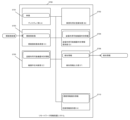
図1は、本実施形態のリモートワーク情報保護システムの機能ブロックを示す図である。同図に示すように、実施形態1のリモートワーク情報保護システム(0100)はディスプレイ部(A)(0101)と、業務利用状態検知部(B)(0102)と、視聴側映像取得部(C)(0103)と、盗撮利用可能機器判別情報保持部(D)(0104)と、機器存在判断部(E)(0105)と、検知情報出力部(F)(0106)と、からなる。
<Functional Configuration of First Embodiment>
1 is a diagram showing the functional blocks of the remote work information protection system of this embodiment. As shown in the figure, the remote work information protection system (0100) of the first embodiment is composed of a display unit (A) (0101), a business use state detection unit (B) (0102), a viewer side image acquisition unit (C) (0103), a voyeurism available device discrimination information storage unit (D) (0104), a device existence determination unit (E) (0105), and a detection information output unit (F) (0106).
なお、上記機能ブロックは本発明を実施するための一例であって、本発明が克服すべき課題及びその効果と矛盾しない範囲において適宜その機能を省略したり、新たな機能を付加したりしてよい。 The above functional blocks are merely examples for implementing the present invention, and functions may be omitted or new functions may be added as appropriate to the extent that does not contradict the problems to be overcome by the present invention and its effects.
以下に記載する情報保護システムを構成する各機能ブロックは、いずれもハードウェア、ソフトウェア、又はハードウェア及びソフトウェアのいずれによっても実現され得る。具体的には、コンピュータを利用するものであれば、CPUやメインメモリ、GPU、画像メモリ、グラフィックボード、バス、あるいは二次記憶装置(ハードディスクや不揮発性メモリ、CDやDVDなどの記憶媒体とそれらの媒体の読取ドライブなど)、情報入力に利用される操作ボタン等の入力デバイス、マウス、タッチパネル、専らタッチパネルをタッチする目的で利用する電子ペン、ジョイスティック又はジョイスティック類似のポインタ位置入力装置その他の外部周辺装置などのハードウェア構成部、またその外部周辺装置用のインターフェース、GPS受信インターフェース、GPS用演算装置、ジャイロセンサ、加速度センサ、回転検知センサ、これらセンサの信号の処理装置、カメラ、画像ファイル処理回路、スピーカ、マイク、音声ファイル処理回路、通信用インターフェース、バーコードリーダー、電子カードリーダー、POS端末、顔認証装置、暗号化装置、指紋認証装置、掌紋認証装置、網膜認証装置などの生体認証装置、それらハードウェアを制御するためのドライバプログラムやその他アプリケーションプログラムなどが挙げられる。特にスマートフォン、タブレット端末、携帯電話、スマートウォッチ、パーソナルコンピュータ、データセンターのサーバ装置、有線・無線ネットワーク及びインターフェースなどを利用する。 Each of the functional blocks constituting the information protection system described below can be realized by hardware, software, or both. Specifically, in the case of a computer, the following may be used: a CPU, main memory, GPU, image memory, graphic board, bus, or secondary storage device (such as a hard disk, non-volatile memory, storage media such as CDs and DVDs, and read drives for these media), input devices such as operation buttons used for inputting information, a mouse, a touch panel, an electronic pen used solely for touching a touch panel, a joystick or a joystick-like pointer position input device, and other external peripheral devices; interfaces for these external peripheral devices, a GPS receiving interface, a GPS computing device, a gyro sensor, an acceleration sensor, a rotation detection sensor, signal processing devices for these sensors, a camera, an image file processing circuit, a speaker, a microphone, an audio file processing circuit, a communication interface, a barcode reader, an electronic card reader, a POS terminal, a face authentication device, an encryption device, a biometric authentication device such as a fingerprint authentication device, a palm print authentication device, or a retina authentication device; driver programs and other application programs for controlling these hardware devices. In particular, it uses smartphones, tablet devices, mobile phones, smartwatches, personal computers, data center server equipment, wired and wireless networks and interfaces, etc.
メインメモリ上に展開したプログラムに従ったCPUの演算処理によって、入力デバイスやその他インターフェースなどから入力されメモリやハードウェア上に保持されているデータなどが加工、蓄積されたり、前記各ハードウェアやソフトウェアを制御するための命令が生成されたりする。ここで、上記プログラムは、モジュール化された複数のプログラムとして実現されてもよいし、二以上のプログラムを組み合わせて一のプログラムとして実現されても良い。 The CPU performs calculations according to the programs deployed in the main memory, processing and storing data input from input devices and other interfaces and held in memory and hardware, and generating commands to control the hardware and software. Here, the above programs may be realized as multiple modularized programs, or two or more programs may be combined into one program.
また、本発明は、その一部をソフトウェアとして構成することも可能である。さらに、そのようなソフトウェアが記録された記憶媒体も当然に本発明の技術的な範囲に含まれる(本実施形態に限らず、本明細書の全体を通じて同様である。)。 The present invention can also be partially configured as software. Furthermore, storage media on which such software is recorded are naturally included within the technical scope of the present invention (this is not limited to this embodiment, but is the same throughout this specification).
<実施形態1 構成の説明>
<実施形態1 ディスプレイ部(A)(0101)>
ディスプレイ部(A)(0101)は、映像を映し出すディスプレイを備えるように構成されている。
ディスプレイは、使用するPCがノートPCであれば、内蔵しているディスプレイが主となるが、PC用ディスプレイを増設して使用してもよい。内蔵するディスプレイでは画面サイズが小さく、解像度も限られるような場合、画面の大きなディスプレイを使用すると作業効率が上がる。PC用ディスプレイのみを使用するのではなく、ノートPCの内蔵ディスプレイと併用して複数画面での作業とすれば、より作業効率の向上が見込まれる。デスクトップPCでも複数のディスプレイを使用することは、一般的に行われる。
複数のディスプレイを使用する場合は、後述する視聴側映像取得部(C)で取得する視聴側映像はすべてのディスプレイに対して取得することが望ましい。業務利用中のPCにて複数のディスプレイを使用している場合、どのディスプレイに業務用のファイルが表示されているか検知するためには、PCの映像信号処理回路の信号を解析する手段を講じなければならず、手段の構築のコストとPCへの処理負荷が増加するためである。十分に処理能力のあるPCを使用するのであればディスプレイ単位で取得又は非取得を随時切り替えて検知するように構成してもよい。
<Description of Configuration of First Embodiment>
<Embodiment 1: Display unit (A) (0101)>
The display unit (A) (0101) is configured to have a display that displays images.
If the PC being used is a notebook PC, the built-in display will be the main display, but a PC display can also be added and used. If the built-in display has a small screen size and limited resolution, using a display with a larger screen will improve work efficiency. Work efficiency can be further improved by working on multiple screens in combination with the notebook PC's built-in display, rather than using only the PC display. Using multiple displays is also common with desktop PCs.
When multiple displays are used, it is desirable that the viewing side video acquired by the viewing side video acquisition unit (C) described below is acquired for all displays. When multiple displays are used on a PC for business use, in order to detect which display is displaying a business file, a means must be taken to analyze the signal from the video signal processing circuit of the PC, which increases the cost of constructing the means and the processing load on the PC. If a PC with sufficient processing power is used, it may be configured to detect by switching between acquisition and non-acquisition on a display-by-display basis as needed.
<実施形態1 業務利用状態検知部(B)(0102)>
業務利用状態検知部(B)(0102)は、ディスプレイ部が業務に利用されていることを示す業務利用状態であるかディスプレイ駆動中は常時検知するように構成されている。なお、ディスプレイ部が業務に利用されていることの検知は、ディスプレイの信号や、ディスプレイ駆動回路の信号を必ずしも利用する必要はなく、PCを使用し業務用のフォルダにアクセスしているか、またはインターネット経由で企業側回線に接続しているかなどの状態を、ディスプレイ駆動中は常時検知することで行われる。業務利用状態であるかの検知方法としては、例えばPC内の特定のフォルダ(ドキュメントフォルダ、ダウンロードフォルダ、定めた名称の業務用ソフトや業務用データのみ格納したフォルダなど)へのアクセスや、特定のURL、特定のサーバ側ファイルへのアクセス、PC内の特定のファイルへのアクセス、VPNサーバへの接続によりインターネットを介して企業側回線との接続の検知などによって判断することができる。
または、業務に利用しているPCが企業内ネットワークの中にある場合は、企業内のセキュリティ管理下にあるとして本情報保護システムを働かないようにすることもできるし、逆に常に業務利用されているものとしてPCが起動している間ずっと本情報保護システムを動作させ続けることもできる。
業務に利用するPCが、企業内ネットワークの中にあるか、企業内ネットワークの外にあるのかの状態を取得し管理する管理サーバを企業内ネットワークの外又は中に設け、前記PCを起動し、本情報保護システム起動後に企業内ネットワークまたは企業内ネットワーク外のインターネットに接続した前記PCに対し、前記PCのIPアドレスなどの接続状態情報と関連付けられた機器識別情報の提供を前記管理サーバが要求し取得するように構成することもできる。前記PCから提供された接続状態情報と関連付けられた機器識別情報に基づいて、前記PCが企業内ネットワークか、企業内ネットワーク外のインターネットに接続しているかを判別するネットワーク判別部をさらに前記管理サーバに設け、判定結果を示す情報であるネットワーク判定結果情報を前記PCへ送信するネットワーク判定結果情報送信部を設け、前記業務に使用するPCに業務利用状態検知部にて、前記ネットワーク判定結果情報を取得し、業務利用状態(社外)であるか判断するように構成してもよい。
PCの業務外使用の禁止を、リモートワーカと企業間で取り決めている場合は、PCを起動してから停止、又はスリープモードに移行するまでの間の全てを検知対象としてもよい。「常時検知」とは、検知周期が高々数秒以下の検知状態を指す。長くても10秒を上回らない周期であることが好ましい。10秒を上回るとその間に盗撮などができてしまうからである。
<First embodiment: Business usage status detection unit (B) (0102)>
The business use state detection unit (B) (0102) is configured to constantly detect whether the display unit is in a business use state, which indicates that the display unit is being used for business, while the display is being driven. It is not necessary to use a display signal or a display drive circuit signal to detect whether the display unit is being used for business, but rather, to constantly detect whether the PC is being used to access a business folder or whether the PC is connected to a corporate line via the Internet while the display is being driven. The method of detecting whether the display unit is in a business use state can be, for example, by detecting access to a specific folder in the PC (such as a document folder, a download folder, or a folder that stores only business software or business data with a specified name), access to a specific URL, a specific server-side file, access to a specific file in the PC, or a connection to a corporate line via the Internet by connecting to a VPN server.
Alternatively, if the PC used for business purposes is within a company network, the information protection system can be made not to operate since it is under the company's security management, or conversely, the information protection system can be made to operate continuously while the PC is turned on, since it is always used for business purposes.
A management server that acquires and manages the status of a PC used for business, whether it is inside or outside the corporate network, may be provided outside or inside the corporate network, the PC may be started, and the management server may request and acquire device identification information associated with connection status information such as the IP address of the PC from the PC that is connected to the corporate network or the Internet outside the corporate network after the information protection system is started. The management server may further include a network discrimination unit that determines whether the PC is connected to the corporate network or the Internet outside the corporate network based on the device identification information associated with the connection status information provided by the PC, a network judgment result information transmission unit that transmits network judgment result information, which is information indicating the judgment result, to the PC, and a business use status detection unit may acquire the network judgment result information in the PC used for business and determine whether it is in a business use state (outside the company).
If a remote worker and the company have agreed that the use of the PC outside of work is prohibited, the entire period from when the PC is started to when it is shut down or goes into sleep mode may be subject to detection. "Continuous detection" refers to a detection state in which the detection cycle is at most a few seconds or less. It is preferable that the cycle is no longer than 10 seconds. If it exceeds 10 seconds, voyeurism and the like may be possible during that time.
<実施形態1 視聴側映像取得部(C)(0103)>
視聴側映像取得部(C)(0103)は、業務利用状態検知部(B)(0102)が業務利用状態であることを検知中に、前記ディスプレイを視聴する側の映像である視聴側映像を取得するように構成されている。
リモートワークに使用されているPCのディスプレイを視聴できる範囲の映像を取得するものであり、PCに接続されているカメラから映像情報を取り込む。1台のリアルカメラが現在業務に利用されている場合には、カメラからの映像情報の取り込みに際しては、ソフトウェアにより仮想カメラを設けることやWindowsカメラフレームサーバ(登録商標)を使用するなどの方法により業務に利用する映像と、本システムで利用する視聴側映像の二つの映像を1台のリアルカメラから取得することなどいろいろな既知の手法を使用できる。仮想カメラを使用する方法では本発明の情報保護システムの他に、例えばウエブ会議アプリなどがカメラへのアクセス要求してきた時に、仮想カメラから映像情報を分配するように構成する。リアルカメラが1台のPCに2台接続されている場合には、仮想カメラなどの手法を利用しないでよい場合がある。カメラは1台でもよいが、業務に利用しているディスプレイを視聴できる範囲に関して、死角が生じる場合は増設することが好ましい。特に複数のディスプレイを使用する場合は後述する盗撮利用可能機器が視聴範囲内に存在するか否かを、より正確に判断するためにカメラを増設するか又は死角が生じないような場所に設置することが望ましい。
<Embodiment 1: Viewer-side video acquisition unit (C) (0103)>
The viewer's side image acquisition unit (C) (0103) is configured to acquire the viewer's side image, which is the image of the side viewing the display, while the business use state detection unit (B) (0102) detects that the display is in a business use state.
This system acquires video within the range where the display of a PC used for remote work can be viewed, and captures video information from a camera connected to the PC. When one real camera is currently being used for work, various known methods can be used to capture video information from the camera, such as providing a virtual camera using software or using a Windows Camera Frame Server (registered trademark) to acquire two videos, one for business use and one for viewing, from one real camera. In the method using a virtual camera, in addition to the information protection system of the present invention, for example, when a web conference app requests access to the camera, the video information is distributed from the virtual camera. When two real cameras are connected to one PC, it may not be necessary to use a method such as a virtual camera. Although one camera is sufficient, it is preferable to add more cameras if there is a blind spot in the range where the display used for work can be viewed. In particular, when multiple displays are used, it is preferable to add more cameras or install them in a place where there is no blind spot in order to more accurately determine whether or not a device that can be used for voyeurism, as described below, is present within the viewing range.
図25を用いてディスプレイ部(A)と視聴側映像取得部(C)の死角について説明する。図25aはノートPCの増設用ディスプレイやデスクトップ型PCに用いるPC用ディスプレイのディスプレイ部(A)(2501a)上部のカメラ(2502a)の死角とスマートフォン(2503a)を示し、図25bはノートPCのディスプレイ部(A)(2501b)上部のカメラ(2502b)の死角とスマートフォン(2503b)を示す。一般的にPCに接続するウエブカメラでは画角(2504a)が75度程度、ノートPC内蔵のカメラでも画角(2504b)が75から90度くらいである。多人数を写す目的などで150度くらいの画角を持つ広角タイプのウエブカメラもあるが、一人の従業者が使用する目的にはそぐわない。画角75度程度の場合を例として説明するが、画角の仕様が変わっても同様である。図25aを例として説明するが、以下説明は図25bでも同様であり各符号のaをbと読み替えてもよい。ディスプレイ部(A)(2501a)の前に位置するスマートフォン(2503a)のカメラの画角はθ(図25aでは、θ=75度の例)であり、その範囲を点線で示す。図25aでは、ディスプレイ部(A)(2501a)の手前のすぐ下の部分が、カメラ(2502a)の画角(2504a)外となり視聴側映像として取得できない領域となる。前記領域に撮影可能な状態のスマートフォン(2503a)が存在しても検知できない。そのため、例えばディスプレイ部(A)(2501a)の横や下に、カメラ(2502a)の下側死角部分の視聴側映像を取得するカメラ(図示しない)を増設するなどの対策を講じるのが好ましい。この場合増設されたカメラの映像は、業務に利用するものでなく視聴側映像としてのみ利用される。従って、この場合には視聴側映像は二種類の映像を利用する。二種類の映像は撮影範囲や、撮影角度が異なるものであることから盗撮利用機器判別情報はそれぞれ各カメラに適応した情報が準備されなければならない。例えばディスプレイ部の横から視聴側映像を撮像する場合には、盗撮利用可能機器は横方向からの画像になるので、例えばスマートフォンなどの盗撮利用可能機器を横側から判別するための情報が盗撮利用機器判別情報として準備されることが好ましい。 The blind spots of the display unit (A) and the viewer's image acquisition unit (C) will be explained using FIG. 25. FIG. 25a shows the blind spots of the camera (2502a) on the top of the display unit (A) (2501a) of a PC display used for an additional display of a notebook PC or a desktop PC, and a smartphone (2503a), and FIG. 25b shows the blind spots of the camera (2502b) on the top of the display unit (A) (2501b) of a notebook PC, and a smartphone (2503b). Generally, the angle of view (2504a) of a web camera connected to a PC is about 75 degrees, and the angle of view (2504b) of a camera built into a notebook PC is about 75 to 90 degrees. There are also wide-angle web cameras with an angle of view of about 150 degrees for the purpose of capturing images of multiple people, but they are not suitable for use by a single employee. An example of an angle of view of about 75 degrees will be explained, but the same applies even if the specifications of the angle of view change. FIG. 25a will be used as an example, but the following description is similar to FIG. 25b, and each symbol a may be read as b. The angle of view of the camera of the smartphone (2503a) located in front of the display unit (A) (2501a) is θ (in FIG. 25a, θ=75 degrees), and the range is indicated by a dotted line. In FIG. 25a, the area immediately below the front of the display unit (A) (2501a) is outside the angle of view (2504a) of the camera (2502a), and is an area that cannot be acquired as the viewing side image. Even if the smartphone (2503a) that can capture images is present in the area, it cannot be detected. Therefore, it is preferable to take measures such as adding a camera (not shown) that acquires the viewing side image of the lower blind spot of the camera (2502a) to the side or below the display unit (A) (2501a). In this case, the image of the added camera is not used for business purposes, but is used only as the viewing side image. Therefore, in this case, two types of images are used for the viewing side image. Since the two types of video have different shooting ranges and angles, the information for identifying devices usable for voyeurism must be prepared according to the respective cameras. For example, when capturing the viewer's video from the side of the display unit, the image of the device usable for voyeurism will be from the side, so it is preferable to prepare information for identifying devices usable for voyeurism, such as smartphones, from the side as the information for identifying devices usable for voyeurism.
<実施形態1 盗撮利用可能機器判別情報保持部(D)(0104)>
盗撮利用可能機器判別情報保持部(D)(0104)は、盗撮利用可能機器を判別するための情報である盗撮利用可能機器判別情報を保持するように構成されている。
盗撮利用可能機器として判別される対象としては、撮影機能を有する機器が該当するため、スマートフォン、カメラ付携帯、デジタルカメラ、タブレット端末などがある。これらの機器が、業務に利用しているPCからの映像を映し出すディスプレイを撮影できる状態にあるか否かを判断するのが、後述する機器存在判断部(E)であってもよいし、なくてもよい。
<Embodiment 1: Secret photography available device discrimination information storage unit (D) (0104)>
The secret photography available device discrimination information holding unit (D) (0104) is configured to hold secret photography available device discrimination information, which is information for discriminating devices that can use secret photography.
The devices that can be determined as devices that can be used for voyeurism are devices that have a photographing function, such as smartphones, camera-equipped mobile phones, digital cameras, tablet terminals, etc. It may or may not be the device presence determination unit (E) described later that determines whether or not these devices are in a state where they can photograph the display that shows the image from the PC used for business.
<実施形態1 機器存在判断部(E)(0105)>
機器存在判断部(E)(0105)は、取得した視聴側映像と、盗撮利用可能機器判別情報とを用いて盗撮利用可能機器が視聴側映像中に存在するか判断するように構成されている。
リモートワーク時に、リモートワーカのスマートフォンへ電話がかかる場合や、メール着信がある場合や、スマートフォンでウエブ検索する場合が、視聴側映像内に機器がある場合の例として想定される。それらの状況は頻繁に起こりうると考えられるため、撮影機能を有する機器をすべて撮影可能状態にあるとして、盗撮利用可能機器が存在すると判断してしまうと業務効率を落としかねない。そのため、撮影可能状態にあるか否かを機器存在判断部(E)(0105)で判断できるように構成するのが望ましいが、これに限定はされない。機器存在判断部がまず盗撮利用可能機器が視聴側映像に存在すると判断し、その判断結果をその盗撮利用可能機器が盗撮可能状態にあるかを判断する別の機能部分に処理を引き渡すように構成してもよい。つまり、盗撮利用可能機器に関しては、機器存在判断部で盗撮利用可能機器が存在し、かつ、盗撮可能状態であることまで一気に判断してもよいし、盗撮可能機器が存在するかしないかは判断するが、その盗撮利用可能機器が盗撮可能状態であるところまでは判断しないでその機能は他の機能部部分に任せるように構成することもできる。その場合に、その機能部分はリモートワークに利用しているPCに存在してもよいし、リモートワークPCと通信可能な状態にある業務利用サーバ装置にその機能部分が存在するように構成することもできる。
<Embodiment 1: Device presence determination unit (E) (0105)>
The device presence determination unit (E) (0105) is configured to determine whether or not a device capable of using secret photography is present in the viewing side video, using the obtained viewing side video and the secret photography available device discrimination information.
During remote work, cases where a remote worker's smartphone receives a call, receives an e-mail, or searches the web on the smartphone are assumed to be examples of cases where a device is present in the viewing side video. Since these situations are considered to occur frequently, if it is determined that all devices with a shooting function are in a shooting-enabled state and that a device that can be used for voyeurism exists, this may reduce work efficiency. For this reason, it is preferable to configure the device presence determination unit (E) (0105) to determine whether or not the device is in a shooting-enabled state, but this is not limited to this. The device presence determination unit may first determine that a device that can be used for voyeurism exists in the viewing side video, and then transfer the determination result to another functional unit that determines whether the device that can be used for voyeurism is in a voyeur-enabled state. In other words, with regard to a device that can be used for voyeurism, the device presence determination unit may determine in one go that a device that can be used for voyeurism exists and is in a voyeur-enabled state, or it may determine whether or not a voyeur-enabled device exists, but not determine that the device that can be used for voyeurism is in a voyeur-enabled state, and leave that function to another functional unit. In this case, the functional part may exist on the PC used for remote work, or the functional part may be configured to exist on a business use server device that is capable of communicating with the remote work PC.
<盗撮利用可能機器の検知>
視聴側映像中の物体の検知としては、既知の技術として以下のような方法がある。取得した視聴側映像から固定サイズのウィンドウ状画像をすべての可能な位置で取得する。固定サイズの例としては、保持した盗撮利用可能機器判別情報の含まれる画像データのサイズである。取得した画像領域に、保持している盗撮利用機器判別情報が含まれるか否か分類する画像分類手段により分類する。視聴側映像内でのサイズは距離に様々に変わるため、盗撮利用可能機器判別情報の含まれる画像データを複数サイズに拡大縮小した画像データを作成準備する。これらの画像のいずれかで選択したサイズのウィンドウ内に物体が完全に含まれることになる。物体が完全に含まれるウィンドウが特定できれば、そのウィンドウの取得位置から物体の位置情報が得られ、画像分類手段から物体が盗撮利用可能機器か否か分類結果が得られる。画像分類手段での分類にはHOG(Histogram of Oriented Gradients)法を用いることができる。
物体を検知し、その向きと距離から盗撮可能状態にあるか否かの判別については上述のように一貫して機器存在判断部(E)で処理してもよいし、機能を分けてもよい。
取得した視聴側映像中の物体を検知する際に1フレームの静止画像毎に検知し判断する構成とすると、自宅勤務中のリモートワーカの背後をスマートフォンを持った家族が偶然通りかかっただけでも検知されかねない。またリモートワーカ自身が電話をかけるためにスマートフォンを取り出しPC前で操作しただけでも検知される可能性がある。そのため例えば毎秒30フレームでの画像取得において3乃至10フレーム分あるいはそれ以上のフレーム分の画像に渡って連続して同一の盗撮利用可能機器が検知されたら、機器が存在すると検知するように構成するのが好ましい。
また、1秒から2又は3秒程度にわたってのフレームの静止画像を分析して、視聴側映像の盗撮利用可能機器やそれを手にしている人物のモーションを分析し、そのモーション分析結果に基づいて機器存在判断部の判断結果を盗撮利用可能機器が存在すると判断するように構成してもよい。モーションの分析とは、所定時間長盗撮利用可能機器のカメラレンズがディスプレイ面に対向している場合や、ディスプレイ面に対向した状態で親指や、カメラを保持しない手の指が盗撮利用可能機器のタッチパネルや、側面に配置されているボタンを操作するモーションの存在を認知できるような場合である。この認知判断は人工知能又は人工知能類似の機能を利用して機械学習(複数の人物モデルを用いて盗撮ポーズをとらせて、人工知能等の判断結果にフィードバックを与えることを繰り返す)によって認知情報を保持し、この認知情報との類似度が高いモーションの場合に、盗撮利用可能機器が存在すると判断させるようにする。
<Detection of devices that can be used for voyeurism>
The following method is a known technique for detecting an object in a viewing side image. A window-shaped image of a fixed size is acquired from the acquired viewing side image at all possible positions. An example of the fixed size is the size of the image data containing the retained device discrimination information usable for voyeurism. The image is classified by an image classification means for classifying whether or not the acquired image area contains the retained device discrimination information usable for voyeurism. Since the size in the viewing side image varies with distance, image data is prepared by enlarging or reducing the image data containing the device discrimination information usable for voyeurism to a plurality of sizes. The object is completely contained within a window of a size selected from any of these images. If a window that completely contains the object can be specified, the position information of the object can be obtained from the acquisition position of the window, and a classification result of whether or not the object is a device usable for voyeurism can be obtained from the image classification means. The HOG (Histogram of Oriented Gradients) method can be used for classification by the image classification means.
The detection of an object and the determination of whether or not it is in a state where surreptitious photography is possible based on its orientation and distance may be processed consistently by the device presence determination unit (E) as described above, or the function may be separated.
If the system is configured to detect and judge an object in the acquired viewer-side video for each still image frame, it may be detected even if a family member with a smartphone happens to pass behind the remote worker working from home. It may also be detected even if the remote worker takes out his or her smartphone to make a phone call and operates it in front of the PC. Therefore, it is preferable to configure the system to detect the presence of a device if the same device usable for voyeurism is detected consecutively over 3 to 10 or more frames of images when acquiring images at 30 frames per second.
Also, a still image of a frame spanning one to two or three seconds may be analyzed to analyze the motion of the device usable for voyeurism in the viewing-side video and the person holding it, and the device presence determination unit may determine the presence of a device usable for voyeurism based on the motion analysis result. Motion analysis refers to a case where the camera lens of the device usable for voyeurism faces the display surface for a predetermined time, or a case where the thumb or the fingers of the hand not holding the camera can recognize the presence of a motion of operating the touch panel or buttons arranged on the side of the device usable for voyeurism while facing the display surface. This recognition determination is performed by using artificial intelligence or a function similar to artificial intelligence to retain recognition information through machine learning (using multiple human models to take voyeur poses and repeatedly providing feedback to the judgment result of artificial intelligence, etc.), and when the motion has a high similarity to this recognition information, it is determined that a device usable for voyeurism exists.
<実施形態1 検知情報出力部(F)(0106)>
検知情報出力部(F)(0106)は、機器存在判断部(E)での判断結果が存在するとの判断結果である場合に、存在する旨を示す情報である検知情報を出力するように構成されている。
盗撮利用可能機器が視聴側映像中に存在する場合、検知情報の出力先としては、リモートワーカが利用しているPCそのものや、リモートワーカが労働を提供する企業の上長や、前記企業のシステム管理部門などの監視装置やPC、サーバ、スマートフォン、固定電話などが対象となりうる。出力方法としては、例えば各々が使用しているPCのディスプレイ上への表示や、スマートフォンやPCで受信できるアドレスへのメール配信や、スマートフォンや携帯電話への自動電話発信などの手段による通知が採りうる。本発明の情報保護システムを利用する企業にて、適宜設定可能である。
また、検知情報出力を受けて、すぐにディスプレイ部の表示を別の映像に切り替える処置や、表示をやめる処置などを行うと情報流出リスクを低減出来て好ましい。別の映像の例としては、黒画面表示や、カメラから得ている視聴側映像や、Windows(登録商標)のログイン画面や、「盗撮です!」といった警告画面表示などがある。また、画面全体に、PC利用者やPCの機器管理番号や機器のIPアドレスといった情報流出元を特定できる情報を透かしのように繰り返し画面全体に重ねて表示させる方法もある。
検知情報の出力のタイミングとしては、例えば次の3通りが考えられる。盗撮利用可能機器を検知した段階で検知情報を出力する、盗撮利用可能機器を検知し撮影可能状態にあると判断した段階で検知情報を出力する、盗撮利用可能機器を検知した段階で注意報を出力し撮影可能状態にあると判断した段階で検知情報を出力する2段階出力の3通りである。
また、盗撮利用可能機器による盗撮の検知に、PCに接続されたマイクを併用してもよい。日本で販売されているスマートフォンを含む携帯電話ではカメラで撮影すると、撮影したことがわかるように、通信事業者の自主規制によりシャッター音などが鳴る。シャッター音などが鳴らないようにするアプリを利用された場合は検知できないが、利用されていなくて、PCのマイクをミュートされていなければ、シャッター音は撮影有無の有効な検知手段となる。
<Embodiment 1: Detection information output unit (F) (0106)>
The detection information output unit (F) (0106) is configured to output detection information, which is information indicating the presence, when the determination result of the device presence determination unit (E) is that the device exists.
When a device capable of being used for voyeurism is present in the viewing-side video, the detection information may be output to the PC used by the remote worker, the superior of the company to which the remote worker provides labor, or a monitoring device, PC, server, smartphone, landline phone, etc. in the system management department of the company. The output method may be, for example, a display on the display of the PC used by each person, delivery of an email to an address that can be received on a smartphone or PC, or an automatic phone call to a smartphone or mobile phone. The information protection system of the present invention may be appropriately set by the company that uses it.
In addition, it is preferable to immediately switch the display to another image or to stop displaying the image when the detection information is output, in order to reduce the risk of information leakage. Examples of other images include a black screen, a viewer's image obtained from a camera, a Windows (registered trademark) login screen, and a warning screen such as "This is a voyeuristic video!". There is also a method of repeatedly displaying information that can identify the source of information leakage, such as the PC user, the PC's device management number, or the device's IP address, over the entire screen like a watermark.
There are three possible timings for outputting the detection information: outputting the detection information when a device that can be used for secret photography is detected, outputting the detection information when a device that can be used for secret photography is detected and it is determined that photography is possible, and two-stage output that outputs a warning when a device that can be used for secret photography is detected and then outputs the detection information when it is determined that photography is possible.
In addition, a microphone connected to a PC may be used in combination to detect voyeurism using a device that can be used for voyeurism. When taking a picture with a camera on a mobile phone, including a smartphone, sold in Japan, a shutter sound or other sound is emitted due to self-regulation by the telecommunications carrier so that the user can know that a picture has been taken. If an app that blocks the shutter sound or other sound is used, it cannot be detected, but if no app is used and the PC microphone is not muted, the shutter sound is an effective means of detecting whether or not a picture has been taken.
なお、本発明の実施形態1のリモートワーク情報保護システム(0100)を構成する業務利用状態検知部(B)(0102)と、視聴側映像取得部(C)(0103)と、盗撮利用可能機器判別情報保持部(D)(0104)と、機器存在判断部(E)(0105)と、検知情報出力部(F)(0106)は、図13に示す、リモートワーカ用PC1(1302)やリモートワーカ用PC(1303)、又は企業側サーバ(1308)のどちらにあってもよい。また図13に図示されていないが、企業が契約し使用している他業者のクラウドサーバなどに置かれていてもよい。全部が前記3か所のどこかにまとめて置かれていてもよいし、一部がリモートワーカ用PC、他が企業側(他業者のクラウドサーバなども含む)のように分かれて置かれていてもよい。例えば、視聴側映像取得部(C)(0103)は、リモートワーカが使用するカメラから取り込んだ映像を企業側サーバ(1308)に取得するよう構成してもよい。その他も同様である。実施形態2以降で説明する構成でも同様である。 The business usage status detection unit (B) (0102), the viewing side video acquisition unit (C) (0103), the voyeurism available device discrimination information storage unit (D) (0104), the device presence determination unit (E) (0105), and the detection information output unit (F) (0106) constituting the remote work information protection system (0100) of the first embodiment of the present invention may be located in either the remote worker PC 1 (1302) or the remote worker PC (1303), or the company side server (1308) shown in FIG. 13. Although not shown in FIG. 13, they may also be located on a cloud server of another company that is contracted and used by the company. All of them may be located together in one of the three locations, or they may be located separately, with some on the remote worker PC and the others on the company side (including cloud servers of other companies). For example, the viewer-side video acquisition unit (C) (0103) may be configured to acquire video captured from a camera used by a remote worker to the company-side server (1308). The same applies to other configurations. The same applies to the configurations described in the second and subsequent embodiments.
<実施形態1 処理の流れ>
図2は、実施形態1の情報保護システムの動作処理のフローチャートである。この図で示すように実施形態1の情報保護システムでは、業務利用状態検知ステップ(b)(S0201)と、視聴側映像取得ステップ(c)(S0202)と、盗撮利用可能機器判断情報保持ステップ(d)(S0203)と、機器存在判断ステップ(e)(S0204)と、検知情報出力ステップ(f)(S0205)と、を有する。
<Processing flow of
2 is a flowchart of the operation process of the information protection system of
ここで映像を映し出すディスプレイを備えたディスプレイ部(A)を、有する計算機を含むリモートワーク情報保護システムの動作方法は、
業務利用状態検知ステップ(b)(S0201)は、ディスプレイ部が業務に利用されていることを示す業務利用状態であるかディスプレイ駆動中は常時検知し判断する処理を行い、
視聴側映像取得ステップ(c)(S0202)は、業務利用状態検知ステップ(b)(S0201)が業務利用状態であることを検知中に、前記ディスプレイを視聴する側の映像である視聴側映像を取得する処理を行い、
盗撮利用可能機器判断情報保持ステップ(d)(S0203)は、盗撮利用可能機器を判別するための情報である盗撮利用可能機器判別情報を保持する処理を行い、
機器存在判断ステップ(e)(S0204)は、取得した視聴側映像と、盗撮利用可能機器判別情報とを用いて盗撮利用可能機器が視聴側映像中に存在するか判断する処理を行い、
検知情報出力ステップ(f)(S0205)は、機器存在判断ステップ(e) (S0204)での判断結果が存在するとの判断結果である場合には存在する旨を示す情報である検知情報を出力する処理を行い、
業務利用状態検知ステップ(b)(S0206)は、ディスプレイ部が業務に利用されていることを示す業務利用状態であるかディスプレイ駆動中は常時検知し判断する処理を行い、業務利用状態にあれば視聴側映像取得ステップ(c)(S0202)の前に戻る処理を行う。
機器存在判断ステップ(e)(S0204)で機器が、存在しないと判断した場合は、次ステップの検知情報出力ステップ(f)(S0205)を行わず、業務利用状態検知ステップ(b)(S0206)の前へスキップする処理を行う。
このような一連の処理を情報保護システムに実行させる動作方法である。
Here, the method of operating the remote work information protection system including a computer having a display unit (A) equipped with a display that displays an image is as follows:
The business use state detection step (b) (S0201) performs a process of constantly detecting and determining whether the display unit is in a business use state, which indicates that the display unit is being used for business, while the display is being driven;
The viewer side image acquisition step (c) (S0202) performs a process of acquiring a viewer side image, which is an image on the side of a viewer viewing the display, while the business use state detection step (b) (S0201) detects that the display is in a business use state;
The secret photography available device determination information holding step (d) (S0203) performs a process of holding secret photography available device determination information, which is information for determining a secret photography available device,
The device presence determination step (e) (S0204) performs a process of determining whether a device available for voyeurism is present in the viewing side image using the obtained viewing side image and the voyeurism available device discrimination information,
A detection information output step (f) (S0205) performs a process of outputting detection information indicating the presence of the device when the determination result in the device presence determination step (e) (S0204) indicates the presence of the device,
The business use status detection step (b) (S0206) constantly detects and determines whether the display unit is in a business use status, which indicates that the display unit is being used for business, while the display is in operation, and if the display unit is in a business use status, the process returns to before the viewer side image acquisition step (c) (S0202).
If it is determined in device presence determination step (e) (S0204) that the device is not present, the next step of detection information output step (f) (S0205) is not performed, and processing is performed to skip to before business usage status detection step (b) (S0206).
This is an operating method for causing the information protection system to execute such a series of processes.
<実施形態1 ハードウェアの説明>
図3は、実施形態1のコンピュータ(計算機)である情報保護システムのメインボードやその周辺機器によって構成されるハードウェアを説明するための図である。「CPU」、ノースブリッジとサウスブリッジからなる「チップセット」、「不揮発性メモリ」、「メインメモリ」、「I/Oコントローラ」、「USB、IEEE1394、HDMI(登録商標)、LAN端子、etc」、「BIOS」、「PCIスロット」、「リアルタイムクロック」などから構成される。本実施例では、カメラ、マイク、スピーカはUSB接続にてPCのハードウェアを構成する。例えばマイクやスピーカはPCIスロット接続されるサウンドボード経由で入出力してもよいし、カメラもUSB経由でなくともよい。USB接続した時と同様に映像の入力、音声の入出力ができれば、本発明の効果は同様に得られる。ディスプレイもHDMI(登録商標)端子を用いて接続することを想定している。グラフィックカード上の接続端子を経由して接続してもよい。またHDMI(登録商標)以外の既知のディスプレイ接続用の端子を使用してもよい。
<First embodiment: Description of hardware>
FIG. 3 is a diagram for explaining hardware configured by a main board and its peripheral devices of the information protection system, which is a computer (calculator) of the first embodiment. It is configured by a "CPU", a "chipset" consisting of a north bridge and a south bridge, a "non-volatile memory", a "main memory", an "I/O controller", a "USB, IEEE1394, HDMI (registered trademark), LAN terminal, etc.", a "BIOS", a "PCI slot", a "real-time clock", and the like. In this embodiment, a camera, a microphone, and a speaker configure the hardware of a PC by USB connection. For example, the microphone and the speaker may be input and output via a sound board connected to a PCI slot, and the camera does not have to be via USB. As long as video input and audio input and output can be performed in the same way as when connected via USB, the effect of the present invention can be obtained in the same way. It is assumed that a display is also connected using an HDMI (registered trademark) terminal. It may be connected via a connection terminal on a graphics card. Also, a known display connection terminal other than HDMI (registered trademark) may be used.
不揮発性メモリに蓄積されている各種プログラム、データ(情報)は、本システムの起動によって、メインメモリに展開され、実行命令を受け付けることでCPUによって順次プログラムがデータを利用した演算をするように構成されている。 The various programs and data (information) stored in the non-volatile memory are expanded into the main memory when the system is started, and the programs are configured to perform calculations using the data in sequence by the CPU upon receiving execution commands.
すなわち、不揮発性メモリにはOS(オペレーティングシステム)とデバイスドライバのほかに、業務利用状態検知プログラムと、視聴側映像取得プログラムと、盗撮利用可能機器判別情報保持プログラムと、機器存在判断プログラムと、検知情報出力プログラムと、業務用プログラムと、業務外プログラムとを有し、データとして、視聴側映像、盗撮利用可能機器判別情報、検知情報、業務用データ、業務外データが保持されている。これらは、本システムがコンピュータ上で起動されることにより、メインメモリに展開されて、起動命令を受け付けることによって、CPUが順次プログラムとデータを利用した演算を行って行く。不揮発メモリには、本発明のリモートワーク情報保護システムに関するプログラムやデータだけではなく、少なくともリモートワークするにあたって必要な業務用プログラム(例:ウエブ会議プログラム、企業内回線への接続用プログラム、資料作成用プログラム、ウィルス検知プログラムなど)や、業務外プログラム(例:インターネットウエブサイト閲覧用ブラウザ用プログラム、ゲームプログラムなど)や、業務用プログラムの動作に必要なデータ及び業務用プログラムを使用して作成したデータや、業務外プログラムの動作に必要なデータ及び動作させたことによって作成したデータなども保持されており、それらもコンピュータ上で起動されることにより、メインメモリに展開されて、起動命令を受け付けることによって、CPUが順次プログラムとデータを利用した演算を行って行く。 In other words, the non-volatile memory contains, in addition to the OS (operating system) and device drivers, a business use status detection program, a viewing side video acquisition program, a program for retaining information on devices available for voyeurism, a program for judging the presence of a device, a detection information output program, a business program, and a non-business program, and stores the following data: viewing side video, information on devices available for voyeurism, detection information, business data, and non-business data. These are expanded into the main memory when the system is started up on a computer, and when a start-up command is received, the CPU sequentially performs calculations using the programs and data. The non-volatile memory stores not only the programs and data related to the remote work information protection system of the present invention, but also at least business programs necessary for remote work (e.g., web conferencing programs, programs for connecting to intranets, programs for creating materials, virus detection programs, etc.), non-business programs (e.g., browser programs for browsing Internet websites, game programs, etc.), data necessary for the operation of business programs and data created using business programs, data necessary for the operation of non-business programs and data created by operating them, etc. These are also loaded into the main memory when started on the computer, and when a start command is received, the CPU sequentially performs calculations using the programs and data.
<実施形態2 概要>主に請求項2(顔部分映像判断)
実施形態2は実施形態1の情報保護システムを基礎として、PCからの映像を映し出すディスプレイ部(A)を視聴する側の映像に、顔を含む部分映像が存在するか判断する顔部分映像判断部(G)と、存在する場合に顔部分映像構成情報を取得する顔部分映像構成情報取得部(H)と、取得した顔部分映像構成情報を保持する顔部分映像構成情報保持部(J)とを有するように構成されているものである。
<Outline of the second embodiment> Mainly claim 2 (face part image judgment)
The second embodiment is based on the information protection system of the first embodiment, and is configured to have a facial portion image determination unit (G) that determines whether a partial image including a face is present in the image viewed from the display unit (A) that displays the image from the PC, a facial portion image composition information acquisition unit (H) that acquires facial portion image composition information if present, and a facial portion image composition information storage unit (J) that stores the acquired facial portion image composition information.
<実施形態2 構成>
図4に実施形態1を基礎とした実施形態2の情報保護システムの機能ブロック図を示す。実施形態1に対し前述のようにさらに、顔部分映像判断部(G)(0407)と、顔部分映像構成情報取得部(H)(0408)と、顔部分映像構成情報保持部(J)(0409)と、を有するように構成されている。顔部分映像判断部(G)(0407)と、顔部分映像構成情報取得部(H)(0408)と、顔部分映像構成情報保持部(J)(0409)以外は実施形態1と同様のため、以下、顔部分映像判断部(G)(0407)と、顔部分映像構成情報取得部(H)(0408)と、顔部分映像構成情報保持部(J)(0409)についてのみ説明する。
<Configuration of Second Embodiment>
Fig. 4 shows a functional block diagram of an information protection system of the second embodiment based on the first embodiment. As described above, in addition to the first embodiment, the second embodiment further includes a face part image determination unit (G) (0407), a face part image composition information acquisition unit (H) (0408), and a face part image composition information storage unit (J) (0409). Since the components other than the face part image determination unit (G) (0407), the face part image composition information acquisition unit (H) (0408), and the face part image composition information storage unit (J) (0409) are the same as the first embodiment, only the face part image determination unit (G) (0407), the face part image composition information acquisition unit (H) (0408), and the face part image composition information storage unit (J) (0409) will be described below.
<実施形態2 構成の説明>
<実施形態2 顔部分映像判断部(G)(0407)>
「顔部分映像判断部(G)」(0407)は、取得される視聴側映像に顔を含む部分映像である顔部分映像が存在するか判断するように構成されている。
PCに接続されたカメラから得られる視聴側映像内にリモートワーカの顔又は第三者の顔を含む映像があるかを判断する。ここで第三者とは、故意または偶然にディスプレイ面(A)を見ることができる状態にある、リモートワーカ以外の人物をいう。例えば、図14aはカメラから得られる映像の例である。リモートワーカ(1401)のバストアップ画像が写っている。顔を含む部分映像である顔部分映像(1402)としては図14bに示す、リモートワーカ(1401)の顔付近の長方形の点線枠の領域が該当する。図14bでは顔部分映像の領域として長方形で示しているが、円形や楕円形でもよいし、顔の輪郭を検出して輪郭内の映像のみを抽出してもよい。人物がディスプレイ前から離席し、顔部分映像がない場合には図17abに示すように背景のみとなり、顔部分映像を示す長方形の点線枠部分が存在しない。
顔部分の認識としては、例えば以下のような方法がある。視聴側映像は毎秒30フレームなど、装置の処理能力に応じた速度で取り込まれる。取り込まれた1フレーム毎は静止画であり、顔検出を特定の大きさに切り出した顔領域と顔以外の領域の2種の識別を行う。既知の機械学習やパターン認識の手法により、顔という図形の構成要素を抽出する抽出部と、その抽出された構成要素を含む領域を識別する識別部により顔を検出する顔検出部を構成する。様々な顔画像を読み取って抽出した構成要素を学習するが、教材とした顔画像と同じ大きさの評価用画像からのみ顔を認識できる。検出しようとする視聴側映像のあるフレームの静止画像の全領域を、学習したことのある大きさの領域ごとに顔があるかないかの2値の検出を行う。検出しようとする視聴側映像のサイズを数段階拡大縮小した画像ごとに、全領域を2値検出行う。1つの画像に対し拡大縮小して2値検出した結果を統合して顔検出の結果とする方法である。
<Description of Configuration of Second Embodiment>
<Embodiment 2: Facial image determination unit (G) (0407)>
The 'face portion image determination unit (G)' (0407) is configured to determine whether or not a face portion image, which is a partial image including a face, exists in the acquired viewer side image.
It is determined whether there is an image including the face of the remote worker or a third party in the viewing side image obtained from the camera connected to the PC. Here, a third party refers to a person other than the remote worker who is in a state where he or she can intentionally or accidentally see the display surface (A). For example, FIG. 14a is an example of an image obtained from a camera. A bust-up image of the remote worker (1401) is shown. The face part image (1402), which is a partial image including the face, corresponds to the rectangular dotted frame area around the face of the remote worker (1401) shown in FIG. 14b. In FIG. 14b, the face part image area is shown as a rectangle, but it may be a circle or an ellipse, or the outline of the face may be detected and only the image within the outline may be extracted. When a person leaves the display and there is no face part image, there is only the background as shown in FIG. 17a and there is no rectangular dotted frame area showing the face part image.
The following methods are available for recognizing the face part. The viewer's video is captured at a speed according to the processing capacity of the device, such as 30 frames per second. Each captured frame is a still image, and two types of discrimination are performed: a face area cut out to a specific size and a non-face area. A face detection unit detects a face by using an extraction unit that extracts components of a figure called a face using known machine learning and pattern recognition techniques, and a discrimination unit that discriminates an area including the extracted components. Various face images are read and the extracted components are learned, but a face can only be recognized from an evaluation image of the same size as the face image used as the learning material. A binary detection is performed on the entire area of a still image in a frame of the viewer's video to be detected, whether or not there is a face for each area of the size that has been learned. A binary detection is performed on the entire area for each image in which the size of the viewer's video to be detected is enlarged or reduced in several steps. This method integrates the results of binary detection performed on one image by enlarging or reducing it to obtain the result of face detection.
<実施形態2 顔部分映像構成情報取得部(H)(0408)>
「顔部分映像構成情報取得部(H)」(0408)は、顔部分映像判断部(G)が顔部分映像が存在するとの判断結果である場合に、顔部分映像を構成する情報である顔部分映像構成情報を取得するように構成されている。
図14bでは顔部分映像の領域として長方形で示しているが、円形や楕円形でもよいし、顔の輪郭を検出して輪郭内の映像のみを、顔部分映像構成情報として抽出して取得してもよい。または、顔の映像情報そのままではなく、人工知能(以下AI)を利用して顔として認識するうえで必要となる、目立つ特徴である目鼻口や頬骨等の顔を構成するパーツ形状の相対的な位置座標や大きさなどの数値データのみの情報でもよい。もしくは顔を構成する目鼻口といったパーツの標準座標データを保持しておき、得た数値データと標準データの差分を示す数値データを取得データとしてもよい。
顔部分映像構成情報以外に、図14aのようなカメラから得られた映像をすべて取得していくと、後述する顔部分映像構成情報保持部(J)で保持する際に記憶容量が増大することや、リモートワーカの顔以外の映像(服装や、後ろに写る作業スペースの様子など)が保持されることによる、リモートワーカのプライバシーの侵害の懸念などの問題が生じる。特に、リモートワーカの背面側に写る個人の嗜好を示す情報(壁面のポスターや、棚に置かれた書籍の表題、部屋の整理整頓具合など)が写りこむ場合や、リモートワーカの就業時間が不規則となることによりビジネス慣習に合わない砕けた服装(肌の露出の多い服装やパジャマ等)をしていた場合などに問題となりやすい。そのため、記憶容量の増大よりも、顔部分映像の位置がわかるように視聴側映像全体を保持することを優先する場合には、顔部分映像以外の部分をソフトフォーカス処理やモザイク処理やマスキング処理を施して保持することが好ましい。図14bでは、顔以外の部分の処理として説明のため便宜的に、背景を暗くして上記の処理を表現している。なお、図14だけではなく図15から図21までも同様である。
<Embodiment 2: Facial image configuration information acquisition unit (H) (0408)>
The "facial part image composition information acquisition unit (H)" (0408) is configured to acquire facial part image composition information, which is information constituting the facial part image, when the facial part image judgment unit (G) judges that a facial part image exists.
In Fig. 14b, the region of the face part image is shown as a rectangle, but it may be a circle or an ellipse, or the contour of the face may be detected and only the image within the contour may be extracted and acquired as face part image configuration information. Alternatively, instead of the face image information as it is, it may be information only of numerical data such as the relative position coordinates and size of the shapes of the parts that constitute the face, such as the eyes, nose, mouth, and cheekbones, which are prominent features and are required for recognizing the face using artificial intelligence (hereinafter referred to as AI). Alternatively, standard coordinate data of the parts that constitute the face, such as the eyes, nose, and mouth, may be stored, and the acquired data may be numerical data indicating the difference between the obtained numerical data and the standard data.
If all the images obtained from the camera as shown in FIG. 14a are acquired in addition to the facial image configuration information, problems such as an increase in storage capacity when stored in the facial image configuration information storage unit (J) described later, and concerns about the infringement of the privacy of the remote worker due to the storage of images other than the face of the remote worker (such as clothing and the state of the work space reflected behind). In particular, problems are likely to occur when information showing personal preferences (posters on the wall, titles of books on the shelves, how tidy the room is, etc.) is reflected behind the remote worker, or when the remote worker's working hours are irregular and he or she wears casual clothing that does not conform to business practices (clothing that exposes a lot of skin, pajamas, etc.). Therefore, if priority is given to storing the entire viewer-side image so that the position of the facial image can be identified rather than increasing the storage capacity, it is preferable to store the parts other than the facial image by performing soft focus processing, mosaic processing, or masking processing. In FIG. 14b, for convenience of explanation, the above processing is expressed by darkening the background as the processing of the parts other than the face. This also applies to FIG. 15 to FIG. 21, not just FIG.
<実施形態2 顔部分映像構成情報保持部(J)(0409)>
「顔部分映像構成情報保持部(J)」(0409)は、取得した顔部分映像構成情報を保持するように構成されている。
リモートワーカがPCからの映像を映し出すディスプレイ部の前に位置しているときに、PCに接続されたカメラから得られる映像の例を図14から図17を用いて説明する。
図14abは通常のリモートワーカの状態である。図17abはリモートワーカが離席した状態である。図15abは、業務の都合上、リモートワーカが眼鏡を着用した場合の映像である。図16abは、健康上の都合などで、リモートワーカがマスクを着用した場合の映像である。また特に図示していないが、リモートワーカが化粧する場合には、化粧の度合いによって見栄えが変化する。実施形態3で後述する危険映像を得るうえでは、リモートワーカが前述のように眼鏡やマスクの着用又は化粧などの状態で見映えが多少変化しても同じ人物であると認識できるように構成することが望ましい。AIを利用して識別させてもよいし、予めそれぞれの場合の映像を準備登録してもよい。または、リモートワーカ本人と認証されにくいようであれば、企業側の上長やシステム部門などに都度連絡し、認証されにくい顔の映像を承認し登録してもらうようにしてもよい。
<Second embodiment: Facial image configuration information storage unit (J) (0409)>
The 'storage unit for face part image configuration information (J)' (0409) is configured to store the acquired face part image configuration information.
Examples of images obtained from a camera connected to a PC when a remote worker is positioned in front of a display unit that displays an image from the PC will be described with reference to FIGS. 14 to 17. FIG.
FIG. 14ab shows a normal remote worker state. FIG. 17ab shows a state where the remote worker has left his/her desk. FIG. 15ab shows an image in which the remote worker wears glasses for business reasons. FIG. 16ab shows an image in which the remote worker wears a mask for health reasons. Although not shown in particular, when the remote worker wears makeup, the appearance changes depending on the degree of makeup. In order to obtain a dangerous image to be described later in the third embodiment, it is desirable to configure the remote worker so that the same person can be recognized even if the remote worker's appearance changes slightly due to wearing glasses or a mask or makeup, as described above. The remote worker may be identified using AI, or images for each case may be prepared and registered in advance. Alternatively, if it is difficult to authenticate the remote worker as the person in question, the company's superior or the system department may be contacted each time to have the image of the face that is difficult to authenticate approved and registered.
<実施形態2 処理の流れ>
図5は、実施形態2の情報保護システムの動作処理のフローチャートである。この図で示すように実施形態2の情報保護システムでは、業務利用状態検知ステップ(b)(S0501)と、視聴側映像取得ステップ(c)(S0502)と、顔部分映像判断ステップ(g)(S0503)と、顔部分映像構成情報取得ステップ(h)(S0504)と、顔部分映像構成情報保持ステップ(j)(S0505)と、盗撮利用可能機器判別情報保持ステップ(d)(S0506)と、機器存在判断ステップ(e)(S0507)と、検知情報出力ステップ(f)(S0508)を有する。
<Processing flow of embodiment 2>
5 is a flowchart of the operation process of the information protection system of embodiment 2. As shown in this figure, the information protection system of embodiment 2 includes a business use state detection step (b) (S0501), a viewer side image acquisition step (c) (S0502), a face part image determination step (g) (S0503), a face part image configuration information acquisition step (h) (S0504), a face part image configuration information storage step (j) (S0505), a voyeurism available device discrimination information storage step (d) (S0506), a device presence determination step (e) (S0507), and a detection information output step (f) (S0508).
ここで映像を映し出すディスプレイを備えたディスプレイ部(A)を、有する計算機を含むリモートワーク情報保護システムの動作方法は、
業務利用状態検知ステップ(b)(S0501)は、ディスプレイ部が業務に利用されていることを示す業務利用状態であるかディスプレイ駆動中は常時検知し判断する処理を行い、
視聴側映像取得ステップ(c)(S0502)は、業務利用状態検知ステップ(b) (S0501)が業務利用状態であることを検知中に、前記ディスプレイを視聴する側の映像である視聴側映像を取得する処理を行い、
顔部分映像判断ステップ(g)(S0503)は、取得される視聴側映像に顔を含む部分映像である顔部分映像が存在するか判断する処理を行い
顔部分映像構成情報取得ステップ(h)(S0504)は、顔部分映像判断ステップ(g)(S0503)が顔部分映像が存在するとの判断結果である場合に、顔部分映像を構成する情報である顔部分映像構成情報を取得する処理を行い、
顔部分映像構成情報保持ステップ(j)(S0505)は、取得した顔部分映像構成情報を保持する処理を行い、
盗撮利用可能機器判断情報保持ステップ(d)(S0506)は、盗撮利用可能機器を判別するための情報である盗撮利用可能機器判別情報を保持する処理を行い、
機器存在判断ステップ(e)(S0507)は、取得した視聴側映像と、盗撮利用可能機器判別情報とを用いて盗撮利用可能機器が視聴側映像中に存在するか判断する処理を行い、
検知情報出力ステップ(f)(S0508)は、機器存在判断ステップ(e) (S0507)での判断結果が存在するとの判断結果である場合には存在する旨を示す情報である検知情報を出力する処理を行い、
業務利用状態検知ステップ(b)(S0509)は、ディスプレイ部が業務に利用されていることを示す業務利用状態であるかディスプレイ駆動中は常時検知し判断する処理を行い、業務利用されている場合は視聴側映像取得ステップ(c)(S0502)の前に戻る処理を行う。
機器存在判断ステップ(e)(S0507)で機器が、存在しないと判断した場合は、次ステップの検知情報出力ステップ(f)(S0508)を行わず、業務利用状態検知ステップ(b)(S0509)の前へスキップする処理を行う。
このような一連の処理を情報保護システムに実行させる動作方法である。
Here, the method of operating the remote work information protection system including a computer having a display unit (A) equipped with a display that displays an image is as follows:
The business use state detection step (b) (S0501) performs a process of constantly detecting and determining whether the display unit is in a business use state, which indicates that the display unit is being used for business, while the display is being driven;
A viewer-side image acquiring step (c) (S0502) performs a process of acquiring a viewer-side image, which is an image on the side of a viewer viewing the display, while the business use state detecting step (b) (S0501) detects that the display is in a business use state;
A face part image determination step (g) (S0503) performs a process of determining whether a face part image, which is a partial image including a face, exists in the acquired viewer side image. A face part image configuration information acquisition step (h) (S0504) performs a process of acquiring face part image configuration information, which is information that configures the face part image, when the face part image determination step (g) (S0503) determines that a face part image exists.
A face part image composition information holding step (j) (S0505) performs a process of holding the acquired face part image composition information,
The secret photography available device determination information holding step (d) (S0506) performs a process of holding secret photography available device determination information, which is information for determining a secret photography available device,
The device presence determination step (e) (S0507) performs a process of determining whether a device available for voyeurism is present in the viewing side image using the obtained viewing side image and the voyeurism available device discrimination information,
In the detection information output step (f) (S0508), when the determination result in the device presence determination step (e) (S0507) is that the device exists, detection information indicating the existence of the device is output.
The business use status detection step (b) (S0509) constantly detects and determines whether the display unit is in a business use status, which indicates that the display unit is being used for business, while the display is in operation, and if the display unit is being used for business purposes, the process returns to before the viewer side image acquisition step (c) (S0502).
If it is determined in device presence determination step (e) (S0507) that the device does not exist, the next step of detection information output step (f) (S0508) is not performed, and processing is performed to skip to before business usage status detection step (b) (S0509).
This is an operating method for causing the information protection system to execute such a series of processes.
<実施形態2 ハードウェアの説明>
図6は、実施形態2のコンピュータ(計算機)である情報保護システムのメインボードやその周辺機器によって構成されるハードウェアを説明するための図である。「「CPU」、ノースブリッジとサウスブリッジからなる「チップセット」、「不揮発性メモリ」、「メインメモリ」、「I/Oコントローラ」、「USB、IEEE1394、HDMI(登録商標)、LAN端子、etc」、「BIOS」、「PCIスロット」、「リアルタイムクロック」などから構成される。本実施例では、カメラ、マイク、スピーカはUSB接続にてPCのハードウェアを構成する。例えばマイクやスピーカはPCIスロット接続されるサウンドボード経由で入出力してもよいし、カメラもUSB経由でなくともよい。USB接続した時と同様に映像の入力、音声の入出力ができれば、本発明の効果は同様に得られる。ディスプレイもHDMI(登録商標)端子を用いて接続することを想定している。グラフィックカード上の接続端子を経由して接続してもよい。またHDMI(登録商標)以外の既知のディスプレイ接続用の端子を使用してもよい。
<Description of Hardware in Second Embodiment>
FIG. 6 is a diagram for explaining hardware configured by a main board and its peripheral devices of the information protection system, which is a computer (calculator) of the second embodiment. It is configured by "CPU", "chip set" consisting of a north bridge and a south bridge, "non-volatile memory", "main memory", "I/O controller", "USB, IEEE1394, HDMI (registered trademark), LAN terminal, etc.", "BIOS", "PCI slot", "real-time clock", etc. In this embodiment, a camera, a microphone, and a speaker configure the hardware of a PC by USB connection. For example, the microphone and the speaker may be input and output via a sound board connected to a PCI slot, and the camera does not have to be via USB. As long as video input and audio input and output can be performed in the same way as when connected via USB, the effect of the present invention can be obtained in the same way. It is assumed that a display is also connected using an HDMI (registered trademark) terminal. It may be connected via a connection terminal on a graphics card. Also, a known display connection terminal other than HDMI (registered trademark) may be used.
不揮発性メモリに蓄積されている各種プログラム、データ(情報)は、本システムの起動によって、メインメモリに展開され、実行命令を受け付けることでCPUによって順次プログラムがデータを利用した演算をするように構成されている。 The various programs and data (information) stored in the non-volatile memory are expanded into the main memory when the system is started, and the programs are configured to perform calculations using the data in sequence by the CPU upon receiving execution commands.
すなわち、不揮発性メモリにはOS(オペレーティングシステム)とデバイスドライバのほかに、業務利用状態検知プログラムと、視聴側映像取得プログラムと、盗撮利用可能機器判別情報保持プログラムと、機器存在判断プログラムと、検知情報出力プログラム、顔部分映像判断プログラムと、顔部分映像構成情報取得プログラムと、顔部分映像構成情報保持プログラムと、業務用プログラムと、業務外プログラムを有し、データとして、視聴側映像、盗撮利用可能機器判別情報、検知情報、顔部分映像構成情報、業務用データ、業務外データが保持されている。これらは、本システムがコンピュータ上で起動されることにより、メインメモリに展開されて、起動命令を受け付けることによって、CPUが順次プログラムとデータを利用した演算を行って行く。不揮発メモリには、本発明のリモートワーク情報保護システムに関するプログラムやデータだけではなく、少なくともリモートワークするにあたって必要な業務用プログラム(例:ウエブ会議プログラム、企業内回線への接続用プログラム、資料作成用プログラム、ウィルス検知プログラムなど)や、業務外プログラム(例:インターネットウエブサイト閲覧用ブラウザ用プログラム、ゲームプログラムなど)や、業務用プログラムの動作に必要なデータ及び業務用プログラムを使用して作成したデータや、業務外プログラムの動作に必要なデータ及び動作させたことによって作成したデータなども保持されており、それらもコンピュータ上で起動されることにより、メインメモリに展開されて、起動命令を受け付けることによって、CPUが順次プログラムとデータを利用した演算を行って行く。 In other words, the non-volatile memory contains, in addition to the OS (operating system) and device drivers, a business use status detection program, a viewing side video acquisition program, a voyeurism usable device discrimination information retention program, a device presence determination program, a detection information output program, a facial part video determination program, a facial part video composition information acquisition program, a facial part video composition information retention program, a business program, and a non-business program, and stores the viewing side video, voyeurism usable device discrimination information, detection information, facial part video composition information, business data, and non-business data as data. These are expanded into the main memory when the system is started up on the computer, and by receiving a start-up command, the CPU sequentially performs calculations using the programs and data. The non-volatile memory stores not only the programs and data related to the remote work information protection system of the present invention, but also at least business programs necessary for remote work (e.g., web conferencing programs, programs for connecting to intranets, programs for creating materials, virus detection programs, etc.), non-business programs (e.g., browser programs for browsing Internet websites, game programs, etc.), data necessary for the operation of business programs and data created using business programs, data necessary for the operation of non-business programs and data created by operating them, etc. These are also loaded into the main memory when started on the computer, and when a start command is received, the CPU sequentially performs calculations using the programs and data.
<実施形態3 概要>主に請求項3(危険映像と視聴情報識別情報を関連付けて保持)
実施形態3は実施形態1又は2のいずれかの情報保護システムを基礎として、
検知情報出力部(F)が検知情報を出力する場合に、視聴側映像の全部又は一部である危険映像と、ディスプレイに映し出されている情報を識別する視聴情報識別情報とを関連付けた情報である危険情報を保持する危険情報保持部(K)を有するように構成されているものである。
<Outline of the third embodiment> Mainly claim 3 (holding dangerous video and viewing information identification information in association with each other)
The third embodiment is based on the information protection system of either the first or second embodiment,
When the detection information output unit (F) outputs detection information, it is configured to have a danger information holding unit (K) that holds danger information, which is information that associates a danger image, which is all or part of the viewing side image, with viewing information identification information that identifies the information being shown on the display.
<実施形態3 構成>
図7に、実施形態1を基礎とした実施形態3の情報保護システムの機能ブロック図を示す。実施形態1に対し前述のようにさらに、危険情報保持部(K)(0710)を有するように構成されている。危険情報保持部(K)(0710)以外は実施形態1と同様のため、以下危険情報保持部(K)(0710)についてのみ説明する。なお実施形態2を基礎としても同様の効果が得られる。
<Configuration of Third Embodiment>
Fig. 7 shows a functional block diagram of an information protection system of embodiment 3 based on
<実施形態3 構成の説明>
<実施形態3 危険情報保持部(K)(0710)>
「危険情報保持部(K)」(0710)は、検知情報出力部(F)(0706)が検知情報を出力する場合に、視聴側映像の全部又は一部である危険映像と、ディスプレイに映し出されている情報を識別する視聴情報識別情報とを関連関連付けた情報である危険情報を保持するように構成される。
検知情報が出力されるのは、盗撮利用可能機器が検知されセキュリティリスクが生じたときであるため、どういった状況で、どのような情報を撮影された可能性があるのかを企業側が把握するために、顔部分構成情報や、盗撮利用可能機器を含む部分の危険映像を保持する必要があるとともに、どんな情報が漏れた可能性があるかも把握するため、ディスプレイに映し出されている視聴情報識別情報を関連付けて保持する。視聴情報識別情報としては、例えば、ディスプレイの表示画面全体のキャプチャ画像や、当時起動中のソフト名とデータファイル名のリストなどがある。
<Description of the configuration of embodiment 3>
<Third embodiment: Danger information storage unit (K) (0710)>
The "danger information storage unit (K)" (0710) is configured to store danger information, which is information that correlates a dangerous image, which is all or part of the viewing side image, with viewing information identification information that identifies the information being shown on the display, when the detection information output unit (F) (0706) outputs detection information.
Since the detection information is output when a device that can be used for voyeurism is detected and a security risk occurs, in order for the company to understand what information may have been captured under what circumstances, it is necessary to hold face part configuration information and dangerous images of the part including the device that can be used for voyeurism, and in order to understand what information may have been leaked, the viewing information identification information shown on the display is associated and held. Examples of viewing information identification information include a captured image of the entire display screen, and a list of the software names and data file names that were running at the time.
<実施形態3 危険情報保持部(K) 危険映像>
図18から図21に危険映像の例を示す。
<Embodiment 3: Dangerous Information Storage Unit (K) Dangerous Image>
18 to 21 show examples of dangerous images.
<実施形態3 危険情報保持部(K) 危険映像 請求外の発明>
請求の範囲に記載はないが、図18abは、リモートワーカ(1801)の肩越しに、第三者が(1802)がディスプレイ表示を覗き見るショルダーハックのリスクを示す例である。カメラが得た視聴側映像をディスプレイ部(A)に表示していない場合、リモートワーカ(1801)は背後の第三者(1802)に気が付くことができない。このリスク回避のためには、リモートワーカの顔部分構成情報を事前に本発明の情報保護システムに登録保持する従業者顔部分構成情報保持部と、PCの業務利用中に取得しているリモートワーカの顔部分構成情報と照合し認証する従業者顔部分構成情報認証部と、前記従業者顔部分構成情報認証部にて認証できない顔部分構成情報を検知したことを示す検知情報である顔検知情報を出力する非従業者検知情報出力部とを設け、リモートワーカ(1801)に加え、従業者顔部分構成情報認証部で認証不可となる第三者(1802)の顔部分構成情報が視聴側映像中に検知された場合に、非従業者検知情報出力部が顔検知情報を出力し、視聴側映像中の第三者(1802)の顔部分映像又は顔部分構成情報(1804)を含む危険映像を視聴情報識別情報と関連付けた危険情報として保持することができる。事前にリモートワーカの顔部分構成情報を従業者顔部分構成情報保持部に登録保持する場合に、一つの顔部分構成情報だけではなく、眼鏡やマスクの着用時の情報や顔の向き(横向き、上向き、下向きなど)や化粧の具合(濃さや化粧の有無)の変化に応じた顔部分構成情報を登録保持するのが好ましい。マスク着用時の画像などを事前に登録しておらず、従業者と認証されなかった場合、権限を持つ上長やシステム管理部門に通知し、都度確認と承認を受けたうえで、認証用に顔部分構成情報を従業者顔部分構成情報保持部登録保持するように構成してもよい。もしくは、目鼻口などのパーツの位置座標又は相対座標など、化粧の有無で変化しない部分の情報からAIを使う既知の顔認証手段を使用し認証判定し、それでも認証できない場合に上長等の人間の判断にゆだねるように構成してもよい。
<Embodiment 3: Danger information storage unit (K) Danger image Unclaimed invention>
Although not described in the claims, Fig. 18a and 18b are examples showing the risk of shoulder hacking, where a third party (1802) peeks at the display over the shoulder of a remote worker (1801). If the viewer's video captured by the camera is not displayed on the display unit (A), the remote worker (1801) cannot notice the third party (1802) behind him. In order to avoid this risk, an employee facial part composition information holding unit is provided which registers and holds the facial part composition information of the remote worker in advance in the information protection system of the present invention, an employee facial part composition information authentication unit which compares and authenticates the facial part composition information of the remote worker acquired during business use of the PC, and a non-employee detection information output unit which outputs face detection information which is detection information indicating that facial part composition information which cannot be authenticated by the employee facial part composition information authentication unit has been detected, and when facial part composition information of a third party (1802) who cannot be authenticated by the employee facial part composition information authentication unit, in addition to the remote worker (1801), is detected in the viewing side video, the non-employee detection information output unit outputs the face detection information, and dangerous video including the facial part video or facial part composition information (1804) of the third party (1802) in the viewing side video can be held as dangerous information associated with viewing information identification information. When the face part configuration information of a remote worker is registered and stored in the employee face part configuration information storage unit in advance, it is preferable to register and store not only one face part configuration information but also face part configuration information according to changes in information when wearing glasses or a mask, face direction (sideways, up, down, etc.), and makeup level (depth and presence or absence of makeup). If an image of a person wearing a mask is not registered in advance and the person is not recognized as an employee, the face part configuration information for authentication may be registered and stored in the employee face part configuration information storage unit after notifying an authorized superior or a system management department and receiving confirmation and approval each time. Alternatively, the face part configuration information may be determined to be authenticated using a known face authentication means using AI from information on parts that do not change depending on the presence or absence of makeup, such as the position coordinates or relative coordinates of parts such as the eyes, nose, and mouth, and if authentication is still not possible, the decision may be left to a human such as a superior.
上述の第三者の顔部分構成情報の検知の為には、視聴側映像中を常時検知することが必要である。この「常時検知」とは検知周期が高々数秒以下の検知状態を指す。長くても10秒を上回らない周期であることが好ましい。10秒を上回るとその間に覗き見などができてしまうからである。一方で、取得した視聴側映像中のリモートワーカ自身または第三者を検知する際に1フレームの静止画像毎に検知し判断する構成とすると、自宅勤務中のリモートワーカの背後を家族が偶然通りかかっただけでも検知されかねない。またリモートワーカが家族に呼ばれ一瞬振り向くことや、考え事等をして数秒間天井を見つめることや、目を手で覆いこすったなどの日常的に発生する通常の動作でも、事前に顔部分構成情報として登録保持されていない態様になると検知される可能性がある。そのため例えば毎秒30フレームでの画像取得において3乃至10フレーム分あるいはそれ以上のフレーム分の画像に渡って連続して同一の人物と判断可能な服装や体形が検知されたら、リモートワーカ自身または第三者が存在すると検知するように構成するのが好ましい。 In order to detect the face part configuration information of the third party as described above, it is necessary to constantly detect in the viewing side video. This "constant detection" refers to a detection state in which the detection cycle is at most a few seconds or less. It is preferable that the cycle is no longer than 10 seconds. If it exceeds 10 seconds, it is possible for someone to peek during that time. On the other hand, if the remote worker himself or a third party in the acquired viewing side video is detected and judged for each still image frame, it may be detected even if a family member happens to pass behind the remote worker who is working from home. In addition, even if the remote worker turns around for a moment when called by a family member, stares at the ceiling for a few seconds thinking, or covers and rubs his eyes with his hands, it may be detected if it is a mode that has not been registered and stored as face part configuration information in advance. Therefore, for example, when images are acquired at 30 frames per second, it is preferable to configure it so that the presence of the remote worker himself or a third party is detected if clothing or a body shape that can be determined to be that of the same person is detected continuously over 3 to 10 or more frames of images.
また、1秒から2又は3秒程度にわたってのフレーム分の静止画像を分析して、視聴側映像のリモートワーカ自身や背後を家族が偶然通りかかったモーションを分析し、そのモーション分析結果に基づいて従業者顔部分構成情報認証部の判断結果をリモートワーカ自身または第三者が存在すると判断するように構成してもよい。モーションの分析とは、リモートワーカ自身または第三者がディスプレイ面に所定時間長対向している場合や、ディスプレイ面前に存在する人物がディスプレイ面に対向した状態であるかの顔認証において、振り向いた、横を向いた、下を向いた、手で顔を覆ったなどの一時的な動作をしながらディスプレイ面に視線を向けた状態が発生したような場合である。この認知判断は人工知能又は人工知能類似の機能を利用して機械学習(複数の人物モデルを用いてポーズをとらせて、人工知能等の判断結果にフィードバックを与えることを繰り返す)によって認知情報を保持し、この認知情報との類似度が高いモーションの場合に、リモートワーカ自身または第三者が存在すると判断させるようにする。 It may also be configured to analyze still images of frames over a period of about 1 to 2 or 3 seconds, analyze the motion of the remote worker himself or a family member passing by by chance in the viewing side video, and determine the presence of the remote worker himself or a third party based on the motion analysis results. Motion analysis refers to a case where the remote worker himself or a third party faces the display screen for a predetermined period of time, or a case where a person in front of the display screen turns their head, looks to the side, looks down, covers their face with their hands, or other temporary movements while looking at the display screen during face authentication to determine whether they are facing the display screen. This recognition judgment is made by using artificial intelligence or a function similar to artificial intelligence to retain recognition information through machine learning (multiple human models are made to pose and feedback is repeatedly given to the judgment results of the artificial intelligence, etc.), and when the motion is highly similar to this recognition information, it is determined that the remote worker himself or a third party is present.
請求の範囲に記載はないが、図19abは、喫茶店やシェアオフィスなど、公共、半公共の場でリモートワークしている場合に、リモートワーカが離席したすきに第三者(1901)がPC画面をみるリスクを示す例である。このリスク回避のためには、リモートワーカの顔部分構成情報を事前に本発明の情報保護システムに登録保持する従業者顔部分構成情報保持部と、PCの業務利用中に取得しているリモートワーカの顔部分構成情報と照合し認証する従業者顔部分構成情報認証部と、前記従業者顔部分構成情報認証部にて認証できない顔部分構成情報を検知したことを示す検知情報である顔検知情報を出力する非従業者検知情報出力部とを設け、リモートワーカ(1901)の顔部分構成情報が視聴側映像中に検知されず、従業者顔部分構成情報認証部で認証不可となる第三者(1902)の顔部分構成情報が検知された場合に、非従業者検知情報出力部顔検知情報を出力し、視聴側映像中の第三者の顔部分映像又は顔部分構成情報(1902)を含む危険映像を視聴情報識別情報と関連付けた危険情報として保持することができる。 Although not stated in the claims, Figure 19a and 19b are examples showing the risk that a third party (1901) may view a PC screen while a remote worker is away from his/her desk when working remotely in a public or semi-public place, such as a coffee shop or a shared office. To avoid this risk, an employee facial part configuration information storage unit is provided that registers and stores the facial part configuration information of the remote worker in advance in the information protection system of the present invention; an employee facial part configuration information authentication unit compares and authenticates the facial part configuration information of the remote worker acquired during business use of the PC; and a non-employee detection information output unit outputs face detection information, which is detection information indicating that the employee facial part configuration information authentication unit has detected facial part configuration information that cannot be authenticated. When the facial part configuration information of the remote worker (1901) is not detected in the viewing side video and the facial part configuration information of a third party (1902) that cannot be authenticated by the employee facial part configuration information authentication unit is detected, the non-employee detection information output unit outputs face detection information, and dangerous video including the facial part video or facial part configuration information (1902) of the third party in the viewing side video can be stored as dangerous information associated with viewing information identification information.
検知情報または顔検知情報が出力されたときに、ディスプレイ部(A)の表示を非表示状態にすることが好ましいが、表示されている業務情報の内容により対応を変えることもできる。非表示状態とは、ディスプレイ部(A)への表示信号の出力を停止することや、違う画面(盗撮などへの警告メッセージ、視聴側映像、黒表示、PCへのログイン画面など)などの業務利用とは異なる画面表示とすることをここでは指す。
盗撮利用可能機器が視聴側映像中に存在することを示す検知情報のみが出力された場合と、非従業者である第三者の顔部分構成情報が検知されたことを示す顔検知情報が出力された場合、あるいは両者が出力された場合に分けてセキュリティ対策を使い分けるように構成することもできる。例えばリモートワーカのスケジュールなどの一般業務情報を表示している場合には盗撮利用可能機器があると判断されたことによる検知情報が出力された場合であっても、業務画面はそのままの状態とするように構成することもできる。一方、検知情報と顔検知情報の両方が出力された時にはたとえスケジュールが表示されている場合でも画面を非表示状態とするように構成することが考えられる。
さらに、顧客又はリモートワーカなどの従業者の個人情報を含む業務情報が表示されている場合は、検知情報又は顔検知情報のどちらか一方でも出力された場合は非表示状態とする、などである。
このように構成するためには、ディスプレイに表示されている情報を識別する情報識別子を業務情報に関連付けておき、検知情報、顔検知情報、情報識別子の組合せによって最適なセキュリティを発動するように構成するとよい。
つまり、セキュリティの処理にもセキュリティ処理(セキュリティ処理部)と、そのセキュリティ処理を識別するセキュリティ識別子を関連付けておき(セキュリティ識別子保持部に保持し)、検知情報、顔検知情報、情報識別子に応じてセキュリティ識別子を選択し(セキュリティ識別子選択部)、選択されたセキュリティ識別子に対応するセキュリティ処理を発動する(セキュリティ処理発動部 発動によりセキュリティ処理部が処理を開始する)ように構成するとよい。
なお、検知情報、顔検知情報が検知されなくなった場合には、所定の時間(3秒から5秒程度)をタイマーで計測して、計測後も検知がない場合には非表示状態となった業務情報をディスプレイに復帰するように構成することが好ましい。また、非表示状態となった業務情報を復帰する場合には、その業務を行っていた従業者が利用するパスワード、生体情報等の入力、又は従業者の顔部分構成情報の検知を条件として復帰するように構成することができる。
When the detection information or face detection information is output, it is preferable to make the display on the display unit (A) non-displayed, but the response can be changed depending on the content of the business information being displayed. The non-displayed state here refers to stopping the output of the display signal to the display unit (A) or displaying a different screen (a warning message against voyeurism, a viewer's video, a black display, a login screen for a PC, etc.) that is different from the screen used for business purposes.
It is also possible to configure the system so that different security measures are used depending on whether only detection information indicating that a device that can be used for voyeurism is present in the viewing-side video is output, face detection information indicating that face-part configuration information of a non-employee third party is detected is output, or both are output. For example, when general business information such as a remote worker's schedule is displayed, the business screen can be configured to remain in the same state even if detection information is output due to the determination that a device that can be used for voyeurism is present. On the other hand, it is possible to configure the screen to be hidden when both detection information and face detection information are output, even if the schedule is displayed.
Furthermore, when business information including personal information of employees such as customers or remote workers is being displayed, if either the detection information or the face detection information is output, the information is not displayed.
To achieve this configuration, an information identifier that identifies the information displayed on the display can be associated with the business information, and optimal security can be activated by a combination of detection information, face detection information, and the information identifier.
In other words, security processing can also be configured so that a security identifier that identifies the security processing (security processing unit) is associated with the security processing (stored in a security identifier storage unit), a security identifier is selected based on the detection information, face detection information, and information identifier (security identifier selection unit), and the security processing corresponding to the selected security identifier is activated (the security processing unit starts processing when activated by the security processing activation unit).
In addition, when the detection information or face detection information is no longer detected, it is preferable to configure the display so that a predetermined time (about 3 to 5 seconds) is measured by a timer, and if there is no detection after the measurement, the hidden business information is restored to the display. In addition, when the hidden business information is restored, it can be configured so that it is restored on the condition that a password or biometric information or the like used by the employee who performed the work is input, or the employee's facial part configuration information is detected.
<実施形態3 危険情報保持部(K) 危険映像 本発明部分>
図20abは、リモートワーカ(2001)がスマートフォンでPC画面を撮影するリスクである。リモートワーカ(2001)の手元にスマートフォン(2002)がある。
盗撮利用可能機器であるスマートフォン(2002)を検知したため、視聴側映像内に存在するリモートワーカ(2001)の顔部分構成情報(2003)、スマートフォン(2002)を含む部分映像(2004)を危険情報として保持する。
図21abは、第三者(2102)が覗き見しながらスマートフォン(2103)でPCのディスプレイ部を盗撮するショルダーハックの変形のリスクである。リモートワーカ(2101)の肩越しにディスプレイ表示を覗き見、スマートフォン(2103)を構えている。カメラが得た視聴側映像をディスプレイ部に表示していない場合、リモートワーカ(2101)は背後の第三者(2102)にも、手に持ったスマートフォン(2103)にも気が付くことができない。本発明の監視装置で、盗撮利用可能機器であるスマートフォン(2002)を検知したため、視聴側映像内に存在するリモートワーカ(2102)の顔部分構成情報(2104)、第三者(2102)の顔部分構成情報(2105)、スマートフォン(2103)を含む危険映像(2106)を視聴情報識別子と関連付けて危険情報として保持する。
業務の遂行に当たっては、リモートワーカが上司の承認のもとにディスプレイ部(A)の画像をスマートフォンで撮影する場合もあり得る。そのような場合には、リモートワーカの顔部分構成情報を事前に本発明の情報保護システムに登録保持する従業者顔部分構成情報保持部と、PCの業務利用中に取得しているリモートワーカの顔部分構成情報と照合し認証する従業者顔部分構成情報認証部を設けることにより、図20のように、視聴側映像内に顔部分構成情報としては、リモートワーカ(2001)の顔部分構成情報(2003)しかなく、業務上の理由で、上長の承認または指示を受けていれば、ディスプレイ部(A)を撮影するためにスマートフォン(2002)が写っていたとしても、危険情報として保持しないように構成することもできる。このような例外処理は、上司や、実質的な判断を行える判断サーバなどに対して撮影の許可を求める撮影許可申請を情報識別子と関連付けて出力し(撮影許可申請出力部)、その応答として撮影許可をする旨の撮影許可情報が返信されると(撮影許可情報取得部)その情報識別子で識別される情報がディスプレイに表示されている間は、上記のように例外処理をするように構成することができる(例外制御部)。
<Embodiment 3: Danger information storage unit (K) Danger image Part of the present invention>
20a and 20b show the risk of a remote worker (2001) taking a picture of a PC screen with a smartphone. The remote worker (2001) has a smartphone (2002) at hand.
Since a smartphone (2002), which is a device that can be used for voyeurism, is detected, facial portion configuration information (2003) of the remote worker (2001) present in the viewing side video and a partial video (2004) including the smartphone (2002) are retained as danger information.
FIG. 21a and FIG. 21b show the risk of a variation of shoulder hacking in which a third party (2102) takes a surreptitious photograph of a PC display unit with a smartphone (2103) while peeking. The third party (2102) is holding the smartphone (2103) while peeking at the display display over the shoulder of the remote worker (2101). If the viewing side image obtained by the camera is not displayed on the display unit, the remote worker (2101) cannot notice the third party (2102) behind him or the smartphone (2103) he is holding. Since the monitoring device of the present invention detects the smartphone (2002), which is a device that can be used for surreptitious photography, the face part configuration information (2104) of the remote worker (2102), the face part configuration information (2105) of the third party (2102), and the dangerous image (2106) including the smartphone (2103) present in the viewing side image are associated with a viewing information identifier and stored as danger information.
In carrying out business, a remote worker may take an image of the display unit (A) with a smartphone under the approval of the superior. In such a case, by providing an employee face part configuration information storage unit that registers and stores the face part configuration information of the remote worker in advance in the information protection system of the present invention, and an employee face part configuration information authentication unit that collates and authenticates the face part configuration information of the remote worker acquired during business use of the PC, as shown in Fig. 20, the face part configuration information in the viewing side image is only the face part configuration information (2003) of the remote worker (2001), and if the smartphone (2002) is captured to take an image of the display unit (A) with the approval or instruction of the superior for business reasons, it is possible to configure not to store it as dangerous information. This type of exception processing can be configured by outputting a photography permission application requesting permission to take photographs in association with an information identifier to a superior or a decision server that can make the actual decision (photography permission application output unit), and when photography permission information indicating that photography is permitted is returned in response (photography permission information acquisition unit), the exception processing can be performed as described above while the information identified by that information identifier is being displayed on the display (exception control unit).
これらの危険映像を保持する場合に、危険映像として抽出した部分以外の映像については保持しない、または視聴側映像全体も保持する場合には、危険映像以外の部分にはソフトフォーカス処理やモザイク処理やマスキング処理などを行ったうえで保持しプライバシーに配慮するようにすることが好ましい。又は通常時は前述のように顔部分構成情報以外の部分を画像処理しておき、危険情報として取得する場合には背景も画像処理なしで証拠として保持するように構成することもできる。ただしその場合には、プライバシーの侵害に当たらないように保持した危険情報の取り扱いには特に注意しなければならない。前述したようにリモートワーカの居住環境や個人嗜好を示す物品などのリモートワーカの背後に写りこんだ物や、リモートワーカ自身の服装などもプライバシーを表現する情報となるためである。
企業は、一方で、リモートワークや在宅コンタクトセンターにおける従業者のプライバシー保護も重視しなければならないことは言うまでもない。
When these dangerous images are retained, it is preferable to not retain images other than those extracted as dangerous images, or, when retaining the entire viewer-side image, to perform soft focus processing, mosaic processing, masking processing, etc. on the parts other than the dangerous images before retaining them to take privacy into consideration. Alternatively, as described above, it is possible to configure the system to normally process images other than the face-part configuration information, and to retain the background as evidence without image processing when acquiring dangerous information. However, in that case, special care must be taken in handling the retained dangerous information so as not to violate privacy. This is because, as described above, objects reflected behind the remote worker, such as items that indicate the remote worker's living environment and personal preferences, and the remote worker's own clothing, are also information that expresses privacy.
Needless to say, companies must also place importance on protecting the privacy of employees working remotely or in home-based contact centers.
<実施形態3 処理の流れ>
図8は、実施形態3の情報保護システムの動作処理のフローチャートである。この図で示すように実施形態3の情報保護システムでは、業務利用状態検知ステップ(b)(S0801)と、視聴側映像取得ステップ(c)(S0802)と、盗撮利用可能機器判別情報保持ステップ(d)(S0803)と、機器存在判断ステップ(e)(S0804)と、検知情報出力ステップ(f)(S0805)と、危険情報保持ステップ(k)(S0806)を有する。
<Processing flow of embodiment 3>
Fig. 8 is a flowchart of the operation process of the information protection system of embodiment 3. As shown in this figure, the information protection system of embodiment 3 has a business use state detection step (b) (S0801), a viewer side video acquisition step (c) (S0802), a voyeurism available device discrimination information storage step (d) (S0803), a device presence determination step (e) (S0804), a detection information output step (f) (S0805), and a danger information storage step (k) (S0806).
ここで映像を映し出すディスプレイを備えたディスプレイ部(A)を、有する計算機を含むリモートワーク情報保護システムの動作方法は、
業務利用状態検知ステップ(b)(S0801)は、ディスプレイ部が業務に利用されていることを示す業務利用状態であるかディスプレイ駆動中は常時検知し判断する処理を行い、
視聴側映像取得ステップ(c)(S0802)は、業務利用状態検知ステップ(b)(S0801)が業務利用状態であることを検知中に、前記ディスプレイを視聴する側の映像である視聴側映像を取得する処理を行い、
盗撮利用可能機器判断情報保持ステップ(d)(S0803)は、盗撮利用可能機器を判別するための情報である盗撮利用可能機器判別情報を保持する処理を行い、
機器存在判断ステップ(e)(S0804)は、取得した視聴側映像と、盗撮利用可能機器判別情報とを用いて盗撮利用可能機器が視聴側映像中に存在するか判断する処理を行い、
検知情報出力ステップ(f)(S0805)は、機器存在判断ステップ(e)での判断結果が存在するとの判断結果である場合に、存在する旨を示す情報である検知情報を出力する処理を行い、
危険情報保持ステップ(k)(S0806)は、検知情報出力ステップ(f)が検知情報を出力する場合に、視聴側映像の全部又は一部である危険映像と、ディスプレイに映し出されている情報を識別する視聴情報識別情報とを関連付けて保持する処理を行い、
業務利用状態検知ステップ(b)(S0807)は、ディスプレイ部が業務に利用されていることを示す業務利用状態であるかディスプレイ駆動中は常時検知し判断する処理を行い、業務利用状態であれば視聴側映像取得ステップ(c)(S0802)の前に戻る処理を行う。
機器存在判断ステップ(e)(S0804)で、機器が存在しないと判断した場合は、次の検知情報出力ステップ(f)(S0805)と、危険情報保持ステップ(k)(S0806)を行わず、業務利用状態検知ステップ(b)(S0807)の前へスキップする処理を行う。
このような一連の処理を情報保護システムに実行させる動作方法である。
Here, the method of operating the remote work information protection system including a computer having a display unit (A) equipped with a display that displays an image is as follows:
The business use state detection step (b) (S0801) performs a process of constantly detecting and determining whether the display unit is in a business use state, which indicates that the display unit is being used for business, while the display unit is in operation;
A viewer-side image acquisition step (c) (S0802) performs a process of acquiring a viewer-side image, which is an image on the side of a viewer viewing the display, while the business use state detection step (b) (S0801) detects that the display is in a business use state;
The secret photography available device determination information holding step (d) (S0803) performs a process of holding secret photography available device determination information, which is information for determining a secret photography available device,
The device presence determination step (e) (S0804) performs a process of determining whether a device available for voyeurism is present in the viewing side image using the obtained viewing side image and the voyeurism available device discrimination information,
A detection information output step (f) (S0805) performs a process of outputting detection information which is information indicating the presence of the device when the determination result in the device presence determination step (e) is that the device exists;
A danger information holding step (k) (S0806) performs a process of holding a danger image, which is all or a part of the viewer-side image, in association with viewing information identification information that identifies information shown on the display when the detection information output step (f) outputs the detection information,
The business use status detection step (b) (S0807) constantly detects and determines whether the display unit is in a business use status, which indicates that the display unit is being used for business, while the display is in operation, and if it is in a business use status, the process returns to before the viewer side image acquisition step (c) (S0802).
If it is determined in device presence determination step (e) (S0804) that the device does not exist, the next detection information output step (f) (S0805) and danger information retention step (k) (S0806) are not performed, and the process skips to before business usage status detection step (b) (S0807).
This is an operating method for causing the information protection system to execute such a series of processes.
<実施形態3 ハードウェアの説明>
図9は、実施形態3のコンピュータ(計算機)である情報保護システムのメインボードやその周辺機器によって構成されるハードウェアを説明するための図である。「「CPU」、ノースブリッジとサウスブリッジからなる「チップセット」、「不揮発性メモリ」、「メインメモリ」、「I/Oコントローラ」、「USB、IEEE1394、HDMI(登録商標)、LAN端子、etc」、「BIOS」、「PCIスロット」、「リアルタイムクロック」などから構成される。本実施例では、カメラ、マイク、スピーカはUSB接続にてPCのハードウェアを構成する。例えばマイクやスピーカはPCIスロット接続されるサウンドボード経由で入出力してもよいし、カメラもUSB経由でなくともよい。USB接続した時と同様に映像の入力、音声の入出力ができれば、本発明の効果は同様に得られる。ディスプレイもHDMI(登録商標)端子を用いて接続することを想定している。グラフィックカード上の接続端子を経由して接続してもよい。またHDMI(登録商標)以外の既知のディスプレイ接続用の端子を使用してもよい。
Third Embodiment Hardware Description
FIG. 9 is a diagram for explaining hardware configured by a main board and its peripheral devices of the information protection system, which is a computer (calculator) of the third embodiment. It is configured by "CPU", "chip set" consisting of a north bridge and a south bridge, "non-volatile memory", "main memory", "I/O controller", "USB, IEEE1394, HDMI (registered trademark), LAN terminal, etc.", "BIOS", "PCI slot", "real-time clock", etc. In this embodiment, a camera, a microphone, and a speaker configure the hardware of a PC by USB connection. For example, the microphone and the speaker may be input and output via a sound board connected to a PCI slot, and the camera does not have to be via USB. As long as video input and audio input and output can be performed in the same way as when connected via USB, the effect of the present invention can be obtained in the same way. It is assumed that a display is also connected using an HDMI (registered trademark) terminal. It may be connected via a connection terminal on a graphics card. Also, a known display connection terminal other than HDMI (registered trademark) may be used.
不揮発性メモリに蓄積されている各種プログラム、データ(情報)は、本システムの起動によって、メインメモリに展開され、実行命令を受け付けることでCPUによって順次プログラムがデータを利用した演算をするように構成されている。 The various programs and data (information) stored in the non-volatile memory are expanded into the main memory when the system is started, and the programs are configured to perform calculations using the data in sequence by the CPU upon receiving execution commands.
すなわち、不揮発性メモリにはOS(オペレーティングシステム)とデバイスドライバのほかに、業務利用状態検知プログラムと、視聴側映像取得プログラムと、盗撮利用可能機器判別情報保持プログラムと、機器存在判断プログラムと、検知情報出力プログラム、顔部分映像判断プログラムと、顔部分映像構成情報取得プログラムと、顔部分映像構成情報保持プログラムと、危険情報保持プログラム、業務用プログラムと、業務外プログラムとを有し、データとして、視聴側映像、盗撮利用可能機器判別情報、検知情報、顔部分映像構成情報、視聴情報識別情報、危険情報、業務用データ、業務外データが保持されている。これらは、本システムがコンピュータ上で起動されることにより、メインメモリに展開されて、起動命令を受け付けることによって、CPUが順次プログラムとデータを利用した演算を行って行く。不揮発メモリには、本発明のリモートワーク情報保護システムに関するプログラムやデータだけではなく、少なくともリモートワークするにあたって必要な業務用プログラム(例:ウエブ会議プログラム、企業内回線への接続用プログラム、資料作成用プログラム、ウィルス検知プログラムなど)や、業務外プログラム(例:インターネットウエブサイト閲覧用ブラウザ用プログラム、ゲームプログラムなど)や、業務用プログラムの動作に必要なデータ及び業務用プログラムを使用して作成したデータや、業務外プログラムの動作に必要なデータ及び動作させたことによって作成したデータなども保持されており、それらもコンピュータ上で起動されることにより、メインメモリに展開されて、起動命令を受け付けることによって、CPUが順次プログラムとデータを利用した演算を行って行く。 In other words, the non-volatile memory contains, in addition to the OS (operating system) and device drivers, a business use status detection program, a viewing side image acquisition program, a voyeurism usable device discrimination information retention program, a device presence determination program, a detection information output program, a facial part image judgment program, a facial part image composition information acquisition program, a facial part image composition information retention program, a danger information retention program, a business program, and a non-business program, and stores the viewing side image, voyeurism usable device discrimination information, detection information, facial part image composition information, viewing information identification information, danger information, business data, and non-business data as data. These are expanded into the main memory when the system is started up on a computer, and when a start-up command is received, the CPU sequentially performs calculations using the programs and data. The non-volatile memory stores not only the programs and data related to the remote work information protection system of the present invention, but also at least business programs necessary for remote work (e.g., web conferencing programs, programs for connecting to intranets, programs for creating materials, virus detection programs, etc.), non-business programs (e.g., browser programs for browsing Internet websites, game programs, etc.), data necessary for the operation of business programs and data created using business programs, data necessary for the operation of non-business programs and data created by operating them, etc. These are also loaded into the main memory when started on the computer, and when a start command is received, the CPU sequentially performs calculations using the programs and data.
<実施形態4 概要>主に請求項4(撮影可否状態判断)
実施形態4は実施形態1から3のいずれか一の情報保護システムを基礎として、
機器存在判断部(E)が、視聴側映像中の盗撮利用可能機器の映像と盗撮利用可能機器判別情報に基づいて、ディスプレイ部(A)に対する盗撮利用可能機器の位置と向きを含めた状態が、撮影可能な状態にあるか判断する撮影可否状態判断手段(M)を、有するように構成されているものである。
<Outline of the fourth embodiment> Mainly in claim 4 (Determination of whether photography is possible or not)
The fourth embodiment is based on any one of the information protection systems of the first to third embodiments,
The device presence determination unit (E) is configured to have a photographing availability state determination means (M) for determining whether the state of the device available for voyeurism use relative to the display unit (A), including its position and orientation, is in a state in which photographing is possible, based on the image of the device available for voyeurism use in the viewing side image and the voyeurism availability device discrimination information.
<実施形態4 構成>
図10に、実施形態1を基礎とした実施形態4の情報保護システムの機能ブロック図を示す。実施形態1に対し前述のようにさらに、機器存在判断部(E)内に撮影可否状態判断手段(M)(1011)を有するように構成されている。撮影可否状態判断手段(M)(1011)以外は実施形態1と同様のため、以下、撮影可否状態判断手段(M)(1011)についてのみ説明する。なお実施形態2又は3のいずれかを基礎としても同様の効果が得られる。
<Configuration of Fourth Embodiment>
Fig. 10 shows a functional block diagram of an information protection system of the fourth embodiment based on the first embodiment. As described above, in addition to the first embodiment, the fourth embodiment is configured to have a photographing permission status determination means (M) (1011) in the device presence determination unit (E). Since everything other than the photographing permission status determination means (M) (1011) is the same as the first embodiment, only the photographing permission status determination means (M) (1011) will be described below. The same effect can be obtained even if either the second or third embodiment is used as a basis.
<実施形態4 構成の説明>
<実施形態4 撮影可否状態判断手段(M)(1011)>
「撮影可否状態判断手段(M)」(1011)は、視聴側映像中の盗撮利用可能機器の映像と盗撮利用可能機器判別情報に基づいて、ディスプレイ部(A)に対する盗撮利用可能機器の位置と向きを含めた状態が、撮影可能な状態にあるか判断するように、機器存在判断部(E)内に構成される。
機器存在判断部(E)(1005)では、盗撮利用可能機器が視聴側映像内に存在するかどうかを判断する。次に、撮影可否状態判断手段(M)(1011)にて、その盗撮利用可能機器が、レンズをディスプレイ部(A)へ向けて、その画角内に収めた撮影可能状態にあるか否かを判断する。
リモートワーク時に、リモートワーカのスマートフォンへ電話がかかる場合や、メール着信がある場合や、スマートフォンでウエブ検索する場合が想定される。それらの状況は頻繁に起こりうると考えられるため、撮影機能を有する機器をすべて撮影可能状態にあるとして、盗撮利用可能機器が存在すると判断してしまうと業務効率を落としかねない。そのため、撮影可能状態にあるか否かを判断できるように構成するのが望ましい。
<Fourth embodiment: Description of configuration>
<Embodiment 4: Image capture availability determination means (M) (1011)>
The "means for determining whether or not photographing is possible (M)" (1011) is configured within the equipment presence determination unit (E) so as to determine whether or not the state of the device available for use as a voyeur device, including its position and orientation relative to the display unit (A), is in a state in which photographing is possible, based on the image of the device available for use as a voyeur device in the viewing side image and the information on the device available for use as a voyeur device.
The device presence determination unit (E) (1005) determines whether a device available for voyeurism is present in the viewer's video. Next, the means for determining whether or not the device is available for voyeurism (M) (1011) determines whether or not the device is available for voyeurism (A) with its lens facing the display unit (A) and within the viewing angle.
During remote work, it is expected that remote workers' smartphones will receive calls, emails, and web searches. Since these situations are likely to occur frequently, if it is determined that all devices with a shooting function are in a shooting-enabled state and that there are devices that can be used for voyeurism, this could reduce work efficiency. For this reason, it is desirable to configure the system so that it can determine whether or not a device is in a shooting-enabled state.
<撮影可否状態の判断方法>
撮影可能状態にあるか否かを判別する手法としては、一般的な物体検知と同様な手法をとることができる。既にいろいろな方法が公開されており、以下のようなAIを利用したBoVW(Bag of Visual Word)を用いる方法を使用することができる。
学習用データとして盗撮利用可能機器であるスマートフォンやデジタルカメラなどの画像を用意する。向きや大きさを変えたもの等も用意したほうが良い。それらの画像から局所特徴量を既知技術であるSIFT(Scale-Invariant Feature Transform)、SURF(Speeded Up Robust Features)などの方法により抽出する。抽出される局所特徴量のイメージとしては、スマートフォンのレンズと近傍のスマートフォンの縁、スマートフォンの角部、メーカロゴなどの特徴的な部分である。前記のSIFTを用いると局所特徴量は128次元のベクトル量として表される。抽出した局所特徴量をk-means法を用いてグループ分け(クラスタリング)する。得られたk個の各クラスタの中心となるベクトル(各クラスタのセントロイド)を各クラスタのビジュアルワードとする。
検出した盗撮利用可能機器が含まれる画像データをビジュアルワードを次元とするヒストグラムへ変換する。画像中の各局所特徴量に近いビジュアルワードの頻度を計数して行う。このヒストグラムが画像の特徴ベクトルとなる。類似画像ほど前記ヒストグラムが似る(特徴ベクトルが近い方向を示す)。学習データのうちで、撮影可能状態となる向きの画像と類似する画像か否かで判断するように構成すれば、盗撮利用可能機器の撮影可否状態を判断可能なように構成できる。
別の方法としては、スマートフォンやデジタルカメラの構造の特徴を抽出し、特徴間の位置関係などを構成情報として保持する。例えばスマートフォンでは、略長方形の板状の形状で、裏面(ディスプレイと反対面)に、円形のカメラレンズを少なくとも一つ有する。カメラの配置位置とカメラの個数により、何種類かの構成情報が生じる。デジタルカメラでは同様に略四角形の形状に、突き出した円筒状のレンズを一つ有するなどである。構成情報を三次元データとして保持し、存在を検知した視聴側映像内の図形に、角度やサイズを変えて照合し検索する。機器の特徴をもって検索するため、事前に保持する機器情報の量は膨大なものとはならない。三次元データとの照合する際に、機器の向きの情報が取得できる。
機器の距離に関しては、ピント位置前後での映像のボケの形状変化をAIで処理し、把握することが可能である。距離の把握にはステレオカメラを使用したほうが容易だが、一般的にはリモートワーク用に使用しない機器の為、準備するためにコストがかかる問題がある。単眼カメラを使用しても距離計測は処理の負荷が重くなるために、視聴側映像内の機器が撮影可能な向きであると判断したら、撮影可能状態にあるとは判断することもできる。
また、リモートワーカが業務で使用するPC上の撮影可否状態判断の処理の負荷が重すぎる場合には、企業側サーバ等のより高速で処理能力の高い装置で行うように処理を分担することもできる。
<How to determine whether photography is permitted or not>
The method of determining whether or not the camera is ready to take a picture can be the same as that used for general object detection. Various methods have already been published, and the following method using AI-based BoVW (Bag of Visual Word) can be used.
As learning data, prepare images of devices such as smartphones and digital cameras that can be used for voyeurism. It is better to prepare images with different orientations and sizes. Extract local features from those images using known techniques such as SIFT (Scale-Invariant Feature Transform) and SURF (Speed Up Robust Features). The images of the extracted local features are characteristic parts such as the lens of the smartphone and the edge of the smartphone nearby, the corners of the smartphone, and the manufacturer's logo. When the above-mentioned SIFT is used, the local features are expressed as a 128-dimensional vector quantity. The extracted local features are grouped (clustered) using the k-means method. The vector at the center of each of the k obtained clusters (the centroid of each cluster) is set as the visual word of each cluster.
Image data containing the detected device available for voyeurism is converted into a histogram with visual words as a dimension. This is done by counting the frequency of visual words close to each local feature in the image. This histogram becomes the feature vector of the image. The more similar the images are, the more similar the histograms are (the feature vectors indicate similar directions). If the system is configured to determine whether an image in the learning data is similar to an image in an orientation that allows shooting, it can be configured to determine whether the device available for voyeurism allows shooting.
Another method is to extract structural features of smartphones and digital cameras, and store the positional relationship between features as configuration information. For example, a smartphone has a roughly rectangular plate shape and at least one circular camera lens on the back side (opposite the display). Depending on the placement and number of cameras, several types of configuration information are generated. Similarly, a digital camera has a roughly rectangular shape and one protruding cylindrical lens. The configuration information is stored as three-dimensional data, and the figure in the viewer's video whose presence is detected is matched and searched by changing the angle and size. Since the search is performed by the characteristics of the device, the amount of device information stored in advance is not huge. When matching with three-dimensional data, information on the orientation of the device can be obtained.
Regarding the distance of the device, it is possible to grasp the change in the shape of the blur of the image before and after the focus position by processing it with AI. It is easier to grasp the distance using a stereo camera, but since this is equipment that is not generally used for remote work, there is a problem that it is costly to prepare. Even if a monocular camera is used, distance measurement places a heavy processing load, so if it is determined that the device in the viewer's image is oriented in a way that allows it to shoot, it can also be determined that it is in a state where it can shoot.
In addition, if the processing load for determining whether or not photography is possible on the PC used by the remote worker for work is too heavy, the processing can be shared so that it is performed by a faster device with higher processing capacity, such as the company's server.
例えばスマートフォンは図22a、図22bに示すように、立ててカメラレンズ部をディスプレイ部に向けて撮影する必要がある。そのため図23aに示すように、スマートフォンを下に俯角α傾けてカメラレンズが下向きになることや、図23bに示すようにカメラを水平に方位角β回転させた場合や、図示していないがディスプレイの正面からずれた位置となることにより、スマートフォンのカメラの撮影範囲内にディスプレイ部(A)が入らなくなれば盗撮できない。図24aはPC用ディスプレイ(ノートPCの増設ディスプレイや、デスクトップPCに用いる)とスマートフォンの位置と向きの関係、図24bは図24aと同様に、ノートPCとスマートフォンの位置と向きの関係を示す。図24abでは俯角仰角方向に傾けた場合を示しているが、スマートフォンに、図23bに示すような方位角方向の回転を加えた場合も同様である。
スマートフォンのカメラレンズは標準仕様が、一般のカメラの広角レンズ相当(画角約75度)となっていることが多い。向きの違うスマートフォン3例(2403、2404、2405)を示す。図24a、図24bではそれぞれPC用ディスプレイ、ノートPCの場合を示す。図24aを例に以下説明する。ディスプレイ部(A)の形状の相違はあるが、スマートフォンによる撮影の可否に関する以下の説明は同様であるので、各符号のaはbと読み替えることができる。スマートフォン(2403a)はディスプレイ部(A)(2401a)の近くで正対し撮影可能位置にある。スマートフォン上部から、ディスプレイ部(A)(2401a)に向かって開いた角度θ(スマートフォン用カメラの画角)の扇形と点線の範囲が、スマートフォンのカメラの撮影視野を示す。スマートフォン(2403a)はディスプレイ部(A)(2401a)を撮影可能な状態にある。スマートフォン(2404a)はディスプレイ部(A)(2401a)の撮影が可能距離にあるが下向きとなり、スマートフォン(2404a)のカメラレンズの画角θから外れるため、撮影は不可能な状態である。スマートフォン(2404a)の状態は、リモートワーカがスマートフォンを用いてウエブ検索や、メールチェックなどをするうえで頻度高くとりうる行動のため、検出される頻度も高い。スマートフォン(2405a)は画角的にはディスプレイ部(A)(2401a)が範囲内に入るが、距離が離れているため、撮影されるリスクが小さいと判断することもできる。
For example, as shown in Figures 22a and 22b, the smartphone needs to be upright and the camera lens part needs to face the display part to take a picture. Therefore, as shown in Figure 23a, if the smartphone is tilted downward at a depression angle α so that the camera lens faces downward, or if the camera is rotated horizontally at an azimuth angle β as shown in Figure 23b, or if the display part (A) is not within the shooting range of the smartphone camera due to a position shifted from the front of the display (not shown), it is not possible to take a voyeur picture. Figure 24a shows the relationship between the position and orientation of a PC display (used for an additional display of a notebook PC or a desktop PC) and a smartphone, and Figure 24b shows the relationship between the position and orientation of a notebook PC and a smartphone, as in Figure 24a. Figures 24a and 24b show the case where the smartphone is tilted in the depression and elevation angles, but the same applies when the smartphone is rotated in the azimuth angle direction as shown in Figure 23b.
The standard specification of the camera lens of a smartphone is often equivalent to a wide-angle lens of a general camera (angle of view of about 75 degrees). Three examples of smartphones (2403, 2404, 2405) with different orientations are shown. Figures 24a and 24b show the cases of a PC display and a notebook PC, respectively. The following explanation will be given using Figure 24a as an example. Although the shape of the display unit (A) is different, the following explanation regarding whether or not the smartphone can take a picture is the same, so the a in each symbol can be read as b. The smartphone (2403a) is located near the display unit (A) (2401a) and facing it directly, and is in a position where it can take a picture. The sector of the angle θ (angle of view of the smartphone camera) opened from the top of the smartphone toward the display unit (A) (2401a) and the dotted line range indicate the field of view of the smartphone camera. The smartphone (2403a) is in a state where it can take a picture of the display unit (A) (2401a). The smartphone (2404a) is within a range where the display unit (A) (2401a) can be photographed, but is facing downward and is out of the angle of view θ of the camera lens of the smartphone (2404a), making it impossible to photograph it. The state of the smartphone (2404a) is frequently detected because it is an action that a remote worker may frequently take when using a smartphone to search the web or check email. The display unit (A) (2401a) of the smartphone (2405a) is within the range in terms of the angle of view, but since it is far away, it can also be determined that the risk of being photographed is low.
図22から図24では、スマートフォンの外側カメラ(スマートフォンのディスプレイ部とは逆側)を例として説明している。スマートフォンのディスプレイ側にも操作者自身の撮影用に内側カメラが設置されていることが一般的となっているため、内側カメラも検知するように構成することもできる。通常スマートフォンは光学ファインダが無いために、カメラでの撮影時には自身のディスプレイにカメラで取得している映像を表示する。スマートフォンのディスプレイ側をPCのディスプレイ部(A)へ向けている場合は、スマートフォンの内側カメラが取得したディスプレイ部(A)の映像が映っているか否かで、撮影可能状態にあるか判別してもよい。
PCのディスプレイ部(A)に対して、撮影機能を有した機器のカメラを向けられて撮影が可能な位置関係にある場合に、前記機器の電源がオンした状態であるかは外見上判断困難なため、カメラレンズがディスプレイ部を撮影可能な向きにあるか否かで、撮影可能状態であると判別し、盗撮利用可能な機器が存在すると判断してもよい。画像の単純照合では、基準となる照合元画像が膨大な量となるため、前述したようにAIを利用して特徴から候補となる機器を検出し、その角度を外観映像から求めるように構成するほうが好ましい。
なお、別途ディスプレイに向き合う従業者の背中側にカメラを配置して、そのカメラによってスマートフォンの画面内の映像を取得してその際にディスプレイに表示されている情報との合致率を計算するように構成することもできる。この場合には、従業者の顔側にスマートフォンやタブレット端末の画面が向いており、ディスプレイに対してこれらのディスプレイの裏面側のカメラレンズが向いている状態である。この際に、このカメラの映像は、従業者が利用している端末を介して管理サーバ等に送信されるように構成し、管理サーバが前記合致率を演算し、合致率が所定の値以上となった場合にはセキュリティ処理を発動するように構成することができる。また、この処理を管理サーバなど、外部の機器でなく従業者が利用している端末内で処理するように構成することもできる。
または、スマートフォンをリモートワーク用PCにUSB端子などを経由して接続し、スマートフォンのカメラに本発明の情報保護システムがアクセスし制御下に置くといった構成もできる。その場合はリモートワーカに撮影が許可される業務情報又は業務外情報が表示されているときのみディスプレイ部(A)を撮影できるように構成する。本情報保護システムの制御下に置かなくとも、リモートワーク用PCに、スマートフォンのカメラが取得した映像情報を取り込み、スマートフォンがディスプレイ部(A)に対し撮影可能状態にあるか否かを判別するように構成してもよい。また、スマートフォンに専用の制御アプリをインストールしておき、ディスプレイ部(A)の表示に人間には見えづらい非可視の制御用パターンを重畳表示しているときには、カメラ経由で取り込んだ画像情報によりシャッターを切れないようにするようにもできる。
22 to 24, an outer camera of a smartphone (opposite the display unit of the smartphone) is described as an example. Since an inner camera is generally installed on the display side of a smartphone for taking pictures of the operator himself, it can also be configured to detect the inner camera. Since a smartphone usually does not have an optical viewfinder, when taking pictures with the camera, the image captured by the camera is displayed on the smartphone's display. When the display side of the smartphone is facing the display unit (A) of the PC, it may be determined whether the smartphone is in a state where it can take pictures based on whether the image of the display unit (A) captured by the inner camera of the smartphone is displayed.
When the camera of a device with a photographing function is pointed toward the display unit (A) of a PC and is in a position where it can take a photograph, it is difficult to judge from the outside whether the power of the device is on, so it may be determined that the device is in a photographing-enabled state and that a device that can be used for voyeurism exists based on whether the camera lens is oriented in a way that it can take a photograph of the display unit. In simple image matching, the number of reference images to be matched is enormous, so it is preferable to use AI to detect candidate devices from their characteristics as described above and to determine their angle from the external image.
In addition, a camera may be arranged behind the employee facing the display, and the camera may obtain an image on the screen of the smartphone and calculate the matching rate with the information displayed on the display. In this case, the screen of the smartphone or tablet terminal faces the face of the employee, and the camera lens on the back side of the display faces the display. In this case, the image from the camera may be configured to be transmitted to a management server or the like via the terminal used by the employee, and the management server may calculate the matching rate and activate security processing if the matching rate exceeds a predetermined value. In addition, this processing may be configured to be processed within the terminal used by the employee, rather than an external device such as a management server.
Alternatively, a configuration is possible in which a smartphone is connected to a remote work PC via a USB terminal or the like, and the smartphone camera is accessed and controlled by the information protection system of the present invention. In that case, the display unit (A) can be photographed only when business information or non-business information that the remote worker is permitted to photograph is displayed. Even if it is not under the control of the information protection system, the remote work PC may be configured to import video information acquired by the smartphone camera and determine whether the smartphone is in a state in which it can photograph the display unit (A). In addition, a dedicated control application may be installed on the smartphone, and when an invisible control pattern that is difficult for humans to see is superimposed on the display of the display unit (A), the image information imported via the camera can be used to prevent the shutter from being released.
取得した視聴側映像中の物体を検知する際に1フレームの静止画像毎に検知し判断する構成とすると、自宅勤務中のリモートワーカの背後をスマートフォンを持った家族が偶然通りかかっただけでも検知されかねない。またリモートワーカ自身が電話をかけるためにスマートフォンを取り出しPC前で操作しただけでも検知される可能性がある。そのため例えば毎秒30フレームでの画像取得において3乃至10フレーム分あるいはそれ以上のフレーム分の画像に渡って連続して同一の盗撮利用可能機器が検知されたら、機器が存在すると検知するように構成するのが好ましい。
また、1秒から2又は3秒程度にわたってのフレームを分析して、視聴側映像の盗撮利用可能機器やそれを手にしている人物のモーションを分析し、そのモーション分析結果に基づいて機器存在判断部の判断結果を盗撮利用可能機器が存在すると判断するように構成してもよい。モーションの分析とは、所定時間長盗撮利用可能機器のカメラレンズがディスプレイ面に対向している場合や、ディスプレイ面に対向した状態で親指や、カメラを保持しない手の指が盗撮利用可能機器のタッチパネルや、側面に配置されているボタンを操作するモーションの存在を認知できるような場合である。この認知判断は人工知能又は人工知能類似の機能を利用して機械学習(複数の人物モデルを用いて盗撮ポーズをとらせて、人工知能等の判断結果にフィードバックを与えることを繰り返す)によって認知情報を保持し、この認知情報との類似度が高いモーションの場合に、盗撮利用可能機器が存在すると判断させるようにする。
If the system is configured to detect and judge an object in the acquired viewer-side video for each still image frame, it may be detected even if a family member with a smartphone happens to pass behind the remote worker working from home. It may also be detected even if the remote worker takes out his or her smartphone to make a phone call and operates it in front of the PC. Therefore, it is preferable to configure the system to detect the presence of a device if the same device usable for voyeurism is detected consecutively over 3 to 10 or more frames of images when acquiring images at 30 frames per second.
Also, the apparatus may be configured to analyze frames over a period of 1 to 2 or 3 seconds, analyze the motion of the device usable for voyeurism in the viewing side video and the person holding it, and determine the device presence determination unit to determine the presence of a device usable for voyeurism based on the motion analysis result. Motion analysis refers to a case where the camera lens of the device usable for voyeurism for a predetermined time period faces the display surface, or a case where the thumb or the fingers of the hand not holding the camera can recognize the presence of a motion of operating the touch panel or buttons arranged on the side of the device usable for voyeurism while facing the display surface. This recognition determination is performed by using artificial intelligence or a function similar to artificial intelligence to retain recognition information through machine learning (using multiple human models to take voyeur poses and repeatedly providing feedback to the judgment result of artificial intelligence, etc.), and when the motion has a high similarity to this recognition information, it is determined that a device usable for voyeurism exists.
<実施形態4 処理の流れ>
図11は、実施形態4の情報保護システムの動作処理のフローチャートである。この図で示すように実施形態4の情報保護システムでは、業務利用状態検知ステップ(b)(S1101)と、視聴側映像取得ステップ(c)(S1102)と、盗撮利用可能機器判別情報保持ステップ(d)(S1103)と、機器存在判断ステップ(e)(S1104)と、撮影可否状態判断サブステップ(m)(S1105)と、検知情報出力ステップ(f)(S1106)を有する。
<Processing flow of embodiment 4>
Fig. 11 is a flowchart of the operation process of the information protection system of embodiment 4. As shown in this figure, the information protection system of embodiment 4 has a business use state detection step (b) (S1101), a viewer side video acquisition step (c) (S1102), a surreptitious shooting available device discrimination information retention step (d) (S1103), a device presence determination step (e) (S1104), a shooting permission/prohibition state determination sub-step (m) (S1105), and a detection information output step (f) (S1106).
ここで映像を映し出すディスプレイを備えたディスプレイ部(A)を、有する計算機を含むリモートワーク情報保護システムの動作方法は、
業務利用状態検知ステップ(b)(S1101)は、ディスプレイ部が業務に利用されていることを示す業務利用状態であるかディスプレイ駆動中は常時検知し判断する処理を行い、
視聴側映像取得ステップ(c)(S1102)は、業務利用状態検知ステップ(b)(S1101)が業務利用状態であることを検知中に、前記ディスプレイを視聴する側の映像である視聴側映像を取得する処理を行い、
盗撮利用可能機器判断情報保持ステップ(d)(S1103)は、盗撮利用可能機器を判別するための情報である盗撮利用可能機器判別情報を保持する処理を行い、
機器存在判断ステップ(e)(S1104)は、取得した視聴側映像と、盗撮利用可能機器判別情報とを用いて盗撮利用可能機器が視聴側映像中に存在するか判断する処理を行い、機器存在判断ステップ(e)(S1104)内の撮影可否状態判断サブステップ(m)(S1105)は、視聴側映像中の盗撮利用可能機器の映像と盗撮利用可能機器判別情報に基づいて、ディスプレイ部(A)に対する盗撮利用可能機器の位置と向きを含めた状態が、撮影可能な状態にあるか判断する処理を行い、
検知情報出力ステップ(f)(S1106)は、機器存在判断ステップ(e)での判断結果が存在するとの判断結果である場合には存在する旨を示す情報である検知情報を出力する処理を行い、
業務利用状態検知ステップ(b)(S1107)は、ディスプレイ部が業務に利用されていることを示す業務利用状態であるかディスプレイ駆動中は常時検知し判断する処理を行う。
機器存在判断ステップ(e)(S1104)で機器が、存在しないと判断した場合、又は撮影状態可否判断サブステップ(m)(S1105)で機器が撮影可能な状態ではないと判別された場合には、次の検知情報出力ステップ(f)(S1106)を行わず、業務利用状態検知ステップ(b)(S1107)の前へスキップする処理を行う。
このような一連の処理を情報保護システムに実行させる動作方法である。
Here, the method of operating the remote work information protection system including a computer having a display unit (A) equipped with a display that displays an image is as follows:
The business use state detection step (b) (S1101) detects and judges whether the display unit is in a business use state, which indicates that the display unit is being used for business, while the display unit is being driven.
A viewer-side image acquisition step (c) (S1102) performs a process of acquiring a viewer-side image, which is an image on the side of a viewer viewing the display, while the business use state detection step (b) (S1101) detects that the display is in a business use state;
The step (d) of storing information on a device that can be used for voyeurism (S1103) includes a process of storing information on a device that can be used for voyeurism, which is information for determining a device that can be used for voyeurism;
The device presence determination step (e) (S1104) performs a process of determining whether a device available for voyeurism is present in the viewing side image using the acquired viewing side image and the voyeurism usable device discrimination information, and the recording permission status determination sub-step (m) (S1105) in the device presence determination step (e) (S1104) performs a process of determining whether the state of the device available for voyeurism, including its position and orientation relative to the display unit (A), is in a state where recording is possible, based on the image of the device available for voyeurism in the viewing side image and the voyeurism usable device discrimination information,
In the detection information output step (f) (S1106), when the determination result in the device presence determination step (e) is that the device exists, a process of outputting detection information which is information indicating that the device exists is performed;
The business use state detection step (b) (S1107) performs processing for constantly detecting and determining whether the display unit is in a business use state, which indicates that the display unit is being used for business, while the display is being driven.
If it is determined in the device presence determination step (e) (S1104) that the device does not exist, or if it is determined in the photography status determination sub-step (m) (S1105) that the device is not in a state where photography can be performed, the next detection information output step (f) (S1106) is not performed, and processing is performed to skip to before the business use status detection step (b) (S1107).
This is an operating method for causing the information protection system to execute such a series of processes.
<実施形態4 ハードウェアの説明>
図12は、実施形態4のコンピュータ(計算機)である情報保護システムのメインボードやその周辺機器によって構成されるハードウェアを説明するための図である。「「CPU」、ノースブリッジとサウスブリッジからなる「チップセット」、「不揮発性メモリ」、「メインメモリ」、「I/Oコントローラ」、「USB、IEEE1394、HDMI(登録商標)、LAN端子、etc」、「BIOS」、「PCIスロット」、「リアルタイムクロック」などから構成される。本実施例では、カメラ、マイク、スピーカはUSB接続にてPCのハードウェアを構成する。例えばマイクやスピーカはPCIスロット接続されるサウンドボード経由で入出力してもよいし、カメラもUSB経由でなくともよい。USB接続した時と同様に映像の入力、音声の入出力ができれば、本発明の効果は同様に得られる。ディスプレイもHDMI(登録商標)端子を用いて接続することを想定している。グラフィックカード上の接続端子を経由して接続してもよい。またHDMI(登録商標)以外の既知のディスプレイ接続用の端子を使用してもよい。
<Fourth embodiment: Description of hardware>
FIG. 12 is a diagram for explaining hardware configured by a main board and its peripheral devices of the information protection system, which is a computer (calculator) of the fourth embodiment. It is configured by "CPU", "chip set" consisting of a north bridge and a south bridge, "non-volatile memory", "main memory", "I/O controller", "USB, IEEE1394, HDMI (registered trademark), LAN terminal, etc.", "BIOS", "PCI slot", "real-time clock", etc. In this embodiment, a camera, a microphone, and a speaker configure the hardware of a PC by USB connection. For example, the microphone and the speaker may be input and output via a sound board connected to a PCI slot, and the camera does not have to be via USB. As long as video input and audio input and output can be performed in the same way as when connected via USB, the effect of the present invention can be obtained in the same way. It is assumed that a display is also connected using an HDMI (registered trademark) terminal. It may be connected via a connection terminal on a graphics card. Also, a known display connection terminal other than HDMI (registered trademark) may be used.
不揮発性メモリに蓄積されている各種プログラム、データ(情報)は、本システムの起動によって、メインメモリに展開され、実行命令を受け付けることでCPUによって順次プログラムがデータを利用した演算をするように構成されている。 The various programs and data (information) stored in the non-volatile memory are expanded into the main memory when the system is started, and the programs are configured to perform calculations using the data in sequence by the CPU upon receiving execution commands.
すなわち、不揮発性メモリにはOS(オペレーティングシステム)とデバイスドライバのほかに、業務利用状態検知プログラムと、視聴側映像取得プログラムと、盗撮利用可能機器判別情報保持プログラムと、機器存在判断プログラムと、検知情報出力プログラムと、撮影可否状態判断サブプログラムと、業務用プログラムと、業務外プログラムとを有し、データとして、視聴側映像、盗撮利用可能機器判別情報、検知情報、業務用データ、業務外データが保持されている。これらは、本システムがコンピュータ上で起動されることにより、メインメモリに展開されて、起動命令を受け付けることによって、CPUが順次プログラムとデータを利用した演算を行って行く。不揮発メモリには、本発明のリモートワーク情報保護システムに関するプログラムやデータだけではなく、少なくともリモートワークするにあたって必要な業務用プログラム(例:ウエブ会議プログラム、企業内回線への接続用プログラム、資料作成用プログラム、ウィルス検知プログラムなど)や、業務外プログラム(例:インターネットウエブサイト閲覧用ブラウザ用プログラム、ゲームプログラムなど)や、業務用プログラムの動作に必要なデータ及び業務用プログラムを使用して作成したデータや、業務外プログラムの動作に必要なデータ及び動作させたことによって作成したデータなども保持されており、それらもコンピュータ上で起動されることにより、メインメモリに展開されて、起動命令を受け付けることによって、CPUが順次プログラムとデータを利用した演算を行って行く。 In other words, the non-volatile memory contains, in addition to the OS (operating system) and device drivers, a business use status detection program, a viewing side video acquisition program, a program for retaining information on devices available for voyeurism, a program for judging the presence of devices, a detection information output program, a subprogram for judging whether or not filming is possible, a business program, and a non-business program, and stores the following data: viewing side video, information on devices available for voyeurism, detection information, business data, and non-business data. These are expanded into the main memory when the system is started up on a computer, and when a start-up command is received, the CPU sequentially performs calculations using the programs and data. The non-volatile memory stores not only the programs and data related to the remote work information protection system of the present invention, but also at least business programs necessary for remote work (e.g., web conferencing programs, programs for connecting to intranets, programs for creating materials, virus detection programs, etc.), non-business programs (e.g., browser programs for browsing Internet websites, game programs, etc.), data necessary for the operation of business programs and data created using business programs, data necessary for the operation of non-business programs and data created by operating them, etc. These are also loaded into the main memory when started on the computer, and when a start command is received, the CPU sequentially performs calculations using the programs and data.
撮影機能も有した機器をディスプレイ部(A)の前で、撮影以外の目的で使用する場合に本発明の監視装置により検知情報が出力され、PCでの業務が都度阻害されることを低減できる。例えば、リモートワーク中にスマートフォンでメール閲覧する行為や、電話をかける行為などをした場合に対してである。ディスプレイ部(A)に表示された情報を見ながら、電話で顧客に説明することなどができる。 When a device with a photographing function is used in front of the display unit (A) for purposes other than photographing, the monitoring device of the present invention outputs detection information, reducing the disruption of work on the PC. For example, this applies when viewing emails or making phone calls on a smartphone while working remotely. While looking at the information displayed on the display unit (A), the person in question can explain things to a customer over the phone.
本発明を構成する各要素である、ディスプレイ部(A)、業務利用状態検知部(B)、視聴側映像取得部(C)、盗撮利用可能機器判別情報保持部(D)、機器存在判断部(E)、検知情報出力部(F)、顔部分映像判断部(G)、顔部分映像構成情報取得部(H)、顔部分映像構成情報保持部(J)、危険情報保持部(K)、撮影可否状態判断手段(M)については、ディスプレイ部(A)を除く他の10の要素は、リモートワーク用PC、企業側サーバ(他の契約サーバも含む)のどちらに置かれていてもよい。例えば10個の要素全てがリモートワーク用PCにあってもよいし、ディスプレイ部(A)と業務利用状態検知部(B)と視聴側映像取得部(C)がリモートワーク用PCにあって残りの盗撮利用可能機器判別情報保持部(D)と機器存在判断部(E)と検知情報出力部(F)と顔部分映像判断部(G)と顔部分映像構成情報取得部(H)と顔部分映像構成情報保持部(J)と危険情報保持部(K)と撮影可否状態判断手段(M)が企業側サーバにあるといったように両者に振り分けられていてもよい。組み合わせは単純計算では、2の10乗通り(1024通り)となる。ディスプレイ部(A)以外が企業側サーバに置かれていてもよい。その場合には、視聴側映像取得部(C)のように、視聴側映像を撮像するカメラはリモートワーク用PCに接続されてリモートワーカの勤務場所にあり、視聴側映像を取得処理する部分は企業側サーバにあるといったように、一つの構成要素をリモートワーク用PCと企業側サーバに振り分けておくこともできる。 With regard to each of the elements constituting the present invention, namely the display unit (A), business use status detection unit (B), viewing side video acquisition unit (C), voyeurism usable device discrimination information retention unit (D), device presence determination unit (E), detection information output unit (F), facial portion video judgment unit (G), facial portion video composition information acquisition unit (H), facial portion video composition information retention unit (J), danger information retention unit (K), and recording applicability status determination means (M), the other 10 elements except for the display unit (A) may be located either on the remote work PC or on the company's server (including other contracted servers). For example, all 10 elements may be located on the remote work PC, or the display unit (A), business use status detection unit (B), and viewing side image acquisition unit (C) may be located on the remote work PC, and the remaining voyeurism available device discrimination information storage unit (D), device presence determination unit (E), detection information output unit (F), face part image determination unit (G), face part image configuration information acquisition unit (H), face part image configuration information storage unit (J), danger information storage unit (K), and shooting permission/non-permission state determination means (M) may be located on the company side server, and so on. By simple calculation, the number of combinations is 2 to the power of 10 (1024 combinations). The display unit (A) and other elements may be located on the company side server. In that case, one component may be allocated to the remote work PC and the company side server, such as the viewing side image acquisition unit (C), where the camera that captures the viewing side image is connected to the remote work PC and located at the remote worker's workplace, and the part that acquires and processes the viewing side image is located on the company side server.
<5.効果>
以上の構成を有するリモートワーク情報保護システムを利用することにより、従来危険性は認知されながらも対策が講じられていなかったPC外部の盗撮利用可能機器による盗撮を検知でき、盗撮の可能性がある状態を示す危険映像とその時にディスプレイに映し出されていた情報を識別する視聴情報識別情報と関連付けて保持することから、盗撮者の特定に効果がある。また盗撮の可能性のある情報を把握できるために、企業側が対応策を速やかに講じることが可能となる。盗撮があったことをディスプレイ表示を切り替えることで従業者のみならず、盗撮者へも知らしめることで、情報を漏洩、拡散させることをためらわせる抑止効果も期待できる。
<5. Effects>
By using the remote work information protection system having the above configuration, it is possible to detect voyeurism by devices that can be used for voyeurism outside the PC, which has been recognized as a risk in the past but no measures have been taken. Since dangerous images that indicate a possible voyeurism state are associated with viewing information identification information that identifies the information that was displayed on the display at that time and are stored, it is effective in identifying the voyeur. In addition, since it is possible to grasp information that may be voyeurism, it is possible for the company to take countermeasures quickly. By switching the display display to notify not only employees but also the voyeur that voyeurism has occurred, it is expected to have a deterrent effect of making them hesitate to leak or spread information.
リモートワーク情報保護システム・・・0100
ディスプレイ部(A)・・・0101
業務利用状態検知部(B)・・・0102
視聴側映像取得部(C)・・・0103
盗撮利用可能機器判別情報保持部(D)・・・0104
機器存在判断部(E)・・・0105
検知情報出力部(F)・・・0106
Remote work information protection system...0100
Display section (A)...0101
Business usage status detection unit (B) ... 0102
Viewing side image acquisition unit (C) ... 0103
Secret photography available device discrimination information storage unit (D) ... 0104
Device presence determination section (E)...0105
Detection information output unit (F)...0106
Claims (9)
ディスプレイ部が業務に利用されていることを示す業務利用状態であるかディスプレイ駆動中は常時検知する業務利用状態検知部(B)と、
業務利用状態検知部(B)が業務利用状態であることを検知中に、前記ディスプレイを視聴する側の映像である視聴側映像を取得する視聴側映像取得部(C)と、
盗撮利用可能機器を判別するための情報である盗撮利用可能機器判別情報を保持する盗撮利用可能機器判別情報保持部(D)と、
取得した視聴側映像と、盗撮利用可能機器判別情報とを用いて盗撮利用可能機器が視聴側映像中に存在するか判断する機器存在判断部(E)と、
機器存在判断部(E)での判断結果が存在するとの判断結果である場合に、存在する旨を示す情報である検知情報を出力する検知情報出力部(F)と、
を有するリモートワーク情報保護システムであって、
検知情報出力部(F)が検知情報を出力する場合に、視聴側映像の全部又は一部である危険映像と、ディスプレイに映し出されている情報を識別する視聴情報識別情報とを関連付けた情報である危険情報を保持する危険情報保持部(K)と、
ディスプレイ部(A)の表示状態を継続するか非表示状態するといったセキュリティ処理を行うセキュリティ処理部と、
を有し、このセキュリティ処理部は、
保持された前記危険情報に関連付けられた視聴情報識別情報で識別されるディスプレイ部(A)の表示が一般業務情報である場合には前記ディスプレイ部(A)の表示を非表示状態とせず、前記ディスプレイ部(A)の表示が個人情報を含む業務情報である場合には前記ディスプレイ部(A)の表示を非表示状態とするセキュリティ処理を行う、
リモートワーク情報保護システム。 A display unit (A) having a display for displaying an image;
a business use state detection unit (B) that constantly detects whether the display unit is in a business use state indicating that the display unit is being used for business while the display is being driven;
a viewing side image acquisition unit (C) that acquires a viewing side image, which is an image of a side that views the display, while the business use state detection unit (B) detects that the display is in a business use state;
a storage unit (D) for storing voyeurism usable device discrimination information, which is information for discriminating voyeurism usable device;
a device presence determination unit (E) for determining whether a device available for voyeurism is present in the viewing side video using the obtained viewing side video and the voyeurism available device discrimination information;
a detection information output unit (F) that outputs detection information indicating the presence of the device when the determination result of the device presence determination unit (E) indicates the presence of the device;
A remote work information protection system having:
a danger information holding unit (K) for holding danger information, which is information associating a danger image, which is all or a part of a viewer's image, with viewing information identification information for identifying information shown on the display, when the detection information output unit (F) outputs the detection information;
a security processing unit that performs security processing such as keeping the display unit (A) in a display state or not displaying the display unit (A);
The security processing unit includes:
When the display on the display unit (A) identified by the viewing information identification information associated with the stored risk information is general business information, the display on the display unit (A) is not turned to a non-display state, and when the display on the display unit (A) is business information including personal information, security processing is performed to turn the display on the display unit (A) to a non-display state.
Remote work information protection system .
顔部分映像判断部(G)が顔部分映像が存在するとの判断結果である場合に、顔部分映像を構成する情報である顔部分映像構成情報を取得する顔部分映像構成情報取得部(H)と、
取得した顔部分映像構成情報を保持する顔部分映像構成情報保持部(J)と、
をさらに有する請求項1に記載のリモートワーク情報保護システム。 a face part image determination unit (G) for determining whether a face part image, which is a partial image including a face, is present in the acquired viewer side image;
a face part image configuration information acquisition unit (H) for acquiring face part image configuration information which is information constituting the face part image when the face part image determination unit (G) determines that a face part image is present;
A face part image composition information storage unit (J) for storing the acquired face part image composition information;
The remote work information protection system of claim 1 , further comprising:
ディスプレイ部が業務に利用されていることを示す業務利用状態であるかディスプレイ駆動中は常時検知する業務利用状態検知ステップ(b)と、
業務利用状態検知ステップ(b)が業務利用状態であることを検知中に、前記ディスプレイを視聴する側の映像である視聴側映像を取得する視聴側映像取得ステップ(c)と、
盗撮利用可能機器を判別するための情報である盗撮利用可能機器判別情報を保持する盗撮利用可能機器判別情報保持ステップ(d)と、
取得した視聴側映像と、盗撮利用可能機器判別情報とを用いて盗撮利用可能機器が視聴側映像中に存在するか判断する機器存在判断ステップ(e)と、
機器存在判断ステップ(e)での判断結果が存在するとの判断結果である場合に、存在する旨を示す情報である検知情報を出力する検知情報出力ステップ(f)と、
を有する計算機であるリモートワーク情報保護システムの動作方法であって、
検知情報出力ステップ(f)が検知情報を出力する場合に、視聴側映像の全部又は一部である危険映像と、ディスプレイに映し出されている情報を識別する視聴情報識別情報とを関連付けた情報である危険情報を保持する危険情報保持ステップ(k)と、
ディスプレイ部(A)の表示状態を継続するか非表示状態するといったセキュリティ処理を行うセキュリティ処理ステップと、
を有し、このセキュリティ処理ステップは、
保持された前記危険情報に関連付けられた視聴情報識別情報で識別されるディスプレイ部(A)の表示が一般業務情報である場合には前記ディスプレイ部(A)の表示を非表示状態とせず、前記ディスプレイ部(A)の表示が個人情報を含む業務情報である場合には前記ディスプレイ部(A)の表示を非表示状態とするセキュリティ処理を行う、
計算機であるリモートワーク情報保護システムの動作方法。 A method for operating a remote work information protection system that is a computer having a display unit (A) equipped with a display that displays an image, comprising:
a business use state detection step (b) for constantly detecting whether the display unit is in a business use state indicating that the display unit is being used for business while the display is being driven;
a viewing side image acquiring step (c) of acquiring a viewing side image which is an image of a side viewing the display while the business use state detecting step (b) detects that the display is in a business use state;
a secret photography available device discrimination information holding step (d) for holding secret photography available device discrimination information which is information for discriminating a secret photography available device;
a device presence determination step (e) of determining whether a device available for voyeurism is present in the viewing side video using the obtained viewing side video and the voyeurism available device discrimination information;
a detection information output step (f) of outputting detection information indicating the presence of the device when the determination result in the device presence determination step (e) indicates the presence of the device;
A method for operating a remote work information protection system, the remote work information protection system being a computer having
a danger information holding step (k) of holding danger information which is information associating a danger image which is all or a part of a viewer's image with viewing information identification information which identifies information shown on a display when the detection information output step (f) outputs the detection information;
a security processing step of performing security processing such as continuing the display state of the display unit (A) or making the display unit (A) non-display;
This security processing step comprises:
When the display on the display unit (A) identified by the viewing information identification information associated with the stored risk information is general business information, the display on the display unit (A) is not turned to a non-display state, and when the display on the display unit (A) is business information including personal information, security processing is performed to turn the display on the display unit (A) to a non-display state.
A method for operating a remote work information protection system that is a computer.
顔部分映像判断ステップ(g)が顔部分映像が存在するとの判断結果である場合に、顔部分映像を構成する情報である顔部分映像構成情報を取得する顔部分映像構成情報取得ステップ(h)と、
取得した顔部分映像構成情報を保持する顔部分映像構成情報保持ステップ(j)と、
をさらに有する、請求項4に記載の計算機であるリモートワーク情報保護システムの動作方法。 a face partial image determination step (g) of determining whether a face partial image, which is a partial image including a face, is present in the acquired viewer side image;
a face part image composition information acquisition step (h) of acquiring face part image composition information which is information constituting the face part image when the face part image determination step (g) determines that a face part image is present;
a face part image composition information holding step (j) of holding the acquired face part image composition information;
5. A method for operating a remote work information protection system, the computer being as recited in claim 4, further comprising:
ディスプレイ部が業務に利用されていることを示す業務利用状態であるかディスプレイ駆動中は常時検知する業務利用状態検知ステップ(b)と、
業務利用状態検知ステップ(b)が業務利用状態であることを検知中に、前記ディスプレイを視聴する側の映像である視聴側映像を取得する視聴側映像取得ステップ(c)と、
盗撮利用可能機器を判別するための情報である盗撮利用可能機器判別情報を保持する盗撮利用可能機器判別情報保持ステップ(d)と、
取得した視聴側映像と、盗撮利用可能機器判別情報とを用いて盗撮利用可能機器が視聴側映像中に存在するか判断する機器存在判断ステップ(e)と、
機器存在判断ステップ(e)での判断結果が存在するとの判断結果である場合に、存在する旨を示す情報である検知情報を出力する検知情報出力ステップ(f)と、
を有する、計算機であるリモートワーク情報保護システムに実行させるためのプログラムであって、
検知情報出力ステップ(f)が検知情報を出力する場合に、視聴側映像の全部又は一部である危険映像と、ディスプレイに映し出されている情報を識別する視聴情報識別情報とを関連付けた情報である危険情報を保持する危険情報保持ステップ(k)と、
ディスプレイ部(A)の表示状態を継続するか非表示状態するといったセキュリティ処理を行うセキュリティ処理ステップと、
を有し、このセキュリティ処理ステップは、
保持された前記危険情報に関連付けられた視聴情報識別情報で識別されるディスプレイ部(A)の表示が一般業務情報である場合には前記ディスプレイ部(A)の表示を非表示状態とせず、前記ディスプレイ部(A)の表示が個人情報を含む業務情報である場合には前記ディスプレイ部(A)の表示を非表示状態とするセキュリティ処理を行う、
計算機であるリモートワーク情報保護システムに実行させるためのプログラム。 A program to be executed by a remote work information protection system, which is a computer, having a display unit (A) equipped with a display that displays an image,
a business use state detection step (b) for constantly detecting whether the display unit is in a business use state indicating that the display unit is being used for business while the display is being driven;
a viewing side image acquiring step (c) of acquiring a viewing side image which is an image of a side viewing the display while the business use state detecting step (b) detects that the display is in a business use state;
a secret photography available device discrimination information holding step (d) for holding secret photography available device discrimination information which is information for discriminating a secret photography available device;
a device presence determination step (e) of determining whether a device available for voyeurism is present in the viewing side video using the obtained viewing side video and the voyeurism available device discrimination information;
a detection information output step (f) of outputting detection information indicating the presence of the device when the determination result in the device presence determination step (e) indicates the presence of the device;
A program for executing a remote work information protection system that is a computer , comprising:
a danger information holding step (k) of holding danger information which is information associating a danger image which is all or a part of a viewer-side image with viewing information identification information which identifies information shown on a display when the detection information output step (f) outputs the detection information;
a security processing step of performing security processing such as continuing the display state of the display unit (A) or making the display unit (A) non-display;
This security processing step comprises:
When the display on the display unit (A) identified by the viewing information identification information associated with the stored risk information is general business information, the display on the display unit (A) is not turned to a non-display state, and when the display on the display unit (A) is business information including personal information, security processing is performed to turn the display on the display unit (A) to a non-display state.
A program to be executed by a remote work information protection system which is a computer .
顔部分映像判断ステップ(g)が顔部分映像が存在するとの判断結果である場合に、顔部分映像を構成する情報である顔部分映像構成情報を取得する顔部分映像構成情報取得ステップ(h)と、
取得した顔部分映像構成情報を保持する顔部分映像構成情報保持ステップ(j)と、
をさらに実行させる請求項7に記載のプログラム。 a face partial image determination step (g) of determining whether a face partial image, which is a partial image including a face, is present in the acquired viewer side image;
a face part image composition information acquisition step (h) of acquiring face part image composition information which is information constituting the face part image when the face part image determination step (g) determines that a face part image is present;
a face part image composition information holding step (j) of holding the acquired face part image composition information;
The program according to claim 7, further comprising :
実行させる請求項7又は請求項8のいずれかに記載のプログラム。 The device presence determination step (e) includes a photographing permission state determination sub-step (m) for determining whether or not the state of the device available for voyeurism relative to the display unit (A), including the position and orientation of the device available for voyeurism relative to the display unit (A), is in a state in which photographing is possible, based on the image of the device available for voyeurism in the viewing side image and the information on the device available for voyeurism discrimination.
The program according to claim 7 or 8, which is executed .
Priority Applications (1)
| Application Number | Priority Date | Filing Date | Title |
|---|---|---|---|
| JP2020192378A JP7542413B2 (en) | 2020-11-19 | 2020-11-19 | Remote work information protection system |
Applications Claiming Priority (1)
| Application Number | Priority Date | Filing Date | Title |
|---|---|---|---|
| JP2020192378A JP7542413B2 (en) | 2020-11-19 | 2020-11-19 | Remote work information protection system |
Publications (2)
| Publication Number | Publication Date |
|---|---|
| JP2022081071A JP2022081071A (en) | 2022-05-31 |
| JP7542413B2 true JP7542413B2 (en) | 2024-08-30 |
Family
ID=81799537
Family Applications (1)
| Application Number | Title | Priority Date | Filing Date |
|---|---|---|---|
| JP2020192378A Active JP7542413B2 (en) | 2020-11-19 | 2020-11-19 | Remote work information protection system |
Country Status (1)
| Country | Link |
|---|---|
| JP (1) | JP7542413B2 (en) |
Families Citing this family (2)
| Publication number | Priority date | Publication date | Assignee | Title |
|---|---|---|---|---|
| JP7757926B2 (en) * | 2021-11-02 | 2025-10-22 | 株式会社野村総合研究所 | Operator fraud detection system |
| JPWO2024241405A1 (en) | 2023-05-19 | 2024-11-28 |
Citations (4)
| Publication number | Priority date | Publication date | Assignee | Title |
|---|---|---|---|---|
| US20120260307A1 (en) | 2011-04-11 | 2012-10-11 | NSS Lab Works LLC | Secure display system for prevention of information copying from any display screen system |
| JP2012256329A (en) | 2010-08-25 | 2012-12-27 | Telework Management:Kk | Information transmission system, management server and information transmission method |
| JP2017117155A (en) | 2015-12-24 | 2017-06-29 | 株式会社セキュア | Peep prevention system, peep prevention program and recording medium |
| JP2017208645A (en) | 2016-05-17 | 2017-11-24 | コニカミノルタ株式会社 | Information processing device, program, and information processing system |
-
2020
- 2020-11-19 JP JP2020192378A patent/JP7542413B2/en active Active
Patent Citations (4)
| Publication number | Priority date | Publication date | Assignee | Title |
|---|---|---|---|---|
| JP2012256329A (en) | 2010-08-25 | 2012-12-27 | Telework Management:Kk | Information transmission system, management server and information transmission method |
| US20120260307A1 (en) | 2011-04-11 | 2012-10-11 | NSS Lab Works LLC | Secure display system for prevention of information copying from any display screen system |
| JP2017117155A (en) | 2015-12-24 | 2017-06-29 | 株式会社セキュア | Peep prevention system, peep prevention program and recording medium |
| JP2017208645A (en) | 2016-05-17 | 2017-11-24 | コニカミノルタ株式会社 | Information processing device, program, and information processing system |
Also Published As
| Publication number | Publication date |
|---|---|
| JP2022081071A (en) | 2022-05-31 |
Similar Documents
| Publication | Publication Date | Title |
|---|---|---|
| EP3692461B1 (en) | Removing personally identifiable data before transmission from a device | |
| US9230158B1 (en) | Fraud detection for facial recognition systems | |
| US9355612B1 (en) | Display security using gaze tracking | |
| US10114968B2 (en) | Proximity based content security | |
| KR102284497B1 (en) | World-driven access control | |
| US9275255B2 (en) | Methods, systems, and computer program products for protecting information on a user interface based on a viewability of the information | |
| US20120254941A1 (en) | Providing particular level of access to one or more items in response to determining primary control of a computing device | |
| US11234123B2 (en) | Obscuring application windows based on user security permissions | |
| KR20210003224A (en) | Direct input from remote device | |
| US8839411B2 (en) | Providing particular level of access to one or more items in response to determining primary control of a computing device | |
| US8402535B2 (en) | Providing greater access to one or more items in response to determining device transfer | |
| EP3224757B1 (en) | In-device privacy framework for smart glasses and smart watches | |
| JP7542413B2 (en) | Remote work information protection system | |
| US20150287329A1 (en) | Integrated Touch Desk System | |
| US11010980B2 (en) | Augmented interface distraction reduction | |
| US8863275B2 (en) | Access restriction in response to determining device transfer | |
| US8347399B2 (en) | Providing greater access to one or more items in response to determining device transfer | |
| TW201426394A (en) | System and method of protecting electronic documents | |
| Templeman et al. | Reactive security: Responding to visual stimuli from wearable cameras | |
| US8726367B2 (en) | Highlighting in response to determining device transfer | |
| KR20200132930A (en) | Image capture device and method for safe image storage | |
| CN115086478A (en) | Terminal information confidentiality method and device, electronic equipment and storage medium | |
| TW202118262A (en) | Screenshot recording and notifying method preventing the suspicious theft or improper retention of sensitive data | |
| Shrestha et al. | Virtual Curtain: A Communicative Fine-grained Privacy Control Framework for Augmented Reality | |
| US8745725B2 (en) | Highlighting in response to determining device transfer |
Legal Events
| Date | Code | Title | Description |
|---|---|---|---|
| A80 | Written request to apply exceptions to lack of novelty of invention |
Free format text: JAPANESE INTERMEDIATE CODE: A80 Effective date: 20201201 |
|
| A621 | Written request for application examination |
Free format text: JAPANESE INTERMEDIATE CODE: A621 Effective date: 20231107 |
|
| A977 | Report on retrieval |
Free format text: JAPANESE INTERMEDIATE CODE: A971007 Effective date: 20240516 |
|
| A131 | Notification of reasons for refusal |
Free format text: JAPANESE INTERMEDIATE CODE: A131 Effective date: 20240521 |
|
| A521 | Request for written amendment filed |
Free format text: JAPANESE INTERMEDIATE CODE: A523 Effective date: 20240716 |
|
| TRDD | Decision of grant or rejection written | ||
| A01 | Written decision to grant a patent or to grant a registration (utility model) |
Free format text: JAPANESE INTERMEDIATE CODE: A01 Effective date: 20240809 |
|
| A61 | First payment of annual fees (during grant procedure) |
Free format text: JAPANESE INTERMEDIATE CODE: A61 Effective date: 20240820 |
|
| R150 | Certificate of patent or registration of utility model |
Ref document number: 7542413 Country of ref document: JP Free format text: JAPANESE INTERMEDIATE CODE: R150 |