JP6724466B2 - Information processing device and program - Google Patents
Information processing device and program Download PDFInfo
- Publication number
- JP6724466B2 JP6724466B2 JP2016061163A JP2016061163A JP6724466B2 JP 6724466 B2 JP6724466 B2 JP 6724466B2 JP 2016061163 A JP2016061163 A JP 2016061163A JP 2016061163 A JP2016061163 A JP 2016061163A JP 6724466 B2 JP6724466 B2 JP 6724466B2
- Authority
- JP
- Japan
- Prior art keywords
- application
- list
- screen
- operation screen
- operator
- Prior art date
- Legal status (The legal status is an assumption and is not a legal conclusion. Google has not performed a legal analysis and makes no representation as to the accuracy of the status listed.)
- Active
Links
Images




Classifications
-
- G—PHYSICS
- G06—COMPUTING OR CALCULATING; COUNTING
- G06F—ELECTRIC DIGITAL DATA PROCESSING
- G06F3/00—Input arrangements for transferring data to be processed into a form capable of being handled by the computer; Output arrangements for transferring data from processing unit to output unit, e.g. interface arrangements
- G06F3/01—Input arrangements or combined input and output arrangements for interaction between user and computer
- G06F3/048—Interaction techniques based on graphical user interfaces [GUI]
- G06F3/0481—Interaction techniques based on graphical user interfaces [GUI] based on specific properties of the displayed interaction object or a metaphor-based environment, e.g. interaction with desktop elements like windows or icons, or assisted by a cursor's changing behaviour or appearance
- G06F3/0482—Interaction with lists of selectable items, e.g. menus
-
- H—ELECTRICITY
- H04—ELECTRIC COMMUNICATION TECHNIQUE
- H04N—PICTORIAL COMMUNICATION, e.g. TELEVISION
- H04N1/00—Scanning, transmission or reproduction of documents or the like, e.g. facsimile transmission; Details thereof
- H04N1/0035—User-machine interface; Control console
- H04N1/00405—Output means
- H04N1/00408—Display of information to the user, e.g. menus
- H04N1/00411—Display of information to the user, e.g. menus the display also being used for user input, e.g. touch screen
-
- H—ELECTRICITY
- H04—ELECTRIC COMMUNICATION TECHNIQUE
- H04N—PICTORIAL COMMUNICATION, e.g. TELEVISION
- H04N1/00—Scanning, transmission or reproduction of documents or the like, e.g. facsimile transmission; Details thereof
- H04N1/0035—User-machine interface; Control console
- H04N1/00405—Output means
- H04N1/00408—Display of information to the user, e.g. menus
- H04N1/00413—Display of information to the user, e.g. menus using menus, i.e. presenting the user with a plurality of selectable options
- H04N1/00416—Multi-level menus
- H04N1/00419—Arrangements for navigating between pages or parts of the menu
- H04N1/00424—Arrangements for navigating between pages or parts of the menu using a list of graphical elements, e.g. icons or icon bar
-
- H—ELECTRICITY
- H04—ELECTRIC COMMUNICATION TECHNIQUE
- H04N—PICTORIAL COMMUNICATION, e.g. TELEVISION
- H04N2201/00—Indexing scheme relating to scanning, transmission or reproduction of documents or the like, and to details thereof
- H04N2201/0077—Types of the still picture apparatus
- H04N2201/0094—Multifunctional device, i.e. a device capable of all of reading, reproducing, copying, facsimile transception, file transception
-
- H—ELECTRICITY
- H04—ELECTRIC COMMUNICATION TECHNIQUE
- H04N—PICTORIAL COMMUNICATION, e.g. TELEVISION
- H04N2201/00—Indexing scheme relating to scanning, transmission or reproduction of documents or the like, and to details thereof
- H04N2201/32—Circuits or arrangements for control or supervision between transmitter and receiver or between image input and image output device, e.g. between a still-image camera and its memory or between a still-image camera and a printer device
- H04N2201/3201—Display, printing, storage or transmission of additional information, e.g. ID code, date and time or title
- H04N2201/3204—Display, printing, storage or transmission of additional information, e.g. ID code, date and time or title of data relating to a user, sender, addressee, machine or electronic recording medium
Landscapes
- Engineering & Computer Science (AREA)
- Human Computer Interaction (AREA)
- Multimedia (AREA)
- Signal Processing (AREA)
- General Engineering & Computer Science (AREA)
- Theoretical Computer Science (AREA)
- Physics & Mathematics (AREA)
- General Physics & Mathematics (AREA)
- Facsimiles In General (AREA)
- Accessory Devices And Overall Control Thereof (AREA)
- User Interface Of Digital Computer (AREA)
Description
本発明は、情報処理装置及びプログラムに関する。 The present invention relates to an information processing device and a program.
複数のアプリケーションを有する情報処理装置においては、各アプリケーションにおける処理の一覧を表示するものがある。この処理の一覧においては、例えば各アプリケーションにおける処理の開始時刻/終了時刻、処理を指示したユーザのユーザ名、処理の進捗状況、及び処理の成否というように、複数のアプリケーションで共通する事項が網羅されている。 Some information processing apparatuses having a plurality of applications display a list of processes in each application. In this list of processes, items common to a plurality of applications are covered, such as the start time/end time of the process in each application, the user name of the user who instructed the process, the progress status of the process, and the success or failure of the process. Has been done.
本発明は、処理の一覧からアプリケーションに固有の機能を操作可能にすることを目的とする。 An object of the present invention is to make it possible to operate a function specific to an application from a list of processes.
請求項1に係る発明は、各アプリケーションによって実行された処理の一覧を表示する表示手段であって、各アプリケーションに対応する操作画面を表示するための操作子を前記一覧上に表示させる一覧表示制御手段と、前記一覧において前記操作子が操作されると、当該操作子に応じたアプリケーションの機能によって実行された処理において用いられたデバイスに関する操作を行うための操作画面を表示させる操作画面表示制御手段とを備える情報処理装置を提供する。 The invention according to claim 1 is a display means for displaying a list of processes executed by each application, and a list display control for displaying an operator for displaying an operation screen corresponding to each application on the list. Means, and an operation screen display control means for displaying an operation screen for performing an operation regarding a device used in a process executed by a function of an application corresponding to the operator when the operator is operated in the list. An information processing apparatus including:
請求項2に係る発明は、請求項1記載の構成において、前記操作画面表示制御手段は、各アプリケーションの機能を呼び出すための呼び出し情報を記憶しており、前記一覧において前記操作子が操作されると、当該操作子に応じた呼び出し情報によって、前記アプリケーションの機能によって実行された処理において用いられたデバイスに関する操作を行うための前記操作画面を表示させる。 According to a second aspect of the present invention, in the configuration according to the first aspect, the operation screen display control means stores call information for calling a function of each application, and the operator is operated in the list. Then, the operation screen for performing an operation regarding the device used in the process executed by the function of the application is displayed by the call information according to the operator.
請求項3に係る発明は、請求項1記載の構成において、前記操作画面表示制御手段は、前記処理の状況と前記呼び出し情報とを関連付けて記憶しており、実行中の前記処理の状況を特定し、特定した処理の状況に関連付けられた前記呼び出し情報を読み出し、読み出した当該呼び出し情報によって、前記アプリケーションの機能によって実行された処理において用いられたデバイスに関する操作を行うための前記操作画面を表示させる。 According to a third aspect of the present invention, in the configuration according to the first aspect, the operation screen display control means stores the status of the processing and the call information in association with each other, and specifies the status of the processing being executed. Then, the call information associated with the specified process status is read, and the read call information displays the operation screen for performing an operation related to the device used in the process executed by the function of the application . ..
請求項4に係る発明は、請求項1記載の構成において、前記操作画面表示制御手段は、前記処理の状況と前記呼び出し情報とを関連付けて記憶しており、前記呼び出し情報を全て読み出しておき、実行中の前記処理の状況を特定し、読み出した前記呼び出し情報のうち、特定した処理の状況に関連する呼び出し情報によって、前記アプリケーションの機能によって実行された処理において用いられたデバイスに関する操作を行うための前記操作画面を表示させる
請求項2記載の情報処理装置。
According to a fourth aspect of the present invention, in the configuration according to the first aspect, the operation screen display control means stores the status of the processing and the call information in association with each other, and reads all the call information. To specify the status of the processing being executed and perform the operation related to the device used in the processing executed by the function of the application by the calling information related to the status of the specified processing among the read calling information. The information processing apparatus according to
請求項5に係る発明は、コンピュータを、各アプリケーションによって実行された処理の一覧を表示する表示手段であって、各アプリケーションに対応する操作画面を表示するための操作子を前記一覧上に表示させる一覧表示制御手段と、前記一覧において前記操作子が操作されると、当該操作子に応じたアプリケーションの機能によって実行された処理において用いられたデバイスに関する操作を行うための操作画面を表示させる操作画面表示制御手段として機能させるためのプログラムを提供する。 According to a fifth aspect of the present invention, the computer is a display unit that displays a list of processes executed by each application, and displays an operator for displaying an operation screen corresponding to each application on the list. An operation screen for displaying a list display control unit and an operation screen for operating the device used in the process executed by the function of the application corresponding to the operator when the operator is operated in the list. A program for operating as display control means is provided.
請求項1、5に係る発明によれば、処理の一覧からアプリケーションに固有の機能を操作可能にすることができる。
請求項2,3,4に係る発明によれば、呼び出し情報を用いて操作画面を表示する。
According to the inventions of
According to the inventions of
本発明の実施形態の一例について説明する。
<構成>
図1は、画像形成装置10のハードウェア構成を示す図である。画像形成装置10は、本発明に係る情報処理装置の一例である。画像形成装置10は、制御部11、記憶部12、通信部13、UI(User Interface)部14、読取部15、画像処理部16、及び画像形成部17を備える。
An example of the embodiment of the present invention will be described.
<Structure>
FIG. 1 is a diagram showing a hardware configuration of the
制御部11は、CPU(Central Processing Unit)などの演算装置と、ROM(Read Only Memory)やRAM(Random Access Memory)などの記憶装置とを備えており、後述するような表示制御を含む画像形成装置10の全体的な制御を行う。ROMには、ハードウェアやOS(Operating System)の起動の手順を記述したファームウェアが記憶されている。RAMは、CPUが演算を実行する際のデータの記憶に用いられる。記憶部12は、例えば半導体メモリやハードディスク記憶装置などを備え、OSのほか、各種の機能を実現するためのアプリケーション(プログラム)やデータ群を記憶している。以下、アプリケーションをアプリと略称することがある。通信部13は、外部の電子機器との間で通信を行うための通信I/F(Interface)を備える。通信部13は、LAN(Local Area Network)などの通信回線に接続される。
The
UI部14は、表示部と操作部とを含む。表示部は例えば液晶表示装置を備え、ユーザが画像形成装置10を操作するためのユーザインタフェース画面を表示面に表示する。操作部は、例えば表示部14の表示面を覆うように設けられたタッチパネルや、表示面に隣接する位置に設けられたキーボードなどを備え、ユーザが行った操作を受け付けて、その操作に応じた信号を制御部11に出力する。制御部11は、この操作の内容に従って画像形成装置10を制御する。
The
読取部15は、原稿を光学的に読み取って画像データを生成する。読取部15は、例えば、プラテンガラス、光源、光学系、カラーフィルタ、撮像素子などを備えたイメージスキャナであり、プラテンガラス上に載せられた原稿に対して光源が光を照射し、原稿で反射された反射光が光学系及びカラーフィルタを介して撮像素子に入射する。撮像素子は、入射した光を画像信号に変換して画像処理部16に出力する。画像処理部16は、読取部15から出力された画像信号にスクリーン処理や色変換などの画像処理を施して、ラスタデータを生成する。画像形成部17は、画像処理部16が生成したラスタデータに基づく画像を、記録媒体である用紙に形成する。画像形成方式は、例えば電子写真方式やインクジェット方式などである。
The
図2は、画像形成装置10の機能構成を示すブロック図である。これらの機能は、制御部11がROMや記憶部12に記憶されたプログラムを実行することによって実現される。一覧表示制御部110は、各アプリケーションによって実行される処理の一覧を表示部に表示させる。さらに、一覧表示制御部110は、各々の処理においてアプリケーションの固有の機能を操作するための操作画面を表示するための操作子をその一覧上に表示させる。操作画面表示制御部120は、上記の一覧において操作子がユーザにより操作されると、当該操作子に応じた操作画面を表示部に表示させる。この操作画面において、ユーザはアプリケーションの機能を操作することができる。
FIG. 2 is a block diagram showing a functional configuration of the
ここで、本実施形態の理解を促進するため、本実施形態に係る画像形成装置10において表示される画面の遷移と、その比較例となる画面の遷移とについて説明する。これらの画面遷移は表示部において制御部11の表示制御によって実現される。図3に示す比較例においては、Home画面と呼ばれる初期画面において、「ジョブ一覧」という操作子画像がユーザにより操作されると、ジョブ一覧画面に遷移する(矢印1)。なお、本実施形態では「ジョブ」という用語を、本発明における「処理」という意味で用いる。このジョブ一覧画面に含まれるジョブ群のうち、「スキャン翻訳」というジョブの「開く」という操作子画像がユーザにより選択されると、ジョブ詳細画面に遷移する(矢印2)。ジョブ詳細画面では、選択されたジョブに関する詳細なメッセージが表示されており、図の例では、スキャナ(読取部15)の状態を確認するべきであることが分かる。そこで、ユーザはジョブ詳細画面において「閉じる」という操作子画像を操作して、いったんこのジョブ詳細画面を非表示とし、再度、ジョブ一覧画面に戻る(矢印3)。さらに、ユーザはジョブ一覧画面において「閉じる」という操作子画像を操作して、このジョブ一覧画面を非表示とし、再度、Home画面に戻る(矢印4)。そして、ユーザがHome画面において、スキャナ(読取部15)の状態を確認するための「デバイス確認」という操作子画像を操作すると、デバイス確認画面に遷移する(矢印5)。このデバイス確認画面において、「スキャナ」の「開く」という操作子画像が選択されると、スキャナ詳細画面に遷移する(矢印6)。ユーザはこのスキャナ詳細画面においてスキャナの状態を確認する。
Here, in order to facilitate understanding of the present embodiment, transitions of screens displayed on the
これに対し、図4に示す本実施形態の画面遷移では、Home画面において「ジョブ一覧」という操作子画像がユーザにより操作されると、ジョブ一覧画面(本発明における処理の一覧の一例)に遷移する(矢印1)。このジョブ一覧画面に含まれるジョブ群のうち、「スキャン翻訳」というジョブの「開く」という操作子画像がユーザにより選択されると、ジョブ詳細画面(本発明における操作画面の一例)に遷移する(矢印2)。ジョブ詳細画面には、ジョブに関する詳細なメッセージが表示されており、この例ではスキャナ(読取部15)の状態を確認するべきであることが分かる。さらに、このジョブ詳細画面には、スキャナの状態を確認するための「スキャナ確認」という操作子画像が含まれており、ユーザがこれを操作すると、スキャナ詳細画面に遷移する(矢印3)。このスキャナ詳細画面は、スキャン翻訳を行うアプリケーションに固有の機能によって表示される画面である。このスキャナ詳細画面において、ユーザはスキャナの状態を確認する。このように、スキャナ翻訳というアプリケーションにおいて、その状態確認(アプリケーション固有の機能)に至るまでに、比較例においては6回の操作手順が必要であったのに対し、本実施形態では3回の操作手順で済む。 On the other hand, in the screen transition of the present embodiment shown in FIG. 4, when the operator image “Job list” on the Home screen is operated by the user, the screen transitions to the job list screen (an example of a list of processes in the present invention). Yes (arrow 1). When the operator selects the "open" operator image of the job "scan translation" from the job group included in the job list screen, the job details screen (an example of the operation screen according to the present invention) is displayed ( Arrow 2). A detailed message regarding the job is displayed on the job detail screen, and it can be seen that the state of the scanner (reading unit 15) should be confirmed in this example. Further, the job detail screen includes a manipulator image called "scanner confirmation" for confirming the status of the scanner. When the user operates this, the screen changes to the scanner detail screen (arrow 3). This scanner detail screen is a screen displayed by a function unique to an application that performs scan translation. On this scanner details screen, the user confirms the status of the scanner. As described above, in the application called the scanner translation, the operation procedure was performed six times in the comparative example until the state confirmation (function unique to the application) was required, whereas in the present embodiment, three operations are performed. Just follow the steps.
図1の説明に戻り、記憶部12には、図5に例示するような呼び出し情報が記憶されている。呼び出し情報とは、処理の一覧から呼び出す対象となるアプリケーションと、そのアプリケーションを呼び出すときのパラメータ(アプリケーションに固有の機能を指定する情報)との組である。例えば、図5の例では、デバイス情報管理アプリを指定する情報(アプリケーション名「devicemgr.exe」)と、そのデバイス情報管理アプリにおいてデバイス一覧画面を開くということを意味するパラメータ(図5では「無し」と表記している)との組が、呼び出し情報に相当する。また、デバイス情報管理アプリを指定する情報(アプリケーション名「devicemgr.exe」)と、そのデバイス情報管理アプリにおいて指定されたデバイスの詳細画面を開くということを意味するパラメータ(-s[printer]、-s[scanner]、又は、-s[fax])との組が、呼び出し情報に相当する。また別の例では、ファイル一覧アプリを指定する情報(アプリケーション名「filebrowser.exe」)と、そのファイル一覧アプリにおいて、「開く」と表記されるソフトボタン(操作子画像)を指定することを意味するパラメータ(-p[folder])との組が、呼び出し情報に相当する。
Returning to the description of FIG. 1, the
また、記憶部12には、図6に示すようなデータ構造のジョブ管理情報が記憶される。ジョブ管理情報は、各ジョブを管理するための情報であり、ジョブを識別するID、ジョブの開始日時、ジョブの状態、ジョブの内容、ジョブ一覧画面において表示されるコメント、及び、前述した呼び出し情報が含まれる。図7は、ジョブ管理情報の一例である。
Further, the
また、記憶部12には、図8に示すように、アプリケーションにおいて想定される各処理の状況(図8では「条件」という)と、前述した呼び出し情報とが対応付けられて記憶されている。例えば2つの画像の差分を検出してその差分を強調表示する図面差分検出アプリにおいて、処理が成功したときには、ファイル一覧アプリによって表示されるファイル一覧におけるファイルが全選択され、さらに、「開く」と表記されたソフトボタン(操作子画像)が選択された状態で表示されるようになっている。また、原稿をスキャンして翻訳するスキャン翻訳アプリにおいて、翻訳精度が低いときには、ファイル一覧アプリによって表示されるファイル一覧におけるファイルが全選択された状態で表示され、さらに、デバイス情報管理アプリによってスキャン情報が表示されるようになっている。
Further, in the
<動作>
次に、本実施形態の動作について説明する。図9において、ジョブを処理するアプリケーション(例えば図面差分検出アプリやスキャン翻訳アプリ)において、ジョブが開始されると、制御部11は、ジョブ一覧から呼び出す、アプリケーションの機能があるか否かを、図8に例示したような内容に基づいて判断する(ステップS1)。具体的には、制御部11は、ジョブ一覧中の各アプリケーションにおけるジョブの状況(図8でいう条件)を特定し、特定したジョブの状況に対応付けて記憶部12に記憶されている呼び出し情報(図8)があるか否かを判断する。呼び出し情報があれば(ステップS1;Yes)、制御部11は、記憶部12から呼び出し情報(図5)を読み出してRAMに格納する(ステップS2)。
<Operation>
Next, the operation of this embodiment will be described. In FIG. 9, when a job is started in an application that processes a job (for example, a drawing difference detection application or a scan translation application), the
そして、制御部11は、ジョブを処理している間(ステップS3)、ジョブの状態が変化するたびに(ステップS4)、ジョブ一覧から呼び出すべき、アプリケーションの機能が変化したか否かを、図8の例示内容に基づいて判断する(ステップS5)。ジョブ一覧から呼び出す機能が変化すれば(ステップS5;Yes)、制御部11は、記憶部12から呼び出し情報を読み出してRAMに上書きする(ステップS6)。制御部11は、このようなステップS3〜S6の工程を、ジョブ一覧中の各アプリケーションにおけるジョブが終了するまで(ステップS7;Yes)、繰り返す。これにより、各アプリケーションにおける現時点の処理に対応する呼び出し情報が常にRAMに格納されることになる。
Then, while the job is being processed (step S3), the
次に、図9の処理によってRAMに格納された呼び出し情報を用いてジョブ一覧を表示するときの処理について、図10を参照して説明する。図10で、ジョブの一覧を表示するジョブ一覧アプリケーションにおいて、ユーザからジョブ情報の取得要求があれば、つまりジョブ一覧の表示要求があれば(ステップS11)、制御部11は、呼び出し情報がRAMに格納されているか否かを判断する(ステップS12)。RAMに格納されている呼び出し情報があれば(ステップS12;Yes)、制御部11は、その呼び出し情報を用いて、アプリケーションの機能を呼び出すことが可能なジョブ一覧画面を表示する(ステップS14)。具体的には、制御部11は、図11に示すように、各アプリケーションのジョブ一覧画面の詳細欄において、各アプリケーションの機能を操作するための「開く」というソフトボタン(操作子画像)を配置して表示する。
Next, the processing for displaying the job list using the call information stored in the RAM by the processing of FIG. 9 will be described with reference to FIG. In FIG. 10, in the job list application that displays a list of jobs, if there is a job information acquisition request from the user, that is, if there is a job list display request (step S11), the
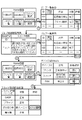
そして、図10において、制御部11は、ユーザから呼び出し要求を受け付けると、つまり図11の例では「開く」という操作子画像が操作されると(ステップS15)、要求されたアプリケーションの機能を呼び出して、その機能を操作するための操作画面を表示する(ステップS16)。図11で例えば図面差分検出アプリについて、「開く」という操作子画像が操作されると、図面差分検出アプリの操作画面に遷移する(矢印1)。また、例えばスキャン翻訳アプリについて、「開く」という操作子画像が操作されると、スキャン翻訳アプリの操作画面に遷移する(矢印2)。この操作画面は複数階層になっており、例えば図面差分検出アプリの最上位の操作画面において、「確認」という操作子画像が操作されると、それよりも1つの下の層の画面に相当する、図12(B)に示すファイル一覧画面に遷移する(矢印3)。また、例えばスキャン翻訳アプリの最上位の操作画面において、「結果確認」という操作子画像が操作されると、それよりも1つの下の層の画面に相当する、図12(C)に示すファイル一覧画面に遷移する(矢印4)。また、スキャン翻訳アプリの最上位の操作画面において、「スキャナ確認」という操作子画像が操作されると、それよりも1つの下の層の画面に相当する、図13(B)に示すデバイス確認画面に遷移する(矢印5)。このように各画面において、次にどの操作画面を呼び出すかは、図8に例示した記憶内容によって決まっている。ユーザはこれらの操作画面においてアプリケーションに固有の機能を操作する。
Then, in FIG. 10, when the
本実施形態によれば、ジョブ一覧画面において、複数のジョブの状態を横断的に表示し、さらにこのジョブ一覧画面から各ジョブに対応するアプリケーション固有の機能を呼び出すようにすることで、ユーザの操作負担を削減する。また、例えば操作対象のジョブと無関係なアプリケーションを起動してしまうといった誤操作等のリスクも低減できる。また、各アプリケーションの仕様に依存しない統一的なユーザインタフェースを提供することで、例えばアプリケーションごとに異なるユーザインタフェースにおける操作方法の習熟が不要となり、アプリケーションに対する学習コストが低減できる。また、各アプリケーションの開発者にとっては、その開発工程において、ジョブ一覧機能やアプリケーション共通の機能を個別に作り込む必要が無くなる。 According to the present embodiment, the statuses of a plurality of jobs are displayed crosswise on the job list screen, and the application-specific function corresponding to each job is called from the job list screen, so that the user operation Reduce the burden. Further, it is possible to reduce the risk of erroneous operation such as starting an application unrelated to the job to be operated. In addition, by providing a unified user interface that does not depend on the specifications of each application, it is not necessary to learn the operation method in the user interface that differs for each application, and the learning cost for the application can be reduced. Further, it is not necessary for the developer of each application to individually create a job list function and a function common to each application in the development process.
<変形例>
実施形態を次のように変形してもよい。また、複数の変形例を組み合わせてもよい。
<1>
本発明では、各アプリケーションの機能を呼び出すための呼び出し情報を記憶しており、処理の一覧において操作子が操作されると、当該操作子に応じた呼び出し情報によってアプリケーションの機能を操作するための操作画面を表示させる。より具体的に言うと、上記実施形態では、画像形成装置10は、ジョブの状況(条件)と呼び出し情報とを関連付けて記憶しており(図8)、実行中のジョブの状況を特定し、特定したジョブの状況に関連付けられた呼び出し情報を読み出し、読み出した当該呼び出し情報(図5)によってアプリケーションの機能を操作するための操作画面を表示させていた。つまり、ジョブの状態に変化がある度に呼び出し情報を読み出して操作画面を表示していた。
これを、ジョブの開始時において、記憶部12から呼び出し情報をすべて読み出してRAMに格納しておき、ジョブの状態に変化があるとその変化に対応する呼び出し情報を選択し、選択した呼び出し情報を用いて操作画面を表示してもよい。つまり、制御部11は、呼び出し情報を全て読み出しておき、実行中の処理の状況を特定し、読み出した呼び出し情報のうち、特定した処理の状況に関連する呼び出し情報によってアプリケーションの機能を操作するための操作画面を表示させる。
<Modification>
The embodiment may be modified as follows. Also, a plurality of modified examples may be combined.
<1>
In the present invention, the call information for calling the function of each application is stored, and when the operator is operated in the list of processes, the operation for operating the function of the application by the call information according to the operator. Display the screen. More specifically, in the above-described embodiment, the
At the start of the job, all the calling information is read from the
<2>
実施形態では、コマンドラインオプション形式での呼び出し情報を表現していたが、これを例えばURL(Uniform Resource Locator)のクエリ形式(例:#?function=filebrowse,openfolder=c:\user\fujii,selection=fileA#fileB,selectbutton=open)や、API形式(例:call(filebrowse,c\user\fujii,filelist,open)のようにしてもよい。つまり呼び出しの方式は問わない。
<2>
In the embodiment, the call information is expressed in the command line option format. However, the call information may be expressed in, for example, a URL (Uniform Resource Locator) query format (eg: #?function=filebrowse,openfolder=c:\user\fujii,selection =fileA#fileB,selectbutton=open) or API format (eg call(filebrowse,c\user\fujii,filelist,open). In other words, the calling method does not matter.
<3>
アプリケーションの機能をどの程度まで細かく指定するかは呼び出されるアプリに依存する。例えば、ファイル一覧画面において、拡張子、ユーザ、生成元アプリ等でのフィルタ機能を提供してもよいし、指定したボタンを非表示や不可表示可能とする機能を提供してもよい。
<3>
How finely the application functionality is specified depends on the called application. For example, the file list screen may be provided with a filter function for an extension, a user, a generation source application, or the like, or may be provided with a function for making a designated button invisible or non-displayable.
<4>
どのような処理の状況でどのような機能を呼び出すかは任意である。例えば、図面差分検出アプリにおいて、スキャンしたデータをメール送信することを失敗したときは、メールサーバの確認機能を呼び出すとかアドレス帳のメールアドレス画面を呼び出すなどというように、その機能を操作するための操作子画像(ソフトボタン)を追加して表示するようにしてもよい。
<4>
What kind of processing situation and what kind of function is called is arbitrary. For example, in the drawing difference detection application, when sending the scanned data by e-mail fails, you can call the confirmation function of the mail server or the e-mail address screen of the address book to operate the function. An operator image (soft button) may be added and displayed.
<5>
実施形態では、ジョブ管理情報のジョブ属性を6つとしているが、これ以外に、例えば終了時刻、進捗状況、相手先、アプリケーション名等の属性があってもよい。また、システム形態によっては、呼び出し情報以外のジョブ属性は無くてもよい。
<5>
In the embodiment, the job management information has six job attributes, but other than this, there may be attributes such as end time, progress status, partner, and application name. Further, depending on the system form, there may be no job attributes other than the call information.
<6>
実施形態では、詳細画面をジョブ一覧画面と別画面としているが、ジョブ一覧画面上に操作子画像(リンク等の呼び出し可能な形態であればよい)を配置し、コメントをポップオーバー表示(カーソルが重なると吹き出し表示)するようにしてもよい。
<6>
In the embodiment, the detail screen is separate from the job list screen, but an operator image (which may be a callable form such as a link) is arranged on the job list screen, and a comment is pop-over displayed (the cursor is A balloon may be displayed when they overlap.
<7>
上記の実施形態では、画像形成装置10がユーザインタフェースとなるジョブ一覧画面や操作画面を表示していたが、画像形成装置10のホスト装置に相当するパーソナルコンピュータなどの情報処理装置がこれらの画面を表示してもよい。
<7>
In the above embodiment, the
<8>
上記の実施形態では、制御部11がプログラムを実行することによって上記の機能を実現する例を示したが、上記の機能がハードウェア回路で実装されていてもよい。また、このプログラムを、光記録媒体、半導体メモリ等、コンピュータで読み取り可能な記録媒体に記録して提供し、この記録媒体からプログラムを読み取って情報処理装置にインストールするようにしてもよい。また、このプログラムを電気通信回線で提供してもよい。
<8>
In the above embodiment, an example in which the
10…画像形成装置、11…制御部、12…記憶部、13…通信部、14…UI部、15…読取部、16…画像処理部、17…画像形成部、110…一覧表示制御部、120…操作画面表示制御部。
DESCRIPTION OF
Claims (5)
各アプリケーションに対応する操作画面を表示するための操作子を前記一覧上に表示させる一覧表示制御手段と、
前記一覧において前記操作子が操作されると、当該操作子に応じたアプリケーションの機能によって実行された処理において用いられたデバイスに関する操作を行うための操作画面を表示させる操作画面表示制御手段と
を備える情報処理装置。 Display means for displaying a list of processes executed by each application,
List display control means for displaying an operator for displaying an operation screen corresponding to each application on the list,
Operation screen display control means for displaying an operation screen for operating a device used in a process executed by a function of an application corresponding to the operator when the operator is operated in the list. Information processing device.
各アプリケーションの機能を呼び出すための呼び出し情報を記憶しており、
前記一覧において前記操作子が操作されると、当該操作子に応じた呼び出し情報によって、前記アプリケーションの機能によって実行された処理において用いられたデバイスに関する操作を行うための前記操作画面を表示させる
請求項1記載の情報処理装置。 The operation screen display control means,
It stores call information to call the function of each application,
When the operator is operated in the list, the operation screen for performing an operation regarding a device used in a process executed by the function of the application is displayed by calling information according to the operator. 1. The information processing device according to 1.
前記処理の状況と前記呼び出し情報とを関連付けて記憶しており、
実行中の前記処理の状況を特定し、特定した処理の状況に関連付けられた前記呼び出し情報を読み出し、読み出した当該呼び出し情報によって、前記アプリケーションの機能によって実行された処理において用いられたデバイスに関する操作を行うための前記操作画面を表示させる
請求項2記載の情報処理装置。 The operation screen display control means,
The processing status and the call information are stored in association with each other,
The status of the process being executed is specified, the call information associated with the specified process status is read, and the read call information indicates the operation related to the device used in the process executed by the function of the application. The information processing apparatus according to claim 2 , wherein the operation screen for performing the operation is displayed.
前記処理の状況と前記呼び出し情報とを関連付けて記憶しており、
前記呼び出し情報を全て読み出しておき、
実行中の前記処理の状況を特定し、読み出した前記呼び出し情報のうち、特定した処理の状況に関連する呼び出し情報によって、前記アプリケーションの機能によって実行された処理において用いられたデバイスに関する操作を行うための前記操作画面を表示させる
請求項2記載の情報処理装置。 The operation screen display control means,
The processing status and the call information are stored in association with each other,
Read all the call information,
To specify the status of the processing being executed and perform the operation related to the device used in the processing executed by the function of the application by the calling information related to the status of the specified processing among the read calling information. The information processing apparatus according to claim 2 , wherein the operation screen is displayed.
各アプリケーションによって実行された処理の一覧を表示する表示手段であって、
各アプリケーションに対応する操作画面を表示するための操作子を前記一覧上に表示させる一覧表示制御手段と、
前記一覧において前記操作子が操作されると、当該操作子に応じたアプリケーションの機能によって実行された処理において用いられたデバイスに関する操作を行うための操作画面を表示させる操作画面表示制御手段と
して機能させるためのプログラム。 Computer,
Display means for displaying a list of processes executed by each application,
List display control means for displaying an operator for displaying an operation screen corresponding to each application on the list,
An operation screen display control means for displaying an operation screen for performing an operation related to a device used in a process executed by a function of an application corresponding to the operator when the operator is operated in the list. A program to make it work.
Priority Applications (2)
| Application Number | Priority Date | Filing Date | Title |
|---|---|---|---|
| JP2016061163A JP6724466B2 (en) | 2016-03-25 | 2016-03-25 | Information processing device and program |
| US15/255,855 US10795542B2 (en) | 2016-03-25 | 2016-09-02 | Information processing apparatus and non-transitory computer readable medium for streamlining operation screens |
Applications Claiming Priority (1)
| Application Number | Priority Date | Filing Date | Title |
|---|---|---|---|
| JP2016061163A JP6724466B2 (en) | 2016-03-25 | 2016-03-25 | Information processing device and program |
Publications (2)
| Publication Number | Publication Date |
|---|---|
| JP2017174247A JP2017174247A (en) | 2017-09-28 |
| JP6724466B2 true JP6724466B2 (en) | 2020-07-15 |
Family
ID=59898655
Family Applications (1)
| Application Number | Title | Priority Date | Filing Date |
|---|---|---|---|
| JP2016061163A Active JP6724466B2 (en) | 2016-03-25 | 2016-03-25 | Information processing device and program |
Country Status (2)
| Country | Link |
|---|---|
| US (1) | US10795542B2 (en) |
| JP (1) | JP6724466B2 (en) |
Families Citing this family (3)
| Publication number | Priority date | Publication date | Assignee | Title |
|---|---|---|---|---|
| JP6763252B2 (en) * | 2016-09-16 | 2020-09-30 | 株式会社リコー | Image forming device, operating device, screen display method and program |
| CN110007829B (en) * | 2019-04-03 | 2022-06-03 | 腾讯科技(深圳)有限公司 | Content display method, device, terminal and storage medium |
| US20240193540A1 (en) * | 2022-12-12 | 2024-06-13 | Maplebear Inc. (Dba Instacart) | Selecting pickers for service requests based on output of computer model trained to predict acceptances |
Family Cites Families (13)
| Publication number | Priority date | Publication date | Assignee | Title |
|---|---|---|---|---|
| US5682490A (en) * | 1992-07-15 | 1997-10-28 | New Media Development Association | User adaptive parametric macro creation system and method |
| JP2002225389A (en) * | 2001-02-02 | 2002-08-14 | Sharp Corp | Display device of image forming apparatus |
| JP2004030535A (en) * | 2002-06-28 | 2004-01-29 | Toshiba Corp | Information processing apparatus and input support method used in the information processing apparatus |
| JP4566679B2 (en) * | 2003-11-13 | 2010-10-20 | キヤノン株式会社 | Image forming apparatus, control method, and program |
| JP5049458B2 (en) * | 2004-09-03 | 2012-10-17 | キヤノン株式会社 | Image forming apparatus, job processing method, storage medium, and computer program |
| JP4640007B2 (en) * | 2005-07-14 | 2011-03-02 | コニカミノルタビジネステクノロジーズ株式会社 | Job history management device |
| JP2008022456A (en) * | 2006-07-14 | 2008-01-31 | Konica Minolta Business Technologies Inc | Image processing device and image processing control method |
| US20080115131A1 (en) * | 2006-11-15 | 2008-05-15 | Jeff Kelsey | Express task manager system and method |
| JP5923934B2 (en) | 2011-11-08 | 2016-05-25 | 株式会社リコー | Image processing apparatus and program |
| JP5741665B2 (en) | 2013-10-28 | 2015-07-01 | 株式会社リコー | Image processing apparatus, display apparatus, authentication system, display control method, and display control program. |
| US9985845B2 (en) * | 2014-07-11 | 2018-05-29 | Sap Se | Generic user interface client for software logistics processes |
| WO2016033199A1 (en) * | 2014-08-28 | 2016-03-03 | Adelos, Inc. | Real-time fiber optic interferometry controller |
| US10110772B2 (en) * | 2016-03-15 | 2018-10-23 | Konica Minolta Laboratory U.S.A., Inc. | System and method of determining if users can fix or repair MFP errors in a printing system |
-
2016
- 2016-03-25 JP JP2016061163A patent/JP6724466B2/en active Active
- 2016-09-02 US US15/255,855 patent/US10795542B2/en active Active
Also Published As
| Publication number | Publication date |
|---|---|
| US20170277370A1 (en) | 2017-09-28 |
| US10795542B2 (en) | 2020-10-06 |
| JP2017174247A (en) | 2017-09-28 |
Similar Documents
| Publication | Publication Date | Title |
|---|---|---|
| JP6458598B2 (en) | Image processing apparatus and information processing apparatus | |
| US10891092B2 (en) | Image processing apparatus, control method therefor, and storage medium to present a setting content | |
| JP5262321B2 (en) | Image forming apparatus, display processing apparatus, display processing method, and display processing program | |
| US11070688B2 (en) | Information processing apparatus, method for controlling the same, and storage medium for displaying a menu screen for using destination information of a destination | |
| KR101921569B1 (en) | Image processing apparatus, method for controlling image processing apparatus, and storage medium | |
| JP7210181B2 (en) | Information processing device, its control method, and program | |
| JP2011242854A (en) | Image processing apparatus, device cooperation system, service provision method, program | |
| JP4778830B2 (en) | Display control system, image processing apparatus, and display control method | |
| US20190373120A1 (en) | Information processing apparatus and non-transitory computer readable medium | |
| JP2017021582A (en) | Information processing apparatus, information processing apparatus control method, and program | |
| JP6724466B2 (en) | Information processing device and program | |
| JP7043931B2 (en) | Screen creation program, information processing device and screen creation method | |
| US11196875B2 (en) | Application apparatus, image processing apparatus, and non-transitory computer readable medium with plurality of recovery methods for applications switching to be in operation target state | |
| US9699329B2 (en) | Information processing apparatus and information processing method for notifying that a file is being moved | |
| JP2019075157A (en) | Image processing apparatus, information processing apparatus, program, and system | |
| JP7175630B2 (en) | IMAGE FORMING APPARATUS, CONTROL METHOD AND PROGRAM | |
| US20180084122A1 (en) | Processing device, image forming apparatus, and non-transitory computer readable medium | |
| JP2011051163A (en) | Image forming apparatus and image transmitting method | |
| JP2020017847A (en) | Information processing device and program | |
| JP5752017B2 (en) | Image forming apparatus | |
| US20250247481A1 (en) | Image forming apparatus capable of printing image on sheet based on print data | |
| US20230141058A1 (en) | Display apparatus and method for controlling display apparatus | |
| JP2013257770A (en) | Print control device, control program of print control device, and control method of print control device | |
| JP2019180063A (en) | Image forming apparatus and program | |
| US20160286073A1 (en) | Data communication apparatus, method for controlling the same, and storage medium |
Legal Events
| Date | Code | Title | Description |
|---|---|---|---|
| A621 | Written request for application examination |
Free format text: JAPANESE INTERMEDIATE CODE: A621 Effective date: 20190228 |
|
| A977 | Report on retrieval |
Free format text: JAPANESE INTERMEDIATE CODE: A971007 Effective date: 20191031 |
|
| A131 | Notification of reasons for refusal |
Free format text: JAPANESE INTERMEDIATE CODE: A131 Effective date: 20191126 |
|
| A521 | Written amendment |
Free format text: JAPANESE INTERMEDIATE CODE: A523 Effective date: 20200127 |
|
| TRDD | Decision of grant or rejection written | ||
| A01 | Written decision to grant a patent or to grant a registration (utility model) |
Free format text: JAPANESE INTERMEDIATE CODE: A01 Effective date: 20200526 |
|
| A61 | First payment of annual fees (during grant procedure) |
Free format text: JAPANESE INTERMEDIATE CODE: A61 Effective date: 20200608 |
|
| R150 | Certificate of patent or registration of utility model |
Ref document number: 6724466 Country of ref document: JP Free format text: JAPANESE INTERMEDIATE CODE: R150 |
|
| S533 | Written request for registration of change of name |
Free format text: JAPANESE INTERMEDIATE CODE: R313533 |
|
| R350 | Written notification of registration of transfer |
Free format text: JAPANESE INTERMEDIATE CODE: R350 |