JP6639430B2 - Information processing apparatus, control method, and program - Google Patents
Information processing apparatus, control method, and program Download PDFInfo
- Publication number
- JP6639430B2 JP6639430B2 JP2017016206A JP2017016206A JP6639430B2 JP 6639430 B2 JP6639430 B2 JP 6639430B2 JP 2017016206 A JP2017016206 A JP 2017016206A JP 2017016206 A JP2017016206 A JP 2017016206A JP 6639430 B2 JP6639430 B2 JP 6639430B2
- Authority
- JP
- Japan
- Prior art keywords
- program
- communication device
- displayed
- display unit
- pairing process
- Prior art date
- Legal status (The legal status is an assumption and is not a legal conclusion. Google has not performed a legal analysis and makes no representation as to the accuracy of the status listed.)
- Active
Links
Images



Classifications
-
- G—PHYSICS
- G06—COMPUTING OR CALCULATING; COUNTING
- G06F—ELECTRIC DIGITAL DATA PROCESSING
- G06F21/00—Security arrangements for protecting computers, components thereof, programs or data against unauthorised activity
- G06F21/30—Authentication, i.e. establishing the identity or authorisation of security principals
- G06F21/31—User authentication
- G06F21/34—User authentication involving the use of external additional devices, e.g. dongles or smart cards
- G06F21/35—User authentication involving the use of external additional devices, e.g. dongles or smart cards communicating wirelessly
-
- H—ELECTRICITY
- H04—ELECTRIC COMMUNICATION TECHNIQUE
- H04M—TELEPHONIC COMMUNICATION
- H04M1/00—Substation equipment, e.g. for use by subscribers
- H04M1/72—Mobile telephones; Cordless telephones, i.e. devices for establishing wireless links to base stations without route selection
- H04M1/724—User interfaces specially adapted for cordless or mobile telephones
- H04M1/72403—User interfaces specially adapted for cordless or mobile telephones with means for local support of applications that increase the functionality
- H04M1/72409—User interfaces specially adapted for cordless or mobile telephones with means for local support of applications that increase the functionality by interfacing with external accessories
- H04M1/72412—User interfaces specially adapted for cordless or mobile telephones with means for local support of applications that increase the functionality by interfacing with external accessories using two-way short-range wireless interfaces
-
- H—ELECTRICITY
- H04—ELECTRIC COMMUNICATION TECHNIQUE
- H04N—PICTORIAL COMMUNICATION, e.g. TELEVISION
- H04N1/00—Scanning, transmission or reproduction of documents or the like, e.g. facsimile transmission; Details thereof
- H04N1/00127—Connection or combination of a still picture apparatus with another apparatus, e.g. for storage, processing or transmission of still picture signals or of information associated with a still picture
- H04N1/00281—Connection or combination of a still picture apparatus with another apparatus, e.g. for storage, processing or transmission of still picture signals or of information associated with a still picture with a telecommunication apparatus, e.g. a switched network of teleprinters for the distribution of text-based information, a selective call terminal
- H04N1/00315—Connection or combination of a still picture apparatus with another apparatus, e.g. for storage, processing or transmission of still picture signals or of information associated with a still picture with a telecommunication apparatus, e.g. a switched network of teleprinters for the distribution of text-based information, a selective call terminal with a radio transmission apparatus
-
- G—PHYSICS
- G06—COMPUTING OR CALCULATING; COUNTING
- G06F—ELECTRIC DIGITAL DATA PROCESSING
- G06F21/00—Security arrangements for protecting computers, components thereof, programs or data against unauthorised activity
- G06F21/30—Authentication, i.e. establishing the identity or authorisation of security principals
- G06F21/44—Program or device authentication
- G06F21/445—Program or device authentication by mutual authentication, e.g. between devices or programs
-
- G—PHYSICS
- G06—COMPUTING OR CALCULATING; COUNTING
- G06F—ELECTRIC DIGITAL DATA PROCESSING
- G06F21/00—Security arrangements for protecting computers, components thereof, programs or data against unauthorised activity
- G06F21/30—Authentication, i.e. establishing the identity or authorisation of security principals
- G06F21/45—Structures or tools for the administration of authentication
- G06F21/46—Structures or tools for the administration of authentication by designing passwords or checking the strength of passwords
-
- G—PHYSICS
- G06—COMPUTING OR CALCULATING; COUNTING
- G06F—ELECTRIC DIGITAL DATA PROCESSING
- G06F3/00—Input arrangements for transferring data to be processed into a form capable of being handled by the computer; Output arrangements for transferring data from processing unit to output unit, e.g. interface arrangements
- G06F3/12—Digital output to print unit, e.g. line printer, chain printer
- G06F3/1201—Dedicated interfaces to print systems
- G06F3/1278—Dedicated interfaces to print systems specifically adapted to adopt a particular infrastructure
- G06F3/1279—Controller construction, e.g. aspects of the interface hardware
-
- G—PHYSICS
- G06—COMPUTING OR CALCULATING; COUNTING
- G06F—ELECTRIC DIGITAL DATA PROCESSING
- G06F3/00—Input arrangements for transferring data to be processed into a form capable of being handled by the computer; Output arrangements for transferring data from processing unit to output unit, e.g. interface arrangements
- G06F3/12—Digital output to print unit, e.g. line printer, chain printer
- G06F3/1201—Dedicated interfaces to print systems
- G06F3/1278—Dedicated interfaces to print systems specifically adapted to adopt a particular infrastructure
- G06F3/1292—Mobile client, e.g. wireless printing
-
- H—ELECTRICITY
- H04—ELECTRIC COMMUNICATION TECHNIQUE
- H04L—TRANSMISSION OF DIGITAL INFORMATION, e.g. TELEGRAPHIC COMMUNICATION
- H04L63/00—Network architectures or network communication protocols for network security
- H04L63/08—Network architectures or network communication protocols for network security for authentication of entities
-
- H—ELECTRICITY
- H04—ELECTRIC COMMUNICATION TECHNIQUE
- H04L—TRANSMISSION OF DIGITAL INFORMATION, e.g. TELEGRAPHIC COMMUNICATION
- H04L9/00—Cryptographic mechanisms or cryptographic arrangements for secret or secure communications; Network security protocols
- H04L9/32—Cryptographic mechanisms or cryptographic arrangements for secret or secure communications; Network security protocols including means for verifying the identity or authority of a user of the system or for message authentication, e.g. authorization, entity authentication, data integrity or data verification, non-repudiation, key authentication or verification of credentials
- H04L9/3226—Cryptographic mechanisms or cryptographic arrangements for secret or secure communications; Network security protocols including means for verifying the identity or authority of a user of the system or for message authentication, e.g. authorization, entity authentication, data integrity or data verification, non-repudiation, key authentication or verification of credentials using a predetermined code, e.g. password, passphrase or PIN
-
- H—ELECTRICITY
- H04—ELECTRIC COMMUNICATION TECHNIQUE
- H04W—WIRELESS COMMUNICATION NETWORKS
- H04W12/00—Security arrangements; Authentication; Protecting privacy or anonymity
- H04W12/06—Authentication
-
- H—ELECTRICITY
- H04—ELECTRIC COMMUNICATION TECHNIQUE
- H04W—WIRELESS COMMUNICATION NETWORKS
- H04W4/00—Services specially adapted for wireless communication networks; Facilities therefor
- H04W4/80—Services using short range communication, e.g. near-field communication [NFC], radio-frequency identification [RFID] or low energy communication
-
- G—PHYSICS
- G06—COMPUTING OR CALCULATING; COUNTING
- G06F—ELECTRIC DIGITAL DATA PROCESSING
- G06F3/00—Input arrangements for transferring data to be processed into a form capable of being handled by the computer; Output arrangements for transferring data from processing unit to output unit, e.g. interface arrangements
- G06F3/01—Input arrangements or combined input and output arrangements for interaction between user and computer
- G06F3/048—Interaction techniques based on graphical user interfaces [GUI]
- G06F3/0484—Interaction techniques based on graphical user interfaces [GUI] for the control of specific functions or operations, e.g. selecting or manipulating an object, an image or a displayed text element, setting a parameter value or selecting a range
- G06F3/04842—Selection of displayed objects or displayed text elements
-
- H—ELECTRICITY
- H04—ELECTRIC COMMUNICATION TECHNIQUE
- H04M—TELEPHONIC COMMUNICATION
- H04M2250/00—Details of telephonic subscriber devices
- H04M2250/04—Details of telephonic subscriber devices including near field communication means, e.g. RFID
Landscapes
- Engineering & Computer Science (AREA)
- Computer Networks & Wireless Communication (AREA)
- Computer Security & Cryptography (AREA)
- Theoretical Computer Science (AREA)
- Signal Processing (AREA)
- General Engineering & Computer Science (AREA)
- General Physics & Mathematics (AREA)
- Physics & Mathematics (AREA)
- Human Computer Interaction (AREA)
- Computer Hardware Design (AREA)
- Software Systems (AREA)
- Computing Systems (AREA)
- Multimedia (AREA)
- Accessory Devices And Overall Control Thereof (AREA)
- Facsimiles In General (AREA)
- Telephone Function (AREA)
- User Interface Of Digital Computer (AREA)
- Mobile Radio Communication Systems (AREA)
Description
本発明は、情報処理装置、制御方法およびプログラムに関する。 The present invention relates to an information processing device, a control method, and a program.
印刷用のアプリケーション(以下、アプリ)等の所定のアプリによって、プリンタ等の通信装置と通信する情報処理装置が知られている。このような情報処理装置は、セキュリティの高い通信を行うために、装置間で認証を行うためのペアリング処理を実行する。特許文献1には、Bluetooth Low Energy(BLE)によって通信装置とペアリング処理を実行する情報処理装置が記載されている。 2. Description of the Related Art An information processing device that communicates with a communication device such as a printer by using a predetermined application such as a printing application (hereinafter, an application) is known. Such an information processing device executes a pairing process for performing authentication between the devices in order to perform highly secure communication. Patent Literature 1 discloses an information processing device that performs a pairing process with a communication device using Bluetooth Low Energy (BLE).
上述したように所定のアプリによって通信を行う前段階としてペアリング処理が実行されることが好ましい。そのため、情報処理装置は、所定のアプリによる通信の前段階としてペアリング処理を行うために、まず、所定のアプリによって表示される画面によってペアリング処理の実行指示を受け付ける。しかしながら、ペアリング処理のためにユーザが実行する入力処理は、所定のアプリのプログラムによって表示される画面でなく、所定のアプリ以外のプログラムにより表示される画面に対して実行されることがある。すなわち、所定のアプリによって表示される画面によってペアリング処理の実行指示を受け付けたにも係わらず、ペアリング処理を実行するための入力処理が、所定のアプリ以外のプログラムにより表示される画面に対して実行されることがある。このような形態では、ユーザは、所定のアプリによって通信を行うためのペアリング処理の入力処理として、所定のアプリ以外のプログラムにより表示される画面でどのような操作をすればよいのかわかりづらいという課題がある。 As described above, it is preferable that the pairing process is executed as a stage before the communication is performed by the predetermined application. Therefore, in order to perform the pairing process as a stage prior to the communication by the predetermined application, the information processing device first receives an instruction to execute the pairing process on a screen displayed by the predetermined application. However, the input process executed by the user for the pairing process may be executed on a screen displayed by a program other than the predetermined application instead of the screen displayed by the predetermined application program. That is, although the execution instruction of the pairing process is received by the screen displayed by the predetermined application, the input process for executing the pairing process is performed on the screen displayed by a program other than the predetermined application. May be executed. In such a form, it is difficult for the user to understand what operation should be performed on a screen displayed by a program other than the predetermined application as an input process of the pairing process for performing communication by the predetermined application. There are issues.
そこで本発明は、所定のアプリにより表示される画面にペアリング処理の実行指示が行われたにも係わらず、ペアリング処理のための入力が所定のアプリ以外のプログラムにより表示される画面に行われる形態において、ユーザの操作性を向上させることを目的とする。 Accordingly, the present invention provides a method in which an input for a pairing process is performed on a screen displayed by a program other than the predetermined application, even though an instruction to execute the pairing process is issued on the screen displayed by the predetermined application. It is an object of the present invention to improve the operability of the user.
そこで、上記目的を達成するために本発明の制御方法は、複数の通信装置のうちいずれかの通信装置と通信するための所定のプログラム及び、前記所定のプログラム以外の他のプログラムを有する情報処理装置の制御方法であって、
前記情報処理装置と前記複数の通信装置のうちいずれかの通信装置との間の認証を行うためのペアリング処理の実行指示を、前記所定のプログラムが用いられて表示部に表示される画面を介してユーザから受け付ける受け付けステップと、
前記表示部に表示されている画面を、前記所定のプログラムが用いられて前記表示部に表示される画面から、前記他のプログラムが用いられて前記表示部に表示され且つ前記複数の通信装置から前記ペアリング処理の対象となる通信装置を選択するための入力をユーザから受け付けるための設定画面に、前記実行指示が受け付けられた場合に切り替えるための切り替え処理を、前記他のプログラムをフォアグラウンドで動作させることで実行する切り替えステップと、
前記所定のプログラムによって前記表示部に表示され且つ前記設定画面における操作方法をユーザに通知するための1又は複数の通知領域と、前記他のプログラムによって前記表示部に表示される前記設定画面とが並行して、前記所定のプログラムがバックグラウンドで動作しており且つ前記他のプログラムがフォアグラウンドで動作している状態で前記表示部に表示されるように制御する表示制御ステップと、を有することを特徴とする。
Therefore, in order to achieve the above object, a control method according to the present invention provides an information processing method including a predetermined program for communicating with any one of a plurality of communication devices, and a program other than the predetermined program. A method for controlling an apparatus, comprising:
An instruction to execute a pairing process for performing authentication between the information processing device and any one of the plurality of communication devices is displayed on a display unit using the predetermined program. A receiving step of receiving from the user via
From the screen displayed on the display unit using the predetermined program, the screen displayed on the display unit is displayed on the display unit using the other program, and from the plurality of communication devices. A setting screen for receiving an input from a user for selecting a communication device to be subjected to the pairing process, a switching process for switching when the execution instruction is received , the other program operating in the foreground A switching step to be performed by causing
And one or more notification area for notifying the user how to operate in the display on the display unit and the setting screen by the predetermined program, and the said setting screen displayed on the display unit by the other program In parallel , a display control step of controlling the display so that the predetermined program is operating in the background and the other program is operating in the foreground is displayed on the display unit. Features.
本発明によれば、所定のアプリで表示される画面を介してペアリング処理の実行が指示されたにも係わらず、ペアリング処理を実行するための入力処理が所定のアプリ以外のプログラムにより表示される画面に対して行われる形態において、ユーザの操作性を向上させることができる。 According to the present invention, the input process for executing the pairing process is displayed by a program other than the predetermined application even though the execution of the pairing process is instructed via the screen displayed by the predetermined application. The operability of the user can be improved in a mode performed on a screen to be performed.
以下に図面を参照して、本発明の好適な実施形態を例示的に説明する。ただし、本発明については、その趣旨を逸脱しない範囲で、当業者の通常の知識に基づいて、以下に記載する実施形態に対して適宜変更、改良が加えられたものについても本発明の範囲に入ることが理解されるべきである。 Hereinafter, preferred embodiments of the present invention will be illustratively described with reference to the drawings. However, the present invention is not limited to the scope of the present invention, and any modifications and improvements made to the embodiments described below based on ordinary knowledge of those skilled in the art may be made without departing from the spirit of the present invention. It should be understood that entering.
(第1実施形態)
本実施形態の通信システムに含まれる情報処理装置及び通信装置について説明する。情報処理装置として、本実施形態ではスマートホンを例示しているが、これに限定されず、携帯端末、ノートPC、タブレット端末、PDA(Personal Digital Assistant)、デジタルカメラ等、種々のものを適用可能である。また、通信装置として、本実施形態ではプリンタを例示しているが、これに限定されず、情報処理装置と無線通信を行うことが可能な装置であれば、種々のものを適用可能である。例えば、プリンタであれば、インクジェットプリンタ、フルカラーレーザービームプリンタ、モノクロプリンタ等に適用することができる。また、プリンタのみならず複写機やファクシミリ装置、携帯端末、スマートホン、ノートPC、タブレット端末、PDA、デジタルカメラ、音楽再生デバイス、テレビ等にも適用可能である。その他、複写機能、FAX機能、印刷機能等の複数の機能を備える複合機にも適用可能である。
(1st Embodiment)
An information processing device and a communication device included in the communication system of the present embodiment will be described. In the present embodiment, a smartphone is exemplified as the information processing apparatus, but the information processing apparatus is not limited to this, and various types such as a mobile terminal, a notebook PC, a tablet terminal, a PDA (Personal Digital Assistant), a digital camera, and the like can be applied. It is. Further, in the present embodiment, a printer is exemplified as the communication device, but the present invention is not limited to this, and various devices can be applied as long as the device can perform wireless communication with the information processing device. For example, a printer can be applied to an inkjet printer, a full-color laser beam printer, a monochrome printer, and the like. Further, the present invention can be applied not only to a printer but also to a copying machine, a facsimile machine, a portable terminal, a smartphone, a notebook PC, a tablet terminal, a PDA, a digital camera, a music reproducing device, a television, and the like. In addition, the present invention can be applied to a multifunction peripheral having a plurality of functions such as a copying function, a facsimile function, and a printing function.
まず、本実施形態の情報処理装置と、本実施形態の情報処理装置と通信可能な通信装置の構成について図1のブロック図を参照して説明する。また、本実施形態では以下の構成を例に記載するが、本実施形態は通信装置と通信を行うことが可能な装置に関して適用可能なものであり、特にこの図のとおりに機能を限定するものではない。 First, the configuration of an information processing apparatus of the present embodiment and a communication apparatus capable of communicating with the information processing apparatus of the present embodiment will be described with reference to the block diagram of FIG. Further, in the present embodiment, the following configuration is described as an example, but the present embodiment is applicable to a device capable of communicating with a communication device, and in particular, a device whose functions are limited as shown in this diagram. is not.
情報処理装置101は、本実施形態の情報処理装置である。情報処理装置101は、入力インタフェース102、CPU103、ROM104、RAM105、外部記憶装置106、出力インタフェース107、表示部108、通信部111、近距離通信部112等を有する。
The
入力インタフェース102は、マウス110やキーボード109が操作されることにより、ユーザからのデータ入力や動作指示を受け付けるためのインタフェースである。
The
CPU103は、システム制御部であり、情報処理装置101の全体を制御する。
The
ROM104は、CPU103が実行する制御プログラムやデータテーブル、組み込みオペレーティングシステム(以下、OSという。)プログラム等の固定データを格納する。本実施形態では、ROM104に格納されている各制御プログラムは、ROM104に格納されている組み込みOSの管理下で、スケジューリングやタスクスイッチ、割り込み処理等のソフトウエア実行制御を行う。
The
RAM105は、バックアップ電源を必要とするSRAM(Static Random Access Memory)等で構成される。なお、RAM105は、図示しないデータバックアップ用の1次電池によってデータが保持されているため、プログラム制御変数等の重要なデータを揮発させずに格納することができる。また、情報処理装置101の設定情報や情報処理装置101の管理データ等を格納するメモリエリアもRAM105に設けられている。また、RAM105は、CPU103の主メモリとワークメモリとしても用いられる。
The
外部記憶装置106は、印刷実行機能を提供するアプリケーション、通信装置151が解釈可能な印刷ジョブを生成する印刷ジョブ生成プログラム等を保存している。また、外部記憶装置106は、通信部111を介して接続している通信装置151との間で送受信する情報送受信制御プログラム等の各種プログラムや、これらのプログラムが使用する各種情報を保存している。
The
出力インタフェース107は、表示部108がデータの表示や情報処理装置101の状態の通知を行うための制御を行うインタフェースである。
The
表示部108は、LED(発光ダイオード)やLCD(液晶ディスプレイ)などから構成され、データの表示や情報処理装置101の状態の通知を行う。なお、表示部108上に、数値入力キー、モード設定キー、決定キー、取り消しキー、電源キー等の操作部を設置することで、表示部108を介してユーザからの入力を受け付けても良い。
The
通信部111は、通信装置151や、情報処理装置101の外部且つ通信装置151の外部に存在する外部アクセスポイント(不図示)等の装置と接続して、データ通信を実行するための構成である。例えば、通信部111は、通信装置151内のアクセスポイント(不図示)に接続可能である。通信部111と通信装置151内のアクセスポイントが接続することで、情報処理装置101と通信装置151は相互に通信可能となる。なお、通信部111は無線通信で通信装置151とダイレクトに通信しても良いし、情報処理装置101や通信装置151の外部に存在する外部装置を介して通信しても良い。なお、外部装置とは、外部アクセスポイントや、アクセスポイント以外で通信を中継可能な装置を含む。無線通信方式としては、例えば、Wi−Fi(WirelessFidelity)(登録商標)やBluetooth(登録商標)等が挙げられる。また、外部アクセスポイントとしては、例えば、無線LANルーター等の機器などが挙げられる。なお、本実施形態において、情報処理装置101と通信装置151とが外部アクセスポイントを介さずにダイレクトに接続する方式をダイレクト接続方式という。また、情報処理装置101と通信装置151とが外部アクセスポイントを介して接続する方式をインフラストラクチャー接続方式という。
The
近距離通信部112は、通信装置151等の装置と近距離で無線接続して、データ通信を実行するための構成であり、通信部111とは異なる通信方式によって通信を行う。近距離通信部112は、例えば、通信装置151内の近距離通信部157と接続可能である。通信方式としては、例えば、Bluetooth(登録商標)、WiFi Aware等が挙げられる。本実施形態では、近距離通信部112は、Bluetooth機能として、Bluetooth Low Energy(BLE)と、Bluetooth Classicによる通信を実行可能であるものとする。
The short-
なお、本実施形態において、通信部111は、近距離通信部112よりも高速な通信を行うことができる構成とする。また、通信部111によって通信可能な距離は、近距離通信部112によって通信可能な距離より長いものとする。
In the present embodiment, the
通信装置151は、本実施形態の通信装置である。通信装置151は、ROM152、RAM153、CPU154、プリントエンジン155、通信部156、近距離通信部157等を有する。
The
通信部156は、通信装置151内部のアクセスポイントとして、情報処理装置101等の装置と接続するためのアクセスポイントを有している。なお、該アクセスポイントは、情報処理装置101の通信部111に接続可能である。なお、通信部156は無線通信で情報処理装置101とダイレクトに通信しても良いし、外部アクセスポイントを介して通信しても良い。通信方式としては、例えば、Wi−Fi(登録商標)やBluetooth(登録商標)等が挙げられる。また、通信部156は、アクセスポイントとして機能するハードウェアを備えていてもよいし、アクセスポイントとして機能させるためのソフトウエアにより、アクセスポイントとして動作してもよい。
The
近距離通信部157は、情報処理装置101等の装置と近距離で無線接続するための構成であり、例えば、情報処理装置101内の近距離通信部112と接続可能である。通信方式としては、例えば、Bluetooth、WiFi Aware等が挙げられる。本実施形態では、近距離通信部157は、Bluetooth機能として、BLEと、Bluetooth Classicによる通信を実行可能であるものとする。
The short-
なお、本実施形態において、通信部156は、近距離通信部157よりも高速な通信を行うことができる構成とする。また、通信部156によって通信可能な距離は、近距離通信部157によって通信可能な距離より長いものとする。
Note that, in the present embodiment, the
RAM153は、バックアップ電源を必要とするSRAM等で構成される。なお、RAM153は、図示しないデータバックアップ用の1次電池によってデータが保持されているため、プログラム制御変数等の重要なデータを揮発させずに格納することができる。また、通信装置151の設定情報や通信装置151の管理データ等を格納するメモリエリアもRAM153に設けられている。また、RAM153は、CPU154の主メモリとワークメモリとしても用いられ、情報処理装置101等から受信した印刷情報を一旦保存するための受信バッファや各種の情報を保存する。
The
ROM152は、CPU154が実行する制御プログラムやデータテーブル、OSプログラム等の固定データを格納する。本実施形態では、ROM152に格納されている各制御プログラムは、ROM152に格納されている組み込みOSの管理下で、スケジューリングやタスクスイッチ、割り込み処理等のソフトウエア実行制御を行う。
The
CPU154は、システム制御部であり、通信装置151の全体を制御する。
The
プリントエンジン155、RAM153に保存された情報や情報処理装置101等から受信した印刷ジョブに基づき、インク等の記録剤を紙等の記録媒体上に付加することで記録媒体上に画像を形成する画像形成処理を実行し、印刷結果を出力する。なお、印刷ジョブとは、画像形成処理を通信装置151に実行させるためのジョブである。この時、情報処理装置101等から送信される印刷ジョブは、送信データ量が大きく、高速な通信が求められるため、近距離通信部157よりも高速に通信可能な通信部156を介して受信する。
An image forming an image on a recording medium by adding a recording agent such as ink to a recording medium such as paper based on information stored in the
なお、通信装置151には、外付けHDDやSDカード等のメモリがオプション機器として装着されてもよく、通信装置151に保存される情報は、当該メモリに保存されても良い。
Note that a memory such as an external HDD or an SD card may be attached to the
また、本実施形態の通信装置は、接続設定処理により接続モードが設定され、設定された接続モードに基づいた接続形態により、情報処理装置と通信を行う。本実施形態の通信装置は、インフラストラクチャー接続により通信を行う場合は、接続モードとしてインフラストラクチャー接続モードが設定され、ダイレクト接続により通信を行う場合は、接続モードとしてダイレクト接続モードが設定される。 Further, the communication device of the present embodiment sets the connection mode by the connection setting process, and communicates with the information processing device in a connection mode based on the set connection mode. In the communication device according to the present embodiment, when performing communication by infrastructure connection, the infrastructure connection mode is set as the connection mode, and when performing communication by direct connection, the direct connection mode is set as the connection mode.
ここでは、例として情報処理装置101と通信装置151との処理分担を上記のように示したが、特にこの分担形態に限らず他の形態であってもよい。
Here, as an example, the processing sharing between the
また、本実施形態では、近距離通信部112および近距離通信部157はBLEによって通信を行うものとして説明する。なお、本実施形態では、近距離通信部157が、後述のアドバタイズ情報をブロードキャストするアドバタイザ(又はスレーブ)として機能し、近距離通信部112が、アドバタイズ情報を受信するスキャナ(又はマスタ)として機能する。また、通信部111および通信部156は無線LAN(Wi−Fi)によって通信を行うものとして説明する。ここで、図8を用いて、BLE規格におけるアドバタイズ情報の送信及びBLE接続要求の受信の処理について説明する。本実施形態では、上述したように近距離通信部157がスレーブ機器として動作するため、近距離通信部157が上記処理を行うものとする。
In the present embodiment, the short-
近距離通信部157は、BLE通信方式において、2.4GHzの周波数帯を40チャネル(0〜39ch)に分割して通信を行う。近距離通信部157は、そのうち、37〜39番目のチャネルをアドバタイズ情報の送信及びBLE接続要求の受信に利用し、0〜36番目のチャネルをBLE接続後のデータ通信(GATT通信等)に利用している。図8では、縦軸が近距離通信部157の消費電力を、横軸が時間を示しており、1つのチャネルを利用してアドバタイズ情報を送信する際の消費電力を各処理別に示している。Tx805は、アドバタイズ情報をブロードキャストする処理である送信処理における総消費電力を、Rx806は、BLE接続要求を受信するための受信器を有効にしておく処理である受信処理における総消費電力を示している。送信電力802は送信処理による瞬間消費電力を示している。また、受信電力803は受信処理による瞬間消費電力を示している。また、マイコン動作電力801は、近距離通信部157内のマイコンが動作している場合の瞬間消費電力を示している。なお、Tx805とRx806の前後や間にもマイコンが動作しているのは、送信・受信処理の実行や停止のためには事前にマイコンが起動している必要があるからである。また、アドバタイズ情報の送信を複数チャネルで行う場合は、アドバタイズ情報の送信を行うチャネルの数だけ消費電力が増えることになる。また、マイコンが動作を行っておらず、近距離通信部157が省電力状態となっている間は、スリープ電力804が近距離通信部157の瞬間消費電力となる。このように、近距離通信部157は、所定のチャネルを用いて送信処理を行った後、同一のチャネルを用いて一定時間受信処理を行うことで、情報処理装置101からBLE接続要求が送信されるのを待つ。近距離通信部157は、情報処理装置101からBLE接続要求を受信した場合、BLE接続を確立し、情報処理装置101とGATT通信を行う。
The short-
また、近距離通信部157は、図9に示すように、アドバタイズ情報の送信処理と受信処理を、チャネル別に3回繰り返した後、マイコンの動作を停止させ一定時間省電力状態になる。以下、所定のチャネルによるアドバタイズ情報の送信処理と受信処理の組み合わせをアドバタイズと言う。また、所定のチャネルによってアドバタイズ情報を送信する時間間隔をアドバタイズ間隔という。なお、1回目のアドバタイズを行ってから省電力状態になるまでに繰り返すアドバタイズの回数は、3回以下であれば任意に変更可能である。
Further, as shown in FIG. 9, the short-
図10は、近距離通信部157が通信装置151の周辺にブロードキャストするアドバタイズ情報の構造の一例である。
FIG. 10 is an example of the structure of advertisement information broadcast by the short-
近距離通信部157は、電力の供給が開始されると初期化処理を行い、アドバタイジング状態となる。近距離通信部157は、アドバタイジング状態となると、アドバタイズ間隔に基づいて定期的にアドバタイズ情報を周辺にブロードキャストする。アドバタイズ情報とは、基本的なヘッダ情報(当該アドバタイズ情報を送信する装置を識別するための識別情報等)を含む信号であり、ヘッダ1001とペイロード1002から構成される。情報処理装置101は、このアドバタイズ情報を受信することで、通信装置151の存在を認識することができる。さらに、情報処理装置101は、通信装置151にBLE接続要求を送信することで通信装置151とBLE接続することができる。ヘッダ1001は、アドバタイズ情報のタイプやペイロード1002の大きさの情報などを格納する領域である。ペイロード1002は、識別情報としてのデバイス名1003や搭載プロファイル情報、通信装置151とBLE接続するための接続情報1004、アドバタイズ情報の送信電力(Tx Power)1005等の情報を格納する。なお、通信装置の識別情報1006をアドバタイズ情報に含めても良い。通信装置の識別情報1006としては、通信装置のMACアドレスや、通信装置のサービス情報、通信装置内のアクセスポイントのSSID、パスワード等が該当する。
When the supply of power is started, the short-
本実施形態では、近距離通信部157は、通信装置151の電源がONになった場合にアドバタイジング状態となり、アドバタイズ情報の送信を開始するものとする。ただし、近距離通信部157がアドバタイズ情報の送信を開始するタイミングは、上述の形態に限定されず、例えば、BLE機能を有効にするための所定の操作が行われたタイミング等であっても良い。
In the present embodiment, it is assumed that the short-
なお例えば、近距離通信部157は、まず、第1アドバタイズ情報を送信し、第1アドバタイズ情報に対するレスポンスを情報処理装置101から受け取った場合、第1アドバタイズ情報と内容が異なる第2アドバタイズ情報を送信する形態であっても良い。なお例えば、第1アドバタイズ情報は、アドバタイズ情報の送信電力に関する情報や近距離通信部157の識別情報等を含むものとする。そして、第2アドバタイズ情報は、通信装置151の識別情報や、通信装置151が備えている機能やハードウェアに関する情報等を含むものとする。このような形態の場合、例えば印刷用アプリは、第2アドバタイズ情報をハンドリングするものとして設計される。そんため、以下の説明において印刷用アプリがハンドリングするアドバタイズ情報は、第2アドバタイズ情報であるものとする。
Note that, for example, the short-
また、本実施形態では、情報処理装置101と通信装置151間で認証を行い、装置間でGATT(Generic Attribute Profile)通信によりデータの読み書きを実行するためのペアリング処理を実施する。なお、GATTとは、BLE規格において情報の読み書き(送受信)を司るプロファイルである。そして、GATT通信とは、情報処理装置101がGATTクライアント、通信装置151がGATTサーバの役割を担い、GATTベースのプロファイルにより、情報処理装置101から通信装置151に対し情報の読み書きが行われる通信である。情報処理装置101と通信装置151間でのペアリングが実行されていない状態では、通信装置151はGATT通信による情報の読み書きを許可しない構成とする。このようにすることで、ペアリングを行っていない情報処理装置101と通信装置151が通信を行ってしまい、例えば、通信装置151が保持する情報がペアリングを行っていない情報処理装置101に不用意に取得されてしまうことを抑制することができる。なお、本実施形態では、ペアリングを行っていない状態で許可されるGATT通信と、ペアリングを行っていない状態では許可されないGATT通信とがあるものとする。秘匿性の低い情報は、ペアリングを行っていない状態で許可されるGATT通信で通信可能とすることで、通信の利便性を向上させることができる。一方、秘匿性の高い情報は、ペアリングを行っていない状態では許可されないGATT通信でのみ通信可能とすることで、通信のセキュリティを向上させることができる。
Further, in the present embodiment, authentication is performed between the
本実施形態では、情報処理装置101は、ROM104や外部記憶装置106等に所定のアプリケーションを格納しているものとする。所定のアプリケーションとは、例えば、情報処理装置101内の画像データや文書データ等を印刷させるための印刷ジョブを、通信装置151に送信するためのアプリケーションプログラムである。このような機能を有するアプリケーションを、以後印刷用アプリという。なお、印刷用アプリは、印刷機能以外に、他の機能を備えていても良い。例えば、印刷用アプリは、通信装置151がスキャン機能を備えている場合に、通信装置151にセットされた原稿をスキャンさせる機能や、通信装置151の他の設定を行う機能、通信装置151の状態を確認する機能等を備えていても良い。すなわち、印刷用アプリは、印刷ジョブ以外に、スキャンジョブや設定ジョブを通信装置151に送信する機能を有していても良い。また、所定のアプリケーションは、印刷用アプリに限定されず、印刷以外の機能を備えているアプリケーションプログラムであっても良い。
In the present embodiment, it is assumed that the
情報処理装置101は、印刷用アプリの機能を用いるために、例えばBLEによって通信装置151と通信することがある。具体的には例えば、情報処理装置101は、印刷機能を実行する場合、まずBLE通信によってWiFi通信の接続情報のやり取りを行った後に、WiFi通信によって印刷ジョブを通信装置151に送信する。そのため、情報処理装置101は、印刷用アプリの機能を利用するためには、BLEにおけるペアリング処理を実行し、通信装置151とのBLE通信を実行可能な状態にすることが好ましい。そこで、本実施形態では、印刷用アプリは、情報処理装置101と通信装置151間のペアリング処理を行う機能も有しているものとする。そして以下では、印刷用アプリを介してペアリング処理を実行する形態について説明する。
The
図3は、印刷用アプリの起動時に表示部108に表示される画面の一例である。起動画面300を介して、ユーザは、所望の画像の印刷や通信装置の設定等、通信装置の備える機能を利用することができる。情報処理装置101は、写真印刷ボタン301の押下を検知すると、通信装置151に印刷を実行させるための画面を表示させる。また、情報処理装置101は、スキャンボタン301の押下を検知すると、通信装置151に、原稿を読み取って画像データを生成する処理であるスキャン処理を実行させるための画面を表示させる。また、情報処理装置101は、BLEペアリングボタン303の押下を検知すると、ペアリング処理を開始する。
FIG. 3 is an example of a screen displayed on the
本実施形態の情報処理装置101は、設定用アプリケーション(以降、設定用アプリ)を有しているものとする。設定用アプリとは、OSにより実行される機能に関する設定を行うためのアプリーションプログラムである。設定用アプリは、例えば、OSが情報処理装置101にインストールされる一連の処理において一緒にインストールされたり、情報処理装置101の着荷時にOSと一緒に予め情報処理装置101にインストールされたりしているアプリーションプログラムである。本実施形態の情報処理装置101は、通信装置151とペアリングを行う際には、設定用アプリにより表示されるBluetooth設定画面(以降、BT設定画面という)に対するペアリングのための入力をユーザから受け付ける。具体的には、情報処理装置101は、設定用アプリにより表示されるBT設定画面に対するペアリングのための入力をユーザから受け付ける。これは、例えば情報処理装置101に搭載されているOSの種類や情報処理装置101の機種によっては、設定用アプリ以外のプログラム、すなわち印刷用アプリによって表示される画面上で、ペアリング処理を実行できないためである。そのため、情報処理装置101は、印刷用アプリを介してペアリング処理を行う際にも、設定用アプリにより表示されるBT設定画面を利用する。本実施形態では、印刷用アプリにより表示される画面及び印刷用アプリ以外のプログラム(ここでは設定用アプリ)により表示される画面の両方を介して行われるペアリング処理のユーザビリティを向上させることのできる形態について説明する。
It is assumed that the
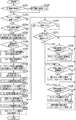
図2は、情報処理装置101が実行するペアリング処理を示すフローチャートである。図2に示すフローチャートは、例えば、CPU103がROM104や外部記憶装置106等に格納されたプログラムをRAM105に読み出して実行することにより実現される。なお、本実施形態では、図2に示すフローチャートが示す処理は、印刷用アプリによって実行されるものとする。また、本実施形態では、印刷用アプリは、設定用アプリにより表示されるBT設定画面を介して「ペアリング中」や「ペアリング完了」、「ペアリング失敗」等の各種イベントが発生したことの通知を受け取れるように構成されているものとする。なお、印刷用アプリが実際にイベントの通知を受け取るか否かは、後述の通知設定によって切り替え可能である。また、各種イベントの詳細は後述する。また、図2に示すフローチャートが示す処理は、BLEペアリングボタン303が、ユーザによって押下された場合に開始されるものとする。
FIG. 2 is a flowchart illustrating a pairing process performed by the
まず、CPU103は、S201にて、情報処理装置101のBluetooth機能が有効か否かを判定する。なお、Bluetooth機能が有効な状態とは、情報処理装置101がBluetoothないしBLEによる通信を実行可能な状態である。また、上述したように、近距離通信部112はBLE通信規格におけるスキャナとして動作する。そのため、情報処理装置101がBLEによる通信を実行可能な状態においては、CPU103は、アドバタイズ情報を受信可能な状態(スキャン状態)に近距離通信部112を遷移させ、アドバタイズ情報の検索を行う。CPU103は、Bluetooth機能が有効であると判定した場合、S203に進み、Bluetooth機能が有効でない(無効である)と判定した場合、S202に進む。
First, in S201, the
S202では、CPU103は、無効化されているBluetooth機能を有効化する。なおこのとき、CPU103は、Bluetooth機能を有効にするかどうかをユーザに選択させるためのダイアログを表示部108に表示し、ダイアログを介してユーザからの指示を受け付けた場合にBluetooth機能を有効にしてもよい。
In S202, the
続いて、S203では、CPU103は、BLEペアリングボタン303の押下を受け付けた後に、アドバタイズ情報を近距離通信部112が受信したかどうかを判定する。CPU103は、アドバタイズ情報を受信したと判定した場合、S204に進み、アドバタイズ情報を受信していないと判定した場合、所定時間のウェイトを行ったあと再度S203の処理を行うことで、アドバタイズ情報が受信されるのを待つ。
Subsequently, in S203, the
続いて、S204では、CPU103は、受信されたアドバタイズ情報に特定の識別情報が含まれるか否かを判定する。本実施形態では、情報処理装置101は、印刷用アプリを介してペアリング処理を行う場合、当該印刷用アプリに対応している機種やベンダーの通信装置と通信するものとする。そのため、特定の識別情報は、受信されたアドバタイズ情報を送信した通信装置が当該印刷用アプリに対応している機種の通信装置であることや当該印刷用アプリに対応している所定のベンダーによって提供される通信装置であることを示す識別情報である。さらに具体的には、特定の識別情報は、受信されたアドバタイズ情報を送信した通信装置が印刷サービス(画像形成機能)を提供可能なことを示す情報や、受信されたアドバタイズ情報を送信した通信装置の機種名やベンダー名等の情報である。なお、識別情報は、印刷用アプリに対応している通信装置を一意に特定できる情報であれば良く、例えば、IPアドレスやMACアドレス、ID情報等でも良い。CPU103は、特定の識別情報が含まれると判定した場合、S205に進み、特定の識別情報が含まれないと判定した場合、所定時間のウェイトを行ったあと再度S203の処理を行うことで、アドバタイズ情報が受信されるのを待つ。なお、BLEペアリングボタン303の押下を受け付けた後に、複数のアドバタイズ情報を近距離通信部112が受信していた場合、CPU103は、各アドバタイズ情報についてS204の判定を行う。そしてCPU103は、1つでも特定の識別情報が含まれるアドバタイズ情報があった場合、S205に進む。
Subsequently, in S204, the
S205では、CPU103は、特定の識別情報を含むアドバタイズ情報の送信元の通信装置に関する情報を表示部108に表示する。なお、通信装置に関する情報は、特定の識別情報を含むアドバタイズ情報に含まれており、例えば、通信装置の名前やIPアドレス、MACアドレス等の情報である。なお、特定の識別情報を含むアドバタイズ情報が複数受信された場合、CPU103は、各アドバタイズ情報の送信元の通信装置に関する情報を表示する。なお、特定の識別情報を含むアドバタイズ情報の送信元の通信装置に関する情報を表示する画面は、ペアリング処理の対象となる通信装置をユーザに選択させるための画面である。すなわち、ここでは、印刷用アプリによって、ペアリング処理の対象となる通信装置をユーザに選択させるための画面が表示される。また、S204にてフィルタリングが行われているため、印刷用アプリに対応している(印刷用アプリによって各種機能を実行可能な)通信装置に関する情報が表示され、印刷用アプリに対応していない通信装置に関する情報は表示されない。
In S205, the
続いて、S206では、CPU103は、S205で表示した画面を介して、ペアリング処理の対象となる通信装置の選択をユーザから受け付けたか否かを判定する。具体的にはCPU103は、S205で表示した画面に含まれる、通信装置に関する情報のうちいずれかの情報が選択されたか否かを判定する。CPU103は、選択をユーザから受け付けたと判定した場合、S207に進み、選択をユーザから受け付けていないと判定した場合、再度S206を行い、ユーザからの選択を待つ。なお、CPU103は、選択をユーザから受け付けていないと判定した場合、ペアリング処理の対象となる通信装置をユーザに選択させるための画面を表示部108に表示したまま再度S203以降の処理を行っても良い。これにより、ペアリング処理の対象となる通信装置をユーザに選択させるための画面に、新たに受信されたアドバタイズ情報の送信元に関する情報を追加することができる。また、CPU103は、選択をユーザから受け付けたと判定した場合、ペアリング処理の実行指示をユーザから受け付けたとみなし、選択された情報に対応する通信装置をペアリング対象の通信装置として特定する。ここでは、名前が「PrinterA」の通信装置をユーザが選択したものとして説明を進める。
Subsequently, in S206, the
S207では、CPU103は、ペアリング対象の通信装置に関する情報を、外部記憶装置106やROM104等の所定の記憶領域に保存する。なお、ペアリング対象の通信装置に関する情報は、例えば、ペアリング対象の通信装置が送信したアドバタイズ情報である。
In S207, the
続いて、S208では、CPU103は、S207で保存した情報に基づき、ペアリング対象の通信装置に対して、GATT通信の開始要求を行う。これにより、ペアリング無しで通信可能な情報については、情報処理装置101と、ペアリング対象の通信装置とがGATT通信可能な状態となる。
Subsequently, in S208, the
続いて、S209では、CPU103は、情報処理装置101に関する識別情報を、ペアリング対象の通信装置に対してGATT通信で送信する。なおこのとき、CPU103は、ペアリングを行っていない状態で許可されるGATT通信によって、識別情報を送信する。具体的には、CPU103は、ペアリング対象の通信装置のGATTプロファイルのうち、ペアリングを行っていない状態で書き込み可能な領域に、識別情報を書き込む。また、情報処理装置101に関する識別情報とは、例えば、情報処理装置101の名前やIPアドレス、MACアドレス等の情報である。CPU103は、識別情報の送信に成功したら、GATT通信を終了させ、S210に進む。ここで、CPU103は、識別情報の送信が成功するまで、識別情報の送信を繰り返し行うようにしてもよい。また、その間に表示部108にダイアログ等を表示して、ユーザによる処理の中断を受け付けるようにしたり、所定の時間経過後に、タイムアウトとして処理を中断したりするようにしてもよい。
Subsequently, in S209, the
なお、ペアリング対象の通信装置は、GATT通信により、情報処理装置101から送信される識別情報を受信した場合、ペアリング対象の通信装置が持つ記憶領域に保存しておく。そして、ペアリング対象の通信装置は、当該識別情報が記憶領域に保存されている間のみペアリング処理要求を受け付ける。また、ペアリング対象の通信装置は、記憶領域に保存されている識別情報に対応する情報処理装置からのペアリング処理要求のみを受け付ける。これにより、ペアリング対象の通信装置は、印刷用アプリを経由してペアリング処理が実行された場合にのみ、ペアリング処理要求を受領するように制限することができる。ペアリング対象の通信装置は、ペアリング処理が完了したかどうか、及び識別情報を保存してから所定の時間が経過したかどうかを判定し、いずれかの判定処理の結果がYESである場合に、記憶領域から識別情報を削除する。
When the communication device to be paired receives the identification information transmitted from the
なお、ペアリング処理要求の受け付けにおいてペアリング対象の通信装置が実行する処理は、上述の形態に限定されない。例えば、ペアリング対象の通信装置が、情報処理装置101からのペアリング処理要求を受け付けた後に、情報処理装置101から識別情報を受信する形態としても良い。この場合、ペアリング対象の通信装置は、情報処理装置101からのペアリング処理要求を受け付けた後に情報処理装置101から受信した識別情報と、ペアリング処理要求に含まれる情報処理装置101に関する情報が一致するか否かを判定する。そして、ペアリング対象の通信装置は、両者が一致した場合に、ペアリング処理要求を承諾してペアリング処理を開始し、両者が一致しない場合に、ペアリング処理要求を承諾せずペアリング処理を開始しない。
The process executed by the communication device to be paired in accepting the pairing process request is not limited to the above-described embodiment. For example, the communication device to be paired may receive the identification information from the
続いて、S210では、CPU103は、ペアリング処理においてユーザが実行する操作の手順を示す画面を表示部108に表示する。上述したように、本実施形態では、ペアリングに必要な情報の入力等の、ペアリング処理に必要な操作が情報処理装置101上で動作している設定用アプリのBT設定画面で行われる。そのため、S208では、CPU103は、BT設定画面でユーザが行う操作手順やBT設定画面で選択すべき通信装置の名前等を、表示部108にダイアログ等で表示する。さらに、CPU103は、次のステップへ進むための指示をユーザから受け取るためのボタンを表示する。具体的には例えば、S210ではCPU103は、図7に示すような画面を表示する。S210では、CPU103は、次のステップに進むことの指示をユーザから受け付けたことを検知すると、表示部108に表示したダイアログを閉じ、S211に進む。
Subsequently, in S210, the
続いて、S211では、CPU103は、印刷用アプリに対するイベントの通知設定を有効にする。具体的には、CPU103は、設定用アプリにより表示されるBT設定画面に対する操作に応じて発生するイベントの通知を印刷用アプリが受信できるように設定する。これにより印刷用アプリは、BT設定画面に対する操作に応じて「ペアリング中」、「ペアリング完了」、「ペアリング失敗」といったイベントが発生したことを認識でき、あらかじめ定義されている処理をイベントの発生に応じて実行することができる。
Subsequently, in step S211, the
続いて、S212では、CPU103は、S205で表示された画面を介してユーザが選択した通信装置を、S211で表示部108に表示されるBT設定画面において選択するようにユーザを促すメッセージをトーストで表示する。すなわち、ここでは、CPU103は、名称が「PrinterA」の通信装置を、BT設定画面において選択するようにユーザを促すメッセージをトーストで表示する。後述するが、このとき表示されたトーストは、BT設定画面が表示されても、BT設定画面の前面に表示され続ける。つまり、ユーザは、このトーストで表示されたメッセージを確認しながらBT設定画面にて通信装置を選択できるため、BT設定画面においていずれの通信装置を選択すればよいかを迅速且つ正確に把握することができる。
Subsequently, in S212, the
なお、トーストとは、情報処理装置101の表示部108上の最前面にポップアップ表示される通知領域である。トーストは一定時間が経過すると自動的に非表示になる。トーストのサイズは限定されないが、印刷用アプリにより表示される画面やBT設定画面が完全に覆われて見えなくならないように、表示部上の一部の領域であることが好ましい。トーストが表示されている最中であっても、トースト以外の領域を操作することで、トーストの背面に表示されている画面に対する操作を実行可能であるため、ユーザ操作の妨げが最小限に抑えられる。また、トーストを表示する機能は、OSが有する機能であるため、CPU103は、印刷用アプリを用いてトーストを表示させる場合は、トーストに含ませるメッセージの内容と共に、トーストを表示させるための要求をOSに送信する。これにより、CPU103は、印刷用アプリを用いてトーストを表示させることができる。なお、CPU103は、トーストの表示を要求するプログラムがバックグラウンドに遷移していても、トーストを表示することが可能である。あるプログラムがバックグラウンドに遷移している状態とは、当該あるプログラムが動作したまま、当該あるプログラム以外のプログラムにより表示される画面が表示部108に表示されている状態を指す。一方、あるプログラムがフォアグラウンドに遷移している状態とは、当該あるプログラムが動作したまま、当該あるプログラムにより表示される画面が表示部108に表示されている状態を指す。
Note that the toast is a notification area that is displayed as a pop-up on the foreground on the
なお、上述したようにトーストは一定時間が経過すると自動的に非表示になるが、長時間トーストを表示し続けるためには、例えば、CPU103は、一定時間が経過して非表示となったトーストを再度表示しても良い。この場合、CPU103は、所定の回数だけ再表示を繰り返しても良いし、ユーザ操作によりトーストが非表示にされるまで再表示を繰り返してもよい。
As described above, the toast is automatically hidden after a certain period of time. However, in order to keep displaying the toast for a long time, for example, the
続いて、S213では、CPU103は、表示部108に表示されている画面を、印刷用アプリによって表示される画面から設定用アプリによって表示されるBT設定画面に切り替える。そして、CPU103は、印刷用アプリをバックグラウンドに遷移させる。具体的には、CPU103は、印刷用アプリによる指示により、印刷用アプリを起動させたまま、設定用アプリにより表示される画面を表示部108に表示させる。なおここでは、表示部108に表示されている画面を、図7に示すような画面からBT設定画面に切り替える形態を説明した。しかしこの形態に限定されず、例えば、図3に示すような画面においてペアリング処理の実行指示を受け付けた後、図3に示すような画面から直接BT設定画面に切り替える形態であっても良い。
Subsequently, in S213, the
図4は、設定用アプリにより表示されるBT設定画面の一例である。BT設定画面とは、情報処理装置101のBluetooth機能に関する設定を行うための画面である。具体的には例えば、情報処理装置101とペアリング処理をさせる通信装置の選択をユーザから受け付けるための画面である。
FIG. 4 is an example of a BT setting screen displayed by the setting application. The BT setting screen is a screen for performing settings related to the Bluetooth function of the
まず、CPU103は、表示部108に図4(a)に示すBT設定画面400を表示する。BT設定画面には、ペアリング済みデバイスリスト410や、ペアリング可能デバイスリスト420、スキャンボタン430が表示される。
First, the
ペアリング済みデバイスリスト410は、情報処理装置101と既にペアリング処理を実行した(情報処理装置101とペアリング済みの)通信装置に関する情報が表示される領域である。
The paired
ペアリング可能デバイスリスト420は、情報処理装置101がペアリング処理を実行可能な通信装置に関する情報が表示される領域である。なお、情報処理装置101がペアリング処理を実行可能な通信装置とは、情報処理装置101が受信したアドバタイズ情報の送信元の通信装置である。ペアリング可能デバイスリスト420に表示される通信装置に関しては特にフィルタリングは行われない。そのため、ペアリング可能デバイスリスト420には、印刷用アプリに対応しない通信装置(例えば、プリンタ以外のデバイスや、ペアリング処理を指示している印刷用アプリに対応しないプリンタ)も表示される。そして、ペアリング可能デバイスリスト420に表示される通信装置から、いずれかがユーザによって選択されることで、選択された通信装置とのペアリング処理が開始される。
The
スキャンボタン430は、ペアリング可能デバイスリスト420の内容を更新するために、情報処理装置101周辺のBLE対応機器の通信装置から送信されるアドバタイズ情報の検索(スキャン)を情報処理装置101が開始するためのボタンである。
The
戻るボタン440は、現在表示されている画面の直前に表示部108に表示されていた画面を再度表示するためのボタンである。なお、上述したように、戻るボタン440が含まれるBT設定画面400は、設定用アプリにより表示される画面である。BT設定画面400の直前に表示されていた画面が設定用アプリ以外のプログラムである場合、戻るボタン440が押下されると、設定用アプリ以外のプログラムにより表示される画面が再度表示される。本実施形態では、BT設定画面400の直前に表示されていた画面は、印刷用アプリにより表示される画面であるため、戻るボタン440が押下されると、印刷用アプリにより表示される画面が再度表示される。
The
ホームボタン441は、OSにより表示されるホーム画面を表示するためのボタンである。ホーム画面とは、例えば、情報処理装置101が備えるアプリケーションプログラム(印刷用アプリ等)を起動させるためのアイコンが並べられた画面である。
The
タスク一覧ボタン442は、フォアグラウンドで動作させるプログラムを選択するための画面を表示するためのボタンである。そのため、タスク一覧ボタン442が押されたことで表示される画面において、印刷用アプリが選択されることでも、印刷用アプリにより表示される画面が再度表示される。
The
CPU103は、スキャンボタン430が押下されると、情報処理装置101の周囲の通信装置から送信されるアドバタイズ情報を受信可能な状態であるスキャニング状態に情報処理装置101を遷移させる。次に、CPU103は、アドバタイズ情報を受信すると、受信したアドバタイズ情報に含まれる、当該アドバタイズ情報の送信元の通信装置の名前(Complete Local Name)を特定する。そして、CPU103は、特定した名前を、ペアリング可能デバイスリスト420に追加して表示し、ペアリング可能デバイスリスト420の表示内容を更新する。
When the
ペアリング済みデバイスリスト410およびペアリング可能デバイスリスト420に表示される通信装置の名前は、受信されたアドバタイズ情報に含まれる情報であるものとする。なお、アドバタイズ情報には、通信装置の名前のほかに、アドバタイズ情報の送信元の通信装置が備える近距離通信部の個体を識別するための識別情報(Bluetoothデバイスアドレス:BD_ADDR)等が含まれる。そのため、当該識別情報を、ペアリング済みデバイスリスト410およびペアリング可能デバイスリスト420に表示しても良い。CPU103は、ペアリング済みデバイスリスト410やペアリング可能デバイスリスト420に表示している通信装置から受信したアドバタイズ情報を情報処理装置101の持つ記憶領域(RAM105や外部記憶装置106等)に適宜保存する。
The names of the communication devices displayed on the paired
上述したように、ペアリング可能デバイスリスト420に表示される通信装置からいずれかがユーザによって選択されることで、選択された通信装置とのペアリング処理が開始される。しかしながら上述したように、BT設定画面は設定用アプリにより表示される画面であり、ペアリング対象の通信装置の候補の表示において、印刷用アプリに適した通信装置を表示するためのフィルタリングは行われない。そのため、ペアリング可能デバイスリスト420には、例えば、S205で表示された画面を介してユーザから選択された通信装置以外の通信装置や、印刷機能を有しないことから印刷用アプリに対応しない通信装置の情報も表示されることになる。すなわち、ユーザにとって、印刷用アプリを介したペアリング処理の対象となる通信装置として、いずれの通信装置を選択すれば良いかが分かりづらいという課題がある。
As described above, when one of the communication devices displayed on the
そこで、本実施形態では、CPU103は、表示部108にBT設定画面が表示される場合、印刷用アプリによりBT設定画面の前面に、ユーザ操作の手順を示すトーストを表示する。具体的には例えば、CPU103は、図4(a)に示すBT設定画面400の前面にトースト601が表示された画面である、図6(a)に示すBT設定画面600を表示する。トースト601には、S205で印刷用アプリにより表示された画面においてユーザが選択した通信装置である「PrinterA」を選択するようにユーザを促すメッセージが表示される。このような形態とすることで、誤操作が生じることを抑制してユーザの利便性を向上することができる。なおこのとき表示されるトーストに、S205で印刷用アプリにより表示された画面においてユーザが選択した通信装置でなく、印刷用アプリに対応する通信装置の情報(名前)が含まれる形態であっても良い。
Therefore, in the present embodiment, when the BT setting screen is displayed on the
なお、本実施形態では、まずトーストをS212で表示してから、BT設定画面をS213で表示しているが、この形態に限定されない。すなわち、BT設定画面を表示してからトーストを表示しても良い。 In the present embodiment, the toast is first displayed in S212, and then the BT setting screen is displayed in S213. However, the present invention is not limited to this. That is, the toast may be displayed after the BT setting screen is displayed.
続いて、S214では、CPU103は、バックグラウンドにある印刷用アプリがフォアグラウンドに遷移したか否かを判定する。具体的には、CPU103は、表示部108に表示されている画面が、BT設定画面から印刷用アプリにより表示される画面に切り替わったか否かを判定する。なお、例えば、戻るボタン440が押下されたり、タスク一覧ボタン442が押下されることにより表示される選択画面において、印刷用アプリにより表示される画面が選択されたりした場合に、印刷用アプリがフォアグラウンドに遷移する。CPU103は、印刷用アプリがフォアグラウンドに遷移したと判定した場合、S223に進み、印刷用アプリがフォアグラウンドに遷移していないと判定した場合、S215に進む。
Subsequently, in S214, the
続いて、S215では、CPU103は、設定用アプリにより表示されるBT設定画面を介して印刷用アプリに対しイベントが通知されたか否かを判定する。CPU103は、イベントが通知されたと判定した場合は、通知されたイベントの内容に応じて、次の処理を行う。具体的には、CPU103は、通知されたイベントが「ペアリング中」を示すものであった場合、S216に進む。また、CPU103は、通知されたイベントが「ペアリング完了」を示すものであった場合、S218に進む。また、CPU103は、通知されたイベントが「ペアリング失敗」を示すものであった場合、S220に進む。一方、CPU103は、イベントが通知されなかったと判定した場合は、再度S214の処理を実行する。
Subsequently, in S215, the
ここで、各種イベントの詳細について説明する。「ペアリング中」を示すイベントは、BT設定画面600を介してペアリング処理の実行が指示された場合に発生するイベントである。具体的には、「ペアリング中」を示すイベントは、ペアリング可能デバイスリスト420に表示される通信装置からいずれかがユーザによって選択されることで発生する。ペアリング処理の実行が指示された場合、設定用アプリは、ユーザによって選択された通信装置から受信したアドバタイズ情報を記憶領域から読み出し、読み出したアドバタイズ情報から識別情報等のペアリング処理に必要な情報を特定する。そして、設定用アプリは、ユーザによって選択された通信装置に対して、特定した情報及びBLE通信規格に基づいてペアリング要求を送信する。ペアリング要求を受信した通信装置は、当該通信装置が有する表示部(不図示)に、図5に示すようなPINコード表示画面500を表示する。PINコード表示画面500には、ペアリング処理に用いられる認証情報であるPINコード501と、ペアリング処理をキャンセルするためのCancelボタン502が表示される。
Here, details of various events will be described. The event indicating “during pairing” is an event that occurs when execution of pairing processing is instructed via the
そして、設定用アプリは、「ペアリング中」を示すイベントが発生したことによりペアリング要求を送信すると、表示部108に、図4(b)に示すPINコード入力画面450を表示する。PINコード入力画面450は、図4(a)に示すBT設定画面400の前面にPINコード入力ダイアログ454が表示された画面である。また、PINコード入力ダイアログ454には、PINコード入力領域451と、OKボタン452、Cancelボタン453が表示される。PINコード入力領域451は、ユーザによるPINコードの入力を受け付けるための領域である。OKボタン452は、入力されたPINコードをユーザによって選択された通信装置に送信するためボタンである。Cancelボタン453は、ペアリング処理をキャンセルするためボタンである。
Then, when the setting application transmits the pairing request due to the occurrence of the event indicating “pairing”, a PIN
なお、OSの仕様によっては、例えば、PINコード入力領域451にPINコード501を入力可能な期間(入力が成功する期間)が定まっている形態がある。PINコード入力領域451にPINコード501を入力可能な期間は、例えば30秒である。その場合、PINコード入力画面450が表示されてから30秒以内にPINコード501の入力及びOKボタン452の押下が行われなければ、PINコード501は、ユーザによって選択された通信装置に送信されない。すなわち、ペアリング処理が失敗する。
Depending on the specifications of the OS, for example, a period in which the
上記の期間内にPINコード入力領域451にPINコード501が入力された状態で、OKボタン452が押下されると、設定用アプリは、入力されたPINコード501を含む情報を、ユーザによって選択された通信装置に送信する。ユーザによって選択された通信装置は、受信した情報に含まれるPINコード501がPINコード表示画面500に表示したPINコード501(当該通信装置に対応するPINコード)と一致するか否かを判定する。そして、ユーザによって選択された通信装置は、一致すると判定した場合は、情報処理装置101にペアリングを許可する。具体的には、ユーザによって選択された通信装置は、PINコード501をもとに所定の方法で作成されたリンクキーを、BLE規格のSMP(Security Manager Protocol)を利用して情報処理装置101に送信する。このようにして、リンクキーは、情報処理装置101の持つ記憶領域(ROM104等)とユーザによって選択された通信装置の持つ記憶領域(ROM152等)にそれぞれ保存される。これによりペアリングが完了し、装置間でBLE通信を実行することが許可される。そして、このようにしてペアリング処理が完了(成功)した場合に、「ペアリング完了」を示すイベントが発生する。
When the
設定用アプリは、ペアリング処理が完了すると、PINコード入力ダイアログ454を非表示とした、図4(c)で示すBT設定画面460を表示する。「ペアリング完了」を示すイベントの発生により、「PrinterA」で示す通信装置と情報処理装置101がペアリング済みになる。そのため、設定用アプリは、ペアリング済みデバイスリスト410に「PrinterA」を追加し、ペアリング可能デバイスリスト420から「PrinterA」を削除する。
When the pairing process is completed, the setting application displays a
一方、受信した情報に含まれるPINコード501が、PINコード表示画面500に表示したPINコード501と一致しないと判定された場合は、ペアリングが失敗する。そのため、ユーザによって選択された通信装置は、情報処理装置101に前述のリンクキーは送信しない。また、その場合、ユーザによって選択された通信装置は、ペアリングが失敗した旨を示す情報を情報処理装置101に送信する。ペアリング処理が失敗した場合、再度ペアリング処理が実行されることが好ましいため、設定用アプリは、表示部108に図4(a)に示すBT設定画面400を再度表示する。なお、ペアリングが失敗するケースは、PINコードが一致しなかったケースに限らない。例えば、図4(b)のPINコード入力画面450でCancelボタン453が押下された場合や、図5のPINコード表示画面でCancelボタン502が押下された場合にも、ペアリングが失敗する。また、例えば、PINコード入力領域451に長時間入力が行われなかった場合にも、ペアリングが失敗する。このようにしてペアリング処理が失敗した場合に、「ペアリング失敗」を示すイベントが発生する。
On the other hand, if it is determined that the
以上を踏まえて、図2の処理の説明に戻る。 Based on the above, the description returns to the processing of FIG.
S216では、CPU103は、設定用アプリによって表示されたBT設定画面600において選択された通信装置が、S205で印刷用アプリによって表示された画面において選択された通信装置と一致するか否かを判定する。なお、「ペアリング中」を示すイベントの通知には、設定用アプリによって表示されたBT設定画面600において選択された通信装置の識別情報が含まれている。そのため、CPU103は、具体的には、「ペアリング中」を示すイベントの通知に含まれる識別情報とS207で保存した情報とを比較することで、本判定処理を行う。CPU103は、一致すると判定した場合、S217に進み、一致しないと判定した場合、S214に戻る。なおCPU103は、一致しないと判定した場合、BT設定画面600において選択された通信装置が、S205で表示された画面において選択された通信装置と一致しないことを示すトーストを表示しても良い。また、CPU103は、例えば、BT設定画面600において選択された通信装置とのペアリング処理を中止するようにユーザを促すためのトーストを表示しても良い。また、CPU103は、例えば、S205で表示された画面において選択された通信装置を示すトーストを再度表示しても良い。
In S216, the
上述したように、「ペアリング中」を示すイベントが発生した場合、設定用アプリによって表示部108に、図4(b)に示すPINコード入力画面450が表示される。また、上述したように、OSの仕様によっては、例えば、PINコード入力領域451にPINコード501を入力可能な期間(入力が成功する期間)が定まっている形態がある。そこで、CPU103は、S217では、PINコード501の入力が成功する期間に関する情報を含むトースト603をPINコード入力画面450の前面に表示する表示制御を行う。結果として、表示部108には、図6(b)に示すBT設定画面602が表示される。トースト603は、具体的には、PINコード入力画面450が表示されてから30秒以内にPINコード501を入力することを促すためのメッセージや、入力されるPINコード501の桁数を表示する。これにより、ユーザは、PINコード501の入力における注意事項を踏まえて操作を実行できるため、PINコード501の入力におけるユーザビリティが向上する。CPU103は、S217の後は、再度S214の処理を実行する。
As described above, when the event indicating “pairing” has occurred, the PIN
S218では、CPU103は、情報処理装置101とのペアリング処理を完了した通信装置が、S205で印刷用アプリによって表示された画面において選択された通信装置と一致するか否かを判定する。なお、「ペアリング完了」を示すイベントの通知には、情報処理装置101とのペアリング処理を完了した通信装置の識別情報が含まれている。そのため、CPU103は、具体的には、「ペアリング中」を示すイベントの通知に含まれる識別情報とS207で保存した情報とを比較することで、本判定処理を行う。CPU103は、一致すると判定した場合、S219に進み、一致しないと判定した場合、S214に戻る。なおCPU103は、一致しないと判定した場合、情報処理装置101とのペアリング処理を完了した通信装置が、S205で表示された画面において選択された通信装置と一致しないことを示すトーストを表示しても良い。
In S218, the
上述したように、「ペアリング完了」を示すイベントが発生した場合、設定用アプリによって表示部108に、図4(c)で示すBT設定画面460が表示される。ペアリング処理が正常に完了(成功)した(情報処理装置101とのペアリング処理を完了した通信装置が、S205で表示された画面において選択された通信装置と一致した)場合は、印刷用アプリによって表示される画面が再度表示されることが好ましい。すなわち、戻るボタン440が押下されて、印刷用アプリがフォアグラウンドに遷移することが好ましい。そこで、S219では、CPU103は、印刷用アプリをフォアグラウンドに遷移させるための通知を含むトースト605をBT設定画面460の前面に表示する。結果として、表示部108には、図6(c)に示すBT設定画面604が表示される。トースト605は、具体的には、印刷用アプリをフォアグラウンドに遷移させるための操作方法(戻るボタン440の押下の指示)を表示する。これにより、ユーザは、印刷用アプリをフォアグラウンドに遷移させるための操作をスムーズに実行することができる。CPU103は、S219の後は、再度S214の処理を実行する。なおこのとき、CPU103は、ペアリング処理が正常に完了(成功)したことを示す情報をトーストによって表示しても良い。
As described above, when an event indicating “pairing completed” occurs, the
S220では、CPU103は、情報処理装置101とのペアリング処理を失敗した通信装置が、S205で印刷用アプリによって表示された画面において選択された通信装置と一致するか否かを判定する。なお、「ペアリング失敗」を示すイベントの通知には、情報処理装置101とのペアリング処理を失敗した通信装置の識別情報が含まれている。そのため、CPU103は、具体的には、「ペアリング失敗」を示すイベントの通知に含まれる識別情報とS207で保存した情報とを比較することで、本判定処理を行う。CPU103は、一致すると判定した場合、S221に進み、一致しないと判定した場合、S214に戻る。なおCPU103は、一致しないと判定した場合、情報処理装置101とのペアリング処理を失敗した通信装置が、S205で表示された画面において選択された通信装置と一致しないことを示すトーストを表示しても良い。
In S220, the
上述したように、「ペアリング失敗」を示すイベントが発生した場合、再度ペアリング処理が実行されようにするために、設定用アプリによって表示部108に、図4(a)に示すBT設定画面400が再度表示される。すなわち、「PrinterA」で示される通信装置とのペアリング処理が完了していない状態のBT設定画面が表示される。そこで、S221では、CPU103は、ペアリング処理を再度実行するようにユーザを促すための通知を含むトースト607をBT設定画面400の前面に表示する。結果として、表示部108には、図6(d)に示すBT設定画面606が表示される。トースト607は、具体的には、ペアリングが失敗したことを示す通知や、ペアリング処理を正常に行うための操作方法(30秒以内に正しいパスワードを入力するように指示する通知)を表示する。これにより、ユーザは、ペアリング処理が失敗しても、ペアリング処理を再度スムーズに実行することができる。なお、CPU103は、ペアリング処理が失敗した原因を示す通知をトースト607に含ませても良い。
As described above, when an event indicating “pairing failure” occurs, the BT setting screen illustrated in FIG. 4A is displayed on the
続いて、S222では、CPU103は、S205で表示された画面を介してユーザが選択した通信装置をBT設定画面において選択するようにユーザを促すメッセージを含むトースト601を表示する。結果として、表示部108には、図6(a)に示すBT設定画面600が再度表示される。これにより、いずれの通信装置を選択すればよいかを再度ユーザに通知することができる。CPU103は、S222の後は、再度S214の処理を実行する。
Subsequently, in S222, the
S223では、CPU103は、S205で印刷用アプリによって表示された画面において選択された通信装置と情報処理装置101とのペアリング状態に関する情報を、OSより取得する。これにより、CPU103は、S205で印刷用アプリによって表示された画面において選択された通信装置と情報処理装置101とのペアリングが完了しているか否かを特定することができる。なお、特定の方法は上述に限定されない。例えば、CPU103は、例えば、設定用アプリを介して受信した「ペアリング完了」を示すイベント及び「ペアリング失敗」を示すイベントを保存しておく。そして、CPU103は、保存したイベントに応じて、通信装置と情報処理装置101とのペアリングが完了しているか否かを特定してもよい。
In S223, the
続いて、S224では、CPU103は、S223における特定結果に応じて、トーストやダイアログを表示部108に表示する。なお、このとき表示部108には印刷用アプリによって表示される画面が表示されているため、CPU103は、当該画面の前面に、トーストやダイアログを表示する。CPU103は、S205で印刷用アプリによって表示された画面において選択された通信装置と情報処理装置101とのペアリングが完了していると特定していた場合、ペアリング処理が完了した旨を示すメッセージを含むトーストやダイアログを表示する。CPU103は、S205で印刷用アプリによって表示された画面において選択された通信装置と情報処理装置101とのペアリングが完了していないと特定していた場合、ペアリング処理が失敗した旨を示すメッセージを含むトーストやダイアログを表示する。なお、ペアリング処理が失敗していた場合、例えば、S204等からの処理を再度行い、ペアリング処理再度実行しても良い。
Subsequently, in S224, the
続いて、S225では、CPU103は、設定用アプリにより表示されるBT設定画面に対する操作に応じて発生するイベントの通知を印刷用アプリが受信しないように設定する。これにより、印刷用アプリは、設定用アプリにより表示されるBT設定画面を介したペアリング処理時のみイベントの通知を受け付けて、発生したイベントに応じたトースト表示するので、適切なタイミングでトーストによる通知を行うことができる。
Subsequently, in S225, the
その後、CPU103は、処理を終了する。なお、このとき表示部108には印刷用アプリによって表示される画面が表示されているため、CPU103は、ユーザ指示に応じて、印刷用アプリが有する機能を引き続き実行しても良い。例えば、ペアリングした通信装置と情報処理装置101との接続に関する設定処理をBLEを介して実行したり、ペアリングした通信装置に印刷ジョブを送信したりしても良い。このような形態とすることで、ユーザは、ペアリング処理が終了したあとも、引き続き印刷用アプリを使用することができる。
Thereafter, the
このように本実施形態では、印刷用アプリによってBLE通信を行うために、設定用アプリにより表示されるBT設定画面を利用してペアリング処理を行う場合に、印刷用アプリによって、BT設定画面において種々の情報をトーストで表示する。このような形態とすることで、印刷用アプリにより表示される画面において入力された内容に基づいてBT設定画面において実行すべき操作を、設定用アプリにより表示されるBT設定画面において示すことができ、ユーザの利便性を向上させることができる。また、例えば、印刷用アプリの利用のために設定用アプリによって表示されるBT設定画面において実行すべき操作を、設定用アプリにより表示されるBT設定画面において示すことができ、ユーザの利便性を向上させることができる。ひいては、設定用アプリにより表示されるBT設定画面におけるユーザの誤操作を抑制して利便性を向上させることができる。 As described above, in the present embodiment, when performing the pairing process using the BT setting screen displayed by the setting application in order to perform the BLE communication by the printing application, the BT setting screen is displayed by the printing application. Various information is displayed in a toast. With this configuration, an operation to be executed on the BT setting screen based on the content input on the screen displayed by the printing application can be indicated on the BT setting screen displayed by the setting application. Therefore, user convenience can be improved. Further, for example, an operation to be executed on the BT setting screen displayed by the setting application for using the printing application can be indicated on the BT setting screen displayed by the setting application, and the user's convenience is improved. Can be improved. As a result, the user's erroneous operation on the BT setting screen displayed by the setting application can be suppressed, and the convenience can be improved.
(その他の実施形態)
なお、上述の実施形態では、BT設定画面は設定用アプリにより表示されるものとしたが、BT設定画面を表示するプログラムは設定用アプリに限らない。そして、少なくとも印刷用アプリ以外のプログラムによってBT設定画面が表示される形態であれば、本発明を適用可能である。
(Other embodiments)
In the above embodiment, the BT setting screen is displayed by the setting application, but the program for displaying the BT setting screen is not limited to the setting application. The present invention is applicable as long as the BT setting screen is displayed by at least a program other than the printing application.
また、上述の実施形態では、設定画面における操作方法をユーザに通知するためのトーストを表示する形態を説明したが、これに限定されない。例えば、バルーンと呼ばれる通知領域によって、設定画面における操作方法をユーザに通知する形態であっても良い。 Further, in the above-described embodiment, the mode in which the toast for notifying the user of the operation method on the setting screen is described, but the present invention is not limited to this. For example, the user may be notified of the operation method on the setting screen using a notification area called a balloon.
本発明は、上述の実施形態の1以上の機能を実現するプログラムを、ネットワーク又は記憶媒体を介してシステム又は装置に供給し、そのシステム又は装置のコンピュータにおける1つ以上のプロセッサーがプログラムを読出し実行する処理でも実現可能である。また、1以上の機能を実現する回路(例えば、ASIC)によっても実現可能である。 The present invention supplies a program for realizing one or more functions of the above-described embodiments to a system or an apparatus via a network or a storage medium, and one or more processors in a computer of the system or the apparatus read and execute the program. This processing can be realized. Further, it can also be realized by a circuit (for example, an ASIC) that realizes one or more functions.
101 情報処理装置
151 通信装置
101
Claims (21)
前記情報処理装置と前記複数の通信装置のうちいずれかの通信装置との間の認証を行うためのペアリング処理の実行指示を、前記所定のプログラムが用いられて表示部に表示される画面を介してユーザから受け付ける受け付けステップと、
前記表示部に表示されている画面を、前記所定のプログラムが用いられて前記表示部に表示される画面から、前記他のプログラムが用いられて前記表示部に表示され且つ前記複数の通信装置から前記ペアリング処理の対象となる通信装置を選択するための入力をユーザから受け付けるための設定画面に、前記実行指示が受け付けられた場合に切り替えるための切り替え処理を、前記他のプログラムをフォアグラウンドで動作させることで実行する切り替えステップと、
前記所定のプログラムによって前記表示部に表示され且つ前記設定画面における操作方法をユーザに通知するための1又は複数の通知領域と、前記他のプログラムによって前記表示部に表示される前記設定画面とが並行して、前記所定のプログラムがバックグラウンドで動作しており且つ前記他のプログラムがフォアグラウンドで動作している状態で前記表示部に表示されるように制御する表示制御ステップと、を有することを特徴とする制御方法。 A predetermined program for communicating with any communication device among a plurality of communication devices, and a control method of an information processing device having another program other than the predetermined program,
An instruction to execute a pairing process for performing authentication between the information processing device and any one of the plurality of communication devices is displayed on a display unit using the predetermined program. A receiving step of receiving from the user via
From the screen displayed on the display unit using the predetermined program, the screen displayed on the display unit is displayed on the display unit using the other program, and from the plurality of communication devices. A setting screen for receiving an input from a user for selecting a communication device to be subjected to the pairing process, a switching process for switching when the execution instruction is received , the other program operating in the foreground A switching step to be performed by causing
And one or more notification area for notifying the user how to operate in the display on the display unit and the setting screen by the predetermined program, and the said setting screen displayed on the display unit by the other program In parallel , a display control step of controlling the display so that the predetermined program is operating in the background and the other program is operating in the foreground is displayed on the display unit. Characteristic control method.
前記情報処理装置と前記複数の通信装置のうちいずれかの通信装置との間の認証を行うためのペアリング処理の実行指示を、前記所定のプログラムが用いられて表示部に表示される画面を介してユーザから受け付ける受け付け手段と、
前記表示部に表示されている画面を、前記所定のプログラムが用いられて前記表示部に表示される画面から、前記他のプログラムが用いられて前記表示部に表示され且つ前記複数の通信装置から前記ペアリング処理の対象となる通信装置を選択するための入力をユーザから受け付けるための設定画面に、前記実行指示が受け付けられた場合に切り替えるための切り替え処理を、前記他のプログラムをフォアグラウンドで動作させることで実行する切り替え手段と、
前記所定のプログラムによって前記表示部に表示され且つ前記設定画面における操作方法をユーザに通知するための1又は複数の通知領域と、前記他のプログラムによって前記表示部に表示される前記設定画面とが並行して、前記所定のプログラムがバックグラウンドで動作しており且つ前記他のプログラムがフォアグラウンドで動作している状態で前記表示部に表示されるように制御する表示制御手段と、を有することを特徴とする情報処理装置。 A predetermined program for communicating with any communication device among the plurality of communication devices, and an information processing device having another program other than the predetermined program,
An instruction to execute a pairing process for performing authentication between the information processing device and any one of the plurality of communication devices is displayed on a display unit using the predetermined program. Receiving means for receiving from the user via
From the screen displayed on the display unit using the predetermined program, the screen displayed on the display unit is displayed on the display unit using the other program, and from the plurality of communication devices. A setting screen for receiving an input from a user for selecting a communication device to be subjected to the pairing process, a switching process for switching when the execution instruction is received , the other program operating in the foreground Switching means to be executed by causing
And one or more notification area for notifying the user how to operate in the display on the display unit and the setting screen by the predetermined program, and the said setting screen displayed on the display unit by the other program Concurrently , display control means for controlling the display so that the predetermined program is operating in the background and the other program is operating in the foreground and displayed on the display unit. Characteristic information processing device.
前記所定のプログラム及び、前記所定のプログラム以外の他のプログラムを少なくとも有する情報処理装置のコンピュータに、
前記情報処理装置と前記複数の通信装置のうちいずれかの通信装置との間の認証を行うためのペアリング処理の実行指示を、前記所定のプログラムが用いられて表示部に表示される画面を介してユーザから受け付ける受け付けステップと、
前記表示部に表示されている画面を、前記所定のプログラムが用いられて前記表示部に表示される画面から、前記他のプログラムが用いられて前記表示部に表示され且つ前記複数の通信装置から前記ペアリング処理の対象となる通信装置を選択するための入力をユーザから受け付けるための設定画面に、前記実行指示が受け付けられた場合に切り替えるための切り替え処理を、前記他のプログラムをフォアグラウンドで動作させることで実行する切り替えステップと、
前記所定のプログラムによって前記表示部に表示され且つ前記設定画面における操作方法をユーザに通知するための1又は複数の通知領域と、前記他のプログラムによって前記表示部に表示される前記設定画面とが並行して、前記所定のプログラムがバックグラウンドで動作しており且つ前記他のプログラムがフォアグラウンドで動作している状態で前記表示部に表示されるように制御する表示制御ステップと、を実行させることを特徴とするプログラム。 A predetermined program for communicating with any one of the plurality of communication devices,
The predetermined program and a computer of an information processing apparatus having at least a program other than the predetermined program,
An instruction to execute a pairing process for performing authentication between the information processing device and any one of the plurality of communication devices is displayed on a display unit using the predetermined program. A receiving step of receiving from the user via
From the screen displayed on the display unit using the predetermined program, the screen displayed on the display unit is displayed on the display unit using the other program, and from the plurality of communication devices. A setting screen for receiving an input from a user for selecting a communication device to be subjected to the pairing process, a switching process for switching when the execution instruction is received , the other program operating in the foreground A switching step to be performed by causing
And one or more notification area for notifying the user how to operate in the display on the display unit and the setting screen by the predetermined program, and the said setting screen displayed on the display unit by the other program In parallel , a display control step of controlling the display so that the predetermined program is operating in the background and the other program is operating in the foreground is displayed on the display unit. A program characterized by:
前記入力領域に入力された前記認証情報が、前記ペアリング処理の対象となる通信装置に送信されることを特徴とする請求項3乃至5のいずれか1項に記載のプログラム。 On the setting screen, when an input for selecting a communication device to be subjected to the pairing process is received from the plurality of communication devices from a user, the input device is configured to receive an input of authentication information used for the pairing process. An input area is displayed on the display unit,
The program according to any one of claims 3 to 5 , wherein the authentication information input to the input area is transmitted to a communication device to be subjected to the pairing process.
前記認証情報の入力が成功する期間内に前記認証情報の入力が受け付けられた場合、前記認証情報が前記ペアリング処理の対象となる通信装置に送信され、前記認証情報の入力が成功する期間内に前記認証情報の入力が受け付けられなかった場合、前記認証情報が前記ペアリング処理の対象となる通信装置に送信されないことを特徴とする請求項6に記載のプログラム。 At least one notification area of the one or more notification areas is displayed when the input area is displayed on the display unit, and is a notification area for indicating information regarding a period during which the authentication information is successfully input. And
If the input of the authentication information is received within the period in which the input of the authentication information is successful, the authentication information is transmitted to the communication device to be subjected to the pairing process, and the input of the authentication information is performed during the period in which the input of the authentication information is successful 7. The program according to claim 6 , wherein, if the input of the authentication information is not received, the authentication information is not transmitted to the communication device targeted for the pairing process.
前記表示部に表示されている画面が、前記設定画面から、前記所定のプログラムにより表示される画面に切り替わり、且つ前記所定のプログラムによる通信の対象となる通信装置と前記情報処理装置との間の認証を行うためのペアリング処理が完了していない場合、前記ペアリング処理が完了していないことを示す通知領域を前記表示部に表示させる第5表示制御ステップをさらに実行させることを特徴とする請求項3乃至13のいずれか1項に記載のプログラム。 The screen displayed on the display unit is switched from the setting screen to a screen displayed by the predetermined program, and performs authentication between the communication device to be communicated by the predetermined program and the information processing device. When the pairing process for performing has been completed, a notification area indicating that the pairing process has been completed is displayed on the display unit,
The screen displayed on the display unit is switched from the setting screen to a screen displayed by the predetermined program, and between the communication device to be communicated by the predetermined program and the information processing device. When the pairing process for performing authentication is not completed, a fifth display control step of displaying a notification area indicating that the pairing process is not completed on the display unit is further performed. A program according to any one of claims 3 to 13 .
特定された前記所定のプログラムに対応している通信装置からいずれかの通信装置を選択するための入力をユーザから受け付けるための受け付け画面を、前記設定画面が表示される前に、前記所定のプログラムにより前記表示部に表示させる第6表示制御ステップをさらに実行させ、
前記1又は複数の通知領域のうち少なくとも1つの通知領域は、前記ペアリング処理の対象となる通信装置として、前記受け付け画面にて受け付けられた入力に応じた通信装置を選択させるための通知領域であることを特徴とする請求項3乃至14のいずれか1項に記載のプログラム。 A specifying step of specifying a communication device corresponding to the predetermined program among the plurality of communication devices,
Before the setting screen is displayed, a receiving screen for receiving an input for selecting any communication device from the communication devices corresponding to the specified predetermined program is displayed before the setting screen is displayed. And causing the display unit to further execute a sixth display control step,
At least one notification area of the one or more notification areas is a notification area for selecting a communication apparatus according to an input received on the reception screen as a communication apparatus to be subjected to the pairing process. The program according to any one of claims 3 to 14 , wherein the program is provided.
前記表示部に表示されている画面が、前記所定のプログラムが用いられて前記表示部に表示される画面のうち第2の画面から前記設定画面に、前記第1の画面を介して前記実行指示が受け付けられた場合に切り替えられることを特徴とする請求項3乃至20のいずれか1項に記載のプログラム。 An instruction to execute the pairing process is received from a user via a first screen among screens displayed on a display unit using the predetermined program,
The screen displayed on the display unit may be the execution instruction via the first screen from the second screen to the setting screen among the screens displayed on the display unit using the predetermined program. The program according to any one of claims 3 to 20 , wherein the program is switched when a request is received.
Priority Applications (5)
| Application Number | Priority Date | Filing Date | Title |
|---|---|---|---|
| JP2017016206A JP6639430B2 (en) | 2017-01-31 | 2017-01-31 | Information processing apparatus, control method, and program |
| US15/880,423 US10873660B2 (en) | 2017-01-31 | 2018-01-25 | Control method |
| EP18153961.0A EP3355560B1 (en) | 2017-01-31 | 2018-01-29 | Control method and program |
| KR1020180011198A KR102274937B1 (en) | 2017-01-31 | 2018-01-30 | Control method |
| CN201810094212.9A CN108377313B (en) | 2017-01-31 | 2018-01-31 | Control method for information processing apparatus |
Applications Claiming Priority (1)
| Application Number | Priority Date | Filing Date | Title |
|---|---|---|---|
| JP2017016206A JP6639430B2 (en) | 2017-01-31 | 2017-01-31 | Information processing apparatus, control method, and program |
Related Child Applications (1)
| Application Number | Title | Priority Date | Filing Date |
|---|---|---|---|
| JP2018169885A Division JP6703059B2 (en) | 2018-09-11 | 2018-09-11 | Information processing apparatus, control method, and program |
Publications (2)
| Publication Number | Publication Date |
|---|---|
| JP2018124778A JP2018124778A (en) | 2018-08-09 |
| JP6639430B2 true JP6639430B2 (en) | 2020-02-05 |
Family
ID=61157002
Family Applications (1)
| Application Number | Title | Priority Date | Filing Date |
|---|---|---|---|
| JP2017016206A Active JP6639430B2 (en) | 2017-01-31 | 2017-01-31 | Information processing apparatus, control method, and program |
Country Status (5)
| Country | Link |
|---|---|
| US (1) | US10873660B2 (en) |
| EP (1) | EP3355560B1 (en) |
| JP (1) | JP6639430B2 (en) |
| KR (1) | KR102274937B1 (en) |
| CN (1) | CN108377313B (en) |
Families Citing this family (15)
| Publication number | Priority date | Publication date | Assignee | Title |
|---|---|---|---|---|
| JP6639430B2 (en) | 2017-01-31 | 2020-02-05 | キヤノン株式会社 | Information processing apparatus, control method, and program |
| CN107257540B (en) * | 2017-07-04 | 2020-05-19 | 飞天诚信科技股份有限公司 | Method and device for realizing pairing of Bluetooth equipment and mobile equipment |
| JP7135385B2 (en) | 2018-03-30 | 2022-09-13 | ブラザー工業株式会社 | Communication device and computer program for the communication device |
| JP6703059B2 (en) * | 2018-09-11 | 2020-06-03 | キヤノン株式会社 | Information processing apparatus, control method, and program |
| JP7185453B2 (en) * | 2018-09-12 | 2022-12-07 | キヤノン株式会社 | POWER RECEIVING DEVICE, CONTROL METHOD AND PROGRAM FOR POWER RECEIVING DEVICE |
| JP7196602B2 (en) | 2018-12-28 | 2022-12-27 | ブラザー工業株式会社 | Communication device, computer program for communication device, and computer program for first external device |
| JP7222789B2 (en) * | 2019-03-29 | 2023-02-15 | キヤノン株式会社 | Information processing device and its control method, communication device, and program |
| JP7391525B2 (en) * | 2019-03-29 | 2023-12-05 | キヤノン株式会社 | Application program, information processing device, information processing method, and information processing system |
| US11533406B2 (en) * | 2019-09-20 | 2022-12-20 | Canon Kabushiki Kaisha | Information processing system, method for controlling the same, and storage medium for displaying objects used for executing processing and displaying a setting screen |
| JP7352161B2 (en) * | 2019-09-30 | 2023-09-28 | ブラザー工業株式会社 | Programs and information processing equipment |
| JP7484387B2 (en) * | 2020-04-28 | 2024-05-16 | ブラザー工業株式会社 | PROGRAM AND INFORMATION PROCESSING APPARATUS |
| JP7484391B2 (en) * | 2020-04-30 | 2024-05-16 | ブラザー工業株式会社 | PROGRAM, PROGRAM SET, AND INFORMATION PROCESSING APPARATUS |
| US20220150708A1 (en) * | 2020-11-11 | 2022-05-12 | Nuro, Inc. | Methods and apparatus for controlling an autonomous vehicle using a remote control device |
| JP7657617B2 (en) * | 2021-03-08 | 2025-04-07 | キヤノン株式会社 | Information processing device, method for controlling information processing device, and program |
| CN116704559B (en) * | 2023-07-28 | 2023-11-03 | 南京大学 | Quantum fingerprint identification method and system based on asynchronous two-photon interference |
Family Cites Families (52)
| Publication number | Priority date | Publication date | Assignee | Title |
|---|---|---|---|---|
| KR20040032083A (en) * | 2001-08-14 | 2004-04-14 | 소니 가부시끼 가이샤 | Information processing device and information processing method |
| JP3840243B2 (en) * | 2004-08-26 | 2006-11-01 | キヤノン株式会社 | Image input apparatus, control method therefor, program, and image input system |
| JP4659480B2 (en) * | 2005-02-15 | 2011-03-30 | キヤノン株式会社 | Wireless communication apparatus, wireless communication, program, and storage medium |
| JP4933292B2 (en) | 2006-02-28 | 2012-05-16 | キヤノン株式会社 | Information processing apparatus, wireless communication method, storage medium, program |
| US20080168554A1 (en) * | 2007-01-10 | 2008-07-10 | Samsung Electronics Co., Ltd. | Image forming apparatus and method of outputting |
| EP2259603B1 (en) * | 2008-03-28 | 2015-04-08 | Sharp Kabushiki Kaisha | Remote operation device, device to be operated, control method for remote operation device, control method for device to be operated, and remote operation system |
| JP4513893B2 (en) * | 2008-04-30 | 2010-07-28 | ブラザー工業株式会社 | Printing apparatus, external terminal and printing system |
| JP2011188208A (en) | 2010-03-08 | 2011-09-22 | Seiko Epson Corp | Radio communication equipment and radio communication method |
| JP5056874B2 (en) * | 2010-03-17 | 2012-10-24 | コニカミノルタビジネステクノロジーズ株式会社 | Information processing system, information processing apparatus, linked job execution method, and linked job execution program |
| JP5617386B2 (en) * | 2010-07-05 | 2014-11-05 | ブラザー工業株式会社 | Control device, image processing system, and program |
| EP2408180B1 (en) * | 2010-07-16 | 2019-04-24 | BlackBerry Limited | Remote device pairing setup |
| JP2012084032A (en) | 2010-10-14 | 2012-04-26 | Konica Minolta Business Technologies Inc | Image forming device, control method and control program for image forming device |
| US8462734B2 (en) | 2010-10-20 | 2013-06-11 | Nokia Corporation | Wireless docking with out-of-band initiation |
| KR101208212B1 (en) * | 2010-12-16 | 2012-12-04 | 엘지전자 주식회사 | A network system and a control method the same |
| JP5786413B2 (en) | 2011-03-31 | 2015-09-30 | キヤノンマーケティングジャパン株式会社 | Image forming apparatus, processing method, and program |
| JP5357920B2 (en) * | 2011-04-21 | 2013-12-04 | 日本電信電話株式会社 | Home device cooperation control device and home device cooperation control method |
| JP2012252466A (en) * | 2011-06-01 | 2012-12-20 | Canon Inc | Server apparatus, information processing apparatus, control method therefor, and control program |
| US9800688B2 (en) | 2011-09-12 | 2017-10-24 | Microsoft Technology Licensing, Llc | Platform-enabled proximity service |
| US8953192B2 (en) | 2011-10-17 | 2015-02-10 | Google Inc. | Roving printing in a cloud-based print service using a mobile device |
| KR102048865B1 (en) | 2011-10-17 | 2019-11-26 | 구글 엘엘씨 | Roving printing in a cloud-based print service |
| JP5919972B2 (en) * | 2012-04-05 | 2016-05-18 | セイコーエプソン株式会社 | Wireless communication device, wireless communication system, and wireless communication method |
| JP6139829B2 (en) * | 2012-07-20 | 2017-05-31 | キヤノン株式会社 | Information processing apparatus, control method therefor, and program |
| JP2014109854A (en) * | 2012-11-30 | 2014-06-12 | Canon Inc | Information processor, control method and program |
| US9386045B2 (en) * | 2012-12-19 | 2016-07-05 | Visa International Service Association | Device communication based on device trustworthiness |
| US20140256250A1 (en) * | 2013-03-11 | 2014-09-11 | Barnesandnoble.Com Llc | Peer-to-peer data transfer using near field communication (nfc)-enabled styluses |
| JP6197450B2 (en) * | 2013-07-31 | 2017-09-20 | ブラザー工業株式会社 | Information processing apparatus, program, and information processing system |
| US9730257B2 (en) * | 2013-11-06 | 2017-08-08 | Lg Electronics Inc. | Method and apparatus for establishing device-to-device connection in wireless communication system |
| JP6252172B2 (en) * | 2013-12-27 | 2017-12-27 | ブラザー工業株式会社 | COMMUNICATION SYSTEM, COMMUNICATION DEVICE, AND INFORMATION PROCESSING PROGRAM |
| US9602679B2 (en) * | 2014-02-27 | 2017-03-21 | Lifeprint Llc | Distributed printing social network |
| JP6668611B2 (en) * | 2014-06-20 | 2020-03-18 | 株式会社リコー | Program, information processing device, and information processing system |
| CA2954506A1 (en) * | 2014-07-07 | 2016-01-14 | Ascensia Diabetes Care Holdings Ag | Improved device pairing taking into account at least one condition |
| JP6204882B2 (en) * | 2014-07-16 | 2017-09-27 | キヤノン株式会社 | Information processing apparatus, control method, and program |
| JP2016066993A (en) * | 2014-09-16 | 2016-04-28 | 株式会社リコー | Program, information processing apparatus, and information processing system |
| JP6355542B2 (en) * | 2014-12-04 | 2018-07-11 | キヤノン株式会社 | Information processing apparatus, processing method thereof, and program |
| JP6488865B2 (en) * | 2014-12-04 | 2019-03-27 | セイコーエプソン株式会社 | Printing apparatus, printing apparatus control method, and storage medium |
| JP6489852B2 (en) * | 2015-02-02 | 2019-03-27 | キヤノン株式会社 | COMMUNICATION DEVICE, ITS CONTROL METHOD, AND PROGRAM |
| US10367988B2 (en) * | 2015-02-04 | 2019-07-30 | Casio Computer Co., Ltd. | Data processing system executing predetermined data processing by plurality of apparatuses linking |
| JP2016164620A (en) * | 2015-03-06 | 2016-09-08 | 株式会社リコー | Image display device, control program for image display device, and image display control system |
| JP6477132B2 (en) * | 2015-03-27 | 2019-03-06 | ブラザー工業株式会社 | Communication equipment |
| JP6608190B2 (en) | 2015-06-23 | 2019-11-20 | キヤノン株式会社 | Information terminal, control method thereof, and program |
| JP6686321B2 (en) * | 2015-08-06 | 2020-04-22 | 株式会社リコー | Program, information processing apparatus, second information processing apparatus, information processing method, information processing system |
| JP6528630B2 (en) * | 2015-09-30 | 2019-06-12 | ブラザー工業株式会社 | Image forming apparatus, monitor program, image forming system |
| JP6314951B2 (en) * | 2015-10-08 | 2018-04-25 | コニカミノルタ株式会社 | Image forming system and program |
| JP6784136B2 (en) * | 2015-11-26 | 2020-11-11 | 株式会社リコー | Programs, information processing equipment, and information processing systems |
| JP6627568B2 (en) * | 2016-02-25 | 2020-01-08 | 富士通株式会社 | Information processing apparatus, information processing program, and information processing method |
| US10666642B2 (en) * | 2016-02-26 | 2020-05-26 | Ca, Inc. | System and method for service assisted mobile pairing of password-less computer login |
| JP6708059B2 (en) * | 2016-08-26 | 2020-06-10 | セイコーエプソン株式会社 | Printing system, printing device, information processing terminal, and program |
| US10428557B2 (en) * | 2016-09-15 | 2019-10-01 | Ehsan Niroomand | Wireless lock system |
| KR20180038166A (en) * | 2016-10-06 | 2018-04-16 | 삼성전자주식회사 | Display apparatus, electronic apparatus connectable to display apparatus, controlling method thereof |
| US10095451B2 (en) * | 2016-10-11 | 2018-10-09 | Hewlett-Packard Development Company, L. P. | Printing device proximity beacon identifications |
| US10219219B2 (en) * | 2017-01-20 | 2019-02-26 | Microsoft Technology Licensing, Llc | Method for connecting a network receiver with one or more devices while minimizing power usage |
| JP6639430B2 (en) | 2017-01-31 | 2020-02-05 | キヤノン株式会社 | Information processing apparatus, control method, and program |
-
2017
- 2017-01-31 JP JP2017016206A patent/JP6639430B2/en active Active
-
2018
- 2018-01-25 US US15/880,423 patent/US10873660B2/en active Active
- 2018-01-29 EP EP18153961.0A patent/EP3355560B1/en active Active
- 2018-01-30 KR KR1020180011198A patent/KR102274937B1/en active Active
- 2018-01-31 CN CN201810094212.9A patent/CN108377313B/en active Active
Also Published As
| Publication number | Publication date |
|---|---|
| US20180219845A1 (en) | 2018-08-02 |
| CN108377313A (en) | 2018-08-07 |
| JP2018124778A (en) | 2018-08-09 |
| EP3355560B1 (en) | 2020-07-08 |
| KR20180089312A (en) | 2018-08-08 |
| KR102274937B1 (en) | 2021-07-09 |
| US10873660B2 (en) | 2020-12-22 |
| EP3355560A1 (en) | 2018-08-01 |
| CN108377313B (en) | 2020-03-24 |
Similar Documents
| Publication | Publication Date | Title |
|---|---|---|
| JP6639430B2 (en) | Information processing apparatus, control method, and program | |
| US11973913B2 (en) | Wireless communication processing in an information processing device | |
| CN108694027B (en) | Control method for information processing apparatus and information processing apparatus | |
| JP7493361B2 (en) | Information processing device, control method, and program | |
| JP6703059B2 (en) | Information processing apparatus, control method, and program | |
| EP3382987B1 (en) | Information processing apparatus, control method, and program | |
| US11153460B2 (en) | Control method, information processing apparatus, and non-transitory computer-readable storage medium | |
| JP6929412B2 (en) | Information processing equipment, control methods and programs | |
| US12149654B2 (en) | Control method, storage medium, and information processing apparatus | |
| US10372388B2 (en) | Communication system, communication device, and control method | |
| JP6852124B2 (en) | Information processing device, control method, program | |
| JP6862097B2 (en) | Programs, information processing devices, and control methods for information processing devices |
Legal Events
| Date | Code | Title | Description |
|---|---|---|---|
| A621 | Written request for application examination |
Free format text: JAPANESE INTERMEDIATE CODE: A621 Effective date: 20180718 |
|
| A131 | Notification of reasons for refusal |
Free format text: JAPANESE INTERMEDIATE CODE: A131 Effective date: 20190910 |
|
| A521 | Request for written amendment filed |
Free format text: JAPANESE INTERMEDIATE CODE: A523 Effective date: 20191108 |
|
| TRDD | Decision of grant or rejection written | ||
| A01 | Written decision to grant a patent or to grant a registration (utility model) |
Free format text: JAPANESE INTERMEDIATE CODE: A01 Effective date: 20191126 |
|
| A61 | First payment of annual fees (during grant procedure) |
Free format text: JAPANESE INTERMEDIATE CODE: A61 Effective date: 20191224 |
|
| R151 | Written notification of patent or utility model registration |
Ref document number: 6639430 Country of ref document: JP Free format text: JAPANESE INTERMEDIATE CODE: R151 |