JP2013025567A - Information processing apparatus, information processing method, and program - Google Patents
Information processing apparatus, information processing method, and program Download PDFInfo
- Publication number
- JP2013025567A JP2013025567A JP2011159815A JP2011159815A JP2013025567A JP 2013025567 A JP2013025567 A JP 2013025567A JP 2011159815 A JP2011159815 A JP 2011159815A JP 2011159815 A JP2011159815 A JP 2011159815A JP 2013025567 A JP2013025567 A JP 2013025567A
- Authority
- JP
- Japan
- Prior art keywords
- information processing
- processing apparatus
- selection item
- inclination
- control unit
- Prior art date
- Legal status (The legal status is an assumption and is not a legal conclusion. Google has not performed a legal analysis and makes no representation as to the accuracy of the status listed.)
- Withdrawn
Links
Images


Classifications
-
- G—PHYSICS
- G06—COMPUTING OR CALCULATING; COUNTING
- G06F—ELECTRIC DIGITAL DATA PROCESSING
- G06F3/00—Input arrangements for transferring data to be processed into a form capable of being handled by the computer; Output arrangements for transferring data from processing unit to output unit, e.g. interface arrangements
- G06F3/01—Input arrangements or combined input and output arrangements for interaction between user and computer
- G06F3/03—Arrangements for converting the position or the displacement of a member into a coded form
- G06F3/041—Digitisers, e.g. for touch screens or touch pads, characterised by the transducing means
-
- G—PHYSICS
- G06—COMPUTING OR CALCULATING; COUNTING
- G06F—ELECTRIC DIGITAL DATA PROCESSING
- G06F1/00—Details not covered by groups G06F3/00 - G06F13/00 and G06F21/00
- G06F1/16—Constructional details or arrangements
- G06F1/1613—Constructional details or arrangements for portable computers
- G06F1/1626—Constructional details or arrangements for portable computers with a single-body enclosure integrating a flat display, e.g. Personal Digital Assistants [PDAs]
-
- G—PHYSICS
- G06—COMPUTING OR CALCULATING; COUNTING
- G06F—ELECTRIC DIGITAL DATA PROCESSING
- G06F1/00—Details not covered by groups G06F3/00 - G06F13/00 and G06F21/00
- G06F1/16—Constructional details or arrangements
- G06F1/1613—Constructional details or arrangements for portable computers
- G06F1/1633—Constructional details or arrangements of portable computers not specific to the type of enclosures covered by groups G06F1/1615 - G06F1/1626
- G06F1/1684—Constructional details or arrangements related to integrated I/O peripherals not covered by groups G06F1/1635 - G06F1/1675
- G06F1/1694—Constructional details or arrangements related to integrated I/O peripherals not covered by groups G06F1/1635 - G06F1/1675 the I/O peripheral being a single or a set of motion sensors for pointer control or gesture input obtained by sensing movements of the portable computer
-
- G—PHYSICS
- G06—COMPUTING OR CALCULATING; COUNTING
- G06F—ELECTRIC DIGITAL DATA PROCESSING
- G06F3/00—Input arrangements for transferring data to be processed into a form capable of being handled by the computer; Output arrangements for transferring data from processing unit to output unit, e.g. interface arrangements
- G06F3/01—Input arrangements or combined input and output arrangements for interaction between user and computer
- G06F3/017—Gesture based interaction, e.g. based on a set of recognized hand gestures
-
- G—PHYSICS
- G06—COMPUTING OR CALCULATING; COUNTING
- G06F—ELECTRIC DIGITAL DATA PROCESSING
- G06F3/00—Input arrangements for transferring data to be processed into a form capable of being handled by the computer; Output arrangements for transferring data from processing unit to output unit, e.g. interface arrangements
- G06F3/01—Input arrangements or combined input and output arrangements for interaction between user and computer
- G06F3/03—Arrangements for converting the position or the displacement of a member into a coded form
- G06F3/033—Pointing devices displaced or positioned by the user, e.g. mice, trackballs, pens or joysticks; Accessories therefor
- G06F3/0346—Pointing devices displaced or positioned by the user, e.g. mice, trackballs, pens or joysticks; Accessories therefor with detection of the device orientation or free movement in a 3D space, e.g. 3D mice, 6-DOF [six degrees of freedom] pointers using gyroscopes, accelerometers or tilt-sensors
-
- G—PHYSICS
- G06—COMPUTING OR CALCULATING; COUNTING
- G06F—ELECTRIC DIGITAL DATA PROCESSING
- G06F3/00—Input arrangements for transferring data to be processed into a form capable of being handled by the computer; Output arrangements for transferring data from processing unit to output unit, e.g. interface arrangements
- G06F3/01—Input arrangements or combined input and output arrangements for interaction between user and computer
- G06F3/048—Interaction techniques based on graphical user interfaces [GUI]
- G06F3/0481—Interaction techniques based on graphical user interfaces [GUI] based on specific properties of the displayed interaction object or a metaphor-based environment, e.g. interaction with desktop elements like windows or icons, or assisted by a cursor's changing behaviour or appearance
- G06F3/0482—Interaction with lists of selectable items, e.g. menus
-
- G—PHYSICS
- G06—COMPUTING OR CALCULATING; COUNTING
- G06F—ELECTRIC DIGITAL DATA PROCESSING
- G06F3/00—Input arrangements for transferring data to be processed into a form capable of being handled by the computer; Output arrangements for transferring data from processing unit to output unit, e.g. interface arrangements
- G06F3/01—Input arrangements or combined input and output arrangements for interaction between user and computer
- G06F3/048—Interaction techniques based on graphical user interfaces [GUI]
- G06F3/0484—Interaction techniques based on graphical user interfaces [GUI] for the control of specific functions or operations, e.g. selecting or manipulating an object, an image or a displayed text element, setting a parameter value or selecting a range
- G06F3/04842—Selection of displayed objects or displayed text elements
-
- G—PHYSICS
- G06—COMPUTING OR CALCULATING; COUNTING
- G06F—ELECTRIC DIGITAL DATA PROCESSING
- G06F3/00—Input arrangements for transferring data to be processed into a form capable of being handled by the computer; Output arrangements for transferring data from processing unit to output unit, e.g. interface arrangements
- G06F3/01—Input arrangements or combined input and output arrangements for interaction between user and computer
- G06F3/048—Interaction techniques based on graphical user interfaces [GUI]
- G06F3/0484—Interaction techniques based on graphical user interfaces [GUI] for the control of specific functions or operations, e.g. selecting or manipulating an object, an image or a displayed text element, setting a parameter value or selecting a range
- G06F3/04845—Interaction techniques based on graphical user interfaces [GUI] for the control of specific functions or operations, e.g. selecting or manipulating an object, an image or a displayed text element, setting a parameter value or selecting a range for image manipulation, e.g. dragging, rotation, expansion or change of colour
-
- G—PHYSICS
- G06—COMPUTING OR CALCULATING; COUNTING
- G06F—ELECTRIC DIGITAL DATA PROCESSING
- G06F3/00—Input arrangements for transferring data to be processed into a form capable of being handled by the computer; Output arrangements for transferring data from processing unit to output unit, e.g. interface arrangements
- G06F3/01—Input arrangements or combined input and output arrangements for interaction between user and computer
- G06F3/048—Interaction techniques based on graphical user interfaces [GUI]
- G06F3/0484—Interaction techniques based on graphical user interfaces [GUI] for the control of specific functions or operations, e.g. selecting or manipulating an object, an image or a displayed text element, setting a parameter value or selecting a range
- G06F3/0485—Scrolling or panning
-
- G—PHYSICS
- G06—COMPUTING OR CALCULATING; COUNTING
- G06F—ELECTRIC DIGITAL DATA PROCESSING
- G06F3/00—Input arrangements for transferring data to be processed into a form capable of being handled by the computer; Output arrangements for transferring data from processing unit to output unit, e.g. interface arrangements
- G06F3/01—Input arrangements or combined input and output arrangements for interaction between user and computer
- G06F3/048—Interaction techniques based on graphical user interfaces [GUI]
- G06F3/0484—Interaction techniques based on graphical user interfaces [GUI] for the control of specific functions or operations, e.g. selecting or manipulating an object, an image or a displayed text element, setting a parameter value or selecting a range
- G06F3/0486—Drag-and-drop
-
- G—PHYSICS
- G06—COMPUTING OR CALCULATING; COUNTING
- G06F—ELECTRIC DIGITAL DATA PROCESSING
- G06F3/00—Input arrangements for transferring data to be processed into a form capable of being handled by the computer; Output arrangements for transferring data from processing unit to output unit, e.g. interface arrangements
- G06F3/01—Input arrangements or combined input and output arrangements for interaction between user and computer
- G06F3/048—Interaction techniques based on graphical user interfaces [GUI]
- G06F3/0487—Interaction techniques based on graphical user interfaces [GUI] using specific features provided by the input device, e.g. functions controlled by the rotation of a mouse with dual sensing arrangements, or of the nature of the input device, e.g. tap gestures based on pressure sensed by a digitiser
- G06F3/0488—Interaction techniques based on graphical user interfaces [GUI] using specific features provided by the input device, e.g. functions controlled by the rotation of a mouse with dual sensing arrangements, or of the nature of the input device, e.g. tap gestures based on pressure sensed by a digitiser using a touch-screen or digitiser, e.g. input of commands through traced gestures
- G06F3/04883—Interaction techniques based on graphical user interfaces [GUI] using specific features provided by the input device, e.g. functions controlled by the rotation of a mouse with dual sensing arrangements, or of the nature of the input device, e.g. tap gestures based on pressure sensed by a digitiser using a touch-screen or digitiser, e.g. input of commands through traced gestures for inputting data by handwriting, e.g. gesture or text
-
- H—ELECTRICITY
- H04—ELECTRIC COMMUNICATION TECHNIQUE
- H04N—PICTORIAL COMMUNICATION, e.g. TELEVISION
- H04N21/00—Selective content distribution, e.g. interactive television or video on demand [VOD]
- H04N21/40—Client devices specifically adapted for the reception of or interaction with content, e.g. set-top-box [STB]; Operations thereof
- H04N21/41—Structure of client; Structure of client peripherals
- H04N21/4104—Peripherals receiving signals from specially adapted client devices
- H04N21/4122—Peripherals receiving signals from specially adapted client devices additional display device, e.g. video projector
-
- H—ELECTRICITY
- H04—ELECTRIC COMMUNICATION TECHNIQUE
- H04N—PICTORIAL COMMUNICATION, e.g. TELEVISION
- H04N21/00—Selective content distribution, e.g. interactive television or video on demand [VOD]
- H04N21/40—Client devices specifically adapted for the reception of or interaction with content, e.g. set-top-box [STB]; Operations thereof
- H04N21/41—Structure of client; Structure of client peripherals
- H04N21/414—Specialised client platforms, e.g. receiver in car or embedded in a mobile appliance
- H04N21/41407—Specialised client platforms, e.g. receiver in car or embedded in a mobile appliance embedded in a portable device, e.g. video client on a mobile phone, PDA, laptop
-
- H—ELECTRICITY
- H04—ELECTRIC COMMUNICATION TECHNIQUE
- H04N—PICTORIAL COMMUNICATION, e.g. TELEVISION
- H04N21/00—Selective content distribution, e.g. interactive television or video on demand [VOD]
- H04N21/40—Client devices specifically adapted for the reception of or interaction with content, e.g. set-top-box [STB]; Operations thereof
- H04N21/41—Structure of client; Structure of client peripherals
- H04N21/422—Input-only peripherals, i.e. input devices connected to specially adapted client devices, e.g. global positioning system [GPS]
- H04N21/42202—Input-only peripherals, i.e. input devices connected to specially adapted client devices, e.g. global positioning system [GPS] environmental sensors, e.g. for detecting temperature, luminosity, pressure, earthquakes
-
- H—ELECTRICITY
- H04—ELECTRIC COMMUNICATION TECHNIQUE
- H04N—PICTORIAL COMMUNICATION, e.g. TELEVISION
- H04N21/00—Selective content distribution, e.g. interactive television or video on demand [VOD]
- H04N21/40—Client devices specifically adapted for the reception of or interaction with content, e.g. set-top-box [STB]; Operations thereof
- H04N21/41—Structure of client; Structure of client peripherals
- H04N21/422—Input-only peripherals, i.e. input devices connected to specially adapted client devices, e.g. global positioning system [GPS]
- H04N21/42204—User interfaces specially adapted for controlling a client device through a remote control device; Remote control devices therefor
-
- H—ELECTRICITY
- H04—ELECTRIC COMMUNICATION TECHNIQUE
- H04N—PICTORIAL COMMUNICATION, e.g. TELEVISION
- H04N21/00—Selective content distribution, e.g. interactive television or video on demand [VOD]
- H04N21/40—Client devices specifically adapted for the reception of or interaction with content, e.g. set-top-box [STB]; Operations thereof
- H04N21/41—Structure of client; Structure of client peripherals
- H04N21/422—Input-only peripherals, i.e. input devices connected to specially adapted client devices, e.g. global positioning system [GPS]
- H04N21/42204—User interfaces specially adapted for controlling a client device through a remote control device; Remote control devices therefor
- H04N21/42206—User interfaces specially adapted for controlling a client device through a remote control device; Remote control devices therefor characterized by hardware details
- H04N21/4222—Remote control device emulator integrated into a non-television apparatus, e.g. a PDA, media center or smart toy
-
- H—ELECTRICITY
- H04—ELECTRIC COMMUNICATION TECHNIQUE
- H04N—PICTORIAL COMMUNICATION, e.g. TELEVISION
- H04N21/00—Selective content distribution, e.g. interactive television or video on demand [VOD]
- H04N21/40—Client devices specifically adapted for the reception of or interaction with content, e.g. set-top-box [STB]; Operations thereof
- H04N21/43—Processing of content or additional data, e.g. demultiplexing additional data from a digital video stream; Elementary client operations, e.g. monitoring of home network or synchronising decoder's clock; Client middleware
- H04N21/436—Interfacing a local distribution network, e.g. communicating with another STB or one or more peripheral devices inside the home
- H04N21/43615—Interfacing a Home Network, e.g. for connecting the client to a plurality of peripherals
-
- G—PHYSICS
- G06—COMPUTING OR CALCULATING; COUNTING
- G06F—ELECTRIC DIGITAL DATA PROCESSING
- G06F2200/00—Indexing scheme relating to G06F1/04 - G06F1/32
- G06F2200/16—Indexing scheme relating to G06F1/16 - G06F1/18
- G06F2200/163—Indexing scheme relating to constructional details of the computer
- G06F2200/1637—Sensing arrangement for detection of housing movement or orientation, e.g. for controlling scrolling or cursor movement on the display of an handheld computer
-
- G—PHYSICS
- G06—COMPUTING OR CALCULATING; COUNTING
- G06F—ELECTRIC DIGITAL DATA PROCESSING
- G06F2203/00—Indexing scheme relating to G06F3/00 - G06F3/048
- G06F2203/038—Indexing scheme relating to G06F3/038
- G06F2203/0381—Multimodal input, i.e. interface arrangements enabling the user to issue commands by simultaneous use of input devices of different nature, e.g. voice plus gesture on digitizer
-
- H—ELECTRICITY
- H04—ELECTRIC COMMUNICATION TECHNIQUE
- H04M—TELEPHONIC COMMUNICATION
- H04M1/00—Substation equipment, e.g. for use by subscribers
- H04M1/72—Mobile telephones; Cordless telephones, i.e. devices for establishing wireless links to base stations without route selection
- H04M1/724—User interfaces specially adapted for cordless or mobile telephones
- H04M1/72403—User interfaces specially adapted for cordless or mobile telephones with means for local support of applications that increase the functionality
- H04M1/72409—User interfaces specially adapted for cordless or mobile telephones with means for local support of applications that increase the functionality by interfacing with external accessories
- H04M1/72415—User interfaces specially adapted for cordless or mobile telephones with means for local support of applications that increase the functionality by interfacing with external accessories for remote control of appliances
-
- H—ELECTRICITY
- H04—ELECTRIC COMMUNICATION TECHNIQUE
- H04M—TELEPHONIC COMMUNICATION
- H04M2250/00—Details of telephonic subscriber devices
- H04M2250/12—Details of telephonic subscriber devices including a sensor for measuring a physical value, e.g. temperature or motion
-
- H—ELECTRICITY
- H04—ELECTRIC COMMUNICATION TECHNIQUE
- H04N—PICTORIAL COMMUNICATION, e.g. TELEVISION
- H04N21/00—Selective content distribution, e.g. interactive television or video on demand [VOD]
- H04N21/40—Client devices specifically adapted for the reception of or interaction with content, e.g. set-top-box [STB]; Operations thereof
- H04N21/41—Structure of client; Structure of client peripherals
- H04N21/422—Input-only peripherals, i.e. input devices connected to specially adapted client devices, e.g. global positioning system [GPS]
- H04N21/42204—User interfaces specially adapted for controlling a client device through a remote control device; Remote control devices therefor
- H04N21/42206—User interfaces specially adapted for controlling a client device through a remote control device; Remote control devices therefor characterized by hardware details
- H04N21/42222—Additional components integrated in the remote control device, e.g. timer, speaker, sensors for detecting position, direction or movement of the remote control, microphone or battery charging device
-
- H—ELECTRICITY
- H04—ELECTRIC COMMUNICATION TECHNIQUE
- H04N—PICTORIAL COMMUNICATION, e.g. TELEVISION
- H04N21/00—Selective content distribution, e.g. interactive television or video on demand [VOD]
- H04N21/40—Client devices specifically adapted for the reception of or interaction with content, e.g. set-top-box [STB]; Operations thereof
- H04N21/41—Structure of client; Structure of client peripherals
- H04N21/422—Input-only peripherals, i.e. input devices connected to specially adapted client devices, e.g. global positioning system [GPS]
- H04N21/42204—User interfaces specially adapted for controlling a client device through a remote control device; Remote control devices therefor
- H04N21/42206—User interfaces specially adapted for controlling a client device through a remote control device; Remote control devices therefor characterized by hardware details
- H04N21/42224—Touch pad or touch panel provided on the remote control
Landscapes
- Engineering & Computer Science (AREA)
- Theoretical Computer Science (AREA)
- General Engineering & Computer Science (AREA)
- Human Computer Interaction (AREA)
- Physics & Mathematics (AREA)
- General Physics & Mathematics (AREA)
- Multimedia (AREA)
- Signal Processing (AREA)
- Computer Hardware Design (AREA)
- Biodiversity & Conservation Biology (AREA)
- Life Sciences & Earth Sciences (AREA)
- Ecology (AREA)
- Emergency Management (AREA)
- Environmental & Geological Engineering (AREA)
- Environmental Sciences (AREA)
- Remote Sensing (AREA)
- Business, Economics & Management (AREA)
- User Interface Of Digital Computer (AREA)
- Databases & Information Systems (AREA)
- Position Input By Displaying (AREA)
Abstract
【課題】階層構造の選択項目を選択する操作における操作性を向上することができる情報処理装置、情報処理方法、及びプログラムを提供する。
【解決手段】情報処理装置は、傾きを検出する傾き検出部と、上記傾き検出部により検出される傾きを用いた複数段階の操作に基づいて、階層構造の選択項目を選択する制御部と、を有する。
【選択図】図2An information processing apparatus, an information processing method, and a program capable of improving operability in an operation of selecting a selection item of a hierarchical structure are provided.
An information processing apparatus includes an inclination detection unit that detects an inclination, a control unit that selects a selection item of a hierarchical structure based on a plurality of operations using an inclination detected by the inclination detection unit, Have
[Selection] Figure 2
Description
本開示は、情報処理装置、情報処理方法、及びプログラムに関する。 The present disclosure relates to an information processing apparatus, an information processing method, and a program.
情報処理装置の操作において、階層構造の選択項目を順次選択することにより、情報処理装置の動作を決定することがある。例えば特許文献1には、タッチパネルを用いて階層構造の選択項目を操作する情報処理装置が開示されている。この情報処理装置は、タッチパネルに対するスクロール操作により所望の選択項目を表示させ、表示された選択項目に対するタッチ操作により選択項目を選択し、選択された選択項目に対する押圧操作により選択項目の選択を決定することが記載されている。 In the operation of the information processing apparatus, the operation of the information processing apparatus may be determined by sequentially selecting selection items of a hierarchical structure. For example, Patent Document 1 discloses an information processing apparatus that operates a selection item of a hierarchical structure using a touch panel. The information processing apparatus displays a desired selection item by a scroll operation on the touch panel, selects a selection item by a touch operation on the displayed selection item, and determines selection of the selection item by a pressing operation on the selected selection item. It is described.
しかし、情報処理装置を操作する方法は多様化しており、さらなる操作性の向上が求められている。そこで、本開示では、階層構造の選択項目を選択する操作における操作性を向上することのできる、新規かつ改良された情報処理装置、情報処理方法、及びプログラムを提案する。 However, methods for operating the information processing apparatus are diversified, and further improvement in operability is required. Therefore, the present disclosure proposes a new and improved information processing apparatus, information processing method, and program capable of improving the operability in an operation of selecting a selection item of a hierarchical structure.
本開示によれば、傾きを検出する傾き検出部と、上記傾き検出部により検出される傾きを用いた複数段階の操作に基づいて、階層構造の選択項目を選択する制御部と、を有する情報処理装置が提供される。 According to the present disclosure, information including an inclination detection unit that detects an inclination, and a control unit that selects a selection item of a hierarchical structure based on a plurality of steps using the inclination detected by the inclination detection unit. A processing device is provided.
かかる構成によれば、傾きを用いた複数段階の操作に基づいて、階層構造の選択項目を選択することができる。従って、階層構造の選択項目を選択する操作の新たな操作感を提供することができる。 According to such a configuration, it is possible to select a selection item having a hierarchical structure based on a multi-step operation using inclination. Therefore, it is possible to provide a new feeling of operation for selecting the selection item of the hierarchical structure.
また、本開示によれば、傾きを検出することと、検出された傾きを用いた複数段階の操作に基づいて、階層構造の選択項目を選択することと、を含む情報処理方法が提供される。 In addition, according to the present disclosure, there is provided an information processing method including detecting an inclination and selecting a selection item of a hierarchical structure based on a plurality of operations using the detected inclination. .
また、本開示によれば、コンピュータを、傾きを検出する傾き検出部と、上記傾き検出部により検出される傾きを用いた複数段階の操作に基づいて、階層構造の選択項目を選択する制御部と、を備える情報処理装置として機能させるためのプログラムが提供される。 In addition, according to the present disclosure, the computer includes a tilt detection unit that detects a tilt, and a control unit that selects a selection item of a hierarchical structure based on a plurality of operations using the tilt detected by the tilt detection unit. And a program for functioning as an information processing apparatus.
以上説明したように本開示によれば、階層構造の選択項目を選択する操作における操作性を向上することができる。 As described above, according to the present disclosure, it is possible to improve operability in an operation of selecting a selection item having a hierarchical structure.
以下に添付図面を参照しながら、本開示の好適な実施の形態について詳細に説明する。なお、本明細書及び図面において、実質的に同一の機能構成を有する構成要素については、同一の符号を付することにより重複説明を省略する。 Hereinafter, preferred embodiments of the present disclosure will be described in detail with reference to the accompanying drawings. In addition, in this specification and drawing, about the component which has the substantially same function structure, duplication description is abbreviate | omitted by attaching | subjecting the same code | symbol.
なお、説明は以下の順序で行うものとする。
1.第1の実施形態
1−1.構成例
1−2.動作例
1−3.傾き度合いを用いた操作の例(距離に応じて送信先機器を配置する例)
1−4.表示画面例
2.第2の実施形態(一般化した適用例)
2−1.構成例
2−2.動作例
3.第3の実施形態(撮像機能への適用例)
3−1.構成例
4.ハードウェア構成例
The description will be made in the following order.
1. 1. First embodiment 1-1. Configuration example 1-2. Example of operation 1-3. Example of operation using the degree of tilt (example of placing destination device according to distance)
1-4. Display screen example Second embodiment (generalized application example)
2-1. Configuration example 2-2. Example of operation Third Embodiment (Application Example to Imaging Function)
3-1. Configuration example 4. Hardware configuration example
<1.第1の実施形態>
〔1−1.構成例〕
まず、図1〜図9を参照しながら、本明細書で開示する技術を適用可能な一例としての第1の実施形態に係る情報処理装置の構成について説明する。本明細書で開示する技術は、傾きを検出する機能を有する装置に適用することができる。
<1. First Embodiment>
[1-1. Configuration example)
First, the configuration of the information processing apparatus according to the first embodiment as an example to which the technology disclosed in this specification can be applied will be described with reference to FIGS. The technology disclosed in this specification can be applied to an apparatus having a function of detecting tilt.
図1は、本開示の一実施形態に係る情報処理装置の外観例を示す説明図である。図2は、本開示の第1の実施形態に係る情報処理装置の機能ブロック図である。図3は、階層構造の選択項目と同実施形態に係る情報処理装置の操作についての説明図である。図4は、同実施形態において用いられるチルト操作についての説明図である。図5は、同実施形態において用いられるチルト操作とチルト角度の関係についての説明図である。図6は、同実施形態において用いられるスウィング操作についての説明図である。図7Aは、同実施形態において移動コンテンツを選択する操作についての説明図である。図7Bは、同実施形態において外部の装置にコンテンツを送信するときの操作についての説明図である。図7Cは、プレイリストにコンテンツを追加するときの操作についての説明図である。図8は、階層構造の選択項目と、同実施形態に係る情報処理装置が傾き度合いにより段階的に選択項目を表示するときの操作についての説明図である。図9は、同実施形態に係る情報処理装置が段階的に選択項目を表示させる表示画面の一例である。 FIG. 1 is an explanatory diagram illustrating an appearance example of an information processing apparatus according to an embodiment of the present disclosure. FIG. 2 is a functional block diagram of the information processing apparatus according to the first embodiment of the present disclosure. FIG. 3 is an explanatory diagram of a hierarchical structure selection item and an operation of the information processing apparatus according to the embodiment. FIG. 4 is an explanatory diagram of a tilt operation used in the embodiment. FIG. 5 is an explanatory diagram regarding the relationship between the tilt operation and the tilt angle used in the embodiment. FIG. 6 is an explanatory diagram of a swing operation used in the embodiment. FIG. 7A is an explanatory diagram of an operation for selecting moving content in the embodiment. FIG. 7B is an explanatory diagram of an operation when transmitting content to an external device in the embodiment. FIG. 7C is an explanatory diagram of an operation when adding content to a playlist. FIG. 8 is an explanatory diagram of selection items in a hierarchical structure and operations when the information processing apparatus according to the embodiment displays the selection items step by step according to the degree of inclination. FIG. 9 is an example of a display screen on which the information processing apparatus according to the embodiment displays selection items in stages.
まず図1には、本明細書の技術を適用する一実施形態に係る情報処理装置100の一例が示される。情報処理装置100は、筐体の傾きを検出する機能を有する端末装置である。例えば情報処理装置100は、携帯電話、携帯用音楽再生装置、携帯用映像処理装置、携帯用ゲーム機器、タブレット型端末、PC(Personal Computer)などの端末装置であってよい。
First, FIG. 1 shows an example of an
情報処理装置100は、筐体の表面に表示部107を有している。この表示部107にはタッチセンサが重畳されて表示部107に表示される表示画面上の操作体の位置が検出されてもよい。なお、本明細書及び図面中において、情報処理装置100の筐体の長手方向をy方向(第1の方向の一例)とし、筐体の短手方向をx方向(第2の方向の一例)とする。
The
図2を参照すると、本開示の第1の実施形態に係る情報処理装置100aの機能構成が示される。なお、本明細書及び図面において、実質的に同一の機能構成を有する複数の構成要素を、同一の符号の後に異なるアルファベットを付して区別する場合もある。例えば、実質的に同一の機能構成を有する複数の構成を、必要に応じて情報処理装置100a、及び情報処理装置100bのように区別する。ただし、実質的に同一の機能構成を有する複数の構成要素の各々を特に区別する必要がない場合、同一符号のみを付する。例えば、情報処理装置100a、及び情報処理装置100bなどを特に区別する必要が無い場合には、単に情報処理装置100と称する。
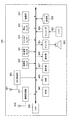
With reference to FIG. 2, a functional configuration of the
情報処理装置100aは、傾き検出部101と、操作体検出部103と、制御部105と、表示部107と、通信部109とを主に有する。
The
(傾き検出部)
傾き検出部101は、情報処理装置100の筐体の傾きを検出する機能を有する。傾き検出部101は、例えば角速度センサ、加速度センサ、角度センサなどのモーションセンサであってよい。また、傾き検出部101は、上述のモーションセンサのうち少なくとも2以上を組合せることにより実現されてもよい。ここで用いられる角速度センサの一例としては、振動型ジャイロセンサ、回転コマジャイロセンサなどが挙げられる。またここで用いられる加速度センサは、例えばピエゾ抵抗型、圧電型、静電容量型などの加速度センサであってよい。また角度センサの一例としては、地磁気センサが挙げられる。また、傾き検出部101として用いられるモーションセンサは、3軸に対する回転角を検出することのできるセンサであることが望ましい。傾き検出部101は、検出した傾きの情報を制御部105に供給することができる。
(Tilt detector)
The
(操作体検出部)
操作体検出部103は、操作体による操作を検出する機能を有する。操作体検出部103は、例えば、表示部107上に重畳して設けられ、表示部107に表示される表示画面に対する操作体の位置を検出するタッチセンサにより実現されてもよい。操作体は、例えばユーザの指やスタイラスペンであってよい。操作体検出部103は、検出した操作体による操作の情報を制御部105に供給することができる。
(Operating tool detection unit)
The operation
(制御部)
制御部105aは、情報処理装置100a全体の動作を制御する機能を有する。制御部105aは、例えば傾き検出部101により検出される傾き、及び操作体検出部103により検出される操作体による操作情報の少なくともいずれかに基づいて、情報処理装置100aの動作を制御することができる。また、制御部105aは、傾き検出部101により検出される傾き、及び操作体検出部103により検出される操作体による操作情報の少なくともいずれかに基づいて、表示部107に表示される表示画面の表示を制御することができる。また制御部105aは、通信部109を介した外部装置との接続を制御することもできる。
(Control part)
The
例えば図3に示されるように、情報処理装置100aの動作を決定するための選択項目が階層構造の場合の情報処理装置100の制御部105の制御について説明する。制御部105は、傾き検出部101により検出される傾きを用いた複数段階の操作に基づいて、階層構造の選択項目を選択することができる。例えば、第1階層の選択項目が選択項目1と選択項目2とを含み、さらに選択項目1の下層である第2階層の選択項目が選択項目1−1と選択項目1−2と選択項目1−3と選択項目1−4とを含む場合を考えてみよう。例えば制御部105は、筐体のy方向に対する傾きを用いたチルト操作に基づいてまず選択項目1又は選択項目2のいずれかを選択することができる。ここでy方向は第1の方向の一例であり、チルト操作は、第1の方向に対する傾きを用いた第1の操作の一例である。また、第1階層においていずれかの選択項目が選択された後、選択された選択項目の下層の選択項目がある場合には、次に制御部105は、筐体のx方向に対する傾きを用いたスウィング操作に基づいて、選択項目1−1、選択選択項目1−2、選択項目1−3、及び選択項目1−4のうちのいずれかを選択してもよい。なおここでx方向は第1の方向と直交する第2の方向の一例であり、スウィング操作は、第2の方向に対する傾きを用いた第2の操作の一例である。
For example, as shown in FIG. 3, the control of the control unit 105 of the
ここで図4及び図5を参照しながらチルト操作について説明する。チルト操作は、基準となる時点の状態からの情報処理装置100の筐体の傾きを用いた操作である。ここで、基準とする基準点は、例えば図4に示されるように、表示画面に対する操作体のプッシュ操作を検出した時点としてよい。ユーザが情報処理装置100に対してプッシュ操作を行うと、制御部105は、この時点の筐体の状態を基準とする筐体の傾きの変化を検出することができる。従って制御部105は、基準点におけるy方向からの筐体の傾いた角度をチルト角度とする。図5に示されるように、ここではユーザから見て筐体の手前側を上昇させる方向のチルト操作をチルトアップといい、ユーザから見て筐体の手前側を下降させる方向のチルト操作をチルトダウンという。
Here, the tilt operation will be described with reference to FIGS. The tilt operation is an operation using the tilt of the housing of the
次に図6を参照しながらスウィング操作について説明する。スウィング操作もまた、基準となる時点の状態からの情報処理装置100の筐体の傾きを用いた操作である。ここで、基準点は例えばチルト操作からスウィング操作に移行する時点としてもよい。すなわち、制御部105は、y方向に対する傾きが変化している状態からy方向に対する傾きの変化がなくなりx方向に対する傾きの変化に転換した点を基準点とすることができる。そして制御部105は、基準点におけるx方向からの筐体の傾いた角度をスウィング角度とすることができる。スウィング角度が変化すると、制御部105は、このスウィング角度に応じて選択項目の表示を変化させることができる。例えばここでは、スウィング角度の変化前に選択項目C1−1、選択項目C1−2、及び選択項目C1−3が表示されているとする。このとき、ユーザがスウィング角度を変化させると、この選択項目Cの表示が回転して選択項目C1−2、選択項目C1−3、及び選択項目C1−4が表示される。ここで、例えば制御部105は、真ん中に表示されている選択項目を選択してもよい。ユーザがスウィング角度を変化させて選択項目Cの表示が変化する度に制御部105が選択する選択項目も変化する。
Next, the swing operation will be described with reference to FIG. The swing operation is also an operation using the inclination of the housing of the
ここで、図7を参照しながら、コンテンツの移動先を選択する場面における階層構造の選択項目の選択に対して本技術を適用した場合の例について説明する。ここでは図3に示した選択項目のうち、第1の階層がコンテンツの移動先を情報処理装置100aの内部又は外部のいずれか選択するための階層。またここで選択項目は、コンテンツの送信先機器を選択する階層を含む。選択項目1は、「コンテンツを外部装置に送信すること」であり、選択項目2は、「コンテンツをプレイリストに追加すること」である。図7Aの表示画面301に示されるように、1つのコンテンツが選択された状態からこのコンテンツに対するプッシュ操作を操作体検出部103が検出すると、制御部105aは、選択項目1を示すヘッダHD及び選択項目2を示すプレイリストサムネイル群PTが表示された表示画面303を表示させる。この表示画面303により、ユーザは選択項目1と選択項目2のいずれかを選択する操作を行うことができることを知ることができる。なお、この状態からチルトアップ操作が行われると図7Bに進み、チルトダウン操作が行われると、図7Cに進む。
Here, an example in the case where the present technology is applied to selection of a selection item of a hierarchical structure in a scene where a content destination is selected will be described with reference to FIG. Here, among the selection items shown in FIG. 3, the first hierarchy is a hierarchy for selecting the content movement destination either inside or outside the
まずチルトアップ操作が検出された場合について図7Bを参照しながら説明する。チルトアップ操作が行われると、送信先機器の選択項目を表示するための機器土台エリアDAを含む表示画面305が表示される。さらにチルト角度を増大させると、制御部105aは、機器土台エリアDA上に機器サムネイルDTが表示された表示画面307を表示させる。ここで制御部105aは、機器サムネイルDTが表示される配置をそれぞれの機器サムネイルDTに対応づけられた選択項目が選択される頻度に基づいて決定してもよい。例えば、制御部105aは、選択される頻度が高い選択項目をユーザが選択しやすい位置に配置することができる。例えば制御部105aは、最も選択される頻度が高い選択項目を中央に配置してもよい。この表示画面307においてスウィング操作が行われると、この機器サムネイルDTにより示される選択項目が回転すると共に、選択される選択項目が変化する。ここでは制御部105aは、真ん中に表示された機器サムネイルDTに対応する選択項目を選択する。また、選択項目のいずれかを選択した状態で、操作体による確定操作が入力されたとき、制御部105aは選択項目の選択を確定することができる。ここでは選択された選択項目を示す機器サムネイルに対するドラッグ操作が検出されるとこの選択(送信先機器)が確定される。従って、制御部105aは、確定された送信先機器CL1に対して通信部109を介してコンテンツを送信する。
First, a case where a tilt-up operation is detected will be described with reference to FIG. 7B. When the tilt-up operation is performed, a
一方、チルトダウン操作が検出された場合について図7Cを参照しながら説明する。チルトダウン操作が検出されると、制御部105aは、表示画面303において表示されているプレイリストサムネイル群PTをさらにスライドインさせて選択項目2が選択された状態とする。そして、選択項目2が選択された状態で操作体による確定操作が入力されると、制御部105aは、選択項目の選択を確定することができる。ここでは、表示されたプレイリストサムネイル群PTに向かってドラッグ操作が行われると、制御部105aは、選択項目2の選択を確定してプレイリストにコンテンツを追加する。
On the other hand, a case where a tilt-down operation is detected will be described with reference to FIG. 7C. When the tilt-down operation is detected, the
なお、図8に示されるように選択項目が多い場合には、例えば図9に示されるように選択項目を複数の段階に分けて表示することもできる。それぞれの段階は、傾き検出部101により検出される傾きの度合いと対応づけられ、ここではチルト角度が予め決められた第1の範囲内のとき、機器サムネイル群DTaのうち中央に表示された機器サムネイルに対応する選択項目が選択された状態となる。また、チルト角度が第1の範囲より大きい第2の範囲内のときには機器サムネイル群DTbのうち中央に表示された機器サムネイルに対応する選択項目が選択された状態となる。すなわちユーザは、この第2階層の選択項目を選択するためには、チルト角度とスウィング操作を組合せて用いる。なお、制御部105aは、機器サムネイルにより示される送信先機器と通信部109との間の距離を取得して、選択項目として表示される機器サムネイルの配置をこの距離に基づいて決定してもよい。例えば制御部105aは、距離が近い送信先機器をユーザが選択しやすいように機器サムネイルの配置を決定することができる。制御部105aは、距離が近い送信先機器ほど小さいチルト角度で選択することができるようにしてもよい。また制御部105aは、距離が近い送信先機器を中央に配置してもよい。
When there are many selection items as shown in FIG. 8, the selection items can be displayed in a plurality of stages as shown in FIG. 9, for example. Each stage is associated with the degree of inclination detected by the
(表示部107)
再び図2に戻って説明を続けると、表示部107は、出力装置の一例であり、液晶ディスプレイ(LCD:Liquid Crystal Display)装置、有機EL(OLED:Organic Light Emitting Diode)ディスプレイ装置などの表示装置であってよい。表示部107は、制御部105の制御に従って表示画面をユーザに提供することができる。
(Display unit 107)
Referring back to FIG. 2 again, the
(通信部109)
通信部109は、情報処理装置100が他の装置と通信するための通信インタフェースである。例えば通信部109は、無線により他の装置と通信するための無線通信インタフェースであってよい。具体的には通信部109は、DLNA(Digital Living Network Alliance)対応機器と無線で接続するためのインタフェースであってよい。情報処理装置100aは、DLNAサーバとして機能し、接続したDLNAクライアントにコンテンツを転送することができる。
(Communication unit 109)
The
〔1−2.動作例〕
次に、図10及び図11を参照しながら、本実施形態に係る情報処理装置の動作例について説明する。図10は、同実施形態に係る情報処理装置のコンテンツ移動先を決定する操作における動作例を示すフローチャートである。図11は、同実施形態において送信先機器との距離に応じて機器サムネイルを配置するときの動作例を示すフローチャートである。
[1-2. Example of operation)
Next, an operation example of the information processing apparatus according to the present embodiment will be described with reference to FIGS. 10 and 11. FIG. 10 is a flowchart illustrating an operation example in the operation of determining the content movement destination of the information processing apparatus according to the embodiment. FIG. 11 is a flowchart showing an operation example when device thumbnails are arranged according to the distance from the transmission destination device in the embodiment.
図10を参照すると、まず制御部105aは、操作体検出部103により動画サムネイルMTに対するプッシュ操作が検出されたか否かを判断する(S101)。ステップS101における判断により動画サムネイルに対するプッシュ操作が検出されたと判断されると、制御部105aは、動画サムネイルMT以外(例えばフッタFTなど)をスライドアウトさせる(S103)。そして制御部105aは、表示画面の上部にヘッダHD、下部にプレイリストサムネイル群PTをスライドインさせる(S105)。
Referring to FIG. 10, first, the
次に、制御部105aは、傾き検出部101によりチルトアップ操作が検出されたか否かを判断する(S107)。そしてチルトアップ操作が検出された場合には、制御部105aは、表示画面の上部に機器サムネイルDTを表示させて外部装置へのコンテンツの送信が選択された状態とする(S109)。機器サムネイルDTが表示された後、制御部105aは、傾き検出部101によりスウィング操作が検出されたか否かを判断する(S111)。ここでスウィング操作が検出された場合には、制御部105aは、スウィング操作の方向に従って機器サムネイルDTを回転させる(S113)。
Next, the
制御部105aは、このスウィング操作により機器サムネイルDTが表示される位置を変化させて、このうち中央に表示されている機器サムネイルDTを選択する。このようにいずれかの機器サムネイルDTが選択されている状態において、制御部105aは、操作体検出部103により上方向へのドラッグ操作、より詳しくは、選択された機器サムネイルDTへ向かう方向へのドラッグ操作が検出されたか否かを判断する(S115)。ここでドラッグ操作が検出された場合には、制御部105aは、中央に表示された(選択された)機器サムネイルに対応する機器へ動画を転送する(S117)。
The
一方、ステップS107においてチルトアップ操作が検出されたなかった場合には、制御部105aは、傾き検出部101によりチルトダウン操作が検出されたか否かを判断する(S119)。そしてステップS119の判断により散るとダウン操作が検出された場合には、制御部105aは、表示画面の下部のプレイリストサムネイル群をさらにスライドインさせてプレイリストへのコンテンツ追加が選択された状態とする(S121)。そして、制御部105aは、操作体検出部103により下方向へのドラッグ操作が検出されたか否かを判断する(S123)。ステップS123においてドラッグ操作が検出された場合には、制御部105aは、プレイリストへ動画を追加する(S125)。
On the other hand, when the tilt-up operation is not detected in step S107, the
また、ステップS111においてスウィング操作が検出されなかったとき、ステップS115においてドラッグ操作が検出されなかったとき、ステップS119においてチルトダウン操作が検出されなかったとき、又は、ステップS123においてドラッグ操作が検出されなかったとき、制御部105aは、操作体検出部103によって指が画面から離れたことが検出されたか否かを判断する(S127)。そして、指が画面から離れたことが検出されると、制御部105aは、ここまでの処理をキャンセルして終了する(S129)。
Further, when a swing operation is not detected in step S111, a drag operation is not detected in step S115, a tilt-down operation is not detected in step S119, or a drag operation is not detected in step S123. When this happens, the
〔1−3.傾き度合いを用いた操作の例(距離に応じて送信先機器を配置する例)〕
なお、図10のステップS109において機器サムネイルDTを表示させるときに、制御部105aは、この機器サムネイルDTの配置をそれぞれの機器との距離に基づいて決定してもよい。この場合の制御部105aの動作について図11に示される。
[1-3. Example of operation using the degree of tilt (example of placing destination device according to distance)]
When the device thumbnail DT is displayed in step S109 in FIG. 10, the
まず制御部105aは、DLNAクライアントリストを取得する(S201)。そして、制御部105aは、それぞれのDLNAクライアントとの距離を取得する(S203)。次に制御部105aは、取得した距離に基づいて機器サムネイルDTの配置を決定する(S205)。この配置は、上述の通り距離が近い機器ほどユーザが選択しやすい位置に配置されることが望ましい。例えば距離が近いほど小さなチルト角で選択することができることが望ましい。また例えば距離が近いものほど中央に近く配置されてよい。そして、制御部105aは、決定した配置で機器サムネイルDTを表示させる(S207)。
First, the
〔1−4.表示画面例〕
ここで、上述してきた階層構造の選択項目を選択する表示画面は、三次元表示されることが望ましい。三次元の表現力を用いることにより、ユーザの操作感を向上させることができる。ここで、表示画面上に表示されるそれぞれのオブジェクトは、図12に示されるような位置関係で表現されてよい。図12は、同実施形態において表示される表示画面上のオブジェクトの配置を説明するための説明図である。
[1-4. Display screen example)
Here, it is desirable that the display screen for selecting the selection item of the hierarchical structure described above is three-dimensionally displayed. By using three-dimensional expressive power, the user's operational feeling can be improved. Here, each object displayed on the display screen may be expressed in a positional relationship as shown in FIG. FIG. 12 is an explanatory diagram for explaining the arrangement of objects on the display screen displayed in the embodiment.
図12に示す各種の符号は図7に示した符号と対応する。例えば動画サムネイルMTは図7Aの左図に示される符号により示されるオブジェクトと対応する。図12にはその状態によって動画サムネイルMT1、動画サムネイルMT2、動画サムネイルMT3が示される。動画サムネイルMT2は、図7Aの右図に示されるようにプッシュ操作が行われた後の動画サムネイルMTの配置を示し、プッシュ操作により動画サムネイルMTは、ユーザからみて後方にαの距離下げられる。またこの動画サムネイルMTが下がると同時にフッタFT1は下方にスライドアウトしてフッタFT2の配置となる。また背景BGは背景BG1の位置から背景BG2の配置へと変化する。またフッタFTの代わりにプレイリストサムネイル群PTがスライドインしてきてプレイリストサムネイル群PT2の配置となる。このときヘッダHDがヘッダHD1の位置に配置される。 Various codes shown in FIG. 12 correspond to the codes shown in FIG. For example, the moving image thumbnail MT corresponds to the object indicated by the reference symbol shown in the left diagram of FIG. 7A. FIG. 12 shows a moving image thumbnail MT1, a moving image thumbnail MT2, and a moving image thumbnail MT3 according to the state. The moving image thumbnail MT2 shows the arrangement of the moving image thumbnails MT after the push operation is performed as shown in the right diagram of FIG. 7A, and the moving image thumbnails MT are lowered by a distance rearward as viewed from the user by the push operation. At the same time that the moving image thumbnail MT is lowered, the footer FT1 slides out downward and the footer FT2 is arranged. The background BG changes from the position of the background BG1 to the arrangement of the background BG2. Further, instead of the footer FT, the playlist thumbnail group PT slides in, and the playlist thumbnail group PT2 is arranged. At this time, the header HD is arranged at the position of the header HD1.
次にチルト操作がなされたとき、動画サムネイルMTは、チルト角度に従って動画サムネイルMT3の配置となる。ここで、チルトアップ操作とともに機器土台DAが表示画面の上方からスライドインしてくる。チルト角度が増大すると、機器サムネイルDTが聞き土台DA上に表示される。このときの機器土台DAの配置は機器土台DA2で示され、機器サムネイルDTの配置は機器サムネイルDT2で示される。 Next, when the tilt operation is performed, the moving image thumbnail MT is arranged in accordance with the tilt angle of the moving image thumbnail MT3. Here, along with the tilt-up operation, the device base DA slides in from above the display screen. When the tilt angle increases, the device thumbnail DT is displayed on the base DA. The arrangement of the device base DA at this time is indicated by the device base DA2, and the arrangement of the device thumbnail DT is indicated by the device thumbnail DT2.
〔1−5.効果の例〕
以上、本開示の第1の実施形態に係る情報処理装置100aについて説明してきた。本実施形態においては、検出された筐体の傾きを用いた複数段階の操作により階層構造の選択項目を選択する情報処理装置の具体的な適用例として、DLNAに対応する機器間のコンテンツの転送の場面で本開示の技術を適用する場合について説明した。上述の構成によれば、ユーザは、転送したいコンテンツを表示画面上で指し示すプッシュ操作を行い、その指を離さずに筐体を傾ける(チルトアップ又はチルトダウン)操作を行うことによって、コンテンツを外部装置に移動させるか内部の動作を行うかを選択することができる。そして、コンテンツを外部装置に転送したいときには、さらに異なる方向への筐体の傾きを用いたスウィング操作を行うことによって転送先の機器を選択することができる。
[1-5. Example of effect)
The
また、選択した選択項目の決定には、ドラッグ操作などが用いられてよい。筐体の傾きによる操作は、直感的であるが、傾き度合いのフィードバックがないと場合によっては誤操作につながることがある。そこで、ドラッグ操作など、操作体による別途の操作を組合せて用いることにより、誤操作の低減につながる。 In addition, a drag operation or the like may be used to determine the selected selection item. The operation based on the tilt of the housing is intuitive, but if there is no feedback of the tilt degree, it may lead to an erroneous operation in some cases. Therefore, using a combination of separate operations by the operating body such as a drag operation leads to a reduction in erroneous operations.
<2.第2の実施形態(一般化した適用例)>
以上、上記の第1の実施形態ではコンテンツを外部装置に転送するという特殊な状況において本技術を適用する例について説明した。しかし、本技術は階層構造の選択項目を選択する情報処理装置においてより広く適用することができる。そこで、ここではより一般化して本技術を説明する。
<2. Second Embodiment (Generalized Application Example)>
In the above first embodiment, the example in which the present technology is applied in a special situation where the content is transferred to the external device has been described. However, the present technology can be more widely applied to information processing apparatuses that select hierarchical structure selection items. Therefore, the present technology will be described here in a more general manner.
〔2−1.構成例〕
まず図13を参照しながら本開示の第2の実施形態に係る情報処理装置の機能構成について説明する。図13は、本開示の第2の実施形態に係る情報処理装置の機能ブロック図である。
[2-1. Configuration example)
First, a functional configuration of an information processing apparatus according to the second embodiment of the present disclosure will be described with reference to FIG. FIG. 13 is a functional block diagram of an information processing apparatus according to the second embodiment of the present disclosure.
本開示の第2の実施形態に係る情報処理装置100bは、傾き検出部101と、操作体検出部103と、制御部105bと、表示部107とを主に有する。
The
(制御部)
制御部105bは、傾き検出部101の検出する傾きを用いた複数段階の操作に基づいて、階層構造の選択項目を選択することができる。この制御部105bは、第1の方向に対する傾きを用いた第1の操作に基づいて第1の階層の選択項目を選択することができる。また第1の階層の選択項目のうち、第1の操作によって選択された選択項目の下層(第2の階層)に選択項目があるとき、制御部105bは、この第2の階層の選択項目を表示させて、第1の方向と直交する第2の方向に対する傾きを用いた第2の操作に基づいて、第2の階層の選択項目を選択することができる。また、制御部105bは、操作体検出部103の検出する操作体による入力に基づいて、選択項目の選択を確定することもできる。
(Control part)
The
〔2−2.動作例〕
次に、図14を参照しながら、同実施形態に係る情報処理装置の動作について説明うすr。図14は、同実施形態に係る情報処理装置の選択項目の選択操作の動作例を示すフローチャートである。
[2-2. Example of operation)
Next, the operation of the information processing apparatus according to the embodiment will be described with reference to FIG. FIG. 14 is a flowchart illustrating an operation example of the selection item selection operation of the information processing apparatus according to the embodiment.
なお、ここで説明する動作は、第1の実施形態において説明した情報処理装置100aの動作をより一般化したものであり、第1の実施形態は、第2の実施形態の具体例である。
The operation described here is a generalization of the operation of the
まず、制御部105bは、操作体検出部103によりプッシュ操作が検出されたか否かを判断する(S301)。ここで、プッシュ操作が検出されると、制御部105bは、第1階層の選択項目を表示させる(S303)。そして制御部105bは、傾き検出部101によりチルト操作が検出されたか否かを判断する(S305)。そして、ステップS305の判断によりチルト操作が検出されたとき、制御部105bは、チルト角度に応じて第1階層の選択項目を選択する(S307)。
First, the
ここで制御部105bは、第1階層よりも下層の選択項目があるか否かを判断する(S309)。ステップS309の判断により下層の選択項目があると判断されたとき、制御部105bは、下層の選択項目を表示部109に表示させる(S311)。そして、下層の選択項目が表示された状態で、制御部105bは、傾き検出部101によりスウィング操作が検出されたか否かを判断する(S313)。ここでスウィング操作が検出されたとき、制御部105bは、検出されたスウィング操作に応じて、選択項目を選択する(S315)。ステップS315により選択項目が選択された後、或いは、ステップS309において下層の選択項目がないと判断されたとき、制御部105bは、操作体検出部103によりドラッグ操作が検出されたか否かを判断する(S317)。ここでドラッグ操作が検出されたと判断されると、制御部105bは、検出されたドラッグ操作に基づいて、選択項目の選択を確定する(S319)。
Here, the
以上説明したように、本開示の第2の実施形態の構成によれば、より一般的な階層構造の選択項目を選択する場合に本技術を適用することができる。例えば、階層構造の選択項目の例としては、情報処理装置100bの動作設定を変更する画面における選択項目が挙げられる。例えばユーザは、動作設定を変更する画面における選択項目の中から、表示に関する設定を変更するための選択項目を選択することができる。例えばこの選択項目の下層には、表示サイズを変更する選択項目、画面の明るさを変更する選択項目などがあってもよい。ユーザは、ここで表示サイズを変更する選択項目を選択すると、さらに下層の選択項目である表示サイズを選択することができる。
As described above, according to the configuration of the second embodiment of the present disclosure, the present technology can be applied when selecting a selection item having a more general hierarchical structure. For example, as an example of the selection item of the hierarchical structure, a selection item on a screen for changing the operation setting of the
<3.第3の実施形態(撮像機能への適用例)>
〔3−1.構成例〕
上述の第2の実施形態においては、一般的な階層構造の選択項目を選択するときに本技術を適用することについて説明したが、例えば第1の実施形態において説明した他の装置へのコンテンツの転送以外に本技術を適用することが効果的な一例としては、撮像機能を利用するときが考えられる。撮像装置においてタッチセンサが用いられている場合であっても、その操作画面は、撮像している映像を表示する表示画面ともなるため、操作画面を触れたくないというニーズが高い。そこで、本技術による傾きを用いた操作は撮像機能の設定画面に対して適用することも効果的である。
<3. Third Embodiment (Application Example to Imaging Function)>
[3-1. Configuration example)
In the second embodiment described above, the application of the present technology when selecting a general hierarchical structure selection item has been described. For example, content to other devices described in the first embodiment may be used. As an effective example of applying the present technology in addition to the transfer, it is conceivable to use an imaging function. Even when a touch sensor is used in the imaging apparatus, the operation screen is also a display screen that displays a captured image, and thus there is a high need for not touching the operation screen. Therefore, it is also effective to apply the operation using the tilt according to the present technology to the setting screen of the imaging function.
このような本開示の第3の実施形態に係る情報処理装置について図15を参照しながら説明する。図15は、本開示の第3の実施形態に係る情報処理装置の機能ブロック図である。本開示の第3の実施形態に係る情報処理装置100cは、例えば傾き検出部101と、制御部105cと、表示部107と、撮像部111とを主に有する。
Such an information processing apparatus according to the third embodiment of the present disclosure will be described with reference to FIG. FIG. 15 is a functional block diagram of an information processing apparatus according to the third embodiment of the present disclosure. An
(制御部)
制御部105cは、撮像部111による撮像機能をさらに制御することができる。また、第1の実施形態及び第2の実施形態において用いたプッシュ操作やドラッグ操作は、本実施形態においては、ハードウェアキーによる操作に代えることができる。表示画面を触れたくないというニーズが高い場合には、タッチセンサを用いた操作体による操作に代えてハードウェアキーを用いた操作体による操作が用いられると、表示画面に指紋や傷が付くことを防ぐことができる。制御部105cは、例えば図16に示すような撮像機能の設定画面を表示させることができる。ここで示すように筐体の長手方向(y方向)が横向きとなっている場合には、短手方向(x方向)に対する傾きを用いてチルト操作が行われる。また、長手方向(y方向)に対する傾きを用いてスウィング操作が行われる。
(Control part)
The
制御部105cは、チルト操作により選択項目21、選択項目22、選択項目23などのうちいずれかを選択することができる。また制御部105cは、図16に示されるように中央に表示される選択項目22の下層の選択項目がある場合には、選択項目22の下層の選択項目22−1および選択項目22−2を表示することができる。また制御部105cは、スウィング操作によりこの選択項目22−1及び選択項目22−2のうちのいずれかを選択する。例えば制御部105cは、ハードウェアキーによる決定操作に基づいて、この選択項目の選択を決定することができる。
The
(撮像部)
撮像部111は、CCD(Charge Coupled Device)又はCMOS(Complementary Metal Oxide Semiconductor)などの撮像素子を有するカメラモジュールである。撮像部111は、制御部105cの制御に従って動作する。撮像部111は、上述の設定画面により設定された設定に従って動作することができる。
(Imaging part)
The
以上、本開示の第1〜第3の実施形態に係る情報処理装置100の機能の一例を示した。上記の各構成要素は、汎用的な部材や回路を用いて構成されていてもよいし、各構成要素の機能に特化したハードウェアにより構成されていてもよい。また、各構成要素の機能を、CPU(Central Processing Unit)などの演算装置がこれらの機能を実現する処理手順を記述した制御プログラムを記憶したROM(Read Only Memory)やRAM(Random Access Memory)などの記憶媒体から制御プログラムを読出し、そのプログラムを解釈して実行することにより行ってもよい。従って、本実施形態を実施する時々の技術レベルに応じて、適宜、利用する構成を変更することが可能である。情報処理装置100のハードウェア構成の一例については、後述される。
Heretofore, an example of the functions of the
なお、上述のような本実施形態に係る情報処理装置100の各機能を実現するためのコンピュータプログラムを作成し、パーソナルコンピュータ等に実装することが可能である。また、このようなコンピュータプログラムが格納された、コンピュータで読み取り可能な記録媒体も提供することができる。記録媒体は、例えば、磁気ディスク、光ディスク、光磁気ディスク、フラッシュメモリなどである。また、上記のコンピュータプログラムは、記録媒体を用いずに、例えばネットワークを介して配信してもよい。
A computer program for realizing each function of the
<4.ハードウェア構成例>
次に、図17を参照しながら、本開示の第1〜第3の実施形態に係る情報処理装置100のハードウェア構成の一例について説明する。図17は、本開示の第1〜第3の実施形態に係る情報処理装置のハードウェア構成例を示すブロック図である。
<4. Hardware configuration example>
Next, an example of a hardware configuration of the
情報処理装置100は、例えば、GPSアンテナ821と、GPS処理部823と、通信アンテナ825と、通信処理部827と、地磁気センサ829と、加速度センサ831と、ジャイロセンサ833と、気圧センサ835と、撮像部837と、CPU(Central Processing Unit)839と、ROM(Read Only Memory)841と、RAM(Random Access Memory)843と、操作部847と、表示部849と、デコーダ851と、スピーカ853と、エンコーダ855と、マイク857と、記憶部859とを有する。
The
GPSアンテナ821は、測位衛星からの信号を受信するアンテナの一例である。GPSアンテナ821は、複数のGPS衛星からのGPS信号を受信することができ、受信したGPS信号をGPS処理部823に入力する。
The
GPS処理部823は、測位衛星から受信された信号に基づいて位置情報を算出する算出部の一例である。GPS処理部823は、GPSアンテナ821から入力された複数のGPS信号に基づいて現在の位置情報を算出し、算出した位置情報を出力する。具体的には、GPS処理部823は、GPS衛星の軌道データからそれぞれのGPS衛星の位置を算出し、GPS信号の送信時刻と受信時刻との差分時間に基づいて、各GPS衛星から当該端末装置100までの距離をそれぞれ算出する。そして、算出された各GPS衛星の位置と、各GPS衛星から当該端末装置100までの距離とに基づいて、現在の3次元位置を算出することができる。なお、ここで用いられるGPS衛星の軌道データは、例えばGPS信号に含まれていてもよい。或いは、GPS衛星の軌道データは、通信アンテナ825を介して外部のサーバから取得されてもよい。
The
通信アンテナ825は、例えば携帯通信網や無線LAN(Local Area Network)通信網を介して通信信号を受信する機能を有するアンテナである。通信アンテナ825は、受信した信号を通信処理部827に供給することができる。
The
通信処理部827は、通信アンテナ825から供給された信号に各種の信号処理を行う機能を有する。通信処理部827は、供給されたアナログ信号から生成したデジタル信号をCPU839に供給することができる。
The
地磁気センサ829は、地磁気を電圧値として検出するセンサである。地磁気センサ829は、X軸方向、Y軸方向、及びZ軸方向の地磁気をそれぞれ検出する3軸地磁気センサであってよい。地磁気センサ829は、検出した地磁気データをCPU839に供給することができる。
The
加速度センサ831は、加速度を電圧値として検出するセンサである。加速度センサ831は、X軸方向に沿った加速度、Y軸方向に沿った加速度、及びZ軸方向に沿った加速度をそれぞれ検出する3軸加速度センサであってよい。加速度センサ831は、検出した加速度データをCPU839に供給することができる。
The
ジャイロセンサ833は、物体の角度や角速度を検出する計測器の一種である。このジャイロセンサ833は、X軸、Y軸、及びZ軸周りの回転角の変化する速度(角速度)を電圧値として検出する3軸ジャイロセンサであってよい。ジャイロセンサ833は、検出した角速度データをCPU839に供給することができる。
The
気圧センサ835は、周囲の気圧を電圧値として検出するセンサである。気圧センサ835は、気圧を所定のサンプリング周波数で検出し、検出した気圧データをCPU839に供給することができる。
The
撮像部837は、CPU839の制御に従い、レンズを介して静止画像又は動画像を撮影する機能を有する。撮像部837は、撮影した画像を記憶部859に記憶させてもよい。
The
CPU839は、演算処理装置及び制御装置として機能し、各種プログラムに従って情報処理装置100内の動作全般を制御する。またCPU839は、マイクロプロセッサであってもよい。このCPU839は、各種プログラムに従って様々な機能を実現することができる。
The
ROM841は、CPU839が使用するプログラムや演算パラメータ等を記憶することができる。RAM843は、CPU839の実行において使用するプログラムや、その実行において適宜変化するパラメータ等を一時記憶することができる。
The
操作部847は、ユーザが所望の操作をするための入力信号を生成する機能を有する。操作部847は、例えばタッチセンサ、マウス、キーボード、ボタン、マイク、スイッチ及びレバーなどユーザが情報を入力するための入力部と、ユーザによる入力に基づいて入力信号を生成し、CPU839に出力する入力制御回路などから構成されてよい。
The
表示部849は、出力装置の一例であり、液晶ディスプレイ(LCD:Liquid Crystal Display)装置、有機EL(OLED:Organic Light Emitting Diode)ディスプレイ装置などの表示装置であってよい。表示部849は、ユーザに対して画面を表示することにより情報を提供することができる。
The
デコーダ851は、CPU839の制御に従い、入力されたデータのデコード及びアナログ変換などを行う機能を有する。デコーダ851は、例えば通信アンテナ825及び通信処理部827を介して入力された音声データのデコード及びアナログ変換などを行い、音声信号をスピーカ853に出力する。スピーカ853は、デコーダ851から供給される音声信号に基づいて音声を出力することができる。
The
エンコーダ855は、CPU839の制御に従い、入力されたデータのデジタル変換及びエンコードなどを行う機能を有する。エンコーダ855は、マイク857から入力される音声信号のデジタル変換及びエンコードなどを行い、音声データを出力することができる。マイク857は、音声を集音し、音声信号として出力することができる。
The
記憶部859は、データ格納用の装置であり、記憶媒体、記憶媒体にデータを記録する記録装置、記憶媒体からデータを読み出す読出し装置、および記憶媒体に記録されたデータを削除する削除装置などを含むことができる。ここで記憶媒体としては、例えばフラッシュメモリ、MRAM(Magnetoresistive Random Access Memory)、FeRAM(Ferroelectric Random Access Memory)、PRAM(Phase change Random Access Memory)、及びEEPROM(Electronically Erasable and Programmable Read Only Memory)などの不揮発性メモリや、HDD(Hard Disk Drive)などの磁気記録媒体などが用いられてよい。
The
以上、添付図面を参照しながら本開示の好適な実施形態について詳細に説明したが、本開示の技術的範囲はかかる例に限定されない。本開示の技術分野における通常の知識を有する者であれば、特許請求の範囲に記載された技術的思想の範疇内において、各種の変更例または修正例に想到し得ることは明らかであり、これらについても、当然に本開示の技術的範囲に属するものと了解される。 The preferred embodiments of the present disclosure have been described in detail above with reference to the accompanying drawings, but the technical scope of the present disclosure is not limited to such examples. It is obvious that a person having ordinary knowledge in the technical field of the present disclosure can come up with various changes or modifications within the scope of the technical idea described in the claims. Of course, it is understood that it belongs to the technical scope of the present disclosure.
例えば、上記第1の実施形態では、動画を外部の機器に転送することとしたが、本技術はかかる例に限定されない。例えば、転送するコンテンツは、映画、テレビジョン番組、及びビデオプログラムなどの動画に限らず、音楽、公演、及びラジオ番組などの音楽データや、写真、文書、絵画、及び図表などの映像データや、ゲーム及びソフトウェアなどであってよい。 For example, in the first embodiment, the moving image is transferred to an external device, but the present technology is not limited to such an example. For example, the content to be transferred is not limited to moving images such as movies, television programs, and video programs, but music data such as music, performances, and radio programs, video data such as photographs, documents, pictures, and charts, It may be a game and software.
また上記第1の実施形態では、コンテンツを内部で処理する一例としてコンテンツのプレイリストへの追加を例に挙げたが、本技術はかかる例に限定されない。例えば、コンテンツを情報処理装置100a上で再生することとしてもよいし、情報処理装置100a内部の記憶部にコンテンツを格納することとしてもよい。
In the first embodiment, addition of content to a playlist has been described as an example of processing content internally, but the present technology is not limited to this example. For example, the content may be reproduced on the
また、上記第1及び第2の実施形態においては、選択を確定するための操作体による操作をタッチセンサを用いたドラッグ操作としたが、本技術は係る例に限定されない。選択を確定するための操作は、例えばハードウェアキーの押下であってもよい。又は、選択を確定するための操作は、選択項目に対するタップ操作であってもよい。その他、タッチセンサを用いた様々な操作を用いることができるが、上記第1の実施形態においてプッシュ操作から一連の動作を行う場合には、ドラッグ操作が用いられるとよりユーザにとって直感的な操作となり操作性が向上される。 Moreover, in the said 1st and 2nd embodiment, although operation by the operation body for finalizing selection was made into drag operation using a touch sensor, this technique is not limited to the example which concerns. The operation for confirming the selection may be, for example, pressing of a hardware key. Alternatively, the operation for confirming the selection may be a tap operation on the selection item. In addition, various operations using a touch sensor can be used. However, when a series of operations is performed from a push operation in the first embodiment, a drag operation is more intuitive for the user. Operability is improved.
また、上記実施形態においては、2つの階層についての選択項目の選択について説明したが、本技術はかかる例に限定されない。例えば、3以上の階層についても、チルト操作とスウィング操作を交互に用いることによって選択項目の選択を行うことができる。 In the above embodiment, selection of selection items for two layers has been described, but the present technology is not limited to such an example. For example, for three or more layers, selection items can be selected by alternately using a tilt operation and a swing operation.
尚、本明細書において、フローチャートに記述されたステップは、記載された順序に沿って時系列的に行われる処理はもちろん、必ずしも時系列的に処理されなくとも、並列的に又は個別的に実行される処理をも含む。また時系列的に処理されるステップでも、場合によっては適宜順序を変更することが可能であることは言うまでもない。 In this specification, the steps described in the flowcharts are executed in parallel or individually even if they are not necessarily processed in time series, as well as processes performed in time series in the described order. Including processing to be performed. Further, it goes without saying that the order can be appropriately changed even in the steps processed in time series.
なお、以下のような構成も本開示の技術的範囲に属する。
(1)
傾きを検出する傾き検出部と、
前記傾き検出部により検出される傾きを用いた複数段階の操作に基づいて、階層構造の選択項目を選択する制御部と、
を備える、情報処理装置。
(2)
前記制御部は、第1の方向に対する傾きを用いた第1の操作に基づいて第1の階層の前記選択項目を選択し、前記第1の方向と直交する第2の方向に対する傾きを用いた第2の操作に基づいて前記第1の階層より下層の第2の階層の前記選択項目を選択する、
前記(1)に記載の情報処理装置。
(3)
操作体による入力を検出する操作体検出部、
をさらに備え、
前記制御部は、前記操作体による入力に基づいて、前記選択項目の選択を確定する、
前記(1)又は(2)のいずれかに記載の情報処理装置。
(4)
前記選択項目は、コンテンツの送信先機器を選択する階層を含む、
前記(1)〜(3)のいずれかに記載の情報処理装置。
(5)
前記傾き検出部により検出される傾きに応じて前記選択項目を表示する表示部と、
前記送信先機器と無線通信する通信部と、
をさらに備え、
前記制御部は、前記送信先機器と前記通信部との間の距離を取得し、前記選択項目として表示される前記送信先機器の配置を前記距離に基づいて決定する、
前記(4)に記載の情報処理装置。
(6)
前記制御部は、前記傾き検出部により検出される傾き度合いに応じて、1つの階層の前記選択項目を段階的に前記表示部に表示させ、
前記傾き度合いが小さいほど前記距離が近い前記送信先機器を前記選択項目として表示させる、
前記(5)に記載の情報処理装置。
(7)
前記第1の階層は、コンテンツの移動先が前記情報処理装置の内部か外部かを選択する階層であり、
前記第2の階層は、前記コンテンツの送信先機器を選択する階層を含む、
前記(2)に記載の情報処理装置。
(8)
操作体による入力を検出する操作体検出部、
をさらに備え、
前記制御部は、前記操作体により移動する前記コンテンツを選択する入力が検出されると、前記第1の階層の選択項目を表示させる、
前記(7)に記載の情報処理装置。
(9)
前記傾き検出部により検出される傾きに応じて前記選択項目を表示する表示部、
をさらに備え、
前記制御部は、前記選択項目が選択される頻度に基づいて、前記表示部に表示される前記選択項目の配置を決定する、
前記(1)に記載の情報処理装置。
(10)
前記選択項目は、撮像機能の設定に関する、
前記(1)に記載の情報処理装置。
(11)
傾きを検出することと、
検出された傾きを用いた複数段階の操作に基づいて、階層構造の選択項目を選択することと、を含む、情報処理方法。
(12)
コンピュータを、
傾きを検出する傾き検出部と、
前記傾き検出部により検出される傾きを用いた複数段階の操作に基づいて、階層構造の選択項目を選択する制御部と、
を備える、情報処理装置として機能させるためのプログラム。
(13)
前記制御部は、第1の方向に対する傾きを用いた第1の操作に基づいて第1の階層の前記選択項目を選択し、前記第1の方向と直交する第2の方向に対する傾きを用いた第2の操作に基づいて前記第1の階層より下層の第2の階層の前記選択項目を選択する、
前記(12)に記載のプログラム。
(14)
前記情報処理装置は、
操作体による入力を検出する操作体検出部、
をさらに備え、
前記制御部は、前記操作体による入力に基づいて、前記選択項目の選択を確定する、
前記(12)又は(13)のいずれかに記載のプログラム。
(15)
前記選択項目は、コンテンツの送信先機器を選択する階層を含む、
前記(12)〜(14)のいずれかに記載のプログラム。
(16)
前記情報処理装置は、
前記傾き検出部により検出される傾きに応じて前記選択項目を表示する表示部と、
前記送信先機器と無線通信する通信部と、
をさらに備え、
前記制御部は、前記送信先機器と前記通信部との間の距離を取得し、前記選択項目として表示される前記送信先機器の配置を前記距離に基づいて決定する、
前記(15)に記載のプログラム。
(17)
前記制御部は、前記傾き検出部により検出される傾き度合いに応じて、1つの階層の前記選択項目を段階的に前記表示部に表示させ、
前記傾き度合いが小さいほど前記距離が近い前記送信先機器を前記選択項目として表示させる、
前記(16)に記載のプログラム。
(18)
前記第1の階層は、コンテンツの移動先が前記情報処理装置の内部か外部かを選択する階層であり、
前記第2の階層は、前記コンテンツの送信先機器を選択する階層を含む、
前記(13)に記載のプログラム。
(19)
前記情報処理装置は、
操作体による入力を検出する操作体検出部、
をさらに備え、
前記制御部は、前記操作体により移動する前記コンテンツを選択する入力が検出されると、前記第1の階層の選択項目を表示させる、
前記(18)に記載のプログラム。
(20)
前記情報処理装置は、
前記傾き検出部により検出される傾きに応じて前記選択項目を表示する表示部、
をさらに備え、
前記制御部は、前記選択項目が選択される頻度に基づいて、前記表示部に表示される前記選択項目の配置を決定する、
前記(12)に記載のプログラム。
The following configurations also belong to the technical scope of the present disclosure.
(1)
An inclination detector for detecting inclination;
A control unit that selects a selection item of a hierarchical structure based on a multi-stage operation using the tilt detected by the tilt detection unit;
An information processing apparatus comprising:
(2)
The control unit selects the selection item of the first hierarchy based on the first operation using the inclination with respect to the first direction, and uses the inclination with respect to the second direction orthogonal to the first direction. Selecting the selection item of the second hierarchy lower than the first hierarchy based on a second operation;
The information processing apparatus according to (1).
(3)
An operating tool detection unit for detecting input by the operating tool,
Further comprising
The control unit determines the selection of the selection item based on an input by the operating tool.
The information processing apparatus according to any one of (1) and (2).
(4)
The selection item includes a hierarchy for selecting a content destination device.
The information processing apparatus according to any one of (1) to (3).
(5)
A display unit that displays the selection items according to the inclination detected by the inclination detection unit;
A communication unit that wirelessly communicates with the destination device;
Further comprising
The control unit obtains a distance between the transmission destination device and the communication unit, and determines an arrangement of the transmission destination device displayed as the selection item based on the distance.
The information processing apparatus according to (4).
(6)
The control unit causes the display unit to display the selection items in one layer step by step according to the inclination degree detected by the inclination detection unit,
The transmission destination device closer to the distance is displayed as the selection item as the inclination degree is smaller.
The information processing apparatus according to (5).
(7)
The first tier is a tier for selecting whether the content destination is inside or outside the information processing apparatus,
The second hierarchy includes a hierarchy for selecting a transmission destination device of the content.
The information processing apparatus according to (2).
(8)
An operating tool detection unit for detecting input by the operating tool,
Further comprising
When an input for selecting the content to be moved by the operation body is detected, the control unit displays the selection item of the first hierarchy.
The information processing apparatus according to (7).
(9)
A display unit that displays the selection items according to the inclination detected by the inclination detection unit;
Further comprising
The control unit determines an arrangement of the selection items displayed on the display unit based on a frequency with which the selection items are selected.
The information processing apparatus according to (1).
(10)
The selection item relates to the setting of the imaging function.
The information processing apparatus according to (1).
(11)
Detecting tilt,
Selecting a selection item having a hierarchical structure based on a plurality of steps of operation using the detected inclination.
(12)
Computer
An inclination detector for detecting inclination;
A control unit that selects a selection item of a hierarchical structure based on a multi-stage operation using the tilt detected by the tilt detection unit;
A program for causing an information processing apparatus to function.
(13)
The control unit selects the selection item of the first hierarchy based on the first operation using the inclination with respect to the first direction, and uses the inclination with respect to the second direction orthogonal to the first direction. Selecting the selection item of the second hierarchy lower than the first hierarchy based on a second operation;
The program according to (12) above.
(14)
The information processing apparatus includes:
An operating tool detection unit for detecting input by the operating tool,
Further comprising
The control unit determines the selection of the selection item based on an input by the operating tool.
The program according to any one of (12) and (13).
(15)
The selection item includes a hierarchy for selecting a content destination device.
The program according to any one of (12) to (14).
(16)
The information processing apparatus includes:
A display unit that displays the selection items according to the inclination detected by the inclination detection unit;
A communication unit that wirelessly communicates with the destination device;
Further comprising
The control unit obtains a distance between the transmission destination device and the communication unit, and determines an arrangement of the transmission destination device displayed as the selection item based on the distance.
The program according to (15) above.
(17)
The control unit causes the display unit to display the selection items in one layer step by step according to the inclination degree detected by the inclination detection unit,
The transmission destination device closer to the distance is displayed as the selection item as the inclination degree is smaller.
The program according to (16) above.
(18)
The first tier is a tier for selecting whether the content destination is inside or outside the information processing apparatus,
The second hierarchy includes a hierarchy for selecting a transmission destination device of the content.
The program according to (13) above.
(19)
The information processing apparatus includes:
An operating tool detection unit for detecting input by the operating tool,
Further comprising
When an input for selecting the content to be moved by the operation body is detected, the control unit displays the selection item of the first hierarchy.
The program according to (18) above.
(20)
The information processing apparatus includes:
A display unit that displays the selection items according to the inclination detected by the inclination detection unit;
Further comprising
The control unit determines an arrangement of the selection items displayed on the display unit based on a frequency with which the selection items are selected.
The program according to (12) above.
100 情報処理装置
101 傾き検出部
103 操作体検出部
105 制御部
107 表示部
109 通信部
111 撮像部
DESCRIPTION OF
Claims (20)
前記傾き検出部により検出される傾きを用いた複数段階の操作に基づいて、階層構造の選択項目を選択する制御部と、
を備える、情報処理装置。 An inclination detector for detecting inclination;
A control unit that selects a selection item of a hierarchical structure based on a multi-stage operation using the tilt detected by the tilt detection unit;
An information processing apparatus comprising:
請求項1に記載の情報処理装置。 The control unit selects the selection item of the first hierarchy based on the first operation using the inclination with respect to the first direction, and uses the inclination with respect to the second direction orthogonal to the first direction. Selecting the selection item of the second hierarchy lower than the first hierarchy based on a second operation;
The information processing apparatus according to claim 1.
をさらに備え、
前記制御部は、前記操作体による入力に基づいて、前記選択項目の選択を確定する、
請求項1に記載の情報処理装置。 An operating tool detection unit for detecting input by the operating tool,
Further comprising
The control unit determines the selection of the selection item based on an input by the operating tool.
The information processing apparatus according to claim 1.
請求項1に記載の情報処理装置。 The selection item includes a hierarchy for selecting a content destination device.
The information processing apparatus according to claim 1.
前記送信先機器と無線通信する通信部と、
をさらに備え、
前記制御部は、前記送信先機器と前記通信部との間の距離を取得し、前記選択項目として表示される前記送信先機器の配置を前記距離に基づいて決定する、
請求項4に記載の情報処理装置。 A display unit that displays the selection items according to the inclination detected by the inclination detection unit;
A communication unit that wirelessly communicates with the destination device;
Further comprising
The control unit obtains a distance between the transmission destination device and the communication unit, and determines an arrangement of the transmission destination device displayed as the selection item based on the distance.
The information processing apparatus according to claim 4.
前記傾き度合いが小さいほど前記距離が近い前記送信先機器を前記選択項目として表示させる、
請求項5に記載の情報処理装置。 The control unit causes the display unit to display the selection items in one layer step by step according to the inclination degree detected by the inclination detection unit,
The transmission destination device closer to the distance is displayed as the selection item as the inclination degree is smaller.
The information processing apparatus according to claim 5.
前記第2の階層は、前記コンテンツの送信先機器を選択する階層を含む、
請求項2に記載の情報処理装置。 The first tier is a tier for selecting whether the content destination is inside or outside the information processing apparatus,
The second hierarchy includes a hierarchy for selecting a transmission destination device of the content.
The information processing apparatus according to claim 2.
をさらに備え、
前記制御部は、前記操作体により移動する前記コンテンツを選択する入力が検出されると、前記第1の階層の選択項目を表示させる、
請求項7に記載の情報処理装置。 An operating tool detection unit for detecting input by the operating tool,
Further comprising
When an input for selecting the content to be moved by the operation body is detected, the control unit displays the selection item of the first hierarchy.
The information processing apparatus according to claim 7.
をさらに備え、
前記制御部は、前記選択項目が選択される頻度に基づいて、前記表示部に表示される前記選択項目の配置を決定する、
請求項1に記載の情報処理装置。 A display unit that displays the selection items according to the inclination detected by the inclination detection unit;
Further comprising
The control unit determines an arrangement of the selection items displayed on the display unit based on a frequency with which the selection items are selected.
The information processing apparatus according to claim 1.
請求項1に記載の情報処理装置。 The selection item relates to the setting of the imaging function.
The information processing apparatus according to claim 1.
検出された傾きを用いた複数段階の操作に基づいて、階層構造の選択項目を選択することと、を含む、情報処理方法。 Detecting tilt,
Selecting a selection item having a hierarchical structure based on a plurality of steps of operation using the detected inclination.
傾きを検出する傾き検出部と、
前記傾き検出部により検出される傾きを用いた複数段階の操作に基づいて、階層構造の選択項目を選択する制御部と、
を備える、情報処理装置として機能させるためのプログラム。 Computer
An inclination detector for detecting inclination;
A control unit that selects a selection item of a hierarchical structure based on a multi-stage operation using the tilt detected by the tilt detection unit;
A program for causing an information processing apparatus to function.
請求項12に記載のプログラム。 The control unit selects the selection item of the first hierarchy based on the first operation using the inclination with respect to the first direction, and uses the inclination with respect to the second direction orthogonal to the first direction. Selecting the selection item of the second hierarchy lower than the first hierarchy based on a second operation;
The program according to claim 12.
操作体による入力を検出する操作体検出部、
をさらに備え、
前記制御部は、前記操作体による入力に基づいて、前記選択項目の選択を確定する、
請求項12に記載のプログラム。 The information processing apparatus includes:
An operating tool detection unit for detecting input by the operating tool,
Further comprising
The control unit determines the selection of the selection item based on an input by the operating tool.
The program according to claim 12.
請求項12に記載のプログラム。 The selection item includes a hierarchy for selecting a content destination device.
The program according to claim 12.
前記傾き検出部により検出される傾きに応じて前記選択項目を表示する表示部と、
前記送信先機器と無線通信する通信部と、
をさらに備え、
前記制御部は、前記送信先機器と前記通信部との間の距離を取得し、前記選択項目として表示される前記送信先機器の配置を前記距離に基づいて決定する、
請求項15に記載のプログラム。 The information processing apparatus includes:
A display unit that displays the selection items according to the inclination detected by the inclination detection unit;
A communication unit that wirelessly communicates with the destination device;
Further comprising
The control unit obtains a distance between the transmission destination device and the communication unit, and determines an arrangement of the transmission destination device displayed as the selection item based on the distance.
The program according to claim 15.
前記傾き度合いが小さいほど前記距離が近い前記送信先機器を前記選択項目として表示させる、
請求項16に記載のプログラム。 The control unit causes the display unit to display the selection items in one layer step by step according to the inclination degree detected by the inclination detection unit,
The transmission destination device closer to the distance is displayed as the selection item as the inclination degree is smaller.
The program according to claim 16.
前記第2の階層は、前記コンテンツの送信先機器を選択する階層を含む、
請求項13に記載のプログラム。 The first tier is a tier for selecting whether the content destination is inside or outside the information processing apparatus,
The second hierarchy includes a hierarchy for selecting a transmission destination device of the content.
The program according to claim 13.
操作体による入力を検出する操作体検出部、
をさらに備え、
前記制御部は、前記操作体により移動する前記コンテンツを選択する入力が検出されると、前記第1の階層の選択項目を表示させる、
請求項18に記載のプログラム。 The information processing apparatus includes:
An operating tool detection unit for detecting input by the operating tool,
Further comprising
When an input for selecting the content to be moved by the operation body is detected, the control unit displays the selection item of the first hierarchy.
The program according to claim 18.
前記傾き検出部により検出される傾きに応じて前記選択項目を表示する表示部、
をさらに備え、
前記制御部は、前記選択項目が選択される頻度に基づいて、前記表示部に表示される前記選択項目の配置を決定する、
請求項12に記載のプログラム。
The information processing apparatus includes:
A display unit that displays the selection items according to the inclination detected by the inclination detection unit;
Further comprising
The control unit determines an arrangement of the selection items displayed on the display unit based on a frequency with which the selection items are selected.
The program according to claim 12.
Priority Applications (10)
| Application Number | Priority Date | Filing Date | Title |
|---|---|---|---|
| JP2011159815A JP2013025567A (en) | 2011-07-21 | 2011-07-21 | Information processing apparatus, information processing method, and program |
| US14/232,728 US9489070B2 (en) | 2011-07-21 | 2012-07-05 | Information processing apparatus, information processing method, and program |
| KR1020147000456A KR20140048933A (en) | 2011-07-21 | 2012-07-05 | Information processing apparatus, information processing method, and program |
| PCT/JP2012/004365 WO2013011648A1 (en) | 2011-07-21 | 2012-07-05 | Information processing apparatus, information processing method, and program |
| RU2014100954/08A RU2014100954A (en) | 2011-07-21 | 2012-07-05 | INFORMATION PROCESSING DEVICE, INFORMATION PROCESSING METHOD AND PROGRAM |
| EP12814957.2A EP2734916B1 (en) | 2011-07-21 | 2012-07-05 | Information processing apparatus, information processing method, and program |
| CN2012203424276U CN203117955U (en) | 2011-07-21 | 2012-07-13 | Information processing equipment |
| CN201210244633.8A CN103092470B (en) | 2011-07-21 | 2012-07-13 | Message processing device, information processing method and program |
| US15/255,458 US10416785B2 (en) | 2011-07-21 | 2016-09-02 | Information processing apparatus, information processing method, and program |
| US16/532,510 US10915188B2 (en) | 2011-07-21 | 2019-08-06 | Information processing apparatus, information processing method, and program |
Applications Claiming Priority (1)
| Application Number | Priority Date | Filing Date | Title |
|---|---|---|---|
| JP2011159815A JP2013025567A (en) | 2011-07-21 | 2011-07-21 | Information processing apparatus, information processing method, and program |
Publications (1)
| Publication Number | Publication Date |
|---|---|
| JP2013025567A true JP2013025567A (en) | 2013-02-04 |
Family
ID=47557851
Family Applications (1)
| Application Number | Title | Priority Date | Filing Date |
|---|---|---|---|
| JP2011159815A Withdrawn JP2013025567A (en) | 2011-07-21 | 2011-07-21 | Information processing apparatus, information processing method, and program |
Country Status (7)
| Country | Link |
|---|---|
| US (3) | US9489070B2 (en) |
| EP (1) | EP2734916B1 (en) |
| JP (1) | JP2013025567A (en) |
| KR (1) | KR20140048933A (en) |
| CN (2) | CN203117955U (en) |
| RU (1) | RU2014100954A (en) |
| WO (1) | WO2013011648A1 (en) |
Cited By (5)
| Publication number | Priority date | Publication date | Assignee | Title |
|---|---|---|---|---|
| JP2015156201A (en) * | 2014-01-17 | 2015-08-27 | カシオ計算機株式会社 | Electronic apparatus and system, method, and program |
| JP2016536712A (en) * | 2014-08-12 | 2016-11-24 | シャオミ・インコーポレイテッド | Weather display method, apparatus, program, and recording medium |
| EP3824379A1 (en) * | 2018-07-17 | 2021-05-26 | Methodical Mind, LLC | Graphical user interface system |
| US12210731B2 (en) | 2019-12-27 | 2025-01-28 | Methodical Mind, Llc | Graphical user interface system |
| US12248656B2 (en) | 2020-01-22 | 2025-03-11 | Methodical Mind, Llc | Graphical user interface system |
Families Citing this family (12)
| Publication number | Priority date | Publication date | Assignee | Title |
|---|---|---|---|---|
| US20120256959A1 (en) * | 2009-12-30 | 2012-10-11 | Cywee Group Limited | Method of controlling mobile device with touch-sensitive display and motion sensor, and mobile device |
| JP2013025567A (en) * | 2011-07-21 | 2013-02-04 | Sony Corp | Information processing apparatus, information processing method, and program |
| JP5927872B2 (en) | 2011-12-01 | 2016-06-01 | ソニー株式会社 | Information processing apparatus, information processing method, and program |
| TWI540492B (en) * | 2012-12-20 | 2016-07-01 | 晨星半導體股份有限公司 | Electronic device and electronic device controlling method |
| JP6152730B2 (en) * | 2013-07-18 | 2017-06-28 | 富士ゼロックス株式会社 | Information processing apparatus and information processing program |
| CN104615344A (en) * | 2013-11-04 | 2015-05-13 | 英业达科技有限公司 | Unlocking system and method thereof |
| US20150253946A1 (en) * | 2014-03-10 | 2015-09-10 | Verizon Patent And Licensing Inc. | Method and apparatus for transferring files based on user interaction |
| CN105807909A (en) * | 2014-12-31 | 2016-07-27 | 联想(北京)有限公司 | Screen luminance regulation method and electronic equipment |
| US20200184385A1 (en) * | 2017-08-01 | 2020-06-11 | Omron Corporation | Sensor management unit, sensor device, sensing data providing method, and sensing data providing program |
| US12041280B2 (en) * | 2019-12-11 | 2024-07-16 | Google Llc | Methods, systems, and media for providing dynamic media sessions with video stream transfer features |
| EP4179413A1 (en) * | 2020-07-10 | 2023-05-17 | Telefonaktiebolaget LM ERICSSON (PUBL) | Method and device for obtaining user input |
| KR102729891B1 (en) | 2020-12-11 | 2024-11-13 | 엘지디스플레이 주식회사 | Electroluminescence Display Device And Driving Method Thereof |
Family Cites Families (21)
| Publication number | Priority date | Publication date | Assignee | Title |
|---|---|---|---|---|
| CN1119051C (en) * | 1999-11-03 | 2003-08-20 | 摩托罗拉公司 | Device and method for selecting user interface option on portable electronic equipment |
| JP4635342B2 (en) * | 2001-01-10 | 2011-02-23 | ソニー株式会社 | Information processing terminal and method |
| US6798429B2 (en) * | 2001-03-29 | 2004-09-28 | Intel Corporation | Intuitive mobile device interface to virtual spaces |
| JP2005221816A (en) | 2004-02-06 | 2005-08-18 | Sharp Corp | Electronic equipment |
| US7301529B2 (en) | 2004-03-23 | 2007-11-27 | Fujitsu Limited | Context dependent gesture response |
| JP4553838B2 (en) | 2005-12-28 | 2010-09-29 | 富士通株式会社 | COMMUNICATION METHOD, COMMUNICATION SYSTEM, RELAY DEVICE, AND COMMUNICATION DEVICE |
| JP2008045914A (en) * | 2006-08-11 | 2008-02-28 | Xanavi Informatics Corp | Navigation device |
| JP5007619B2 (en) * | 2007-07-19 | 2012-08-22 | 株式会社ニコン | Electronic camera |
| US8078230B2 (en) * | 2008-06-27 | 2011-12-13 | Motorola Mobility, Inc. | Method and apparatus for providing a prioritized list of display devices for display of a media file |
| US8340726B1 (en) * | 2008-06-30 | 2012-12-25 | Iwao Fujisaki | Communication device |
| KR101524616B1 (en) | 2008-07-07 | 2015-06-02 | 엘지전자 주식회사 | Controlling a Mobile Terminal with a Gyro-Sensor |
| US9571625B2 (en) * | 2009-08-11 | 2017-02-14 | Lg Electronics Inc. | Electronic device and control method thereof |
| CN101997961A (en) * | 2009-08-12 | 2011-03-30 | 深圳市联创金格尔通讯设备有限公司 | Method and device for controlling screen interface of mobile phone based on acceleration sensor |
| JP5446624B2 (en) * | 2009-09-07 | 2014-03-19 | ソニー株式会社 | Information display device, information display method, and program |
| JP2011059820A (en) | 2009-09-07 | 2011-03-24 | Sony Corp | Information processing apparatus, information processing method and program |
| JP5402495B2 (en) * | 2009-10-09 | 2014-01-29 | 日本電気株式会社 | Mobile device |
| JP5448073B2 (en) | 2010-01-12 | 2014-03-19 | 任天堂株式会社 | Information processing apparatus, information processing program, information processing system, and selection target selection method |
| CN101873525A (en) * | 2010-06-21 | 2010-10-27 | 中兴通讯股份有限公司 | Method and device for storing contact information in mobile terminal |
| US8972879B2 (en) * | 2010-07-30 | 2015-03-03 | Apple Inc. | Device, method, and graphical user interface for reordering the front-to-back positions of objects |
| US9483085B2 (en) * | 2011-06-01 | 2016-11-01 | Blackberry Limited | Portable electronic device including touch-sensitive display and method of controlling same |
| JP2013025567A (en) * | 2011-07-21 | 2013-02-04 | Sony Corp | Information processing apparatus, information processing method, and program |
-
2011
- 2011-07-21 JP JP2011159815A patent/JP2013025567A/en not_active Withdrawn
-
2012
- 2012-07-05 WO PCT/JP2012/004365 patent/WO2013011648A1/en not_active Ceased
- 2012-07-05 KR KR1020147000456A patent/KR20140048933A/en not_active Withdrawn
- 2012-07-05 RU RU2014100954/08A patent/RU2014100954A/en not_active Application Discontinuation
- 2012-07-05 US US14/232,728 patent/US9489070B2/en not_active Expired - Fee Related
- 2012-07-05 EP EP12814957.2A patent/EP2734916B1/en active Active
- 2012-07-13 CN CN2012203424276U patent/CN203117955U/en not_active Expired - Fee Related
- 2012-07-13 CN CN201210244633.8A patent/CN103092470B/en not_active Expired - Fee Related
-
2016
- 2016-09-02 US US15/255,458 patent/US10416785B2/en active Active
-
2019
- 2019-08-06 US US16/532,510 patent/US10915188B2/en active Active
Cited By (8)
| Publication number | Priority date | Publication date | Assignee | Title |
|---|---|---|---|---|
| JP2015156201A (en) * | 2014-01-17 | 2015-08-27 | カシオ計算機株式会社 | Electronic apparatus and system, method, and program |
| US9678568B2 (en) | 2014-01-17 | 2017-06-13 | Casio Computer Co., Ltd. | Apparatus, system, method for designating displayed items and for controlling operation by detecting movement |
| JP2016536712A (en) * | 2014-08-12 | 2016-11-24 | シャオミ・インコーポレイテッド | Weather display method, apparatus, program, and recording medium |
| EP3824379A1 (en) * | 2018-07-17 | 2021-05-26 | Methodical Mind, LLC | Graphical user interface system |
| US11861145B2 (en) | 2018-07-17 | 2024-01-02 | Methodical Mind, Llc | Graphical user interface system |
| US12405708B2 (en) | 2018-07-17 | 2025-09-02 | Methodical Mind, Llc | Graphical user interface system |
| US12210731B2 (en) | 2019-12-27 | 2025-01-28 | Methodical Mind, Llc | Graphical user interface system |
| US12248656B2 (en) | 2020-01-22 | 2025-03-11 | Methodical Mind, Llc | Graphical user interface system |
Also Published As
| Publication number | Publication date |
|---|---|
| US10416785B2 (en) | 2019-09-17 |
| US20190361541A1 (en) | 2019-11-28 |
| RU2014100954A (en) | 2015-07-20 |
| EP2734916B1 (en) | 2020-09-02 |
| CN103092470B (en) | 2017-09-12 |
| US9489070B2 (en) | 2016-11-08 |
| US20140168129A1 (en) | 2014-06-19 |
| US10915188B2 (en) | 2021-02-09 |
| EP2734916A1 (en) | 2014-05-28 |
| CN203117955U (en) | 2013-08-07 |
| CN103092470A (en) | 2013-05-08 |
| US20160370884A1 (en) | 2016-12-22 |
| KR20140048933A (en) | 2014-04-24 |
| WO2013011648A1 (en) | 2013-01-24 |
| EP2734916A4 (en) | 2015-03-18 |
Similar Documents
| Publication | Publication Date | Title |
|---|---|---|
| JP2013025567A (en) | Information processing apparatus, information processing method, and program | |
| JP6065369B2 (en) | Information processing apparatus, information processing method, and program | |
| JP5573238B2 (en) | Information processing apparatus, information processing method and program | |
| US7907838B2 (en) | Motion sensing and processing on mobile devices | |
| US20130342456A1 (en) | Remote control apparatus and control method thereof | |
| CN103765362B (en) | Information processing device, information processing method, and program | |
| US20100124949A1 (en) | Portable communication device and remote motion input device | |
| CN102160017A (en) | Generating virtual buttons using motion sensors | |
| CN106470273B (en) | Mobile terminal and method of controlling the same | |
| US20150009231A1 (en) | Information processing device, information processing method, and program | |
| JP2013506218A (en) | Method for performing visual search based on movement or posture of terminal, terminal and computer-readable recording medium | |
| JP2009187426A (en) | Recording / playback device | |
| KR20140068025A (en) | Information processing apparatus, information processing method, and program | |
| JP2011197777A (en) | Information processing device, information processing method and program | |
| CN204945943U (en) | For providing the remote control equipment of remote control signal for external display device | |
| US20110119631A1 (en) | Method and apparatus for operating user interface based on user's visual perspective in electronic display device | |
| KR102308968B1 (en) | Method and storage medium, mobile terminal for controlling screen | |
| KR102117450B1 (en) | Display device and method for controlling thereof | |
| JP2018152646A (en) | Imaging apparatus, image display system, operation method, and program | |
| JP2016143254A (en) | Electronic device, display control method and program | |
| WO2019102885A1 (en) | Electronic device with changeable image display section | |
| JP2019096305A (en) | Electronic apparatus and control method, program, and recording medium thereof |
Legal Events
| Date | Code | Title | Description |
|---|---|---|---|
| A300 | Application deemed to be withdrawn because no request for examination was validly filed |
Free format text: JAPANESE INTERMEDIATE CODE: A300 Effective date: 20141007 |