JP2006072522A - Image management apparatus and image management method - Google Patents
Image management apparatus and image management method Download PDFInfo
- Publication number
- JP2006072522A JP2006072522A JP2004252905A JP2004252905A JP2006072522A JP 2006072522 A JP2006072522 A JP 2006072522A JP 2004252905 A JP2004252905 A JP 2004252905A JP 2004252905 A JP2004252905 A JP 2004252905A JP 2006072522 A JP2006072522 A JP 2006072522A
- Authority
- JP
- Japan
- Prior art keywords
- image
- folder
- image management
- images
- additional information
- Prior art date
- Legal status (The legal status is an assumption and is not a legal conclusion. Google has not performed a legal analysis and makes no representation as to the accuracy of the status listed.)
- Withdrawn
Links
Images




Landscapes
- Processing Or Creating Images (AREA)
- Information Retrieval, Db Structures And Fs Structures Therefor (AREA)
Abstract
Description
本発明は、フォルダやファイル等の画像管理を容易にする画像管理装置及び画像管理方法に関する。 The present invention relates to an image management apparatus and an image management method that facilitate image management of folders and files.
近年、デジタルカメラの普及やインターネットのブロードバンド化に伴い、ユーザはデジタルカメラや、友人からのEmailに添付された画像や、ホームページからの静止画や動画のダウンロードなど、手軽に大量の画像を入手できるようになった。そのため、ユーザは大量の画像を管理する必要が生じている。 In recent years, with the spread of digital cameras and broadband Internet, users can easily obtain a large number of images such as digital cameras, images attached to emails from friends, and downloading still images and videos from websites. It became so. Therefore, the user needs to manage a large amount of images.
図12は、従来の画像管理装置による画像管理画面の表示例を示す図である。図12において、操作者は1201のツリービュー内のフォルダを指定することで、そのフォルダ内にあるファイルのサムネイルを表示することができる。1202は表示モードを切り替えることのできるプルダウンメニューである。画像管理ソフトウェアは画像ファイル内や別ファイルにサムネイル画像があれば表示にはそれを用い、なければオリジナル画像からサムネイルを作成し、そのサムネイルをブラウザウインドウ(以下、「BW」と称す。)1203内に一覧表示する。1204は、標準的に実装されているアプリケーションのウィンドウ表示をコントロールするボタンである(左から「最小化」、「最大化」、「閉じる」)。また、1205は、フォルダ内に大量の画像が存在する場合、BW1203の横に表示されるスクロールバーである。
FIG. 12 is a diagram illustrating a display example of an image management screen by a conventional image management apparatus. In FIG. 12, the operator can display thumbnails of files in the folder by designating a folder in the
図12のようにあるフォルダ内に存在する大量の画像を分類する場合に、それらの画像を撮像したカメラ等の撮像装置の機種名で分けることがある。このような場合、従来はまず各画像のプロパティ情報を1つ1つ確認して該当する画像を選択し、選択された画像を分類先のフォルダに移動或いはコピーするという処理を行っていた。また、その他の分類方法としては、OS等の検索機能を利用して分類したい画像を検索する方法もある(例えば、非特許文献1参照。)。このような検索機能を使用した場合は、検索された画像を選択して分類先のフォルダに移動又はコピーを行うこととなる。
しかしながら、前者の分類方法では、操作者が1つ1つ画像を確認して該当する画像を選択・分類する必要があるため、分類対象の画像が大量に存在するような場合には、操作者に相当の負担を強いることとなる。また、後者の分類方法を用いた場合でも、検索対象の項目が複数あるような場合には、検索処理を行った後に検索結果を表示し、それらを分類先のフォルダに移動或いはコピーするという一連の操作を複数回繰り返す必要がある。従って、前者の分類方法よりも操作者の負担は幾分かは軽くなるものの、依然として操作者に対して負担を強いることには変わりない。 However, in the former classification method, it is necessary for the operator to check each image and select and classify the corresponding image. Therefore, when there are a large number of images to be classified, the operator This will impose a considerable burden. Further, even when the latter classification method is used, if there are a plurality of items to be searched, a search result is displayed after the search processing is performed, and these are moved or copied to a classification destination folder. It is necessary to repeat the operation several times. Therefore, although the burden on the operator is somewhat lighter than that of the former classification method, the burden is still imposed on the operator.
本発明は、このような事情を考慮してなされたものであり、データベース等にフォルダ等に分けて既に格納されている大量の画像を各種条件に基づいて容易に分類し直すことができる画像管理装置及び画像管理方法を提供することを目的とする。 The present invention has been made in consideration of such circumstances, and image management can easily reclassify a large number of images already stored in a database or the like divided into folders or the like based on various conditions. An object is to provide an apparatus and an image management method.
上記課題を解決するために、本発明に係る画像管理装置は、
複数の画像をそれぞれの画像についての付加情報と対応付けて記憶する記憶手段と、
前記記憶手段に記憶された前記複数の画像のうち所定付加情報に対応付けられた画像を新たに分類して格納するための新たなフォルダを作成する作成手段と、
前記記憶手段に記憶された前記画像を所定付加情報に基づいて新たに分類する分類手段と、
前記分類手段によって分類された前記画像を前記作成手段によって作成された前記新たなフォルダに格納する格納手段と
を備えることを特徴とする。
In order to solve the above problems, an image management apparatus according to the present invention provides:
Storage means for storing a plurality of images in association with additional information about each image;
Creating means for creating a new folder for newly classifying and storing images associated with predetermined additional information among the plurality of images stored in the storage means;
Classification means for newly classifying the image stored in the storage means based on predetermined additional information;
And storing means for storing the images classified by the classifying means in the new folder created by the creating means.
また、上記画像管理装置は、前記付加情報が、複数の種類の情報から構成されており、情報の種類を示す項目と該項目の内容とを含むことを特徴とする。 In the image management apparatus, the additional information includes a plurality of types of information, and includes an item indicating the type of information and the content of the item.
さらに、上記画像管理装置は、前記付加情報が、撮像装置によって前記画像が撮像された時に付加された撮像情報であることを特徴とする。 Furthermore, the image management apparatus is characterized in that the additional information is imaging information added when the image is captured by an imaging apparatus.
さらにまた、上記画像管理装置は、前記撮像情報が、前記撮像装置による前記画像の撮像日時に関する情報であることを特徴とする。 Furthermore, the image management apparatus is characterized in that the imaging information is information relating to the date and time of imaging of the image by the imaging apparatus.
さらにまた、上記画像管理装置は、前記撮像情報が、前記撮像装置の機種名、所有者名、撮像条件、或いは画像のプロテクトの有無の少なくともいずれか1つを含む情報であることを特徴とする。 Still further, in the image management apparatus, the imaging information is information including at least one of a model name, an owner name, an imaging condition, and whether or not the image is protected. .
さらにまた、上記画像管理装置は、前記画像に所定の付加情報を付加する付加手段をさらに備えることを特徴とする。 Furthermore, the image management apparatus further includes an adding unit that adds predetermined additional information to the image.
さらにまた、上記画像管理装置は、前記付加手段が、前記画像に対するユーザのお気に入り度を前記付加情報として付加することを特徴とする。 Furthermore, the image management apparatus is characterized in that the adding means adds a user's favorite degree to the image as the additional information.
さらにまた、上記画像管理装置は、前記付加手段が、前記画像に対するキーワードを前記付加情報として付加することを特徴とする。 Furthermore, the image management apparatus is characterized in that the adding means adds a keyword for the image as the additional information.
さらにまた、上記画像管理装置は、前記記憶手段が、それぞれが付加情報と対応付けられた一又は複数の画像を格納したフォルダを階層的に記憶し、
前記分類手段が、前記記憶手段に記憶された所定フォルダ内の一又は複数の画像を新たに分類する
ことを特徴とする。
Furthermore, in the image management apparatus, the storage unit hierarchically stores folders storing one or more images each associated with additional information,
The classifying unit newly classifies one or a plurality of images in a predetermined folder stored in the storage unit.
さらにまた、上記画像管理装置は、前記分類手段によって所定フォルダ内に格納された画像を分類する場合、カレントフォルダ内に階層的に含まれるすべてのフォルダ内に格納された画像を対象として分類する、又は、カレントフォルダ内に格納された画像のみを対象として分類するかを選択する選択手段をさらに備えることを特徴とする。 Furthermore, when the image management apparatus classifies the images stored in the predetermined folder by the classification unit, the image management apparatus classifies the images stored in all folders hierarchically included in the current folder. Alternatively, the image processing apparatus further includes selection means for selecting whether to classify only images stored in the current folder.
さらにまた、上記画像管理装置は、前記選択手段による選択時に、いずれを選択するかを操作者に報知する報知手段をさらに備えることを特徴とする。 Furthermore, the image management apparatus further includes notification means for notifying an operator which one to select at the time of selection by the selection means.
さらにまた、上記画像管理装置は、前記付加手段によって複数レベルに分けて前記付加情報として付加されたお気に入り度のうち、所定レベルのお気に入り度を指定する指定手段をさらに備え、
前記分類手段が、前記所定レベルのお気に入り度に対応付けられて前記記憶手段に記憶されている画像を新たに分類し、
前記作成手段が、前記お気に入り度についての新たなフォルダを作成する
ことを特徴とする。
Furthermore, the image management apparatus further includes a designation unit for designating a predetermined level of favorite degree among the favorite degrees added as the additional information divided into a plurality of levels by the adding unit,
The classification means newly classifies the image stored in the storage means in association with the predetermined level of favorite degree;
The creation means creates a new folder for the favorite degree.
さらにまた、上記画像管理装置は、
前記付加手段によって複数の項目と該項目の内容とに分けて付加された付加情報から所定項目と内容とを指定する指定手段をさらに備え、
前記分類手段が、前記指定手段によって指定された項目と内容に一致する付加情報に対応付けられた画像を新たに分類する
ことを特徴とする。
Furthermore, the image management apparatus includes:
Further comprising designation means for designating a predetermined item and contents from additional information added by dividing the plurality of items and the contents of the items by the adding means;
The classification means newly classifies an image associated with additional information that matches the item and content specified by the specifying means.
さらにまた、上記画像管理装置は、前記格納手段による新たなフォルダへの画像の格納前に、前記作成手段によって作成された該新たなフォルダのフォルダ構成を表示する表示手段をさらに備えることを特徴とする。 Furthermore, the image management apparatus further comprises display means for displaying a folder structure of the new folder created by the creating means before storing the image in the new folder by the storing means. To do.
さらにまた、上記画像管理装置は、前記表示手段が、前記新たなフォルダと既存のフォルダとを異なる表示態様で表示することを特徴とする。 Furthermore, the image management apparatus is characterized in that the display means displays the new folder and the existing folder in different display modes.
さらにまた、上記画像管理装置は、前記格納手段が、前記分類手段によって分類された画像を前記新たなフォルダにコピーすることにより格納することを特徴とする。 Furthermore, in the image management apparatus, the storage unit stores the image classified by the classification unit by copying it to the new folder.
さらにまた、上記画像管理装置は、前記格納手段が、前記分類手段によって分類された画像を元のフォルダから前記新たなフォルダに移動することにより格納することを特徴とする。 Furthermore, in the image management apparatus, the storage means stores the images classified by the classification means by moving them from the original folder to the new folder.
さらにまた、上記画像管理装置は、前記付加情報が、内部機能や外部機能を用いて自動的に項目を付加した情報であることを特徴とする。 Furthermore, the image management apparatus is characterized in that the additional information is information obtained by automatically adding an item using an internal function or an external function.
さらにまた、上記課題を解決するために、本発明に係る画像管理方法は、
複数の画像をそれぞれの画像についての付加情報と対応付けて記憶装置に記憶する記憶工程と、
前記記憶装置に記憶された前記複数の画像のうち所定付加情報に対応付けられた画像を新たに分類して格納するための新たなフォルダを作成する作成工程と、
前記記憶装置に記憶された前記画像を所定付加情報に基づいて新たに分類する分類工程と、
前記分類工程によって分類された前記画像を前記作成工程によって作成された前記新たなフォルダに格納する格納工程と
を有することを特徴とする。
Furthermore, in order to solve the above problems, an image management method according to the present invention includes:
A storage step of storing a plurality of images in a storage device in association with additional information about each image;
A creation step of creating a new folder for newly classifying and storing images associated with predetermined additional information among the plurality of images stored in the storage device;
A classification step of newly classifying the image stored in the storage device based on predetermined additional information;
A storage step of storing the images classified in the classification step in the new folder created in the creation step.
本発明によれば、データベース等にフォルダ等に分けて既に格納されている大量の画像を各種条件に基づいて容易に分類し直すことができる。 According to the present invention, a large number of images that are already stored in a database or the like divided into folders or the like can be easily reclassified based on various conditions.
以下、図面を参照して、本発明の一実施形態に係る画像管理装置とその管理方法について詳細に説明する。 Hereinafter, an image management apparatus and a management method thereof according to an embodiment of the present invention will be described in detail with reference to the drawings.
<システム構成>
図1は、本発明の一実施形態に係る画像管理装置を実現し得るプラットフォームであるコンピュータシステムの構成例を示す図である。図1において、101はパーソナルコンピュータ(PC)本体、102はデータを表示するディスプレイ、103は代表的なポインティングデバイスであるマウス、104はキーボードである。
<System configuration>
FIG. 1 is a diagram illustrating a configuration example of a computer system that is a platform capable of realizing an image management apparatus according to an embodiment of the present invention. In FIG. 1, 101 is a personal computer (PC) main body, 102 is a display for displaying data, 103 is a mouse which is a typical pointing device, and 104 is a keyboard.
図2は、本発明の一実施形態に係るソフトウェアとハードウェアとを含む画像管理装置の全体構成を示すブロック図である。 FIG. 2 is a block diagram showing an overall configuration of an image management apparatus including software and hardware according to an embodiment of the present invention.
図2において、201はハードウェアであり、202はハードウェア201上で動作するオペレーティングシステム(OS)であり、203はOS2202の上で動作するアプリケーションソフトウェアである。尚、ハードウェア201とOS202を構成するブロックのうち、構成要件として当然含まれるが本発明の実施形態を説明する上で直接必要としていない機能ブロックについては図示を省略している。不図示のブロック例として、ハードウェアでは、CPU、メモリ、OSとしてメモリ管理システム等が挙げられる。
In FIG. 2, 201 is hardware, 202 is an operating system (OS) operating on the
図2において、207は、ファイルやデータを物理的に格納するデータベース(DB)として機能するハードディスクである。当該ハードディスク207には、ファイルや画像が階層的に格納されており、それぞれの画像に対応付けられた付加情報が各画像ファイルとともに、或いは独立した付加情報ファイルとして格納されている。214は、OSを構成するファイル管理システムであり、アプリケーションソフトウェアがハードウェアを意識せずにファイルの入出力が行えるようにする機能がある。211は、ファイル管理システム214がハードディスク207の読み書きを行うためのディスクIOインターフェイスである。213は、OSを構成する描画管理システムであり、アプリケーションソフトウェアがハードウェアを意識せずに描画が行えるようにする機能がある。
In FIG. 2, reference numeral 207 denotes a hard disk that functions as a database (DB) for physically storing files and data. The hard disk 207 stores files and images hierarchically, and additional information associated with each image is stored together with each image file or as an independent additional information file.
210は、描画管理システム213がディスプレイ102に描画を行うためのビデオインターフェイスである。212は、OSを構成する入力デバイス管理システムであり、アプリケーションソフトウェアがハードウェアを意識せずにユーザの入力を受け取ることができるようにする機能がある。208は、入力デバイス管理システム212がキーボード104の入力を受け取るためのキーボードインターフェイスである。そして、209は、入力デバイス管理システム212がマウス103から入力を受け取ることができるようにするためのマウスインターフェイスである。
図3は、フォルダ内の画像を素通しで表示した場合の情報ツールチップの画面表示例を示す図である。図3において、操作者は、301のツリービュー内のフォルダを指定することで、そのフォルダ内にあるファイルのサムネイルを表示することができる。従来の表示処理では、指定フォルダ内のファイルしか閲覧できなかったが、図3の素通しによる表示処理によれば、サブフォルダ内のファイルも閲覧することができる。
FIG. 3 is a diagram showing a screen display example of the information tooltip when the images in the folder are displayed plainly. In FIG. 3, the operator can display thumbnails of files in the folder by designating a folder in the
具体的に説明する。図3において、枠に囲まれていない304のファイル群は指定フォルダ内にあるファイルである。305は指定フォルダ以下にあるサブフォルダを示す枠を表示している。枠に囲まれているファイル群は、301で指定しているフォルダの1階層下にあるフォルダ内の画像ファイルを表示している。同様に、307は1階層下のフォルダ内の更に1階層下のフォルダを示す枠を表示している。結果的に、307の枠の中に表示されているファイルは、301で指定しているフォルダの2階層下のファイルとなる。このような表示の繰り返しにより、指定フォルダ以下のファイルを素通しで表示する処理を実現している。
This will be specifically described. In FIG. 3, a
この表示処理の最大のメリットは、指定フォルダ以下の全てのファイルを見ることができる点にある。その反面、一つのフォルダに大量の画像がある場合や、数階層下のフォルダ内にあるファイルは、フォルダ307内にあるファイルのように非常に小さく表示されるというデメリットも持ち合わせている。
The biggest advantage of this display process is that you can see all files under the specified folder. On the other hand, when there are a large number of images in one folder, or a file in a folder several layers below has a demerit that it is displayed very small like a file in the
そこで、本実施形態では、ブラウザウィンドウ上に表示しているファイル/フォルダ上で特定の操作を行うことで、画像のサムネイル付きの情報ツールチップ(説明情報表示部)を表示する。 Therefore, in the present embodiment, by performing a specific operation on the file / folder displayed on the browser window, an information tooltip (description information display unit) with an image thumbnail is displayed.
画像ファイルの情報を表示する場合は、306のようにその画像のサムネイルと画像独自の情報(例えば、ファイル名、ファイルサイズ、ファイル更新日時等)を表示する。また、画像ファイルに撮影情報等、更に詳しい情報が保持されているならば、それらの情報も同時に表示するようにしても良い。 When displaying information of an image file, a thumbnail of the image and information unique to the image (for example, file name, file size, file update date / time, etc.) are displayed as in 306. Further, if more detailed information such as shooting information is held in the image file, such information may be displayed at the same time.
フォルダの情報を表示する場合は、図4に例示するように、そのフォルダ内にある代表画像を最大N枚表示する。図4は、フォルダ内の画像を情報ツールチップで表示した例を示す図である。図4では、N=4に定義されている。図4において、405はフォルダ情報を表示する時の情報ツールチップであり、代表画像4枚と共に、そのフォルダに関する情報も同時に表示している。例えば、フォルダ名や、そのフォルダのサイズ、フォルダ内にある画像の総数等である。フォルダ内に3枚以下の画像しかない場合は、例えば空白を入れて表示するようにする。
When displaying folder information, as shown in FIG. 4, a maximum of N representative images in the folder are displayed. FIG. 4 is a diagram illustrating an example in which images in a folder are displayed using information tool tips. In FIG. 4, N = 4 is defined. In FIG. 4,
ここで、本実施形態において用いる「情報ツールチップ」と「特定の操作」の定義について説明する。 Here, definitions of “information tooltip” and “specific operation” used in the present embodiment will be described.
本実施形態においては、ツールチップとは、マウスカーソルをツールバーのボタンの上に持ってきたときに、自動的にその内容を表示する機能をいう。 In the present embodiment, the tooltip refers to a function for automatically displaying the contents when the mouse cursor is brought on a toolbar button.
現在、ツールチップはアプリケーション上で、テキストでの説明補助機能としてよく利用されている。例えば、アプリケーションのボタンの上にマウスオーバーすると、そのボタンの機能の説明を表示したり、またはファイルの上でマウスオーバーを行うと、ファイルの種類や更新日時等をテキストで表示を行う。 At present, tooltips are often used in applications as text description aids. For example, when the mouse is over an application button, an explanation of the function of the button is displayed, or when the mouse is over the file, the file type, update date and time, etc. are displayed as text.
これに対して、本発明に係るツールチップは、上記テキストでの説明に加えて画像のサムネイルの表示を行う機能を有する。また、フォルダ/静止画/動画それぞれにマウスオーバーした時に、それぞれに適した表示を行う特徴的な機能を持つ。 On the other hand, the tooltip according to the present invention has a function of displaying thumbnails of images in addition to the description in the text. In addition, when the mouse is moved over each folder / still image / moving image, it has a characteristic function of performing a display suitable for each.
さらに、ブラウザウィンドウ上でのサムネイル表示の大きさによって、ツールチップのサムネイルの表示/非表示(ON/OFF)、若しくはツールチップで表示するサムネイルの再生成を行う特徴的な機能を持つ。 Furthermore, it has a characteristic function to display / hide (ON / OFF) the thumbnails of the tooltips or to regenerate the thumbnails to be displayed with the tooltips depending on the size of the thumbnails displayed on the browser window.
以下では、従来から使用されているツールチップと、本発明に係るツールチップとを区別するために、本実施形態のツールチップを特に「情報ツールチップ(情報提示部)」と呼ぶこととする。 In the following, in order to distinguish between a tooltip that has been used conventionally and a tooltip according to the present invention, the tooltip of this embodiment will be particularly referred to as an “information tooltip (information presentation unit)”.
すなわち、本実施形態では、図3で説明した306のような情報ツールチップに、マウスの位置に応じたファイル/フォルダのサムネイルと、308のようにそれらが保持する情報を表示する。情報ツールチップは通常のウィンドウと異なり、303のような最小化、最大化、閉じるボタン等の機能は実装していない。情報ツールチップを閉じる操作は、情報ツールチップを表示する方法に対応した、ある特定の操作(例えば、マウスオーバー時に表示する場合は、ある一定区間マウスを動かす動作や、特定キーを押して情報ツールチップを表示する場合は、その特定キーを再度押すことや離す動作)により行う。 That is, in the present embodiment, the information tooltip such as 306 described in FIG. 3 displays the thumbnails of the files / folders corresponding to the position of the mouse and the information held by them such as 308. Unlike a normal window, an information tooltip does not implement functions such as minimizing, maximizing, and closing buttons as in 303. The operation to close the information tooltip is a specific operation corresponding to the method of displaying the information tooltip (for example, when the mouse is over, the operation of moving the mouse for a certain interval, or pressing the specific key to the information tooltip) Is displayed by pressing or releasing the specific key again).
情報ツールチップの表示サイズは、当該ツールチップ内に表示する画像のサムネイルサイズやテキスト情報に依存する。情報ツールチップの表示位置は、通常のウィンドウと異なり、マウスポインタに依存し、例えばマウスポインタが指し示す位置の右下にツールチップの左上が位置するように表示する。ただし、情報ツールチップがディスプレイからはみ出してしまう場合、ツールチップが全て表示され、なおかつツールチップの外枠がマウスポインタの指し示す位置の上になる条件を満たす位置に表示する。 The display size of the information tooltip depends on the thumbnail size and text information of the image displayed in the tooltip. The display position of the information tooltip is different from a normal window, and depends on the mouse pointer. For example, the information tooltip is displayed so that the upper left of the tooltip is located at the lower right of the position indicated by the mouse pointer. However, when the information tooltip protrudes from the display, all the tooltips are displayed, and the information tooltip is displayed at a position satisfying the condition that the outer frame of the tooltip is above the position indicated by the mouse pointer.
特定の操作は、マウス操作(マウスオーバー、クリック、ドラッグ)やキーボード操作に対応し、本実施形態ではマウスオーバー時に情報ツールチップを表示する。しかし、マウスオーバー時に表示する場合には、表示が必要ない場合にまで表示してしまうので、ドラッグ中にのみツールチップを表示する方法や、マウスオーバー時にShiftキーを押している間だけツールチップを表示する方法等も本発明に含まれることとする。 The specific operation corresponds to a mouse operation (mouse over, click, drag) or a keyboard operation. In this embodiment, an information tooltip is displayed when the mouse is over. However, when displaying when the mouse is over, it will be displayed even when it is not necessary to display, so a tooltip is displayed only while dragging, or a tooltip is displayed only while the Shift key is pressed during mouseover. Such a method is also included in the present invention.
<画像分類処理>
本実施形態では、上述したような構成及び動作を行うシステムを用いてデータベース等に記憶されている画像を新たな観点で好適に分類するものである。以下に、その分類処理の手順について詳細に説明する。
<Image classification processing>
In the present embodiment, images stored in a database or the like are suitably classified from a new viewpoint using a system that performs the configuration and operation described above. Hereinafter, the procedure of the classification process will be described in detail.
[撮像情報に基づく画像の分類]
図5は、本発明の一実施形態に係る画像管理装置による撮像情報に基づく画像分類処理の手順を説明するためのフローチャートである。尚、画像分類処理に先立って、デジタルカメラやビデオカメラ等の撮像装置で撮像された画像が例えば図2に示すハードディスク207に記憶されているものとする。或いは、他装置からネットワークや可搬記憶媒体等を介して、本画像管理装置内のハードディスク等に格納されていてもよい。或いは、ネットワークを介して接続されている他のデータベース等に分類対象となるそれらの画像が記憶されていてもよい。
[Classification of images based on imaging information]
FIG. 5 is a flowchart for explaining a procedure of image classification processing based on imaging information by the image management apparatus according to an embodiment of the present invention. Prior to the image classification process, it is assumed that an image captured by an imaging device such as a digital camera or a video camera is stored in, for example, the hard disk 207 shown in FIG. Alternatively, it may be stored in a hard disk or the like in the image management apparatus via a network or a portable storage medium from another apparatus. Alternatively, those images to be classified may be stored in another database or the like connected via a network.
まず、分類対象となる画像が記憶されている上記データベース等に記憶されている画像のそれぞれに付加されている付加情報に基づいてどのような分類を行うかを設定する(ステップS501)。これとともに、分類された画像が格納される新たなフォルダが作成される。図6は、データベースに記憶されている本実施形態での分類対象となる画像についての付加情報を説明するための図である。図6に示すように、本実施形態では、画像に付加された付加情報が情報の種類を示す複数の項目とそれぞれの項目の内容とを含んでいる。項目の一例として、画像が撮像されたときに撮像装置から取得された(付加された)撮像日時、カメラ機種名等の撮像情報が含まれている。 First, the classification to be performed is set based on the additional information added to each of the images stored in the database or the like in which the images to be classified are stored (step S501). At the same time, a new folder for storing the classified images is created. FIG. 6 is a diagram for explaining additional information about an image to be classified in the present embodiment stored in a database. As shown in FIG. 6, in this embodiment, the additional information added to the image includes a plurality of items indicating the type of information and the contents of each item. As an example of the item, imaging information such as an imaging date and time and a camera model name acquired (added) from the imaging apparatus when the image is captured is included.
また、撮像情報としては、撮像日時等の他に、画像ファイル名、撮像時のパラメータ等の撮像条件、カメラの所有者名、画像のプロテクトの有無等を含ませてもよい。また、これらの付加情報は、それぞれの画像ファイルに含ませるようにしてもよいが、より高速な分類処理を行うためには、画像ファイルとは別に、それぞれの画像と対応付けた付加情報のみから成るファイルを構成し、ハードディスク207等に格納しておくとよい。また、本実施形態に係る画像管理装置では、これらの付加情報を画像取得時以外において自由に操作者が設定できるようにしてもよい。 Further, the imaging information may include an image file name, imaging conditions such as a parameter at the time of imaging, a camera owner name, presence / absence of image protection, and the like in addition to the imaging date and time. These additional information may be included in each image file. However, in order to perform faster classification processing, only the additional information associated with each image is used separately from the image file. It is preferable to configure the file and store it in the hard disk 207 or the like. Further, in the image management apparatus according to the present embodiment, these additional information may be freely set by the operator other than at the time of image acquisition.
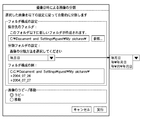
図7は、撮像日時による画像分類を行うための設定画面例を示す図である。操作者は、図7に示すような画面に基づいて分類方法を設定する。図7では、一例として、画像の撮像年月日に従って画像を新たに分類するための設定例が示されている。尚、分類処理においては、例えば、上述した各種撮像情報のうちのいずれかを指定することによって、指定された項目とその内容に一致する付加情報に対応付けられた画像が新たなフォルダ内に分類される。 FIG. 7 is a diagram illustrating an example of a setting screen for performing image classification based on imaging date and time. The operator sets the classification method based on the screen as shown in FIG. In FIG. 7, as an example, a setting example for newly classifying an image according to the image capturing date is shown. In the classification process, for example, by specifying any one of the various types of imaging information described above, the image associated with the specified item and additional information that matches the content is classified into a new folder. Is done.
ステップS501で分類条件が設定された後、画像管理装置では、次いでハードディスク等から分類対象となる画像の分類設定が行われる(ステップS502〜ステップS503)。ステップS503で、分類条件に基づき、対象ファイルが分類後どこのフォルダに分類されるのか記憶する。ここで対象ファイルとは、開始前に選択されているファイルである。また、開始前に選択されていたものがフォルダであった場合、そのフォルダ以下のファイルすべてに適用される。ここで、オプションとしてサブフォルダ以下の画像をすべて対象にするか、選択フォルダ直下のファイルのみを対象にするかの設定を行うようにしてもよい。 After the classification conditions are set in step S501, the image management apparatus then performs classification setting for images to be classified from a hard disk or the like (steps S502 to S503). In step S503, the folder into which the target file is classified after classification is stored based on the classification condition. Here, the target file is a file selected before the start. Also, if the folder selected before the start is a folder, it is applied to all files under that folder. Here, as an option, it may be set whether to target all images under the subfolder or only files directly under the selected folder.
前記ステップで記憶した情報に基づき、ステップS501で設定された分類条件で分類された画像を格納するフォルダ名及びその構成の例が表示される(ステップS504)。このように、分類前に分類後のフォルダフォルダ構成を表示して操作者に知らせることによって、確実に操作者の意図する分類処理を行うことが可能となる。また、この際に、新たなフォルダと既存のフォルダとを異なる表示態様で表示してもよい。例えば、新規フォルダを赤文字で表示し、既存フォルダは青文字で表示する。これにより、操作者に対してより確実に分類された画像を格納する新規フォルダの構成を知らせることが可能となる。また、どのフォルダに対してどのような処理が行われるのかも明確にわかるようになる。 Based on the information stored in the above step, a folder name for storing the image classified under the classification condition set in step S501 and an example of its configuration are displayed (step S504). In this way, by displaying the folder / folder structure after classification before classification and notifying the operator, it is possible to reliably perform the classification process intended by the operator. At this time, the new folder and the existing folder may be displayed in different display modes. For example, a new folder is displayed in red characters, and an existing folder is displayed in blue characters. This makes it possible to notify the operator of the configuration of a new folder that stores images classified more reliably. In addition, it is possible to clearly understand what processing is performed for which folder.
フォルダ構成を確認後、分類条件が気に入らない場合、ステップS505でステップS501に戻り、分類条件の見直しを行うことができる。フォルダ構成が気に入って処理を実行する場合、若しくは処理を実行しない場合の判定はステップS506で行う。フォルダ構成が気に入って分類処理を始めると、ステップS507の分類処理が実行される。ここでの分類は、ステップS503で記憶された情報に基づいて分類処理が行われる。ステップS503で記憶した情報に基づいて処理を行うことにより、再度ファイルを走査して、分類を行わなくて済む。 If the user does not like the classification conditions after confirming the folder structure, the process returns to step S501 in step S505, and the classification conditions can be reviewed. A determination is made in step S506 if the processing is executed with a favorite folder configuration or if the processing is not executed. If the folder configuration is liked and the classification process is started, the classification process in step S507 is executed. The classification here is performed based on the information stored in step S503. By performing processing based on the information stored in step S503, it is not necessary to scan the file again and perform classification.
ステップS503の処理に時間がかかる場合、図13のフローチャートのように、ステップS1301でステップS501と同様に分類条件が設定された場合は、ステップS1302でフォルダの作成例を表示するだけでも良い。図13は、本発明の別の実施形態に係る画像管理装置による撮像情報に基づく画像分類処理の手順を説明するためのフローチャートである。この場合は、図5のフローチャートのステップS504と異なり、分類後のフォルダ構成の結果が表示されないため、ユーザにとって若干不便な感はあるが、すべてのファイルに対して走査を行わないため、処理速度は格段と速くなる。尚、ステップS1303、S1304、S1305は、それぞれ前述した図5のステップS506、S502、S503と同様である。 If the processing in step S503 takes time, as shown in the flowchart of FIG. 13, if the classification condition is set in step S1301 as in step S501, a folder creation example may be displayed in step S1302. FIG. 13 is a flowchart for explaining a procedure of image classification processing based on imaging information by an image management apparatus according to another embodiment of the present invention. In this case, unlike step S504 in the flowchart of FIG. 5, since the result of the folder structure after classification is not displayed, there is a slight inconvenience for the user, but since all the files are not scanned, the processing speed Is much faster. Steps S1303, S1304, and S1305 are the same as steps S506, S502, and S503 in FIG. 5 described above, respectively.
尚、本実施形態では上述したように、ハードディスク207には、それぞれが付加情報と対応付けられた一又は複数の画像を格納したフォルダが階層的に記憶されていてもよい。この場合の分類処理においては、ハードディスク207等に階層的に記憶された所定フォルダ内の一又は複数の画像を新たに分類する、或いは、所定フォルダ内に含まれるさらに下位のフォルダの画像を新たに分類する。 In the present embodiment, as described above, the hard disk 207 may hierarchically store folders storing one or more images each associated with additional information. In the classification process in this case, one or a plurality of images in a predetermined folder stored hierarchically in the hard disk 207 or the like are newly classified, or images of lower-level folders included in the predetermined folder are newly classified. Classify.
そこで、本実施形態に係る画像管理装置には、所定フォルダ内に格納された画像を分類する場合に、カレントフォルダ内に階層的に含まれるすべてのフォルダ内に格納された画像を対象として分類する処理か、カレントフォルダ内に格納された画像のみを対象として分類するかを選択する処理を行うかを選択できるようにしてもよい。また、この際に、いずれの分類処理を選択するのかを、音声メッセージ又は画面表示メッセージによって操作者に対して報知して選択させるようにしてもよい。例えば、ディスプレイ上に「選択されたものにフォルダが含まれています。そのフォルダ以下の画像ファイルにも処理を適用しますか。」というメッセージを報知して、操作者に対していずれかを選択させるようにしてもよい。 Therefore, when classifying images stored in a predetermined folder, the image management apparatus according to the present embodiment classifies images stored in all folders hierarchically included in the current folder. It may be possible to select whether to perform processing or processing to select whether to classify only images stored in the current folder. Further, at this time, which classification process is to be selected may be notified to the operator by a voice message or a screen display message and selected. For example, a message “Selected contains a folder. Do you want to apply processing to image files under the folder?” Is displayed on the display, and the operator selects one of them. You may make it make it.
また、上記分類処理では、データベースに格納された画像を取得するようにしているが、カメラ等の撮像装置から直接画像を取得して、分類後の画像を当該画像が格納されたフォルダとともに所定コンピュータ内に格納するようにしてもよい。 In the classification process, an image stored in a database is acquired. An image is directly acquired from an imaging device such as a camera, and the classified image is displayed together with a folder in which the image is stored in a predetermined computer. You may make it store in.
[お気に入り度等に基づく画像の分類]
次に、お気に入り度等に基づく画像分類処理について説明する。当該処理に先立って、デジタルカメラやビデオカメラ等の撮像装置で撮像されたそれぞれの画像について、操作者等によってお気に入り度が付加されているものとする。ここで、お気に入り度とは、それぞれの画像を操作者の好み等によって複数の段階に区別された情報であって、例えば、最も気に入った画像に対してはレベル3のお気に入り度を付与し、あまり気に入った画像でない場合にはレベル1のお気に入り度を当該画像に付与する。尚、お気に入り度の段階は1〜3だけではなく、1〜10や1〜100等の様々なレベルで区別してもよい。
[Classification of images based on favorites, etc.]
Next, an image classification process based on the favorite degree will be described. Prior to this processing, it is assumed that a favorite degree is added by an operator or the like for each image captured by an imaging apparatus such as a digital camera or a video camera. Here, the favorite degree is information in which each image is classified into a plurality of stages depending on the preference of the operator. For example, a favorite degree of level 3 is assigned to the most favorite image, and so on. If the image is not a favorite image, a level 1 favorite is assigned to the image. Note that the favorite level may be distinguished not only from 1 to 3, but at various levels such as 1 to 10 and 1 to 100.
また、データベース等に記憶されている画像に対して、お気に入り度の他に、キーワード等を付与するようにしてもよい。 In addition to the degree of favorite, a keyword or the like may be assigned to an image stored in a database or the like.
図8は、データベース等に記憶されている画像に対してお気に入り度等を設定するための手順を説明するためのフローチャートである。すなわち、キーボード204等を用いて、操作者がハードディスク207等に格納されている画像に対して、お気に入り度やキーワード等を設定する(ステップS801)。このように設定されたお気に入り度やキーワード等はそれぞれの画像に対応してハードディスク207等に格納される(ステップS802)。 FIG. 8 is a flowchart for explaining a procedure for setting a favorite degree or the like for an image stored in a database or the like. That is, using the keyboard 204 or the like, the operator sets a favorite degree, a keyword, or the like for the image stored in the hard disk 207 or the like (step S801). The degree of favorites and keywords set in this way are stored in the hard disk 207 or the like corresponding to each image (step S802).
尚、設定されたお気に入り度やキーワード等の付加情報は、図6に示すように、画像に付加された撮像日時、カメラ機種名等の撮像情報と併せて管理される。また、これらのお気に入り度やキーワード等の付加情報は、それぞれの画像ファイルに含ませるようにしてもよいが、より高速な分類処理を行うためには、画像ファイルとは別に、それぞれの画像と対応付けた付加情報のみから成るファイルを構成し、ハードディスク207等に格納しておくとよい。 Note that the additional information such as the set favorite degree and the keyword is managed together with the imaging information such as the imaging date and time and the camera model name added to the image, as shown in FIG. In addition, additional information such as the degree of preference and keywords may be included in each image file. However, in order to perform faster classification processing, each image file is associated with each image separately. A file consisting only of the attached additional information may be configured and stored in the hard disk 207 or the like.
本発明の一実施形態に係る画像管理装置によるお気に入り度等に基づく画像分類処理の手順を説明するためのフローチャートは、基本的には図5に示すフローチャートと同じである。また、画像分類処理に先立って、デジタルカメラやビデオカメラ等の撮像装置で撮像された画像が例えば図2に示すハードディスク207に記憶されているものとする。或いは、他装置からネットワークや可搬記憶媒体等を介して、本画像管理装置内のハードディスク等に格納されていてもよい。或いは、ネットワークを介して接続されている他のデータベース等に分類対象となるそれらの画像が記憶されていてもよい。 The flowchart for explaining the procedure of the image classification process based on the favorite degree or the like by the image management apparatus according to the embodiment of the present invention is basically the same as the flowchart shown in FIG. Further, it is assumed that an image captured by an imaging apparatus such as a digital camera or a video camera is stored in, for example, the hard disk 207 illustrated in FIG. 2 prior to the image classification process. Alternatively, it may be stored in a hard disk or the like in the image management apparatus via a network or a portable storage medium from another apparatus. Alternatively, those images to be classified may be stored in another database or the like connected via a network.
すなわち、分類対象となる画像が記憶されている上記データベース等に記憶されている画像のそれぞれに付加されている付加情報(お気に入り度、或いはキーワード)に基づいてどのような分類を行うかを設定する。以下では、お気に入り度に基づいて画像を分類する場合を例にとって説明する。 In other words, the classification is set based on the additional information (favorite degree or keyword) added to each of the images stored in the database or the like in which the images to be classified are stored. . Hereinafter, a case where images are classified based on the degree of favorite will be described as an example.
図9及び図10は、お気に入り度による画像分類を行うための設定画面例を示す図である。操作者は、図9或いは図10に示すような画面に基づいて分類方法を設定する。図9では、一例として、01〜03の3段階に分けて付加されているお気に入り度に基づいて画像を新たに分類するための設定例が示されている。また、図10では、一例として、1つから3つの星印でお気に入り度が示された場合の例について示されている。 9 and 10 are diagrams illustrating examples of setting screens for performing image classification based on the degree of favorite. The operator sets the classification method based on the screen as shown in FIG. In FIG. 9, as an example, a setting example for newly classifying an image based on the favorite degree added in three stages of 01 to 03 is shown. FIG. 10 shows an example where the favorite degree is indicated by one to three stars as an example.
分類方法が設定された後、画像管理装置では、次いでハードディスク等から分類対象となる画像が取り込まれる。尚、取り込まれた画像は、図3に示すようにディスプレイ102上に表示される。次いで、取り込まれた画像に関する付加情報であるお気に入り度が取り出される。
After the classification method is set, the image management apparatus then captures an image to be classified from a hard disk or the like. The captured image is displayed on the
ここで、設定された分類方法で分類された画像を格納するフォルダ名及びその構成の例が表示される。その後、対象となる画像の取り込みと新たなフォルダの表示が終了したか否かが判定され、対象となるすべての画像について終了していないと判定された場合は、残りの画像について上述した処理が行われる。一方、対象となるすべての画像について終了したと判定された場合は、表示された新たなフォルダに分類されたそれぞれの画像を格納する。画像の格納方法としては、元のフォルダにオリジナルの画像を保存したままコピーをする、或いは元のフォルダから新たなフォルダの移動するようにする。尚、画像のコピー或いは移動の処理は、図9或いは図10に示す画面上の切替ボタンで操作者が切り替えて選択できるようにしてもよい。 Here, an example of the name of the folder storing the images classified by the set classification method and the configuration thereof are displayed. Thereafter, it is determined whether the target image has been captured and the display of the new folder has been completed. If it is determined that all target images have not been completed, the processing described above for the remaining images is performed. Done. On the other hand, if it is determined that all the target images have been completed, the respective images classified into the displayed new folder are stored. As an image storage method, the original image is copied while being saved in the original folder, or a new folder is moved from the original folder. The image copying or moving process may be selected by the operator using a switching button on the screen shown in FIG. 9 or FIG.
図11は、画像分類を行うためのキーワードの設定画面例を示す図である。図11に示すように、キーワードを設定する場合には、設定ボタン110をマウス103等でクリックすることにより、設定ダイアログ111を表示させる。本実施形態では、予め複数のキーワードが準備されており、操作者が該当するキーワードのチェックボックスをチェックすることによって設定する。尚、それ以外にも、テキスト等を入力してそれをキーワードとしてもよい。
FIG. 11 is a diagram illustrating an example of a keyword setting screen for performing image classification. As shown in FIG. 11, when setting a keyword, the setting
上述した実施形態では、画像管理装置上において手動でキーワードを付加し、そのキーワード情報を基に分類するケースを記載したが、画像管理装置が持つ顔判別機能や、またそれと同様の機能により、自動的に付加された情報を基に分類を行っても良い。また、顔判別機能については画像管理装置が自前で持つ必要は無く、別ソフトウェアであっても良い。この場合、顔判別機能が画像管理装置と同じデータベースを用いても良いし、顔判別機能独自のデータベースのフォーマットを画像管理装置があらかじめ知識として持っておき、独自のデータベースのフォーマットを解析して、分類を行っても良い。 In the above-described embodiment, a case is described in which keywords are manually added on the image management apparatus and classification is performed based on the keyword information. However, the image management apparatus has a face discrimination function or a similar function to automatically perform the classification. Classification may be performed on the basis of the added information. Further, the image management apparatus does not have to have the face discrimination function by itself, and may be another software. In this case, the same database as the image management device may be used for the face discrimination function, the image management device has the database format unique to the face discrimination function as knowledge beforehand, and the original database format is analyzed, Classification may be performed.
また、前述の顔判別機能とは、顔についてのデータベースを独自で持ち、ファイルを解析した結果、そのデータベース内に該当人物が居た場合、そのファイルにその人物名や、キーワードを付加できる機能である。 The above-mentioned face discrimination function is a function that has its own database of faces and can add a person's name or keyword to the file if there is a person in the database as a result of analyzing the file. is there.
<その他の実施形態>
以上、実施形態例を詳述したが、本発明は、例えば、システム、装置、方法、プログラム若しくは記憶媒体(記録媒体)等としての実施態様をとることが可能であり、具体的には、複数の機器から構成されるシステムに適用しても良いし、また、一つの機器からなる装置に適用しても良い。
<Other embodiments>
Although the embodiments have been described in detail above, the present invention can take embodiments as, for example, a system, an apparatus, a method, a program, or a storage medium (recording medium). The present invention may be applied to a system composed of a single device or an apparatus composed of a single device.
尚、本発明は、前述した実施形態の機能を実現するソフトウェアのプログラム(実施形態では図に示すフローチャートに対応したプログラム)を、システムあるいは装置に直接あるいは遠隔から供給し、そのシステムあるいは装置のコンピュータが該供給されたプログラムコードを読み出して実行することによっても達成される場合を含む。 In the present invention, a software program (in the embodiment, a program corresponding to the flowchart shown in the figure) that realizes the functions of the above-described embodiment is directly or remotely supplied to the system or apparatus, and the computer of the system or apparatus Is also achieved by reading and executing the supplied program code.
従って、本発明の機能処理をコンピュータで実現するために、該コンピュータにインストールされるプログラムコード自体も本発明を実現するものである。つまり、本発明は、本発明の機能処理を実現するためのコンピュータプログラム自体も含まれる。 Accordingly, since the functions of the present invention are implemented by computer, the program code installed in the computer also implements the present invention. In other words, the present invention includes a computer program itself for realizing the functional processing of the present invention.
その場合、プログラムの機能を有していれば、オブジェクトコード、インタプリタにより実行されるプログラム、OSに供給するスクリプトデータ等の形態であっても良い。 In that case, as long as it has the function of a program, it may be in the form of object code, a program executed by an interpreter, script data supplied to the OS, or the like.
プログラムを供給するための記録媒体としては、例えば、フロッピー(登録商標)ディスク、ハードディスク、光ディスク、光磁気ディスク、MO、CD−ROM、CD−R、CD−RW、磁気テープ、不揮発性のメモリカード、ROM、DVD(DVD−ROM,DVD−R)などがある。 As a recording medium for supplying the program, for example, floppy (registered trademark) disk, hard disk, optical disk, magneto-optical disk, MO, CD-ROM, CD-R, CD-RW, magnetic tape, nonvolatile memory card ROM, DVD (DVD-ROM, DVD-R) and the like.
その他、プログラムの供給方法としては、クライアントコンピュータのブラウザを用いてインターネットのホームページに接続し、該ホームページから本発明のコンピュータプログラムそのもの、もしくは圧縮され自動インストール機能を含むファイルをハードディスク等の記録媒体にダウンロードすることによっても供給できる。また、本発明のプログラムを構成するプログラムコードを複数のファイルに分割し、それぞれのファイルを異なるホームページからダウンロードすることによっても実現可能である。つまり、本発明の機能処理をコンピュータで実現するためのプログラムファイルを複数のユーザに対してダウンロードさせるWWWサーバも、本発明に含まれるものである。 As another program supply method, a client computer browser is used to connect to an Internet homepage, and the computer program of the present invention itself or a compressed file including an automatic installation function is downloaded from the homepage to a recording medium such as a hard disk. Can also be supplied. It can also be realized by dividing the program code constituting the program of the present invention into a plurality of files and downloading each file from a different homepage. That is, a WWW server that allows a plurality of users to download a program file for realizing the functional processing of the present invention on a computer is also included in the present invention.
また、本発明のプログラムを暗号化してCD−ROM等の記憶媒体に格納してユーザに配布し、所定の条件をクリアしたユーザに対し、インターネットを介してホームページから暗号化を解く鍵情報をダウンロードさせ、その鍵情報を使用することにより暗号化されたプログラムを実行してコンピュータにインストールさせて実現することも可能である。 In addition, the program of the present invention is encrypted, stored in a storage medium such as a CD-ROM, distributed to users, and key information for decryption is downloaded from a homepage via the Internet to users who have cleared predetermined conditions. It is also possible to execute the encrypted program by using the key information and install the program on a computer.
また、コンピュータが、読み出したプログラムを実行することによって、前述した実施形態の機能が実現される他、そのプログラムの指示に基づき、コンピュータ上で稼動しているOSなどが、実際の処理の一部または全部を行い、その処理によっても前述した実施形態の機能が実現され得る。 In addition to the functions of the above-described embodiments being realized by the computer executing the read program, the OS running on the computer based on the instruction of the program is a part of the actual processing. Alternatively, the functions of the above-described embodiment can be realized by performing all of them and performing the processing.
さらに、記録媒体から読み出されたプログラムが、コンピュータに挿入された機能拡張ボードやコンピュータに接続された機能拡張ユニットに備わるメモリに書き込まれた後、そのプログラムの指示に基づき、その機能拡張ボードや機能拡張ユニットに備わるCPUなどが実際の処理の一部または全部を行い、その処理によっても前述した実施形態の機能が実現される。 Furthermore, after the program read from the recording medium is written in a memory provided in a function expansion board inserted into the computer or a function expansion unit connected to the computer, the function expansion board or The CPU or the like provided in the function expansion unit performs part or all of the actual processing, and the functions of the above-described embodiments are realized by the processing.
Claims (21)
前記記憶手段に記憶された前記複数の画像のうち所定付加情報に対応付けられた画像を新たに分類して格納するための新たなフォルダを作成する作成手段と、
前記記憶手段に記憶された前記画像を所定付加情報に基づいて新たに分類する分類手段と、
前記分類手段によって分類された前記画像を前記作成手段によって作成された前記新たなフォルダに格納する格納手段と
を備えることを特徴とする画像管理装置。 Storage means for storing a plurality of images in association with additional information about each image;
Creating means for creating a new folder for newly classifying and storing images associated with predetermined additional information among the plurality of images stored in the storage means;
Classification means for newly classifying the image stored in the storage means based on predetermined additional information;
An image management apparatus comprising: storage means for storing the images classified by the classification means in the new folder created by the creation means.
前記分類手段が、前記記憶手段に記憶された所定フォルダ内の一又は複数の画像を新たに分類する
ことを特徴とする請求項1に記載の画像管理装置。 The storage means hierarchically stores folders storing one or more images each associated with additional information;
The image management apparatus according to claim 1, wherein the classification unit newly classifies one or a plurality of images in a predetermined folder stored in the storage unit.
前記分類手段が、前記所定レベルのお気に入り度に対応付けられて前記記憶手段に記憶されている画像を新たに分類し、
前記作成手段が、前記お気に入り度についての新たなフォルダを作成する
ことを特徴とする請求項7に記載の画像管理装置。 Among the favorite degrees added as the additional information divided into a plurality of levels by the adding means, further comprising a designation means for designating a predetermined level of favorite degree,
The classification means newly classifies the image stored in the storage means in association with the predetermined level of favorite degree;
The image management apparatus according to claim 7, wherein the creation unit creates a new folder for the favorite degree.
前記分類手段が、前記指定手段によって指定された項目と内容に一致する付加情報に対応付けられた画像を新たに分類する
ことを特徴とする請求項2に記載の画像管理装置。 Further comprising designation means for designating a predetermined item and contents from additional information added by dividing the plurality of items and the contents of the items by the adding means;
The image management apparatus according to claim 2, wherein the classification unit newly classifies an image associated with additional information that matches the item and content designated by the designation unit.
前記記憶装置に記憶された前記複数の画像のうち所定付加情報に対応付けられた画像を新たに分類して格納するための新たなフォルダを作成する作成工程と、
前記記憶装置に記憶された前記画像を所定付加情報に基づいて新たに分類する分類工程と、
前記分類工程によって分類された前記画像を前記作成工程によって作成された前記新たなフォルダに格納する格納工程と
を有することを特徴とする画像管理方法。 A storage step of storing a plurality of images in a storage device in association with additional information about each image;
A creation step of creating a new folder for newly classifying and storing images associated with predetermined additional information among the plurality of images stored in the storage device;
A classification step of newly classifying the image stored in the storage device based on predetermined additional information;
A storage step of storing the images classified in the classification step in the new folder created in the creation step.
Priority Applications (1)
| Application Number | Priority Date | Filing Date | Title |
|---|---|---|---|
| JP2004252905A JP2006072522A (en) | 2004-08-31 | 2004-08-31 | Image management apparatus and image management method |
Applications Claiming Priority (1)
| Application Number | Priority Date | Filing Date | Title |
|---|---|---|---|
| JP2004252905A JP2006072522A (en) | 2004-08-31 | 2004-08-31 | Image management apparatus and image management method |
Publications (1)
| Publication Number | Publication Date |
|---|---|
| JP2006072522A true JP2006072522A (en) | 2006-03-16 |
Family
ID=36153114
Family Applications (1)
| Application Number | Title | Priority Date | Filing Date |
|---|---|---|---|
| JP2004252905A Withdrawn JP2006072522A (en) | 2004-08-31 | 2004-08-31 | Image management apparatus and image management method |
Country Status (1)
| Country | Link |
|---|---|
| JP (1) | JP2006072522A (en) |
Cited By (2)
| Publication number | Priority date | Publication date | Assignee | Title |
|---|---|---|---|---|
| JP2008123495A (en) * | 2006-10-16 | 2008-05-29 | Canon Inc | File management apparatus, file management apparatus control method, and program |
| JP2013541064A (en) * | 2010-08-08 | 2013-11-07 | クアルコム,インコーポレイテッド | Apparatus and method for managing content |
-
2004
- 2004-08-31 JP JP2004252905A patent/JP2006072522A/en not_active Withdrawn
Cited By (4)
| Publication number | Priority date | Publication date | Assignee | Title |
|---|---|---|---|---|
| JP2008123495A (en) * | 2006-10-16 | 2008-05-29 | Canon Inc | File management apparatus, file management apparatus control method, and program |
| JP2013541064A (en) * | 2010-08-08 | 2013-11-07 | クアルコム,インコーポレイテッド | Apparatus and method for managing content |
| KR101536830B1 (en) * | 2010-08-08 | 2015-07-15 | 퀄컴 인코포레이티드 | Apparatus and methods for managing content |
| US9223783B2 (en) | 2010-08-08 | 2015-12-29 | Qualcomm Incorporated | Apparatus and methods for managing content |
Similar Documents
| Publication | Publication Date | Title |
|---|---|---|
| KR100738945B1 (en) | Information management apparatus, information presentation method, image processing apparatus, and image processing method | |
| JP5171386B2 (en) | Content management apparatus, content management method, program, and recording medium | |
| US8078627B2 (en) | File management apparatus, method for controlling file management apparatus, computer program, and storage medium | |
| JP4239090B2 (en) | File management program | |
| US7315848B2 (en) | Web snippets capture, storage and retrieval system and method | |
| RU2417401C2 (en) | Rich drag drop user interface | |
| US7665028B2 (en) | Rich drag drop user interface | |
| US9880709B2 (en) | System and method for creating and displaying previews of content items for electronic works | |
| US7640265B2 (en) | Information processing apparatus and information processing method | |
| US20150082196A1 (en) | Simultaneous editing/accessing of content by collaborator invitation through a web-based or mobile application to a cloud-based collaboration platform | |
| JP4844636B2 (en) | Document management system, document management method, and document management program | |
| US20110131529A1 (en) | Information Processing Apparatus, Information Processing Method, Computer Program, and Information Processing Server | |
| US8379031B2 (en) | Image data management apparatus, image data management method, computer-readable storage medium | |
| JP2012064297A (en) | Content file classification device and content file classification method | |
| JP6771891B2 (en) | Information processing equipment, information processing methods and programs | |
| US7921127B2 (en) | File management apparatus, control method therefor, computer program, and computer-readable storage medium | |
| JP2021068054A (en) | Information processing device and information processing program | |
| JP2013117972A (en) | Content management device, control method of content management device, program, and recording media | |
| JP4455235B2 (en) | Image processing apparatus, image processing apparatus control method, and computer program | |
| JP2006072522A (en) | Image management apparatus and image management method | |
| AU2002246646B2 (en) | Web snippets capture, storage and retrieval system and method | |
| CN114416664A (en) | Information display method, information display device, electronic apparatus, and readable storage medium | |
| JP5617535B2 (en) | Information processing apparatus, information processing apparatus processing method, and program. | |
| JP5587446B2 (en) | Image processing apparatus and control method thereof | |
| US9910838B2 (en) | Alternates of assets |
Legal Events
| Date | Code | Title | Description |
|---|---|---|---|
| A300 | Withdrawal of application because of no request for examination |
Free format text: JAPANESE INTERMEDIATE CODE: A300 Effective date: 20071106 |