CN113093982A - Device and method for accessing common device functions - Google Patents
Device and method for accessing common device functions Download PDFInfo
- Publication number
- CN113093982A CN113093982A CN202110560231.8A CN202110560231A CN113093982A CN 113093982 A CN113093982 A CN 113093982A CN 202110560231 A CN202110560231 A CN 202110560231A CN 113093982 A CN113093982 A CN 113093982A
- Authority
- CN
- China
- Prior art keywords
- user interface
- application
- display
- touch
- input
- Prior art date
- Legal status (The legal status is an assumption and is not a legal conclusion. Google has not performed a legal analysis and makes no representation as to the accuracy of the status listed.)
- Granted
Links
Images






Classifications
-
- G—PHYSICS
- G06—COMPUTING OR CALCULATING; COUNTING
- G06F—ELECTRIC DIGITAL DATA PROCESSING
- G06F3/00—Input arrangements for transferring data to be processed into a form capable of being handled by the computer; Output arrangements for transferring data from processing unit to output unit, e.g. interface arrangements
- G06F3/01—Input arrangements or combined input and output arrangements for interaction between user and computer
- G06F3/048—Interaction techniques based on graphical user interfaces [GUI]
- G06F3/0487—Interaction techniques based on graphical user interfaces [GUI] using specific features provided by the input device, e.g. functions controlled by the rotation of a mouse with dual sensing arrangements, or of the nature of the input device, e.g. tap gestures based on pressure sensed by a digitiser
- G06F3/0488—Interaction techniques based on graphical user interfaces [GUI] using specific features provided by the input device, e.g. functions controlled by the rotation of a mouse with dual sensing arrangements, or of the nature of the input device, e.g. tap gestures based on pressure sensed by a digitiser using a touch-screen or digitiser, e.g. input of commands through traced gestures
-
- G—PHYSICS
- G06—COMPUTING OR CALCULATING; COUNTING
- G06F—ELECTRIC DIGITAL DATA PROCESSING
- G06F1/00—Details not covered by groups G06F3/00 - G06F13/00 and G06F21/00
- G06F1/26—Power supply means, e.g. regulation thereof
- G06F1/32—Means for saving power
- G06F1/3203—Power management, i.e. event-based initiation of a power-saving mode
- G06F1/3206—Monitoring of events, devices or parameters that trigger a change in power modality
- G06F1/3231—Monitoring the presence, absence or movement of users
-
- G—PHYSICS
- G06—COMPUTING OR CALCULATING; COUNTING
- G06F—ELECTRIC DIGITAL DATA PROCESSING
- G06F1/00—Details not covered by groups G06F3/00 - G06F13/00 and G06F21/00
- G06F1/26—Power supply means, e.g. regulation thereof
- G06F1/32—Means for saving power
- G06F1/3203—Power management, i.e. event-based initiation of a power-saving mode
- G06F1/3234—Power saving characterised by the action undertaken
- G06F1/325—Power saving in peripheral device
- G06F1/3265—Power saving in display device
-
- G—PHYSICS
- G06—COMPUTING OR CALCULATING; COUNTING
- G06F—ELECTRIC DIGITAL DATA PROCESSING
- G06F3/00—Input arrangements for transferring data to be processed into a form capable of being handled by the computer; Output arrangements for transferring data from processing unit to output unit, e.g. interface arrangements
- G06F3/01—Input arrangements or combined input and output arrangements for interaction between user and computer
- G06F3/03—Arrangements for converting the position or the displacement of a member into a coded form
- G06F3/041—Digitisers, e.g. for touch screens or touch pads, characterised by the transducing means
- G06F3/0414—Digitisers, e.g. for touch screens or touch pads, characterised by the transducing means using force sensing means to determine a position
-
- G—PHYSICS
- G06—COMPUTING OR CALCULATING; COUNTING
- G06F—ELECTRIC DIGITAL DATA PROCESSING
- G06F3/00—Input arrangements for transferring data to be processed into a form capable of being handled by the computer; Output arrangements for transferring data from processing unit to output unit, e.g. interface arrangements
- G06F3/01—Input arrangements or combined input and output arrangements for interaction between user and computer
- G06F3/048—Interaction techniques based on graphical user interfaces [GUI]
- G06F3/0481—Interaction techniques based on graphical user interfaces [GUI] based on specific properties of the displayed interaction object or a metaphor-based environment, e.g. interaction with desktop elements like windows or icons, or assisted by a cursor's changing behaviour or appearance
- G06F3/0483—Interaction with page-structured environments, e.g. book metaphor
-
- G—PHYSICS
- G06—COMPUTING OR CALCULATING; COUNTING
- G06F—ELECTRIC DIGITAL DATA PROCESSING
- G06F3/00—Input arrangements for transferring data to be processed into a form capable of being handled by the computer; Output arrangements for transferring data from processing unit to output unit, e.g. interface arrangements
- G06F3/01—Input arrangements or combined input and output arrangements for interaction between user and computer
- G06F3/048—Interaction techniques based on graphical user interfaces [GUI]
- G06F3/0484—Interaction techniques based on graphical user interfaces [GUI] for the control of specific functions or operations, e.g. selecting or manipulating an object, an image or a displayed text element, setting a parameter value or selecting a range
-
- G—PHYSICS
- G06—COMPUTING OR CALCULATING; COUNTING
- G06F—ELECTRIC DIGITAL DATA PROCESSING
- G06F3/00—Input arrangements for transferring data to be processed into a form capable of being handled by the computer; Output arrangements for transferring data from processing unit to output unit, e.g. interface arrangements
- G06F3/01—Input arrangements or combined input and output arrangements for interaction between user and computer
- G06F3/048—Interaction techniques based on graphical user interfaces [GUI]
- G06F3/0487—Interaction techniques based on graphical user interfaces [GUI] using specific features provided by the input device, e.g. functions controlled by the rotation of a mouse with dual sensing arrangements, or of the nature of the input device, e.g. tap gestures based on pressure sensed by a digitiser
- G06F3/0488—Interaction techniques based on graphical user interfaces [GUI] using specific features provided by the input device, e.g. functions controlled by the rotation of a mouse with dual sensing arrangements, or of the nature of the input device, e.g. tap gestures based on pressure sensed by a digitiser using a touch-screen or digitiser, e.g. input of commands through traced gestures
- G06F3/04883—Interaction techniques based on graphical user interfaces [GUI] using specific features provided by the input device, e.g. functions controlled by the rotation of a mouse with dual sensing arrangements, or of the nature of the input device, e.g. tap gestures based on pressure sensed by a digitiser using a touch-screen or digitiser, e.g. input of commands through traced gestures for inputting data by handwriting, e.g. gesture or text
-
- G—PHYSICS
- G06—COMPUTING OR CALCULATING; COUNTING
- G06F—ELECTRIC DIGITAL DATA PROCESSING
- G06F3/00—Input arrangements for transferring data to be processed into a form capable of being handled by the computer; Output arrangements for transferring data from processing unit to output unit, e.g. interface arrangements
- G06F3/01—Input arrangements or combined input and output arrangements for interaction between user and computer
- G06F3/048—Interaction techniques based on graphical user interfaces [GUI]
- G06F3/0487—Interaction techniques based on graphical user interfaces [GUI] using specific features provided by the input device, e.g. functions controlled by the rotation of a mouse with dual sensing arrangements, or of the nature of the input device, e.g. tap gestures based on pressure sensed by a digitiser
- G06F3/0488—Interaction techniques based on graphical user interfaces [GUI] using specific features provided by the input device, e.g. functions controlled by the rotation of a mouse with dual sensing arrangements, or of the nature of the input device, e.g. tap gestures based on pressure sensed by a digitiser using a touch-screen or digitiser, e.g. input of commands through traced gestures
- G06F3/04886—Interaction techniques based on graphical user interfaces [GUI] using specific features provided by the input device, e.g. functions controlled by the rotation of a mouse with dual sensing arrangements, or of the nature of the input device, e.g. tap gestures based on pressure sensed by a digitiser using a touch-screen or digitiser, e.g. input of commands through traced gestures by partitioning the display area of the touch-screen or the surface of the digitising tablet into independently controllable areas, e.g. virtual keyboards or menus
-
- H—ELECTRICITY
- H04—ELECTRIC COMMUNICATION TECHNIQUE
- H04L—TRANSMISSION OF DIGITAL INFORMATION, e.g. TELEGRAPHIC COMMUNICATION
- H04L12/00—Data switching networks
- H04L12/28—Data switching networks characterised by path configuration, e.g. LAN [Local Area Networks] or WAN [Wide Area Networks]
-
- H—ELECTRICITY
- H04—ELECTRIC COMMUNICATION TECHNIQUE
- H04M—TELEPHONIC COMMUNICATION
- H04M1/00—Substation equipment, e.g. for use by subscribers
- H04M1/66—Substation equipment, e.g. for use by subscribers with means for preventing unauthorised or fraudulent calling
- H04M1/667—Preventing unauthorised calls from a telephone set
- H04M1/67—Preventing unauthorised calls from a telephone set by electronic means
-
- H—ELECTRICITY
- H04—ELECTRIC COMMUNICATION TECHNIQUE
- H04M—TELEPHONIC COMMUNICATION
- H04M1/00—Substation equipment, e.g. for use by subscribers
- H04M1/72—Mobile telephones; Cordless telephones, i.e. devices for establishing wireless links to base stations without route selection
- H04M1/724—User interfaces specially adapted for cordless or mobile telephones
- H04M1/72403—User interfaces specially adapted for cordless or mobile telephones with means for local support of applications that increase the functionality
-
- G—PHYSICS
- G05—CONTROLLING; REGULATING
- G05B—CONTROL OR REGULATING SYSTEMS IN GENERAL; FUNCTIONAL ELEMENTS OF SUCH SYSTEMS; MONITORING OR TESTING ARRANGEMENTS FOR SUCH SYSTEMS OR ELEMENTS
- G05B2219/00—Program-control systems
- G05B2219/20—Pc systems
- G05B2219/26—Pc applications
- G05B2219/2642—Domotique, domestic, home control, automation, smart house
-
- G—PHYSICS
- G06—COMPUTING OR CALCULATING; COUNTING
- G06F—ELECTRIC DIGITAL DATA PROCESSING
- G06F21/00—Security arrangements for protecting computers, components thereof, programs or data against unauthorised activity
- G06F21/70—Protecting specific internal or peripheral components, in which the protection of a component leads to protection of the entire computer
- G06F21/71—Protecting specific internal or peripheral components, in which the protection of a component leads to protection of the entire computer to assure secure computing or processing of information
- G06F21/74—Protecting specific internal or peripheral components, in which the protection of a component leads to protection of the entire computer to assure secure computing or processing of information operating in dual or compartmented mode, i.e. at least one secure mode
-
- G—PHYSICS
- G06—COMPUTING OR CALCULATING; COUNTING
- G06F—ELECTRIC DIGITAL DATA PROCESSING
- G06F2203/00—Indexing scheme relating to G06F3/00 - G06F3/048
- G06F2203/048—Indexing scheme relating to G06F3/048
- G06F2203/04803—Split screen, i.e. subdividing the display area or the window area into separate subareas
-
- Y—GENERAL TAGGING OF NEW TECHNOLOGICAL DEVELOPMENTS; GENERAL TAGGING OF CROSS-SECTIONAL TECHNOLOGIES SPANNING OVER SEVERAL SECTIONS OF THE IPC; TECHNICAL SUBJECTS COVERED BY FORMER USPC CROSS-REFERENCE ART COLLECTIONS [XRACs] AND DIGESTS
- Y02—TECHNOLOGIES OR APPLICATIONS FOR MITIGATION OR ADAPTATION AGAINST CLIMATE CHANGE
- Y02D—CLIMATE CHANGE MITIGATION TECHNOLOGIES IN INFORMATION AND COMMUNICATION TECHNOLOGIES [ICT], I.E. INFORMATION AND COMMUNICATION TECHNOLOGIES AIMING AT THE REDUCTION OF THEIR OWN ENERGY USE
- Y02D10/00—Energy efficient computing, e.g. low power processors, power management or thermal management
-
- Y—GENERAL TAGGING OF NEW TECHNOLOGICAL DEVELOPMENTS; GENERAL TAGGING OF CROSS-SECTIONAL TECHNOLOGIES SPANNING OVER SEVERAL SECTIONS OF THE IPC; TECHNICAL SUBJECTS COVERED BY FORMER USPC CROSS-REFERENCE ART COLLECTIONS [XRACs] AND DIGESTS
- Y02—TECHNOLOGIES OR APPLICATIONS FOR MITIGATION OR ADAPTATION AGAINST CLIMATE CHANGE
- Y02D—CLIMATE CHANGE MITIGATION TECHNOLOGIES IN INFORMATION AND COMMUNICATION TECHNOLOGIES [ICT], I.E. INFORMATION AND COMMUNICATION TECHNOLOGIES AIMING AT THE REDUCTION OF THEIR OWN ENERGY USE
- Y02D30/00—Reducing energy consumption in communication networks
- Y02D30/50—Reducing energy consumption in communication networks in wire-line communication networks, e.g. low power modes or reduced link rate
Landscapes
- Engineering & Computer Science (AREA)
- Theoretical Computer Science (AREA)
- General Engineering & Computer Science (AREA)
- Physics & Mathematics (AREA)
- General Physics & Mathematics (AREA)
- Human Computer Interaction (AREA)
- Signal Processing (AREA)
- Computer Security & Cryptography (AREA)
- Computer Networks & Wireless Communication (AREA)
- User Interface Of Digital Computer (AREA)
- Computer Hardware Design (AREA)
- Mathematical Physics (AREA)
- Software Systems (AREA)
- Information Retrieval, Db Structures And Fs Structures Therefor (AREA)
- Telephone Function (AREA)
- Pharmaceuticals Containing Other Organic And Inorganic Compounds (AREA)
Abstract
The invention aims to: "apparatus and method for accessing common device functions". An electronic device displays a first user interface including a plurality of application icons corresponding to different ones of a plurality of applications installed on the device. The device detects a first input on the touch-sensitive surface at a location corresponding to a first application icon of the plurality of application icons, the first application icon corresponding to a first application of the plurality of applications. In response to detecting a first input, the device displays a first mini-application object or a preview of the first mini-application object in an overlap region, wherein the first mini-application object corresponds to a first application of the plurality of applications; and the overlap region includes an affordance for adding the first mini-application object to a second user interface displaying a plurality of mini-application objects. The device detects a second input on the touch-sensitive surface at a location corresponding to the affordance for adding the first mini-application object to the second user interface. In response to detecting a second input, the device adds the first mini-application object to the second user interface displaying the plurality of mini-application objects.
Description
The application is a divisional application of Chinese patent application with application date of 2017, 05 and 24, national application number of 201710383083.0 and invention name of 'equipment and method for accessing functions of common equipment'.
Technical Field
The present disclosure relates generally to electronic devices with touch-sensitive surfaces, including but not limited to electronic devices with touch-sensitive surfaces that include multiple user interfaces for accessing common device functions.
Background
In recent years, the use of touch sensitive surfaces as input devices for computers and other electronic computing devices has increased dramatically. Exemplary touch sensitive surfaces include touch pads and touch screen displays. Such surfaces are widely used for manipulating user interface objects on a display.
Exemplary manipulations include accessing controls for controlling device functions and remote device functions. However, the methods for performing these manipulations are cumbersome and inefficient. As the field of use of remote devices expands, accessing particular controls and functionality becomes more time consuming. For example, it is time consuming for a user to enter an input sequence to access a control through a drop-down menu, especially if the user does not know the location of the desired control in advance. Navigating between applications to access device functionality is also time consuming.
Disclosure of Invention
Accordingly, there is a need for electronic devices having faster, more efficient methods and interfaces for accessing common device functions. Such methods and interfaces optionally complement or replace conventional methods for accessing common device functions. Such methods and interfaces reduce the cognitive burden placed on the user and result in a more efficient human-machine interface. For battery-driven devices, such methods and interfaces may conserve power and increase the time between battery charges.
The above-described deficiencies and other problems associated with user interfaces for electronic devices having touch-sensitive surfaces may be reduced or eliminated with the disclosed devices. In some embodiments, the device is a desktop computer. In some embodiments, the device is portable (e.g., a laptop, tablet, or handheld device). In some embodiments, the device has a touchpad. In some implementations, the device has a touch-sensitive display (also referred to as a "touch screen" or "touch screen display"). In some embodiments, the device has a Graphical User Interface (GUI), one or more processors, memory, and one or more modules, programs, or sets of instructions stored in the memory for performing a variety of functions. In some embodiments, the user interacts with the GUI on the touch-sensitive surface primarily through stylus and/or finger contacts and gestures. In some embodiments, these functions optionally include image editing, drawing, rendering, word processing, website creation, disc editing, spreadsheet making, game playing, telephone answering, video conferencing, emailing, instant messaging, fitness support, digital photography, digital video recording, web browsing, digital music playing, and/or digital video playing. Executable instructions for performing these functions are optionally included in a non-transitory computer-readable storage medium or other computer program product configured for execution by one or more processors.
In accordance with some embodiments, a method is performed at an electronic device with a display and a touch-sensitive surface. The method comprises the following steps: detecting a first input while the device is in a display off state; and in response to detecting the first input: activating a display of the device and displaying a first user interface on the display corresponding to a display on state of the device; while displaying a first user interface corresponding to a display on state of a device, detecting a swipe gesture on a touch-sensitive surface; and in response to detecting the swipe gesture on the touch-sensitive surface: in accordance with a determination that the device is in a locked mode with the display on state and that the swipe gesture is in the first direction, replacing display of the first user interface with display of a second user interface, the second user interface displaying the first content; in accordance with a determination that the device is in an unlocked mode with the display open state and the swipe gesture is in the first direction, replacing display of the first user interface with display of a second user interface that displays the first content and the first additional content, the first additional content not being displayed when the device is in a locked mode with the display open state.
In accordance with some embodiments, a method is performed at an electronic device with a display and a touch-sensitive surface. The method comprises the following steps: detecting a first input to activate a display of a device while the device is in a display off state; in response to detecting the first input: activating a display of the device and displaying a first user interface on the display corresponding to a display on state of the device; while displaying a first user interface corresponding to a display on state of a device, detecting a swipe gesture on a touch-sensitive surface; and in response to detecting the swipe gesture: in accordance with a determination that the swipe gesture is in the first direction, replace display of the first user interface with display of the camera application user interface; in accordance with a determination that the swipe gesture is in a second direction different from the first direction, replace display of the first user interface with display of a mini-application object user interface configured to include a plurality of mini-application objects, wherein respective ones of the plurality of mini-application objects have corresponding applications stored in the device; in accordance with a determination that the swipe gesture is in a third direction different from the first direction and the second direction, displaying a first page of a multi-page control panel user interface; and in accordance with a determination that the swipe gesture is in a fourth direction different from the first direction, the second direction, and the third direction, displaying a notification user interface configured to display a plurality of notifications.
In accordance with some embodiments, a method is performed at an electronic device with a display and a touch-sensitive surface. The method comprises the following steps: displaying a first user interface including a plurality of application icons corresponding to different ones of a plurality of applications installed on a device; detecting a first input on the touch-sensitive surface at a location corresponding to a first application icon of the plurality of application icons, the first application icon corresponding to a first application of the plurality of applications; in response to detecting the first input, displaying the first mini-application object or a preview of the first mini-application object in the coverage area, wherein: the first mini-application object corresponds to a first application of the plurality of applications; and the overlay area includes an affordance for adding the first mini-application object to a second user interface displaying a plurality of mini-application objects; detecting a second input on the touch-sensitive surface at a location corresponding to an affordance for adding the first mini-application object to the second user interface; and in response to detecting the second input, add the first mini-application object to a second user interface displaying a plurality of mini-application objects.
In accordance with some embodiments, a method is performed at an electronic device with a display and a touch-sensitive surface. The method comprises the following steps: while displaying the initial user interface on the display, detecting a first gesture on the touch-sensitive surface; in response to detecting the first gesture, displaying a first page of a multi-page control panel on the display, wherein the first page of the multi-page control panel includes a plurality of device control affordances; while displaying the first page of the multi-page control panel, detecting a second gesture on the touch-sensitive surface; and in response to detecting the second gesture, displaying a second page of the multi-page control panel, wherein: a second page of the multi-page control panel includes a plurality of content playback control affordances; and the second page of the multi-page control panel replaces the first page of the multi-page control panel on the display.
In accordance with some embodiments, an electronic device includes a display unit configured to display a user interface, a touch-sensitive surface unit configured to detect contacts, and a processing unit coupled with the display unit and the touch-sensitive surface unit. The processing unit is configured to: a first input is detected while the device is in a display off state. In response to detecting the first input, the processing unit is configured to: a display unit of the device is activated and display of a first user interface corresponding to a display on state of the device is enabled on the display unit. While displaying the first user interface corresponding to a display on state of the device, the processing unit is configured to detect a swipe gesture on the touch-sensitive surface unit. In response to detecting the swipe gesture on the touch-sensitive surface unit, the processing unit is configured to: in accordance with a determination that the device is in a locked mode with the display on state and that the swipe gesture is in the first direction, replacing display of the first user interface with display of a second user interface, the second user interface displaying the first content; and in accordance with a determination that the device is in an unlocked mode with the display open and the swipe gesture is in the first direction, replacing display of the first user interface with display of a second user interface, the second user interface displaying the first content and the first additional content, the first additional content not being displayed when the device is in a locked mode with the display open.
In accordance with some embodiments, an electronic device includes a display unit configured to display a user interface, a touch-sensitive surface unit configured to detect contacts, and a processing unit coupled with the display unit and the touch-sensitive surface unit. The processing unit is configured to: a first input is detected to activate a display unit of the device while the device is in a display off state. In response to detecting the first input, the processing unit is configured to: the display of the device is activated and display of a first user interface corresponding to a display on state of the device is enabled on the display unit. While displaying the first user interface corresponding to a display on state of the device, the processing unit is configured to detect a swipe gesture on the touch-sensitive surface unit. In response to detecting the swipe gesture, the processing unit is configured to: in accordance with a determination that the swipe gesture is in the first direction, replace display of the first user interface with display of the camera application user interface; in accordance with a determination that the swipe gesture is in a second direction different from the first direction, replace display of the first user interface with display of a mini-application object user interface configured to include a plurality of mini-application objects, wherein respective ones of the plurality of mini-application objects have corresponding applications stored in the device; in accordance with a determination that the swipe gesture is in a third direction that is different from the first direction and the second direction, enabling display of a first page of a multi-page control panel user interface; and in accordance with a determination that the swipe gesture is in a fourth direction different from the first direction, the second direction, and the third direction, enable display of a notification user interface configured to display a plurality of notifications.
According to some embodiments, an electronic device comprises: a display unit configured to display a first user interface including a plurality of application icons corresponding to different applications of a plurality of applications installed on a device; a touch-sensitive surface unit configured to detect a contact; and a processing unit coupled with the display unit and the touch-sensitive surface unit. The processing unit is configured to: a first input is detected at a location on the touch-sensitive surface unit that corresponds to a first application icon of the plurality of application icons that corresponds to a first application of the plurality of applications. In response to detecting the first input, the processing unit is configured to enable display of a first mini-application object or a preview of the first mini-application object in the coverage area, wherein the first mini-application object corresponds to a first application of the plurality of applications; and the overlay area includes an affordance for adding the first mini-application object to a second user interface displaying a plurality of mini-application objects. The processing unit is further configured to detect a second input on the touch-sensitive surface unit at a location corresponding to the affordance for adding the first mini-application object to the second user interface. In response to detecting the second input, the processing unit is configured to add the first mini-application object to a second user interface displaying a plurality of mini-application objects.
In accordance with some embodiments, an electronic device includes a display unit configured to display a user interface, a touch-sensitive surface unit configured to detect contacts, and a processing unit coupled with the display unit and the touch-sensitive surface unit. The processing unit is configured to: while displaying the initial user interface on the display unit, a first gesture on the touch-sensitive surface unit is detected. In response to detecting the first gesture, the processing unit is configured to enable display of a first page of a multi-page control panel on the display unit, wherein the first page of the multi-page control panel includes a plurality of device control affordances. While displaying the first page of the multi-page control panel, the processing unit is configured to detect a second gesture on the touch-sensitive surface unit. In response to detecting the second gesture, the processing unit is configured to enable display of a second page of the multi-page control panel, wherein the second page of the multi-page control panel includes the plurality of content playback control affordances and the second page of the multi-page control panel replaces the first page of the multi-page control panel on the display unit.
In accordance with some embodiments, an electronic device includes a display, a touch-sensitive surface, optionally one or more sensors to detect intensity of contacts with the touch-sensitive surface, one or more processors, memory, and one or more programs; the one or more programs are stored in the memory and configured to be executed by the one or more processors and the one or more programs include instructions for performing, or causing the performance of, the operations of any of the methods described herein. According to some embodiments, a computer-readable storage medium has stored therein instructions, which when executed by an electronic device with a display, a touch-sensitive surface, and optionally one or more sensors to detect intensity of contacts with the touch-sensitive surface, cause the device to perform or cause performance of the operations of any of the methods described herein. According to some embodiments, a graphical user interface on an electronic device with a display, a touch-sensitive surface, optionally one or more sensors to detect intensity of contacts with the touch-sensitive surface, a memory, and one or more processors to execute one or more programs stored in the memory includes one or more of the elements displayed in any of the methods described above, the one or more elements updated in response to an input, as described in any of the methods described herein. According to some embodiments, an electronic device comprises: a display, a touch-sensitive surface, and optionally one or more sensors for detecting intensity of contacts with the touch-sensitive surface; and means for performing, or causing performance of, the operations of any of the methods described herein. In accordance with some embodiments, an information processing apparatus for use in an electronic device with a display, a touch-sensitive surface, and optionally one or more sensors to detect intensity of contacts with the touch-sensitive surface includes means for performing, or causing performance of, operations of any of the methods described herein.
Accordingly, electronic devices having a display, a touch-sensitive surface, and optionally one or more sensors for detecting intensity of contacts with the touch-sensitive surface are provided with faster, more efficient methods and interfaces for accessing common device functions, thereby increasing the effectiveness, efficiency, and user satisfaction of such devices. Such methods and interfaces may complement or replace conventional methods for accessing common device functions.
Drawings
For a better understanding of the various described embodiments, reference should be made to the following detailed description taken in conjunction with the following drawings, wherein like reference numerals designate corresponding parts throughout the figures.
FIG. 1A is a block diagram illustrating a portable multifunction device with a touch-sensitive display in accordance with some embodiments.
Fig. 1B is a block diagram illustrating exemplary components for event processing, according to some embodiments.
Figure 2 illustrates a portable multifunction device with a touch screen in accordance with some embodiments.
Fig. 3 is a block diagram of an exemplary multifunction device with a display and a touch-sensitive surface in accordance with some embodiments.
Figure 4A illustrates an exemplary user interface of an application menu on a portable multifunction device according to some embodiments.
FIG. 4B illustrates an exemplary user interface of a multifunction device with a touch-sensitive surface separate from a display in accordance with some embodiments.
Fig. 4C-4E illustrate exemplary dynamic intensity thresholds according to some embodiments.
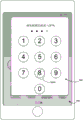
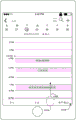
Fig. 5A-5 BJ illustrate exemplary user interfaces for accessing common device functions, according to some embodiments.
Fig. 6A-6E are flow diagrams illustrating a method of accessing a control from a user interface opened from a display, according to some embodiments.
Fig. 7A-7E are flow diagrams illustrating a method of accessing a control from a user interface opened from a display, according to some embodiments.
8A-8C are flow diagrams illustrating a method of adding a mini-application object to a mini-application user interface, according to some embodiments.
Fig. 9A-9E are flow diagrams illustrating methods of navigating a control using a multi-page control panel, according to some embodiments.
Fig. 10-13 are functional block diagrams of electronic devices according to some embodiments.
Detailed Description
Many electronic devices provide various interfaces for accessing application features and modifying device settings. Such interfaces may require a user to activate the device, provide authentication information, and/or drill down through multiple menus to access desired application features or device settings. The methods described herein provide an interface for accessing common device functions, such as application features and device settings. Such interfaces reduce the number of inputs required to access such features, which reduces power usage and extends the battery life of the device by enabling a user to use the device faster and more efficiently.
Fig. 1A-1B, 2, and 3 below provide descriptions of exemplary devices. Fig. 4A-4B and 5A-5 BJ illustrate exemplary user interfaces for providing haptic feedback. Fig. 6A-6E illustrate a flow diagram of a method of accessing a control from a user interface opened from a display, according to some embodiments. Fig. 7A-7E illustrate a flow diagram of a method of accessing a control from a user interface opened from a display, according to some embodiments. Fig. 8A-8C illustrate a flow diagram of a method of adding a mini-application object to a mini-application user interface, according to some embodiments. Fig. 9A-9E illustrate a flow diagram of a method of navigating a control using a multi-page control panel, according to some embodiments. The user interfaces in fig. 5A to 5BJ are for illustrating the processes in fig. 6A to 6E, 7A to 7E, 8A to 8C, and 9A to 9E.
Exemplary device
Reference will now be made in detail to the embodiments, examples of which are illustrated in the accompanying drawings. In the following detailed description, numerous specific details are set forth in order to provide a thorough understanding of various described embodiments. It will be apparent, however, to one skilled in the art that the various described embodiments may be practiced without these specific details. In other instances, well-known methods, procedures, components, circuits, and networks have not been described in detail as not to unnecessarily obscure aspects of the embodiments.
It will also be understood that, although the terms first, second, etc. may be used herein to describe various elements in some cases, these elements should not be limited by these terms. These terms are only used to distinguish one element from another. For example, a first contact can be termed a second contact, and, similarly, a second contact can be termed a first contact, without departing from the scope of the various described embodiments. The first contact and the second contact are both contacts, but they are not the same contact unless the context clearly indicates otherwise.
The terminology used in the description of the various described embodiments herein is for the purpose of describing particular embodiments only and is not intended to be limiting. As used in the description of the various described embodiments and the appended claims, the singular forms "a," "an," and "the" are intended to include the plural forms as well, unless the context clearly indicates otherwise. It will also be understood that the term "and/or" as used herein refers to and encompasses any and all possible combinations of one or more of the associated listed items. It will be further understood that the terms "comprises," "comprising," "includes," and/or "including," when used in this specification, specify the presence of stated features, integers, steps, operations, elements, and/or components, but do not preclude the presence or addition of one or more other features, integers, steps, operations, elements, components, and/or groups thereof.
As used herein, the term "if" is optionally to be interpreted to mean "when … …" ("where" or "upon") or "in response to a determination" or "in response to a detection", depending on the context. Similarly, the phrase "if determined … …" or "if [ stated condition or event ] is detected" is optionally to be construed to mean "upon determination … …" or "in response to determination … …" or "upon detection of [ stated condition or event ] or" in response to detection of [ stated condition or event ] ", depending on the context.
Embodiments of electronic devices, user interfaces for such devices, and associated processes for using such devices are described herein. In some embodiments, the device is a portable communication device, such as a mobile phone, that also contains other functionality, such as PDA and/or music player functionality. Exemplary embodiments of portable multifunction devices include, but are not limited to, those from Apple Inc iPod
iPod And
And an apparatus. Other portable electronic devices are optionally used, such as laptops or tablets with touch-sensitive surfaces (e.g., touch screen displays and/or touch pads). It should also be understood that in some embodiments, the device is not a portable communication device, but is a desktop computer with a touch-sensitive surface (e.g., a touch screen display and/or touchpad).
In the following discussion, an electronic device including a display and a touch-sensitive surface is described. However, it should be understood that the electronic device optionally includes one or more other physical user interface devices, such as a physical keyboard, mouse, and/or joystick.
The device typically supports various applications, such as one or more of the following: a notepad application, a drawing application, a rendering application, a word processing application, a website creation application, a disc editing application, a spreadsheet application, a gaming application, a telephone application, a video conferencing application, an email application, an instant messaging application, a fitness support application, a photo management application, a digital camera application, a digital video camera application, a web browsing application, a digital music player application, and/or a digital video player application.
Various applications executing on the device optionally use at least one common physical user interface device, such as a touch-sensitive surface. One or more functions of the touch-sensitive surface and corresponding information displayed on the device are optionally adjusted and/or varied from application to application and/or within respective applications. In this way, a common physical architecture of the device (such as a touch-sensitive surface) optionally supports various applications with a user interface that is intuitive and clear to the user.
Attention is now directed to embodiments of portable devices having touch sensitive displays. FIG. 1A is a block diagram illustrating a portable multifunction device 100 with a touch-sensitive display system 112 in accordance with some embodiments. Touch-sensitive display system 112 is sometimes referred to as a "touch screen" for convenience, and is sometimes simply referred to as a touch-sensitive display. Device 100 includes memory 102 (which optionally includes one or more computer-readable storage media), a memory controller 122, one or more processing units (CPUs) 120, a peripheral interface 118, RF circuitry 108, audio circuitry 110, speaker 111, microphone 113, an input/output (I/O) subsystem 106, other input or control devices 116, and an external port 124. The device 100 optionally includes one or more optical sensors 164. Device 100 optionally includes one or more intensity sensors 165 for detecting the intensity of contacts on device 100 (e.g., a touch-sensitive surface, such as touch-sensitive display system 112 of device 100). Device 100 optionally includes one or more tactile output generators 167 for generating tactile outputs on device 100 (e.g., on a touch-sensitive surface, such as touch-sensitive display system 112 of device 100 or trackpad 355 of device 300). These components optionally communicate over one or more communication buses or signal lines 103.
As used in this specification and claims, the term "haptic output" refers to a physical displacement of a device relative to a previous position of the device, a physical displacement of a component of the device (e.g., a touch-sensitive surface) relative to another component of the device (e.g., a housing), or a displacement of a component relative to a center of mass of the device that is to be detected by a user with the user's sense of touch. For example, where a device or device component is in contact with a surface of a user that is sensitive to touch (e.g., a finger, palm, or other portion of a user's hand), the tactile output generated by the physical displacement will be interpreted by the user as a tactile sensation corresponding to a perceived change in a physical characteristic of the device or device component. For example, movement of a touch-sensitive surface (e.g., a touch-sensitive display or a trackpad) is optionally interpreted by a user as a "down click" or an "up click" of a physical actuation button. In some cases, the user will feel a tactile sensation, such as a "press click" or "release click," even when the physical actuation button associated with the touch-sensitive surface that is physically pressed (e.g., displaced) by the user's movement is not moving. As another example, even when there is no change in the smoothness of the touch-sensitive surface, the movement of the touch-sensitive surface is optionally interpreted or perceived by the user as "roughness" of the touch-sensitive surface. While such interpretation of touches by a user will be limited by the user's individualized sensory perception, sensory perception of many touches is common to most users. Thus, when a haptic output is described as corresponding to a particular sensory perception of a user (e.g., "up click," "down click," "roughness"), unless otherwise stated, the generated haptic output corresponds to a physical displacement of the device or a component thereof that would generate the sensory perception of a typical (or ordinary) user.
It should be understood that device 100 is only one example of a portable multifunction device, and that device 100 optionally has more or fewer components than shown, optionally combines two or more components, or optionally has a different configuration or arrangement of these components. The various components shown in fig. 1A are implemented in hardware, software, firmware, or any combination thereof, including one or more signal processing and/or application specific integrated circuits.
The memory 102 optionally includes high-speed random access memory, and also optionally includes non-volatile memory, such as one or more magnetic disk storage devices, flash memory devices, or other non-volatile solid-state memory devices. Access to memory 102 by other components of device 100, such as one or more CPUs 120 and peripheral interface 118, is optionally controlled by a memory controller 122.
In some embodiments, peripherals interface 118, one or more CPUs 120, and memory controller 122 are optionally implemented on a single chip, such as chip 104. In some other embodiments, they are optionally implemented on separate chips.
RF (radio frequency) circuitry 108 receives and transmits RF signals, also called electromagnetic signals. The Rf circuit 108 converts an electric signal into/from an electromagnetic signal, and communicates with a communication network and other communication apparatuses via the electromagnetic signal. RF circuitry 108 optionally includes well-known circuitry for performing these functions, including but not limited to an antenna system, an RF transceiver, one or more amplifiers, a tuner, one or more oscillators, a digital signal processor, a codec chipset, a Subscriber Identity Module (SIM) card, memory, and so forth. RF circuitry 108 optionally communicates with networks, such as the internet (also known as the World Wide Web (WWW)), intranets, and/or wireless networks, such as cellular telephone networks, wireless Local Area Networks (LANs), and/or Metropolitan Area Networks (MANs), as well as other devices via wireless communications. The wireless communication optionally uses any of a number of communication standards, protocols, and technologies, including, but not limited to, global system for mobile communications (GSM), Enhanced Data GSM Environment (EDGE), High Speed Downlink Packet Access (HSDPA), High Speed Uplink Packet Access (HSUPA), evolution, data only (EV-DO), HSPA +, dual cell HSPA (DC-HSPDA), Long Term Evolution (LTE), Near Field Communication (NFC), wideband code division multiple access (W-CDMA), Code Division Multiple Access (CDMA), Time Division Multiple Access (TDMA), bluetooth, wireless fidelity (Wi-Fi) (e.g., IEEE 802.11a, IEEE 802.11ac, IEEE 802.11ax, IEEE 802.11b, IEEE 802.11g, and/or IEEE 802.11n), voice over internet protocol (VoIP), Wi-MAX, email protocols (e.g., Internet Message Access Protocol (IMAP), and/or Post Office Protocol (POP))), Instant messaging (e.g., extensible Messaging presence protocol (XMPP), Session initiation protocol for instant messaging and presence with extensions (SIMPLE), Instant Messaging and Presence Service (IMPS)), and/or Short Message Service (SMS), or any other suitable communication protocol, including communication protocols not yet developed by the filing date of this document.
Audio circuitry 110, speaker 111, and microphone 113 provide an audio interface between a user and device 100. The audio circuitry 110 receives audio data from the peripheral interface 118, converts the audio data to electrical signals, and transmits the electrical signals to the speaker 111. The speaker 111 converts the electrical signals into human audible sound waves. The audio circuit 110 also receives electrical signals converted from sound waves through the microphone 113. The audio circuit 110 converts the electrical signals to audio data and transmits the audio data to the peripheral interface 118 for processing. Audio data is optionally retrieved from and/or transmitted to memory 102 and/or RF circuitry 108 by peripheral interface 118. In some embodiments, the audio circuit 110 also includes a headset jack (e.g., 212 in fig. 2). The headset jack provides an interface between the audio circuitry 110 and a removable audio input/output peripheral, such as an output-only headset or a headset having both an output (e.g., a monaural or binaural headset) and an input (e.g., a microphone).
The I/O subsystem 106 couples input/output peripheral devices on the device 100, such as a touch-sensitive display system 112 and other input or control devices 116, to a peripheral interface 118. The I/O subsystem 106 optionally includes a display controller 156, an optical sensor controller 158, an intensity sensor controller 159, a haptic feedback controller 161, and one or more input controllers 160 for other input or control devices. The one or more input controllers 160 receive/transmit electrical signals from/to other input or control devices 116. Other input control devices 116 optionally include physical buttons (e.g., push buttons, rocker buttons, etc.), dials, slide switches, joysticks, click wheels, and the like. In some alternative embodiments, one or more input controllers 160 are optionally coupled to (or not coupled to) any of: a keyboard, an infrared port, a USB port, a stylus, and/or a pointing device such as a mouse. The one or more buttons (e.g., 208 in fig. 2) optionally include an up/down button for volume control of the speaker 111 and/or microphone 113. The one or more buttons optionally include a push button (e.g., 206 in fig. 2).
Touch-sensitive display system 112 provides an input interface and an output interface between the device and the user. Display controller 156 receives electrical signals from touch-sensitive display system 112 and/or transmits electrical signals to touch-sensitive display system 712. Touch-sensitive display system 112 displays visual output to a user. The visual output optionally includes graphics, text, icons, video, and any combination thereof (collectively "graphics"). In some embodiments, some or all of the visual output corresponds to a user interface object. As used herein, the term "affordance" refers to a user-interactive graphical user interface object (e.g., a graphical user interface object configured to respond to an input directed to the graphical user interface object). Examples of user interactive graphical user interface objects include, but are not limited to, buttons, sliders, icons, selectable menu items, switches, or other user interface controls.
Touch-sensitive display system 112 has a touch-sensitive surface, sensor, or group of sensors that accept input from a user based on haptic and/or tactile contact. Touch-sensitive display system 112 and display controller 156 (along with any associated modules and/or sets of instructions in memory 102) detect contact (and any movement or breaking of the contact) on touch-sensitive display system 112 and convert the detected contact into interaction with user interface objects (e.g., one or more soft keys, icons, web pages, or images) that are displayed on touch-sensitive display system 112. In an exemplary embodiment, the point of contact between touch-sensitive display system 112 and the user corresponds to a user's finger or a stylus.
Touch-sensitive display system 112 optionally uses LCD (liquid crystal display) technology, LPD (light emitting polymer display) technology, or LED (light emitting diode) technology, although other display technologies are used in other embodiments. Touch-sensitive display system 112 and display controller 156 optionally detect contact and any movement or breaking thereof using any of a variety of touch sensing technologies now known or later developed, including but not limited to capacitive, resistive, infrared, and surface acoustic wave technologies, as well as other proximity sensor arrays or other elements for determining one or more points of contact with touch-sensitive display system 112. In one exemplary embodiment, projected mutual capacitance sensing technology is used, such as that from Apple Inc (Cupertino, California) iPod
iPod And
And the technique found in (1).
Touch sensitive display system 112 optionally has a video resolution in excess of 100 dpi. In some embodiments, the touchscreen video resolution exceeds 400dpi (e.g., 500dpi, 800dpi, or greater). The user optionally makes contact with touch-sensitive display system 112 using any suitable object or appendage, such as a stylus, a finger, and so forth. In some embodiments, the user interface is designed to work with finger-based contacts and gestures, which may not be as accurate as stylus-based input due to the large contact area of the finger on the touch screen. In some embodiments, the device translates the rough finger-based input into a precise pointer/cursor position or command for performing the action desired by the user.
In some embodiments, in addition to a touch screen, device 100 optionally includes a touch pad (not shown) for activating or deactivating particular functions. In some embodiments, the trackpad is a touch-sensitive area of the device that, unlike a touchscreen, does not display visual output. The touchpad is optionally a touch-sensitive surface separate from touch-sensitive display system 112, or an extension of the touch-sensitive surface formed by the touch screen.
The device 100 also includes a power system 162 for powering the various components. Power system 162 optionally includes a power management system, one or more power sources (e.g., battery, Alternating Current (AC)), a recharging system, a power failure detection circuit, a power converter or inverter, a power status indicator (e.g., a Light Emitting Diode (LED)) and any other components associated with the generation, management and distribution of power in a portable device.
The device 100 optionally further includes one or more optical sensors 164. FIG. 1A shows an optical sensor coupled to an optical sensor controller 158 in the I/O subsystem 106. The one or more optical sensors 164 optionally include Charge Coupled Devices (CCDs) or Complementary Metal Oxide Semiconductor (CMOS) phototransistors. The one or more optical sensors 164 receive light projected through the one or more lenses from the environment and convert the light into data representing an image. In conjunction with imaging module 143 (also referred to as a camera module), one or more optical sensors 164 optionally capture still images and/or video. In some embodiments, an optical sensor is located on the back of device 100, opposite touch-sensitive display system 112 on the front of the device, enabling the touch screen to serve as a viewfinder for still and/or video image capture. In some embodiments, another optical sensor is located on the front of the device to acquire an image of the user (e.g., for self-timer shooting, for video conferencing while the user is viewing other video conference participants on a touch screen, etc.).
The device 100 optionally further includes one or more proximity sensors 166. Fig. 1A shows a proximity sensor 166 coupled with the peripheral interface 118. Alternatively, the proximity sensor 166 is coupled with the input controller 160 in the I/O subsystem 106. In some embodiments, the proximity sensor turns off and disables touch-sensitive display system 112 when the multifunction device is placed near the user's ear (e.g., when the user is making a phone call).
In some embodiments, the software components stored in memory 102 include an operating system 126, a communication module (or set of instructions) 128, a contact/motion module (or set of instructions) 130, a graphics module (or set of instructions) 132, a haptic feedback module (or set of instructions) 133, a text input module (or set of instructions) 134, a Global Positioning System (GPS) module (or set of instructions) 135, and an application program (or set of instructions) 136. Further, in some embodiments, memory 102 stores device/global internal state 157, as shown in fig. 1A and 3. Device/global internal state 157 includes one or more of: an active application state indicating which applications (if any) are currently active; display state indicating what applications, views, or other information occupy various regions of touch-sensitive display system 112; sensor states including information obtained from various sensors of the device and other input or control devices 116; and position and/or location information regarding the device position and/or pose.
Operating system 126 (e.g., iOS, Darwin, RTXC, LINUX, UNIX, OS X, WINDOWS, or embedded operating systems such as VxWorks) includes various software components and/or drivers for controlling and managing general system tasks (e.g., memory management, storage device control, power management, etc.) and facilitates communication between various hardware and software components.
The communication module 128 facilitates communication with other devices through one or more external ports 124 and also includes various software components for processing data received by the RF circuitry 108 and/or the external ports 124. External port 124 (e.g., Universal Serial Bus (USB), firewire, etc.) is adapted to couple directly to other devices or indirectly through a network (e.g., the internet, wireless LAN, etc.). In some embodiments, the external port is some of Apple Inc iPod
iPod A multi-pin (e.g., 30-pin) connector that is the same as or similar and/or compatible with the 30-pin connector used in iPod devices. In some embodiments, the external port is some of Apple Inc
 iPod
iPod A Lightning connector that is the same as or similar and/or compatible with the Lightning connector used in the iPod device.
Contact/motion module 130 optionally detects contact with touch-sensitive display system 112 (in conjunction with display controller 156) and other touch-sensitive devices (e.g., a touchpad or a physical click wheel). Contact/motion module 130 includes various software components for performing various operations related to the detection of contact (e.g., by a finger or stylus), such as determining whether contact has occurred (e.g., detecting a finger-down event), determining the intensity of contact (e.g., the force or pressure of the contact, or a surrogate for the force or pressure of the contact), determining whether there is movement of the contact and tracking movement across the touch-sensitive surface (e.g., detecting one or more finger-dragging events), and determining whether contact has ceased (e.g., detecting a finger-up event or a contact-breaking). The contact/motion module 130 receives contact data from the touch-sensitive surface. Determining movement of the point of contact optionally includes determining velocity (magnitude), velocity (magnitude and direction), and/or acceleration (change in magnitude and/or direction) of the point of contact, the movement of the point of contact being represented by a series of contact data. These operations are optionally applied to single point contacts (e.g., single finger contacts or stylus contacts) or multiple simultaneous contacts (e.g., "multi-touch"/multi-finger contacts). In some embodiments, the contact/motion module 130 and the display controller 156 detect contact on the touch panel.
The contact/motion module 130 optionally detects gesture input by the user. Different gestures on the touch-sensitive surface have different contact patterns (e.g., different motions, timings, and/or intensities of detected contacts). Thus, the gesture is optionally detected by detecting a particular contact pattern. For example, detecting a single-finger tap gesture includes detecting a finger-down event, and then detecting a finger-up (lift-off) event at the same location (or substantially the same location) as the finger-down event (e.g., at an icon location). As another example, detecting a finger swipe gesture on the touch-sensitive surface includes detecting a finger-down event, then detecting one or more finger-dragging events, and then detecting a finger-up (lift-off) event. Similarly, by detecting a particular contact pattern of the stylus, taps, swipes, drags, and other gestures of the stylus are optionally detected.
In some embodiments, detecting a single-finger tap gesture depends on detecting a length of time between a finger-down event and a finger-up event, but is independent of detecting an intensity of finger contact between the finger-down event and the finger-up event. In some embodiments, a flick gesture is detected based on a determination that the length of time between a finger down event and a finger up event is less than a predetermined value (e.g., less than 0.1, 0.2, 0.3, 0.4, or 0.5 seconds) regardless of whether the intensity of the finger contact during the flick reaches a given intensity threshold (greater than a nominal contact detection intensity threshold), such as a light press or deep press intensity threshold. Thus, a single-finger tap gesture may satisfy input criteria configured to be reachable even when the characteristic intensity of the contact does not satisfy a given intensity threshold. For clarity, a finger contact in a flick gesture typically requires a nominal contact detection intensity threshold to be met in order for a finger press event to be detected, and no contact is detected below the nominal contact detection intensity threshold. A similar analysis applies to detecting flick gestures by a stylus or other contact. Where the device is configured to detect a finger or stylus contact hovering over the touch-sensitive surface, the nominal contact detection intensity threshold optionally does not correspond to a physical contact between the finger or stylus and the touch-sensitive surface.
In some embodiments, detecting a single-finger tap gesture depends on detecting a length of time between a finger-down event and a finger-up event, but is independent of detecting an intensity of finger contact between the finger-down event and the finger-up event. In some embodiments, a flick gesture is detected based on a determination that the length of time between a finger down event and a finger up event is less than a predetermined value (e.g., less than 0.1, 0.2, 0.3, 0.4, or 0.5 seconds) regardless of whether the intensity of the finger contact during the flick reaches a given intensity threshold (greater than a nominal contact detection intensity threshold), such as a light press or deep press intensity threshold. Thus, a single-finger tap gesture may satisfy a particular input criterion that does not require that the characteristic intensity of the contact satisfy a given intensity threshold to reach the particular input criterion. For clarity, a finger contact in a flick gesture typically requires a nominal contact detection intensity threshold to be met in order for a finger press event to be detected, and no contact is detected below the nominal contact detection intensity threshold. A similar analysis applies to detecting flick gestures by a stylus or other contact. Where the device is capable of detecting a finger or stylus contact hovering over the touch-sensitive surface, the nominal contact detection intensity threshold optionally does not correspond to physical contact between the finger or stylus and the touch-sensitive surface.
The same concept applies in a similar manner to other types of gestures. For example, a swipe gesture, a pinch gesture, a spread gesture, and/or a long press gesture are optionally detected based on satisfying a criterion that is independent of the intensity of the contacts included in the gesture or that does not require that one or more contacts performing the gesture reach an intensity threshold in order to be recognized. For example, a swipe gesture is detected based on an amount of movement of one or more contacts; detecting a pinch gesture based on movement of the two or more contacts toward each other; detecting a spread gesture based on movement of two or more contacts away from each other; and detecting a long press gesture based on a duration of the contact moving on the touch-sensitive surface by an amount less than a threshold. Thus, the statement that a particular gesture recognition criterion does not require that the intensity of one or more contacts meet a respective intensity threshold to meet the particular gesture recognition criterion means that the particular gesture recognition criterion can be met when one or more contacts in the gesture do not meet the respective intensity threshold, and can also be met if one or more contacts in the gesture meet or exceed the respective intensity threshold. In some embodiments, regardless of whether the contact is above or below the respective intensity threshold during the predefined period of time, a flick gesture is detected based on a determination that a finger-down event and a finger-up event are detected within the predefined period of time, and even if the contact is above the respective intensity threshold at the end of the contact movement, a swipe gesture is detected based on a determination that the contact movement is greater than a predefined magnitude. Even in implementations where detection of gestures is affected by the intensity of the contact performing the gesture (e.g., when the intensity of the contact is above an intensity threshold, the device detects a long press more quickly, or when the intensity of the contact is higher, the device delays detection of a tap input), detection of these gestures does not require the contact to reach a particular intensity threshold as long as the criteria for recognizing the gesture are met without the contact reaching the particular intensity threshold (e.g., even if the amount of time required to recognize the gesture changes).
In some cases, the contact intensity threshold, duration threshold, and movement threshold are combined in various different combinations in order to create heuristics for distinguishing two or more different gestures for the same input element or region, such that different interactions with the same input element can provide a richer set of user interactions and responses. The statement that a particular set of gesture recognition criteria does not require that the intensity of one or more contacts meet a respective intensity threshold to meet the particular gesture recognition criteria does not preclude the simultaneous evaluation of other intensity-dependent gesture recognition criteria to identify other gestures that do have criteria met when the gesture includes contacts having an intensity above the respective intensity threshold. For example, in some cases, first gesture recognition criteria for a first gesture compete with second gesture recognition criteria for a second gesture, where the first gesture recognition criteria do not require that the intensity of one or more contacts satisfy a respective intensity threshold to satisfy the first gesture recognition criteria, and the second gesture recognition criteria depend on the one or more contacts reaching the respective intensity threshold. In such competition, if a gesture first satisfies the second gesture recognition criteria for the second gesture, the gesture is optionally not recognized as satisfying the first gesture recognition criteria for the first gesture. For example, if the contact reaches a respective intensity threshold before moving by a predefined amount of movement, a deep press gesture is detected instead of a swipe gesture. Conversely, if the contact moves by a predefined amount of movement before the respective intensity threshold is reached, a swipe gesture is detected instead of a deep press gesture. Even in this case, the first gesture recognition criteria for the first gesture do not require that the intensity of the one or more contacts satisfy the respective intensity threshold to satisfy the first gesture recognition criteria because if the contacts remain below the respective intensity threshold until the gesture ends (e.g., a swipe gesture with contacts that do not increase to an intensity above the respective intensity threshold), the gesture will be recognized as a swipe gesture in accordance with the first gesture recognition criteria. As such, a particular gesture recognition criterion that does not require the intensity of one or more contacts to satisfy a respective intensity threshold to satisfy the particular gesture recognition criterion will (a) in some cases ignore the intensity of the contact associated with the intensity threshold (e.g., for a tap gesture) and/or (B) in some cases still depend on the intensity of the contact associated with the intensity threshold, in a sense that the particular gesture recognition criterion (e.g., for a long press gesture) will fail if a set of competing intensity-dependent gesture recognition criteria (e.g., for a deep press gesture) recognizes the input as corresponding to an intensity-dependent gesture (e.g., for a long press gesture that competes for recognition with the deep press gesture) before the particular gesture recognition criterion recognizes the gesture corresponding to the input.
In some embodiments, graphics module 132 stores data representing graphics to be used. Each graphic is optionally assigned a corresponding code. The graphic module 132 receives one or more codes for specifying a graphic to be displayed from an application program or the like, and also receives coordinate data and other graphic attribute data together if necessary, and then generates screen image data to output to the display controller 156.
The GPS module 135 determines the location of the device and provides this information for use in various applications (e.g., to the phone 138 for location-based dialing, to the camera 143 as photo/video metadata, and to applications that provide location-based services, such as weather desktop applets, local yellow pages desktop applets, and map/navigation desktop applets).
The applications 136 optionally include the following modules (or sets of instructions), or a subset or superset thereof:
a contacts module 137 (sometimes referred to as an address book or contact list);
a telephone module 138;
a video conferencing module 139;
an email client module 140;
an Instant Messaging (IM) module 141;
a fitness support module 142;
a camera module 143 for still images and/or video images;
an image management module 144;
a browser module 147;
a calendar module 148;
a desktop applet module 149, optionally including one or more of: a weather desktop applet 149-1, a stock desktop applet 149-2, a calculator desktop applet 149-3, an alarm desktop applet 149-4, a dictionary desktop applet 149-5, and other desktop applets obtained by the user, and a user created desktop applet 149-6;
A desktop applet creator module 150 for forming a user-created desktop applet 149-6;
a search module 151;
a video and music player module 152, optionally consisting of a video player module and a music player module;
a notepad module 153;
a map module 154; and/or
An online video module 155.
Examples of other applications 136 optionally stored in memory 102 include other word processing applications, other image editing applications, drawing applications, rendering applications, JAVA-enabled applications, encryption, digital rights management, voice recognition, and voice replication.
In conjunction with touch-sensitive display system 112, display controller 156, contact module 130, graphics module 132, and text input module 134, contacts module 137 includes executable instructions for managing contact lists or contact lists (e.g., stored in memory 102 or in application internal state 192 of contacts module 137 in memory 370), including: adding one or more names to the address book; deleting one or more names from the address book; associating one or more telephone numbers, one or more email addresses, one or more physical addresses, or other information with a name; associating the image with a name; classifying and ordering names; providing a telephone number and/or email address to initiate and/or facilitate communication over telephone 138, video conference 139, email 140, or IM 141; and so on.
In conjunction with RF circuitry 108, audio circuitry 110, speaker 111, microphone 113, touch-sensitive display system 112, display controller 156, contact module 130, graphics module 132, and text input module 134, phone module 138 includes executable instructions for entering a sequence of characters corresponding to a phone number, accessing one or more phone numbers in address book 137, modifying an entered phone number, dialing a corresponding phone number, conducting a conversation, and disconnecting or hanging up when the conversation is complete. As noted above, the wireless communication optionally uses any of a variety of communication standards, protocols, and technologies.
In conjunction with RF circuitry 108, audio circuitry 110, speaker 111, microphone 113, touch-sensitive display system 112, display controller 156, one or more optical sensors 164, optical sensor controller 158, contact module 130, graphics module 132, text input module 134, contact list 137, and telephony module 138, video conference module 139 includes executable instructions for initiating, conducting, and terminating video conferences between the user and one or more other participants according to user instructions.
In conjunction with RF circuitry 108, touch-sensitive display system 112, display controller 156, contact module 130, graphics module 132, and text input module 134, email client module 140 includes executable instructions for creating, sending, receiving, and managing emails in response to user instructions. In conjunction with the image management module 144, the email client module 140 makes it very easy to create and send an email with a still image or a video image captured by the camera module 143.
In conjunction with RF circuitry 108, touch-sensitive display system 112, display controller 156, contact module 130, graphics module 132, and text input module 134, instant message module 141 includes executable instructions for entering a sequence of characters corresponding to an instant message, modifying previously entered characters, sending a corresponding instant message (e.g., using a Short Message Service (SMS) or Multimedia Message Service (MMS) protocol for telephone-based instant messages or using XMPP, SIMPLE, Apple Push Notification Services (APNs) or IMPS for internet-based instant messages), receiving an instant message, and viewing the received instant message. In some embodiments, the transmitted and/or received instant messages optionally include graphics, photos, audio files, video files, and/or other attachments supported in MMS and/or Enhanced Messaging Service (EMS). As used herein, "instant messaging" refers to both telephony-based messages (e.g., messages sent using SMS or MMS) and internet-based messages (e.g., messages sent using XMPP, SIMPLE, APNs, or IMPS).
In conjunction with RF circuitry 108, touch-sensitive display system 112, display controller 156, contact module 130, graphics module 132, text input module 134, GPS module 135, map module 154, and music player module 146, fitness support module 142 includes executable instructions for: creating fitness (e.g., including time, distance, and/or calorie burning goals); communicating with fitness sensors (in the sports device and smart watch); receiving fitness sensor data; calibrating a sensor for monitoring fitness; selecting and playing music for fitness; and displaying, storing and transmitting fitness data.
In conjunction with touch-sensitive display system 112, display controller 156, one or more optical sensors 164, optical sensor controller 158, contact module 130, graphics module 132, and image management module 144, camera module 143 includes executable instructions for capturing still images or video (including video streams) and storing them in memory 102, modifying features of the still images or video, and/or deleting the still images or video from memory 102.
In conjunction with touch-sensitive display system 112, display controller 156, contact module 130, graphics module 132, text input module 134, and camera module 143, image management module 144 includes executable instructions for arranging, modifying (e.g., editing), or otherwise manipulating, labeling, deleting, presenting (e.g., in a digital slide or album), and storing still and/or video images.
In conjunction with RF circuitry 108, touch-sensitive display system 112, display system controller 156, contact module 130, graphics module 132, and text input module 134, browser module 147 includes executable instructions to browse the internet (including searching for, linking to, receiving, and displaying web pages or portions thereof, and attachments and other files linked to web pages) according to user instructions.
In conjunction with RF circuitry 108, touch-sensitive display system 112, display system controller 156, contact module 130, graphics module 132, text input module 134, email client module 140, and browser module 147, calendar module 148 includes executable instructions for creating, displaying, modifying, and storing calendars and data associated with calendars (e.g., calendar entries, to-do items, etc.) according to user instructions.
In conjunction with RF circuitry 108, touch-sensitive display system 112, display system controller 156, contact module 130, graphics module 132, text input module 134, and browser module 147, the desktop applet module 149 is a mini-application (e.g., weather desktop applet 149-1, stock market desktop applet 149-2, calculator desktop applet 149-3, alarm clock desktop applet 149-4, and dictionary desktop applet 149-5) or a mini-application created by a user (e.g., user-created desktop applet 149-6) that is optionally downloaded and used by the user. In some embodiments, the desktop applet includes an HTML (hypertext markup language) file, a CSS (cascading style sheet) file, and a JavaScript file. In some embodiments, the desktop applet includes an XML (extensible markup language) file and a JavaScript file (e.g., Yahoo! desktop applet).
In conjunction with RF circuitry 108, touch-sensitive display system 112, display system controller 156, contact module 130, graphics module 132, text input module 134, and browser module 147, desktop applet creator module 150 includes executable instructions for creating a desktop applet (e.g., turning a user-specified portion of a web page into a desktop applet).
In conjunction with touch-sensitive display system 112, display system controller 156, contact module 130, graphics module 132, and text input module 134, search module 151 includes executable instructions for searching memory 102 for text, music, sound, images, videos, and/or other files that match one or more search criteria (e.g., one or more user-specified search terms) in accordance with user instructions.
In conjunction with touch-sensitive display system 112, display system controller 156, contact module 130, graphics module 132, audio circuitry 110, speakers 111, RF circuitry 108, and browser module 147, video and music player module 152 includes executable instructions to allow a user to download and playback recorded music and other sound files stored in one or more file formats, such as MP3 or AAC files, as well as executable instructions for displaying, rendering, or otherwise playing back video (e.g., on touch-sensitive display system 112, or on an external display wirelessly connected or connected via external port 124). In some embodiments, the device 100 optionally includes the functionality of an MP3 player, such as an iPod (trademark of Apple inc.).
In conjunction with touch-sensitive display system 112, display controller 156, contact module 130, graphics module 132, and text input module 134, notepad module 153 includes executable instructions for creating and managing notepads, backlogs, and the like according to user instructions.
In conjunction with RF circuitry 108, touch-sensitive display system 112, display system controller 156, contact module 130, graphics module 132, text input module 134, GPS module 135, and browser module 147, map module 154 includes executable instructions for receiving, displaying, modifying, and storing maps and data associated with maps (e.g., driving directions; data related to stores and other points of interest at or near a particular location; and other location-based data) according to user instructions.
In conjunction with touch-sensitive display system 112, display system controller 156, contact module 130, graphics module 132, audio circuitry 110, speaker 111, RF circuitry 108, text input module 134, email client module 140, and browser module 147, online video module 155 includes executable instructions that allow a user to access, browse, (e.g., by streaming and/or downloading) received, (e.g., on touch screen 112 or on an external display connected wirelessly or via external port 124) played back, send an email containing a link to a particular online video, and otherwise manage online video in one or more file formats, such as h.264. In some embodiments, a link to a particular online video is sent using instant messaging module 141 instead of email client module 140.
Each of the above modules and applications corresponds to a set of executable instructions for performing one or more of the functions described above as well as the methods described in this patent application (e.g., the computer-implemented methods and other information processing methods described herein). These modules (i.e., sets of instructions) need not be implemented as separate software programs, procedures or modules, and thus various subsets of these modules are optionally combined or otherwise rearranged in various embodiments. In some embodiments, memory 102 optionally stores a subset of the modules and data structures described above. Further, memory 102 optionally stores additional modules and data structures not described above.
In some embodiments, device 100 is a device in which operation of a predefined set of functions on the device is performed exclusively through a touch screen and/or a trackpad. The number of physical input control devices (such as push buttons, dials, and the like) on device 100 is optionally reduced by using a touch screen and/or touch pad as the primary input control device for operation of device 100.
The predefined set of functions performed exclusively through the touch screen and/or trackpad optionally includes navigation between user interfaces. In some embodiments, the trackpad, when touched by a user, navigates device 100 from any user interface displayed on device 100 to a main, home, or root menu. In such embodiments, a "menu button" is implemented using a touch pad. In some other embodiments, the menu button is a physical push button or other physical input control device, rather than a touchpad.
Fig. 1B is a block diagram illustrating exemplary components for event processing, according to some embodiments. In some implementations, memory 102 (in fig. 1A) or memory 370 (fig. 3) includes event classifier 170 (e.g., in operating system 126) and a respective application 136-1 (e.g., any of the aforementioned applications 136, 137-155, 380-390).
Event sorter 170 receives the event information and determines application 136-1 and application view 191 of application 136-1 to which the event information is to be delivered. The event sorter 170 includes an event monitor 171 and an event dispatcher module 174. In some embodiments, application 136-1 includes an application internal state 192 that indicates one or more current application views that are displayed on touch-sensitive display system 112 when the application is active or executing. In some embodiments, device/global internal state 157 is used by event classifier 170 to determine which application or applications are currently active, and application internal state 192 is used by event classifier 170 to determine the application view 191 to which to deliver event information.
In some embodiments, the application internal state 192 includes additional information, such as one or more of: resume information to be used when the application 136-1 resumes execution, user interface state information indicating information being displayed by the application 136-1 or information that is ready for display by the application, a state queue for enabling a user to return to a previous state or view of the application 136-1, and a repeat/undo queue of previous actions taken by the user.
In some embodiments, event monitor 171 sends requests to peripheral interface 118 at predetermined intervals. In response, peripheral interface 118 transmits the event information. In other embodiments, peripheral interface 118 transmits event information only when there is a significant event (e.g., receiving input above a predetermined noise threshold and/or exceeding a predetermined duration).
In some embodiments, event classifier 170 further includes hit view determination module 172 and/or active event recognizer determination module 173.
When touch-sensitive display system 112 displays more than one view, hit view determination module 172 provides a software process for determining where within one or more views a sub-event has occurred. The view consists of controls and other elements that the user can see on the display.
Another aspect of the user interface associated with an application is a set of views, sometimes referred to herein as application views or user interface windows, in which information is displayed and touch-based gestures occur. The application view (of the respective application) in which the touch is detected optionally corresponds to a programmatic level within a programmatic or view hierarchy of applications. For example, the lowest level view in which a touch is detected is optionally referred to as a hit view, and the set of events considered as correct inputs is optionally determined based at least in part on the hit view of the initial touch that initiated the touch-based gesture.
The click view determination module 172 receives information related to sub-events of the contact-based gesture. When the application has multiple views organized in a hierarchy, the hit view determination module 172 identifies the hit view as the lowest view in the hierarchy that should handle the sub-event. In most cases, the hit view is the lowest level view in which the initiating sub-event (i.e., the first sub-event in the sequence of sub-events that form an event or potential event) occurs. Once a hit view is identified by the hit view determination module, the hit view typically receives all sub-events related to the same touch or input source for which it was identified as the hit view.
The active event recognizer determination module 173 determines which view or views within the view hierarchy should receive a particular sequence of sub-events. In some implementations, the active event recognizer determination module 173 determines that only the hit view should receive a particular sequence of sub-events. In other embodiments, active event recognizer determination module 173 determines that all views that include the physical location of the sub-event are actively participating views, and thus determines that all actively participating views should receive a particular sequence of sub-events. In other embodiments, even if the touch sub-event is completely confined to the area associated with a particular view, the higher views in the hierarchy will remain actively participating views.
The event dispatcher module 174 dispatches the event information to an event recognizer (e.g., event recognizer 180). In embodiments that include active event recognizer determination module 173, event dispatcher module 174 delivers event information to event recognizers determined by active event recognizer determination module 173. In some embodiments, the event dispatcher module 174 stores event information in an event queue, which is retrieved by the respective event receiver module 182.
In some embodiments, the operating system 126 includes an event classifier 170. Alternatively, application 136-1 includes event classifier 170. In another embodiment, the event classifier 170 is a stand-alone module or is part of another module stored in the memory 102 (such as the contact/motion module 130).
In some embodiments, the application 136-1 includes a plurality of event handlers 190 and one or more application views 191, where each application view includes instructions for handling touch events occurring within a respective view of the application's user interface. Each application view 191 of the application 136-1 includes one or more event recognizers 180. Typically, the respective application view 191 includes a plurality of event recognizers 180. In other embodiments, one or more of the event recognizers 180 are part of a separate module, such as a user interface toolkit (not shown) or a higher level object from which the application 136-1 inherits methods and other properties. In some embodiments, the respective event handlers 190 comprise one or more of: data updater 176, object updater 177, GUI updater 178, and/or event data 179 received from event sorter 170. Event handler 190 optionally utilizes or calls data updater 176, object updater 177 or GUI updater 178 to update application internal state 192. Alternatively, one or more of the application views 191 include one or more respective event handlers 190. Additionally, in some embodiments, one or more of data updater 176, object updater 177, and GUI updater 178 are included in a respective application view 191.
The corresponding event recognizer 180 receives event information (e.g., event data 179) from the event classifier 170 and recognizes events from the event information. The event recognizer 180 includes an event receiver 182 and an event comparator 184. In some embodiments, event recognizer 180 also includes metadata 183 and at least a subset of event delivery instructions 188 (which optionally include sub-event delivery instructions).
The event receiver 182 receives event information from the event sorter 170. The event information includes information about a sub-event (e.g., touch or touch movement). According to the sub-event, the event information further includes additional information, such as the location of the sub-event. When the sub-event relates to motion of a touch, the event information optionally also includes the velocity and direction of the sub-event. In some embodiments, the event comprises rotation of the device from one orientation to another (e.g., from a portrait orientation to a landscape orientation, or vice versa), and the event information comprises corresponding information about the current orientation of the device (also referred to as the device pose).
In some embodiments, event definition 187 includes definitions of events for respective user interface objects. In some embodiments, event comparator 184 performs a hit test to determine which user interface object is associated with a sub-event. For example, in an application view that displays three user interface objects on touch-sensitive display system 112, when a touch is detected on touch-sensitive display system 112, event comparator 184 performs a hit test to determine which of the three user interface objects is associated with the touch (sub-event). If each displayed object is associated with a corresponding event handler 190, the event comparator uses the results of the hit test to determine which event handler 190 should be activated. For example, event comparator 184 selects an event handler associated with the sub-event and the object that triggered the hit test.
In some embodiments, the definition of the respective event 187 further includes a delay action that delays the delivery of the event information until it has been determined whether the sequence of sub-events does or does not correspond to the event type of the event identifier.
When the respective event recognizer 180 determines that the sequence of sub-events does not match any event in the event definition 186, the respective event recognizer 180 enters an event not possible, event failed, or event ended state, after which subsequent sub-events of the touch-based gesture are ignored. In this case, other event recognizers (if any) that remain active for the hit view continue to track and process sub-events of the persistent touch-based gesture.
In some embodiments, the respective event recognizer 180 includes metadata 183 with configurable attributes, flags, and/or lists indicating how the event delivery system should perform sub-event delivery to actively participating event recognizers. In some embodiments, metadata 183 includes configurable attributes, flags, and/or lists that indicate how or how event recognizers interact with each other. In some embodiments, metadata 183 includes configurable attributes, flags, and/or lists that indicate whether a sub-event is delivered to a different level in the view or programmatic hierarchy.
In some embodiments, when one or more particular sub-events of an event are identified, the respective event identifier 180 activates an event handler 190 associated with the event. In some embodiments, the respective event identifier 180 delivers event information associated with the event to the event handler 190. Activating the event handler 190 is different from sending (and deferring) sub-events to the corresponding hit view. In some embodiments, the event recognizer 180 throws a flag associated with the recognized event, and the event handler 190 associated with the flag retrieves the flag and performs a predefined process.
In some embodiments, event delivery instructions 188 include sub-event delivery instructions that deliver event information about sub-events without activating an event handler. Instead, the sub-event delivery instructions deliver event information to event handlers associated with the sequence of sub-events or to actively participating views. Event handlers associated with the sequence of sub-events or with actively participating views receive the event information and perform a predetermined process.
In some embodiments, data updater 176 creates and updates data used in application 136-1. For example, data updater 176 updates a phone number used in contacts module 137 or stores a video file used in video player module 145. In some embodiments, object updater 177 creates and updates objects used in application 136-1. For example, object updater 177 creates a new user interface object or updates the location of a user interface object. GUI updater 178 updates the GUI. For example, GUI updater 178 prepares display information and sends it to graphics module 132 for display on the touch-sensitive display.
In some embodiments, one or more event handlers 190 include or have access to data updater 176, object updater 177, and GUI updater 178. In some embodiments, data updater 176, object updater 177, and GUI updater 178 are included in a single module of a respective application 136-1 or application view 191. In other embodiments, they are included in two or more software modules.
It should be understood that the above discussion of event processing with respect to user touches on a touch sensitive display also applies to other forms of user input utilizing an input device to operate multifunction device 100, not all of which are initiated on a touch screen. For example, optionally with mouse movement and mouse button presses, optionally in combination with single or multiple keyboard presses or holds; contact movements on the touchpad, such as tapping, dragging, scrolling, etc.; inputting by a stylus; movement of the device; verbal instructions; detected eye movement; a biometric input; and/or any combination thereof, as inputs corresponding to the sub-events, defining the event to be identified.
Fig. 2 illustrates a portable multifunction device 100 with a touch screen (e.g., touch-sensitive display system 112 in fig. 1A) in accordance with some embodiments. The touch screen optionally displays one or more graphics within the User Interface (UI) 200. In this embodiment, as well as other embodiments described below, a user can select one or more of these graphics by making gestures on the graphics, for example, with one or more fingers 202 (not drawn to scale in the figure) or one or more styluses 203 (not drawn to scale in the figure). In some embodiments, selection of one or more graphics will occur when the user breaks contact with the one or more graphics. In some embodiments, the gesture optionally includes one or more taps, one or more swipes (left to right, right to left, up, and/or down), and/or a rolling of a finger (right to left, left to right, up, and/or down) that has made contact with device 100. In some implementations, or in some cases, inadvertent contact with a graphic does not select the graphic. For example, a swipe gesture that sweeps over an application icon optionally does not select the corresponding application when the gesture corresponding to the selection is a tap.
In some embodiments, device 100 includes a touch screen display, menu buttons 204, push buttons 206 for turning the device on/off and for locking the device, one or more volume adjustment buttons 208, a Subscriber Identity Module (SIM) card slot 210, a headset jack 212, and a docking/charging external port 124. The push button 206 is optionally used to: turning on/off the device by pressing and holding the button in a pressed state for a predefined time interval; locking the device by pressing a button and releasing the button before a predefined time interval has elapsed; and/or unlocking the device or initiating an unlocking process. In some embodiments, device 100 also accepts voice input through microphone 113 for activating or deactivating certain functions. Device 100 also optionally includes one or more contact intensity sensors 165 for detecting the intensity of contacts on touch-sensitive display system 112, and/or one or more tactile output generators 167 for generating tactile outputs for a user of device 100.
Fig. 3 is a block diagram of an exemplary multifunction device with a display and a touch-sensitive surface in accordance with some embodiments. The device 300 need not be portable. In some embodiments, the device 300 is a laptop computer, desktop computer, tablet computer, multimedia player device, navigation device, educational device (such as a child learning toy), gaming system, or control device (e.g., a home controller or industrial controller). Device 300 typically includes one or more processing units (CPUs) 310, one or more network or other communication interfaces 360, memory 370, and one or more communication buses 320 for interconnecting these components. The communication bus 320 optionally includes circuitry (sometimes called a chipset) that interconnects and controls communication between system components. Device 300 includes an input/output (I/O) interface 330 with a display 340, typically a touch screen display. I/O interface 330 also optionally includes a keyboard and/or mouse (or other pointing device) 350 and a touchpad 355, a tactile output generator 357 (e.g., similar to one or more tactile output generators 167 described above with reference to fig. 1A) for generating tactile outputs on device 300, a sensor 359 (e.g., an optical sensor, an acceleration sensor, a proximity sensor, a touch-sensitive sensor, and/or a contact intensity sensor similar to one or more contact intensity sensors 165 described above with reference to fig. 1A). Memory 370 comprises high-speed random access memory such as DRAM, SRAM, DDR RAM or other random access solid state memory devices, and optionally non-volatile memory such as one or more magnetic disk storage devices, optical disk storage devices, flash memory devices or other non-volatile solid state storage devices. Memory 370 optionally includes one or more storage devices located remotely from one or more CPUs 310. In some embodiments, memory 370 stores programs, modules, and data structures similar to, or a subset of, the programs, modules, and data structures stored in memory 102 of portable multifunction device 100 (FIG. 1A). Further, memory 370 optionally stores additional programs, modules, and data structures not present in memory 102 of portable multifunction device 100. For example, memory 370 of device 300 optionally stores drawing module 380, presentation module 382, word processing module 384, website creation module 386, disk editing module 388, and/or spreadsheet module 390, while memory 102 of portable multifunction device 100 (FIG. 1A) optionally does not store these modules.
Each of the above identified elements in fig. 3 is optionally stored in one or more of the previously mentioned memory devices. Each of the identified modules corresponds to a set of instructions for performing the functions described above. The above identified modules or programs (i.e., sets of instructions) need not be implemented as separate software programs, procedures or modules, and thus various subsets of these modules are optionally combined or otherwise rearranged in various embodiments. In some embodiments, memory 370 optionally stores a subset of the modules and data structures described above. Further, memory 370 optionally stores additional modules and data structures not described above.
Attention is now directed to embodiments of a user interface ("UI") optionally implemented on portable multifunction device 100.
Fig. 4A illustrates an exemplary user interface of an application menu on portable multifunction device 100 according to some embodiments. A similar user interface is optionally implemented on device 300. In some embodiments, the user interface 400 includes the following elements, or a subset or superset thereof:
one or more signal strength indicators 402 for one or more wireless communications (such as cellular signals and Wi-Fi signals);
A time 404;
a bluetooth indicator 405;
a battery status indicator 406;
a tray 408 having common application icons such as:
an icon 416 of the phone module 138 labeled "phone," optionally including an indicator 414 of the number of missed calls or voicemail messages;
an icon 418 of the email client module 140 labeled "mail", optionally including an indicator 410 of the number of unread emails;
an icon 420 of the browser module 147 labeled "browser"; and
icon 422 labeled "iPod" of video and music player module 152 (also known as iPod (trademark of Apple inc.) module 152); and
icons for other applications, such as:
an icon 434 of the stock market desktop applet 149-2 labeled "stock market";
Icon 438 of weather desktop applet 149-1 labeled "weather";
an icon 446 of the settings application or module that provides access to the settings of the device 100 and its various applications 136.
It should be noted that the icon labels shown in fig. 4A are merely exemplary. For example, in some embodiments, icon 422 of video and music player module 152 is labeled "music" or "music player". Other tabs are optionally used for various application icons. In some embodiments, the label of the respective application icon includes a name of the application corresponding to the respective application icon. In some embodiments, the label of a particular application icon is different from the name of the application corresponding to the particular application icon.
Fig. 4B illustrates an exemplary user interface on a device (e.g., device 300 in fig. 3) having a touch-sensitive surface 451 (e.g., tablet or trackpad 355 in fig. 3) separate from the display 450. Device 300 also optionally includes one or more contact intensity sensors (e.g., one or more of sensors 357) for detecting the intensity of contacts on touch-sensitive surface 451 and/or one or more tactile output generators 357 for generating tactile outputs for a user of device 300.
Fig. 4B illustrates an exemplary user interface on a device (e.g., device 300 in fig. 3) having a touch-sensitive surface 451 (e.g., tablet or trackpad 355 in fig. 3) separate from the display 450. While some of the examples that follow will be given with reference to input on touch screen display 112 (where the touch-sensitive surface and the display are combined), in some embodiments, the device detects input on a touch-sensitive surface that is separate from the display, as shown in fig. 4B. In some embodiments, the touch-sensitive surface (e.g., 451 in fig. 4B) has a major axis (e.g., 452 in fig. 4B) that corresponds to a major axis (e.g., 453 in fig. 4B) on the display (e.g., 450). According to these embodiments, the device detects contacts (e.g., 460 and 462 in fig. 4B) with the touch-sensitive surface 451 at locations corresponding to respective locations on the display (e.g., in fig. 4B, 460 corresponds to 468 and 462 corresponds to 470). Thus, when the touch-sensitive surface (e.g., 451 in FIG. 4B) is separated from the display (e.g., 450 in FIG. 4B) of the multifunction device, user inputs (e.g., contacts 460 and 462 and their movements) detected by the device on the touch-sensitive surface are used by the device to manipulate the user interface on the display. It should be understood that similar methods are optionally used for the other user interfaces described herein.
Additionally, while the following examples are given primarily with reference to finger inputs (e.g., finger contact, single-finger tap gesture, finger swipe gesture, etc.), it should be understood that in some embodiments, one or more of these finger inputs are replaced by inputs from another input device (e.g., mouse-based inputs or stylus inputs). For example, the swipe gesture is optionally replaced by a mouse click (e.g., rather than a contact) and subsequent movement of the cursor along the swipe path (e.g., rather than movement of the contact). As another example, a flick gesture is optionally replaced by a mouse click (e.g., rather than detection of a contact followed by ceasing to detect a contact) while the cursor is over the location of the flick gesture. Similarly, when multiple user inputs are detected simultaneously, it should be understood that multiple computer mice are optionally used simultaneously, or mouse and finger contacts are optionally used simultaneously.
As used herein, the term "focus selector" is an input element that indicates the current portion of the user interface with which the user is interacting. In some implementations that include a cursor or other location marker, the cursor acts as a "focus selector" such that when an input (e.g., a press input) is detected on a touch-sensitive surface (e.g., touchpad 355 in fig. 3 or touch-sensitive surface 451 in fig. 4B) while the cursor is resting over a particular user interface element (e.g., a button, window, slider, or other user interface element), the particular user interface element is adjusted in accordance with the detected input. In some implementations that include a touch screen display (e.g., touch-sensitive display system 112 in fig. 1A or the touch screen in fig. 4A) that enables direct interaction with user interface elements on the touch screen display, a detected contact on the touch screen acts as a "focus selector" such that when an input (e.g., a press input by the contact) is detected at a location of a particular user interface element (e.g., a button, window, slider, or other user interface element) on the touch screen display, the particular user interface element is adjusted in accordance with the detected input. In some implementations, the focus is moved from one area of the user interface to another area of the user interface without corresponding movement of a cursor or movement of a contact on the touch screen display (e.g., by moving the focus from one button to another using tab or arrow keys); in these implementations, the focus selector moves according to focus movement between different regions of the user interface. Regardless of the particular form taken by the focus selector, the focus selector is typically a user interface element (or contact on a touch screen display) that is controlled by a user to communicate user intended interactions with the user interface (e.g., by indicating to the device the element with which the user of the user interface intends to interact). For example, upon detection of a press input on a touch-sensitive surface (e.g., a touchpad or touchscreen), the location of a focus selector (e.g., a cursor, contact, or selection box) over a respective button will indicate that the user desires to activate the respective button (as opposed to other user interface elements shown on the device display).
As used in this specification and claims, the term "intensity" of a contact on a touch-sensitive surface refers to the force or pressure (force per unit area) of a contact (e.g., a finger contact or a stylus contact) on the touch-sensitive surface, or to a substitute (surrogate) for the force or pressure of a contact on the touch-sensitive surface. The intensity of the contact has a range of values that includes at least four different values and more typically includes hundreds of different values (e.g., at least 256). The intensity of the contact is optionally determined (or measured) using various methods and various sensors or combinations of sensors. For example, one or more force sensors below or adjacent to the touch-sensitive surface are optionally used to measure forces at different points on the touch-sensitive surface. In some implementations, force measurements from multiple force sensors are combined (e.g., a weighted average or sum) to determine an estimated force of contact. Similarly, the pressure sensitive tip of the stylus is optionally used to determine the pressure of the stylus on the touch-sensitive surface. Alternatively, the size of the contact area detected on the touch-sensitive surface and/or changes thereof, the capacitance of the touch-sensitive surface in the vicinity of the contact and/or changes thereof, and/or the resistance of the touch-sensitive surface in the vicinity of the contact and/or changes thereof, are optionally used as a substitute for the force or pressure of the contact on the touch-sensitive surface. In some implementations, the surrogate measurement of contact force or pressure is used directly to determine whether an intensity threshold has been exceeded (e.g., the intensity threshold is described in units corresponding to the surrogate measurement). In some implementations, the substitute measurement of contact force or pressure is converted to an estimated force or pressure, and the estimated force or pressure is used to determine whether an intensity threshold has been exceeded (e.g., the intensity threshold is a pressure threshold measured in units of pressure). The intensity of the contact is used as an attribute of the user input, allowing the user to access additional device functionality that the user would otherwise not have readily accessible on a smaller sized device with limited real estate for displaying affordances (e.g., on a touch-sensitive display) and/or receiving user input (e.g., via a touch-sensitive display, a touch-sensitive surface, or physical/mechanical controls such as knobs or buttons).
In some embodiments, the contact/motion module 130 uses a set of one or more intensity thresholds to determine whether the user performed an operation (e.g., determine whether the user "clicked" on an icon). In some embodiments, at least a subset of the intensity thresholds are determined as a function of software parameters (e.g., the intensity thresholds are not determined by the activation thresholds of particular physical actuators and may be adjusted without changing the physical hardware of device 100). For example, the mouse "click" threshold of a trackpad or touch screen display may be set to any one of a wide range of predefined thresholds without changing the trackpad or touch screen display hardware. Additionally, in some implementations, a user of the device is provided with software settings for adjusting one or more intensity thresholds of a set of intensity thresholds (e.g., by adjusting individual intensity thresholds and/or by adjusting multiple intensity thresholds at once with a system-level click on an "intensity" parameter).
As used in the specification and in the claims, the term "characteristic intensity" of a contact refers to a characteristic of the contact based on one or more intensities of the contact. In some embodiments, the characteristic intensity is based on a plurality of intensity samples. The characteristic intensity is optionally based on a predefined number of intensity samples or a set of intensity samples acquired during a predetermined time period (e.g., 0.05 seconds, 0.1 seconds, 0.2 seconds, 0.5 seconds, 1 second, 2 seconds, 5 seconds, 10 seconds) relative to a predefined event (e.g., after detecting contact, before detecting contact lift, before or after detecting contact start movement, before or after detecting contact end, before or after detecting an increase in intensity of contact, and/or before or after detecting a decrease in intensity of contact). The characteristic intensity of the contact is optionally based on one or more of: maximum value of contact strength, mean value of contact strength, value of the first 10% of contact strength, half maximum value of contact strength, 90% maximum value of contact strength, and the like. In some embodiments, the duration of the contact is used in determining the characteristic intensity (e.g., when the characteristic intensity is an average of the intensity of the contact over time). In some embodiments, the characteristic intensity is compared to a set of one or more intensity thresholds to determine whether the user has performed an operation. For example, the set of one or more intensity thresholds may include a first intensity threshold and a second intensity threshold. In this example, a contact whose characteristic intensity does not exceed the first threshold results in a first operation, a contact whose characteristic intensity exceeds the first intensity threshold but does not exceed the second intensity threshold results in a second operation, and a contact whose characteristic intensity exceeds the second threshold results in a third operation. In some embodiments, a comparison between the characteristic intensity and one or more intensity thresholds is used to determine whether to perform one or more operations (e.g., whether to perform a respective option or forgo performing a respective operation) rather than to determine whether to perform a first operation or a second operation.
In some implementations, a portion of the gesture is recognized for determining the feature intensity. For example, the touch-sensitive surface may receive a continuous swipe contact that transitions from a starting location and reaches an ending location (e.g., a drag gesture) where the intensity of the contact increases. In this example, the characteristic strength of the contact at the end position may be based on only a portion of the continuous swipe contact, rather than the entire swipe contact (e.g., only the portion of the swipe contact at the end position). In some implementations, a smoothing algorithm may be applied to the intensity of the swipe gesture before determining the characteristic intensity of the contact. For example, the smoothing algorithm optionally includes one or more of: a non-weighted moving average smoothing algorithm, a triangular smoothing algorithm, a median filter smoothing algorithm, and/or an exponential smoothing algorithm. In some cases, these smoothing algorithms eliminate narrow spikes or dips in the intensity of the swipe contact for the purpose of determining the feature intensity.
The user interface figures described herein optionally include various intensity maps that illustrate contacts on the touch-sensitive surface relative to one or more intensity thresholds (e.g., contact detection intensity threshold, IT) 0Light press pressure intensity threshold ITL(e.g., at least initially above I)LOf) deep press strength threshold ITDAnd/or one or more other intensity thresholds (e.g., below I)LIntensity threshold value ofH) Current intensity of the light source). This intensity map is typically not part of the displayed user interface, but is provided to assist in interpreting the map. In some embodiments, the light press intensity threshold corresponds to an intensity that: at this intensity, the device will perform the operations typically associated with clicking a button or touchpad of a physical mouse. In some embodiments, the deep press intensity threshold corresponds to an intensity that: at which intensity the device will perform a different operation than that typically associated with clicking a button of a physical mouse or trackpad. In some embodiments, the characteristic intensity is detected to be below the light compression intensity thresholdValue (e.g., and above nominal contact detection intensity threshold IT0A contact below the nominal contact detection intensity threshold is no longer detected), the device will move the focus selector in accordance with movement of the contact on the touch-sensitive surface without performing operations associated with the light press intensity threshold or the deep press intensity threshold. Generally, unless otherwise stated, these intensity thresholds are consistent between different sets of user interface drawings.
In some embodiments, the response of the device to an input detected by the device depends on criteria based on the intensity of the contact during the input. For example, for some "tap" inputs, the intensity of the contact exceeding a first intensity threshold during the input triggers a first response. In some embodiments, the response of the device to an input detected by the device depends on criteria that include both the intensity of contact during the input and time-based criteria. For example, for some "deep press" inputs, a contact intensity that exceeds a second intensity threshold (a first intensity threshold greater than a light press) during the input triggers a second response only if a delay time elapses between the first intensity threshold being met and the second intensity threshold being met. The delay time is typically less than 200ms in duration (e.g., 40ms, 100ms, or 120ms depending on the magnitude of the second intensity threshold, the delay time increasing with increasing second intensity threshold). This delay time helps avoid accidental deep press inputs. As another example, for some "deep press" inputs, a period of reduced sensitivity may occur after the first intensity threshold is reached. During this period of reduced sensitivity, the second intensity threshold is increased. This temporary increase in the second intensity threshold also helps to avoid accidental deep press inputs. For other deep press inputs, the response to detecting a deep press input does not depend on time-based criteria.
In some embodiments, one or more of the input intensity thresholds and/or corresponding outputs vary based on one or more factors, such as user settings, contact motion, input timing, application execution, rate of intensity application, number of concurrent inputs, user history, environmental factors (e.g., environmental noise), focus selector position, and the like. Exemplary factors are described in U.S. patent applications 14/399,606 and 14/624,296, which are hereby incorporated by reference in their entirety.
For example, fig. 4C illustrates a dynamic intensity threshold 480 that varies over time based in part on the intensity of the touch input 476 over time. The dynamic intensity threshold 480 is the sum of two components, a first component 474 decays over time after a predefined delay time p1 from the initial detection of the touch input 476, and a second component 478 tracks the intensity of the touch input 476 over time. The initial high intensity threshold of the first component 474 reduces the accidental triggering of a "deep press" response while still allowing a "deep press" response to occur immediately if the touch input 476 provides sufficient intensity. The second component 478 reduces inadvertent triggering of a "deep press" response by gradual fluctuations in intensity in the touch input. In some embodiments, a "deep press" response is triggered when the touch input 476 meets a dynamic intensity threshold 480 (e.g., at point 481 in fig. 4C).
FIG. 4D illustrates another dynamic intensity threshold 486 (e.g., intensity threshold I)D). Fig. 4D also shows two additional intensity thresholds: first intensity threshold IHAnd a second intensity threshold IL. In FIG. 4D, although the touch input 484 meets the first intensity threshold I before time p2HAnd a second intensity threshold ILBut no response is provided at time 482 until delay time p2 has elapsed. Also in FIG. 4D, dynamic intensity threshold 486 decays over time, at slave time 482 (when compared to second intensity threshold I)LWhen the associated response is triggered) after a predefined delay time p1 has elapsed, decay begins at time 488. This type of dynamic intensity threshold reduces the trigger versus lower intensity thresholds (such as the first intensity threshold I)HOr a second intensity threshold IL) After or simultaneously with the associated response, with a dynamic intensity threshold IDAccidental triggering of an associated response.
FIG. 4E shows yet another dynamic intensity threshold 492 (e.g., intensity threshold I)D). In FIG. 4E, the touch is being detected from the initialAfter a delay time p2 from the touch input 490, the trigger and intensity threshold ILAn associated response. Meanwhile, the dynamic intensity threshold 492 decays after a predefined delay time p1 from when the touch input 490 was initially detected. Thus, without releasing the touch input 490, at the trigger and intensity threshold I LThe intensity of the touch input 490 decreases after the associated response, and then the intensity of the touch input 490 increases, which may trigger the intensity threshold IDThe associated response (e.g., at time 494), even when the intensity of touch input 490 is below another intensity threshold (e.g., intensity threshold I)L) The same is true of the case.
Contact characteristic intensity from below light press intensity threshold ITLTo be between the light press intensity threshold ITLAnd deep press intensity threshold ITDThe intensity in between is sometimes referred to as a "light press" input. Contact characteristic intensity from below deep press intensity threshold ITDIs increased to above the deep press strength threshold ITDIs sometimes referred to as a "deep press" input. Contact characteristic intensity from below contact detection intensity threshold IT0To be intermediate the contact detection intensity threshold IT0And light press intensity threshold ITLIs sometimes referred to as detecting contact on the touch surface. Contact characteristic intensity from above contact detection intensity threshold IT0Is reduced to below the contact detection intensity threshold IT0Is sometimes referred to as detecting that the contact is lifted from the touch surface. In some embodiments, IT0Is zero. In some embodiments, IT 0Greater than zero. In some illustrations, shaded circles or ellipses are used to represent contact intensities on the touch-sensitive surface. In some illustrations, circles or ellipses without shading are used to represent respective contacts on the touch-sensitive surface without specifying the intensity of the respective contacts.
In some embodiments described herein, one or more operations are performed in response to detecting a gesture that includes a respective press input or in response to detecting a respective press input performed with a respective contact (or contacts), wherein the respective press input is detected based at least in part on detecting an increase in intensity of the contact (or contacts) above a press input intensity threshold. In some embodiments, the respective operation is performed in response to detecting that the intensity of the respective contact increases above the press input intensity threshold (e.g., performing the respective operation on a "down stroke" of the respective press input). In some embodiments, the press input includes an increase in intensity of the respective contact above a press input intensity threshold and a subsequent decrease in intensity of the contact below the press input intensity threshold, and the respective operation is performed in response to detecting the subsequent decrease in intensity of the respective contact below the press input threshold (e.g., the respective operation is performed on an "up stroke" of the respective press input).
In some embodiments, the device employs intensity hysteresis to avoid accidental input sometimes referred to as "jitter," where the device defines or selects a hysteresis intensity threshold having a predefined relationship to the press input intensity threshold (e.g., the hysteresis intensity threshold is X intensity units lower than the press input intensity threshold, or the hysteresis intensity threshold is 75%, 90%, or some reasonable proportion of the press input intensity threshold). Thus, in some embodiments, the press input includes an increase in intensity of the respective contact above a press input intensity threshold and a subsequent decrease in intensity of the contact below a hysteresis intensity threshold corresponding to the press input intensity threshold, and the respective operation is performed in response to detecting the subsequent decrease in intensity of the respective contact below the hysteresis intensity threshold (e.g., the respective operation is performed on an "up stroke" of the respective press input). Similarly, in some embodiments, a press input is detected only when the device detects an increase in intensity of the contact from an intensity at or below the hysteresis intensity threshold to an intensity at or above the press input intensity threshold and optionally a subsequent decrease in intensity of the contact to an intensity at or below the hysteresis intensity, and a corresponding operation is performed in response to detecting the press input (e.g., an increase in intensity of the contact or a decrease in intensity of the contact, depending on the circumstances).
For ease of explanation, optionally, a description of an operation performed in response to a press input associated with a press input intensity threshold or in response to a gesture that includes a press input is triggered in response to detecting: the intensity of the contact increases above the press input intensity threshold, the intensity of the contact increases from an intensity below the hysteresis intensity threshold to an intensity above the press input intensity threshold, the intensity of the contact decreases below the press input intensity threshold, or the intensity of the contact decreases below the hysteresis intensity threshold corresponding to the press input intensity threshold. Additionally, in examples in which operations are described as being performed in response to detecting that the intensity of the contact decreases below the press input intensity threshold, the operations are optionally performed in response to detecting that the intensity of the contact decreases below a hysteresis intensity threshold that corresponds to and is less than the press input intensity threshold. As described above, in some embodiments, the triggering of these responses also depends on the time-based criteria being met (e.g., a delay time has elapsed between the first intensity threshold being met and the second intensity threshold being met).
User interface and associated process
Attention is now directed to embodiments of a user interface ("UI") and associated processes that may be implemented on an electronic device, such as portable multifunction device 100 or device 300, having a display, a touch-sensitive surface, and one or more sensors for detecting intensity of contacts with the touch-sensitive surface.
Fig. 5A-5 BJ illustrate exemplary user interfaces for accessing common device functions, according to some embodiments. The user interfaces in these figures are used to illustrate the processes including those in fig. 6A to 6E, 7A to 7E, 8A to 8C, and 9A to 9E. Although some of the examples that follow will be given with reference to input on a touch screen display (where the touch-sensitive surface and the display are combined), in some embodiments, the device detects input on a touch-sensitive surface 451 that is separate from the display 450, as shown in fig. 4B.
Fig. 5A-1 through 5A-4 illustrate activation of a display (e.g., touch-sensitive display 112) in response to changing the orientation of device 100. In some embodiments, the device determines whether the orientation of the device has changed using one or more sensors (e.g., an accelerometer, a gyroscope, an audio sensor, a thermal sensor, and/or a light sensor). For example, the device determines whether the device has rotated beyond a threshold angle (e.g., rotated along an axis of the device, such as tilted from a position where the device is substantially horizontal to a position where the device is substantially vertical). In fig. 5A-1, the device is held flat in the user's hand 502 so that the device display is substantially horizontal. In fig. 5A-2, the device is tilted so that the display is more vertical than shown in fig. 5A-1. In fig. 5A-2, the display is not activated because the tilt angle of the device has not increased above the threshold tilt angle. In fig. 5A-3, the device is tilted so that the display is more vertical than shown in fig. 5A-2. In fig. 5A-3, the display is activated (e.g., display content 504 is displayed by the display) as the tilt angle of the device increases above the threshold tilt angle. Display content 504 includes, for example, a time, a date, a signal indicator, a battery charge level indicator, a lock indicator, and/or one or more notifications (such as notification 506). In fig. 5A-4, the display is substantially vertical. In some embodiments, when the display is activated (e.g., as shown in fig. 5A-3), a portion or all of the display content 504 is shown in a smaller size (e.g., narrower width) than the default size of the display content 504. As the device continues to tilt after the display is activated, the size of the display content 504 gradually increases to a default size, as shown in FIGS. 5A-4.
Fig. 5C-5E illustrate user interfaces displayed in response to input provided by contact 508 at physical button 204 (e.g., a "home" or menu button). In fig. 5B, the physical button 204 detects a contact 508 that activates but does not activate the physical button (e.g., when the contact 508 rests on a surface of the physical button without pressing the physical button). For example, in accordance with detection of a contact 508 at the physical button 204 that does not meet criteria for actuating the physical button 204 (e.g., a characteristic intensity of the contact 508 exceeds a contact detection intensity threshold IT)0But not exceeding the actuation threshold ITAAs shown by actuation of meter 510), the physical button is activated (but not actuated). In some embodiments, activation of the physical button 204 wakes up the device and/or the touch screen display 112. For example, in response to activation of physical button 204The device activates the display and displays a wake-up screen user interface 512, as shown in FIG. 5C. For example, in response to an input that activates but does not activate a physical button, the device is in a wake (display on) state, but is not fully activated.
In some embodiments, in response to a contact meeting criteria for actuating the physical button (e.g., when the intensity of the contact 508 with the physical button 204 exceeds an actuation threshold IT) AAs shown by actuation meter 510 of fig. 5D), device 100 displays a user interface (e.g., application springboard user interface 400) that includes a plurality of application icons (e.g., application icons 416-446), as shown in fig. 5E. For example, the device is fully activated in response to an input that actuates a physical button.
In some embodiments, physical button 204 includes a biometric sensor, such as a fingerprint sensor for user authentication scanning (e.g., TouchID scanning). In some embodiments, activation and/or actuation of the physical button unlocks the device upon successful authentication of the user by the biometric sensor of the physical button recognizing the fingerprint corresponding to the contact 508. For example, in response to activation of the physical button 204 in which successful user authentication occurs, the unlocked state of the lock icon 514 is displayed in the wake screen interface 512 of fig. 5C.
In some embodiments, device 100 includes a virtual button (e.g., rather than a physical button) that functions as home or menu button 204. While the buttons 204 are described herein, it should be understood that mechanical buttons, virtual buttons, or other types of buttons may be used. For example, the virtual button is activated in accordance with a determination that the characteristic intensity of the contact with the virtual button does not exceed the actuation threshold, and the virtual button is actuated in accordance with a determination that the characteristic intensity of the contact with the virtual button exceeds the actuation threshold. In some embodiments, the virtual button includes a biometric sensor for user authentication.
5F-1 through 5F-4 illustrate user interface sequences displayed in response to a detected input while device 100 is in a locked mode (e.g., as shown by the locked state of lock icon 514). In FIG. 5F-1, a wake-up screen interface 512 is shown. In some embodiments, the locked mode of the wake screen interface 512 is displayed, for example, in response to an input at the push button 206 to turn the device on/off and lock the device, in response to an input at the physical button 204 not to unlock the device (e.g., an input by a user whose fingerprint is not recognized by the fingerprint scanner of the physical button 204), and/or in response to an input at the virtual button to activate the device display but not unlock the device.
FIG. 5F-1 shows a swipe down gesture in which the contact 516 moves along a path indicated by arrow 518. In response to the swipe down gesture, a lock mode of notification user interface 520 is displayed, as shown in FIG. 5F-2. In some embodiments, as the swipe down occurs, an animation is displayed in which the notification user interface 520 is displayed as gradually descending from the top of the display.
In response to the input of the contact 522 detected at a location corresponding to the search input area 524 of FIG. 5F-2, a user interface 526 having a keyboard 528 is displayed, as shown in FIG. 5F-3.
In fig. 5F-3, the search term ("movie") is entered in search input area 524 (e.g., using keyboard 528). In response to an input to initiate a search (e.g., an input of contact 530 detected at an affordance corresponding to a "back" key of keyboard 528), a locked mode of search results user interface 532 is displayed, as shown in fig. 5F-4.
The user may wish to limit the information displayed when the device is locked so that others cannot see private and/or sensitive information. In some embodiments, the device is configurable such that certain types of notifications, notification content, and/or search results that are displayed when the device is unlocked are not visible when the device is locked. 5F-5 through 5F-8 illustrate additional content displayed in an unlocked mode of notification user interface 520 and search results user interface 532.
5F-5 through 5F-8 illustrate user interface sequences displayed in response to a detected input when device 100 is in an unlocked mode (e.g., as shown by the unlocked state of lock icon 514). In some embodiments, the unlocked mode of the wake screen interface 512 is displayed, for example, in response to an input at the physical button 204 that unlocks the device (e.g., an input by a user whose fingerprint is not recognized by the fingerprint scanner of the physical button 204).
5F-5 illustrates a swipe down gesture in which the contact 534 moves along a path indicated by arrow 536. In response to the swipe down gesture, an unlock mode of the notification user interface 520 is displayed, as shown in FIGS. 5F-6.
In response to detecting input of the contact 538 at a location corresponding to the search input area 524 of FIGS. 5F-6, the user interface 526 with the keypad 528 is displayed, as shown in FIGS. 5F-7.
In fig. 5F-7, the search term ("movie") is entered in search input area 524 (e.g., using keyboard 528). In response to an input to initiate a search (e.g., an input of contact 540 detected at the "back" key affordance of keyboard 528), an unlocked mode of search results user interface 532 is displayed, as shown in fig. 5F-8.
Fig. 5G illustrates a locked mode of the notification user interface 520 (e.g., as shown by the locked state of the lock icon 514). The locked mode of message notification 542 and the locked mode of voicemail notification 544 are displayed in the locked mode of notification user interface 520.
Fig. 5H illustrates an unlocked mode of the notification user interface 520 (e.g., as shown by the unlocked state of the lock icon 514). The unlocked mode of message notification 542 and the unlocked mode of voicemail notification 544 are displayed in the unlocked mode of notification user interface 520. The unlocked mode of message notification 542 includes additional information, such as message content (e.g., text 546 and/or images 548 from one or more messages), as compared to the locked mode of message notification 542. The unlock mode of the notification user interface 520 displays an invitation notification 550 that is not displayed in the lock mode of the notification user interface 520.
FIG. 5I illustrates a locked mode of search results user interface 532 (e.g., as shown by the locked state of lock icon 514). The search results displayed in the locked mode of the search results user interface 532, which enters the search term "movie" in the search input area 524, include, for example, location-based results (e.g., suggested movies played near the location of the device, location suggestions for movie theaters near the location of the device), application results (iMovie), and suggested website results.
FIG. 5J illustrates an unlocked mode of search results user interface 532 (e.g., as shown by the unlocked state of lock icon 514). The unlocked mode of notification user interface 532 displays messages 552 and 554 and email 556 that are not displayed in the locked mode of search results user interface 532.
Fig. 5K-5N illustrate a sequence in which a user is prompted to provide a password to view an expanded view of message notification 542 in response to an input received in a locked mode of message notification 542. In fig. 5K, input to expand message notification 542 is provided through contact 557. Because the device is in a locked mode (as shown by the locked state of lock icon 514), user authentication is required before displaying the expanded view of message notification 542. Fig. 5L shows a user authentication prompt user interface 558 that includes a password entry interface 560. In accordance with a determination that user authentication information (e.g., provided by input of contact 562 and/or fingerprint sensor of physical button 204 at password input interface 560) is valid, an expanded view of notification 542 is displayed, as shown in fig. 5M.
In some embodiments, the expanded view of the notification 542 includes, for example, the message sender avatar 564 (and/or the message sender's name), the affordance 566 (e.g., the "X" affordance) for dismissing the notification, the message content (e.g., the message including the image 548 and the message including the text 546), and/or contextual conversation information (e.g., the message 568 preceding the message 548 in the conversation transcript text). In some embodiments, when a new message is received in the conversation, the expanded view of message notification 542 is updated to display the new message (e.g., new message 570 is displayed in message notification 542). In some embodiments, the expanded view of message notification 542 includes an affordance 572 for displaying a reply view of message notification 542 (e.g., in response to an input received by contact 574, such as a tap input at a location corresponding to the affordance 572 for displaying the reply view).
FIG. 5N illustrates a reply view of message notification 542 that enables a user to reply to a message within the notification (e.g., without navigating from the notification user interface to the instant messaging application user interface). When the reply view of message notification 542 is displayed, keyboard 576 is displayed. The input received at keypad 576 is displayed in message input area 578 of message notification 542.
Fig. 5O through 5Q illustrate navigation from the calendar invitation message notification 550 to an expanded view of the calendar invitation message notification 550 and navigation from the expanded view of the calendar invitation message notification 550 to the calendar application user interface 594. In fig. 5O, the input of contact 580 is received at a location corresponding to invitation message notification 550 in the unlocked view of notification user interface 520. In response to detecting the input, the device displays an expanded view of calendar invitation message notification 550, as shown in fig. 5P. The expanded view of calendar invitation message notification 550 includes contextual calendar information 582 corresponding to the invited event 584 and an action item menu including action items 586 ("accept"), 588 ("possible"), and 590 ("decline"). An input of a contact 592 is received at a location corresponding to the calendar invitation message notification 550. In response to detecting the input, the device displays a calendar application user interface 594 (e.g., an event detail information page corresponding to the invited event 584, as shown in FIG. 5Q).
Fig. 5R-1 shows a voicemail notification 544. Fig. 5R-2 shows an expanded view of voicemail notification 544. The expanded view of voicemail notification 544 includes, for example, a playback control (e.g., play/pause control 596, playback position slider 598, and/or volume control 5100) for playing back voicemail audio, transcribed text 5102 of the voicemail (e.g., which is automatically generated by the device based on the voicemail audio), and/or an action item menu including action items 5104 ("call back") and 5106 ("delete").
Fig. 5S-1 shows a notification 5108 of another exemplary application (e.g., a driving service application). Fig. 5S-2 shows an expanded view of notification 5108. The expanded view of the notification 5108 includes, for example, a map 5112 and/or an action item 5118 ("call driver"). In some embodiments, the map 5112 includes real-time updated and/or near real-time updated content. For example, a representation 5114 of the real-time location of the car is displayed on the map 5112 relative to a representation 5116 of the destination of the car. As the car moves, the representation 5114 of the car is updated to reflect the movement of the car.
5T-1 through 5T-2 illustrate user interface sequences displayed in response to a detected input when device 100 is in a locked mode. In FIG. 5T-1, the wake-up screen interface 512 is displayed in a locked mode, as shown by the locked state of the lock icon 514.
FIG. 5T-1 shows a swipe right gesture in which contact 5117 moves along a path indicated by arrow 5120. In response to the swipe right gesture, a locked mode of mini-application user interface 5122 is displayed, as shown in fig. 5T-2. In some embodiments, when a right swipe is made, an animation is displayed in which the notification user interface 520 is displayed to gradually slide right from the left side of the display.
In some embodiments, the mini-application user interface 5122 includes a search input area 5124. In response to the input received at the search input area 5124, a locked mode of the search results user interface is displayed (e.g., similar to the search results user interface 532 shown in fig. 5F-4 and 5I).
5T-3 through 5T-4 illustrate user interface sequences displayed in response to a detected input when device 100 is in an unlocked mode. In FIG. 5T-3, the wake-up screen interface 512 is displayed in the unlocked mode, as shown by the unlocked state of the lock icon 514.
Fig. 5T-3 shows a right swipe gesture in which contact 5119 moves along a path indicated by arrow 5121. In response to the swipe right gesture, an unlocked mode of mini-application user interface 5122 is displayed, as shown in fig. 5T-2. In response to the input received at the search input area 5124, an unlocked mode of the search results user interface is displayed (e.g., similar to the search results user interface 532 shown in fig. 5F-8 and 5J).
FIG. 5U illustrates a locked mode of the mini-application user interface 5122. The locked mode of the mini-application user interface displays, for example, the locked mode of the calendar mini-application 5125 and/or the locked mode of the weather mini-application user interface 5126. In some embodiments, the locked and/or unlocked mode of mini-application user interface 5122 includes information 5123, such as information about points of interest in the vicinity of device 100 (e.g., as determined using GPS and/or Wi-Fi data received by device 100 and/or point of interest data stored and/or accessed by device 100). In some embodiments, the calendar mini-application 5125 includes an identifier (e.g., text 5131 identifying the corresponding application and/or an icon 5135 identifying the corresponding application).
In fig. 5U, contact 5128 provides an input at "show more" affordance 5127 to display an expanded view of calendar mini-application 5125. Because the device is in a locked mode (as shown by the lock icon 514), user authentication is required before displaying the expanded view of the mini-application 5125. Fig. 5V is a user authentication prompt user interface 558 that includes a password entry interface 560. Upon determining that the user authentication information (e.g., provided by input of a contact 5129 at the password input interface 560 and/or a fingerprint sensor of the physical button 204) is valid, an expanded view of the mini-application 5125 is displayed, as shown in fig. 5W. In some embodiments, the expanded view of the mini-application 5125 includes, for example, an expanded time range (as compared to the locked and/or unlocked view of the calendar mini-application 5125) and calendar event information that is not displayed in the locked view of the calendar mini-application 5125 (e.g., "and Jon drink coffee," "team meeting," "meet Shelby in the shellfish market"). The weather mini-application 5126 adjusts downward in the mini-application user interface 5122 to accommodate the deployment of the calendar mini-application 5125.
In fig. 5W, an input is provided by contact 5137 at a location corresponding to affordance 5130 to zoom out an expanded view of calendar mini-application 5125 (as shown in fig. 5W) to an unexpanded view of calendar mini-application 5125, as shown in the unlocked mode of mini-application user interface 5122 of fig. 5X.
In the unlocked mode of the mini-application user interface 5122, an unlocked view of the calendar mini-application 5125 is displayed (not expanded). The locked mode of the calendar mini-application 5125 includes additional information, such as calendar event information (e.g., "and Jon drink coffee" and/or "team meeting") not displayed in the unlocked view of the calendar mini-application 5125, as compared to the locked view of the calendar mini-application 5125. The unlocked mode of the mini-application user interface 5122 displays the next mini-application 5132 that is not displayed in the locked mode of the mini-application user interface 5122.
In FIG. 5X, at a location corresponding to "show more" affordance 5141, contact 5139 provides an input for displaying an expanded view of the next mini-application 5132.
Fig. 5Y shows an expanded view of the next mini-application 5132. The expanded view of the next mini-application 5132 includes a map 5134 indicating the location of the next event and an action item menu including action items 5136 ("navigate"), 5138 ("snooze"), 5140 ("information to invitee"), and 5142 ("delete event"). An input of the contact 5143 is detected at a position corresponding to the next mini-application 5132. In response to detecting the input, the device displays a calendar application user interface 5144 that includes an indication 5146 of the next event, as shown in fig. 5Z.
Fig. 5AA through 5AD illustrate changes that occur in the application springboard user interface 400 when an input for displaying a quick action menu is received. In fig. 5AA, input of contact 5150 is detected at a location corresponding to mail application icon 418. Mail application icon 418 corresponds to a mail application (e.g., a mail application that is launched in response to a tap input detected at mail application icon 418). The characteristic intensity of the contact is indicated by an intensity level meter 5148. In FIG. 5AB, the characteristic intensity of the contact increases beyond the cue intensity threshold level IT, as indicated by the intensity level meter 5148H. In some embodiments, the characteristic intensity of contact 5149 has increased beyond cue intensity threshold level IT in accordance with a determinationHA blurring effect is applied to at least a portion of user interface 400. As shown in fig. 5AB to 5AD, the blurring effect increases as the characteristic intensity of the contact increases. In some embodiments, the characteristic intensity of the contact has increased based on the determinationLarge enough to exceed the cue intensity threshold level ITH A leading view 5152 of the quick action menu 5154 corresponding to the mail icon 418 is displayed. As shown in fig. 5AB through 5AC, the size of the leading view 5152 increases as the characteristic strength of the contact increases.
In fig. 5AD, the characteristic strength of contact 5150 has increased beyond deep press strength threshold ITD. In some embodiments, the characteristic intensity of the contact is increased beyond the deep press intensity threshold IT in accordance with the determinationDOne or more tactile output generators of device 100 output tactile outputs as shown at 5150. In some embodiments, a quick action menu 5154 is displayed corresponding to the mail application icon 418. In some embodiments, a mini-application preview 5156 corresponding to the mail mini-application 5162 is displayed (e.g., in a location adjacent to the quick action menu 5154 and/or on a disc that includes the quick action menu 5154 and/or the mini-application preview 5156). In some embodiments, the quick action menu 5154 and/or the mini-application preview 5156 are displayed at least partially overlaying the application springboard user interface 400.
In fig. 5AE, the input of contact 5158 is detected at the "add desktop applet" affordance 5160 of the mini-application preview 5156. In response to detecting the input, the device adds the mail mini application 5162 corresponding to the mini application preview 5156 to the mini application user interface 5122, as shown in fig. 5 AF. In some embodiments, in response to detecting an input of contact 5158 at the "add desktop applet" affordance 5160, the device displays a mini-application user interface 5122 that includes a mini-application preview 5156.
In fig. 5AF, a mail mini application 5162 is displayed in the mini application user interface 5122. In some embodiments, the mail mini application 5162 includes an avatar 5164 (e.g., 5164a,5164b,5164c, and/or 5164d) that corresponds to one or more email senders that have recently and/or frequently sent and/or received email to/from the device 100. A flag 5166 at a position corresponding to the avatar 5164a indicates, for example, the number of unread emails received from the email sender corresponding to the avatar 5164 a. The input of the contact 5170 is detected at a location corresponding to the affordance 5168 for displaying the expanded view of the mail mini application 5162. In response to detecting the input, the device displays an expanded view of the mail mini application 5162, as shown in fig. 5 AG.
Fig. 5AG shows an expanded view of the mail mini application 5162 displayed in the mini application user interface 5122. Additional avatars 5164e, 5164f, 5164g, and/or 5164h, which are not shown in the unexpanded view of the mail mini application 5162, are shown in the expanded view of the mail mini application 5162.
Fig. 5AH illustrates a transition from a state in which the wake screen interface 512 is displayed to a state in which the lock mode of the camera application user interface 5172 is displayed. At a first time t 1At, a swipe left gesture is initiated, wherein contact 5176 begins to move along the first portion of the swipe gesture, as indicated by arrow 5178. At time t1After a second time t2At this point, a first portion of the camera application user interface 5172 is displayed by a first portion of the swipe gesture, and the contact 5176 continues to move along a second portion of the swipe gesture as indicated by arrow 5180. At time t2After a third time t3At this point, the camera application user interface 5172 is further displayed by the second portion of the swipe gesture, and the contact 5176 continues to move along the third portion of the swipe gesture as indicated by arrow 5182. At time t3After a fourth time t4At this point, the camera application user interface 5172 is further displayed by the third portion of the swipe gesture, and the contact 5176 continues to move along the fifth portion of the swipe gesture as indicated by arrow 5184. At time t4At a fifth subsequent time t5The locked mode of the camera application user interface 5172 is fully displayed.
In some embodiments, one or more camera controls 5186 are not initially displayed in the locked mode of the camera application user interface 5172. For example, at time t from the initiation of the swipe left gesture 1Delay of start (e.g. at time t)1And time of dayt3A time delay therebetween), one or more camera controls 5186 are displayed in the camera application user interface 5172. In some embodiments, after displaying the threshold portion of the camera application user interface 5172, one or more camera controls 5186 are displayed in the camera application user interface 5172.
In some embodiments, the locked mode of the camera application user interface 5172 is displayed (e.g., at time t as in fig. 5AH5Shown), one or more images in the image library of device 100 are not accessible. For example, when the unlocked mode of the camera application user interface 5172 is displayed (e.g., as at time t in fig. 5 AI)5Shown at (b)), the most recently captured image will be displayed in area 5188 and when the locked mode of camera application user interface 5172 is displayed (e.g., at time t as shown in fig. 5AH5Shown as area 5188), no image will be displayed in area 5188.
Fig. 5AI illustrates a transition from a state in which the wake-up screen interface 512 is displayed to a state in which the unlocked mode of the camera application user interface 5172 is displayed. At a first time t1At, a swipe left gesture is initiated, wherein contact 5190 begins to move along the first portion of the swipe gesture, as indicated by arrow 5192. At time t 1After a second time t2At this point, the first portion of the camera application user interface 5172 is displayed by the first portion of the swipe gesture, and the contact 5190 continues to move along the second portion of the swipe gesture as indicated by arrow 5194. At time t2After a third time t3At this point, the camera application user interface 5172 is further displayed by the second portion of the swipe gesture, and the contact 5190 continues to move along the third portion of the swipe gesture as indicated by arrow 5196. At time t3After a fourth time t4At this point, the camera application user interface 5172 is further displayed by the third portion of the swipe gesture, and the contact 5190 continues to move along the fourth portion of the swipe gesture as indicated by arrow 5198. At time t4At a fifth subsequent time t5To fully display the unlocked mode of the camera application user interface 5172Formula (II) is shown.
In some embodiments, one or more camera controls 5186 are not initially displayed in the unlocked mode of the camera application user interface 5172. For example, at time t from the initiation of the swipe left gesture1Delay of start (e.g. at time t)1And time t3A time delay therebetween), one or more camera controls 5186 are displayed in the camera application user interface 5172. In some embodiments, after displaying the threshold portion of the camera application user interface 5172, one or more camera controls 5186 are displayed in the camera application user interface 5172. This may avoid accidental operation of the camera application user interface.
In fig. 5AJ, the input to partially display the camera application user interface 5172 is followed by the input to again display the wake-up screen interface 512. In some implementations, the input for displaying the camera application user interface 5172 is cancelled by ceasing to swipe left the gesture (e.g., completing only a first portion of the gesture before displaying all of the camera application user interface 5172 or a threshold portion of the camera application user interface 5172). In some implementations, the input for displaying the camera application user interface 5172 is cancelled by providing an input (e.g., a swipe right gesture) before all of the camera application user interface 5172 is displayed or before a threshold portion of the camera application user interface 5172 is displayed. For example, an input is detected that includes a first portion 5178 and a second portion 5180 of a left hand gesture, followed by a right hand gesture along the path indicated by arrow 5202. A right hand gesture cancels the display of the camera application user interface 5172. This may avoid accidental display and/or operation of the camera application interface.
In fig. 5AK, the wake-up screen interface 512 is displayed in a locked mode, as shown by the locked state of the lock icon 514. Fig. 5AK illustrates a swipe gesture upward (e.g., from the lower edge of touch screen 112) in which contact 5204 moves along a path indicated by arrow 5206. In response to the swipe up gesture, the first page of the multi-page control panel user interface 5208 is displayed, as shown in fig. 5 AL. In some embodiments, when a slide up is performed, an animation is displayed in which the multi-page control panel user interface 5208 displays a gradual slide up from the lower edge of the display.
Fig. 5AL shows a first page of the multi-page control panel user interface 5208. The multi-page control panel user interface 5208 includes a plurality of control affordances, such as 5210 (flight mode), 5212(Wi-Fi), 5214 (bluetooth), 5216 (do not disturb mode), 5218 (spin lock), 5220 (flashlight), 5222 (timer), 5224 (night mode), 5226 (calculator), 5228 (camera), 5230(Apple TV mirror), and/or 5232 (brightness). In some embodiments, one or more control affordances of the first page of the multi-page control panel user interface 5208 are not available in the locked mode of the first page of the multi-page control panel user interface 5208. In some embodiments, the appearance of one or more of the control affordances of the first page of the multi-page control panel user interface 5208 indicates a state of the control affordance. For example, Wi-Fi control affordance 5212 is shown without shading to indicate that Wi-Fi is enabled, and bluetooth control affordance 5214 is shown with shading to indicate that bluetooth is disabled.
In some embodiments, the multi-page control panel user interface 5208 includes a control user interface disablement representation 5234. In some embodiments, the page indicator 5236 is used to indicate the page of the multi-page control panel that is currently displayed. In some embodiments, the multi-page control panel user interface 5208 is displayed partially or fully overlaying another user interface (e.g., an initial screen such as the lock screen and/or wake screen 5238, the application springboard user interface 400, and/or the application user interface as shown in fig. 5 AL) on which input to display the control user interface is detected. In some embodiments, the user appearance (e.g., wake-up screen user interface 512) partially covered by the multi-page control panel user interface 5208 is changed, as shown by 5238. For example, the partially covered user interface 512 may be blurred and/or have a lower brightness than previous user interface appearances.
In response to an input (e.g., a swipe to the left) of the contact 5241 with movement along the path indicated by arrow 5240, a second page of the multi-page control panel user interface 5208 is displayed, as shown in fig. 5 AM. In some embodiments, the second page of the multi-page control panel user interface 5208 includes a plurality of content playback control affordances, such as a playback locator 5242, a previous track control 5246, a pause/play control 5248, a next track control 5250, and/or a volume adjustment control 5252. In some embodiments, the second page of the multi-page control panel user interface 5208 includes content routing destination information 5260 and/or an affordance 5262 for displaying/stopping displaying a routing destination menu. In some embodiments, the second page of the multi-page control panel user interface 5208 includes content information for currently playing and/or recently played content, such as an image 5264 representing the content (e.g., album art) and/or identification information 5266 of the content (e.g., track name, album name, and/or artist). In some embodiments, one or more control affordances of a first page of the multi-page control panel user interface 5208 are not available in a locked mode of a second page of the multi-page control panel user interface 5208.
In response to input of the contact 5268 including movement along the path indicated by arrow 5270 (e.g., a swipe to the left), a third page of the multi-page control panel user interface 5208 is displayed, as shown in fig. 5 AN. In some embodiments, the third page of the multi-page control panel user interface 5208 includes a plurality of remote device control affordances, such as a temperature control 5272, a fan control 5274, a shadow control 5276, a light control 5278, a door control 5280, a camera control 5282, a smoke alarm control 5284, and/or a sleep control 5286. In some embodiments, one or more remote device controls are not available in the third page of the locked mode of the multi-page control panel user interface 5208. For example, the remote device control affordance 5272 along with 5286 is shown to be visually changed (e.g., shaded) from the default state of the control affordance 5272 along with 5286 displayed in the unlocked mode of the multi-page user interface 5208 to indicate that one or more remote device controls corresponding to the visually changed remote device control affordance are not available in the locked mode. In this way, access rights to the remote device space are limited to adjustments by users who have provided authentication information to unlock the device. In some embodiments, the third page of the multi-page control panel user interface 5208 includes identification information (e.g., a name 5288 of the defined area and/or an image 5290 corresponding to the area) for a defined area (e.g., a scene, such as a "living room") in which one or more remote devices controlled by the control affordances 5272 and 5286 are located.
In some embodiments, the remote device control affordances 5272-5286 displayed in the third page of the multi-page control panel user interface 5208 are remote device control affordances (e.g., determined by GPS and/or Wi-Fi signals received by the device) that correspond to (e.g., are located in) a defined area (e.g., a room) in which the device 100 is currently located. In some embodiments, the remote device control affordances 5272-5286 displayed in the third page of the multi-page control panel user interface 5208 are remote device control affordances corresponding to recently accessed defined areas. In some embodiments, the third page of the multi-page control panel user interface 5208 includes an affordance 5292 for displaying/ceasing to display the plurality of defined area identifiers (e.g., a menu 5294 for displaying the plurality of defined area identifiers, as shown in fig. 5 AQ).
In fig. 5AN, AN input for operating the lamp control affordance 5278 is provided through a contact 5296. Because the device is in a locked mode (as shown by the lock icon 514), user authentication is required before the light control affordance 5278 is operational. In some embodiments, in response to detecting an input at the control affordance 5278 while the locked mode is active, the device displays a verification prompt user interface 558. Fig. 5AO is a user authentication prompt user interface 558 including password input interface 560. In accordance with a determination that the user authentication information (e.g., provided by an input of contact 5295 at password input interface 560 and/or a fingerprint sensor of physical button 204) is valid, an unlocked view of a third page of the multi-page control panel user interface 5208 is displayed, as shown in fig. 5 AP.
In fig. 5AP, the remote device control affordances 5272 and 5286 are shown without shading because the control affordances 5272 and 5286 may be used in an unlocked mode of the device. Input (e.g., a tap gesture) is provided by contact 5296 at a location corresponding to the affordance 5292 for displaying/ceasing to display the plurality of defined region identifiers. In response to the input, a menu 5294 including a plurality of defined field identifiers is displayed, as shown in fig. 5 AQ. In some embodiments, the visual appearance of the affordance 5292 used to display/stop displaying a plurality of defined region identifiers changes in response to an input provided at a location corresponding to the affordance 5292. For example, the orientation of the chevron icon of the affordance 5292 is changed from fig. 5AP to fig. 5 AQ.
In fig. 5AQ, a menu 5294 of a plurality of defined area identifiers (e.g., "favorites" 5300, "current room" 5302, "master bedroom" 5304, "office" 5306, and/or "kitchen" 5308) is displayed. Input (e.g., a tap gesture) is provided by contact 5298 at a location corresponding to the affordance 5292 for displaying/ceasing to display the plurality of defined region identifiers. In response to the input, the menu 5294 of the multiple defined area identifiers 5300-5308 ceases to be displayed and the third page of the multi-page control panel user interface 5208 is redisplayed, for example, as shown in fig. 5 AR. In some embodiments, in response to an input (e.g., a tap input) receiving a respective defined area identifier of menu 5294, a set of control affordances corresponding to the selected respective defined area identifier is displayed.
AS shown in fig. 5 AR-5 AS, in response to input of a contact 5310 having movement along a path indicated by arrow 5312 (e.g., a downward swipe), the third page of the multi-page control panel user interface 5208 is stopped from being displayed and the underlying user interface 512 is redisplayed, AS shown in fig. 5 AS. (in some embodiments, an input received at a location corresponding to the control user interface de-affordance 5234 causes the multi-page control panel user interface 5208 to stop displaying and redisplay the underlying wake-up screen interface 512, AS shown in FIG. 5 AS.)
AS shown in fig. 5 AS-5 AT, the multi-page control panel user interface 5208 is redisplayed in response to input of a contact 5314 having a movement along a path indicated by arrow 5316 (e.g., a swipe up). In some embodiments, the most recently displayed page of the multi-page control panel user interface 5208 (e.g., the third page of the multi-page control panel user interface 5208) is redisplayed in response to the input, as shown in fig. 5 AT.
Fig. 5AU illustrates input (e.g., a swipe up along the path indicated by arrow 5320) received through contact 5322 at an application user interface (e.g., calendar application user interface 5318) to display a first page of a multi-page control panel user interface 5208, as illustrated in fig. 5 AV.
In fig. 5AV, input of contact 5235 (e.g., a leftward swipe along the path indicated by arrow 5327) is received to display a second page of the multi-page user interface 5208, as shown in fig. 5 AW.
In fig. 5AW, a second page of the multi-page control panel user interface 5208 is displayed partially overlaying the calendar application user interface 5318. In response to an input to stop displaying the multi-page control panel user interface 5208 (e.g., a downward swipe of the contact 5329 along the path indicated by arrow 5331), the second page of the multi-page control panel user interface is stopped from being displayed and the calendar application user interface 5318 is redisplayed, as shown in fig. 5 AX.
In fig. 5AX, an input to redisplay the multi-page control panel user interface 5208 is detected at the calendar application user interface 5318 (e.g., a swipe up of the contact 5333 along the path indicated by arrow 5335). In response to detecting the input, the device redisplays the second page of the multi-page control panel user interface 5208 as shown in fig. 5 AY.
In fig. 5AY, an input to display a third page of the multi-page control panel user interface 5208 is detected at the second page of the multi-page control panel user interface 5208 (e.g., a horizontal swipe of the touch 5339 along the path indicated by arrow 5337). In response to detecting the input, the device displays a third page of the multi-page control panel user interface 5208, as shown in fig. 5 AZ.
In fig. 5AZ, an input to display a second page of the multi-page control panel user interface 5208 is detected at a third page of the multi-page control panel user interface 5208 (e.g., a horizontal swipe of the touch 5343 along the path indicated by arrow 5341). In response to detecting the input, the device displays a second page of the multi-page control panel user interface 5208 as shown in fig. 5 BA.
In fig. 5BA, the routing destination menu 5326 is shown in response to an input (e.g., a tap input) of the contact 5324 at a position corresponding to the affordance 5262 for displaying/stopping displaying the routing destination menu, as shown in fig. 5 BB.
In fig. 5BB, the second page of the multi-page control panel user interface 5208 includes a routing destination menu 5326 containing routing destinations 5328 ("iphones"), 5260 ("airpots") and 5332 ("bluetooth speakers"). For example, the routing destination menu expands from the content routing destination information area 5260, and the multi-page control panel user interface 5208 expands in size (vertically) to accommodate the routing destination menu 5326. In some embodiments, one or more routing destinations include information corresponding to the routing destination, such as an indication 5334 of the current routing destination (e.g., a check mark icon) and/or a battery level indication 5336. In some embodiments, the visual appearance of the affordance 5262 changes in response to an input provided at a location corresponding to the affordance 5262. For example, the orientation of the V-shaped icon that affordances 5262 is changed from fig. 5BA to fig. 5 BB.
In fig. 5BB, in response to an input (e.g., a tap input) of the contact 5338 at a position corresponding to the routing destination 5332 ("bluetooth speaker"), the routing destination of the content (e.g., the currently played content) is changed from the routing destination 5260 ("airpots") to the routing destination 5332 ("bluetooth speaker"), as shown in fig. 5 BC.
In fig. 5BC, the content has been routed to the destination 5332 ("bluetooth speakers") and/or ceases to be routed to the routing destination 5260 ("airpots"), e.g., as indicated by an indication 5334 that there is no current routing destination in the area corresponding to the routing destination 5260 ("airpots") and an indication 5334 that there is a current routing destination in the area corresponding to the routing destination 5332 ("bluetooth speakers"). In response to an input (e.g., a tap input) of the contact 5340 at a position corresponding to the affordance 5262 for displaying/stopping displaying the routing destination menu 5326, the routing destination menu 5326 is released, as shown in fig. 5 BD.
In fig. 5BD, an input for changing the content routing destination (e.g., a horizontal swipe of touch 5323 along the path indicated by arrow 5345) is shown. In response to detecting an input for changing the content routing destination, the apparatus updates the content routing destination information area 5260 to indicate the changed content routing destination (e.g., "airfoods"), as shown in fig. 5 BE.
Fig. 5BF through 5BJ illustrate functionality of modifying a control affordance of a first page of a multi-page control panel user interface 5208 according to some embodiments. In fig. 5BF, an input of contact 5342 is detected at a location corresponding to a Wi-Fi control affordance 5212 of a first page of the multi-page control panel user interface 5208. As intensity meter 5344 indicates, the characteristic intensity of the contact is below a cue compression intensity threshold ITHLight press pressure intensity threshold ITLAnd deep compression strength threshold ITD. In accordance with a determination that the characteristic intensity of the contact meets the control-switch criteria (e.g., the characteristic intensity of the contact is below a prompt press intensity threshold IT)H) Input of the contact 5342 switches the Wi-Fi control corresponding to the Wi-Fi control affordance 5212 from a disabled state to an enabled state.
Fig. 5BG shows a first page of the multi-page control panel user interface 5208 after Wi-Fi control switches from the disabled state, as shown in fig. 5BF, to the enabled state, as shown in fig. 5 BG. To indicate that the Wi-Fi control has been switched to the enabled state, the Wi-Fi control affordance 5212 changes in appearance (e.g., visually changes, such as from a shaded state to a unshaded state), and/or displays a notification 5346 (e.g., "Wi-Fi: on").
Fig. 5BH through 5BI illustrate inputs for displaying modification options for Wi-Fi controls. In FIG. 5BH, an input full of contact 5348 at a location corresponding to Wi-Fi control affordance 5212Sufficiently enhanced control criteria (e.g., increase of characteristic intensity of contact 5348 beyond light press intensity threshold level IT, as indicated by intensity meter 5344LAnd/or the characteristic intensity of the contact 5348 increases beyond a deep press intensity threshold level ITD). In response to the input, the modification options menu 5350 includes modification options 5354 ("disconnect from home network"), 5356 ("close 1 hour"), 5358 ("close all the way before i leave"), 5360 ("connect to other network"), and 5362 ("Wi-Fi settings"). Input of contact 5352 is detected at a location corresponding to modification option 5356 ("off 1 hour").
In fig. 5BJ, in response to the input shown in fig. 5BI, the Wi-Fi control is (temporarily) disabled, e.g., as indicated by the shadow state of the Wi-Fi control affordance 5212 and the notification 5346 (e.g., "Wi-Fi: off").
Fig. 6A-6E illustrate a flow diagram of a method 600 of accessing a control from a user interface opened from a display, according to some embodiments. Method 600 is performed on an electronic device (e.g., device 300 in FIG. 3, or portable multifunction device 100 in FIG. 1A) having a display, a touch-sensitive surface, and one or more sensors to detect intensity of contacts with the touch-sensitive surface. In some embodiments, the display is a touch screen display and the touch sensitive surface is on or integrated with the display. In some embodiments, the display is separate from the touch-sensitive surface. Some operations in method 600 are optionally combined, and/or the order of some operations is optionally changed.
As described below, the method 600 provides an intuitive way to access controls from a user interface that is opened by a display. The method reduces the cognitive burden of the user when accessing the control from the user interface started by the display, thereby creating a more effective human-computer interface. For battery-powered electronic devices, the user is enabled to access the controls faster and more efficiently, which saves power and increases the interval between battery charges.
While in the display off state (e.g., as shown in fig. 5B and 5D), the device detects a first input (602). In some embodiments, the display off state is a state in which the display is off or dimmed while the touch sensitive surface in the touchscreen remains active, a state in which the touchscreen is off, and/or a state in which the display functionality of the touchscreen is off, e.g., implemented in a sleep/hibernate mode, a power saving mode, or another mode with limited functionality. In some embodiments, the first input is an input on a display activation affordance (e.g., a physical button or a virtual button) that satisfies display activation criteria for activating a device display (e.g., waking a device and/or waking a touchscreen display). For example, the first input is an input of a contact 508 at the physical button 204, as shown in fig. 5B and 5D. In some embodiments, the display activation criteria do not require that the characteristic intensities of the contacts in the detected input satisfy the respective intensity thresholds to satisfy the display activation criteria (e.g., the display activation criteria are satisfied by a flick gesture). In some embodiments, the display activation criteria are met when contact liftoff is detected before the characteristic intensity of the contact exceeds a predetermined intensity threshold (if the display activation affordance is a virtual button), or when the contact does not physically actuate the display activation affordance (if the display activation affordance is a physical button, such as physical button 204). In some embodiments, the display activation criteria are satisfied by other types of input (e.g., voice input, user picking up and tilting the device, etc.) without detecting contact.
In response to detecting the first input, the device (604) activates a display of the device (e.g., touch screen display 112) and displays a first user interface on the display that corresponds to a display on state of the device (e.g., the device displays a wake-up screen 512 as shown in fig. 5C, the device displays a user interface that is displayed immediately upon waking up the device, or the device activates a display of the device).
While displaying the first user interface corresponding to the display-on state of the device, the device detects (606) a swipe gesture (e.g., a downward gesture along a path indicated by arrow 518 in fig. 5F-1, a downward gesture along a path indicated by arrow 536 in fig. 5F-5, a rightward gesture along a path indicated by arrow 5120 in fig. 5T-1, a rightward gesture along a path indicated by arrow 5121 in fig. 5T-3, a leftward gesture AS indicated by arrow 5121 in fig. 5AH, a leftward gesture AS indicated in fig. 5AI, an upward gesture along a path indicated by arrow 5206 in fig. 5AK, and/or an upward gesture along a path indicated by arrow 5314 in fig. 5 AS) on the touch-sensitive surface.
In response to detecting the swipe gesture on the touch-sensitive surface (608): in accordance with a determination that the device is in a locked mode with the display open (e.g., as shown in the locked state of lock icon 514) and the swipe gesture is in a first direction (e.g., down and/or right), the device replaces display of the first user interface (e.g., wake-up screen 512 as shown in FIG. 5C) with display of the second user interface that displays the first content (e.g., notification screen as shown in FIG. 5F-2 and/or mini-application object screen as shown in FIG. 5T-2). In accordance with a determination that the device is in an unlocked mode of the display-on state (e.g., as shown by the unlocked state of the lock icon 514) and the swipe gesture is in a first direction (e.g., down and/or to the right), the device replaces display of the first user interface with display of a second user interface that displays the first content and the first additional content (e.g., the restricted notification content and/or the restricted mini-application object content) that were not displayed when the device was in the locked mode of the display-on state. For example, as shown in FIGS. 5F-6 and 5H, the unlocked mode of notification user interface 520 includes additional content not shown in the locked mode of notification user interface 520, such as notification 550, text 546 of notification 542, and/or image 548 of notification 542. As shown in fig. 5T-4 and 5X, the unlocked mode of the mini-application user interface 5122 includes additional content such as calendar event information (e.g., "and Jon drink coffee", "team meeting") not shown in the locked view of the next mini-application 5132 and/or calendar mini-application 5125.
Displaying different content depending on whether the device is in a locked or unlocked mode can efficiently access information available in the device while maintaining security of sensitive information available in the device. Providing secure access to information stored in a device enhances the operability of the device and makes the user-device interface more efficient (e.g., by allowing a user to access information in a display-on state of the device without fully activating the device), which in addition reduces power usage and extends the battery life of the device by enabling the user to use the device faster and efficiently.
In some embodiments, the notification includes information received by the device corresponding to the communication, such as a phone call, a video call, a voicemail, an email, an SMS, an MMS, and/or a calendar invitation. In some embodiments, the notification is a calendar appointment notification, a calendar appointment invitation, a reminder, and/or another type of notification generated by an application installed on the device.
In some embodiments, the first content includes (610) one or more notifications (e.g., does not include restricted notification information), and the first additional content includes restricted notification information (e.g., notification content subject to restricted access and/or other notification information via settings of the device, such as privacy and/or security settings). For example, the first additional content includes contextual information, such as earlier communication content in a thread that includes the first content in the conversation transcript text (such as message 568 preceding received message 548 for which notification 542 was generated, as shown in FIG. 5M) and/or calendar information for a time range corresponding to a time associated with a calendar appointment notification in the first content (e.g., contextual calendar information 582 shown in the expanded view of calendar invitation message notification 550 shown in FIG. 5P). In some embodiments, the second user interface (e.g., as shown in fig. 5F-6, 5G, 5M, 5N, 5P, 5R-2, and 5S-2) includes a longer version of the notification displayed in the second user interface when the device is in the unlocked mode of the display-on state (e.g., as shown in fig. 5F-2 and 5H). The longer version of the notification includes expanded notification content, including, for example, all of the content in the short version or the standard version of the notification, as well as some additional content not included in the short version or the standard version of the notification. In some embodiments, the expanded notification content comprises a more complete version of the notification content shown in the abbreviated version of the notification. In some embodiments, the expanded notification content includes images not included in the short version of the notification, interaction controls, and selectable options for performing actions on the notification.
In some embodiments, the first content includes (612) one or more mini-application objects (e.g., one or more "desktop applets"), and the first additional content includes restricted mini-application object information (e.g., mini-application object information subject to restricted access through settings of the device, such as privacy and/or security settings, and/or other information). For example, the calendar mini-application 5125 (e.g., as shown in FIGS. 5T-4, 5W, and 5X) as shown in the unlocked mode of the mini-application user interface 5122 includes mini-application object information that is not displayed in the calendar mini-application 5125 (as shown in FIGS. 5T-2 and 5U).
In some embodiments, the restricted mini-application object information and/or the restricted notification information includes, for example: contextual content (such as an expanded view of an additional message or calendar in the conversation transcript text), photo content, video, audio, real-time updated content (such as a traffic application map view showing real-time vehicle locations), controls (e.g., action buttons), a user's list of commonly used contacts, and/or a keyboard for inline entering text (e.g., when operating an "answer" control in a communication notification). For example, the additional content includes, for example: contextual content (e.g., messages 568 and 570) and/or reply affordance 572 in an expanded view of message notification 542 as shown in fig. 5M; message input region 578 and/or keyboard 576 in the expanded view of message notification 542 as shown in fig. 5N; an invitation message notification 550 as shown in fig. 5O and 5P (but not presented in the locked mode of the notification user interface 520); playback controls for playing back voicemail audio as shown in fig. 5R-2, such as a play/pause control 596, a playback position slider 598, and/or a volume control 5100, transcribed text 5102 of the voicemail in the expanded view of the voicemail notification 544, and/or action items 5104 ("call back") and 5106 ("delete"); map 5112 and/or action item 5118 ("call driver") in the expanded view of notification 5108 as shown in fig. 5S-2; calendar activity information for the expanded view of calendar mini-application 5125 shown in fig. 5W and 5Y (e.g., "and Jon drink coffee," "team meeting," "meet Shelby in the shellfish market"), and expanded calendar time range, next mini-application 5132, and/or additional avatars 5164e through 5164h in the expanded view of mail mini-application 5162 shown in fig. 5 AG).
Displaying the mini-application object in an interface accessible in a display on state of the device allows a user to view information (e.g., common information, such as frequently accessed, user specified, and/or otherwise specified information) from an application without fully activating the device and/or activating the application. Providing access to application information in the display-on state of the device enhances the operability of the device and makes the user-device interface more efficient (e.g., by allowing a user to access information in the display-on state of the device without fully activating the device), which additionally reduces power usage and extends the battery life of the device by enabling the user to use the device faster and more efficiently.
In some implementations, in response to detecting the swipe gesture (614) on the touch-sensitive surface: in accordance with a determination that the device is in a locked mode with the display open (e.g., as shown in FIG. 5F-1 and/or FIG. 5T-1) and that the swipe gesture is in a second direction (e.g., to the right as shown in FIG. 5T-1 and/or downward as shown in FIG. 5F-1) different from the first direction, the device replaces display of the first user interface with display of a third user interface that displays the second content (e.g., a mini-application object screen as shown in FIG. 5T-2 and/or a notification screen as shown in FIG. 5F-2); and, in accordance with a determination that the device is in an unlocked mode with the display on state (e.g., as shown in fig. 5F-5 and 5T-3) and that the swipe gesture is in a second direction (e.g., to the right as shown in fig. 5T-3 and/or downward as shown in fig. 5F-5), the device replaces the display of the first user interface with a display of a third user interface that displays the second content and the second additional content that are not displayed when the device is in a locked mode with the display on state (e.g., restricted mini-application object content (e.g., as shown in fig. 5T-4), and/or restricted notification content or other notification information that is restricted from access by privacy and/or security settings on the electronic device (e.g., as shown in fig. 5F-6)).
In some embodiments, the swipe gesture is in a third direction (e.g., to the left as shown in fig. 5AH and 5AI, for example) that is different from the first direction and the second direction. In accordance with a determination that the device is in the unlocked mode (e.g., as shown in fig. 5 AI), the first user interface is replaced with a display of a fourth user interface associated with the camera application (e.g., camera application user interface 5172). In accordance with a determination that the device is in a locked mode (e.g., as shown in fig. 5 AH), the first user interface is replaced with a display of a fourth user interface associated with the camera application, and access to the image library associated with the camera application is limited (e.g., only images taken since the first input was received are accessible).
In some embodiments, the swipe gesture is in a fourth direction different from the first, second, and third directions (e.g., up a path, such AS that shown by arrow 5206 in fig. 5AK and/or that shown by arrow 5314 in fig. 5 AS). In accordance with a determination that the device is in the unlocked mode (e.g., AS shown in fig. 5 AS), the first user interface 512 is replaced with a display of a control panel user interface (e.g., a multi-page control panel user interface 5208). In some embodiments, in accordance with a determination that the device is in a locked mode (e.g., as shown in fig. 5 AK), the first user interface 512 is replaced with a display of the multi-page control panel user interface 5208 and at least one panel and/or control of the control panel user interface 5208 is not accessible (e.g., as shown in fig. 5 AN). For example, when the device is in a locked mode (e.g., as shown by the locked state of the lock icon 514 in fig. 5 AN), remote device controls, such as home accessory controls (e.g., remote device control affordances 5272-5286), are inoperable and/or not displayed. In some embodiments, in accordance with a determination that the device is in the locked mode, the device displays a locked mode indicia (e.g., closed padlock icon 514) on the first user interface 512, the second user interface (e.g., notification user interface 520 and/or mini-application user interface 5122), the third user interface (e.g., notification user interface 520 and/or mini-application user interface 5122), the fourth user interface (e.g., camera application user interface 5172), and/or the control panel user interface 5208. In some embodiments, in accordance with a determination that the device is in the unlock mode, the device displays an unlock mode indicia (e.g., an unlocked state of an open padlock icon, such as lock icon 514) on the first user interface, the second user interface, the third user interface, the fourth user interface, and/or the control panel user interface.
In some embodiments, the second content includes (616) one or more mini-application objects (e.g., calendar mini-application 5125, weather mini-application 5126, next mini-application 5132, and/or mail mini-application 5162); and the second additional content includes restricted mini-application object information.
In some embodiments, the second content includes (618) one or more notifications (e.g., calendar invitation notification 550, message notification 542, voicemail notification 544, and/or notification 5108); and the second additional content includes the limited notification information.
In some embodiments, the second user interface includes (620) a first search input area 524 (e.g., as shown in fig. 5F-2 through 5F-4 and 5F-6 through 5F-8), and the third user interface includes a second search input area 5124 (e.g., as shown in fig. 5T-2 and 5T-4).
In some embodiments, the device detects (622) input (e.g., text input for filtering the search) in respective ones of the first search input area and the second search input area (e.g., search input area 524, which contains the input word "movie", and/or search input area 5124).
In response to detecting an input in a respective search area: in accordance with a determination that the device is in a locked mode with the display on state, the device displays (624) a first set of search results (e.g., as shown in FIGS. 5F-4 and 5I). In accordance with a determination that the device is in the unlocked mode with the display in the on state, the device displays a second set of search results (e.g., a set of search results that includes additional search results that are restricted due to security and/or privacy policies of the device and that are not included in the first set of search results) that is different from the first set of search results (e.g., as shown in fig. 5F-6 and 5J). For example, message 552, message 554, and email 556 are shown in FIG. 5J, which illustrates the device unlocked mode, but are not shown in FIG. 5I, which illustrates the device locked mode.
In some embodiments, in response to detecting a first input, such as an input through contact 508 shown in fig. 5D (e.g., while display activation is in progress), it is determined whether the device is in an unlocked mode or a locked mode in which the display is on (626).
In some embodiments, in response to detecting a swipe gesture (e.g., as described with reference to 606) on the touch-sensitive surface (e.g., after performing the display activation), it is determined whether the device is in a locked mode in the display-on state or an unlocked mode in the display-on state (628).
In some embodiments, the electronic device includes (630) one or more sensors (including, for example, an accelerometer, a gyroscope, a microphone, a vibration sensor, a thermal sensor, a touch sensor, and/or a light sensor), and detecting the first input (to activate a display of the device) includes: a change in the environment of the device is detected using one or more sensors (e.g., the device is picked up, as shown in fig. 5A-1 through 5A-4). In some embodiments, the change in the environment of the device is, for example, a change in an internal and/or external state of the device, such as a change in the orientation of the device and/or a change in the environment (e.g., illumination level). For example, the environment of the device changes when the user picks up the device from a desk and/or removes the device from a pocket to view the device held in the hand 502, and/or in response to detecting a trigger phrase or keyword spoken by the user. In response to detecting the change in the device environment, the device determines whether the change in the device environment meets display activation criteria. In some embodiments, the display activation criteria include one or more of a tilt criteria (e.g., a threshold deviation from an initial position and/or a threshold deviation from a horizontal axis), an acceleration criteria, and/or a light level change criteria. In some embodiments, the output of one or more sensors is used to prevent false positives. For example, if the light level change criterion is met but the amount of acceleration is below a threshold acceleration level (e.g., different from the acceleration criterion), the display activation criterion is not met. In some embodiments, as the orientation of the device changes, the wallpaper and/or notification expands as the orientation changes (e.g., as shown in fig. 5A-3-5A-4).
In some embodiments, detecting the first input (to activate the display of the device) includes (632) detecting activation of a display activation affordance (e.g., a physical button 204 and/or a virtual button on the touch-sensitive surface 112). In some embodiments, detecting activation of the display activation affordance includes detecting operation of a physical button 204 (such as a sleep/wake button 206). In some embodiments, detecting activation of the display activation affordance includes detecting, by one or more sensors for detecting intensity of contact with the touch-sensitive surface (e.g., at a location corresponding to a virtual button, such as a virtual home button configured to detect force, contact area, and/or fingerprint), that a respective threshold intensity is met (e.g., IT as indicated by intensity meter 510 of fig. 5D)A) Increase in contact feature strength.
In some embodiments, detecting the first input (to activate the display of the device) includes (634) detecting contact with a display activation affordance (e.g., the physical sleep/wake button 206 and/or the physical home button 204) that activates the display activation affordance (e.g., to activate the display of the device) without activating the display activation affordance. In some embodiments, the contact with the display activation affordance that does not actuate the display activation affordance is a contact with a physical button 204 that does not move and/or press the physical button (e.g., a tap on a button containing a fingerprint sensor, such as a physical home button, for Touch ID scanning), as shown in fig. 5B.
In some embodiments, detecting the first input (to activate a display of the device) includes (636) detecting contact with a display activation affordance (e.g., virtual button and/or physical button 204) that activates a display of the deviceThe display activation affordance (e.g., waking up the device or waking up the touchscreen display) without activating the display activation affordance for performing at least one additional function associated with the display activation affordance. In some embodiments, the display activation affordance is a virtual or physical button 204 that triggers execution of different functions in response to contact at different intensity levels. For example, having an IT below a first intensity threshold (e.g., as indicated by intensity meter 510 of FIG. 5B)A) A contact 508 having a characteristic intensity equal to or exceeding a first intensity threshold (e.g., as shown in fig. 5D) activates a first function associated with the virtual button (e.g., to unlock the device if the device is locked and display a home screen (e.g., application springboard user interface 400, as shown in fig. 5E)).
In some embodiments, while displaying the first user interface 512, the device detects (638) the second input, and in response to detecting the second input, the device replaces display of the first user interface with display of a user interface that includes a plurality of application icons on the touch-sensitive surface that correspond to different ones of the plurality of applications at a time after detecting the second swipe gesture in a direction opposite the first direction. For example, the device detects a second input comprising a contact 508 on the display activation affordance (e.g., physical button 204 or virtual button), e.g., that satisfies a device unlock criterion to unlock the device (if the device is locked), and in response to the second input, the device displays a home screen (e.g., application springboard user interface 400, as shown in fig. 5E). In some embodiments, the device unlock criteria require that the intensity of the contact features in the detected input meet or exceed a respective intensity threshold (e.g., if the display activation affordance is a virtual button). For example, in some embodiments, the device unlock criteria include a characteristic intensity of the contact increasing to deep by an intensity threshold IT DThe criteria satisfied above. In some embodiments, the device unlock criteria require contact to physically actuate the display activation affordanceAn indication (if the display activation affordance is a physical button 204), for example, as shown in FIG. 5D. In some embodiments, in response to detecting the second input, the device replaces the display of the first user interface (e.g., the wake-screen user interface 512) with the display of such a user interface: the user interface includes a plurality of application icons corresponding to different ones of the plurality of applications (e.g., the user interface including the plurality of application icons is an application springboard user interface 400, e.g., as shown in fig. 5E). In some embodiments, the second input comprises pressing a physical button (e.g., a home button). In some embodiments, the second input includes detecting, by one or more sensors for detecting intensity of contact with the touch-sensitive surface (e.g., at a location corresponding to a virtual button, such as a virtual home button configured to detect a force and/or fingerprint), an increase in intensity of a contact feature that meets device unlocking criteria for unlocking the device (if the device is locked) and displaying the home screen. In some embodiments, when the detected input on a respective application icon in the user interface that includes the plurality of application icons meets the application launch criteria, the device launches the application corresponding to the respective application icon. In some embodiments, the application launch criteria are satisfied by the tap input, e.g., the characteristic intensity of the tap input is not required to satisfy the respective intensity threshold.
In some embodiments, in response to detecting the second input: the device determines (640) whether the device is in a locked mode with the display open or an unlocked mode with the display open; and in accordance with a determination that the device is in a locked mode displaying an open state (e.g., the device is not unlocked by Touch ID scanning occurring when the second input is provided and/or the device is not unlocked by a previous input provided prior to providing the second input), the device displays (e.g., prompts the user to provide an unlocking input to unlock the device) an authentication user interface, such as user verification prompt user interface 558 including password input interface 560, as shown in fig. 5L.
In some embodiments, detecting the first input includes (642) detecting activation of the display activation affordance. For example, the first input includes a contact 508 on a display activation affordance (e.g., a physical button 204 or a virtual button).
In some embodiments, the respective mini-application object is configured (644) to perform a subset of less than all of the functionality of the corresponding application of the respective mini-application object.
In some embodiments, a respective mini-application object (e.g., mini-application object 5125 shown in fig. 5U) displays 646 an identifier for a corresponding application of the respective mini-application object (e.g., text 5131 identifying the corresponding application and/or icon 5135 identifying the corresponding application, as shown in fig. 5U).
In some embodiments, a respective mini-application object displays (648) a portion of content from a corresponding application of the respective mini-application object. For example, the calendar mini-application 5125 includes a portion of content from a calendar application, as shown in the calendar application user interface 5144 in fig. 5Z (e.g., the portion of content includes a subset of hours, such as hours near the current time, from a calendar of a day in the calendar application).
In some embodiments, a predefined input (650) (e.g., including an input corresponding to a contact 5143 at the location of the next mini-application object 5132, as shown in fig. 5Y) on the respective mini-application object launches an application (e.g., a calendar application, as shown in calendar application user interface 5144 in fig. 5Z) corresponding to the respective mini-application object.
In some embodiments, the respective mini-application object runs as a separate application resident in the memory of the device (652), the separate application being distinct from the associated application also resident in the memory of the device.
In some embodiments, the respective mini-application object runs as an extension or component of an associated application on the device (654).
In some embodiments, the respective mini-application object has (656) a dedicated memory portion for temporarily storing information.
In some embodiments, the memory portion is accessible by a corresponding full function application of the respective mini-application object (658).
In some embodiments, the notifications are data objects that are published by the operating system (or a notification management module of the operating system) through the application (or a server associated with the application) for display outside of the application's normal user interface. The notification can include data retrieved from a data store that is accessible by the notification and the application associated with the notification. In some embodiments, the notification may include a programmable component (e.g., a mini-application object or extension) that may dynamically load or generate data for display on the device. In some embodiments, the notification received from the application (or a server associated with the application) includes data for generating a shorter version of a more abbreviated display and a longer version of a more complex display of the notification for display on the device.
In some embodiments, the mini-application object is configured to perform a subset of less than the full functionality of the corresponding application.
In some embodiments, the mini-application object displays an identifier of the corresponding application.
In some embodiments, the mini-application object displays a portion of the content from the corresponding application. For example, a map mini application object displays a portion of a map displayed in a map application corresponding to the map mini application object. For example, a calendar mini-application object displays a portion of a calendar displayed in a corresponding calendar application.
In some embodiments, a predefined input on the mini-application object launches the corresponding application.
In some embodiments, the mini-application object operates as a standalone application residing in memory of the device, the standalone application being distinct from an associated application also residing in memory of the device. For example, a mini-application object corresponding to a social networking application runs as a single-use or simplified application that has less than a subset of the full functionality of the corresponding application, but is associated with a full-function social networking application. In this embodiment, the mini-application object runs independently of the social networking application, and in scenarios where the social networking application is not running, the mini-application object continues to run.
In some embodiments, the mini-application object runs as an extension or component of an associated application on the device. For example, the mini-application object of the calendar application is a single feature or an operation member of the full-function calendar application. In this embodiment, if the calendar application is not running (e.g., in the background), the calendar mini-application object is also not running.
In some embodiments, the mini-application object has a dedicated memory portion for temporarily storing information. In some embodiments, the memory portion is accessible by a corresponding fully functional application. For example, a mini-application object for an instant messaging application has a memory portion for temporarily storing partially written reply messages. In this embodiment, if the user opens the corresponding application in the middle of writing the reply message, the contents of the reply message are retrieved from the temporary storage location and used by the full function application to allow the user to complete their reply message.
In some embodiments, the mini-application is a combination of any of the features described in paragraphs [00299] to [00305 ].
It should be understood that the particular order in which the operations in fig. 6A-6E are described is merely exemplary and is not intended to represent that the order is the only order in which the operations may be performed. One of ordinary skill in the art will recognize a variety of ways to reorder the operations described herein. Additionally, it should be noted that details of other processes described herein with reference to other methods described herein (e.g., methods 700, 800, and 900) also apply in a similar manner to method 600 described above with reference to fig. 6A-6E. For example, the contacts, gestures, user interface objects, intensity thresholds, focus selectors, and animations described above with reference to method 600 optionally have one or more of the features of the contacts, gestures, user interface objects, intensity thresholds, focus selectors, and animations described herein with reference to other methods described herein (e.g., methods 700, 800, and 900). For the sake of brevity, these details are not repeated here.
Fig. 7A-7E illustrate a flow diagram of a method 700 of accessing a control from a user interface opened from a display, according to some embodiments. Method 700 is performed on an electronic device (e.g., device 300 in FIG. 3, or portable multifunction device 100 in FIG. 1A) having a display, a touch-sensitive surface, and one or more sensors to detect intensity of contacts with the touch-sensitive surface. In some embodiments, the display is a touch screen display and the touch sensitive surface is on or integrated with the display. In some embodiments, the display is separate from the touch-sensitive surface. Some operations in method 700 are optionally combined, and/or the order of some operations is optionally changed.
As described below, the method 700 provides an intuitive way to access controls from a user interface that is opened by a display. The method reduces the cognitive burden of the user when accessing the control, thereby creating a more effective human-computer interface. For battery-powered electronic devices, the user is enabled to access the controls faster and more efficiently, which saves power and increases the interval between battery charges.
With the device in a display off state (e.g., a state in which the display is off or dimmed while a touch-sensitive surface in the touchscreen remains active, a state in which the touchscreen is off, and/or a state in which display functionality of the touchscreen is off, e.g., implemented in a sleep/hibernate mode, a power saving mode, or another mode with limited functionality), the device detects (702) a first input, e.g., an input by a contact 508 at the physical button 204 as shown in fig. 5B, to activate the display of the device (e.g., wake up the device or wake up the touchscreen display).
In response to detecting the first input (704): the device activates a display of the device and displays a first user interface 512 on the display that corresponds to a display on state of the device (e.g., a wake-up screen 512 as shown in fig. 5C, a user interface that is displayed immediately upon waking up the device or activating the display of the device).
While displaying a first user interface corresponding to a display on state of the device, the device detects (706) a swipe gesture on the touch-sensitive surface.
In response to detecting the swipe gesture (708): in accordance with a determination that the swipe gesture is in a first direction (e.g., to the left as shown in fig. 5AH and 5 AI), the device replaces the display of the first user interface 512 with the display of the camera application user interface 5172. In accordance with a determination that the swipe gesture is in a second direction different from the first direction (e.g., along a path indicated by arrow 5120 in fig. 5T-1 and/or to the right along a path indicated by arrow 5121 in fig. 5T-3), the device replaces the display of the first user interface 512 with a display of a mini-application object user interface 5122 configured to include a plurality of mini-application objects (e.g., calendar mini-application 5125, weather mini-application 5126, next mini-application 5132, and/or mail mini-application 5162). A respective mini-application object of the plurality of mini-application objects has a corresponding application (e.g., a calendar application, a weather application, and/or a mail application) stored in the device. In accordance with a determination that the swipe gesture is in a third direction (e.g., upward along a path indicated by arrow 5206 in fig. 5AK and/or upward along a path indicated by arrow 5314 in fig. 5 AS) different from the first direction and the second direction, the device displays a first page of the multi-page control panel user interface 5208. For example, the device displays a multi-page control panel user interface 5208, which includes: a first page as shown in fig. 5AL with control affordances (e.g., 5210-5232) for adjusting device settings; a second page as shown in FIG. 5AM having a second control user interface including media player control affordances (e.g., 5242-5252); and/or a third page as shown in fig. 5AN having a third control user interface including a remote device control affordance (e.g., 5272-5286). In accordance with a determination that the swipe gesture is in a fourth direction (e.g., downward along the path shown by arrow 518 in fig. 5F-1, and/or downward along the path shown by arrow 536 in fig. 5F-5) that is different from the first, second, and third directions, the device displays a notification user interface 520 configured to display a plurality of notifications (e.g., calendar invitation notification 550, message notification 542, voicemail notification 544, and/or notification 5108). In some embodiments, the notification includes information received by the device corresponding to the communication, such as a phone call, a video call, a voicemail, an email, an SMS, an MMS, and/or a calendar invitation. In some embodiments, the notification is a calendar appointment notification, a calendar appointment invitation, a reminder, and/or another type of notification generated by an application installed on the device.
Providing a camera application user interface, a mini-application object user interface, a multi-page control panel user interface, and a notification user interface that are accessible via input received at a user interface corresponding to a display on state of the device allows a user to view information (e.g., common information, such as application information and device settings) on the device display without fully activating the device. Providing access to such information in the display on state of the device enhances the operability of the device and makes the user-device interface more efficient (e.g., by allowing the user to access the information in the display on state of the device without fully activating the device), which additionally reduces power usage and extends the battery life of the device by enabling the user to use the device faster and more efficiently.
In some embodiments, replacing the display of the first user interface 512 with the display of the camera application user interface 5172 includes (710) (e.g., from a point in time that the swipe gesture is detected or from a point in time that the camera application user interface is displayed) delaying display of one or more control affordances associated with the camera application (e.g., control affordances 5186 as shown in fig. 5AH and 5 AI) until the control affordance 5186 is passed And making a display interval. For example, until at time t1Time t in FIG. 5AI and FIG. 5AH after initiating the leftward gesture3The control affordance 5186 is displayed. In some embodiments, replacing the display of the first user interface 512 with the display of the camera application user interface 5172 includes gradually displaying the camera application user interface as the swipe gesture is received, and in accordance with a determination that the displayed portion of the camera application user interface 5172 increases above a threshold portion, displaying one or more control affordances. In some embodiments, the user is given some time and opportunity to return to a previous user interface (e.g., home screen, wake-up screen, etc.) without lifting contact 5176 by delaying the display of one or more control affordances 5186 associated with the camera application until a control display interval has elapsed or until a threshold portion of the camera application user interface 5172 is displayed. In other words, navigation of the user interface becomes more fluid and efficient, and the user can change his/her mind after seeing a prompt that is the result of a continuous swipe gesture in the current swipe direction (e.g., continuing the swipe in the current direction will enter the camera application user interface). In some embodiments, some camera control functions associated with the control affordance (such as some auxiliary light sensors and/or some front-end control functions) and some control functions not associated with the control affordance (e.g., some back-end control functions) require time and power to activate, and activation of these control functions is delayed until the user's intent to activate the camera application is confirmed by the user continuing to sweep the gesture across the relevant threshold.
In some implementations, the device detects a gesture to return to the first user interface (e.g., a swipe gesture in an opposite direction of the swipe gesture that caused the camera application user interface to be displayed) during the control display interval (712); and in response to detecting the gesture to return to the first user interface during the control display interval, the device replaces the display of the camera application user interface (e.g., the already displayed portion of the camera application user interface) with the display of the first user interface (e.g., restoring the first user interface) (714).
In some embodiments, while the multi-page control panel user interface 5208 is displayed (e.g., as shown in fig. 5 AL), the device detects (716) a gesture (e.g., a leftward gesture along a path shown by arrow 5240) at a location on the touch-sensitive surface that corresponds to a first page of the multi-page control panel user interface 5208 (e.g., within and/or adjacent to the first page of the multi-page control panel user interface 5208). In some embodiments, in response to detecting the gesture at the location corresponding to the first page of the multi-page control panel, the device displays (718) a second page of the multi-page control panel user interface (e.g., including controls for media playback and/or controls for an accessory device (such as a home device accessory)), such as the second page of the multi-page control panel user interface 5208 shown in fig. 5 AM.
In some embodiments, while displaying the second page of the multi-page control panel user interface 5208, the device detects (720) a gesture (e.g., a leftward gesture along a path shown by arrow 5270) at a location on the touch-sensitive surface that corresponds to the second page of the multi-page control panel user interface (e.g., within and/or adjacent to the first page of the multi-page control panel user interface); and in response to detecting the gesture at the location corresponding to the second page of the multi-page control panel user interface, the device displays (722) a third page of the multi-page control panel user interface (e.g., including controls for one or more accessory devices, such as home devices, that are communicatively coupled to the electronic device), such as the third page of the multi-page control panel user interface 5208 shown in fig. 5 AN.
In some embodiments, while displaying notification user interface 520, the device detects (724) a dismissal gesture (e.g., a swipe to the left, or a gesture received at an affordance such as an "X" affordance (e.g., 566 in fig. 5M), or a quick-action item such as an "accept calendar invitation" quick-action item) on touch-sensitive surface 112 at a location corresponding to a respective notification included in the notification user interface (e.g., within and/or adjacent to a notification tray at a location corresponding to the respective notification); and in response to detecting the dismissal gesture, the device ceases (726) display of the corresponding notification in the notification user interface. In some embodiments, when the notification user interface is subsequently displayed, the corresponding notification is not displayed.
In some embodiments, while displaying the notification user interface, the device detects (728) an initiation gesture (e.g., a tap gesture, such as a tap gesture by contact 592 at a location corresponding to the notification 550 (as shown in fig. 5P) or at a location corresponding to an expanded version of the notification) on the touch-sensitive surface at a location corresponding to a first notification included in the notification user interface; and in response to detecting the launch gesture, the device launches (730) an application corresponding to the first notification (e.g., as shown in fig. 5Q).
In some embodiments, while displaying the mini-application object user interface, the device detects (732) a start gesture (e.g., a tap gesture) on the touch-sensitive surface at a location corresponding to a first mini-application object included in the mini-application object user interface. For example, the initiating gesture is an input through contact 5143 as shown in FIG. 5Y. In some embodiments, a launch gesture is detected at the extended version of the mini-application object. In some embodiments, a launch gesture is detected at the non-extended version of the mini-application object.
In response to detecting the launch gesture, the device launches (734) an application corresponding to the first mini-application object. For example, in response to a launch gesture performed by a contact 5143 at a location corresponding to the next mini-application object 5132, as shown in fig. 5Y, the corresponding calendar application 5144 is displayed, as shown in fig. 5Z.
In some embodiments, while displaying the mini-application object user interface 5122, the device detects (736) an information expansion gesture (e.g., a tap gesture at a "show more" affordance on the mini-application object disk) on the touch-sensitive surface at a location corresponding to a second mini-application object included in the mini-application object user interface, where the second mini-application object includes mini-application object information (e.g., content, functionality, and/or input devices such as a control affordance and/or keyboard). For example, the information expansion gesture is an input via a contact 5128 at a location corresponding to the "show more" affordance 5127 of the calendar mini-application 5125, as shown in fig. 5U, and/or via a contact 5139 at a location corresponding to the "show more" affordance 5141 of the next mini-application 5132, as shown in fig. 5X. In response to detecting the information expand gesture (738): the device expands the second mini-application object (e.g., increasing the vertical size of the mini-application object, as shown by the expanded view of the calendar mini-application object 5125 in fig. 5W and the expanded view of the next mini-application object 5132 in fig. 5Y). The device displays the mini-application object information and the additional mini-application object information in the expanded second mini-application object. For example, as shown in fig. 5Y, the expanded view of the next mini-application 5132 includes the information displayed in the view of the next mini-application 5132 shown in fig. 5X, as well as additional information, such as a map 5134 and/or action items 5136 ("navigation"), 5138 ("snooze"), 5140 ("invitee information") and/or 5142 ("delete event"). In some embodiments, other mini-application objects move down and/or roll away from the bottom of the mini-application object user interface (e.g., as shown by weather mini-application object 5126 in fig. 5Y), thereby freeing up space for the expanded mini-application object.
In some embodiments, the respective mini-application object is configured to perform (740) a subset of less than all of the functionality of the corresponding application of the respective mini-application object.
In some embodiments, the respective mini-application object displays (742) an identifier of the corresponding application for the respective mini-application object (e.g., text 5131 identifying the corresponding application and/or an icon 5135 identifying the corresponding application, as shown in fig. 5U).
In some embodiments, the respective mini-application object displays (744) a portion of the content of the corresponding application from the respective mini-application object. For example, the calendar mini-application 5125 includes a portion of content from a calendar application, as shown in the calendar application user interface 5144 in fig. 5Z (e.g., a subset of hours, such as hours near the current time, from a calendar of a day in the calendar application).
In some embodiments, a predefined input on a respective mini-application object (e.g., an input comprising a contact 5143 at a location corresponding to the next mini-application object 5132, as shown in fig. 5Y) launches 746 a corresponding application (e.g., a calendar application, as shown by calendar application user interface 5144 in fig. 5Z) for the respective mini-application object.
In some embodiments, the respective mini-application object runs as a separate application resident in the memory of the device (748), distinct from the associated application also resident in the memory of the device.
In some embodiments, the respective mini-application object runs as an extension or component of an associated application on the device (750).
In some embodiments, the respective mini-application object has (752) a dedicated memory portion for temporarily storing information.
In some embodiments, the memory portion is accessible by a corresponding full function application of the respective mini-application object (754).
It should be understood that the particular order in which the operations in fig. 7A-7E are described is merely exemplary and is not intended to represent that the order is the only order in which the operations may be performed. One of ordinary skill in the art will recognize a variety of ways to reorder the operations described herein. Additionally, it should be noted that details of other processes described herein with reference to other methods described herein (e.g., methods 600, 800, and 900) also apply in a similar manner to method 700 described above with reference to fig. 7A-7E. For example, the contacts, gestures, and user interface objects and animations described above with reference to method 700 optionally have one or more of the features of the contacts, gestures, and user interface objects and animations described herein with reference to other methods described herein (e.g., methods 600, 800, and 900). For the sake of brevity, these details are not repeated here.
Fig. 8A-8C illustrate a flow diagram of a method 800 of adding a mini-application object to a mini-application user interface, according to some embodiments. Method 800 is performed on an electronic device (e.g., device 300 in fig. 3, or portable multifunction device 100 in fig. 1A) having a display, a touch-sensitive surface, and one or more sensors to detect intensity of contacts with the touch-sensitive surface. In some embodiments, the display is a touch screen display and the touch sensitive surface is on or integrated with the display. In some embodiments, the display is separate from the touch-sensitive surface. Some operations in method 800 are optionally combined, and/or the order of some operations is optionally changed.
As described below, the method 800 provides an intuitive way to add a mini-application object to a mini-application user interface. The method reduces the cognitive burden on the user when adding a mini application object to the mini application user interface, thereby creating a more efficient human-machine interface. For battery-driven electronic devices, enabling a user to more quickly and efficiently add mini-application objects to a mini-application user interface saves power and increases the interval between battery charges.
The device displays (802) a first user interface 400 that includes a plurality of application icons corresponding to different ones of a plurality of applications installed on the device (e.g., the device displays a home screen or application springboard 400 as shown in fig. 5 AA).
The device detects (804) a first input (e.g., a light press or a deep press input by first contact 5150) at a location on the touch-sensitive surface that corresponds to a first application icon (e.g., mail application icon 418) of the plurality of application icons that corresponds to the first application of the plurality of applications. For example, the first input is an input by a contact 5150 as illustrated in fig. 5AB to 5 AD.
In response to detecting the first input, the device displays (806) the first mini-application object or a preview of the first mini-application object (e.g., a representation or a contracted version of the first mini-application object, such as the preview 5156 of the mini-application object 5162 as shown in fig. 5AF, as shown in fig. 5 AD) in the coverage area (e.g., of the overlay application springboard user interface 400). In some embodiments, one or more function items corresponding to a mini application object are not activated in a preview of the mini application object. For example, when an input is received at the avatar 5164a of the mini-application preview 5156 of fig. 5AD, no response occurs, while a response occurs (e.g., displaying a mail received from and/or sent to a user corresponding to the avatar 5164 a) in response to the input received at the avatar 5164a of the mini-application object 5162 of fig. 5 AF. For example, the preview 5156 of the mini application displays, for example, four avatars 5164a to 5164 d. The mini application object 5162 includes affordances ("display more" affordances 5168) for expanding the mini application object 5162 to display additional avatars (e.g., 5164e through 5164h as shown in fig. 5 AG). The first mini-application object (e.g., preview 5156) corresponds to a first application (e.g., mail application) of the plurality of applications; and the coverage area includes an affordance ("add desktop applet" affordance 5160) for adding a first mini-application object (e.g., mini-application object 5162 corresponding to preview 5156) to a second user interface (e.g., mini-application user interface 5122) that displays a plurality of mini-application objects (e.g., including one or more user-selected mini-application objects and/or one or more default mini-application objects).
The device detects (808) a second input (e.g., an input made through a second contact 5150, such as a tap input, in which the characteristic intensity of the contact increases to a light press intensity threshold IT) at a location on the touch-sensitive surface that corresponds to the affordance 5160 for adding the first mini-application object 5162 to the second user interfaceLThe aboveOr where the characteristic intensity of the contact increases to a deep press intensity threshold ITDThe above deep press input).
In response to detecting the second input, the device adds (810) the first mini-application object 5162 to a second user interface that displays the plurality of mini-application objects. In some embodiments, a plurality of mini-application objects (e.g., mail mini-application object 5162, calendar mini-application object 5125, and/or next mini-application object 5132, as shown in fig. 5 AF) in the second user interface (e.g., 5122) are displayed as a vertical stack of disks. In some embodiments, the respective disk of the vertical stack of disks corresponds to a respective mini application object of the plurality of mini application objects, and each disk has the same initial disk height.
Adding a mini-application object to the mini-application object user interface in response to an input corresponding to an application icon is an intuitive and efficient way to facilitate a user in selecting a desired mini-application object. Providing the ability to add mini-application objects from application icons to a set of mini-application objects enhances the operability of the device and makes the user-device interface more efficient, which in addition reduces power usage and extends the battery life of the device by enabling the user to use the device faster and more efficiently.
In some embodiments, while displaying the first user interface (e.g., application springboard user interface 400), the device detects (812) a third input on the touch-sensitive surface 112 that satisfies a first criterion, such as a navigation criterion to navigate from the first user interface to the second user interface (mini-application user interface 5122) (e.g., the third input is one or more right swipe gestures).
In some embodiments, in response to detecting the third input, the device replaces (814) the display of the first user interface (e.g., the application springboard user interface 400) with a second user interface (mini-application user interface 5122), wherein replacing the display of the first user interface with the second user interface comprises: ceasing to display the first user interface (e.g., application springboard user interface 400); and displaying a second user interface (mini-application user interface 5122), including simultaneously displaying in the second user interface a first mini-application object 5162 (e.g., having updated content from the first application) and at least one second mini-application object (e.g., calendar mini-application object 5125 and/or next mini-application object 5132, as shown in fig. 5 AF) corresponding to a second application of the plurality of applications that is different from the first application. In some embodiments, the second user interface includes an "edit" affordance for rearranging mini-application objects in the mini-application object stack and/or adding new mini-application objects to the mini-application object stack.
In some embodiments, the first mini-application object includes (816) at least one selectable information item (e.g., avatar 5164a,5164b,5164c, and/or 5164 d). In some embodiments, the selectable information items are items that display information related to a particular type of object, such as stock listings that display stock information (e.g., opening price, top price, price change), weather forecast items that display weather forecast information for a location (e.g., a city), avatars 5164 corresponding to one or more email senders that have recently and/or frequently sent and/or received email to device 100 and/or from device 100 and/or calendar events.
While displaying the second user interface, the device detects (818) a fourth input on the touch-sensitive surface at a location corresponding to the at least one selectable information item.
In response to detecting the fourth input, the device displays (820) additional information associated with the selectable information items (e.g., each stock list is a selectable information item in a mini application object that displays a plurality of stock lists and respective stock prices). In response to a tap input detected at one of the stock lists in the mini application object, additional information (such as a stock value history) about the stock list is displayed in the mini application object. In some embodiments, the information associated with the selectable information item replaces the display of at least one previously displayed portion of the mini-application object. In some embodiments, the mini-application object is expanded and additional information is displayed in the expanded area of the mini-application object.
In some embodiments, the first mini-application object 5162 adds (822) to the highest position in the vertical stack of mini-application objects (e.g., mini-application objects 5162, 5125, and/or 5132) in the second user interface (e.g., as shown in fig. 5 AF). In some embodiments, the first mini-application object 5162 is added to another location (e.g., bottom-most, left-most, and/or right-most) in a stack, grid, or other collection of mini-application objects. In some embodiments, the user is able to change the position of one or more mini-application objects in the set of mini-application objects.
In some embodiments, the first mini-application object includes (824) identification information identifying the first application (e.g., text 5131 identifying the corresponding application and/or an icon 5135 identifying the corresponding application, as shown in fig. 5U).
In some embodiments, the first mini-application object is configured to provide (826) a subset of functionality provided by the first application (e.g., to obtain data from the remote device (such as weather data, stock data, traffic data, location data for the remote device, and/or map data), determine an upcoming recent calendar appointment, and/or determine a travel time to a predefined location and/or point of interest).
In some embodiments, the first mini-application object includes (828) a subset of content from the first application (e.g., text, an image, a portion of a calendar, a map (such as a real-time update map showing a location of the electronic device and/or a location of the vehicle relative to a location of the electronic device), travel time to a predefined location and/or point of interest, weather data, and/or stock data). In some embodiments, the content in the mini-application object is updated at periodic intervals and/or in response to user input.
In some embodiments, in response to detecting the first input, the device displays (830) (e.g., in a panel displayed adjacent to the mini-application object) a menu 5154 corresponding to selectable options (e.g., one or more quick operation menu items) of the first application.
In some embodiments, a predefined input on the first mini-application object 5162 launches (832) the first application (e.g., launches a mail application).
In some embodiments, the first mini-application object runs as a separate application residing in memory of the device different from the first application (834).
In some embodiments, the first mini-application object runs as an extension or component of the first application (836).
In some embodiments, the first mini-application object has (838) a dedicated memory portion for temporarily storing information.
In some embodiments, the portion of memory is accessible by the first application (840).
It should be understood that the particular order in which the operations in fig. 8A-8C are described is merely exemplary and is not intended to represent that the order is the only order in which the operations may be performed. One of ordinary skill in the art will recognize a variety of ways to reorder the operations described herein. Additionally, it should be noted that details of other processes described herein with reference to other methods described herein (e.g., methods 600,700, and 900) also apply in a similar manner to method 800 described above with reference to fig. 8A-8C. For example, the contacts, gestures, user interface objects, and intensity thresholds described above with reference to method 800 optionally have one or more of the features of the contacts, gestures, user interface objects, and intensity thresholds described herein with reference to other methods described herein (e.g., methods 600,700, and 900). For the sake of brevity, these details are not repeated here.
Fig. 9A-9E illustrate a flow diagram of a method 900 of navigating a control using a multi-page control panel, according to some embodiments. Method 900 is performed on an electronic device (e.g., device 300 in fig. 3, or portable multifunction device 100 in fig. 1A) having a display, a touch-sensitive surface, and one or more sensors to detect intensity of contacts with the touch-sensitive surface. In some embodiments, the display is a touch screen display and the touch sensitive surface is on or integrated with the display. In some embodiments, the display is separate from the touch-sensitive surface. Some operations in method 900 are optionally combined, and/or the order of some operations is optionally changed.
As described below, the method 900 provides an intuitive way to navigate controls using a multi-page control panel. The method reduces the cognitive burden of a user when the user uses the multi-page control panel navigation control, thereby creating a more effective human-computer interface. Enabling a user to use a multi-page control panel navigation control faster and more efficiently saves power and increases the interval time between battery charges for battery-powered electronic devices.
Displaying an initial user interface on the display (e.g., an application user interface 5318, a springboard user interface 400 comprising a plurality of application icons, or a wake-screen user interface 512 displayed when the electronic device is woken up from a display off state), the device detects (902) a first gesture (e.g., a first swipe gesture, such as an upward swipe by contact 5322 along a path indicated by arrow 5320, as shown in fig. 5 AU) on the touch-sensitive surface.
In response to detecting the first gesture, the device displays (904) a first page of the multi-page control panel 5208 on the display, as shown in fig. 5 AV. In some embodiments, a first page of the multi-page control panel is displayed overlaid on a portion of the initial user interface (e.g., overlaid on the calendar application user interface 5318). In some embodiments, the first page of the multi-page control panel 5208 gradually rises from the lower edge of the display according to the upward movement of the contact in the first gesture. The first page of the multi-page control panel includes a plurality of device control affordances (e.g., the control affordances 5210-5228 described with reference to fig. 5 AL). In some embodiments, the control affordance represents a control corresponding to one or more features of the device and/or a control for initiating display of an application interface (such as an application interface of an application run by the device).
While displaying the first page of the multi-page control panel, the device detects (906) a second gesture on the touch-sensitive surface. For example, the second gesture is a second swipe gesture, such as a horizontal swipe in a first direction orthogonal to the first swipe gesture direction (e.g., by contact 5325 along the path shown by arrow 5327). In some embodiments, the second gesture is not associated with a particular control affordance, e.g., the second gesture has the same effect at any location (within and/or adjacent to the multi-page control panel user interface) where the second gesture is received.
In response to detecting the second gesture, the device displays (908) a second page (e.g., as shown in fig. 5 AW) of the multi-page control panel 5208, wherein: this second page of the multi-page control panel includes a plurality of content playback control affordances (e.g., a playback position control slider, a volume control slider, play/pause, fast forward, and/or fast reverse controls, such as the control affordances 5242-5252 described with reference to fig. 5 AM). In some embodiments, the content playback control affordance is different from the device control affordance. The second page of the multi-page control panel 5208 replaces the first page of the multi-page control panel 5208 on the display. In some embodiments, during the transition where the first page of the multi-page control panel user interface 5208 replaces the first page of the multi-page control panel user interface 5208, an animation is displayed that slides the first page (e.g., a horizontal slide according to the detected gesture).
Multi-page control panels provide efficient access to commonly used application functions and/or device settings to a greater extent than single-page control panels. In general, the control panel can be accessed via input detected while the device is in any of a variety of device states (e.g., a display on state, a fully activated state displaying a home screen user interface including a plurality of application icons, and/or a fully activated state displaying an application user interface). Providing a multi-page control panel increases the number of commonly used features and settings that a user may access without having to, for example, exit an application, fully activate the device, and/or access a settings menu to access those features, which enhances the operability of the device and makes the user-device interface more efficient, which in addition reduces power usage and extends the battery life of the device by enabling the user to use the device faster and more efficiently.
In some embodiments, while displaying the second page of the multi-page control panel, the device detects (910) a third gesture on the touch-sensitive surface (e.g., a gesture by contact 5329 moving along a path shown by arrow 5331, as shown in fig. 5AW, or a gesture by contact 5339 moving along a path shown by arrow 5337, as shown in fig. 5 AY).
In some embodiments, in response to detecting the third gesture, in accordance with a determination that the third gesture is the first gesture type (e.g., the gesture is a swipe down, e.g., as shown in fig. 5AW, such as a swipe down starting near the top of the second control user interface; the gesture is a tap outside of the second control user interface, and/or the gesture is a tap at a location corresponding to the control user interface disablement representation 5234), the device stops (912) displaying the second page of the multi-page control panel 5208 on the display (and displays a covered portion of the initial user interface, as shown in fig. 5 AX). For example, as the downward movement of the contact 5329 in the third gesture, the vertical length of the multi-page control panel 5208 decreases, the multi-page control panel 5208 appears to gradually descend.
In some embodiments, in accordance with a determination that the third gesture is a second gesture type that is different from the first gesture type (e.g., the third gesture is a horizontal swipe in a first direction, such as an input through a contact 5339 that moves along a path indicated by arrow 5337, as shown in fig. 5 AY), the device displays (914) a third page of the multi-page control panel, wherein the third page of the multi-page control panel includes a plurality of remote device control affordances (e.g., as shown in fig. 5 AZ). In some embodiments, the third page of the multi-page control panel includes a virtual remote control affordance (e.g., 5272-5286) for controlling one or more home automation devices, such as described with reference to fig. 5 AN. In some embodiments, the remote device control affordance is different from the content playback control affordance in a second page and the device control affordance in the first page of the multi-page control panel.
In some embodiments, the plurality of device control affordances, the plurality of content playback control affordances, and/or the plurality of remote device control affordances are arranged according to a predefined layout. In some embodiments, the third gesture is not associated with a particular control affordance, e.g., the third gesture has the same effect at any location (within and/or adjacent to the multi-page control panel user interface) where the third gesture is detected.
In some embodiments, the plurality of remote device control affordances included in the third page of the multi-page control panel 5208 correspond to (916) different devices (e.g., as shown with reference to fig. 5 AP-5 AQ) in respective defined areas (e.g., "scenes," such as rooms and/or buildings, e.g., "living rooms" as shown in fig. 5 AZ) of a plurality of defined areas (e.g., house rooms and/or campus buildings) that are selectable by a user.
In some embodiments, displaying the third page of the multi-page control panel 5208 includes (918) redisplaying one or more remote device controls included in the third page of the multi-page control panel when the third page of the multi-page control is displayed.
In some embodiments, displaying the third page of the multi-page control panel includes displaying (920) in the third page of the multi-page control panel one or more remote device controls corresponding to a defined area in which the device is currently located (e.g., as determined using GPS and/or Wi-Fi signals received by the device 100).
In some embodiments, the third page of the multi-page control panel includes (922) a defined area column representation affordance (e.g., an affordance 5292 for displaying/ceasing to display a plurality of defined area identifiers) that, when activated, is configured to cause a display of a plurality of defined area identifiers (e.g., a "scene" list, such as described with reference to fig. 5 AP-5 AQ) that are selectable by a user.
In some embodiments, the first page of the multi-page control panel 5208 overlays (924) a portion of the initial user interface 5318 (e.g., as shown in fig. 5 AV). For example, the first page of the multi-page control panel 5208 and the initial user interface 5318 are displayed simultaneously, and a portion of the initial user interface 5318 is visually obscured by the first page of the multi-page control panel 5208. In some embodiments, the first page of the multi-page control panel is translucent and a portion of the initial user interface 5318 that is present behind the first page of the multi-page control panel 5208 is partially visible through the first page of the multi-page control panel 5208. In some embodiments, the second page of the multi-page control panel 5208 also overlays the portion of the initial user interface 5318. In some embodiments, one or more pages of the multi-page control panel user interface 5208 have a fixed size that is smaller than the size of the display and the size of the initial user interface 5318.
In some embodiments, the initial user interface is (926) an application user interface (e.g., calendar application user interface 5318); and the multi-page control panel 5208 and the application user interface 5318 are displayed simultaneously, e.g., as shown in fig. 5 AW. In some embodiments, the multi-page control panel user interface may be accessed without exiting the application.
In some embodiments, after ceasing to display the second page of the multi-page control panel, the device detects (928) a fourth gesture on the touch-sensitive surface (e.g., a swipe up to redisplay the control user interface, such as an input by movement of the contact 5333 along a path shown by arrow 5335, as shown in fig. 5 AX).
In some embodiments, in response to detecting the fourth gesture, the device redisplays (930) the second page of the multi-page control panel 5208 (e.g., as shown in fig. 5 AY). In some embodiments, when an input to dismiss the multi-page control panel user interface is received and subsequently an input to redisplay the multi-page control panel user interface is received, a most recently displayed page of the multi-page control panel user interface (displayed prior to the input to dismiss the multi-page control panel user interface) is displayed in response to a subsequent input to redisplay the multi-page control panel user interface. For example, if a third page of the multi-page control panel is displayed immediately prior to receiving the input to dismiss the multi-page control panel, the third page of the multi-page control panel is displayed again in response to a subsequent input to redisplay the multi-page control panel user interface (e.g., as shown in fig. 5 AR-5 AT).
In some embodiments, the plurality of device control affordances (e.g., the control affordances 5242-5252 described with reference to fig. 5 AM) includes (932) at least one toggle control. Toggle controls are, for example, multi-state controls such as: a control to set a component state of the electronic device (e.g., a flashlight control to turn a device flashlight on and off, a Wi-Fi control, a bluetooth control) and/or a control to set a mode state of the electronic device (e.g., an enabled mode and a disabled mode) (e.g., a night mode control, a flight mode control, a do not disturb mode control, a spin lock control, and/or a mirror mode control (e.g., "Apple TV mirror: on")). For example, as shown in fig. 5 BF-5 BG, the Wi-Fi control 5212 switches from a disabled state to an enabled state in response to an input made through the contact 5342.
In some embodiments, as shown in fig. 5BA, the second page of the multi-page control panel 5208 includes (934) an indicia (e.g., content routing destination information area 5260) of a routing destination of the currently playing media (e.g., a device to which the media is routed or sent, such as "playing on airpots").
In some embodiments, while displaying a second page of the multi-page control panel (e.g., as shown in fig. 5 BD), the device detects (936) an input (e.g., a swipe gesture by movement of the contact 5323 along a path shown by arrow 5345) at a location on the touch-sensitive surface that corresponds to a marker 5260 of a routing destination of currently playing media, where the routing destination of the currently playing media includes a first device ("bluetooth speaker") corresponding to the first zone. In some embodiments, the routing destination corresponding to the first zone is, for example, a headset connected to the electronic device, a speaker of the electronic device, and/or one or more remote devices (e.g., a remote speaker and/or a remote display in the first room). In response to detecting the input at the location on the touch-sensitive surface that corresponds to the indicia of the routing destination of the currently playing media, the device routes (938) the media output to a second device corresponding to the second zone (e.g., "aircds," as shown in fig. 5 BE). In some embodiments, the second zone includes, for example, a remote speaker and/or a remote display in the second room. In some embodiments, the flag 5260 changes to reflect a change in routing destination (as shown in fig. 5 BE).
In some embodiments, the second page of the multi-page control panel 5208 includes (940) a media routing destination column representation (e.g., a V-shape adjacent to an indication of the current destination of the currently playing media, such as the affordance 5262 for displaying/stopping displaying a routing destination menu).
In some embodiments, the device detects (942) an input (e.g., an input made through contact 5324, as shown in fig. 5 BA) on the touch-sensitive surface at a location corresponding to the media routing destination column representation representable 5262.
In some embodiments, in response to detecting an input at a location corresponding to the media routing destination column representation, the device displays (944) a list 5236 of media routing destination options, as shown in fig. 5BB (e.g., replaces the display of at least some of the content in the second page with the list of media routing destination options and/or moves the display location of the at least some of the content).
In some embodiments, the device populates 5326 the list of media routing destination options with an identifier of the electronic device and at least one additional device. In some embodiments, populating the list of media routing destination options with at least one additional device includes (946): in accordance with a determination that the electronic device is currently routing media output to one or more remote devices, populating a list of media routing destination options with the one or more remote devices to which the electronic device is currently routing media output; and in accordance with a determination that the electronic device has been previously paired with the one or more pairable devices, populating a list of media routing destination options with the one or more pairable devices. In some embodiments, if the number of pairable devices most recently paired by the electronic device exceeds a threshold number, the list is populated with the threshold number of most recently pairable devices. In some embodiments, a pairable device that is not currently detected is not included on one or more pairable devices. In some embodiments, the electronic device (e.g., iPhone 5328 as shown in fig. 5 BB) is the first media routing destination in the list of media routing destination options, followed by the device (if any) to which the electronic device is currently routing media (e.g., Airpods 5260 as shown in fig. 5 BB), followed by the pairable devices (if any) to which the electronic device has previously been paired (e.g., bluetooth speaker 5332 as shown in fig. 5 BB), and then the signaling device (if any) detected by the electronic device.
In some embodiments, in accordance with a determination that one or more signaling (e.g., bluetooth signaling) devices are detected in the vicinity of the electronic device, the device populates (948) a list of media routing destination options with the one or more signaling devices.
In some embodiments, the electronic device includes (950) one or more sensors for detecting intensity of contacts with touch-sensitive surface 112. The device detects a first input, including detecting (952) a first contact 5342 on the touch-sensitive surface 112 at a location corresponding to a first control affordance 5212 of the plurality of device control affordances, as shown in fig. 5 BF-5 BI. In response to detecting the first input (954): in accordance with a determination that the first input satisfies a second criterion (e.g., an enhanced control criterion that includes when the characteristic intensity of the contact increases to a deep press intensity threshold ITDThe criteria satisfied above, as shown by the intensity level meter 5344), the second criterion (e.g., an enhanced control criterion) requiring that the characteristic intensity of the first contact satisfy a first intensity threshold to satisfy the second criterion, the device displaying one or more modification options corresponding to the control of the first control affordance 5212(e.g., 5354,5356,5358,5360,5362, as shown in FIG. 5 BI). For example, the modification option is a mode modification option (e.g., enabling Wi-Fi using the selected network) and/or a duration modification option (e.g., enabling Wi-Fi for the next hour). In some embodiments, the modification options are displayed in menu 5350. In accordance with a determination that the first input satisfies a third criterion (e.g., the control-switching criterion) (e.g., the first input is a tap input), wherein the third criterion (e.g., the control-switching criterion) does not require that the characteristic intensity of the first contact satisfy the first intensity threshold, the device switches a functionality of the control corresponding to the first control affordance (e.g., enables/disables Wi-Fi, as shown in fig. 5 BF-5 BG).
In some embodiments, upon displaying the one or more modification options corresponding to the first control affordance control, the device detects (956) a second input (e.g., made by contact 5352 as shown in fig. 5 BI) that activates a first modification option (e.g., modification option 5356) of the one or more modification options. In some embodiments, the second input is a continuation of the first input by contact. In some embodiments, the second input is a separate tap input on the modification option. In response to detecting the second input, the device modifies (958) the control corresponding to the first control affordance according to the activated first modification option (e.g., as shown in fig. 5 BJ).
In some embodiments, the respective page of the multi-page control panel includes (960) AN indicia 5236 of the total number of pages the multi-page control panel has (e.g., a point corresponding to each page), and AN indicator corresponding to a currently displayed page of the multi-page control panel is highlighted in the respective page (e.g., as shown by indicia 5236 of fig. 5AL, 5AM, and 5 AN). For example, the flag 5236 indicates the location of the current page in multiple pages.
It should be understood that the particular order in which the operations in fig. 9A-9E are described is merely exemplary and is not intended to represent that the order is the only order in which the operations may be performed. One of ordinary skill in the art will recognize a variety of ways to reorder the operations described herein. Additionally, it should be noted that details of other processes described herein with reference to other methods described herein (e.g., methods 600,700, and 800) also apply in a similar manner to method 900 described above with reference to fig. 9A-9E. For example, the contacts, gestures, user interface objects, intensity thresholds, focus selectors, and animations described above with reference to method 900 optionally have one or more of the features of the contacts, gestures, user interface objects, intensity thresholds, focus selectors, and animations described herein with reference to other methods described herein (e.g., methods 600,700, and 800). For the sake of brevity, these details are not repeated here.
Fig. 10 illustrates a functional block diagram of an electronic device 1000 configured in accordance with the principles of various described embodiments, according to some embodiments. The functional blocks of the device are optionally implemented by hardware, software, or a combination of hardware and software which embody the principles of the various described embodiments. Those skilled in the art will understand that the functional blocks described in fig. 10 are optionally combined or separated into sub-blocks in order to implement the principles of the various described embodiments. Thus, the description herein optionally supports any possible combination or separation or further definition of the functional blocks described herein.
As shown in FIG. 10, electronic device 1000 includes a display unit 1002, a touch-sensitive surface unit 1004, and a processing unit 1008 coupled to display unit 1002 and touch-sensitive surface unit 1004. In some embodiments, the electronic device includes one or more sensor units 1006, and the processing unit 1008 is coupled with the display unit 1002, the touch-sensitive surface unit 1004, and the one or more sensor units 1006. In some embodiments, the processing unit 1008 includes a detection unit 1010, an activation unit 1012, a display enable unit 1014, a replacement unit 1016, and a determination unit 1018.
While the device is in the display off state, the processing unit 1008 is configured to detect the first input (e.g., with the detection unit 1010). In response to detecting the first input, the processing unit 1008 is configured to: the display unit 1002 of the device is activated (e.g., with activation unit 1012), and display of the first user interface corresponding to the display-on state of the device is enabled on the display unit 1002 (e.g., with display-enabling unit 1014). While displaying the first user interface corresponding to the display-on state of the device, the processing unit 1008 is configured to detect (e.g., with the detection unit 1010) a swipe gesture on the touch-sensitive surface unit 1004. In response to detecting the swipe gesture on touch-sensitive surface unit 1004, processing unit 1008 is configured to: in accordance with a determination that the device is in a locked mode with the display on state and that the swipe gesture is in the first direction, replace (e.g., with replacement unit 1016) the display of the first user interface with the display of a second user interface, the second user interface displaying the first content; and in accordance with a determination that the device is in an unlocked mode of the display-on state and that the swipe gesture is in the first direction, the processing unit 1008 is configured to replace (e.g., with the replacement unit 1016) display of the first user interface with display of a second user interface that displays the first content and the first additional content that is not displayed when the device is in a locked mode of the display-on state.
In some embodiments, the first content comprises one or more notifications; and the first additional content includes the limited notification information.
In some embodiments, the first content includes one or more mini-application objects; and the first additional content includes restricted mini-application object information.
In some embodiments, the processing unit 1008 is further configured to: in response to detecting the swipe gesture on touch-sensitive surface unit 1004: in accordance with a determination that the device is in a locked mode with the display on state and that the swipe gesture is in a second direction different from the first direction, replace (e.g., with replacement unit 1016) the display of the first user interface with a display of a third user interface that displays the second content; and in accordance with a determination that the device is in the unlocked mode of the display-on state and that the swipe gesture is in the second direction, replace (e.g., with replacement unit 1016) display of the first user interface with display of a third user interface that displays the second content and the second additional content that is not displayed when the device is in the locked mode of the display-on state.
In some embodiments, the second content includes one or more mini-application objects; and the second additional content includes restricted mini-application object information.
In some embodiments, the second content comprises one or more notifications; and the second additional content includes the limited notification information.
In some embodiments, the second user interface includes a first search input region and the third user interface includes a second search input region.
In some embodiments, the processing unit 1008 is further configured to: an input in a corresponding search input area of the first search input area and the second search input area is detected (e.g., with the detection unit 1010). In response to detecting an input in a respective search area, the processing unit 1008 is configured to: in accordance with a determination that the device is in a locked mode with the display on state, enabling display (e.g., with display enabling unit 1014) of the first set of search results; and in accordance with the determination that the device is in the unlocked mode with the display on state, enable display (e.g., with display enabling unit 1014) of a second set of search results that is different from the first set of search results.
In some embodiments, it is determined whether the device is in an unlocked mode or a locked mode with the display in an on state in response to detecting the first input.
In some implementations, it is determined whether the device is in a locked mode for a display-on state or an unlocked mode for the display-on state in response to detecting a swipe gesture on the touch-sensitive surface unit 1004.
In some embodiments, the electronic device includes one or more sensor units 1006, and detecting the first input includes: detecting, with one or more sensors 1006, a change in the environment of the device (e.g., with detection unit 1010); and determining whether the change in the environment of the device satisfies display activation criteria in response to detecting the change in the environment of the device.
In some embodiments, detecting the first input includes detecting activation of the display activation affordance (e.g., with detection unit 1010).
In some embodiments, detecting the first input includes detecting (e.g., with detection unit 1010) a contact with the display activation affordance that activates the display activation affordance without actuating the display activation affordance.
In some embodiments, detecting the first input includes detecting a contact with a display activation affordance, the contact activating the display activation affordance to activate a display of the device, and activating the display activation affordance to perform at least one additional function associated with the display activation affordance.
In some embodiments, the processing unit 1008 is configured to: while the first user interface is displayed, a second input is detected (e.g., with detection unit 1010). In response to detecting the second input, the processing unit 1008 is configured to replace (e.g., with the replacing unit 1016) the display of the first user interface with a display of a user interface that includes a plurality of application icons that correspond to different ones of the plurality of applications.
In some embodiments, in response to detecting the second input, the processing unit 1008 is configured to: determining (e.g., with determining unit 1018) whether the device is in a locked mode in a display-on state or an unlocked mode in the display-on state; and in accordance with a lock mode that determines that the device is in a display-on state, enable display (e.g., with display enabling unit 1014) of the authentication user interface.
In some embodiments, the respective mini-application object is configured to perform a subset of less than all of the functionality of the corresponding application of the respective mini-application object.
In some embodiments, the respective mini-application object displays an identifier of the corresponding application of the respective mini-application object.
In some embodiments, a respective mini-application object displays a portion of the content of a corresponding application from the respective mini-application object.
In some embodiments, a predefined input on a respective mini-application object launches the corresponding application of the respective mini-application object.
In some embodiments, the respective mini-application object operates as a separate application residing in the memory of the device that is distinct from an associated application also residing in the memory of the device.
In some embodiments, the respective mini-application object operates as an extension or component of an associated application on the device.
In some embodiments, the respective mini-application object has a dedicated memory portion for temporarily storing information.
In some embodiments, the memory portion is accessible by a corresponding full-featured application of the respective mini-application object.
The operations in the above-described information processing method are optionally implemented by running one or more functional modules in an information processing apparatus, such as a general-purpose processor (e.g., as described above with respect to fig. 1A and 3) or an application-specific chip.
The operations described above with reference to fig. 6A-6E are optionally implemented by components depicted in fig. 1A-1B or fig. 10. For example, detection operations 602 and 606 and display operations 604 and 608 are optionally implemented by event sorter 170, event recognizer 180, and event handler 190. Event monitor 171 in event sorter 170 detects a contact on touch-sensitive display 112 and event dispatcher module 174 communicates the event information to application 136-1. A respective event recognizer 180 of application 136-1 compares the event information to respective event definitions 186 and determines whether a first contact at a first location on the touch-sensitive surface (or whether rotation of the device) corresponds to a predefined event or sub-event, such as selection of an object on a user interface or rotation of the device from one orientation to another. When a respective predefined event or sub-event is detected, the event recognizer 180 activates an event handler 190 associated with the detection of the event or sub-event. Event handler 190 optionally uses or calls data updater 176 or object updater 177 to update application internal state 192. In some embodiments, event handler 190 accesses a respective GUI updater 178 to update the content displayed by the application. Similarly, one of ordinary skill in the art will clearly know how other processes may be implemented based on the components shown in fig. 1A-1B.
According to some embodiments, fig. 11 illustrates a functional block diagram of an electronic device 1100 configured in accordance with the principles of various described embodiments. The functional blocks of the device are optionally implemented by hardware, software, or a combination of hardware and software which embody the principles of the various described embodiments. Those skilled in the art will understand that the functional blocks described in fig. 11 are optionally combined or separated into sub-blocks in order to implement the principles of the various described embodiments. Thus, the description herein optionally supports any possible combination or separation or further definition of the functional blocks described herein.
As shown in FIG. 11, electronic device 1100 includes a display unit 1102, a touch-sensitive surface unit 1104, and a processing unit 1108 coupled to display unit 1102 and touch-sensitive surface unit 1104. In some embodiments, the processing unit 1108 comprises: a detection unit 1110, a display enabling unit 1112, an activation unit 1114, and a replacement unit 1116.
When the device is in the display off state, the processing unit 1108 is configured to detect a first input (e.g., with the detection unit 1110) to activate the display of the device (e.g., with the activation unit 1114). In response to detecting the first input, the processing unit 1108 is configured to: the display unit 1102 of the device is activated (e.g., with activation unit 1114) and display of the first user interface corresponding to the display-on state of the device is enabled on the display unit 1102 (e.g., with display enabling unit 1112). While displaying the first user interface corresponding to the display-on state of the device, processing unit 1108 is configured to detect a swipe gesture on touch-sensitive surface unit 1104 (e.g., with detection unit 1110). In response to detecting the swipe gesture, the processing unit 1108 is configured to: in accordance with a determination that the swipe gesture is in the first direction, replace (e.g., with replacement unit 1116) the display of the first user interface with the display of the camera application user interface; in accordance with a determination that the swipe gesture is in a second direction that is different from the first direction, replacing display of the first user interface with display of a mini-application object user interface (e.g., with a replacement unit 1116) configured to include a plurality of mini-application objects, wherein respective ones of the plurality of mini-application objects have corresponding applications stored in the device; in accordance with a determination that the swipe gesture is in a third direction different from the first direction and the second direction, enabling display (e.g., with display enabling unit 1112) of a first page of the multi-page control panel user interface; and in accordance with a determination that the swipe gesture is in a fourth direction that is different from the first direction, the second direction, and the third direction, enable display (e.g., with display enabling unit 1112) of a notification user interface configured to display a plurality of notifications.
In some embodiments, replacing the display of the first user interface with the display of the camera application user interface includes: delaying display of one or more control affordances associated with a camera application until a control display interval has elapsed.
In some embodiments, the processing unit 1108 is further configured to: a gesture is detected during the control display interval (e.g., with detection unit 1110) to return to the first user interface. In response to detecting the gesture to return to the first user interface during the control display interval, processing unit 1108 is configured to replace (e.g., with replacement unit 1116) the display of the camera application user interface with the display of the first user interface.
In some embodiments, the processing unit 1108 is further configured to: while displaying the multi-page control panel user interface, detecting (e.g., with detection unit 1110) a gesture at a location on touch-sensitive surface unit 1104 that corresponds to a first page of the multi-page control panel user interface; and in response to detecting the gesture at the location corresponding to the first page of the multi-page control panel, enable display (e.g., with display enabling unit 1112) of a second page of the multi-page control panel user interface.
In some embodiments, the processing unit 1108 is further configured to: while displaying the second page of the multi-page control panel user interface, detect (e.g., with detection unit 1110) a gesture on touch-sensitive surface unit 1104 at a location corresponding to the second page of the multi-page control panel user interface; and in response to detecting the gesture at the location corresponding to the second page of the multi-page control panel user interface, enable display (e.g., with display enabling unit 1112) of a third page of the multi-page control panel user interface.
In some embodiments, the processing unit 1108 is further configured to: while displaying the notification user interface, detect (e.g., with detection unit 1110) a dismissal gesture on touch-sensitive surface unit 1104 at a location corresponding to a respective notification included in the notification user interface; and in response to detecting the dismissal gesture, ceasing to display the respective notification in the notification user interface.
In some embodiments, the processing unit 1108 is further configured to: while displaying the notification user interface, detect (e.g., with detection unit 1110) an actuation gesture on touch-sensitive surface unit 1104 at a location corresponding to a first notification included in the notification user interface; and in response to detecting the launch gesture, launch an application corresponding to the first notification.
In some embodiments, the processing unit 1108 is further configured to: while displaying the mini-application object user interface, detecting (e.g., with detection unit 1110) a launch gesture on touch-sensitive surface unit 1104 at a location corresponding to a first mini-application object included in the mini-application object user interface; and in response to detecting the launch gesture, launching an application corresponding to the first mini-application object.
In some embodiments, the processing unit 1108 is configured to: while displaying the mini-application object user interface, detecting (e.g., with detection unit 1110) an information expansion gesture on touch-sensitive surface unit 1104 at a location corresponding to a second mini-application object included in the mini-application object user interface, the second mini-application object including mini-application object information; and in response to detecting the information expand gesture, expand the second mini-application object; and display of the mini-application object information and the additional mini-application object information is enabled in the expanded second mini-application object (e.g., with the display enabling unit 1112).
In some embodiments, the respective mini-application object is configured to perform a subset of less than all of the functionality of the corresponding application of the respective mini-application object.
In some embodiments, the respective mini-application object displays an identifier of the corresponding application of the respective mini-application object.
In some embodiments, a respective mini-application object displays a portion of the content of a corresponding application from the respective mini-application object.
In some embodiments, a predefined input on a respective mini-application object launches the corresponding application of the respective mini-application object.
In some embodiments, the respective mini-application object operates as a separate application residing in the memory of the device that is distinct from an associated application also residing in the memory of the device.
In some embodiments, the respective mini-application object operates as an extension or component of an associated application on the device.
In some embodiments, the respective mini-application object has a dedicated memory portion for temporarily storing information.
In some embodiments, the memory portion is accessible by a corresponding full-featured application of the respective mini-application object.
The operations in the above-described information processing method are optionally implemented by running one or more functional modules in an information processing apparatus, such as a general-purpose processor (e.g., as described above with respect to fig. 1A and 3) or an application-specific chip.
The operations described above with reference to fig. 7A-7E are optionally implemented by components depicted in fig. 1A-1B or fig. 11. For example, detection operations 702 and 706 and display operations 704 and 708 are optionally implemented by event sorter 170, event recognizer 180, and event handler 190. Event monitor 171 in event sorter 170 detects a contact on touch-sensitive display 112 and event dispatcher module 174 communicates the event information to application 136-1. A respective event recognizer 180 of application 136-1 compares the event information to respective event definitions 186 and determines whether a first contact at a first location on the touch-sensitive surface (or whether rotation of the device) corresponds to a predefined event or sub-event, such as selection of an object on a user interface or rotation of the device from one orientation to another. When a respective predefined event or sub-event is detected, the event recognizer 180 activates an event handler 190 associated with the detection of the event or sub-event. Event handler 190 optionally uses or calls data updater 176 or object updater 177 to update application internal state 192. In some embodiments, event handler 190 accesses a respective GUI updater 178 to update the content displayed by the application. Similarly, one of ordinary skill in the art will clearly know how other processes may be implemented based on the components shown in fig. 1A-1B.
According to some embodiments, fig. 12 illustrates a functional block diagram of an electronic device 1200 configured according to the principles of various described embodiments. The functional blocks of the device are optionally implemented by hardware, software, or a combination of hardware and software which embody the principles of the various described embodiments. Those skilled in the art will understand that the functional blocks described in fig. 12 are optionally combined or separated into sub-blocks in order to implement the principles of the various described embodiments. Thus, the description herein optionally supports any possible combination or separation or further definition of the functional blocks described herein.
As shown in fig. 12, the electronic apparatus 1200 includes: a display unit 1202 configured to display a first user interface including a plurality of application icons corresponding to different applications of a plurality of applications installed on the device; a touch-sensitive surface unit 1204; and a processing unit 1208 coupled with the display unit 1202 and the touch-sensitive surface unit 1204. In some embodiments, the processing unit 1208 comprises: a detection unit 1210, a display enabling unit 1212, an adding unit 1214, and a replacing unit 1216.
The processing unit 1208 is configured to detect (e.g., with the detection unit 1210) a first input on the touch-sensitive surface unit 1204 at a location corresponding to a first application icon of the plurality of application icons, the first application icon corresponding to a first application of the plurality of applications. In response to detecting the first input, the processing unit 1208 is configured to enable display of the first mini-application object or a preview of the first mini-application object in the coverage area (e.g., with the display enabling unit 1212). In some embodiments, the first mini-application object corresponds to a first application of the plurality of applications; and the overlay area includes an affordance for adding the first mini-application object to a second user interface displaying a plurality of mini-application objects. The processing unit 1208 is further configured to detect (e.g., with the detecting unit 1210) a second input on the touch-sensitive surface unit 1204 at a location corresponding to an affordance for adding the first mini-application object to the second user interface. In response to detecting the second input, the processing unit 1208 is configured to add (e.g., with the adding unit 1214) the first mini-application object to a second user interface displaying a plurality of mini-application objects.
In some embodiments, while displaying the first user interface, the processing unit 1208 is configured to detect (e.g., with the detection unit 1210) a third input on the touch-sensitive surface unit 1204 that satisfies the first criteria for navigating from the first user interface to the second user interface. In response to detecting the third input, the processing unit 1208 is configured to replace the display of the first user interface with a second user interface (e.g., with the replacement unit 1216), the replacing the display of the first user interface with the second user interface including: ceasing (e.g., with display enabling unit 1212) to display the first user interface; and enabling display (e.g., with the display enabling unit 1212) of a second user interface including simultaneously displaying (e.g., with the display enabling unit 1212) in the second user interface the first mini-application object and at least one second mini-application object corresponding to a second application of the plurality of applications that is different from the first application.
In some embodiments, the first mini-application object includes at least one selectable information item; and the processing unit 1208 is configured to: while displaying the second user interface, detecting (e.g., with the detection unit 1210) a fourth input on the touch-sensitive surface unit 1204 at a location corresponding to the at least one selectable information item; and in response to detecting the fourth input, enable display (e.g., with display enabling unit 1212) of additional information associated with the selectable information item.
In some embodiments, the first mini-application object is added to the second user interface at the highest position in the vertical stack of mini-application objects.
In some embodiments, the first mini-application object includes identification information identifying the first application.
In some embodiments, the first mini-application object is configured to provide a subset of functionality provided by the first application.
In some embodiments, the first mini-application object includes a subset of content from the first application.
In some embodiments, the processing unit 1208 is further configured to enable display of a menu of selectable options corresponding to the first application (e.g., with the display enabling unit 1212) in response to detecting the first input.
In some embodiments, a predefined input on the first mini-application object launches the first application.
In some embodiments, the first mini-application object operates as a separate application residing in the device memory that is distinct from the first application.
In some embodiments, the first mini-application object operates as an extension or component of the first application.
In some embodiments, the first mini-application object has a dedicated memory portion for temporarily storing information.
In some embodiments, the portion of memory is accessible by the first application.
The operations in the above-described information processing method are optionally implemented by running one or more functional modules in an information processing apparatus, such as a general-purpose processor (e.g., as described above with respect to fig. 1A and 3) or an application-specific chip.
The operations described above with reference to fig. 8A-8C are optionally implemented by components depicted in fig. 1A-1B or fig. 12. For example, display operations 802 and 806 and detection operations 804 and 808 are optionally implemented by event sorter 170, event recognizer 180, and event handler 190. Event monitor 171 in event sorter 170 detects a contact on touch-sensitive display 112 and event dispatcher module 174 communicates the event information to application 136-1. A respective event recognizer 180 of application 136-1 compares the event information to respective event definitions 186 and determines whether a first contact at a first location on the touch-sensitive surface (or whether rotation of the device) corresponds to a predefined event or sub-event, such as selection of an object on a user interface or rotation of the device from one orientation to another. When a respective predefined event or sub-event is detected, the event recognizer 180 activates an event handler 190 associated with the detection of the event or sub-event. Event handler 190 optionally uses or calls data updater 176 or object updater 177 to update application internal state 192. In some embodiments, event handler 190 accesses a respective GUI updater 178 to update the content displayed by the application. Similarly, one of ordinary skill in the art will clearly know how other processes may be implemented based on the components shown in fig. 1A-1B.
According to some embodiments, fig. 13 illustrates a functional block diagram of an electronic device 1300 configured in accordance with the principles of various described embodiments. The functional blocks of the device are optionally implemented by hardware, software, or a combination of hardware and software which embody the principles of the various described embodiments. Those skilled in the art will understand that the functional blocks described in fig. 13 are optionally combined or separated into sub-blocks in order to implement the principles of the various described embodiments. Thus, the description herein optionally supports any possible combination or separation or further definition of the functional blocks described herein.
As shown in fig. 13, electronic device 1300 includes a display unit 1302, a touch-sensitive surface unit 1304, one or more sensor units 1306; and a processing unit 1308 coupled to the display unit 1302, the touch-sensitive surface unit 1304, and the one or more sensor units 1306. In some embodiments, the electronic device includes one or more sensor units 1006, and the processing unit 1008 is coupled with the display unit 1002, the touch-sensitive surface unit 1004, and the one or more sensor units 1006. In some embodiments, the processing unit 1308 includes: a detection unit 1310, a display enabling unit 1312, a routing unit 1314, a padding unit 1316, a modification unit 1318, and a switching unit 1320.
While displaying the initial user interface on the display unit 1302, the processing unit 1308 is configured to detect (e.g., with the detection unit 1310) a first gesture on the touch-sensitive surface unit 1304. In response to detecting the first gesture, the processing unit 1308 is configured to enable display of a first page of the multi-page control panel on the display unit 1302 (e.g., with the display enabling unit 1312). In some embodiments, a first page of the multi-page control panel includes a plurality of device control affordances. While displaying the first page of the multi-page control panel, the processing unit 1308 is configured to detect (e.g., with the detecting unit 1310) a second gesture on the touch-sensitive surface unit 1304. In response to detecting the second gesture, the processing unit 1308 is configured to enable display of a second page of the multi-page control panel (e.g., with the display enabling unit 1312). In some embodiments, the second page of the multi-page control panel includes a plurality of content playback control affordances; and the second page of the multi-page control panel replaces the first page of the multi-page control panel on the display unit 1302.
In some embodiments, while displaying the second page of the multi-page control panel, the processing unit 1308 is configured to detect (e.g., with the detecting unit 1310) a third gesture on the touch-sensitive surface unit 1304; and in response to detecting the third gesture, in accordance with a determination that the third gesture is the first gesture type, ceasing (e.g., with display enabling unit 1312) to display the second page of the multi-page control panel on display unit 1302.
In some embodiments, the processing unit 1308 is configured to: in accordance with a determination that the third gesture is of a second gesture type that is different from the first gesture type, display of a third page of the multi-page control panel is enabled (e.g., with display enabling unit 1312). In some embodiments, the third page of the multi-page control panel includes a plurality of remote device control affordances.
In some embodiments, the plurality of remote device control affordances included in the third page of the multi-page control panel correspond to different devices in respective ones of a plurality of defined regions that are selectable by a user.
In some embodiments, displaying the third page of the multi-page control panel includes redisplaying (e.g., with display enabling unit 1312) one or more remote device controls included in the third page of the multi-page control panel when the third page of the multi-page control is displayed.
In some embodiments, displaying the third page of the multi-page control panel includes displaying (e.g., with display enabling unit 1312) one or more remote device controls in the third page of the multi-page control panel, the one or more remote device controls corresponding to the defined area in which the device is currently located.
In some embodiments, the third page of the multi-page control panel includes a defined area column affordance that, when activated, is configured to cause display of a plurality of defined area identifiers that are selectable by a user.
In some embodiments, a first page of the multi-page control panel overlays a portion of the initial user interface.
In some embodiments, the initial user interface is an application user interface; and the multi-page control panel and the application user interface are displayed simultaneously.
In some embodiments, after ceasing to display the second page of the multi-page control panel, the processing unit 1308 is configured to detect (e.g., with the detecting unit 1310) a fourth gesture on the touch-sensitive surface unit 1304; and in response to detecting the fourth gesture, redisplay (e.g., with display enabling unit 1312) the second page of the multi-page control panel.
In some embodiments, the plurality of device control affordances includes at least one toggle control.
In some embodiments, a second page of the multi-page control panel includes indicia of a routing destination of currently playing media.
In some embodiments, while displaying the second page of the multi-page control panel, the processing unit 1308 is configured to detect (e.g., with the detecting unit 1310) an input on the touch-sensitive surface unit 1304 at a location corresponding to an indicia of a routing destination of the currently playing media. In some embodiments, the route destination of the currently playing media comprises a first device corresponding to the first zone. In response to detecting an input on the touch-sensitive surface unit 1304 at a location corresponding to the indicia of the routing destination of the currently playing media, the processing unit 1308 is configured to route the media output to a second device corresponding to the second region (e.g., using the routing unit 1314).
In some embodiments, a second page of the multi-page control panel includes a media routing destination column representation; and the processing unit 1308 is configured to detect (e.g., with the detecting unit 1310) an input on the touch-sensitive surface unit 1304 at a location corresponding to the media routing destination column representation; and in response to detecting an input at a location corresponding to the media routing destination column representation, enable display (e.g., with display enabling unit 1312) of a list of media routing destination options.
In some embodiments, the processing unit 1308 is configured to populate (e.g., with the populating unit 1316) the list of media routing destination options with an identifier of the electronic device and at least one additional device, wherein populating the list of media routing destination options with the at least one additional device includes, in accordance with a determination that the electronic device is currently routing media output to one or more remote devices, populating (e.g., with the populating unit 1316) the list of media routing destination options with the one or more remote devices to which the electronic device is currently routing media output; and in accordance with a determination that the electronic device has been previously paired with the one or more pairable devices, populate (e.g., with the populating unit 1316) the list of media routing destination options with the one or more pairable devices.
In some embodiments, the processing unit 1308 is further configured to: in accordance with a determination that one or more signaling devices are detected in proximity to the electronic device, the list of media routing destination options is populated (e.g., with the populating unit 1316) with the one or more signaling devices.
In some embodiments, the electronic device includes one or more sensor units 1306 for detecting intensity of contacts with the touch-sensitive surface unit 1304 (e.g., with the detection unit 1310); and the processing unit 1308 is configured to detect (e.g., with the detecting unit 1310) a first input, including detecting a first contact at a location on the touch-sensitive surface unit 1304 that corresponds to a first control affordance of the plurality of device control affordances; in response to detecting the first input, in accordance with a determination that the first input satisfies second criteria, wherein the second criteria require that a characteristic intensity of the first contact satisfy a first intensity threshold to satisfy the second criteria, enable display (e.g., with display enabling unit 1312) of one or more modification options corresponding to the control of the first control affordance; and in accordance with a determination that the first input satisfies a third criterion, wherein the third criterion does not require that the characteristic intensity of the first contact satisfy the first intensity threshold, switching (e.g., with switching unit 1320) a function of the control corresponding to the first control affordance.
In some embodiments, while displaying the one or more modification options corresponding to the control of the first control affordance, the processing unit 1308 is configured to detect (e.g., with the detecting unit 1310) a second input that activates a first modification option of the one or more modification options; and in response to detecting the second input, modify the control corresponding to the first control affordance according to the activated first modification option (e.g., with modification unit 1318).
In some embodiments, the respective page of the multi-page control panel includes an indicia of a total number of pages the multi-page control panel has, and an indicator corresponding to a currently displayed page of the multi-page control panel is highlighted in the respective page.
The operations in the above-described information processing method are optionally implemented by running one or more functional modules in an information processing apparatus, such as a general-purpose processor (e.g., as described above with respect to fig. 1A and 3) or an application-specific chip.
The operations described above with reference to fig. 9A-9E are optionally implemented by components depicted in fig. 1A-1B or fig. 13. For example, display operations 902, 904, and 908 and detection operation 906 are optionally implemented by event sorter 170, event recognizer 180, and event handler 190. Event monitor 171 in event sorter 170 detects a contact on touch-sensitive display 112 and event dispatcher module 174 communicates the event information to application 136-1. A respective event recognizer 180 of application 136-1 compares the event information to respective event definitions 186 and determines whether a first contact at a first location on the touch-sensitive surface (or whether rotation of the device) corresponds to a predefined event or sub-event, such as selection of an object on a user interface or rotation of the device from one orientation to another. When a respective predefined event or sub-event is detected, the event recognizer 180 activates an event handler 190 associated with the detection of the event or sub-event. Event handler 190 optionally uses or calls data updater 176 or object updater 177 to update application internal state 192. In some embodiments, event handler 190 accesses a respective GUI updater 178 to update the content displayed by the application. Similarly, one of ordinary skill in the art will clearly know how other processes may be implemented based on the components shown in fig. 1A-1B.
The foregoing description, for purpose of explanation, has been described with reference to specific embodiments. However, the illustrative discussions above are not intended to be exhaustive or to limit the invention to the precise forms disclosed. Many modifications and variations are possible in light of the above teaching. The embodiments were chosen and described in order to best explain the principles of the invention and its practical applications, to thereby enable others skilled in the art to best utilize the invention and various embodiments described, with various modifications as are suited to the particular use contemplated.
Claims (15)
1. A method, comprising:
at an electronic device with a display and a touch-sensitive surface:
while the display is in a power save mode, detecting a first event that meets display activation criteria;
in response to detecting the first event that meets the display activation criteria, displaying a first user interface on the display that corresponds to activating the display from the power save mode;
while displaying the first user interface corresponding to activating the display from the power save mode, detecting a first swipe gesture on the touch-sensitive surface; and the number of the first and second groups,
In response to detecting the first swipe gesture on the touch-sensitive surface:
in accordance with a determination that the first swipe gesture satisfies first criteria, wherein the first criteria requires that the first swipe gesture be in a first direction in order to be satisfied, displaying a first search input area on the display, wherein the first search input area is configured to receive a search term that results in display of search results corresponding to the search term.
2. The method of claim 1, wherein:
the first search input area is displayed on the display concurrently with one or more notifications.
3. The method of any of claims 1-2, wherein the first direction corresponds to a downward direction on the display.
4. The method of any of claims 1-2, wherein the search results corresponding to the search term include one or more applications corresponding to the search term.
5. The method according to any one of claims 1-2, comprising:
in response to detecting the first swipe gesture on the touch-sensitive surface:
in accordance with a determination that the first swipe gesture satisfies second criteria, wherein the second criteria require that the first swipe gesture be in a second direction different from the first direction in order to be satisfied, displaying a plurality of desktop widgets corresponding to different applications.
6. The method of claim 5, comprising:
in response to detecting the first swipe gesture on the touch-sensitive surface:
in accordance with a determination that the first swipe gesture satisfies the second criterion, displaying a second search input area concurrently with the plurality of desktop applets.
7. The method of any of claims 1-2, wherein the first user interface is displayed in a locked mode.
8. The method of any of claims 1-2, wherein the first user interface is displayed in an unlocked mode.
9. The method of any of claims 1-2, wherein detecting the first event comprises:
detecting a change in an environment of the electronic device; and
in response to detecting the environmental change of the electronic device, determining whether the environmental change of the electronic device satisfies the display activation criteria.
10. The method of any of claims 1-2, wherein detecting the first event comprises detecting activation of a display activation affordance of the electronic device.
11. The method of any of claims 1-2, wherein detecting the first event comprises detecting a user picking up or tilting the electronic device.
12. The method according to any one of claims 1-2, comprising:
while displaying the first user interface, detecting a second swipe gesture on the touch-sensitive surface; and
in response to detecting the second swipe gesture, in accordance with a determination that the second swipe gesture satisfies a preset criterion, replace display of the first user interface with display of a home screen user interface that includes a plurality of application icons corresponding to different ones of the plurality of applications.
13. The method of claim 12, comprising:
in response to detecting the second swipe gesture, in accordance with a determination that the electronic device is in a locked mode, displaying an authentication user interface before displaying the home screen user interface.
14. An electronic device, comprising:
a display;
a touch-sensitive surface;
one or more processors;
a memory; and
one or more programs, wherein the one or more programs are stored in the memory and configured to be executed by the one or more processors, the one or more programs comprising instructions for performing the method of any of claims 1-13.
15. A computer readable storage medium storing one or more programs, the one or more programs comprising instructions, which when executed by an electronic device with a display and a touch-sensitive surface, cause the electronic device to perform the method of any of claims 1-13.
Priority Applications (1)
| Application Number | Priority Date | Filing Date | Title |
|---|---|---|---|
| CN202110560231.8A CN113093982B (en) | 2016-06-12 | 2017-05-24 | Device and method for accessing common device functions |
Applications Claiming Priority (10)
| Application Number | Priority Date | Filing Date | Title |
|---|---|---|---|
| US201662349100P | 2016-06-12 | 2016-06-12 | |
| US62/349,100 | 2016-06-12 | ||
| DKPA201670616A DK201670616A1 (en) | 2016-06-12 | 2016-08-11 | Devices and Methods for Accessing Prevalent Device Functions |
| DK201670616 | 2016-08-11 | ||
| DK201670620 | 2016-08-12 | ||
| DKPA201670621A DK201670621A1 (en) | 2016-06-12 | 2016-08-12 | Devices and Methods for Accessing Prevalent Device Functions |
| DK201670621 | 2016-08-12 | ||
| DKPA201670620A DK201670620A1 (en) | 2016-06-12 | 2016-08-12 | Devices and Methods for Accessing Prevalent Device Functions |
| CN201710383083.0A CN107491257B (en) | 2016-06-12 | 2017-05-24 | Apparatus and method for accessing common device functions |
| CN202110560231.8A CN113093982B (en) | 2016-06-12 | 2017-05-24 | Device and method for accessing common device functions |
Related Parent Applications (1)
| Application Number | Title | Priority Date | Filing Date |
|---|---|---|---|
| CN201710383083.0A Division CN107491257B (en) | 2016-06-12 | 2017-05-24 | Apparatus and method for accessing common device functions |
Publications (2)
| Publication Number | Publication Date |
|---|---|
| CN113093982A true CN113093982A (en) | 2021-07-09 |
| CN113093982B CN113093982B (en) | 2024-07-23 |
Family
ID=59019510
Family Applications (2)
| Application Number | Title | Priority Date | Filing Date |
|---|---|---|---|
| CN202110560344.8A Active CN113093984B (en) | 2016-06-12 | 2017-05-24 | Device and method for accessing common device functions |
| CN202110560231.8A Active CN113093982B (en) | 2016-06-12 | 2017-05-24 | Device and method for accessing common device functions |
Family Applications Before (1)
| Application Number | Title | Priority Date | Filing Date |
|---|---|---|---|
| CN202110560344.8A Active CN113093984B (en) | 2016-06-12 | 2017-05-24 | Device and method for accessing common device functions |
Country Status (7)
| Country | Link |
|---|---|
| US (2) | US10712934B2 (en) |
| EP (2) | EP3420435B1 (en) |
| JP (4) | JP6663510B2 (en) |
| KR (5) | KR20250028542A (en) |
| CN (2) | CN113093984B (en) |
| AU (6) | AU2017100519B4 (en) |
| DK (1) | DK201670616A1 (en) |
Families Citing this family (118)
| Publication number | Priority date | Publication date | Assignee | Title |
|---|---|---|---|---|
| US10705701B2 (en) | 2009-03-16 | 2020-07-07 | Apple Inc. | Device, method, and graphical user interface for moving a current position in content at a variable scrubbing rate |
| US9417754B2 (en) | 2011-08-05 | 2016-08-16 | P4tents1, LLC | User interface system, method, and computer program product |
| US10706096B2 (en) | 2011-08-18 | 2020-07-07 | Apple Inc. | Management of local and remote media items |
| US9002322B2 (en) | 2011-09-29 | 2015-04-07 | Apple Inc. | Authentication with secondary approver |
| US9591339B1 (en) | 2012-11-27 | 2017-03-07 | Apple Inc. | Agnostic media delivery system |
| US9774917B1 (en) | 2012-12-10 | 2017-09-26 | Apple Inc. | Channel bar user interface |
| US10200761B1 (en) | 2012-12-13 | 2019-02-05 | Apple Inc. | TV side bar user interface |
| US9532111B1 (en) | 2012-12-18 | 2016-12-27 | Apple Inc. | Devices and method for providing remote control hints on a display |
| US10521188B1 (en) | 2012-12-31 | 2019-12-31 | Apple Inc. | Multi-user TV user interface |
| WO2014143776A2 (en) | 2013-03-15 | 2014-09-18 | Bodhi Technology Ventures Llc | Providing remote interactions with host device using a wireless device |
| US12149779B2 (en) | 2013-03-15 | 2024-11-19 | Apple Inc. | Advertisement user interface |
| USD741875S1 (en) * | 2013-06-10 | 2015-10-27 | Apple Inc. | Display screen or portion thereof with graphical user interface |
| US10789642B2 (en) | 2014-05-30 | 2020-09-29 | Apple Inc. | Family accounts for an online content storage sharing service |
| JP6328797B2 (en) | 2014-05-30 | 2018-05-23 | アップル インコーポレイテッド | Transition from using one device to using another device |
| CN110297594B (en) * | 2014-06-24 | 2022-09-06 | 苹果公司 | Input device and user interface interaction |
| CN111782128B (en) | 2014-06-24 | 2023-12-08 | 苹果公司 | Column interface for navigating in the user interface |
| CN113824998B (en) | 2014-09-02 | 2024-07-12 | 苹果公司 | Method and apparatus for a music user interface |
| EP4668726A2 (en) | 2014-09-02 | 2025-12-24 | Apple Inc. | Phone user interface |
| WO2016036552A1 (en) | 2014-09-02 | 2016-03-10 | Apple Inc. | User interactions for a mapping application |
| EP3484134B1 (en) | 2015-02-02 | 2022-03-23 | Apple Inc. | Device, method, and graphical user interface for establishing a relationship and connection between two devices |
| US9361011B1 (en) | 2015-06-14 | 2016-06-07 | Google Inc. | Methods and systems for presenting multiple live video feeds in a user interface |
| USD812076S1 (en) | 2015-06-14 | 2018-03-06 | Google Llc | Display screen with graphical user interface for monitoring remote video camera |
| US10133443B2 (en) | 2015-06-14 | 2018-11-20 | Google Llc | Systems and methods for smart home automation using a multifunction status and entry point icon |
| USD803241S1 (en) | 2015-06-14 | 2017-11-21 | Google Inc. | Display screen with animated graphical user interface for an alert screen |
| USD816103S1 (en) * | 2016-01-22 | 2018-04-24 | Samsung Electronics Co., Ltd. | Display screen or portion thereof with graphical user interface |
| AU2017100667A4 (en) | 2016-06-11 | 2017-07-06 | Apple Inc. | Activity and workout updates |
| DK201670582A1 (en) | 2016-06-12 | 2018-01-02 | Apple Inc | Identifying applications on which content is available |
| DK201670622A1 (en) | 2016-06-12 | 2018-02-12 | Apple Inc | User interfaces for transactions |
| US11816325B2 (en) | 2016-06-12 | 2023-11-14 | Apple Inc. | Application shortcuts for carplay |
| GB2551848A (en) * | 2016-07-01 | 2018-01-03 | Zwipe As | Biometric device with low power usage |
| US20180018081A1 (en) * | 2016-07-12 | 2018-01-18 | Google Inc. | Methods and Systems for Presenting Smart Home Information in a User Interface |
| US10263802B2 (en) | 2016-07-12 | 2019-04-16 | Google Llc | Methods and devices for establishing connections with remote cameras |
| USD882583S1 (en) * | 2016-07-12 | 2020-04-28 | Google Llc | Display screen with graphical user interface |
| US10521107B2 (en) | 2016-09-24 | 2019-12-31 | Apple Inc. | Devices, methods, and graphical user interfaces for selecting and interacting with different device modes |
| US10386999B2 (en) | 2016-10-26 | 2019-08-20 | Google Llc | Timeline-video relationship presentation for alert events |
| US11966560B2 (en) | 2016-10-26 | 2024-04-23 | Apple Inc. | User interfaces for browsing content from multiple content applications on an electronic device |
| US11238290B2 (en) | 2016-10-26 | 2022-02-01 | Google Llc | Timeline-video relationship processing for alert events |
| USD843398S1 (en) | 2016-10-26 | 2019-03-19 | Google Llc | Display screen with graphical user interface for a timeline-video relationship presentation for alert events |
| USD869486S1 (en) * | 2017-03-27 | 2019-12-10 | Samsung Electronics Co., Ltd. | Display screen or portion thereof with transitional graphical user interface |
| WO2018195921A1 (en) * | 2017-04-28 | 2018-11-01 | 广东欧珀移动通信有限公司 | Unlocking control method and related product |
| USD881202S1 (en) * | 2017-05-08 | 2020-04-14 | Kci Licensing, Inc. | Display screen with graphical user interface for negative pressure unit |
| US10928980B2 (en) | 2017-05-12 | 2021-02-23 | Apple Inc. | User interfaces for playing and managing audio items |
| US10466889B2 (en) | 2017-05-16 | 2019-11-05 | Apple Inc. | Devices, methods, and graphical user interfaces for accessing notifications |
| US11036387B2 (en) * | 2017-05-16 | 2021-06-15 | Apple Inc. | Devices, methods, and graphical user interfaces for navigating between user interfaces and interacting with control objects |
| CN111343060B (en) | 2017-05-16 | 2022-02-11 | 苹果公司 | Method and interface for home media control |
| US12526361B2 (en) | 2017-05-16 | 2026-01-13 | Apple Inc. | Methods for outputting an audio output in accordance with a user being within a range of a device |
| USD878402S1 (en) * | 2017-05-22 | 2020-03-17 | Subsplash Ip, Llc | Display screen or portion thereof with transitional graphical user interface |
| US10819921B2 (en) | 2017-05-25 | 2020-10-27 | Google Llc | Camera assembly having a single-piece cover element |
| US10683962B2 (en) | 2017-05-25 | 2020-06-16 | Google Llc | Thermal management for a compact electronic device |
| US10972685B2 (en) | 2017-05-25 | 2021-04-06 | Google Llc | Video camera assembly having an IR reflector |
| CN110753903B (en) * | 2017-06-15 | 2021-09-07 | 华为技术有限公司 | Electronic equipment and processing method thereof |
| WO2019090577A1 (en) * | 2017-11-09 | 2019-05-16 | 深圳传音通讯有限公司 | Screen control method and screen control system for smart terminal |
| US11354393B2 (en) * | 2018-02-01 | 2022-06-07 | Pelstar, Llc | Systems and methods for controlling units for a scale |
| US12307082B2 (en) | 2018-02-21 | 2025-05-20 | Apple Inc. | Scrollable set of content items with locking feature |
| WO2019217020A1 (en) * | 2018-05-07 | 2019-11-14 | Apple Inc. | Devices and methods for adjusting the provision of notifications |
| DK180118B1 (en) | 2018-05-07 | 2020-05-15 | Apple Inc. | DEVICES AND METHODS FOR ADJUSTING THE PROVISION OF NOTIFICATIONS |
| CN110456935A (en) * | 2018-05-07 | 2019-11-15 | 苹果公司 | Apparatus and method for adjusting the provision of notifications |
| USD886837S1 (en) * | 2018-05-07 | 2020-06-09 | Google Llc | Display screen or portion thereof with transitional graphical user interface |
| DK201870335A1 (en) | 2018-05-07 | 2019-12-04 | Apple Inc. | Devices, methods, and graphical user interfaces for proactive management of notifications |
| JP6844904B2 (en) * | 2018-05-08 | 2021-03-17 | アップル インコーポレイテッドApple Inc. | User interface for controlling or presenting device usage on electronic devices |
| AU2019100574B4 (en) | 2018-06-03 | 2020-02-20 | Apple Inc. | Setup procedures for an electronic device |
| US10985972B2 (en) * | 2018-07-20 | 2021-04-20 | Brilliant Home Technoloy, Inc. | Distributed system of home device controllers |
| NL2021453B1 (en) * | 2018-08-10 | 2020-02-20 | Poqeapp B V | Computer-implemented method for communication between a first electronic device and a second electronic device |
| USD886127S1 (en) * | 2018-10-05 | 2020-06-02 | Google Llc | Display screen with animated graphical user interface |
| CN114302210B (en) | 2019-03-24 | 2024-07-05 | 苹果公司 | User interface for viewing and accessing content on an electronic device |
| CN114297620A (en) | 2019-03-24 | 2022-04-08 | 苹果公司 | User interface for media browsing application |
| DK180318B1 (en) | 2019-04-15 | 2020-11-09 | Apple Inc | Systems, methods, and user interfaces for interacting with multiple application windows |
| US11863700B2 (en) | 2019-05-06 | 2024-01-02 | Apple Inc. | Providing user interfaces based on use contexts and managing playback of media |
| US10802843B1 (en) | 2019-05-31 | 2020-10-13 | Apple Inc. | Multi-user configuration |
| DK201970533A1 (en) | 2019-05-31 | 2021-02-15 | Apple Inc | Methods and user interfaces for sharing audio |
| US11863837B2 (en) | 2019-05-31 | 2024-01-02 | Apple Inc. | Notification of augmented reality content on an electronic device |
| WO2020242882A1 (en) | 2019-05-31 | 2020-12-03 | Apple Inc. | Device, method, and graphical user interface for updating a background for home and wake screen user interfaces |
| EP4525423A3 (en) | 2019-05-31 | 2025-05-28 | Apple Inc. | User interfaces for audio media control |
| US10996917B2 (en) | 2019-05-31 | 2021-05-04 | Apple Inc. | User interfaces for audio media control |
| US10904029B2 (en) | 2019-05-31 | 2021-01-26 | Apple Inc. | User interfaces for managing controllable external devices |
| EP3977245A1 (en) | 2019-05-31 | 2022-04-06 | Apple Inc. | User interfaces for a podcast browsing and playback application |
| US11363137B2 (en) | 2019-06-01 | 2022-06-14 | Apple Inc. | User interfaces for managing contacts on another electronic device |
| US11797113B2 (en) * | 2019-06-01 | 2023-10-24 | Apple Inc. | Devices, methods, and graphical user interfaces for interaction with a control |
| CN110989852B (en) * | 2019-10-15 | 2021-11-05 | 荣耀终端有限公司 | A touch screen, electronic device, and display control method |
| US11528028B2 (en) | 2020-01-05 | 2022-12-13 | Brilliant Home Technology, Inc. | Touch-based control device to detect touch input without blind spots |
| JP7748950B2 (en) | 2020-01-05 | 2025-10-03 | ブリリアント ホーム テクノロジー インコーポレイテッド | Touch Control Device |
| US11416127B2 (en) | 2020-03-10 | 2022-08-16 | Apple Inc. | Devices, methods, and graphical user interfaces for interacting with user interface objects corresponding to applications |
| US11843838B2 (en) | 2020-03-24 | 2023-12-12 | Apple Inc. | User interfaces for accessing episodes of a content series |
| AU2020233622B2 (en) | 2020-05-11 | 2022-03-10 | Apple Inc. | System, method and user interface for supporting scheduled mode changes on electronic devices |
| AU2021102471B4 (en) | 2020-05-11 | 2022-02-10 | Apple Inc. | System, method and user interface for supporting scheduled mode changes on electronic devices |
| US11079913B1 (en) | 2020-05-11 | 2021-08-03 | Apple Inc. | User interface for status indicators |
| US11899895B2 (en) | 2020-06-21 | 2024-02-13 | Apple Inc. | User interfaces for setting up an electronic device |
| CN111881005B (en) * | 2020-07-15 | 2023-08-15 | 百度在线网络技术(北京)有限公司 | An information display method, device, equipment and storage medium |
| CN111885258B (en) * | 2020-07-22 | 2021-11-16 | 维沃移动通信有限公司 | Unread message display method and device, electronic equipment and storage medium |
| US11392291B2 (en) | 2020-09-25 | 2022-07-19 | Apple Inc. | Methods and interfaces for media control with dynamic feedback |
| US12381880B2 (en) | 2020-10-12 | 2025-08-05 | Apple Inc. | Media service configuration |
| CN112257122B (en) * | 2020-10-22 | 2024-06-28 | 深圳软牛科技有限公司 | Data processing method, device, equipment and storage medium based on T2 chip |
| US12405717B2 (en) | 2020-10-26 | 2025-09-02 | Apple Inc. | Methods and user interfaces for handling user requests |
| US11954307B2 (en) | 2020-12-04 | 2024-04-09 | Samsung Electronics Co., Ltd. | Visual selector for application activities |
| US11720229B2 (en) | 2020-12-07 | 2023-08-08 | Apple Inc. | User interfaces for browsing and presenting content |
| CN112672088A (en) * | 2020-12-25 | 2021-04-16 | 维沃移动通信有限公司 | Video call method and device |
| US11934640B2 (en) | 2021-01-29 | 2024-03-19 | Apple Inc. | User interfaces for record labels |
| US20220326816A1 (en) * | 2021-04-08 | 2022-10-13 | Apple Inc. | Systems, Methods, and User Interfaces for Interacting with Multiple Application Views |
| US11379106B1 (en) | 2021-05-12 | 2022-07-05 | Apple Inc. | Devices, methods, and graphical user interfaces for adjusting the provision of notifications |
| US11847378B2 (en) | 2021-06-06 | 2023-12-19 | Apple Inc. | User interfaces for audio routing |
| US20220391456A1 (en) * | 2021-06-06 | 2022-12-08 | Apple Inc. | Devices, Methods, and Graphical User Interfaces for Interacting with a Web-Browser |
| US11960615B2 (en) | 2021-06-06 | 2024-04-16 | Apple Inc. | Methods and user interfaces for voice-based user profile management |
| WO2022260876A1 (en) | 2021-06-06 | 2022-12-15 | Apple Inc. | User interfaces for audio routing |
| KR102634376B1 (en) * | 2021-07-30 | 2024-02-05 | 주식회사 카카오 | Method for providing subscription service, system, user device, and application implementing the method |
| CN113645429B (en) * | 2021-08-23 | 2023-03-21 | 联想(北京)有限公司 | Video acquisition method and electronic equipment |
| US20230095816A1 (en) * | 2021-09-24 | 2023-03-30 | Apple Inc. | Adaptive user enrollment for electronic devices |
| US12361114B2 (en) * | 2022-03-24 | 2025-07-15 | Honeywell International Inc. | System and method for providing security to legacy devices |
| US11842028B2 (en) | 2022-05-06 | 2023-12-12 | Apple Inc. | Devices, methods, and graphical user interfaces for updating a session region |
| US12265687B2 (en) | 2022-05-06 | 2025-04-01 | Apple Inc. | Devices, methods, and graphical user interfaces for updating a session region |
| EP4273676A1 (en) | 2022-05-06 | 2023-11-08 | Apple Inc. | Devices, methods, and graphical user interfaces for updating a session region |
| US12405706B2 (en) | 2022-05-10 | 2025-09-02 | Apple Inc. | Devices, methods, and graphical user interfaces for providing focus modes |
| US12118192B2 (en) * | 2022-05-10 | 2024-10-15 | Apple Inc. | Devices, methods, and graphical user interfaces for providing notifications and application information |
| US12254330B2 (en) * | 2022-05-13 | 2025-03-18 | Samsung Electronics Co., Ltd. | Electronic device and method for controlling execution of application based on execution sequence of applications |
| US12461638B2 (en) * | 2022-06-04 | 2025-11-04 | Apple Inc. | Customized user interfaces |
| US12541277B2 (en) | 2022-06-05 | 2026-02-03 | Apple Inc. | Systems and methods for interacting with multiple applications on an electronic device |
| US12416399B2 (en) * | 2022-07-01 | 2025-09-16 | Apple Inc. | Photoluminescence keyboard glyph lighting |
| US12257900B2 (en) | 2022-08-14 | 2025-03-25 | Apple Inc. | Cruise control user interfaces |
| US12073076B1 (en) * | 2023-06-27 | 2024-08-27 | Capital One Services, Llc | Gestural navigation of a graphical user interface |
Citations (7)
| Publication number | Priority date | Publication date | Assignee | Title |
|---|---|---|---|---|
| CN101853071A (en) * | 2010-05-13 | 2010-10-06 | 重庆大学 | Vision-based gesture recognition method and system |
| CN102841732A (en) * | 2011-06-23 | 2012-12-26 | 腾讯科技(深圳)有限公司 | Method and device for managing tasks on terminal |
| CN103426000A (en) * | 2013-08-28 | 2013-12-04 | 天津大学 | Method for detecting static gesture fingertip |
| JP2014067298A (en) * | 2012-09-26 | 2014-04-17 | Kyocera Corp | Device, method, and program |
| CN103873634A (en) * | 2012-12-07 | 2014-06-18 | 盛乐信息技术(上海)有限公司 | Terminal function setting method and terminal function setting system |
| KR20150081708A (en) * | 2014-01-06 | 2015-07-15 | 삼성전자주식회사 | user terminal apparatus and control method thereof |
| CN105264476A (en) * | 2013-06-09 | 2016-01-20 | 苹果公司 | Apparatus, method and graphical user interface for providing navigation and search functions |
Family Cites Families (52)
| Publication number | Priority date | Publication date | Assignee | Title |
|---|---|---|---|---|
| US20070177804A1 (en) * | 2006-01-30 | 2007-08-02 | Apple Computer, Inc. | Multi-touch gesture dictionary |
| US7831930B2 (en) * | 2001-11-20 | 2010-11-09 | Universal Electronics Inc. | System and method for displaying a user interface for a remote control application |
| JP2004164555A (en) | 2002-09-17 | 2004-06-10 | Fuji Xerox Co Ltd | Apparatus and method for retrieval, and apparatus and method for index building |
| JP2004242200A (en) * | 2003-02-07 | 2004-08-26 | Matsushita Electric Ind Co Ltd | Electronic device, portable device and remote control program transmission system |
| JP2005284608A (en) | 2004-03-29 | 2005-10-13 | Nec Corp | System and method for data search |
| US7725501B1 (en) | 2004-11-12 | 2010-05-25 | Northrop Grumman Corporation | System and method for rapid database application deployment and use |
| DE102007039442A1 (en) | 2007-08-21 | 2009-02-26 | Volkswagen Ag | Method for displaying information in a vehicle and display device for a vehicle |
| KR101511819B1 (en) | 2008-09-04 | 2015-04-13 | 익스트림 리얼리티 엘티디. | Method system and software for providing image sensor based human machine interfacing |
| US20100079508A1 (en) | 2008-09-30 | 2010-04-01 | Andrew Hodge | Electronic devices with gaze detection capabilities |
| JP5346549B2 (en) | 2008-10-29 | 2013-11-20 | 株式会社日立ソリューションズ | File search system and file search server device |
| US8584031B2 (en) * | 2008-11-19 | 2013-11-12 | Apple Inc. | Portable touch screen device, method, and graphical user interface for using emoji characters |
| JP5333068B2 (en) * | 2009-08-31 | 2013-11-06 | ソニー株式会社 | Information processing apparatus, display method, and display program |
| JP2011123571A (en) * | 2009-12-08 | 2011-06-23 | Sony Ericsson Mobilecommunications Japan Inc | Electronic equipment equipped with indicator position-detecting function, inputting method, and program |
| US10169484B2 (en) * | 2010-09-23 | 2019-01-01 | Fisher-Rosemount Systems, Inc. | Methods and apparatus to manage process control search results |
| JP5439337B2 (en) | 2010-10-27 | 2014-03-12 | 株式会社日立ソリューションズ | Information processing system, information processing system control method, and search control device |
| US9262002B2 (en) * | 2010-11-03 | 2016-02-16 | Qualcomm Incorporated | Force sensing touch screen |
| US9244606B2 (en) * | 2010-12-20 | 2016-01-26 | Apple Inc. | Device, method, and graphical user interface for navigation of concurrently open software applications |
| KR20130052745A (en) * | 2010-12-23 | 2013-05-23 | 한국전자통신연구원 | Method of providing menu using gesture and mobile terminal using the same |
| US20120173976A1 (en) * | 2011-01-05 | 2012-07-05 | William Herz | Control panel and ring interface with a settings journal for computing systems |
| US9442516B2 (en) * | 2011-01-24 | 2016-09-13 | Apple Inc. | Device, method, and graphical user interface for navigating through an electronic document |
| US8723823B2 (en) * | 2011-02-07 | 2014-05-13 | Qualcomm Incorporated | System and method for providing notifications on a mobile computing device |
| KR101788006B1 (en) * | 2011-07-18 | 2017-10-19 | 엘지전자 주식회사 | Remote Controller and Image Display Device Controllable by Remote Controller |
| US10222974B2 (en) * | 2011-05-03 | 2019-03-05 | Nokia Technologies Oy | Method and apparatus for providing quick access to device functionality |
| US8638385B2 (en) * | 2011-06-05 | 2014-01-28 | Apple Inc. | Device, method, and graphical user interface for accessing an application in a locked device |
| JP5795068B2 (en) * | 2011-07-27 | 2015-10-14 | 三菱電機株式会社 | User interface device, information processing method, and information processing program |
| US20130036377A1 (en) * | 2011-08-05 | 2013-02-07 | Nokia Corporation | Controlling responsiveness to user inputs |
| KR101733115B1 (en) | 2011-11-08 | 2017-05-10 | 한국전자통신연구원 | Method and apparatus for controlling content of the remote screen |
| US10182141B2 (en) * | 2011-12-22 | 2019-01-15 | Nokia Technologies Oy | Apparatus and method for providing transitions between screens |
| US9213822B2 (en) * | 2012-01-20 | 2015-12-15 | Apple Inc. | Device, method, and graphical user interface for accessing an application in a locked device |
| US20130212529A1 (en) * | 2012-02-13 | 2013-08-15 | Samsung Electronics Co., Ltd. | User interface for touch and swipe navigation |
| US9778706B2 (en) * | 2012-02-24 | 2017-10-03 | Blackberry Limited | Peekable user interface on a portable electronic device |
| US8862104B2 (en) * | 2012-06-29 | 2014-10-14 | Intel Corporation | System and method for gesture-based management |
| CN106527844B (en) * | 2012-08-13 | 2019-03-08 | 华为终端(东莞)有限公司 | A kind of method and apparatus realizing component content and showing |
| CN103593107B (en) * | 2012-08-17 | 2017-12-01 | 腾讯科技(深圳)有限公司 | interface display method and device |
| JP5710570B2 (en) * | 2012-10-01 | 2015-04-30 | シャープ株式会社 | Operation support apparatus, operation support method, control program, and recording medium |
| US8914875B2 (en) * | 2012-10-26 | 2014-12-16 | Facebook, Inc. | Contextual device locking/unlocking |
| JP6097843B2 (en) * | 2012-12-29 | 2017-03-15 | アップル インコーポレイテッド | Device, method and graphical user interface for determining whether to scroll or select content |
| WO2014105279A1 (en) * | 2012-12-29 | 2014-07-03 | Yknots Industries Llc | Device, method, and graphical user interface for switching between user interfaces |
| GB201300031D0 (en) * | 2013-01-02 | 2013-02-13 | Canonical Ltd | Ubuntu UX innovations |
| KR101379398B1 (en) | 2013-01-29 | 2014-03-28 | 은명진 | Remote control method for a smart television |
| US20140283141A1 (en) * | 2013-03-15 | 2014-09-18 | Apple Inc. | Switching a Mobile Device from Operating in a Primary Access Mode to a Secondary Access Mode |
| KR20230108345A (en) * | 2013-03-15 | 2023-07-18 | 애플 인크. | Device, method, and graphical user interface for managing concurrently open software applications |
| US10114536B2 (en) * | 2013-03-29 | 2018-10-30 | Microsoft Technology Licensing, Llc | Systems and methods for performing actions for users from a locked device |
| EP3005668B1 (en) * | 2013-06-08 | 2018-12-19 | Apple Inc. | Application gateway for providing different user interfaces for limited distraction and non-limited distraction contexts |
| US9292525B2 (en) * | 2013-06-19 | 2016-03-22 | BlackBerry Limited; 2236008 Ontario Inc. | Searching data using pre-prepared search data |
| US9898642B2 (en) | 2013-09-09 | 2018-02-20 | Apple Inc. | Device, method, and graphical user interface for manipulating user interfaces based on fingerprint sensor inputs |
| CN105242864A (en) * | 2014-06-09 | 2016-01-13 | 中兴通讯股份有限公司 | Multifunctional combined interface calling method and apparatus |
| US20160073223A1 (en) * | 2014-09-10 | 2016-03-10 | Microsoft Corporation | Real-time location sharing to facilitate a physical meet-up |
| JP6199265B2 (en) * | 2014-09-19 | 2017-09-20 | ヤフー株式会社 | Terminal device, information processing method, and information processing program |
| CN111049978B (en) * | 2014-12-30 | 2021-03-30 | 小米科技有限责任公司 | Notification information display method and device |
| US9990107B2 (en) * | 2015-03-08 | 2018-06-05 | Apple Inc. | Devices, methods, and graphical user interfaces for displaying and using menus |
| JP2015144492A (en) * | 2015-04-23 | 2015-08-06 | 京セラ株式会社 | Mobile terminal, lock control program, and lock control method |
-
2016
- 2016-08-11 DK DKPA201670616A patent/DK201670616A1/en not_active Application Discontinuation
-
2017
- 2017-05-10 AU AU2017100519A patent/AU2017100519B4/en not_active Expired
- 2017-05-24 AU AU2017286113A patent/AU2017286113B2/en active Active
- 2017-05-24 KR KR1020257005833A patent/KR20250028542A/en active Pending
- 2017-05-24 KR KR1020187033220A patent/KR102242502B1/en active Active
- 2017-05-24 EP EP17729608.4A patent/EP3420435B1/en active Active
- 2017-05-24 KR KR1020227008944A patent/KR102599851B1/en active Active
- 2017-05-24 JP JP2018557370A patent/JP6663510B2/en active Active
- 2017-05-24 EP EP22160560.3A patent/EP4040266A1/en active Pending
- 2017-05-24 KR KR1020237038012A patent/KR102773694B1/en active Active
- 2017-05-24 KR KR1020217011122A patent/KR102377353B1/en active Active
- 2017-05-24 CN CN202110560344.8A patent/CN113093984B/en active Active
- 2017-05-24 CN CN202110560231.8A patent/CN113093982B/en active Active
- 2017-06-12 US US15/620,726 patent/US10712934B2/en active Active
-
2020
- 2020-02-13 AU AU2020201019A patent/AU2020201019B2/en active Active
- 2020-02-14 JP JP2020023597A patent/JP6887034B2/en active Active
- 2020-06-26 US US16/912,901 patent/US20200326842A1/en active Pending
-
2021
- 2021-05-17 JP JP2021083378A patent/JP7236497B2/en active Active
- 2021-08-03 AU AU2021212005A patent/AU2021212005B2/en active Active
-
2023
- 2023-02-27 JP JP2023028775A patent/JP7781803B2/en active Active
- 2023-11-10 AU AU2023263546A patent/AU2023263546A1/en not_active Abandoned
-
2025
- 2025-11-07 AU AU2025263869A patent/AU2025263869A1/en active Pending
Patent Citations (7)
| Publication number | Priority date | Publication date | Assignee | Title |
|---|---|---|---|---|
| CN101853071A (en) * | 2010-05-13 | 2010-10-06 | 重庆大学 | Vision-based gesture recognition method and system |
| CN102841732A (en) * | 2011-06-23 | 2012-12-26 | 腾讯科技(深圳)有限公司 | Method and device for managing tasks on terminal |
| JP2014067298A (en) * | 2012-09-26 | 2014-04-17 | Kyocera Corp | Device, method, and program |
| CN103873634A (en) * | 2012-12-07 | 2014-06-18 | 盛乐信息技术(上海)有限公司 | Terminal function setting method and terminal function setting system |
| CN105264476A (en) * | 2013-06-09 | 2016-01-20 | 苹果公司 | Apparatus, method and graphical user interface for providing navigation and search functions |
| CN103426000A (en) * | 2013-08-28 | 2013-12-04 | 天津大学 | Method for detecting static gesture fingertip |
| KR20150081708A (en) * | 2014-01-06 | 2015-07-15 | 삼성전자주식회사 | user terminal apparatus and control method thereof |
Non-Patent Citations (1)
| Title |
|---|
| 汪洋: "无处不在的手势,看iOS7隐藏功能都有啥?", pages 1 - 5, Retrieved from the Internet <URL:《https://mobile.zol.com.cn/404/4041014.html》> * |
Also Published As
Similar Documents
| Publication | Publication Date | Title |
|---|---|---|
| JP7781803B2 (en) | Electronic device for accessing general device functionality, method and computer program executed on the electronic device - Patent Application 20070122999 | |
| CN107491257B (en) | Apparatus and method for accessing common device functions | |
| AU2019257353B2 (en) | Devices, methods, and graphical user interfaces for providing and interacting with notifications | |
| EP3625654B1 (en) | Devices, methods, and graphical user interfaces for providing a home button replacement | |
| JP6549658B2 (en) | Device, method and graphical user interface for managing simultaneously open software applications | |
| EP3469470B1 (en) | Accelerated scrolling | |
| CN117971106A (en) | System and method for interacting with a user interface | |
| DK201670621A1 (en) | Devices and Methods for Accessing Prevalent Device Functions |
Legal Events
| Date | Code | Title | Description |
|---|---|---|---|
| PB01 | Publication | ||
| PB01 | Publication | ||
| SE01 | Entry into force of request for substantive examination | ||
| SE01 | Entry into force of request for substantive examination | ||
| GR01 | Patent grant | ||
| GR01 | Patent grant |