LobeHub is the ultimate space for work and life:
to find, build, and collaborate with agent teammates that grow with you.
We’re building the world’s largest human–agent co-evolving network.
English · 简体中文 · Official Site · Changelog · Documents · Blog · Feedback














Share LobeHub Repository







Agent teams that grow with you

Table of contents
- 👋🏻 Getting Started & Join Our Community
- ✨ Features
- Create: Agents as the Unit of Work
- Collaborate: Scale New Forms of Collaboration Networks
- Evolve: Co-evolution of Humans and Agents
- MCP Plugin One-Click Installation
- MCP Marketplace
- Desktop App
- Smart Internet Search
- Chain of Thought
- Branching Conversations
- Artifacts Support
- File Upload /Knowledge Base
- Multi-Model Service Provider Support
- Local Large Language Model (LLM) Support
- Model Visual Recognition
- TTS & STT Voice Conversation
- Text to Image Generation
- Plugin System (Function Calling)
- Agent Market (GPTs)
- Support Local / Remote Database
- Support Multi-User Management
- Progressive Web App (PWA)
- Mobile Device Adaptation
- Custom Themes
*What's more
- 🛳 Self Hosting
- 📦 Ecosystem
- 🧩 Plugins
- ⌨️ Local Development
- 🤝 Contributing
- ❤️ Sponsor
- 🔗 More Products
lobehub.webm
We are a group of e/acc design-engineers, hoping to provide modern design components and tools for AIGC. By adopting the Bootstrapping approach, we aim to provide developers and users with a more open, transparent, and user-friendly product ecosystem.
Whether for users or professional developers, LobeHub will be your AI Agent playground. Please be aware that LobeHub is currently under active development, and feedback is welcome for any issues encountered.
 |
We are live on Product Hunt! We are thrilled to bring LobeHub to the world. If you believe in a future where humans and agents co-evolve, please support our journey. |
|---|---|
 |
Join our Discord community! This is where you can connect with developers and other enthusiastic users of LobeHub. |
Important
Star Us, You will receive all release notifications from GitHub without any delay ~ ⭐️

Star History
Today’s agents are one-off, task-driven tools. They lack context, live in isolation, and require manual hand-offs between different windows and models. While some maintain memory, it is often global, shallow, and impersonal. In this mode, users are forced to toggle between fragmented conversations, making it difficult to form structured productivity.
LobeHub changes everything.
LobeHub is a work-and-lifestyle space to find, build, and collaborate with agent teammates that grow with you. In LobeHub, we treat Agents as the unit of work, providing an infrastructure where humans and agents co-evolve.
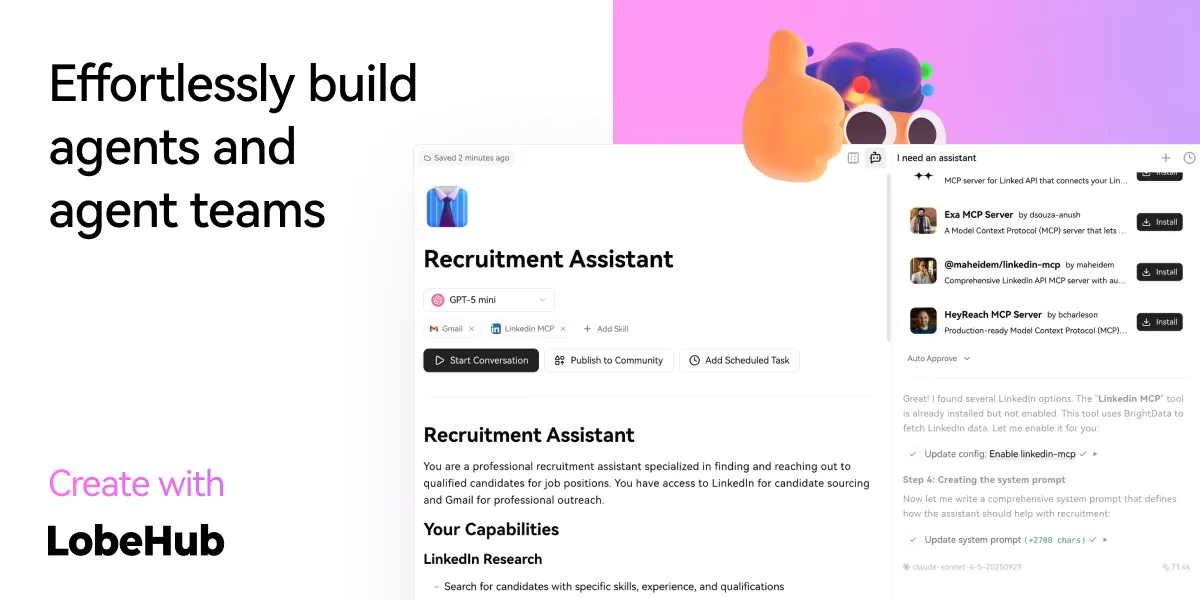
Building a personalized AI team starts with the Agent Builder. You can describe what you need once, and the agent setup starts right away, applying auto-configurations so you can use it instantly.
- Unified Intelligence: Seamlessly access any model and any modality—all under your control.
- 10,000+ Skills: Connect your agents to the skills you use every day with a library of over 10,000 tools and MCP-compatible plugins.

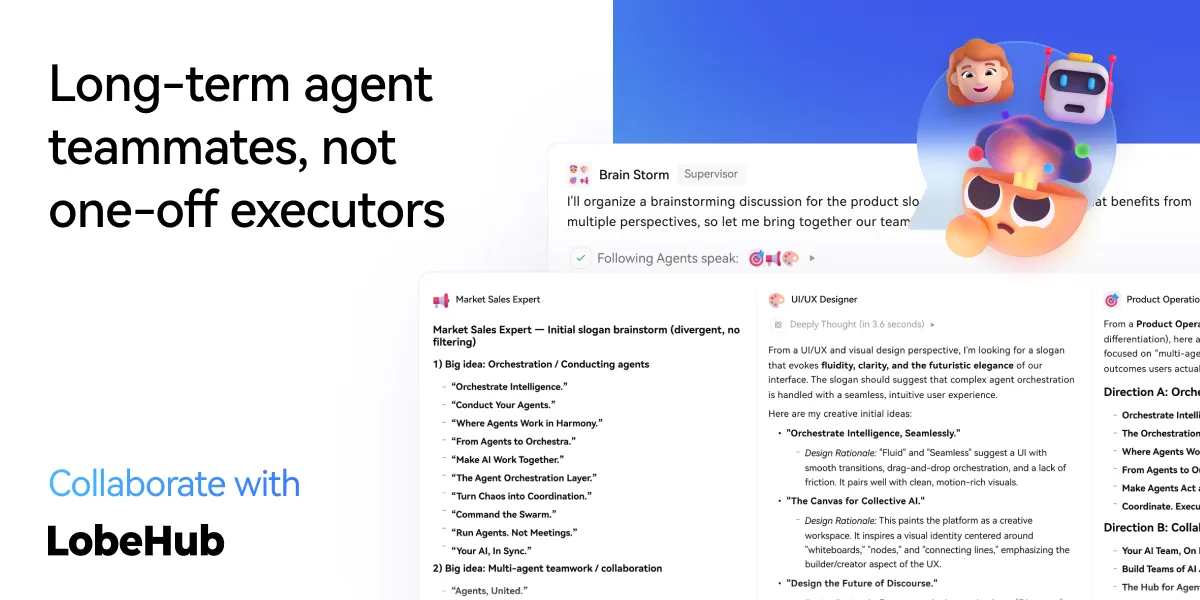
LobeHub introduces Agent Groups, allowing you to work with agents like real teammates. The system assembles the right agents for the task, enabling parallel collaboration and iterative improvement.
- Pages: Write and refine content with multiple agents in one place with a shared context.
- Schedule: Schedule runs and let agents do the work at the right time, even while you are away.
- Project: Organize work by project to keep everything structured and easy to track.
- Workspace: A shared space for teams to collaborate with agents, ensuring clear ownership and visibility across the organization.
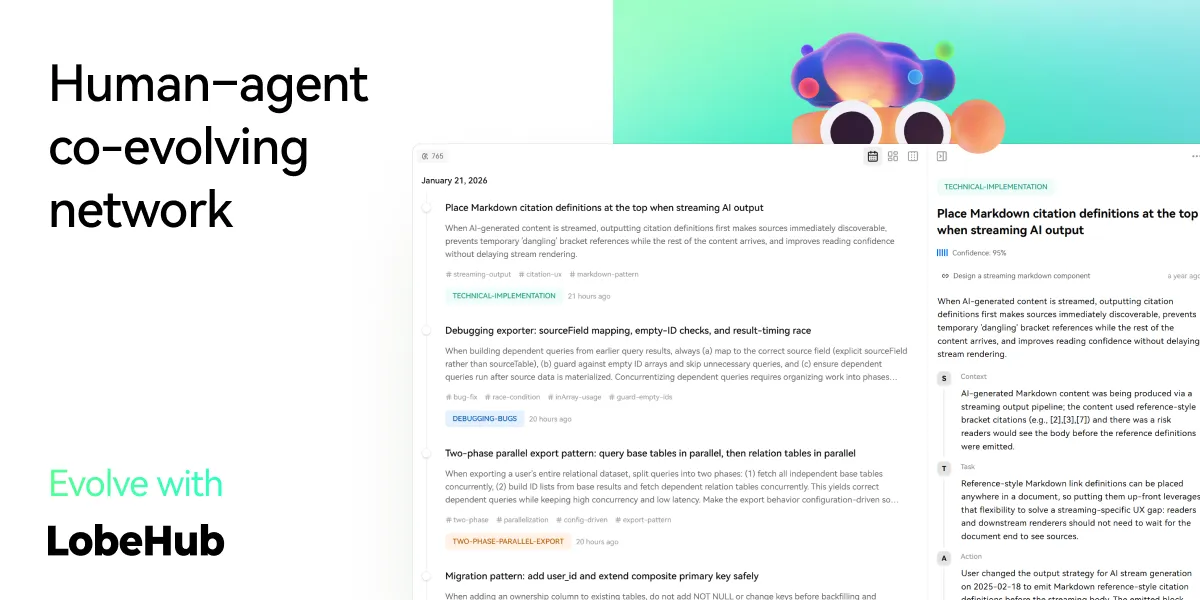
The best AI is one that understands you deeply. LobeHub features Personal Memory that builds a clear understanding of your needs.
- Continual Learning: Your agents learn from how you work, adapting their behavior to act at the right moment.
- White-Box Memory: We believe in transparency. Your agents use structured, editable memory, giving you full control over what they remember.
More Features

Seamlessly Connect Your AI to the World
Unlock the full potential of your AI by enabling smooth, secure, and dynamic interactions with external tools, data sources, and services. LobeHub's MCP (Model Context Protocol) plugin system breaks down the barriers between your AI and the digital ecosystem, allowing for unprecedented connectivity and functionality.
Transform your conversations into powerful workflows by connecting to databases, APIs, file systems, and more. Experience the freedom of AI that truly understands and interacts with your world.

Discover, Connect, Extend
Browse a growing library of MCP plugins to expand your AI's capabilities and streamline your workflows effortlessly. Visit lobehub.com/mcp to explore the MCP Marketplace, which offers a curated collection of integrations that enhance your AI's ability to work with various tools and services.
From productivity tools to development environments, discover new ways to extend your AI's reach and effectiveness. Connect with the community and find the perfect plugins for your specific needs.

Peak Performance, Zero Distractions
Get the full LobeHub experience without browser limitations—comprehensive, focused, and always ready to go. Our desktop application provides a dedicated environment for your AI interactions, ensuring optimal performance and minimal distractions.
Experience faster response times, better resource management, and a more stable connection to your AI assistant. The desktop app is designed for users who demand the best performance from their AI tools.

Online Knowledge On Demand
With real-time internet access, your AI keeps up with the world—news, data, trends, and more. Stay informed and get the most current information available, enabling your AI to provide accurate and up-to-date responses.
Access live information, verify facts, and explore current events without leaving your conversation. Your AI becomes a gateway to the world's knowledge, always current and comprehensive.

Experience AI reasoning like never before. Watch as complex problems unfold step by step through our innovative Chain of Thought (CoT) visualization. This breakthrough feature provides unprecedented transparency into AI's decision-making process, allowing you to observe how conclusions are reached in real-time.
By breaking down complex reasoning into clear, logical steps, you can better understand and validate the AI's problem-solving approach. Whether you're debugging, learning, or simply curious about AI reasoning, CoT visualization transforms abstract thinking into an engaging, interactive experience.

Introducing a more natural and flexible way to chat with AI. With Branch Conversations, your discussions can flow in multiple directions, just like human conversations do. Create new conversation branches from any message, giving you the freedom to explore different paths while preserving the original context.
Choose between two powerful modes:
- Continuation Mode: Seamlessly extend your current discussion while maintaining valuable context
- Standalone Mode: Start fresh with a new topic based on any previous message
This groundbreaking feature transforms linear conversations into dynamic, tree-like structures, enabling deeper exploration of ideas and more productive interactions.

Experience the power of Claude Artifacts, now integrated into LobeHub. This revolutionary feature expands the boundaries of AI-human interaction, enabling real-time creation and visualization of diverse content formats.
Create and visualize with unprecedented flexibility:
- Generate and display dynamic SVG graphics
- Build and render interactive HTML pages in real-time
- Produce professional documents in multiple formats

LobeHub supports file upload and knowledge base functionality. You can upload various types of files including documents, images, audio, and video, as well as create knowledge bases, making it convenient for users to manage and search for files. Additionally, you can utilize files and knowledge base features during conversations, enabling a richer dialogue experience.
chat.pdf.mp4
[!TIP]
Learn more on 📘 LobeHub Knowledge Base Launch — From Now On, Every Step Counts

In the continuous development of LobeHub, we deeply understand the importance of diversity in model service providers for meeting the needs of the community when providing AI conversation services. Therefore, we have expanded our support to multiple model service providers, rather than being limited to a single one, in order to offer users a more diverse and rich selection of conversations.
In this way, LobeHub can more flexibly adapt to the needs of different users, while also providing developers with a wider range of choices.
We have implemented support for the following model service providers:
See more providers (+-10)
📊 Total providers: 0
At the same time, we are also planning to support more model service providers. If you would like LobeHub to support your favorite service provider, feel free to join our 💬 community discussion.

To meet the specific needs of users, LobeHub also supports the use of local models based on Ollama, allowing users to flexibly use their own or third-party models.
[!TIP]
Learn more about 📘 Using Ollama in LobeHub by checking it out.

LobeHub now supports OpenAI's latest gpt-4-vision model with visual recognition capabilities,
a multimodal intelligence that can perceive visuals. Users can easily upload or drag and drop images into the dialogue box,
and the agent will be able to recognize the content of the images and engage in intelligent conversation based on this,
creating smarter and more diversified chat scenarios.
This feature opens up new interactive methods, allowing communication to transcend text and include a wealth of visual elements. Whether it's sharing images in daily use or interpreting images within specific industries, the agent provides an outstanding conversational experience.

LobeHub supports Text-to-Speech (TTS) and Speech-to-Text (STT) technologies, enabling our application to convert text messages into clear voice outputs, allowing users to interact with our conversational agent as if they were talking to a real person. Users can choose from a variety of voices to pair with the agent.
Moreover, TTS offers an excellent solution for those who prefer auditory learning or desire to receive information while busy. In LobeHub, we have meticulously selected a range of high-quality voice options (OpenAI Audio, Microsoft Edge Speech) to meet the needs of users from different regions and cultural backgrounds. Users can choose the voice that suits their personal preferences or specific scenarios, resulting in a personalized communication experience.

With support for the latest text-to-image generation technology, LobeHub now allows users to invoke image creation tools directly within conversations with the agent. By leveraging the capabilities of AI tools such as DALL-E 3, MidJourney, and Pollinations, the agents are now equipped to transform your ideas into images.
This enables a more private and immersive creative process, allowing for the seamless integration of visual storytelling into your personal dialogue with the agent.

The plugin ecosystem of LobeHub is an important extension of its core functionality, greatly enhancing the practicality and flexibility of the LobeHub assistant.
Plugin-Demo.mp4
By utilizing plugins, LobeHub assistants can obtain and process real-time information, such as searching for web information and providing users with instant and relevant news.
In addition, these plugins are not limited to news aggregation, but can also extend to other practical functions, such as quickly searching documents, generating images, obtaining data from various platforms like Bilibili, Steam, and interacting with various third-party services.
[!TIP]
Learn more about 📘 Plugin Usage by checking it out.
| Recent Submits | Description |
|---|---|
| Shopping tools By shoppingtools on 2026-01-12 |
Search for products on eBay & AliExpress, find eBay events & coupons. Get prompt examples.shopping e-bay ali-express coupons |
| SEO Assistant By webfx on 2026-01-12 |
The SEO Assistant can generate search engine keyword information in order to aid the creation of content.seo keyword |
| Video Captions By maila on 2025-12-13 |
Convert Youtube links into transcribed text, enable asking questions, create chapters, and summarize its content.video-to-text youtube |
| WeatherGPT By steven-tey on 2025-12-13 |
Get current weather information for a specific location.weather |
📊 Total plugins: 40

In LobeHub Agent Marketplace, creators can discover a vibrant and innovative community that brings together a multitude of well-designed agents, which not only play an important role in work scenarios but also offer great convenience in learning processes. Our marketplace is not just a showcase platform but also a collaborative space. Here, everyone can contribute their wisdom and share the agents they have developed.
[!TIP]
By 🤖/🏪 Submit Agents, you can easily submit your agent creations to our platform. Importantly, LobeHub has established a sophisticated automated internationalization (i18n) workflow, capable of seamlessly translating your agent into multiple language versions. This means that no matter what language your users speak, they can experience your agent without barriers.
[!IMPORTANT]
We welcome all users to join this growing ecosystem and participate in the iteration and optimization of agents. Together, we can create more interesting, practical, and innovative agents, further enriching the diversity and practicality of the agent offerings.
| Recent Submits | Description |
|---|---|
| Turtle Soup Host By CSY2022 on 2025-06-19 |
A turtle soup host needs to provide the scenario, the complete story (truth of the event), and the key point (the condition for guessing correctly).turtle-soup reasoning interaction puzzle role-playing |
| Academic Writing Assistant By swarfte on 2025-06-17 |
Expert in academic research paper writing and formal documentationacademic-writing research formal-style |
| Gourmet Reviewer🍟 By renhai-lab on 2025-06-17 |
Food critique expertgourmet review writing |
| Minecraft Senior Developer By iamyuuk on 2025-06-17 |
Expert in advanced Java development and Minecraft mod and server plugin developmentdevelopment programming minecraft java |
📊 Total agents: 505

LobeHub supports the use of both server-side and local databases. Depending on your needs, you can choose the appropriate deployment solution:
- Local database: suitable for users who want more control over their data and privacy protection. LobeHub uses CRDT (Conflict-Free Replicated Data Type) technology to achieve multi-device synchronization. This is an experimental feature aimed at providing a seamless data synchronization experience.
- Server-side database: suitable for users who want a more convenient user experience. LobeHub supports PostgreSQL as a server-side database. For detailed documentation on how to configure the server-side database, please visit Configure Server-side Database.
Regardless of which database you choose, LobeHub can provide you with an excellent user experience.

LobeHub supports multi-user management and provides flexible user authentication solutions:
- Better Auth: LobeHub integrates
Better Auth, a modern and flexible authentication library that supports multiple authentication methods, including OAuth, email login, credential login, magic links, and more. WithBetter Auth, you can easily implement user registration, login, session management, social login, multi-factor authentication (MFA), and other functions to ensure the security and privacy of user data.

We deeply understand the importance of providing a seamless experience for users in today's multi-device environment. Therefore, we have adopted Progressive Web Application (PWA) technology, a modern web technology that elevates web applications to an experience close to that of native apps.
Through PWA, LobeHub can offer a highly optimized user experience on both desktop and mobile devices while maintaining high-performance characteristics. Visually and in terms of feel, we have also meticulously designed the interface to ensure it is indistinguishable from native apps, providing smooth animations, responsive layouts, and adapting to different device screen resolutions.
[!NOTE]
If you are unfamiliar with the installation process of PWA, you can add LobeHub as your desktop application (also applicable to mobile devices) by following these steps:
- Launch the Chrome or Edge browser on your computer.
- Visit the LobeHub webpage.
- In the upper right corner of the address bar, click on the Install icon.
- Follow the instructions on the screen to complete the PWA Installation.

We have carried out a series of optimization designs for mobile devices to enhance the user's mobile experience. Currently, we are iterating on the mobile user experience to achieve smoother and more intuitive interactions. If you have any suggestions or ideas, we welcome you to provide feedback through GitHub Issues or Pull Requests.

As a design-engineering-oriented application, LobeHub places great emphasis on users' personalized experiences, hence introducing flexible and diverse theme modes, including a light mode for daytime and a dark mode for nighttime. Beyond switching theme modes, a range of color customization options allow users to adjust the application's theme colors according to their preferences. Whether it's a desire for a sober dark blue, a lively peach pink, or a professional gray-white, users can find their style of color choices in LobeHub.
[!TIP]
The default configuration can intelligently recognize the user's system color mode and automatically switch themes to ensure a consistent visual experience with the operating system. For users who like to manually control details, LobeHub also offers intuitive setting options and a choice between chat bubble mode and document mode for conversation scenarios.
Beside these features, LobeHub also have much better basic technique underground:
- 💨 Quick Deployment: Using the Vercel platform or docker image, you can deploy with just one click and complete the process within 1 minute without any complex configuration.
- 🌐 Custom Domain: If users have their own domain, they can bind it to the platform for quick access to the dialogue agent from anywhere.
- 🔒 Privacy Protection: All data is stored locally in the user's browser, ensuring user privacy.
- 💎 Exquisite UI Design: With a carefully designed interface, it offers an elegant appearance and smooth interaction. It supports light and dark themes and is mobile-friendly. PWA support provides a more native-like experience.
- 🗣️ Smooth Conversation Experience: Fluid responses ensure a smooth conversation experience. It fully supports Markdown rendering, including code highlighting, LaTex formulas, Mermaid flowcharts, and more.
✨ more features will be added when LobeHub evolve.
LobeHub provides Self-Hosted Version with Vercel, Alibaba Cloud, and Docker Image. This allows you to deploy your own chatbot within a few minutes without any prior knowledge.
Tip
Learn more about 📘 Build your own LobeHub by checking it out.
"If you want to deploy this service yourself on Vercel, Zeabur or Alibaba Cloud, you can follow these steps:
- Prepare your OpenAI API Key.
- Click the button below to start deployment: Log in directly with your GitHub account, and remember to fill in the
OPENAI_API_KEY(required) andACCESS_CODE(recommended) on the environment variable section. - After deployment, you can start using it.
- Bind a custom domain (optional): The DNS of the domain assigned by Vercel is polluted in some areas; binding a custom domain can connect directly.
| Deploy with Vercel | Deploy with Zeabur | Deploy with Sealos | Deploy with RepoCloud | Deploy with Alibaba Cloud |
|---|---|---|---|---|
 |
 |
 |
 |
After fork, only retain the upstream sync action and disable other actions in your repository on GitHub.
If you have deployed your own project following the one-click deployment steps in the README, you might encounter constant prompts indicating "updates available." This is because Vercel defaults to creating a new project instead of forking this one, resulting in an inability to detect updates accurately.
Tip
We suggest you redeploy using the following steps, 📘 Auto Sync With Latest


We provide a Docker image for deploying the LobeHub service on your own private device. Use the D306 following command to start the LobeHub service:
- create a folder to for storage files
$ mkdir lobe-chat-db && cd lobe-chat-db- init the LobeHub infrastructure
bash <(curl -fsSL https://lobe.li/setup.sh)- Start the LobeHub service
docker compose up -dNote
For detailed instructions on deploying with Docker, please refer to the 📘 Docker Deployment Guide
This project provides some additional configuration items set with environment variables:
| Environment Variable | Required | Description | Example |
|---|---|---|---|
OPENAI_API_KEY |
Yes | This is the API key you apply on the OpenAI account page | sk-xxxxxx...xxxxxx |
OPENAI_PROXY_URL |
No | If you manually configure the OpenAI interface proxy, you can use this configuration item to override the default OpenAI API request base URL | https://api.chatanywhere.cn or https://aihubmix.com/v1 The default value is https://api.openai.com/v1 |
ACCESS_CODE |
No | Add a password to access this service; you can set a long password to avoid leaking. If this value contains a comma, it is a password array. | awCTe)re_r74 or rtrt_ewee3@09! or code1,code2,code3 |
OPENAI_MODEL_LIST |
No | Used to control the model list. Use + to add a model, - to hide a model, and model_name=display_name to customize the display name of a model, separated by commas. |
qwen-7b-chat,+glm-6b,-gpt-3.5-turbo |
Note
The complete list of environment variables can be found in the 📘 Environment Variables
| NPM | Repository | Description | Version |
|---|---|---|---|
| @lobehub/ui | lobehub/lobe-ui | Open-source UI component library dedicated to building AIGC web applications. |  |
| @lobehub/icons | lobehub/lobe-icons | Popular AI / LLM Model Brand SVG Logo and Icon Collection. |  |
| @lobehub/tts | lobehub/lobe-tts | High-quality & reliable TTS/STT React Hooks library |  |
| @lobehub/lint | lobehub/lobe-lint | Configurations for ESlint, Stylelint, Commitlint, Prettier, Remark, and Semantic Release for LobeHub. |  |
Plugins provide a means to extend the Function Calling capabilities of LobeHub. They can be used to introduce new function calls and even new ways to render message results. If you are interested in plugin development, please refer to our 📘 Plugin Development Guide in the Wiki.
- lobe-chat-plugins: This is the plugin index for LobeHub. It accesses index.json from this repository to display a list of available plugins for LobeHub to the user.
- chat-plugin-template: This is the plugin template for LobeHub plugin development.
- @lobehub/chat-plugin-sdk: The LobeHub Plugin SDK assists you in creating exceptional chat plugins for LobeHub.
- @lobehub/chat-plugins-gateway: The LobeHub Plugins Gateway is a backend service that provides a gateway for LobeHub plugins. We deploy this service using Vercel. The primary API POST /api/v1/runner is deployed as an Edge Function.
Note
The plugin system is currently undergoing major development. You can learn more in the following issues:
- Plugin Phase 1: Implement separation of the plugin from the main body, split the plugin into an independent repository for maintenance, and realize dynamic loading of the plugin.
- Plugin Phase 2: The security and stability of the plugin's use, more accurately presenting abnormal states, the maintainability of the plugin architecture, and developer-friendly.
- Plugin Phase 3: Higher-level and more comprehensive customization capabilities, support for plugin authentication, and examples.
You can use GitHub Codespaces for online development:

Or clone it for local development:
$ git clone https://github.com/lobehub/lobe-chat.git
$ cd lobe-chat
$ pnpm install
$ pnpm dev
If you would like to learn more details, please feel free to look at our 📘 Development Guide.
Contributions of all types are more than welcome; if you are interested in contributing code, feel free to check out our GitHub Issues and Projects to get stuck in to show us what you're made of.
Tip
We are creating a technology-driven forum, fostering knowledge interaction and the exchange of ideas that may culminate in mutual inspiration and collaborative innovation.
Help us make LobeHub better. Welcome to provide product design feedback, user experience discussions directly to us.
Principal Maintainers: @arvinxx @canisminor1990



|
|
|
|---|---|
|
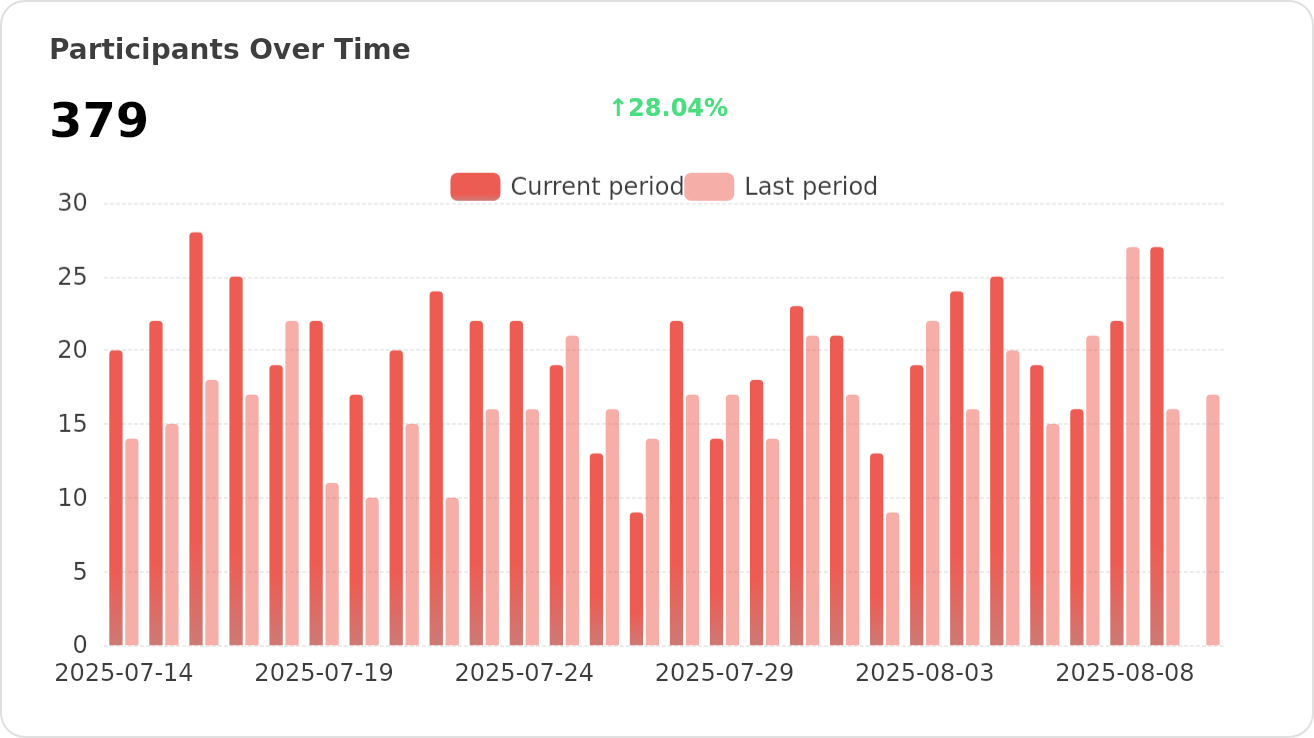
|
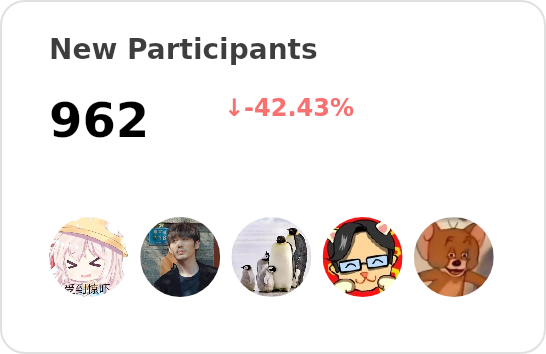
|
|
Every bit counts and your one-time donation sparkles in our galaxy of support! You're a shooting star, making a swift and bright impact on our journey. Thank you for believing in us – your generosity guides us toward our mission, one brilliant flash at a time.

🅰️ Lobe SD Theme: Modern theme for Stable Diffusion WebUI, exquisite interface design, highly customizable UI, and efficiency-boosting features.- ⛵️ Lobe Midjourney WebUI: WebUI for Midjourney, leverages AI to quickly generate a wide array of rich and diverse images from text prompts, sparking creativity and enhancing conversations.
- 🌏 Lobe i18n : Lobe i18n is an automation tool for the i18n (internationalization) translation process, powered by ChatGPT. It supports features such as automatic splitting of large files, incremental updates, and customization options for the OpenAI model, API proxy, and temperature.
- 💌 Lobe Commit: Lobe Commit is a CLI tool that leverages Langchain/ChatGPT to generate Gitmoji-based commit messages.
Copyright © 2026 LobeHub.
This project is LobeHub Community License licensed.