8000 GitHub - ceinfo/AppliedCryptography-FinalProject: Applied Cryptography Final Project - {{ Secure Message Send }} - Flask web application enabled with: 1) https, 2) user login to exchange asymmetric and symmetric encrypted msgs (your own/system created) between users, 3) verification through digital signatures, and 4) storage of users and messages in sqlite.
[go: up one dir, main page]

Skip to content

Applied Cryptography Final Project - {{ Secure Message Send }} - Flask web application enabled with: 1) https, 2) user login to exchange asymmetric and symmetric encrypted msgs (your own/system created) between users, 3) verification through digital signatures, and 4) storage of users and messages in sqlite.

Notifications You must be signed in to change notification settings

ceinfo/AppliedCryptography-FinalProject

Folders and files

NameName
Last commit message
Last commit date

Latest commit


History

52 Commits


Repository files navigation

Applied Cryptography - Final Project

Applied Cryptography Final Project provides a web application which allows system users to communicate with additional security. This project contains:

  1. Flask web application enabled with https
  2. User of the system exchange messages using symmetric encryption (shared key between user and server) and asymmetric encryption (server's public key) with AES-CBC and RSA
  3. Message integrity validated using digital signatures with SHA256 and PSS
  4. Users are authenticated using Bcrypt to validate salted hashed passwords
  5. Storage of users and messages available in Sqlite
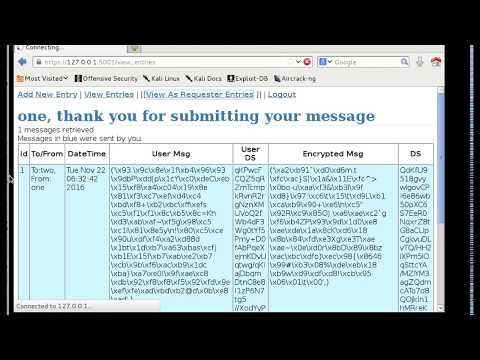
Video Demonstration


Process Flow

Encrypted Flow Decrypted Flow


Assumptions

 * The private keys of the server and user are securely stored.
 * Security mechanisms (AES, CBC, SHA256, and RSA) continue to remain uncompromised.

Running the Project

  1. Setup the project from the command line:
	sudo pip install virtualenv
	mkdir crypto_sms
	cd crypto_sms
	virtualenv venv
	
	. venv/bin/activate
	pip install Flask
	sudo apt-get install python-dev	
	pip install pyOpenSSL
	pip install bcrypt
	pip install PyCrypto
	export FLASK_APP=sms_encrypt.py

  1. Start the program:
	cd <to directory of the project>
	python sms_encrypt.py
  1. From a browser:
        Enter URL:  https://127.0.0.1:5001
        Login with user/password:  one/1pass

Thanks!

About

Applied Cryptography Final Project - {{ Secure Message Send }} - Flask web application enabled with: 1) https, 2) user login to exchange asymmetric and symmetric encrypted msgs (your own/system created) between users, 3) verification through digital signatures, and 4) storage of users and messages in sqlite.

Resources

Stars

Watchers

Forks

Releases

No releases published

Packages

No packages published
0