This Swift Package makes it easier for you to implement a scrollable gradient background within your application!
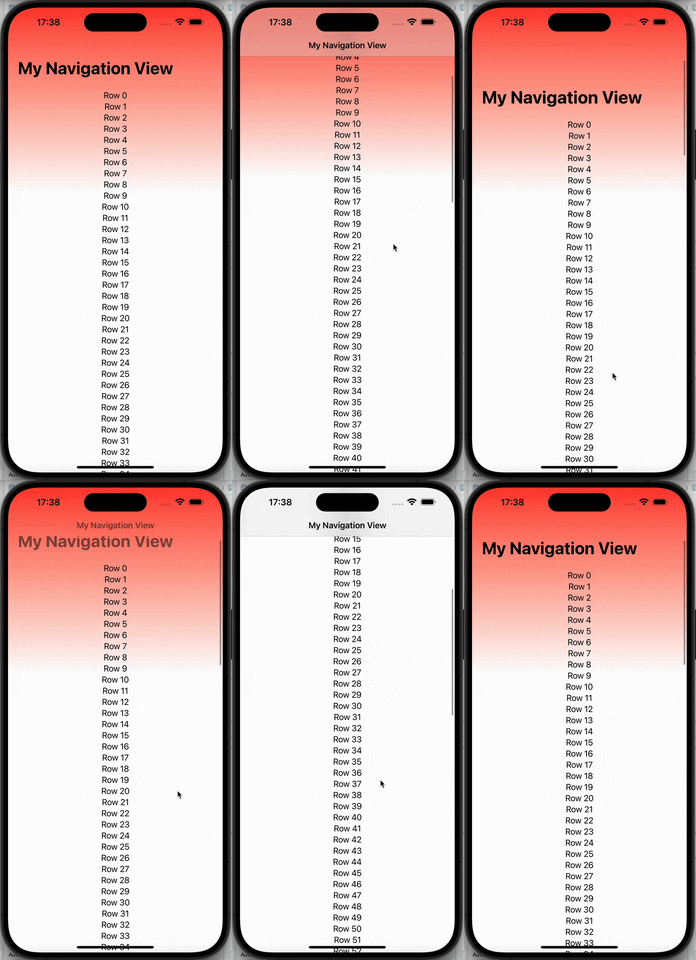
Add your content to the view, set your title, and it's ready to go!
You can use Swift Package Manager, and add this GitHub repository link to the Package URL field:
https://github.com/Lospi/ScrollableGradientBackground
Import the package in your SwiftUI view:
import ScrollableGradientBackground
Add the ScrollableGradientNavigationStack to your view:
ScrollableGradientNavigationStack()
Provide the following parameters:
- startColor: The top color of the gradient
- endColor: The bottom color of the gradient
- navigationTitle: Your NavigationStack page title
- heightPercentage: The percentage (in double format, e.g. 40% is 0.4) of the screen where the gradient will have fully transitioned from the start color to the end color at the start
- minHeight: The height where the gradient starts scrolling up
- maxHeight: The height where the gradient has fully transitioned from start to end colors
- content: The NavigationStack content in closure format
ScrollableGradientNavigationStack(
	heightPercentage: 0.4,
	maxHeight: 200,
	minHeight: 0,
	startColor: Color.red,
	endColor: Color.white,
	navigationTitle: "My Navigation View"
	content: {
			ForEach(categoryType.dataTypes) { value in
			  Text("Row \(value)")
		  }
	}
)